
The HP Mini 1000 - 2nd Generation
The second-generation of HP's Mini-note netbook has finally arrived at our labs and we got the chance to give this baby a whirl. Plenty of changes abound for those who lusted after the first, and plenty of love for those still waiting on choosing a netbook. We find out more.

Mini Mini Mini
If you, the dear consumer, aren't spoiled for choice by now when it comes to shopping for a netbook then we don't know what world you're living in. While manufacturers had seemed hesitant at first to jump into the netbook fray, the success of the ASUS Eee PC has all but left their doubts in the dust. If 2008 is anything to go by - it's definitely the year of the netbooks, and with the success of its first generation HP 2133 Mini-Note PC, HP is no doubt hoping for more of the same with its second generation, the Mini 1000 netbook.
Based this time on an Intel Atom processor, the HP Mini 1000 moves away from the VIA platform of its older cousin and joins the other netbooks with mostly similar specifications. The difference in the Mini 1000 lies in its much smaller and slower hard disk compared to its competitors. We'll talk about this more later during our performance segment but for now, enjoy the glossy and fingerprint magnet that is the HP Mini 1000.
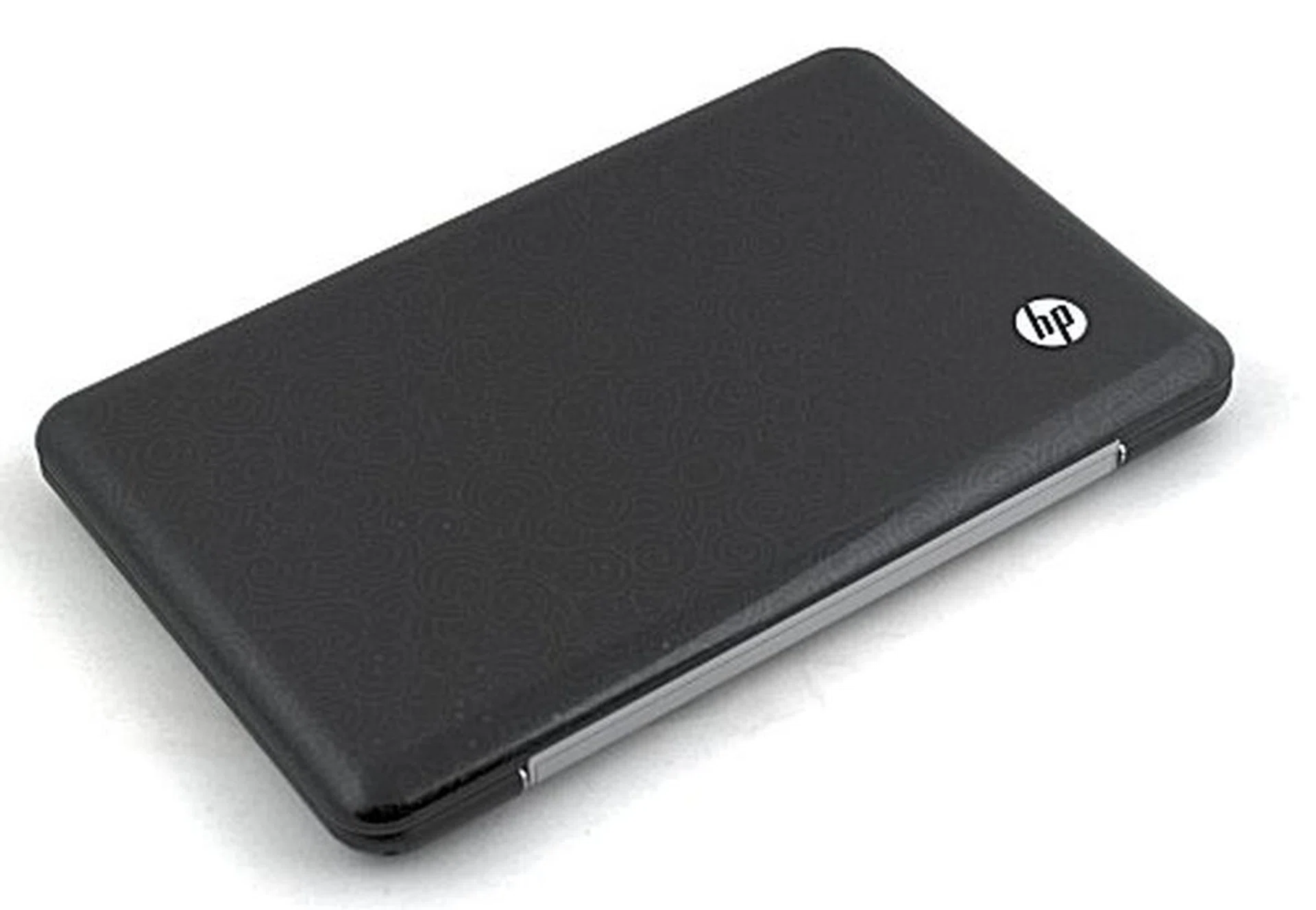
Ah, the HP Mini 1000. Same form factor, same look but a world of difference compared to the original.
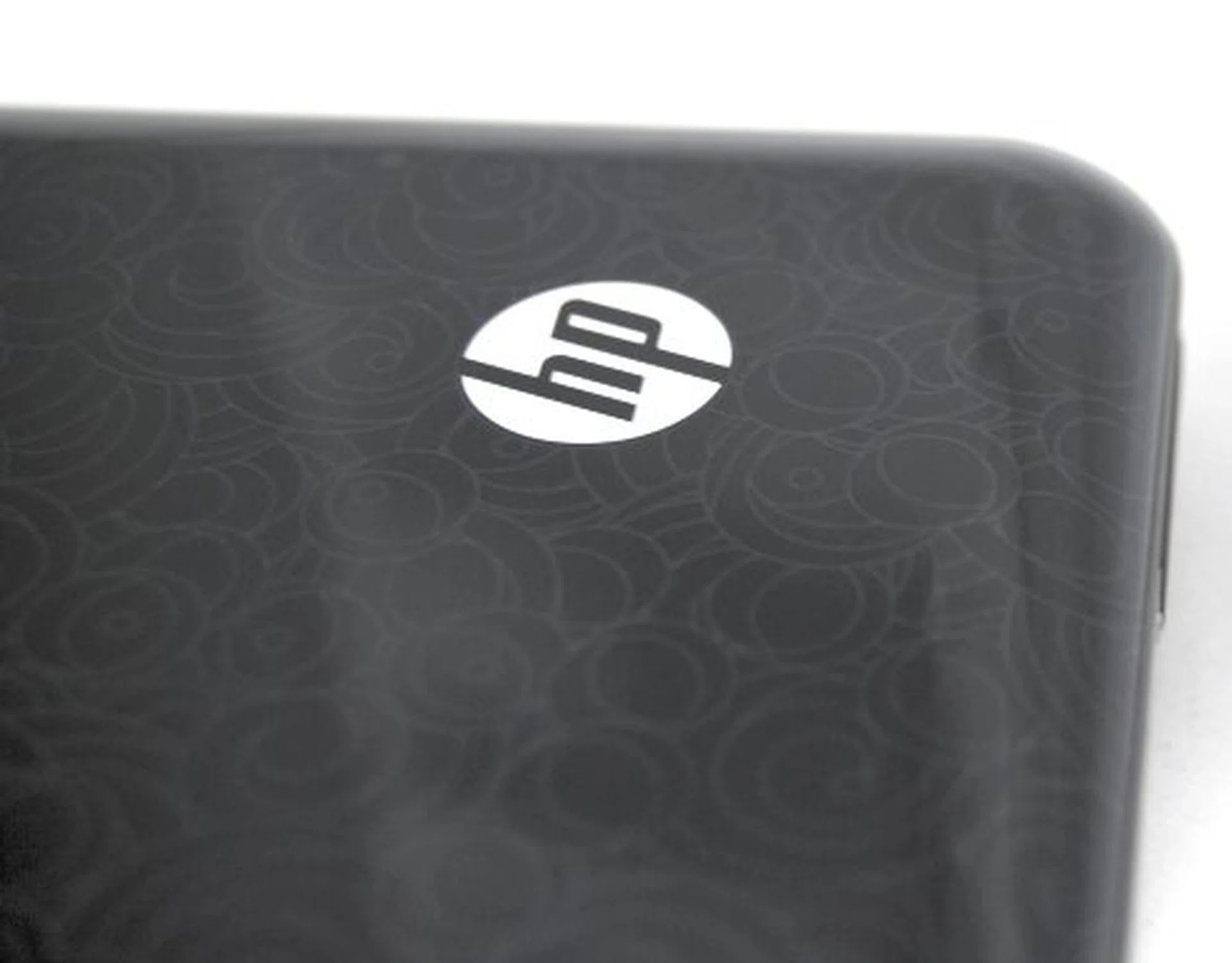
A close up look at HP's gorgeous Imprint technology.
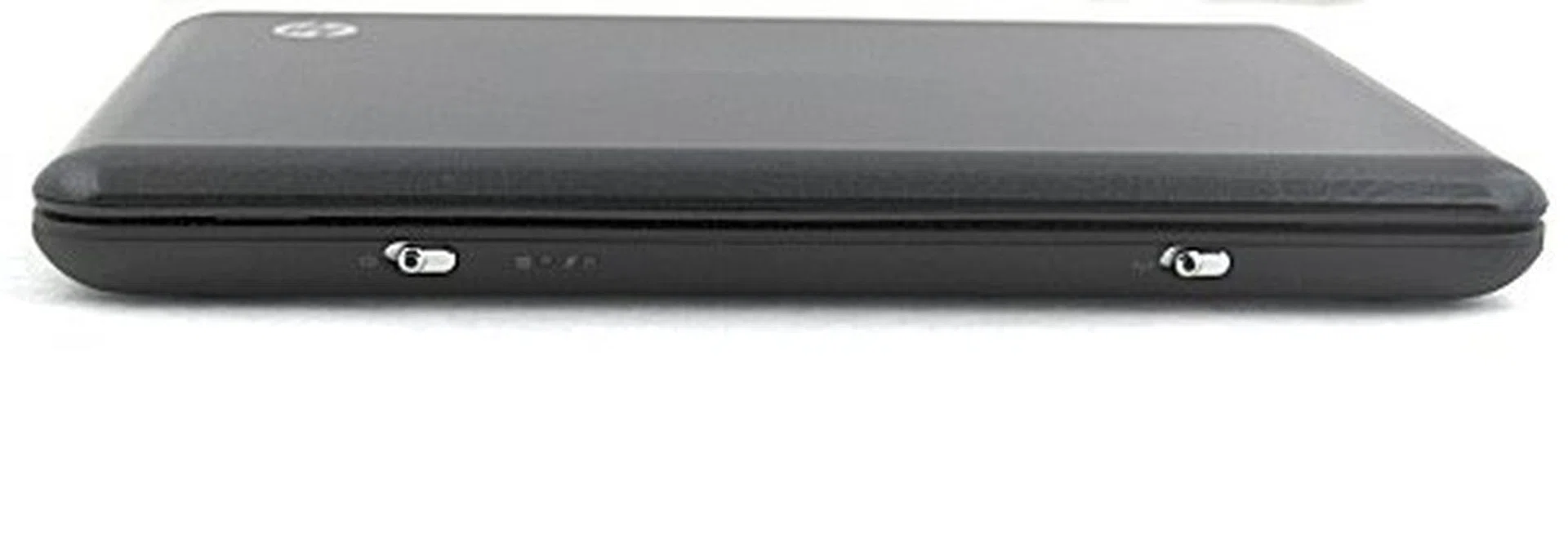
The front retains the same design as the older Mini-Note and holds just the power and Wi-Fi switch.
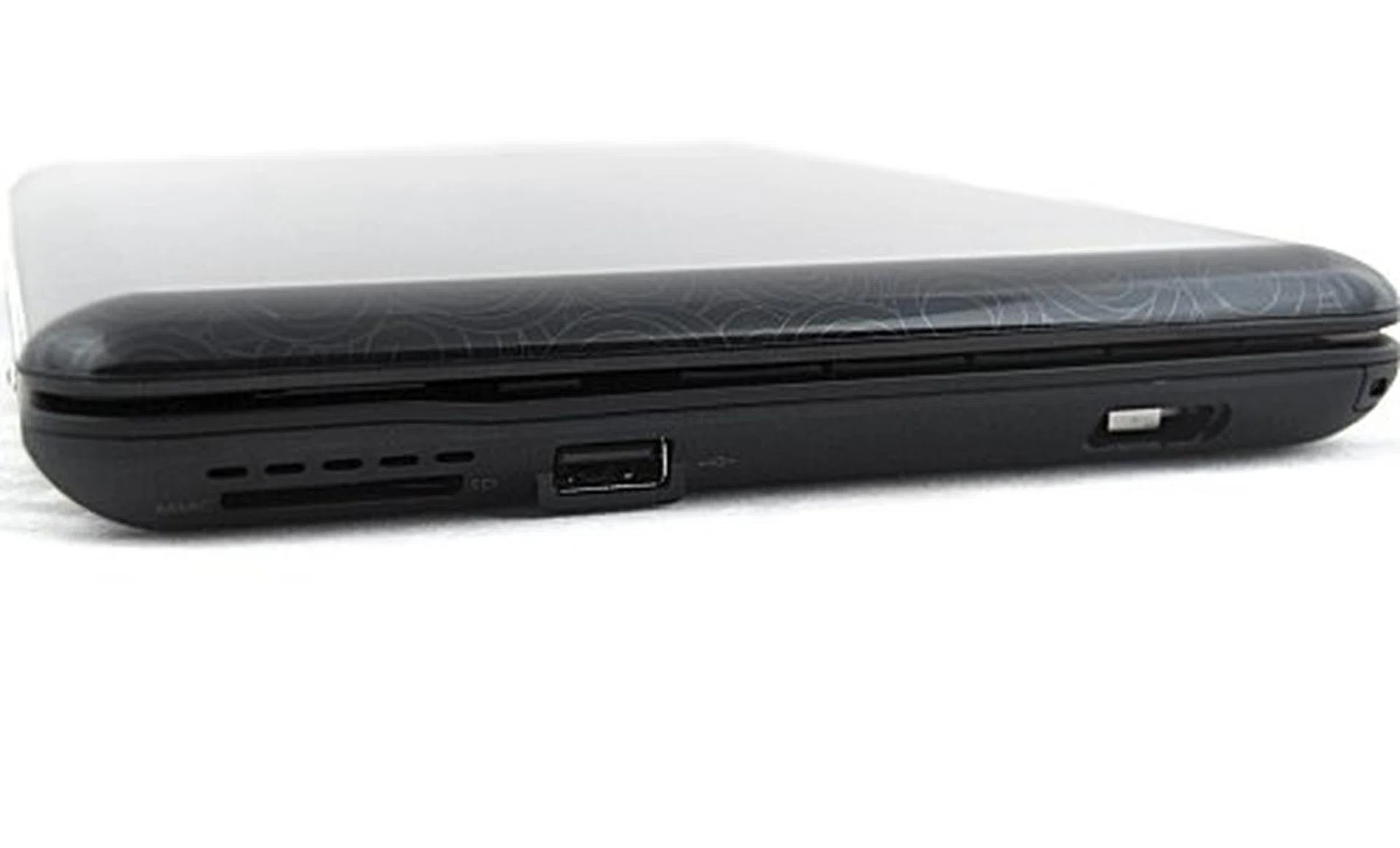
Due to its sleeker profile, HP has cut down on the connectivity options and the right side only has one USB 2.0 port, a SD/MMC card reader and an optional HP Mobile Drive port.
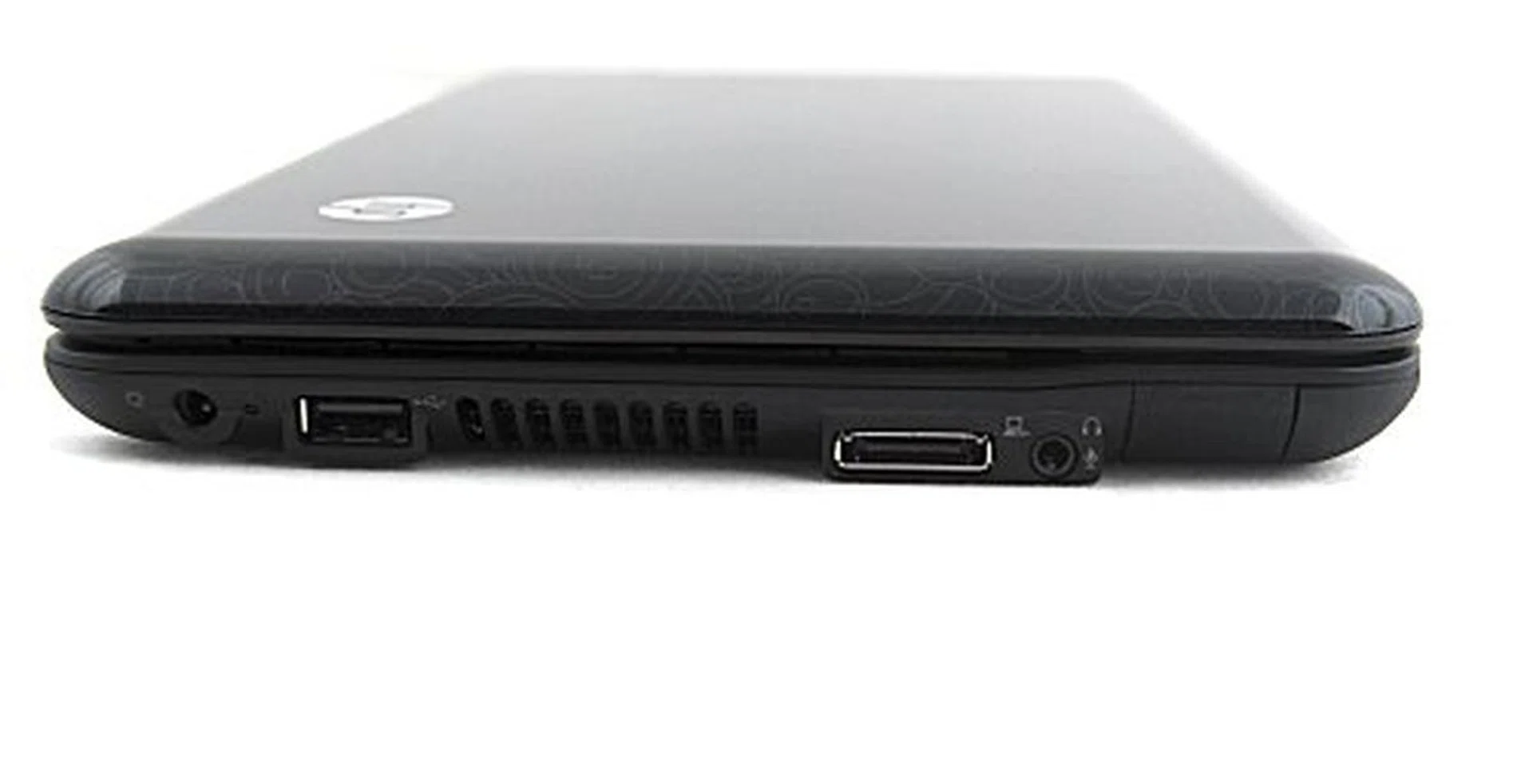
Likewise, on the left side, the analog video out is nowhere to be seen and you'll only be able to find a USB 2.0 port, an expansion port, a headphone/micrphone jack and the RJ-45 port.
Smudge Smudge Smudge
While it looks similar to the older HP Mini-Note, the Mini 1000 has quite a few design changes that improves on the older model, and some changes that are well, not exactly what we had in mind. Let's start with the negative first: for a start, HP has decided that glossy is the way to go for this netbook and we really disagree here. With less than a minute of handling, the shiny and pretty looking netbook turned into a smudge machine, which is a definite turn-off for sure.
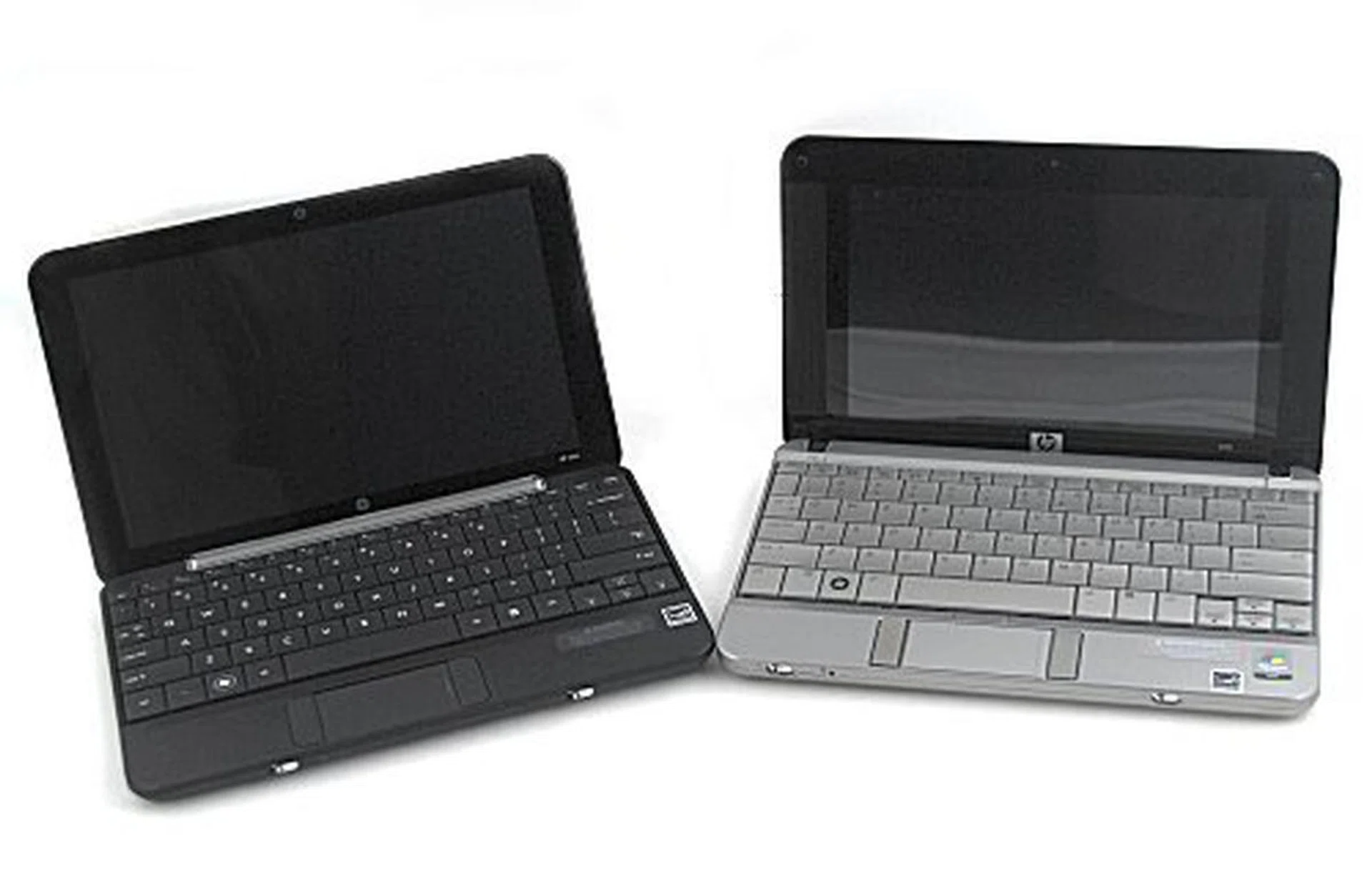
We placed the Mini 1000 and Mini-Note side by side. There's not much of a difference to be seen apart from the screen size and the change in location for the speakers.
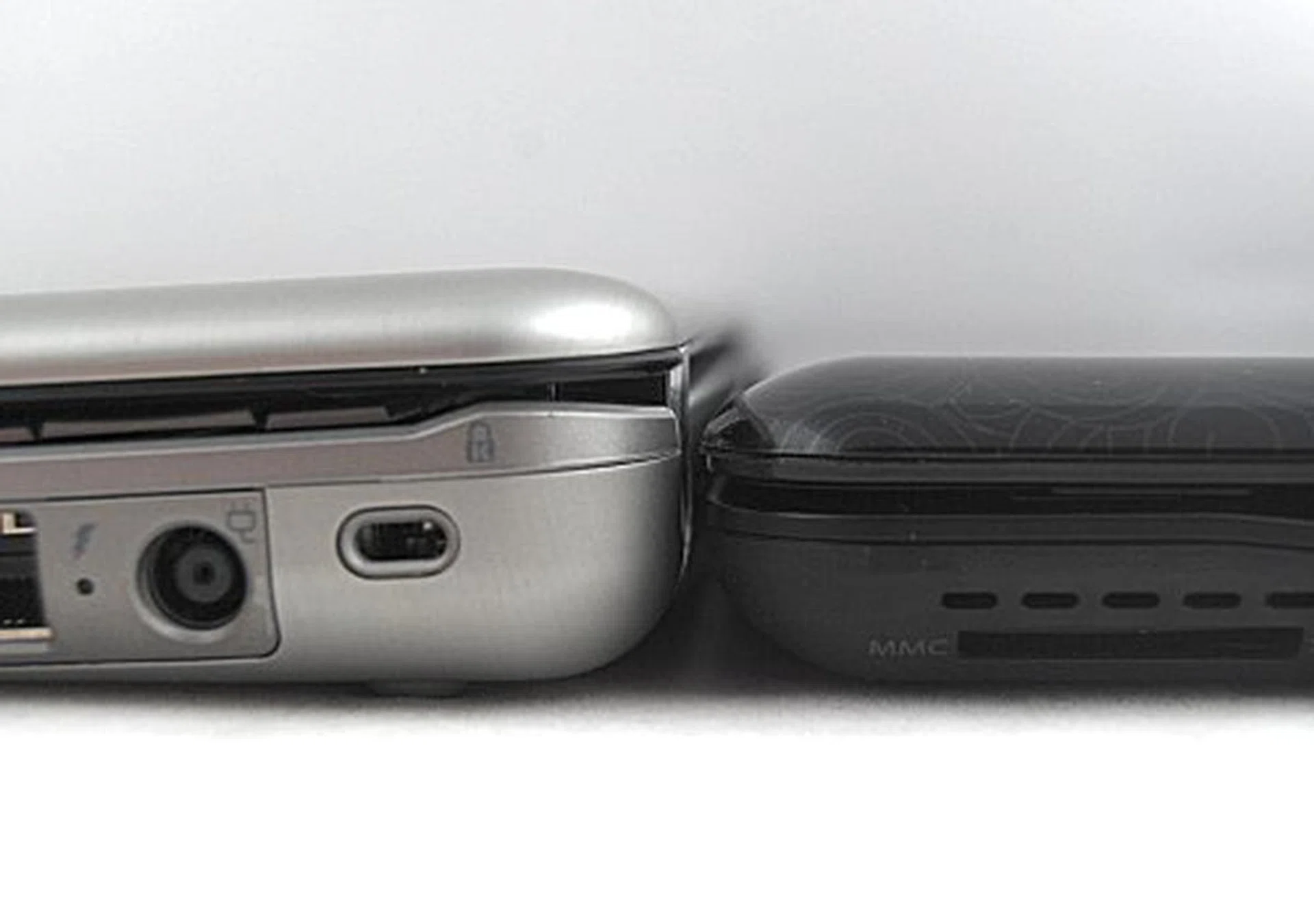
On the other end however, the older Mini-Note shows its chunkier rear end compared to the Mini 1000.
The glossy screen found on the older Mini-Note makes a return (though the 8.9-inch version allows you to opt out of the reflective screen) and while it does make the screen vibrant and good to look at indoors, it's another thing when you use the Mini 1000 outdoors. Like vampires, the black Mini 1000 hates the sun, as sunlight turns the reflective glossy screen into a pain to use unless you're the sort to fancy reflections on your screen. Even at the maximum brightness setting, reflections continue to be part of the user experience.
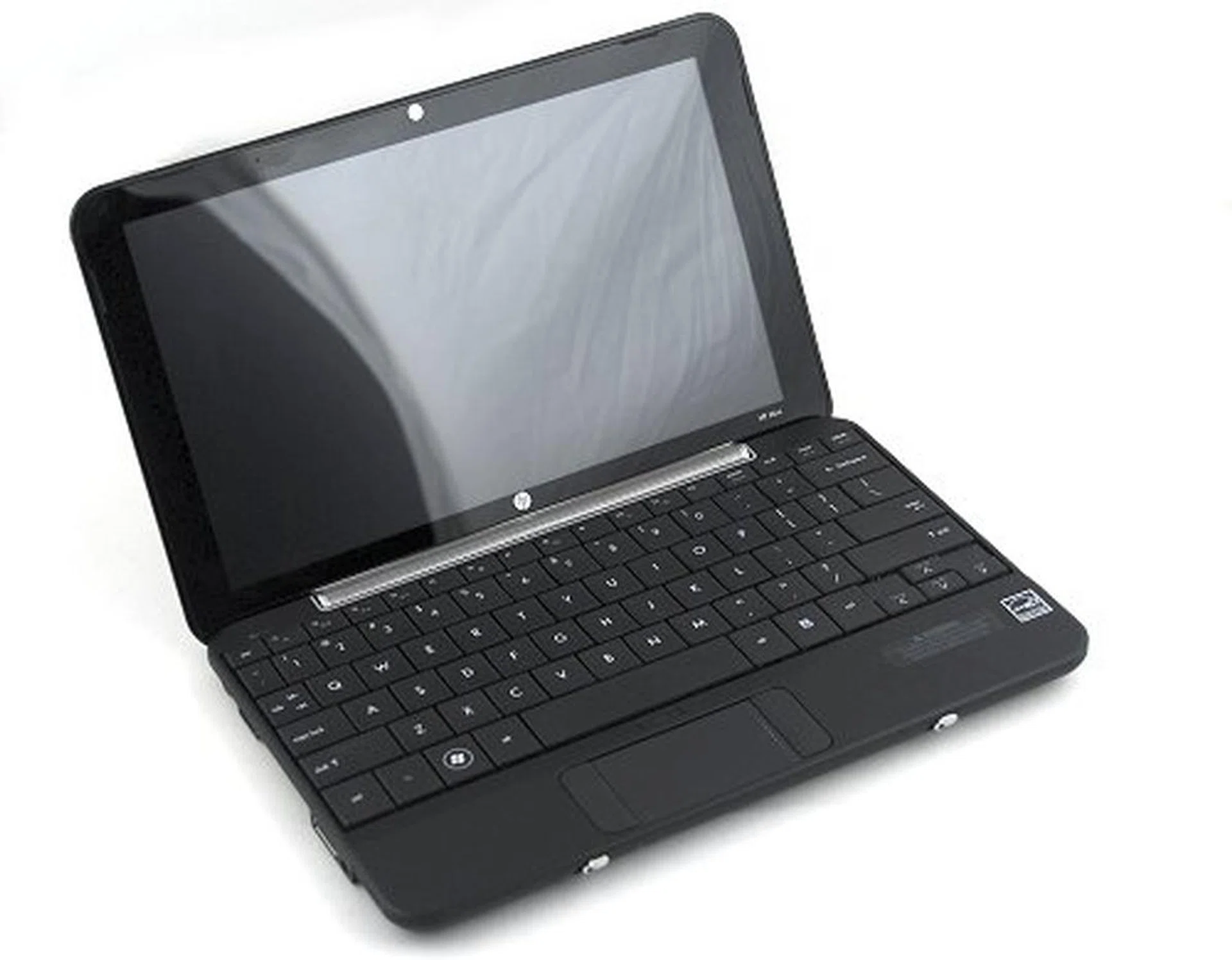
The HP Mini 1000 solo.
The Mini 1000 has also lost the luster of the aluminum shell of its predecessor, which was by far the most attractive feature of the older netbook. Of course, the current plastic feel is quite decent in itself, but we do miss the coolness and shine of the former. What we do love about the Mini 1000 however, is the lighter weight and feel that comes with it using a plastic shell.
Other design changes for the better included the location of the battery (which you'll see on the next page) that allows for the netbook to do away with the hinges and instead turn an entire hinge into a speaker for this space strapped netbook. But the most noticeable change is of course, the slimness that is the new Mini 1000. The older Mini-Note ends up looking chunky compared to the Mini 1000, and the slimness is something we can't get enough of.
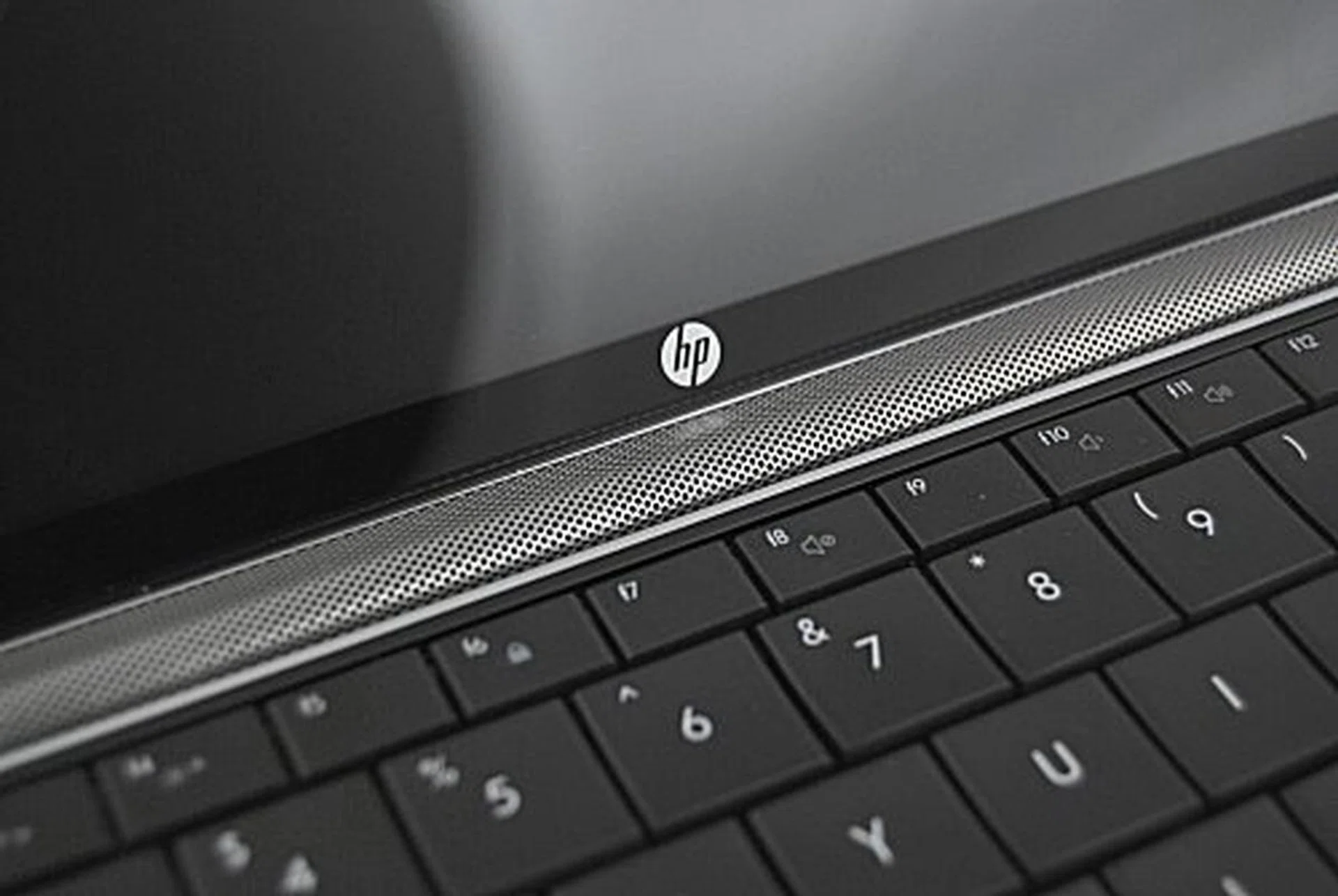
The speakers have been moved to the hinge instead - and we really like this change. It looks good and its pretty cool to boot. Too bad the audio volume isn't as powerful as the older Mini-Note.
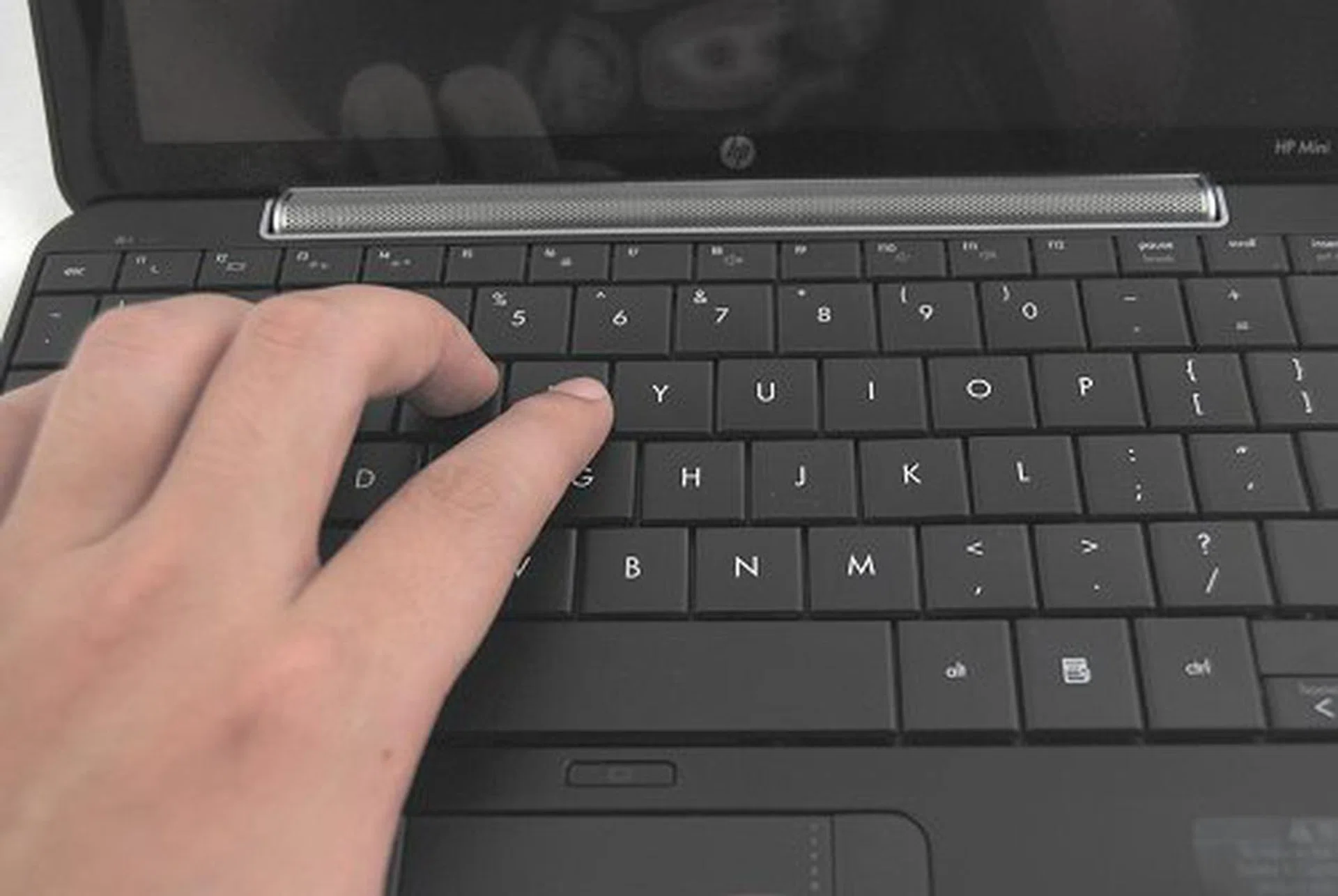
The keyboard retains the same size as the older Mini-Note and remains one of the best netbook keyboards to type with.
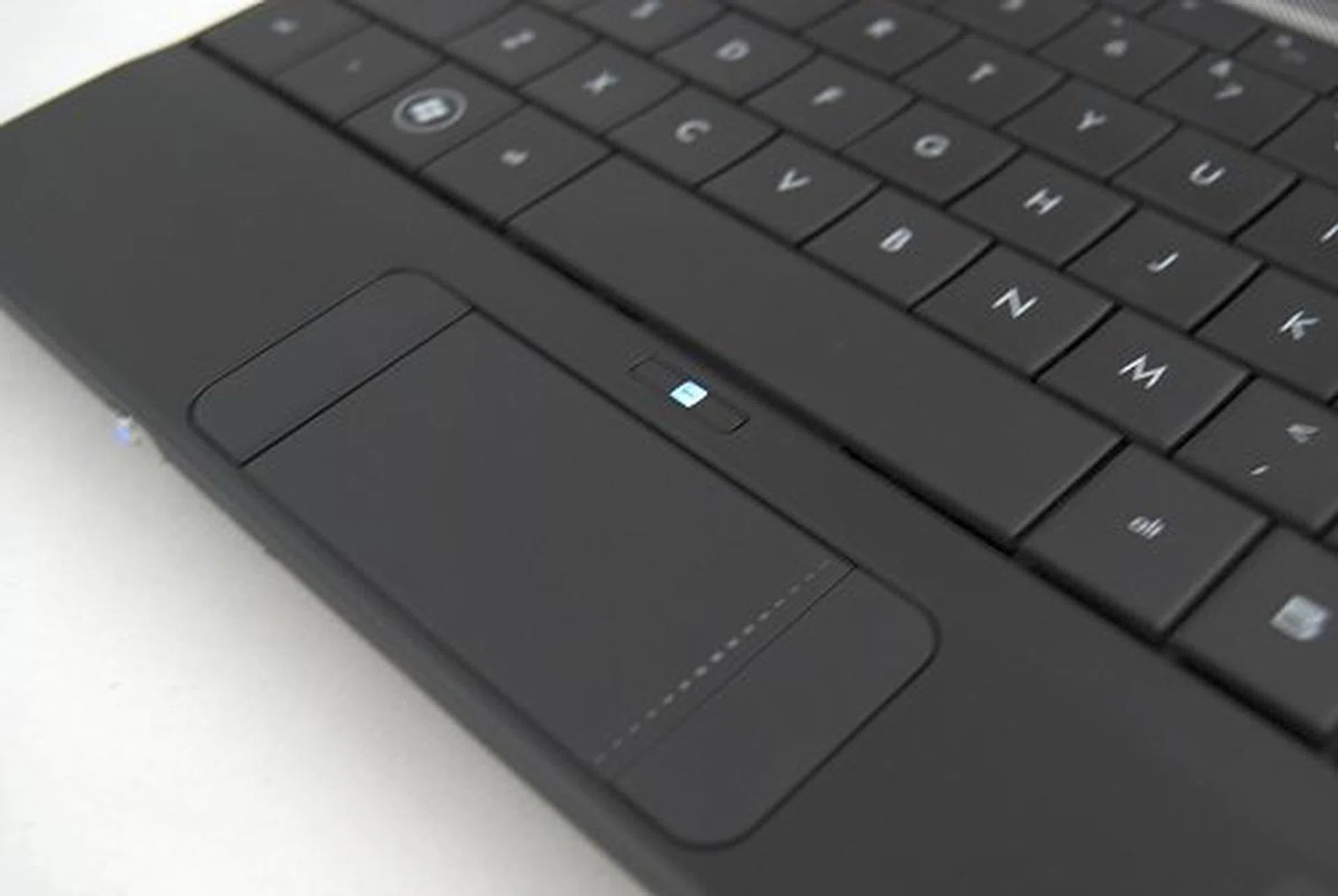
The trackpad has been improved somewhat - there's no longer a gap between the buttons and the sensitivity hasn't changed one bit.
Lastly, there seems to be a heat issue with the front center portion of the unit near where the RAM is located. While the rest of the unit remains relatively cool when in use, this specific portion heats up pretty fast and is quite warm to touch. It can be quite uncomfortable if you're putting the unit on your lap, but, overall this netbook is a cool improvement over the old.
Insides and Battery Life
As mentioned earlier, the Mini 1000 switches from the VIA processor used in the Mini-Note 2133 and opts for the Intel Atom processor that's found in practically all netbooks these days. And while the others specs are mostly similar, the 10.2-inch Mini 1000 sacrifices some hardware performance in the form of a slower and smaller 4200RPM 60GB hard drive. This was quite disappointing when 80~160GB 5400RPM drives are frequently found in other netbooks.
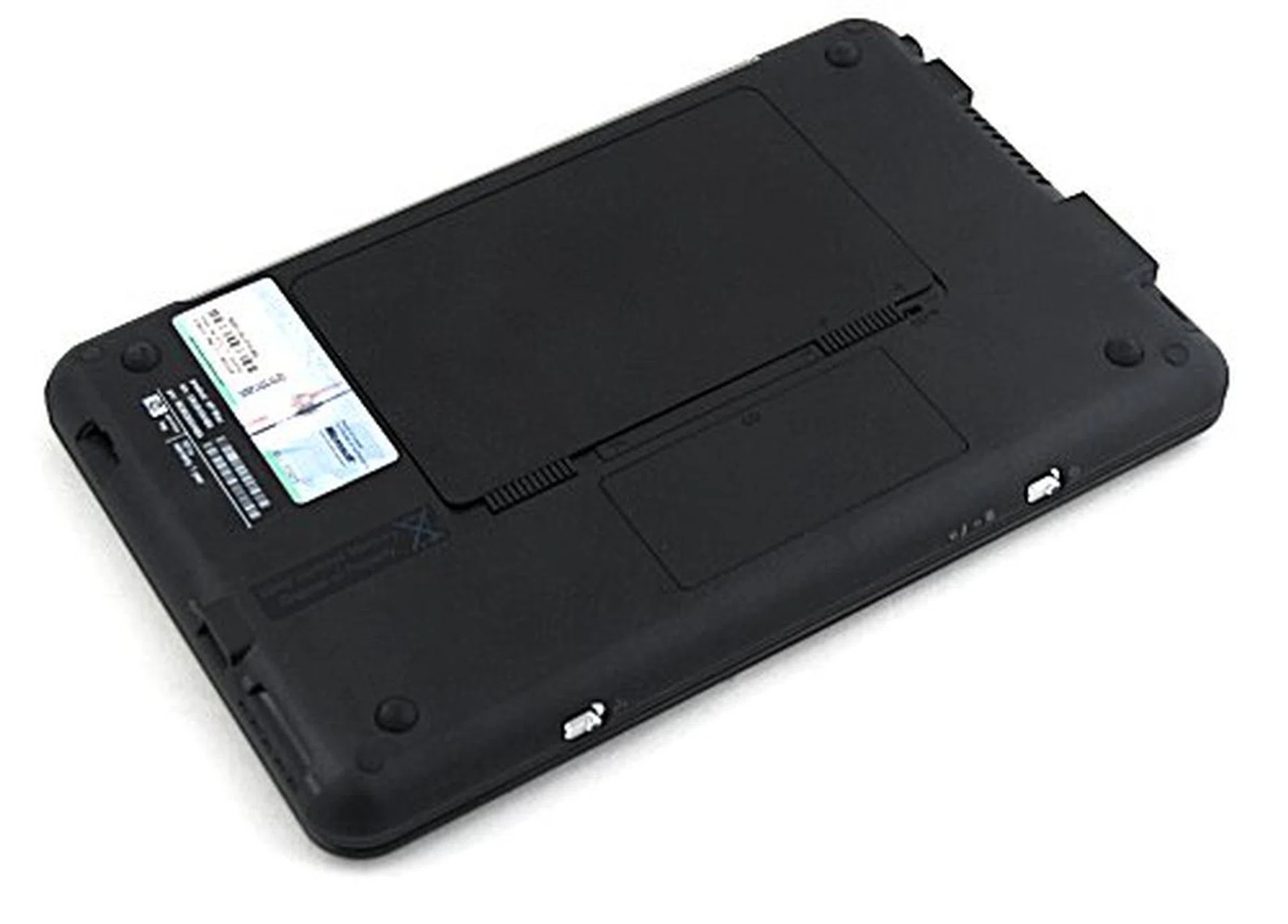
There's really not much to upgrade for the Mini 1000, the HDD isn't accessible and the SO-DIMM is taken so there's really not much you can do.
Battery Life and Portability Index
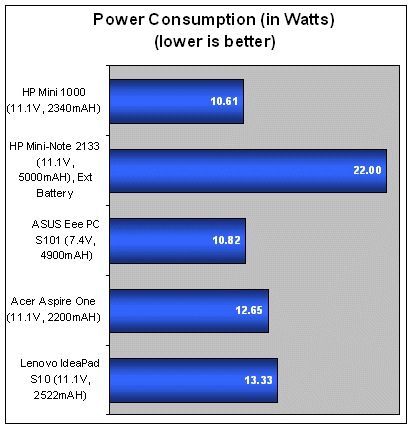
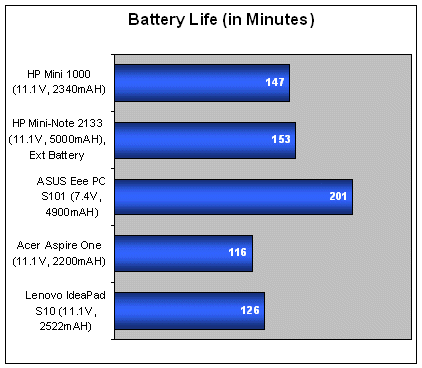
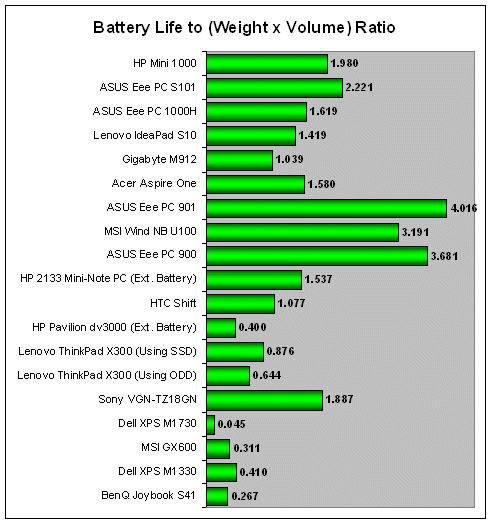
We've been harping a lot on the failings of netbooks using 3-cell batteries (especially when 6-cell batteries do the job so much better) over the past few netbook reviews and we aren't cutting the Mini 1000 any slack either. Lasting 147 minutes, the netbook has the best battery life so far among the 3-cell netbooks and 6-cell availability should be coming soon (or so we heard). Lastly, power consumption for the Mini 1000 was the lowest amongst the other 3-cell netbooks, so no complaints there.
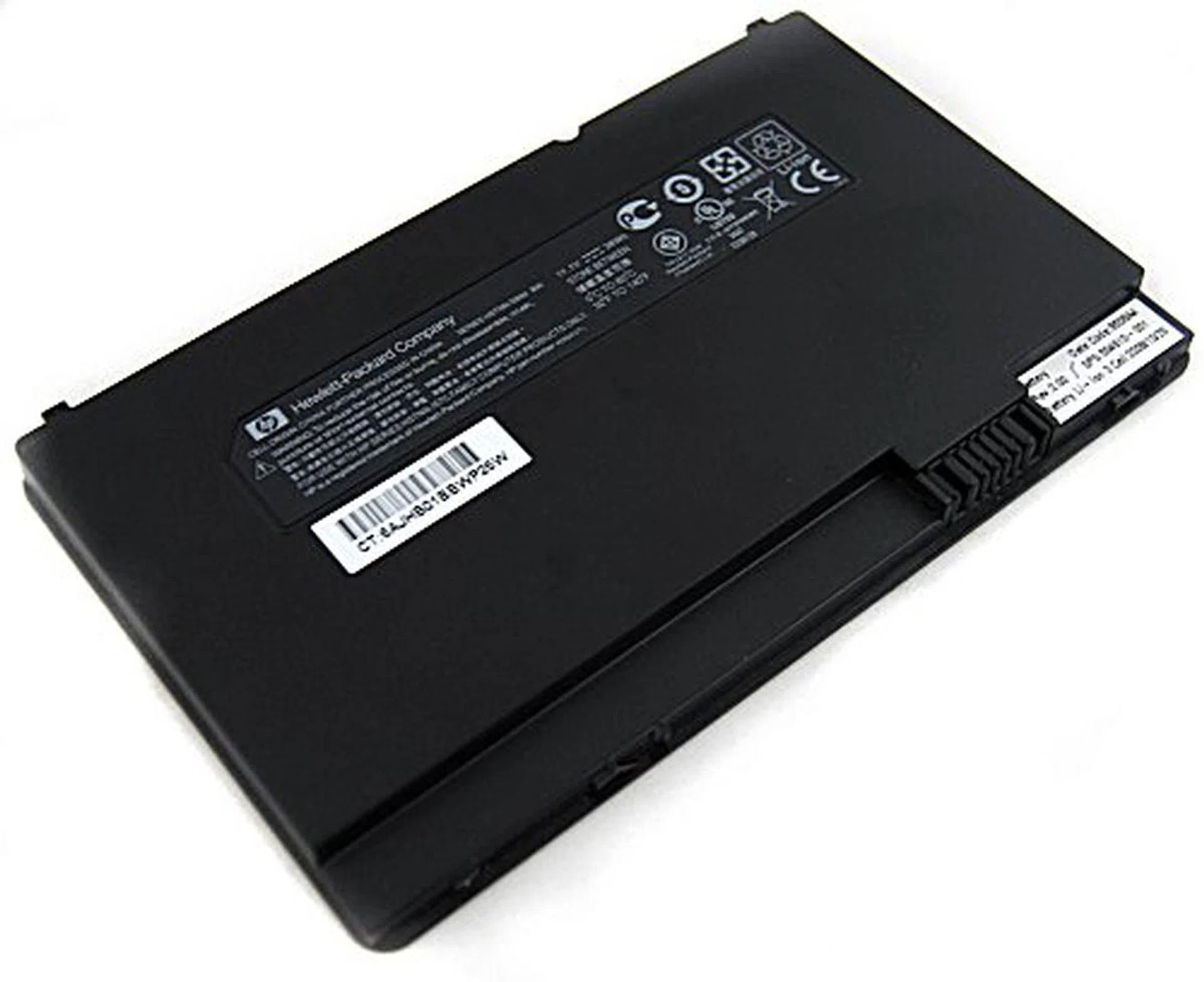
This flat 3-cell 11.1V, 26WH battery delivers the juice needed to run the Mini 1000.
Performance
Here's our usual list of suspects including the HP 2133 Mini-Note PC:
Specifications/ Notebook | HP Mini 1000 | HP 2133 Mini-Note PC | ASUS Eee PC S101 | Lenovo IdeaPad S10 |
Processor | Intel Atom N270 (1.6GHz) with 512KB L2 cache | VIA C7-M ULV Processor (1.60GHz) with 128 KB L2 cache | Intel Atom N270 (1.6GHz) with 512KB L2 cache | Intel Atom N270 (1.6GHz) with 512KB L2 cache |
Chipset | Intel 945GSE | VIA CN896 Northbridge and VT8237S Southbridge | Intel 945GSE | Intel 945GSE |
FSB | 533MHz | 800MHz | 533MHz | 533MHz |
Memory | 1 x 1GB DDR2 | 1 x 2GB DDR2 | 1 x 1GB DDR2 | 1 x 1GB DDR2 |
Video | Intel GMA950 | VIA Chrome 9 Graphics | Intel GMA950 | Intel GMA95 |
System Performance
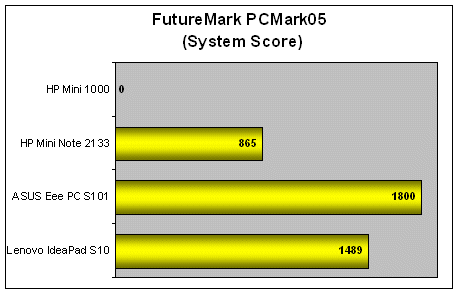
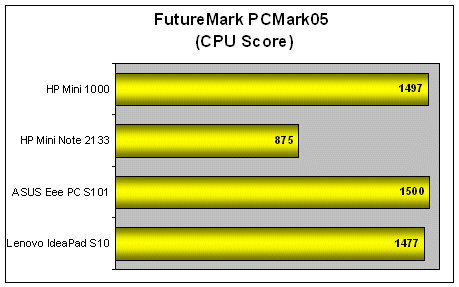
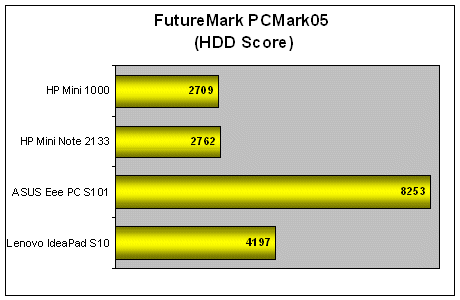
Unfortunately, the Mini 1000 didn't complete our PCMark05 system test due to screen resolution issues similar to the ones we encountered on the MSI Wind. But based on the available results - it's obvious that there's really no difference when it comes to the performance of the CPU. On the other hand, we expected the scores of the HDD test to tank badly and as you can see, the scores of 2709 marks weren't too impressive when compared against the faster 5400RPM drives of the other netbooks.
Nonetheless, actual usage was fine, though you may have to wait just that little bit longer for Windows to boot, but it shouldn't affect the normal day to day productivity significantly (if that's what you're really worried about).
Mini Me, You Complete Me
The original HP 2133 Mini-Note PC always has a special place in our hearts as a very well-designed "business" netbook and its successor, the Mini 1000 takes it to a more consumer level with some compromises but still with the same design quality and build. Sure there are changes that aren't quite to our liking - plastic instead of aluminum, but factor in the cost and weight, the issue becomes somewhat moot.
HP's decision to continue with a glossy cover and screen however, still remains something that we quite dislike, but as always the choice and preference remains with the consumer buying the Mini 1000, of course. Unfortunately, we can't give a similar free pass to their decision to use a lower spec HDD though, as it does impact somewhat on the user experience and value. The Mini 1000 retails from S$799 for the base model, and given that we know other models with better storage options are retailing at around the same price, it does not favor the Mini 1000 if that's important to you. The slower hard drive probably does help the Mini 1000 squeeze an extra few minutes of battery life.
It all boils down to what you really want in a netbook, but we are just about as impressed with the Mini 1000 as we were with the Mini-Note. This netbook is probably the closest match with our ideal expectations in terms of the design and feel, especially the unparalleled keyboards, so if you are thinking of getting a netbook but have yet to make a head start on choosing one, well, you can't go wrong with the HP Mini 1000.
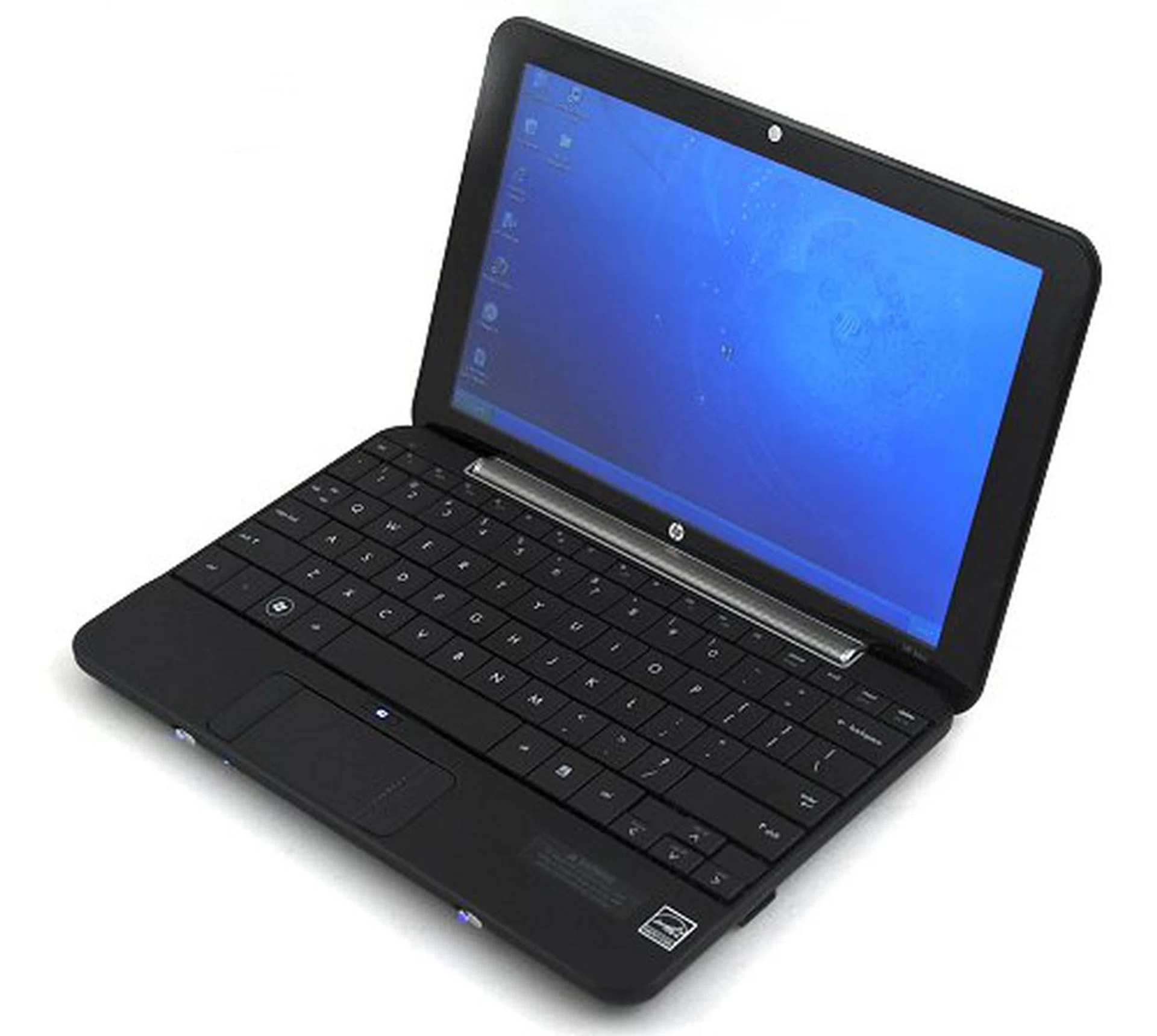
If you haven't made up your mind on which netbook to get this Christmas, we like to point out that you can do no wrong by getting the HP Mini 1000.
Our articles may contain affiliate links. If you buy through these links, we may earn a small commission.