

An Elite Ultrabook
Over the last year, the world’s biggest PC manufacturer may seem like they've lost focus in its hardware business, especially after discontinuing support for their HP Tablet and webOS-based smartphones. However ever since CES 2012, we see HP making a comeback with a strong line-up of their PC computing products like the HP Envy 14 Spectre and Envy 15 for demanding consumers, to the HP Z1 AIO workstations to address space-constrained businesses needing a capable machine. Another such product that gives indication of HP’s dedication to its PC computing business, is the 13-inch HP Folio 13. At first glance, you’d probably be inclined to think that you’re looking at yet another HP Elitebook albeit one that is much thinner.
However once you pick the machine up, you’ll know instantly that this isn’t one of those business oriented Elitebooks that weigh upwards of 2kg and is in fact an Ultrabook. Even the model name - Folio - that HP chose is a Latin word used to describe a leaf of paper. A fitting name for an Ultrabook, that is lighter than it looks, but it’ll be worth your while to note that the HP Folio 13 pushes the boundaries of a 13-inch Ultrabook’s acceptable weight at 1.5kg. This slightly heavier than expected is due to a higher capacity battery than other Ultrabooks and we'll see how it translates in our testing later in this review.
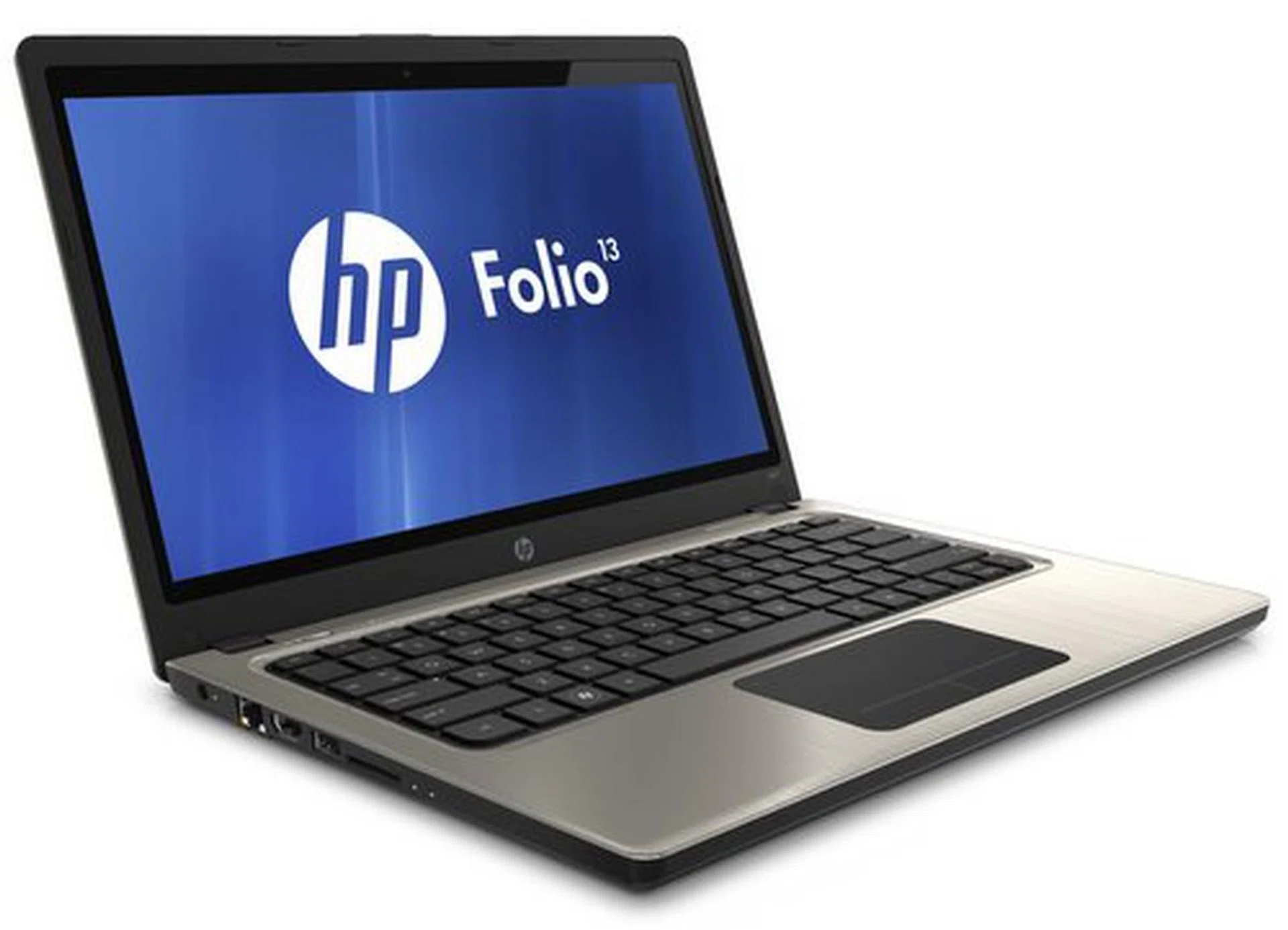
The HP Folio 13 is one for the 'suits', but that doesn't mean normal folks like you and me can't enjoy having one of the best Ultrabooks in the market. We'll detail why so in this review.
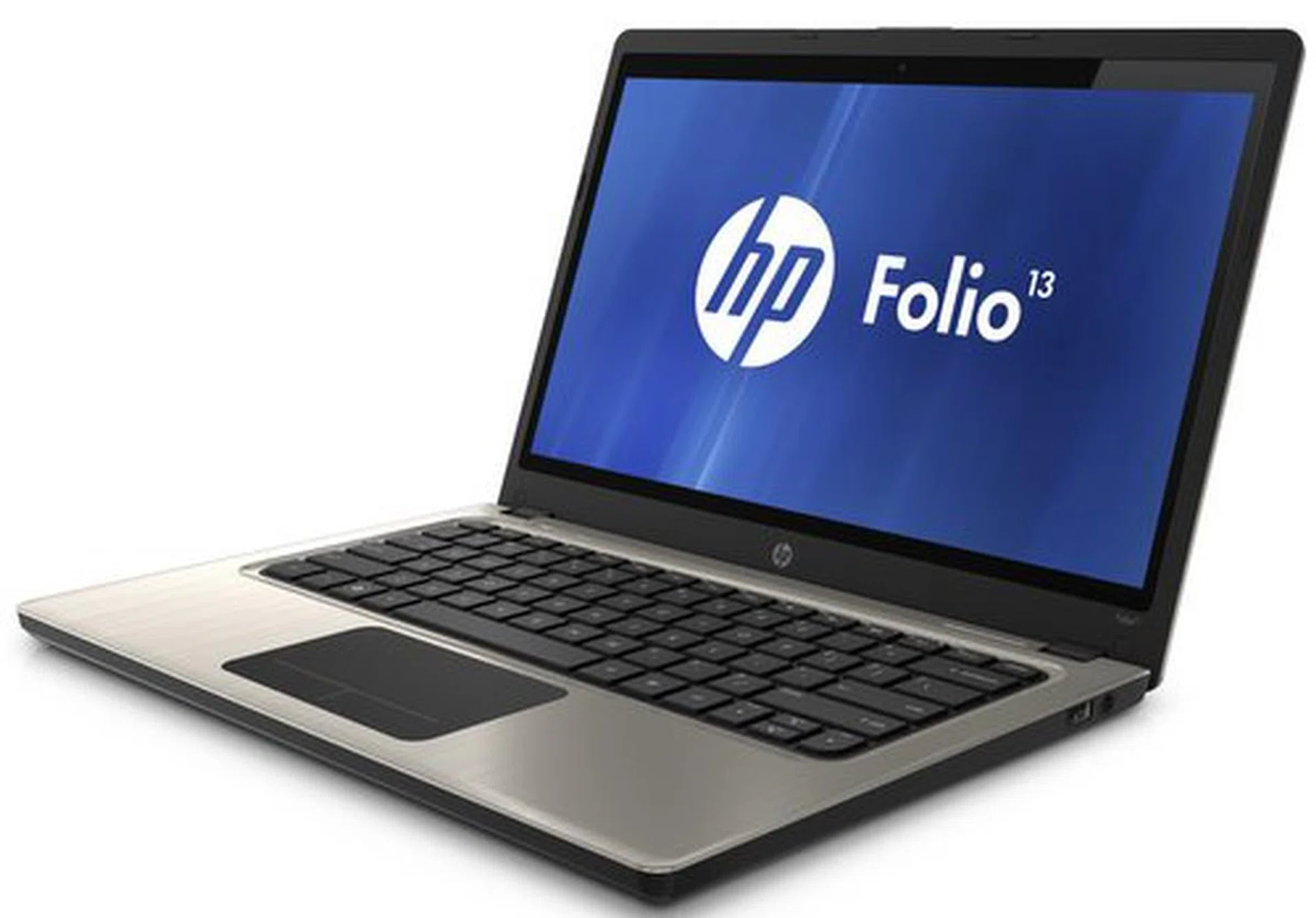
Looks-wise, the HP Folio 13 has the same kind of brushed aluminum lid that you might expect to see on Elitebooks, with a lone reflective logo (that doesn’t light up) in the middle of the notebook's lid. The Folio may not have the most striking of designs, which you often see on HP’s Envy line of notebooks, but we found its unassuming looks to be surprisingly pleasing. The fairly thick aluminum build lends a sense of rigidity to the notebook, especially to its lid. Even the bottom cover of the machine is made from a single piece of aluminum. Save for a couple of vents, the bottom is fairly featureless, which is a good thing. Apart from its appearances, one other lesser known aspect of a notebook that gives away it's business-centric nature are the exposed screws throughout the bottom of the machine. This usually means that in the event of hardware failure, the machine can easily be taken apart and the offending component easily replaced by your friendly IT department personnel.
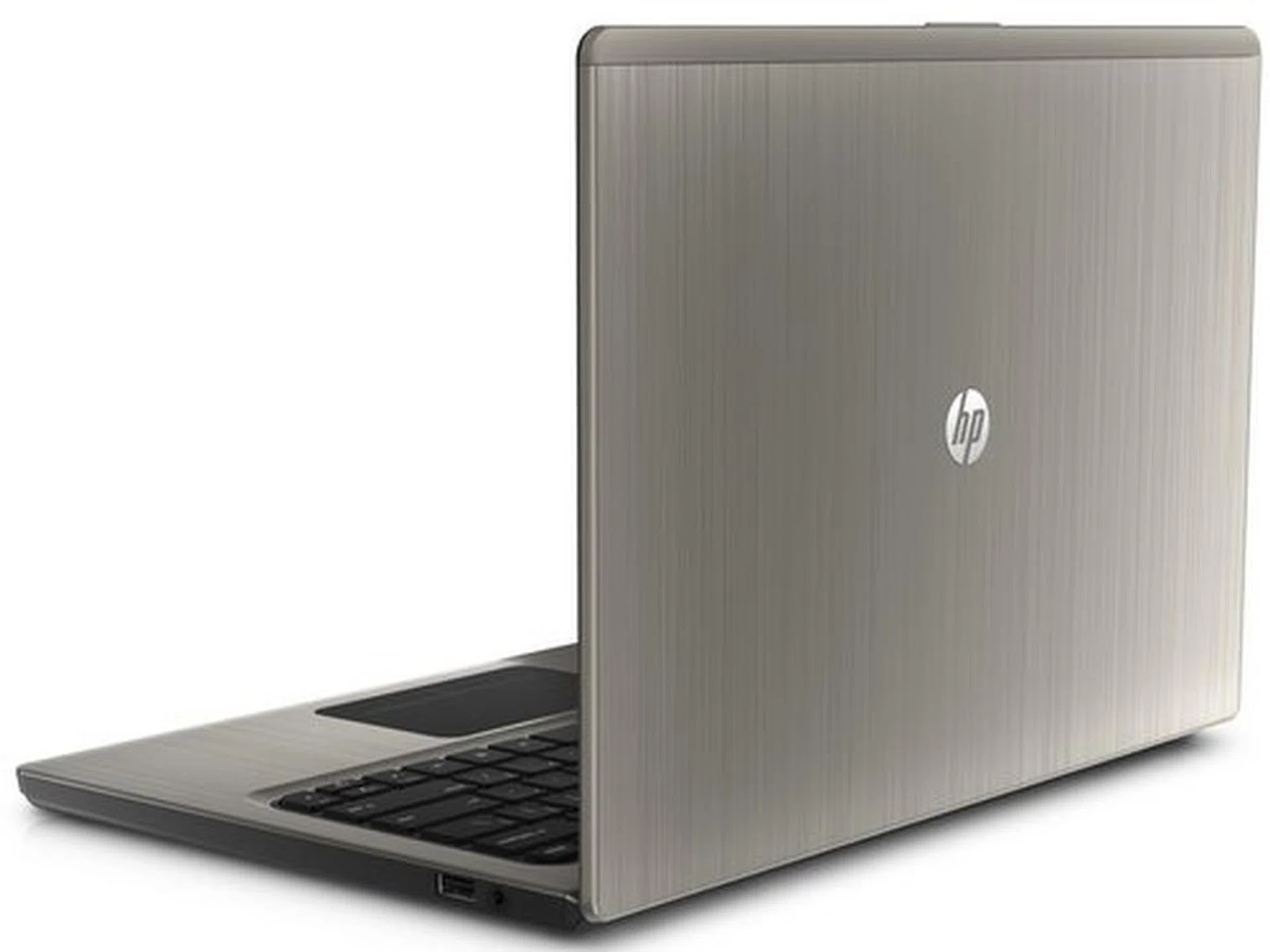
The Folio is fully covered in aluminum, and looks very much like a business-oriented machine from HP's Elitebook line-up.
And in case you’re still confused as to whether the HP Folio 13 is suitable for your business or not, you can take a look at the left side of the machine. Most consumer oriented Ultrabooks these days would eschew the RJ45 port because they simply aren’t used outside of a corporate environment. On the HP Folio 13, it’s right there with an HDMI port, USB 2.0 port and SD card reader on the left side of the machine, while the right side has a combined audio and microphone jack, and a USB 3.0 port.
By now, an IT department’s alarm bells would be ringing and wondering what happened of the VGA port? Well there is none, simply because its 2012, and businesses by now should be slowly evolving to adopt other display connectivity options to conduct presentations on a big screen. We understand that many projectors have only VGA inputs as these products have a longer shelf life, but considering that an HDMI to VGA converter will only set you back a few dollars, we think it's a decent tradeoff to supporting newer standards. Perhaps HP should actually consider bundling this converter accessory to make its package more complete (and we hope HP would consider our thoughts on this).
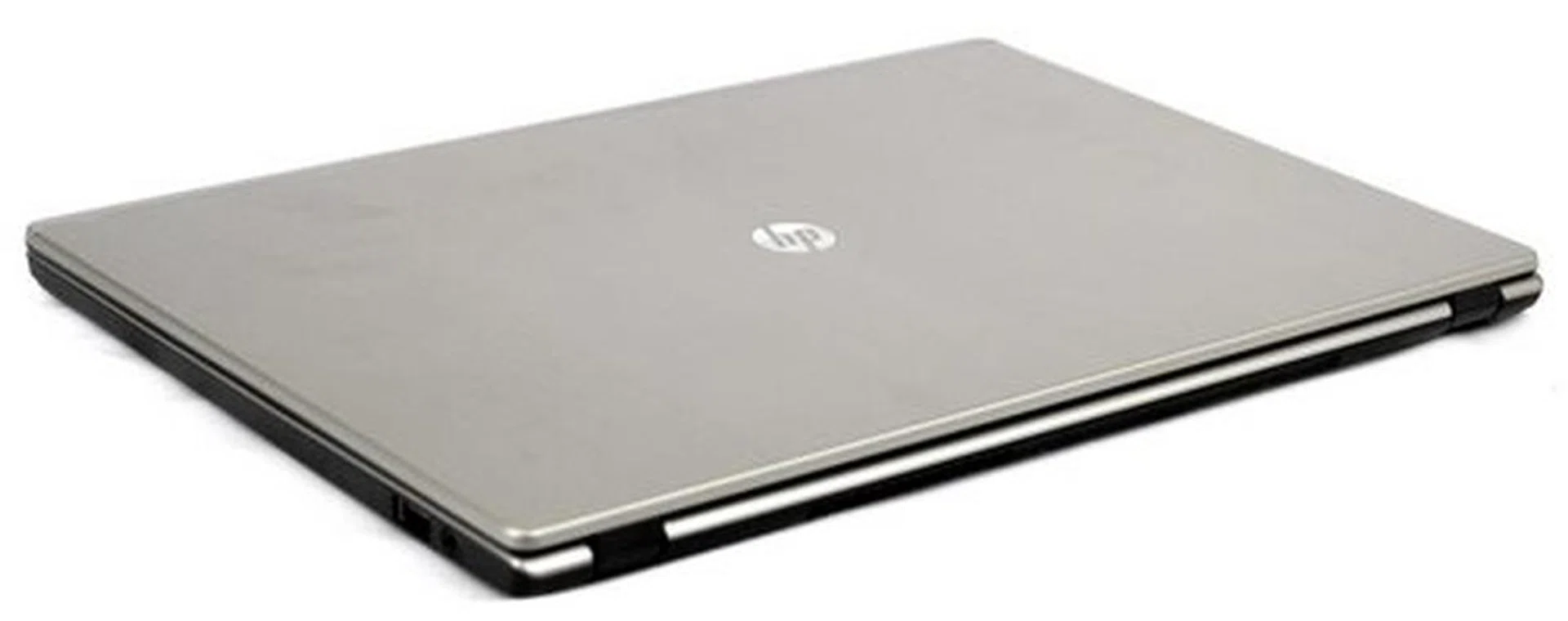
Measuring 18mm, It's not as slim as other Ultrabooks out in the market, but that doesn't mean you can't take it out for a stroll without breaking a sweat.
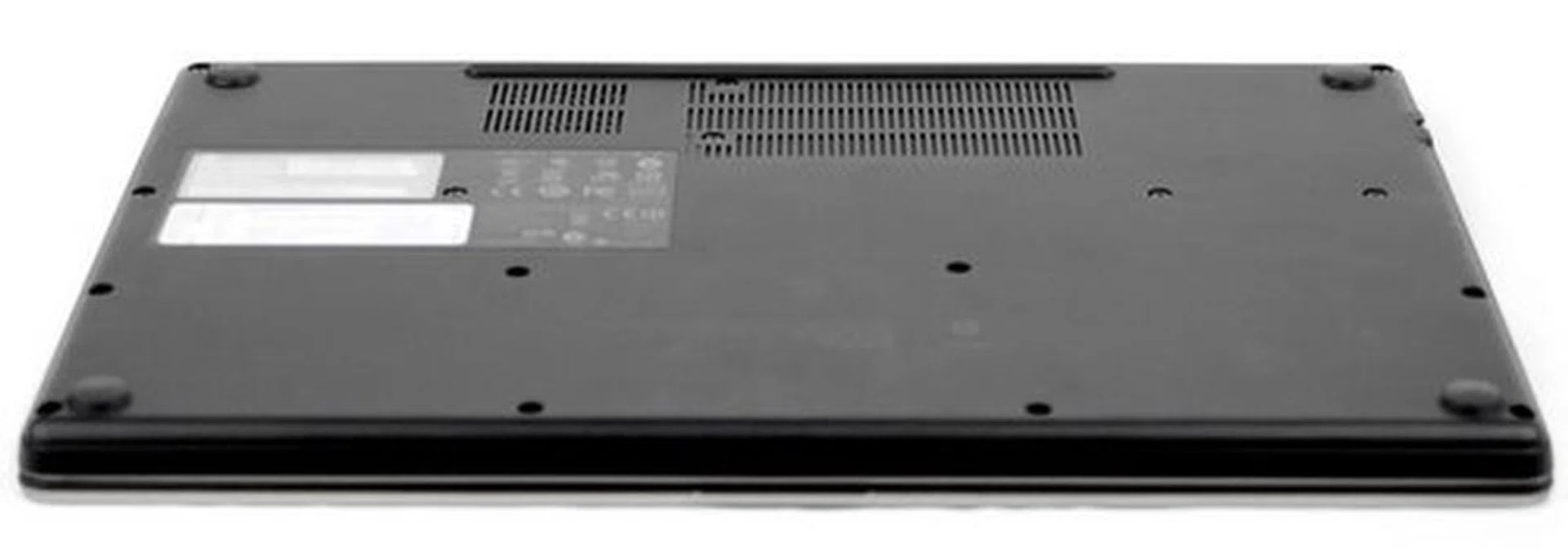
Aiming for the enterprise segment means that the Folio has got to be easily serviceable. There are plenty of screws at the bottom of to make sure parts within are easy to reach. It's definitely good news for the consumer hoping to troubleshoot on their own as well as for the IT personnel in your support department.
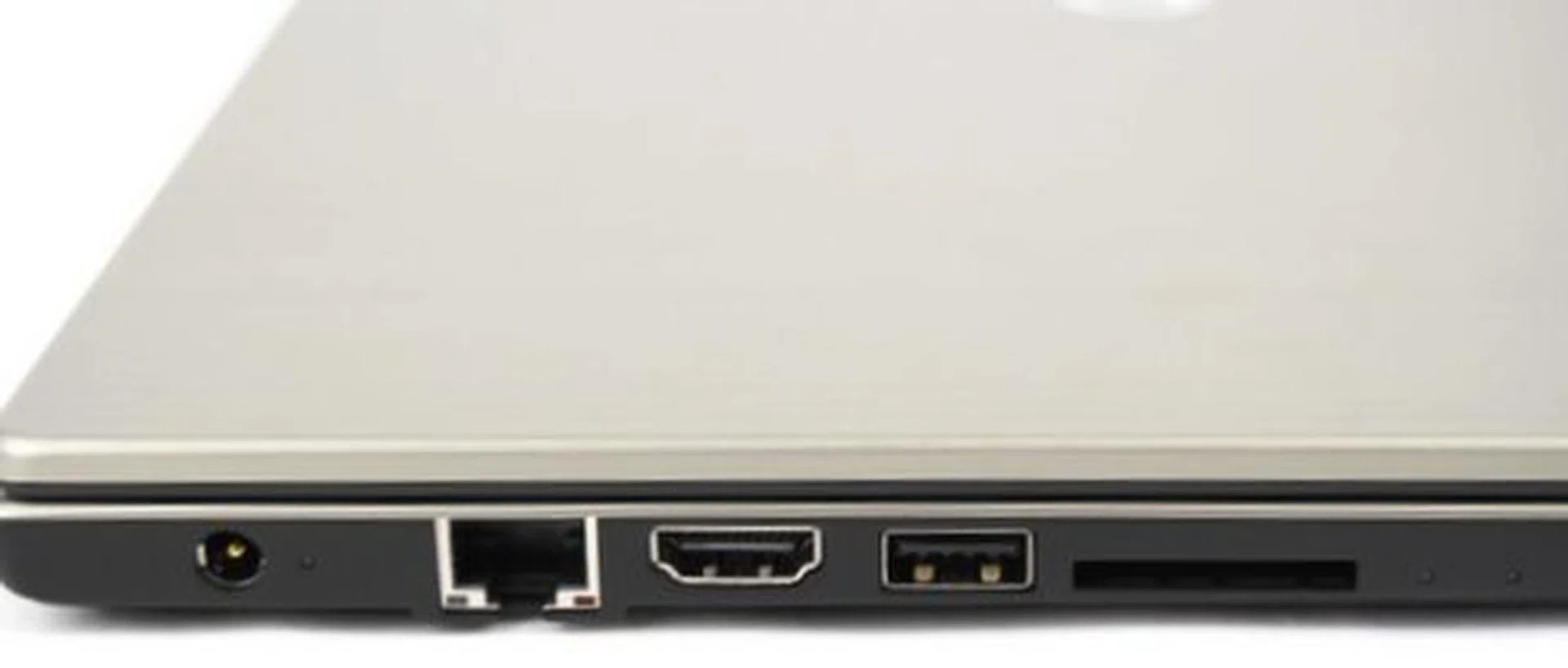
On the left of the machine you will see the usual suspects, a RJ45 LAN port, HDMI, USB 2.0 port and a multi-card reader.
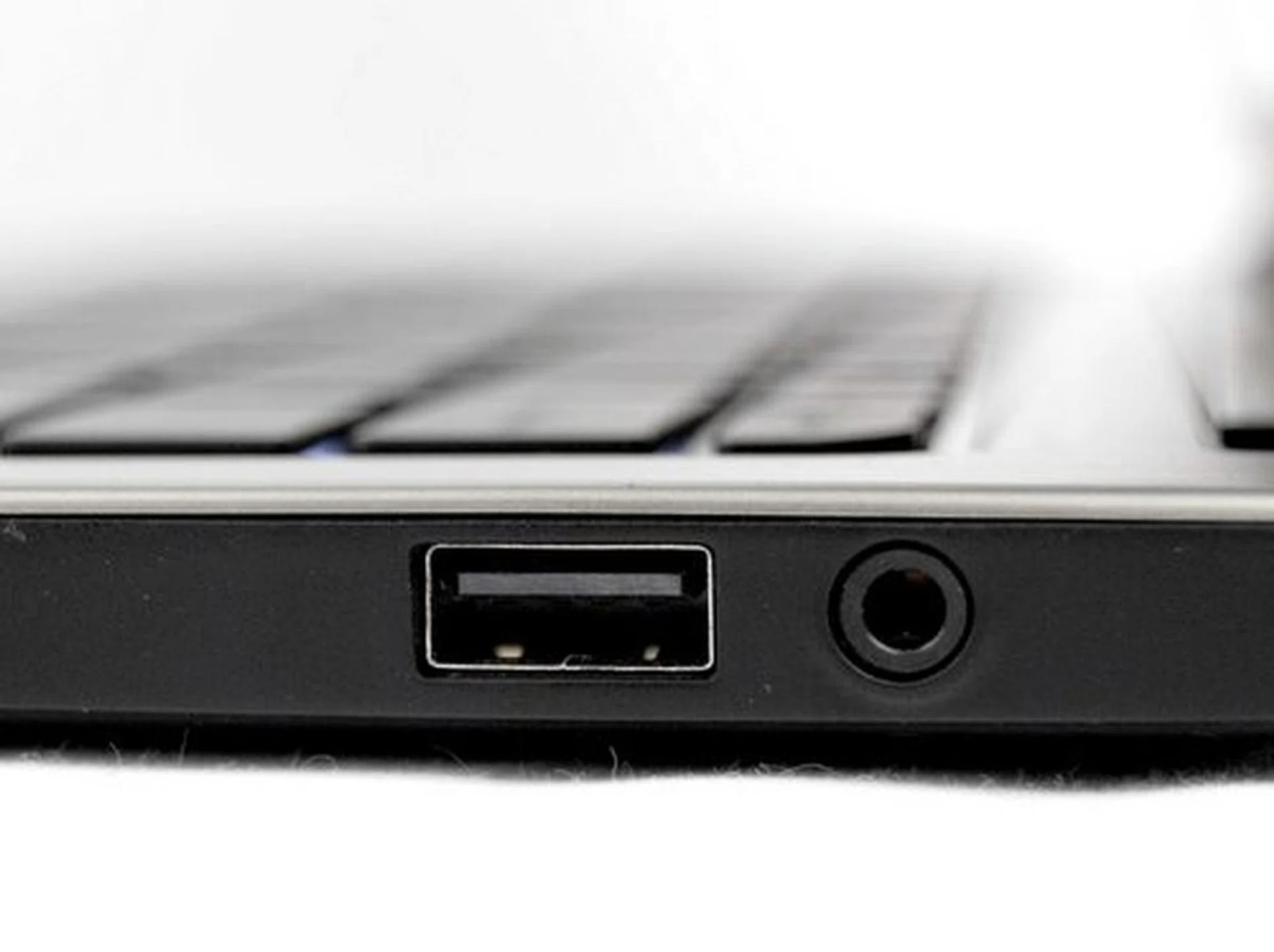
On the right you'll see other important connections like a USB 3.0 port and a audio/mic jack.
More Than One Achilles’ Heel
One of the most understated features of notebook is how the lid is attached to the rest of the machine. Hinges must be sturdy, and yet not so rigid that you can’t lift the lid up with one hand. Users who’ve had to juggle a notebook while holding on to a hot cup of coffee will be able to tell you how much they appreciate these finer details found on the HP Folio 13. That’s because while the plastic hinges are tight, they aren’t so tight that you can’t open the lid with one hand.
Once the lid is open, you would notice that the interior is generously covered in brushed aluminum. Since it's metal, the palm rest area is rigid enough to withstand your wrists or your palms placed there for hours on end without having the notebook body flex when plastics are used on sub-par notebooks.
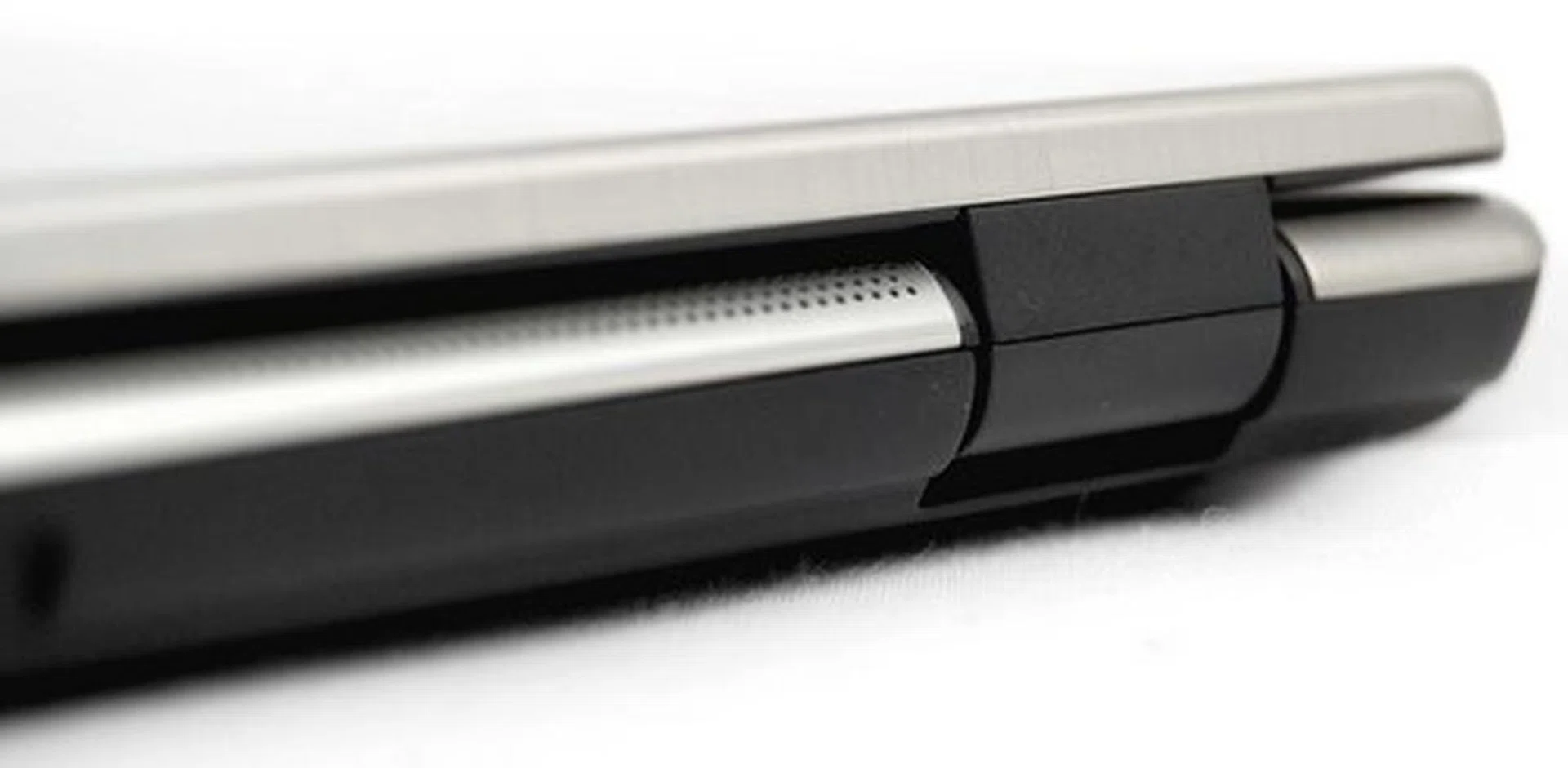
Opening a notebook with one hand is really an understated design feature, which we're really glad is found on the HP Folio 13 thanks to a combination of the right materials and the right amount of hinge tension.
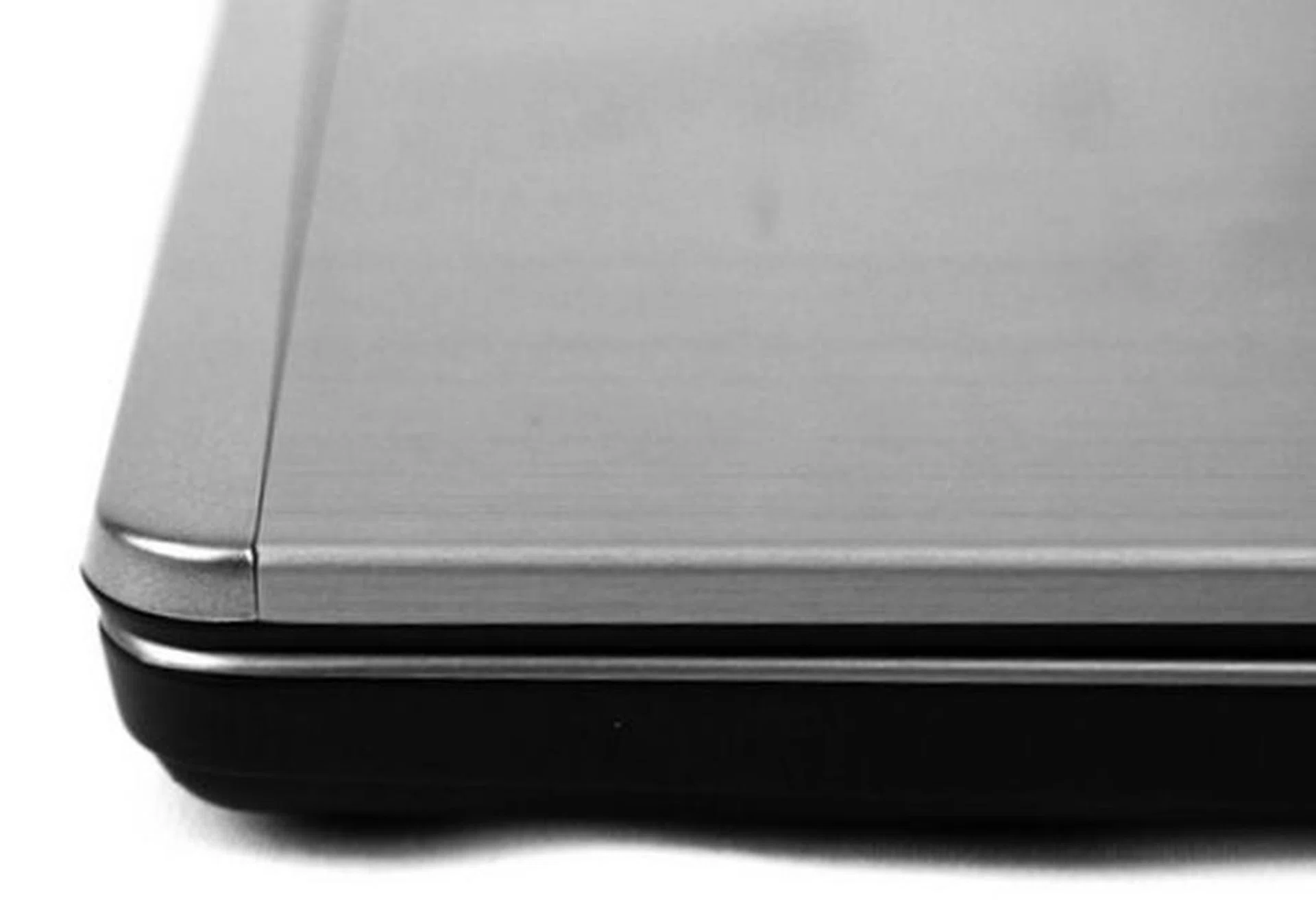
The edges and corners are nicely rounded, making sure that typing on the keyboard or holding the machine in your hand is comfortable.
Unfortunately, we do have a slight issue with the plastic housing on which the keyboard is built around. This introduced quite a bit of flex when you press down hard on the keys. Thankfully the chiclet keys aren’t the mushy membrane kind, but rather the clicky kind with a good deal of resistance to provide you tactile feedback to make you forget about how bad the keyboard flex is. Another plus point to consider is its backlit keyboard that comes in mighty useful in low light usage.
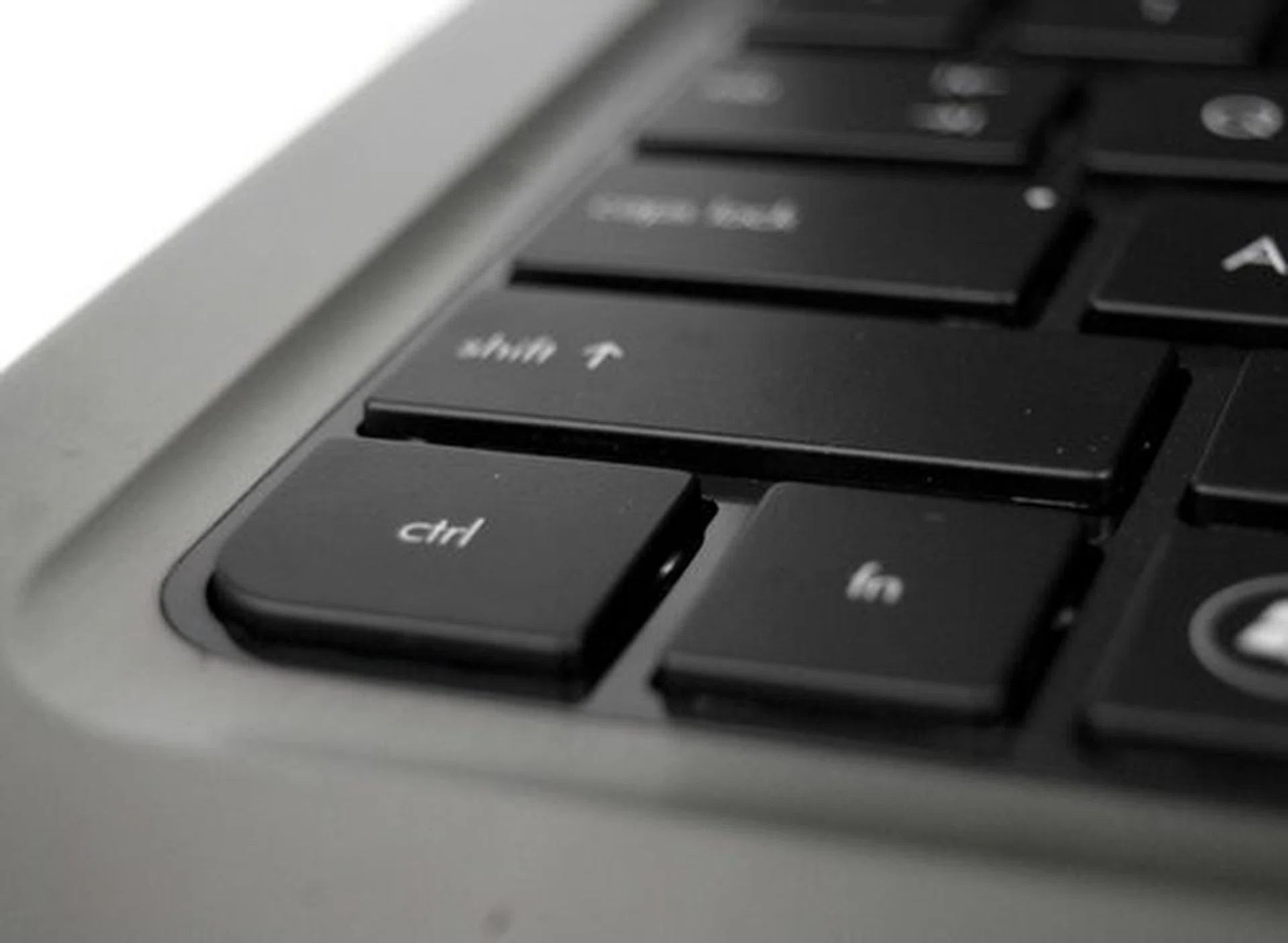
Keyboard flex is found on most notebooks these days, and in this case is the result of using plastic to house the keyboard.

The backlit keyboard is another luxury that most other Ultrabooks that cost more don't have.
Also on hand to make you forget about the bad keyboard flex, is a huge clickable trackpad (clickpad). If you haven't used one of the newer notebooks with a large clickpad, it allows you to move your mouse cursor effortlessly around the screen while relieving your thumb from the duty of searching for a dedicated left click button since you can click anywhere on the trackpad. Also, having a clickpad improves the aesthetics of a notebook by removing the physical left and right mouse buttons (the trackpad looks a lot cleaner and neater). However to make things easier for a first time user of a clickpad, HP made the effort to demarcate where exactly the left and right trackpad function 'buttons' are located.
Of course while we love our clickpads really big, overly large sizes do present their own problems. Since this clickpad isn't able to differentiate between deliberate usage and accidentally touching the clickpad while typing (as it's lacking a palm recognition feature such as that used on the Dell XPS 13), it can be an annoying problem. To alleviate that issue, the clickpad can be switched off if required for extended typing needs or when using a separate wired/wireless mouse.
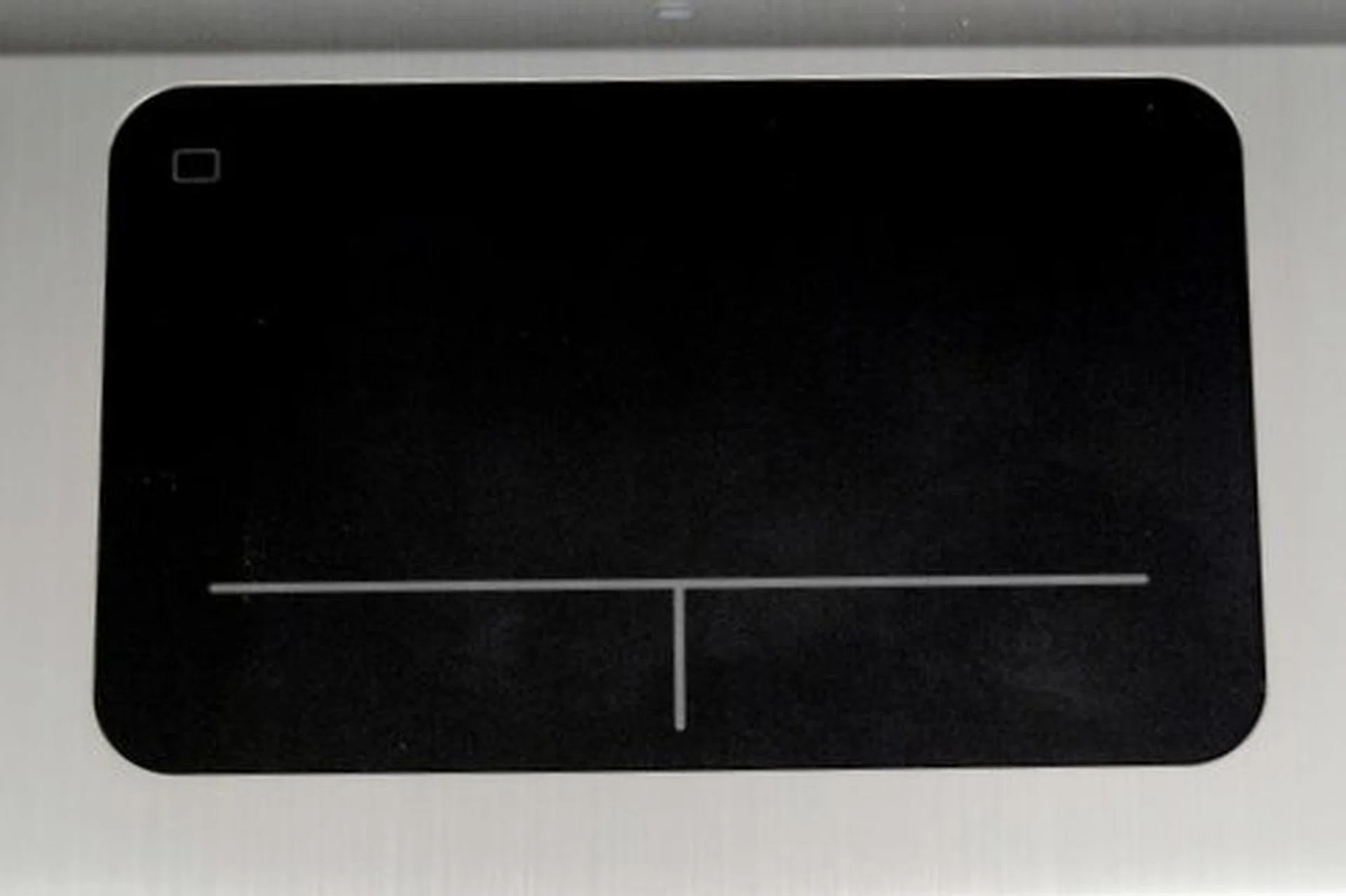
Big clickable trackpads are a luxury found mostly only in premium notebooks. The small rectangular icon on the top left corner controls toggling the clickpad on/off, similar to that on many of the better notebooks. It is certainly ideal when you've lots to type and might constantly brush against the trackpad.
Multimedia Capabilities
As we near rounding up the main aspects of the notebook, we relate its multimedia qualities. At this point of time, most people expect Ultrabooks to be fairly capable in this area. Normally, the two most important aspects that showcase a unit’s multimedia strengths from a hardware perspective are the quality of speakers and the screen.
For the speakers, we’re very pleased to report that they are as good as it gets in ultra-portable machines. The HP Folio 13’s speakers are not only loud, they’re quite clear as well. Turning up the volume to the max doesn’t introduce any distortion, and the audio still remains crisp and clear. Though we mention the audio is good, it's nothing to actually nothing to shout about as it's pretty much in-line with most other recent Ultraboooks. Just don’t expect to have a mind-blowing bass experience or anything of that sorts. It's good for it's class but external speakers are highly recommended if your demands are high and don't mind added accessories.
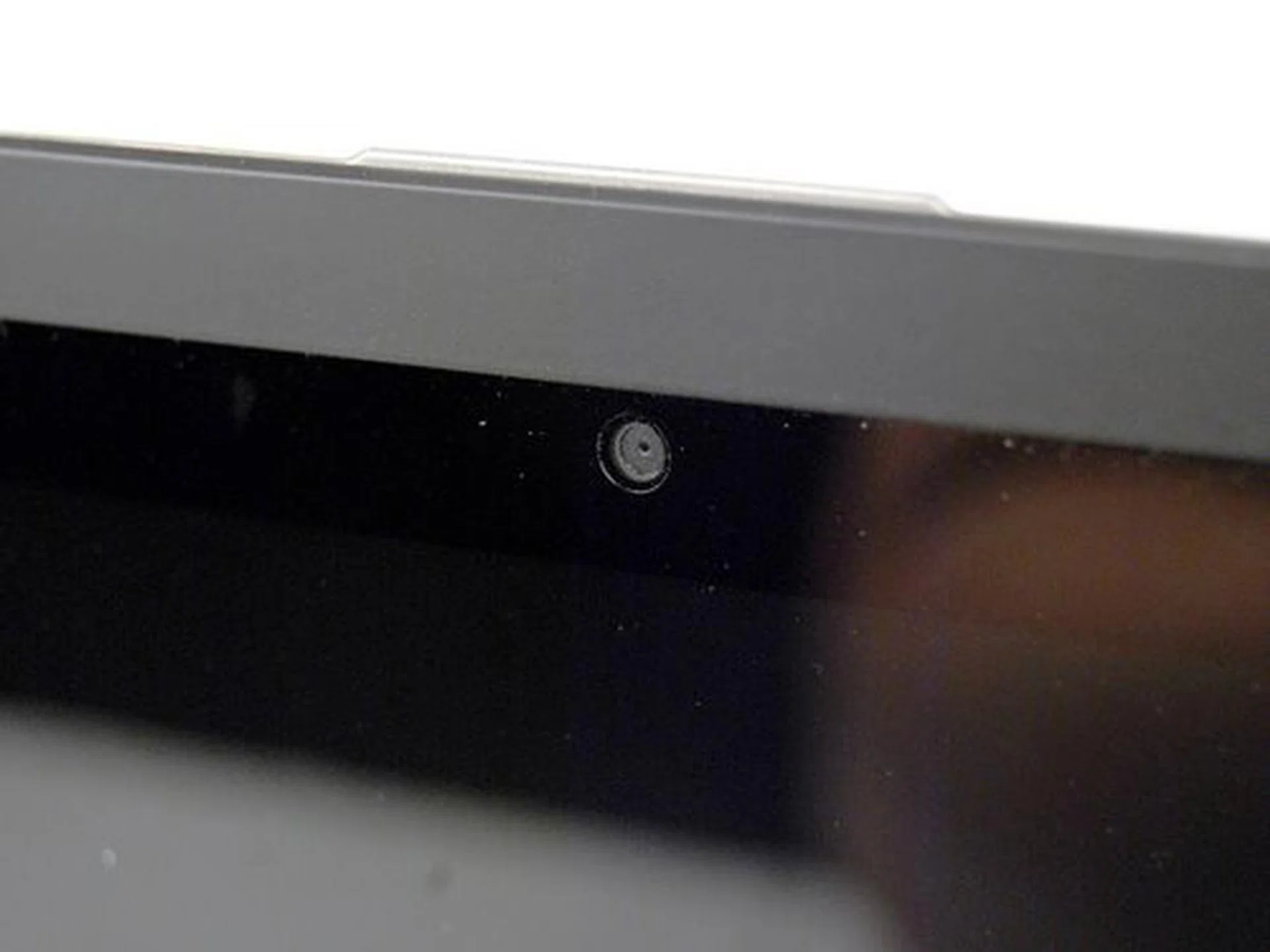
The glossy screen doesn't really affect how you use the machine, but we find that if the screen resolution were a tad higher, we'd recommend the Folio 13 even more.
Next is the glossy screen that HP chose to use in the Folio 13, which has a resolution of just 1366 x 768 pixels. To be fair, there are plenty of notebooks (and most Ultrabooks) out in the market that sport this resolution. While it could be asking for a bit too much to expect a price competitive notebook (the Folio 13 costs less than S$1400) to feature a high resolution screen, we believe that if there’s one thing that make the Folio 13 a much better product, it is to improve the screen that it's endowed with.
However as it stands, the HP Folio 13 is a machine that needs to cater to the needs of small and medium businesses, as well as consumers alike. Most of these users wouldn’t mind a lower resolution as long as their notebook is able to handle all kinds of multimedia applications with ease, which we will find out in the next segment of the review. What puzzled as though was the lack of screen options to choose from even if the base model sported a common resolution display.
Performance and Benchmarking
Most of the Ultrabooks out in the market sport very similar computing hardware specs - at least on first glances. However each component that the manufacturers use could vary from two ends of the spectrum. Some would use faster solid-state-drives (SSD), while others could have faster RAM for example. These subtle differences do have quite a huge impact on performance, as does the internal architecture of a notebook.
To give you a visual representation of just how the HP Folio 13 fares against other Ultrabooks, we’ve selected a few others such as the Lenovo Ideapad U300s, the Toshiba Portege Z830 and the Dell XPS 13.
Specifications/Notebook | HPFolio 13 | Lenovo Ideapad U300s | Toshiba Portege Z830 | Asus Zenbook UX31 |
Processor | Intel Core i5-2467M
(1.6GHz) | Intel Core i7-2677M
(1.8GHz) | Intel Core i7-2677M
(1.8GHz) | Intel Core i7-2677M
(1.8GHz) |
Chipset | Intel HM65 | Intel HM65 | Intel HM65 | Intel HM65 |
Memory | 4GB DDR3 | 4GB DDR3 | 6GB DDR3 | 4GB DDR3 |
Storage | 128GBSSD | 256GBSSD | 128GB SSD | 256GBSSD |
Video | Intel HD 3000 | Intel HD 3000 | Intel HD 3000 | Intel HD 3000 |
Battery | 59WHr | 54Whr | 47Whr | 50Whr |
Dimensions | 318 x 220 x 18 mm | 324 x 216 x 14.9mm | 325 x 227 x 8 - 16mm | 325 x 223 x 3 - 17mm |
Weight | 1.49kg | 1.32kg | 1.12kg | 1.3kg |
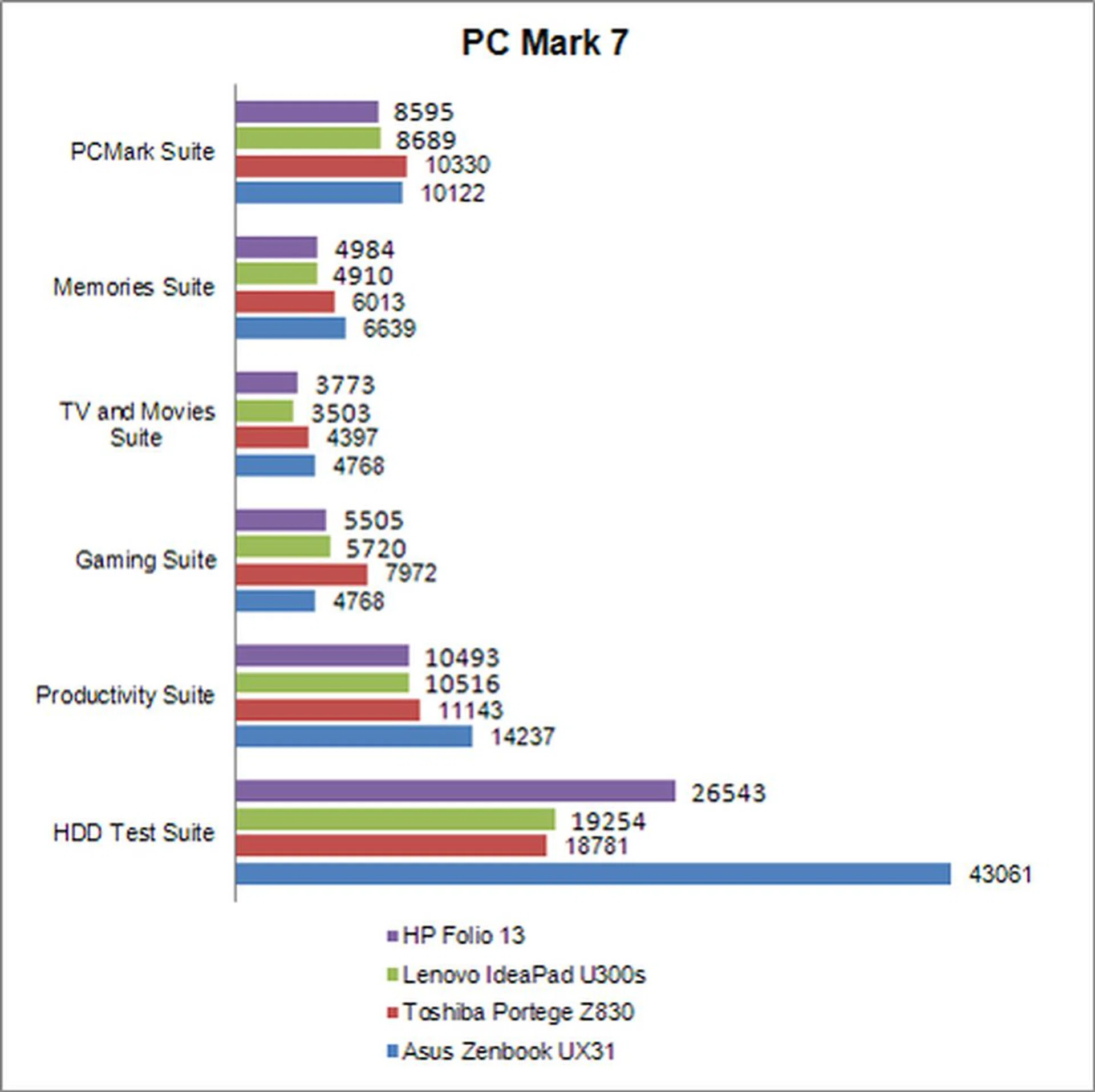
PC Mark 7
The PC Mark 7 benchmark test is an all-rounder benchmark that puts the notebook through a series of tests that involves rendering, encoding and retrieval of media data. The final score will then reflect on how the machine performs when going through such content creation tasks.
The HP Folio 13 didn’t particularly perform in an outstanding manner in the benchmark tests, but we kind of expected that simply because of the components used. At the very least however, it managed to keep up with other machines running Core i7 Ultra-Low-Voltage processors with its Core i5 (1.6GHz) processor.
3DMark06
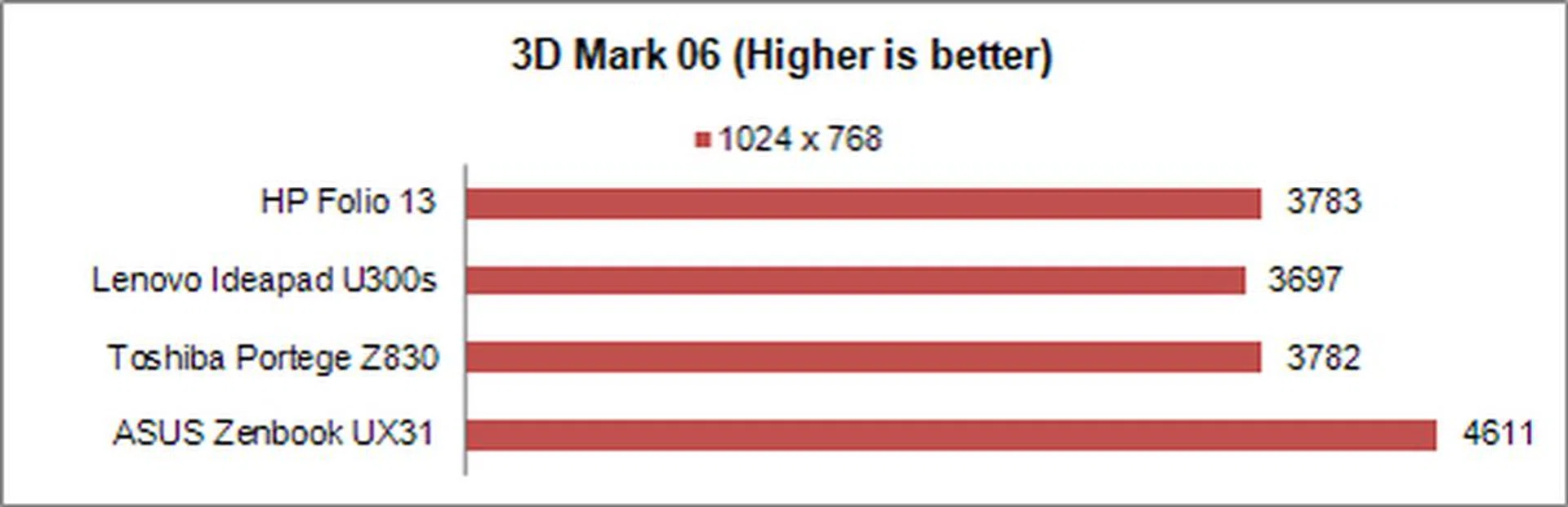
The 3DMark06 benchmark is the test we'd most often turn to if a machine, usually an Ultrabook, relies solely on the integrated graphics that comes with the CPU. This benchmark puts the machine through a number of graphics intensive tests that stresses the integrated graphics and a final score will be given to reflect on how well the machine copes with the stress.
All of the other notebooks that we compared against, use the same Intel HD 3000 integrated graphics found in Sandy Bridge processors. That explains why the HP Folio 13 has scores that have minimal differences when put up against scores from other machines. However do note that the other machines sport Core i7 processors, yet they don’t have a significant advantage over the Folio 13 which has a Core i5 processor. The ASUS Zenbook might seem to have a lead but it was hardly evident in the next game benchmark. This only goes to show that the differences in graphics capabilities between these various notebooks are minimal if not non existent.
Far Cry 2
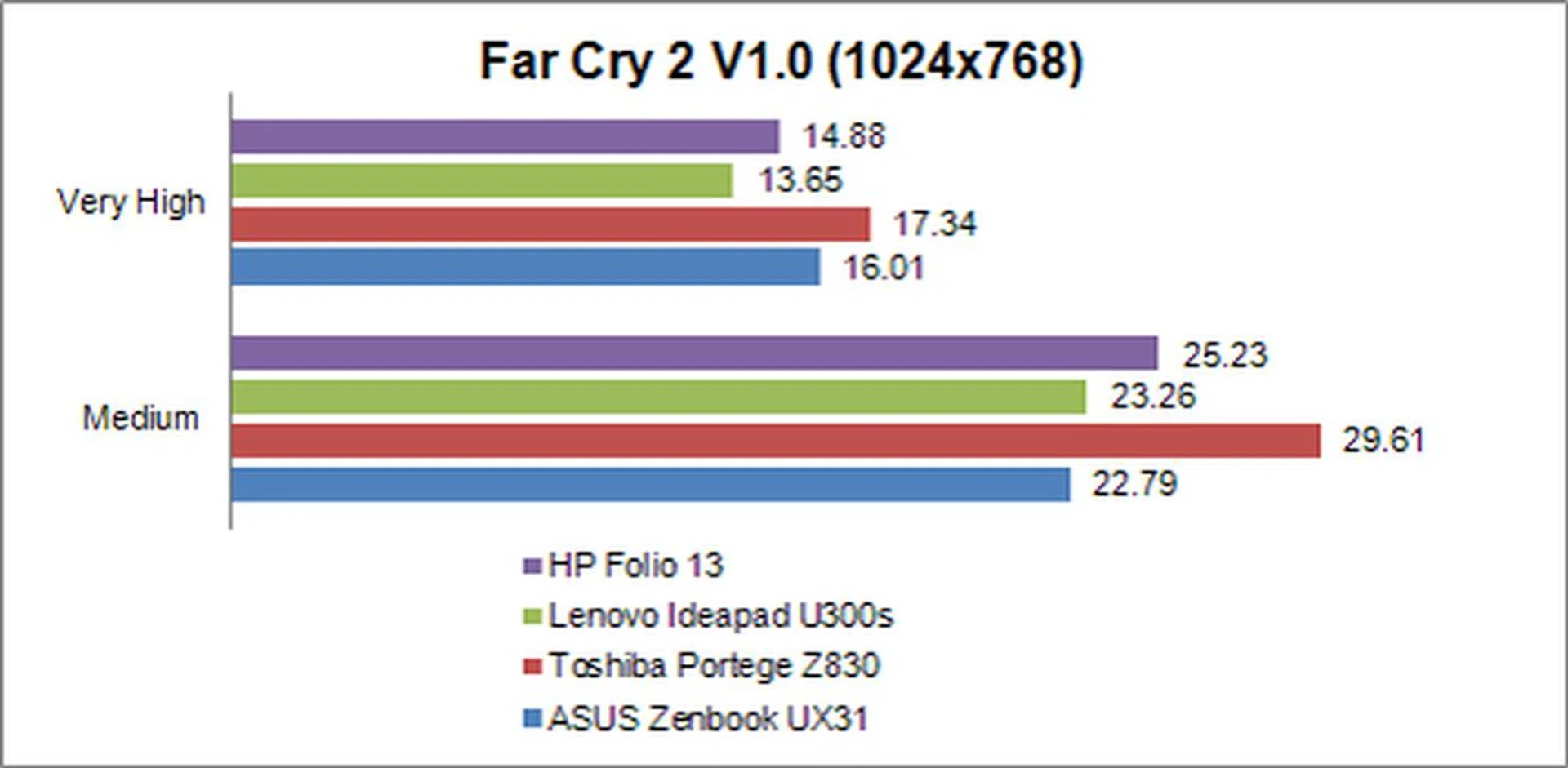
There is no better test of an Ultrabook’s gaming prowess, than putting it through a graphics intensive game’s benchmark program. As expected with our Far Cry 2 game test, the HP Folio's scores aren’t much better or worse than the other Core i7 notebooks. What you can safely take away from this test is that gaming on an Ultrabook should be the last thing on your mind. But if you really have to, then you’d have to turn your game quality settings down to the lowest possible to make the game somewhat playable.
Battery Life and Portability Index
When we say a machine like the HP Folio 13 Ultrabook is portable, it usually doesn’t stop with the unit’s weight and dimensions. To us, being portable also factors in the Ultrabook's battery life, so that you can squeeze as much productivity as you can comfortably while on the move.
As a comparison, some of the machines we’ve chosen each boast excellent battery, so would the HP Folio 13 be overwhelmed by the competition? The next section will be dedicated to finding out exactly how well the HP Folio 13 stacks up against these machines which have set the benchmark for battery longevity in this class of notebooks.
Specifications/Notebook | HPFolio 13 | Lenovo Ideapad U300s | Toshiba Portege Z830 | Asus Zenbook UX31 |
Processor | Intel Core i5-2467M
(1.6GHz) | Intel Core i7-2677M
(1.8GHz) | Intel Core i7-2677M
(1.8GHz) | Intel Core i7-2677M
(1.8GHz) |
Chipset | Intel HM65 | Intel HM65 | Intel HM65 | Intel HM65 |
Memory | 4GB DDR3 | 4GB DDR3 | 6GB DDR3 | 4GB DDR3 |
Storage | 128GBSSD | 256GBSSD | 128GB SSD | 256GBSSD |
Video | Intel HD 3000 | Intel HD 3000 | Intel HD 3000 | Intel HD 3000 |
Battery | 59WHr | 54Whr | 47Whr | 50Whr |
Dimensions | 318 x 220 x 18 mm | 324 x 216 x 14.9mm | 325 x 227 x 8 - 16mm | 325 x 223 x 3 - 17mm |
Weight | 1.49kg | 1.32kg | 1.12kg | 1.3kg |
Battery Life
To figure out just how dependable the batteries on the HP Folio 13 are, a movie file is played continuously until the power drains from the battery completely. For consistency’s sake, the same movie file with the same player is used for every single battery test we’ve ever had.
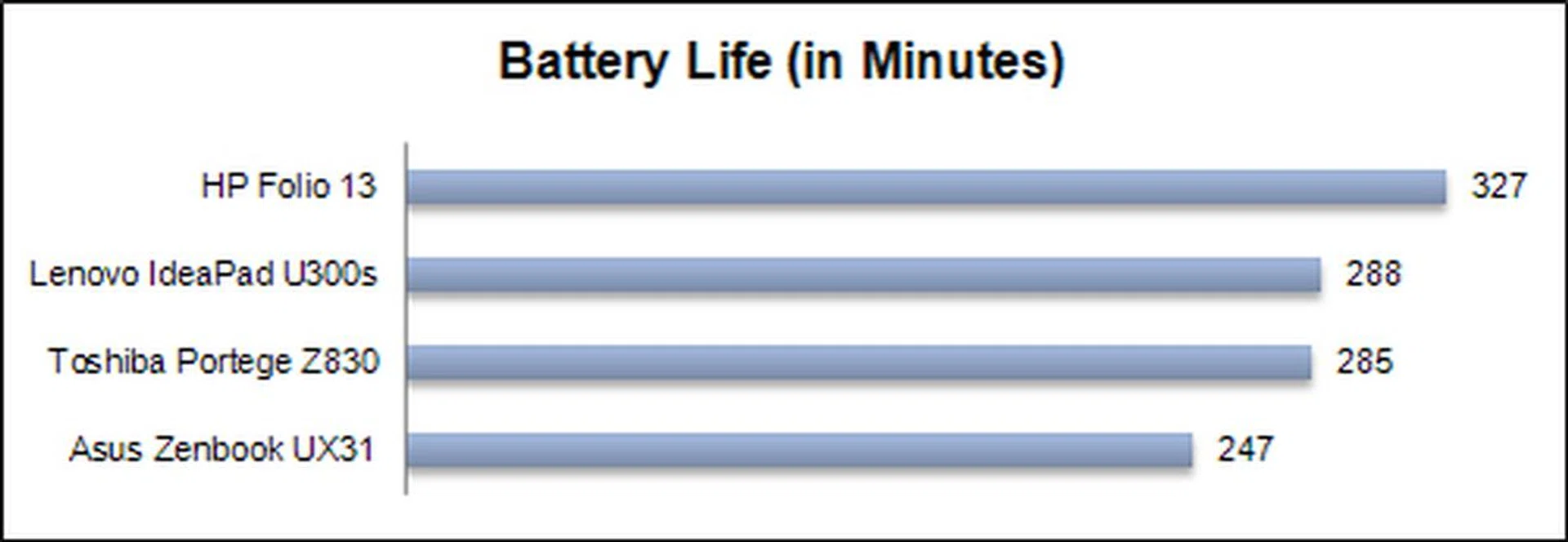
After running it on the HP Folio 13, we found that it managed to stay alive for an impressive five and a half hours before running out of juice. To date, no notebook we’ve ever tested in the last year (or recent memory) managed a battery life as long as the Folio 13. Its outstanding battery life is thanks to the fact that the Folio 13 has a battery capacity that is much larger than other competing Ultrabooks. This in turn contributes to the Folio 13’s 'chubby' exterior, causing it to weigh 1.5kg, slightly heavier than other Ultrabooks that weigh in at about 1.3kg or less.
Power Consumption
So we know the HP Folio 13 has staying power away from the wall socket, but just how efficient is the notebook? Peering into its power consumption aspects that were calculated based on the battery life and battery specs, the Folio 13 is managing decently, though not the best; that spot belongs to the Z830. However, because the power consumption figures here are fairly close to that of the Z830, the much higher battery capacity of the HP Folio 13 has the upper hand when it comes to battery life and it isn't trading off anything for this pleasant outcome.

Portability Index
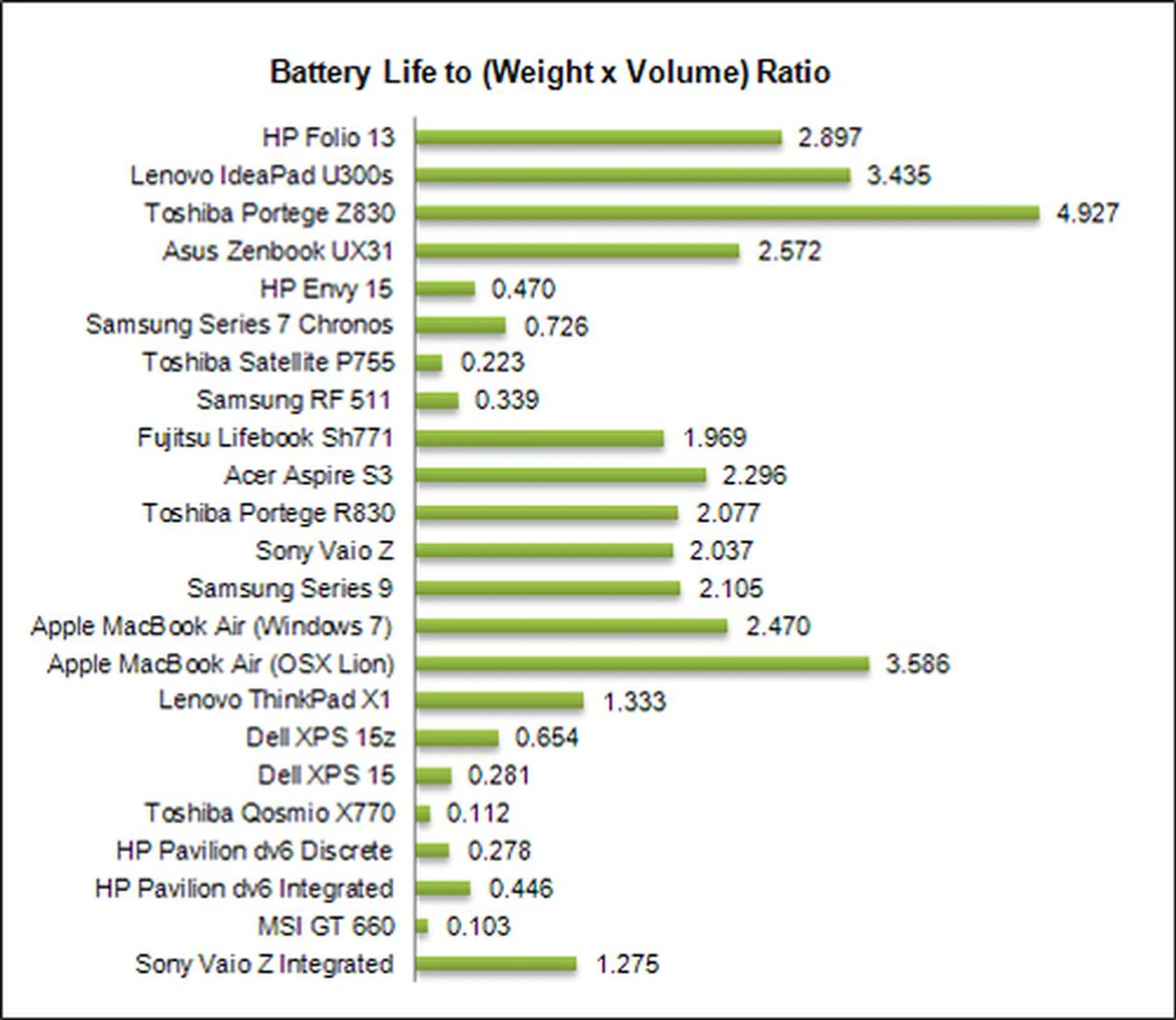
Our site’s portability index, is a mathematical formula that takes elements such as the notebook’s weight, battery life and mass, blends them together and produces a ratio that helps determine just how portable and worthwhile it is to carry the machine out against other similar class notebooks. The higher the ratio, the more confidence you can have when lugging the machine out without a power brick.
Here, the 1.5kg HP Folio 13 didn’t score very well, especially when you compare with the Z830, which weighs a ridiculously light 1.12kg. However that doesn’t mean the HP Folio 13 isn’t as portable because thanks to the above comparisons, you already know that the extra weight comes from extra battery capacity and hence a much longer battery life. Disregarding the Toshiba notebook, you're only trading off about 200 grams for an extra half an hour of battery life. Between a 1.3 kg and a 1.5kg notebook, the actual difference in heft isn't very obvious. As such, this is a trade-off that some would be willing to make because the more time you have away from the wall power socket, the more work you can get done on the move.
The difference in handling is far more obvious once you try the Toshiba Z830, so it really depends on what's more important for you individually and if you can afford to spend a lot more on the Z830.
The Trade-Off You'd Like to Make
To make a long story short, the HP Folio 13 is a notebook that is heavily marketed towards businesses users which would also sit comfortably well with most consumers as well. As an Ultrabook, you would already expect good battery life, but as we've shown, it has phenomenal battery life to let you breeze through the better part of the day with nary a bleep for the charger.
In our continuously looping video battery test, the Folio lasted an impressive five and a half hours. If you were doing something less intensive like simply surfing the web or editing some documents, your battery life would be prolonged even further. That to us, is a major plus point when it comes to Ultrabooks which are meant to be extremely portable - both physically and in terms of having enough battery life to do something productive comfortably as long as possible without being tied to the wall socket.
The HPFolio 13 is one of the longest lasting notebooks you can get right now. We expect this status to be snatched in the near future, but for now this gives the Folio 13 a major competitive edge over machines from other manufacturers.
As for actual computing performance, the HP Folio 13 doesn’t really differentiate itself over other Ultrabooks out in the market. That’s simply because it sports similar components as most other Ultrabooks as seen in our comparisons.
So we’ve established the fact that the HP Folio 13 has excellent battery life, but that alone isn’t enough reason to get the machine (though we suspect for some, it is reason enough). To add to its credit, the notebook’s all-aluminum build quality is pretty good and the Folio 13 looks as if it belongs to HP’s tough-as-nails Elitebook stable of enterprise notebooks. Even though the notebook forgoes an optical drive like most other Ultrabooks, take note that the Folio 13 is slightly thicker and heavier than the average Ultrabook in the market. This is attributed to its higher battery capacity which allowed it to go the extra mile for better usability on the road. The upside is that it didn't add on much bulk for this added performance.
So if you’re thinking of getting an Ultrabook with extra long battery life and has excellent build that helps withstand the daily average abuse, you really need to consider the HP Folio 13. What makes it even more appealing is it's very reasonable S$1399 asking price, for which you might even be able to get it for less if you really looked hard. Overall, this is one Ultrabook that's hard to pass.
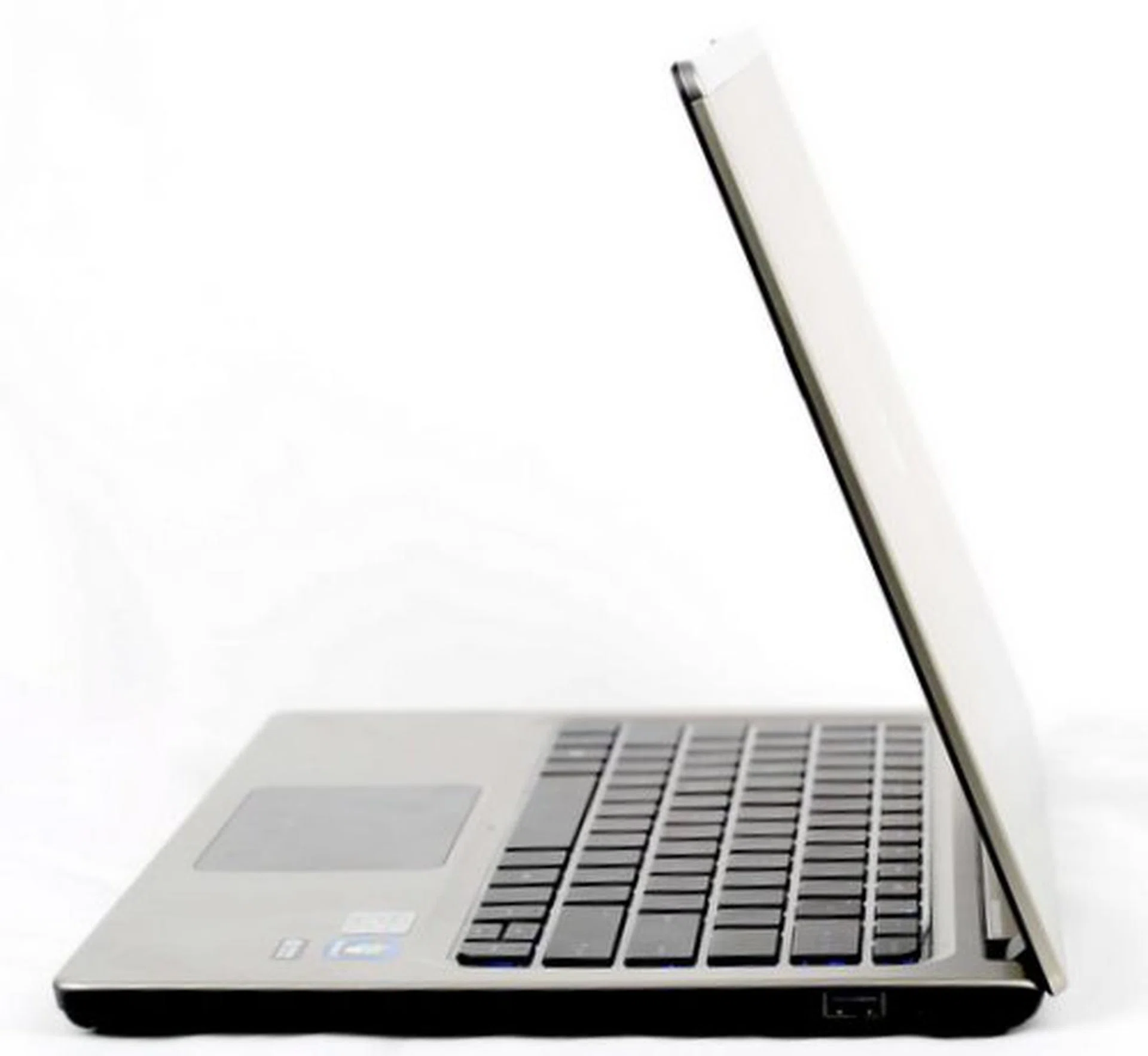
Don't fret if you can't find an optical drive, or a VGA port. We recognize that certain corporate environments need these features, but we suspect you'll get on just fine without them if you know how to manage information in modern workflows and cloud options. And with a very reasonable asking price, it makes it all the more palatable.
Our articles may contain affiliate links. If you buy through these links, we may earn a small commission.