

Note: This review was first published on 28 February 2024
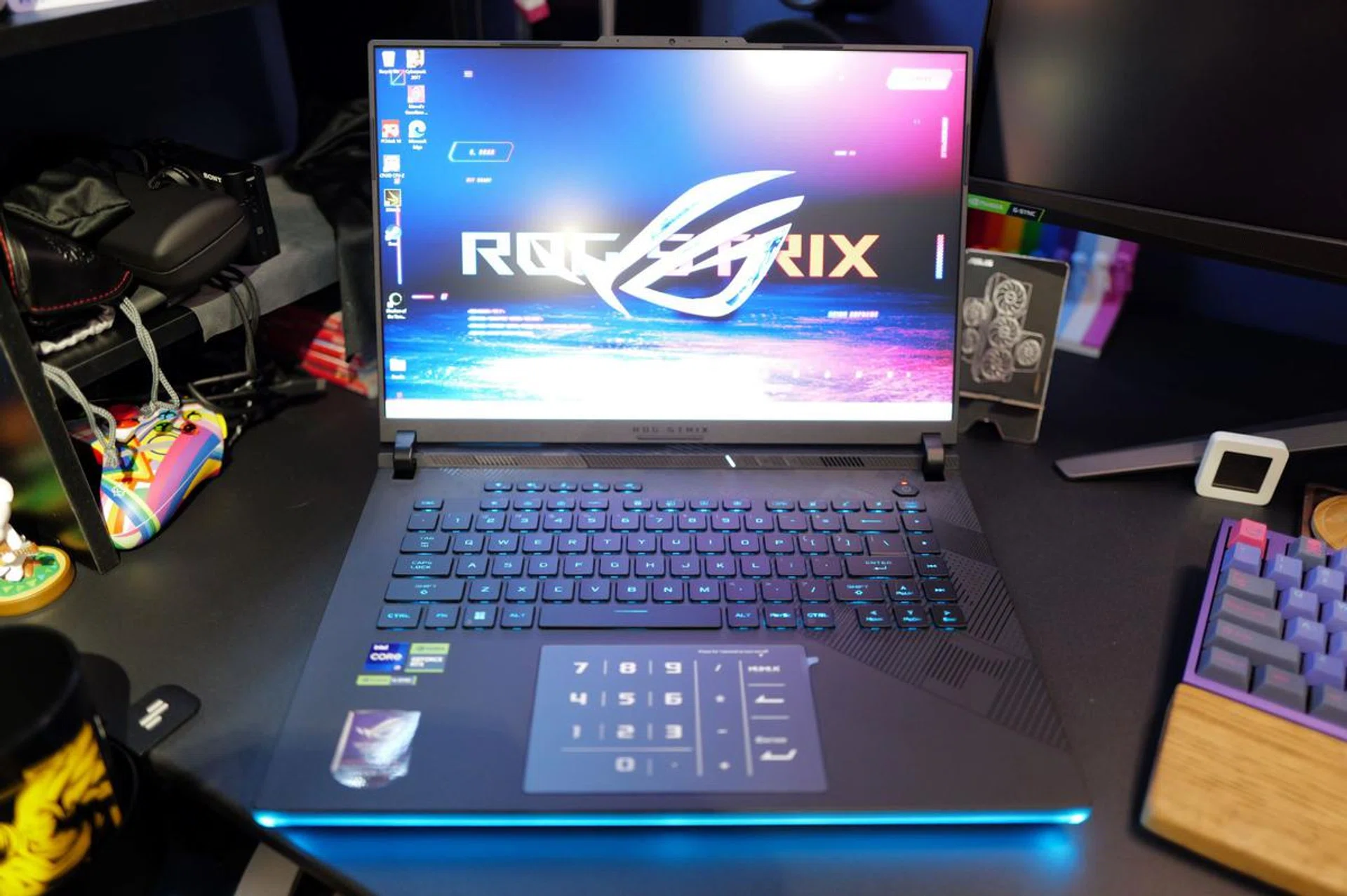
The ROG Strix Scar 16's base design has remained relatively unchanged since 2021.
If CES 2024 has shown us anything, it's that 16-inch has become the new standard size for mainstream gaming notebooks. Venturing into the display territory traditionally occupied by desktop replacements notebooks, most notebook makers now seem to agree that 16 inches represents an optimal balance among portability, power, and screen real estate. This is exemplified by notebooks like ROG's latest Strix Scar 16, which I've spent time with over the past couple of weeks.
The Strix Scar 16 is ROG’s flagship gaming notebook, and they really pulled out all the stops with the latest 2024 revision. My review unit came equipped with the following:
- Intel Core i9-14900HX processor
- NVIDIA GeForce RTX 4090 Laptop GPU (maximum TGP of 175W)
- 16-inch QHD+ (2560 x 1600 pixels) Nebula Display
- 32GB DDR5 memory
- 1TB SSDT
As you'd expect, all of these yummy specs come with a high price tag. $5,699, to be exact. But before you gasp in horror and type angry emails to ROG, know that almost all gaming notebooks with similar specs are going to cost you this much, if not more. Take for instance the Lenovo Legion 9i (Gen 9), which has a similar CPU and GPU and costs even more at $6,439. Happily, if these numbers are making your head spin, the Strix Scar 16 comes in more affordable configurations with less powerful GPUs, which we will discuss in the next page.
Same (almost) design since 2021
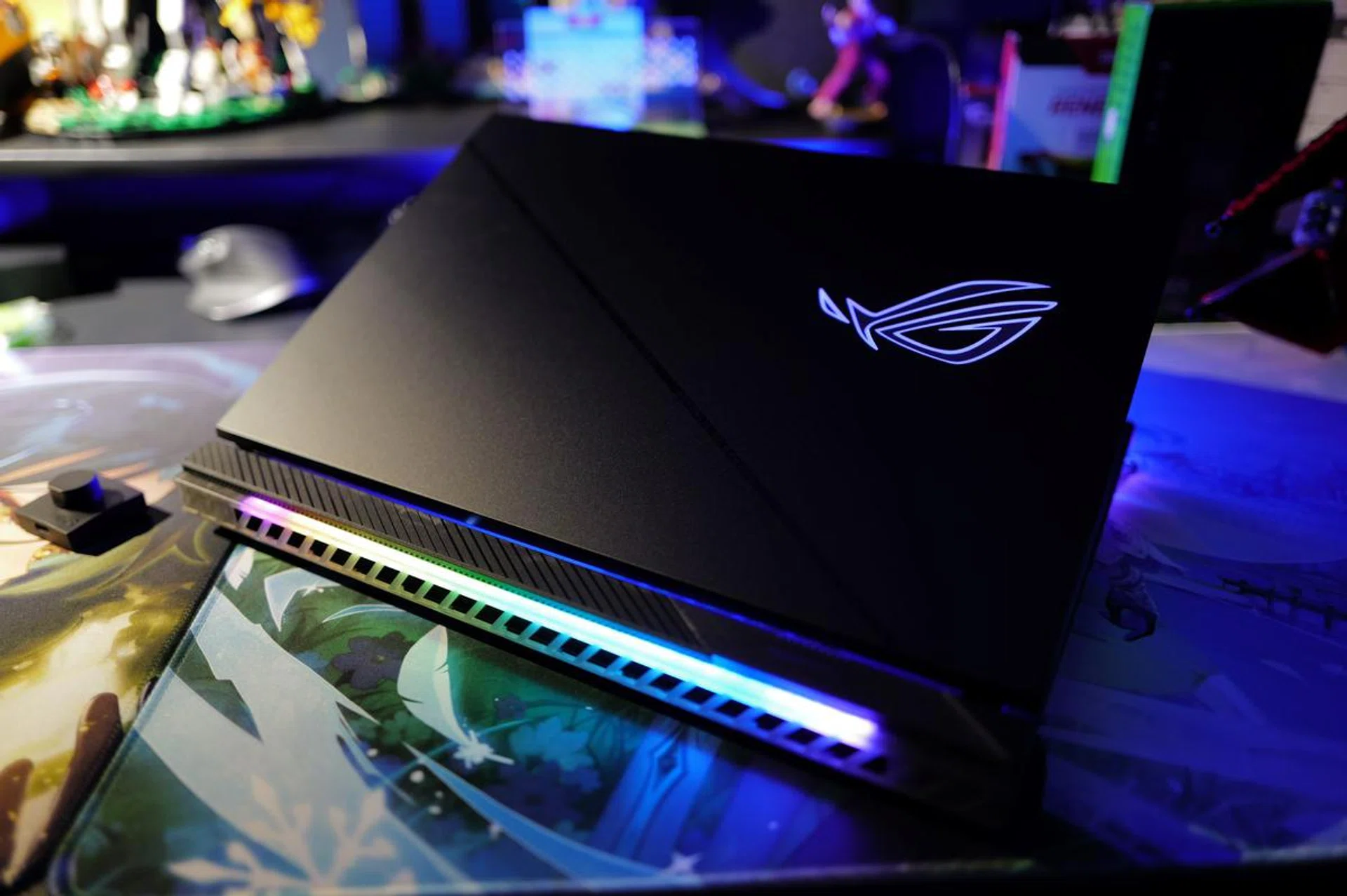
It's not a gaming notebook if there's no RGB, eh?
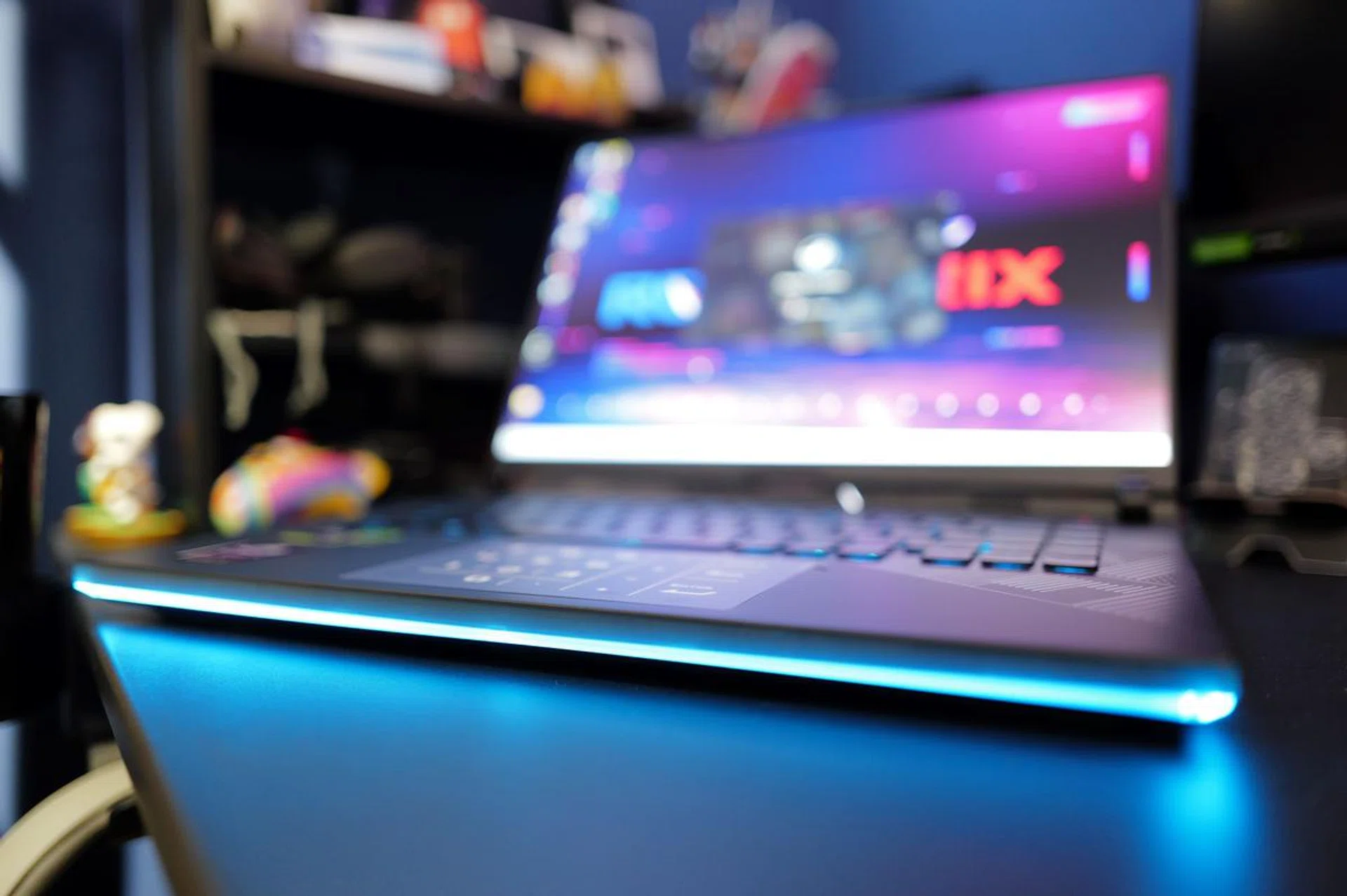
Despite its hefty footprint – 35.4 x 26.4 x 2.26cm and weighing 2.55kg – the most striking aspect of the Strix Scar 16 isn't actually its sheer size, but the RGB band that goes around the front outer edge of its base. These LEDs are not purely decorative flourishes. Yes, they look cool and are useful for creating a mood (or vibe, as the younger generation likes to call it these days), but they can be functional too. For instance, it glows red when it's charging.
By and large, ROG has stuck with the same ROG Strix Scar base design that we first saw in 2021. It still looks good, but it's been nearly three years and, to my eyes, it's starting to look a little stale. It certainly doesn't ooze the same amount of sex appeal as it once did. What's most bothersome, perhaps, is the fact that ROG's new Zephyrus notebooks have undergone a thorough redesign and have all-metal bodies that look and feel a lot better than the Strix Scar 16. Maybe the decision to stick with plastic is to save weight, but the result is that this notebook does not look or feel particularly premium or sexy. Nevertheless, there's no denying it's built solidly. The plastic construction feels robust and top-notch.
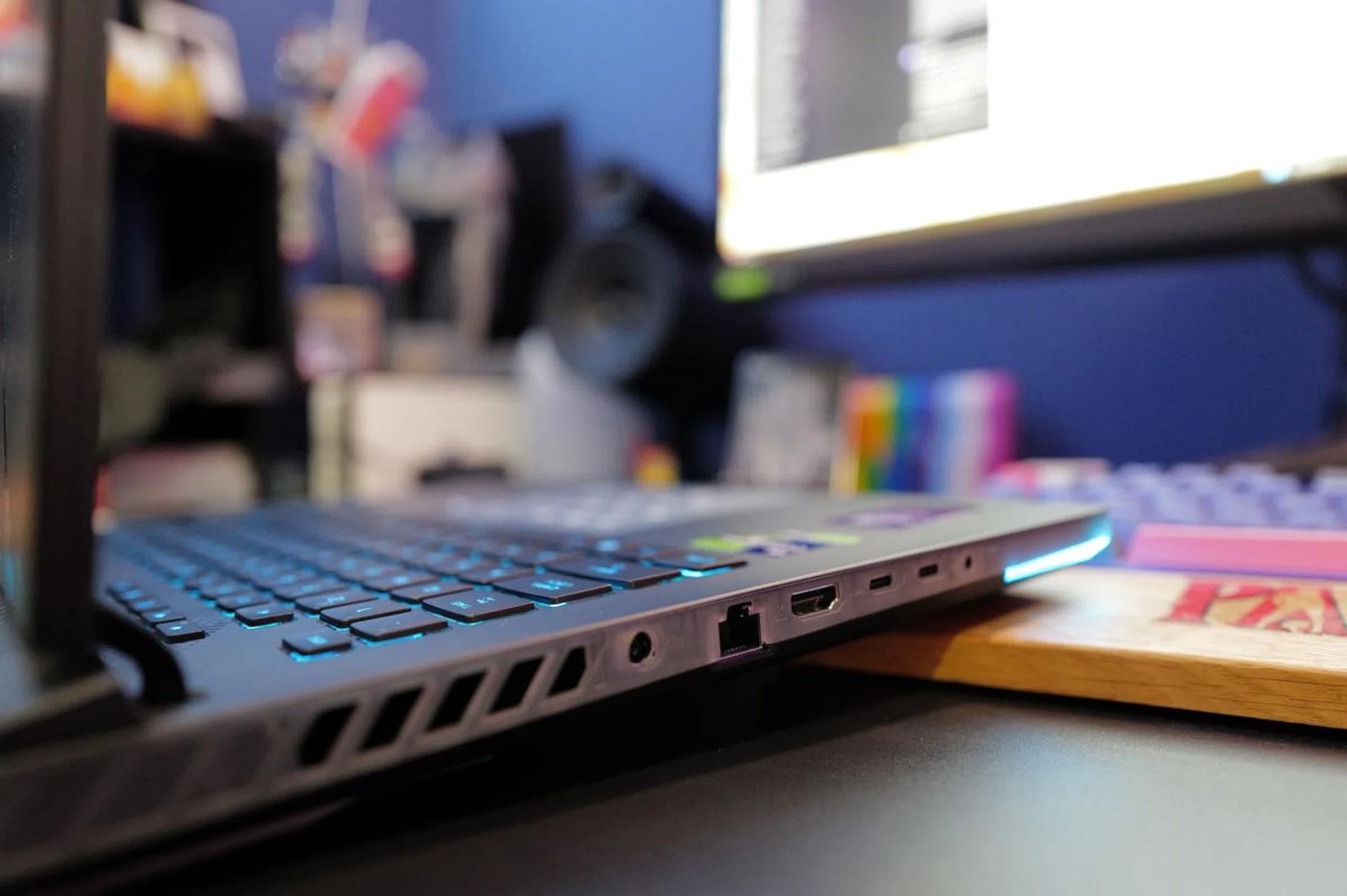
I would have preferred for the power point to be placed at the rear of the notebook, giving it a cleaner look when tethered to the power brick.
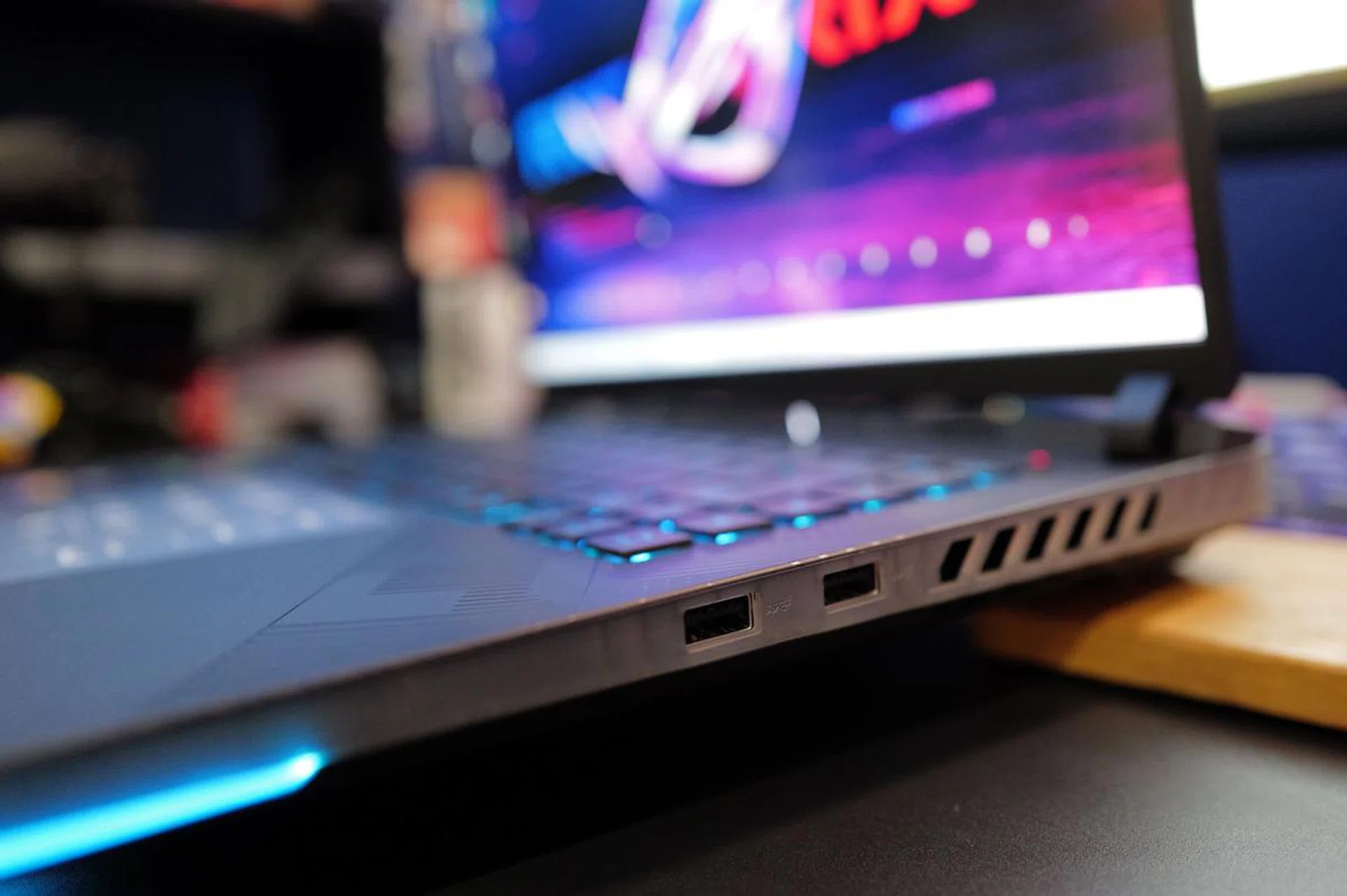
The right side is limited to two USB Type-A, which seems like a little waste of space.
For connectivity, the Strix Scar 16 comes with one USB-C Thunderbolt 4 port and another USB-C USB 3.2 Gen 2 port – both support DisplayPort and can be used for power. There’s also a HDMI 2.1 port, a pair of USB-A USB 3.2 Gen 2 ports, and a 3.5mm audio jack. Having just a one Thunderbolt 4 port is a little stingy, since even most high-end ultraportable notebooks these days have two. And while we are at it, an SD card reader would be nice too – this seems like a miss by ROG to me since the Strix Scar 16 would also be an ideal notebook for content creators.
As for networking, the notebook comes with a 2.5G Ethernet port and it supports Wi-Fi 6E. Support for the newer Wi-Fi 7 would have been nice since it’s the latest cutting-edge wireless standard, but it's by no means a dealbreaker since Wi-Fi 7 routers are still prohibitively expensive.
Keyboard and trackpad
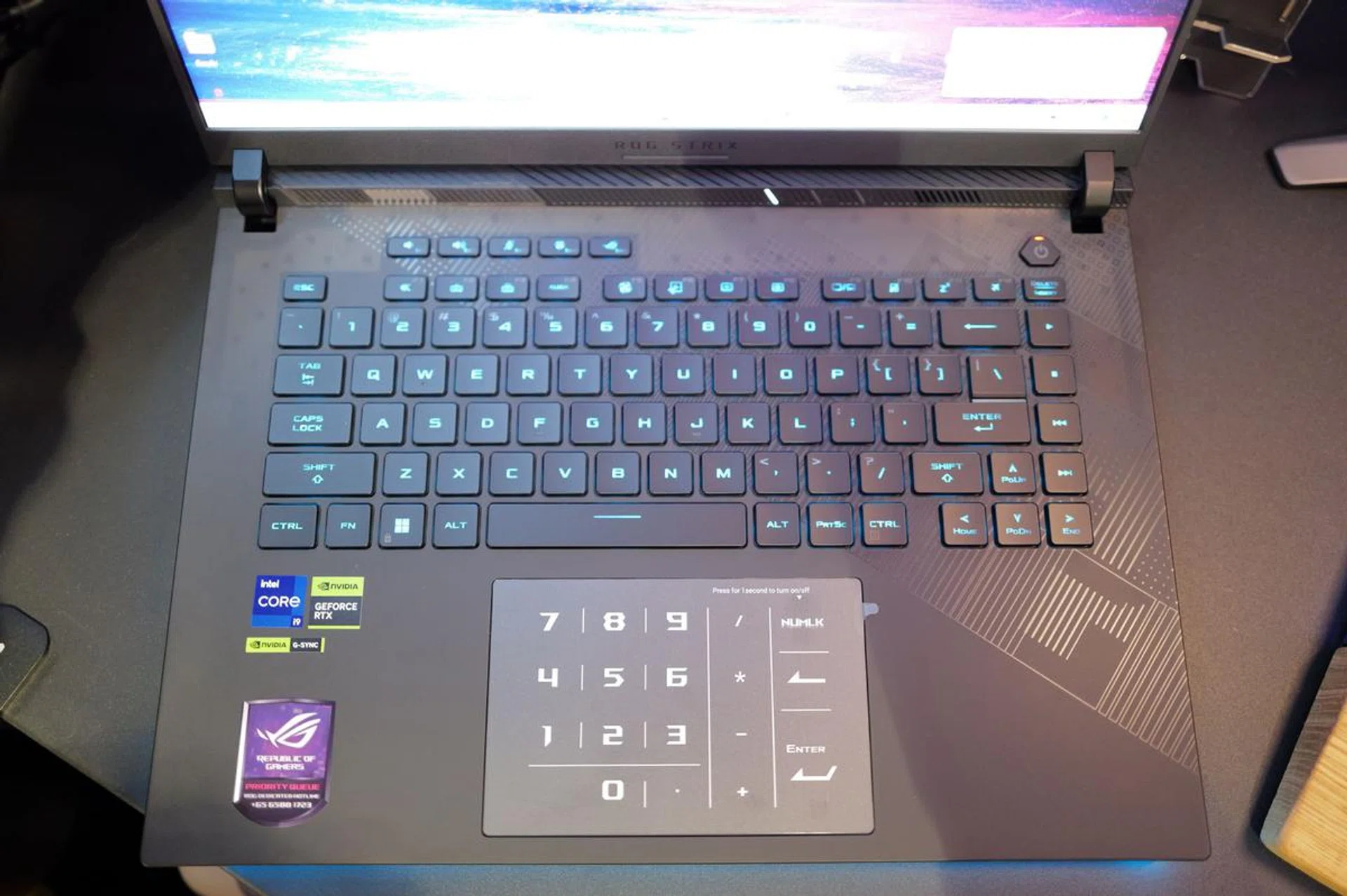
The Strix Scar 16's keyboard and trackpad are some of the best I've used in a gaming notebook.
ROG has also kept the keyboard and trackpad largely untouched in the latest Strix Scar 16. Like the past iterations, it comes with optical-mechanical key switches, giving everything a lovely tactile feel. Each key has its own RGB and also has loads of travel, making them just as pleasurable for typing long documents and emails as they are for playing games. The touchpad is glass and has a matte finish. This gives it added strength and a silky-smooth feel. Tapping the top right corner also turns the touchpad into a number pad. Overall, the Strix Scar series has one of the best keyboards and touchpads of any gaming notebook, so this is a good example of “if it ain’t broken, don’t fix it”.
Nebula Display
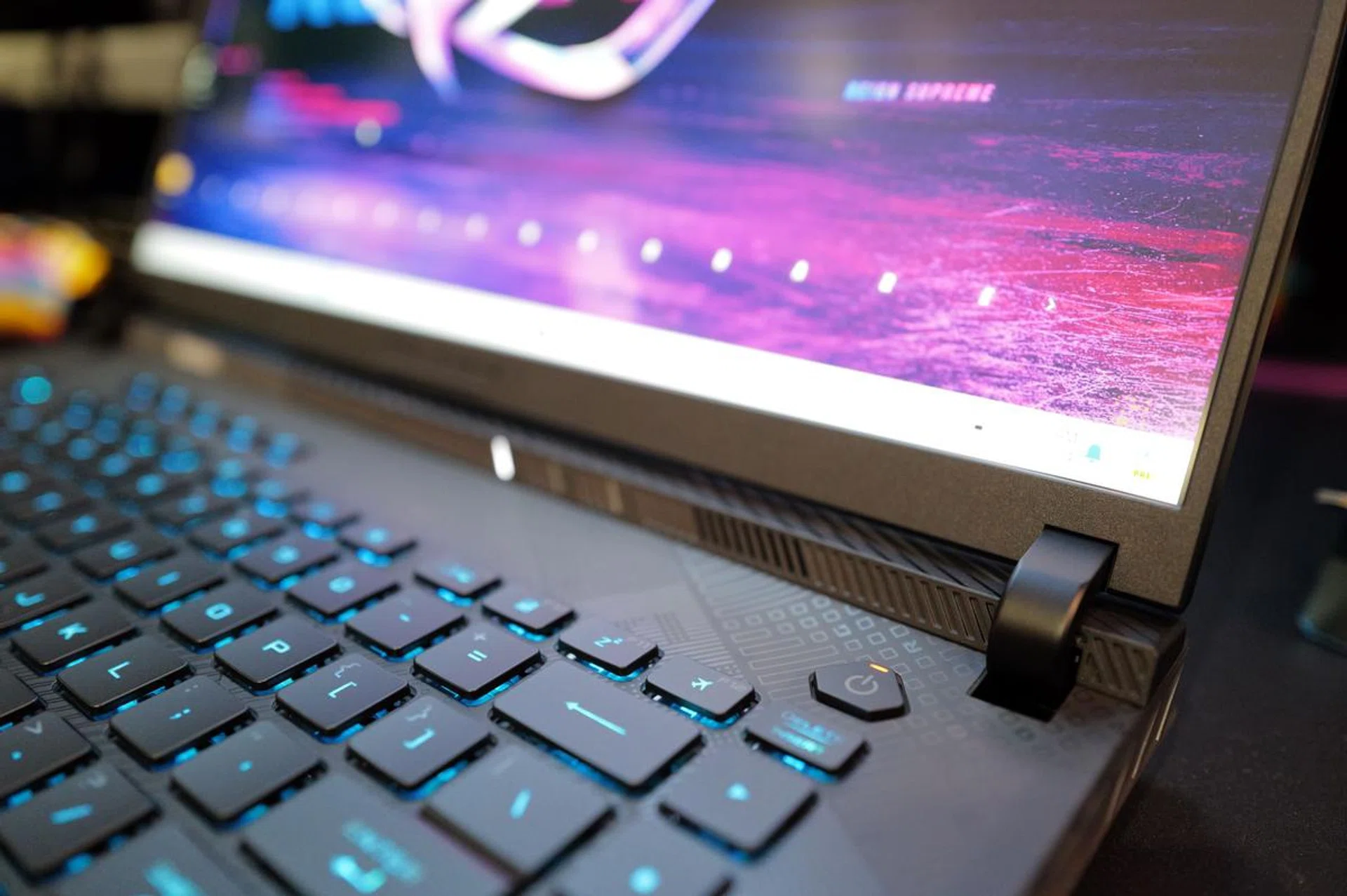
ASUS' Nebula Display is class leading. Thumbs up.
I’ve reviewed many ROG gaming notebooks by now, and one thing that’s always consistent across these notebooks is the quality of the display on them – they are always top-notch. The newest Strix Scar is no different.
Confusingly, ROG has two types of displays for its newest gaming notebooks: Nebula and Nebula HDR. The former uses an IPS LCD panel, while the latter has a more advanced mini-LED panel. Sadly, the Strix Scar 16 that you can buy here are only available with a Nebula display. Fortunately, as far as IPS displays go, it's a good one with great contrast and vivid colours.
The Strix Scar 16's Nebula display is 16 inches large and has a resolution of 2560 x 1600 pixels. It also has a fast 240Hz refresh rate, 3ms response time, and supports NVIDIA's G-Sync. Content creators will also be happy to learn that it supports 100% of the DCI-P3 colour space and is Pantone-validated.
Now, let’s go through the most important part of my review on the next page: does it deliver on performance?
Gaming benchmarks
The ROG Strix Scar 16 is one of the first next-gen gaming notebooks powered by Intel's Core i9-14900HX and GeForce RTX 4090 Laptop GPU to land in our lab.
My go-to games for benchmarks for gaming notebooks are Cyberpunk 2077, Shadow of the Tomb Raider, and Marvel’s Guardians of the Galaxy. All visual settings are cranked up to the maximum, with DLSS and ray-tracing turned off. All tests were run at the Strix Scar 16’s native 2560 x 1600 resolution. Unfortunately, I do not have similar spec-ed gaming notebooks for comparison but that will change in the coming weeks as more notebooks arrive in our labs. In any case, here’s how the Strix Scar 16 performed.
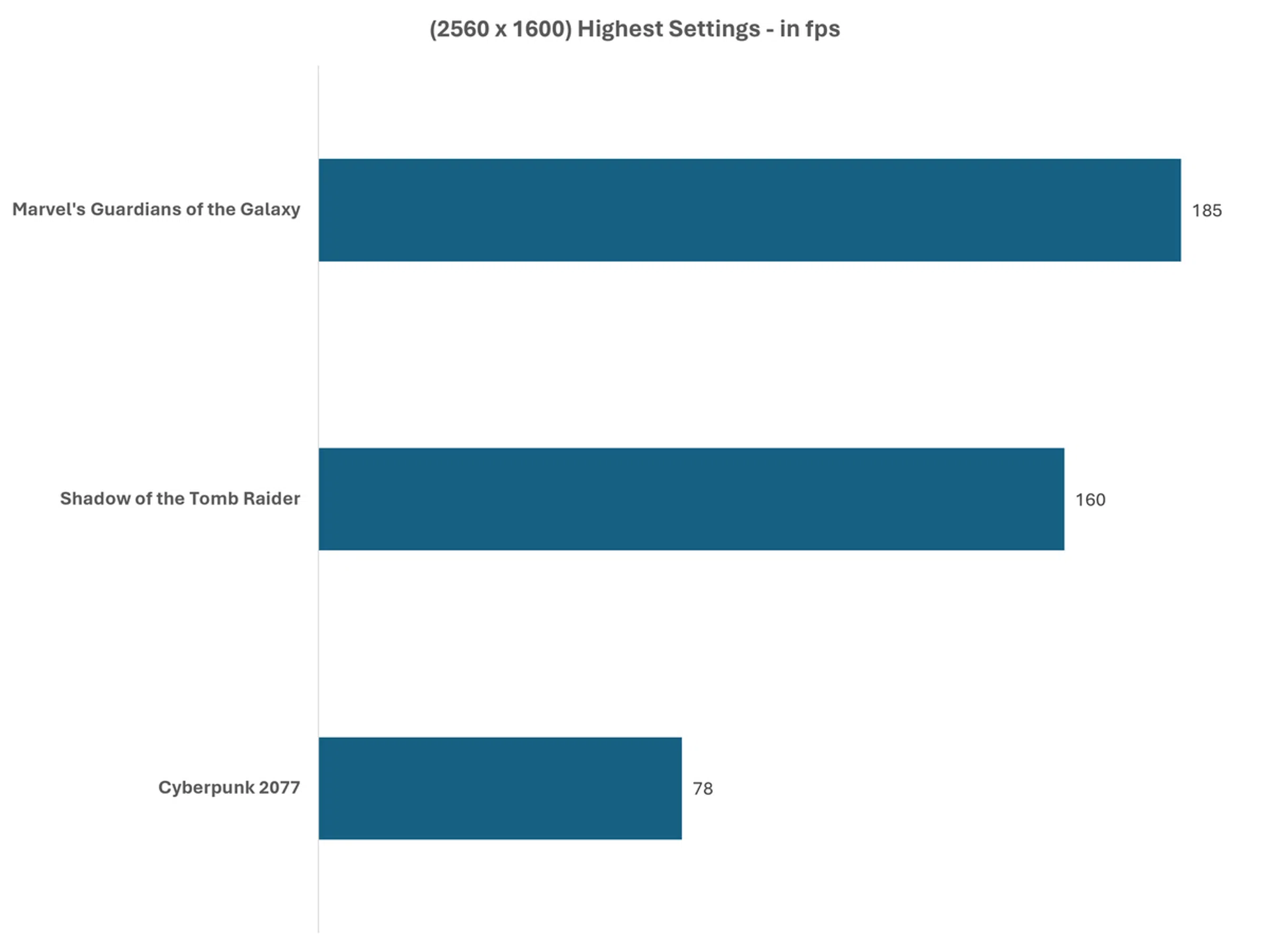
Looking at the results, it's clear that the Strix Scar 16 is a capable performer. Scoring 78fps in Cyberpunk 2077 with full visual settings turned on is remarkable, as the game is still one of the most demanding titles around. And even with ray-tracing activated and running DLSS in balanced mode, the Strix Scar 16 still managed a very respectable 77fps.
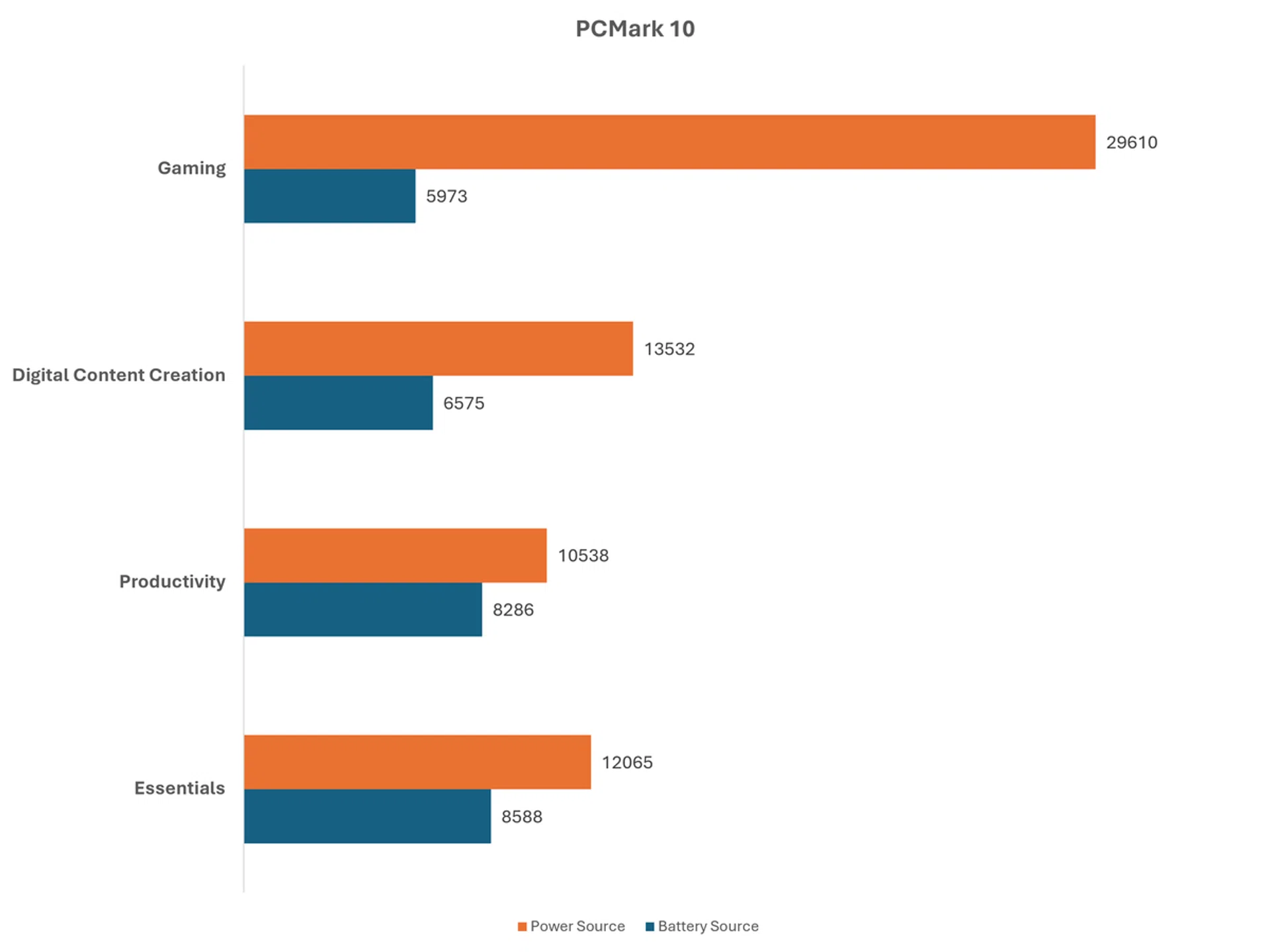
On PCMark 10, which runs a series of simulated productivity, content creation and gaming tests, the Strix Scar 16 managed an overall score of 11717, but that dropped to 6626 when running on battery – that’s a 21% drop in performance. However, the Strix Scar 16 lasted for close to 333 minutes (or five and a half hours) in the same battery test.
Final thoughts
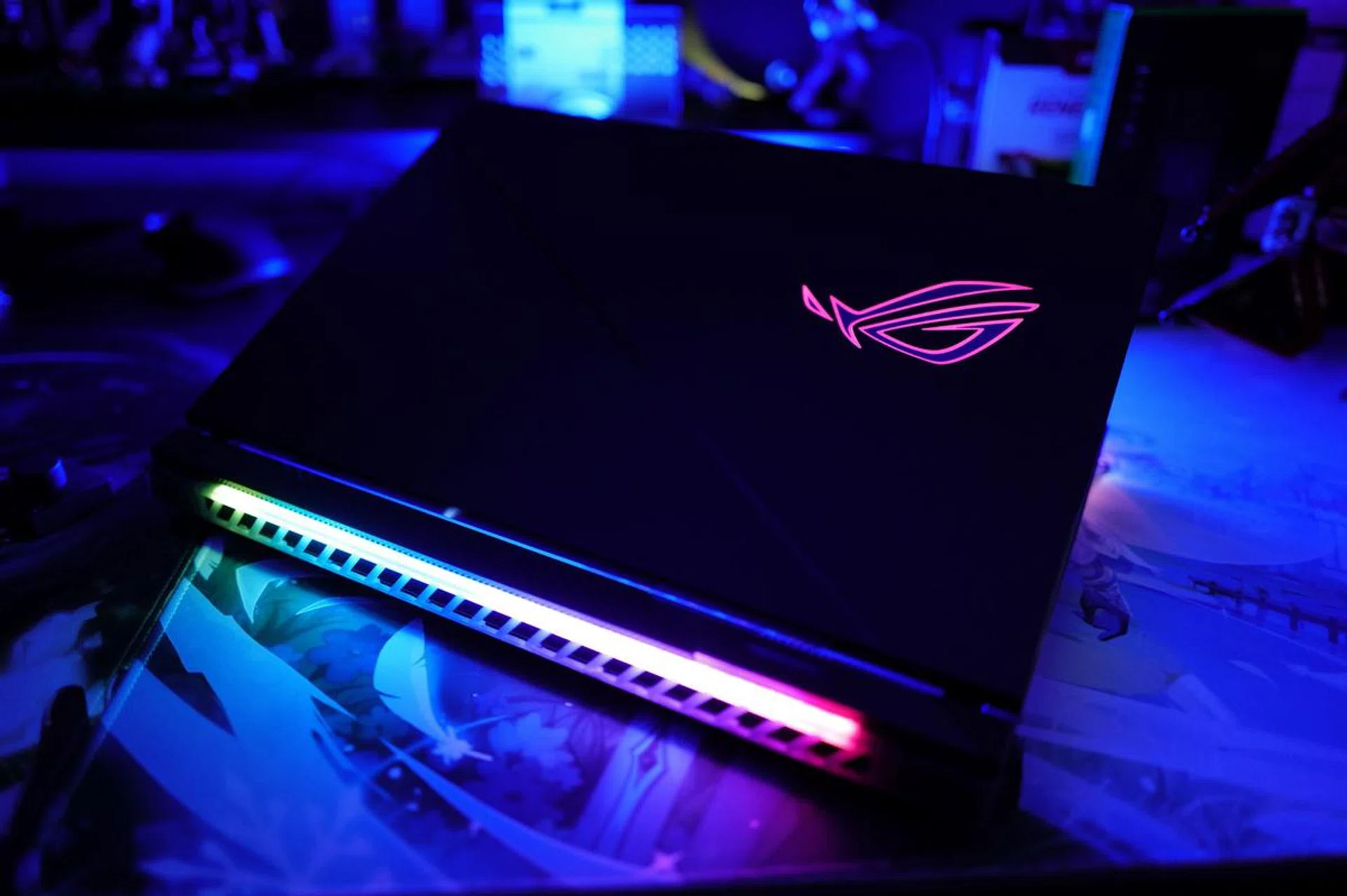
The ROG Strix Scar 16 should get a chassis design overhaul next year, hopefully.
My time with the ROG Strix Scar 16 has been largely mixed. It feels like ROG could have made this an absolutely excellent notebook had they made a couple of changes. To start, the Strix Scar 16's gaming performance is excellent and the display is beautiful. This will surely be appreciated by gamers and users who demand the best computing experience.
Furthermore, the Strix Scar 16, despite its top-of-the-line (and battery-guzzling) components, still manages to eke out reasonable battery life when untethered from its power source. There’s an inevitable performance hit, but being able to last for more than five hours is a good achievement for any gaming notebook, and makes this notebook is viable portable workstation for content creators.
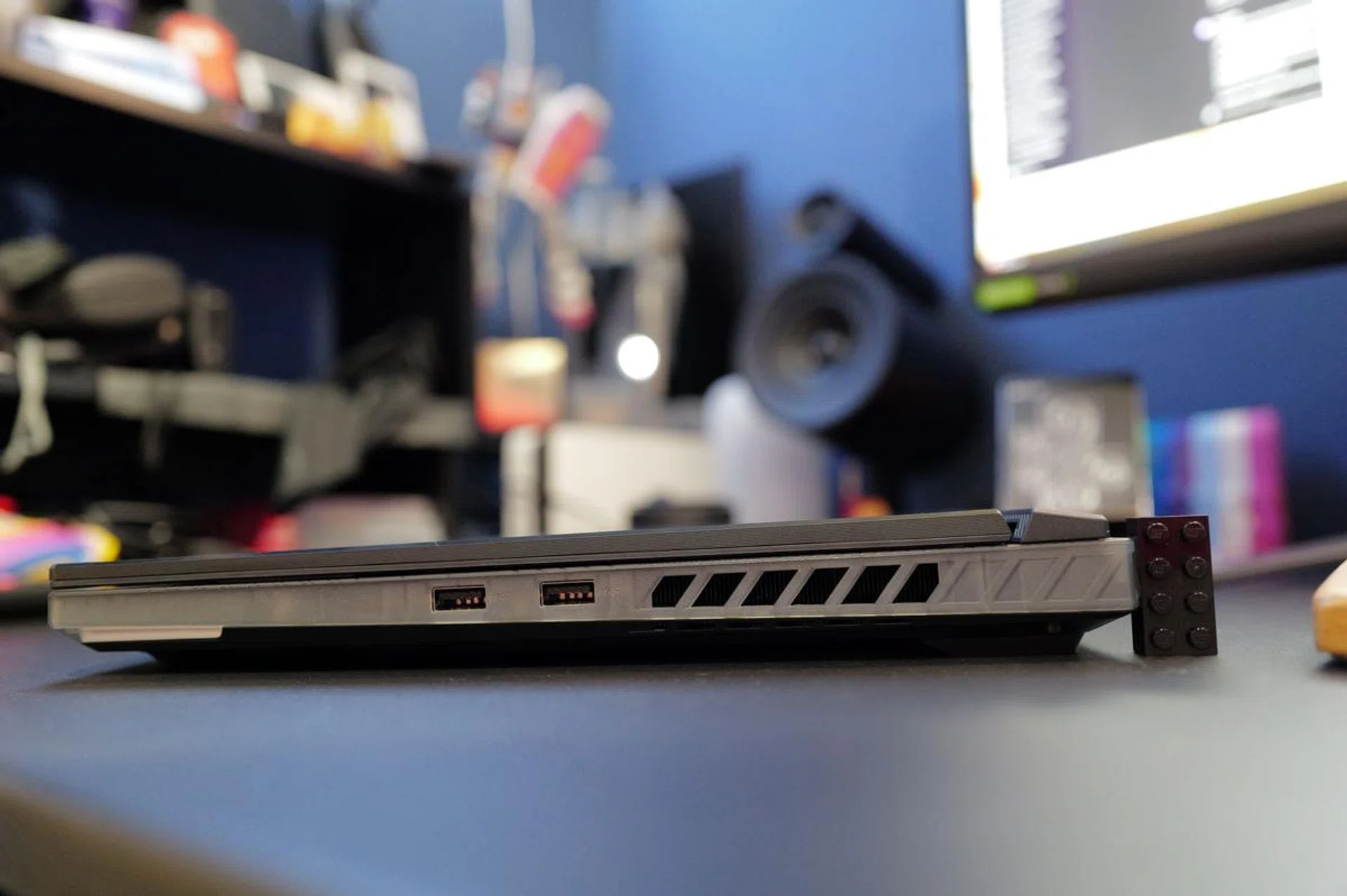
In some ways, the age of the notebook's design is showing.
But my misgivings about this notebook centre around the choices ROG made in its design, particularly around the choice of materials used, as well as connectivity, and lack of biometric authentication. The selection of ports feels limited – it should really have two USB-C Thunderbolt 4 ports – and a 720p webcam seems terribly backward by today's standard. Likewise, the lack of biometric authentication (facial recognition or fingerprint) is puzzling for a notebook in this class. Finally, the mostly plastic construction and arguably outdated design seem at odds for a notebook that is purportedly a brand's flagship.
In short, while the Strix Scar 16 dazzles with its display and performance, there's room for improvement (even if they are mostly superficial ones) – especially for a gaming notebook that costs $5,699. Happily, the Strix Scar 16 is available in other configurations, and readers who don't mind giving up some performance will arguably find better value in the less powerful variants listed below.
Processor | Intel Core i9 14900HX | |||
Memory | 16GB GDDR5 | 32GB DDR5 | 32GB DDR5 | 32GB DDR5 |
Graphics | NVIDIA GeForce RTX 4060 | NVIDIA GeForce RTX 4070 | NVIDIA GeForce RTX 4080 | NVIDIA GeForce RTX 4090 |
Storage | 1TB PCIe 4.0 M.2 SSD | |||
Price | S$3,199 | S$3,599 | S$4,599 | S$5,699 |
All in all, however, there's also no denying that the ROG Strix Scar 16 mostly nails the basics and is a solid option for anyone who is looking for a high-performance flagship-class gaming notebook.
Note: You can find the ROG Strix Scar 16 on Lazada, Shopee, and the ASUS Online Store.
Our articles may contain affiliate links. If you buy through these links, we may earn a small commission.