

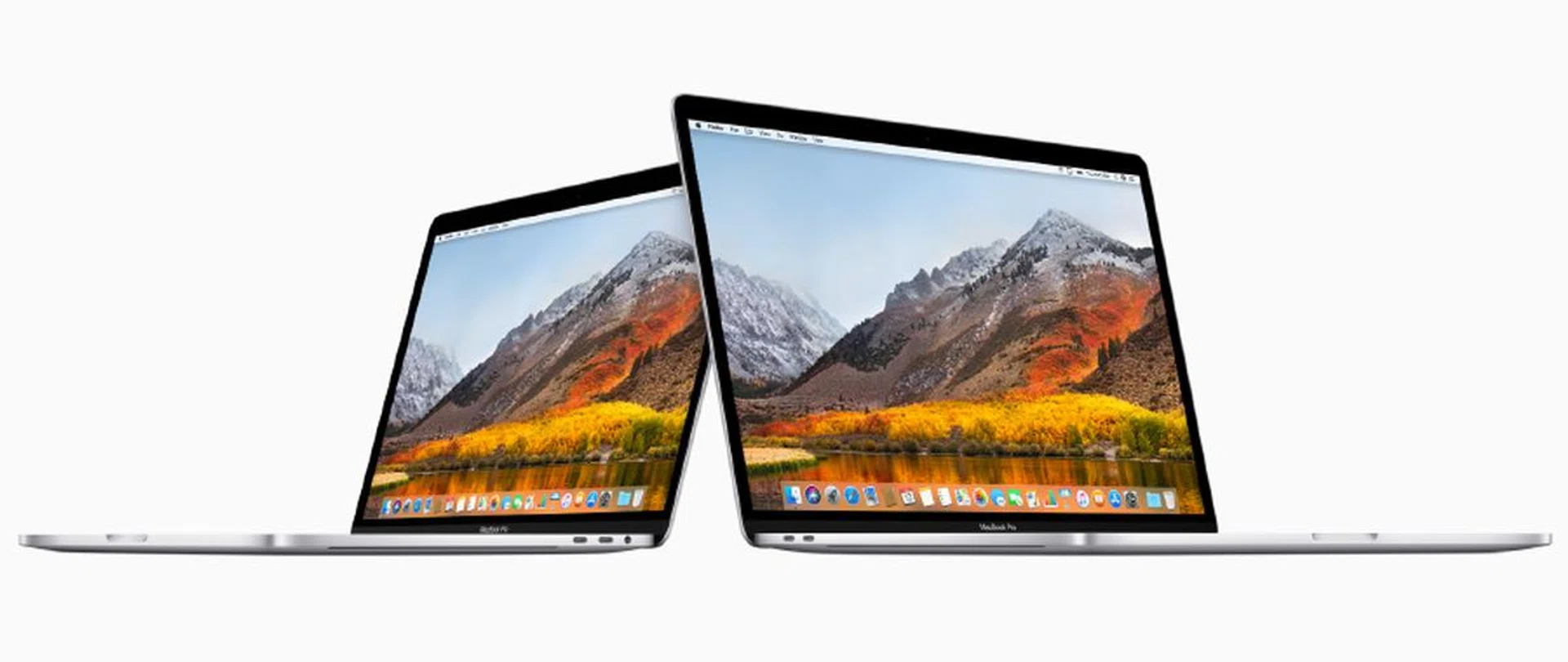
The 13 and 15-inch MacBook Pro notebooks are now powered by Intel's latest 8th generation Core processors.
Just weeks ago, Apple dropped the new MacBook Pro upon us. These new notebooks feature Intel’s latest processors, updated displays, and an improved keyboard. The Core i9 version of the 15-inch MacBook Pro also dominated the headlines for throttling under heavy loads. Now, we are going to find out for ourselves how Apple’s latest MacBook Pro notebooks perform and how bad the throttling, if any, really is.
What’s new?
The new MacBook Pro might look identical on the outside but it comes with a number of notable improvements. Let’s get right down to them.
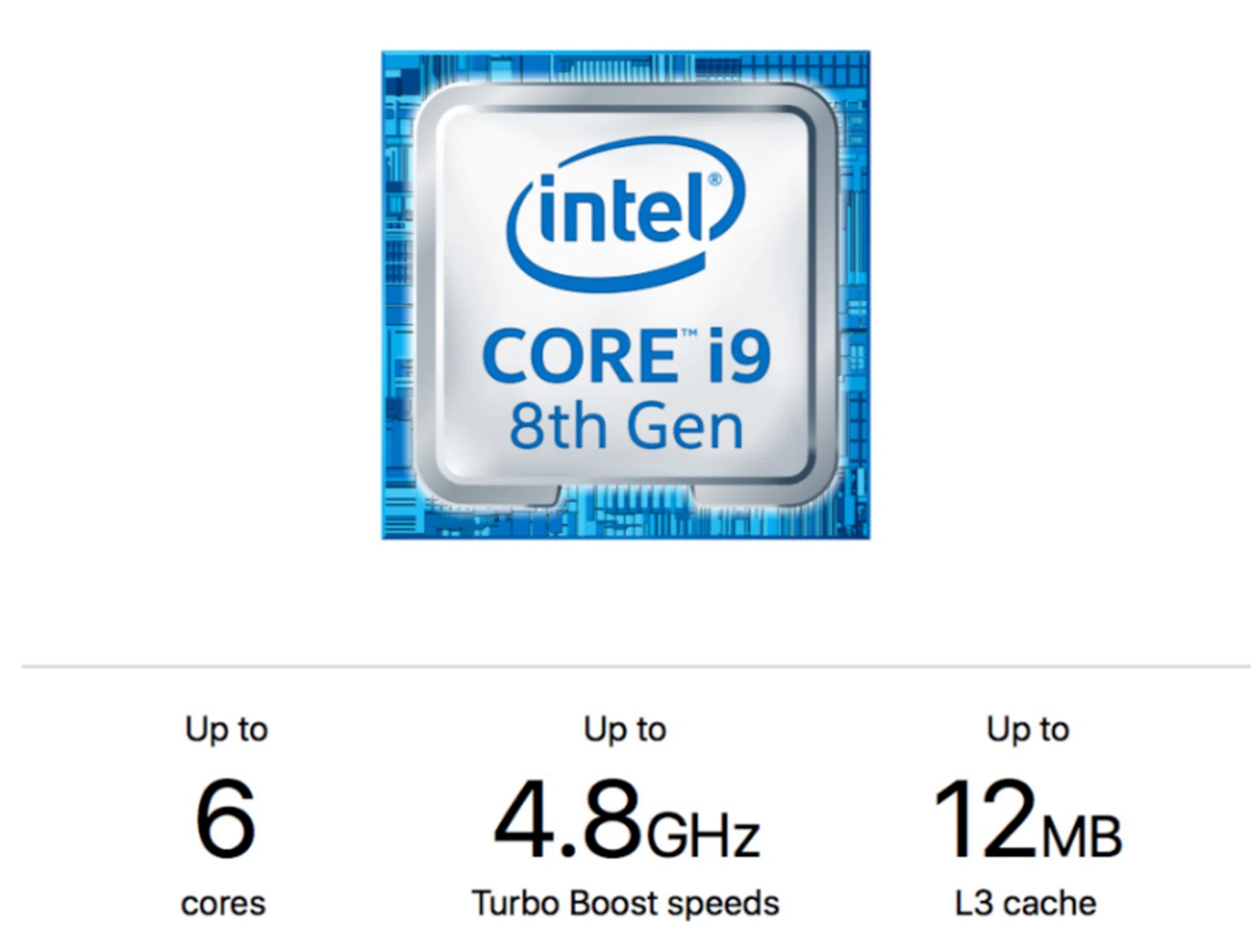
The new Core i9-8950HK is Intel's most powerful mobile processor ever.
- Processors - The newest MacBook Pro notebooks are powered by the latest 8th generation Intel Core processors. The 15-inch models will get hexa-core Core i7 and Core i9 processors which are said to provide up to 70% more performance than the previous generation. The Core i7 processors will be offered in the two off-the-shelf models, whereas users demanding more can opt for the Core i9 as a custom configuration. Here’s a summary of the processors on offer:
Model | Cores/Threads | Base clock speed | Turbo clock speed | Cache |
Core i7-8750H | 6 / 12 | 2.2 GHz | 4.8 GHz | 9MB |
Core i7-8850H | 6 / 12 | 2.6 GHz | 4.3 GHz | 9MB |
Core i9-8950HK | 6 / 12 | 2.9 GHz | 4.1 GHz | 12MB |
- Memory - The 15-inch models will get 16GB of DDR4 memory as standard. Users have clamored for a 32GB option and the newest 15-inch models can now be equipped with up to 32GB of DDR4 memory. But be warned, this option is pretty costly.
- Storage - Like any respectable high-end notebook, the 15-inch MacBook Pro notebooks come with PCIe-based SSDs. In the past, you could spec your 15-inch MacBook Pro with up to 2TB SSDs. Now, you can have up to 4TB. But again, this option will put a sizable hole in your pockets. If you are upgrading from the entry-level 15-inch model, spec’ing a 4TB drive will set you back a staggering S$4,760.
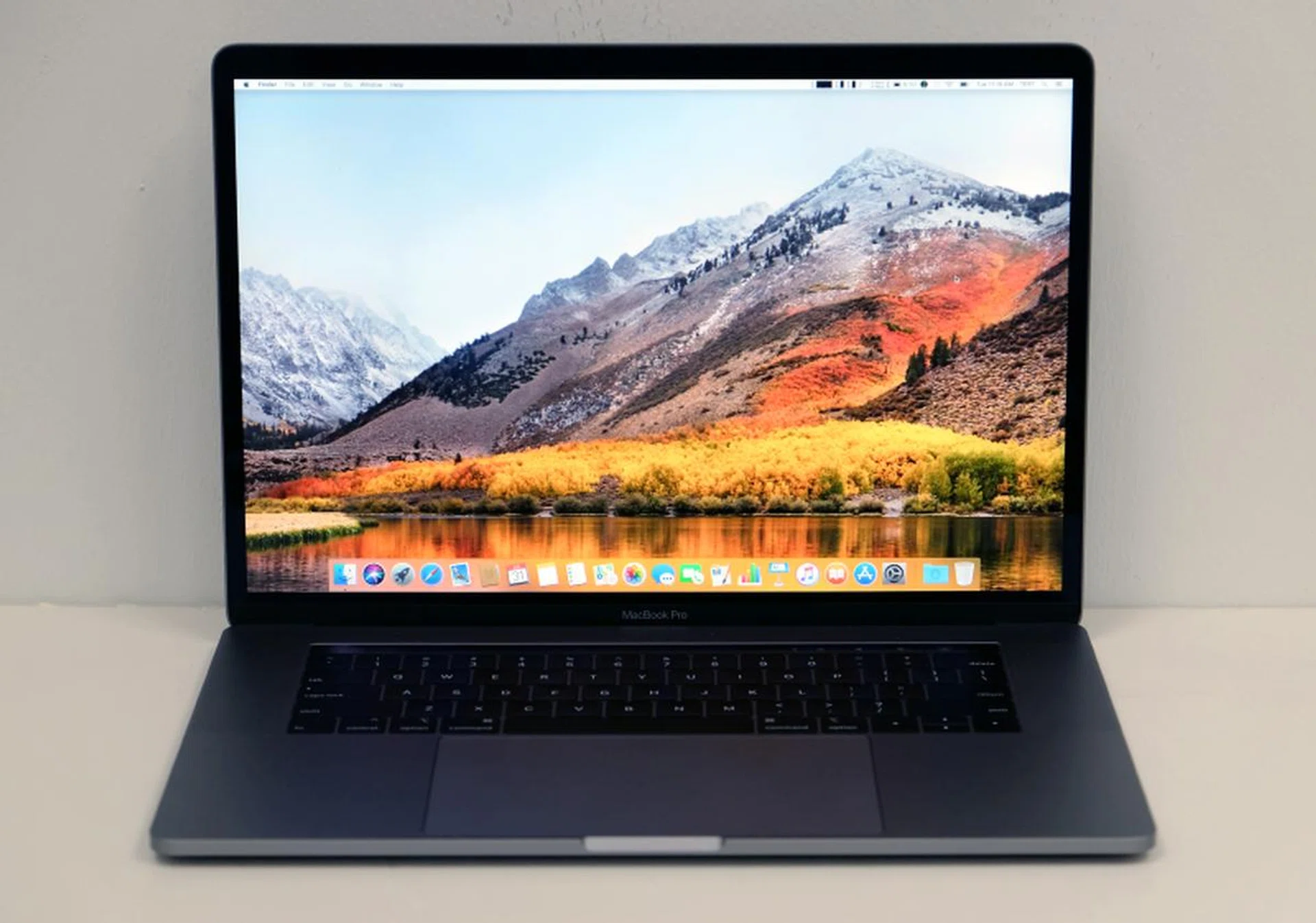
The display is gorgeous and TrueTone technology does help alleviate eye fatigue.
- Display - We still get Retina displays with 500 nits of brightness and support for the wider DCI-P3 color space. Resolution is also unchanged at 2,880 x 1,800 pixels. What has changed is that the displays on the newest MacBook Pro notebooks now have TrueTone technology. True Tone technology automatically shifts the white point of the display to match the color temperature of the room. The result is a more natural and comfortable viewing experience. This piece of tech first appeared on the iPad Pro and was subsequently introduced on the iPhone 8 and 8 Plus as well as the iPhone X. If you have used any of these devices, you would have experienced True Tone. It does a great job of alleviating eye fatigue but professionals whose work requires accurate color reproduction (videographers, photographers, designers, etc.) might want to turn it off as it might skew your judgment of colors.
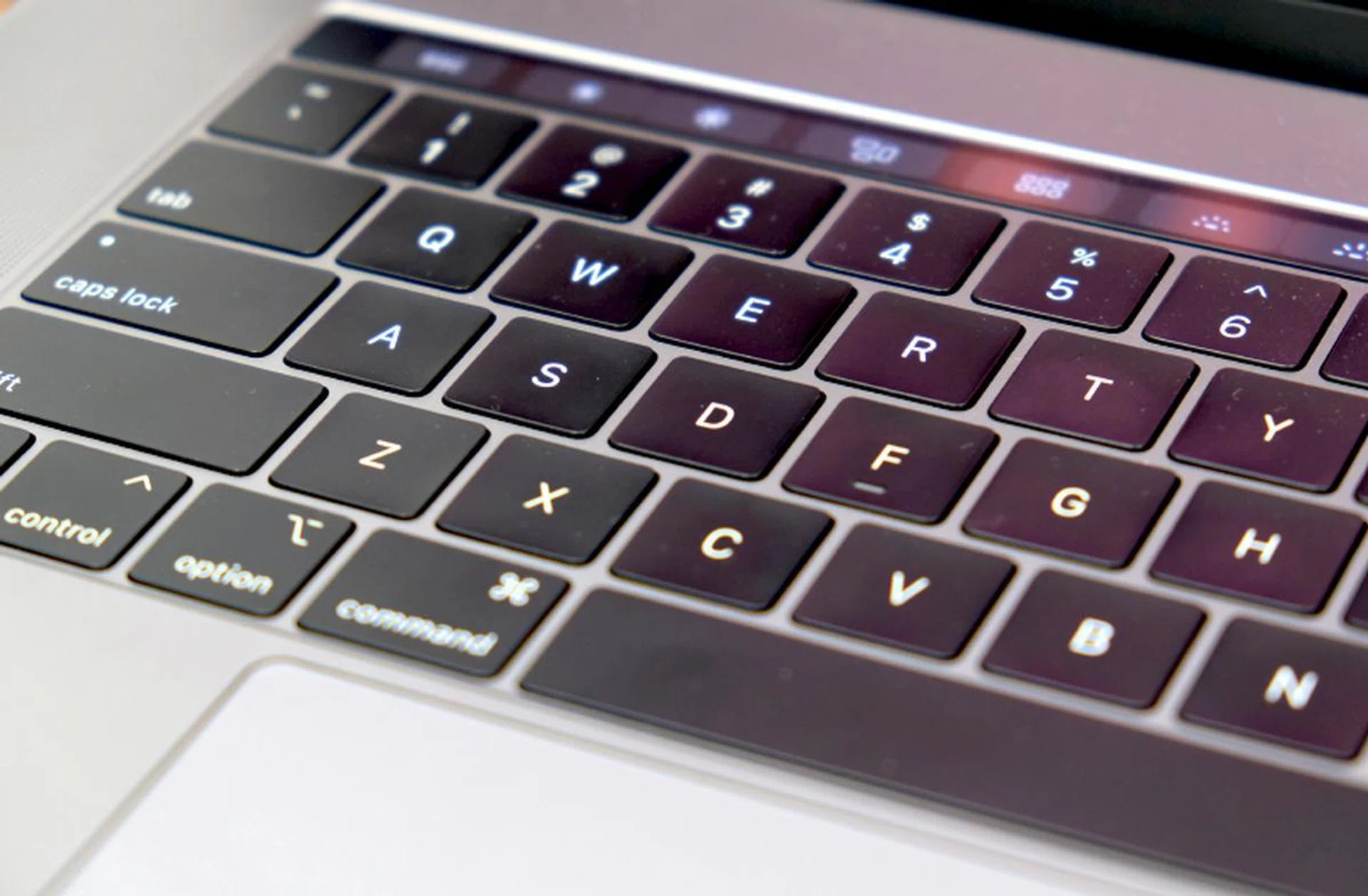
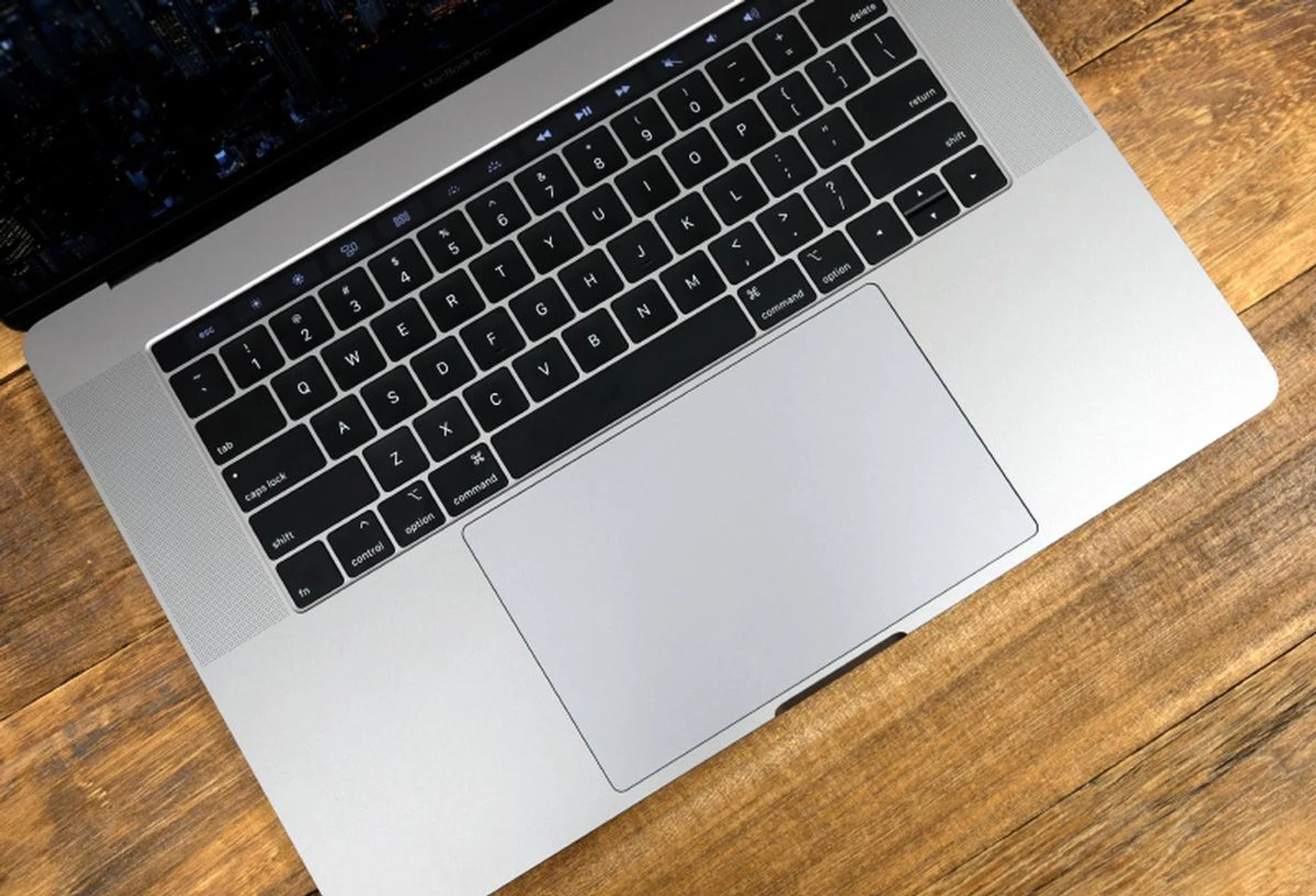
The keys have almost no travel but they have a clickety action that I find satisfying.
- Keyboard -The latest MacBook Pro notebooks come with what Apple calls its third-generation keyboard. It has a butterfly mechanism, which gives it a low profile but also makes it more stable than your typical keys with scissor mechanisms. If you are new to the MacBook Pro, you are going to need some time to get used to the keys because they have almost no key travel. Personally, I’m quite fond of these keys as they have an affirmative click action when you strike them, which lets you know when you hit a key.
Apple says they have now made the keys quieter but they didn’t specify how. However, what popular fix-it and teardown site iFixit has discovered is that there is actually a thin piece of silicon membrane around the switches that, presumably, was designed to prevent debris from getting underneath and interfering with the operation of the switch mechanism. I found the new keys to only be quieter by the tiniest of margins. I doubt most people will notice.
The Apple T2 chip is also responsible for the Touch Bar and Touch ID.
- Apple T2 - The Apple T2 made its debut in the iMac Pro, and like its predecessor the T1, the T2 is responsible for numerous security and hardware operations. On the security front, it is responsible for securely booting the MacBook Pro and encrypting the storage. It also contains numerous other controllers like the system management controller, audio controller, and even the storage controller. It also manages the Touch ID, Touch Bar, and is responsible for enabling Hey Siri. In short, it is the security and hardware hub of the MacBook Pro.
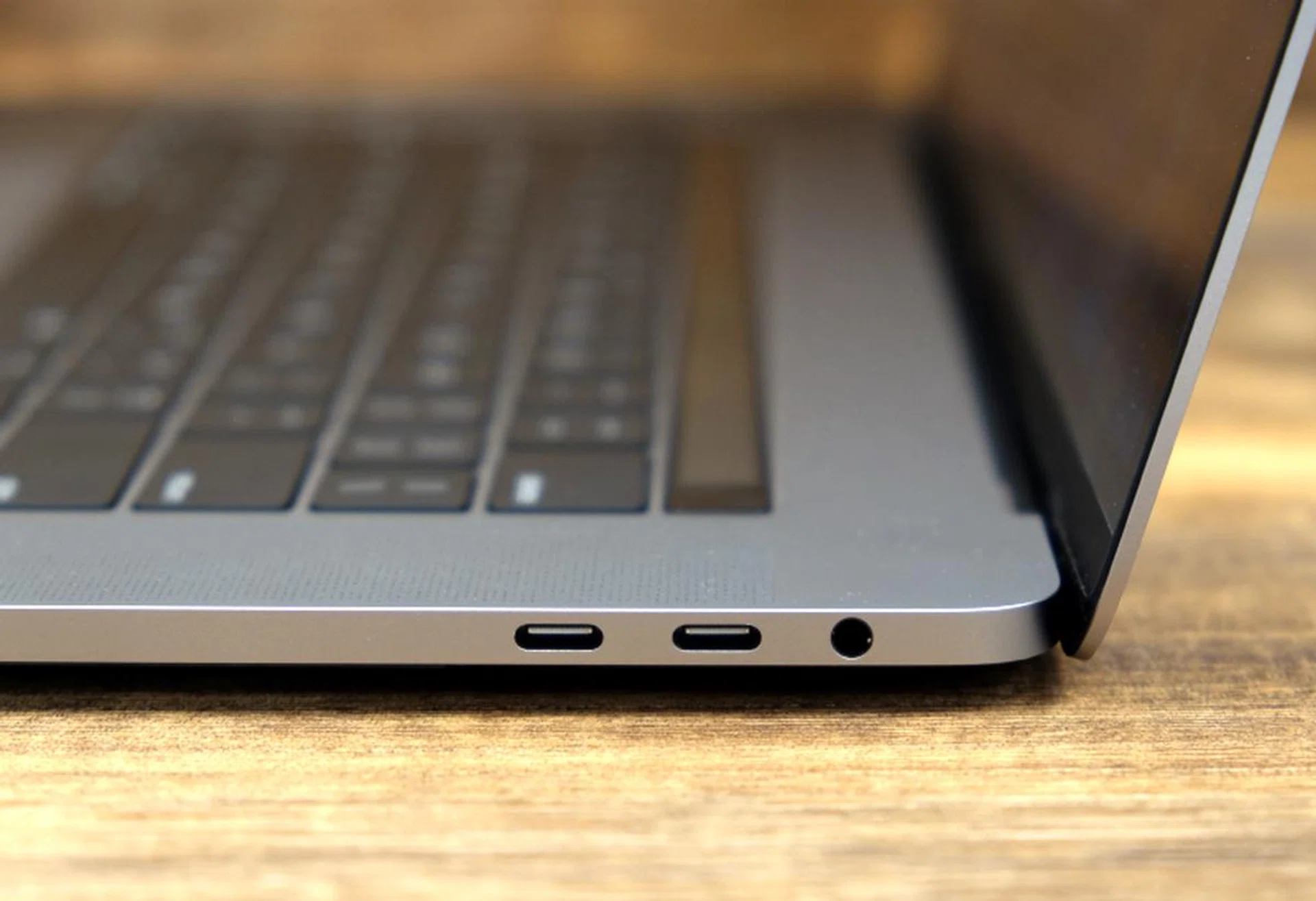
Ports haven't changed. You still get four USB-C Thunderbolt 3 ports capable of delivering up to 40Gbps of data.
Size and dimensions are unchanged, which is quite remarkable considering the new hardware that the latest MacBook Pro possesses. But more importantly, this means the latest 15-inch MacBook Pro remains to be one of the thinnest and most compact 15-inch notebooks around. It isn’t quite LG gram 15 thin and light but at 1.83kg heavy and 15.5mm, few other 15-inch notebooks come close.
In all, professionals demanding only the latest and greatest in hardware should be pleased by the improvements in the new 15-inch MacBook Pro. In particular, the ability to accommodate up to 32GB of memory should be seen as a willingness on Apple’s part to listen to the requests of professionals.
Performance Analysis
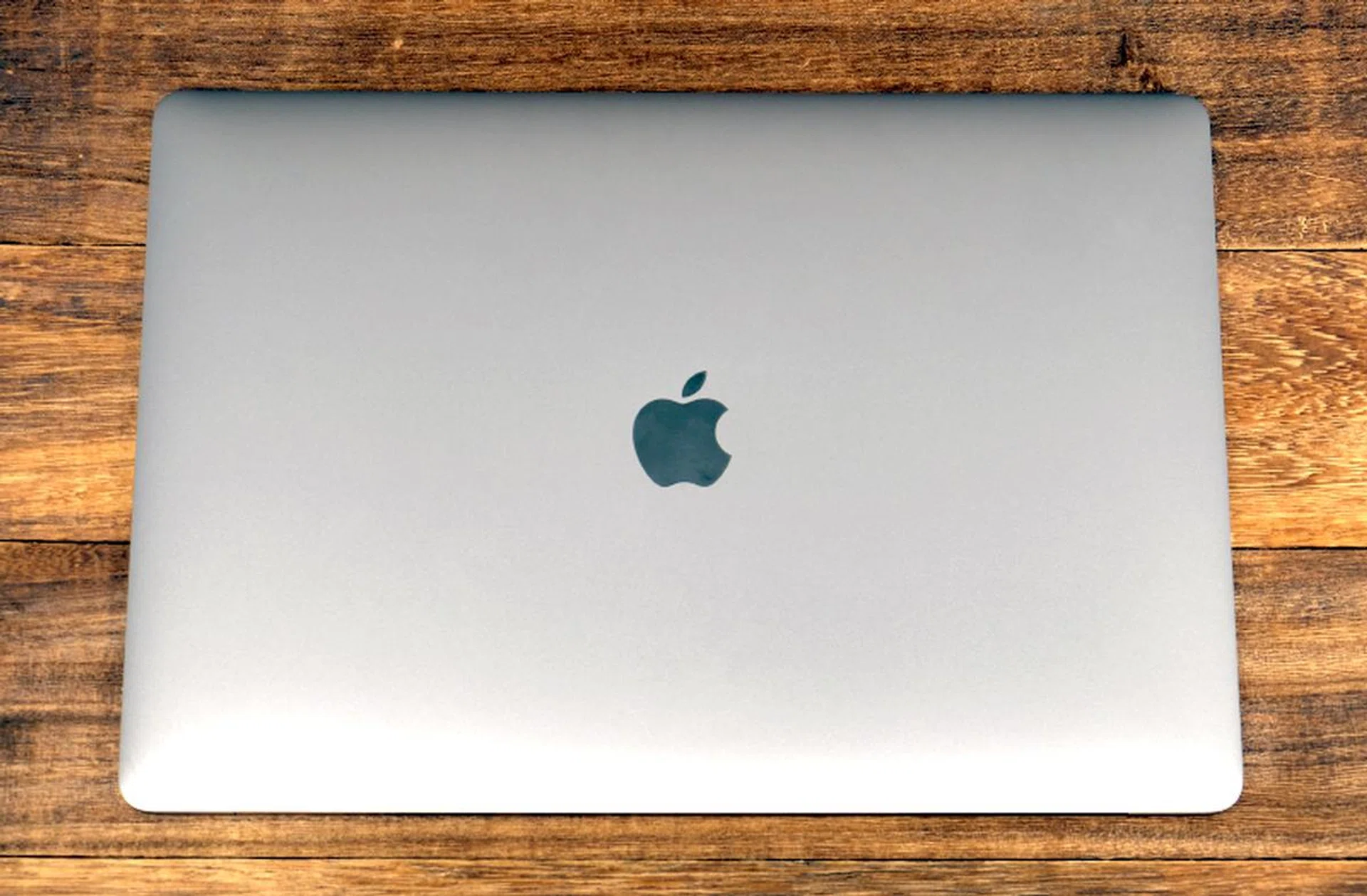
Build quality is second to none. The MacBook Pro is built like a luxury watch.
The MacBook Pro was tested using our standard benchmarking utilities, which meant I had to install Windows 10 using Bootcamp. This was done so that its performance can be pegged to comparable Windows notebooks that we have reviewed and also to older MacBook Pro notebooks that I have tested.
Much was made of the Core i9 MacBook Pro’s throttling when it was launch but Apple swiftly released a software update after discovering the cause of the issue. According to Apple, a missing digital key in the firmware was found to be culprit.
I did a series of tests to investigate this issue and found that the Core i9 MacBook did in fact run steadily after the patch. In fact, in my writeup here, I found that it compares favorably to the ASUS ZenBook Pro 15 UX580 - a compact 15-inch notebook that is also powered by a Core i9-8950HK processor.
The ZenBook Pro 15’s results will make for an interesting comparison as it features the same processor as the MacBook Pro and comes in a comparable chassis. The ASUS is 18.9mm thick and 1.88kg heavy.
Unfortunately, the Core i9 MacBook Pro was the only 2018 model that I was able to get my hands on, so comparisons will primarily be against the 2016 13-inch MacBook Pro and 15-inch MacBook Pro that I tested and reviewed previously as well as other comparable Windows notebooks.
At this point, it is worth mentioning that our unit has all the options ticked. It comes with a Core i9-8950HK processor, 32GB of RAM, and a 4TB SSD. Oh, it also costs $9,448 for this lavish configuration. But to be fair, most of the cost can be attributed to the 4TB SSD, which, believe it or not, is a $4,480 option! To say that Apple charges a premium for its storage would be the understatement of the year.
Here are the benchmarks used:
- PCMark 10
- PCMark 8
- 3DMark
PCMark 10
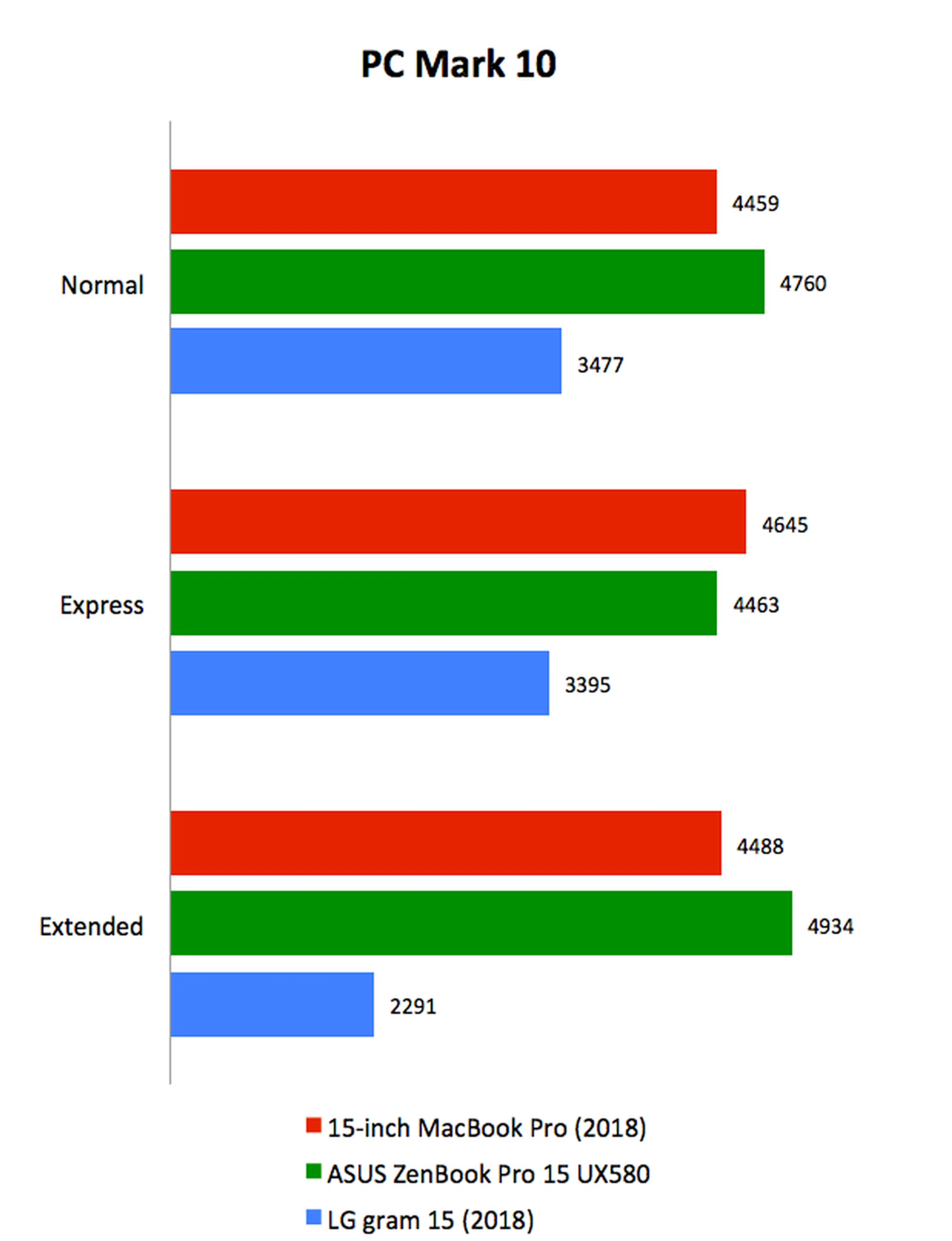
Across PCMark 10’s three workloads, the new 15-inch MacBook Pro recorded scores that were comparable to ZenBook Pro 15. We can also see here that it scored much higher than the gram 15. Clearly, the hexa-core Core i9-8950HK processor offers much more performance than the gram 15’s Core i7-8550U processor.
PCMark 8
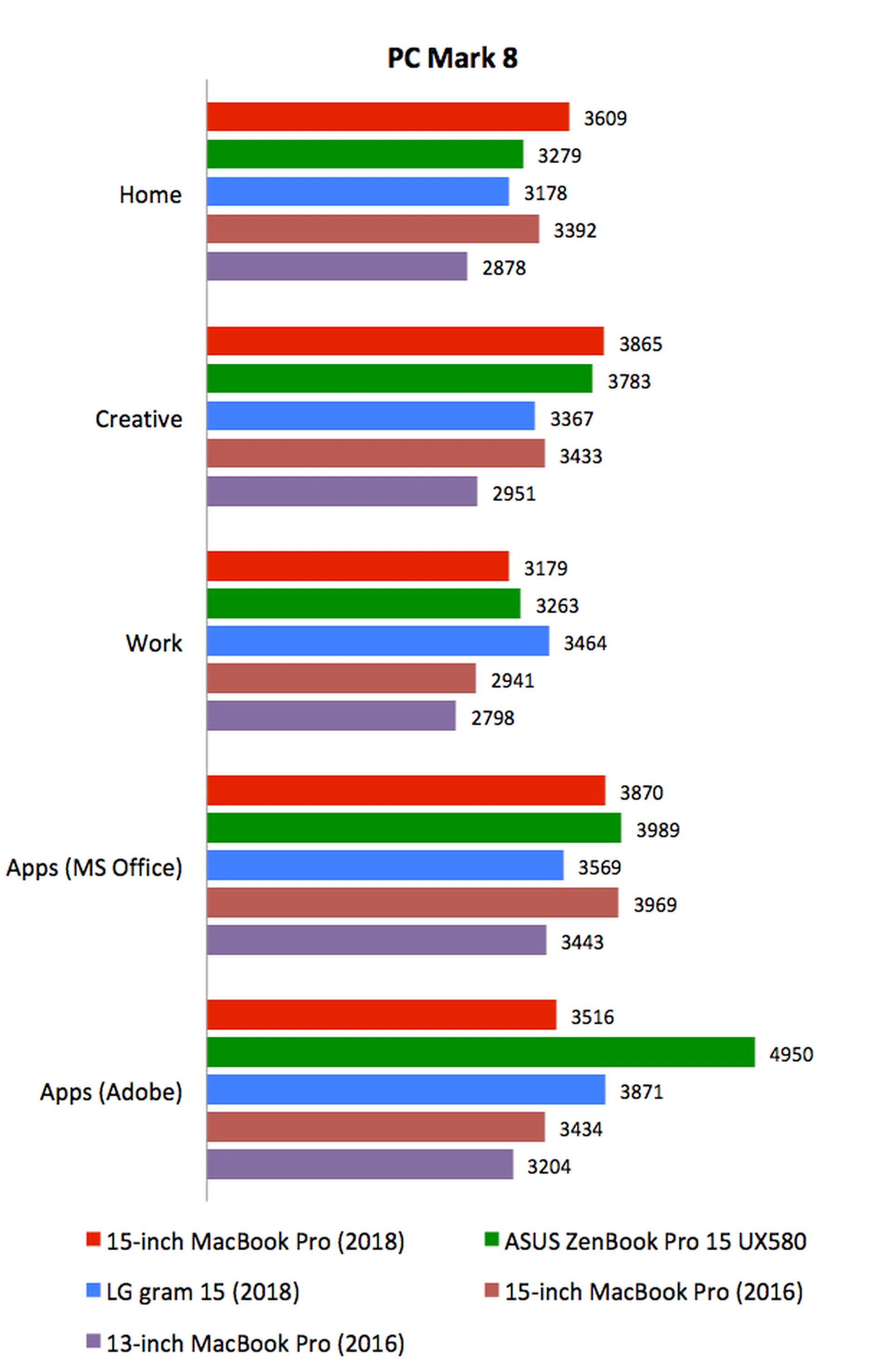
The new 15-inch MacBook Pro and ZenBook Pro 15 were the forerunners again, leading on most workloads. However, the old 15-inch MacBook Pro from 2016 was still competitive on certain workloads. It goes to show that while the new MacBook Pro is quicker, it is probably an overkill for most everyday workloads like word processing, emails, and image editing. You will get more out of the new 15-inch MacBook Pro if you run professional apps that can take advantage of its multiple cores.
3DMark
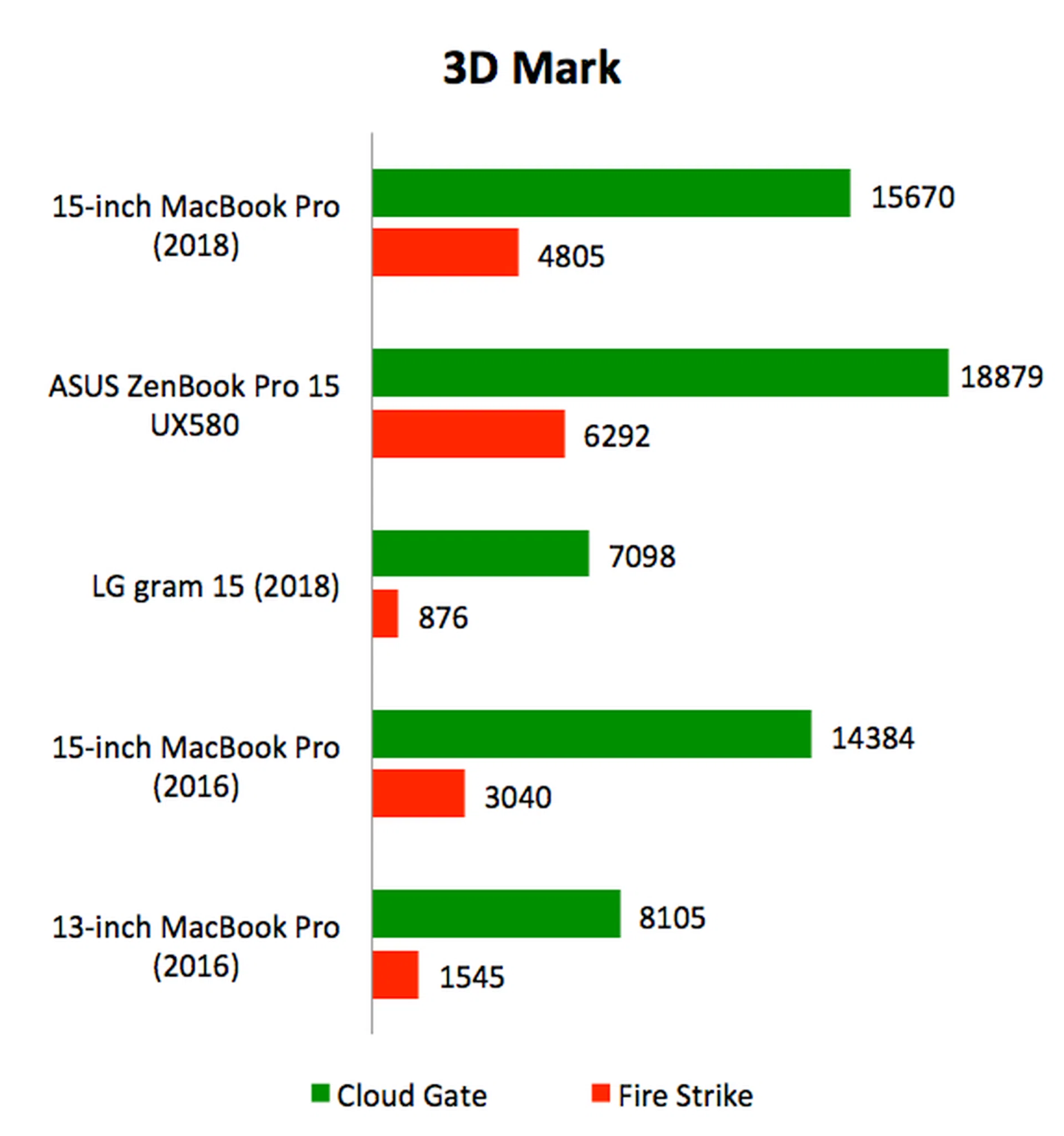
The new 15-inch MacBook Pro’s Radeon Pro 560X GPU offers improved graphics performance over the Radeon Pro 450 in the 2016 15-inch MacBook Pro. Here, we recorded performance gains of about 8% over the less intensive Cloud Gate workload and an impressive 58% over the more intensive Fire Strike workload. The ZenBook Pro 15’s powerful NVIDIA GeForce GTX 1050 Ti was the undisputed leader here.
Battery life & power consumption
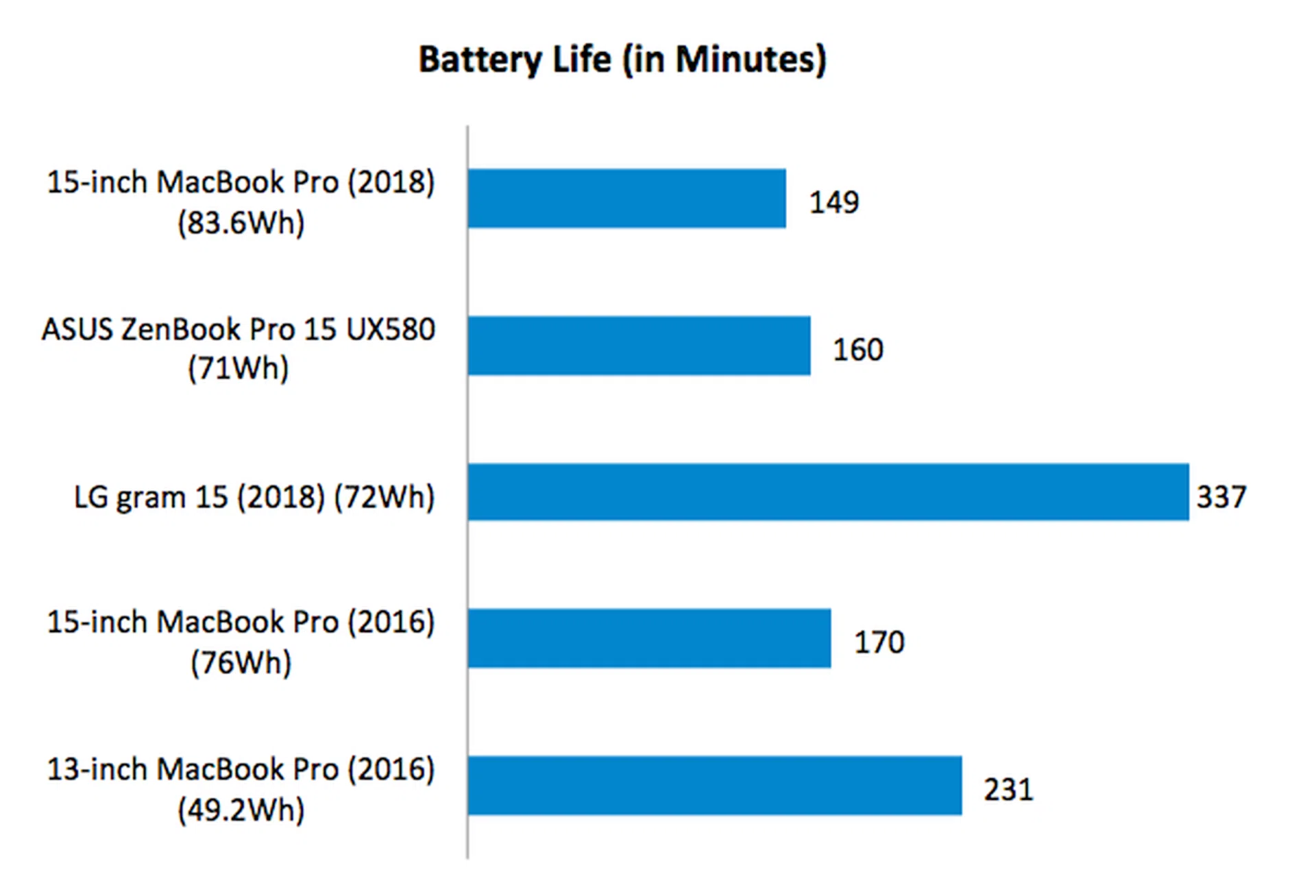
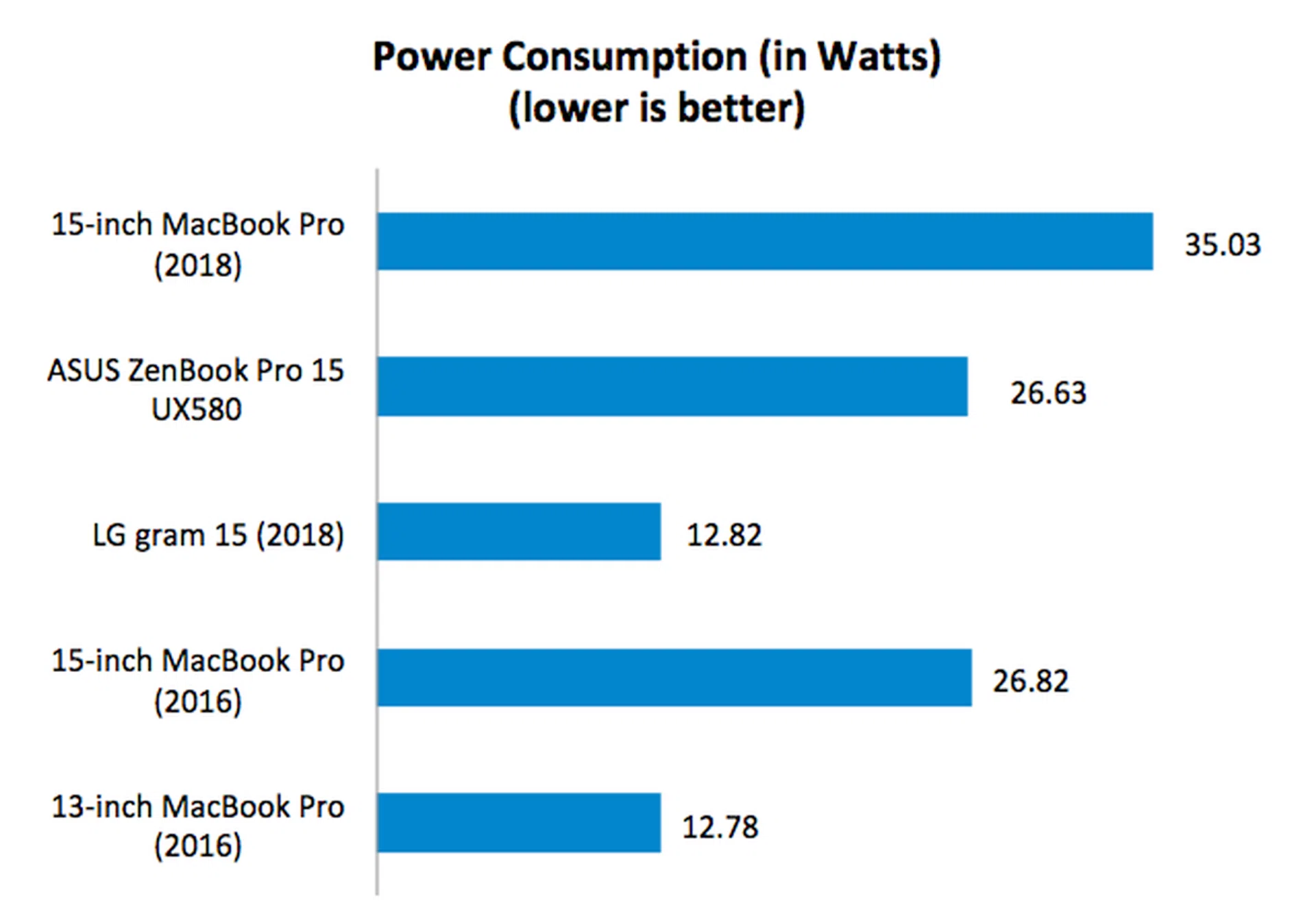
The new 15-inch MacBook Pro notebooks are all outfitted with hexa-core processors which are more power hungry. To make up for that, the new notebooks have slightly larger batteries - up from 76Wh to 83.6Wh. However, as our battery tests show, the increased capacity is not entirely sufficient since the new 15-inch MacBook Pro recorded a shorter battery life of 149 minutes, which is about 21 minutes less. Looking at the power consumption figures, we can see that it has increased quite dramatically by over 30%.
Interestingly, the new 15-inch MacBook Pro has a much higher power consumption figure than the ZenBook Pro 15 even though the two have roughly similar specifications. However, we won’t read too much into it as the battery tests were run in Windows 10 via Bootcamp. In my experience, the MacBook Pro is not 100% optimized for Windows, which could explain the discrepancy. It is more useful to compare the MacBook Pro’s performance against other Macs - in which case, the new MBP has just a little less battery life than the 2016 edition.
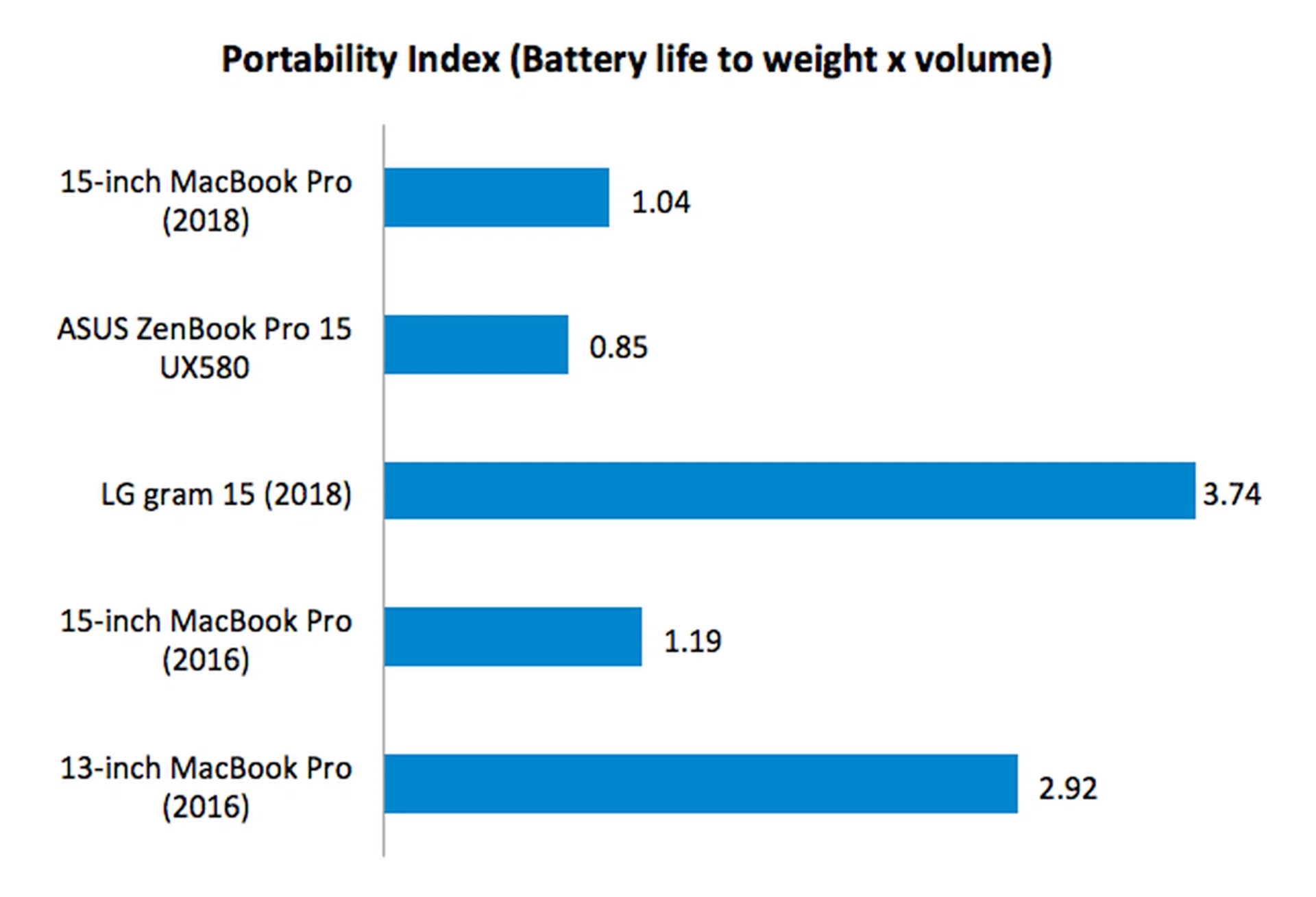
Portability Index
The Portability Index is a score calculated by taking into account a notebook’s battery life, weight and volume. Despite the shorter battery life, the portability score of the new 15-inch MacBook Pro is quite comparable to that of the old one from 2016. Only a few points separate them. Also, the longer battery life of the ZenBook Pro 15 failed to give it a leg up here as it is bulkier than the MacBook Pro. The super thin and light gram 15 from LG was the runaway leader here (though it's not exactly a competitor to the Apple MBP).
Conclusion: A stellar notebook for pros
Benchmarks only tell half the story. In real-world usage scenarios, I found the new Core i9 15-inch MacBook Pro to be blazing fast. Apps launch quickly and the machine showed no sense of slowing down even if I was running multiple apps and have countless tabs opened on my two favorite web browsers Safari and Firefox. The speed is addictive and I’m afraid I’m finding it hard to go back to my personal 13-inch 2017 MacBook Pro.
However, as powerful as the new Core i9 15-inch MacBook Pro may be. It is not the ideal MacBook Pro for everyone. Yes, performance is stellar but it comes at the cost of portability and cost. On paper, it doesn’t look like it is a lot bigger or heavier than the 13-inch MacBook Pro, but trust me, you will feel the weight if you had to carry it around for extended periods. As much as I love the new Core i9 15-inch MacBook Pro, I don’t think I want to carry it around for work trips unless I absolutely need the raw processing power. To see more performance figures, we've figures from Cinebench and a very long video transcode using Handbrake over here.
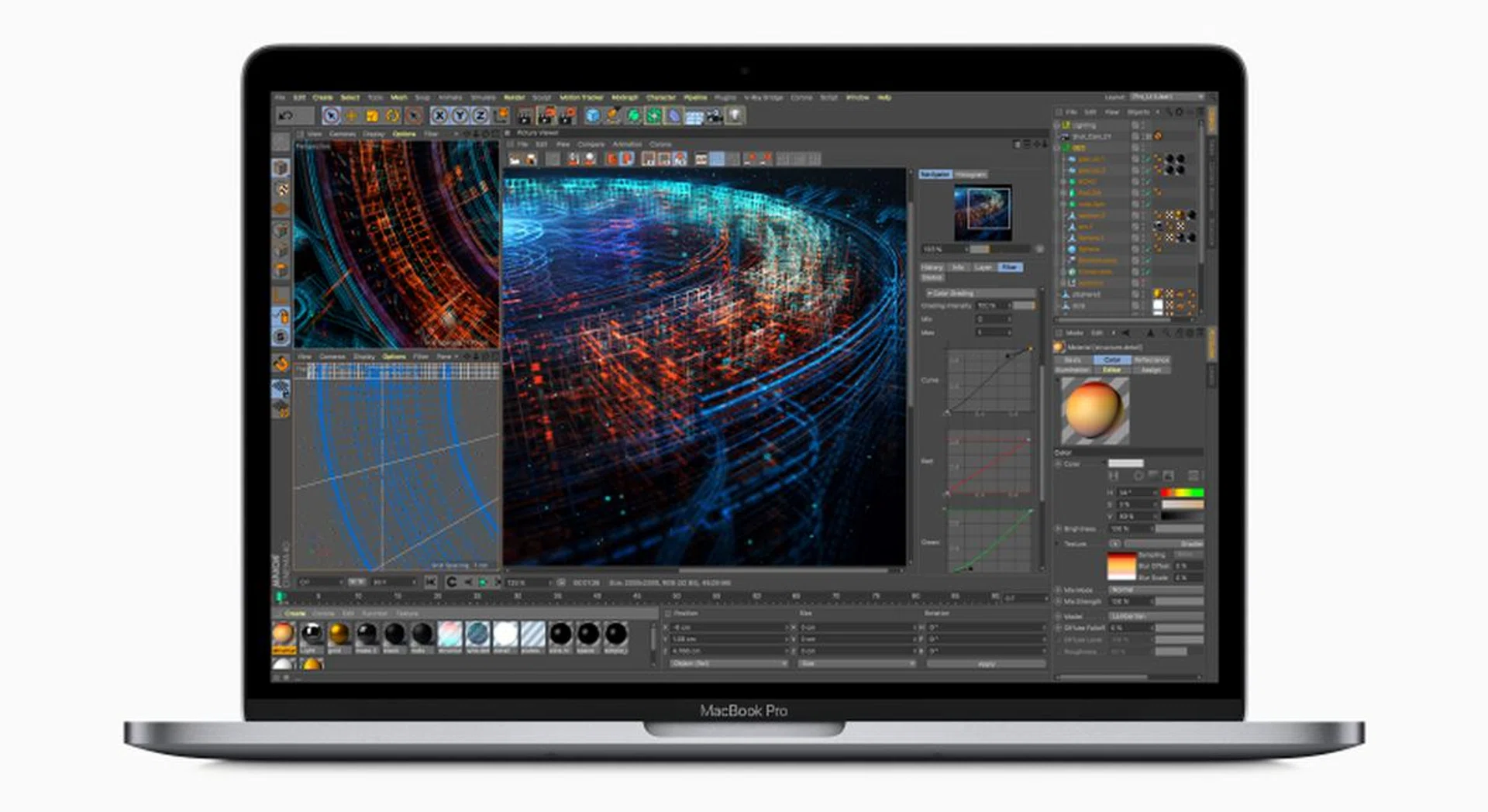
Supremely fast and powerful, the new Core i9 MacBook Pro also comes with a frightening price tag to match.
And then there’s the price. The MacBook Pro has never been a cheap notebook but if you want the absolute best that Apple has to offer, you better have deep enough wallets. Even in its most affordable form, a Core i9 15-inch MacBook Pro with 16GB of RAM and a 256GB SSD will set you back just $12 shy of $4,000. Our test system with all the options maxed out (Core i9, 32GB RAM, 4TB SSD) is a staggering S$9,448. Here are the two off the shelf configurations that Apple offers:
Processor | Memory | Storage | Graphics | Price |
2.2GHz Core i7-8750H | 16GB | 256GB | AMD Radeon Pro 555X
4GB GDDR5 | $3,488 |
2.6GHz Core i7-8850H | 16GB | 512GB | AMD Radeon Pro 560X
4GB GDDR5 | $3,988 |
There are some other minor issues with the notebook. The fans do get quite loud under heavy loads. It is not something to be alarmed about - the ZenBook Pro 15 gets loud too - but it can be a distraction. Also, now that the Touch Bar has been around for nearly two years, I'm not sure it is as helpful as Apple makes it out to be. For sure it can be useful in some situations, but personally, I found it more of a hassle than a tool. I will take physical Esc and function keys anytime over the Touch Bar.
So at the end of the day, my buying advice remains the same. Unless you are a creative professional that relies heavily on apps that can take advantage of the hexa-core processor or GPU acceleration, there is no real need for the 15-inch MacBook Pro.
I haven’t tested the new 2018 13-inch MacBook Pro but I’m sure that it will be plenty quick thanks to new quad-core processors. Sure, bragging rights are fun but I'm not entirely convinced that the tradeoffs in cost and portability are worth it. For professionals who know what they are doing and want the very best hardware, however, this new 15-inch MacBook Pro comes highly recommended. Just make sure you have a fat wallet.
Our articles may contain affiliate links. If you buy through these links, we may earn a small commission.