
ASUS ZenBook 17 Fold OLED review: Folding computers are finally here
The ASUS ZenBook 17 Fold OLED is the world's first large screen, foldable notebook that actually works as it's described on the tin. This is probably as close to the true definition of an All-in-One (AIO) computer as you can get.
Let’s preface this review by saying that this is the most unique PC experience I’ve had the pleasure of testing. Back in April after the ASUS ZenBook 17 Fold OLED was announced at CES 2022, I did manage some hands-on time with the device, but I’ve got to say that the utility of this format doesn’t dawn on you until you actually use it as part of your day-to-day.
.embed-container { position: relative; padding-bottom: 56.25%; height: 0; overflow: hidden; max-width: 100%; } .embed-container iframe, .embed-container object, .embed-container embed { position: absolute; top: 0; left: 0; width: 100%; height: 100%; }

Now, you can probably tell from my introduction that this review will heavily focus on the display and my experiences with it, and I’m here to tell you that it is essentially the singular decisive factor on whether this notebook ends up in your shortlist.
Specs-wise, the ZenBook 17 Fold sits pretty much in the mainstream productivity notebook category. My unit came with an Intel 12th-gen Core i7-1250U processor, 16GB DDR5 memory, Intel Iris Xe graphics and 1TB SSD. On one hand, it is a 12th-gen Alder Lake i7 processor, but on the other hand, it is a low-powered 9W U-series model. There are benefits to this of course. For a computer that can essentially be setup as a 17-inch AIO on a desk, the ZenBook 17 Fold is whisper quiet, even though it has a fan inside for an active cooling system. There was never a time where I heard it whirring. The downside is that you pretty much cannot game with this notebook, despite its glorious OLED display. It handles everything else perfectly well and is actually quite comparable with last year's Tiger Lake Ultrabooks running on an Intel Core i7-1165G7 like the HP Spectre x360 14.
Battery life is commendable for day to day use. ASUS claims up to 9.5 hours with its 75Wh battery. Looping PCMark 10 got me about 5 hours and 40 minutes before it went flat, but in the real world, I have managed to get through a full 8-hour work day of, emails, surfing the web, and (many) lazy YouTube videos in between before the low battery warning prompt came up.
Design-wise, the ZenBook 17 Fold is a notebook with a 17.3-inch foldable OLED display. ASUS is not the first with this concept of course, and comparisons with the 1st generation Lenovo Thinkpad X1 Fold is bound to happen. Moreso, it was an Innovation Award winner for our 2021 Tech Awards. However, while Lenovo was first to market this concept, ASUS refined the experience so that it is finally usable as a day-to-day notebook, rather than a gimmick. Now, this is not to say Lenovo did not do a good job, but it was just the limitations of both hardware and software of the time.
In terms of hardware, Lenovo’s smaller display ultimately affected the X1 Fold’s usability in its folded form. It was just too small and cramped. Windows 10 and software scaling optimisations then were also not ready for such a form factor. So you could say that ASUS spotted the right time to introduce the ZenBook 17 Fold. This notebook unfolds into an impressively large, but not unwieldy 17.3-inch tablet, and folds into a compact, yet very usable 12.5-inch notebook.
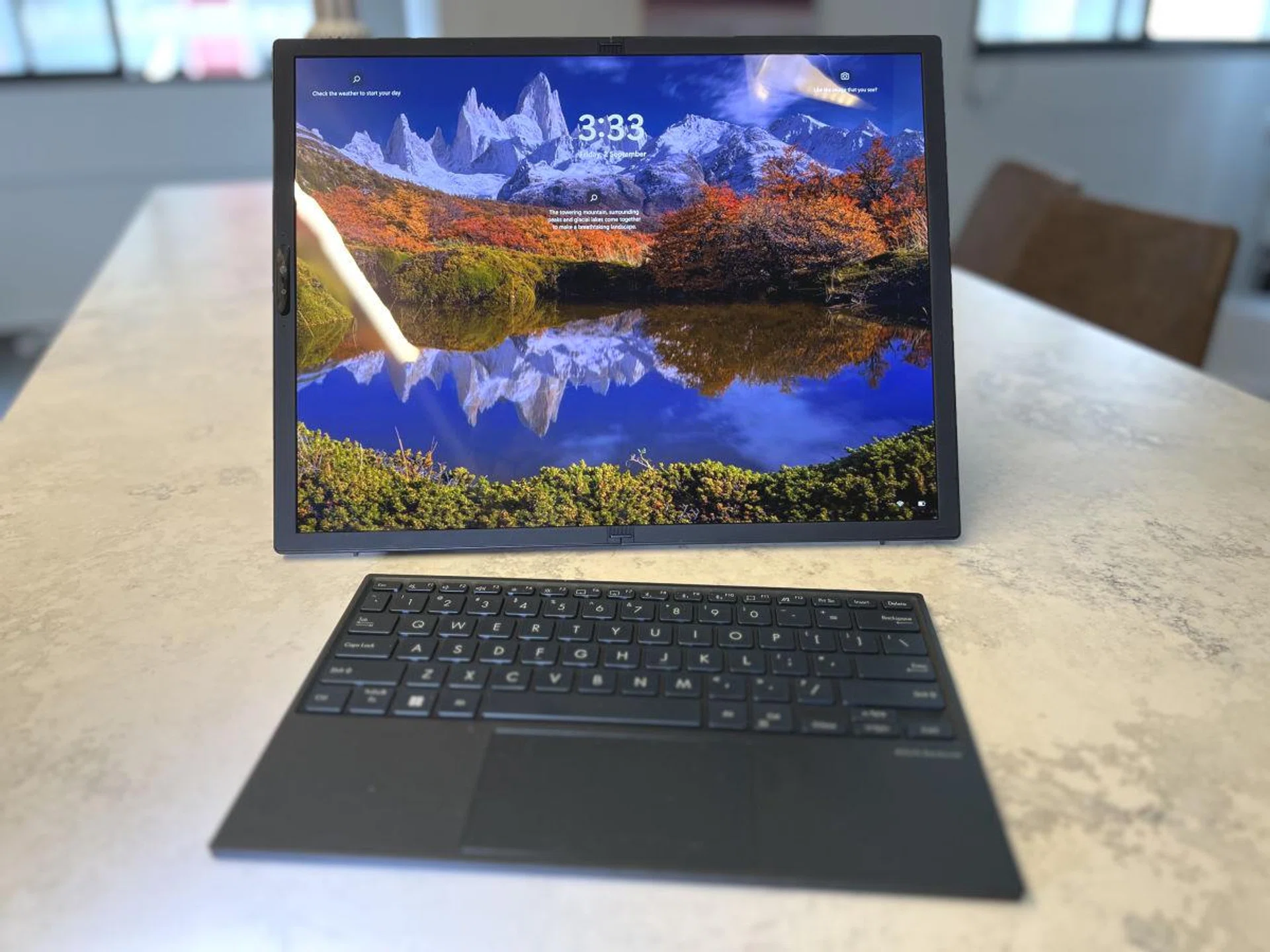
Fully unfolded, you get a 17.3-inch 4:3 aspect ratio AIO computer that you can use on a desk, or a very large tablet PC.
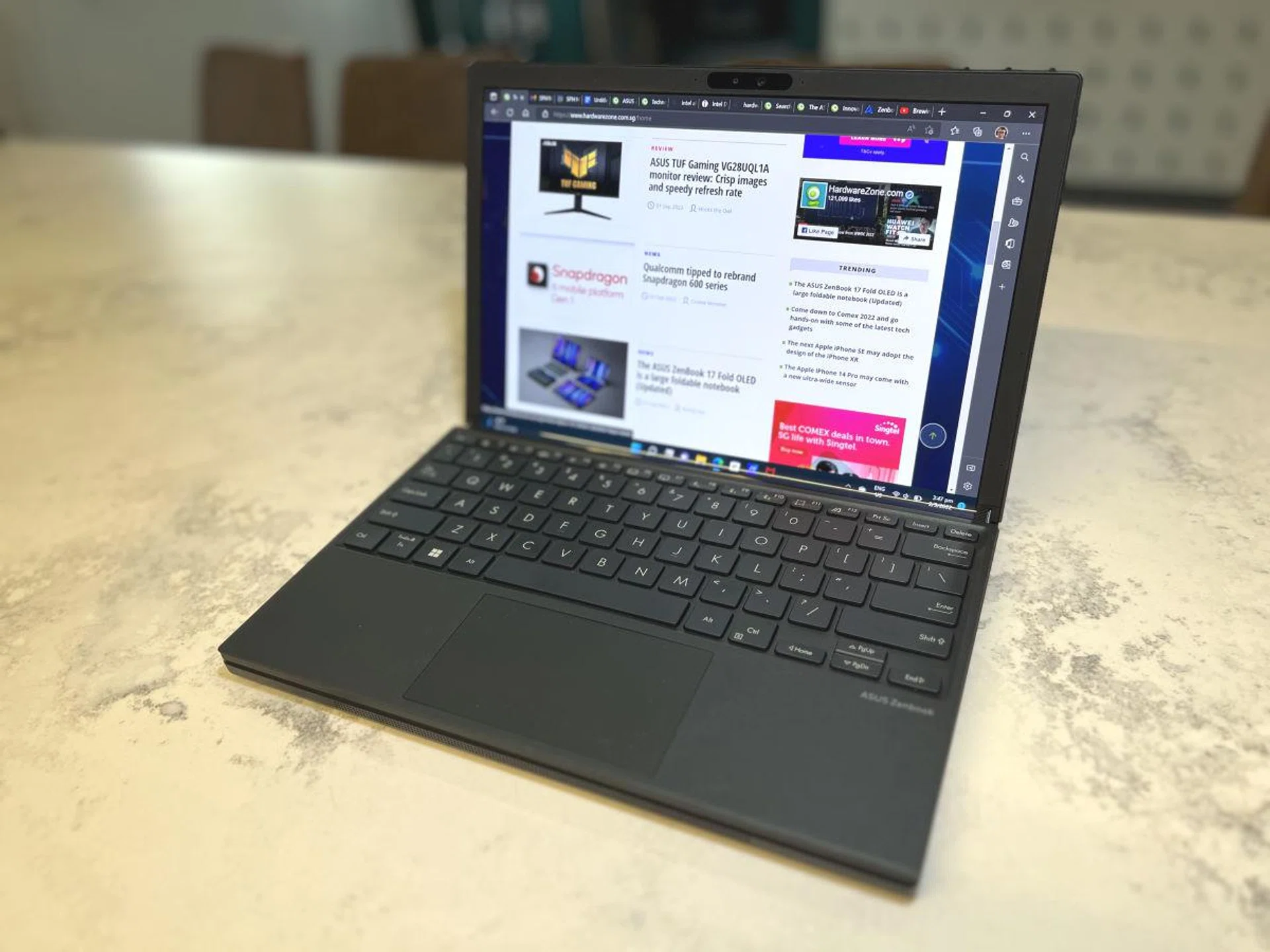
Folded with a Bluetooth keyboard on top, you're looking at a compact 12.5-inch widescreen notebook that's perfect on your lap or smaller work areas.
When I first got the ZenBook 17 Fold, I had intended to dedicate a few days each in both modes just to see what the experience was like, but I had not expected to actually spend most of my time in what Asus calls the “Extended Mode”. This is when I have the ZenBook 17 Fold in its notebook layout, but I use the keyboard on the desk instead of on the bottom half of the ZenBook 17 Fold. This way, I have an angled portrait display where I have either one long 3:4 scrolling window–which I am doing right now writing this review–or two 12.5-inch widescreen landscape windows on the top and bottom half of the notebook to multi-task. While many monitors can be rotated into a portrait mode, this angled experience is really unique. I find myself greatly enjoying working on the notebook in this configuration, and the way content ‘flows’ from the bottom up as I’m reading a website for example, is very soothing.
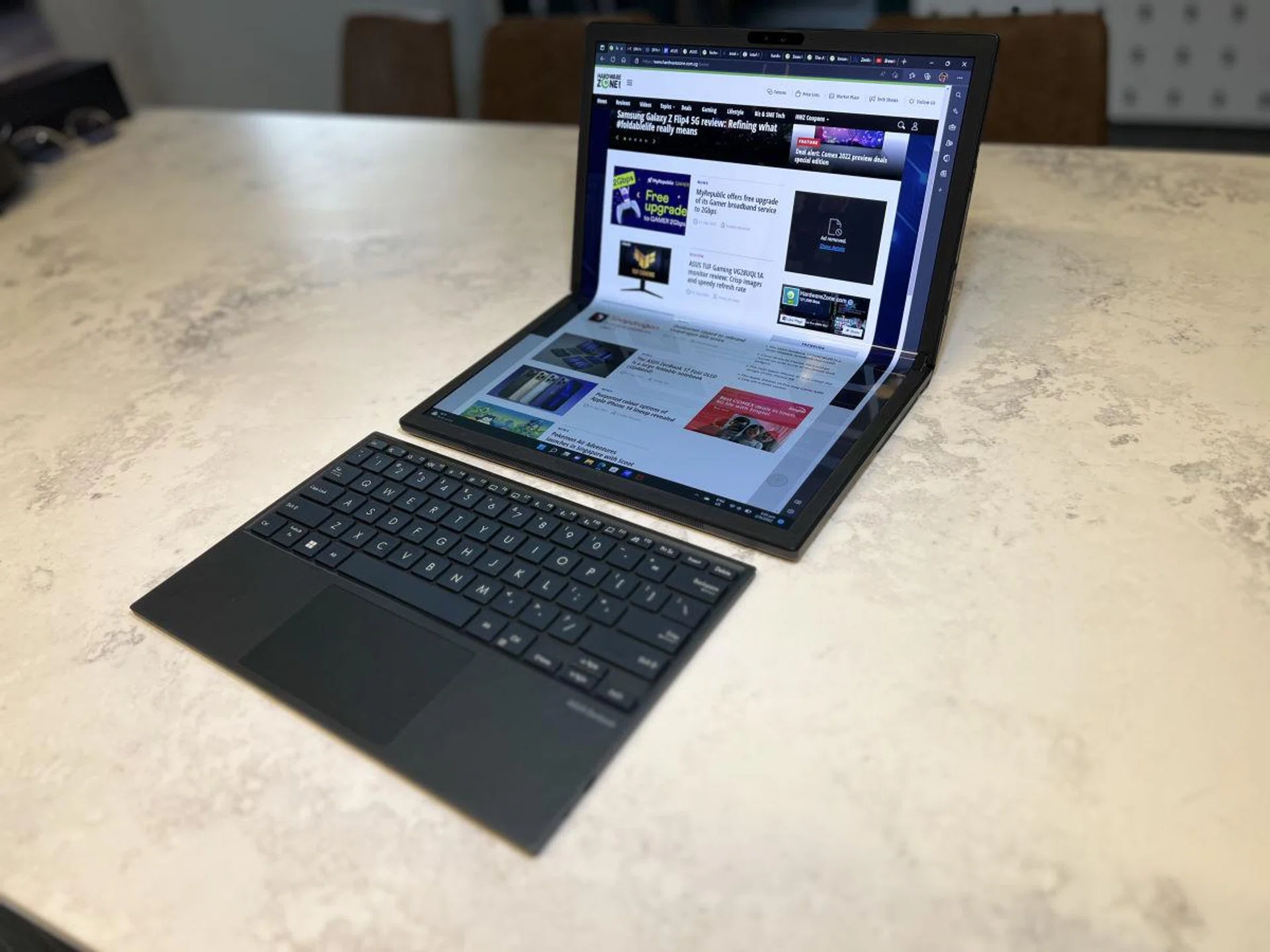
My new personal favourite way to work, the "Extended Mode" where I make use of the full 17.3-inches afforded by the display, but in a 3:4 portrait orientation. The half-folded, angled orientation is actually very comfortable to work in especially for longer documents and for surfing the web.
In terms of software scaling, ASUS seems to have done a decent job with the notebook recognising the orientation it’s in, and whether the keyboard is snapped on, which disables the bottom half of the screen. Running on Windows 11, I had no problem moving and snapping my windows into the top and bottom quadrants as well, if I wanted to custom the look.
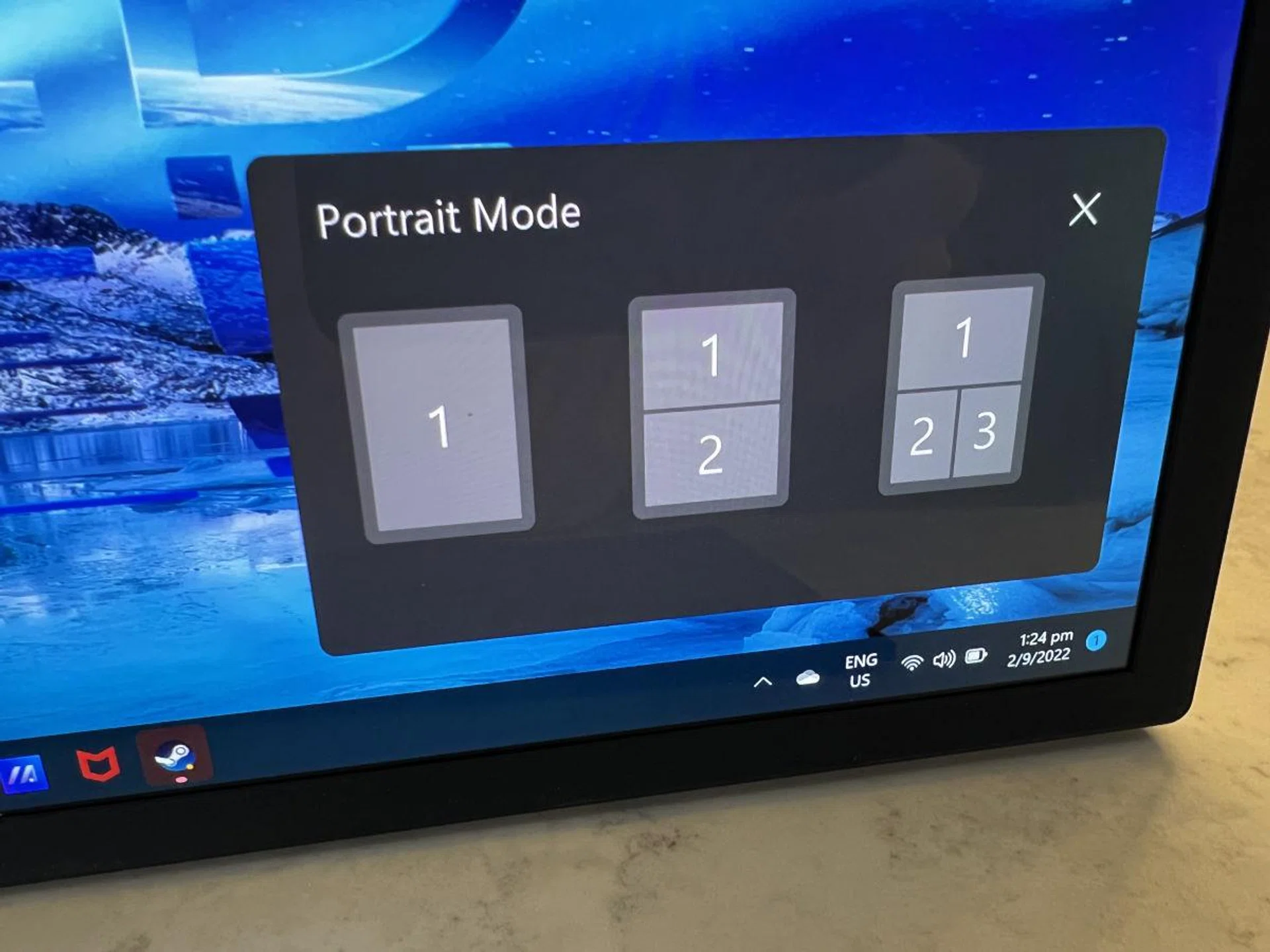
ASUS software does detect when you fold and unfold the notebook and offers some preset window tiling options, though you can easily snap your apps in Windows 11 manually to your preferred quadrants.
Image quality on the ZenFold is amazing. We’ve spoken much about ASUS going all in on OLED for many of their notebooks, even their mainstream range, and this is true for the ZenBook 17 Fold as well. You’ve got a 2,560 x 1,920 pixel display with a nice 4:3 aspect ratio for productivity work, VESA Display HDR True Black 500 certified, with 100% DCI-P3 colour gamut coverage and is Pantone validated. Just let it be known that because I have been using the notebook heavily in Extended Mode, I did notice reflection and colour banding on the bottom display, which is due to the protective film and glossy nature of the display, and not a panel issue. Viewing the ZenBook 17 Fold straight on as a standard display, there were no such problems.
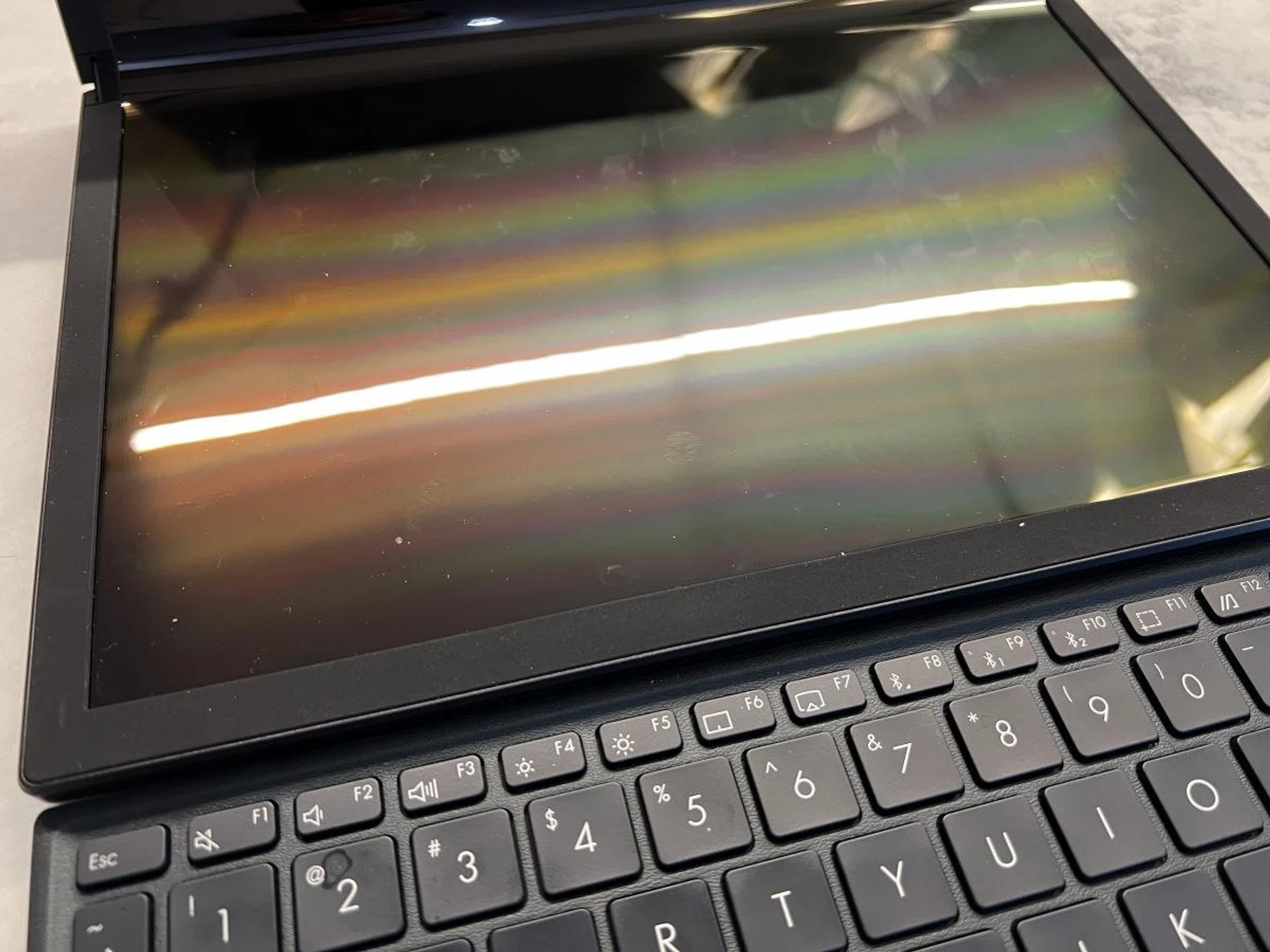
The only downside, a very large glossy touchscreen equals to a lot of fingerprint marks. Also, when using in the Extended Mode, depending on your overhead lighting, you will see reflections or banding on the bottom half of the display.
Now let’s address the ‘crease’, the bane of all foldable devices. ASUS has done a pretty good job with the ZenBook 17 Fold. Due to the size of the panel and wider angle of the fold, the crease is less of a line in the middle, and more of a wide ‘bar’ that’s spread out and less pronounced. It is practically unnoticeable when you’re doing anything with the notebook, though you can feel it by touch when the screen is fully unfolded.
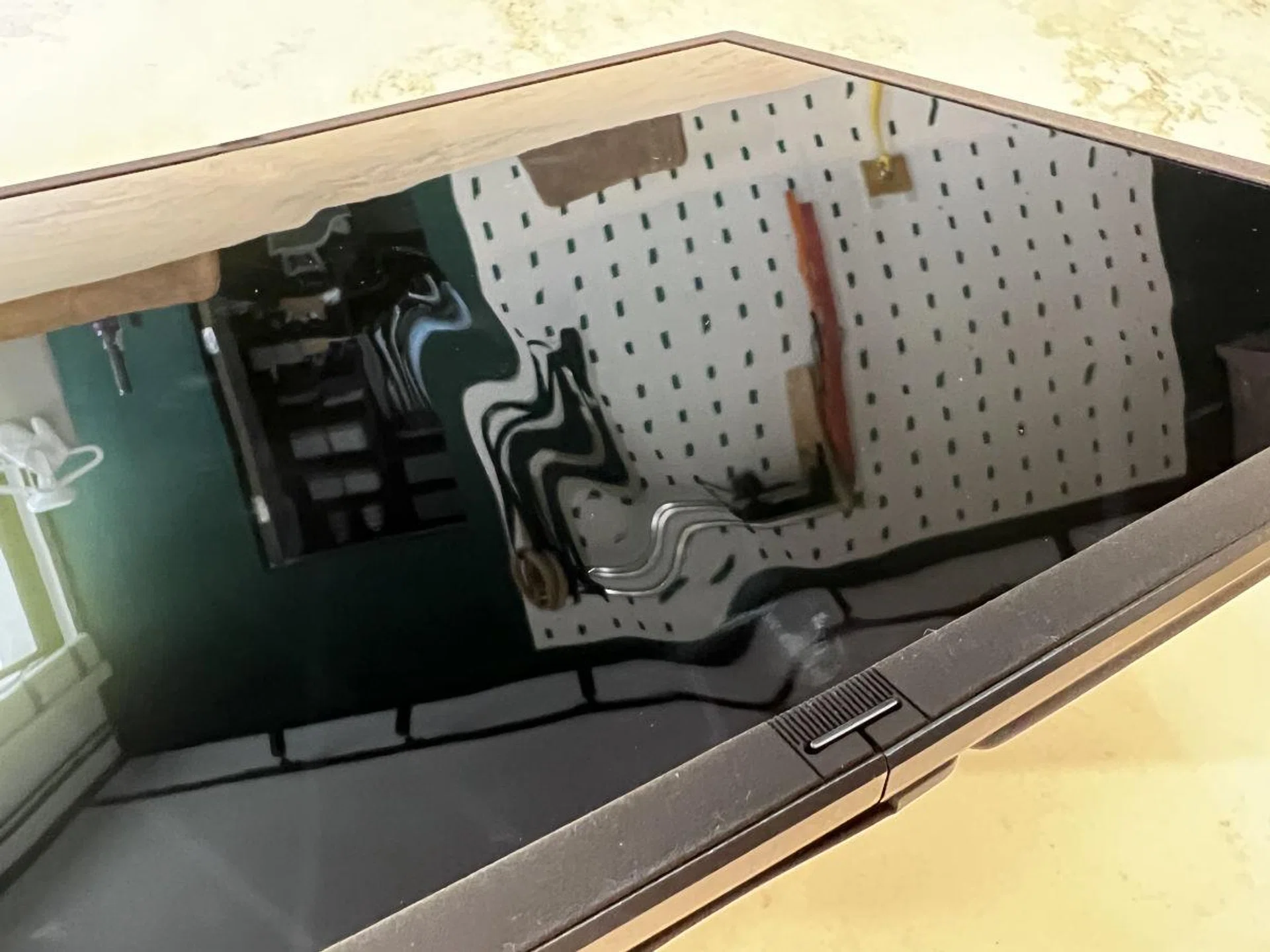
Notice the 'crease' in the middle where the reflection is distorted. This is only really visible when looking for it, but it is a soft, and wide crease, which immediately goes away when you have anything on screen at all.
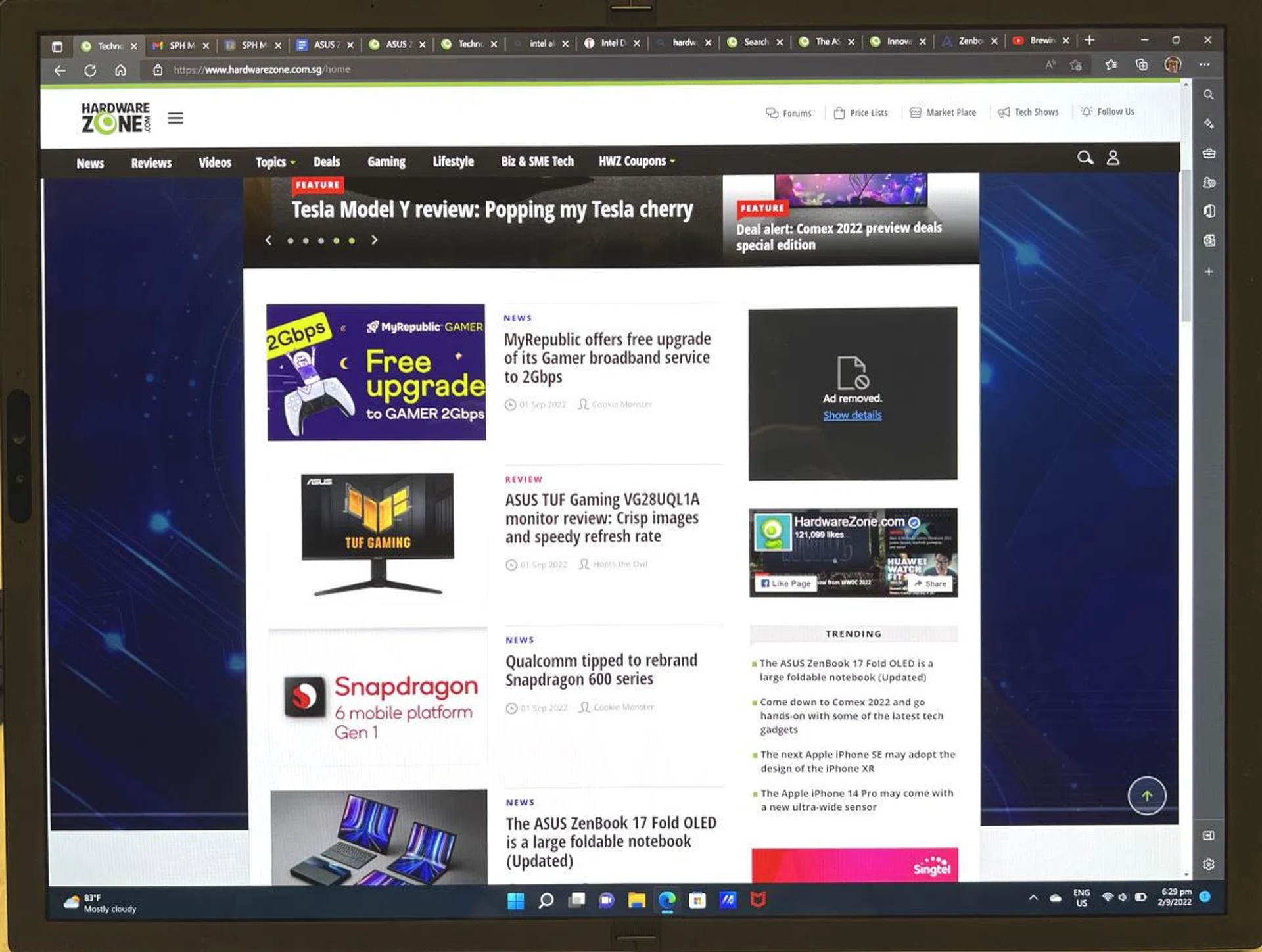
Even when viewing a website with a white background, you will hardly notice the crease when the display if fully unfolded flat.
The notebook has a 87% screen-to-body ratio so the bezels might look slightly thicker when compared with modern flagship notebook displays. However, I have found the extra bezel space to be very helpful when unfolding the notebook. Too many times have I found my thumbs pressing directly on the display when unfolding that I’m now quite conscious about it.
The last thing to note is that even though the ZenBook 17 Fold has a touchscreen display, it is not compatible with any type of digital smart pen, and this seems to be a limitation of the panel in this size according to ASUS. You can use those unpowered, soft-top rubberised styluses though.
Specifications | |
CPU | IntelCorei7-1250U |
Display options | 17.3-inchFoldable OLEDtouchscreen, 2.5K (2,560 x 1,920) 4:3 aspect ratio, 87% screen-to-body ratio,100% DCI-P3 color gamut [Folded] 2 x 12.5-inch(1,920 x 1,280), 3:2 aspect ratio |
Operating system | Windows 11 Pro Windows 11 Home |
Graphics | IntelIrisXe |
Main memory | 16GB 5,200MHz LPDDR5 onboard |
Storage | 1TB PCIe 4.0 x4 NVMe M.2 SSD up to 6500MB/s read speed |
Connectivity | Dual-band Wi-Fi 6E (802.11ax) + Bluetooth 5.2 |
Camera | 5MP AI camera with 3D Noise Reduction HD camera with IR function and IntelVisual Sensing Controller Color sensor for automatic color temperature and brightness control |
I/O ports | 2 x Thunderbolt 4 USB-C, up to 40Gbps, full range (5V~20V) charging, and display output supported 1 x 3.5 mm audio combo jack |
Audio | Quad speaker system with SmartAmp certified by Harman Kardon, Dolby Atmos, AI Noise Canceling Audio |
Battery | 75Whrs lithium-polymer battery |
AC adapter | 65W Type-C power adapter |
Dimensions | Unfolded: 378.5 x 287.6 x 8.7~12.9mm Folded: 287.6 x 189.3 x 17.4~34.5mm |
Weight | Zenbook 17 Fold OLED: 1.5 kg ErgoSense Bluetooth® keyboard: 300 g |
Construction
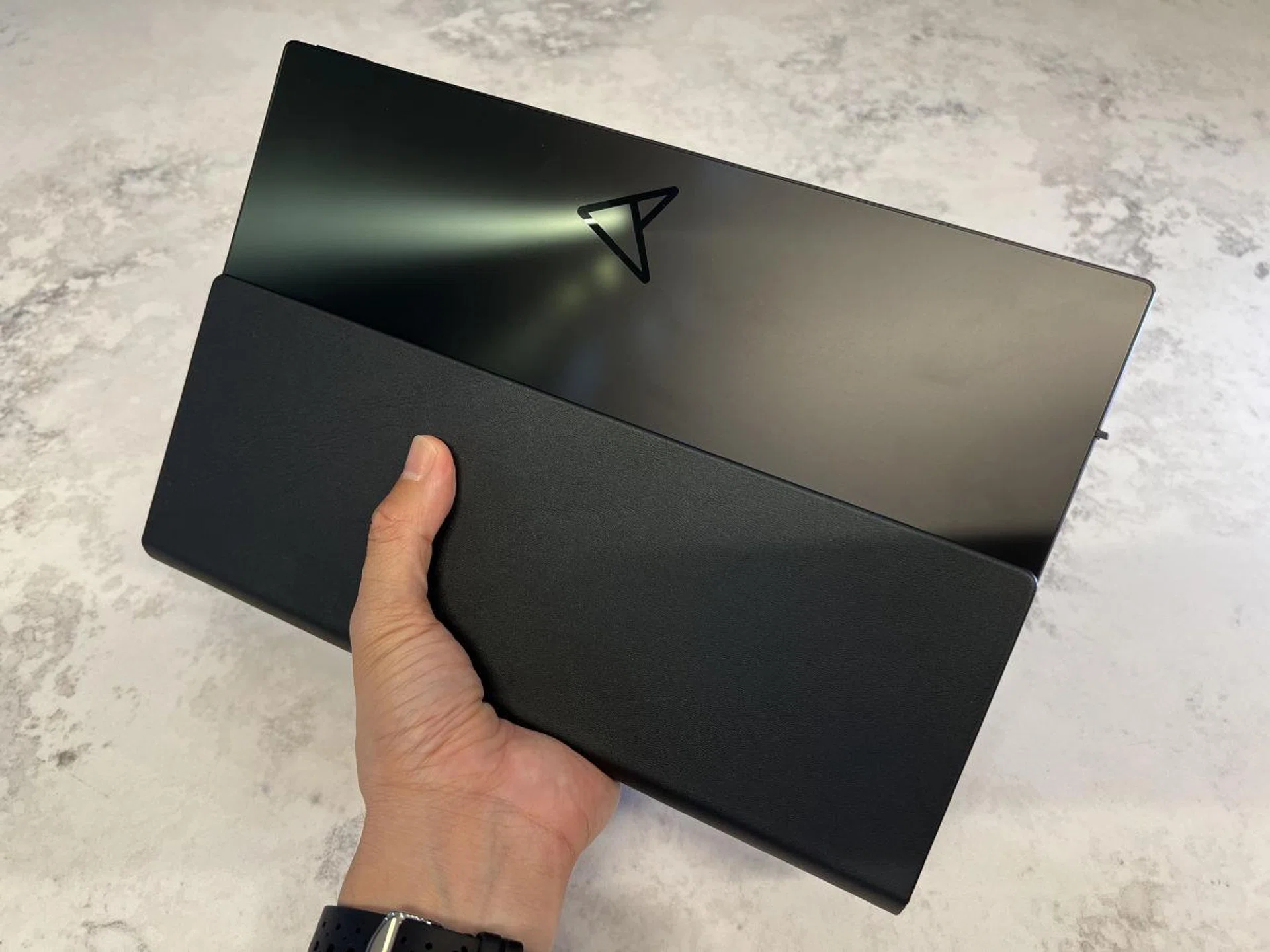
For the ZenBook 17 Fold, ASUS basically sourced the largest possible folding OLED display they could find. So if you’re asking why it is this particular size and resolution, that’s simply because there are no others in the market like it. And because of its size, ASUS had to take greater measures in designing the chassis of the notebook. Even though it is a folding notebook, the chassis has no flex at all, and the hinge mechanism is solidly built. This ensures that the display stays at any angle you leave it, as well as protecting the panel from irregular flexing; ASUS claims to have tested it up to 30,000 open/close cycles. There is an outer leather cover that helps protect the hinge from dust, and also does triple duty as a flip out stand and hand grip. Overall, I’m very impressed with how rigid the entire construction of the ZenBook 17 Fold.
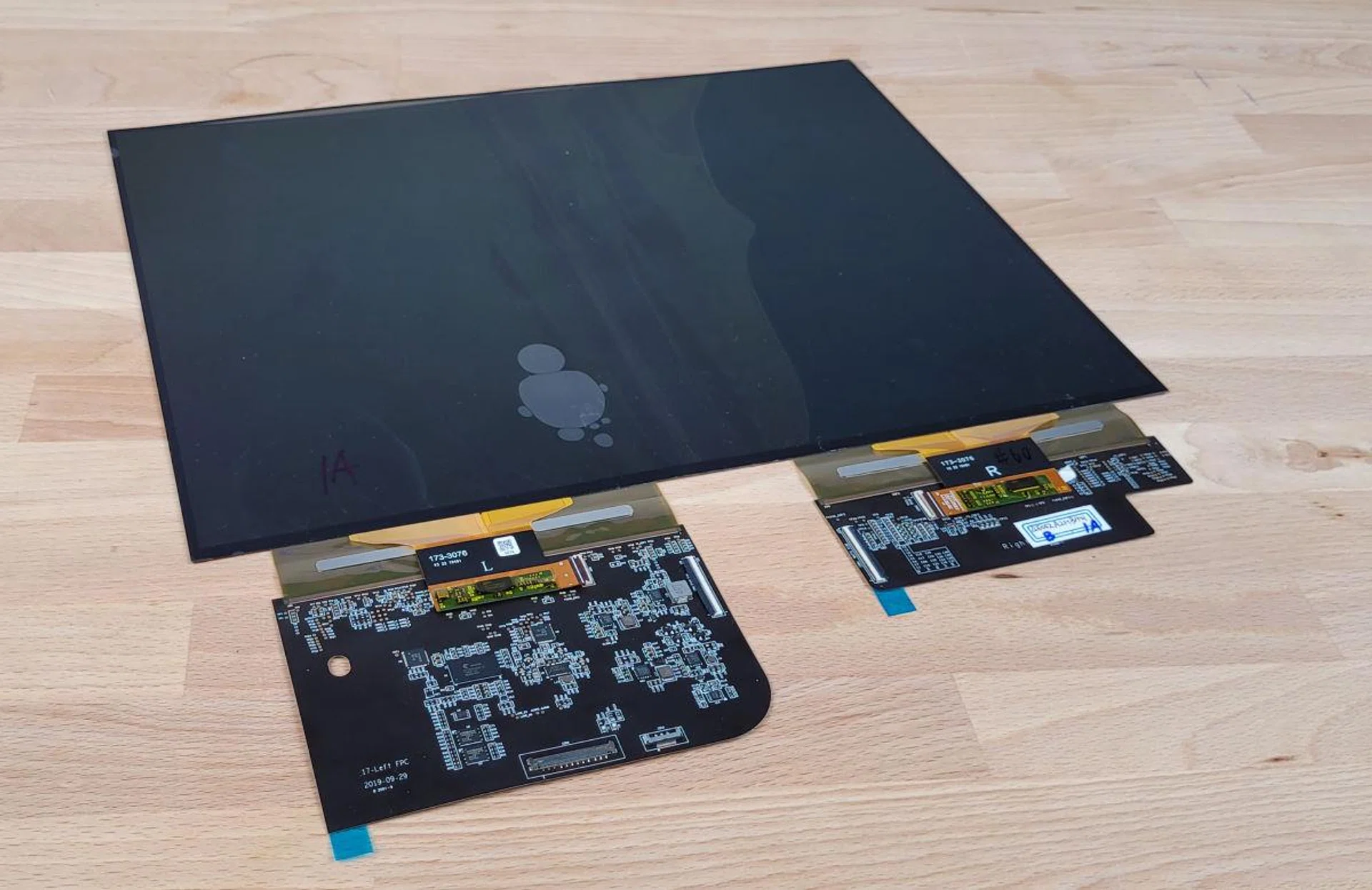
The flexible OLED panel itself with display controllers. (image Source: ASUS)
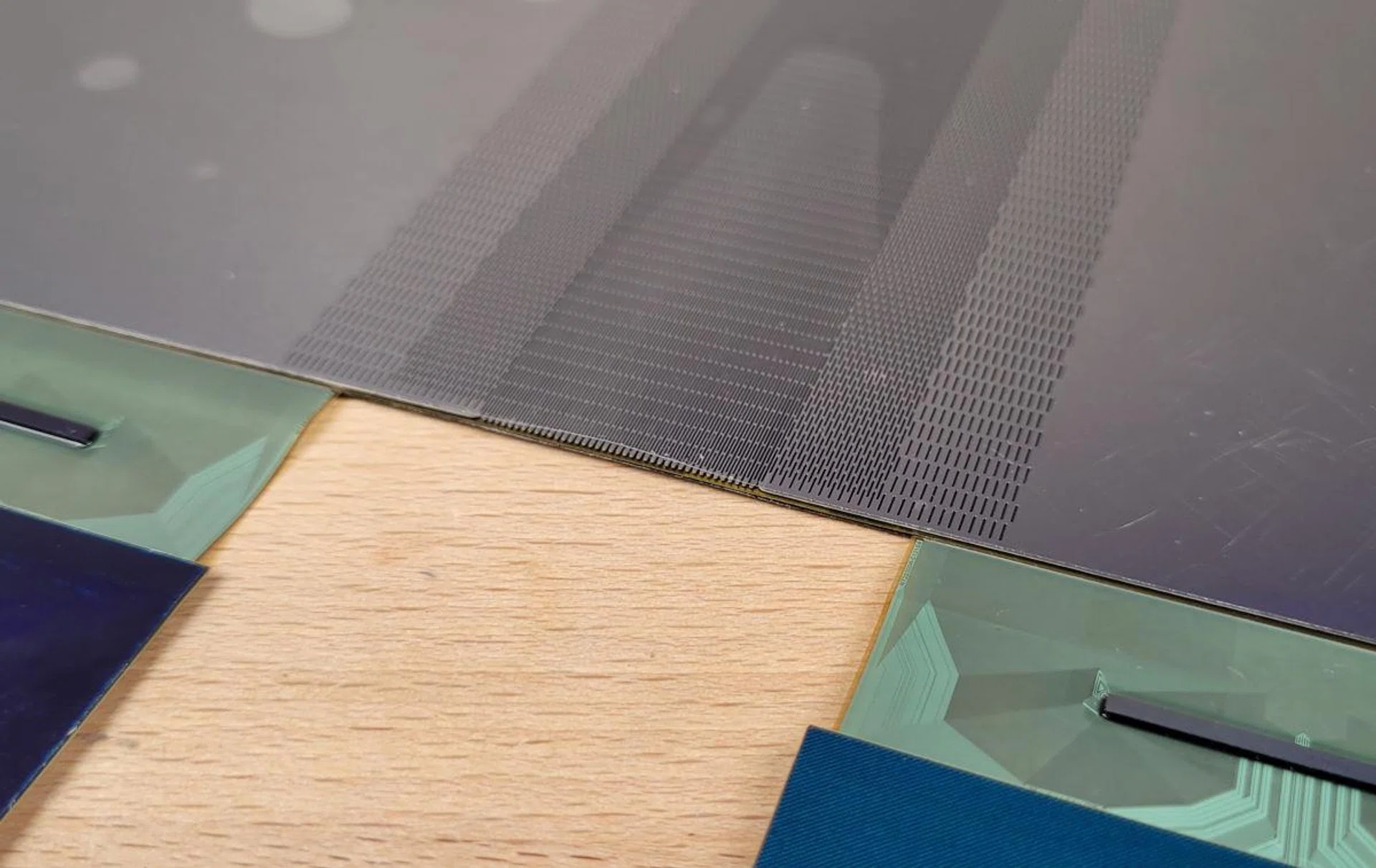
Zooming in really close to the panel, and you'll see that there are multiple layers of protection as well as support to ensure it withstands constant folding and unfolding. (Image Source: ASUS)
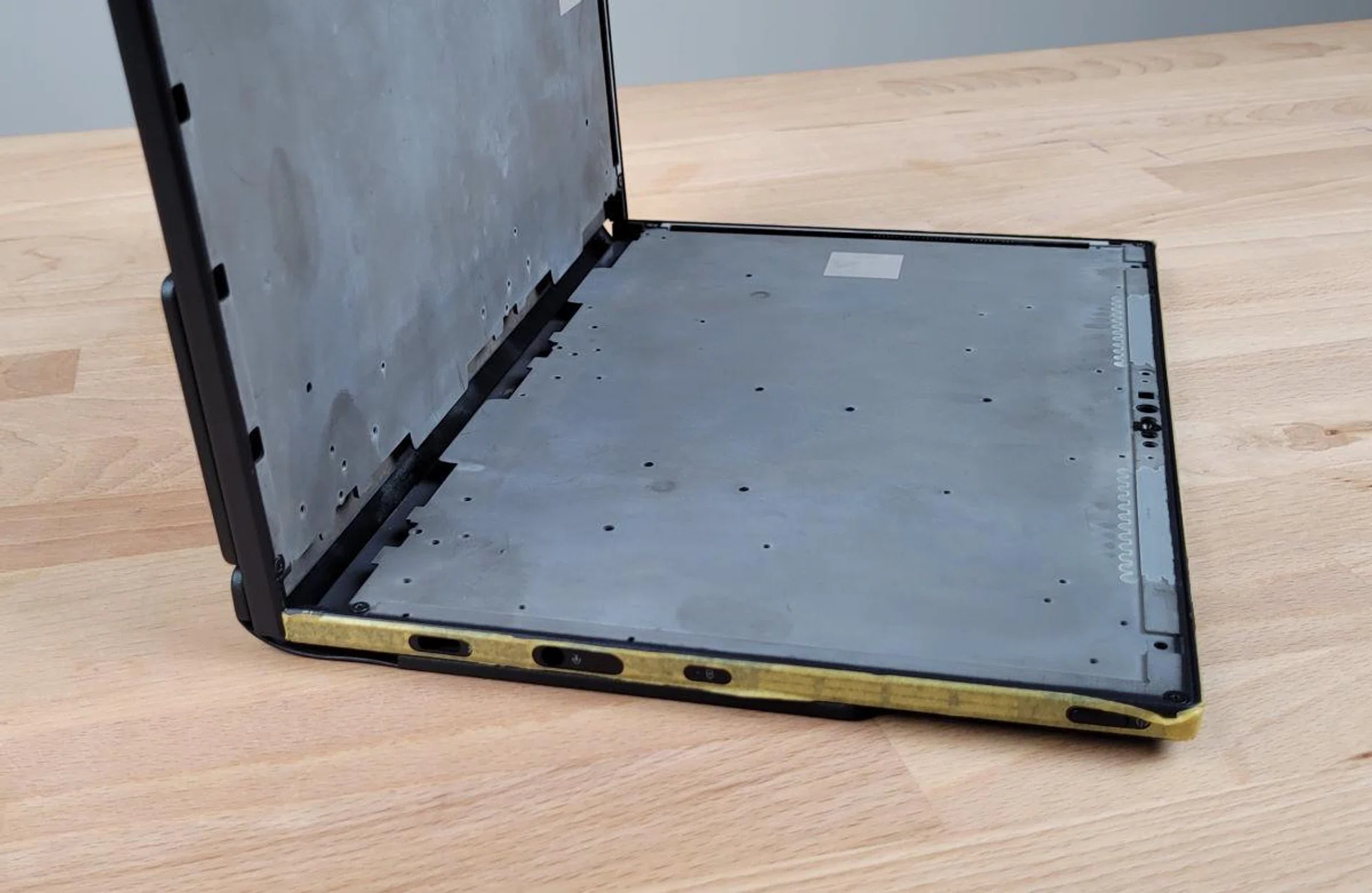
Inside look of the chassis without the display. (Image Source: ASUS).
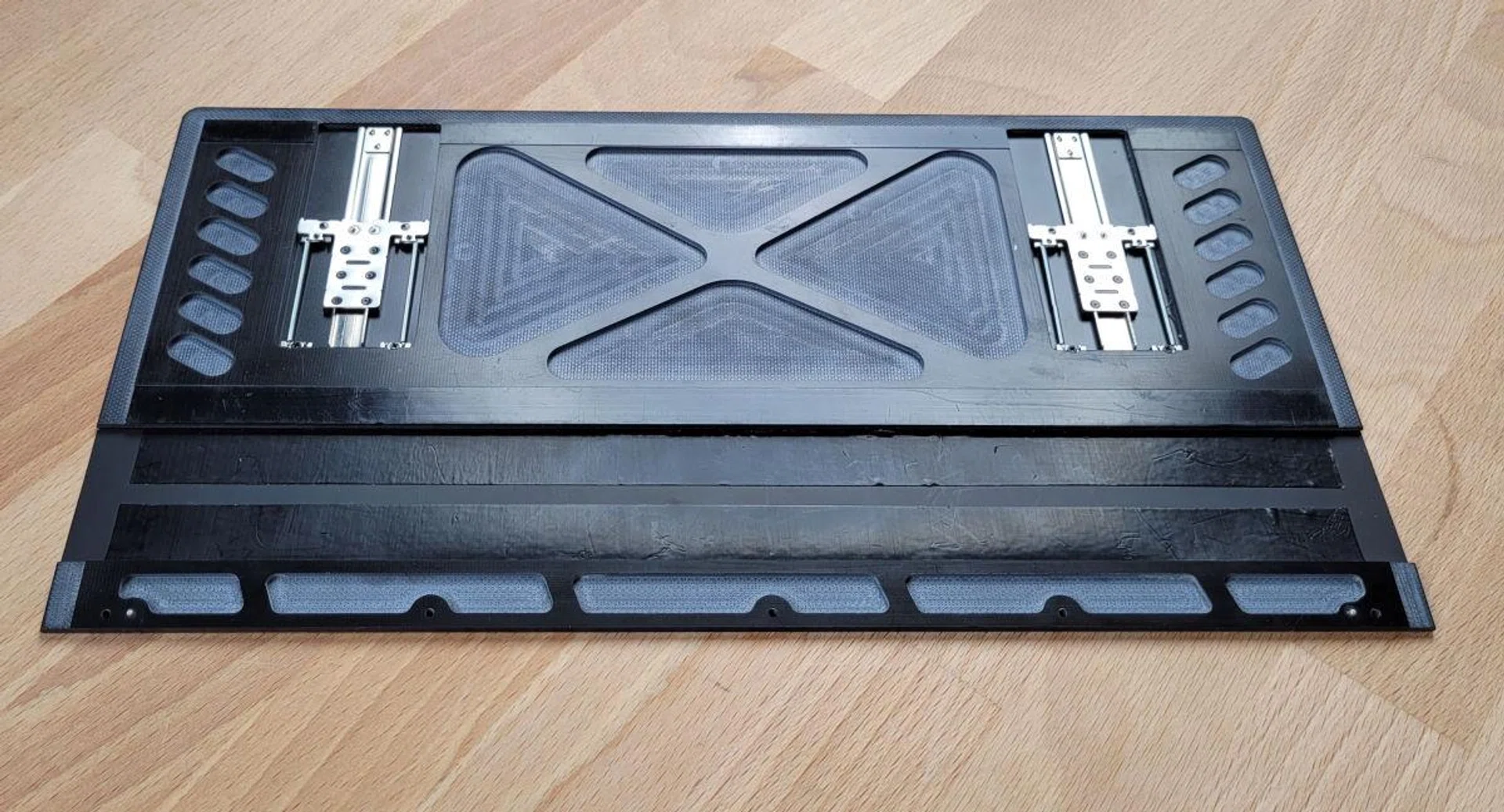
Inside view of the protective leather cover. Even this has some bit of engineering to accommodate for expansion and contraction when folding and unfolding the notebook. (Image Source: ASUS).
Other Features
The included ErgoSense Bluetooth keyboard on the other hand, is a hit and miss. It does have a decent 1.4mm of key travel, making good work of typing, and I do like the texture of the palm rests, which feel solid at the sides. As you get close to the middle though, you’ll start noticing a greater amount of flex. This is not so much of a problem when the keyboard is placed on a flat table, but when it is used on the notebook itself, this flexing is very apparent. Maybe this is a subconscious reason I’ve been using it in Extended Mode so much more as well.
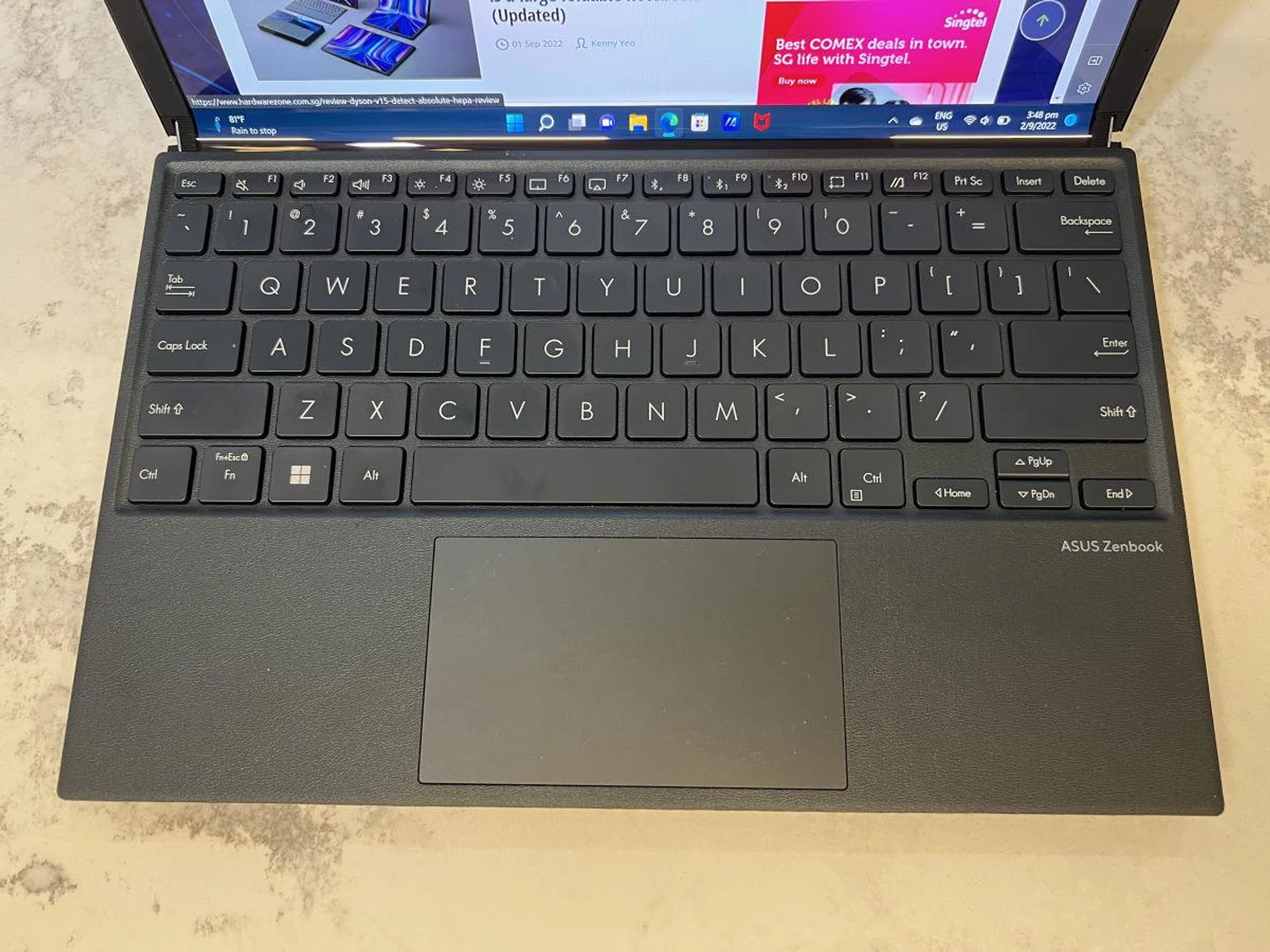
The ErgoSense Bluetooth keyboard is nice to type on, with a large trackpad area and solid, textured palm rest areas, but there is a lot of flex in the middle as you type since the keyboard rests above the display..
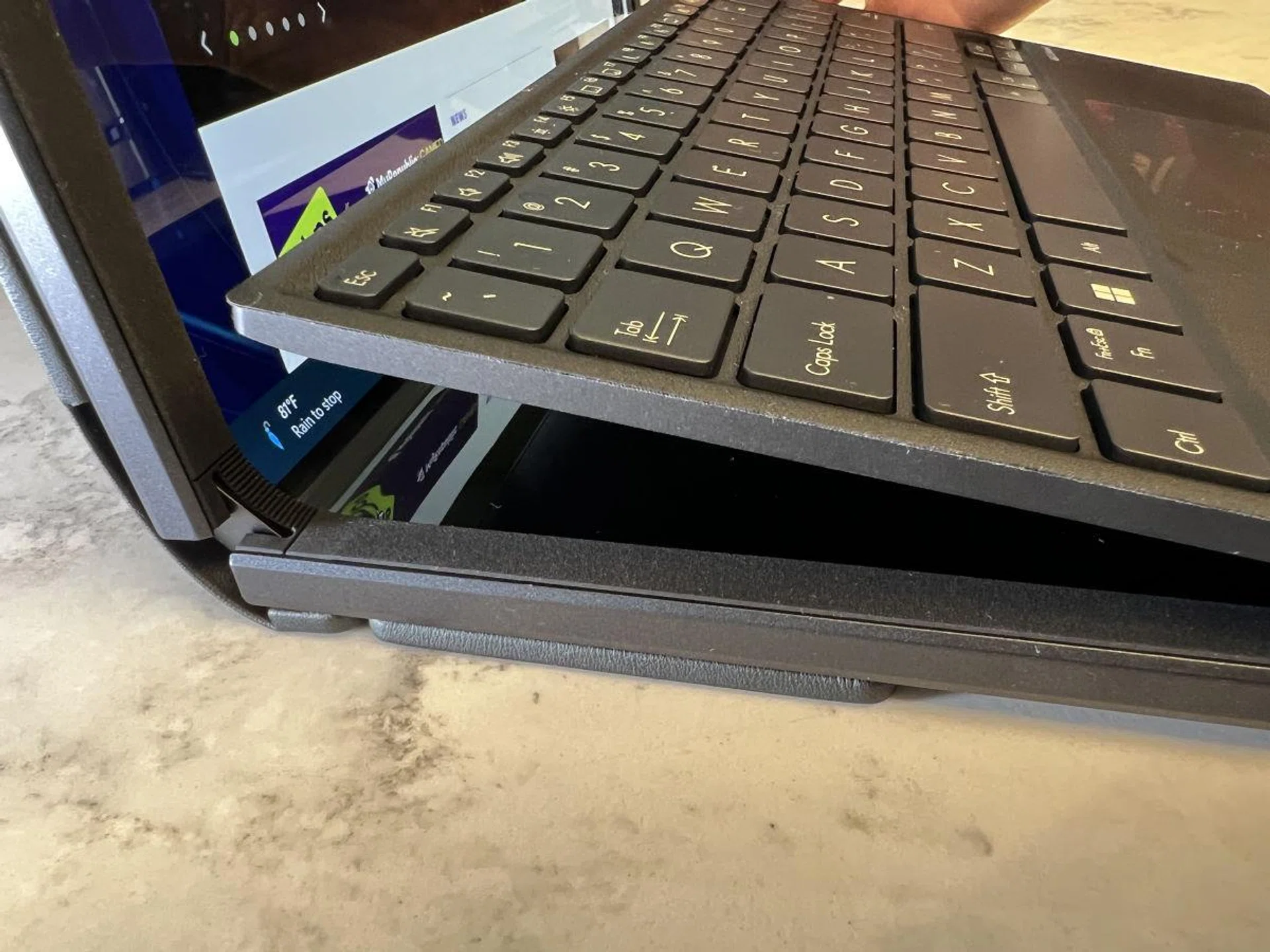
The magnetic Bluetooth keyboard snaps onto the frame of the notebook which will deactivate the bottom half of the screen.
Onto the other functions. The ZenBook 17 Fold is built more like a tablet than a notebook. Because it is literally all screen and battery, there are basically no ports at all except for two Thunderbolt 4 ports which support Power Delivery charging and Display. It does weirdly have a combo 3.5mm jack though. This is where we get back to the point where the ZenBook 17 Fold can’t really be used for gaming even though it will technically run casual or older games like Counter-Strike Global Offensive just fine. Everything has to be connected via Bluetooth, so even if you can get your game to run decently at low settings, input lag is horrendous. And if you think it’ll run popular mobile games like Genshin Impact. Think again. You’re better off playing on your phone.
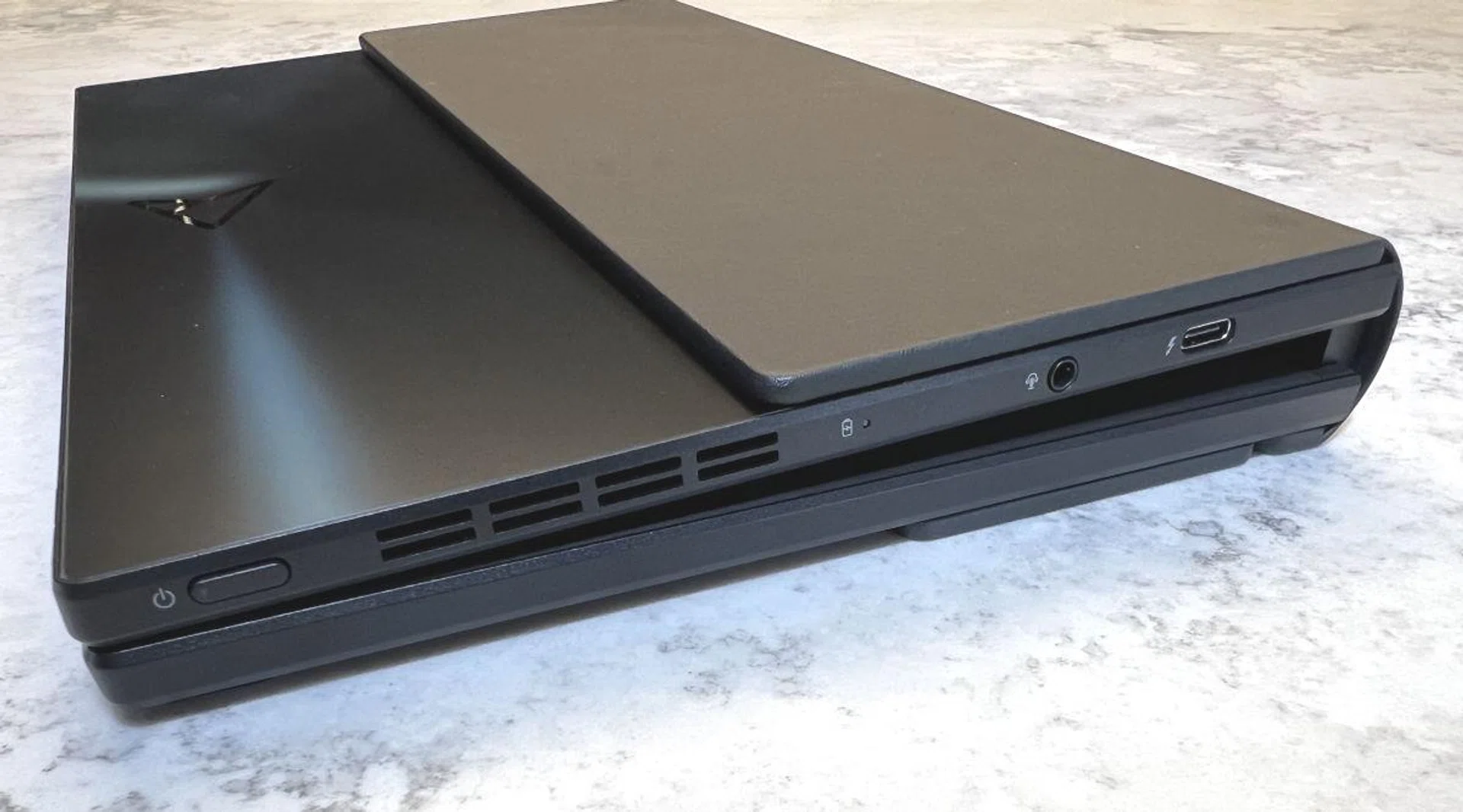
Basically the only ports you get are 2 x Thunderbolt 4 and 1 x commbi 3.5mm audio jack. This picture shows one Thunderbolt 4 port on the side, while the other port is on the top corner on another side of the chassis.
Audio-wise, the ZenBook 17 Fold has Harmon Kardon speakers running along both sides of the chassis, but hearing experience will depend on the orientation you have it in. When it is fully unfolded and on its kickstand, the two speakers face left and right, giving you decent stereo separation and balanced loudness. When it is in notebook mode however, the two speakers are at the top and bottom where the top is firing upward, and bottom is firing toward you. This creates a rather odd floating audio sensation. And the bottom speaker bounces off table surfaces rather harshly, which can create an artificial shrillness at higher volumes.
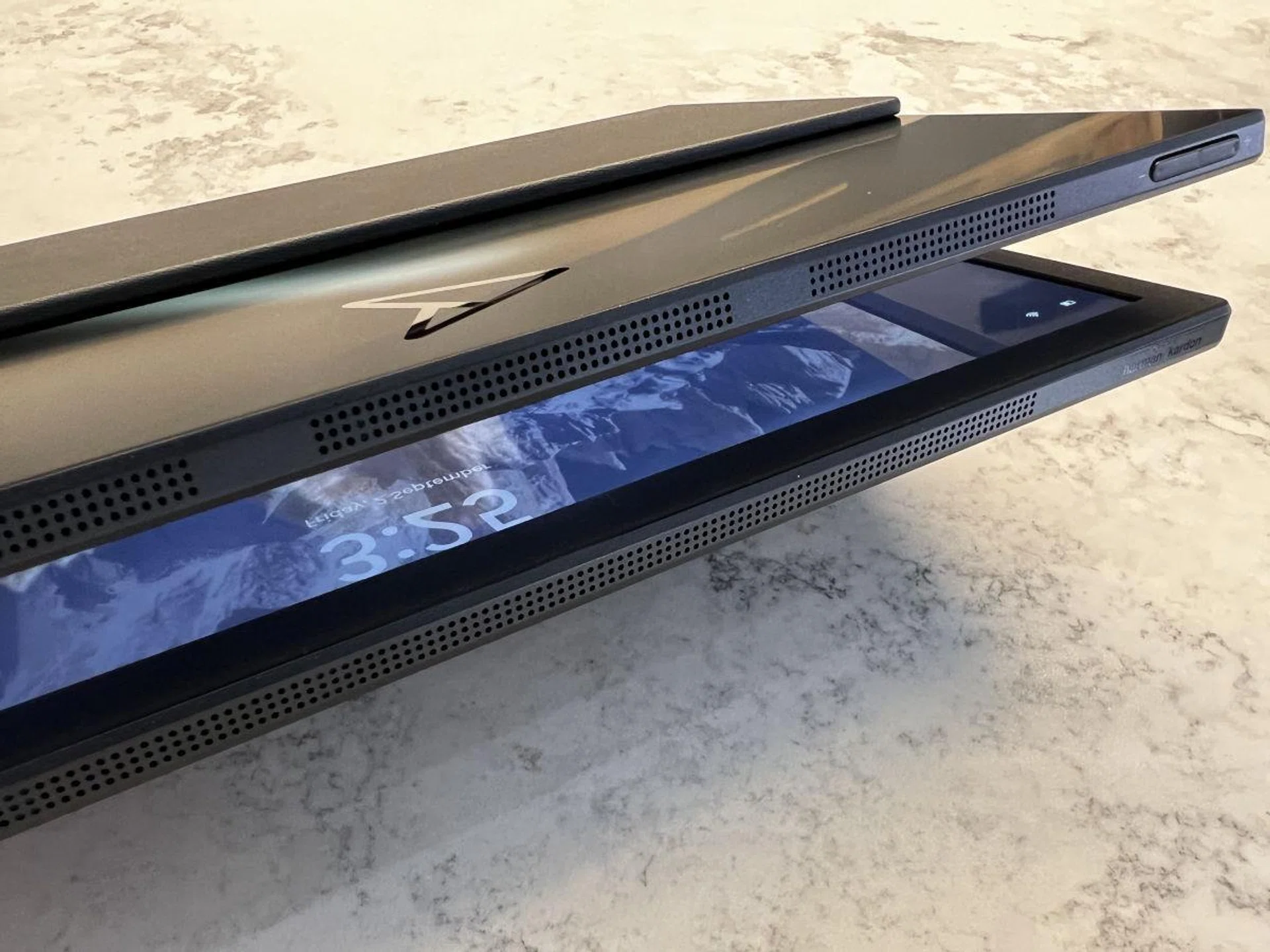
Speaker grills along the top and bottom of the chassis.
The speaker issue, as well as some other design nitpicks that I have–such as port locations and these two little plastic ‘feet’ on one side of the chassis–isn’t necessarily an obvious flaw, but a necessary evil considering the nature of the notebook, which is basically one large screen that you can rotate and place in various positions. Because of this, ASUS had to make decisions to ensure that there is a clear top and bottom orientation, so as not to block the exhaust port. Now, since this is a foldable notebook, you’re also going to find that the ZenBook 17 Fold is a chunky boy when folded, but if you think about it, the notebook is really just an 8.7mm thin AIO, and 1.5kg for a 17.3-inch computer isn’t all that bad.
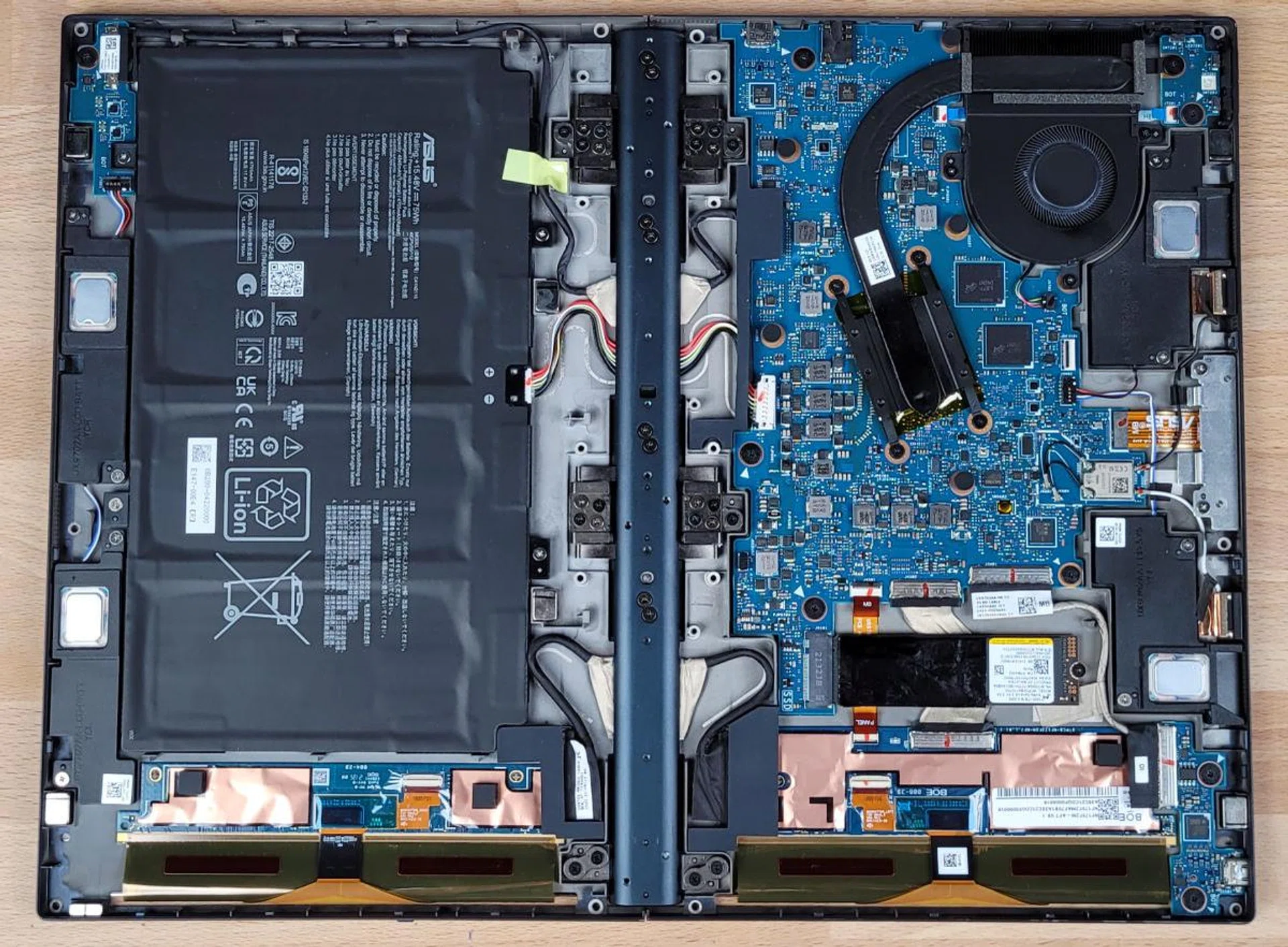
One half of the ZenBook 17 Fold is basically all battery,, which is why all the ports are only at the other side. (Image Source: ASUS)
Conclusion
The final note to this review is of course price. The ZenBook 17 Fold OLED has only just officially launched with a US$3,499.99 price tag. That’s close to S$5,000. Local price and availability in Singapore has not been announced, and as such removed from my consideration of scoring this review, but you can be sure that it will not be an affordable device. You’re paying for the latest in foldable display innovation and design, which I feel ASUS deserves for the engineering that went into making the ZenBook 17 Fold OLED possible.
Speaking strictly from the perspective of a workhorse notebook, where productivity and value is important, the ASUS ZenBook 17 Fold OLED is going to give you the kind of performance you’d expect from a mainstream Ultrabook. And with limited connectivity ports, you’re looking at a tablet-style work environment with plenty of Bluetooth peripherals and a dock of some kind. In truth, you will be better off served by the excellent ASUS ZenBook 14 OLED instead. At under S$2,000 for an OLED notebook with a P-Series Alder Lake processor, there is a reason why it’s in our top 5 best Ultrabooks to buy in 2022.
However, like the original Lenovo ThinkPad X1 Fold before it, the ZenBook 17 Fold OLED is a technological statement piece of its time. This is how far advanced we’ve come in two years since. While Lenovo was first to market. ASUS is the first to make the concept actually work as a primary computer. After using the ZenBook 17 Fold OLED for a week, I don’t feel like I’m testing a prototype device. In fact, I am fully enamoured by the versatility of a foldable computer. It is a compact notebook when space is a concern, a mega entertainment tablet on the go (be prepared for stares when you do this on public transport), and my new personal favourite angled portrait mode, a form factor that’s unique to a flexible screen.
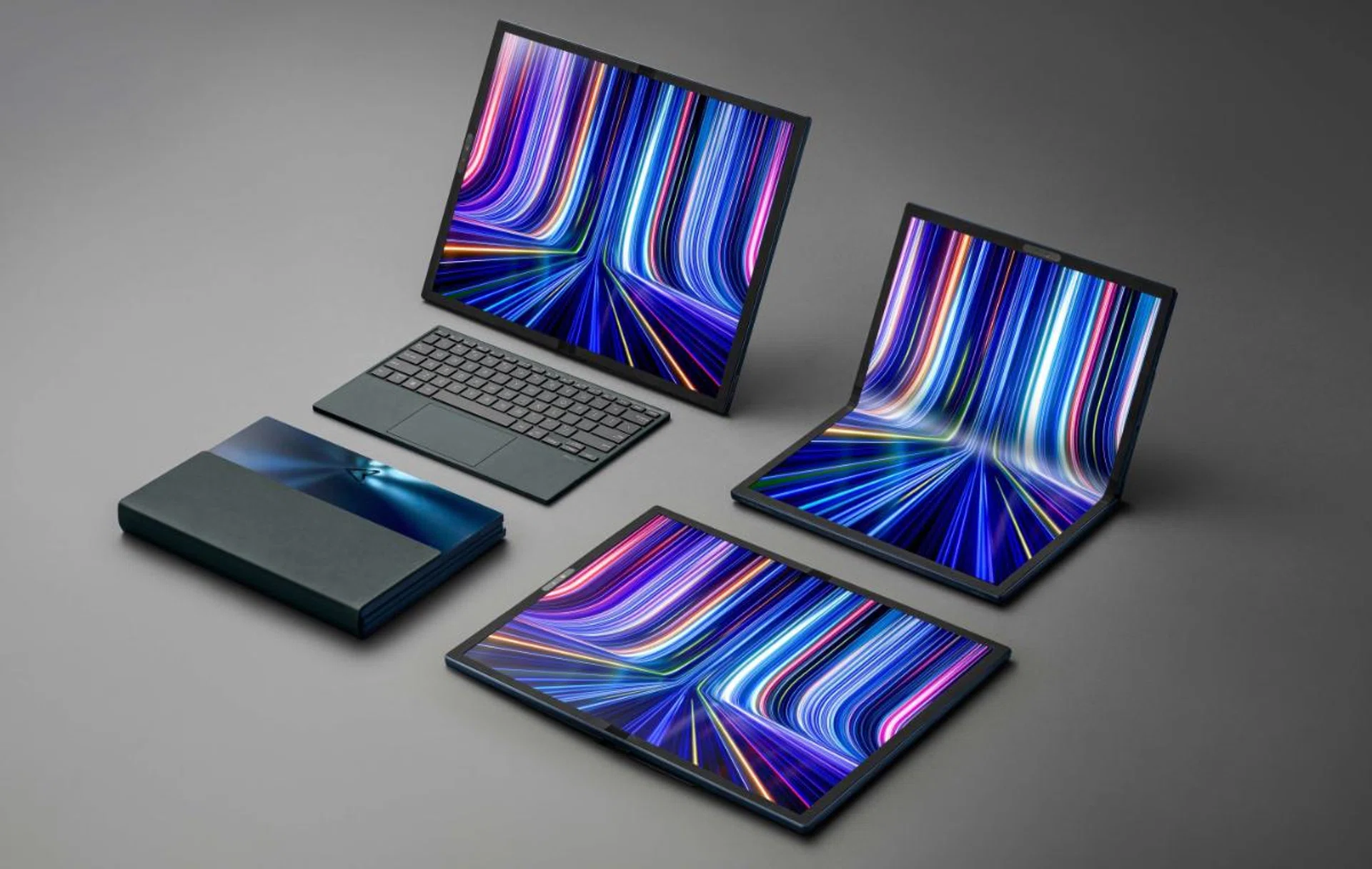
All ASUS ZenBook 17 Fold OLED configurations (Image Source: ASUS)
ASUS has been experimenting with many non-traditional mobile formats of late, from dual-display notebooks to gaming tablet hybrids, and they can now add another notch to that belt. Foldable notebooks are a reality, and we can only get better from here.
However, with retail availability still a few months away, and Lenovo having just announced their 2nd generation ThinkPad X1 Fold with a cheaper price, the ZenBook 17 Fold OLED might have greater competition right out of the gate than ASUS expects it to have.
Design | Features | Performance | Value | Mobility | Overall |
9.0 | 8.0 | 7.5 | N/A | 8.0 |  |
Our articles may contain affiliate links. If you buy through these links, we may earn a small commission.