
Elevating Businesses the HP Way!
Mulitseat Computing, client automation, extra long life battery, new notebooks loaded with business, protection and productivity tools and more were some of the star highlights of the day at HP 2010: Elevate event. Find out how HP is upping their business solutions in several small ways that come together enabling IT to work smarter for you and the office.
HP Simplifies and Elevates Business Solutions for All Sectors
Mulitseat Computing, client automation, extra long life battery, washable keyboards, new notebooks loaded with business, protection and productivity tools, mobile thin clients and more were some of the star highlights of the day at HP 2010: Elevate event held a few days ago.
Now that we're recovering from the economic doldrums of 2009, things are looking up in 2010 as many industry sectors are putting in place new business plans to make up for the lost time and opportunities during those cautious times. HP, the world's largest IT company understands this general sentiment perfectly and is leveraging on this to announce several new updates to their business product line-up and services that are designed for efficiency, scalability and available at an affordable price point.
The HP Elevate event was held in Jakarta, Indonesia on 17th and 18th March 2010.
For this major SMB announcement, HP chose Jakarta in Indonesia to share their latest updates to the media, industry partners and customers. After China, India and the USA, Indonesia has the fourth largest population in the world at 231 million that's spread across 17000 islands spanning a distance of 5271km (which is bigger than the USA). Couple the size and population with the fact that Indonesia currently has the lowest PC penetration rate in the Asia Pacific and it becomes crystal clear that the country has tremendous untapped growth potential. It's without a doubt why HP strategically chose to showcase their updated range of business solutions in Indonesia.
Taking the entire Southeast Asia with a combined total of 600 million in population, the entire region is the third fastest growing economy in the world according to analysts. Considering that only the capitals of these countries are well developed, there's definitely plenty of room for growth. Indonesia itself is responsible for more than a third of that population, so the country's continued development is vital for the entire region's outlook in the near future and all signs point to it being a powerhouse in this region.
But improving and developing the IT infrastructure is no small matter in the bulk of these developing countries and other emerging markets as they often face issues from several other factors like the general city/country's infrastructure (power, transportation, water, etc.), government policies and restrictions, lack of education to enlighten business owners of IT advances or advantages, and finally affordability. On HP's part, to alleviate some of these issues, this week's launch of SMB services and products are targeted at simplifying IT for three different sectors:- education, retail and business owners. While developed for the emerging markets, many of these will fit perfectly fine in developed nations as you'll soon see.
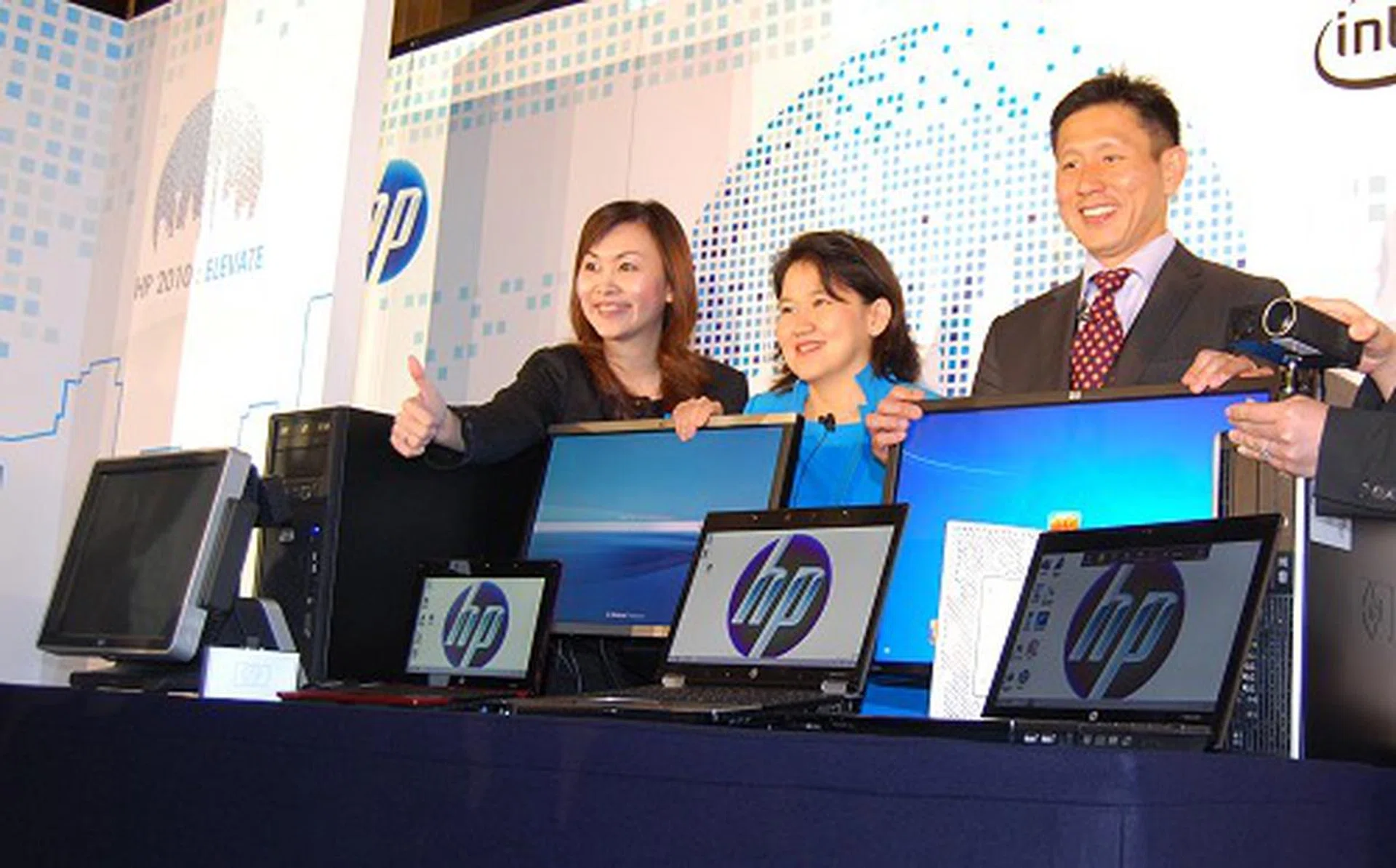
From the right - Posing here to unveil some of the newest SMB class products are Ng Tian Chong, Vice President (SEA, TW and Korea) of Personal Systems Group, HP and Megawaty Khie, Managing Director of Personal Systems Group HP Indonesia.
While many of the products and services can be useful in many other verticals, we'll showcase them by the original intended usage sector where possible for maximum impact of these solutions.
For the Education Sector
Among the most interesting solutions at the event is the new HP Multiseat Computing solution. HP wanted to simplify IT in the education sector for quicker, easier to maintain and more rapid deployment for small group usage. Many schools don't have the luxury of a dedicated MIS team in the developing countries and more so in the rural areas. So unlike thin client setup infrastructure (considering central manageability), which requires networking know-how and a server, HP eliminated the traditional thin clients and the networking layer altogether. HP's Multiseat Computing involves a host PC (the server if you will), multiple Multiseat devices (a form of thin client device) and the specially Microsoft MultiPoint Server 2010 operating system.
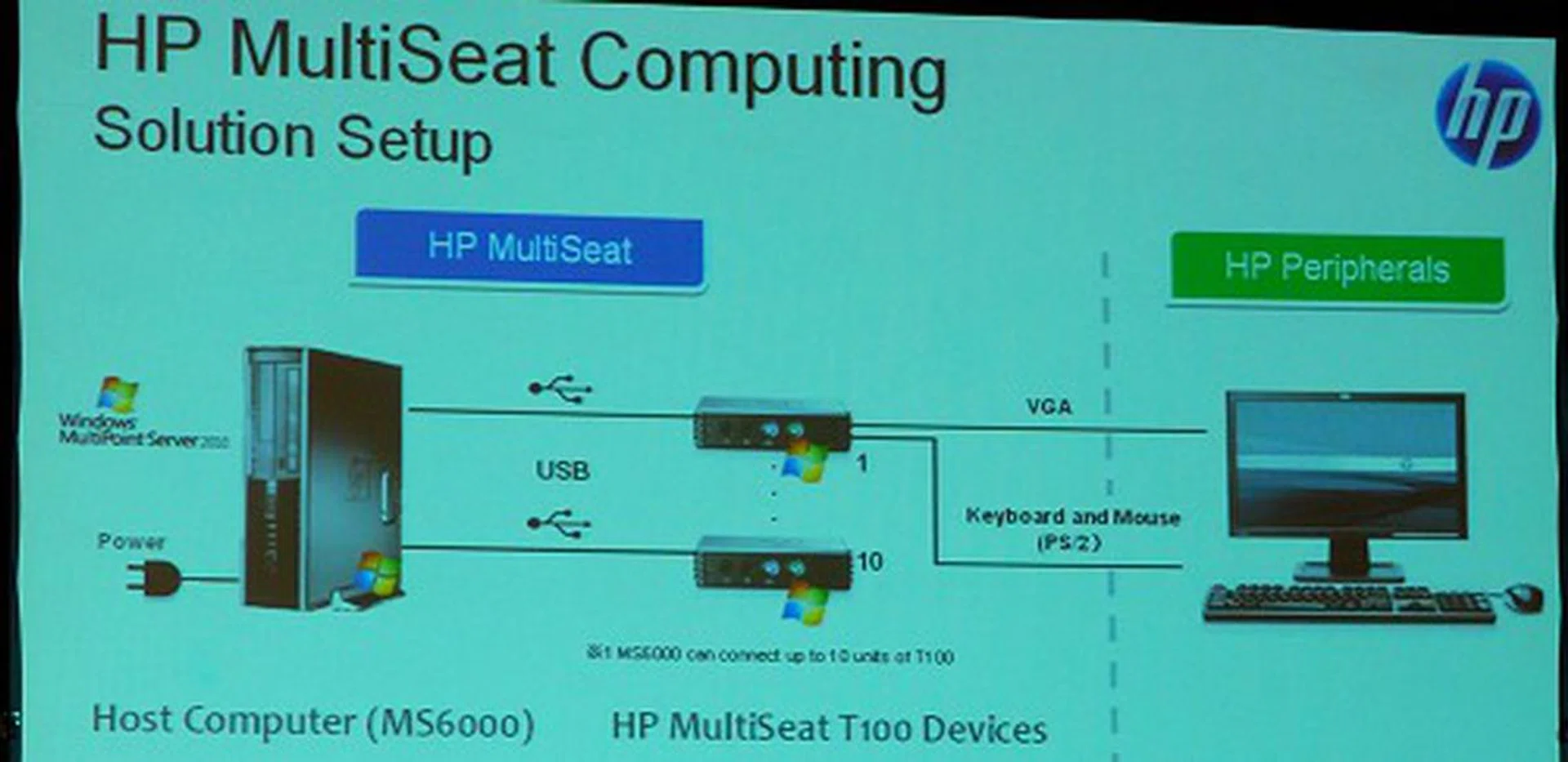
A quick overview of the HP Multiseat Computing solution.
Using just the normal USB 2.0 technology, each Multiseat device is the gateway to connect the input/output peripherals such as the monitor, keyboard, mouse and audio for one user. The operating system manages the rest of the magic through virtualized environments for each Multiseat device or user. The OS itself has a volume licensing for up to 10 users, one on the host machine directly (such as the teacher) and 9 other seats for students.
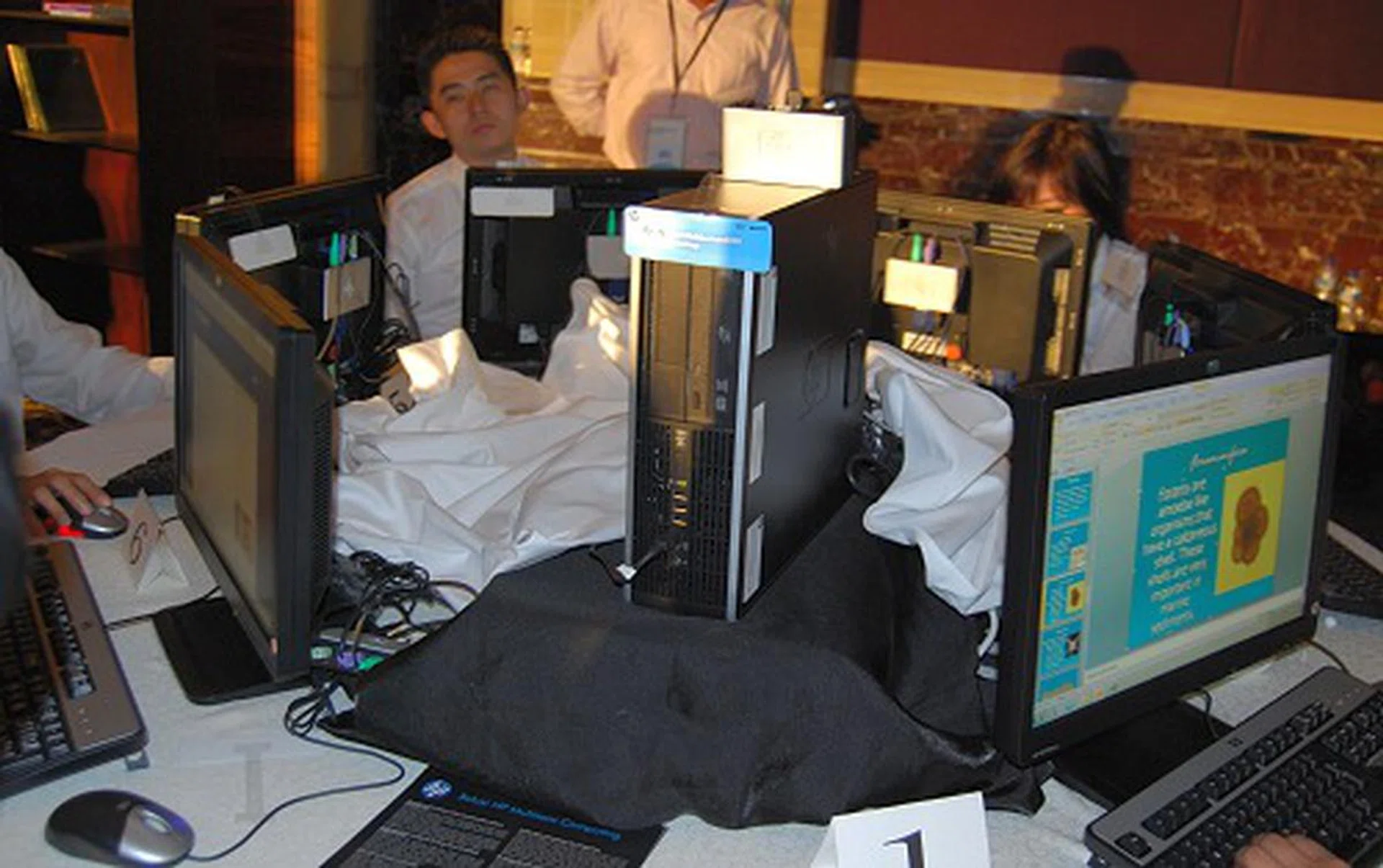
There was an actual demonstration of the HP Multiseat Computing solution at the event and seen here in the center is the host PC while the other users benefit from the system's processing capabilities with the Multiseat device. Since today's systems are pretty powerful, this form of sharing compute resources is a possibility.
The host PC can come in various configurations but for the purpose of basic school and library usage deployment, the ms6000 model that debuted in Indonesia uses an Intel Core 2 class PC based on the Intel Q43 chipset and Intel GMA 4500 class integrated graphics engine. The host PC will be sold in standard (5-user system) and extended configuration (10-user system) with differing compute power such as dual-core versus quad-core, memory, storage and other such differences. The limitation of how many users can connect to a system is more to do with the operating system's licensing limitation than anything else. So if you need a system to cater to 20 users, you'll need two sets of this solution. On average, the cost of the entire solution for a 10-user system is about US$3000, which comes out to an average of US$300 per seat which includes the cost of the machine, I/O devices, management, licensing and support for three years - not a bad deal at all. Best of all, adding and removing users is a piece of cake and can be managed by anyone (thanks to USB connectivity).
The downside is that all the companion users need to be seated less than five meters from the host PC since USB has a distance limitation before its effective speed dips. This can however be extended by using powered USB hubs. Otherwise, the entire solution is very ideal to be set up in quick time just about anywhere a simple setup is required. Typical web surfing and simple productivity tasks are most suitable in sharing the compute power of today's high-end PCs. Not to mention are the cost savings in electricity which can be over 80% when compared against typical PC deployments for each user. The Multiseat devices themselves don't require extra power and run off the USB cable so their impact is quite minimal at about 2W on average.
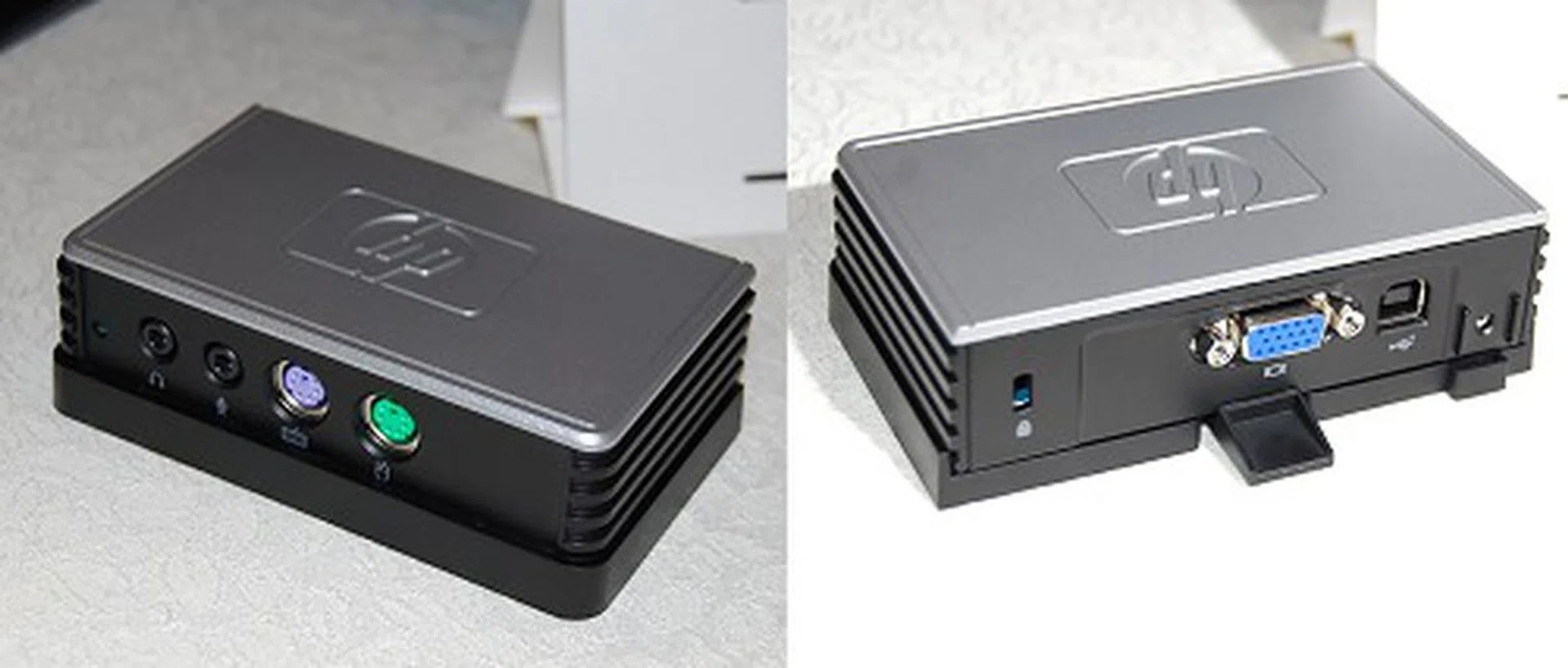
This is HP Multiseat t100 (thin client) device. While it's still termed as a 'thin client' device, it's nothing of that sort compared to traditional thin client and server architectures. This Multiseat device just acts as a gateway to the virtualized environment on the server with its own I/O devices. As you may have noticed, this model only has PS/2 and VGA connections. A quick check with the executives revealed that other configurations like USB and DVI are possible for more advanced environments.
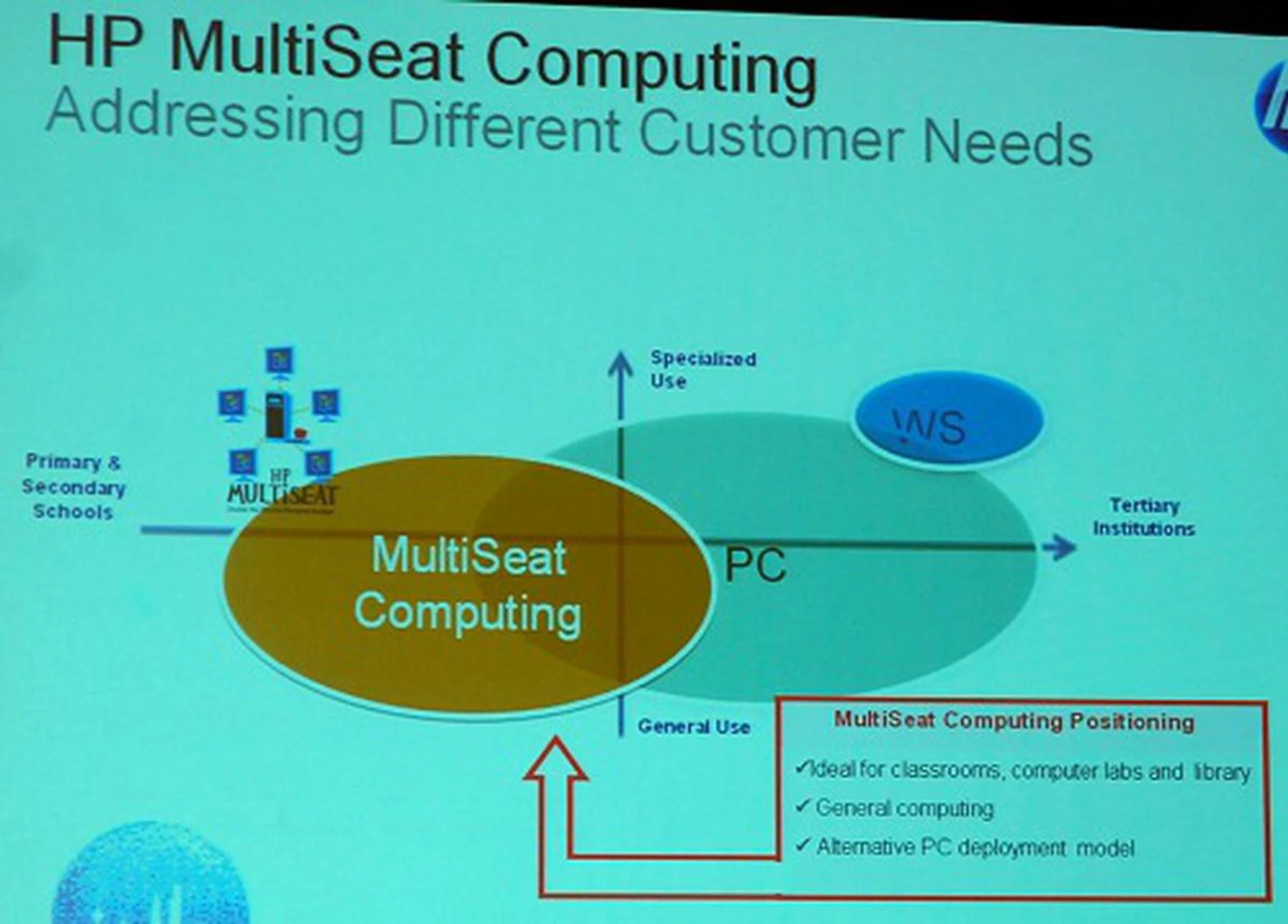
The positioning of the HP Multiseat device solution as per our discussion earlier.
Moving on to other product groups, two notable renewed notebook models that are suitable for this segment are the HP Mini 5102 (a 'business' netbook with the newer Intel Atom N450 processor), and the HP EliteBook 2740p Tablet PC.
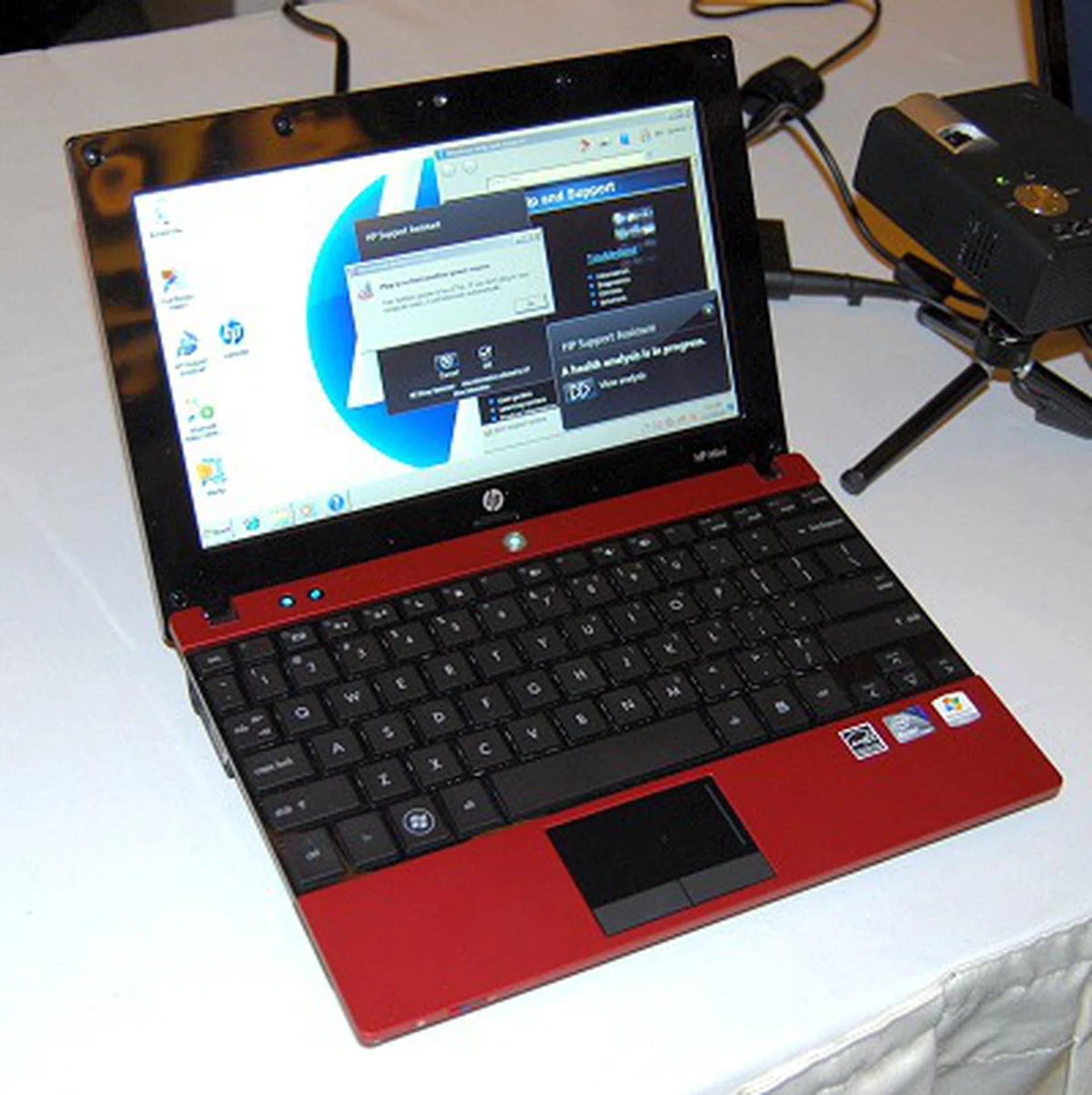
The HP Mini 5102 retains almost all of what you're familiar with the Mini 5101 which fist sported this design, build and features. It's basically a 'business' class netbook but it is inevitably yet another netbook choice for most people since a netbook can only handle that much. The Mini 5102 replaces the original netbook platform with the newer Pine Trail netbook platform featuring the Intel Atom N450 processor.
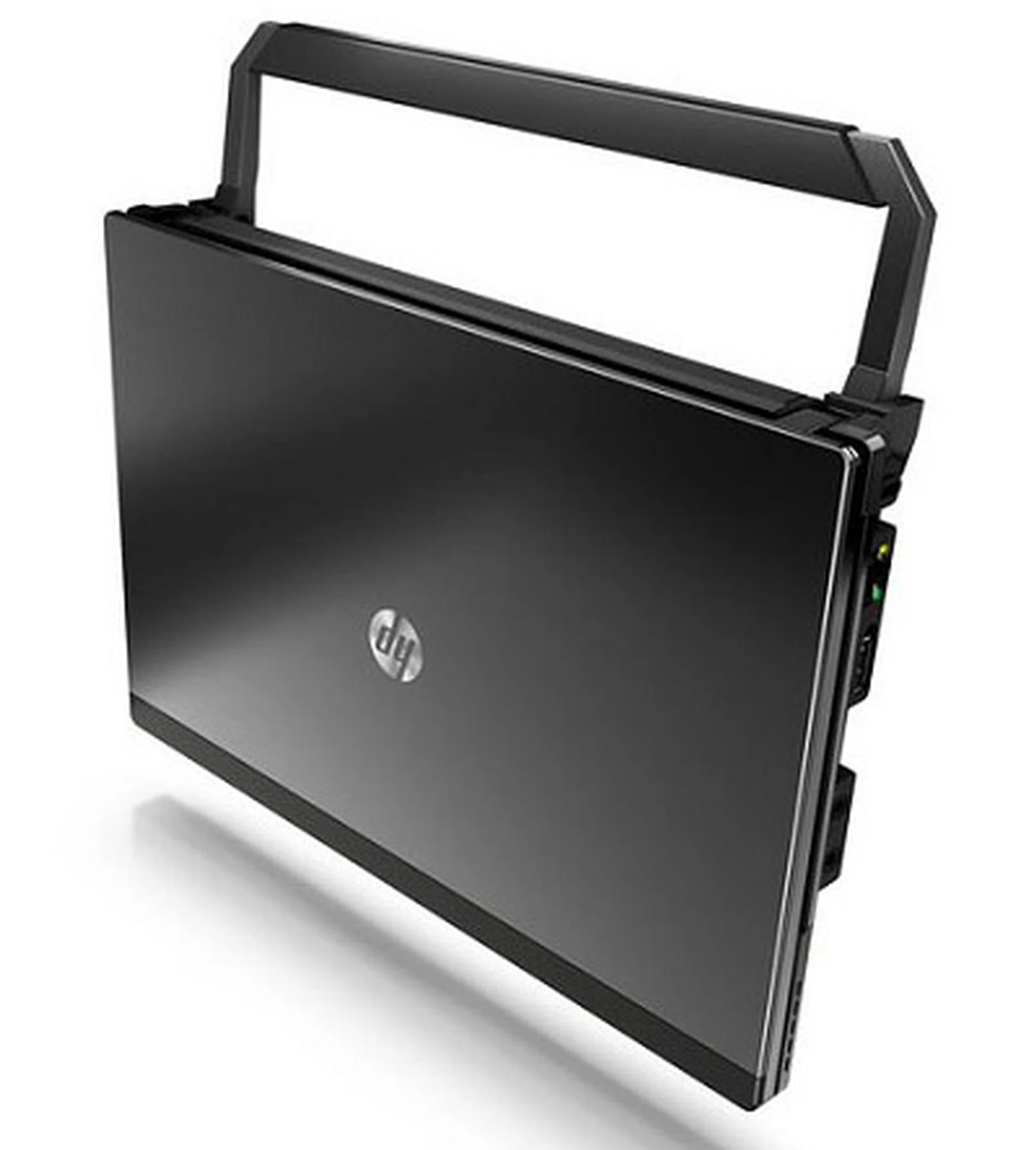
Additionally, the new HP Mini 5102 has a cleverly designed retractable handle that also doubles up as a slight stand for heat dissipation from underneath the netbook. This handle is optional though and no pricing was available for this yet. Also, facial recognition technology is built into the netbook for easy login. Last but not least, the Mini 5102 can be centrally managed for asset tracking and the software comes with the system.
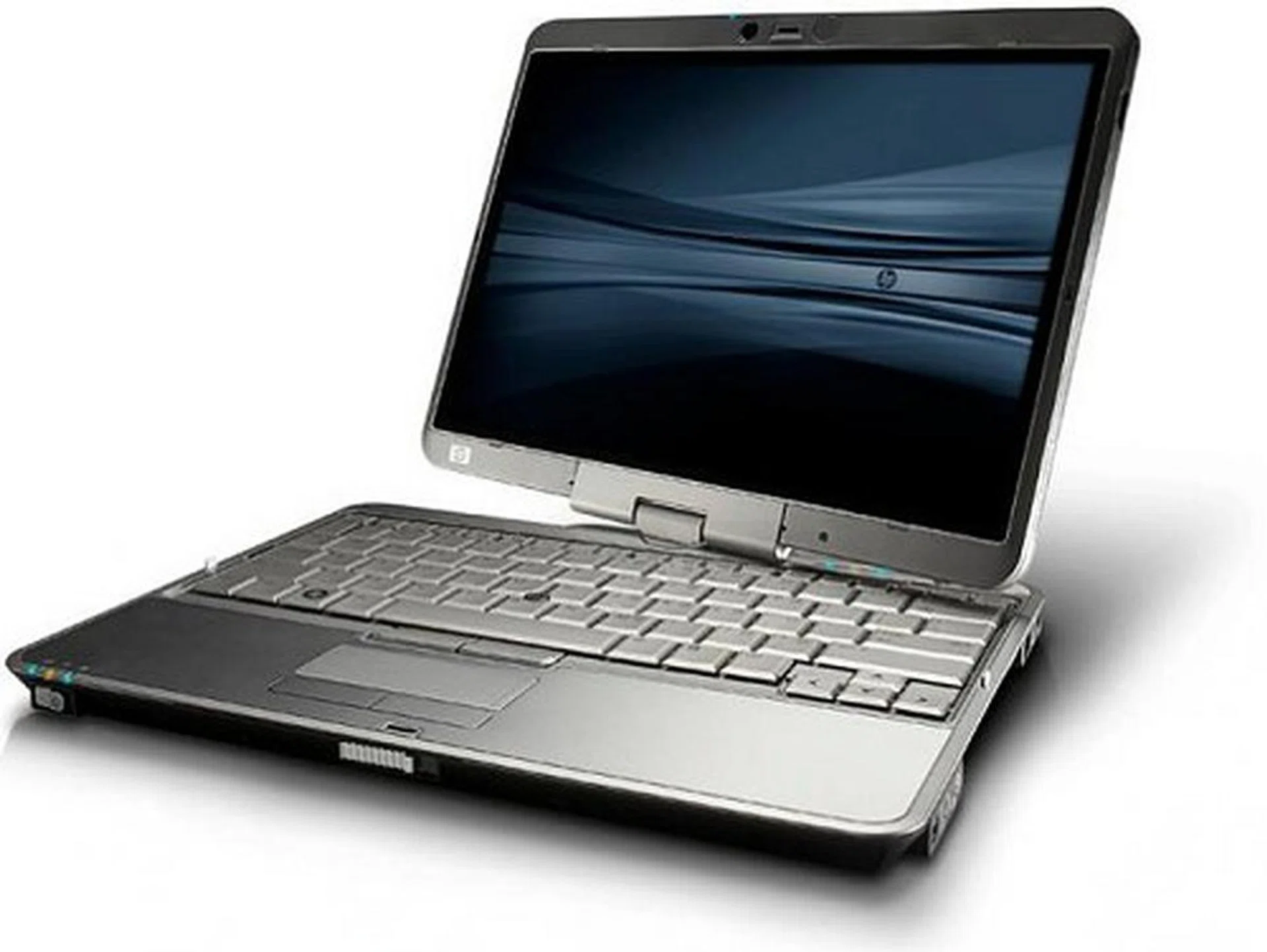
The new HP EliteBook 2470p is a step up from the 2370p predecessor with fresh new internals thanks to the Intel Core i5 and even i7 processor options. Also new is the optional capacitive multi-touch screen.
Moving up the performance scale, for tertiary education, research and other more demanding tasks, HP has released a brand new range of even more affordable HP Z workstation models under the Z200 class. When the Z class first launched a year ago, they heralded a new age of design, performance, convenience and manageability with the Z800, Z600 and Z400 models. The new Z200 settles for more mainstream workstation performance and straightforward designs to offer an affordable, yet reasonably powerful work machines. Starting from jus US$900 using the new Intel Core i3 processor and integrated graphics, it also comes in more reasonably powerful configurations such as an Intel Xeon 3400 processor and NVIDIA Quadro FX 1800 graphics.
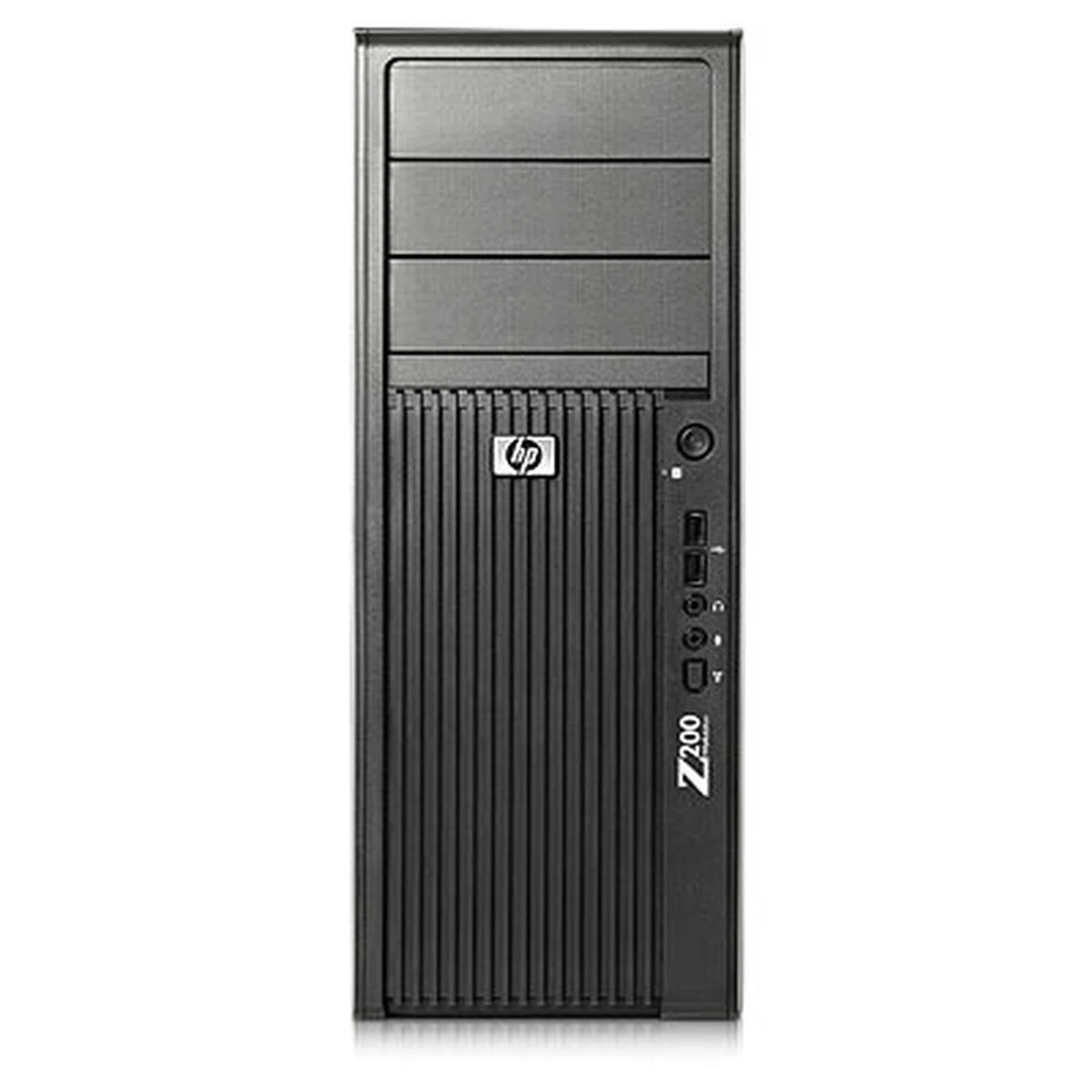
The new HP Z200 workstation takes on a more tame design to keep things simple, straightforward, affordable and yet relevant with the latest in processor technology.
For the Business Sector
With over 80% of IT expenditure in organizations often dedicated to management and maintenance of equipment, HP is now introducing the HP Client Automation (CA) portfolio. Available in different tiers to suit various organizational needs (Free, Standard and Enterprise), client automation can significantly reduce manpower overhead and time spent to manage various aspects of the IT infrastructure.
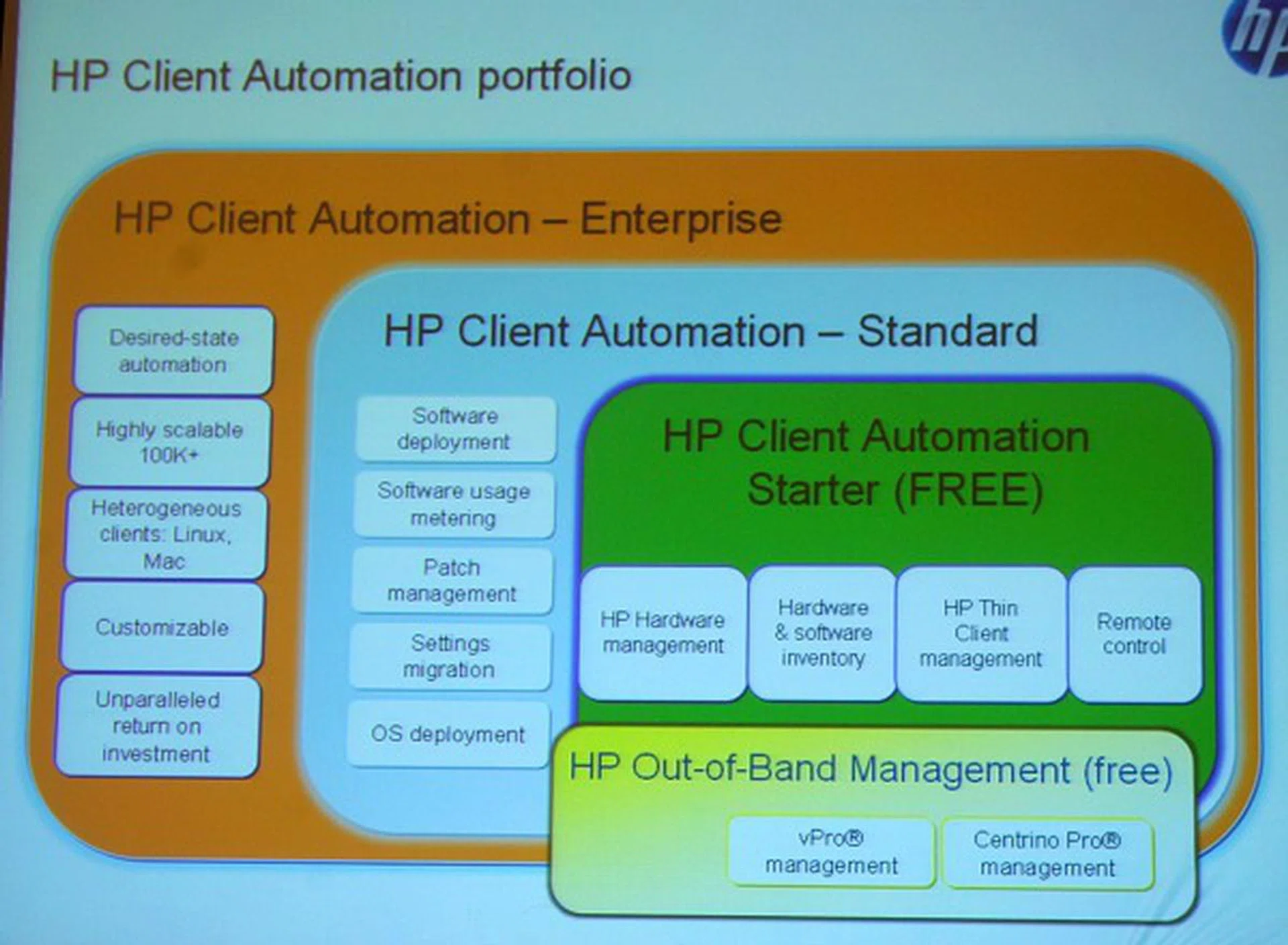
Here's a slide to differentiate the various versions of HP's Client Automation software.
For a small SMB setup, they can probably get along with the free edition of HP's CA that takes advantage of the hardware's underlying Intel vPro Technology to bring you hardware management aspects from a central point. Intel's own software suite pretty much does the same level of management but HP's software has a more unified software interface along with the rest of its other software-based features.
However, using HP's CA tool will allow the IT department to adopt one standard software regardless of scaling the number of systems to manage and thus upgrading it to the standard edition when required. Besides being able to manage more system effectively, the standard edition comes with centralized software management, software usage tools, patch management, settings migration and even easy OS deployment. The enterprise edition allows very large numbers of system management such as over 10000 seats (users).
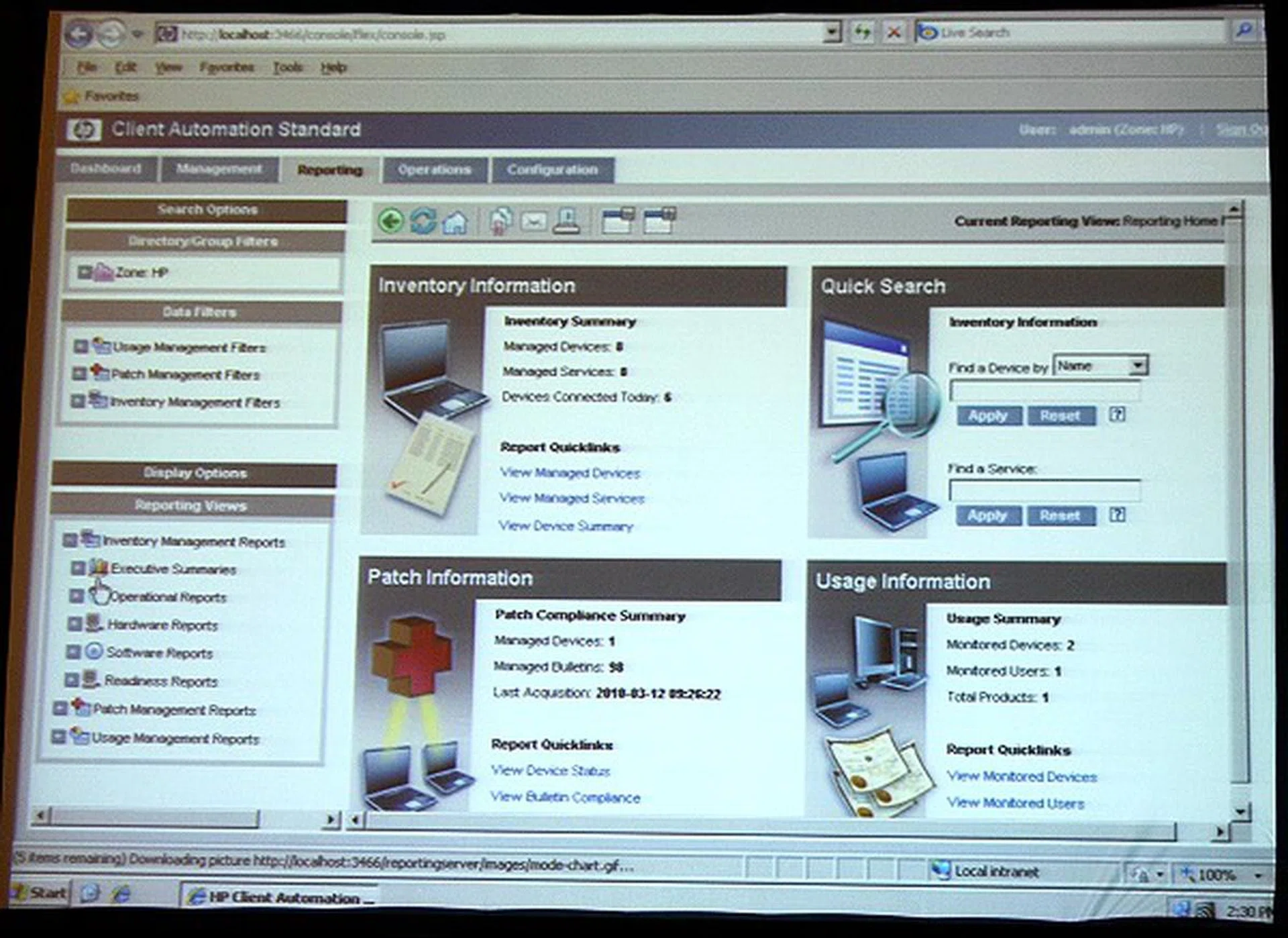
The HP CA interface.
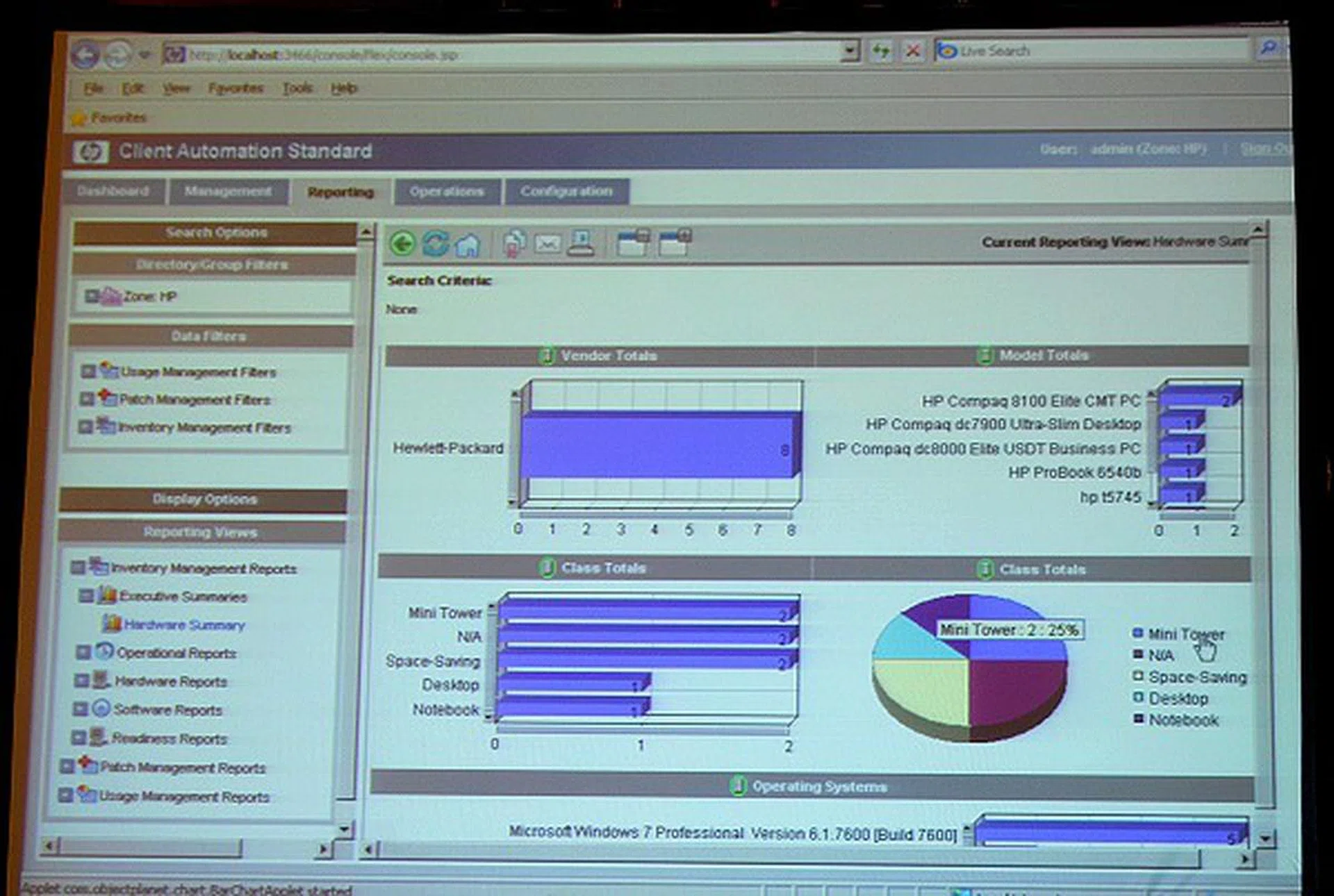
A drilldown of PC system types, OS used and many more nitty-gritty details.
HP ProtectTools is yet another suite of software that combines a mix of HP's in-house solutions with industry leading partners to provide a complete and secure protection in user verification, data management and personal information.
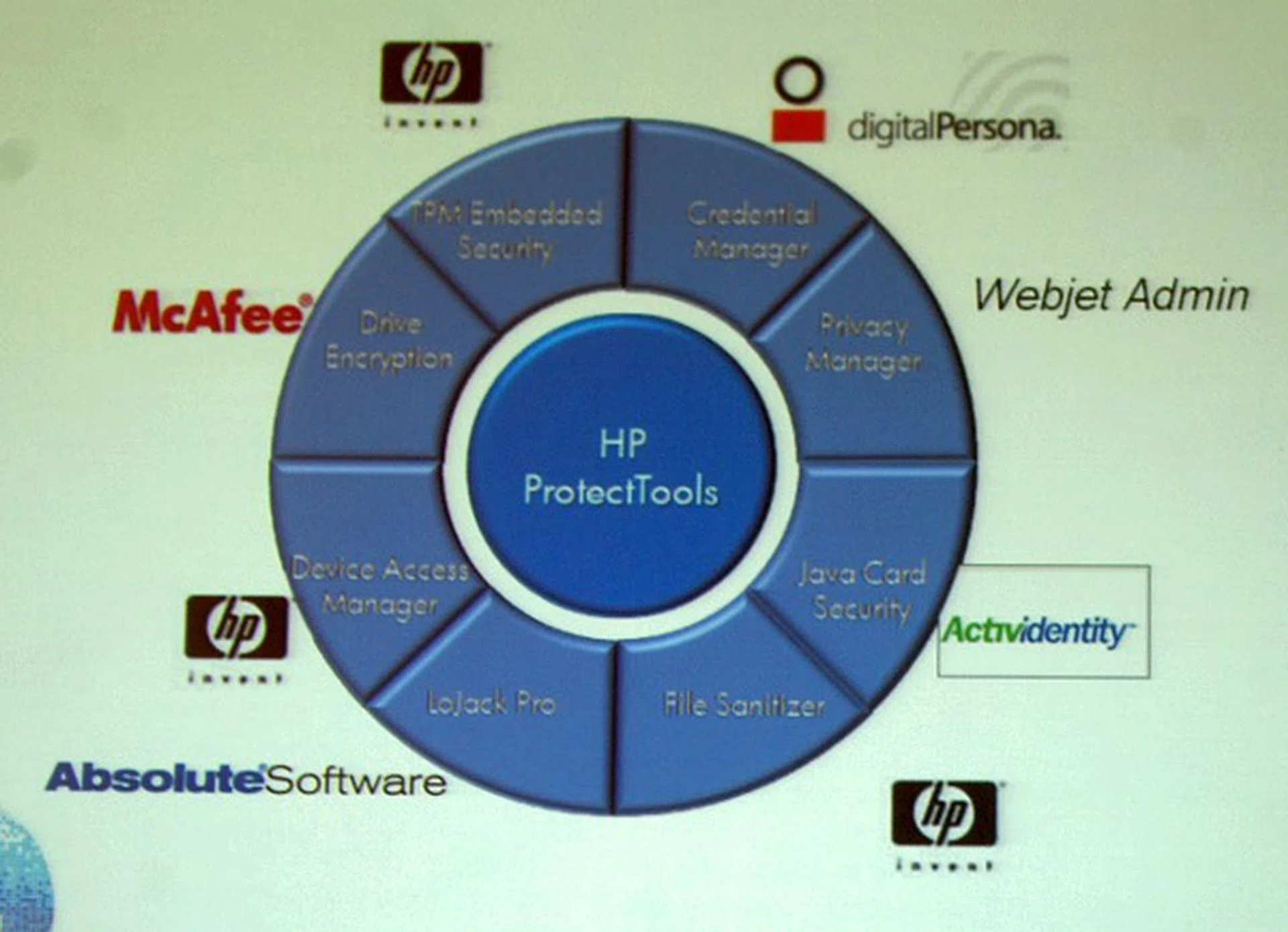
Drive encryption, TPM embedded security, credential manager, privacy manager, file sanitizer, device access manager, drive access, asset management and card security are all various elements that make up the HP ProtectTools.
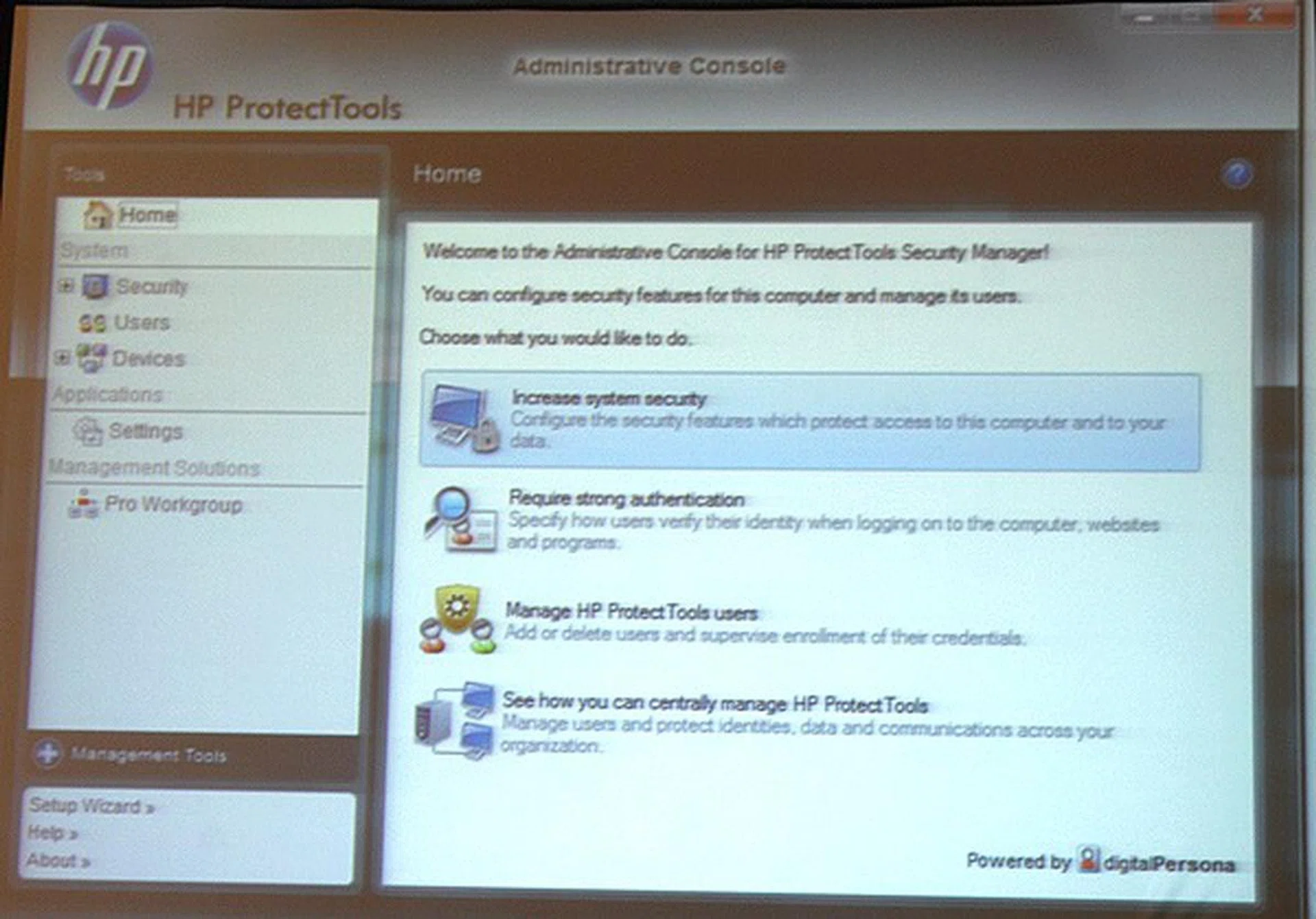
The main HP ProtectTools software manager.
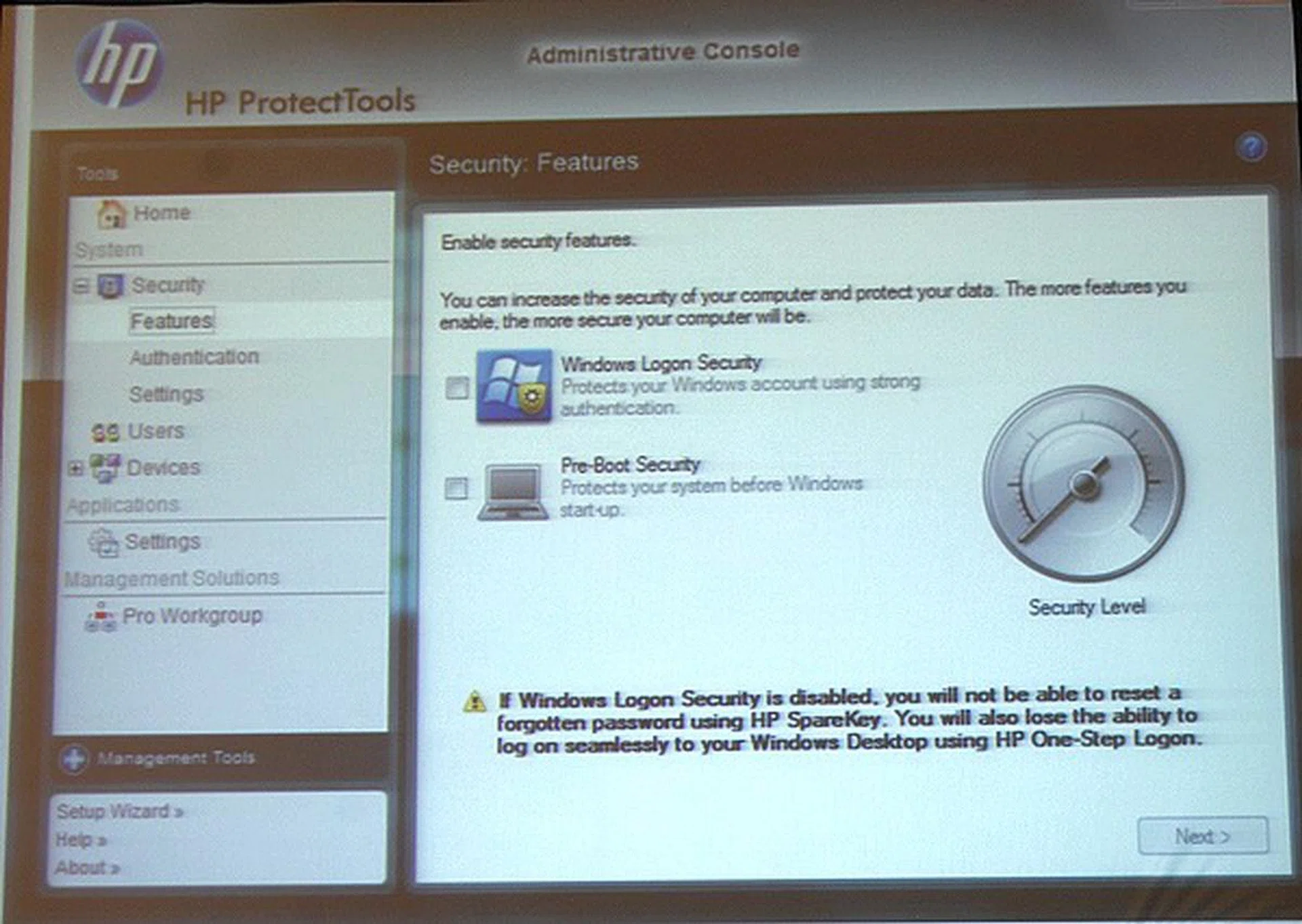
The security features tab to control the level of security to your selected devices.
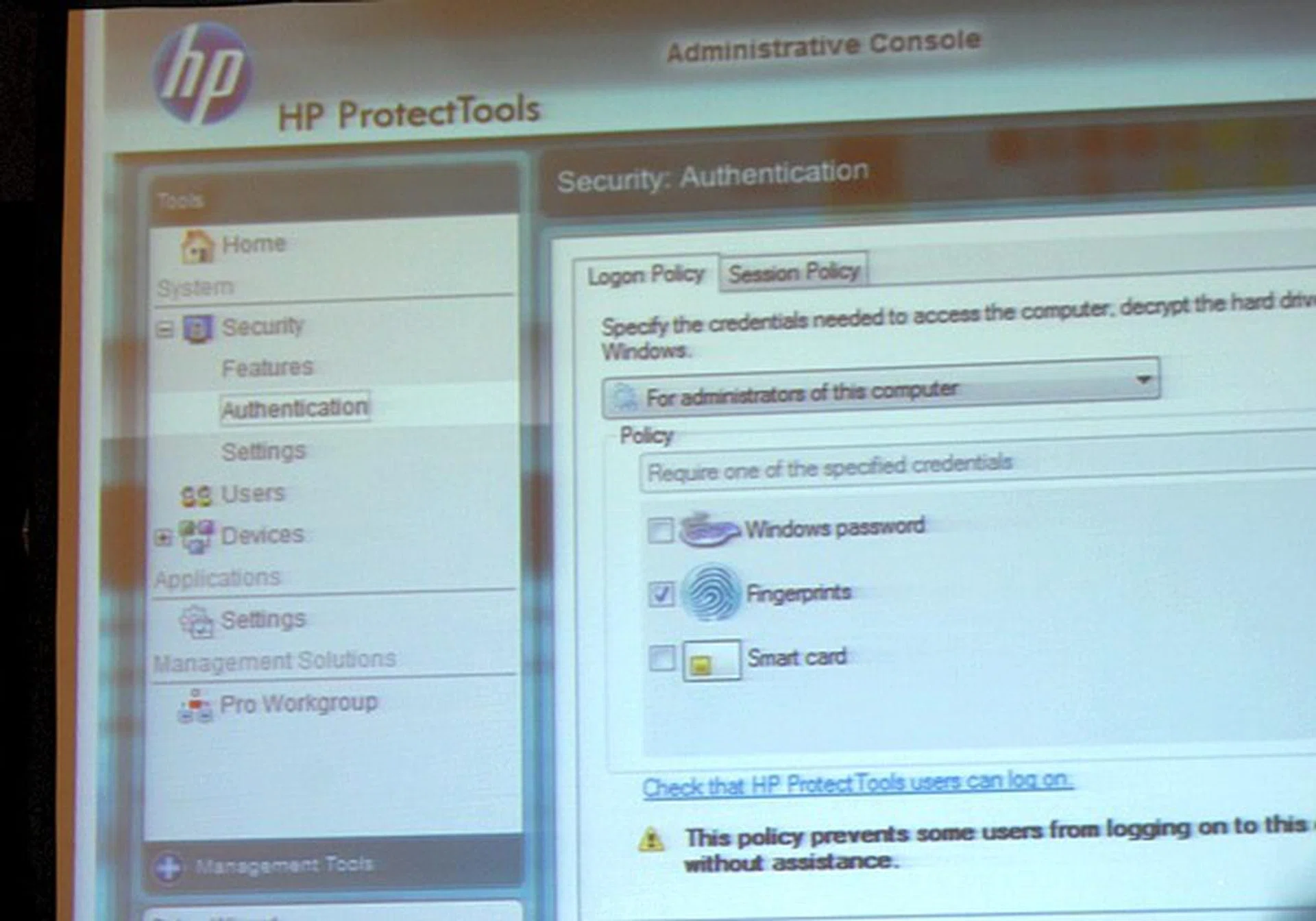
Authentication management.
One of the more recent components to the HP ProtectTools proposition is the Private Print Job feature of the WebJet Admin privacy manager. Utilizing any HP LaserJet 3-series machines or higher in the last couple of years in conjunction with the WebJet Admin enables an option to send your print jobs encrypted securely to be stored on the designated printer. The print jobs aren't printed until otherwise the user at his convenience goes over to the printer to input his password before the print job is executed. This solves the issue of printing confidential information and yourself not being around to collect it as soon as the print job ends, thus preventing prying eyes from your documents and you needn't hurry to fetch the prints.
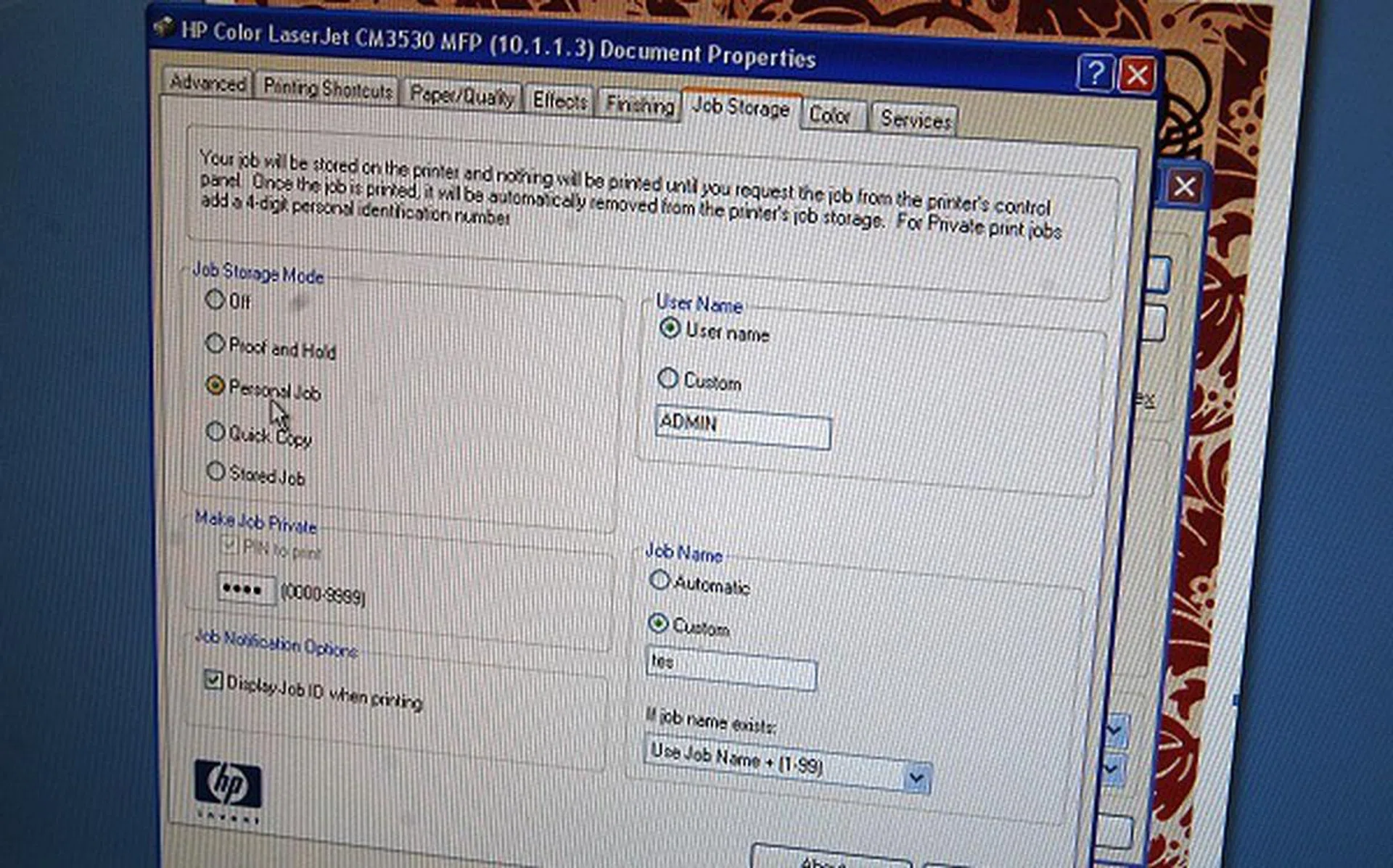
Setting up the print job from the PC for secured printing.
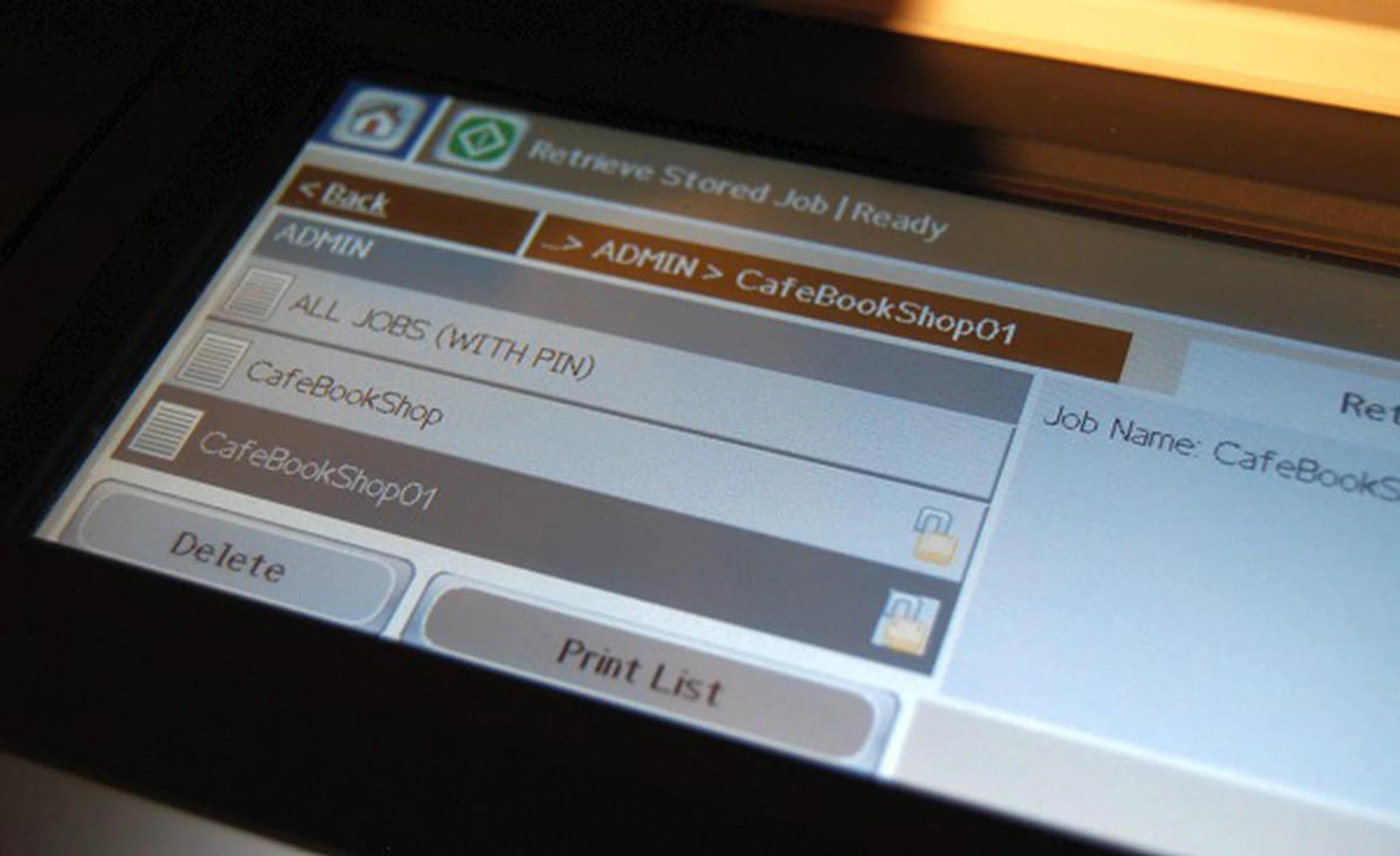
The control panel on the printer that allows you to unlock and execute stored print jobs.
On the productivity side of things for new business notebooks, HP has integrated QuickLook3 and QuickWeb which gives you access to you calendar, email, contacts and tasks from Microsoft Outlook and allow you to surf the web securely in a jiffy without waiting for the full Windows OS to load. This is akin to some of their consumer netbook and notbooks solutions which launch a special Linux partition to give quick access to the most pertinent productivity tasks, only this time it's also made available with a number of their new ProBook and EliteBook models. But what if you insist on booting into Windows for the full set of work tools at your disposal? HP has made yet another small but useful innovation here; they've eliminated the usual idle time that's associated while waiting for the system to boot up by incorporating the HP Daystarter. So instead of only watching the windows loading status, you'll now get to see your calendar, Outlook schedule for the day, battery charge and connectivity status. It's a simple but yet a very productive feature.
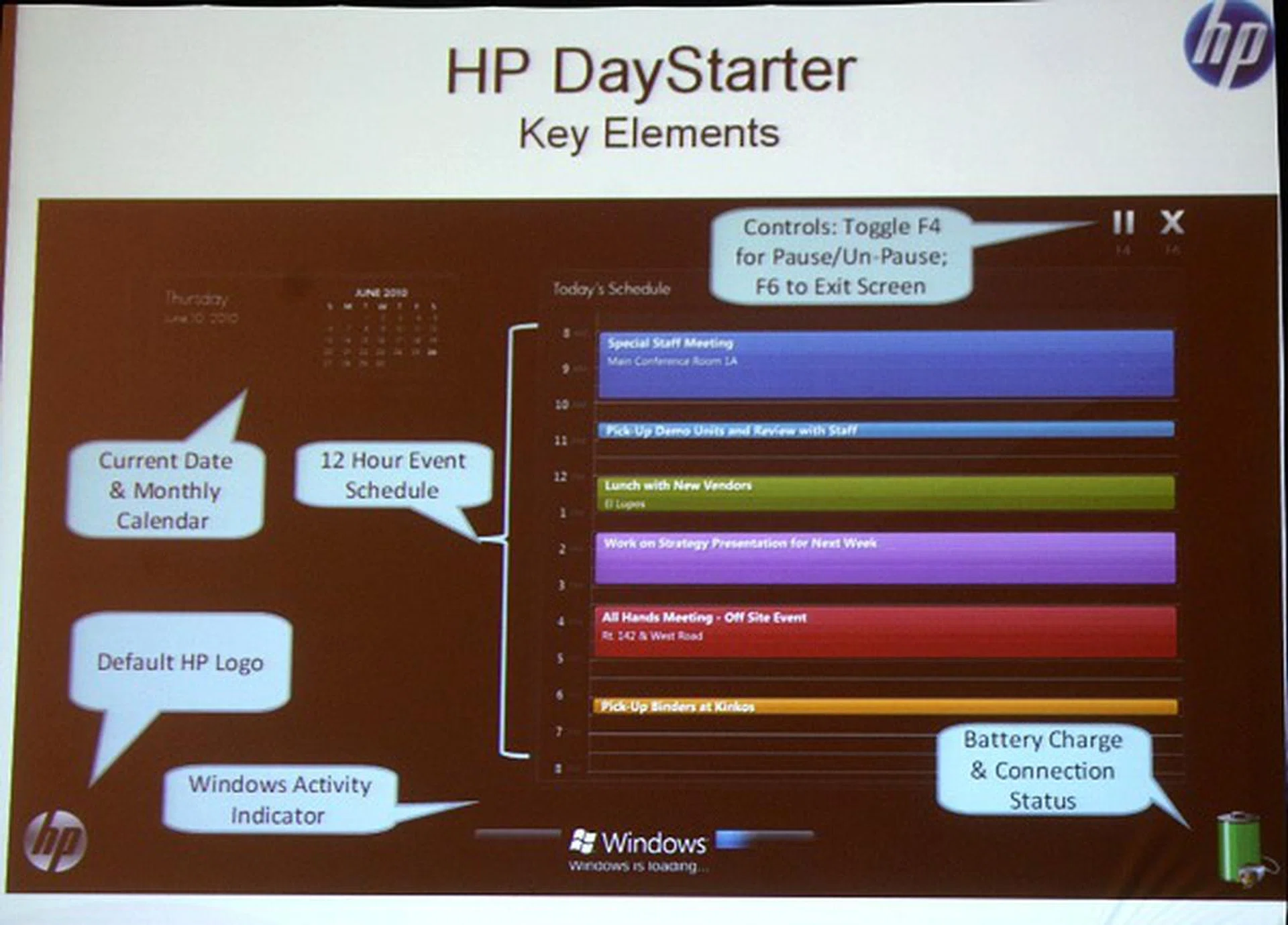
As we mentioned, HP Daystarter ensures you don't waste your idle time while your system is booting up. Finally, something useful to do while Windows loads.
Other useful additions to the business class systems and notebooks are the HP Power Assistant, HP Performance Advisor and HP SkyRoom. Power Assistant helps analyze your power cost/consumption distribution to better manage your systems while Performance Advisor is a visual advisor of the system's working health and optimal system performance parameters. Lastly, HP SkyRoom is not new, but it is now bundled with all business class systems to enable video collaborations and cut down travel needs between various offices, thus improving productivity and is more environmentally friendly.
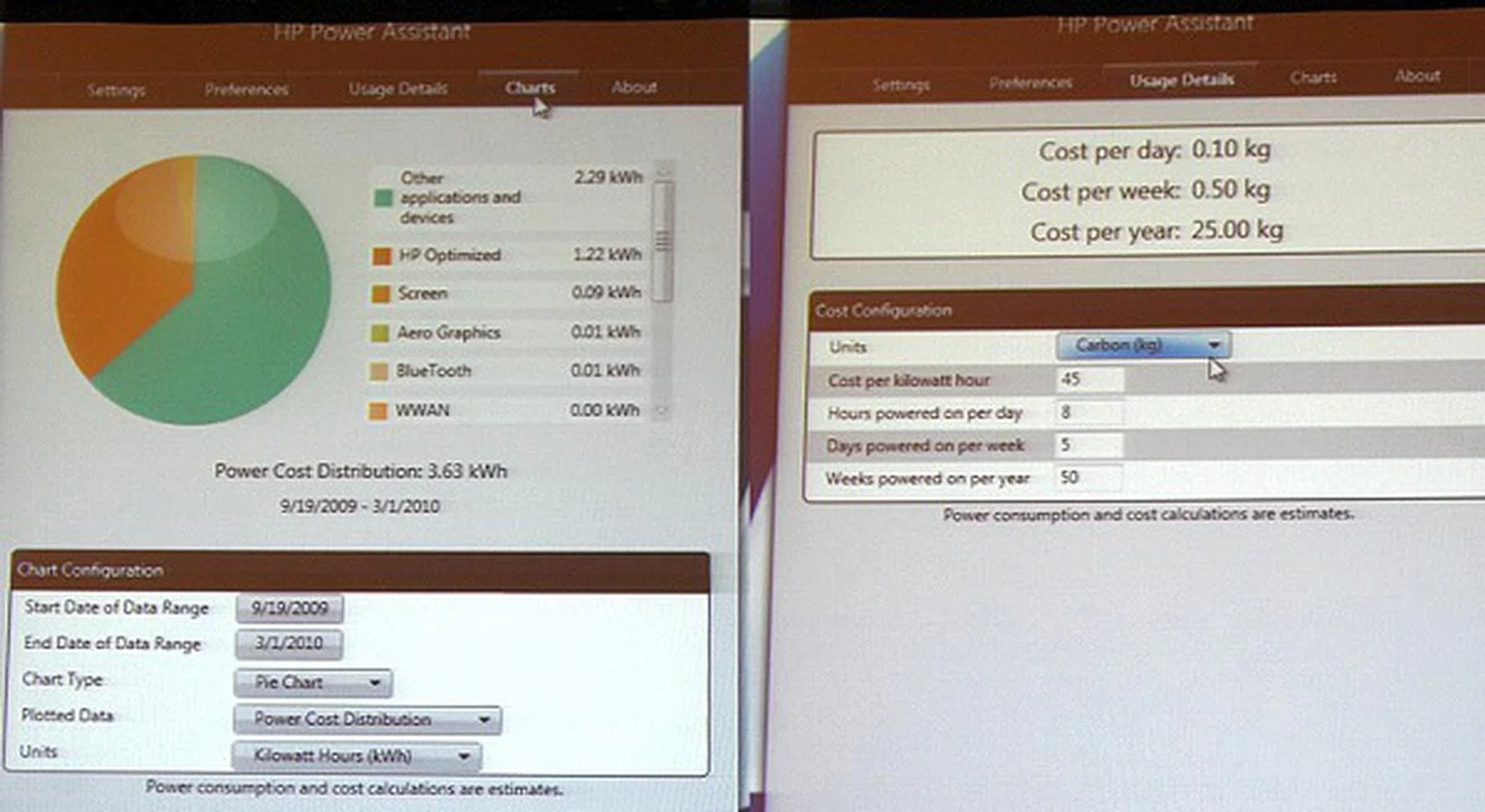
The HP Power Assistant software module acts as your central power manager and analyzer to improve your carbon footprint consumption.
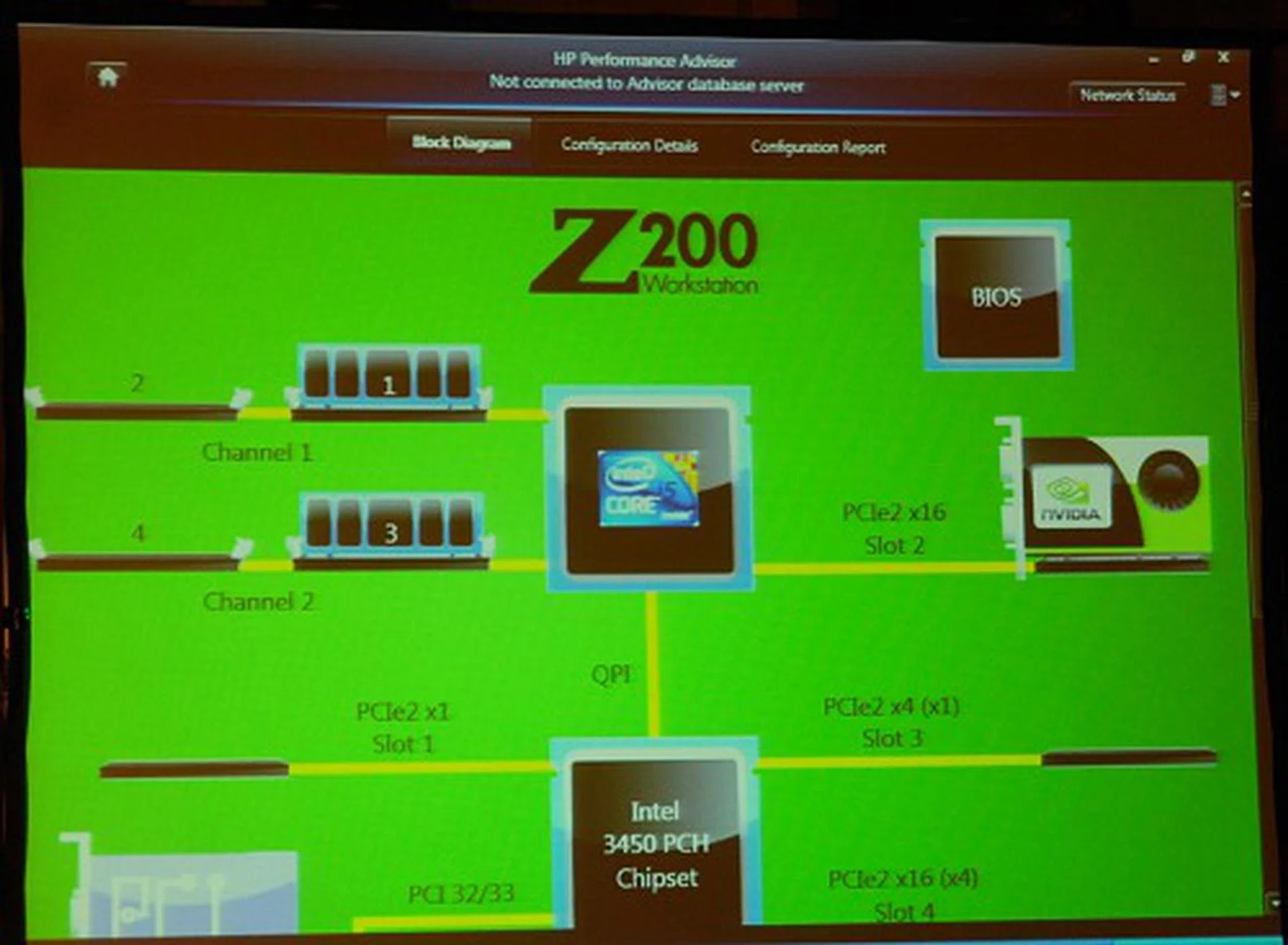
The visual HP performance Advisor panel optimizes system performance matters to your workload needs and acts as a hardware system health status indicator.
Hardware-wise, there isn't a whole lot specifically new for this segment other than those already mentioned on the earlier page, but thanks to the new Intel hardware platforms, all of the PC systems and notebooks are getting refreshed internally. However we did find a notable advancement that's worthy of mention and that is HP's new Long Life Battery for notebooks which is now rated for up to a 1000 charge cycles. This is much higher than the industry-norm of 300 charge cycles which means HP is the first in the industry to be able to offer a full 3-year warranty on the battery. Since the industry norm is just a paltry 1-year warranty and thereafter the battery steadily degrades depending on the frequency of usage and charges, this new long life battery helps save cost in the long run on materials, acquisition and electricity charging costs.
Overall as you can see, there aren't any really big breakthroughs, but there are a lot of smaller enhancements and innovations from various levels that all come together to ensure tech is easier to use, enabling a smarter working environment and obtain instantaneous access to information. All of which allows either the individual or the office as a whole to achieve more without actually requiring more effort. And that's what HP is doing - elevating businesses to the next level.
Our articles may contain affiliate links. If you buy through these links, we may earn a small commission.