
Every Z590 Motherboard Announced in CES 2021!
CES 2021 released a bunch of hardware like gaming monitors, updates to Intel and AMD processors and now, motherboards for Intel's new 11th Gen Intel Processors, codenamed Rocket Lake.

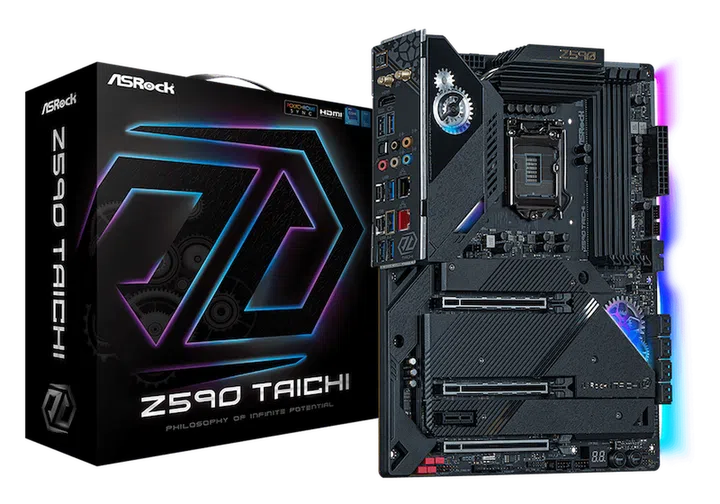
ASRock Taichi (Image Source: ASRock)
If you're looking to upgrade your rig soon, these new lineup of Z590 motherboards for the 11th Gen Intel Processors might feature what you want!
A few pointers here before we take a look at the motherboards; both 10th and 11th Gen Intel Processors are still on the very optimised 14nm process node, and you can read more about the developments covered here.
Furthermore, only 11th Gen Intel Processors support PCIe Gen 4. If you’re on the 10th Gen Intel Processors, you could consider skipping the upgrade for a few generations.
There's some good news though, as a number motherboard manufacturers have uploaded new Z490 BIOS that support performance-improving features like Resizable BAR or Smart Access Memory.
There’s also links to where you can purchase them as well and with everything out of the way, let’s take a look at the motherboards available soon!
ASRock
Starting off this list is ASRock’s line of motherboards- they’re simple and have a lot of features that’s meant for enthusiasts and beginners in DIY PC builds!
You can take a look at their prices and availability over on their official Lazada page, with prices and series of every component.
ASRock Taichi & Velocita
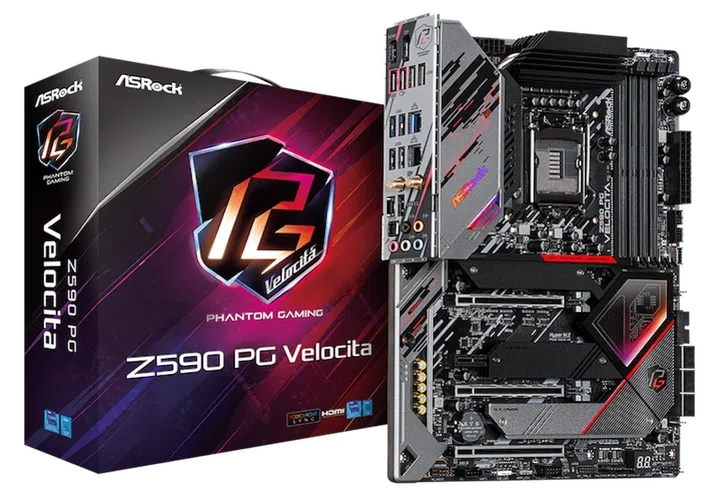
ASRock Velocita (Image Source: ASRock)
At the peak of their lineup is the ASRock Z590 Taichi and the ASRock Z590 Velocita.
In terms of features, they’re nearly identical, save for the Thunderbolt 4 ports on the Taichi. Those ports are complemented by Killer Wi-Fi 6E, 2.5Gb LAN, and custom Lightning Gaming Ports.
What’s different about these Lightning Gaming Ports is that they are designed specifically for gaming mice with ultra-high polling rates, like this one from Razer.
Don’t expect it to be a great overclocking board though, as it's just a 14 Phase DR.MOS Power Design, which is lower than most of the high-end boards from other brands.
Both motherboards support the PCIe Gen 4 standard for your graphic card and M.2 NVME SSD. In addition, the Taichi is capable of AMD CrossFire on both of it’s PCIe Gen 4 graphic card slots, while the Velotica can support only a single graphic card.
ASRock Steel Legend Series
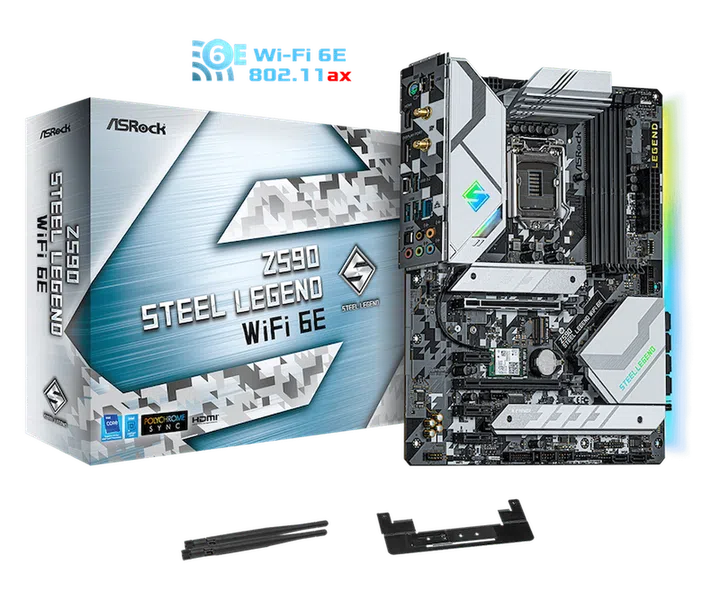
ASRock Steel Legend WiFi 6E (Image Source: ASRock)
If you invert the colour scheme on the Z590 Taichi and fit the port selections and features on the Z590 Velocita, this is what you get; the ASRock Z590 Steel Legend Wi-Fi 6E.
Included in this metallic-grey camouflage motherboard is Killer E3100 2.5G LAN and Wi-Fi 6E, fancy address RGB headers, and memory overclocks of up to 4800MHz!
There’s also a front-panel USB 3.2 Gen 2 connector for when you’ve fully embraced the Type C future, and the transfer and charging speeds that come with it.
ASRock Pro 4
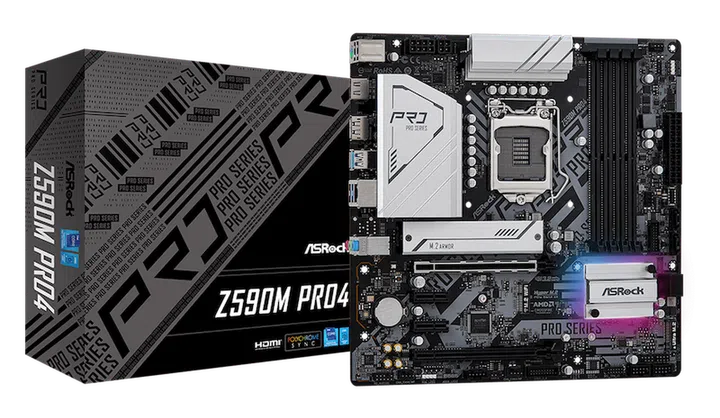
ASRock Z590M Pro 4 (Image Source: ASRock)
And finally, we have the ASRock Z590 Pro 4. There are two variants of this series, one of which is the full-sized ATX version while the other is a smaller, mATX one.
This series is catered for more mainstream or new entrants who want the new features while dabbling a little in the realm of overclocking, as it comes with 12 Phase DR.MOS VRM.
There’s also PCIe Gen 4 support for the graphic card and M.2 slot, and even a front connector Type-C port, and Intel Gigabit LAN.
Asus
Asus’s star-studded lineup includes a motherboard that’s designed specifically for enthusiasts who plan to water-cool their processors and eek out as much performance as they can.
If you want to visit the physical stores, Asus has a long list of places that carry their products. For online purchases, you can use their Shopee or Lazada links.
ROG Maximus Series
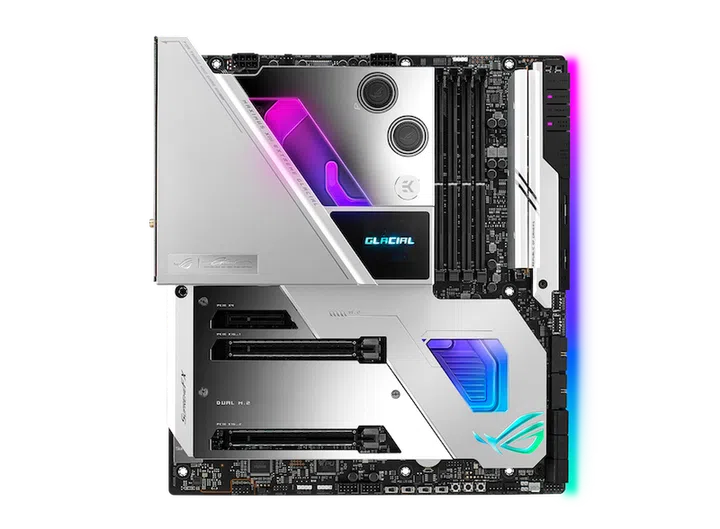
Asus ROG Maximus XIII Extreme Glacial (Image Source: Asus)
For the uninitiated, the Asus ROG Maximus series is Asus’s top of the line gaming motherboard and for the Z590 platform, they’ve released the ROG Maximus XIII Extreme Glacial, Extreme, and Hero editions.
The Extreme Glacial and Extreme share exactly the same components, except that the Extreme Glacial features an integrated EK water block for water-cooling the CPU and VRM components.
Enthusiasts will be happy to note that the above-mentioned motherboards have 18+2 power stages that enable higher overclocking numbers and stability, while the Hero edition will have a slightly lower 14+2 combo.
And while we’re on overclocking, memory speeds can hit up to 5333MHz, and there’s a total of four DDR4 slots for up to 128GB of memory!
Thunderbolt 4 ports make an appearance on every Maximus mobo, with dual LAN ports that are 10Gb and 2.5Gb LAN, Wi-Fi 6E, PCIe Gen 4 support for graphic cards and multiple M.2 slots.
If you’re interested in NVIDIA SLI, the Extreme Glacial and Extreme edition does support 2-Way SLI. But honestly, we think that very few people would want to buy a pair of RTX 3090s given how much it costs, and is the only new RTX card that supports it.
ROG Strix, TUF, & Prime
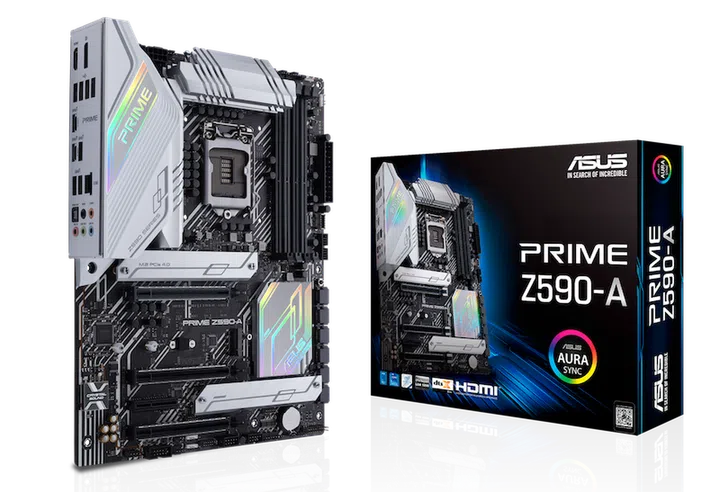
Asus Z590-A Prime (Image Source: Asus)
For the mainstream gamers that want Asus but can do without extreme everything, these value-oriented mobos can do just about most of what the ROG Extreme series is capable of.
14+2 power stages, up to 5333MHz overclock on the Strix Z590 and Prime Z590, Thunderbolt 4 headers if you wish to add them into your system and PCIe Gen 4 slots for your graphic card means that you’re not missing out on the most important features.
2.5Gb LAN makes an appearance on every motherboard in this series, alongside Wi-Fi 6E for the Strix and Wi-Fi 6 on the TUF.
Biostar
For the more affordable range, Biostar’s tango of two Z590 motherboards also come in ITX versions so that you can fit this into a compact, gaming PC with little sacrifice on performance.
There’s a Biostar store on Newegg with prices and availability on their website as well!
VALKYRIE Z590
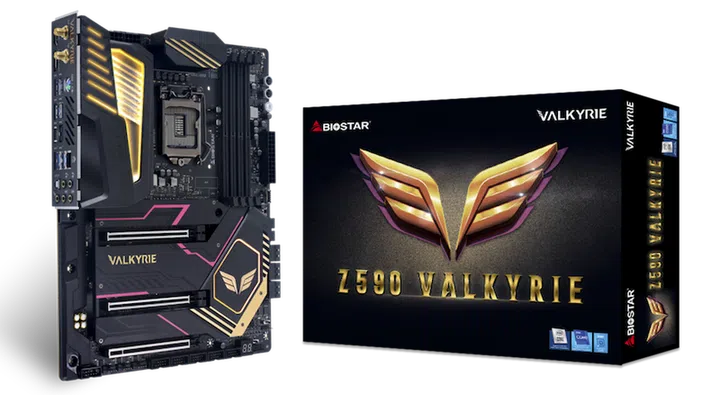
Biostar Valkyrie (Image Source: Biostar)
Don’t let the interesting colour scheme turn you away, as this motherboard comes with 22-phase power delivery for your overclocking needs, and the limit on the DDR4 RAM overclock caps out at 5000MHz!
There’s also RGB, AMD CrossFire, 2.5Gb LAN, PCIe Gen 4 compatibility for both graphic card and M.2 slots.
RACING Z590
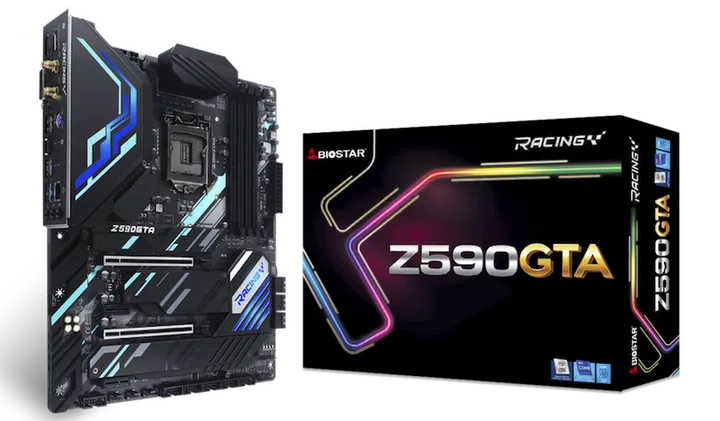
Biostar Racing GTA (Image Source: Biostar)
For users who just want a Z590 motherboard and not tinkle as much, the Biostar RACING Z590 may just be what you require.
The 14-phase power design, up to 5000MHz DDR4 memory overclock, and 2.5Gb LAN should be more than sufficient for your 10th and 11th Gen Intel processors and as mentioned earlier, will come in ATX or ITX sizes as well.
EVGA
Much like Biostar, EVGA kept its Z590 motherboard simple with two models, one for enthusiasts and the other for the mainstream DIY folks. Both models sport an onboard power button so you can build and test the components outside of the case before a full assembly!
EVGA Z590 Dark
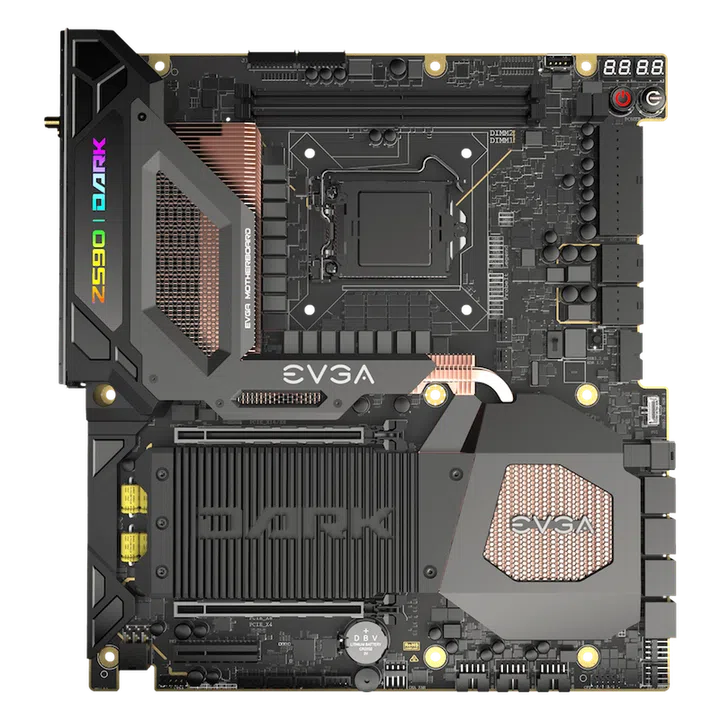
EVGA Z590 Dark (Image Source: EVGA)
For the enthusiasts, this EVGA Z590 Dark comes with a 22-phase VRM design for great overclocking stability with PCIe Gen 4 support on both the GPU and M.2 slot.
Oddly enough, this is the only high-end Z590 ATX motherboard with just two RAM slots, so keep that in mind when purchasing RAM for this particular board.
While it’s just Wi-Fi 6, it does come with a pair of 2.5Gb LAN ports and 2 dedicated fan headers meant for AIO CPU coolers for water-cooling peripherals.
EVGA Z590 FTW WiFi
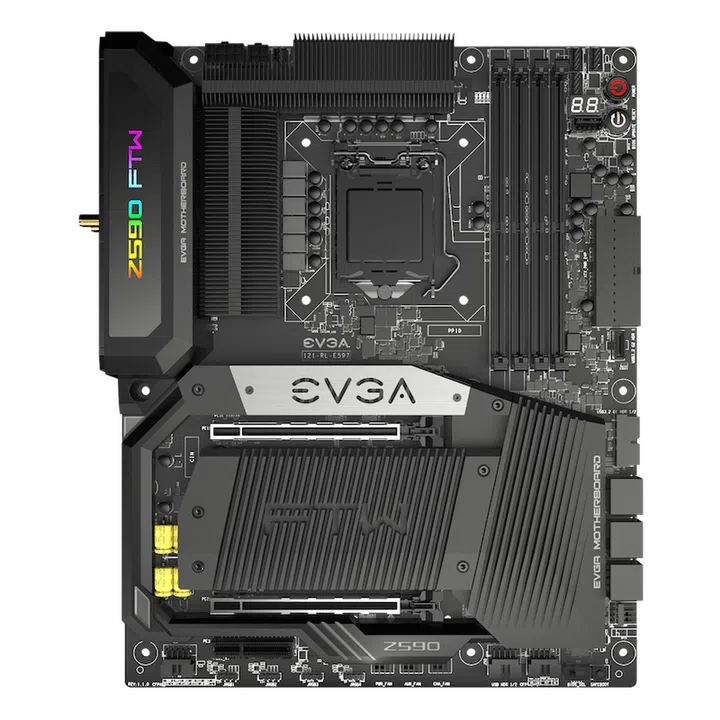
EVGA Z590 FTW WiFi (Image Source: EVGA)
For the mainstream, this is EVGA’s answer. The Z590 FTW WiFi edition comes with 17-phase power delivery which allows for good overclocking figures and maxes out the DDR4 overclock at 4800MHz.
In contrast to their Z590 Dark model, there are four available slots for RAM instead of the two.
That aside, like the Z590 Dark, there’s Wi-Fi 6, PCIe Gen 4 support, addressable RGB, but sports a standard Gigabit port instead.
Gigabyte
Gigabyte's release of a number of new motherboards includes an interesting series which sports a rather different aesthetic targeted towards content creators. So here’s a quick overview of that and more!
Oh before that, Lazada and Shopee carry Gigabyte’s products so if you want to purchase something, head over to the links above to get started.
AORUS XTREME
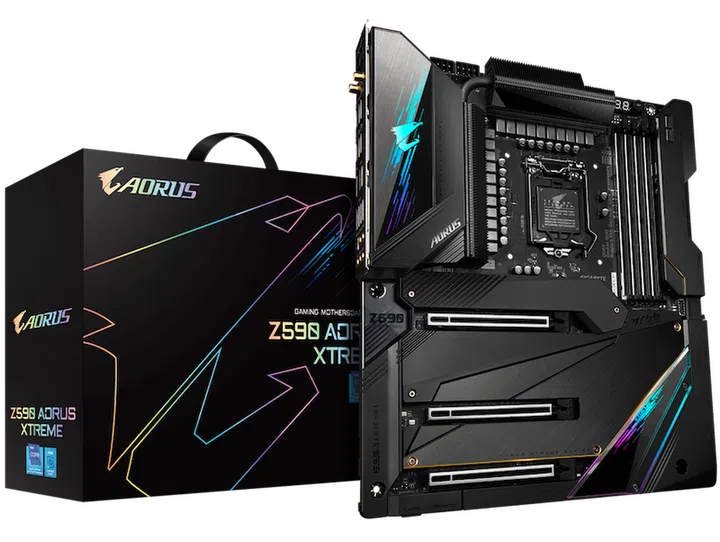
Gigabyte AORUS XTREME (Image Source: Gigabyte)
Enthusiasts that want almost everything can look forward to the AORUS XTREME Z590 motherboard, capable of 20+1 power delivery phase with four DDR4 slots that support ECC-unbuffered memory, although it must operate in non-ECC mode for it to work.
There’s also Thunderbolt 4 ports, 10Gb and 2.5Gb LAN ports, Wi-Fi 6E, dual PCIe 4.0 x16 slots for graphic cards and AMD CrossFire support.
On top of all of that, there is DualBIOS, Gigabyte’s AMP-UP Audio DAC, RGB FUSION 2.0 and headers for connecting front USB 3.2 Gen 2 Type C into your chassis.
AORUS Pro AX & Ultra
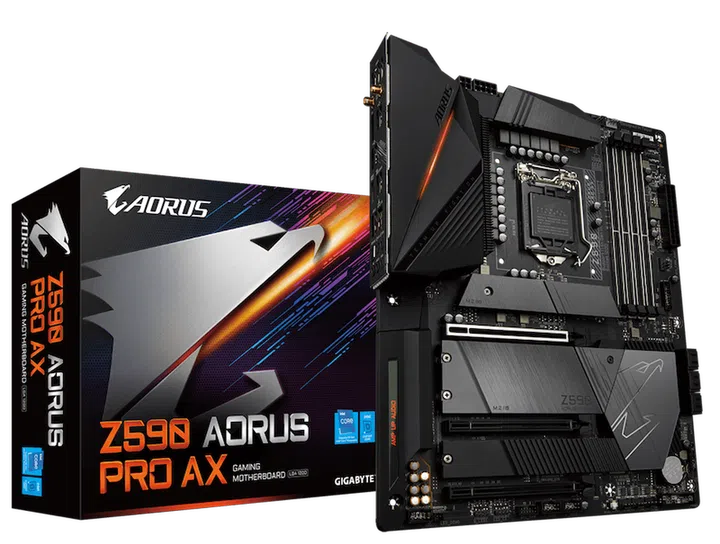
Gigabyte AORUS Pro AX (Image Source: Gigabyte)
Mainstream gamers who don’t require niche features but still want the best can consider this series: the AORUS Pro AX and AORUS Ultra.
The main difference between these two boards are the VRM components; the AORUS Pro AX has just 12+1 Phases, the AORUS Ultra has 16+1.
Besides that, these two models are almost identical. Both of them have PCIe 4.0 support on the graphic card and M.2 slot, with addressable RGB headers and AMD CrossFire. Even all their back panel ports are exactly the same.
2.5Gb LAN and Wi-Fi 6 is the de facto standard of connectivity, and there’s even an option for a Thunderbolt add-in card connector if you so wish to add that feature in the future.
Gigabyte Z590 VISION Series
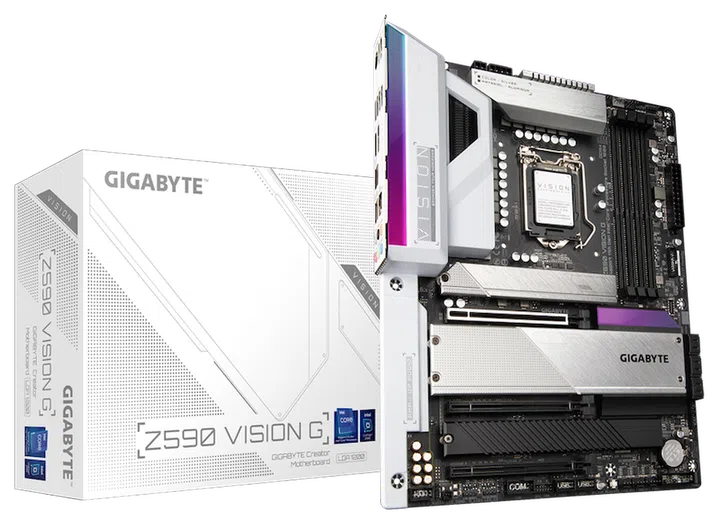
Gigabyte VISION G (Image Source: Gigabyte)
While this line is marketed for content creators with features like Thunderbolt 4 and DTX:S Ultra for spatial audio, the VISION D and G series has features that gamers would want too.
AMD CrossFire, PCIe 4.0 M.2 slots, 2.5Gb LAN and of course, RGB to match the designs and customise it to your heart’s desire.
There’s also an ITX version of the VISION D with the same bells and whistles like Wi-Fi 6, dual M.2 PCIe 4.0 M.2 for ultrafast storage and Thunderbolt 4.
As a professional-oriented motherboard though, it is an odd choice to add support for ECC un-buffered memory but can only operate in non-ECC mode.
MSI
And last but not least, MSI’s Z590 motherboard. In total, they’ve got four of these, two that highlight the greatest features and designs for enthusiasts while the other two are for the value-oriented crowd that still want the same, gaming features but at a lower entry cost.
You can also visit their official website to check out prices and availability right over here.
MSI Z590 GODLIKE & ACE
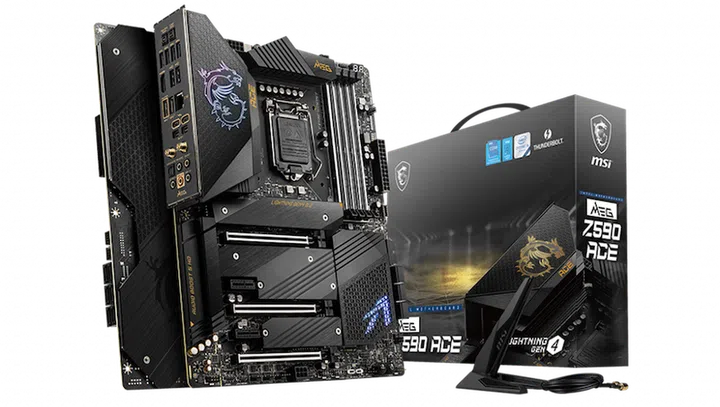
MSI MEG ACE (Image Source: MSI)
Enthusiasts are spoilt for choice with the MEG Z590 GODLIKE & MEG Z590 ACE to choose between, and both feature almost identical specifications. The GODLIKE model is able to yield more stable and higher overclocks with the 20-phase power delivery design over the 16+2+1 on the ACE.
Ports are no slouch either, with two Thunderbolt 4 ports, PCIe Gen 4 lanes for graphic cards and M.2 with support for AMD CrossFire, Wi-Fi 6E and two LAN ports, one which is 10Gb and the other is 2.5Gb. The ACE has everything except the 10Gb LAN, though.
To really customise the look of your motherboard, there’s even an OLED panel for you to showcase whatever you want!
MSI Gaming Carbon & Tomahawk WiFi
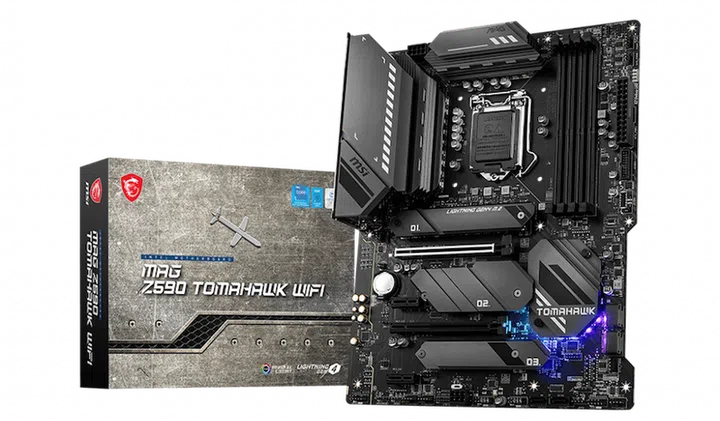
MSI MAG Tomahawk (Image Source: MSI)
Gamers who still want to overclock without breaking the bank can consider the MSI MAG Z590 Tomahawk WiFi or the MSI MPG Z590 Gaming Carbon WiFi.
With a 16+1+1 and 14+2+1 phase power delivery on the Carbon and Tomahawk respectively, you’ll be able to achieve a decent and stable overclock on these boards.
They’re also equipped with PCIe Gen 4 capability, Wi-Fi 6E, 2.5Gb LAN and USB 3.2 Gen 2 Type C connectors with even support for AMD CrossFire.
Our articles may contain affiliate links. If you buy through these links, we may earn a small commission.