
Harnessing the Hydra - MSI Big Bang Fuzion
Mixing and matching two disparate graphics cards from different vendors becomes a reality with the Big Bang Fuzion, MSI's high-end P55 motherboard. Lucid's Hydra engine makes all this possible but does it work as well as it claims?

** Updated as of 29th January 2010 **
We've updated the article with findings from testing the newer Hydra driver version 1.4 and we've added these thoughts on our concluding page. Most important are more GPU and games support in multi-vendor, multi-GPU configuration.
A Multi-GPU Wish Come True?
Two different graphics cards from two rivaling firms working in tandem? That's certainly fantasy stuff deserving of a spot on the New Year's wish list for graphics junkies. Except that it's now come true with the MSI Big Bang Fuzion P55 motherboard. In fact, we were promised this late last year but the Fuzion couldn't make it for Christmas.
Instead, MSI placated us somewhat with the impressively equipped Trinergy, which had an NVIDIA nForce 200 chip onboard to enable 3-way SLI and CrossFireX, making it a pseudo X58 equivalent. That board was very nice, very expensive and the start of MSI's ultra high-end Big Bang motherboard series but what we really wanted was cross-vendor, multi-GPU support. Fortunately, the Fuzion is finally ready to be unveiled to the world.
MSI collaborated with fabless semiconductor firm Lucid to implement the latter's vendor-agnostic Hydra 200 chip. According to Lucid, the Hydra is "a real-time distributed processing engine (system-on-a-chip) that allows efficient load-balancing of multi-GPU environments using any GPU vendor." Plainly put, it allows consumers to combine graphics cards from either of the two major graphics chipmakers on a single motherboard, though you'll find later that there are some restrictions on what cards are compatible.
The standard P55 motherboard already supports 2-way SLI or CrossFireX after the proper licensing and certifications. However, such multi-GPU technologies typically limits users to pairing only GPUs that are practically identical, with some allowance. ATI's CrossFireX for example has a limited ability to mix two different GPUs of a similar series/architecture while NVIDIA's SLI limits you to the same GPU model but works with varying clock speeds and memory sizes within that restriction.
Hence, the main attraction of Lucid's Hydra is its mix and match capability. Lucid claims that its distributed processing or load-balancing technology allows the addition of a newer generation graphics card to an older one while maintaining a decent amount of performance boast. This is done by having its ASIC chip sit in between the CPU and the GPUs and 'meditate' or distribute the workload via PCIe according to the GPUs' capabilities in real time. It's something that ATI or NVIDIA cannot do currently with their Alternate Frame rendering method of splitting the workload between two GPUs, which requires a similar level of performance from both. The generic nature of Lucid's technology also means that it doesn't matter what architecture the GPU belongs to, which hence allows for ATI and NVIDIA GPUs to work together.
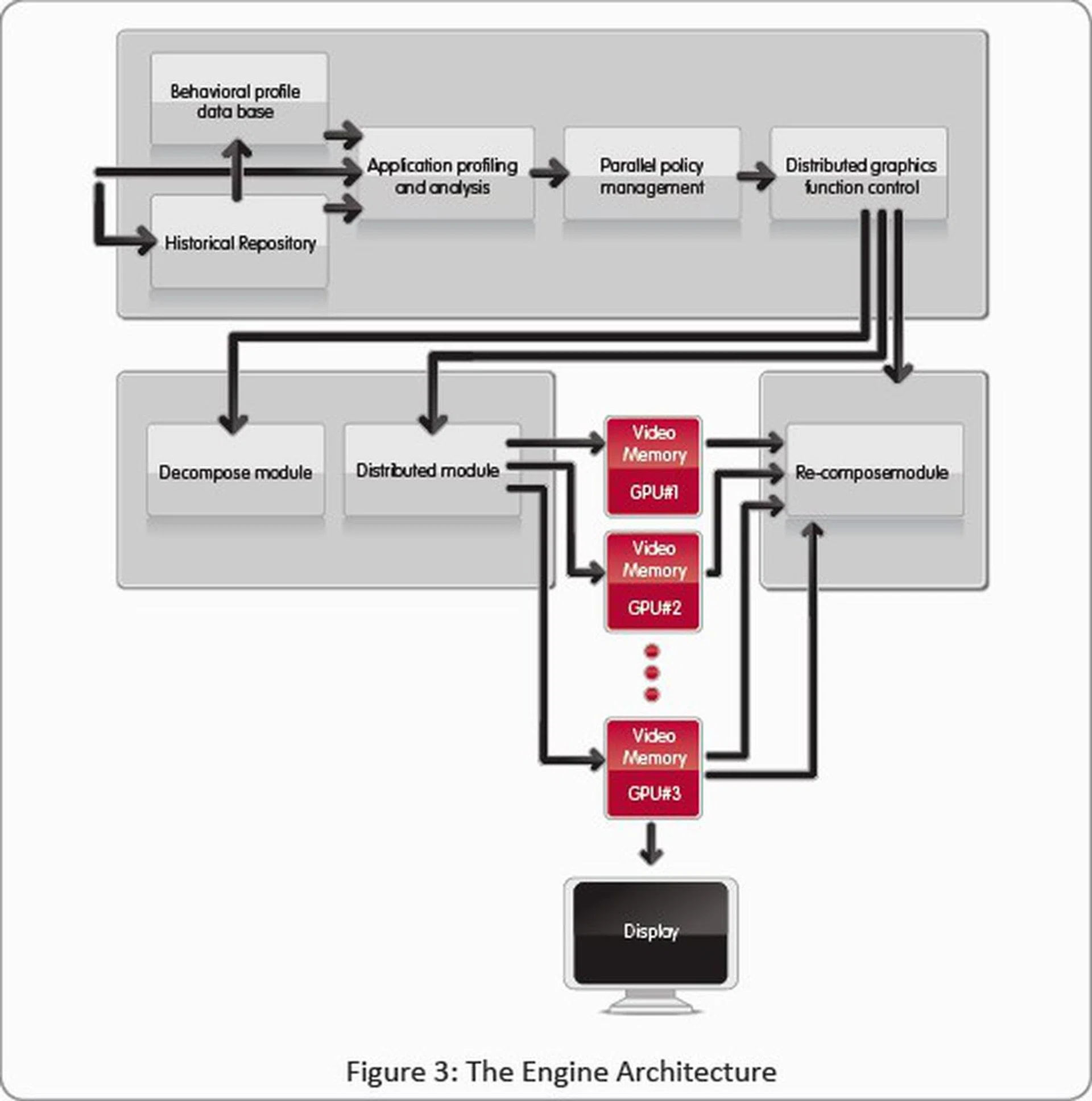
The Hydra Engine architecture and the pre-processing that goes on before the actual work is sent to the GPUs.
Unfortunately, our excitement over its potential immediately got doused with cold, hard reality upon opening up the Big Bang Fuzion package. Mixing two graphics cards from the two vendors is only possible for a handful of models, and none of the latest Radeon HD 5000 cards. The bad news to come is that the application support for such a configuration is at the moment, quite paltry.
Here's what you need for the multi-vendor, multi-GPU to work:
- Windows 7 32-bit or 64-bit as the OS
- Single GPU Radeon HD 4500/4600/4700/4800 with single GPU GeForce GTX200/G90
- Supported Catalyst and ForceWare driver versions (Catalyst 9.9 and ForceWare 191.07 are the newest drivers quoted in the manual)
And the supported applications for mixing an ATI graphics card with an NVIDIA one currently are:
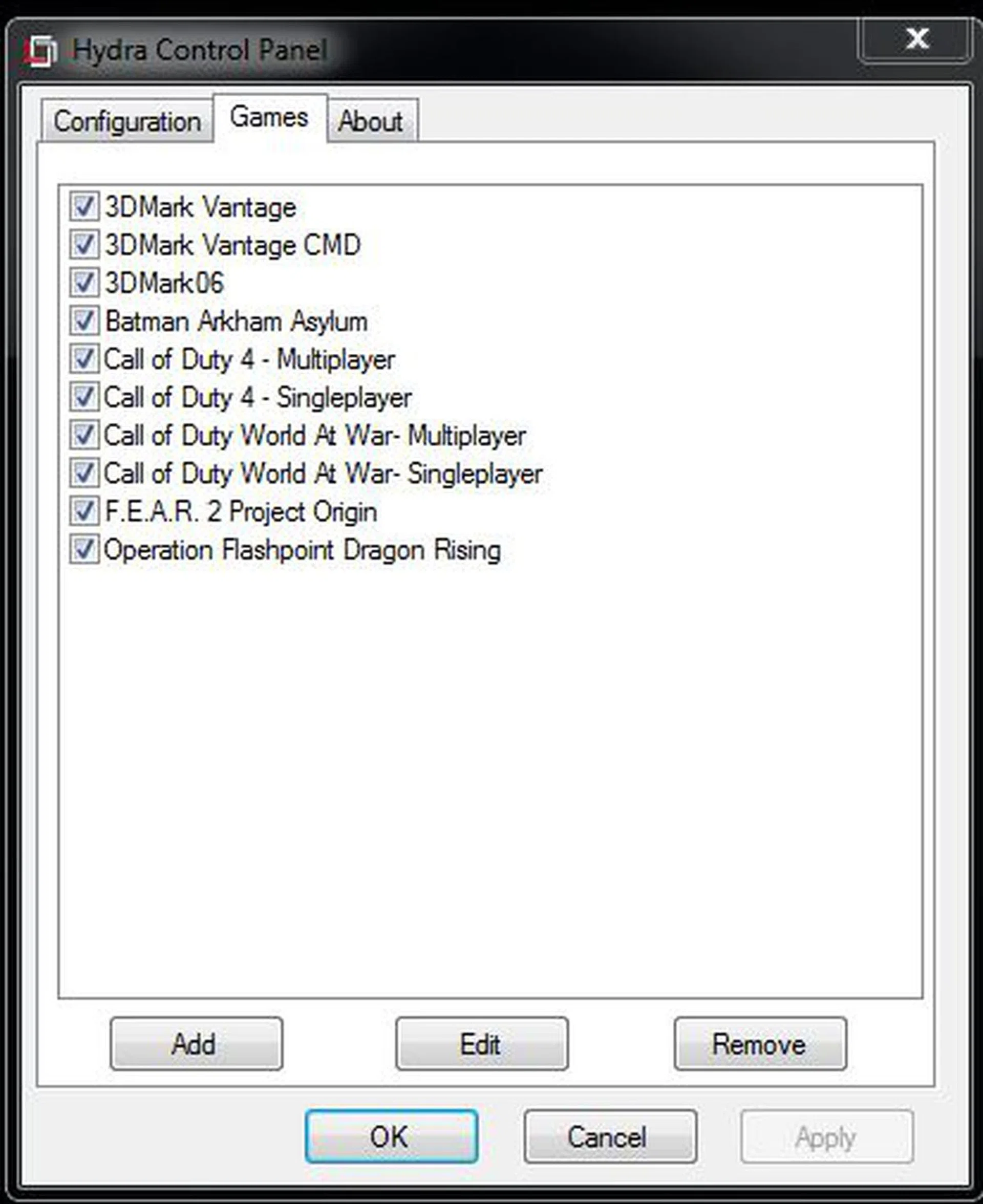
For mixed mode aka a NVIDIA GPU with an ATI GPU, these are the few supported applications. This list changes depending on the installed combination of graphics cards.
This list expands greatly, reaching around 70 games if you're using GPUs from the same chipmaker and it includes some recent and notable ones. For GPUs from the same chipmaker, you can use Windows Vista (32 or 64-bit). The Windows 7 requirement is for multi-vendor configurations. Of course, the important thing is how does Hydra perform in these games and that's what we'll be exploring in this article.
Hydra Test Setup
Our usual P55 test setup was brought out for the testing and consists of the following:
- Intel Core i7-870 (@2.93GHz, Intel Turbo Boost, HyperThreading enabled)
- 2 x 1GB Kingston HyperX DDR3-1333 @ 7-7-20 CAS 7.0
- Seagate Barracuda 7200.10 200GB SATA hard disk drive (one single NTFS partition)
- Intel INF 9.1.0.1007 and Intel Matrix Storage manager 8.6.0.1007 driver set
- Microsoft Windows 7 Ultimate
- Hydra Engine driver version 1.3.105
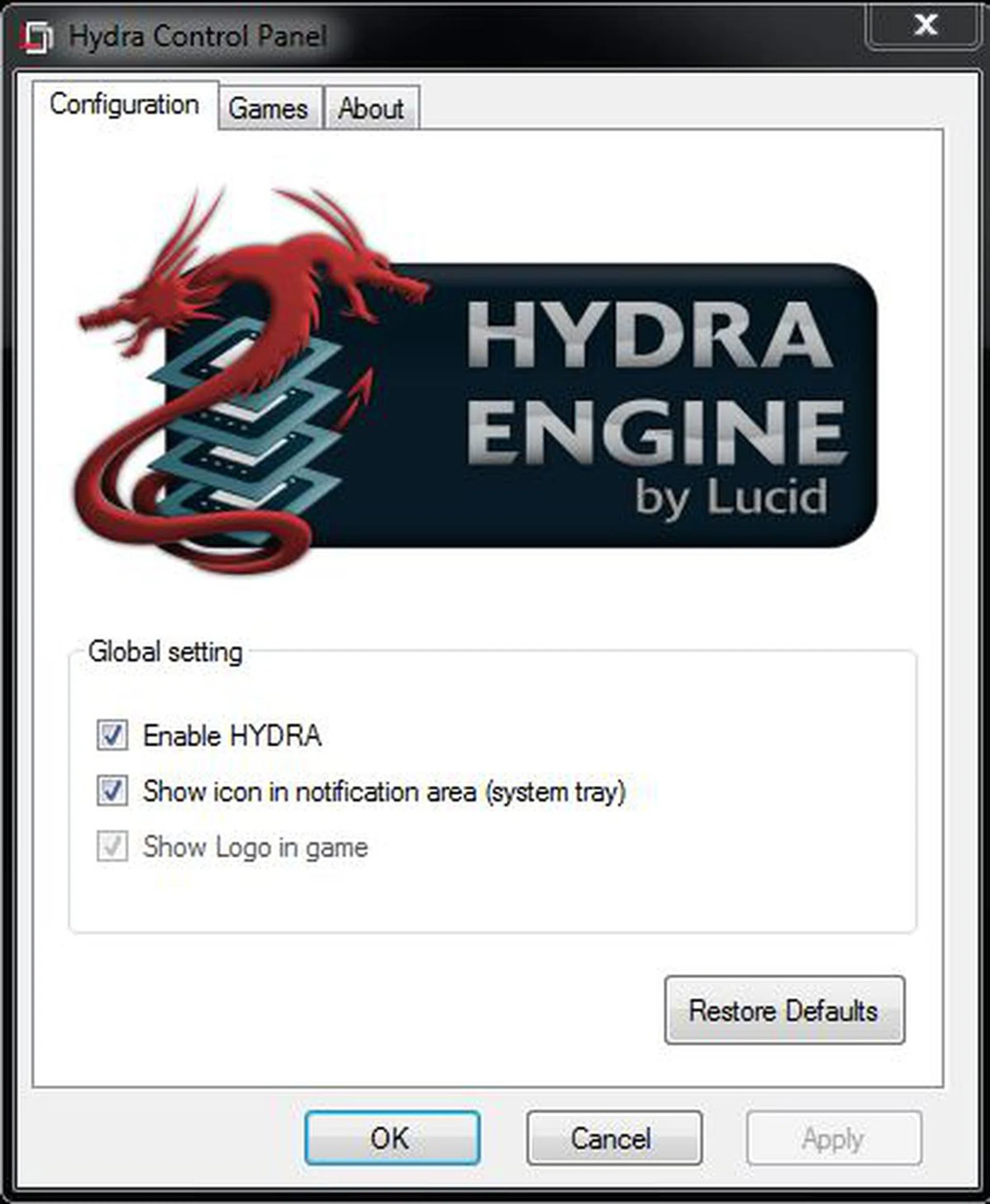
The Hydra Control panel is not exactly big on fine control, with just these options.
There are quite a few permutations of the GPUs that we can test but as mentioned previously, the Hydra chip only works with certain classes of GPUs and obviously we can't test them entirely due to time constraints. Also, MSI/Lucid has identified which driver versions are qualified to work for each configuration and while we have tried to use the latest available drivers from ATI and NVIDIA where possible, chances are that some configurations only work with the qualified drivers. Below are the listed GPU configurations tested with Hydra, with all GPUs running at stock clocks:
- Multi-vendor (X-Mode) - Radeon HD 4890 and GeForce GTX 285 (Catalyst 9.12 and ForceWare 195.62)
- 2 x NVIDIA GPUs (N-Mode) - 2 x GeForce GTX 285 (Reverted to ForceWare 191.07)
- 2 x ATI GPUs (A-Mode) - 2 x Radeon HD 4890
- Radeon HD 4890 with Radeon HD 4670 (Catalyst 9.12)
- GeForce GTX 285 with GeForce 9600 GT (Reverted to ForceWare 191.07)
- GeForce GTX 285 with GeForce GTX 260 (Reverted to ForceWare 191.07)
We have also thrown in SLI and CrossFireX performance scores on a similar system using MSI's P55-GD80 as well as the single-card performance scores for a Radeon HD 4890 and a GeForce GTX 285 using the latest drivers as the baseline.
One note about the installation process: users have to first install the supported graphics drivers from the respective vendors (ATI and/or NVIDIA). Then when that's done and working fine, install the Hydra drivers, which will require a reboot.
As the applications that work for the multi-vendor (X-Mode) are limited, we will be testing this and other modes on the following benchmarks that are qualified to work:
- 3DMark06 (version 110)
- 3DMark Vantage (version 1.0.1)
- Batman Arkham Asylum (version 1.1)
Hydra Results
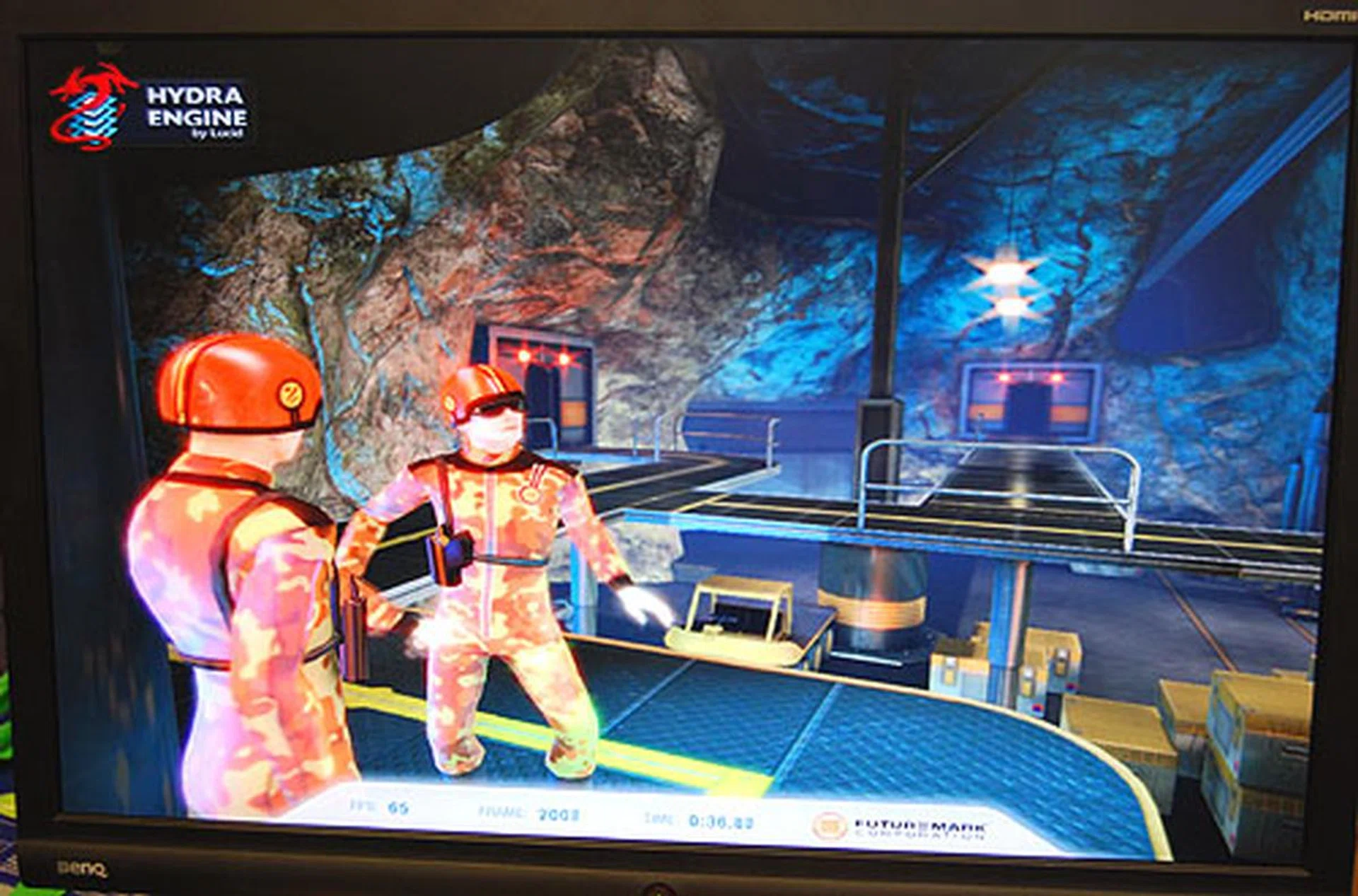
You'll know that the Hydra engine is enabled from the logo displayed at the top left corner of the screen. This overlay can be turned off at the Hydra Control Panel.
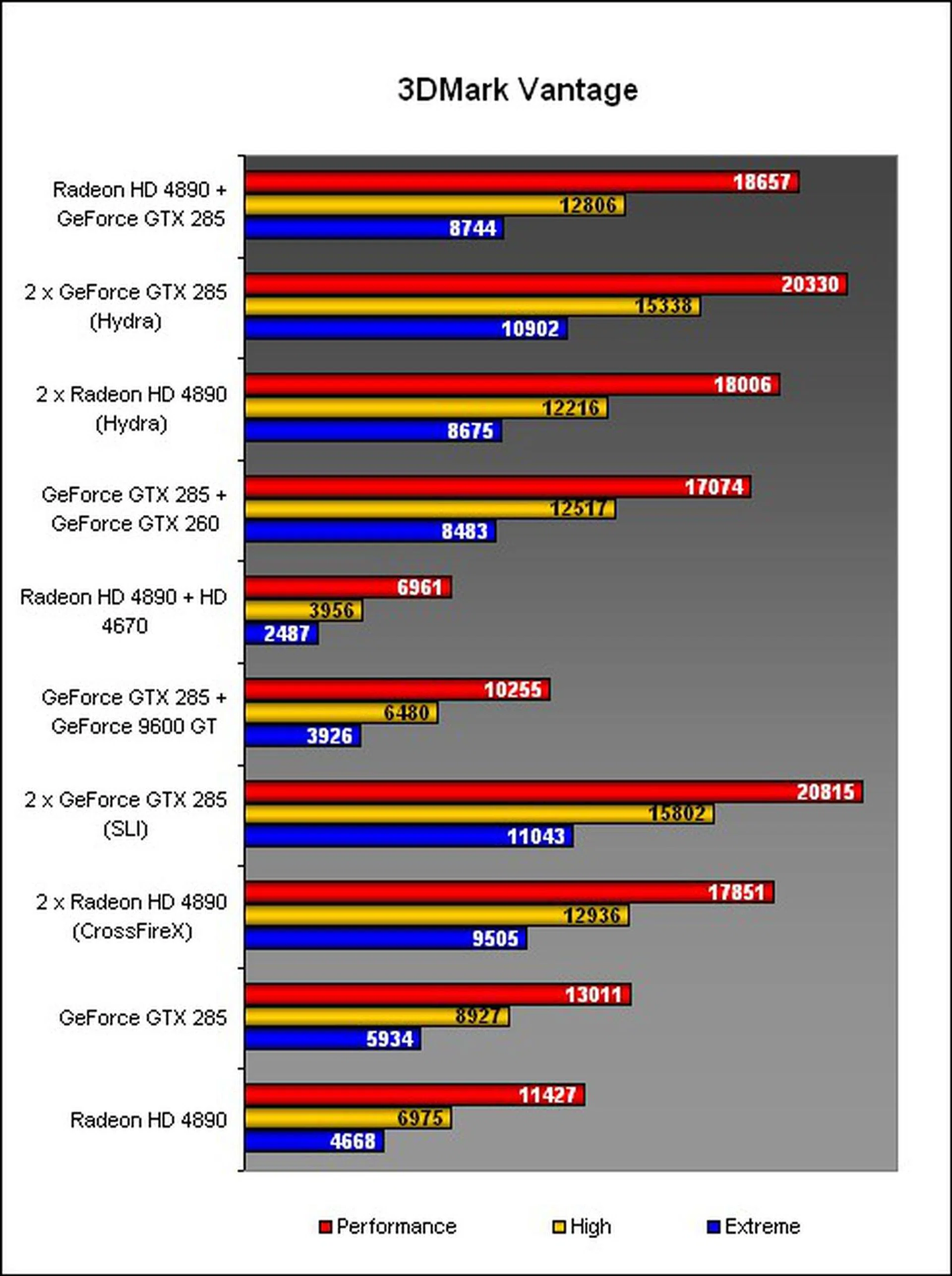
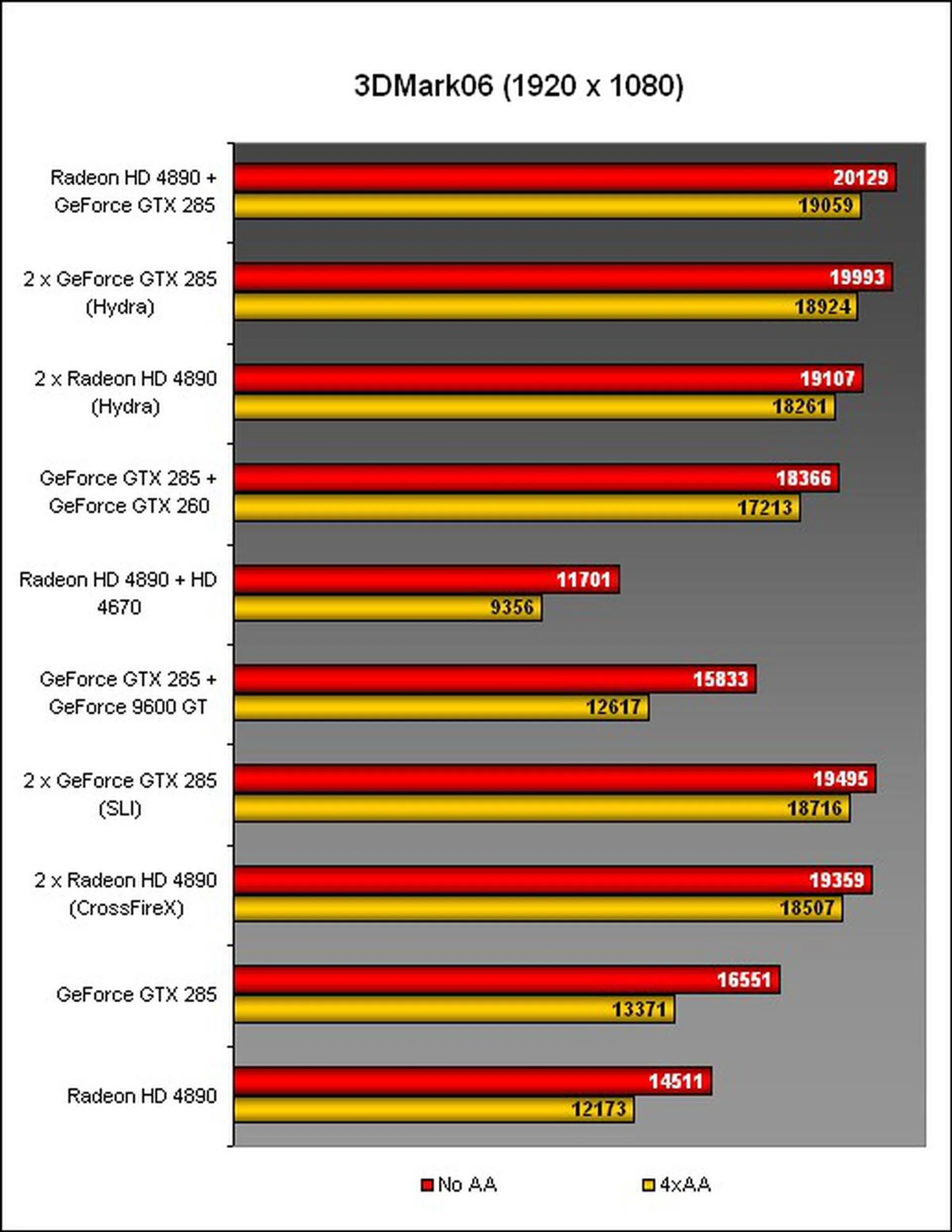
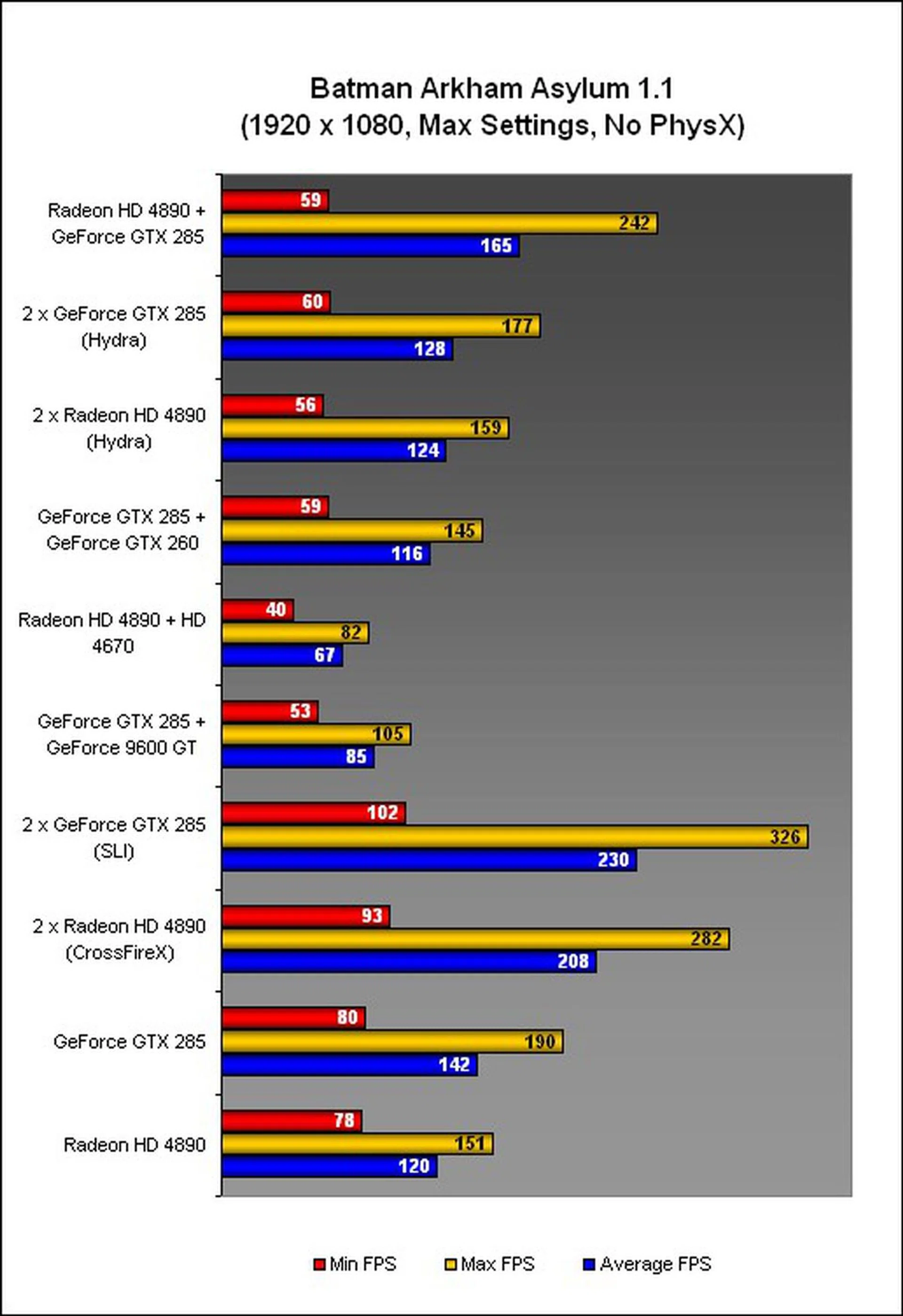
For the ultimate proof of concept for mixing and matching ATI and NVIDIA graphics cards, the Radeon HD 4890 and GeForce GTX 285 worked in the games tested but the performance was mixed though we don't really have a direct comparison to this unique mode.
The same goes for the Hydra-enabled dual Radeon HD 4890 and GTX 285. Compared against native SLI, the Hydra implementation was slower generally but it did beat the CrossFireX duo of two Radeon HD 4890 marginally in 3DMark Vantage (which perhaps goes to say much about CrossFireX rather than Hydra). However that was a rare win as in Arkham, the Hydra Radeon HD 4890 lost quite thoroughly while it was mostly a draw in 3DMark06.
Finally, the warning from Lucid about mis-matching the GPUs hit home when we found that our mid-range GPUs (Radeon HD 4670 and GeForce 9600 GT) actually ended up dragging the performance down of the paired higher-end cards. In fact, if you Hydra such a combination as we did, the results were worse than just a single Radeon HD 4890 or GTX 285. Even if you're not concerned with results, this combination produced artifacts consistently, making it quite unplayable.
Putting a closer class of GPUs together, like the GTX 285 with the GTX 260 will enable one to reap the benefits of multi-GPUs.
What about the Motherboard?
Think of the high-end motherboards and their features and more likely than not, you'll find it on the MSI Big Bang Fuzion. Like the other board in the Big Bang series, the Trinergy, MSI has spared no expenses in outfitting the Fuzion and in many ways, it's the 'ultimate' P55 motherboard in the market. Except for USB 3.0 and SATA 6Gbit/s support, which apparently fell by the wayside. It's not that surprising given that the Fuzion has been delayed from its initial 2009 launch so MSI was probably more concerned with delivering the product rather than extending the features.
Nevertheless, there are still plenty of features for enthusiasts to ogle at, but before we proceed to that, here are the specifications:
CPU Support |
|
Chipset |
|
Memory |
|
Storage |
|
Audio |
|
Networking |
|
IEEE 1394 (FireWire) |
|
Rear I/O |
|
Internal Connectors |
|
Expansion Slots |
|
Special Features |
|
PCB |
|
A Closer Look at the MSI Big Bang Fuzion
Like we said, the Fuzion is identical to the Trinergy and even the P55-GD80 in so many ways. Features like OC Genie, SuperPipe and DrMOS are familiar while the Trinergy has the same Quantum Wave add-on card. Check out the board below:
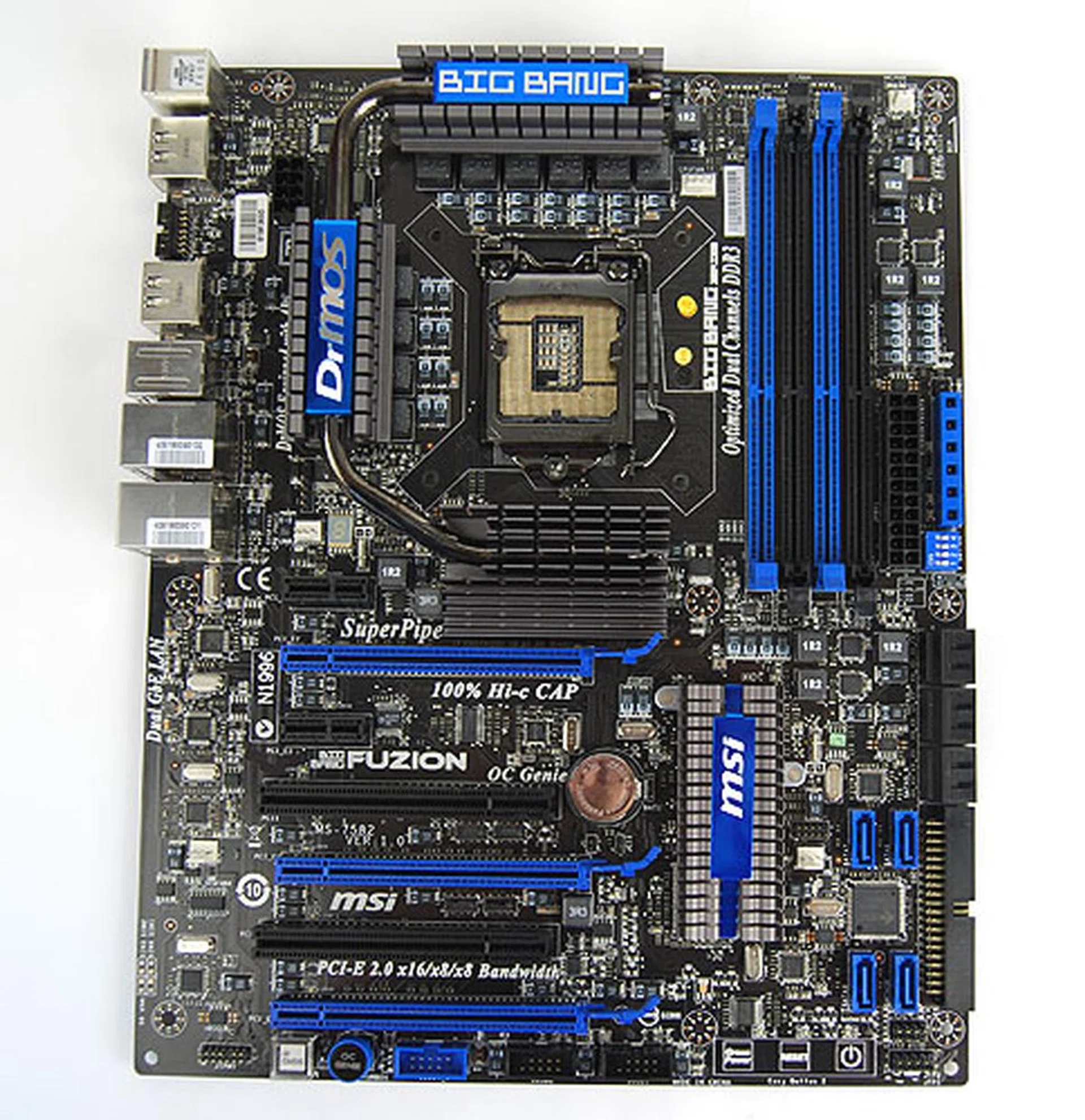
The Big Bang Fuzion is practically identical to the Trinergy and in many ways, the P55-G80 in terms of its layout and appearance.
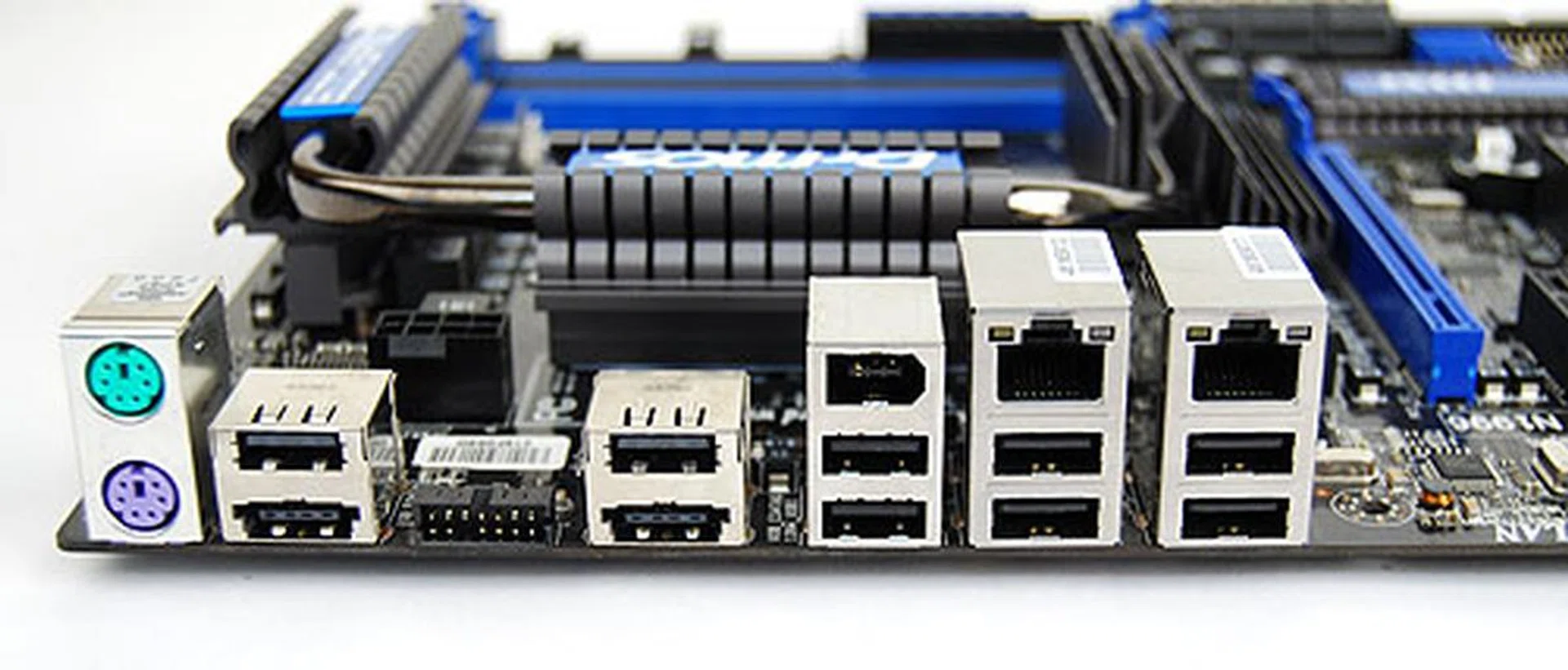
The standard USB and LAN ports at the rear of the Fuzion. The audio portion is missing as it's on the add-on QuantumWave card.
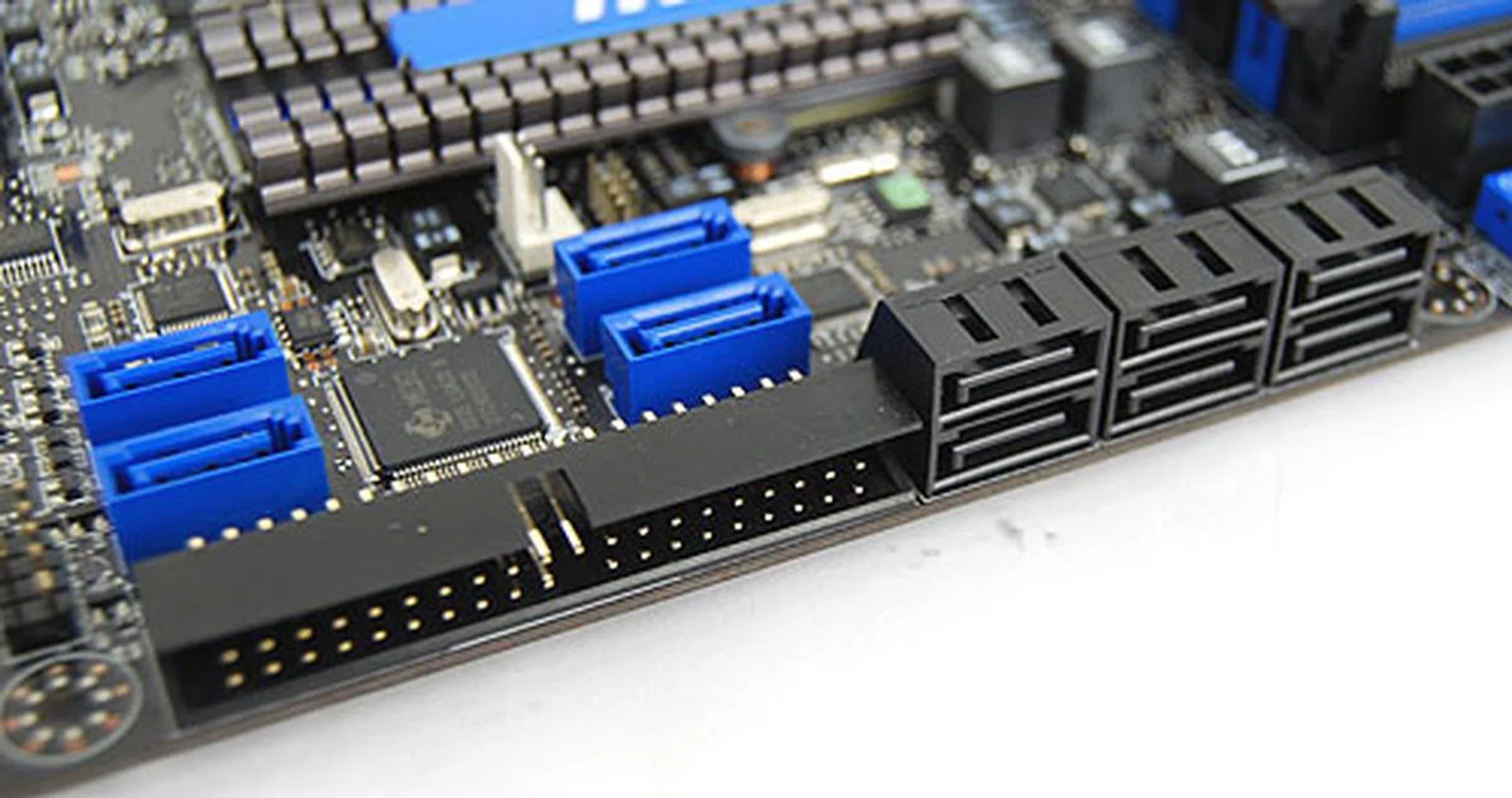
Ten SATA ports, unfortunately none of them using the latest SATA 6Gbit/s standard. There's still an IDE connector for those with older optical drives and hard disks.
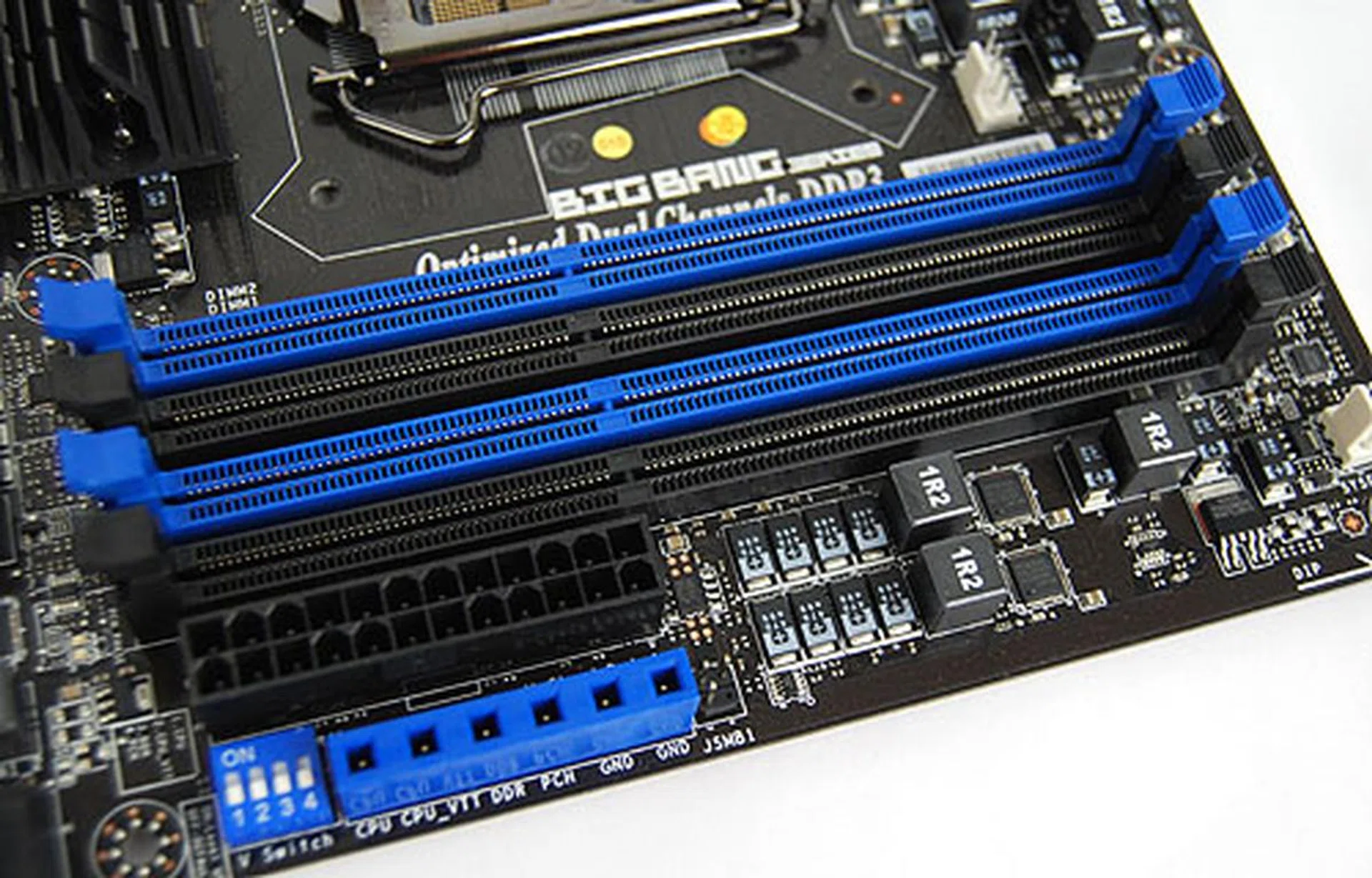
We had seen those voltage check points for the hardcore enthusiasts on the P55-G80. Four DDR3 DIMM slots as expected.
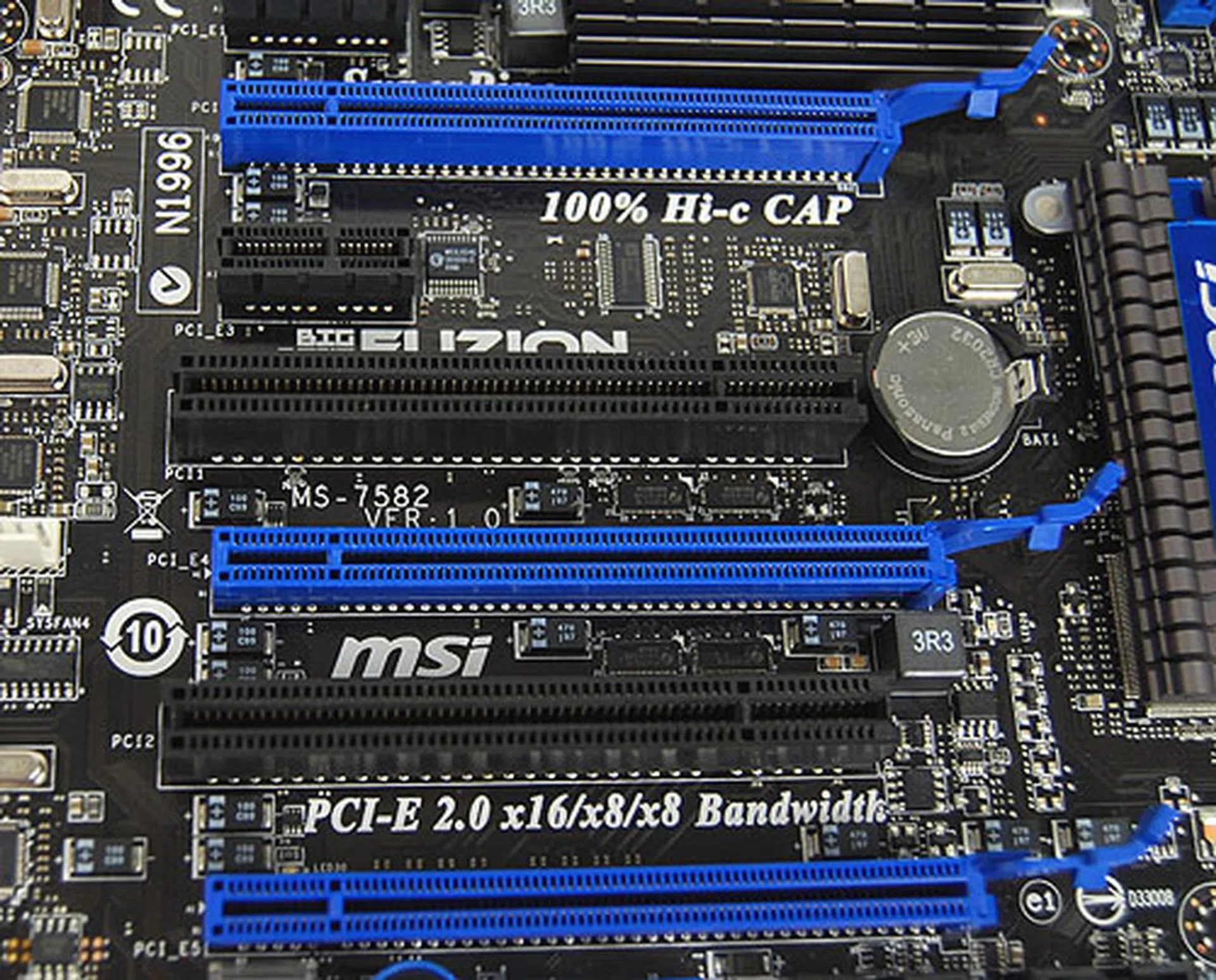
The blue PCIe slots here are for the graphics cards, though Hydra at the moment only supports up to two GPUs. Lucid claims that 3-way configurations are upcoming.

The one-button for instant overclocking - OC Genie. It's arguably one of MSI's more successful features.
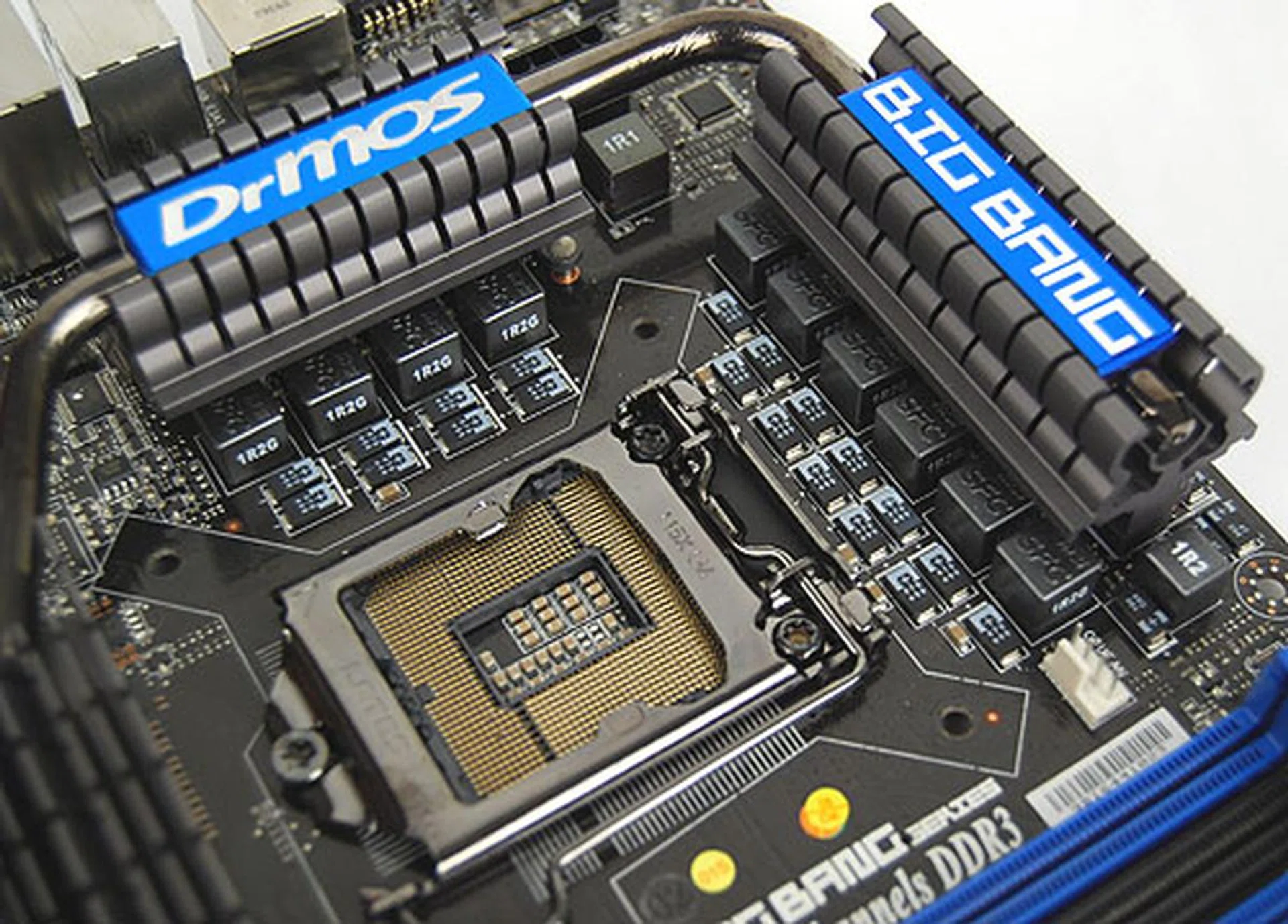
The power phase design for the CPU is where some costly components have been used, from the Hi-C capacitors to the more power efficient Super Ferrite chokes.
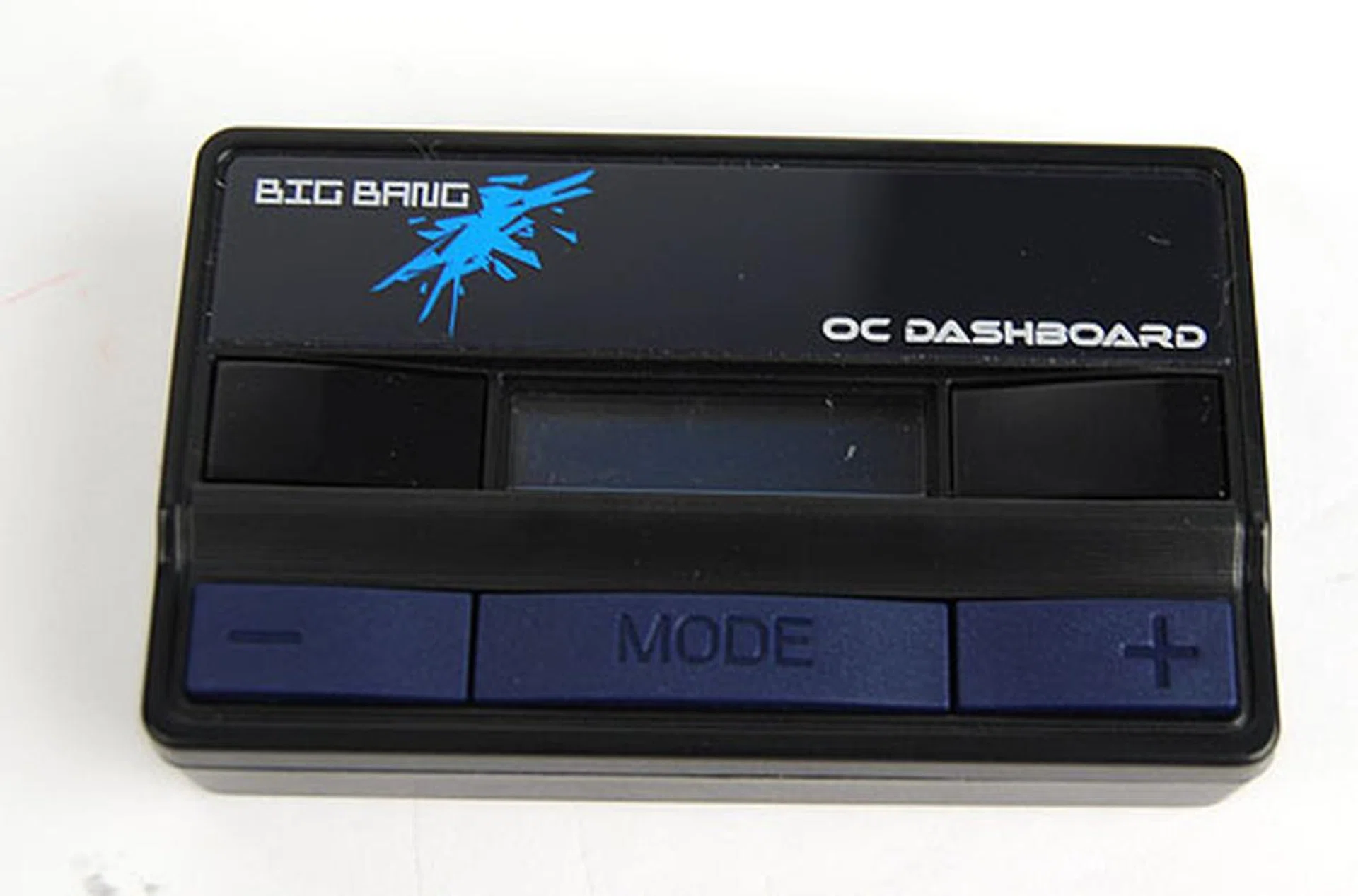
New to the Big Bang series is the OC Dashboard, basically another external overclocking utility that can be plugged into a rear port of the Fuzion and allows users to tweak the system dynamically without opening up the chassis or thru the BIOS.
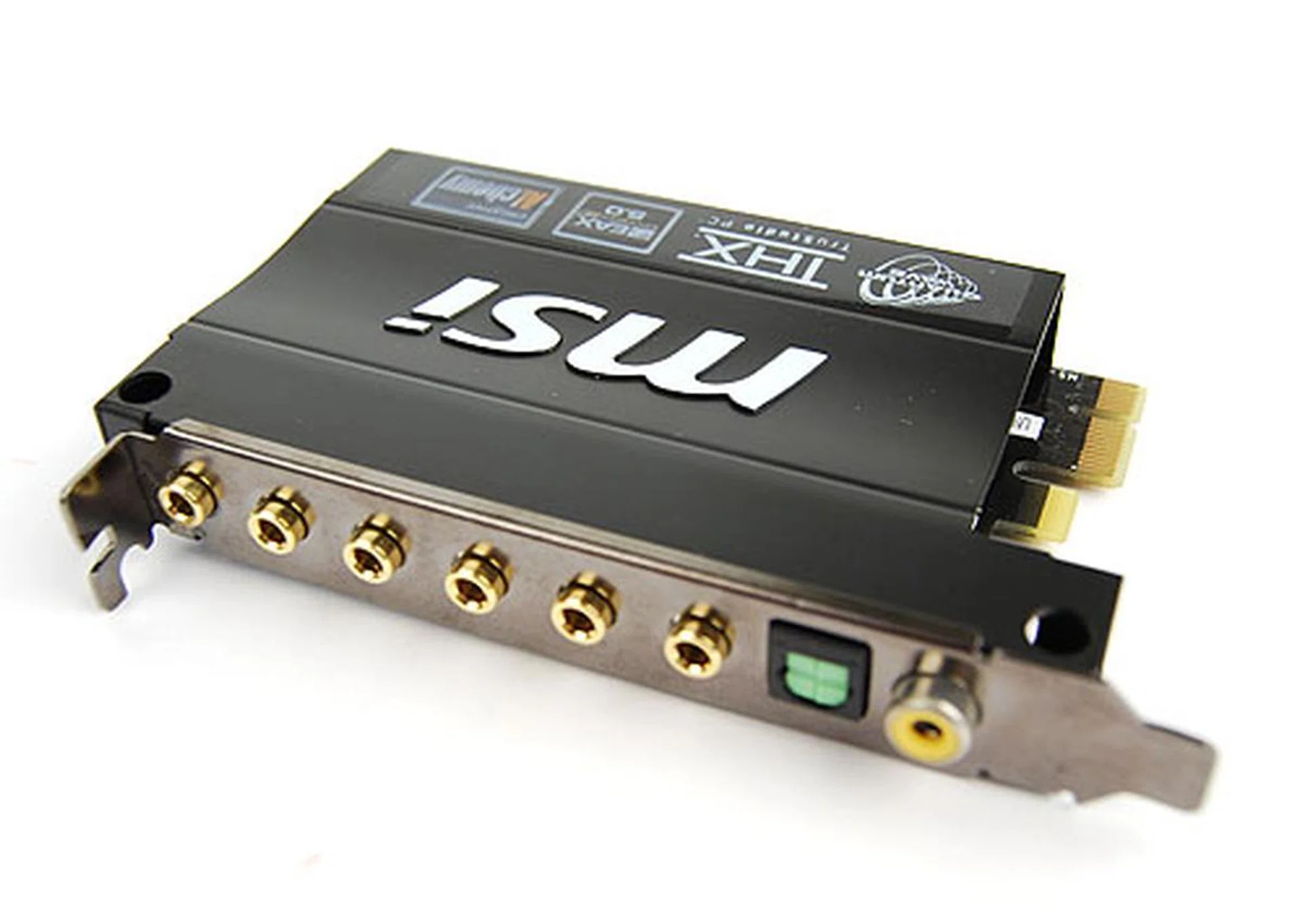
Despite its fancy name and support for EAX Advanced and THX TruStudio, this Quantum Wave add-on card uses a Realtek ALC889 audio chip under the hood.
** Updated as of 29th January 2010 **
Conclusion
As a demonstration of the technology, we felt that Lucid's Hydra did a decent job. Although we noticed some artifacts now and then in some games (they appear to be random) while in Hydra mode, some of these instances were balanced by the fact that we noticed artifacts in CrossFireX too in our testing.
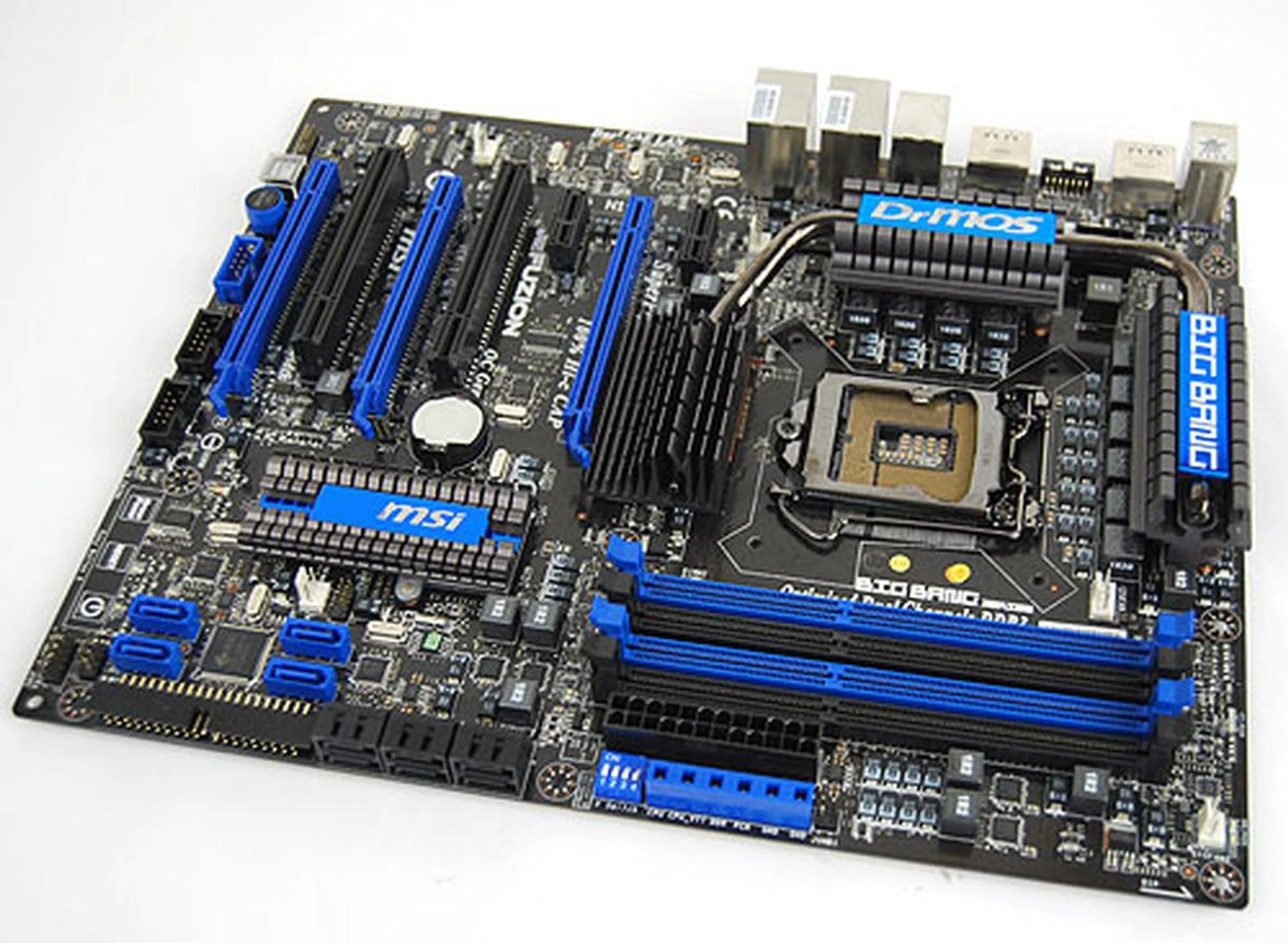
The Big Bang board we have been waiting for, the MSI Fuzion just about manages to produce the goods, but its limitations and cost will ensure that all but the most niche enthusiast will give it a pass.
The bigger issue for Lucid is its limited game support for the mixed mode. Hydra's 'SLI' and 'CrossFireX' implementation are quite decent with a number of games supported but that's not the main reason users will get the Fuzion instead of any other P55 motherboard. It's the mixed mode that matters and currently, the technology is too new, with too few applications, to justify its cost. Besides, we also found that pairing a much older graphics card with a newer, more powerful one will likely backfire and yield negative results. This destroys a possible use-case scenario where users can upgrade and utilize their older cards to some extent, like what NVIDIA allows with its PhysX calculator role for the older GPU.
And that brings us to the final sticking point. Given that the Trinergy was quoted in the US$350 range earlier, we are not optimistic that the Fuzion will be any cheaper, since it has the exact same feature set, minus Hydra. At such price levels, the Fuzion motherboard is going to be a hard sell for MSI. Despite the neat technology and high quality components, we doubt that there's a significant market for this board. No doubt, Hydra has quite a lot of potential, but it's not the finished product yet, not by a long shot.
We just got word of a new official Hydra 1.4 driver that will be found on the retail version of the Fuzion. The new driver also extends GPU support to the new Radeon HD 5000 series, NVIDIA's GT 210 and 220 and the Radeon HD 4830. The list of supported games apparently has increased too. We'll be testing out the new driver and how it performs soon, so check back on this page in a week's time.
** Updated as of 29th January 2010 **
As mentioned before, Lucid promised a newer Hydra driver, version 1.4, after we had finished our initial testing and now we have finally managed to get some numbers. The significant development in version 1.4, which is now available on MSI's Big Bang Fuzion web page, is that the latest generation Radeon HD 5800 and 5700 series GPUs are supported. Also now in N-mode, the NVIDIA GT 210 and 220 have also been added to the support list.
This move tackles our criticism that the previous driver did not support ATI's latest GPUs. We tested this feature out by pairing the NVIDIA GeForce GTX 285 with a Radeon HD 5870 and while it worked, the results in 3DMark Vantage and 3DMark06 were lower than having a GTX 285 with a Radeon HD 4890. As for our other results, we found that there was no significant performance change in N-Mode, with dual GTX 285 GPUs. The list of games supported remained largely the same, though one of the games we tested previously, Batman Arkham Asylum now no longer worked in X-Mode.
Therefore, it appears that there's still work to be done when it comes to performance and support, though hopefully Lucid and MSI can keep up with the constant updates necessary for this architecture. As it is now, we are understandably wary of recommending Hydra as a serious challenger to a native CrossFireX and SLI setup, but we'll be keeping track of future developments in this technology.
Our articles may contain affiliate links. If you buy through these links, we may earn a small commission.