
Corsair Carbide Series Air 540 Cube - A Case with Two Chambers
The Corsair Carbide Series Air 540 Cube is a unique casing that consists of two specially designed chambers to provide better cooling and cable management. We check it out to see if such a concept works.

Cuboid Dreams
High-speed memory modules are Corsair’s specialty and remains to be a core part of their business. However, as we have noted in previous reviews, Corsair has recently embarked on a mission to diversify its portfolio.
Recently, we had the chance to Tim Handley, Corsair’s regional sales director, and he revealed some interesting tidbits about the company and their plans going forward.
If you follow our site closely, you would know that Corsair has made significant inroads in the SSD business with their award-winning Neutron GTX SSD, which also happens to be the winner of our Great High-end SSD Shootout from early this year. Tim also revealed that the company’s keyboard business is going well too, and that they are currently the second largest buyer of Cherry switches, behind only Razer. In addition, we also learnt that the company has identified casings as one of their target areas of growth.

The Corsair Carbide Series 540 Air has a unique cube-like design. Inside are two separate chambers which purports to offer better cooling and easier setup.
Just weeks ago, we reviewed their latest Obsidian Series 750D full tower casing and today we are taking a look at one of their more unusual casings, the Carbide Series Air 540 cube casing.
The Carbide Series Air 540 is unusual mostly because of its cuboid design. It is designed as such because it has two separate chambers within to house different components - motherboard in one of them, drives and PSU in the other. By doing so, the motherboard gets direct cooling from the front intake fans, and, according to Corsair at least, makes installing components and cable management much easier. To be sure, Corsair is not the only one that offers a casing with such a configuration as Lian Li does too.
Before we dive into the review, here are the key specifications of this casing.
Casing Dimensions &Specifications |
|
Drive Bays &Expansions Slots / Ports |
|
Case Cooling |
|
Power Supply |
|
Design & Features
According to Corsair, the Carbide Series Air 540 (hence forth known simply as Carbide 540) is a mid-tower casing, but because it has dual chambers, it is noticeably wider than your average mid-tower casing. Because of its unusually wide dimensions, users should take heed if they are thinking of placing the Carbide 450 into standard computer desks.
As one of Corsair’s more affordable casings, the Carbide is constructed using a blend of thick high-quality SECC steel and plastics. It feels solidly built and the panels have a kind of soft-touch matte coating on them, which is nice and adds a bit of visual effect.
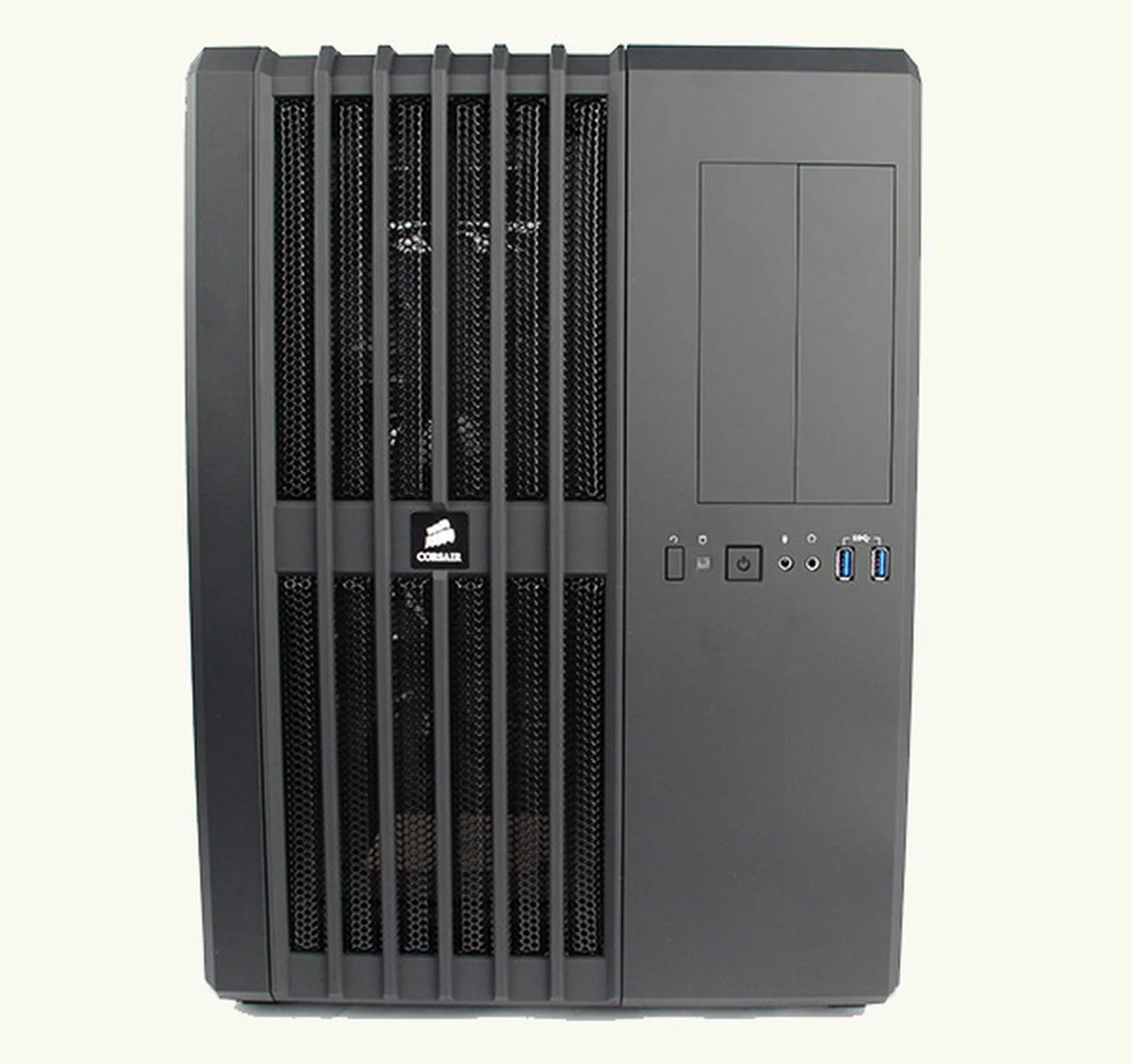
Because of its asymmetrical and cuboid design, the Carbide 540 looks a bit like a mini-server.
Like most of Corsair’s casing, the Carbide 540 is decked entirely in black and because of its asymmetrical design, with grilles running up and down one side, this makes it look like a mini-server. The grilles are in fact there to offer ventilation and cooling to the casing's main chamber, the one housing the motherboard, and by extension, the CPU, GPU and memory - the most important components that require good active cooling.
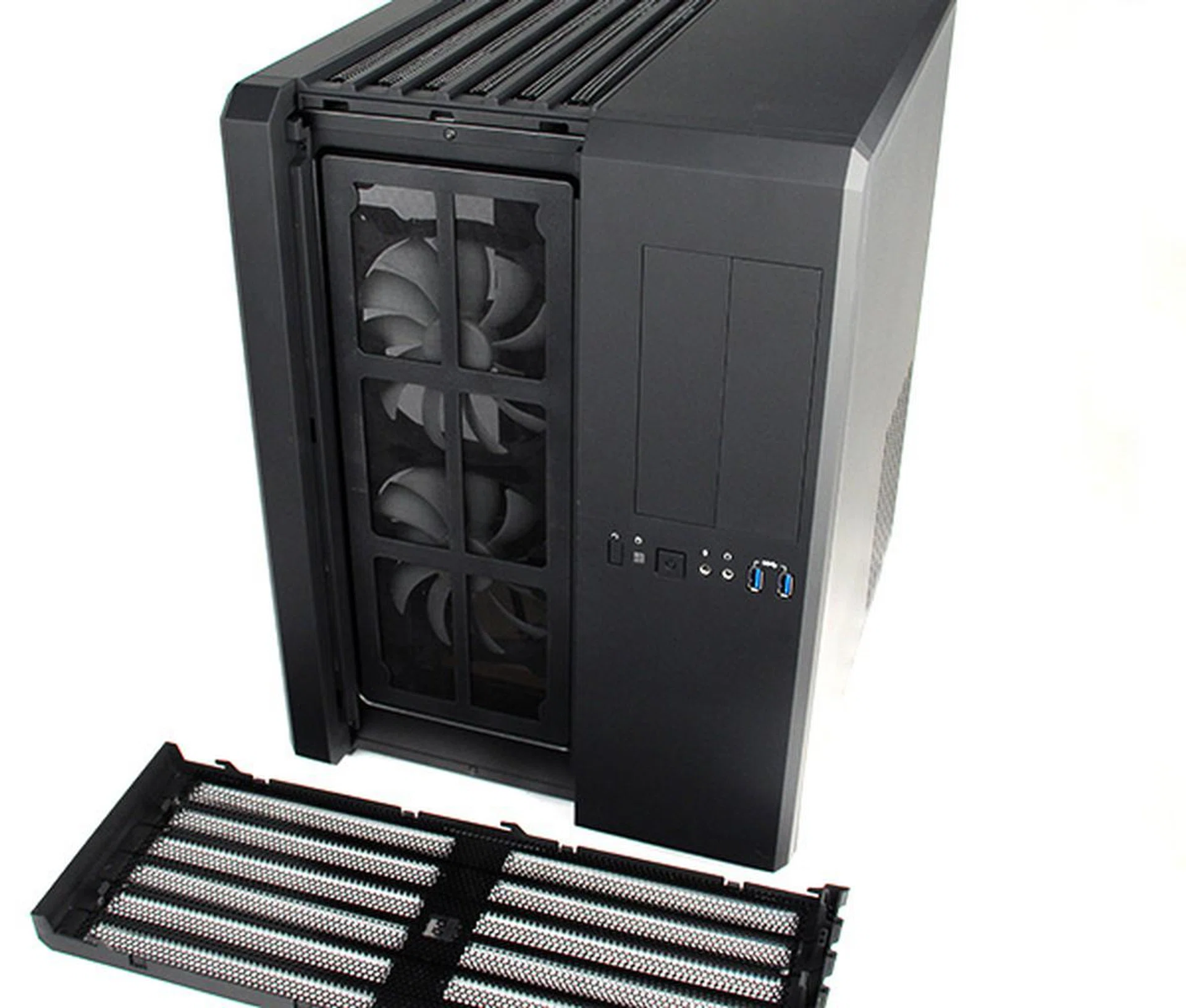
Removing the front grille reveals the removable dust filter and the two large intake fans.
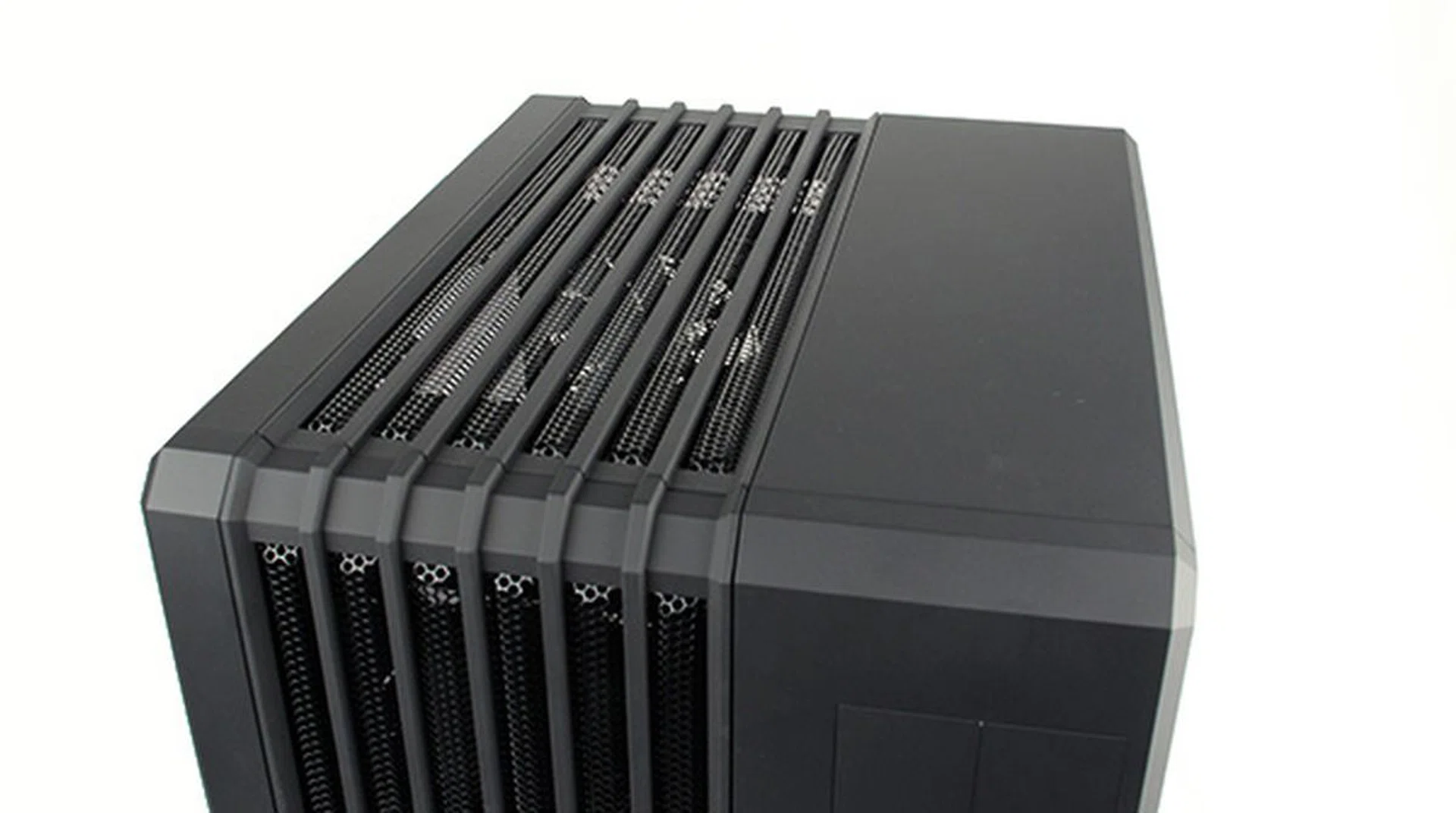
The top panel is pretty nondescript save for the removable grille.
Behind the front facing grille are two large 140mm intake fans and a dust filter to help keep out dust and dirt. The top grille is there because underneath it are mounting points to accommodate additional fans or radiators (up to 280mm) for liquid cooling setups. Both grilles are easily removable, but only the front facing one has a dust filter.
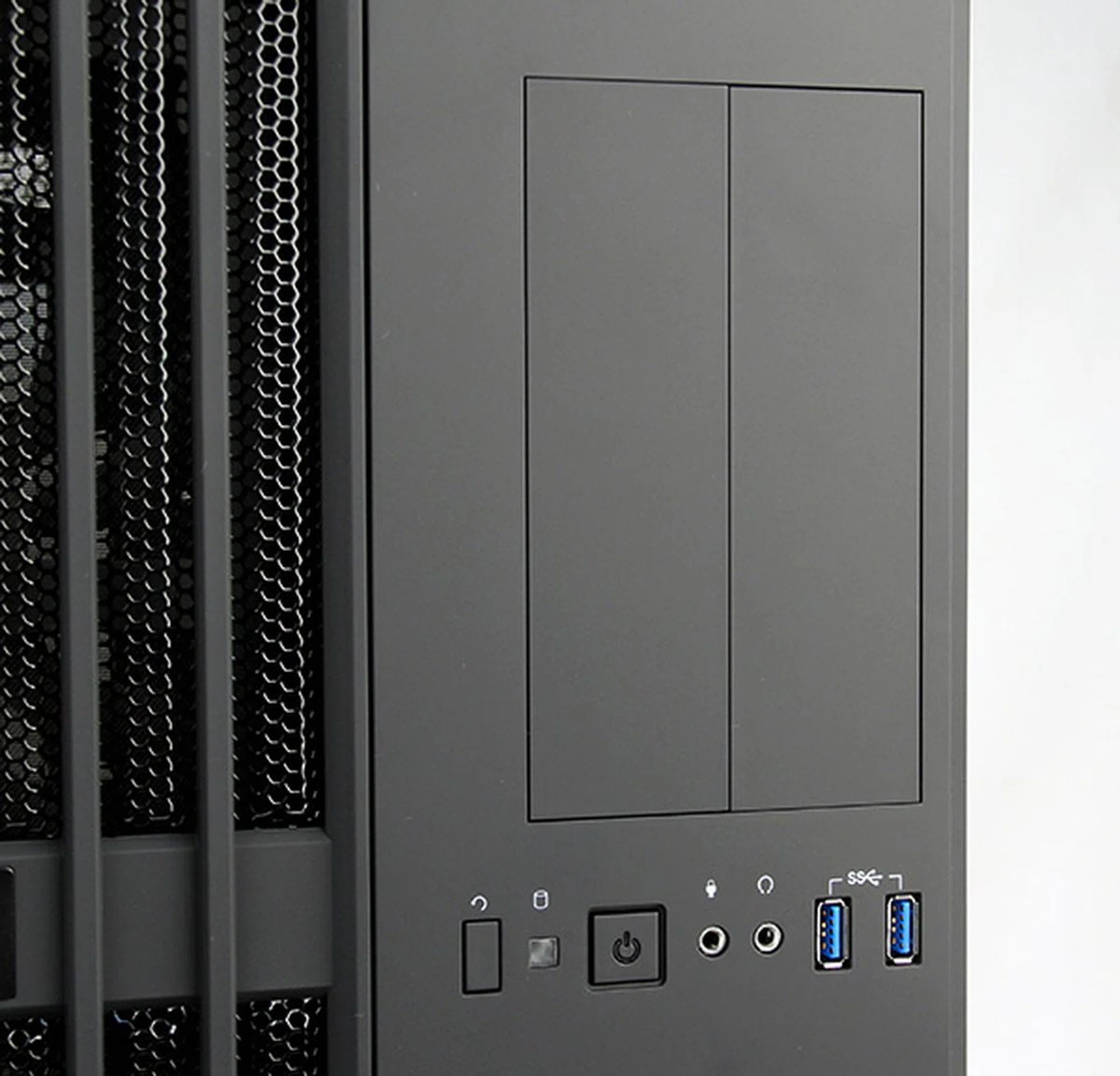
The Carbide 540 offers two front-facing USB 3.0 ports, which is decent, but more is always welcomed.
On the other side, where the 5.25-inch external drive bays and front-facing switches and ports are, is the secondary chamber that houses the PSU and drives - components which require less cooling. The Carbide 540 offers two front-facing USB 3.0 ports and the usual headphones and microphones jacks. A couple more USB ports would definitely be welcomed as two is really the bare minimum these days.
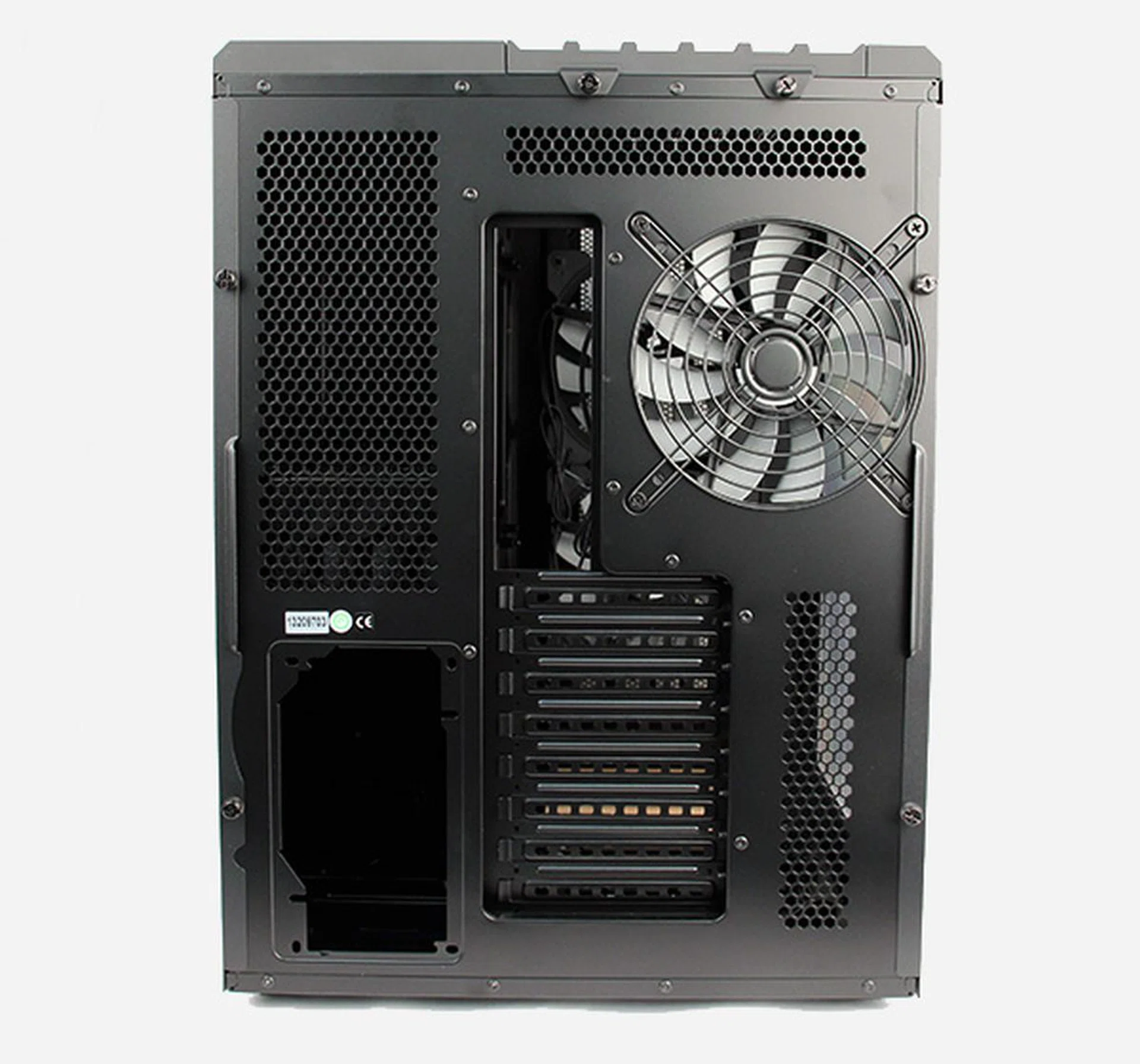
Looking at the rear, we can better appreciate the dual chamber design. On the right is where the motherboard would be, whereas the PSU will sit on the bottom left corner in a separate chamber. Note the large 140mm exhaust fan.
The rear side of the casing is pretty standard fare, with its single exhaust fan and eight expansion slots. The bottom of the case reveals cutouts where the 3.5-inch hard drives would go and the casing comes with rubber feets. However, we noticed that there are no provisions for installing wheels. Considering the odd size of the Carbide 540 and its lack of carrying handles, we thought that having the ability to install wheels would have made it easier to transport, should the need arise.
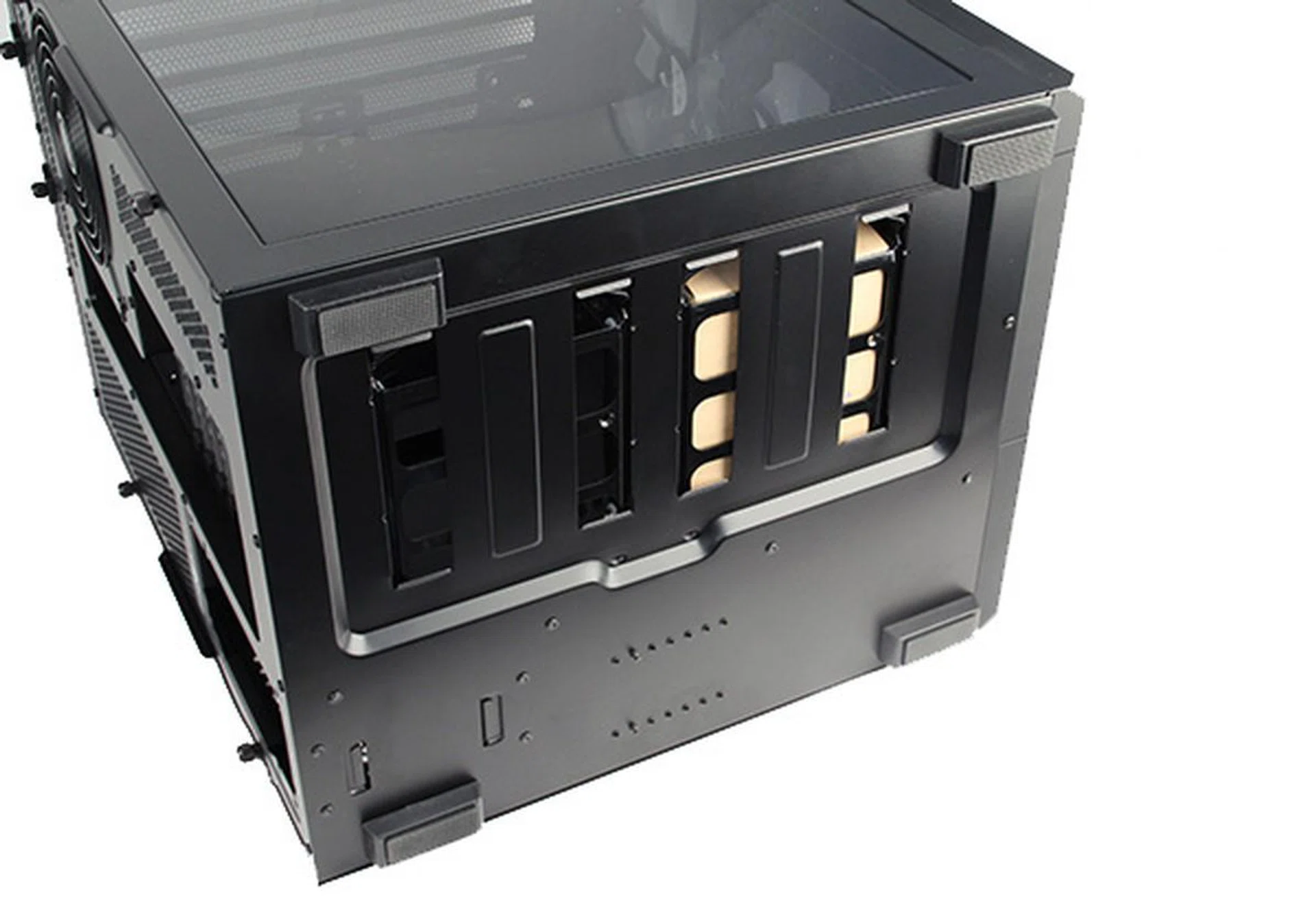
There are rubber feet at the bottom and the cut-outs that you see are for the two 3.5-inch drive trays.
Installation & Ease of Use
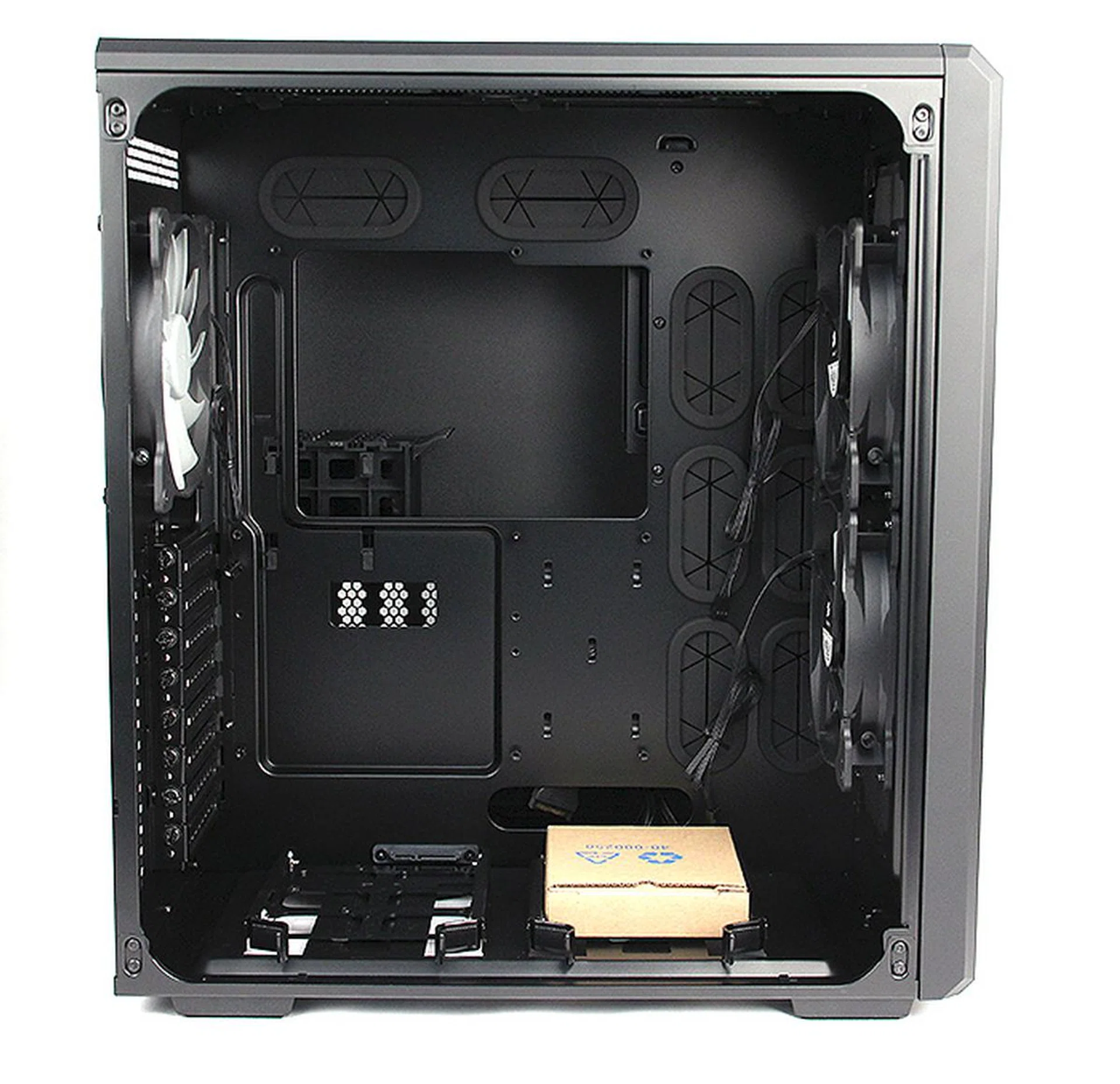
The Corsair 540 has a spacious interior that we think most users will find sufficient. Notice the numerous grommets for cable management.
The Carbide 540 is unique because of its dual-chamber design - a primary chamber for the motherboard and a secondary chamber for the PSU, storage devices and optical drives. Its a unique concept that is not often seen in casings (Lian Li's PC-D600 adopts a similar concept) and the most obvious benefit of such a design and layout is that without the optical drives and hard drives in the way, the motherboard, along with the graphics card, CPU and memory, can receive cool air directly from the intake fans. In addition, with the PSU on the opposite side of the casing, there are no pesky cables that get in the way.
The casing is able to accommodate all the popular motherboard form factors including mini-ITX, micro-ATX, ATX and E-ATX. Additionally, Corsair says it will also manage graphics cards up to 32cm in length and CPU coolers up to 18cm in height.
Installing the motherboard was a straightforward affair, since the standoffs for a regular ATX motherboard has already been put in place straight from the factory. The expansion slots use standard thumbscrews, so installing the graphics card was a cinch too.
At the bottom of this main chamber are also two drive trays for 3.5-inch drives, with SATA connectors round the back. This means you install your drives on the drive trays itself and then simply slide it into place and into the SATA connector. This means less cabling and it is a thoughtful and nice touch. Users can choose to install 2.5-inch drives into these bays too, but that would require using screws to secure them to the drive tray. As such, it's better to use the dedicated SSD cage in the secondary chamber.
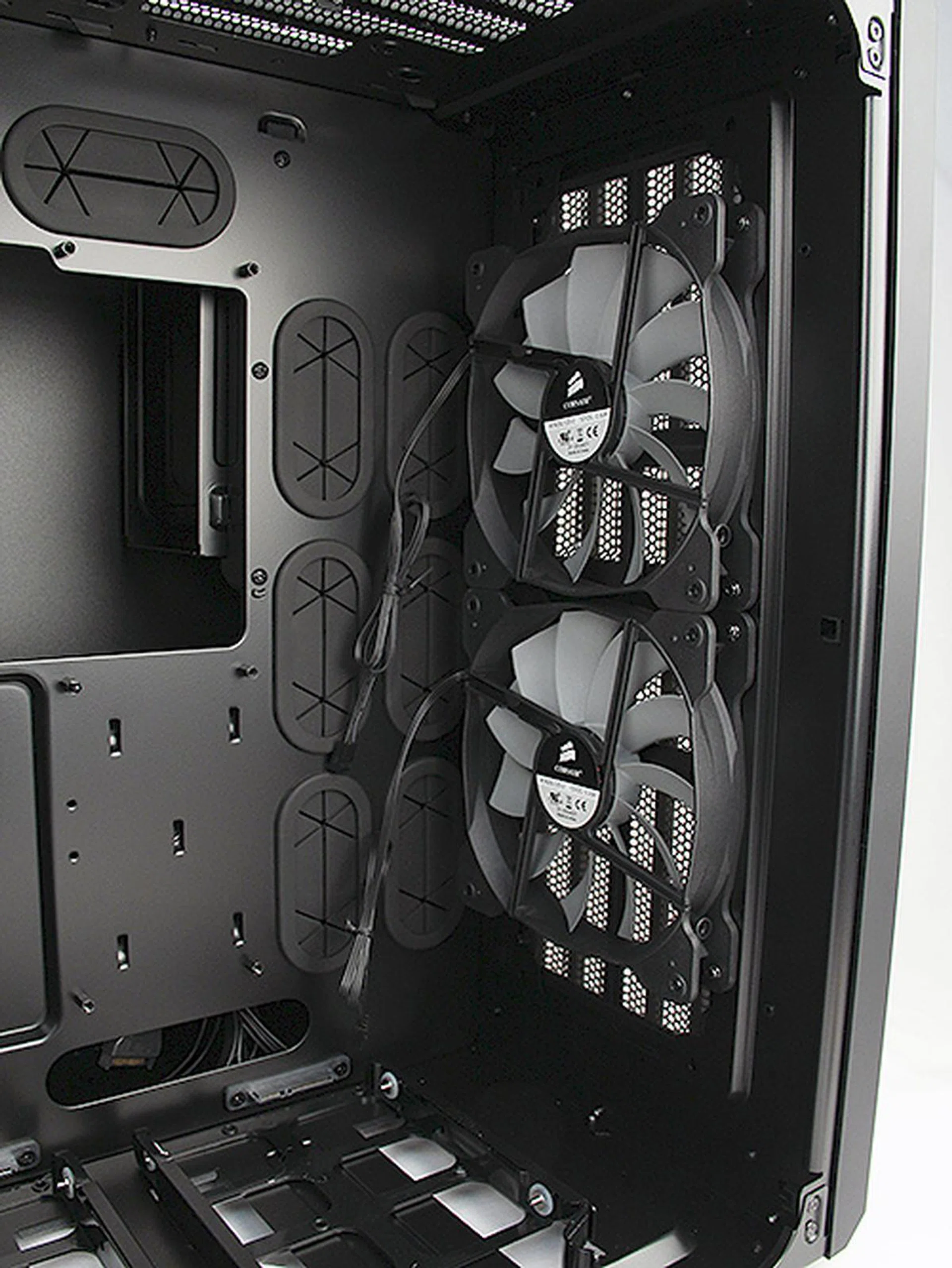
Since the drives are installed in the secondary chamber, the motherboard receives cool air directly from the two large 140mm intake fans.
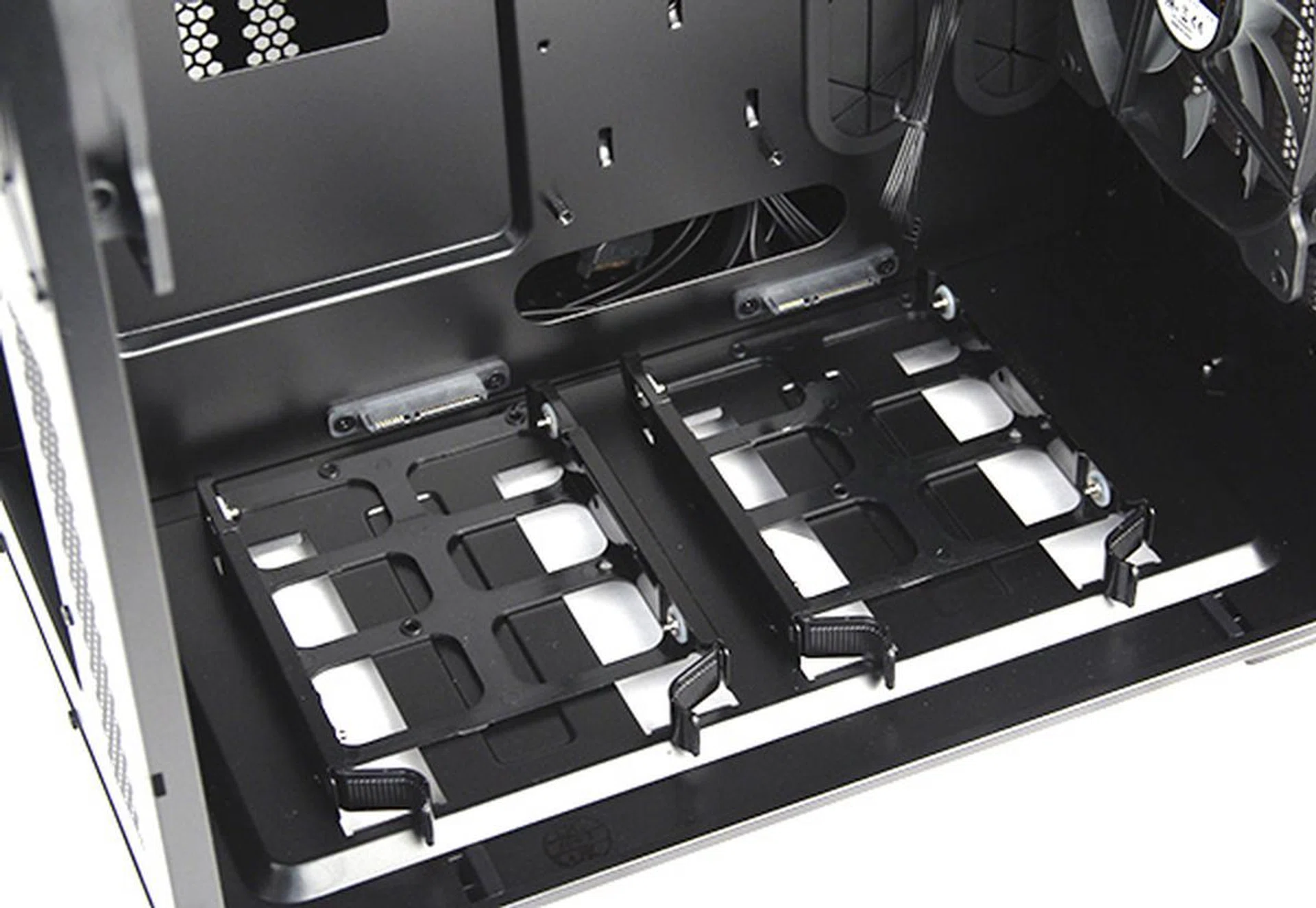
There are two 3.5-inch drive bays at the bottom of the primary chamber with SATA connectors.
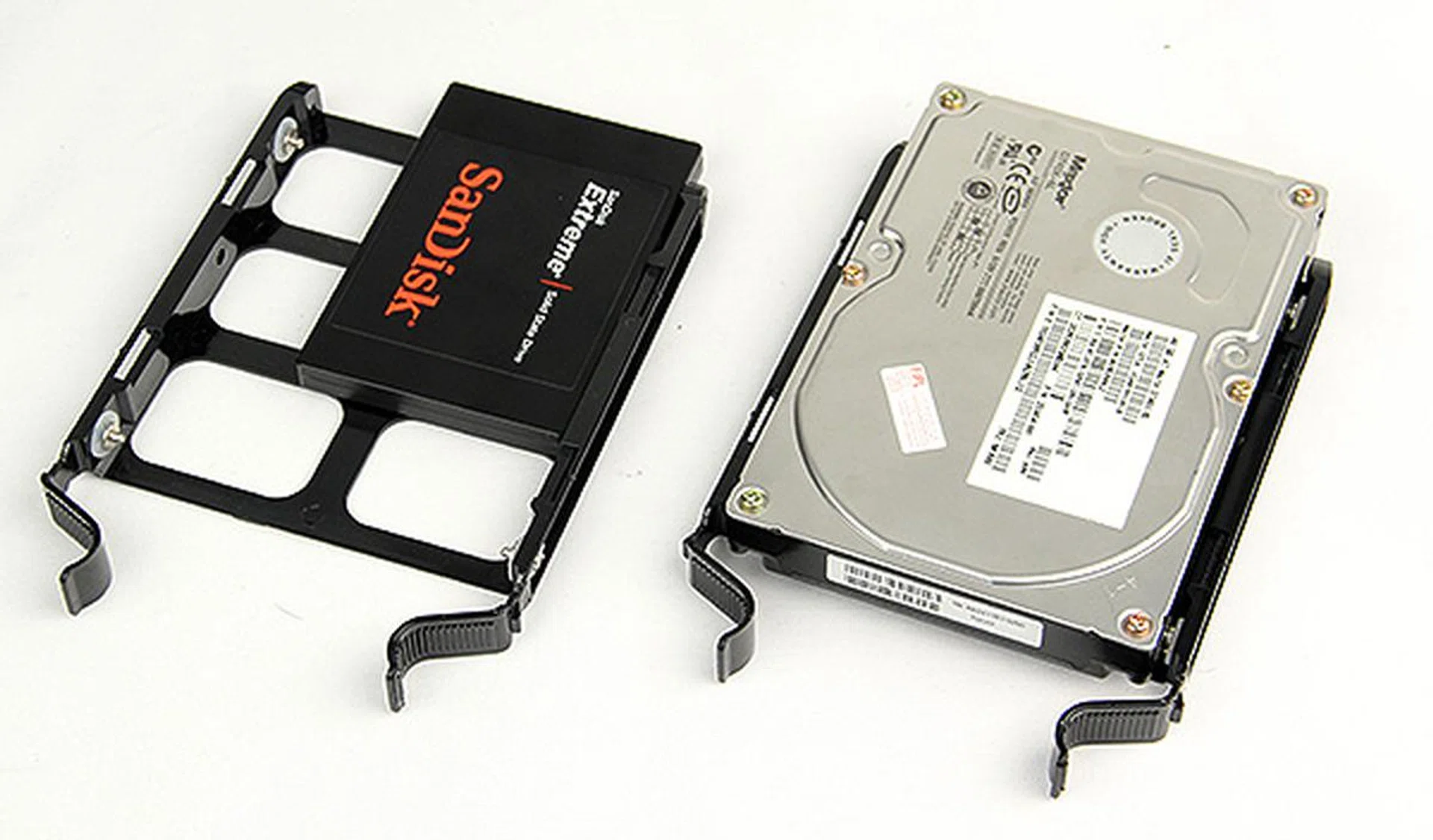
To install standard 3.5-inch drives, simply attach them to the tray and slide them into the cage. The 3.5-inch drive trays can accommodate 2.5-inch drives but you would need to use screws to secure them in place.
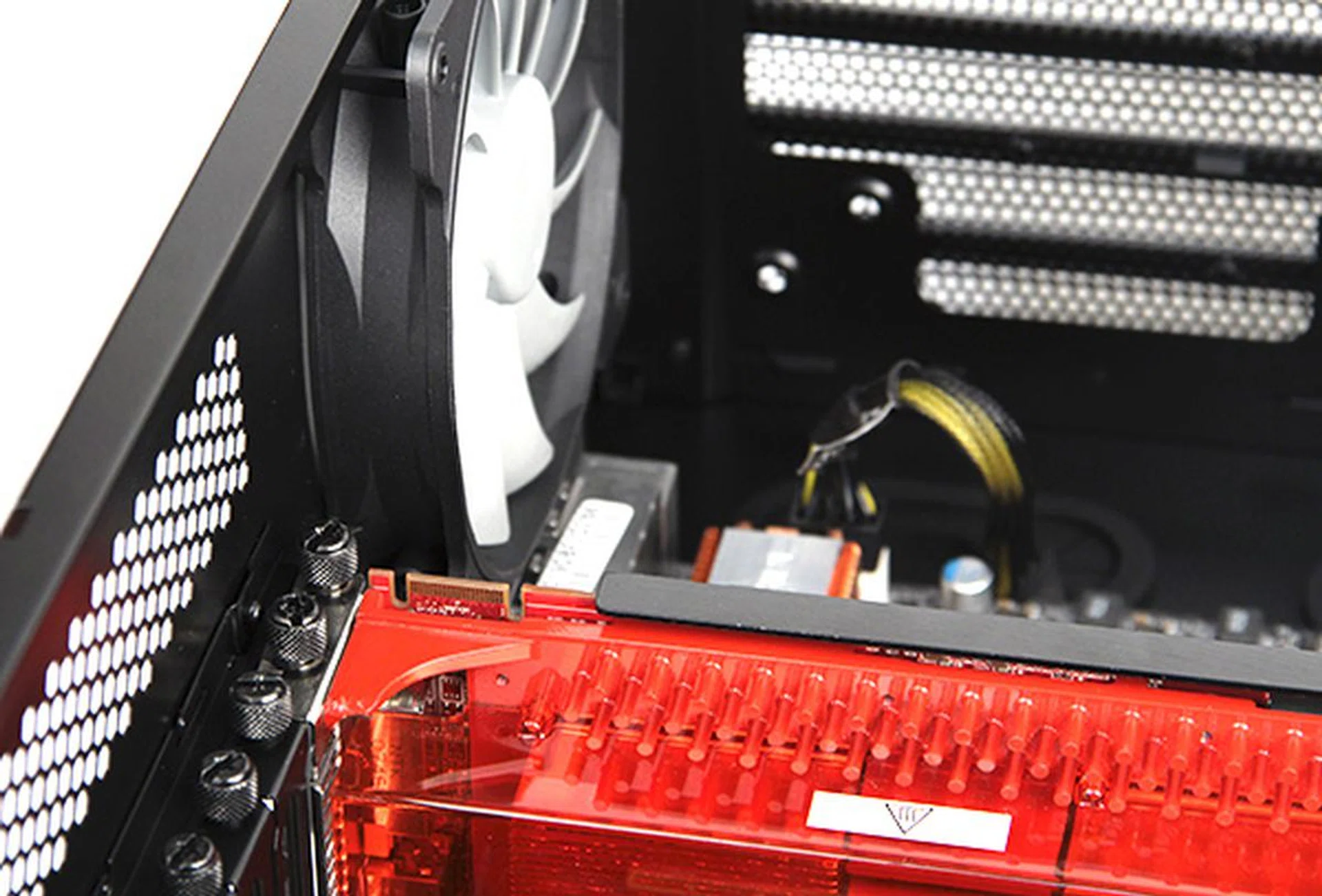
The expansion slots use thumbscrews for easy installation. The casing was also able to easily accommodate our 30cm (12-inch) long Radeon HD 3870 X2 graphics card. For reference, a vast majority of graphics cards are 10.5-inch long with the casing's design easily catering to 12.5-inch long cards.
In the secondary chamber, you will find two 5.25-inch optical drive bays, two hard drive trays for 3.5-inch drives, and a removable SSD cage that can hold up to four 2.5-inch drives. Installation of these drives is, as you would expect, a completely tool-less affair.
The SSD cage is secured only on one end and as such feels a bit flimsy and prone to shaking. Therefore, we would recommend using it only for SSDs, since they have no moving parts and do not vibrate. However, if you absolutely need to install a 2.5-inch hard disk drive, then it is best to install it in one of the deeper positions closer to the mounting point to reduce vibration.
Granted, your optical drives and hard drives require substantially less cooling than your motherboard, graphics card and CPU, but we would really like to have the option to, at the very least, install an exhaust fan to provide some ventilation. As it is, this chamber of the casing does not offer any active cooling options and only has an air mesh at the rear. That said, for users who do not mind improvising, we found that the size of the holes of the rear mesh is big enough to accommodate mounting screws for aftermarket fans. As such, users can improvise by mounting their own exhaust fan at the rear of the secondary chamber. But do note that this is not the most effective setup since the mesh continues to be in the way, and unless you have the right size screws, the fan might rattle a bit.
The PSU bay is pretty interesting as there is a tool-less installation option. By using the mounting bracket and thumbscrews, you can easily secure the PSU in position. Depending on the PSU, getting a good fit takes a bit of trial and error, but for those who hate using the screwdriver, this is a viable alternative.
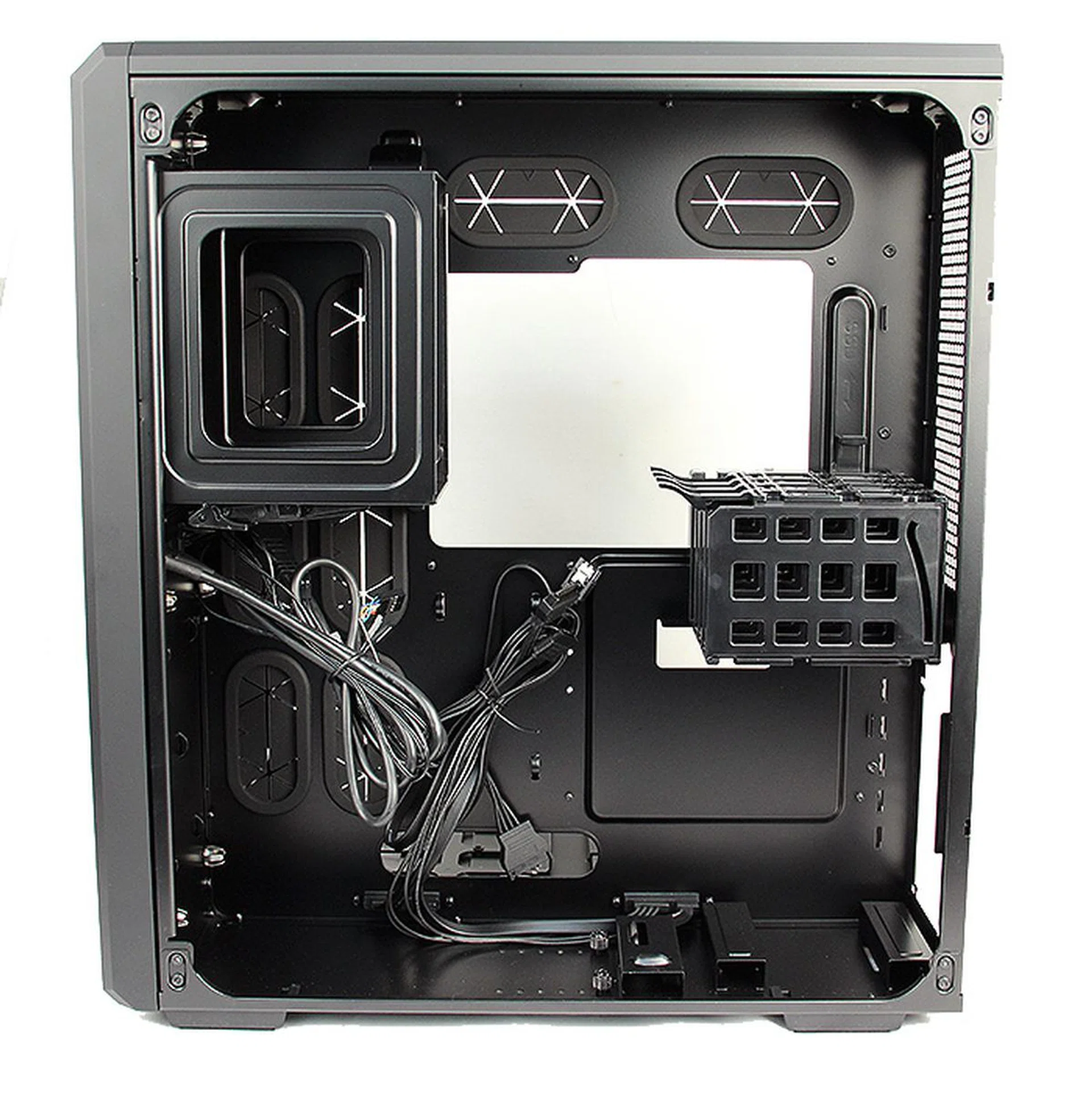
On the top left corner are the two bays for 5.25-inch drives, the cage above the PSU bay holds up to four 2.5-inch drives.
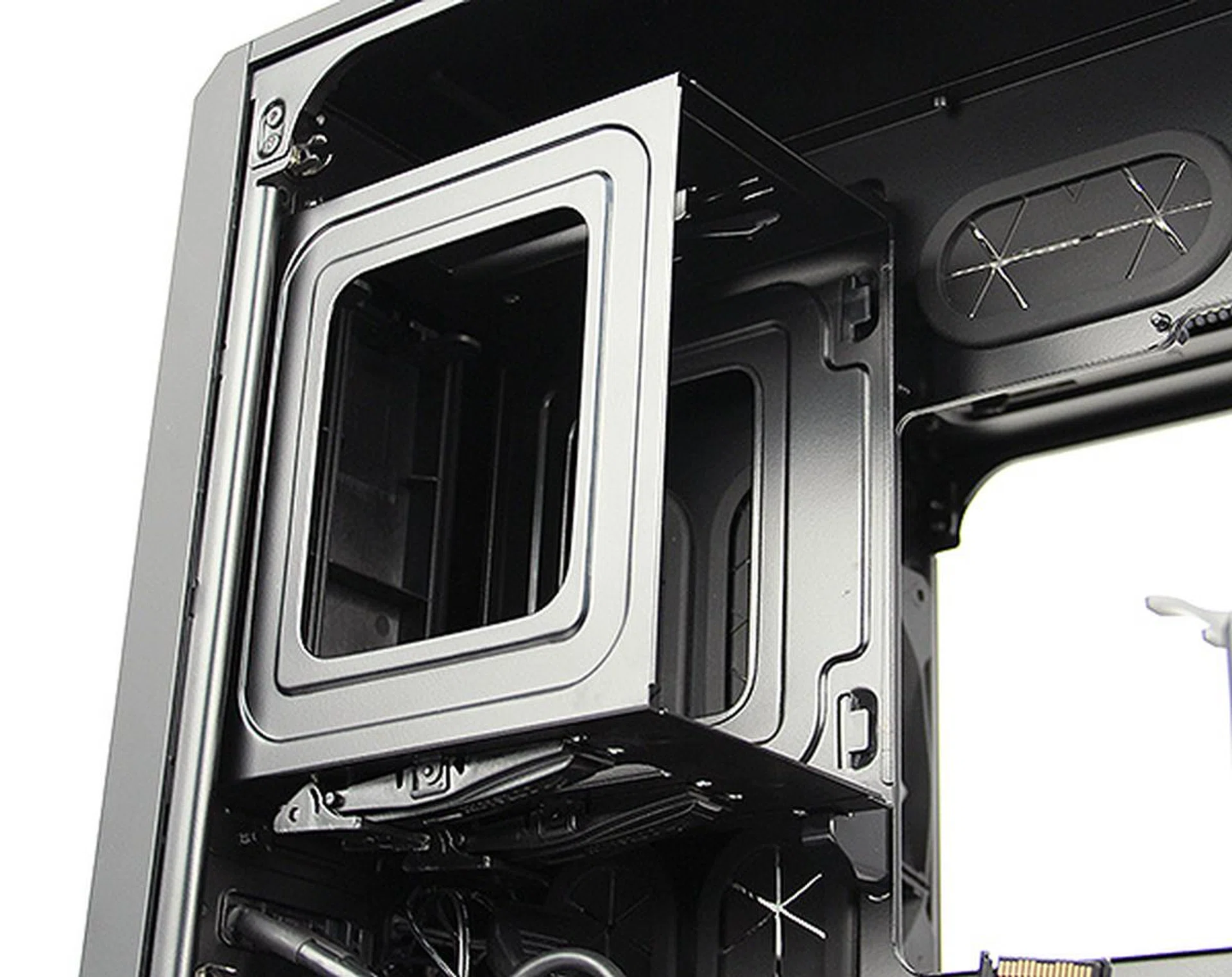
To install 5.25-inch drives, simply insert the drive into the bay until the latch clicks into place, indicating that the drive is secured in position.
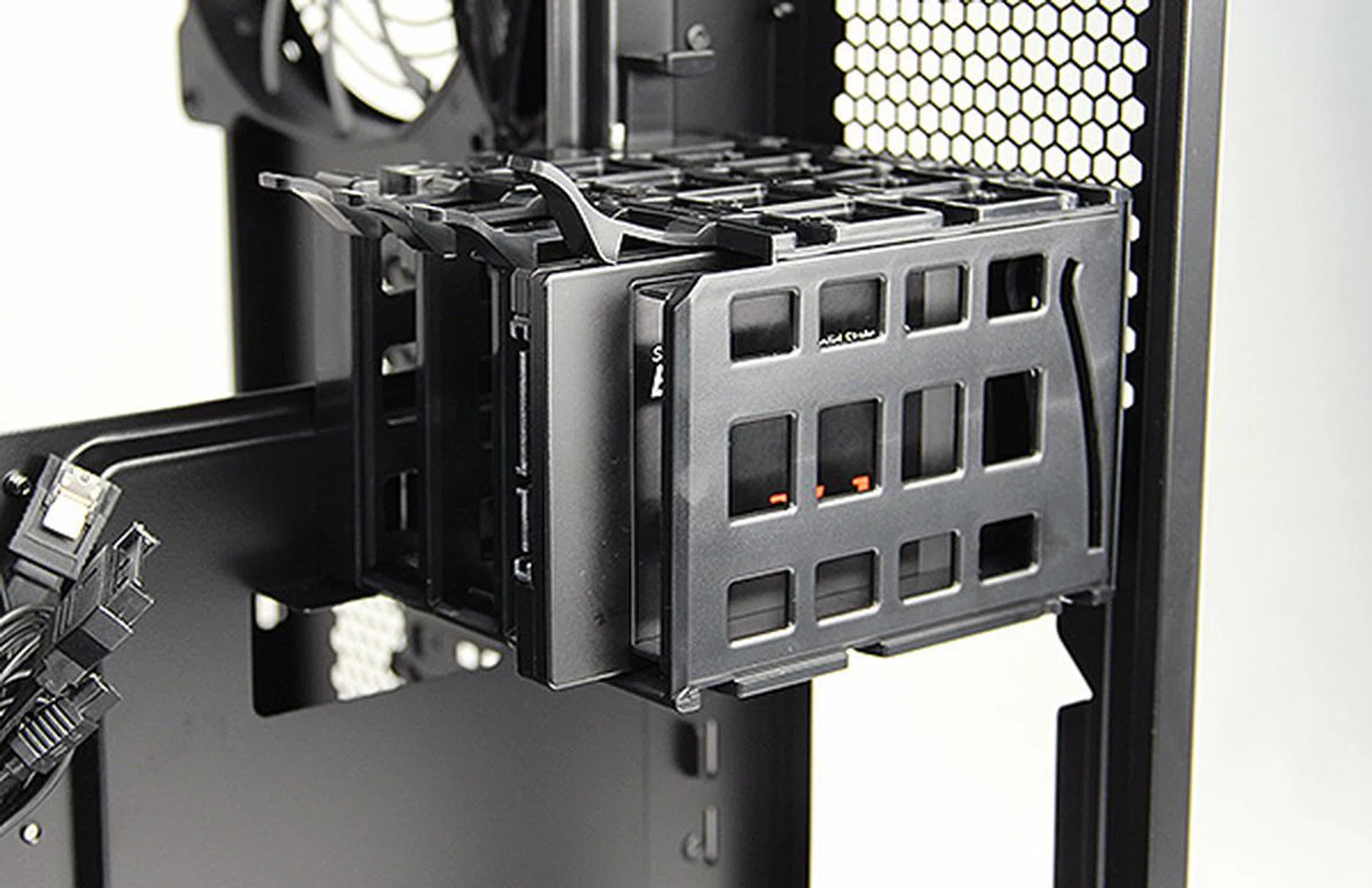
The SSD cage holds up to four 2.5-inch SSDs or hard drives.
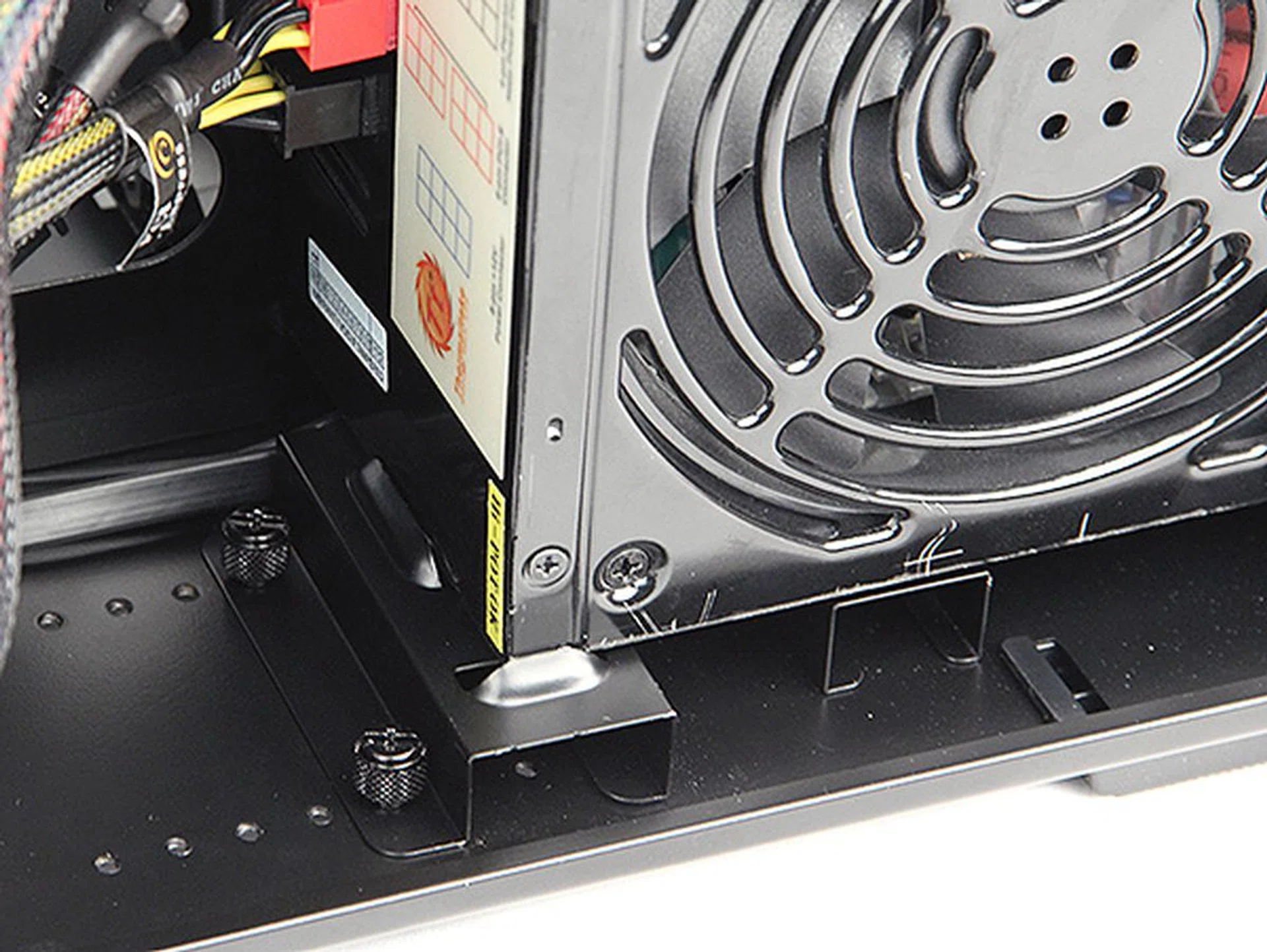
Users can avoid the hassle of using the screwdriver to secure the PSU by using the special mounting bracket and thumbscrews.
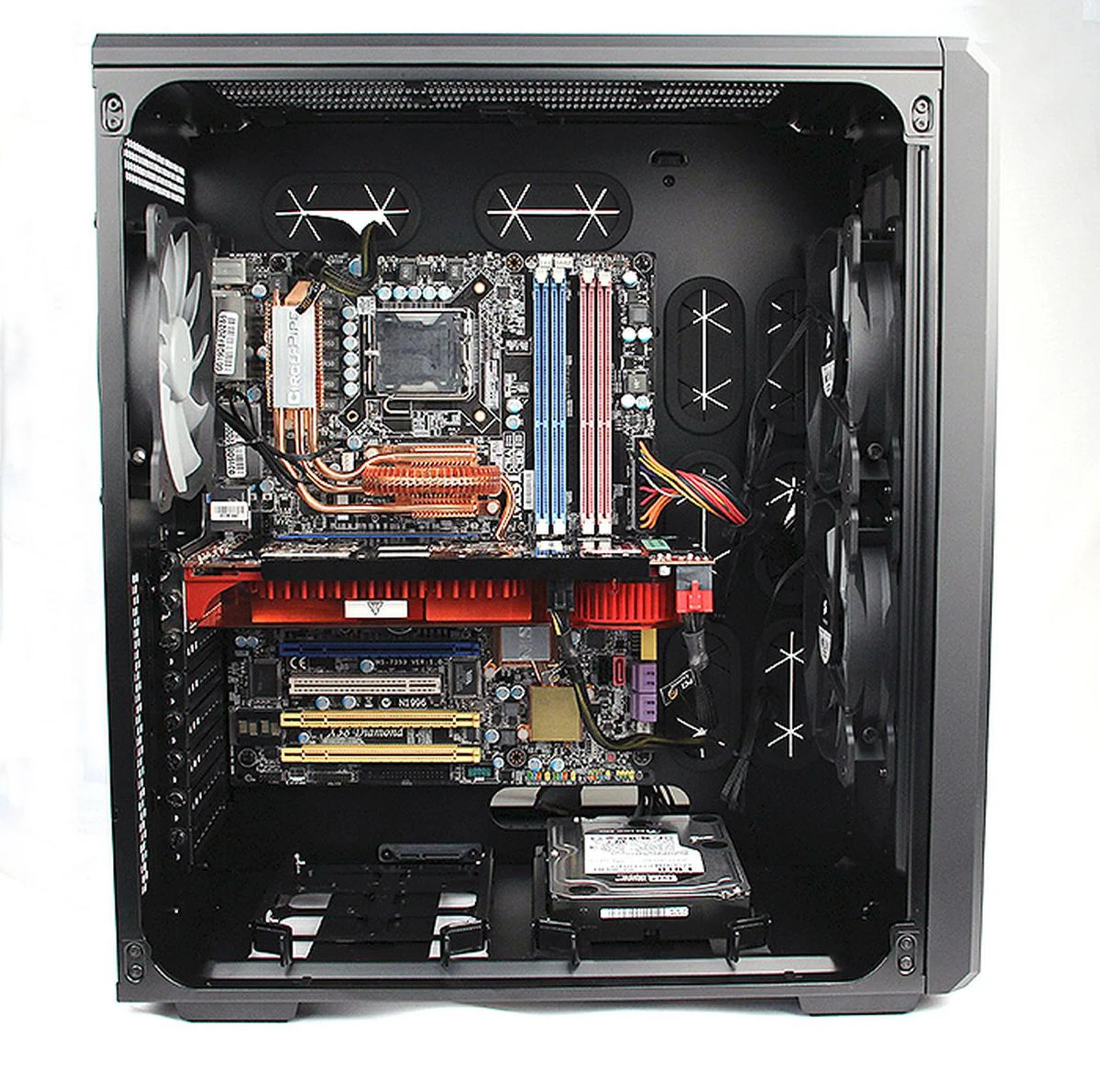
A look at the casing with the components installed. It is pretty spacious, and with the PSU on the opposite side, free from cable clutter.
A Unique Concept
As we have mentioned in the introduction of our review, Corsair is serious about expanding its business and product portfolio. Corsair already has a formidable lineup of casings, but we believe the Carbide 540 will win over more users for them because of its unique design and overall high quality of features and build quality.
The Carbide 540 may not be the most interesting casing to look at, but In terms of build quality and construction, the Carbide 540 is almost faultless. Sure, it may not have an all aluminum chassis, but it is well put together and feels solid and rigid.
The highlight of the Carbide 540 must be its dual-chamber design and it works well. There are no drives to obstruct the two large intake fans cooling the CPU and graphics card; and with the PSU on the drives on the opposite side, there is very little cable clutter as well. The chambers are also large and spacious, which means users should have no problems fitting their long graphics cards or elaborate aftermarket CPU coolers.
The dual-chamber design also makes it easier for setup and installation, since the components are so clearly separated - of course, the casing’s tool-free construction had a big part to play too as it's easy to setup and use.
In terms of features, the Carbide 540 has it mostly covered. The ability to fit a variety of motherboard form factors is welcomed, as is the possibility of installing up to 280mm long radiator internally on the topside of the casing. The SSD cage is a nice touch and also shows that Corsair is well aware of the growing popularity of SSDs amongst users, but its flimsiness is cause for concern should you want to use it for hard disk drives. The secondary chamber, though reserved for PSUs and storage drives, still feels rather under utilized due to the large volume of unused space. You can't feel but wonder if Corsair could have offered or done something more here. One thing we can readily comment is the inadequate number of 3.5-inch drive bays.
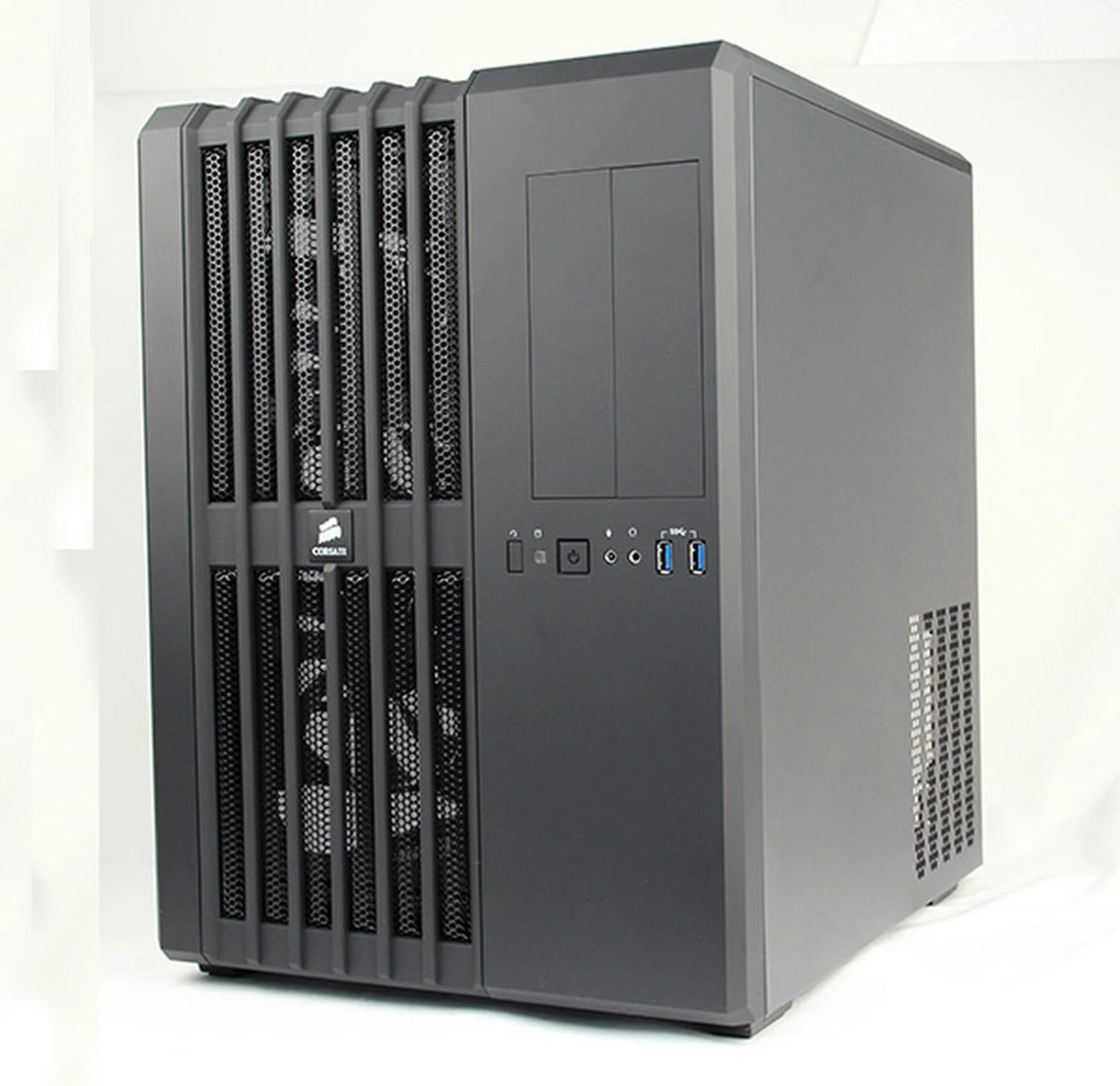
The Corsair Carbide 540 has a unique design, offers decent features and possess a high level of build quality and finish.
All things considered, the Carbide 540 is an accomplished casing. Our only two major misgivings are the inadequate number of 3.5-inch drive bays for hard drives and that the case only offers two USB 3.0 ports on its front panel. More ports would definitely make the casing more usable. Active cooling options for the secondary chamber would be welcomed for better ventilation as well. Other than that, other minor niggles include the lack of rubber standoffs in the PSU bay and the lack of carrying handles or wheels for easy transportation. Also note that due to the vertical designed 5.25-inch drive bays, installing third-party front bay monitoring panels or controllers aren't ideal as they are not designed for vertical installations.
Corsair casings often command a slight premium over its competitors and unfortunately the Carbide 540 is no different. The Carbide 540’s asking price of S$189 makes it one of the more expensive mid-tower casings around, rivaling the CoolerMaster HAF 922XM (S$209) - its flagship HAF mid-tower casing - which offers more in terms of specifications. It also finds itself going up against NZXT’s competent Phantom 410 (S$170), which is a decent casing in its own right.
However, while its competitors may offer more bang for buck, the Carbide 540 stands out because of its unique dual-chamber design and its high level of build quality.
Our articles may contain affiliate links. If you buy through these links, we may earn a small commission.