
Cooler Master HAF X - The New Flagship
The Cooler Master HAF X is the new flagship of the company's HAF line-up. It features an unprecedented nine expansion slots, support for non-standard motherboards and a comprehensive ventilation system that befits a HAF casing. Naturally, we couldn't give this a miss.

X-traordinary
Cooler Master is renown around the world for its computer casings and its HAF line-up is extremely popular with enthusiasts. Offering a strong combination of features and affordability, many enthusiasts have turned to the HAF series for their casing fix.
Unveiled earlier this year at CES 2010, the new Cooler Master HAF X full tower casing is the new flagship of the series. And as befits a flagship model, the casing comes with loads of new features that distinguishes itself from the rest of the HAF line-up. Some of these new features include a whopping nine expansion slots, support for non-standard size motherboards, hot swappable bays and support for USB 3.0 ports.
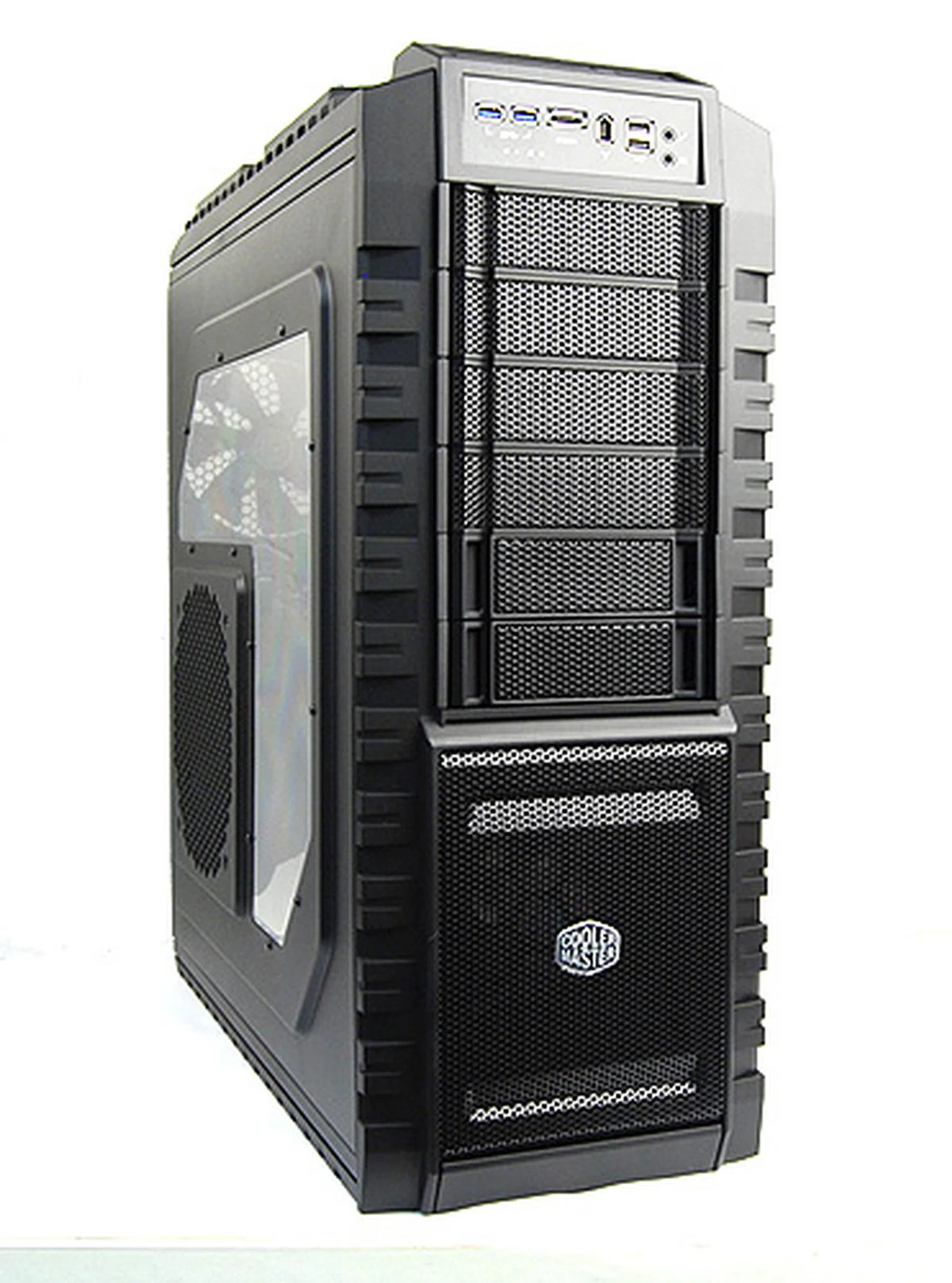
The HAF X is Cooler Master's flagship HAF casing and it boasts some delightful features that'll we be taking a look at shortly.
As HAF stands for High Air Flow, the design of the new HAF X continues to be geared towards maximizing air flow and ventilation of the system. As such, the exterior panels of the casing is plastered with mesh, and the case itself comes with four fans as standard. Ventilation aside, Cooler Master also prides the HAF X as being easy to install – something we'll find out in a short while.
Before we continue with our review, here are the HAF X's specifications:
Casing Dimensions &Specifications |
|
Drive Bays &Expansion Slots / Ports |
|
Case Cooling |
|
Power Supply |
|
Giant & Meshy - Exterior
As a full tower casing, the all-black Cooler Master HAF X cuts an imposing figure with its aggressive styling. You'll find no smooth curves on the HAF X, instead, expect thick, bold lines and angular surfaces. Also, there's extensive use of mesh in the front and top panels to provide optimal ventilation. Clearly, in the case of the HAF X, form takes precedence over function.
And as is the case with most upmarket casings, the HAF X features a see-through plastic window pane on its right panel. However, don't expect to see much because most of this window pane is occupied by a giant 200mm fan, which helps cool your graphics cards.
Aggressive styling and giant fans aside, the HAF X also an equally massive weight to boot - a considerable 14.35kg. With components installed, expect the casing to tip the scales at over 18kg. To help make transporting the casing easy, Cooler Master has thoughtfully provided screw-on wheels for the HAF X.
One of the stand out features of the HAF X is the presence of USB 3.0 ports on the front IO panel, and this makes it one of the few casings available in the market now to offer USB 3.0 connectivity. However, the execution of this is not perfect because to activate these USB 3.0 ports, users are required to route USB cables round the back of the casing to the actual USB 3.0 ports on the motherboard. It is not the most elegant of solutions, but since there's no other way at the moment, it'll have to do. The reason is because at the point of writing, most of the USB 3.0 solutions are an add-on to a motherboard's functionality, so you end up getting USB 3.0 ports on the rear I/O panel and not as USB headers on the board. Thus Cooler Master had no choice but to offer this option.

The front panel is mostly made out of mesh to allow for unrestricted air flow.
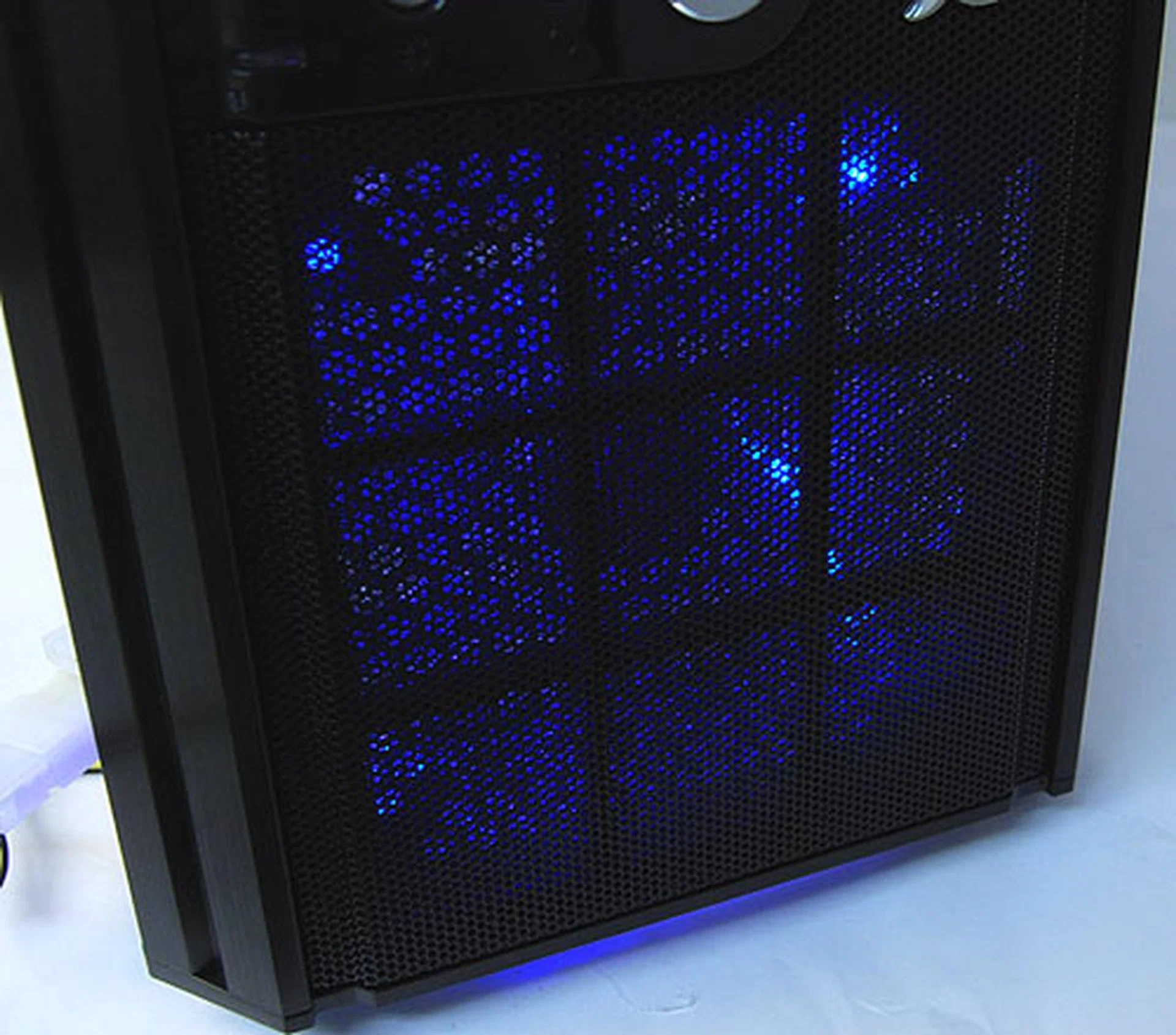
Towards the bottom of the front panel is a large 230mm intake fan with red LED lights.
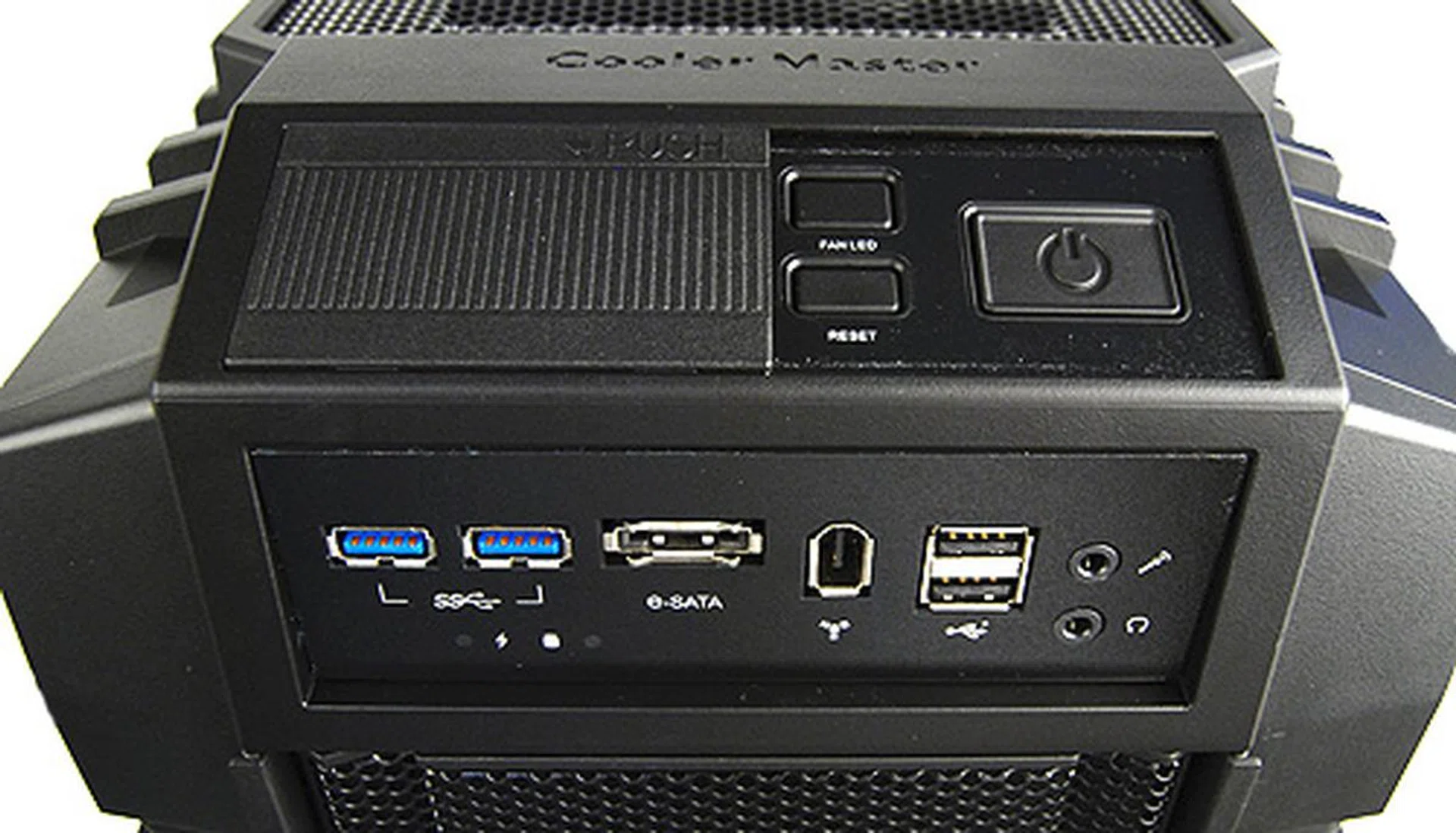
The front IO consists of two USB 3.0 ports, two regular USB 2.0 ports, eSATA, FireWire, headphones and microphone jacks.
Above it is a separate panel that holds the power and reset buttons, as well as a button to turn off the front LED lights. Also, there's a plastic dust cover to prevent the buttons from getting clogged with dust and to prevent accidental system shut downs. Honestly, the USB ports, headphones and microphone jacks could use the dust cover more.
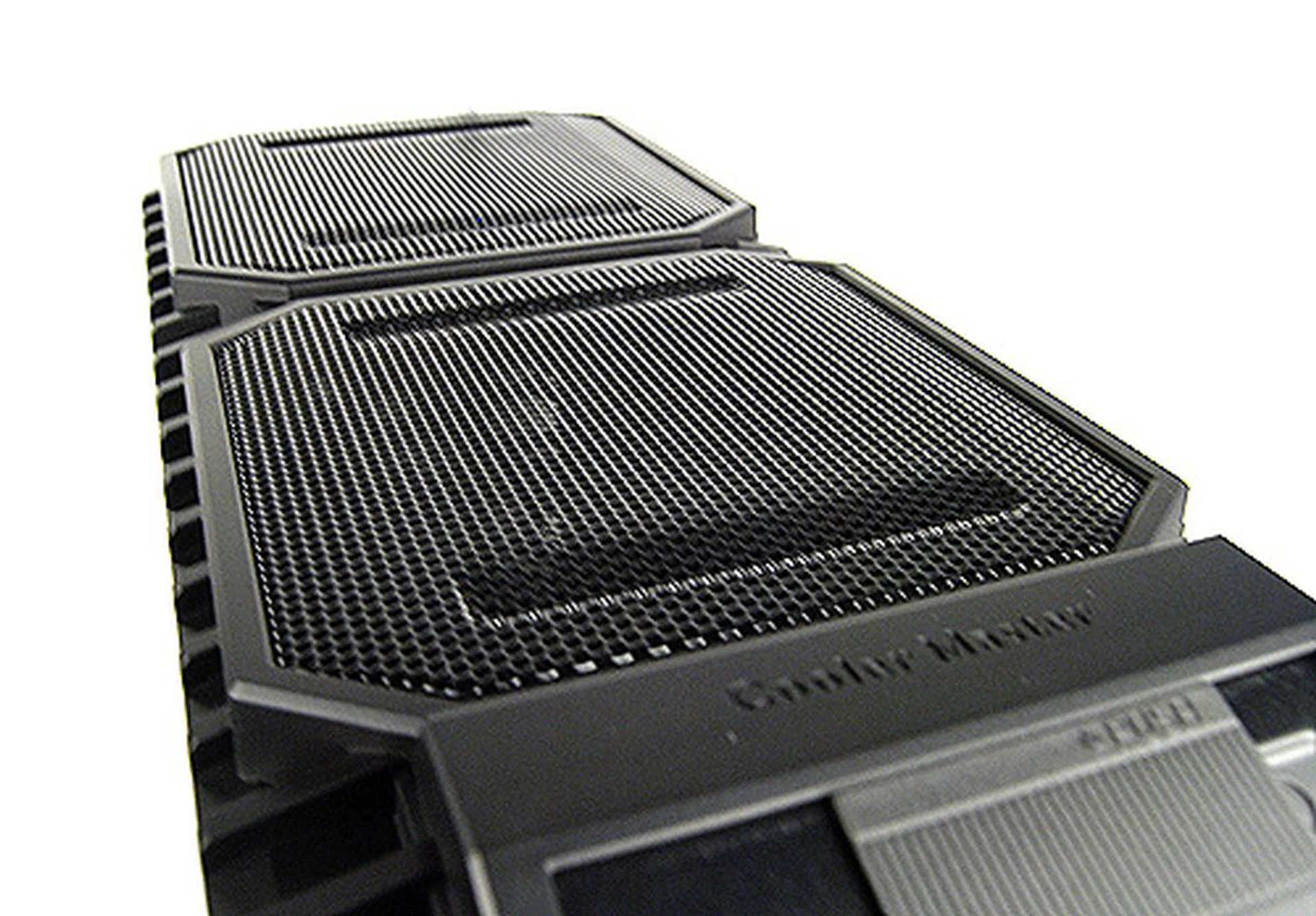
There's more mesh around the top of the HAF X, and underneath it is a 200mm exhaust fan. Users can install an additional 200mm fan, or alternatively remove both of them and install a liquid-cooling radiator instead.
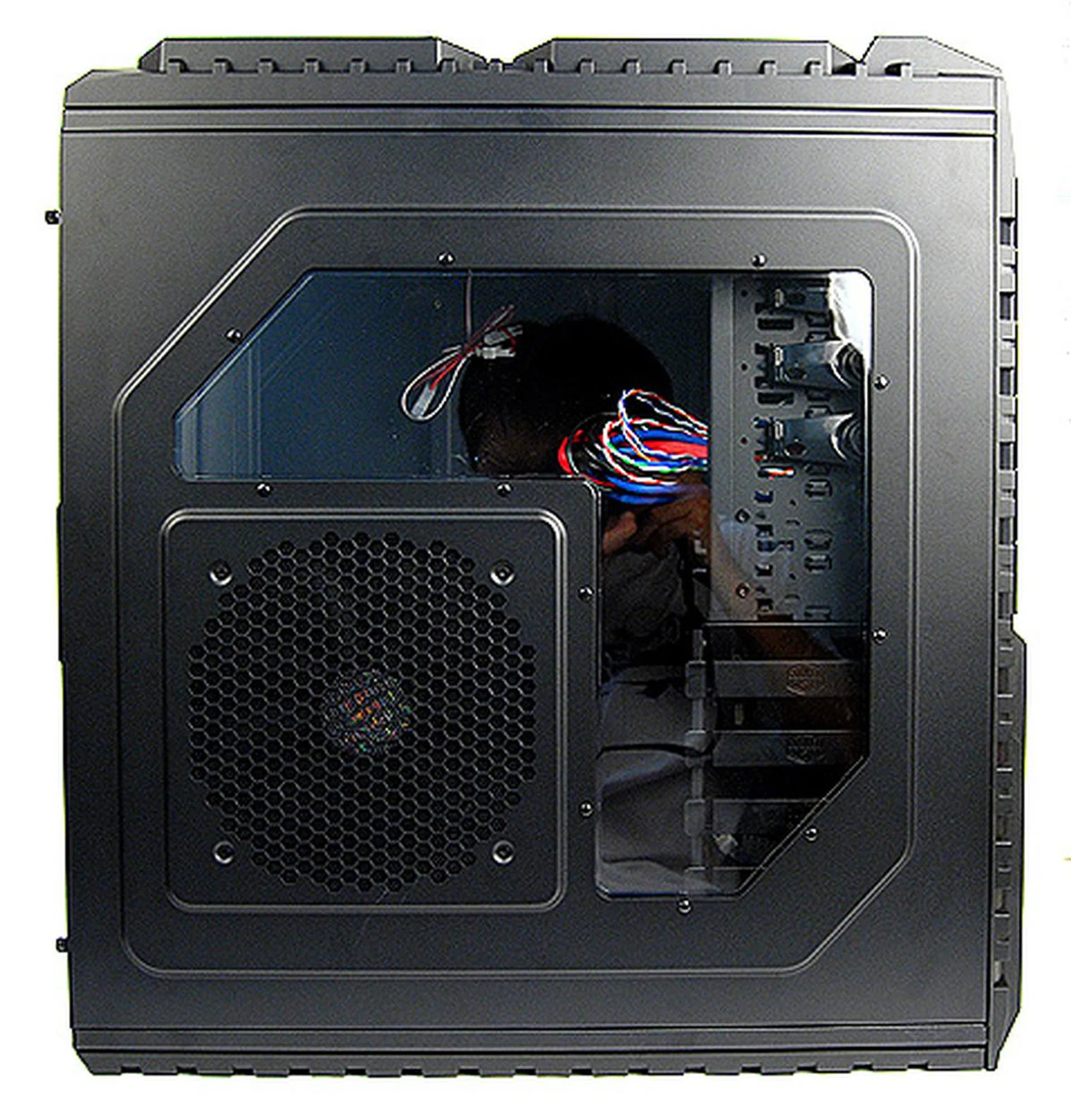
There's a see-through window pane on the left panel, but much of the space has been taken up by the massive 200mm intake fan, which blows cool air onto your graphics card(s).
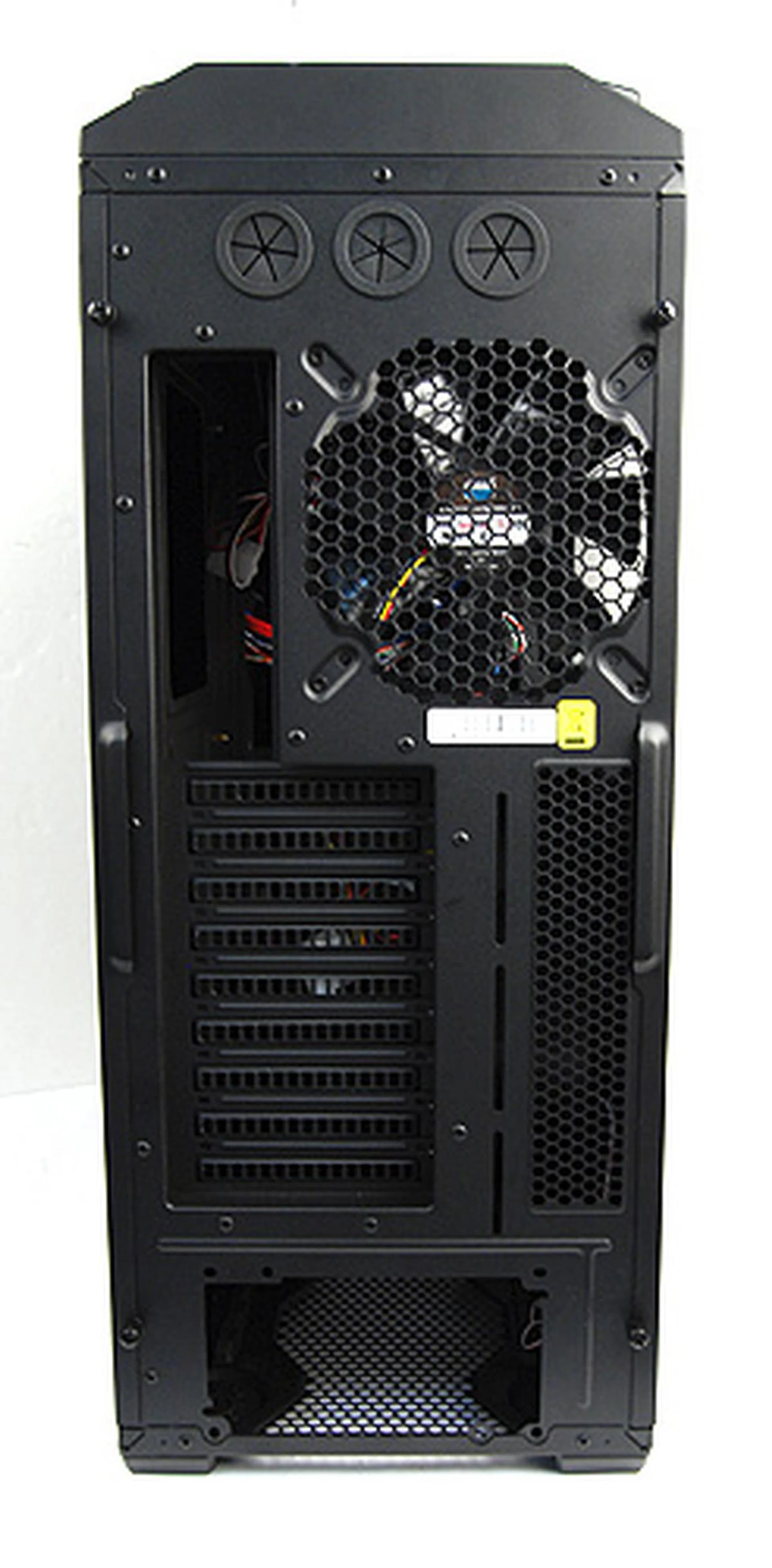
This is the rear panel of the casing. It has everything you'd expect from an enthusiast casing. However, note the three liquid cooling grommets and the nine expansion slots.
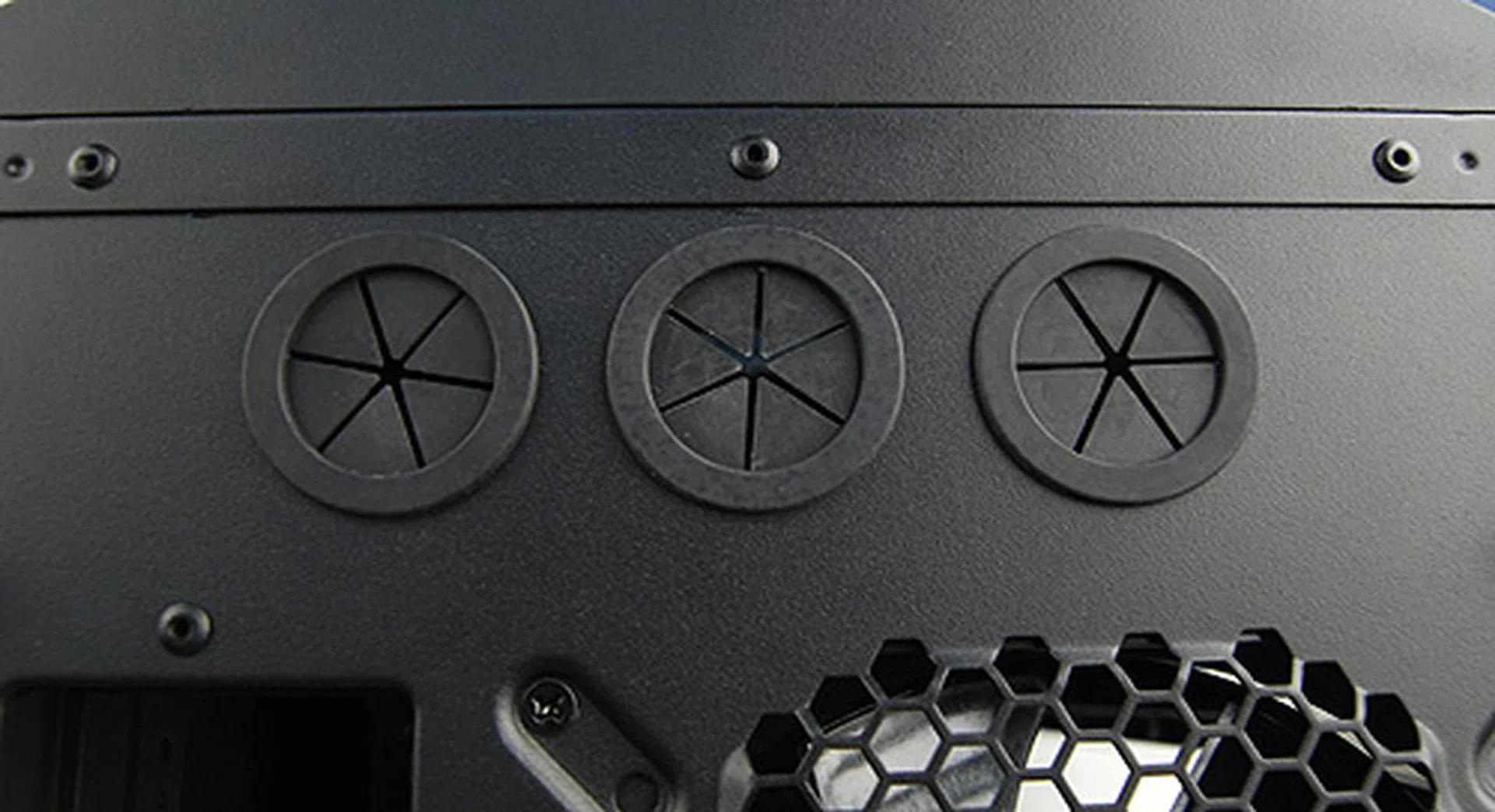
A closer look at the three grommets for liquid-cooling setups. The additional third grommet can be used to route cables required to activate the USB 3.0 ports on the front I/O panel.
Supersize Me! - Interior
One of the key features of the new Cooler Master HAF X casing is the ability to support non-standard size motherboards, such as Gigabyte's GA-X58A-UD9, which comes in the XL-ATX form factor. To accommodate such motherboards, the HAF X also has nine expansion slots to easily allow for 4-way CrossFireX or SLI multi-GPU configurations.
Support for the extra large XL-ATX form factor, means that the interior of the casing is spacious, especially if you decide to go with standard ATX-sized motherboards. It will also easily swallow up the largest graphics cards, so that needn't be one of your worries. The HAF X also comes with two special add-ons for graphics cards. One can opt either to install the specially-designed air duct, which helps guide air to cool the graphics cards; or opt to install the VGA brackets instead, which gives more stability to heavy graphics cards.
Lastly, the HAF X utilizes Cooler Master's familiar tool-free design, which made installing components a breeze.
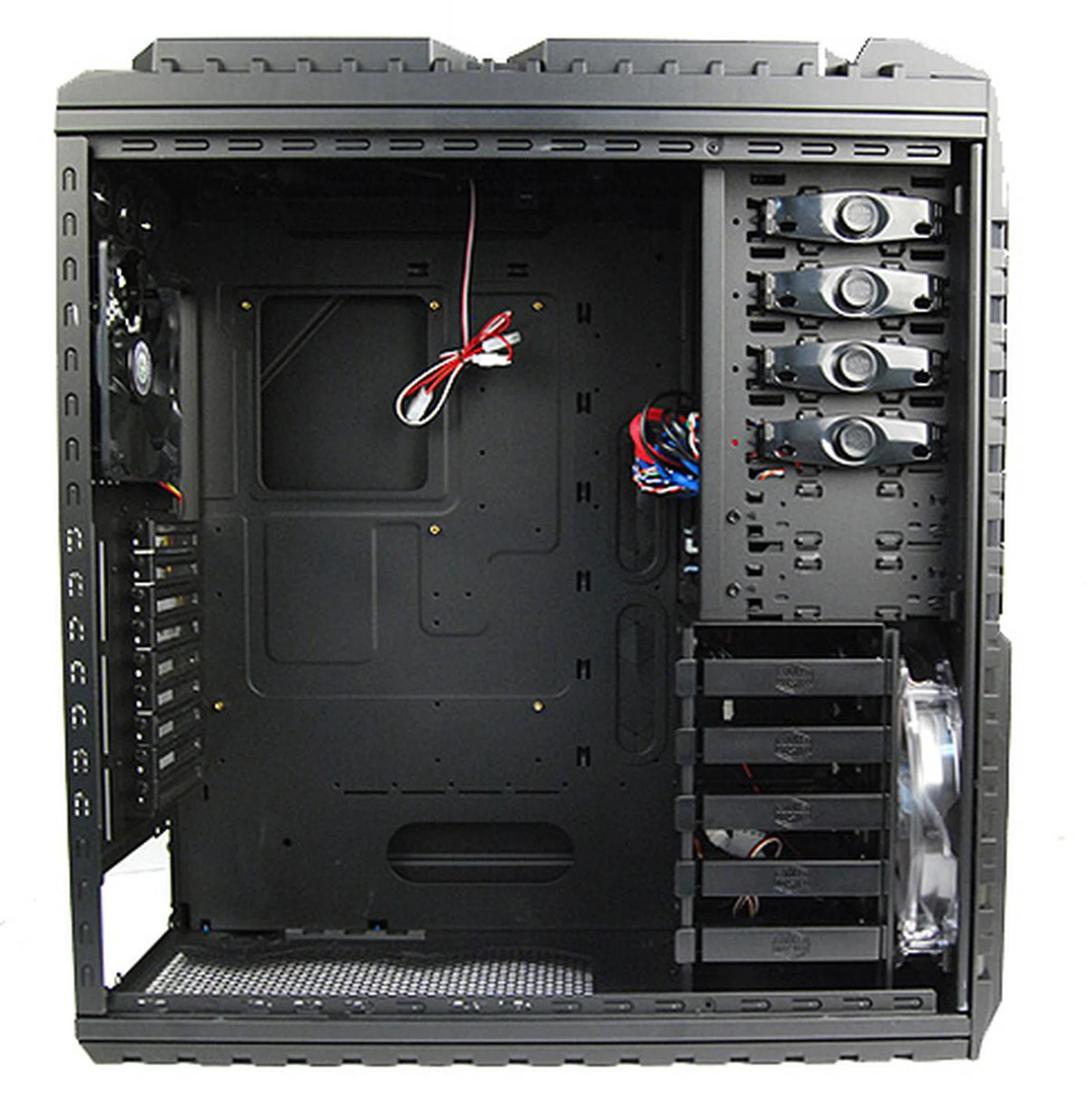
Peeling open the panel, we were greeted with the massive internals of the HAF X. Note the CPU cut-out area which allows for easy installation of aftermarket CPU coolers.
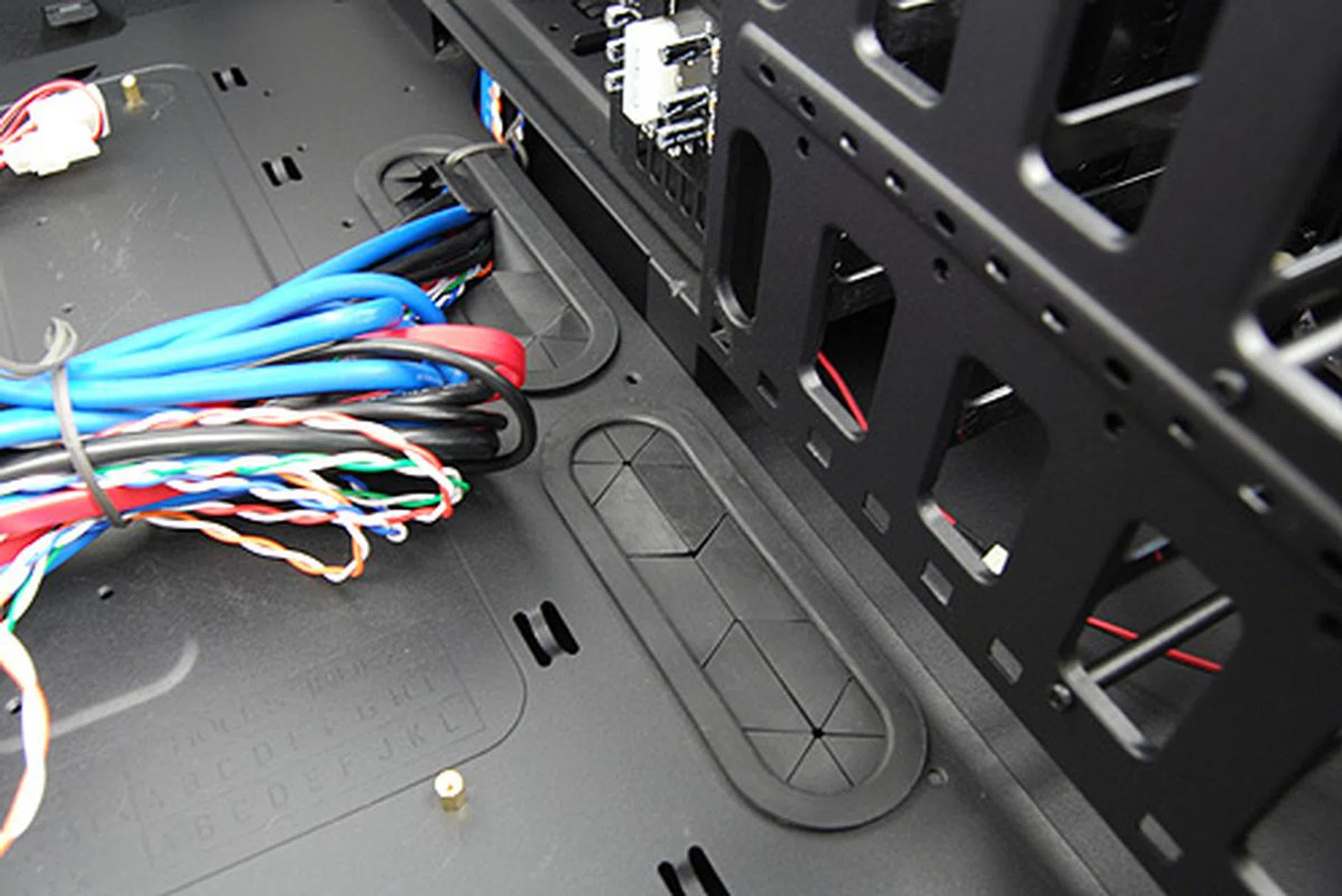
Grommets at the sides of the motherboard tray helps make cable management easier and tidier by routing some of the cable underneath the tray.
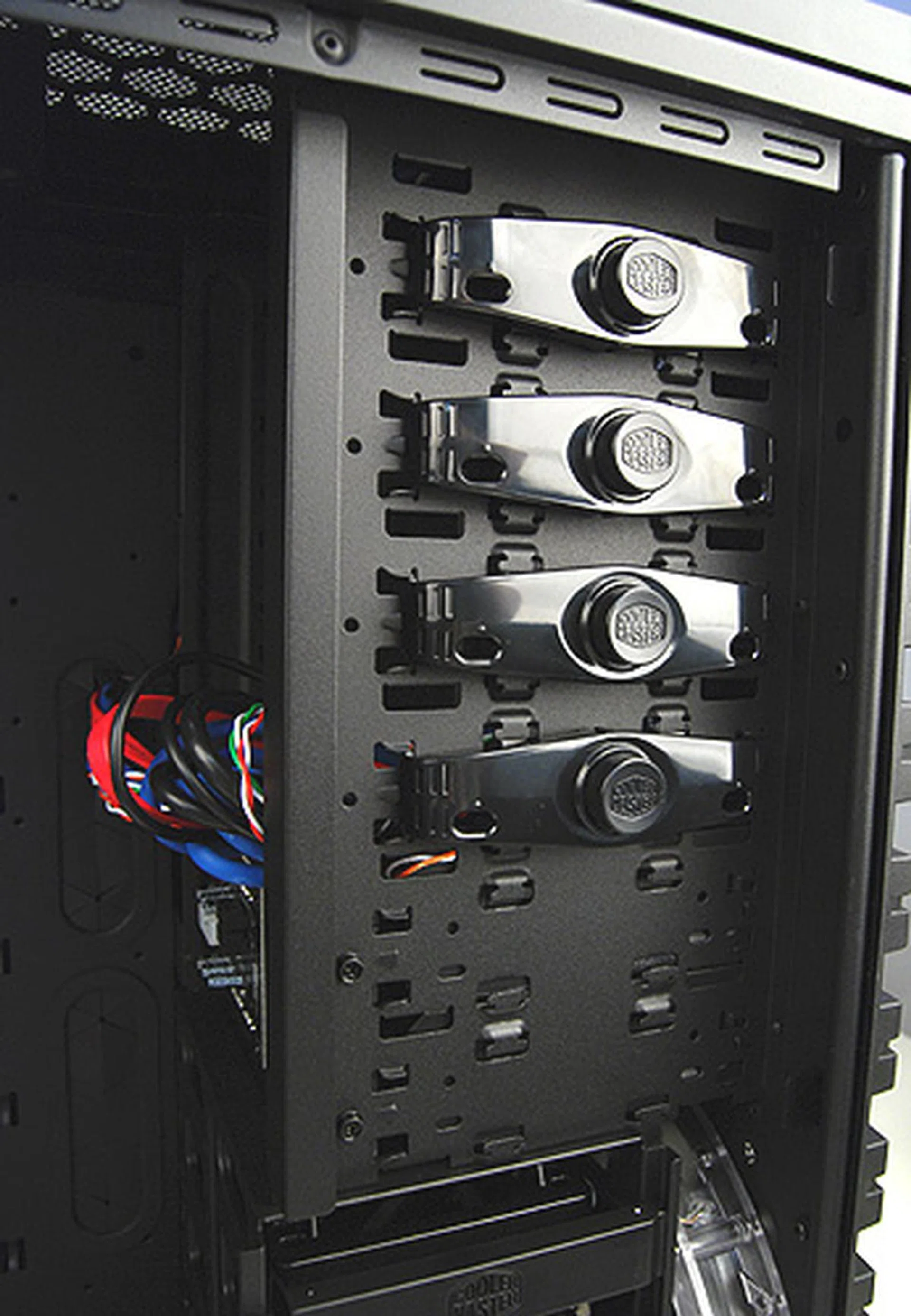
There's six internal 5.25-inch drive bays, four of which are free for use. The bottom two are actually converted for use as SATA HDD hot-swappable bays, which can be used with standard 3.5-inch hard disks or 2.5-inch SSDs.
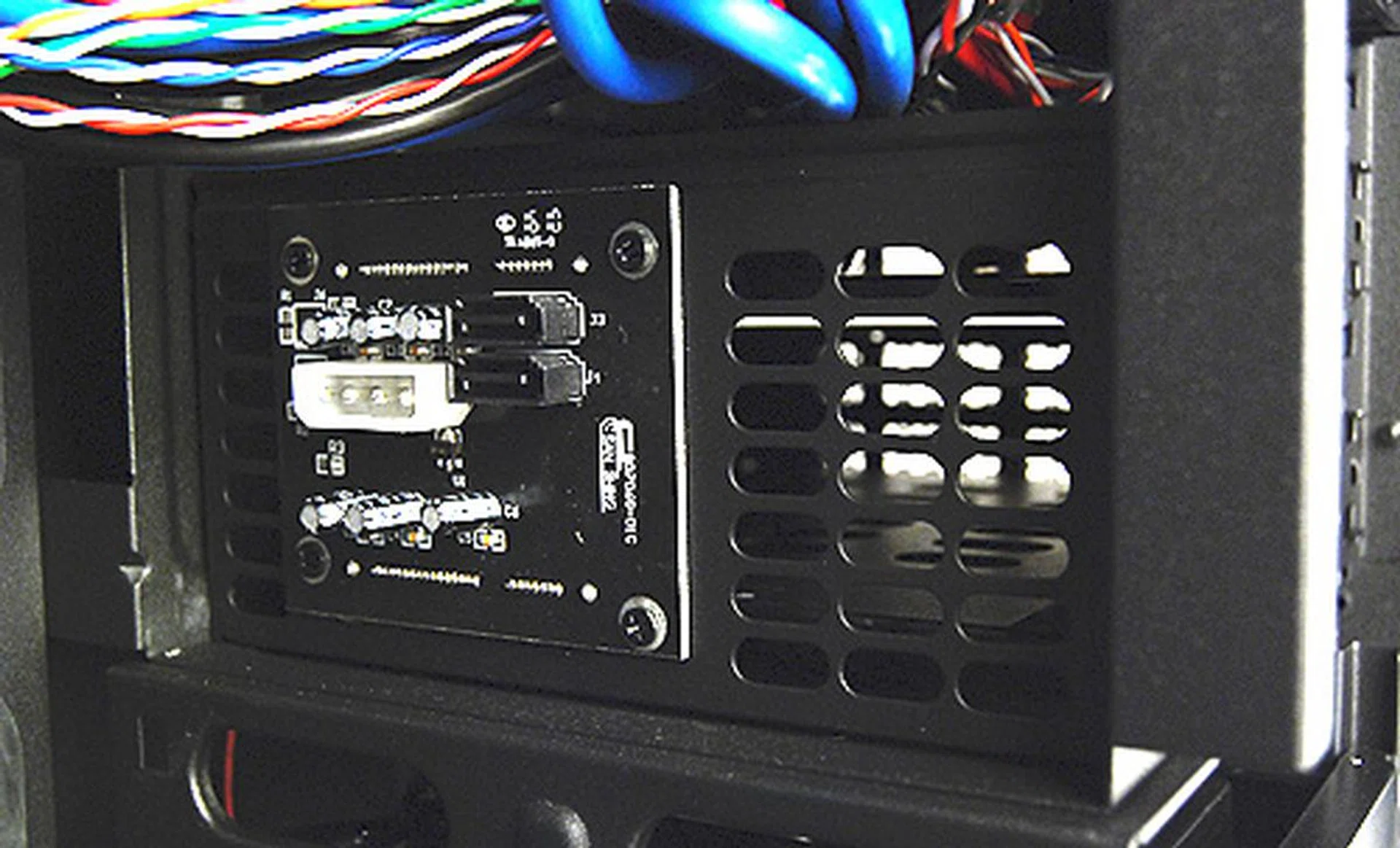
Drives in the hot swappable bays plug directly into this circuit board. Data is transmitted by means of SATA cables whereas power is provided through a standard Molex power connector.
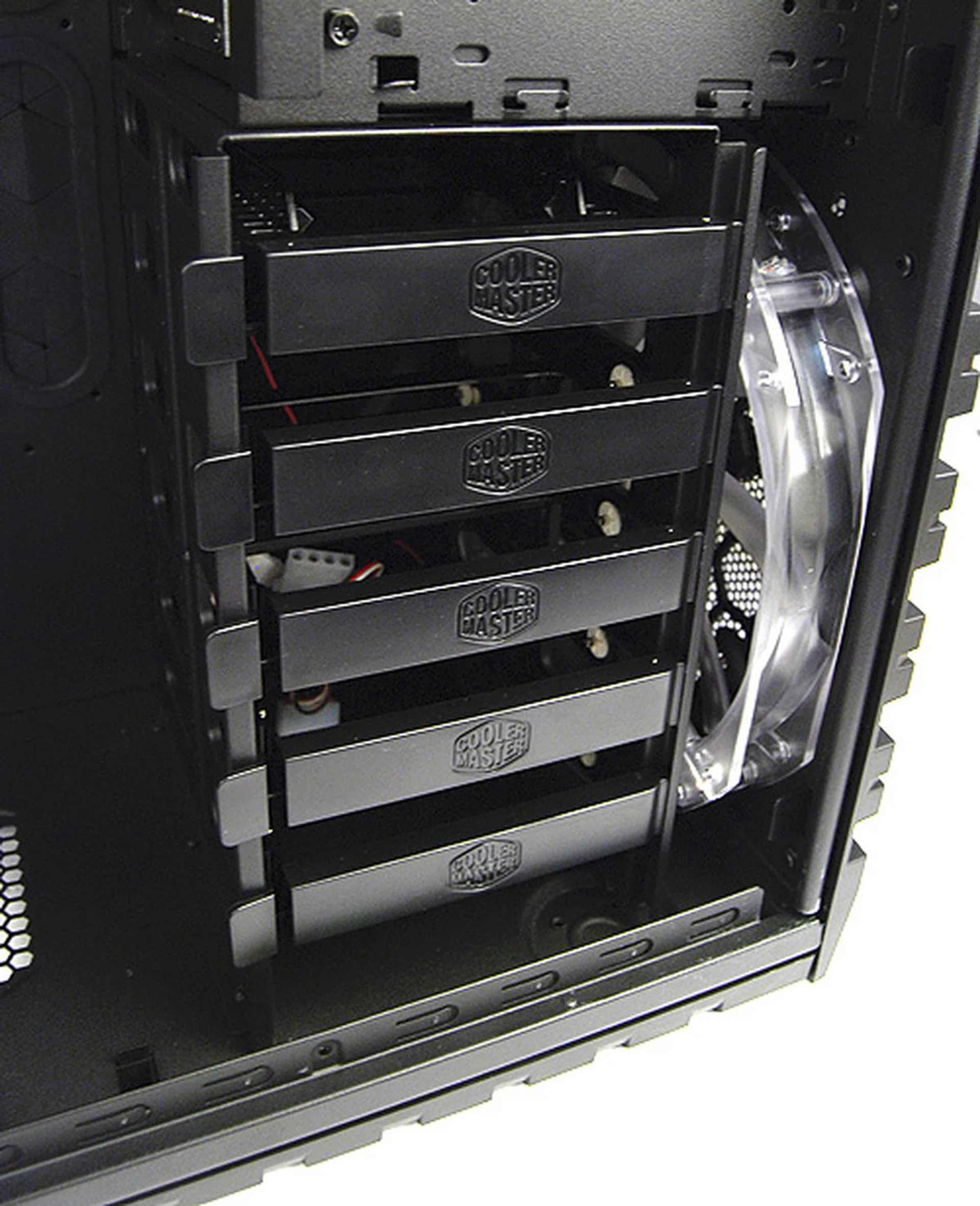
Further down, we find the the hard disk bays. There's five in total, of which one can be used to install smaller 2.5-inch SSDs.
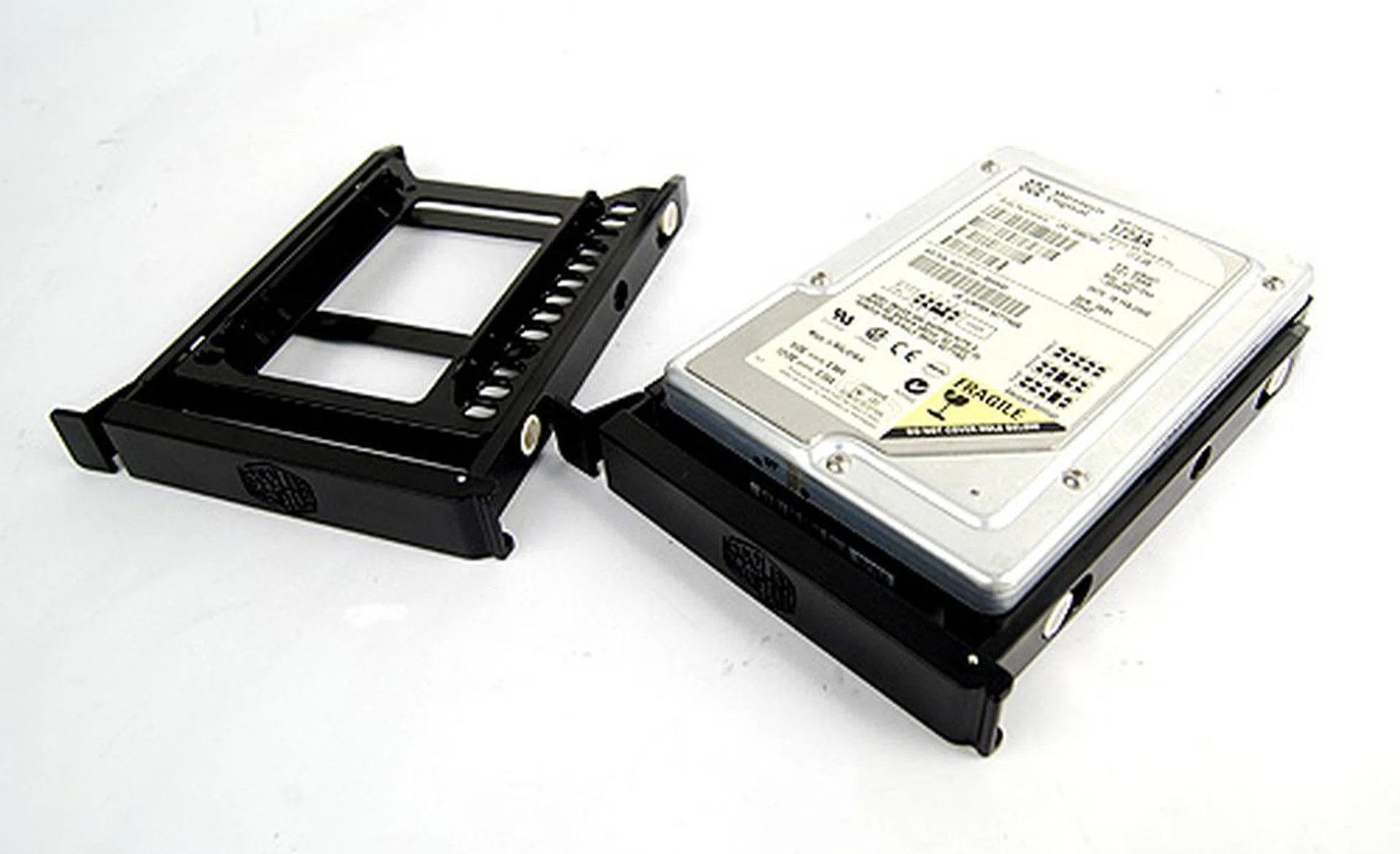
On the left is the special rack on which 2.5-inch drives can be installed on. On the right is the standard tool-free hard disk rack that can be found on many Cooler Master casings.
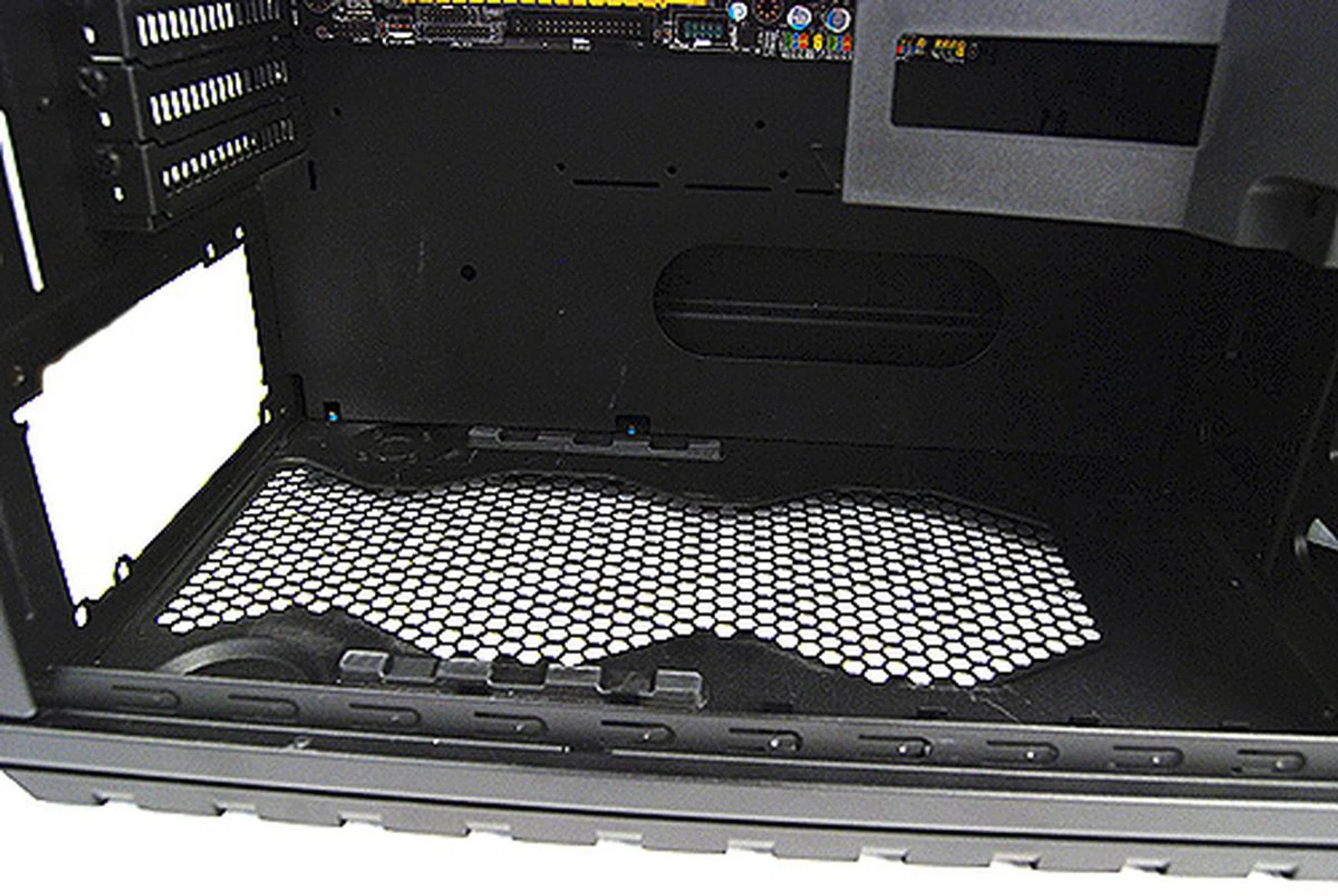
The PSU bay is lined with two long strips of rubber to help cushion and absorb vibrations. And as you can see, it's mighty spacious.
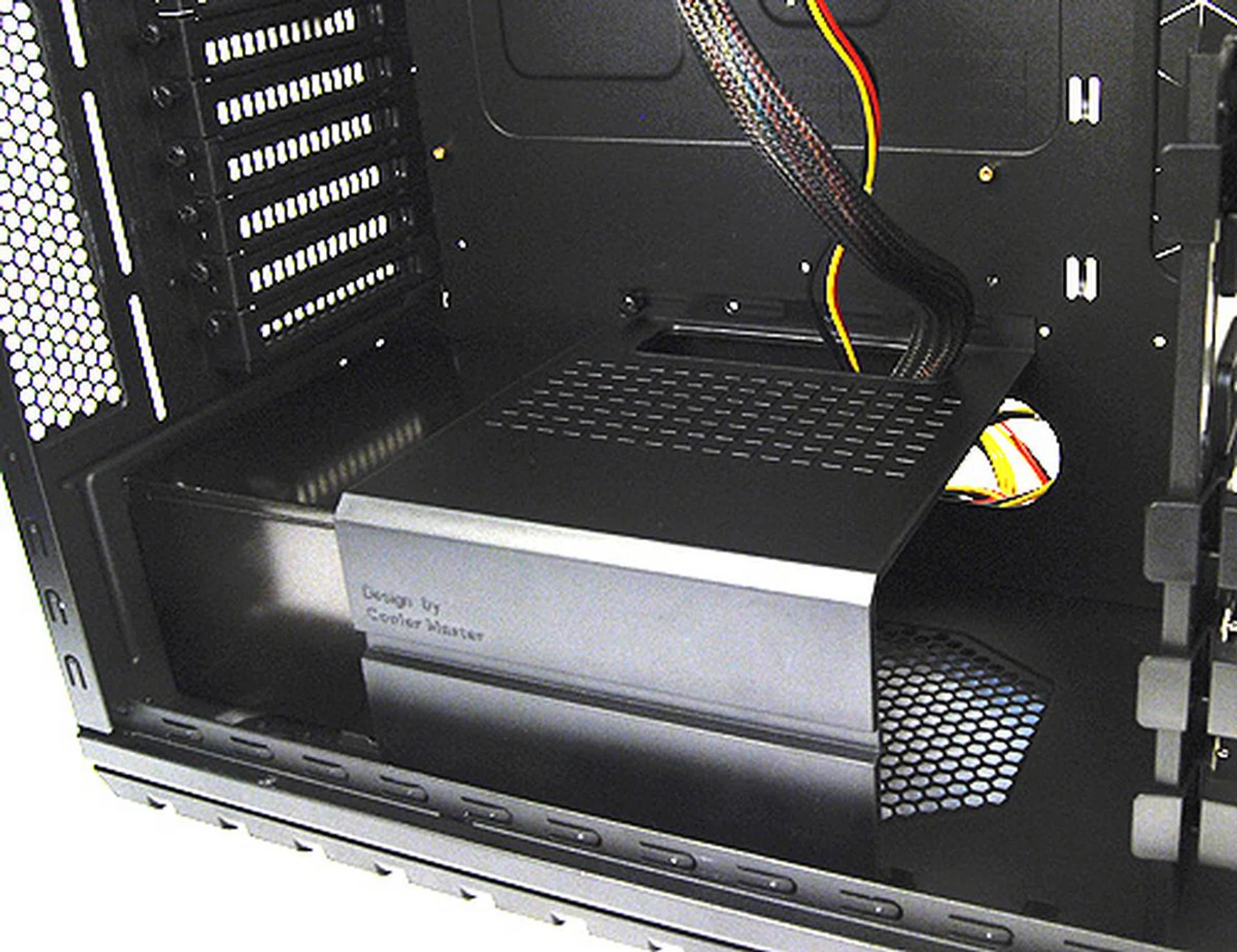
There's also this special rack for your PSU that not only secures larger PSUs in place, but the cut-out at the back also allows you to route necessarily cables around the front, while the others can be routed around the back of the motherboard tray for neater cable management.
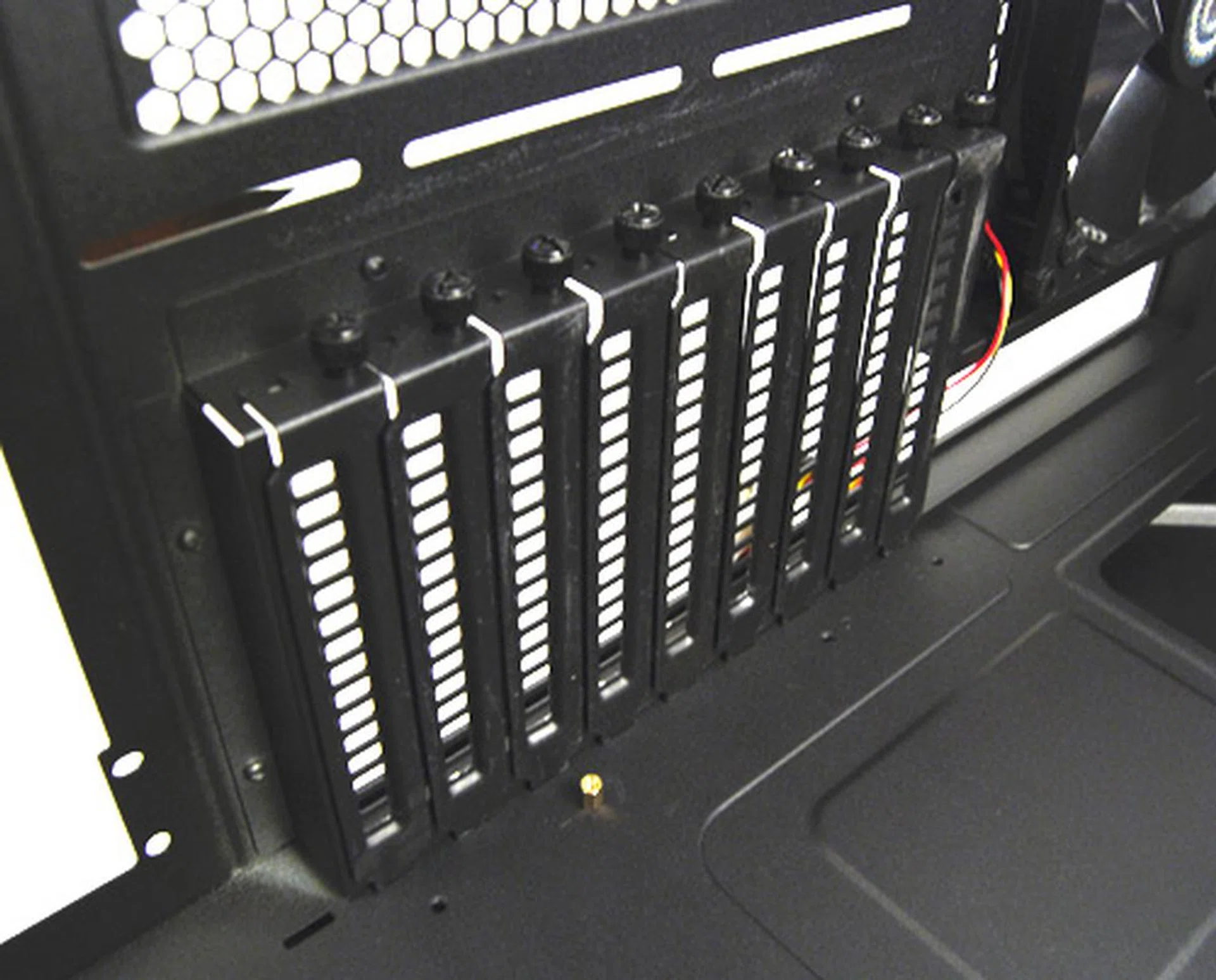
Behold, the pièce de résistance of the HAF X is its whopping nine expansion slots. This is especially useful if you have a quad-CrossFireX or 4-way SLI-capable motherboard.
Supersize Me! - Interior (contd.)
What's a HAF casing without fans right? And the HAF X does not disappoint as it comes right out of the box with four fans as standard. Two intake fans on the front and side, and two exhaust fans at the rear and top. And for those who want to take it to the absolute limit, the casing can accommodate an additional fan at the top and users can also opt to install another fan on the optional VGA air duct or VGA bracket (more on this later).
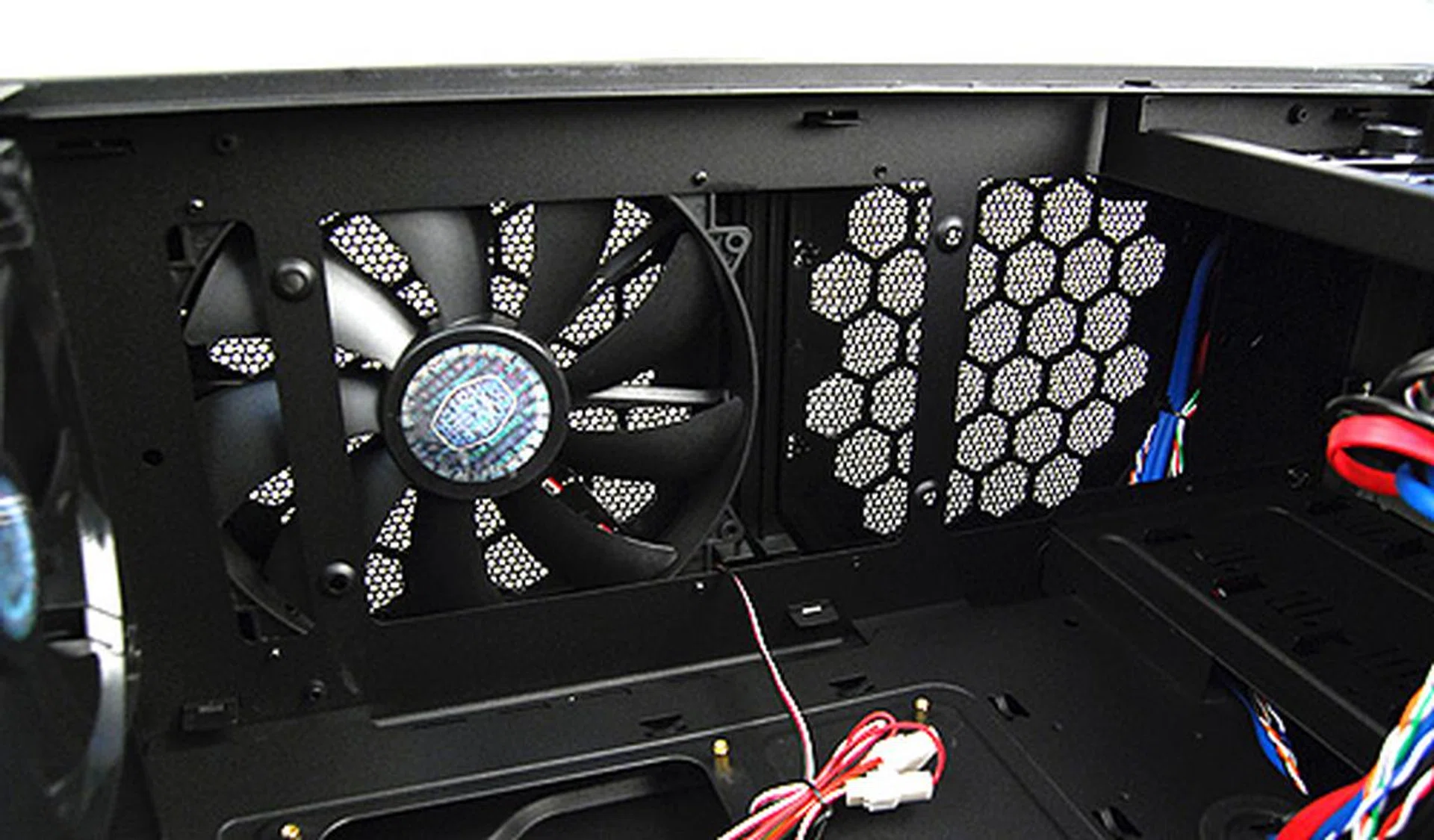
The HAF X comes with a single 200mm exhaust fan at the top and users can add another 200mm fan if they think one is insufficient. Alternatively, the top section can be used to house a liquid-cooling radiator that is up to 360mm in length.
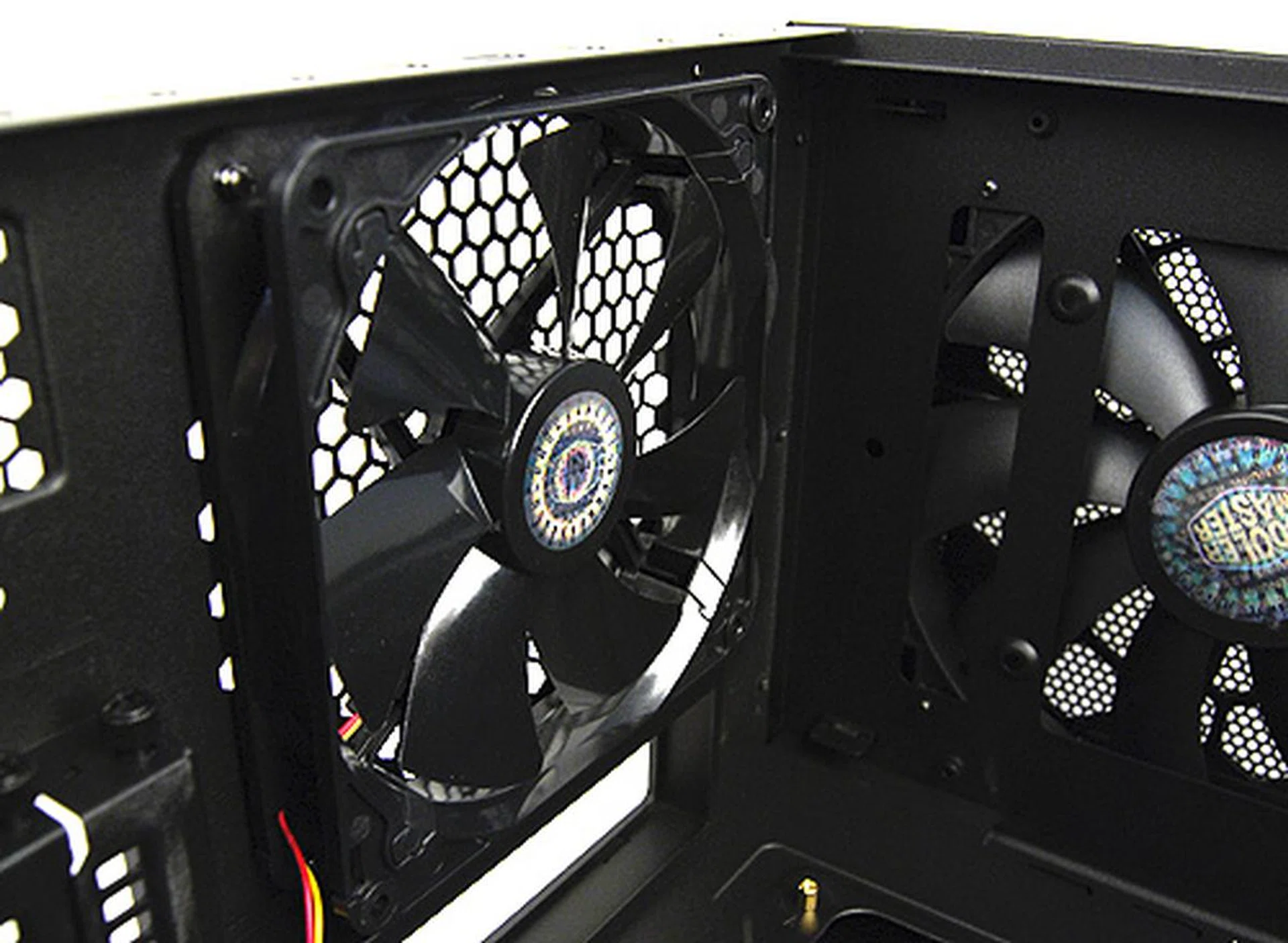
A look at the rear 140mm exhaust fan.
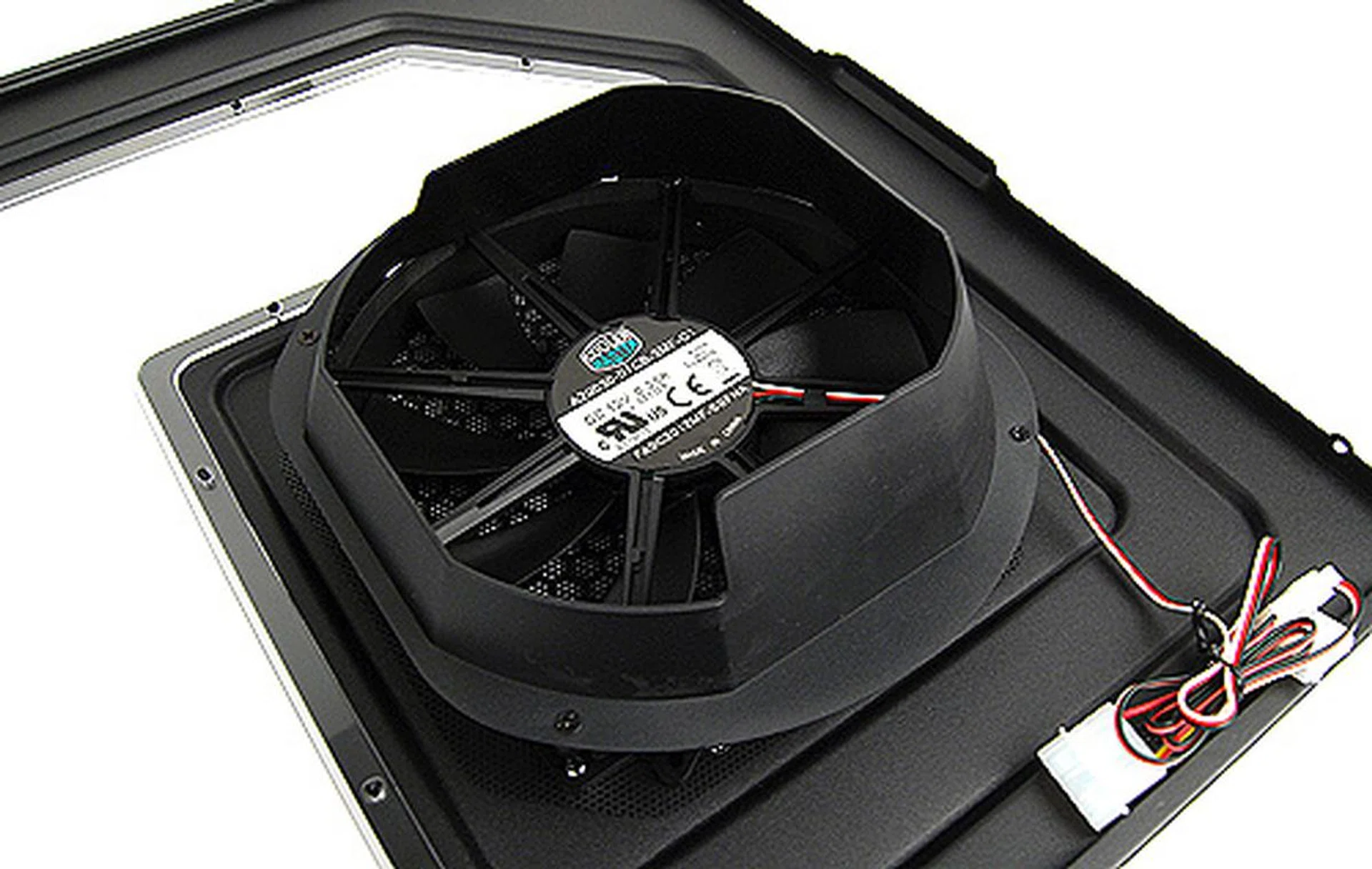
There's a 200mm side intake fan that has ducts to direct air directly onto the graphics card(s).
One unique feature about the HAF X is the inclusion of what Cooler Master calls the VGA air duct and VGA bracket.
The VGA air duct installs onto the hard disks cage and allows users to install an additional 120mm fan to specifically cool down the graphics card. This is a nice and thoughtful touch, especially for those who are running multi-GPU configurations, which generate large amounts of heat. The VGA duct and the standard side intake fan would surely do well to help keep the graphics cards cool. Also, note that the duct can only accommodate cards up to 11-inches in length, which means it'll work fine with almost any card available today except the gargantuan Radeon HD 5970.
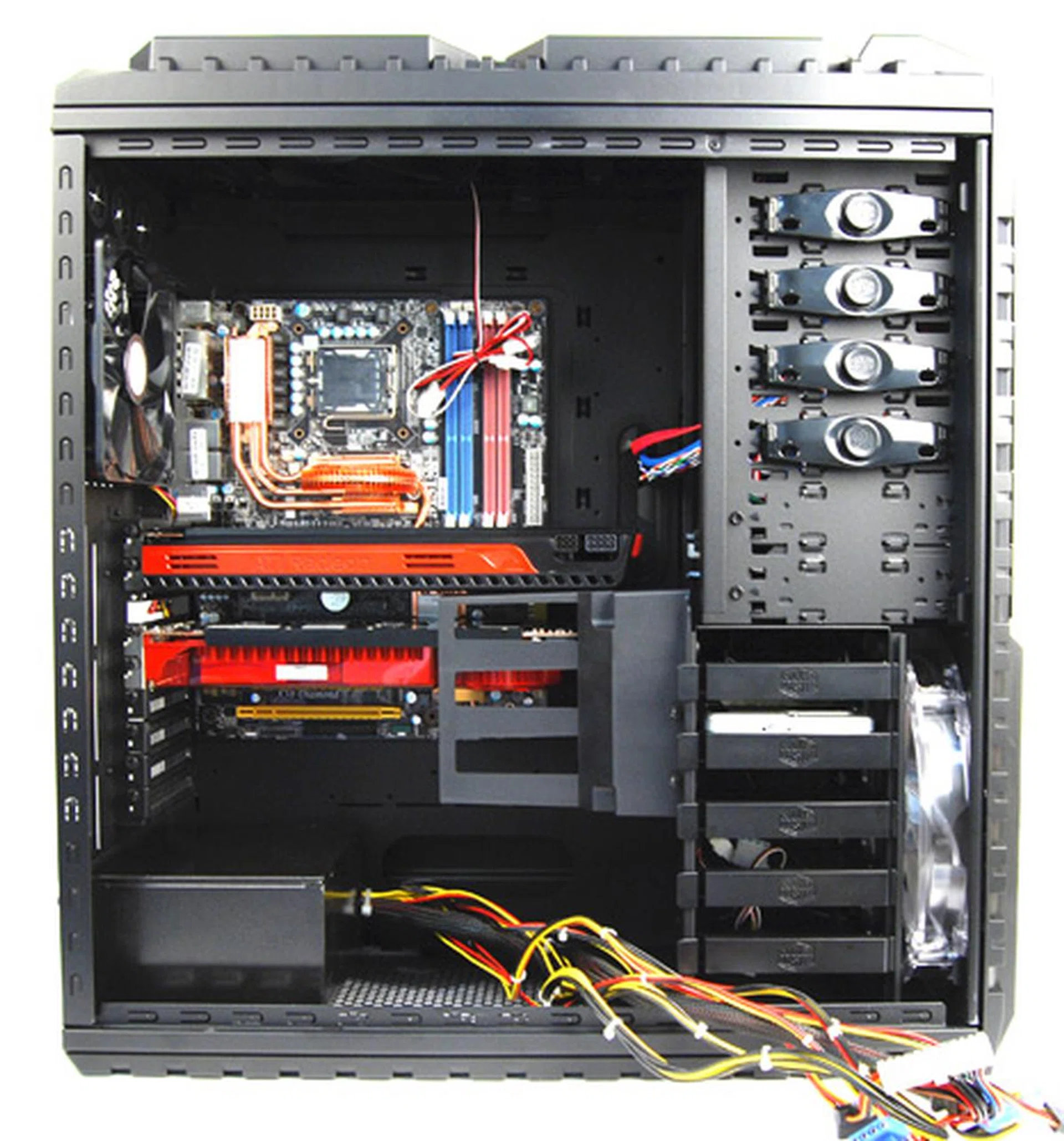
A quick look at the casing with all the major components installed. Look at how spacious it is! There's much space even after installing a giant Radeon HD 5970 graphics card.
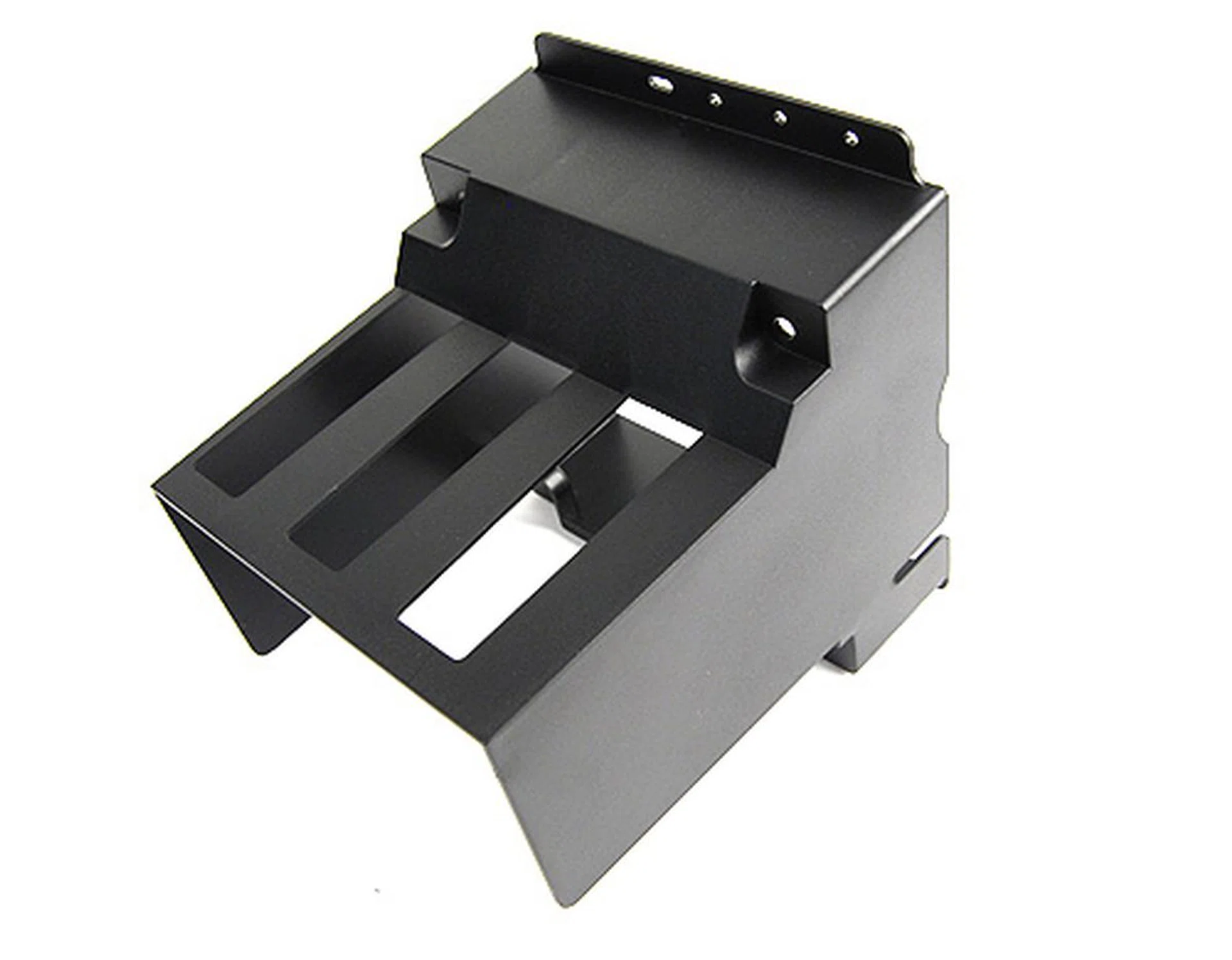
The VGA duct is a useful thing to have especially if you are running a multi-GPU setup and need additional cooling.
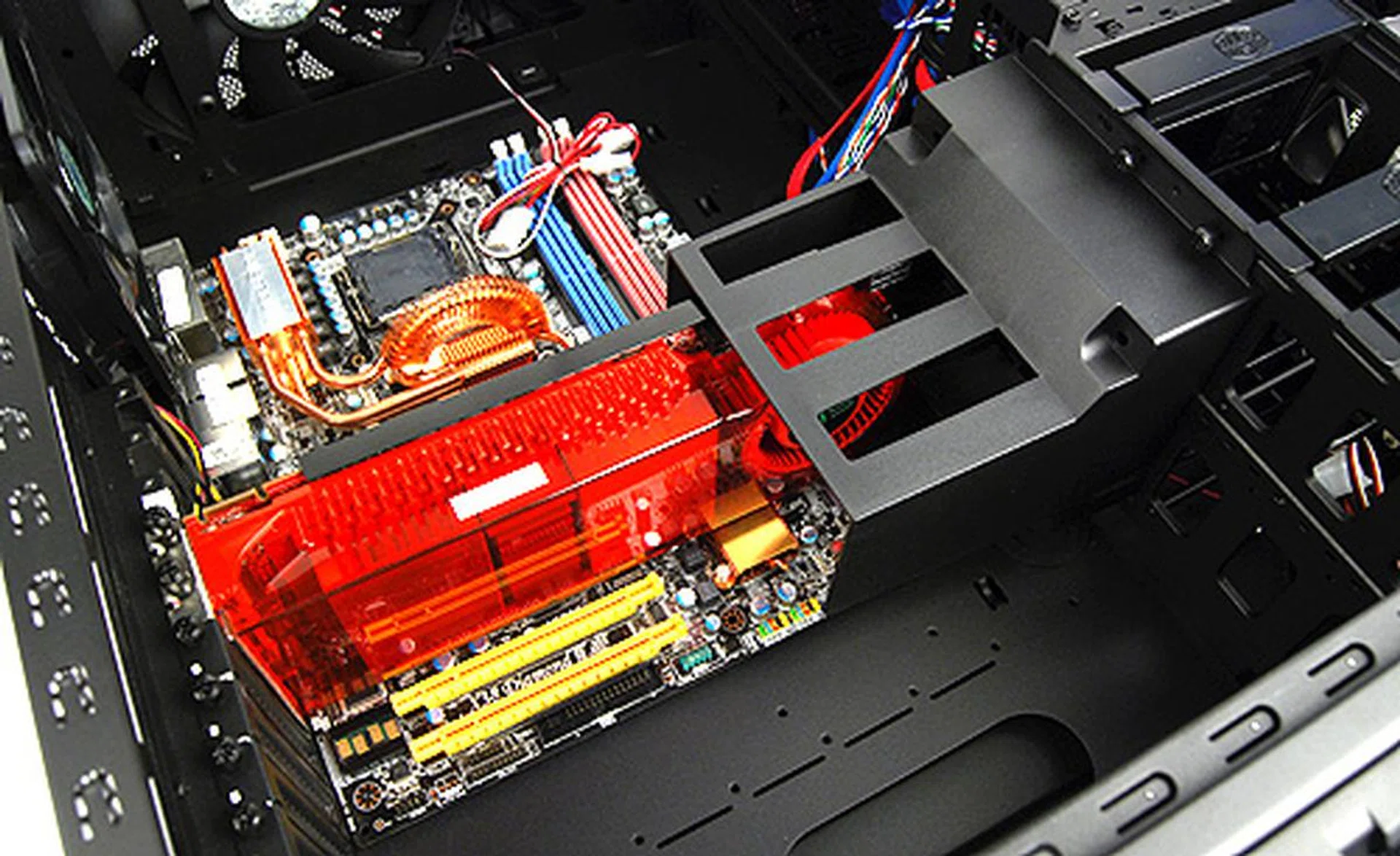
This is what it looks like with the VGA duct installed.
The VGA bracket, on the other hand, is a device that gives your graphics card additional support. This is useful especially if you are using the newer high-end graphics card such as the Radeon HD 5970, HD 5870 or GeForce GTX 480, which are not only long, but also heavy. The bracket installs onto the rear panel of the casing and helps gives the end of graphics card additional support, so that it doesn't flex other its own weight. From our usage, it works best with cards that have a support bracket running across the spine of the card for the VGA bracket to latch on to - in which case, most high-end cards do anyway.
What's more, the VGA bracket is able to accommodate a single 80mm fan that will directly cool the graphics card from above. This is yet another nice addition from Cooler Master, but the problem with the VGA bracket is that it feels rather loose even after we've tightened the screws that secures it. However, it does offer some support (even if it's only a little) and we like the fact that we can install a single fan that'll cool the graphics card directly. Take note also that installing the VGA bracket requires you to remove the side panel fan, since the side panel fan is too thick to be used in tandem with the VGA bracket.
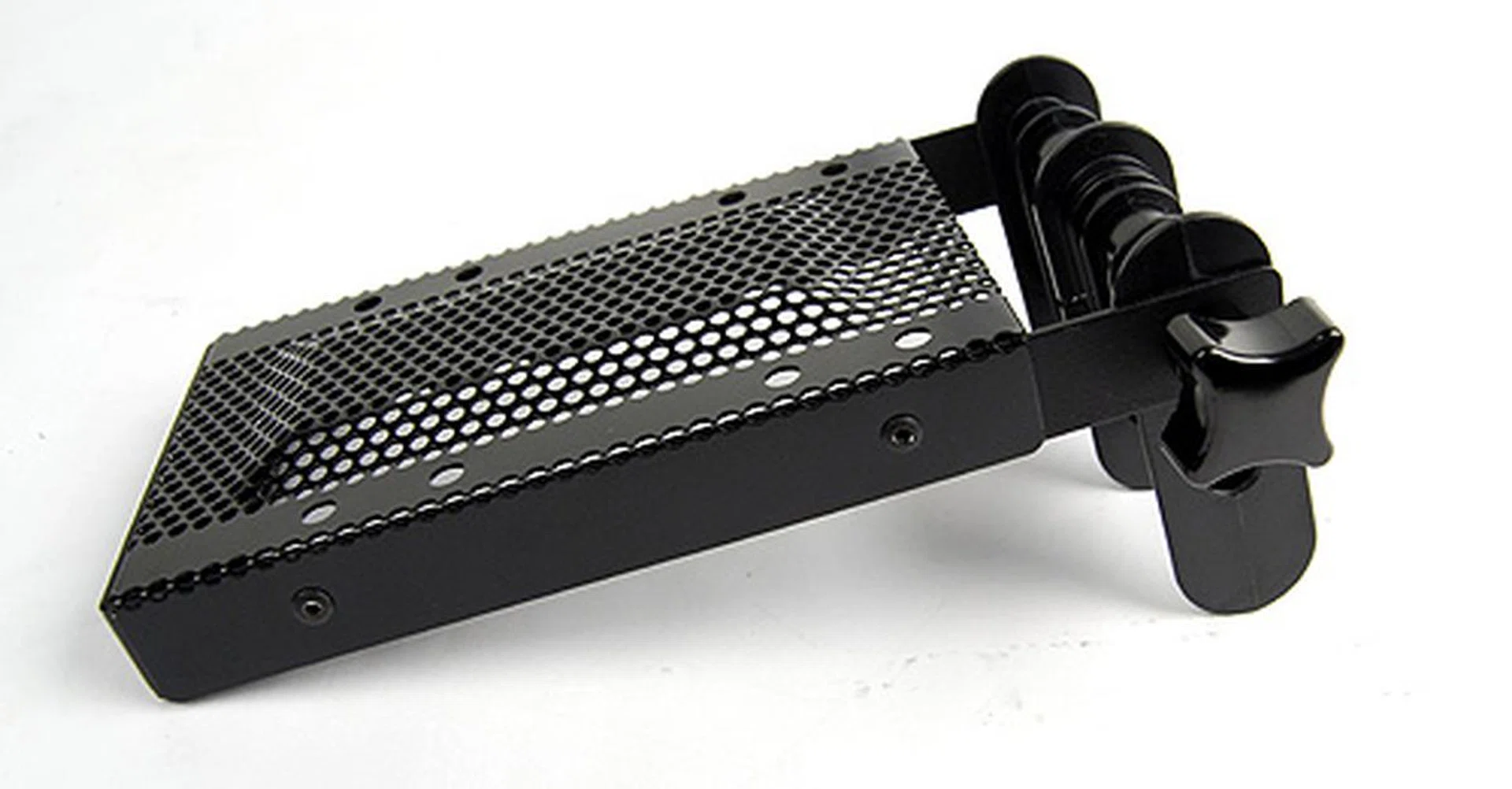
A look at the VGA bracket. It's an odd-looking contraption.
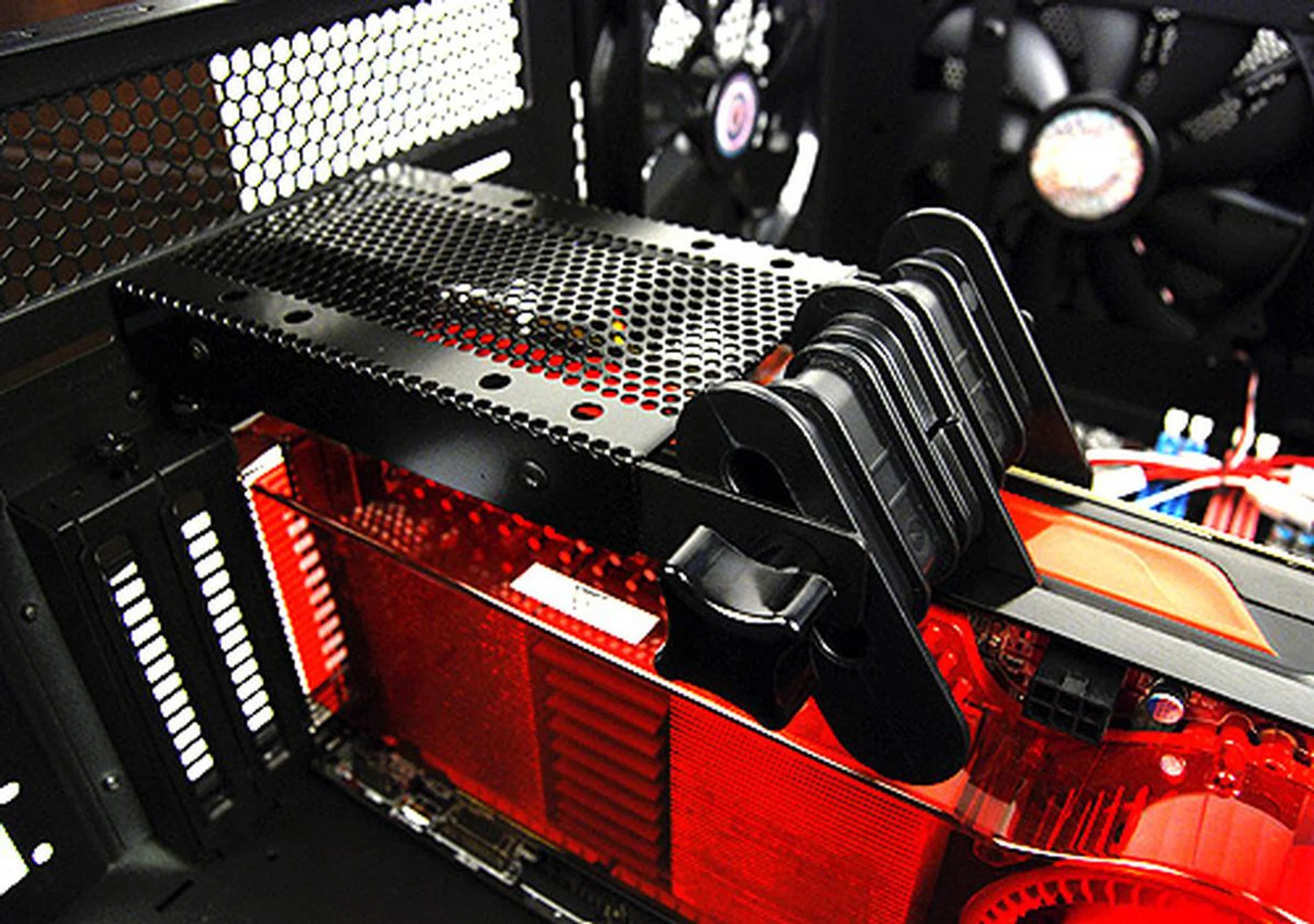
Secure the VGA bracket to the casing like so, and lock the rails in place to secure the graphics card. Installing a fan onto the bracket will also provide more focused cooling.
X Marks the Spot
Overall, the new Cooler Master HAF X fully lives up to its billing as the new HAF flagship. It looks the part, is ultra spacious, has great features and cooling options, and is easy to use and install.
What we really liked about the HAF X is that Cooler Master has clearly designed it with enthusiasts in mind. The side panel, the VGA air duct and VGA bracket are evidence that efforts have been made to improve graphics card cooling. Also, the flexibility to remove the top-side fans and fit a liquid-cooling radiator and the inclusion of USB 3.0 ports is further proof that the HAF X is an enthusiast-class casing.
Of course, the HAF X isn't perfect. For one, it is extremely heavy and therefore cumbersome to handle or move it. The side panel, especially, are exceptionally thick and heavy. Also, the implementation of the USB 3.0 ports isn't very elegant, but this is something of a problem with motherboards today rather than the casing as we've explained earlier. And then there's the VGA bracket, which didn't fit onto the casing as securely as we hopped it would.
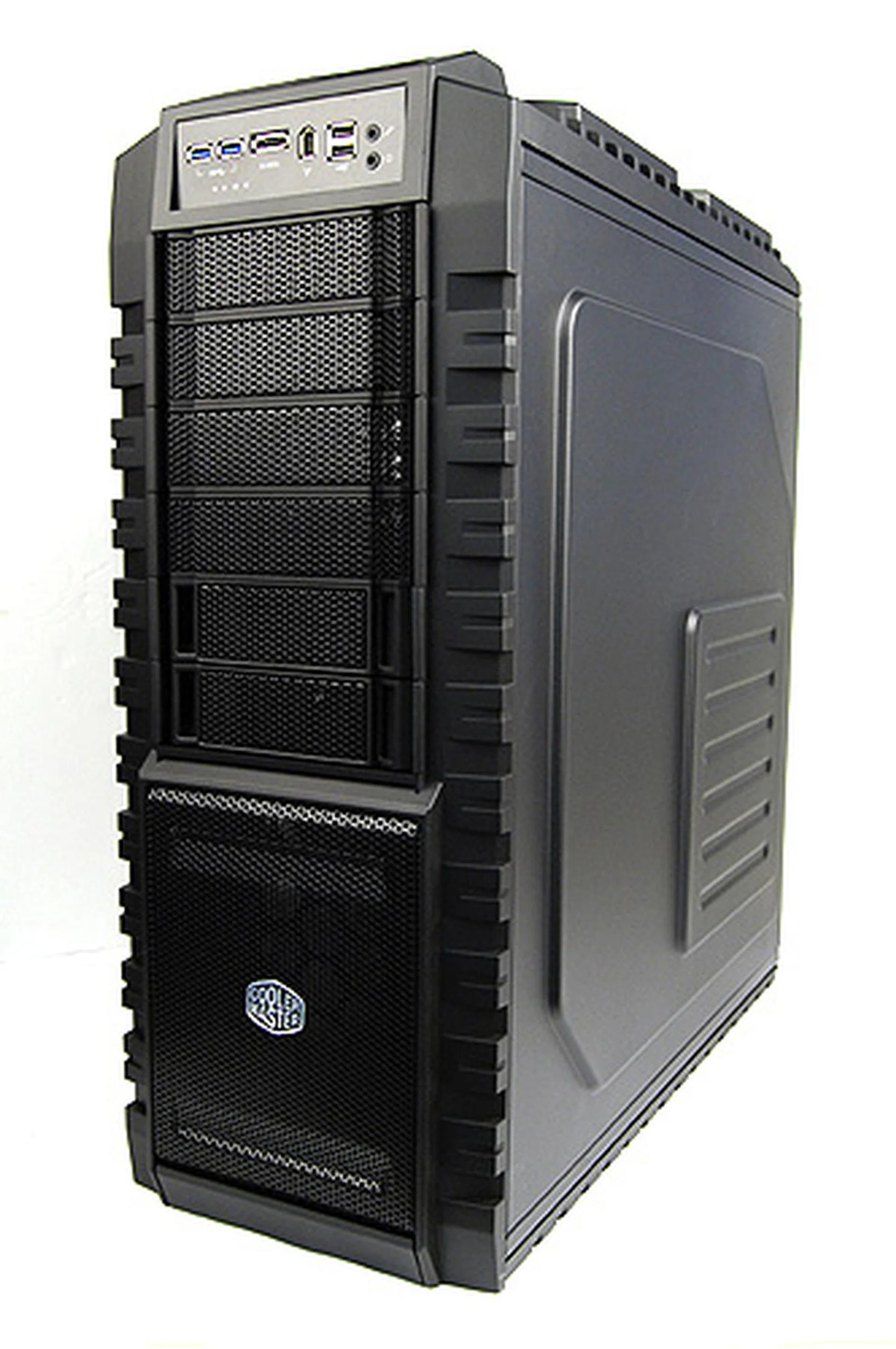
Reasonably-priced and chock full with high-end features, the new HAF X is a solid casing for enthusiasts.
With its recommended retail price of S$289, the Cooler Master HAF X is costlier than the other HAF cases that precedes it, and rightfully so, we think, considering what it has going for it.
All things considered, if you are looking for a high-end, enthusiast-grade casing, the HAF X is worthy of your serious consideration.
Our articles may contain affiliate links. If you buy through these links, we may earn a small commission.