
Extreme X58 Motherboards - All Hail the Ultimates!
Even the most jaded observer will be awed by these motherboards based on Intel's enthusiast chipest, the Intel X58 Express. Get ready for the most powerful and expensive boards ever reviewed in our labs.
All Hail the Ultimates!
Ever since the 6-core Intel hit the market in March, we have seen a mini-revival of sorts for Intel X58 motherboards. Of course, the reality is that mainstream boards using Intel's LGA1156 package dominate the retail shelves and demand for such boards is unlikely to change. That however doesn't seem to deter board manufacturers. Vendors have been re-releasing boards based on the X58 Express chipset, integrating both SATA 6Gbps and USB 3.0 support. We a couple of these refreshed X58 boards, but who knew that there were more to come.
Not only have vendors refreshed their offerings, they have really worked hard on putting the X58 on the pedestal. Gigabyte and MSI have both released updated flagship versions of this chipset recently, which we . We have tested both in our lab and will be reporting the results in this article. To add more spice to the mix, we also brought in EVGA's X58 SLI Classified, which is one of the earliest, 'extreme' X58 boards. While it was launched mid last year and lacks the new SATA 6Gbps and USB 3.0 interfaces that have swept the motherboard industry, the EVGA remains a prime example of the excesses that the enthusiast segment is capable of.
All the three boards here are among the most expensive of motherboards. The most 'affordable' of the lot, the MSI Big Bang-XPower, costs slightly more than S$500, while the Gigabyte UD9, hits the wallet like a gang of pickpockets at a staggering retail price of S$839. Even the older EVGA X58 SLI Classified will set you back by around S$749. In short, if you're hunting for a mainstream motherboard, you can skip these boards. If however, you're here to gawk at over-the-top designs and larger than life (and ATX) motherboards, this is just what you have to read. Let's start with the specifications below, where among all the many listings, the form factor of two of these boards will certainly raise a few eyebrows. Yes, the EVGA and Gigabyte boards are "super-sized".
EVGAX58 SLIClassified (SKUE760) | Gigabyte GA-X58A-UD9 | MSIBig Bang-XPower | |
CPU Support | Support for Socket LGA1366 Core i7 processors | ||
Chipset | Intel X58 and ICH10R | ||
Graphics | Supports NVIDIA 3-way SLIwith PhysX and ATI CrossFireX | Support for up to 4-way NVIDIASLI and ATICrossFireX | Support for up to 4-way NVIDIA SLI and ATI CrossFireX |
Memory |
|
|
|
Storage |
|
|
|
Audio | Realtek ALC889 HD CODEC | Realtek ALC889 HD CODEC |
|
Networking | 2 x Realtek RTL8111D Gigabit LAN controllers | 2 x Realtek RTL8111EGigabit LANcontrollers | 2 x Realtek RTL8111DL Gigabit LAN controllers |
IEEE 1394 (FireWire) | Up to 2 x IEEE 1394a ports (1 rear, 1 header) |
|
|
I/O Interface |
|
|
|
Internal Connectors |
|
|
|
Expansion Slots |
|
|
|
Special Features |
|
|
|
PCB | EATXForm Factor (30.5 x 26.4cm) | XL-ATX Form Factor (34.5 x 26.2cm)
| ATX Form Factor (30.5 x 24.4cm) |
EVGA X58 SLI Classified (SKU E760)
Before we start, you should know that there are three variants of this X58 SLI Classified model from EVGA. As you can see here on EVGA's website, even with the listed specs, it can be quite difficult to differentiate between them, especially as they look identical, from the package to the actual board. It's a potential source of confusion that made us quite leery, especially when we had to download the latest BIOS before testing; there's nothing like flashing the wrong BIOS.
The main difference for our review unit is that it does not have an NVIDIA NF200 chip onboard like the E759 version. This means that it's slightly constrained when it comes to the PCIe lanes for multi-GPU configurations. Or simply put, you may have to run some of your graphics cards at x8 instead of x16. The E760 variant has two PCIe 2.0 x16 slots that can run at the full 16 lanes, with the other two slots at x8. The E759 meanwhile has an additional PCIe 2.0 x16, for full 3-way SLI/CrossFireX at x16.
Now that we have settled the exact board that we're reviewing, let's look at this EVGA board, which surely ranks as one of the more extreme designs when it launched last year. Firstly, it's larger than the usual ATX form factor. Classified as EATX by EVGA, this board is slightly wider than the typical ATX form factor, something that you probably won't notice initially. We don't see installation as an issue, unless your chassis is a compact design. This is unlike the case with Gigabyte's UD9.
Next, this board purports to support 3-way SLI with PhysX. It's a good use of the fourth PCIe slot that would be left unused in cases where dual-slots graphics cards are installed. As seen from the image below, the second PCIe slot from the left has only sufficient clearance for a single-slot graphics card, perfect for an older GeForce 9600 GT or something of its class to take up the PhysX burden. EVGA has also provided two SLI bridges as accessories, one of which factors in the PhysX card arrangement.
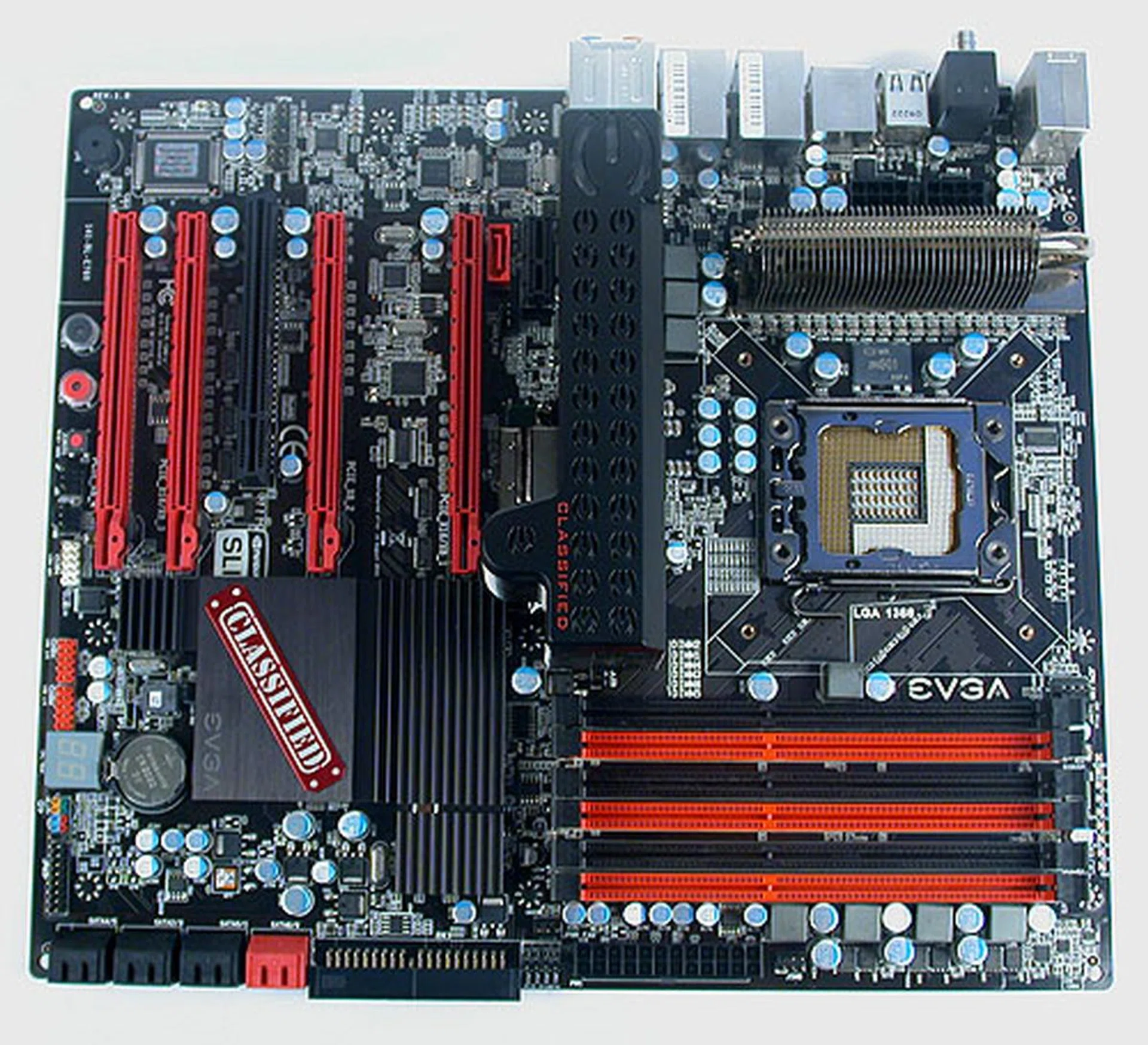
The black and red theme on the EVGA X58 SLI Classified will no doubt find favor among enthusiasts.
Of course, given that it debuted before the introduction of SATA 6Gbps and USB 3.0 controllers, these features are not found here. We have heard that EVGA is planning a refresh sometime this year, so we may yet find these new features making their way to an updated Classified. Nevertheless, one gets a decent number of SATA ports, with a JMicron controller adding to the default six from the Southbridge.
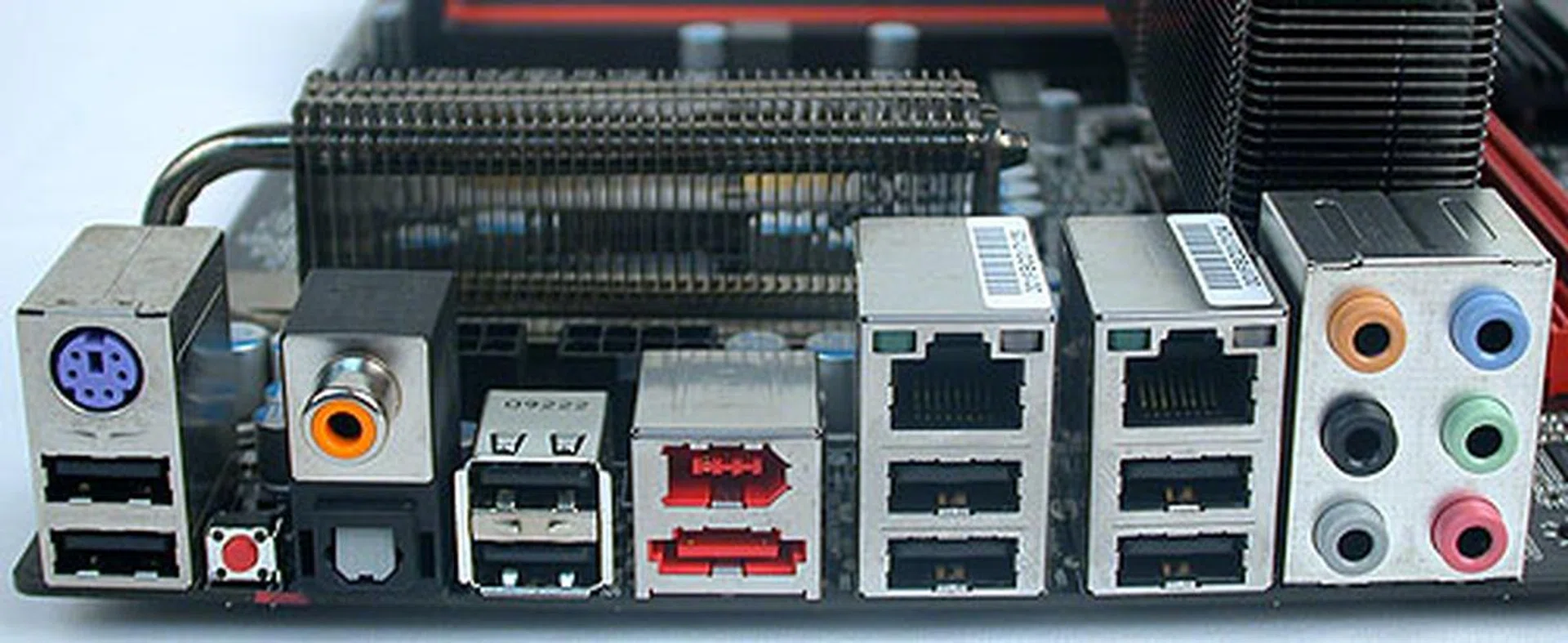
It's a 'standard' rear panel configuration for a high-end X58 board. Two Gigabit LAN ports, eSATA, FireWire and both coaxial and optical S/PDIF outputs.
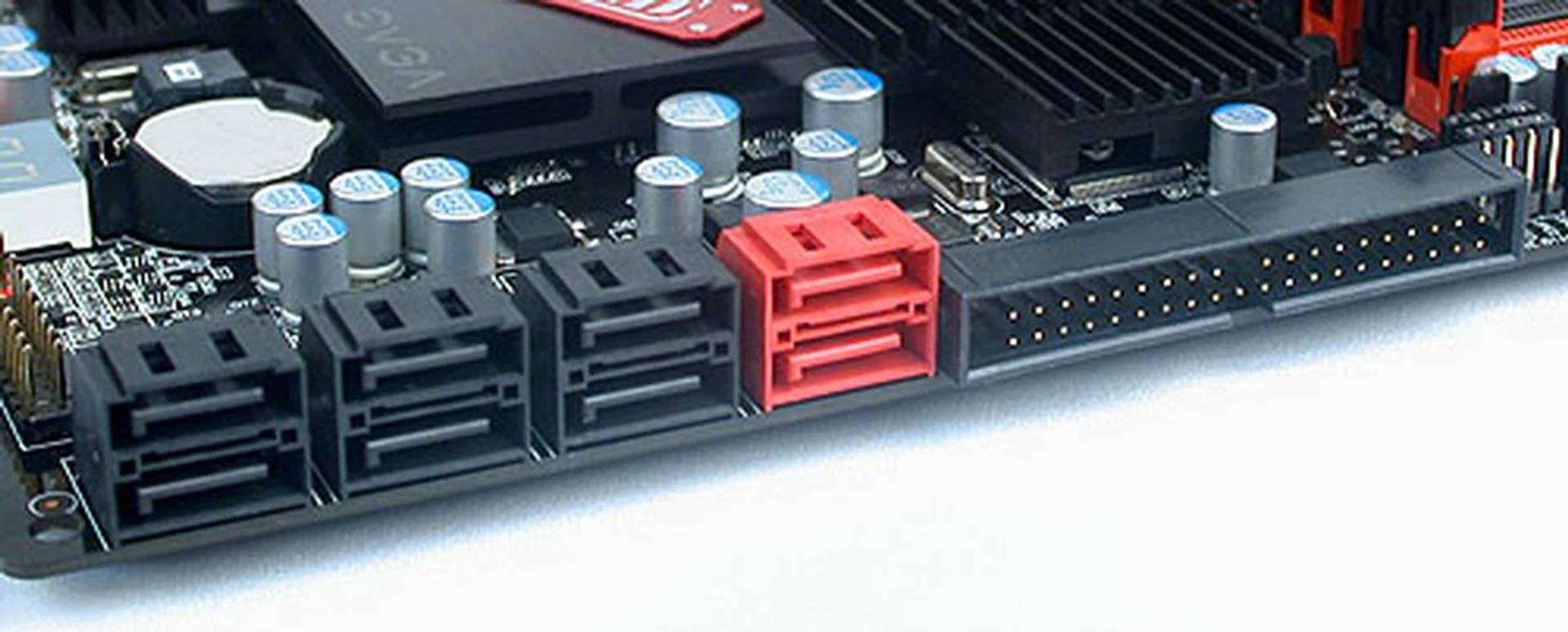
Eight SATA ports here and an IDE connector should be enough for most users.
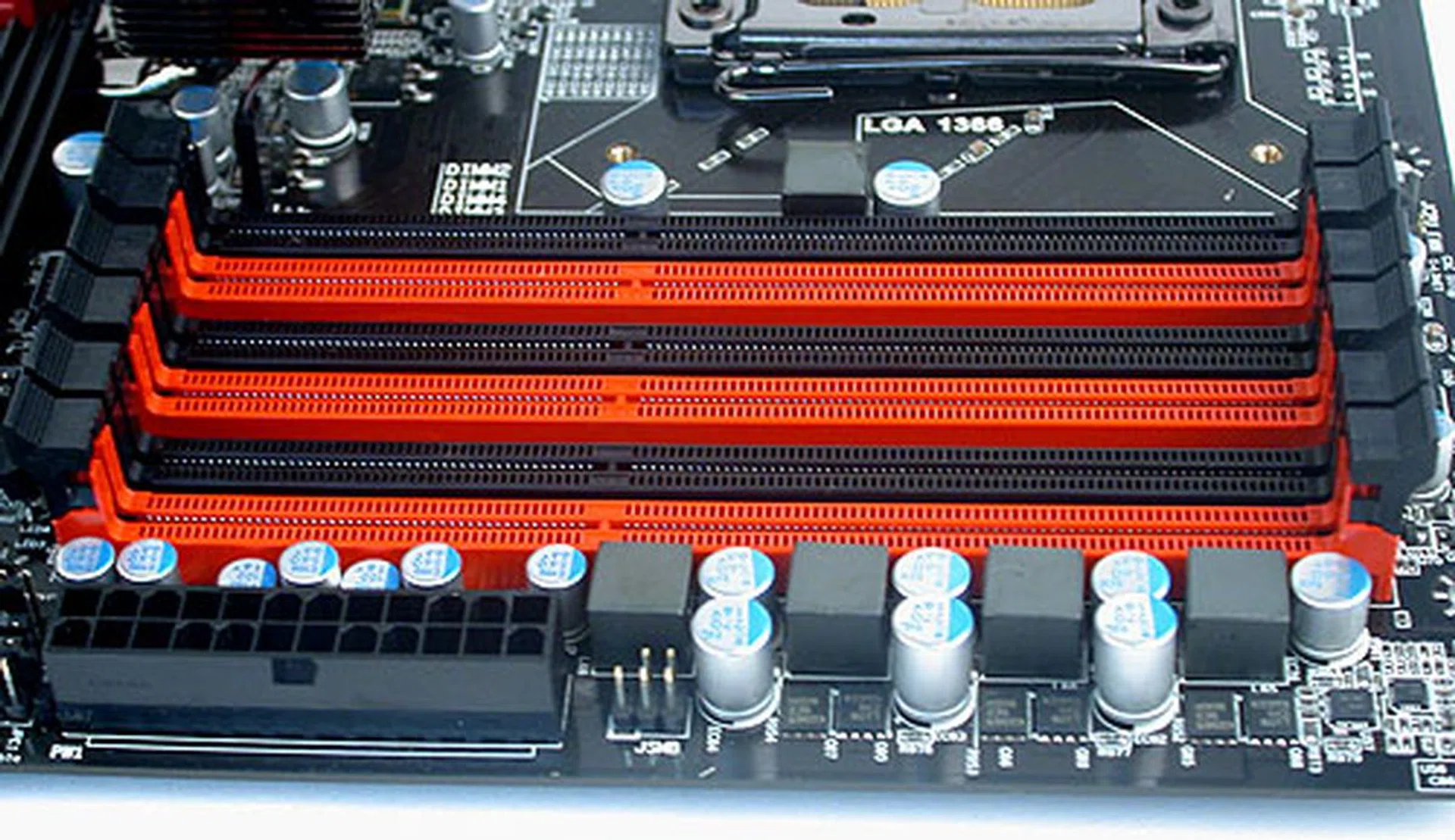
Triple-channel architecture is standard for the X58 chipset and up to 24GB of memory can be installed on this board.
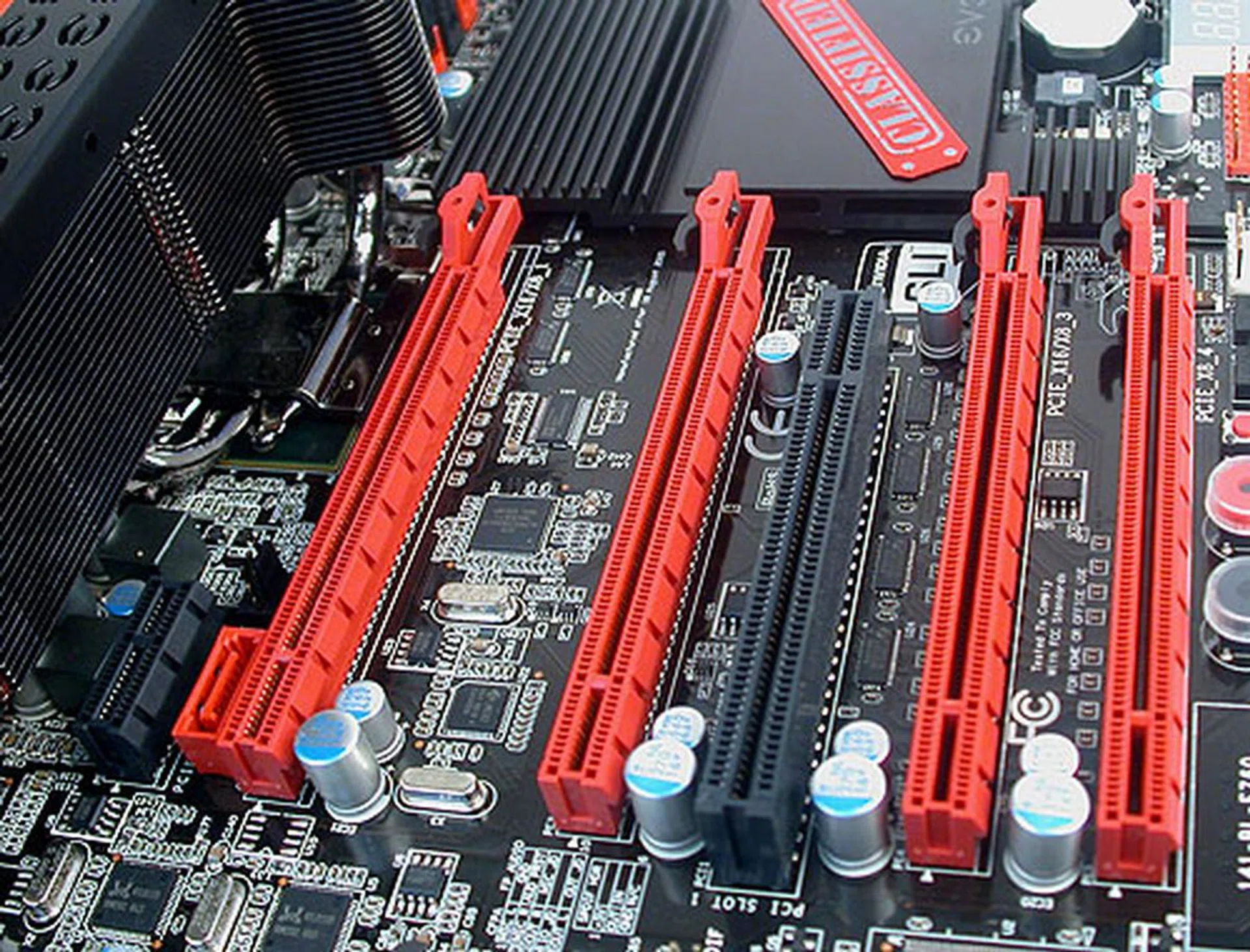
There are four PCIe 2.0 x16 slots, 1 x PCIe x1 slot and a PCI slot on this EVGA board. Only two PCIe 2.0 slots can run at the full x16 however. Both SLI and CrossFireX is supported of course, even if EVGA's marketing materials focus only on NVIDIA's SLI.
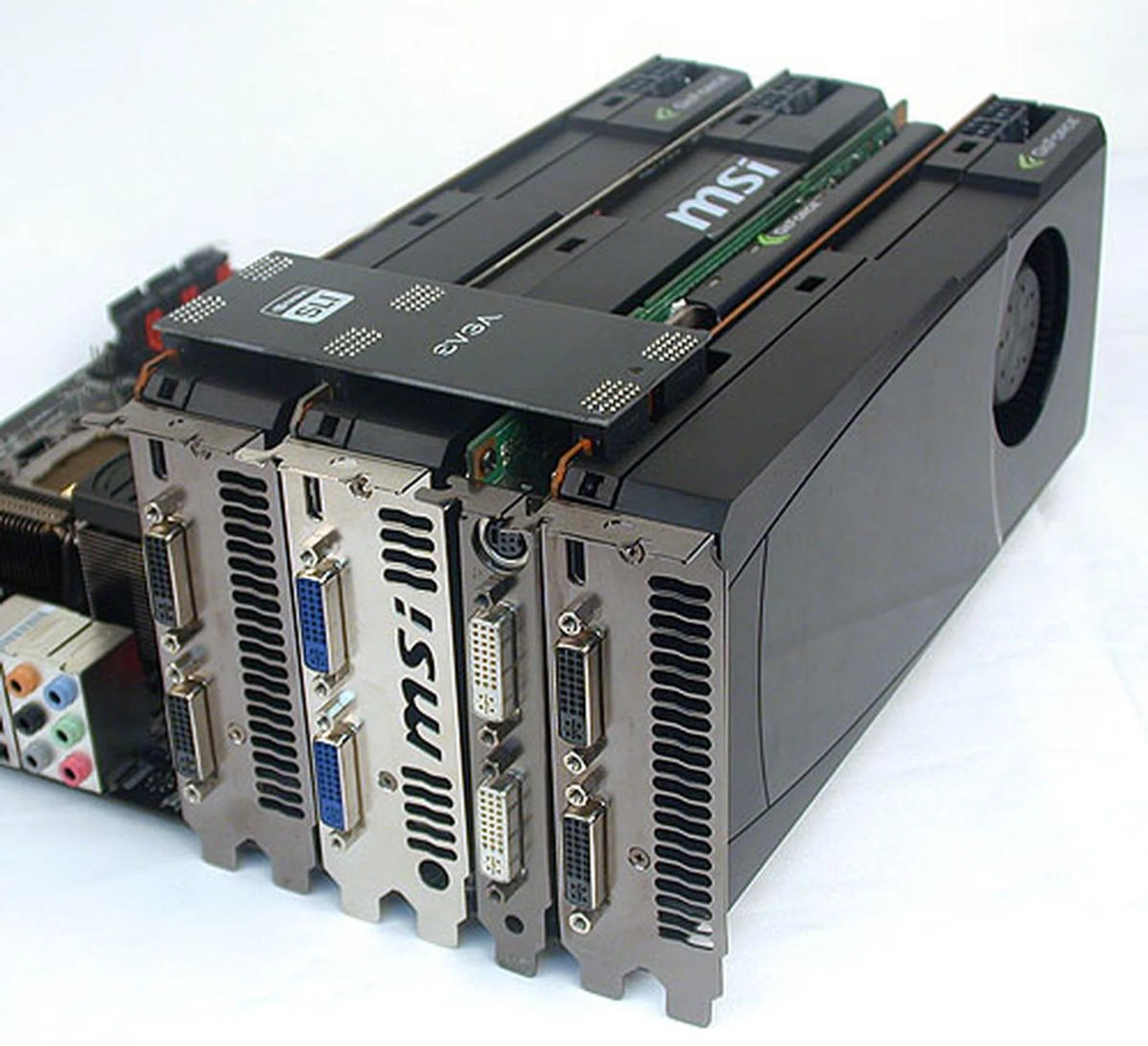
And this is how EVGA intends users to setup their graphics cards for 3-way SLI with PhysX support. The single-slot, slower graphics card for PhysX is sandwiched between the dual-slot cards and the SLI bridge is designed exactly for this.
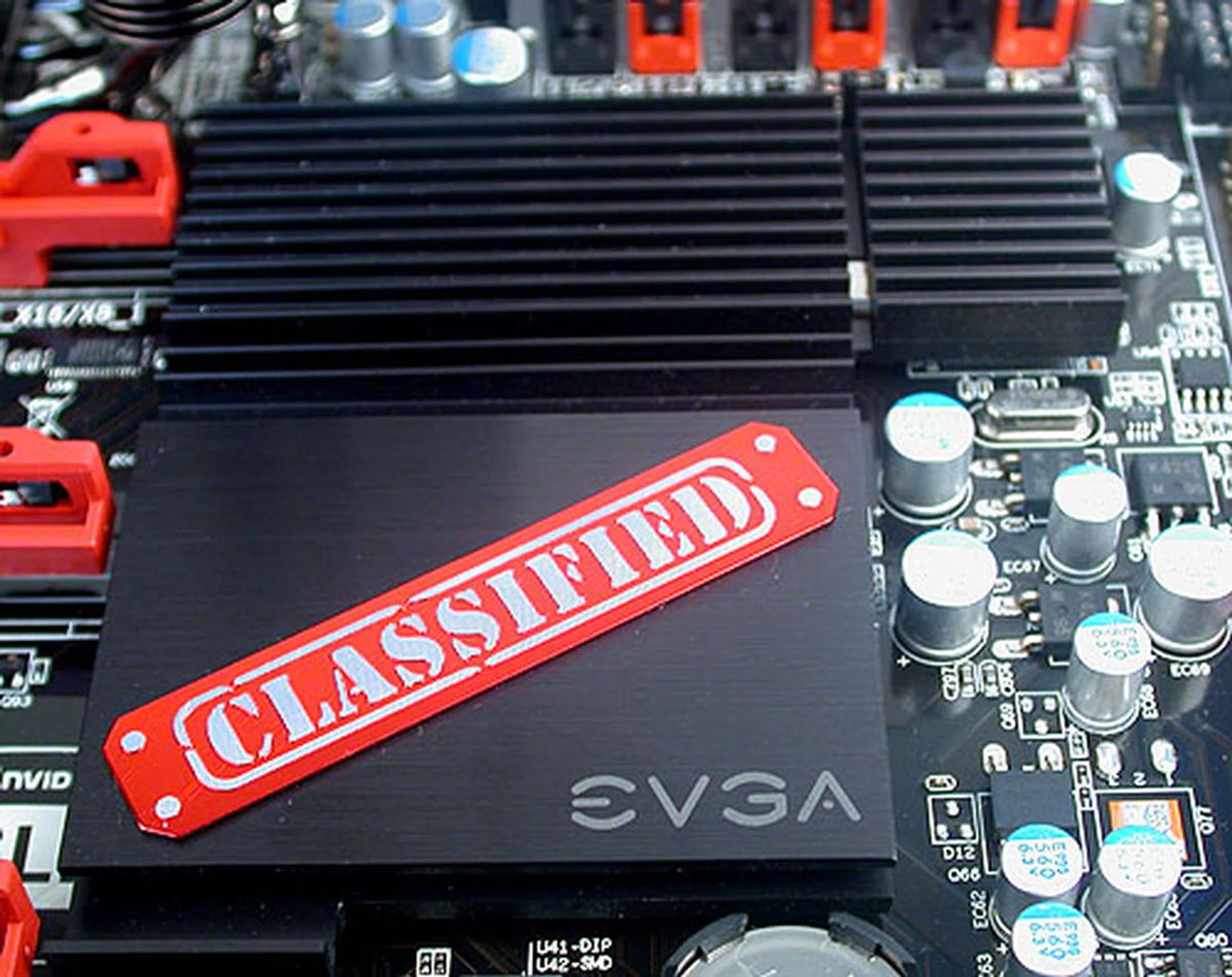
The EVGA branding is unmistakable on the heatsink over the ICH10R chip.
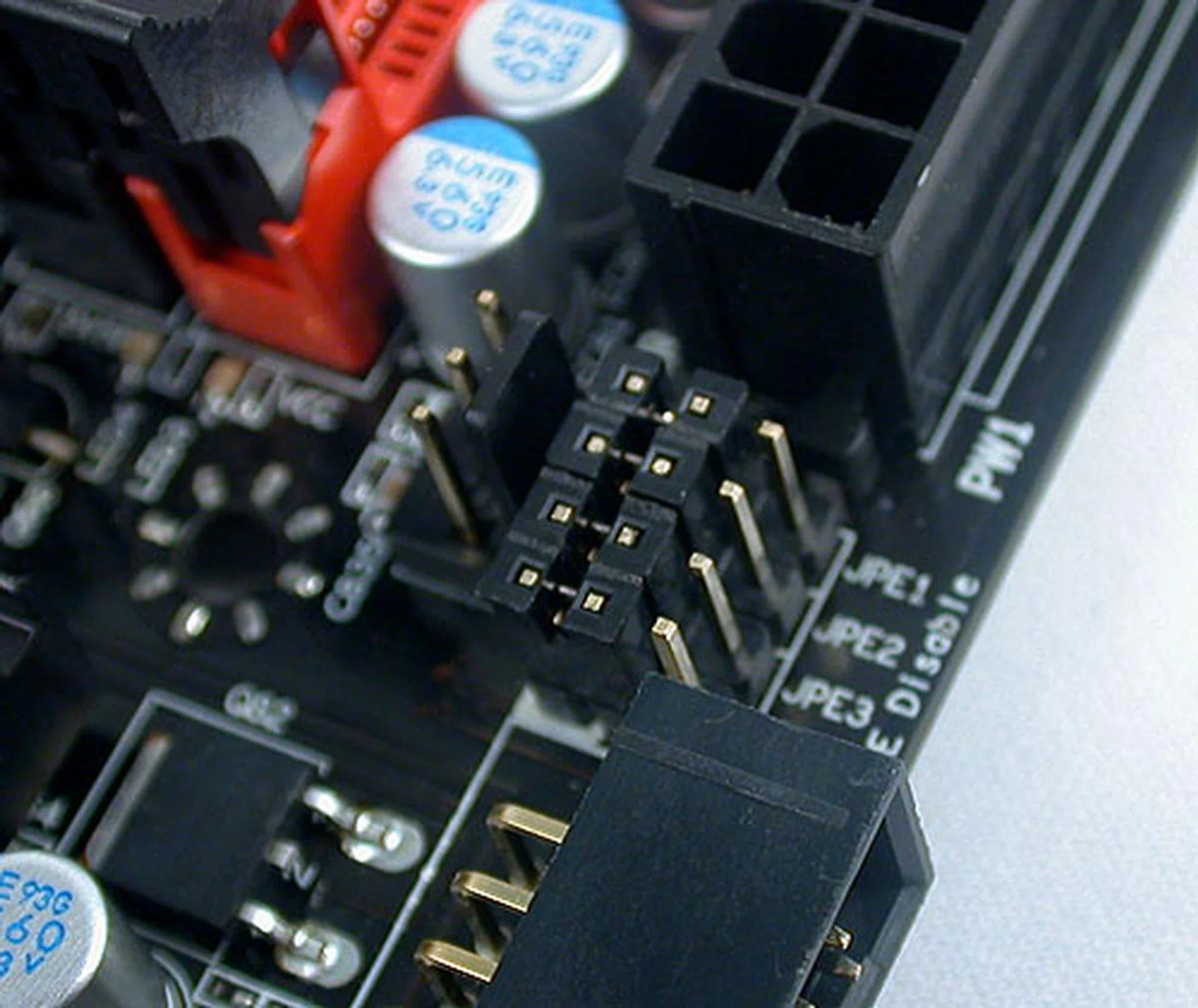
As part of its overclocking slant, the Classified comes with these jumpers that can disable/enable the PCIe slots as needed. Useful if you're troubleshooting multi-GPU configurations.
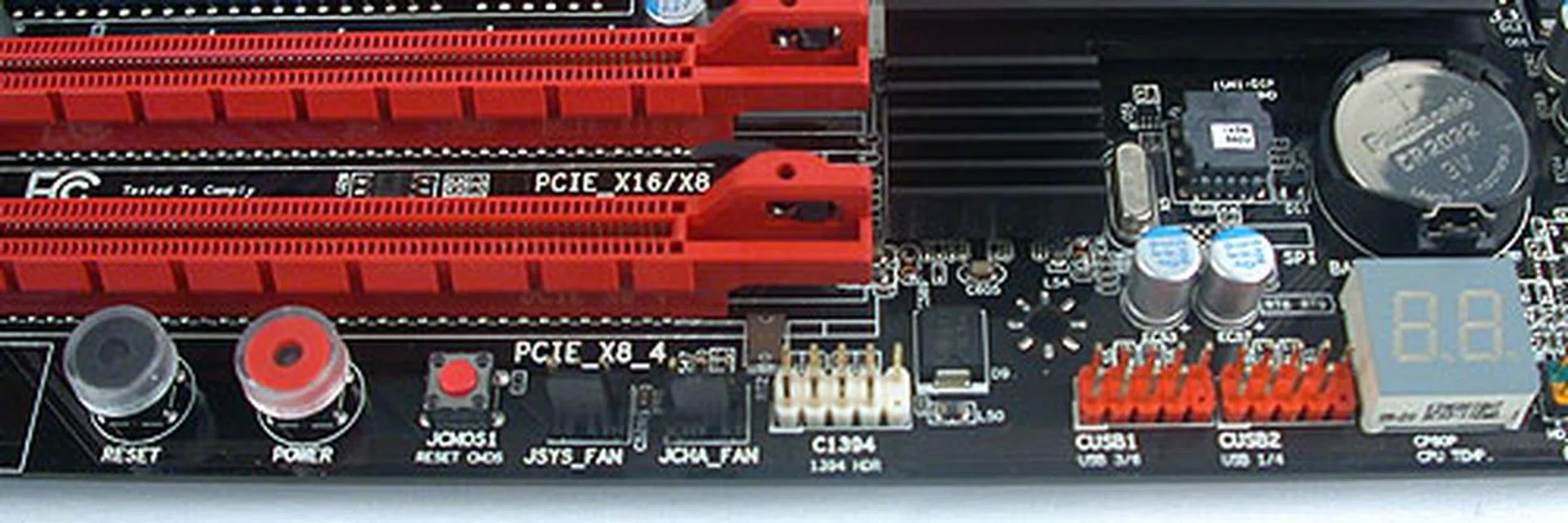
Onboard controls for power, reset and clear CMOS. There's also a debug LED with the debug code printed in the user manual for reference. The headers for USB and FireWire are also found here
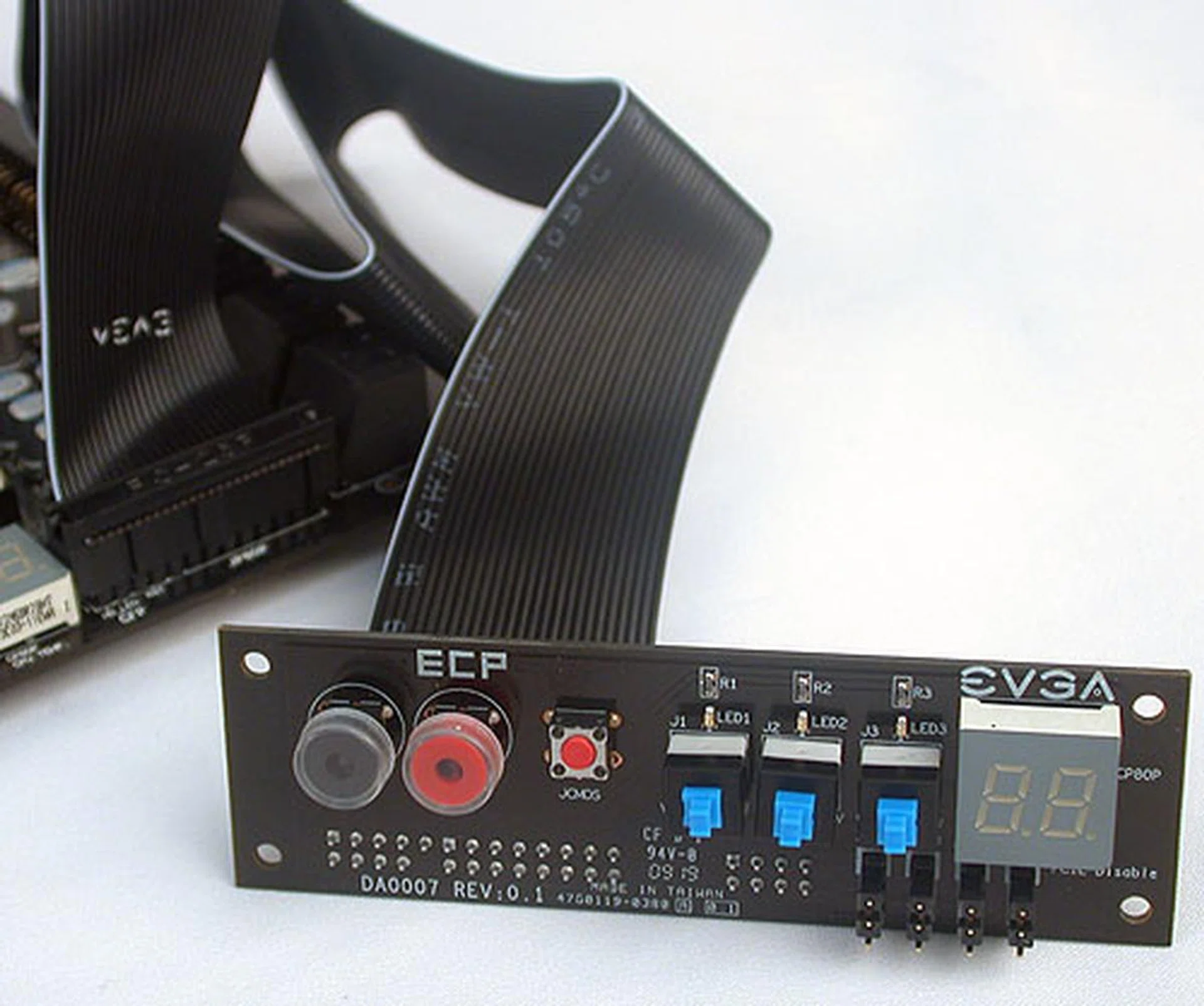
Meant for overclockers, EVGA's Control Panel is attached to the motherboard via a special cable included. The ECP as it's called allows users to access the basic power, reset and clear CMOS buttons, along with the PCIe slot Enable/Disable feature (requiring another cable to connect to the jumpers). There are also three buttons to boost the CPU VCore in real time, with each button increasing the VCore by 0.1V when pressed.
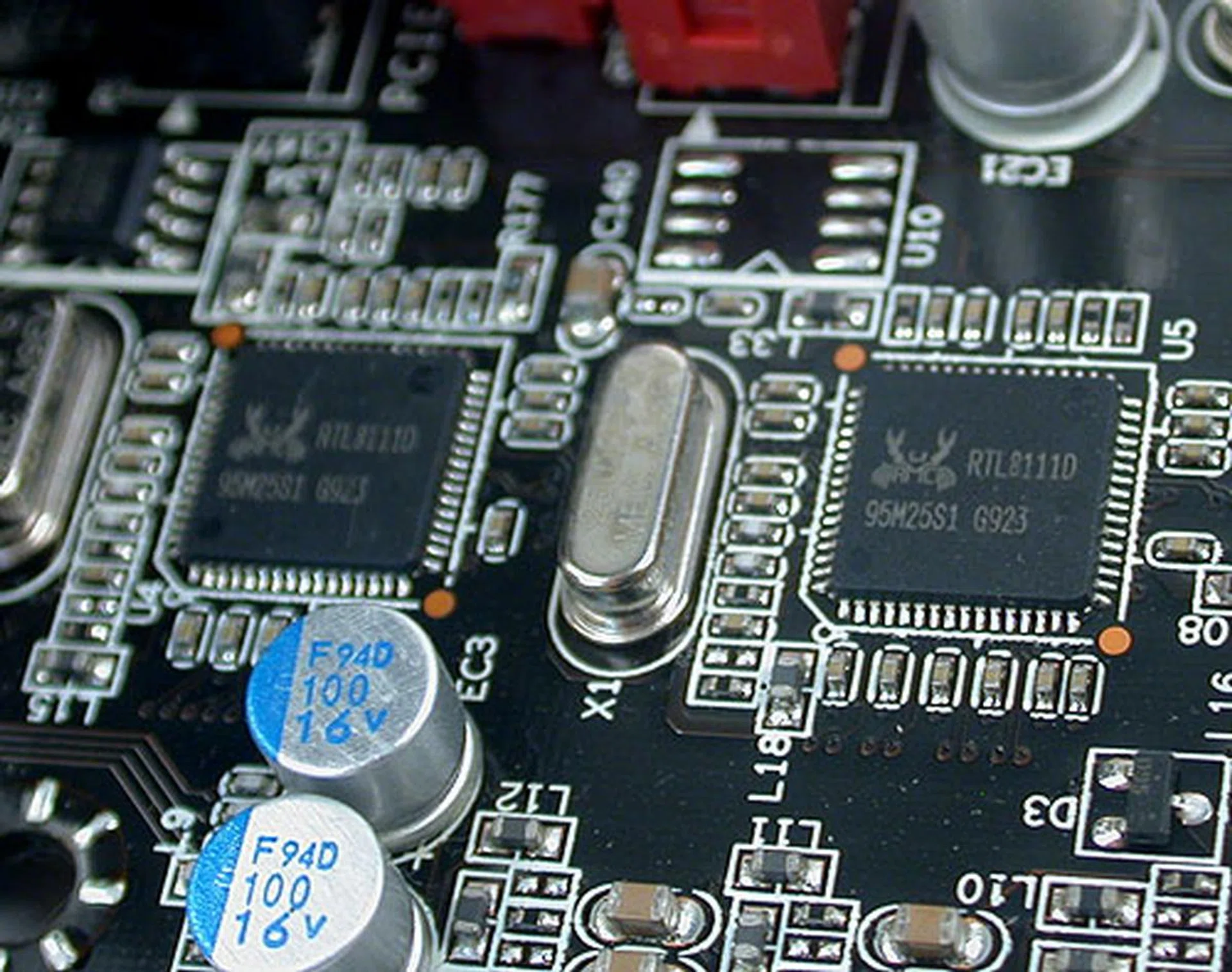
Dual Gigabit Ethernet controllers are practically a must for a board of this class.
The layout of this board was generally good, marred however by one flaw, which has to do with the large cooler installed right over the chipset. This chunk of aluminum even has a glowing red LED light at the top to complete the look for the hardcore enthusiast, but then we didn't care too much about the LED because we were quite irritated by something else.
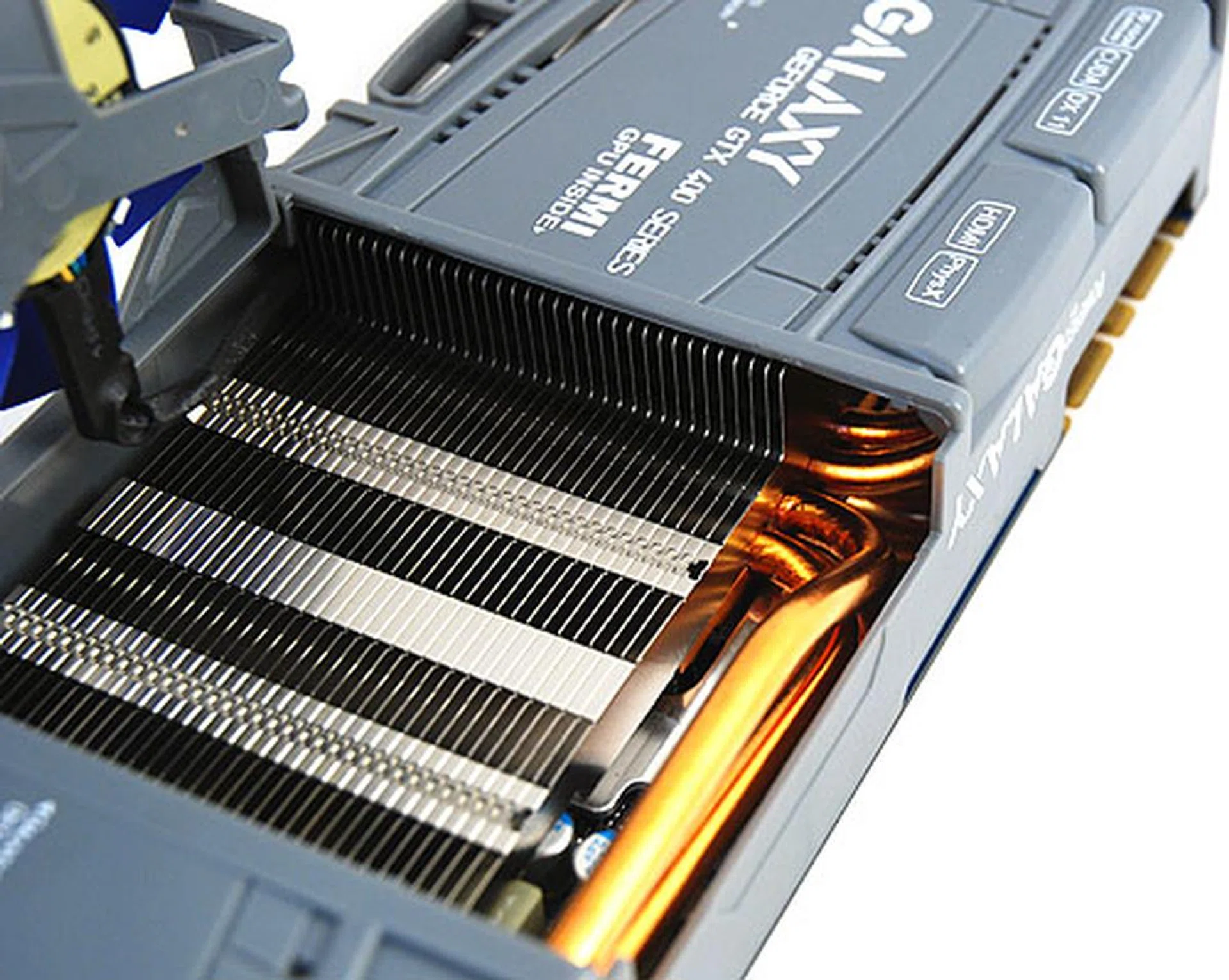
The cooler here no doubt helps to dissipate some of the heat from the chipset, but it also cramps our style (and the CPU socket).
Here's what happened: the Intel Core i7-980X comes with its own stock cooler, specially designed to handle the higher cooling requirements of the 6-core processor. It's a pretty decent, enthusiast class cooler from Intel. The problem is that it can be quite difficult to install, due to the aluminum fins cutting a bit too close to the screws. Now, add the huge, onboard EVGA cooler and there's even less space for our fingers during installation. Suffice to say, we got quite a few scratches for our troubles, some of the blame partially falls on Intel of course, but EVGA's design isn't helping.
This is the only major flaw we saw for the Classified's layout. Having the SATA ports and other connectors at the edge show that EVGA does know something about their board designs and the fact that you can fit four graphics card along with a PCIe 1.0 add-on card is a sign that things do work according to plan.
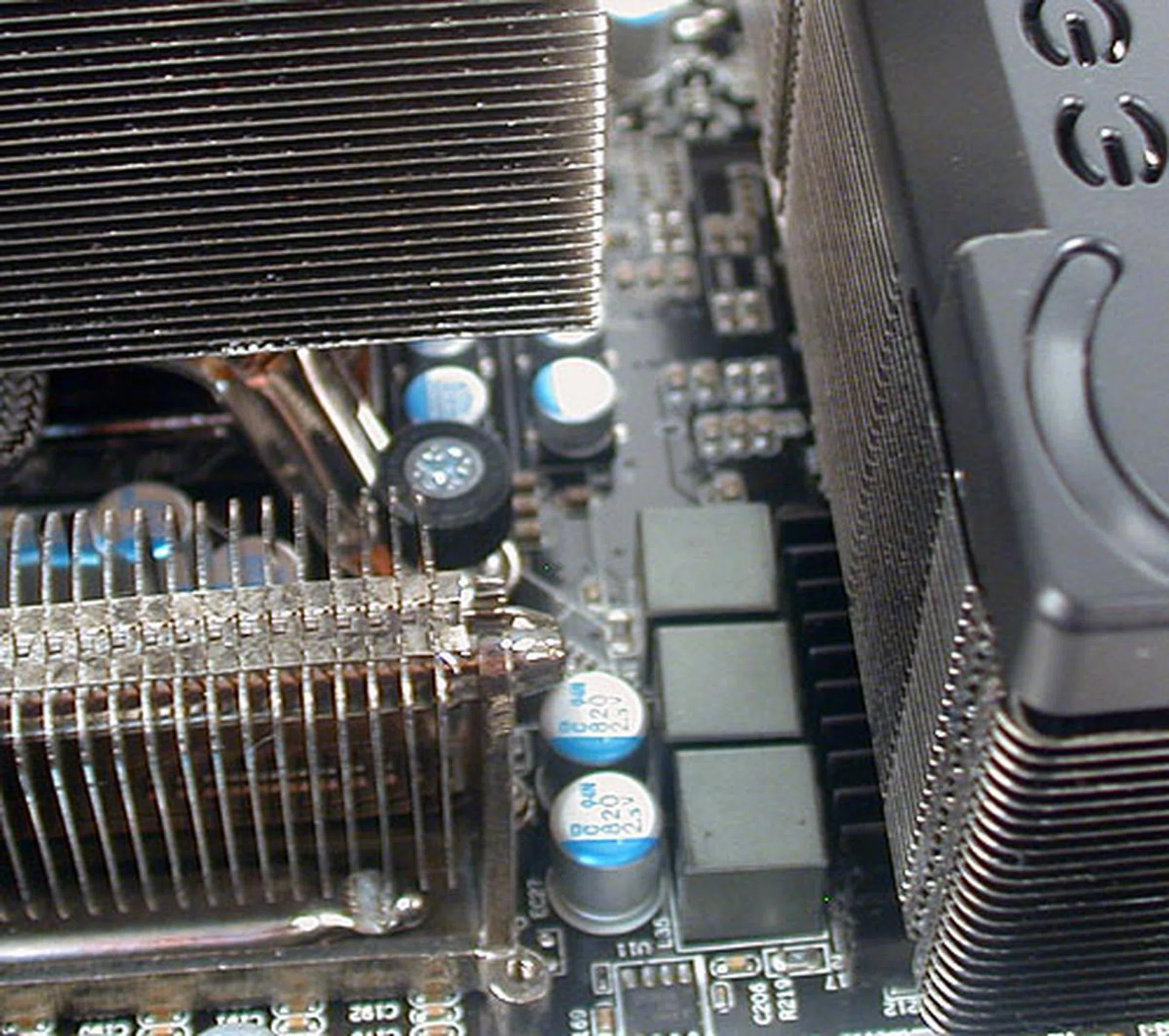
It was difficult to install Intel's stock cooler with the EVGA's chipset cooler so near to it. At least EVGA can claim that Intel released such a cooler after their own board has been out for quite a while.
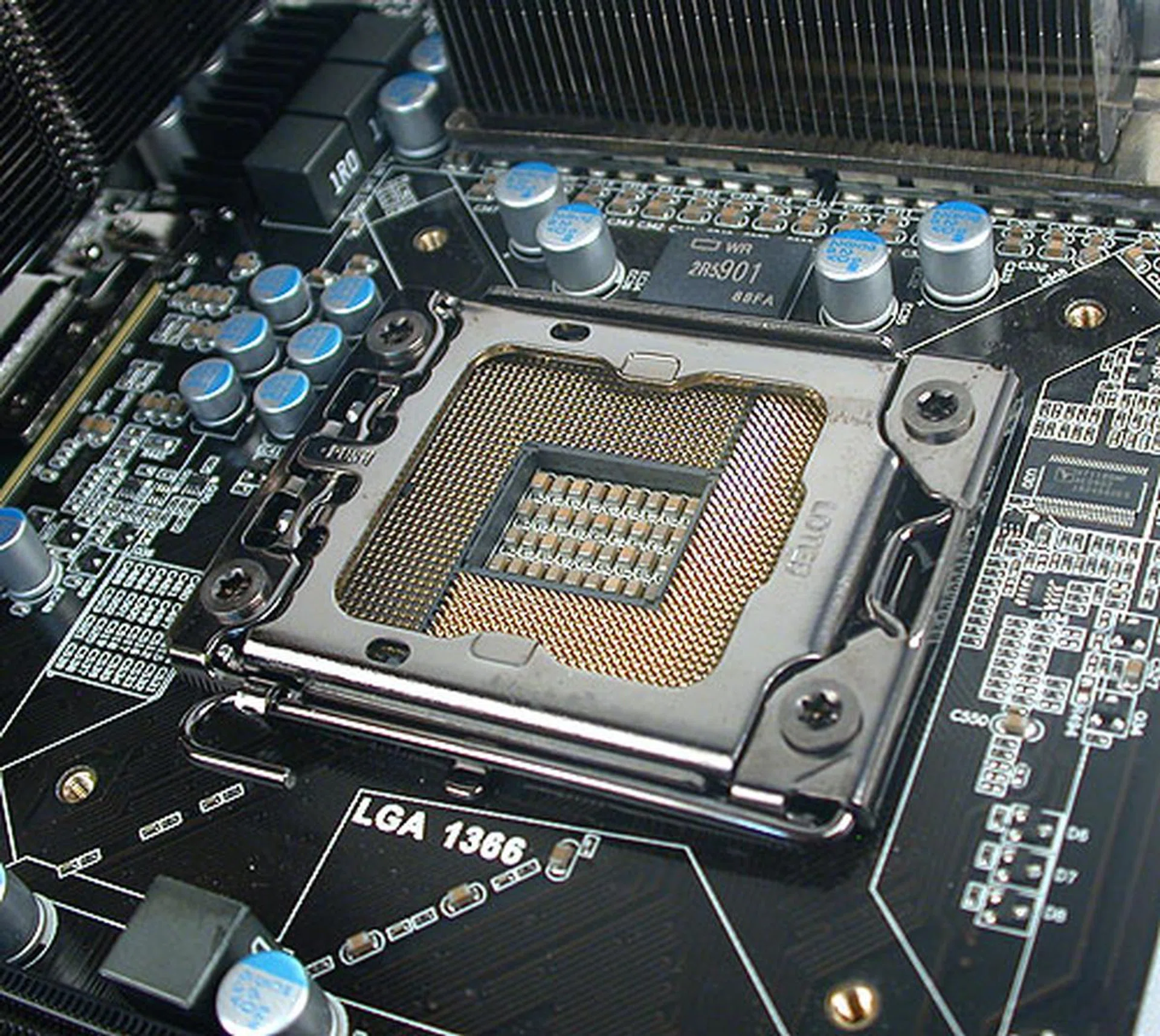
Solid capacitors are used throughout the board, with a 10-phase digital PWM power delivery system for the CPU. While we had issues installing the Intel stock cooler, other coolers may have little trouble with the confines of the CPU socket here.
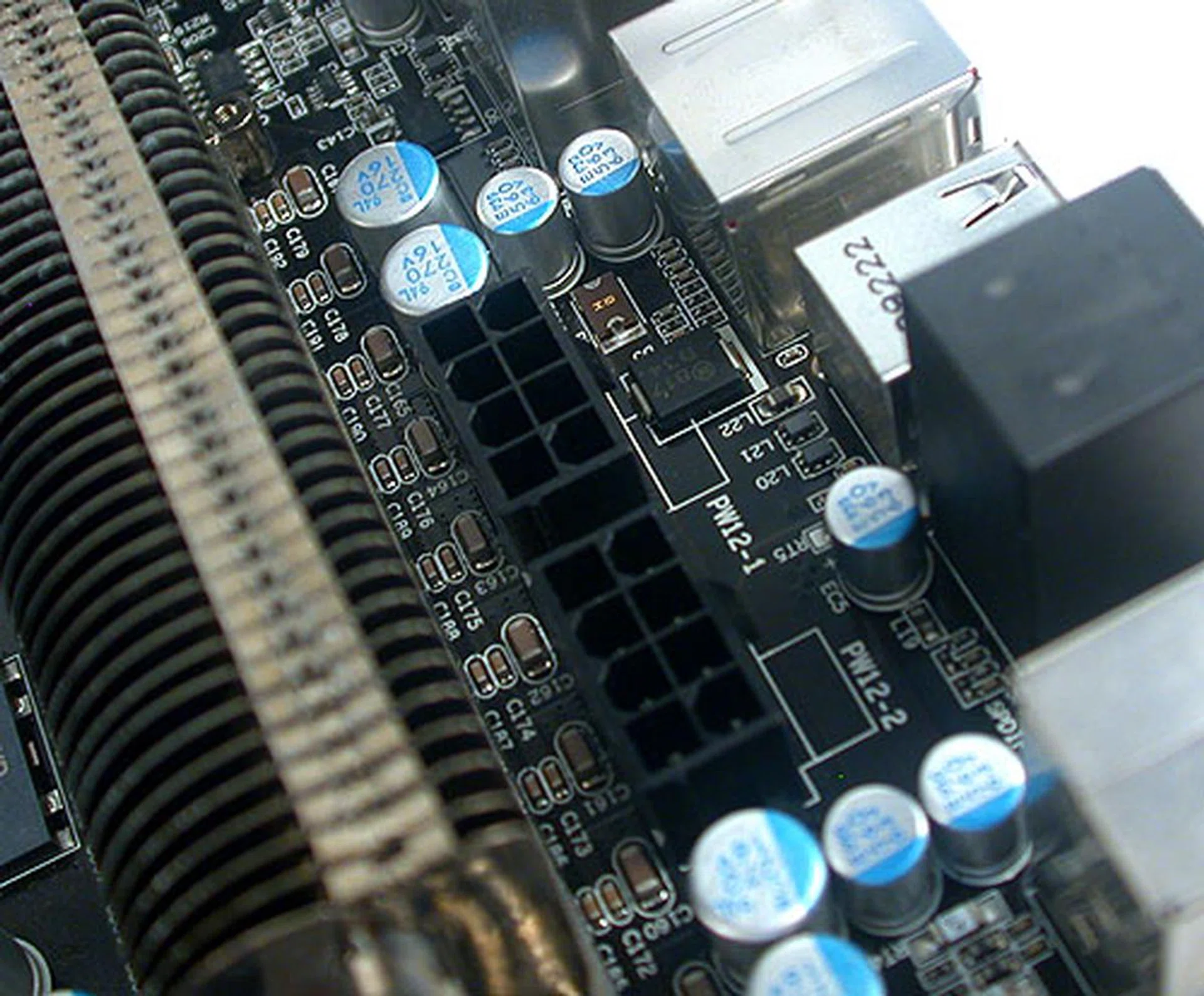
Two 8-pin ATX power connectors are found, with the second providing more power for those overclocking moments. EVGA rates the total delivery to be up to 600W.
EVGA has also added some features to cater to the overclocking, enthusiast crowd that would pay for this S$749 board. This includes a set of voltage check points, which can be used together with a voltmeter. There's the EVGA Control Panel that we saw earlier of course, while the BIOS include a comprehensive set of settings for voltage and frequencies that match the best from other vendors. Some of the voltage settings even seem rather unrealistic, e.g. a maximum of more than 3V for the memory, without seriously destroying your components, but perhaps EVGA has the serious overclocker, armed with liquid cooling in mind when it decided on such values.
Gigabyte GA-X58A-UD9
The following is taken from our on the Gigabyte GA-X58A-UD9
Gigabyte has broken its own with an even more feature-packed and extreme flagship X58 board. The new Gigabyte GA-X58A-UD9 is certainly a milestone in terms of its size. It is extra large, with a super-size XL-ATX form factor that's not exactly standard, but one that Gigabyte is embracing for its really high-end models. The extra PCB space allows it to have seven PCIe 2.0 x16 slots and thanks to additional onboard NForce SLI bridge chips, it's a board that can do 4-way SLI or CrossFireX. The dimensions also ensure that there's sufficient space to have dual-slot graphics cards for such a 4-way multi-GPU configuration. The downside is that you'll need a compatible chassis that can house this board (you can find the support list on Gigabyte's website) and that could be a problem for upgraders.
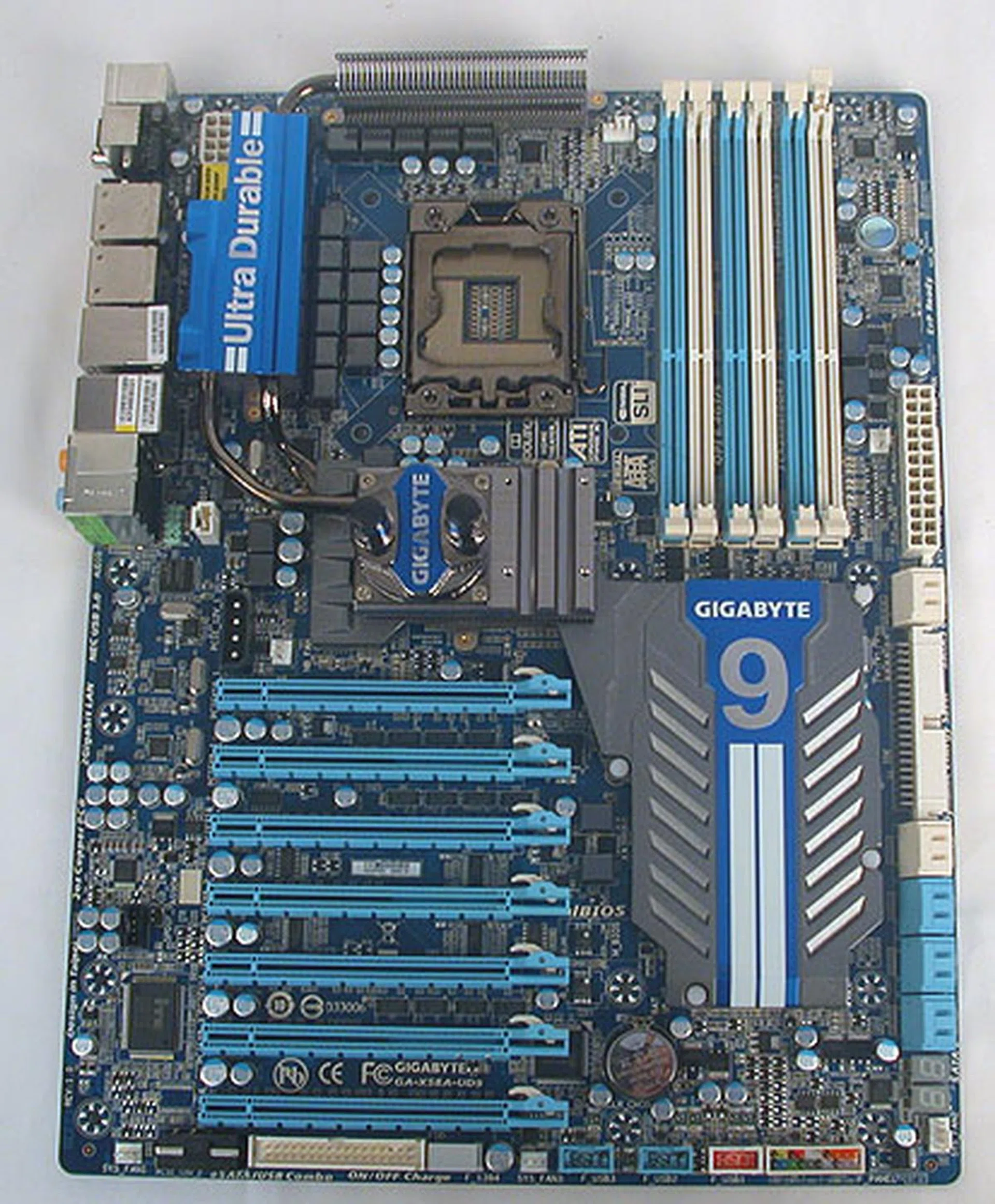
9, or to be exact, the UD9 is Gigabyte's new flagship X58 motherboard, packed with more features and expansion options than ever before. It's a new level of over-the-top and one-upmanship in motherboard design, not to mention that it's in XL-ATX form factor, which is larger than the usual ATX dimensions.
Besides being extra large, Gigabyte has, as usual overdosed on the storage options, though the PCB now allows it to do so without compromising on the layout. While it's still a packed PCB, we didn't find any of the SATA ports getting affected by graphics cards, as they were all aligned outwards. The connectors generally were found at the edges of the board and users should have no issues connecting their cables. We did notice that if you need to install the separate Hybrid Silent-Pipe passive heatsink to the water cooling block, it does take up some space and even block users from easily accessing the extra PCIe power connector nearby. Of course, this would be quite unusual circumstances.
You can also expect the whole list of Gigabyte's in-house technologies to be found in its full glory on this board, including some of the newer ones, like On/Off Charge, which allows the quick charging of iPhone/iPod/iPad devices even while the PC is turned off. The complete list is found on Gigabyte's website but if you're familiar with names like "Ultra Durable 3" and "24-phase VRM power" design, then yes, all these and more are found on this ultimate X58 board from Gigabyte.
Finally, the price for this board can be quite a shock. We were quoted a local retail price of S$839 for this super-size board (it's listed at US$700 on Newegg) so it too is a new high in motherboard prices. In fact, on Newegg, it's the only Intel X58 motherboard in its price bracket, with the next most expensive board, the eVGA 170-BL-E762-A1 at US$430. This Gigabyte board is undoubtedly in a class of its own here.
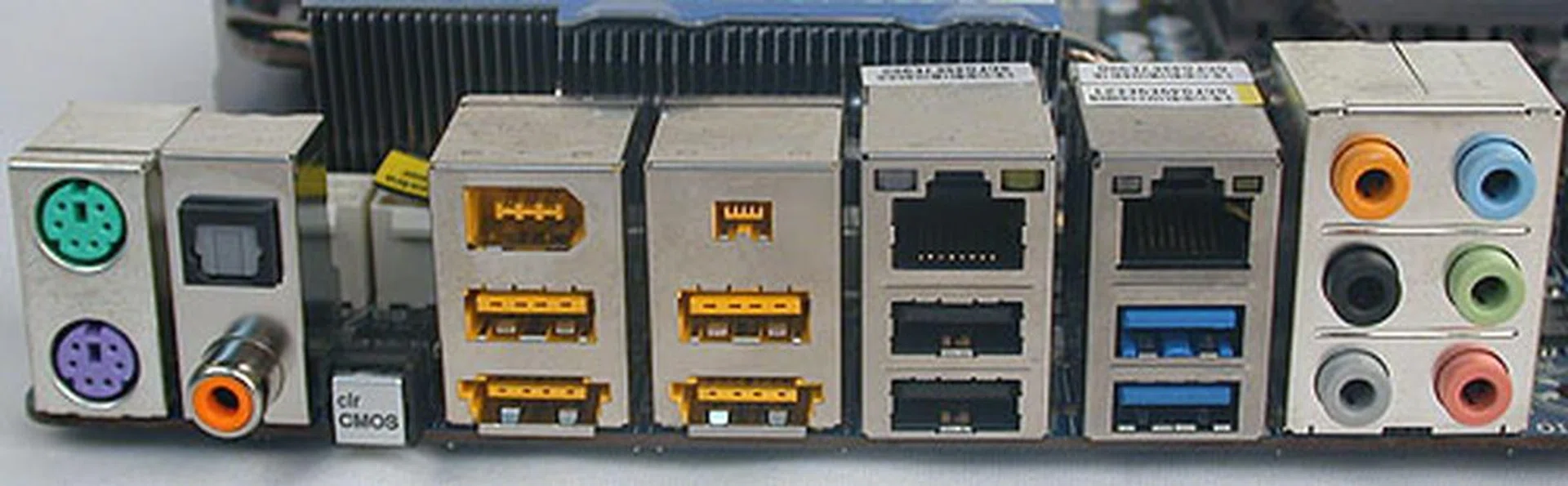
The rear ports include PS/2 ports, optical and coaxial S/PDIF, a Clear CMOS button, two FireWire ports, two eSATA/USB combo ports, two Gigabit LAN ports, two USB 3.0 ports (blue) and four USB 2.0 ports. We're sure that's enough for everyone.
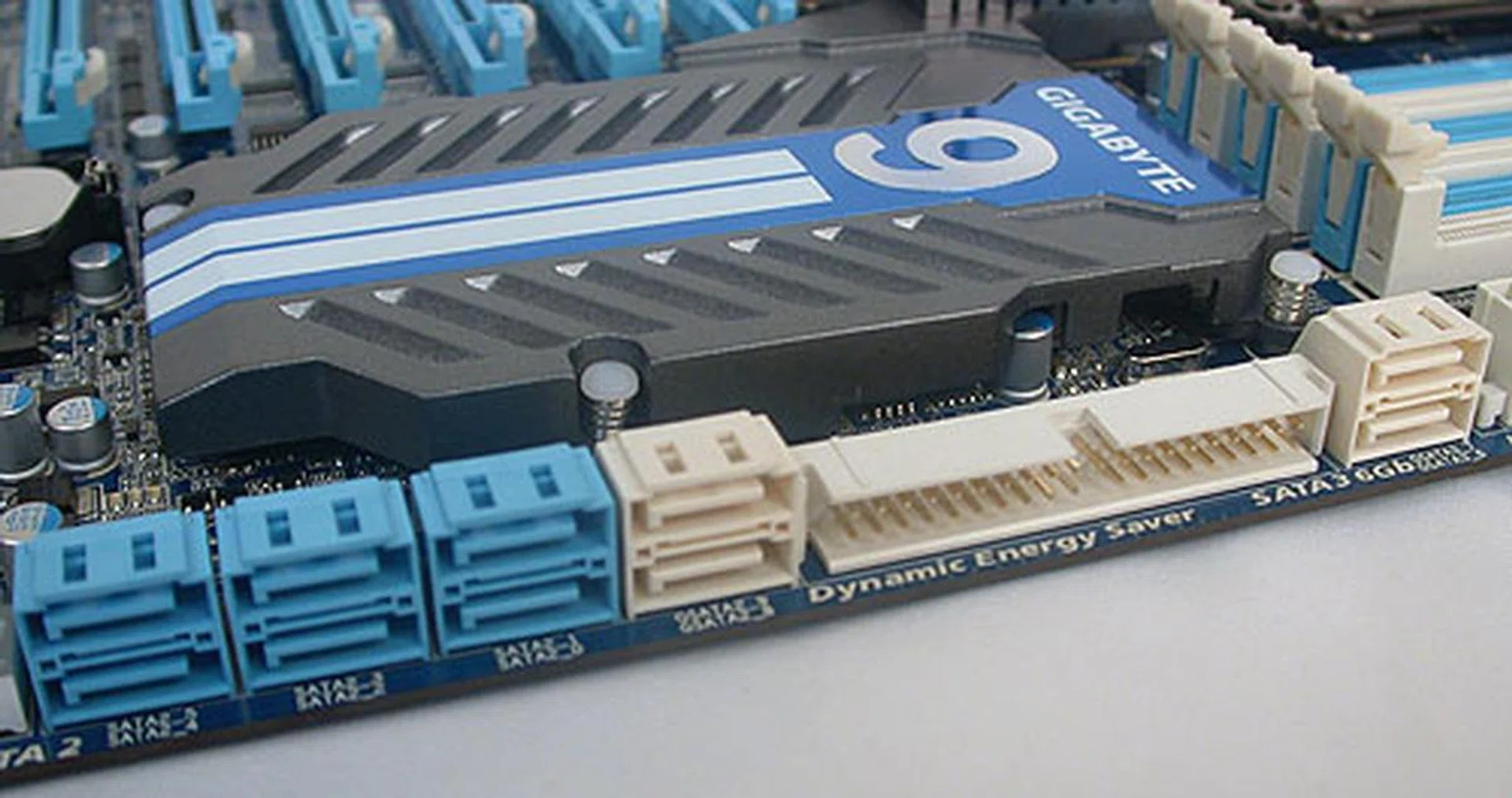
Hidden under the one-piece cover here is the Southbridge, along with the NVIDIA SLI bridge chips, JMicron and Marvell controllers that give this board such an extensive support in PCIe configuration and huge number of SATA ports. There are only two SATA 6Gbit/s ports however from a Marvell 9128 chip at the extreme right here. A JMicron controller provides the IDE support along with two more SATA 3.0Gbps ports.
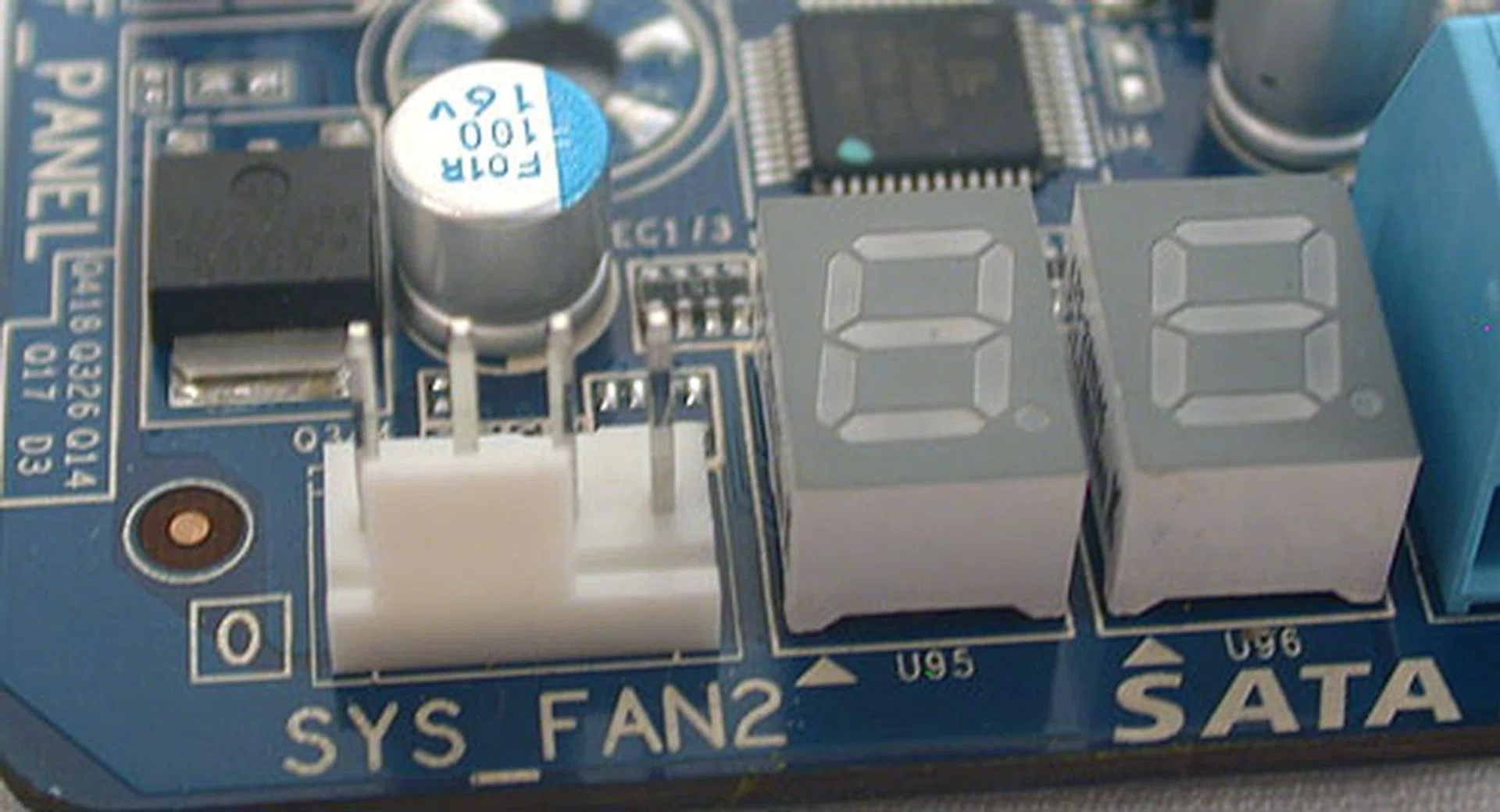
Onboard LEDs for debugging purposes. As befits a high-end board, the UD9 comes with six fan headers, including one for the CPU.
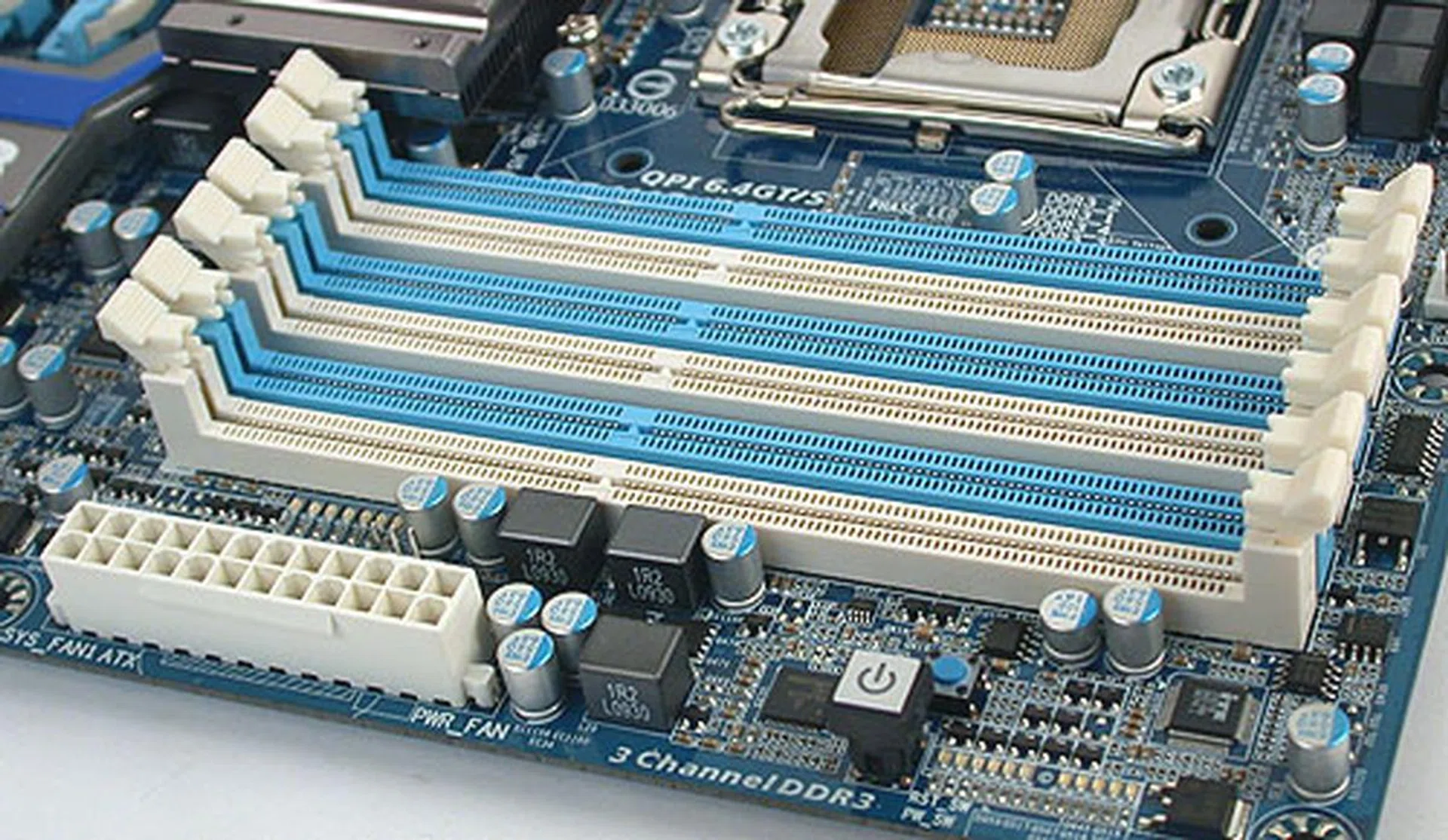
The usual six DDR3 DIMM slots that support up to a maximum of 24GB memory. DDR3-2200 for the overclockers.
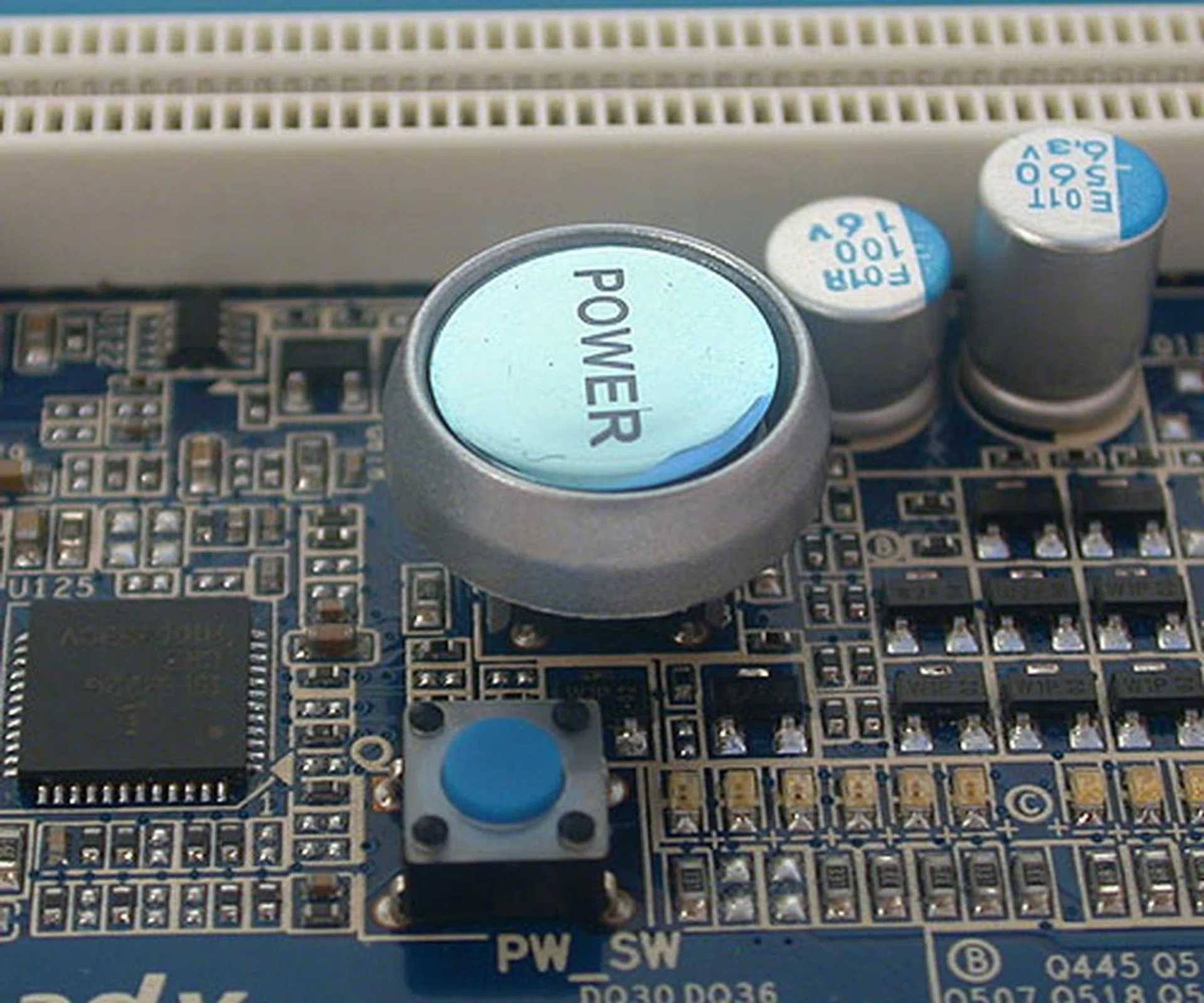
A large power button and the much smaller reset button.
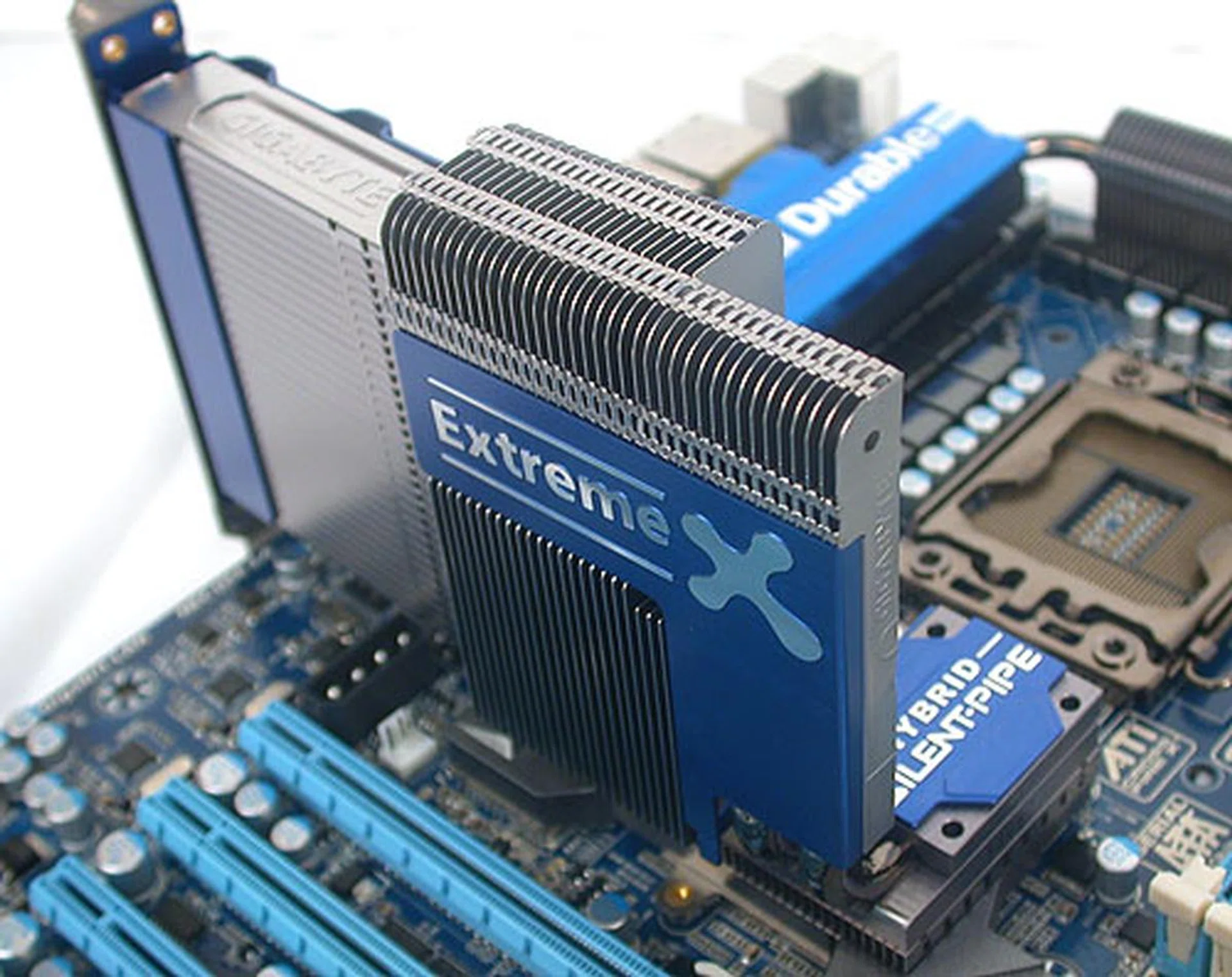
As usual, Gigabyte's Silent-Pipe cooler is present. This is a separate heatsink that can attached to the Northbridge heatsink/water cooling block to enhance heat dissipation. It's solely for the extreme users.
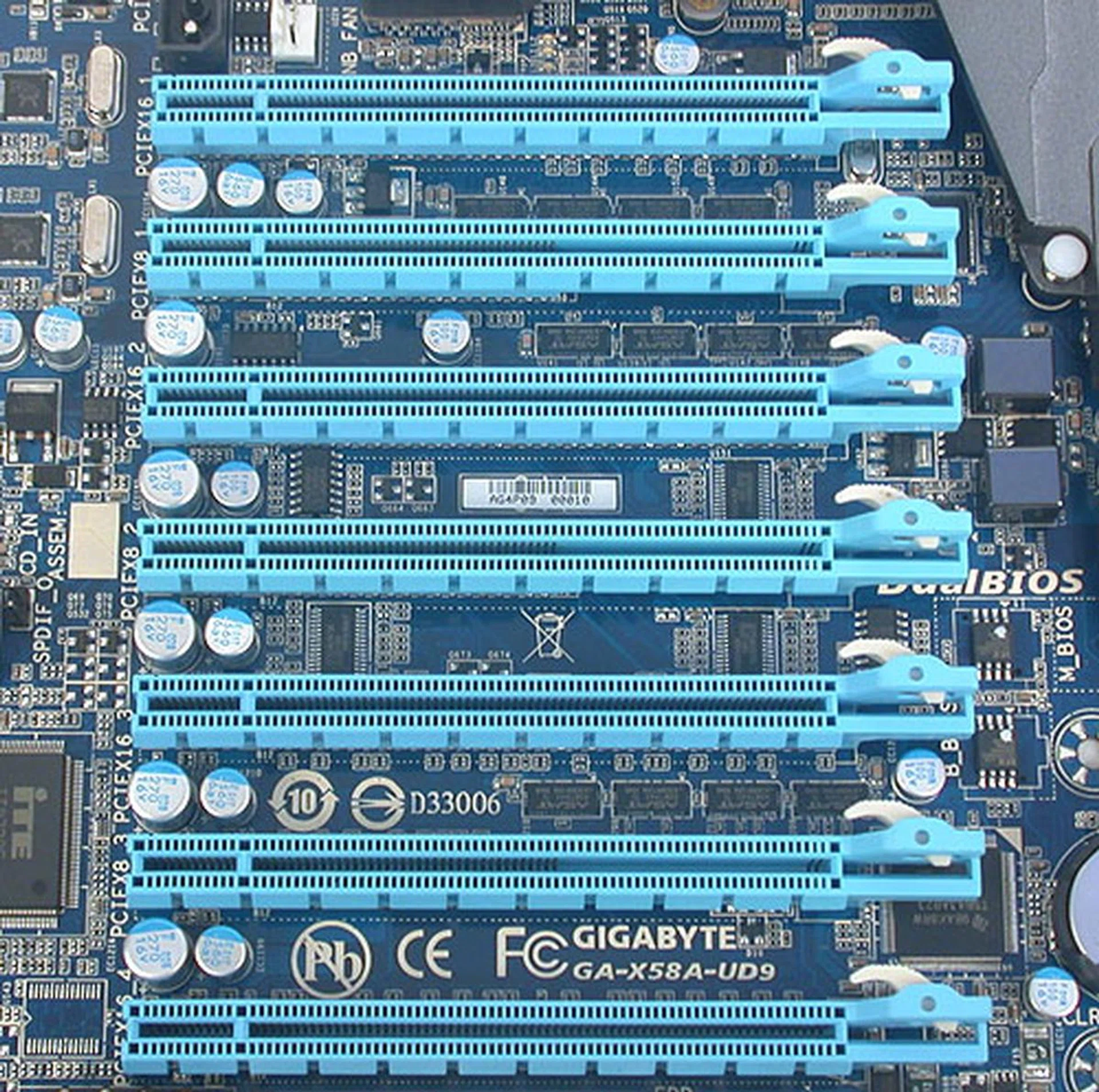
And here are the seven expansion slots that's this board main claim to fame. Thanks to two onboard NForce SLI bridges, this Gigabyte board can do 4-way SLI or CrossFireX. There's even adequate spacing between the slots for dual-slot graphics cards. Four of these slots are running at x16 while the remaining three are at x8.
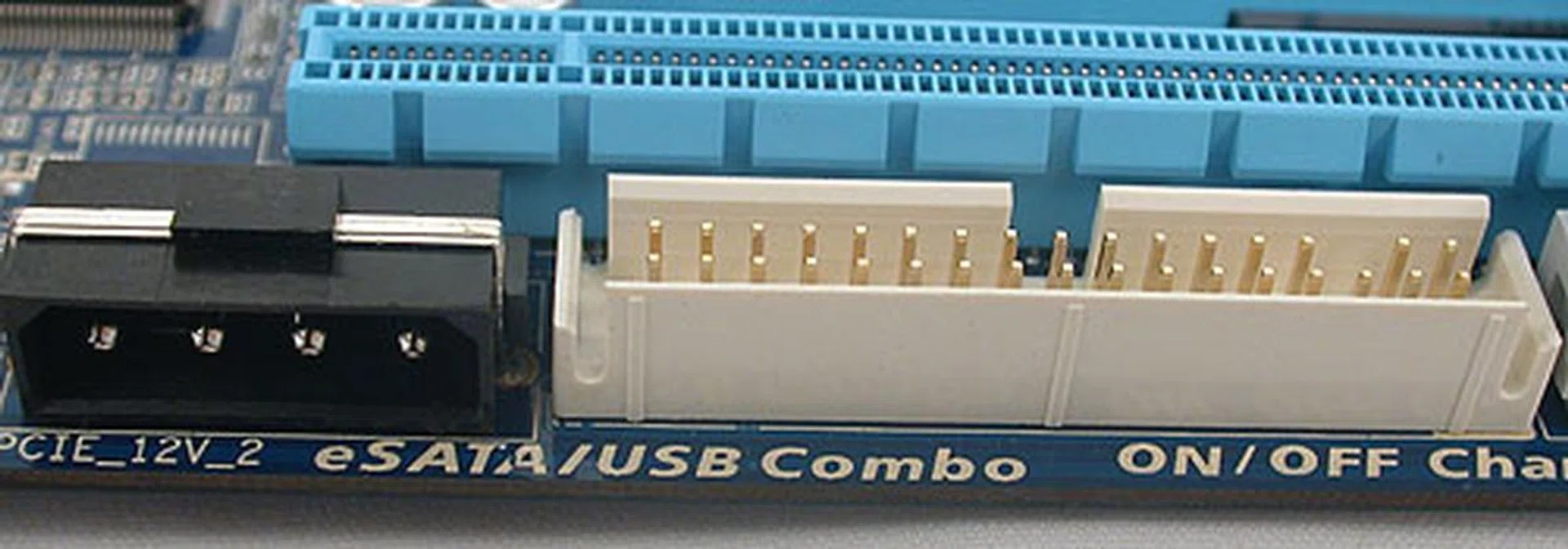
The floppy drive continues to get support from Gigabyte and there's a 4-pin 12V PCIe power connector too.
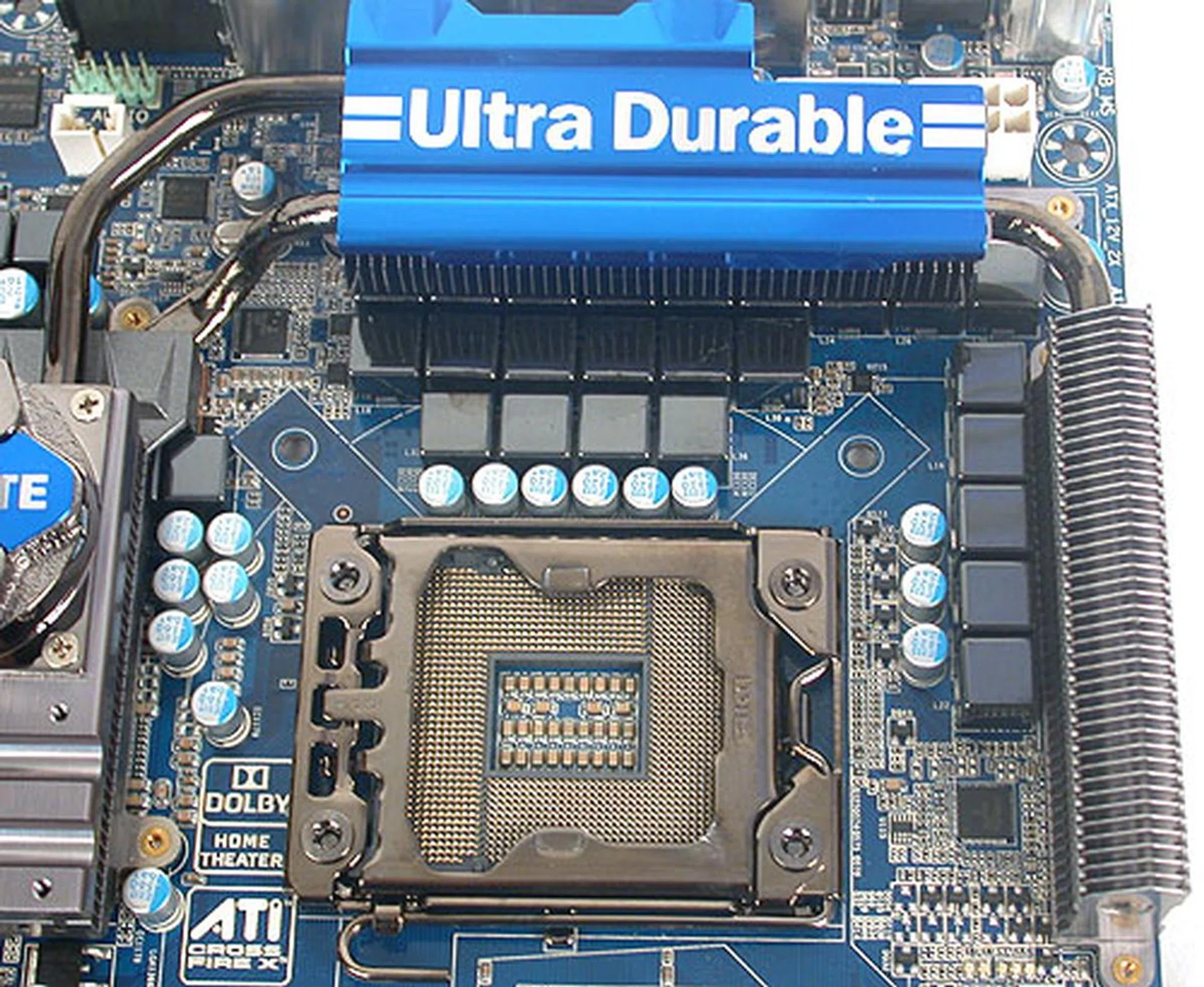
The best and most costly components are used to ensure that the power delivered to the CPU is stable and adequate for extreme users. Gigabyte has gone with a 24-phase VRM power design that claims to meet the needs for overclockers, especially with an Intel 6-core processor.
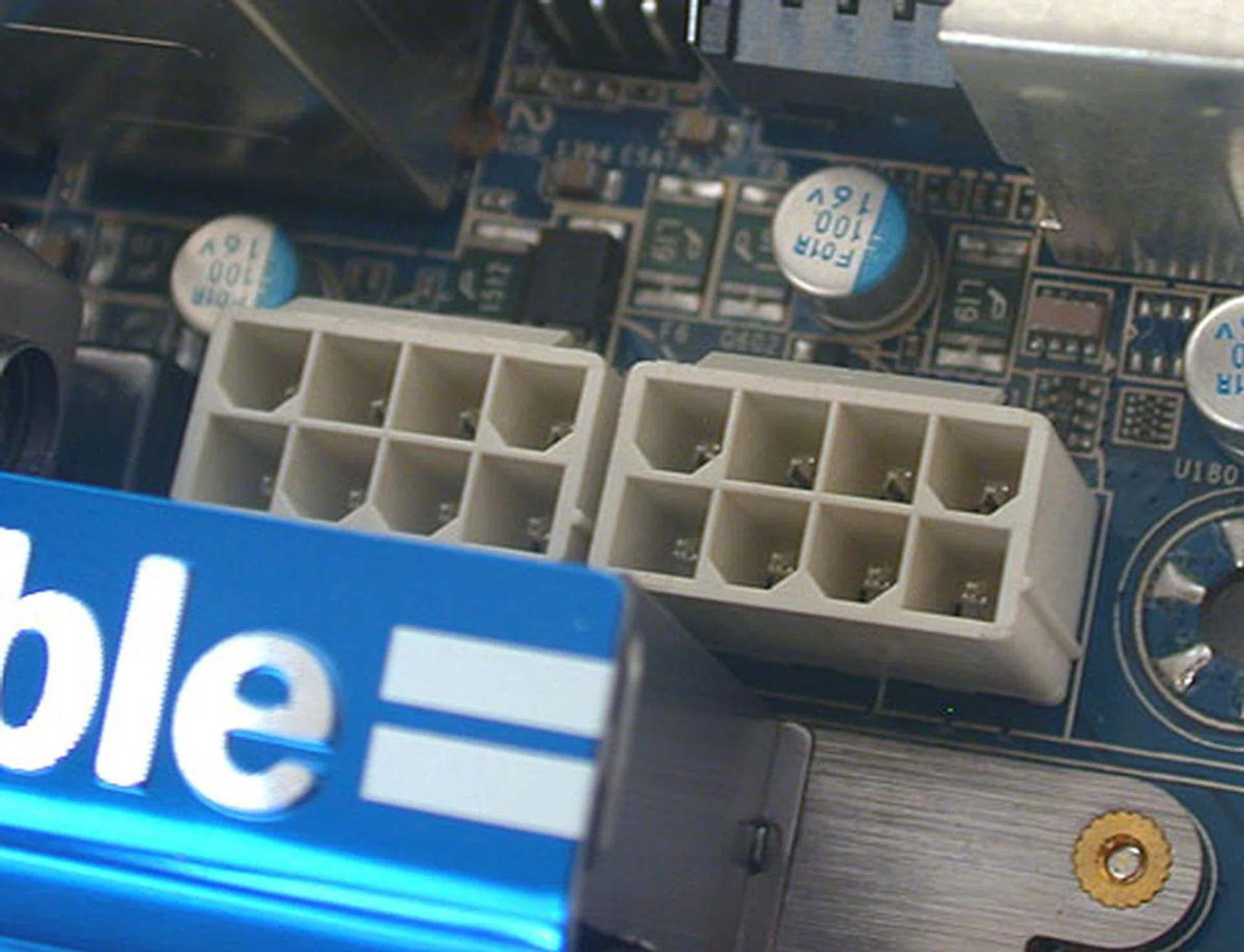
In case you're doubting Gigabyte, there are two 8-pin 12V ATX power connectors.
MSI Big Bang-XPower
The following is taken from our on the MSI Big Bang-XPower.
Compared to EVGA and Gigabyte, the MSI Big Bang-XPower is closer to being a 'normal' board. At least it's a standard ATX board, though it belongs to MSI's high-end Big Bang series. Unlike the Gigabyte, the XPower has one fewer PCIe x16 expansion slot and there's also a key difference in that its 4-way CrossFireX/SLI is restricted to single-slot graphics cards due to the lack of space. MSI has also not gone with more controllers for more SATA ports; there's just a Marvell chip for the additional two SATA 6Gbps ports.
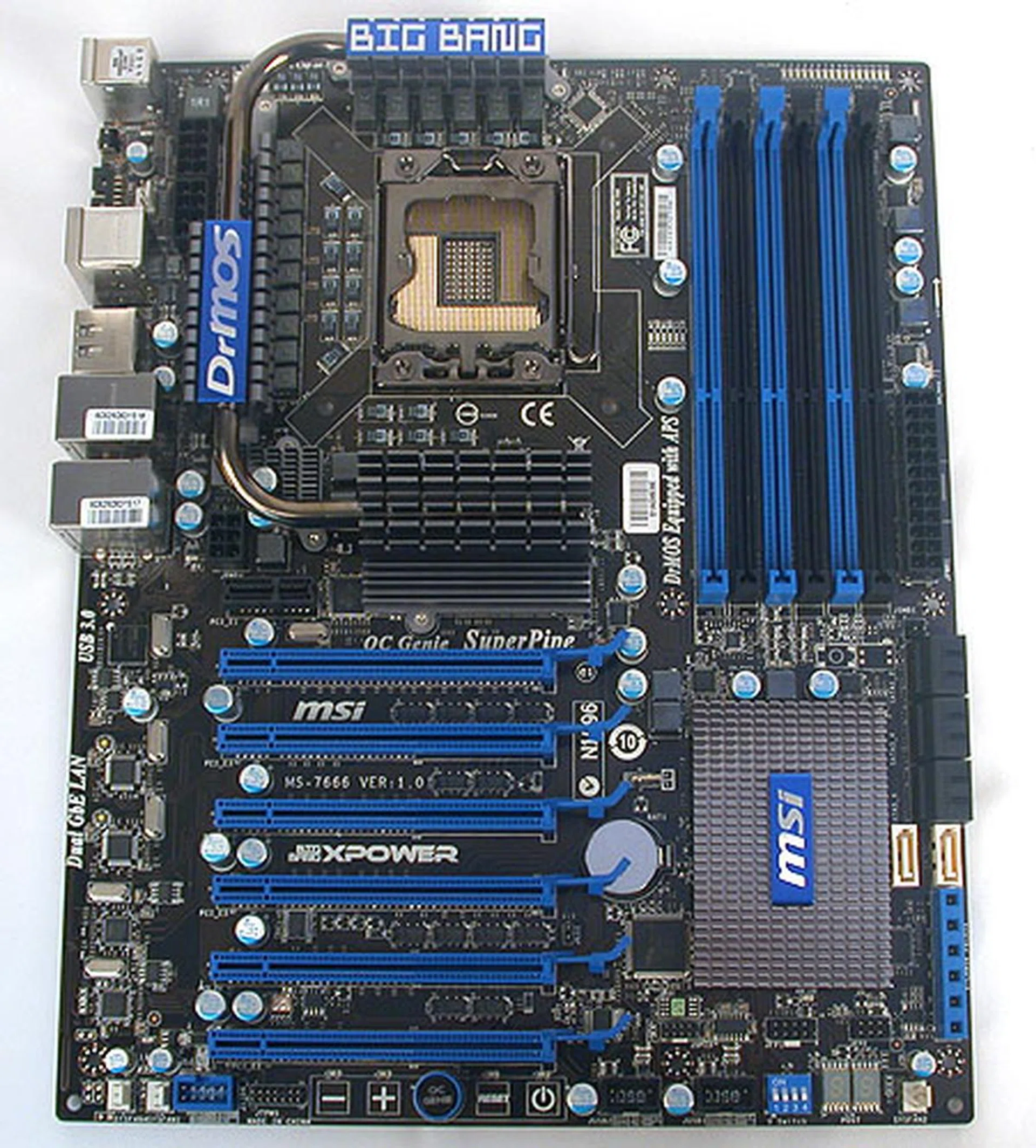
The newest member of MSI's Big Bang series, the XPower, manages to keep to the ATX form factor while still being capable of doing 4-way SLI or CrossFireX, though it's unable to fit four dual-slot graphics cards.
Instead, MSI's focus seems to be more oriented towards enthusiasts and their need to tweak. Hence, you'll find tools like voltage check points, an external dashboard for monitoring and changing of frequencies and even an onboard switch to lift the voltage limits in the BIOS. In this sense, MSI's approach is closer to that adopted by ASUS and its Republic of Gamers series and EVGA's rather than Gigabyte's heavy storage and stability slant.
Given its ATX dimensions, we were a bit worried about the layout, but the XPower did well enough, with only the two white SATA 6Gbps ports placed in a rather awkward situation. We can imagine that in certain situations, these SATA ports may not be too usable but these scenarios shouldn't pop up too often. As usual, MSI has trotted out its full complement of proprietary technologies, all of which should be familiar to anyone who has seen a recent MSI board. While not all are useful, there are some highlights that are worthy of consideration, like OC Genie and SuperPipe. MSI has also incorporated its 'military grade' aspects that it has used for a few of its premium motherboard and graphics products and you'll find the same type of expensive (and long lasting) components onboard.
The MSI Big Bang-XPower is the least expensive of the trio here, going for S$519, though that's still around S$200 more than the more mainstream implementations of the X58 chipset that's available.
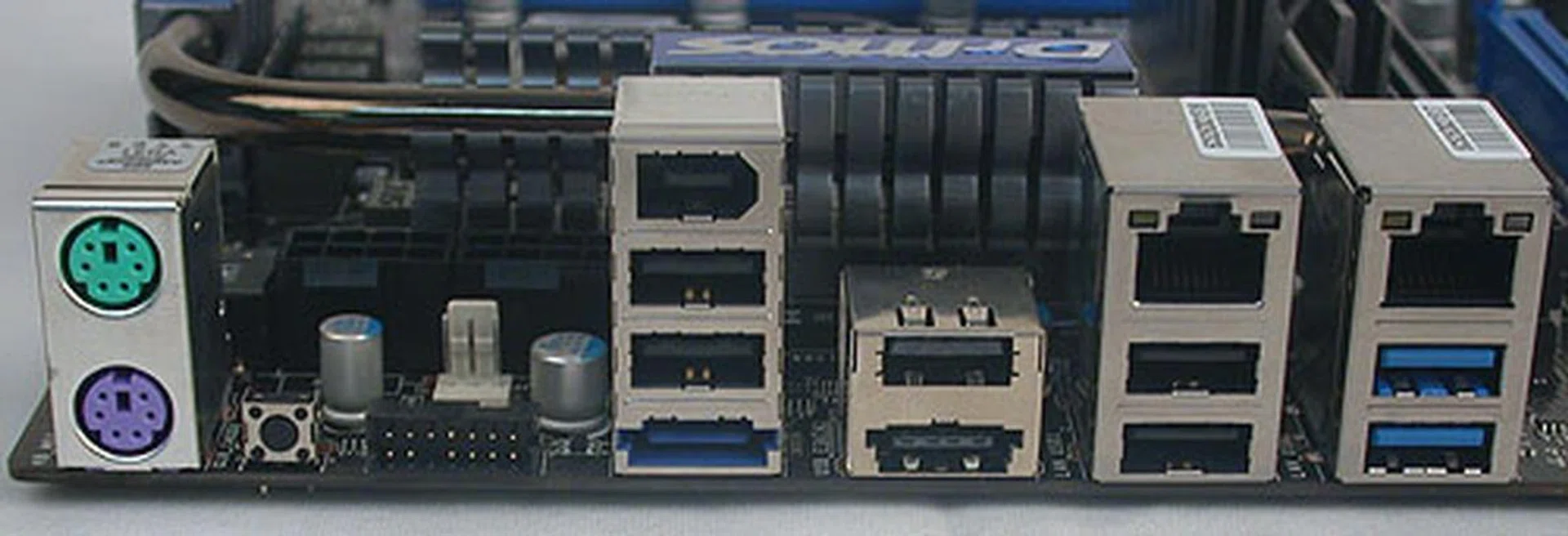
Besides the PS/2 ports, there's a small button to reset the BIOS and the special connector to link the board to MSI's OC Dashboard, which is an external display that shows relevant system information like temperature and voltages. You can even adjust and tweak settings via this Dashboard. Other ports here include dual Gigabit LAN, a pair of USB 3.0 ports, eSATA and FireWire.
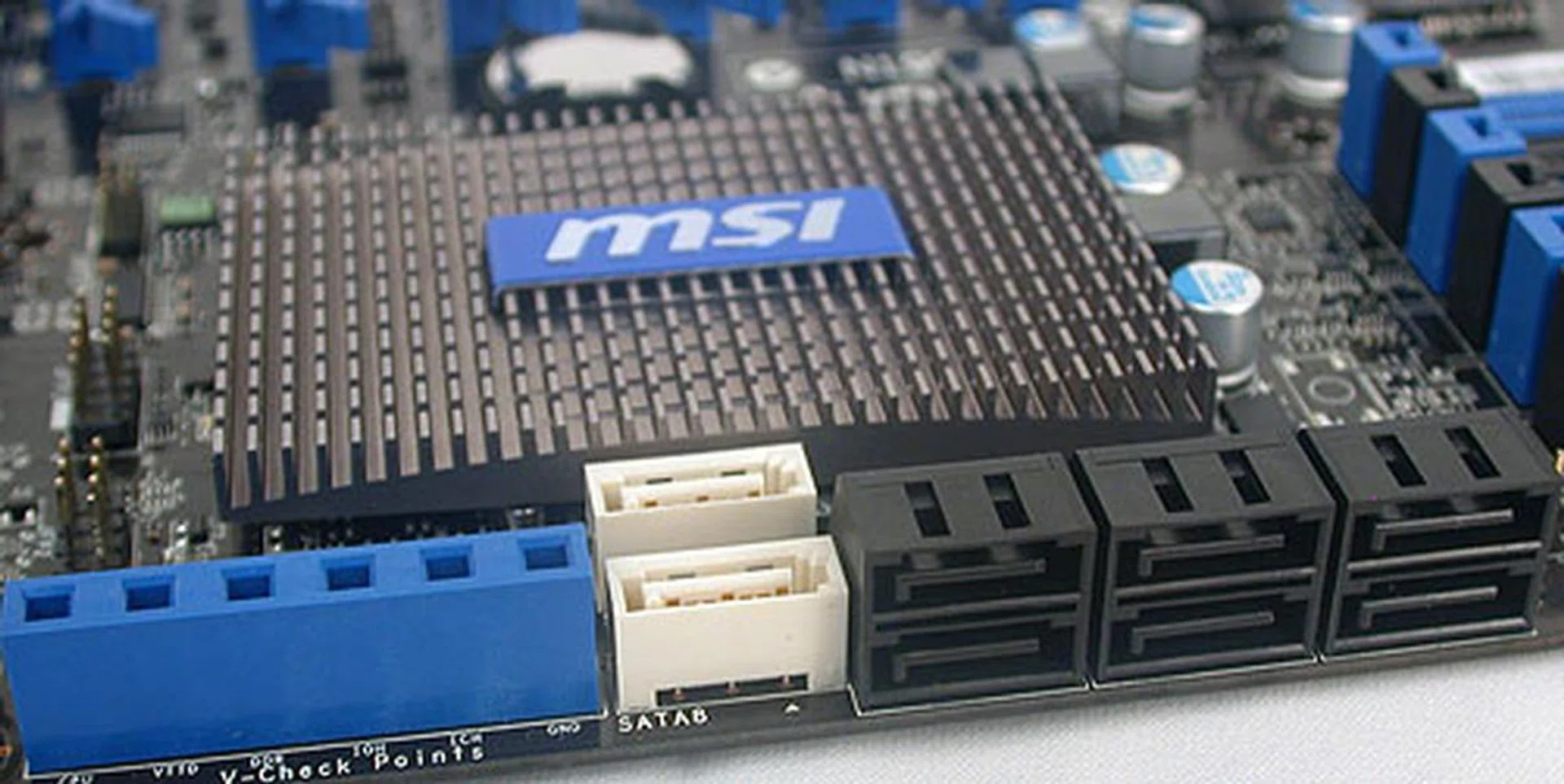
The black SATA ports are 3Gbps versions from the Southbridge. The white ports are the newer SATA 6Gbps ones from a Marvell 9128 controller. Finally, there's a set of voltage check points here for those who wish to rely on their own tools.
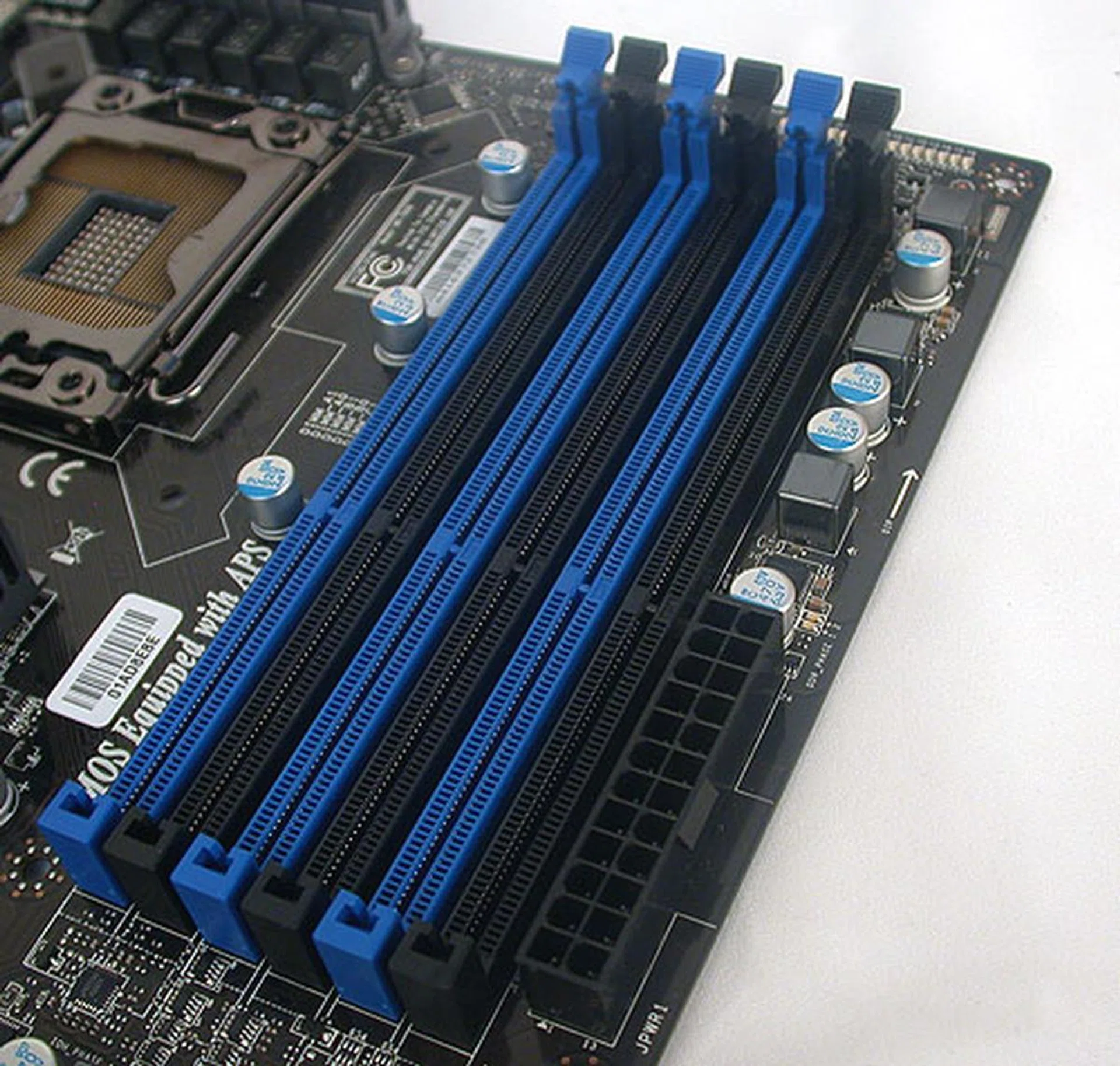
MSI has been using such DIMM slots for its recent boards, single-lock slots that are easier to install or remove the memory modules, especially on a crowded PCB.
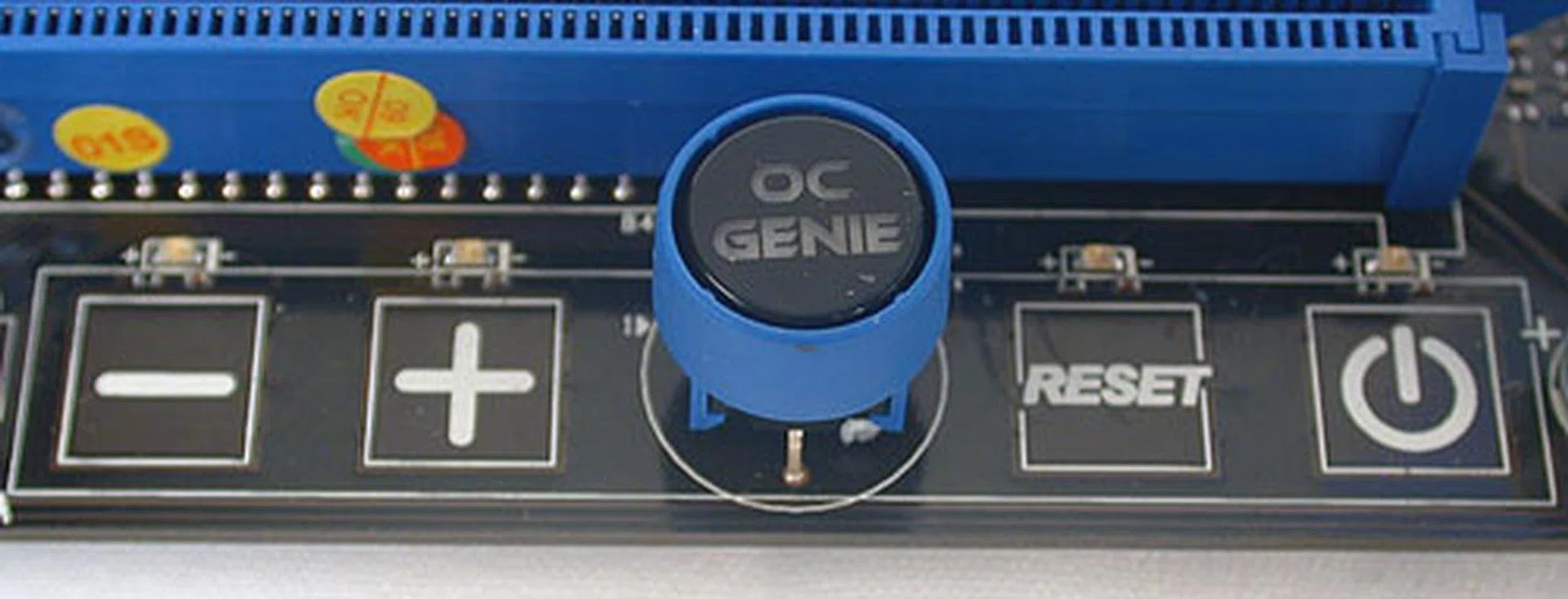
We find MSI's OC Genie button, which automatically overclocks the system after a reboot when pressed along with the power and reset buttons. You can also tweak the base clock frequency on the fly here by pressing the negative and positive keys here.
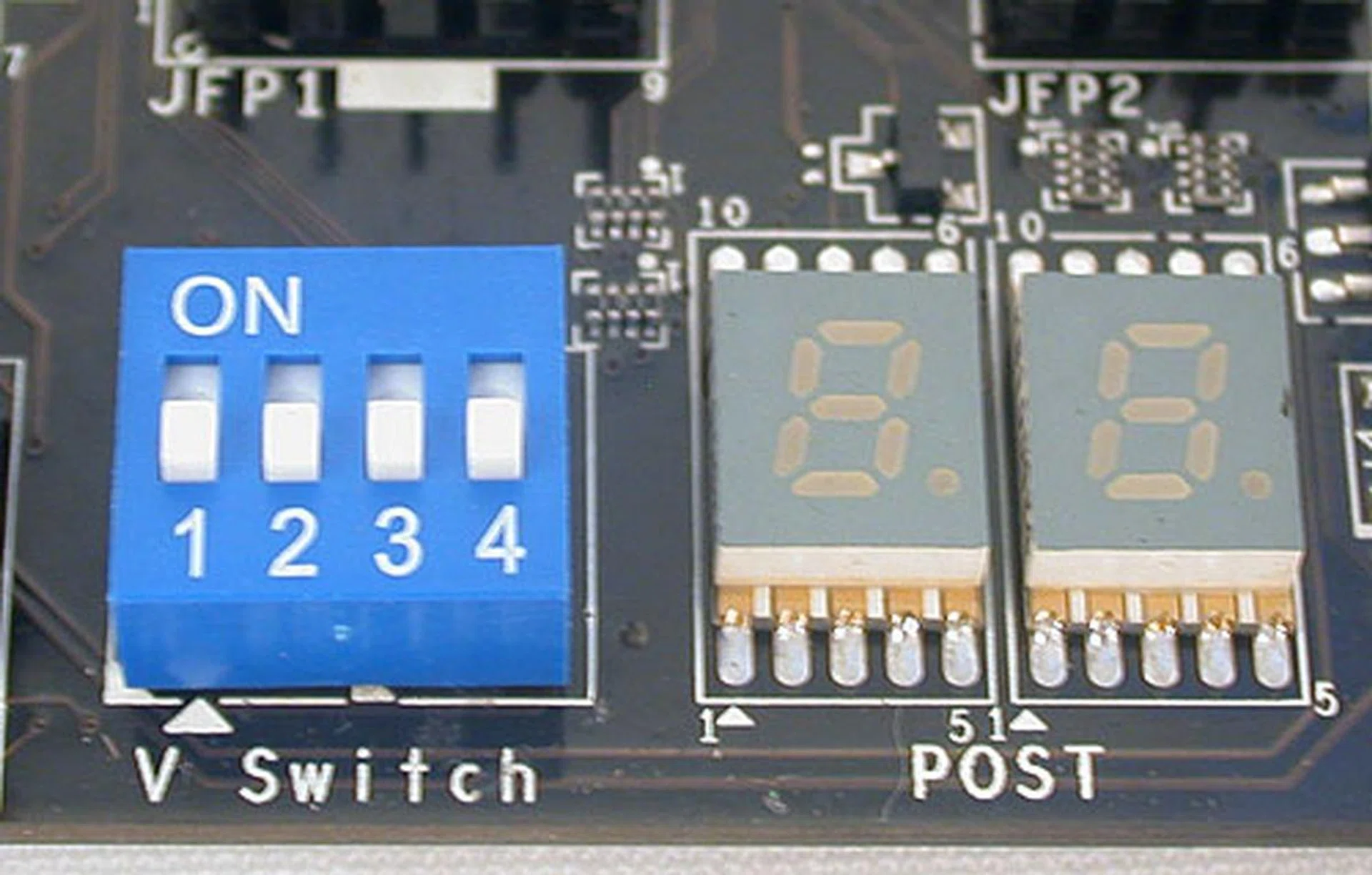
A debug LED, with the codes listed in the manual is also present while the V Switch here allows users to adjust upwards the voltage limits in the BIOS. Overclockers may choose to turn it up so that they can push the voltages and frequencies even higher.
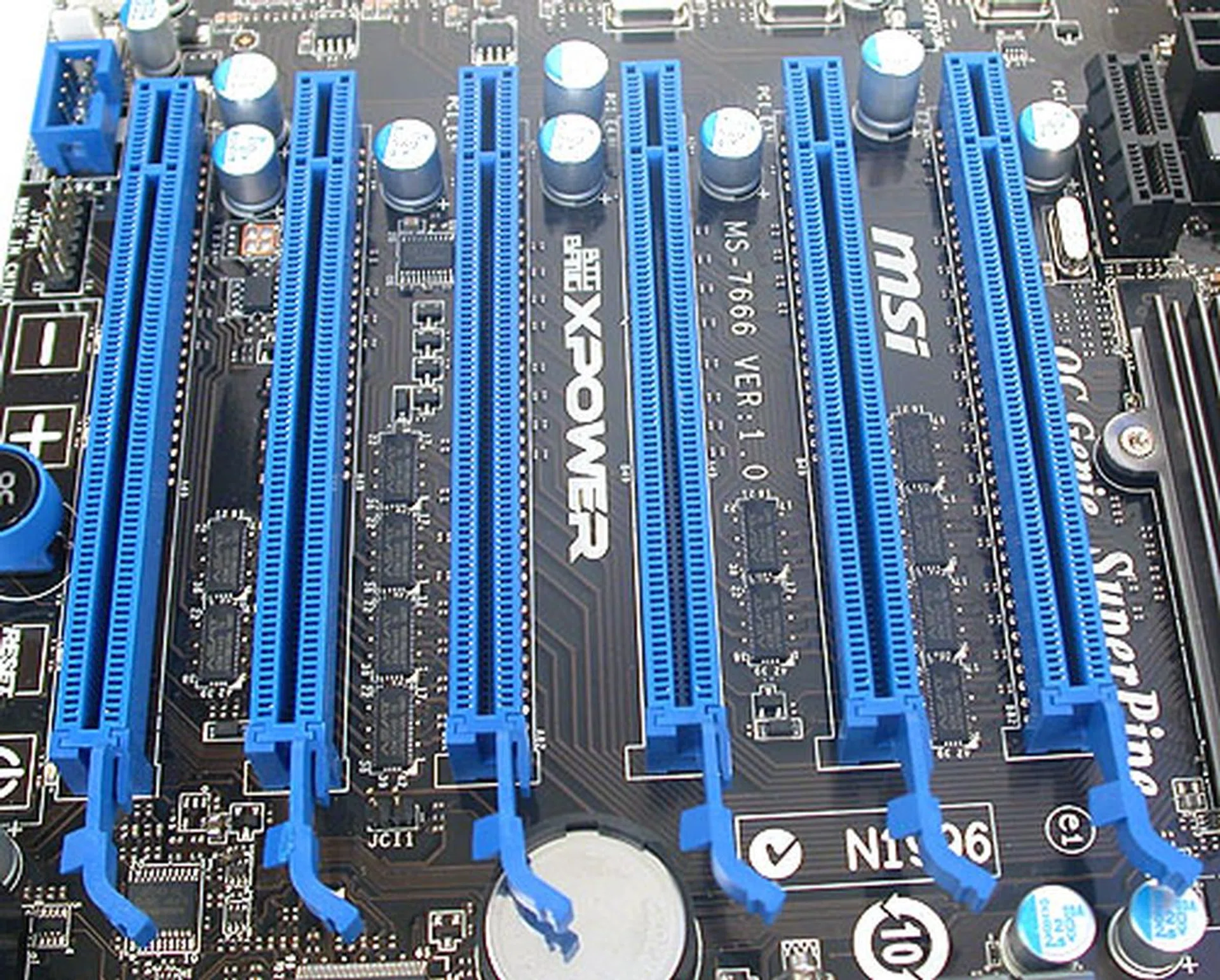
MSI has one fewer PCIe 2.0 x16 slots than Gigabyte and more critically, there's no way to install four dual-slot graphics cards, as there's not sufficient space between them. Single slot cards are fine however and the MSI can do 4-way SLI/CrossFireX. Hence the best you can outfit this board is three dual-slot graphics cards.
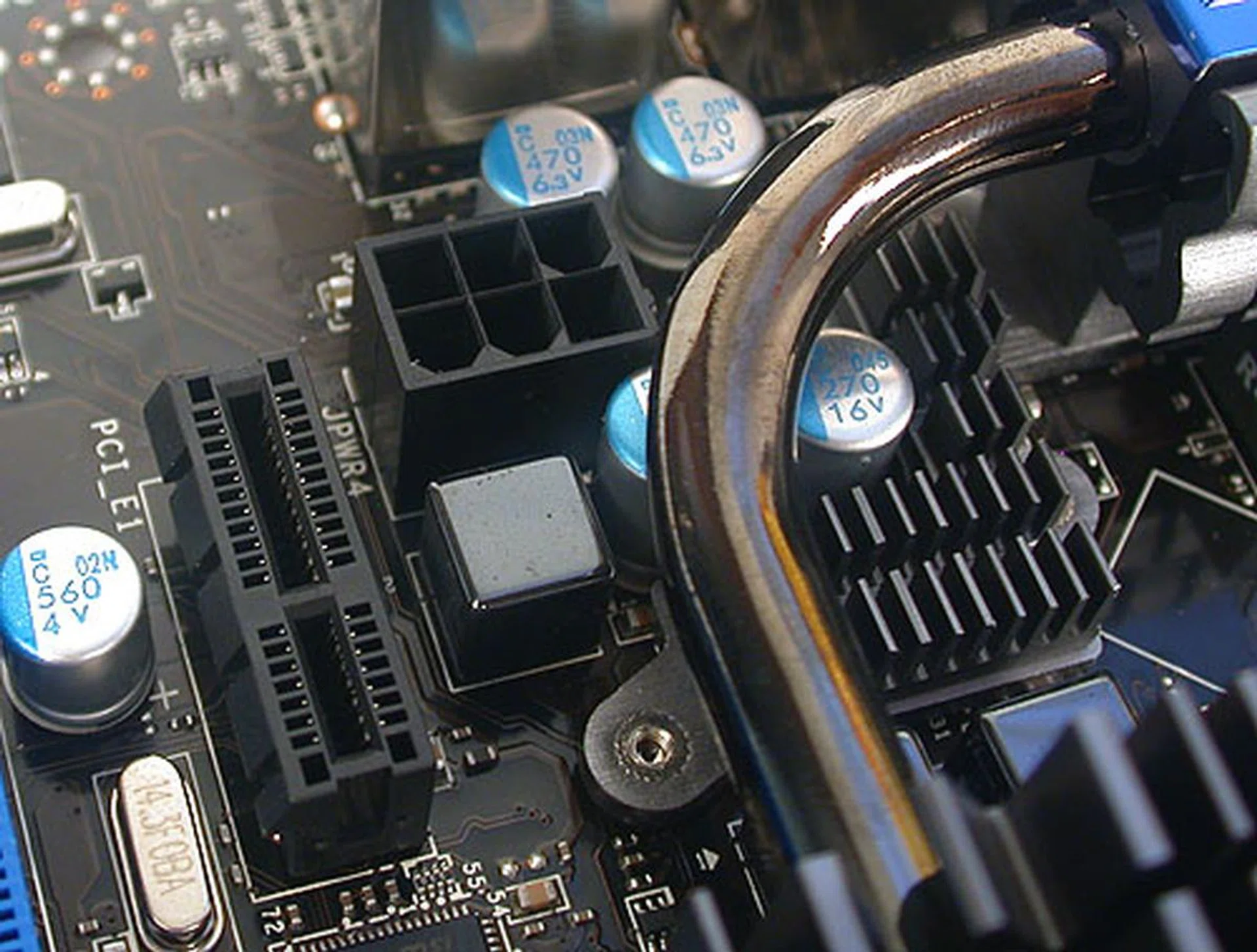
An additional 6-pin PCIe power connector is found here. You may also notice the thicker (8mm) SuperPipe heat-pipe design that's unique to MSI.
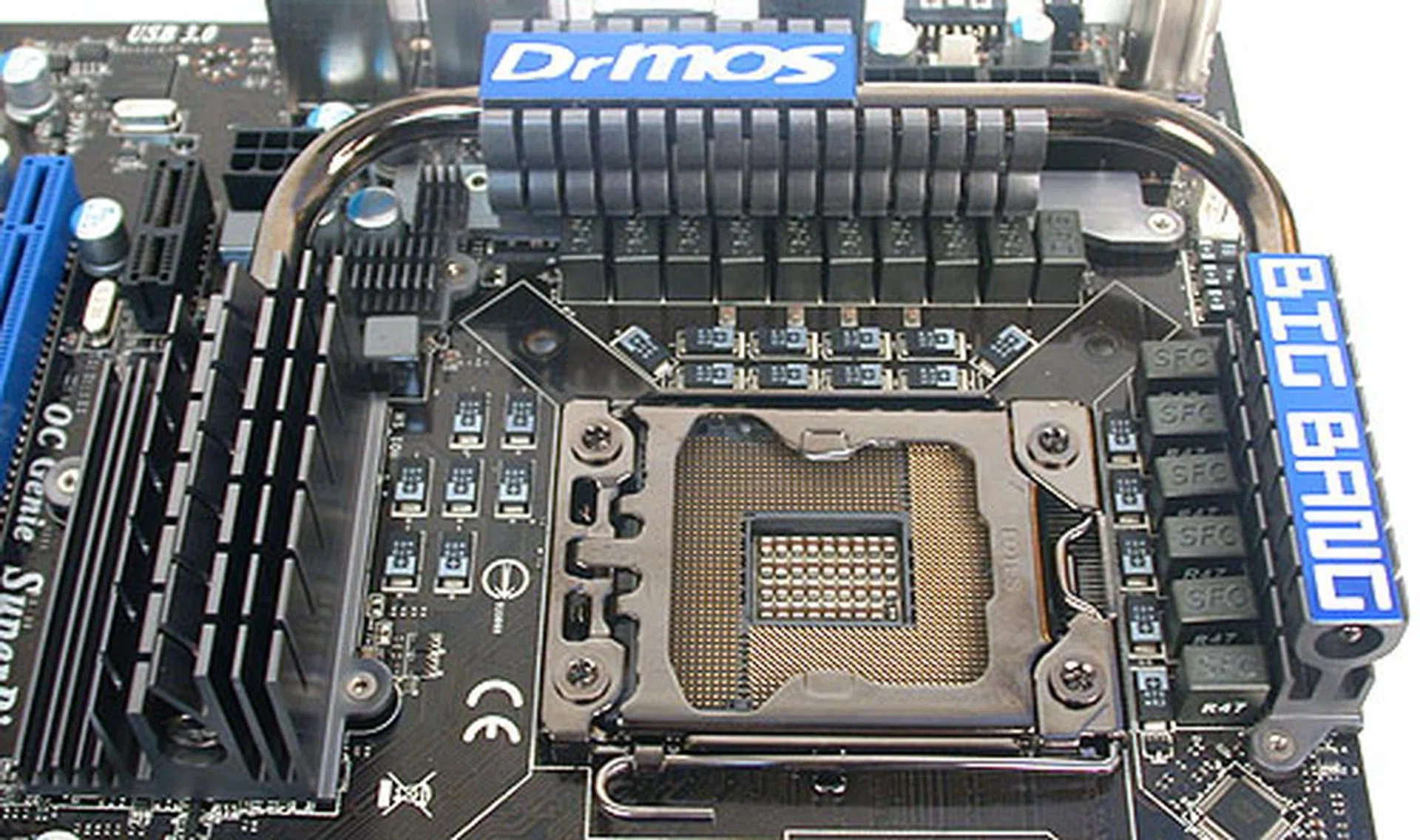
The power delivery system to the CPU uses what MSI dubs as its military-grade components, from 'Super Ferrite Chokes' to Hi-c caps. Of course, solid capacitors are found throughout the board.
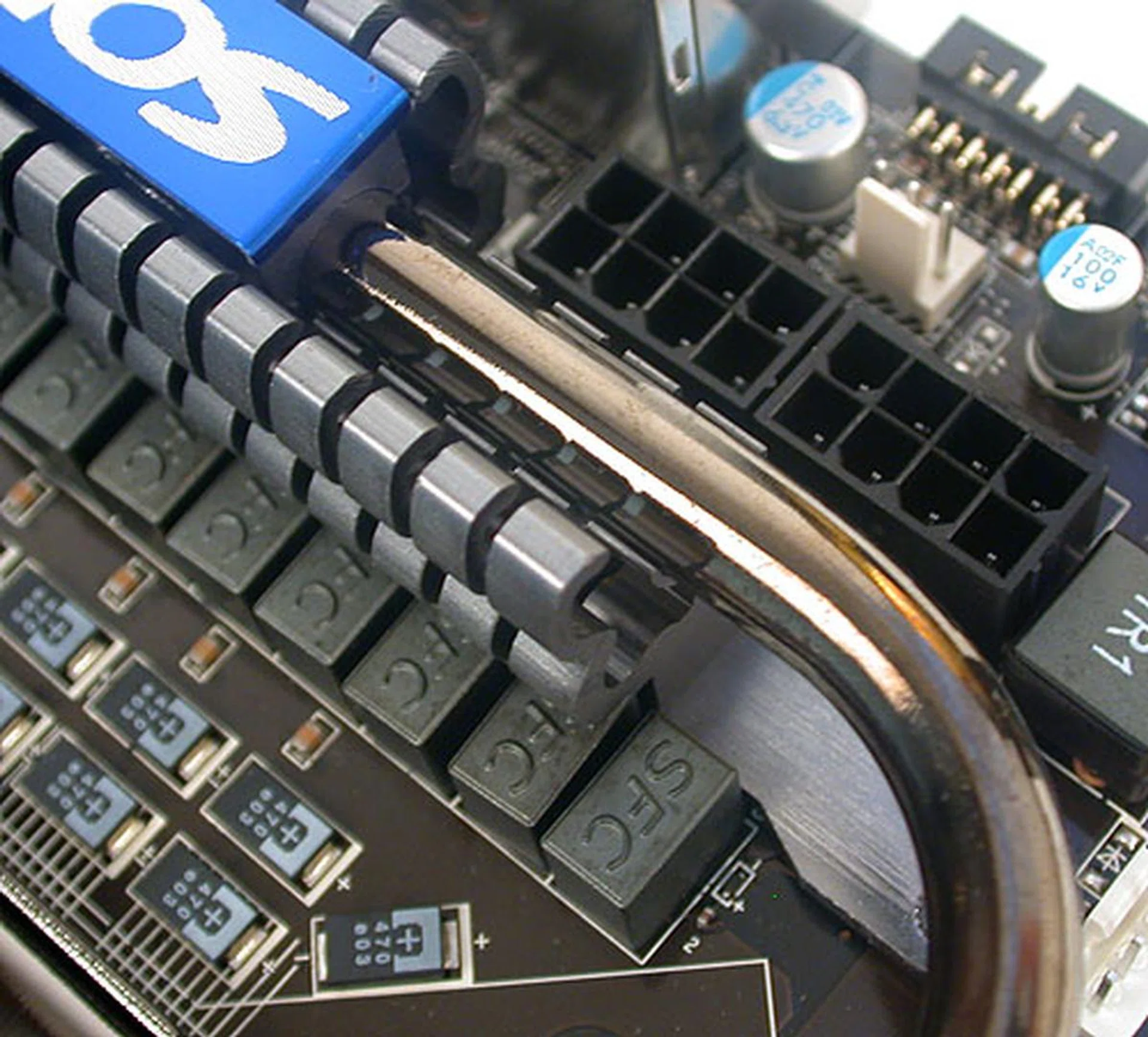
Like the Gigabyte board, there are two 8-pin 12V ATX power connectors for additional power.
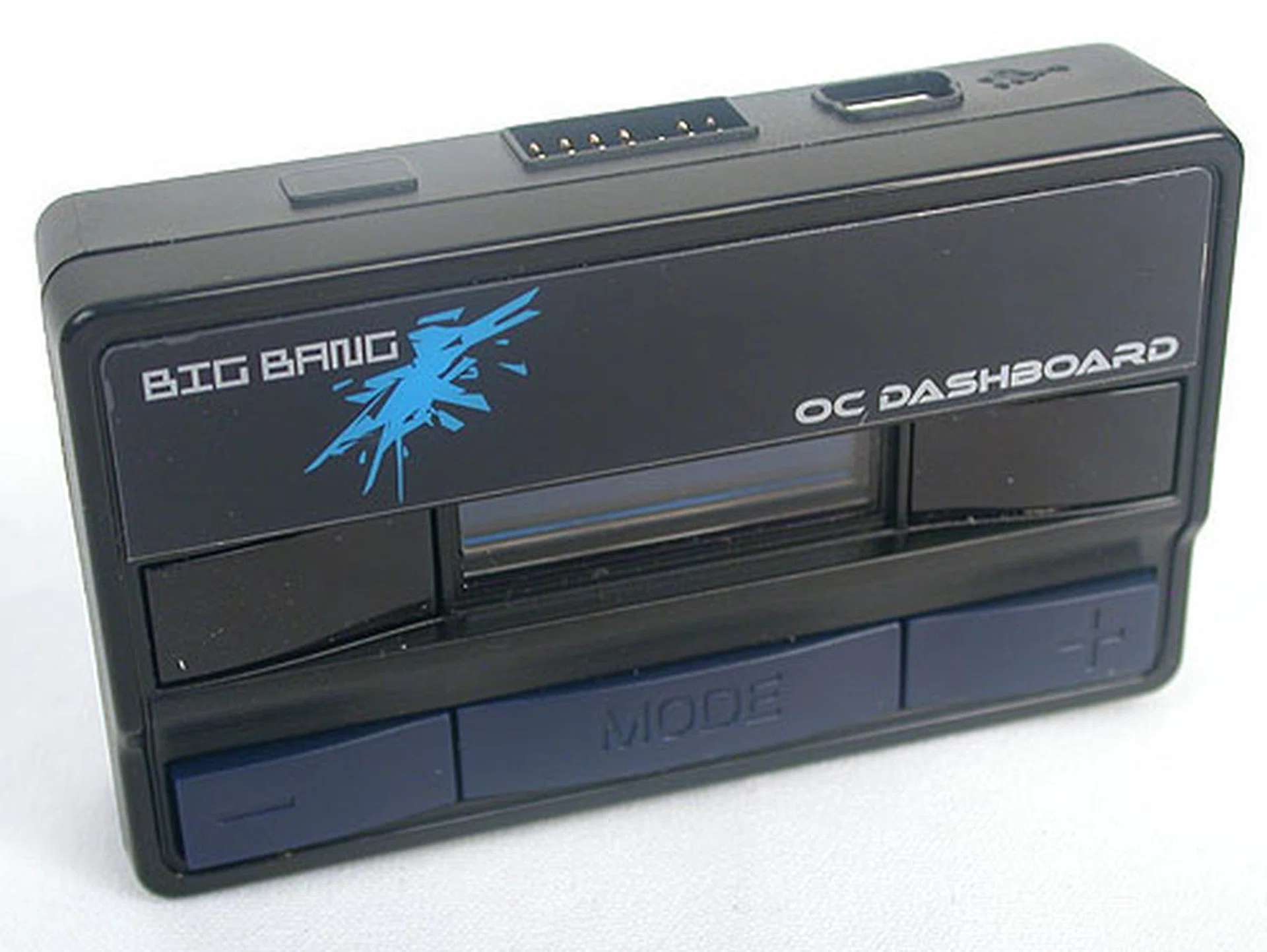
As mentioned earlier, this is the OC Dashboard that can be connected to the rear of the XPower for monitoring and on-the-fly tweaking.
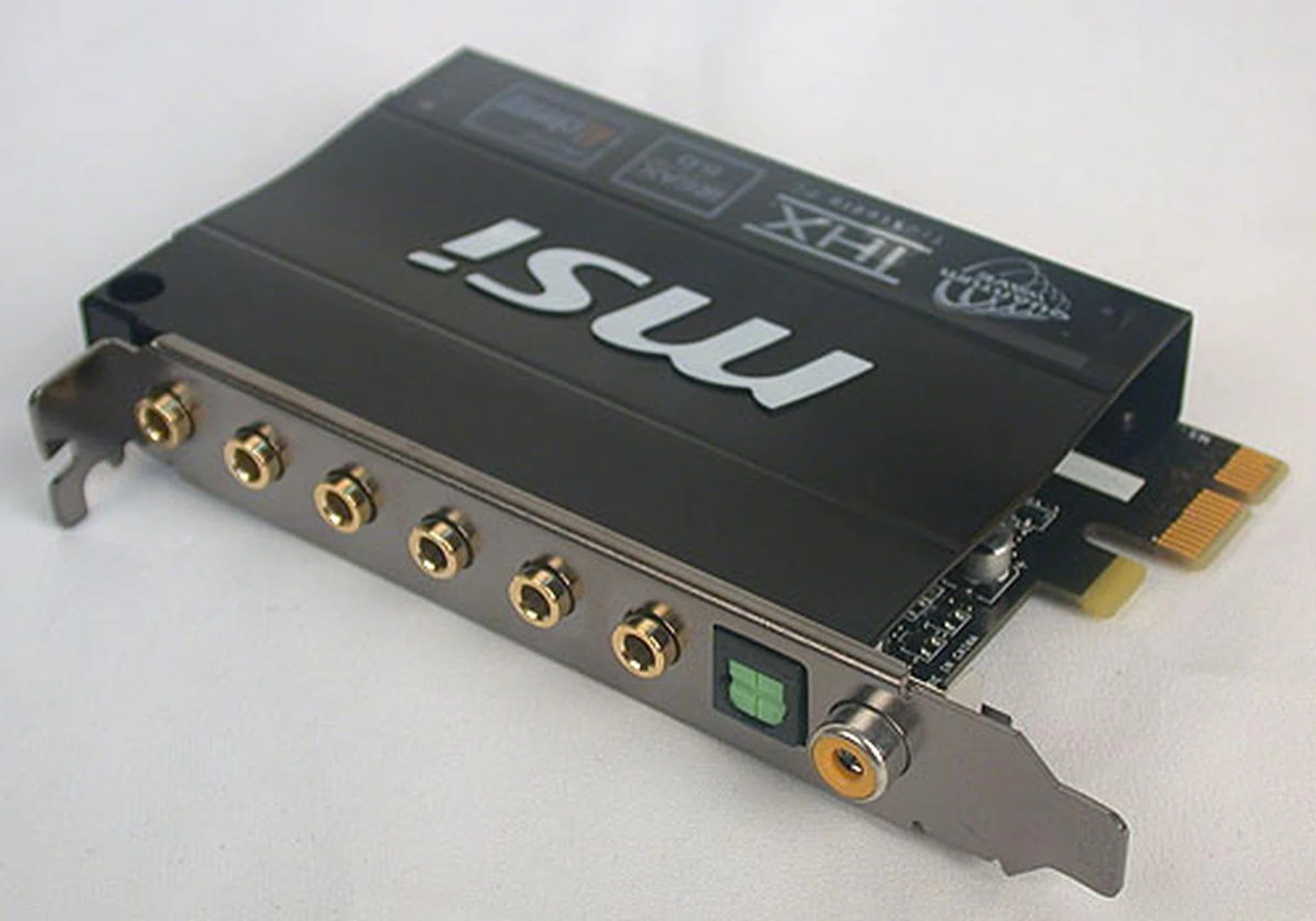
Inside this QuantumWave audio card is the more familiar Realtek ALC889 HD audio CODEC. It however supports Creative's technologies like EAX and ALchemy.
BIOS Settings
Most enthusiasts should already be more than familiar with the BIOS on these boards, along with the custom tweaks that they have done to the default versions provided by companies like Phoenix. However, we did have a complaint about the updating of BIOS on the EVGA, something that enthusiasts are likely to do quite frequently. Unfortunately, while the Gigabyte and MSI have their own BIOS flashing tool accessible from within the BIOS, EVGA's methods for flashing the BIOS were the tried and tested ones involving booting up using floppy/CD/thumb drive. Compared to the convenience offered by Gigabyte's Q-Flash or MSI's M-Flash, EVGA is definitely behind the times.
The company did make up for this with some rather uncommon BIOS settings that hint at its enthusiast leanings. For example, besides an auto-overclocking option called Dummy OC (which was rather tame in terms of the overclock when we tried), the EVGA also had an Extreme Cooling mode that they recommend be enabled if liquid nitrogen is involved. The voltage settings were also impressive in their breadth, which should be appreciated by enthusiasts.
With our Core i7-980X, we found that the maximum base clock that we achieved were identical at 220MHz, though the auto-overclocking tools on both the EVGA and MSI had the base clock at much lower values.
O/C Settings | EVGAX58 SLIClassified | Gigabyte GA-X58A-UD9 | MSIBig Bang-XPower |
Base Clock (MHz) | 133 - 500 | 100 - 600 | 100 - 600 |
CPU Ratio | 12 - 50 | 12 - 65 | 12 - 60 |
DRAM Frequency/Ratio | Auto, 800, 1067, 1333, 1600, 1867, 2133, 2400, 2667, 2933, 3467, 3733, 4000MHz | Auto, 6, 8, 10, 12, 14, 16, 18 | Auto, 3, 4, 5, 6, 7, 8 |
Voltage Adjustments |
|
|
|
Tested Overclock Settings |
| Base Clock: 220MHz max |
|
Test Setup
Since we had done a couple of Intel X58 boards with the updated SATA 6Gbps support, we'll be using one of them, the ASUS P6X58D Premium as a reference. The system configuration used is similar, though due to circumstances, we had to change the HDD from a Seagate Barracuda XT 2TB to a Western Digital Caviar Black for this article. Hence, there could be some variations in some results. Finally, as the EVGA does not support SATA 6Gbps, it will be based on the more typical SATA 3.0Gbps interface.
- Intel Core i7-980X (@3.33GHz, Intel Turbo Boost, HyperThreading enabled)
- 3 x 1GB Kingston HyperX DDR3-1333 @ 7-7-20 CAS 7.0
- Seagate Barracuda XT 2TB SATA 6Gbps hard disk drive (for ASUS P6X58D Premium)
- Western Digital Caviar Black 1TB SATA 6Gbps hard disk drive (for the remaining motherboards)
- ATI Radeon HD 5870 1GB (Catalyst 10.2)
- Intel INF 9.1.1.1025 and Intel Matrix Storage manager 8.9.0.1023 driver set
- Microsoft Windows 7 Ultimate 32-bit
The following benchmarks were used:
- BAPco SYSmark 2007 (version 1.05)
- Futuremark PCMark Vantage (1.0.3.1)
- Futuremark 3DMark Vantage (1.0.3.1)
- SpecView Perf 9.0
- Far Cry 2
- World in Conflict
- Crysis Warhead
Results - SYSmark 2007 Preview
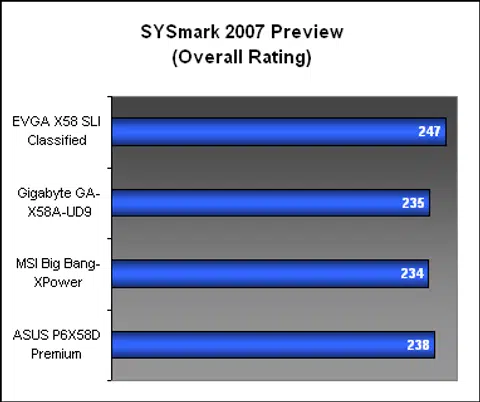
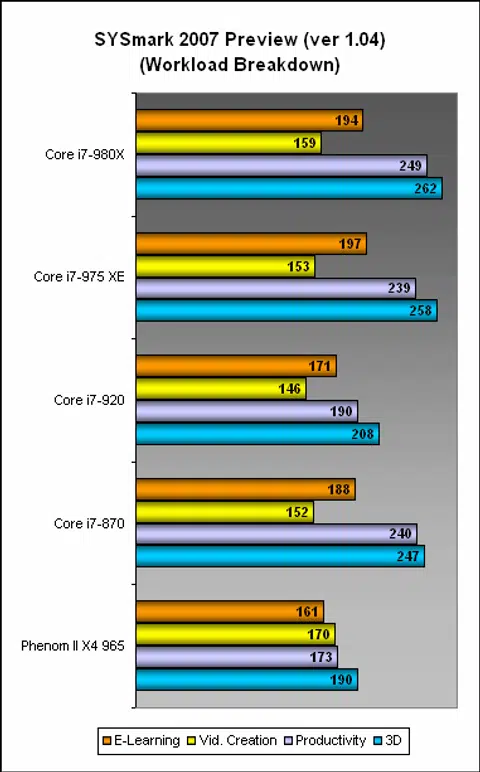
With a strong showing in the Productivity segment, the EVGA was the fastest board in our SYSmark 2007 benchmark. The other boards posted mostly similar scores and were on a SATA 6Gbps hard drive, which appears to be the main difference between these boards and the EVGA. Looks like non-native SATA 6Gbps isn't really a positive experience.
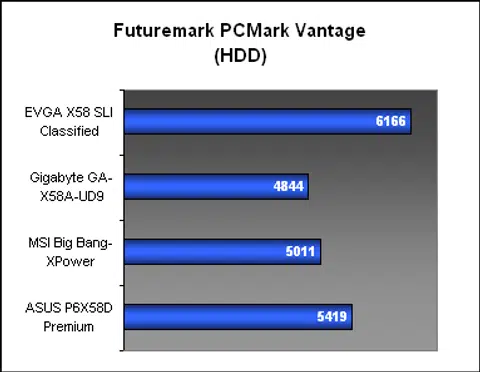
Results - Futuremark PCMark Vantage
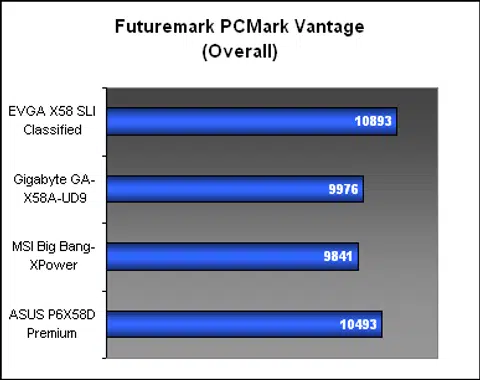
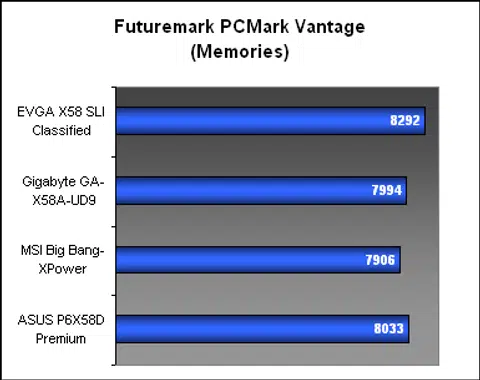
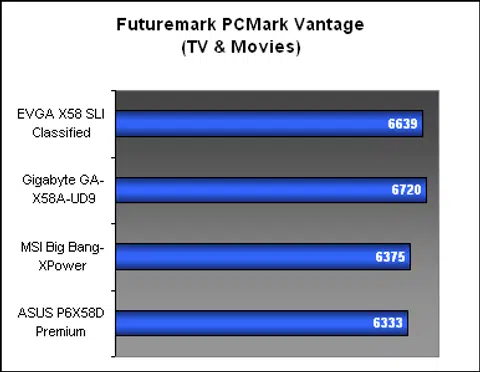
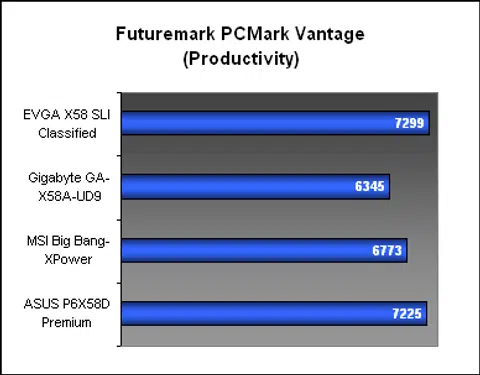
Again, the EVGA was ahead in PCMark Vantage overall, though if you looked at the subsections, the Productivity and HDD segments had the EVGA leading by a fair margin. It would seem that the more mature SATA 3.0Gbps interface is the reason for the discrepancy, something that perhaps future drivers and optimizations may remedy.
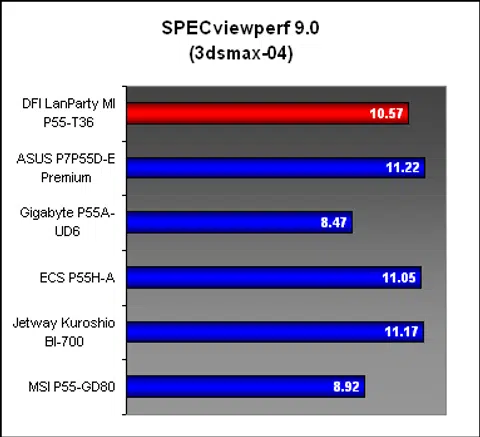
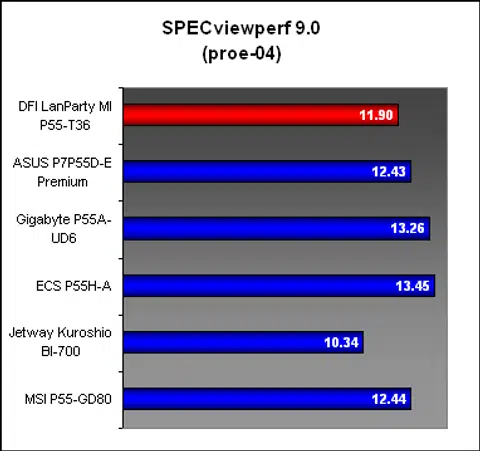
Results - SPECviewperf 9.0
While the EVGA had been tops in the previous benchmarks, its memory and 3D performance was a bit of a letdown. In both SPECviewperf 9.0 test sets below, we found the EVGA consistently lagging the other three boards. This was also noted in the earlier SYSMark testing with respective workloads.
Results - Futuremark 3DMark Vantage
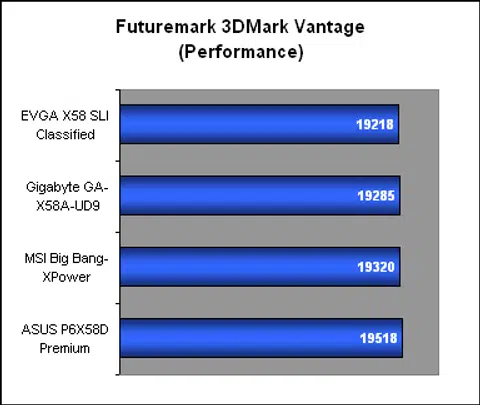
You can expect all the boards to produce very similar results when it comes to gaming performance, as seen from our 3DMark Vantage scores.
Gaming Benchmarks
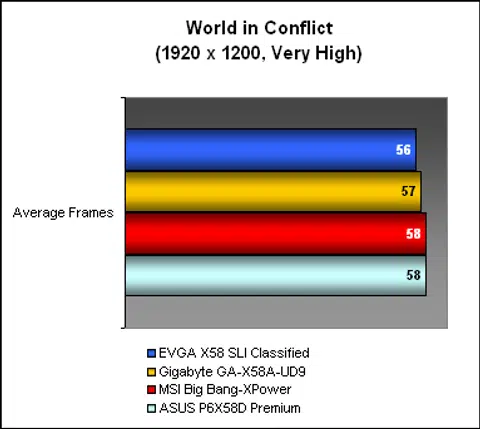
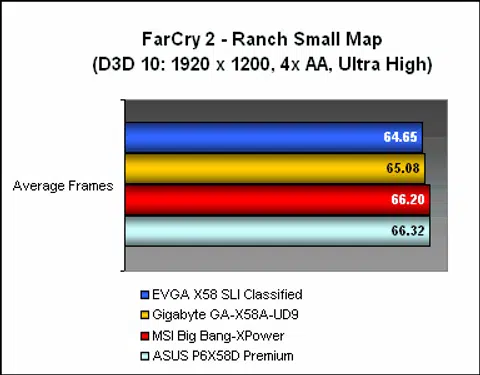
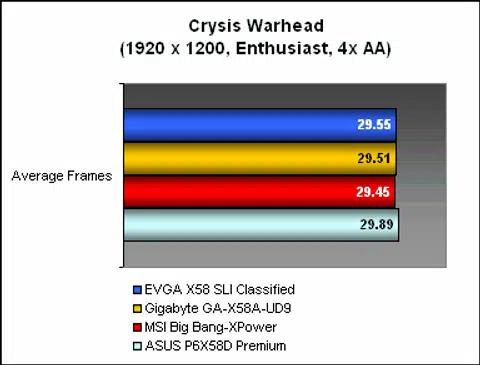
It's usually quite difficult to differentiate the boards based on the gaming performance, short of a really poor implementation, which is rare too, especially when we are dealing with some of the most expensive motherboards in the market. All the three boards here performed very similarly in our three games, with perhaps the EVGA board finishing a bit short. However, we also doubt that the minor difference can be experienced when playing the game.
Temperature
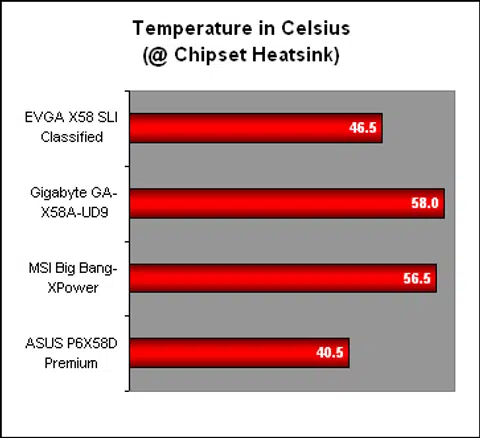
The Gigabyte UD9 with its rather large heatsink also happened to be our warmest board, with almost 60 degrees Celsius recorded. The MSI board wasn't too far behind though. Meanwhile, the EVGA and ASUS boards both had relatively cool temperatures; for the EVGA, the extra fixed radiator probably helped (we did not install the Hybrid Silent Pipe on the Gigabyte, which should have a similar effect for the Gigabyte's chipset temperature) to keep it below 50 degrees.
Power Consumption
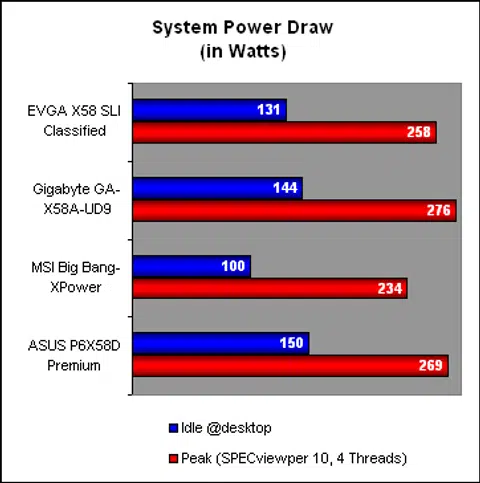
While we were tempted to explain the power consumption figures on the fact that two of the boards are larger than the usual ATX form factor, the ATX-sized ASUS too had rather high numbers. The MSI emerged as the most impressive here, with significantly lower idle and peak power, while the other three were mostly quite similar in power draw.
Conclusion
If you had previously thought that X58 motherboards are expensive, we're sure that your impressions have only grown stronger with the ultra premium ones here. These are, in the words of others, trophy boards that often do not justify their cost. Of course, we're not dismissing the legitimate users who will require and fully utilize a majority of the features on these boards, but such users are an even smaller minority. For those who feel that they need the best, most over-the-top consumer motherboards in existence, then these are the perfect companions for that Core i7-980X processor or two in their delivery boxes.
Let's start with the EVGA X58 SLI Classified, which was one of the most extravagant (and larger) boards when it debuted last year. The shine is slightly dulled now in terms of cutting edge technology due to its lack of SATA 6Gbps and USB 3.0. But when it comes to the important stuff that enthusiasts care about, it's still as relevant. Features like voltage check points, a separate overclocking control panel, and numerous BIOS options are just some examples. The 3-way NVIDIA SLI with PhysX support is another nice touch. A huge passive heatsink keeps the temperatures relatively low and the power consumption was reasonable, but it did contribute to our installation woes with the stock cooler of the Intel Core i7-980X. Based on its features and innovation, the S$749 price tag is hardly reasonable, but its intended audience may disagree. Those needing USB 3.0 and SATA 6Gbps can easily get an affordable add-on card to fulfil these needs when necessary.
There's always a new champion, king of the hill and the Gigabyte GA-X58A-UD9 not only surpasses the company's own former flagship UD7 model, it is without doubt, the most expensive consumer motherboard available now. For its princely S$839 price, one gets a motherboard that's significantly larger than the ATX form factor, and which requires a chassis with sufficient allowance. It comes with dual nForce SLI controllers for additional PCIe lanes to support 4-way SLI/CrossFireX. And thanks to the extra room, this 4-way multi-GPU configuration is possible with dual-slot graphics cards. The extra PCB space also ensures that it is not cramped like some other Gigabyte boards. Gigabyte doesn't go for the overclocking enthusiasts with crowd-pleasing features like voltage check points, but the 24-phase power delivery system, together with its choice of top grade components make for a board that can withstand the rigors of overclocking.
Finally, the most 'affordable' of the bunch at S$519, the MSI Big Bang-XPower, obviously has fewer features in order to fit its average ATX form factor. That's not to say that MSI didn't manage to cram in some enthusiast friendly touches, like its OC Genie (it too has voltage check points) and the same, costly components as those used by its competitors. However, the limited space did lead to a less than ideal layout, though to be fair, it's a minor quibble. The features and the storage options especially onboard, are modest by comparison. The power consumption also turned out to be one of the best, with lower idle and peak numbers than the others by a significant amount.
Perhaps we are penny-pinchers at heart, but the features and its value convinced us that the MSI Big Bang-XPower would be the board we'll get, if we ever could spend more than S$500 on a motherboard. The other two are simply too extravagant for our tastes, but if your reserves are endless, then the Gigabyte UD9 would definitely be the super luxury motherboard you had always wanted.
Models | Performance | Features | Value | Overall | Price (SGD) |
EVGAX58 SLIClassified | 8.0 | 8.5 | 7.0 | 7.5 | ~S$749 |
Gigabyte GA-X58A-UD9 | 8.5 | 9.5 | 7.0 | 8.0 | ~S$839 |
MSIBig Bang-XPower | 8.5 | 8.5 | 8.0 | 8.5 | ~S$519 |
 |  |
 |  |
 |  |
Our articles may contain affiliate links. If you buy through these links, we may earn a small commission.