
ASUS X79 Motherboard Technical Seminar - Next Gen. ROG and TUF
The ASUS Next Generation Motherboard Technical Seminar gave us our most intimate look at the new X79 boards to date. With exciting new offerings from ROG and TUF series, ASUS also showcased its new P9X79 series.
Intel X79 Motherboards from ASUS
The ASUS Next Generation Motherboard Technical Seminar was held last week and we were given a sneak peek of their offerings based on the Intel X79 chipset. To date, this is one of the closest encounters we have had with X79 boards with a great deal of technical expertise shared. Our previous encounters, at Computex 2011 and more recently in the Intel Developer Forum 2011, were brief and distant. And more recently, we've covered one of MSI's top boards, the X79A-GD65 (8D) with what we know of the new processor to-date. ASUS has given the green light on the 26th October to share intimate details of their next generation motherboard gems that we've uncovered at the technical seminar and we start our coverage with their ROG edition.
ASUS Rampage IV Extreme – Bringing Hardcore Back
Wearing the familiar red and black colors of the Republic of Gamer’s coat-of-arms, the ASUS Rampage IV Extreme is the latest addition to this lineage from ASUS that is known for its innovative hardcore hardware for truly dedicated gamers and OC tweakers. Similar to some of the other high-end X79 motherboards we have seen, the Rampage IV Extreme sports 8 DIMM slots - two pairs of DIMM slots on each side of the massive LGA2011 CPU socket.
This arrangement is due to the fact that Sandy Bridge-E processors support quad-channel DDR3 memory. With eight DIMM slots on this board, it would mean each memory channel interfaces with each pair of DIMM slots. According to the board’s manual, the supported memory tops at a maximum of 64GB and is able to interface with OC memory modules of clock frequencies up to 2400MHz.
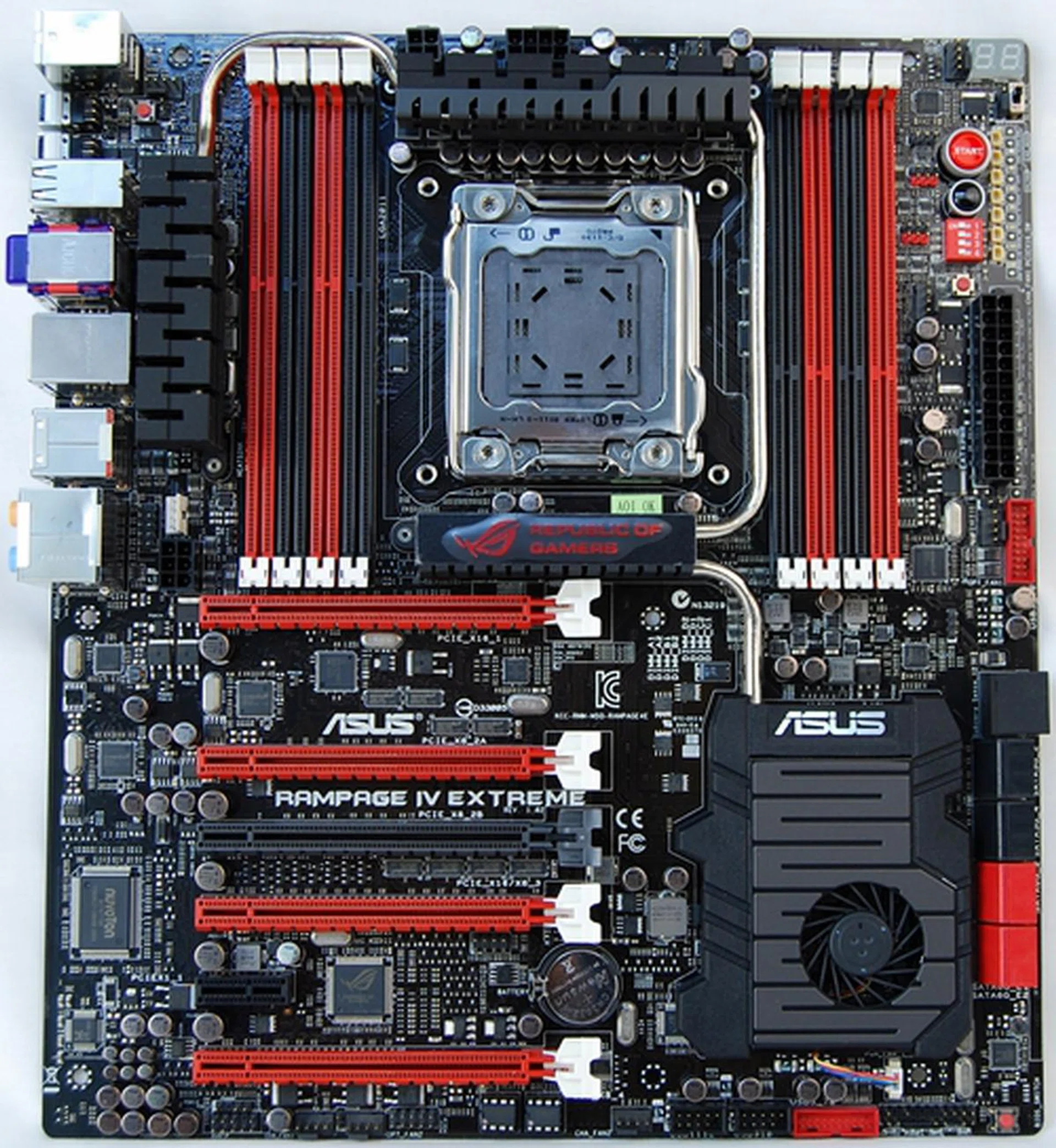
The unadored Rampage IV Extreme board sports a plastic sheath with a mounted fan to cool the Patsburg (Intel X79) chip. Snaking from the top of the sheath, a heatpipe makes it way to what seems like the heart of the board (well, strategically speaking); a heatsink emblazoned with the board's proud proclamation of its status.
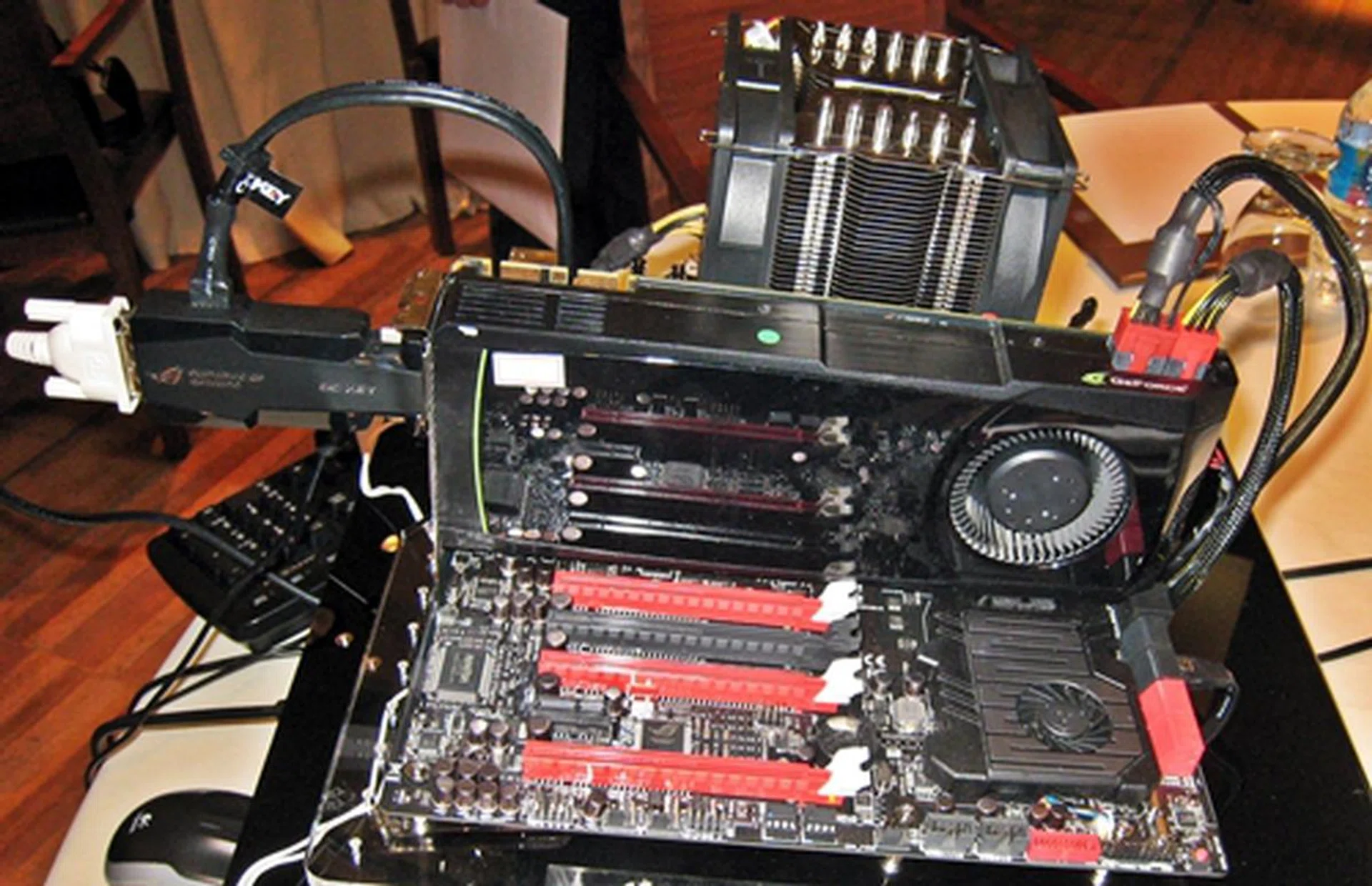
This Rampage Extreme IV board was on display at the technical seminar. The appendage that extends from the GeForce graphics card is the OC Key, a revolutionary OC equipment that is bundled with ROG Extreme series models only. It offers on-the-fly hardware tweaking without any software as well as outside the UEFI BIOS and operating system environment.
This board is packed with forward-looking features and the engineers were thoughtful to feature an X-socket bracket that will fit a LGA1366 CPU cooler as well as a LGA2011 one. It also allows the mounting of an LN2 Pot for extreme cooling with liquid nitrogen.
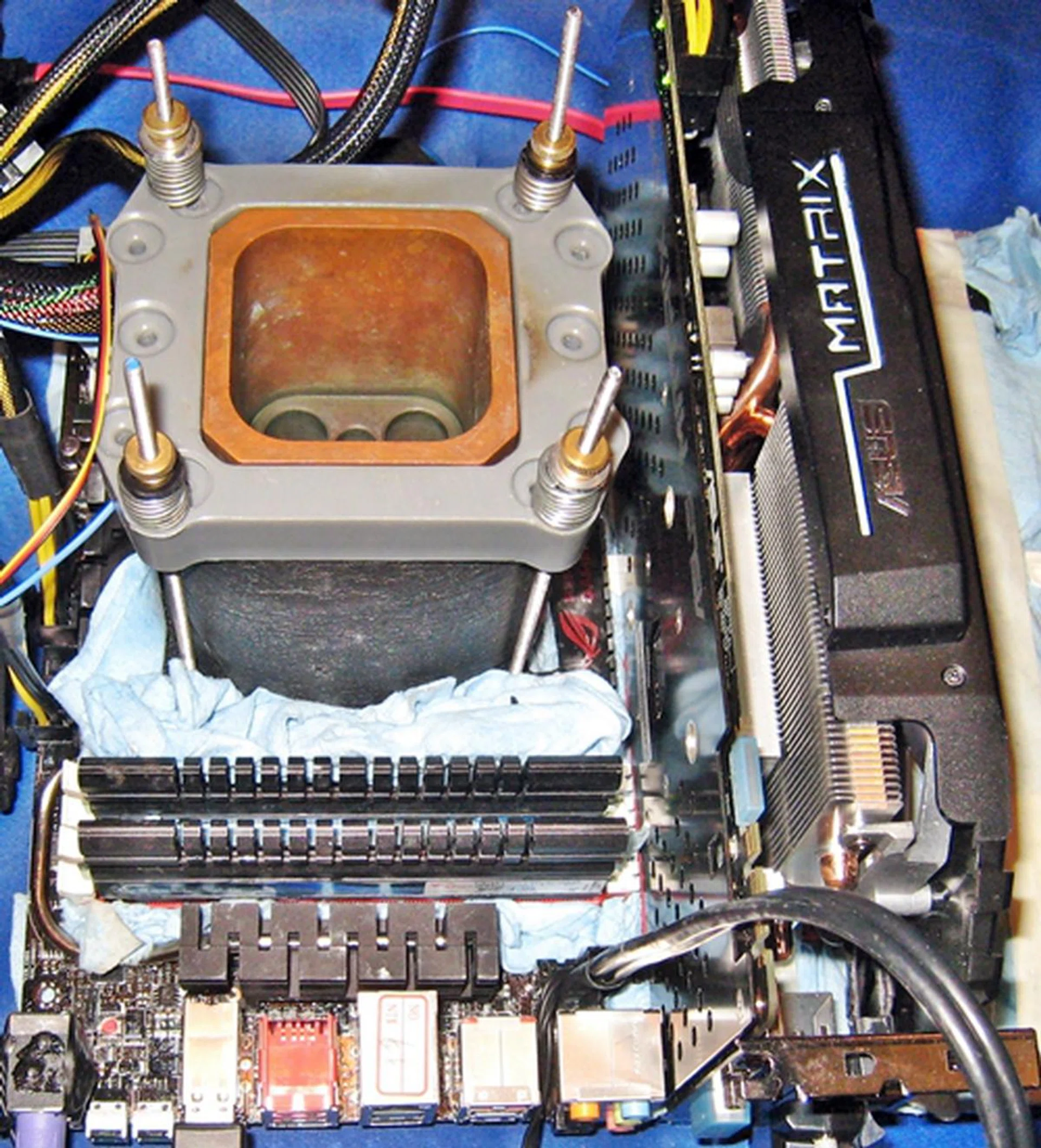
A liquid nitrogen cooled Rampage Extreme IV rig was used to show the Subzero Sense features of the board. It allows overclockers to monitor temperature of the PC components with a K-type thermocouple plugged into its Subzero Sense connector.
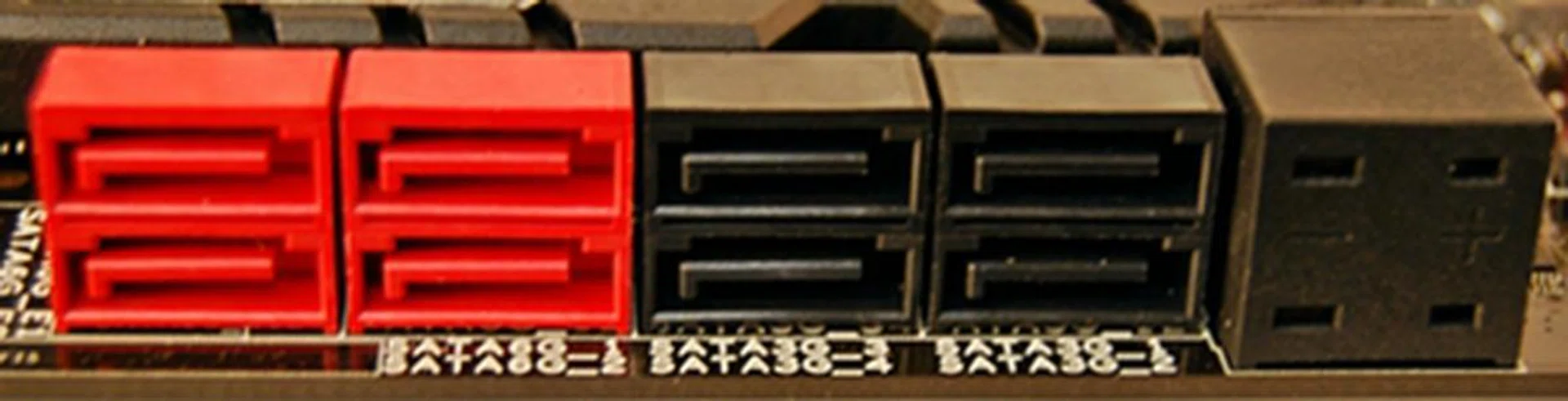
The Subzero Sense connector for your K-type thermocouple sits beside the on-board SATA connectors. It is located beside the black SATA 3Gbps connectors while the red ones are the SATA 6Gpbs connectors.
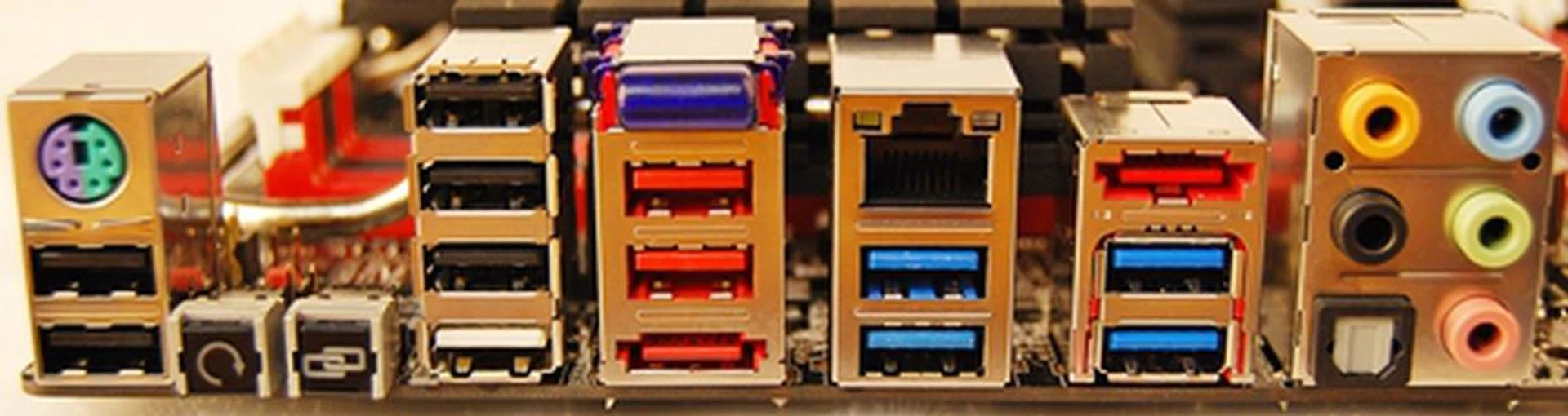
Located diagonally opposite the SATA connectors are the backpanel I/O ports. There is a Bluetooth v2.1+EDR module just above the pair of red USB 2.0 ports. The red port below the pair is the eSATA 6Gbps port. The button with the chainlink logo is the ROG Connect button that toggles your input keyboard to work with the OSD based menus from the OC Key (more on that later).
Keeping Things Cool
Besides keeping things cool with such extreme measures, the heatsinks covering the MOSFETS and overhanging the black metallic caps are connected by silver heatpipes, terminating at the 'heart' of the board - a heatsink embossed with the ROG logo as well as its series title.
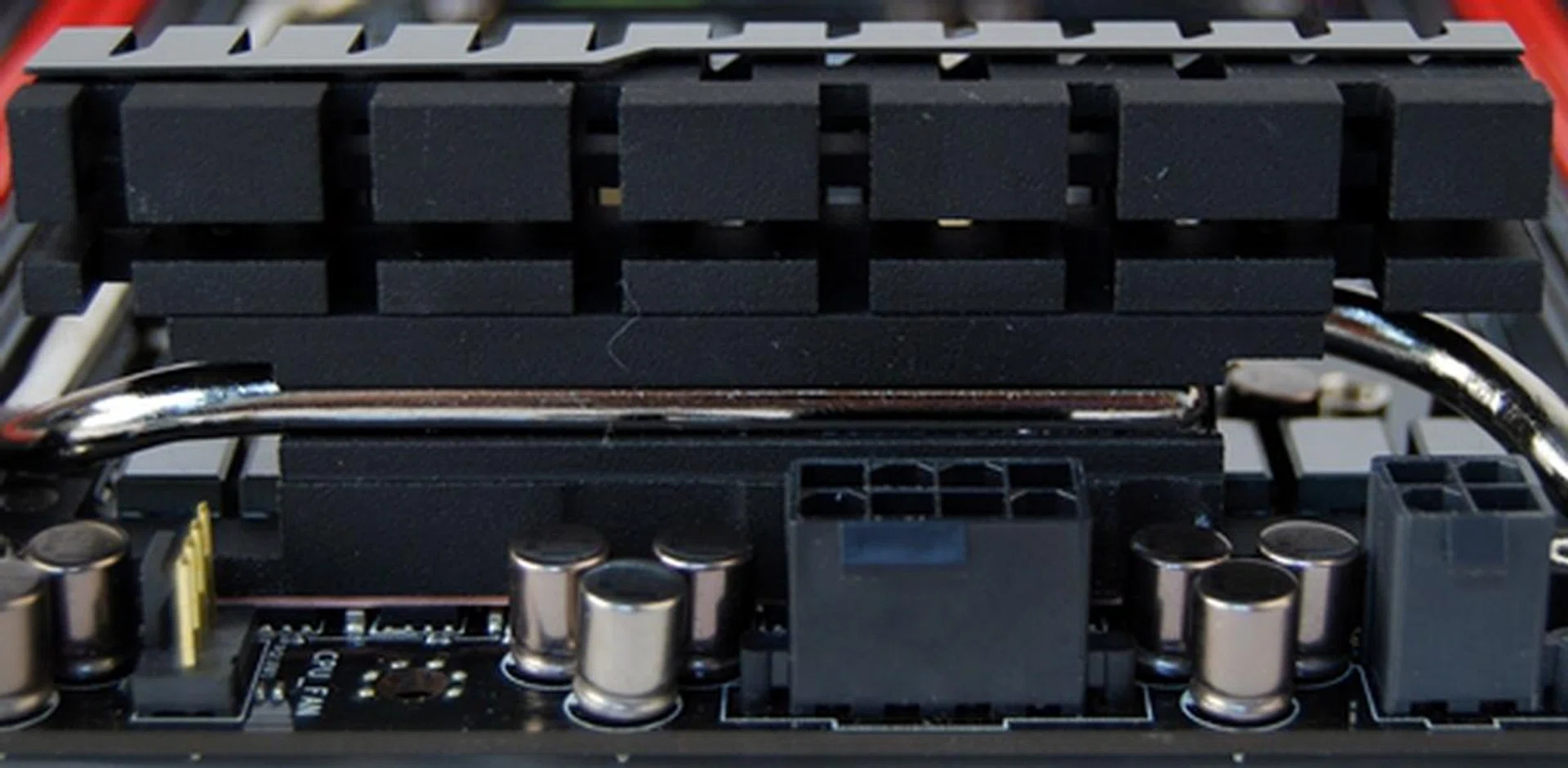
One of the VRM heatsink with the part of silver heatpipe embedded in its groove.
Such seemingly ostentatious display of power control and cooling features serves to remind us of the target audience of the board - the power users and extreme overclockers.
Zoning in on the Rampage Extreme IV
One of the highlights of the board is the OC Zone offers a plethora of buttons, connectors and LED indicators for these users to fine-tune performance when working on a bare or open-case system.
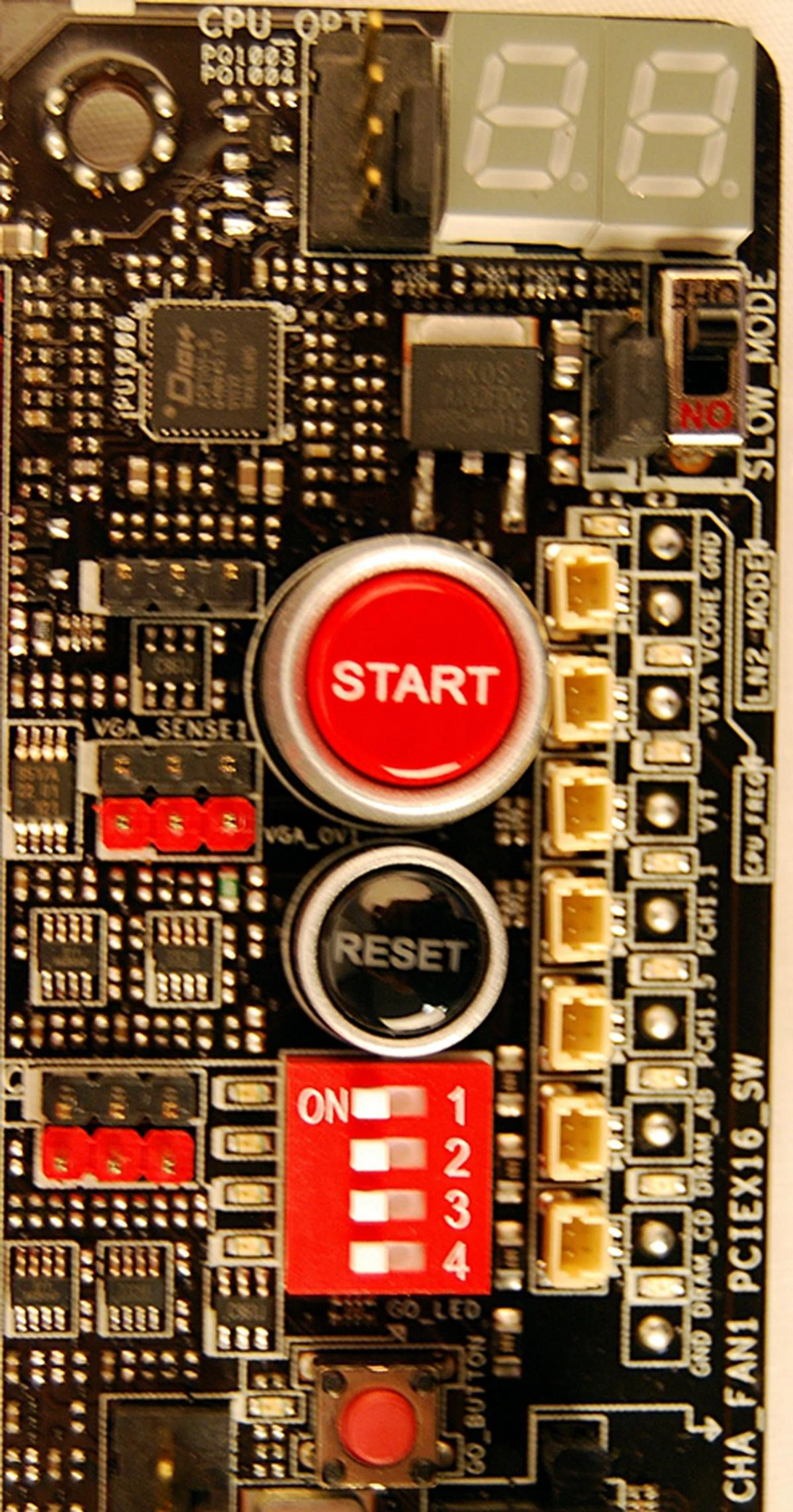
In the top right hand corner below the Debug LEDs, the Slow Mode switch is employed during LN2 benching. Flipping it will 'slow' the CPU to prevent the system from crashing when attempting to boot into the OS at cold temperatures. The red 'GO' button enables ASUS' MemOK! feature to fix memory incompatiability issues before booting into the OS.
In the Zone, besides the usual power and reset buttons, the PCIe lane switches (the red DIP switch block) located below the black Reset button allow you to enable or disable the corresponding PCIe x16 slots for troubleshooting graphic cards without removing them from their PEG slots; a simple and thoughtful feature.
Flanking the PCIe lane switches and buttons on the right are the Voltiminder LEDs which provide debugging LEDs as well as many measurement spots for various voltage measurements. On the left flank are on-board headers (red and black plastic rests) for accurate measurement and overvolting of graphic cards.
Thinking Outside the Board - the OC Key
The OC Key is an exclusive piece of equipment that sits in-between your graphics card and display monitor. Using on-screen display (OSD) technology to control and monitor overclocking and basic BIOS matters, the OC Key attaches a transparent, graphical overlay on the original screen output and provides an informative menu to enable OSD TweakIt and OSD Monitor.
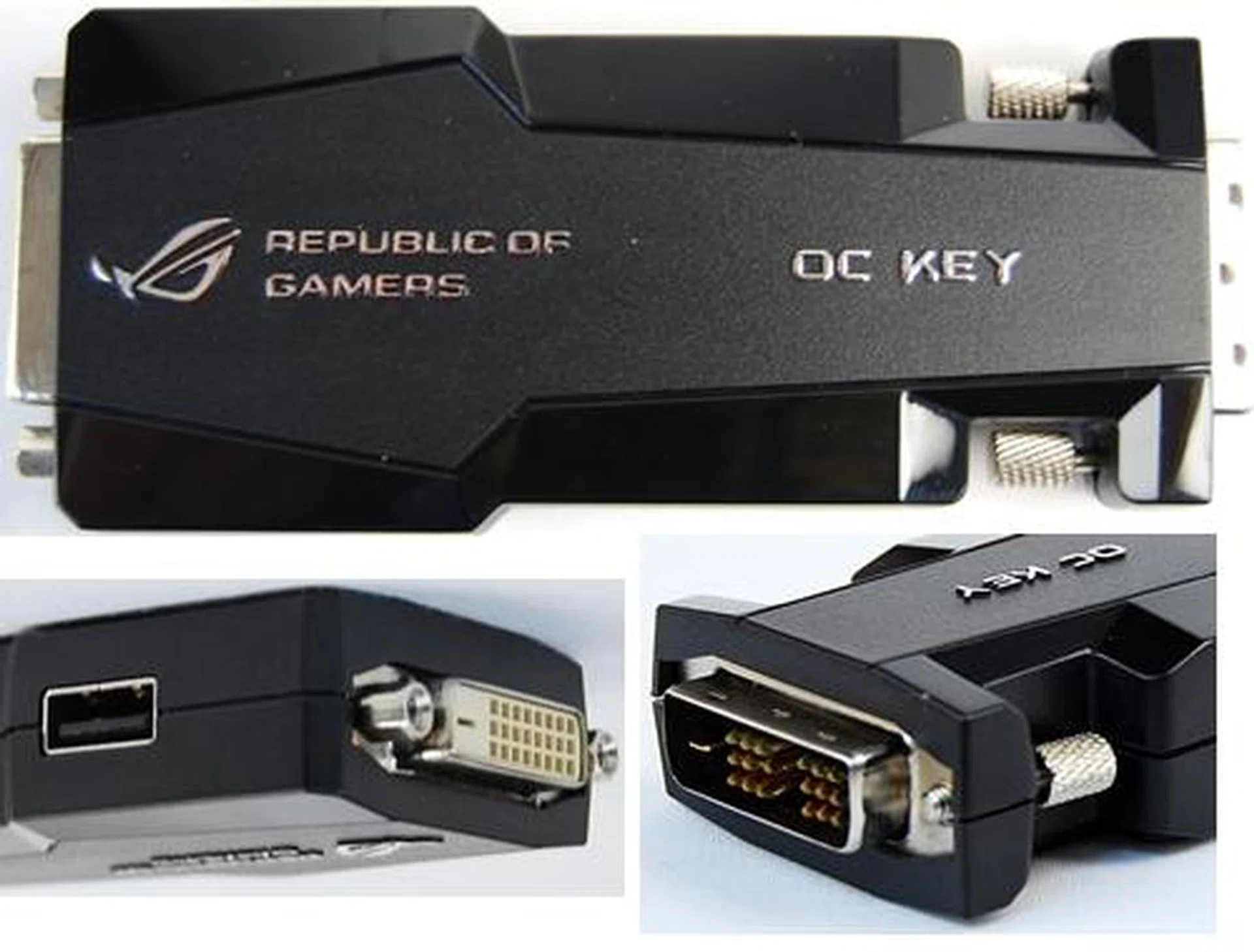
The OC Key works with the on-board iROG chip so that through the OSD Tweakit menu, extreme overclockers are able to perform on-the-fly hardware tweaking without any other software. Through the OSD Monitor, extreme users can monitor the system settings without any additional overheads. By pressing the ROG Connect button located at the board's rear I/O panel, the input keyboard can be toggled for the interacting with the OSD menus and not interfere with your OS or benchmarking software running simultaneously. As explained, this would mean the OC Key sits at the output of your graphics card and provides a pass-through connector for your monitor.
The OC Key's capabilities and control options are almost limitless as it is programmable via a USB port on this gadget. So akin to a BIOS firmware being flashed, ASUS will extend and improve the OC Key's capabilities in due time.
Sabertooth X79
This board’s predecessor is the Sabertooth 55i and they belong to the 'TUF' series and this acronym stands for 'The Ultimate Force'. In this lineage's proud military tradition, the color scheme of the Sabertooth X79 is in the tones of earthy greens set against a jet black PCB. This board boasts of military standard components for durability. Its ferrite chokes, solid capacitors and MOSFETS are screened by rigorous tests to ensure superior life-span even under the duress from their operating environment.
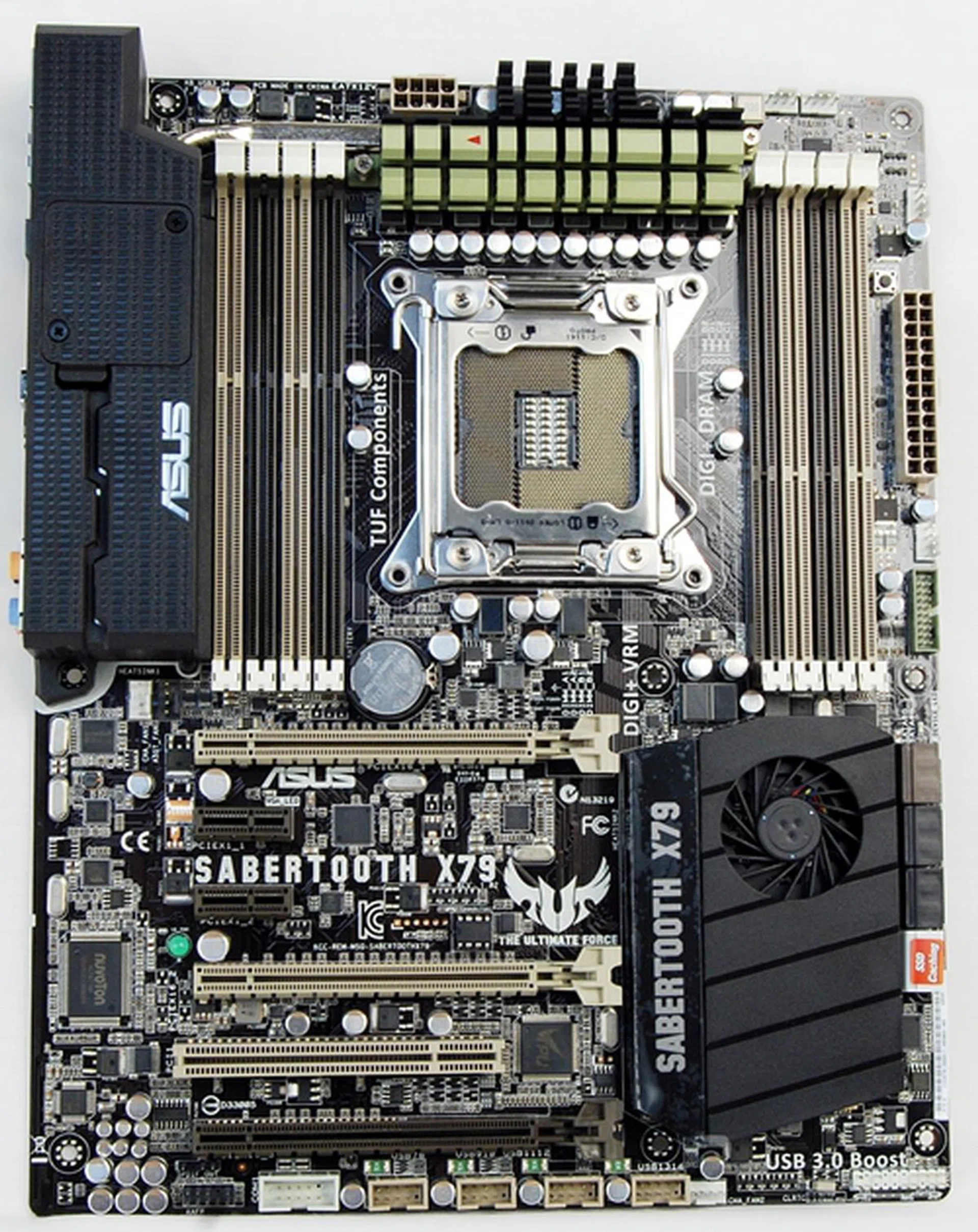
The Sabertooth X79 is targeted at rig builders who look for server-grade components for their computing needs as well as military specification components that have long lifespans even under the most punishing operating environment. In attestation to the reliability of the board, its components come with a 5-year warranty.
Unveiling the Board, Showing Off its TUF Thermal Armor
On first glance, this board also resembles the ASUS P67 without its thermal plastic sheath that covered a large part of its board. The Sabertooth X79 features is its new generation TUF Thermal Armor with its innovative vent design and integrated fans to draw heat away.
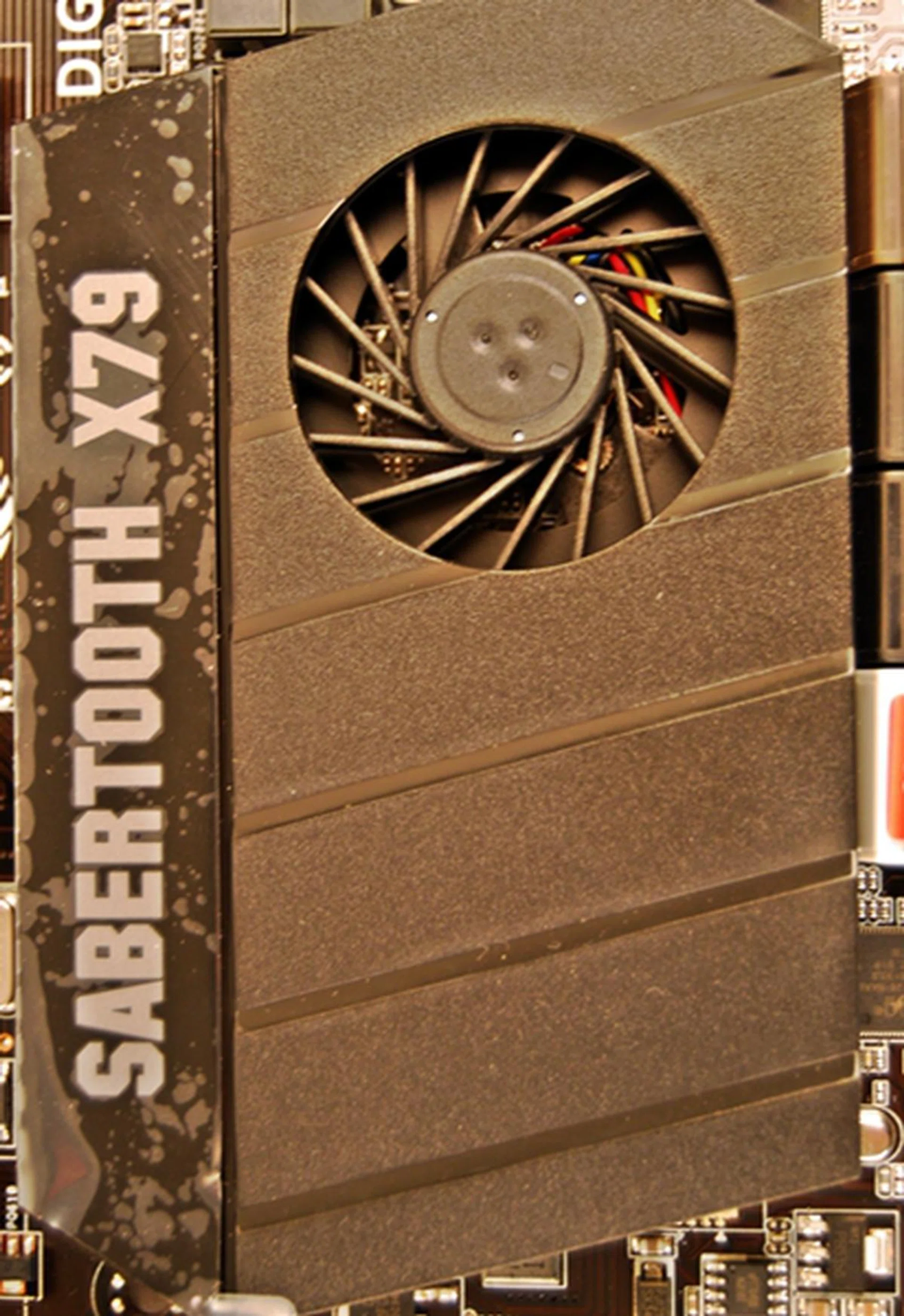
This section of the TUF Thermal Armor comprises the PCH cover and the fan assembly and they provide effective heat dissipation. Our only concern is that it sits right below the first PEG slot and as such, this part of the TUF active thermal armor may not be as useful as previously planned. We'll find out in future when we assess the board's performance.
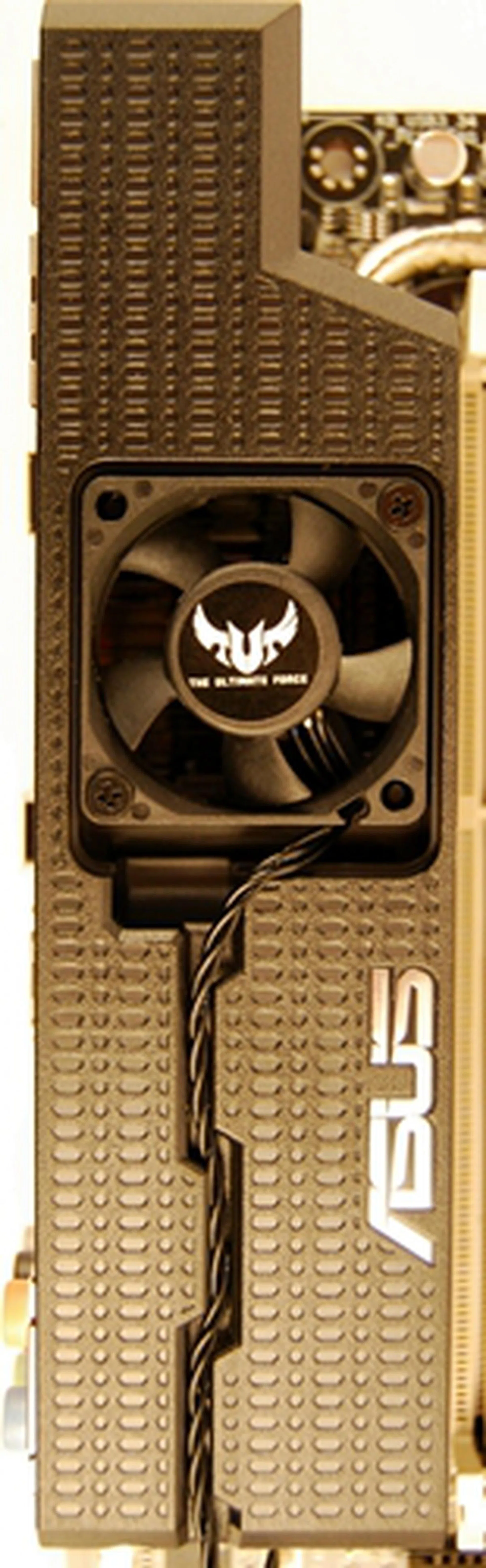
To complement the PCH cover and fan assembly, this component of the board's TUF Thermal Armor comprises the I/O panel plastic sheath and a mounted cooling fan. The fan is provided but has to be assembled and its spares are sold as optional accessories. The plastic sheath sits over the back panel I/O ports of the board and draws hot air from the VRM component area.
Cooling the Board with Heatpipes and Heatsinks
The heatsink crowning around the LGA2011 CPU socket area resembles the ones found on the ASUS Sabertooth 55i and are made of ceramic. It conceals a metal heatpipe that draws heat from the critical electrical components (mostly related to power regulation) near the CPU socket. The heatpipe extends to terminate in a heatsink that is located just above the external SATA 6Gbps port on the back panel of the board. This area is part of the TUF active thermal armor as shared above and works hand-in-hand to keep temperatures around the CPU socket in check.
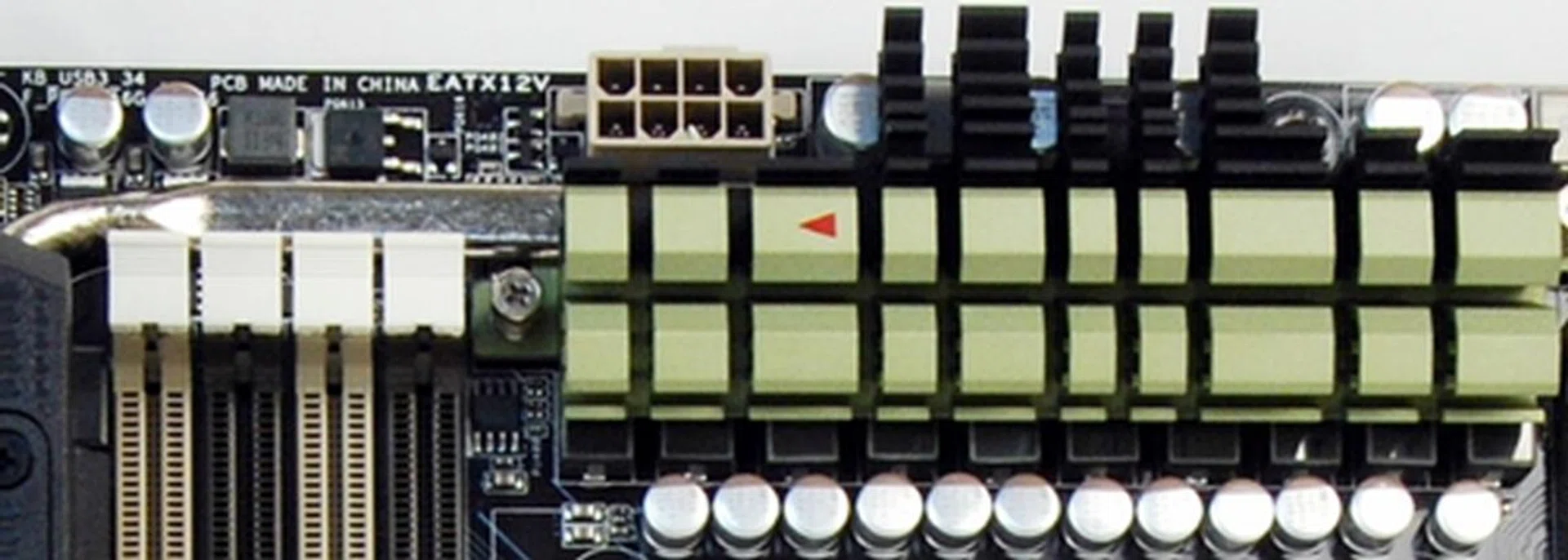
The silver heatpipe extends from the olive green heatsink into the TUF Thermal Armor I/O port plastic sheath. Notice the tiny red arrow indicating the direction of the heat flow.
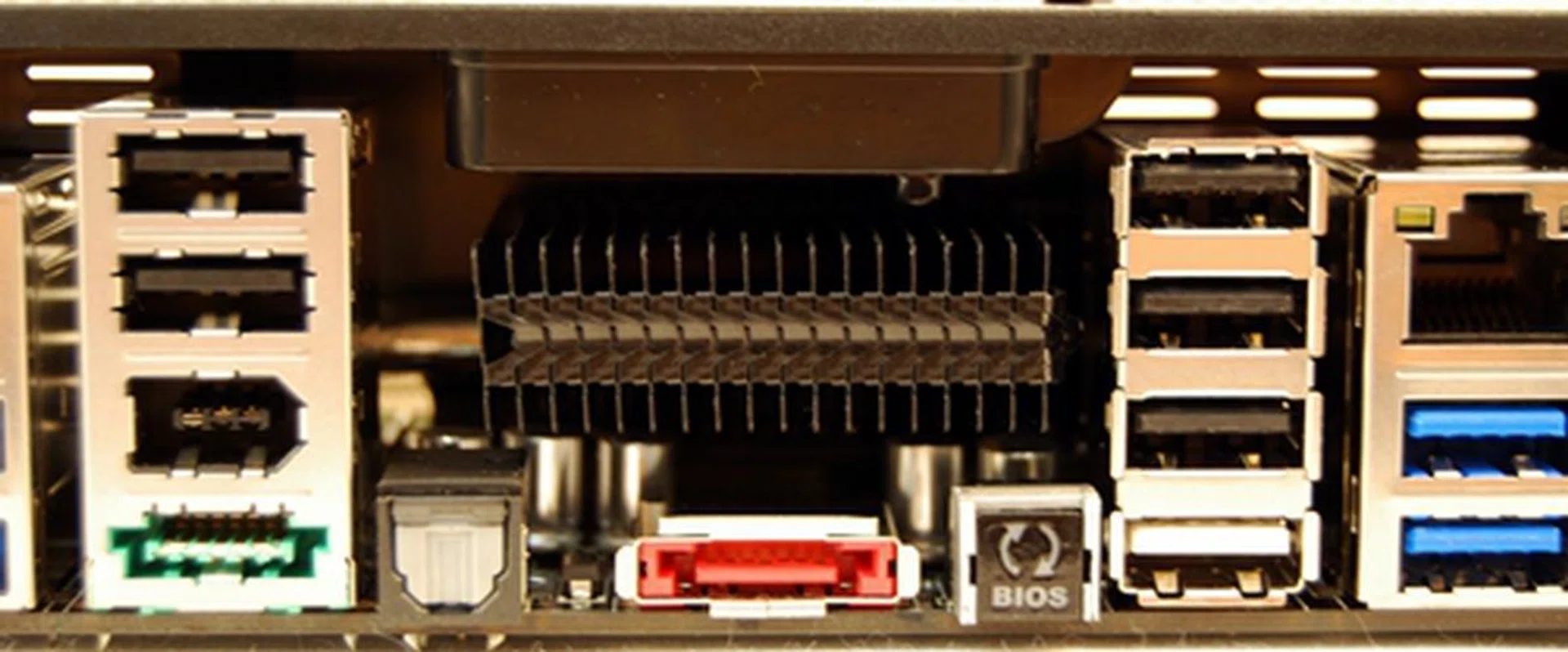
The silver heatpipe extends to this heatsink that seats above the bright orange external SATA port. The back plate provided has ventilation holes that allows heat dissipation from this heatsink.
Got a Dozen of them Under its Skin
Complementing its TUF Thermal Armor are twelve thermal hardware sensors for real-time thermal detection. It has a comprehensive software menu for a user-friendly experience.

The Thermal Radar software reports the temperature of twelve critical components. They include the CPU, its VCORE, the board itself and its PCH.
Performance to Boot
Underneath the TUF exterior, the Sabertooth X79 features ASUS SSD caching when the system has a SSD paired with a HDD which is set as its primary drive. In lieu of the Intel X79 motherboard not supporting the Intel Smart Response technology first featured in the Intel Z68 series, ASUS has stepped in with their own variant that's supposedly more convenient to set up. The frequently accessed files of the HDD will be cached on the SSD, and according to ASUS, the SSD caching technology will boost performance up to 3x when pit against a similar system without an installed SSD.

ASUS SSD caching allows the installed SSD to act as a backup drive for the primary HDD. It also speeds up the HDD's performance by storing files that the system accesses frequently on the SSD.
ASUS P9X79 Series
The last of the boards featured at the seminar come from the ASUS' P9X79 series. It comprises the Deluxe, Pro and Basic boards. These boards can be considered the 'vanilla flavoring' from the delicious offerings found at the seminar but their features are definitely not plain vanilla!
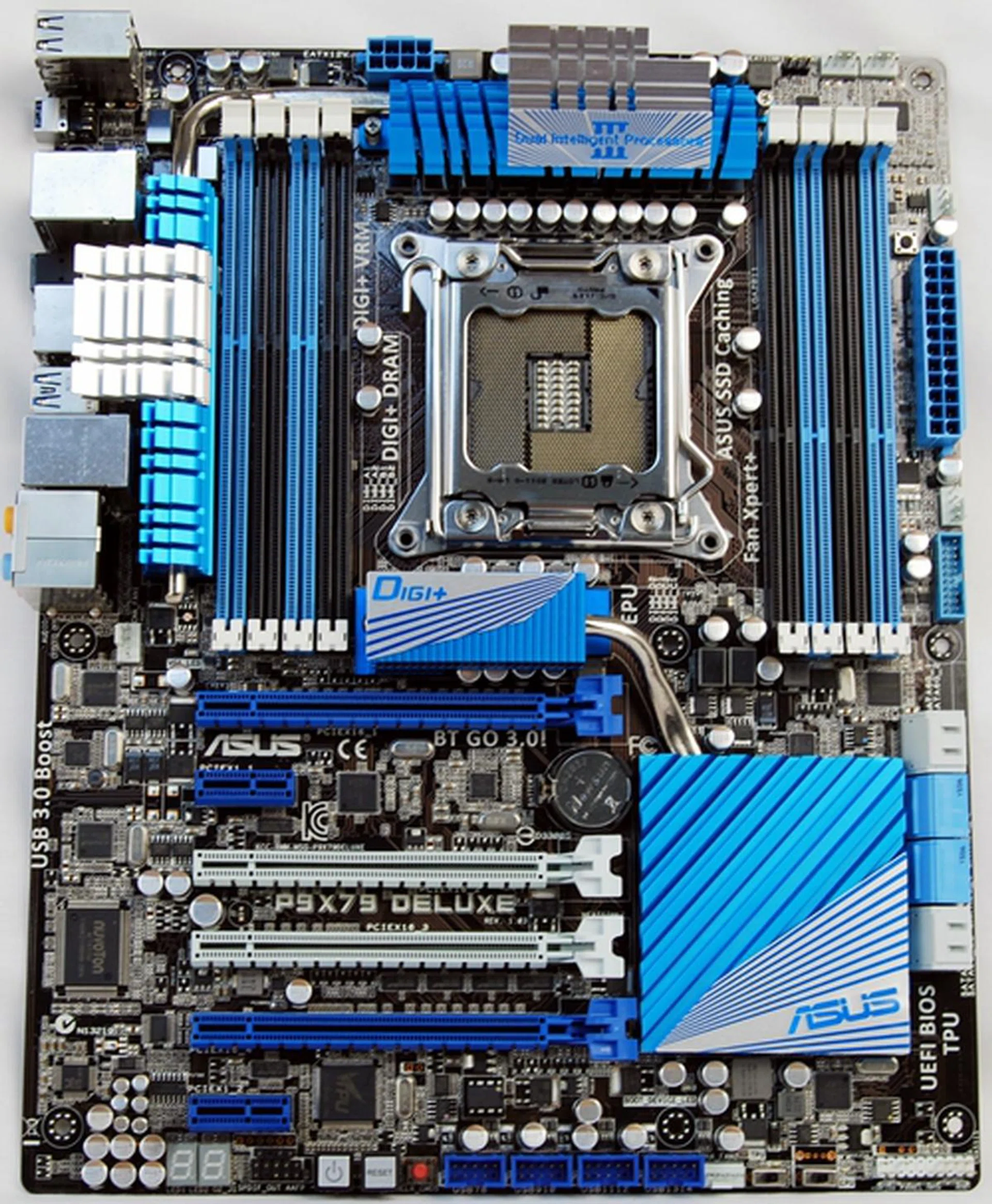
The crème de la crème of this series is the P79X79 Deluxe. It features the ubiquitous DIMM slots arrangement and the silver heatpipes for heat dissipation from the electrical components as well as the PCH. The rest of the board's features and layout are as typically expected in high-end boards.
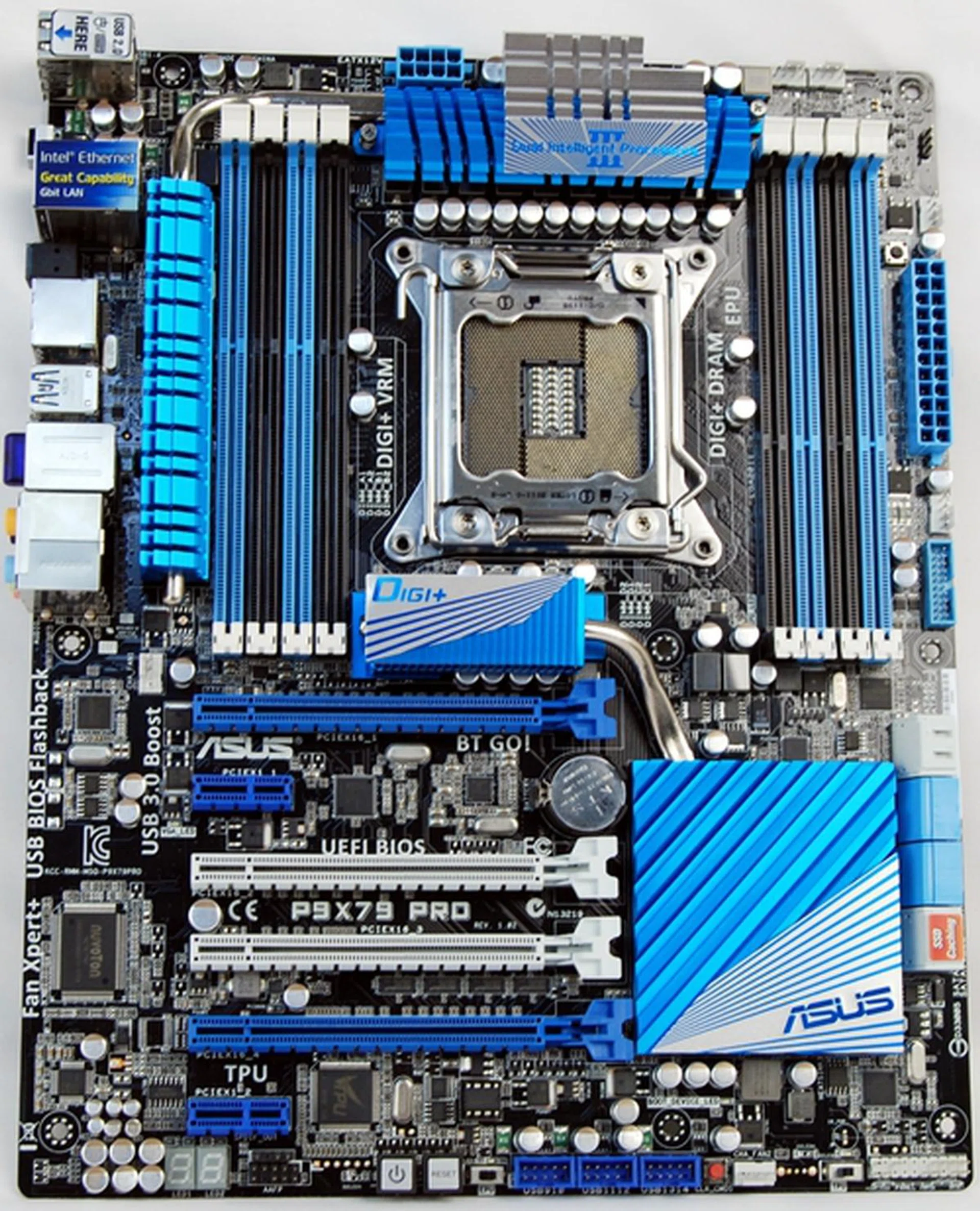
The P9X79 Pro is very similar to the Deluxe version with the exception of its Bluetooth support. Its on-board Buetooth module supports Bluetooth v2.1 + EDR while the Deluxe supports Bluetooth v3.0 + HS. ASUS tells us this board would be their main focus as it has the right balance of features without and overly bloated price. Take note of the lack of PCI slots though.
Good Things Come in Pairs
The boards feature Digi+ power controllers for both the CPU and DRAM. With separate power controllers, such a feature translates to better performance especially when overclocking the system. This feature is also applicable to the X79 ROG and TUF series covered earlier too.
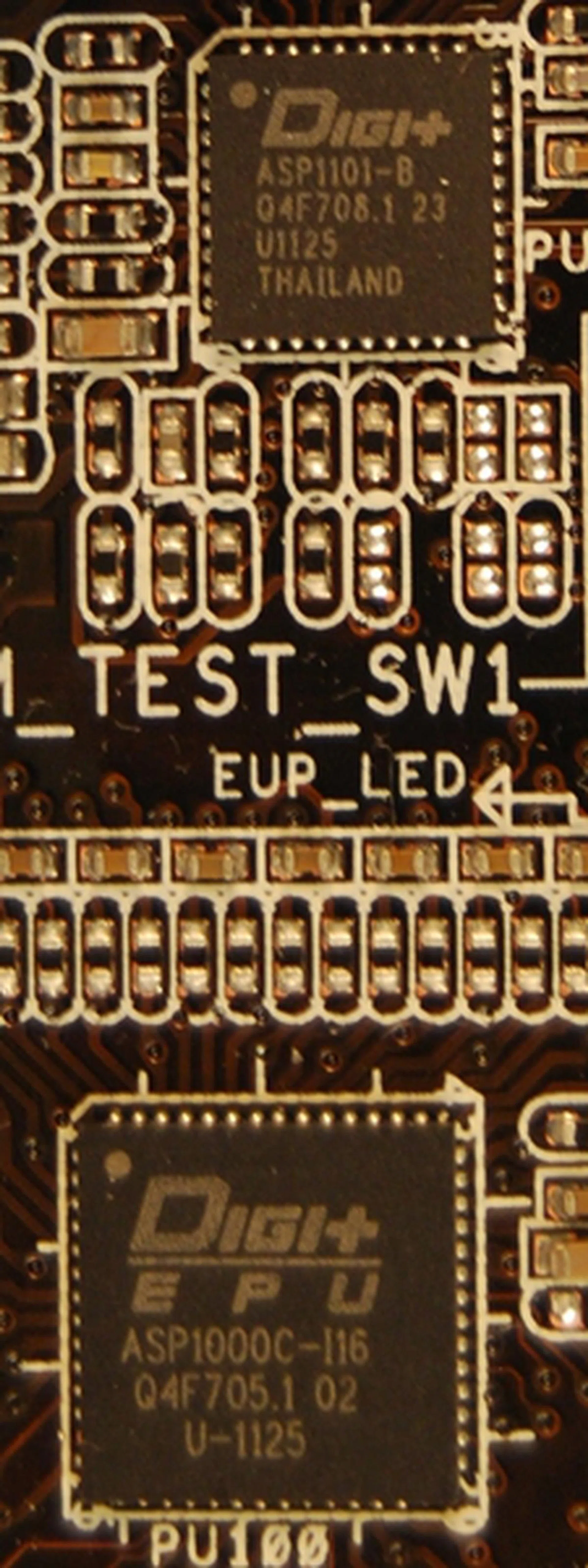
The Digi+ power controllers as featured on the Deluxe board; their country of origin is the Land of Smiles, Thailand.
Bluetooth v3.0 Module and its Wired Coupling
The Deluxe board comes with a Bluetooth v3.0 + HS module and this module has to be mounted and secured to the board manually. After securing it with a screw, attach the antenna connector of the Wi-Fi Moving Antenna to the connecting jack of the Bluetooth module. Push hard to hear a click as the full insertion of the antenna connector will require some pressure.
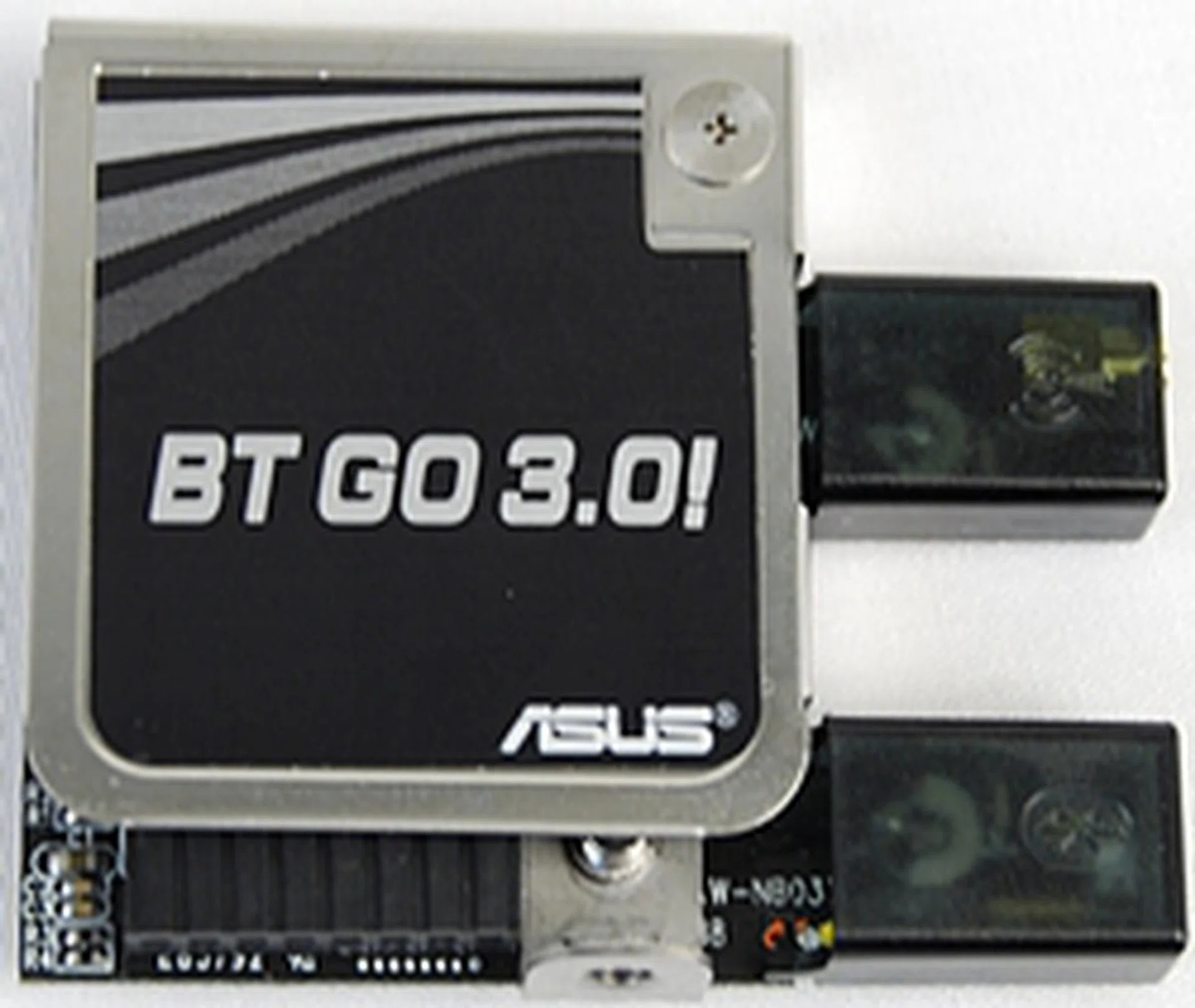
The Bluetooth v 3.0 module is provided by AzureWave (a subsidiary of ASUS too) and branded as BT Go 3.0! by ASUS. It promises to provide both Wi-Fi 802.11 b/g/n and Bluetooth connectivity to the system.
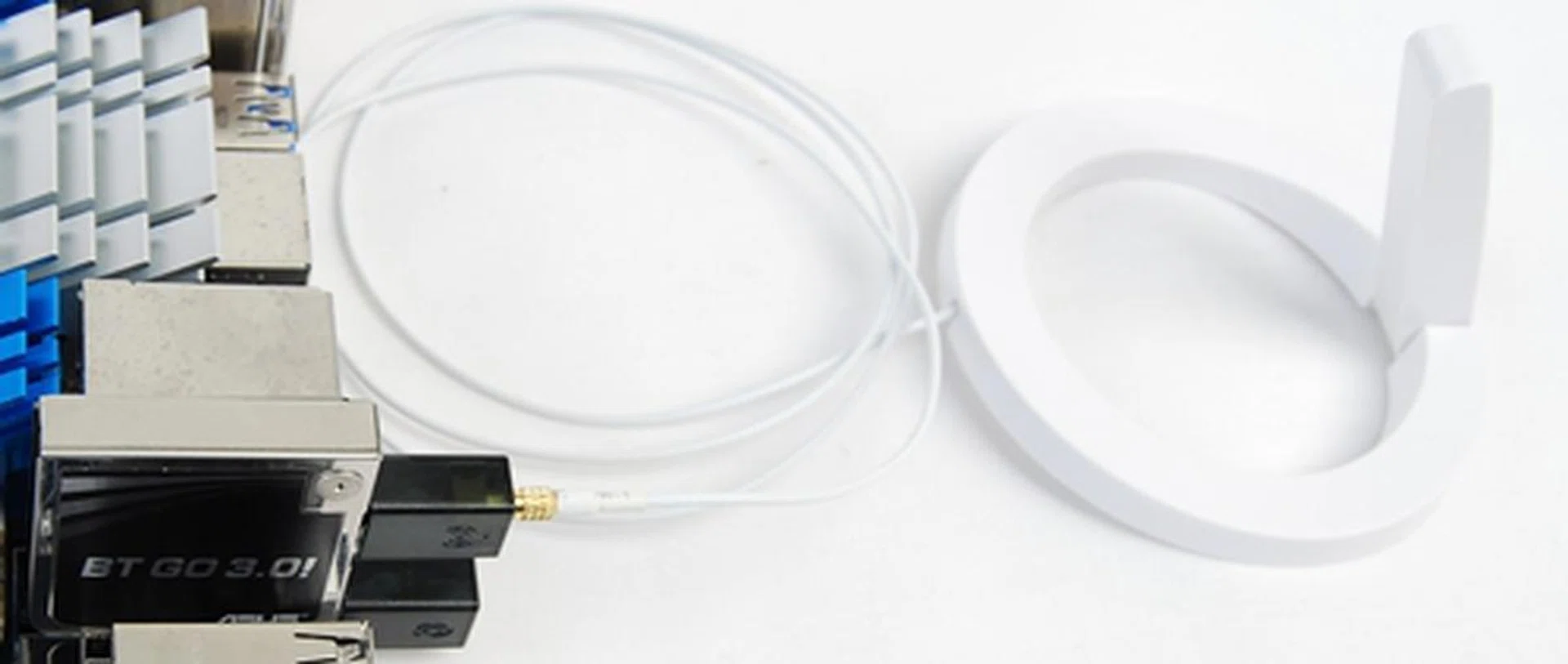
The Bluetooth v3.0 module with the Wi-Fi Ring Moving Antenna successfully connected.
Conclusion
The boards featured at the seminar were enough to whet our appetites as we wait in eager anticipation for the appropriate processors to test the boards. The market segmentation of these boards were clearly marked by ASUS, with the sweet cherry offering of the Extreme Ramage IV that is targeted at overclockers and extreme system tweakers. ASUS has done the ROG lineage proud by featuring the OC Key which by itself is a commendable piece of hardware innovation. The Rampage IV has overclocking and monitoring features that would likely leave its competitors in its wake.
The new TUF Sabertooth X79 offers reliability and stability as expected of this series and ASUS' confidence in delivering the board's promises is sealed by a 5-year hardware warranty. Its TUF Thermal Armor is designed to cool its key electrical components while they boost the military grade manufacturing specifications. Bringing up the rear are the boards from the P9X79 series, the boards may not share the features of the Rampage nor the Sabertooth, the P9X79 series stands its grounds with high performance with its ASUS SSD caching and Digi+ power controllers for stable overclocking for the rest of the mainstream enthusiasts.
These offerings shared at the seminar were indeed an attestation to the engineering spirit of ASUS. We awed at the ASUS Mars II and we are duly impressed with their new X79 motherboards too. Do watch this space as we await the arrival of the Sandy Bridge-E processors to complete these masterpieces.
Our articles may contain affiliate links. If you buy through these links, we may earn a small commission.