
All the Intel X299 boards announced so far: ASRock, ASUS, EVGA, Gigabyte, MSI
Now that Intel's X Core family has been revealed, we've rounded up all the X299 boards announced so far from the major brands to give you an overview of what’s available (in case you've got the upgrade itch).
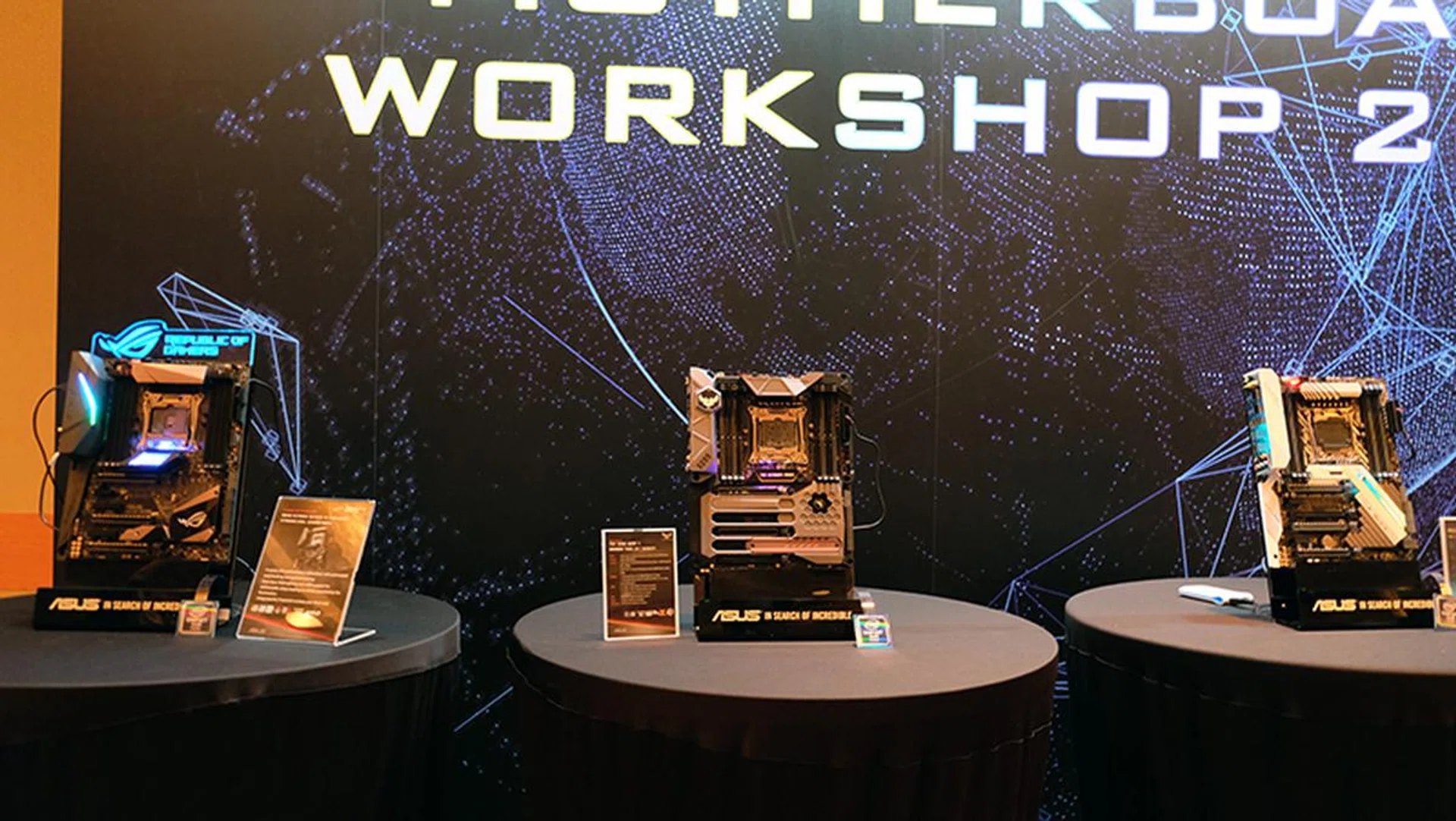
Plenty of Intel X299 boards were on display at Computex 2017.
Last week at Computex, we saw Intel release its new Core X family of processors and the new ultra-enthusiast X299 platform to go with it. Intel even came up with a new name for its ultra-high-end chips – Core i9 – which ranged from 12 all the way to an eye-watering 18 cores, a first for a consumer desktop chip.
Of course, while new CPUs are great, they don’t make for much to look at.
Instead, we found our attention more captivated by the X299 boards rolling out from brands like ASRock, ASUS, Gigabyte, and MSI, most of them sporting refreshed designs and new features intended to entice enthusiasts to upgrade from X99.
This is a welcome development – last year, board makers had to make do with releases of second-generation X99 boards for Broadwell-E, which didn’t quite bring anything new to the table.
Furthermore, Intel has taken a new tack this time around and released Kaby Lake-X Core i5 and Core i7 processors at the same price points as their mainstream counterparts. This means that X299 isn’t quite the extravagant proposition that X99 was, and there are now far more affordable CPUs available for consumers.
If you were considering a Z270 board with a Core i7-7700K (4.2GHz, 6MB L3 cache), getting an X299 board with a Core i7-7740X (4.3GHz, 8MB L3 cache) might not stretch your budget by that much more now.
Furthermore, some of the new X299 boards could even be considered as “entry-level” models, the better to go with the US$242 Core i5-7640X (4.0GHz, 6MB L3 cache).
Having said that, we’ve rounded up all the X299 boards announced so far from the major brands to give you an overview of what’s available.
ASUS
On ASUS’ end, the Taiwanese company trotted out seven new motherboards, comprising models from its ROG, Prime, and TUF series. They are as follow:
- ASUS Prime X299-Deluxe
- ASUS Prime X299-A
- ASUS TUF X299 Mark 1
- ASUS TUF X299 Mark 2
- ASUS ROG Strix X299-E
- ASUS ROG Rampage VI Apex
- ASUS ROG Rampage VI Extreme
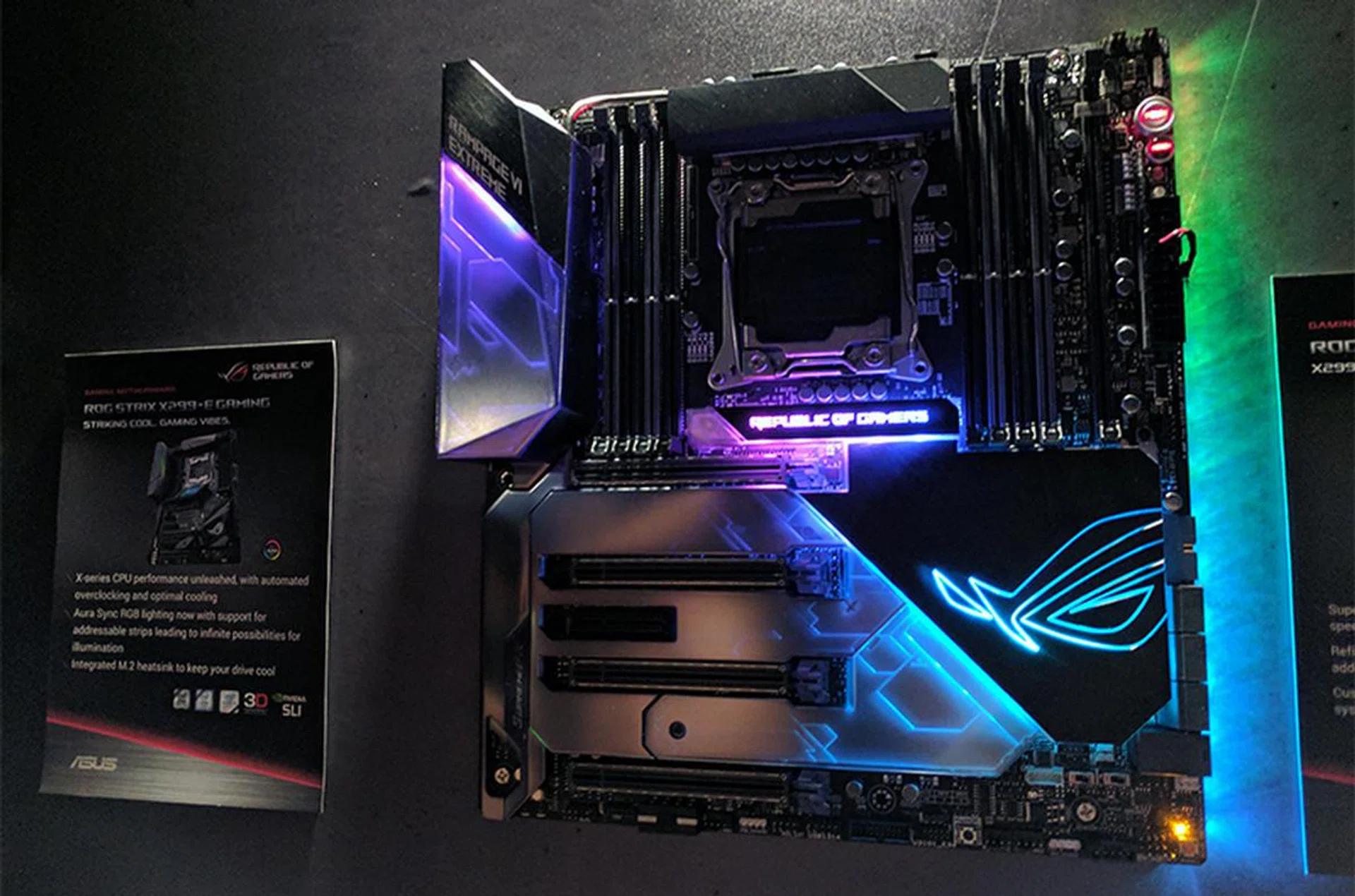
ASUS ROG Rampage VI Extreme.
The ROG Rampage VI Extreme sits at the top of the new X299 family. Designed expressly with custom liquid-cooling in mind, it has the usual plethora of fan and pump headers, including dual flow headers to monitor the flow of coolant in your loop.
It also supports the latest 802.11ad wireless standard (the only ROG board to do so), and is equipped with an onboard 10G chip for the fastest connections.
In addition, you can install up to three M.2 SSDs, and there is a U.2 connector for enterprise-grade PCIe SSDs as well. One interesting addition is something ASUS calls DIMM.2, and two of the M.2 sockets are actually mounted on a separate daughterboard that fits into an extra slot adjacent to the real DIMM slots.
This is a modified DDR4 slot that is wired directly to the PCH, and it will not support any memory modules.
ASUS actually went with this approach to solve the problem of M.2 throttling, and this allows you to cool the SSDs with a memory cooler or a separate fan installed on the bundled fan mount.
Another standout feature is the LiveDash OLED screen on the I/O cover. It can appear slightly gimmicky, but it will display useful information like system temperature, CPU frequency, and fan speeds. If you’re feeling whimsical, you can even set it to display an animated logo or figure, for instance that of a cute dinosaur, and ASUS says its working on allowing you to add custom animations.
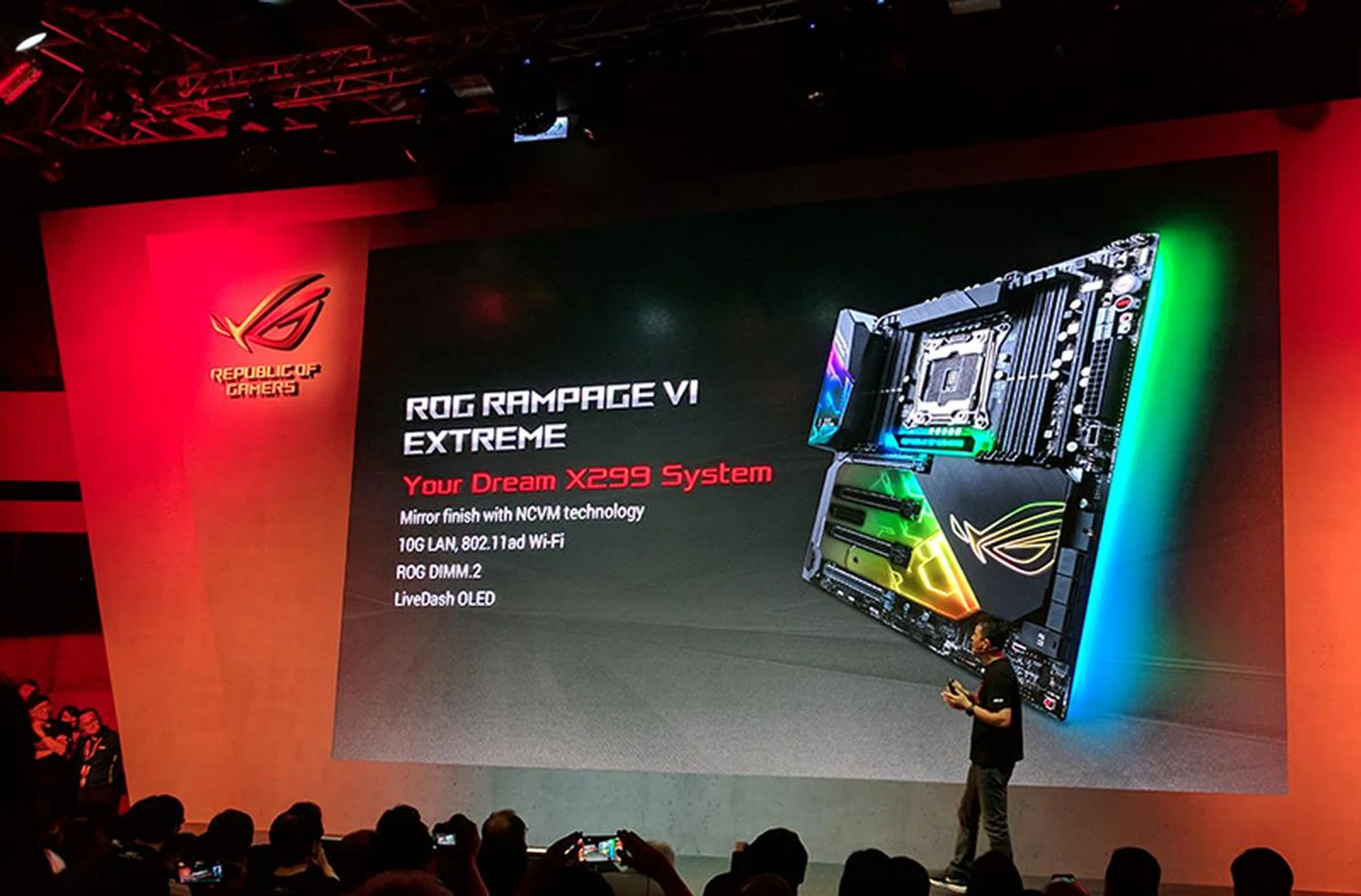
The Rampage VI Extreme is ASUS' flagship Intel X299 motherboard.
As the flagship ROG product, it’s also no surprise that the Rampage VI Extreme has been dressed to look the part. However, instead of having LEDs peek out from under the PCIe slots and other components, ASUS has somehow integrated the lighting into I/O cover and the PCB shielding.
The result is quite impressive – when the board is powered off, those components look like solid, opaque pieces. But when it’s powered up, it comes to life, with a striking underglow emanating from the I/O cover, the area around the PCIe slots, and even the underside of the board.
And should you still find your rig too plain, the Rampage VI Extreme comes with three RGB headers – two standard 4-pin ones and a 3-pin addressable header. The latter allows each LED on the strip to be customized independently of the others, thus giving you greater control.
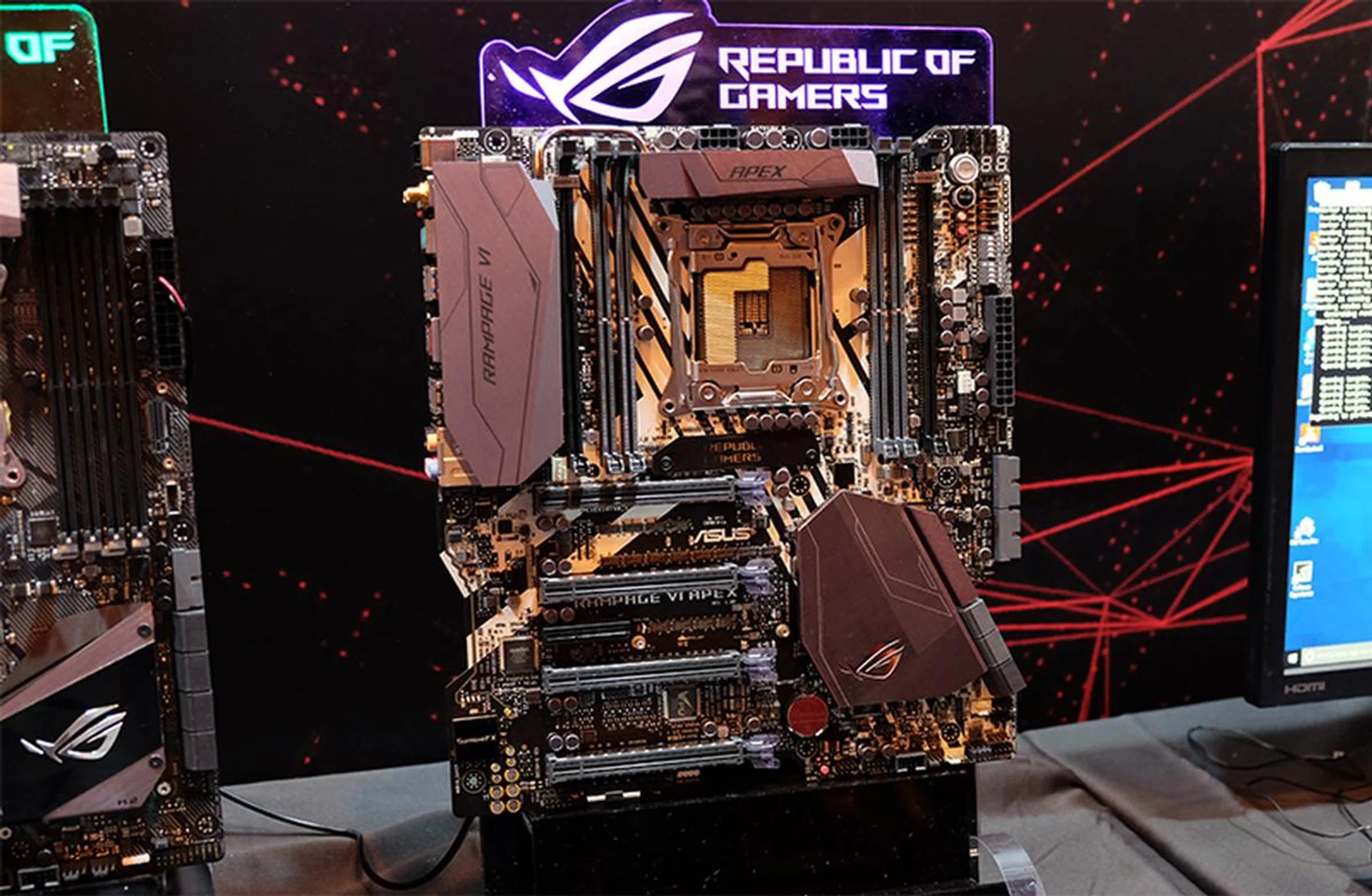
ASUS ROG Rampage VI Apex.
ASUS also announced two other ROG motherboards, the Rampage VI Apex and Strix X299-E. While the Rampage VI Extreme is targeted at enthusiasts who want the most feature-rich board they can get, these two boards take a more focused approach.
The Rampage VI Apex is targeted at overclockers, and we don’t just mean tweaking your CPU multiplier while on air cooling. Instead, ASUS says it is a good fit for LN2 overclocking, and even rarer methods like liquid helium.
This board is a slightly quirky one, and is quite rough around the edges (we mean this literally). For starters, the left and right edges sport jagged cutouts, and the SATA ports on the right are actually angled upward for easier cable routing.
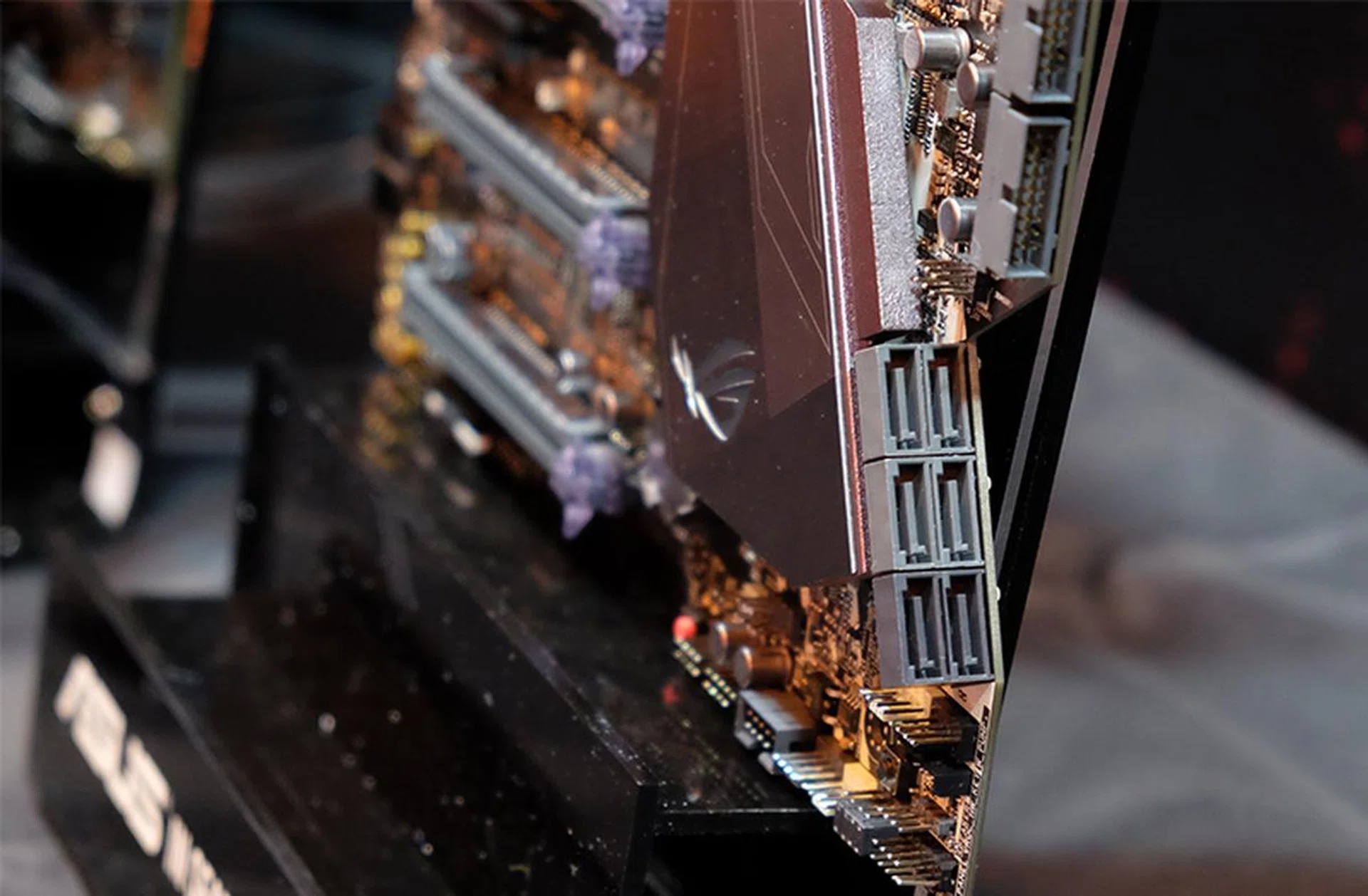
The cutouts at the side mean that the SATA ports are angled upwards.
In addition, it features just four memory slots, as that supposedly allows for shorter and more optimized trace routing that improves memory stability at high overclocks. The four DIMM slots are then flanked by two DIMM.2 slots that will take a total of four M.2 SSDs.
On the other hand, the Strix X299-E serves as a more affordable way into the X299-based ROG series. This is also the only ATX board here, and the other two are larger E-ATX models.
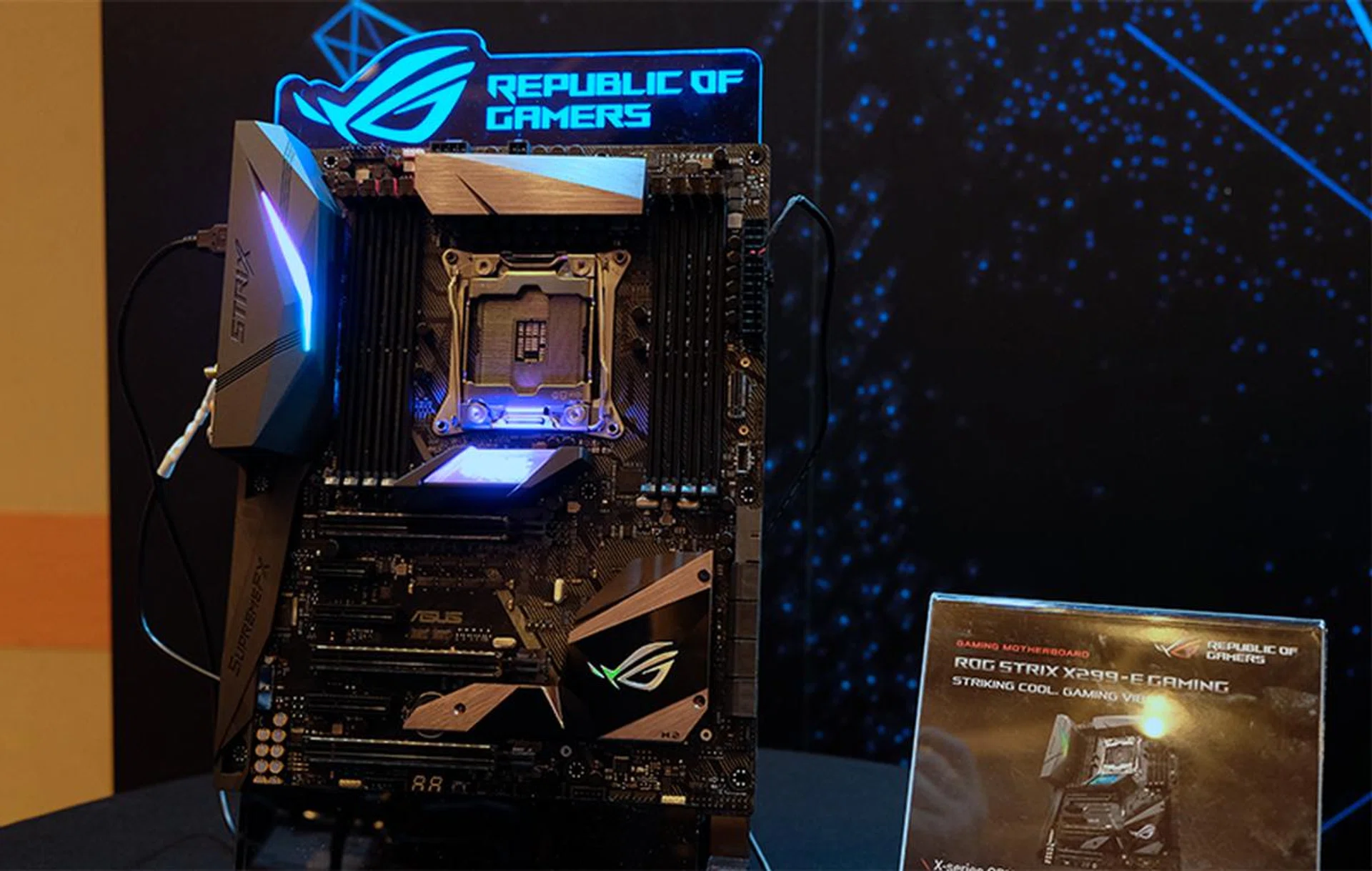
ASUS ROG Strix X299-E.
That said, there are still plenty of storage and connectivity options, such as dual M.2 slots, although one of them requires the drive to stick out straight from the board, which is a slightly awkward proposition. Of course, you could also just stick to the 8 SATA 6Gbps ports the board has.
There are also two onboard RGB headers, one of which is an addressable header like the one on the Rampage VI Extreme.
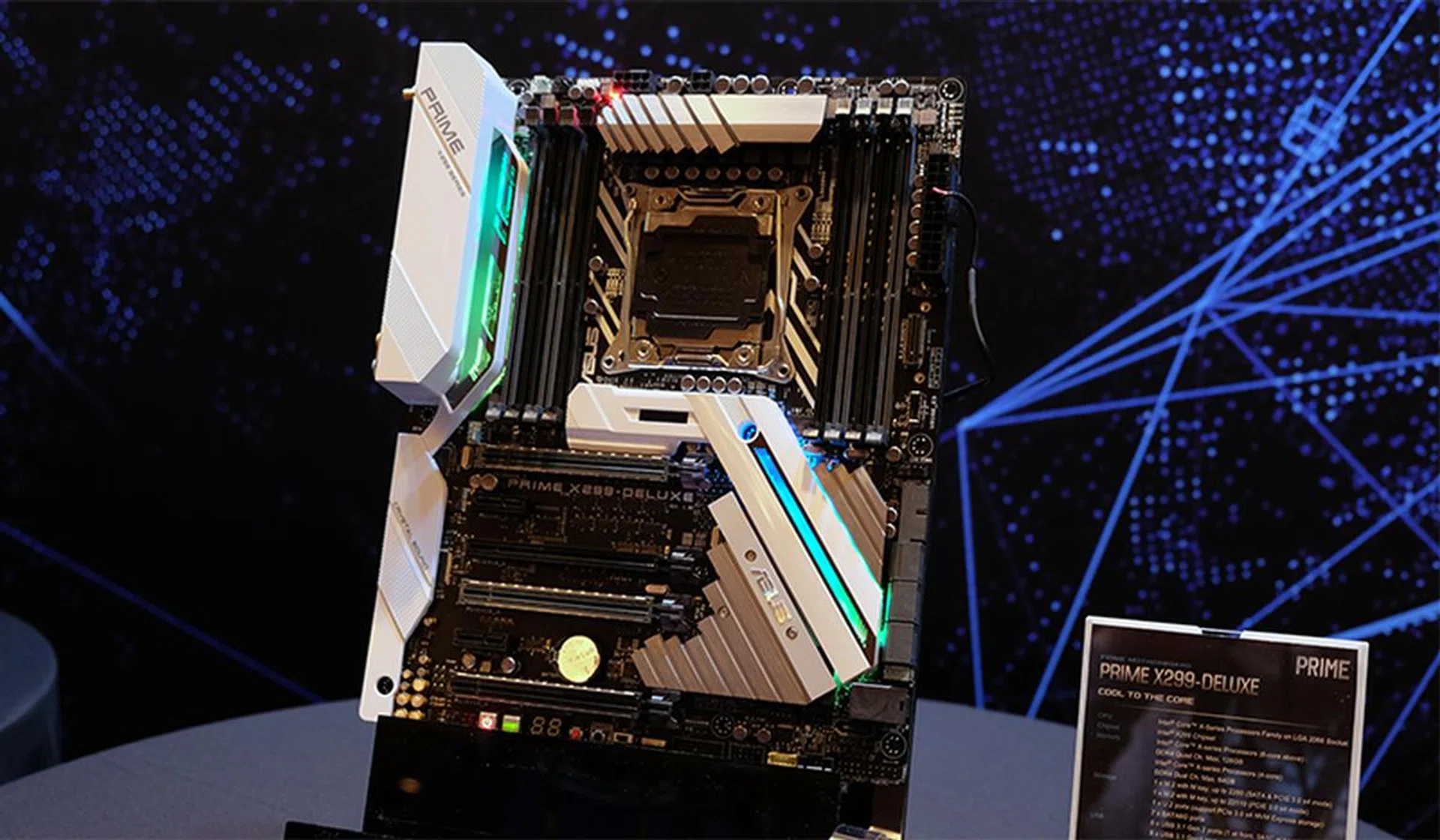
ASUS Prime X299-Deluxe.
Finally, the Prime and TUF boards share certain features with their ROG counterparts. For instance, the Prime X299-Deluxe comes with 802.11ad wireless, an addressable RGB header, and a LiveDash OLED screen.
The TUF X299 Mark I is the higher-end of the two TUF boards, and it features the series' signature look with protective shielding all around the PCIe slots. There's even a 40mm fan built into the PCH heatsink to keep the M.2 SSDs cool, similar to what EVGA did on the X299 Dark.
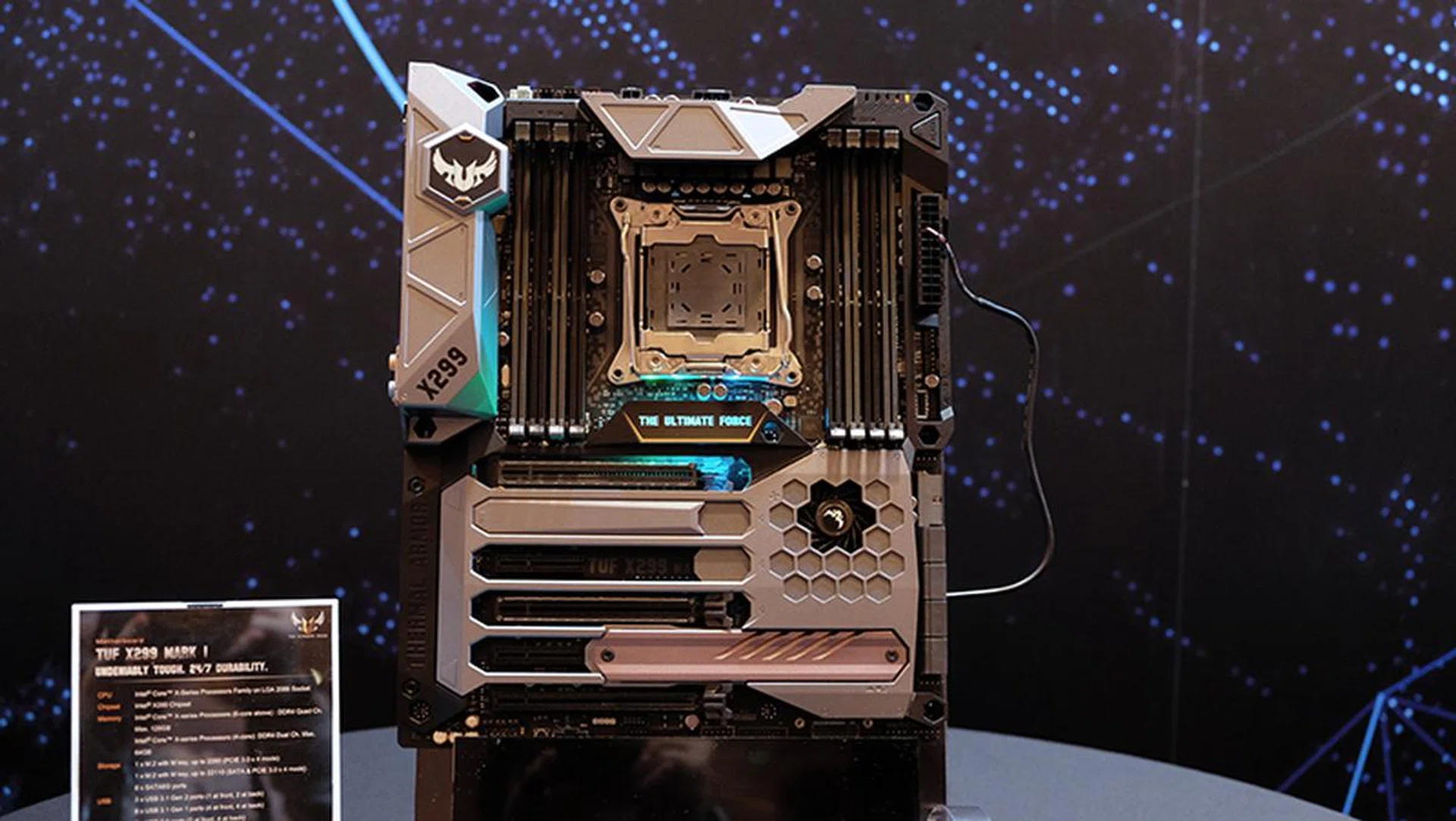
ASUS TUF X299 Mark 1.
All the Prime and TUF boards also support Intel VROC (virtual RAID on chip) technology, as on the ROG motherboards. In a nutshell, VROC lets you set up bootable M.2 NVMe RAID arrays from the CPU PCIe lanes, theoretically eliminating the bottleneck of data passing through the chipset. The X299 chipset actually supports up to 20 drives in a bootable RAID partition with a Skylake-X CPU, and ASUS' own Hyper M.2 PCIe card will let you install up to four M.2 NVMe PCIe SSDs on a single x16 card, so you can technically continue adding drives in this manner as long as you have an available PCIe x16 slot.
However, this will only work with Intel SSDs (third-party drives will work in RAID, but not as a bootable partition), so it has quite limited applicability. You will also need to purchase a hardware key that plugs into a dedicated header on the board to use RAID 1 and 5 configurations (only RAID 0 is available by default).
ASRock
ASRock has come with a total of six X299 motherboards, some of which should appear quite familiar to those who follow the company’s products. These include boards targeted at gamers and overclockers, with a mini-ITX model thrown into the mix as well:
- ASRock X299E-ITX/AC
- ASRock X299 Taichi
- ASRock X299 Killer SLI/AC
- ASRock X299 OC Formula
- ASRock Fatal1ty X299 Gaming K6
- ASRock Fatal1ty X299 Professional Gaming i9
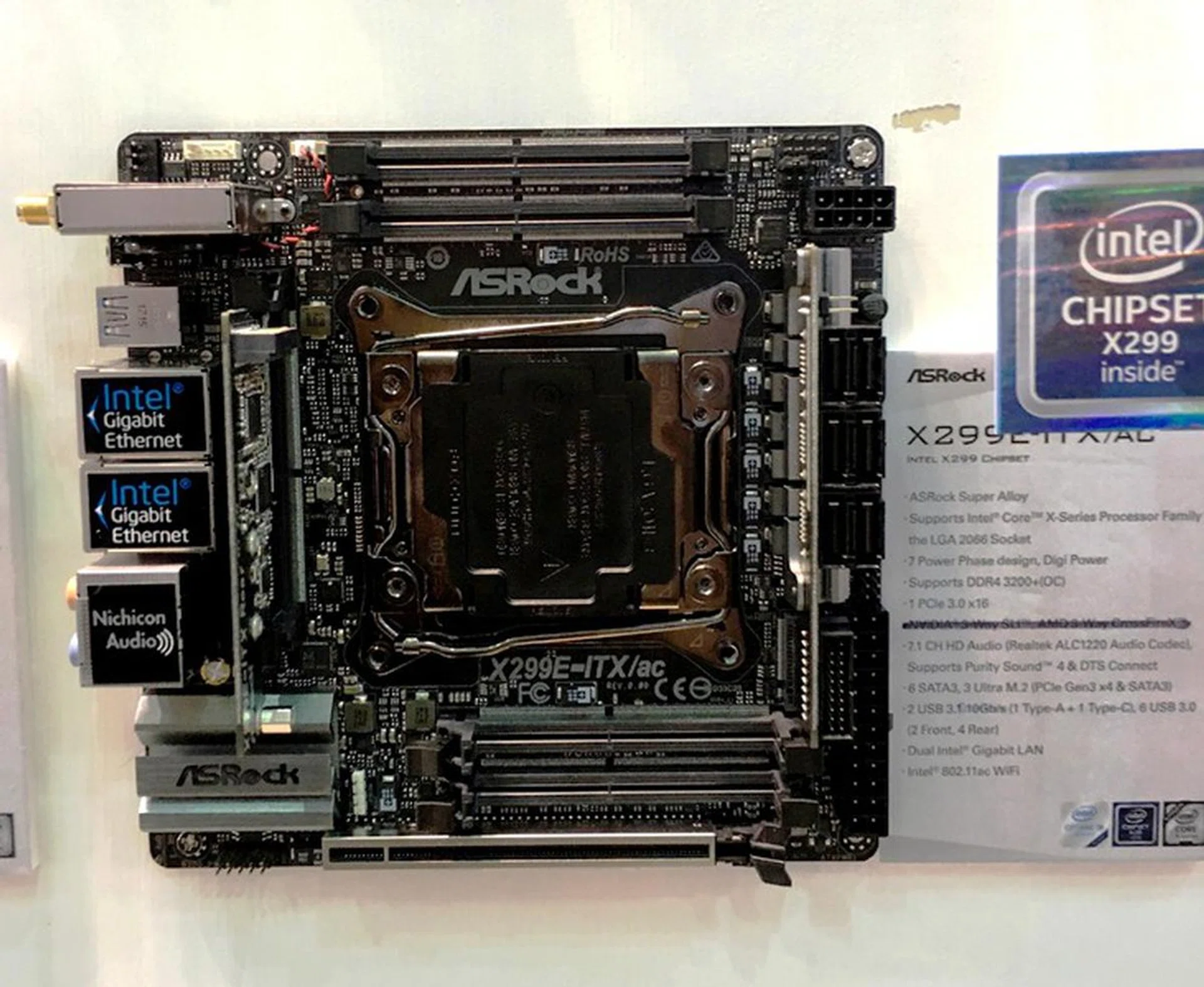
ASRock X299E-ITX/AC.
At the time of writing, ASRock is the only brand to announce a mini-ITX X299 motherboard, and it’s actually a fairly impressive offering. The less-than creative name aside, the X299E-ITX/AC has managed to fit in four SO-DIMM slots for full support for quad-channel DDR4 memory, while previous ASRock motherboards for Intel’s enthusiast chips required doing away with two memory channels.
Of course, you get just one PCIe 3.0 x16 slot, but there are three M.2 sockets on board and six SATA 6Gbps ports, which is no worse than you would get on a regular ATX-sized motherboard.
For connectivity, the board comes with a 2x2 802.11ac Wi-Fi and Bluetooth 4.2 module, two Intel Gigabit Ethernet ports, two USB 3.1 (Gen 2) Type-A and Type-C ports and six USB 3.1 (Gen 1) ports, which isn’t too shabby at all.
On the audio front, it offers a 7.1-channel audio system powered by a Realtek ALC1220 controller.
The other standout offering is the Fatal1ty X299 Professional Gaming i9, ASRock’s flagship X299 motherboard. All the stops have been pulled out here, and the board is targeted at those looking at the higher-end Skylake-X chips, extreme multi-GPU configurations, and multiple storage drives.
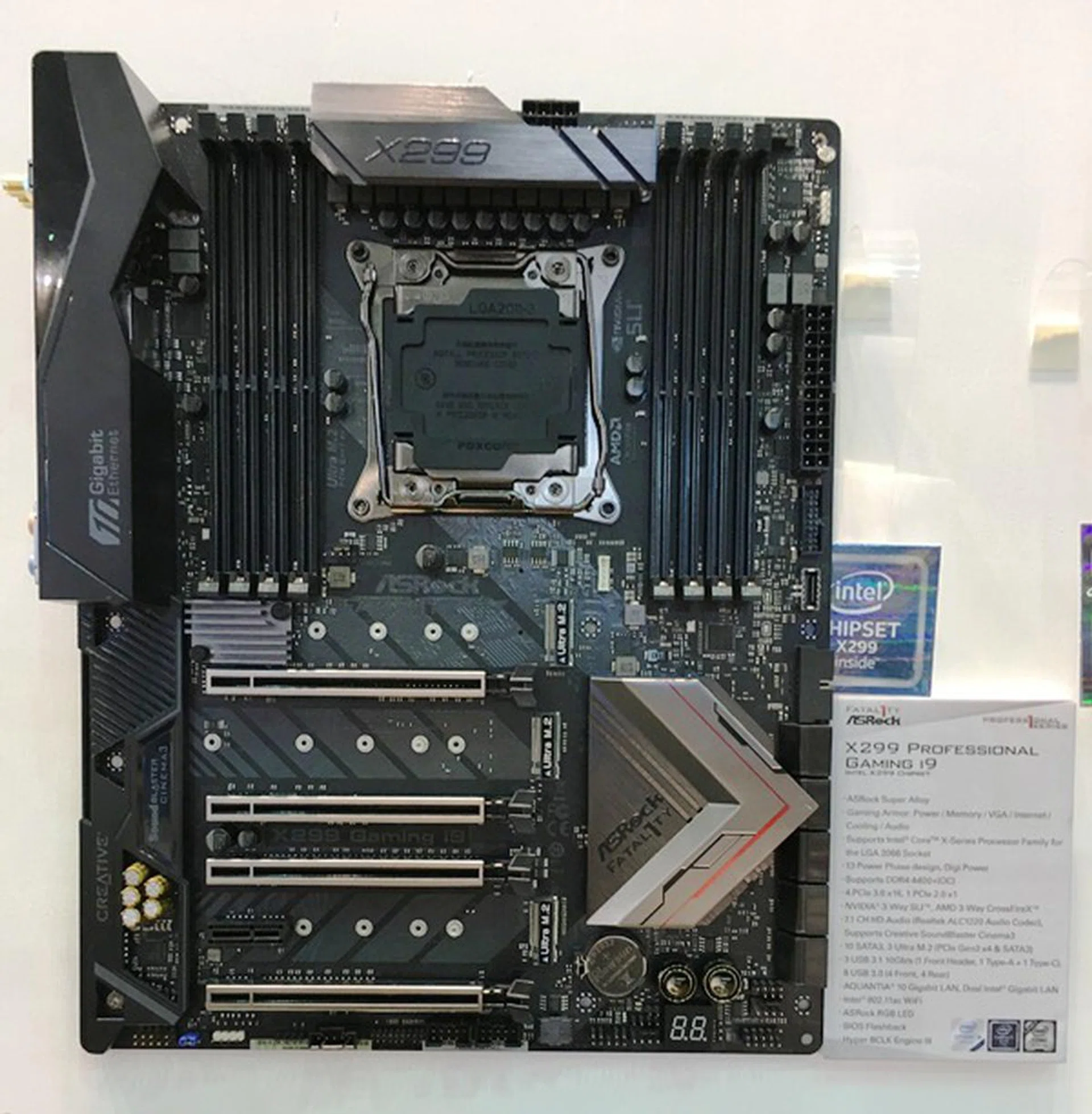
ASRock Fatal1ty Professional Gaming i9.
It comes with a 13-phase digital VRM that uses so-called high-endurance coils and solid state capacitors for higher overclocking headroom, and ASRock claims this PWM can take up to 720A and deliver 1,300 watts of power, far more than any CPU can draw.
There are a total of four PCIe 3.0 x16 slots, and it will support up to 3-way CrossFire or SLI. Storage options are similarly comprehensive, with three M.2 sockets and 10 SATA 6Gbps connectors. There’s no U.2 connector here, and we’re actually sort of relieved that ASRock hasn’t included a port that will likely never be used.
And like the Z270 SuperCarrier, the X299 Professional Gaming i9 also comes with support for 10G Ethernet, thanks to the Aquantia AQtion AQN-107 Ethernet controller. Other than that, there are two additional Intel Gigabit Ethernet ports and a 2x2 802.11ac Wi-Fi and Bluetooth 4.2 module.
USB 3.1 (Gen 2) connectivity is provided by the newer ASMedia ASM3142 controller that offers a PCIe 3.0 x2 connection instead of the single lane offered by the older ASM1142 controller. This means higher bandwidth, on top of the plethora of USB ports on the rear I/O.
To cap things off, there’s even an internal USB 3.1 (Gen 2) header that can deliver 36 watts of power to a USB-C port on your PC’s front I/O.
The Fatal1ty X299 Professional Gaming i9 will reportedly be available in the coming months for roughly US$350.
However, if you don’t require things like the 10Gbps Ethernet, 36 watt power delivery for a front USB-C port, and other small luxuries, the X299 Taichi actually offers a very similar feature set, and will retail for around US$300.
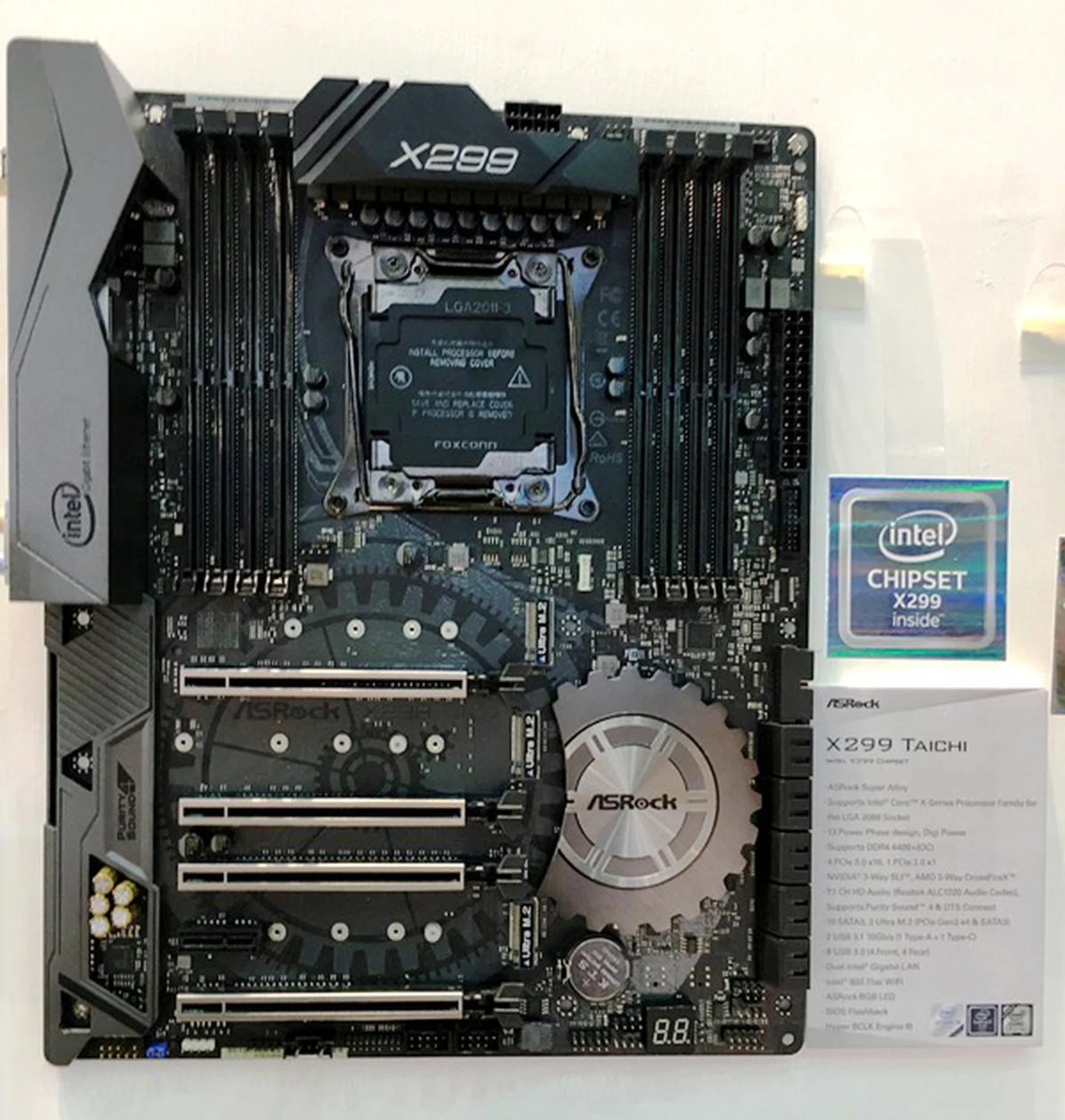
ASRock X299 Taichi.
EVGA
EVGA boards are generally much harder to find in local stores, but we thought we’d cover them anyway, seeing as how some of them do look quite interesting.
The US company’s line-up so far is a lot leaner than some of its competitors, comprising just three boards:
- EVGA X299 Micro
- EVGA X299 FTW K
- EVGA X299 Dark
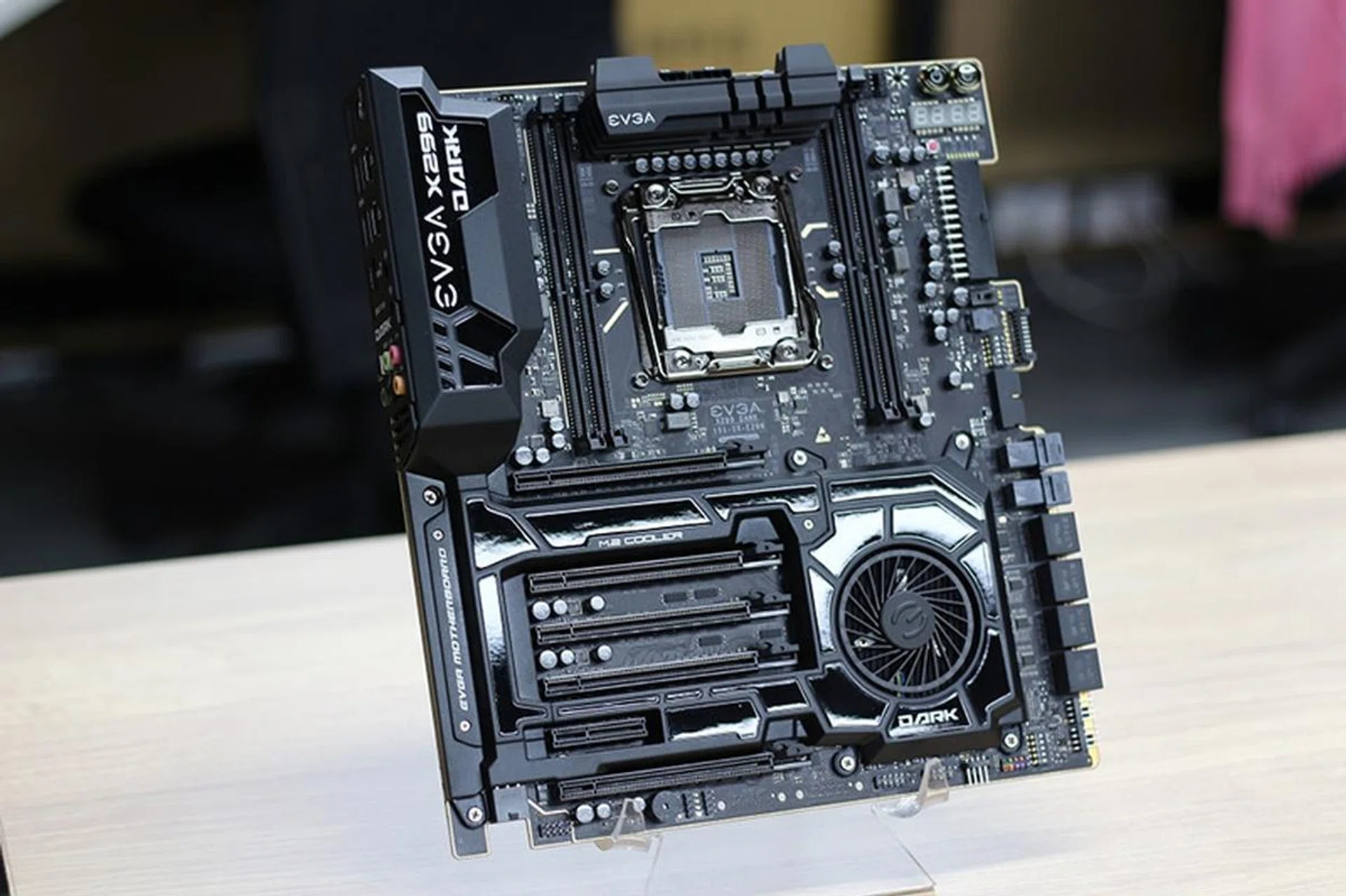
EVGA X299 Dark. (Image Source: Vonguru)
The X299 Dark is EVGA’s top motherboard, and it comes with a bunch of features designed to maximize your overclocking potential. For instance, it comes with just four DIMM slots, instead of the usual eight. This is similar to what ASUS did with its ROG Rampage VI Apex board, and the shorter and more optimized traced routing supposedly helps improve memory stability at higher overclocks.
In addition, it boasts a 14-phase digital VRM and a 12-layer PCB design, and draws power from two 8-pin EPS connectors. The board even comes with triple BIOS support, which is something you don’t see every day.
To cap things off, there is also an onboard voltage display to help with voltage monitoring when overclocking.
Another striking feature is the fan built into the PCH heatsink. It pulls air into a chamber that is linked to the M.2 SSDs, a rather interesting solution to the problem of keeping these tiny drives cool. Most of the solutions we’ve seen so far involve passive cooling, although ASUS does give you the option with its DIMM.2 modules that you can mount fans on.
Expansion options are aplenty, to the tune of four PCIe 3.0 x16 slots for four-way CrossFire or SLI, eight SATA 6Gbps, two M.2 Key M sockets (there is a third Key E socket for things like Wi-Fi cards), and two U.2 ports.
The X299 FTW K sits below the Dark motherboard, and also uses the E-ATX form factor. It shares a lot in common with EVGA’s flagship, such as the pair of 8-pin EPS headers, the same 14-phase digital VRM, and a similar selection of storage expansion options.
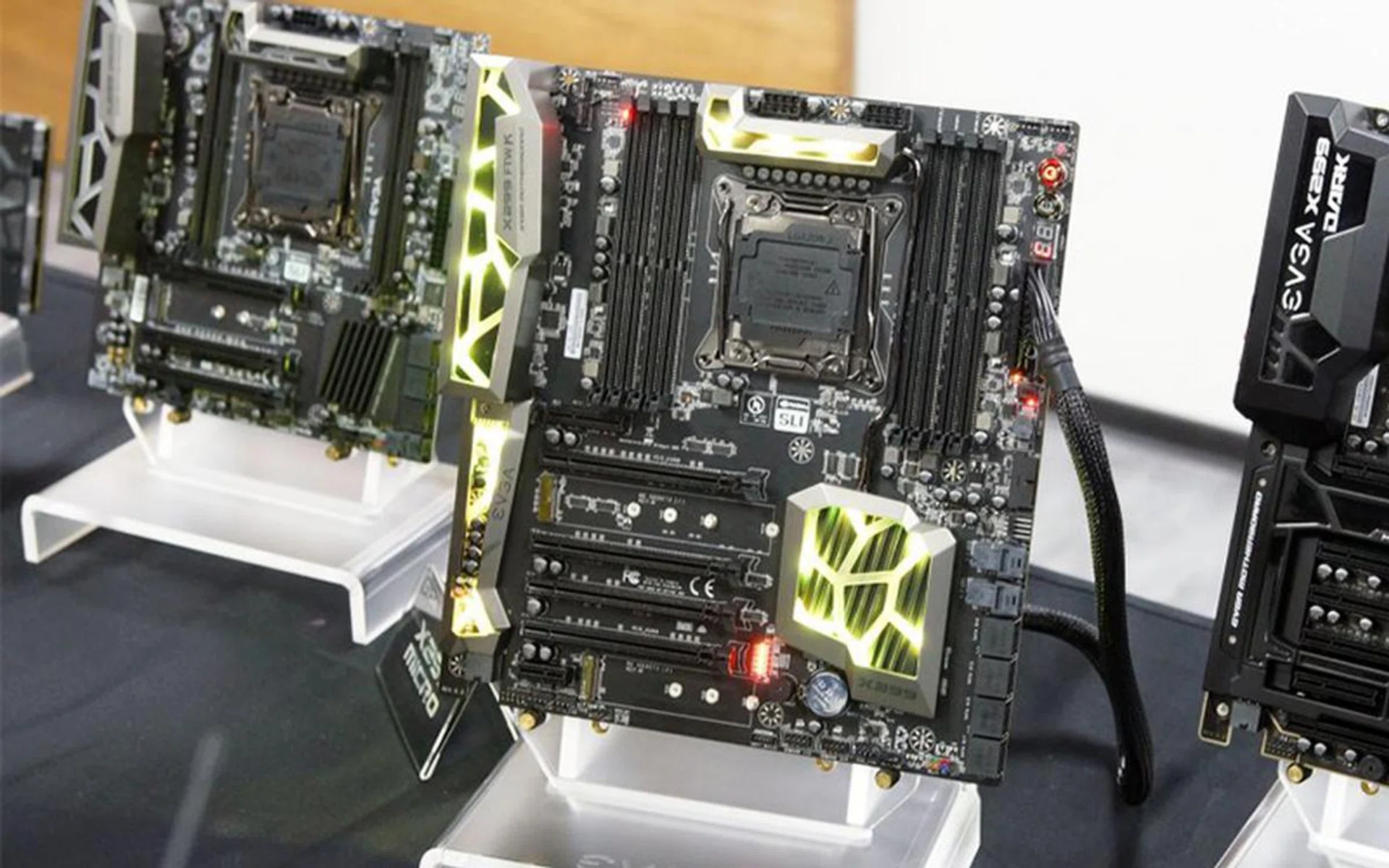
EVGA X299 FTW K. (Image Source: Gamers Nexus)
However, it lacks things like the active M.2 cooling fan and only supports up to three-way CrossFire or SLI. That said, it adds RGB lighting on the VRM and PCH heatsinks, I/O cover, and audio shielding, where the LEDs are laid out in quite a distinctive web-like pattern.
It also features the full eight DIMM slots, so there’s a shift away from a purely overclocking-oriented focus.
Finally, the micro-ATX X299 Micro offers a more stripped-down design, with just four DIMM slots and support for 2-way graphics configurations. However, it does come with onboard Wi-Fi, the only EVGA X299 board to do so.
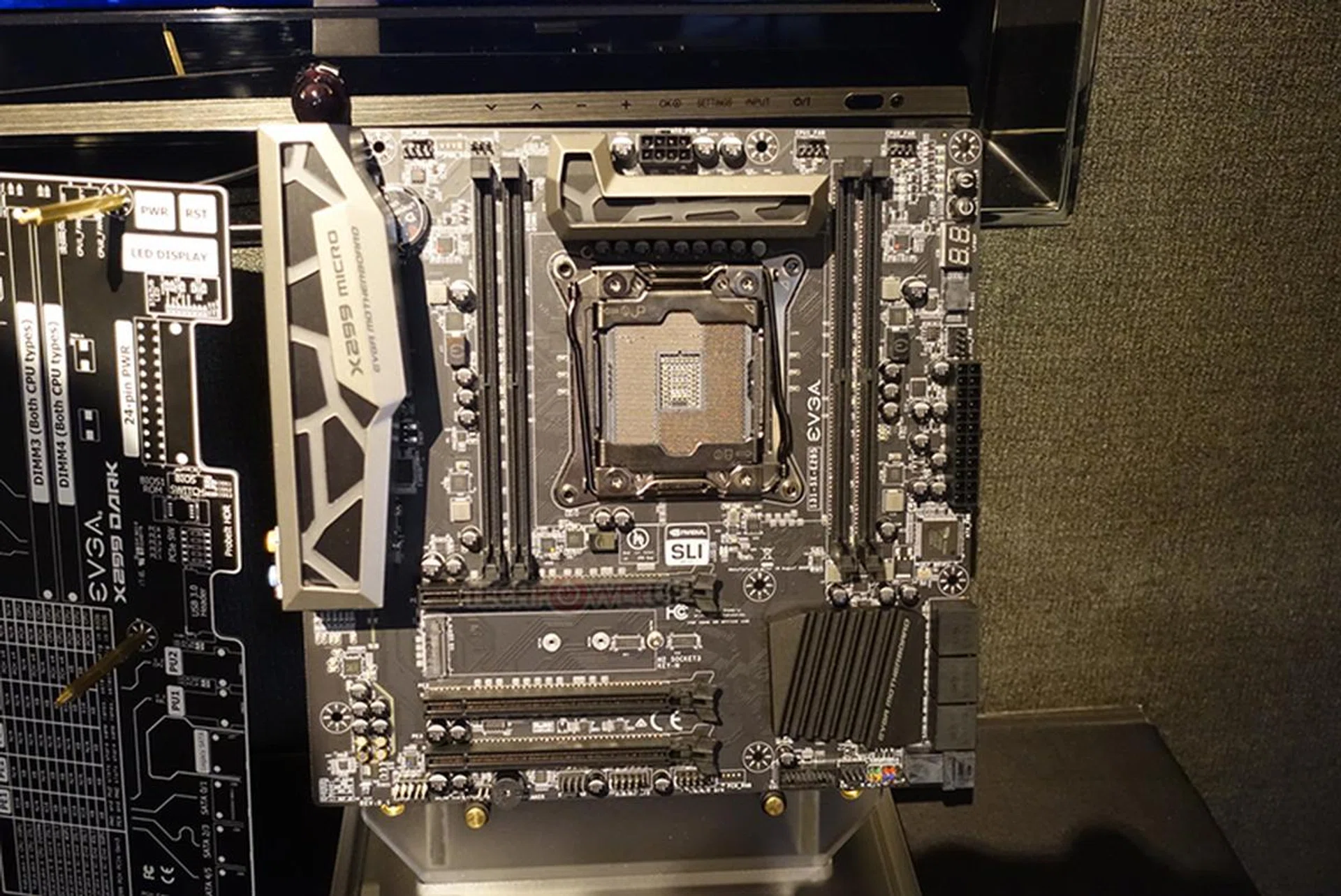
EVGA X299 Micro. (Image Source: TechPowerUp)
Gigabyte
Gigabyte has readied six X299 motherboards, and RGB lighting is present on a lot of them in a big way. We’ve listed the boards as below:
- Gigabyte GA-C422-WS
- Gigabyte X299 UD4
- Gigabyte X299 Aorus Gaming 3
- Gigabyte Aorus Gaming 7
- Gigabyte Aorus Gaming 9
- Gigabyte X299 Aorus Ultra Gaming
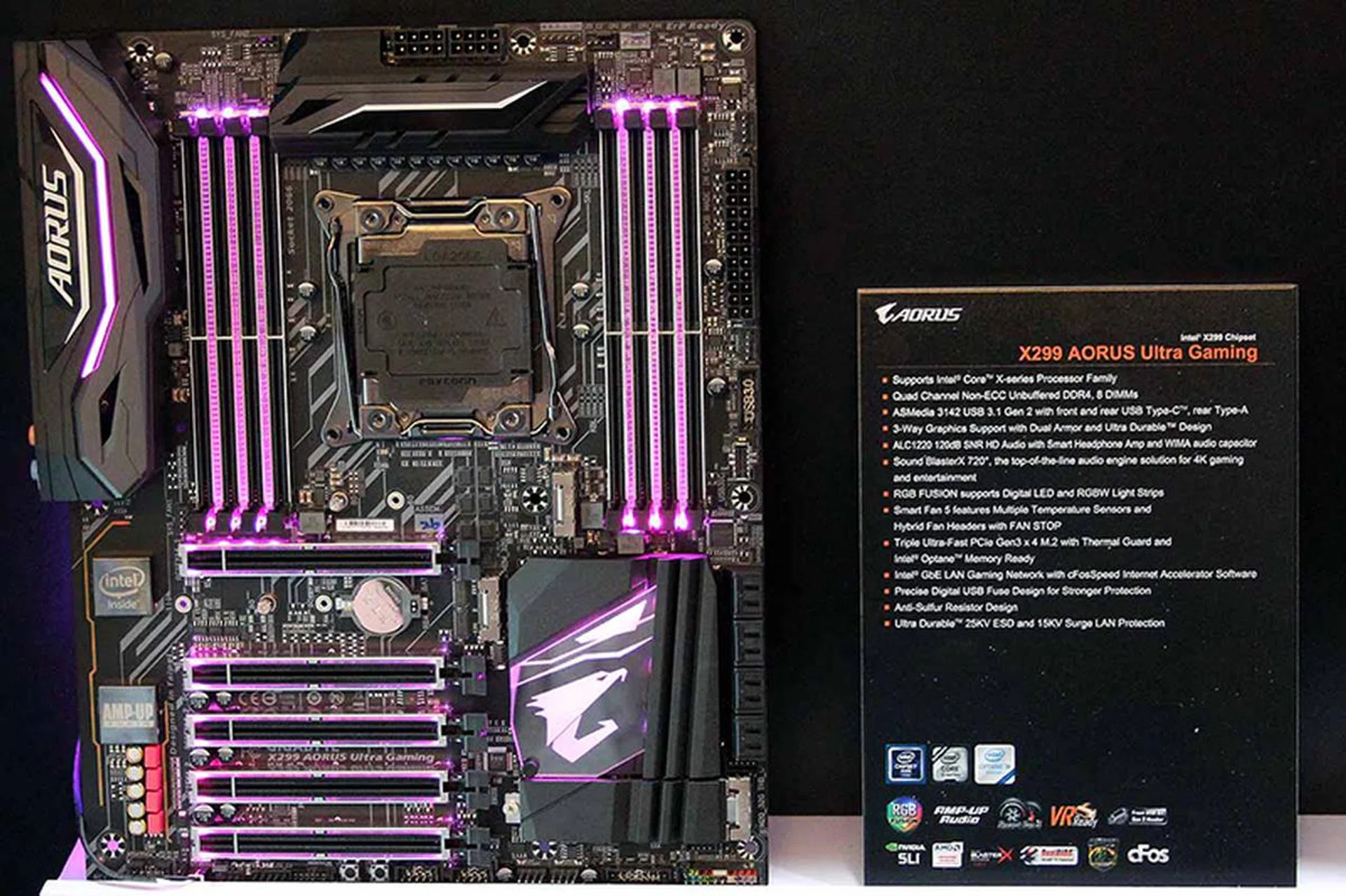
Gigabyte X299 Aorus Ultra Gaming. (Image Source: Tom's Hardware)
The X299 Aorus Ultra Gaming sits at the top of the line-up, and it features five PCIe 3.0 slots, comprising two x16 slots, one x8 slot, and two x4 slots for support up to 3-way CrossFire or SLI. Storage expansion options include three PCIe 3.0 x4 M.2 sockets and eight SATA 6Gbps ports, and while it doesn’t look like there’s a U.2 port here, most folks probably won’t miss it at all.
One of the M.2 sockets even comes with a shroud that blends in with the design of the PCH heatsink.
The board is also equipped with ASMedia’s latest ASM3142 controller that provides USB 3.1 (Gen 2) connectivity for the USB-C ports on the front and back and an additional USB Type-A port on the rear I/O.
On the networking front, it comes with a dual Gigabit LAN ports, one powered by an Intel controller and the other by a Killer E2500 chip, and Killer Wireless-AC 1535 Wi-Fi.
Finally, there are LEDs built into the I/O cover, PCH heatsink, and all the PCIe and DIMM slots, which you can control using Gigabyte’s RGB Fusion software.
The X299 Aorus Gaming 9 is very similar to the Ultra Gaming, with the same PCIe and storage expansion options, an ASMedia ASM3142 controller, and the Sound BlasterX 720 audio engine.
It can also provide a U.2 port should you really need one via an M.2 adapter, but this sacrifices one M.2 socket.
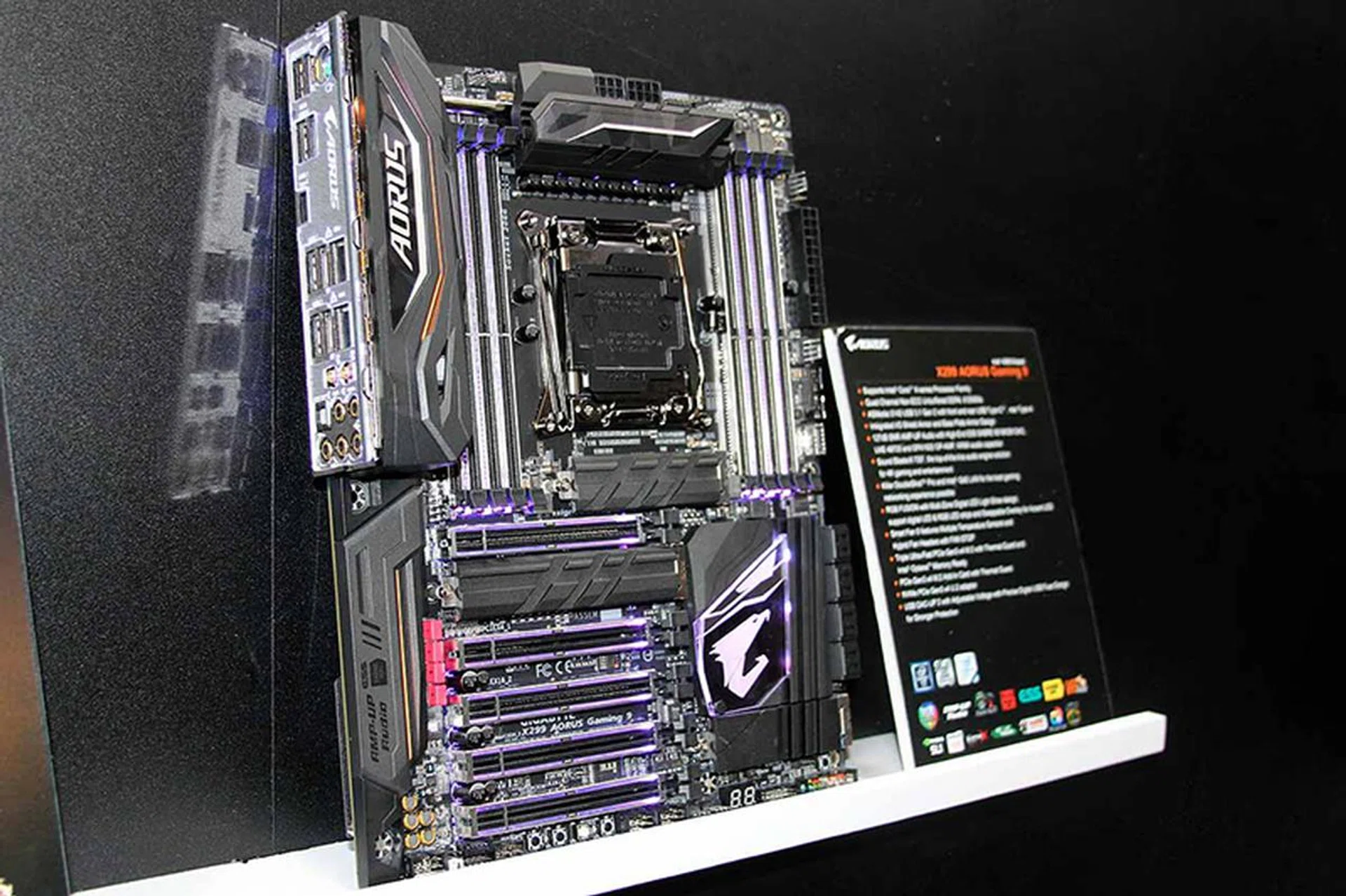
Gigabyte X299 Aorus Gaming 9. (Image Source: Tom's Hardware)
The Aorus Gaming 7 and Gaming 3 sit further down the product ladder, and they progressively shed features found on their higher-end counterparts. For instance, the Gaming 7 has the same PCIe, M.2 and DIMM slot layout as its bigger siblings, but it features a pared-down Realtek ALC1220 solution without extras like the dedicated op-amps.
It also has just a single Intel Gigabit Ethernet connection and is lacking Wi-Fi connectivity.
Similarly, the Gaming 3 shares a lot in common with the Gaming 7, but it steps back to only two M.2 sockets. It is also missing the ESS Sabre DAC and not all its PCIe slots have been reinforced with metal.
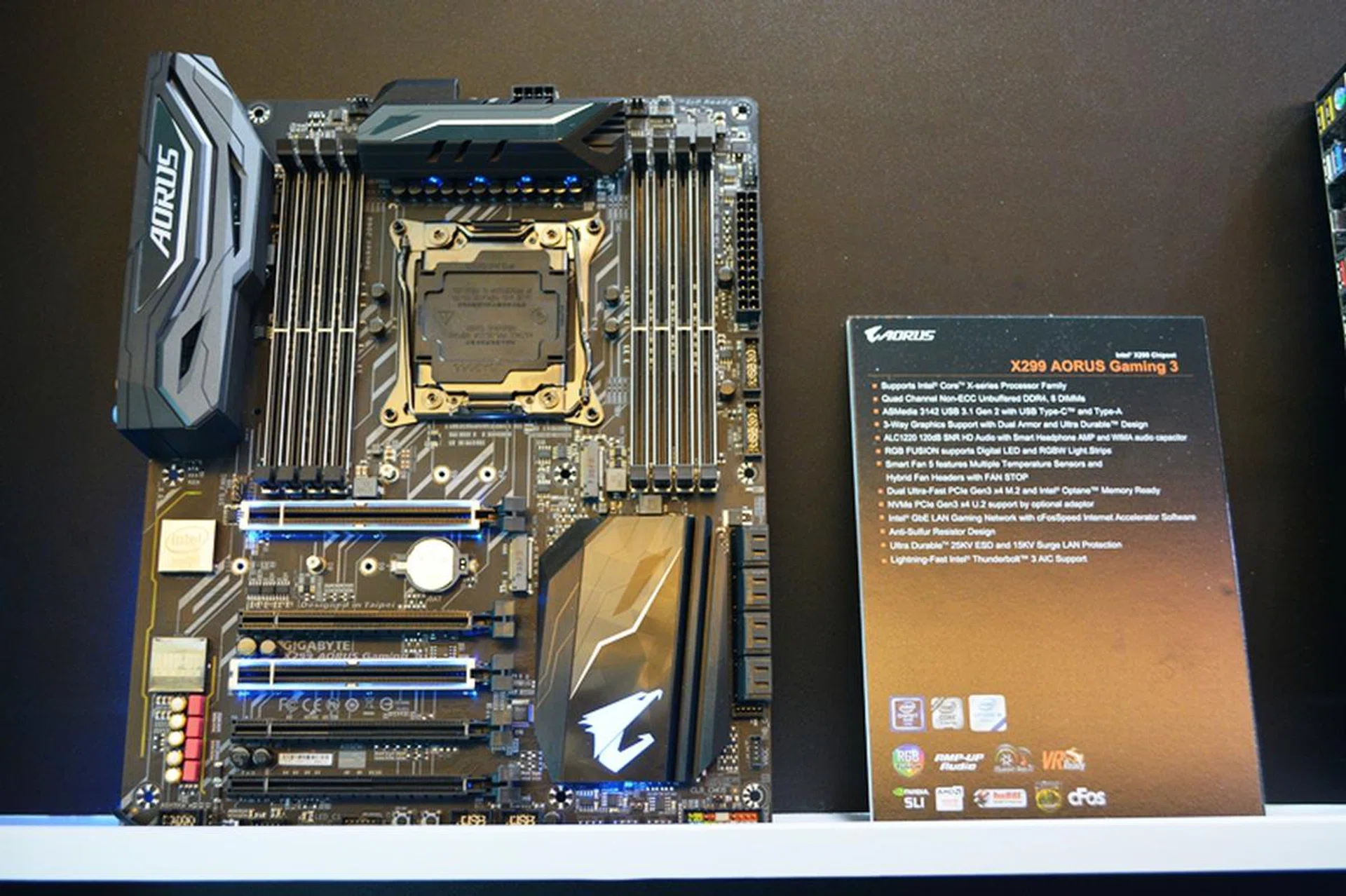
Gigabyte X299 Aorus Gaming 3.
As a further sign that the Core X chips aren't just for those with cash to burn, Gigabyte is releasing the X299 UD4 as a value offering. As a result, it lacks certain premium features like the I/O cover and RGB lighting, and you also won't find any USB-C ports here.
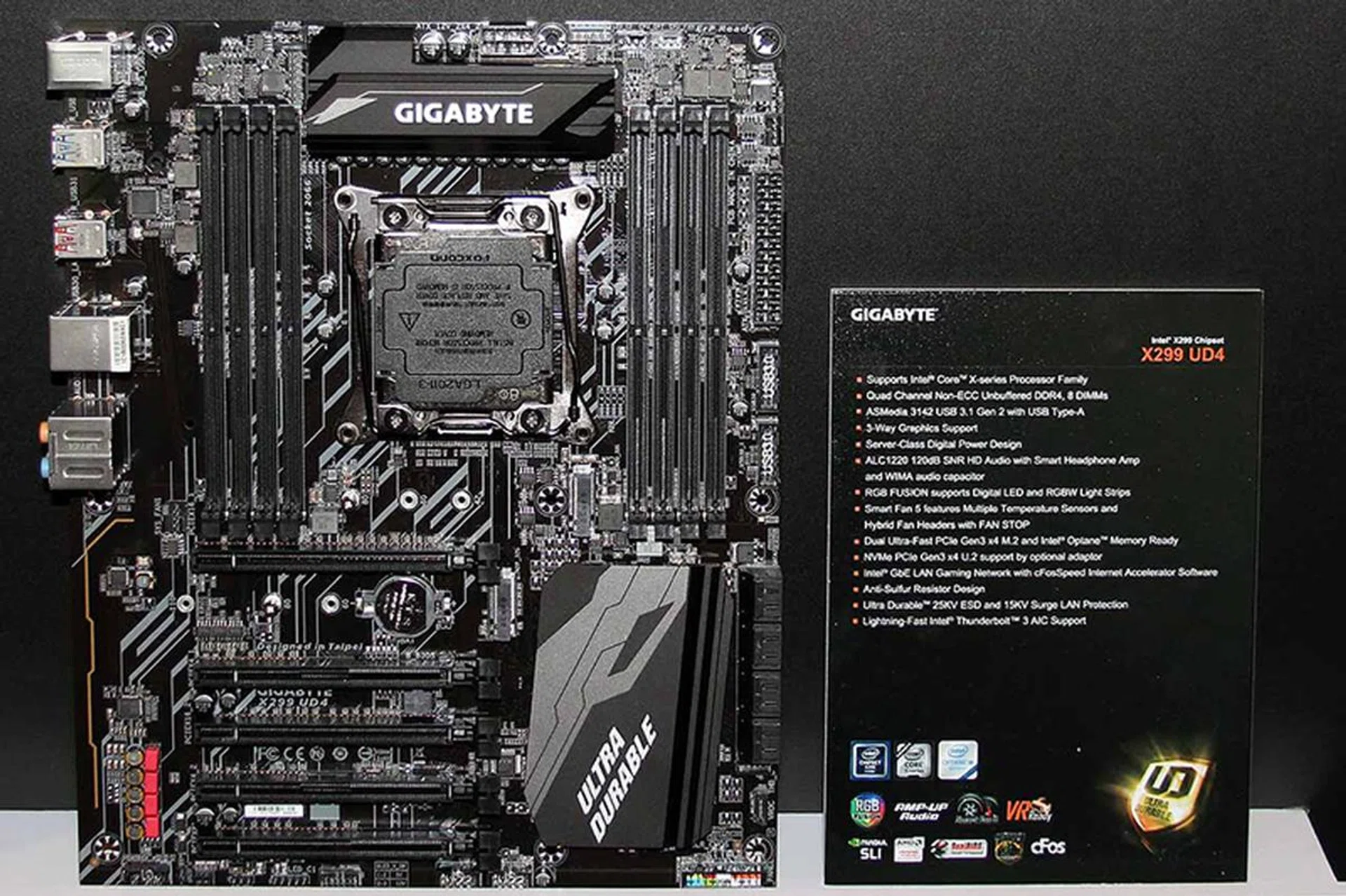
Gigabyte X299 UD4. (Image Source: Tom's Hardware)
Then there’s the Gigabyte GA-C422-WS, the only workstation board here and also the only one to support up to 512GB of LRDIMM ECC memory. It boasts a total of seven PCIe 3.0 slots (four x16 or one x16 and six x8 slots), and supports up to 4-way graphics configurations.
However, it doesn’t include the ASM3142 controller, and instead features the ASM2142 for USB 3.1 (Gen 2) Type-A and Type-C connectivity.
There are just single M.2 and U.2 ports available, in addition to dual Intel i210 Gigabit Ethernet connections.
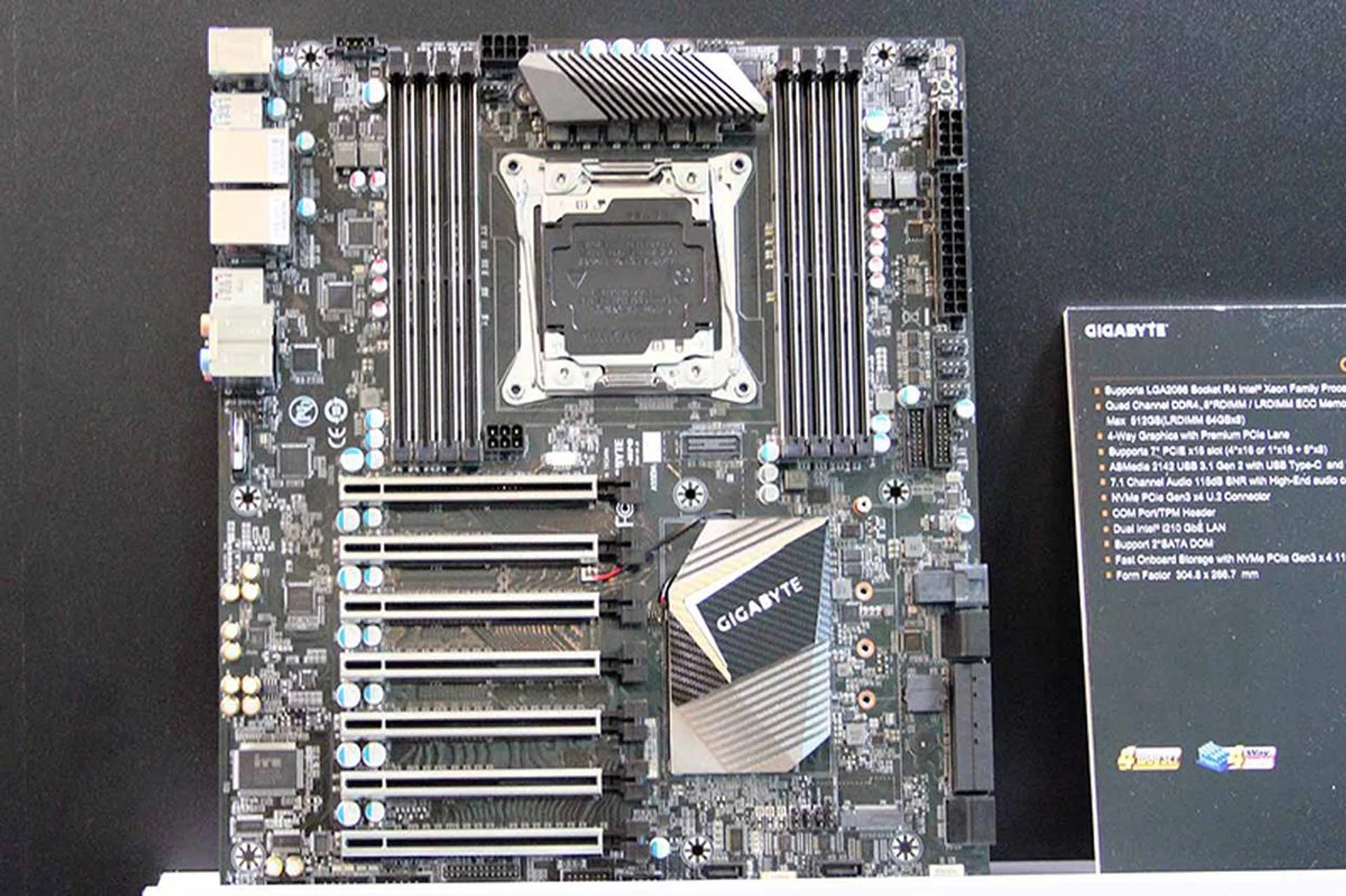
Gigabyte GA-C422-WS. (Image Source: Tom's Hardware)
MSI
On MSI’s end, the company released five new boards, covering the range from casual gamers to content creators:
- MSI X299 Tomahawk
- MSI X299 SLI Plus
- MSI X299 Gaming Pro Carbon AC
- MSI X299 Gaming M7 ACK
- MSI X299 XPower Gaming AC
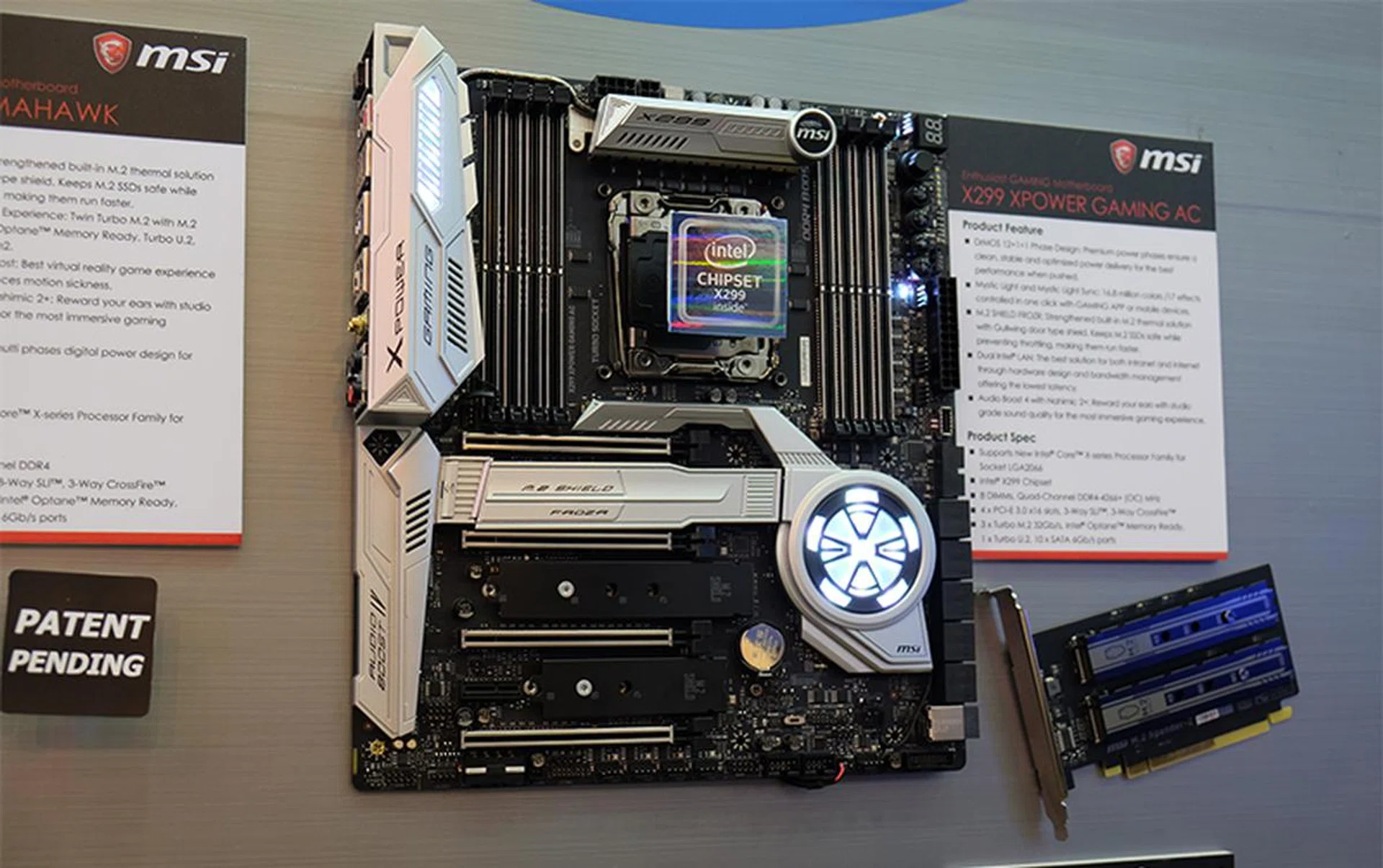
MSI X299 XPower Gaming AC.
Each board comes with its own unique features, but the X299 XPower Gaming AC stands out because of its design. We haven’t quite seen this look before from MSI, and the board makes itself known with an impressive array of storage expansion options.
There are a total of 10 SATA 6Gbps ports, three M.2 sockets and one U.2 connector, but if that still isn’t enough, you can use the M.2 Xpander-Z (pictured above to the right of the board) to add two more M.2 SSDs.
There is also what appears to be an updated version of MSI’s M.2 Shield feature. The company is calling it M.2 Shield Frozr now, and it has a Gullwing door shield that blends in nicely with the rest of the board.
In addition, the board features four PCIe 3.0 slots and supports up to 3-way CrossFire or SLI, and comes with dual Intel LAN ports. The power design doesn’t sound too shabby either, with a 12+1+1-phase design.
On the other hand, the X299 Gaming M7 ACK has its strength in networking, and it supports Killer DoubleShot PRO technology, courtesy of the Killer E2500 NIC and Killer 1535 Wireless-AC adapter.
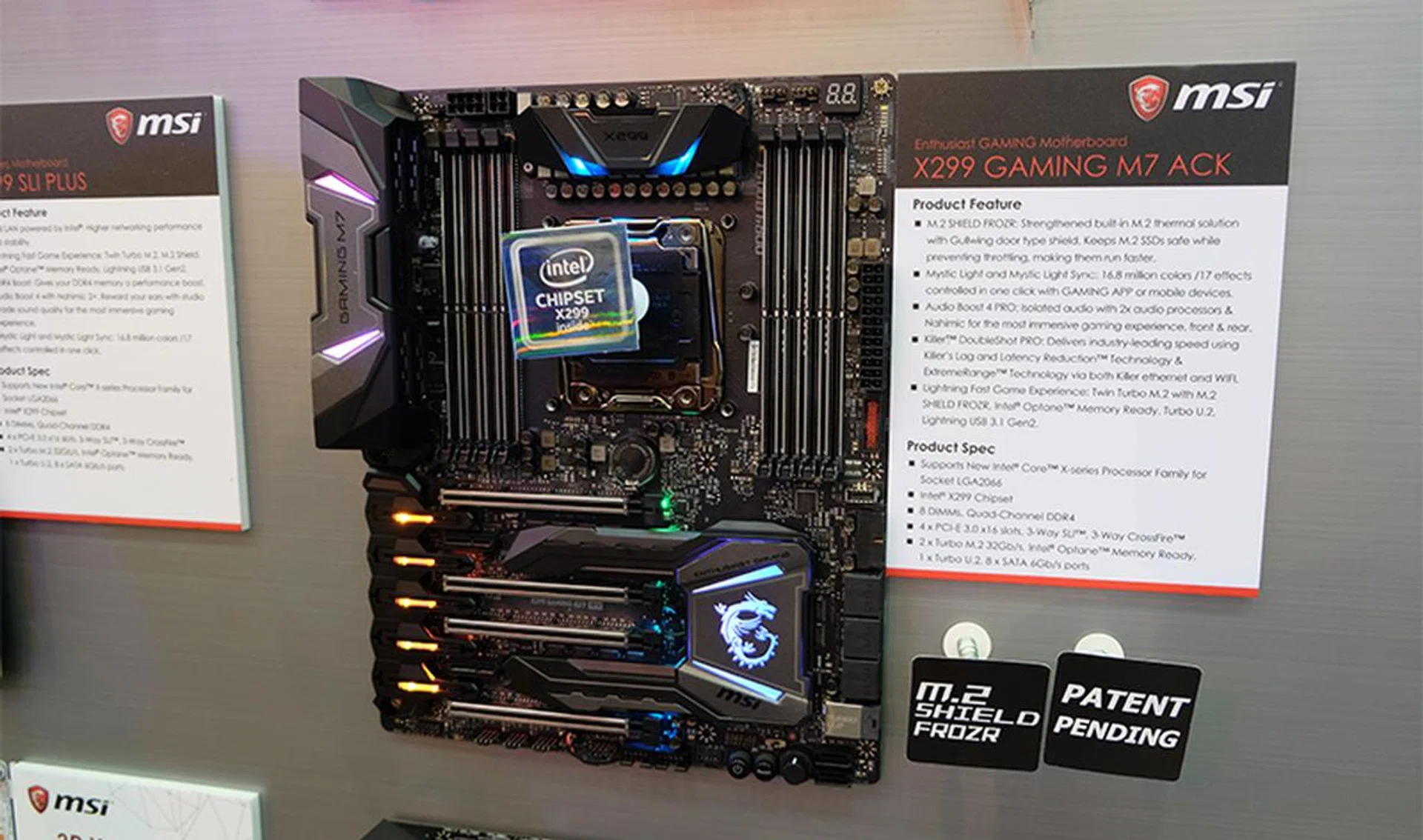
MSI X299 Gaming M7 ACK.
The audio solution is an upgraded one that MSI calls Audio Boost 4 PRO, and it features isolated audio circuitry with dual audio processors and Nahimic technology for a supposedly better sound quality through both the front and rear audio jacks.
However, storage options have been cut down slightly from the XPower Gaming AC, and you’ll find two M.2 sockets, one U.2 connector, and eight SATA 6Gbps ports. The power design is also slightly less comprehensive, with a 10-phase design
The X299 Gaming Pro Carbon AC carries on MSI’s recent fondness for carbon fiber-clad boards, but it switches things up slightly with a glossy finish on the I/O cover and heatsinks.
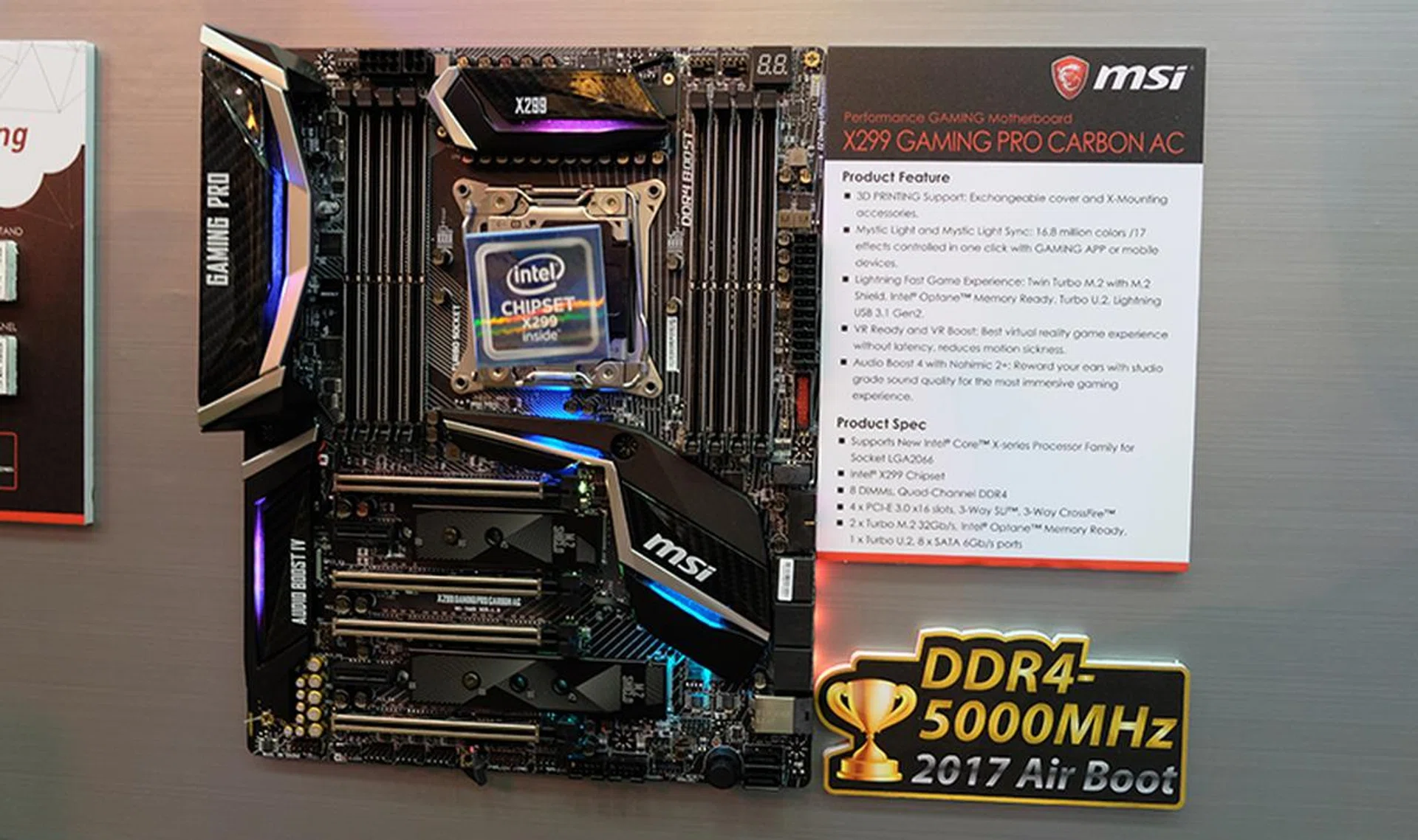
MSI X299 Gaming Pro Carbon AC.
But the Gaming Pro Carbon boards have always been about looking good, and MSI has now made the heatsink covers interchangeable as well. In addition, it introduced a new X-Mounting system that allows you to 3D-print accessories such as an M.2 fan stand or GPU holder to modify the board.
Like the Gaming M7 ACK, the Gaming Pro Carbon AC also utilizes a 10-phase power delivery design.
The X299 SLI Plus was made for content creators and professionals, featuring dual Intel LAN ports – powered by Intel I219-V and I211-AT controllers – with 15KV protection static electricity and the occasional lightning strike.
Reliability was key here, and the board also boasts something MSI calls System Saver, which comprises three easy-to-use options to ensure the system successfully boots up.
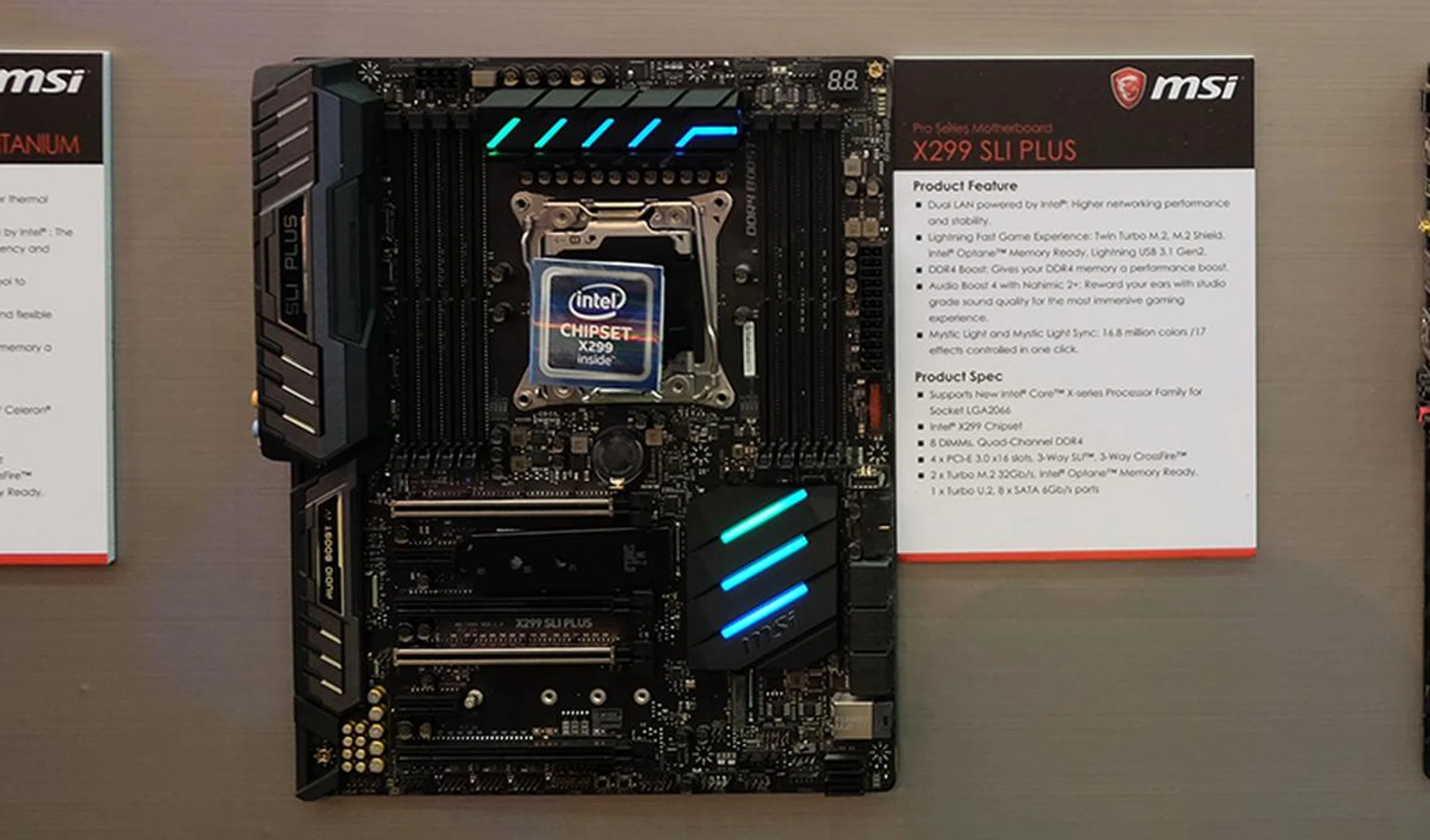
MSI X299 SLI Plus.
Finally, the X299 Tomahawk looks set to be the most affordable of MSI’s X299 motherboards. Still, it comes with MSI’s M.2 Shield Frozr heatsink, eight SATA 6Gbps ports and two M.2 sockets (and even one U.2 port), and a front USB-C connector.
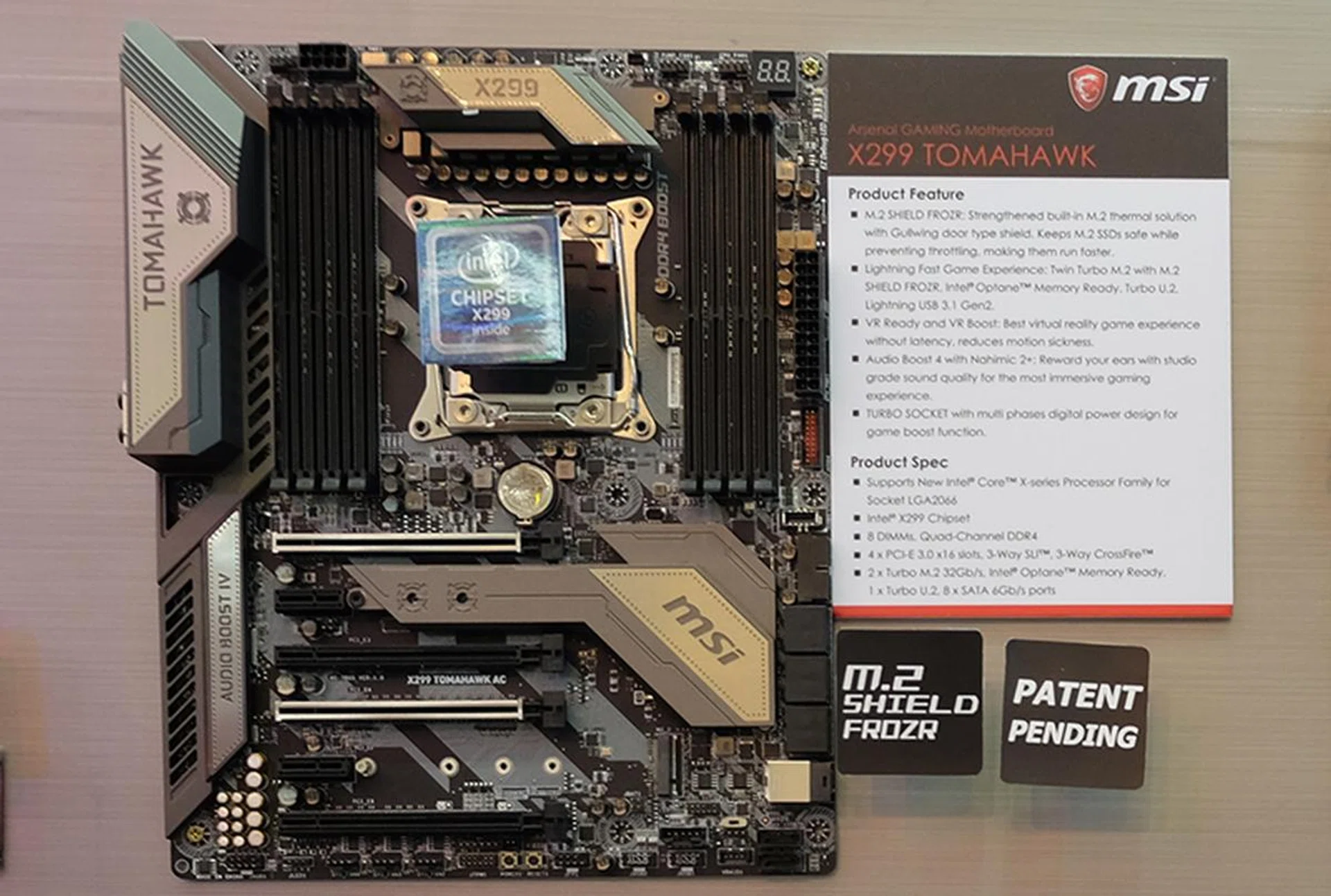
MSI X299 Tomahawk.
Our articles may contain affiliate links. If you buy through these links, we may earn a small commission.