
BenQ V2410: Back In Black
We've tackled the V2400 previously, now it's time to see if BenQ's latest V2410 member can stand up to our visual trials. Read on if you're keen on an entry-level 24-inch LED-backlit monitor.

It's Black, It's Bright, But Is It Better?
Looking at the LCD display arena, it's apparent that 24-inch monitors are fast gaining traction over the smaller de-facto sizes, like the 22-inch brethren for instance. Some might say a native 1680 by 1050 resolution isn't enough to maximize Full-HD clips, whilst others might prefer to work on a larger screen real estate. So why not pay just a little more for a bigger, wider 1920 by 1080 display? On top of that, consumers are also more conscious about their carbon footprint these days where eco-friendly priorities are almost as important as a product's performance quotient. Say, hello to LED backlights. Put all of them together and you'd have BenQ's 24-inch V2410, ready to answer that call.
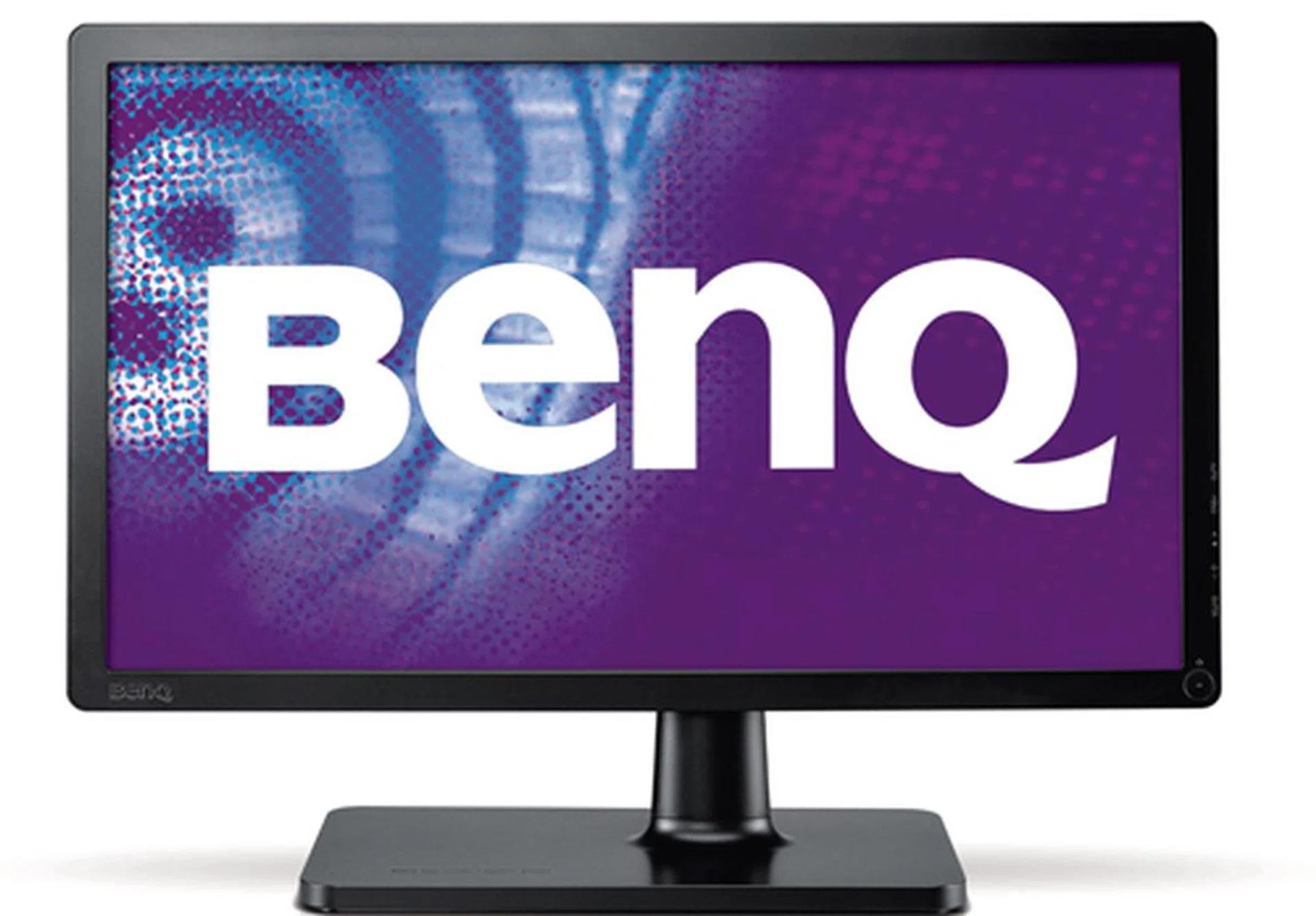
BenQ is touting "compelling price points and solid performance" with their latest V-series of LED backlit monitors. It is true that the V2410 has a rather attractive price, but is it good enough for a rock solid visual performance?
To add, BenQ is touting a 36 percent power reduction with the V2410 compared to traditional CCFL tubes based LCD screens. A move largely in line with the current LED backlighting trend spearheaded by the likes of Samsung, ASUS and LG in the LCD domain. On another note, you might notice that there's little to tell apart the V2410 from the earlier V2400 Eco model, on paper at least. What BenQ has done, essentially, is to change the V2400's dress code from white to black while leaving the internal specs mostly untouched. If you're wondering why, well, the Taiwanese manufacturer decided it's time to refurbish a 'darker' model to please their clientele. According to BenQ, black is their preferred color of choice over white instead. Yes, it appears the customers have spoken. For now, let's check out the V2410's aesthetics before we determine if the monitor truly delivers a "flicker-free performance" as promised.
Clean & Nice
Design
The V2410 is clad in black, so it's visibly less ostentatious or distracting than its V2400 predecessor. Similar to BenQ's recent range of monitors, the V2410 is pretty easy to assemble with little screws or fuss involved. All you have to do is to slot the spine into the base provided, twist the lock located below its stand, and you're set. On the other hand, we noticed the entire setup is still a tad wobbly after securing the joints. While this baby is able to tilt back about 20 degrees, it doesn't swivel nor is its height adjustable. So do take note if you happen to be finicky about height requirements. Navigation wise, BenQ has made the right decision by placing the buttons on the right flank. No hard to reach controls here. An "Auto" positioning button is included into the usual mix. In the connectivity department, expect to find a HDMI 1.3 and an analog VGA port. If you're using an HDMI cable with an audio feed, you might want to know that the headphone jack is located at the left side of the panel should you need to tap the audio source. Blessed with a slim 21mm girth thanks to its LED backlights, we'd have to say the V2410 does sport a simple yet sufficiently charming design on the whole.
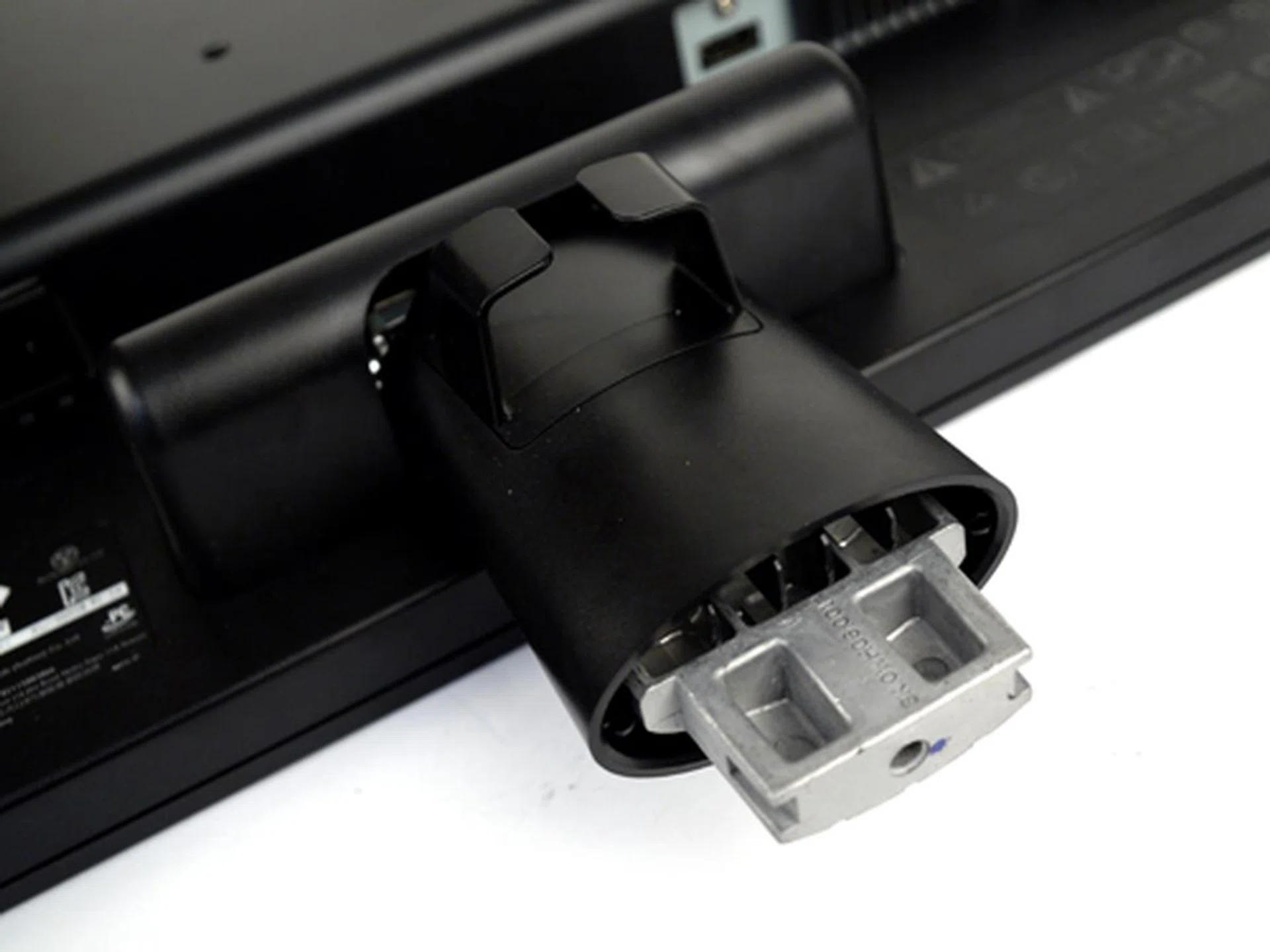
Hmm nope, that isn't some new age USB port. Just slide the V2410's spine into its base and you're good to go.
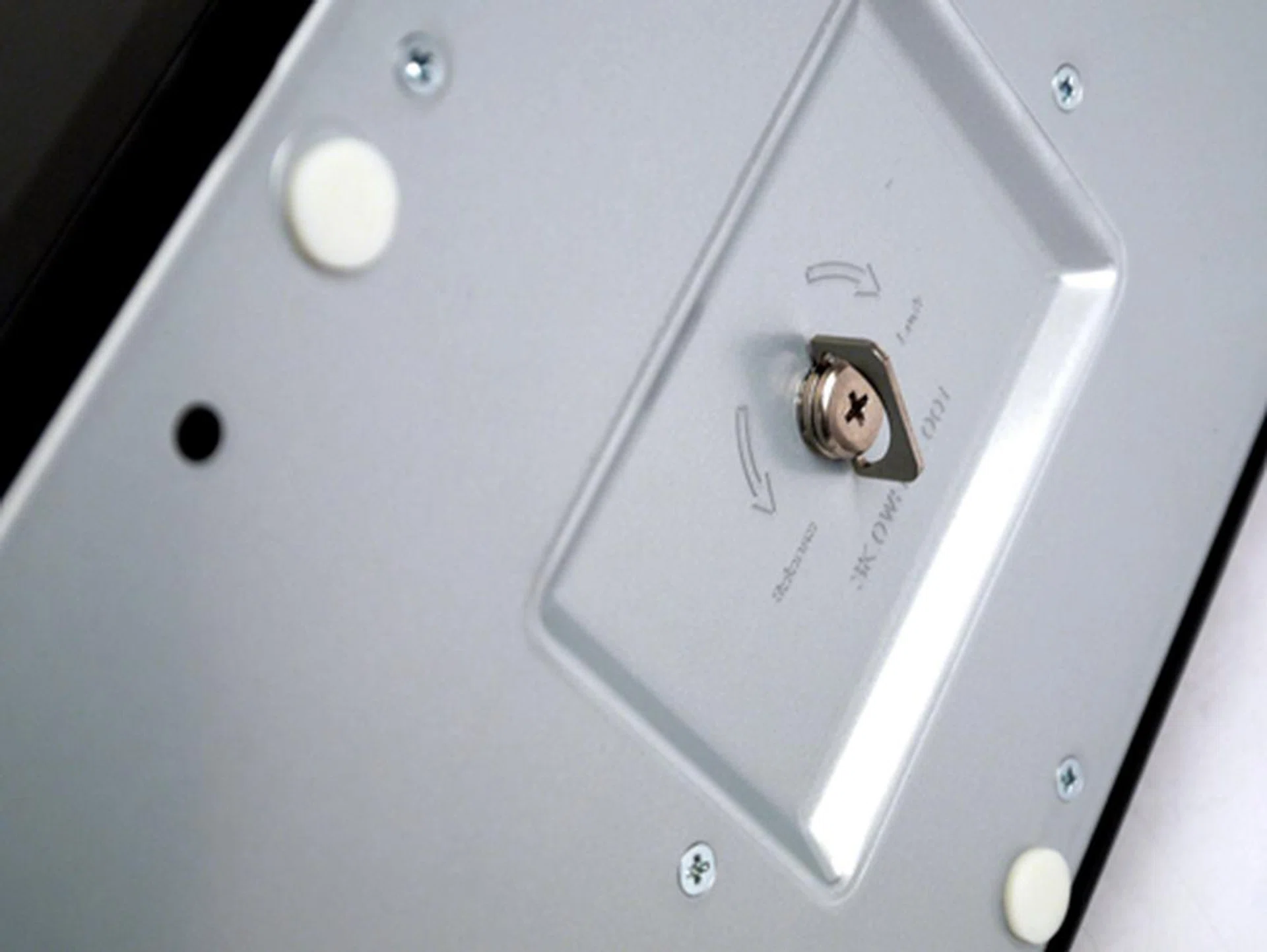
Don't forget to lock and secure the base after you've inserted the panel's spine. Flip the latch back when you're done.
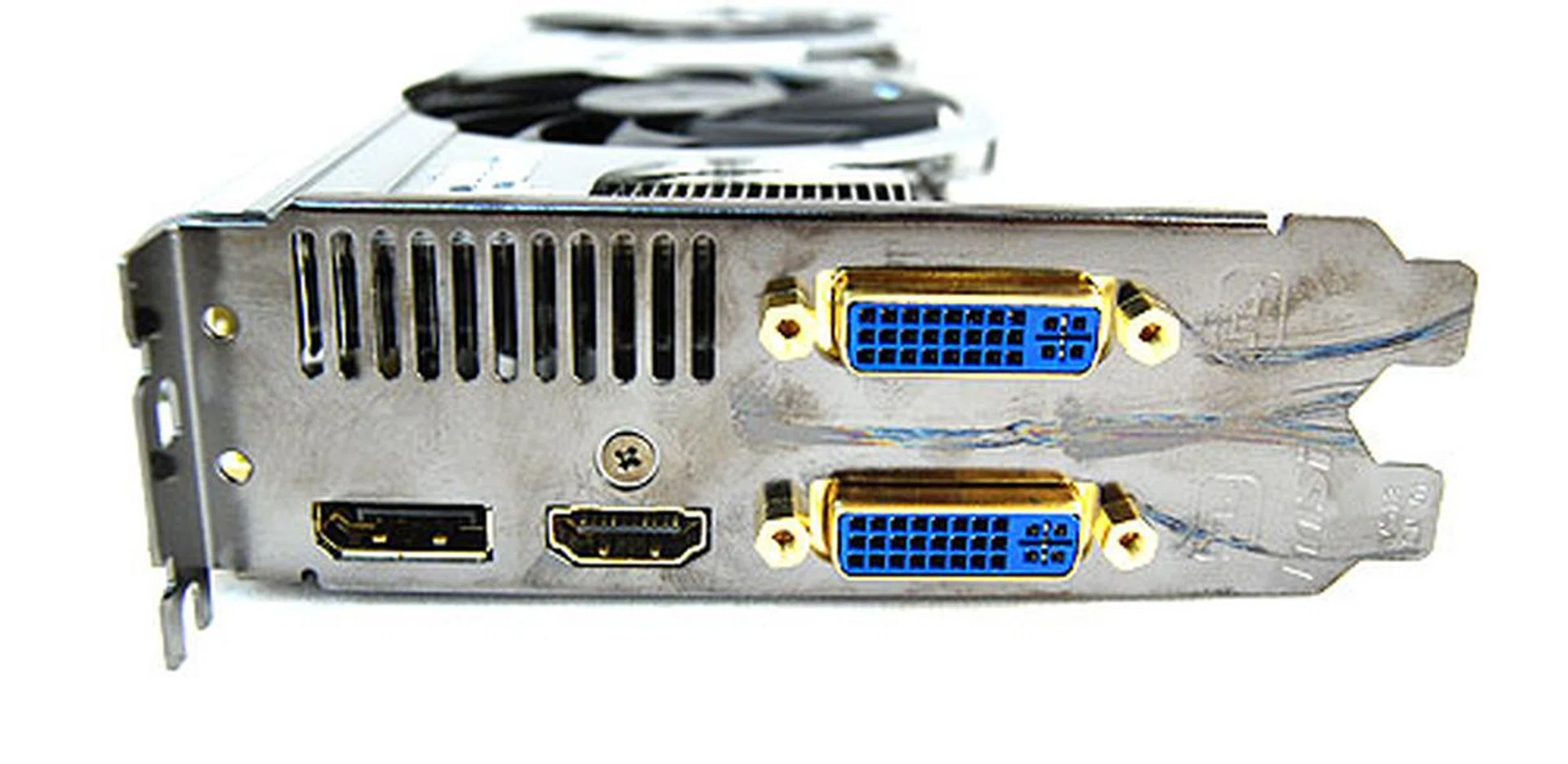
A HDMI input for a 1080p screen. Nice. You can still fall back on the VGA option if you're using a legacy display card though. However DVI port users would require a converter to interface with the HDMI port.
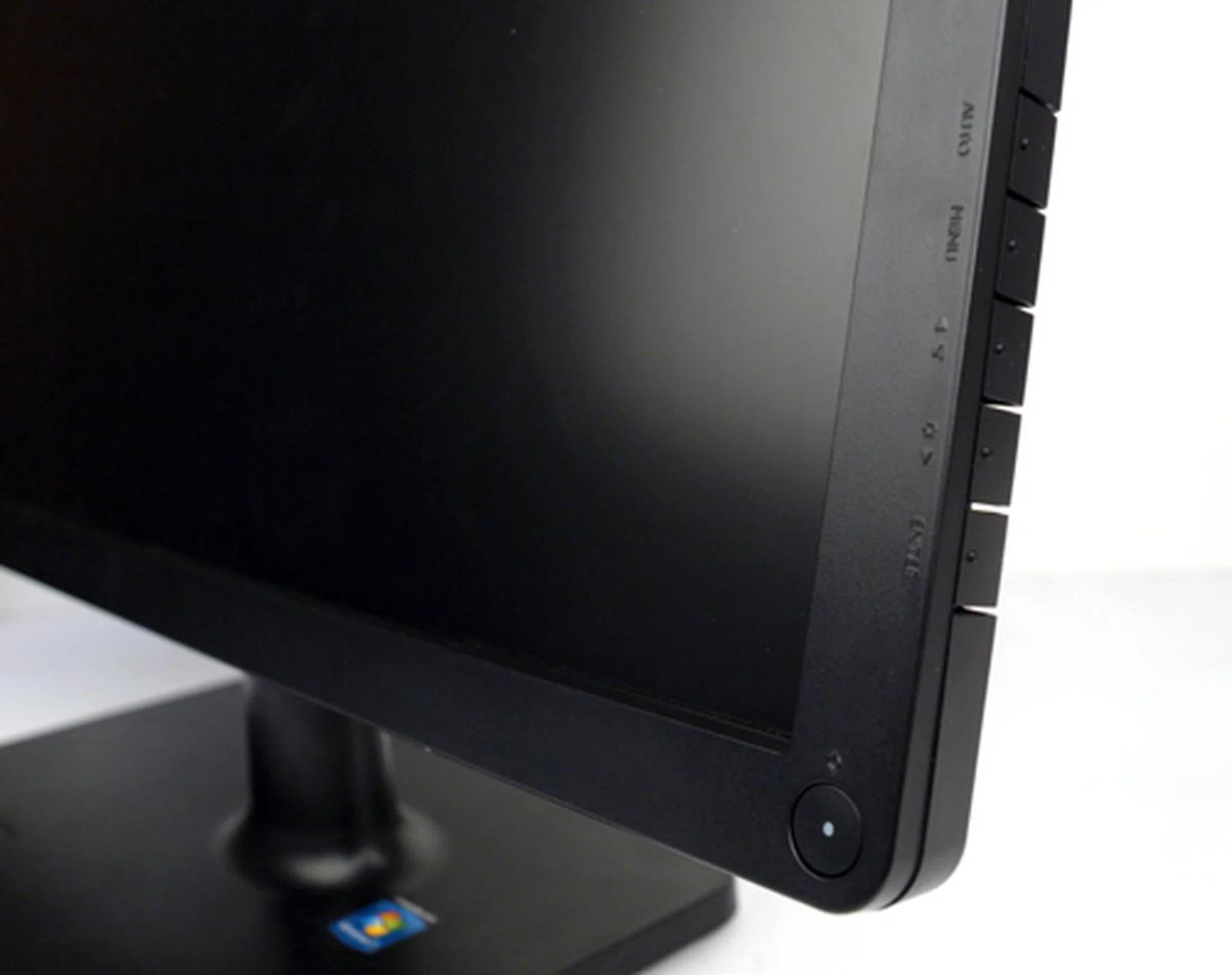
They might not be touch-sensitive controls, but BenQ's layout is one of the best we've seen on a monitor. They're easy to access and manage.
Features
As it is, the V2410's GUI is very much similar to the rest of BenQ's recent V-series range. Under its Picture Mode, we find the usual color presets (exotically dubbed as Senseye Human Vision Technology by BenQ), which include a Standard, Movie, Game, Photo, sRGB and Eco settings. Like most LCD displays, the Gaming and Photo settings gives you the most vibrant, albeit jarring picture quality. If you prefer to fiddle with the panel's dynamic contrast levels, note that it is only possible to do so with the Movie, Game and Photo presets. To add, we found a HDMI RGB range setting as well under its "Picture Advanced" tab. You can choose RGB (16-235) if you're dealing with lower 8-bit sources, else we'd recommend using the full RGB (0-255) range instead. In the "Display Mode", a few aspect ratio tweaks are given, such as Overscan, Full or Aspect. You might need to manage these if your source does not confirm with the monitor's 1920 by 1080 pixels native resolution (16:9 aspect ratio), or if it has trouble scaling the display to the appropriate size. Other than that, the same typical visual tweaks apply, like Contrast, Brightness, Sharpness, Gamma and Color options.
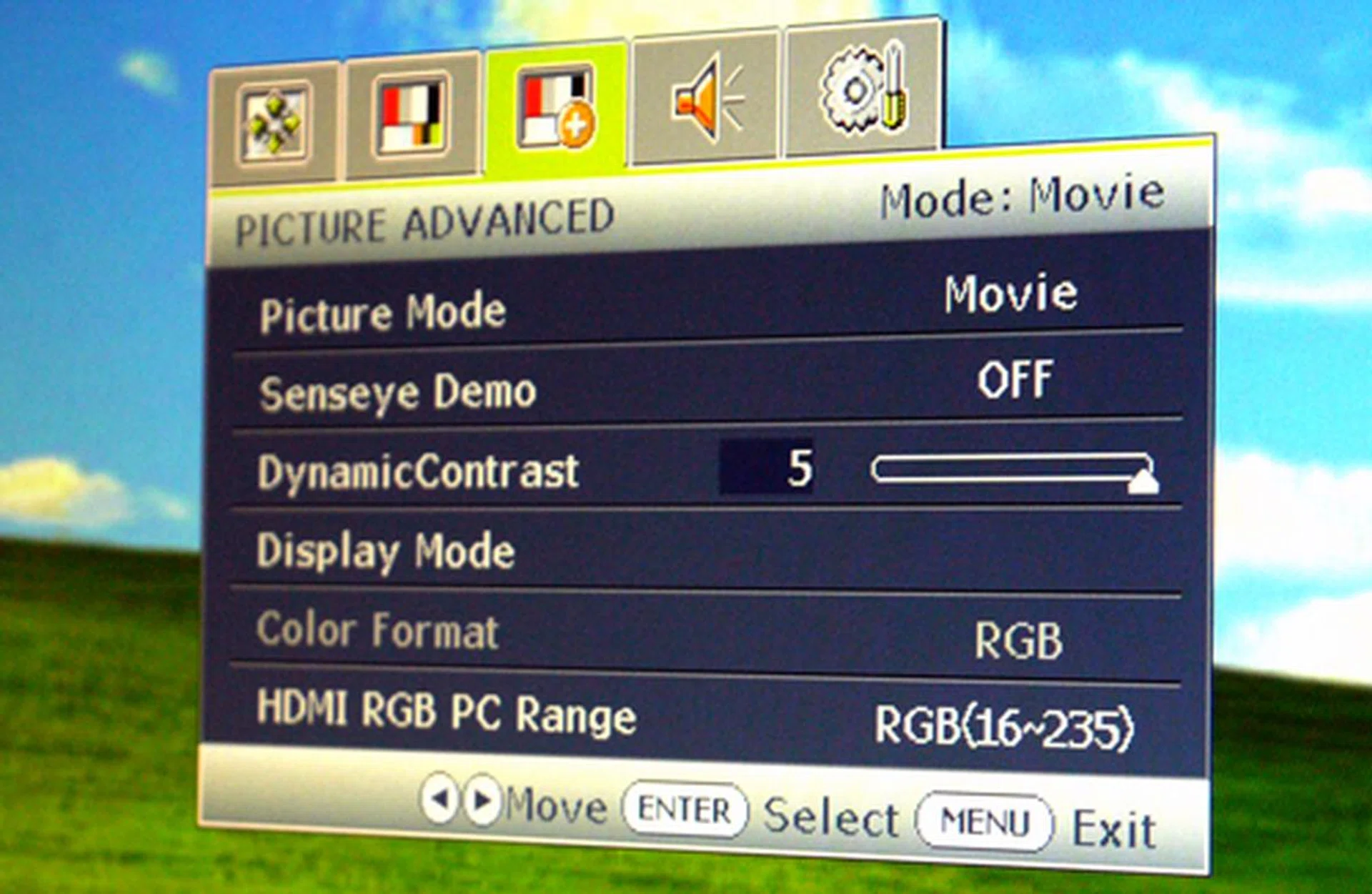
We only got to fiddle with the dynamic contrast levels in certain modes, like Movie for example. Of course, these are the settings shown before we set it back to sRGB mode for our tests.
An Average Show And Tell
Calibration
As usual, we calibrated the monitor with Datacolor's Spyder3Elite before conducting our visual tests and benchmarks. Evidently, a remarkable improvement in contrast levels and color accuracy was noted after the Spyder's rites. Datacolor's test images clearly indicate that colors are warmer, fuller and less washed out compared to the pre-calibration phase. As a side note, calibration was performed using the sRGB preset, with a contrast setting of 90 and brightness at 60.
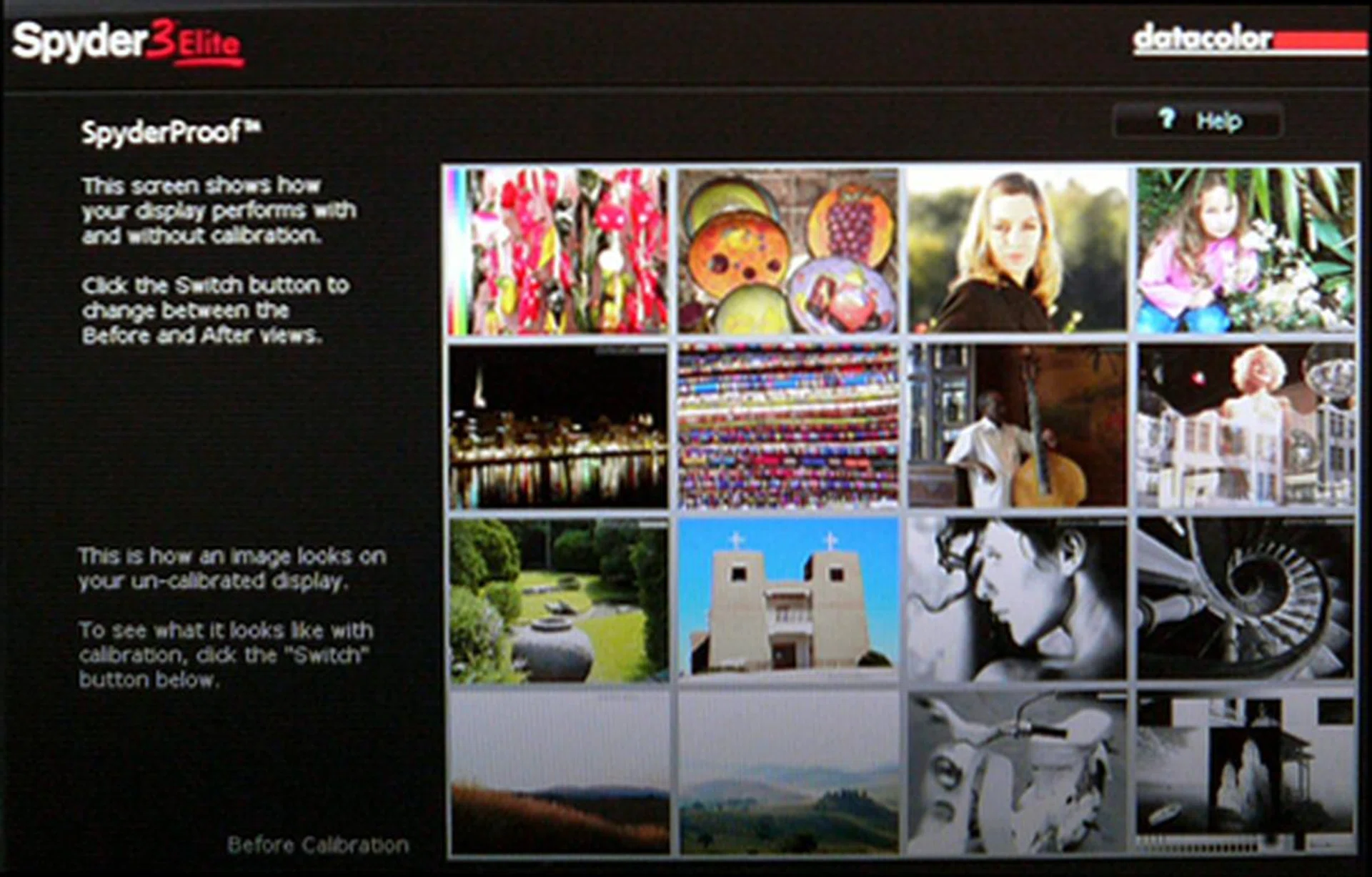
A screenshot of the V2410 display before calibration. Images appeared washed-out with a lackluster color fidelity on the whole. Grey tones were murkier than what's ideal.
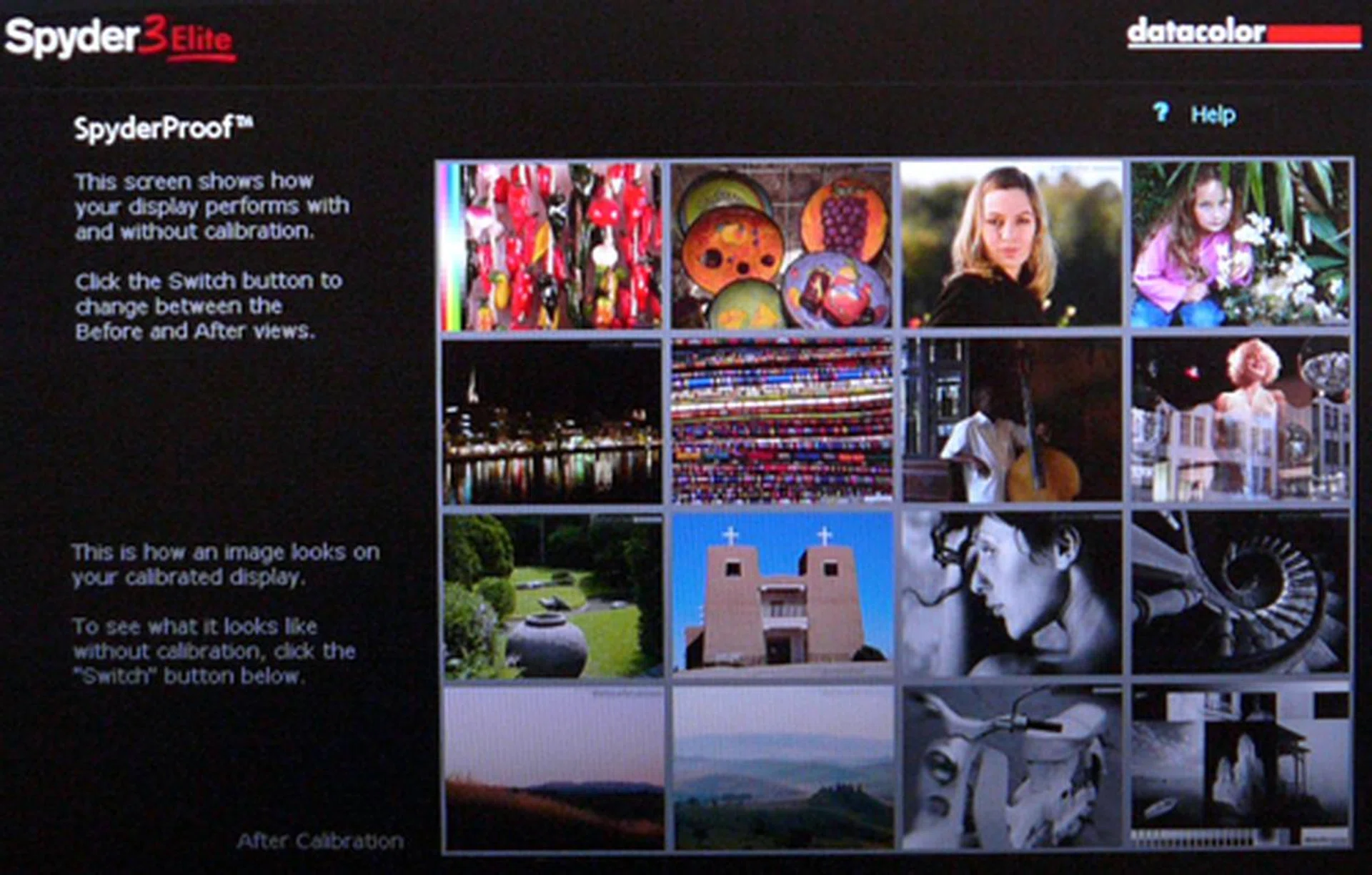
Skin tones took on a more natural hue after the calibration process. Colors were richer while the blacks and greys were significantly more well toned.
DisplayMate
DisplayMate is an application which generates a sequence of test patterns to determine the capabilities of imaging devices like color and gray-scale accuracies. For our tests, we've hooked up the V2410 to the display test-bed via its HDMI connection. Here are some findings based on the relevant test patterns:-
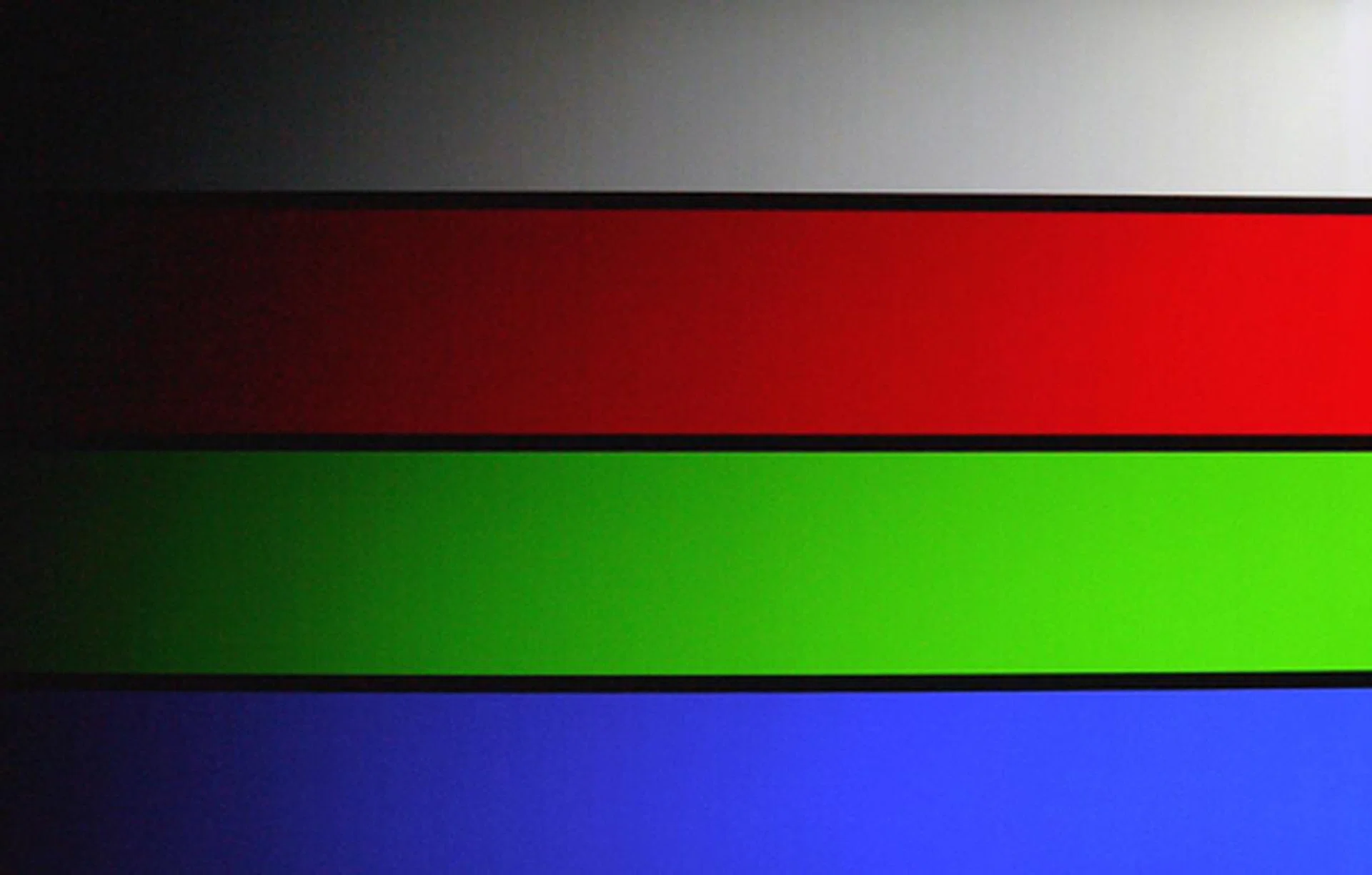
No critical issues with color reproduction on the 256-Intensity Color Ramp test pattern. However, slight compression artifacts were apparent at the mid and darker bands.

The monitor did well with the tinier 9-pixel fonts. Fonts were readable, both, for white text on black and vice versa.
Circular Geometry, Cross Hatch and Dot:- Circular shapes and linear grids on the test screen appeared symmetrical with no visible signs of distortion.
Screen Uniformity:- Overall screen uniformity was tested for each primary and secondary color. No irregularities in tint or hue were observed across the panel. Backlight bleeds were less evident compared to CCFL types, though they were more apparent off the dead-center axis.
Stuck Pixel:- No bad pixels were observed for all five test patterns.
Dark Gray Scale:- Generally, decent black levels were achieved on the grey-scale patterns with little offsets in tinge. The grey blocks became apparent at intensity level 8 and beyond.
Color Tracking:- Similar to results found on the Dark Gray scale, uniform gray patterns were rendered without any abnormal variations.
256 Intensity Color Ramp:- Slight compression artifacts were apparent at the mid and darker end of the spectrum. Other than that, color accuracy was mostly spot on.
Color Scales:- While we didn't detect any irregular tints, there's a minor uneven gradation across the color scales towards the darker spectrum.
Scaled Font:- The V2410 scored well with this test. Smaller 9-pixel fonts were still highly readable with black text on a white background, and vice versa.
Video Playback

A screenshot of the "Harry Potter And The Order of the Phoenix" clip. Take note of the right side of the image. Darker details were apparently lost with the panel's dynamic contrast option engaged.
Seeing how the V2410 packs a 1920 by 1080 native estate, we've used two 1080p trailers to mete out its performance - Harry Potter and The Order of the Phoenix since it offers lots of 'dark' scenes, and Star Trek for its fast moving images.
We know that dynamic contrast ratios can be hard to justify. Whatever the case, BenQ is touting a figure of 5,000,000:1 while Acer is screaming a ratio of 8,000,000:1 for their S243HL model. In any case, black levels on the V2410 are distinctly deeper than most CCFL-backlit LCD variants we've handled, though they are still far from perfect. Switching from the current preset to the Movie preset, however, we noticed a certain amount of visual details were lost (dynamic contrast set to 5) even though black levels were improved. This was apparent with the dimmer scenes. On the flip side, brighter portions appeared more vibrant, while skin tones and colors were relatively accurate on the whole. Ghosting, of course, was not an issue with the 5ms panel. Razor sharp crispness, on the other hand, wasn't really present.
As for its power draw, real-life figures were closer to 18 watts when spinning a Full-HD clip based on our power-meter's readings. This result was earned with the Eco Mode preset, but do note that onscreen visuals were decidedly less 'punchier' with this power-saving option. It is perfect for web surfing though. By comparison, standard 24-inch LCD displays consume approximately 40 watts or more on average.
The Final Word
Cost wise, the 24-inch V2410 is arguably a shade cheaper than 1080p LED-backlit panels floating around in the same class. Strangely enough, BenQ has managed to yank the V2410's retail price down to S$399 in a matter of months since the V2400's release (the V2400 was going for S$599). While we don't have any major gripes In the design department, perhaps BenQ could take a page from our books and engineer their future models with an adjustable height option. That'll be nice.
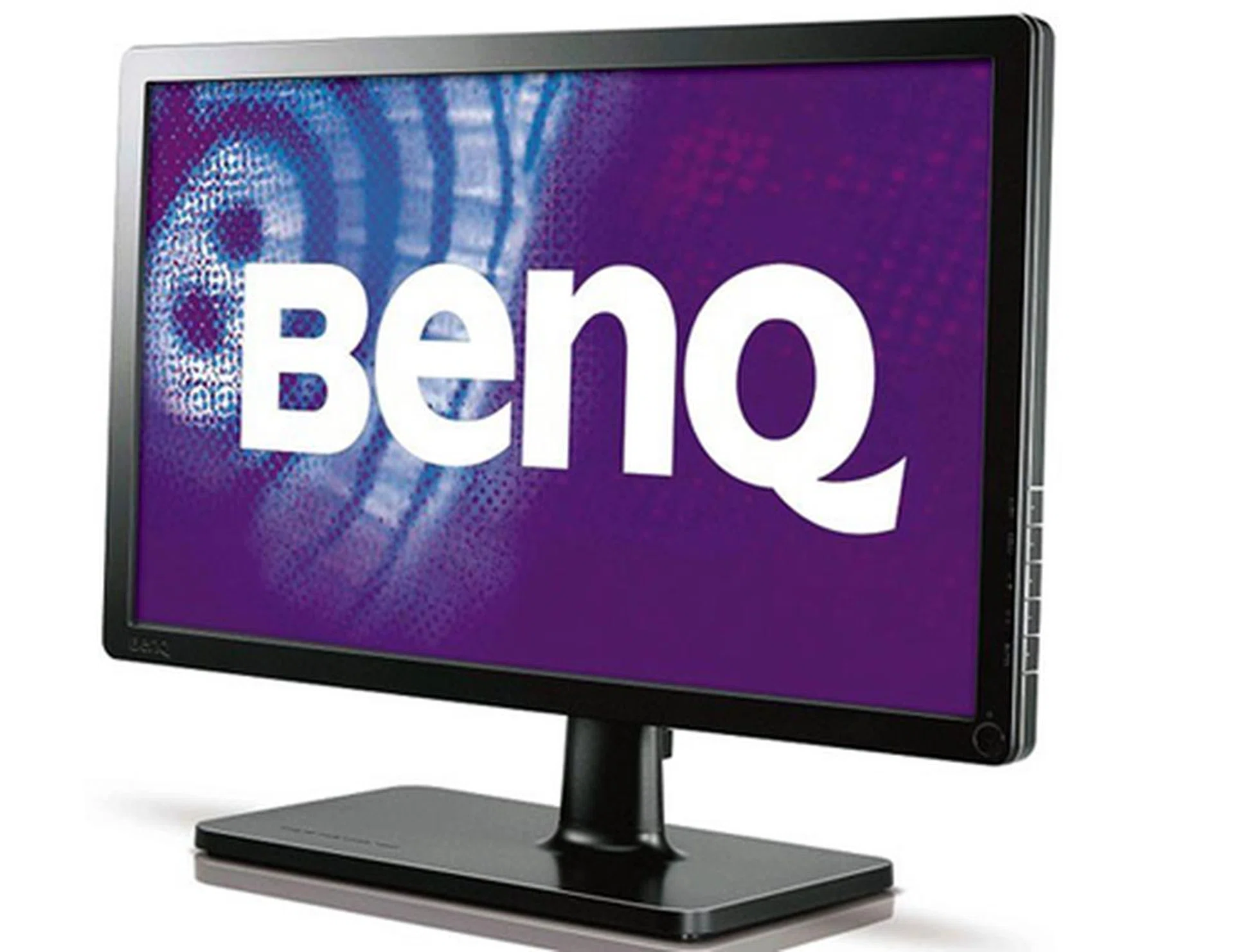
BenQ is offering two sizes for their latest V-series members, a 24-inch and 22-inch alternative. The V2410 did well with color reproductions, but its so-called Senseye Human Vision Technology is still far from perfect in creating a rich and totally convincing image.
As for image reproduction, it's no surprise that the two models are pretty much like peas and carrots. While we can't say the entry-level V2410 is a maestro at providing attention to detail, it does have its own merits like a truthful color rendition and ability to display tiny fonts concisely. Slight compression artifacts did surface on DisplayMate but it isn't the worst we've seen. All things considered, the penny-saving V2410 is an agreeable solution for everyday use like surfing the web or basic photo editing, for example. Point is, just don't expect stellar display quality for your Full-HD moments, but you won't be let-down either.
Our articles may contain affiliate links. If you buy through these links, we may earn a small commission.