
Nuphy Node 100 High-profile review: A chic, full-featured, 100% keyboard
A full-size keyboard with a funky aesthetic and loads of features.
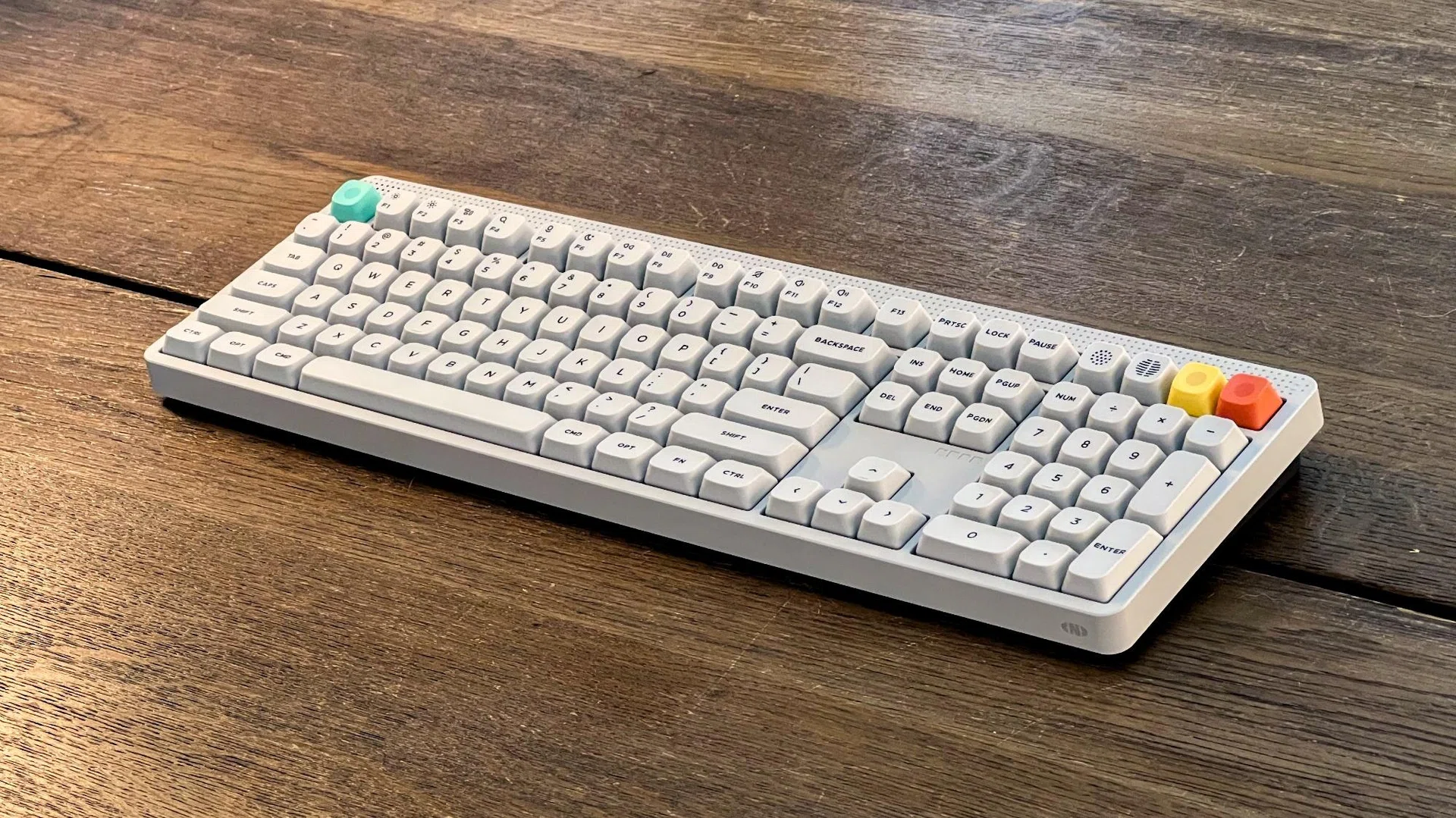
Note: This review was first published on 22 January 2026.
The Nuphy Node 100 is a full-sized keyboard that sports modern design elements and is a follow-up to the 75% Node 75, which launched late last year. Borrowing from Braun’s T3 radio’s “dot-matrix design”, the top panel is not just good-looking, it houses some useful features that we will cover a little later. The Node series comes in low and high-profile versions. The former is slimmer and features low-profile keycaps, while the latter uses standard-height keycaps. The unit we are testing is the Nuphy Node 100 with high-profile keycaps in Lunar White and with Red Max linear switches.
The Node 100 High-profile is available in three switch options. There’s the linear Red Max, the tactile Brown Max, and the silent linear Blush Max. The switches used on the Nuphy Node 100 High Profile keyboard are standard MX switches, which means they can be easily swapped out for compatible switches, making customising your keyboard with third-party key caps a cinch. From initial tests, the Red Max switches produce more mid-tones, giving the board some liveliness when typed on. Have a listen:

It sounds pleasant enough, but for my tastes, I would swap out the Red Max switches to make them sound deeper. I think the Keygeek Y2 would sound good if I wanted something linear, or the Strawberry Cheese Cake V2 if I wanted a tactile switch.
Out of the box, the keyboard feels well-built. The chassis may be plastic, but it has a good amount of weight and feels suitably sturdy. The plastic material is textured and has a smooth matte finish, giving it a premium feel. The edges are chamfered, so there are almost no sharp edges around the board. The keyboard connects via USB-C, but Nuphy handily provides a USB Type-C to Type-A adapter. Other accessories include a combination keycap and switch puller, as well as a few additional keycaps that include the Windows key. The 2.4G USB receiver has its own slot on the keyboard, so there should be less risk of misplacing the dongle.
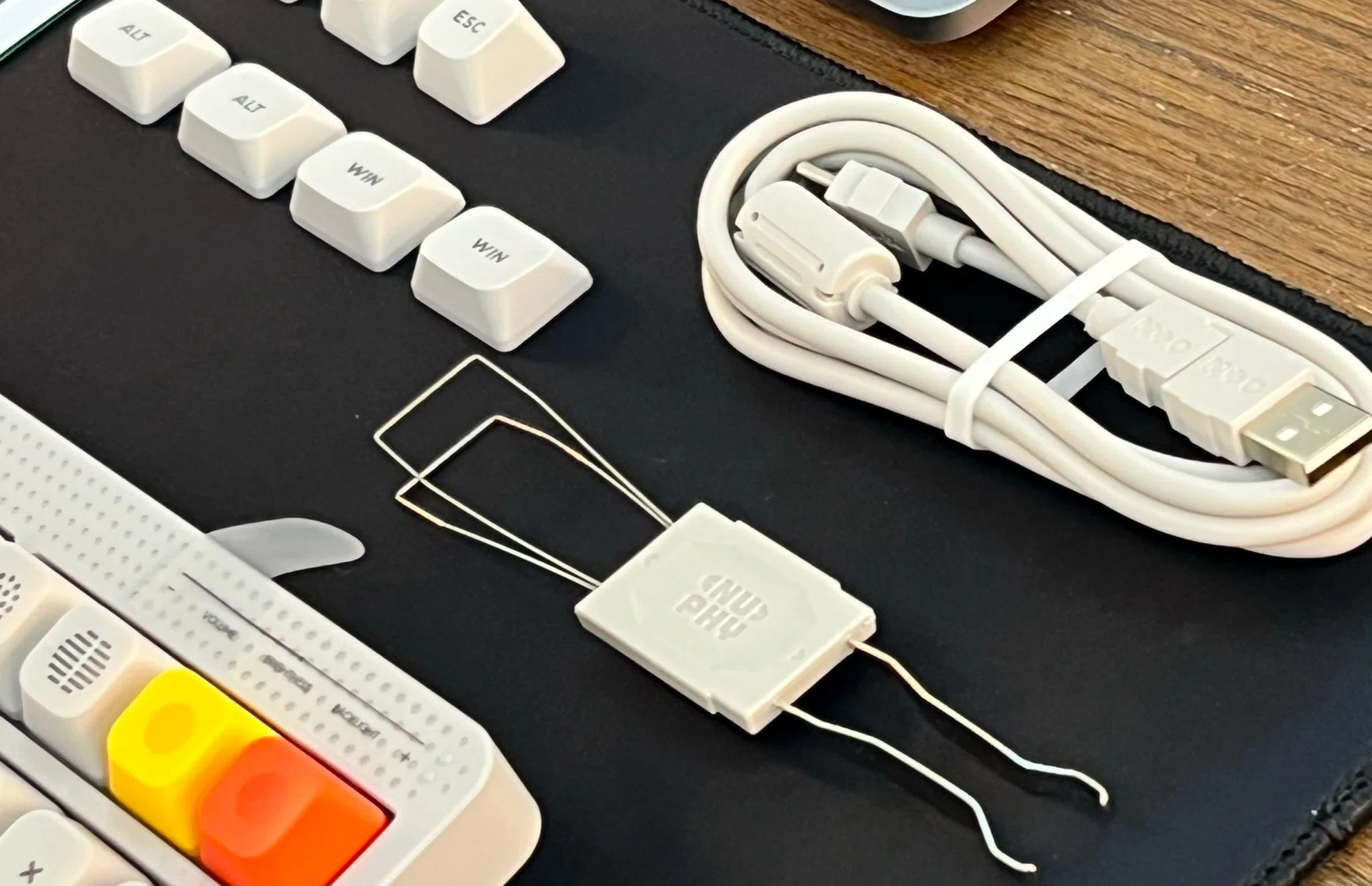
The keyboard comes with loads of accessories.
mSA profile keycaps
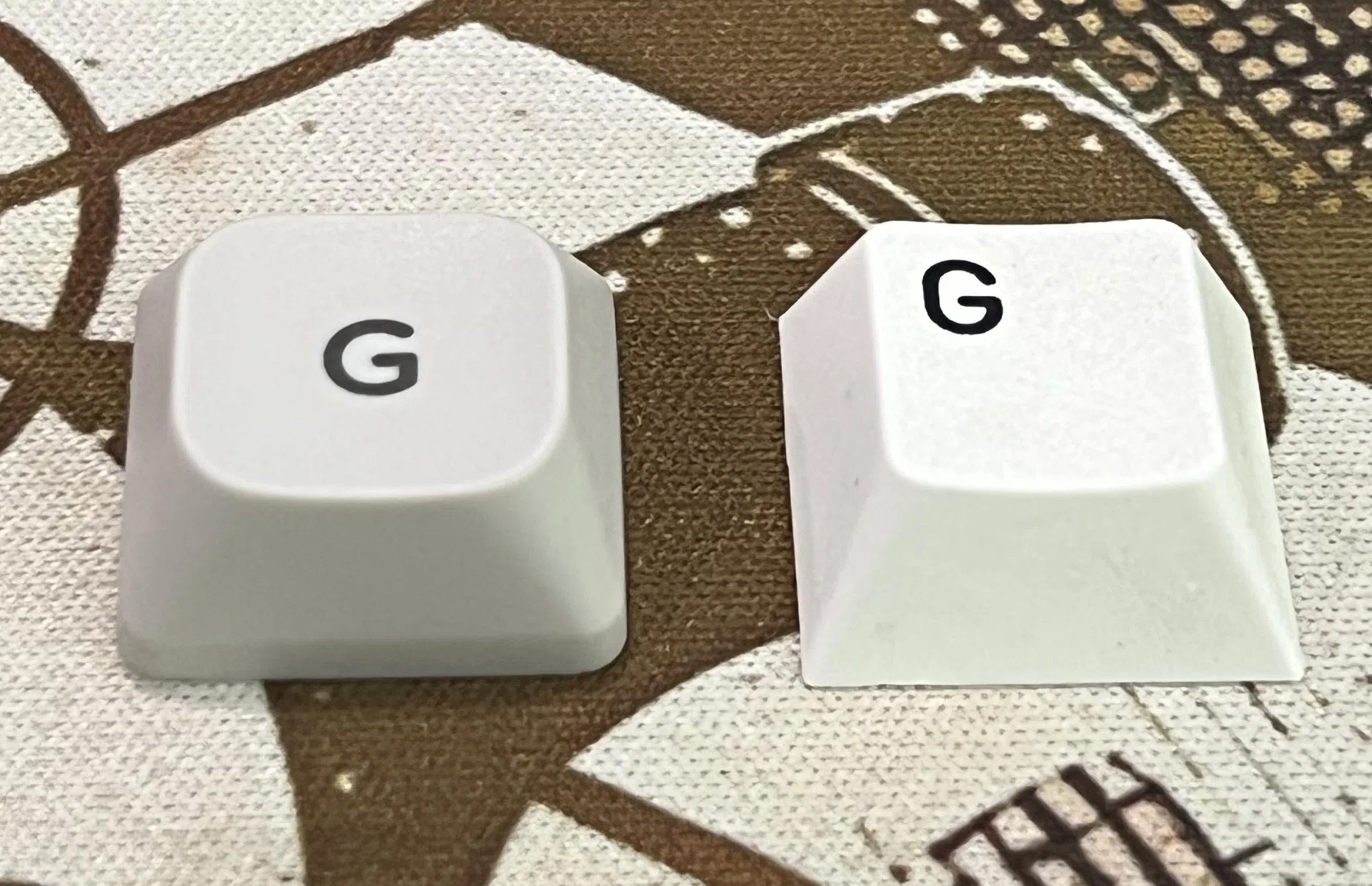
Nuphy’s mSA profile keycap on the left and your standard Cherry profile keycap on the right.
Nuphy uses their own mSA profile keycaps, which are shaped differently from the Cherry profile keycaps that most users are probably more familiar with. That said, I didn’t have any issues getting used to these new keycaps. It felt natural. Furthermore, Nuphy’s choice of profile and fonts gives a softer overall look and feel to the design of the Node 100. It has a somewhat retro chic look.
The supplied keycaps are double shot PBT. This means the legends are infused onto the keycaps and will not fade. Additionally, PBT keycaps tend to resist wear better and are less likely to develop the shine that comes with heavy use.
Goodbye knob, hello touchbar
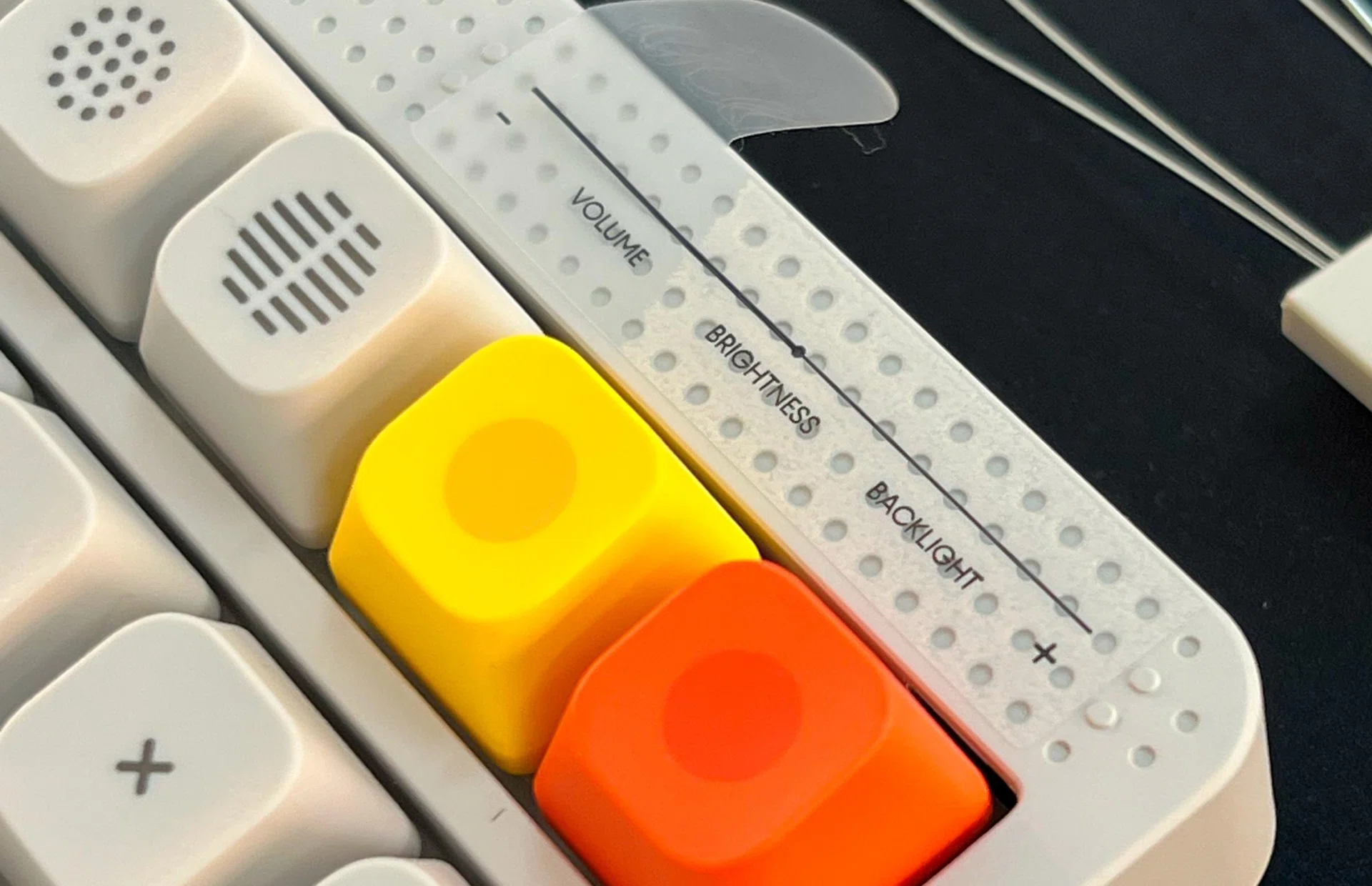
Protective sticker describing the various functions that can be configured for the touchbar.
The top right side of the keyboard features a touch bar. The ends of the touch bar are marked by two raised dots, allowing users to easily find the limits of the touch bar by feel. Also, to my eyes, this implementation provides a more seamless overall visual to the board compared to the use of rotary knobs.
The placement is sensible. Firstly, it is located where volume knobs are typically found on most keyboards, which makes it easier to identify it as an area for media controls. Secondly, not having it placed near the spacebar also means no accidental activations when I’m resting my thumbs on the front lip of the keyboard.
LEDs galore
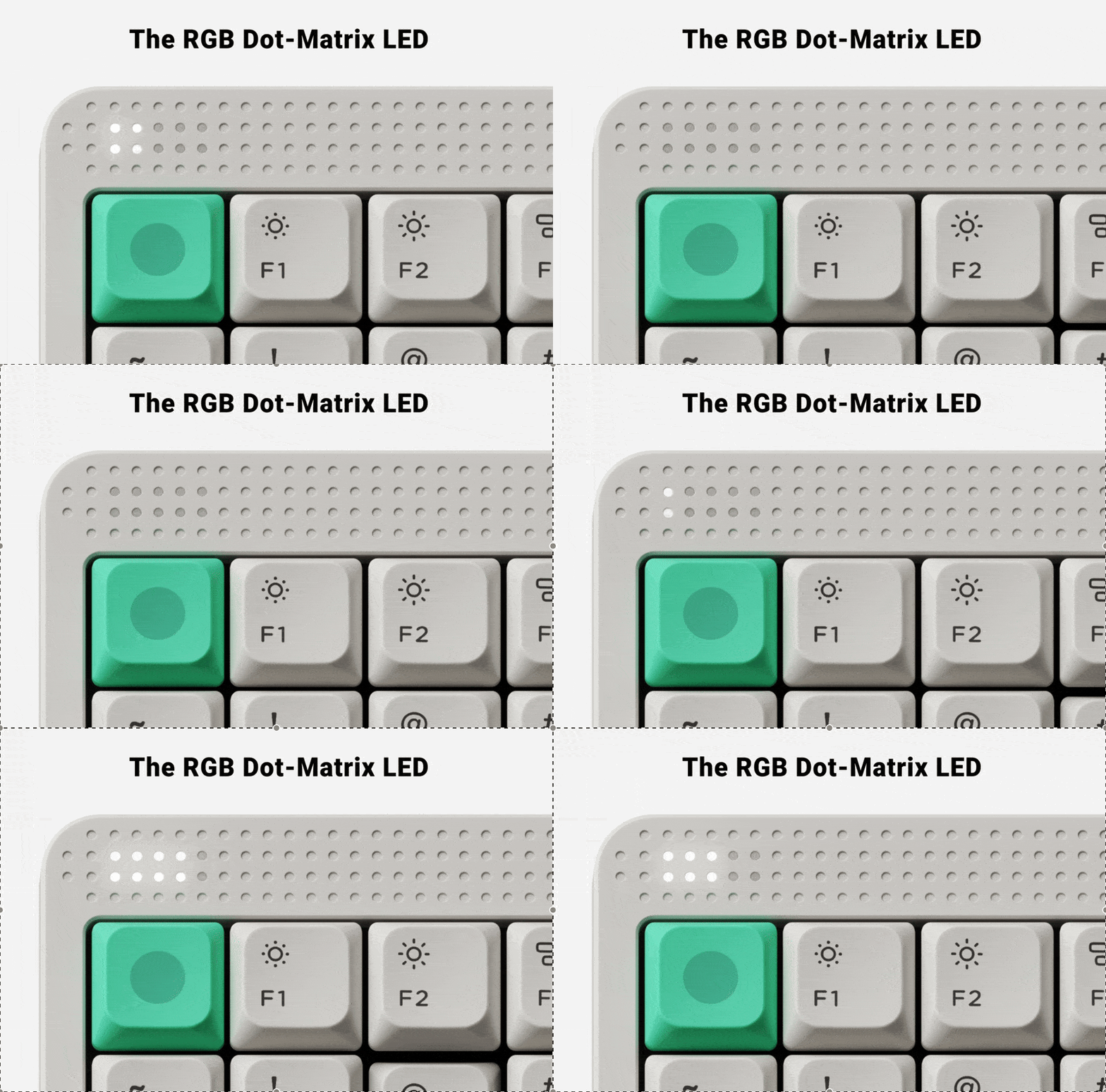
Nuphy Node LED indicators light up with increased typing activity.
On the top left-hand corner of the board are LEDs that light up to provide information on connectivity. Speaking of which, it supports Bluetooth 5.0 and 2.4GHz via a wireless dongle. You can also use the keyboard in wired mode with a USB-C cable. It also serves as an indication of your typing activity. The faster you type, the quicker the lights flash.
Although it gets the job done by clearly indicating which Bluetooth device I am connected to, it does look rather short and comical on a full-sized keyboard. I would have preferred having a dot-matrix LED display that could be customised to provide other useful information or show the time.
The keyboard has RGB backlights, but they aren’t the brightest. Happily, they can be configured, so users can create various effects to suit their preferences.
3D-printed attachments
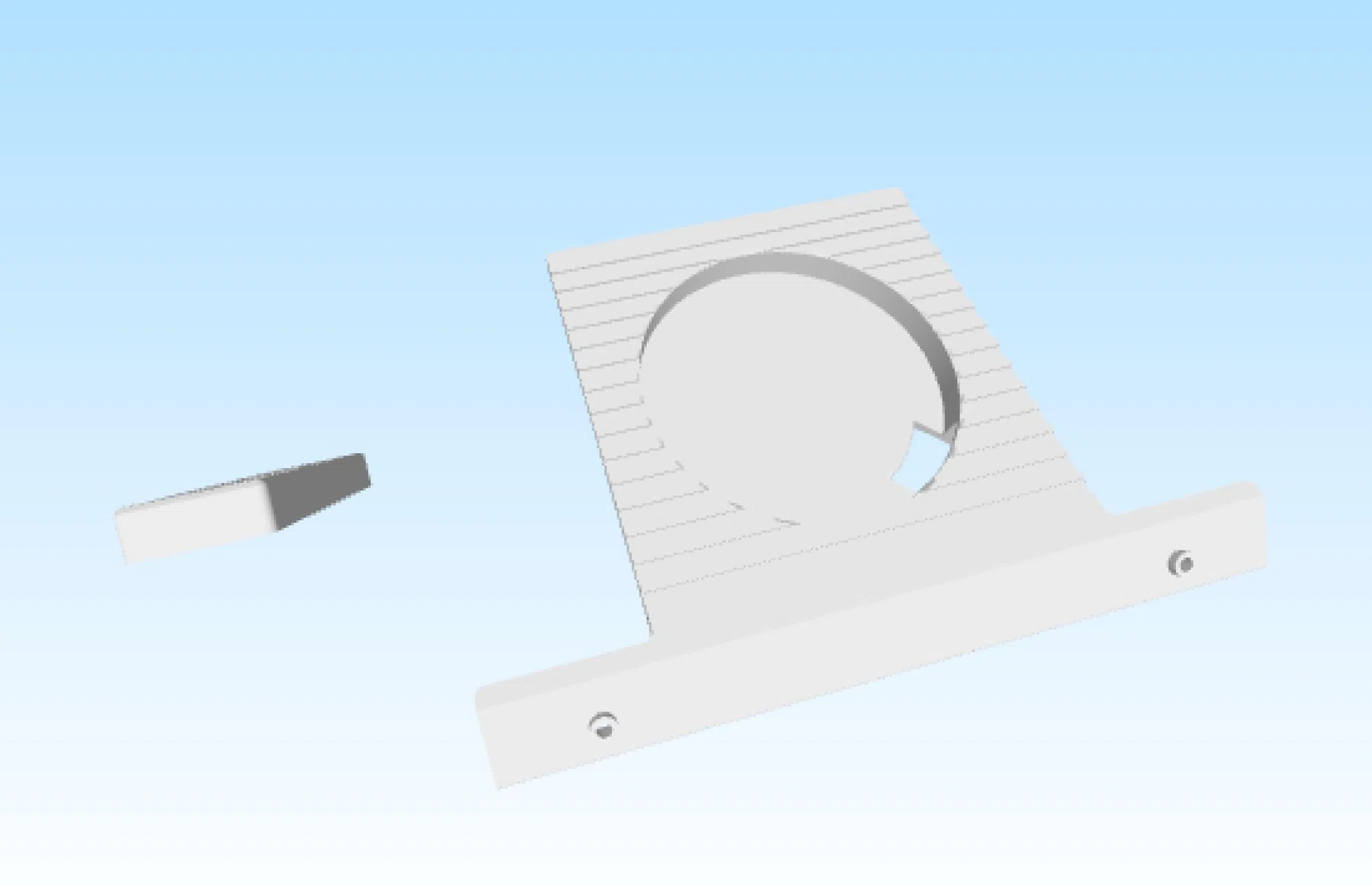
Nuphy provides profiles you can download and create yourself if you have a 3D printer.
Nuphy has designed an interesting feature for the Node series of boards. If you have access to a 3D printer, Nuphy provides various 3D print models that you can download and print as attachments that can be added to the top panel.
For example, you can print a display stand to house collectable figurines. Or, you could print the charging stand, which has been designed to accommodate an Apple MagSafe charging pad. This can be really handy because your phone can then serve as a secondary display to your system.
Physical toggles
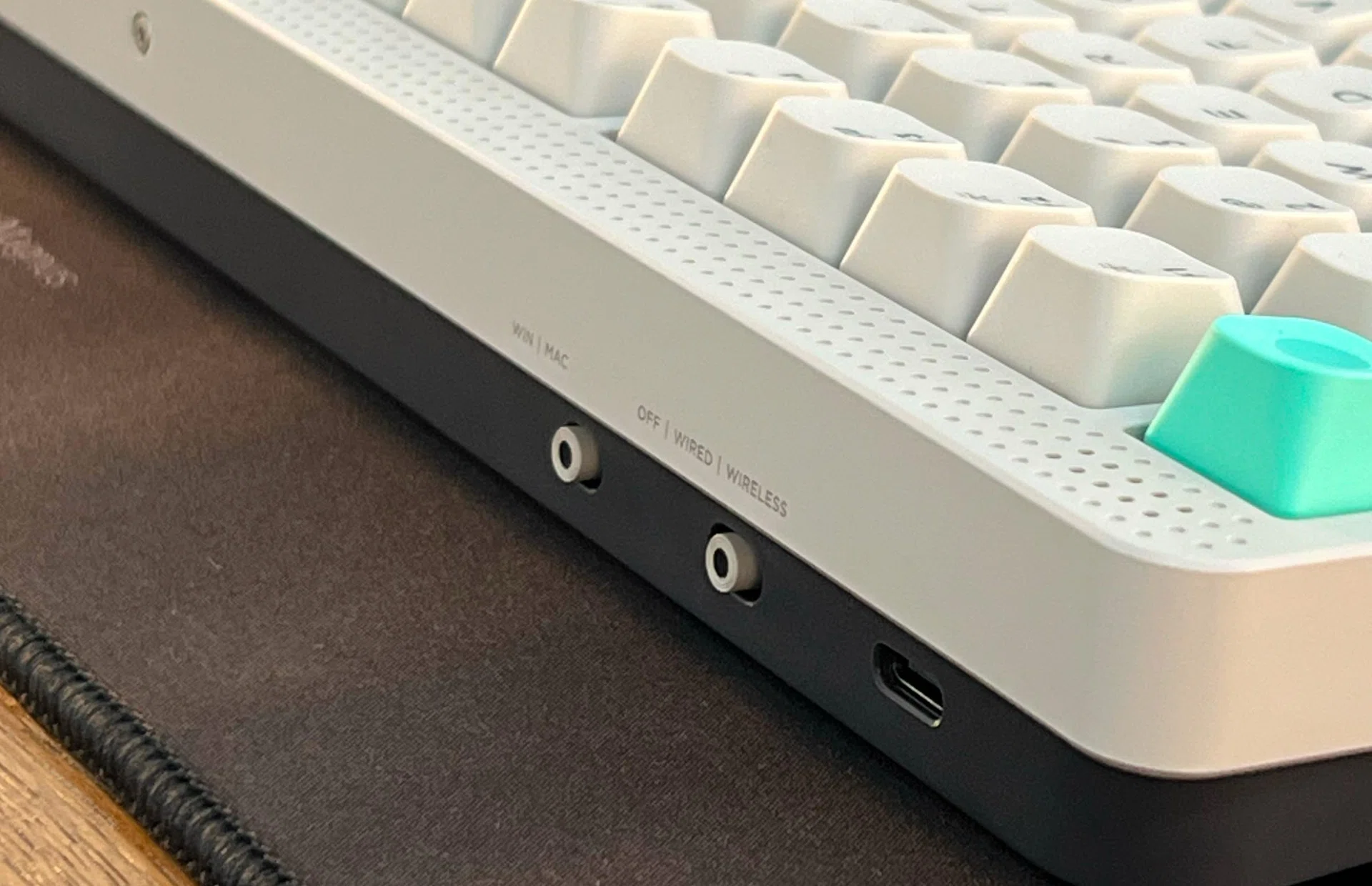
The toggle switches are conveniently located at the rear of the keyboard.
The Node 100 has physical switches that quickly change how it works. There’s a switch that toggles it between its on/off, wired, and wireless modes. And there’s another switch that toggles it between its Windows and Mac modes. This is much welcomed because some keyboards rely either on physical switches or some hard-to-remember combination of keys to change modes.
Customisation options - Nuphy IO software
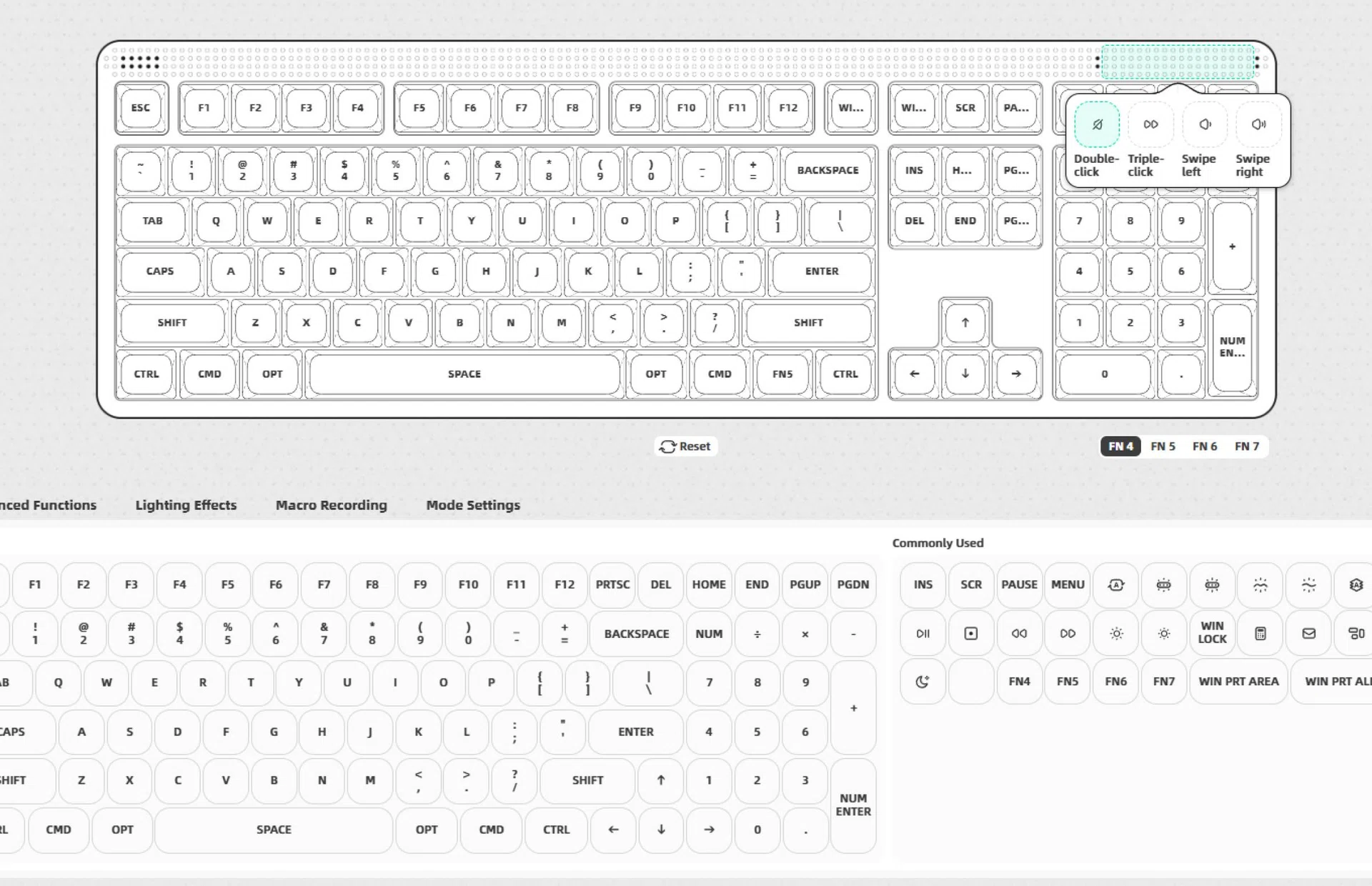
Configuring the touchbar in NuPhy.io configurator
The Node 100 is configurable. You can customise it using either the web-based configurator or you can install the Nuphy IO app on your system, which I feel most people will find more intuitive to use. You can remap keys, update the firmware, and also modify and customise the RGB lighting. For advanced users, you can also create macro recordings. One thing worth noting is that the web-based configurator works only on Chrome-based browsers since they rely on the WebHID API to communicate with the keyboard.
That said, I find configurators less of a necessity for full-size keyboards since you already have the full suite of keys at your disposal. Such configurators are more useful with smaller keyboards, where you might require layers to enable certain keys to perform more than one function.
Final thoughts
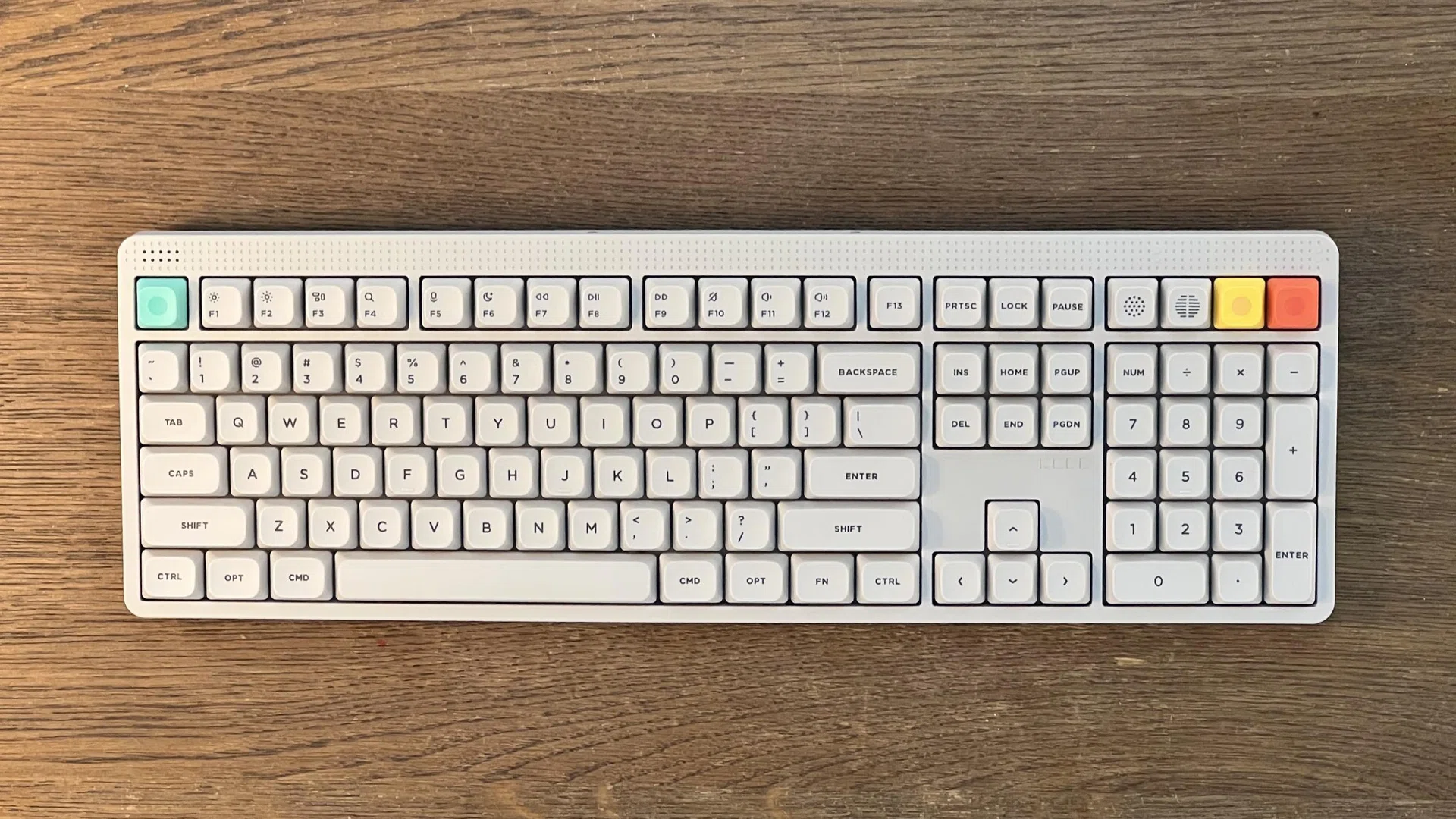
The Node 100 is a very charming and full-featured 100% keyboard.
The Nuphy Node 100 retails for US$109.95 (~S$142) on Nuphy.com and comes in 3 colours: Lunar White, Ink Gray, and Light Pink. There are also three switch options: Red Max, Brown Max, and Blush Max. Fortunately, shipping is free, but taxes will push prices up higher.
Nuphy keyboards are typically not cheap, but the Node 100 is reasonably priced for what it is. To start, enthusiast-grade 100% keyboards are relatively harder to find, and while one could certainly argue that there are full-metal keyboards that cost about the same, they are often smaller 75% or TKL keyboards. Plus, none of them have the funky aesthetic of the Node 100.
Crucially, the overall quality and feature set of the Node 100 are great. Even out of the box and with zero modifications, I have no qualms about using it as my daily driver keyboard. Ultimately, I can’t think of another full-size keyboard at this price that matches the Node 100 in terms of fun, features, and build quality.