
Sony Tablet S (16GB) Wi-Fi - The First PlayStation Certified Tablet
Sony is determined to make the Tablet S stand out. It's the first PlayStation certified slate and the first to feature an unconventional folded magazine design. Are these features enough to make it stand out? We find out.

Sony Strikes into The Tablet Scene
The tablet category was one of the few frontiers that Sony had no presence until recently when the company launched its assault with two tablets, the Tablet S and the Tablet P. While the Tablet P is expected to arrive in Q1 2012, we already had our hands-on with the Tablet S (Wi-Fi model) during its media launch two weeks ago. We got to say the Tablet S impressed us in our initial trials.
Frankly, we have seen quite a number of Honeycomb tablets from different brands the past few months, and saw for ourselves how each tablet attempted to stand out from the rest. Most brands try to compete in terms of dimensions, services, apps and accessories. For example, the Samsung Galaxy Tab 10.1 prides itself on being the lightest and slimmest tablet in the 10-inch category. The Acer Iconia Tab A500 features the clear.fi. system to help you organize and share media among different devices in your home network. The Lenovo IdeaPad Tablet K1 comes with more than 30 preloaded apps. The ASUS Eee Pad Transformer has an optional keyboard docking station that boosts battery life up to 16 hours. What does the Sony Tablet S (Wi-Fi model) has in its arsenal to strike back at its competitors? Let's start with its design:-
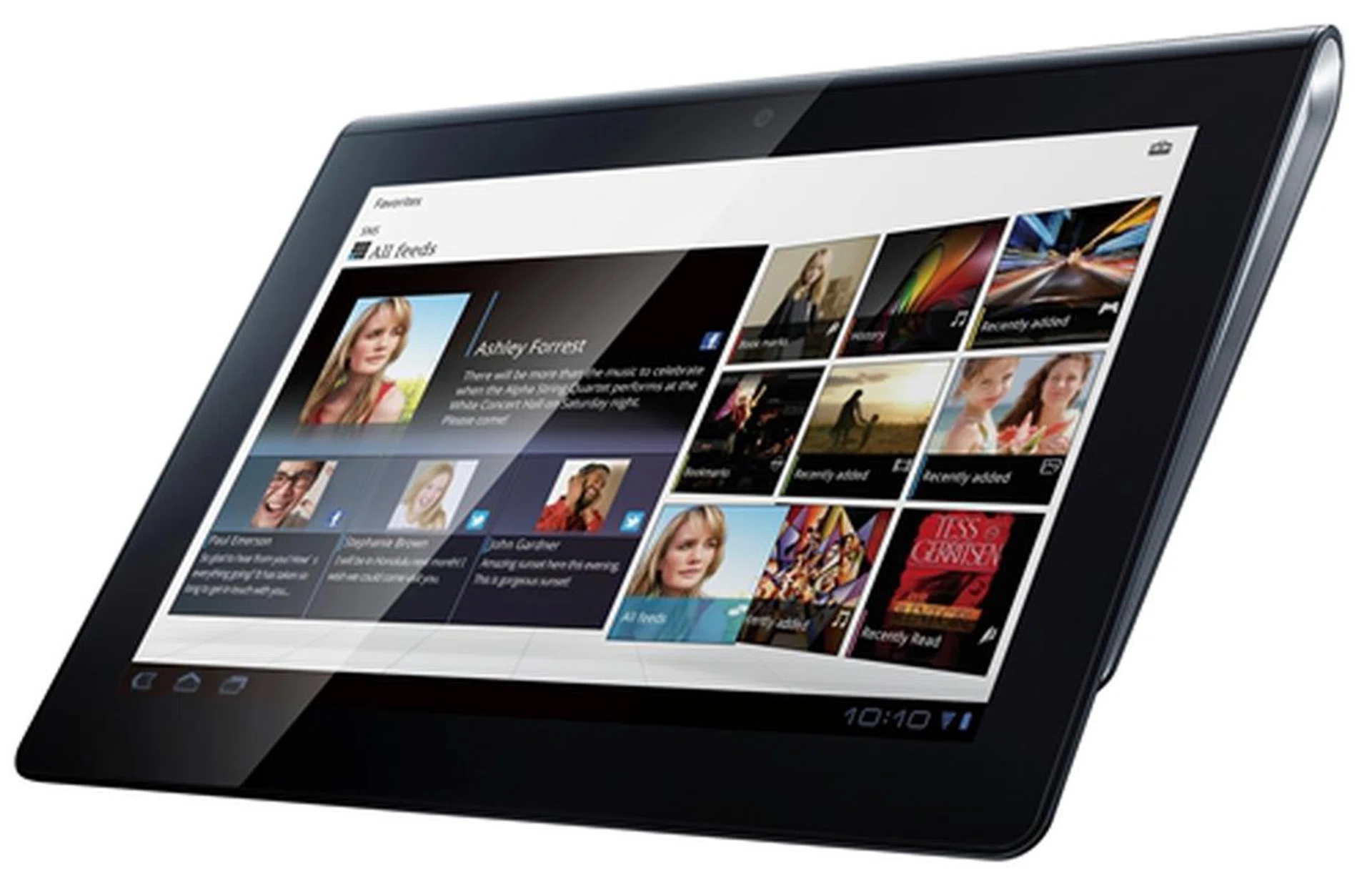
The Sony Tablet S represents the best of everything the Japanese tech giant has to offer from the hardware to software to service aspects.
Design Aspects
The first thing about the Sony Tablet S that grabs your attention is the asymmetrical form factor. Sony creatively designs the Tablet S with a tapered form factor that looks like the curve of a magazine folded back. The thicker side has a nice round edge with a dotted texture to provide an assuring grip. Having said that, the Sony Tablet S is meant to held with one hand (in portrait mode).
The drawback of such a design is that the Tablet S measures 20.6mm at its thickest point while it tapers to 10.1mm thin on the other end. When compared to the 8.6mm thin Samsung Galaxy Tab 10.1, the Sony Tablet S may seem to be a thick gadget to lug around. Fortunately, the ergonomic design of the Tablet S helps shift the weight of the device (598g) closer to your palm, making it feel lighter and easier to handle. In terms of handling, the Sony Tablet S is among the best we have come across so far.
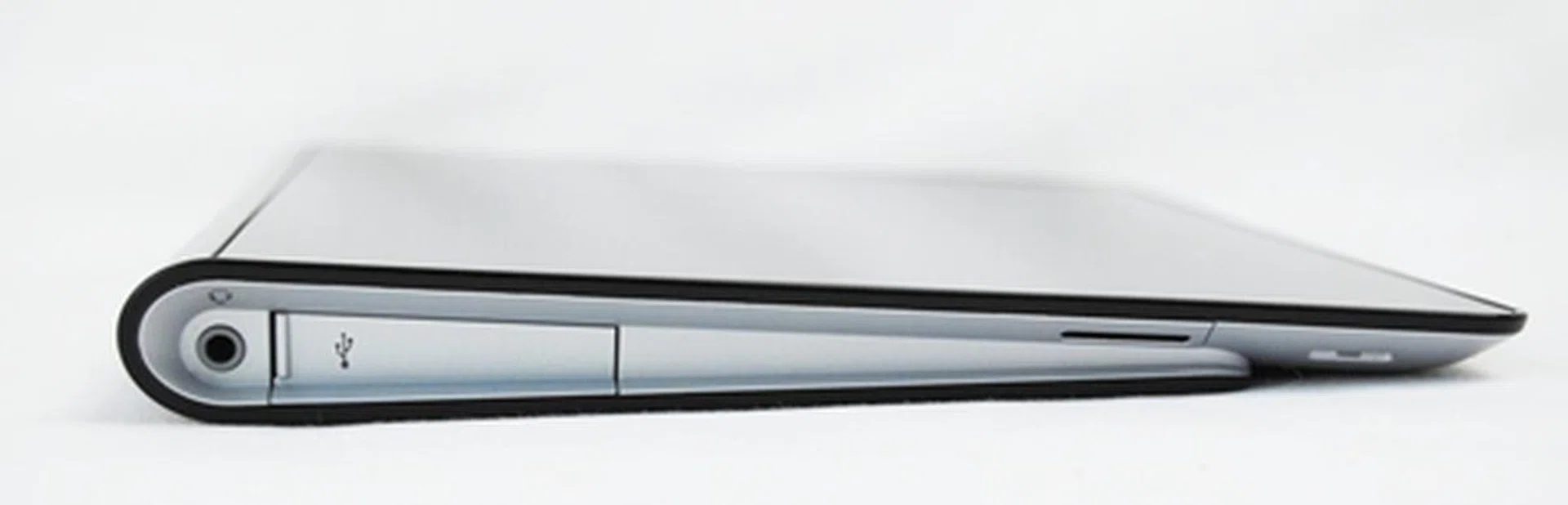
Sony sets out to redefine the way we hold the Tablet S with the unique folding design. It also helps to ease typing and provide a better viewing angle when the tablet is placed on a flat surface as the screen is elevated at a slight angle.
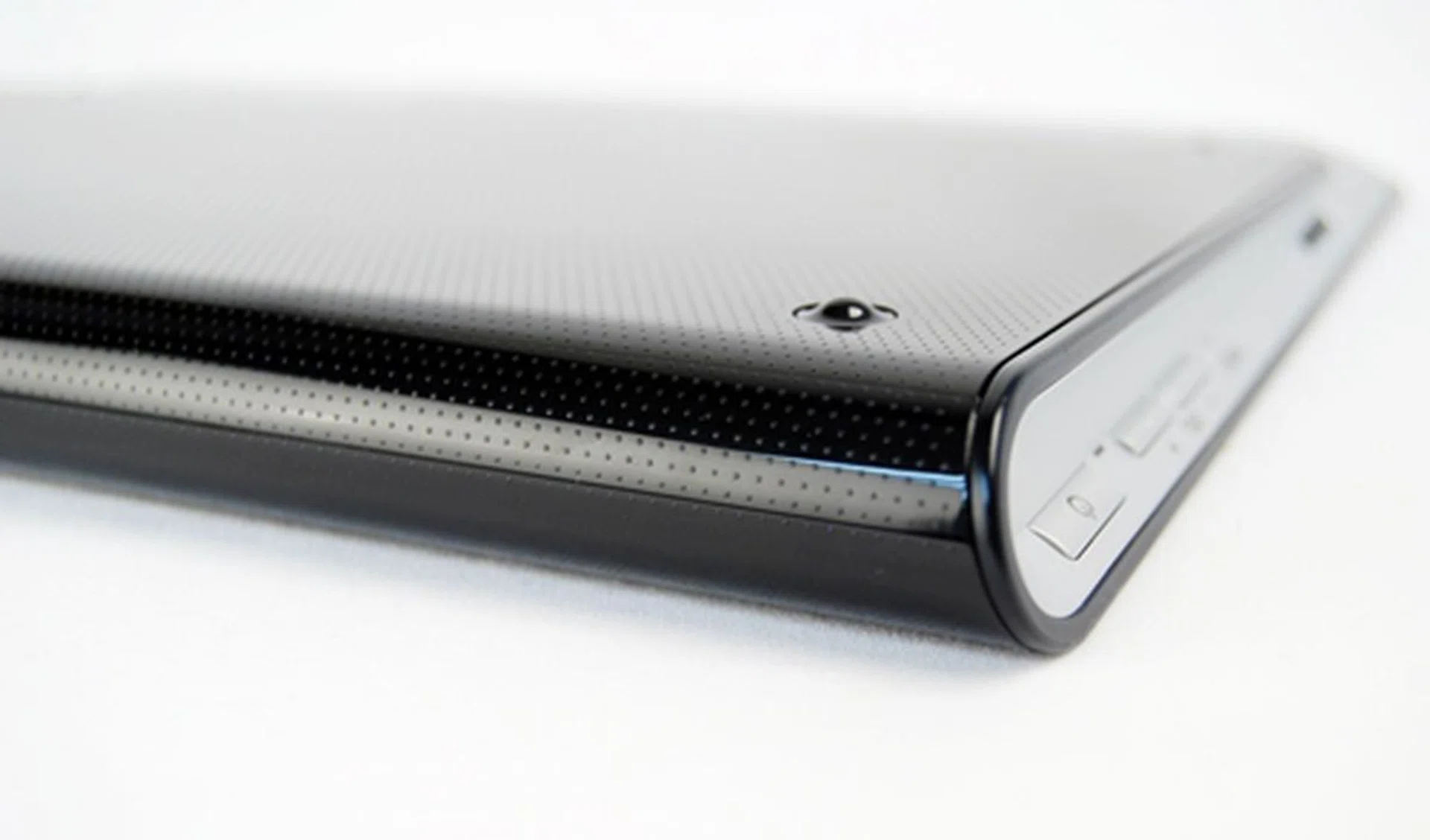
The dotted texture on the curved edge helps you have a better grip of the Tablet S, especially when it is designed to be used with one hand.
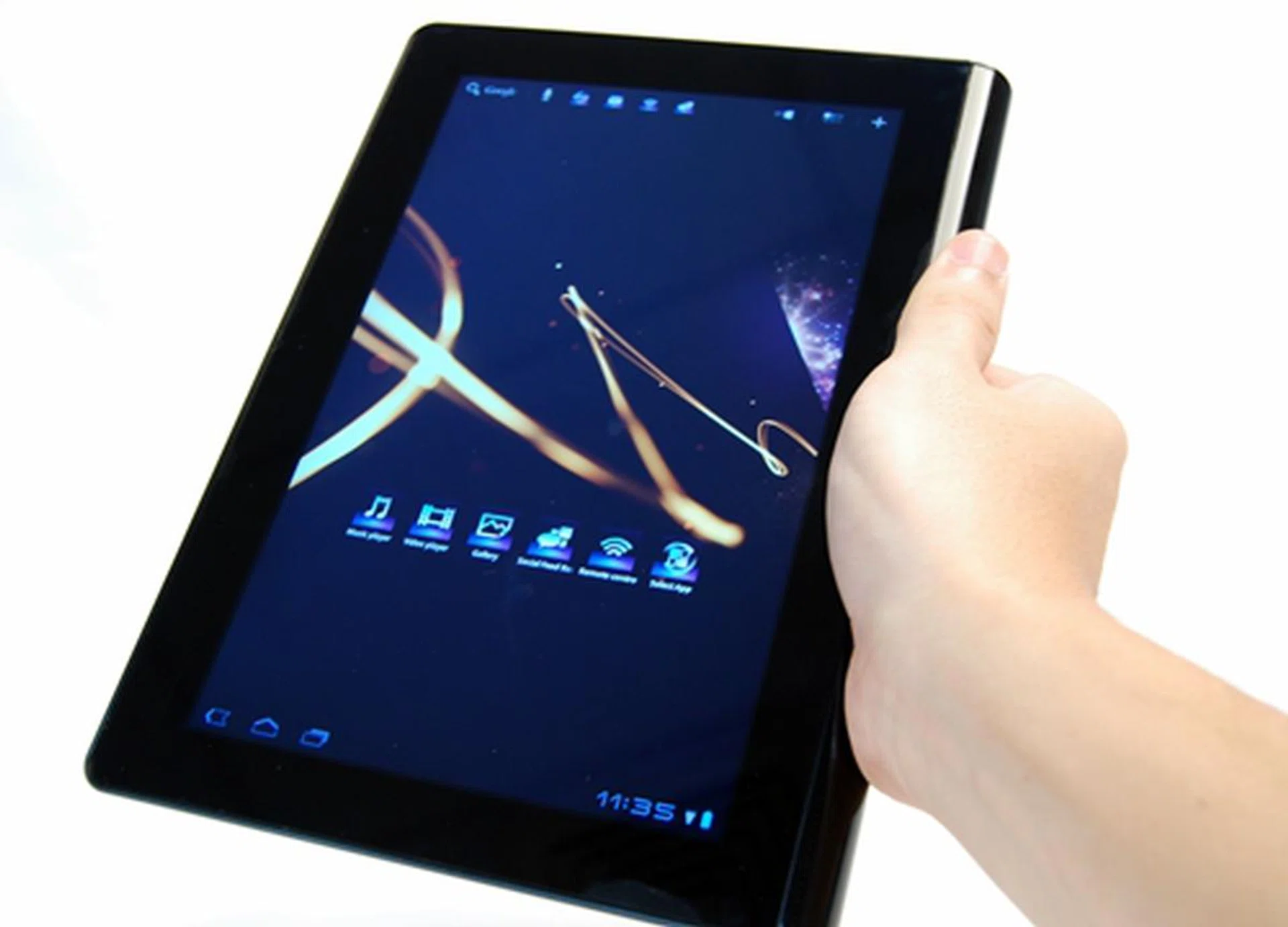
The design of the Sony Tablet S makes it easy to hold whether you are left or right handed.
Dominating the front of the Tablet S is the 9.4-inch display, which is a tad smaller than the 9.7-inch display on the Apple iPad 2. According to Sony, the display is backed by the renowned BRAVIA TruBlack technology which minimizes glare and reflections from sunlight or flouorescent light. It also provides high contrast and visibility for usage in both indoor and outdoor environments. Nonetheless, the Tablet S still suffers from a common problem of tablets - a glossy display. It attracts fingerprints and smudges very easily. It is also too glossy for our liking as we still could see reflections on the display.
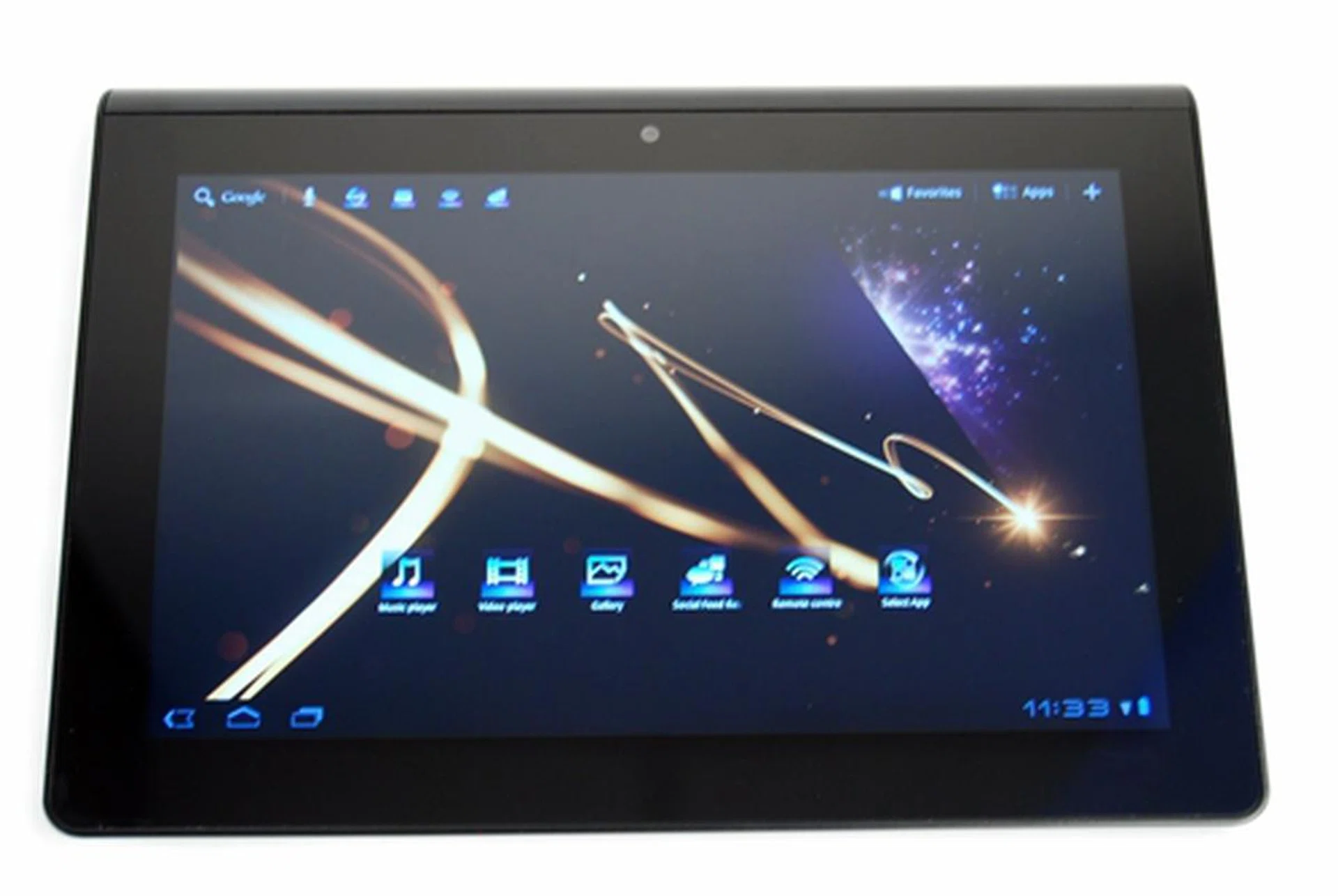
The beautiful screen offers a very pleasing viewing experience although it attracts fingerprints and smudges quickly.
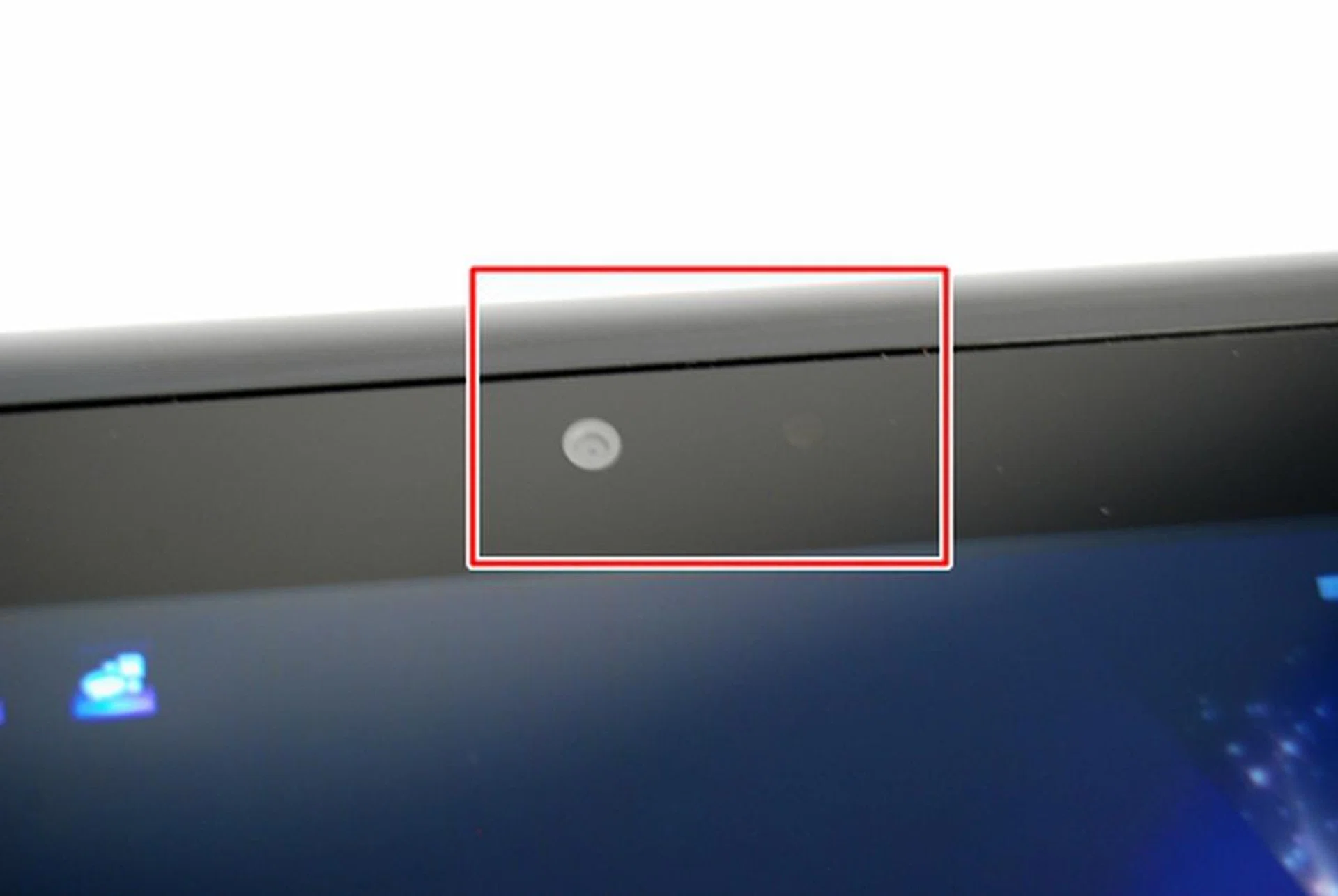
Located above the screen in the middle (landscape mode) are the 0.3-megapixel front camera (left) and ambient light sensor (right).
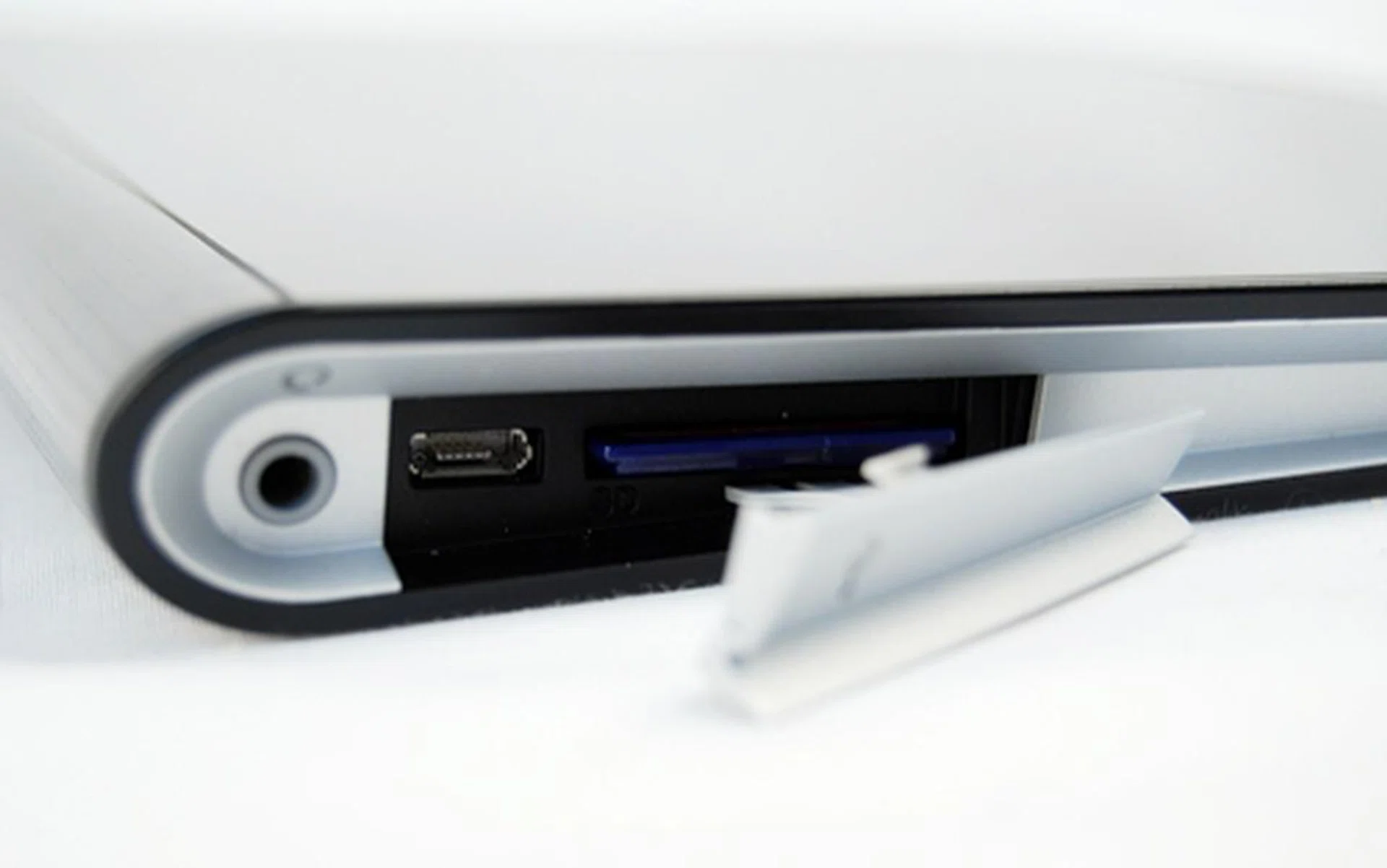
On the left of the Sony Tablet S (in landscape mode) is the 3.5mm audio jack, microUSB port and SD card reader. If only a full sized USB was accepted by the tablet, it would have been even more convenient for storage and other connectivity options without a conversion cable.
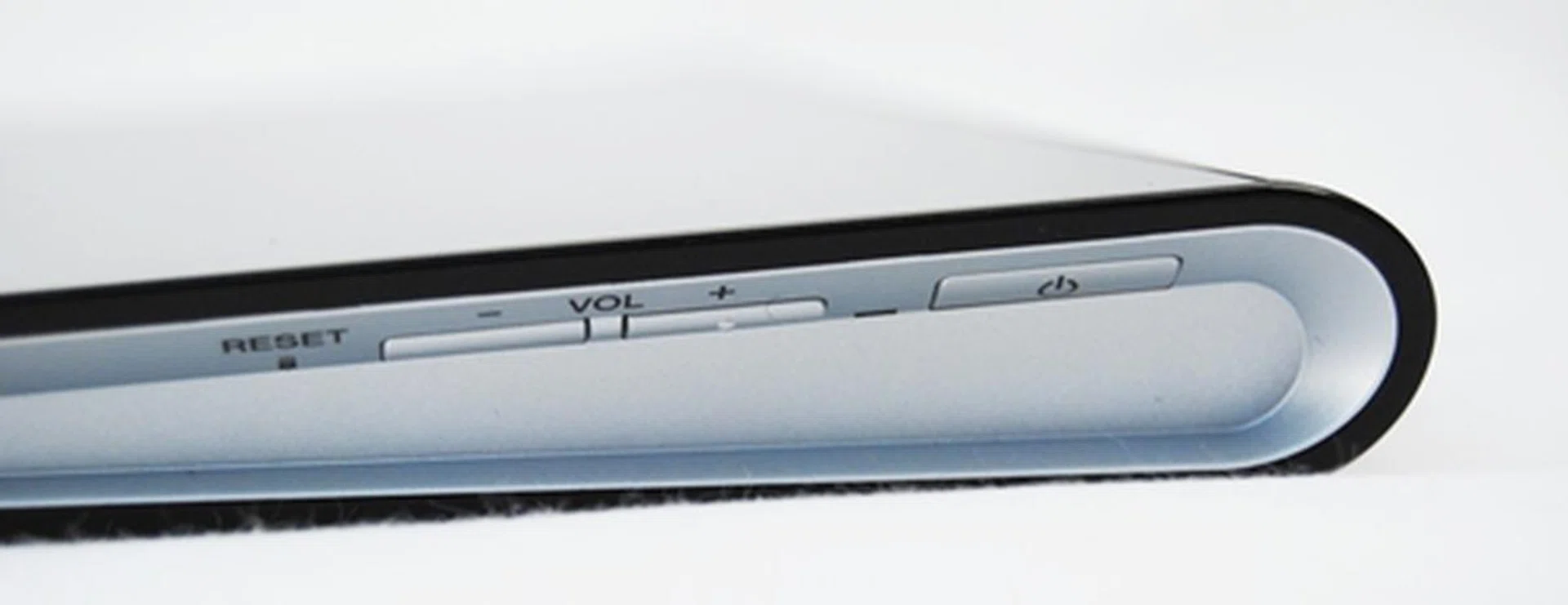
You can find the power button, volume controls and reset buttons on the right profile of the device. Unfortunately, the location and feel of the buttons are less than desirable. On several occasions, we accidentally pressed the wrong buttons as they were placed too close together. We also had a hard time finding the buttons when using the tablet without having to peer at them first.
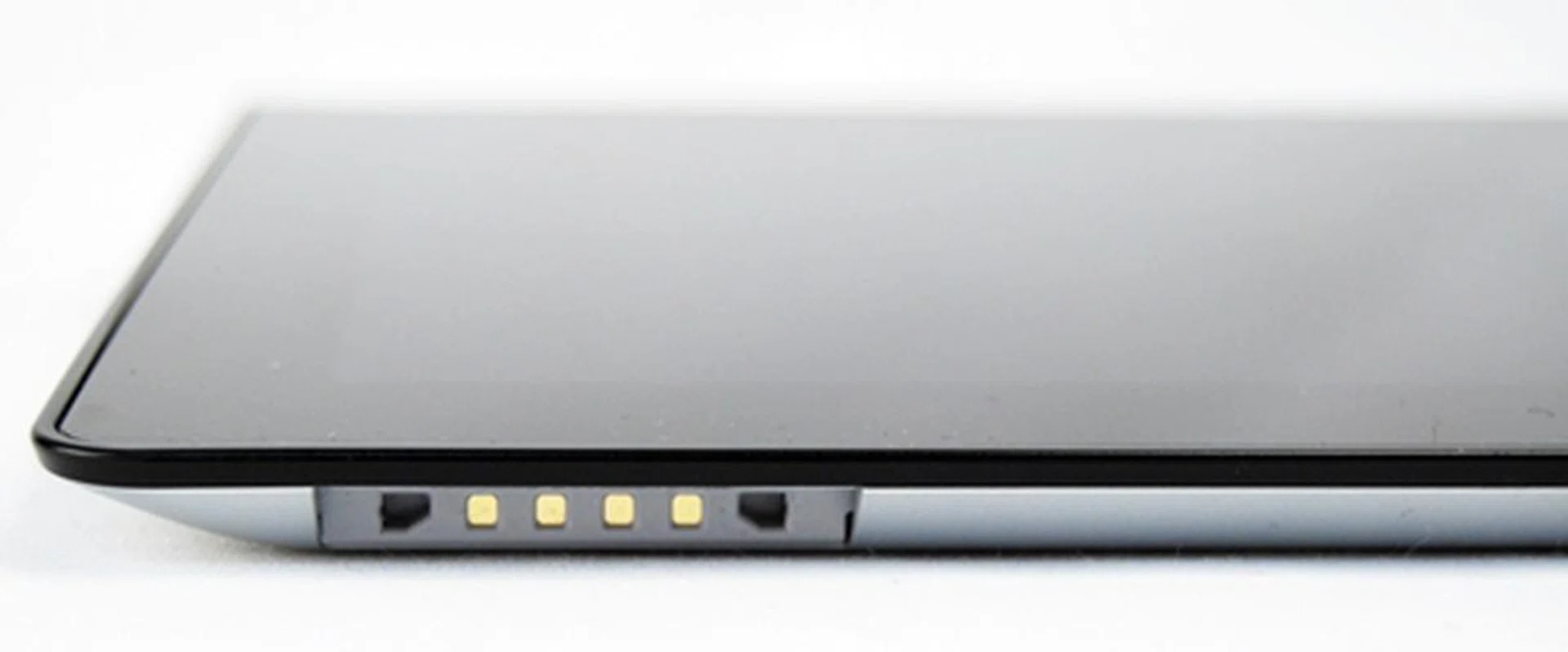
Located at the bottom left of the Sony Tablet S is the proprietary charging port. Having said that, the microUSB port cannot be used for charging the tablet. We prefer having a single microUSB port for charging and data transfer as it is more convenient.
You may be surprised by the lack of a HDMI port on the Sony Tablet S. Being the tech giant, Sony has made the Tablet S DLNA-ready which means that it can wirelessly connect to DLNA compatible devices such as home theater systems, laptops and televisions without the hassle of wires. The Sony Tablet S also has a built-in infrared sensor, which it utilizes effectively to control a variety of AV devices (like a remote control) by means of supplied app.
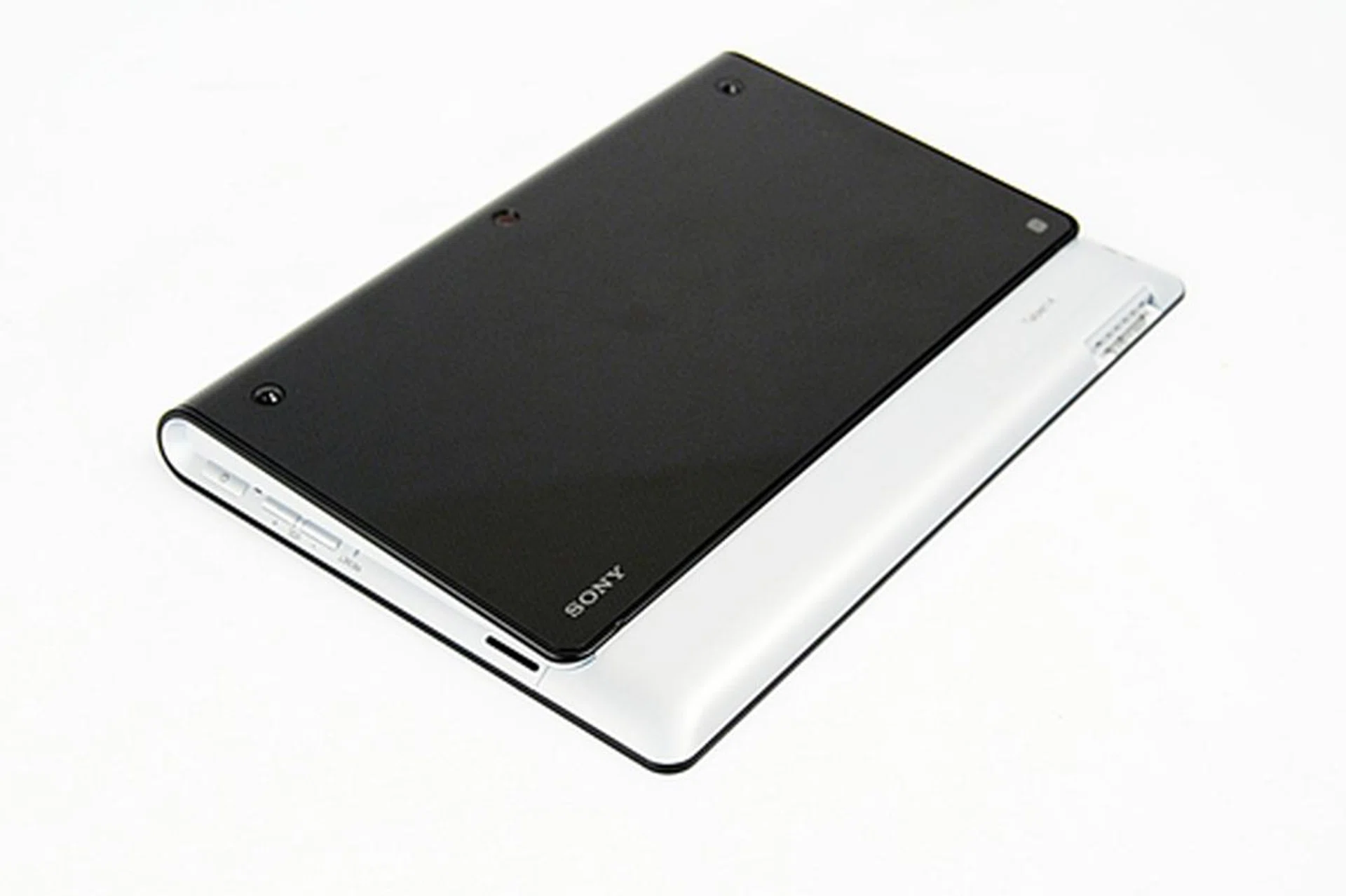
Sony keeps the back of the Tablet S clean. Most of the back is made up of the folded design with the dotted textured surface for good handling.
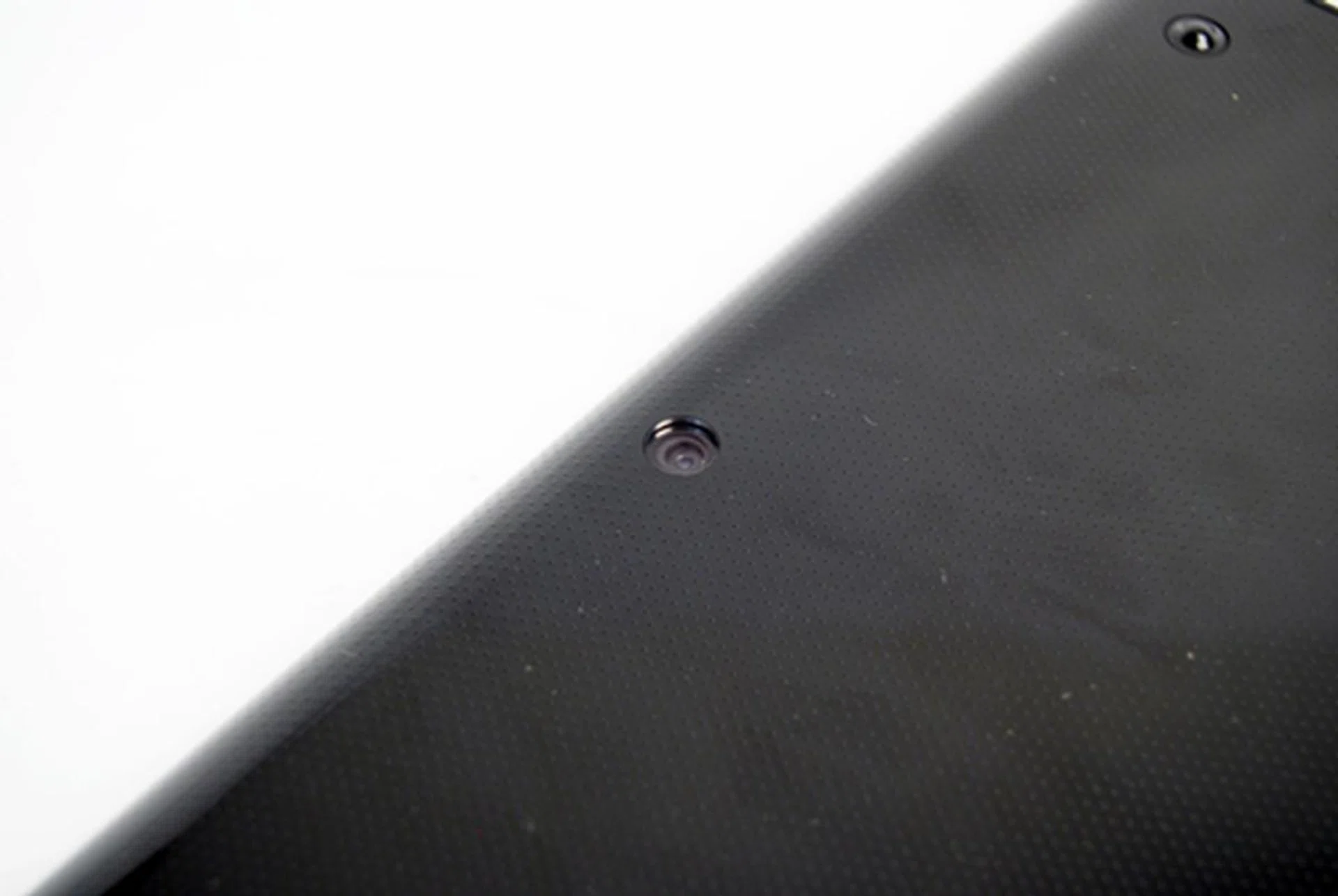
The Sony Tablet S is equipped with a 5-megapixel rear camera that is powered by Exmor for mobile.
Sony's Honeycomb
Just like every other Android tablet that hit the market this year, the Sony Tablet S ships with the Honeycomb OS. While some tablets come with Android 3.1 OS, you will be glad to know that the Sony Tablet S is powered by Android 3.2 out of the box. While Android 3.2 is not a significant upgrade, it does brings some improvements and new features such as app zooming. To find out more about what Android 3.2 can do, you can check out Android Developers website here.
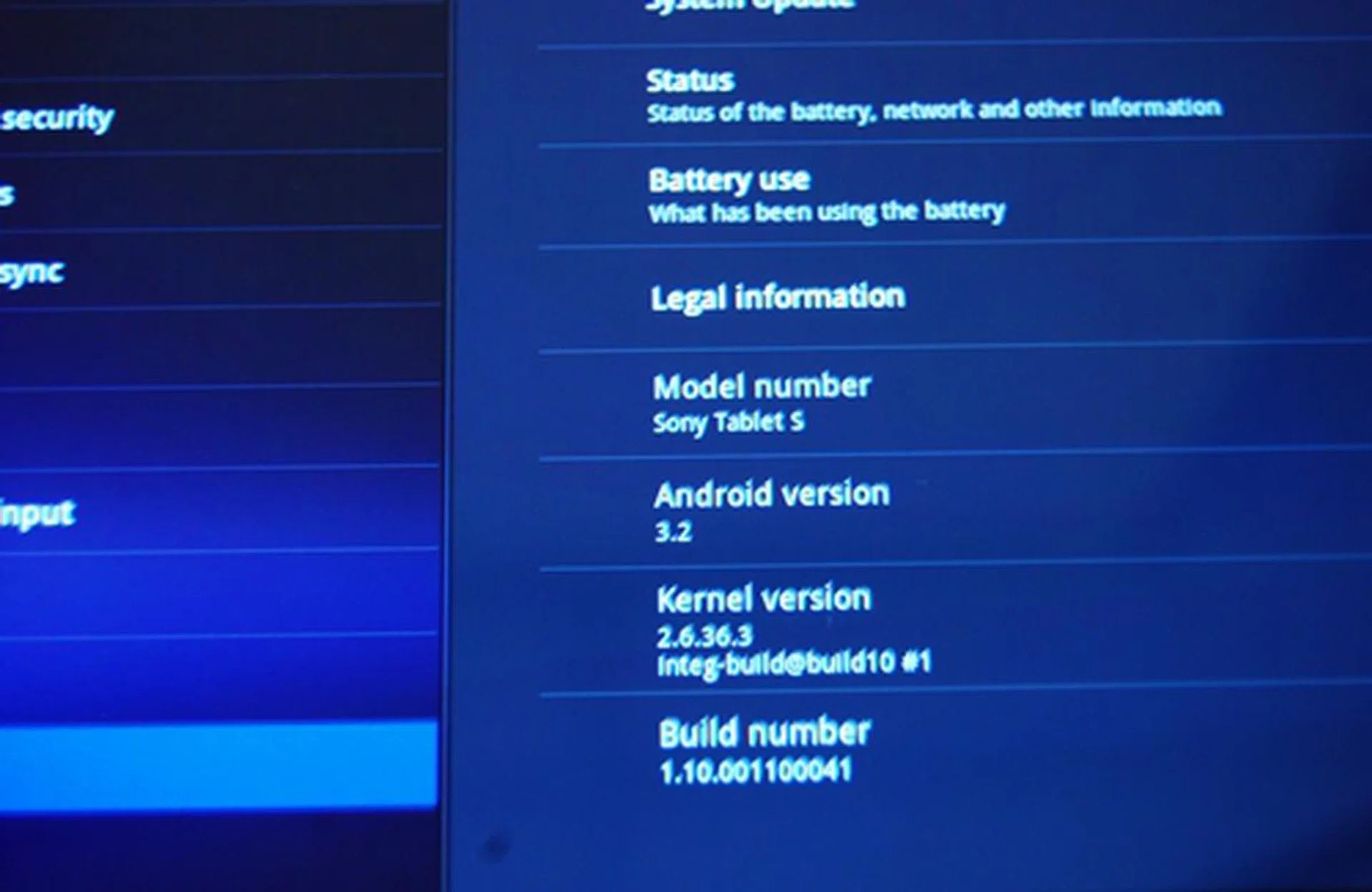
Android 3.2 is an incremental upgrade from Android 3.1. It brings about bug fixes, boosts in performance, compatibility zoom and media sync from SD card.
Sony left much of the Android UI untouched, which is a blessing in disguise. When we reviewed the Samsung Galaxy Tab 10.1, the user experience was tainted by the slight lags we encountered. We attributed it to the customized user interface (UI), Samsung TouchWiz for consuming unnecessary system resources. Nevertheless, Sony has added some minor tweaks to the UI that did not degrade the user experience.
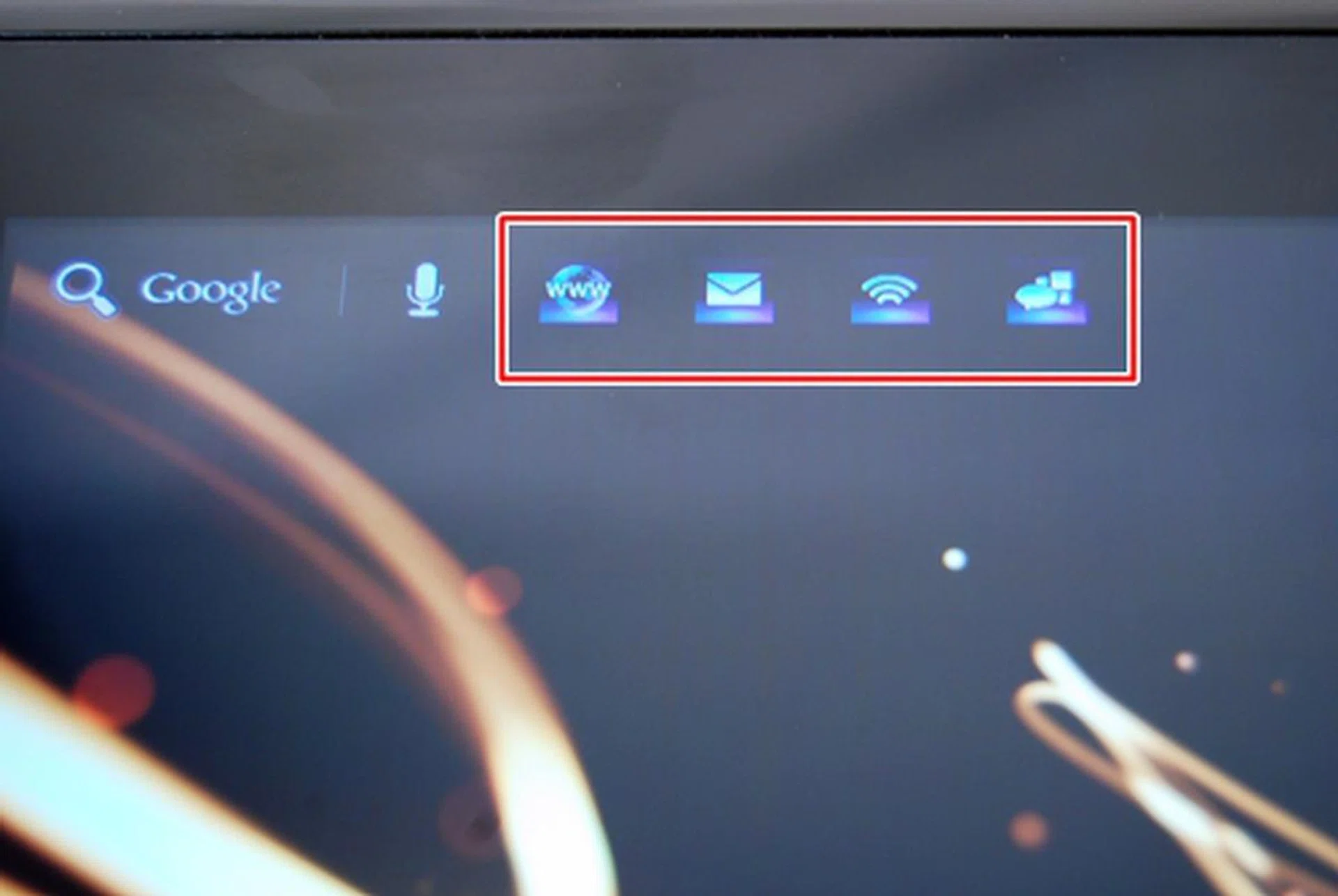
The first tweak to the Android UI will be the addition of four shortcut icons on the top left corner of the screen. They are Browser, Email, Remote Control and Social Feed Reader. (left to right). We like how Sony made use of the empty space on the screen to include handy shortcuts like these.
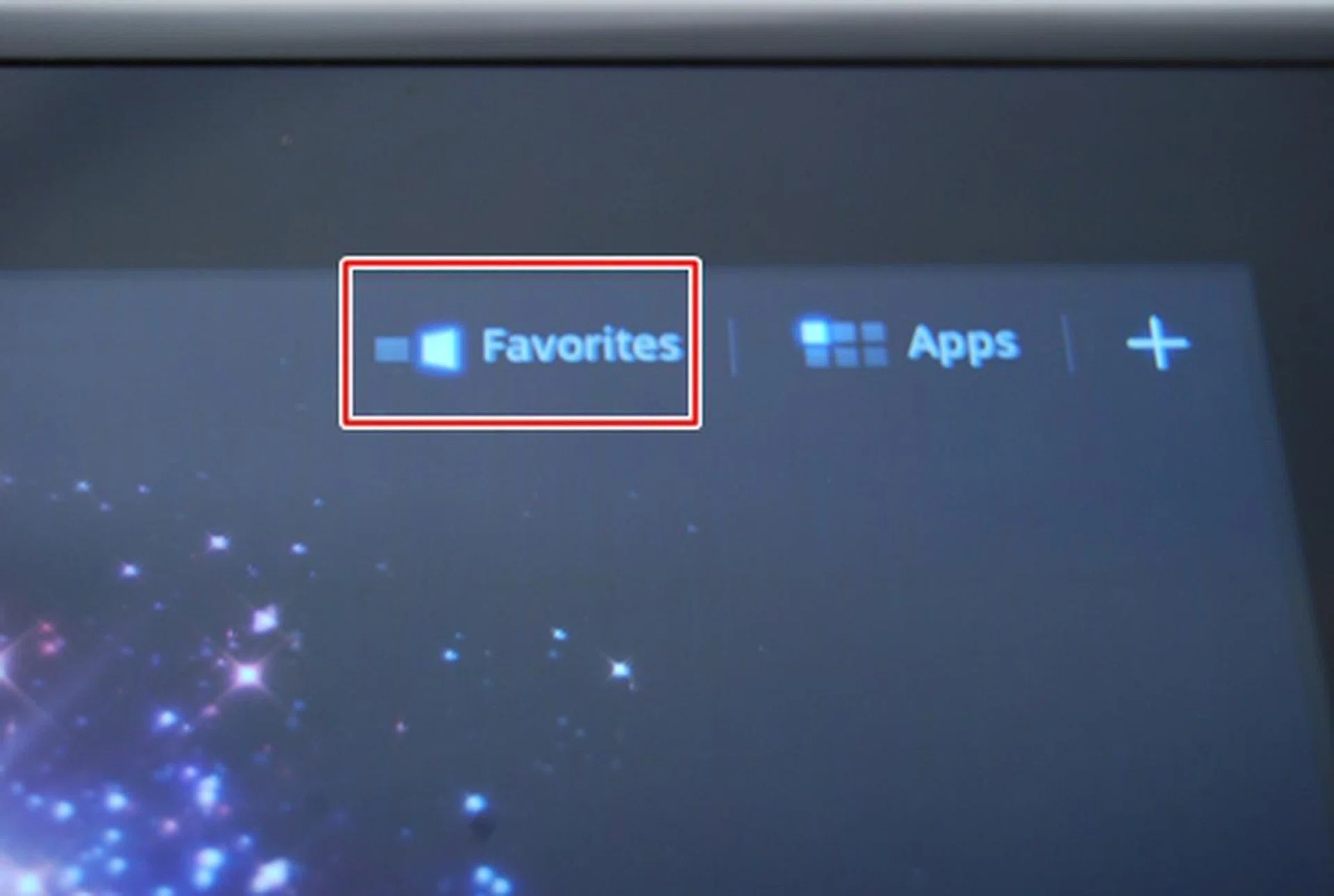
On the top right hand corner of the screen is the Favorites tab, the second tweak by Sony on the Android UI. It gives you easier access to your multimedia needs.
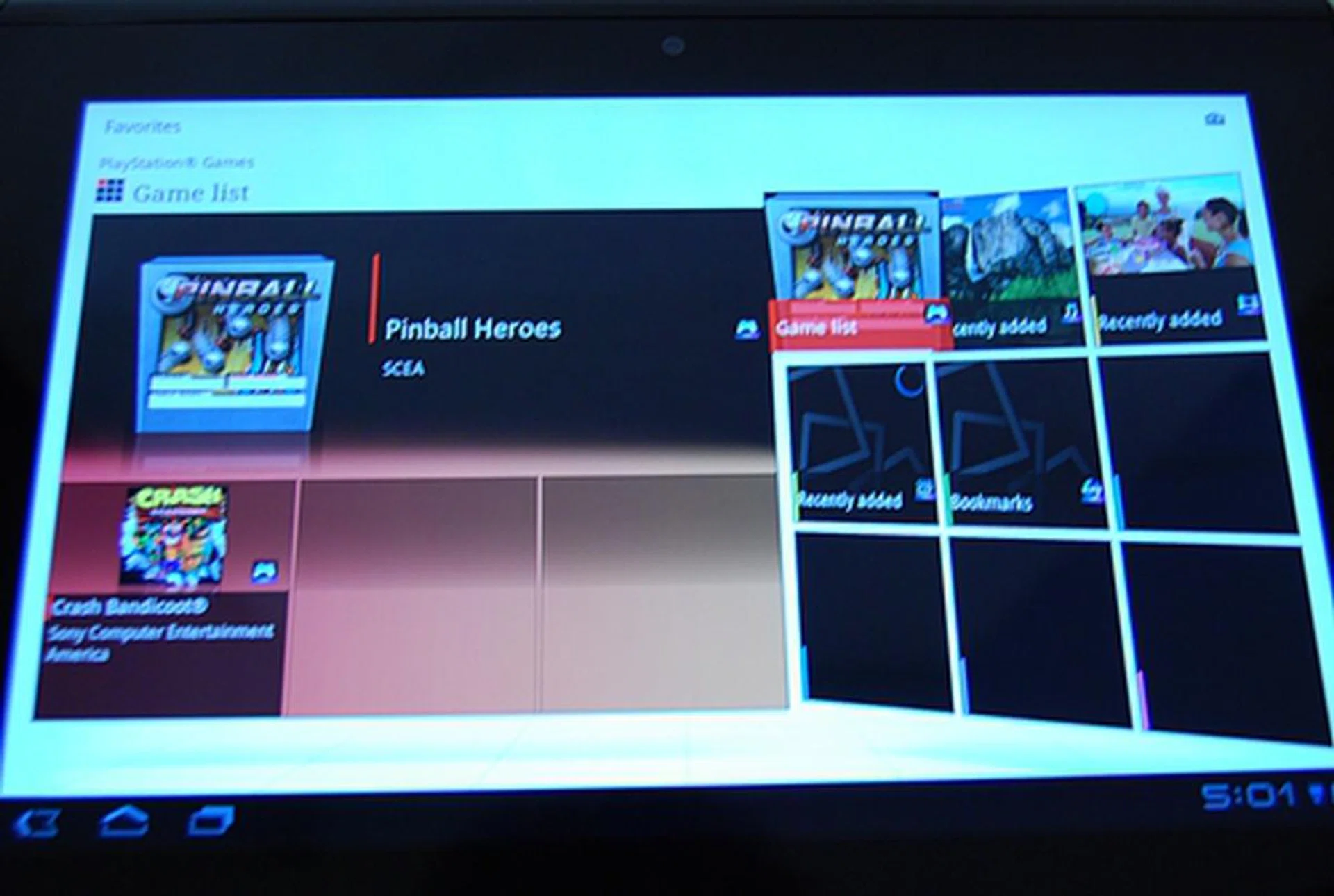
What you see over here is the main screen of the Favorites tab. You have nine tiles on the right depicting the items you choose and a preview panel on the left.
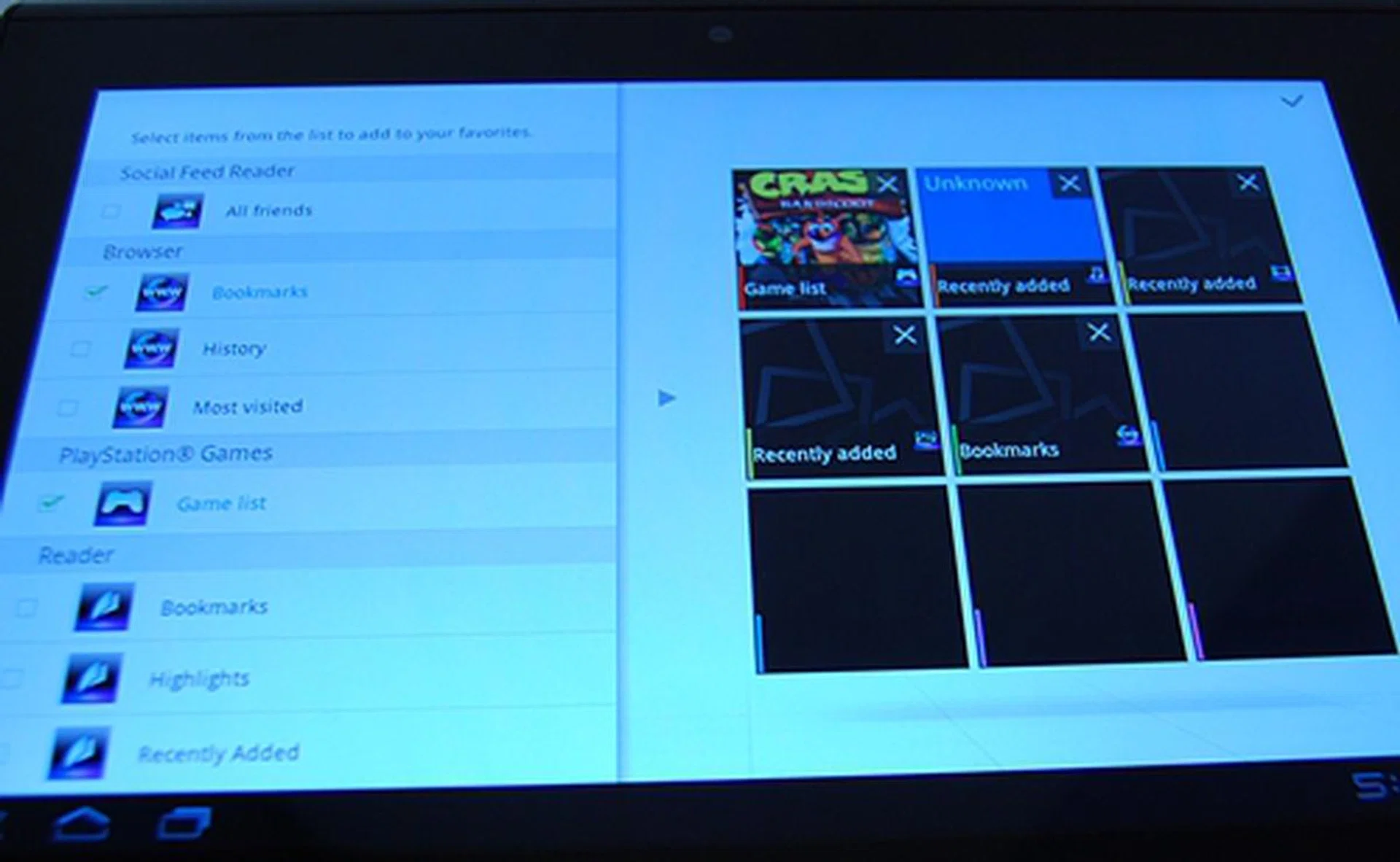
You can customize what to place in the nine tiles on the Favorite main page.There are seven categories of items to choose from: Social Feed Reader, Browser (bookmarks, history, most visited), PlayStation games, Reader (bookmarks, highlights, recently added, recently read), Video Player, Music and Gallery.
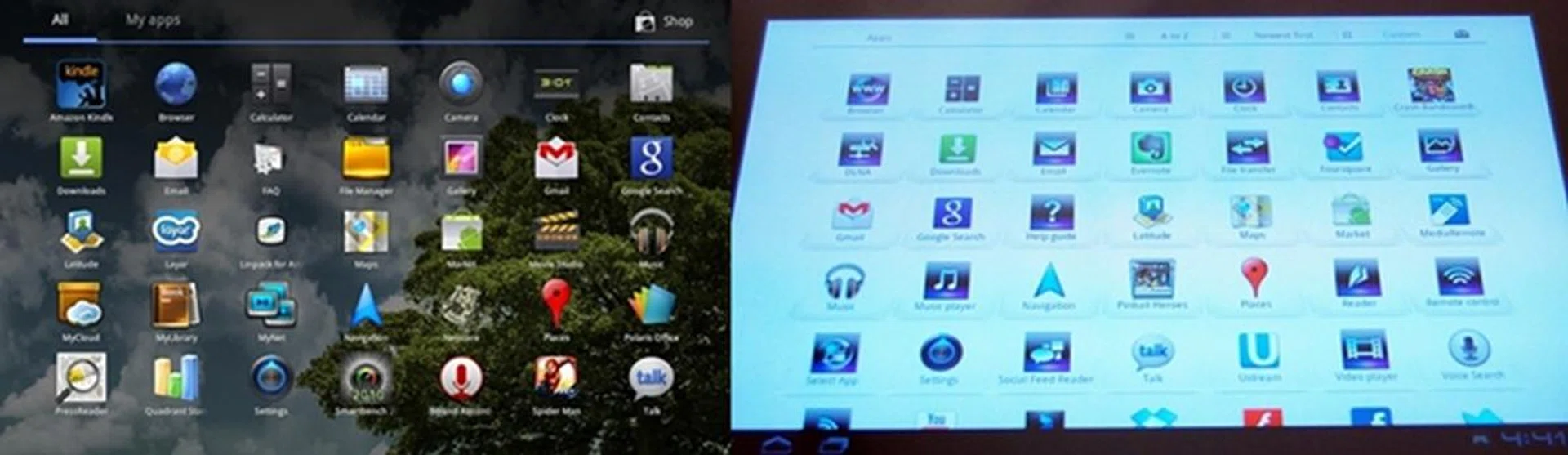
The third tweak to the Android UI is seen in the App list. On the left is the usual app list seen on other Honeycomb tablets. On the right is the app list on the Sony Tablet S. We find the white background and app separator on the Tablet S to be slightly more aesthetically appealing.
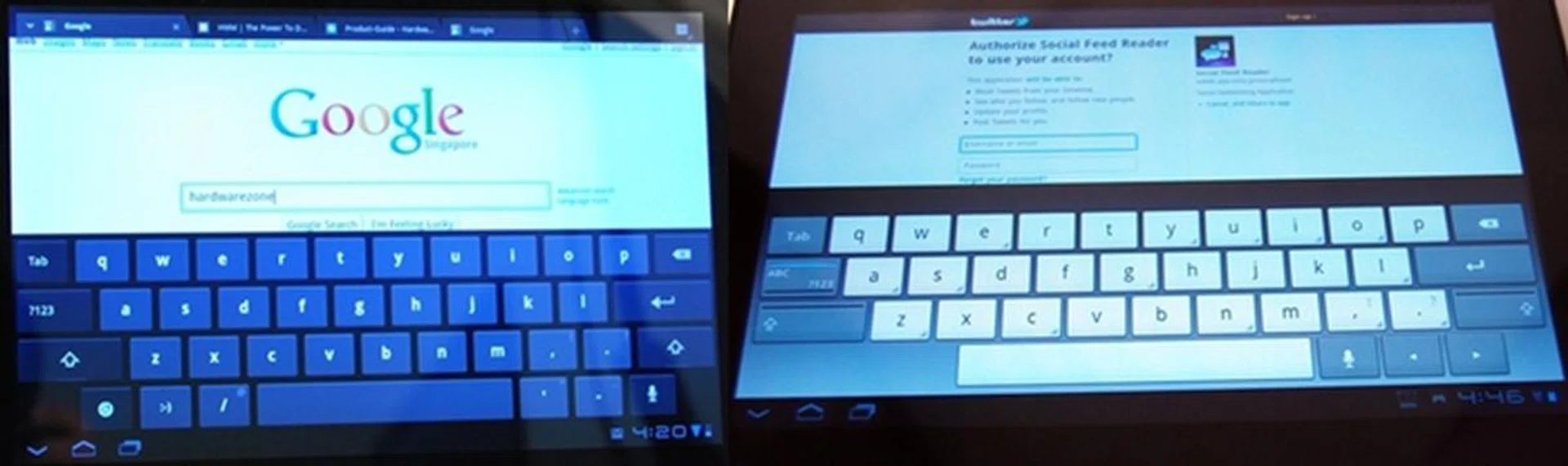
The virtual keyboard on the Sony Tablet S (right) looks different from the stock Honeycomb keyboard (left). During our time with the Tablet S, we had no problem typing on the redesigned keyboard.
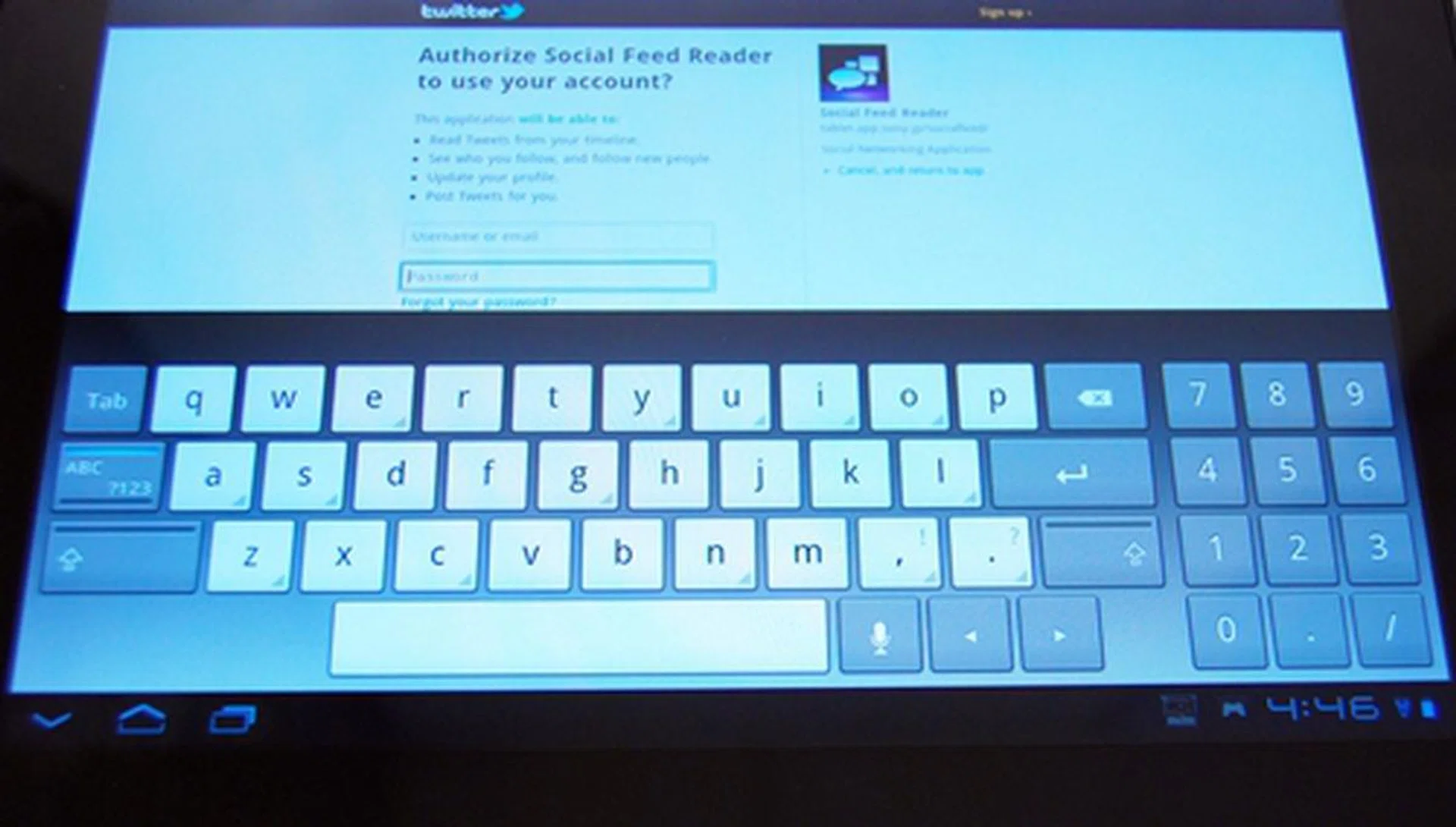
We like how Sony designed the numeric keypad to pop up whenever we input passwords. It is more convenient than switching between the different keyboard layouts.
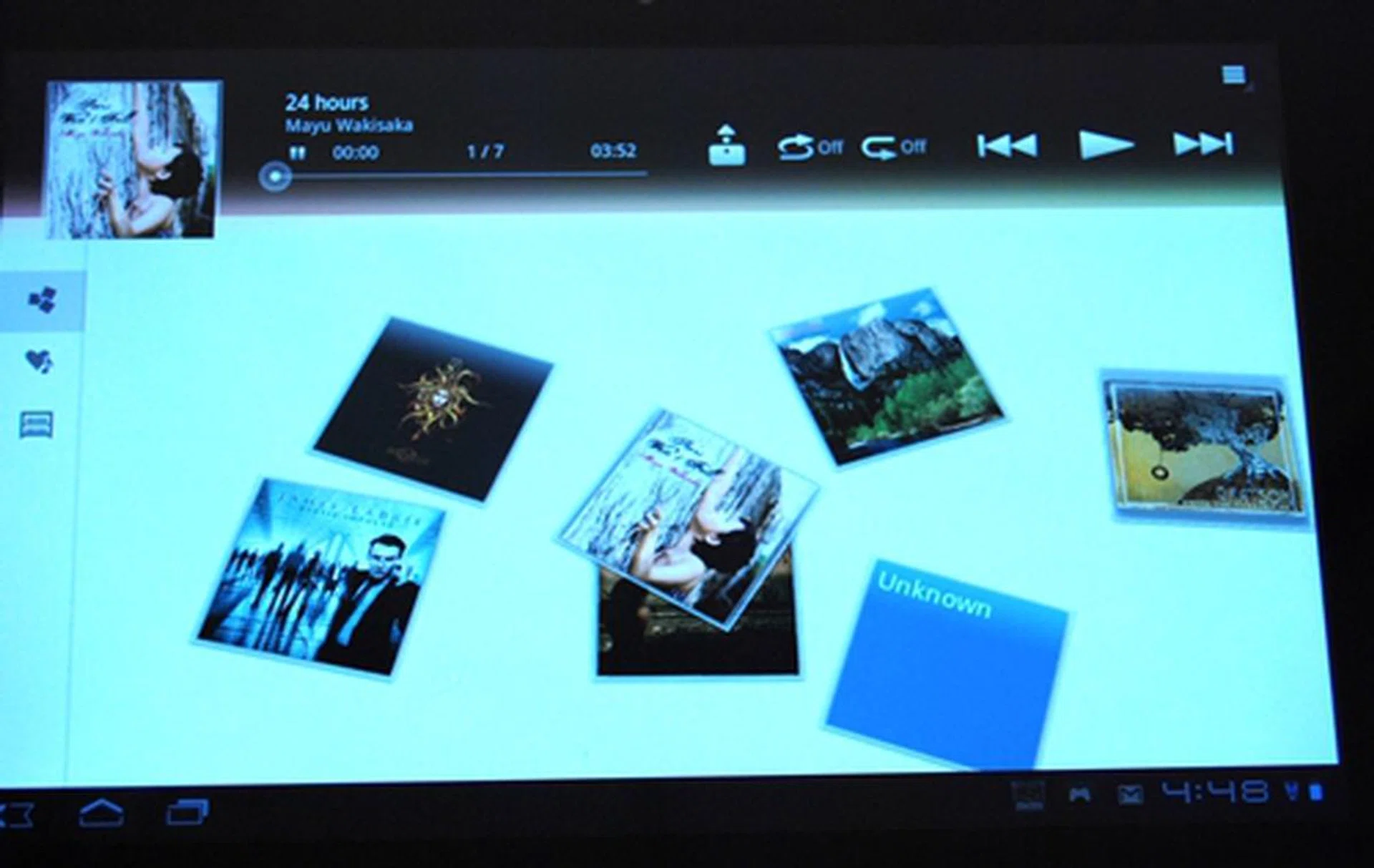
The music player interface is one of the best we have seen so far. The album art tiles are scattered in the center of the screen. You are free to arrange them in any way you like them to be.
Sony adds its own SelectApp site to complement the Android Market. The SelectApp site highlights new and unique apps from a wide range of categories that are recommended for the Sony Tablet S. At the point of writing, there are only two apps available - Your Digital Life and Zinio Magazine Reader (which you can use the latter to read your digital HWM subscriptions if you've already signed up for it). More apps will be coming in the future.
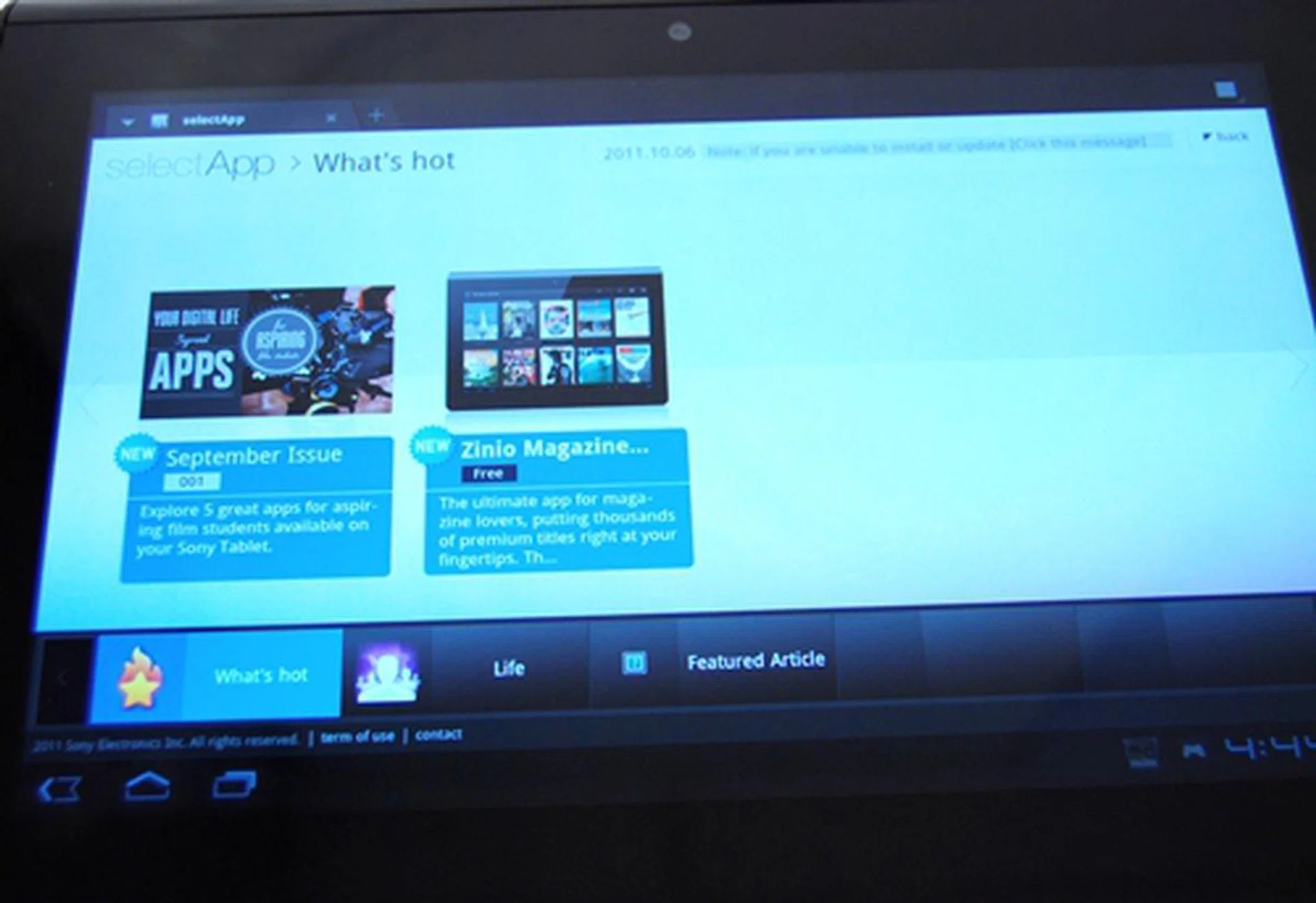
Sony has its SelectApp site, which is a similar concept to Samsung Apps and Lenovo App Shop. The apps featured in SelectApp are recommended specifically for use on Sony Tablet devices.
It is common among brands to feature their own social feed congregator. For example, we have seen Lenovo's implementation of the SocialTouch app on the IdeaPad Tablet K1. Sony has its own Social Feed Reader, which is considered simple. While Samsung's Social Hub allows you to combine email, instant messaging and social networking sites into one central location, you can only add Twitter and Facebook accounts on Sony's Social Feed Reader.
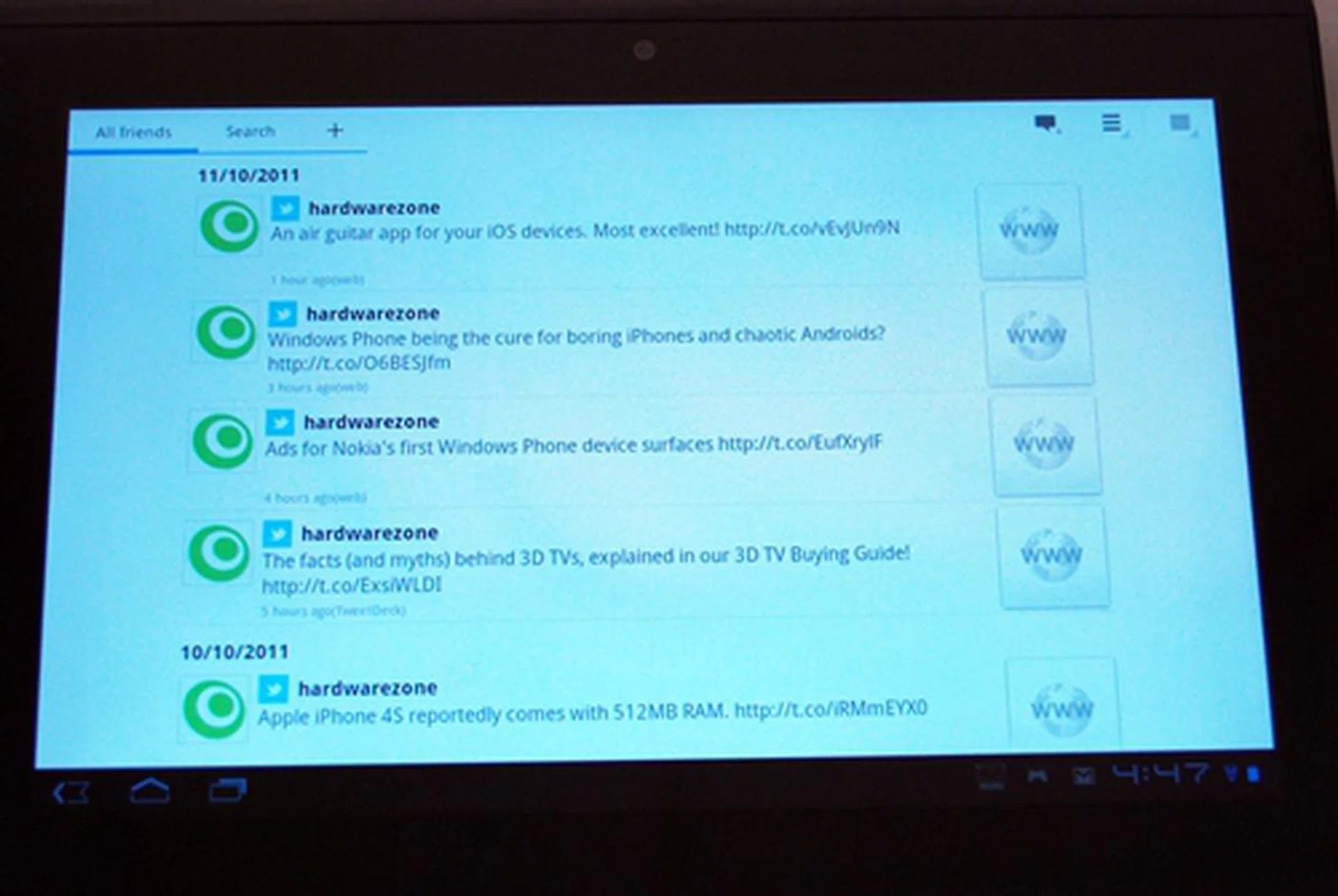
The Social Feed Reader provides a basic overview of your Twitter and Facebook feeds.
One aggravating issue with Honeycomb OS is its inability to close apps from the multitasking menu. While Lenovo and Samsung thoughtfully added this feature to their tablets, Sony apparently omitted it on the Tablet S. Since Sony was one of the last brands to enter the tablet market and could have possibly taken an extra step in adding this feature, we're a bit disappointed that its missing on the Tablet S. This not only put the Sony Tablet S at a disadvantage against some of its Android counterparts (Samsung Galaxy Tab 10.1 and Lenovo IdeaPad Tablet K1), it also lost a chance to be on par with the Apple iPad 2 in terms of app management.
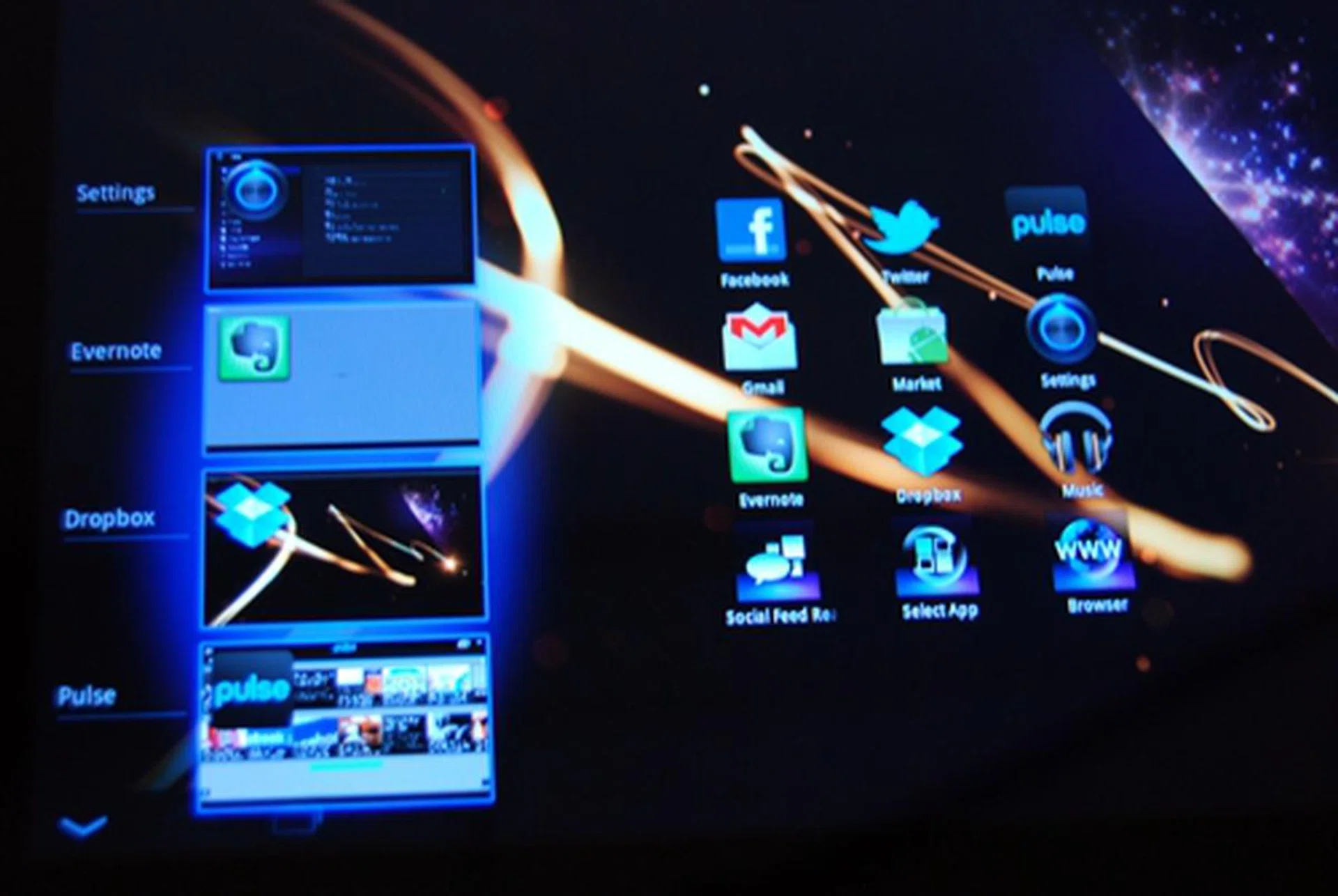
Given the luxury of time to observe the competition, we would have preferred that Sony took the extra effort to integrate a task killing function into the multitasking menu.
Overall, we felt that Sony's limited tweaking of the Android UI benefits the user experience on the Tablet S. The tablet felt smooth and fluid in its operation. Sideway swipes were snappy too. This is mainly due to Sony's inclusion of the Quick Touch feature, which allows the tablet to respond instantly and accurately to every touch, drag, zoom or twist of the fingers. The minor tweaks improved the user experience slightly, but we guess that they are merely simple ways that Sony came up with to differentiate itself from the rest of the Android tablets.
Sony-tastic
Being an Android Honeycomb tablet, you can pretty much expect the same configurations - NVIDIA Tegra 2 dual-core 1GHz processor and 1GB of RAM. Since most Honeycomb tablets have the same processors and RAM, we can expect comparable performance from Sony Tablet S. Let's find out if the Sony Tablet S can live up to expectations from the benchmarks below.
For the performance benchmarks, we pit the Sony Tablet S against the wafer thin Samsung Galaxy Tab 10.1 and Lenovo IdeaPad Tablet K1 since they are powered by three different versions of Honeycomb. We also throw in the Apple iPad 2 as it is by far the benchmark for all other tablets. The following benchmarks are used for raw performance evaluation:
- Quadrant evaluates the CPU, memory, I/O and 3D graphics performance. This is an Android OS based test.
- Smartbench 2011 is a multi-core friendly benchmark application that includes both the Productivity and Games Indices for a more complete gauge of the overall performance of Android devices.
- SunSpider JavaScript benchmark measures the browsing performance of the tablet.
Device | Sony Tablet S | Samsung Galaxy Tab 10.1 | ASUS Eee Pad Transformer | Apple iPad 2 |
CPU | NVIDIA Tegra 2 dual-core 1GHz | NVIDIA Tegra 2 dual-core 1GHz | NVIDIA Tegra 2 dual-core 1GHz | Apple A5 dual-core 1GHz |
GPU | ULP GeForce | ULPGeForce | ULP GeForce | PowerVR SGX 543MP2 |
RAM | 1GB | 1GB | 1GB | 512MB |
OS | Google Android 3.2 | Google Android 3.1 | Google Android 3.0 | Apple iOS 4.3 |
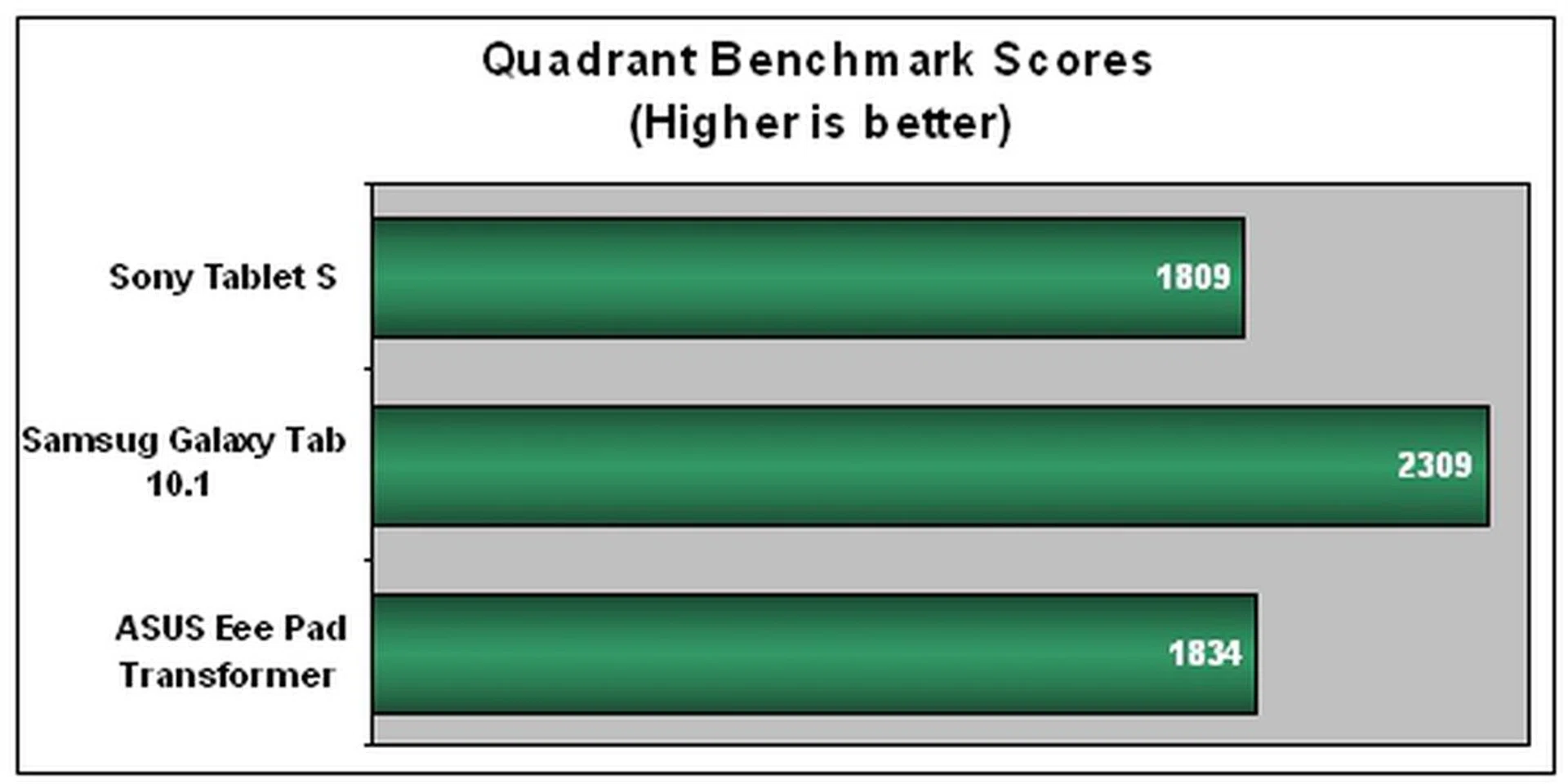
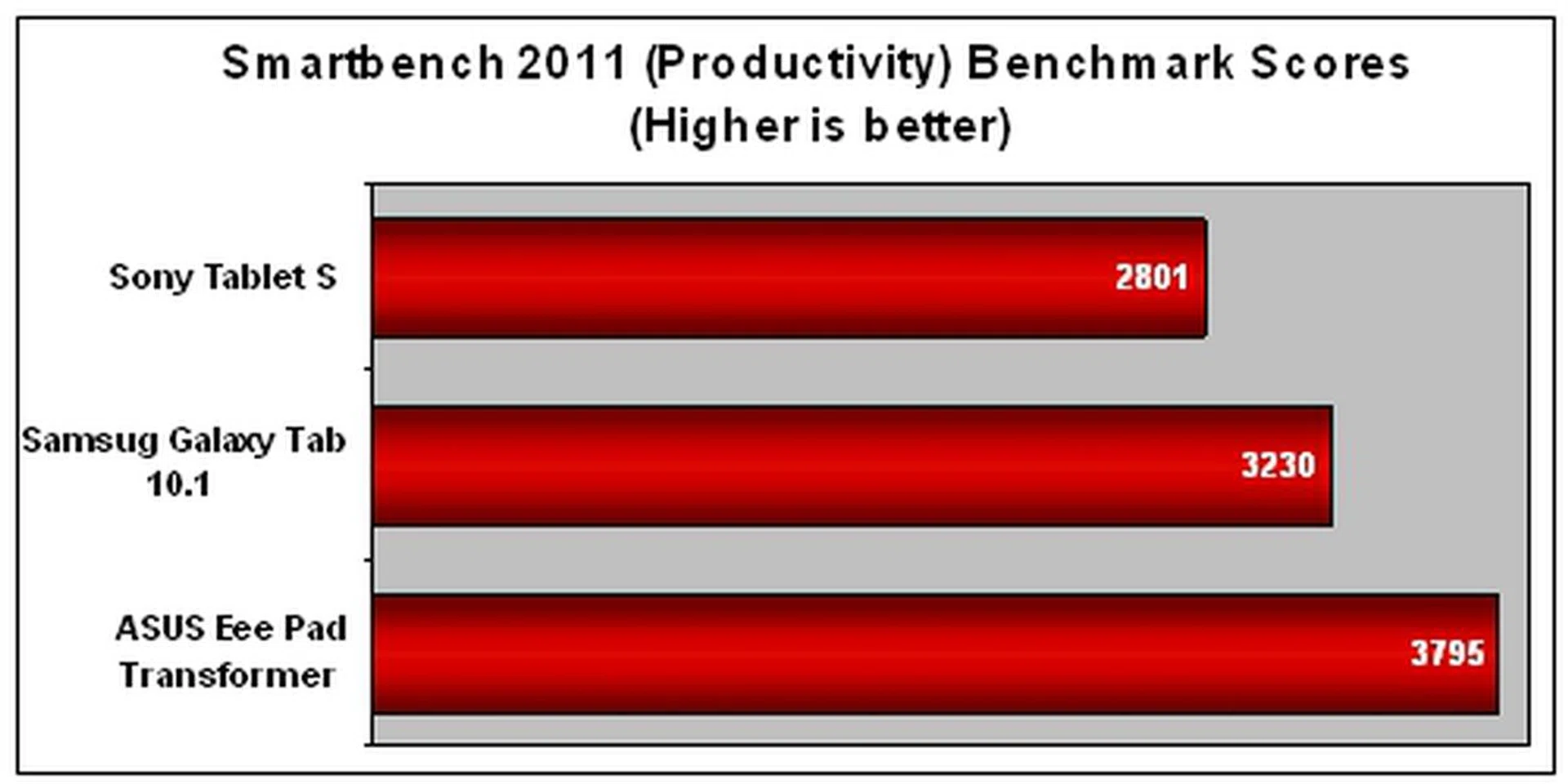
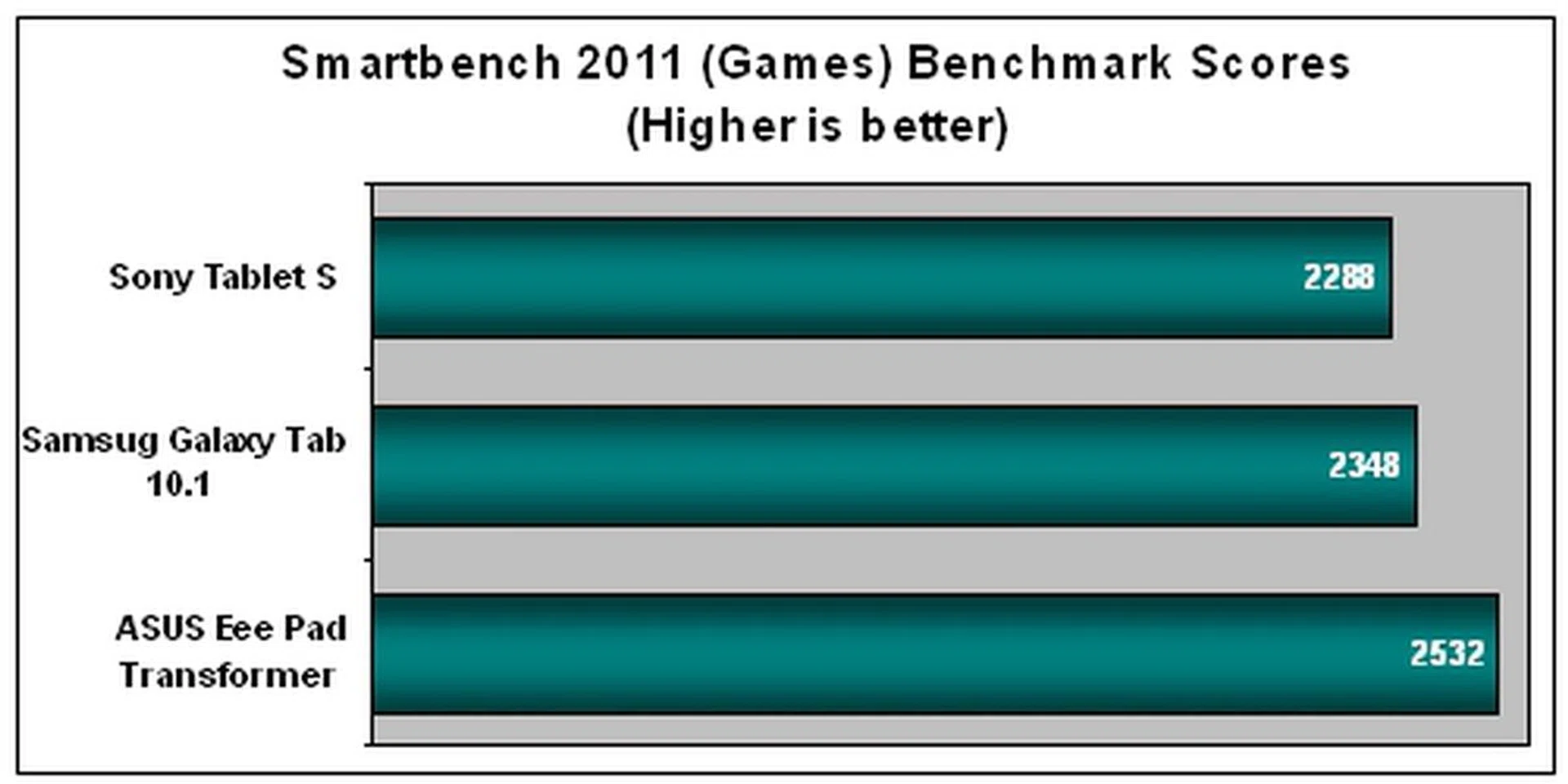
From the results above, you can see that the Sony Tablet S registered the lowest scores among all three tablets. For Sony to claim the Tablet S as the first PlayStation-cerified tablet, we naturally had high expectations on it acing the benchmarks, especially in the Smartbench 2011 (Games). Nevertheless, the actual user experience was good and in fact, we preferred it over the Samsung Galaxy Tab 10.1 where we experienced slight lags. Gaming performance was smooth too and there was hardly any noticeable lag although it took quite a while to load the games.
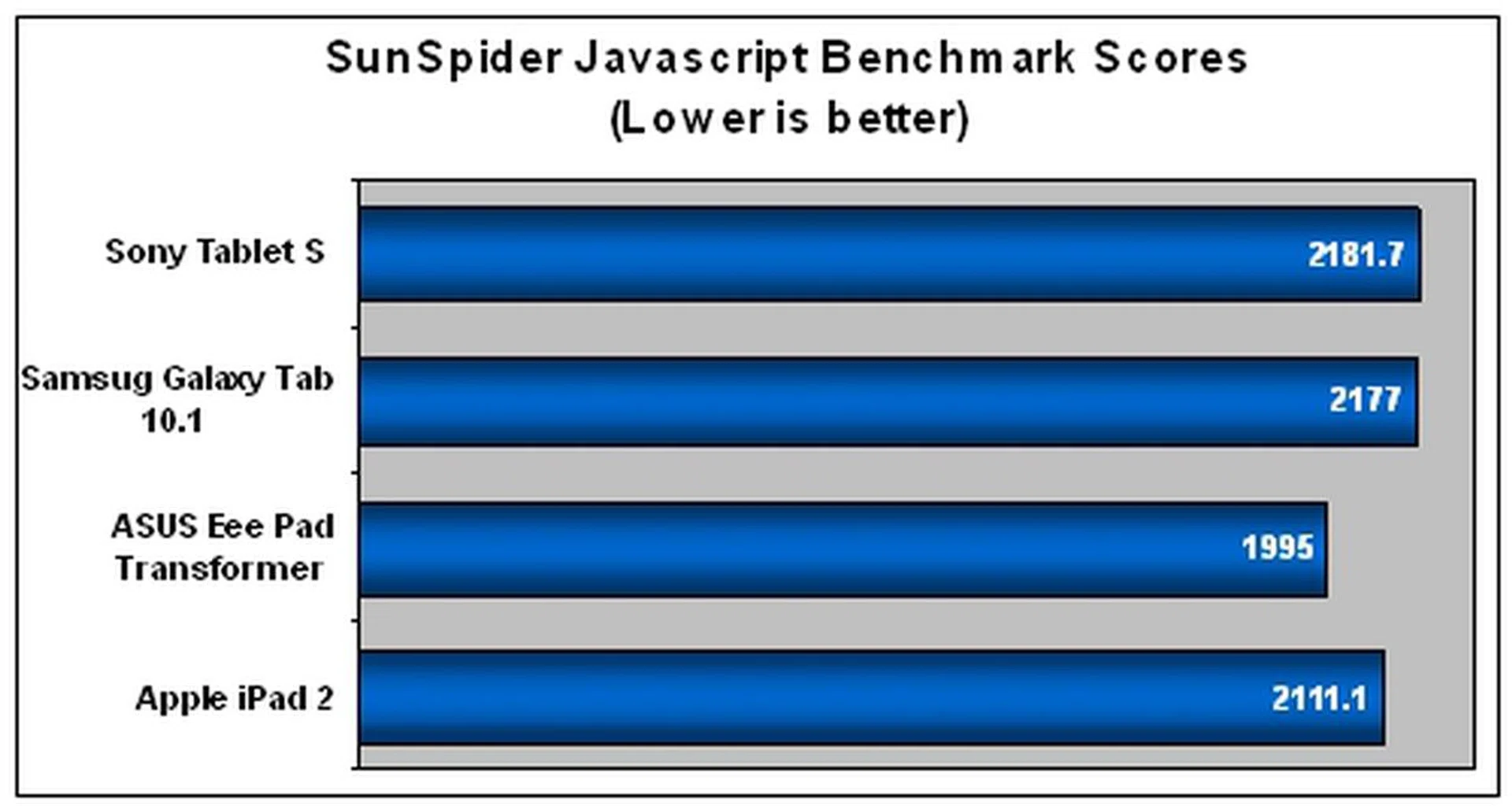
When it comes to web browser performance, the Sony Tablet S also fared a tad slower against the competition. Although Sony claims that the Quick View feature on the Tablet S will result in faster loading of web pages, the SunSpider results showed otherwise. As these are just figures on charts, we cannot ignore our observations that the web browsing experience on the Tablet S is not in any way inferior to the other tablets.
As you can see, the browser performance of Android tablets differ across the board and there is an urgent need for Google to resolve this issue in order to pose a stiffer challenge to the Apple iPad 2. Do note that the above benchmarks are conducted with stock firmwares, and hence may not reflect the day-to-day usage conditions of the tablet.
PlayStation On-the-Go
Sony is well-known for providing superior entertainment experiences on its devices. Can the Sony Tablet S live up to expectations?
First, the 9.4-inch LED-backlit IPS display (1280 x 800 pixels) makes viewing multimedia content a joy. This is due to the utilization of Sony BRAVIA's TruBlack technology that helps deliver better clarity, lively colors and excellent viewing angles. However, it attracts fingerprints and smudges too easily, and hence spoils the otherwise great viewing experience.
Second, the wedge-shaped design of the Tablet S elevates the screen slightly when placed onto a flat surface. This improves screen visibility and makes typing more comfortable. To be honest, we got so used to this unique feature of the Tablet S that when we switched to using other tablets, we found something missing in the user experience.
Thirdly, the Sony Tablet S is the first series of PlayStation-certified tablets on which you can play original PlayStation games. While the device is only pre-installed with Crash Bandicoot and Pinball Heroes, Sony stated that more PS game titles will be available in future. We played a few rounds of both games and found the gaming experience to be pleasant - graphics and animation was smooth with no lags.

The on-screen game controls are strategically placed and large enough for big fingers like ours.
Fourth, the Sony Tablet S provides true cross-device connectivity. It can wirelessly connects to DLNA compatible devices such as BRAVIA TVs where you can easily view photos and videos on the big screen or speaker sets to blast your music. It also has an built-in infrared sensor that enables the device to function as a remote control for a number of devices such as TVs and stereos.
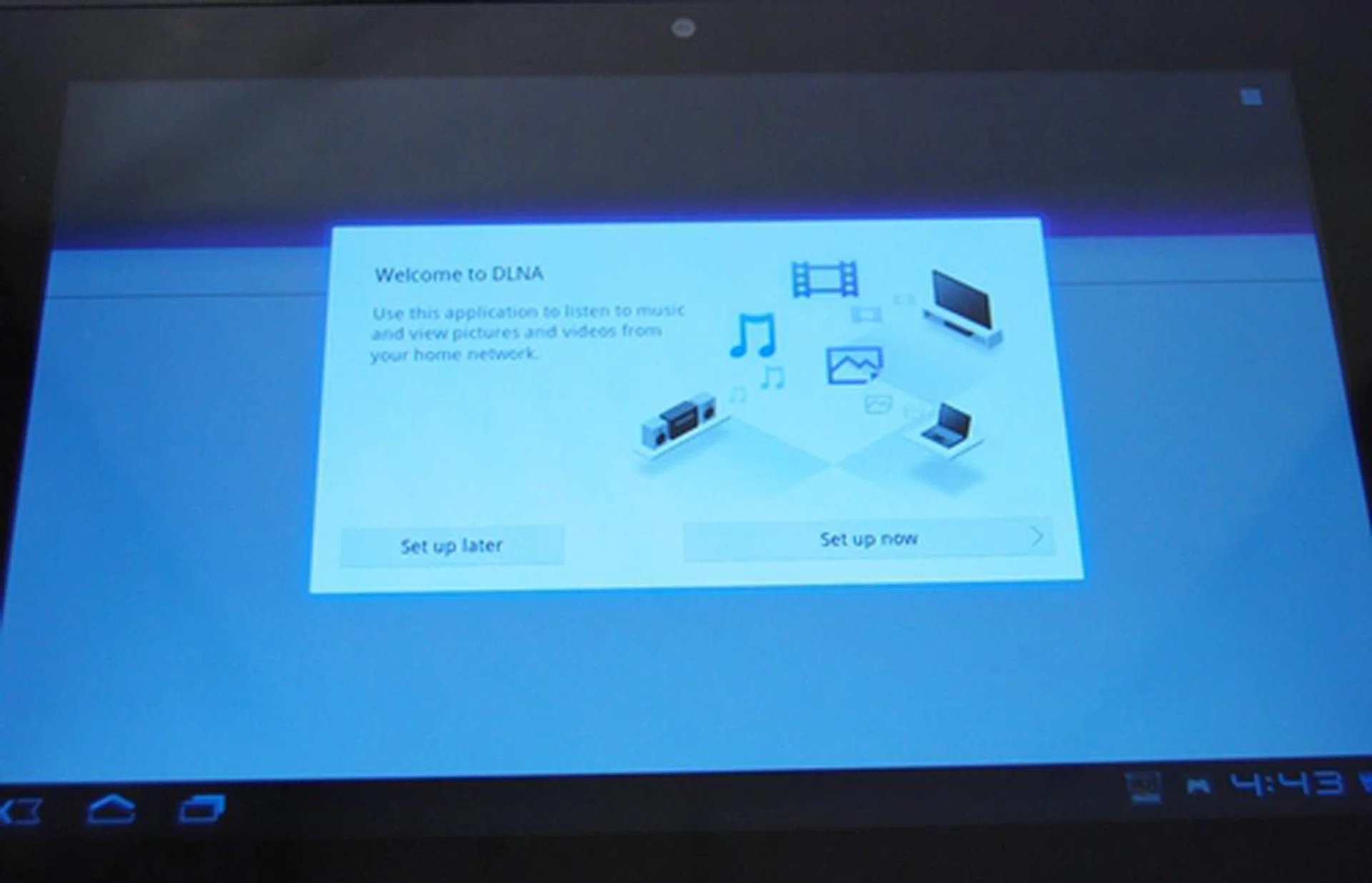
After you have set up the Sony Tablet S, you can easily connect to DLNA compatible devices.
Fifth, we see a radically different music player interface on the Sony Tablet S. It is in fact one of the most beautiful interfaces we have seen so far on tablets. Songs and albums are represented by cover art in tiles which can be moved around the screen. Besides being more aesthetically pleasing, we found no practical use for this feature.
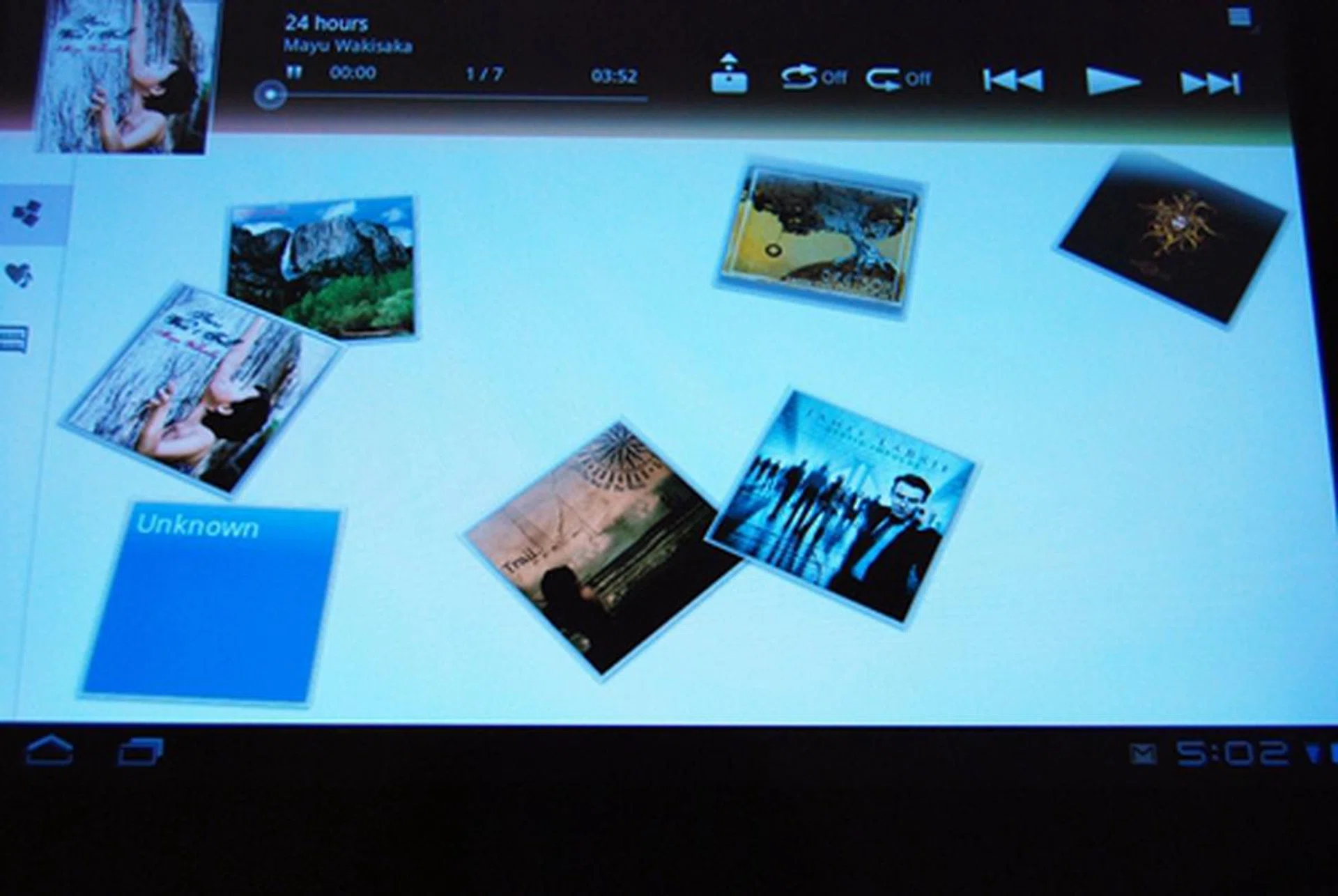
If you have a few songs in the Tablet S, you are likely to find this cover art view fun. However, if you have more than a thousand songs, we wonder if this feature is of any practical value.
Sixth, you will find two cameras on the Sony Tablet S - a 0.3-megapixel front camera for video conferencing and a 5.0-megapixel rear HD camera that is powered by Exmor for mobile. The "Exmor for mobile" feature promises better image quality especially in low light conditions. As Sony is known for its specialization in camera lenses and photography, we had a hunch that the Sony Tablet's camera will be better than what we have seen from the rest of the tablets so far. We put the Sony Tablet S through our camera test to assess its performance:-

The image quality is actually quite good for a tablet. The noise levels are within tolerable levels and there is a fair amount of details captured. Click to view the full sized image captured.
Having listed all its multimedia traits, naturally we were curious to know if the Sony Tablet S has enough battery stamina to support all the bells and whistles. For our battery test assessment, we compared the Sony Tablet S against the Samsung Galaxy Tab 10.1, ASUS Eee Pad Transformer and the Apple iPad 2. Our standard battery test includes looping a 720p video with screen brightness and volume set at 100%. We also turned on Wi-Fi and Bluetooth connectivity to ensure constant streaming of data through email and Twitter.
Specifications/Device | Sony Tablet S | Samsung Galaxy Tab 10.1 (3G) | ASUS Eee Pad Transformer | Apple iPad 2 |
Processor |
|
|
|
|
Display Size |
|
|
|
|
Display Type |
|
|
|
|
Display Resolution |
|
|
|
|
Dimensions |
|
|
|
|
Weight |
|
|
|
|

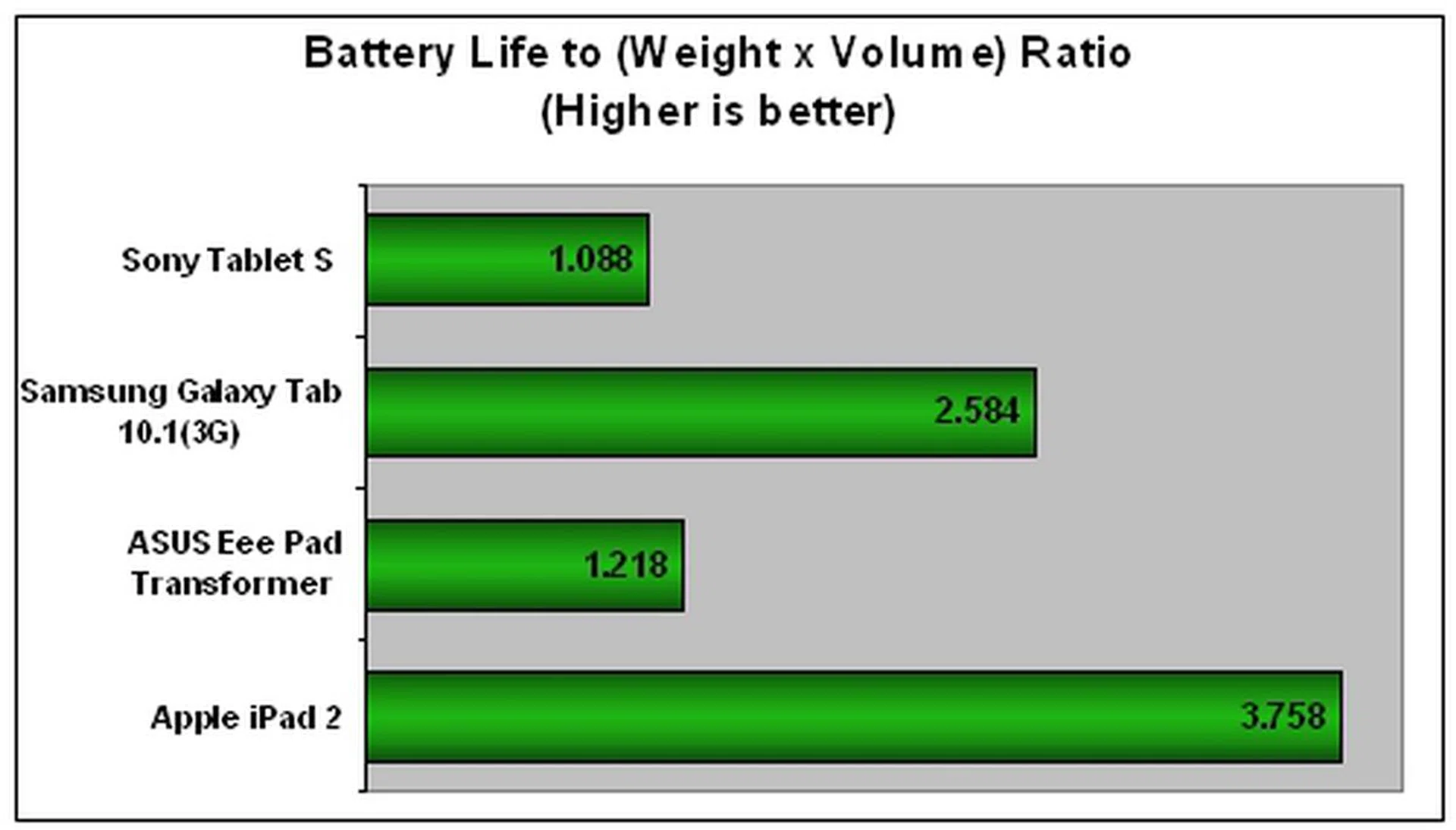
It seems like the Sony Tablet S took a bad beating in the battery performance charts. Despite having a slightly smaller screen than the Apple iPad 2 and having similar configurations as the Honeycomb tablets, the Sony Tablet S ranked lowest in terms of battery endurance. The Samsung Galaxy Tab 10.1 (3G) could last close to an hour and a half longer than the Sony Tablet S even though the former had to meet both cellular network and tablet power needs. At the time of publishing this article, we're still awaiting updates from Sony on the battery capacity of the Sony Tablet S, which may contribute to the lackluster battery performance.
As a result, the Tablet S also suffered in the Portability Index where the overall dimensions, weight and battery performance are taken in consideration. This is rather disappointing as we expected better results from Sony. Having said that, the Google Android OS isn't known for efficient power management and this remains an area that Apple iOS still has an upper hand.
If you are planning to use the Sony Tablet S on-the-go for long durations, perhaps the Apple iPad 2 could a better option with its ultra long battery life. But if you are looking for an Android tablet, the Motorola Xoom currently has the longest battery life among the Honeycomb tablets.
When we were using the Sony Tablet S under normal usage conditions, it was able to last a day with occasional web surfing, checking social feeds and replying emails. Since our battery test stimulates fairly stressful usage conditions, we feel that the Sony Tablet S will be able to last longer under normal day-to-day usage conditions provided you keep a watchful eye on the battery level. After all, actual battery mileage will vary under different usage conditions.
On a side note, if you think further into the Tablet S features like a remote controller to your AV devices and streaming content to them via DLNA, this Sony tablet might perhaps have been catered more towards a home companion device rather than a side-kick for extended mobile usage on the move. But that's just our hunch for now.
Smashing New Concept
Before Sony entered the tablet market with the Tablet S, it seemed as if ASUS was the only brand improving tablet designs like its Eee Pad Slider. The market was already filled with tablet form factors that looked no different from one another. We are glad that Sony did not go down the path taken by the rest and decided to create a path of its own.
The Tablet S took the competition by surprise with its unique folding design that really made Sony stand out from the rest of the tablets in the market. From an ergonomic point of view, there is little to criticize about its asymmetrical design. The wedge-shaped design of the Tablet S makes it more comfortable for one-handed operation as it shifts the weight closer to your palm. In addition, the Tablet S is relatively light at 598g. The dotted texture of the thick curvy side also helps in having a better grip of the device in your hands. Moreover, the tapered design elevates the Tablet S slightly for a better viewing and improves typing experience.
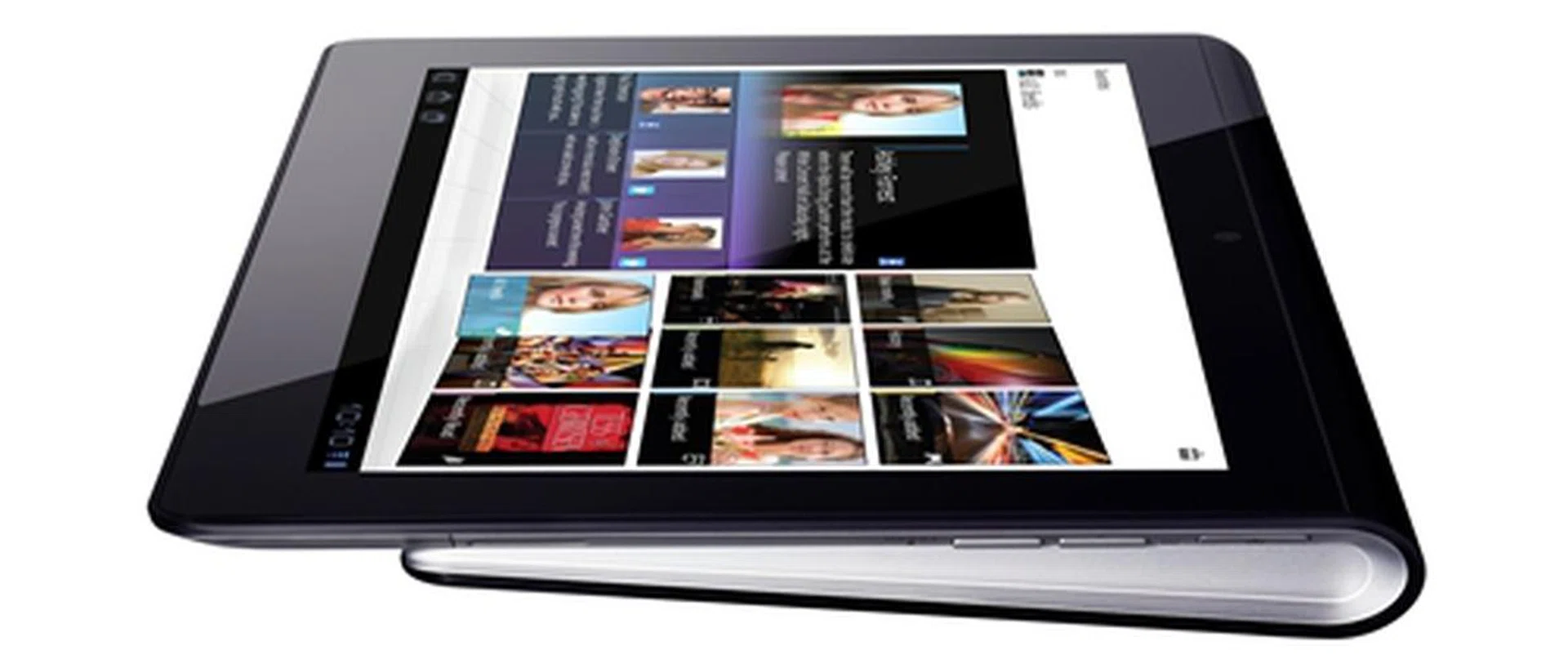
Sony is the only brand besides ASUS to offer a refreshing concept to the design of a tablet. We liked the asymmetrical design of the Sony Tablet S but it was let down by the less than stellar battery performance.
Another strength of the Sony Tablet S is its impressive 9.4-inch display. It is backed by Sony's renowned BRAVIA TruBlack technology that delivers crisp text and bright colors. This resulted in a pleasing viewing experience on the Tablet S.
The other minor additions to the Tablet S that we find useful are the SD card reader and 5-megapixel rear camera that is powered by Exmor for mobile. With the SD card slot, it makes the Sony Tablet S function more like a laptop as we can easily transfer files to and from the tablet. The 5-megapixel camera takes images of decent quality, which is rarely the case for tablets these days.
The Sony Tablet S runs on Android 3.2, which is currently the latest version of Honeycomb. While it does not offer any substantial advantage over earlier versions, consumers would appreciate the fact that the Tablet S runs the most updated OS. We liked how Sony left much of the interface untouched except for a handful of additions such as the shortcut icons on the top left and right corner of the screen. The redesigned virtual keyboard is "smart" enough to bring up the numeric keypad whenever we need to key in passwords. It certainly saves us the trouble of pressing an extra key to switch to the number pad template layout.
It is noteworthy to mention that the Sony Tablet S is the first PlayStation certified tablet in the market. By incorporating the PlayStation branding into the Tablet S, we feel Sony truly deserves to call their tablet the ultimate gaming machine. While there are only two PlayStation games (Crash Bandicoot and Pinball Heroes) pre-installed, the promised support for more game titles in the future gives the Tablet S an edge over its competitors when it comes to mobile gaming. For now though, we're really left wanting more to better appreciate Sony's tablet positioning as a great gaming sidekick.
The Sony Tablet S has its fair share of shortcomings too. While the screen is really impressive, it is sad that it is an absolute fingerprint magnet too. Fingerprints and smudges appear too quickly on the display after a few minutes of use and it is a very frustrating issue with most tablets as well. The location and feel of the buttons (Power and volume controls) are major gripes we had with the Tablet S. Not only are they slightly recessed, they are located too near to one another that we struggled to press the correct buttons most of the time. We also prefer a microUSB charging port over the proprietary charging port as it is more convenient.
It is a shame that Sony did not include the task killer feature in the multitasking menu on the Tablet S, unlike Lenovo and Samsung. It is certainly more convenient to quit or close an app from the multitasking menu than to go through layers of menu to achieve the same objective. Even though the system performance of the Sony Tablet S was generally on-par with the rest of the competition, we were frankly disappointed by its battery performance. We had expected better battery stamina on the Tablet S and this might be the most aggravating issue for potential buyers who are looking for a tablet to use on-the-go.
The Sony Tablet S will be available at retail stores from end October 2011 at a recommended retail price of S$668 for the (16GB) Wi-Fi model and S$798 for the (32GB) Wi-Fi model. According to Sony, the company has plans to introduce 3G variants in Singapore although no pricing and launch date has been confirmed at the moment. When compared to its immediate rival, the Apple iPad 2, the odds are somewhat against the Sony Tablet S. The Apple slate offers a slimmer profile and has the best battery life among all tablets in the market. It also has the support of more than 500,000 app, but more importantly, there are more apps that are made to take advantage of the tablet form factor.
Among the Honeycomb tablets, the Sony Tablet S also faces fierce competition too. The Samsung Galaxy Tab 10.1 (32GB) Wi-Fi model is also a better deal at S$798. It is not only the thinnest tablet in the 10.1-inch category, it also offers a slightly bigger screen and better battery performance for the same amount you are paying for the Tablet S (32GB) Wi-Fi variant. If battery life and productivity are your utmost priorities, you can consider the S$898 ASUS Eee Pad Transformer (with the optional keyboard docking station) as it offers up to 16 hours of battery life. Perhaps if the Tablet S had more PS game titles available for use, it would have really increased its unique value proposition.
Overall, the Sony Tablet S will most probably appeal to those who are looking for a better-than-average gaming tablet or something that is unconventional and offers better usability. The PlayStation branding (and integration) will attract those who want to play their favorite PlayStation game titles when they are available in the future. Not to mention, the asymmetrical design of the Sony Tablet S will more than likely turn a few heads and evoke envy from other tablet users.
Our articles may contain affiliate links. If you buy through these links, we may earn a small commission.