
Samsung Galaxy Tab Pro 10.1 LTE - A Non-stylus Note Striving to be Pro
Recently, there has been a trend in pushing devices tailored for the enterprise market space. Samsung's new Galaxy Tab Pro series of tablets panders towards this market space as a step below the Note series, but does it deliver? We take the Galaxy Tab Pro 10.1 LTE edition for a thorough review to find out.


Samsung Galaxy Tab Pro 10.1
Overview
It goes without saying that Samsung has been aggressive on almost all fronts of consumer technology products. This year however, we've noticed the Korean giant is also making an active effort to secure a space among your office assets, be it an enterprise-class business laser printer, or a tablet that's designed with more productivity features in mind that would appeal to both casual usage and work needs - great for an office environment that supports the BYOD (bring-your-own-devices) movement. Talking about the latter aspect, the slew of Galaxy Note Pro and Tab Pro products that were launched at the Consumer Electronics Show 2014 saw the adoption of a new media consumption interface, as well as a stronger push for business oriented features like multitasking via Multi Window and being bundled with numerous paid productivity apps worth hundreds of dollars.
The Galaxy Note Pro 12.2 LTE model led the pack into the enterprise market in March, but we had mixed feelings about it. While it is the most productive Android tablet we've tested thus far, the Galaxy Note Pro 12.2 LTE is simply too big to handle and too expensive for a tablet. In fact, we were more inclined to recommend the Galaxy Note 10.1 2014 Edition to the average consumer due to the fact that it is as powerful and more portable to tote around.
With the arrival of the Galaxy Tab Pro 10.1, would it change our perspective of the new series? Well, that's what we intend to answer in this review. A smaller version of the Galaxy Note Pro 12.2 LTE model, it forgoes the stylus and bears a more commonly handled 10.1-inch form factor. In fact, it's a much lighter non-stylus version of the Galaxy Note 10.1 2014 Edition:
Design and Handling

Guess which one is the Tab Pro 10.1?
Design-wise, the Tab Pro 10.1 looks like an exact replica of its S-Pen bearing counterpart, the Note 10.1 2014 Edition. Both have the faux-leather material at the rear, the same placement of the buttons (power, volume control) and stereo speakers at the side. While the faux-leather finish is just the outer finish, the backing is still plastic, but at least its not raw polycarbonate with gloss finish of some of the cheaper tablets. You'll also find a chrome lining that goes around the sides of the tablet just like its other Tab Pro and Note cousins which gives the tablet a touch of class. Since the Tab Pro 10.1 resembles much of the Note 10.1 2014 Edition, we will not go into great length about its design. You can check out the review of the Note 10.1 2014 Edition for more information.
If you are hoping to find a micro-USB 3.0 port on the Tab Pro 10.1, you will be disappointed to know that it is exclusive to Note series of tablets and their top tier smartphones like the Galaxy Note 3 and Galaxy S5. Fortunately, you'll still get a micro-USB 2.0 port at the bottom of the tablet for some flexibility in data transfers.
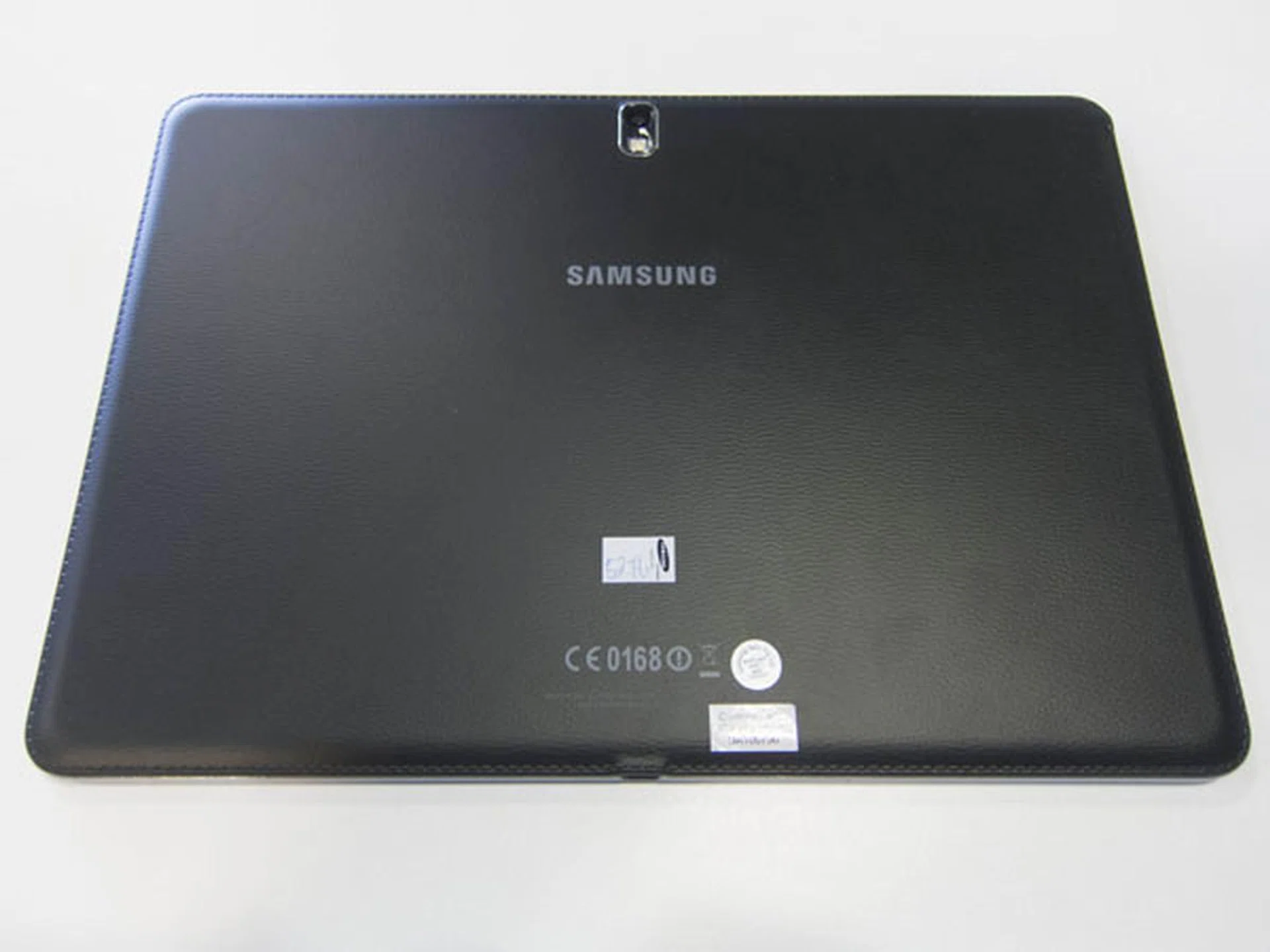
Classy faux leather back, a huge departure from their former plastic generations (even though its underlying material is still plastic).
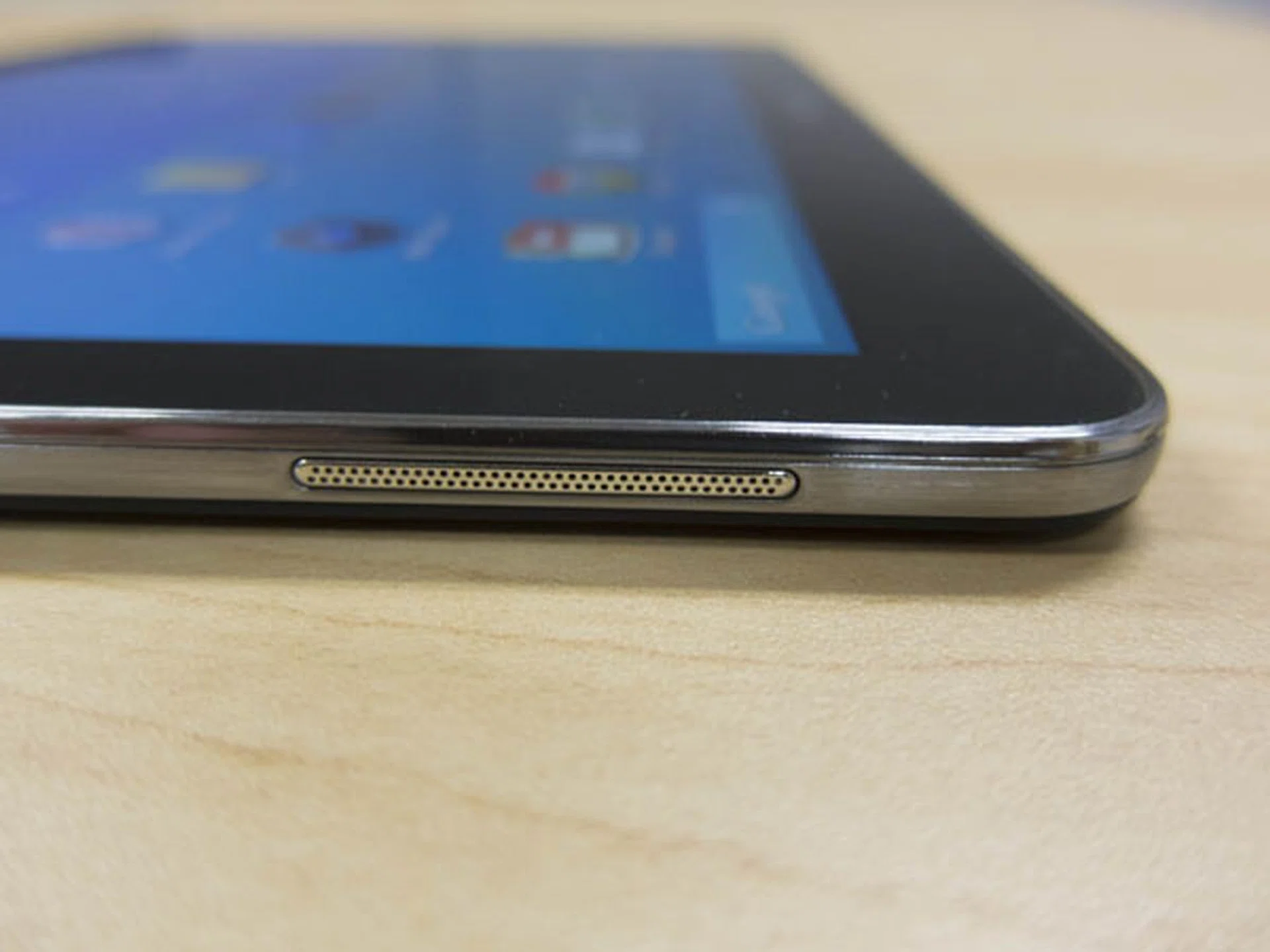
The location of the speakers at the upper sides of the tablet, hence you do not need to worry about your hands covering them when holding it in landscape mode.
The layout of all the various ports and speakers are also standardized across all Samsung tablets. For the Tab Pro 10.1, buttons are laid out in landscape configuration. Similar to its Note and Pro cousins, the power and volume buttons are placed on top of the tablet, with a quirk: when in portrait, the top volume button lowers the volume, and vice versa. The speakers are placed on both sides of the tablet, making stereo playback of videos in landscape mode possible.

The microSD memory card slot supports memory cards of up to 64GB in capacity. Above the memory card slot is a micro-SIM card slot.

When picking up the tablet to show an e-document to a prospective client.... oops, why did Google Now appear? Oh, the home button was long-pressed. You won't get this annoying behavior when using the Microsoft Surface series of tablets as the capacitive touch button is built with an algorithm to detect if you're pressing the button or just holding the tablet.
However, there is a downside to such standardization as it brings along the same set of quirks. For example, the implementation of a physical home button in the middle of two capacitive buttons does not make sense when using the tablet in portrait mode. You are more likely to accidentally tap on one of the buttons and interrupt your activity. This will adversely affect productivity, especially since the most common tablet use case is to read e-books or documents - in portrait mode.

Almost the same thickness, but ever so slightly thinner than its Note 10.1 2014 Edition cousin.
Notwithstanding that, the tablet feels light at hand, despite it boasting a 10-inch screen. Weighing at 477g (for the LTE model), the tablet is almost the same weight as the cellular model of the Apple iPad Air (476g). Measuring at just 7.3mm in height, it is just a hairline thinner than the iPad Air and its Note cousin. The faux leather back definitely exudes a sophisticated feel, making one feel as though they are holding a leather-backed document folder when reading a document.
10.1-Inch Display
The Tab Pro 10.1 sports a 10.1-inch (2,560 x 1,600 pixels) Super Clear LCD, similar to its Note cousin. This is expected, given that the latest generation of high-end tablets are equipped with screens of WQXGA resolution just like the Note 10.1 2014 Edition. However, Samsung is allegedly reserving Super AMOLED panels for its upcoming tablet(s).
With a pixel density of 299ppi, reading documents on the tablet feels close to natural, and not of a jarring experience. The accurate reproduction of colors also allows a realistic viewing experience. Viewing angles are decent as well.
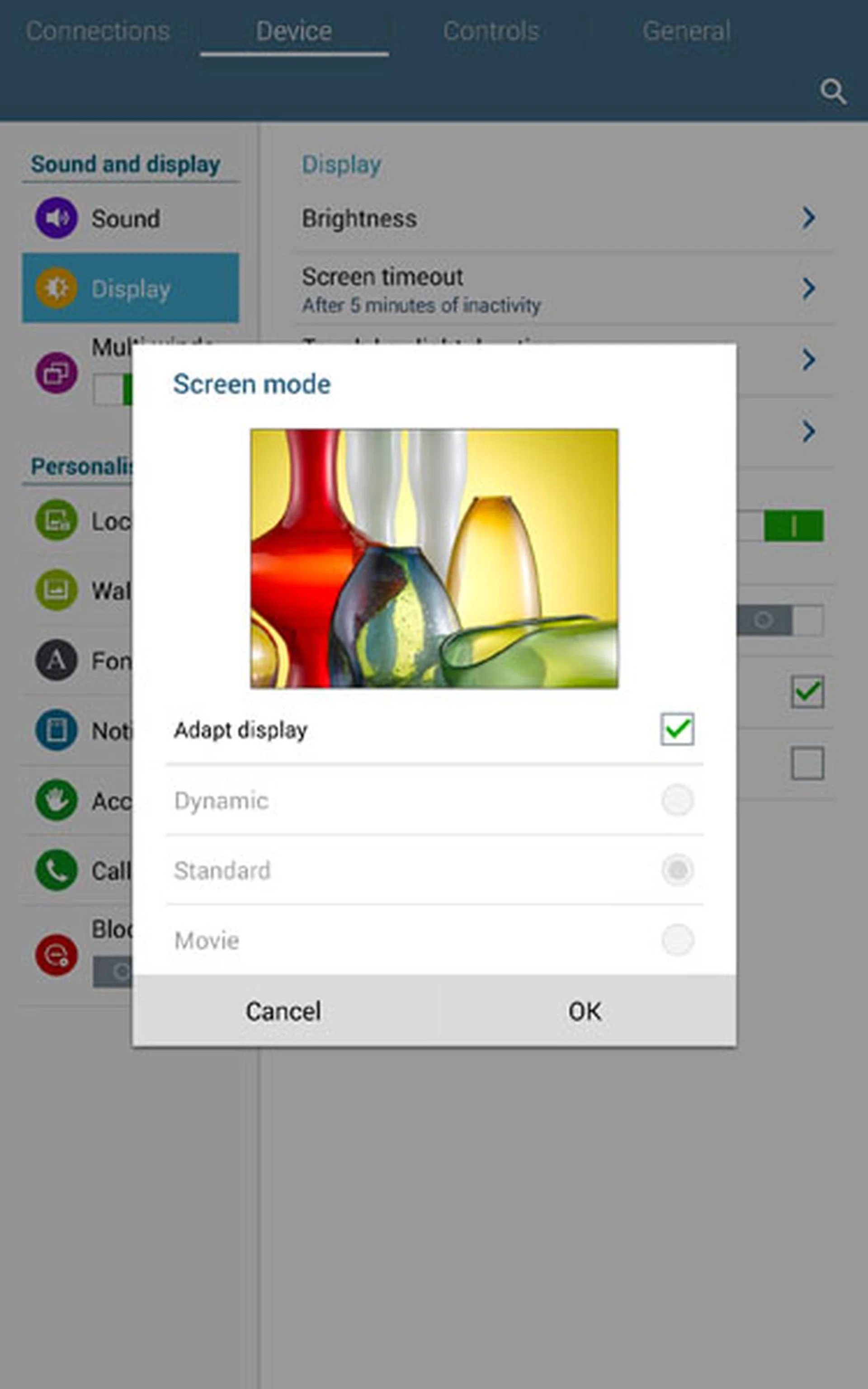
Display presets are present to appeal to your usage scenario or preference.
Similar to its other Tab Pro and Note cousins, there are three types of display output presets: Standard, Dynamic, and Movie. One can also set adaptive mode, whereby the tablet will optimize the colors according to the palette used onscreen. This works only for stock apps, however.
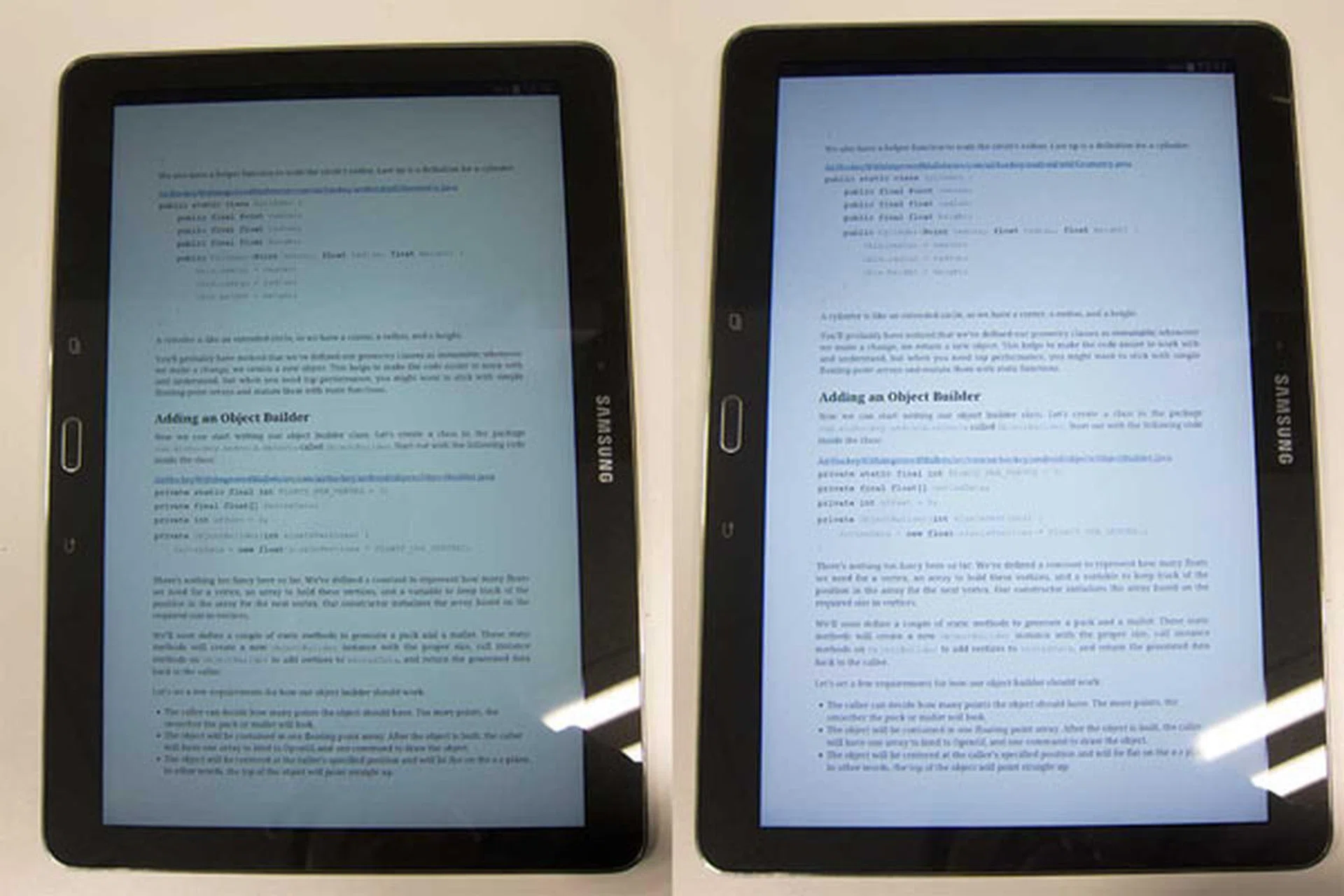
Left is reading mode on, right is without. Note that in reading mode, the white is slightly duller and softer
There is also a Reading Mode, whereby it optimizes the background color by making it soothing for the user. However, the user must manually select the app to utilize this feature. A quick test was done on text with white background. When reading mode is activated, the white background does take on a warmer tinge, thus reducing the glare. This mode first debuted on the Samsung Galaxy Note 8.0 where we've also compared of its effectiveness.
Software Features
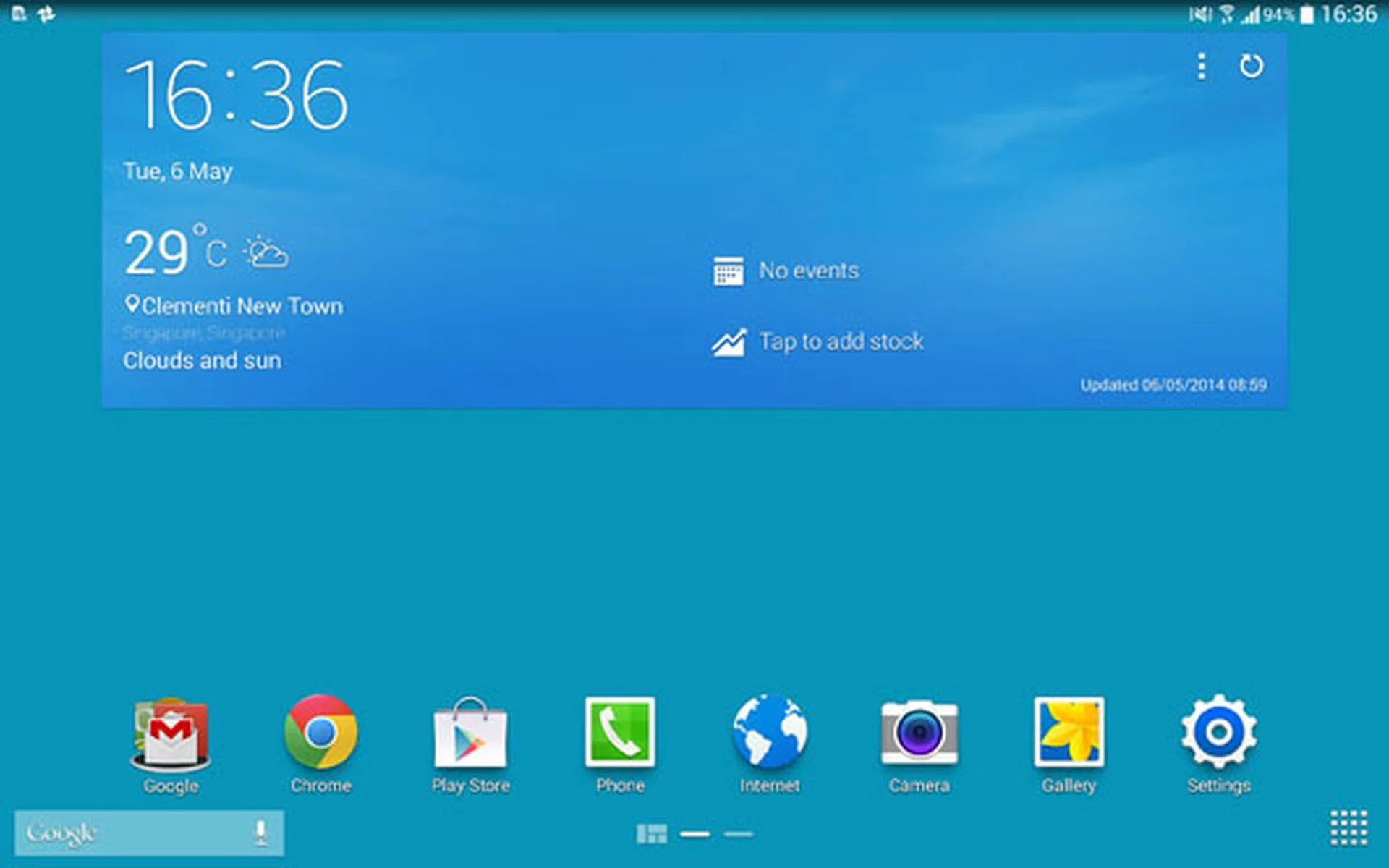
Samsung TouchWiz UX
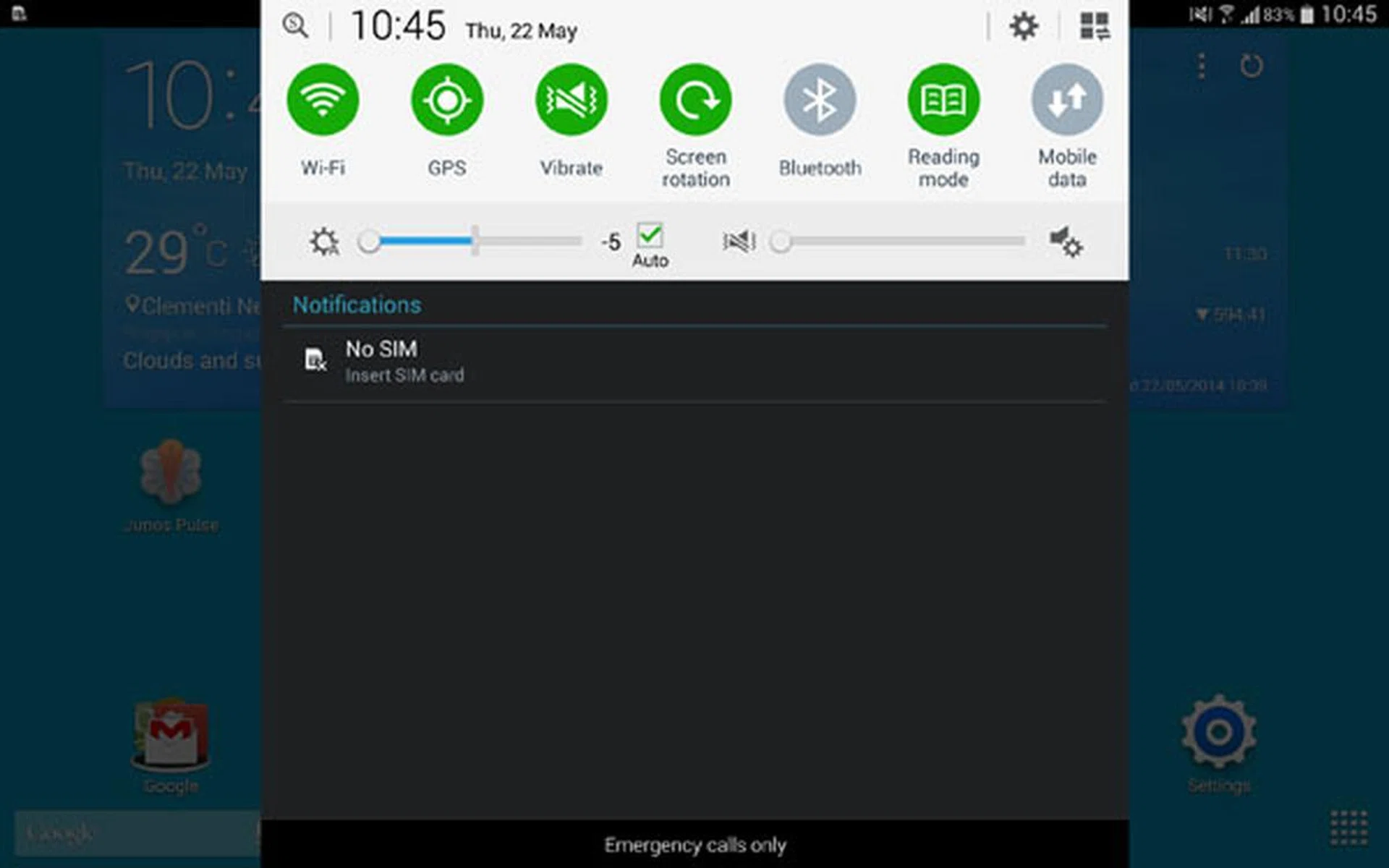
Flat and clean icons that somewhat resemble Windows 8's Modern UI.
The Tab Pro 10.1 comes with Android 4.4.2 (KitKat), and overlaying it is the latest iteration of Samsung TouchWiz which is also present in the other Tab Pro series. The updated TouchWiz interface resembles that of Windows 8’s design philosophy: clean, flat icons, dialogs and drawers. Despite the beautiful design, the TouchWiz overlay results in some occasional stutter, especially when rotating the screen with an app running. Launching multi-window apps can take some time, sometimes up to a second. While it's not a delay that you can't put up with, one doesn't expect such stutters from a mainstream flagship tablet device with the latest hardware and software.
Magazine UX
Apart from visuals, the Tab Pro comes with Magazine UX, a homescreen replacement that displays tiles containing information such as news, weather, and calendar. The design of Magazine UX eerily resembles that of Windows 8's Modern UI, and also that of Flipboard. While it looks aesthetically pleasing, one caveat is that the user is unable to to disable it if he/she isn't interested to use it. For more visuals of what it looks and feels like, tune into our article early in the year where we've previewed it. We've also got a video overview of what you can do with the new interface when the Galaxy Note Pro 12.2 LTE tablet debuted:-

Multi Window
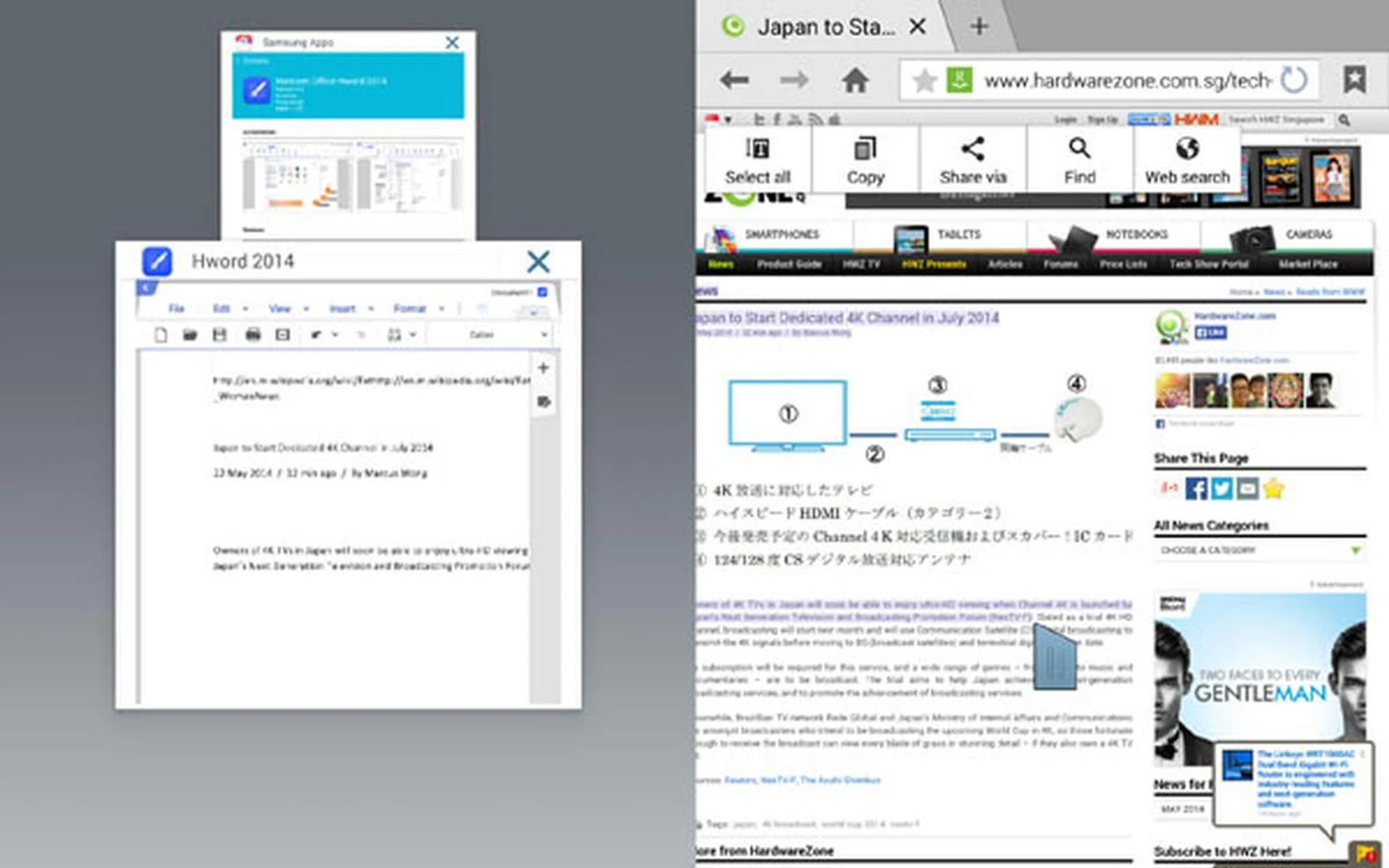
Multi Window functionality.
Similar to its predecessor, the Tab Pro 10.1 has a Multi Window function which supports two app windows side-by-side. You can open two windows of the same app although this is restricted to certain apps only. One can also toggle between the apps previously opened within the pane. You can also directly drag text or images across the two panes, and the contents will be instantly copied over. However, not all apps support this function; when we tried dragging a text string from Chome to Hancom, the website’s URL was copied instead, whereas there was no issue when dragging from Samsung’s stock browser.
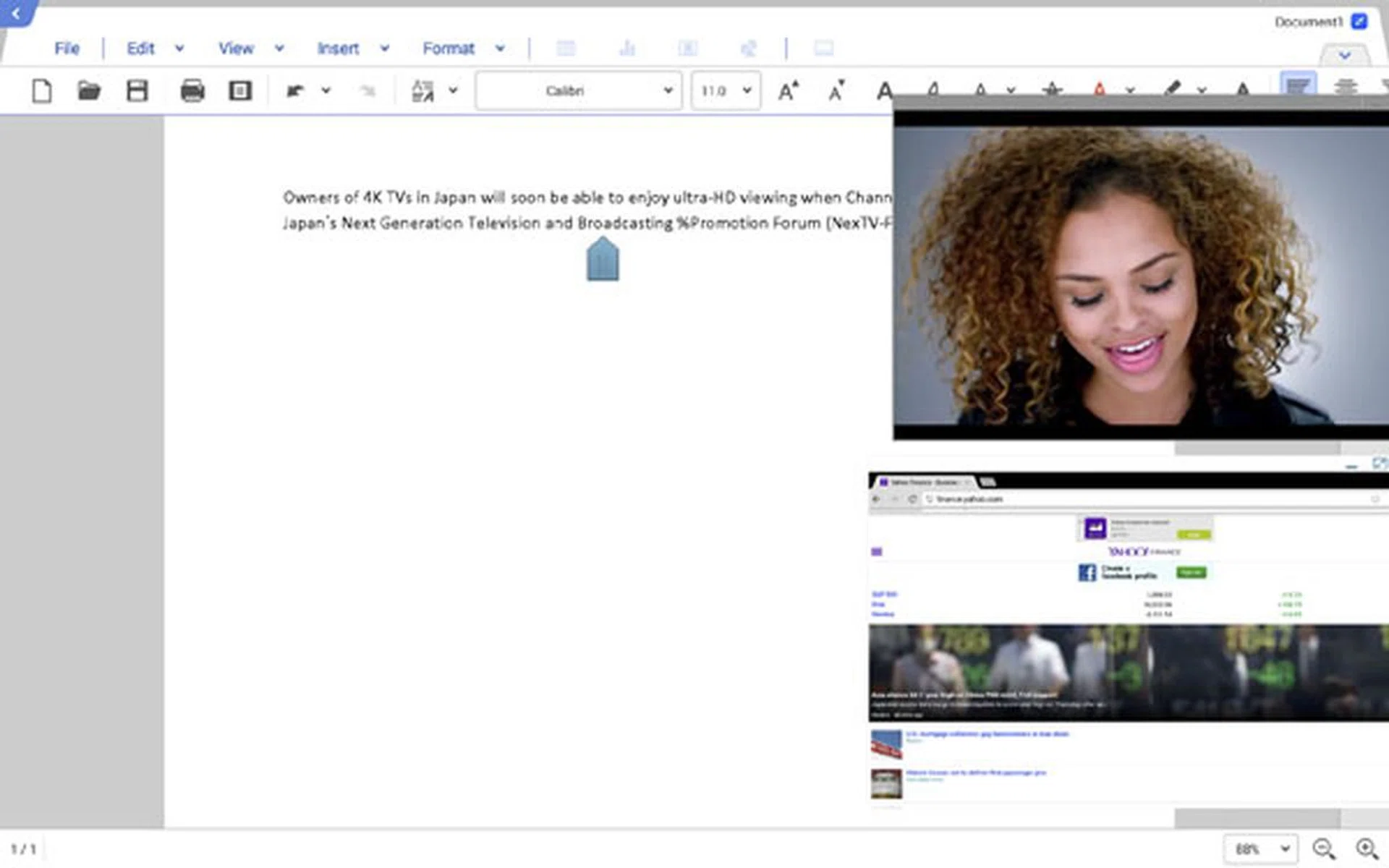
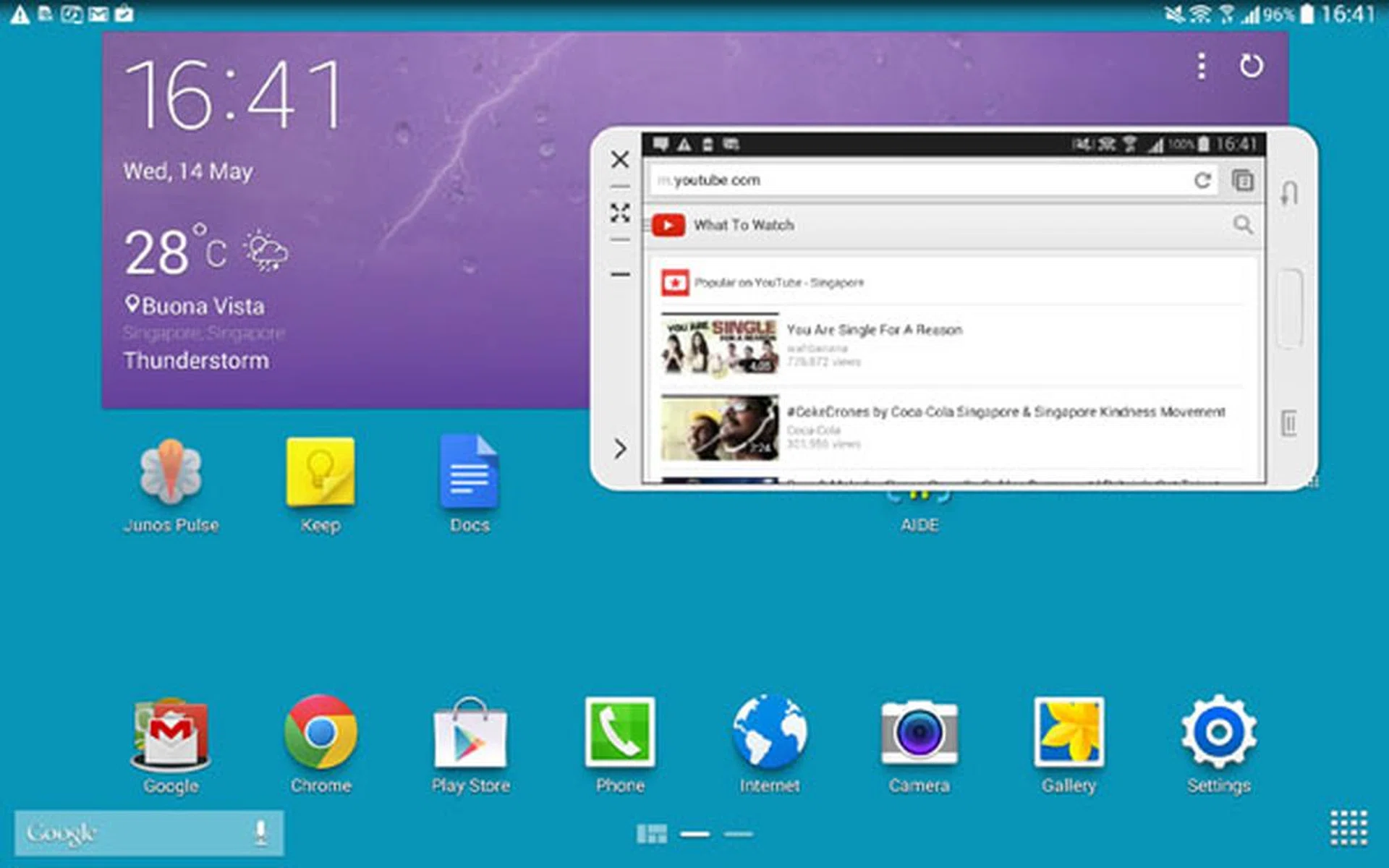
Pop up apps. Run apps like you're on a desktop! (Well, somewhat.)
One major improvement over its predecessor is the introduction of pop-up windows. Besides being able to place apps side-by-side, one can also launch apps in a pop-up window, much like an un-maximized application in a desktop O. Now you can watch Youtube and read news while typing a document! The pop-up apps can be minimized into icons resembling Facebook Messenger chat heads.
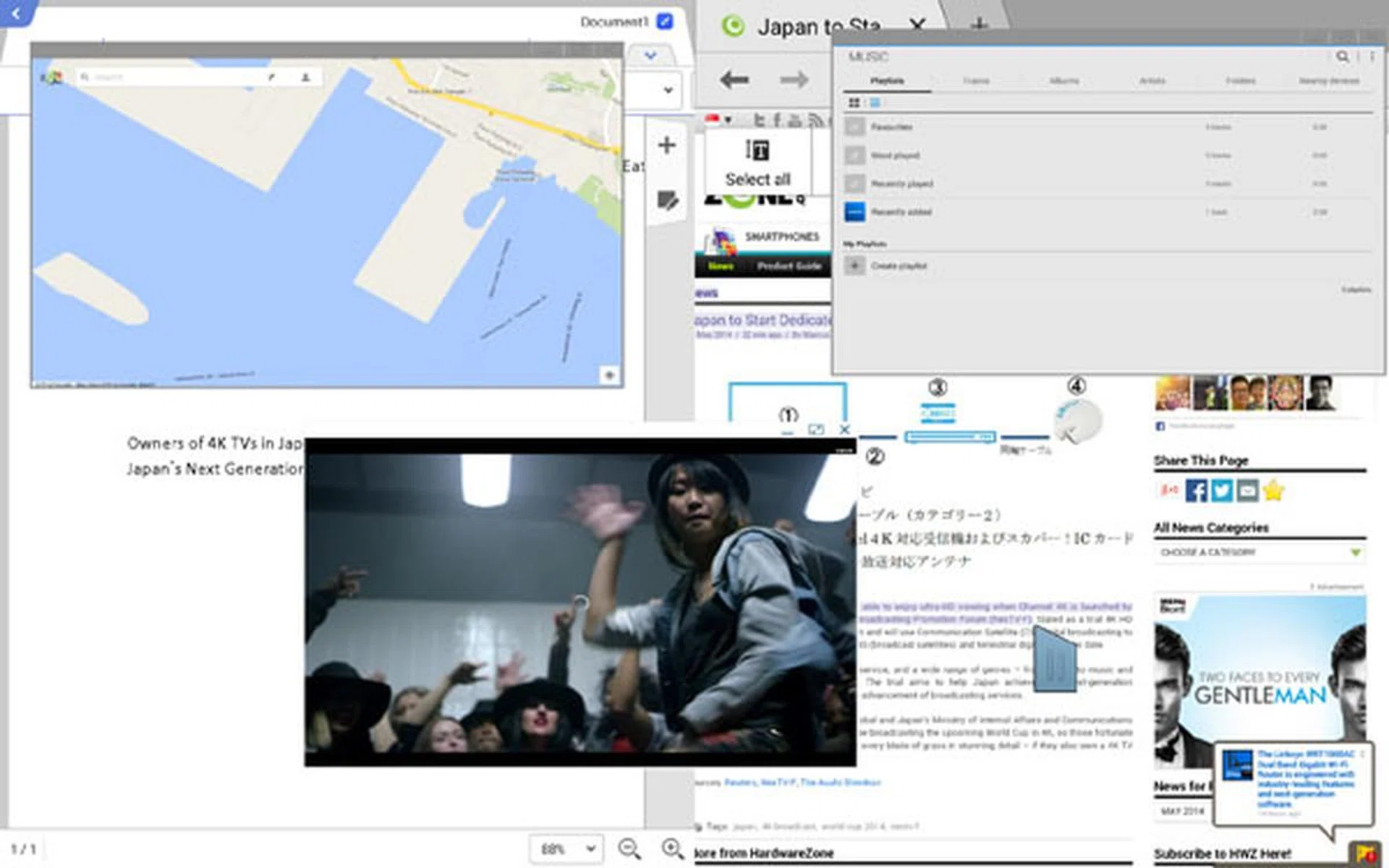
Though the tablet can run five apps at one time, no real work can really be done. Not to mention, sluggish.
However, there are limitations: only a small subset of apps support this feature, and even so, only up to 3 pop-up apps at a time. Good thing is, launching pop-up windows can be done on top of having existing multi-window panes. Thus, one can theoretically run up to five apps simultaneously. However, there’s little use in opening so many windows, as can be seen in the screenshot above. Not to mention, the whole tablet responds sluggishly with many apps running.
Productivity-Oriented Keyboard
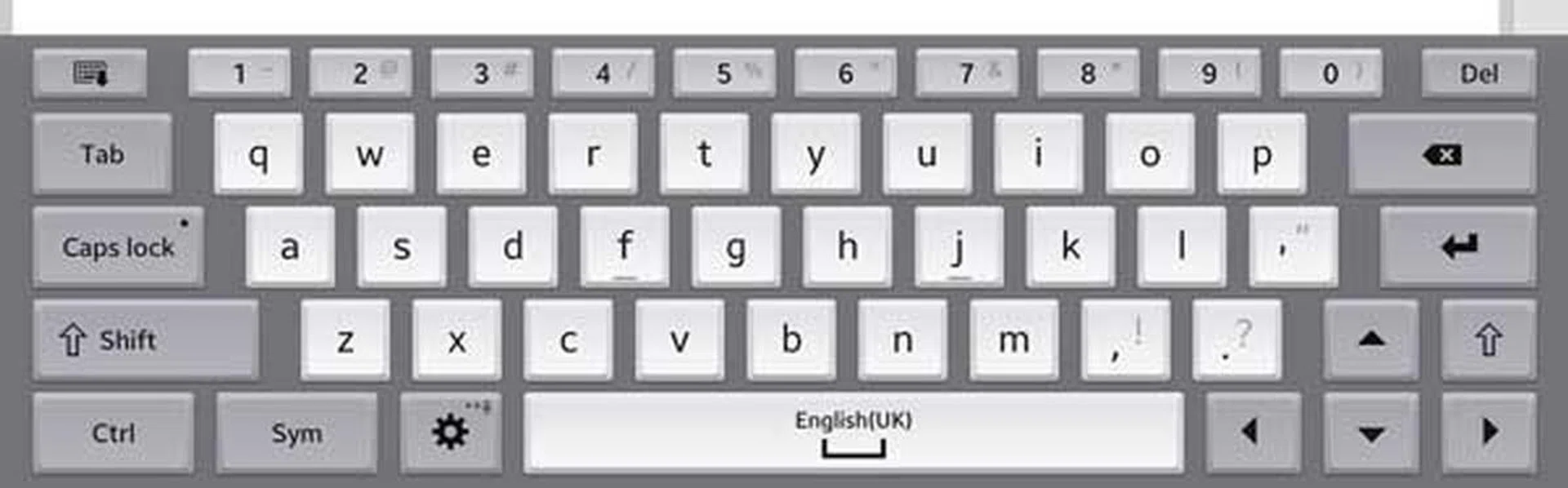
Look, Ctrl, Tab, Del buttons! Remote script at will!
Unlike other stock keyboards in existing tablets, the keyboard in the Tab Pro version has the Ctrl key, along with Tab, Del, Caps Lock and Shift keys, which are traditionally found in desktop keyboards. Such keys are commonly used in word processing, programming, and remote scripting. With the inclusion of such keys on the tablet, one will be able to easily compute on the go, especially in the author's case who needs access to remote servers often when on the move.
However, there is a slight caveat: while it is indeed possible to use "Ctrl-C" and "Ctrl-V" keyboard shortcuts for copy and paste function respectively, there are certain apps, most notably in the bundled Hancom Office, whereby it is not possible to "Shift-Arrow Key" to select a large chunk of text for further actions like copy/move/delete. While this may seem to be a small oversight, it will have a big impact on Samsung’s positioning on the Tab Pro series as a productivity-oriented tablet.
Enterprise Features and Apps
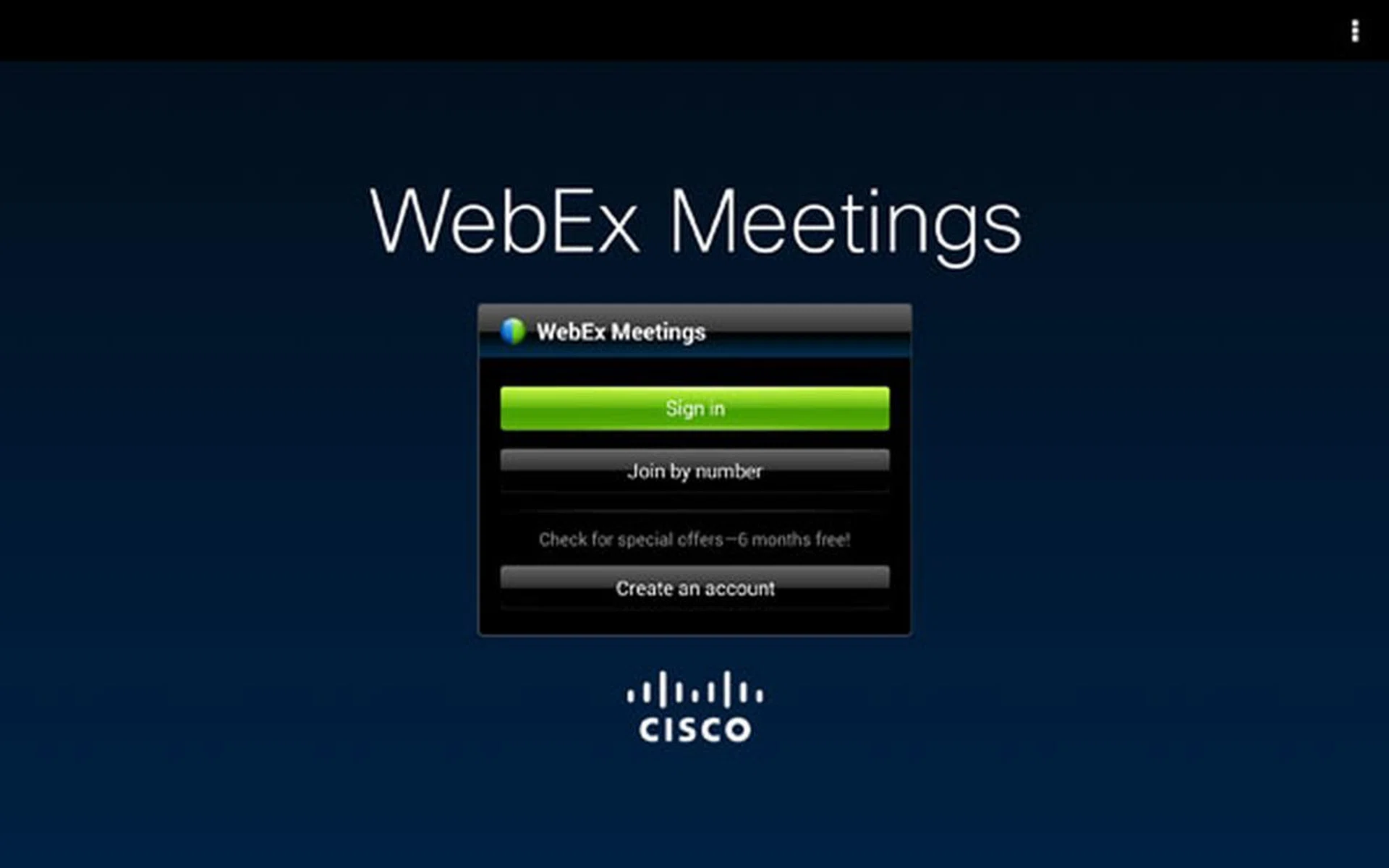
Cisco WebEx. Unfortunately we couldn't demo it as there wasn't any WebEx meeting scheduled during the duration of our review.
Having positioned the Tab Pro series as business-centric tablets, it comes as no surprise that the Tab Pro 10.1 comes bundled with enterprise software. One app of interest is Cisco WebEx. It enables enterprise-level video conferencing, and collaborative sharing of documents and presentations. A number of large enterprises and agencies utilizes this for remote web conferencing, and hence the Tab Pro is indeed equipped with suitable functions and software an organization.
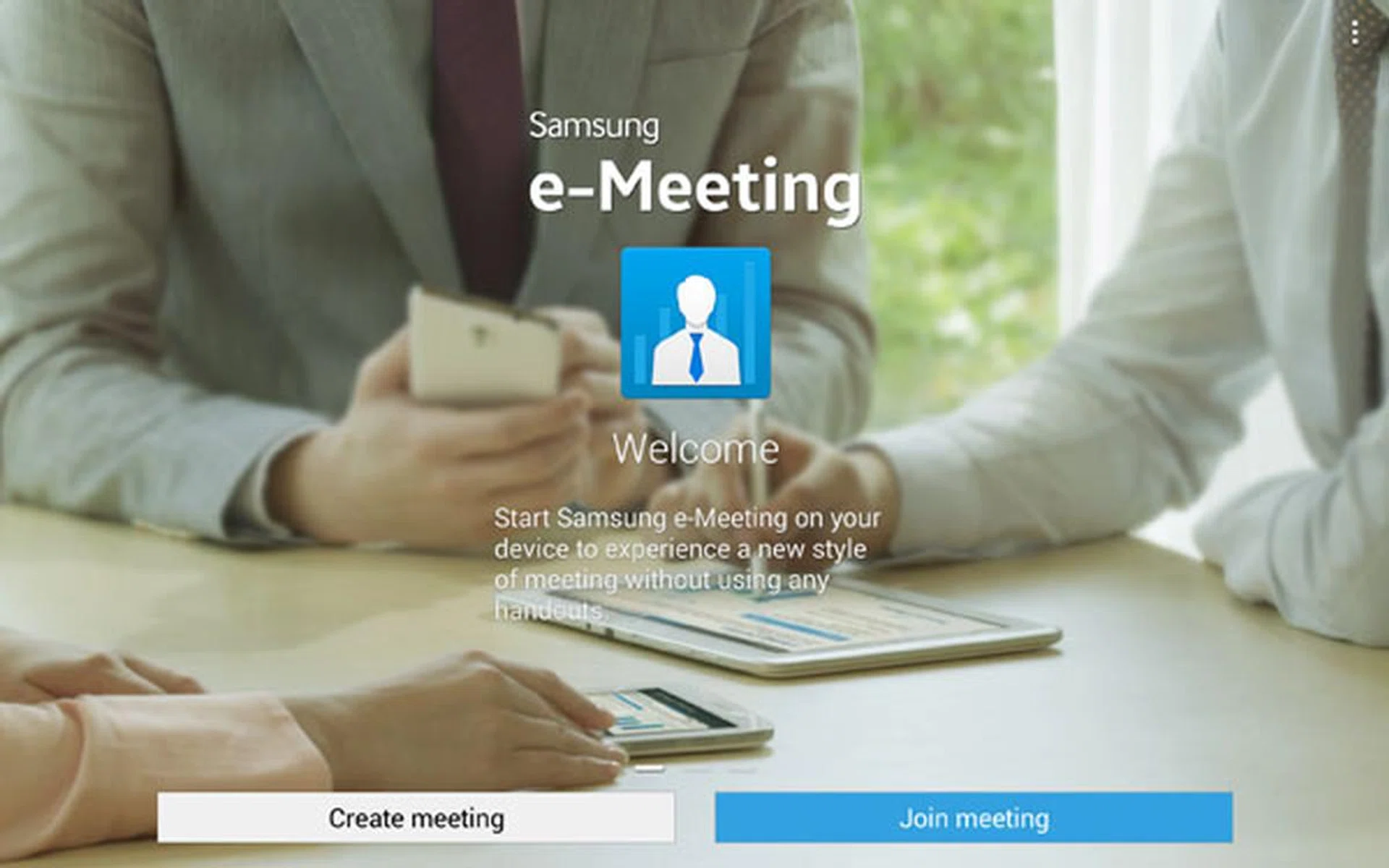
Samsung E-Meeting app.
Another app worthy of mention is the Samsung E-Meeting, a solution for companies which are not equipped with Cisco WebEx. Samsung E-meeting app essentially allows real-time collaborative discussion in a conference or meeting room setting, all without using paper. All users just need to connect to the same Wi-Fi network. This allows real-time feedback from meeting participants, whereby they are able to e-annotate on their device, and their feedback immediately shown to everyone else in the meeting. However, this app only works on the Tab Pro and Note Pro series at the moment, and thus may not be viable for cost-conscious companies with existing mobile devices. To truly benefit from this app, your entire business unit or organization should ideally be issued with the Pro series of Samsung tablets.
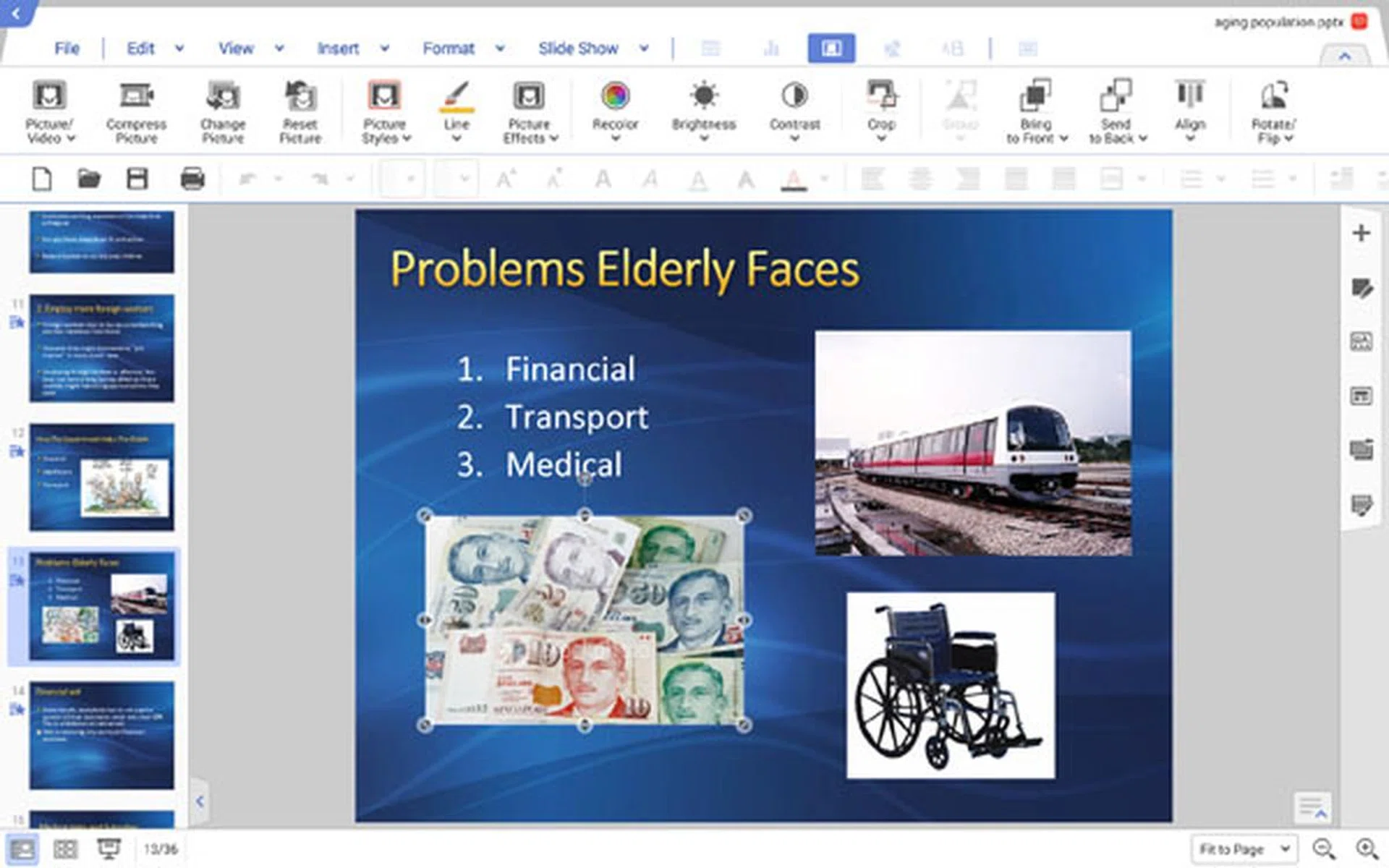
Hancom: Nearly fully featured productivity suite
Another noteworthy app is the Hancom Office Suite of apps. Koreans will find Hancom familiar, as they are the office productivity suite of choice amongst Koreans. The suite mirrors Microsoft Office, with nearly all the functions available (other than a few minor ones, like Keep Lines together in a paragraph, etc.). Also, relative to many other Android office productivity apps, Hancom Office suite can reproduce the contents within Microsoft documents with the highest accuracy, almost as though Microsoft Office was used. So far, we have yet to encounter major formatting issues when opening and working on a file created in Microsoft Office.
On a side note, we've used Samsung's E-Meeting and the Hancom Office Suite extensively during a HardwareZone members-only event for the debut of the Samsung Galaxy Note Pro 12.2 LTE tablet; so if you're interested on how we made use of the apps in the event, check out the linked article.
Controlling a Samsung Galaxy Note 2 from the Samsung Galaxy Tab Pro 10.1. (Note: Sidesync on Note 2 not officially supported yet).
There is also a SideSync app. This app traditionally allows mirroring of a mobile device onto the user’s PC, and be controlled through the PC as well. However, for the SideSync app loaded on the Pro series of Samsung tablets, it can also mirror another Samsung mobile device onto the tablet itself, thus allowing the user to control his or her phone, from the tablet.
There is also a Samsung Remote PC app, which allows remote access to one’s PC. However, as there are several other free solutions that are not locked down to Samsung mobile products, nor to the Windows OS platform, we won't be covering this app in further detail.
Performance, Benchmarks, and Battery life
The Samsung Galaxy Tab Pro 10.1 is powered by a Qualcomm Snapdragon 800 quad-core 2.3GHz processor, which is exactly the same as its earlier launched Note cousin. It however comes with 2GB of RAM, which is 1GB shy of its Note cousin. Given these specs, how does the new Galaxy Tab Pro 10.1 compare against other 10-inch tablets, especially against its similarly specced Note 10.1 2014 edition?
To answer that, we've put together the following tablets under scrutiny against the Galaxy Tab Pro 10.1:-
Sunspider
SunSpider JavaScript helps measure the browsing performance of a device when processing JavaScript. It not only takes into consideration the underlying hardware performance, but also assesses how optimized a particular platform is at delivering a high-speed web browsing experience.
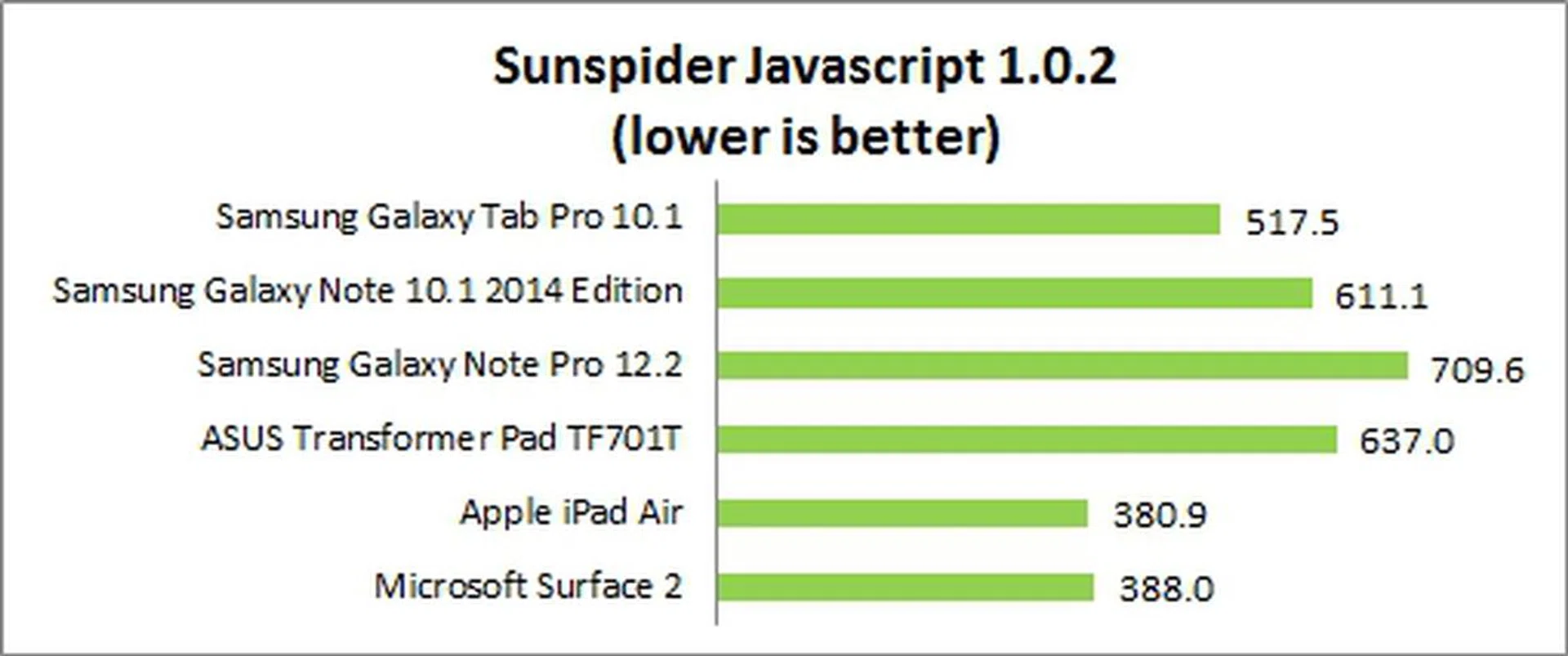
Amongst all the other Android tablets, the Galaxy Tab Pro 10.1 performed the best in the Sunspider benchmark. Interestingly, the Galaxy Note 10.1 2014 Edition and the Galaxy Note Pro 12.2 did not fare as well even though they have almost similar specs.
Quadrant
Quadrant evaluates a device's CPU, memory, I/O and 3D graphics performances. Evidently, Galaxy Tab Pro 10.1 leads the pack.

3DMark 2013
Originally developed as a PC benchmarking tool, 3DMark is now expanded to support multiple platforms including Android OS. The Ice Storm benchmark is designed for smartphones and tablets.
For an in-depth understanding of 3DMark for Android, do head over to our article, "3DMark - Android Device GPU Performance Review." In a nutshell, 3DMark now consists of three test sections:
- 3DMark Ice Storm is an OpenGL ES 2.0 benchmark test that uses fixed off-screen rendering at 720p then scales the output to fit the native display resolution of your device. Ice Storm includes two graphics tests designed to stress the GPU performance of your device and a physics test to stress its CPU performance.
- 3DMark Ice Storm Extreme raises the off-screen rendering resolution to 1080p and uses higher quality textures and post-processing effects to create a more demanding load for the latest smartphones and tablets.
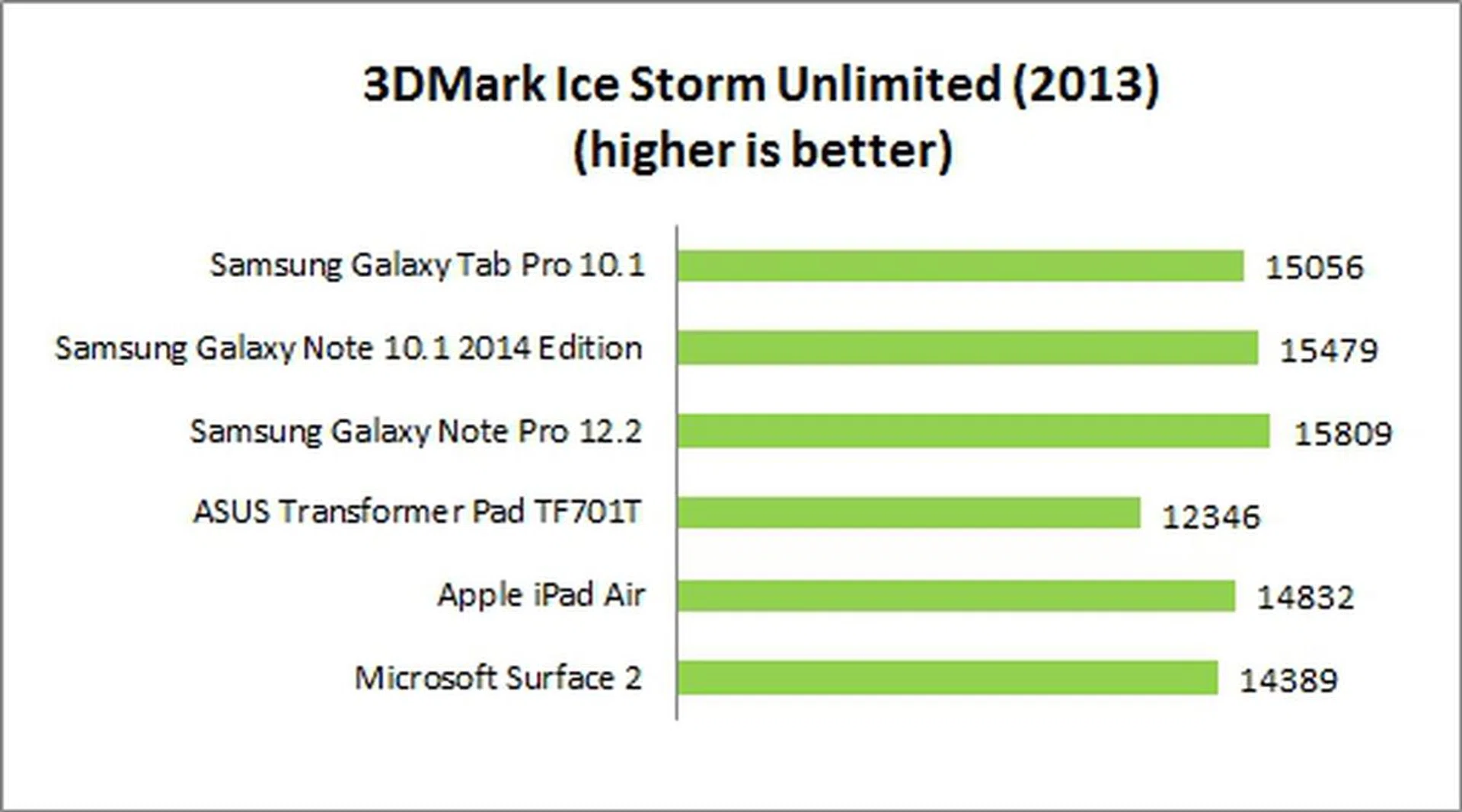
- 3DMark Ice Storm Unlimited is used to make chip-to-chip comparisons of different chipsets, CPUs and GPUs, without vertical sync, display resolution scaling and other operating system factors affecting the result.
For this review, we will focus on the scores of the Ice Storm Unlimited. The trio of Samsung tablets is in a league of its own compared to the ASUS Transformer Pad TF701T, iPad Air and Surface 2.
Battery Life
The battery life of Galaxy Tab Pro 10.1 was tested by looping a 720p video with the following settings:
- Wi-Fi and Bluetooth connectivity turned on
- Constant data streaming through email and Twitter
- Screen brightness and volume at 100%
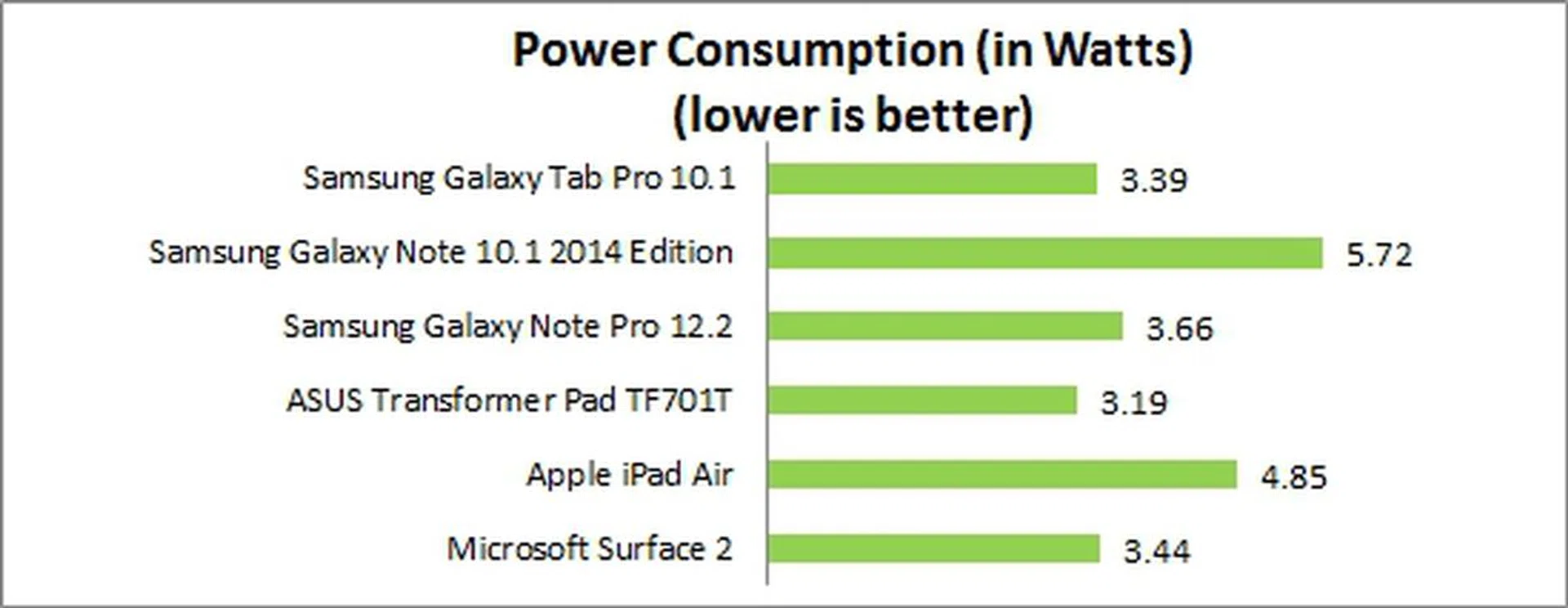
Despite having the same battery and display size, the Galaxy Tab Pro 10.1 lasted about 20% longer than the Galaxy Note 10.1 2014 Edition. As seen in the Power Consumption chart, the Galaxy Tab Pro 10.1 drew lesser power.

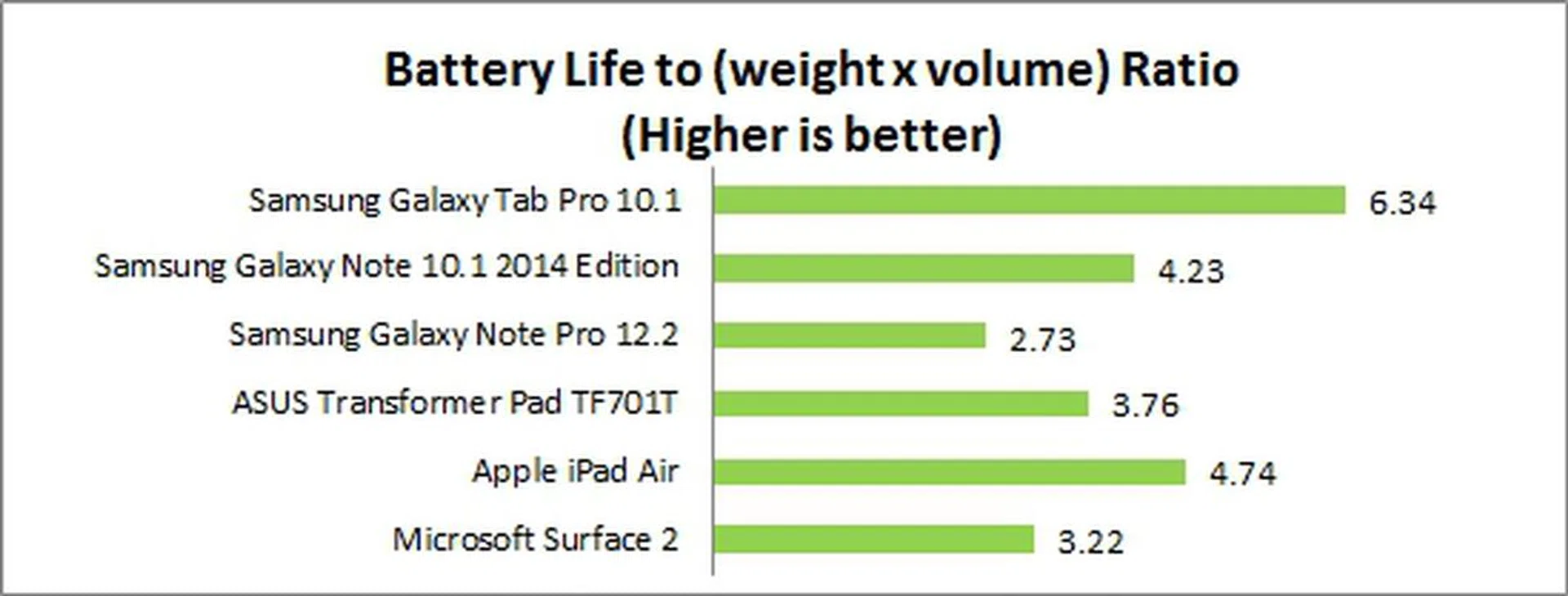
We measure the portability of a device by calculating its battery life to (weight x volume) ratio and the Galaxy Tab Pro 10.1 topped the Portability chart thanks to it being the lightest and slimmest 10-inch tablet of the lot.
Imaging Performance
Once again, the imaging is never one of the main use cases for a tablet. Nonetheless, the Samsung Tab Pro 10.1 has an 8-megapixel rear camera and a 2-megapixel front-facing camera, both of which can also record HD videos - similar to the Note 10.1. We found the camera to be decently good for a tablet; check out the quality of the photos below:-

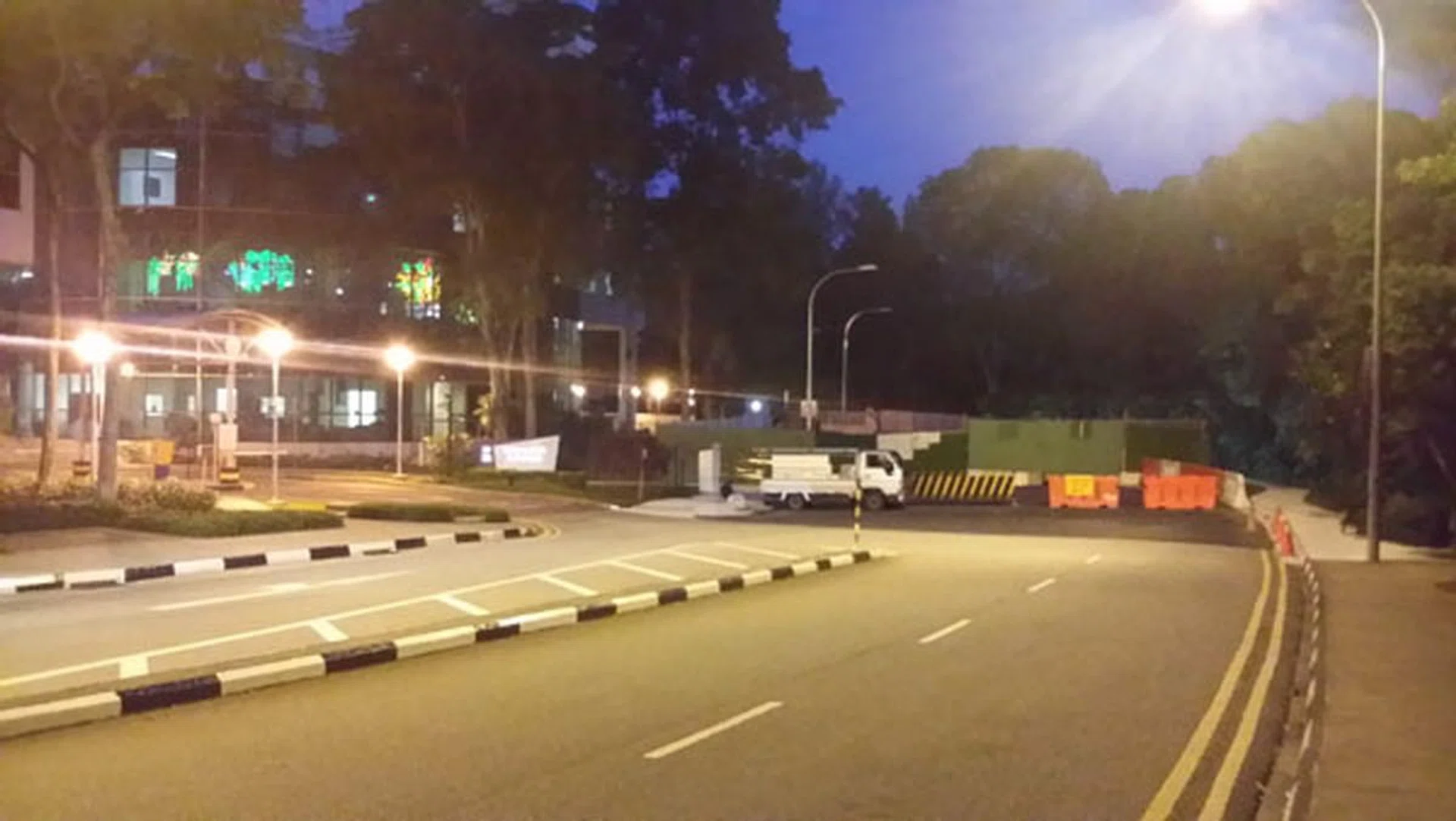
Low light shots are average at best. Noise levels are significant with image artifacts.

Here's another photo taken under low light conditions.
Conclusion
The Samsung Galaxy Tab Pro 10.1 is an almost perfect enterprise-oriented device that can double up well for regular content consumption needs. It is basically a Galaxy Note 10.1 2014 edition, with the S-Pen ripped off and with enterprise software features preloaded on it.
Its major Achilles' heel is still the Samsung TouchWiz interface. Though beautiful, the features are not as well optimized compared to stock Android; stutters are frequent, which affected productivity and tainted the user experience slightly. The implementation of a physical button on the Galaxy Tab Pro 10.1 can cause users to accidentally press it when holding it in portrait mode, thereby causing tremendous inconvenience, which is inevitable when using it in portrait mode. The inability to turn off Magazine UX is no doubt a turn off for some, especially those that come from stock Android or Apple iOS; the app will undoubtedly consume resources in the background unless otherwise there's a way to disable it. On the flip side, the integration of the Magazine UX is a boon for those who don't really want to rely upon third-party apps and are glad to use what's provided with the tablet. As such, the presence of the Magazine UX is definitely a plus point and could only be improved upon by acknowledging that some users prefer their own apps and allow the interface to be disabled.
Despite the free suite of enterprise apps, the lack of an intuitive user experience somewhat affected the productivity aspect of the tablet that Samsung wants to promote. It does not help either when the retail price is S$798 for the LTE model. The Wi-Fi edition goes for S$748, but considering such a small price differential, most would opt for the LTE model.
If you are a Galaxy Note 10.1 2014 Edition user, there is no reason for you to 'upgrade' to the Galaxy Tab Pro 10.1 because it's not a successor model. Aside from the enterprise apps, you get almost similar performance. In fact, the Note series of tablets still have an upper hand with their S-Pen stylus related functionality. Currently priced officially at S$898 for the LTE edition and S$798 for the Wi-Fi model, it's technically still a superior product and doesn't cost much more than the Tab Pro 10.1 we've reviewed today.
So for whom will the Galaxy Tab Pro 10.1 appeal to? Ironically even with all its enterprise oriented preloaded software functions, the Galaxy Tab Pro 10.1 would probably appeal to the average end-user looking for a top-end content consumption tablet with a high resolution screen, extremely thin and light build and a long lasting battery. With a class leading weight of just 477 grams. the Galaxy Tab Pro 10.1 is on par with the Apple iPad Air and even betters it from the perspective of overall dimensions (it's just 7.3mm thin). This makes the tablet effortless to handle and is by far one of its strongest suits. And given some of the quirks we've found when using some of the tablet's more productivity oriented functions, the Galaxy Tab Pro 10.1 is probably better at pleasing general consumers than those who are focused on a device squarely for productivity. Perhaps that's why we find its asking price a little on the expensive side when considering all aspects of the device.
Our articles may contain affiliate links. If you buy through these links, we may earn a small commission.