
ASUS ZenPad 8.0 (Z380KL) review: An affordable 8-inch tablet worth considering
The ZenPad 8.0 is another attractive, low-price tablet from ASUS, with expandable storage and 4G LTE connectivity. You can also buy a unique Audio Cover for it that gives it 5.1-channel surround sound capabilities. Can it compete with the likes of Xiaomi's Mi Pad? We find out.

Overview

ASUS ZenPad 8.0
ASUS is one of the biggest players in the Android tablet market, consistently putting out one tablet after another. Last year, we reviewed the entry-level ZenPad C 7.0 and now we're looking at the ZenPad 8.0 (Z380KL). We’ll also take a look at the recently launched Audio Cover accessory for the ZenPad 8.0, which boasts six speakers for an immersive 5.1-channel surround sound setup and it has a built-in battery that ASUS claims will extend battery life by up to six hours.
Like the ZenPad C 7.0, the ZenPad 8.0 is quite affordable, costing just S$299, which is just $50 more than the Xiaomi Mi Pad. Despite the price point, it doesn’t intend to compromise on performance and design. So where exactly does the ZenPad 8.0 (Z380KL) stand, and what makes it so affordable? Let's find out.
Design
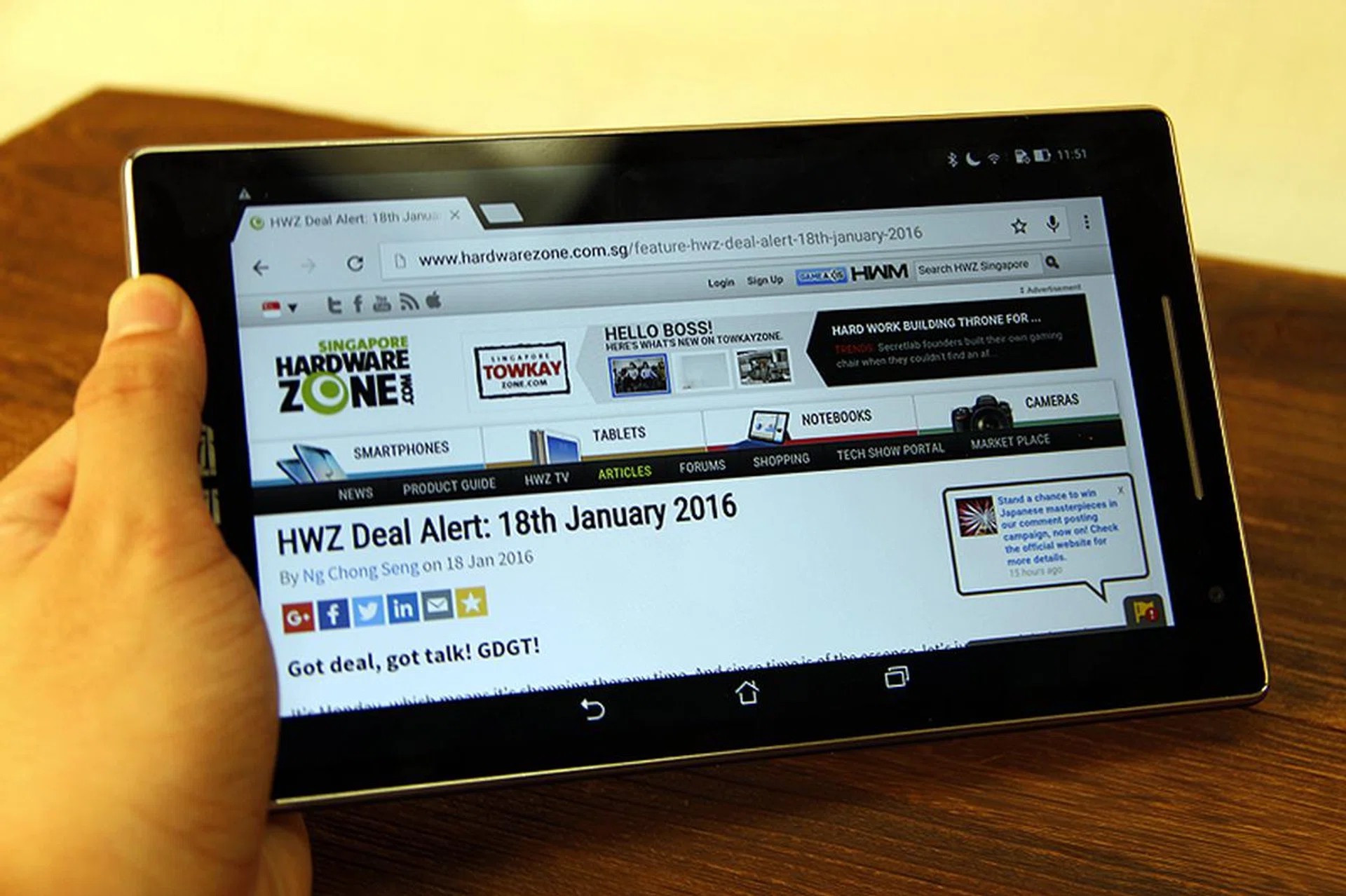
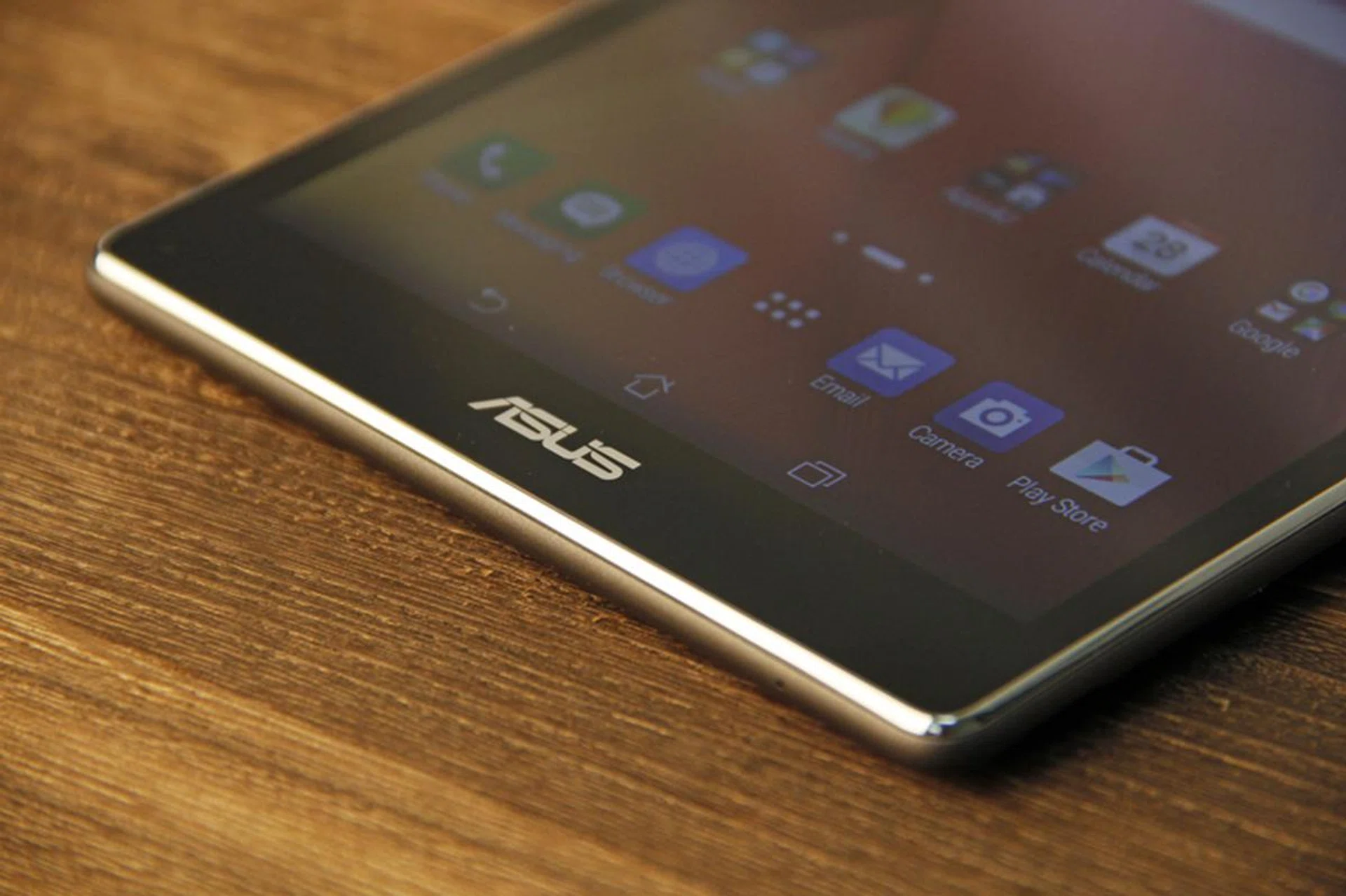
For a tablet that costs S$299, you wouldn’t expect the ZenPad 8.0 to be constructed out of high quality materials and, as expected, the entire tablet is plastic. Fortunately, it feels solid and well-made. A decorative metallic frame surrounds the body and adds a touch of class. The back of the tablet (as well as the optional Audio Cover) has an embossed faux leather finish that has a nice feel and gives the 8-inch tablet a comfortable grip.
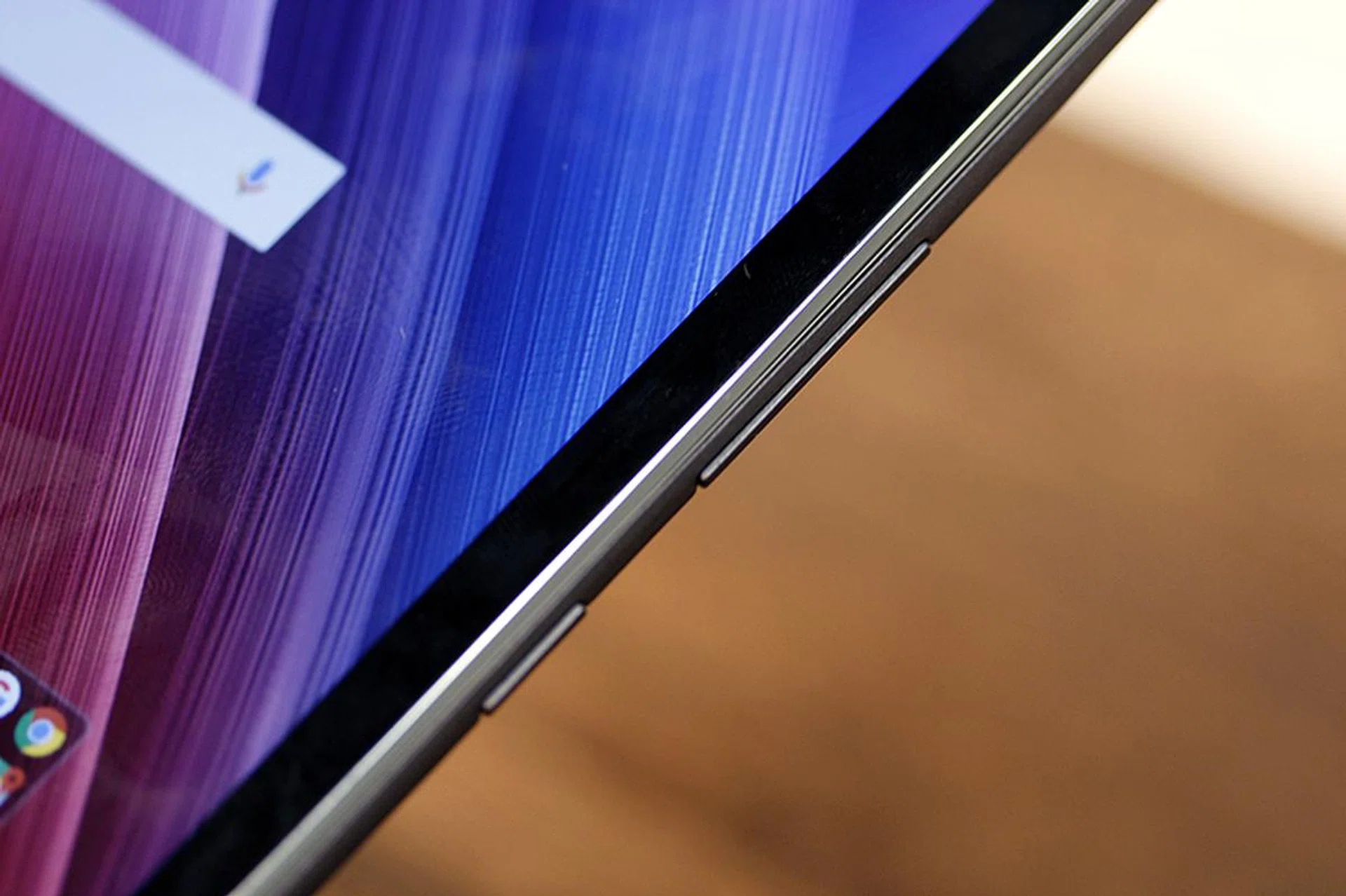
Power and volume buttons on the side.

The standard micro-USB port and 3.5mm audio jack.
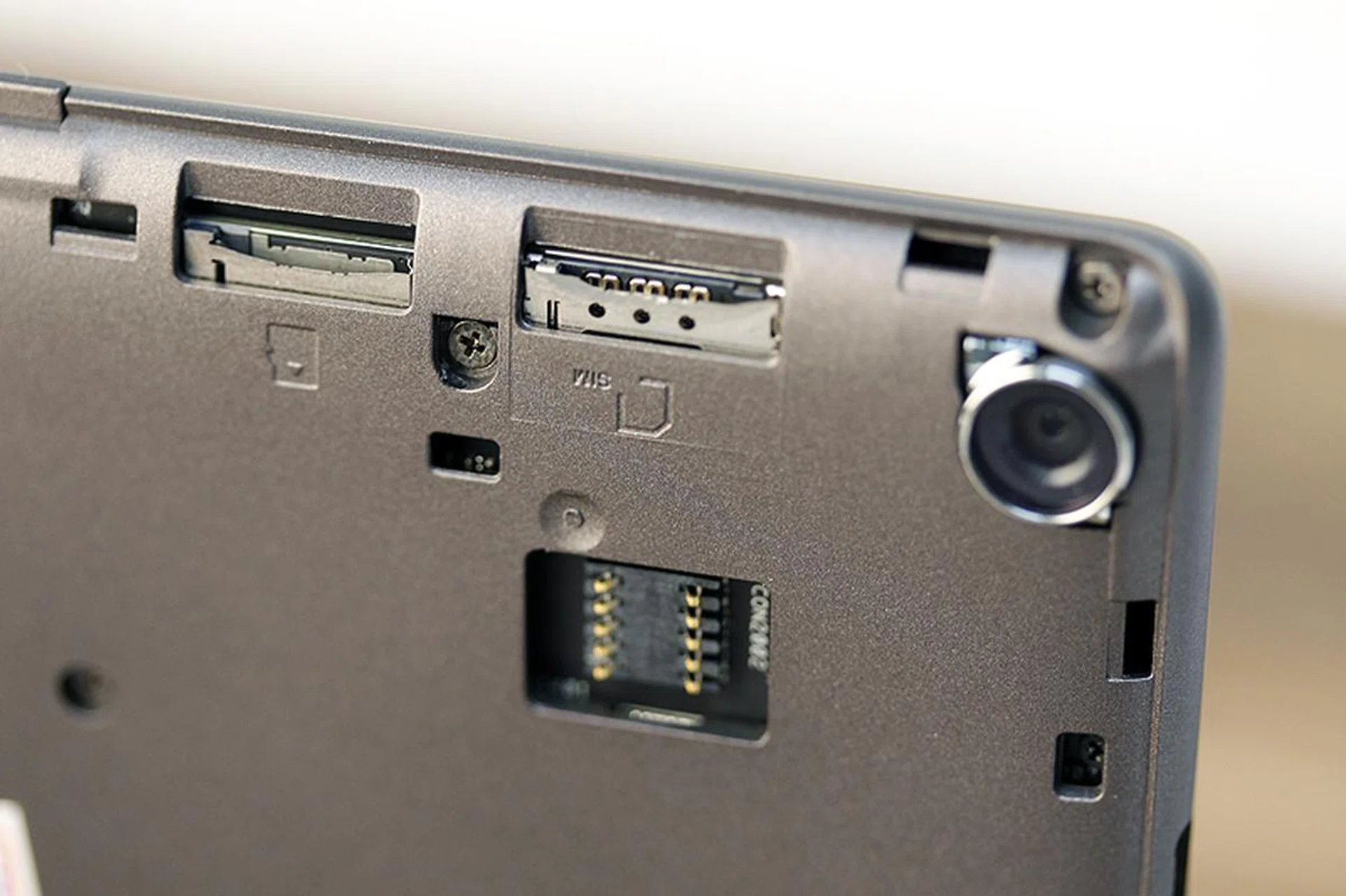
The microSD card slot (accepts up to 128GB capacity cards), and SIM card slot can be found under the rear cover. The contacts below the slots is for the optional Audio Cover (more about this later).
The tablet is 8.5mm thick, matching that of the Xiaomi Mi Pad rival. It doesn’t feel too thick, but obviously it falls short when compared to premium tablets like the 6.1mm Apple iPad Mini 4. It weighs 350g, making it just 10g lighter than the Mi Pad. The optional Audio Cover not only adds a bit of extra girth, but it also adds 255g of extra weight, which makes the entire setup somewhat bulky and hefty.
The power/lock button rests nicely on your thumb if you hold the device in your right hand, while the micro-USB port and headphone jack can be found on the top edge. If you take off the back cover, you’ll find a micro-SIM card slot that supports 4G LTE connectivity (on a $299 tablet, that's impressive), as well as a microSD slot that supports up to 128GB capacity memory cards. Internally, the tablet gets 16GB of storage. On the whole, the design isn’t something that will convince a user with a flagship Apple or Sony tablet to convert, but it certainly is attractive enough at its price point.
Display & Audio
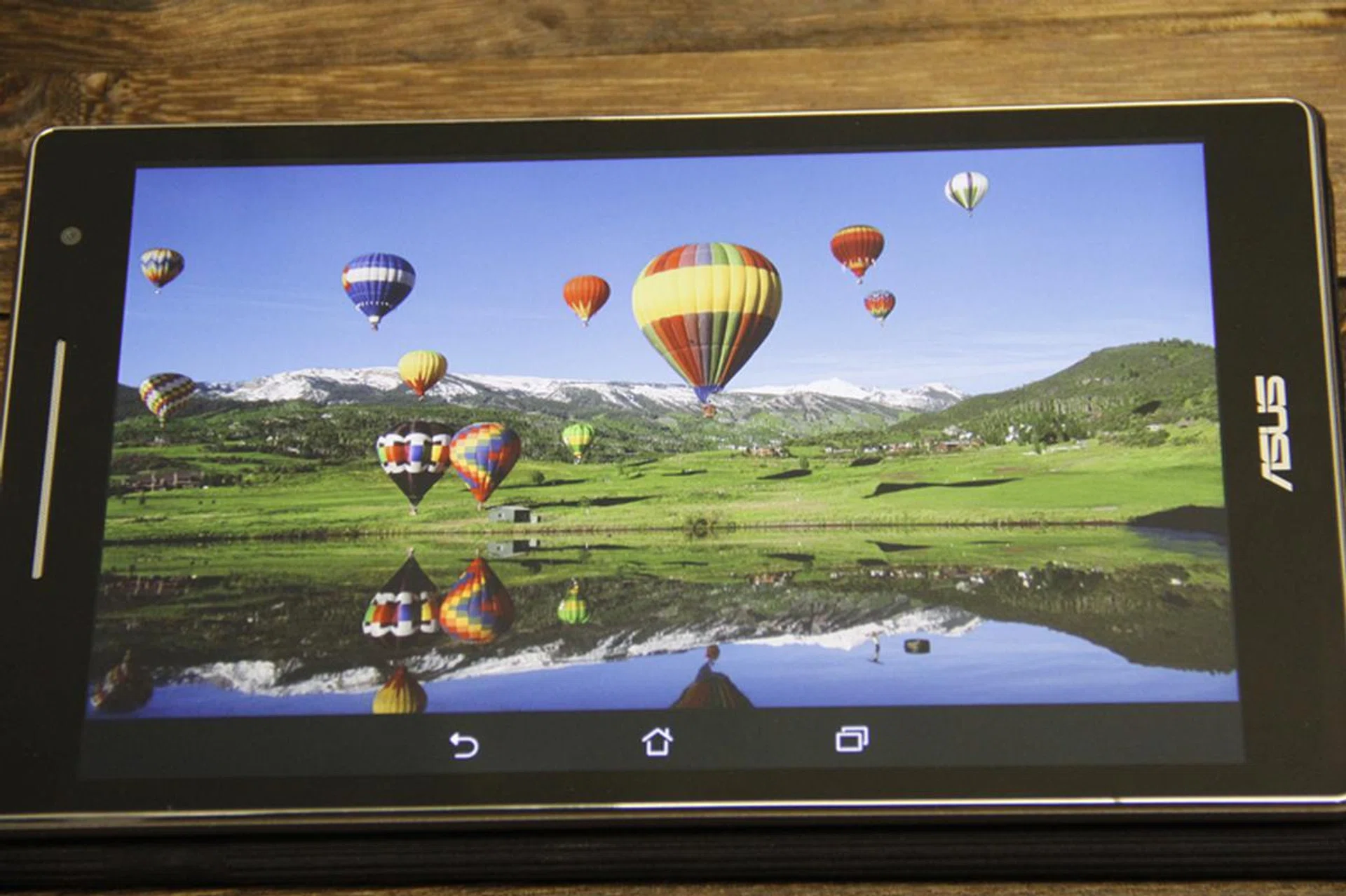
Under room light, unaltered.
The display is an 8-inch WXGA (1,280 x 800 pixels resolution) IPS LED screen, giving us a pixel density of 189ppi. That’s not as good as the 2,048 x 1,536 pixels resolution display (326ppi) found on the Mi Pad, which means that the ZenPad 8.0 doesn't boast an extremely sharp display that would render details down to the very hair strand. Having said that images, videos, and objects are still very presentable when you’re not scrutinizing the details.
The test image shows that the ZenPad 8.0’s display is actually very vibrant for its class. The color profile is quite warm, as evidenced by the whites found along the mountain range and the balloons. Detail is captured sufficiently but upon closer inspection, it’s not as sharp as we’d like it to be. Unlike most displays, the ASUS ZenPad 8.0 seems to lack a certain depth in this test image, and the darker colors bleed very slightly into its immediate surroundings.
Audio quality felt pretty standard on the ASUS ZenPad 8.0. It’s not particularly geared towards any sound signature or audio profile – it’s not loud at all, and its quality will tell you very clearly that it’s meant to support audio as a means to an end, and not something for pleasure.
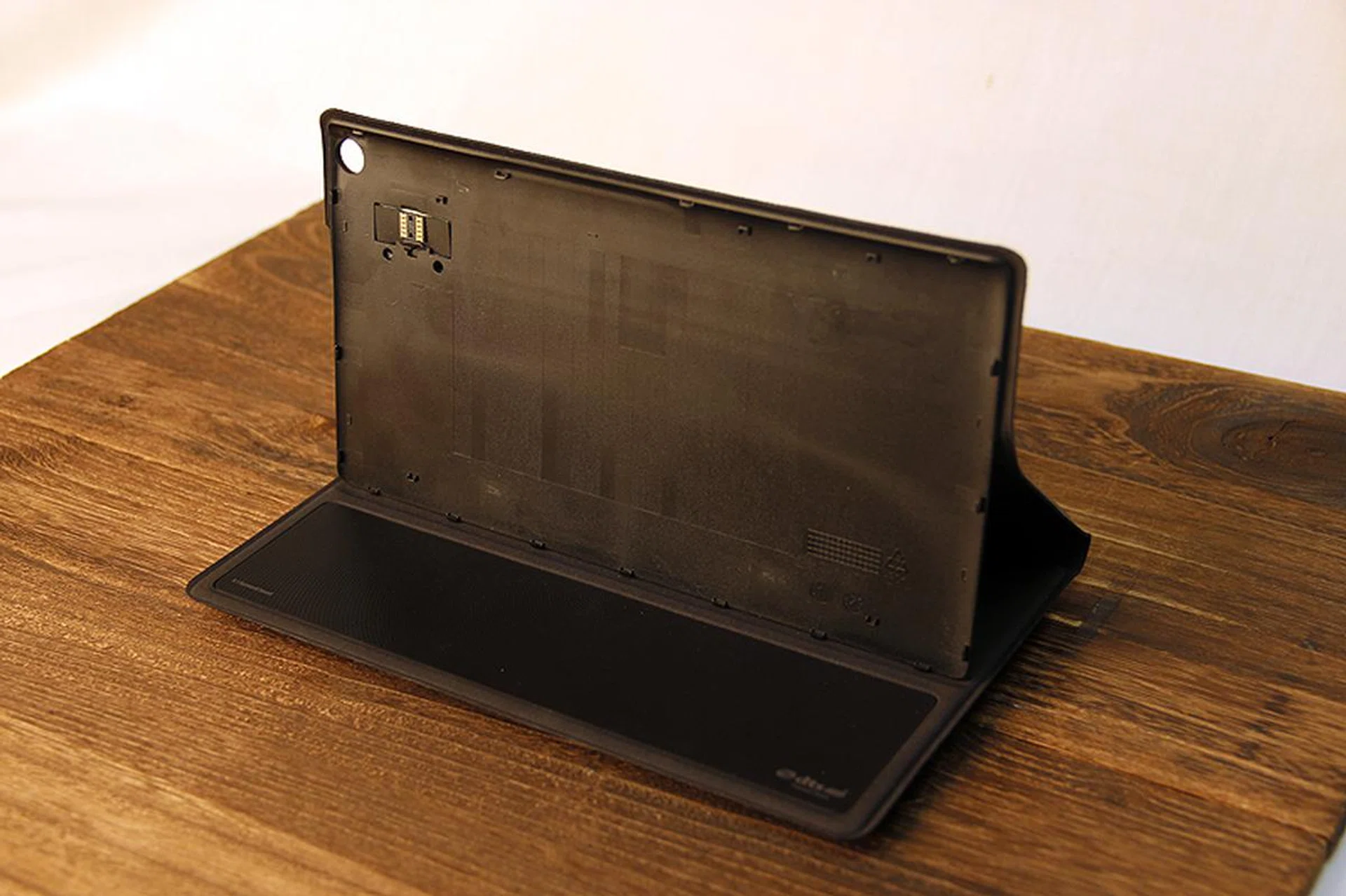
To amp up the audio capabilities of the tablet, you can get the optional Audio Cover (sold separately at S$129).
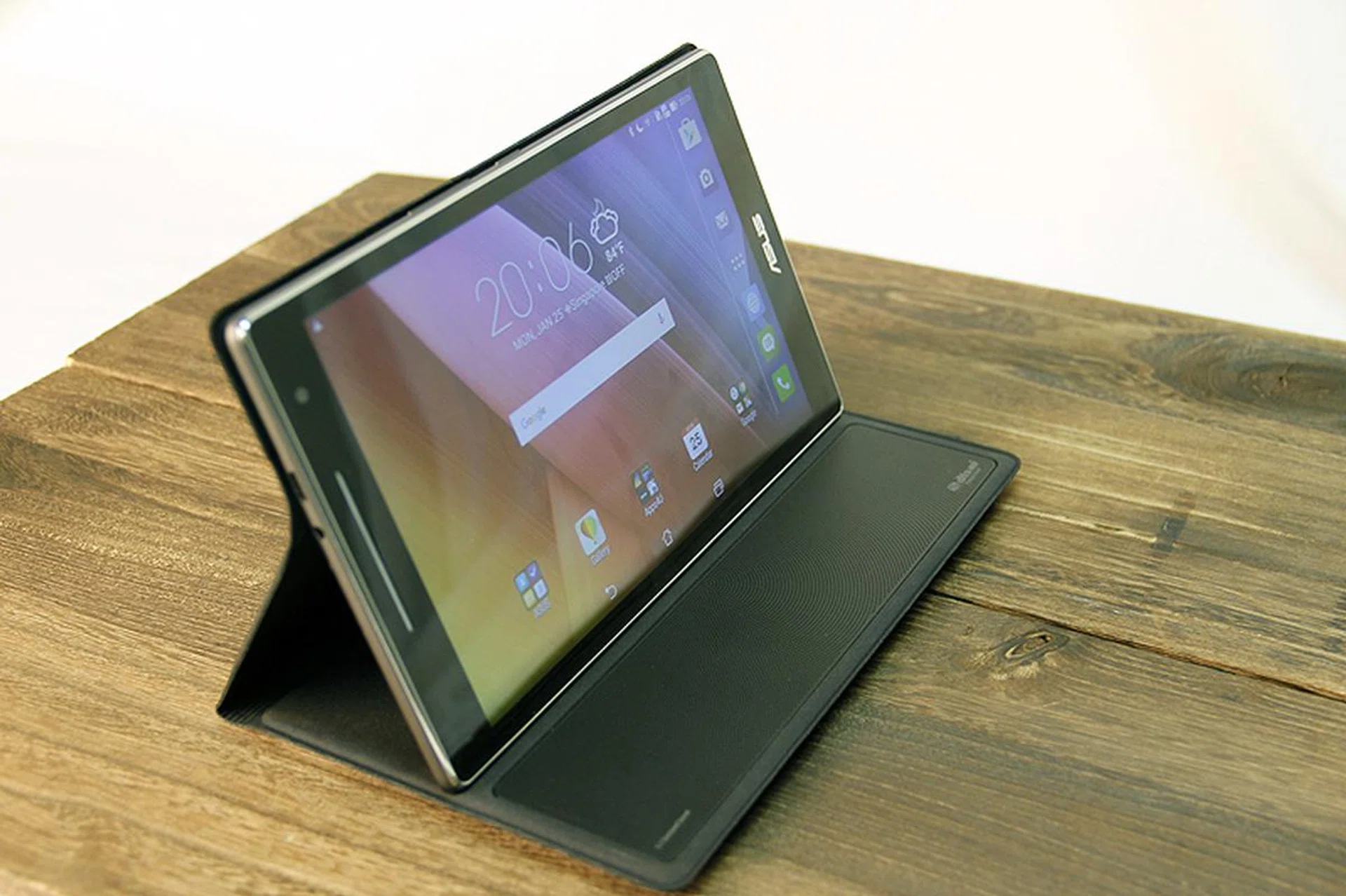
Here she is with the audio cover attached.
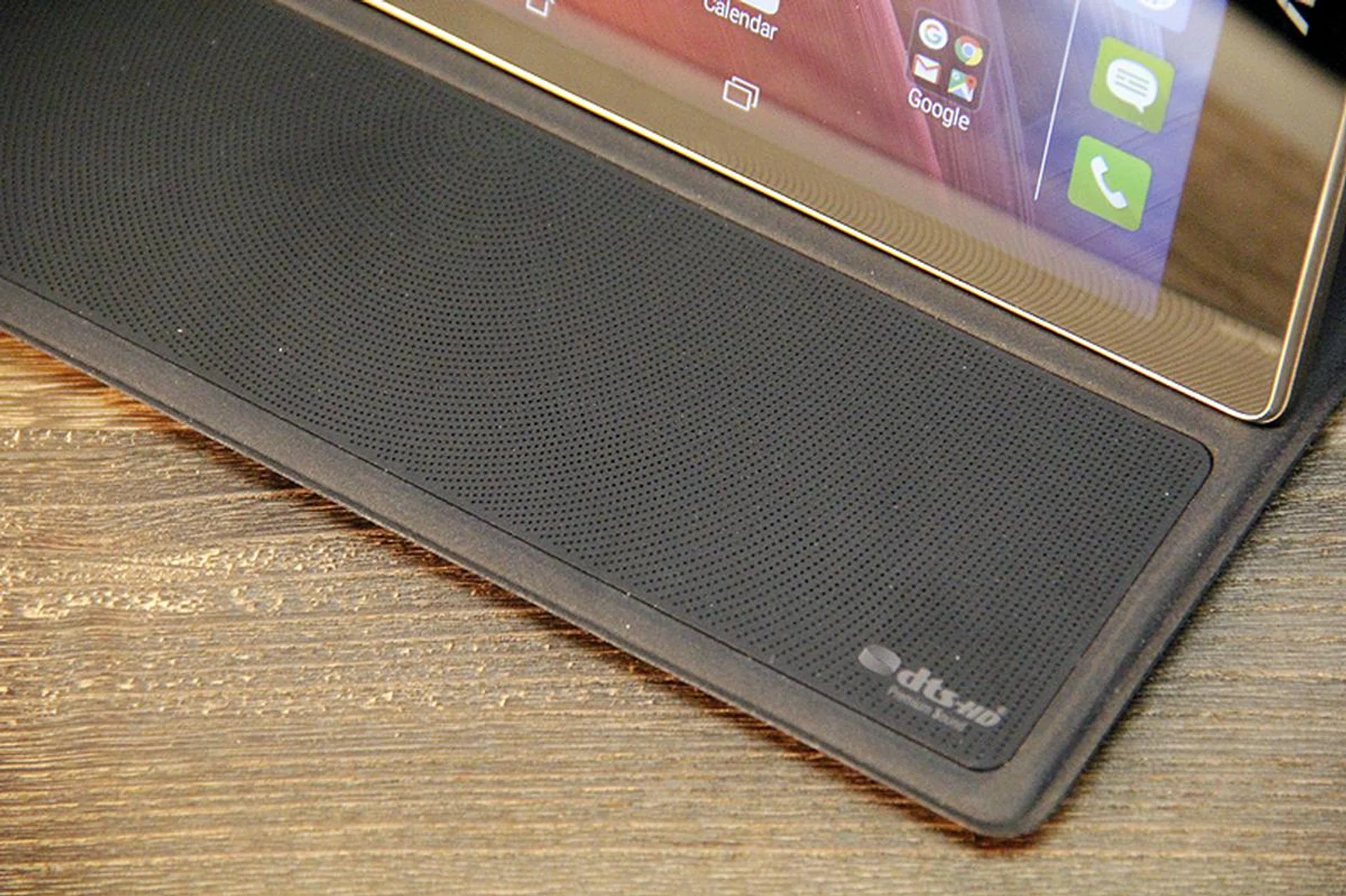
The Audio Cover (sold separately at S$129) enhances the audio of the ZenPad 8.0 considerably, bringing the volume up to par with tennis ball-sized (in diameter) speakers, consisting of four satellite speakers, one center-channel speaker, and one subwoofer. The sound signature still doesn’t change much, and there’s little character added to the sound profile – bass still sounds as flat, but the mid-range frequencies do get a little more body, making the audio richer but not impactful.
Features
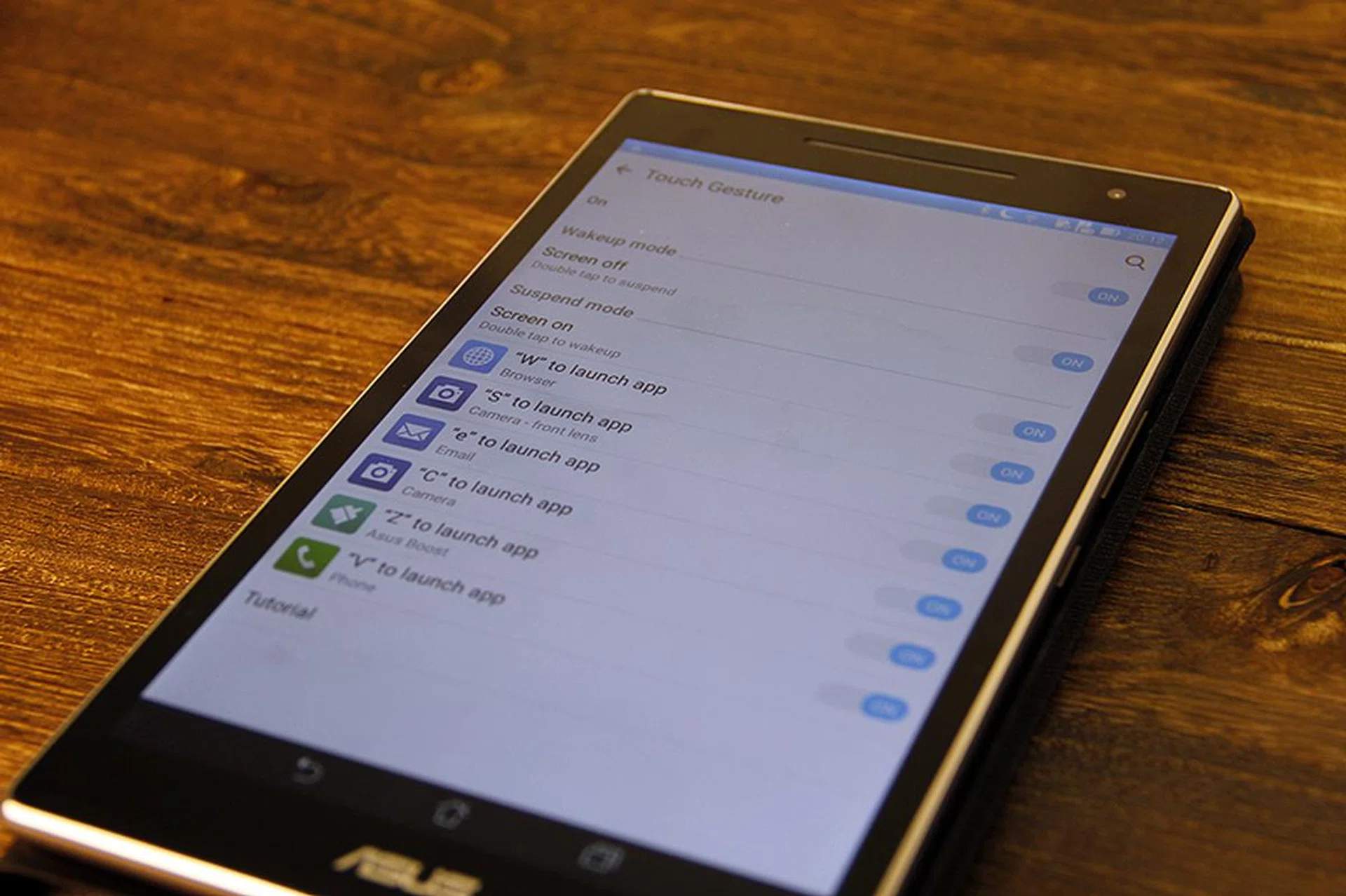
Part of the ZenMotion feature is Touch Gestures.
The ZenPad 8.0 runs on Android 5.0 OS (Lollipop) out of the box, with a ZenUI skin. You’re probably familiar with the updated ZenUI, and frankly it’s not very different from the previous ASUS 7-inch tablet. Some features worth recapping are gesture shortcuts called ZenMotion, where painting alphabets on a screen that’s turned off can quickly take you to certain core apps on the tablet. Everything else on the ZenUI is close to vanilla Android OS.
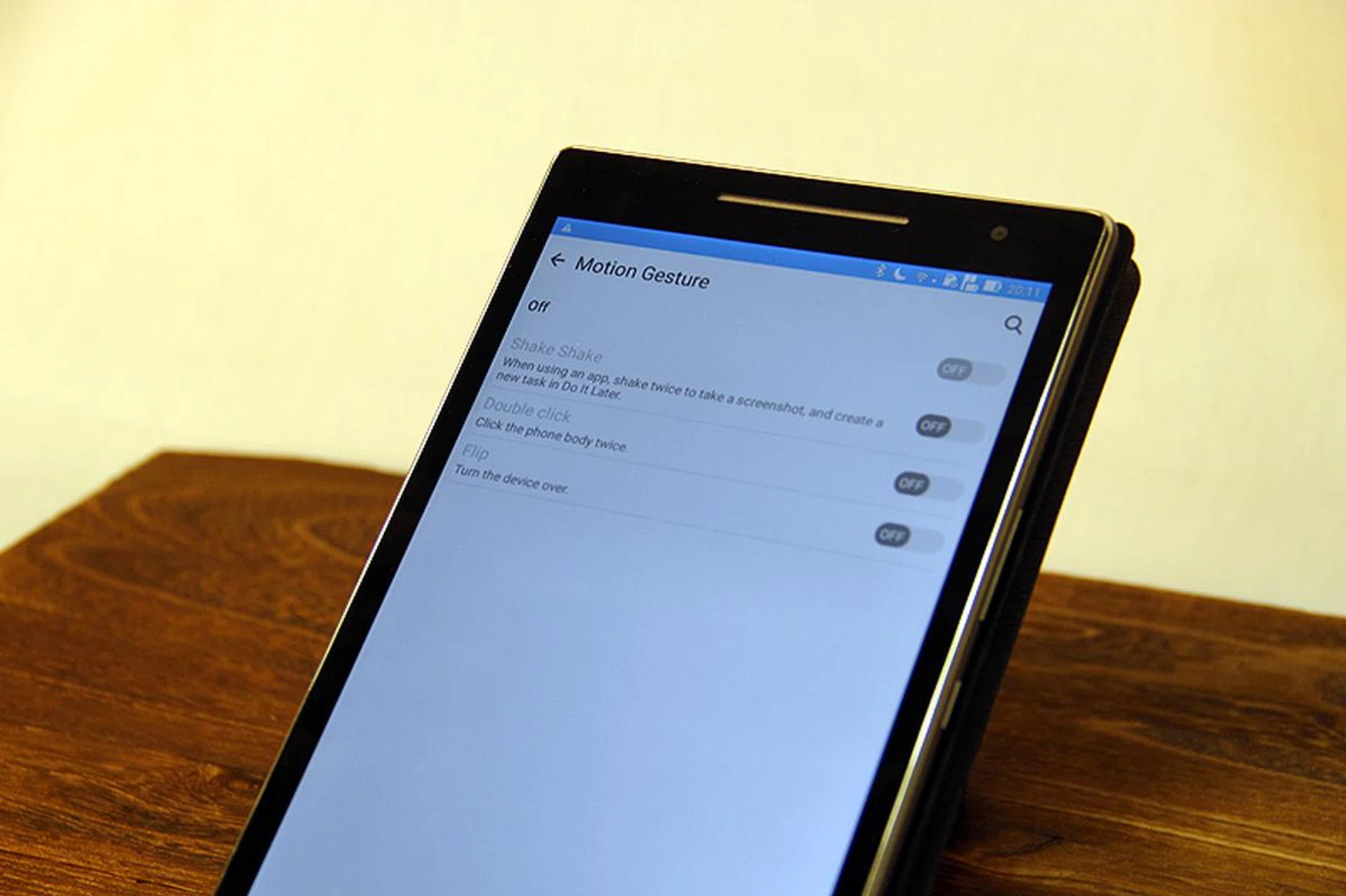
Besides the add-on Audio Cover we’ve seen, the tablet itself is quite free from gimmicks or additional-use features. This makes the affordable tablet viable for people who want a simple Android tablet with minimal changes to its core functionalities.
Benchmark Performance
The ASUS ZenPad 8.0 uses a quad-core, 64-bit Qualcomm Snapdragon 410 (it’s listed as MSM8916 on the official specification sheet) processor. It has a 1.2GHz Quad ARM Cortex A53 CPU, and Adreno 306 GPU.
Comparisons will be made against similar low-cost tablets like the Xiaomi Mi Pad (S$249) and the entry level Samsung Galaxy Tab A with S Pen (8.0) 4G (S$498). For reference, we’ll throw in the ASUS ZenPad C 7.0 (S$199) just to see what we’re getting with a hundred dollars more invested in the Zenpad 8.0.
Quadrant
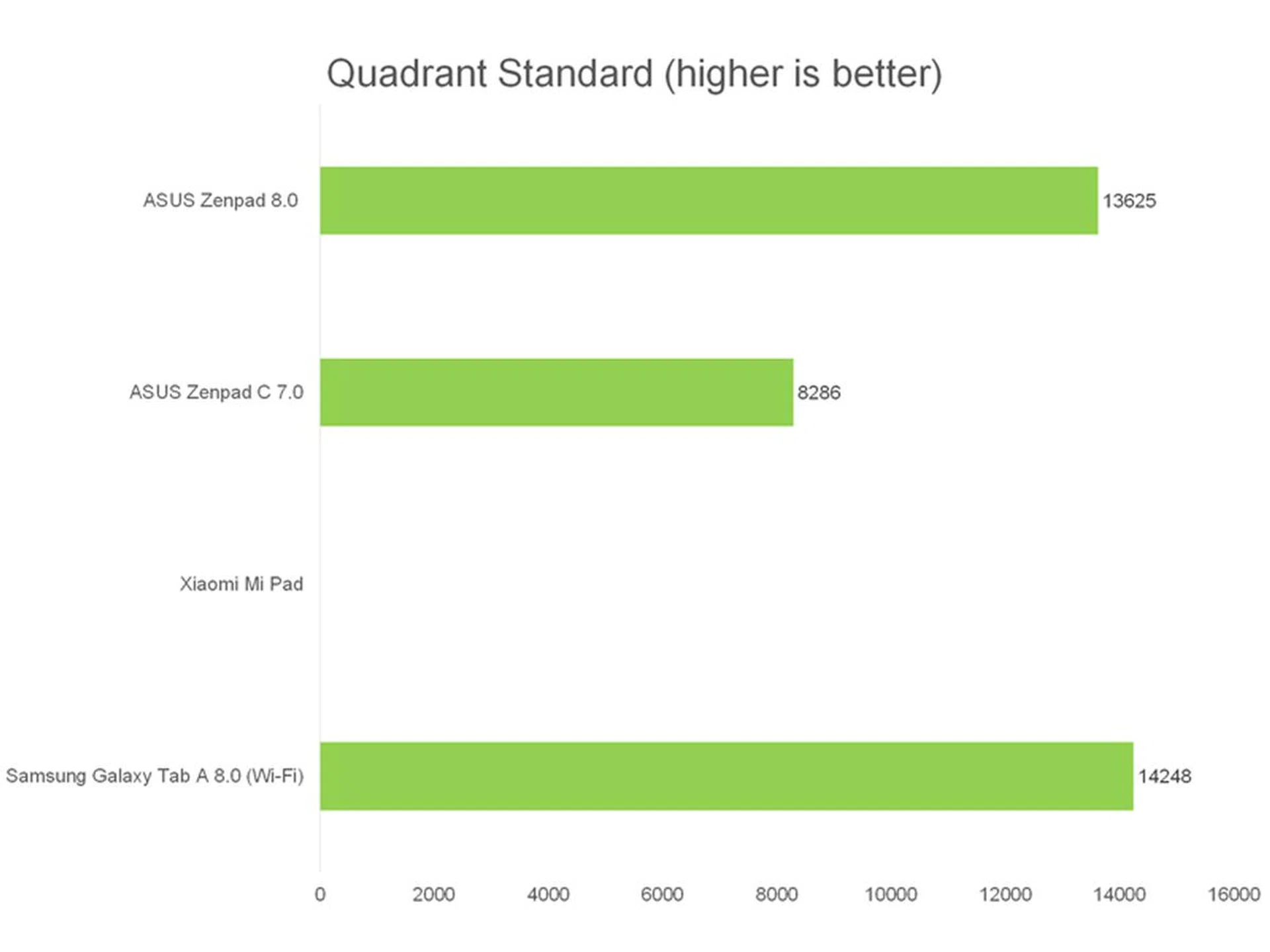
Quadrant is an Android benchmark that measures a device’s CPU, I/O, and GPU performance. We were unable to get a score for the Xiaomi Mi Pad as we kept encountering an error during testing. The ZenPad 8.0 scored well here, coming very close to the Samsung Galaxy Tab A which runs on similar hardware (but costs S$200 more). The tablet is fast and responsive at waking up from sleep and multi-tasking between apps, so it’s great considering its price point and class even if it’s not quite up to par with flagship tablets.
3DMark
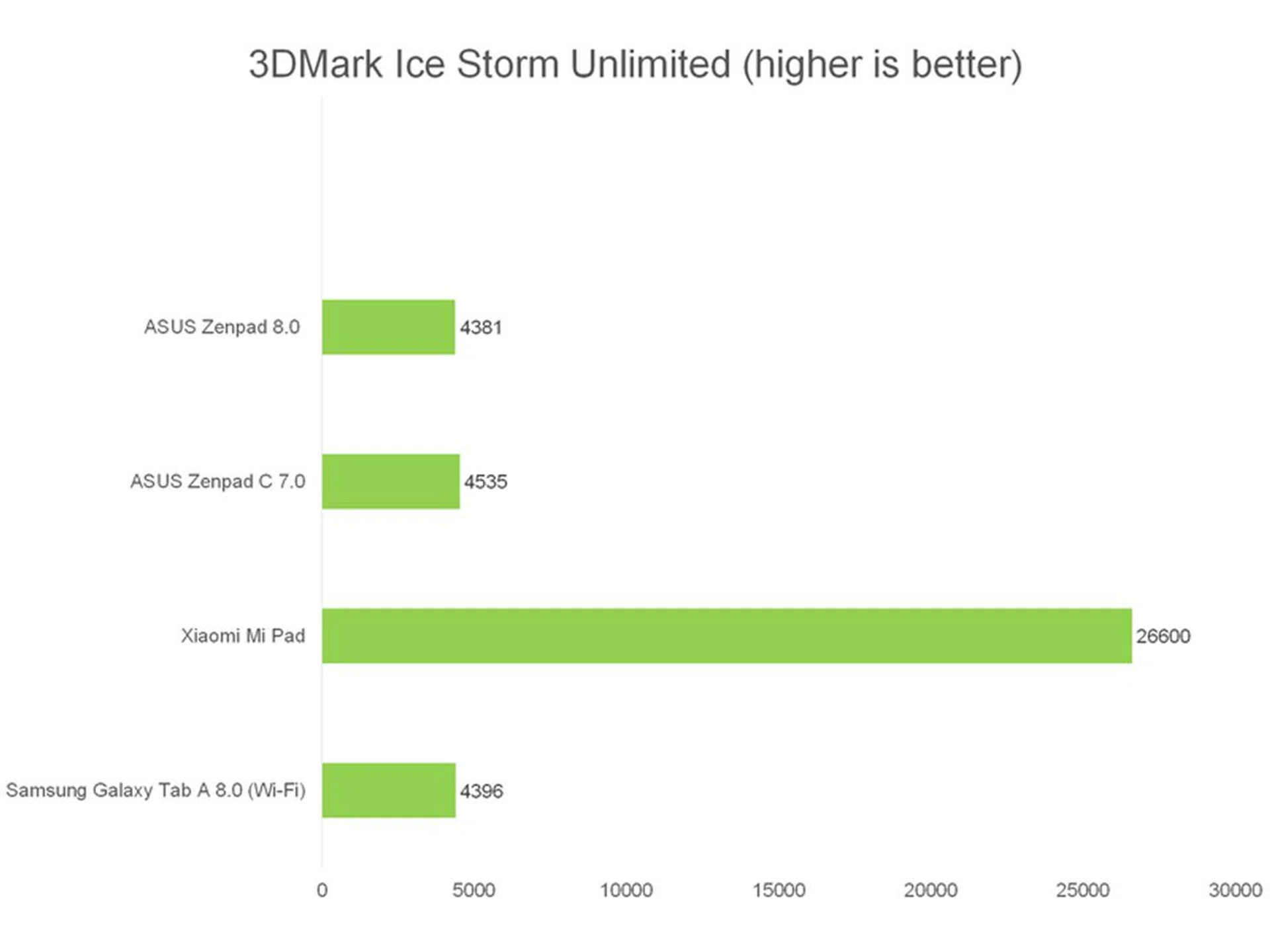
We then ran 3DMark’s Ice Storm Unlimited test, which uses a mix of graphics and physics tests to measure hardware performance. The first test measures the GPU’s ability to process lots of vertices, while the second does the same thing with lots of pixels and post-processing effects. Finally, the physics test switches the load to the CPU to test its ability to process physics simulations, while keeping GPU load low.
Once again, the ASUS ZenPad 8.0 performed decently in this benchmark, scoring on par with the similarly equipped Samsung Tab A. The Xiaomi Mi Pad blazed ahead thanks to its NVIDIA Tegra K1 processor boasting a GeForce Kepler GPU, which has a lot more graphics horsepower to lead in gaming oriented benchmarks. Meanwhile, the ZenPad C 7.0 manages to keep pace with the ZenPad 8.0, which says quite a bit for the graphics capabilities of the latest crop of Intel mobile processors despite the fact the Atom x3 is a pretty low-end part.
SunSpider

SunSpider JavaScript helps measure the browsing performance of a device when processing JavaScript. It not only takes into consideration the underlying hardware performance, but also assesses how optimized a particular platform is at delivering a high-speed web browsing experience. Loading image-heavy pages was a breeze, and the tablet didn’t struggle with prolonged web-surfing, so there’s some truth to the numbers here. However, once again, the Mi Pad left it in the dust.
Imaging Performance
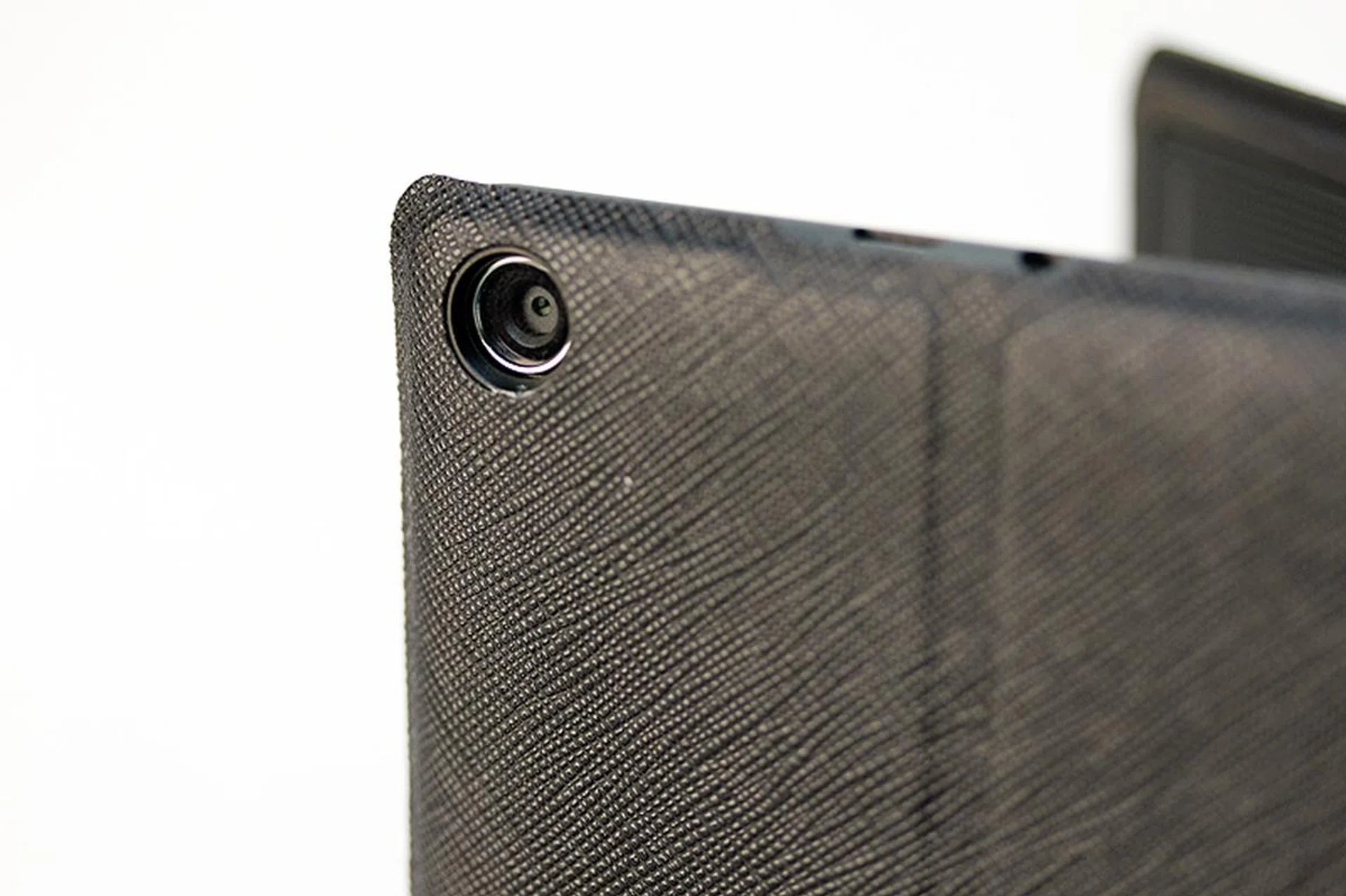
The ZenPad 8.0 uses a 8-megapixel rear camera with auto focus. Like most tablets, it doesn’t come with flash, but it has adjustable ISO between 50 to 800, adjustable exposure value, and anti-shake enhancement. It doesn’t come with many other features, besides an Owl mode for low-light shooting.
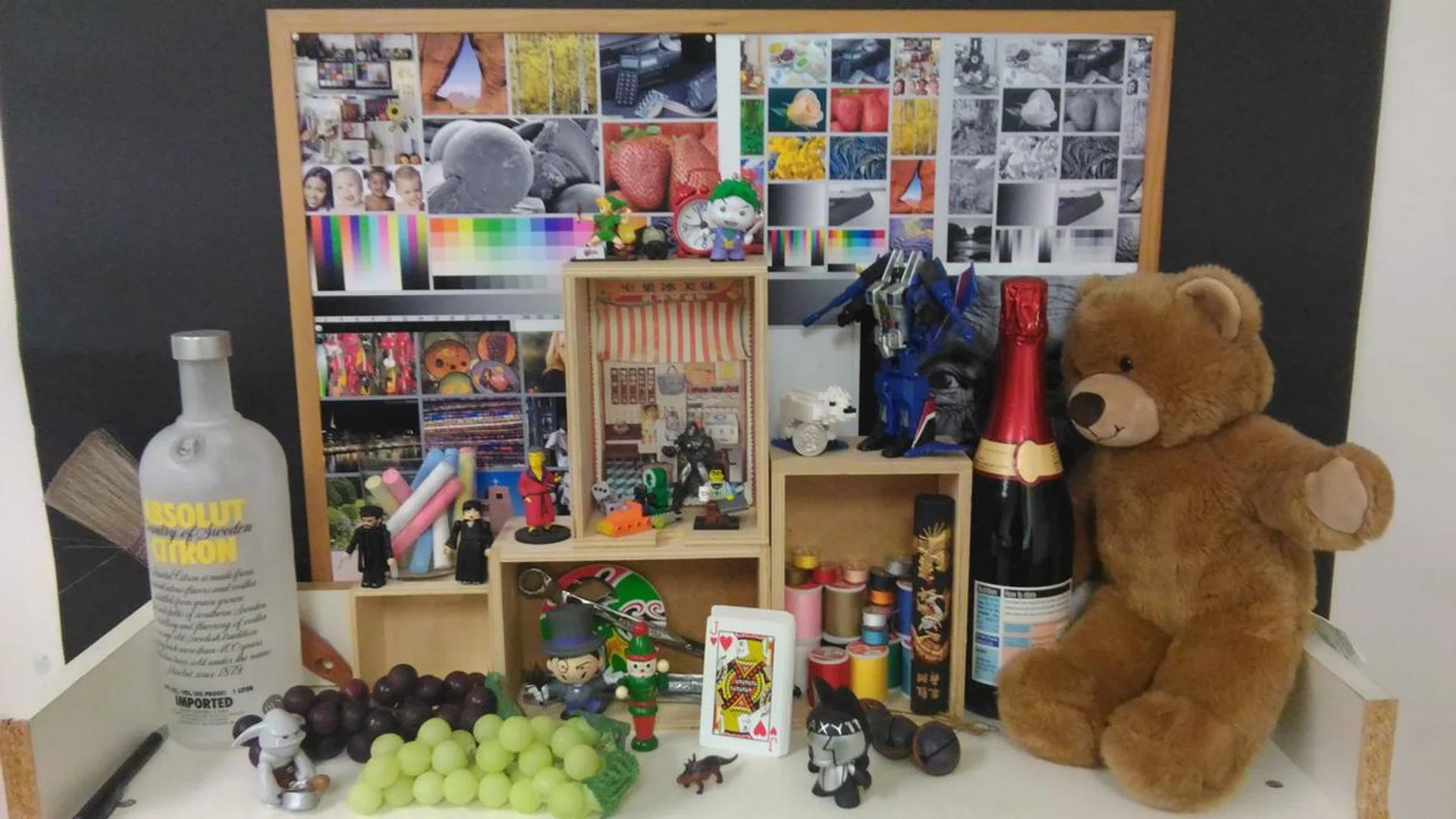
Auto, no flash, ambient room lighting.

100% crop.
With the camera set to auto and anti-shake enhancement run multiple times, we still find the ASUS ZenPad 8.0’s photo quality very underwhelming. There’s very little detail to speak of – lines on the thread spool aren’t visible, words on the bottle are blurred, and even the bear’s fur is out of focus. The white-colored brick toy doesn’t show the ridges properly, and the textures on the red bath-robed figurine aren’t well-defined. While color reproduction is generally acceptable, the whites on the poker card are slightly washed out, so light handling is an issue even with sufficient room lighting. Even with pretty low expectations for tablet cameras, the ZenPad 8.0 failed to impress and you probably won't rely on it even if you're in a hurry or for the occasional shot when you're handling the tablet. Stick to your phone.
Battery Life
Our standard battery test for tablets includes the following parameters:
- Looping a 720p video with screen brightness and volume at 100%
- Wi-Fi and Bluetooth connectivity turned on
- Constant data streaming through email and Twitter
Here's the outcome:-
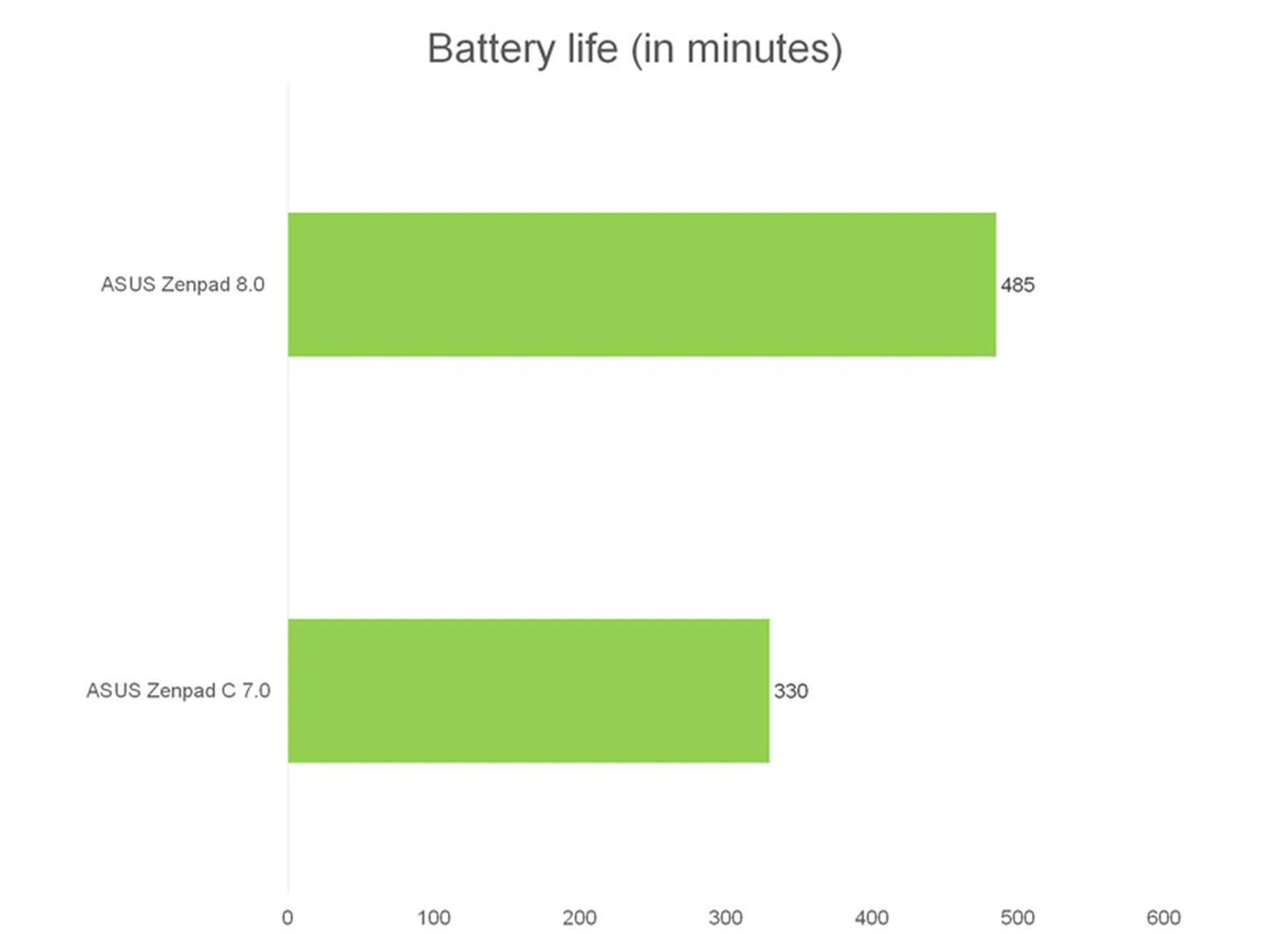
While all the tested tablets have been tested previously, only the ASUS tablets are directly comparable with the mentioned test parameters, hence we've chose to list only them in the graph. For a rough idea of how Samsung Galaxy Tab A (8.0) Wi-Fi model fared, we'll refer to the 4G edition of the tablet that we've tested and that managed 440 minutes on the same test. The Xiaomi Mi Pad has been reviewed by our Malaysian counterparts on a different set of benchmarks that gives this tablet a battery up-time of about 466 minutes.
Given these figures, it would seem that the ASUS ZenPad 8.0 managed to come out tops on the battery performance test. However, we've to reiterate that the Xiaomi Mi Pad is just as capable and offers a far higher resolution screen with a bigger battery pack, but it is only 10 grams heavier and is also cheaper to boot.
Of course, don’t forget that you can also add the optional Audio Cover on the ZenPad 8.0 to extend its battery life further (at the expense of added heft).
Conclusion
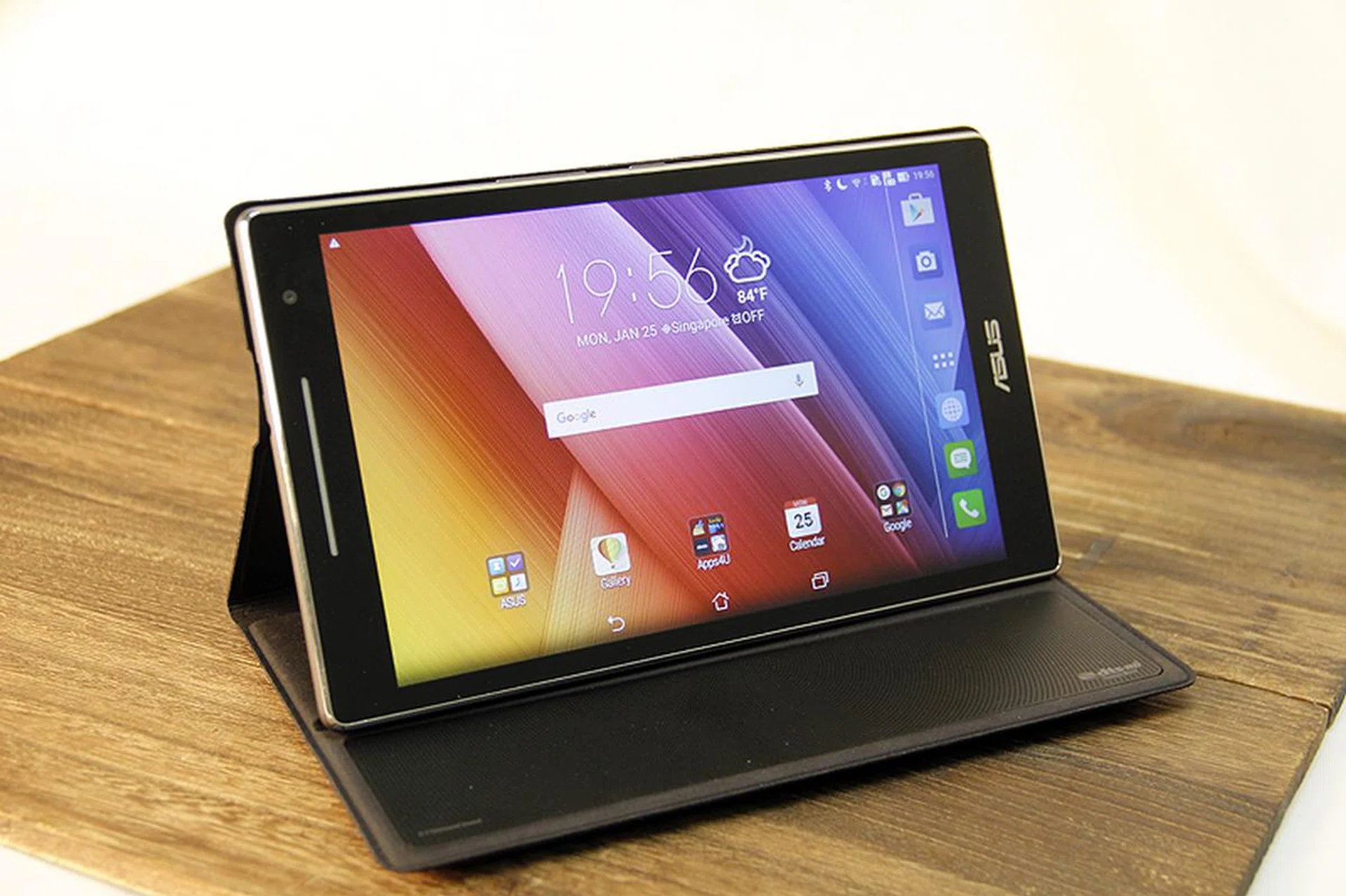
ASUS has mostly adhered to the cheap-and-good (enough) formula, with a cut-throat price tag paired with premium-looking finish and competitive hardware performance. The details show that it loses out in terms of audio quality (the Audio Cover makes it more acceptable but it would’ve overshot the comfort zone price point), and camera performance, but it makes up for it with good battery life and decent all-round performance where the core functions of a tablet are concerned.
You could pay the S$299 for the ZenPad 8.0 and walk away satisfied, but the more affordable Xiaomi Mi Pad (S$249) that makes it harder to choose the ZenPad 8.0 over something more powerful, and with a much higher resolution display. On the other hand, the Mi Pad lacks expandable storage and 4G LTE connectivity - both of which are equally important selling points for the ZenPad 8.0. If you prefer a tablet with those features, the ZenPad 8.0 is easily the best choice.
For better gaming capability and a higher resolution screen, the Mi Pad is a better recommendation, though its laggy interface is a common complaint among HardwareZone members and elsewhere. However, Xiaomi is no longer selling the Mi Pad on the Mi Singapore store, so it's not even an option at the moment unless you chance upon old stocks or overseas stores. The Mi Pad 2 might be available locally later, but it's anyone's guess when that might come to pass as Singapore seems to be a low priority market as many of their products are only made available several months after their official launch.
So it looks like the ASUS Zenpad 8.0 is the obvious value choice for 8-inch tablets as far as official channels are concerned. Of course, you could easily get a Xiaomi Mi Pad from other resellers and online stores like Lazada, if you still favor a higher resolution screen over the ZenPad's data connectivity and expandable storage.
Our articles may contain affiliate links. If you buy through these links, we may earn a small commission.