
Apple iPad - Sheer Tablet Brilliance
The Apple iPad has been termed "revolutionary" by the venerable Steve Jobs, but how it does it actually perform? Will it render netbooks obsolete? Will the lack of flash and multitasking be a deal-breaker? We spend time with the device to find out.

** Updated as of 17th May 2010 - Video Walkthrough Included **
iPad Fever
A tablet PC by Apple was rumored long before the iPad was even announced, and on January 27th 2010, the inevitable arrived and Apple expectedly announced and showed the world their long rumored tablet PC - the iPad.
When the iPad was first announced, many were skeptical about it. The silly name aside, there's many other things to dislike about the device, such as the lack of flash, no multitasking, the inability to upgrade memory, no HDMI output, no USB port, the fact that it is not running a full-fledged OS X, no integrated cameras, and so on and so forth. In fact, a simple Google search on the phase "10 things ipad suck" yielded an amazing 15.5 million results.
Skepticism aside, the same can be said when the iPhone was announced. On paper, it was no more capable than any of the other smart phones available at its time, but look at it now. Its effect on people, the smartphone industry and even the mobile phone user interface design is ubiquitous. It's really about the user experience, and we believe it's the same with the iPad.
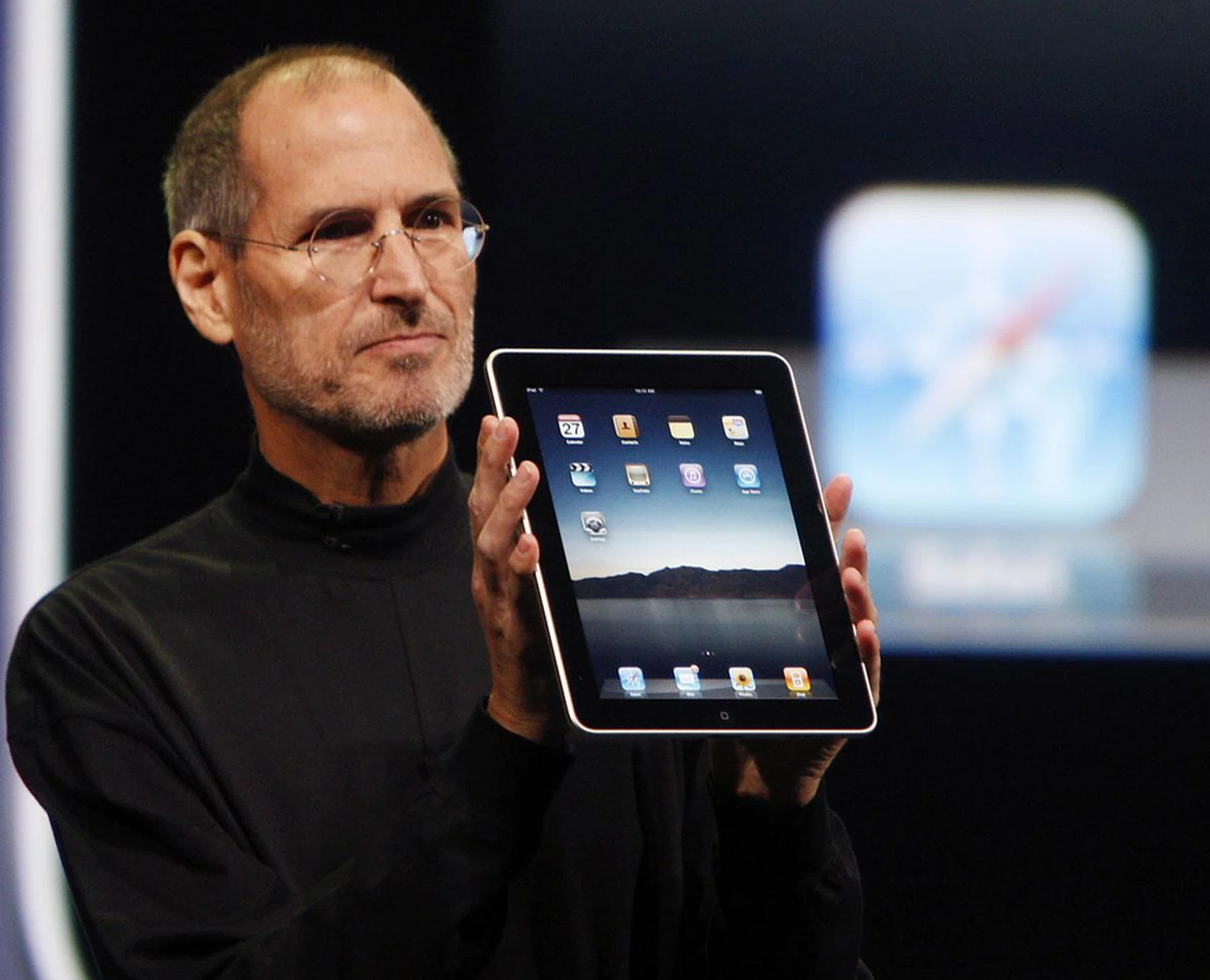
Earlier this year, Steve Jobs unveiled the iPad, calling it the most "magical" device he has ever worked on at Apple.
It's been a month since sales of the iPad first started in the United States and the device has been a great success. Apple recently stated that a million iPads have been sold, and that sales of the iPad will soon be extended to Australia, Canada, France, Germany, Italy, Japan, Spain, Switzerland and the UK by the end of May. Apple also informed that demand continues to outstrip supply, which is no surprise seeing that numerous Apple stores in the United States continue to not have the iPad in stock.
We are eager to give the iPad a go for ourselves, and fortunately, we managed get our hands on one - a 16GB WiFi model. So what would it be like? Will the lack of flash be a deal breaker? Or will the inability to multitask frustrate us to no end? All shall be revealed in the following pages. For those hoping to get a more experiential feedback, we've compiled a video to showcase the key attributes in video format, which is really the next best thing to actually owning this tablet:-

The iPad
Pictures of the iPad were all over the Internet after Steve Jobs announced it earlier this year, but how does it look in the flesh?
The design is minimalist and unmistakably Apple. Since it uses a touchscreen virtual keyboard, there's only four physical switches - a single “Home” button that returns users to the main menu, a volume switch, a wake/sleep switch and a rotational lock switch that prevents the display from rotating.
Some have complained about the bezel as being too large, but it actually looks fine and we never once found it an eye sore. In fact, the large bezel actually helps you handle the iPad better and prevents you from accidentally touching edges of the screen when, for example, reading e-books.
And then there's the large 9.7-inch IPS LCD screen, which is simply gorgeous. The screen outputs a resolution of 1024 x 768 pixels and image quality is top notch - sharp and clear with rich colors. The iPad doesn't feature E Ink, but using it to read e-books was never a problem (more on this later).
Weight is crucial for a product that prides itself on portability and the iPad manages this well, weighing in at a manageable 680g. Holding it, you'll feel the iPad's considerable heft, but it's manageable and never overwhelms you. In fact, its weight gives it a feel of sturdiness and solidity.
Overall, the iPad, much like other Apple products, oozes sex appeal and will likely turn heads if you were to whip it out while on the train ride to work.
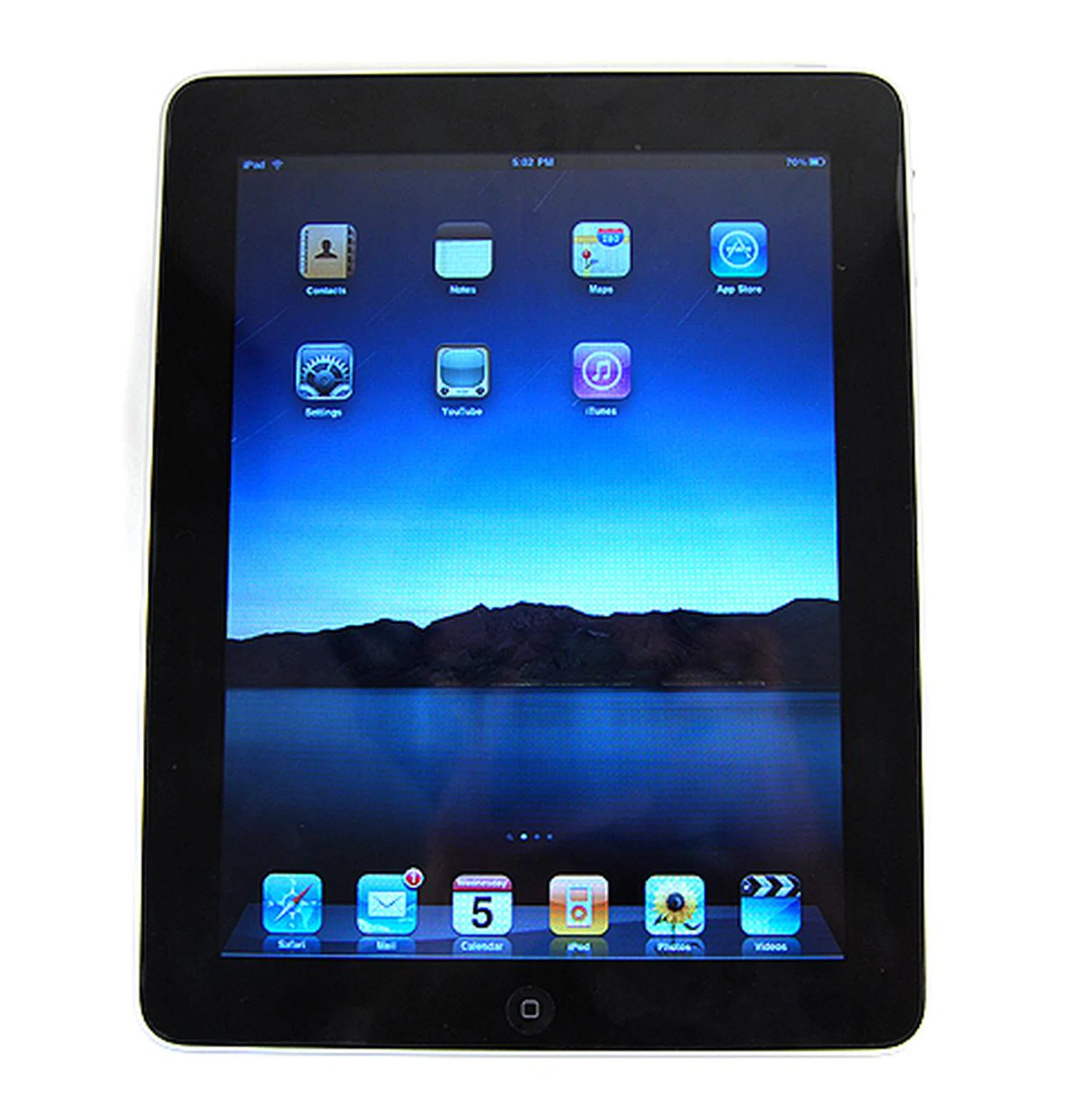
The iPad is really like a super-sized iPhone!
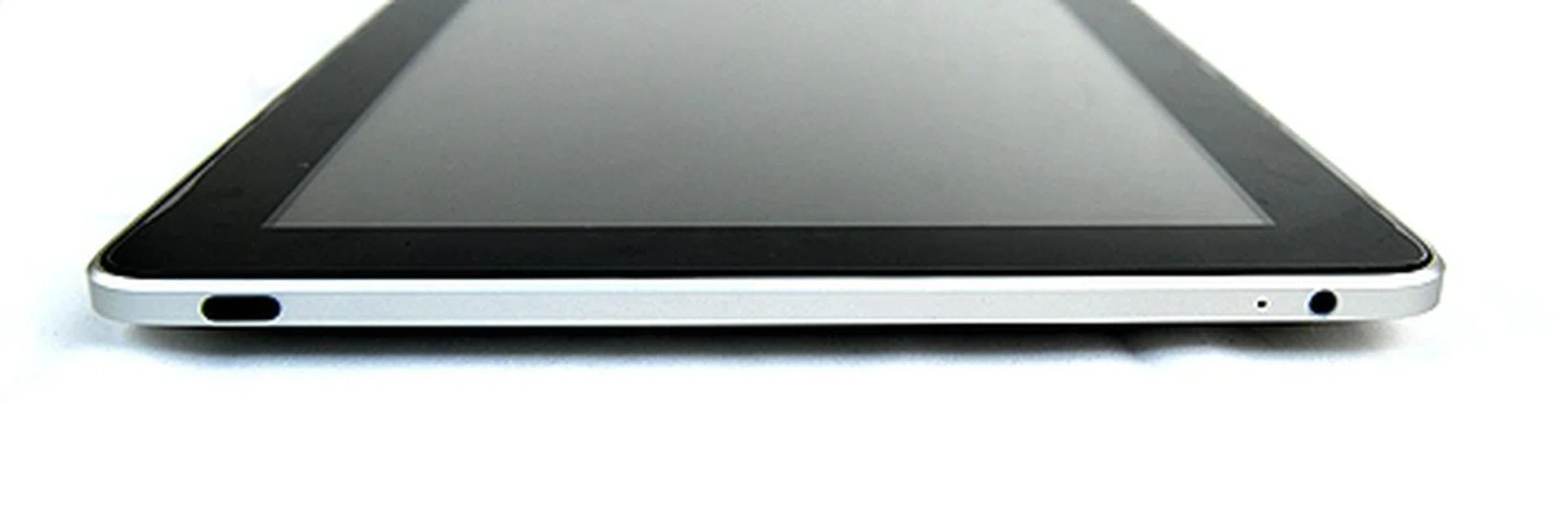
On the top, we found the wake/sleep button as well as a 3.5mm stereo jack for your headphones.
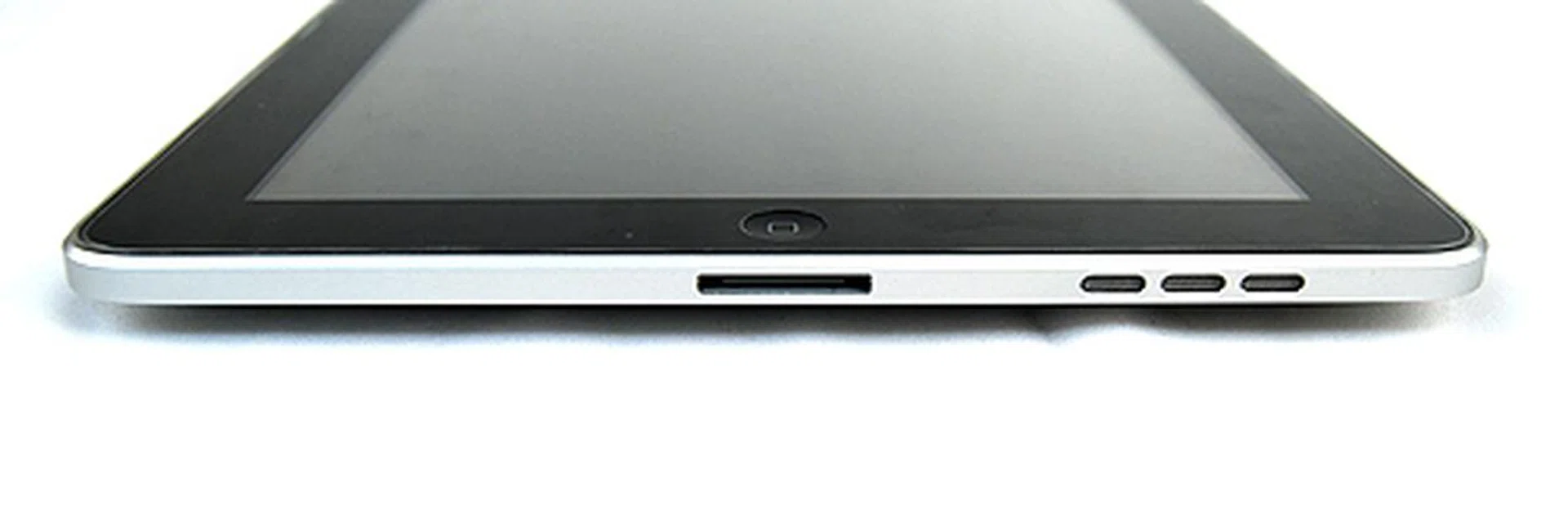
At the bottom, speakers and a 30-pin dock connector.
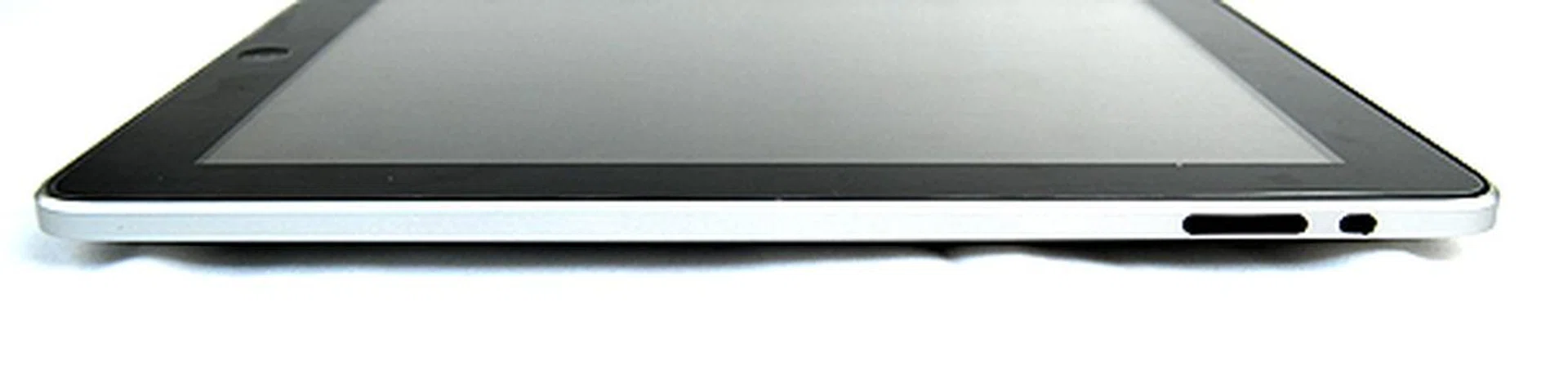
On the top right side lies the volume control button as well as a hold switch which locks the screen orientation and prevents it from switching between portrait and landscape mode.
User Experience
Since the iPad isn't a traditional notebook, we have no means of running our usual suite of benchmarks, hence we'll be elaborating in depth on the experience of using the iPad.
For starters, let's start with the system specifications of the iPad. Apple has been very secretive about the A4 chip that powers the iPad. All we know is that the Apple-designed chip runs at 1GHz and contains an ARM Cortex-A8 CPU and a PowerVRX SGX 535 graphics processing unit. Generally, it is mostly similar to the one found on the iPhone 3GS, except that it is running at a higher clock speed. On top of that, the iPad also gets 256MB of RAM and is available with 16GB, 32GB or 64GB of flash storage capacity.
As a result, the iPad is blazing fast and highly responsive since the operating system is a variant of the iPhone OS. Applications and videos launch and play almost instantly, and games showed no signs of lagging or dropped frame rates. It's really something you have to experience for yourself to appreciate, but suffice to say, we're sure most would be pleased by the speed and responsiveness of the iPad.
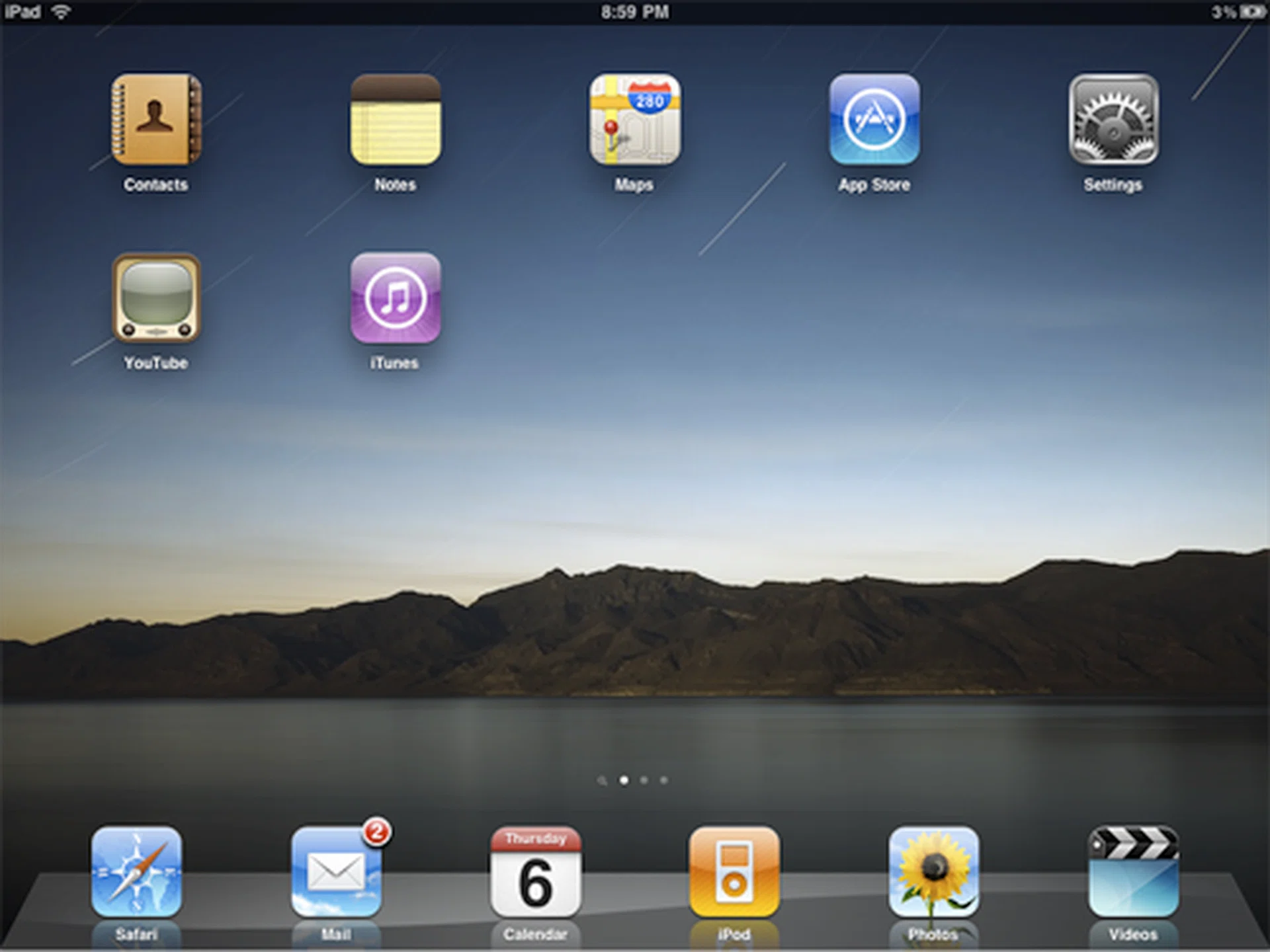
If you've used an iPhone or iPod Touch, the iPad will be familiar to you.
The iPad is also easy to use. Since its running on the iPhone OS, iPhone and iPod Touch users will hit the ground running, while first time users will also pick it up in no time since the iPhone OS is really user-friendly and intuitive.
Seeing that the iPad makes use of a touchscreen virtual keyboard, the large screen of the iPad helps make typing easier since the virtual keys are now larger. There's no haptic feedback though, but the iPad's screen is generally responsive, so this shouldn't be too much of an issue. It feels a little odd at first, but as you spend more time with it, you'll feel more comfortable.
The virtual keyboard can also be displayed in portrait or landscape mode. Personally, we prefer laying the iPad down and typing in landscape mode better as the layout and size resembles that of a traditional physical keyboard. You can hold the iPad upright and type in portrait mode with your thumbs too, but the size of the iPad makes it a tad tough to do so.
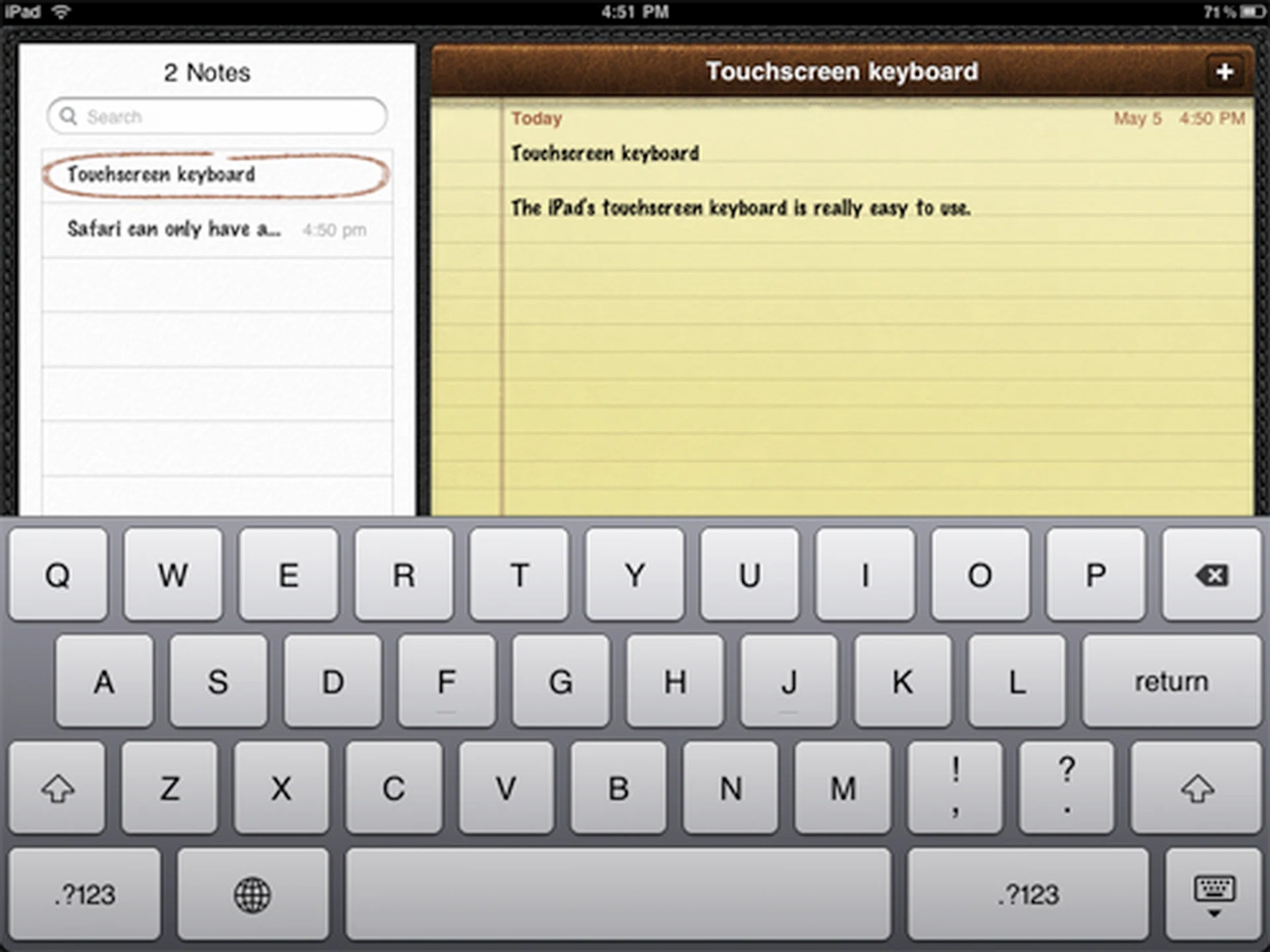
The touchscreen virtual keyboard is highly responsive and easy to use. And in landscape mode, the keys are really big, so even those with large fingers should have no problem.
Generally, the virtual keyboard is easy enough to use and good for tasks such as updating Facebook statuses, sending tweets and replying E-mails. Writing a whole essay will be much more cumbersome because the main problem with the virtual keyboard, is that punctuation and numbers can only be accessed by hitting a key and switching templates. This means an extra stroke and can be frustrating for some users.
For those who find it difficult to type on the virtual keyboard, Apple also has a special keyboard dock for the iPad. But if you ask us, getting the keyboard dock defeats the purpose of the iPad since it is its multitouch interface that really defines the whole iPad experience.
Entertainment
Music and videos are uploaded to the iPad via the ubiquitous iTunes software, and you can listen and watch music and videos on the iPad using the “iPod” and “Videos” app. Both apps are similar to the one found on iPhones and iPod Touche devices, so it's really easy to use and navigate to your favorite artist or song.
Watching movies on-the-go with its large 9.7-inch screen is a joy, but uploading them is an entirely different story. The iPad will play movies if you bought it through iTunes, but seeing that the iTunes Store is not available in Singapore, most users here are going to be uploading their own videos and therein lay the problem.
Apple devices are rather fussy when it comes to video and will only play a limited number of video formats, namely: H.264 encoded video up to 720p in .m4v, .mp4 or .mov formats or MPEG-4 video up to 2.5Mbps at a resolution of 640 x 480 pixels. The iPad won't play your usual .mkv, .avi or .divx files, so a video converter is essential if you want to enjoy videos on the iPad. Fortunately, video converters that specially convert video for Apple devices are plentiful on the web - though most are not free.
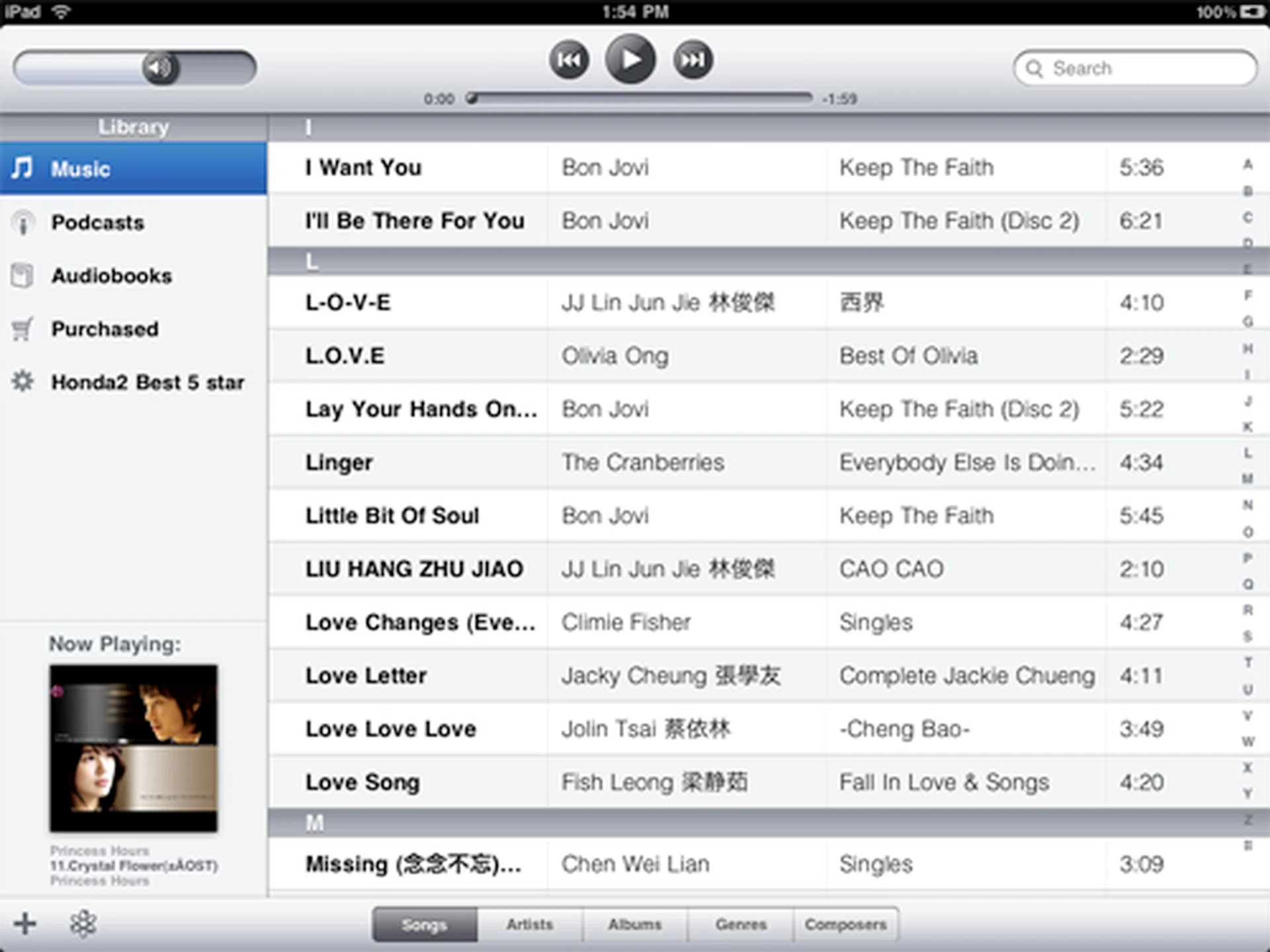
Seeing that iTunes is the world's most popular desktop music player, most people should have no problem navigating and playing songs on the iPad.

Watching movies on the iPad was enjoyable thanks to the large and beautiful screen.
Using the App Store, users also have access to an extensive library of games and other lifestyle apps. Tap Tap Radiation and What's the Difference were two games that we enjoyed on the iPad. Also, the free downloadable Marvel app which lets you browse and purchase Marvel comics was simply awesome - one that we are sure comic fans will like.

We could play "What's the Difference" all day. It's fun and addictive.
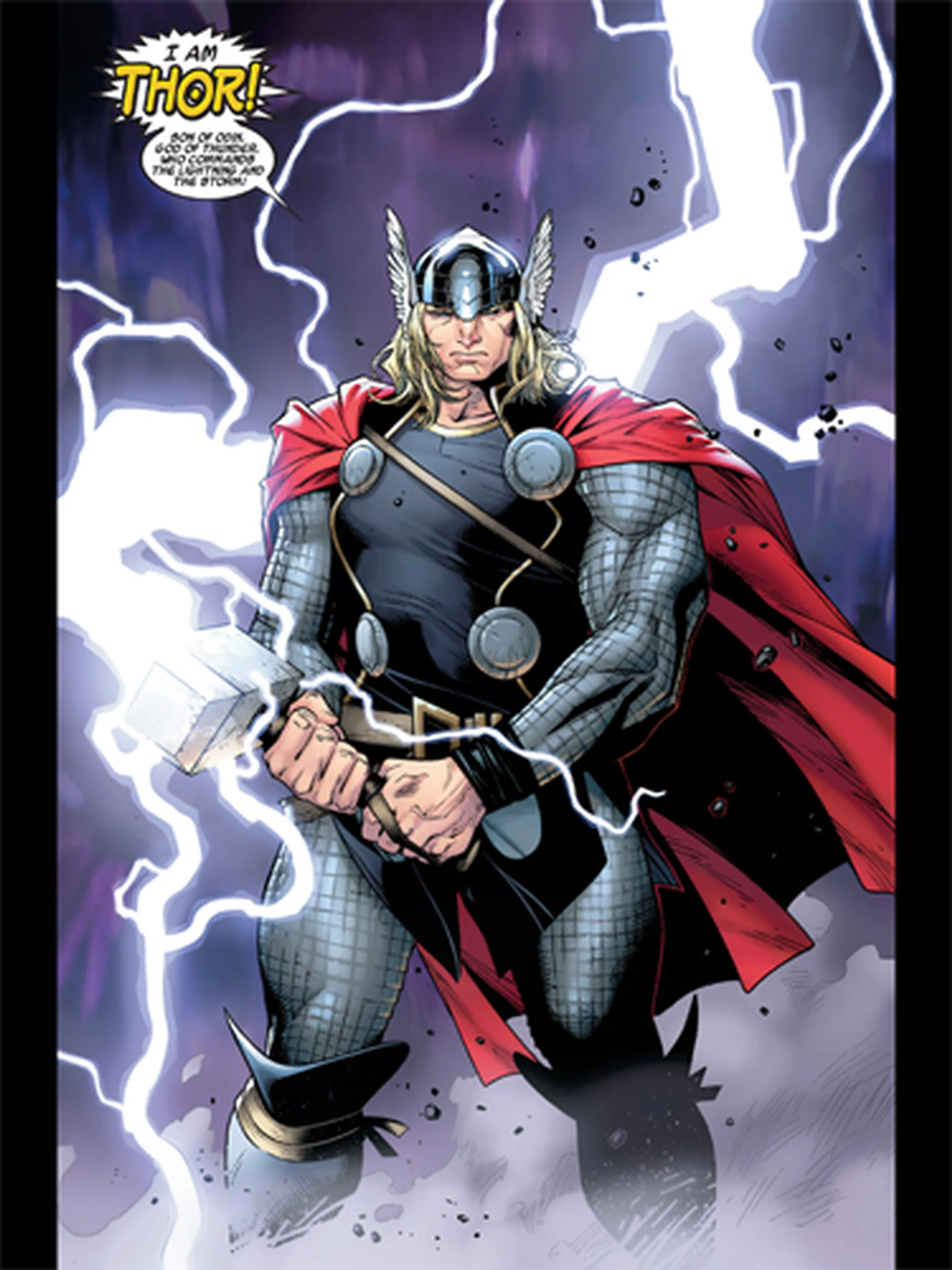
Marvel comics come to life on the iPad.
Web Browsing
Again, thanks to the large screen, browsing the web on the iPad is much more enjoyable as compared to the iPhone or iPod Touch. It loads pages faster and although most pages will display nicely and legibly in landscape mode, you can still pinch to zoom in on parts of the page.
The most notable difference about Safari on the iPad as compared to the iPhone and iPod Touch is that it offers suggestions as you type in the search box and address bar. This speeds and makes the web browsing experience all the more enjoyable, and is something you don't get on the iPhone and iPod Touch.
The lack of flash can be a hindrance especially if you are big on video streaming, as even with the YouTube app, some YouTube videos can't be played. Frankly speaking, surfing the Internet on the iPad means you'll be missing out on quite a bit of video content.
Fortunately however, the overall experience is still good. Pages render as they should, speed is good, and despite the lack of flash, it never quite feels as if you are missing out on a lot. The upcoming adoption of HTML5 video standard support by websites will progressively enable the iPad to one day watch a lot more video content with a newer browser that can interpret these standards well. At least that's how things are looking like from the recent state of things and gazing the crystal ball. However that's for later, so let's get back to some iPad goodness.
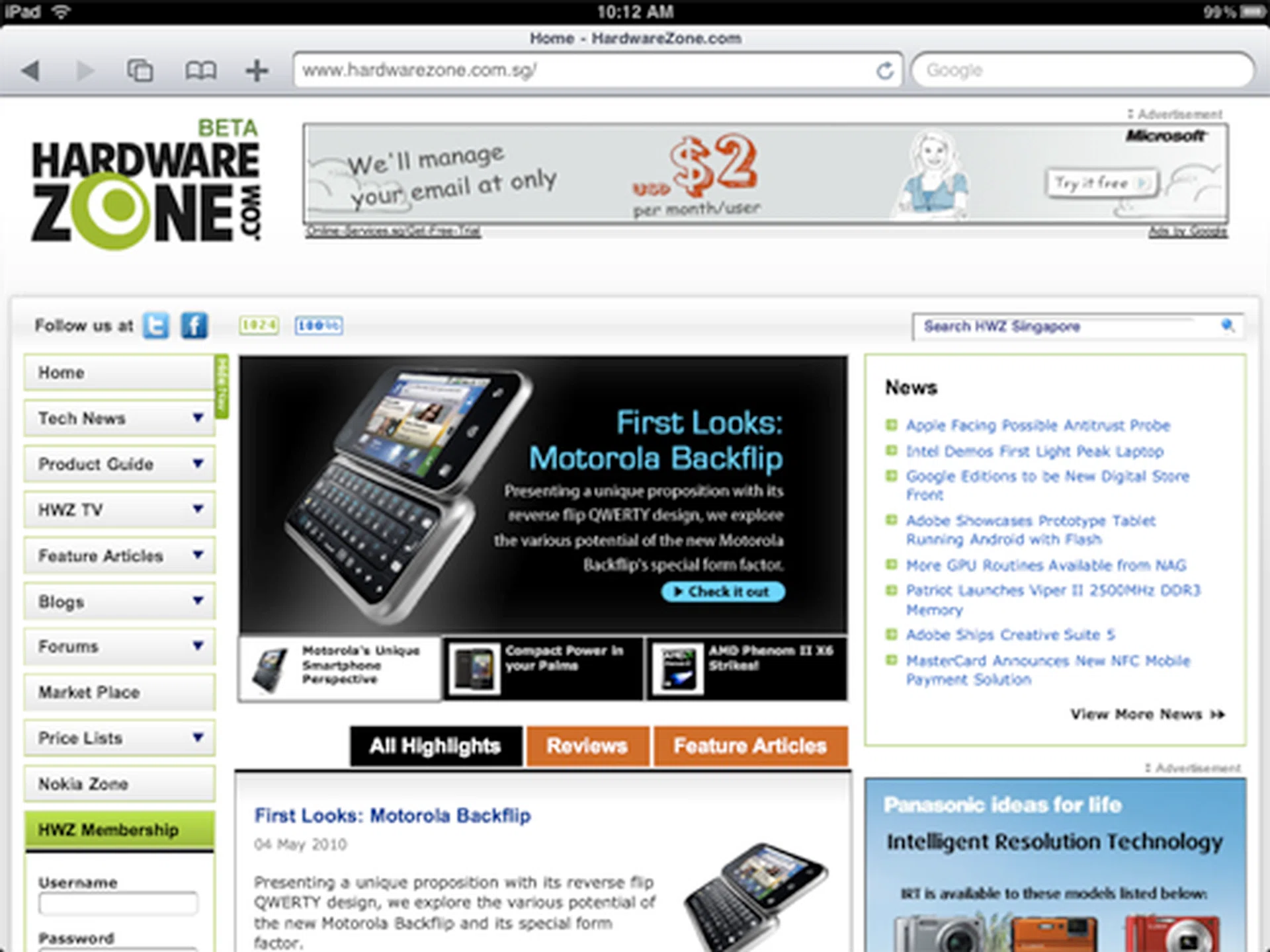
Most webpages will be rendered as they are intended, without problems.
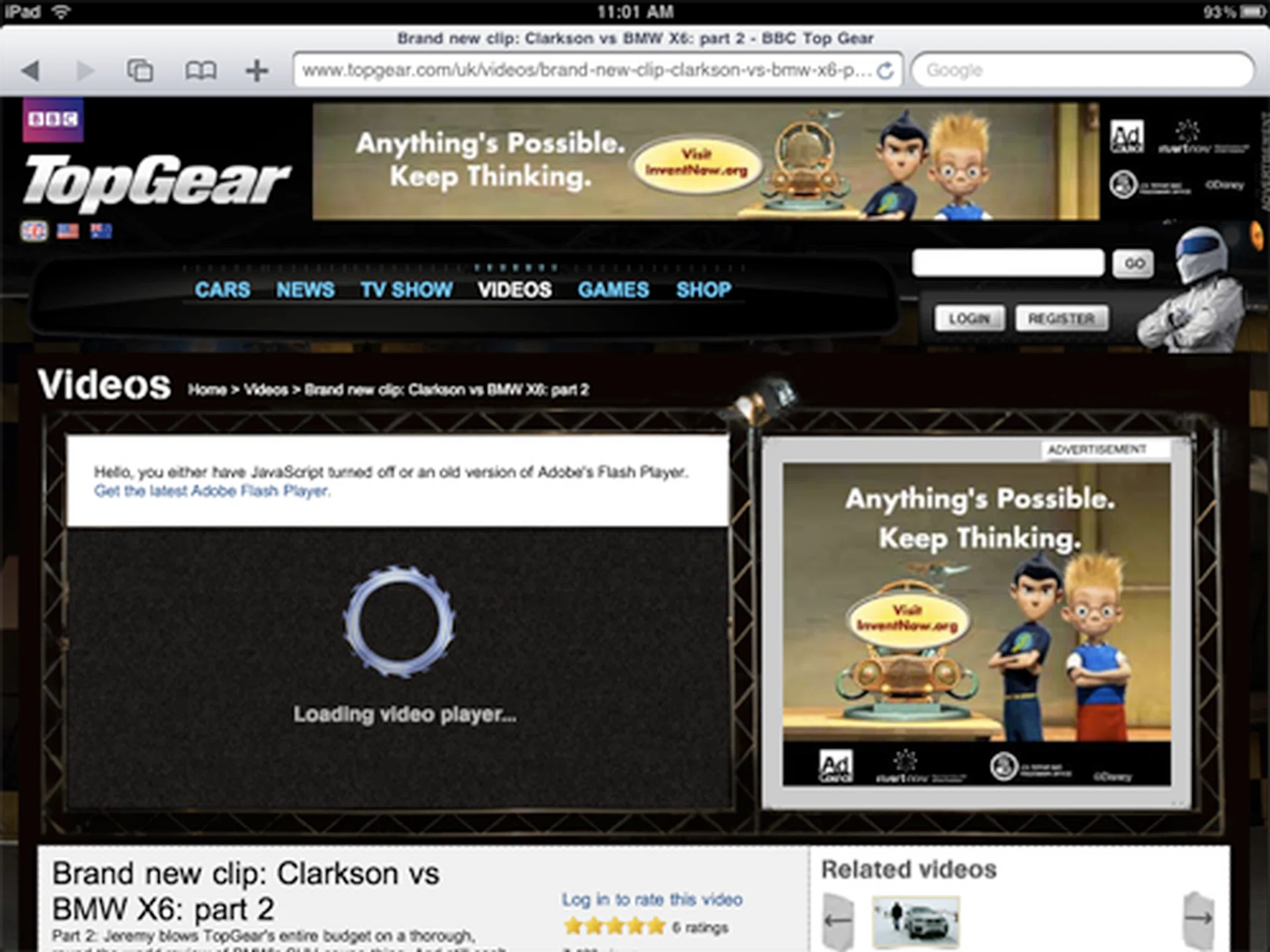
Want to watch videos? Then you're out of luck.
E-Books
When the iPad was first shown to the world, Steve Jobs said that it would also be a good e-book reader. iPad users are able to read e-books using the iBooks app, and Content can be downloaded via the new iBookstore or added to the device using iTunes. It reads the ePub format and the app itself is generally easy to use. Swiping the screen left or right turns pages and you can even select words to bookmark, look up a dictionary, or even send it to Safari to initiate a Google or Wikipedia search. Where it doesn't quite measure up to popular e-book readers like the Kindle and Nook is that it lacks a note taking function.
A point of contention regarding reading e-books on the iPad is its IPS LCD screen. On the other hand, the Kindle and Nook both employ E Ink displays, which are generally easier to read because it's gentle on the eyes and somewhat resembles traditional books.
On that note, we found that we could read on the iPad for extended periods without feeling any strain in our eyes. Your mileage may vary, but it was gentle enough for us. However, the highly reflective glossy surface can pose problems depending on lighting conditions, especially when there's a strong light source in the room or when in direct sunlight.
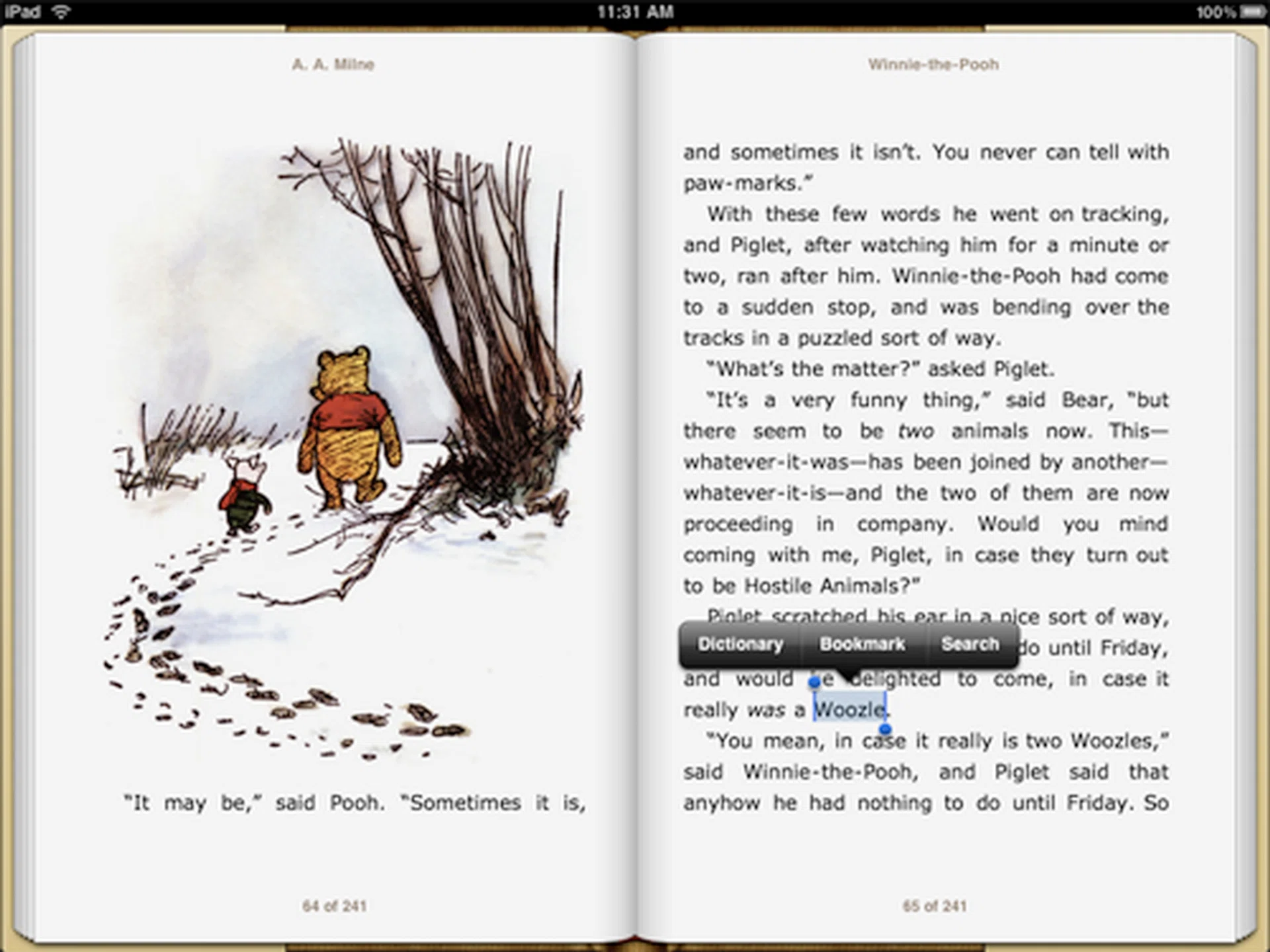
Unlike E Ink displays, the iPad is capable of displaying colors. Highlighting words allows you to look it up on the dictionary, bookmark it, or simply search for other instances of it in the book.
Office Productivity (Mail, Word Processing)
The iPad comes preloaded with a Mail app that is similar in many ways to the one on the iPhone and iPod Touch. There are, however, some changes with regards to the interface so that the app can take full advantage of the size of the screen. You can view your mail in both portrait and landscape mode and interface differs slightly between the two as you will see in the images below.
The Mail app also accepts attachments and will open and display a wide range of files and formats, be it images, documents or video. There's a downside to this, however, because like Mail on the iPhone and iPod Touch, only image attachments can be saved directly onto the iPad, everything else such as music and documents can't and will only exist on the iPad in as attachments in the mail.
This complaint aside, we think the iPad is a great tool for reading and replying emails.
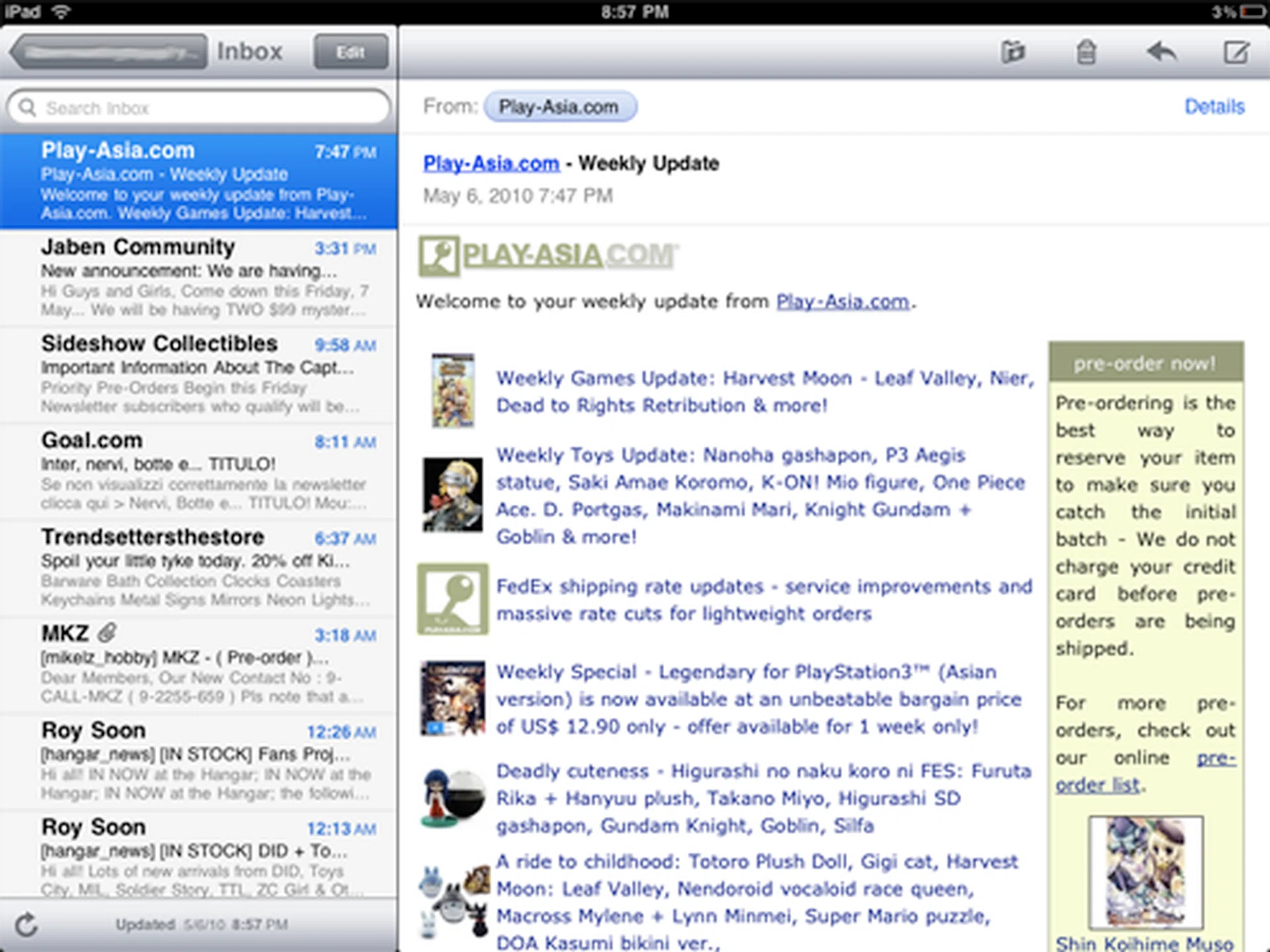
Mail works best in landscape mode. The dual window layout displays mails in your mailbox on the left and contents of the selected mail on the right.
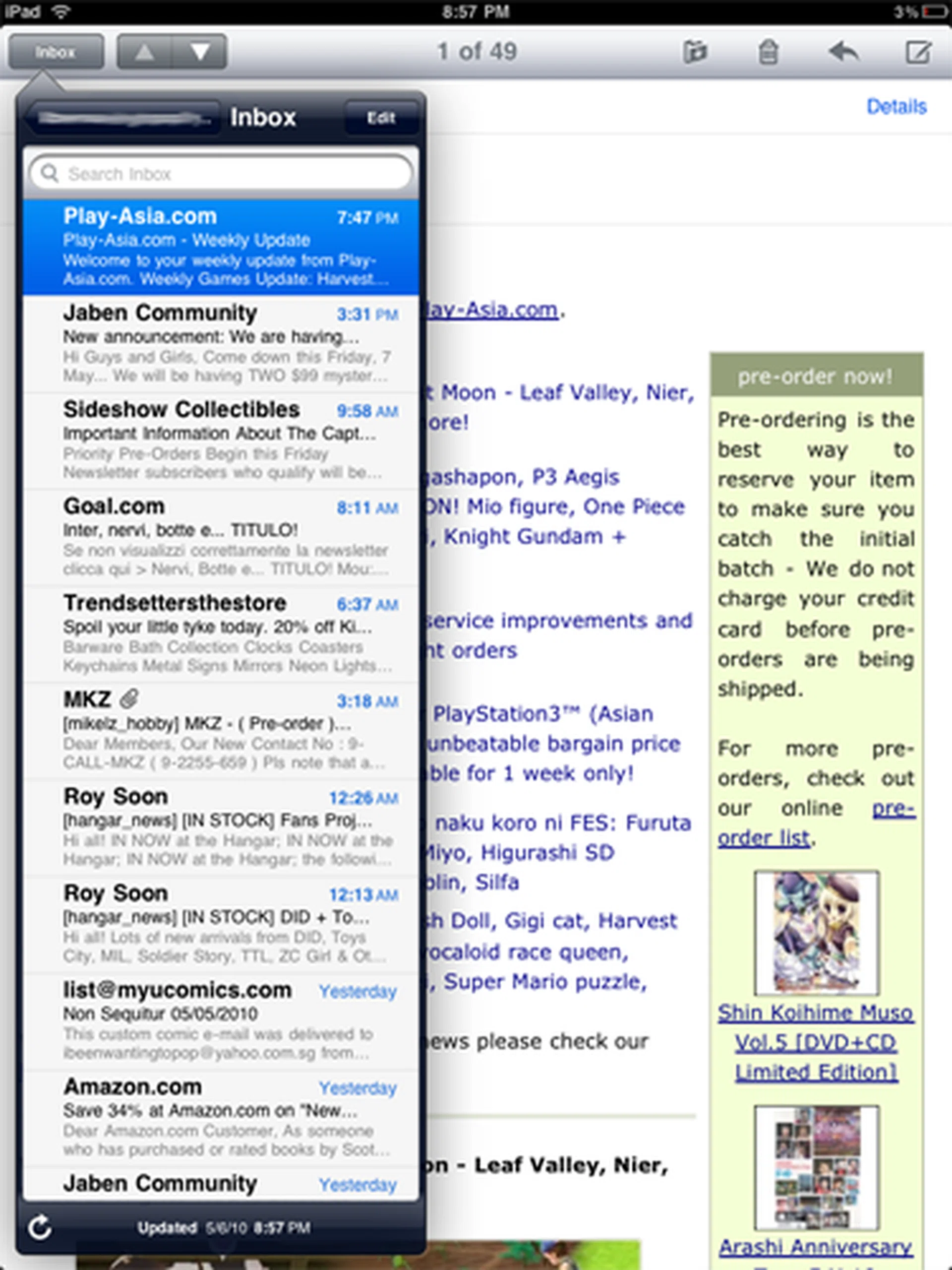
In portrait mode, the contents of the mail will take up the entire page, but you can still see your list of mails via a floating pop-up.
Apple has also created iPad-specific versions of Pages, Numbers and Keynote. We downloaded Pages (US$9.99) to see if you could actually write whole articles on the iPad and get some 'serious' work done.
Pages for iPad is very much like its desktop counterpart, and all the basic text formatting functions such as alignment, inserting images, creating tables and charts are all present. Like all other iPad apps, you can use Pages in both portrait and landscape mode, although using it in the latter removes toolbar, which is annoying because that's where all the formatting tools are.
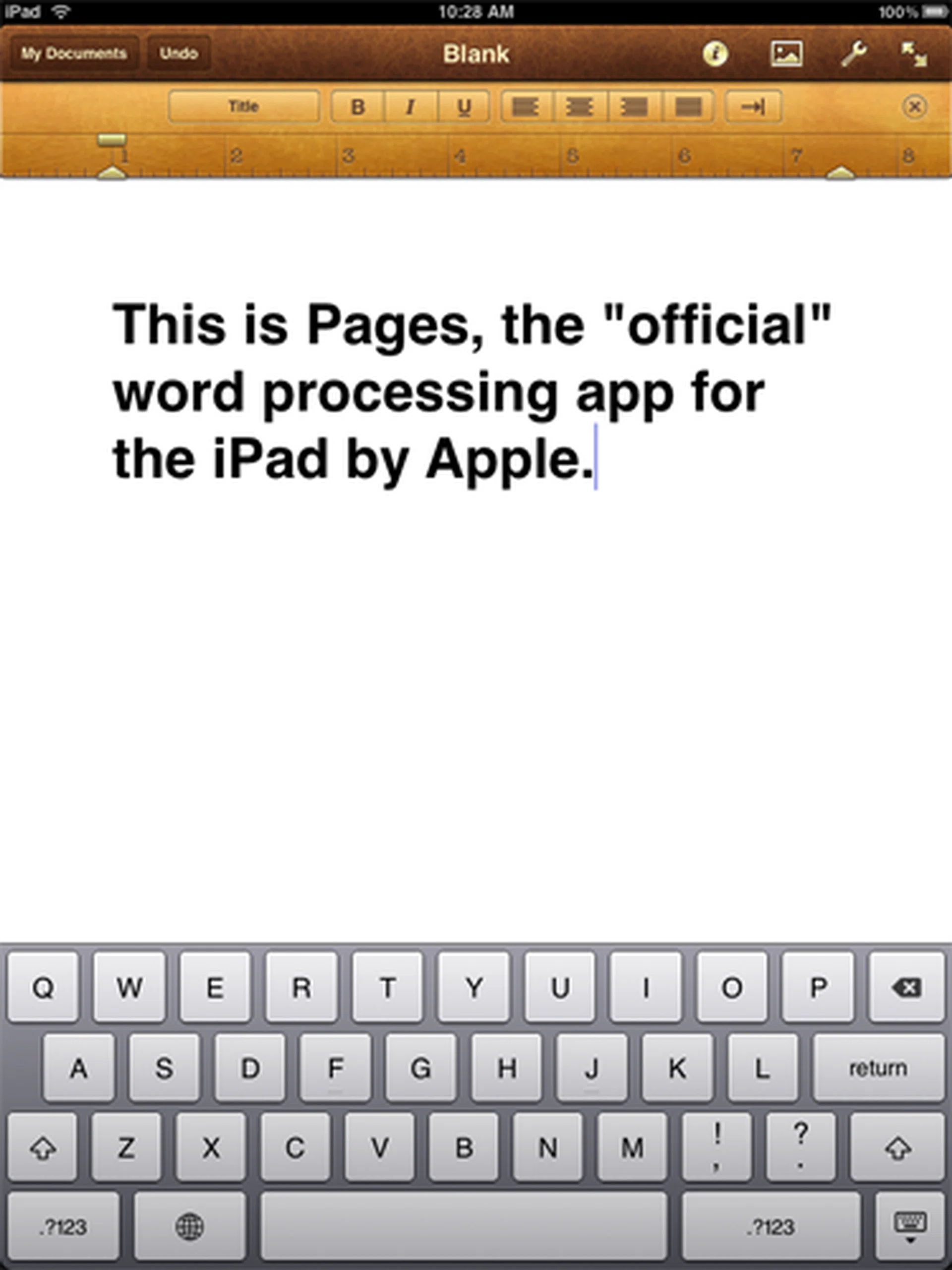
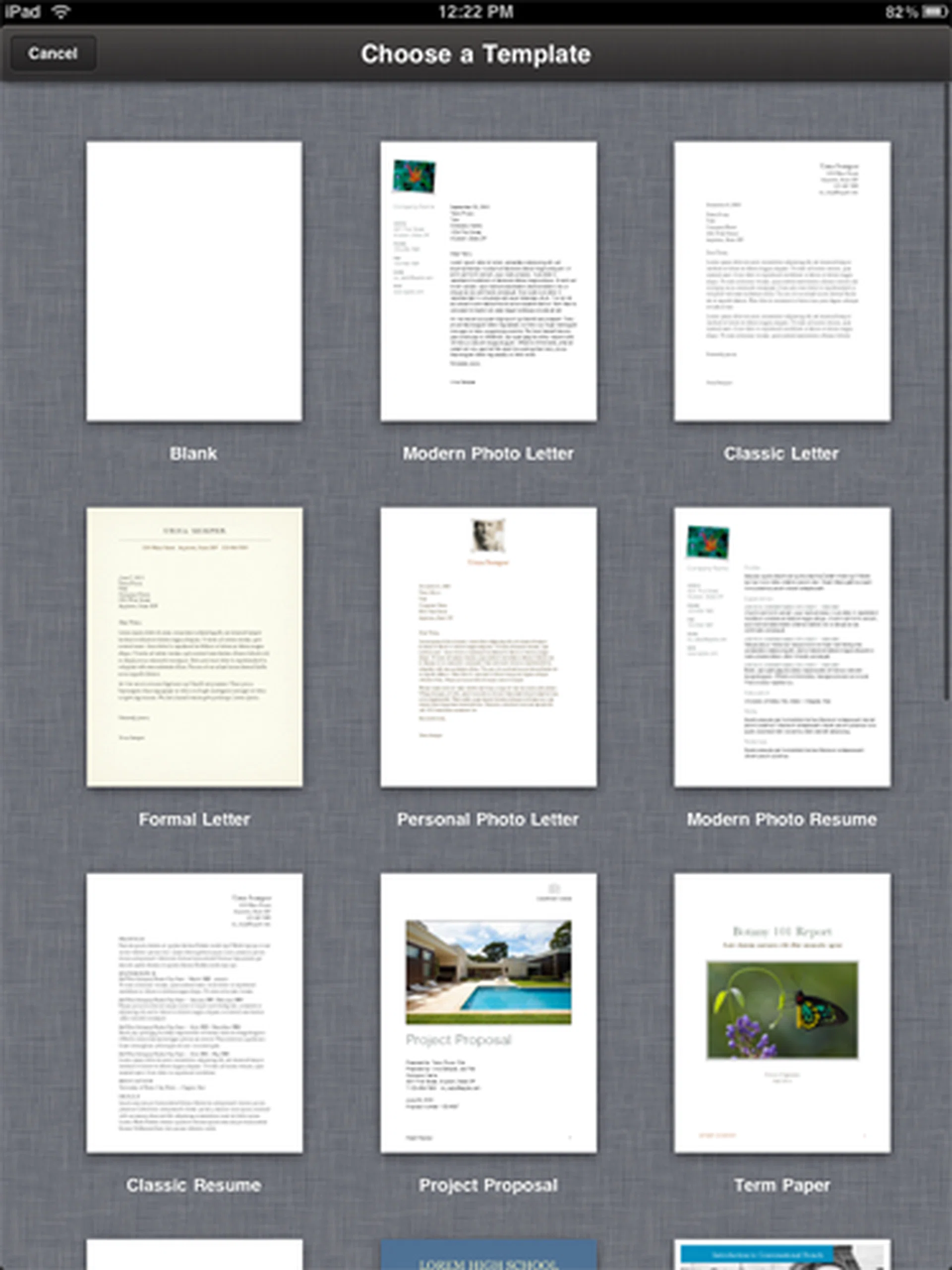
You can even select templates for your document. Pages really tries its best to be a full-fledged word processor.
The app itself is pretty competent but more complex documents with tables of content, footnotes and endnotes cannot be accurately imported, which limits usability of the iPad.
That aside, getting documents in and out of the iPad is also poorly implemented. You can export documents only via three methods, iTunes, iWork.com or email.
Again, the virtual keyboard is pleasant enough to use for creating documents, but some might find it frustrating having to always tab between templates to enter punctuation and numbers. Whether the virtual keyboard is good enough for word processing really depends on individual tastes. For some of us who are too accustomed to the traditional keyboard, using the iPad to compose articles is tiring and inefficient.
The lack of multitasking also poses problems. Checking facts on the Internet means that stopping halfway to fire up Safari and that is disruptive. And for professional writers, Pages doesn't have a built-in thesaurus nor a word-count function.
All in all, the question of whether you can actually do real work depends on what you need to get done, and your tolerance of the virtual keyboard as well as single-tasking.
iPad vs iPhone Apps
Since the iPad runs an iPhone OS, it'll run apps made for the iPhone and iPod Touch without a hitch. But it's not perfect though. The only issue with running apps made for the iPhone and iPod Touch is that these apps are not made to run well on the iPad's higher resolution screen, as the images below will show. For now, only iPad-specific apps will run full screen.
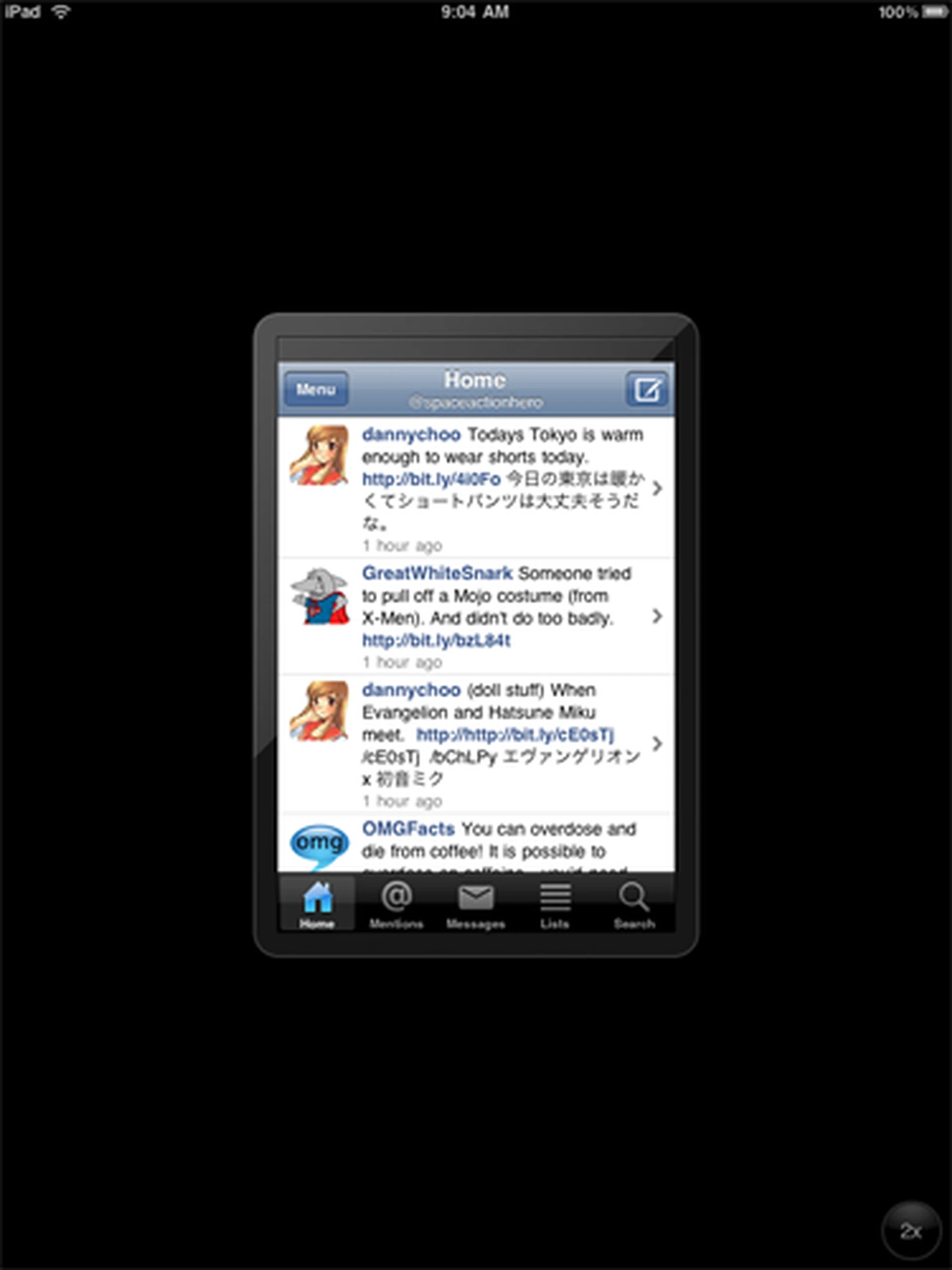
Apps made for the iPhone and iPod Touch will not take up the entire screen, leaving unsightly and huge black borders. This is the popular Echofon Twitter client.

You can, however, blow them up by zooming in, but if you do, they'll end up looking slightly pixilated (though it's not very visible in this screen capture).
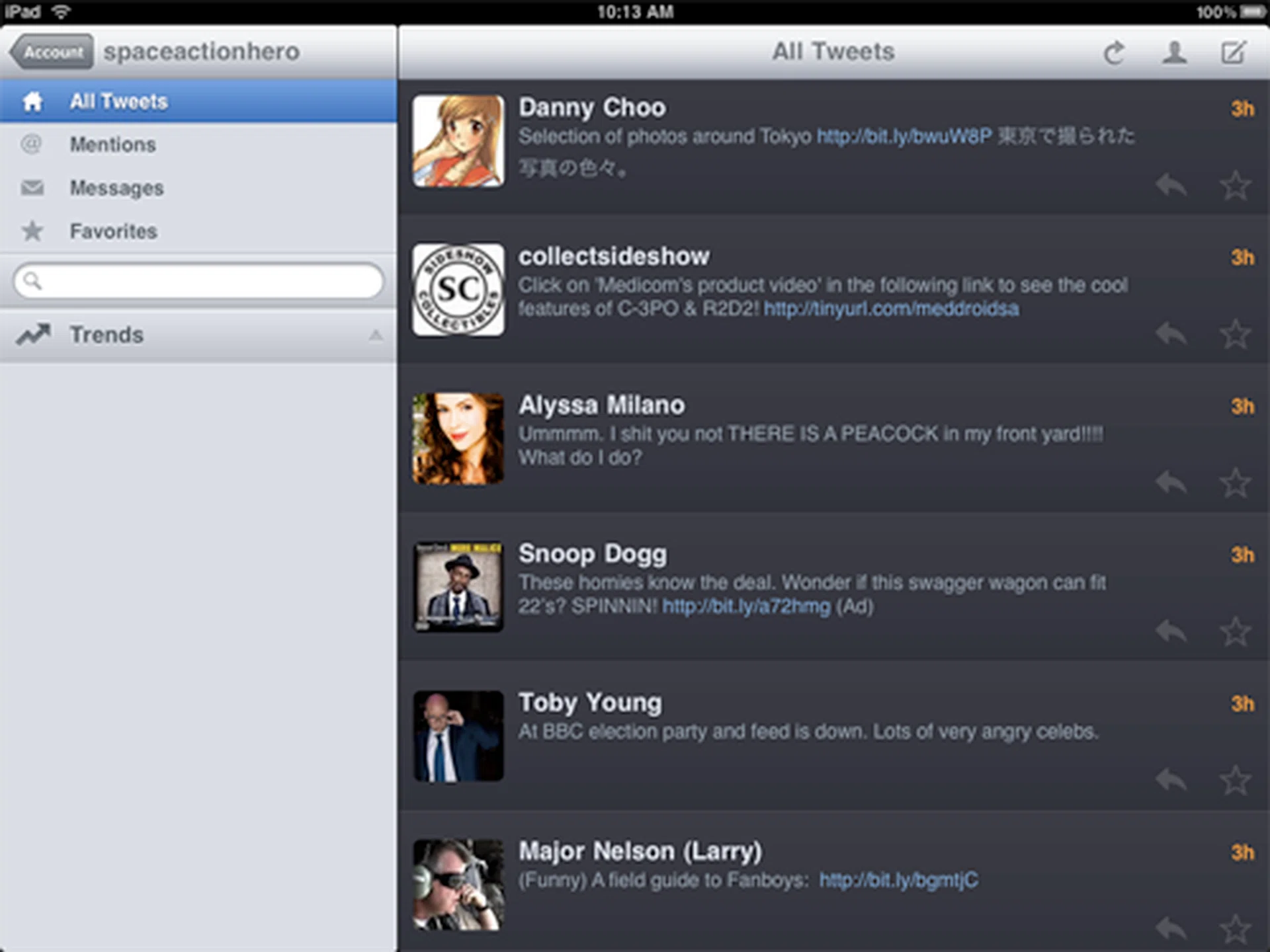
On the other hand, the iPad-specific Twitter client Twitterific ran perfectly and utilizes the extra screen space to benefit users.
Battery Life
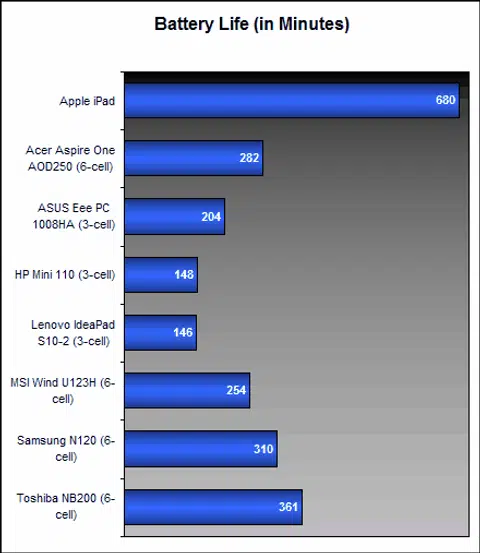
The iPad comes with a built-in non-removable 25Wh rechargeable lithium ion battery that Apple states is good for about 10 hours of continuous music and video playback. To test this, we looped a H.264-encoded 480p video of the movie Avatar which we downloaded off the iTunes Store. Brightness and volume was set at the half level, which is more than adequate for personal enjoyment.
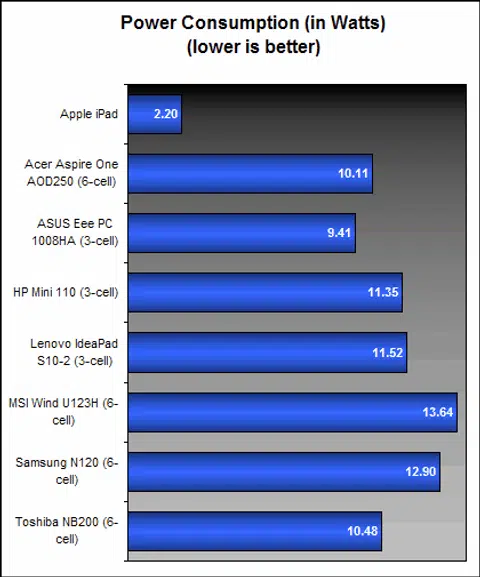
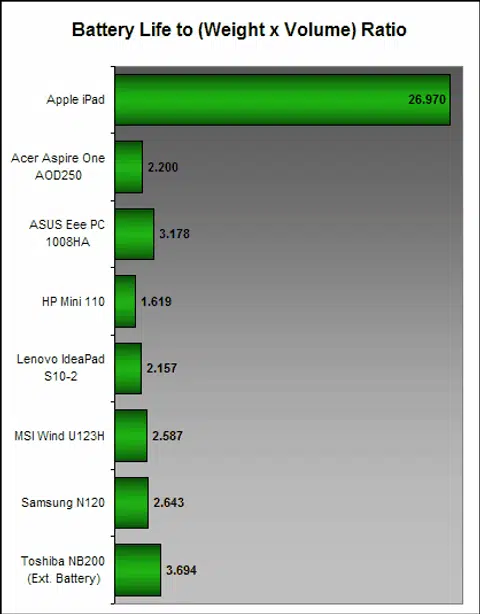
In this test, the iPad managed an impressive 11 hours and 20 minutes!. Good for nearly five back-to-back runs of Avatar. Unless you are really trying to drain the battery, chances are the iPad will pack enough juice for anyone for a full day's trot. And as you can see from the graphs below, no netbook in the market even comes close; let alone tablet PCs. Same goes for mobile phones, but that's to be expected.
The downside to the iPad's amazing battery life is that the iPad takes a long time to charge. If the batteries are flat, expect the full charge symbol to appear only after 4 to 5 hours, and that's with the bundled wall charger. Most USB ports on computers won't supply enough wattage to charge the iPad quick enough.
Is the iPad for You?
Perhaps the question in the title can be best answered if we could figure out what the iPad exactly is. It's similar to the iPhone in so many ways, yet it doesn't make calls or receives SMSes, hence it can't be a smartphone. But neither is the iPad a full on PC, because there's so many things it can't do. It's a conundrum really, because on one hand the iPad is capable of doing so many things, yet, on the other hand, it is also restricted in so many ways.
Hence, whether the iPad is suitable for you depends very much on your usage. For hardcore, power users, the iPad will not be able to replace your notebooks or desktops. The iPad is also not ideal for people who intend to use it to get work done, for the virtual keyboard, as intuitive and pleasant to use as it is, can be frustrating to use when trying to compose lengthy articles or presentations.
It's also hampered by hardware limitations. The lack of a USB port or a memory card slot means there's no quick way to transfer files onto the device.
Additionally, the iPad also needs a PC or MAC with iTunes to activate and sync for the first time. Perhaps this is an indication that Apple does not intend for the iPad to be a replacement for traditional desktops and notebooks just yet.
That said, the iPad works well enough for quickly accessing and replying e-mails, and with the Pages app, adequate for light word processing or quick edits when on the go.
Where the iPad excels, however, is media consumption. It's great for music, movies, and it's good for playing games. And where it really shines is web browsing, because the large screen, overall responsiveness and speed of the device offers a browsing experience (albeit without Flash) unlike anything we've ever come across.
The iPad is a proficient e-book reader too. We didn't find the screen to be too glaring to use, rather the glossy and highly reflective screen posed a bigger hurdle - but only in harsh lighting conditions.
All things considered, the iPad is probably a new breed of device altogether. It is what we would term as a Portable Entertainment Device (PED). If you consider the fact that it has a lot in common with a portable media player, but yet the iPad does much more than miniature entertainment as it handles web browsing and e-book reading with aplomb in addition to all the other entertainment outlets which Apple's App Store provides.
The iPad can't do everything, but what it can, it does fantastically.
At the time of writing, Apple has not yet announced when the iPad will come Singapore, but our unit is the base 16GB model with WiFi only, and it goes for US$499 a pop. With this in mind, expect it to cost around S$700 when it does get here. S$700 is not what we would consider loose change, but it is rather reasonably priced considering a 64GB iPod Touch is presently going for S$620. Of course, if you have more cash to spare and have the need for extra capacity, you could always opt for the 32GB and 64GB variants.
Apple has also recently released the 3G version of the iPad in April, which is identical to the WiFi-only models, except that it accepts micro-SIM cards for 3G connectivity. Needless to say, the 3G model is going to be more useful when you are out and running about, but it will also cost considerably more.
On a whole, the iPad is an amazing achievement by Apple. There have been many tablet devices before the iPad, but none feel as refined, complete and accomplished as the iPad. Most were either too cumbersome, too slow or just not as intuitive to use. But, as good as it is, the iPad won't replace your existing desktops or notebooks, instead, it offers a glimpse of what the tablet platform is capable of when the right mixture of hardware and software come together.
Our articles may contain affiliate links. If you buy through these links, we may earn a small commission.