
Shootout: Apple iPad Air vs. Microsoft Surface 2 vs. Samsung Galaxy Tab Pro 10.1
The Apple iPad has long been regarded as the ultimate tablet for all needs. However, Microsoft and Samsung are ready to give the iPad Air a run for its money with their latest tablets that are geared for work and play - the Surface 2 and Galaxy Tab Pro 10.1. Let's see how each tablet fares against one another and who's the overall winner!
Showdown of the 10-inch Tablets
Apple has dominated the 10-inch tablet market since the launch of its first iPad in 2010, thanks to a strong ecosystem of apps, services and third-party accessories. Its latest tablet, the iPad Air, is available since November 2013.
Microsoft decided to venture into building its own own PC computing hardware in 2012 with its two tablets: Surface for Windows 8 Pro and Surface for Windows RT. The latter tablet option is an attempt to compete with the other ARM-based tablets. Now in its second generation, the Surface 2 is available since March 14, 2014. Further to that Microsoft just launched a new Pro edition with the Surface Pro 3, but it's more of a notebook replacement device and doesn't compete with the this article's scope.
Samsung, after three years of tablet-making experience, appeared to have finally cracked it with its latest Pro series of tablets which focus more on productivity and enhancing content consumption. The Galaxy Tab Pro 10.1 is one of the most refined Android tablets yet from Samsung, and is poised to give the iPad Air a run for its money. While Samsung too has an even newer Galaxy Tab S series that will soon be made available, it's geared more as a premium content consumption tablet than than the Galaxy Tab Pro series that inclines a little towards towards productivity aspects and thus its namesake.
If you are shopping for a 10-inch tablet, it can be tough choosing any one of these three fairly recent premium tablets. There are several affordable Android tablets in retail, but for the purpose of this article, we're focusing on the two recent additions from Microsoft and Samsung which go up against the industry benchmark that is the Apple iPad Air for both general use and productivity needs. Instead of the usual rundown in our review, In this shootout we will assess each tablet in various usage scenarios to highlight their strengths and weaknesses. Before we dive into the shootout, here's a look at the specifications of the three tablets:
Productivity
As portable computing devices, tablets are fairly capable in productivity tasks. However, not all tablets offer the same features and convenience. Let's see how the three tablets fared in these subcategories:
1) Suite of Productivity Apps
Productivity apps can be very expensive to purchase on the respective app stores, but they allow you to create/view/edit word documents, spreadsheets and presentation slides. Manufacturers either preload these apps on their devices or offer them for free to be downloaded at the user's discretion.
Microsoft Surface 2
The Surface 2 is the clear winner in this category as it comes preinstalled with Microsoft Office 2013 RT (Word, Excel, PowerPoint, OneNote and Outlook). Most consumers will feel right at home on the Surface 2 as they would be hard pressed to find any differences in the interface and usage experience from the full fledged PC edition of the Office software.
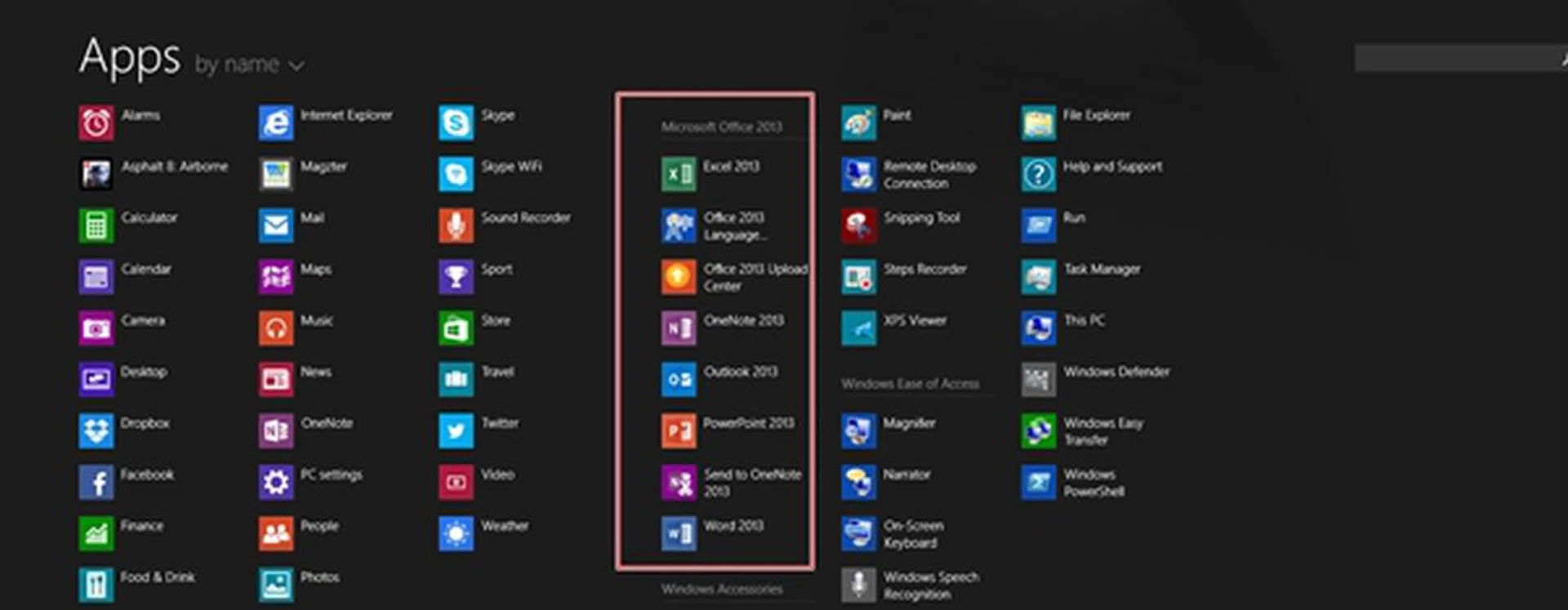
The Microsoft Office 2013 RT is preloaded on the Surface 2.
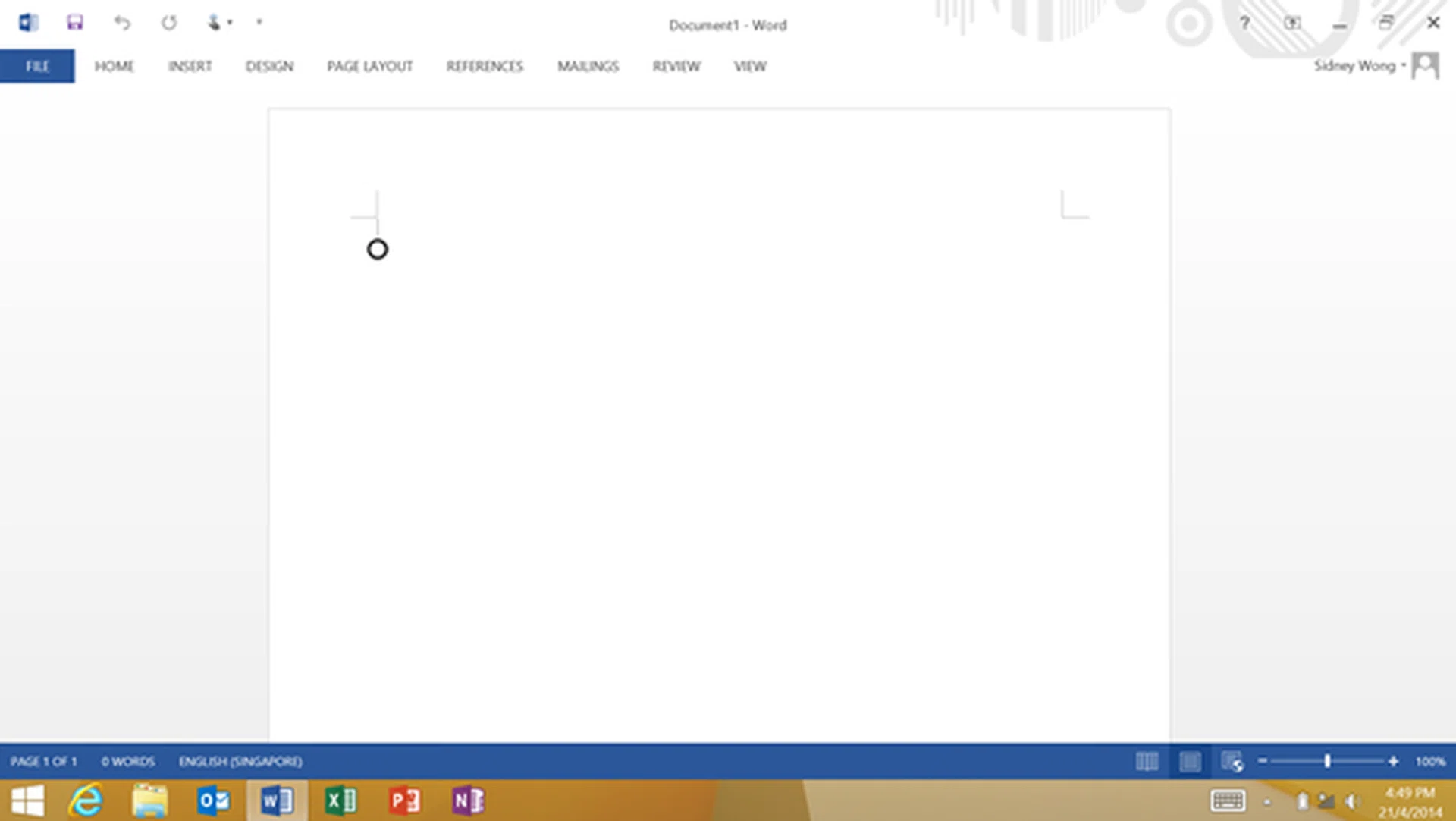
The interface of Word looks very similar to the PC version, hence users shouldn't have any issues or compatibility concerns using the Surface 2 to work on Word documents. The same experience is extended to the rest of the Office software suite.
Office 2013 RT is optimized for use with touch and mouse; you will get more space between commands for the former, and have standard ribbon and commands for the latter. Regardless of your preferences, the Surface 2 can support peripheral devices such as a mouse via its full-sized USB port, and its original keyboard accessories (Type and Touch Cover) which are some of the industry's best.
While the Surface 2 is compatible with the first generation Type and Touch Cover keyboards, we would recommend users to acquire the newer Type Cover 2 and Touch Cover 2. Both keyboards come with backlit keys which is boon if you ever get stuck in a dimly-lit environment. Of the two keyboards, the Type Cover 2 is your best bet as it is not only thin and light, it also offers a more comfortable typing experience. We find the keys to have a generous amount of travel and the keyboard has less flex than its predecessor. Coupled with the device's integrated kickstand that can be used at two angles, the Surface 2 is shaping up to be the killer productivity machine.
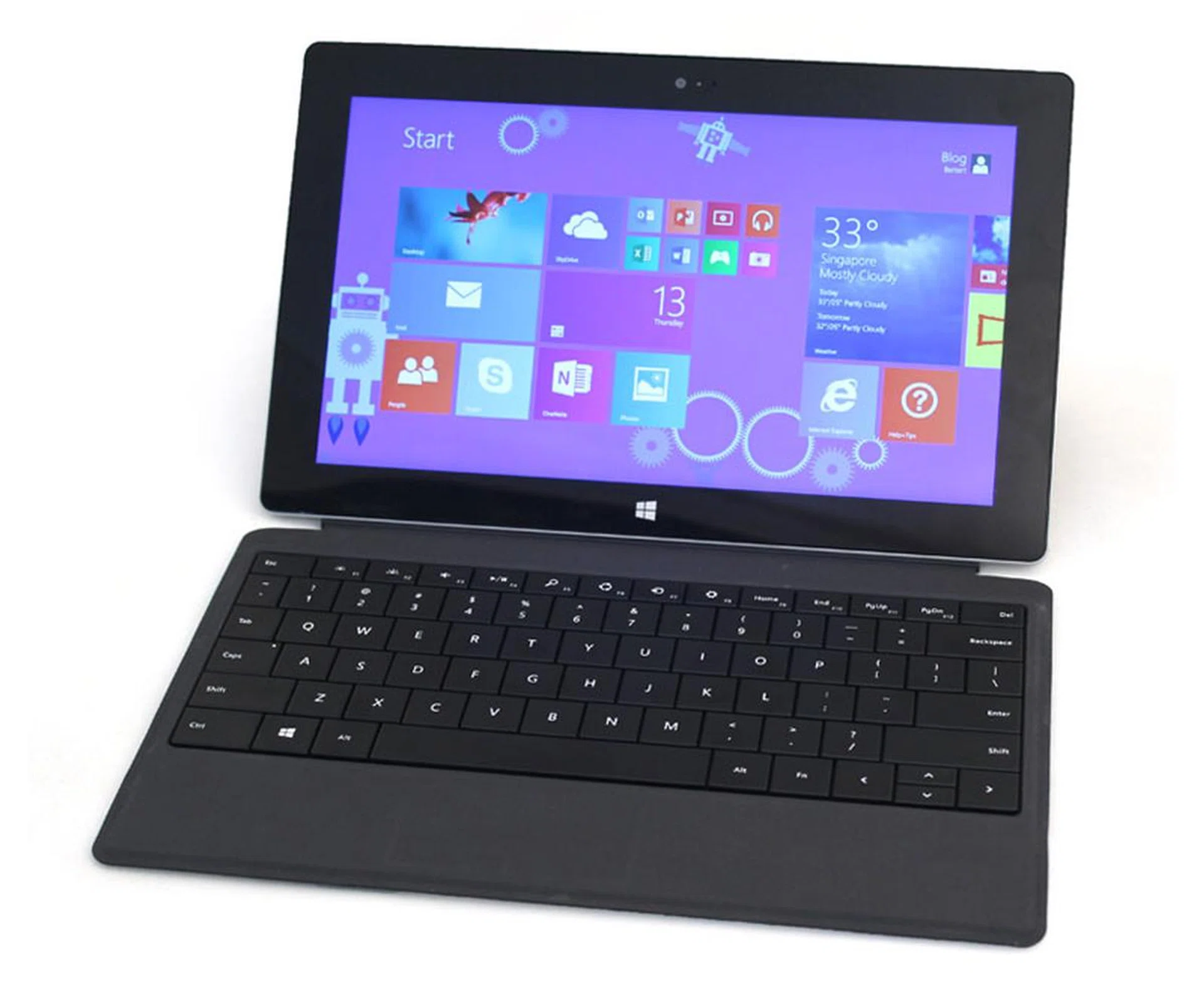
The much improved Type Cover 2 and integrated kickstand of the Surface 2 should appeal to consumers who want to get work done on the go in a seamless manner.
Apple iPad Air
Apple made its iWork productivity apps (Pages, Numbers and Keynote) and iLife creativity apps (iPhoto, iMovie and GarageBand) free for download on the App Store for any new iOS 7 device. For existing users of these apps, they are available as free updates. The total storage space needed for the iWork apps is about 1.272GB.
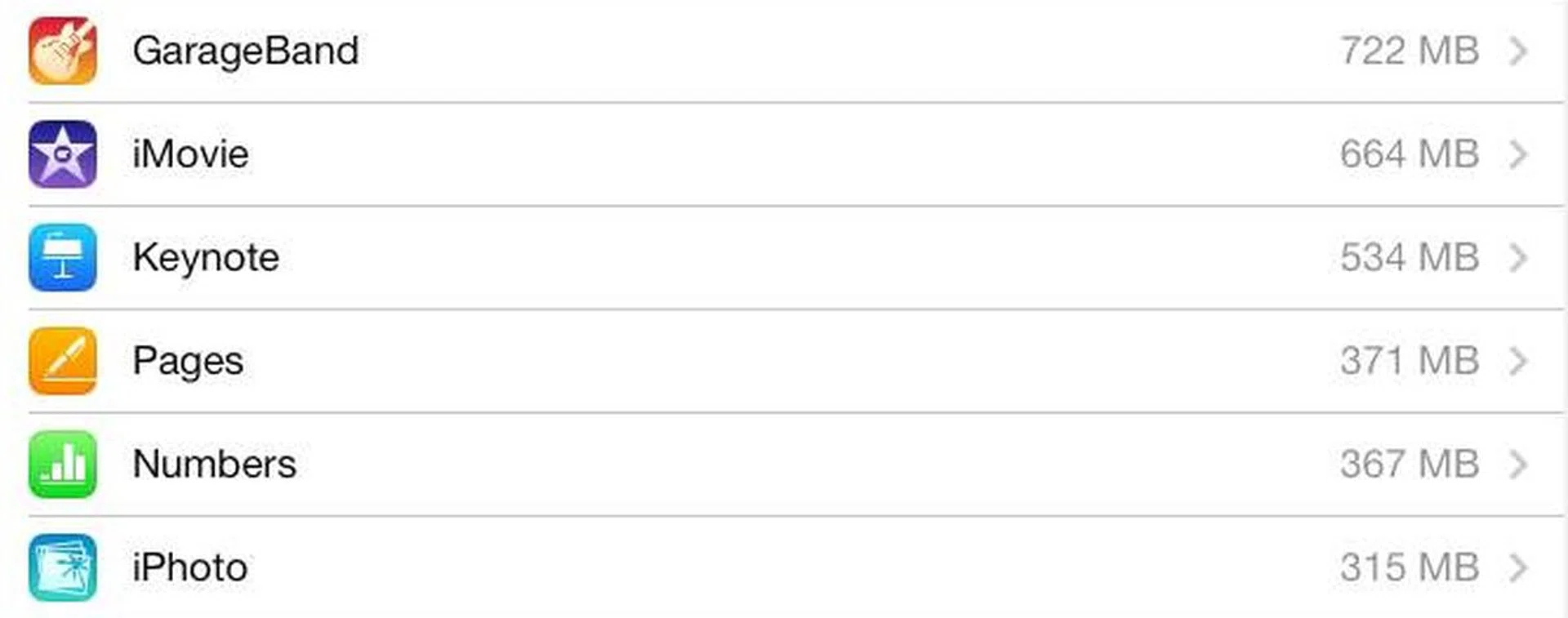
Here's the breakdown of storage space taken by each app.
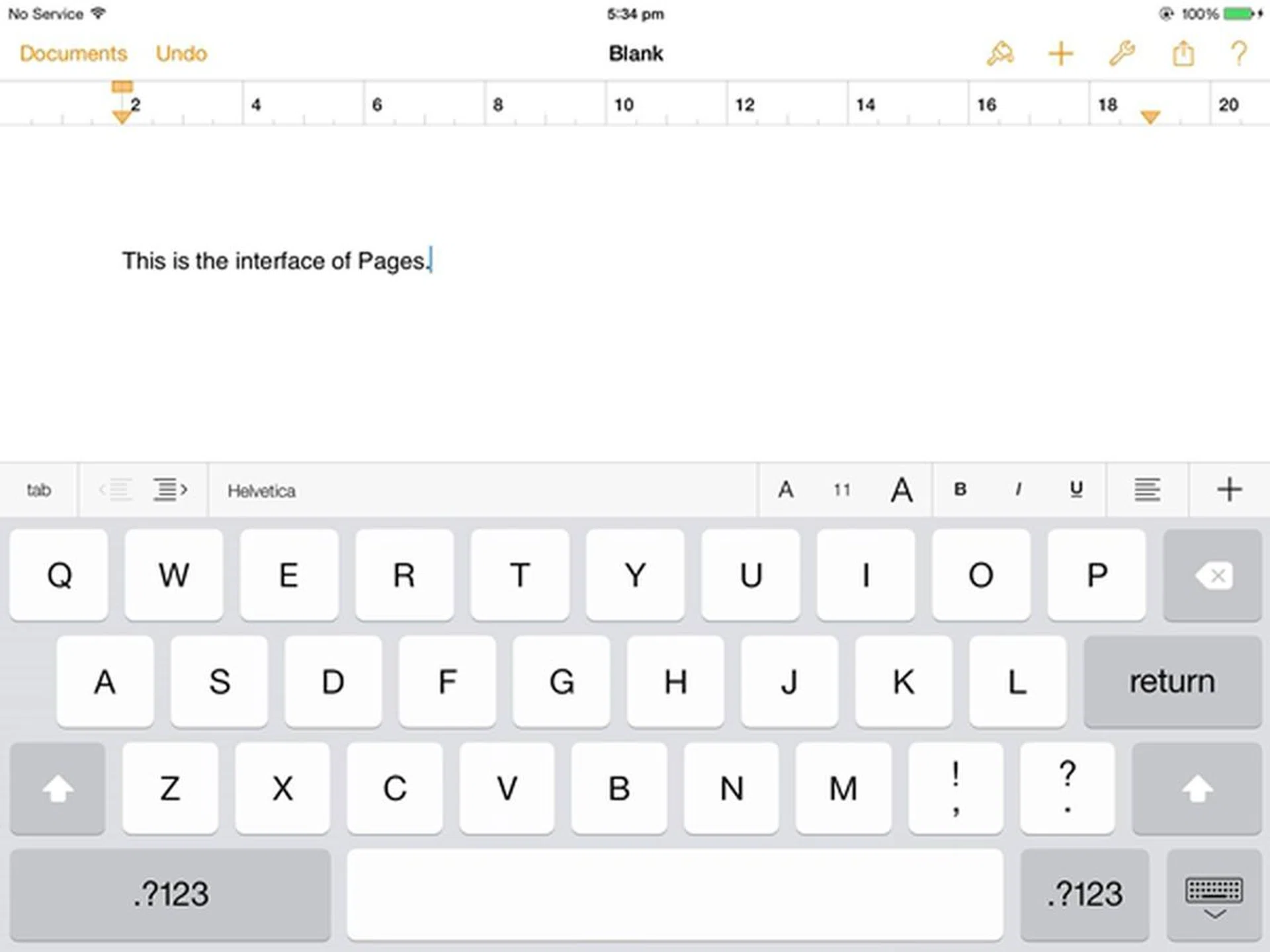
Here's a screenshot on the interface of Pages on the iPad Air.
Pages for the iPad Air has a different interface than you would be accustomed to in Microsoft Office, which may require users some time to learn its features and tools. According to Apple, Pages has compatibility with Microsoft Word 2013 documents. This means that you should have no problems collaborating with people who use Microsoft Word on other devices.
If you want the true Office experience on the Air, you can download Office for iPad which was recently unveiled at a press briefing on March 28. It is available as separate Word, Excel and PowerPoint apps. It comes with a catch though; you need an Office 365 Home subscription (S$138 for 1-year subscription) to create and edit documents on the Air. You can however browse your documents without paying for a subscription.
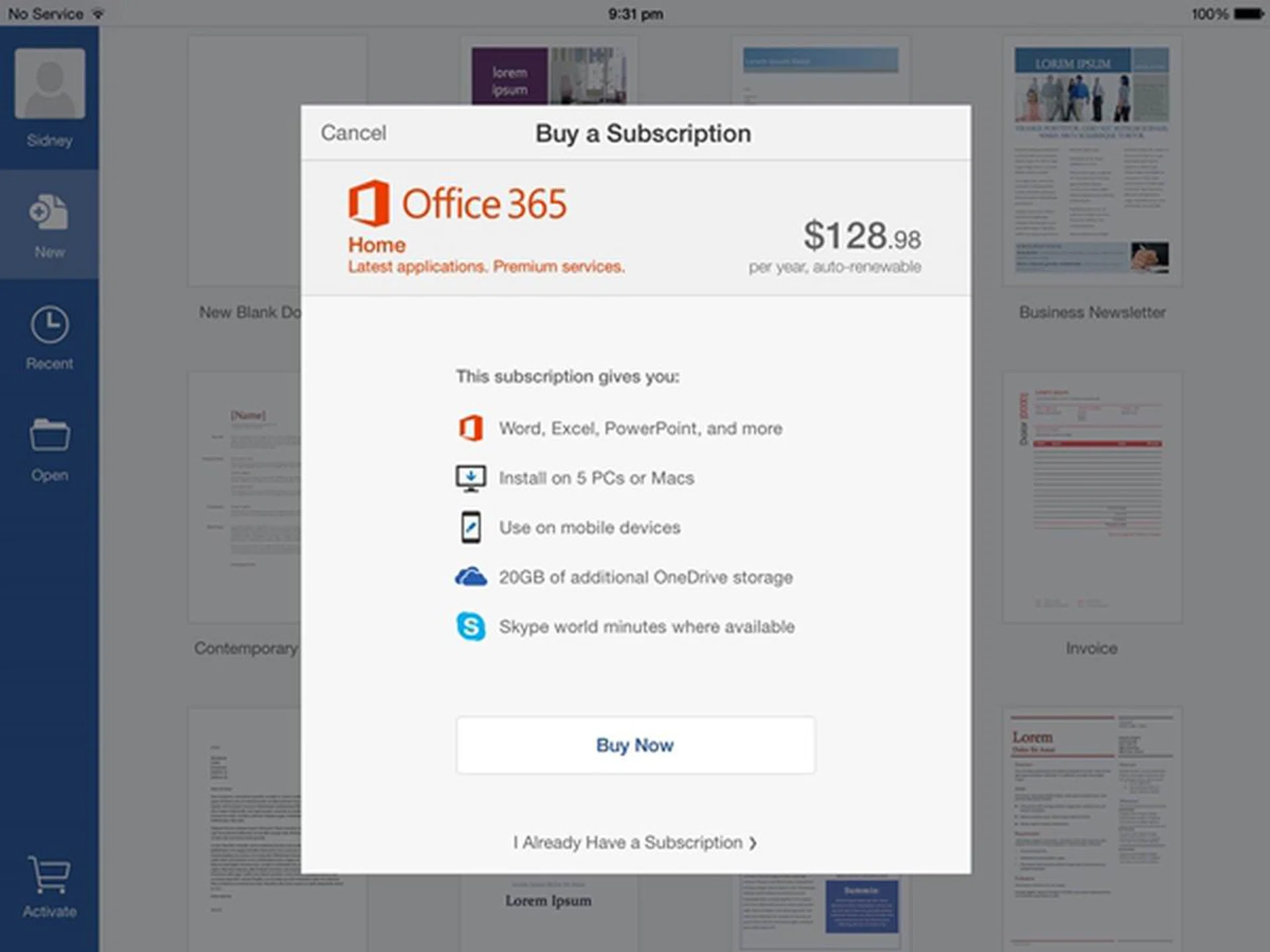
You need to pay an annual subscription fee for creating and editing Office documents on the iPad.
On a side note, Microsoft also released Office Mobile for the iPhones and Android phones. Unlike the iPad version, you do not need an Office 365 subscription to create, edit and save documents for home use.
Samsung Galaxy Tab Pro 10.1
Following in the footsteps of Apple, Samsung bundled a suite of productivity apps with the new range of Note/Tab Pro tablets. The Galaxy Tab Pro 10.1 is entitled to free subscription of Hancom Office (Hword, Hcell and Hshow), an office program for users to create, view, edit and share documents on-the-go. The Hancom Office apps need a storage space of about 375.78MB.
With its PC-like interface and experience, Hancom Office for Android is suitable for all types of consumers from beginners to power users. It is also compatible with a variety of office file formats.
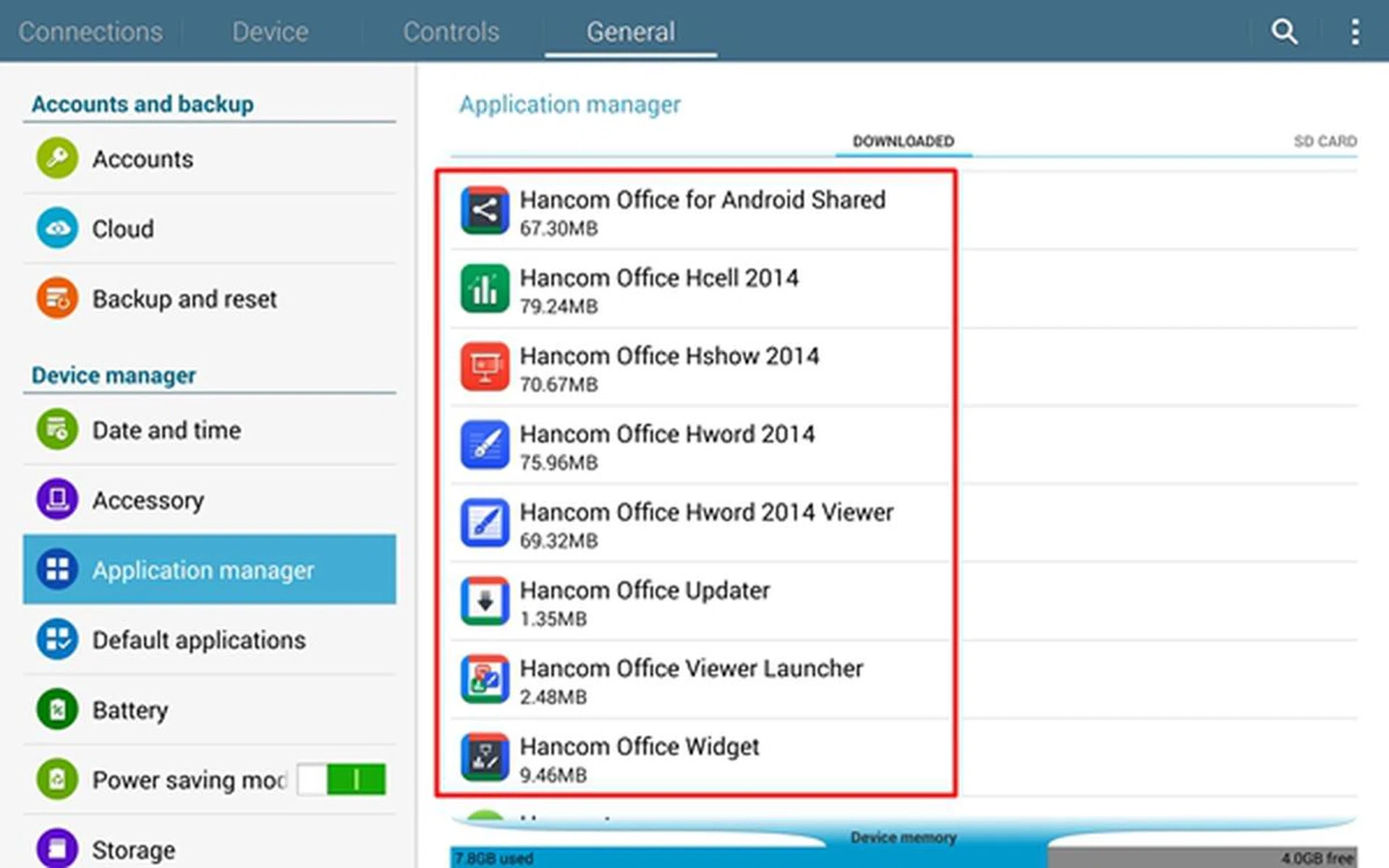
You have to access the Samsung App Store to download the Hancom Office for Android. That means you'll need to create and maintain a Samsung account to obtain this privilege.
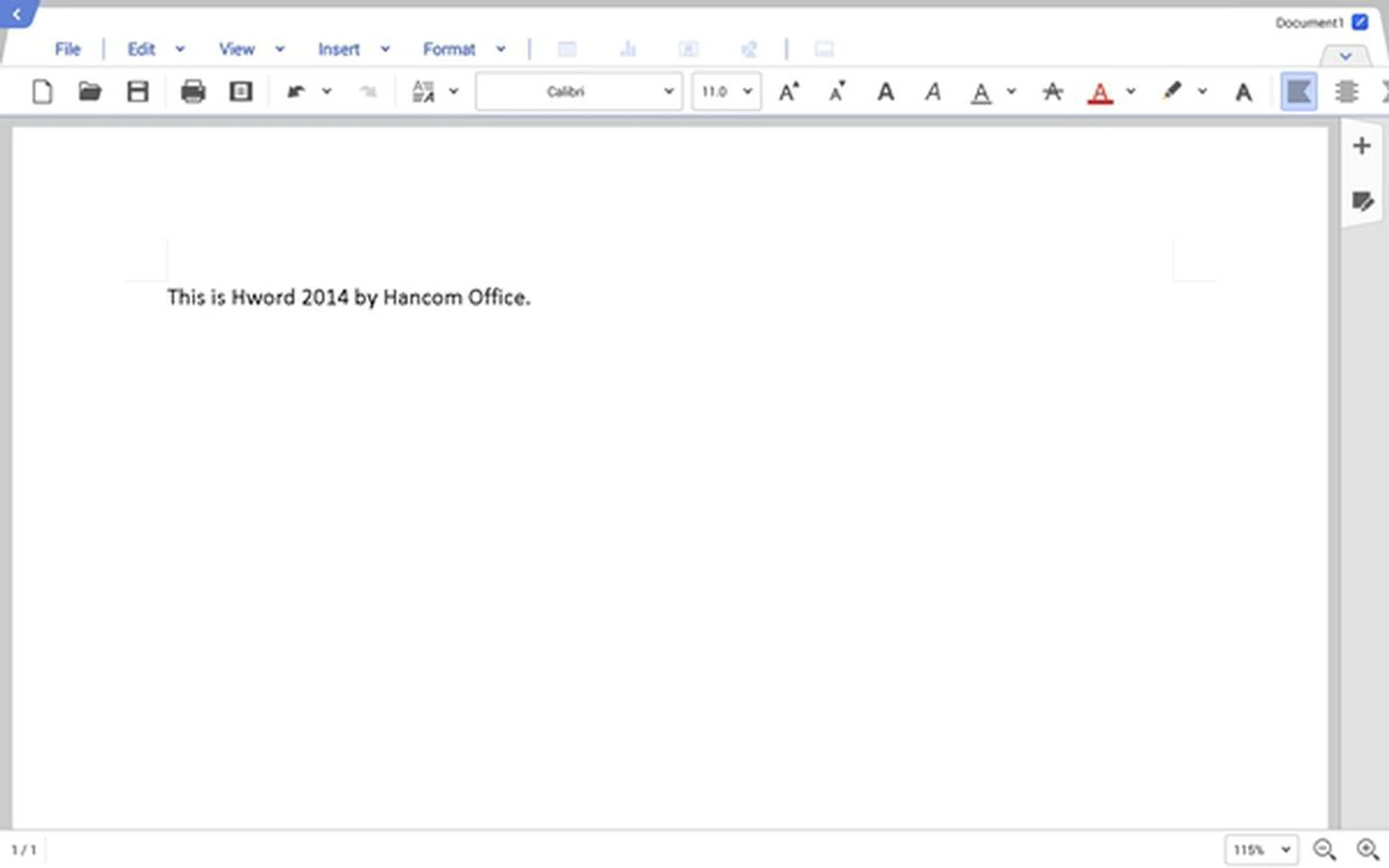
Hword 2014 has a close resemblance to Microsoft Word on the PC.
2) The Email Experience
The relative ease of turning on the display without the hassle of booting up makes the tablet a perfect machine for sending and replying email on the move. Each mobile platform typically comes with a default email client or app for users. Let's take a look at the respective email clients on these three competing tablets:
Apple iPad Air
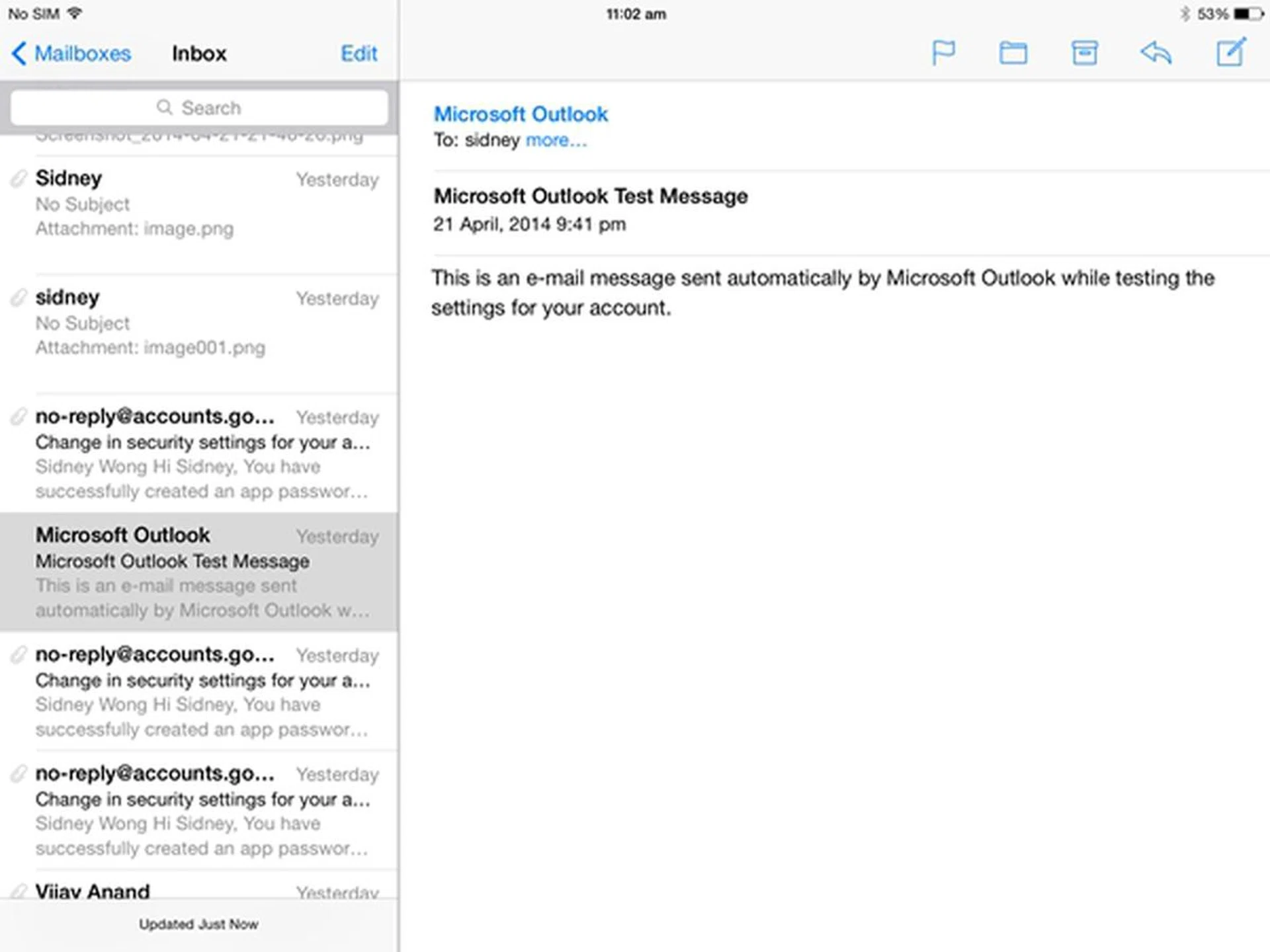
Similar to many email apps/clients, the Mail app on the Air supports multiple email accounts from a variety of providers (Gmail, Yahoo, Outlook.com, Exchange). It keeps track of conversations by thread and is capable of managing multiple mailboxes.
As with all stock apps, Mail is deeply integrated with iOS as a whole. For example, Mail is presented as one of the few options to share your photos on the Air besides Message, Twitter, Facebook and Flickr. Third party email clients such as Gmail are not available as options.
Microsoft Surface 2
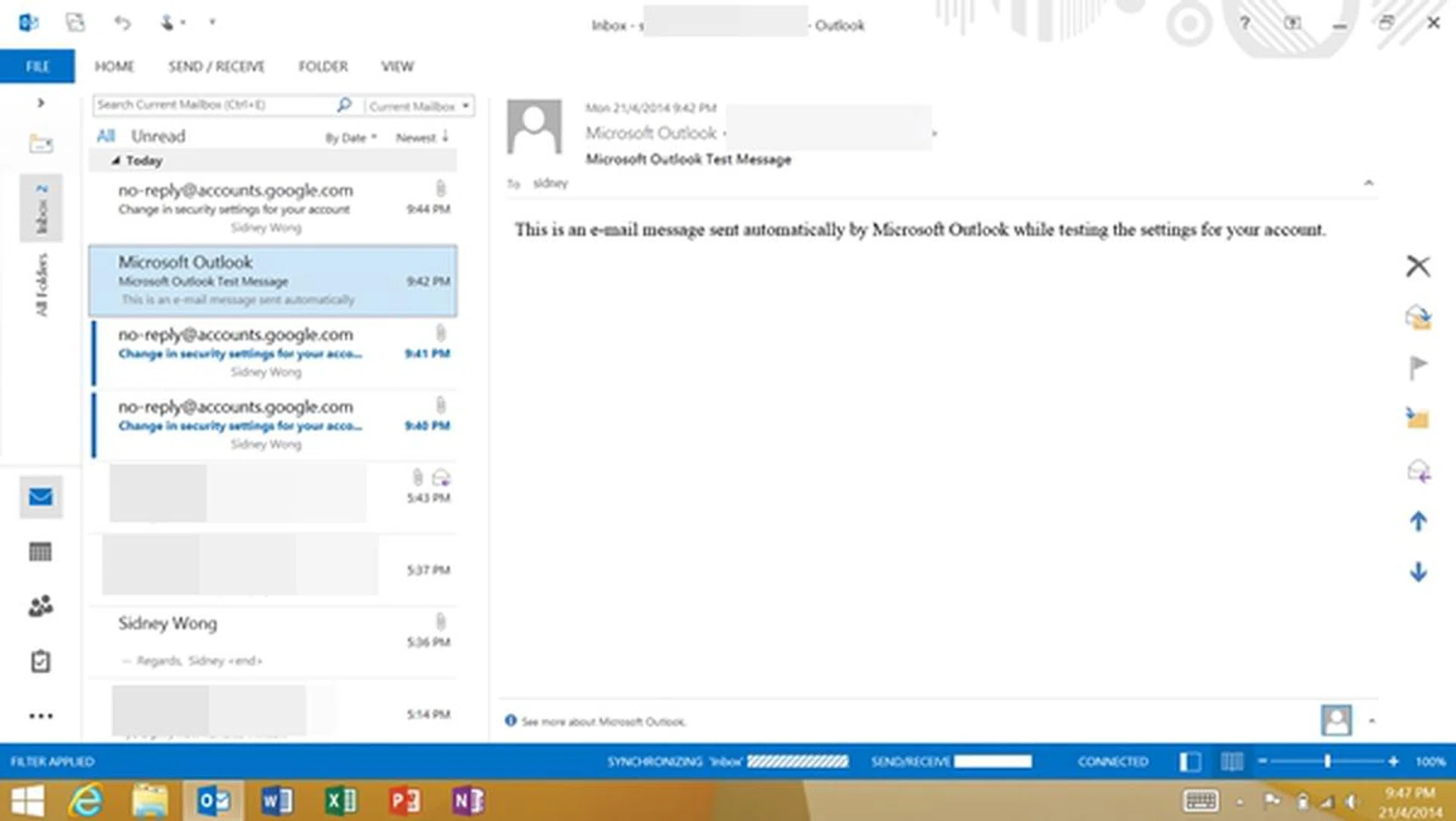
Microsoft Outlook 2013 on the Surface 2.
On the Surface 2, you get a Mail app and Outlook 2013 from Microsoft Office 2013 RT. Previously, Windows RT did not support Outlook and users had to use the underwhelming Mail app or switch between web-based email accounts in Internet Explorer.
Unlike the Mail app, Outlook 2013 only works in desktop mode. In our opinion, that's not much of a concern since the interface looks and works as you would expect on a PC. You can connect IMAP and POP email accounts as well as Exchange Active Sync accounts. Like the rest of the Office apps, Outlook 2013 is optimized for touch where there is more space between menu items and touch targets are easier to tap.
Samsung Galaxy Tab Pro 10.1

This is the default email app on the Samsung Galaxy Tab Pro 10.1.
The default email client on the Galaxy Tab Pro 10.1 has a rather clean and straightforward interface. You can set the layout to show three columns (folders, inbox, preview window) or two columns (folders and inbox). One advantage it has over third-party email apps and Gmail is the integration with the Magazine UX interface.
Powered by Flipboard, Magazine UX is a new interface adopted by Samsung on all its latest tablets. Think of it as a giant dashboard that aggregates apps, news and social feeds on the home screen. The default email client is supported in Magazine UX, and you can write or see emails without having to access the app. Hancom Office is also supported in the Magazine UX.
3) Software Keyboard
The software keyboard is one of the most commonly used features in mobile devices, hence we felt it is an aspect that we should consider when comparing the three tablets.
Apple iPad Air
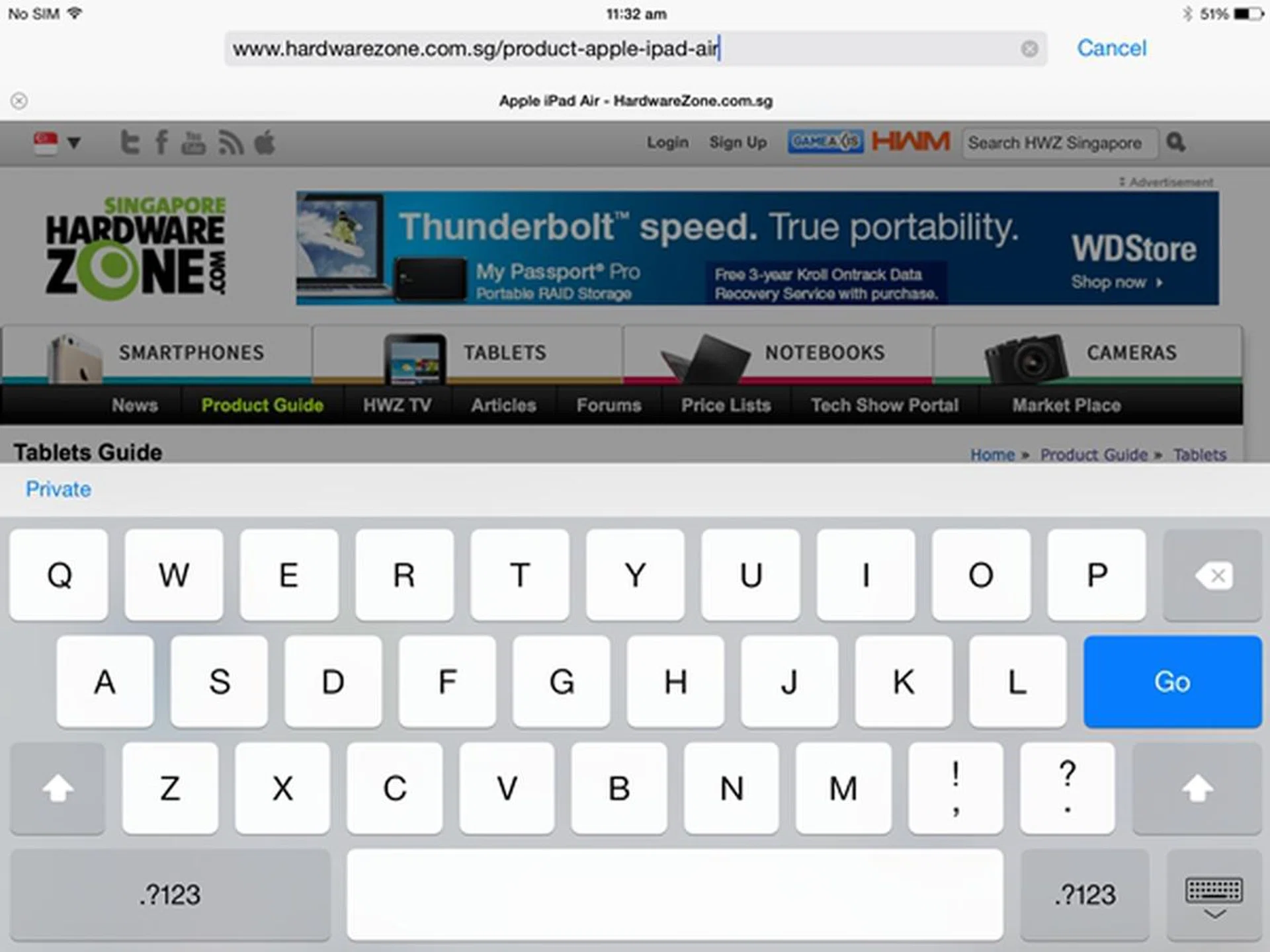
The software keyboard takes up more than half the available screen estate on the Air.
The iOS 7.1 keyboard hasn't changed much; the Shift and Delete keys have a more prominent look when engaged. For example, the Shift key will show a white arrow when not in use. The white arrow turns into a black one after it has been pressed once, and will sport an underline when you tap twice to engage Caps Lock.
To use the other symbols and numbers, you have to manually tab on the .?123 key to switch the layout of the keyboard. There is no swiping or voice typing functionality in the iOS 7.1 keyboard. There is also no alternative keyboard layouts that you can change or install.
Microsoft Surface 2
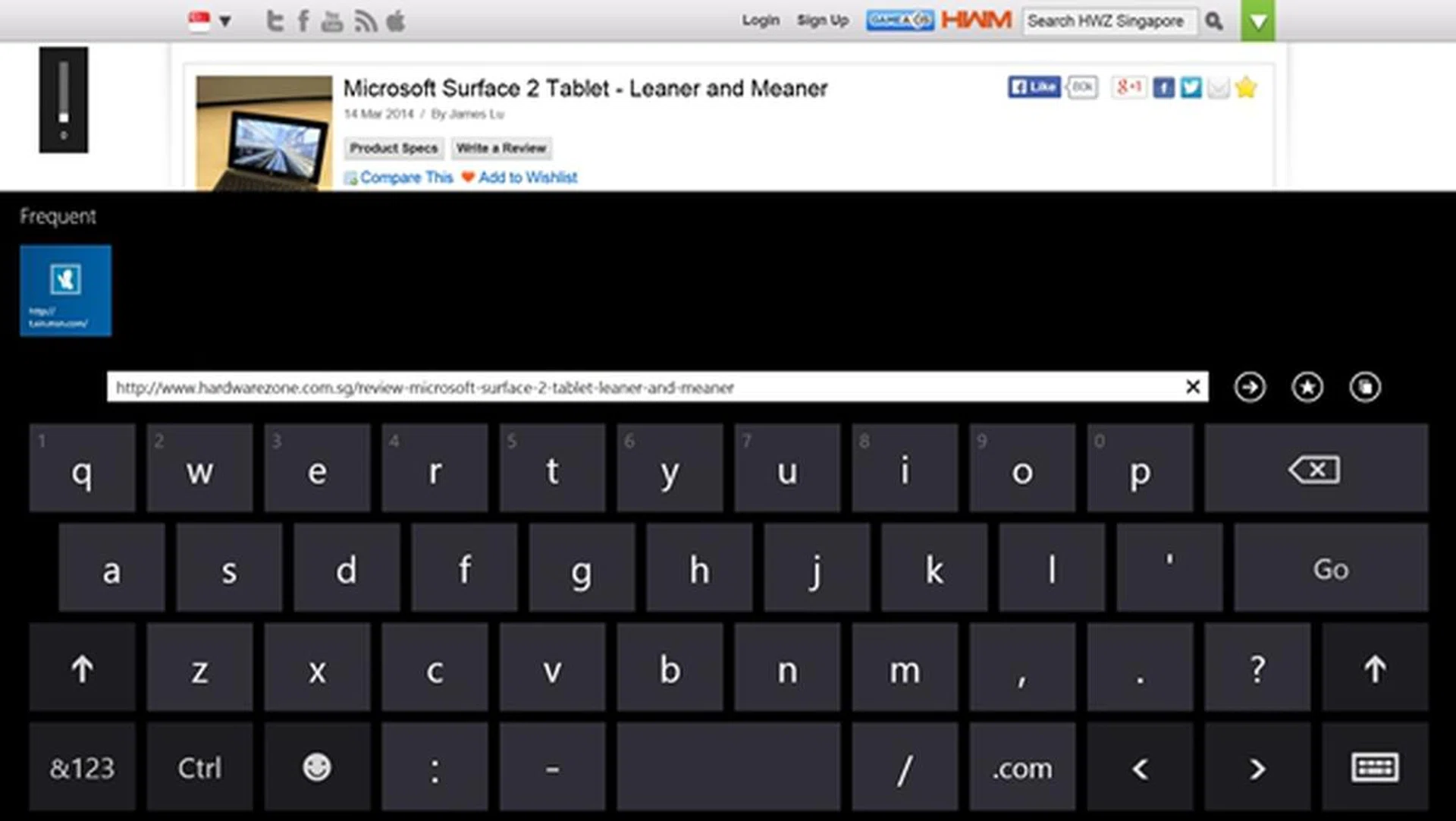
The default software keyboard on the Surface 2 is largely similar to the Air except that it has a dedicated Crtl key for you to execute the standard shortcuts (cut, copy, paste, select all, undo), just like you would on your desktop PC or notebook.
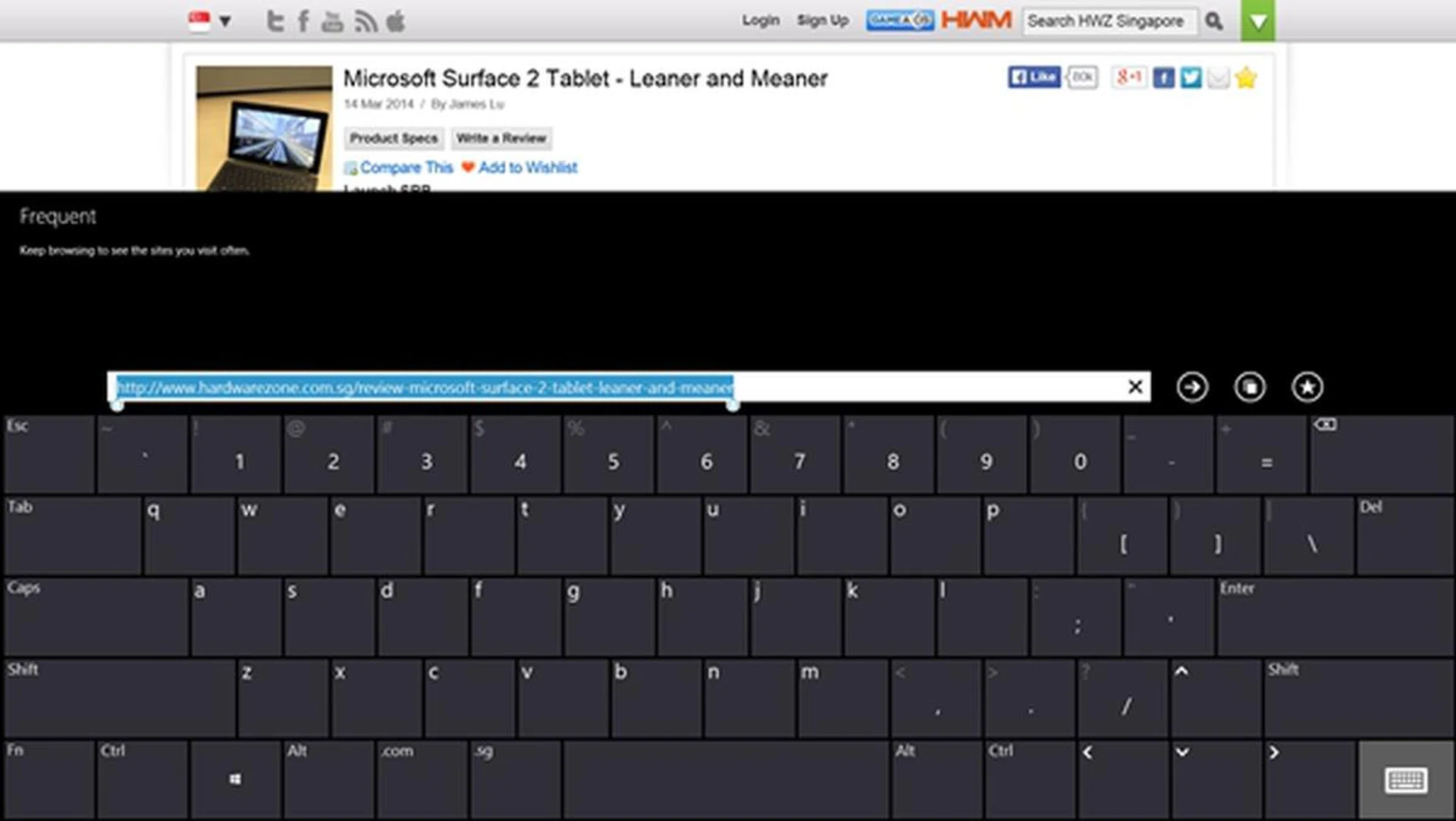
We find the keys on the full-sized keyboard to be a tad small and the layout to be tight for comfortable typing.
There are other alternative keyboard layouts that you can choose on the Surface 2, which include a split screen keyboard that divides the keyboard in half with the number pad in the middle, a handwriting recognition pad and a full-sized QWERTY keyboard (as shown above).
Samsung Galaxy Tab Pro 10.1
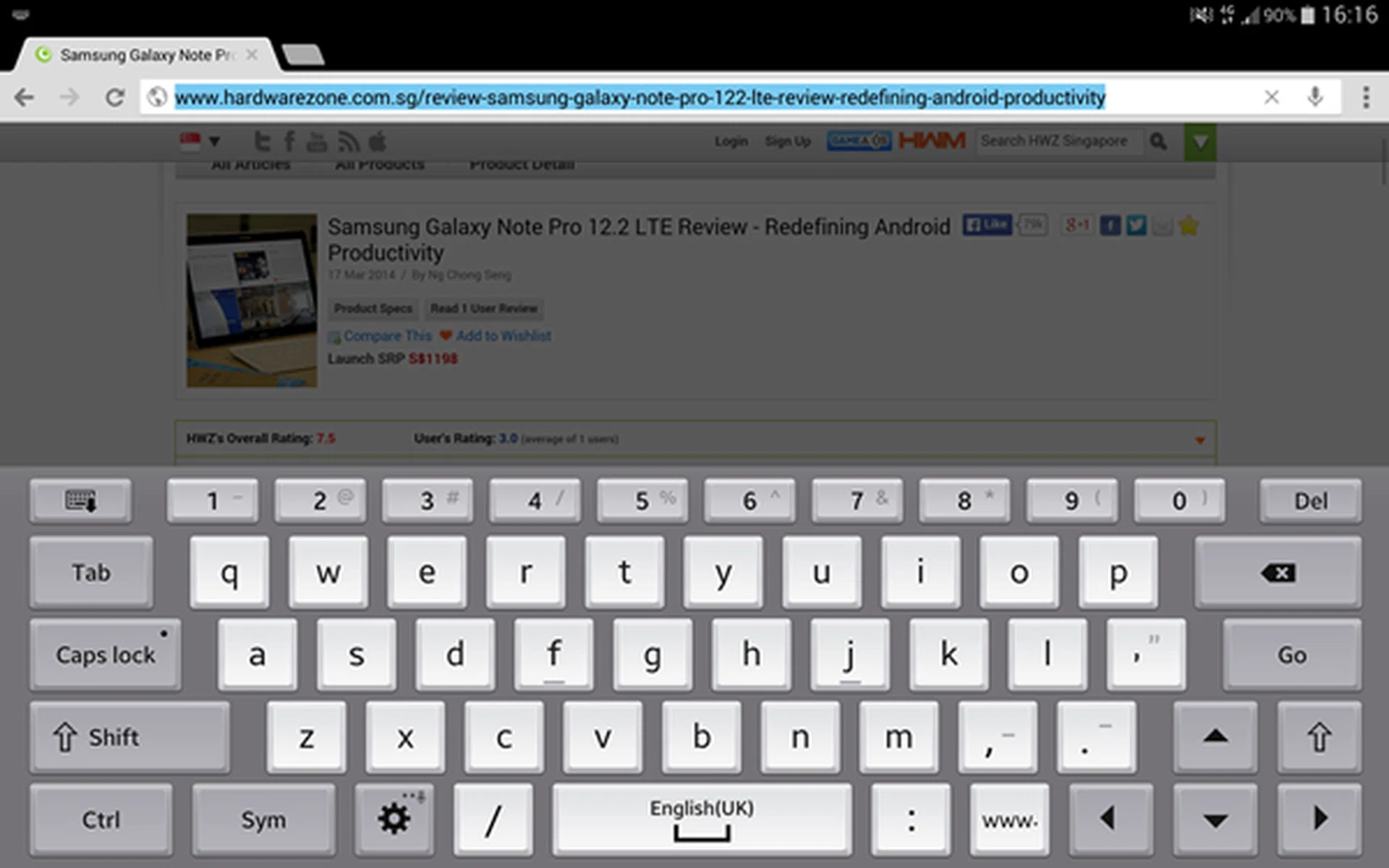
One of the significant features of TouchWiz on the Galaxy Tab Pro 10.1 is the keyboard, which is designed to mimic a standard full-sized keyboard. As you can see from the screenshot above, the Samsung keyboard has an additional row of number keys. This is especially useful when you are keying in passwords with numbers.
In addition, the keyboard also has Ctrl, Shift, Caps Lock and Tab keys which allows you to execute common keyboard shortcuts like Copy (Ctrl + C), Cut (Ctrl + X) and Paste (Ctrl + V). The keyboard also adapts to what you are doing. For example, the "www." key is present when you open up a browser to key in the URL.
The Galaxy Tab Pro 10.1 offers two other keyboard layouts: floating and split. The floating keyboard comes in handy especially when working on documents as it does not occupy much space on the screen. You also can move the software keyboard around on the screen.
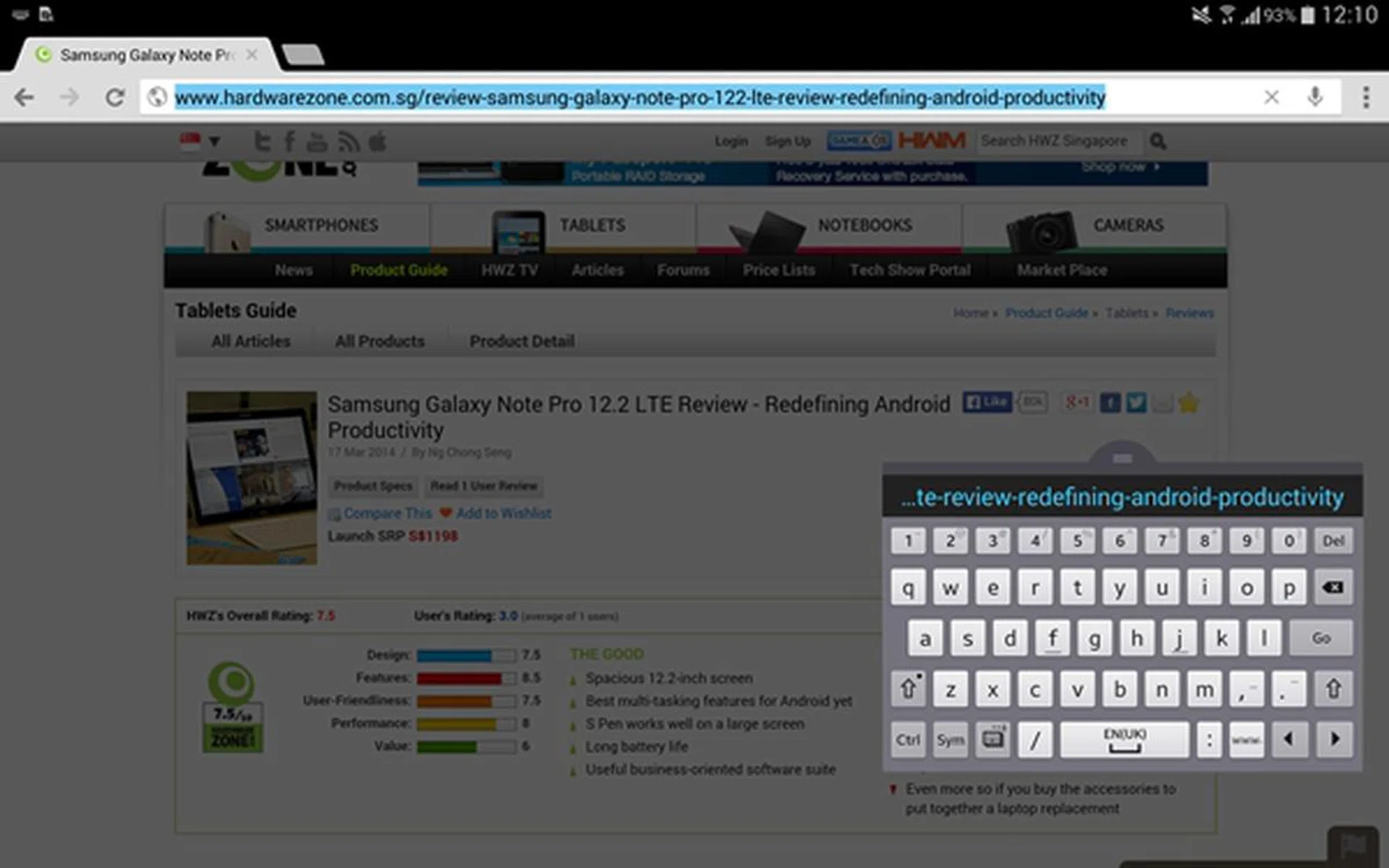
The floating keyboard does not occupy as much screen space, but you have to make do with the smaller size.
4) Media Management
In this section, we compare the ease of file management and file transfer on the three tablet devices.
Apple iPad Air
Due to its tight integration with iTunes and iCloud, the Air is one device that you either love or hate. You need to connect to a PC or Mac with iTunes to sync photos, videos and music files. Alternatively, iCloud (5GB free storage space) allows you to backup music, photos, documents, apps and books across your iPad, iPhone, iPod Touch, Mac or PC.
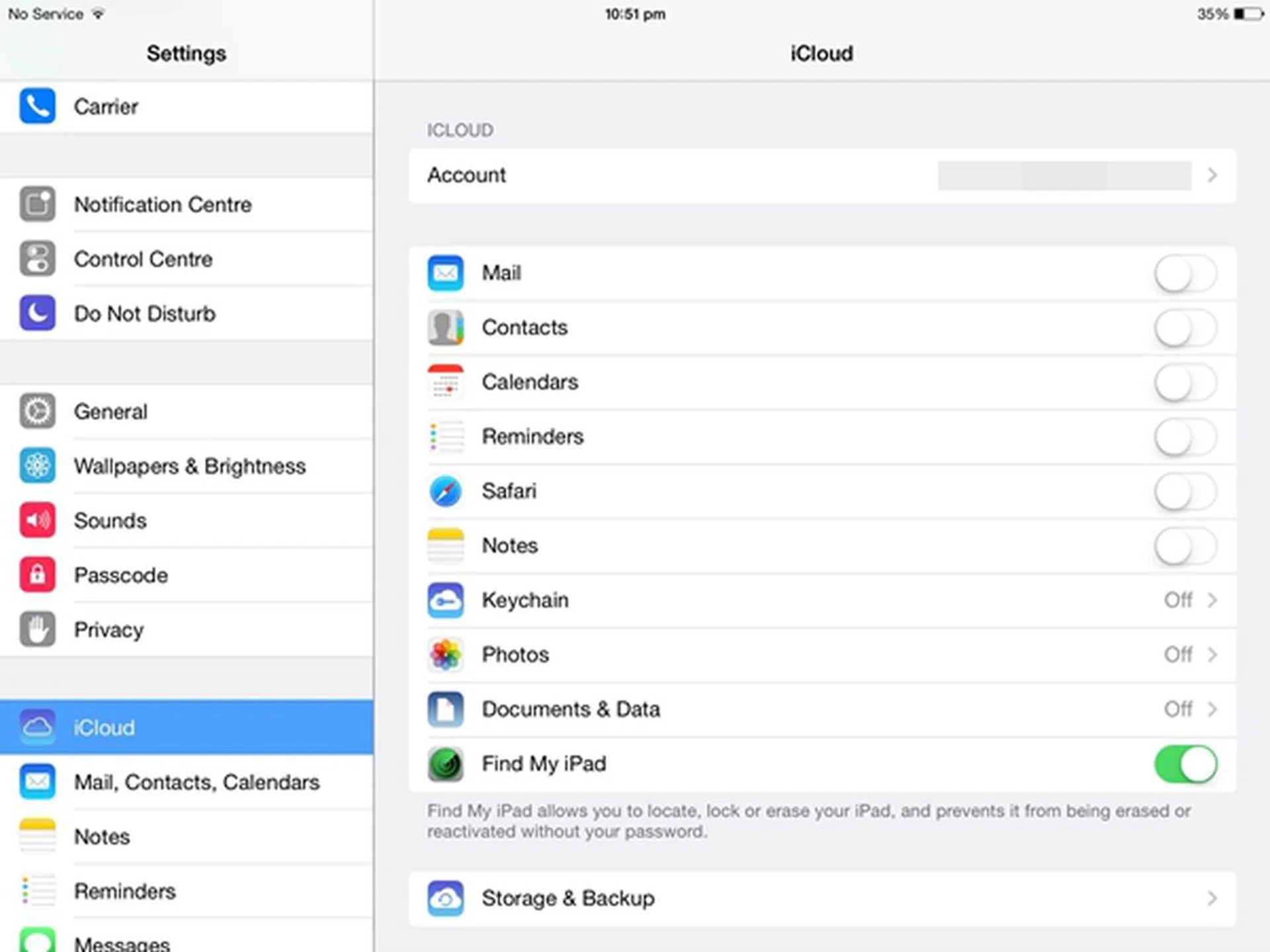
iCloud will be extremely useful if you are invested in Apple's ecosystem of devices.
In other words, file transfer is largely restricted within Apple's walled ecosystem and you have to depend on third party services to transfer data. Third-party cloud storage service apps are plentiful on the Apple App Store, which include Box, Dropbox and Google Drive. However, you either have to make do with the limited free storage space or pay for more. It also doesn't help that the Air lacks a memory card slot and/or a USB port, which can be found in the other two tablets.
Microsoft Surface 2
You should already know by now that the Surface 2 has no equal in this section judging from the connectivity ports it has. As a quick recap, the Surface 2 boasts a microSD memory card slot, a full-sized USB 3.0 port and a mini-HDMI port. The full-sized USB port allows you to plug a thumbdrive or an external hard disk drive to the Surface 2, something which the other two tablets are unable to do so. Coupled with the Desktop Mode which mirrors the familiar interface of a PC, the Surface 2 makes file transfer and file management a breeze for almost anyone.
The addition of the micro-HDMI port helps you to mirror the device's output to a bigger screen like a monitor or TV with just a standard HDMI cable. Couple that with a wireless mouse and keyboard combo, you can control the Surface 2 from the comfort of your couch if you wanted to, just like a notebook or a HTPC machine.
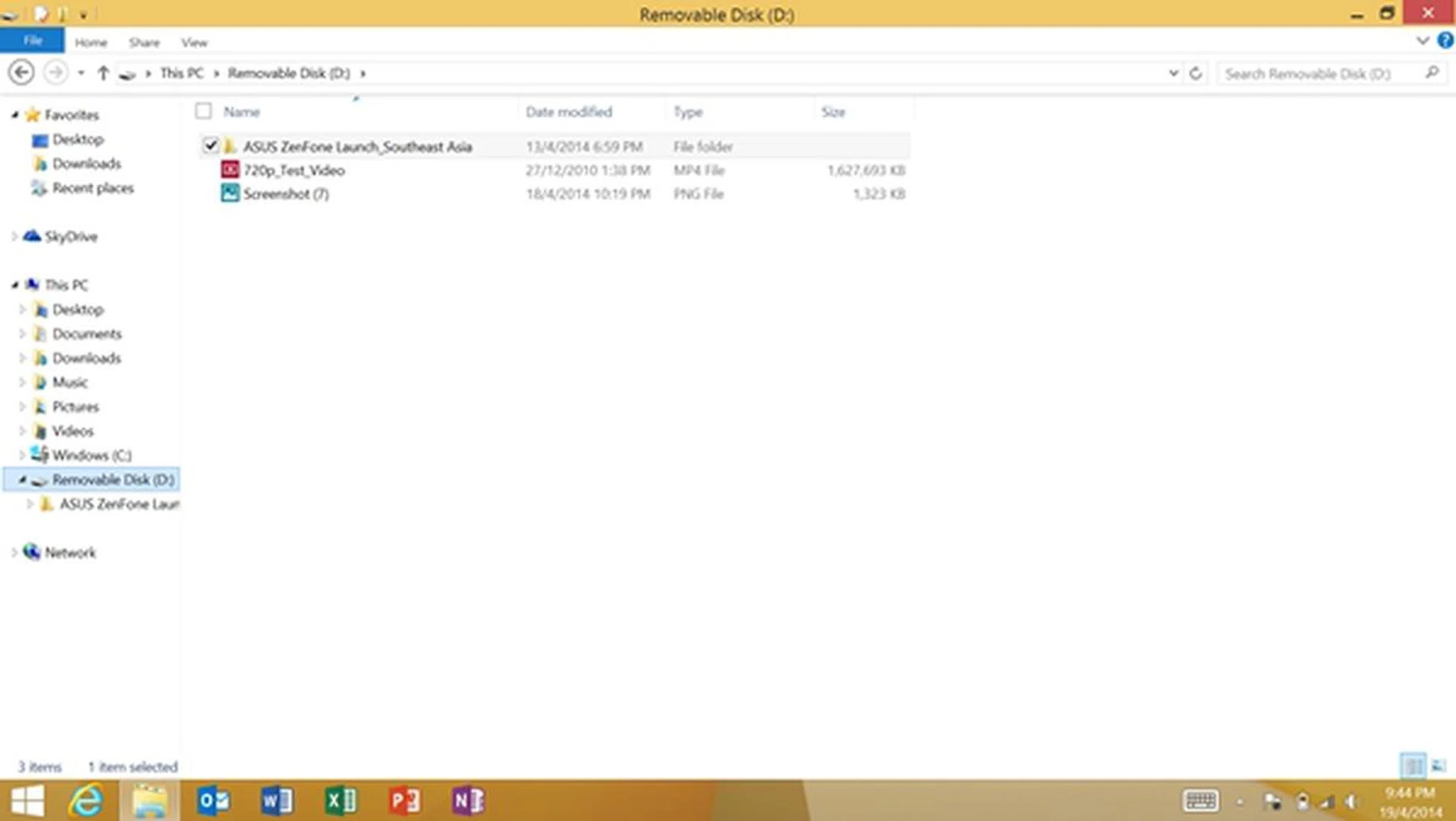
You can drag and drop files from the different folders into the removable disk (e.g thumbdrive).
Microsoft has its own cloud storage service, OneDrive which offers 7GB free storage for photos, videos and documents. OneDrive is available on Android and iOS too! Besides OneDrive, you can download Box or Dropbox on the Surface 2!
Samsung Galaxy Tab Pro 10.1
Except for the lack of a full-sized USB port, the Galaxy Tab Pro 10.1 is almost similar to the Surface 2 when it comes to file transfer aspects. It comes with My Files, a file manager where you have an overview of the content stored on the internal storage of the tablet and the memory card. As there is no drag and drop action supported here, you can copy and paste files/folders from the device storage to the memory card or vice versa.
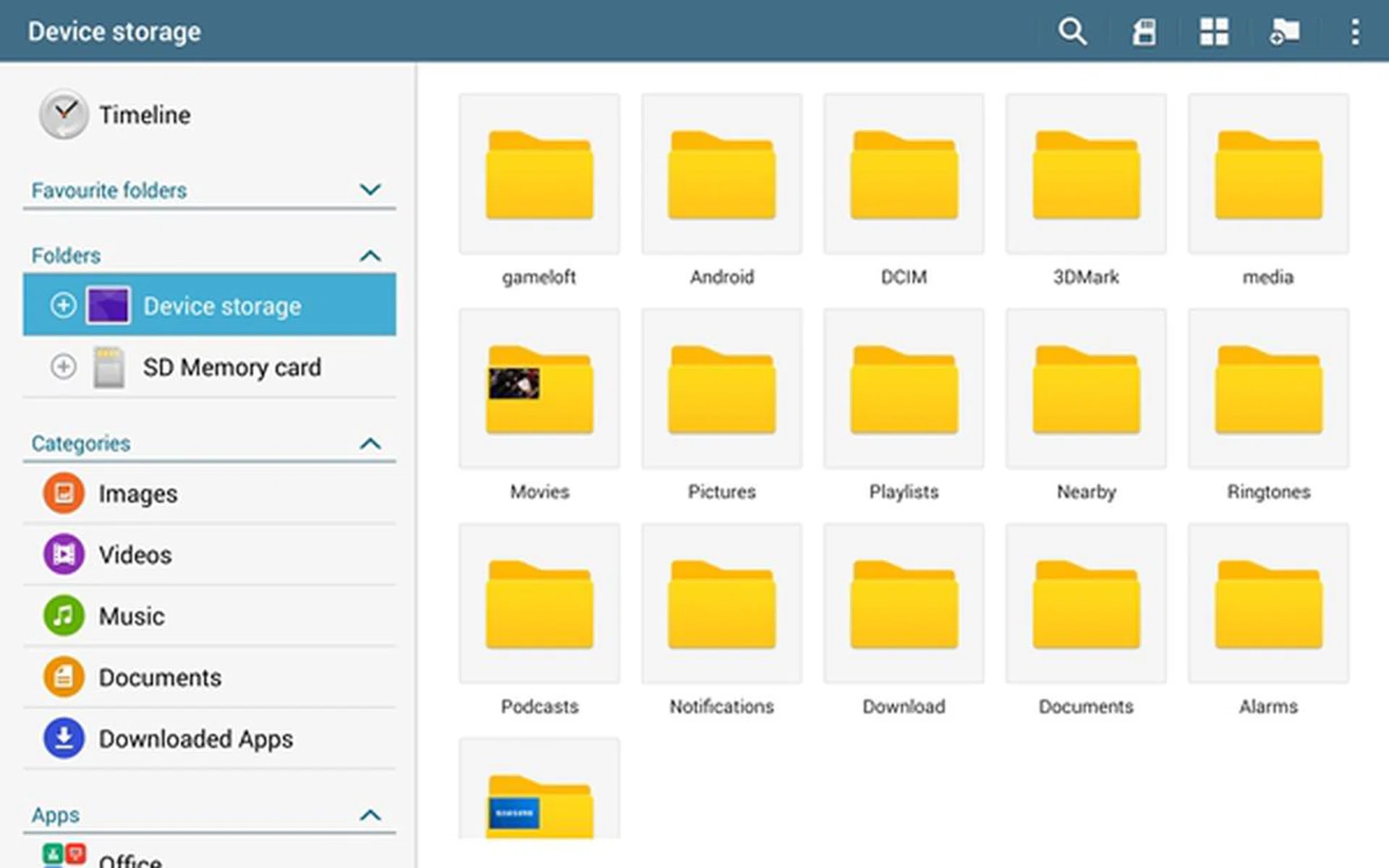
Similar to the Air and Surface 2, the Galaxy Tab Pro 10.1 has access to third-party cloud storage services such as Box and Dropbox. Samsung has included a promotion for Dropbox users on the Galaxy Tab Pro 10.1 where they can have 50GB free storage space for two years. Also as an Android device, Google Drive is offered on the Galaxy Tab Pro 10.1 where you get 15GB free online storage.
5) Multitasking
Multitasking is a much talked about feature on mobile devices with larger displays such as tablets. The extra screen real estate makes it perfect for carrying out multiple tasks simultaneously.
Apple iPad Air
In typical Apple fashion, multitasking has only recently been expanded to include more apps. Previously, only selected apps could run in the background due to Apple's concerns over battery life. In iOS 7, Apple revamped the multitasking feature and added a new interface.
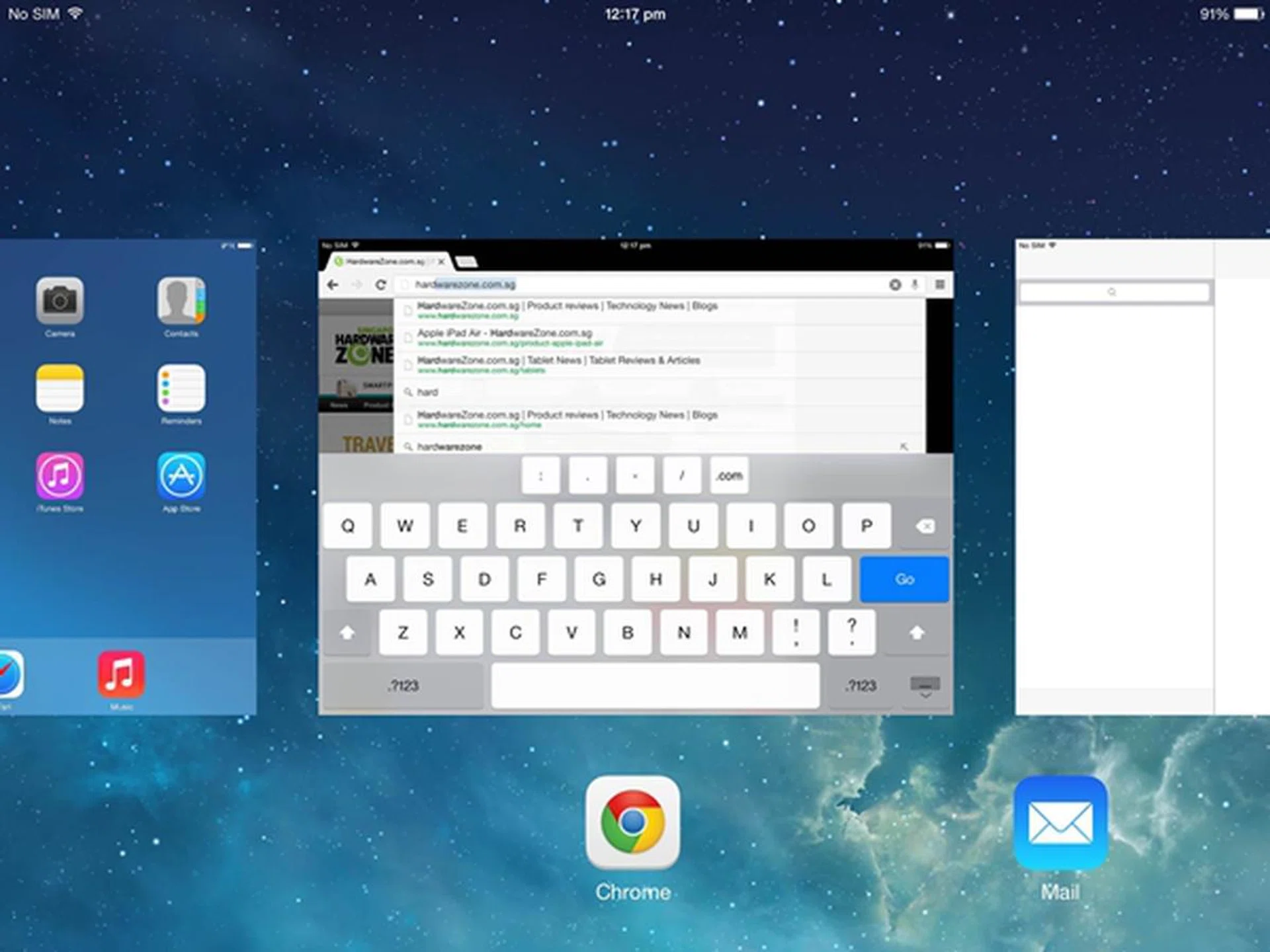
iOS 7 introduced a card-based interface for multitasking.
Double tapping on the Home button will activate the multitasking feature where apps running in the background will be shown in a card-based interface. As the apps will have a preview card of their own, you are able to view the information on an app (e.g. email) without actually bringing it to the foreground. Closing an app is as easy as flicking the card up and off the screen.
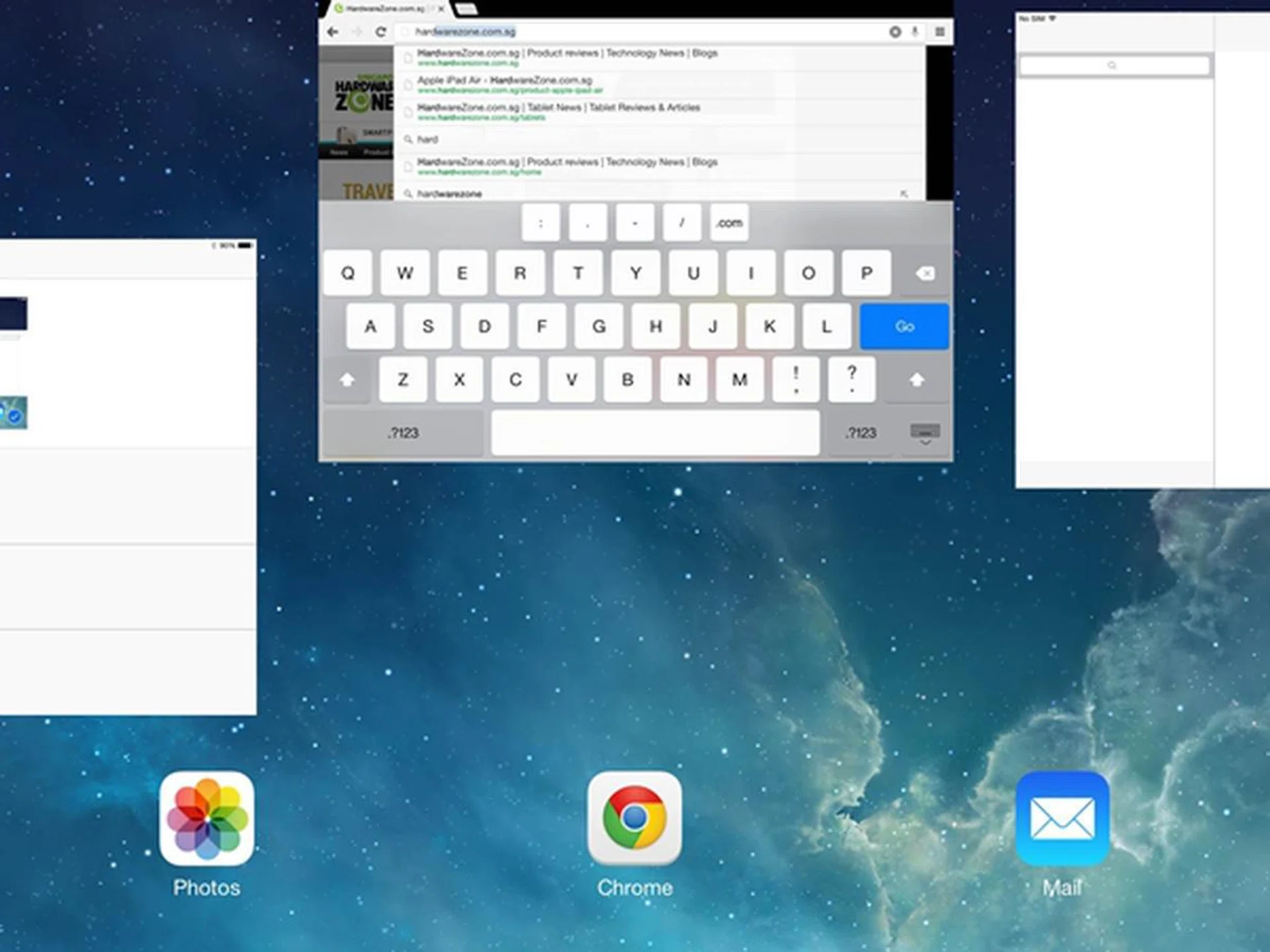
You can now close/quit up to three apps at one go.
Behind the scenes, some apps run for a short period of time before being set to a suspended state so that they do not take up unnecessary system resources. There are other apps which can continue to run in the background and be updated at regular intervals (app background refresh).
According to Apple, normal app background refreshing is scheduled for efficient times such as when a Wi-Fi connection is established, a device is plugged to a power source, or when it is being actively used. Users also can control the apps' background activity in Settings > General > Background App Refresh. iOS 7 also learns the users' usage patterns on the device and tries to predict when apps should be updated in the background.
Unfortunately, this is as far as multitasking can go on the iPad Air or any other iOS 7 device. Apple's strict control over its interface has its pros and cons, and the limited multitasking function here is obviously a major drawback when you consider what Samsung and Microsoft can offer in their tablets.
Microsoft Surface 2
Microsoft touts multitasking capabilities on the Surface 2 as one of the key advantages over the Apple iPad Air. To access the multitasking bar, swipe in from the left side of the screen quickly and swipe back. A vertical thumbnail grid will appear on the left with the most recent apps that you've used. If you want to snap back to an app, swipe the thumbnail of the app to the center.
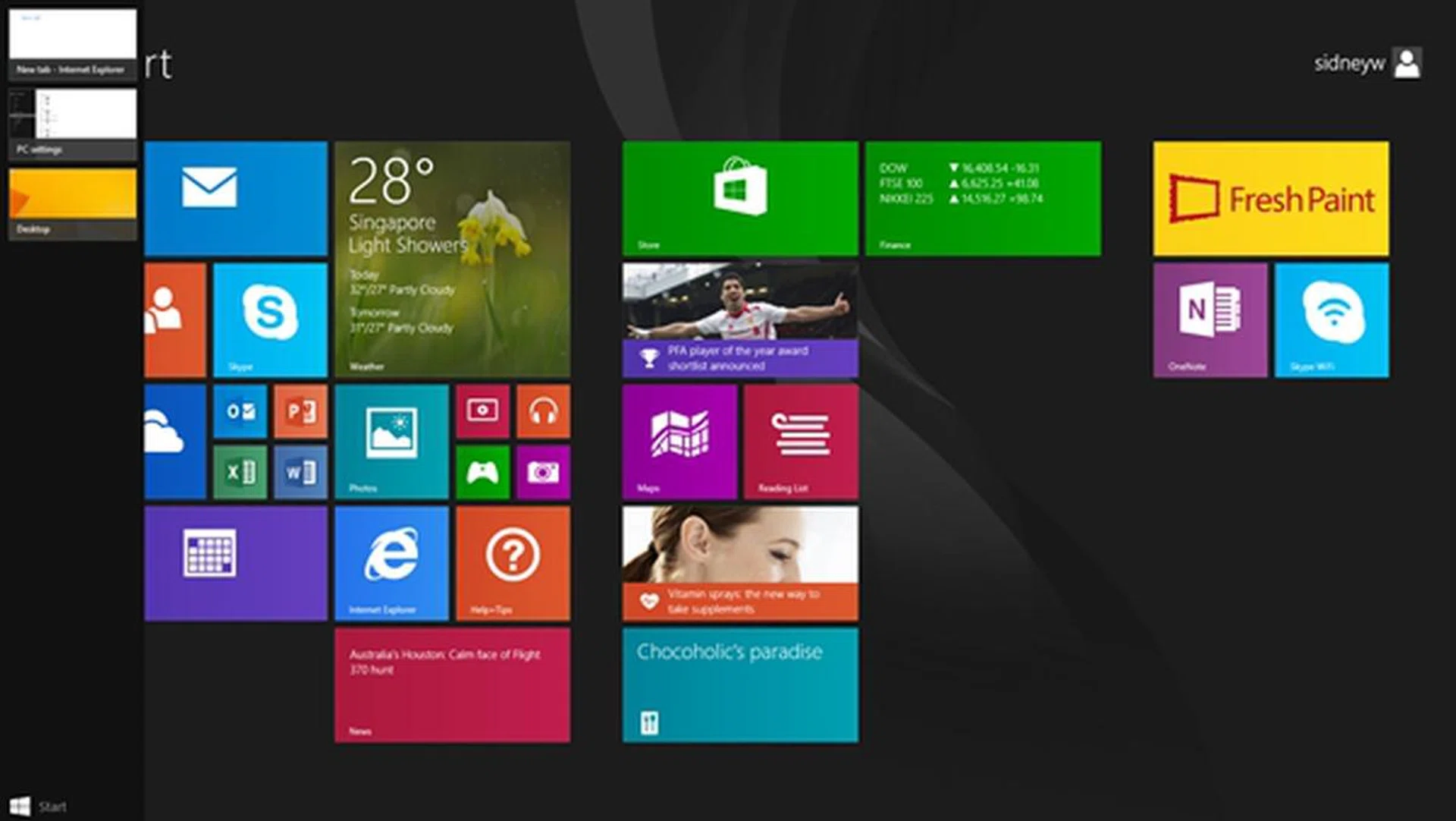
A quick swipe from the left into the screen and back will bring up the multitasking bar.
Alternatively, you can swipe from the left side of the screen to the center to switch from one app to another. This is handy if you are running less than 3 apps in the background as the motion is quick. However, you are better off selecting a preferred app from the multitasking bar when you've several apps running.
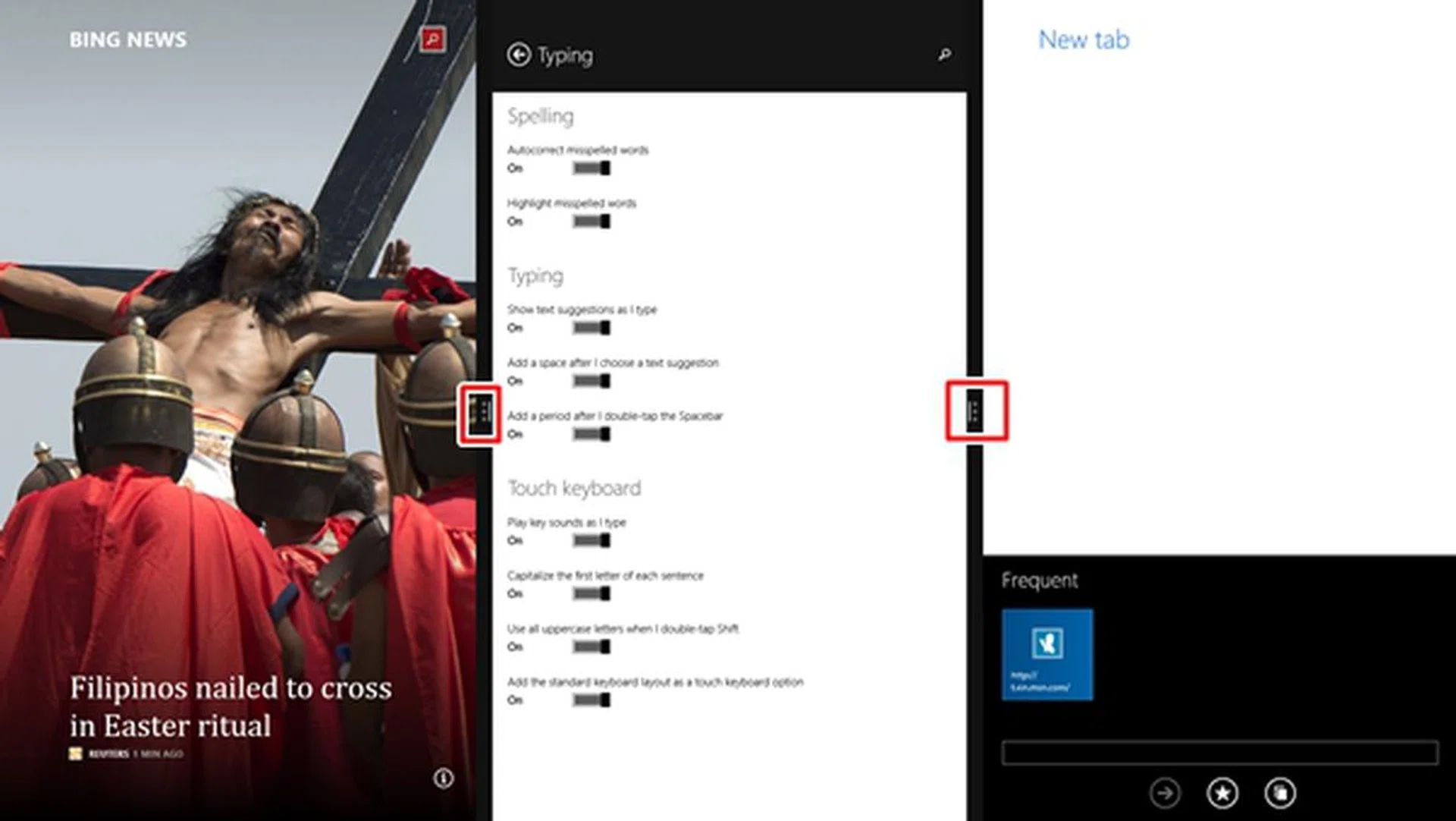
Seen here are 3 apps running simultaneously onscreen. You can adjust the size of each app window via the three-dot icon. For example, you might want to see a bigger slice of the Bing News than the other two apps.
As shown above, Windows 8.1 RT now enables you to open up to three apps side-by-side onscreen. You also can resize each app window according to your preferences (e.g. giving more space to important apps).
Samsung Galaxy Tab Pro 10.1
Multitasking is a favorite subject for Samsung's anti-Apple ads and trust us when we say Samsung's multitasking is the real deal. Samsung first brought the concept of split-screen or multi-window multitasking in 2012 with the Galaxy Note 10.1 and Galaxy Note II. Let's see how the multitasking feature works on the Galaxy Tab Pro 10.1:-
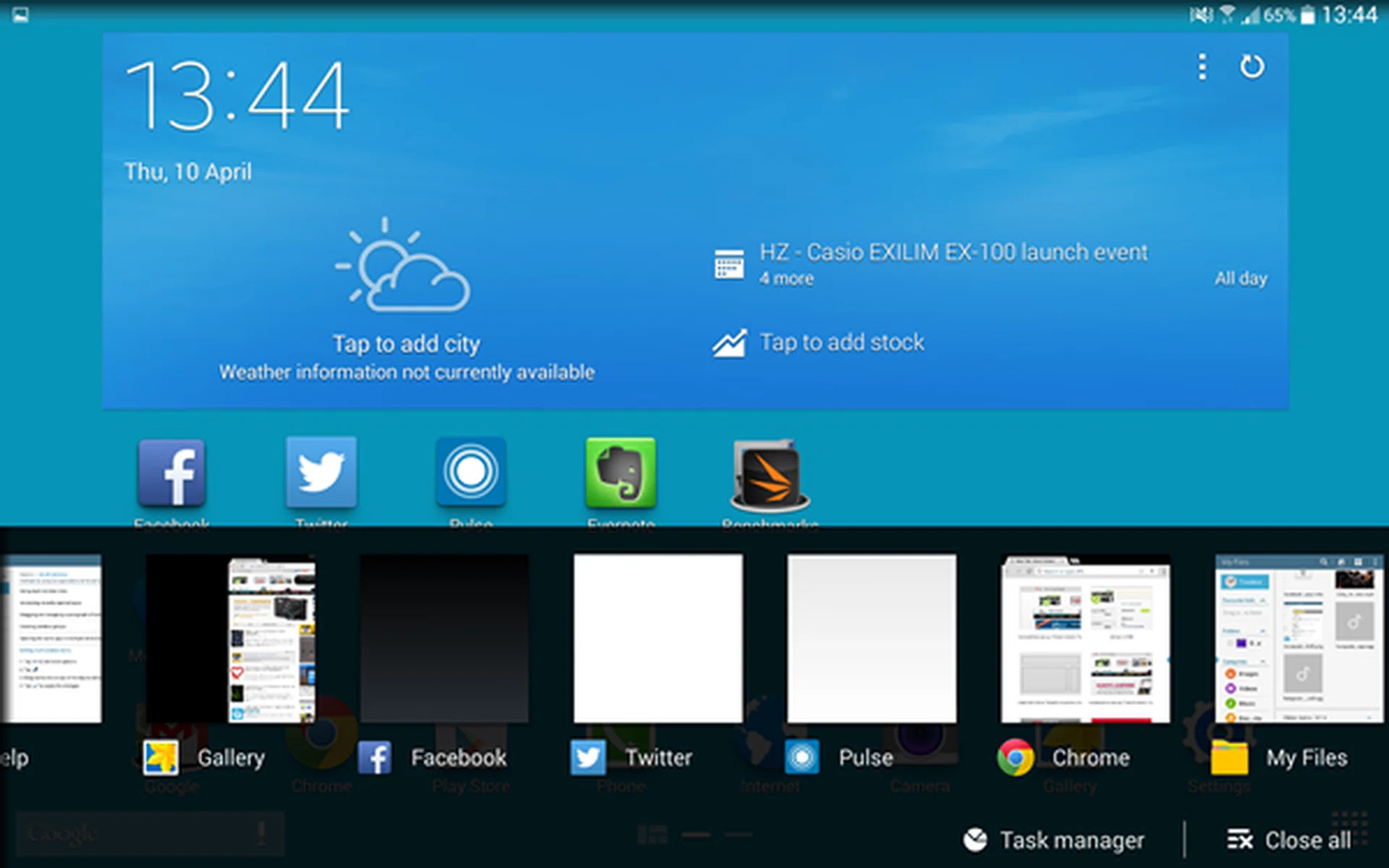
With the new Recent button on the left side of the Home button, you can now easily bring up the multitasking menu with just one tap instead of long pressing the Home button. You can scroll through the list of apps running in the background and quit/close them by flicking them off screen. If you need to free up system resources, you can tap the "close all" option or access Task Manager where you can clear apps and running processes occupying the device's memory.
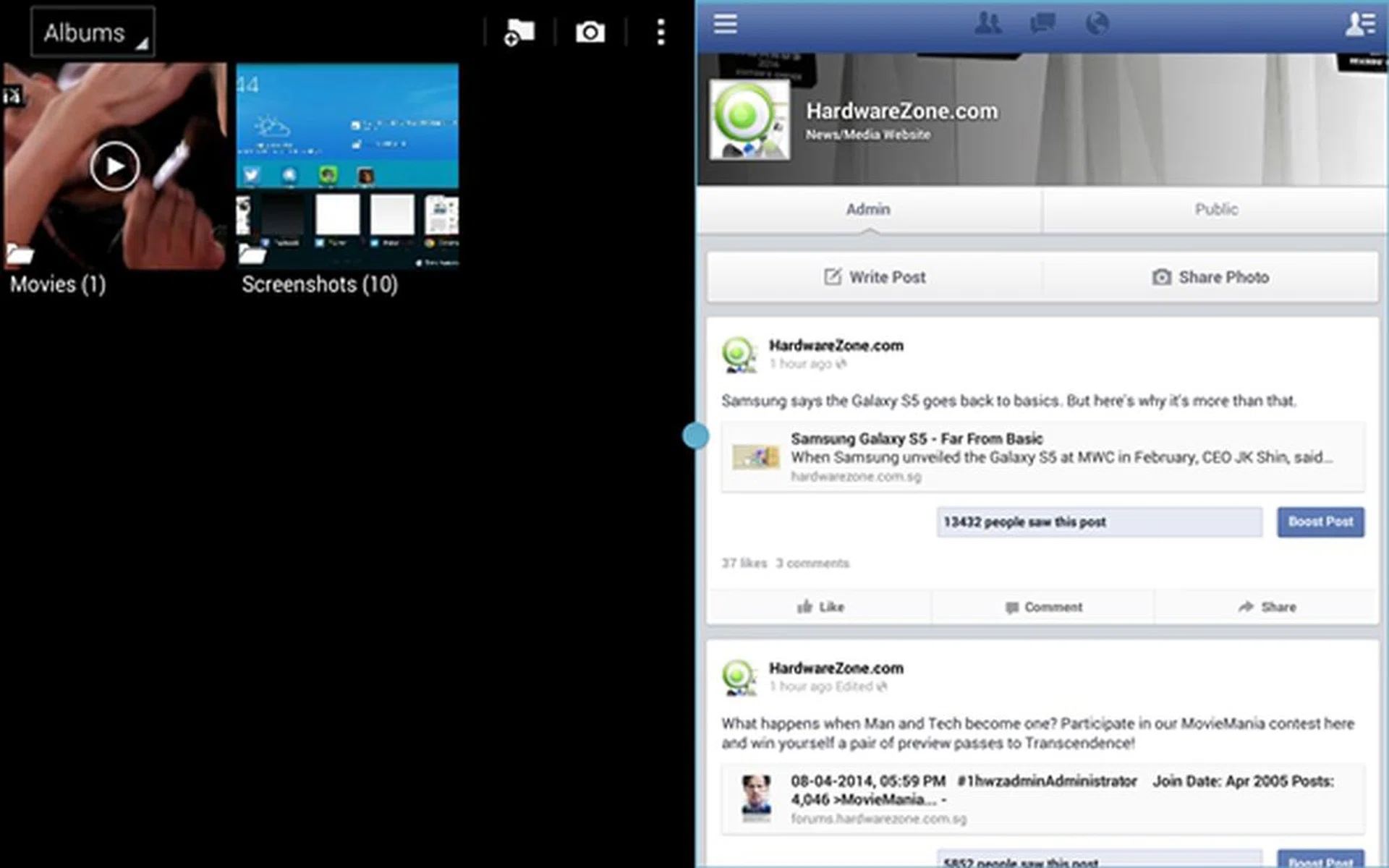
Multi Window or split screen is where multitasking gets really interesting. Currently limited to over 20 apps, you can have two windows running side-by-side on the Galaxy Tab Pro 10.1. You can even open up to 3 pop-up windows over the two windows if you want to push the capabilities of the device to its limits, but we feel that it is a little over the top for any consumer. The pop-up windows can be minimized into circular heads similar to the Chat Heads of the Facebook Home Launcher.
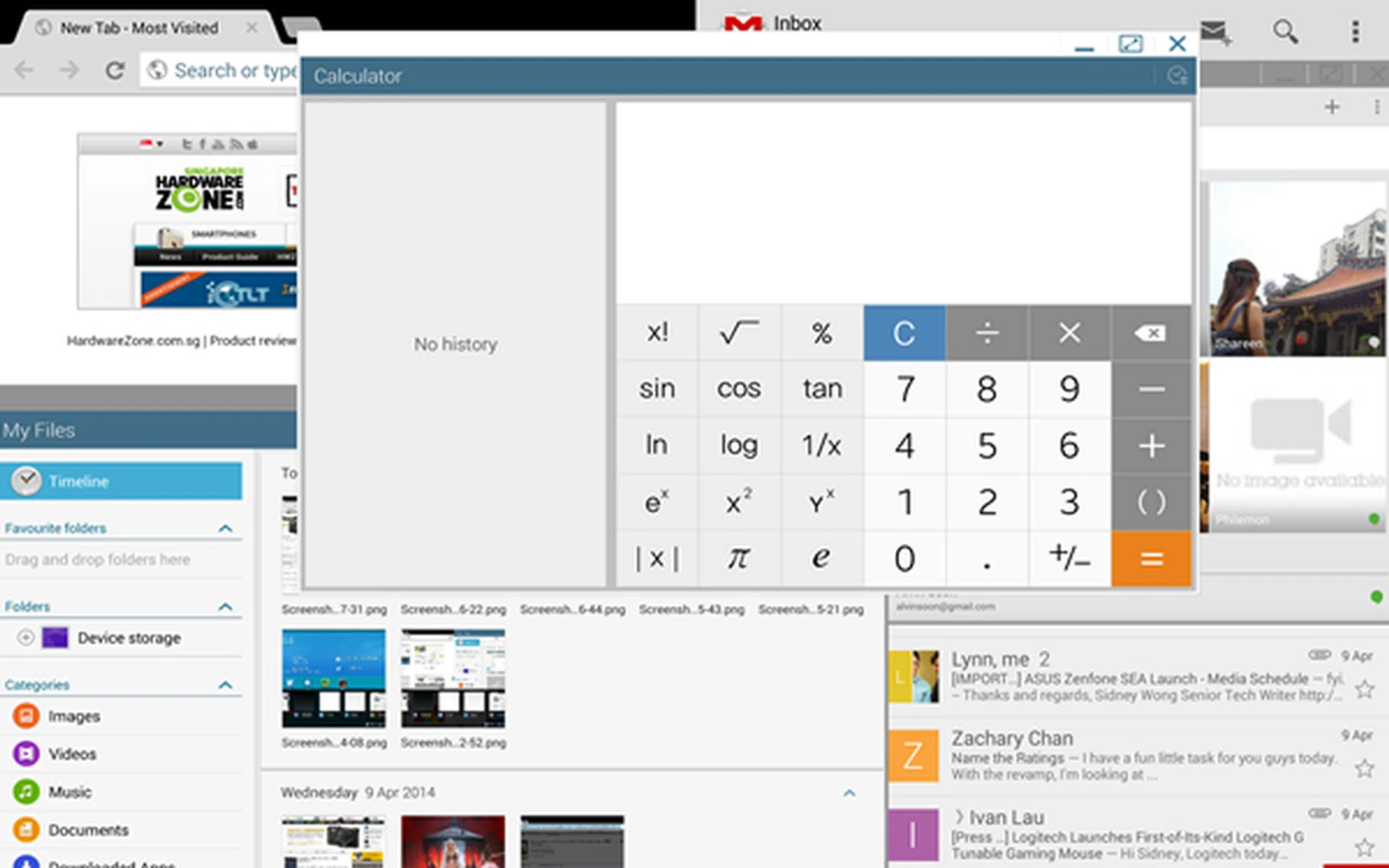
This is a little extreme, but we just want to show the extent of multitasking that is possible on the Samsung Galaxy Tab Pro 10.1.
What we find useful about the split screen feature is the ability to drag and drop a paragraph of text or a screenshot of an image from one window to another. For now, Multi Window supports Samsung apps such as the Email, Gallery and Message apps. This means that you cannot drag a screenshot from Gallery to Gmail. Although not all apps are supported, we can see the potential if Samsung continues to refine it and improve app compatibility for multitasking.

The screenshot on the left can be dragged into the Message window on the right.
Winner for Overall Productivity and Media Management: Microsoft Surface 2
Gaming
Just like smartphones, tablets are only as good as the apps they have access to. This is because consumers view the app ecosystem as an investment. If they have access to an app store with the latest and the widest variety of apps, they get more value from their tablets. Likewise, developers are inclined to invest in a vibrant app ecosystem where the target market is huge and has a viable future. Now, let's take a look at the total number of apps in each mobile platform:
- Apple App Store: Over a million apps with more than 500,000 tablet-optimized apps for the iPads
- Google Play Store: Over a million apps
- Windows Store: Over 140,000 apps
Apple iPad Air
Apple is the leader of the pack when it comes to both app numbers and quality. In the context of this article, the iPad Air has access to over 500,000 tablet-optimized apps. Apple's perspective is that tablet apps shouldn't be just scaled-up phone apps; they must be specifically designed and coded for use with the larger displays and take advantage of the more powerful hardware components within tablets.
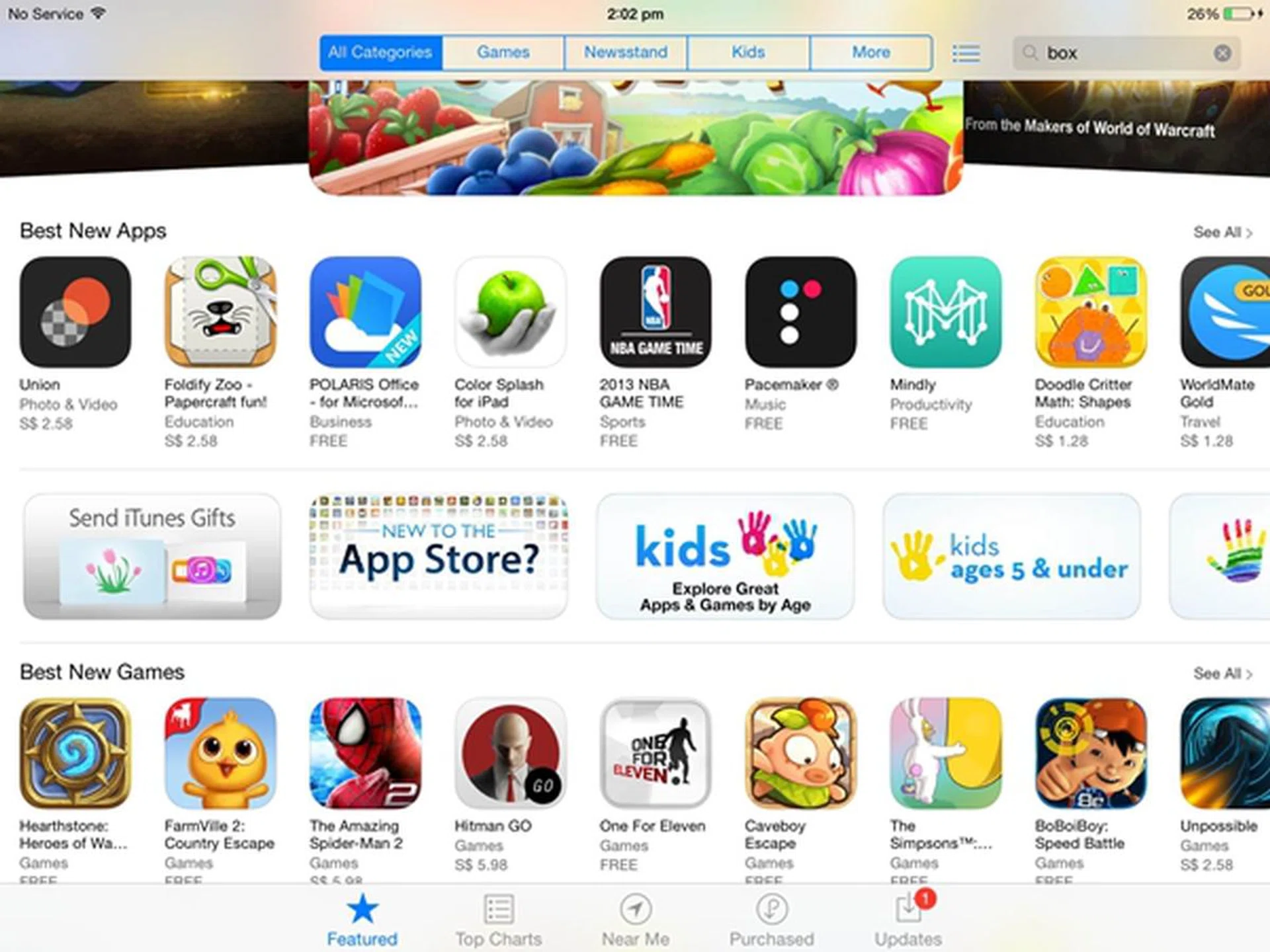
You are more likely to find big name apps on the Apple App Store than on other competing mobile platforms.
Samsung Galaxy Tab Pro 10.1
While the Google Play Store has caught up with Apple in terms of numbers, it still lacks in the quality of tablet-optimized apps. Google declined to reveal exact numbers, but has added a "designed for tablets" section for tablet users to find these apps. To promote better quality tablet apps, Google also published a tablet app quality checklist for developers to follow.
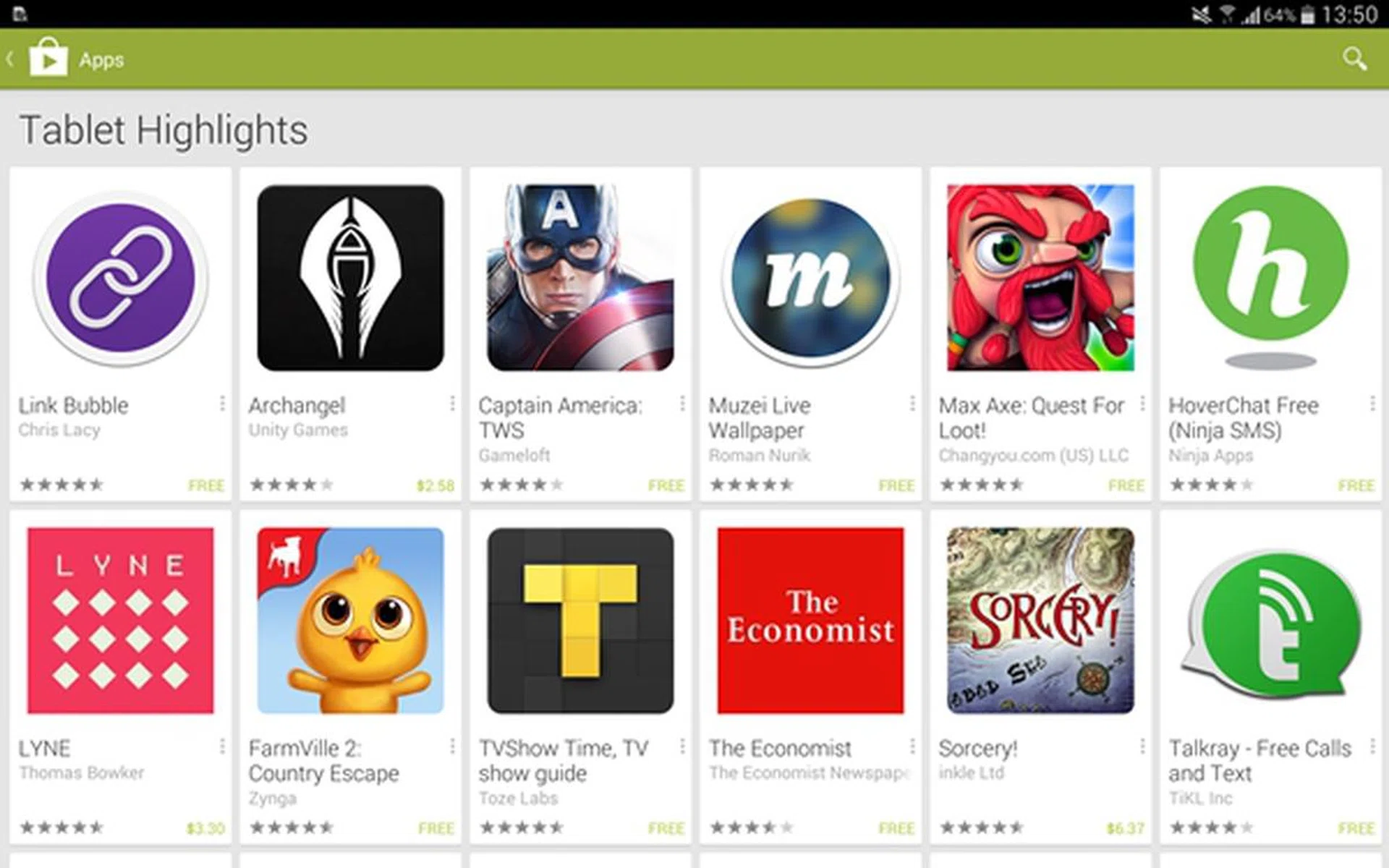
Besides helping users find tablet-optimized apps more easily, the Tablet Highlights section also encourages developers to create more apps for tablets with the assurance that their apps would less likely be lost in a sea of smartphone-specific apps.
Twitter released an app optimized for Android tablets last October. As of October 15 last year, the Twitter for Android Tablets app and widget were available on most Samsung tablets including the Galaxy Tab Pro 10.1. The Twitter app is also specifically designed to work with the multi-window feature of Samsung tablets, therefore allowing users to run Twitter side by side with another app at the same time.
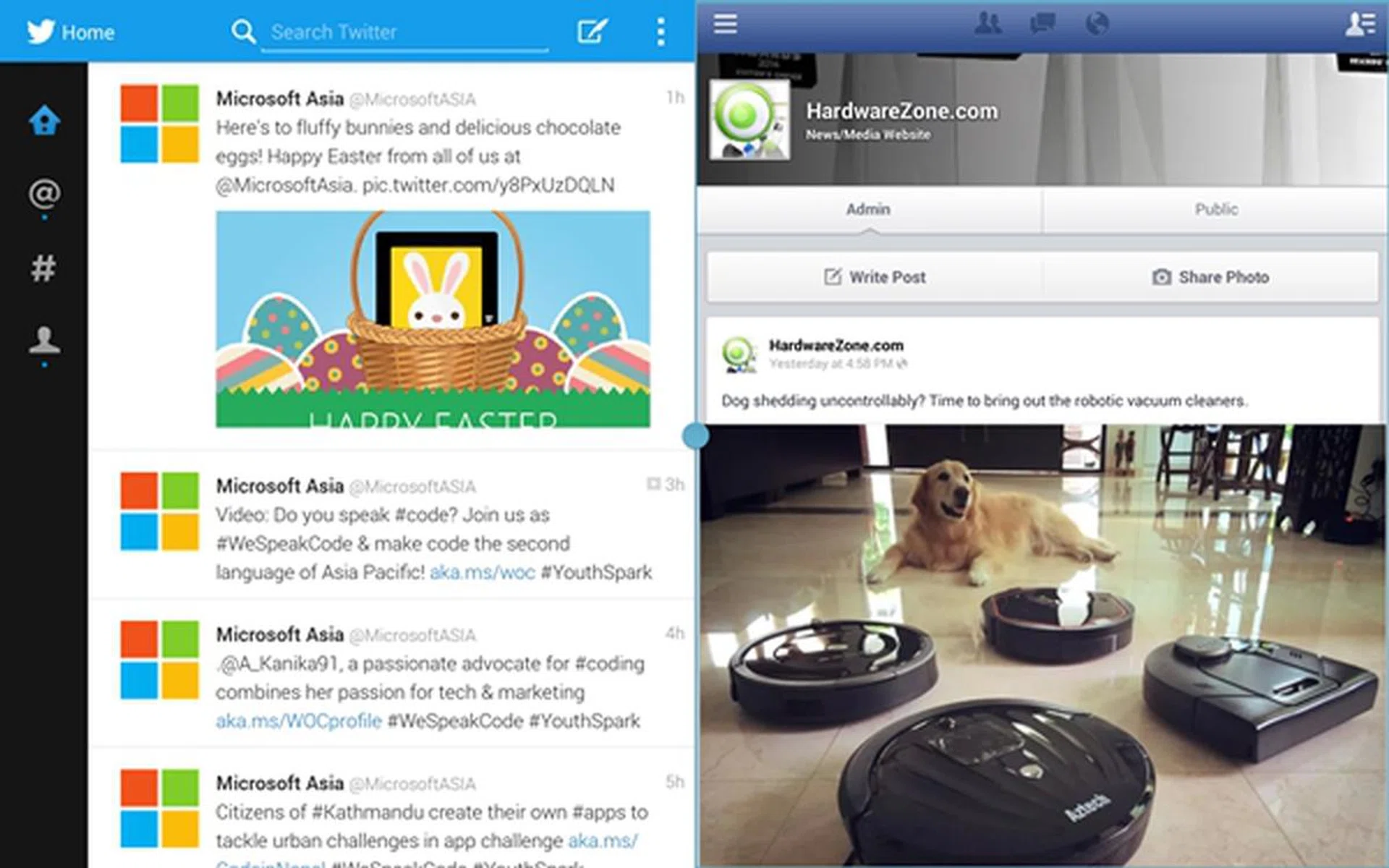
Social media enthusiasts will definitely love this feature on the Galaxy Tab Pro 10.1 where they can run Twitter and Facebook side by side!
Microsoft Surface 2
Microsoft is at a huge disadvantage when it comes to app numbers. At over 140,000 apps, the Windows Store is a far cry from the million-strong Apple App Store and Google Play Store. As noted in our review of the Surface 2, the growth of the Windows Store seems to have slowed down after a brief burst towards the end of 2013. Windows Store may have official apps for Facebook and Twitter, but it still lacks big name apps such as Instagram and YouTube. In addition to missing some big name apps, new apps are seldom launched for the Windows Store at the same time as the Apple and Android counterparts, thus aggravating the platform's uptake.
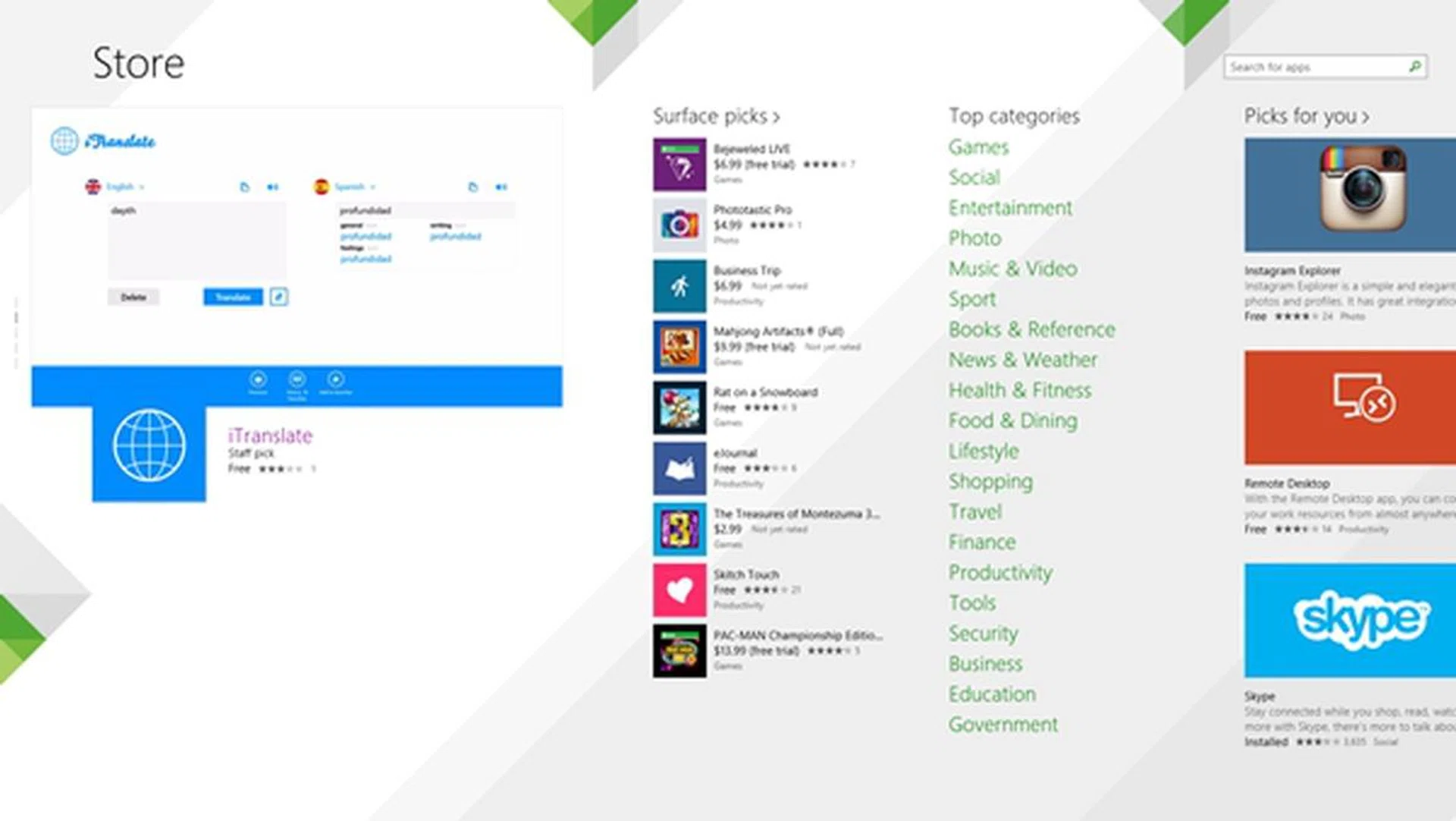
The Windows Store is growing, but it is still inferior to the selection offered in the Apple App Store and Google Play Store.
State of Tablet Games and Gameplay Exerience
The battleground for gaming apps is looming between Apple and Google; a recent report by The Wall Street Journal claims that both companies are competing to get top tier game titles first on their platforms. For many years, Apple had the advantage of having the latest gaming apps debut on its platform first such as "Plants vs. Zombies 2" and "Cut the Rope". Some big game titles such as the Infinity Blade series, are iOS exclusive and coded to take advantage of the 64-bit CPU architecture of the A7 chip used by the iPad Air (and the new iPad Mini as well as the iPhone 5S). In the near future, there will be more games (apps in general too) that will be optimized for use with the A7 processor.
The playing field might be leveled soon as Android has gained massive market share in the past year. In addition, Google also made it easier for developers to port and create apps for the Android platform. Game developers also think that it makes sense for them to debut apps on both platforms to maximize reach. For example, French developer Gameloft decided to launch the iOS and Android version of its popular car-racing game app, Asphalt 8 at the same time last year. The Windows 8 version came after three months.
To compare the gaming experience on the three tablets, we chose to run Asphalt 8: Airborne.

Asphalt 8: Airborne as seen on both the Apple iPad Air and the Samsung Galaxy Tab Pro 10.1.
Both the Air and Galaxy Tab Pro 10.1 seemed to provide more visual effects during the game. As seen in the screenshots above, the sun flares can be seen at the bottom left corner when the game started. Unfortunately, the Surface 2 lacked the same level of global illumination, sun flares and other other visual effects (as seen in the photo below), almost as if it was running a different level of the graphics API. Apart from the visual effects that was differentiated, game play was smooth on all three tablets.
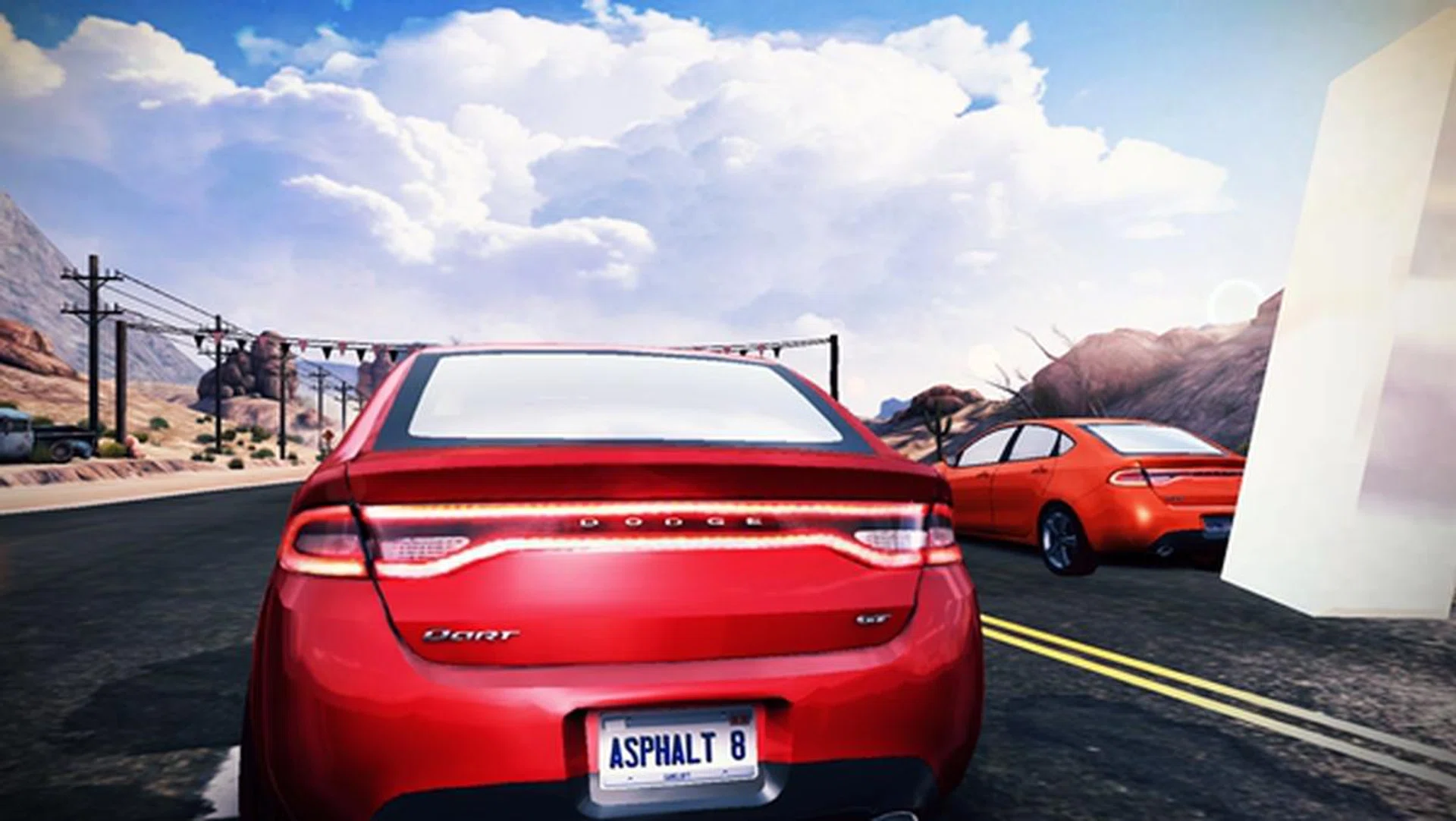
However on Microsoft's Surface 2, the game seems to be lacking some visual effects that gave it more realism on the other two tablets.
The one and only issue we had when running the game was the speaker placement on the iPad Air. As the speakers are located at the right side (landscape mode when playing games), our hands covered the speakers and muffled the audio output. This wasn't the case for the Galaxy Tab Pro 10.1 and Surface 2 as their speakers are located on the upper section of the right side in landscape mode.
Placement of the volume rocker also affects the gaming experience to some extent as consumers typically need to increase or decrease the volume while gaming. With the exception of the Surface 2, we find it hard to reach for the volume rocker on the Air and Galaxy Tab Pro 10.1 as they are located on the top left corner of the devices. The Surface 2 has its volume controls located along the upper left side of the device, which makes it convenient for us to adjust the volume while playing games in landscape mode.
Game Play in Portrait Mode

Left to right: iPad Air, Galaxy Tab Pro 10.1 and Surface 2.
There are games that can be played in landscape mode while there are others which are meant to be played in portrait mode. We tried running a game in portrait mode on all three tablets and found that the gaming experience is most awkward on the Surface as it looked exceptionally elongated due to its aspect ratio. The iPad Air, on the other hand, felt comfortable.
Watching Movies
We'll start off with the most obvious observation. The 4:3 aspect ratio of the Apple iPad Air's display doesn't get along well with most videos that are tailored with a widescreen 16:9 aspect ratio. As a result, you will have to put up with letterboxing (two black bars at the top and bottom of the video).

Notice the black bars at the top and bottom when viewing videos on the Apple iPad Air.
On the other hand, the Galaxy Tab Pro 10.1 and Surface 2 had no letterboxing issues as their displays have aspect ratios of 16:10 and 16:9 respectively:-

A screenshot taken from a video playback on the Samsung Galaxy Tab Pro 10.1.
Aside from the screen aspect ratio, the form factor of the tablet also affects the multimedia viewing experience. Generally speaking, thinner and lighter form factors are recommended for consumers who watch videos on the go (e.g on the train or bus). This is where the Surface 2 faltered somewhat as it is simply too bulky to be held in your hands for a lengthy duration.
However, the integrated kickstand of the Surface 2 will be useful if you place the tablet on a flat surface and watch movies. The lower 55-degree angle provides the optimal viewing angle for watching movies on your lap or desk. Additionally, you could use the outstretched kickstand to your advantage even when not placed on a surface by balancing the device on both your middle fingers while your index fingers and thumbs hold the screen securely. It might sound a little complicated, but this will be second nature once you've tried it a few times.
Occasionally, we would feel the need to adjust the brightness and volume during a video playback. In this respect, the Galaxy Tab Pro 10.1 takes the cake by allowing you to adjust the brightness and volume level on-screen. This feature, however, can also be found on third-party video players on the Google Play Store, but it's good to know the default media player has this incorporated.

We like how subtle the brightness and volume sliders will appear along the sides of the screen without affecting the video playback.
The volume slider is located on the right side of the screen while the brightness slider is located on the left. This saves you the hassle of reaching out for the physical home button or fumbling to adjust these settings. Alternatively, you can also swipe down from the top during a video playback to control these settings.
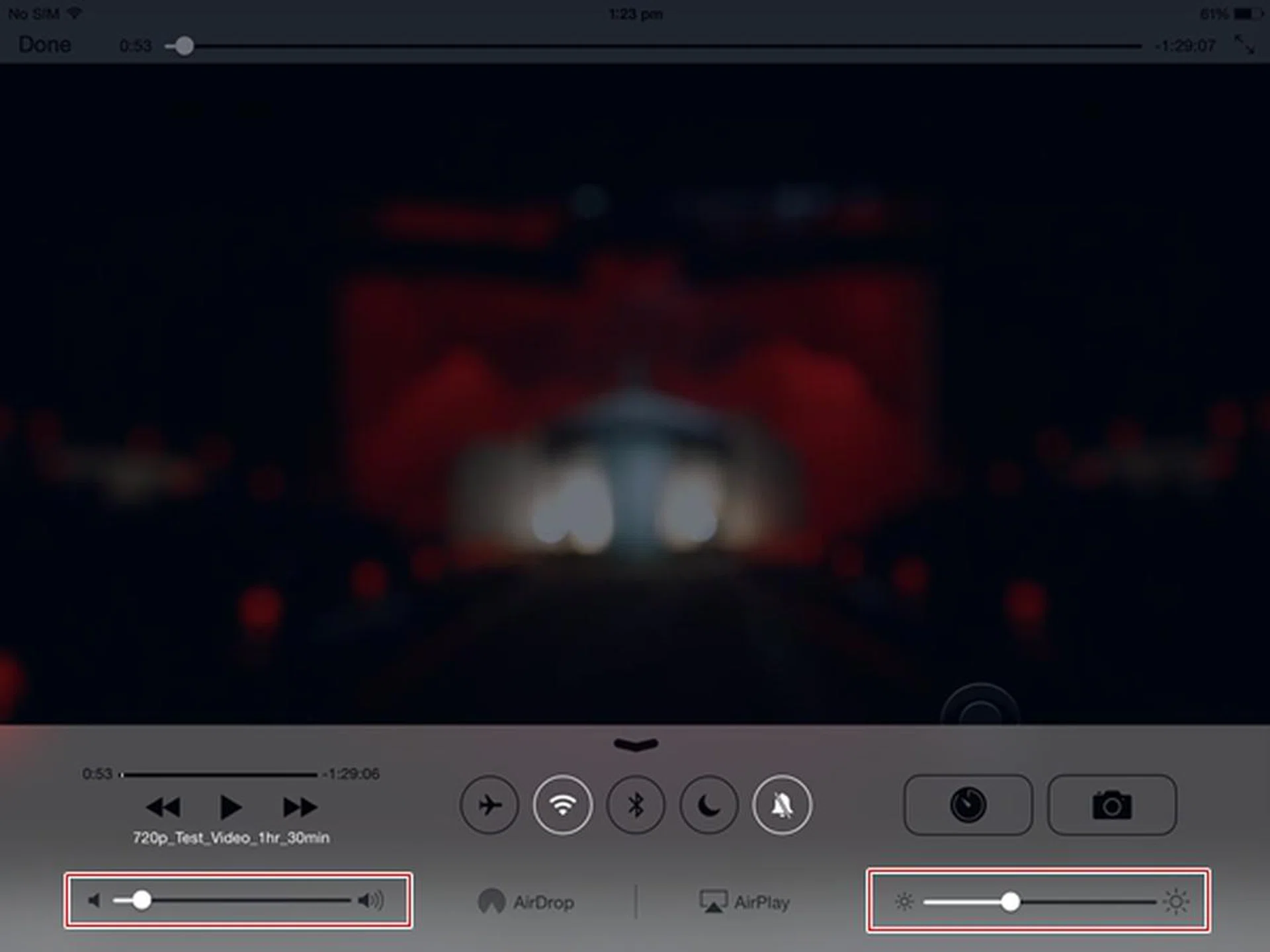
Apple's implementation is not bad too; a swipe up from the bottom lets you access Control Centre where you can adjust the volume and brightness levels. However, the video playback will pause when you access Control Centre.
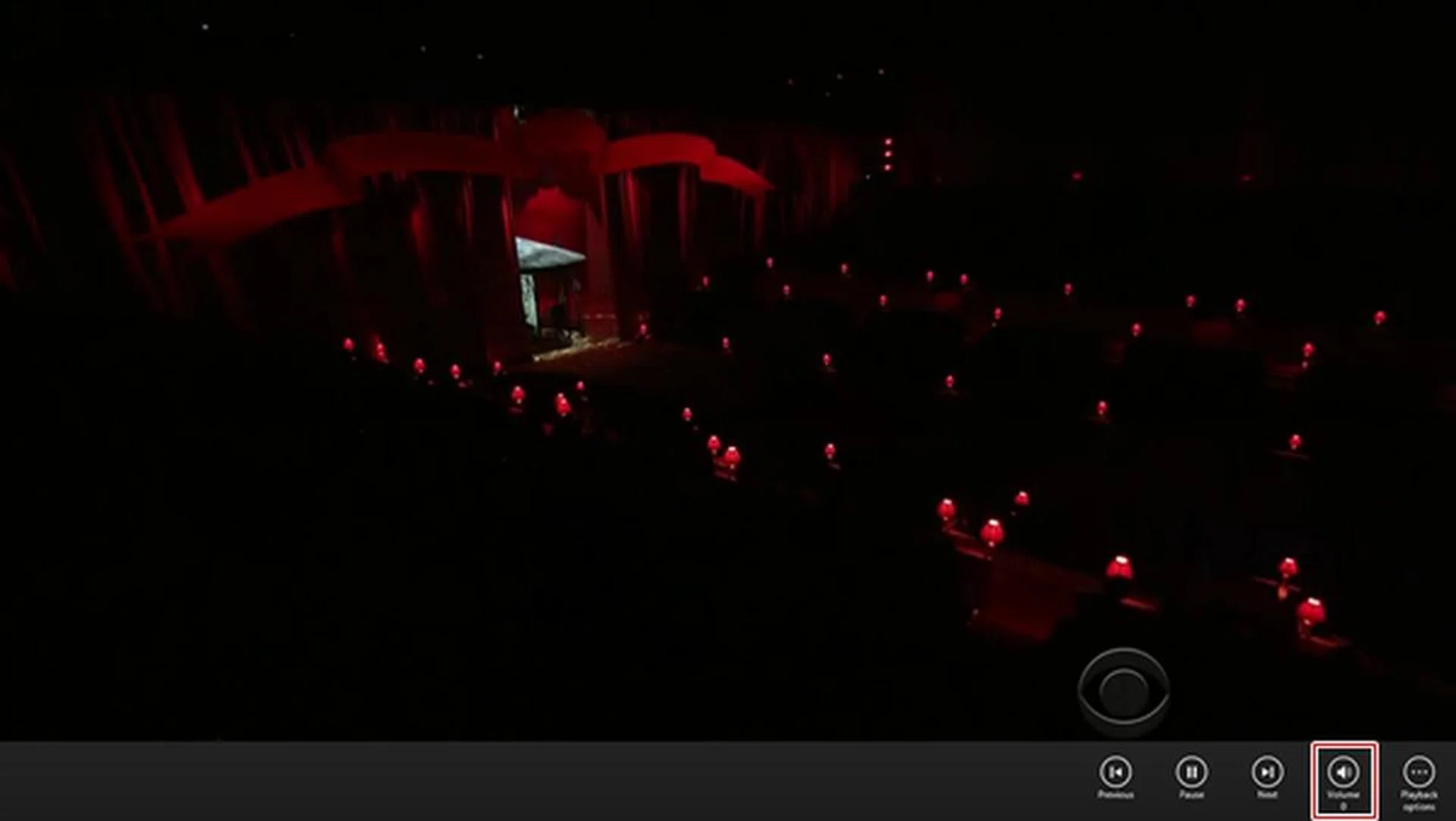
The Surface 2 only allows you to adjust the volume during a video playback. When adjusting the volume control, the video continues to play.
Speaker Audio Quality
We pushed the volume level to 100% on all three tablets to see the audio output quality. The Surface 2 delivered a more pleasant, clearer and cleaner audio experience compared to the other two tablets. However, it lacks bass and suffers from distortion at maximum volume; tuning it down between 80% to 90% audio level, helps resolve the audio distortion issue. The Galaxy Tab Pro 10.1 is the loudest among the three tablets, but it sounded a little flat and direct as compared to the better spatial audio delivery on the Surface 2 that gives the output a bit of depth. It too suffers from audio distortion at maximum volume. The iPad Air fared the worst in this comparison as its speakers got muffled by our hands while viewing videos in landscape mode.
Winner for Gaming: Apple iPad Air
Winner for Movie Watching: Microsoft Surface 2
Battery Performance
Battery life is still one of the most important factors for most consumers. There's really not much you can do with the device if it cannot last long. Our standard battery test for mobile phones has the following parameters:
- Looping a 720p video with screen brightness and volume at 100%
- Wi-Fi and Bluetooth connectivity turned on
- Constant data streaming through email and Twitter
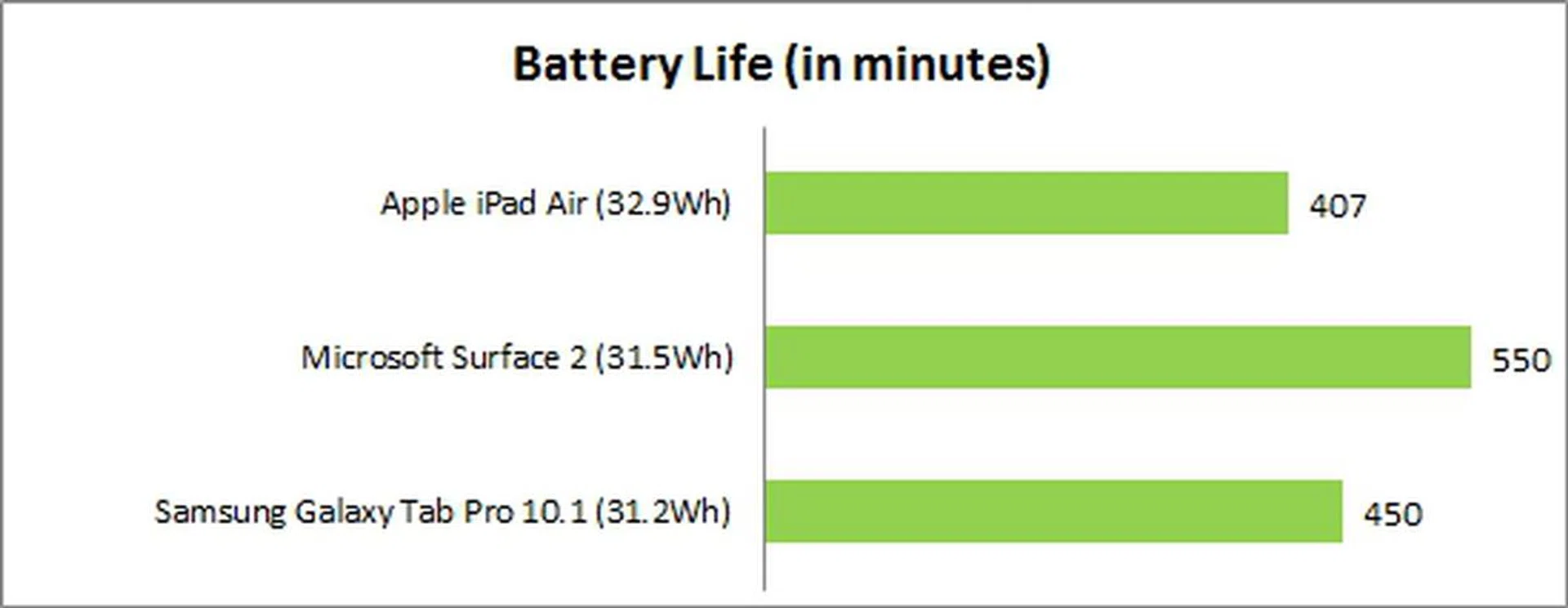
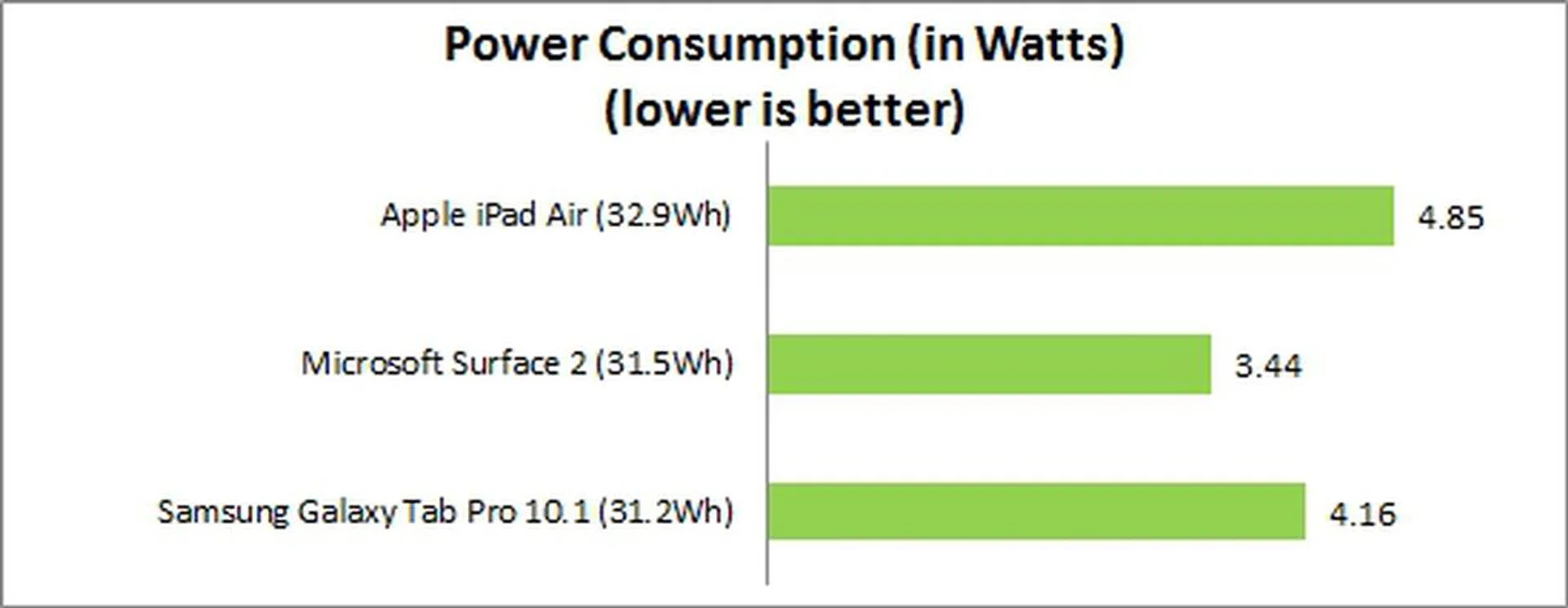
The Surface 2 lasted nine hours and 10 minutes, which is 35% longer than the iPad Air, and 22% longer than the Galaxy Tab Pro 10.1. The Surface 2's better battery mileage can be attributed to its slightly lower resolution display and power efficient Tegra 4 chipset. This is evident in the Power Consumption chart where both the iPad Air and Galaxy Tab Pro 10.1 registered higher power consumption figures than the Surface 2.
Type of Charging Port
The iPad Air uses Apple's proprietary Lightning port, which was first introduced with the iPhone 5 two years ago. If you have friends or colleagues who are using recent Apple's devices, chances are you can depend on them to lend a Lightning cable if you ever forget to bring one.
Like the iPad Air, the Surface 2 also uses a proprietary magnetic charging port. The magnetic charging connector now fits more securely and is less prone to being knocked out. The strip of light around the connector is also more obvious than the lighted dot on top of the old connector, making it easier to know that the connector is plugged in and charging correctly.
The Galaxy Tab Pro 10.1 relies on a micro-USB 2.0 port for charging purposes. You can basically use any micro-USB cable to charge the Samsung slate although various factors such as quality of the cable, the type of USB port (of a PC or laptop) and the negotiated current flow affects how fast the device is charged. We've done an article on USB Charging for Mobile Devices, so do head over there for more information. However, the main point is that using a standard USB cable means that the Samsung tablet has no shortage of options for charging the device as the connectivity standard is omnipresent.
Reading on your Tablet
Besides productivity tasks and movies, many would undoubtedly use their tablets for reading at length and this means not having to purchase a dedicated e-reader device. In this section, we will look at the readability and availability of reading content on the three tablets.

Left to right: iPad Air, Galaxy Tab Pro 10.1 and Surface 2. <br> Click for an enlarged version.
The iPad Air displays less content compared to the Galaxy Tab Pro 10.1 and Surface 2, but its details are larger and easier to read. The Surface 2 shows the most content of the compared devices, but its 16:9 display aspect ratio ratio feels awkward to use in portrait mode. It is also not recommended to hold the Surface 2 in portrait mode as the heft of the device will weigh your hand down after a few minutes. This is however, not an issue for the Galaxy Tab Pro 10.1 as it is the thinnest and lightest among the three tablets. Despite Samsung's leading physical dimensions and weight, the iPad Air can almost match those aspects and offer a more comfortable reading experience - both in terms of device weight distribution and handling, as well as the 4:3 screen aspect ratio that offers you more details without having to pinch zoom.
Reading Content
The availability of reading content determines whether a tablet can truly replace dedicated e-book readers. Let's see what each platform has to offer:
Apple iPad Air
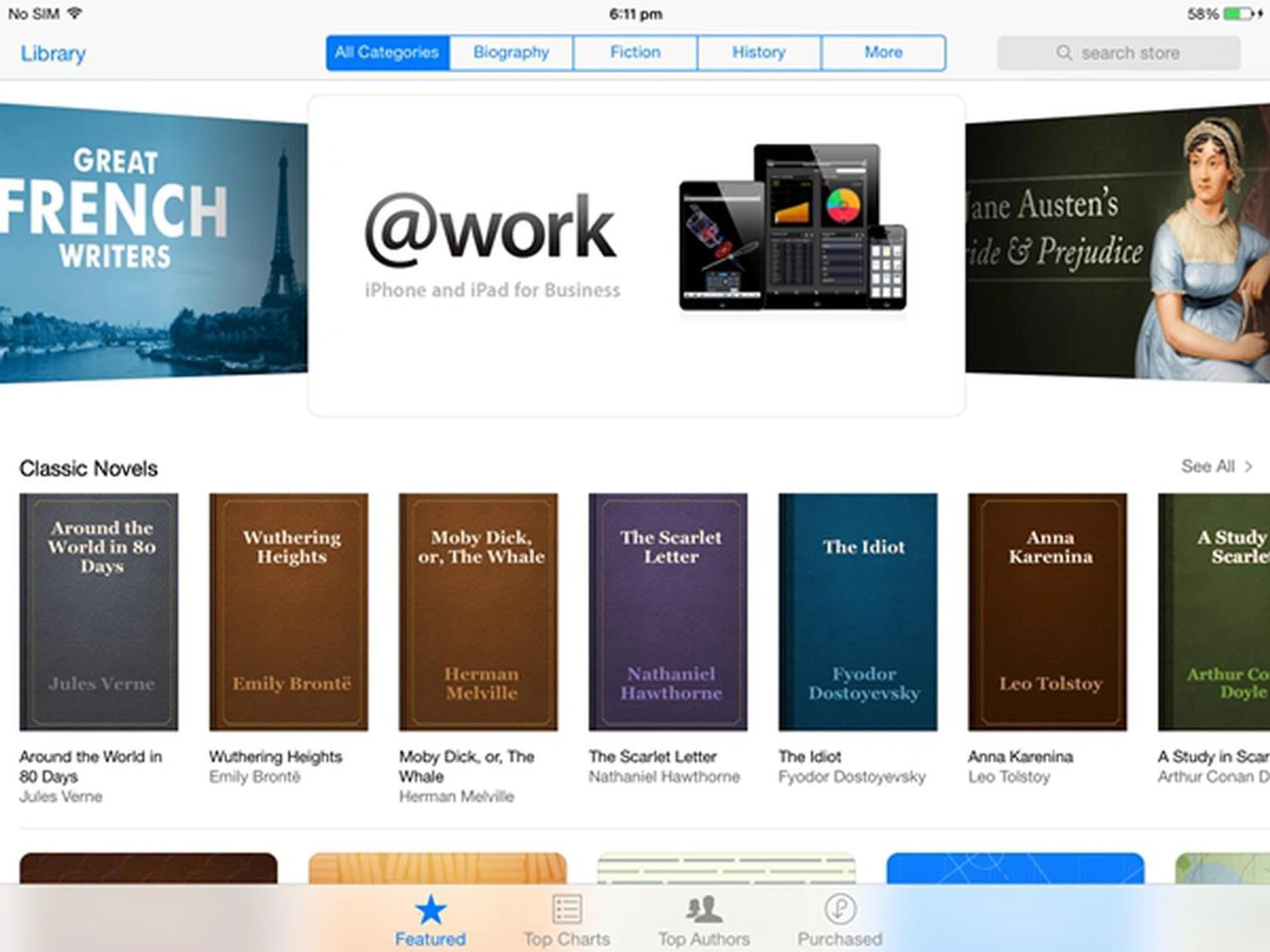
According to Apple, there are over 2 million books available on the iBooks Store. Due to its integration with iCloud, purchased/downloaded books will be synced across your iOS/Mac devices. Bookmarks, highlights, notes and the page where you last left off will be kept up to date on all your devices.
The storage capacity of iBooks seems to be limited to the available storage space on the Air. However, iCloud integration means that you can only sync up to 5GB of reading content. iBooks Store is currently available in 51 countries. In the context of Singapore, only free books are available for download. The App Store has a huge range of compelling third party apps such as Magzter and Zinio for downloading books and magazines.
Samsung Galaxy Tab Pro 10.1
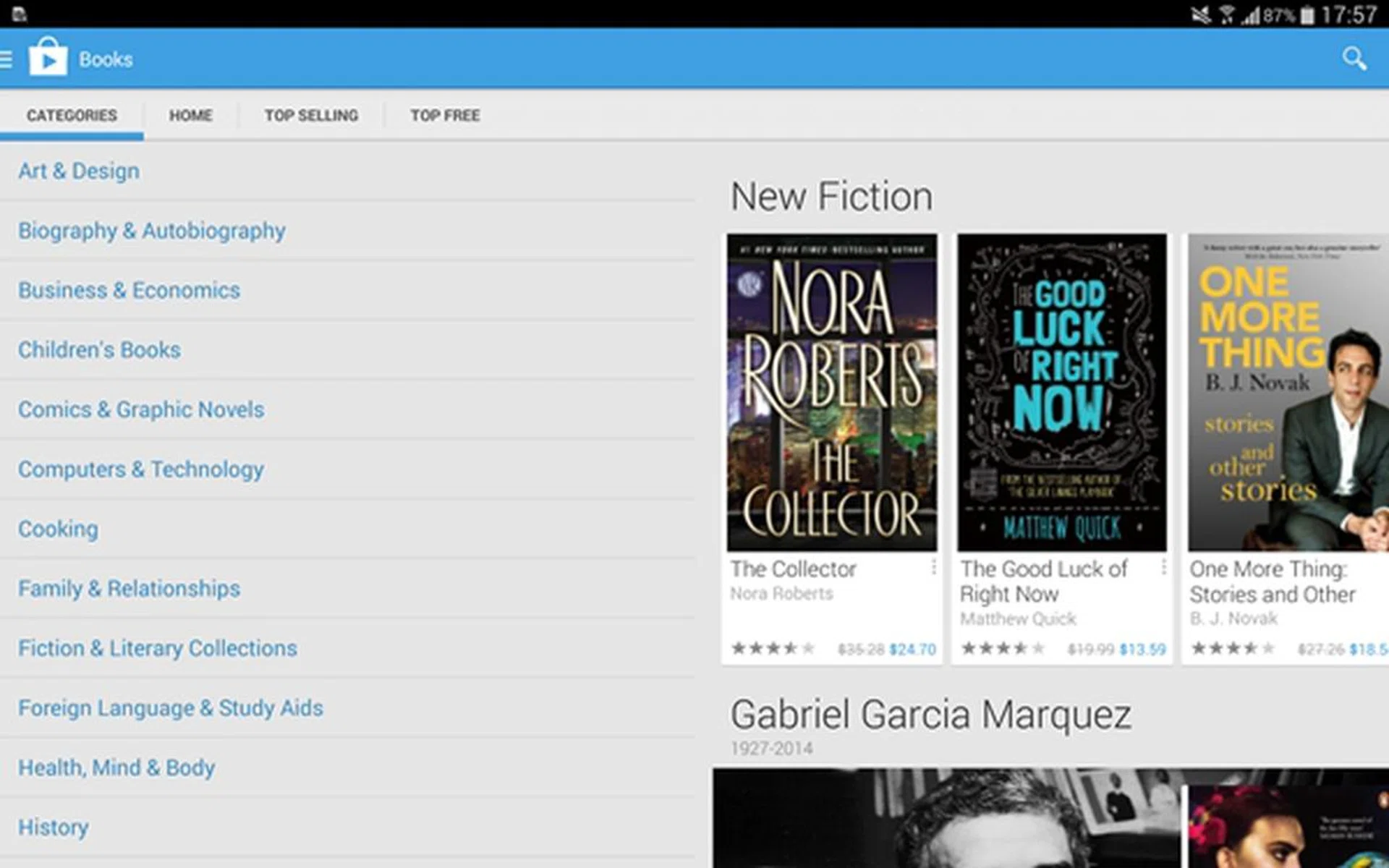
Samsung doesn't have its own ecosystem, but relies on Google just like all other Android tablets. Google claims that its Books Store has over 4 million books and is available in over 40 countries. As the Books app is synced to the Google account, the library of books will be the same across all your Android and iOS devices. Up to 1,000 files can be stored in your Google account and each file cannot exceed 100MB in size.
Microsoft Surface 2
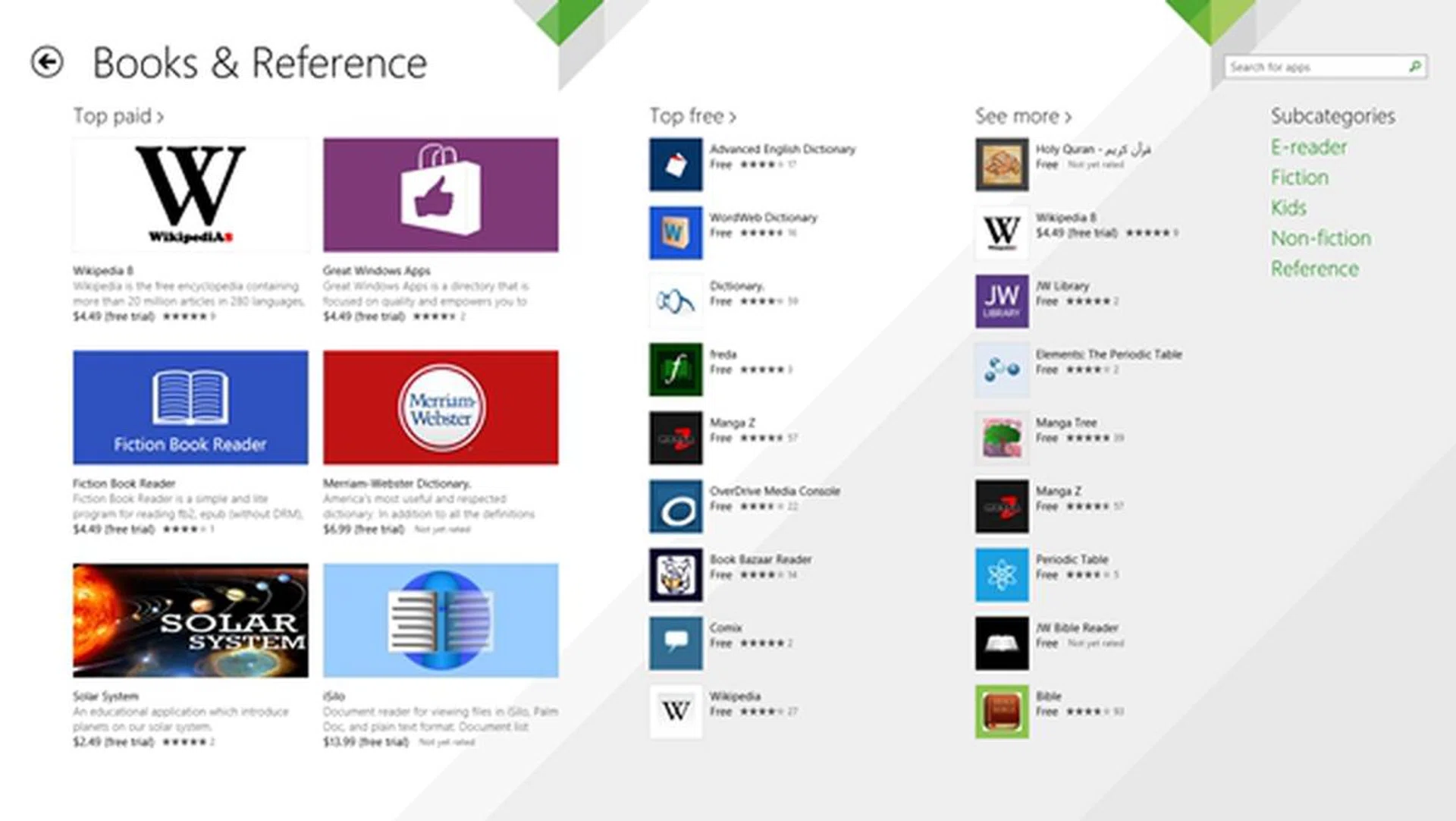
There is no official book store (at least in the context of Singapore) for Windows 8.1 RT on the Surface 2; you have to download third party apps if you want books or comics. There are quite a number of such apps in the Windows Store although popular ones like Zinio are missing.
Winner for Battery Performance: Microsoft Surface 2
Winner for Reading Performance: Apple iPad Air
User Friendliness
The core of the tablet experience lies in how consumers navigate the interface, gets things done and access information. All three manufacturers have different dogmas on how the interface should be designed for an optimal user experience.
Managing notifications is among the most important aspects for mobile devices and both the iPad Air and Galaxy Tab Pro 10.1 deal with it via pull-down panels. For the iPad Air, a swipe down from the top of the screen gives you access to Notification Centre where emails, missed calls, to-dos and calendar info are compiled for easy viewing. Notifications are grouped according to their categories (e.g Facebook, Gmail, App Store). You cannot execute any action on the notification except to access them (by individual level) or remove them (by category).
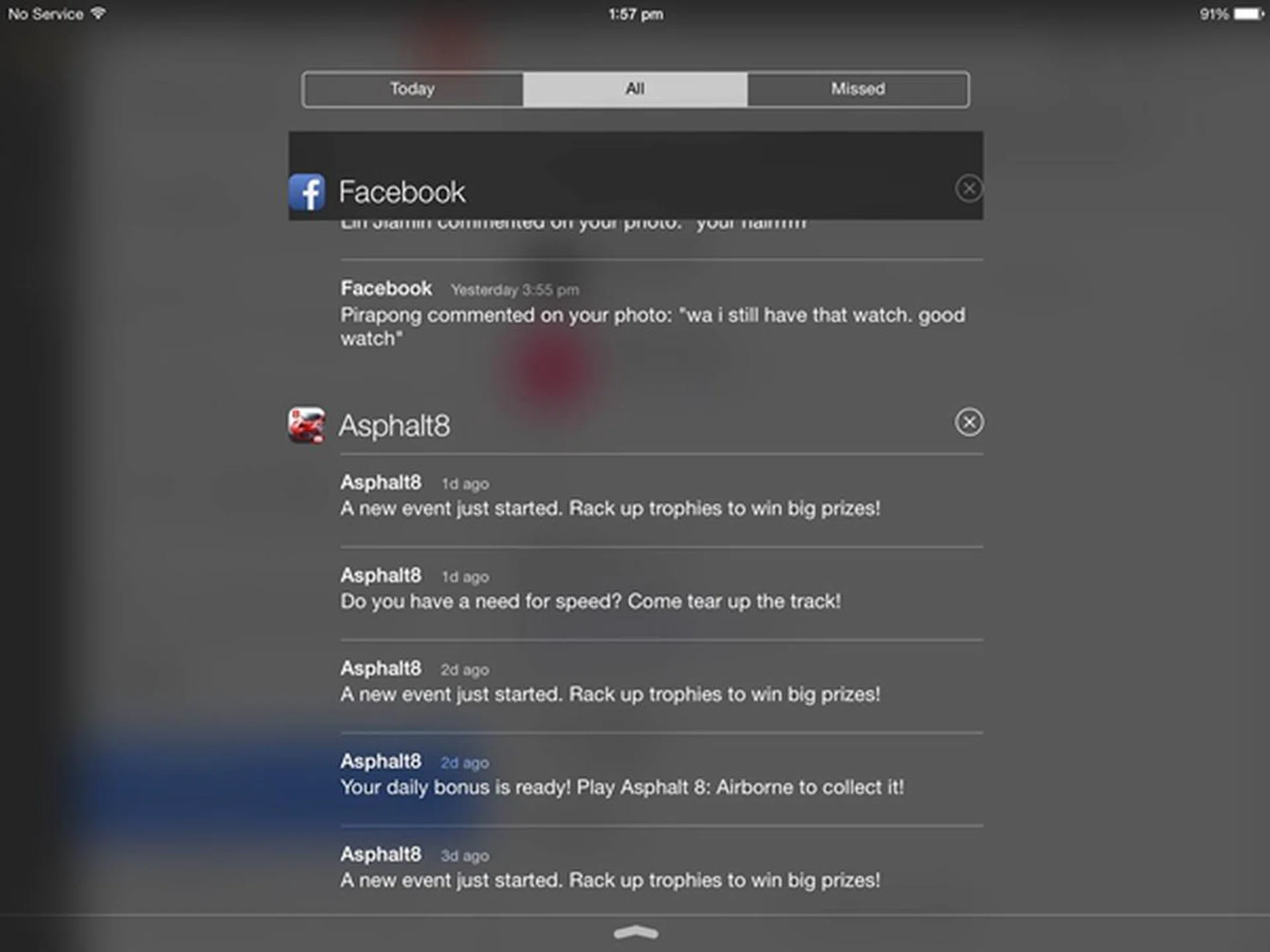
Apple's iOS 7 categorizes your notifications, hence making it easy for you to mass delete notifications.
Aside from letting you view the notifications, the notification panel on the Android OS also enables you to carry out certain actions. In the screenshot below, you are able to delete, edit or share the screenshot from the notification panel without the need to access it through the Gallery app. The Android notification panel also has the advantage of integrating the quick toggle settings with the notification panel. In addition, you can customize which quick setting buttons to appear at the notification panel. The iPad Air, on the other hand, allows you to access a fixed set of quick toggles (airplane mode, Wi-Fi, Bluetooth, Do not Disturb mode, Mute, brightness, volume, camera and music playback).
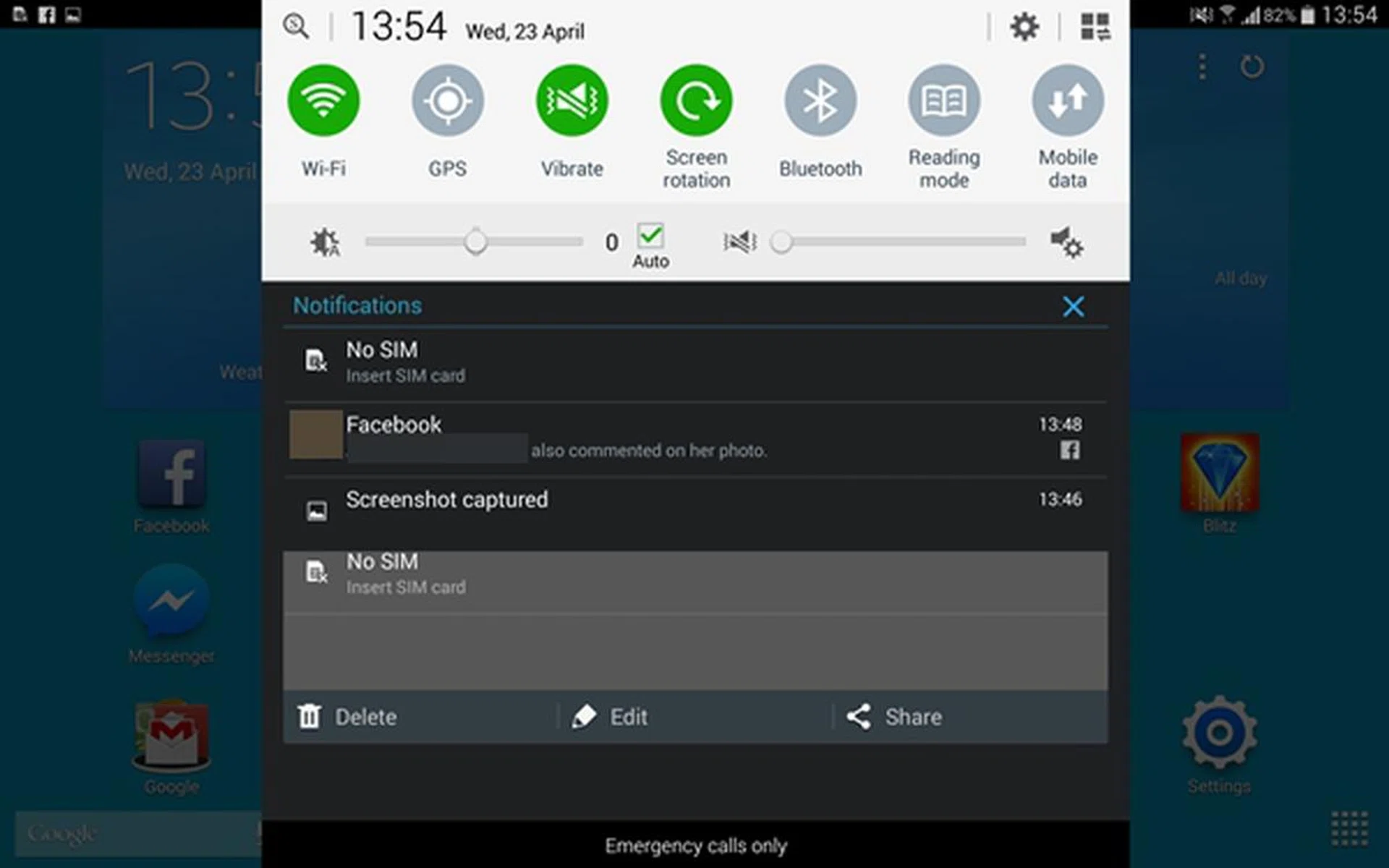
The notification panel on the Samsung Galaxy Tab Pro 10.1 is significantly more powerful and customizable.
The Surface 2 is slightly more confusing than the iPad Air and Galaxy Tab Pro 10.1. While its two counterparts adopt an app-based interface, the Surface 2 prides itself on having a unique interface made up of Live Tiles. Dubbed the Modern UI, it is an integral front-end of the Windows 8 interface. The Live Tiles function similar to app widgets on Android, where information is updated at regular intervals.
They also can be resized to your preferences and in accordance to their importance. For example, you may want to see the weather forecast for today and tomorrow. You have the option to turn its Live Tile feature on for the latest update on weather information, and resize it to receive just the right amount of information at a a glance. In the case of the weather forecast tile, medium gives you today's forecast, wide displays today's forecast with animation, or large which provides forecasts for today and tomorrow with animation.
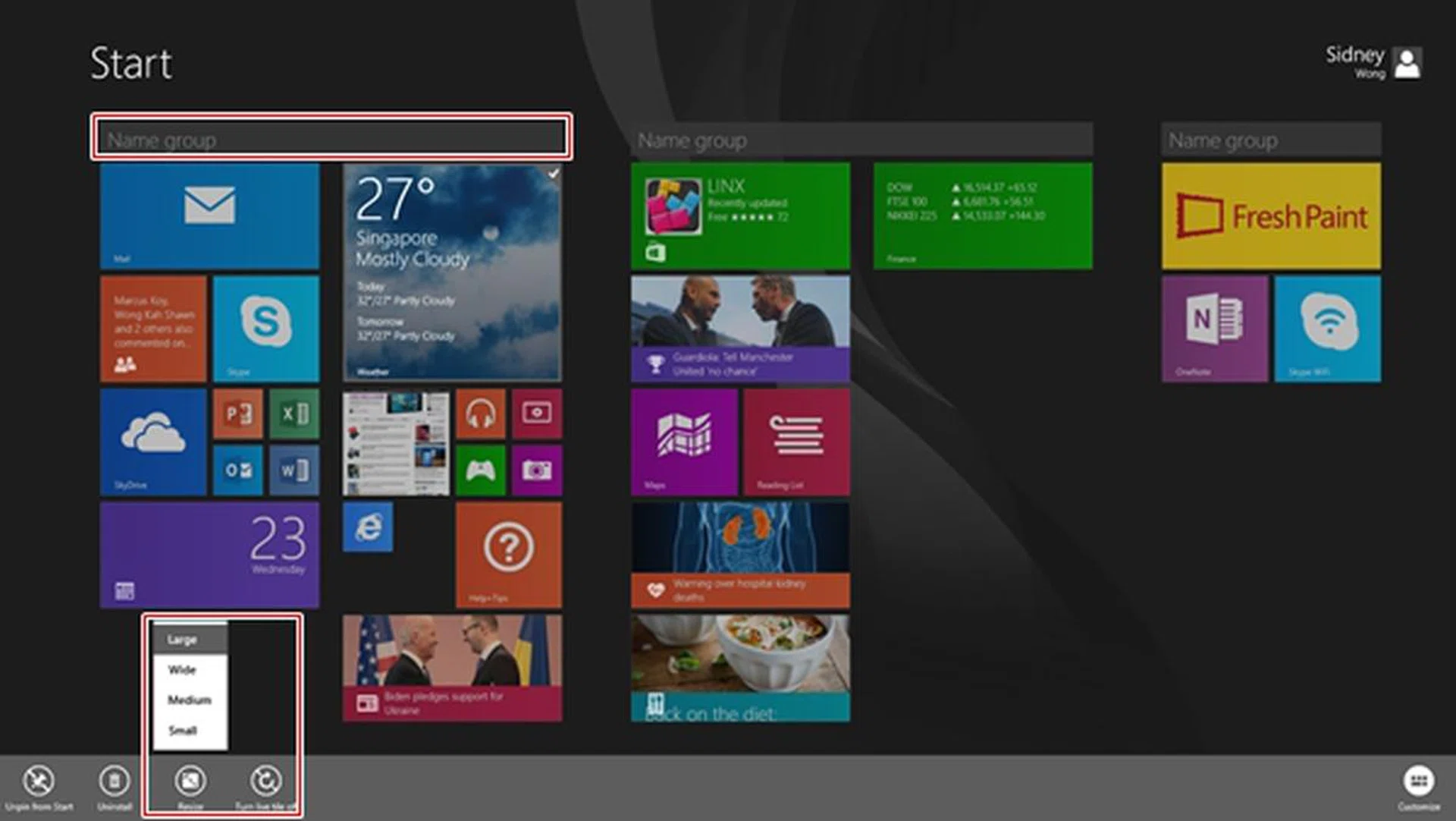
You can bunch apps with a group name, resize the Tiles and enable Live Tile for apps that support that feature.
Navigating the interface can be a tricky, especially for users who are new to the Windows 8 interface. The recent Windows 8.1 RT update addressed some of the shortcomings of its predecessor, but it still poses quite a learning curve for a newbie to get acquainted with the different swipe gestures and features. The key thing to understand is that the interface is not difficult, but rather, it's still new to most people. You can check out our article, "Windows 8.1 Update: Bridging the Touch and Desktop Gap", where some of the new features can also be found on Windows 8.1 RT in the Surface 2 tablet.
As such, in terms of overall user-friendliness, usability and interface navigation, the Samsung Galaxy Tab Pro 10.1 seems to have a slight upper hand. Consumers who are looking for a straightforward interface to use will appreciate the iPad Air, but we foresee more demanding users gravitating towards the Samsung Galaxy Tab Pro 10.1.
Portability
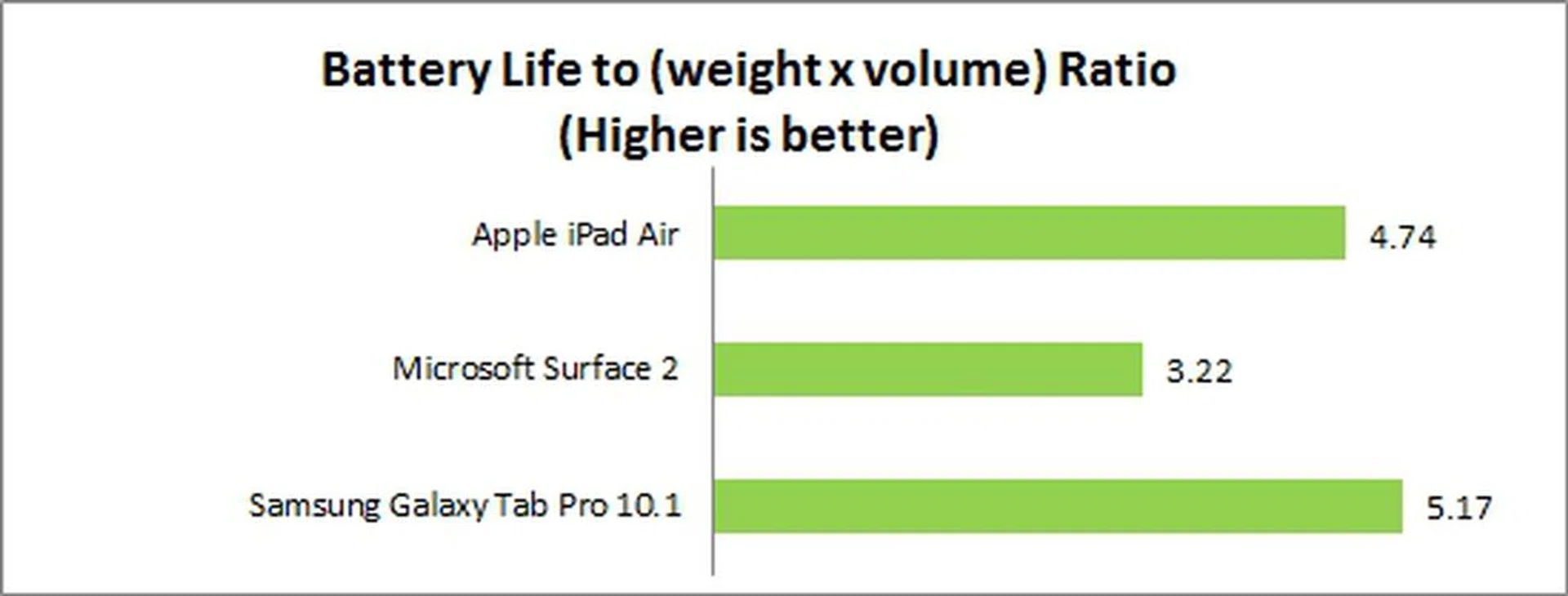
To a certain extent, the ease of use also extends into the physical attributes of the device and one way to look into it as by assessing the portability of the device where its ability to balance battery mileage against its size and mass, make up our Portability Index. As seen in the graph below, the Samsung Galaxy Tab Pro 10.1 takes the top spot as it has the sleekest dimensions and a light weight form factor. While it lost out to Microsoft's Surface 2 in raw battery life, these other factors made it favorable enough that it still clinched the top spot.
Data Connectivity
More often than not, tablets are used by consumers while they are on the move from one place to another. This is where data connectivity options comes into play. Both the iPad Air and Galaxy Tab Pro 10.1 are available in two variants - Wi-Fi only and Wi-Fi + 4G LTE - while the Surface 2 sold in Singapore only comes as a Wi-Fi-only model.
In terms of Wi-Fi connectivity, Apple and Samsung claim that their tablets can deliver extremely fast download speeds. The iPad Air has dual-band (2.4GHz and 5GHz) 802.11n Wi-Fi and MIMO (Multiple Input Multiple Output) technology, which can deliver download speeds of up to 300Mbps.
Similarly, the Galaxy Tab Pro 10.1 supports dual-band (2.4GHz and 5GHz) 802.11ac Wi-Fi and VHT (Very High Throughput) 80MHz MIMO transmission. It also has a feature, Network Booster, which can enhance download speeds by using both Wi-Fi and mobile data concurrently. To find out how Network Booster works and fared in reality, do check out our review of the Galaxy Note Pro 12.2 which first introduced this feature. The Surface 2 only supports the older Wi-Fi 802.11 a/b/g/n standards.
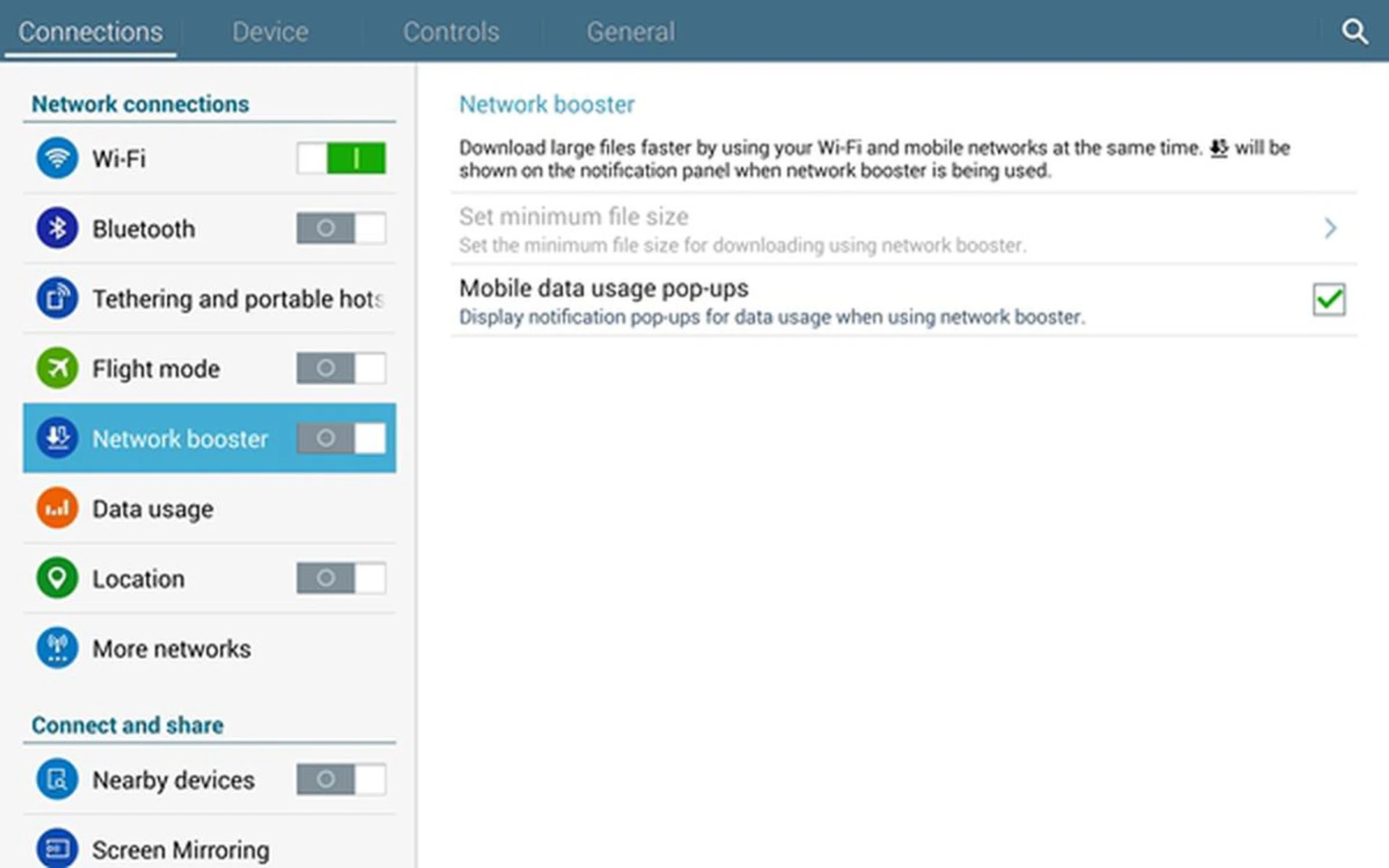
The Samsung Galaxy Tab Pro 10.1 supports a unique feature called Network Booster to combine Wi-Fi and mobile data usage (3G/4G) to turbo boost your downloads/transfers if you're really in a hurry.
When it comes to 4G LTE connectivity, the iPad Air model sold in Singapore supports 14 LTE bands (two of which are used by all three telcos). In comparison, the Galaxy Tab Pro 10.1 only supports six LTE bands (2600, 2100, 1800, 900, 850, 800MHz). What this means is that the iPad Air can connect to more LTE networks around the world. For consumers who often travel overseas, this is a major plus point.
Supporting more bands is one part of the big picture; the speeds supported is another. The Galaxy Tab Pro 10.1 supports LTE Cat 4, which means you can enjoy download speeds of up to 150Mbps. The iPad Air supports LTE Cat 3; the maximum download speed is 100Mbps.
Winner for User Friendliness: Samsung Galaxy Tab Pro 10.1
Winner for Data Connectivity: Apple iPad Air + Samsung Galaxy Tab Pro 10.1
Conclusion
Apple iPad Air | Microsoft Surface 2 | Samsung Galaxy Tab Pro 10.1 | Winner | |
Productivity |
|
|
| |
Media Management |
|
|
| |
Games |
|
|
| |
Movies |
|
|
| |
Battery Performance |
|
|
| |
Reading |
|
|
| |
User Friendliness |
|
|
| |
Data Connectivity |
|
|
| |
Final Tally |  |  |  |
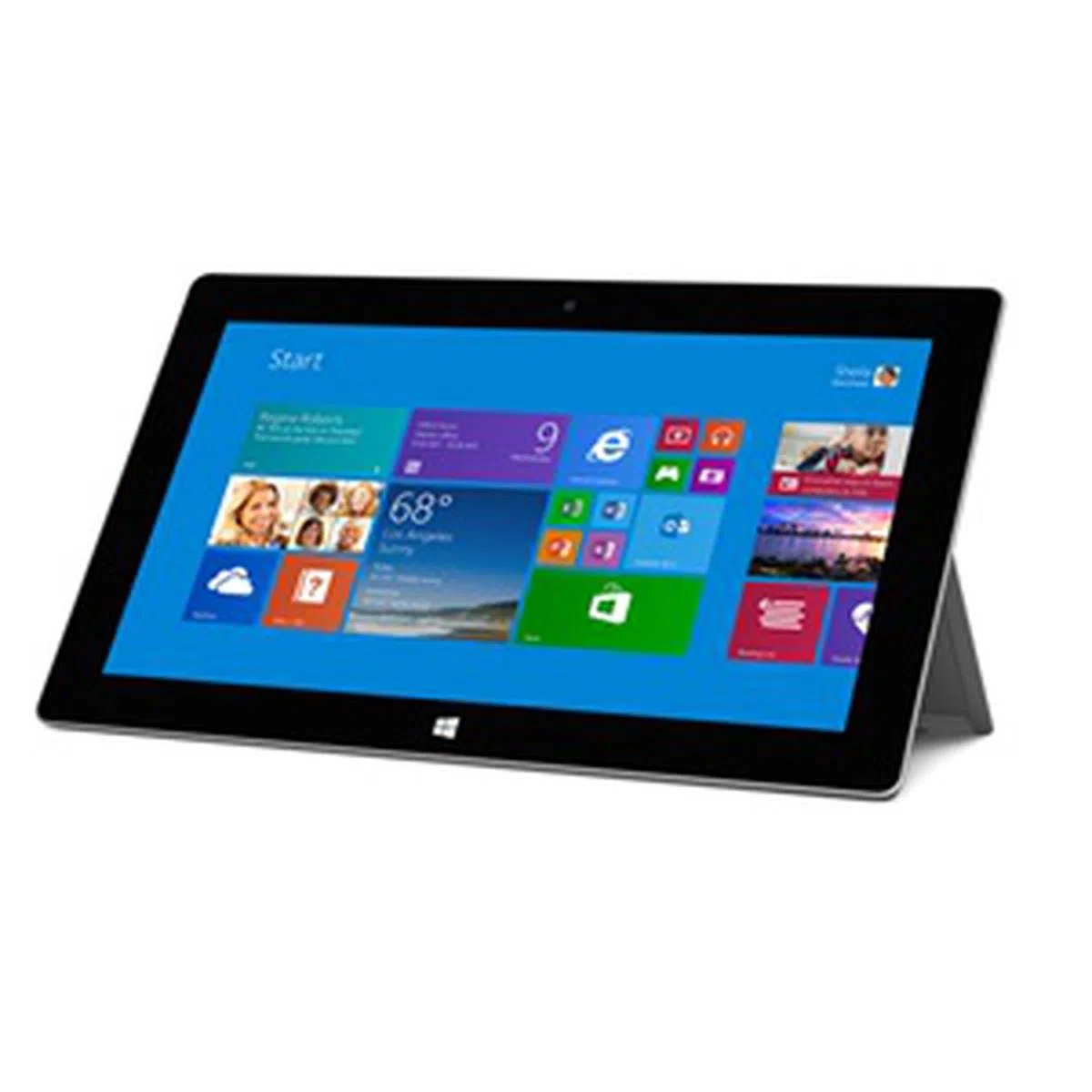
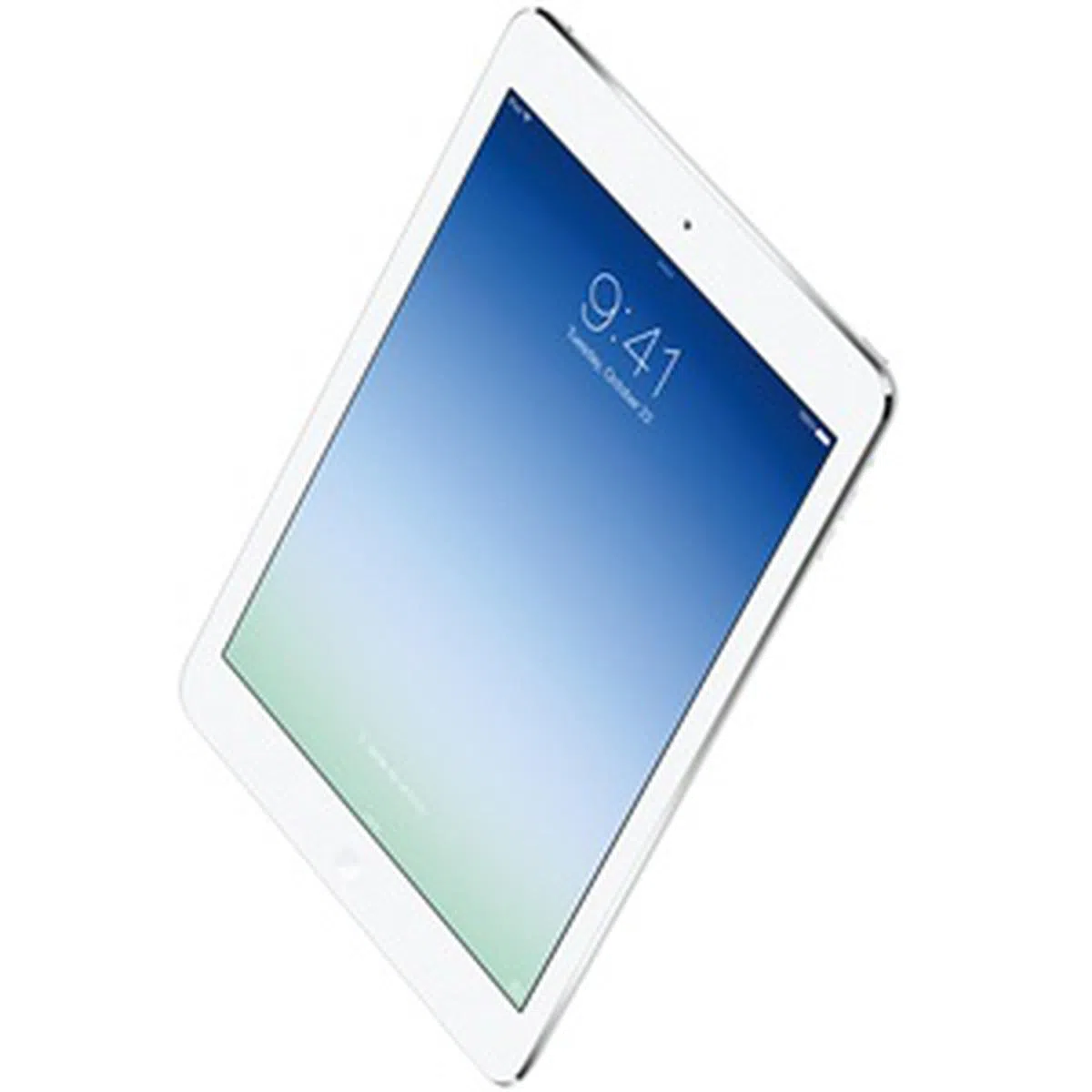
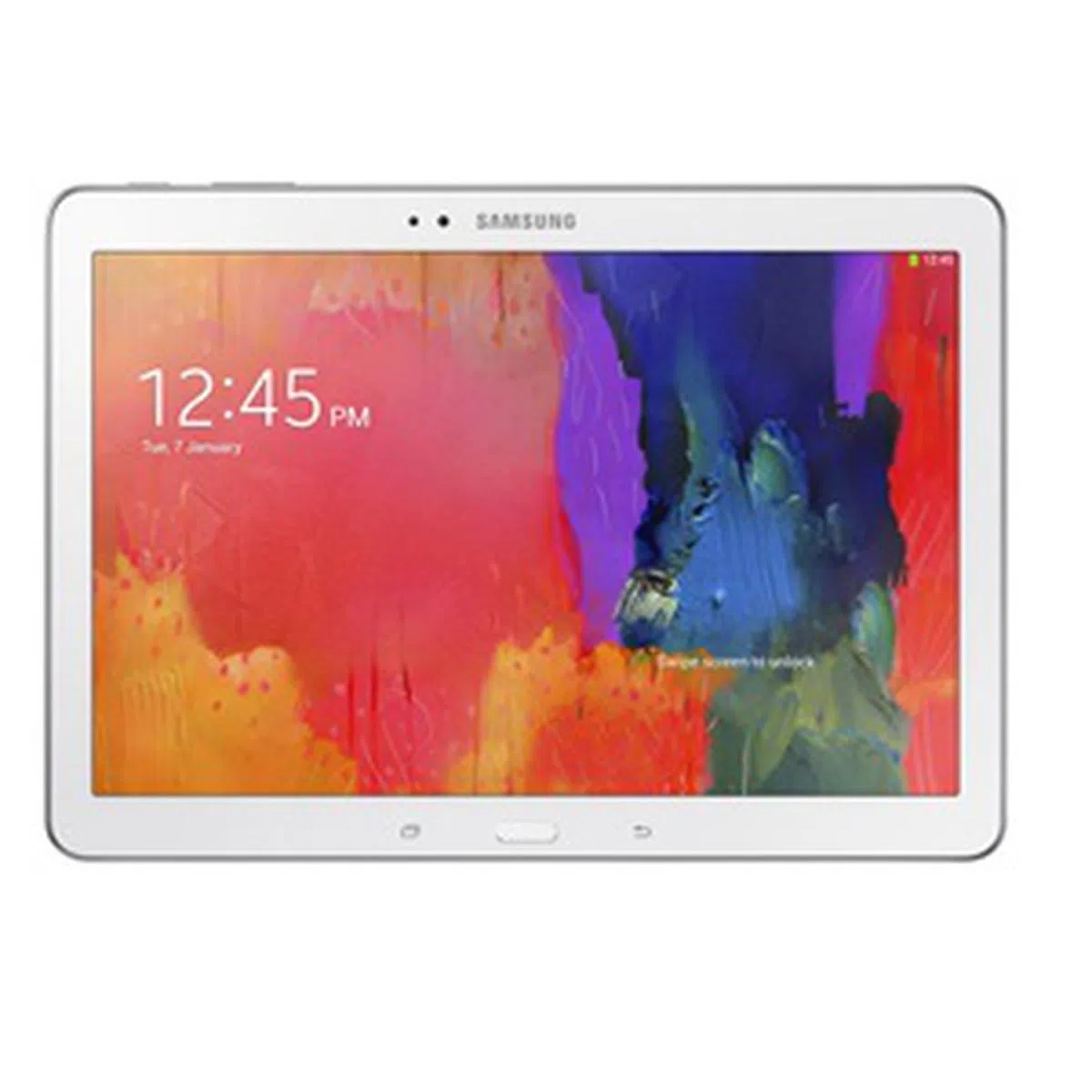
With a final tally of four wins, the Microsoft Surface 2 emerged victorious in the this shootout. The Surface 2 trumps the competition in productivity, movies, media management and battery performance while the Apple iPad Air scored wins in games, reading and data connectivity. The Samsung Galaxy Tab Pro 10.1 won in two categories - user friendliness and data connectivity. Despite the clear win for the Surface 2, the results of this shootout do not apply to everyone; people have different needs and certain aspects are more important than others. At the end of the day, you'll have to decide which tablet fits your needs. However, if you need one that fulfills productivity and content consumption needs well as a whole, the Surface 2 is our pick. For a more in-depth look at each tablet, as well as full imaging performance and benchmark analysis, do refer to each tablet's individual review: |
Our articles may contain affiliate links. If you buy through these links, we may earn a small commission.