
Samsung Galaxy S23 Ultra review: Physical: 100? No, it's what's inside that matters more
Get ready for epic performance upgrades, but are these changes worth an upgrade? Did anything else change? Let's find out.

Note: This review was first published on 17 February 2023.
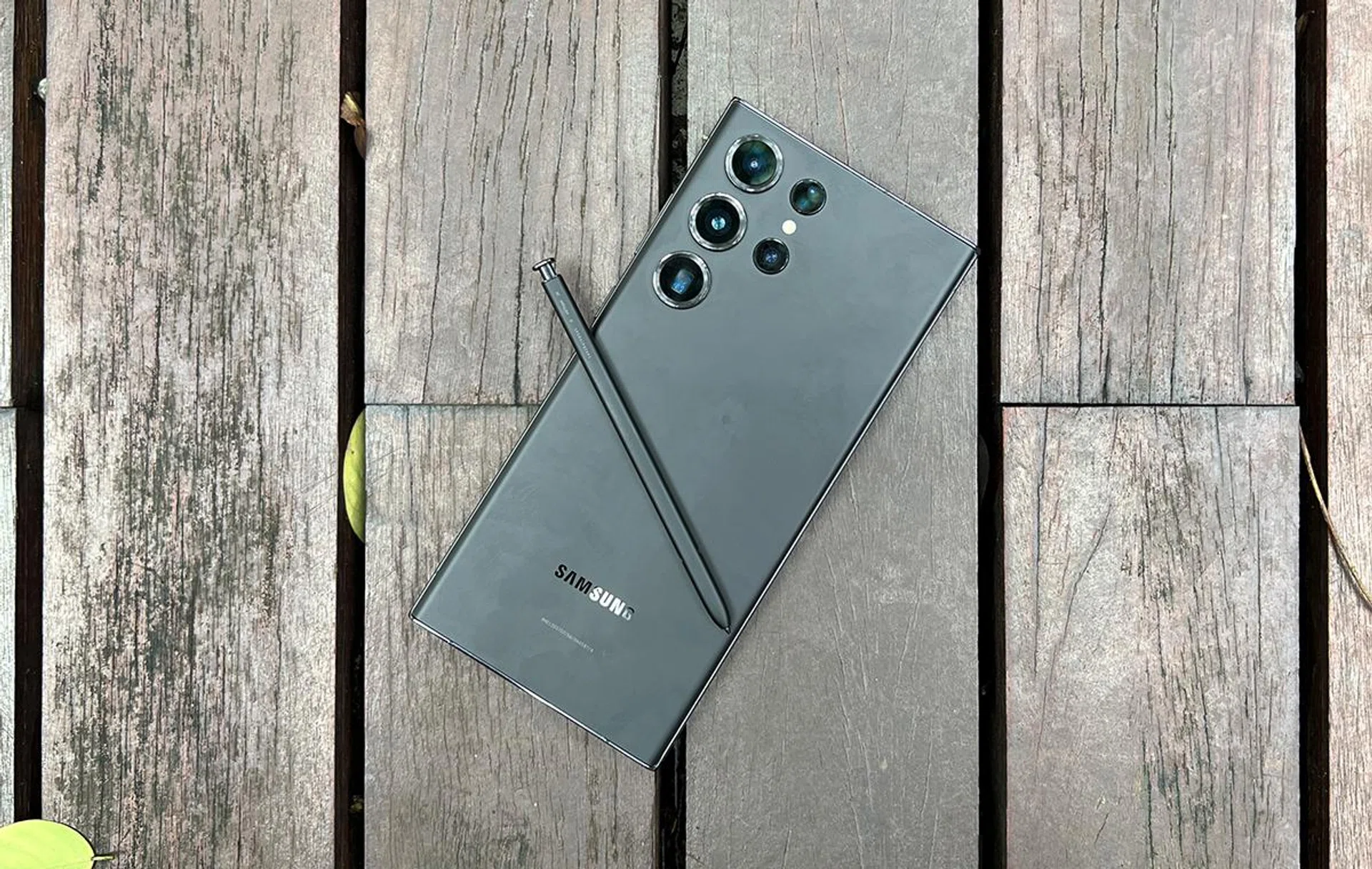
Samsung Galaxy S23 Ultra.
TLDR: All the upgrades, perks, and changes are within, and Samsung knows that’s what you want.
Look within for value, look beyond for perspective
This would be an extremely short review if we only cared about the physicality of phones between generations. But that wouldn’t do justice to the Galaxy S23 Ultra.
Almost none of its changes are apparent at first glance. However, dig deeper, and you will see that the phone is advanced, if perhaps just slightly more than your typical year-to-year upgrade and slightly ahead of other consumer tech gadgets you might own.
The Samsung Galaxy S23 Ultra uses LPDDR5X RAM and UFS 4.0 storage (ours being 8GB and 256GB respectively), which are both faster versions of memory than its predecessor. It also uses a Qualcomm Snapdragon 8 Gen 2 chipset, which fared well in early performance snapshots. As a result, you’re getting a much faster phone that translates to speedier day-to-day use, but you won’t know this until you unbox the device and power it up.
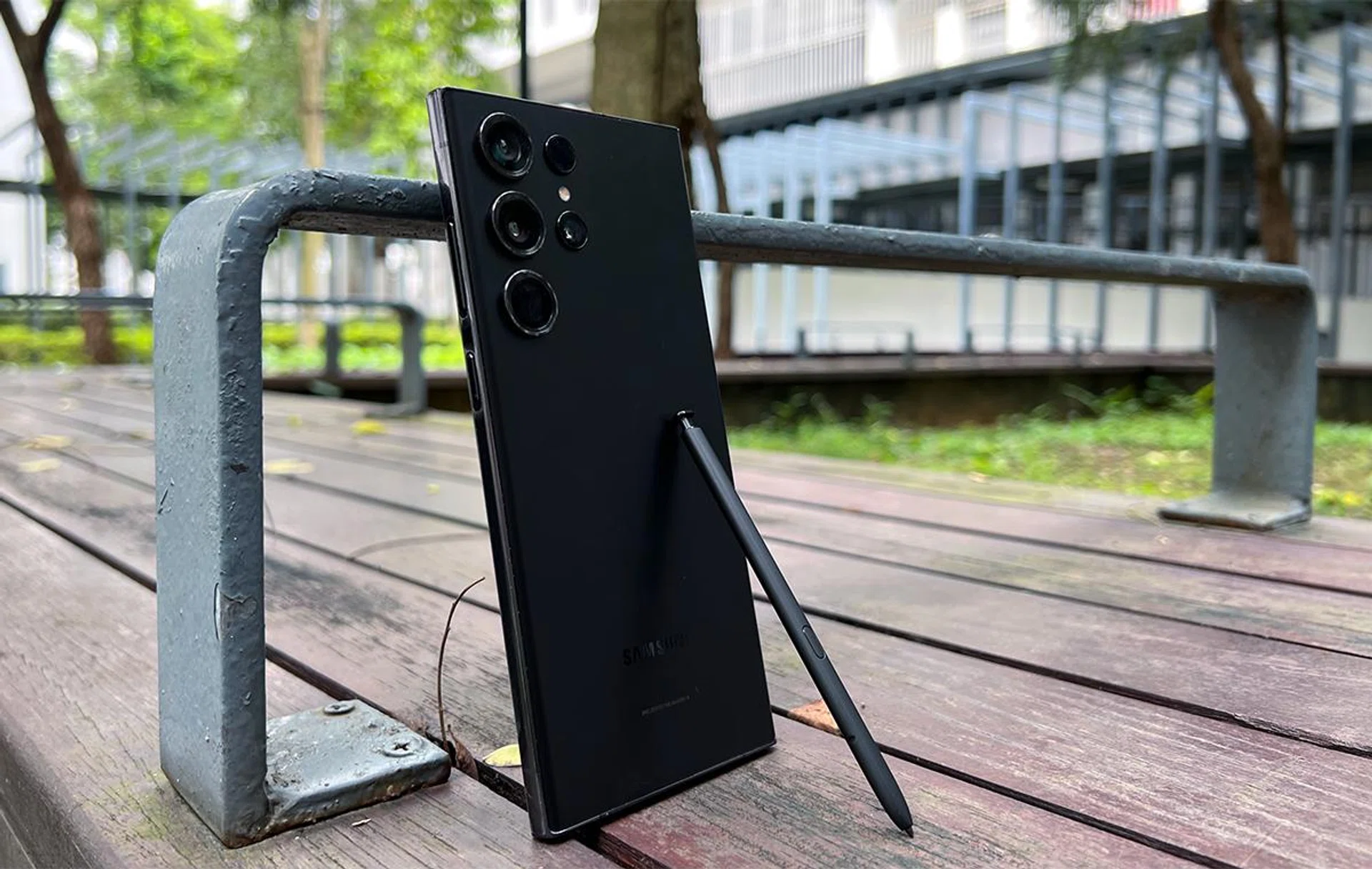
Dig even deeper, and you’ll see that the upgraded 200MP primary camera comes with 16-in-1 pixel binning, using its high megapixel count for more practical shooting situations. Samsung also doubled Galaxy S23 Ultra’s OIS angles, widened its 8K30FPS recording angles by another 23°, added adaptive video digital image stabilisation, enhanced its noise reduction technology, and improved 300x Hyperlapse shooting mode. All these translate to more stable, better-lit photos and videos, which benefits photo/video creators at all levels.
Given that the insides matter more, are these changes worth an upgrade? Do new internals confer better overall performance, or are those numbers also superficial? Did anything else happen to its iconic S Pen? Let’s find out.
Korean standards of beauty
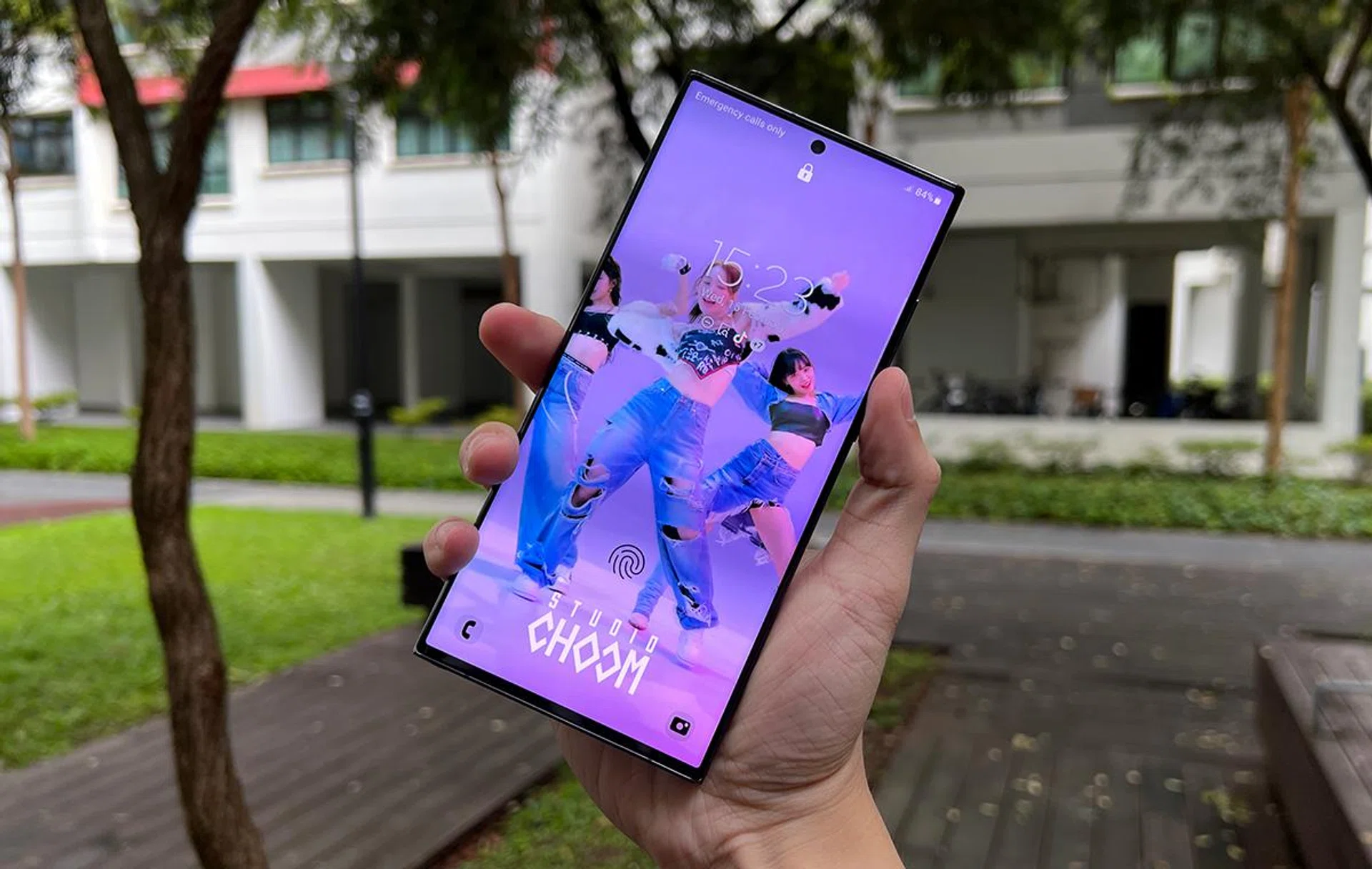
As seen here, you’re not going to find many physical differences in Samsung’s new 5G-capable mobile handset unless you hunt down comparison notes against its predecessor. The new phone took what worked and kept them; that includes the basics like having side buttons fat enough to feel tactile and flat ends on the far side to accommodate the S Pen.
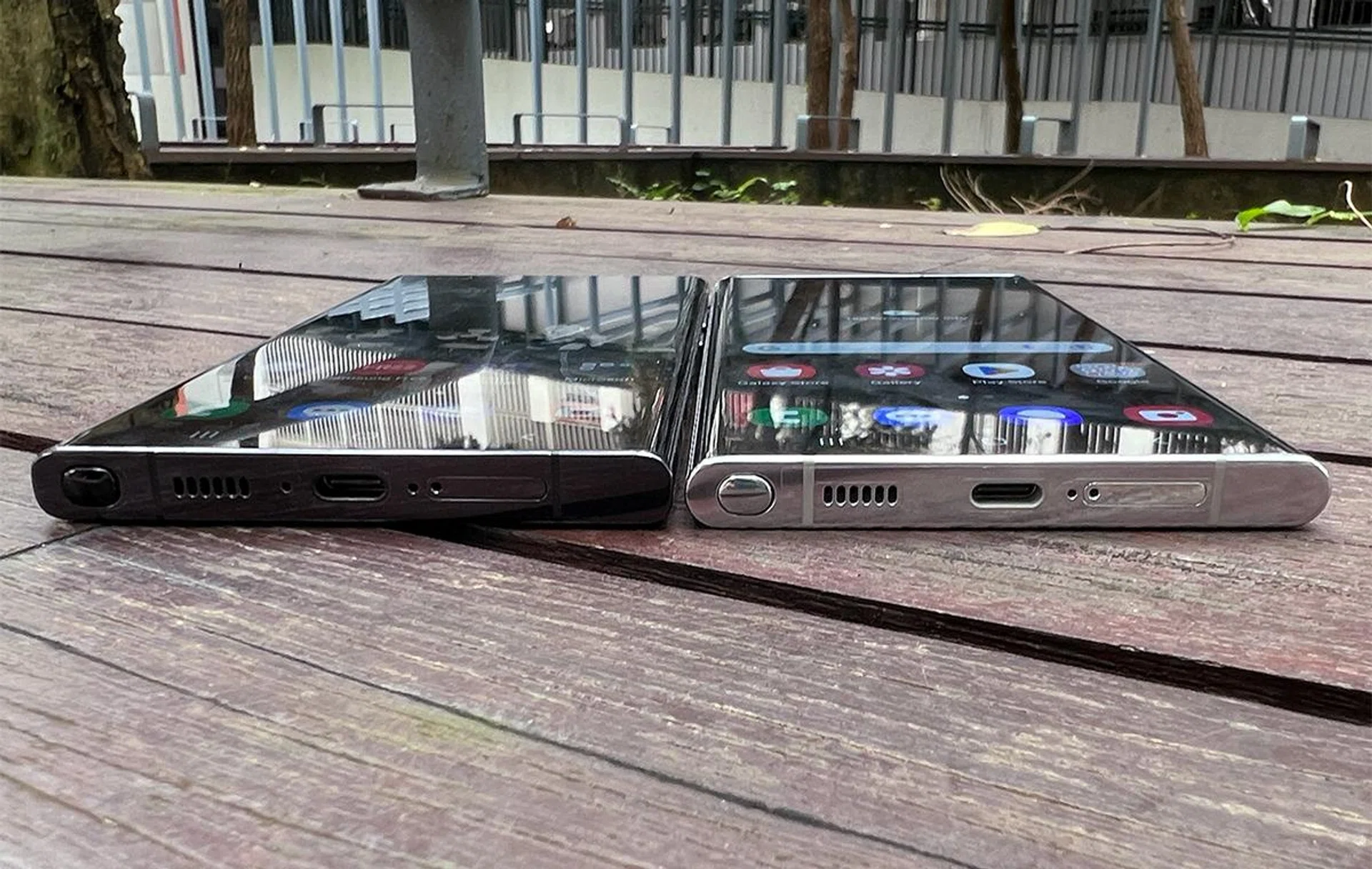
S23 Ultra on the left, S22 Ultra to the right.
However, there are three clues to telling apart the Galaxy S23 Ultra from the S22 Ultra: it offers a flatter display (which is more pleasing to look at), has thicker rims for its larger rear cameras, and a mildly different antenna band placement. If you’re touching both, the angular sides are telltale signs when it’s next to the Galaxy S22 Ultra with round rungs. Without these, the Galaxy S23 Ultra would be indistinguishable from the Galaxy S22 Ultra.
But that’s good because we don’t have to elaborate on how it feels in hand. So if you like a flatter edge, the Galaxy S23 Ultra satisfies that. It also retains IP68 protection against dust and water, so our premium flagship expectations were met.
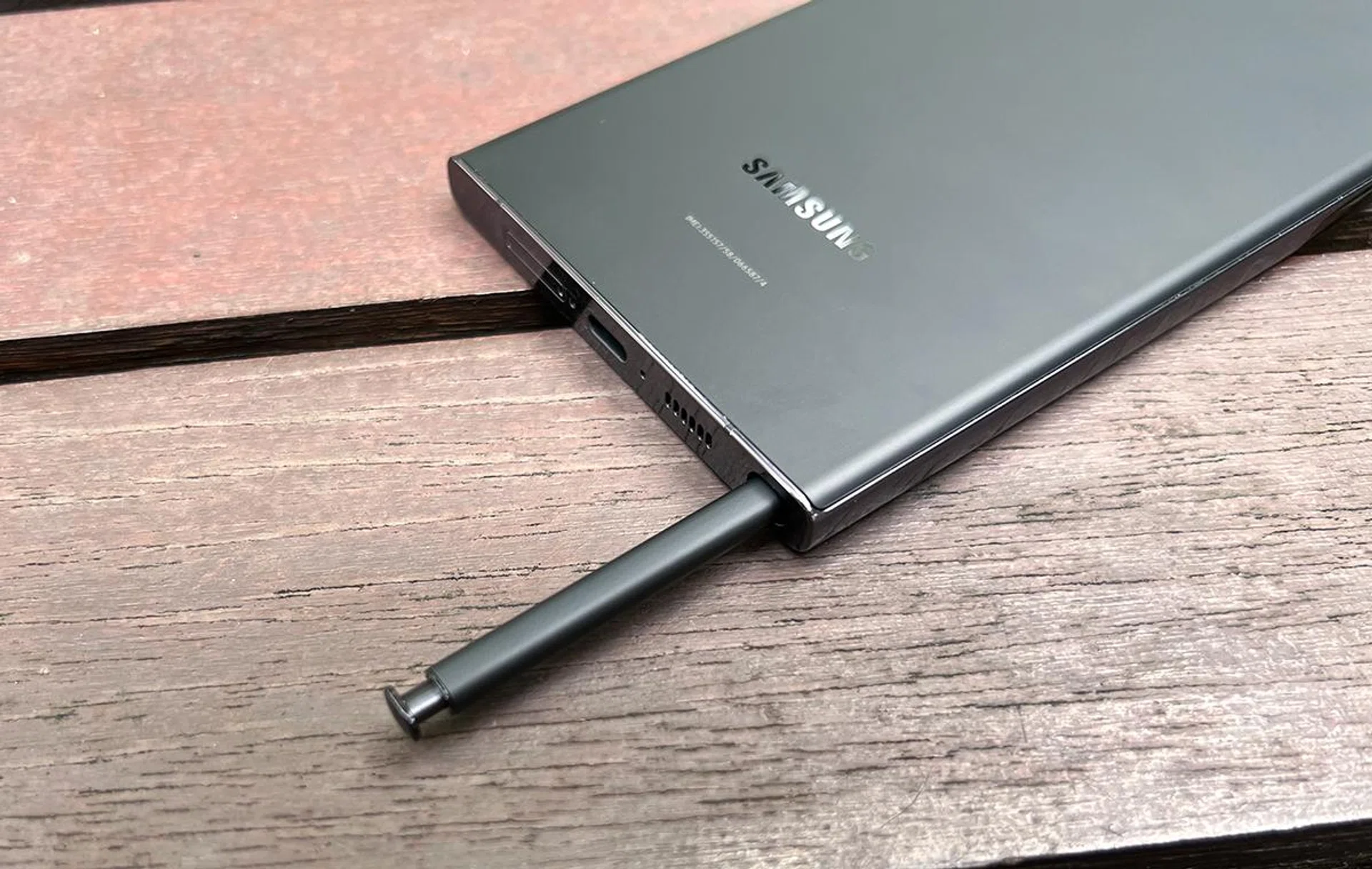
That said, we did wish Samsung offered greater colour variety as it did with previous Galaxy S series handsets. This year’s crop of four standard colours (not including online-exclusive ones) feels muted. Even the Green option for Galaxy S23 Ultra would be a challenging eye test for colour-impaired users. Lavender is lovely, given that it has the most character of the four, and also breaks away from the different shades of grey with its pink undertones.
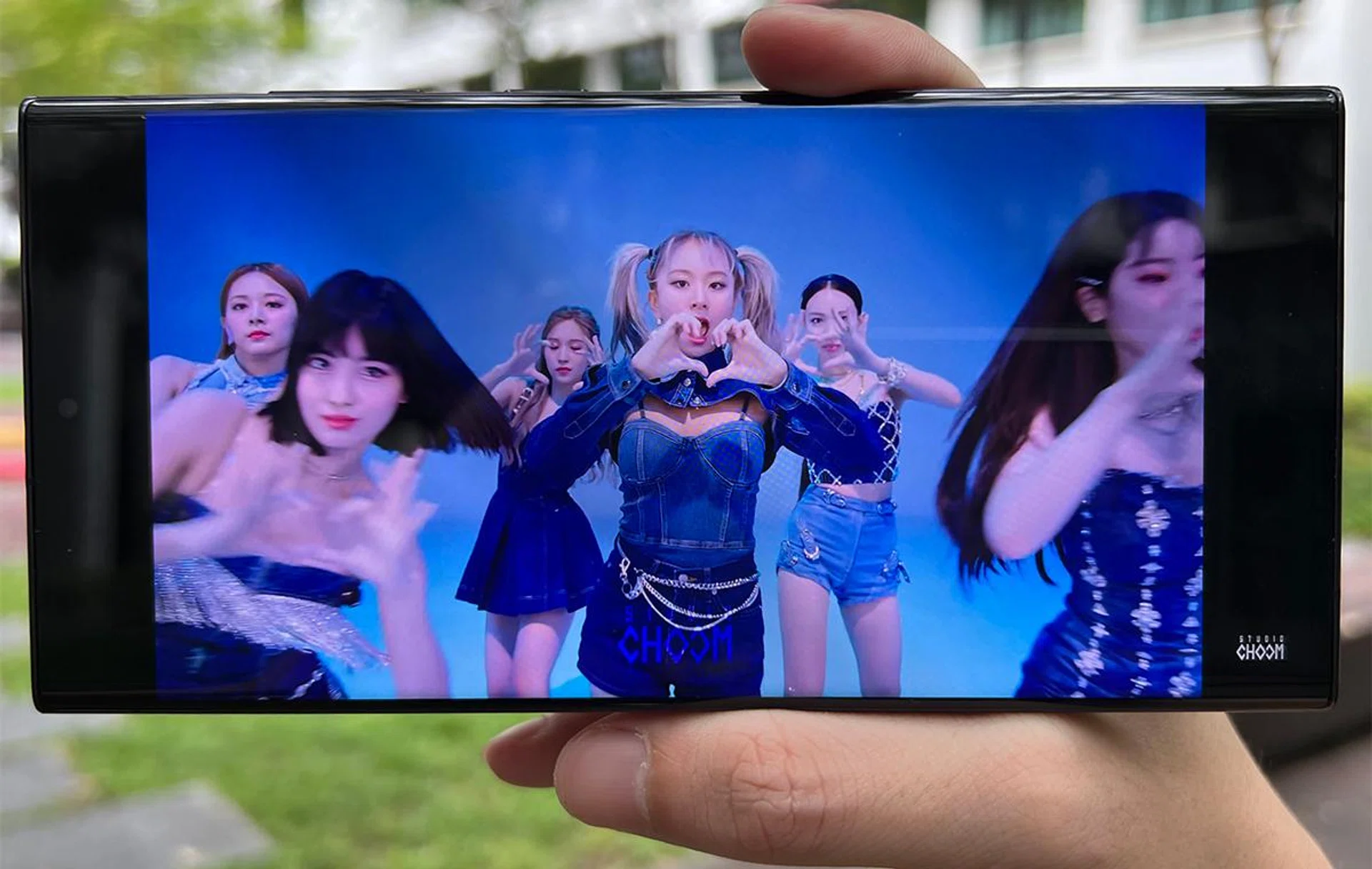
As mentioned, all the changes for the Galaxy S23 Ultra are within, starting from the display. Its 6.8-inch panel is technically identical to the previous version (3,088 x 1,440 pixels resolution Dynamic AMOLED 2X with 1-120Hz refresh rate and the same 1,750-nits peak brightness). Still, the reduced curvature and three-level Vision Booster on S23 Ultra offer a starkly improved viewing experience. It’s noticeably less distracting in more varied lighting conditions, and also less likely to catch stray reflections than its predecessor.
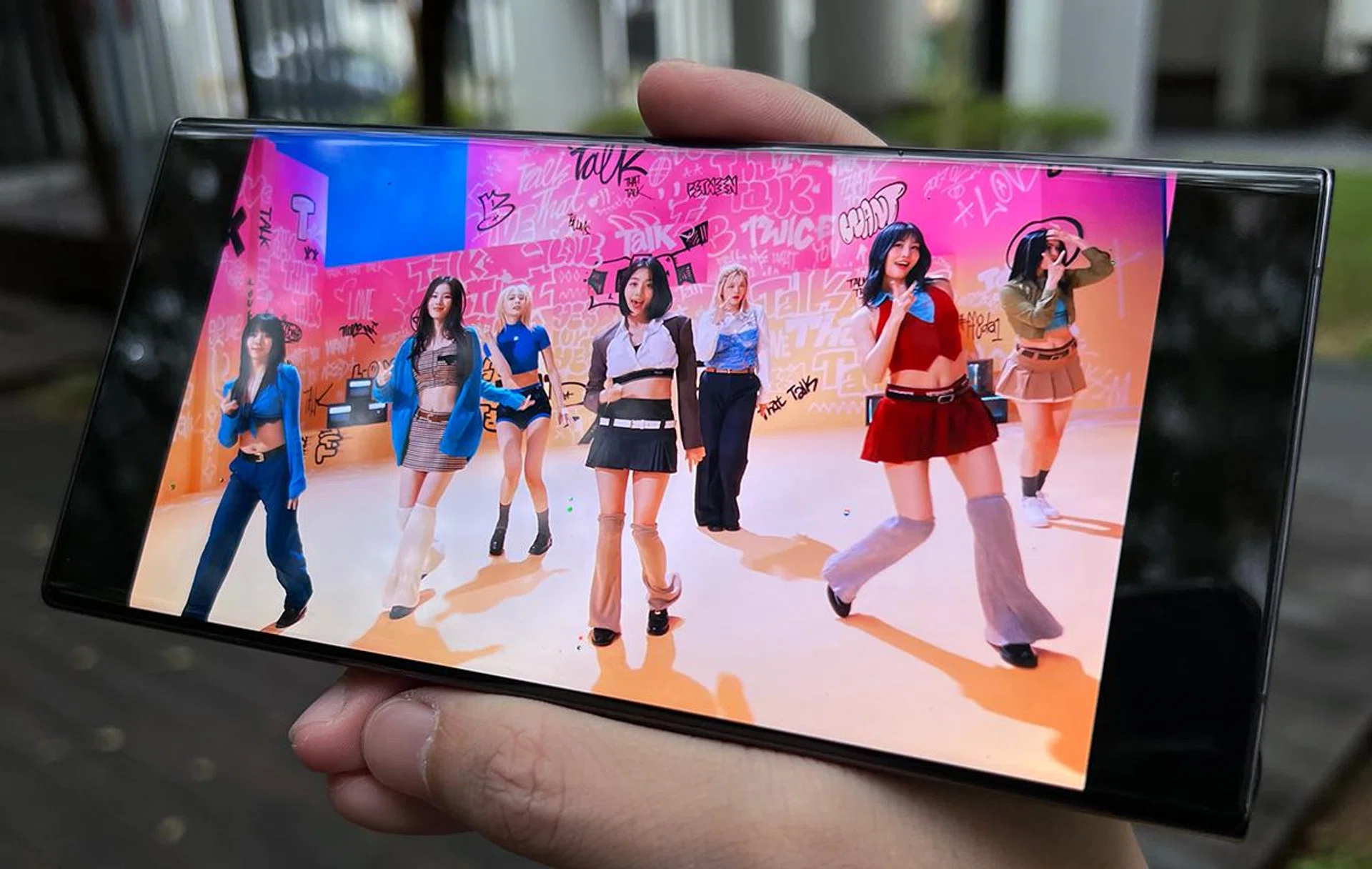
The software settings are otherwise the same, with little perks like Eye Comfort Shield, a choice between capping at 60Hz or 120Hz, and increasing touch sensitivity where needed.
The built-in stereo speaker provides decent, serviceable audio that works well for calls, ringtones, and anything needed in a pinch, but a decent pair of true wireless earbuds would be preferable if you’re looking to get more listening done.
Samsung One UI 5.1 – getting a little crowded here
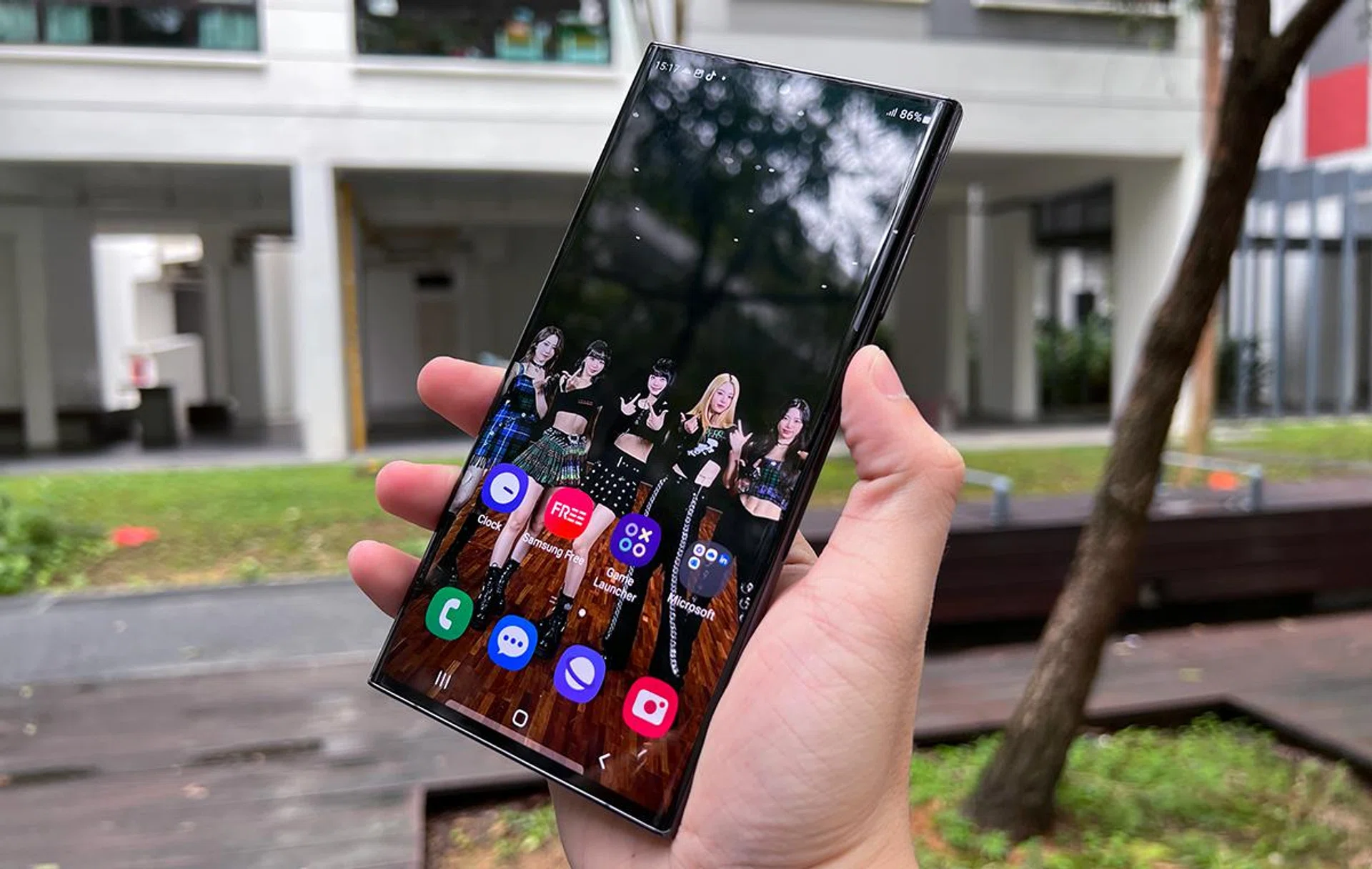
You’ve probably heard that Samsung Galaxy phones use massive amounts of precious storage for system data. It’s a natural consequence of being one of the few phone brands with a truly comprehensive and compatible smart ecosystem across appliances and wearables. That said, there are a ton of repackaged or duplicated stock Android features further tweaked towards the Samsung Galaxy’s preferred style. It would be less annoying if these weren’t sometimes locked behind Samsung Members’ logins.
Fortunately, One UI 5.1 allows you to remove most of the apps you don’t need quickly. Sure, there’s a little bit of bloatware, which we’ve highlighted before. But they’re not as egregious as literal junk app icons or advertisements.
Once you’ve gotten used to your Galaxy S23 Ultra, it’s worth spending a few moments to remove some preinstalled stuff and free up its precious and high-speed UFS 4.0 storage (we got rid of the multiple Store and Shop apps, Samsung Global Goals, and the entire Microsoft suite).
The few One UI 5.1 new additions are helpful. For example, you can blur out your background in video calls, and use Samsung’s timer-based, blockchain-powered Private Share to send files privately to contacts.
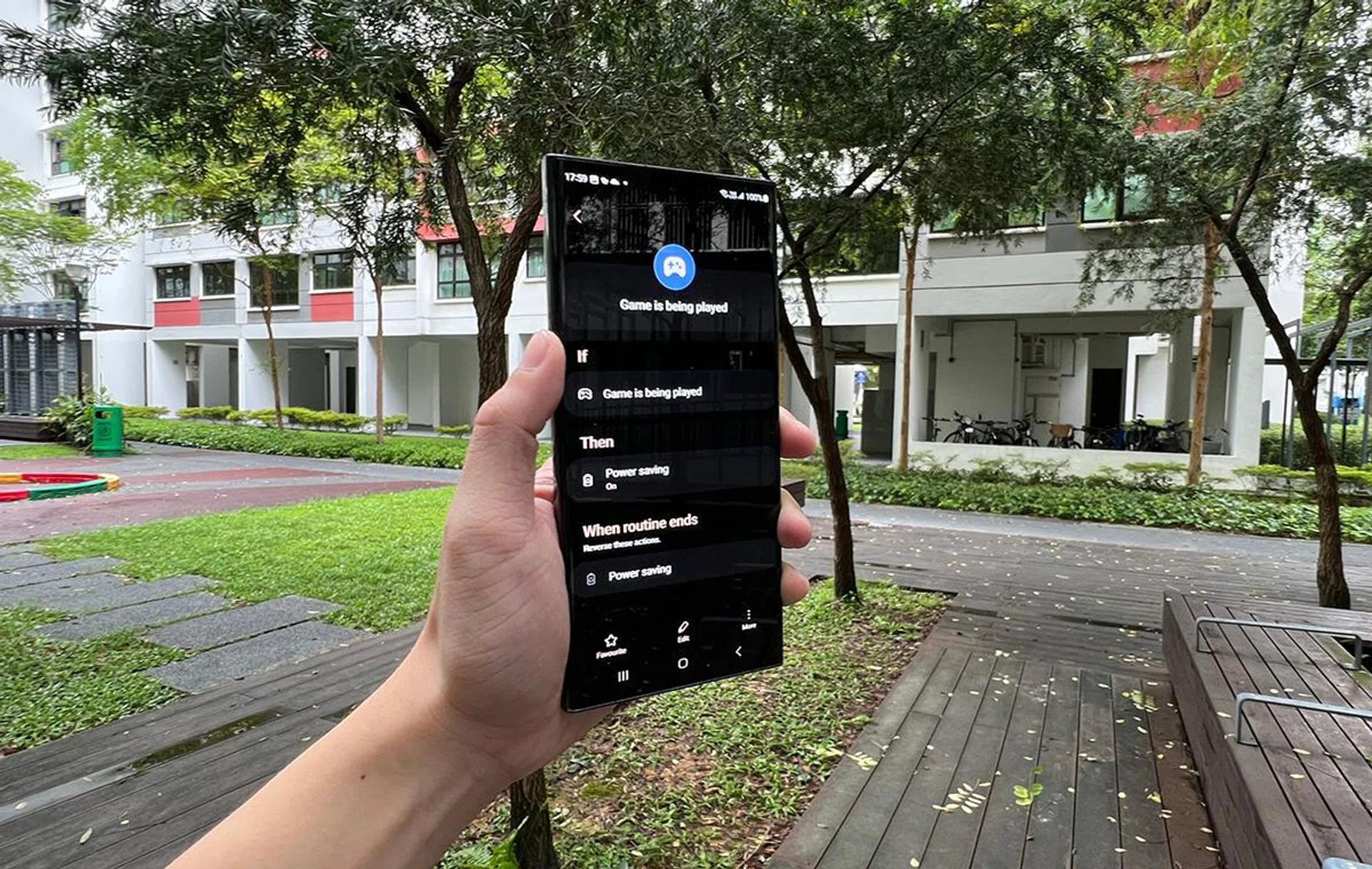
Routines and Modes is simplified, and features even more handy automation tools for phones.
Our favourite is the simplified Routines and Modes feature that uses “If” and “Then” statements to automate life’s shortcuts (such as connecting to specific devices once you’re home, turning off your local SIM card once you travel abroad, forcing app syncing and a brief fast-charging when you wake, etc.).
Some shortcuts require proprietary Samsung services like SmartThings for smart home stuff and Samsung Health for exercise-based Routines. Still, it’s convenient and fun to optimise your daily life further. This isn’t exclusive to the Galaxy S23 Ultra, so you can enjoy Routines and Modes even if you bought other models of the S23 series too.
Since One UI 5.1’s design has been relatively intuitive and consistent among Android reskins, we think that Samsung can start looking towards refining even further by decluttering its preloaded software, or combining loose apps and features into a more congruent system. There are many entry points to all its auxiliary services, which can be overwhelming even for true Samsung diehard fans. Instead of preloading all of them, Samsung can consider allowing the user to grab proprietary apps during setup instead of uninstalling apps after getting the phone.
A quick word about S Pen
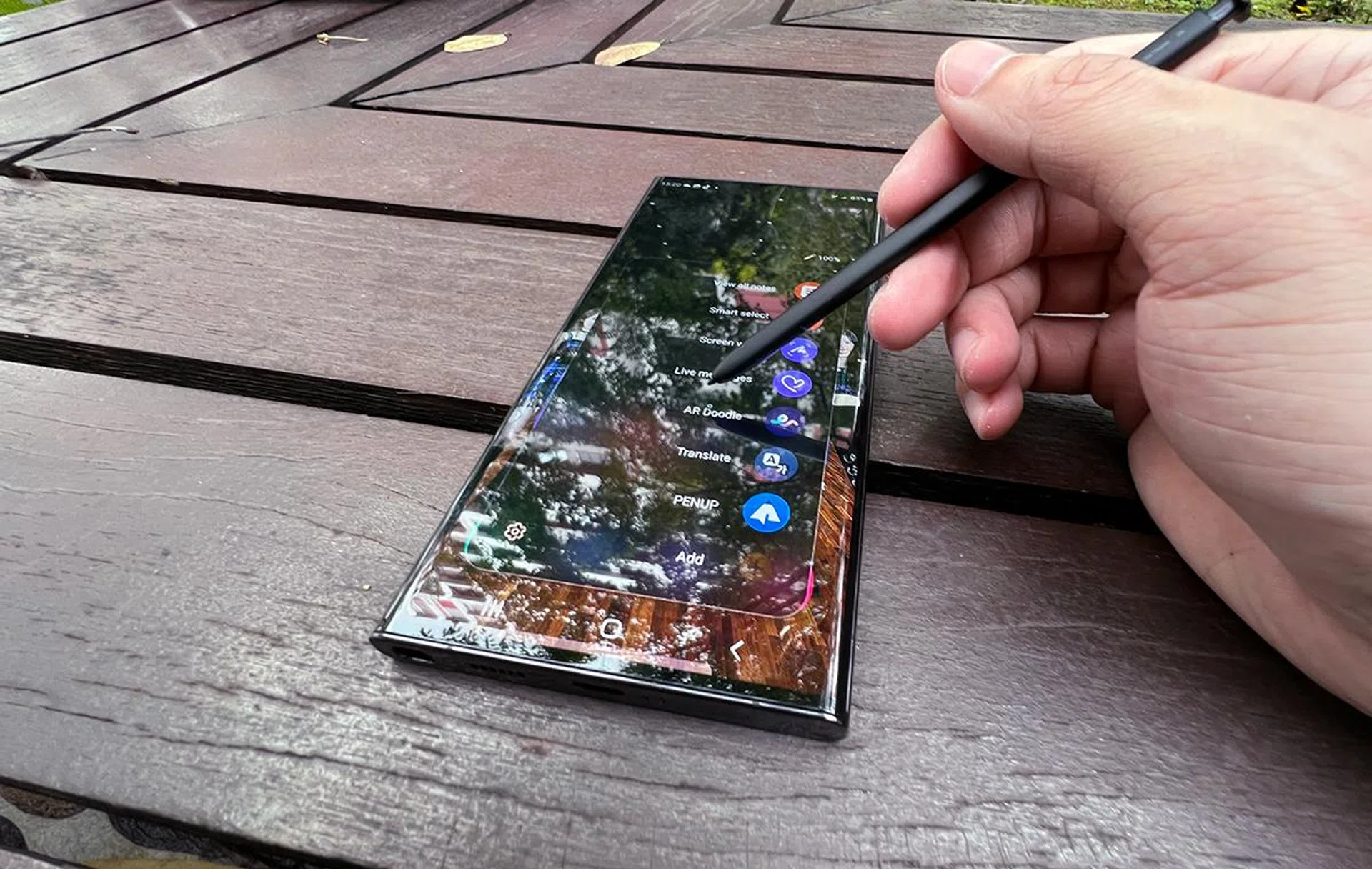
A core group of phone users that Galaxy S23 Ultra satisfies are adherents of the stylus, a la Galaxy Note fans. Since there were no significant design changes in the Galaxy S23 Ultra, the new Samsung flagship handset is also a true successor to the Galaxy Note like its predecessor.
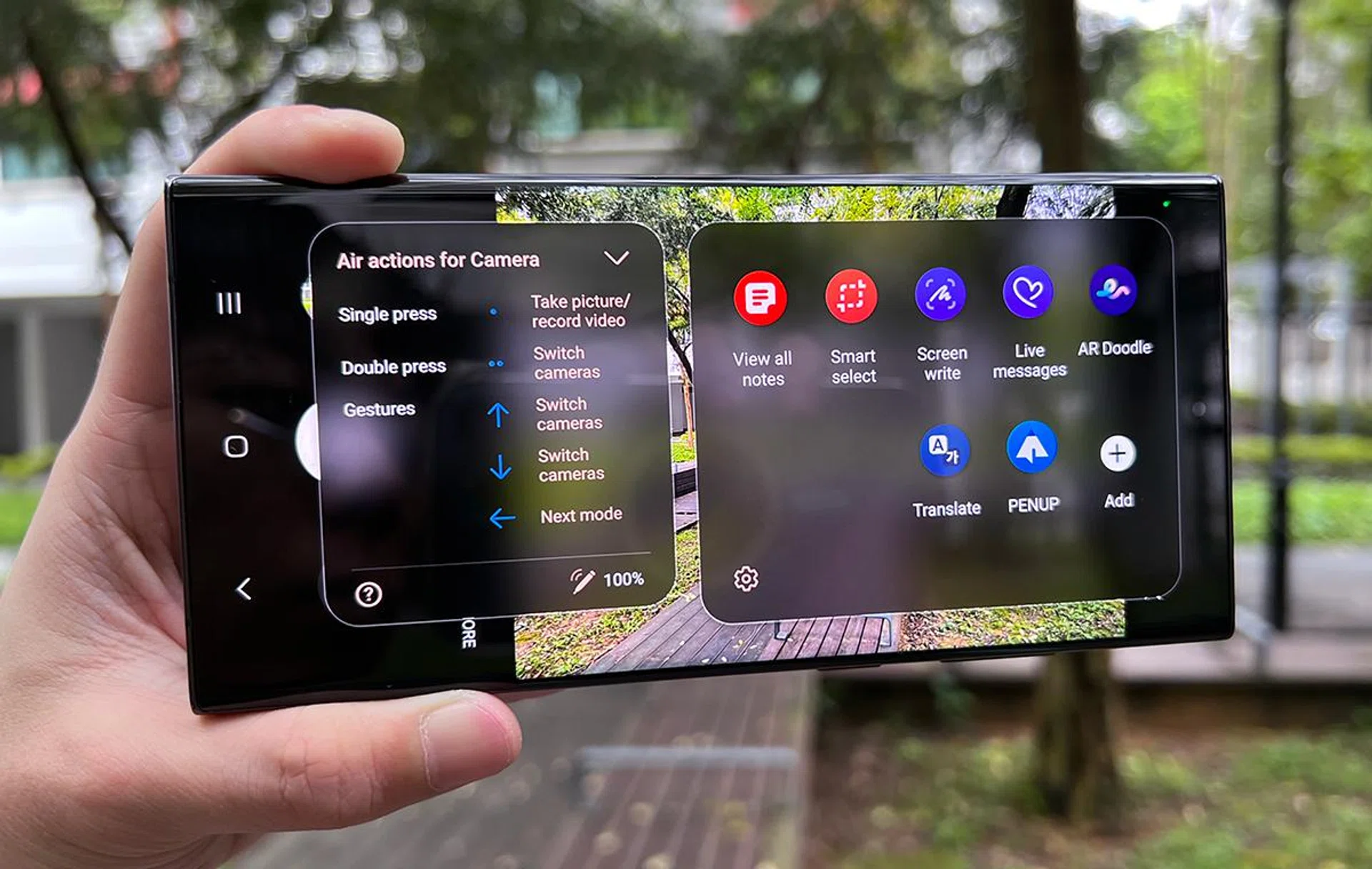
We’ve also tried out S23 Ultra’s S Pen for good measure, which works great. The several dozens of familiar commands are still around (Air Actions, or using it as a remote control for selfies), with fantastic customisation options to make the S Pen integral to your phone use.
If you’re still holding out on switching from your Galaxy Note, the Galaxy S23 Ultra comes at a great time – you’ve gotten your assurance from seeing the Galaxy S22 Ultra, and the 2023 version repeats that with newer, faster components.
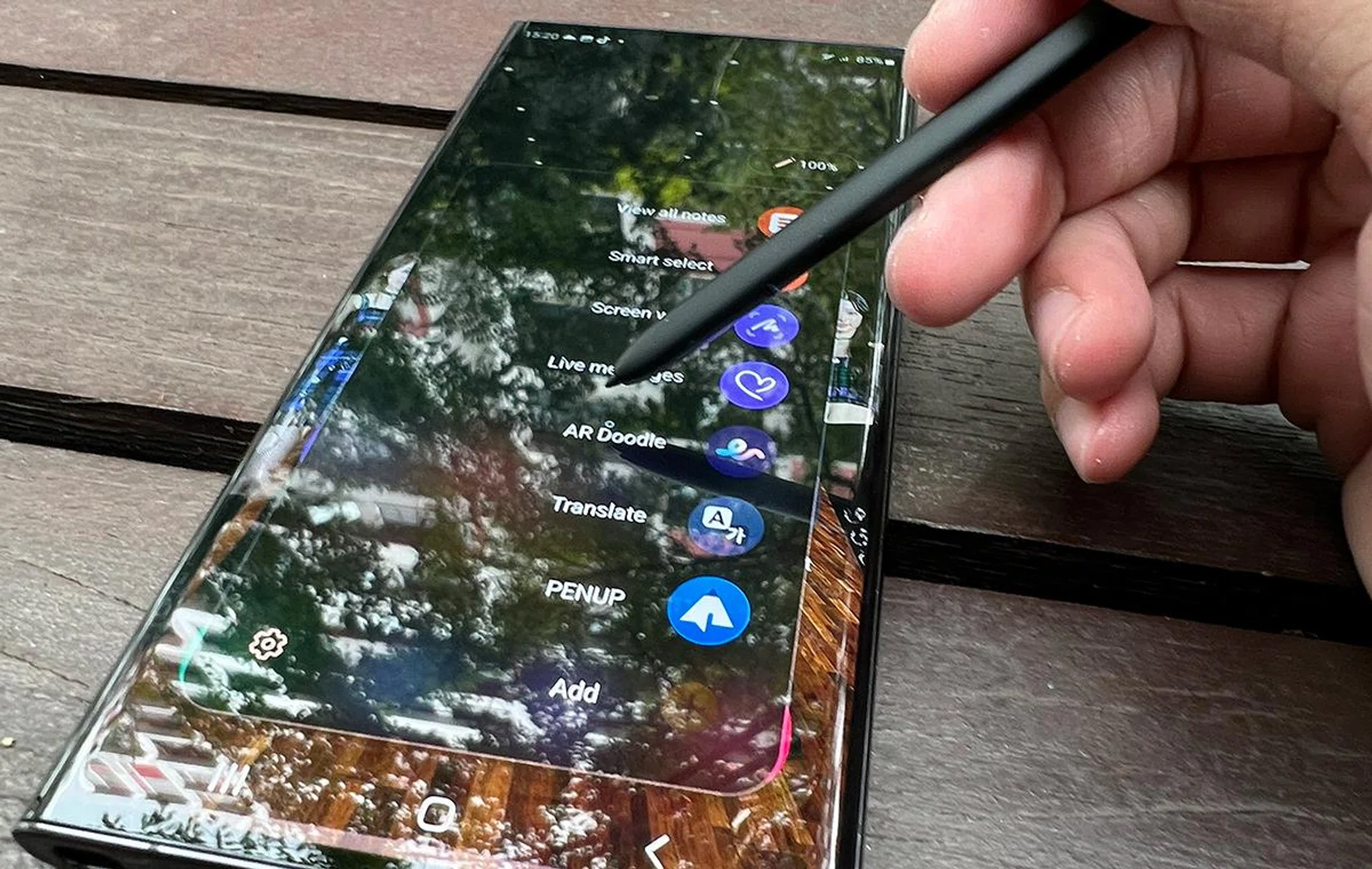
Officially, the Galaxy S23 Ultra should only be compatible with its own S Pen, similar to the S22 Ultra’s deal. However, unofficially, we’ve managed to get the old S22 Ultra S Pen to work on the Galaxy S23 Ultra (by toggling on “use multiple S Pens”), and the S Pen slot in both phones is physically identical – we could keep either S Pen in both phones.
Imaging Performance
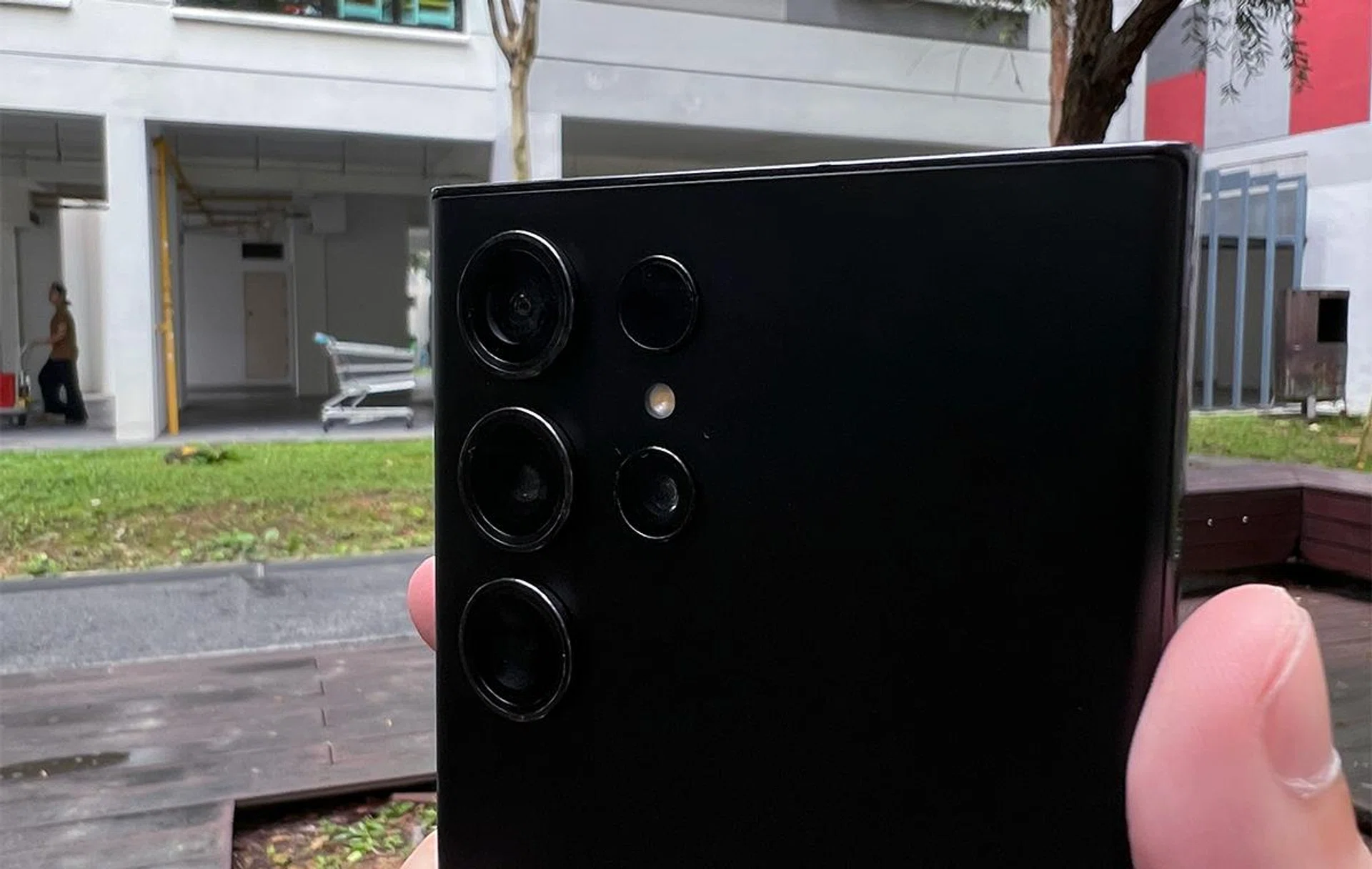
Samsung retained the 12MP ultra-wide camera (f/2.2 aperture,1.4μm pixel size, 120˚ FOV, AutoFocus), the two 10MP telephoto lenses (one with f/2.4 and 36˚, the other with f/4.9 and 11˚), along with its Laser AutoFocus module.
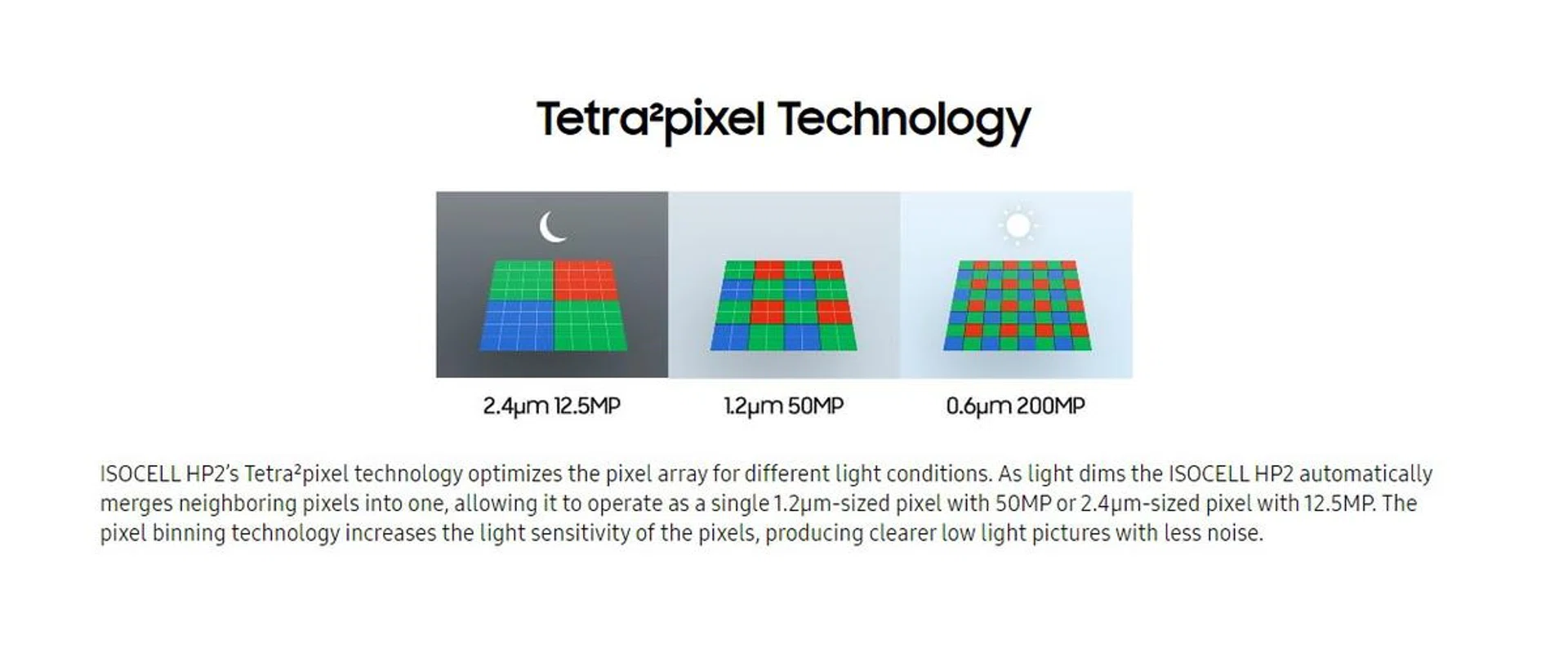
What changed was a bump from its old 108MP primary camera to a new 200MP sensor (f/1.7 aperture 0.6μm pixel size). The increased megapixel count probably means nothing to you if you aren’t looking to print poster-sized copies of your photos, so Samsung gave it 16-in-1 pixel binning to combine its many pixels into 12.5MP shots with “larger” 2.4μm pixels that perform better in low-light conditions. For comparison, the Galaxy S22 Ultra combined nine adjacent pixels into one, giving its 108MP camera the ability to shoot 12MP photos at 2.4μm pixel size.
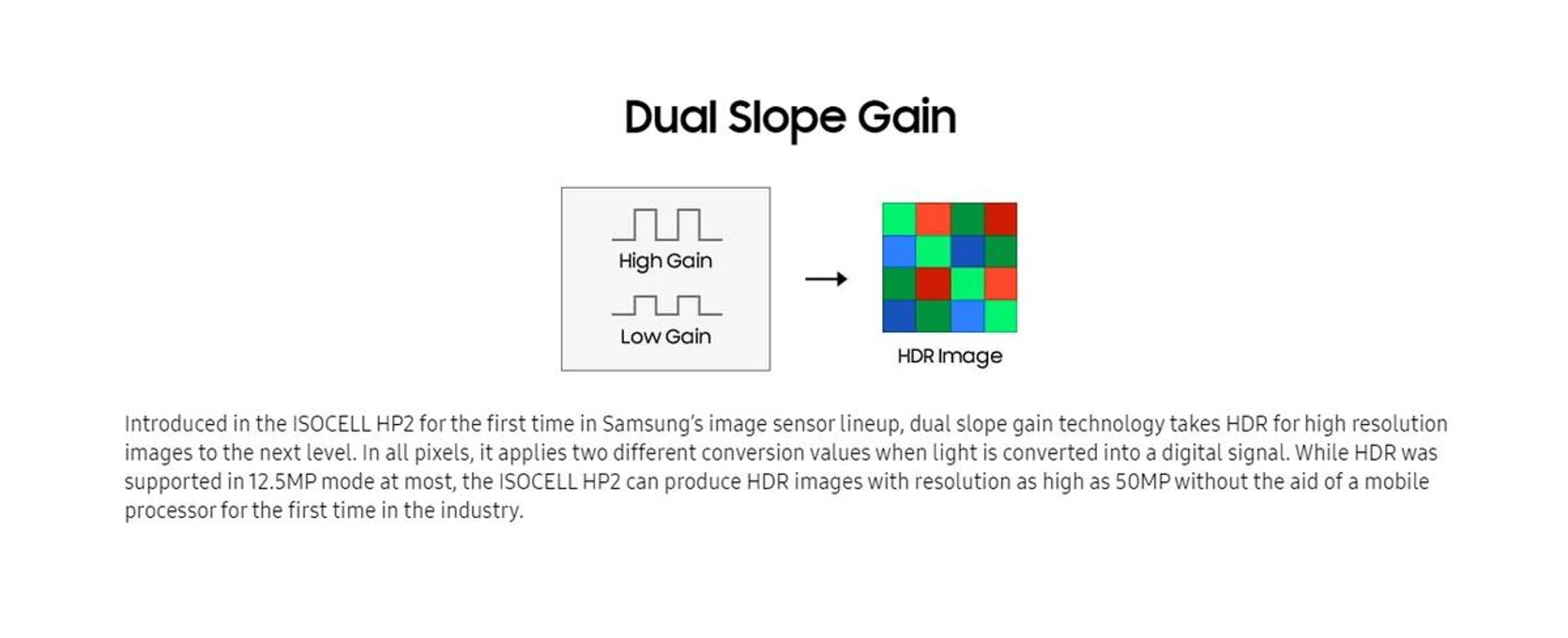
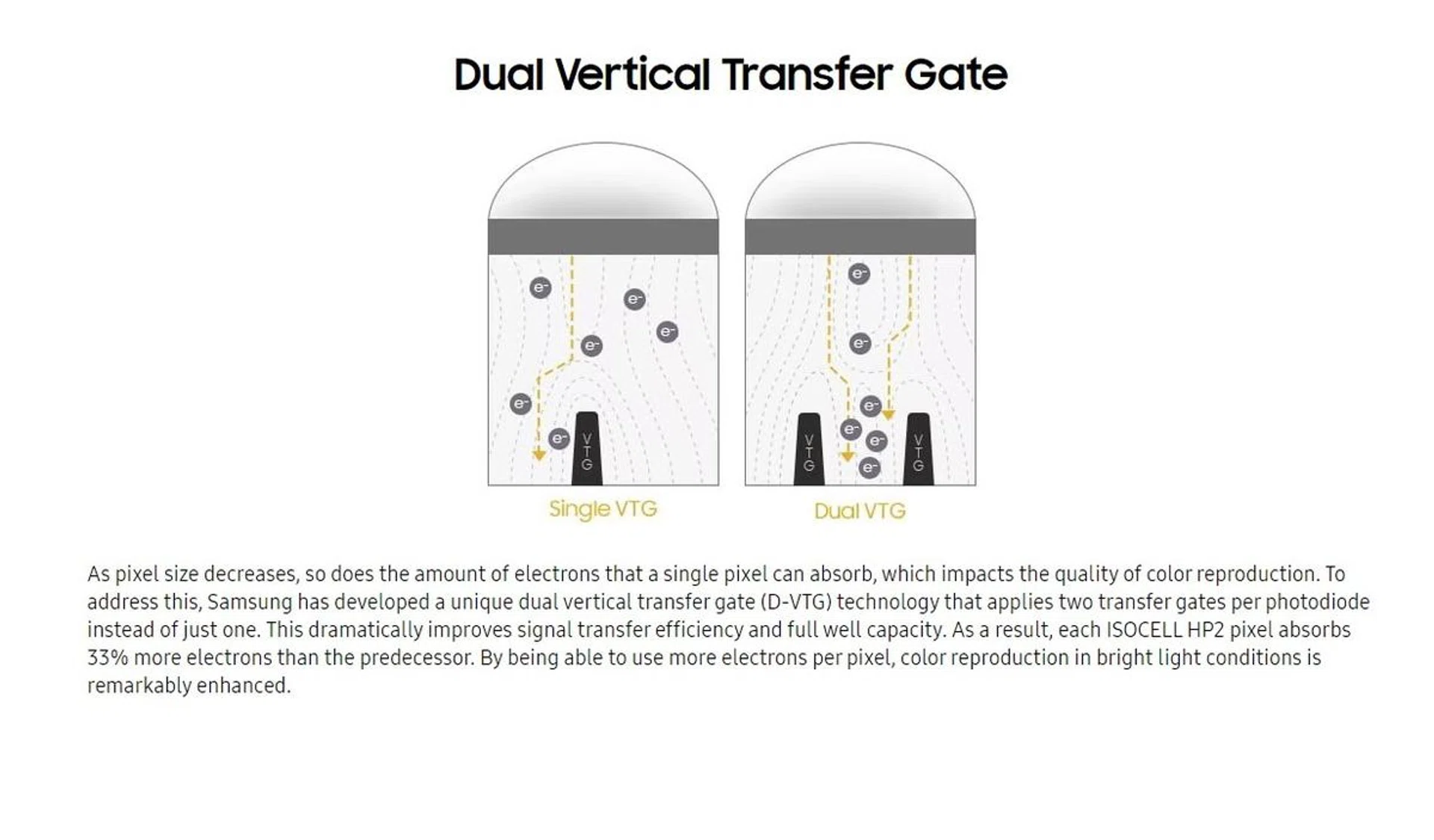
The real devil is in the details, which even Samsung doesn’t mention in its S23 Ultra’s marketing. The 200MP sensor offers better-lit 50MP stills, improved full-well capacity for better colour reproduction, faster Super QPD AutoFocus and lower shutter lag. And that’s not even looking at its recording perks like 80° FOV 8K30FPS, added stabilisation, and AI-based Noise Reduction. We can understand why it’s simpler to say that your casual shooter can now “take better photos”.
Expert RAW now supports 50MP RAW images for more serious shooters. Hyperlapse mode also comes with 300x, provided you have a gimbal and the patience to get those Milky Way shots.

Samsung Galaxy S23 Ultra, 200MP.

Samsung Galaxy S22 Ultra, 108MP.
A quick test image will tell you that Galaxy S22 Ultra owners aren't really missing out on core photography quality offered on the newer S23 Ultra. Samsung's smartphone imaging competency has come a long way and the generational gains you get are getting harder to distinguish with the naked eye. You are more likely to see a greater difference if you're coming from a different smartphone brand altogether. For that, we have more photos showcasing each lens' performance below.
A quick note: all samples are handheld shots to emulate typical smartphone photography situations. Click in to see the original image.
Main camera standard shots (pixel-binned 12MP)


Galaxy S23 Ultra sample.

Galaxy S22 Ultra for comparison.
As much as possible, using the default camera settings (whip out of pocket, snap) offers great colour vibrancy, and decent handling over noise, contrast, and detail. It's tough to complain unless you hunt for minor digital artefacts or want a specific type of exposure in challenging scenes. It handles people very well too, and you can make out details like ethnicity or bald spots even at night. Naturally, the night shots require longer shutter times to get a nice photo down, so it's still a challenge at handling moving subjects in low-light situations.
Main camera 50MP shots


The 50MP main camera shooting mode is an alternative if you compromise between having bigger pixels and retaining enough details for larger prints. But, it's not necessary if you're sticking to online or social media use, given that most online platforms would downsample uploaded photos.
Main camera 200MP shots


Like the 50MP shots, 200MP is also an option if you need to print poster-sized stills, but it's also otherwise a nice-to-have feature on your phone. Each photo starts at about 24MB in file size, offering greater detail capture, but also at a cost of having smaller pixel size for capturing light.
Ultrawide camera


Ultrawide offers more angle flexibility, like getting wider field-of-view in narrow alleyways like the first sample above, or gaining a slightly different perspective and fitting more human subjects into the frame. Hygiene factors for ultrawide are typically its fisheye effect handling on top of colour and detail retention relative to its main camera; the Galaxy S23 Ultra does just fine and well within expectations (not picture perfect, but passable and useable).
3x optical zoom


3x optical zoom shots are about closing some distance for slice-of-life portraitures and getting optical-tier quality shots without having to find yourself in awkward spots. The Samsung Galaxy S23 Ultra's 3x optical zoom lens delivers on these, both day and night. Naturally, night shots are harder because of longer shutter times, but that adds character and realism (depending on what you're going for).
10x optical zoom


The 10x optical zoom is where the rear cameras' overall performance starts showing cracks. You need ideal lighting conditions, shooting scenes, and a pair of very steady hands to get the night shots looking as keen as the day ones. Even then, the main camera's contrast handling and detail retention still blows 10x optical zoom out of the water. This is more for serviceable functionality, if it's for any purpose at all.
Nightography (aka Night Mode)


Night Mode balances different exposures, where low and high exposures are moderated to give a natural, dynamic look in low-light scenes. The cost comes from needing an opportunity to hold the shot for 1 to 3 seconds, so that the camera to capture multiple exposures and process them. It's also why Night Mode may not be great for moving subjects. Definitely use it if you want to capture a static scene with a well-behaved model, especially at night.
Benchmark Performance
Samsung Galaxy S23 Ultra packs the latest Qualcomm Snapdragon 8 Gen 2 chipset. Much has been said about how it measures up against its older counterparts, like the one in the Galaxy S22 series. It’s fitting that the first SD8G2 benchmark we’re doing goes to Samsung, so we’ll see whether it offers the supposed CPU, GPU, and efficiency gains it has against older processors.
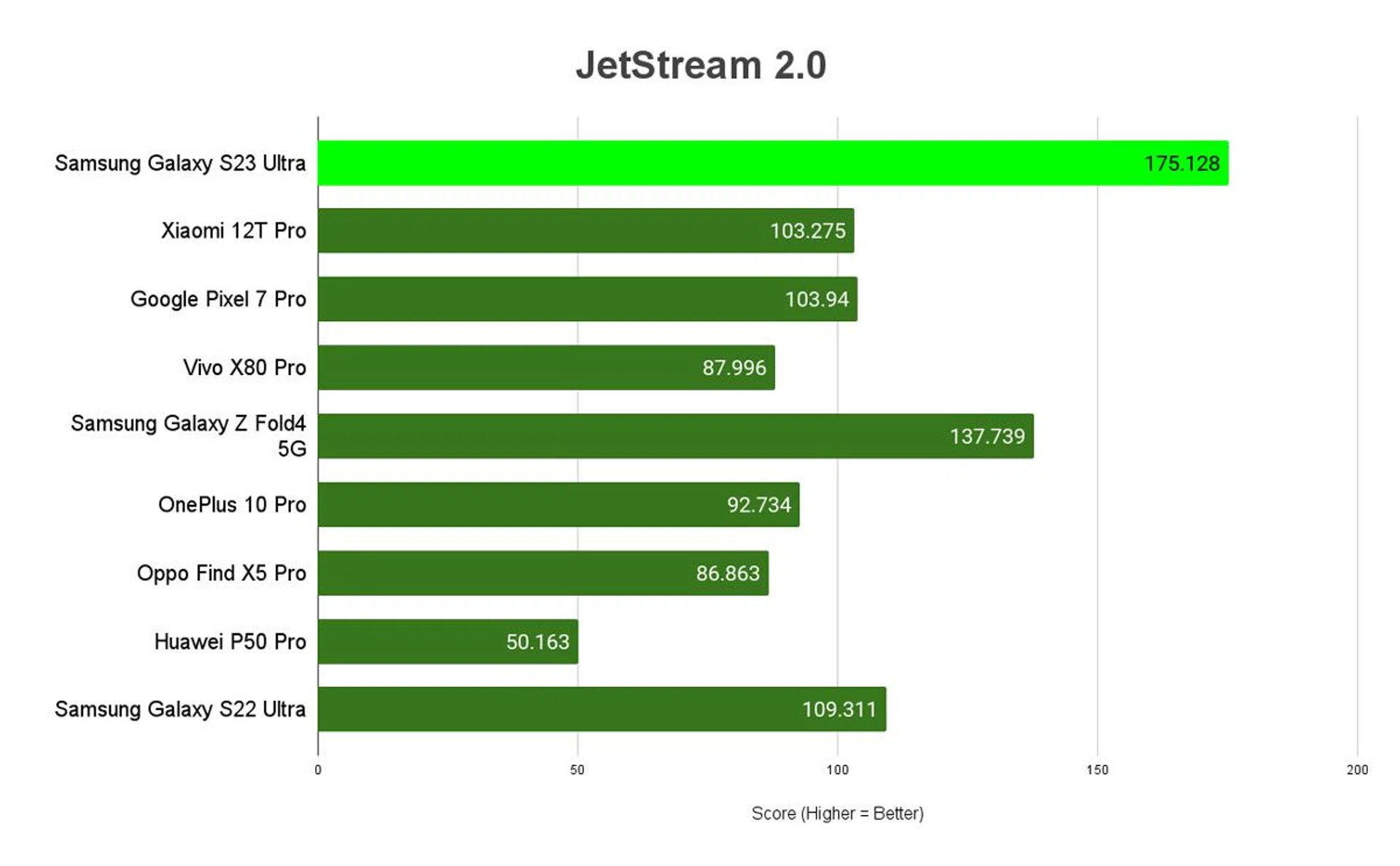
JetStream 2.0
JetStream 2 is a combination of a variety of JavaScript and Web Assembly benchmarks, including benchmarks that came before like SunSpider and Octane. It primarily tests for a system’s and browser’s ability in delivering a good web experience. It runs a total of 64 subtests, each weighted equally, with multiple iterations, and takes the geometric mean to compute the overall score. The higher the score, the better.
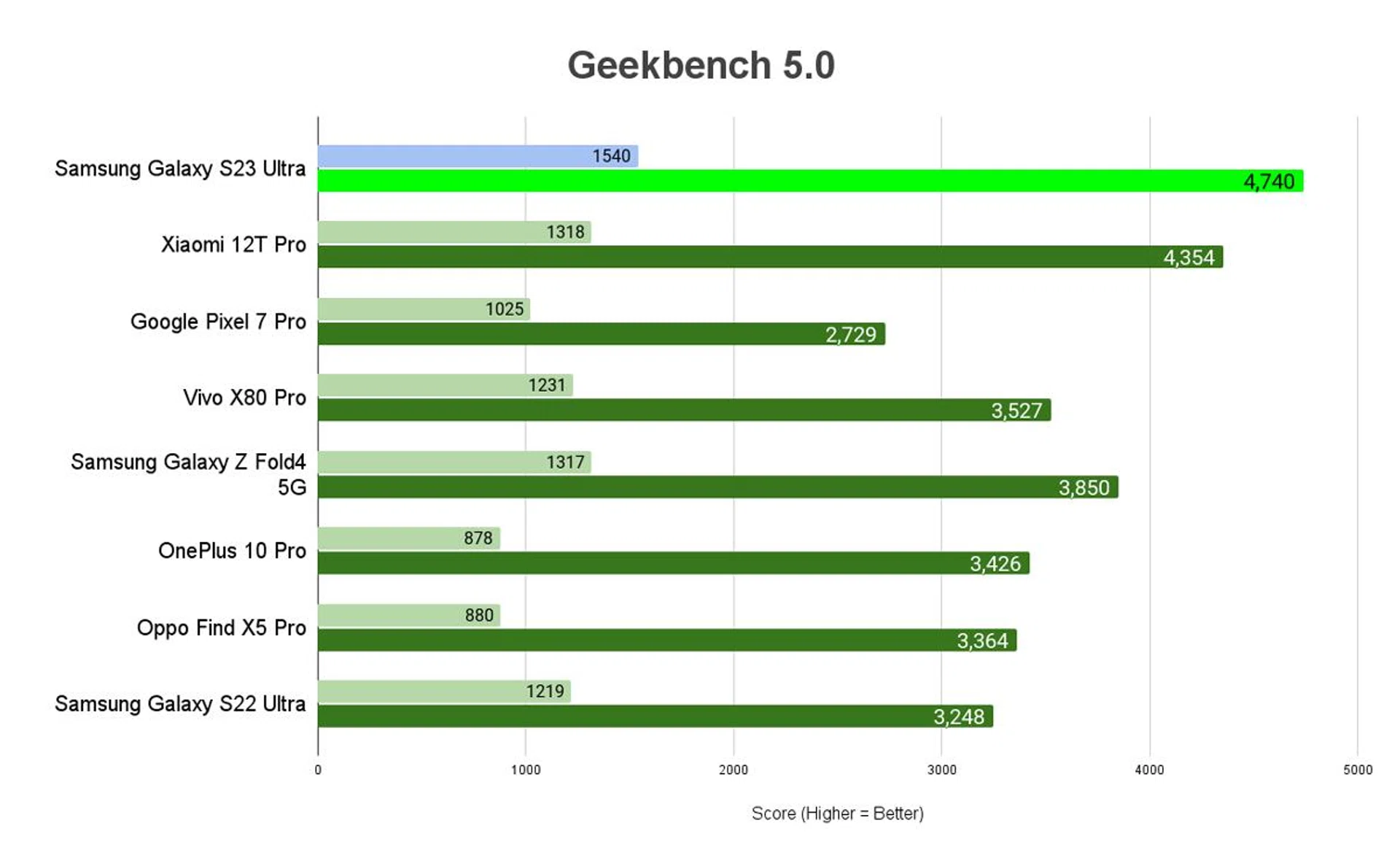
Geekbench 5
Geekbench CPU is a cross-platform processor benchmark that tests both single-core and multi-core performance with workloads that simulate real-world usage. Geekbench 5 scores are calibrated against a baseline score of 1000, which is the score of an Intel Core i3-8100. The higher the score, the better.
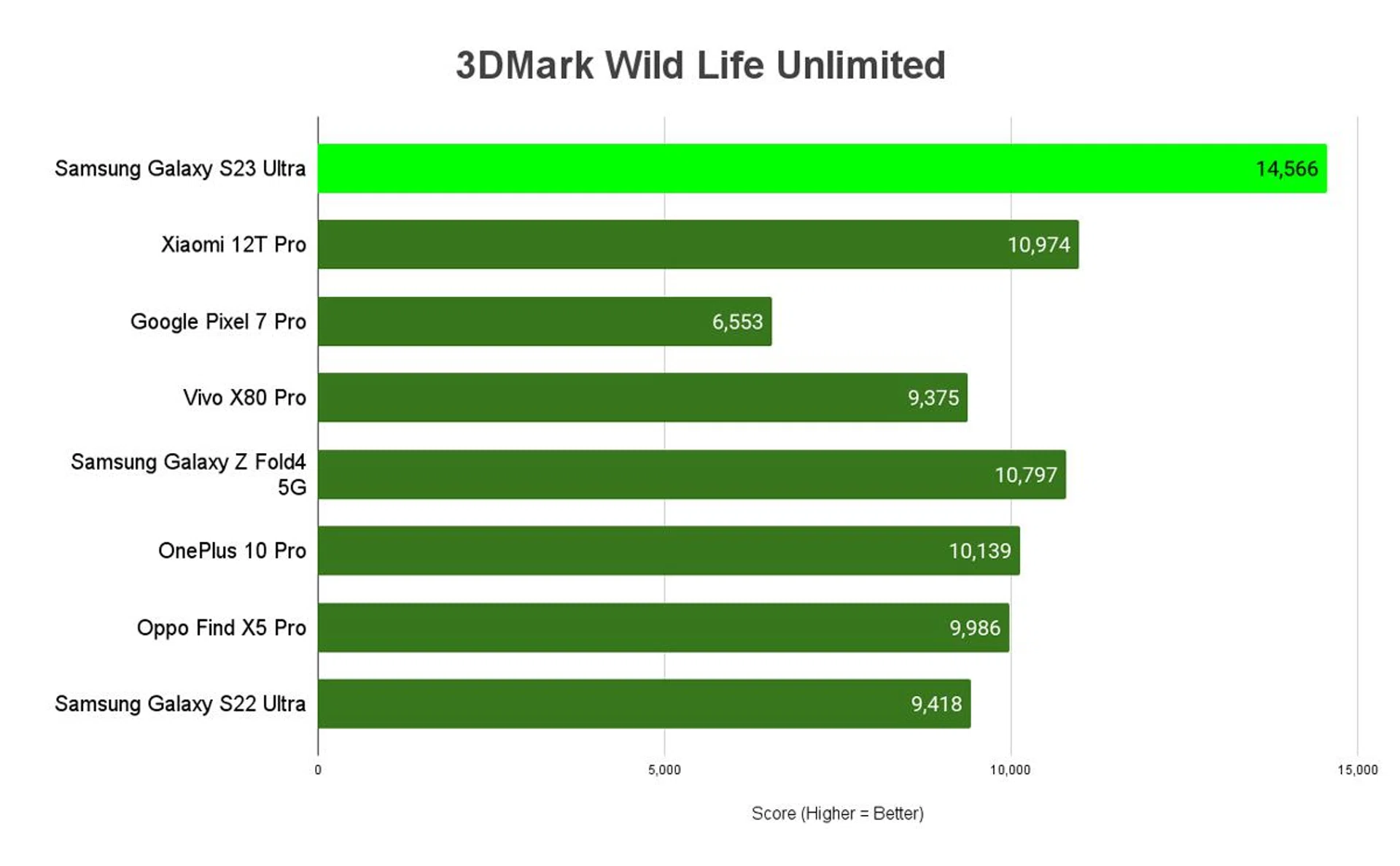
3DMark Wild Life (Unlimited)
3DMark Wild Life is a cross-platform benchmark for Windows, Android and Apple iOS for measuring GPU performance. Its graphics test consists of multiple scenes with variations in the amount of geometry, lights and post-processing effects, mirroring mobile games that are based on short bursts of intense activity. Wild Life uses the Vulkan graphics API on Windows PCs and Android devices. On iOS devices, it uses Metal.
In Unlimited mode, the benchmark runs offscreen using a fixed time step between frames. Unlimited mode renders exactly the same frames in every run on every device, regardless of resolution scaling. The higher the score, the better.
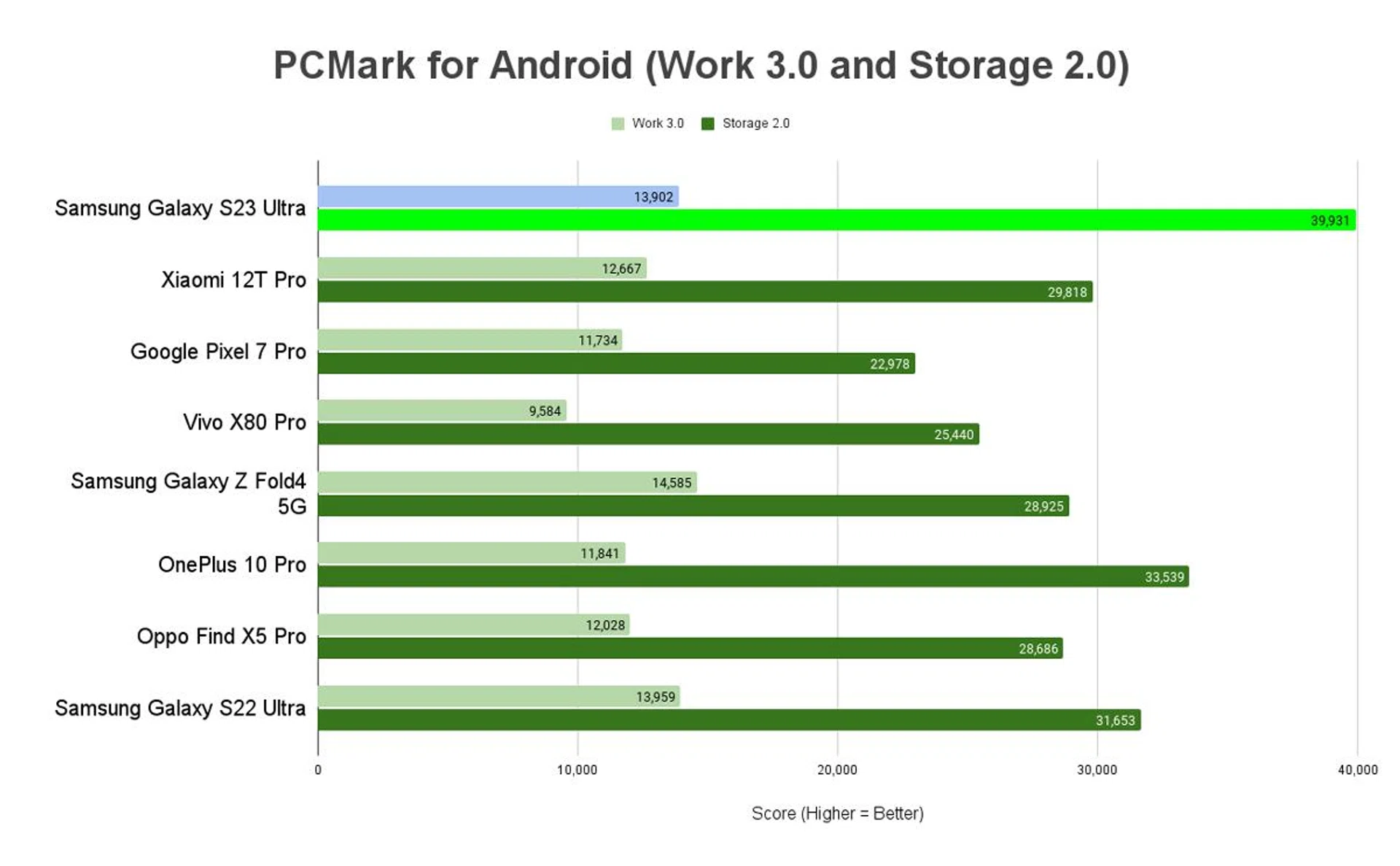
PCMark for Android - Work 3.0 and Storage 2.0
PCMark for Android is a benchmark for testing the performance of Android phones and tablets. The Work 3.0 test checks how the device handles common productivity tasks such as browsing the web, editing videos, working with documents and data, and editing photos. Storage 2.0 checks write-in and read-out performance for internal storage, external storage (if applicable), and SQLite database management. Together, the benchmarks can clue us in on how capable a phone is at handling everyday use. Work 3.0 scores are above, while Storage 2.0 scores are immediately below for each device - the higher the score, the better.
Benchmark Performance remarks
Samsung’s implementation of SD8G2 is impressive, although it’s still early to say if others can do better. Why we thought it fared well was how the phone kept a cool 34°c during moderate use and during benchmarking, didn’t heat up while gaming, and wasn’t as warm as we expected during recording or photography. Combined with the numbers it pulled and its snappy day-to-day performance, we’re quite pleased with the Galaxy S23 Ultra’s ability to deliver on its 2023 premium flagship promises.
Battery Life
Before we go into our battery uptime and charging results, please let us take a few moments to update you on our revamped battery review process.
We’ve embarked on a more holistic approach to our battery tests that looks beyond a single performance metric determining a phone’s overall battery life. The previous video-based version worked well for handsets from simpler times, but your modern smartphone is a digital window to your world.
Our new battery benchmark uses PCMark for Android’s Work 3.0 Battery Life test to determine a modern Android-based smartphone's battery uptime in minutes. This controlled benchmark simulates real-world usage with a combination of both web and social media browsing, video and photo editing, parsing data with various file formats, writing (on documents), and more.
To enhance consistency in battery results, we start the test at:
- 100% of the phone’s battery capacity until 20% left
- A fixed display brightness is calibrated at 200cd/m2 (200-lux) with the help of a luminance meter
- Max resolution
- Refresh rates unlocked
- 0% audio, or completely silenced where possible
- Full bars of Wi-Fi connectivity, Bluetooth, and notifications enabled
- Only one other battery recording app opened in the background
- Scored in uptime minutes; the higher, the better
Using a fixed brightness level, and muted audio avoids “penalising” high-end phones with excellent hardware components that offer brighter, or louder experiences. The parameters are also achievable by most Android phones outside of the flagship class. The benchmark cuts off at 20% as most phones have aggressive power-saving features that can affect these parameters. We do not put an upper cap on refresh rates, since it lets us test for adaptive refresh rates playing a part in battery management. Resolution may play a part in battery consumption, but we’ll be testing at max available resolution and make a note if the phone doesn’t offer high-resolution displays.
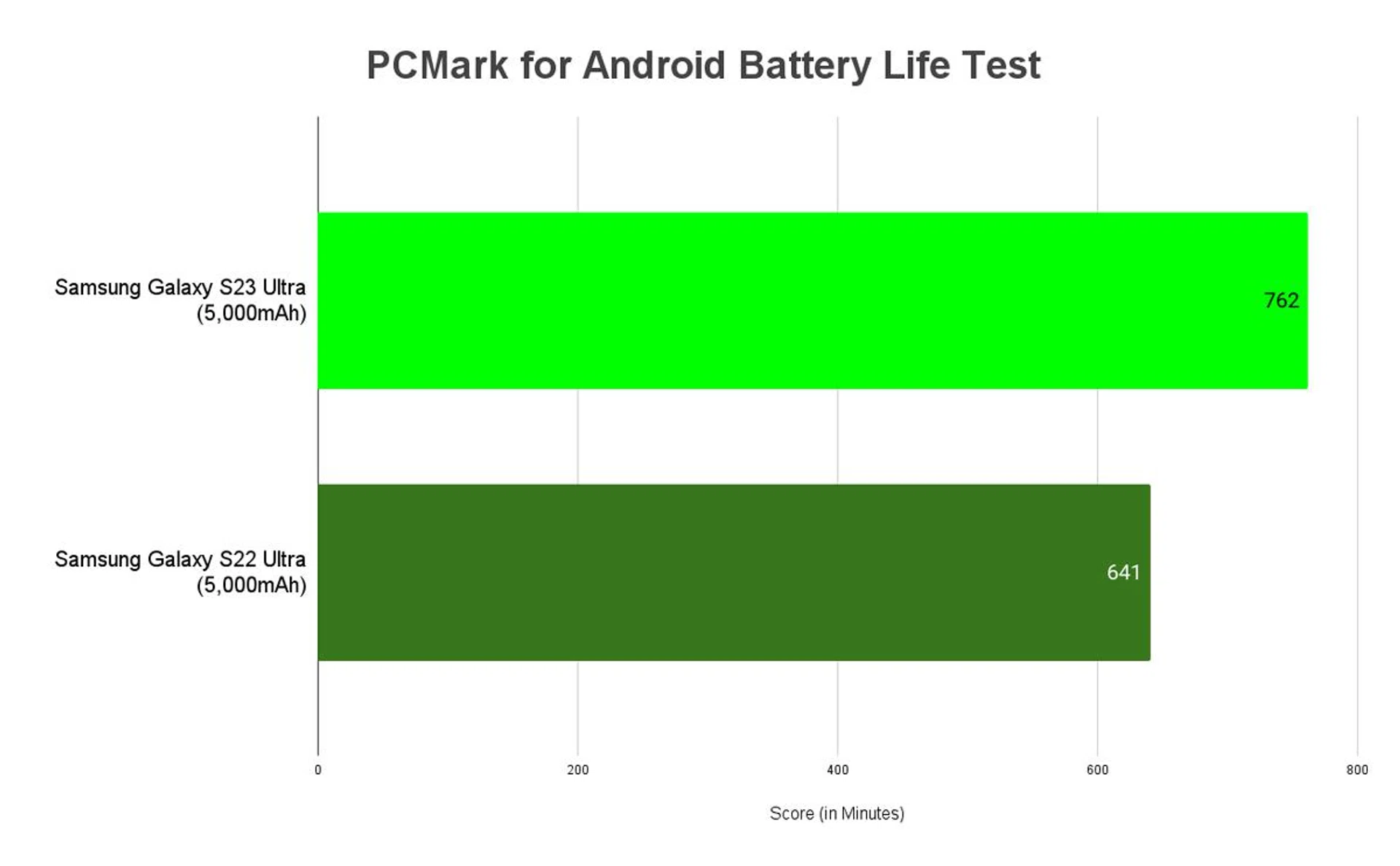
With about 12.5 hours, the Galaxy S23 Ultra gave us an impressive uptime despite the increase in performance gains. The fast memory components and Qualcomm chipset should have played a part in its efficient use of power.
In real-world use, the Galaxy S23 Ultra expended about 22% battery during 60-120FPS online gaming for two hours, depleted 1% battery while idling for two hours, and used 15%+ for two hours of photography.
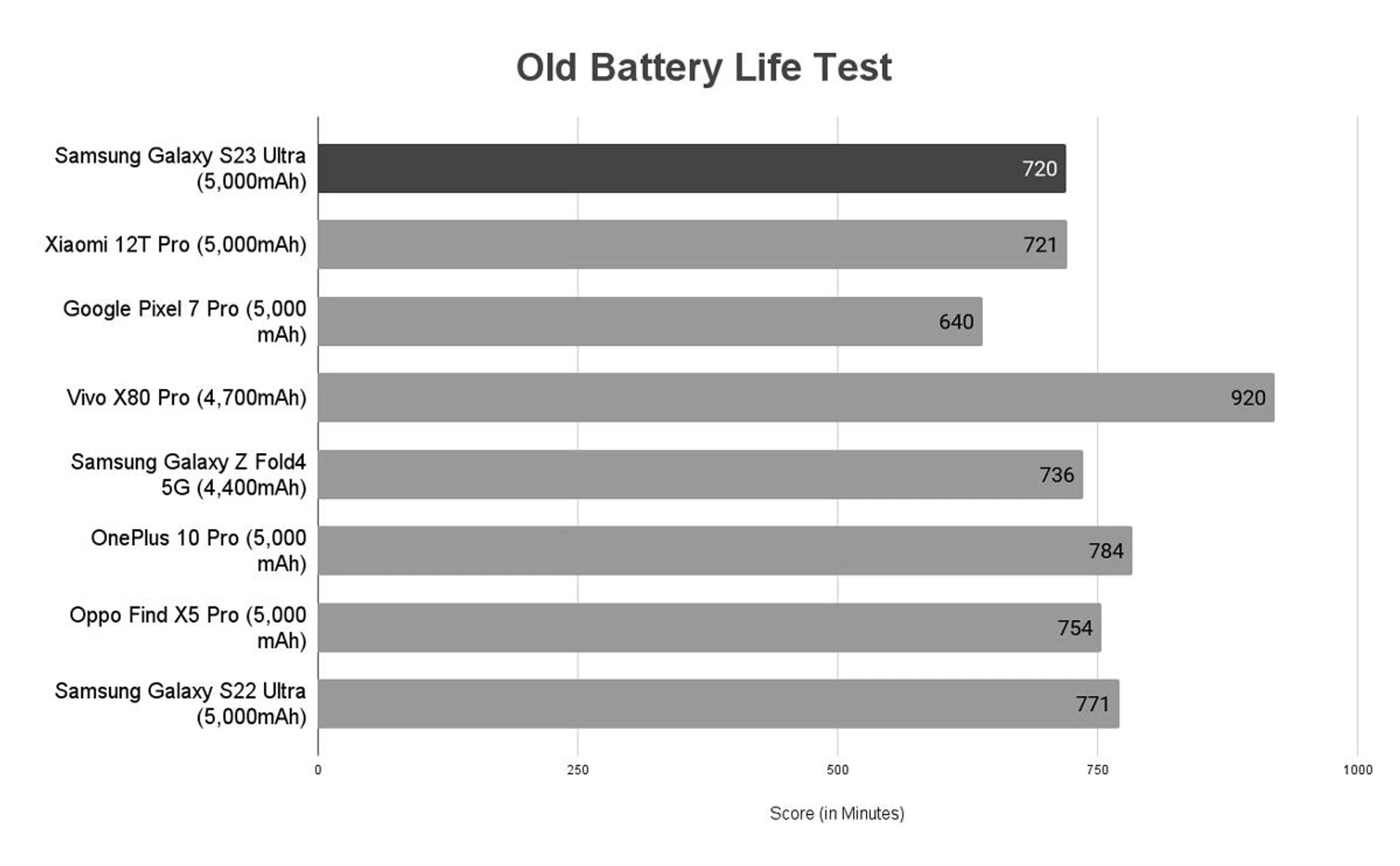
The new benchmark will succeed our outgoing Battery Life benchmarking, which has the following parameters:
- Looping a 720p video with screen brightness and volume at 100%
- Wi-Fi and Bluetooth connectivity turned on
- Constant data streaming through email
We tested its 45W fast-charging using a third-party Belkin BoostCharge Pro (a dual-USB-C GaN wall charging plug with a built-in 45/65W charging slot, PD 3.0, and PPS) because Samsung once again did not provide a compatible charger within its packaging. We did, however, use the provided USB-C cable.
It took 26 minutes for the Galaxy S23 Ultra to draw in 50% charge, and a total of 70 minutes for a full load from zero. You should be able to get a decent amount of juice in the time it takes to complete a household chore, or an episode for a Netflix series that hasn’t been cancelled. Either way, the Galaxy S23 Ultra has decent uptime and charging facilities for its size and power, but that’s also not new to Samsung’s overall flagship phone capabilities.
Should you get the Samsung Galaxy S23 Ultra?
As a premium flagship phone, the Samsung Galaxy S23 Ultra has all the hallmarks of a great Galaxy S handset, starting from its One UI 5.1, to its components, and all this translates into a premium, day-to-day experience with little compromise in key performance areas like its viewing experience, photo-taking, and stylus-wielding navigation. Getting one would usually boil down to wanting a handset with its bulk, its stylus offering, or its big battery and uptime.
If we had to choose, it's a contest between performance gains and its reduced curvature that we liked most about what's changed on this model. The upgrades are all within, and we feel the Galaxy S23 Ultra is made for users who care more about what's inside than how it looks (before you buy a phone case, that is).
The Galaxy S23 Ultra makes an enticing switch if you're coming from other brands, and it's never really just one standout feature that makes you pull the trigger. It combines its impressive photography capabilities, having a luxurious-looking display, and the meeting of all premium flagship expectations of like fast-charging and IP ratings come together on the Galaxy S23 Ultra. It takes a while to really get into Samsung's ecosystem, but that is mostly optional and relatively easy to setup if do intend to use it.
Starting at S$1,828 for the 256GB variant, the Galaxy S23 Ultra isn't exactly affordable, but believe it or not, it's actually a tad cheaper than the Galaxy S22 Ultra when it debuted! However, it has gotten a tad more expensive for the more storage tier most would likely get - the 512GB edition now goes for S$2,098 while 1TB storage goes for S$2,458. But the brand has tried many methods to entice buyers to pre-order and get massive discounts, which helps make the switch easier.
Storage Size | Galaxy S23 Ultra | Galaxy S22 Ultra |
128GB | N.A. | S$1,718 |
256GB | S$1,828 | S$1,858 |
512GB | S$2,098 | S$1,998 |
1TB | S$2,458 | N.A |
Galaxy S22 Ultra users may find the new Galaxy S23 Ultra less attractive because of its incremental gains, but that's a benefit for these older phones. You're not obsolete within a year, and the price you pay is for the extra megapixels on a main camera, a more comfortable viewing experience, and smoother phone operation. All these gains aren't as apparent in your daily use, making it easy to decide if you want to drop close to two grand for these additions. The predecessor is already a good choice, so there's little to fret about (and no one can tell you have an older model at a glance anyway).
The Samsung Galaxy S23 Ultra officially retails from 17 February 2023 onwards (that's today) in 256GB, 512GB, and 1TB variants for the Singapore market. If you're itching to buy one after reading this review, the Galaxy S23 Ultra is over at the Samsung Online Store, Amazon, Lazada, Shopee, our popular consumer electronics retailers (Best Denki, Challenger, Courts, Gain City, Harvey Norman), and local telcos (M1, Singtel, StarHub).