
Samsung Galaxy S10 and S10+ review: Premium refinement
The Samsung Galaxy S10 and S10+ are the first big premium flagships of the year. But are they worth your money or should you hold out for the Galaxy Fold? Here's our verdict.

The first of many new flagships in 2019
Okay, let's just start by stating the obvious: the Samsung Galaxy S10 and S10+ are not the most exciting phones Samsung is releasing this year. That is, without a doubt, the jaw-dropping Samsung Galaxy Fold. But the Galaxy Fold is also likely to cost around S$2,500, and that's just not feasible for most people.
For most people, the more realistic option will be the Galaxy S10 or the S10+ (or possibly even the S10e) that start from S$1,298. While they lack the Fold's crazy display and all the party tricks that go with it, they make up for it with stunning displays of their own, great camera performance, a clean new UI, and the most powerful processor Samsung has made in years - essentially combining the best from 10 years of Galaxy S series.
In this article, we'll focus on the Galaxy S10 and the Galaxy S10+ models. We'll review the S10e really soon.
Video overview
Before we drill down on all the details, here's a video overview of what's new with these new phones:-
Design
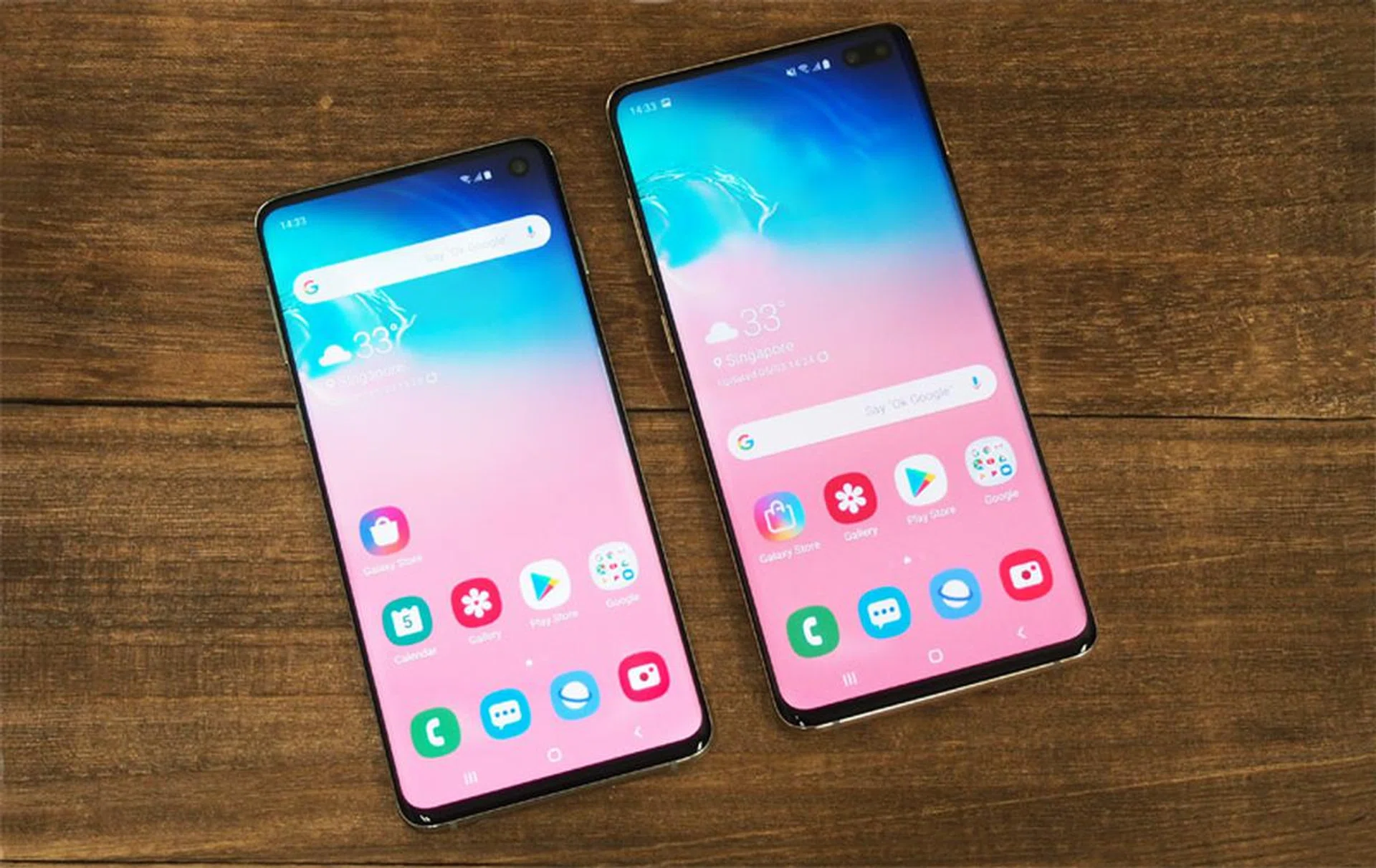
Samsung was pretty much the only brand to skip out on the whole notch craze that's dominated phone design over the past two years. Now though, it's one of the first to jump on the hole punch bandwagon that seems like it will be the hottest trend of 2019. Are holes better than notches? I don't think anyone truly loves either option, but at least most people can agree that a small hole is less obtrusive than a huge notch.
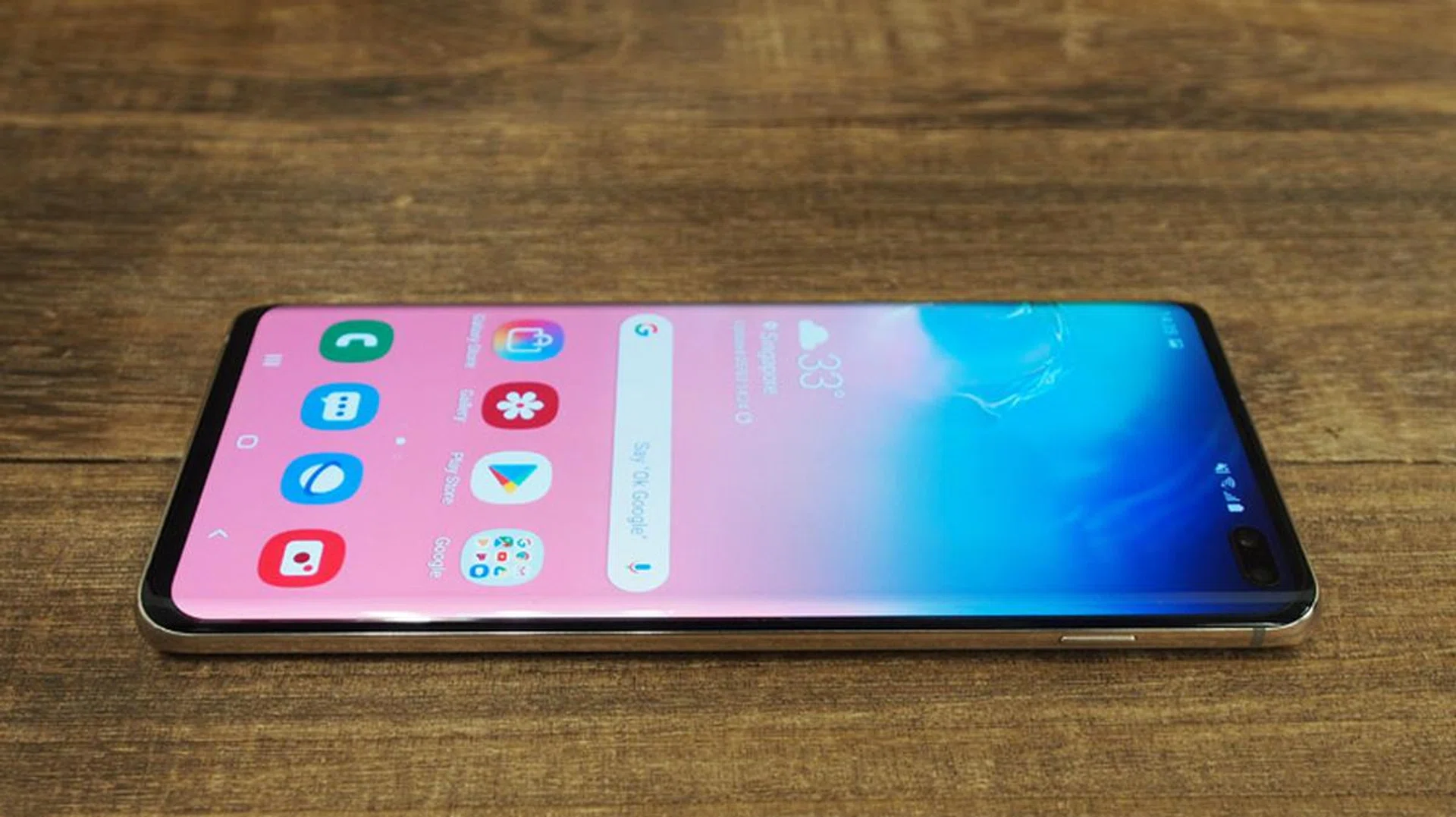
The S10 has a circular hole punch cutout, while the S10+ has a pill-shaped cutout to accommodate its two front cameras. The S10+ cut-out is a lot more obvious because not only are there two cameras, but the large space between them - it's seriously large enough to fit a third camera in there - is cut out too. Is the extra camera worth the larger cut-out? More on that later.

Both displays are Infinity displays, which means they curve at both edges like an infinity pool. The curves on the S10 and S10+ are more subtle than previous years, and there's no longer a distinct sloping edge, but while it doesn't look quite as cool, it does mean there's more display space you can actually use.
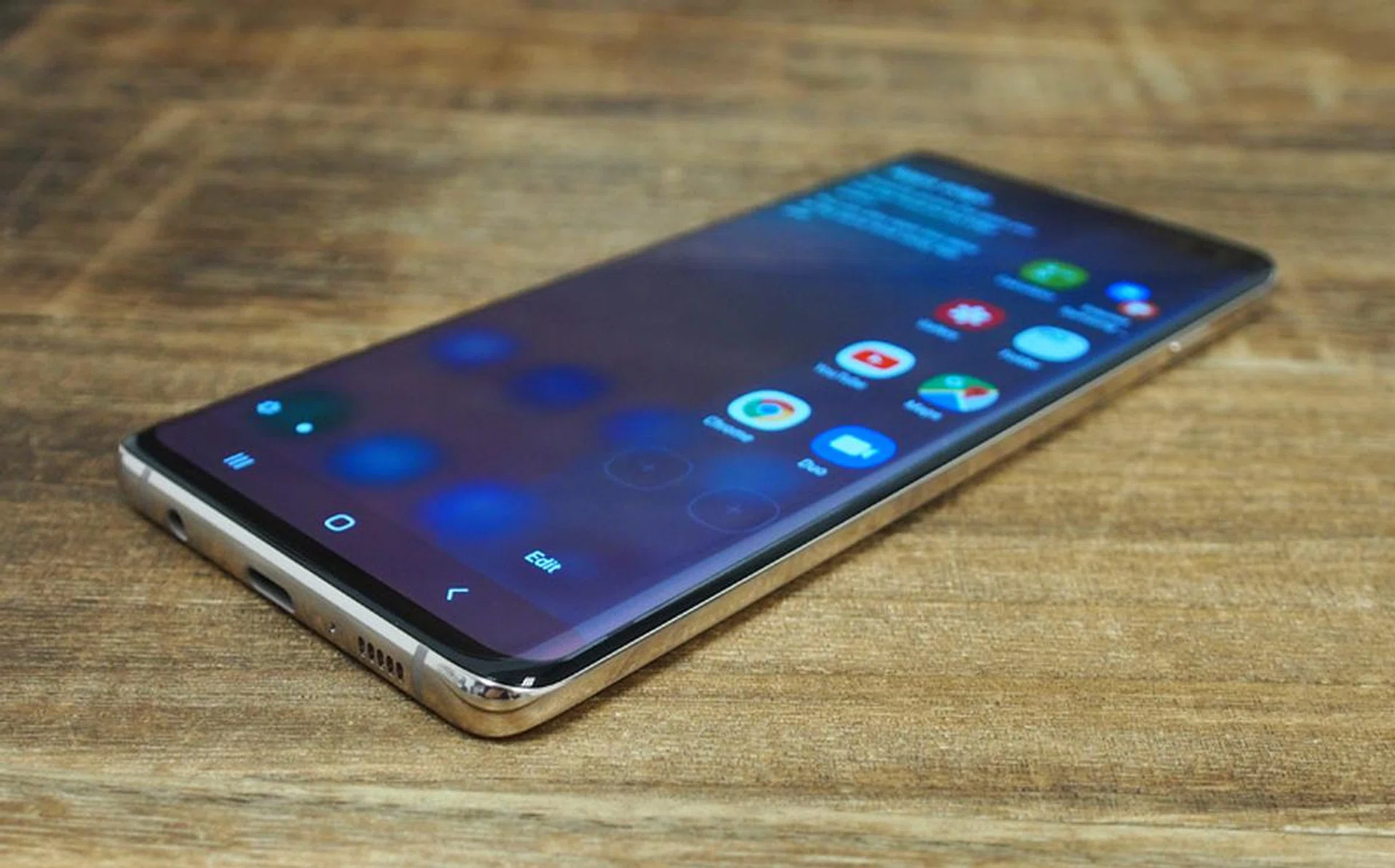
The bezels on the sides are thinner than ever too, and the bottom bezel has also shrunk in comparison to the S9 and Note9, making these phones the most full-display phones Samsung has ever made. If you want actual specs, the S10 has an 88.3 percent screen-to-body ratio, while the S10+ has an 88.9 percent screen-to-body ratio.
Both phones are thinner and lighter than last year's models too. They're roughly the same size, but are remarkably just 7.8mm thick, almost 1mm thinner than their predecessors. The glass-backed S10+ weighs just 175g, while the S10 is just 157g.
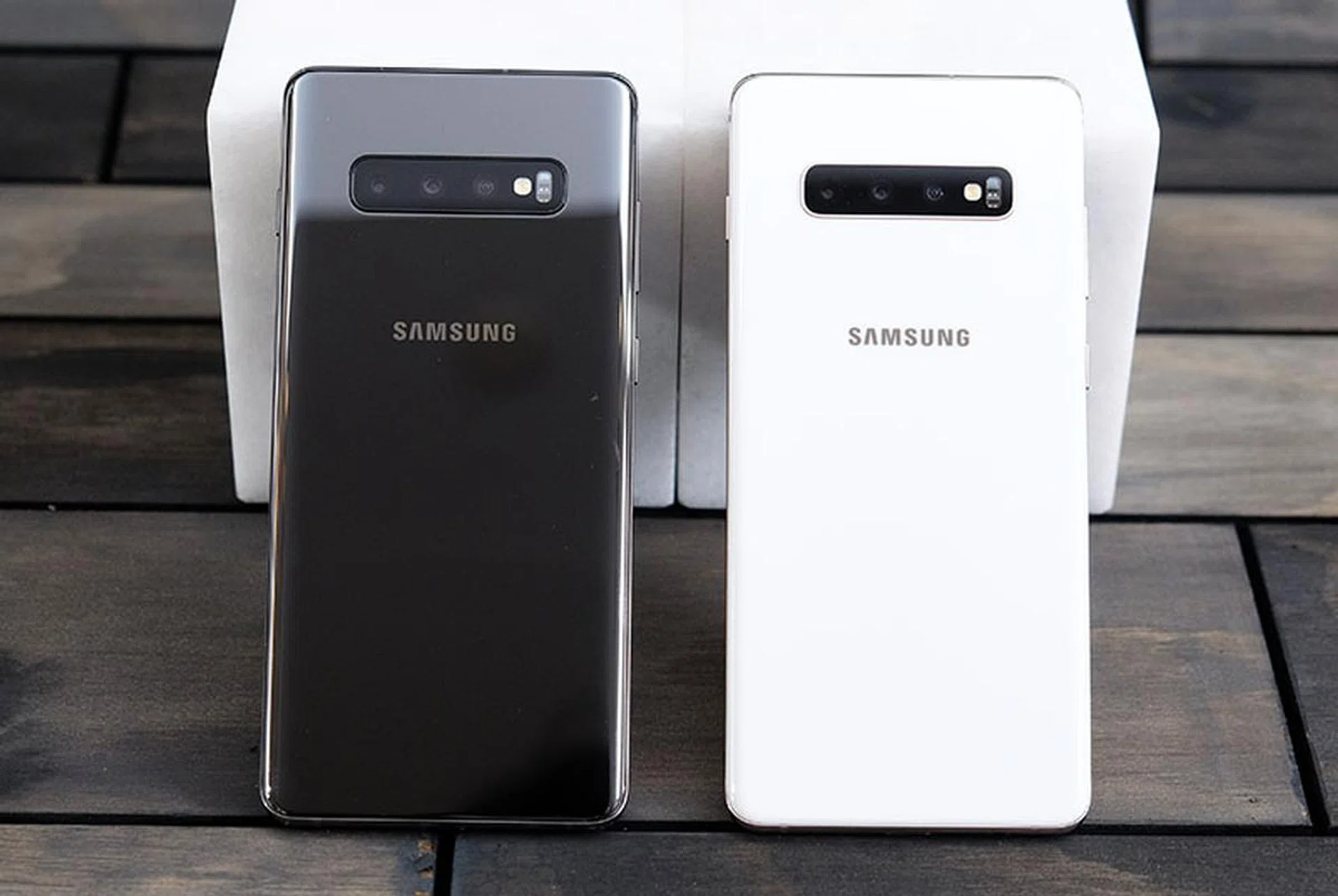
Flip the phones over and you'll see the cleanest designs Samsung has had in years. Thanks to the new in-display fingerprint scanner, there's no longer a rear fingerprint scanner, and the result is a more streamlined, minimalist rear.
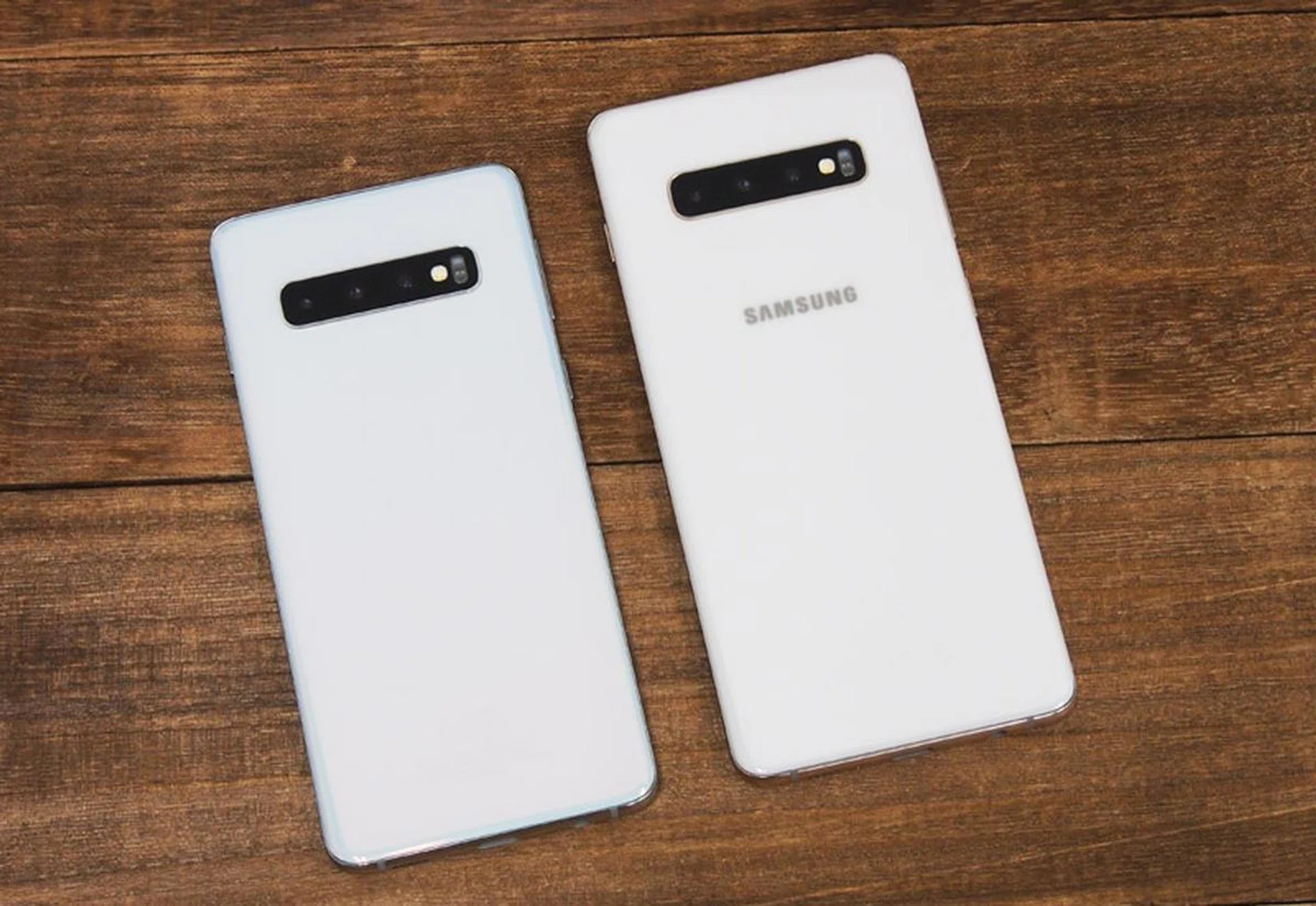
Both phones have the same triple camera setup, comprising of a 12-megapixel variable aperture f/1.5 + f/2.4 lens, a wide-angle 16-megapixel f/2.2 lens, and a 12-megapixel f/2.4 telephoto lens with 2x optical zoom. Next to the three lenses is the LED flash and heart rate sensor.
I do wish Samsung had color-matched the camera module to the rest of the rear as it did with the Note9, but that's just a minor complaint.
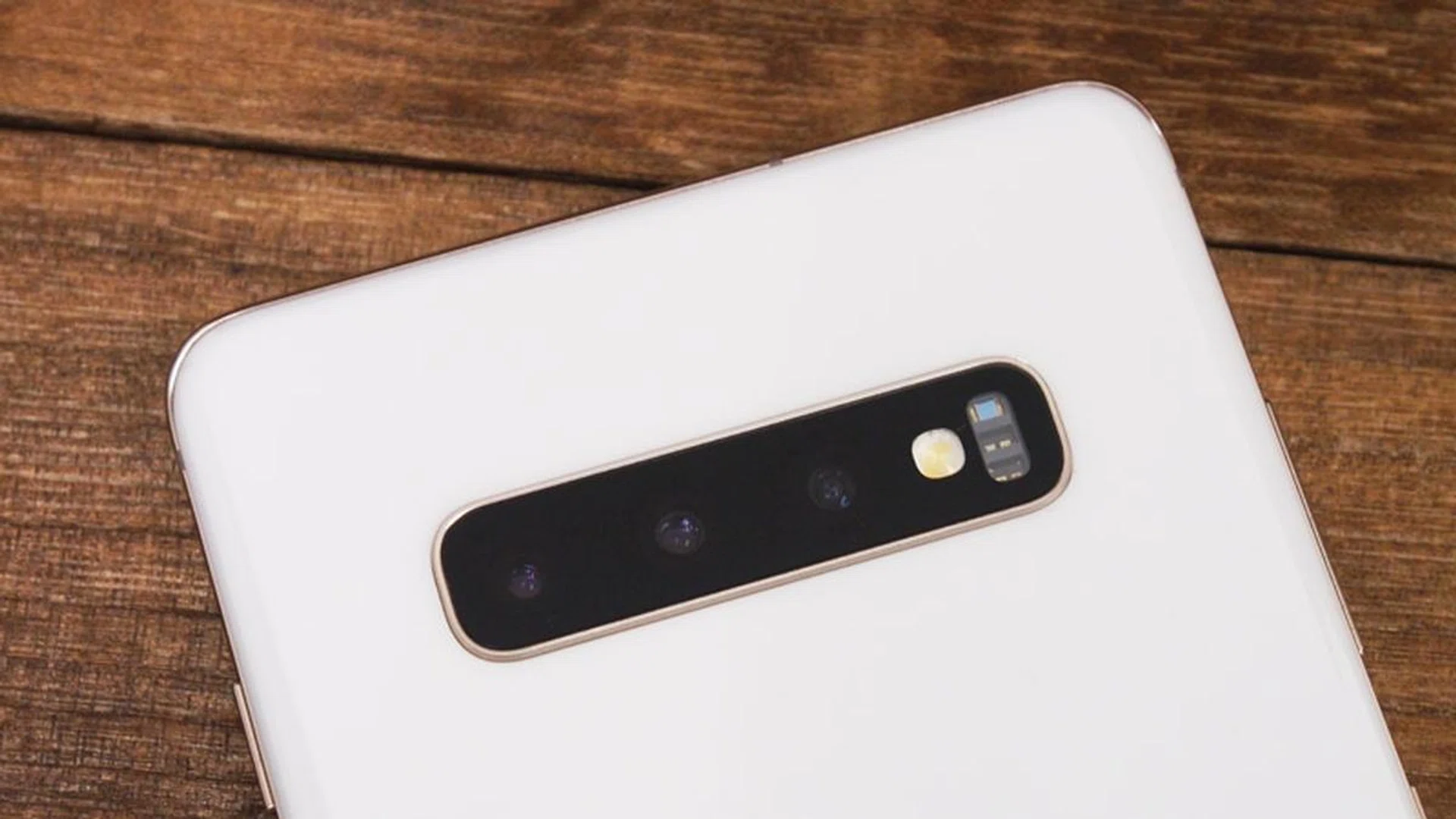
Speaking of colors, if you opt for one of the four Prism colors, you'll get the usual glass back, but if you go for Ceramic Black or White, which are exclusive to the S10+ (512GB and 1TB options only), you get a much nicer and more scratch resistant ceramic back instead. The ceramic models are over 20g heavier, coming in at 198g, but the more premium-looking finish and increased durability are worth the added weight in my opinion.
The power button is on the right side of both phones, but it's positioned unusually high up, which makes it a little tricky to reach, especially on the S10+. You can wake the screen by raising it or double-tapping it, so you don't really need to use the power button, but still, a lower button would have been preferable.
On the left-side, you'll find the volume rocker and dedicated Bixby assistant launcher. Unlike previous years, the Bixby button can now be remapped to launch other apps. The button has three options: single press, double press, and long press, however only the first two can be remapped. Long pressing it will always launch Bixby, but at least you can now remap the other two options.
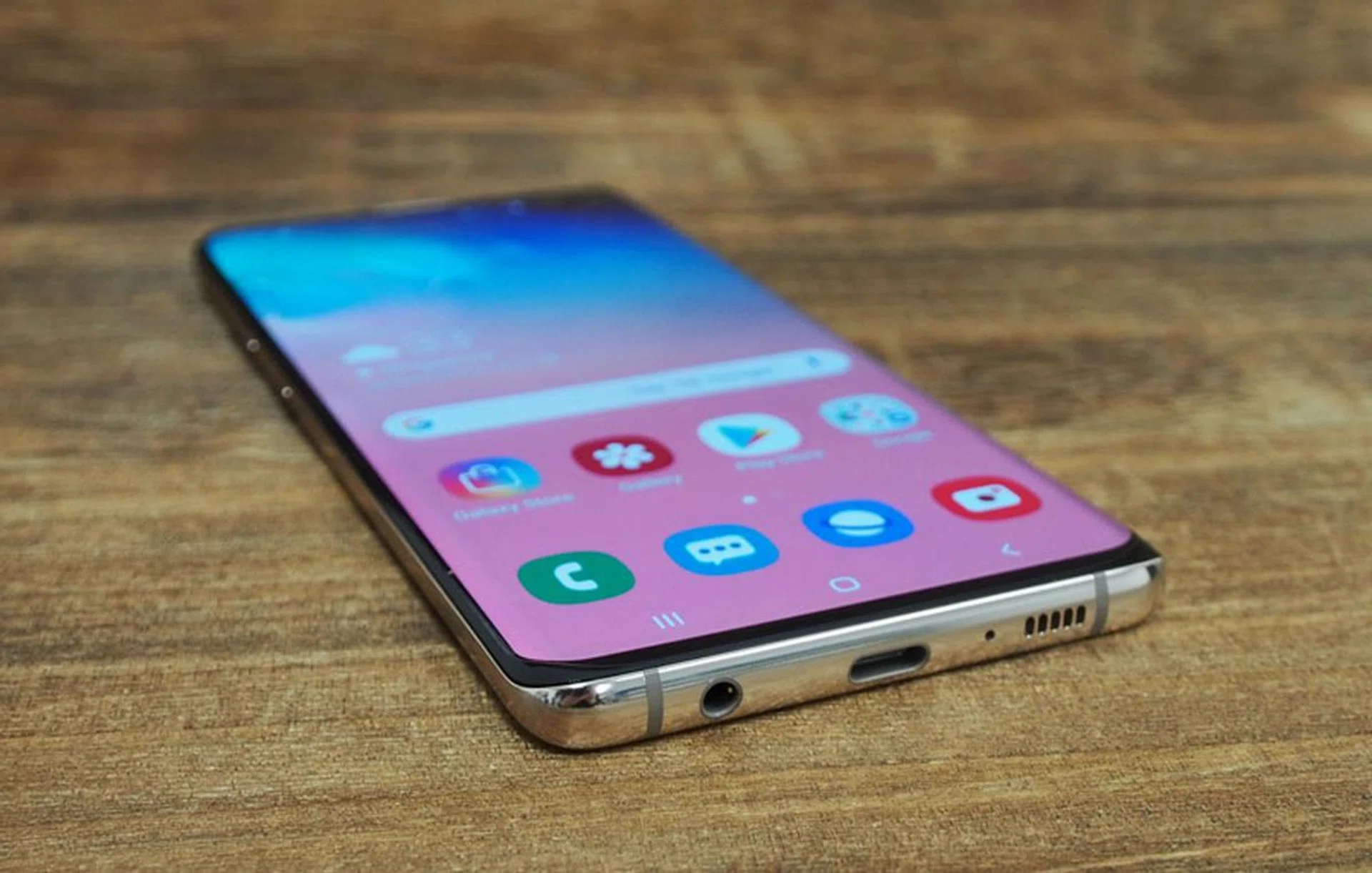
The bottom of the phones look basically the same as their predecessors, with a USB-C port is in the middle, a 3.5mm headphone jack to the left and the earpiece and loudspeaker on the right. Once again the combo nano SIM and microSD card slot tray can be found on the top of the phone. As always, both phones are IP68 dust and water resistant.
Display & Audio
The S10 and S10+ are equipped with Samsung's first Dynamic AMOLED displays. These are essentially the same as the Super AMOLED displays of years past, but with a new emphasis on HDR. These displays are the first to support HDR10+ which basically means they can display a much higher dynamic range. One thing to note that is that, right now, there's very limited HDR10+ content out there. In fact, it's pretty much limited to only some content on Amazon Prime Video, although Netflix has said it's open to supporting HDR10+ in the future.
Both phones have the same 3,040 x 1,440 pixels resolution and 19:9 aspect ratio, with the S10 using a 6.1-inch panel (~550ppi) and the S10+ a larger 6.4-inch panel (~526ppi).
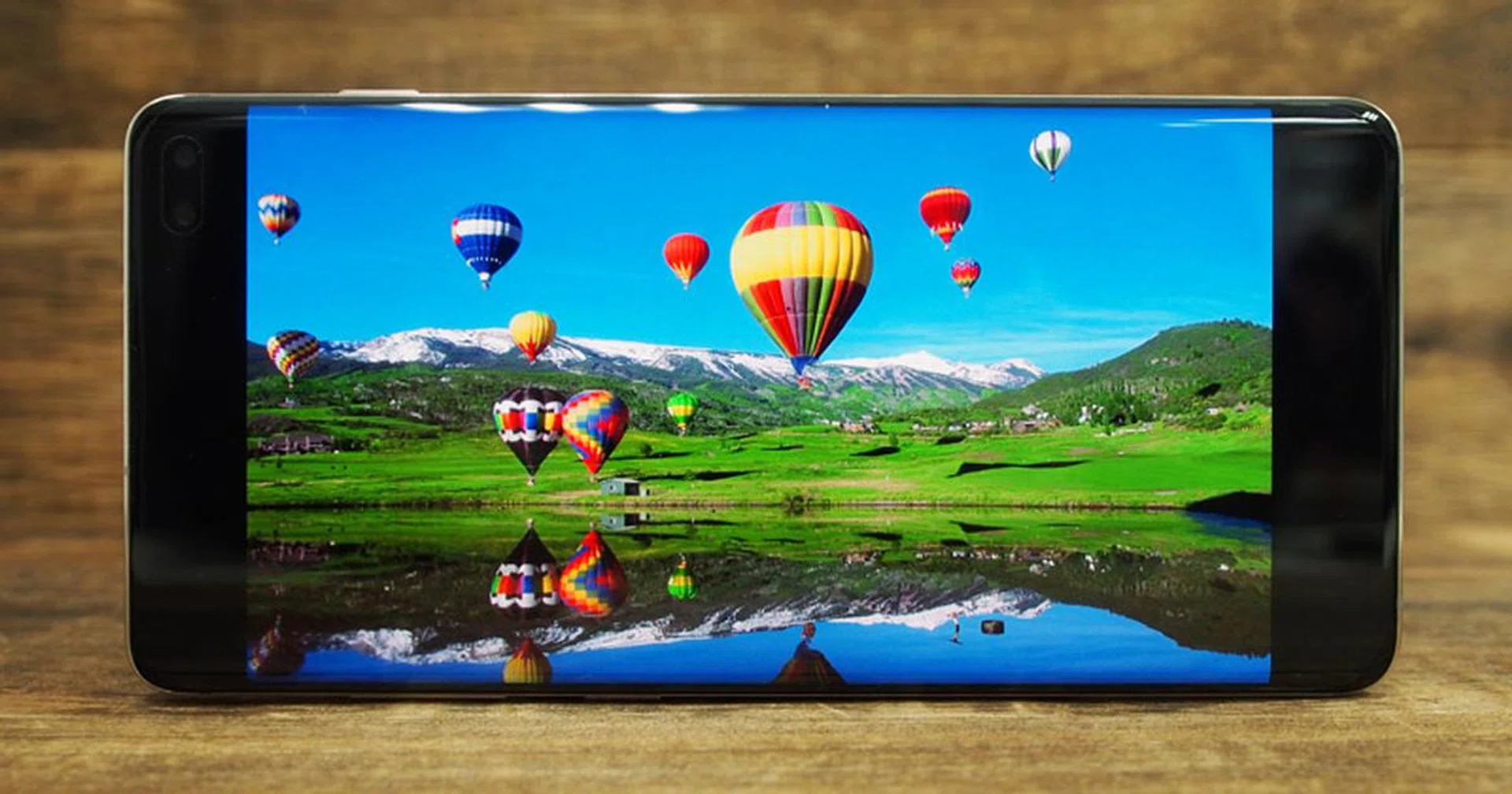
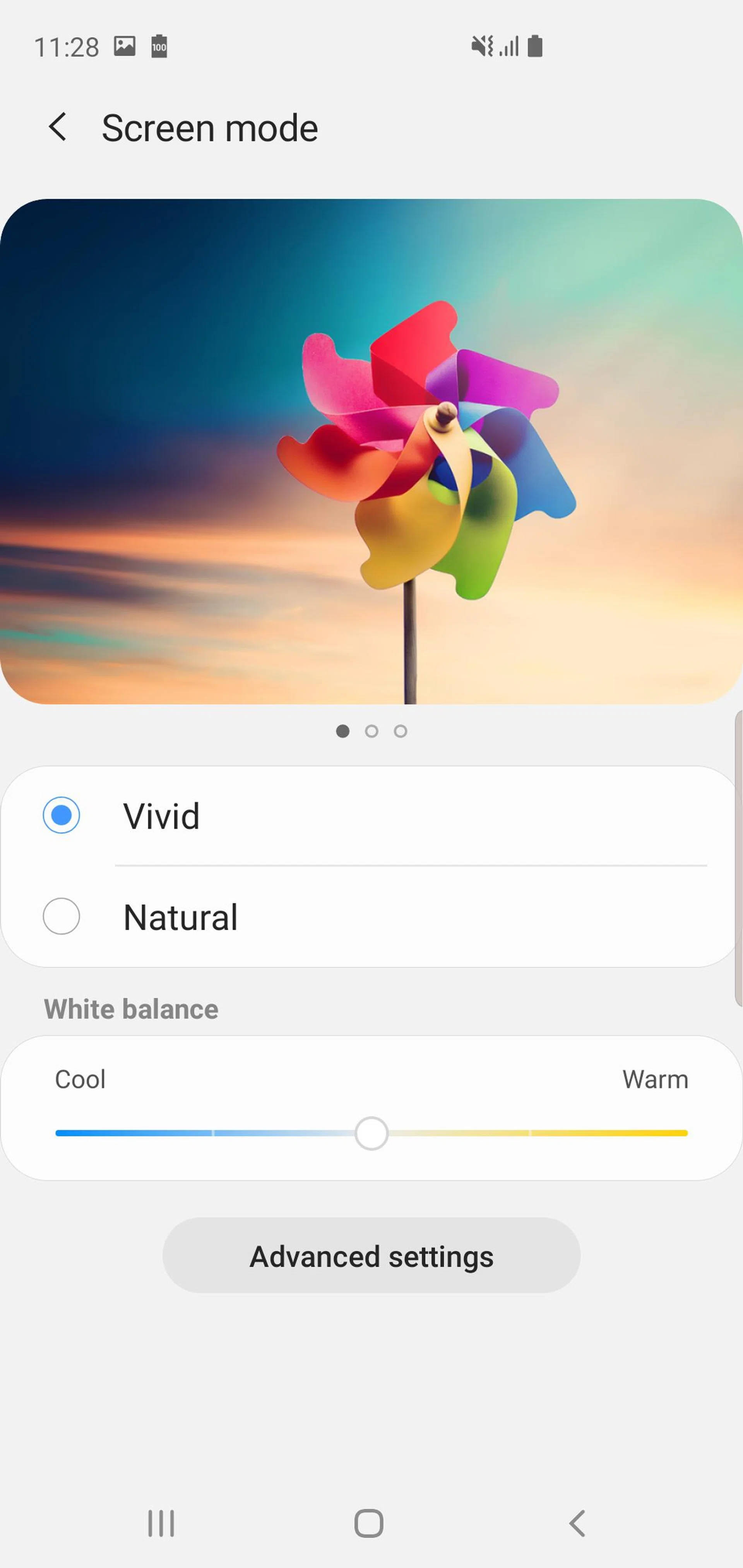
Both displays are sharp, with great contrast, natural colors and high maximum brightness. In fact, according to Samsung both panels can reach 1,200 nits, which is practically unheard of, especially for an OLED display - you'll have no problems seeing these displays, even under bright sunlight. By default, both displays are tuned for a realistic sRGB color profile, however if you prefer a more vivid display, there's a Vivid option in the settings menu that will make everything pop.
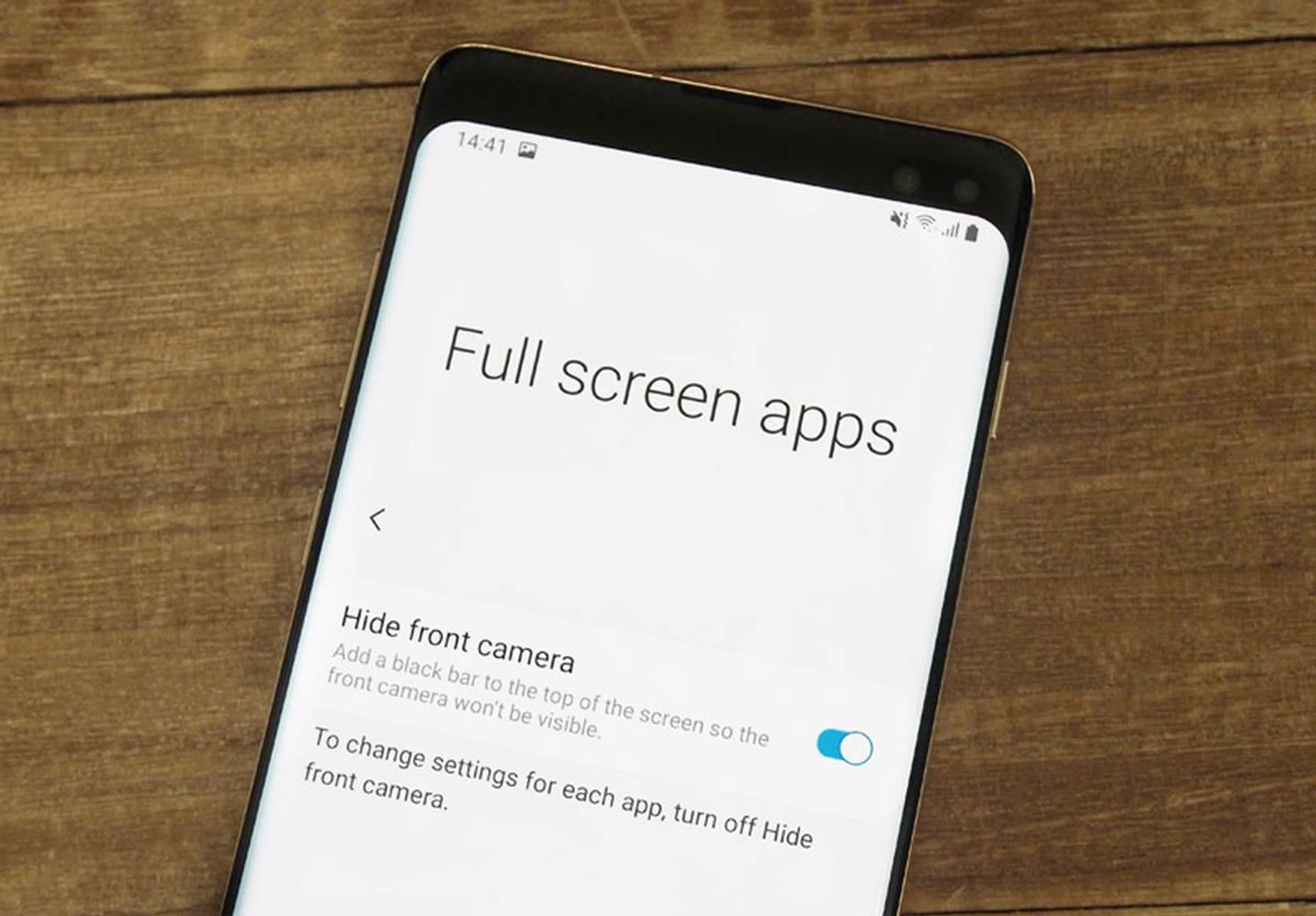
If you hate the hole punch cutout, there's an option to hide it which will add a black bar to the top of the display. Unlike notches, which I generally choose to hide, I feel like this option actually looks worse here, especially on the S10, which has such a small cutout anyway.
The S10 and S10+ have the same stereo speaker setup as last year's S9, using one speaker on the bottom of the phone, and the earpiece above the display doubling up as the second speaker. The speakers are tuned by AKG and are very loud, with a surprisingly decent amount of bass.
Biometrics
The S10 and S10+ are the first phones to use ultrasonic in-display fingerprint scanners. What makes them different from the in-display scanners you've seen on other phones like the Huawei Mate 20 Pro? Every other in-display scanner is optical in nature - essentially there's a tiny camera under the screen that takes an image of your finger which is then compared to the stored image. The S10's ultrasonic scanner, on the other hand, uses ultrasonic sound waves to build up a 3D image of your finger. This makes it more secure and gives it better accuracy even when your finger is wet or dirty - think of it like 3D face scanning for your finger.
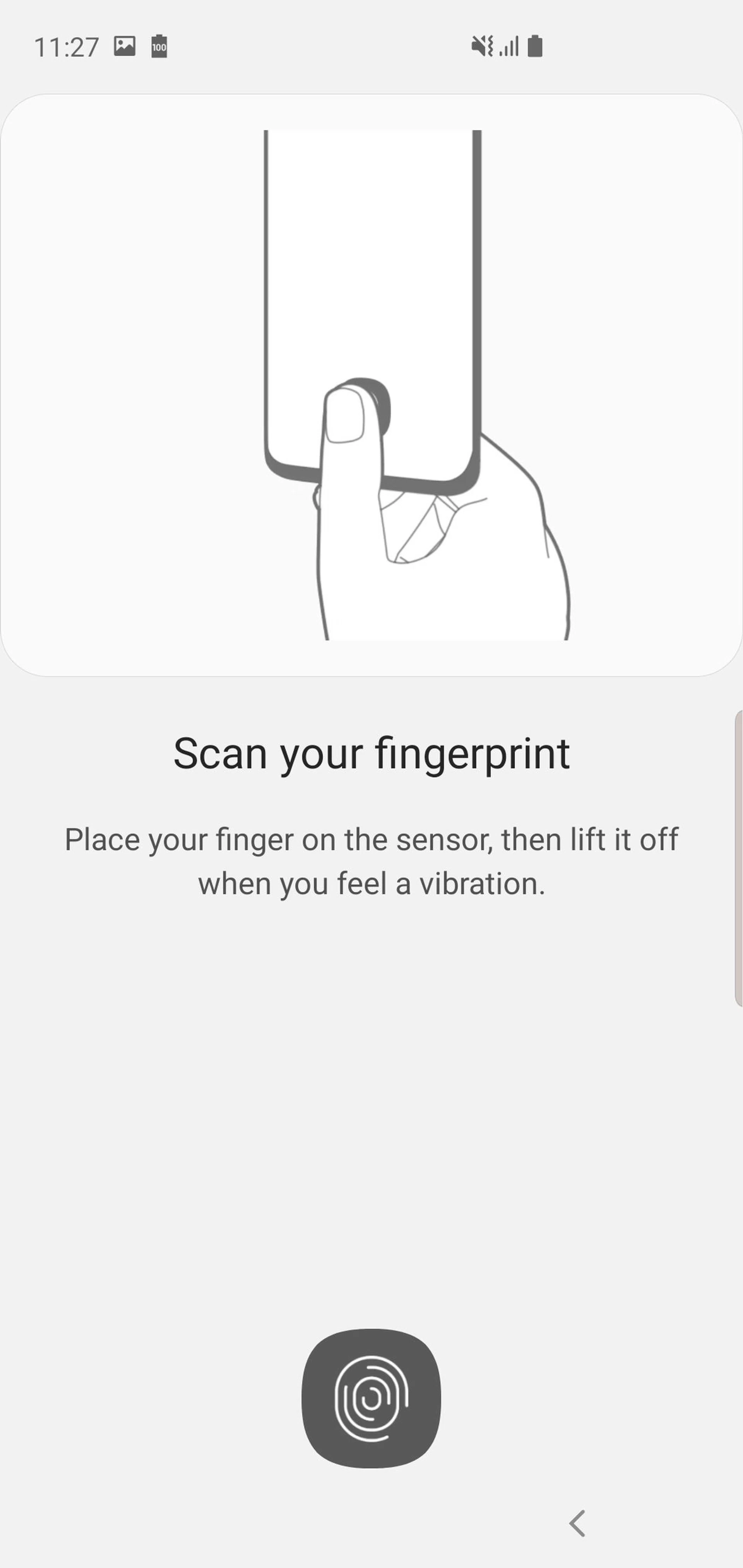
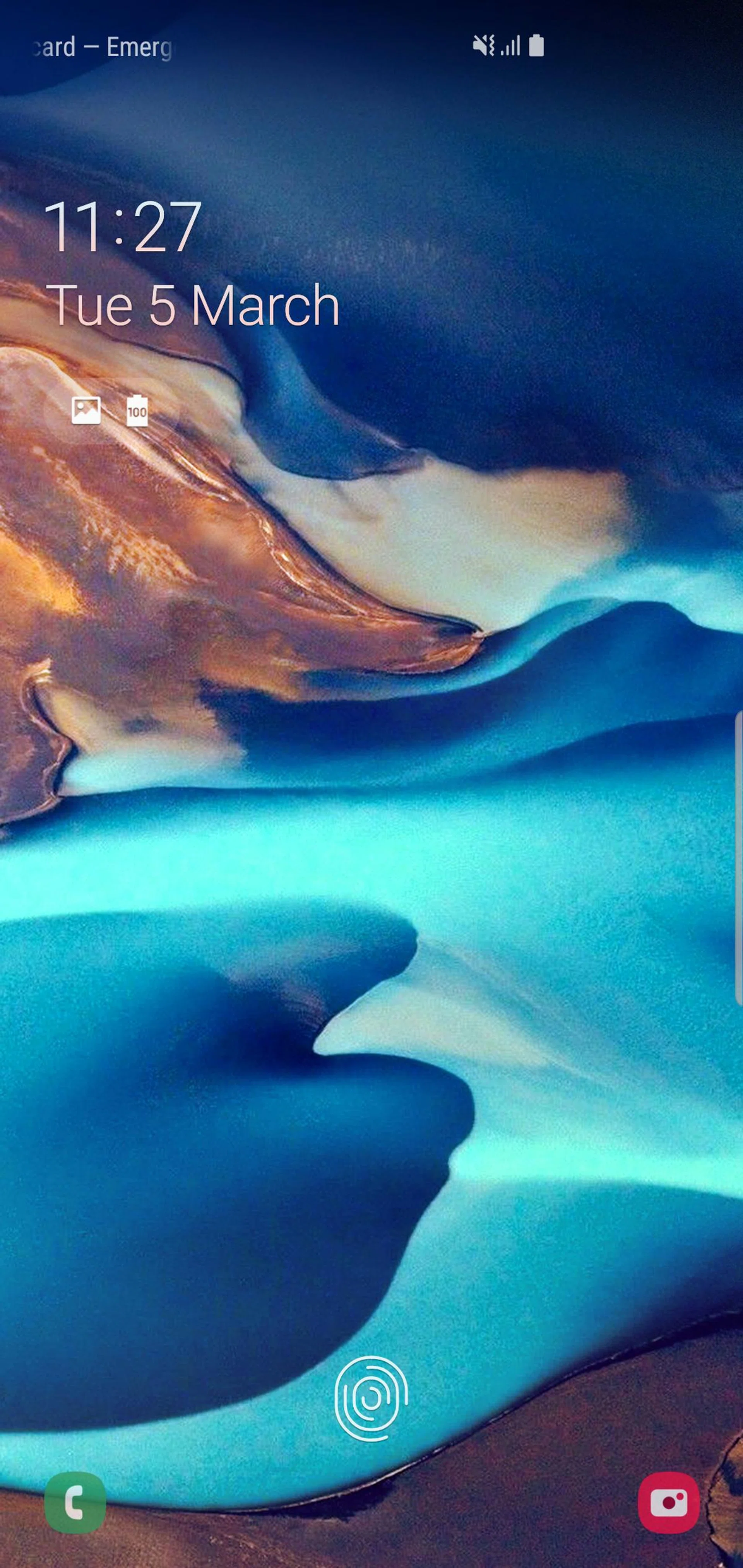
In actual usage, the ultrasonic scanner operates exactly the same as other in-display scanners. There's a small area indicated by a fingerprint logo where you press your thumb, and it takes about half a second to unlock (check out the video on the earlier page at the 2:23 mark to see it in action). Generally speaking, the scanner works fine, although I've found that you need to press a bit harder than usual. On the plus side, it does indeed work even if your finger is wet or dirty.
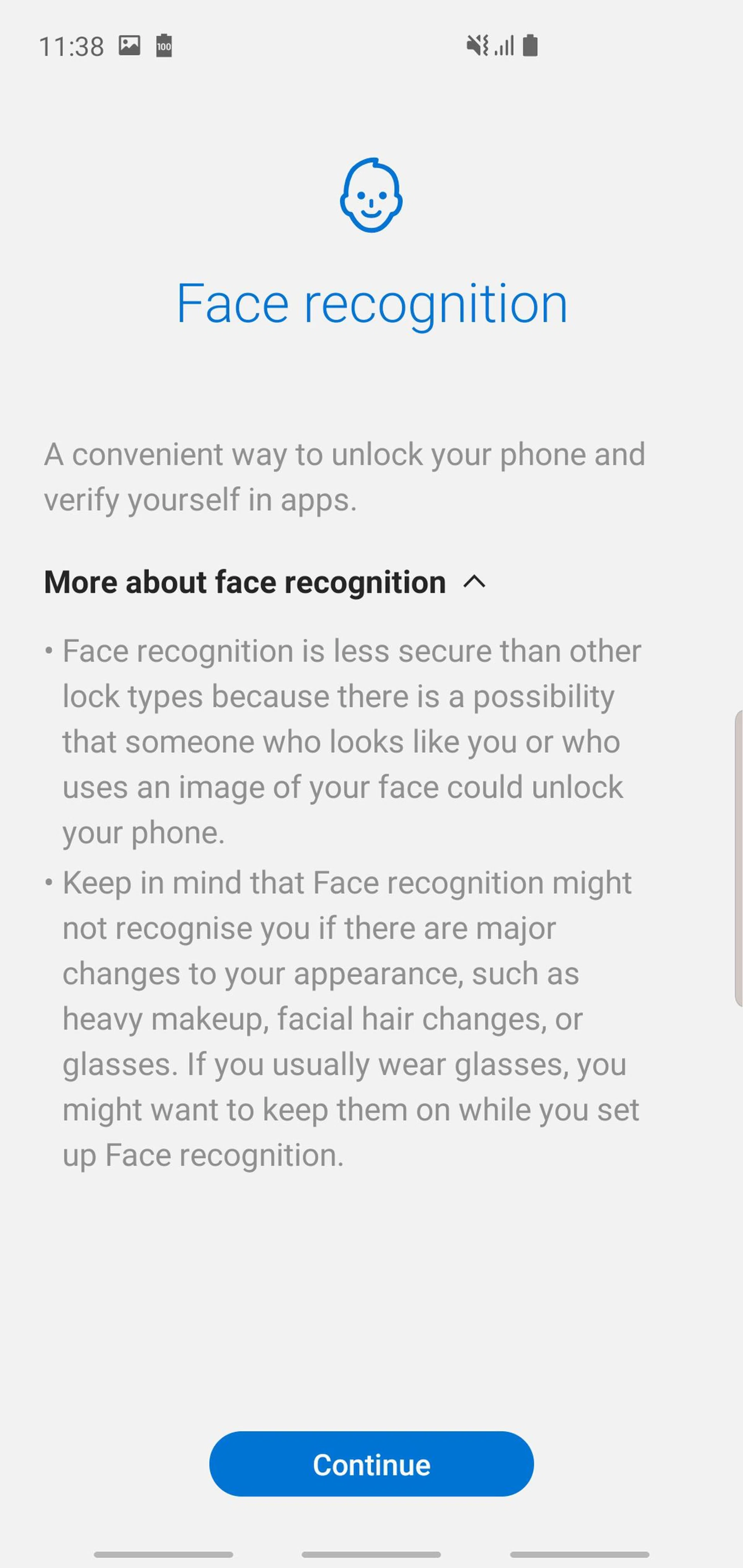
There's also a Face Unlock mode, but this is far less secure, and simply uses the selfie camera to compare to the image you register. We don't recommend using this option. Unfortunately, Iris Scanning is no longer available as there's no room on the front for an IR emitter and an extra camera.
UI
The S10 and S10+ are the first phones running on Android 9.0 Pie with Samsung's new One UI out of the box. The new UI is brighter and more colorful, with rounded menus and buttons, and an additional focus on one-handed usage without having to use a shrunken 'reachability' mode.
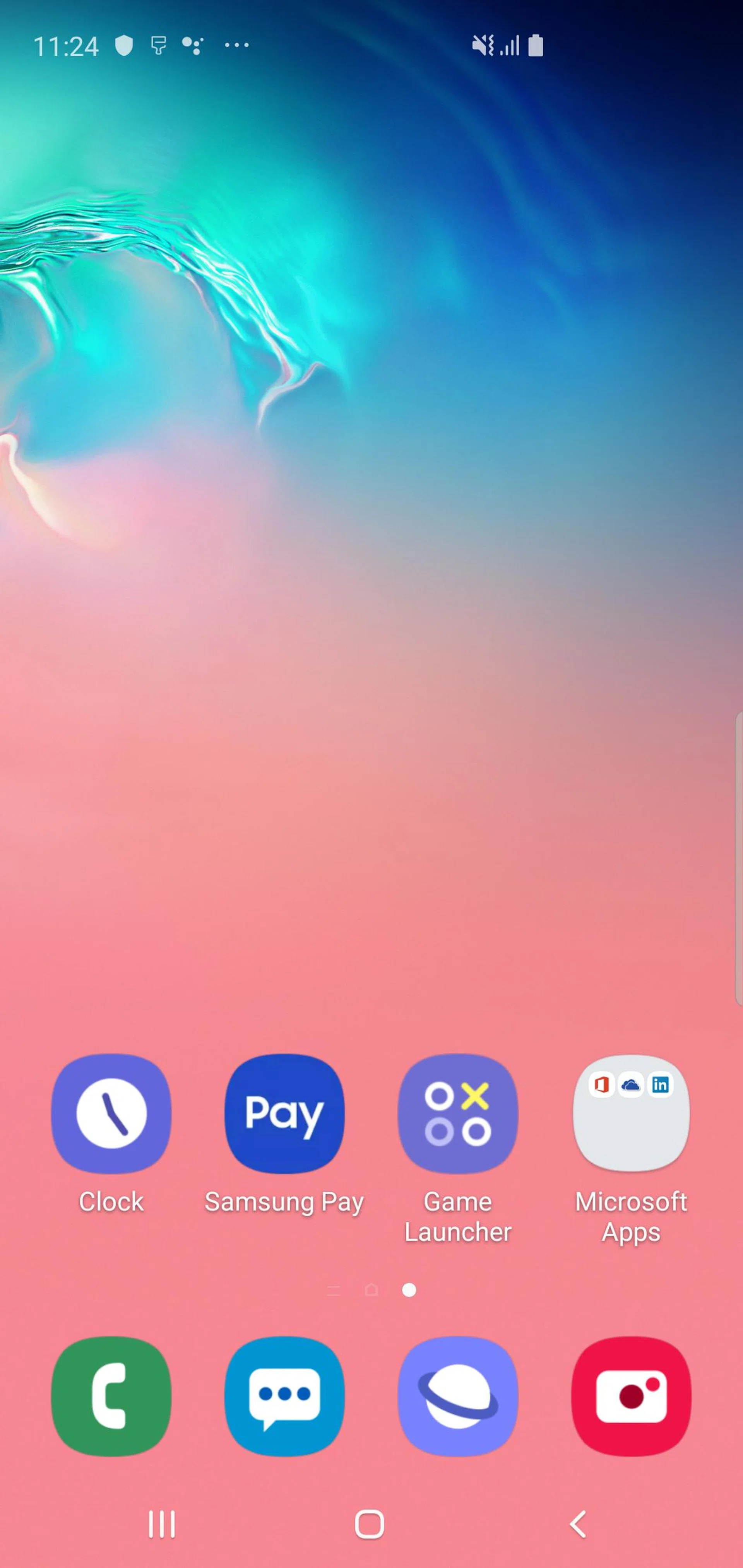
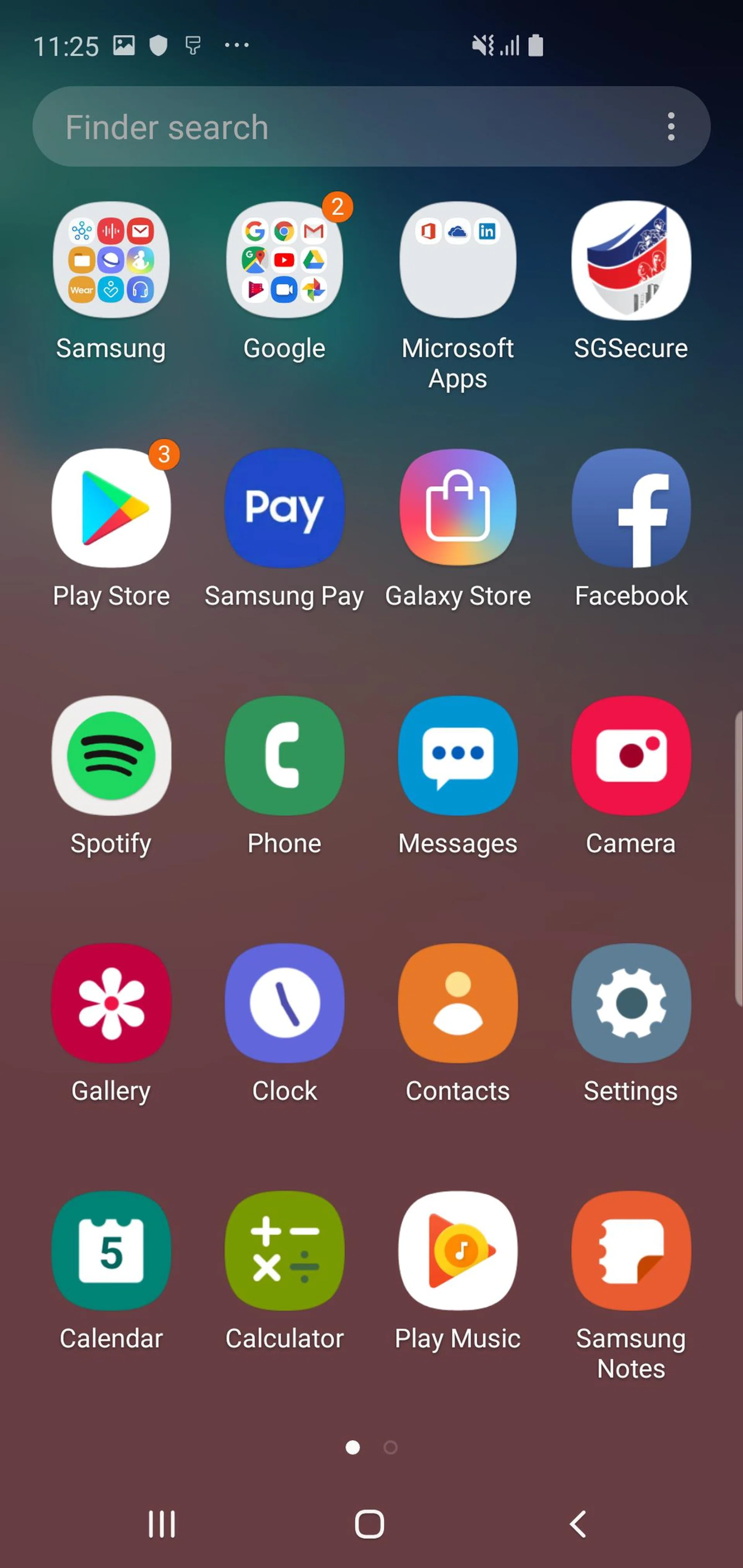
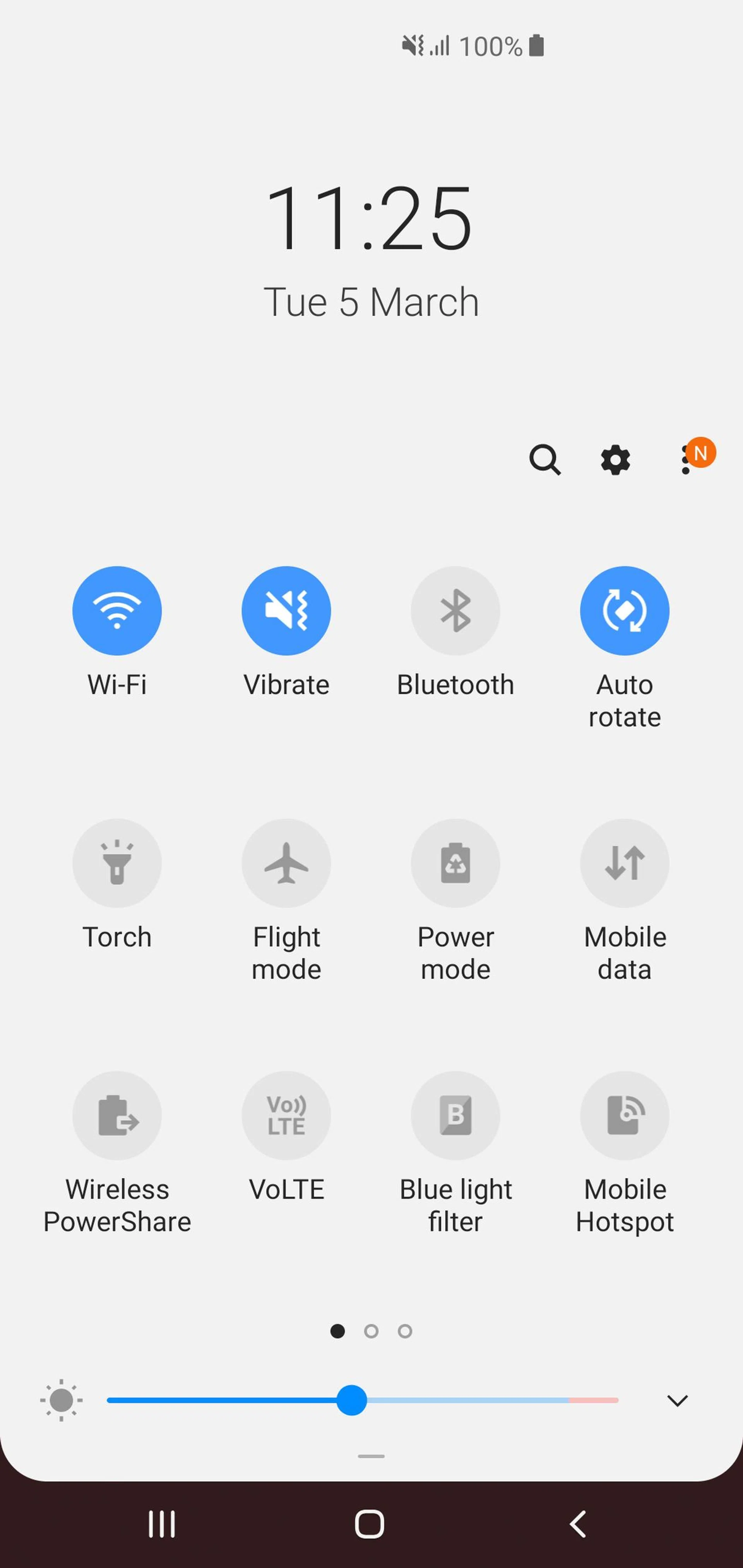
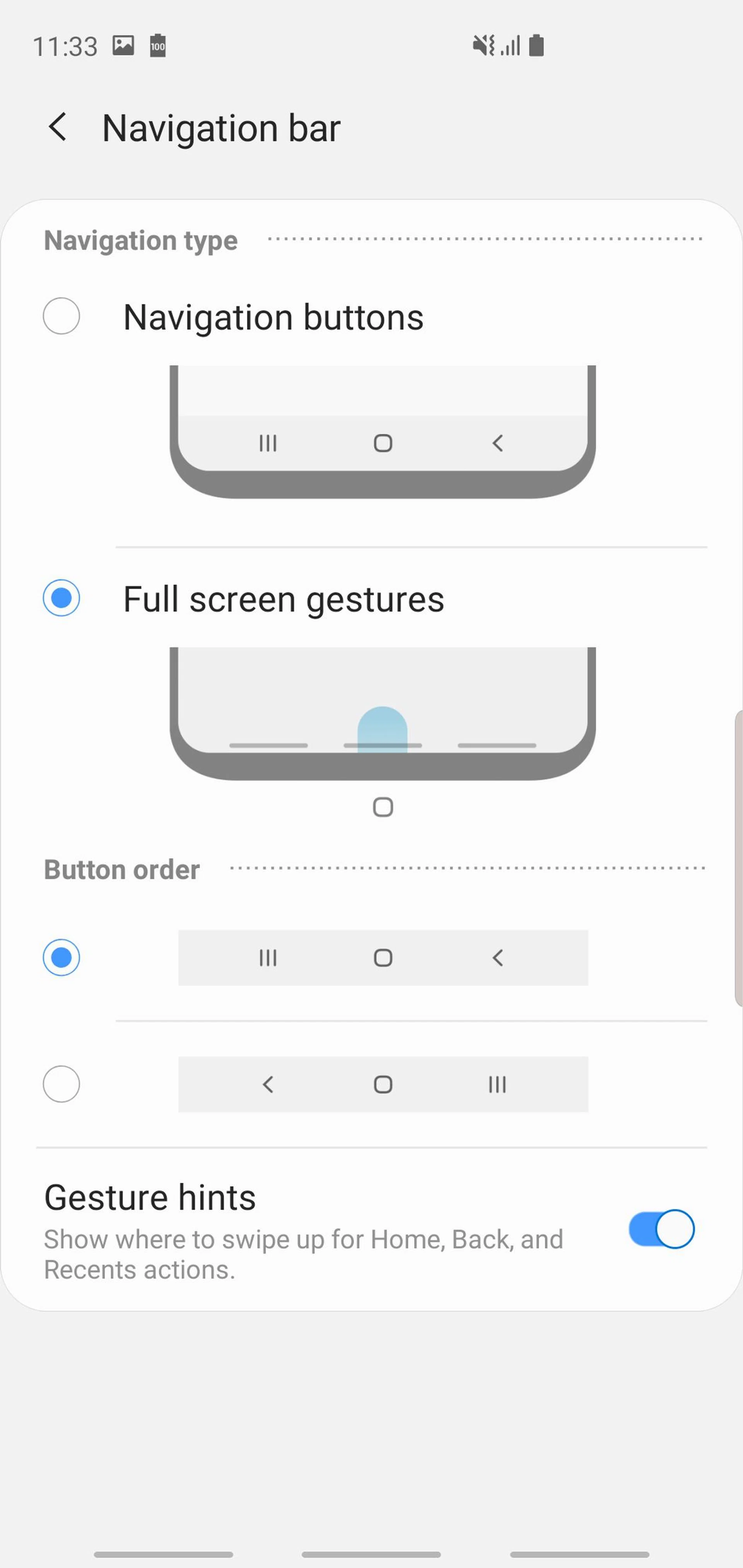
For any Galaxy app, content that you interact with is pushed to the lower half of the screen, all within easy reach. You can then tap on that content to expand it to full screen. One UI also introduces gesture controls to make navigation simpler: Swipe up from the center to go to the home screen, up from the right to go back, and up from the left to see your recent apps. Swipe up and hold to launch Google Assistant.
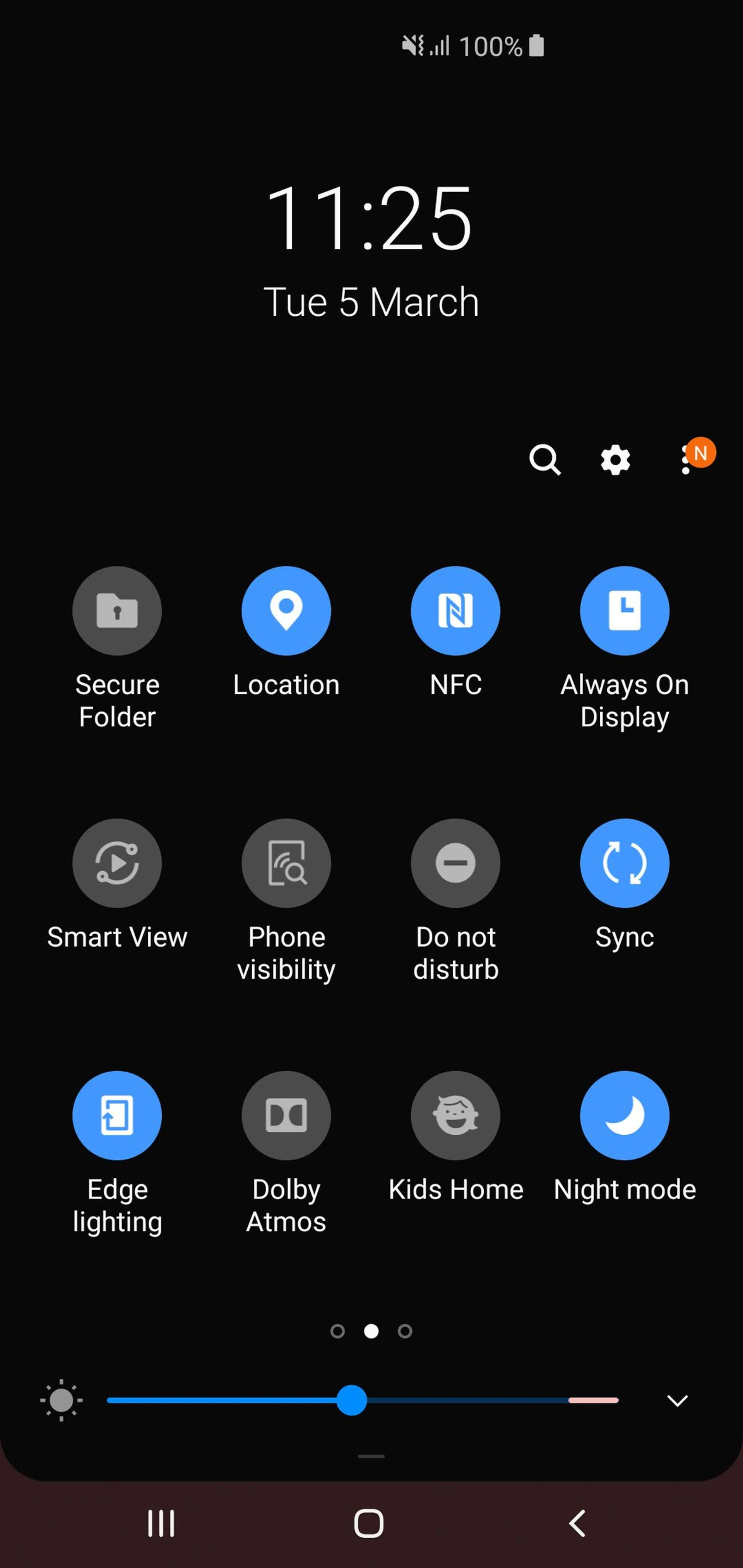
One UI also includes a dedicated Night Mode that you can toggle on through an option in the quick settings menu. I really like Night Mode, and the S10 and S10+ feel built for it with their OLED displays, turning the entire UI a gorgeous pitch black color.
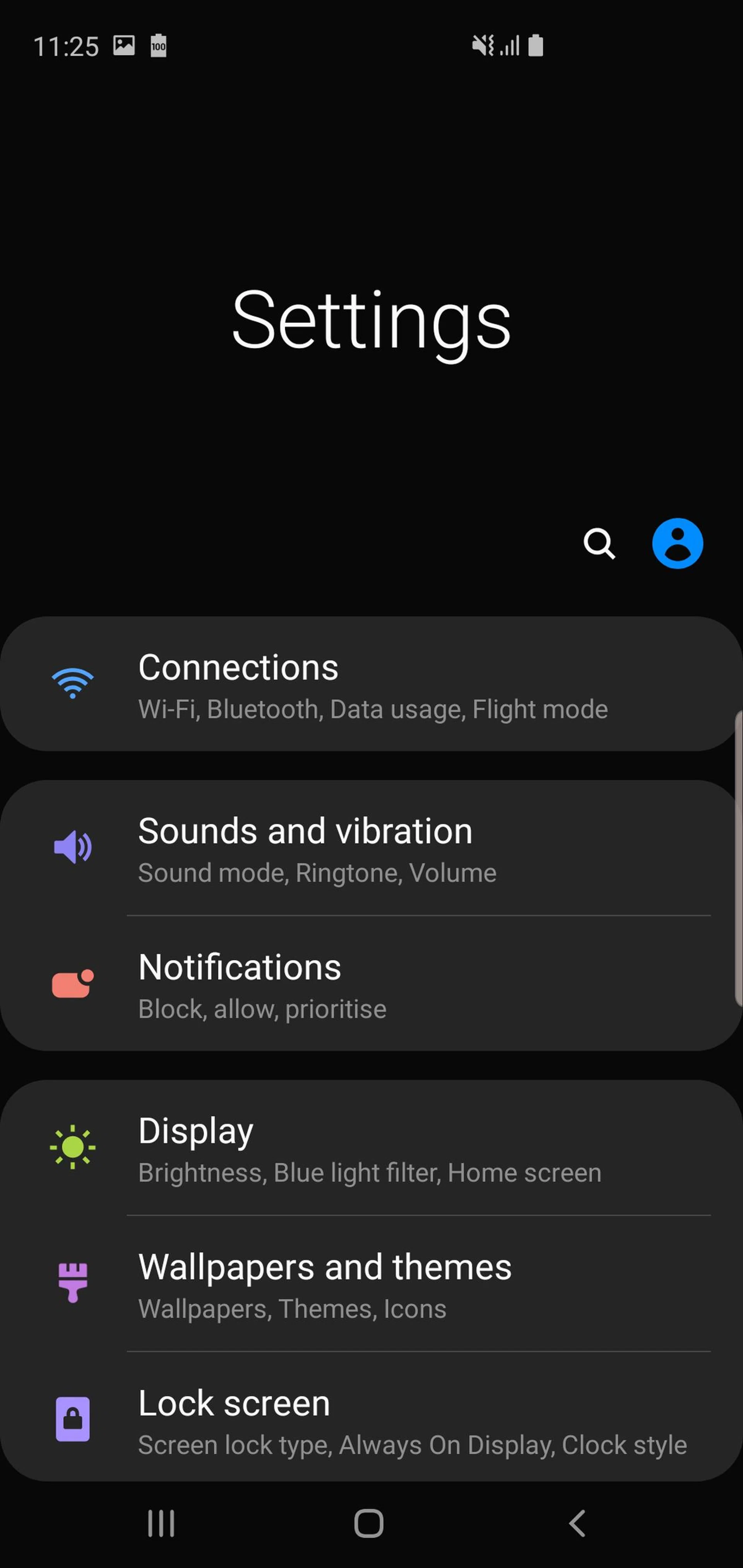
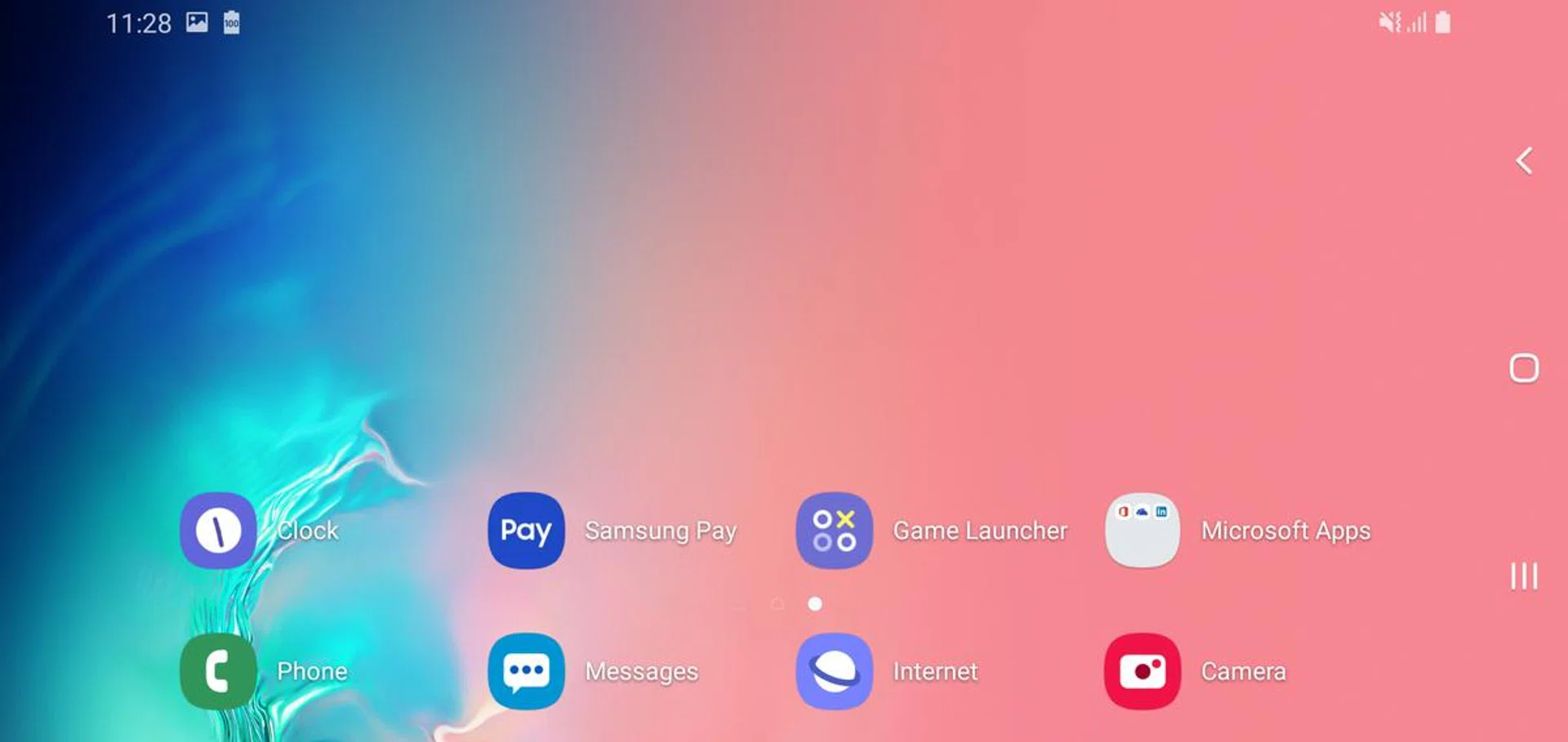
There's also a new landscape homescreen mode, which you can turn on in the settings menu.
Benchmark Performance
As usual, there are two processor variants for the S10 and S10+ depending on your region. In the US/China both phones are using Qualcomm's Snapdragon 855 processor, while the rest of the world gets Samsung's new 9820 processor.
The 9820 is an 8nm octa-core chip in a 2+2+4 configuration with two big Mongoose M4 cores clocked at 2.7 GHz, two Cortex-A75 cores ticking at 2.4 GHz, and four power-efficient Cortex-A55 cores running at 1.9 GHz for less demanding applications. For graphics, the 9820 is using a Mali-G76 MP12.
The 128GB S10 and S10+, and 512GB S10+ all come with 8GB RAM, while the 1TB version has a whopping 12GB RAM. Our review unit is a 512GB model.
SunSpider Javascript
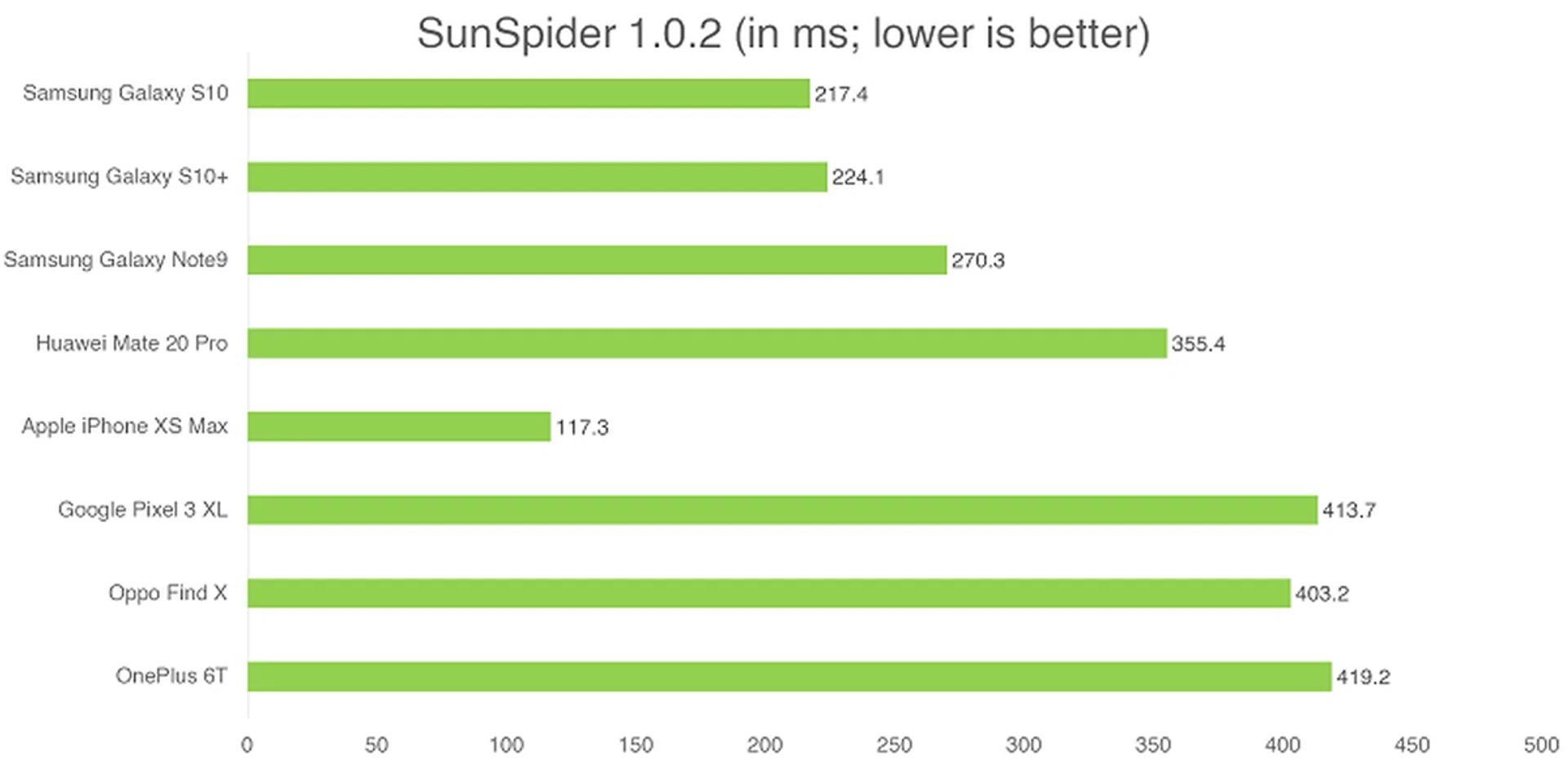
SunSpider JavaScript measures the browsing performance of a device when processing JavaScript. It not only takes into consideration the underlying hardware performance, but also assesses how optimized a particular platform is in delivering a high-speed web browsing experience.
Samsung phones always perform well on this benchmark and the S10 and S10+ are no different, losing only to Apple's iPhone XS Max. However, in actual browsing performance, the S10 feels just as fast and responsive as the XS Max.
Antutu
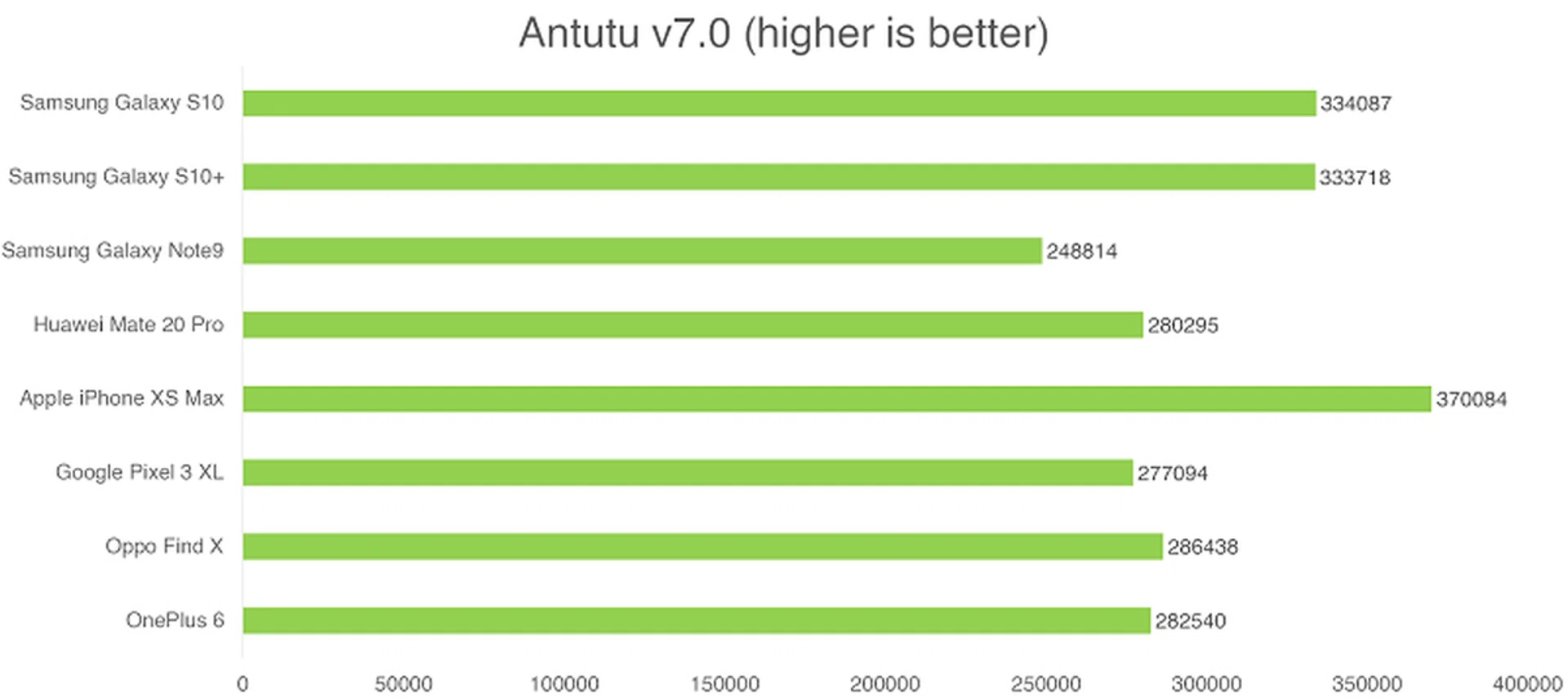
AnTuTu is an all-in-one benchmark that tests CPU, GPU, memory, and storage. The CPU benchmark evaluates both integer and floating-point performance, the GPU tests assess 2D and 3D performance, the memory test measures available memory bandwidth and latency, and the storage tests gauge the read and write speeds of a device's flash memory.
The Exynos 9820 was excellent on this benchmark, and was only slightly behind Apple's A12 Bionic.
Geekbench CPU
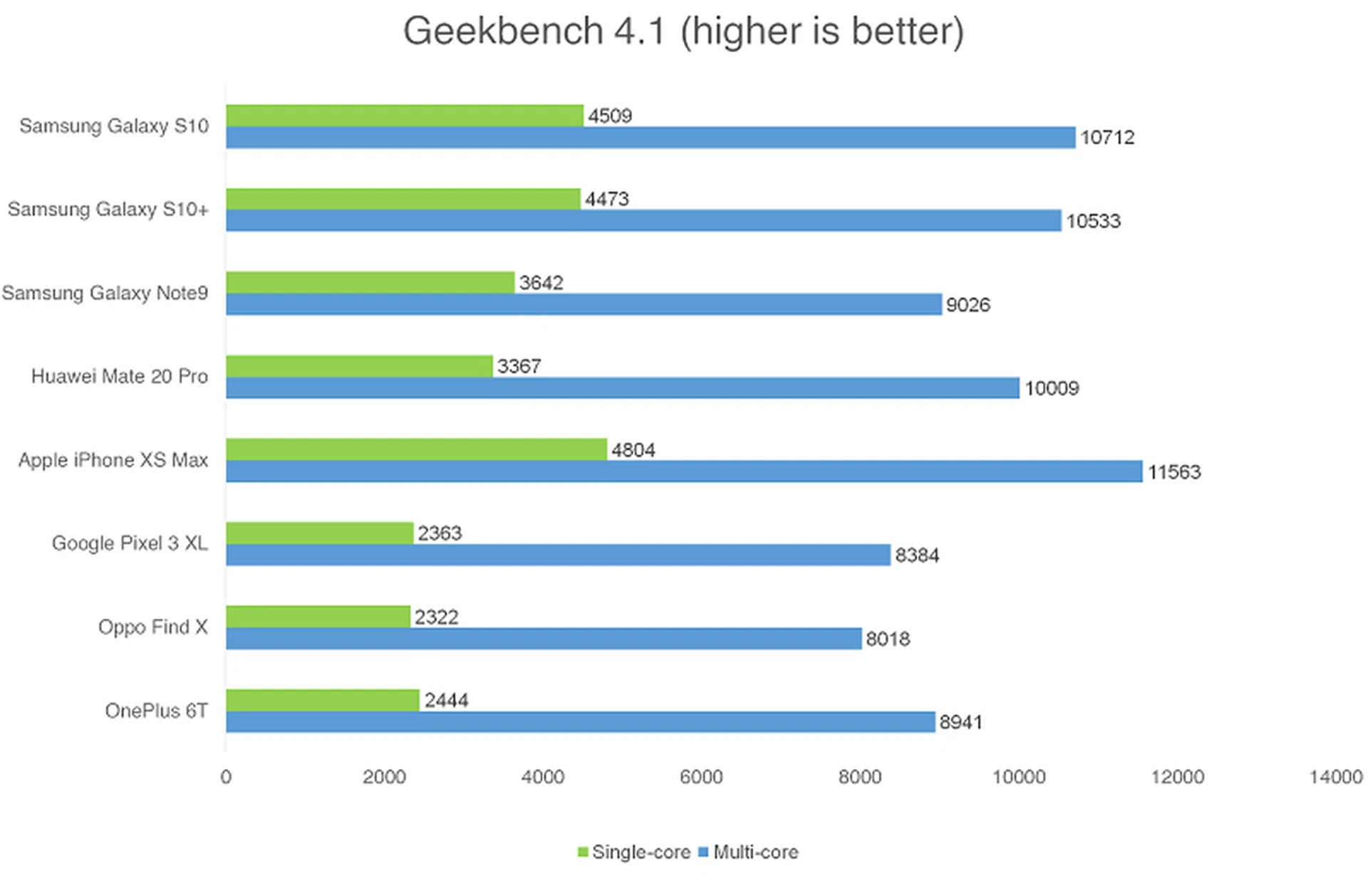
Geekbench CPU is a cross-platform processor benchmark that tests both single-core and multi-core performance with workloads that simulate real-world usage. Geekbench 4 scores are calibrated against a baseline score of 4000 (which is the score of an Intel Core i7-6600U CPU processor).
The Exynos 9820 again performed really well in this benchmark, and was only slightly behind the A12 Bionic.
3DMark Sling Shot
3DMark Sling Shot is an advanced 3D graphics benchmark that tests the full range of OpenGL ES 3.1 and ES 3.0 API features including multiple render targets, instanced rendering, uniform buffers and transform feedback. The test also includes impressive volumetric lighting and post-processing effects. We're running this benchmark in Unlimited mode, which ignores screen resolutions.
Unfortunately this is one benchmark where the Exynos 9820 is still behind the curve. Both phones underperformed here, and that gap is only going to grow bigger when the benchmarks for Qualcomm's Snapdragon 855 start arriving.
It's worth noting that benchmark performance doesn't always reflect real world experience. I tried out a few games of Asphalt 9: Legends and Shadowgun Legends on the S10+ and both ran perfectly.
Imaging
Both the S10 and S10+ use the same triple camera setup, which takes the dual camera setup from last year's S9 and adds a third ultrawide option. This gives you a versatile combination of a 12-megapixel variable aperture f/1.5 + f/2.4 wide-angle lens, a 12-megapixel f/2.4 telephoto lens with 2x optical zoom, and an ultrawide 16-megapixel f/2.2 lens.
The ultrawide lens offers a 123 degree field of view, equivalent to a focal length of 12mm in 35mm film terms, which is extremely wide. In comparison, Huawei's Mate 20 Pro has a 16mm equivalent lens. While the wide and telephoto lenses both have OIS, the ultrawide does not, and it also lacks autofocus. This is readily apparent if you use the default camera app to zoom out too much. While the depth of field is quite generous, it's something to bear in mind if you're shooting a group of people as the only way to keep them in perfect focus is to move your feet.
You can seamlessly switch between all three camera views by pinching to zoom in and out. Alternatively, you can swap between them by tapping the appropriate icon: 3 trees for ultra wide-angle cam, 2 trees for wide-angle, and 1 tree for telephoto.

Ultrawide (click for full-size image)

Wide (click for full-size image)

Telephoto (click for full-size image)
Samsung has made some improvements on the software side of things too. The AI-powered scene optimizer will now recognize 30 different scenes, and there's now a Bright Night mode that will boost low light performance (although I still found Huawei's Night Mode to be superior).
There's also a new Shot suggestions feature, which will offer advice on how to frame your shots better. We've seen similar features on LG and Huawei's AI camera apps, and for the most part, they're not that helpful unless this is literally your first time ever taking a photo or you've never given thought to frame your shots. Useful for novice shooters, but for the rest of us, you can choose to disable the option.

Click for full-size image.
Image quality from the wide and telephoto lens is excellent with great detail retention, sharp focus, natural colors, and no noticeable artifacts or graininess. Even at 100% crop, details remain fairly sharp and there's no over-aggressive processing or smoothing typical of most smartphone cameras.


Despite being higher resolution, the ultrawide lens isn't quite as good, and there's also some noticeable barrel distortion. The lack of autofocus also means you have to be careful with your focal distance, especially if you're taking pictures of buildings or anything else with sharp lines. There is an option in the settings menu to auto-correct distortion taken with the ultrawide lens (which is off by default for some reason) but it doesn't fix the problem entirely.
On the front, the S10 has a single 10-megapixel selfie camera, while the S10+ adds a second depth-sensing camera. The secondary camera lets you take Live Focus (Portrait Mode) selfies with artfully blurred backgrounds, but that's about it. There's actually a Live Focus mode on the regular S10 too, but the background blur is software-rendered and doesn't look as good.

S10 Live Focus

S10+ Live Focus
Like the rear camera, the front camera offers different fields of view indicated by different icons: one person (for standard selfies) and two people (a wider angle for group selfies) which makes it seem like the two different cameras have different focal lengths. However, upon closer inspection, the zoomed in selfie shot is actually just a digitally cropped version, producing 6.5-megapixel pictures, while the group selfie view uses the full sensor and outputs 10-megapixel pictures. The difference in the field of view between the two modes isn't even that big. You could achieve the same thing by just using the group mode all the time, and cropping the photo later.


With this in mind, I actually wish there was an option for an S10+ without the secondary depth sensor. I don't think it adds enough, and the larger pill-shaped cutout is objectively uglier and more noticeable than the smaller, circular cutout on the S10.
Battery Life
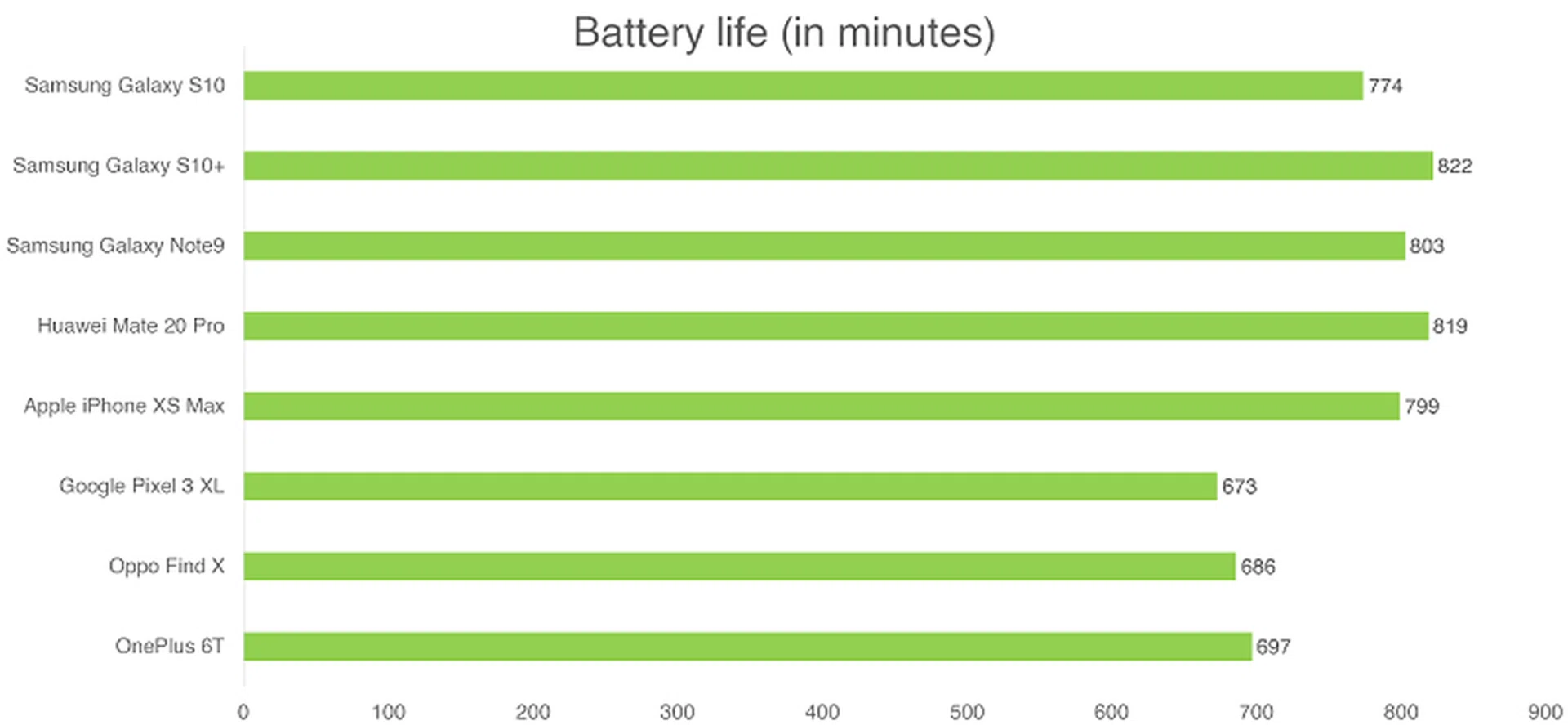
Our standard battery test for mobile phones has the following parameters:
- Looping a 720p video with screen brightness and volume at 100%
- Wi-Fi and Bluetooth connectivity turned on
- Constant data streaming through email and Twitter
The S10 has a 3,400mAh battery, while the S10+ has an even bigger 4,100mAh battery, the largest Samsung has ever put in a smartphone (at least until the S10 5G comes out with its rumored 5,000mAh battery.
Battery life was excellent on both phones, with the S10 lasting just under 13 hours, and the S10+ lasting almost 14 hours. The S10+ is our new battery life champion, narrowly beating the Huawei Mate 20 Pro by three minutes.
The S10 and S10+ use Samsung's Adaptive Fast Charging technology that's starting to look a little dated now. It will support up to 15W charging, which will charge the S10 from zero to full in about one and a half hours, and the S10+ in just under two. In comparison, the Mate 20 Pro will go 0 to 100 in 46 minutes.
Both phones also support fast wireless charging through the Qi 2.0 standard, which will give you 15W of charging.
Finally, both phones also offer reverse wireless charging, something we first saw on the Huawei Mate 20 Pro. This is a little gimmicky, but it does mean you can wirelessly charge your Galaxy Buds at the same time as you charge your phone. I could also see it being useful if you're on holiday and you want to charge a second phone with wireless charging without having to bring extra cables and adaptors with you - simply charge the S10 and put the second phone on top of it.
Conclusion
In many ways, the Galaxy S10 and S10+ are just refinements of previous Galaxy phones, but honestly, I'm okay with that. It's obvious that Samsung put most of its R&D efforts into the flashier Galaxy Fold, and it has the hefty price tag to match that. That doesn't mean that the S10 and S10+ aren't worthwhile upgrades by themselves. Samsung has replaced the worst parts of previous Galaxy phones, like the wonky fingerprint scanner placement, and upgraded the best parts, like the gorgeous AMOLED display, which is now better than ever.
The Infinity-O display is the most full-screen experience you can get (without resorting to gimmicky slider mechanisms) and the tiny hole punch cutout is much easier to live with than a huge notch. This year's Exynos processor is better than ever, and battery life is once again stellar. The addition of a third ultra wide-angle camera adds more versatility to an already excellent camera setup, and the new One UI is clean, user-friendly, and adds some nice extra functionality over stock Android too.
The S10 and S10+ aren't phones that are going to blow you away with new innovative features - we've seen hole punch displays, in-display fingerprint scanners, and penta-camera setups before - but Samsung offers a refined, premium experience that makes them the best choice for most Android users, especially if you're not sold on Huawei yet. If cost isn't a factor for you, by all means, wait for the Galaxy Fold, but for everyone else, these are the phones for you.
Models | Price | Color Options |
Galaxy S10 (128GB) | S$1,298 | Prism White, Prism Black and Prism Green |
Galaxy S10+ (128GB) | S$1,398 | |
Galaxy S10+ (512GB) | S$1798 | Ceramic White and Ceramic Black |
Galaxy S10+
(1TB, 12GBRAM) | S$2,198 |
As for which phone to get, I would actually opt for the smaller S10. Its screen isn't that much smaller, but it's a lot cheaper, has a more manageable size, is much lighter, has better power button placement, and has a smaller hole punch cutout. The S10's software-applied background blurring does a reasonable job (and there are apps out there that are even better), so the only real reasons to get the S10+ are if you need more than 128GB internal storage, even more battery up-time or you really want one of those gorgeous ceramic finishes. Note that the ceramic finishes are only available with the 512GB and 1TB storage options, so those versions will cost you a pretty penny.
If you're all ready to get the Samsung Galaxy S10 or S10+, head over here to see which telco should you partner with if you're planning to get the phone at a discounted rate. Thinking of getting the phone without a contract using SIM-only plans? We've got you covered here.
Read next: Our Galaxy S10e review.
Note: This review was first published on Mar 6, 2019.