
Samsung Galaxy Beam (2012) - The Second Light
Fancy a smartphone with projection capabilities? The new Android 2.3 OS equipped Samsung Galaxy Beam comes with a powerful 15 lumens built-in projector, a dual-core 1GHz processor and a 5-megapixel camera. We find out how this mid-range smart projector phone fares in our tests.

Overview & Design
The pico projector smartphone is not a new concept, at least not with Samsung. First glimpsed at at Barcelona and later seen at the the new Samsung Galaxy Beam (2012) is finally here to stay on our sunny island. Its predecessor, the Samsung Galaxy Beam (yep, you got that right) first made the headlines two years back, condensing pico projector features into the form factor of a mobile phone.
When the niche device first came out, it was criticized for being overtly bulky and clunky; the newer Galaxy Beam seeks to address the issue with a slimmer and lighter body. Aside hardware and software updates, what else is there to look forward to in the new Beam rendition? Here's a quick chart to compare both smartphones:
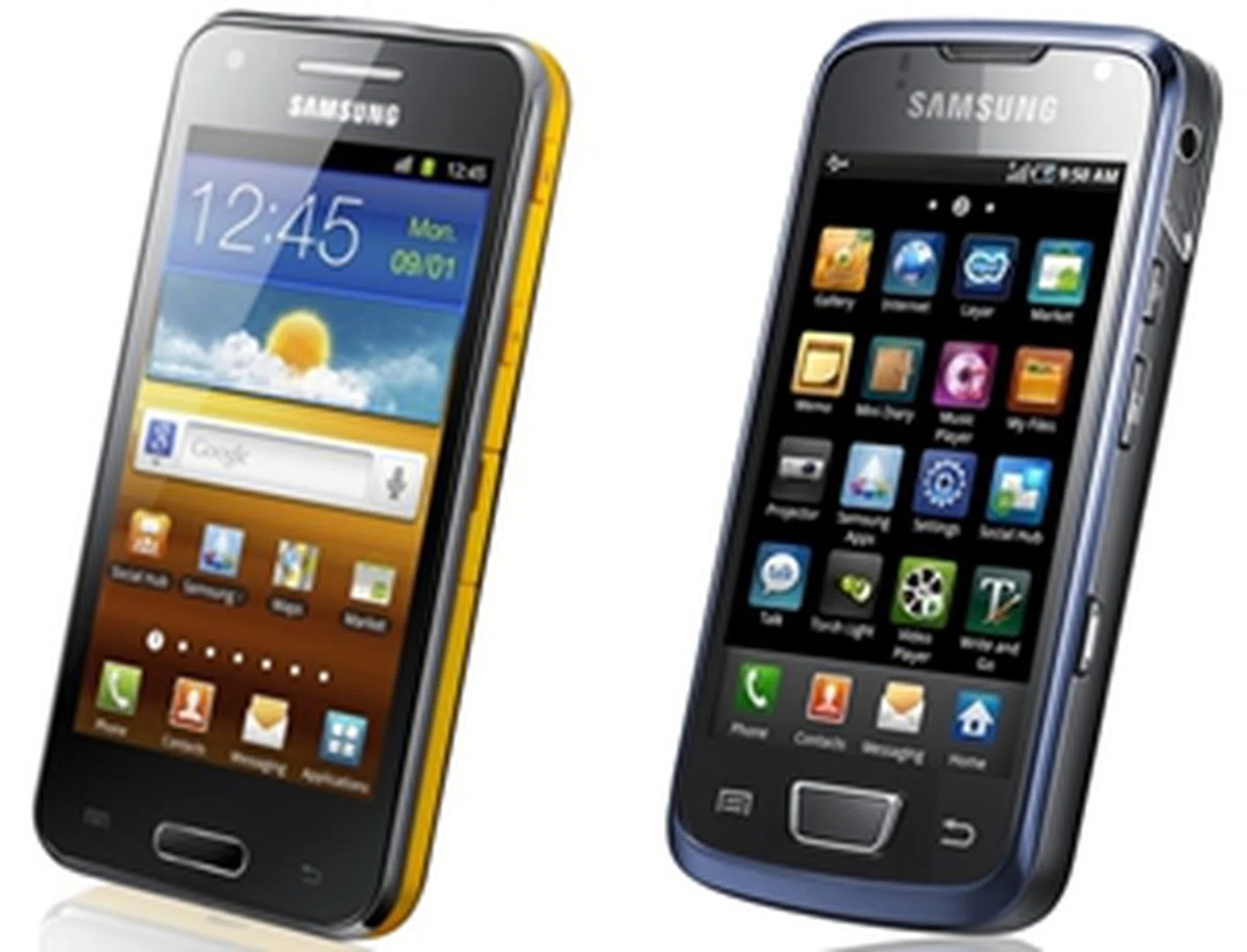
Device | Samsung Galaxy
Beam (2012) | Samsung GalaxyBeam |
OS | Google Android 2.3 | Google Android 2.1 |
Processor | Dual-core 1GHz | Single-core 720MHz |
RAM | 768MB RAM | 384MB RAM |
Storage | 8GB built-in
(microSD cardexpandable to a further 32GB) | 16GB built-in
(microSD card expandable to a further 32GB) |
Display | 4-inch TFT LCD | 3.7-inch Super AMOLED |
Resolution | 480 x 800 pixels | 480 x 800 pixels |
Camera | 5-megapixel /
1.3-megapixel (front-facing) | 8-megapixel /
VGA (front-facing) |
Lumens | 15 | 9.5 |
Battery | 2000mAh | 1800mAh |
Dimensions | 124 x 64.2 x 12.5mm | 123 x 59.8 x 14.9mm |
Weight | 145.3g | 155g |
Launch Price | S$648 | S$1018 |
The new Samsung Galaxy Beam improves in leaps and bounds from a design perspective, showcasing a relatively attractive body. While it is still generally sheathed in plastic like its predecessor was, it doesn't look tacky or cheap and actually comes across as polished and funky. The phone is wrapped by a yellow plastic trim and framed by a black body.
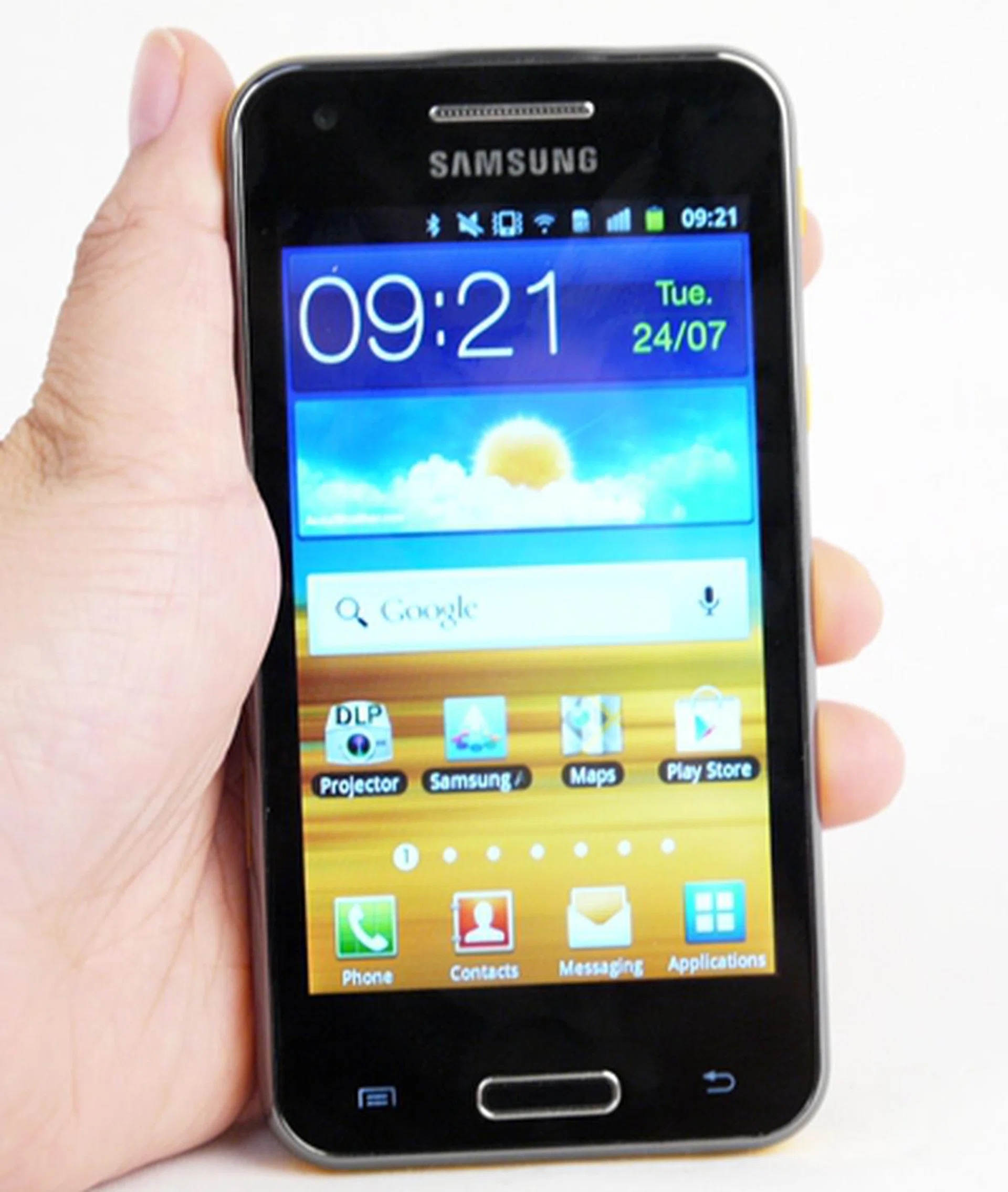
Looking for a projector smartphone? You have two options: the new Samsung Galaxy Beam (pictured here) and the old Galaxy Beam. Confusing? Fortunately, the predecessor has long been phased out, so you're likely only to get this new version.
Curved at the edges, the phone generally fits well into our palms; with the addition of a grooved back case, the phone feels rather slip-resistant. This is definitely a welcomed aspect given that the projector lens is vulnerably placed at the top with no cover or casing, and users wouldn't want to risk dropping the device.
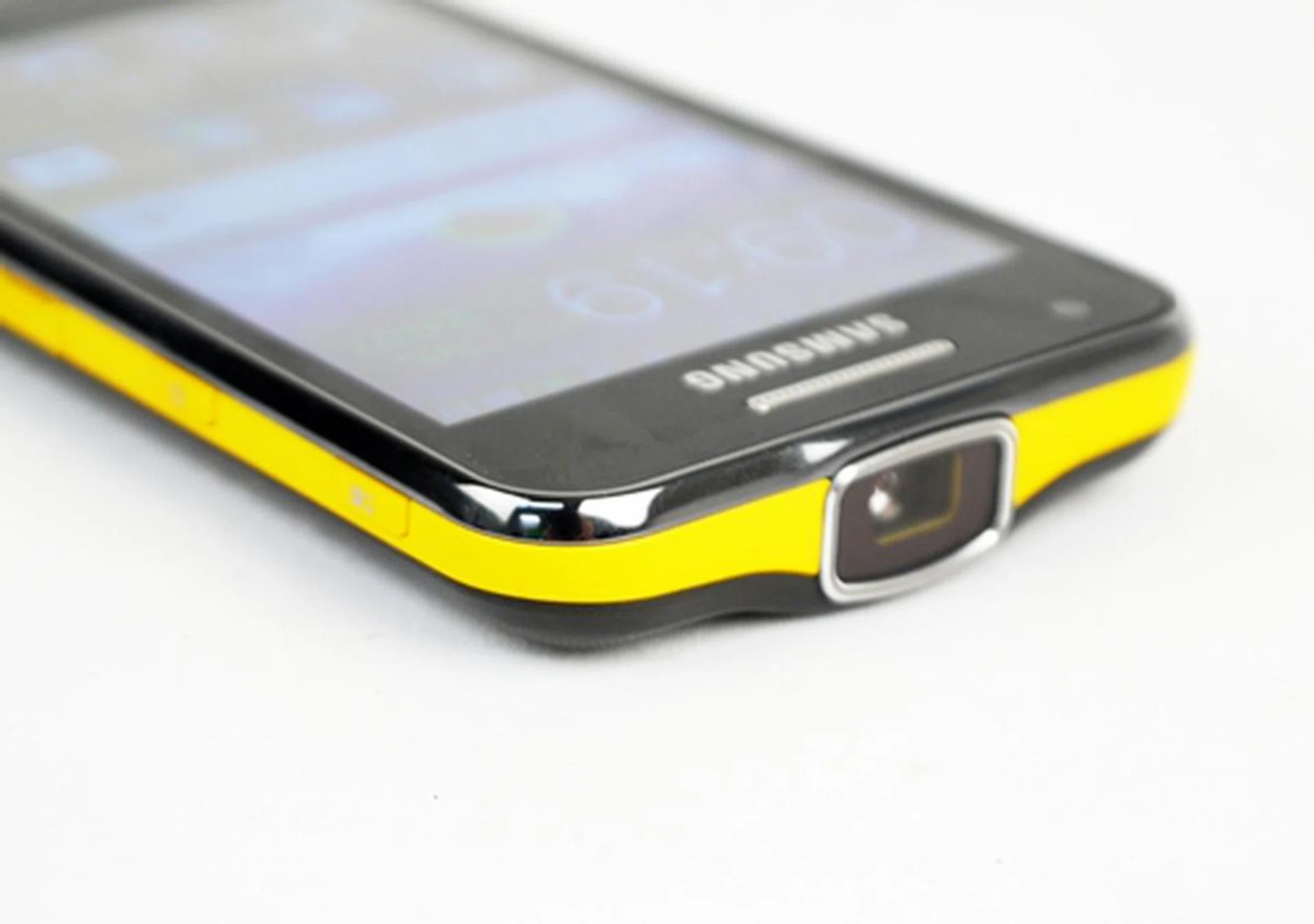
The splash of yellow does add a little life to an otherwise serious "business" smartphone. Note the huge projector lens on the top.
With dimensions of 124 x 64.2 x 12.5mm and a weight of 145g, the device is slightly wider than its predecessor but noticeably thinner and lighter. Nonetheless, because of its built-in projector, the new Samsung Galaxy Beam still remains bulkier and heavier than most of the slimmer and lighter smartphones out in the market (relatively speaking). Take for example: comparing it to the Samsung Galaxy S III (8.6mm, 133g), the new Galaxy Beam does seem a tad intimidating.
Otherwise, usability is generally positive here with tactile physical buttons. The projector button is laid at the top on the right profile of the phone, allowing for quick access to its projection capabilities. As a word of caution - users transiting from a regular smartphone might need some time to get comfortable with the button layout; the power button, usually located at the top, has been relegated to a spot below the projector button. Strangely, both microSD and SIM card slots are located on either side of the phone despite having a removable 2000mAh battery. This causes the sides to be a little too cluttered for our liking but this isn't something that will make or break the Galaxy Beam experience.
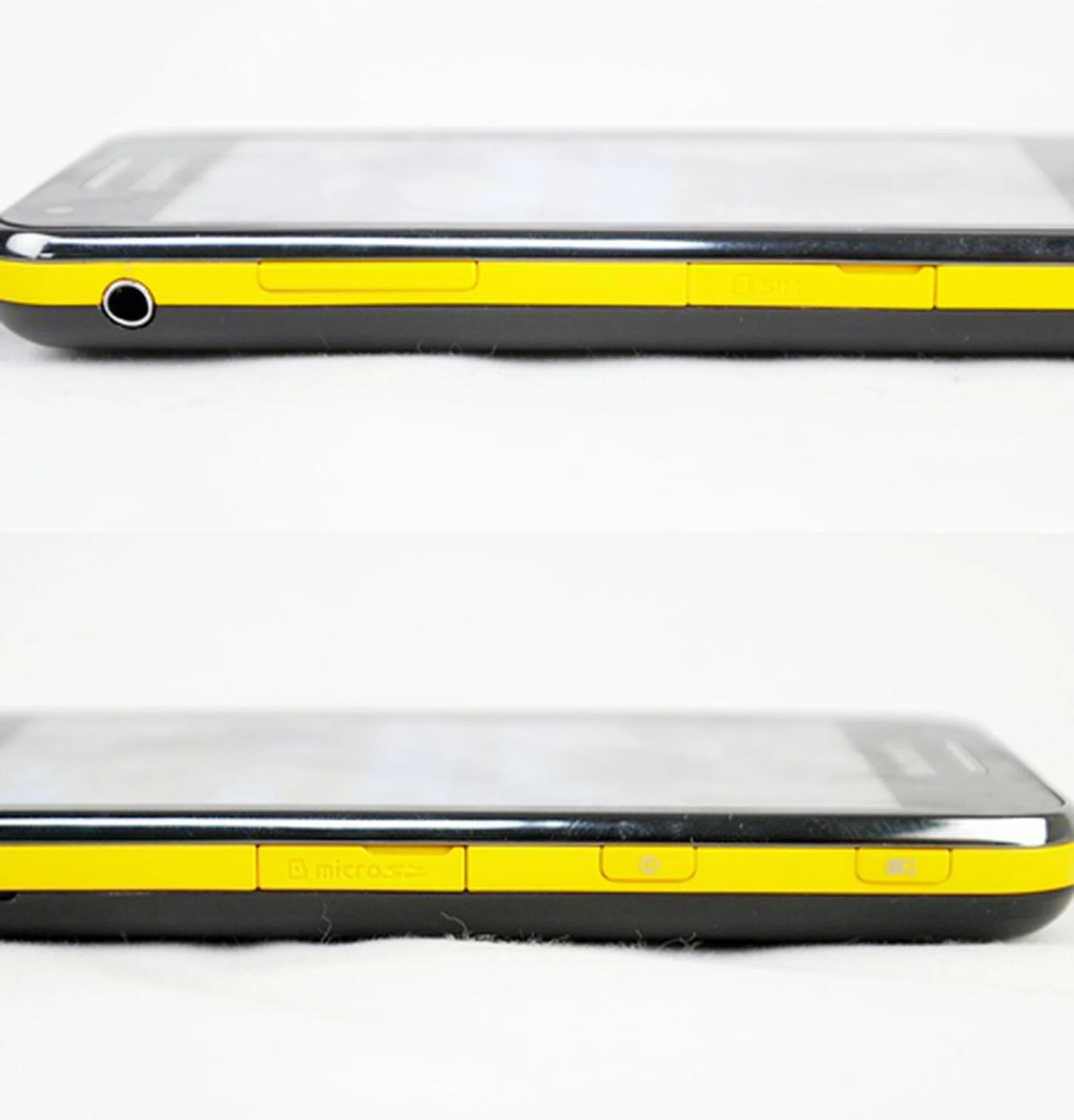
Card slots for SIM and microSD are each flanked on the left and right profiles (top and bottom photos respectively ), and are protected by plastic covers that are, thankfully, easy to remove. Spot the projector button at the top on the right side of the phone?
Features
The new Samsung Galaxy Beam is equipped with the usual TouchWiz UI, of which we aren't going to elaborate much here, and the rather outdated Android 2.3 OS. For the uninitiated, the TouchWiz UI is Samsung's trademark user interface, one that seemingly takes a leaf out of Apple's clean iOS design. The usual Samsung add-ons like Game Hub, ChatON, Samsung Apps, and Social Hub make appearances here as part of the Korean company's additional services.
The main subject of interest here, is of course, the phone's projector capability. Pico projectors have been in the market for quite some time now but the projector smartphone still remains a relatively novel concept. Our experience on the first Galaxy Beam was a little rough on the edges - interesting yet experimental in nature -, and the new successor happens to improve this somewhat. Both Quick Pad option, a feature that allows the user to bring up a cursor-shaped pointer or type text, and the Visual Presenter option, a feature that allows images or videos to be captured via the cameras lens and projected real-time, both make reappearances on the new Galaxy Beam.
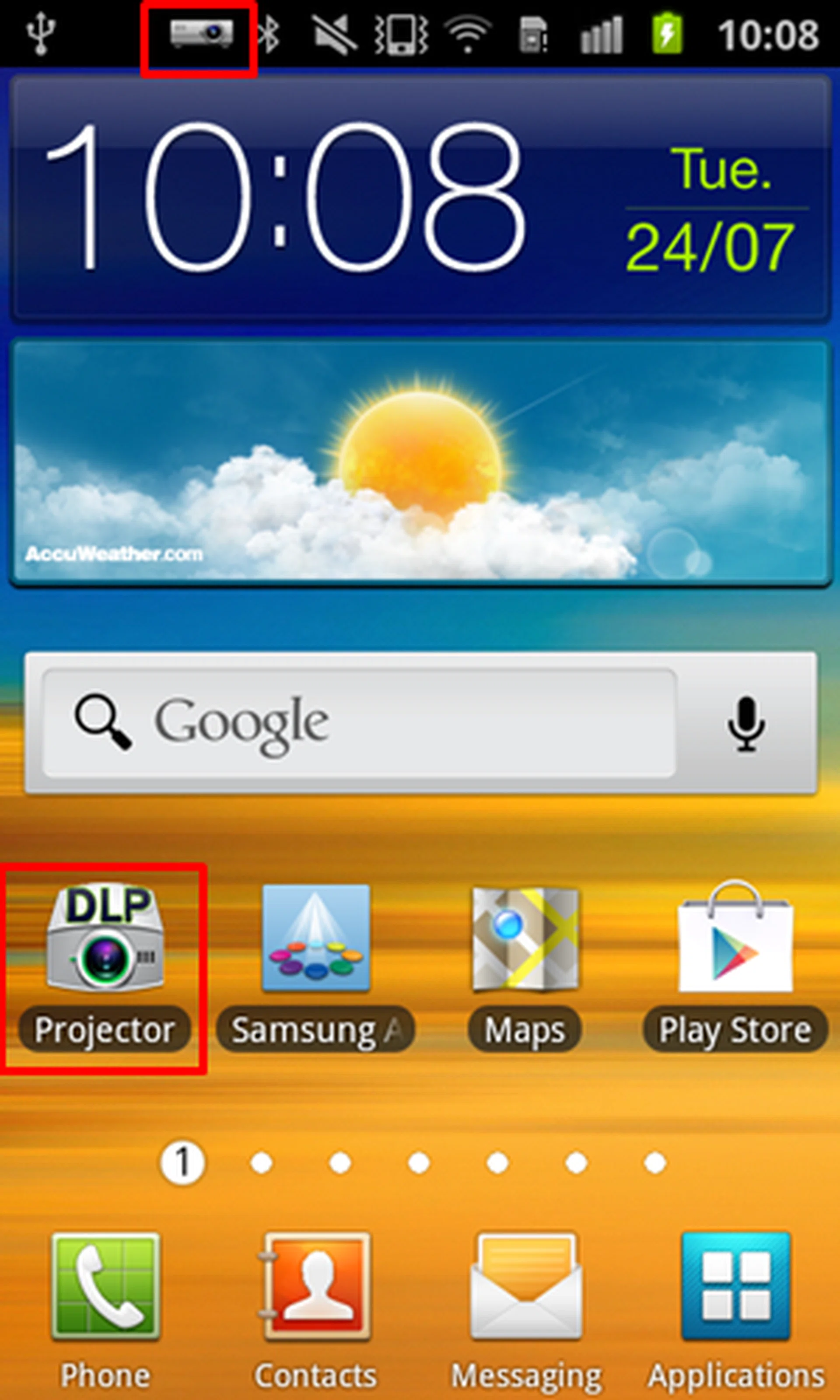
Click on the Projector app to access the Samsung Galaxy Beam's key features. You can activate the projector via the app or by long pressing the dedicated button on the phone's right profile. The icon at the top of the screen indicates that the projector is currently turned on.
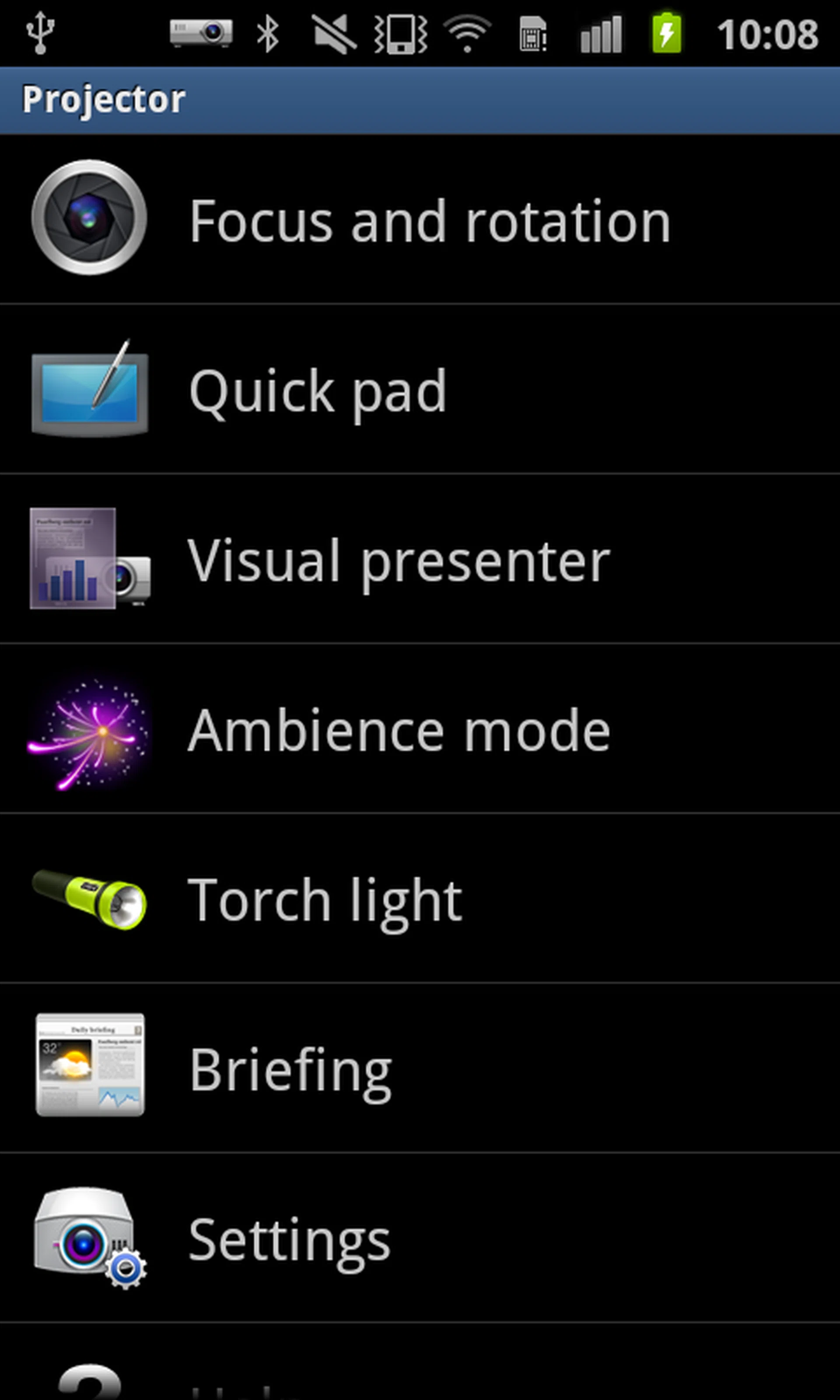
The device comes with a rather exhaustive list of features, including the capability to focus/rotate and to turn the projector into a torchlight.
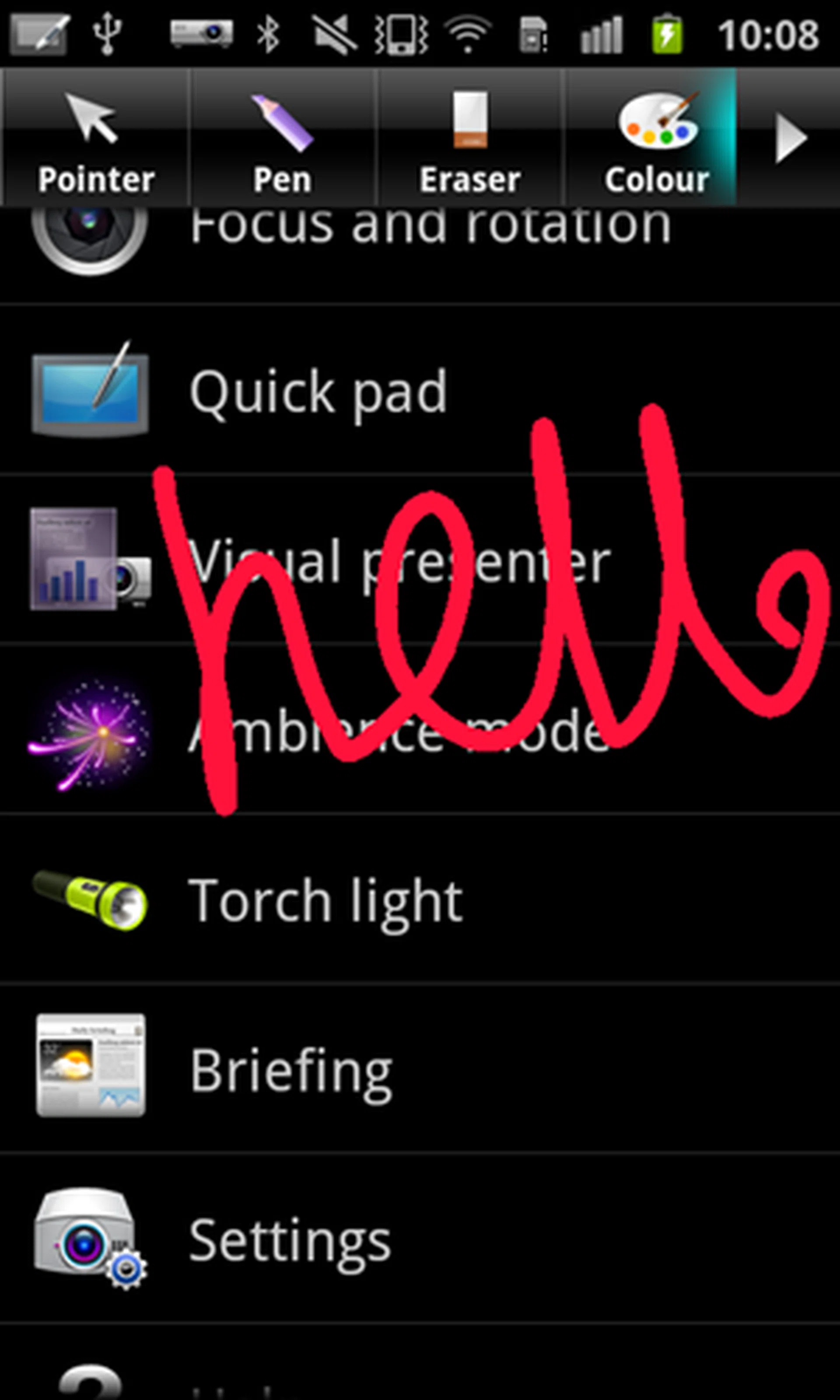
You can flash pointers and notes with the quick pad function. The feature allows you to scribble quick annotations for your audience to read. You can save your changes as a screenshot in your gallery as well. The bad thing about the QuickPad option is that you can't toggle it off mid-way through a presentation; one has to press the back button. Otherwise, if you want to bring it up again, simply quick-press the projector button.
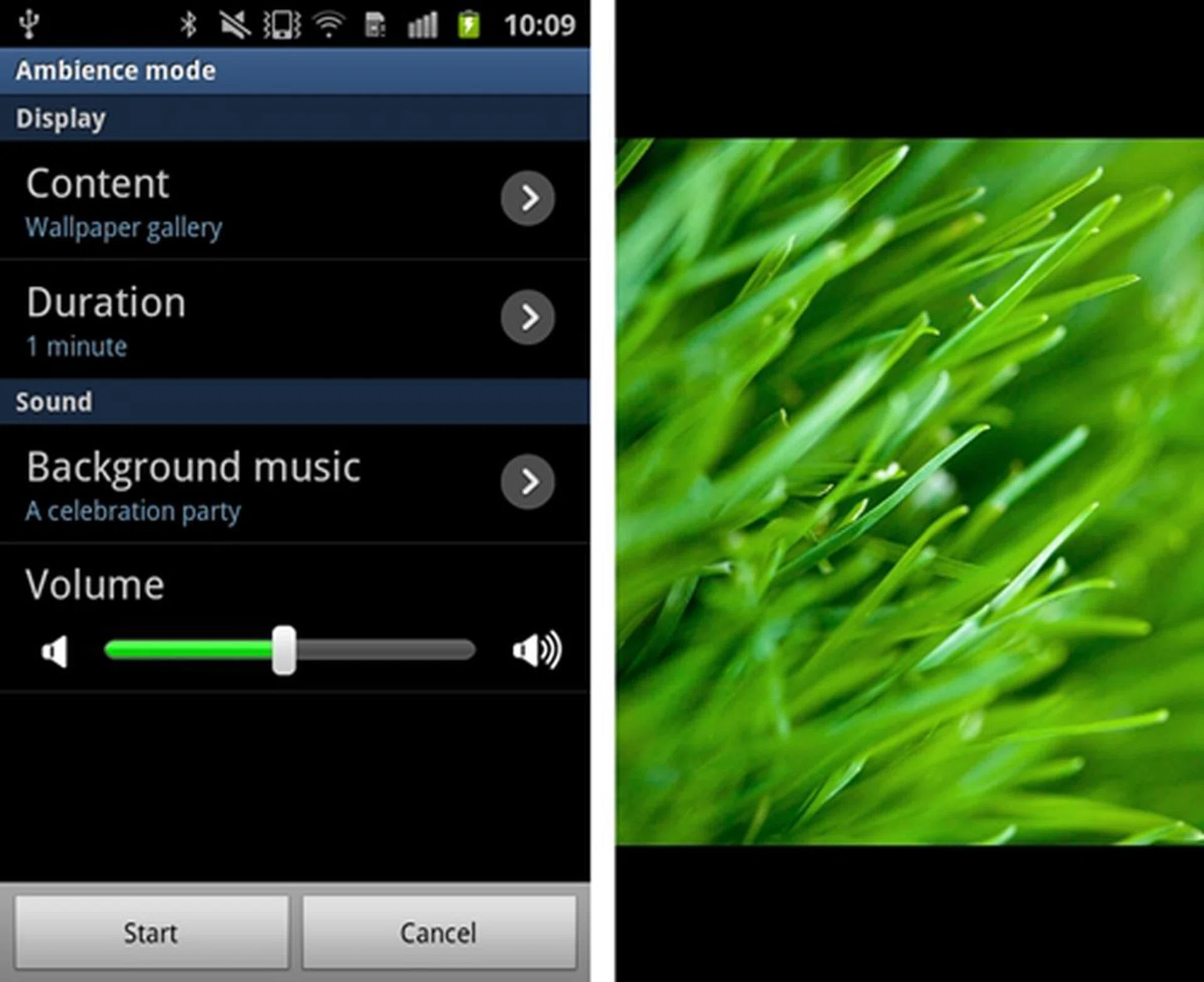
If you are planning to screen a short slideshow of your photos alongside music (your own tracks can be selected), the Ambience Mode will most definitely come in handy.
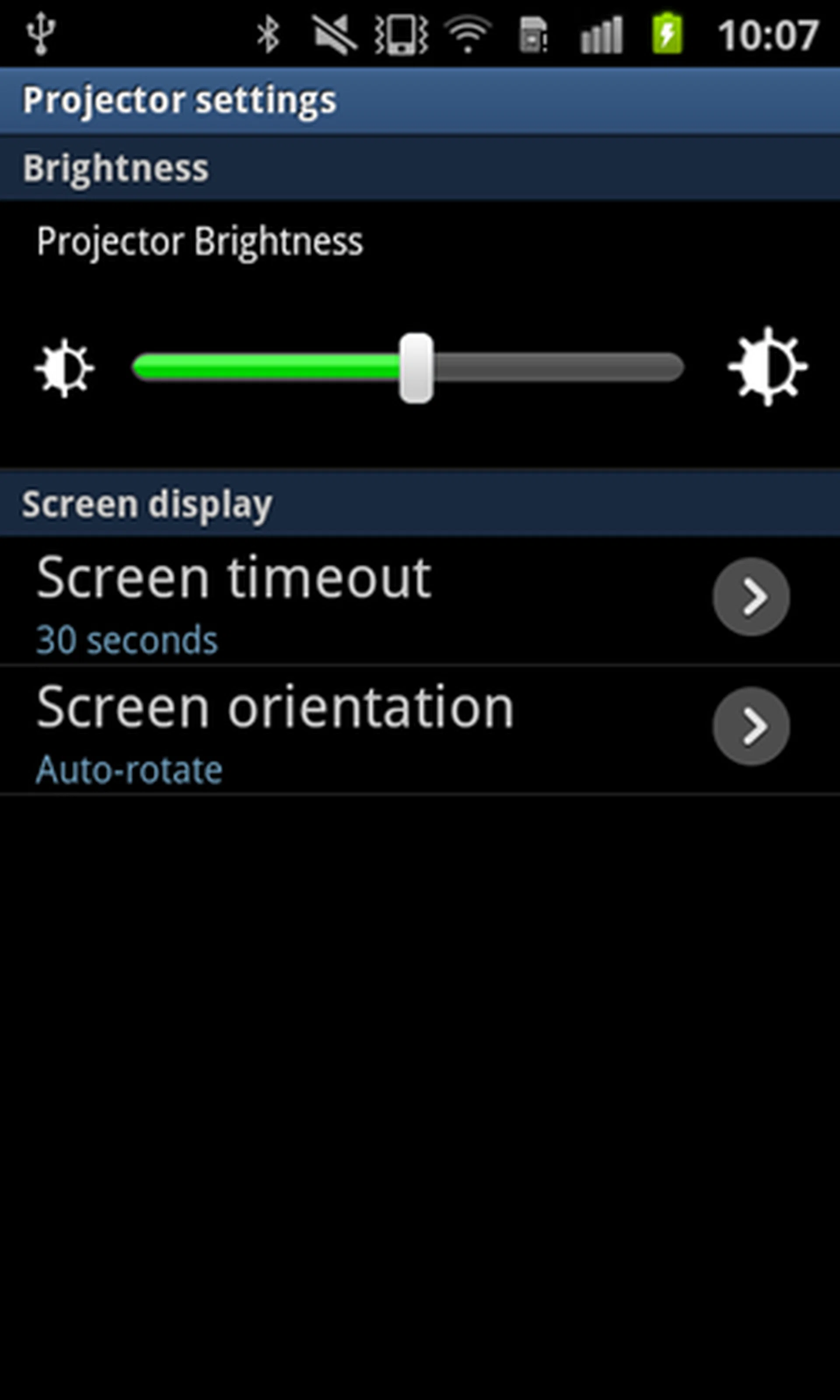
Basic settings such as brightness levels can be adjusted here as well. A faster way would be to quick press the projector button.
Like we mentioned earlier, you can activate the projector via the projector button. If you are playing a video from your gallery and want to project it on the screen, simply long press the button; you don't have to go into the app specifically to activate it. Likewise, long press the same button to switch it off. The Samsung Galaxy Beam gets a boost with a higher output level of 15 lumens, up from its predecessor's 9.5 lumens, matching the average lumens level of current pico projectors (12 to 15). This makes it easier to discern projections in difficult lighting conditions, say in brightly-lit places.

Projection at the maximum recommended size of 50 inches, half-brightness and viewing at 2m away from projected wall in a dark room. Details were slightly pixelated and fuzzy but still relatively clear and visible enough. We reckon documents or spreadsheets wouldn't look clear at this output size.
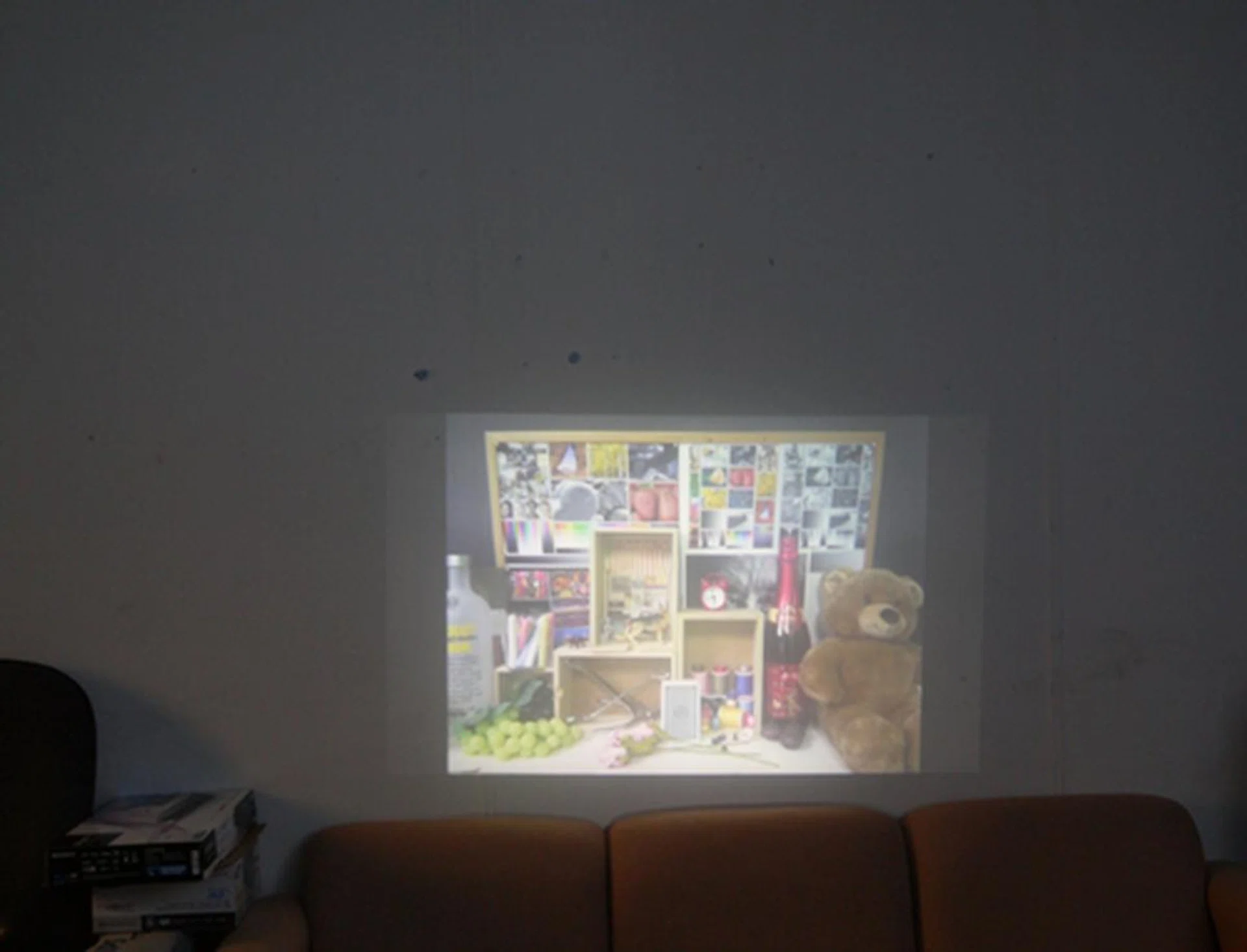
Here's another look but at a projected size of 37 inches, half-brightness and viewing at 2m away from the wall used for projection. Details were visibly sharper and projection was brighter. We advise users to keep to a projected size to a maximum of 40-inches across for optimal viewing.
Of course, you cannot expect it to match the quality of standalone dedicated projectors as Samsung states that the device can only display images up to 50 inches across at a resolution of 640 x 360 pixels. As a general rule of thumb, the Galaxy Beam works best when projecting on a white space in a reasonably dark room. Furthermore, our test findings shown above actually reveal that the projection works best if the output size is kept at no larger than 40-inches across.
Smartphone Performance
The Samsung Galaxy Beam (new) comes equipped with a dual-core 1GHz processor alongside a 768MB of RAM. This places the device as a mid-tier smartphone in today's standards. As usual, we subjected the review unit to the Quadrant benchmark, which can be found on Google Play. To gauge how it performed against the competition, we matched its scores against a mixture of devices using dual-core processors such as the HTC One S, Motorola Atrix 2 and the old Samsung Galaxy Beam. For those who are unfamiliar with the Quadrant benchmark used below, it evaluates the CPU, memory, I/O, and 3D graphics of Android devices.
Device | Samsung GalaxyBeam (New) | HTCOne S | Motorola Atrix 2 |
CPU | Dual-core NovaThor U8500 1 GHz Cortex-A9 | Dual-core Qualcomm MSM8260A Snapdragon 1.5 GHz Krait | Dual-core 1 GHz TI OMAP 4430 Cortex-A9 |
RAM | 768MB | 1GB | 1GB |
OS | Google Android 2.3 | Google Android 4.0 | Google Android 2.3 |
The new Samsung Galaxy Beam is just not just a pocket projector, as it might appear to be, but is also a reasonably capable smartphone as well. Running on a dual-core 1GHz processor, the device scored an acceptable 2759, overtaking the Atrix 2's dual-core 1GHz processor. Unsurprisingly, it lost out to HTC One S, which ran on a dual-core S4 processor that was clocked at 1.5GHz.
Raw benchmarking results aside, the Galaxy Beam ran extremely smooth in actual usage and had absolutely no problems rendering pages or running graphic-intensive apps like Temple Run. The phone's lag-free performance, brisk day-to-day user experience and blazing fast web loading definitely contributed to a positive user experience.
Imaging Performance
The new Samsung Galaxy Beam comes with a 5-megapixel camera and a front-facing 1.3-megapixel camera. Images taken by the 5MP camera weren't up to mark - we found that the images were whitewashed and desaturated, with below average levels of details and relatively high levels of noise.
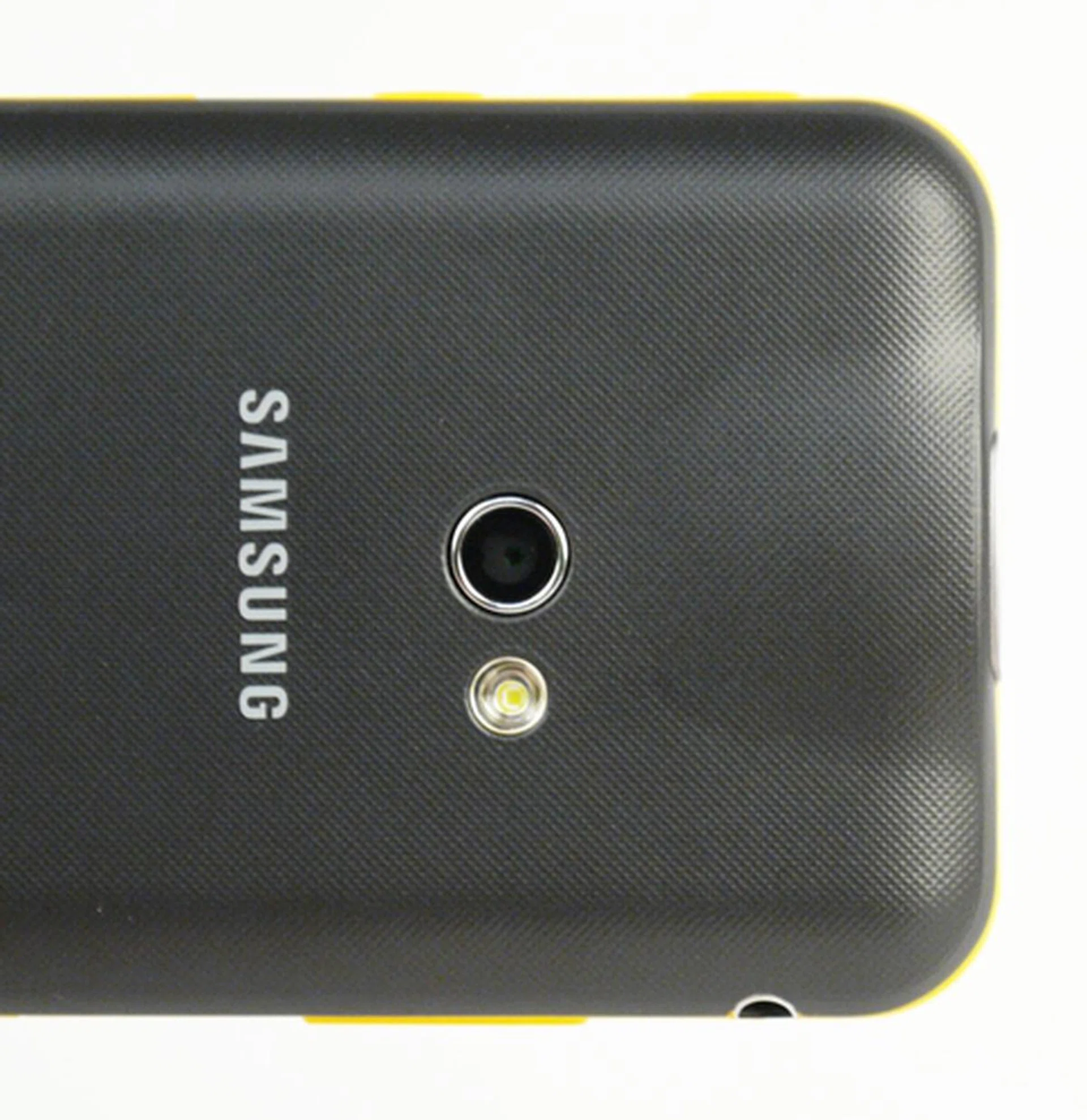
The new Samsung Galaxy Beam comes with a 5-megapixel, down from 8 on its predecessor. We suspect it's a cost cutting measure to get the phone to a more reasonable price point for the masses to toy with.

Images were whitewashed and desaturated, with below average levels of detail and relatively high levels of noise. Check out the close-up shots below for further scrutiny.


Battery Mileage
Using the same 480 x 800 pixels resolution video that we use across all our mobile device battery tests, we set the same test parameters which includes having the video looped under the following conditions:
- Brightness and volume at 100%
- Wi-Fi and Bluetooth connectivity turned on
- Constant data streaming through email and Twitter
Specifications/Device | Samsung GalaxyBeam
(2012) | HTCOne S | Motorola Atrix 2 | Samsung Galaxy Beam |
Processor |
|
|
|
|
Display Size |
|
|
|
|
Display Type |
|
|
|
|
Display Resolution |
|
|
|
|
Dimensions |
|
|
|
|
Weight |
|
|
|
|
Battery |
|
|
|
|
Previously, the Galaxy Beam came with a generous 1800mAh battery, obviously catering to its projector abilities. This time, the new successor comes with an even higher capacity battery rated for 2000mAh. Still, the successor lasted slightly lower less than its predecessor with an uptime of 477 minutes compared to the latter's uptime of 511 minutes. We reckon this is due to the new Beam's larger screen size of 4.0 inches and stronger processing capabilities. Otherwise, it did significantly better than the HTC One S and slightly better than the Motorola Atrix 2. Of course, taking into consideration that both come with smaller battery capacities and bigger screens, the results weren't too surprising. However, its added weight and dimensions still places the new Galaxy Beam at a slight disadvantage when it comes to the Portability index, but still commendable for its dimensions and weight (easily overthrowing its predecessor).
Because of its added projector capabilities, we decided to conduct another battery test similar to the one mentioned above, but this time with the projector switched on and projecting the same video at a sufficient level of brightness of 50%. We obtained a pretty decent uptime of 3 hours and 30 minutes (with an extra 10% of battery left - the phone shuts the projector off and refuses to switch on when battery is low). This is definitely sufficient, on the assumption that the average length of a presentation is about 30 minutes to an hour.
Other than the above formal usage based tests, we observed that the phone could last almost a whole day on a single charge, with emails and Twitter feeds pushed constantly to it when using the phone in a casual manner for day-to-day needs. Other activities included occasional web surfing and phone calls. To wrap up, the new Samsung Galaxy Beam has enough battery stamina for any kind of usage.
Conclusion
The new Samsung Galaxy Beam is certainly a niche product and will most certainly appeal to a certain crowd - a smartphone with a built-in projector is a rare gadget. There's no doubt about its general performance; it ran apps with no lags, internet browsing was speedy, transitions were smooth and so forth. The bottom line is that it is a very functional and capable phone even when not considering its projector capabilities, which is its main selling point.
However, there are a couple of reasons why a regular consumer might not be willing to invest in the Galaxy Beam. First off, its bulky build. At 12.5mm thick and 145g in weight, it towers over the average thickness of modern smartphones which typically range from 8 to 9mm these days and weight of 120 to 130g. It's perfectly fine once you factor in the built-in projector, but if you've no use for it, the phone's physical attributes will not appeal against a sea of other options. Secondly, it is still running on Android 2.3, with an Android 4.0 update in the works for Q4 2012. The regular users aren't going to opt for a thicker smartphone with outdated software for a niche and 'gimmicky' feature (only because it has no advantage to this group of users).
The built-in projector would certainly appeal to businessmen looking for ad-hoc usage, as well as those working in the sales industry and many more if you frequently have small group meetings and you're trying to keep your accompanying travel gear as lean as possible. That's not to say that there aren't ways to utilize the Galaxy Beam as a casual consumer - you can certainly share photos or stream movie clips via the built-in projector with family and friends at a party and so forth. The opportunities are plenty, but if you're really serious, an all-in-one gadget may not be your solution as it does have limitations to audience size, resolution, reach, ideal lighting conditions, etc.
To Beam or not to Beam? That depends on how much the simple built-in projector is of use to you for ad-hoc needs.
Based on its price tag of S$648, you can probably get a slimmer dual-core smartphone of similar specifications. Options within the price range include the Samsung Galaxy Ace 2 (S$438), Motorola Atrix 2 (S$699) and Sony Xperia P (S$688). If your budget is flexible, you can take a look at the quad-core Android 4.0 LG Optimus 4X HD, which is slightly more expensive at S$738, or the dual-core Android 4.0 HTC One S (S$748, phone only / $948 with Beats Audio headset). Of course, if you like the idea of an all-in-one device with a simple built-in projector, the new Samsung Galaxy Beam is the best and to be honest, the only option in the market right now. Its reasonable all-round performance and battery life should suffice for a functional smartphone experience and you're really not paying a premium for its projection functionality. If only the imaging performance and screen type used was improved, it could have been an even more versatile phone.
Our articles may contain affiliate links. If you buy through these links, we may earn a small commission.