
Huawei P40 Pro review: Evolving smartphone photography against all odds
How do you improve on something that's already good at what it was made to do? Despite the odds, the Android-based Huawei P40 Pro is here to make several points.

Note: This review was first published on 10 April 2020.
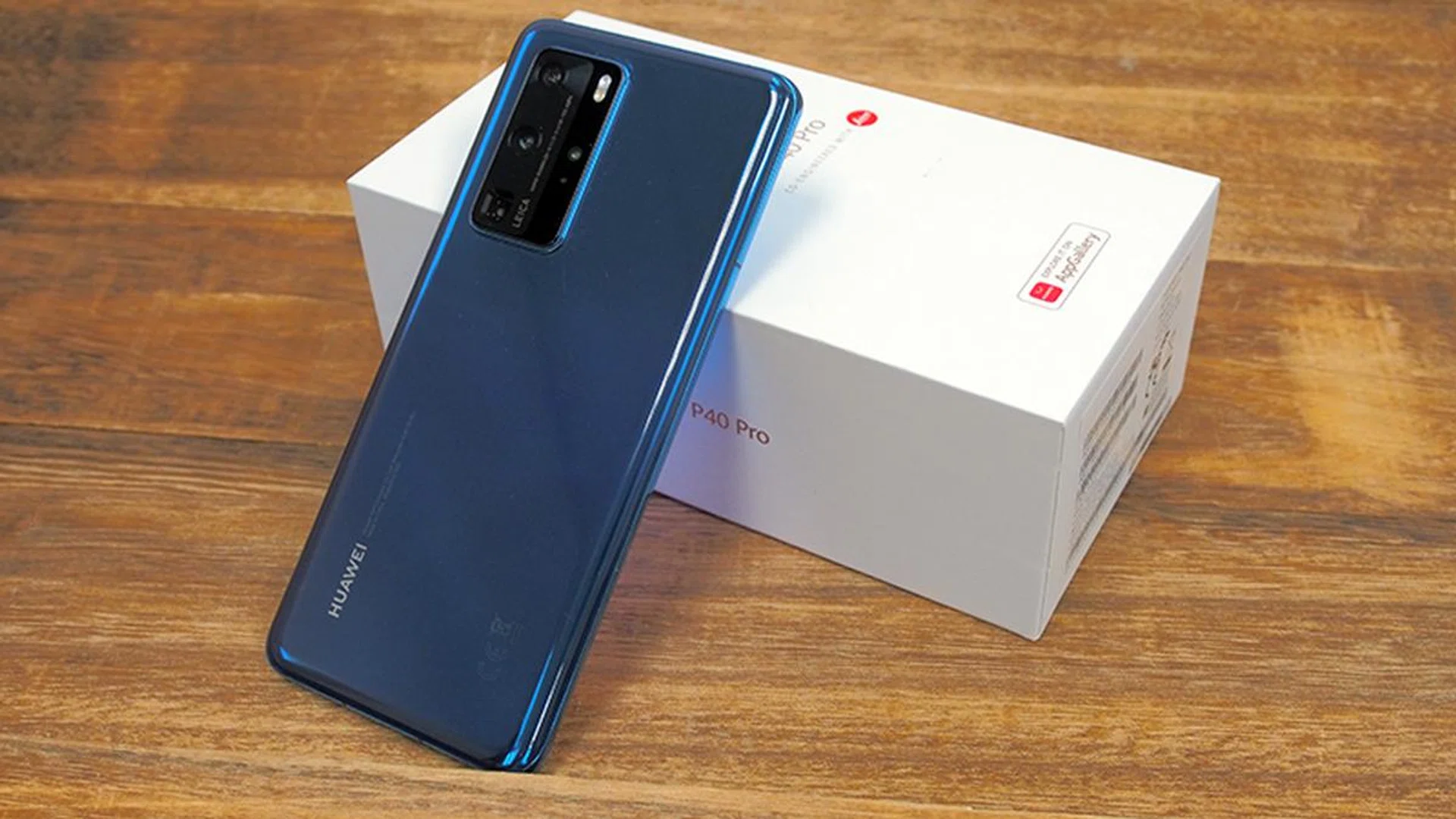
Pushing smartphone photography to new heights
How do you improve on something already good that was expressly designed for that purpose? As many phone enthusiast would be familiar by now, Huawei's P series is meant to showcase the apex of what smartphone photography can offer, packaged within a top-tier flagship body with equally premium components. Starting with the P9, P10 Plus, then the P20 Pro, readers would recall last year's Huawei P30 Pro packed a powerful and versatile quad-camera setup with fantastic battery life.
But Huawei and their phones are not without challenges. Political instability in the world has resulted in Huawei opting to use Huawei Mobile Services (HMS) and a proprietary app store, AppGallery, since the Huawei Mate 30 series. That said, the company has been working hard at on-boarding and including popular apps via their app store, even if they no longer have access to a host of Google-related services.
Other challenges, such as 2021 launch of 5G network infrastructure in Singapore and the ongoing Covid-19 travel bans would mean that the 5G capabilities of the Huawei P40 Pro would unlikely be accessible to consumers in 2020, let alone be tested.
Despite the odds, the Android-based Huawei P40 Pro is here to make several points. One, it can improve on photography by introducing two new photo editing features that capitalise on their AI processing technology. Two, people will do just fine with HMS and AppGallery, and finally, it's a flagship phone worthy of being among the people's top choice in the first half of 2020. Since the P40 Pro+ isn't coming until June 2020 or later, will Huawei succeed making these points with the P40 Pro? Let's find out.
Design
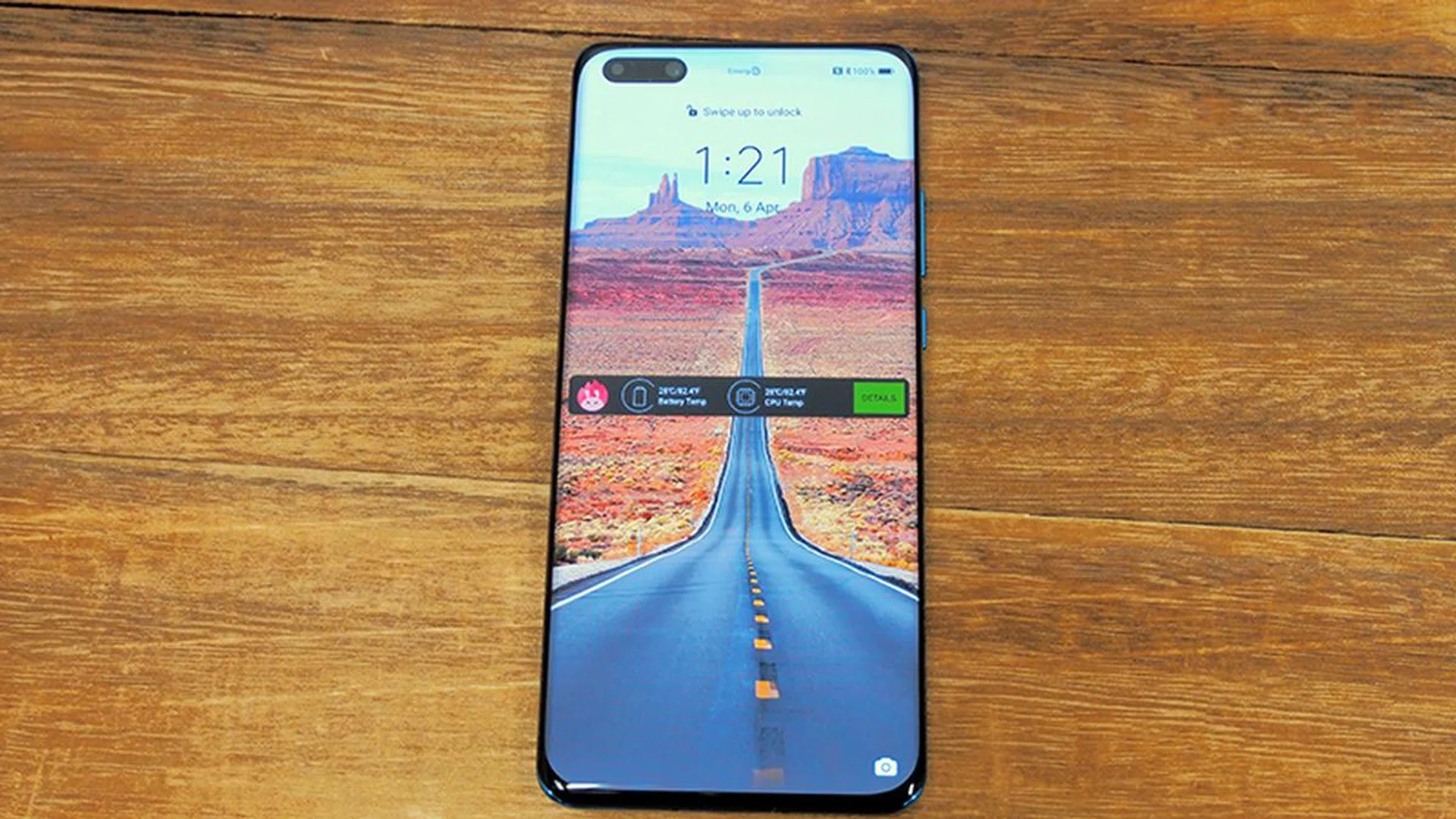
Does the phone look familiar to you? That's because of the P40 Pro's Quad-Curve Overflow Display shares many similarities to the Samsung Galaxy Note10 series. The phone's front glass features rounded glass edges to emulate a near-overflowing glass of water, granting it an almost bezel-less appearance. What sets it apart is the 'notch-hole' front camera, where Huawei decided it'd look better on the left (Samsung Galaxy S20 models have theirs centred, while the previous generation Galaxy S10 models have it on the right).
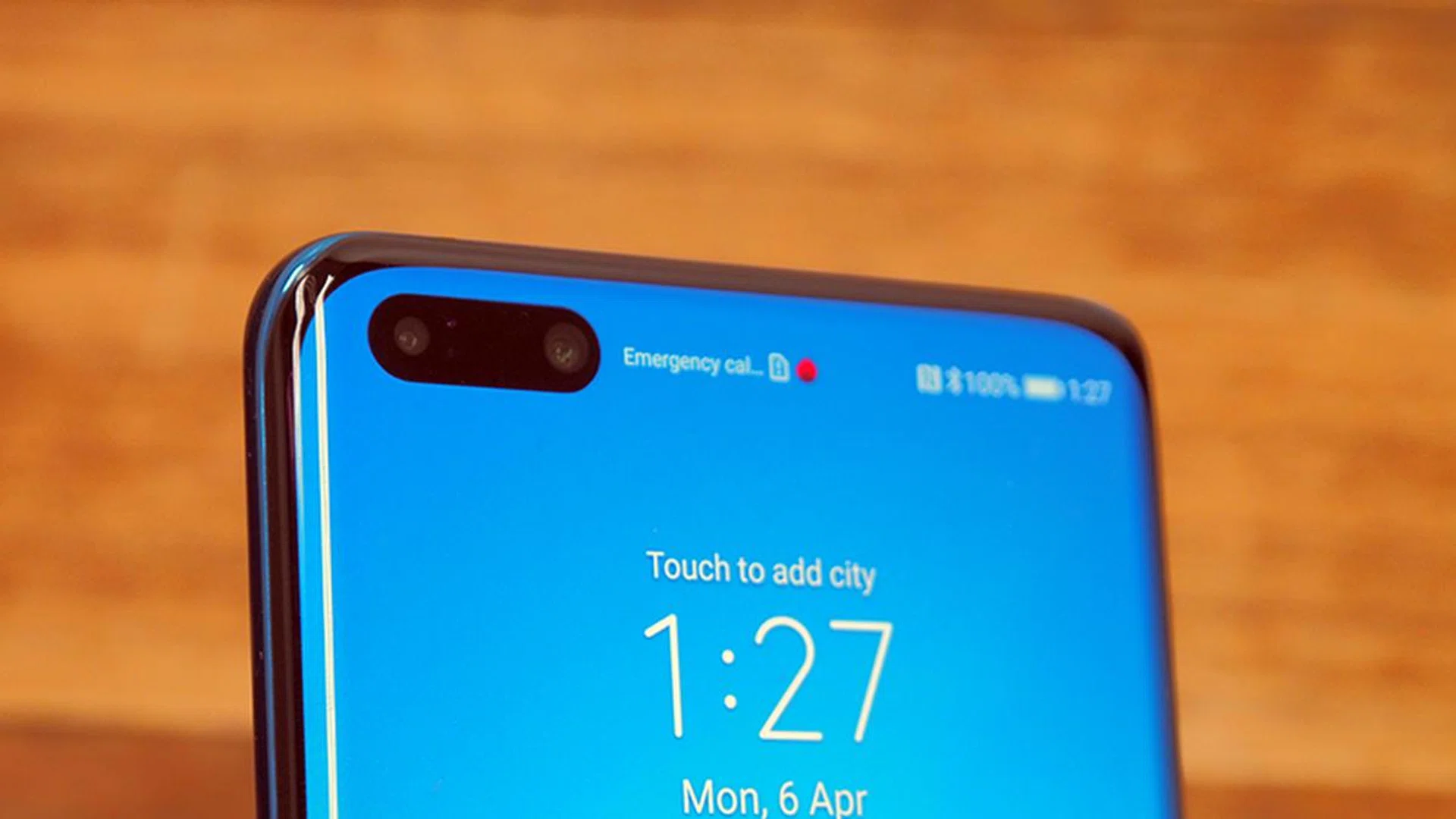
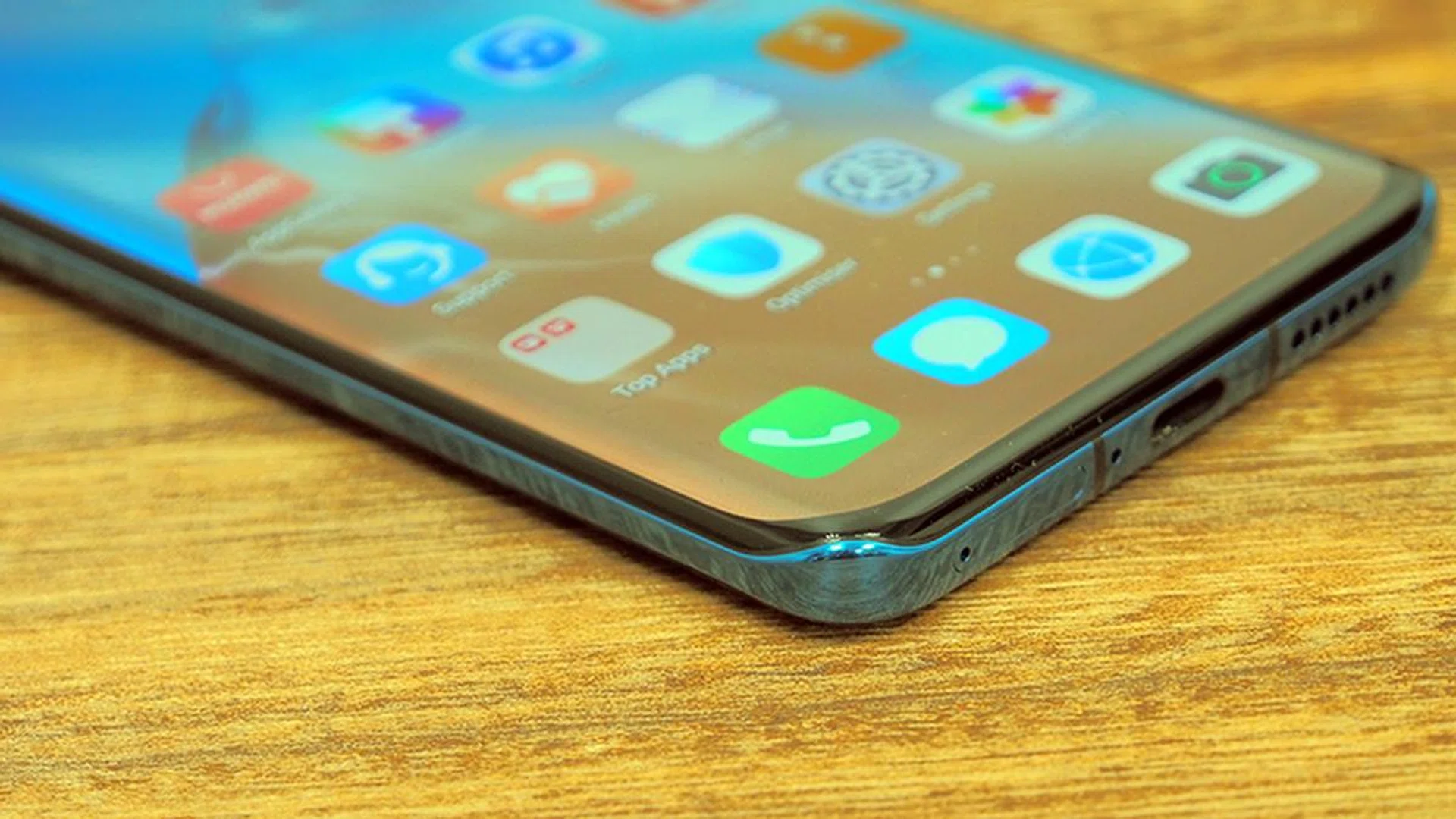
The phone's front panel isn't wholly edgeless since it's still housed within a black frame on all sides, with the thickest bordered area across the bottom rung of the display.
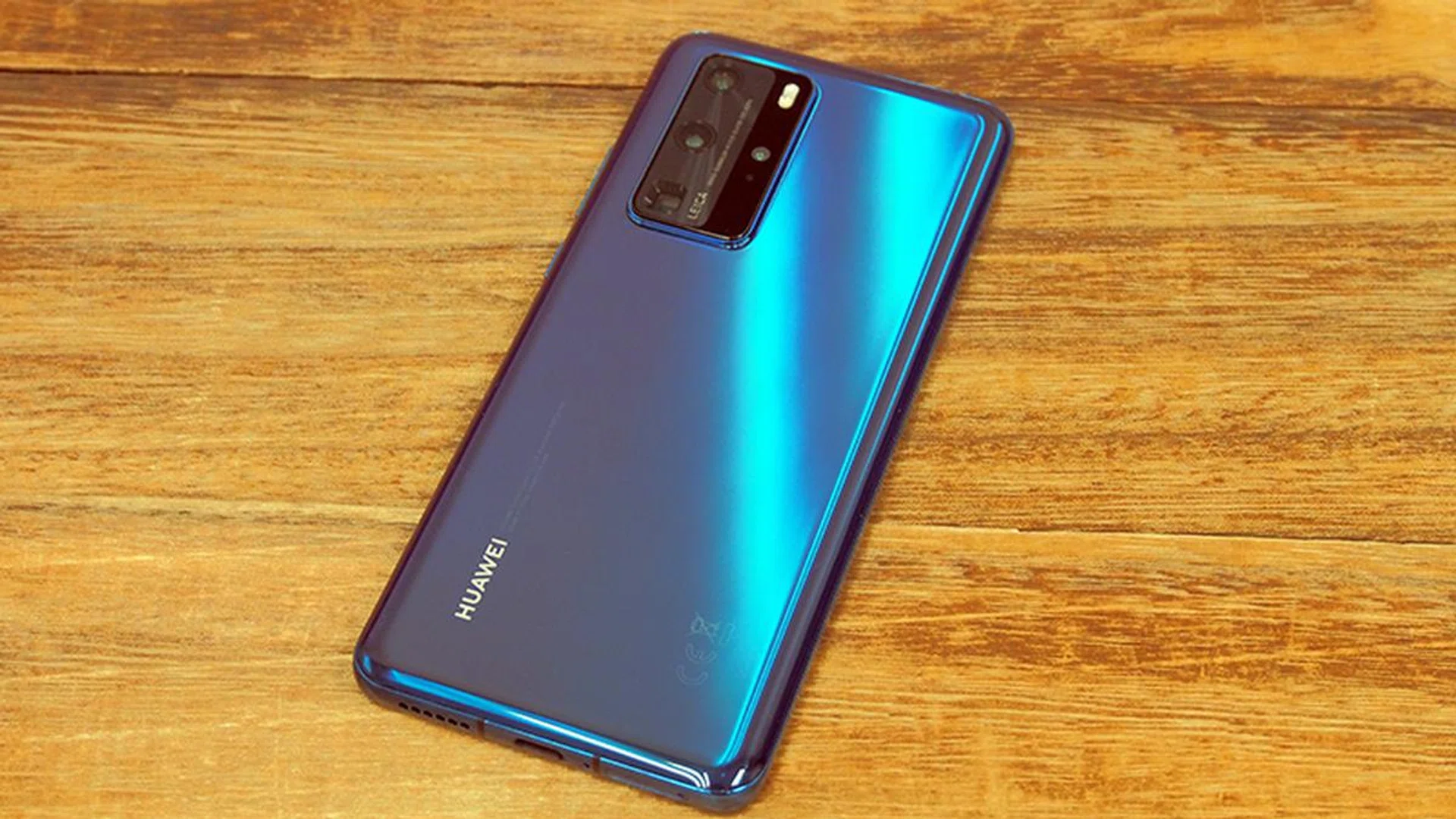
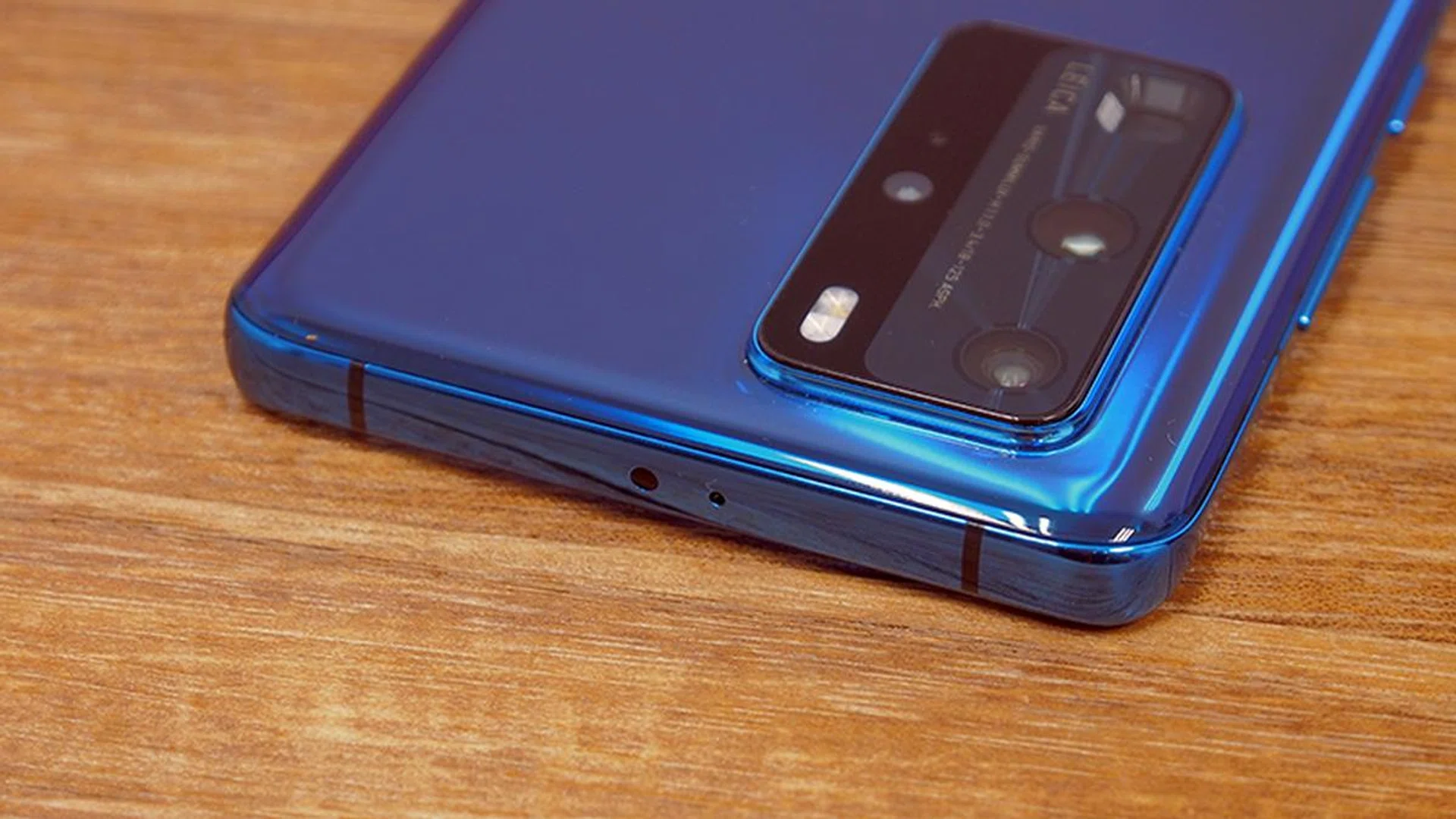
Flip the P40 Pro on its rear and you'll find a reflective matte finish (our unit is the Deep Sea Blue colour variant). It uses a similar (if not the same) curved sides, with a raised rear camera housing to contain all the lenses and sensors packed within the device. Like most flagship phones, the P40 Pro is quite the fingerprint magnet on both sides of the device, but it's a trade-off many would make for an appealing looking phone (when it is wiped clean).
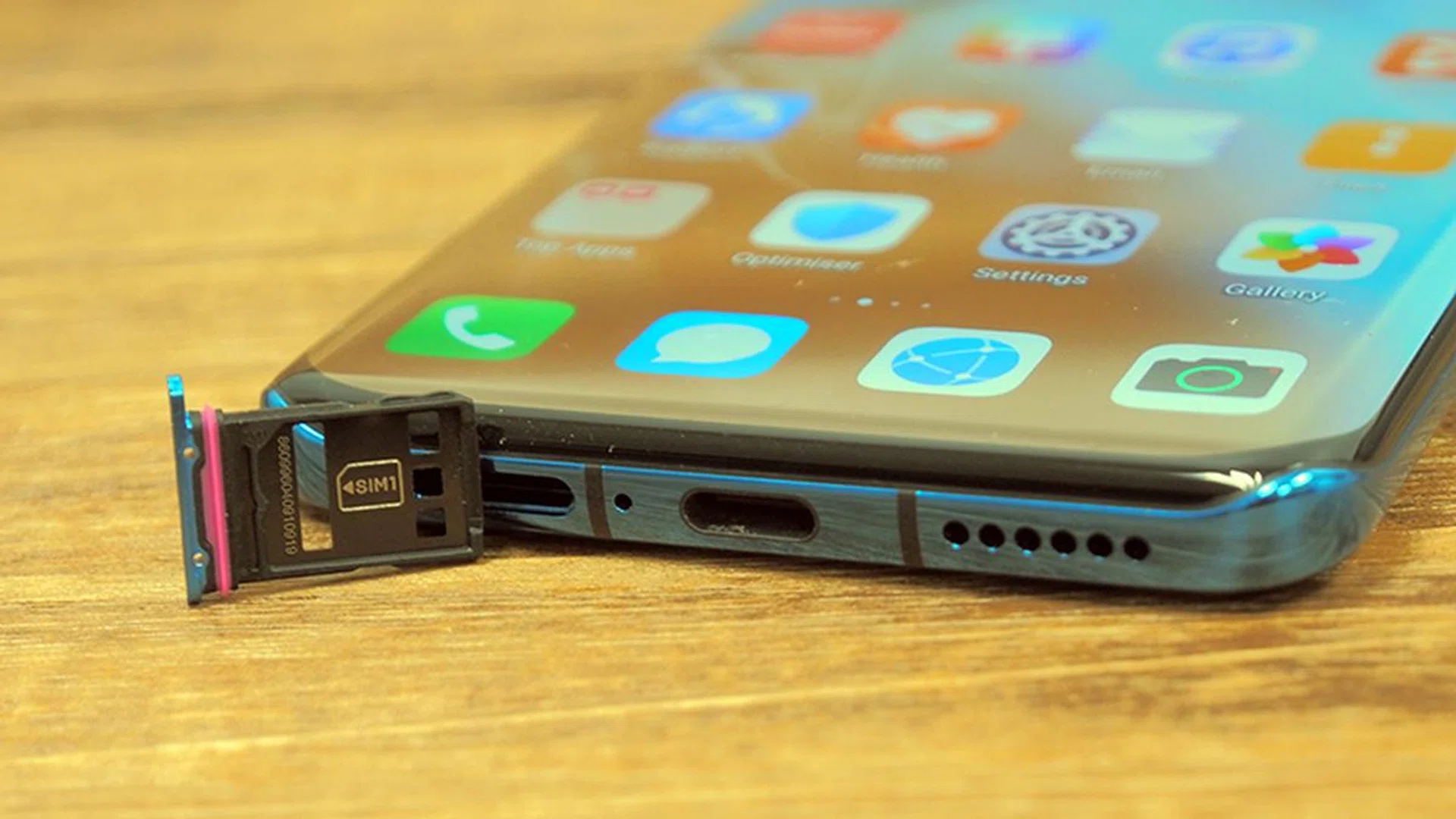
Like the P30 Pro, both volume buttons and the power/lock button rests to the right. Across the bottom 'chin' resides the USB Type C charging port, two of its four antenna bands, and a nano-SIM card slot (with an optional second slot at its rear for its proprietary Nano Memory card or another SIM card). If you intend to use the Nano Memory card slot and still want dual SIM capability, the Huawei P40 series have eSIM capability built-in - but that option is highly dependent on which telco provider you're using.
It's worth mentioning that the P40 Pro comes boxed with a basic phone casing made from polymer that's soft and grippy, so there's no need to hunt for a transparent phone case separately if all you need is a basic one.
Display and Audio
The P40 Pro has a 6.58-inch OLED display featuring refresh rates up to 90Hz, and has a display resolution of 2,640 x 1,200 pixels (which translates to a pixel density of ~441ppi). However, the Quad-Curve Overflow Display design it adopted means that the actual viewing area and effective pixels are a little less than what the spec sheet says. It's still an upgrade from its previous P30 Pro's 2,340 x 1,080 pixels resolution (~339ppi) display. However, the P40 Pro's pixels resolution is still lower than current-gen flagships, such as the Samsung Galaxy S20 models with 1440p resolution.
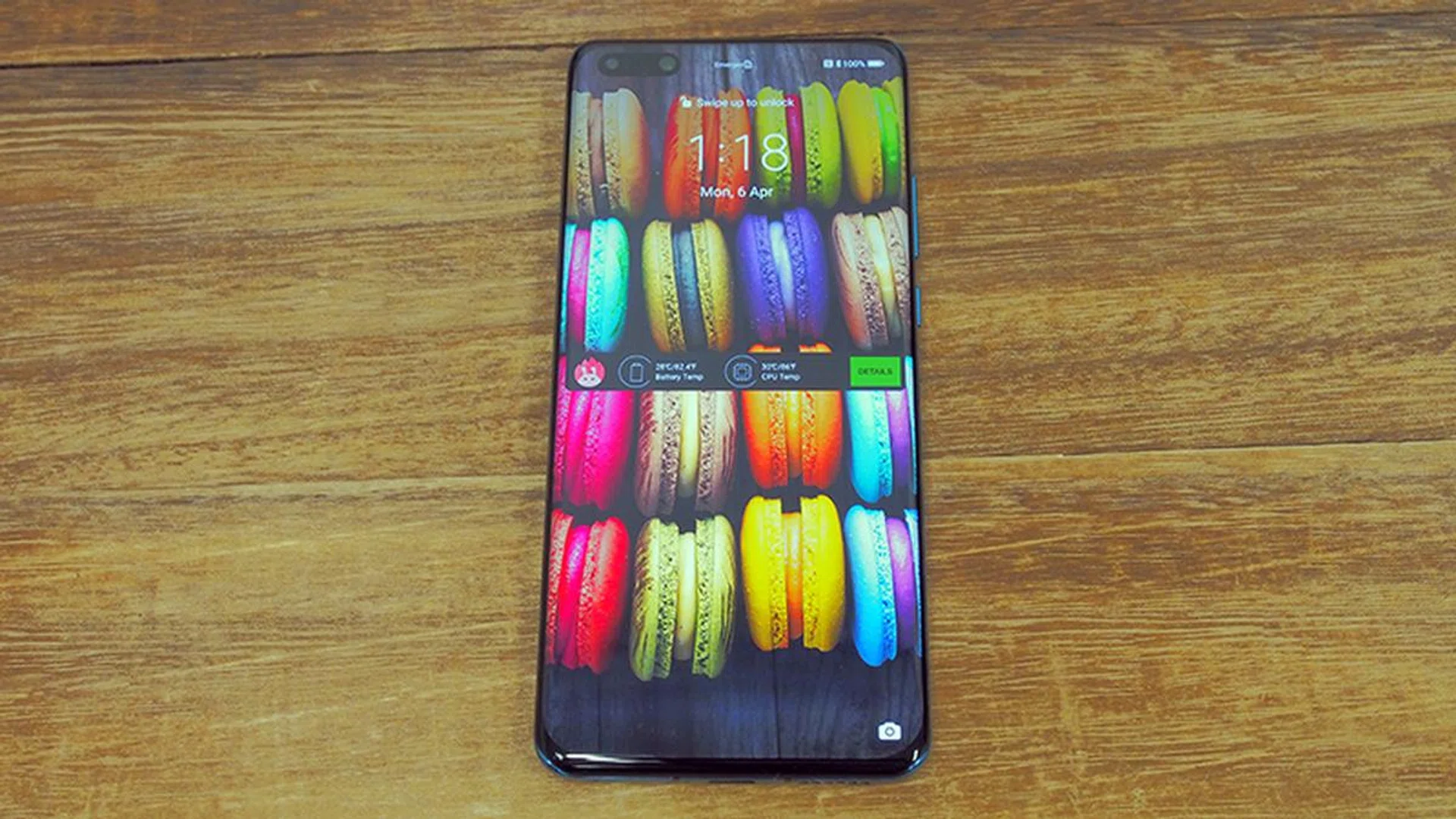
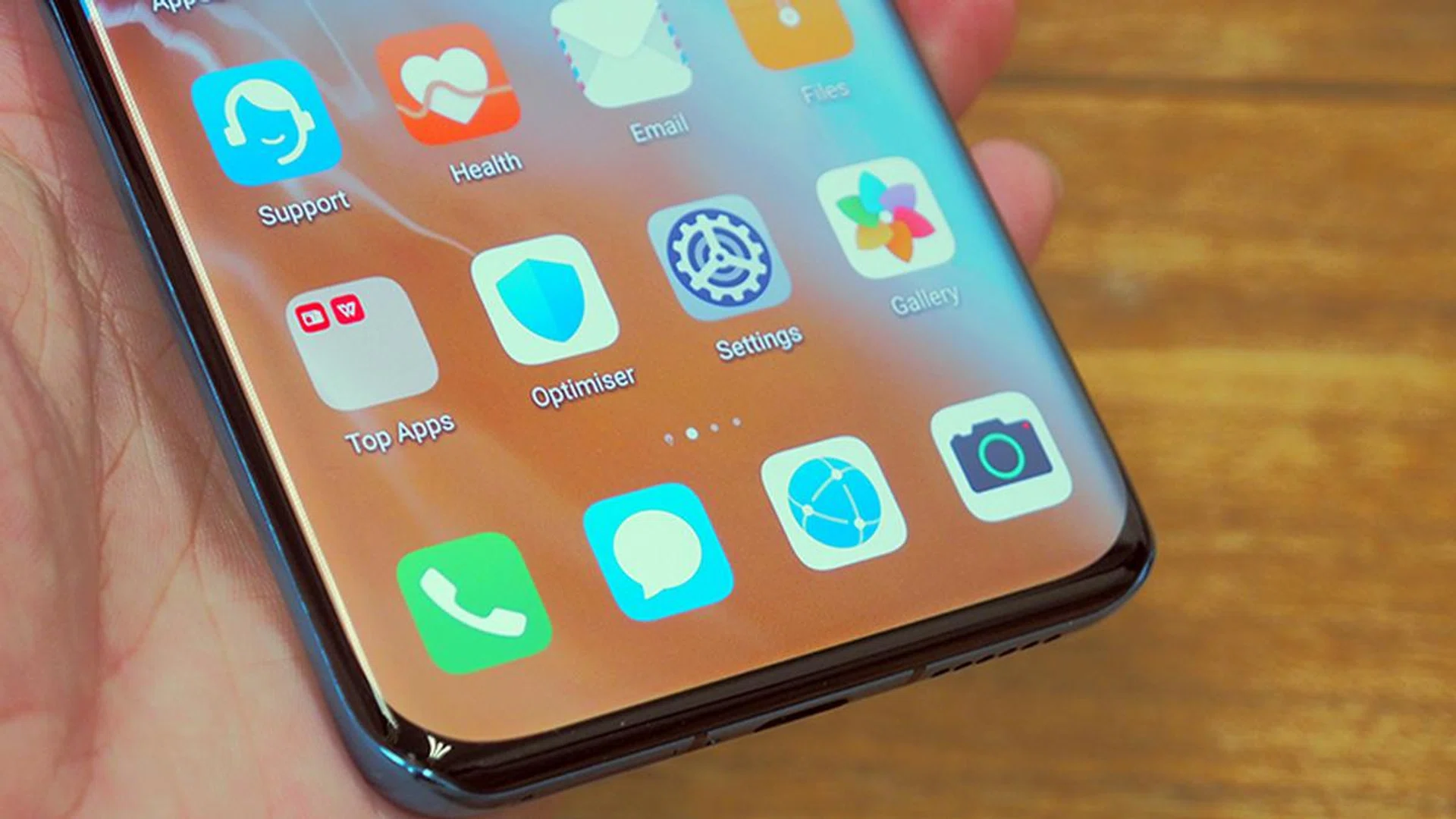
The OLED panel and its 16.7 million colour reproduction capabilities give the P40 Pro its vibrant hues. What makes the display stand out a little more was its EMUI interface being well-designed enough to appear crisp and sharp to the eye. Apps and videos render quite nicely on the device, befitting of its flagship status. Folks who like to customise the colour temperature and resolution can do so via its proprietary Settings app.
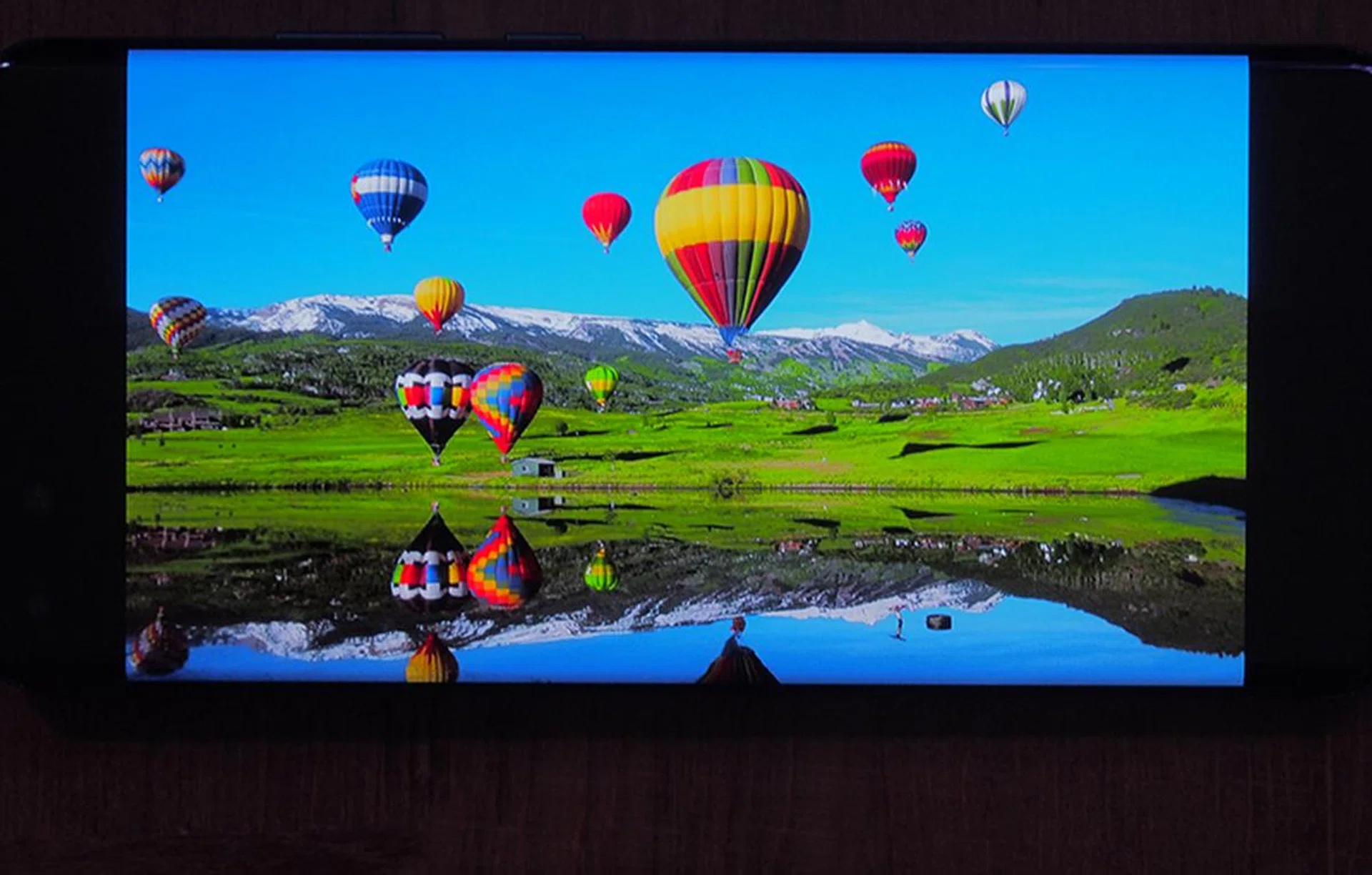
Even if the display isn't the best, resolution-wise, Huawei did a decent enough job to ensure that the screen is working admirably. Going by our test image (below), the P40 Pro's colour reproduction is no slouch, partly also because it's crucial to the P series's photography features. It's quite good at reproducting detail as well, capturing all the finer bits like lines between balloons and the snow-capped mountains in the rear.
The single downward-firing speaker does a decent job, but the P40 Pro's audio capabilities aren't something to write home about.
User Interface
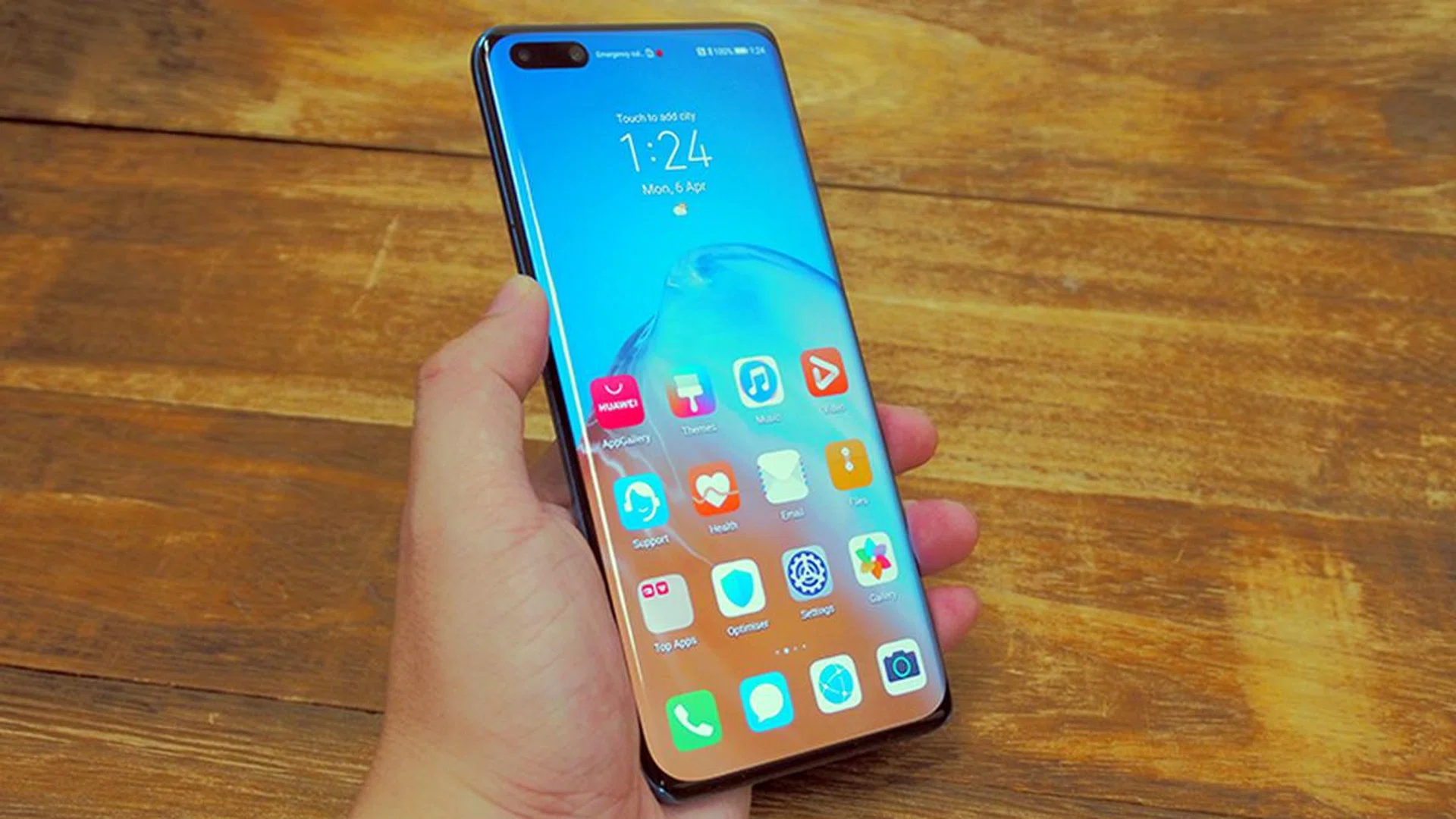
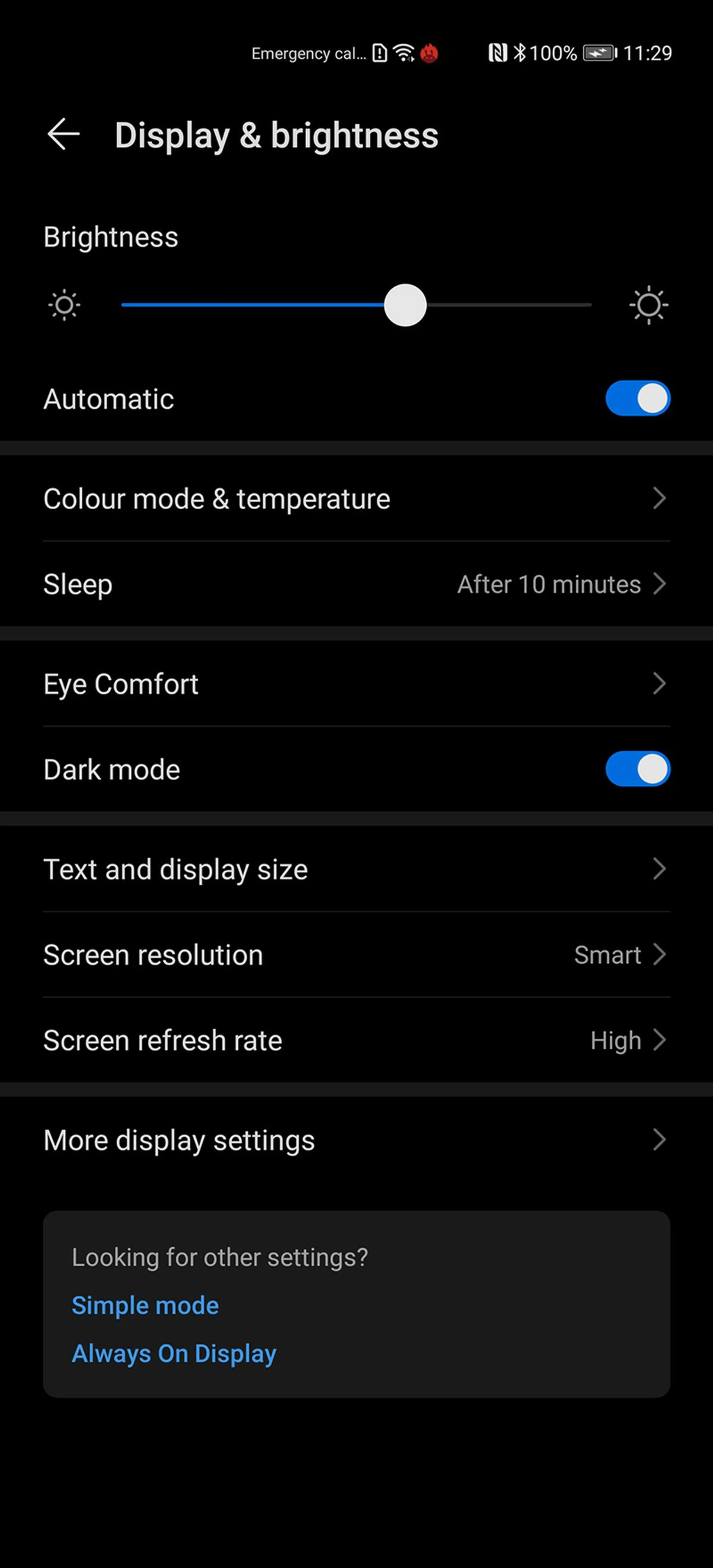
Huawei P40 Pro uses the Android 10 operating system with an EMUI 10 skin sitting on top of the OS. If you're coming from an earlier version of EMUI, it's worth noting that Huawei is finally bringing a Dark Mode interface to its users.
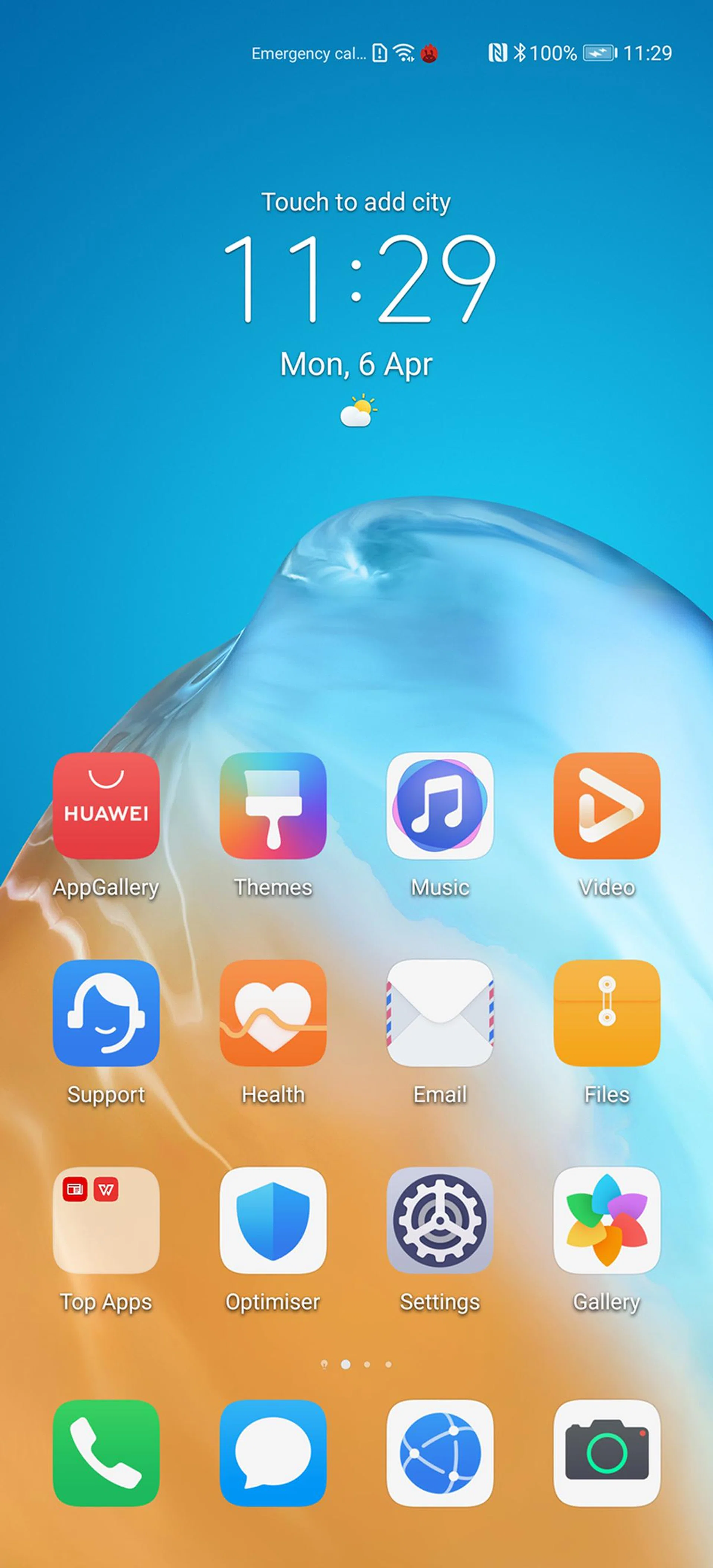

Where Huawei did put the effort in is the EMUI 10's design emphasis. For instance, it tries to mirror the stock Android OS by using a Morandi colour palette, giving it a neutral and professional-looking interface. It added several animations to make phone-browsing feel natural to the touch, such as its swiping trajectory (when exiting apps) and elastic touch animations (when jumping between different apps). While it doesn't make using the P40 Pro feel any snappier than the EMUI version before it, the animations help to make it feel a little friendlier to the touch. If you're big on design language and style, the EMUI 10 offers a lot to uncover.

Swiping trajectory.

Transition.

Elastic touch.
A key EMUI 10 productivity feature is Multi-Screen Collaboration, but it requires the user to have an NFC-capable laptop or workstation and the Huawei Share app.
Of course, there's no way we'd review this Android-based smartphone without addressing the elephant in the room. As with the Mate 30 devices, the P40 Pro and its accompanying sister models are the second wave of Huawei flagship smartphones that ship with Huawei Mobile Services (HMS).
As of writing, Huawei has vastly expanded its proprietary app store (AppGallery) offerings, becoming the world's third-largest app store, while offering an ever-growing list of core Singapore-centric apps within the consumer banking and consumer transport space.
Even if the app is not available via AppGallery, most Android enthusiast would already be familiar with using alternative app stores to install popular apps easily. For instance, all of our benchmarking tools - except for AnTuTu - were not available via AppGallery, so we merely sourced for the latest APK for the apps we needed. That also included looking for Google Chrome, since that's the browser we use for testing Internet browsing performance on these mobile devices.
For most users, they could simply port all the apps over from their older phone using Huawei Phone Clone, exactly like how our video here demonstrates.
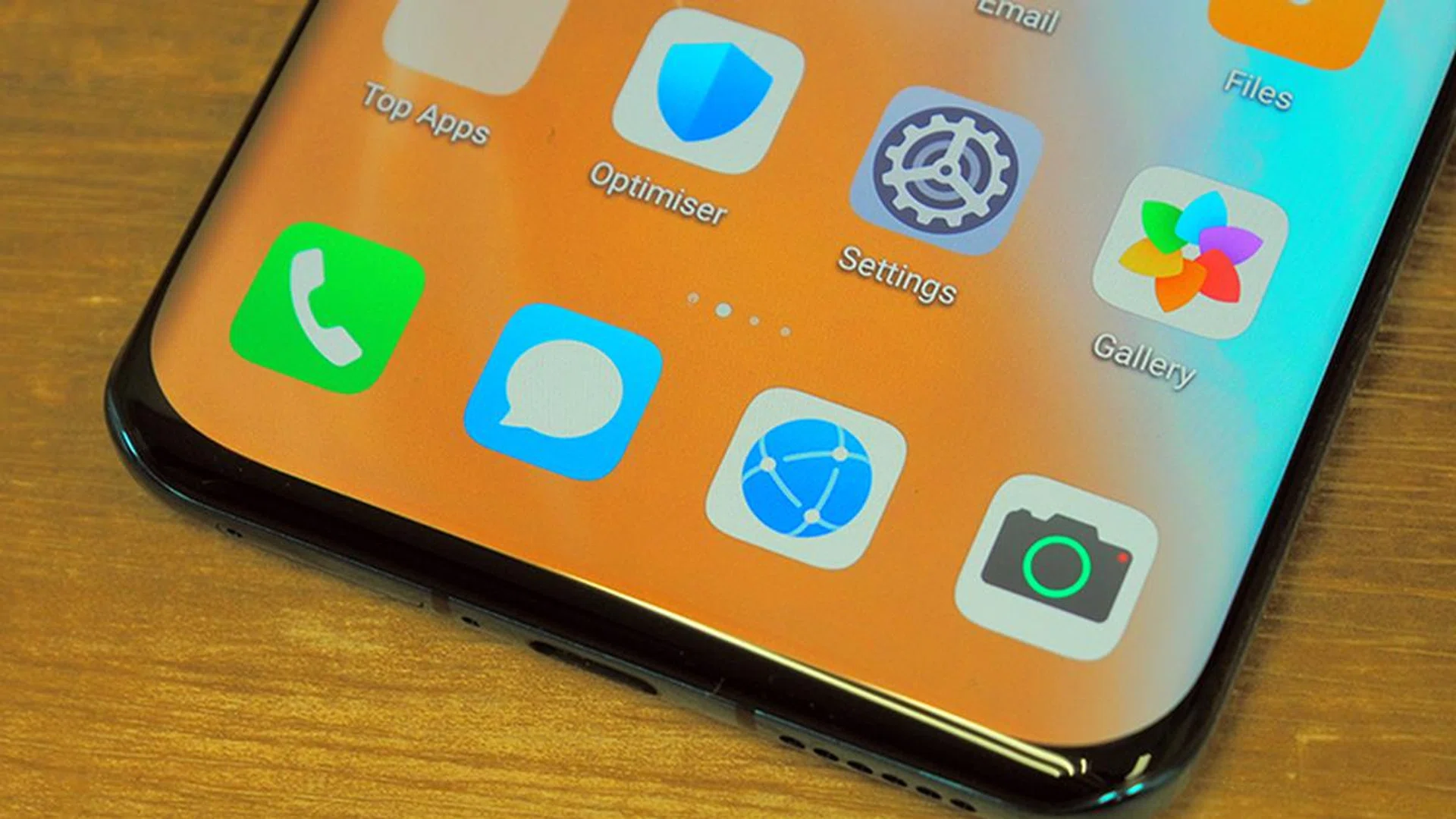
The real difference between using the Android-based P40 Pro next to some other Android smartphone can only be felt when you're using an app that also uses Google's backend services. Some will simply not function unless you use the mobile or website version via a browser, such as Google Maps and Gmail. Some localised apps, such as Grab, uses Google's API to triangulate your ride's location. The list goes on.
If you're used to workarounds, then grabbing a bunch of apps outside of AppGallery should be an easy affair. Plus, there are Web App options, which are just shortcuts to the respective web services which you launch as app shortcuts on your phone. But it's up to the individual to decide if they feel that they can get by without any Google-related backend service on a P40 Pro. While there are phone users out there that don't use Google Maps, don't watch YouTube or check emails on a smartphone, folks of that demographic will likely do fine with any smartphone device.
Beyond that, flagship features like the in-display fingerprint sensor still work as intended, and so does facial recognition unlock — little things like these help to affirm that the P40 Pro is of flagship quality.
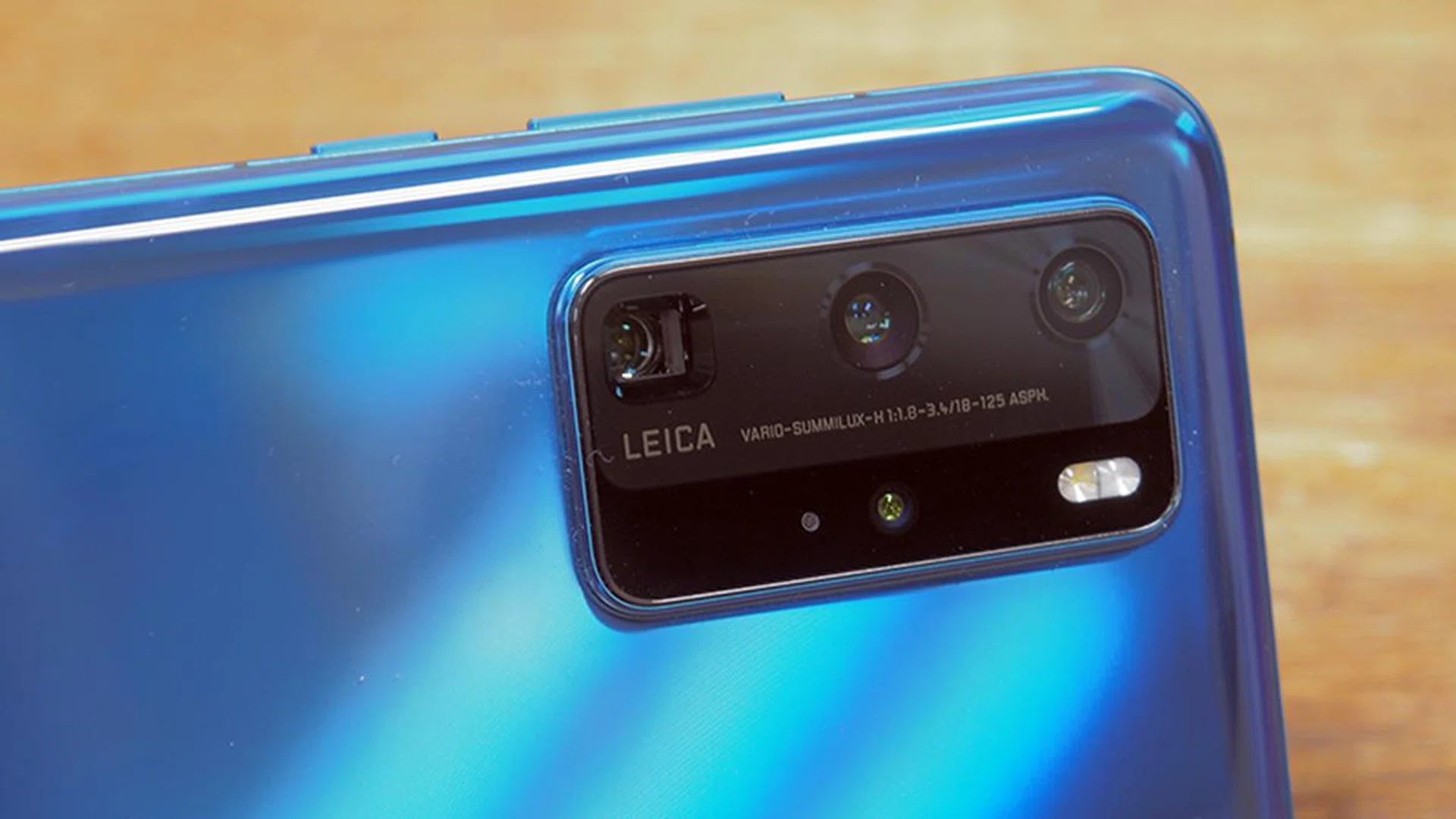
The star of the Huawei P40 Pro - its camera system.
Camera features and Imaging Performance
To further improve the already versatile and powerful cameras on the Huawei P series, Huawei introduced several hardware and software additions.
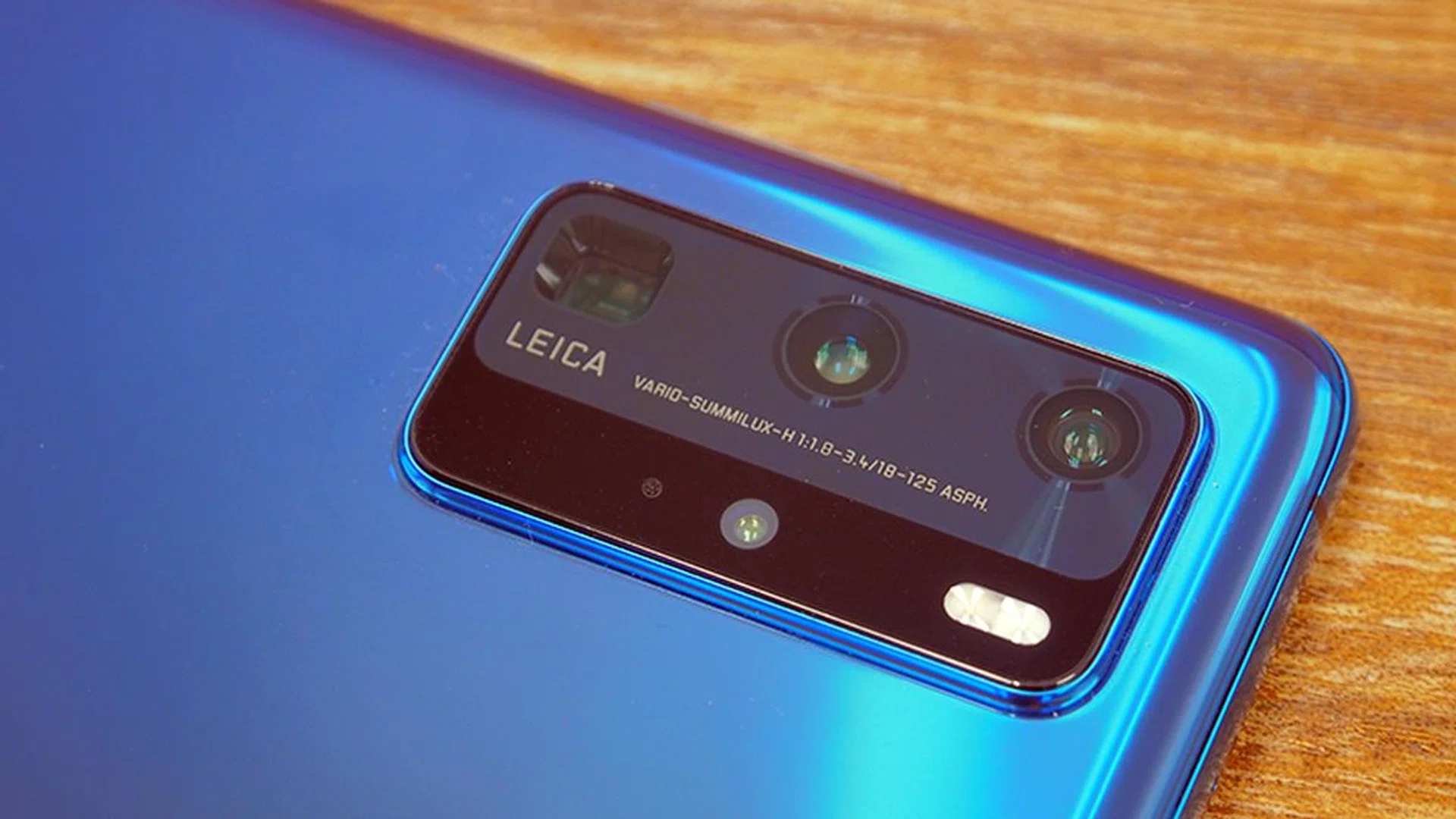
The rear camera system goes by one name on the P40 Pro - Ultra Vision Leica Quad Camera. As implied, it consists of four different cameras that automatically switch between each other, depending on the task.
The primary lens (middle of the three-in-a-row) is a 50-megapixel Ultra Vision Camera with a large 1/1.28-inch sensor that uses an RYYB colour filter array. This is the second time Huawei is using a camera sensor with RYYB filter, but it's the first time it reaches 50 megapixels imaging resolution (P30 Pro's was 40-megapixels). This camera consists of a wide-angle lens with an aperture of f/1.9 and Optical Image Stabilisation (OIS), as well as Full Pixel Octa PD AutoFocus, which means that every single pixel on the sensor supports Dual Pixel Diode AF. Conventional sensors dedicate specific pixels on the sensor for AutoFocusing.
The primary camera has 4-in-1 pixel binning, where it combines multiple photosites into a single huge 'superpixel'. With it, the P40 Pro brings higher imaging capacity with a 'total' pixel size of 2.44μm. This technique is present in late 2019 and other early 2020 flagship and non-flagship smartphone cameras as well, such as the Galaxy S20 series. What pixel-binning offers is, in short, better-looking photos even in low-light conditions, at 10 to 12-megapixels image resolution by using a high-megapixel camera (in the case of the P40 Pro, it produces 12.5-megapixel images).
The bottom camera in square housing is a 12-megapixel Telephoto Camera capable of 5x Optical Zoom with up to 125mm focal length (35mm equivalent). It's also capable of 10x Hybrid Zoom, made possible by using a combination of its camera array and digital zoom techniques to achieve high-quality images. This camera is also responsible for the P40 Pro's 50x Max Zoom feature using a combination of digital zoom, stabilization and AI (more on that later). It has an f/3.4 aperture, and it's supported by OIS as well.
What's worth highlighting is the OIS, which is further supported by AI Image Stabilisation. Simply put, telephoto shots are challenging to capture because any minor movement can result in a blurred photo, so Huawei uses a little of its AI and software capabilities to help compensate more than what OIS can. The difference is most apparent when you're comparing to the Telephoto camera on the Mate 30 Pro.
The top-most camera on its imaging array is a 40-megapixel Ultra Wide Cine Camera with an aperture of f/1.8. To trigger it, you zoom out from the default 1x Zoom to 0.5x Zoom, which in turn gives the camera the ultra-wide-angle capabilities. It has a 1/1.54-inch sensor with phase-detection AF and is primarily responsible for ultra-low light videos, ultra slow-motion videos, 4K timelapse videos, and many more.
The last camera in the Ultra Vision Leica Quad Camera system is the camera with a Time of Flight (ToF) sensor, dubbed as the 3D Depth Sensing Camera. As its name implies, the camera is responsible for accurate detection of depth in real-time, which helps to create professional-looking bokeh effects on your photos. ToF sensors were also present in the P30 Pro and the Honor View 20 phones.
On the software side of things, Huawei introduced AI Golden Snap to make the most out of their AI-based photography programming. In a nutshell, Golden Snap is the shooting technique responsible for its two AI-based post-processing features. It recommends the best shot, or moment, from a variety of shots taken from a single snap. (If this sounds familiar, that's because Samsung's Galaxy S20 series has a Single Take camera mode that functions similarly.)
The two features that work with Golden Snap are AI Remove Passerby, which removes photobombers behind your subject, and AI Remove Reflection, which removes unwanted reflections in your photos.
It's worth noting that this is a part of EMUI 10.1 software, so older Huawei devices should be able to use these features after a software update.
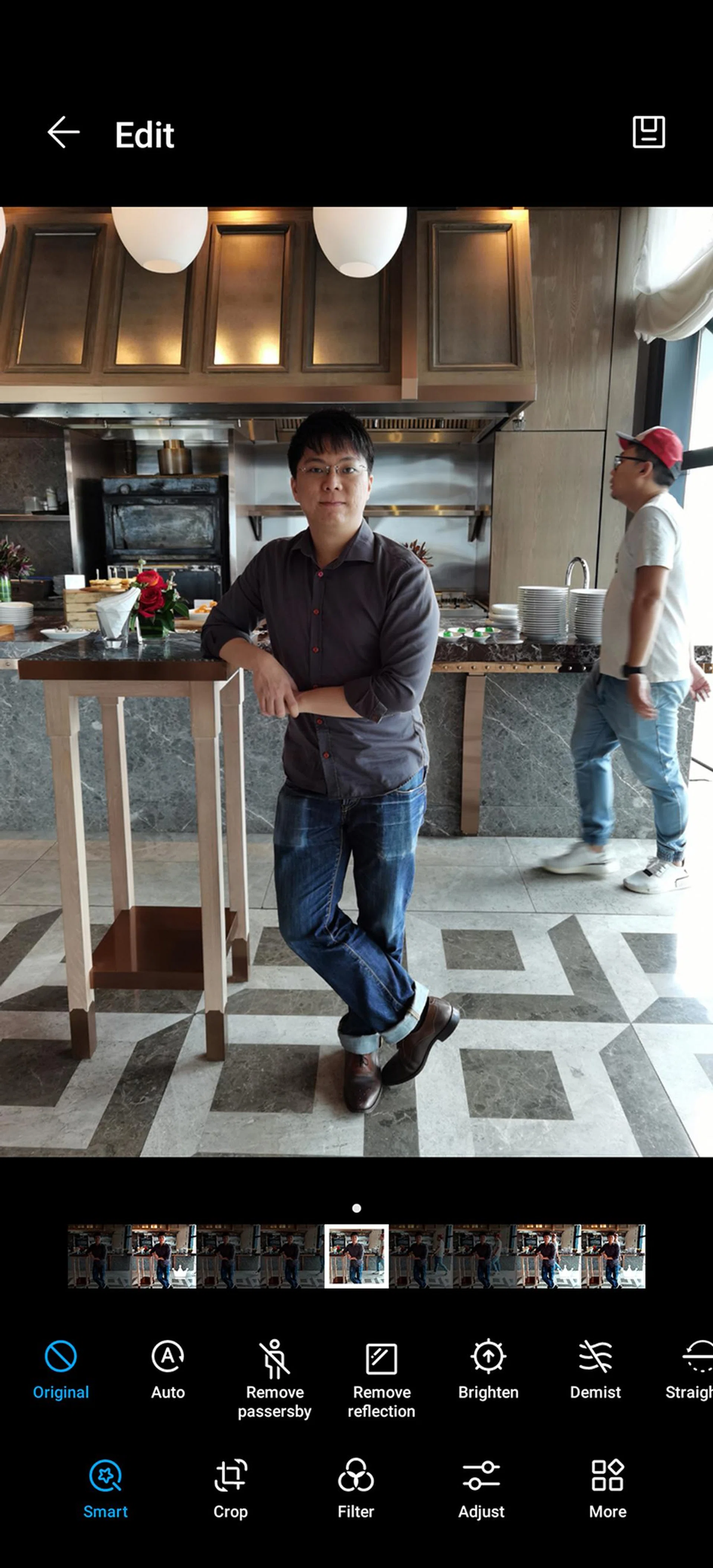
Before AI Remove Passerby.
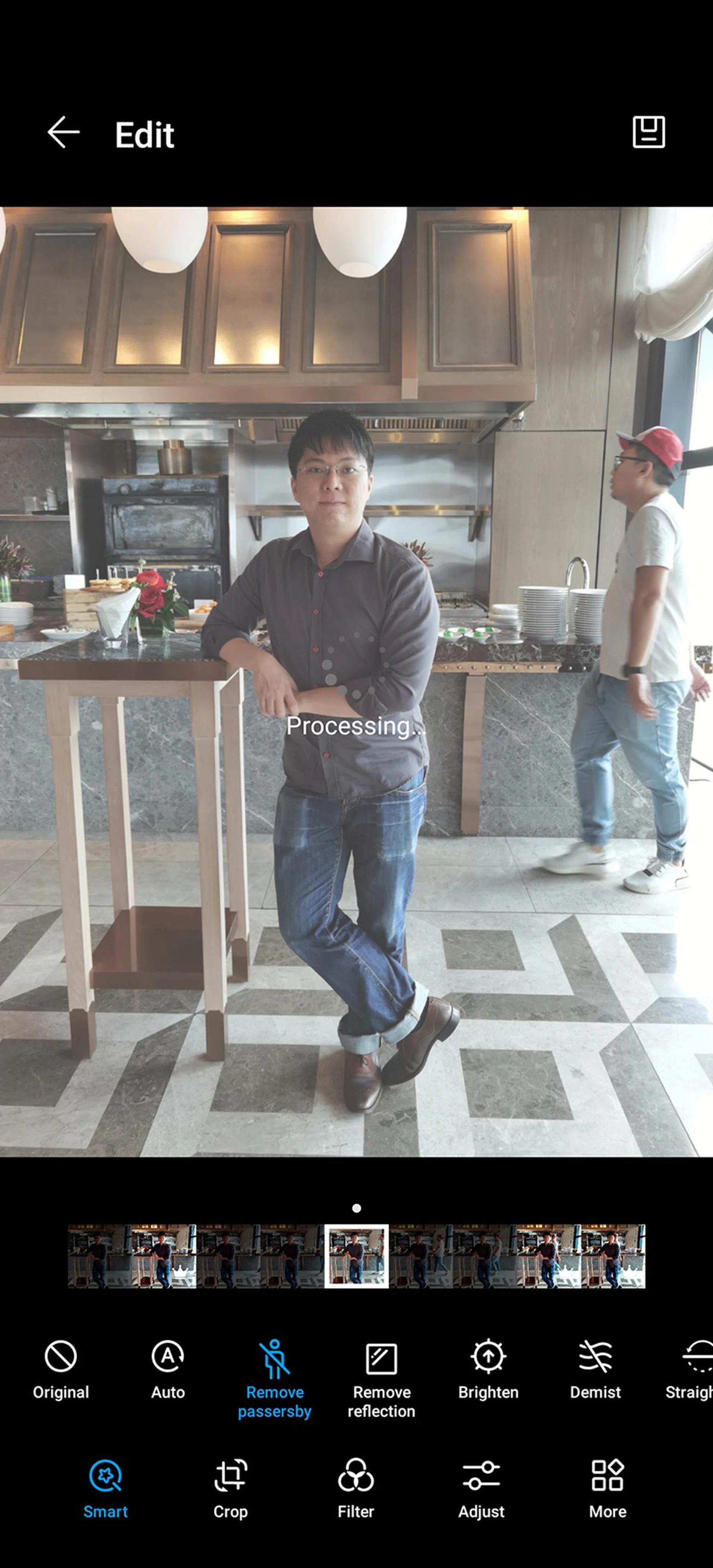
Processing the image.
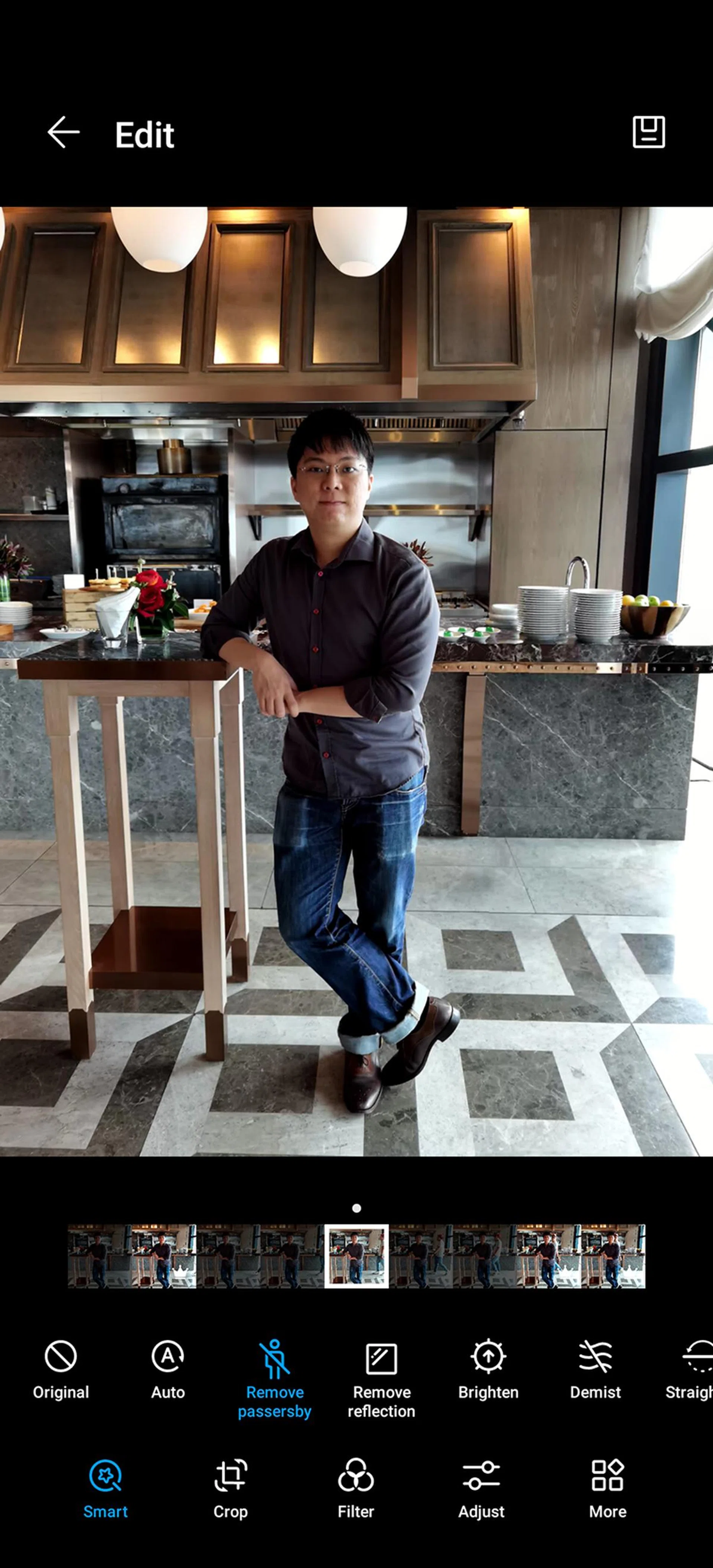
After applying AI Remove Passerby.
To learn how these features work and how to get the most out of AI Remove Passerby and AI Remove Reflection, check out our hands-on personal experience with these features here.
So what can you generally expect from the P40 Pro's camera performance? Very frankly, smartphone cameras these days are so well-optimised and so powerful that it's getting harder to tell the quality apart in day-to-day use.
What you can expect, though, is having an easier time getting a close approximation to the type of shot you want. For example, the combined OIS and AIS make it far more comfortable now to shoot at 50x Zoom. Octa PD AF would make it easier to pick a focus area on your photos. The combination of pixel-binning and additional cameras makes low-light shooting far less challenging than it used to be. Much of these manipulation depends on the phone's ability to 'know' which lens(es) works best under the right situations, and we must say the P40 Pro does an excellent job at combining cutting-edge smartphone camera hardware with top-end programming worthy of the Leica branding. What Huawei has also done was to cut back on some of the Professional mode settings, making the controls easy to understand as well.
Below is a test shot was taken with the P40 Pro using our standard lab chart.

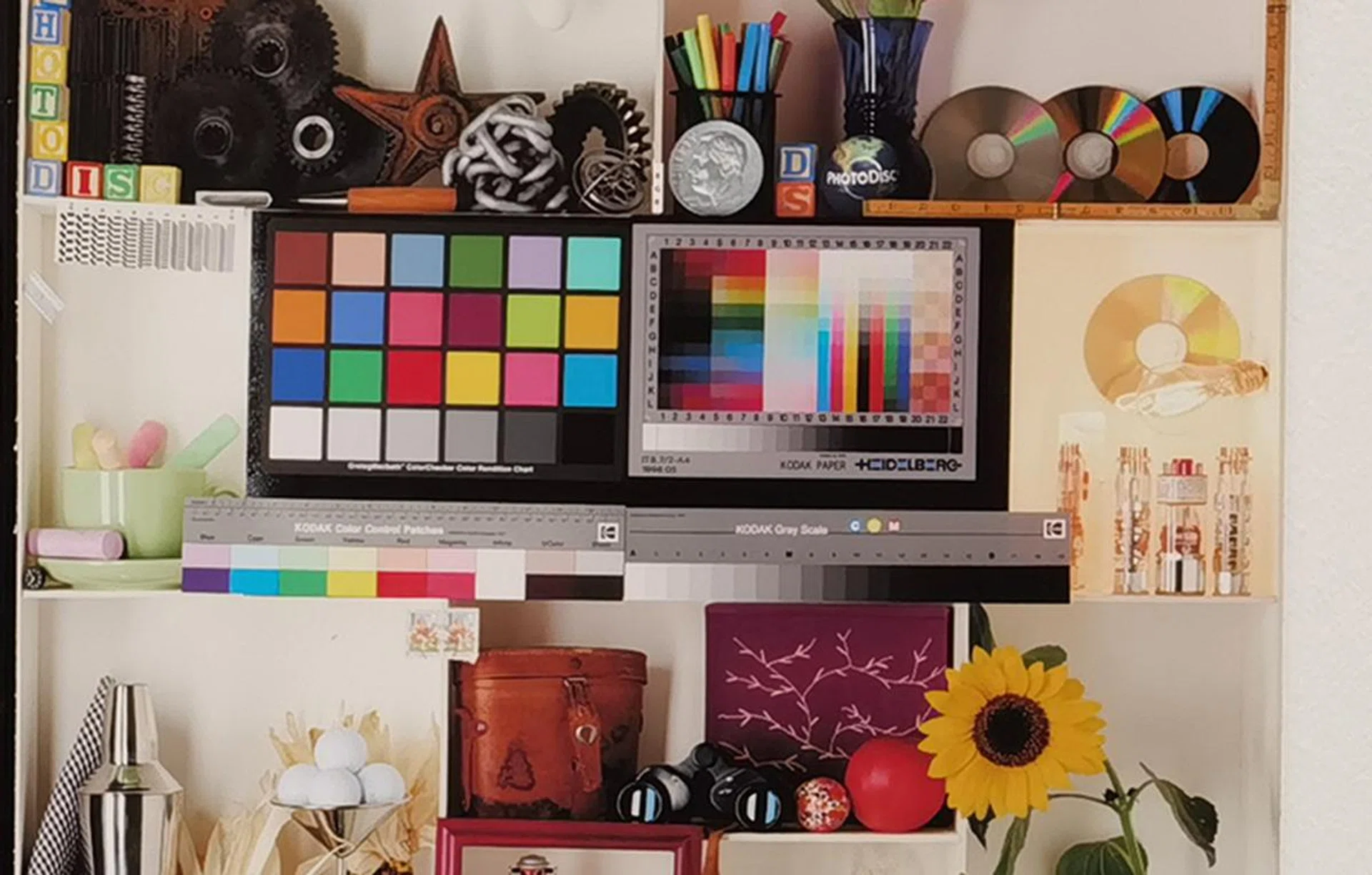
Actual image size (Cropped from image above).
And here's a quick snapshot at the camera's outdoor performance with respect to the phone's zoom capability:-

Standard wide camera shot (1x zoom), 5x optical zoom and 10x hybrid zoom compared side by side. (Click to view a larger image.)
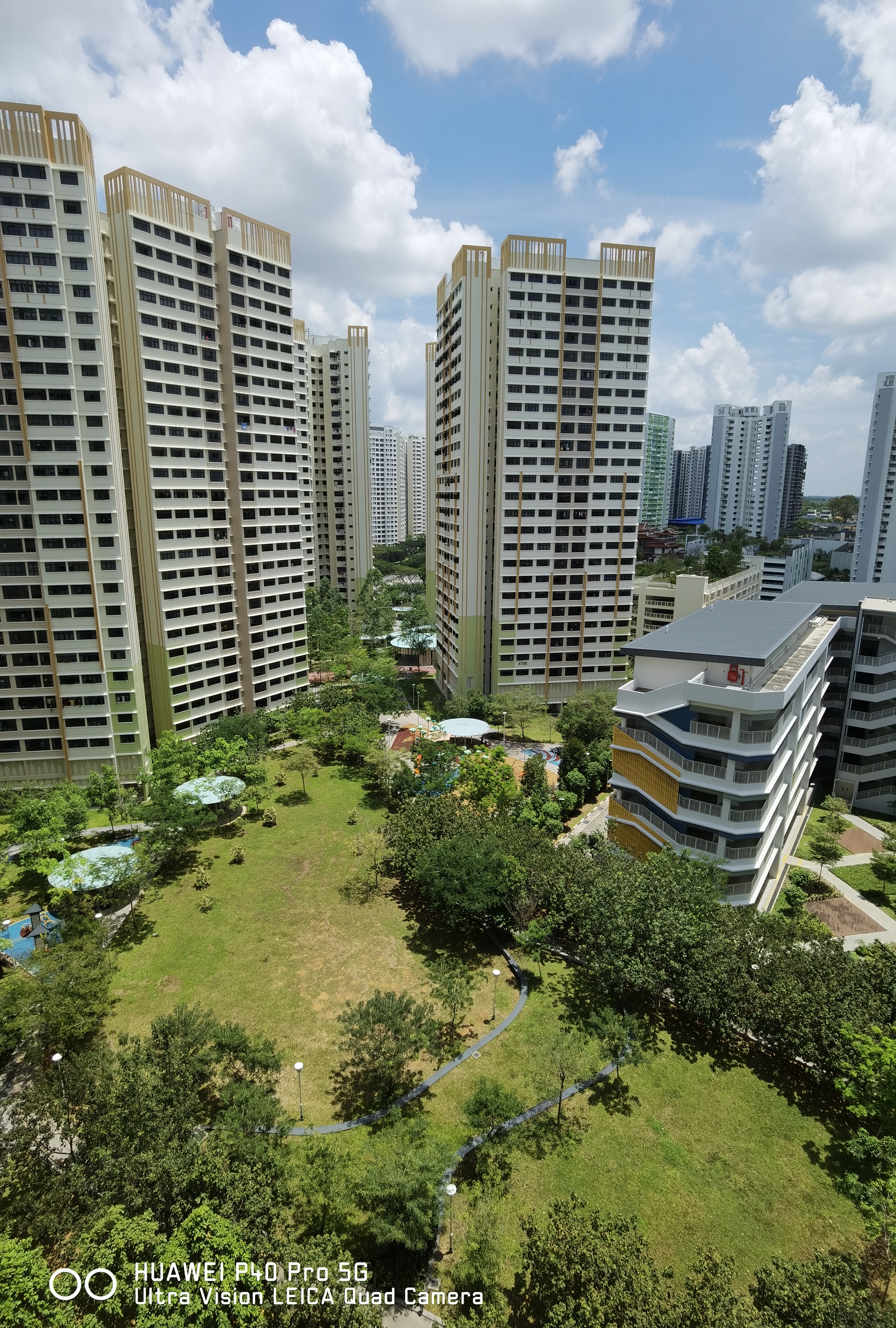
Here's the ultrawide angle camera shot (0.5x zoom). The colours appear a little too cool out of the box. Click to view the original image.
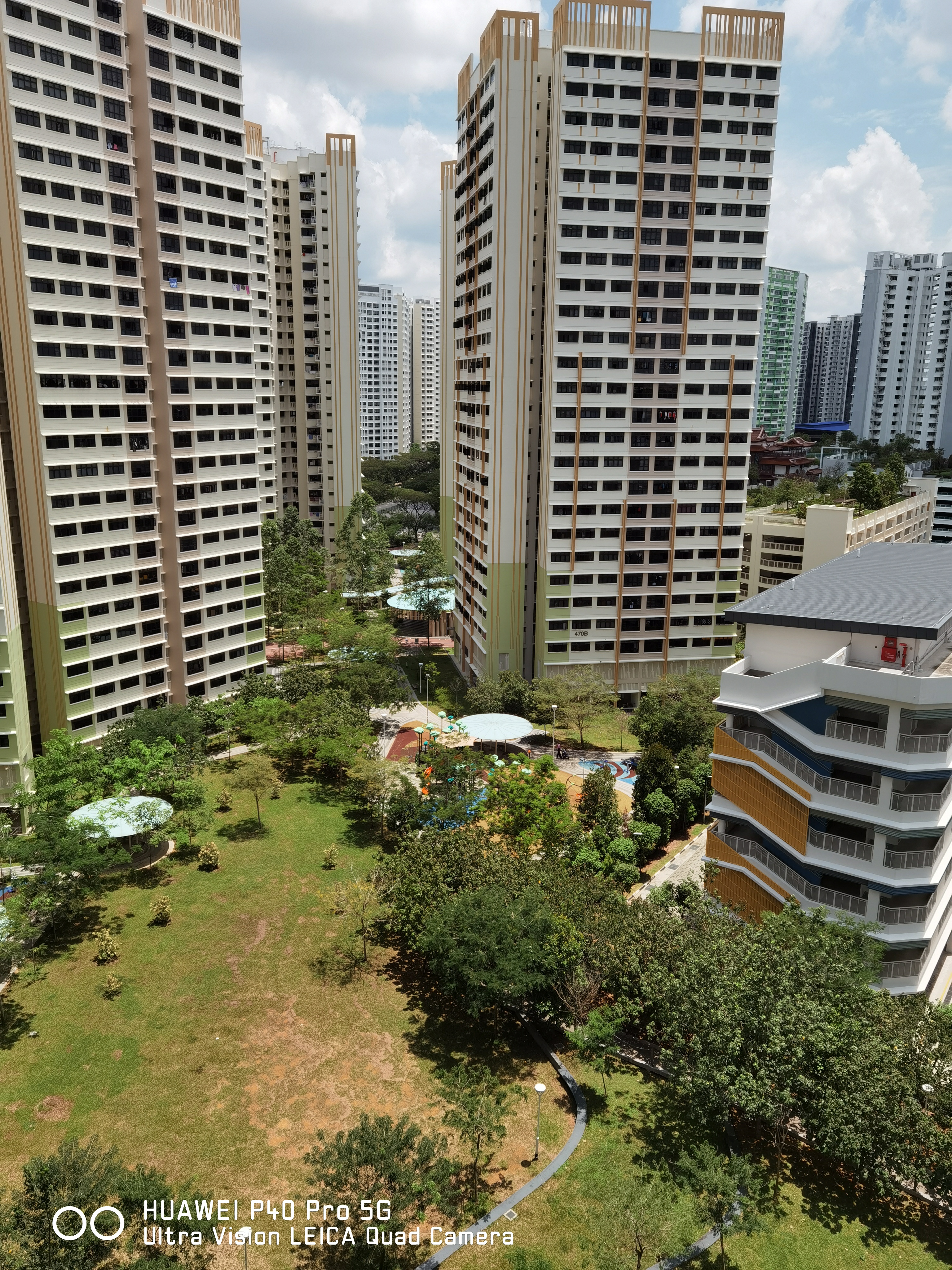
Here's the main 50MP Ultra Vision Camera in action without any zoom. As can be expected from a daytime shot, it's quite well composed. Click to view the original image.

5x telephoto optical zoom shot. Click to view the original image.

10x hybrid optical zoom shot. Click to view the original image.
Folks have always loved the P series phones for its ability to reproduce colours with such life-like qualities. Noise is kept to a minimum, with great control for details like faint outlines and individual petals on a sunflower. The OIS does an excellent job at maintaining sharpness, but it's hard to say if feels all that different from other flagship smartphone's cameras. If you're a casual shooter buying a smartphone with huge emphasis on rear camera performance, the P40 Pro might spoil the market for you.
Normally, we would trawl around to gather much more comparison shots to dissect the imaging prowess in more detail, but given the current Covid-19 situation, it's best to minimize movement. Still, we'll make updates to this page when more opportunities present themselves.
Benchmark Performance
Powering the Huawei P40 Pro is a Huawei Kirin 990 5G chipset. Similar to the Kirin 990 SoC in the Mate 30 Pro, it uses a 7nm architecture with a CPU, GPU, and NPU module, among other components that complete the processing unit. What makes it different from the Mate 30 Pro's processor is the inclusion of a new modem that supports 5G connectivity on both SA (standalone) and NSA (non-standalone) 5G networks.
Technically speaking, the Qualcomm equivalent of the Kirin 990 5G is none other than the Snapdragon 865, which also comes with 5G support and a dedicated CPU for AI. This Snapdragon SoC can be found on devices like the Oppo Find X2 Pro. The Samsung equivalent would the Exynos 990, which can be found on the latest Samsung Galaxy S20 series. Naturally, we'd compare the P40 Pro against these models to see if the chipset holds up against the competition. We'd also benchmark the P40 Pro alongside its predecessor to see if there have been any improvements.
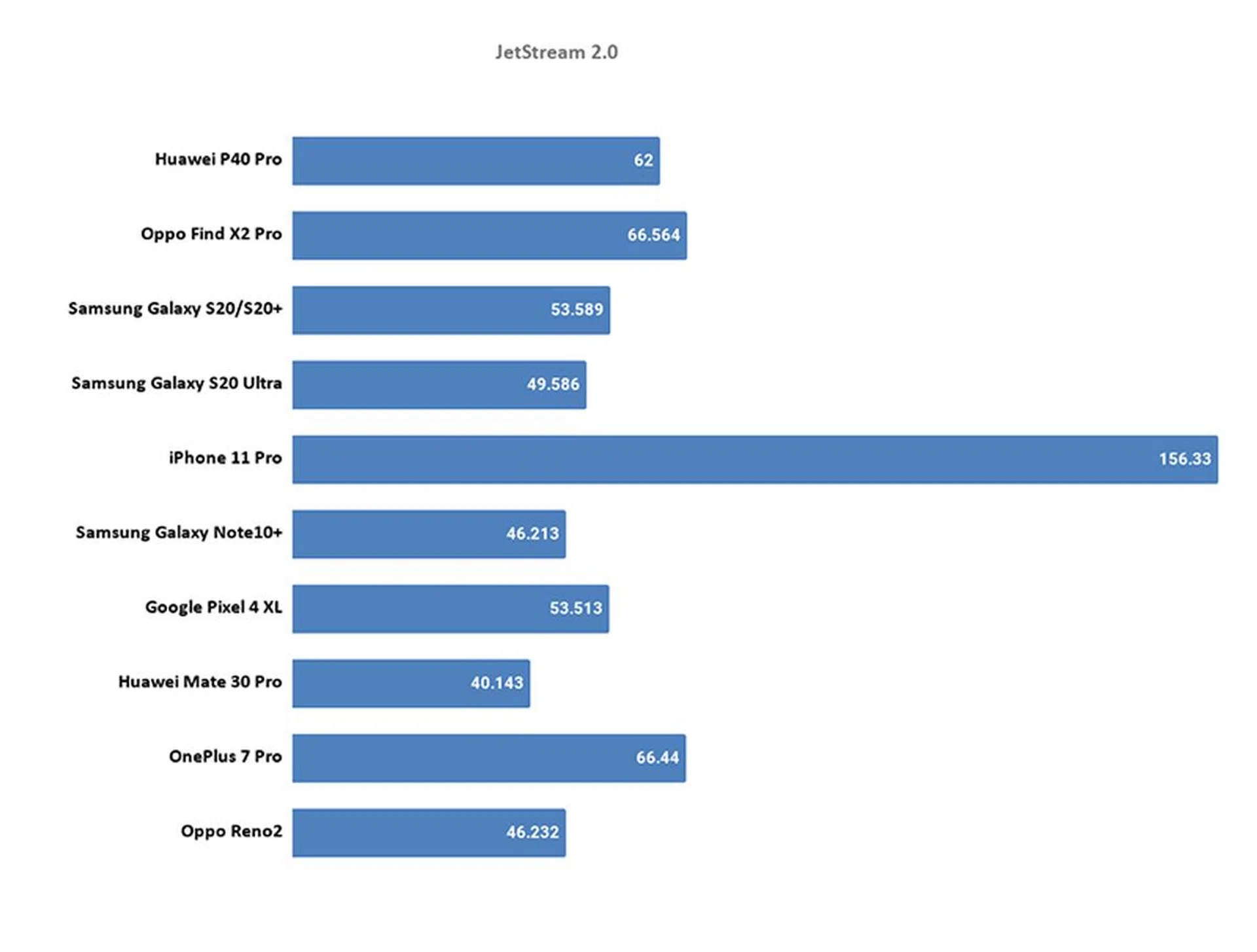
JetStream 2.0
JetStream 2 is a combination of a variety of JavaScript and Web Assembly benchmarks, including benchmarks that came before like SunSpider and Octane. It primarily tests for a system's and browser's ability in delivering a good web experience. It runs a total of 64 subtests, each weighted equally, with multiple iterations, and takes the geometric mean to compute the overall score. The higher the score, the better.
While it's markedly better than its predecessor, the P40 Pro falls comfortably within the middle of other current-gen Android flagships. Nothing to shout about, really, when what matters more was that both Google Chrome and its default built-in browser were both responsive at loading webpages.
AnTuTu
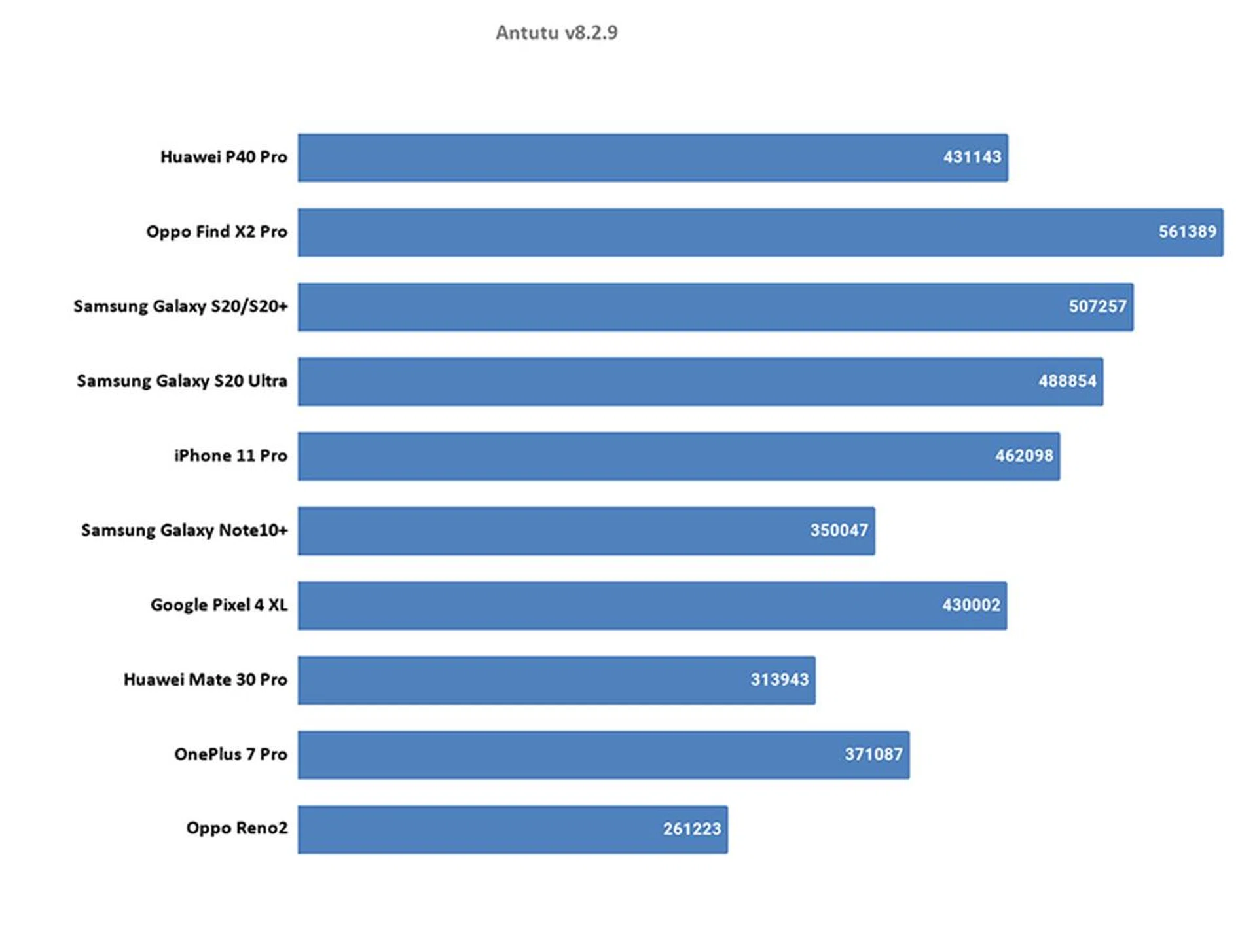
AnTuTu is an all-in-one benchmark that tests CPU, GPU, memory, and storage. The CPU benchmark evaluates both integer and floating-point performance. The GPU tests assess 2D and 3D performance, the memory test measures available memory bandwidth and latency, and the storage tests gauge the read and write speeds of a device's flash memory. The higher the score, the better.
Just because AnTuTu is a Chinese-made benchmark doesn't necessarily mean it would favour a Chinese-made phone. The P40 Pro's selling point is not its processing power, and it's apparent in both real-world use and on the benchmark chart. While it's undoubtedly flagship quality at loading apps or files from the internal storage, game apps still take a while to boot up, and even starting up its camera isn't as instantaneous as you might believe. That said, it's still a marked improvement from its predecessor, and that's what counts.
Geekbench 5
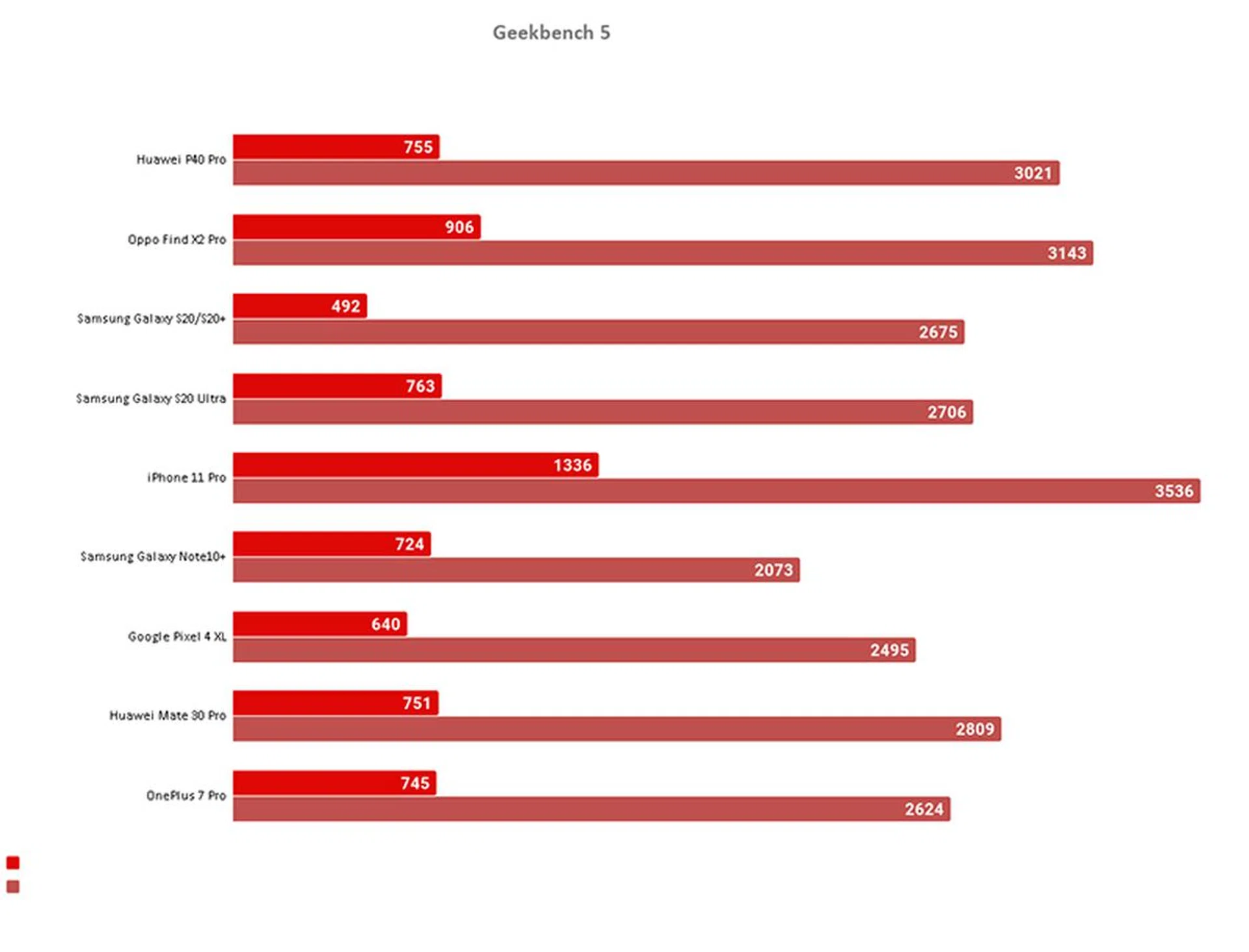
Geekbench CPU is a cross-platform processor benchmark that tests both single-core and multi-core performance with workloads that simulate real-world usage. Geekbench 5 scores are calibrated against a baseline score of 1000, which is the score of an Intel Core i3-8100. As a result, Geekbench 5 scores are not comparable against those of Geekbench 4, whose baseline score is derived from an Intel Core i7-6600 processor. The higher the score, the better.
The darker red bar indicates single-core performance, while the lighter pink bar represents the respective multi-core performance.
Geekbench's findings are aligned with AnTuTu's, so it's not surprising that we see this chart's results. However, it's worth noting that the P40 Pro's processing is almost on par with devices carrying the Qualcomm Snapdragon 865 chipset.
3DMark Sling Shot Extreme
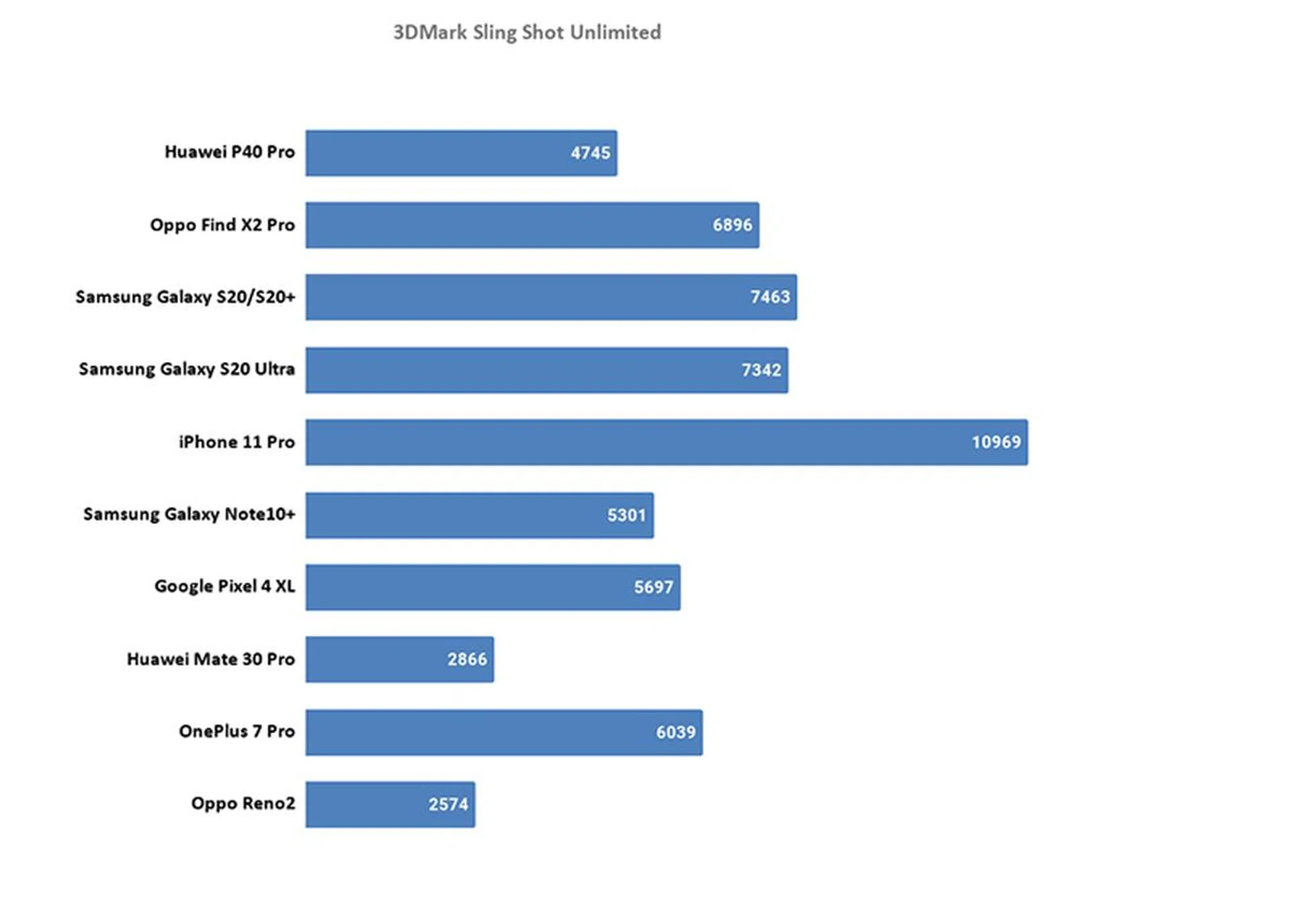
3DMark Sling Shot is an advanced 3D graphics benchmark that tests the full range of OpenGL ES 3.1 and ES 3.0 API features including multiple render targets, instanced rendering, uniform buffers and transform feedback. The test also includes impressive volumetric lighting and post-processing effects. We're running this benchmark in Unlimited mode, which ignores screen resolutions. The higher the score, the better.
While it's significantly better than its preceding model, graphics performance still lags behind the competition. If you're big on gaming, the P40 Pro wouldn't be the best option out there, even with its 90Hz refresh rate display.
Battery Life
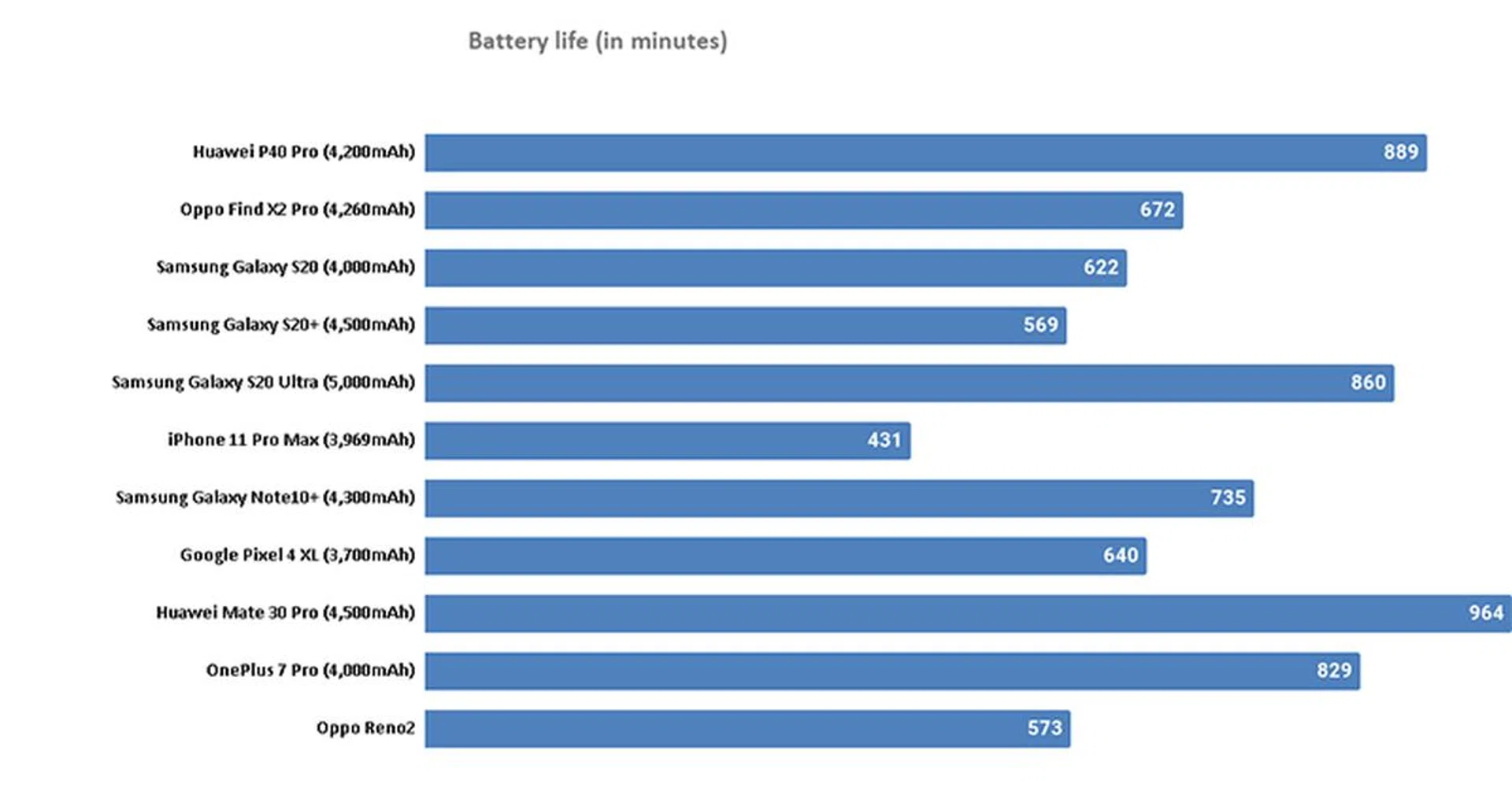
Our standard battery test for mobile phones has the following parameters:
- Looping a 720p video with screen brightness and volume at 100%
- Wi-Fi and Bluetooth connectivity turned on
- Constant data streaming through email
This is where the P40 Pro turns the fight around. The lukewarm flagship processing performance paid off in spades with whopping battery life, even exceeding the S20 Ultra's 5,000mAh battery in terms of uptime. It's no surprise that the Mate 30 Pro (4,500mAh) also lasted almost as long since the chipset is similar save for the 5G modem in the P40 Pro's version. This means that Huawei managed to squeeze out just a little more performance for a similar chipset while maintaining its uptime.
Charging was really fast too, as it took approximately 50 minutes (average) with its provided charger to go from 0 to 100%.
Conclusion
A quick price chart before we conclude:
- Huawei P40 Pro retails at S$1,448, with 5G support
- Samsung Galaxy S20, S20+, and S20 Ultra retails at S$1,298, S$1,498, and S$1,898 respectively, with the Ultra having 5G support
- Oppo Find X2 Pro retails at S$1,699, with 5G support
Let's be frank here. 5G network will take a little while before it arrives in Singapore and Covid-19 is doing a stellar job at making sure that people based here aren't getting to go anywhere with a 5G network anytime soon. Having 5G support on the device (or the lack thereof) isn't a deal-breaker in flagship devices - at least, not until next year. This opens up the P40 Pro to many other alternatives, which makes it tough for Huawei since the P40 Pro doesn't have Google Mobile Services.
Would we still recommend getting the P40 Pro? It's mostly a yes, with many things considered. It's a flagship device that manages to deliver further improvements to its already outstanding camera performance, retains its good battery uptime while having respectable flagship-tier processing power that should satisfy most users.
Am I getting the most value out of it? That depends on how much you'd prioritise the display, speaker quality and Google Mobile Services. The other alternatives listed at the top of this section have pretty amazing display panels themselves, so the P40 Pro doesn't quite stand out in this aspect. Also, it might not bode well for some if they had to use the internet browser to access Gmail, and other Google services. While very easy workarounds exist such as even using Web Apps to gain 'mobile app' friendly interaction, it really depends if the would-be buyer is open to these options. It's more of a mindset problem and usage preference prioritization than anything else.
Power users will certainly find it less of an issue if they're already used to installing Android apps via third-party app stores, which carry all the other apps you'll need (albeit not officially). After all, the P40 Pro is still an Android-based phone, and Huawei is making the gap smaller by having more and more app developers creating apps for Huawei's app store, AppGallery. It's only a matter of time before Huawei gets to the proverbial 'there'.
There's also something to be said about the longevity of a business unit when it's missing core features like Google Mobile Services. Most phone brands that try to deviate from the iOS/Android formula wouldn't even last as long as the time it took to read this review (remember BlackBerry or the Microsoft OS Lumia phones?). While Huawei has the backing of deep pockets and in-house R&D, so did Research In Motion and Microsoft.
It's not for us to determine if you can or cannot live without Google's services, nor is it for us to say how amazing AppGallery is (it actually isn't in terms of selection, but that's because we've used iOS App Store and Google Play Store ever since they came into existence). However, it's fair to say that Huawei did - within their means - put out a reasonably decent flagship smartphone while improving on its core selling point - the camera.
What we're not so sure about is its S1,448 suggested retail price. While it's in-line with many other flagship devices out in the market, there's still the slight inconvenience to put up for a phone with Google Mobile Services at this juncture and we were hoping that it would be priced a little more favourably to help consumers make the hop to Huawei's latest offering. Huawei's pre-order offer was quite helpful to that extent with a generous bundle offered, that we can safely say the Huawei P40 Pro offered great value. However, that offer doesn't exist now.
For those who can't come to terms to cough up that much for the Huawei P40 series, don't forget that there's a regular P40 model priced at only S$1,048. It offers much of what the P40 Pro has, but with 128GB internal storage (instead of 256GB), 16MP telephoto camera (instead of a 40MP sensor), 'only' 3x optical zoom and no ToF camera. That's not a whole lot of difference and you still get all the great imaging capabilities offered by the main 50MP Ultra Vision Camera that's present throughout the entire series. So if you're having second thoughts of considering the Huawei P40 Pro because of its price point, the P40 is a much more viable option to enjoy many of Huawei's newest capabilities and features now.
Personally, I'd still use my Google-capable Android OS smartphone (such as users of the P30 Pro) until it properly conks out before I get the P40 Pro. But if that phone died tomorrow (touch wood), the P40 Pro would definitely be up for consideration because of all its plus points - great camera, good battery uptime, and a nice screen. Granted I might be missing out on some of the contactless payment options, it won't be long before Huawei gets around to that.
It is a phone made for smartphone photography, against all the odds, and it will only get better as the Huawei AppGallery matures.