
HTC Desire Z - The A to Z of an Android
Named after its Z-hinge design, the HTC Desire is a fine combination of aesthetics and performance, with a dash of practicality from its QWERTY keyboard. Here's our impression of the Desire Z and its HTC Sense on Google's Android 2.2 platform.

The A(dvent) to D(esign) of an Android
Who remembers the very first Google Android device? If the comes to mind, then you're absolutely right. And it hasn't been that long, when we reviewed it back in May 2009. The first Google Android device was nothing to shout about. Plagued with battery mileage and usability issues, the Dream wasn't exactly a dreamboat for those who have been waiting for Android to come into the market.
With more than a year of research and development, there is a new successor to HTC's QWERTY-based Android device. Tagged as part of its Desire lineup, we were introduced to the HTC Desire Z when it made its just one month ago. Beyond the device, the Desire Z was introduced with a full package, from the new HTC Sense, to the supporting online service known as HTCSense.com, and most importantly, a brand new form factor that matches its Z naming convention.
If we had to find one word to describe the Desire Z, here's our pick - hefty. This sentiment was shared by many in our office, with the word "heavy" popping up frequently in their initial impressions. This isn't surprising, given that the Desire Z weighs at 180g, making it one of the heaviest Android devices in the market. While it might have a slight disadvantage in keeping itself light and easy, we realized that the unit has a much slimmer profile compared to the Dream.
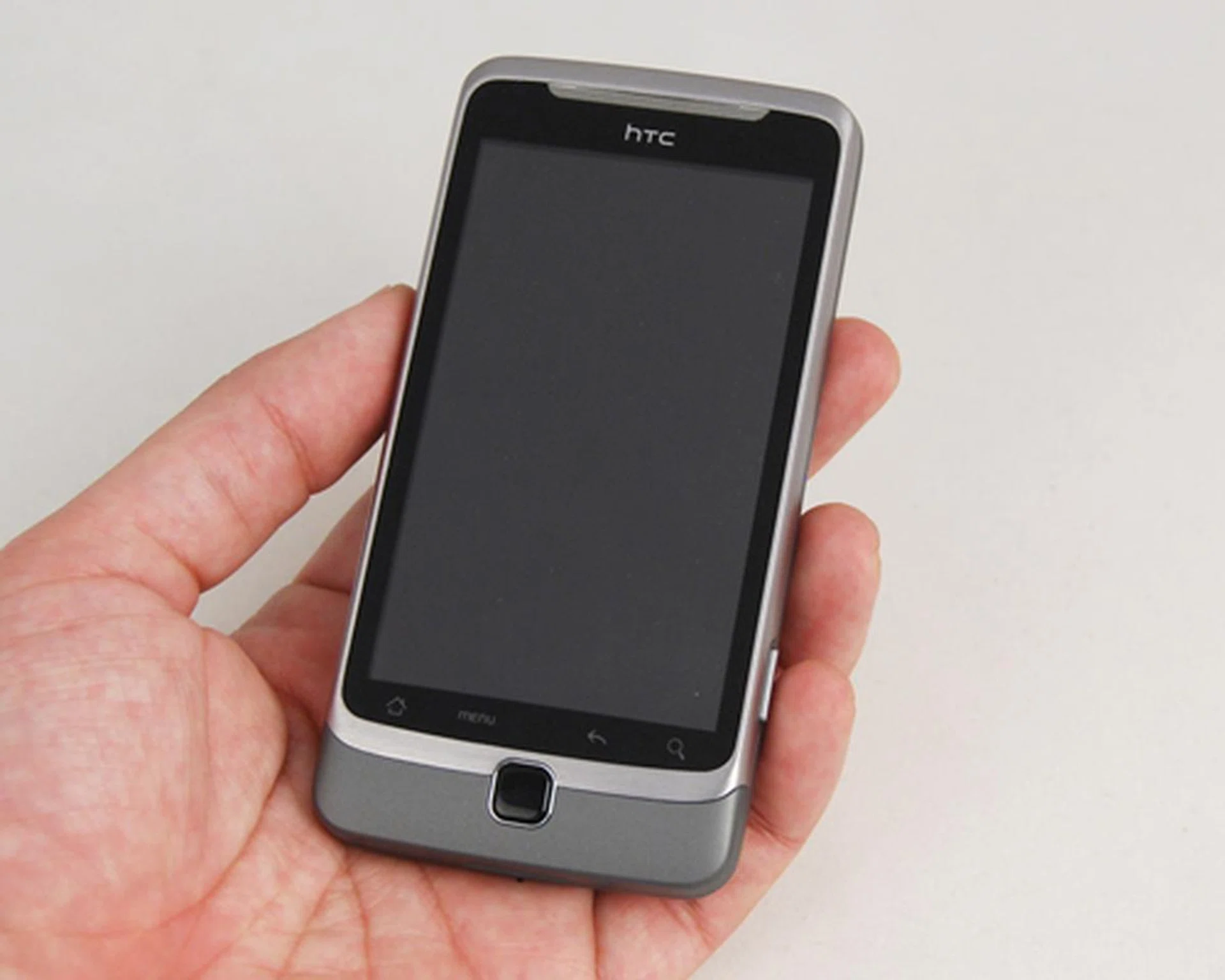
Some might find the hefty weight to be the deal breaker for the Desire Z.
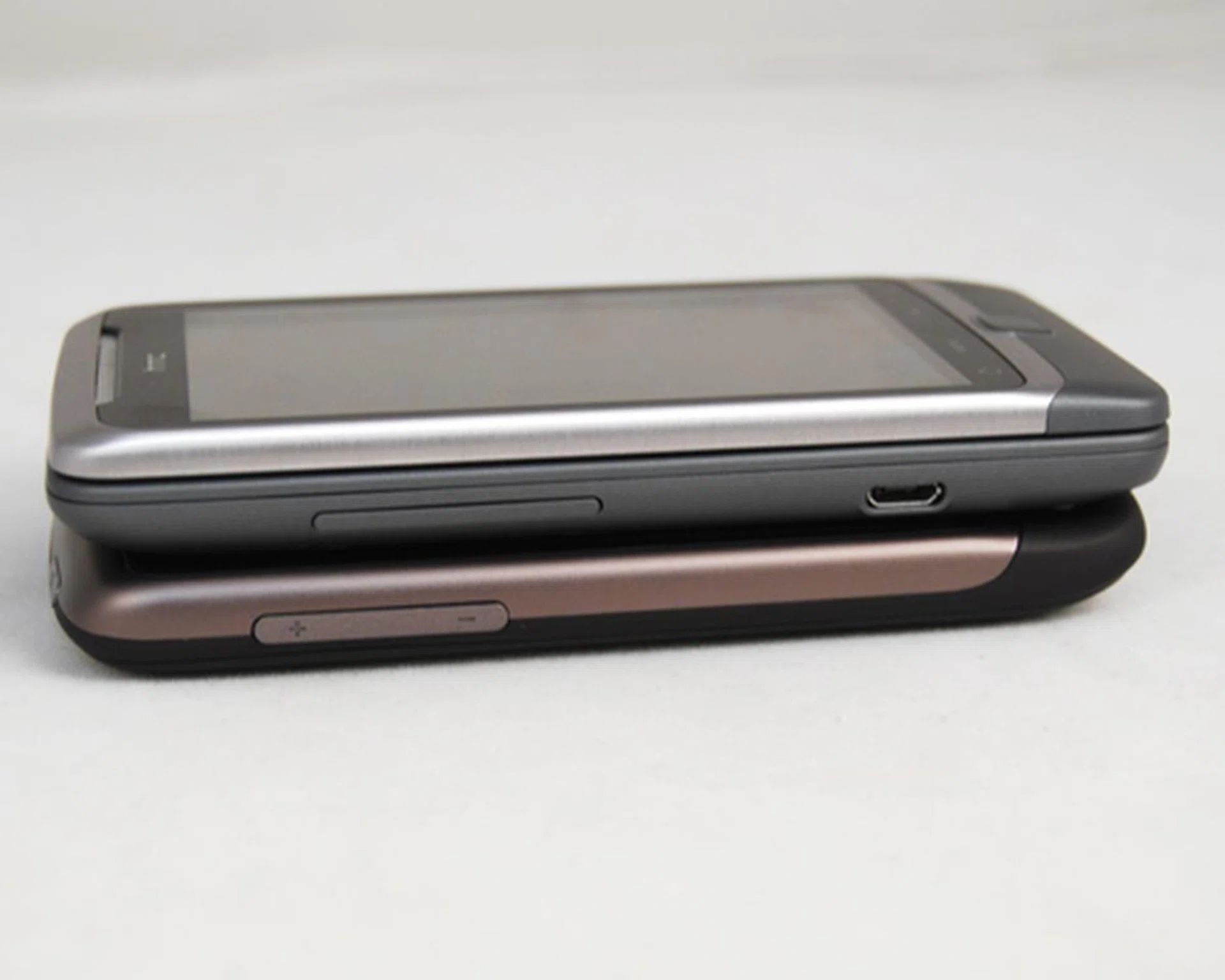
Sharing the same screen size as the HTC Desire, the Desire Z comes with a slightly thicker profile at 14.16mm.
The overall feel you'll get from the Desire Z is a very well refined device with much thought put into its design consideration. Perhaps, if the Desire Z had omitted the metal from its borders and rear, it might have shaved off substantial weight. But to do so would remove the premium and solid feel of the device, a trade-off that we're willing to live with.
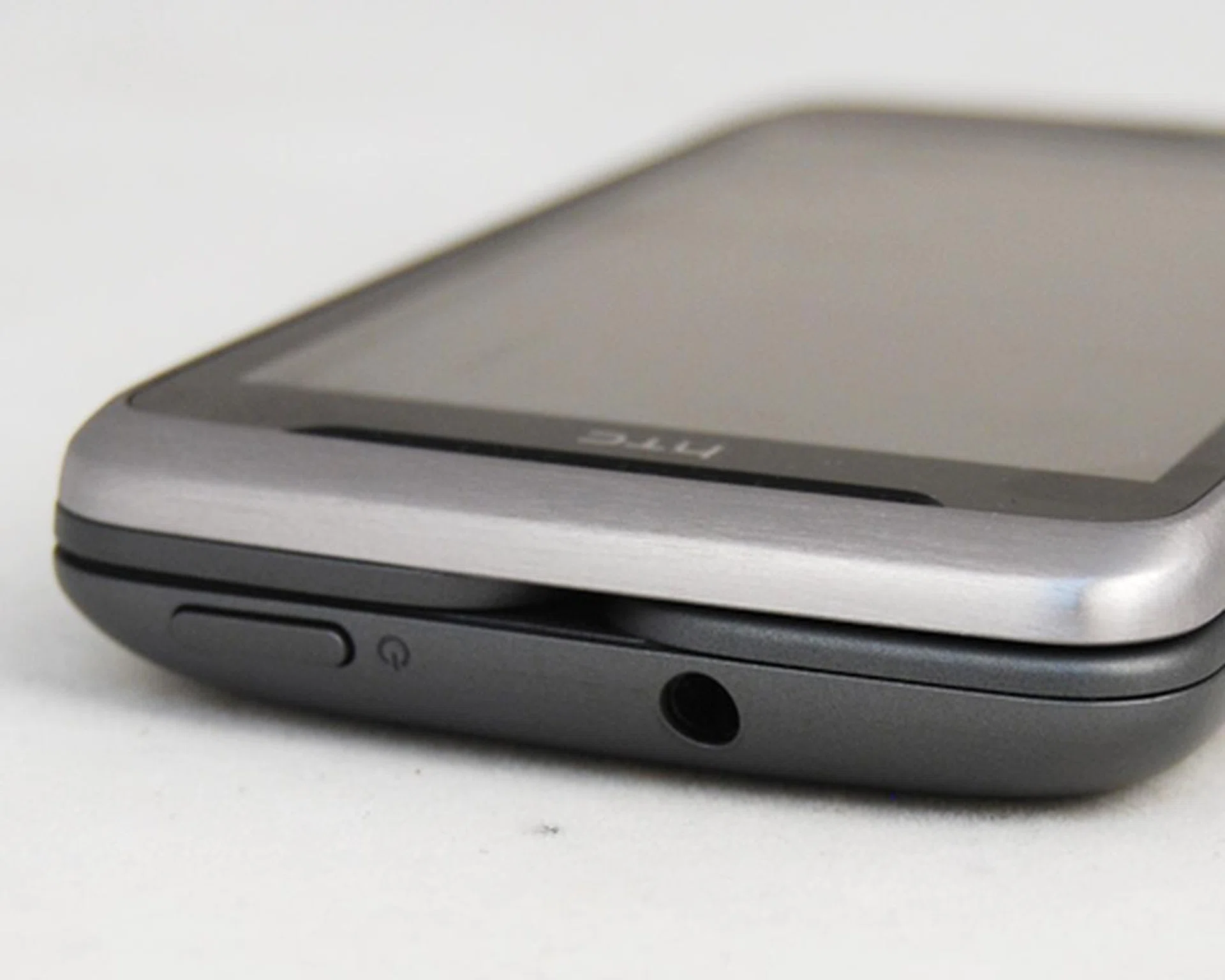
The metal materials along its border and the rear adds a solid feel to the overall handling of the Desire Z.
Unlike the earlier Android devices under their portfolio for 2010, the Desire Z has a noticeable change when it comes to physical buttons. HTC traded the physical buttons in favor of a touch sensitive option. What is the glaring issue here? Once you start tapping away on the screen, especially at the lower portion, you might miss the mark and hit the Back button by accident. This became a source of frustration for us when we exited apps prematurely.
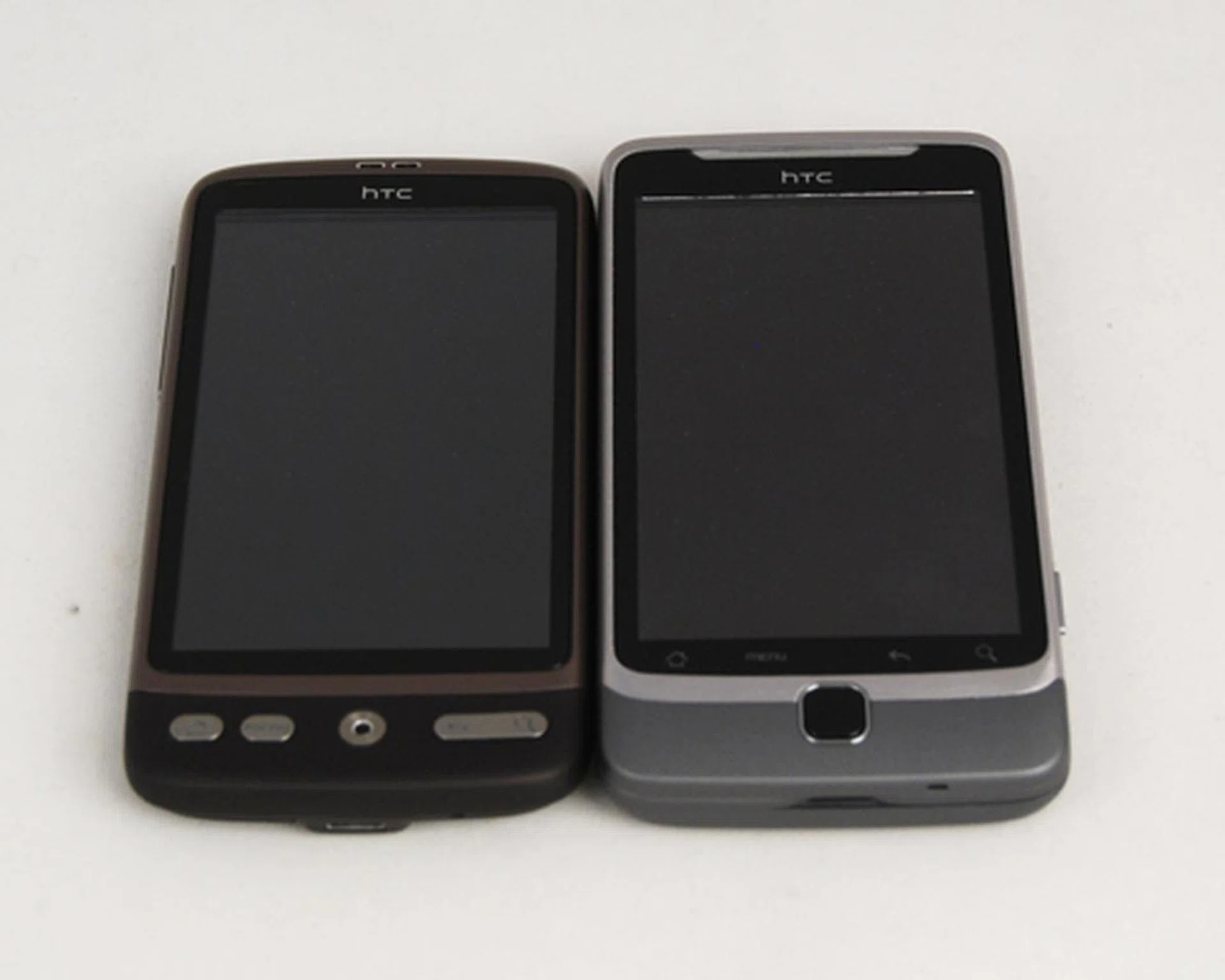
We would have preferred physical buttons (as seen on the HTC Desire, left) instead of four smaller touch sensitive buttons on the front panel.
Part of what makes the Desire Z, well, that desirable is the inclusion of a physical QWERTY keyboard underneath its 3.7-inch SLCD display. As mentioned earlier, the Z moniker is plugged for a distinct purpose - a Z-hinge that raises the display, pushes it sideways, with a final landing position to lock the display down. Conventional slider form factors often require both our index fingers (as a fulcrum) and thumbs to exert sufficient opposing force to slide the display. The beauty of the Z-hinge design is that it doesn't require any strenuous effort on your fingers, just a slight push pops the display up and reveals the physical keyboard.
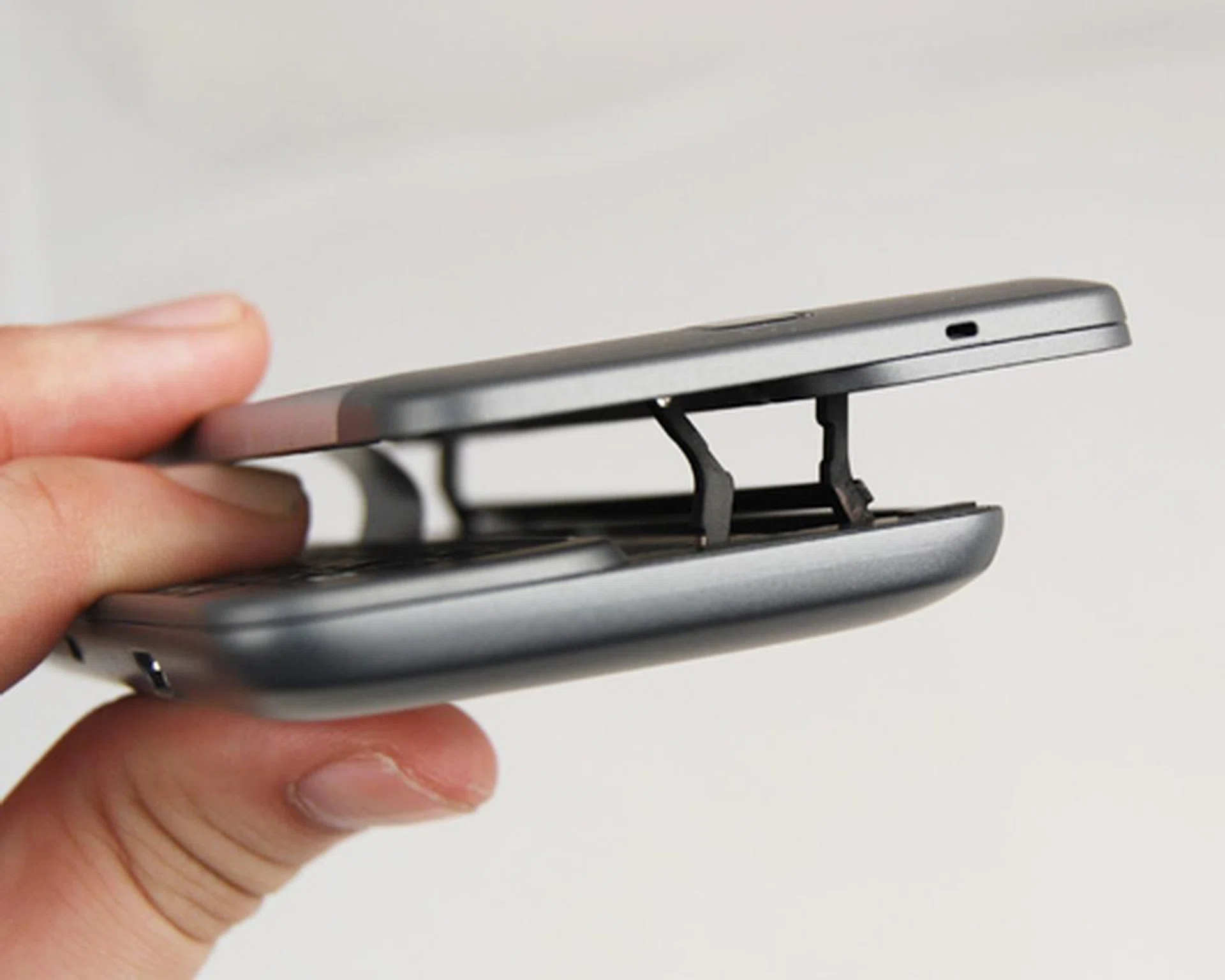
Thanks to the Z-hinge design, popping the display out to reveal the QWERTY keyboard is an easy affair.
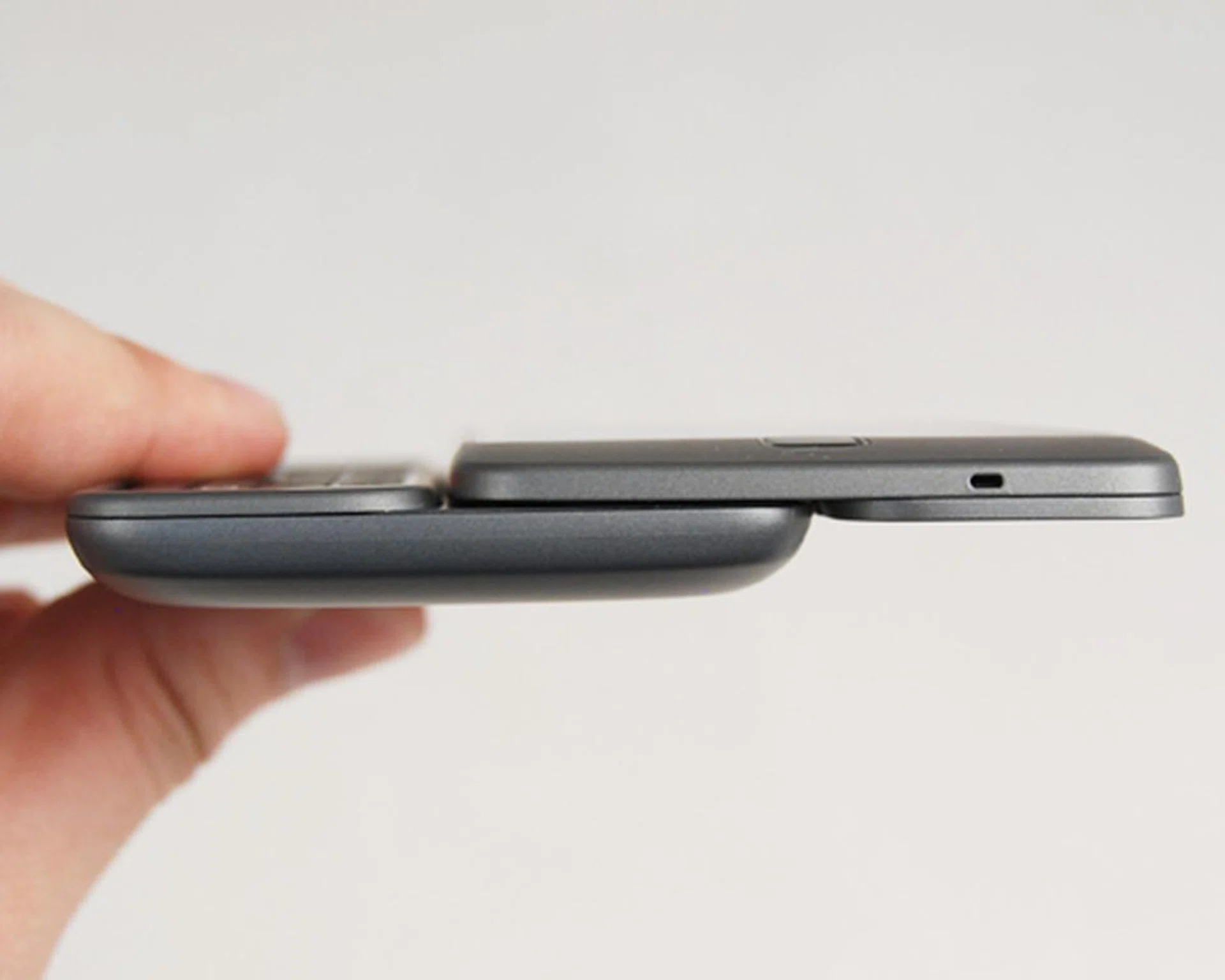
With the display locked in position, you can see how slim the Desire Z is, even with the QWERTY keyboard.
Doing so reveals the 4-row QWERTY keyboard, and do we have a lot of comments (both good and bad) for this. To give you a better idea of this specific feature, we share the details in our upcoming Features page.
F(eaturing) the Desire Z
At first sight, you might be worried at how flat the keys appear to be. Fortunately, first impressions don't count here, and we were pleased at the good tactile feel we get from the compact, yet well-spaced keyboard. Typing is definitely easy on the fingers, but when it comes to wide screen devices, there's always one issue - the length of your keyboard. While this means you get ample space between each keys, this leaves the keys situated at the middle slightly further from your thumbs to reach.
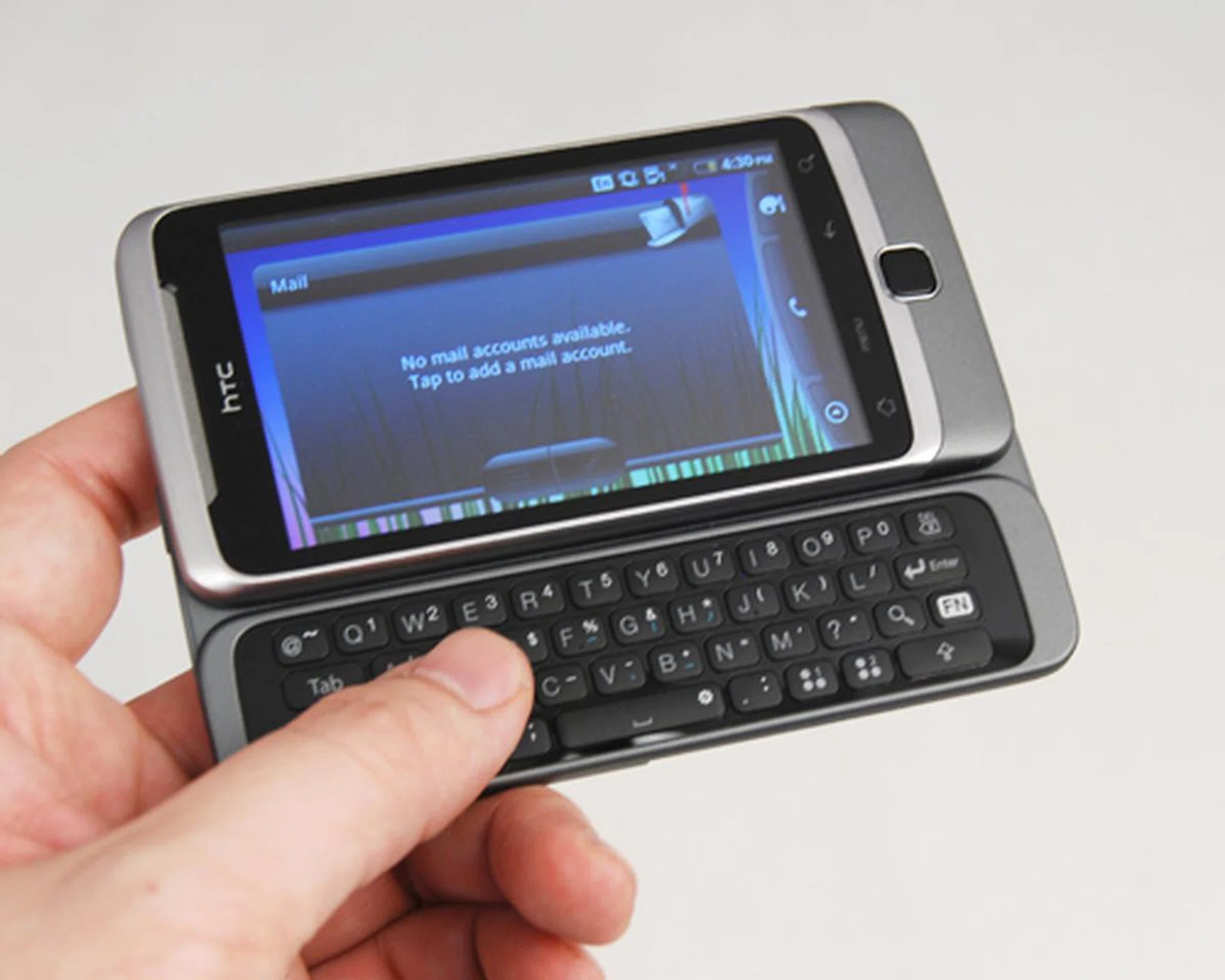
We loved the keyboard design - slim, great tactile feedback, and well-spaced. In fact, it's too well-spaced, making it hard for our thumbs to reach the middle keys.
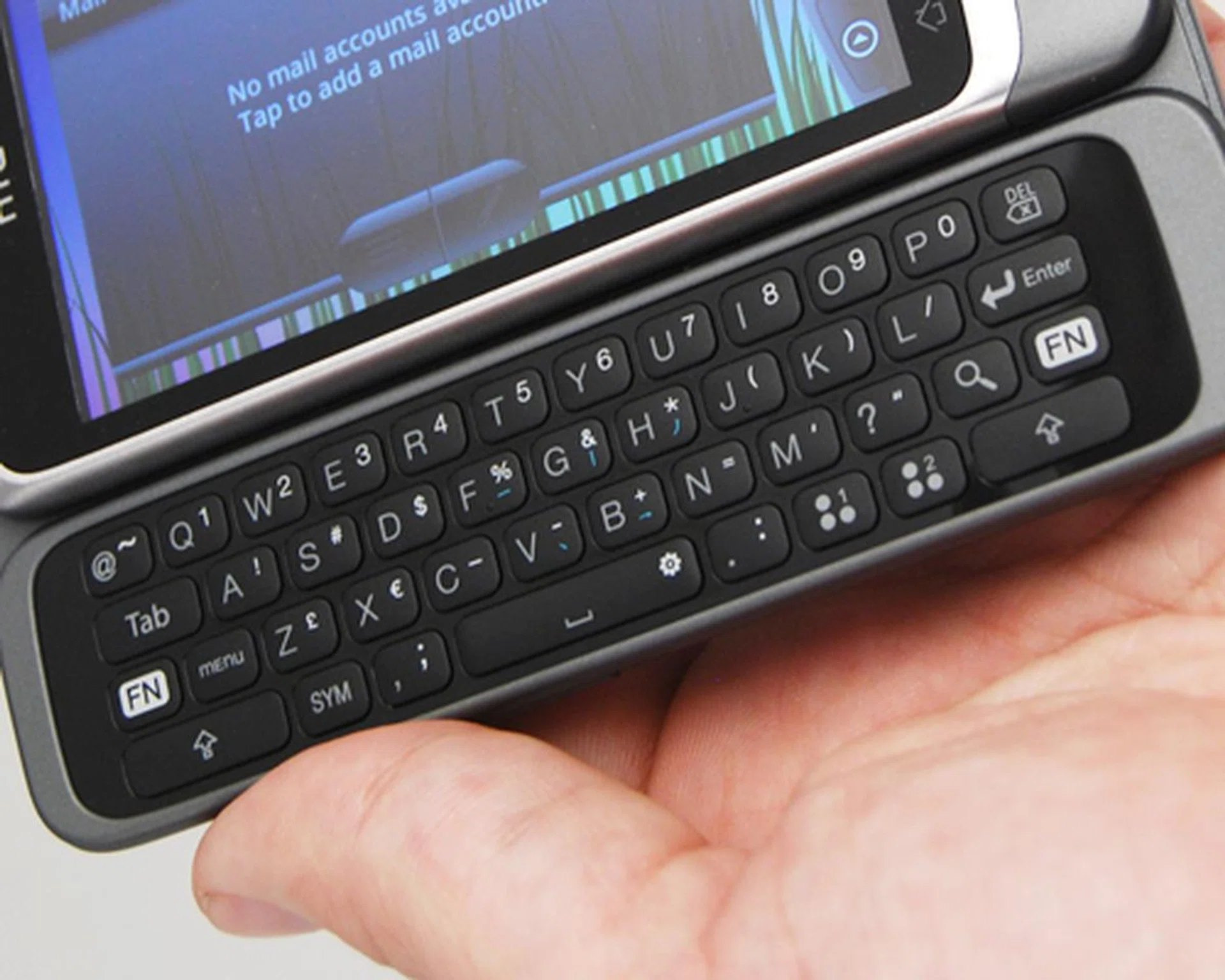
The Function and Caps Lock key are found on both ends. Unfortunately, we also noticed the absence of directional keys, thus relying on the screen and optical trackpad to navigate through the interface.
Having a 3.7-inch display does make it easier on usability, but if you prefer to rely on the keyboard, you'll be glad to know that shortcuts are in abundance. But that requires some time for you to do some customizing on the menu. On the keyboard, you'll notice two shortcut keys that can be pre-assigned to launch your favorite app, say Twitter or Gmail. Should you find a need to add more shortcuts, each alphabetical key can also be assigned accordingly. The only difference is, the two dedicated shortcut keys will launch with one click, while you'll have to press and hold for the shortcuts on the alphabetical keys.
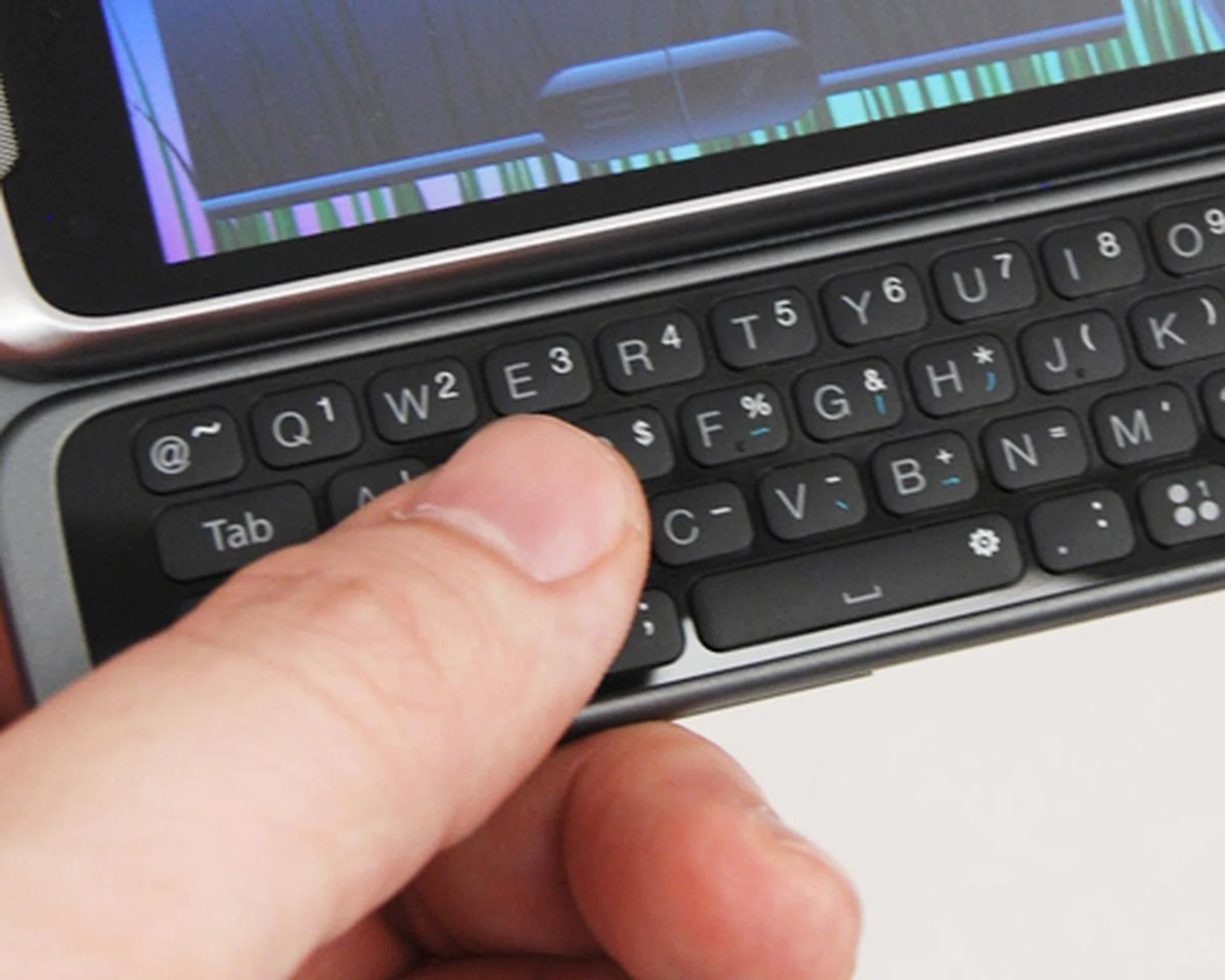
You can add multiple shortcuts with your keyboard. You can choose to press and hold onto the keys to assign them...
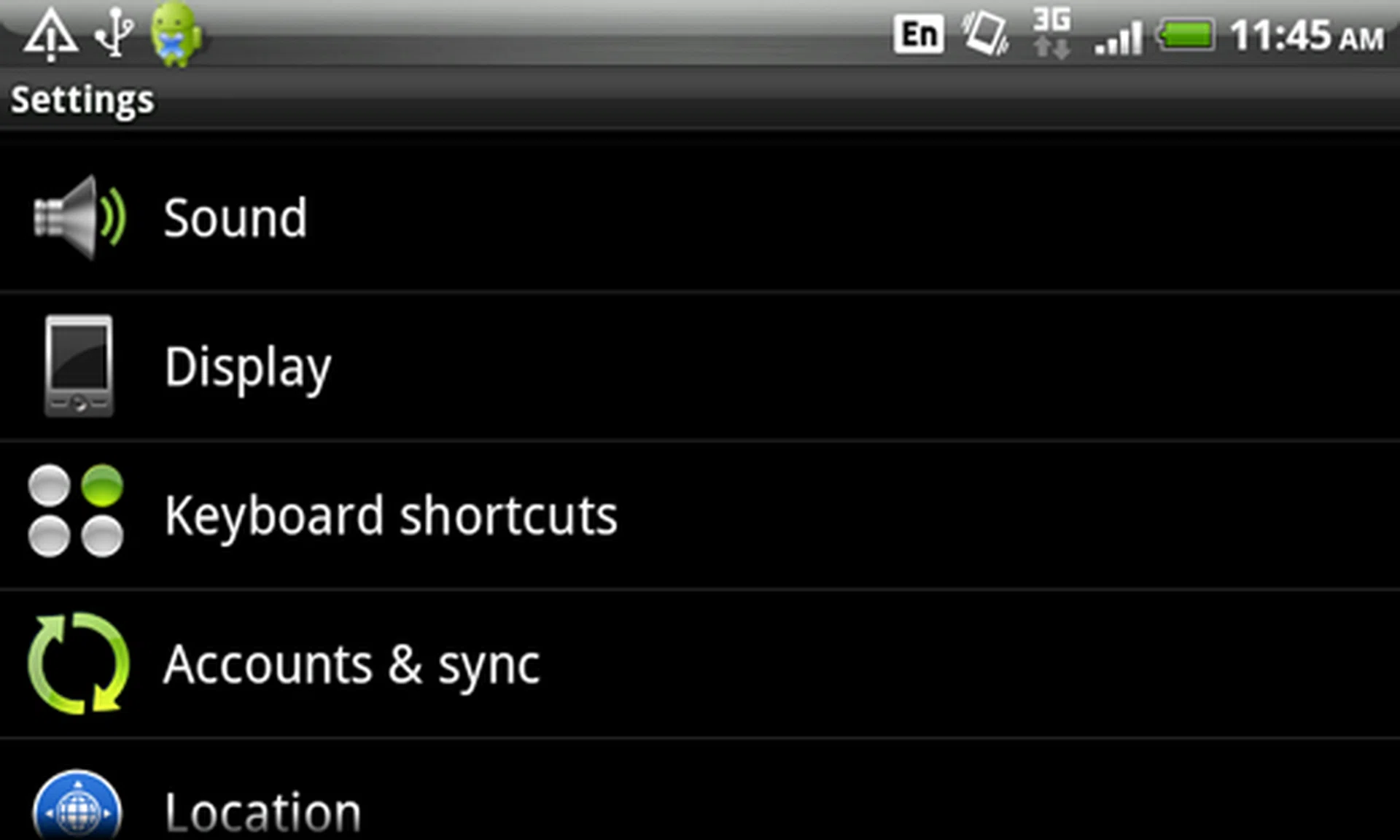
...or head straight into the Menu > Settings > Keyboard shortcuts to add or edit your existing shortcuts.
Like its larger and more powerful Desire HD sibling, the Desire Z is loaded with some impressive software features. As explained earlier, HTCSense.com makes its debut appearance on this device and the Desire HD. The online service comes with a few security and backup features such as remote lock and wipe. Further to that, HTCSense.com gives you the option to forward calls in the event you misplaced your phone. In our earlier Desire HD review, HTCSense.com provides contacts and messages backup. To learn more about HTCSense.com, we've highlighted some of its practical features .
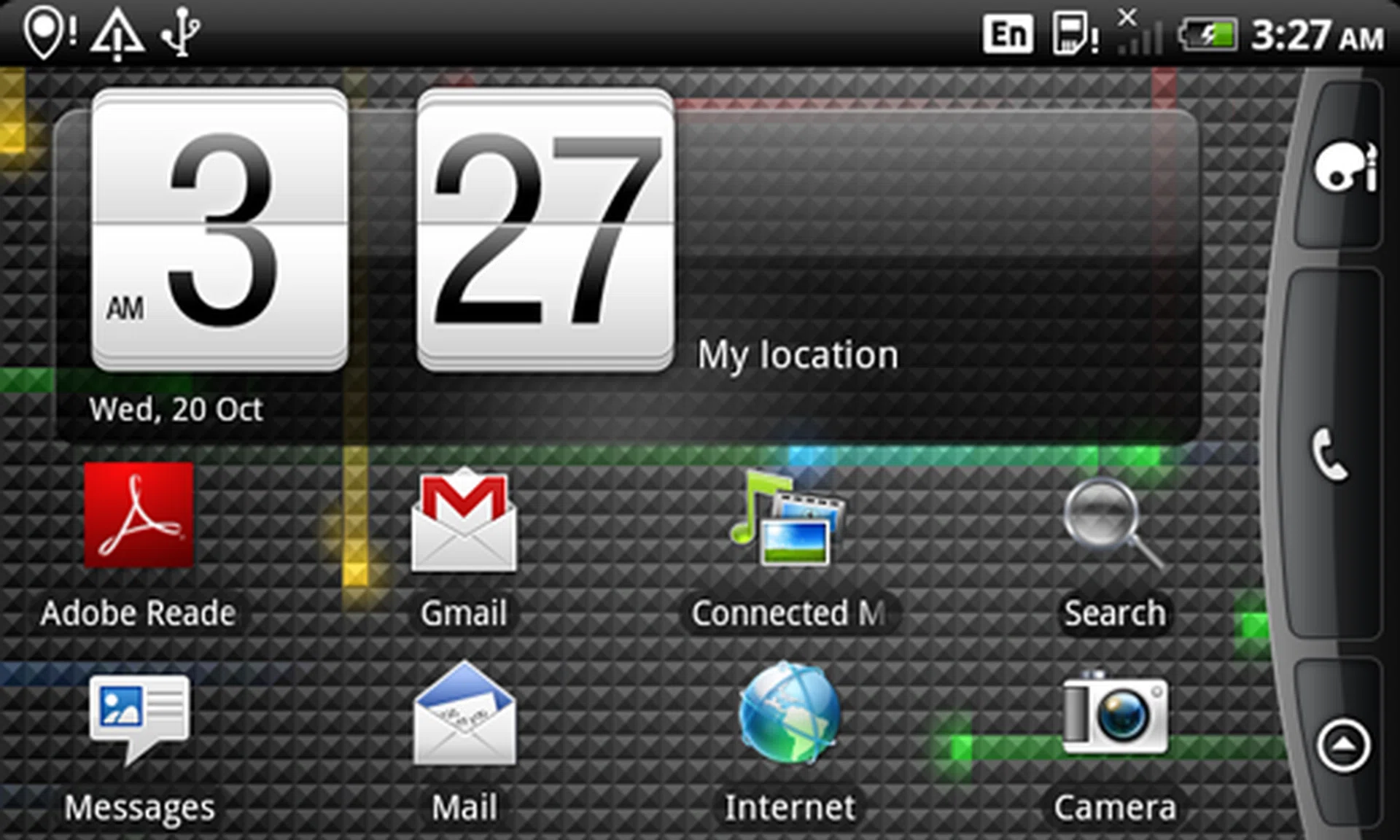
If you prefer to work on landscape orientation, you'll be glad to know that even the HTC Sense home page orientates accordingly when the keyboard is active.
A Typing P(erformance)
Though it shares the same Desire tag, the Desire Z is armed with a modest (and updated) Qualcomm MSM7230 800MHz processor. Similar to the Desire HD, a 1.5GB internal storage is included for apps installation. With reduced memory at 512MB RAM, it's still safe to say that the device managed to impress us with its speed and multi-tasking handling. Our usual practice of loading the device with mulitple apps did push the Desire Z to the brink, and there are times when we noticed a longer app loading time.
To give a more detailed idea of how the Desire Z fared in the performance aspect, we examined the usual consideration, and in this case, features that are unique to the Desire Z such as its QWERTY keyboard. The latter is mostly related to our typing speeds and accuracy with our test messages. Disregarding any edits to correct typing errors, we netted an average 30 seconds for our test messages. We had mixed feelings over the Desire Z's keyboard when it came to accuracy. Our initial salvo of messages were riddled with errors, mostly from the need to familiarize with the keyboard. Nonetheless, a few more attempts gave us a better grasp of the keyboard layout.
For its multimedia delivery, the Desire Z shares the same screen dimensions as the original Desire at 3.7-inches, sans the OLED technology. Instead, like the later batches of the Desire, you get the SLCD display option on the Desire Z. How did it fare against the original OLED display? Colors still turned out decent, but in comparison, we still preferred the rich textures and contrast on the OLED screen. While the Desire Z lacks the audio prowess of Dolby Mobile and SRS virtual surround sound (which is available on the ), it still managed above average audio performance using earphones via its 3.5mm audio port.
Designed to be a keyboard alternative to the Desire, the Desire Z shares similar specifications, right down to its imaging feature. As such, you'll find a 5-megapixel camera with autofocus and LED flash. As an added bonus, 720p video recording is available right off the bat for the Desire Z. We conducted our imaging tests upon the Desire Z's 5-megapixel camera, and have the following to report:
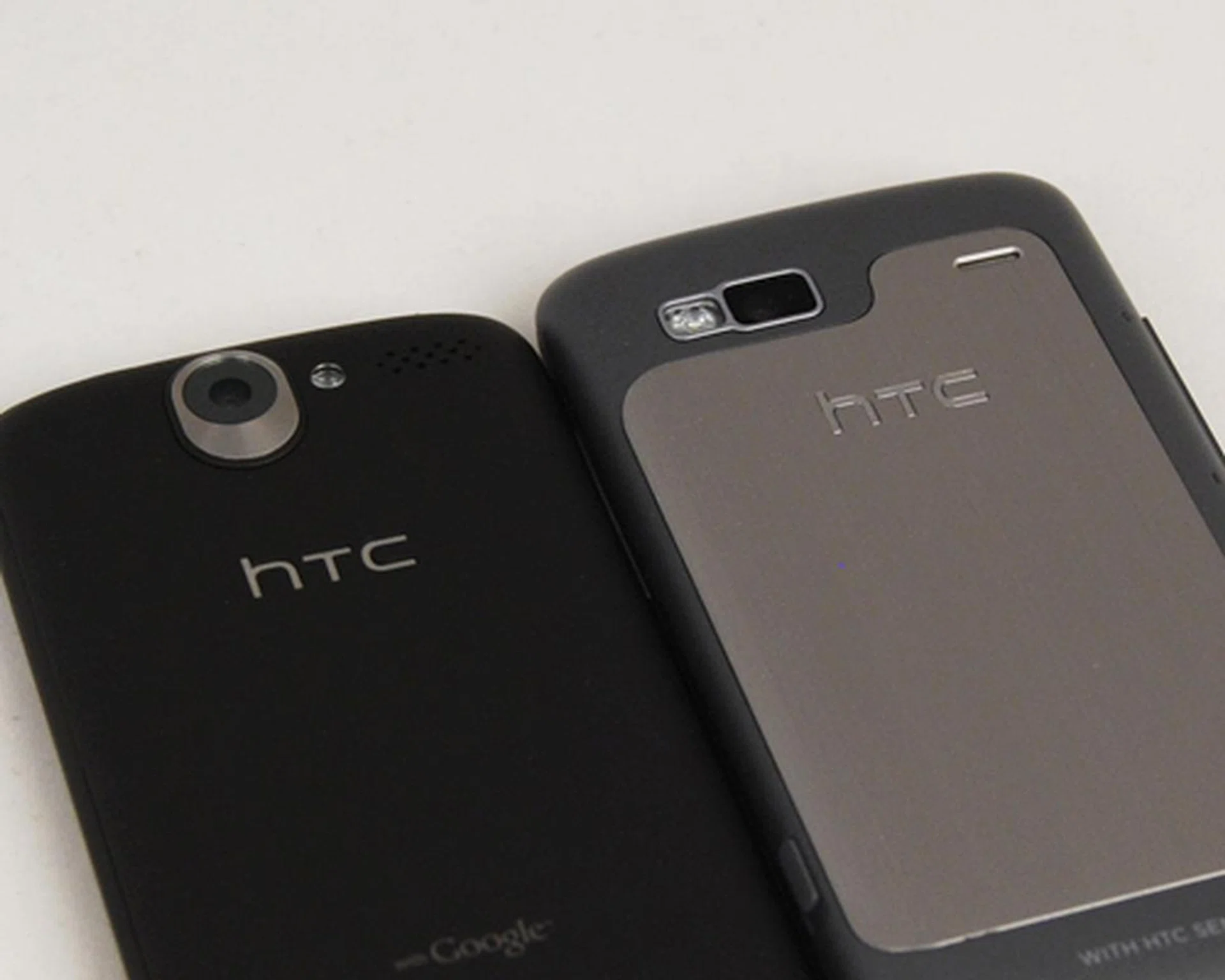
Except for its 720p video recording capabilities, the Desire Z shares the same 5-megapixel camera with autofocus and LED flash as seen on the Desire.
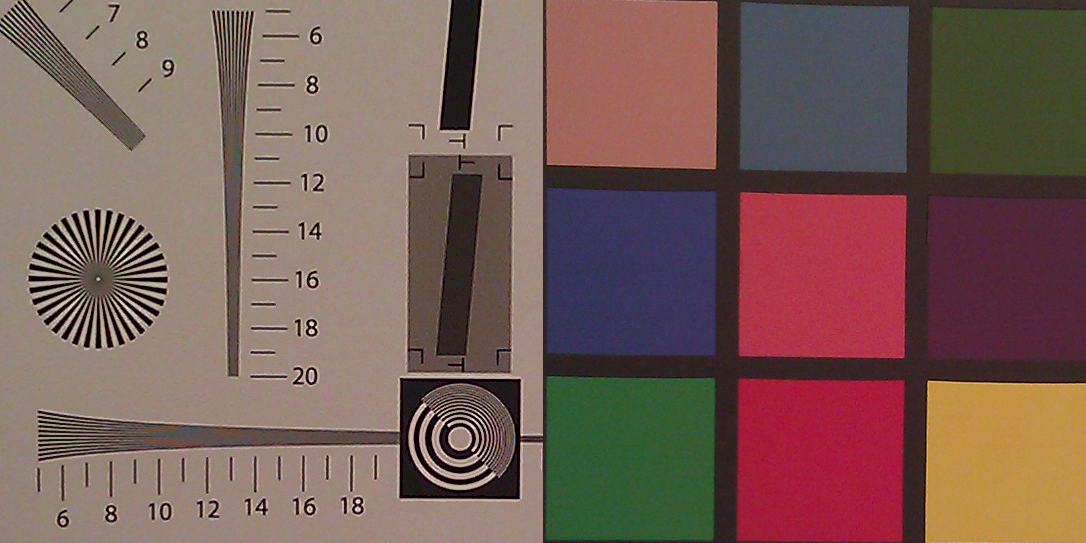
Not surprising, imaging is still one of its weaker features. Details weren't prominent, with tamed colors that did not bring out the richness of images.

Detail levels were low, apparent from a close inspection of the fur details which weren't distinctly separated.
The final and most important evaluation for smartphones of today involves the intensive battery test. For this, we looked at two test situations - an intensive, continuous test involving a video at 240 x 320 pixels display resolution, constantly looped. This is conducted with the screen brightness and volume at 100%, while connectivity options such as Wi-Fi and Bluetooth were active, with data constantly pulled via emails and Twitter feeds. To refresh your memory, note that the Desire Z has the following features that could affect its battery performance - a 3.7-inch SLCD with 800 x 480 screen resolution, 800MHz processor, and a 1300mAh battery.
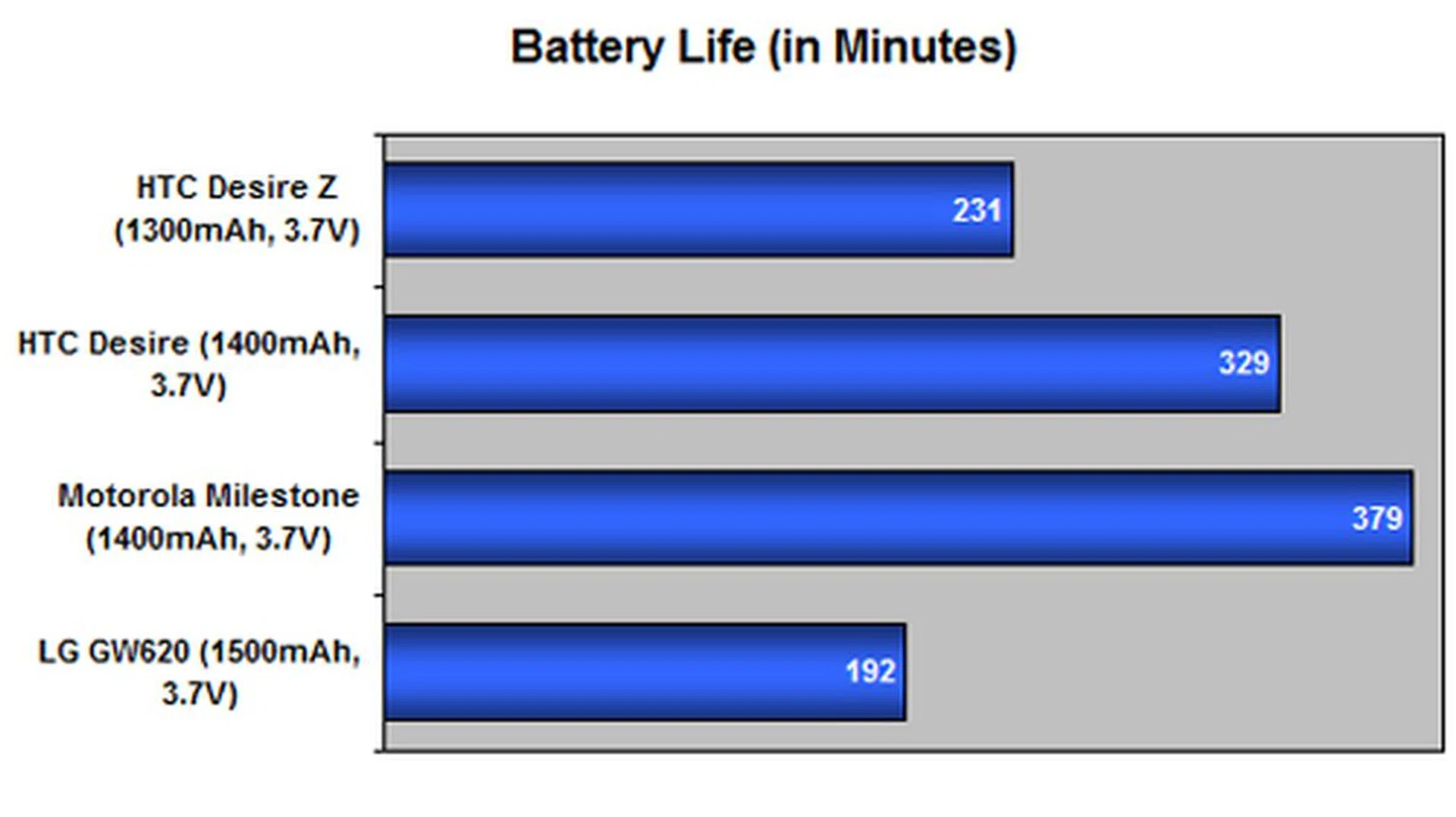
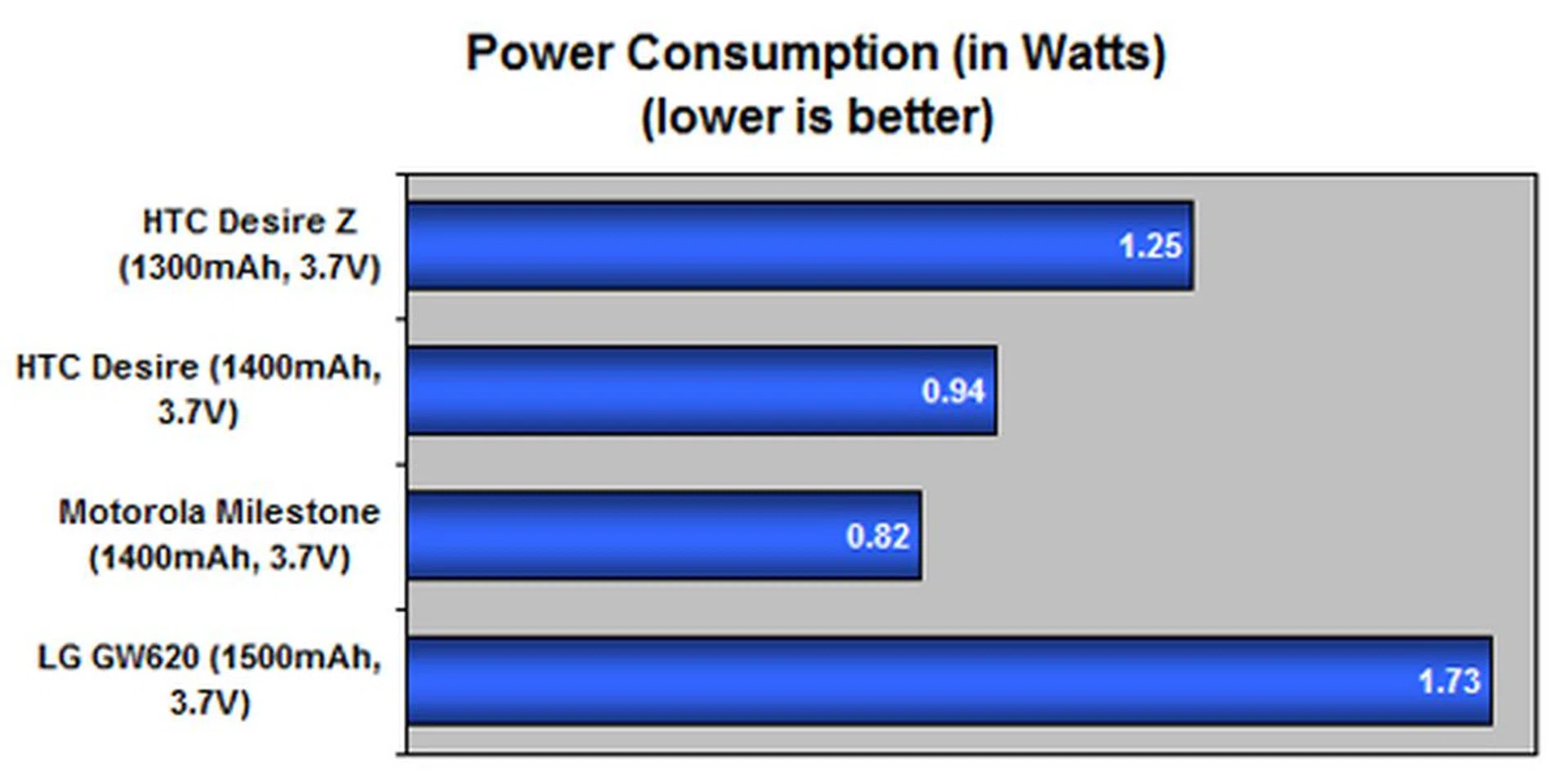
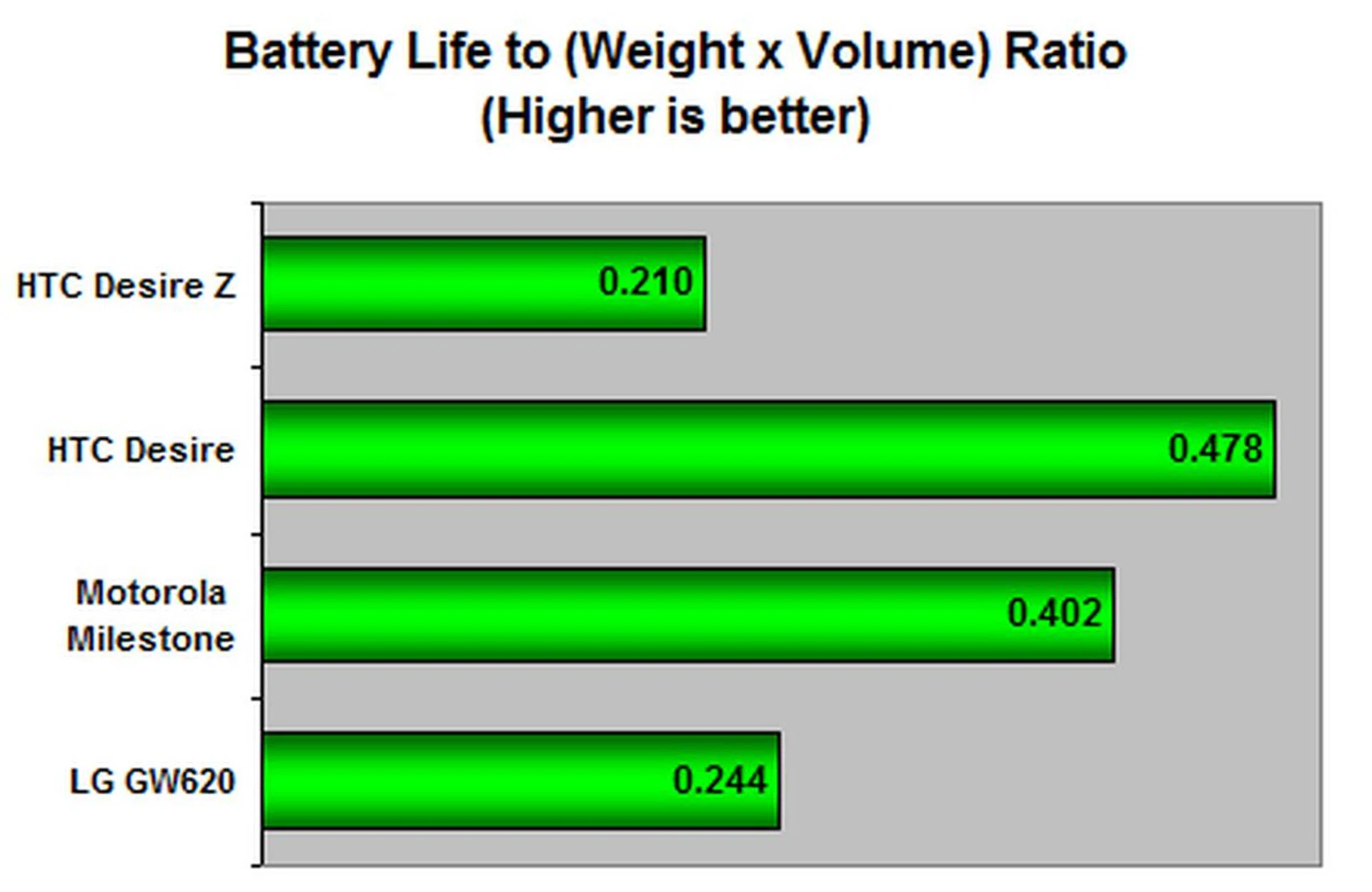
We matched the Desire against the limited number of Android devices with a full-sized QWERTY keyboard, and those that share somewhat similar specifications to the Desire Z. The surprise that awaited us was the comparatively low mileage from the Desire Z. With just 3 hours and 17 minutes clocked in for its 1300mAh battery, it was significantly lower than its closest match, the Motorola Milestone. To shed light on this finding, you'll have to remember that the Milestone utilizes a lower speed processor with a higher battery capacity at 1400mAh. Comparing it against the Desire's earlier results, we also considered the possibility that a new HTC Sense on Android 2.2 and the use of SLCD instead of OLED display could be a potential power drain. Nonetheless, when we compared it against the LG GW620, which has a lower processor, smaller screen size and lower resolution, the Desire Z managed to have an edge over it.
For its portability index, the Desire Z is ranked as one of the heaviest Android devices. With its above average screen size of 3.7-inch and a relatively lower battery life, the Desire Z scores much lower in the portability index, making this phone not suitable for those who're looking for something lightweight, compact and long run times.
The second battery test situation is simulated based on daily usage conditions. This includes calls, messages, emails and web surfing as part of the communication features. To push it even further, we tasked it with periodic music and video playback as well. With all that in place, a single charge lasted from the morning till late evening. With just slightly more than half a day of usage available, we do have to put due concern on the Desire Z's power efficiency.
Ending with the Z
With a strong portfolio that started with the HTC Dream, the Android lineup from HTC has been impressive, to say the least. Following up with the HTC Desire, the HTC Desire Z, alongside the HTC Desire HD, showcases HTC's strength in the Google Android arena.
Our first impressions of the Desire Z were positive, mostly appreciating the right mix of metal and plastic on its chassis. A relatively slim profile (for a device with a QWERTY keyboard), coupled with a solid feel to the overall handling, gave the Desire Z a rugged yet premium overall feel to it. And we have to give HTC props for its innovative Z-hinge design, which made it easy to prop the screen away to reveal the keyboard.
Alas, for all the good impressions, handling the Desire Z made us realize that for all the things that dazzled us, it does have its shortcomings, specifically its hefty 180g weight. The swapping of the physical buttons to a touch-sensitive variant on its front panel was also found to be a slight hindrance if your fingers aren't careful and touch it without intending to.
Appearances can be deceiving, and that's what we found out when we had an easy time even with the Desire Z's slightly flat keys. That's also the beauty of the Desire Z, giving it the slimmer than usual profile. Not to mention, the Desire Z gives you the option to create shortcuts with the alphabetical keys to reduce the amount of time you spend swiping the screen. Nonetheless, there are issues, such as the width of the keyboard that posed some difficulty for our thumbs to reach to middle keys.
With the flood of Android devices in the market, it was prudent of HTC to introduce HTCSense.com. Adding an online service and backup solution is a novelty no more, but nevertheless, it does improve the usefulness of the phone. Beyond that, HTC Sense also encompasses more than just a user interface. By adding its own flavor in the form of the HTC Hub and HTC Likes, HTC managed to bind the social network aspect and Google's Android ecosystem even tighter.
Like size, performance does matter. We've had no surprises with the speed and usability of the Desire Z, powered by an 800MHz processor. What caught us off guard is the lower than usual battery mileage, which did not match up to the original Desire's running time. Remember though, the Desire Z opts for the SLCD display, which doesn't have the same power efficiency as enjoyed on the Desire's OLED option. That, and a new HTC Sense, could have driven the Desire Z to the ground much faster than usual. Battery performance aside, the 3.7-inch display is still sufficient as a multimedia device, and the inclusion of a 1.5GB internal storage with microSD expandability do make a strong proposition for the Desire Z. As usual, keep your hopes in check for the imaging quality from its 5-megapixel camera, which hasn't improved any from its predecessors.
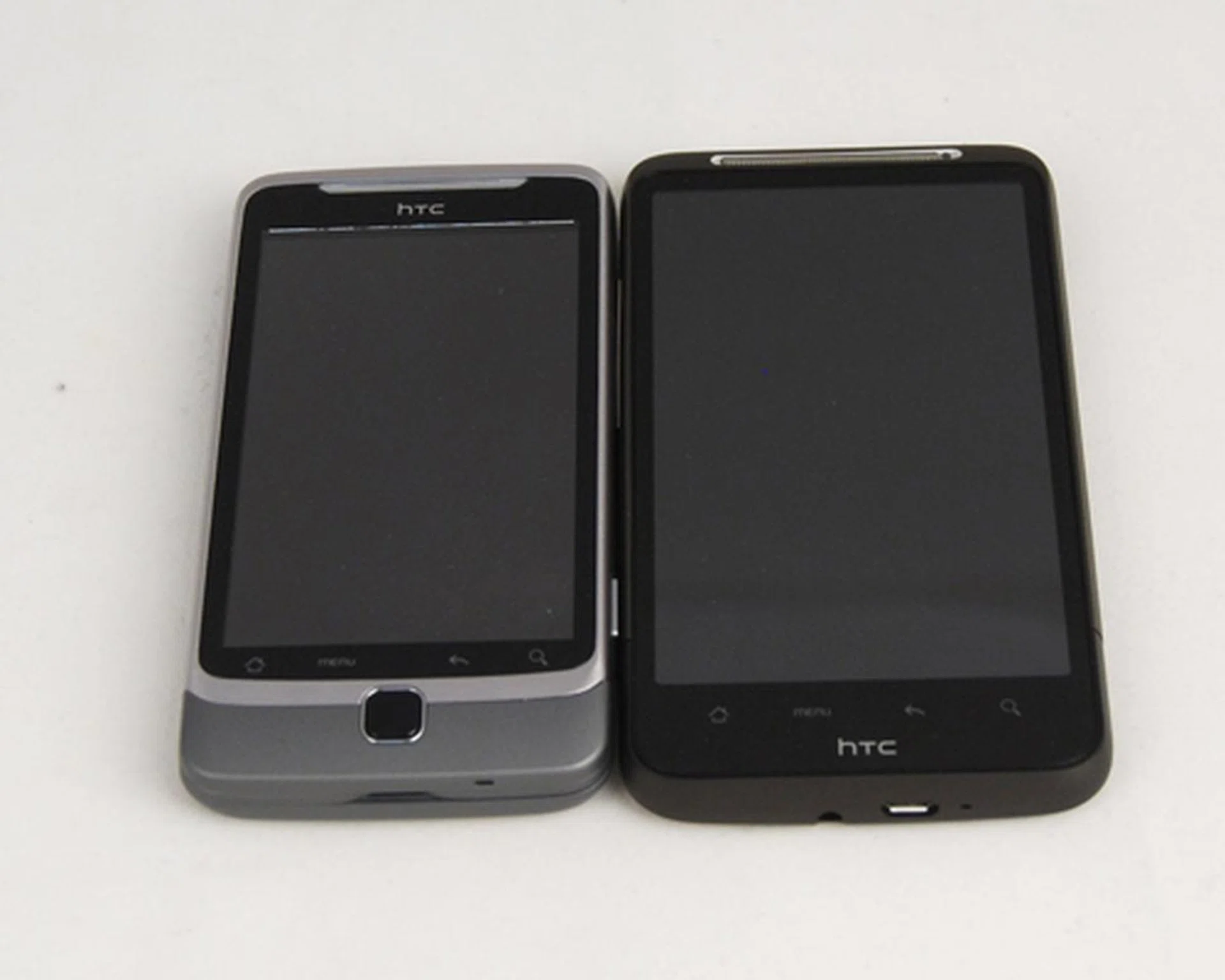
Priced at S$868 and S$888 for the HTC Desire Z and Desire HD respectively, the deciding factor falls upon whether you need a physical QWERTY keyboard or a generous 4.3-inch display.
With Android devices priced within the same range, we can toss the pricing out of the window in the consideration process. The question is - do you need a physical QWERTY keyboard? Can you live with the additional weight, girth and more importantly, a lower battery mileage on the Desire Z? If the answer is yes to the previous questions, then you got yourself a nice deal with the Desire Z at just S$868 without any contract obligations.
Our articles may contain affiliate links. If you buy through these links, we may earn a small commission.