
WWDC 2011: iOS 5, OS X Lion & iCloud
This year's WWDC, unlike the last four which featured news about a new iPhone, was all about the OS (operating system); iOS on the iPhone, iPod touch and iPad, OS X Lion for the Mac, and a brand new service called iCloud. Here are the highlights.
WWDC 2011: iOS 5, OS X Lion & iCloud
Steve Jobs kicked off Apple's WWDC (Worldwide Developer Conference) 2011 by saying that "if the hardware is the brain and the sinew of the product, the software in the middle is the soul." This year's WWDC, unlike which featured news about a new iPhone, was all about the OS (operating system); iOS on the iPhone, iPod touch and iPad, OS X Lion for the Mac, and a brand new service called iCloud. Here are the highlights.
Apple iOS 5
Apple iOS 5 is touted to have . During WWDC 2011, Apple showcased ten of these features, but amongst these, we've handpicked a few that would create an impact in how you'll interact with your iOS devices in the near future. You can also check out a video summary done by Apple that highlights these features in iOS 5.

Notification Center
Notification pop-ups have never sat too well with consumers, and with the various iterations come and gone, Apple hasn't managed to address that issue, until now. Taking a cue from Google Android and its pull-down notification system, iOS 5 will introduce a similar feature, dubbed as Notification Center. Missed calls, incoming messages and emails, plus alerts from apps will pop-up at the top of the screen, akin to how Microsoft's Windows Phone 7 handles its notifications. In essence, the Notification Center feature is a marriage between what Android and Windows Phone 7 have gotten right for their platforms
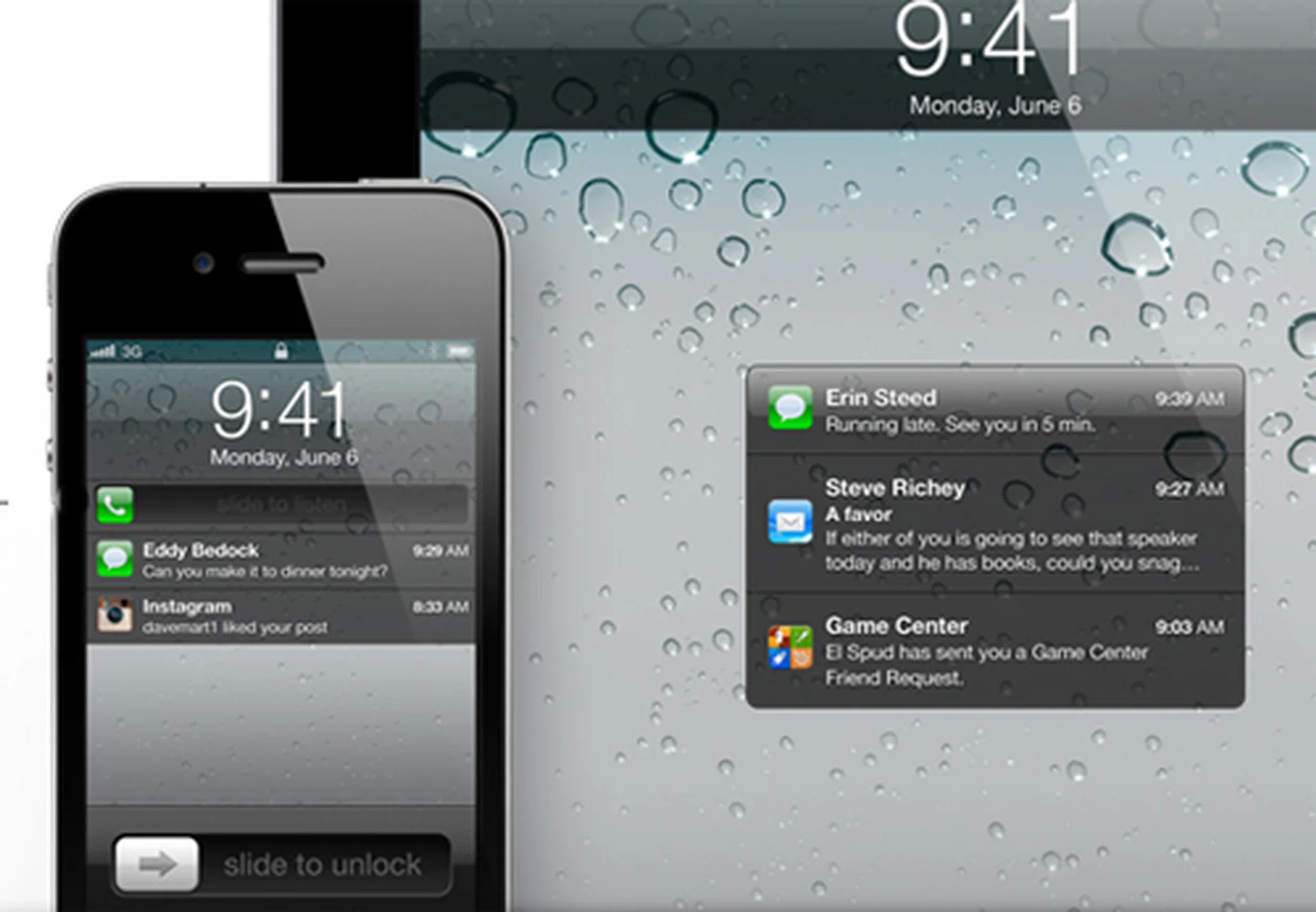
The improvements to its notifications is a long-awaited feature requested by users over the last few iOS versions.
Of course, Apple did spruce up the design elements of its Notification Center. Instead of a touch and go method, iOS 5 uses a slider method much like its lock screen to activate the app that appears in the notification. As such, it's basically a slide down, and slide right sequence to go to the specific app that appears in the Notification Center. And one more thing, you can access your notifications even when the screen is locked, making it an immediate access to the things that really matter.
What's our verdict on Notification Center? It's about time, and it's done right with some pointers from Google and Microsoft.
Twitter Integration
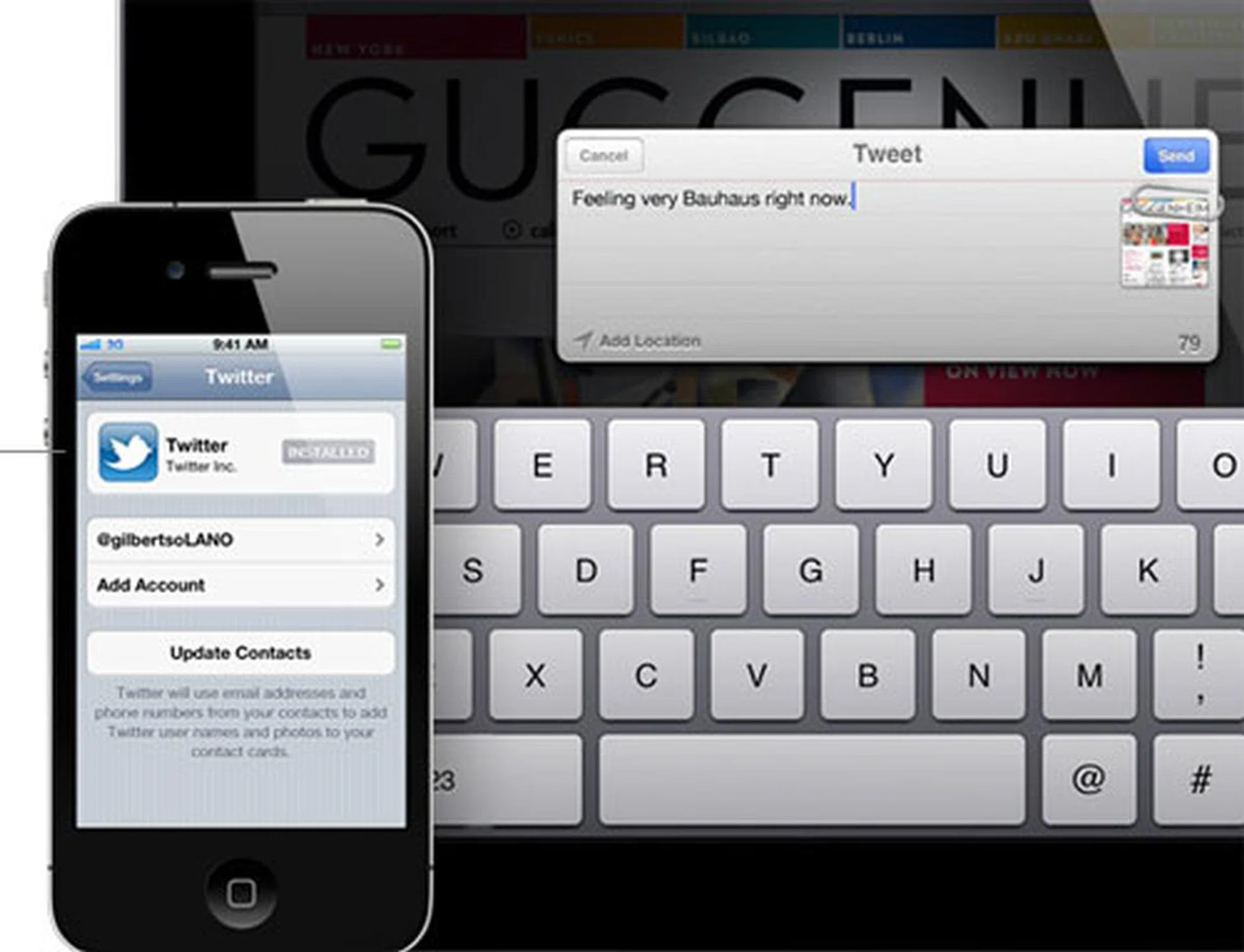
Twitter integration has become a common feature amongst most smartphone platforms, and Apple will join the party with the iOS 5 update.
Twitter integration has become a common feature found in recent smartphone iterations, in particular the . So it's of no surprise to see Apple jumping onto the bandwagon and introducing Twitter integration into its Contacts function, allowing you to tweet to your friends straight from your phone book. What got us pretty psyched is the fact that you can send tweets within apps. Developers will get new APIs to work with that specifically allows their own apps to take advantage of the Twitter integration to share content. For now, Apple has shown how you can tweet content from its Photo, Camera, Safari, YouTube and Maps apps.
How do we feel about this new Twitter integration? It's not game changing, that's for sure. But we love the added communication channel and sharing options that come with it.
iMessage
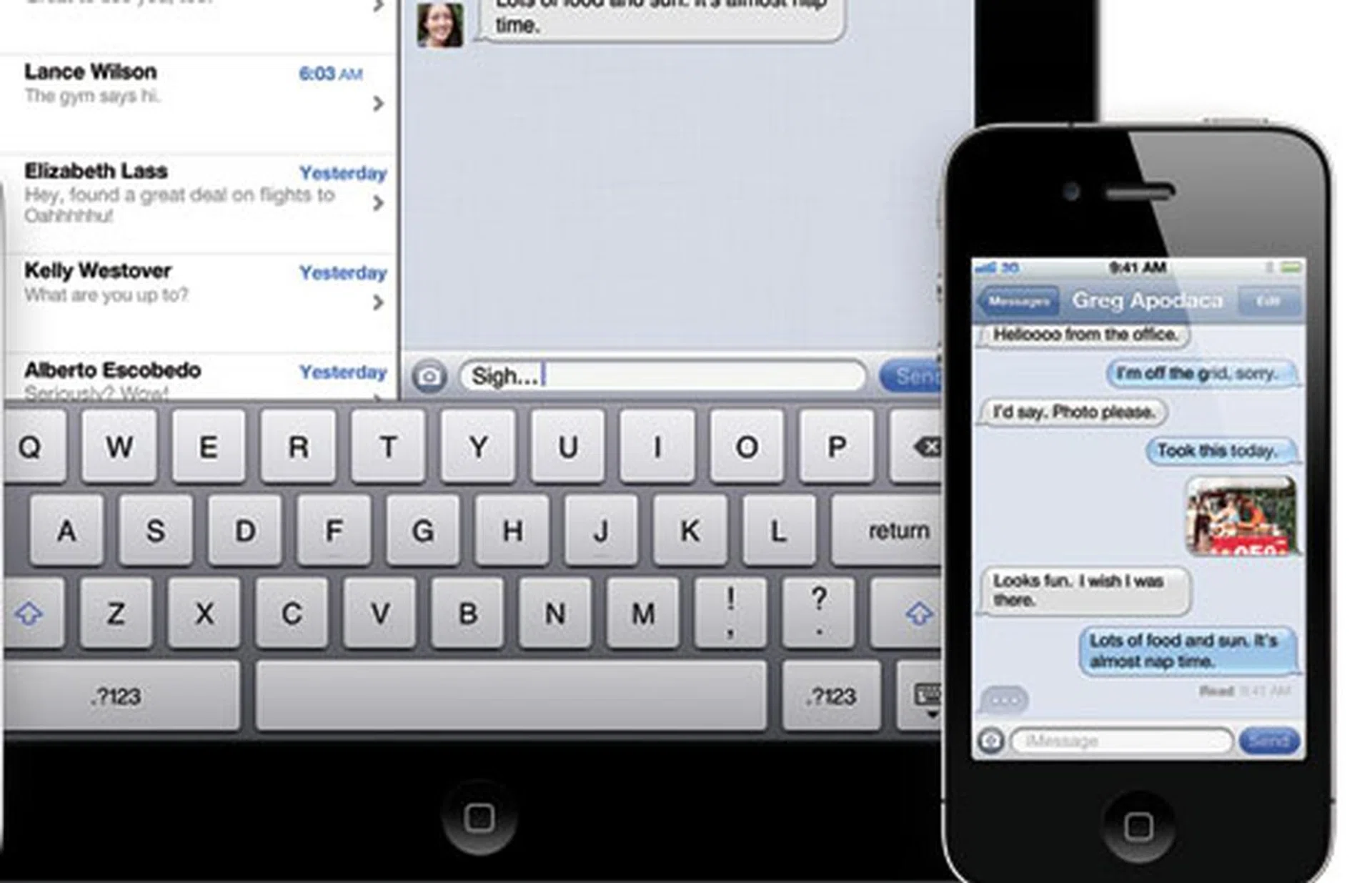
A BlackBerry Messenger killer, the iMessage is not. But it is a great way to unify communications across various iOS devices.
Before we touch upon iMessage, there's a need to put things into perspective. It's not a BlackBerry Messenger killer. It works on two different platforms, so there's no real comparison there. iMessage is a definite advantage for fellow iOS users who wish to communicate through a data channel. And that's the one and only limitation – it won't be as effective as Whatsapp, which covers a much wider platform range, including Android, Symbian and BlackBerry.
iMessage does present a unified experience across the various iOS devices, be it an iPhone, iPad or iPod touch. Text messages, photos, videos and even contacts can be sent through iMessages, and more importantly, it's pushed to all your iOS devices automatically. Like most instant messaging services, incoming messages are also given real-time updates, with an indication that someone is replying to you on iMessage. Since iMessage works through data instead of the usual cellular networks, data encryption is crucial and integrated into this particular feature. And unlike Facetime, iMessage will work on both Wi-Fi and 3G networks.
iMessage will definitely be well-received by iOS users across the world. But the truth of the matter is, you will have to fall back on traditional communication methods to reach out to those who aren't in the iOS circle.
Camera & Photo
Apple's iPhone 4 is . So it makes perfect sense for the company to enhance its Camera feature. The iOS 5 lock screen will sport a camera shortcut, which means instant access to the camera. On hindsight, we've seen something similar with Windows Phone 7's instant camera activation when the shutter button is pressed and held.
But think about this - would you prefer to have the phone's camera activated because of an accidental press of the physical button, or rely on a shortcut on a capacitive touch screen that can only work with your fingers? For us, we'd prefer the latter. On a similar note, iOS 5 users can also use the volume button as the shutter button. But if you wish to stick to the touch screen method, new features such as touch to focus and exposure lock will be included in the update
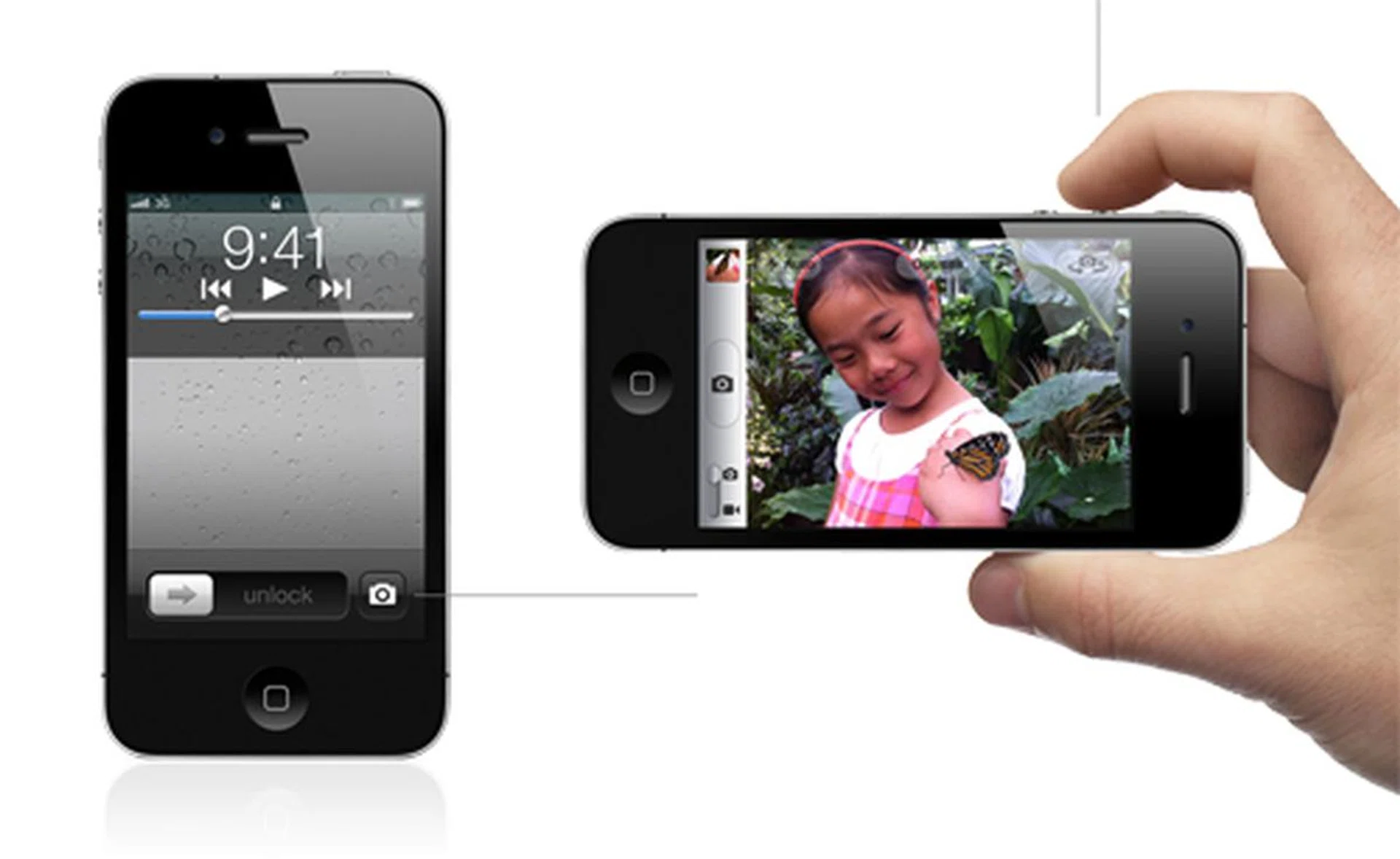
Instant access to the Camera app from the lock screen and a shutter button that's also the volume up button.
On the photo editing front, Apple has given camera app developers something to worry about. Cropping, rotating, red-eye reduction and image enhancements have been integrated into the Camera and Photo apps. In doing so, developers will find it tough to match up to Apple's out-of-the-box experience with its iOS 5 update. However, from the consumer's perspective, the new features on the Camera and Photo apps are a great addition to Apple's imaging features.
Reminders
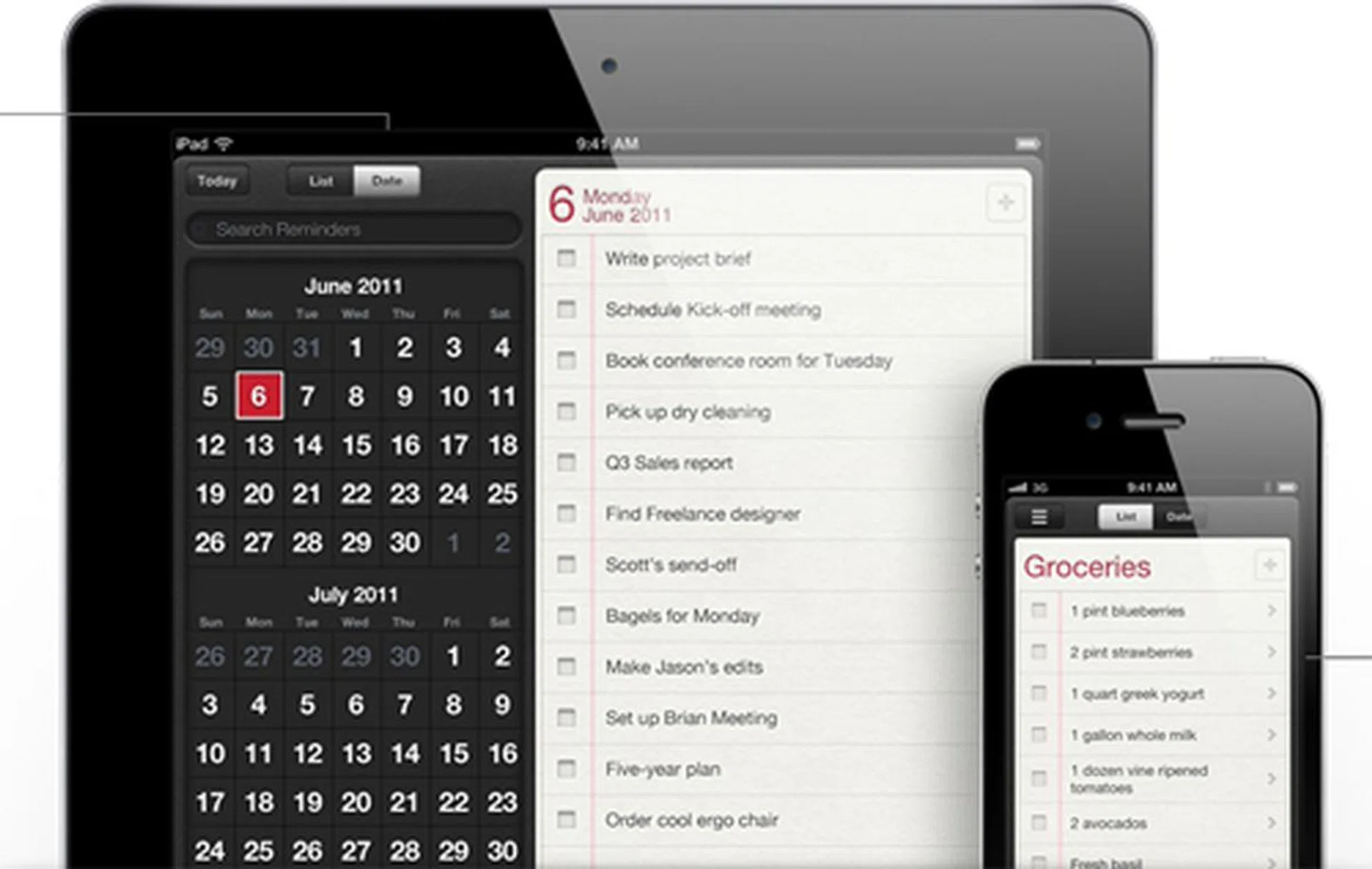
Reminders that alert you based on your location. Now that is interesting, if the location accuracy works fine.
We have to tip our hats to the Reminders app. Tasks or to-do list apps aren't usually preloaded onto the vanilla firmware of the current mainstream mobile OS. As such, the added option will be an advantage Apple gains over its direct competitors. This new feature on iOS 5 is not just a simple to-do list. Reminders is designed to provide alerts based on priorities, due dates and most interestingly, location. That last point got us quite intrigued, given how alerts will pop up based on your current location. As to how accurate its location-triggered alerts will be, that's something we'll only know when the iOS 5 update is pushed to compatible devices in the latter part of the year.
PC Free
And finally, you can pounce on your new iOS devices right from the start. Current iOS users will be familiar with how you need to connect your new iOS devices to a PC or Mac installed with iTunes to get started. That process will be a thing of the past with iOS 5 and its PC Free feature. New iOS devices preloaded with iOS 5 will be greeted with a welcome screen right from the beginning, and you can simply connect to your iTunes account and get started.
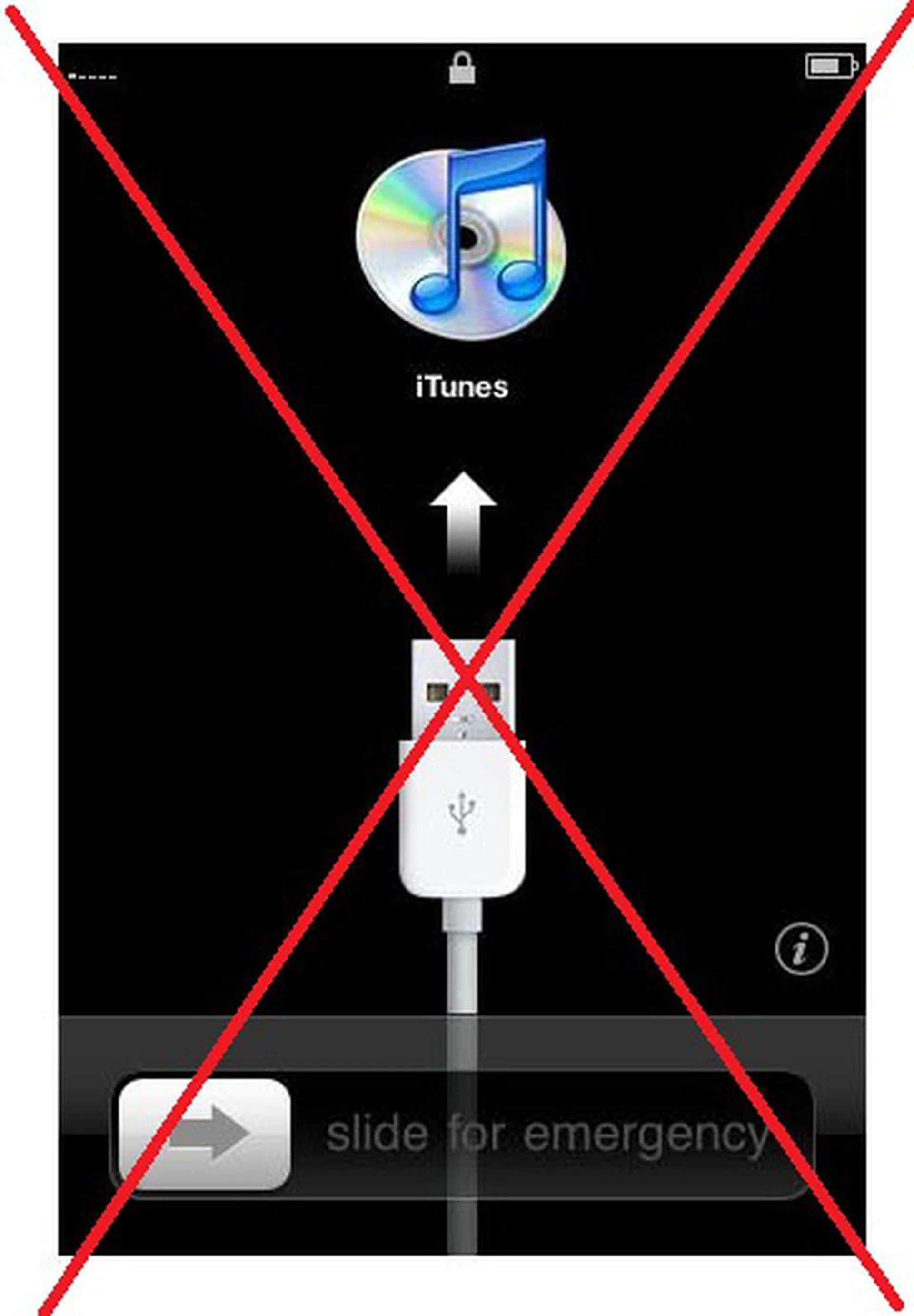
Say goodbye to this welcome screen that prompts you to connect your new iOS device to iTunes for an initial sync.
And that is where the real draw for iOS 5's PC Free feature comes from - Wi-Fi syncing. From the very start, you can synchronize your iOS device to your Mac or PC through your Wi-Fi network, transferring content and purchased apps over-the-air between your devices with ease. We see two distinct advantages for this wireless syncing process:
1. No wire clutter and absence of swapping USB cables, and you can transfer your data with immediacy.
2. Your USB cable will now stay plugged into your charger. So if your iPhone or iPad needs a recharge, it takes less time to get it up and running at full capacity with a charger instead of a USB port. And, once you plug the iOS device into a charger, the Wi-Fi Sync will automatically activate and sync content.

Removing the wires and going in the cloud service direction seems to be the central theme for this year's WWDC.
In line with its wireless concept, Apple has also announced that iOS 5 devices will receive software updates over-the-air. The real relief comes from the fact that update files will no longer be as massive as it used to be. Instead, Apple opts for delta updates, which only pushes changed files onto your iOS 5 device to perform the necessary updates. As such, you can expect much smaller file sizes in the two digit MB range, instead of it running into a few hundred megabytes.
Undoubtedly, cutting the wires and turning iOS 5 into a PC Free experience works very well for us, and this gets a huge thumbs up.
Other iOS 5 Features
What we've highlighted in the previous page are the features that we believe will make an impact for iOS users, but it's only part of the ten features that were showcased during WWDC 2011. iOS 5 will also include improvements in its Mail, Safari and Game Center, with a few minor additions to the user interface. Here's a brief breakdown of the remaining features that were demonstrated earlier on:
Newsstand
Following its iBook concept, Newsstand aims to create a direct channel for papers and magazines to be distributed on the iOS platform. This will work in tandem with the App Store to pull subscription based titles into the Newsstand app. As such, any updates to your subscribed titles will also be reflected in the app. This means data will be pushed and tallied to determine if there's an update available, and if so, background downloads will be performed. Will it affect the overall battery mileage for your iOS devices? We sincerely hope not.
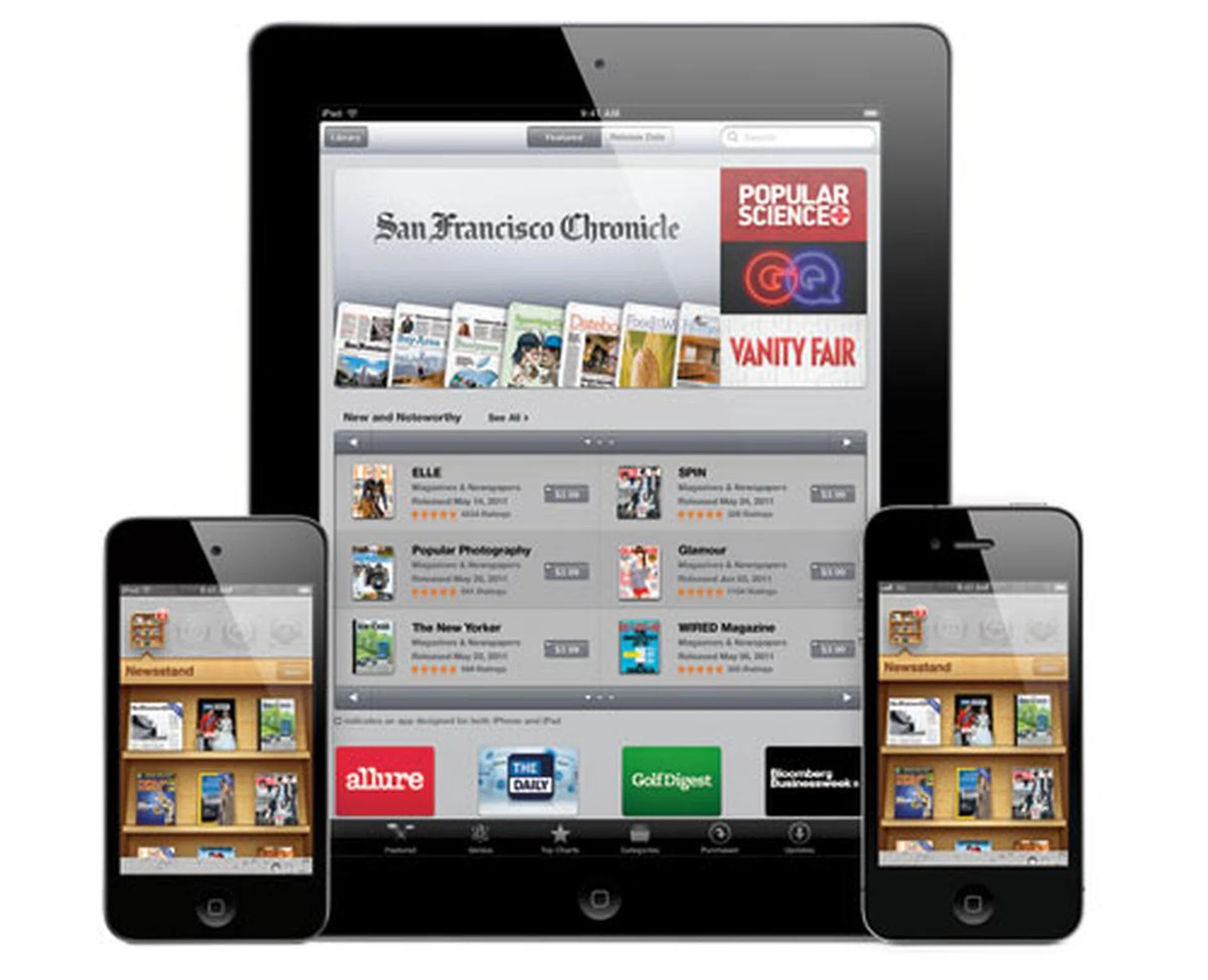
Who knows, you might get our latest issue of HWM on Apple's Newsstand in the near future.
Safari
Apple's web browser gets a few updates on its own, such as a Reader feature that realigns web pages into a more readable format. This includes changes to the font size and fits contents to page, minus the ads and side bars, making it easier on the eyes. A Reading List, which acts like the Read It Later App, saves web pages and syncs it across various iOS devices. As such, you can look through the articles at a later time, and even read it off a separate device from where you originally saved it from. And for iPad users, Tabbed Browsing will be implemented on iOS 5. This was bound to happen, given how Google Android 3.0's web browser has introduced this feature from the very beginning.
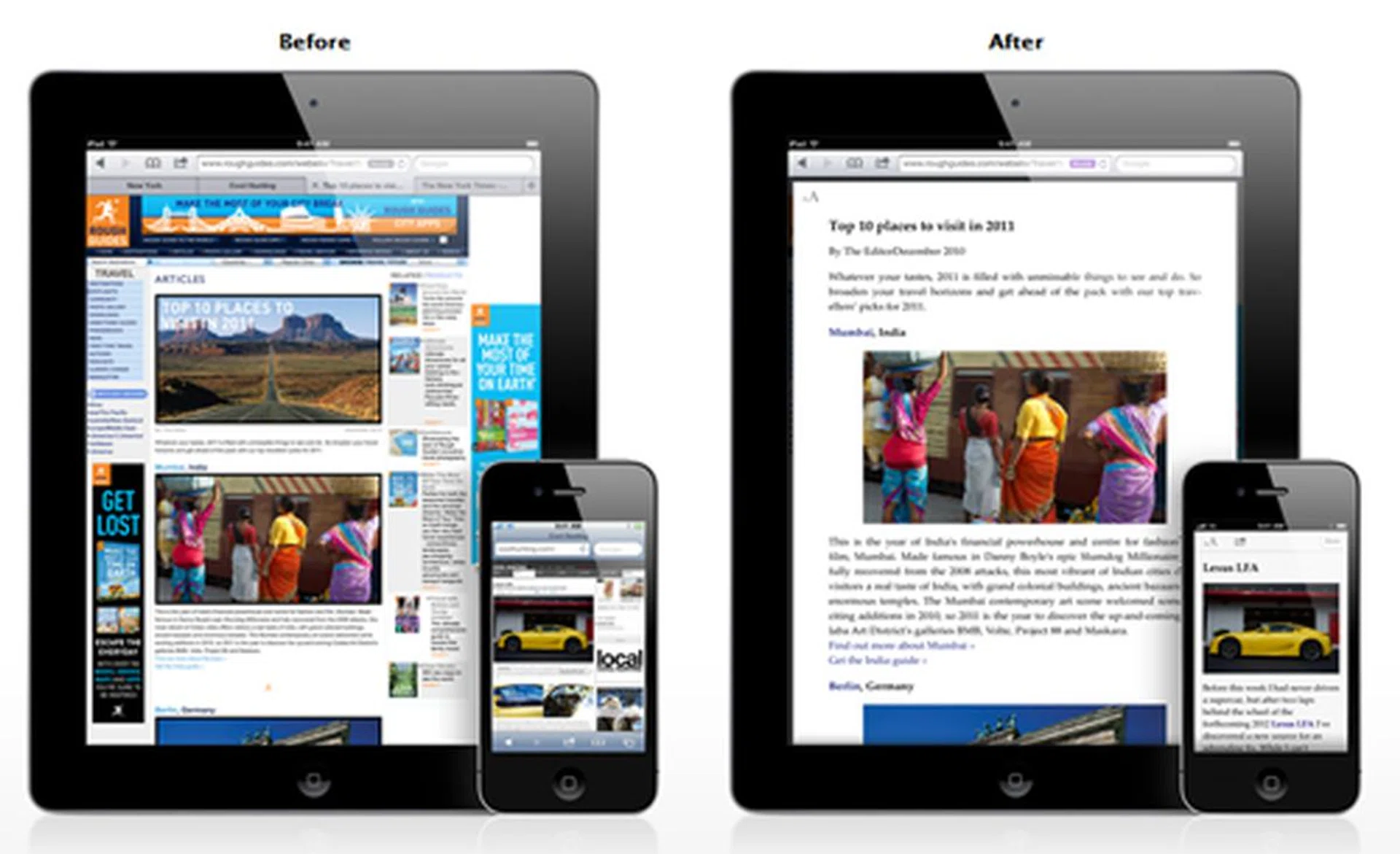
Web pages are now reformatted to present a page that displays the content you want to read, without the ads, side bars and any other clutter.
Mail
Mail is one of the most used applications, so it's no surprise that Apple will be enhancing its features in iOS 5. Rich text formatting is introduced, allowing users to bold, italics and underline their text. Message flagging is also introduced, though one has to remember that this is also a feature that's already seen on Google Android with its Starred label and Windows Phone 7 and its various flag labels. All in all, the new updates for Mail won't put you in awe, but ultimately, still useful.
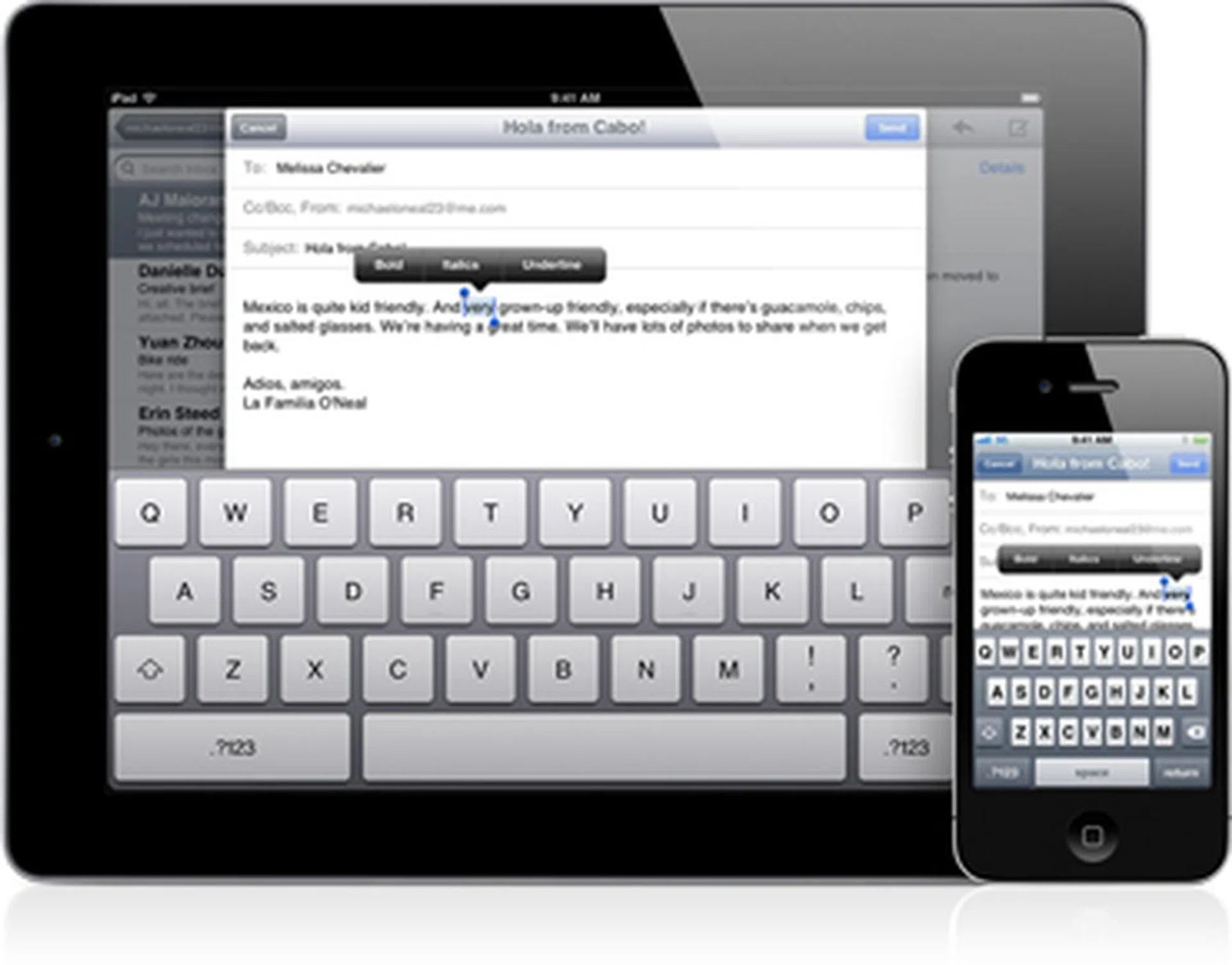
Mail gets rich text formatting as part of the incremental updates in iOS 5.
Game Center
Game Center, which was introduced last year, showcased how serious Apple is in the mobile gaming arena. Bringing iOS gamers under one portal, Game Center is now looking towards more features such as achievement points and recommended games and friends within the Game Center. In doing so, you can also purchase games within Game Center directly and bypass the App Store process.
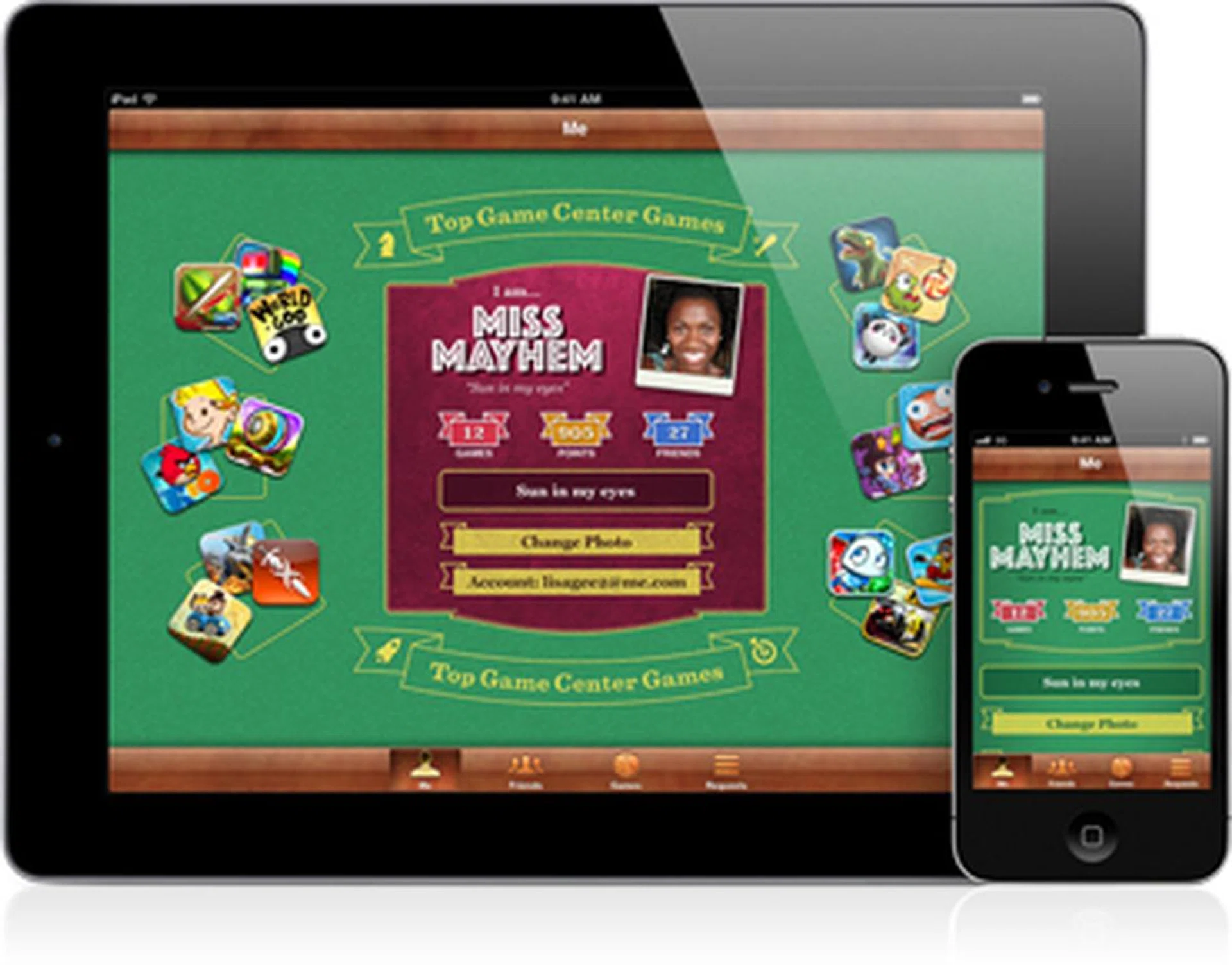
Achievement points and friends recommendations are added to the community aspect of Game Center.
iPad Specific Updates
Like its previous iOS iterations, there are some slight modifications for the iPad, and in particular, here's two that stands out for the larger tablet.
Split Keyboard
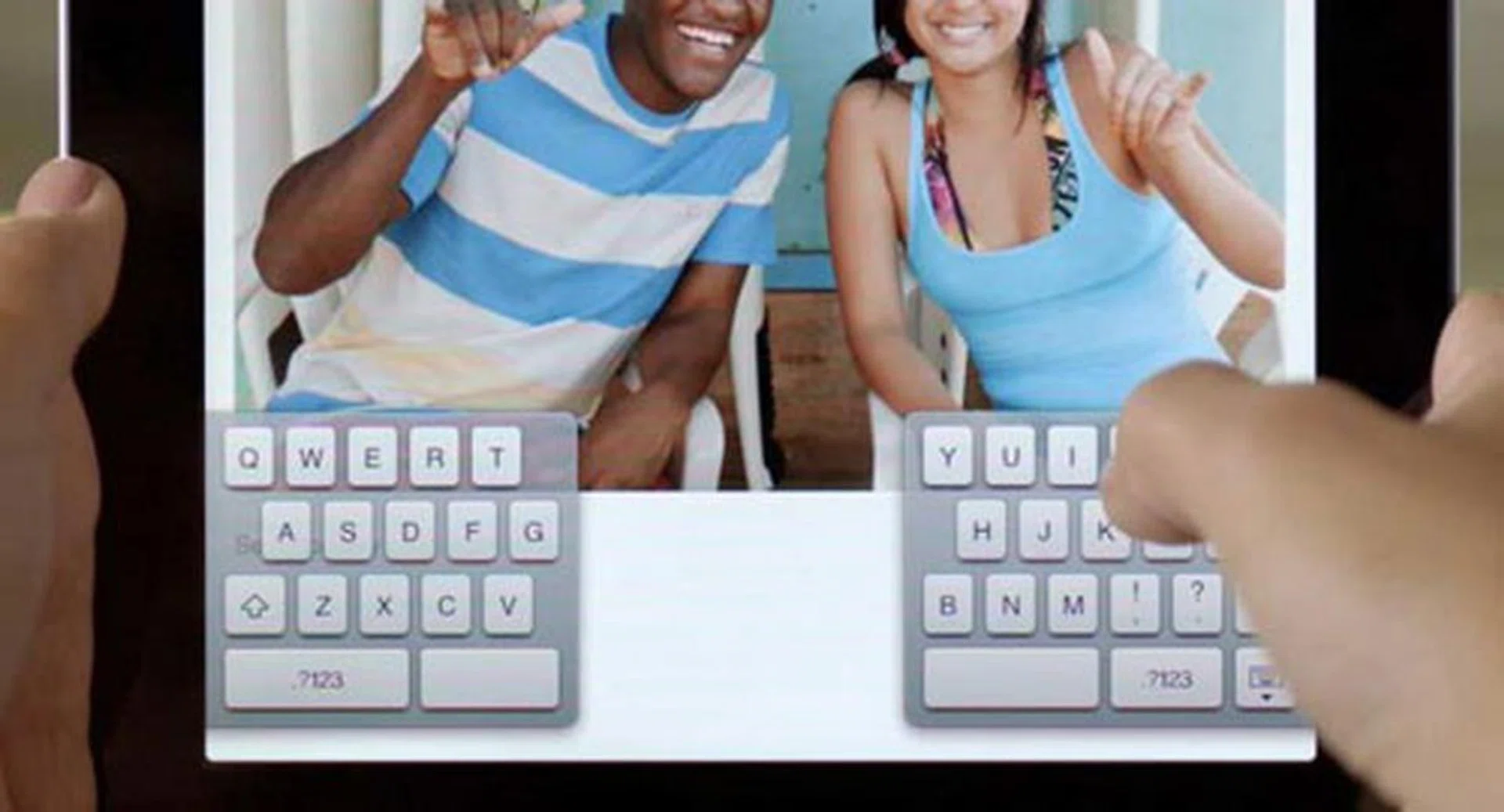
If you're used to the full-sized keyboard in landscape orientation, the split keyboard in iOS 5 might take some getting used to.
While most of us have gotten used to typing with the iPad in a landscape orientation, Apple will be providing a new input option on the portrait orientation in the form of a split keyboard. Considering how much wider the iPad is compared to the iPhone or iPod touch, it makes sense to split the keyboard across the screens and let your thumbs do the typing. Presonally, we prefer the landscape orientation, but our opinion might change once we adapt to the new split keyboard.
Multitasking Gestures
A few months ago, developers were given a sneak peek at how multi-touch gestures work on the iPad. This feature will be officially introduced in iOS 5, such as a four or five fingers swipe up to reveal the multitasking bar, or a quick swipe to the left or right to alternate between running apps, and a pinch on the screen to make your way back to the Home screen.
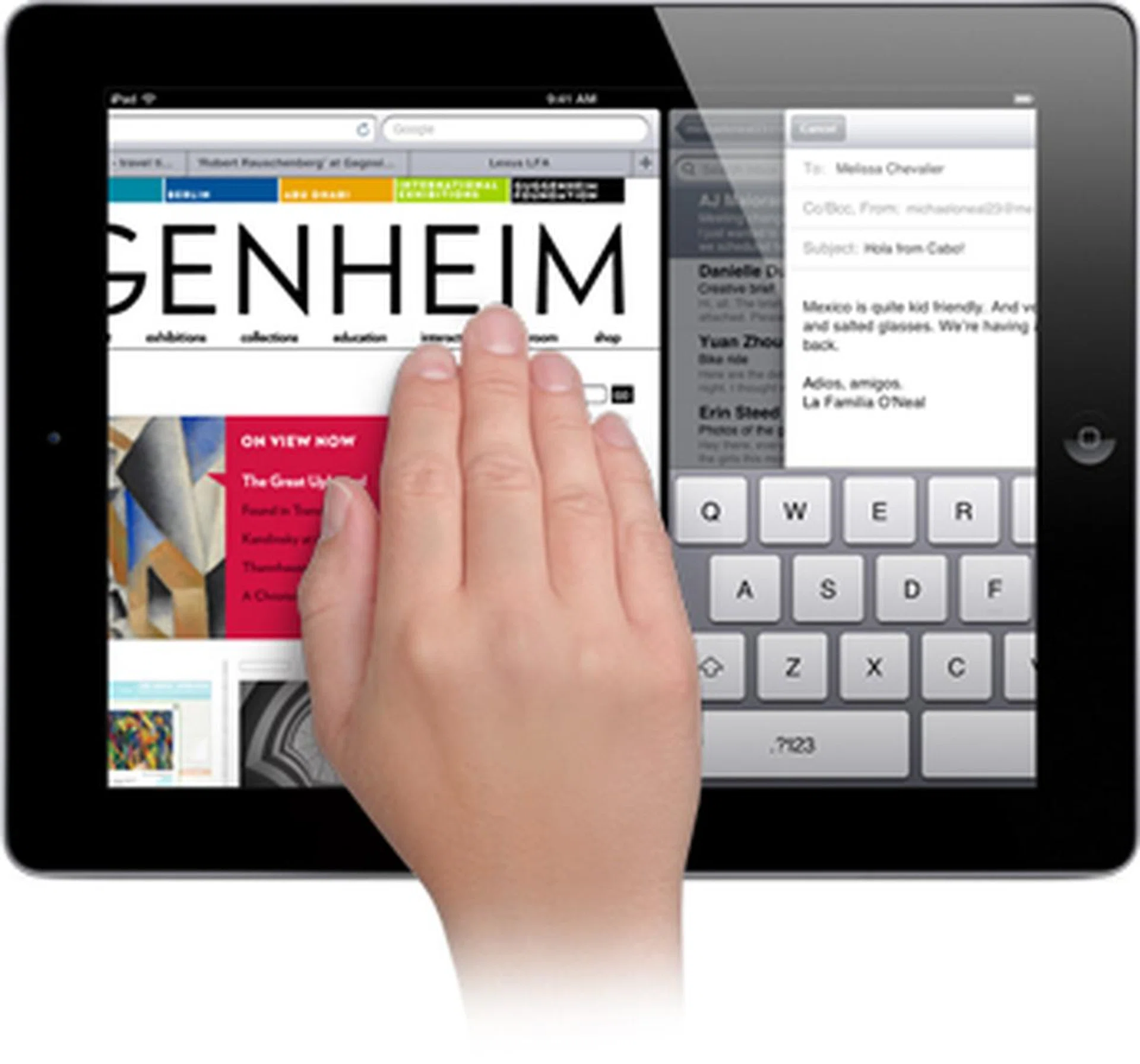
Multi-touch gestures, which were previewed in the earlier developer builds of iOS 4.3, will be official in iOS 5.
iOS 5 Availability and Compatibility
How soon will you see the iOS 5 update? Apple has announced it will be available in fall 2011. Based on what we've also heard about the , the timing is perfect for the concurrent launch of Apple's mobile hardware and software.
Existing iPhone, iPad and iPod touch users will also get the iOS 5 update during that period, with the following models confirmed for the upgrade:
- iPhone 4
- iPhone 3GS
- iPad 2
- iPad
- iPod touch (fourth generation) and iPod touch (third generation)
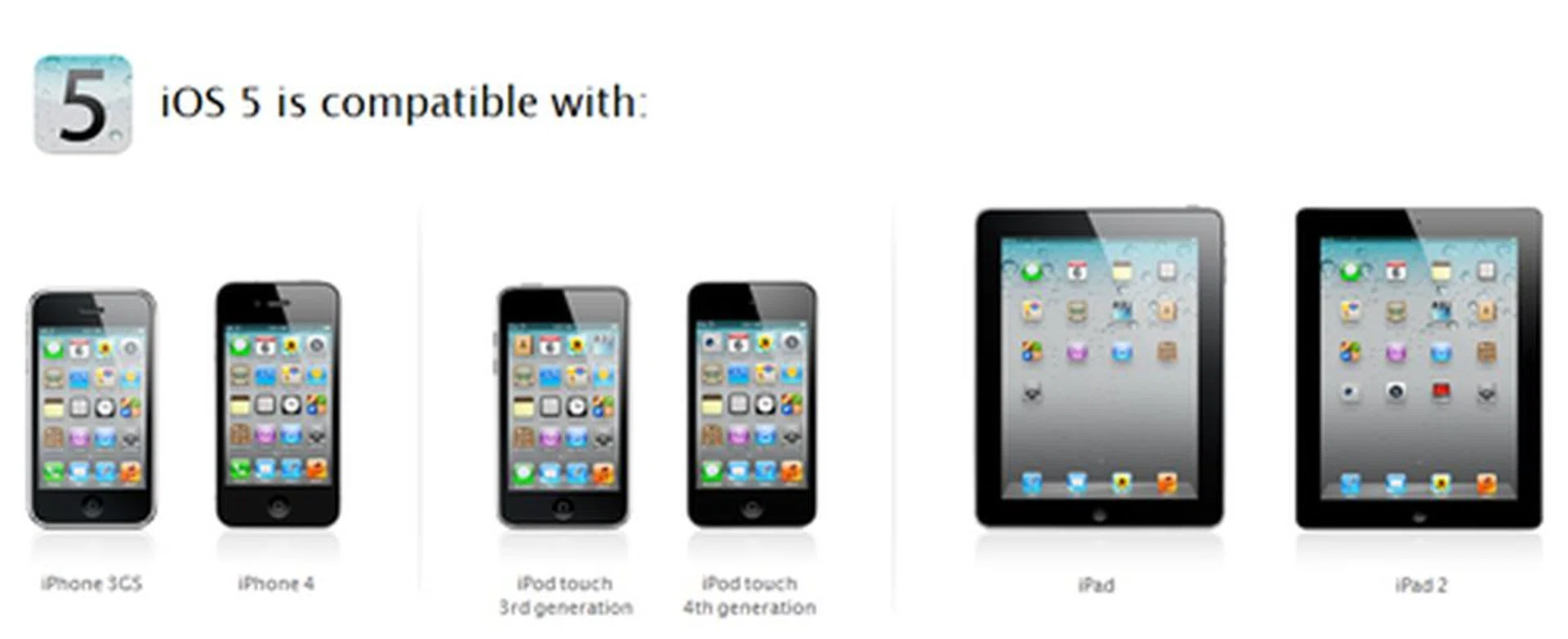
iOS devices that will receive the iOS 5 updates. From left: iPhone 3GS, iPhone 4, iPod touch 3rd generation, iPod touch 4th generation, iPad and iPad 2.
In its press statement, Apple did state that some features may not be available on all products. This could be a reference to how the iPad features aren't available on the iPhone and iPod portfolio. Or, in the worst case scenario, we might see some features missing from the earlier iOS devices.
Mac OS X Lion: More Like iOS Than Ever Before
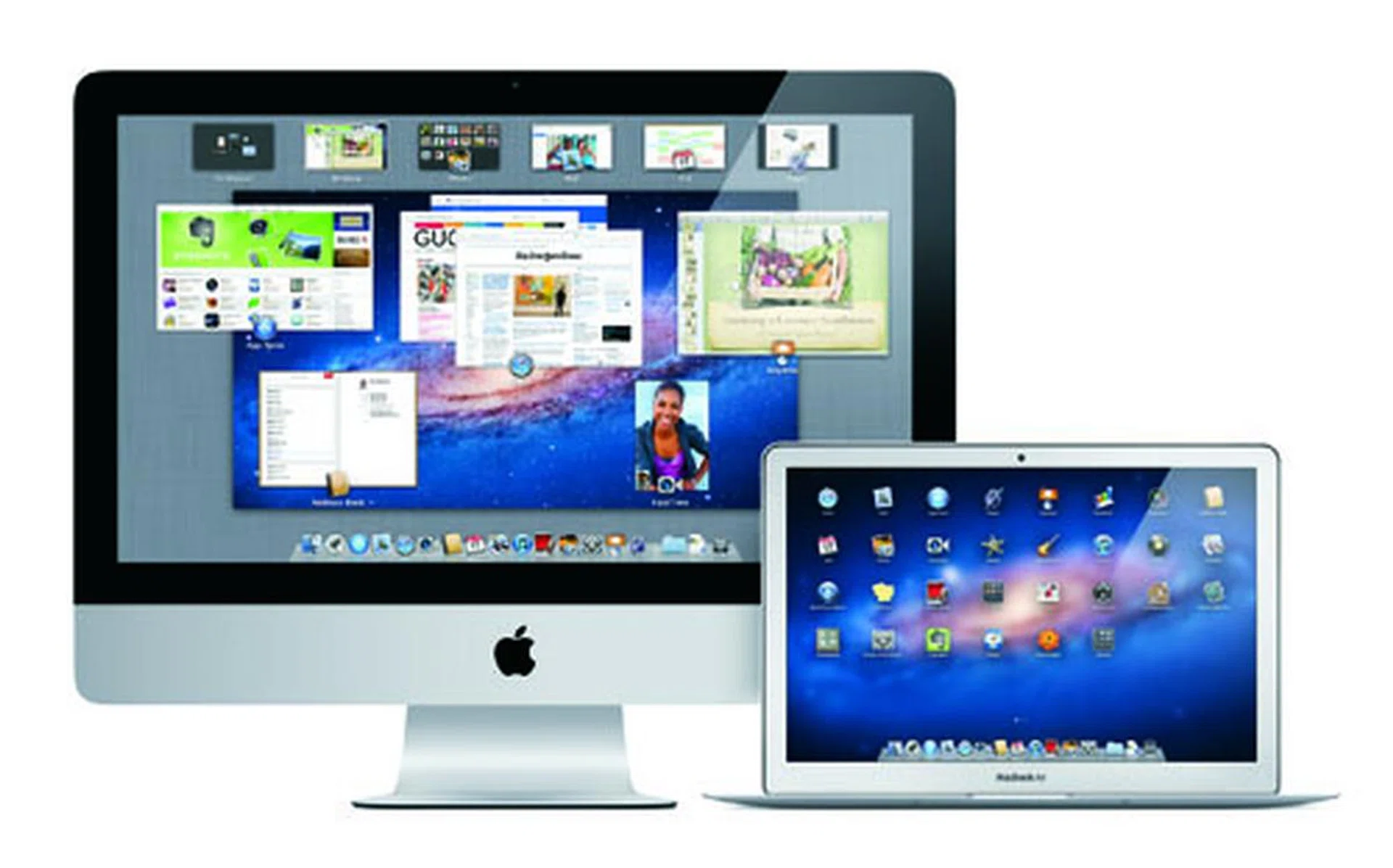
Mac OS X 10.7, or simply 'Lion', will drop in July with over 250 new features. Apple stated in their keynote that it'll only be available from the App Store as an upgrade to Snow Leopard for the low price of US$29.99.
Lion doesn't just look like iOS, it also interacts like iOS, with more gestures built deeply into the system. It's a revealing take on the different approaches Apple and Microsoft have towards the future of tablets and post-PC devices. In its first Windows 8 preview, Microsoft reveals that their new touch interface is a layer on top of traditional Windows, building an integrated, multi-device OS from day one. Apple however, designed a simplified and specific OS for mobile devices, and is making the desktop and mobile device more similar in terms of the user experience while keeping them separate.
Read on for a quick list of our favorite new features, or watch the new feline at work with the official Introducing Mac OS X Lion video:

Multi-Touch Gestures
Mac OS X Lion makes OS X more like iOS than ever before with Multi-Touch gestures. With the built-in trackpad on Mac notebooks or the Magic Mouse and Magic Trackpad, you can now manipulate your Mac more thoroughly with just your fingers.
Click here to see a video demonstrating how gestures now integrate into the OS, letting you do things like swiping to switch between apps.
Mission Control
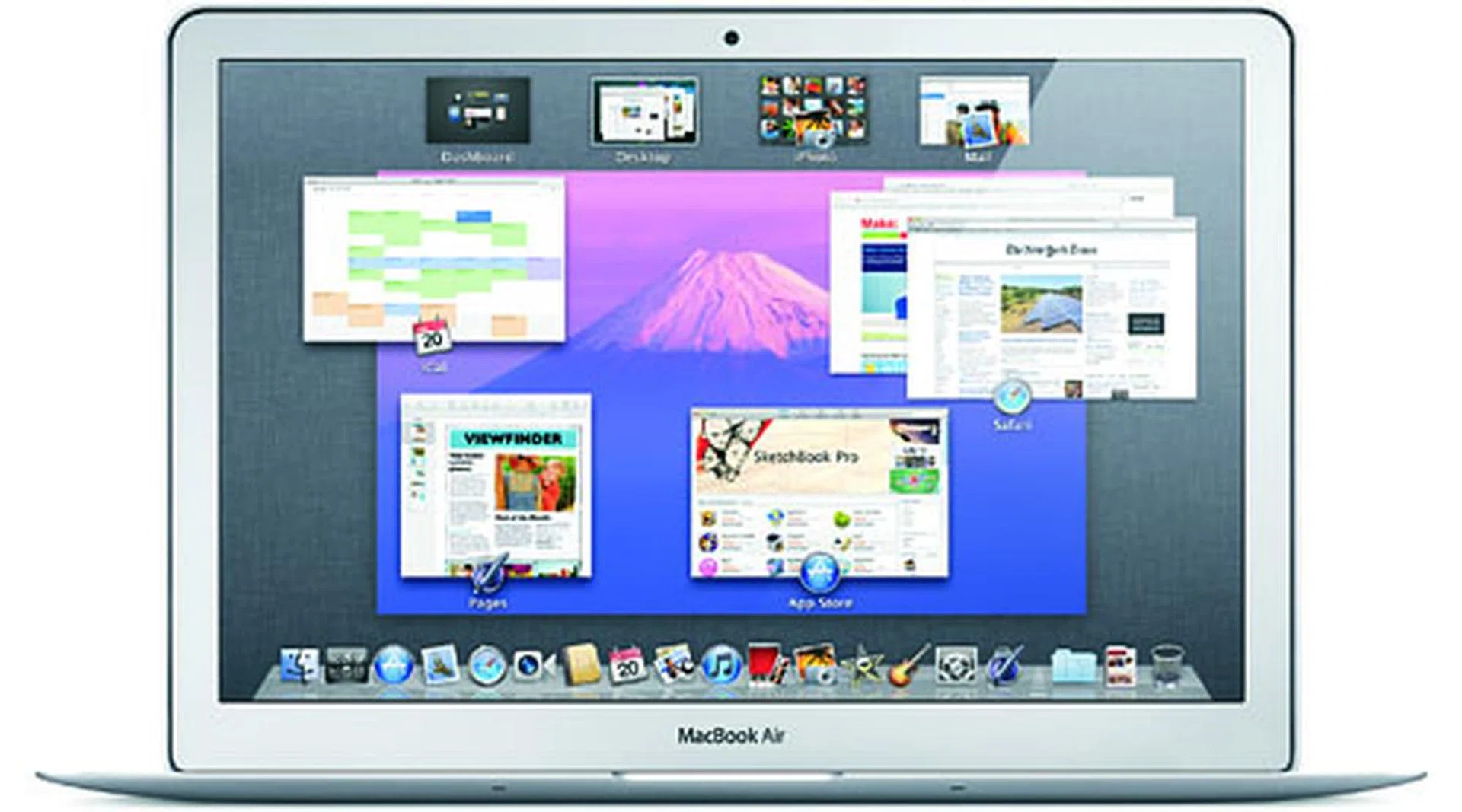
Mission Control is the new Dashboard, Expose and Spaces rolled into one. Think of it as a quick, bird's eye view of everything on your system, so you can quickly see what's running and go to the app you need.
The row of thumbnails across the top represents Dashboard, desktop spaces, and your full-screen apps. The lower part of the screen acts like Expose, showing you the windows open on your desktop. Mission Control also gives you desktop spaces control. You can add spaces, drag apps or windows to spaces or delete spaces.
Launchpad
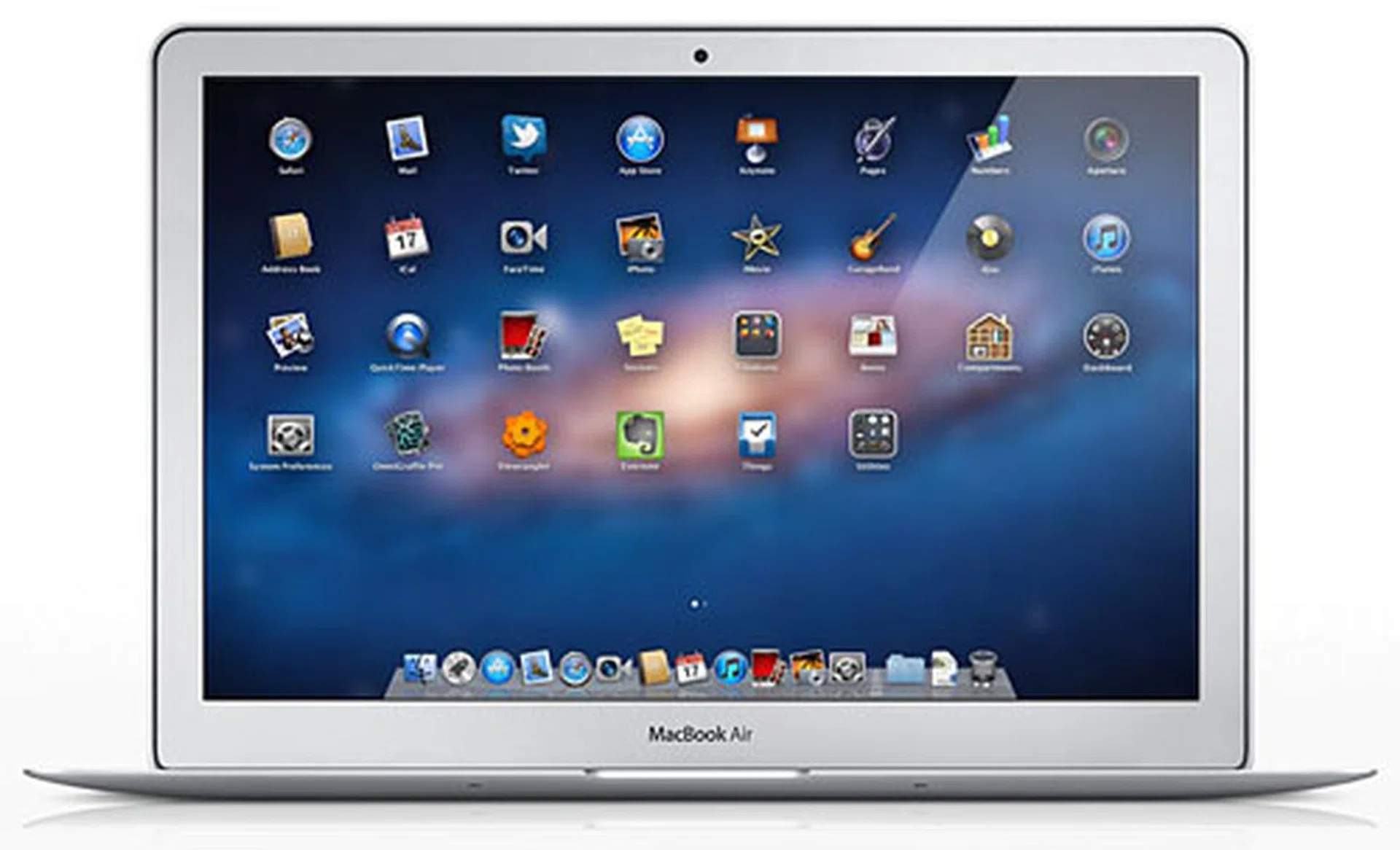
Launchpad brings the look of iOS right to the Mac, being a full-screen apps display which looks just like iOS, right down to app folders.
Resume
Installing updates and restarting our Macs is a frustrating experience - you have to save all your work and bookmark your browser tabs. With Resume, your apps will now reopen right where you left off. If you don't want that, Lion also has an option for a fresh clean start.
Auto Save
If you've ever lost your work just because you forgot to save, you won't need to worry again with Auto Save. Your Mac will now automatically save your work when you're working. You can revert to previous states, or lock a document to prevent overwriting.
Versions
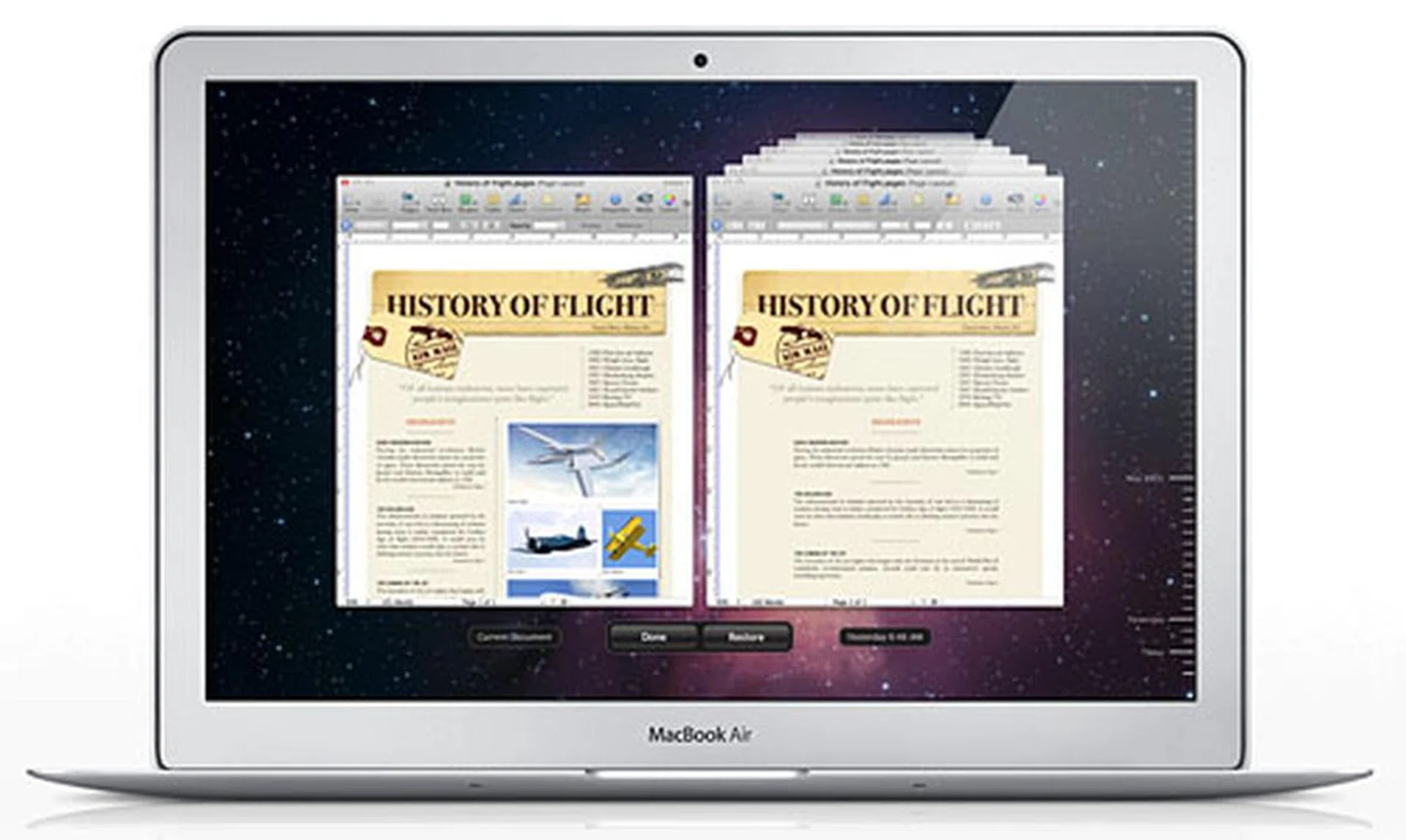
Versions is like Time Machine for your documents. It saves a new version of your document as you open it and every hour while you're working on it. You can also create snapshots of a document manually, and you can even copy and paste between different versions of the document.
AirDrop
Now you don't have to email, Dropbox or YouSendIt files to another Mac if they're on the same Wi-Fi network. AirDrop us a peer-to-peer service which automatically discovers other Macs nearby also using AirDrop, and lets you drag and drop files in the Finder to share them with other users.
FaceTime
FaceTime will be built into Lion, making video calls to other Macs or FaceTime iOS devices much easier.
Adding Signatures in Preview
Ever had to print and scan just to add a signature into a PDF? With Lion, you can hold your signature up to an iSight or FaceTime camera, and Preview will turn that signature into a digital version you can add to your document.
QuickTime
QuickTime Player becomes even more powerful, you can combine multiple clips into a single movie, export audio to an AAC track, and share video directly to sites like Vimeo, Flickr and Facebook.
Windows Migration
Apple targets Windows users with the new Windows Migration tool, which migrates all the information from your old PC to a new Mac.
Resize from Any Edge
Finally! OS X takes a page from Windows and lets you now resize your app windows from any side or corner.
Only US$29.99
To put the price into perspective, Mac OS X 10.5 Leopard sold for US$129 for a single-user license, while Snow Leopard was US$29 for a single-user license. Apple justified Snow Leopard's low cost by labeling it a 'zero new features' refinement upgrade. But Lion, with over 250 new features, is a low US$29.99, and like an app for iOS, you only need to pay for it once for installation across all your authorized Macs.
For a more comprehensive list of what's new in Mac OS X Lion, check out Apple's OS X Lion Features page.
iCloud: iOS Through the Air
Speculation has been rife in the last few months about what Apple was up to with their new massive data center in North Carolina, and the rumored deals with major music labels. Well, wonder no more - Apple has unveiled iCloud, and it's big.
Welcome the iOS - free, large, easily accessible and compatible with all iOS devices.
At its heart, iCloud is a storing and pushing service for iOS 5 devices. It stores music, photos, apps, calendars, documents, and more, wirelessly pushing them to your devices. And it's free. iCloud will be coming this fall together with iOS 5, probably during Apple's yearly iPod event around September, and (probably) coinciding with the release of the iPhone 5.
iCloud is a powerful augment to iOS and a powerful statement after the lackluster MobileMe about the future of cloud computing. Here are the highlights of what iCloud is and what it can do.
5GB Free
When you sign up for iCloud, you get 5GB of storage free. But purchased music, apps, and books, as well as your Photo Stream (see below) don't count in storage, only mail, documents, Camera Roll, account information, settings, and other app data.
Photo Stream
With Photo Stream, you can take photos on one device, and it's automatically sent up to iCloud and pushed to your other devices (including your Mac and PC) over Wi-Fi. When new photos are pushed to your iOS device, they appear in a Photo Stream collection which holds up to 1000 photos. To save space on your iOS device, the photos in the stream aren't automatically saved. You need to save them to your iOS device yourself, and iCloud stores each new photo for 30 days.
Your Mac and PC however, don't need to worry about storage space, so as soon as your iOS device is within range of Wi-Fi, your photos are automatically pushed and saved to the Mac or PC's master Photo Stream. We're not sure how this works across devices with different Apple IDs, for example if a family can share a Photo Stream together.
We also wonder about the possible privacy issues. A Mac might serve as a master Photo Stream library, but what if each family member has his and her own iPhone but they all use a shared Mac? Will Photo Stream serve up everyone's private photos by default? We'll have to wait a few more months for the answer.
Apps
If you own more than one iOS device, you know what a pain it can be to sync newly purchased apps. With iCloud, you can now purchase an app and push it to all your iOS devices. Hopefully, this means that apps can now sync saved data and states across different iOS devices, so you won't have to restart a game all over just because you're using it on a different iOS device.
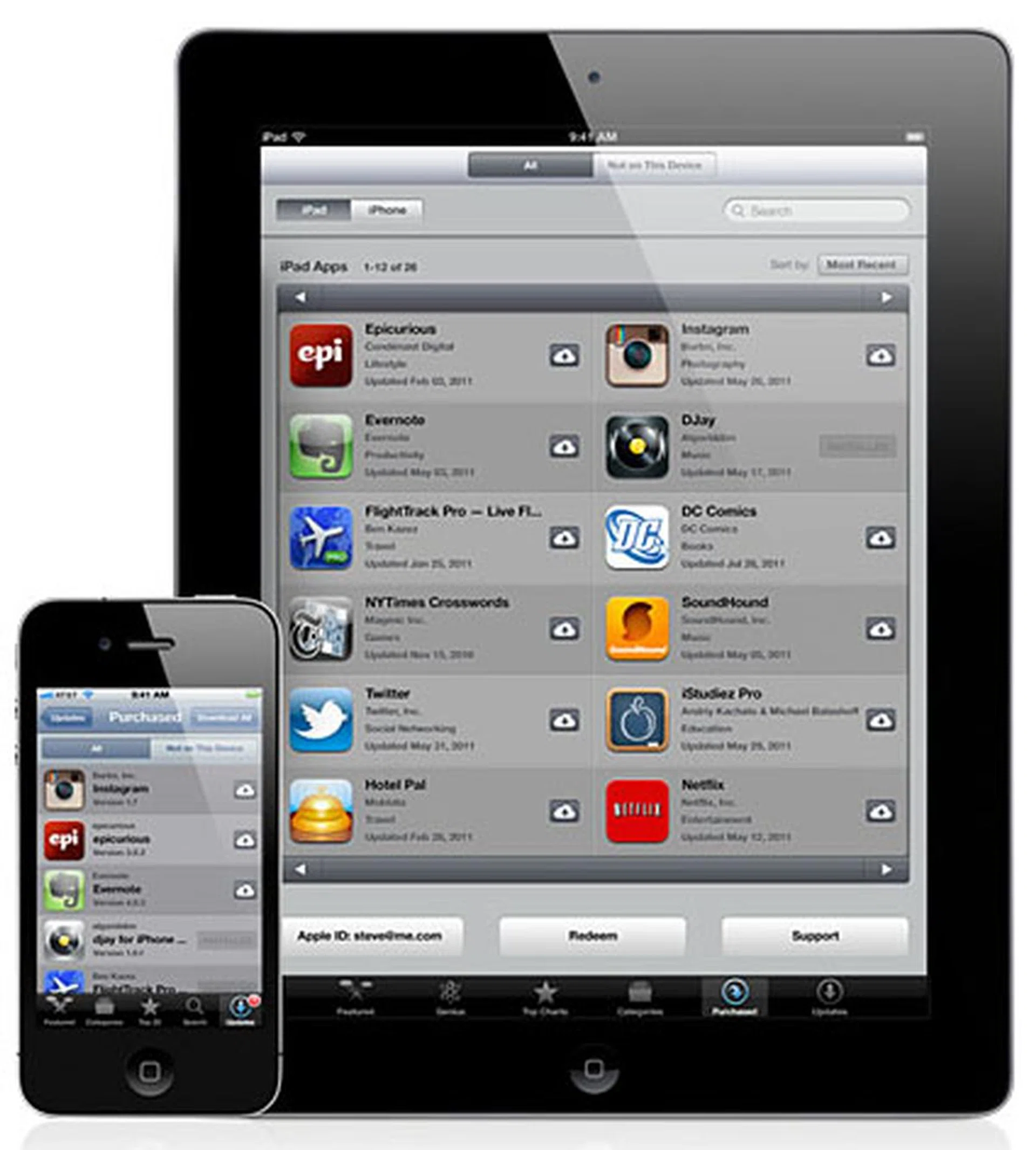
Purchase an app and it can be used across your other iOS devices with the iCloud pushing it across for you.
Documents
If you use iWorks, Apple's version of Microsoft Office, you can save your documents to iCloud and access them from your iOS device. iCloud automatically saves your changes, so you'll always be able to work on the latest version of your work, no matter which device you switch to.
Backing Up
iCloud also acts as an iOS backup service, backing your devices up daily over Wi-Fi. Like Time Machine for Mac OS X, iCloud backs up what's changed and not the entire system every time, making backups quicker. This is a convenient way to safeguard your data, especially for users who don't connect their iOS devices to iTunes regularly for backups. Backups are encrypted as they're sent over the air, which should allay concerns about data privacy.
iCloud backs up your purchased music, apps, and books, photos and video in the Camera Roll, device settings, app data, home screen and app organization, text & MMS messages and ringtones.
Contacts, Mail & Calendar
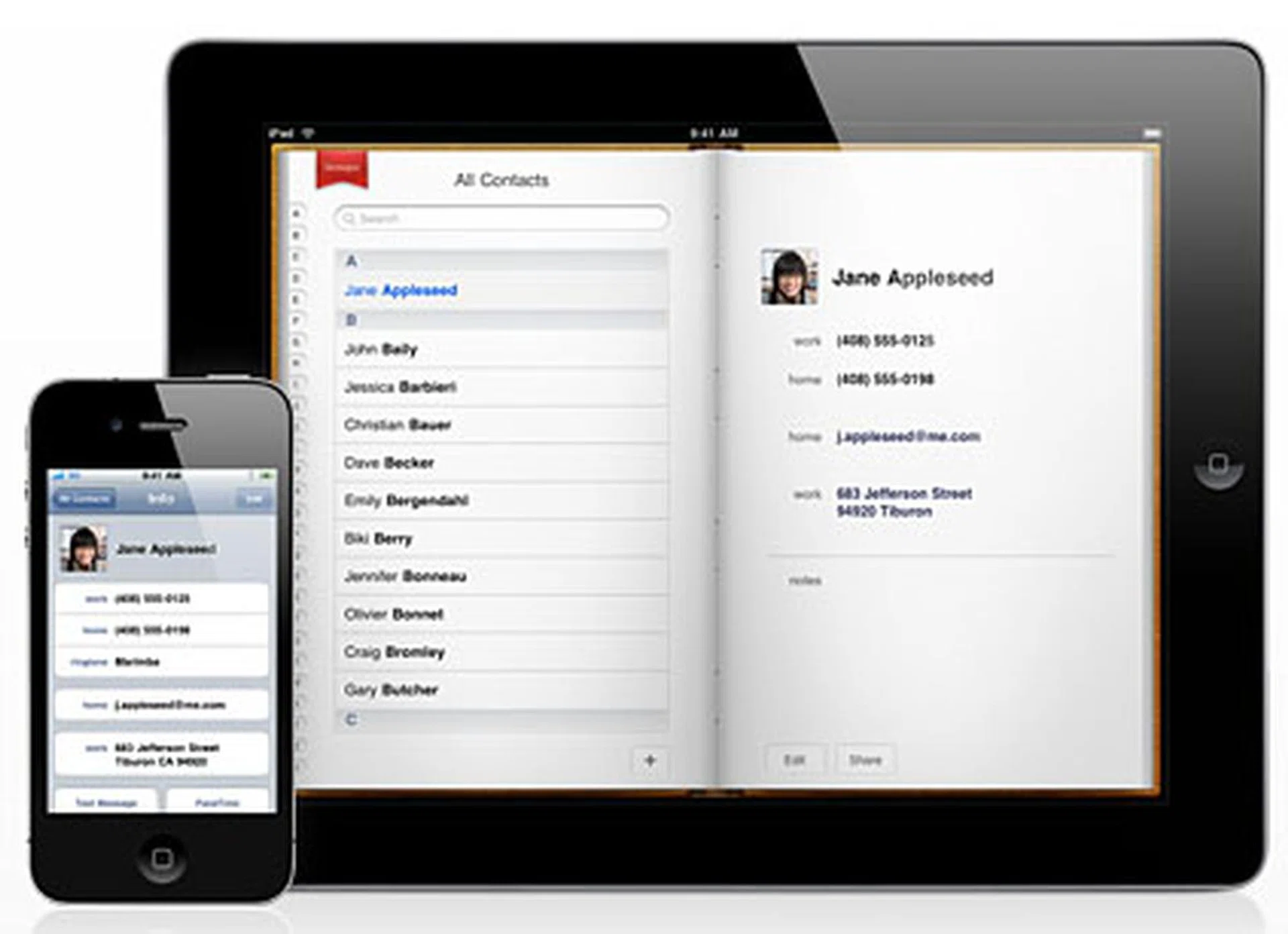
Add or edit a contact, and it's automatically pushed to all your other iOS devices. Every iCloud user gets a free me.com email address, and iCloud pushes new email to all your devices and keeps folders in sync. The Calendar app can now sync across multiple iOS devices. iCloud with Contacts, Mail & Calendar is a serious contender to Google, which lets you sync your data across multiple devices with services like Google Contacts and Google Calendar.
iTunes in the Cloud
Of less relevance to Singapore users since we still don't have the iTunes music store, even eight years after its launch in the US, iTunes in the Cloud pushes the music you purchase in iTunes to all your devices. You can also download tunes you've already purchased to any device you want. iTunes in the Cloud is available today in the US.
iTunes Match
Something else that probably isn't coming here is iTunes Match, an interesting service which stores your entire music collection, even songs you didn't buy from iTunes, if they're available in the iTunes music store. You won't even have to upload them, they'll automatically be added to your iCloud library - at 256-Kbps iTunes Plus quality, even if your previous file was lower quality. If you want your iCloud library to have the songs iTunes couldn't match, simply upload them. All for a yearly fee of US$24.99, with a limit of up to 25,000 songs.
No More MobileMe
Apple's first foray into the cloud is no more. MobileMe - which suffered from buggy performance - is no longer accepting new subscribers, but existing users can still access their accounts until June 30th, 2012. According to Fortune magazine, Steve Jobs was so furious at MobileMe's poor performance that he called a townhall meeting for the team and chewed them out, telling them "You should hate each other for having let each other down." He then named a new executive to take over the MobileMe service.
Our articles may contain affiliate links. If you buy through these links, we may earn a small commission.