
The Wild Wild Google Play
The wild, wild west. That's as accurate a description as we can give for Google Play (formerly known as Google's Android Market). But is it as untamed as we think it is, or is it a wild stallion that can be lulled into submission? We paint you the current landscape and pointers to stay safe.
The Wild Wild Google Play
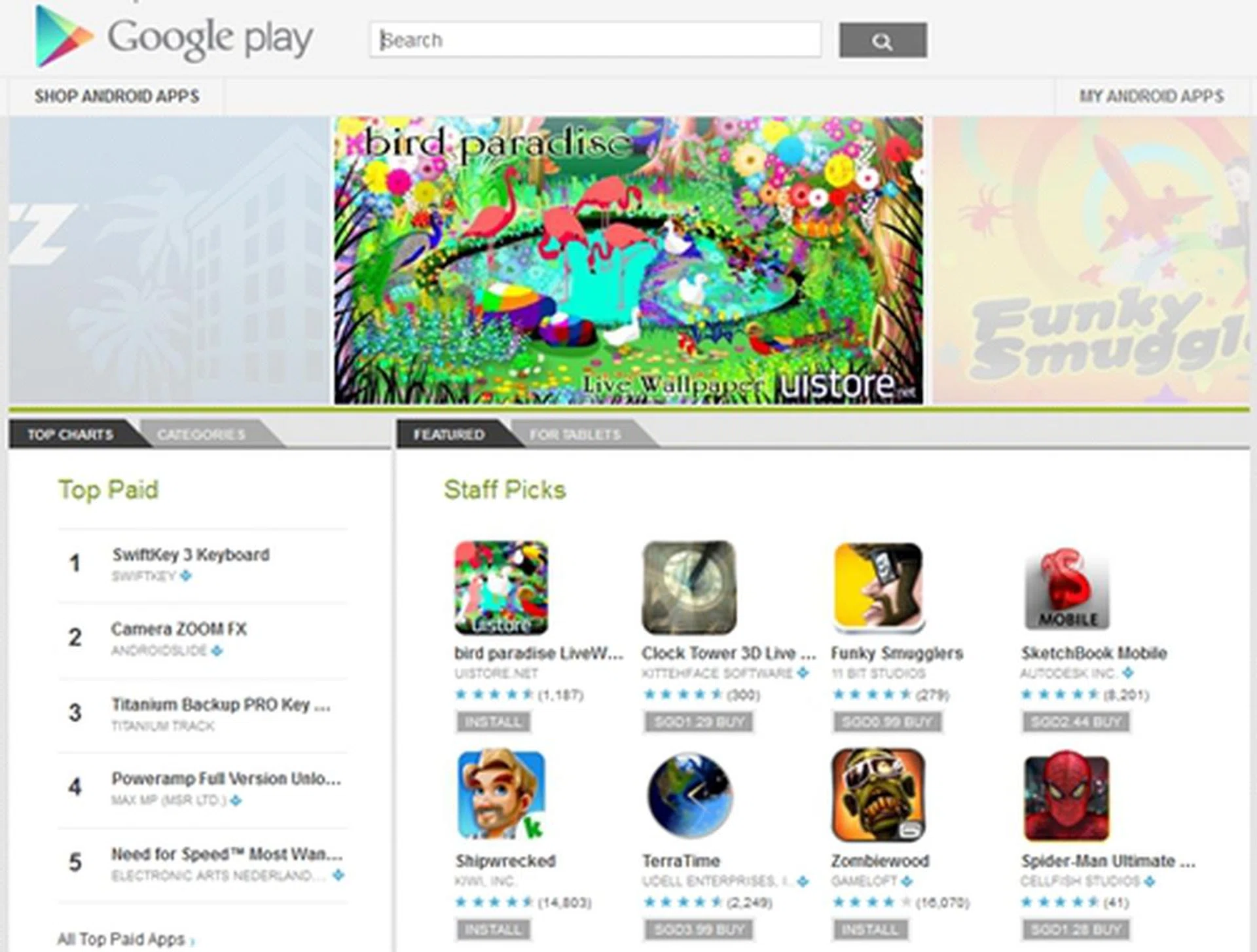
The wild, wild west. That’s as accurate a description as we can give for Google's Play Store. But is it as untamed as we think it is, or is it a wild stallion that can be lulled into submission?
Consider this: Google Android is particularly popular with developers, thanks to the easy access through which apps can be uploaded without going through a lengthy application and approval process. Developers who are genuinely interested to propagate their apps are taking the Android path, mostly to ensure that their apps will not be blocked by unnecessary policies that would otherwise hinder their efforts.
The numbers have proven as much: device activations grew 250% year-on-year, with Google's very own Andy Rubin announcing on 21st December 2011 that 700,000 Android devices are activated every day. If anything, this is a clear indication that Google’s mobile operating system has become a popular and widely adopted platform over the last few years. Unsurprisingly, the OS became the most dominant mobile OS with a 50.9% market share in Q4 of 2011, roughly translating to over 75.9 million smartphones sold. And the numbers are higher yet at the point of authoring this article.
Unfortunately, its popularity has also created a particularly huge bulls-eye on the Android operating system. Google’s open door policy, though greatly welcomed by budding developers, has also created an easy route for hackers. As of 31 October 2012, the number of Android apps has already hit a big 700,000 milestone, which makes it closer to Apple's current selection of more than 700,000 apps and leaving Windows Phone 8's 125,000 apps selection in the dust. That plus the total number of app downloads from Google Play hitting 25 billion, it’s certainly easy to see why hackers are hiding their malware within the sea of Android apps.
Trend Micro reported that just in 2011, the Android ecosystem has seen over a thousand malicious apps being reported by mid-December. With Android malware increasing by 1410% in the first six months of 2011, Trend Micro has predicted that the total number of malicious apps might rise to 129,000 in this year. As alarming as it sounds, this might not be a prophecy waiting to be fulfilled.
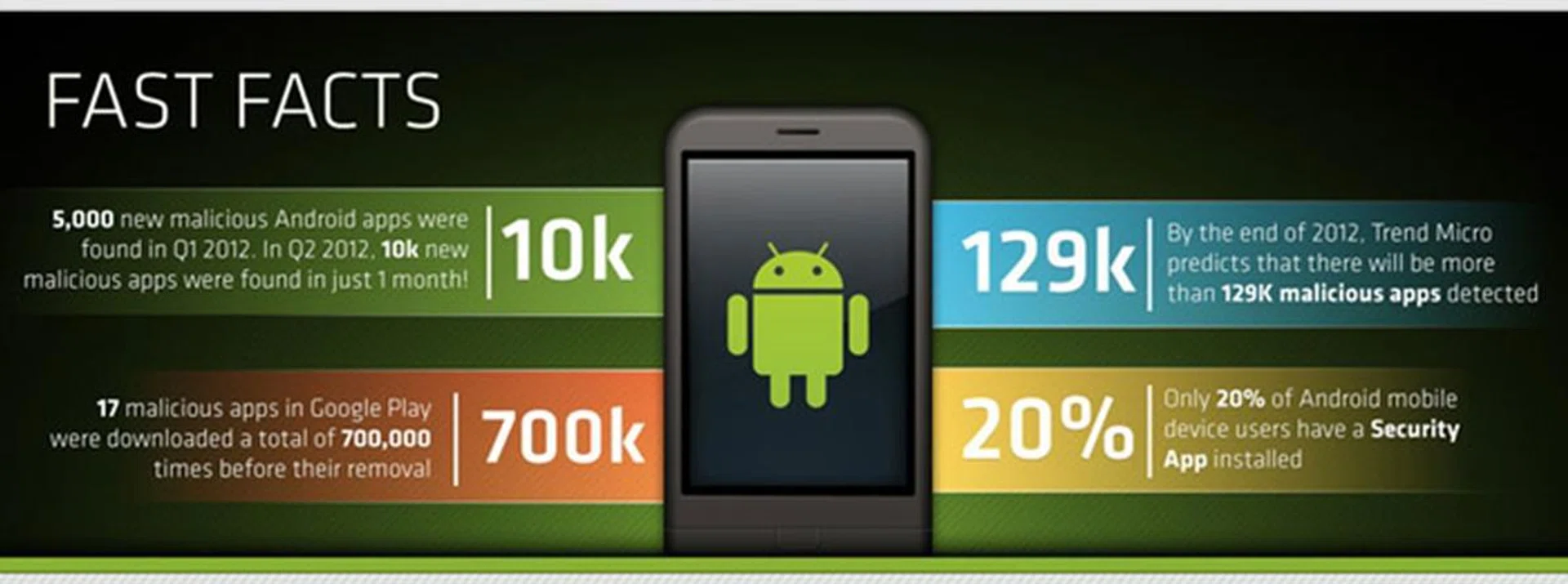
At this rate, the projected number of malware apps reported on Android could hit over 120,000 by December 2012. (Source: Trend Micro)
An immediate area of concern is of course, in the corporate IT environment - the invasion of mobile devices like tablets and smartphones, consumer apps and social media has indeed increased security concerns. With an increase in organizations adopting the BYOD (Bring Your Own Device) scheme, security incidents are said to increase 25% or more for these participatory companies.
The Open Environment - A Double-Edged Sword
But what makes Android a susceptible target for malicious apps? Unlike the closed systems adopted by Apple’s iOS and Microsoft’s Windows Phone 7/8, Android users enjoy unfettered access to their smartphone. Take for example, the case of side-loading apps onto the Android device. Without the need to root your Android device, you can side-load and install apps that are not available in your region, such as Flipboard when it was still not available in the official store. All you need is the correct APK file, use a file manager and run the APK. Of course, you'll need to tweak with the settings that allows you to install apps from unknown sources onto your device.
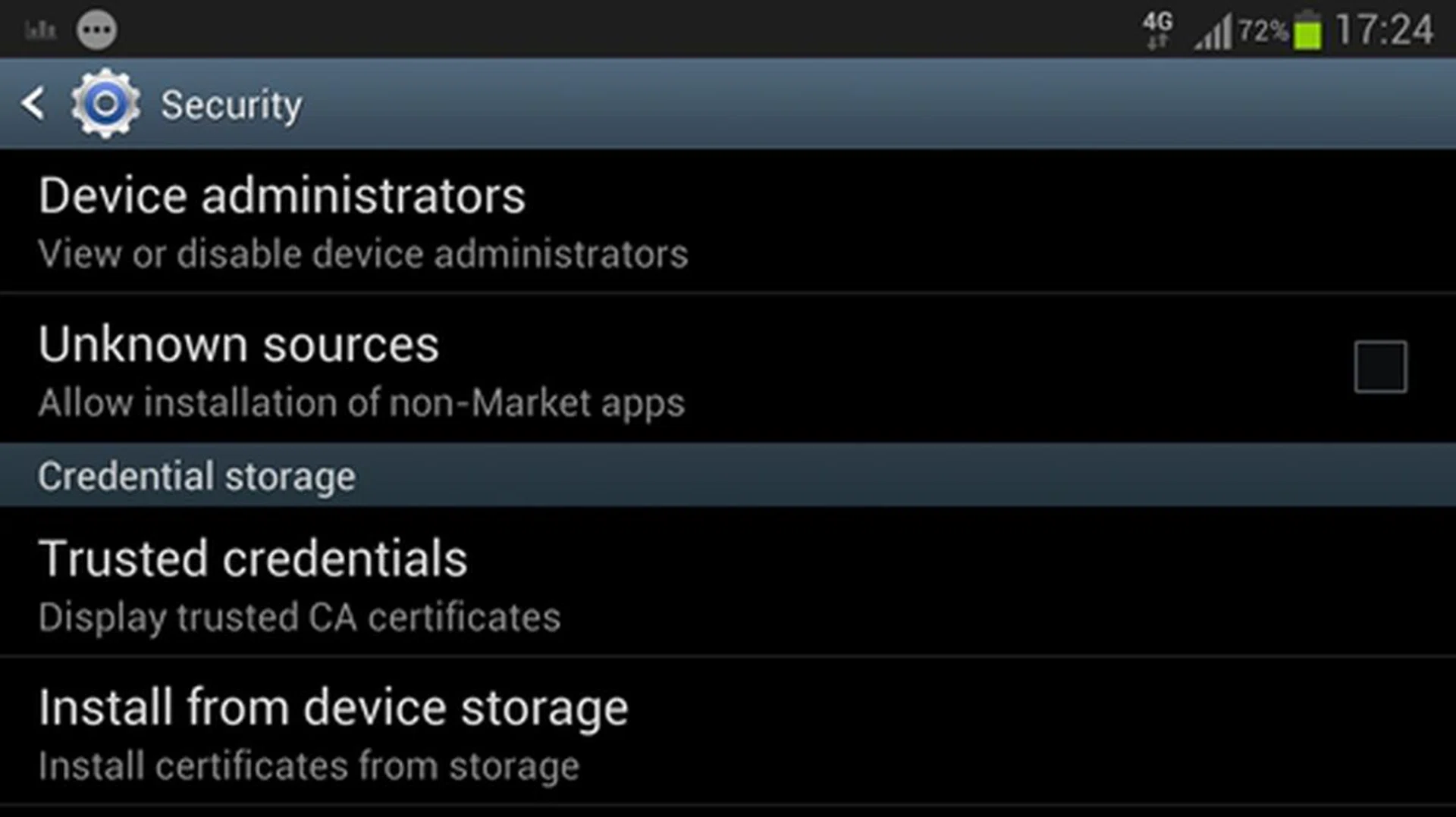
With just a little bit of work, you can install apps that might not be available in your region, onto your Android device.
Now here’s the danger - how do you know if that APK is free of malware? While many of us love to be an early adopter and try out the newest app in town, precautions need to be taken if the app is not downloaded from official sources such as the Google Play store. Apps from third party markets are one of the hotbeds for malware to hook onto seemingly legit apps.
One such malware, named RootSmart, does just that by being part of a seemingly legit app that’s available outside of Google Play. In doing so, the malware will call back to a remote server and download GingerBreak, granting users root access to Android 2.3 Gingerbread. Besides collecting information from the infected device, the real damage comes from having the device becoming part of a larger botnet, which lets the botnet owner command it to call or send messages to premium numbers that lines the malware developer’s pockets. Fortunately, this particular malware is specifically targeted at Android devices operating on Chinese wireless networks and is found nowhere within the official Android Market.
However, this doesn’t necessarily mean Android Market is a guaranteed safe haven as these examples will show. In December 2011, the Android Market was infiltrated by a malware by the name of RuFraud. Designated as a premium service abuser, this malware went under the guise of legitimate apps such as Angry Birds and tricks users into agreeing to SMS charges. While Google did react promptly to the threat by removing 27 apps that were found with the RuFraud malware, over 14,000 downloads were recorded.
Another incident included Trojan malware masquerading as popular game titles, Super Mario Bros. and GTA 3 - Moscow City, on Google Play. Since their appearances on Google Play on June 24 of this year, they have raked in 50,000 to 100,000 downloads by taking full advantage of its legitimate counterparts' popularity. To add on, spying apps advertised as legit 'monitoring' apps were also found available on Google Play despite rigorous scanning efforts on the tech giant's part.
Unfortunately there are countless examples, including a rare malware that targets primarily female Android users in Japan via email, but Trend Micro has broadly categorized malware under seven types:
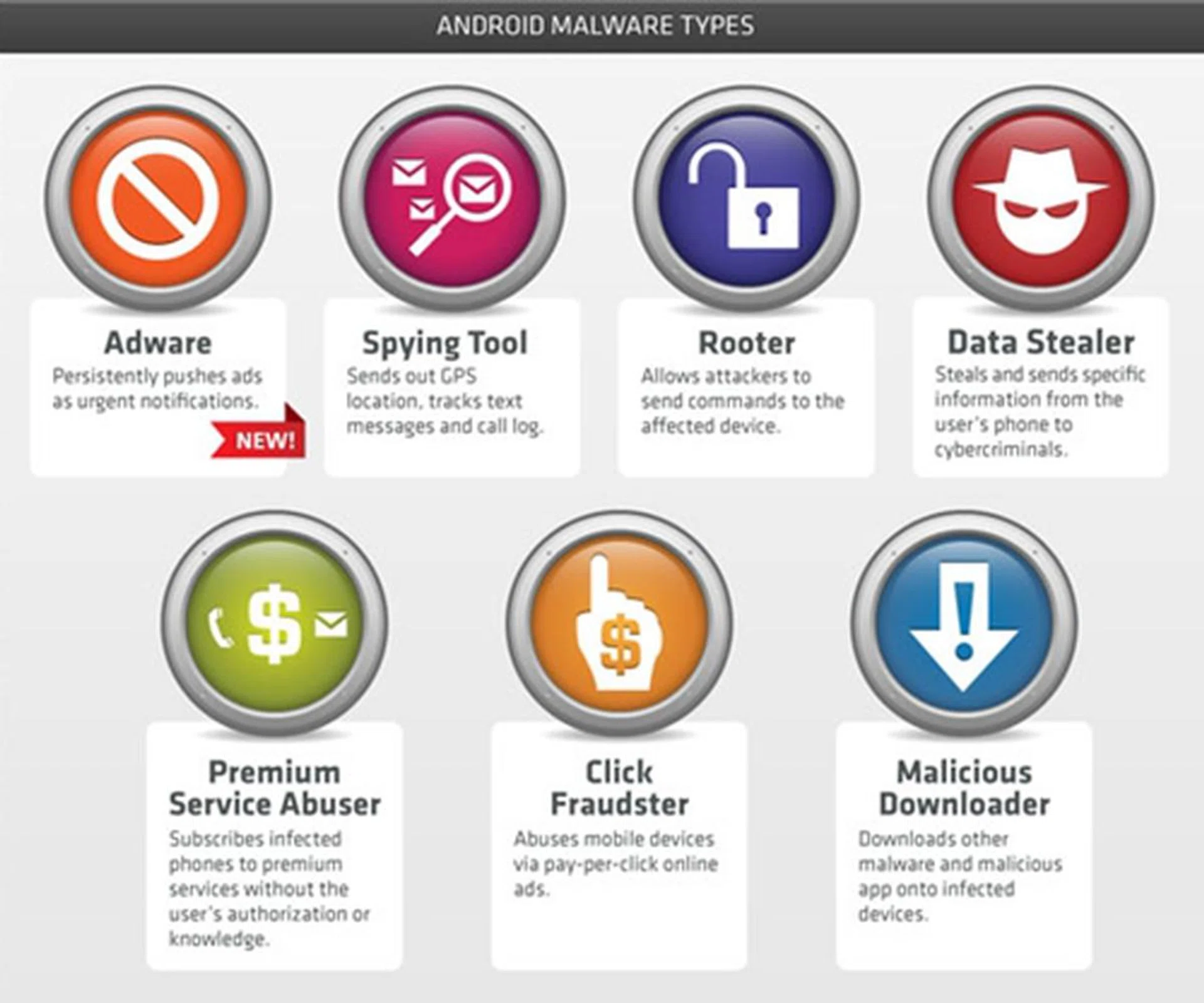
Malware apps are varied in the ways it infects and attacks your Android devices. As of now, there are seven distinct methods in which malware apps behave. (Source: Trend Micro)
But what is more worrying, is the wide range in which your Android smartphone can be attacked. Trend Micro has identified seven methods for malware developers to employ when they target your Android device:
- Adware - These are also known as advertising-supported software that automatically play or download advertisements to your mobile device after the app is installed or while it is being used.
- Spying tool - These specific malware will target your GPS data and report your location to the central server. We can think of some situations which will prove useful, though the use of it is questionable.
- Rooter - Arguably the most dangerous category, this particular malware will gain full control of the device. In doing so, the device is now part of a bigger botnet, which could be used to infect more devices.
- Data stealer - As its name implies, it collects data from your smartphone and sends it back to the server. This could potentially expose critical data such as your passwords, or have your address book given to other spambots to attack.
- Premium service abuser - A costly attack, that will force your Android device to call or send messages to premium numbers. Your phone bill will take a huge hit, and the money would have been collected by the malware developer even before you know it.
- Click fraudster - This forces your device to click on pay-per-click online ads. It is potentially dangerous should it force your device to click on malicious links.
- Malicious downloader - Think of this as the root of all your malicious apps' problem. Once infected, there’s no telling what other malicious apps will end up on your device, which could perform according to one of the seven categories as listed here.
Google’s Sheriffs Take Charge
With Google Play acting much like the wild wild west, Google has also taken steps to introduce measures to police its growing apps ecosystem. Preventive measures, such as having apps request for permission to access specific functions on your Android devices, have been around since the very beginning.
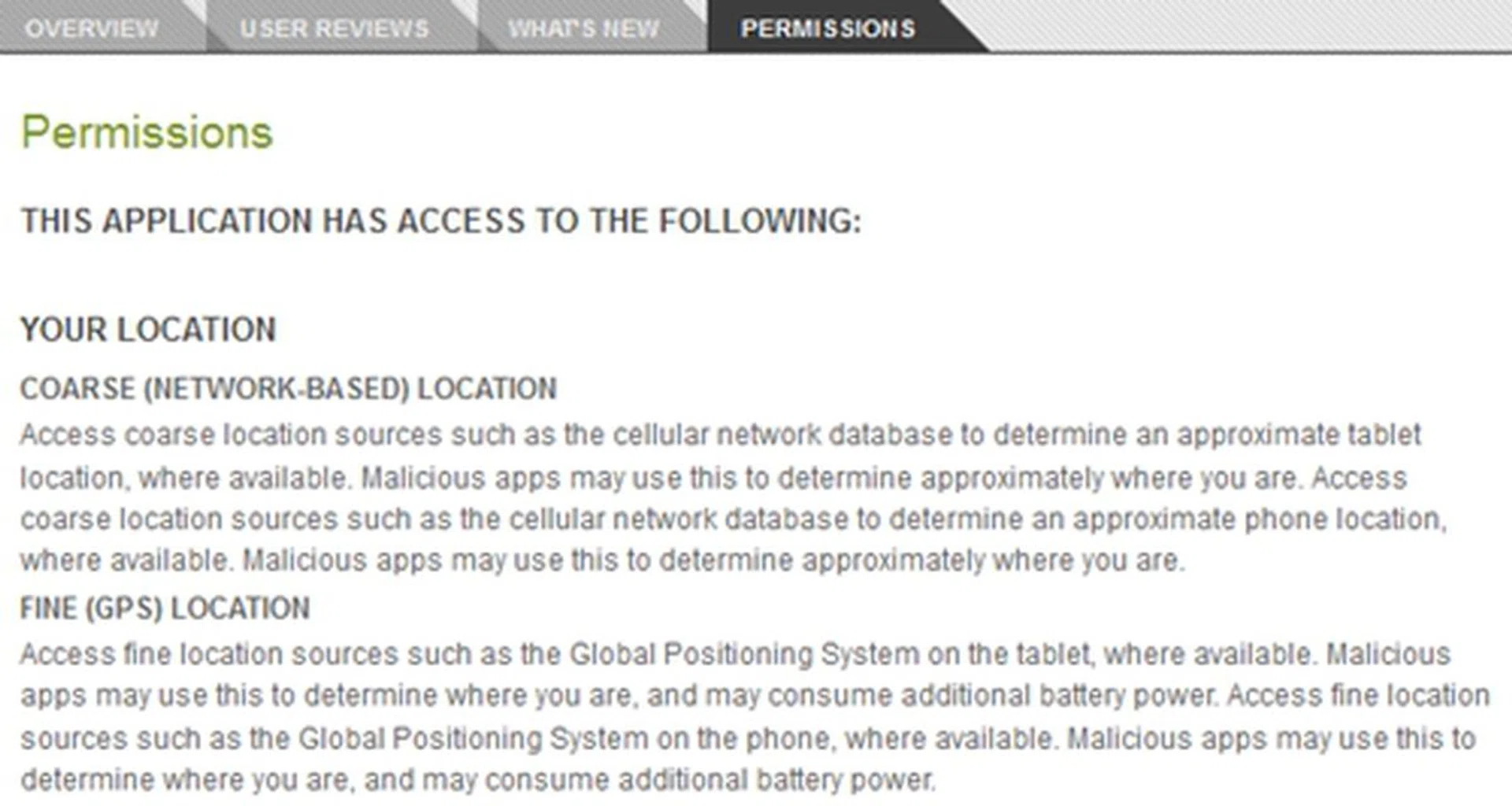
As a user, you have the final decision to install the app onto your device. Checking on the permissions (either on the device or web version of the Android Market) is one of the fail-safes to see the app's behavior on your device.
Meanwhile, Google has also taken reactive steps when malware apps are detected, both on Google Play and Android devices. Back in 2010, Google exercised the option to remotely remove malware apps that have been installed on Android devices, followed by a notification to the user that a malicious app has been removed. A drastic move, to say the least, but it’s an emergency fail-safe that proved to be useful for users who are unaware that they’ve installed a malicious app.
Google has also added another fail-safe for Google Play, a service codenamed Bouncer back in February this year. Bouncer, as its moniker implies, takes a look at the market and hunts for potentially malicious apps. This service doesn’t stop at the apps, as it also targets developer accounts, especially new ones, to prevent clone developer accounts from making its way back onto the Google Play.
Checking on the app with Bouncer is done through the following states: once the app is uploaded onto Google Play, it's scanned for known malware, spyware and trojans, on top of behaviors that could indicate an app going rogue with a quick comparison of previous apps that triggered red flags. Google claims that it simulates the app’s performance on an Android device, in the hopes of finding hidden and malicious behavior within the environment.
Be Aware
Besides Google’s efforts to keep malicious apps at bay, users are just as crucial in reporting these apps. But that is only the first step towards active prevention. So how should one protect their Android smartphone from malicious attacks? More often than not, it really boils down to user awareness. Here are some rules to live by if you wish to keep malicious apps out:
Rule 1 - Utilize smartphone's built-in security features
The most effective and oft-overlooked way to keep your device safe is to properly configure its location and security settings. For example, switching on the simple PIN or password lock screen option deters others from accessing your confidential data. To configure your smartphone’s location and security settings, go to Settings > Location & Security. It would be best to try and switch out your password/PIN configuration every 2-3 weeks as an extra precaution.
Rule 2 - Avoid using free, unsecured Wi-Fi access
Accessing an open network will open users to risks to their personal security. In fact, a recent travel tech consumer poll conducted by Norton in Singapore found that a vast majority access internet on their mobile devices and an extremely high percentage of them log in via unsecured networks. Worse still is the fact that nearly half the respondents did not think about security concerns at all:-
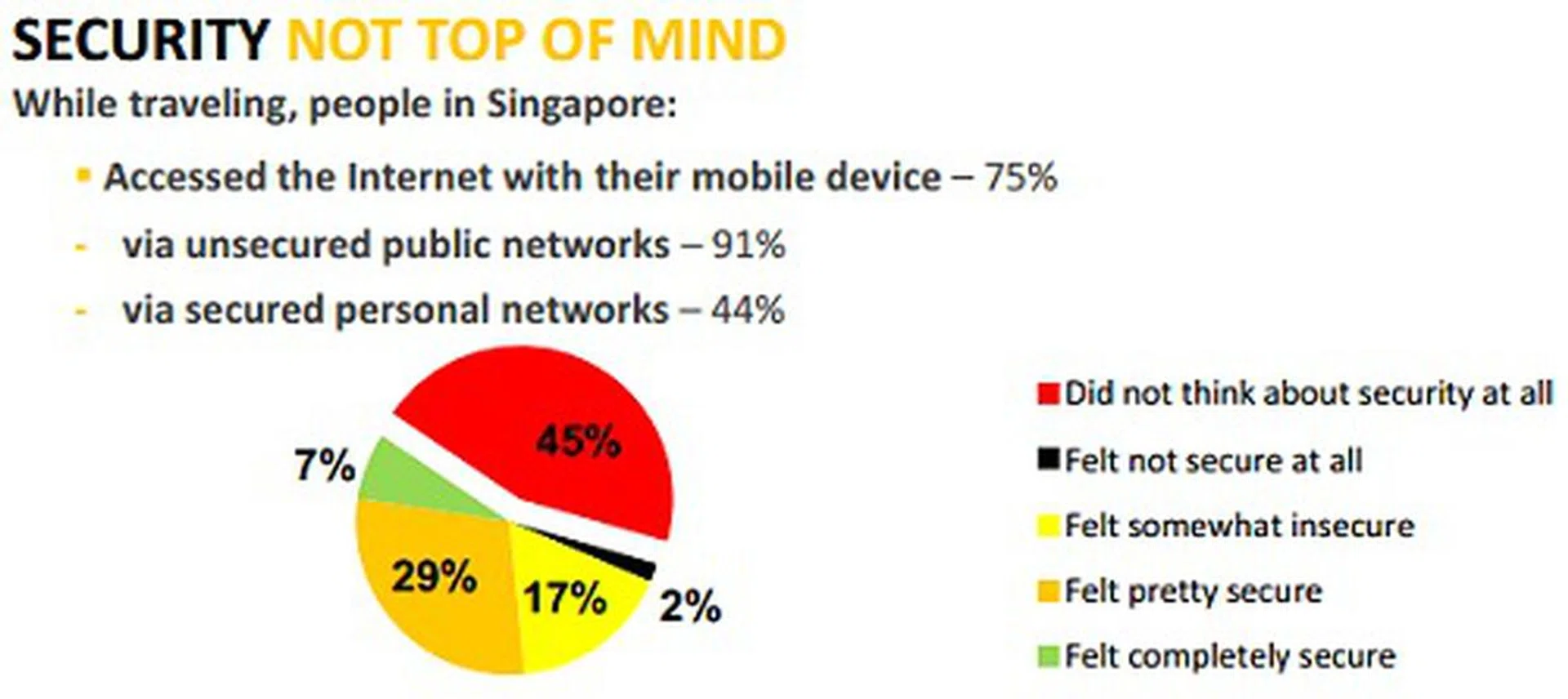
The percentage of local users who're not concerned of security is rather alarming. (Source: Norton - Traveling with Tech Consumer Poll)
As such, the same threats that laptop or desktop users face also apply to smartphone users when they habitually access insufficiently secured wireless networks. One way to keep these risks at bay is to turn off the automatic wireless connection option off.
Rule 3 - Install from trusted sources
When in doubt, always stick to Google’s Android Market. While there’s no 100% guarantee that every single app on the Android Market is malware-free, Google has taken extra steps to ensure the legitimacy of these apps, more so from the Bouncer service that scans new apps for potential malware.
Rule 4 - Check the legitimacy of apps
Apps might be disguised to look like a legit or even famous apps such as Angry Birds. But there are certain tell-tale signs of its legitimacy. Firstly, check the developer name. If it doesn’t match up with the app, that’s one alarm. Secondly, look at the number of downloads it has received. It’s highly suspicious if popular apps such as Cut the Rope doesn’t come with a high download number reported. If that’s the case, chances are it is a malicious app trying to pass off as a legit one. As such, it is highly important that you should closely scrutinize these apps before you download and install them. Check out user ratings and reviews as well.
Rule 5 - Understand permissions
Before you install each app, be it from Android Market, a third-party app market or even a side-loaded app, the app will request for permission to specific functions on your Android device. Be aware of the permissions the app is requesting - it is important to first consider how a particular app functions. For example, should a game request for permission to access and send SMS (of which is not necessary for its genre), that’s one warning you shouldn’t ignore.
Rule 6 - Install security apps
Here’s the undeniable fact: malicious apps are here to stay. While we can’t eradicate these apps completely, the next best option is to invest in security apps. We have a good list compared here (Kaspersky Mobile Security 9, McAfee Mobile Security, Norton Mobile Security, Trend Micro Mobile Security Personal Edition for Android, avast! Free Mobile Security), so be sure to check them out. Fortunately, there's a good mixture of paid and free security apps for you to choose from the app store.
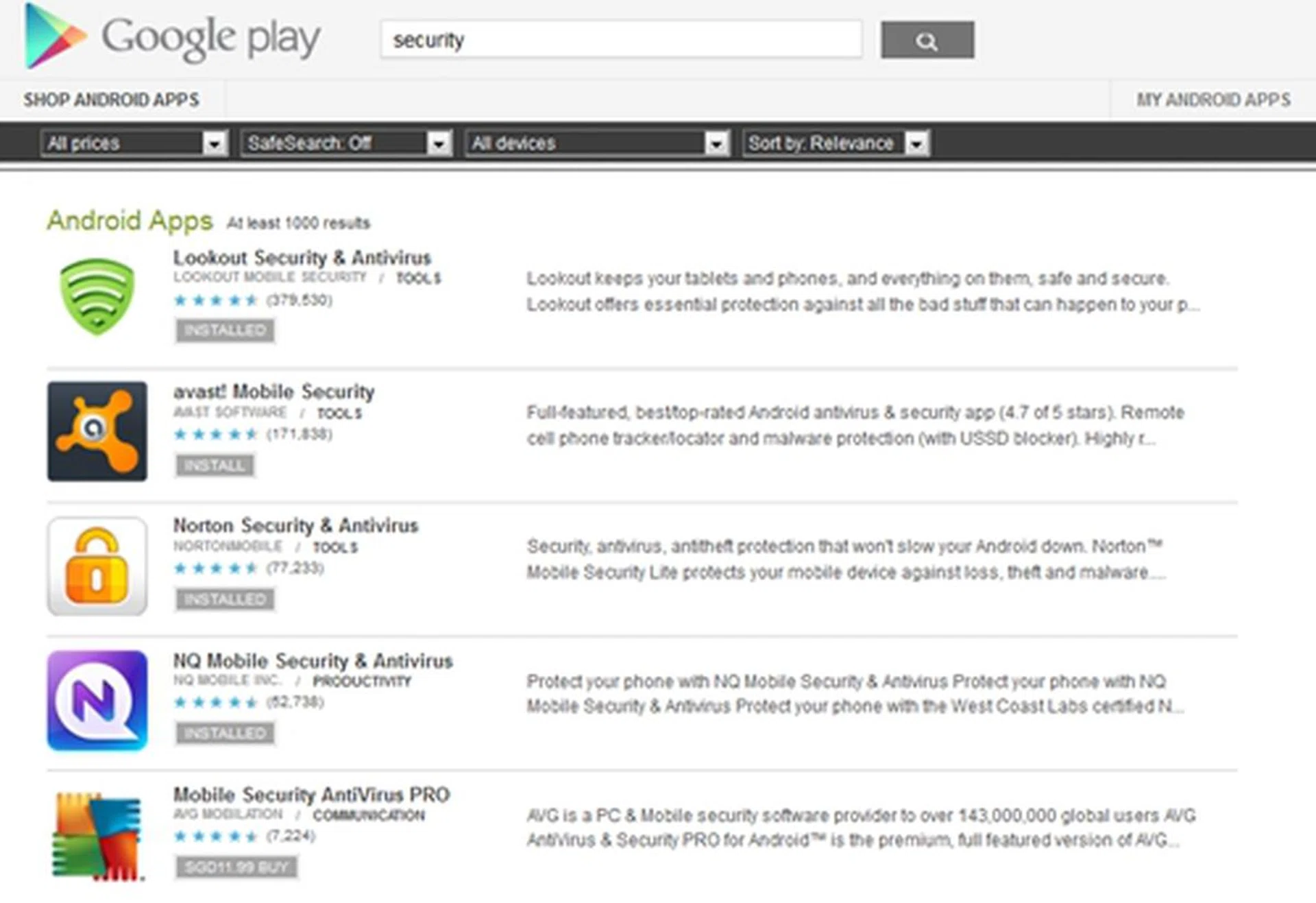
Your next best option, is to download a security app to fend off malware attacks.
Walking into the Android Sunset
Google’s actions have by far been aligned with its original intent - to provide both developers and consumers with unhindered access to Google Play. Their added security layer, which acts as a deterrent and reactive measure to detect, remove and block malicious apps, is meant to keep things in check, without affecting the ease in which apps can be uploaded or accessed.
Google Android is by far one of the most open platforms for developers to explore and connect with their targeted audience. Yet, it is also one of the most dangerous ecosystem, even with Google taking steps to ensure its security against malware apps. While the onus is upon Google to create a safe environment for its users, it’s not a one-way street. Responsible and prudent usage of your device, and employment of accompanying apps, are necessary to truly enjoy the freedom of the wild wild Android world out there.
Our articles may contain affiliate links. If you buy through these links, we may earn a small commission.