
Oppo Find 7 & 7A - Same Same, But Different
The Oppo Find 7 and 7A are hard to tell apart from their looks as their differences are all under the hood. Do the differences in display resolution, processor, RAM, battery capacity and weight justify the need to spend an extra S$120 on the Find 7? We find out in this shootout!
Overview
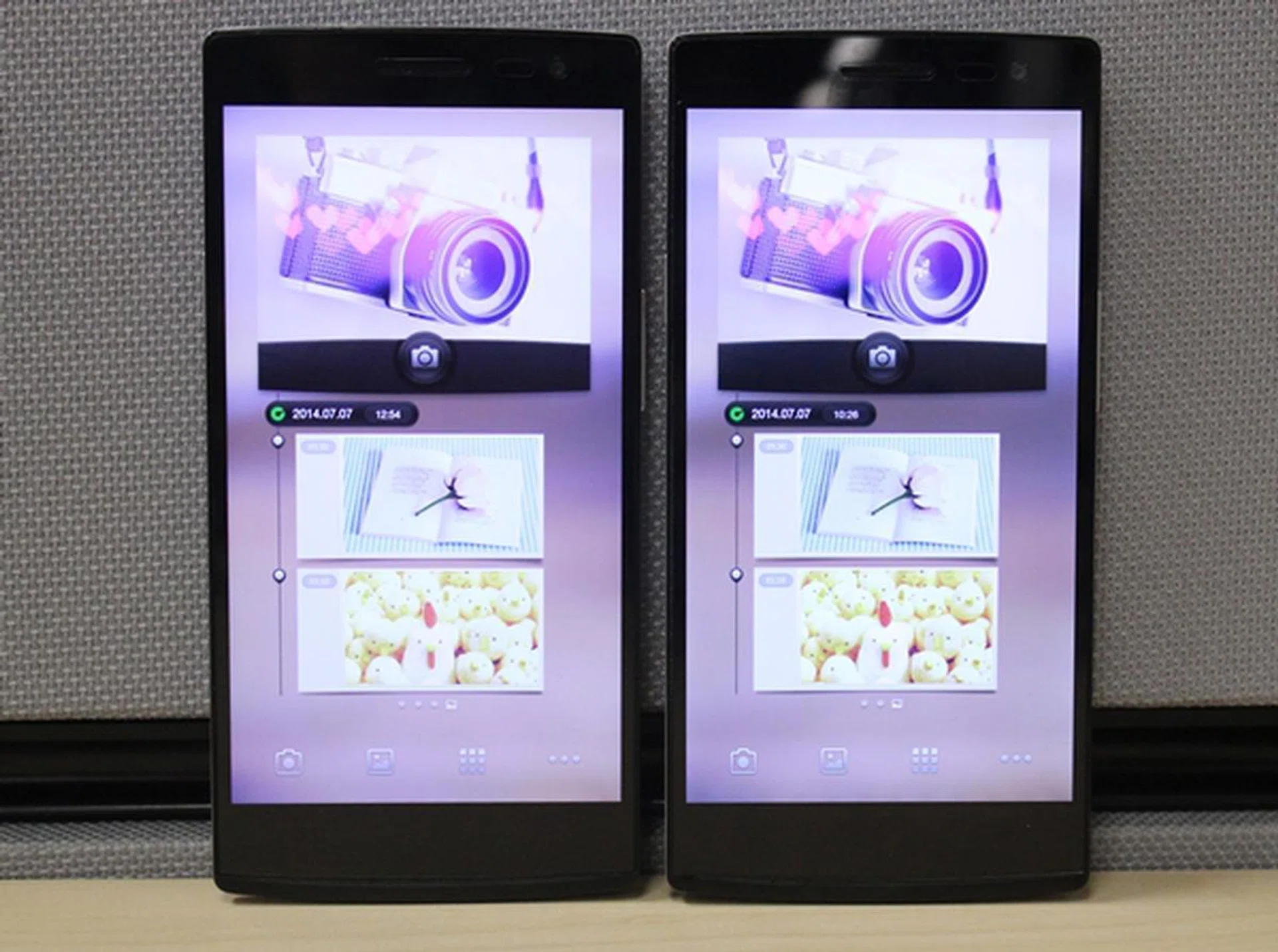
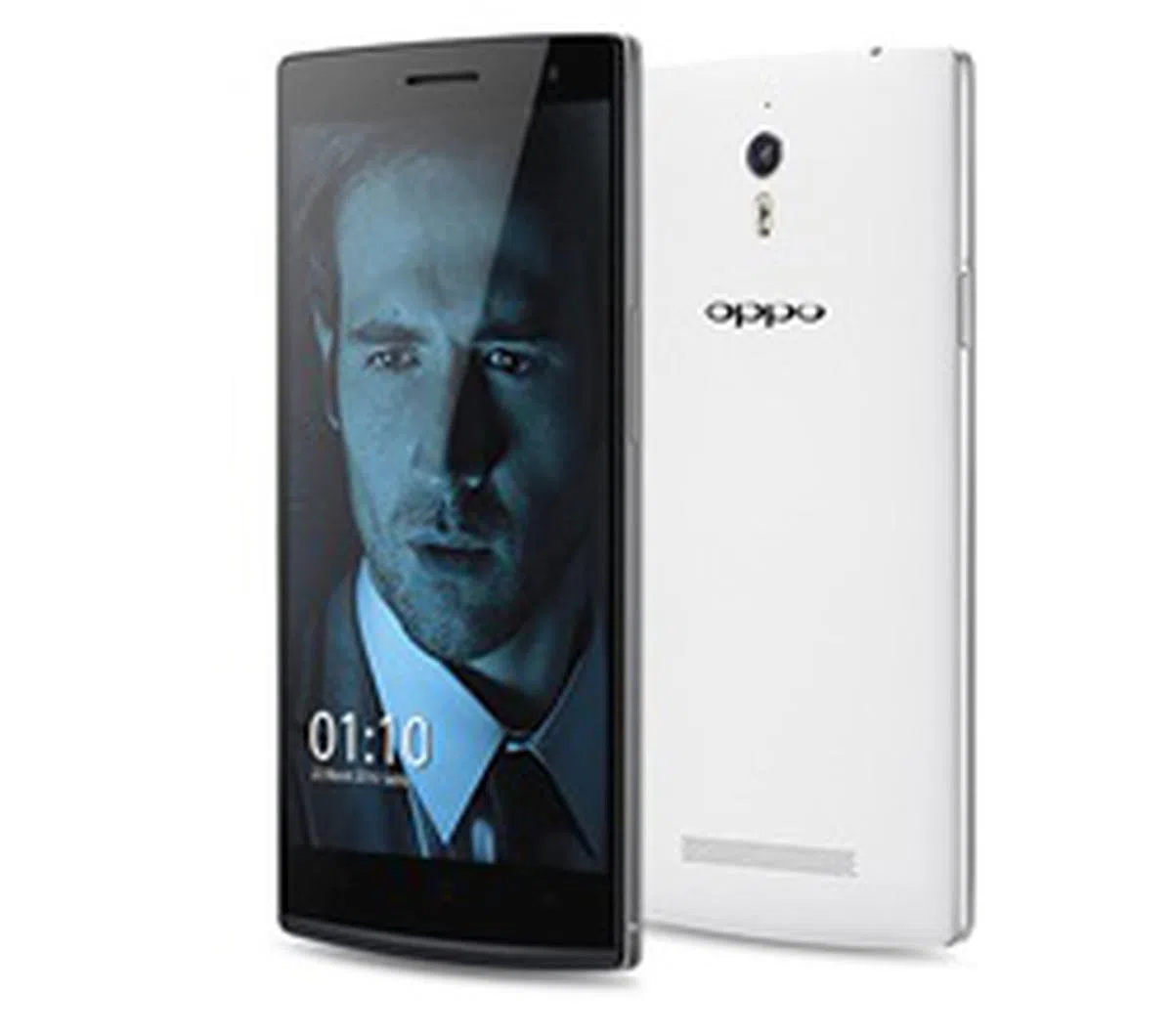
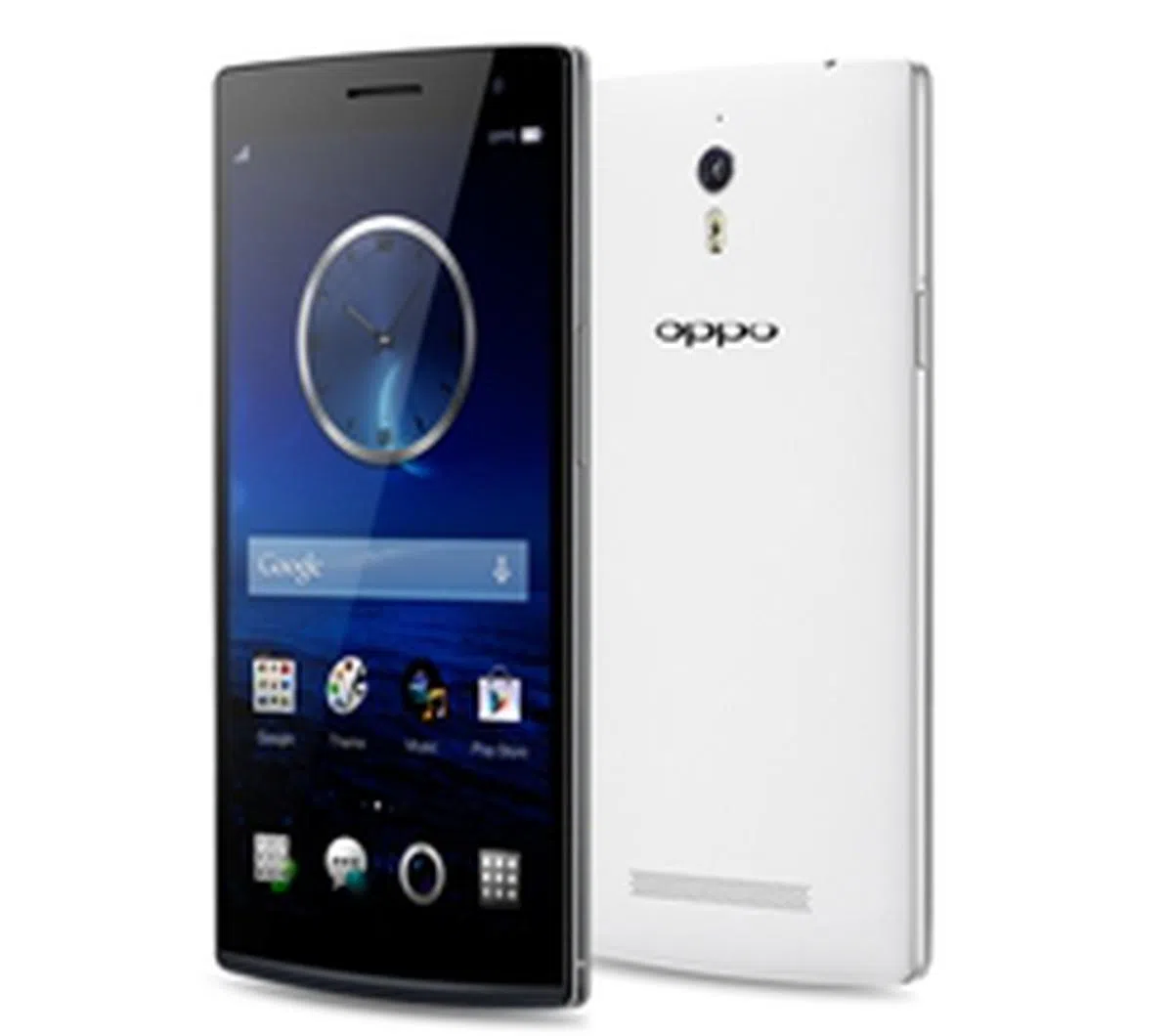
The Oppo Find 7 series consists of the Find 7 and Find 7A. Can you tell which is which in this photo?
While Xiaomi is making waves with its super affordable smartphones, Oppo is establishing its presence as one of the top Android makers in the industry with its innovative software and technologies.
We've seen the N1 - the world's first smartphone with a rotating 13-megapixel camera - earlier this year and Oppo is back with not one, but two flagship smartphones to take on the big boys like the HTC One (M8), LG G3, Samsung Galaxy S5 and Sony Xperia Z2. The two high-end phones that Oppo launched are the Find 7 and 7A, which were announced in March to much fanfare.
Oppo launched the 7A in Singapore two months ago while the Find 7 made it to retail shelves recently. In fact, Oppo held a flash sales for the Find 7 on June 24 which saw more than 1,100 units sold in 7 hours. Why the hype over the Find 7?
The mobile industry is steadily shifting towards the use of 2K or Quad HD mobile displays on flagship devices and the Find 7 is the second phone to come with one. Its counterpart, the 7A is equipped with a 1080p panel which is still impressive by today's standards. There are also other differences in hardware between the two phones such as the RAM, storage capacity, processor and battery capacity. With two similar looking phones, which one will suit you best? Well, let's find out in this shootout. Here's a quick overview of their specs:
Design and Features
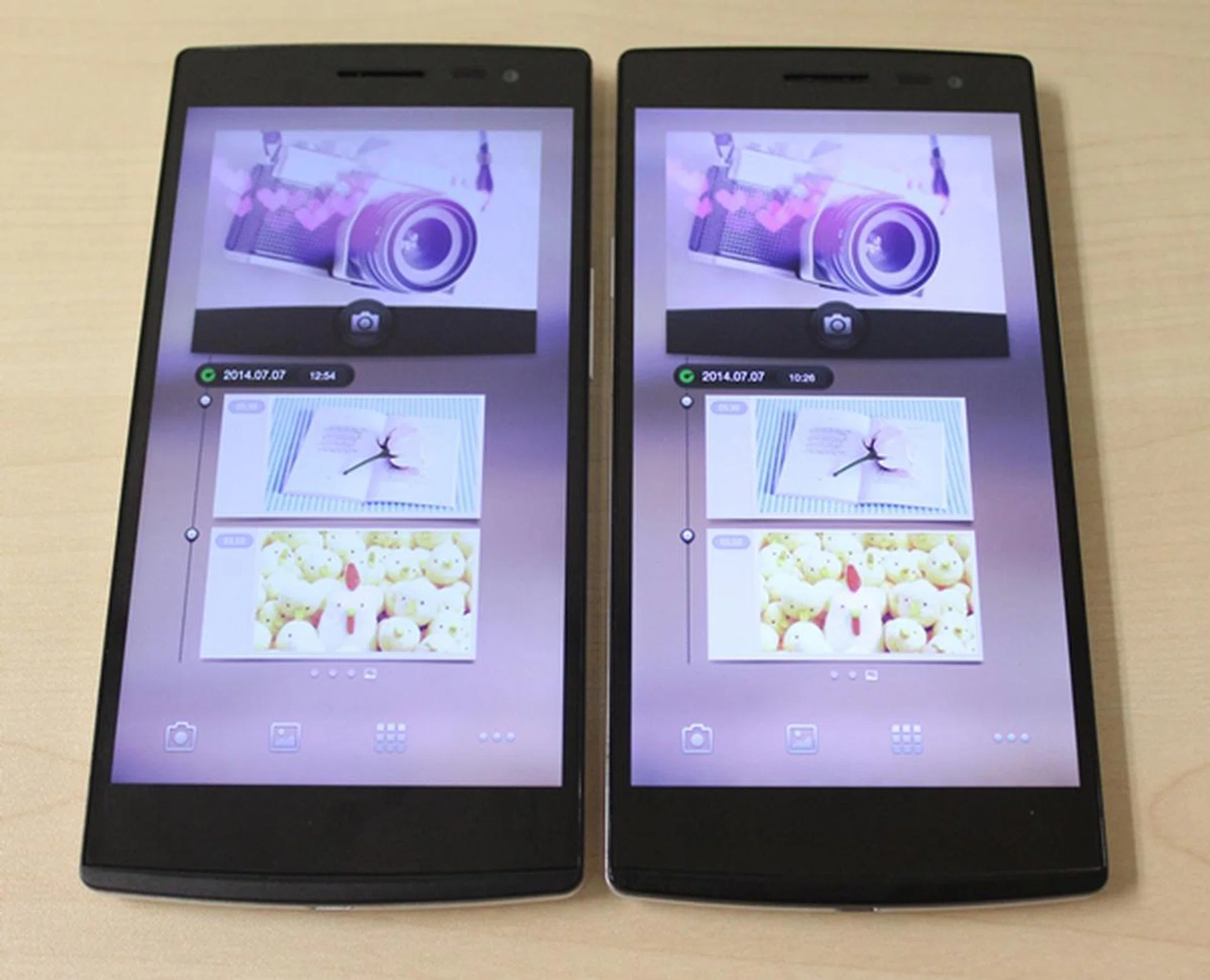
Oppo adopts a similar look for its Find 7 series.
We are not playing a prank on you by showing you two similar-looking phones in the photo above. Both the Find 7 and Find 7A look exactly the same whether you are viewing it from the front or the back. The only way you can differentiate between the two models besides turning on the display (even that method is debatable as we'll detail later) is to look at the minuscule inset near the bottom on the right side. The Find 7 has a gold inset while the 7A sports a silver inset.
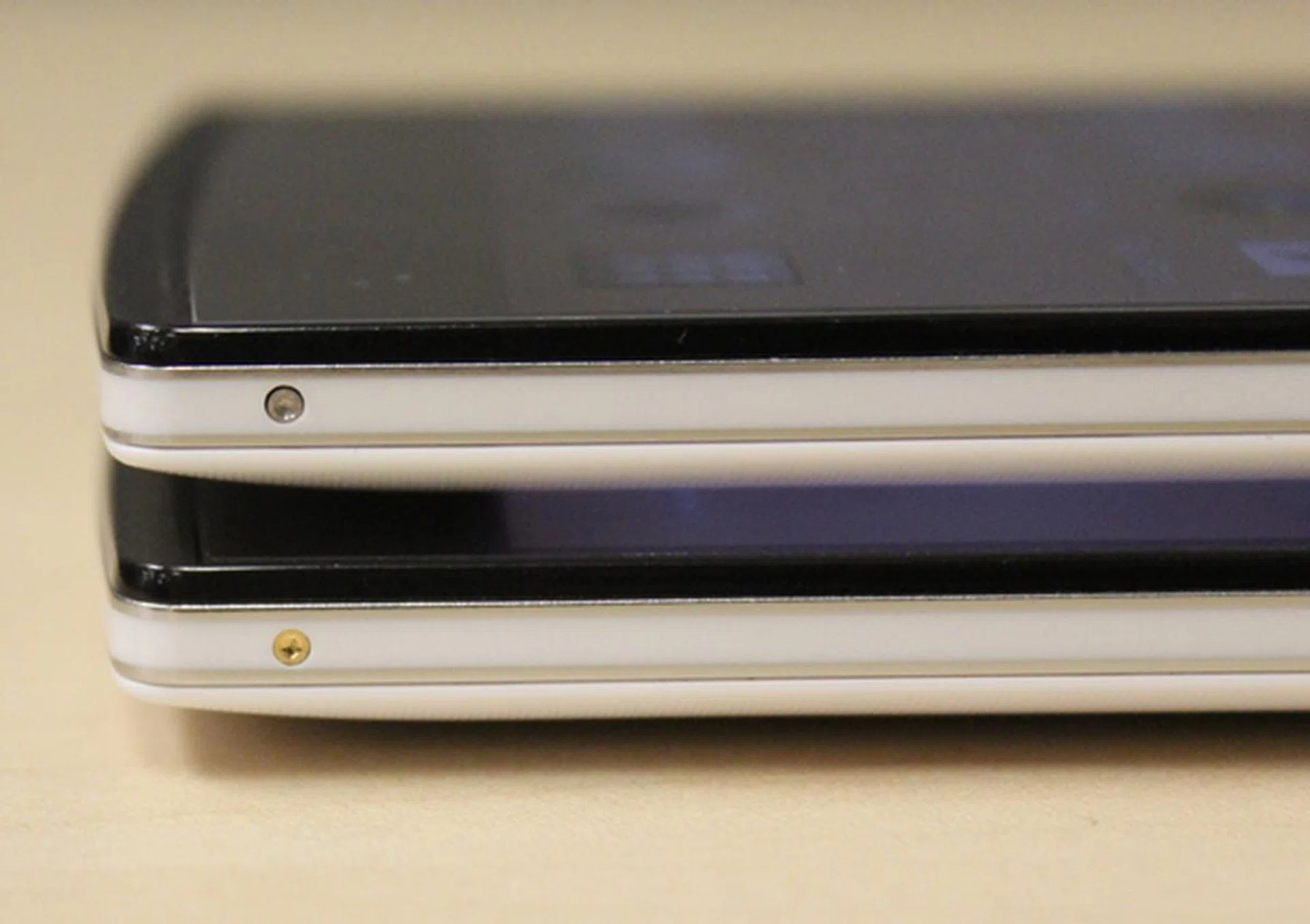
The silver inset (top) is the Oppo Find 7A while the gold inset (bottom) is the Oppo Find 7.
In case you are wondering of the purpose of the colored insets, you need to use a pin or needle to push through the inset to release the rear cover of the device. This action however only dislodges part of the back cover; like a flap in a page of a book, the user can then 'peel' off the cover. Once the cover is removed, this will give you access to the removable battery, microSD memory card and micro-SIM card slots. Users who change SIM cards often, especially those who travel overseas for business trips, will find the whole process tedious and unnecessary. We honestly think Oppo could have avoided this inconvenience in the first place by designing a slit somewhere along the side of the back cover for easier removal.
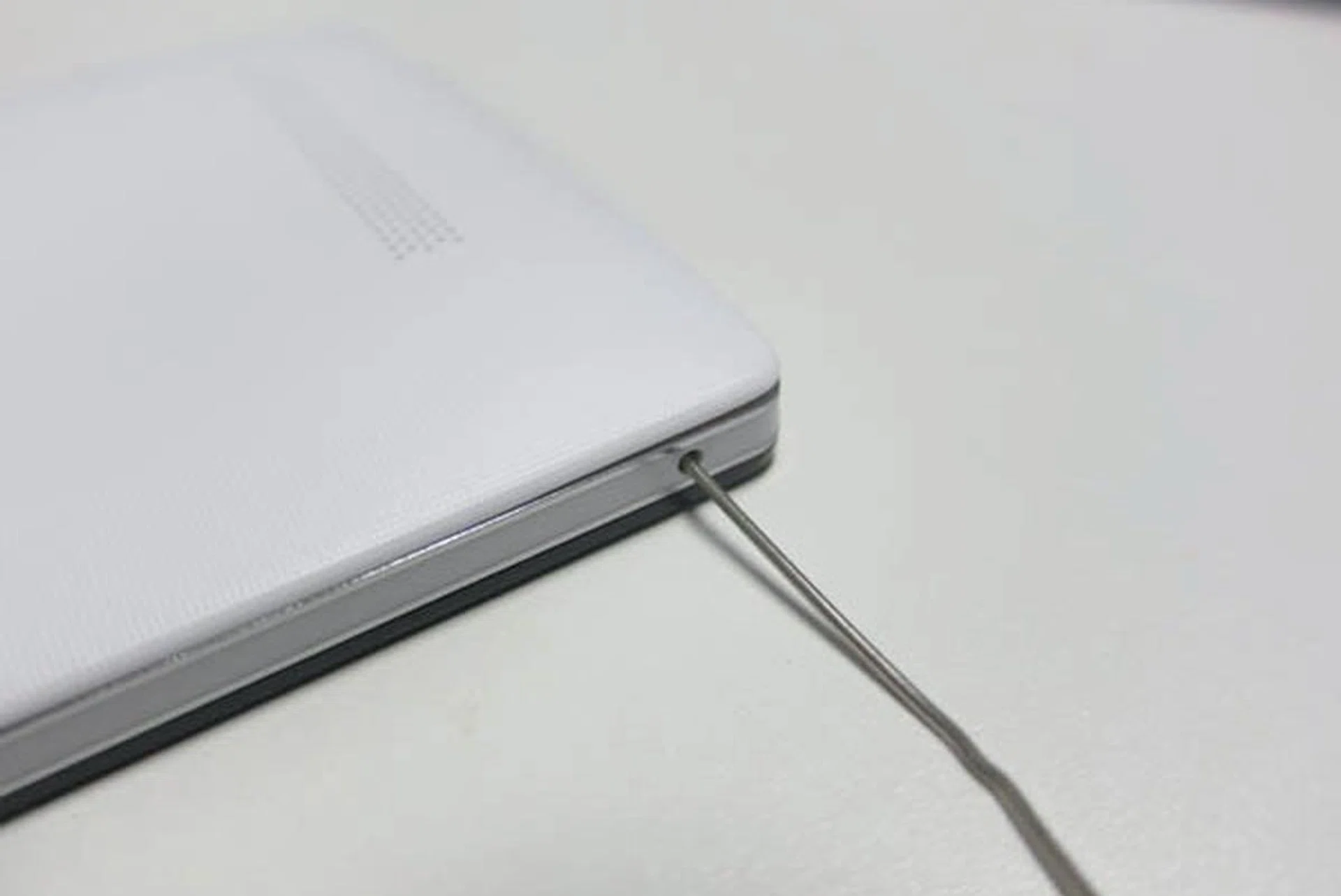
Using a pin to dislodge the back cover - very cumbersome.
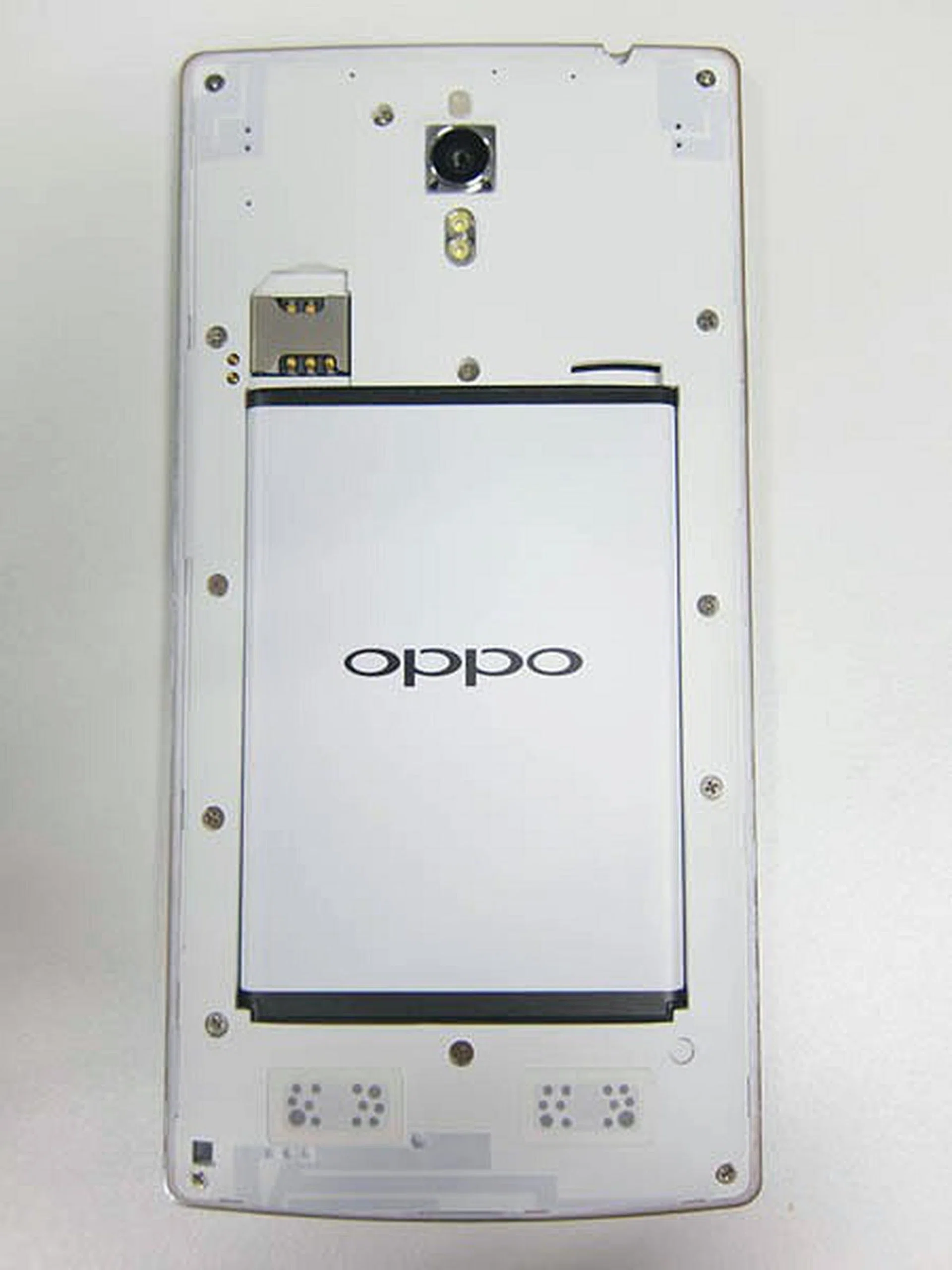
The innards of the Oppo Find 7 phones - you now get access to the removable battery, microSD memory card and micro-SIM card slots.
With the back uncovered, you'll note that the 2800mAh battery is removable in nature, a plus point over the Oppo N1, its previous generation flagship. One caveat: in order to change swap/remove the microSD card, the battery must firstly be removed. This implies a mandatory shutdown of the phone is required. A minor inconvenience, either due to lack of thought, or a deliberate design decision to prevent users from suddenly dismounting their SD card while the phone is still in use.
Now that we've done exploring the interior of the phone, let's get back to the other external design aspects of the Find 7 series.
The rear covers on both models are made of textured plastic which should help you get a better grip of the device. Our review unit came in white, and we reckon that more people would prefer it over the black model. However, we have to throw in a word of caution on the white model; the rear cover may be fond of collecting dust and dirt over a period of usage and if you want to maintain its pristine look, getting a case for the phone is recommended.
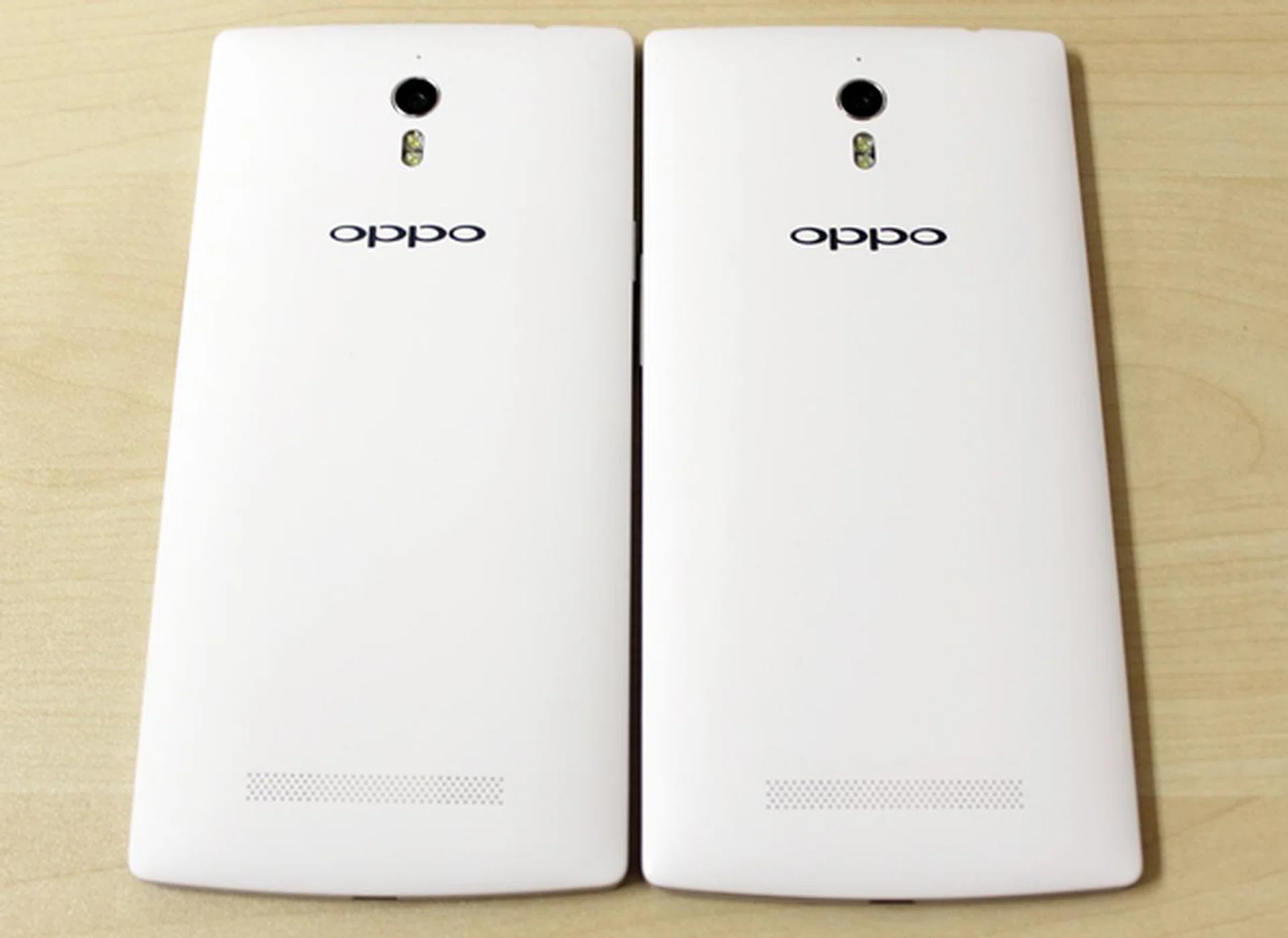
The Oppo Find 7 series look very dashing in white, but it may get dirtied easily.
Moving on to the front panel, you will see three capacitive buttons - Menu, Home, and Back - at the bottom of the display. When touched, the buttons light up before fading off. You can preset the buttons to stay lit for 6 seconds, always on or always off via Settings > Display > Key Lights. Unlike the Xiaomi Redmi Note, you do not have much options to decide how long the backlight remains on. We also find the blue backlight to be a little faint, a deliberate choice that Oppo claims to "fit the zeitgeist of design for the Find 7". Whatever design philosophy Oppo has for the Find 7 series, we think the dim lighting makes it hard for the user to access the buttons under strong lighting conditions.
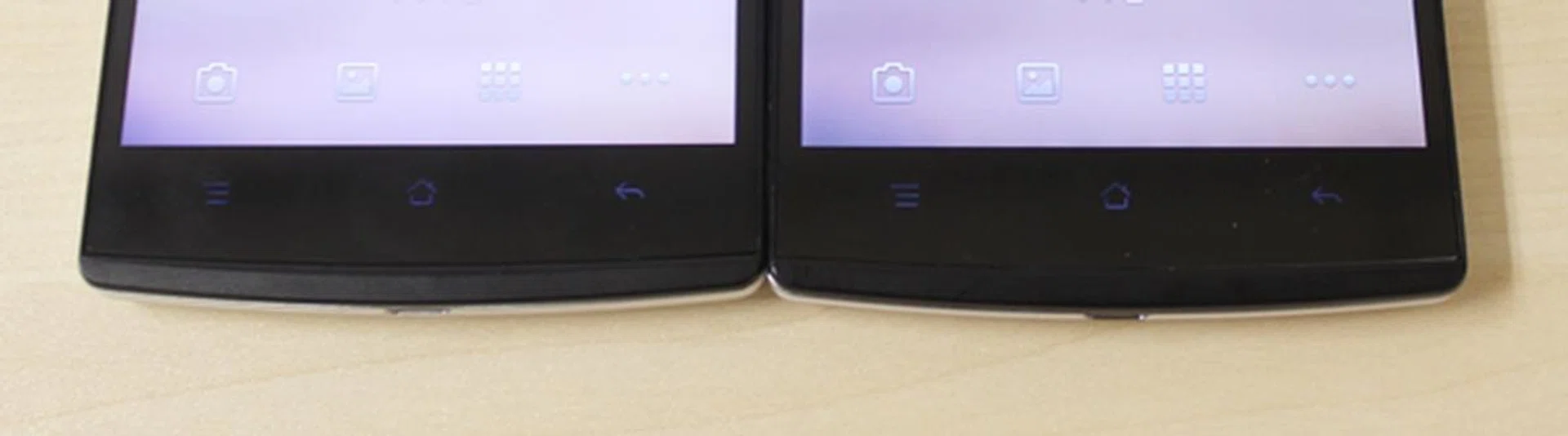
Don't you think the backlight is a bit dim?
Below the touch buttons is a strip of notification LED that Oppo dubs Skyline Breathing Light. Describing it as "a pulsating light in the darkness like a beam from the universe", we actually find it to be a nice visual effect. It also works better as a notification LED compared to the smaller, circular ones found on other smartphones which can be easily overlooked at times. In the Menu settings, the Skyline Breathing Light is known as "Easy Light". You can customize it to light up whenever there are notifications, when the battery is low and when you are charging the phone.
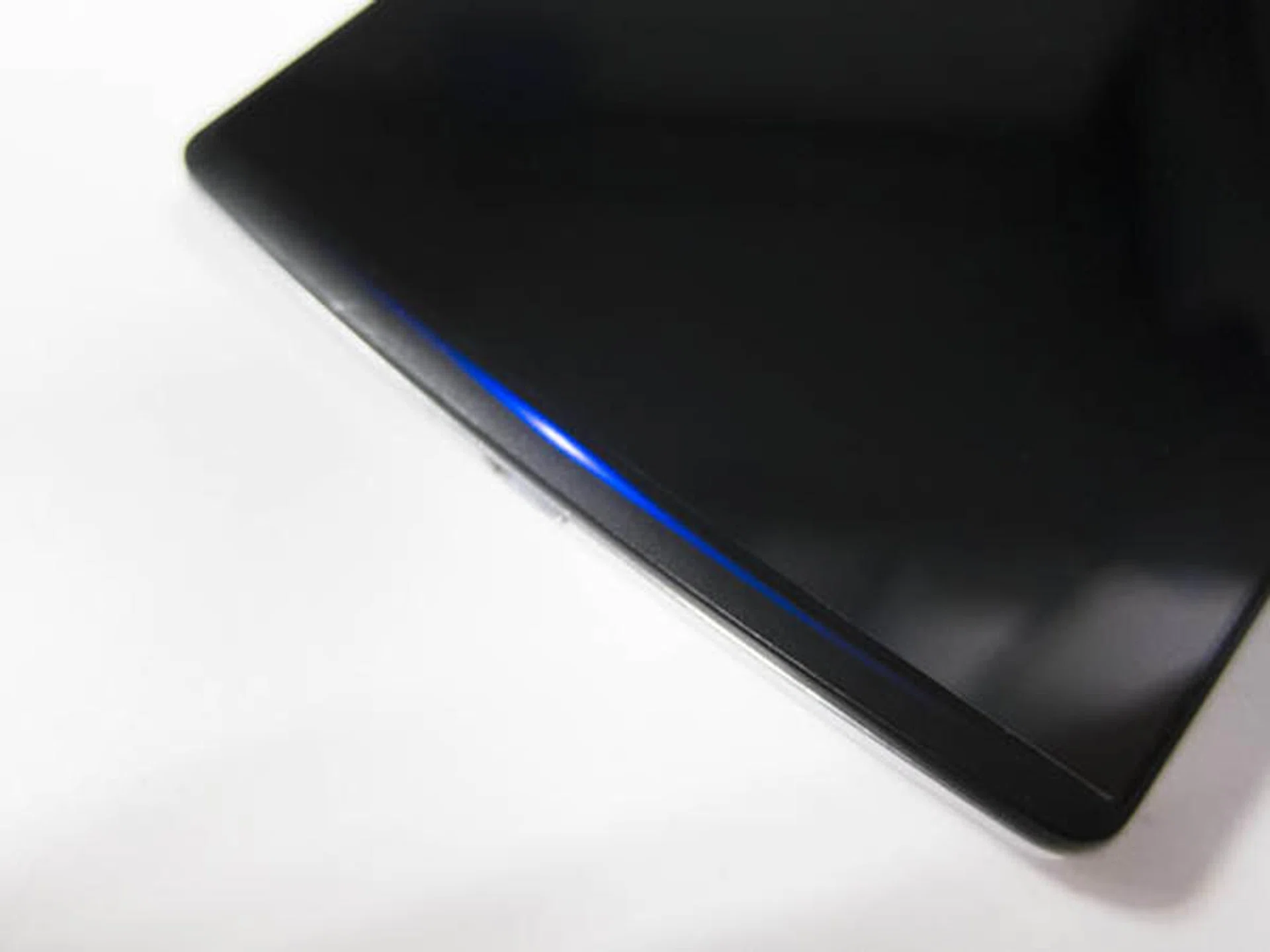
It is easier to spot notifications with the Skyline Breathing Light than a circular notification LED.
Oppo has an unconventional practice of placing the power button on the left side away from the volume rocker. Most Android smartphones generally have their power button and volume controls housed on the same side to facilitate easy access. The only non-Oppo phone in recent memory to break away from this standard is the HTC Desire 816, which has the power and volume buttons all situated on the top left side of the device. As mentioned in our review of the R1, this isn't a deal breaker and just requires some time for the user to adapt to it.
Handling
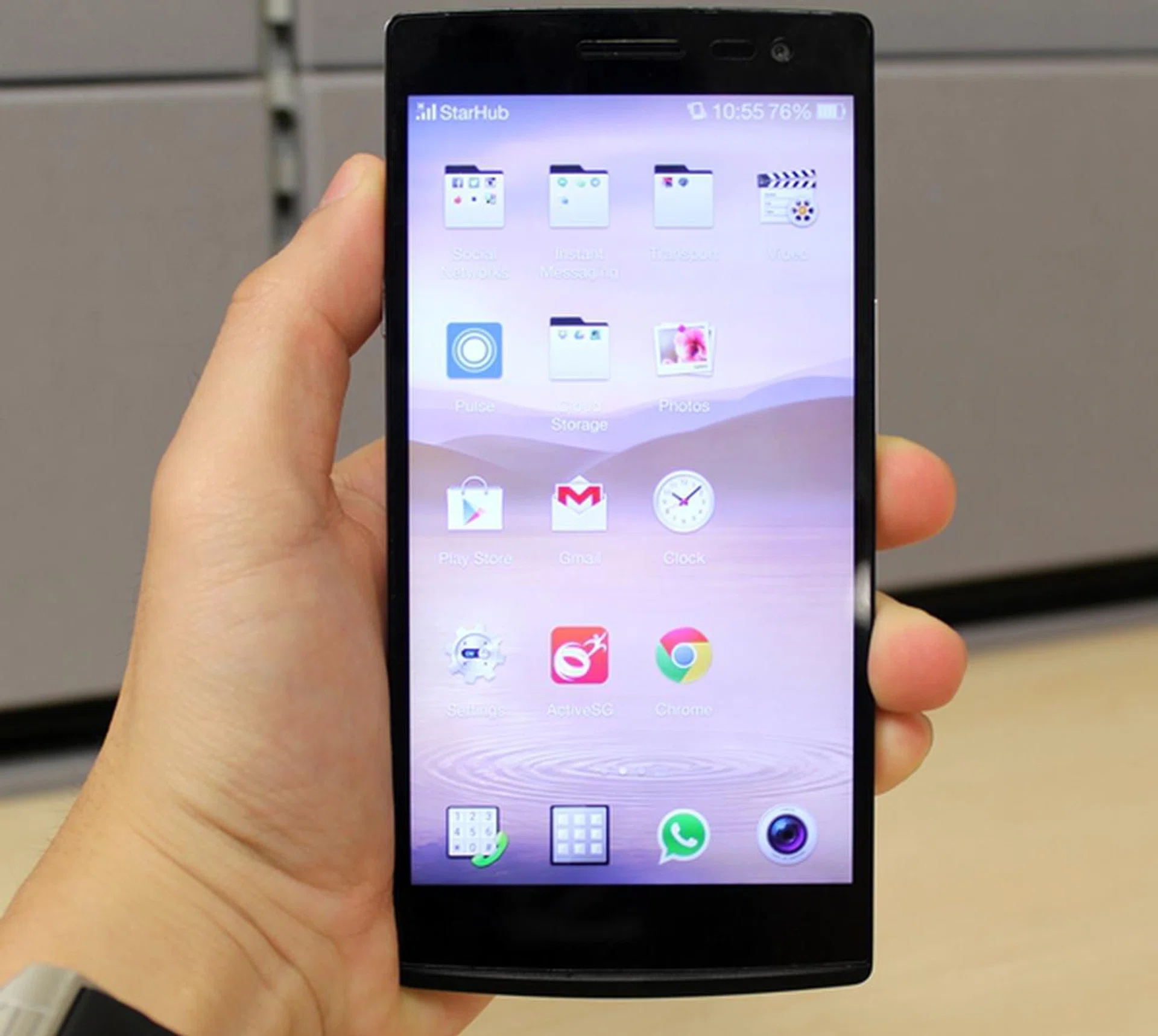
Handling the 5.5-inch Find 7 series can be tricky especially if you have smaller hands.
With a 5.5-inch display, the Find 7 series is stepping into the phablet territory. Compared to other phones of its class, the Find 7 series is not the tallest, widest or heaviest. Therefore, the handling aspect of the phone shouldn't be a concern although left-handed users may have to stretch their finger across to reach for the Back button. Below, we've compared the dimensions of several 5.5-inch phones:
5.5-Inch Phones Compared
HTC Desire 816 | Huawei Honor 3X | LG G3 | LG Optimus G Pro | Lenovo K900 | Oppo Find 7/7A | Samsung Galaxy Note II | Xiaomi Redmi Note | |
Height (mm) | 156.6 | 149.5 | 146.3 | 150.2 | 157 | 152.6 | 151 | 154 |
Width (mm) | 78.7 | 77.4 | 74.6 | 76.1 | 78 | 75 | 80.5 | 78.7 |
Thickness (mm) | 7.99 | 8.9 | 8.9 | 9.4 | 6.9 | 9.2 | 9.4 | 9.5 |
Weight
(g) | 165 | 161 | 149 | 172 | 162 | 173 / 170 | 180 | 199 |
The Find 7 is slightly heavier than the 7A due to the bigger battery capacity (3,000mAh vs. 2,800mAh). Nonetheless, the 3g difference in weight is negligible in our daily usage experience.
Two Choices of Display
Both the Find 7 and Find 7A are equipped with 5.5-inch IPS display panels with the former having QHD (2,560 x 1,440 pixels) resolution and the latter sporting a Full-HD resolution (1,920 x 1,080 pixels). Should the differences in screen resolution matter to a consumer deciding between the two phones? Our answer is no.
We conducted a blind test on several colleagues where we asked them to identify which phone has a better display by letting them compare the app icons on the home screen panels. In all of the trials, the display on the Find 7A was voted the best among the two models. This outcome has two implications. First, the consumer on the street is unlikely to tell the difference between a QHD and FHD display. Second, the Find 7A appears to have a better display. Why?
Upon further scrutiny, we realized the fonts on the Find 7A are slightly thicker compared to that of the Find 7. We loaded a white background on both phones and also realized that the Find 7 has a slightly yellowish tint compared to the Find 7A. This issue has been reported by users in China and acknowledged by Oppo, who claimed that the issue has already been resolved in a software update. At press time, the Find 7 is running on the latest software version X9076_12_14-625 with ColorOS V1.2.2i.
Another issue we had with the display of the Find 7 is its sunlight legibility. At full brightness, the screen is barely readable outdoors on a cloudy day. We can't imagine how readable the screen would be on a sunny day with clear skies. It was the same outcome on the Find 7A phone too. Putting these issues aside, both displays are splendid with great viewing angles and good color contrast under regular sheltered viewing condition.
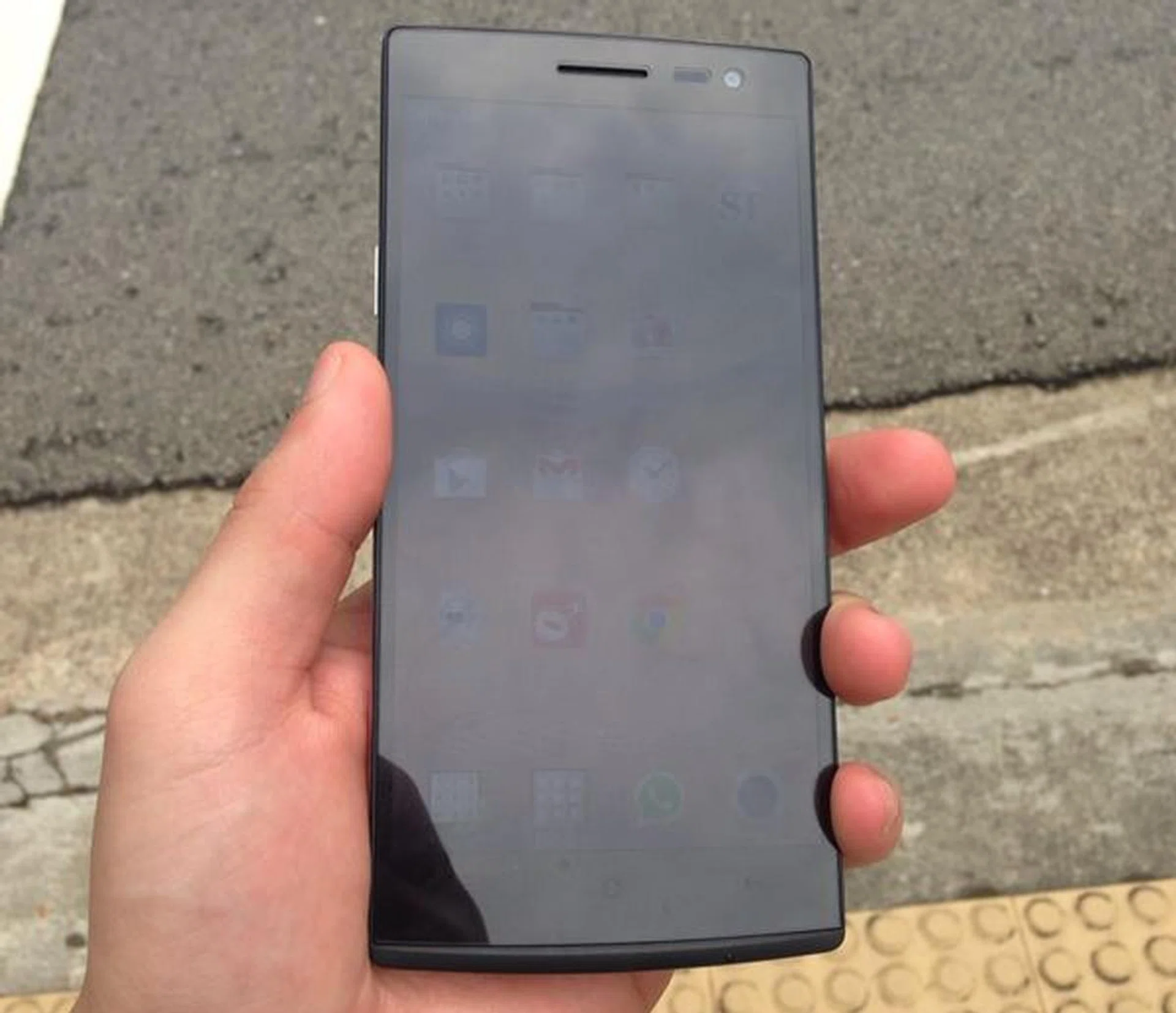
The sunlight legibility is bad on the Oppo Find 7. This was taken at about 11.30AM on a cloudy day.
Internal Storage Capacity
The Find 7 comes with 32GB internal storage capacity which is half of what the Find 7A has. As you should know by now, the actual usage space is lesser than what is stated. Upon doing a factory reset, installing all the updates for the preloaded apps and downloading the latest firmware updates for both phones, we discovered that the mobile OS occupied different storage space on the two models.
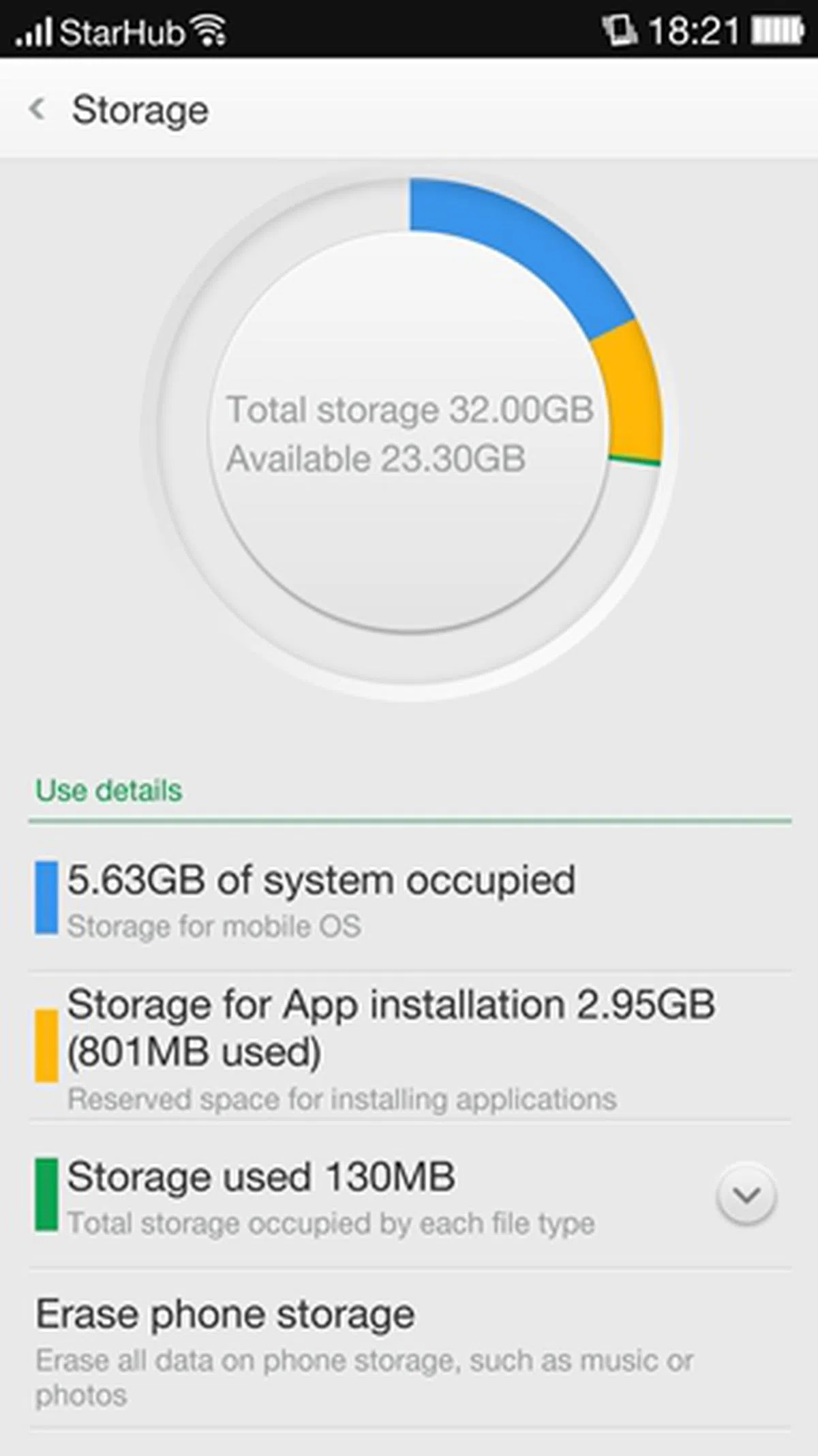 | 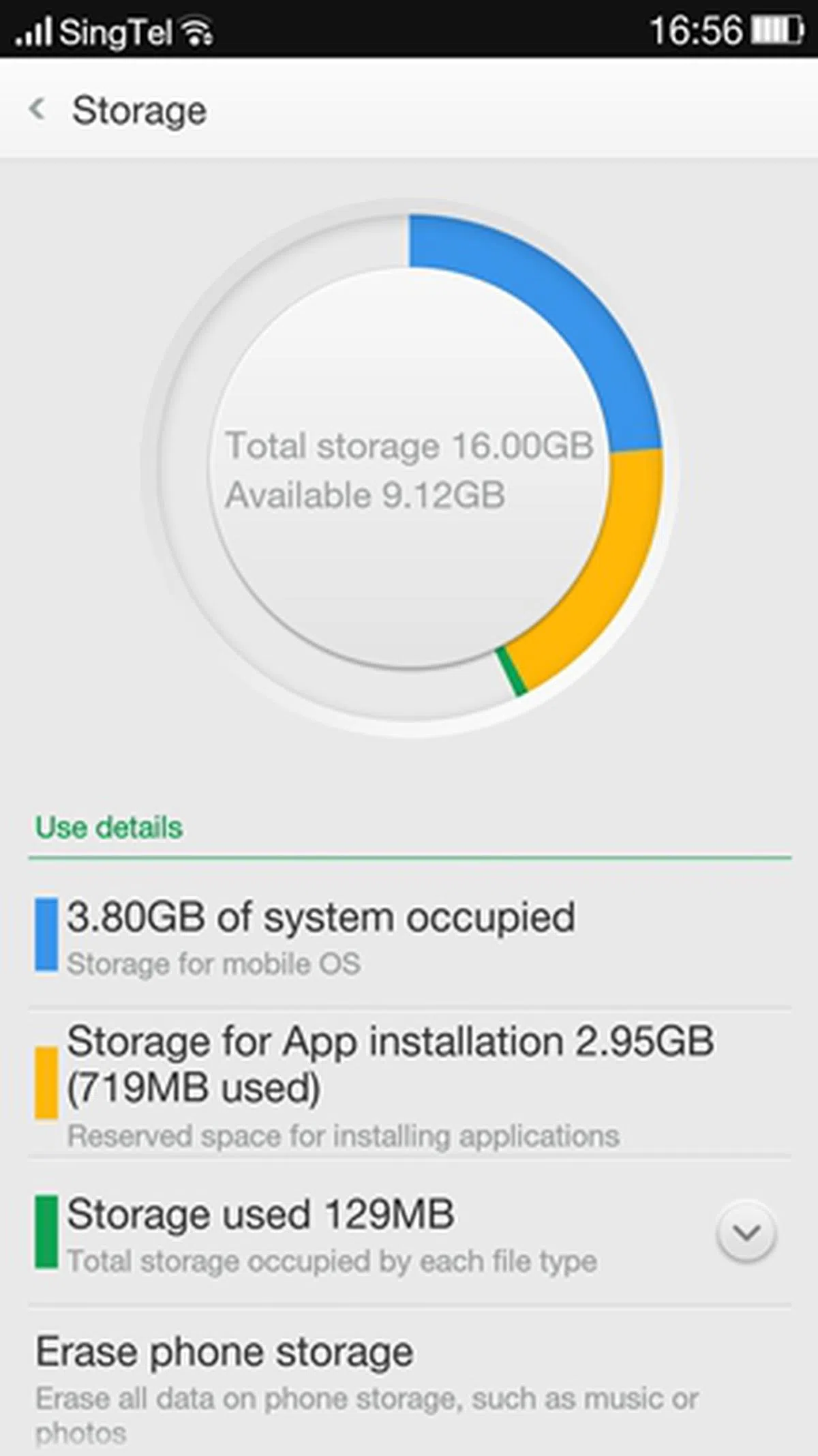 |
If you recall, our review of the Oppo R1 stated that each ColorOS version is customized specifically to either enhance the user experience or rectify issues for different devices. Oppo has no plans to standardize all versions across all products.
The available storage space for installation of apps is the same across both devices at 2.95GB. Considering that some of the gaming apps such as Asphalt 8: Airborne are as big as 1.41GB, the storage space predetermined by Oppo may not be sufficient for power users or gamers.
Fortunately, both phones come with microSD memory card slots that support memory cards up to 128GB. There's a catch to it though; some apps are not designed to be moved over to a memory card as loading them from the phone storage is faster than an external flash drive.
Oppo phones have an option to use "System Default" installation option which ensures only core aspects of an app get installed in the app installation storage space and the rest gets disbursed within the remaining phone storage space. Even so, storage space for app installation might be a concern if you've too many large apps given this archaic storage partitioning format.
Fast Charging - 4.5V VOOC Charger
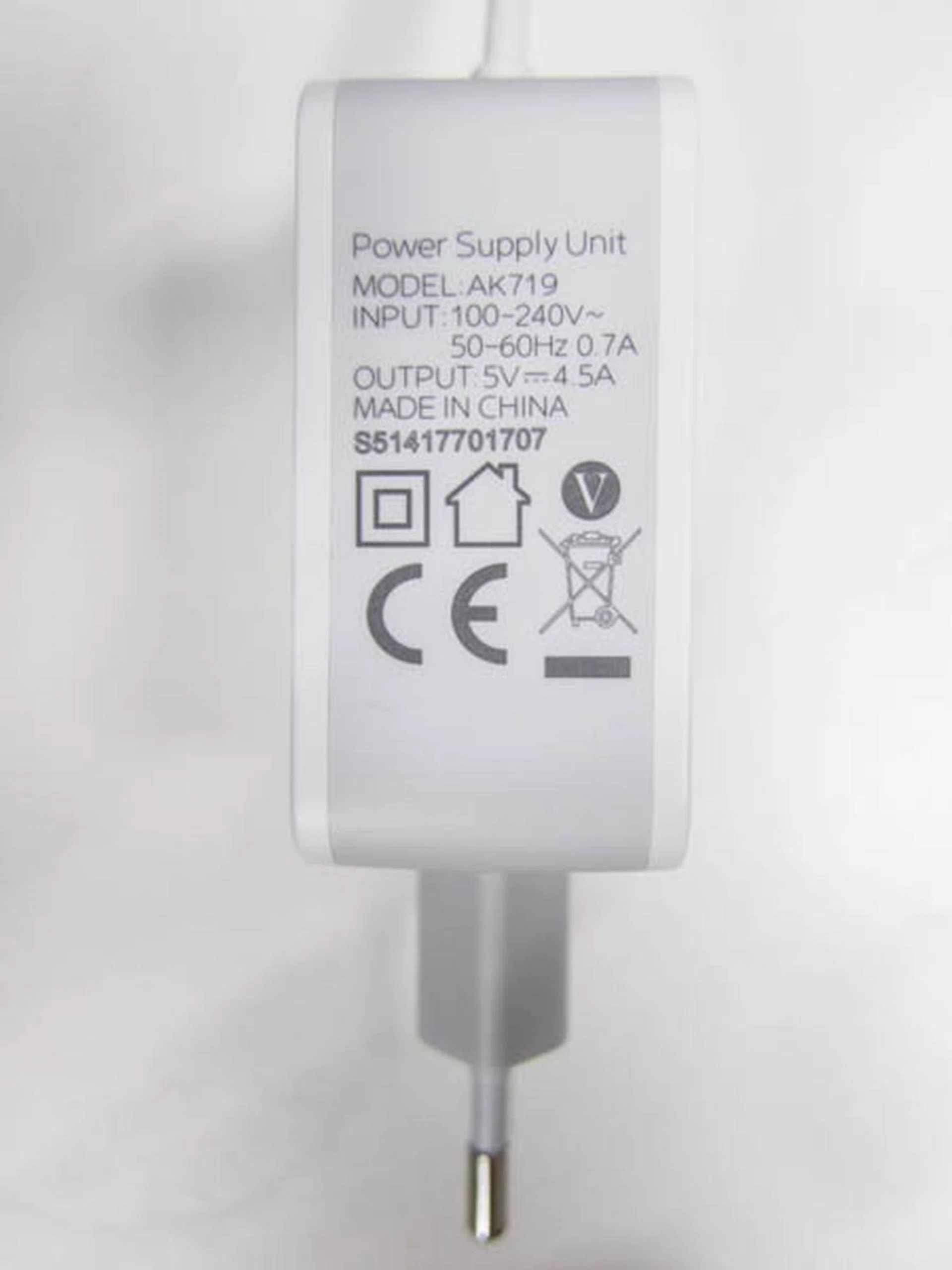
You're looking at this right: it is a 4.5A charger.
One novel feature of the Oppo Find 7 series is the proprietary VOOC Rapid Charge technology which Oppo claims to be the world's fastest and safest. The result of a three-year research and development, VOOC Rapid Charging technology uses high current to charge a battery quickly and switches to low current when the charging process is done.
So how high is the current being supplied to the battery? Well, the VOOC charger has a current output of 4.5A which is more than twice the current output of most standard chargers in the market today. Most mobile chargers are limited to 1A or 2A. This enables the battery to be charged from 0% to 75% in 30 minutes.
In reality, we did see the battery hit 82% in just 37 minutes! A full charge took slightly over an hour! The battery also does not get warm during the charging process as the device has five layers of thermal protective coating to prevent overheating. To put things into perspective, the standard 2.1A charger takes about 3 hours.
Many users will grow to appreciate the VOOC Rapid Charge technology as we do; after we reviewed the Find 7 series and used other phones, we found the normal charging process to be painfully slow. This insane fast charging technology should be adopted by all phone makers since short battery life is the most common complaint among smartphone users today. While developing smarter and longer lasting batteries is better in the long run, fast charging can be an effective, short term solution.
Should you be travelling, in which case using such a high powered charger may not be advisable, the phone package also comes with a travel charger, with a conventional output current of 2.1A.
ColorOS
The Find 7 series run on ColorOS V1.2.2i which is based on Android 4.3 Jelly Bean. We were told by Oppo Singapore that there are plans to bring the Android 4.4 update to the Find 7 devices. We've discussed the main features of ColorOS in our review of the R1 and N1, hence we will only be sharing a few notable aspects from using the interface on the Find 7 series.
Screen gestures are a big part of ColorOS and they make the interface intuitive to use if you manage to get the hang of things. However, executing screen gestures single handedly on a 5.5-inch phone is a tricky affair as you risk dropping the phone. You are likely to use two hands to draw shapes or letters on the Gesture Panel. We've covered the use of gestures in detail on the Oppo R1 review, but we noticed that the Oppo Find 7 series is able to detect gestures even when the screen is off.
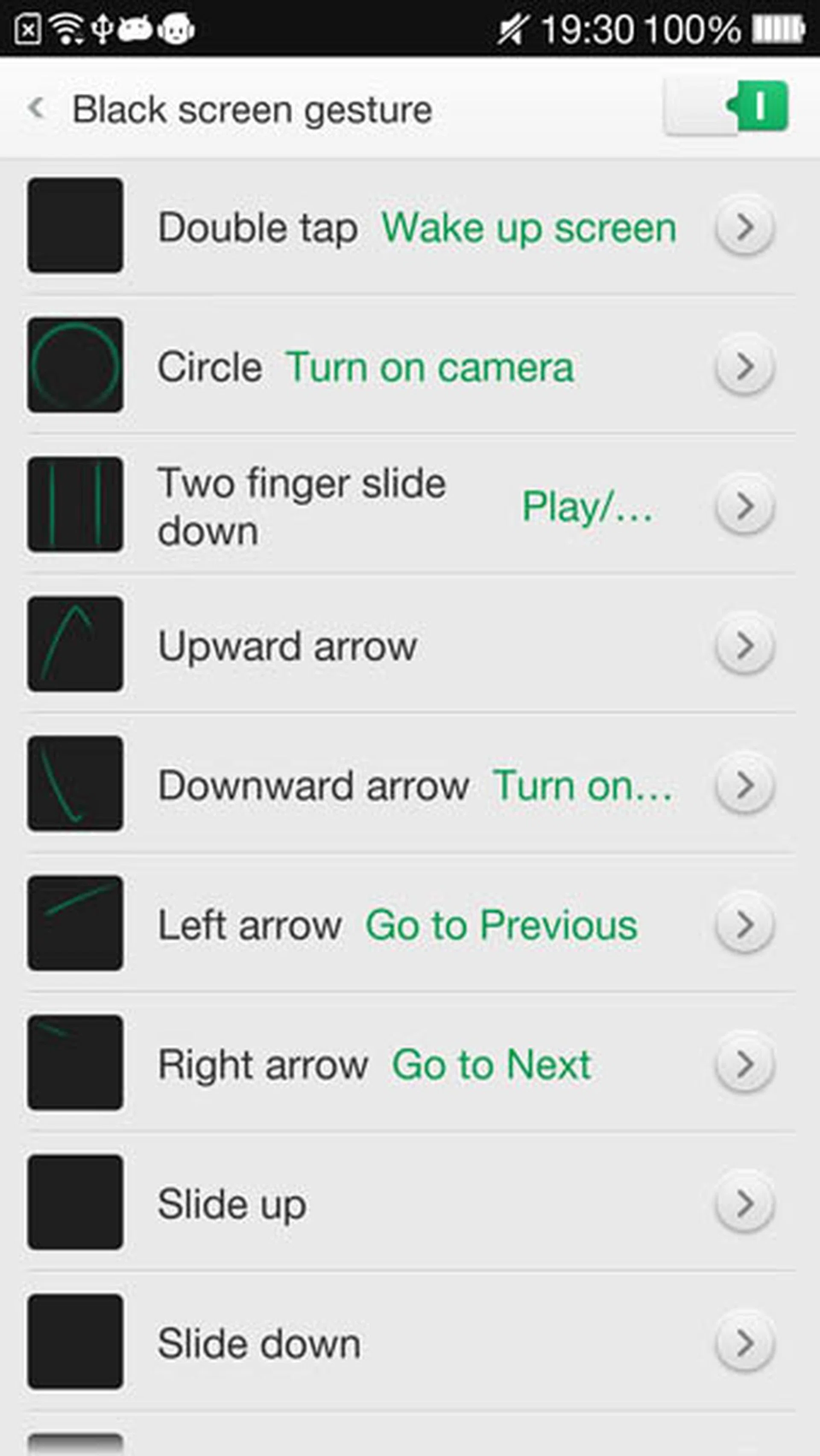
Hands gesture work even when the screen is off.
The Oppo Find 7 series also come with a Wake-on-voice detection, whereby the user can immediately activate Google Now - Google’s voice command system - just by speaking the hotword "Hey Snapdragon". It is similar to Android Kitkat’s Google Now "OK Google" feature, but with the additional capability of waking up even when the phone is on standby. However, do take note that the aforementioned can only work only when there is no security lock on the phone, which unfortunately defeats the presence of such a feature.

Performance Benchmarks
The Find 7 is powered by a Qualcomm Snapdragon 801 quad-core 2.5GHz processor and 3GB RAM while the Find 7A runs on a Qualcomm Snapdragon 800 quad-core 2.3GHz processor and 2GB RAM. How do the two phones fare against the current competition? Let's take a look at the benchmarks right after this comparison tablet: -
Quadrant Results
Quadrant evaluates a device's CPU, memory, I/O and 3D graphics performances.
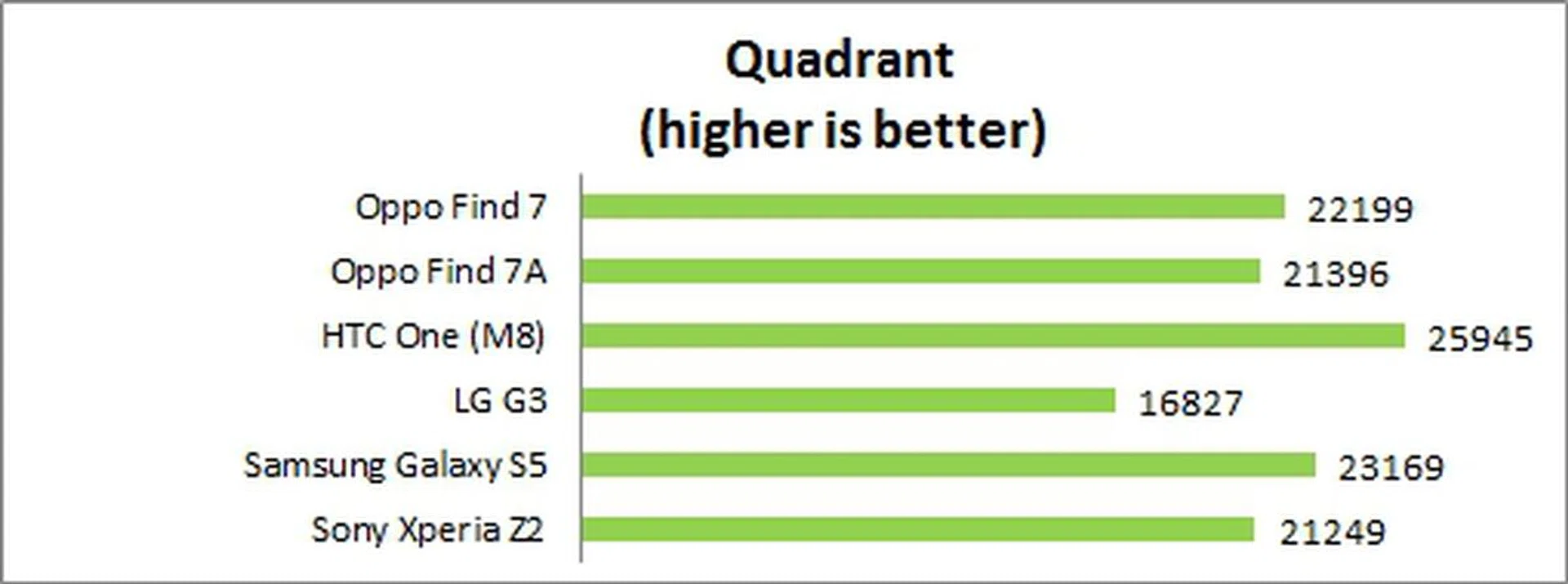
The Find 7 fared 3% better than the 7A in the Quadrant benchmark. When compared to the 2K-touting G3, the Find 7 performed about 32% better! This is puzzling since both devices are powered by the same processor, have the same display size, resolution and amount of RAM. It is possible that the ColorOS may not be consuming as much system resources as LG's new interface on the G3, which could explain the disparity in performance.
3DMark (2013)
Originally developed as a PC benchmarking tool, 3DMark is now expanded to support multiple platforms including Android OS. The Ice Storm benchmark is designed for smartphones, mobile devices and ARM architecture computers.
For an in-depth understanding of 3DMark for Android, do head over to our article, "3DMark - Android Device GPU Performance Review." In a nutshell, 3DMark consists of three test sections:
3DMark Ice Storm is an OpenGL ES 2.0 benchmark test that uses fixed off-screen rendering at 720p then scales the output to fit the native display resolution of your device. Ice Storm includes two graphics tests designed to stress the GPU performance of your device and a physics test to stress its CPU performance.
3DMark Ice Storm Extreme raises the off-screen rendering resolution to 1080p and uses higher quality textures and post-processing effects to create a more demanding load for the latest smartphones and tablets.
3DMark Ice Storm Unlimited is used to make chip-to-chip comparisons of different chipsets, CPUs and GPUs, without vertical sync, display resolution scaling and other operating system factors affecting the result.
Almost all the recent flagship smartphones maxed out the scores for the Ice Storm and Ice Storm Extreme, hence we will only be looking at the scores for Ice Storm Unlimited.
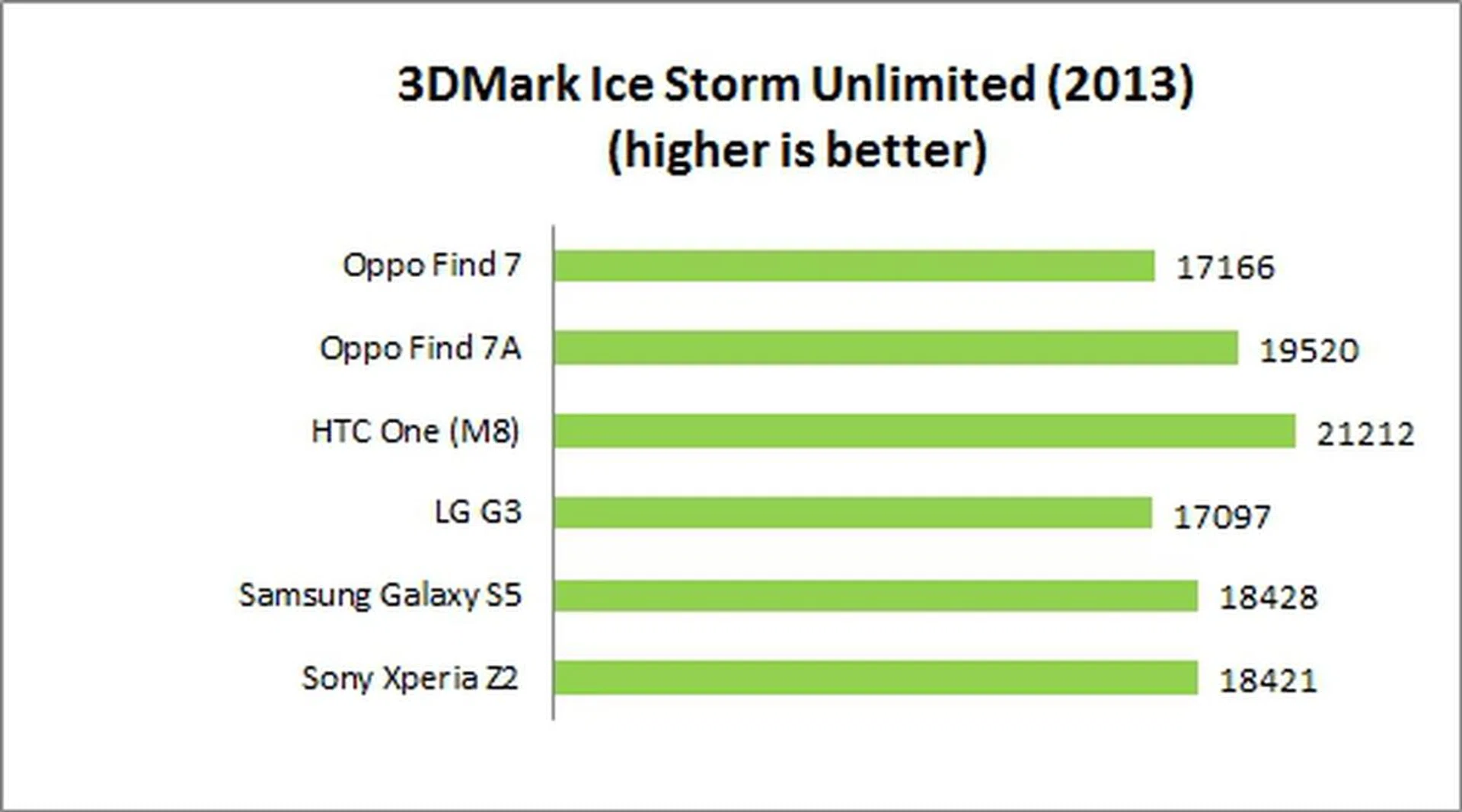
While all the smartphones in this comparison fared somewhat similar, it seems that the Find 7A had a slight edge over the Find 7 although theoretically speaking, this is not possible since the Find 7 has a newer processor.
SunSpider Javascript
SunSpider Javascript helps measure the browsing performance of a device when processing Javascript. It not only takes into consideration the underlying hardware performance, but also assesses how optimized a particular platform is at delivering a high-speed web browsing experience.
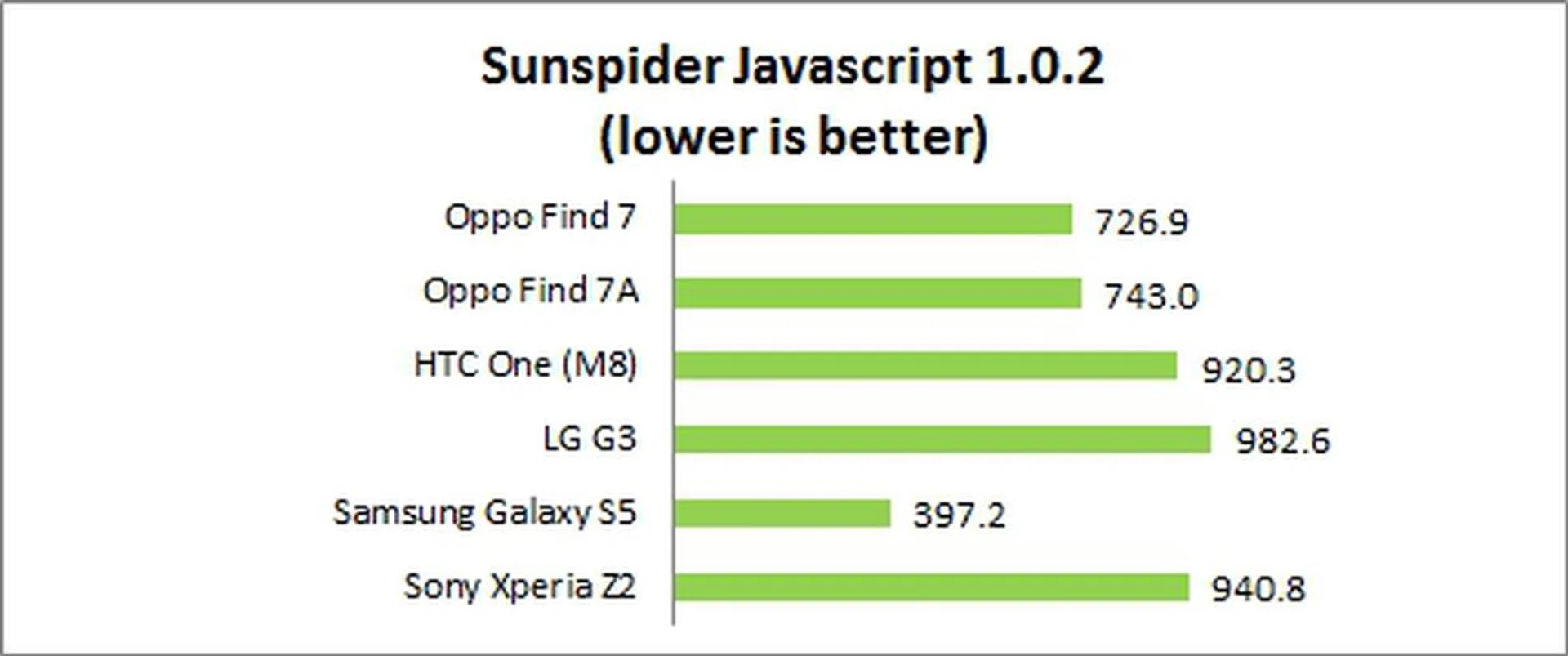
Aside from the suspicious performance of the Samsung Galaxy S5, the Find 7 Series easily edged out the other three Android flagship smartphones in the SunSpider benchmark.
Real World Usage Experience
Number crunching aside, we were pleased with the overall user experience on the Find 7 series. Navigation was fluid and snappy.
Camera Performance
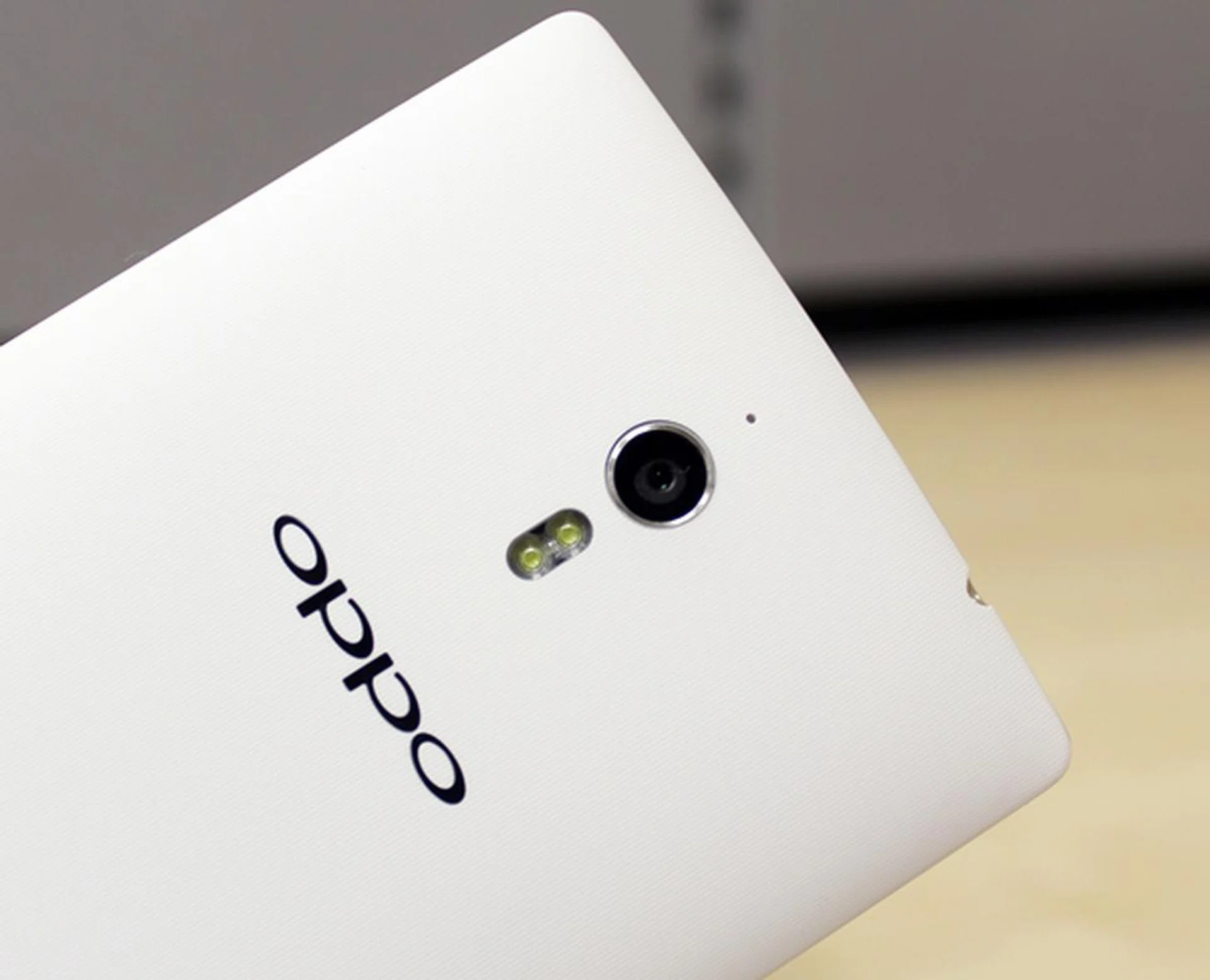
The rear camera of the Oppo Find 7 series may look ordinary, but it packs quite powerful hardware and software features.
A highlight of the Oppo Find 7 series is the ability to take 50-megapixel photos. How is this possible? Using its latest Pure Image 2.0 software, the 13-megapixel rear camera is able to select the best four images from a series of 10 continuous shots and merges them into a 50-megapixel picture. By default, this camera mode (dubbed Ultra-HD) is not enabled. You have to access the Settings of the Camera app to enable this mode.
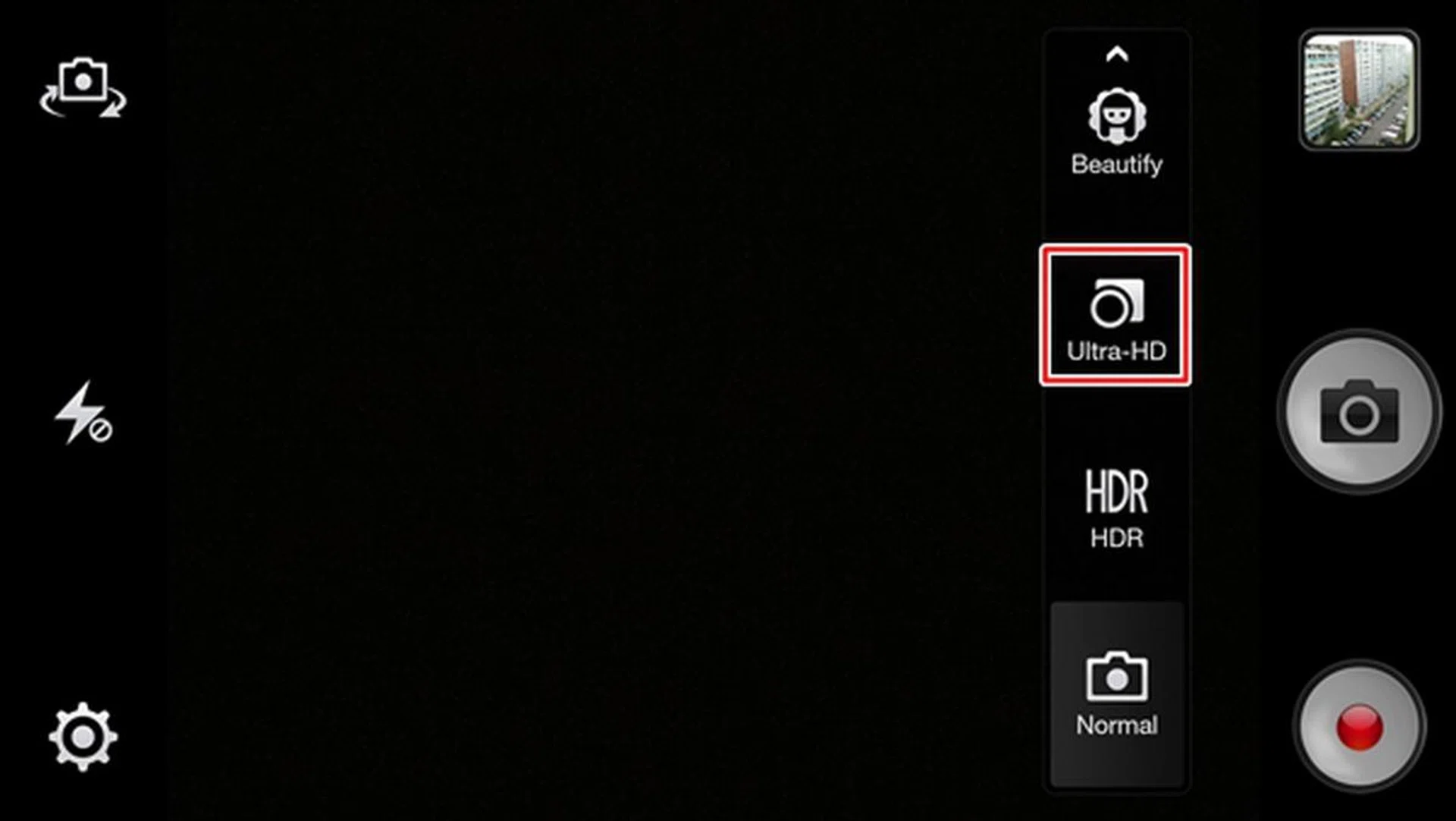
You have to manually select Ultra-HD mode for the rear camera to take a 50-megapixel photo.

The image quality taken by the Oppo Find 7 series is generally good. We did not notice any image artifacts in the darker areas. This photo is taken using the Normal mode. Click to view the full resolution image.

Photos taken with Ultra-HD mode turn out to be great! Colors are richer and more details are captured. Click to view the full resolution image.

Left: Normal mode. Right: Ultra-HD mode. <br> When zoomed in, the photo taken with Ultra-HD mode provides more details. We are able to decipher the words beside the dice.
As expected, the better image quality comes at the expense of bigger file sizes. For example, our test photo taken with normal mode is about 2.45MB. The Ultra-HD photo is almost five times bigger at 12.1MB. In addition, Ultra-HD mode takes about five seconds to execute the post-processing, so it's not something you would want to use all the time.
Due to the form factor and hardware limitations, most camera phones do not come with optical zoom like their point-and-shoot compact camera counterparts. Instead, most camera phones try to mimic zoom capability by cropping the photo and upsampling it to the camera's native resolution. As digital zoom enlarges the pixels, the image quality is reduced.
Oppo developed its own digital zoom feature called Super Zoom where the image quality is still maintained even with a 4x digital zoom. Unlike the Ultra-HD mode, Super Zoom is automatically enabled when you engage the zoom function by doing a pinch gesture. Does it actually work? Let's find out below:
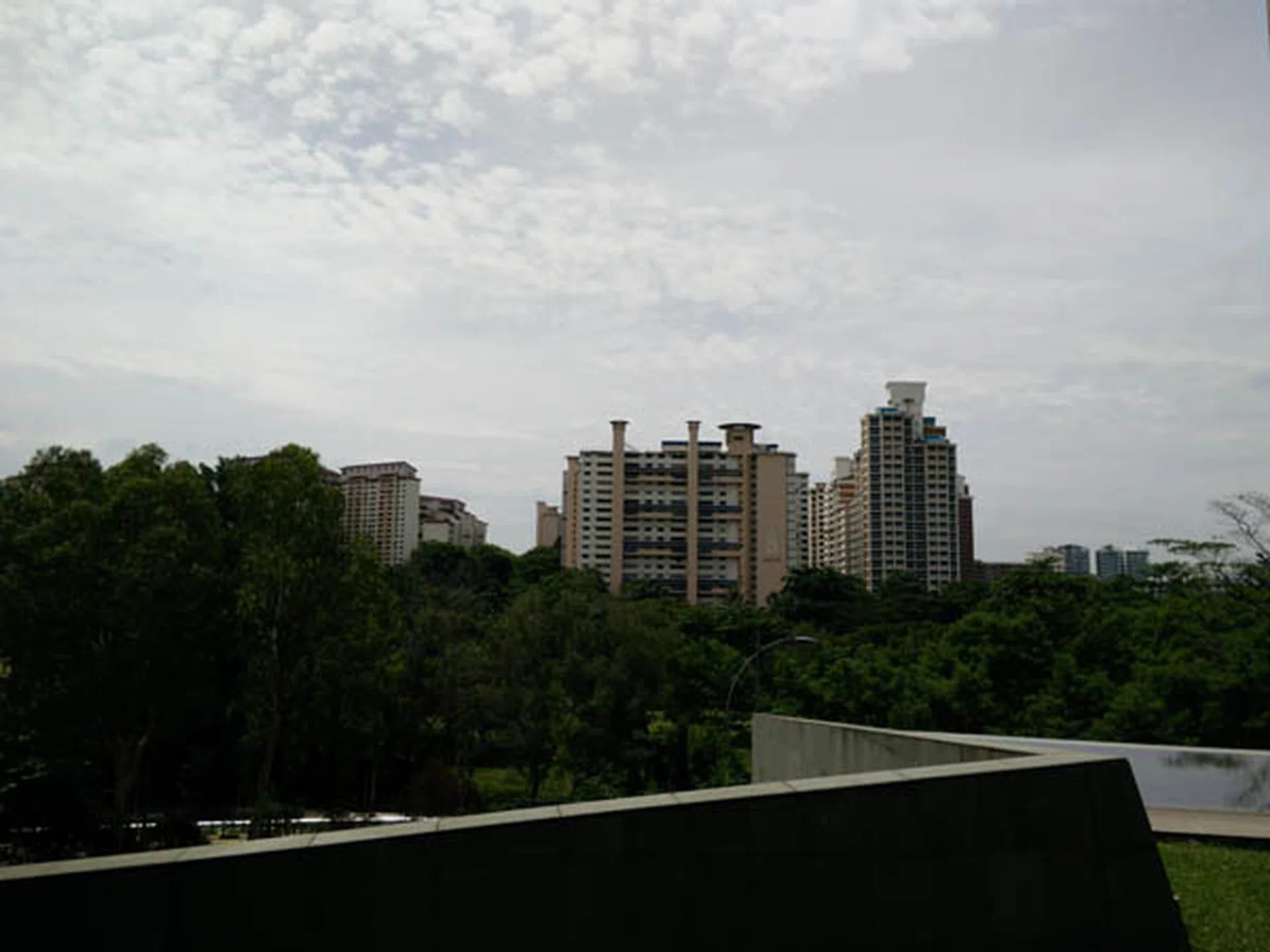
This is what you typically capture on a photo without any digital zoom.

After engaging Super Zoom, the level of detail and clarity is somewhat maintained in the photo. You can still see the words "My Buona Vista". Click to view the full resolution image.
For low light photography, Oppo Find 7 series has a night mode that you can toggle. The quality of the photos are reasonable, though the ISO figures are rather high. The photos below show how the camera performed under low light with both photos ranging between ISO 4500-4800, with 1/15 second exposure time.

A night scene shot without night mode.
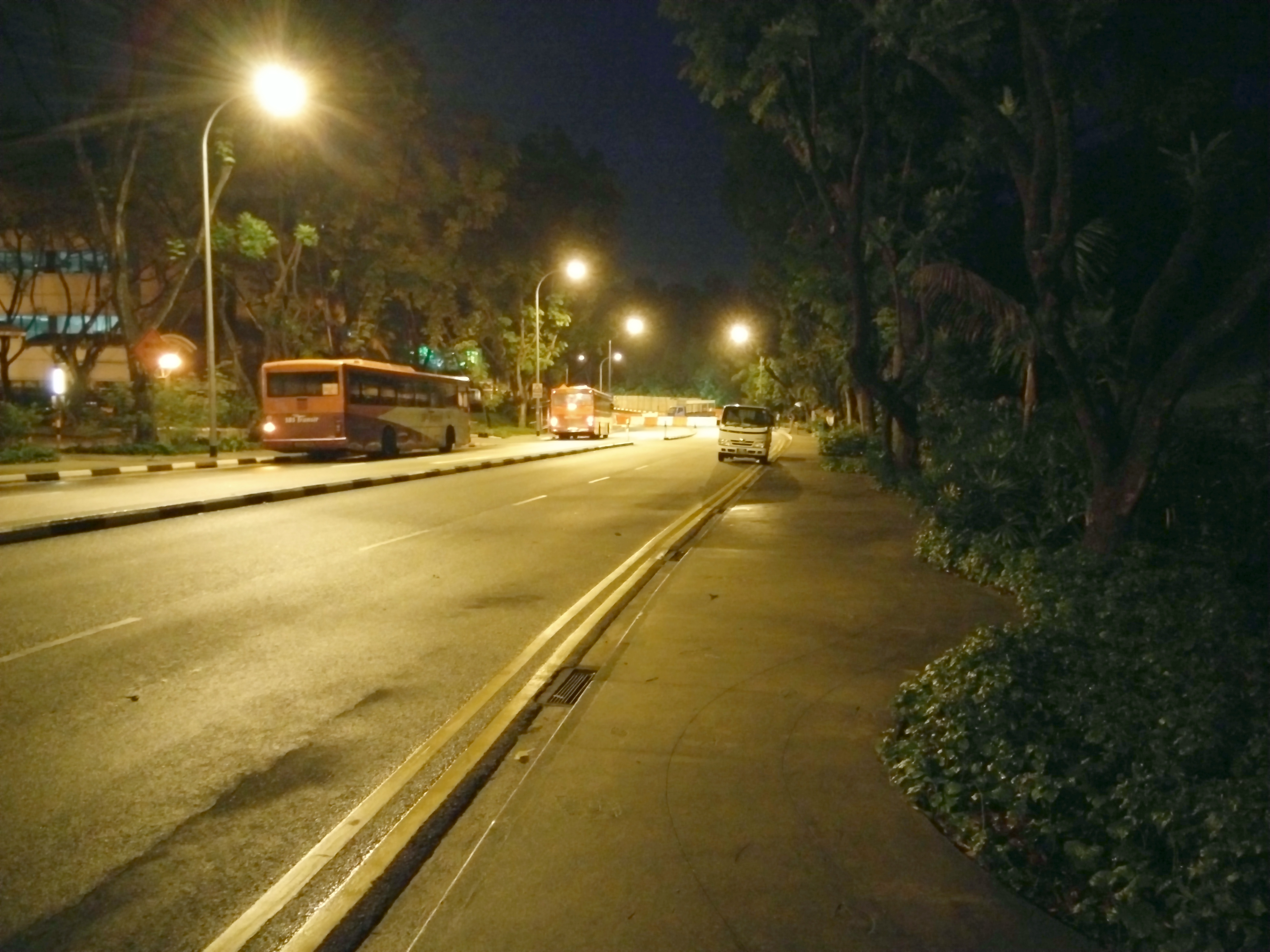
The same scene with night mode enabled.
One last interesting feature is Slow Shutter, which allows the user to take night stills with exposure times of up to 32 seconds. However, one will certainly need a very steady tripod with a phone mount for any practical use of this function.
Front Camera
The front camera is of a respectable 5-megapixel sensor with f/2.0 aperture and a 5P lens. As such, it is able to take good quality selfies, even in low light:-

Pikachu taking selca under low light.
Video Recording
The Oppo Find 7 series is capable of shooting 4K videos at 30 frames per second. Given its good imaging quality, you can count on it for good video shoots as well. Its performance holds well even at night.
Additionally, one can also take slow-motion videos, which records at 120 frames per second (and playback at 30 FPS). Due to the high frame rate required at this mode, only 720p slow-motion videos can be taken.
Battery Performance
Our standard battery test for mobile phones includes the following parameters:
• Looping a 800 x 480-pixel video with screen brightness and volume at 100%
• Wi-Fi and Bluetooth connectivity turned on
• Constant data streaming through email and Twitter
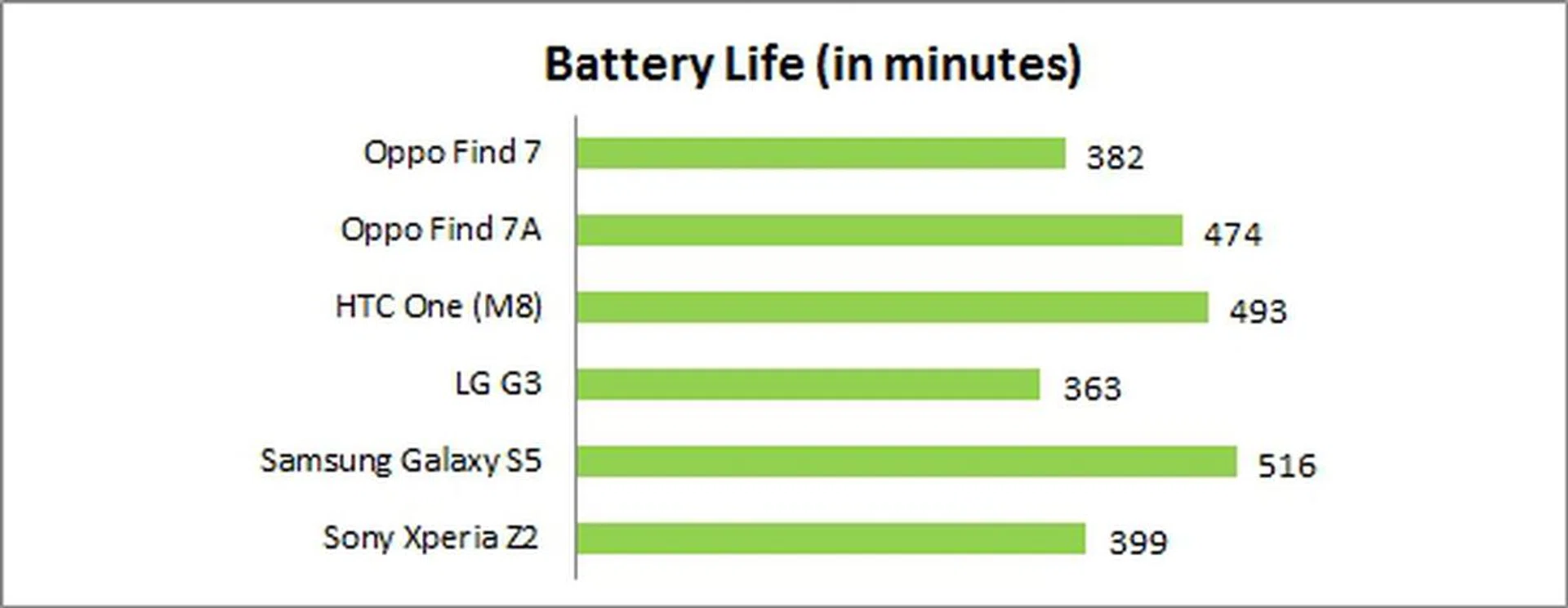
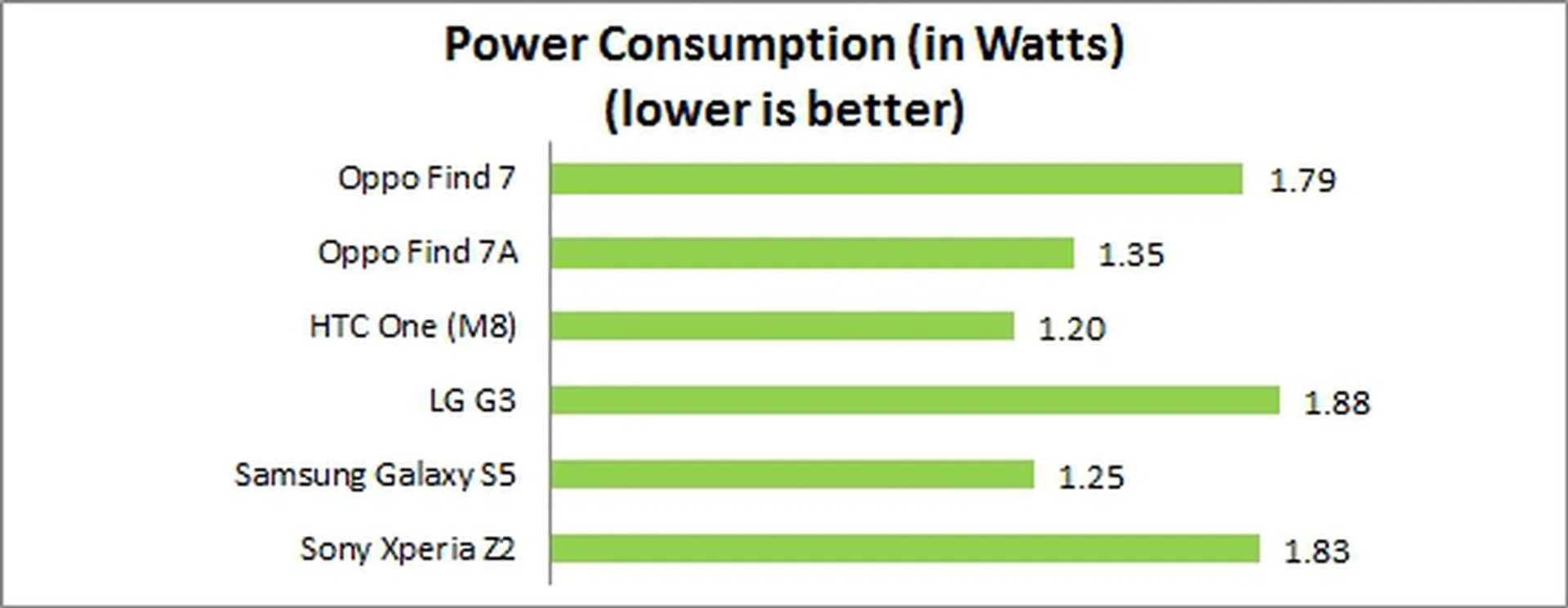
The Find 7 lasted about 6 hours and 22 minutes while the Find 7A lasted one and a half hours longer. Compared to the LG G3, the Find 7 fared only 5% better. The Find 7A came close to matching the HTC One (M8) even though the latter has a smaller 5-inch display. To put things into better perspective, the Find 7A managed to last 34% longer (or 119 minutes) longer than a LG Optimus G Pro which has a 5.5-inch 1080p display.
Not surprisingly, the Find 7 and G3 topped the Power Consumption chart due to their QHD displays. The Find 7A registered a higher power draw than the One (M8) and Galaxy S5 due to its bigger display.
Portability
We measure the portability of a device by calculating its battery life to (weight x volume) ratio. As the Find 7 is the heaviest and one of the thickest among the phones compared, it ranked last in our Portability Index. The Find 7A seemed to fare in the middle ground although it should be noted that the One (M8), Galaxy S5 and Xperia Z2 have smaller footprints, thus these other devices automatically have an advantage in this comparison.
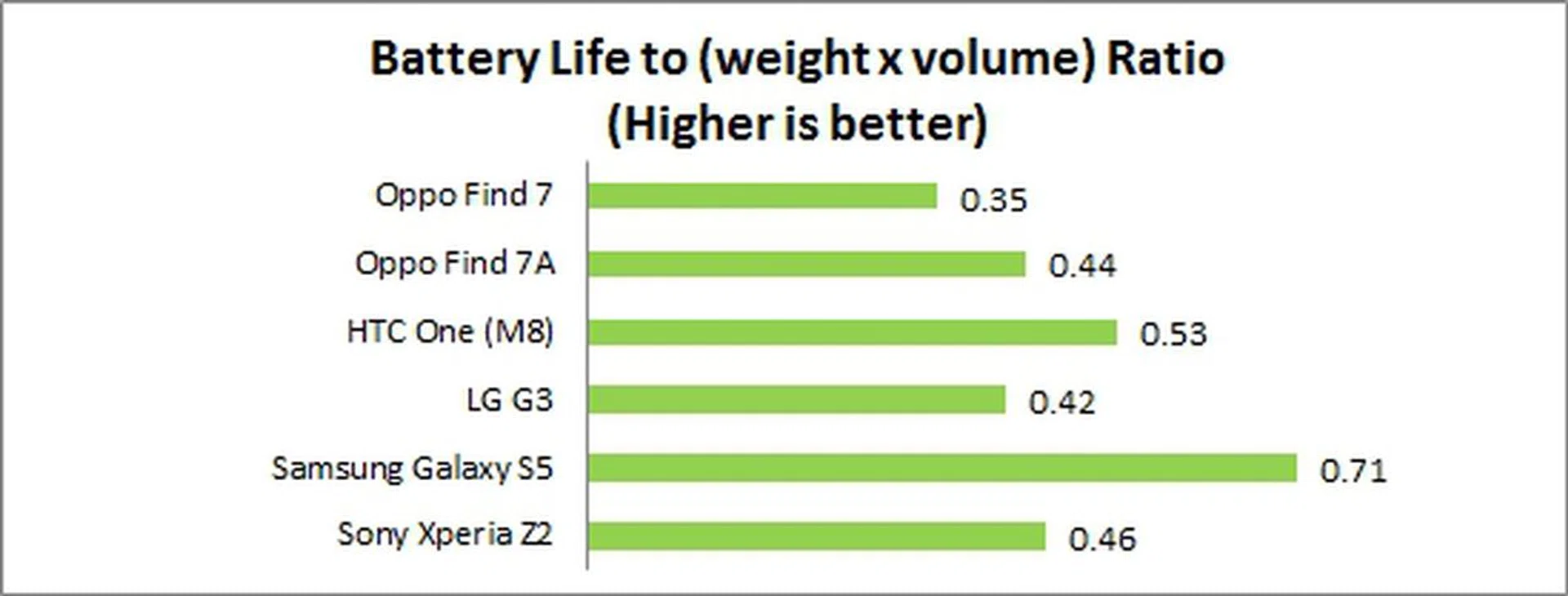
Real World Battery Performance
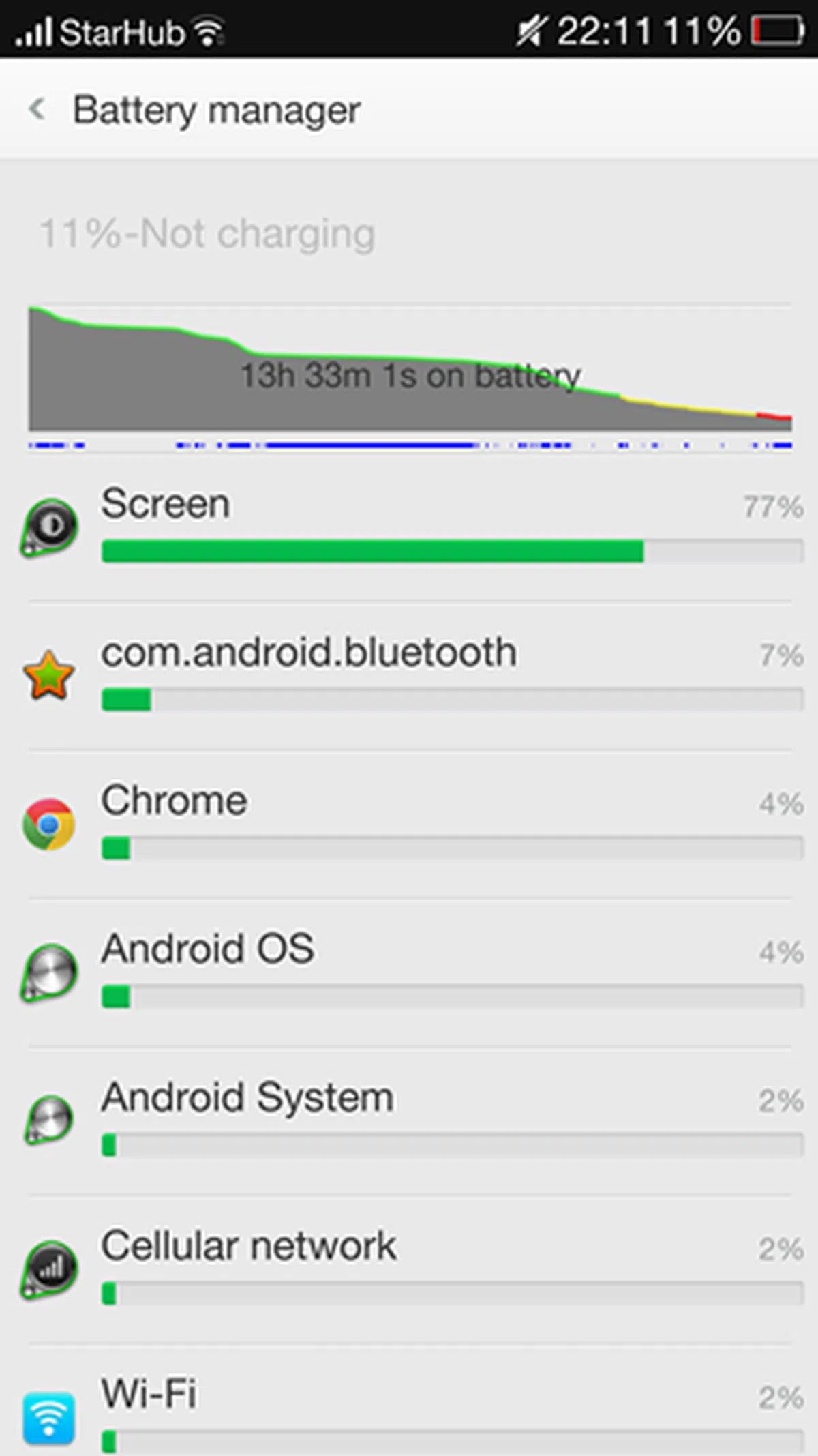
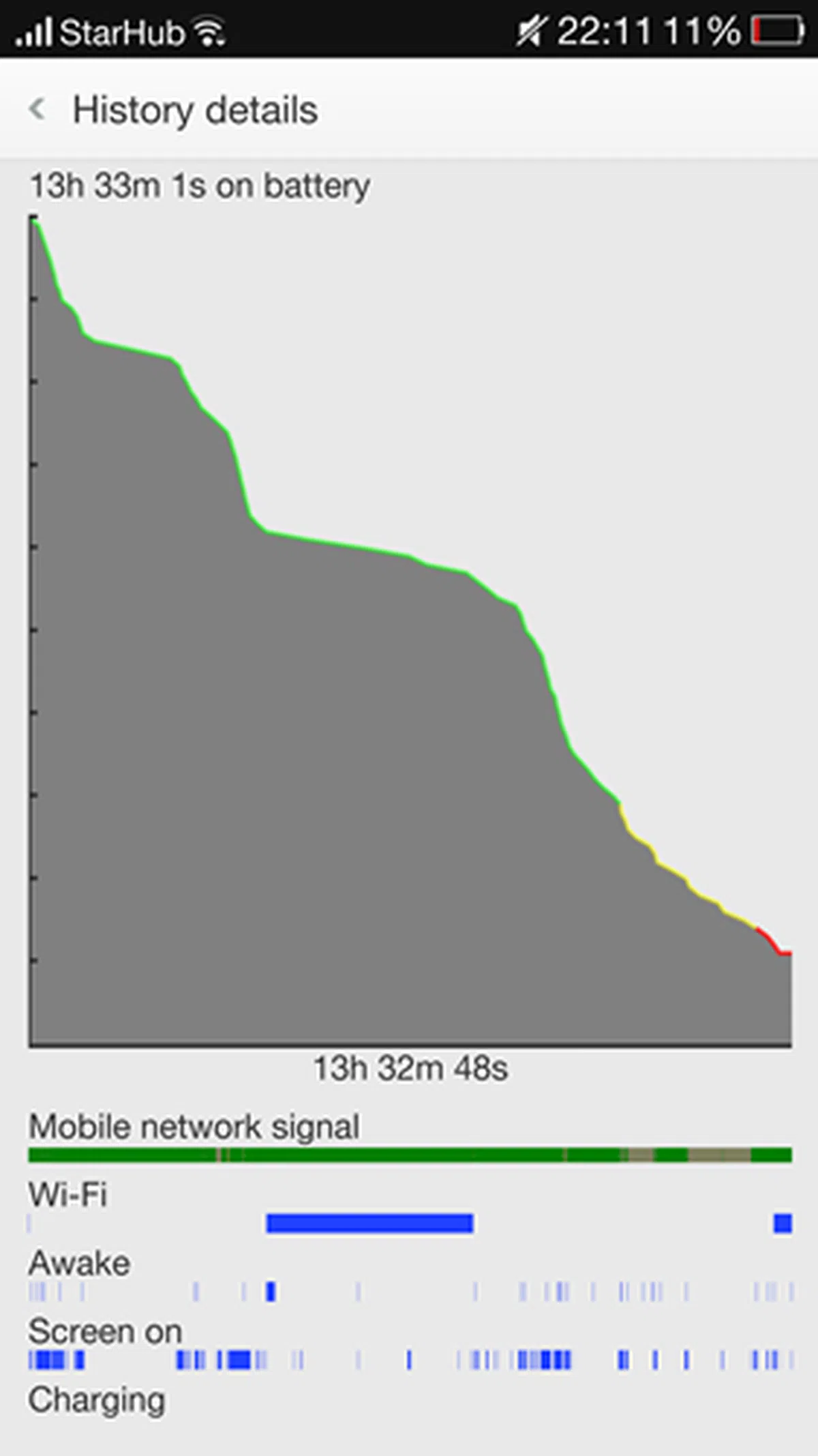
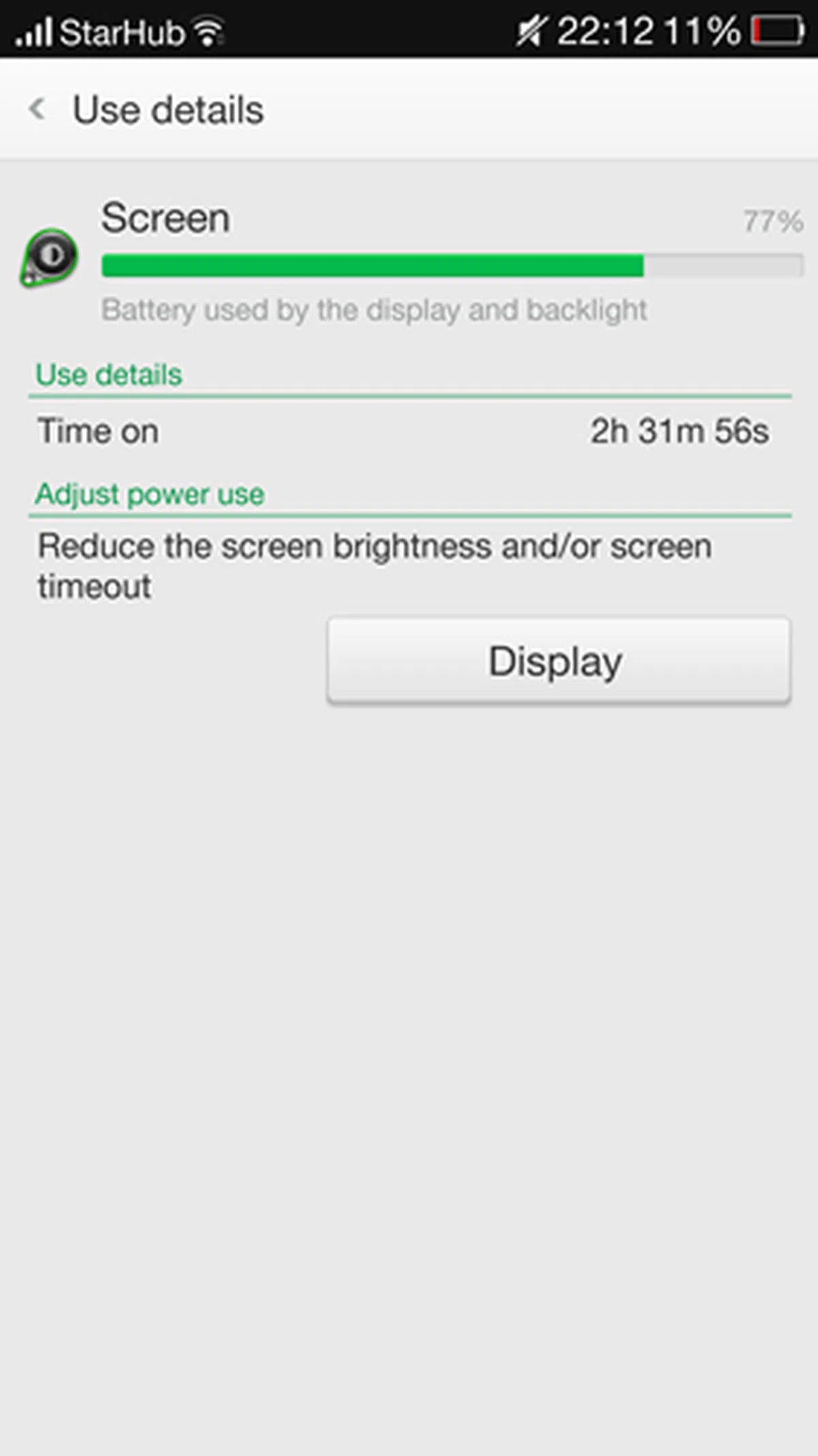
But benchmarking gives only one view to the above assessment. To give you a more realistic understanding on how the Find 7 series fared under real world usage conditions, we included screenshots of the usage and history graphs.
Oppo Find 7
 |  |  |
Oppo Find 7A
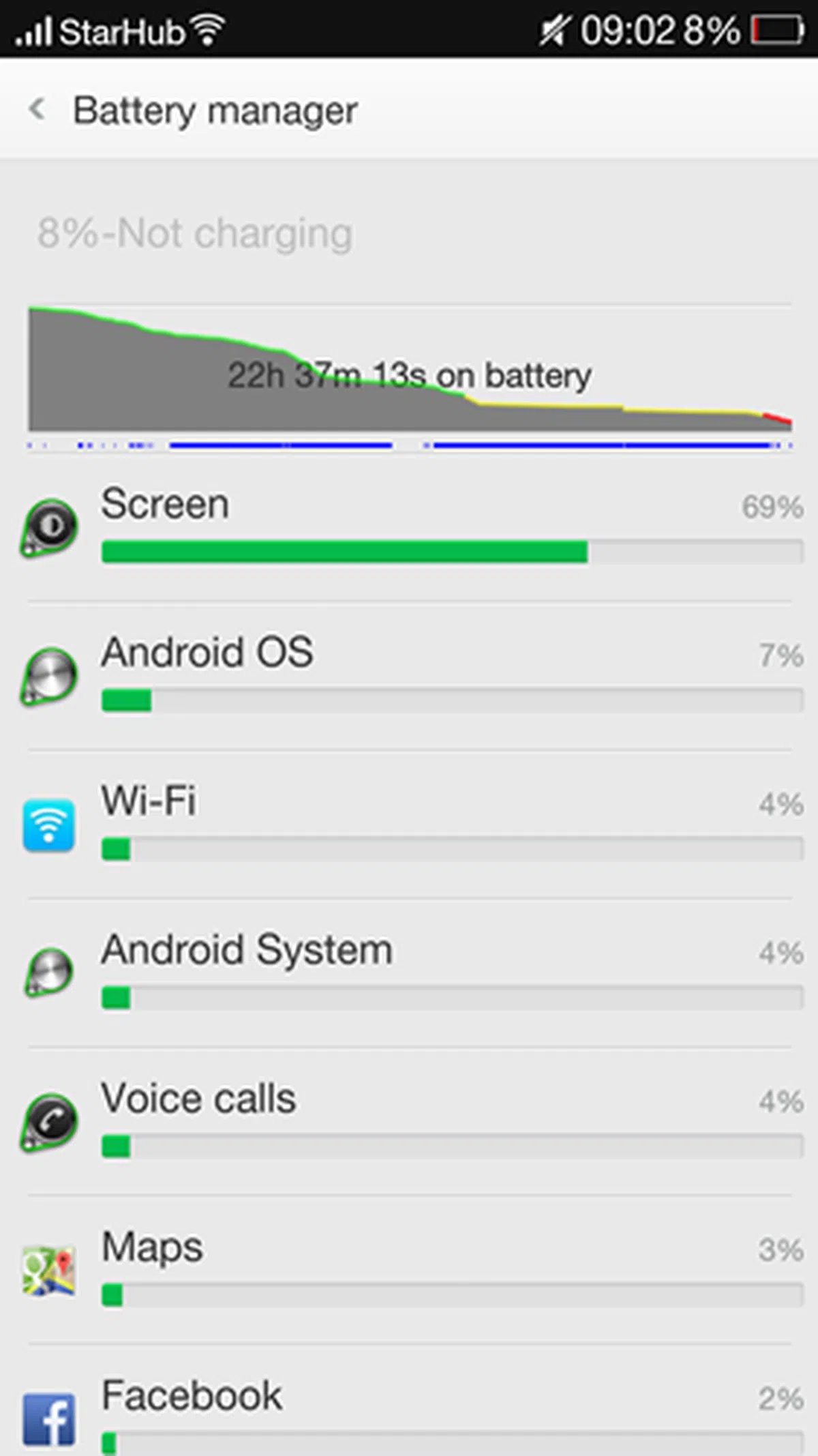 | 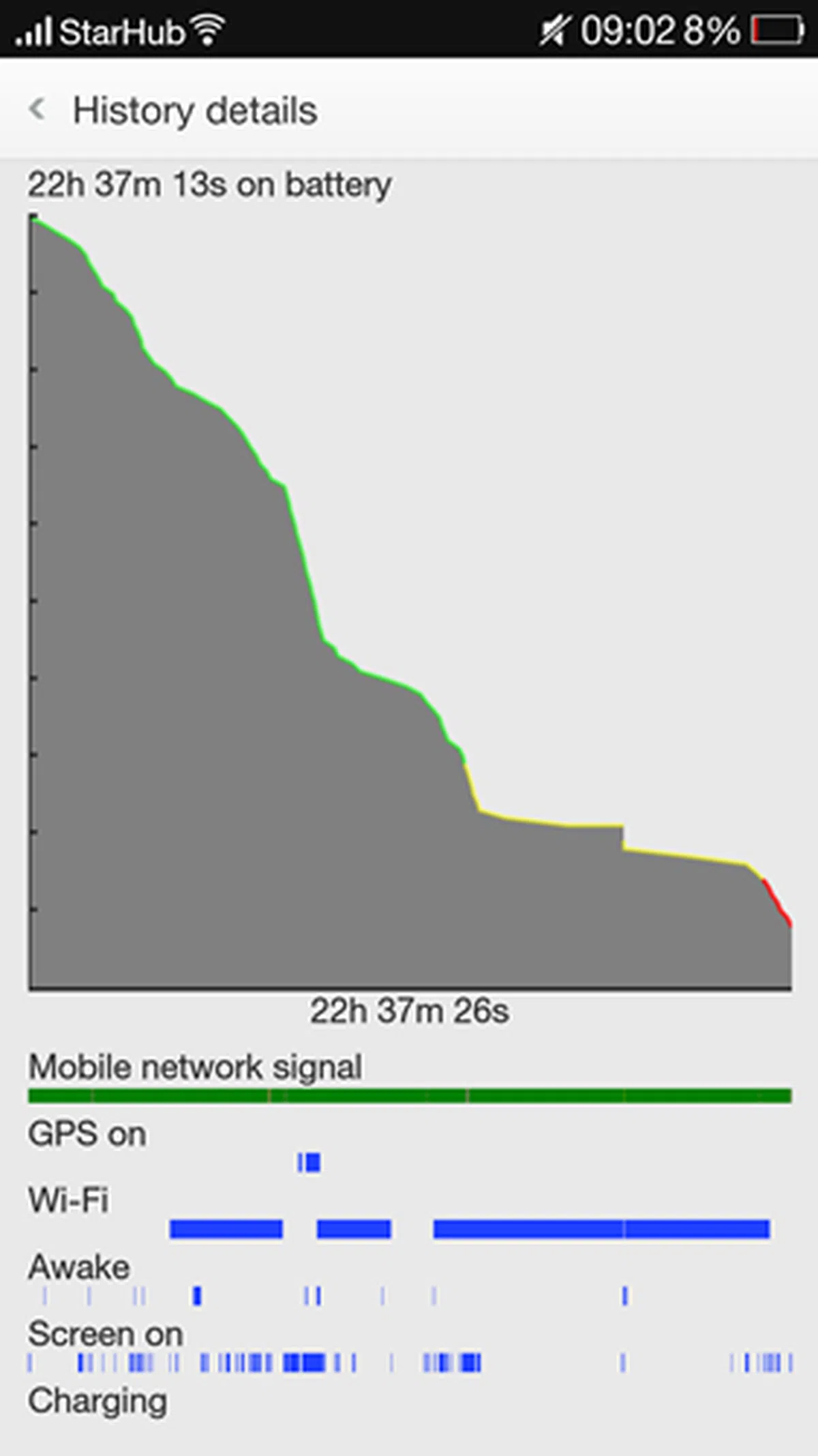 | 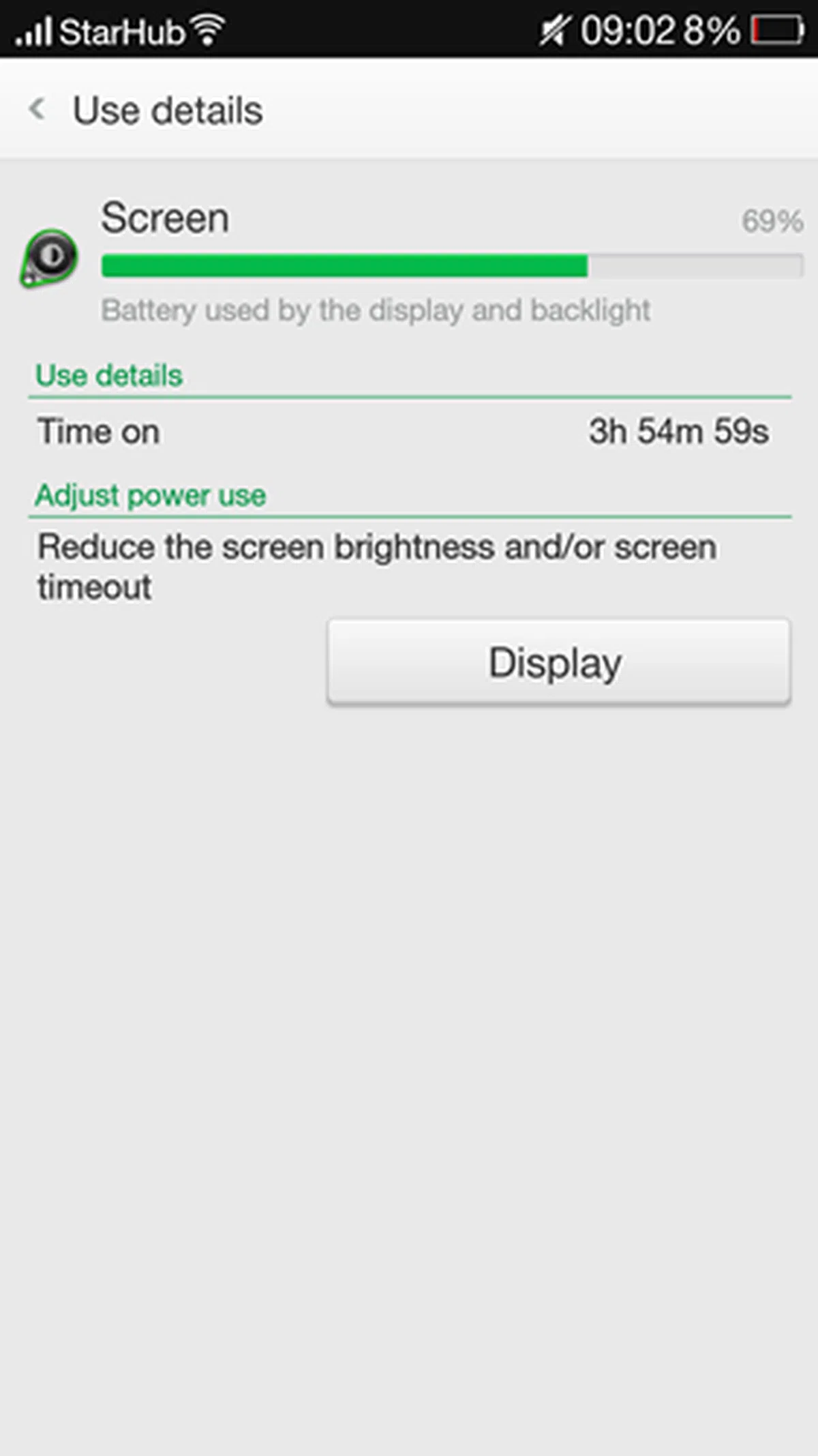 |
As seen from the graphs above, the Find 7 could only last slightly over 13.5 hours before the battery level dropped to 11%. On the other hand, the Find 7A had a much longer mileage at slightly over 22.5 hours before the battery level hit 8%. Some notes:
- The device logged onto the 3G network because the SIM card used does not support 4G LTE.
- The device logged onto Wi-Fi connections from time to time.
- Our typical usage scenarios include making some voice calls, texting via WhatsApp, taking some photos and sharing them on social networking sites, the occasional web browsing via Pulse News Reader and emailing.
To put these numbers into context, the LG G3 could last 18 hours and 30 minutes before the battery level dropped to 5%. Screen-on time is about the same between the two smartphones. It is evident that LG did a much better job with the power management than Oppo Find 7.
During our past few days of using the Find 7, we found its battery to drain as fast as it took to recharge using the 4.5A VOOC Rapid Charger. Certain tasks such as web browsing and instant messaging seem to drain the battery faster. The area below the Oppo branding on its rear also felt warm after long periods of usage. On average, the Find 7 barely made it through a day. The Find 7A, on the other hand, did quite a respectable job in lasting through each day and we didn't have to keep a constant watch on the battery status. As usual, do note that battery mileage varies depending on your usage patterns.
Conclusion
Oppo has done a great job with the Find 7 series; good design, solid build quality, great display, unique user interface and smooth performance. One particular feature that we absolutely love is the VOOC Rapid Charge technology which is the best workaround solution to address the lack of advancements in battery technologies to keep up with today's needs. Another feature, the Ultra-HD camera mode, will appeal to photography enthusiasts as its software implementation is somewhat similar to the PureView technology implemented on today's best camera phone, the Nokia Lumia 1020.
So what do we recommend to consumers who are deciding between the S$599 Find 7A and the S$719 Find 7? Does the higher resolution display, newer processor, additional RAM and more storage capacity justify the additional S$120? For tech enthusiasts who want the latest and the greatest, it is a no-brainer; the Find 7 is the choice for them. However, that choice comes with a few concerns/limitations.
First, they have to manage their expectations when it comes to battery life. The 5.5-inch QHD display proves too much for the 3,000mAh battery to handle and this results in a less-than-satisfactory mileage in our daily usage. Second, the tangible benefits of having a QHD display remain debatable as most consumers can hardly tell the difference. Third, the processor in the Find 7 may be newer, but the overall user experience remains the same on both devices. Fourth, the additional internal storage space (32GB vs. 16GB) doesn't really matter since only 2.95GB is reserved for apps. Even if you have a huge library of music and video files, the memory card slot on both devices will come in handy.
Overall, we find the Find 7A more compelling as it has so much going for it. Its overall performance in benchmarks and actual usage scenarios is just icing on the cake. What got our attention is the fact that it is priced about S$400 lower than the competing phones in its class. For your info, the One (M8), Galaxy S5 (16GB) and Xperia Z2 are priced at S$998. The G3 (2GB RAM, 16GB internal storage) may be easier to handle and sports a sleeker interface, but you have to fork out an additional S$229. Taking into account these points, we have no qualms about recommending the Find 7A to anyone who does not want to spend a bomb to own an Android flagship smartphone. Just beware that you might not be able to install as many large apps given the phone's weird storage partitioning system, but at its price point, you might even discount this limitation.
 |  |
 |  |
Our articles may contain affiliate links. If you buy through these links, we may earn a small commission.