
Here are our favourite new features in iOS 15
Here are some of our favourite iOS 15 features.
Note: This feature was first published on 4 August 2021 and it's republished because iOS 15 is now available to download and update.
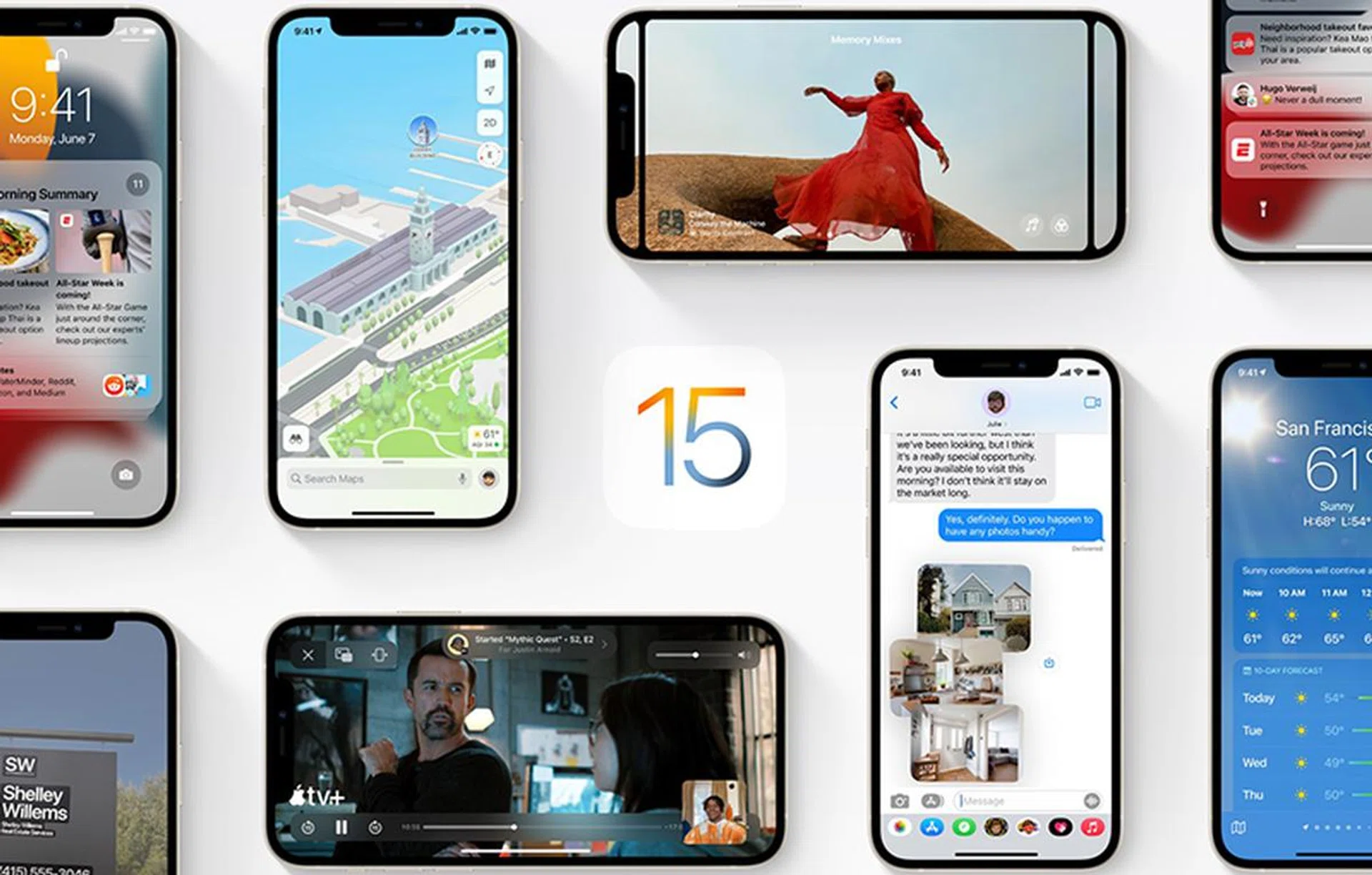
With the next iPhone season upon us, thinking about the phones' new features is a natural question. Apple’s already showcased iOS 15 at WWDC 2021, and more functionalities have come to light as creators and developers continue to build tools for its next phones and operating system.
Here are some of our favourite iOS 15 features we look forward to. If you want the full list of iOS 15 features, Apple has it right here.
Apple Maps detailed city experience

Let’s be honest; even if you’re on an iPhone, you’re probably also using Google Maps because it offers greater detail for navigation. So an iOS 15 update that can make Apple Maps more detailed would certainly turn heads.
As seen at its initial announcement, Apple Maps gets new road details, like turn lanes, medians, crosswalks, and more. These changes would help to make Apple Maps much easier to understand.
While Apple announced this feature for U.S. cities, we’re sure it’s only a matter of time before Singapore gets added to the mix.
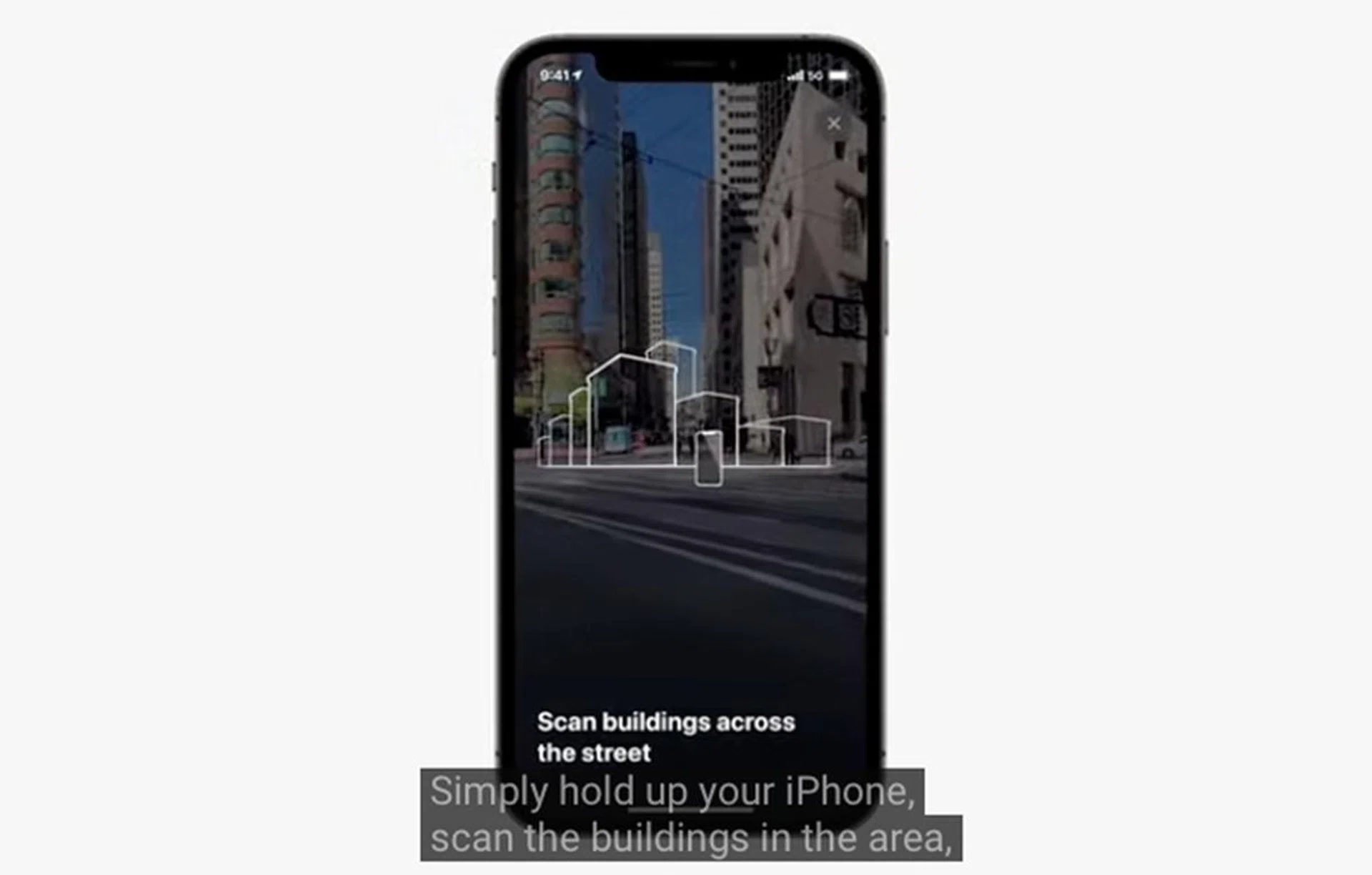
Besides prettier maps, Apple is offering Immersive Walking Directions for the truly lost, which combines your iPhone camera and the phone’s navigation components to provide augmented reality-guided guides.
Apple Wallet: Digital Keys useable even in Power Reserve
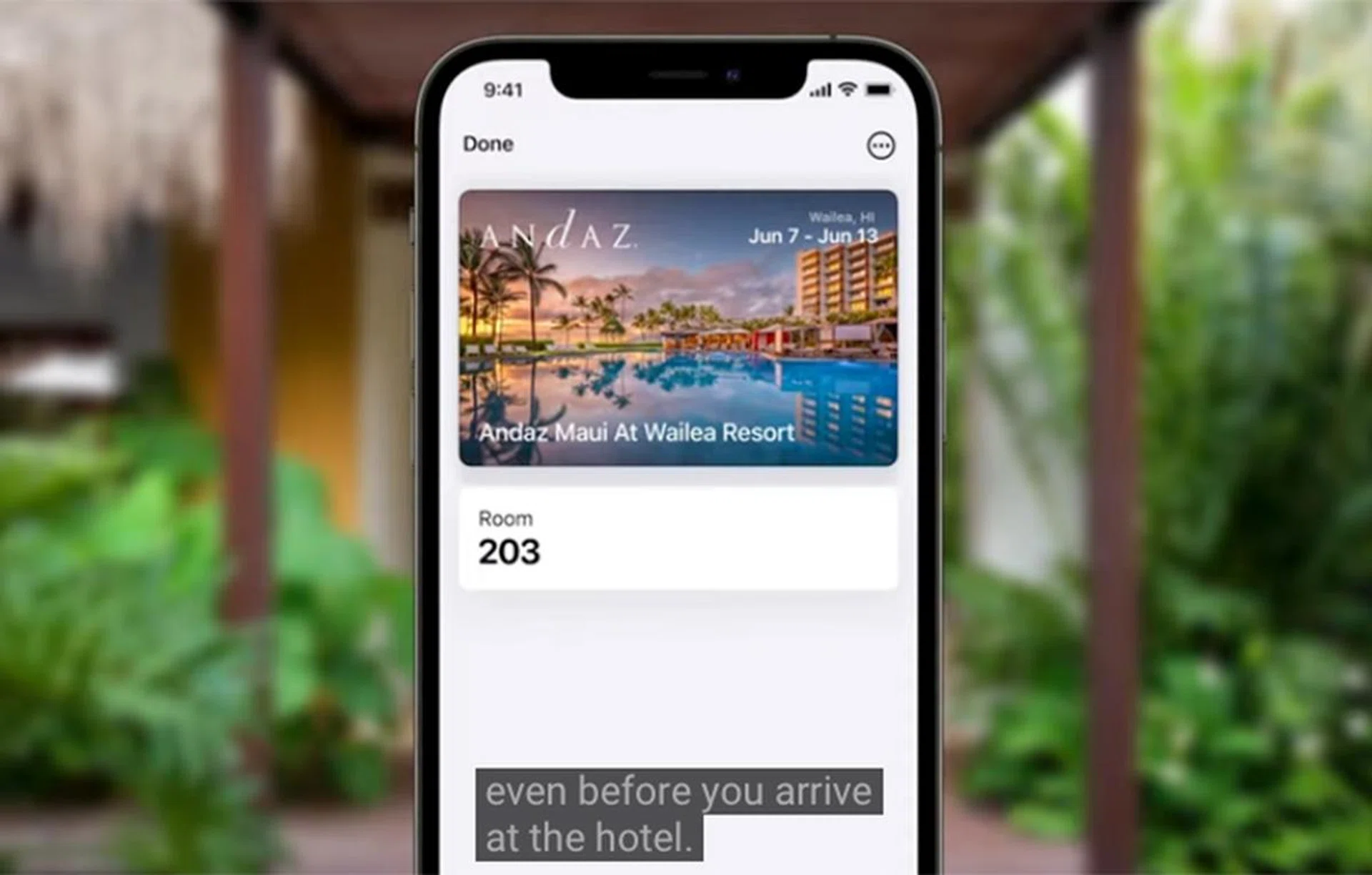
Apple Wallet doesn’t just hold debit or credit cards for the sake of Apple Pay. Also, with an iPhone that has the UWB chipset, it can carry digital keys to your house, car, hotel room, office, and more when iOS 15 rolls out. But, that’s not the feature that gets us going.
A neat feature is Power Reserve, where the digital keys mentioned above are still usable from Wallet - up to five hours - even if the iPhone is low on battery or seemingly out of juice. It draws on the remaining power within to complete those taps. Currently, this feature is supported for other types of cards, like transit cards or student IDs, when Express Mode is enabled.
Built-in code-generating Authenticator for logins

Google Authenticator app.
Google has the Google Authenticator app, where you can pair your online accounts to it. The app offers another layer of code authentication that only you can access physically. The equivalent of this for iPhones will come in iOS 15, but Apple's one is built directly into the iPhone.
The iOS 15 version of Authenticator can auto-fill verification codes, just like how it auto-fills 2FA found in your SMSes. Also, if a website offers 2FA, you can set up the iPhone as the code generator instead of giving out a phone number, email address, or downloading other authenticator apps. Simply find it under Settings > Passwords.
Focus to declutter
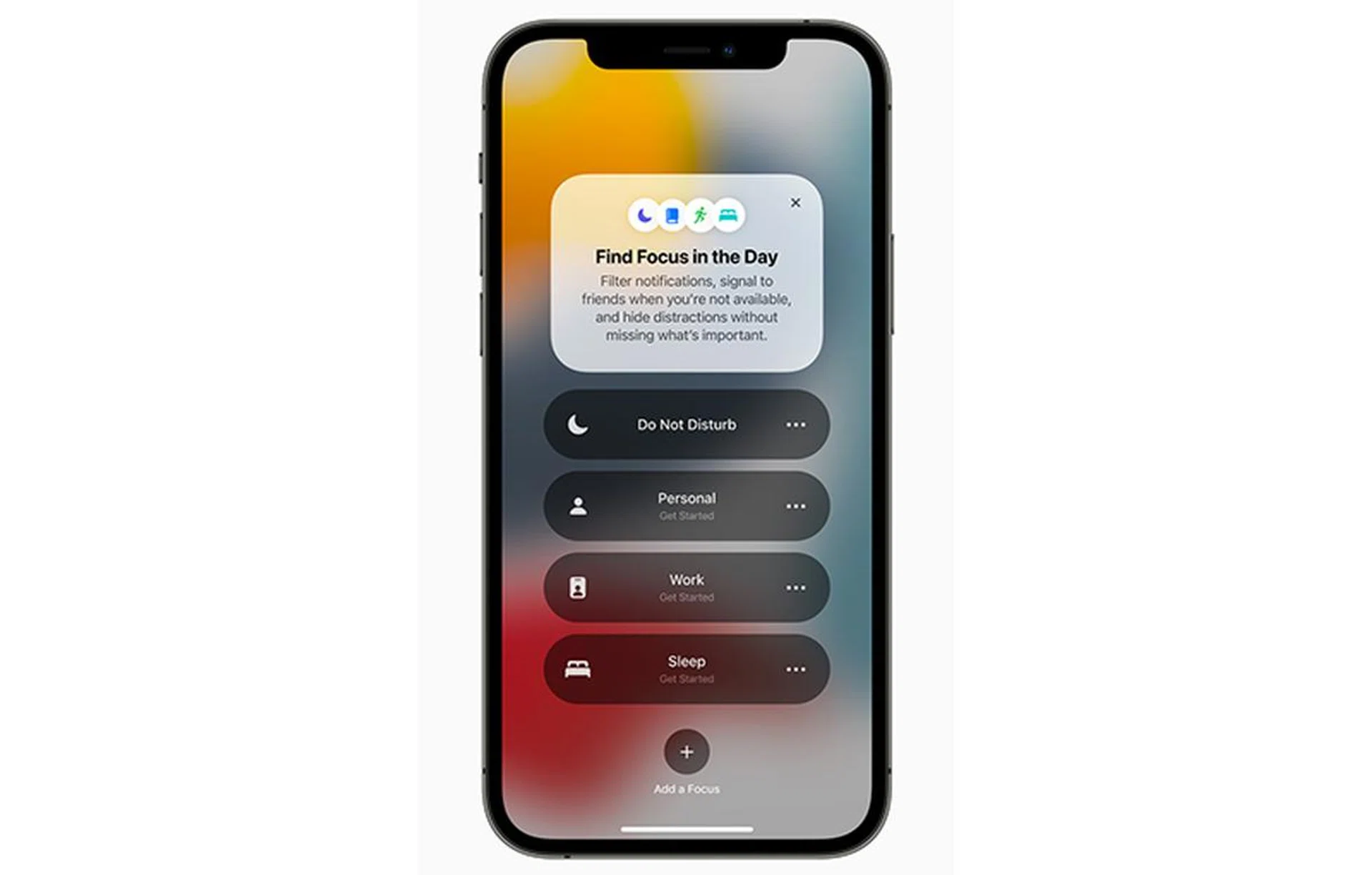
With smartphones getting more features and more capabilities, it can get overwhelming to check your phone at times.
Apple’s answer to decluttering is Focus. Unlike most other mental wellness features in Android, where they offer two-dimensional decluttering (work versus not-work), Focus can be customised to filter out notifications based on your current mindset or task. For example, you can create a Focus for video gaming or exercise, and even give it a name of your choice.
There are a few parts to Focus. First, iOS 15 will use on-device intelligence to recommend Focus based on your past activities. You are also free to create Focus tabs even without iOS 15 prompting you to - controls are found within the Control Centre.
Next, Focus also re-organises your Home Screen to suit the task or moment at hand. Examples given by Apple include a Focus for work, where work apps are front and centre, and a Focus for personal time, where the Home Screen will change over to prioritise apps and widgets for unwinding, socialising, entertainment, and more. This is on top of the notification decluttering.
Another iOS 15 feature that works well with Focus is a change in how the iPhone handles notifications from the Lock Screen. Previously, you had to mute app notifications either via Settings, or via each app’s independent notification controls. Apple iOS 15 now offers muting of notifications directly from the Lock Screen (swipe left on the notification, tap Options). So, there’s no need to go into Settings to fiddle with controls when you’re already temporarily disengaged from the group chat. Existing options only have Deliver Quietly (pop-ups but no sound and no Lock Screen tab) and Turn Off (with no time limit)
Enhanced Find My tracking, even if the phone is turned off
Previously, when you misplaced your iPhone, you’ll have to pray really hard that the phone has Find My tracking turned on and it’s not completely out of battery.
With iOS 15, the Find My phone tracking feature now works even when the phone is turned off or has already undergone a full restore. So, if someone finds your iPhone and has no intention of returning it to you, they can’t avoid tracing by wiping the phone, nor can they power it off to avoid detection.
Also, if they sell the misplaced phone, the unfortunate buyer will see that the Hello screen is locked and the phone has an original owner. The only way to fully release an iPhone is to go to iCloud and disassociate the device from the iCloud account.
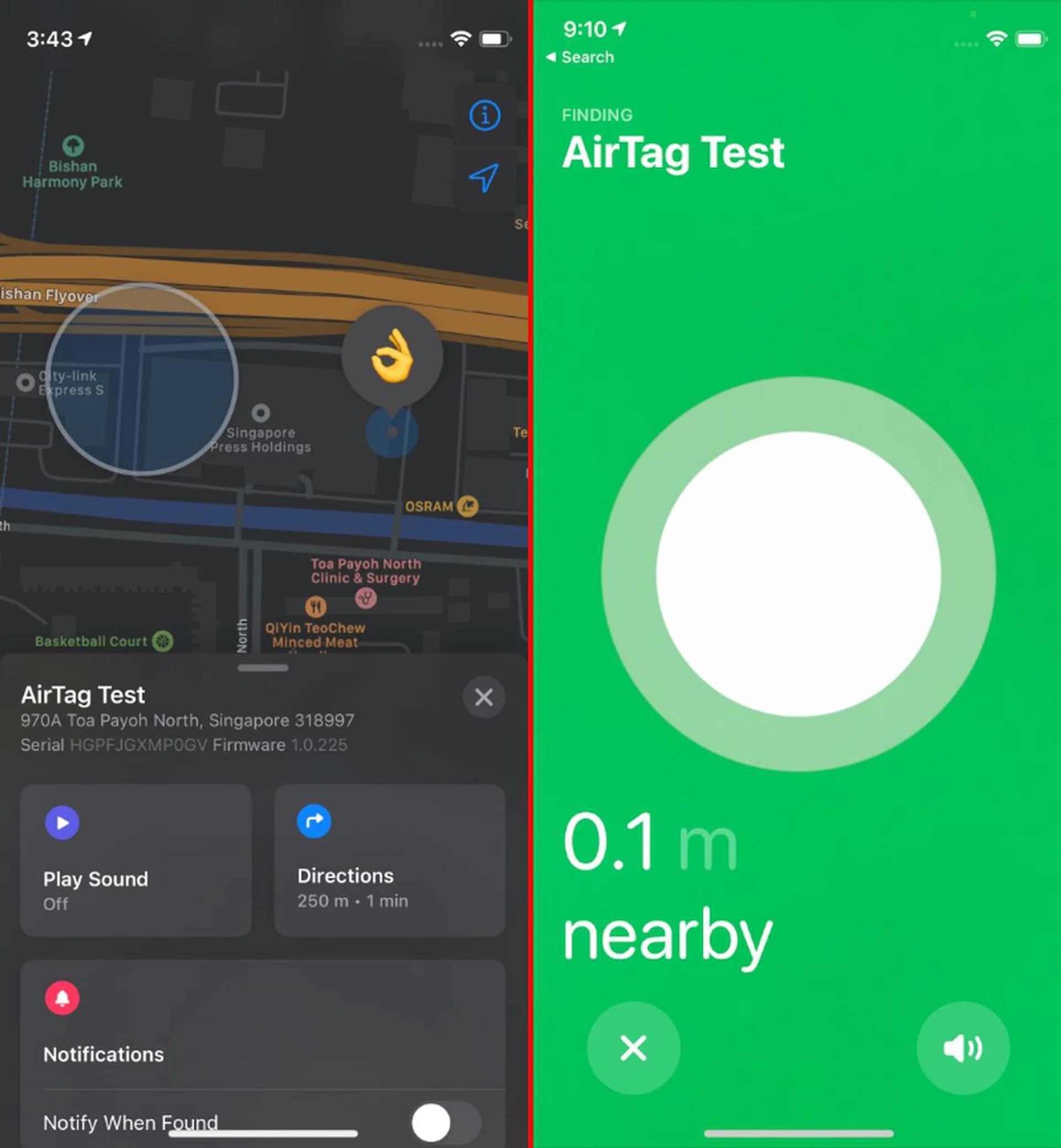
Beyond the phone, Find My in iOS 15 also offers Separation Alerts. Instead of waiting until you’ve misplaced your AirTagged belongings in an unfamiliar location, the iPhone will notify the user and give directions back to it. This builds upon what we tried in our Apple AirTag review.
These enhanced Find My tracking features use Ultra-Wideband technology (UWB). So, even with iOS 15, only the following older iPhones with the Apple U1 chip can use them:
Of course, we’re also expecting this year’s iPhone models to join this list too.
Sharing Health data with healthcare professionals, showing vaccine proof
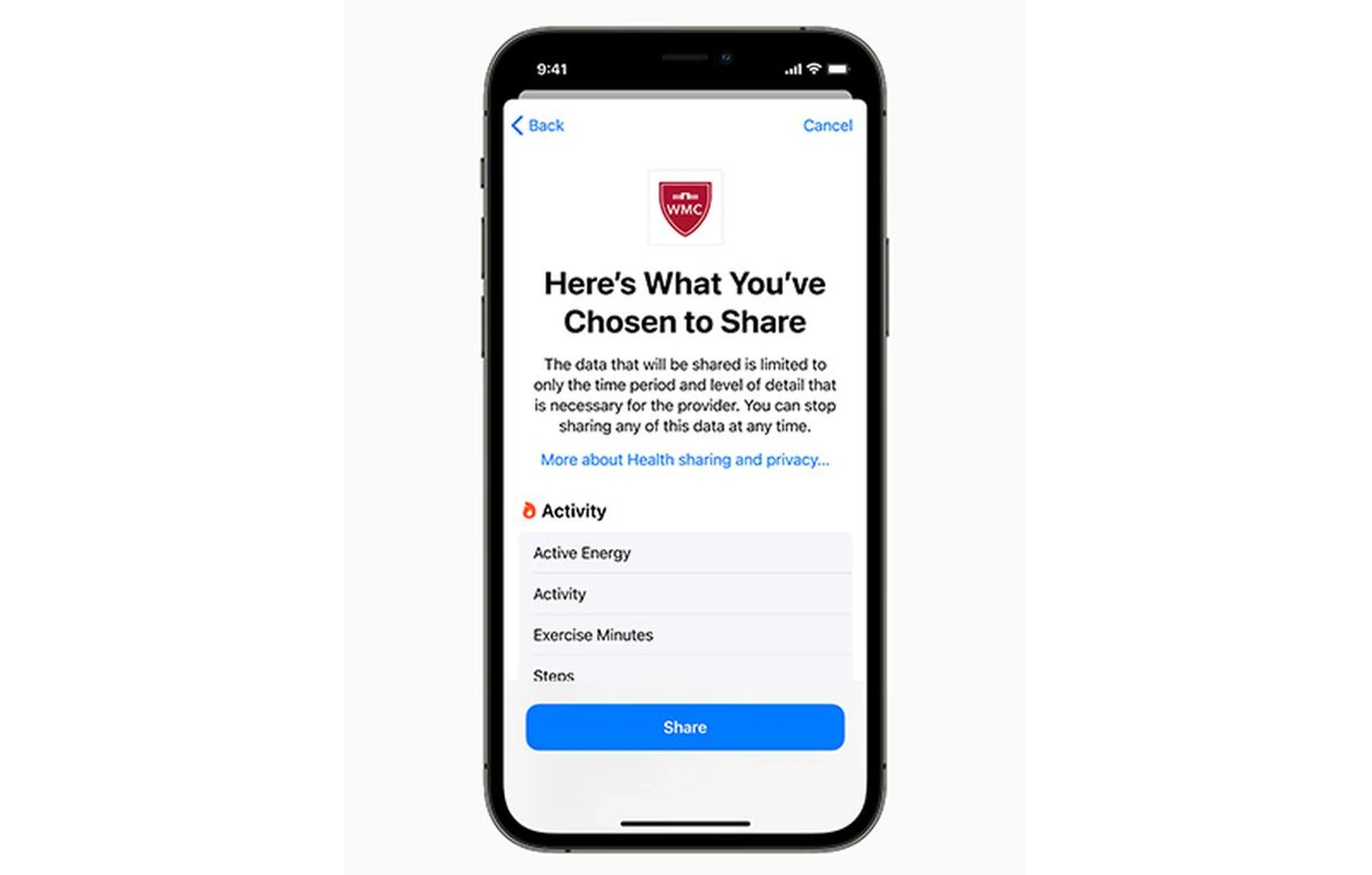
Most people would be familiar with Apple Health, which first started with tracking the number of steps taken in a day. The app and its features have since evolved, but the ways to communicate health data to the right people haven’t. Until iOS 15.
While Apple introduced many Health features for iOS 15, our favourite would be the ability to share Health data with select healthcare professionals and loved ones. Sharing with a physician makes it easier to explain how you’re feeling instead of having to rack your brain to recall any problems or symptoms you might’ve encountered. Sharing with loved ones also helps offer peace of mind since not everyone can easily communicate their well-being fluently.
We also hope that the feature for sharing with healthcare professionals would extend beyond supported U.S. healthcare organisations.
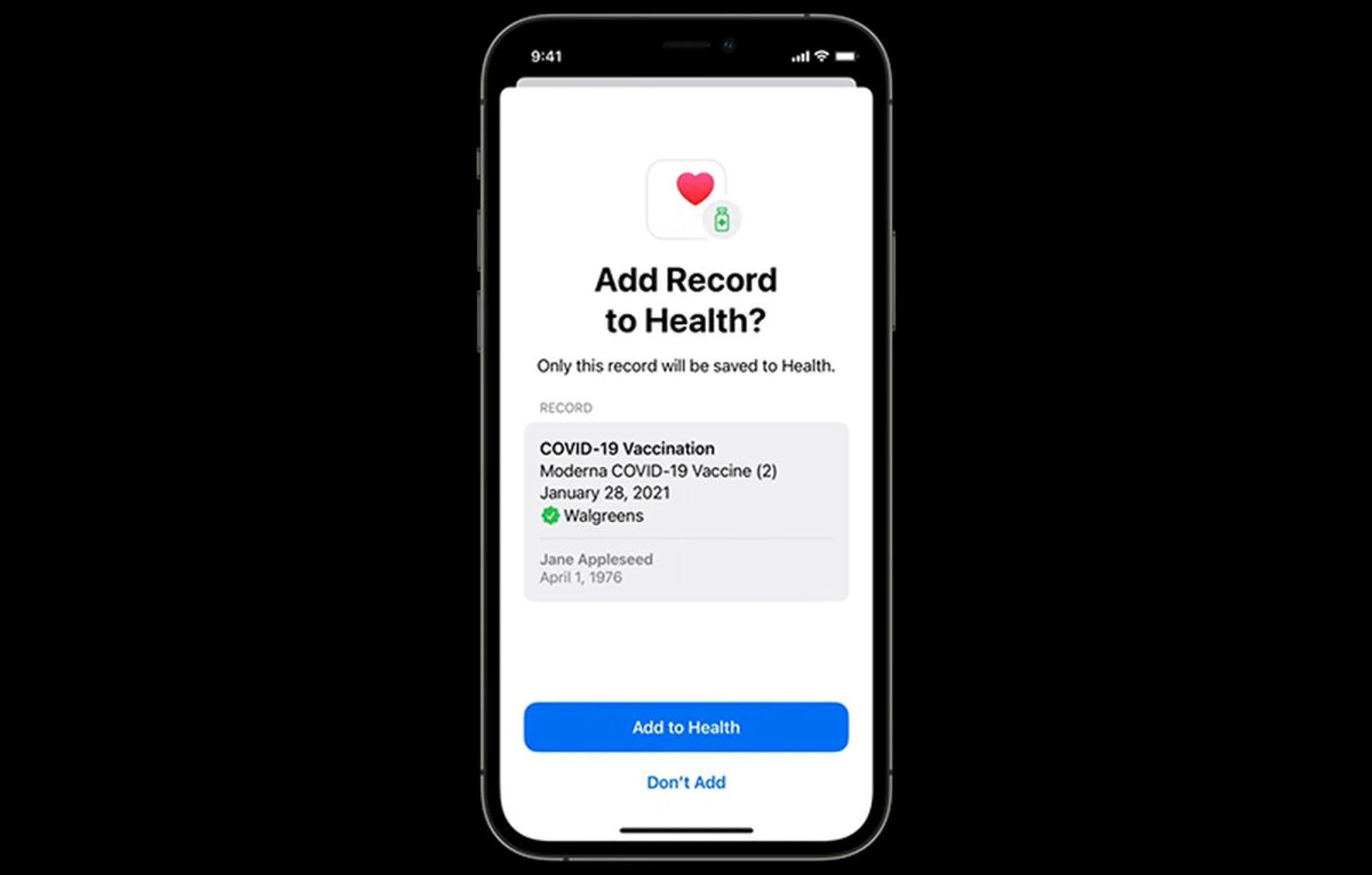
Another timely feature is iOS 15’s ability to store vaccination results directly in the Health app. It also lets users download verifiable Covid-19 vaccination or test results via an online browser or QR Code, even if the country’s health authorities don’t yet support this Health feature. So if you have any intention of leisure travelling or going on overseas work trips, you probably shouldn’t sleep on this feature.
Return of magnified text during copy-pasting

The old circular magnified text feature back in iOS 10.
Up until iOS 12, iPhones would magnify text during copy-pasting. As a result, it was much easier to select the correct point of the text. Unfortunately, text copying also became really clumsy when this feature disappeared, especially when it came to copy-pasting URLs.
iOS 15 sees the return of the magnified view. Apple calls it “magnification loupe for text cursor and selection”, but it’s really just the same feature. The only difference? Instead of a circular magnified area, the magnified loupe takes on an oblong shape that gives a better view of the whole word.
Camera app gets Live Text
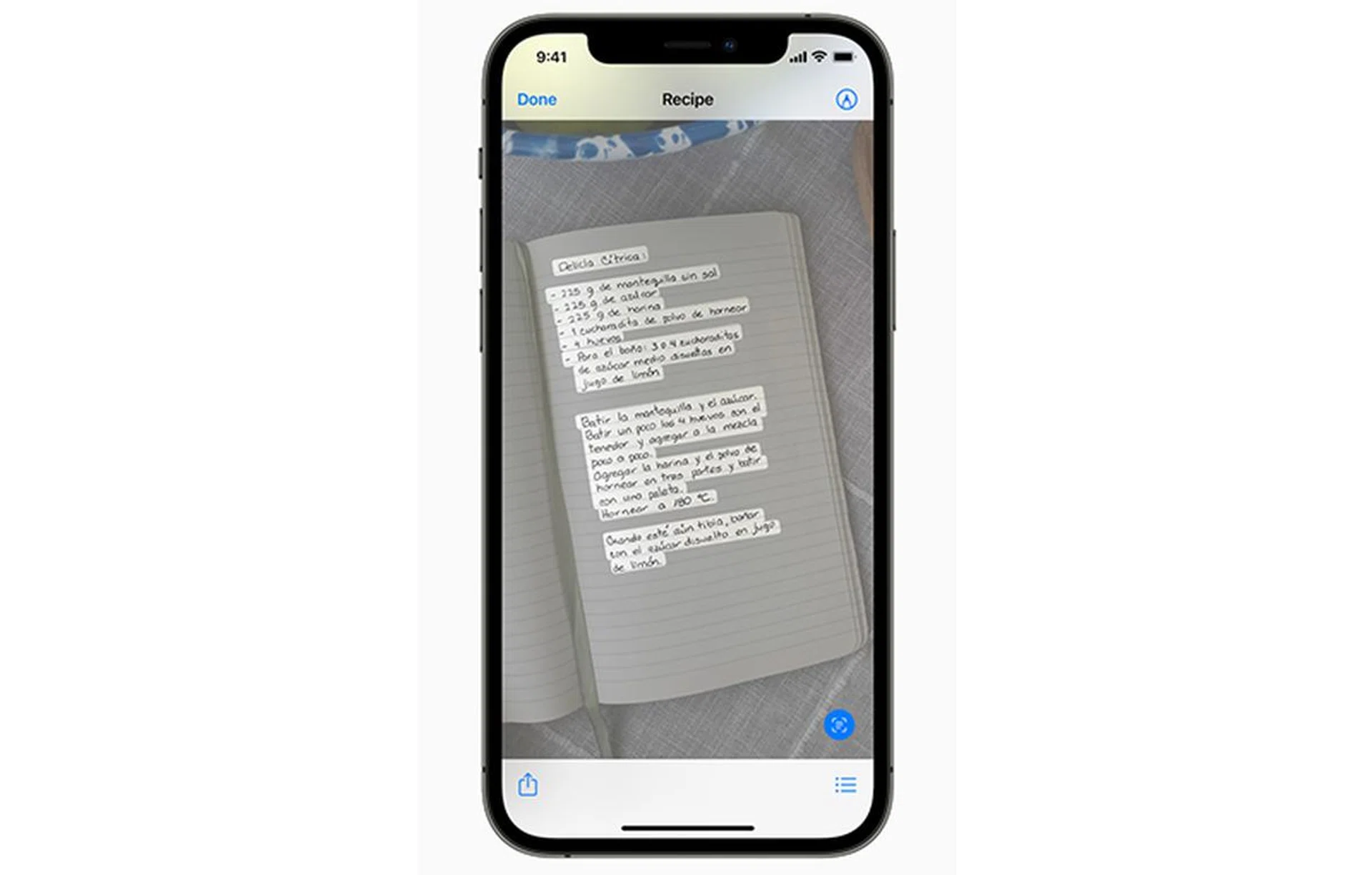
Perhaps long overdue, but welcomed, either way, is Live Text. It lets the default Camera app in iOS 15 recognise text in real-time, and in images found online. Users can copy, search, or translate Live Text from images too.
If you’ve ever used the Google Translate app, you’ll know that Live Text is very similar in function to its instant camera that provides instant translation. With iOS 15, you don’t need a separate, dedicated app for this one feature anymore.
SharePlay on FaceTime with family and friends
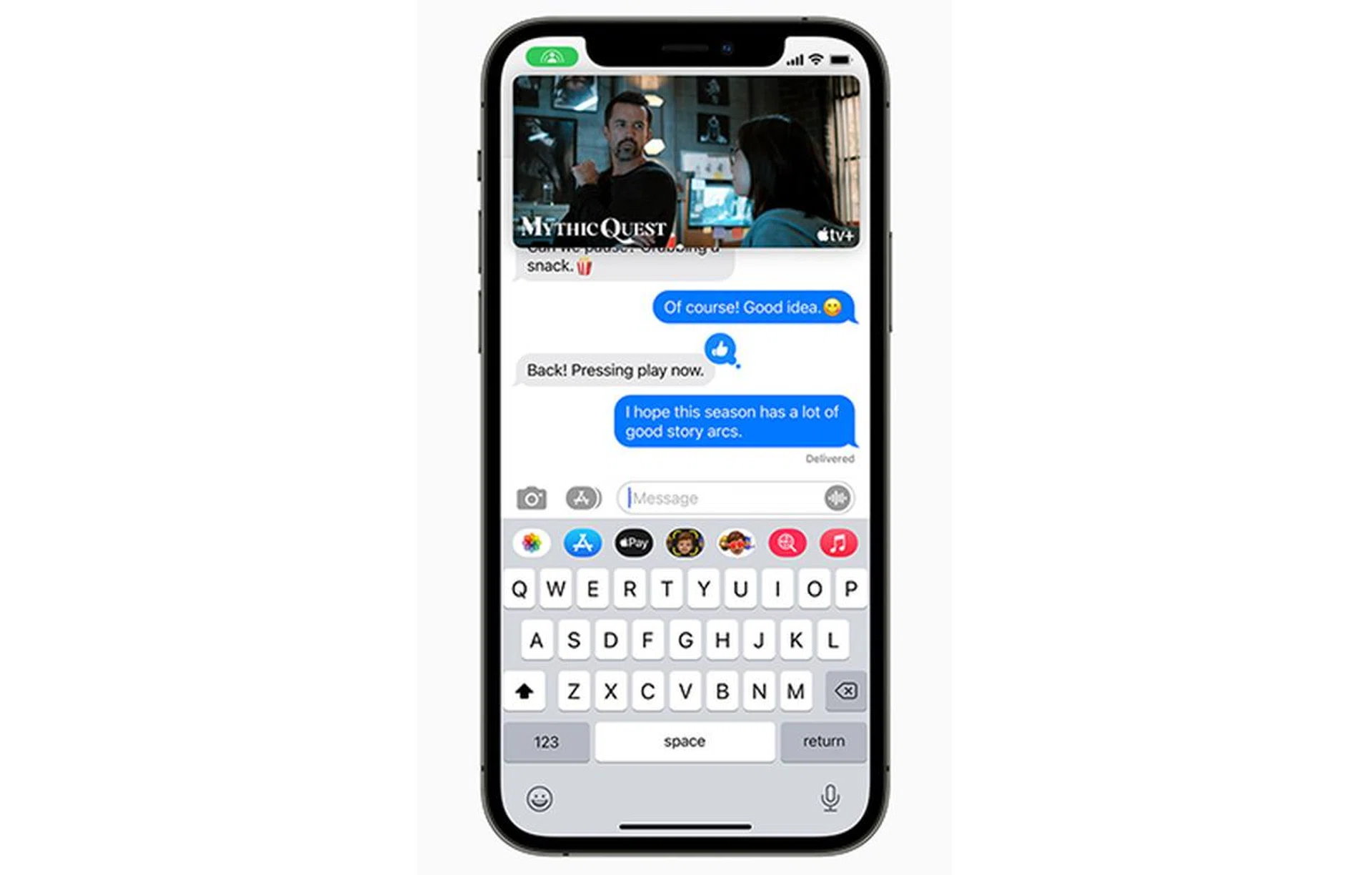
A headlining feature Apple shared was SharePlay, where an iPhone user can be physically apart from family and friends, and yet still listen to music or watch TV shows together using FaceTime. SharePlay controls are also shared with all participants, so any participant can pause the song or show when they need to nip into the loo or refill drinks.
On the device side, SharePlay at launch will work with iPhones, iPads, and Macs. Compatible content services are Apple TV, Disney+, ESPN+, HBO Max, Hulu, MasterClass, Paramount+, Pluto TV, TikTok, and Twitch, as well as any third-party app, if its developer chooses to integrate SharePlay functionality into their iOS app.
Safari gets Tab Overview, streamlined tab bar, and customisable start page
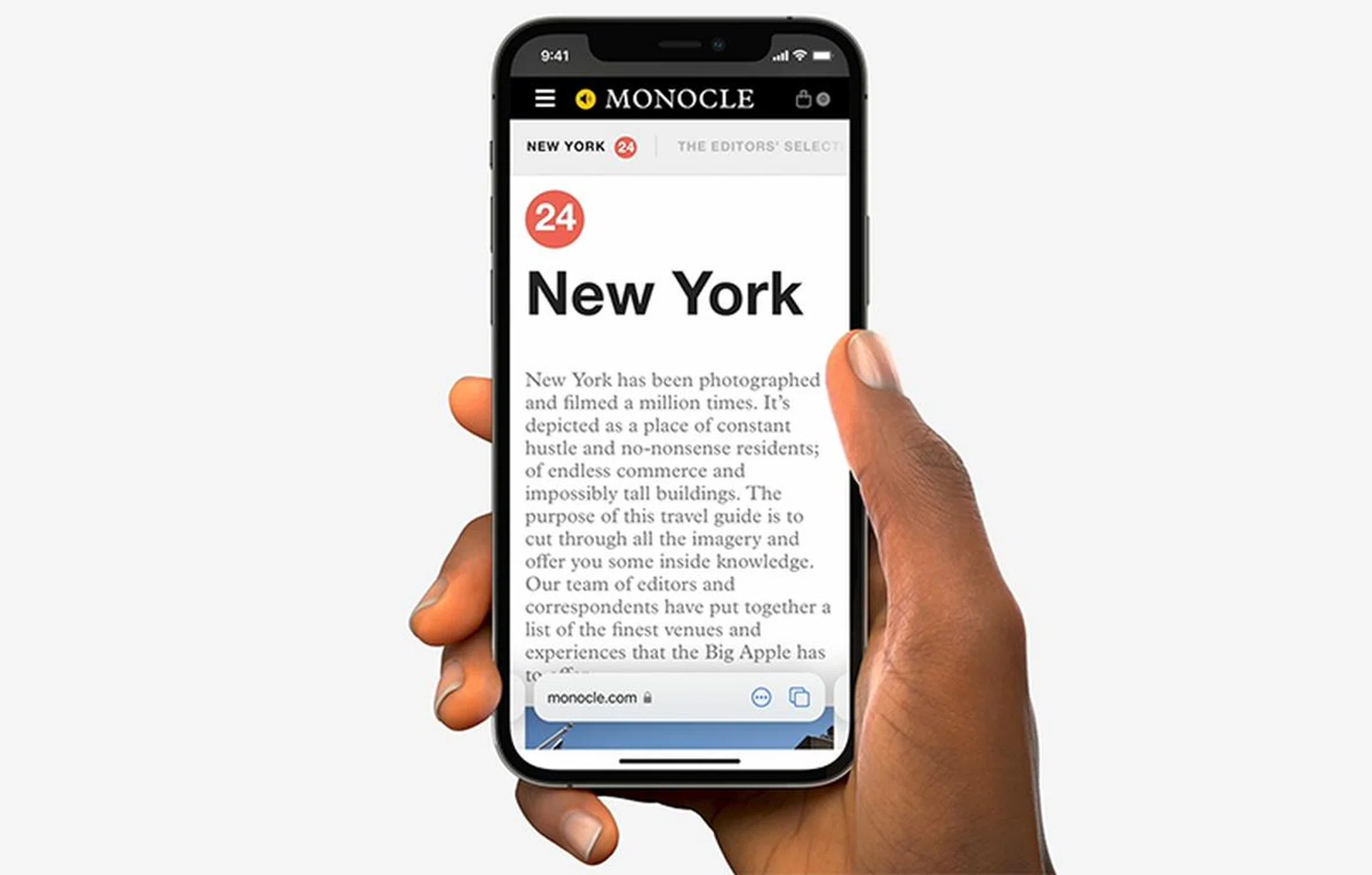
Safari, the default Internet browser of Apple devices, will get a new interface uplift with iOS 15. Apple calls it a brand new look, but there are three really key changes we liked.
First is the streamlined tab bar. In most browsers (desktop or mobile), the tab features are tucked away in another submenu or at the top of the display. Instead, Apple chose to put a tab bar at the bottom of your browser, which disappears when you’re surfing, and reappears when you tap its general area.
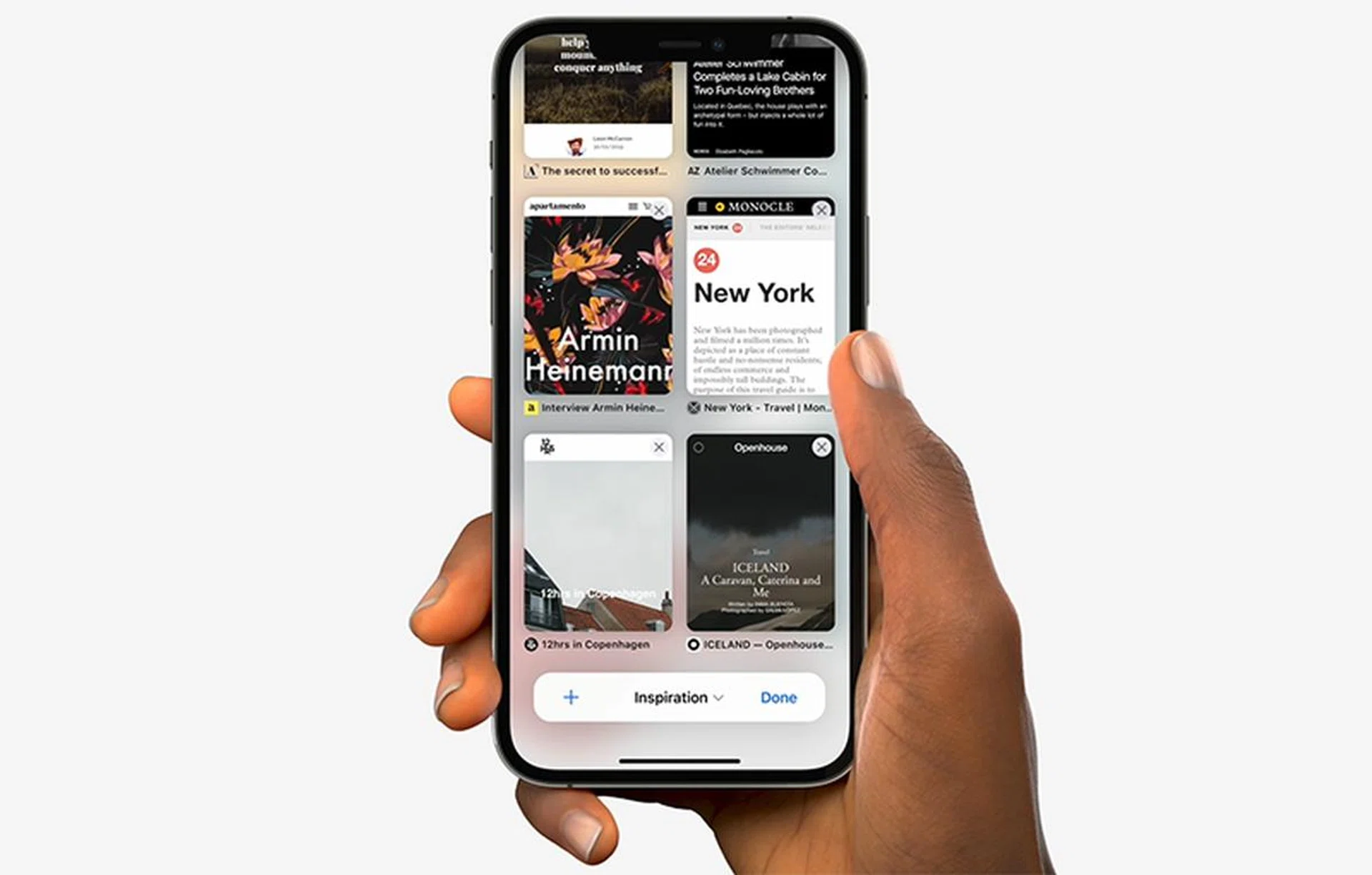
Next is Tab Overview in grid view. Instead of the carousel flipping we’ve grown accustomed to, Safari now adopts a grid view of all inactive tabs, much like Google Chrome. Unlike Chrome, it offers Tab Groups too to organise your opened web pages.
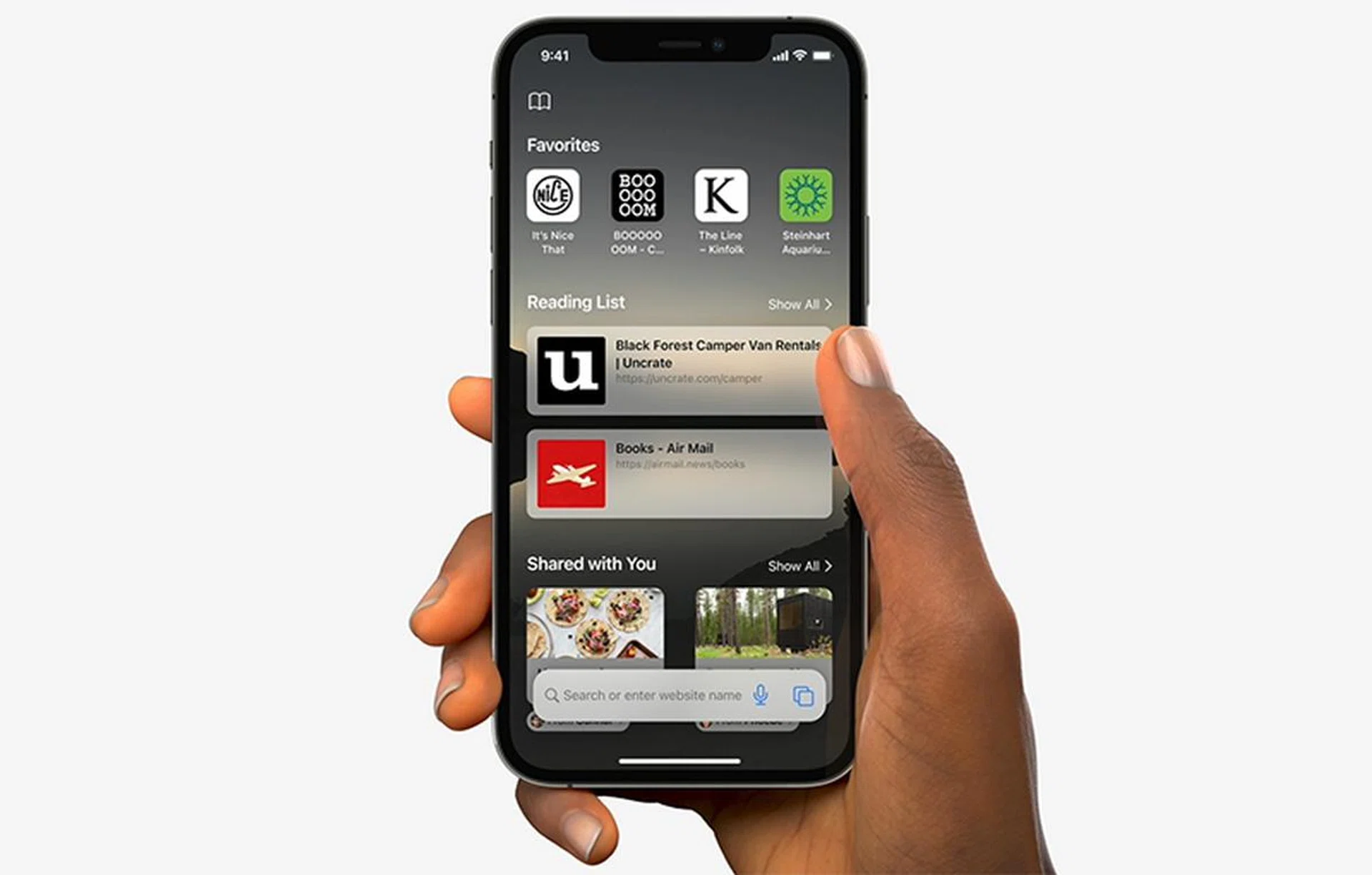
Finally, the start page (also known as the home page) of Safari can be customised. Users can now set a preferred background image, display key information like Privacy Report, Siri Suggestions, and more. These Safari customisations are replicated across other Apple devices with Safari, as long as you’re signed in to the same Apple account.
Private Relay in iCloud+

Private Relay in Cloud+ is coming to Apple phones as well - not just macOS Monterey or iPadOS 15.
In a nutshell, subscribing to iCloud+ gives you access to Private Relay, which is designed to prevent ISPs and websites from tracking your online activities. All traffic leaving the user’s device is encrypted, then filtered through to not one, but two separate Internet relays.
The first relay de-identifies the user by assigning them an anonymous regional IP address, and the second helps to decrypt the website the user wanted to access. Neither of the two servers will ever know both bits of information at the same time - who is using, and what they are looking for. If you’re an active user of VPNs on Apple products, you can consider iCloud+’s Private Relay as another viable option, depending on your privacy needs.
Which iPhones can be updated to iOS 15?
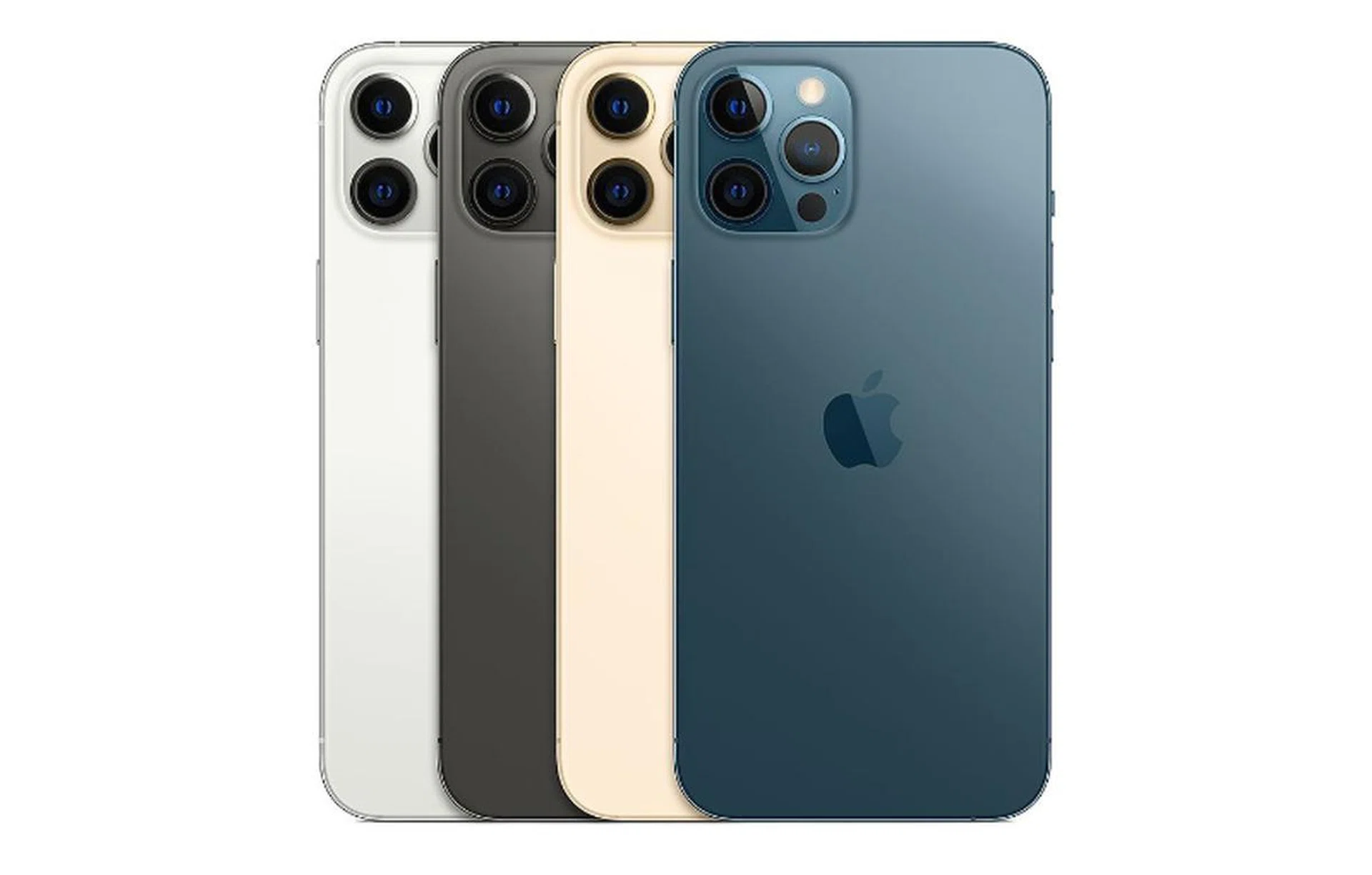
Apple iPhone 12 Pro Max.
Apple’s iOS 15 is compatible with the following iPhone models:
- iPhone SE (first and second generation)
- iPhone 6s, iPhone 6s Plus
- iPhone 7, iPhone 7 Plus
- iPhone 8, iPhone 8 Plus
- iPhone X
- iPhone XR
- iPhone XS, iPhone XS Max
- iPhone 11, iPhone 11 Pro, iPhone 11 Pro Max
- iPhone 12, iPhone 12 mini, iPhone 12 Pro, iPhone 12 Pro Max
Our articles may contain affiliate links. If you buy through these links, we may earn a small commission.