
Sony BRAVIA KDL-40EX520 - LED the Right One In
Sony's latest Skype-ready BRAVIA will champion their new EX520 range, complete with edge-lit LEDs, a Full-HD panel and Internet suites. How will Sony's affordable HDTV stack up? Join us as we find out how the X-Reality powered panel measures up.

Sizing Sony's Middle Class
Observably, the EX520 was already available for retail during the time of Sony's official announcement made two weeks ago. And speaking of launches, Sony's recent update boasts numerous BRAVIA models which can be confounding to those unschooled in the Japanese TV maker's LCD offerings. To sum up their new HDTV range, the EX420 is almost a clone of the EX520 series, but note that the EX420 only goes up to 720p compared to the 1080p EX520. There are also the 3D-capable EX720 and NX720 stacked at the higher end of Sony's BRAVIA scale. On the contrary, the entry-level BX420 and BX320 are powered by traditional CCFL backlights, unlike the LED-based EX and NX suite.

Sony's BRAVIA EX520 possesses a raw charm of its own, credit to a Full-HD panel and edge-lit LED lighting. In addition, the EX520 is complemented by Sony's BRAVIA Internet Video widgets for access to entertainment sites such as Blip.tv and Style.com.
The 40-inch BRAVIA EX520, in particular, offers healthy merits as a two-dimensional LCD TV. Engineered in 32, 40 and 46-inch iterations, the EX520 is driven by Sony's new X-Reality video engine, with features such as Adaptive Dot Noise reduction to remove dot crawls associated with composite or upscaled video sources. Notably, the EX-series also comes with characteristics typical of mid-range BRAVIA units, such as edge-lit LEDs (without local dimming), DLNA, and Sony's Internet platform dubbed as BRAVIA Internet and Video widgets. A new feature from Sony would have to be the Remote Keyboard application, which enables you to control the TV or input text with a VAIO notebook. Sadly, the update isn't available till April. What the EX520 lacks, however, is the OptiContrast panel and MotionFlow XR (frame interpolation and backlight scanning) perks brandished by the HX and NX series. Anyhow, let's see what this BRAVIA can do.
Design
We made short work in putting the EX520's table-top stand together, but note that the HDTV's final assembly isn't the most stable given its fair amount of panel wobble. Aesthetically, it exhibits similar looks to last year's EX500 series, framed by a glossy black bezel and a gun-metal gray strip below. Depth-wise, the 29.5mm thin EX520 is visibly slimmer than the EX500, credit to its edge-mounted LED backlights. The TV's matte screen with its lesser reflections is another welcome incentive. Sony has integrated an ambient light sensor with this particular iteration, and a presence sensor that can also be found on higher end models such as the EX720. Although this TV is WiFi-ready, you'll still require the optional and rather pricey UWA-BR100 wireless LAN adapter ($149) to enjoy its wireless perks.
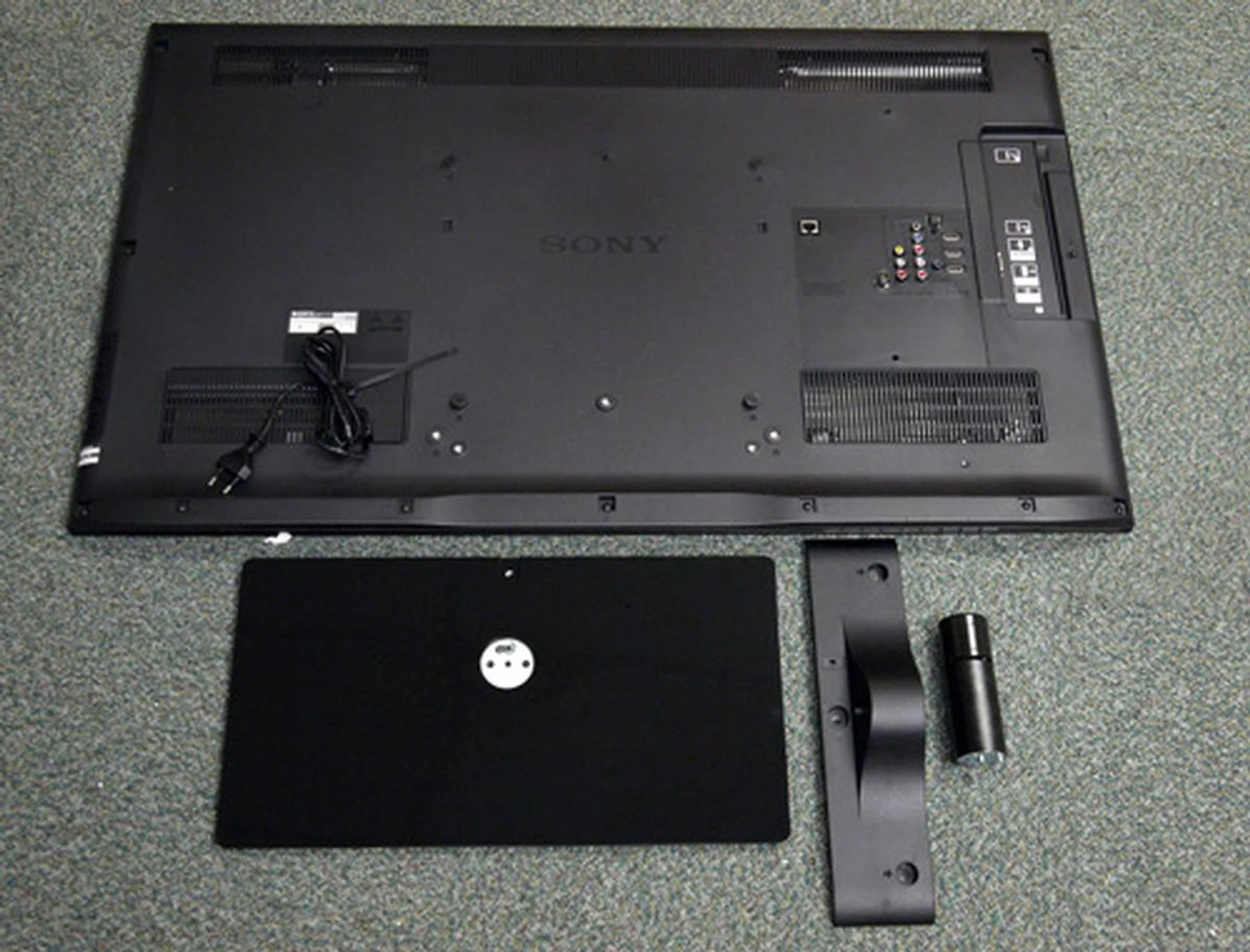
There are two large screws situated behind the panel which act as guide pins and should not be removed. Despite its implementation, the entire unit remained a tad wobbly after we were done with its assembly.
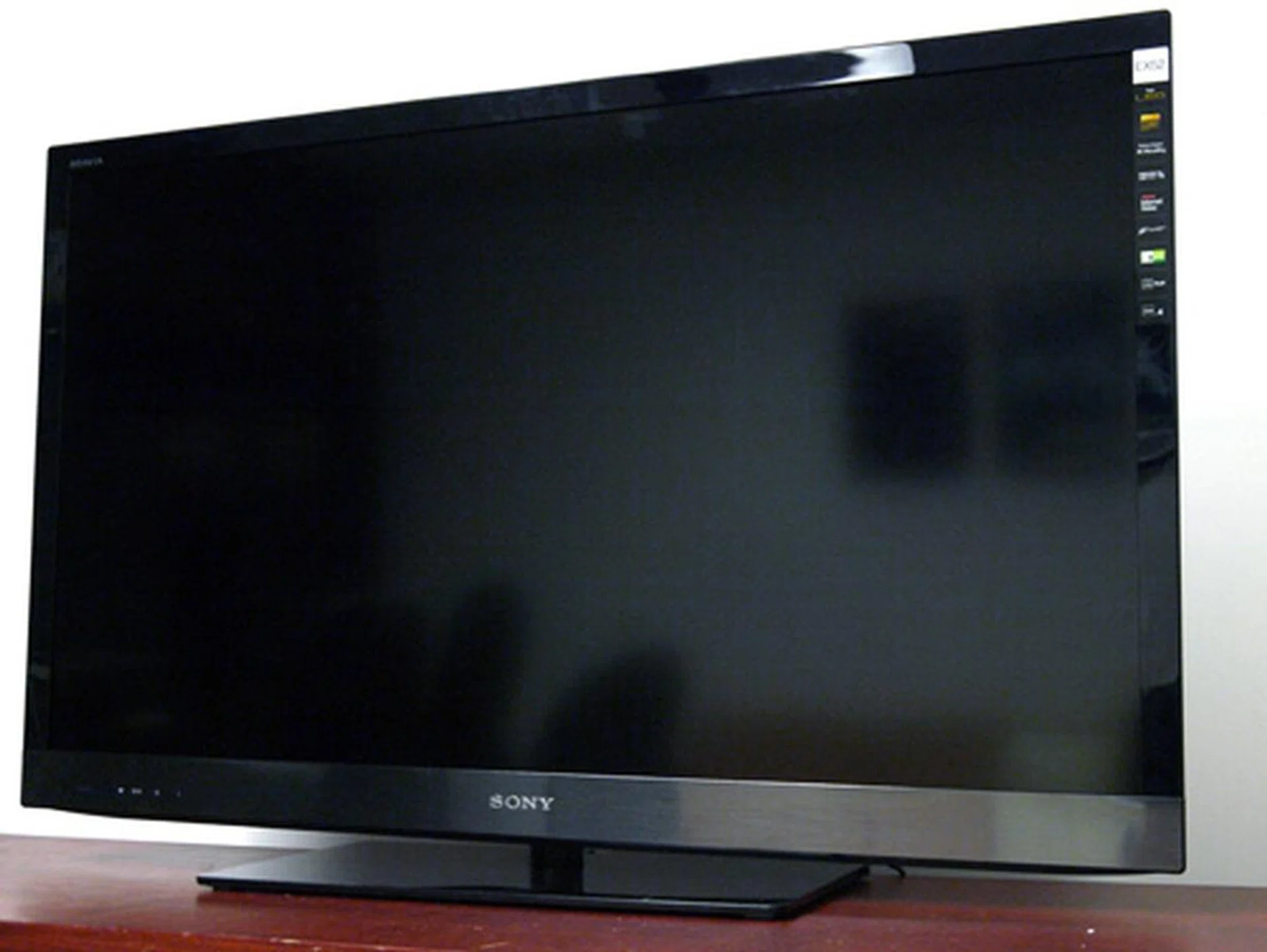
The EX520 does exude a sense of class with its faux brushed-metal lower bezel and slender looks. We'll give it the thumbs up for its matte screen and swivel feature as well. Do note that while the EX520 is powered by Sony's new X-Reality engine, its panel is still restricted to a 50/60Hz refresh rate.
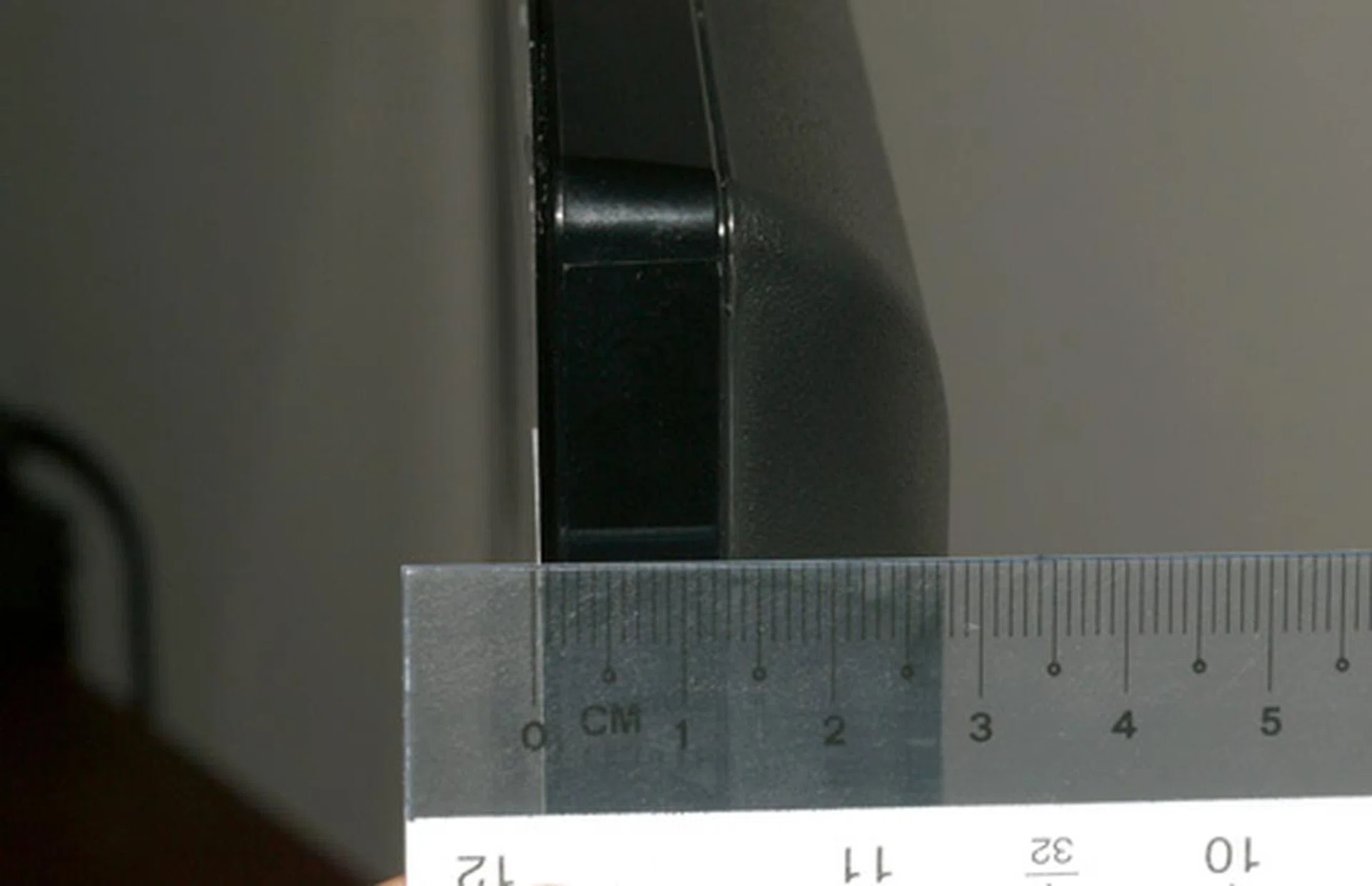
At only 29.5mm thin, the edge-lit EX520 is visibly slimmer than the older CCFL EX500 model whom Sony has ended its shelf life. Inclusive of its pedestal stand, the 40-inch EX520 is also noticeably lighter with a manageable weight of 16.4kg.
In the connectivity department, Sony has engineered an ample collection of AV jacks. Looking at its back panel, we spied three HDMI ports, an Ethernet slot (for firmware updates and BRAVIA Internet features) and the usual analog inputs. And that includes two composite and one component terminals. Audiophiles might prefer to tap its optical outlet, which is also present in the EX520. Further west, the side strip revealed two USB slots for media playback, as well as VGA, RCA audio and headphone outlets. We'd love to try out Sony's new Remote Keyboard feature, but unfortunately, the update is only available from April onwards. As for the remote, nothing much has changed since we last handled a BRAVIA, with Sony's signature concave design making yet another appearance.
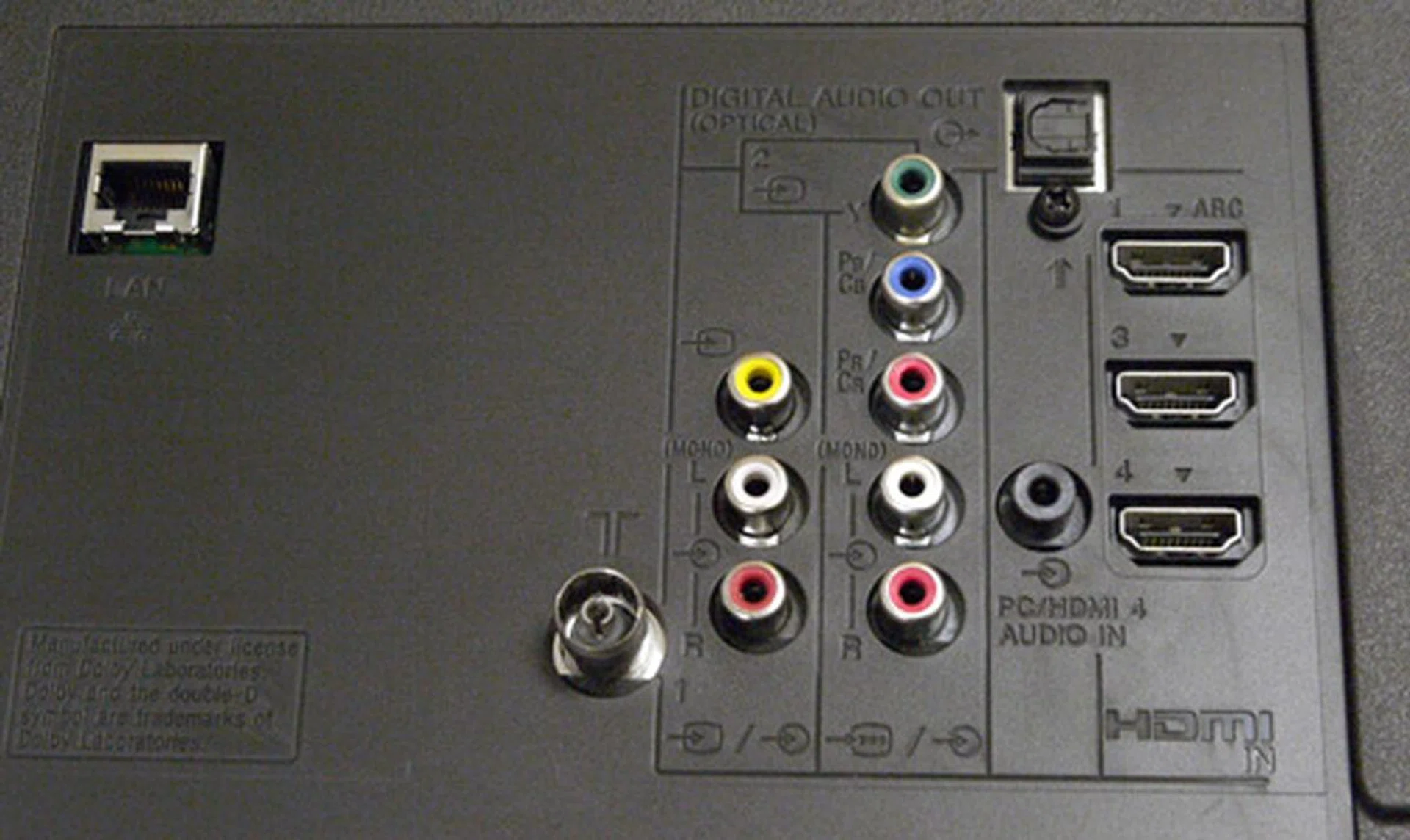
Here are the video offerings located behind the rear panel. Analog inputs such as Component and Composite jacks are present, as well as three digital HDMI inlets. The HDMI1 slot comes with an ARC feature which enables you to send audio upstream to the AV receiver.
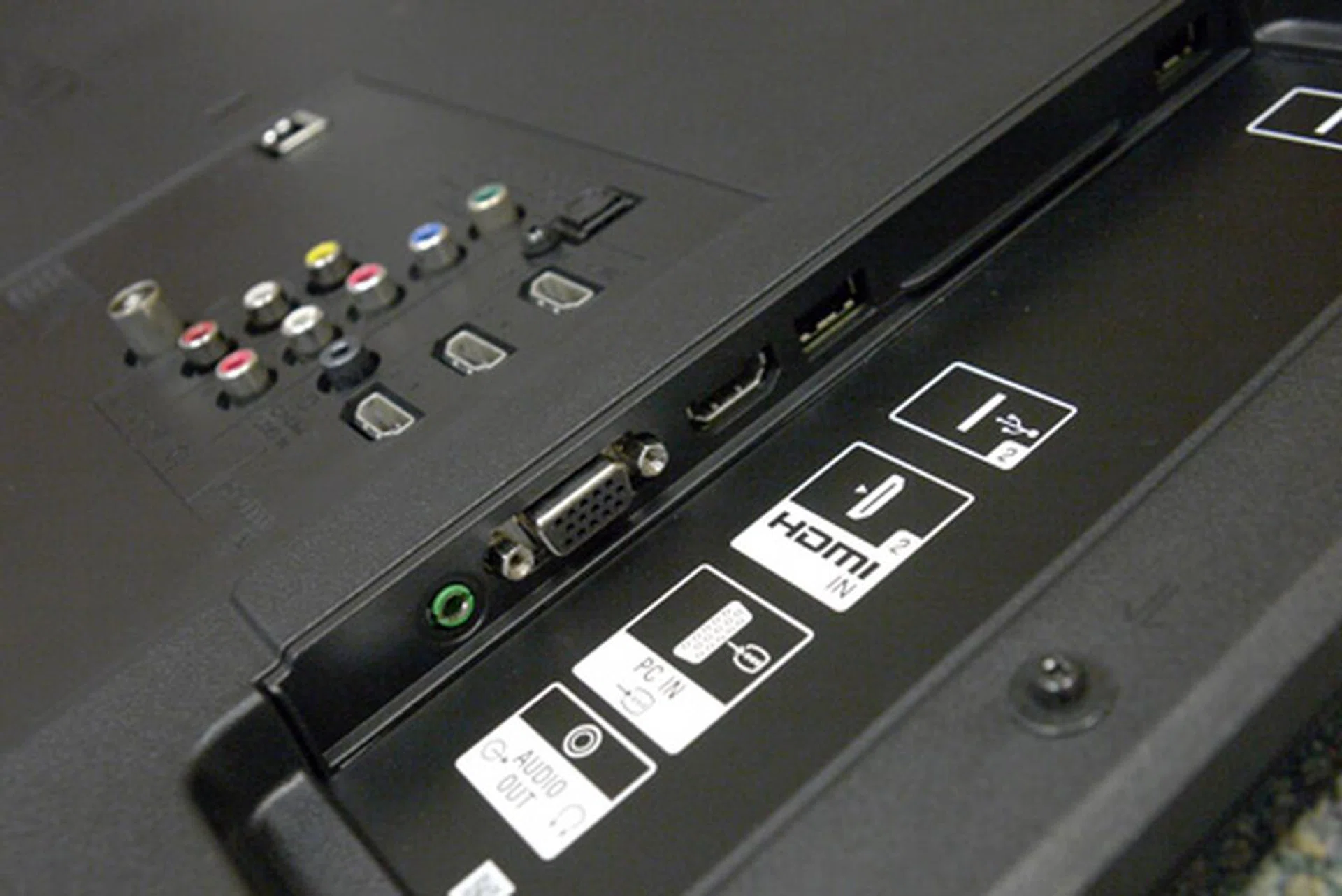
The side panel can be a little hard to access due to its slightly recessed design, and even more so if the TV is wall-mounted. Sony is offering one of each kind on the flank, such as a USB port, HDMI slot, headphone jack and VGA input.
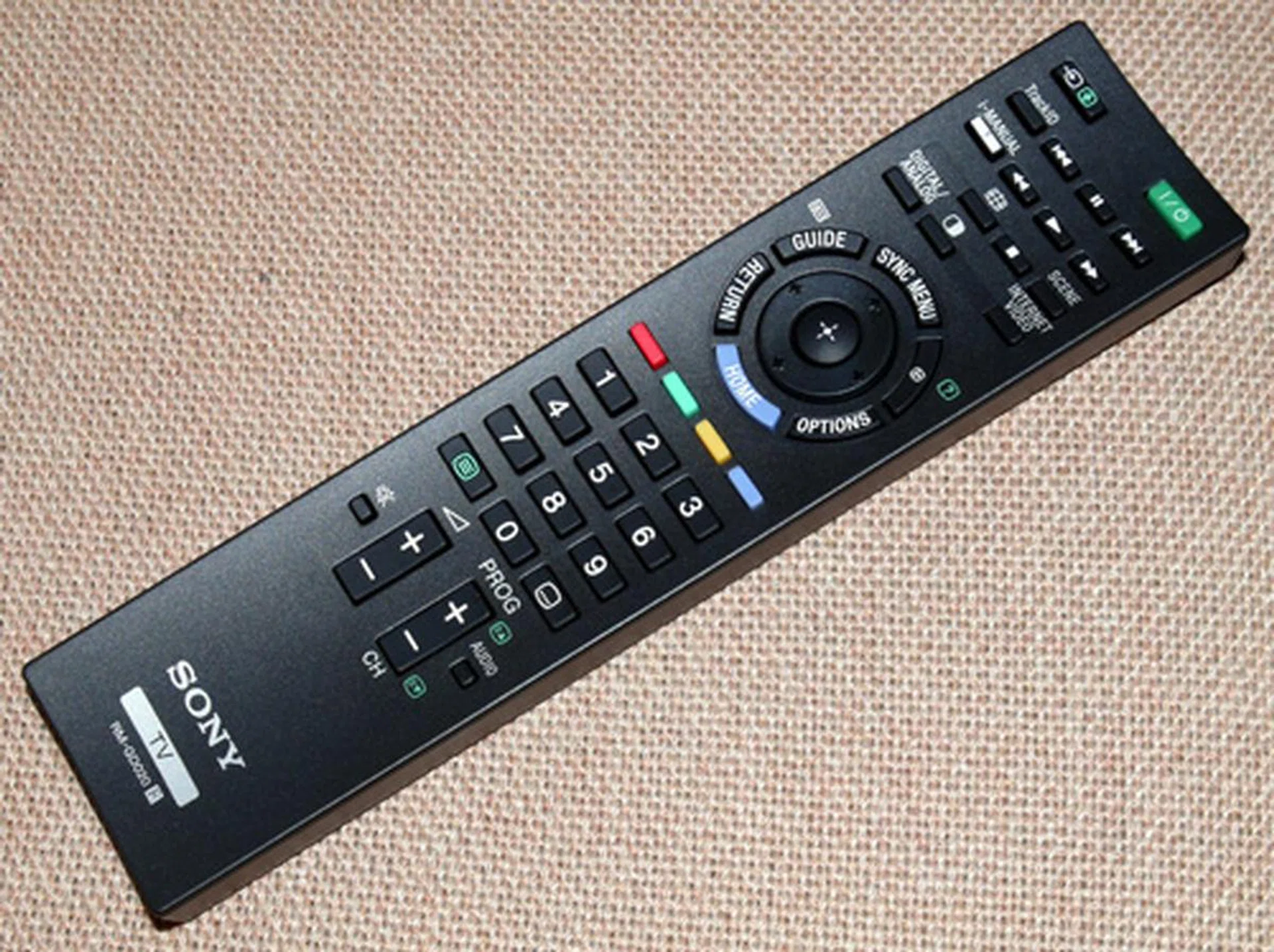
Sony's RM-GD020 remote may prove to be a little unwieldy for small hands, but its concise layout is a definite incentive. Comes with dedicated buttons for Sony's Internet Video features and iManual. The latter function, by the way, provides operational instructions on how to manage the BRAVIA for those who are unfamiliar with Sony's TV sets.
Features
Followers of Sony's BRAVIA line should know that the Xross Media Bar interface has been a regular feature on Sony's tellies and PlayStation franchise over numerous generations. However, Sony has since ditched the familiar user interface for an updated GUI on the EX520. In short, main icons are laid out along the lower half of the screen, while sub-menu items are displayed on the right. After giving it a brief once over, Sony's recent implementation had our vote over the former given its added preview screen and concise layout. Presets are rather limited, with only Standard, Vivid and Custom selections found under the Picture tab. Or so we thought, for tucked away under System Settings are more picture presets to be had, such as Cinema, Photo, Animation and so forth.
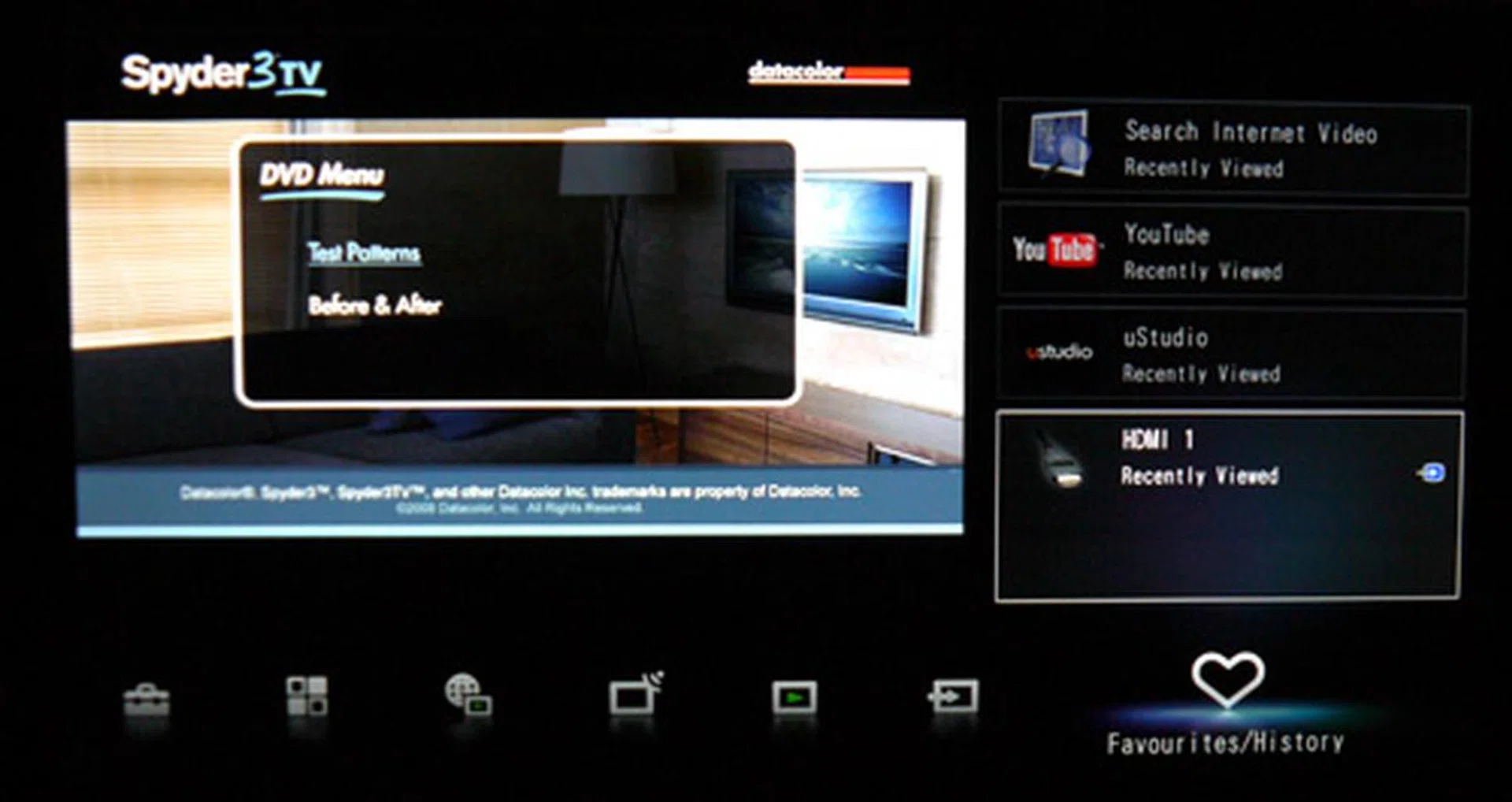
Sony's refreshed GUI still bears some semblance to its Xross Media Bar, although it comes with more nifty tricks such as a sub-menu display on the right and Favorites/History tab. A handy preview screen also ensures you don't lose track of your TV program as you fool around with the TV's settings.
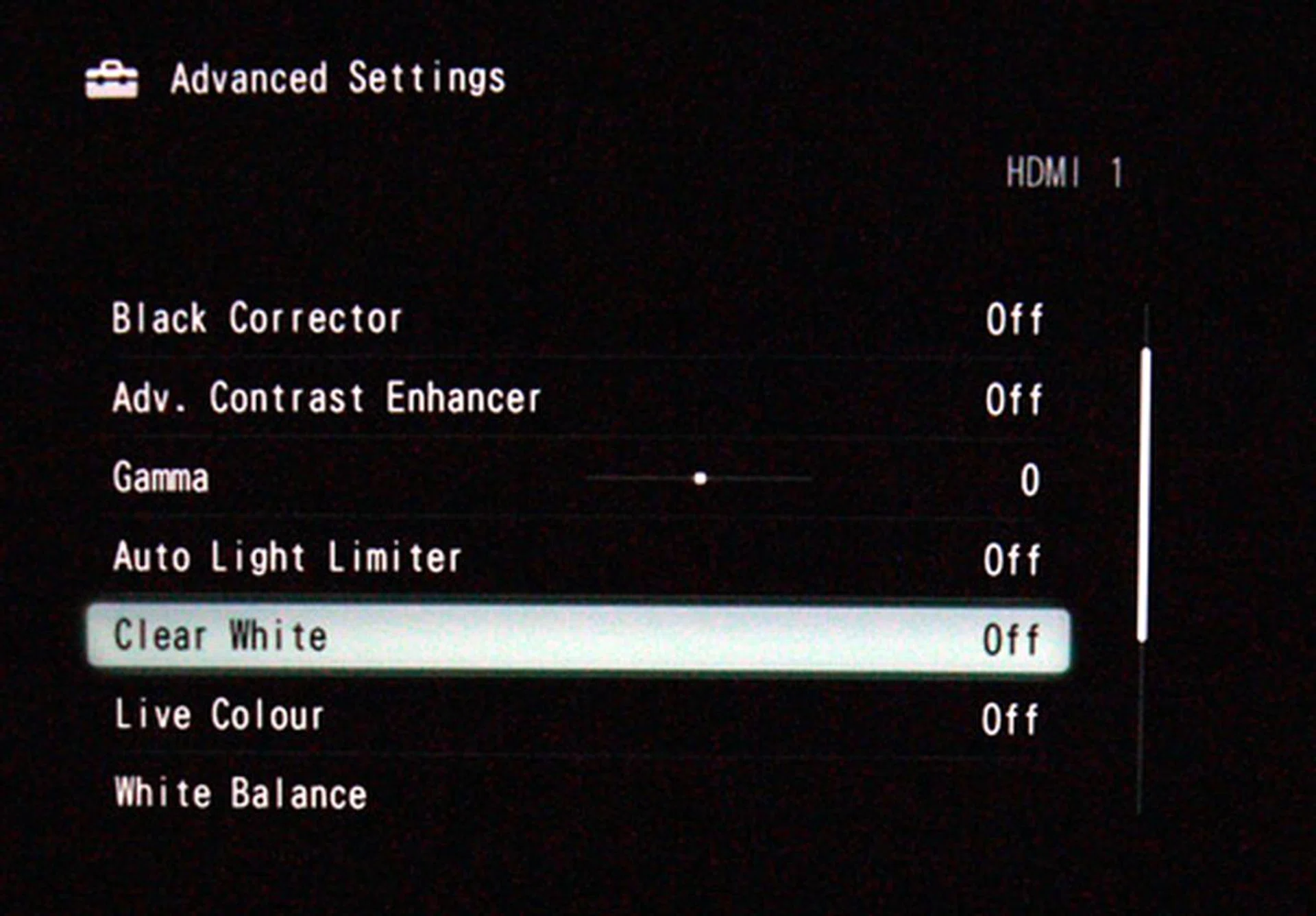
Although Sony has a strange way of separating their presets between the Picture and System settings, it's good to know they've at least consolidated their image enhancements under the TV's Advanced Settings for TV connoisseurs to tweak.
Being equipped for the Internet, it's no surprise that the EX520 is pre-installed with a widget platform featuring a range of video streaming sites such as YouTube and DailyMotion. Apart from that, the TV also brandishes a built-in web browser. But be warned, for it can be a pain to use. Besides its sluggish operation, the browser also has a tendency to crash whenever we attempted to load a Flash-based website. While the TV's streaming applications were relatively responsive, we'd recommend shelving the integrated browser for good. As for media playback, the EX520 handled common formats such as MPEG4 and AVI files well, including most Xvid codecs, but failed to detect the MKV container.
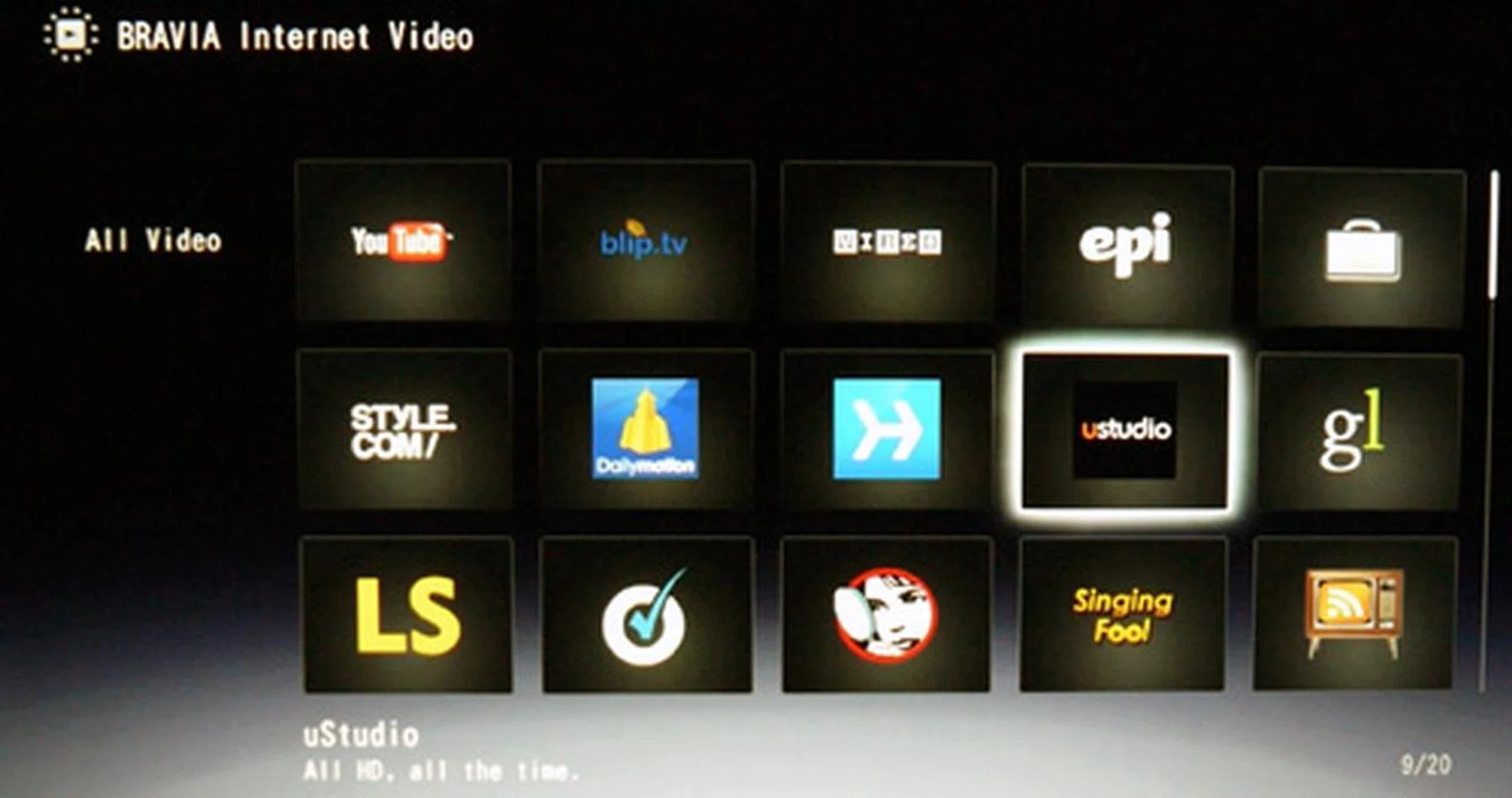
Internet-enabled TVs might soon put media players out of business if they keep at it. Apart from video streaming and RSS news feeds, the EX520 also supports media playback for most video formats from its USB port with fairly quick loading times.
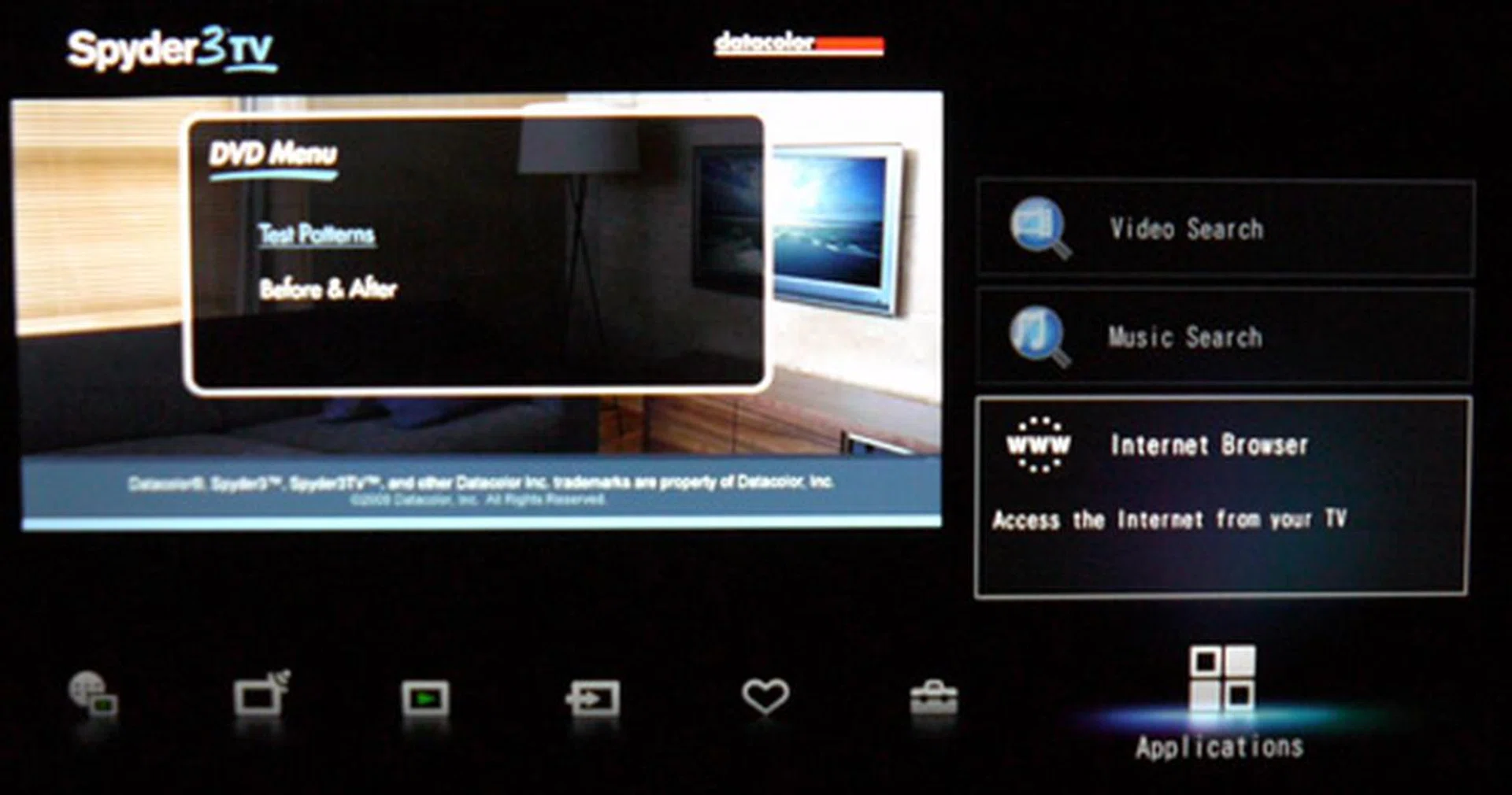
You'll find an integrated web browser under the Applications tab. While the browser is nice to have, be prepared to put up with a sluggish navigation experience on the crash-prone application, and especially so with Flash-based sites.
Calibration - Spyder3TV Report
To maintain a standard across our review units, we calibrated the BRAVIA EX520 with Datacolor's Spyder3TV Home Theater Color Calibration kit prior to our visual tests. This is to ensure we assess the HDTV based on optimal display settings, and not purely on visual estimation alone. Using the TV's Standard preset, we've also disabled all the necessary boosters such as color and edge enhancement features. After calibration, optimized values were as recorded as:- Brightness at 50, Contrast at 96, Color at 54 and Tint at 0. Since our Spyder kit does not allow us to calibrate the TV's backlights, we've set the EX520's backlight to 5, or its neutral value. Black and white luminance yielded 0.112 and 249.686 cd/m2 respectively. While the calibrated results were satisfactory without any semblance of inconsistencies, rival models such as Panasonic's D25S or Philips' PFL6605D were noted to yield better contrast levels based on our previous tests.
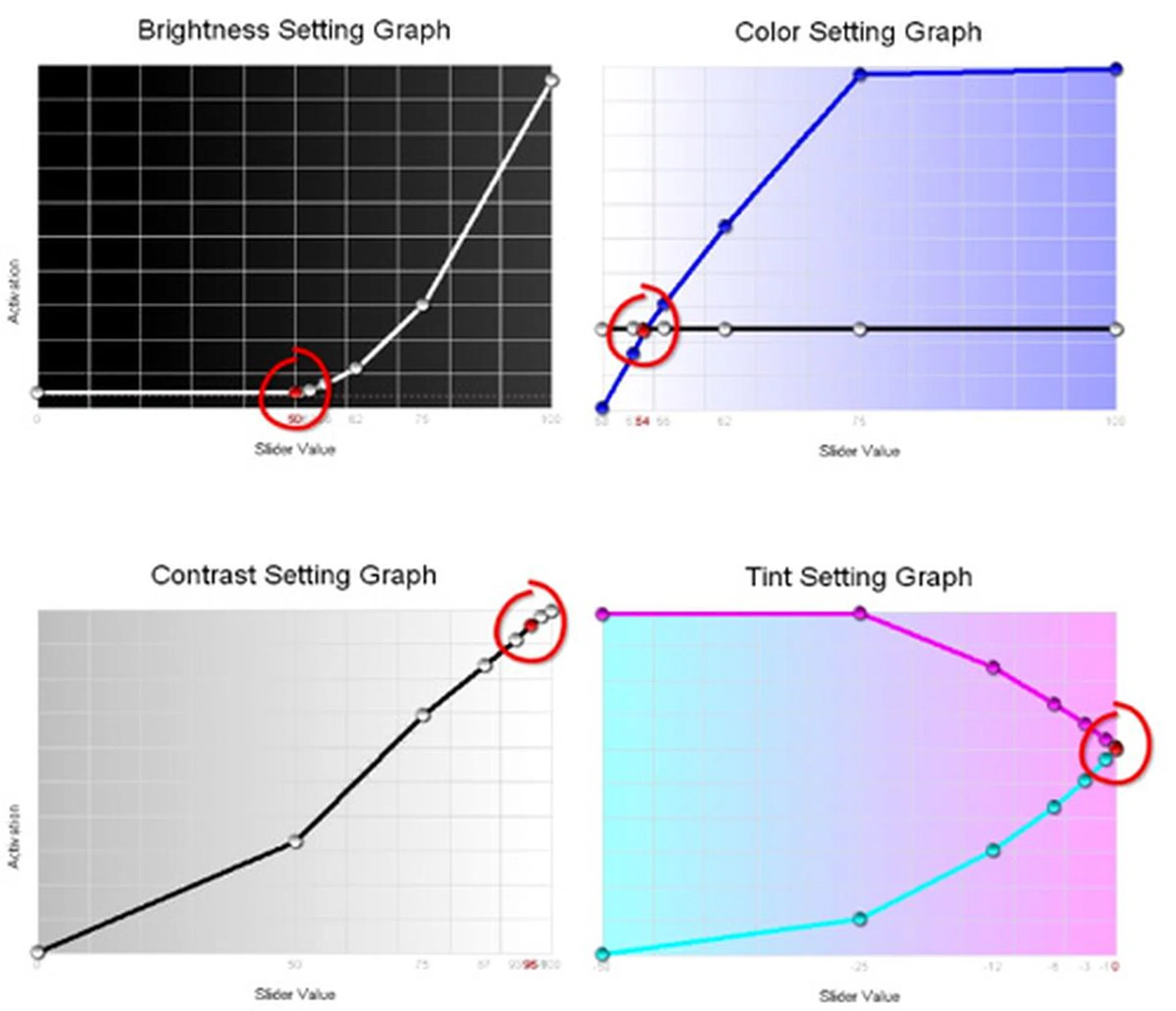
Spyder3TV Calibration Report - While the EX520 did not exhibit any anomalies with their display settings, we expected more from their contrast levels which were only satisfactory at best. Note that the "Standard" preset was used for calibration with backlight values clamped at "5".
DisplayMate Tests
DisplayMate is an application which generates a sequence of test patterns to determine the capabilities of imaging devices, like color and gray-scale accuracies for example. For our tests, we've hooked up the BRAVIA EX520 to our display test-bed PC using an HDMI connection. To be fair across the board, we have also disabled all visual enhancements on the TV in order to reduce the variables involved. Here are some findings based on the relevant and critical test patterns:-
Screen Uniformity
We assessed the BRAVIA's screen uniformity using a white, gray, and red test pattern. While the display was fairly even on the white pattern, subtle changes in tint were discerned on a gray screen, and especially so around the corners. Also, a patchy and uneven texture was evident on a dark red pattern compared to the rest, no thanks to its edge-lit lighting.
Dark Gray Scale
Corresponding gray blocks showed good consistency with little tint variations. Blacks were nicely retained although a brightness level of "62" is required to discern the darker gray boxes. To add, black level performance worsened when the viewing angle was varied, a niggling problem which seems to plague most edge-lit LED sets.
Color Scales
Despite the minor kinks gathered from the Uniformity tests, Sony's EX520 managed to excel in the Color Scales evaluation with progressive scales and healthy color accuracies validated on the 10 principal colors.
256-Intensity Level Color Ramp
Similar to results derived from the Color Scales test, the BRAVIA performed splendidly on the Color Ramp pattern, given its linear gradients and almost compression-free conclusion. As such, displaying photographic images on the EX520 would be pretty much ideal. On the down side, darker tints can be subjected to contrast shifts at wider viewing angles.
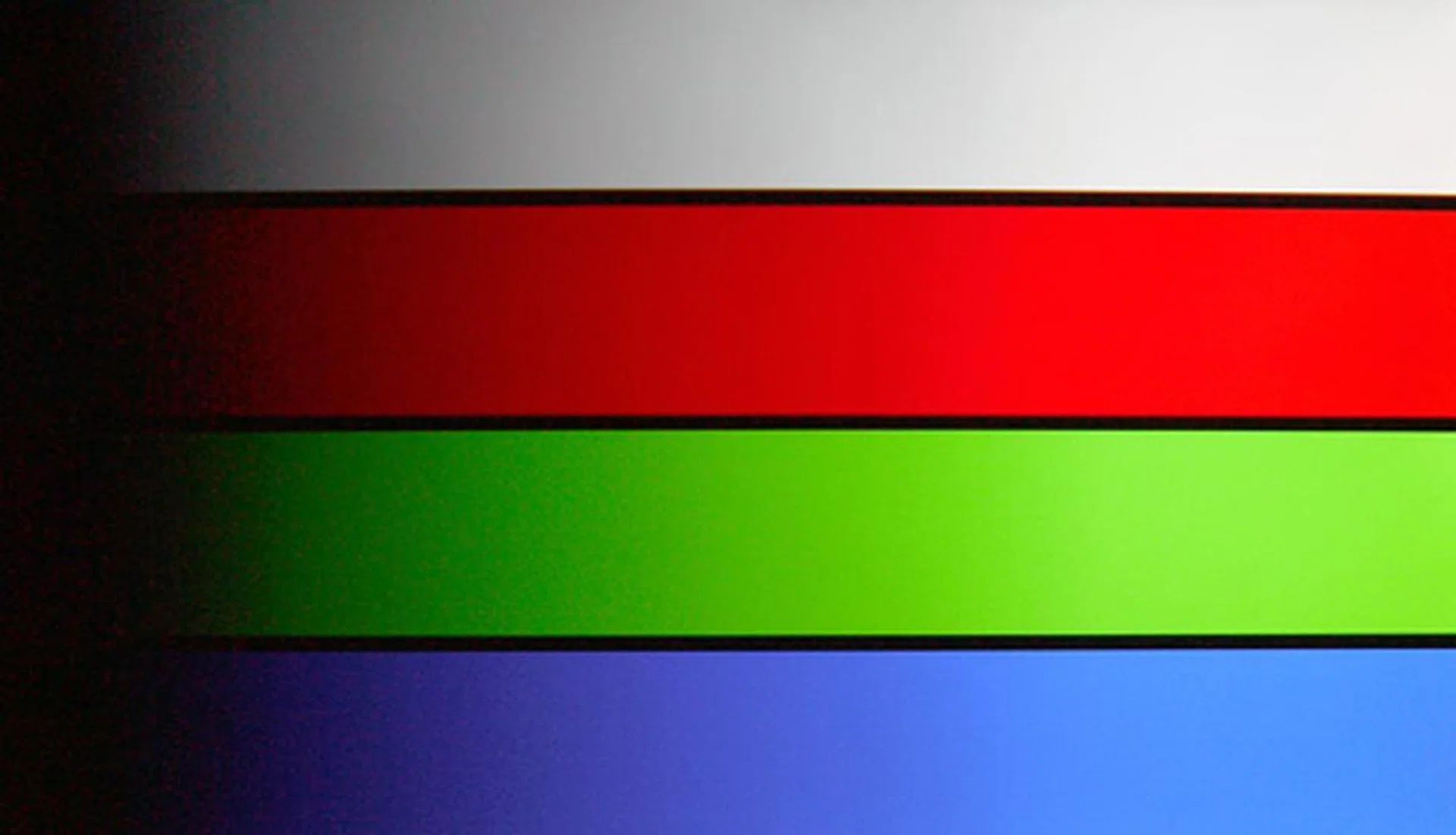
DisplayMate's 256-Intensity Level Color Ramp Test: Clean whites, solid colors and linear gradients show what this BRAVIA is capable of. Although color compression is almost unavoidable on LCD panels, the EX520 emerged almost unscathed.
IDT HQV Tests
IDT's HQV Tests are designed to assess image quality of digital displays through a variety of video signal processing tasks which includes decoding, de-interlacing, motion correction, noise reduction and film cadence detection. We've programmed the Blu-ray player to playback in 1080i in order to stress the TV's video processor. This compels the TV's processor to convert interlaced signals into progressive to accommodate the HDTV's panel. Here are the results we noted on a few of the more crucial tests:-
Digital Noise Filtering
The EX520 comes with three noise filters - a general noise filter, plus MPEG and Dot Noise options (the latter two are more for up-converted SD sources). Given the test disc's HD nature, it was the TV's fundamental noise filter which worked best in combating mosquito noise grains. Details were well preserved without sacrificing too much on image quality. It's apparent Sony has improved on their noise reduction capabilities since the we've last reviewed.
Diagonal Filter Test
Most modern tellies have little trouble with de-interlacing processes, and the EX520 reiterates that point yet again in the Diagonal Filter Test. With the rotating bar showing clean and solid lines throughout, we have little reason to doubt the BRAVIA's reconstruction techniques from an interlaced source.
Film Resolution Loss Test
Unfortunately, the EX520 either lacks cadence detection or poor inverse telecine conversion properties despite Sony's True Cinema claim. Either way, the SMPTE boxed pattern continued to strobe, with and without the Cinema Drive feature enabled. You might want to take note of this shortfall if you happen to prefer native 24p playback, an encoding found on most Blu-ray discs.

HQV's HD Noise Reduction Test - It's good to know that Sony has finally made a tangible effort in engineering a decent noise filter. The EX520 is equipped with three different algorithms to tackle noise issues on both SD and HD feeds.
High Definition Tests
The EX520 is a natural when it comes to tackling animated content such as Corpse Bride. From start to finish, the Full-HD panel sustained a crisp picture quality and delivered the very best you could possibly derive from a Blu-ray disc. However, it wasn't entirely a bed of roses with regards to the BRAVIA's screen performance. As hinted on our DisplayMate tests, backlight blooms emanating from the corners were rather pronounced, and especially so with darker and plain backgrounds. In addition, the EX520's 50/60Hz limitation (no official specs for its response time) also resulted in marginal ghosting on rapid visuals. While the HDTV's display performance was satisfactory on its own, we had to fine-tune its picture parameters to snag deeper blacks and perkier contrasts. Our choice settings are listed below if you would like to mimic them.

If there's only one reason for you to get the BRAVIA EX520, then let it be its propensity for sharp and yet natural textures. Given its basic refresh rates, however, it'll be hard to discount the EX520's motion blurring tendencies as yet.
Having impressed on the animated scene, we now turn our attention to flesh subjects on Vantage Point. As we know it, the MPEG4-AVC BD title is less forgiving on tellies with poor frame interpolation features. Maybe it's just as well that the EX520 does not feature any (aka MotionFlow), since we did not detect any signs of tearing on the usually "problematic" scene at 23:20. Otherwise, catching the Secret Service agents on the EX520 was pretty much an enjoyable voyage, with credit to Sony's detailed visuals and relatively consistent blacks. As for the TV's bells and whistles, be careful if you're messing with the TV's Black Corrector - for pushing it too high might result in a loss of shadow detail. On a similar note, watch out for the Detail and Edge Enhancers as well. A "High" setting can deliver an overly brittle picture. And as perceived on DisplayMate, viewing angles were good up to 120 degrees.

Here's the infamous 23:20 scene we were talking about. On the up side, the BRAVIA breezed pass the tricky frames without suffering any tearing artifacts around the moving Edgar Ramirez. To add, enabling "Cinema Drive" did not yield any motion judder but neither did it change the pace of the movie as far as we could tell.

Some HDTVs reproduce sickly colors no matter how hard you try, but thankfully, this wasn't the case with the EX520. With its ability to display intricate details and natural hues, all you need is a little effort in tweaking its visual parameters. The "Cinema" preset presented a soft treatment, but we didn't fancy the underlying yellow tinge.
Advanced Settings used for Blu-ray sources:
Function | Recommended Settings |
Black Corrector | Medium |
Adv Contrast Enhancer | Low (Off if you dislike backlight regulations) |
Gamma | 0 |
Auto Light Limiter | Off |
Clear White | Low |
Live Color | Medium |
White Balance | 0 (For all RGB values) |
Detail Enhancer | Low |
Edge Enhancer | Low |
Standard Definition Tests
Sony's latest X-Reality engine distinguishes itself from the old by dividing the video signal into various constituents, such as texture, outline and color, before applying the appropriate image enhancement to each trait. Apparently, their new algorithms paid off when processing SD images. As experienced on our X-Men "The Last Stand" DVD, even standard definition content looked pretty amazing on the EX520. Although it's impossible to achieve pixel-to-pixel maps with 480p content on this Full-HD panel, we were nonetheless pleased with the TV's up-converting muscle.
There are a few things to note though. Firstly, motion judder is still a recurring gripe, so try not to use high levels of the TV's Detail Enhancer, or else it might emphasize imperfections associated with the SD content. Next, if you want to get rid of those pesky mosquito noise grains, try reaching out to the MPEG Noise Reduction selection. Audio-wise, Sony's S-Force Front Surround feature did provide a slightly wider soundstage, but its speakers also lacked punch and clarity compared to rival offerings, such as those from LG.
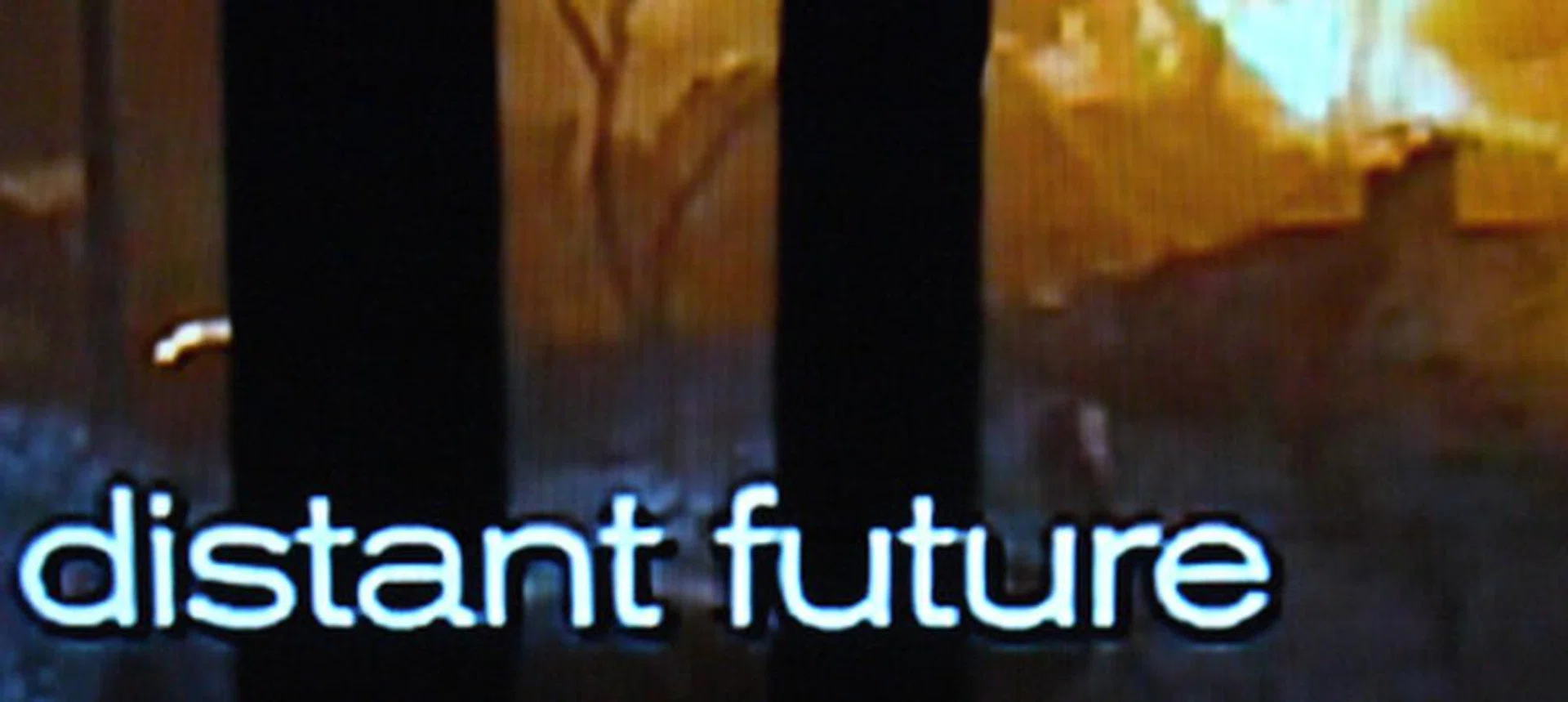
Here's a screenshot of the movie's caption after applying high levels of MPEG Noise Reduction. Mosquito noise was significantly reduced around the periphery of the fonts without sacrificing details on the subtitle.

Sony's X-Reality engine is touted to reproduce "cleaner and lifelike" pictures. We'll give it full credit for detail preservation, although motion smoothing features might help with the EX520's judder niggles.
Brave New BRAVIA
Having placed the EX520 through the necessary hoops, it's now time to review its strengths and weaknesses. First, the bad news. For its table-top construction, you might want to take note of the display's unstable fixture, meaning a wall-mount assembly is possibly the next best option. We seldom encounter cadence issues with Sony's fleet, so it was quite a surprise when we found out that the EX520 faltered when dealing with reverse pulldowns. While Sony has made tangible improvements to their video engine, they might want to work on this BRAVIA's motion processing a little bit more. Perhaps throwing in MotionFlow on this model might help, as much as we aren't fans of excessive frame interpolation. Media playback was laudable, then again, perhaps the HDTV could have fared better if Sony chose to expand on their video format support.

With full Internet features and a compelling picture quality, it looks like Sony's mid-range BRAVIA EX520 is just about ready to go head-to-head with rival screens such as Samsung's D6600 series.
Nevertheless, the EX520 managed to offer more incentives than shortfalls. Apart from its Internet perks and widgets, we'd rate this panel highly for its accurate and natural picture renders. And despite the subtle backlight clouding caused by its edge LEDs, Sony has created a display capable of reproducing true colors and even gradients. We know it's harder to spot irregularities on smaller screens such as a 40-incher, but this set was definitely up to the task of displaying 1080p sources without portraying too many obvious deviations. In addition, the new X-Reality really proved its worth, and mainly so with SD content. You can say that the EX520 triumphed with Blu-ray, but truly shone with lowly DVDs. It's a pity we were unable to fiddle with some of Sony's newer playthings such as the Remote Keyboard feature, but at just S$1,599, we'd still consider this Full-HD piece a steal.
Our articles may contain affiliate links. If you buy through these links, we may earn a small commission.