

The Best Of Bravia
Don't change something that works - that has to be Sony's mantra with their latest suite of Bravia HDTVs. Like its 2010 predecessors, the flagship Bravia HX925 LCD model will continue to feature Sony's tasteful Monolithic design and Intelligent Peak LED backlighting technology. In other words, local dimming features on its full-array LED backlights still applies. Designed to blend in with contemporary furniture, Sony has furnished their minimalist Monolithic TVs with a flushed screen surface, plus an angular tilt of six degrees when the panel is mounted on the Bunchin stand with incorporated speakers. With the HX925, Sony has also toughened things up a notch by integrating a reinforced screen; credit to Corning's scratch-and-impact-resistant Gorilla glass.
The Bravia HX925 is pictured with the Bunchin stand (or Monolithic Stand) bundled with 46-inch and 55-inch models. This Monolithic Design also gives the TV a lower profile compared to a standard base. The stand comes with its own array of speakers (three drivers, 2-way units) and a subwoofer unit.
Another interesting feature of the HX925 lies with its video processing engine. Fans of the Bravia series might know that the X-Reality Pro engine can be found in Sony's premium models, while the rest of the Bravia clan only has the X-Reality engine to contend with. In essence, X-Reality Pro combines the image processing features of X-Reality with upscaling capabilities of its own. Using what Sony calls the Reality Creation Database that's available in the processing engine, X-Reality Pro is supposedly able to enhance low-quality video content to HD-like standards as well. Sony claims it is possible to achieve this by analyzing the source and comparing each frame at the pixel level with the TV's "built-in library". We were impressed with the demos shown of its capabilities in CES 2011, but as usual we would like to pass thorough judgement from testing with our preferred video analysis materials. Anyhow, with its Gorilla glass face, Internet Video, 3D processing, and DLNA attributes, the HX925 does seem to be Sony's best yet on the HDTV front. Let's see if this Bravia TV lives up to the hype.
Sleek It Up!
Sony's single-glass design may appear uninspired at first glance, but perhaps this is what makes the Bravia HX925 rather appealing as well. There are no awkward colors or ugly bezels to contend with, while the hardware controls are strategically tucked away just behind the right side of the panel. Essentially, you get a clean all-black panel with little else to spoil its profile. Although the glass screen comes with a glossy treatment, it wasn't terribly reflective under our test room's fluorescent lighting. Assembly wise, the HX925's regular stand can be easily mounted onto the panel with a couple of screws and a back-plate. The HX925 is also one of Sony's sleekest yet, with a depth of 38mm at the thickest point. The Sony logo doubles up as a power indicator as well (hint: It illuminates when the unit is in operation). If you prefer to wall-mount the TV, another piece of good news is that Sony has ditched those awkward rear-facing ports, and have replaced them with either side or bottom facing slots.
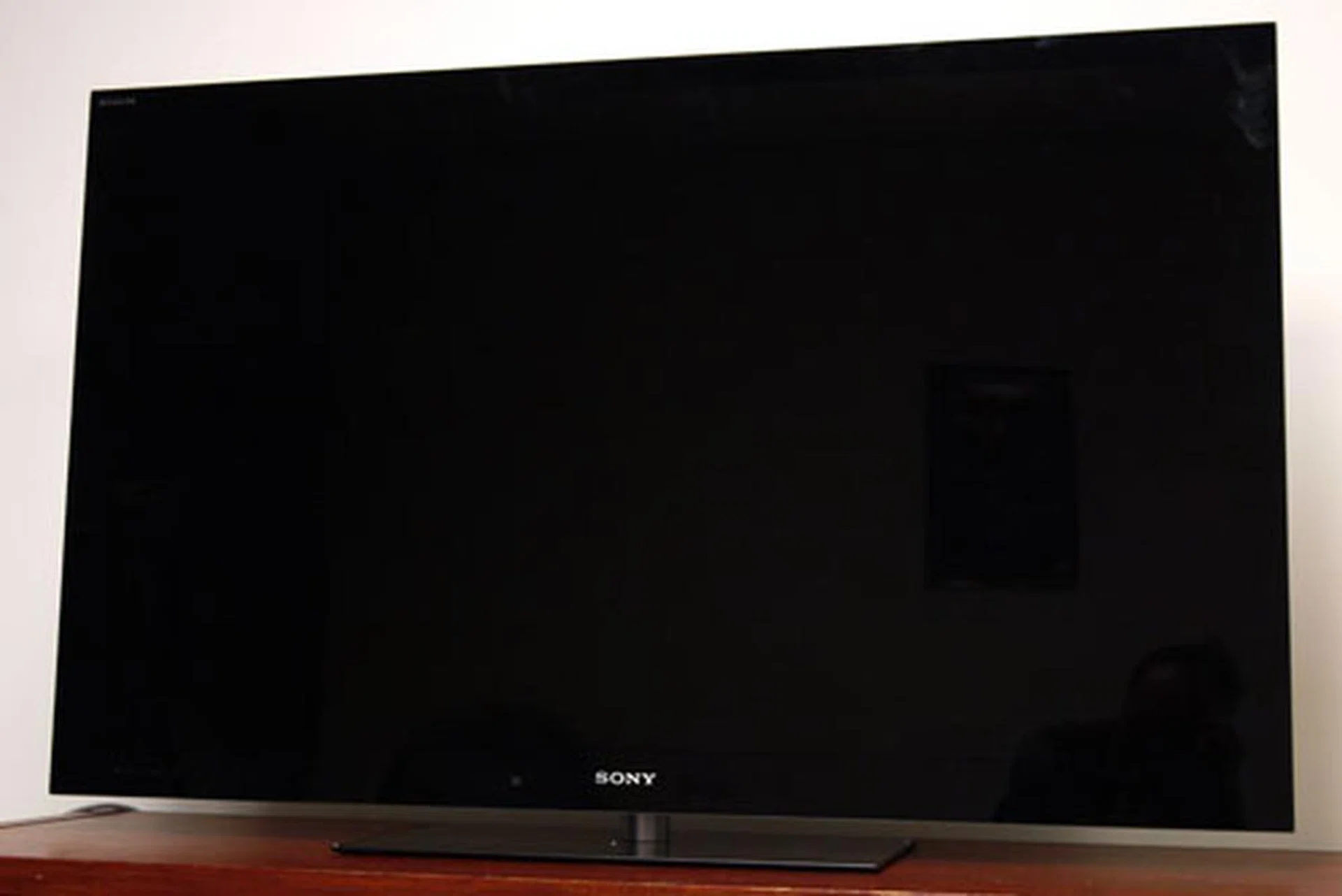
Sony's HX925 stands out from the crowd not because of any design breakthroughs, but its simplicity. This Bravia also features Sony's OptiContrast technology, where the air cavity between the LCD panel and glass panel is filled with a dark resin sheet to reduce glare and improve contrast levels.
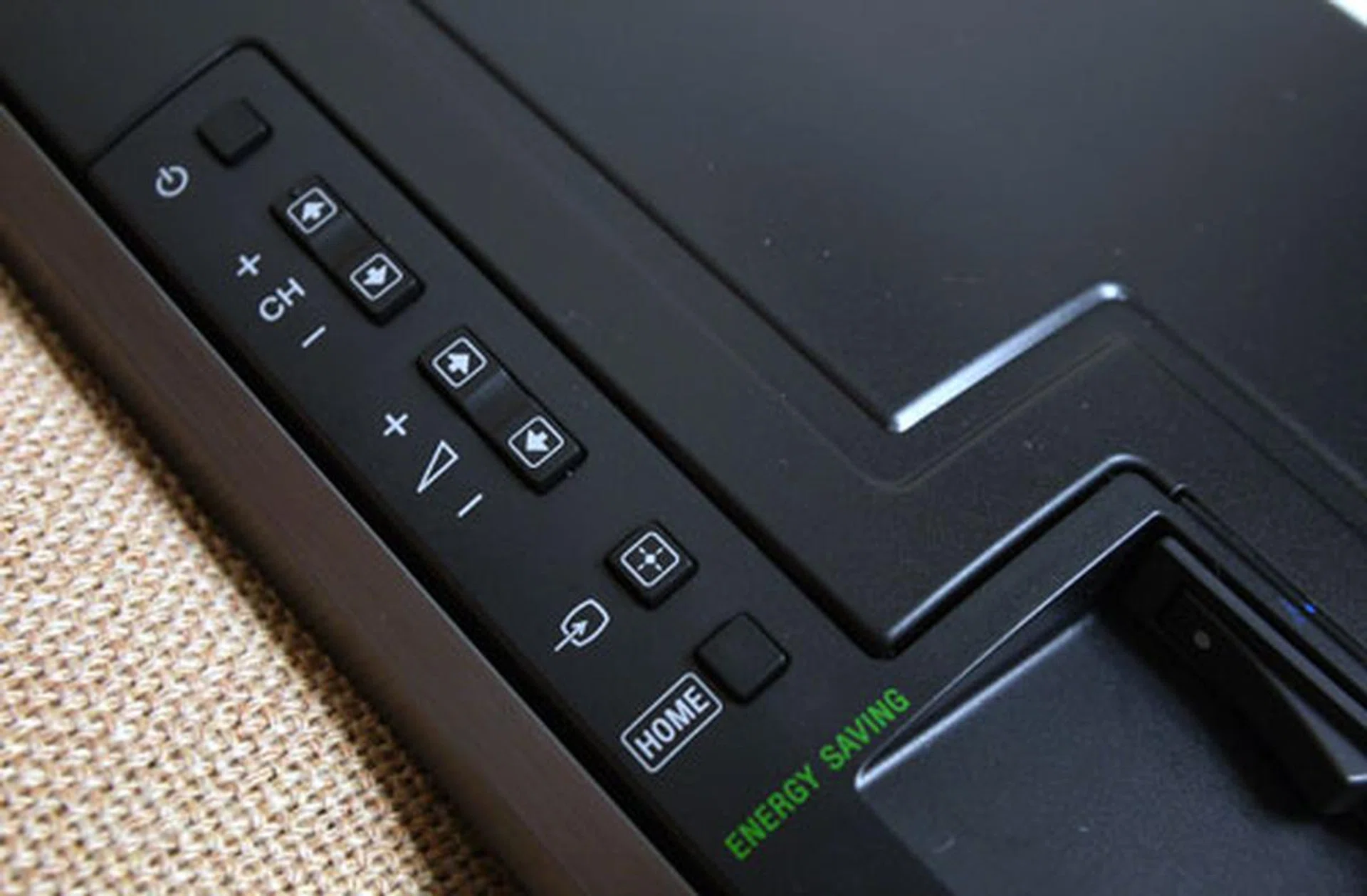
Controls on the HX925 include buttons for channel selection, volume, source inputs, and a Home button which brings up the revamped NUX user interface. A large on/off rocker switch is located just below the row of hardware buttons.
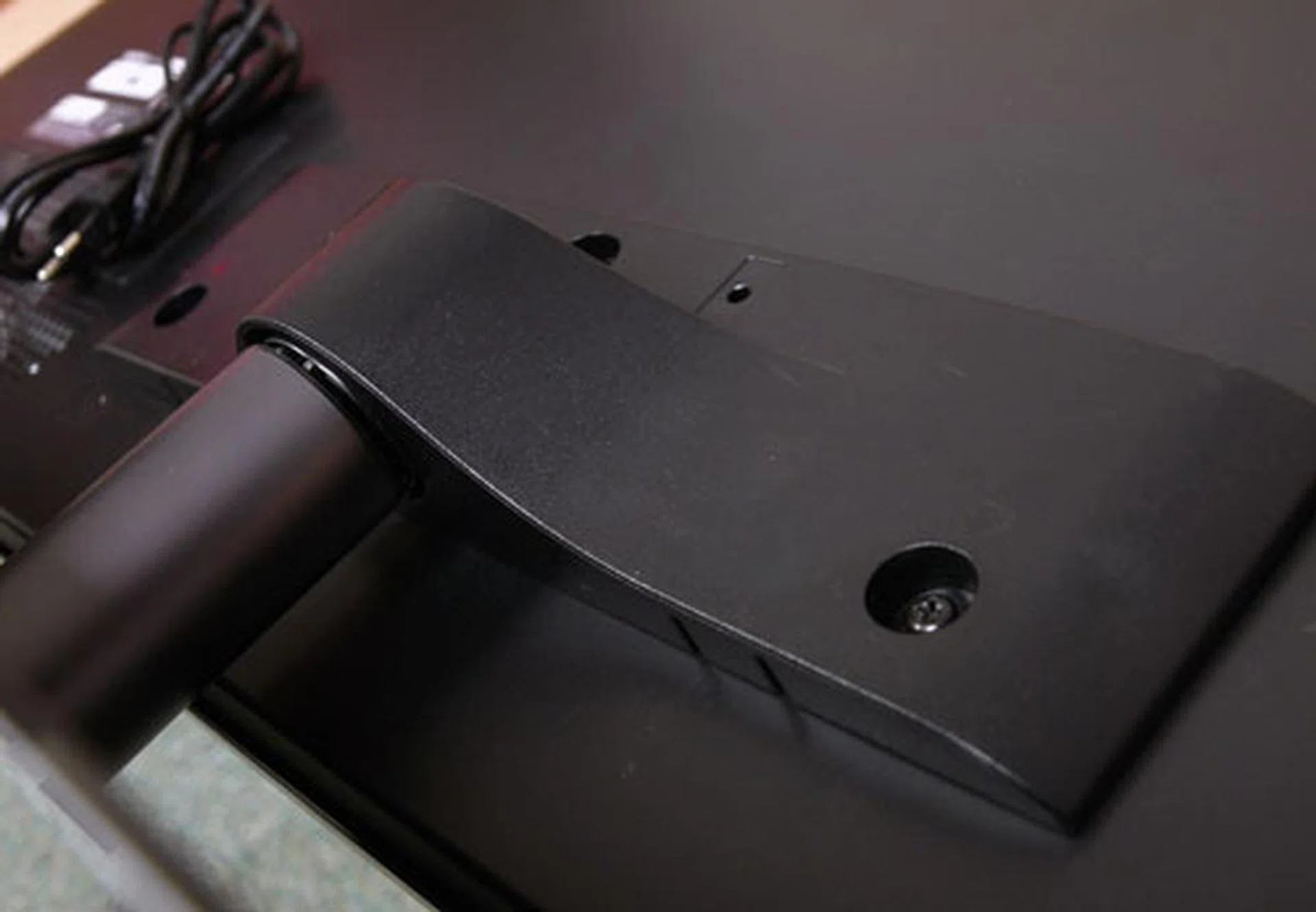
A little assembly is required to mount the HX925's panel onto its more traditional glass stand. Affix the bundled spine and back-plate with the supplied screws and you're ready to rock. Swiveling is possible with this configuration.
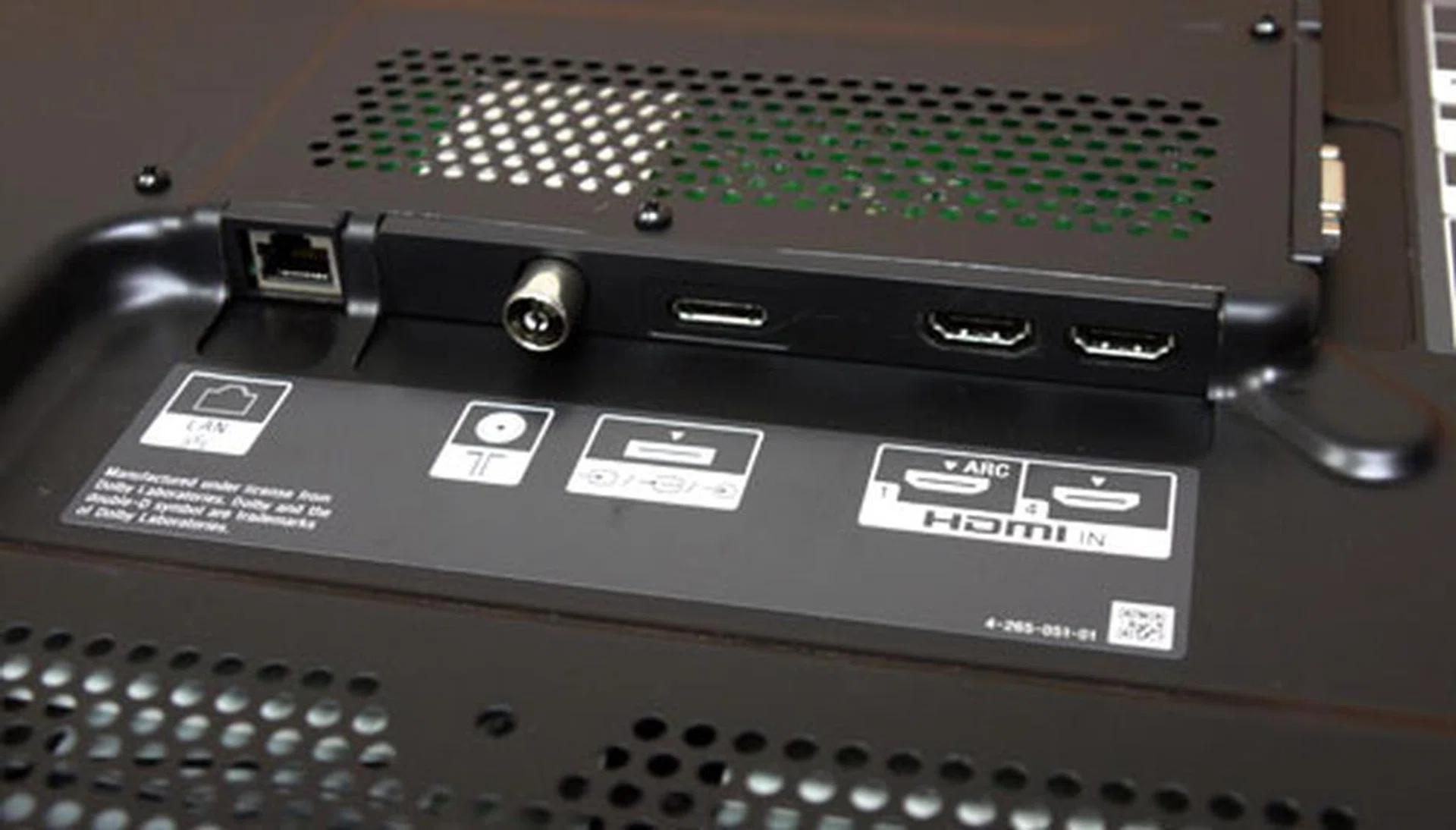
The bottom flank (on the rear panel) features a LAN port, a RF connector, a proprietary connector for composite and component inputs (hence a breakout cable), and two HDMI ports. ARC (Audio Return Channel) is integrated with the HDMI 1 inlet.
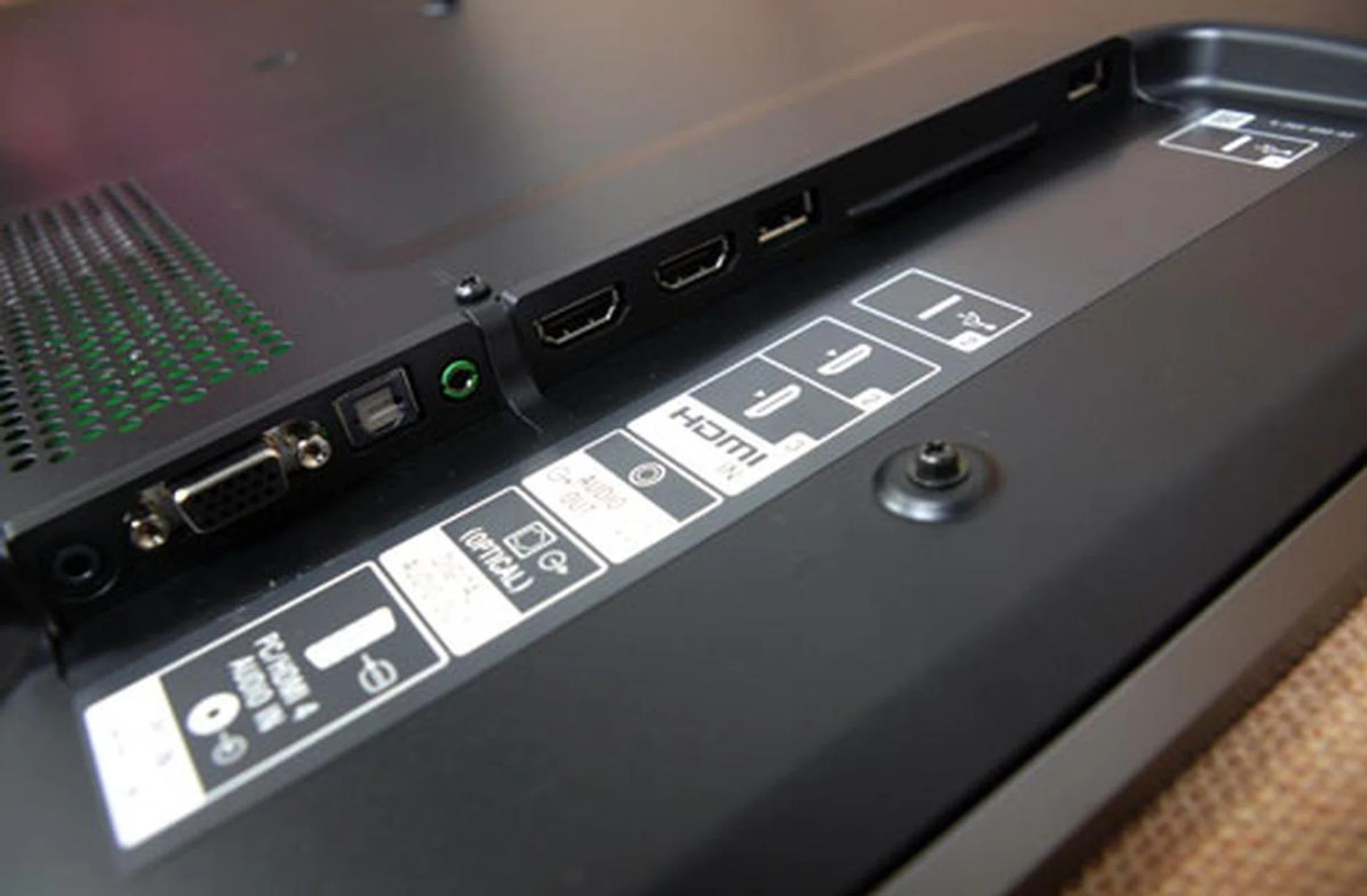
Commonly used IO terminals are found on the side panel, which include two USB slots, two HDMI 1.4a ports, and a VGA PC input. Audio selections such as an optical and a headphone output are featured here as well. The side panel isn't too deeply recessed which makes it fairly easy to access.
Two pairs of 3D glasses and a remote (RM-GD017) are what you get along with the Bravia HX925. Sony's active-shutter eyewear, model TDG-BR250, has also been upgraded to include USB charging features. The mini-USB port (for charging) is protected by a resin flap, while the power button is located at the top (of the right hinge) for easy access. Overall, the glasses are lighter and more comfortable than Sony's 2010 offerings. However, the glasses' temple arms (or 'legs' if you will) feel rather flimsy and less robust than their predecessors. Be sure to handle them with care, especially if you have young kids or toddlers around. Sony's RM-GD017 remote comes in a familiar design, such as a concave pad plus AV buttons for devices which support Sony's Bravia Sync (HDMI-CEC) feature. The Home button would call up the NUX interface, which is essentially an upgrade from the former Xross Media Bar. Last we checked, Sony is bundling the HX925 with a Skype camera and microphone (CMU-BR100) worth S$149.
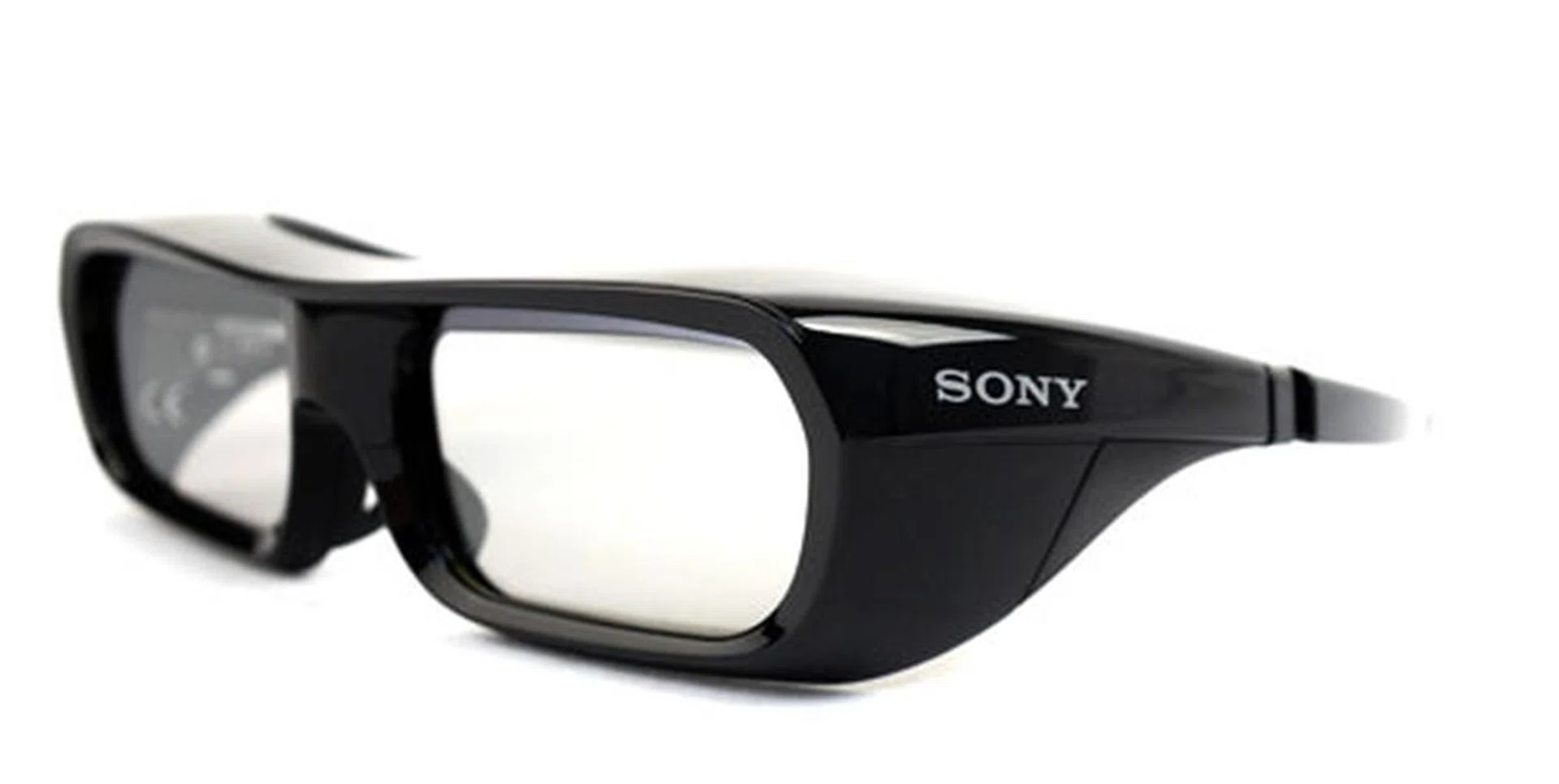
The TDG-BR250 comes with relatively thick rims, although they are lighter than they appear to be. Only two pairs are bundled with the HDTV, so you might want to consider grabbing a few more from Sony if watching 3D movies with a group of people is your thing.
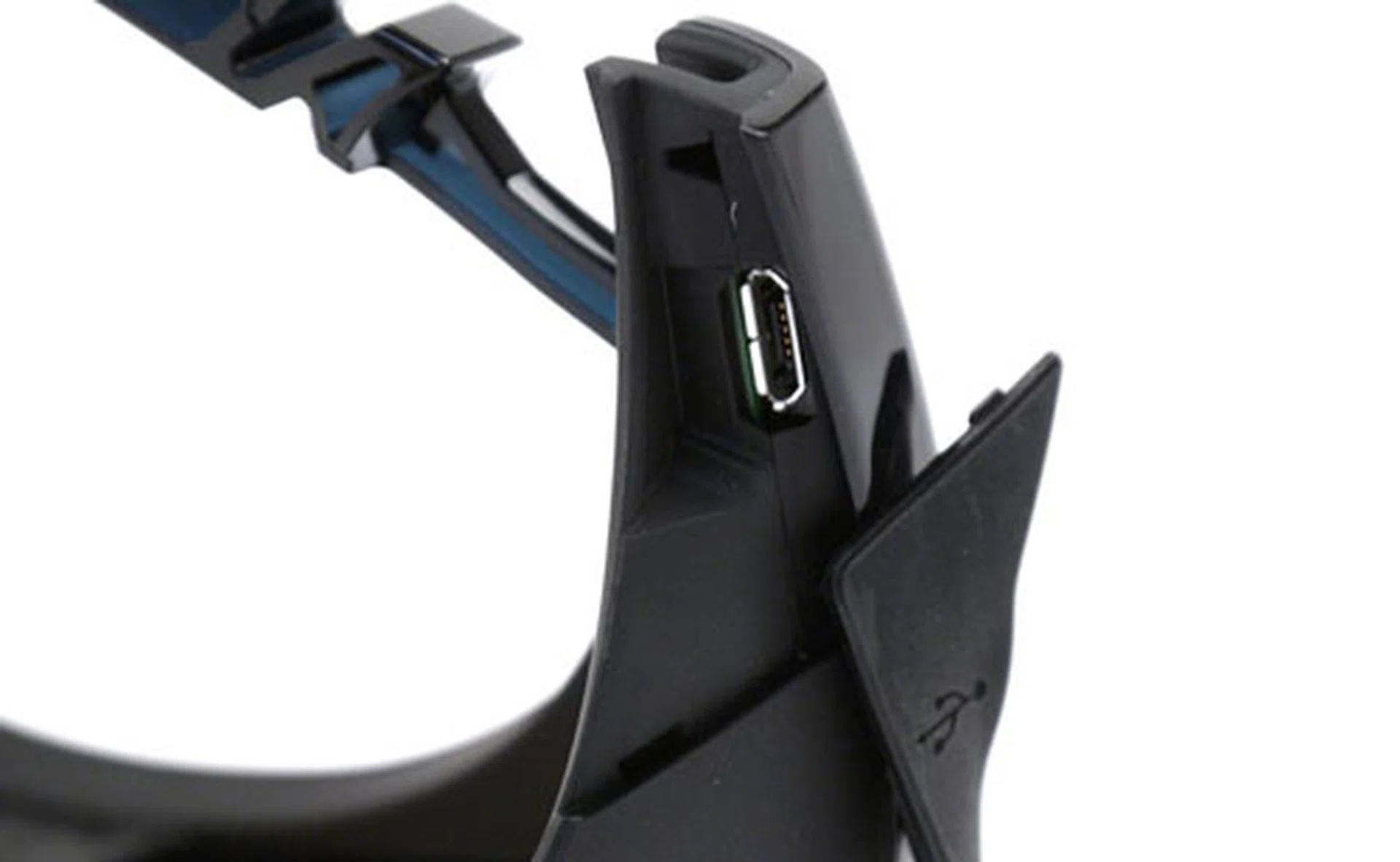
The USB port is concealed under a rubberized resin flap. According to Sony, you only need to charge this gizmo for three minutes to sustain three hours of use. That's great if you forgot to charge it earlier and you need to use it as soon as possible.
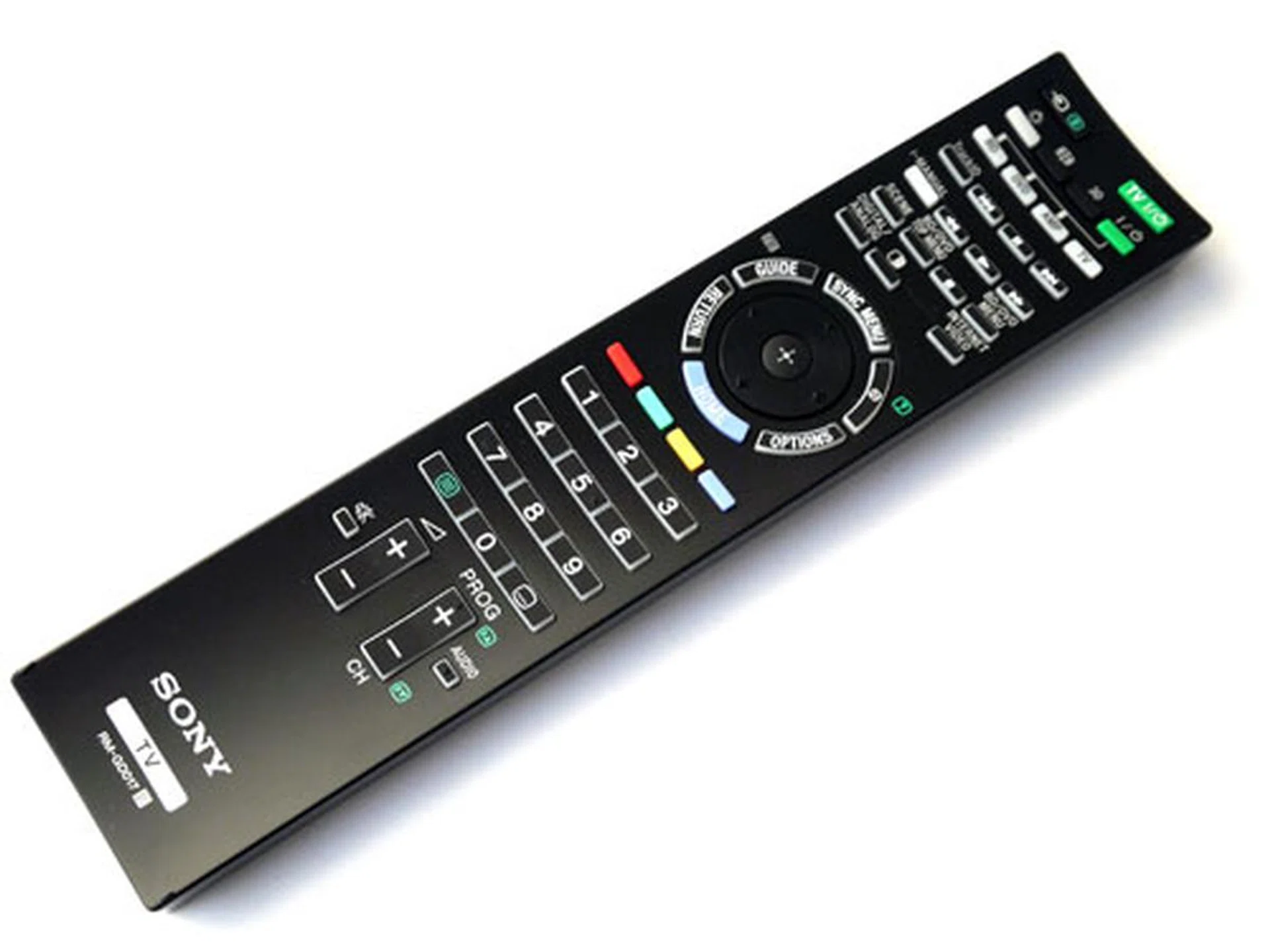
Sony hasn't revamped their remotes in a while, so what you get with the HX925 is pretty much standard fare. The dedicated 3D button is placed just below the on/off button. Sony's wand also features backlight illumination which enables you to fiddle with this stick in the dark.
Features
Sony's latest NUX user interface isn't that different from the older Xross Media Bar, for they both share a healthy resemblance. With the new NUX, tabs are listed as - Applications, Internet Content, TV, Media, Inputs, Favorites, Settings, Widgets (Facebook, Widget Gallery, Twitter). Unlike rival brands like Samsung or Panasonic, Sony's Bravia does not contain a main 'holding area' for its Smart TV apps. In other words, the TV's Internet applications and content are distributed over tabs such as Widgets, Applications and Internet Content. It is a little messy, and makes it slightly more tedious to locate apps. For example, online streaming sites are housed under the Internet Content tab, while Skype and the web browser are filed under Applications. By the way, the Application selection also houses the "Home Theatre Control" feature - one which enables you to manage compatible Sony audio systems via HDMI-CEC.
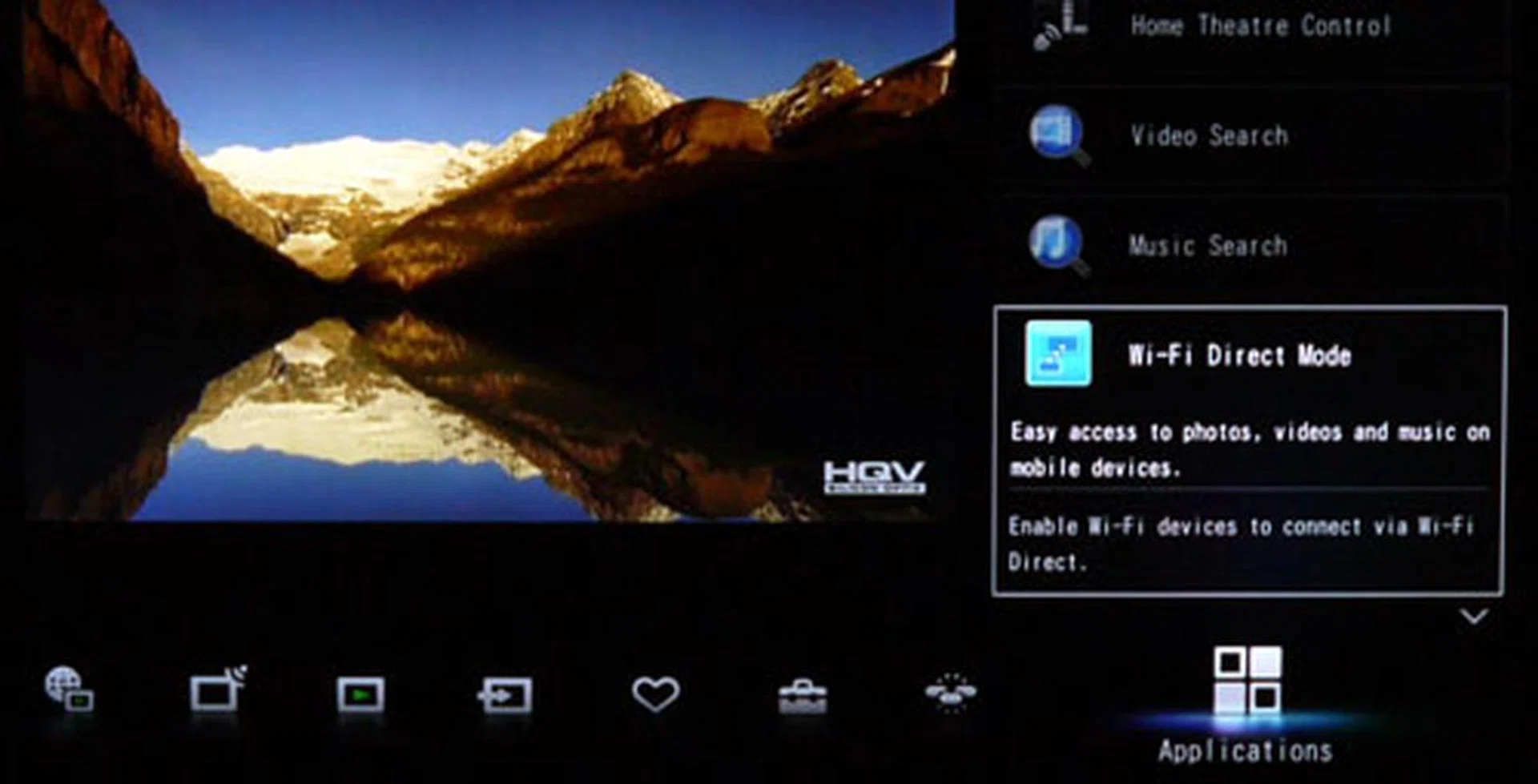
Sony's NUX interface doesn't look too different from the Xross Media Bar, does it? Observably, there is a mishmash of options available under the Applications tab. Yes, even the Wi-Fi Direct Mode has been slotted here. Wi-Fi Direct enables users to send content to the HX925 wirelessly via mobile devices such as smartphones and tablets. It isn't compatible with the 5GHz band though.
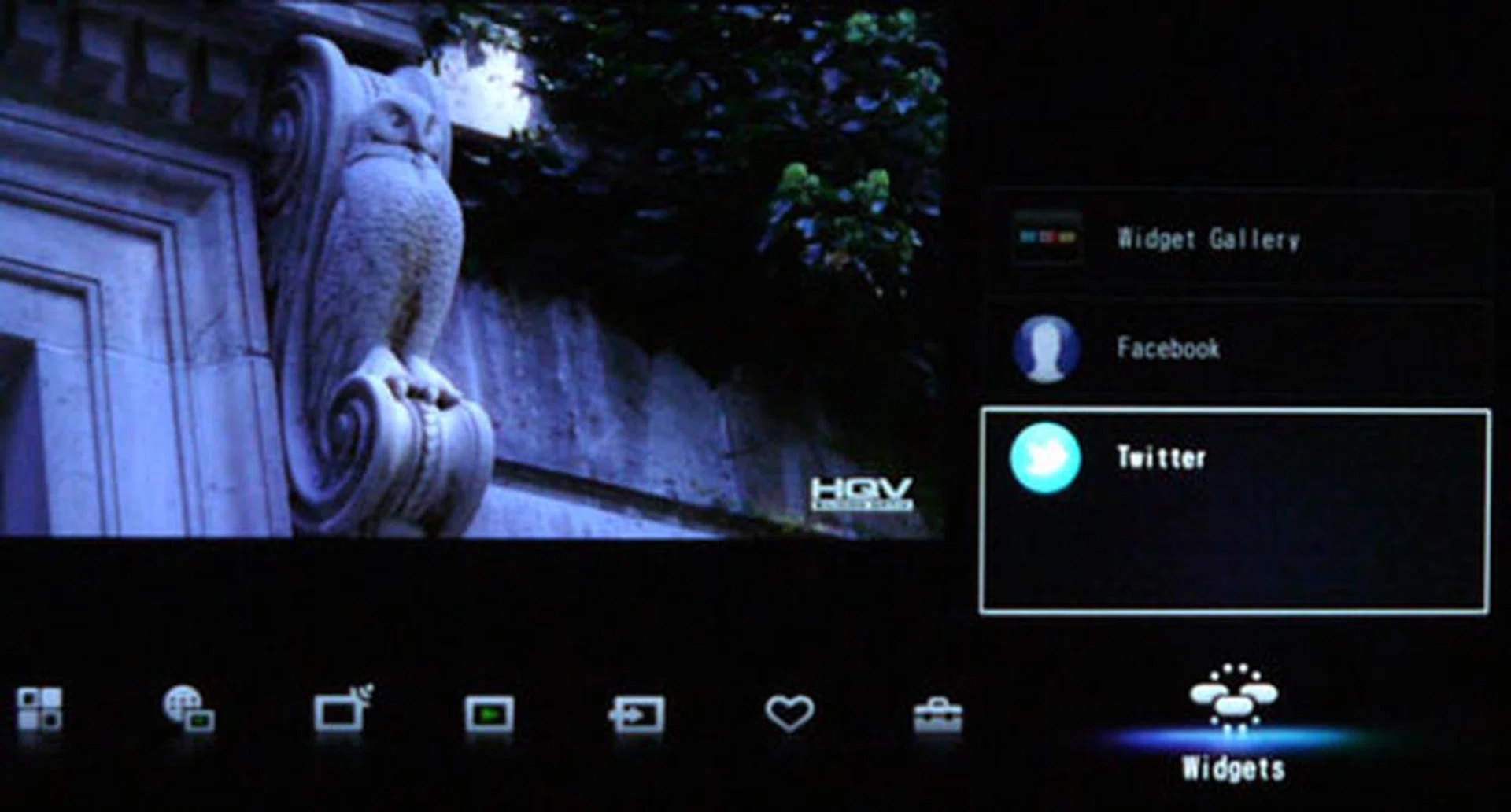
Only Twitter and Facebook are installed on the Widgets tab by default. You may download more via the Widget Gallery also found under the Widgets tab.
After giving the Internet TV apps a shot, we discovered a rather sluggish browser, although the YouTube app is delightfully responsive. You'll need to register the TV set in order to subscribe to payable content though. That said, Sony has a nice range of online streaming sites to keep viewers occupied, such as Style.com and Epicurious. Sony also has a wide palette of picture presets and tune-ups like White Balance for example, but like its Internet TV spread, they can be confounding too. For instance, Picture Mode gives you a general selection of Vivid, Standard, and Custom presets. However, there are more content-specific presets to be found under the Scene option. And they are as follows: Cinema, Game-Standard, Game-Original, Graphics, Sports, Animation, Photo-Vivid, Photo-Standard, Photo-Original, and Photo-Custom.

You'll need to register your Bravia at bravia.internet.sony.tv before you can gain access to enhanced features and pay-for-use content. Remember to take note of the registration code. Content consists mainly of music videos, movies, movie trailers, sports, and catch-up TV services.
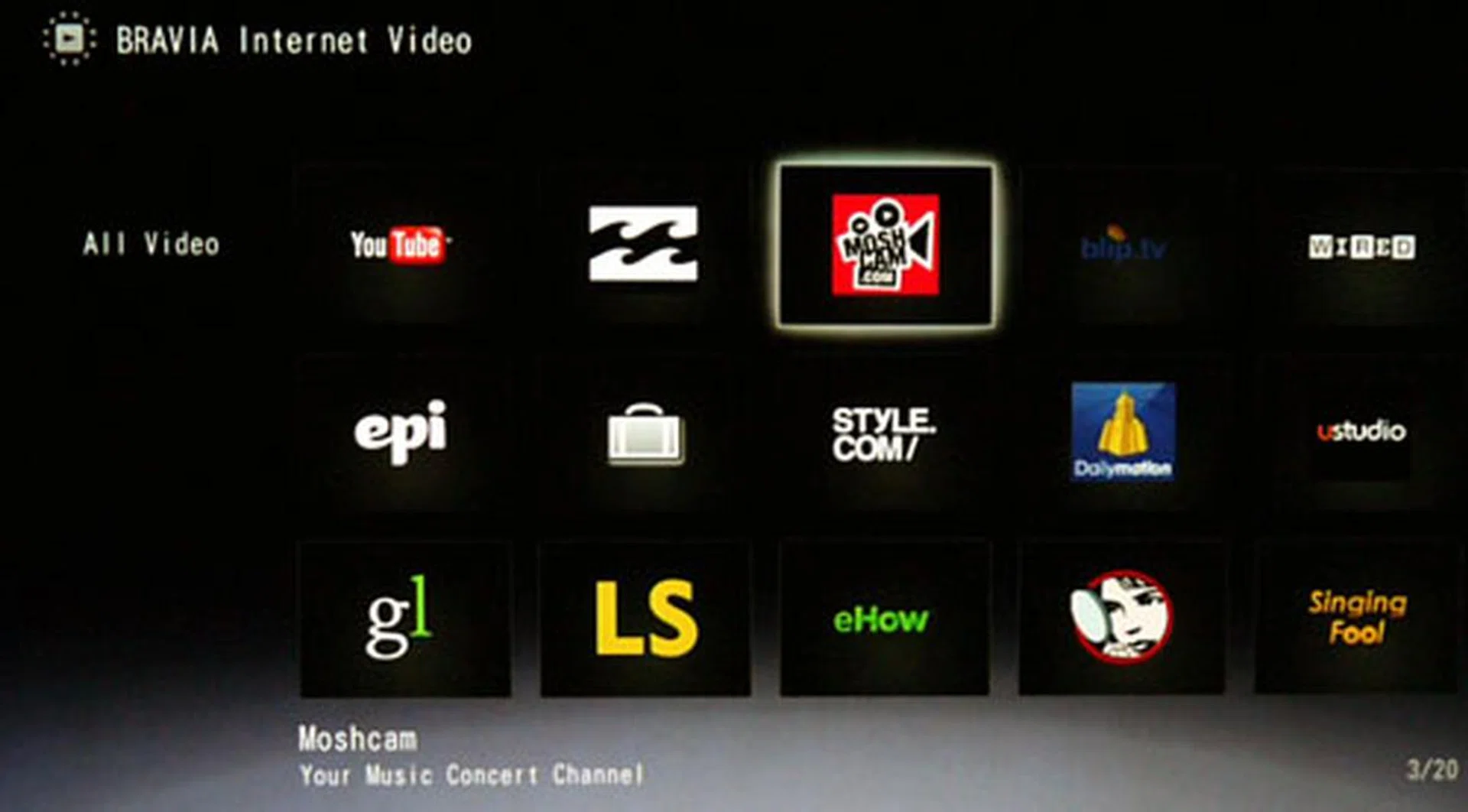
Sony has one of the widest collection of video streaming apps on its Internet Video platform compared to some of its rivals. These online streams are a wonderful alternative if you run out of programmes to watch on terrestrial TV.
Calibration - Spyder3TV Report
We calibrated the HX925 with Datacolor's Spyder3TV Home Theater Color Calibration kit prior to our visual tests. This is to ensure we assess the HDTV based on optimal display settings and not on visual estimation alone. Using the television's Standard picture mode preset, we've also disabled all picture enhancement features to avoid any discrepancies. Our calibrated results are indicated in the diagram below. If you have time to calibrate the unit further, the HX925 also allows for advanced RGB tuning (via its White Balance selection) which enables you to adjust the panel's red, green, and blue gain and bias levels. As with most Sony sets, the default factory settings for the HX925 did not deviate much from our final calibrated readings.
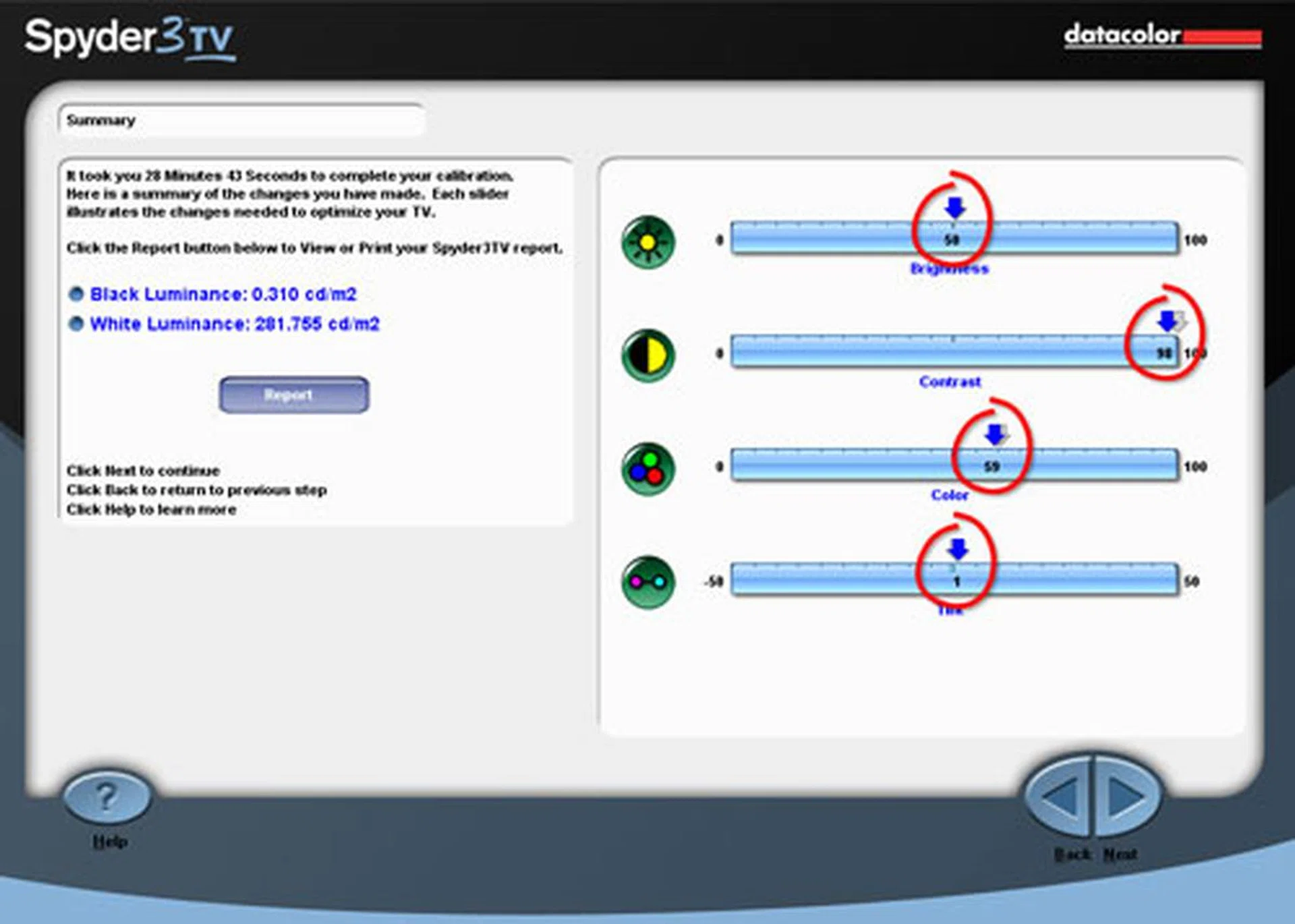
The calibrated settings for the Sony Bravia HX925 are as follows - Brightness: 50, Contrast: 98, Color: 59, and Tint: G1. Black and white luminance readings were recorded at 0.310 cd/m2 and 281.755 cd/m2 respectively. All readings are based on the Standard picture preset.
DisplayMate Tests
DisplayMate is an application which generates a sequence of test patterns to determine the capabilities of imaging devices, like color, uniformity, and gray-scale accuracies for example. For our tests, we've hooked up the Bravia HX925 to our display test-bed via a HDMI connection. Similar to our calibration setup, we have also disabled all visual enhancements on the TV to reduce the variables involved. Here are some of our findings.
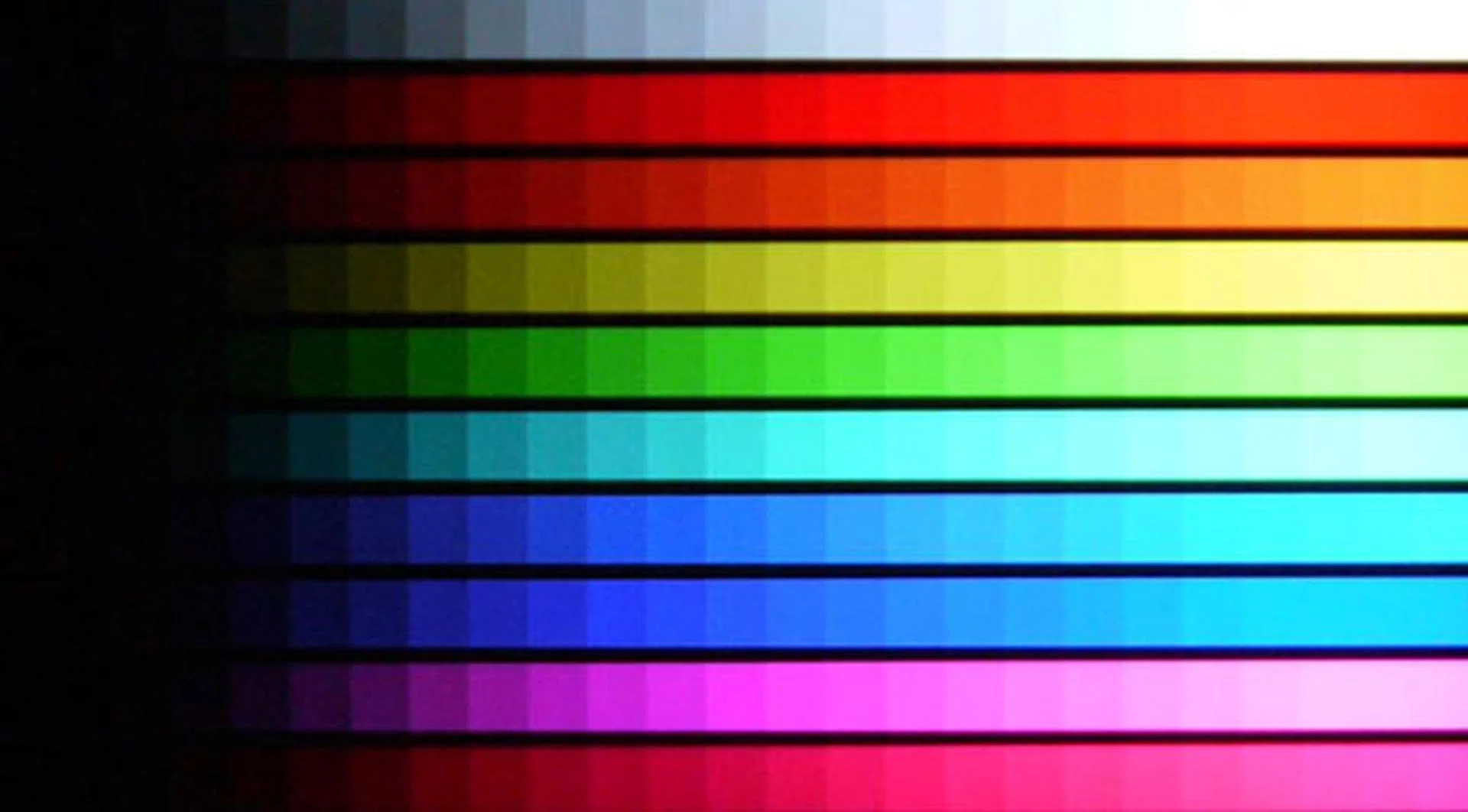
Color Scales Test: Our camera might not do this screenshot much justice, but the Bravia HX925 was able to reproduce the 10 color bands with ample accuracy. Each hue is faithfully rendered.
Screen Uniformity | Screen uniformity was excellent as illuminated by its Intelligent Peak LEDs. Unlike edge-lit sets prone to blotches caused by uneven light distribution, this BRAVIA was almost devoid of any backlight bleeds. |
Dark Gray Scale | We had to bump up brightness values from 50 to 72 to discern the darker gray blocks. The calibrated value retained black levels but wasn't enough to reveal deeper shades. Other than this, the HX925 displayed neutral and even grey tones on the whole. |
Color Scales | Apart from the ends of the darker scale, the TV displayed faithful color fidelity and distinct color gradations. For instance, less capable displays tend to muddle the red and orange hues but not the HX925 in this instance |
256-Intensity Level Color Ramp | Minor 'clumping' is inevitable on LCD panels regardless of the backlighting technology. However, we also observed that the HX925 with its full-matrix LED lighting displayed significantly smoother gradients than most edge-lit models. |
IDT HQV Tests
IDT's HQV Tests (on Blu-ray) are designed to assess image quality and handling of digital displays through a variety of video signal processing tasks which includes decoding, de-interlacing, motion correction, noise reduction, and film cadence detection. We've programmed the Blu-ray player to playback in 1080i to test the TV's de-interlacing capabilities. Here are the results we noted on some of the more crucial HQV tests:-

HQV Digital Noise Filtering Test: Sony's primary Noise Reduction feature didn't remove noise grains as effectively as anticipated. On the other hand, the video processor and X-Reality Pro engine were excellent at rendering moving interlaced images.
Digital Noise Filtering | This model is equipped with three noise filters – Noise Reduction, MPEG NR, and Dot NR. We'll ignore the latter two since they only apply to highly compressed files and up-converted SD sources. Sony’s Noise Reduction algorithm is feeble but not entirely ineffective. Small traces of noise grains were eased off although a Maximum setting is required. |
Diagonal Filter Test | The Bravia’s video processor was able to convert moving interlaced images to suit its progressive display with absolute ease. The rotating bar was free of jaggies (interlace artifacts) as well, which also tells us there is a minimal loss of video data during the video reconstruction. |
Film Resolution Loss Test | The HX925 is 24p-ready, meaning it was able to process native 24p sources like most Blu-ray discs. However, it didn’t fare too well with 1080i60 video sourced from 1080p24 content (such as HD broadcasts). Sony’s Auto1 and Auto2 options produced a fair amount of 'strobes' on the SMPTE pattern. |
Standard-Definition Tests
X-Men: The Last Stand (DVD)
The Bravia HX925 did an exemplary job in upconverting standard definition content, like the X-Men movie in this instance, provided the right picture enhancements are enabled for optimal results. For example, we’d recommend using the 'Manual' selection instead of 'Auto' for the Reality Creation. This feature has the ability to sharpen blurry SD images considerably as well as remove sizable amounts of mosquito noise and compression artifacts found on most DVDs. The drawback is if you push these levels too high, you’ll end up with "powdery and flaky looking" subjects instead. Think of Professor X with accentuated pores and you’ll get the idea. As for the Reality Creation feature itself, we find that Resolution and Noise Filtering values of 56 and 46 respectively worked best. Sony has fitted their TV sets with Reality Creation for years. Essentially, it was designed to enhance picture details and reduce digital noise. When enabled, it's supposed to augment picture clarity (or sharpness) with a degree of noise reduction as well. In addition, we’d advice against enabling Live Color for instance, not unless you want your onscreen subjects to appear like "saturated" comic characters with exaggerated skin colorations.

With a Full-HD panel, standard definition content are mostly the stressors when it comes to taxing a TV's video scaler and engine. In this aspect, the Bravia did exceptionally well when upconverting DVD sources although it did require a little help from some of Sony's picture enhancements.
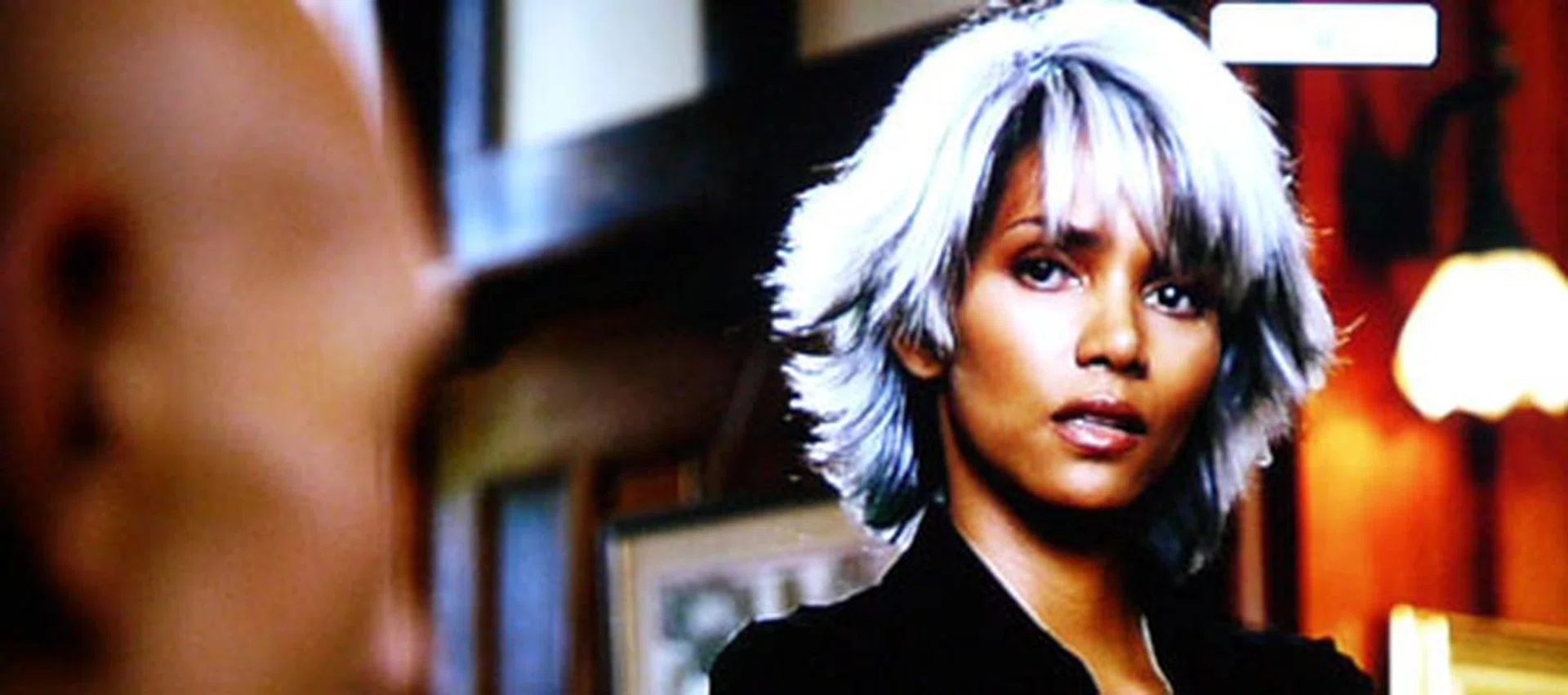
Storm herself looked rather stunning and splendid on the Bravia despite the lower resolution from a DVD source. As you can tell from this screenshot, the HX925 was able to render defined edges with ample clarity on its full HD screen.
High-Definition Tests
Corpse Bride (Blu-ray)
Sony's Bravia HX925 offered concise picture detail and a delightful crispness which makes it stand out among the LED-backlit brethren. After experiencing Corpse Bride on Blu-ray, we can conclude that the HX925 does not flaunt pitch-black depths to rival plasma displays, but it sure came close. In other words, you won’t miss any of the gothic action on this impressive OptiContrast panel coupled with full-array LED illumination. Colors were richly portrayed for the most part, and we also noticed that minor backlight bleeds can be banished by enabling the TV's LED Dynamic Control feature. As for the TV’s de-juddering perks, Sony has four of them waiting under its MotionFlow tab. The Standard and Smooth presets employ Sony’s frame interpolation technology, while Clear and Clear Plus combine both frame insertions and backlight scanning to achieve a speedier 800MHz refresh rate. The good news is we did not detect any signs of motion artifacts with the MotionFlow features, but as anticipated, it's hard to escape the vague 'soap opera' effect.
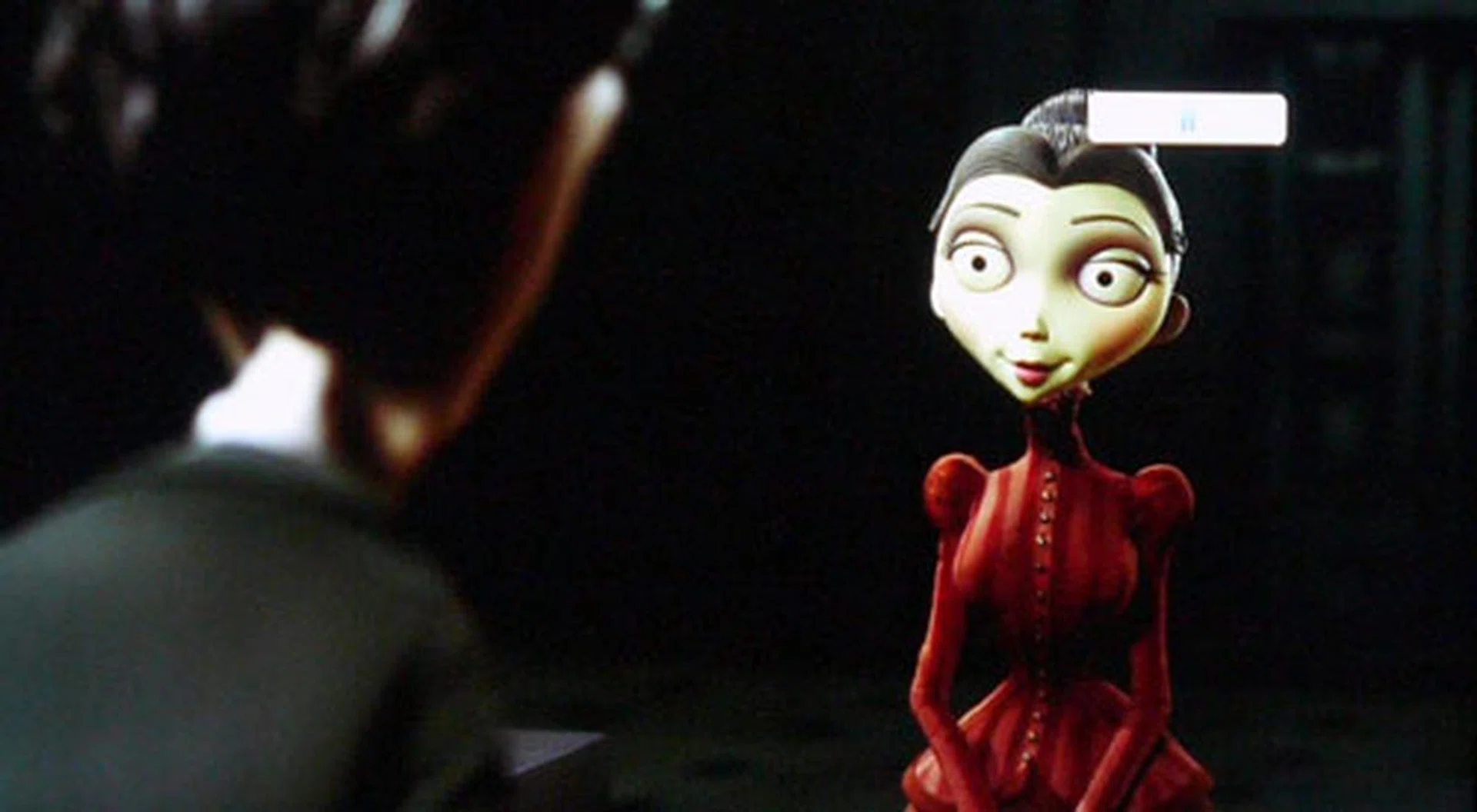
Sony managed to combine vivid details and solid colors when it came to displaying Blu-ray content on its current flagship display. Halo effects typically associated with full-array LED backlights aren't apparent either.

There is a slight loss in shadow detail like this particular scene from Corpse Bride with copious amounts of dark and shadowy areas. But the HX925's black level performance remains unrivaled against the swarm of LED-backlit models out there.
Function | Recommended Settings |
Picture Mode | Standard |
Backlight | 6 |
Color Temperature | Standard |
Noise Reduction | Off |
Dot Noise Reduction | Off |
MPEG Noise Reduction | Off |
Reality Creation | Off |
Smooth Gradation | Off |
MotionFlow | Smooth (for film-based content) |
Black Corrector | Off |
LED Dynamic Control | Standard |
Film Mode | Auto2 |
Monsters vs Aliens (3D Blu-ray)
Sony has made notable improvements with regards to their televisions’ stereoscopic performance since their first wave of 3D sets arrived nearly two years ago. For instance, the flagship TV boasts of accelerated refresh rates (important for 3D), a dual-chip X-Reality Pro picture engine, as well as direct LED backlights with true local dimming. On Monsters vs Aliens, we noticed that the HX925 has the potential to bestow a compelling 3D experience although Sony has yet to vanquish crosstalk nuances completely. For example, ghosting is apparent along Derek’s arm in the scene at 5:14. And to ensure it wasn't due to a placebo effect, we rewound the disc back to the same point to confirm its presence. Yes, it's there. On the bright side, crosstalk is a rare occurrence on the Bravia HX925. In other areas, the HX925 displayed punchy stereoscopic depths and fantastic attention to detail. You can’t adjust the backlight levels in 3D mode, but you may tune the rest of the picture selections such as Color Temperature, Brightness, and Advanced Settings.

Crosstalk or ghosting is present on the HX925, but fortunately they were rare occurrences throughout the movie. For the most part, watching a 3D film on this Bravia has been an enjoyable and fatigue-free experience on the eyes.
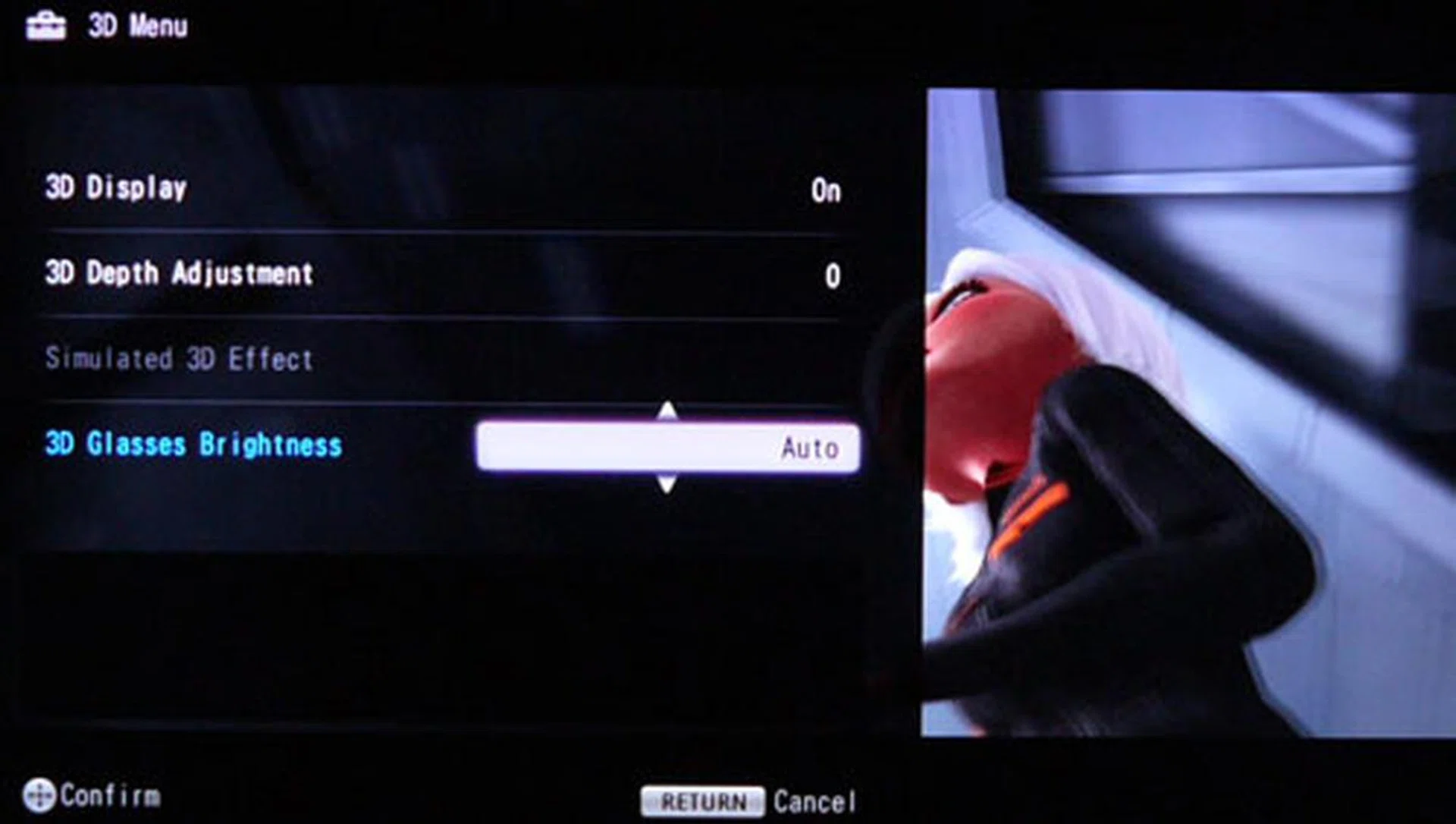
Hit the 3D button on the remote to summon a basic interface for the TV’s 3D settings. From here, you may adjust the 3D display, 3D Depth Adjustment, or 3D Glasses Brightness. The latter actually changes the screen’s brightness rather than the glasses themselves.
The Final Word
Sony might find themselves in the red at the moment, but at least they have a laudable TV to be proud of. Honestly, the premium Bravia HX925 isn't cheap by any means. The 46-inch model demands S$3,999 from your pockets while its larger 55-inch brother will accept nothing less than S$5,999. But if you could put aside the hefty price tags, this TV actually comes with many redeeming features of its own. For starters, we love the Bunchin stand and its built-in speakers. We also appreciate the scratch-resistant Gorilla glass face. The HX925 is equipped with a plethora of AV ports, plus wireless connectivity such as integrated Wi-Fi and DLNA are also part of its package. Then again, Sony's messy allotments on the NUX interface could use some improvements, given that the social media apps and video apps are scattered across various tabs instead of a centralized 'hub'. In terms of video content, Sony might not have as many localized apps like Samsung does, but the Bravia Internet Video page does carry a commanding selection of international streaming sites to be fair.
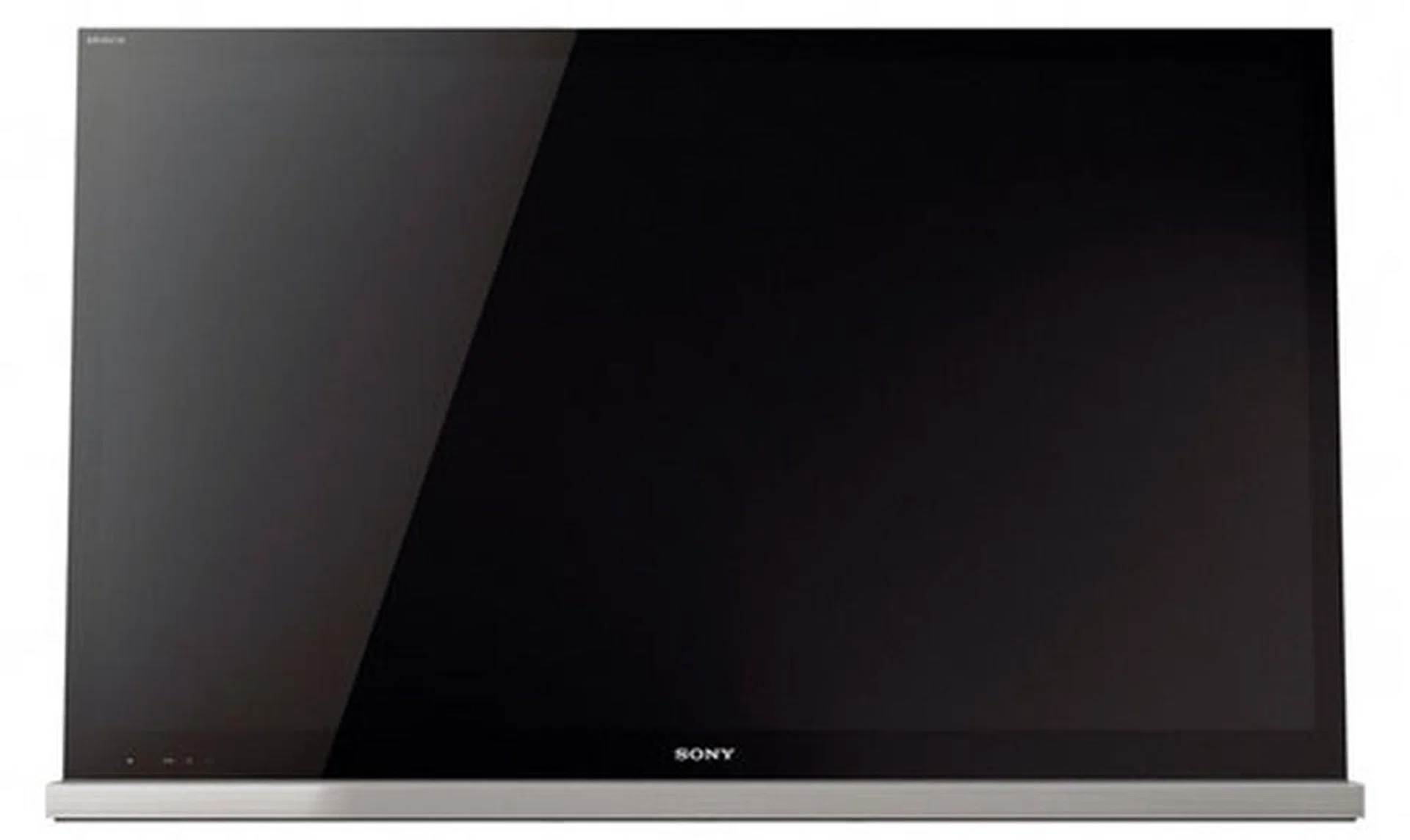
The Bravia HX925 is easily one of the best 3D LED backlit models in the market. Like most of Sony's HDTV offerings, the HX925 isn't cheap but you can expect a TV with impressive picture detail and scaling capabilities for the money you're forking out with.
The Full-HD HX925 deserves a spot among the upper echelons when it comes to display performance. To sum it up, Sony's OptiContrast panel and X-Reality Pro engine have proven their worth in terms of motion rendering, black levels, scaling, and color accuracy. If you've read our review on LG LW6500 Cinema 3D model, you might recall that the passive LW6500 was able to provide a fairly satisfactory 3D experience as well. However, LG's Cinema 3D display also suffered from tight vertical viewing angles and banding artifacts if you were to watch it up close. On the contrary, the Sony Bravia isn't prone to such display afflictions despite rare instances of crosstalk symptoms. To add, the HX925's picture quality on both 2D and 3D sources is clearly superior to LG's, and not to mention that it excels with low-resolution as well as high-resolution content.
In conclusion, we highly recommend the Sony Bravia HX925 if you don't mind paying a premium for picture quality alone. But if you can live with LG's shortfalls, then we'd suggest you go with the more affordable LW6500 instead if value for money/performance is concerned.
Our articles may contain affiliate links. If you buy through these links, we may earn a small commission.