
Samsung Series 5 LCD TV - Why So Series?
Does Samsung's Series 5 deliver the goods? Furnished with a Full-HD panel, integrated digital tuner and a delicious price tag, we'll have to be crazy to let this one go. Join us as we tear this screen apart to find out. Figuratively, of course.

The Famous Five
Three years ago, Samsung initiated a cleanup operation to simplify its television models. Instead of relying on confusing monikers, the Koreans decided it was time to to go back to basics. This led to the use of 'Series' to define a line of similar products. Ironically, the succinct branding also served to confuse as much as it was meant to simplify. The main reason is that Samsung has a leg in all three types of HDTVs. They do CCFL-backlit LCDs, LED-backlit LCDs, and of course, the Plasma kind as well. All three categories end up with intersecting labels like "Series 5". Yes, a Series 5 exists in all three display segments.
Consequently, consumers were compelled to seek out unique identifiers to distinguish one model from the other. To avoid any misrepresentation, we are about to review the 40-inch Series 5 LCD TV equipped with CCFL backlights, otherwise known as the LA40C550J1M. The letter "C", in this instance, denotes Samsung's third Series 5 generation. We'll call it the C550 for short.
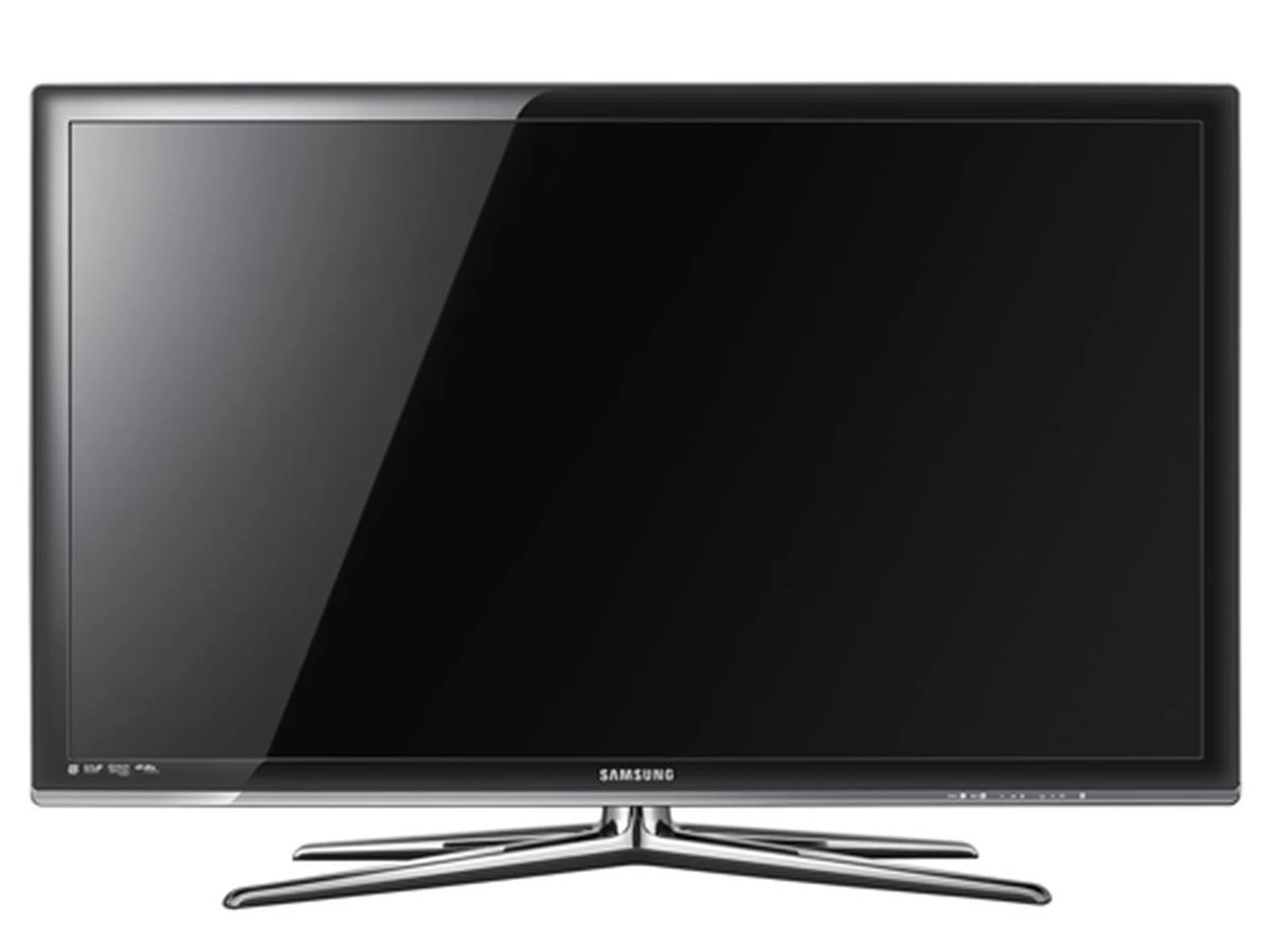
The stylized and expensive looking exterior of the C550 belies its affordable price. In fact, this Full-HD set would most likely give the Sony BRAVIA EX400 and LG LD460 a tight run for their money if it performs as good as it looks.
Slotting into the middle of Samsung's LCD hierarchy, it is understandable why the C550 does not bear expensive hallmarks such as Ultra Clear panels, 3D capabilities and Internet@TV as sported by the likes of its flagship Series 7 models. Rather, the C550 is more suited for the budget seeker looking for a Full-HD solution with decent features. So, if you are scouting for an affordable HDTV, then this review is for you.
Like a subtle game of cloak and dagger, Samsung, and more recently Sony, have been playing coy with certain numbers from their specs list. Once inflated with ridiculous numbers, Samsung now believes a simple "High" would suffice for its Dynamic Contrast ratio stats. While we can't give you the exact figures, we do have, however, our trusty eyeballs and reliable benchmarks to determine this HDTV's capabilities. That said, let's get started with the C550. Or should we say, the relatively famous Series 5.
Design
Be prepared for some light assembly work before you rock with this set. Essentially, you'll need to piece together the rectangular base and guide-stand to bring it up to speed. The C550 is a smite heavy due to its glass furnishings, so take extra care. For wall attachments, plug in the "blanking bracket" below before attaching the panel to the wall mount kit.
Unlike the other contenders from the same affordable league, the Series 5 might just pass off as a premium model, all credit to Samsung's rose-colored Crystal Design. Other subtle additions include a row of touch-sensitive controls and glass spine to augment its lavish vibes. Since this model is powered by CCFL backlights, don't expect any razor slim form factors like the Series 9 or C9000 LED model. Then again, we have to say that the C550 is relatively thin for a conventional display at 80mm.

Assembling the panel and stand is fundamentally a one-man job. Keep a large cross-tip screwdriver handy since this TV tends to wobble if the holding screws aren't fastened tightly enough. Be sure to put that adjustable cable tie to good use.
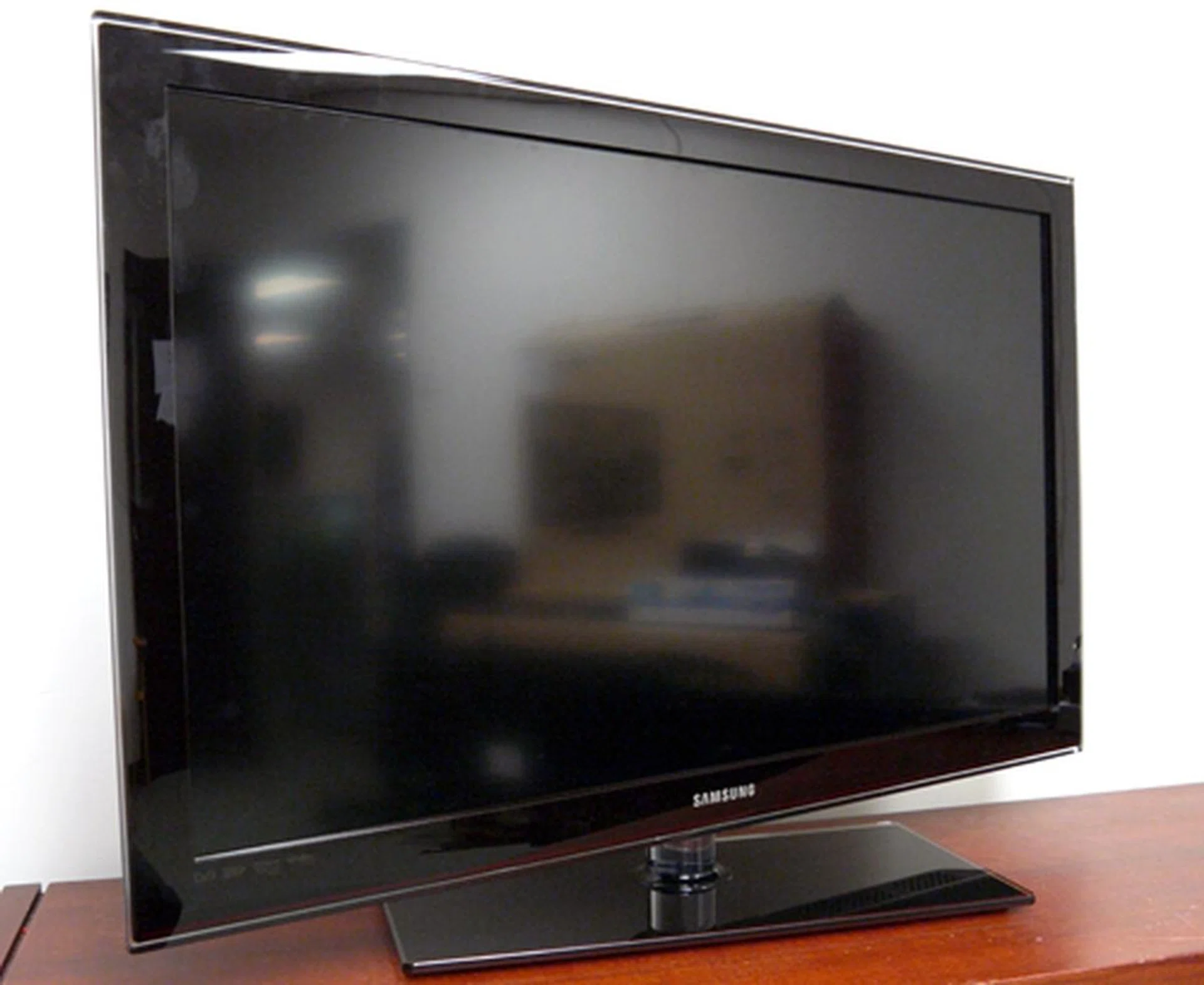
You've got to hand it to the Koreans. They know how to make a simple device look expensive. Dressed in dark crimson hues and a glass-top base, Samsung's Series 5 does stand out from the rest of the nonchalant LCD crowd. You're in luck if you abhor the new "X-shaped" stands since the C550 is using a more conventional rectangular base.
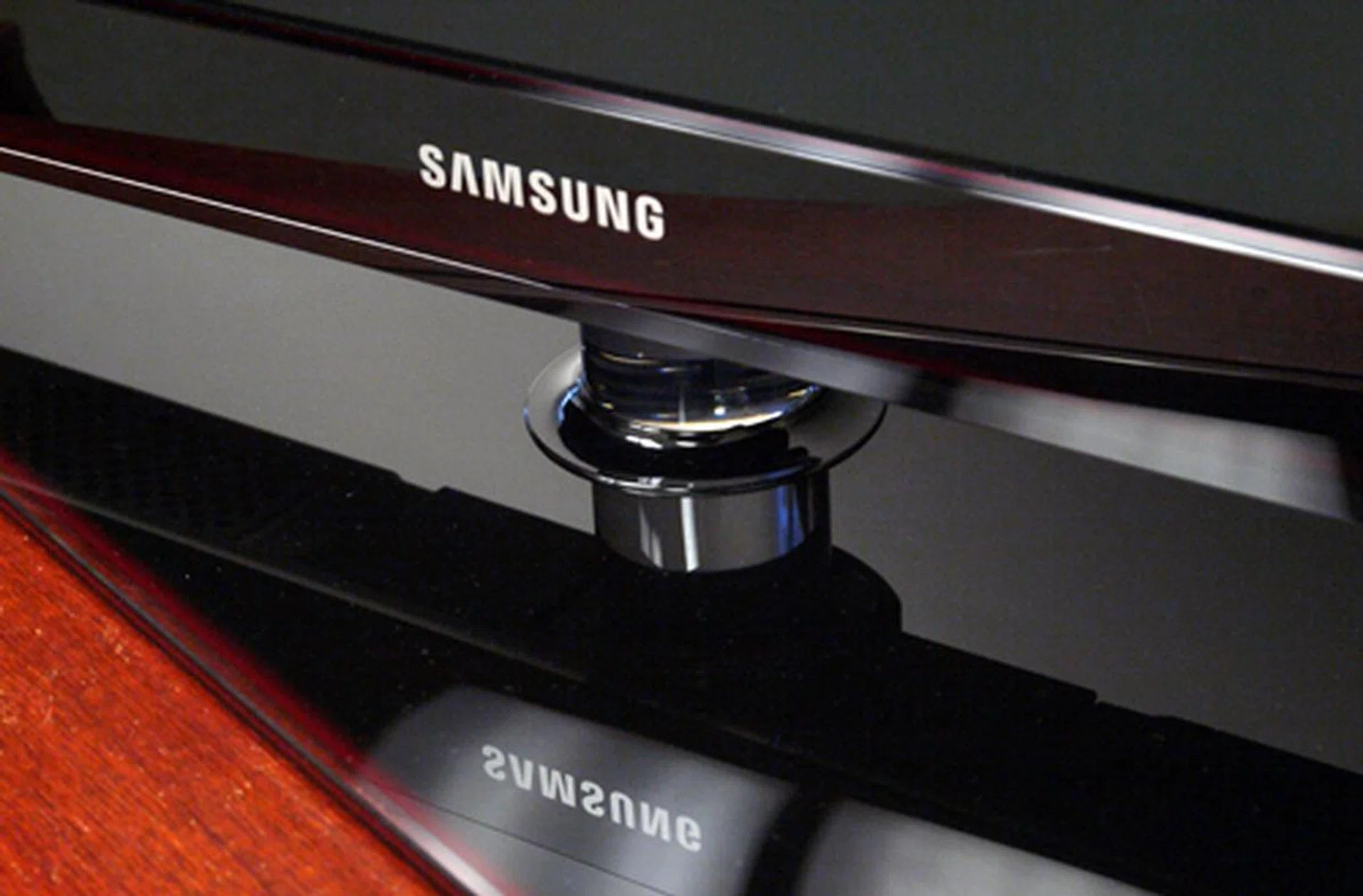
How we love a TV that swivels. We have yet to test out the C550's viewing angles at this stage, but that's of little concern since you get to swing the panel to suit your viewing position. Remember to give the wires some slack.
The C550 swivels, that's a good thing, and it also comes with a wide array of AV goodies for your analog and digital devices. Look behind and you'll find three HDMI and two component outfits. Unlike many budget offerings, Samsung has upped the ante with the inclusion of an Ethernet and USB port as well. In case you need to couple a HDMI cable with a DVI connector, do note that it is only friendly with the "HDMI 1" input. For easy access, the side bar also includes another USB option apart from a composite and HDMI jack.
Let's move on to that control stick. Despite the TV's expensive appearance, the drab remote is a rather stark contrast. However, that doesn't mean the wand isn't practical or functional. Noticeably, Samsung has since thrown that rotary-dial design out of the window. In its place is a more conventional and usable directional pad. Dedicated buttons include one for Media Play (more on that later), and another to call up programme schedules provided by broadcasters, otherwise known as EPG (Electronic Programme Guide).
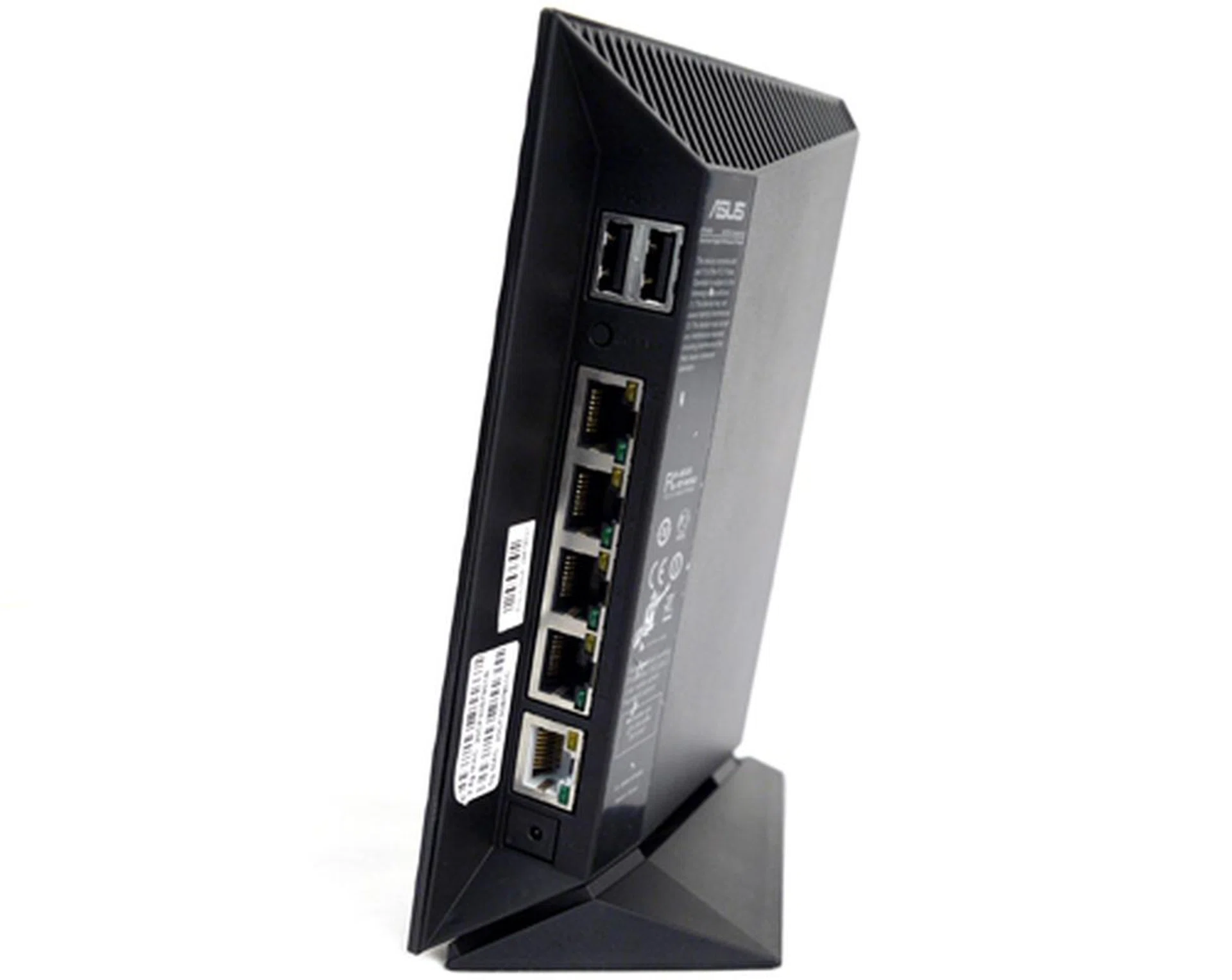
It's true that the "analog sunset" mandate isn't too far away, but rest assured this TV has both analog and digital connectors to cover your AV needs. Pay close attention and you'll spot an Ethernet and USB input as well. Sweet.
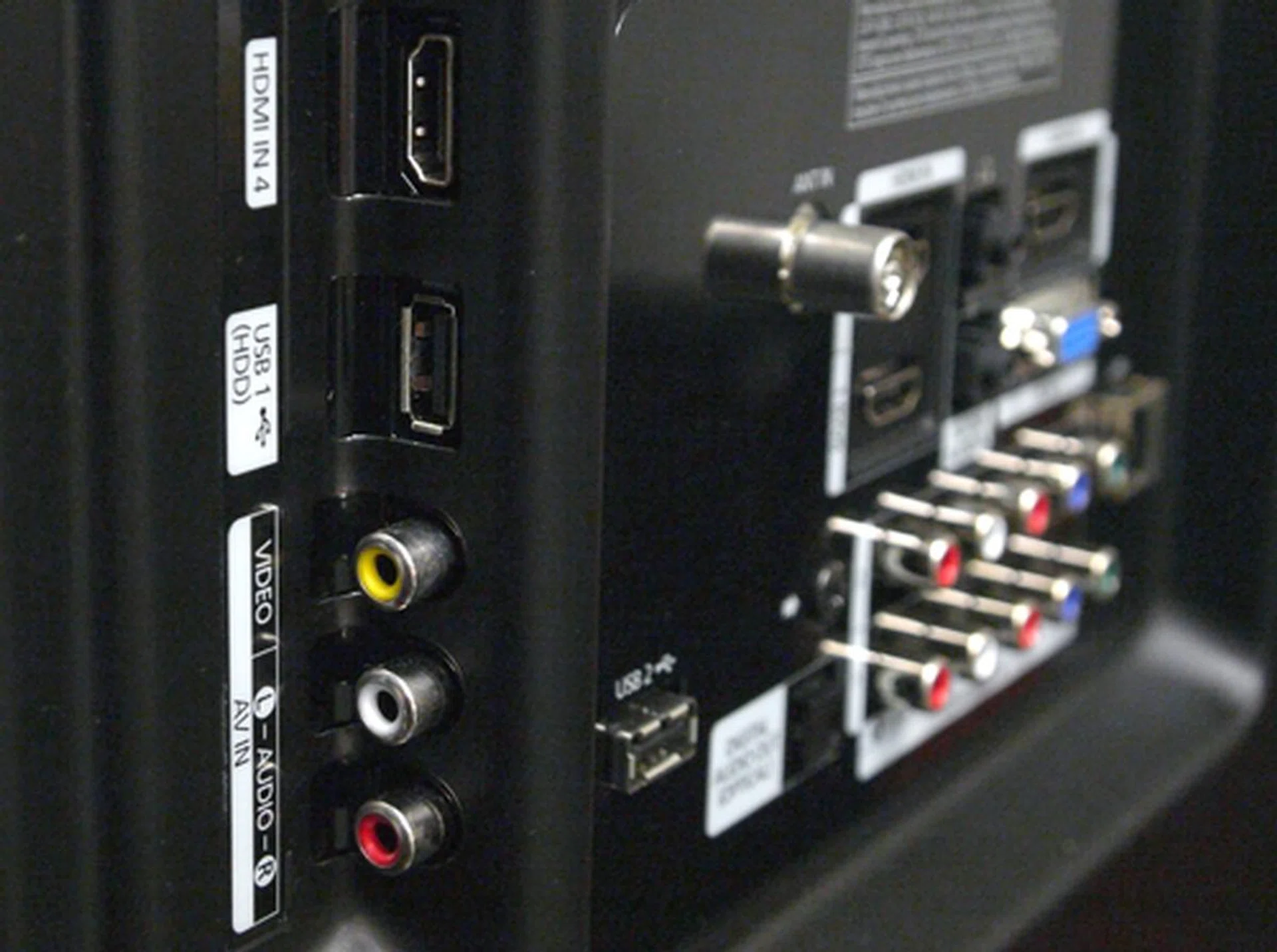
Samsung says, plug your portable AV peripherals here. The C550 extends a HDMI, USB and Composite connector at the side panel, and they are also easily accessible compared to LG's recessed design found on some of their recent HDTV models.
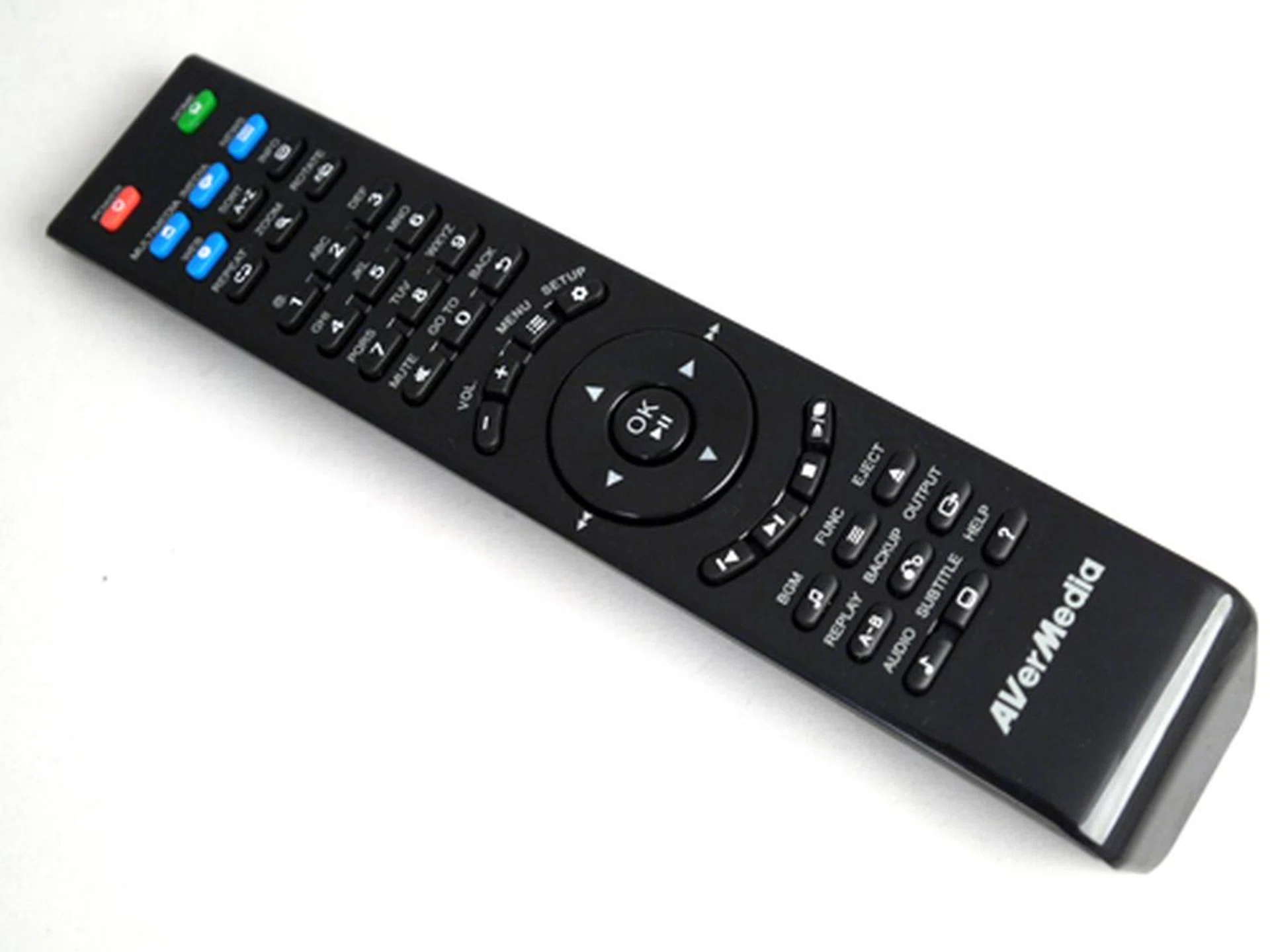
Samsung has gone back to the drawing board to engineer a more practical albeit less appealing remote wand. Notice the basic directional keys instead of a rotary dial. Controls for Anynet+ devices are placed below, whilst other dedicated buttons such as Media (for Media Play) and Guide (for EPG) makes a nice sweetener.
Features
Samsung might have slightly tweaked the color scheme of the interface, but its overall design remains more or less the same. After hitting "Menu" on the remote, simply scroll up or down to toggle between the TV's display, sound, and other options. Four picture presets are available; namely Dynamic, Standard, Natural and Movie. We'd recommend sticking with Movie or Natural mode should you prefer less intense colors and harsh backlights.
The Series 5 boasts of an "Eco Sensor" so if you tend to leave the TV on all day long, then you might want to consider engaging its "Eco" solution with adaptive brightness perks. The equation is simple. Dimmer backlights yield a lesser power draw, which equates to a lesser shock when viewing your utility bills.
Moving on, we also found a number of advanced tweaks to keep the enthusiast happy. They include black tone adjustments, HDMI black levels, white balance controls and edge enhancements, just to name a few. Do you hate trawling through input selections? If your answer is yes, then we're happy to be harbingers of positive tidings. The C550 detects and highlights active AV inputs. Aside from that, the Series 5 has other noteworthy features such as Media Play, which allows you to read multimedia content from USB drives or networked devices, as well as a DLNA perk dubbed as "AllShare". Prior to activating AllShare, however, be sure to connect the TV to your home network (via the Ethernet port) should you wish to exploit its wireless streaming features.
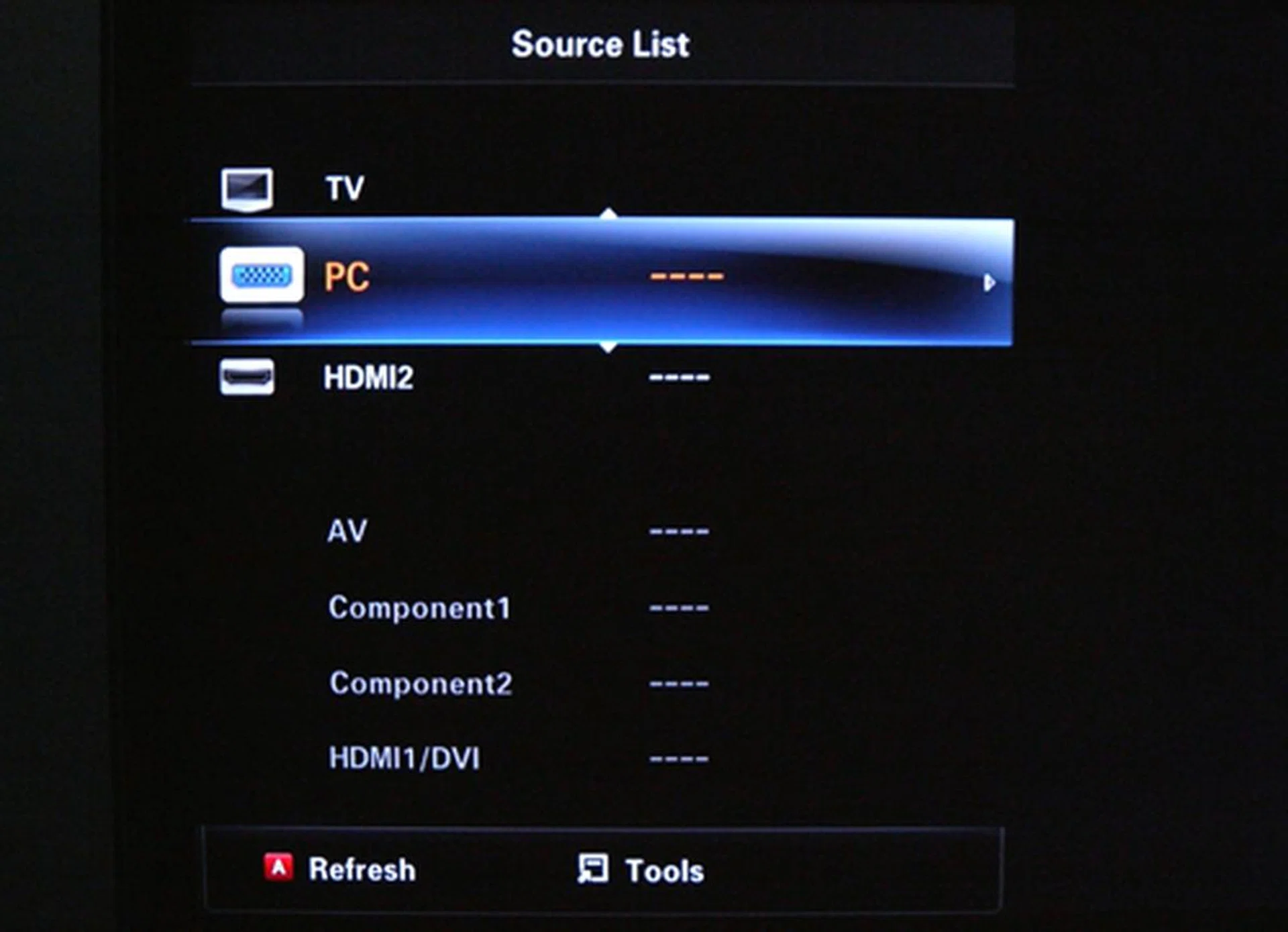
The TV and PC inputs are perpetually there, but notice how the HDMI2 selection is highlighted above the rest. Hint - our Blu-ray deck is plugged into the HDMI2 port. This active input detection should save you some finger work.
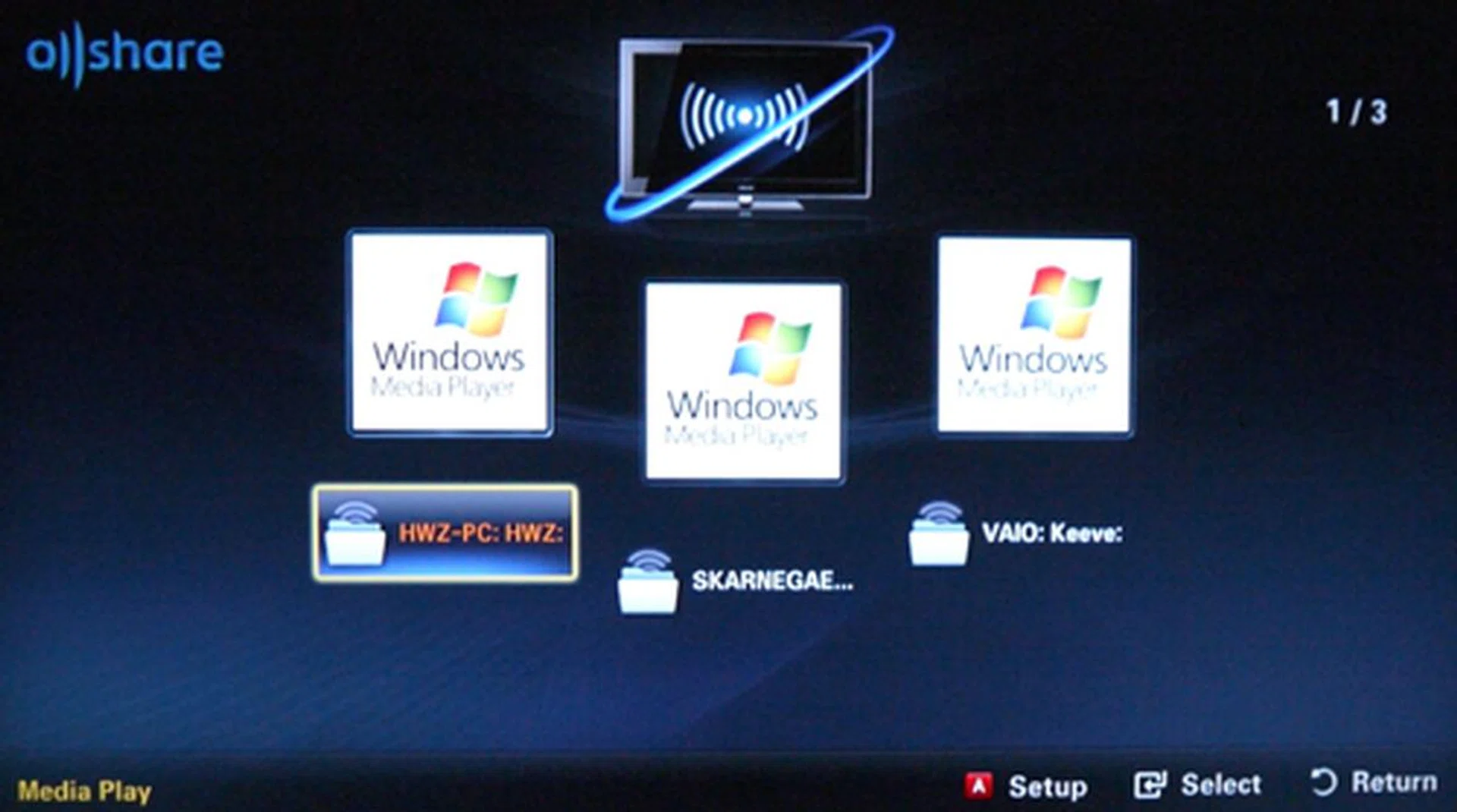
To be honest, we were rather surprised to find a DLNA feature or "AllShare", as dubbed by Samsung, on this budget piece. To view compatible DLNA devices, simply hook the TV up to your home network. Needless to say, ensure they are on the same subnet while you're at it.
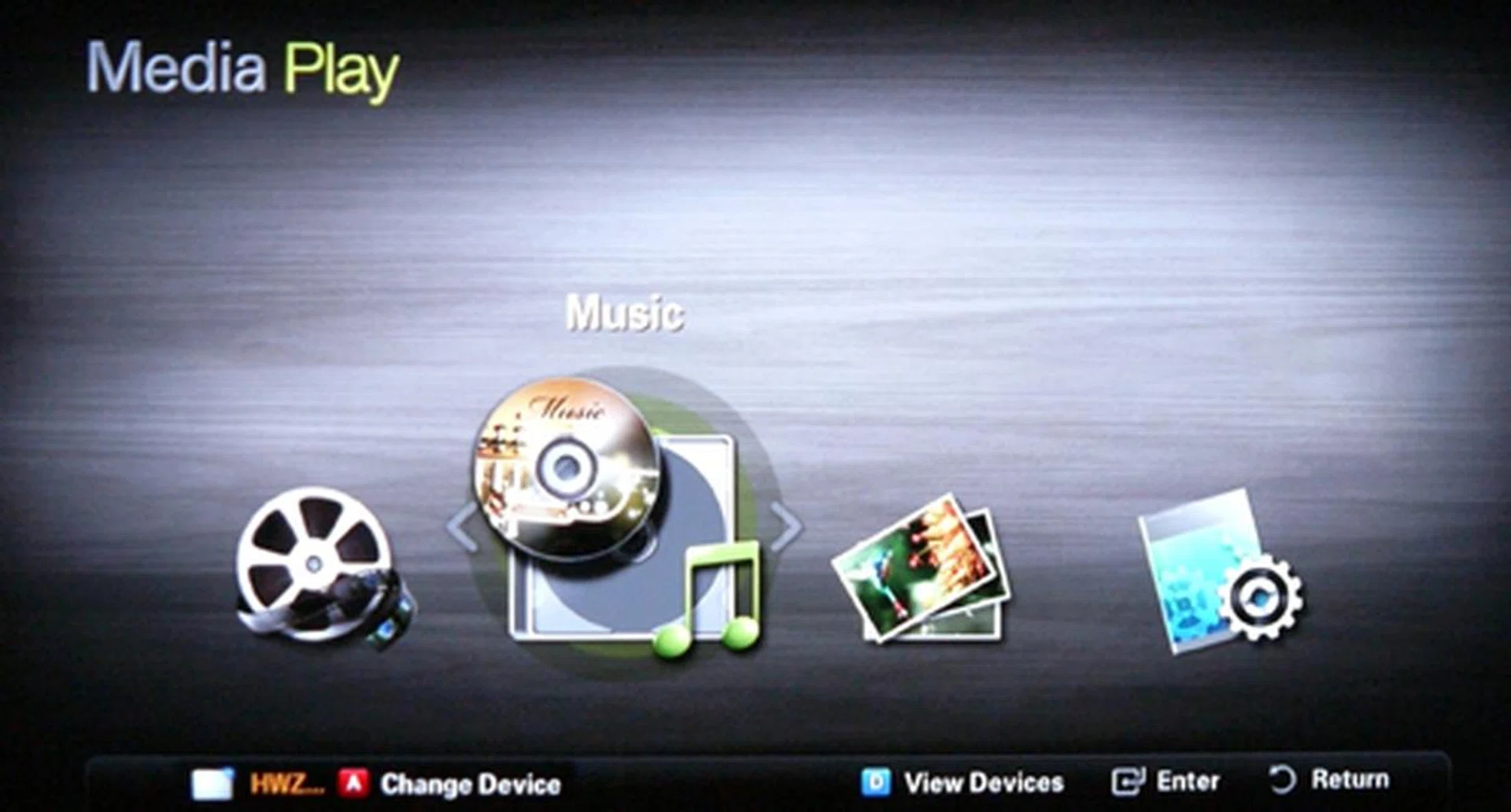
Media Play is a simple platform designed to playback media files either from your USB drive or home network. The C550 supports video codecs such as DivX and MP4, but not AVCHD.
Calibration - Spyder3TV Report
To maintain a standard across our review units, we calibrated the Samsung Series 5 with the Spyder3TV Home Theater Color Calibration kit prior to our display tests. This is to ensure that we assess the HDTV based on optimal display settings, and not purely on visual estimation alone. At this point, we've also disabled all the bells and whistles such as color and edge enhancement features. After the calibration process, optimized values were recorded as such: Brightness at 31, Contrast at 98 and Color at 35. In addition, black and white luminance readings were measured at 0.020 and 180.743 cd/m2 respectively. With such admirable luminance values, we expect sable blacks and bright white levels, no less. Note that calibration was performed based on the TV's "Standard" preset.
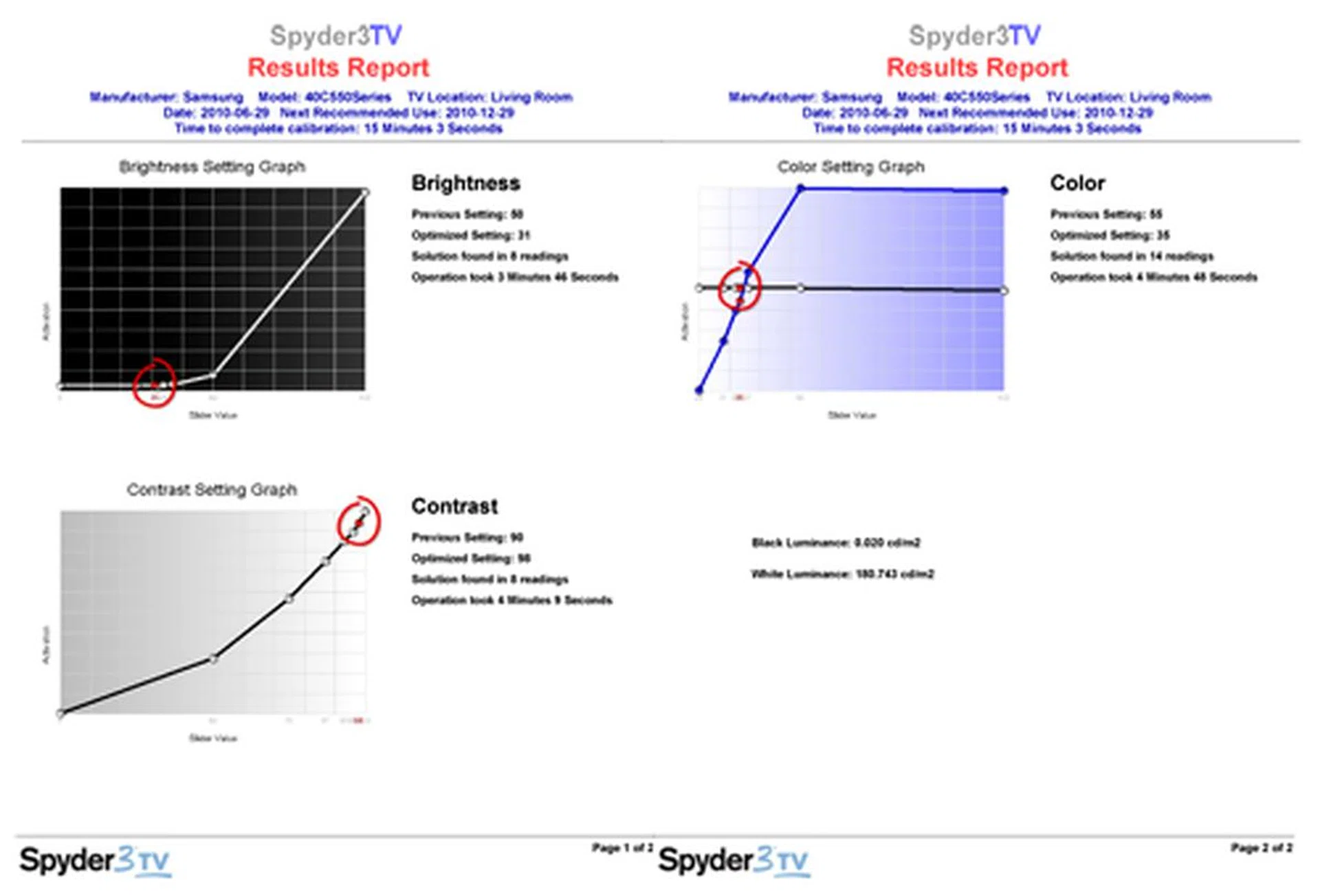
Brightness and contrast settings didn't deviate too much from the expected norm. However, a final calibrated color reading of 35 hints that this panel has a tendency to produce stronger colors than the conventional LCD breeds.
DisplayMate Tests
DisplayMate is an application which generates a sequence of test patterns to determine the capabilities of imaging devices like color and gray-scale accuracies for example. For our tests, we've hooked up the C550 to our display test-bed PC via its HDMI connection. To be fair across the board, we have also disabled all visual enhancements on the TV in order to reduce the variables involved. Here are some findings based on the relevant and critical test patterns:
Screen Uniformity
Although the screen delivered a uniform background with most gray shades, minor compression artifacts can still be picked up with lighter gray shades. Subtle tint variations were also visible at the extreme corners. Other than that, we didn't notice any abnormal backlights bleeds across the panel.
Dark Gray Scale
The Series 5 managed convincing blacks as well as bright gray hues, with a small exception of block "number 8" where a variation in tint was apparent between the corner and middle blocks. Here's another observation, and it might come as a surprise - this TV's horizontal viewing angles impressed us with little contrast shift nuances.
Color Scales
Gradations were linear along the bright and dark bands. Little tracking error was observed on both primary and secondary colors. It is clear that Samsung's panel has the muscle for vibrant hues, given that its color levels had to be muted after the calibration process. Additionally, there were little signs of color shifts at extreme viewing angles on the horizontal plane.
256-Intensity Level Color Ramp
White levels were depicted with bright illuminations but its accuracy could be better. Compression artifacts might not have showed up on the Color Scales test, but they did rear their ugly heads towards the darker spectrum here.
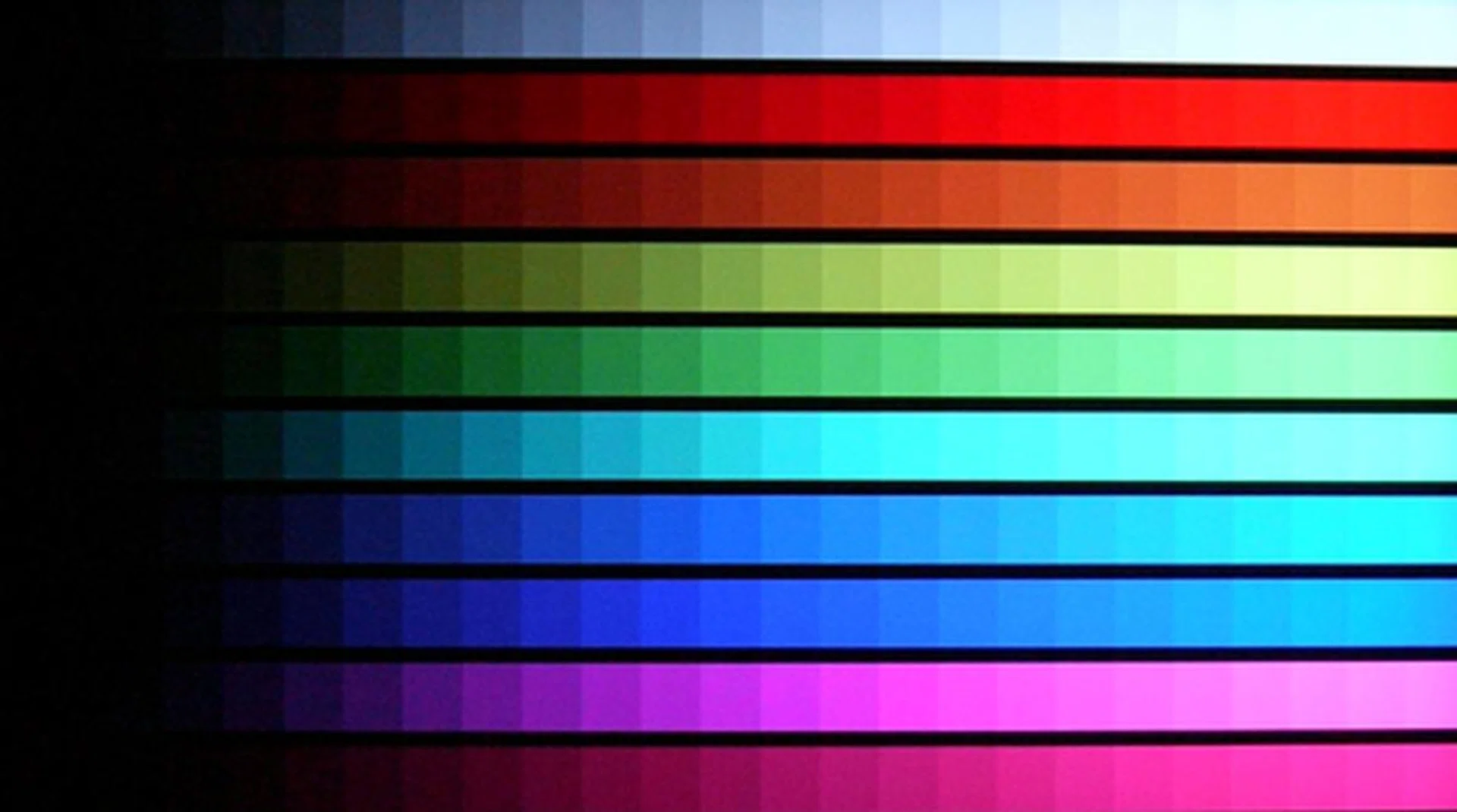
DisplayMate Color Scales Test - There's little question about the Series 5's color reproduction and even gradations. However, you might want to know that compression artifacts were slightly more evident on the 256-Intensity Level Color Ramp test.
IDT HQV Tests
IDT's HQV Tests are designed to assess image quality and the handling of digital displays and players through a variety of video signal processing tasks which includes decoding, de-interlacing, motion correction, noise reduction and film cadence detection. We've programmed the Blu-ray player to playback in 1080i in order to stress the TV's video processor. This compels the processor to convert interlaced signals into progressive to accommodate the HDTV's panel. Here are the results we noted on three of the most crucial tests:
Digital Noise Filtering
Although the C550 did fairly well on DisplayMate, its digital noise filters were a letdown, sadly, and revving the video processor at top gear didn't seem to improve its dismal noise processing. Stubborn noise levels remained. The only upside here was that image details were mostly kept intact.
Diagonal Filter Test
On the bright side, the Series 5 made up for lost ground with its stellar de-interlacing facilities. No signs of "jaggies" were visible as we witnessed the TV's interlaced to progressive transformation on a 1080 scale.
Film Resolution Loss Test
Similarly, Samsung's HyperReal engine managed to pull the right punches when decoding 24p content. If we may add, its Film Mode "Auto1" feature offered better results than the "Auto2" alternative.

Our experience with Samsung displays has taught us that they aren't very adept at noise removal. Once again, the same flaw presented itself when charged with HQV's noise filtering test.
High Definition Tests
Some people perceive enhanced motion interpolation as an incentive, whilst others think it's nothing more than a visual gimmick. Competition is undeniably rife with manufacturers gunning for faster frame rates to supersede the other, if only to add another feather in their specs cap. The Series 5, however, is sticking to basics with a humble 50Hz frame count.
Samsung has managed to squeeze in a digital (DVB-T) tuner despite its modest asking price. However, home users subscribing to cable TV or IPTV services might see this as redundant, since such plans usually require a HD set-top box of their own. That said, let's see how the TV performs against the Blu-ray challenge. There's good reason why we chose Tim Burton's Corpse Bride as one of our test titles. Clean lines of the animated subjects help us determine the panel's sharpness, and on that count, the C550's panel was prompt to respond with a crisp and lucid comeback.
Thanks to calibration work, colors on the Series 5 were also less exaggerated than Samsung's default or desired settings. As our HQV tests might suggest, it's best to engage the TV's digital and MPEG noise filters whenever possible. The same can be said about Batman Begins. Full marks, really, for distinct renders and convincing blacks. If there's one thing we lament, it has to be a loss of picture details with such "dark" settings. In pushing up the screen's brightness, be prepared to sacrifice some degree of black levels in order to make out the finer image details.

The Series 5 demonstrated a solid flair in recreating definitive lines with Blu-ray content. Black levels were laudable, given that the C550 is driven by CCFL tubes instead of the more expensive LED alternative.
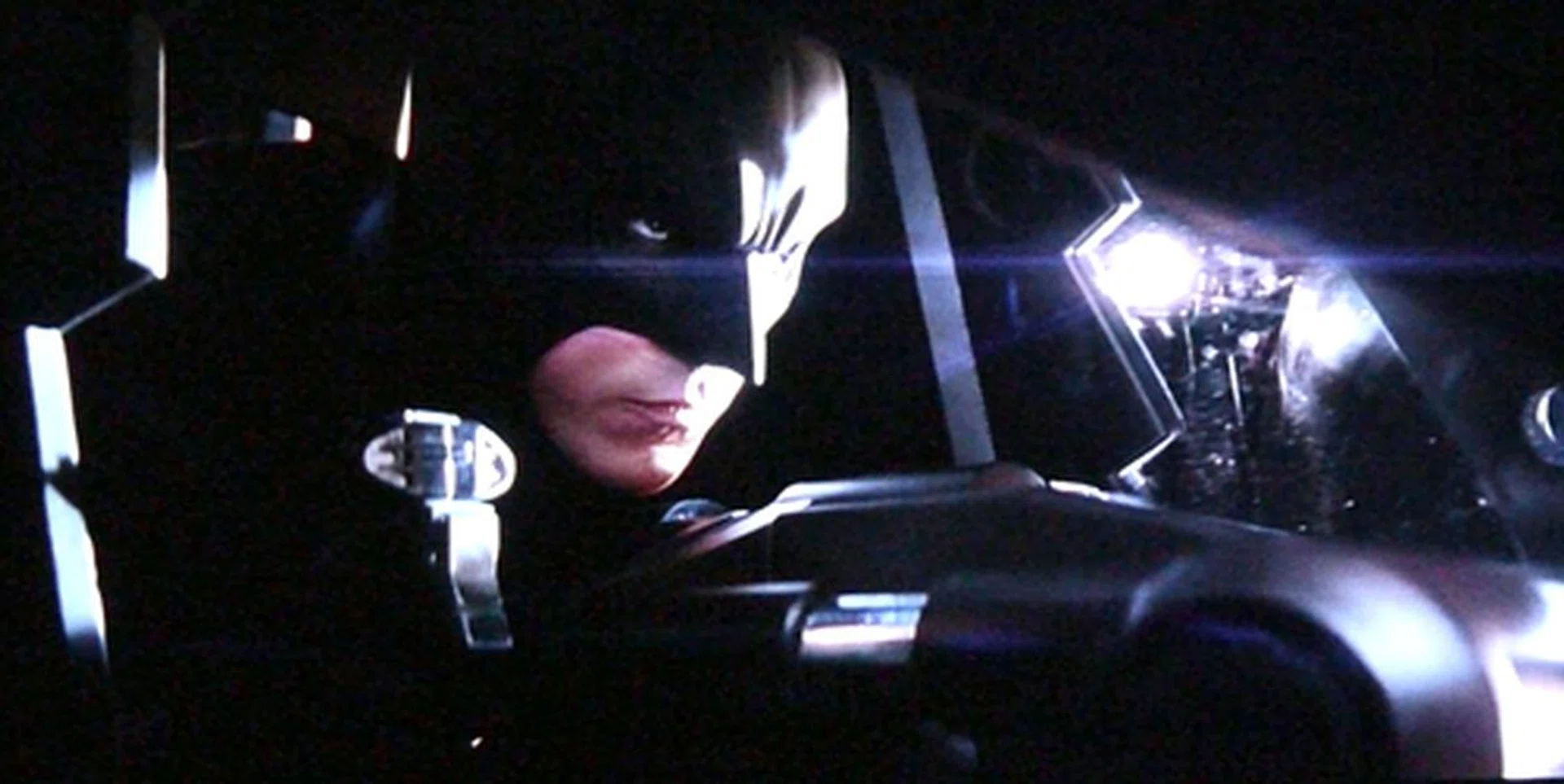
With a black suit and a black armored vehicle, it's easy to miss out on certain picture details if you get the settings wrong. We had to up its brightness levels a notch in order to discern the finer elements on Batman Begins.
On a more positive beat, the Series 5 definitely preferred brighter pictures to gloomy visuals as Vantage Point would care to illustrate. Samsung's performance was slightly noisy, as anticipated, but the low level noise grains didn't detract our enjoyment of the TV's natural presentation and color effects. The same goes for skin tones. While motion judder wasn't an issue, we did encounter a series of "tearing" instances with occasional scenes. If larger than life contrast levels are your cup of tea, then its Dynamic Contrast ratio feature is what you should be turning on. Otherwise, keep it disabled. Comparatively, and on the whole, the C550's display was a tad less concise than the Sony BRAVIA EX400.
Audio wise, Samsung's pair of down-firing speakers didn't impress much with its tinny sounds. If you can, wire the TV to your HTIB (Home Theater in a Box) or AV receiver for a more palatable audio delivery. What we did find useful, however, was its Dialog Clarity function which highlighted the film's vocal portions to good effect. For digital broadcasts, this TV offers PCM and Dolby Digital on its optical output.

Here's a screen shot of Vantage Point with color settings pulled back to 35. You can see that the Series 5 is still capable of vivid colors even at that level. As a side note, we won't advise you to activate the panel's Dynamic Contrast feature if you prefer to enjoy your popcorn moments in the dark.

Although Samsung has a Flesh Tone setting available, we had little need for that tune-up since its skin tone rendition is almost close to perfection after a round of calibration.
Standard Definition Tests
You've seen how the Series 5 dealt with HD clips, but will it do just as well with standard definition feeds? As usual, we fell back on the X-Men: The Last Stand DVD for this round, and here are some of our observations. With the player's output set to 480i, the C550's HyperReal engine was struggling to keep a decent picture during its deinterlacing and upscaling process. Professor X's face (or nose, rather) appeared "mangled" at some point.
To be fair to Samsung, the TV's general production was watchable perhaps to the untrained eye, but we must add that it was hard to ignore the inherent compression artifacts and less than stellar color grade. You might want to take note of this minor setback if you are still holding on to a non-progressive scan and non-upscaling DVD player at home. One other thing. This TV does not remember your choice of picture presets. Rather annoyingly, the TV snapped back to the default "Dynamic" selection (instead of "Standard") after we've restarted the Blu-ray deck. So much for its amnesiac tendencies.

A freeze frame of Cyclops might not paint the whole story, but compression and noise artifacts were expounded greatly by the Series 5. This TV might be a maestro with HD content, but its SD performance leaves much to be desired.
Our Final Word
To draw a simple analogy, we can liken this Samsung Series 5 LCD TV to a budding romantic relationship. We experienced most of its good traits at the onset. A swanky "Rose Black" Crystal Design has belied its affordable tag. This alluring TV swivels, and charms, and promises you heaven with its DLNA lure, network connectivity and Media Play treats. We also fell for its UI which was pretty and easy to navigate.
After a date or two, we begin to see its flaws, the subtle and not so subtle. On DisplayMate, it was effective with gray scales as much as it was proficient in the color scales test. But it began to falter with minor periodicities on the color ramp. We didn't bring this lady any flowers due to her poor noise filters, but we believe a kiss was necessary for her commendable motion handling with interlaced HD sources.
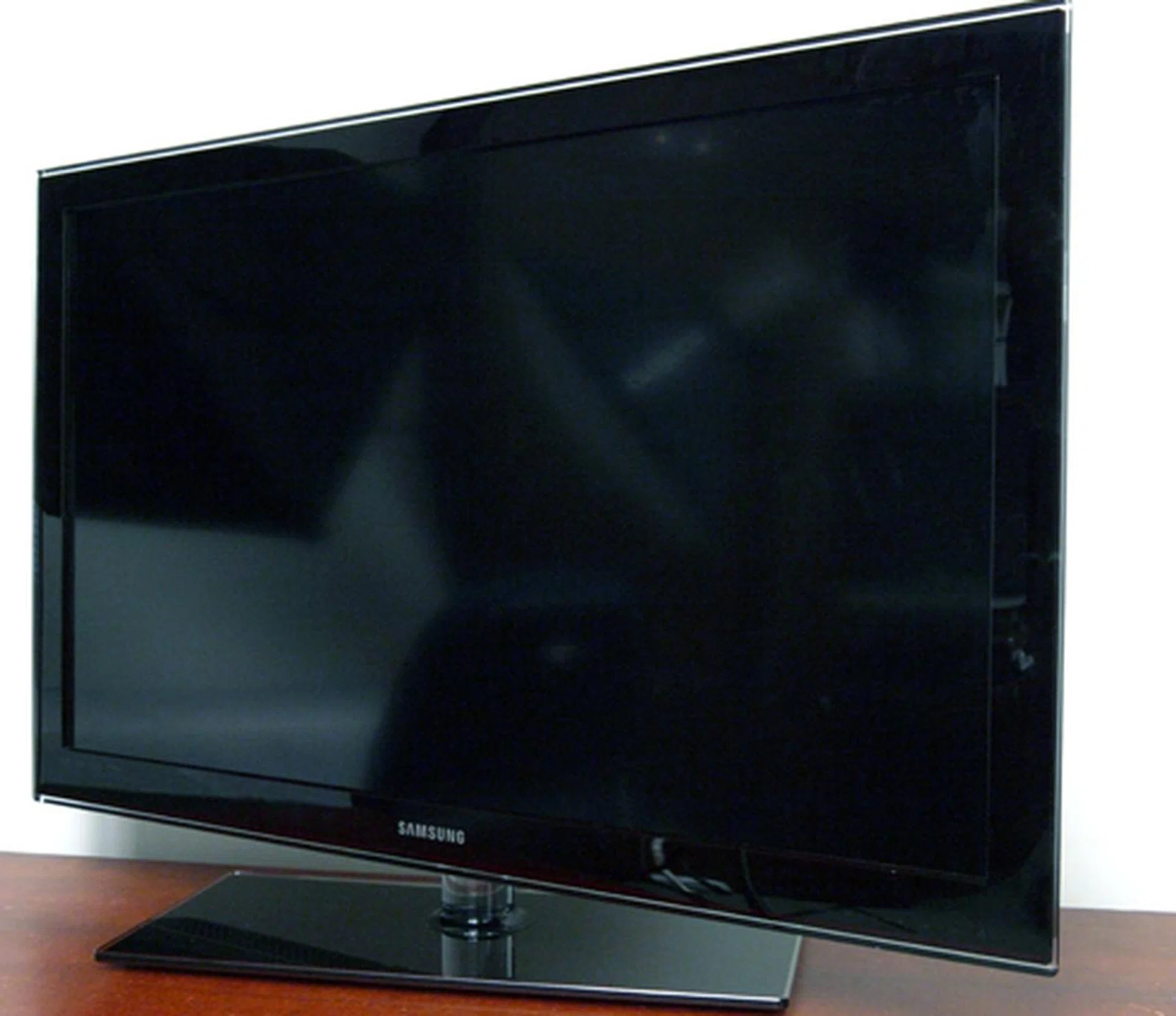
The Series 5 has every potential to make it to the top if only Samsung could expend a little more effort on their video engine and audio delivery. Honestly, it is one of the most feature-packed LCD offerings in town with such a humble price. That's quite unlike Samsung, isn't it?
The Samsung C550 is two inches smaller than regular 42-inch breeds, although its high definition performance should compensate for its lack in size. Yes, we dig its crisp visuals, accurate colors, convincing blacks and generous multimedia features. On the other hand, we have reason to doubt its SD finesse, if deinterlacing and upscaling proved too much for its video processor to handle. Besides, her speakers also failed to motivate our hearts completely. All things considered, we'd recommend this TV to anyone interested in a display to quench their HD hunger.
On the contrary, you might want to consider the Sony BRAVIA EX400 as a more decent all-rounder goggle box. Having said that, it is still possible to fall in love with Samsung's Series 5 for its drool-worthy features and polished looks. Finally, if you think this iteration is too small, there's always the 46-inch Series 5 waiting.
Our articles may contain affiliate links. If you buy through these links, we may earn a small commission.