
Seagate FreeAgent GoFlex TV
FreeAgent GoFlex TV is Seagate's third entry into the media player market, offering full HD playback and the ability to slot your FreeAgent GoFlex hard drives into the player to access the media stored inside the drive. It's relatively down to earth in appearances and so is its price. We give you the details in this review.

Free Your Media
With a wealth of media available online, haven't you had times when you wish you were able to enjoy them some place else besides your computer? The problem is that several common tasks like watching the video clip you just edited, sharing pictures you took on your latest holiday and more, are traditionally confined to the PC. That’s where media players come into play to bridge our media to the television set.
Seagate’s latest offering, the FreeAgent GoFlex TV, aims to offer users a solution in an easy to use and compact package. The small, black player may seem unassuming, but boasts the ability to play quite a handful of media formats. As their third entry into the media player market, will the third time be a charm for Seagate? Read on to find out.
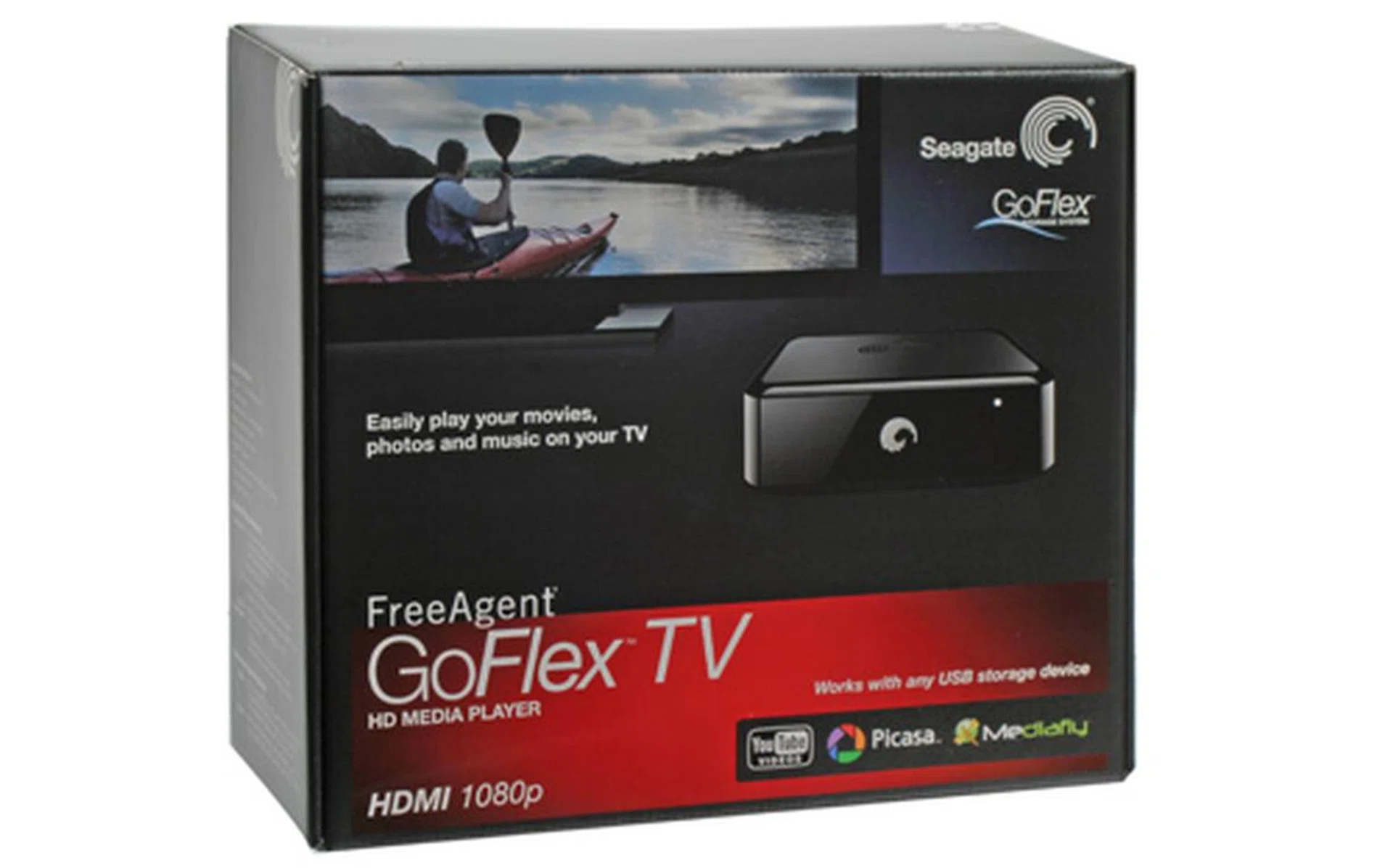
Will third time be the charm for Seagate?
Free-hand design
The GoFlex TV is shaped like a little black box; it doesn’t exactly possess a slim profile, but more of a stocky look. This is due to the fact that it allows a Seagate GoFlex hard disk to be slotted into a dock at the front of the player, hence the pudgy look. But the player is small enough to not look too conspicuous among your A/V setup so fret not for those of you worrying it will stick out like a sore thumb. The choice of color for the player also helps it to blend it among the many black AV equipment on the market or in your living room. There’s a Seagate logo recessed into the matte top of the box, and air vents occupying the glossy sides and bottom. It makes you feel as though this black box will be emitting some serious heat, and the glossy sides do retain more fingerprints that we would have liked.
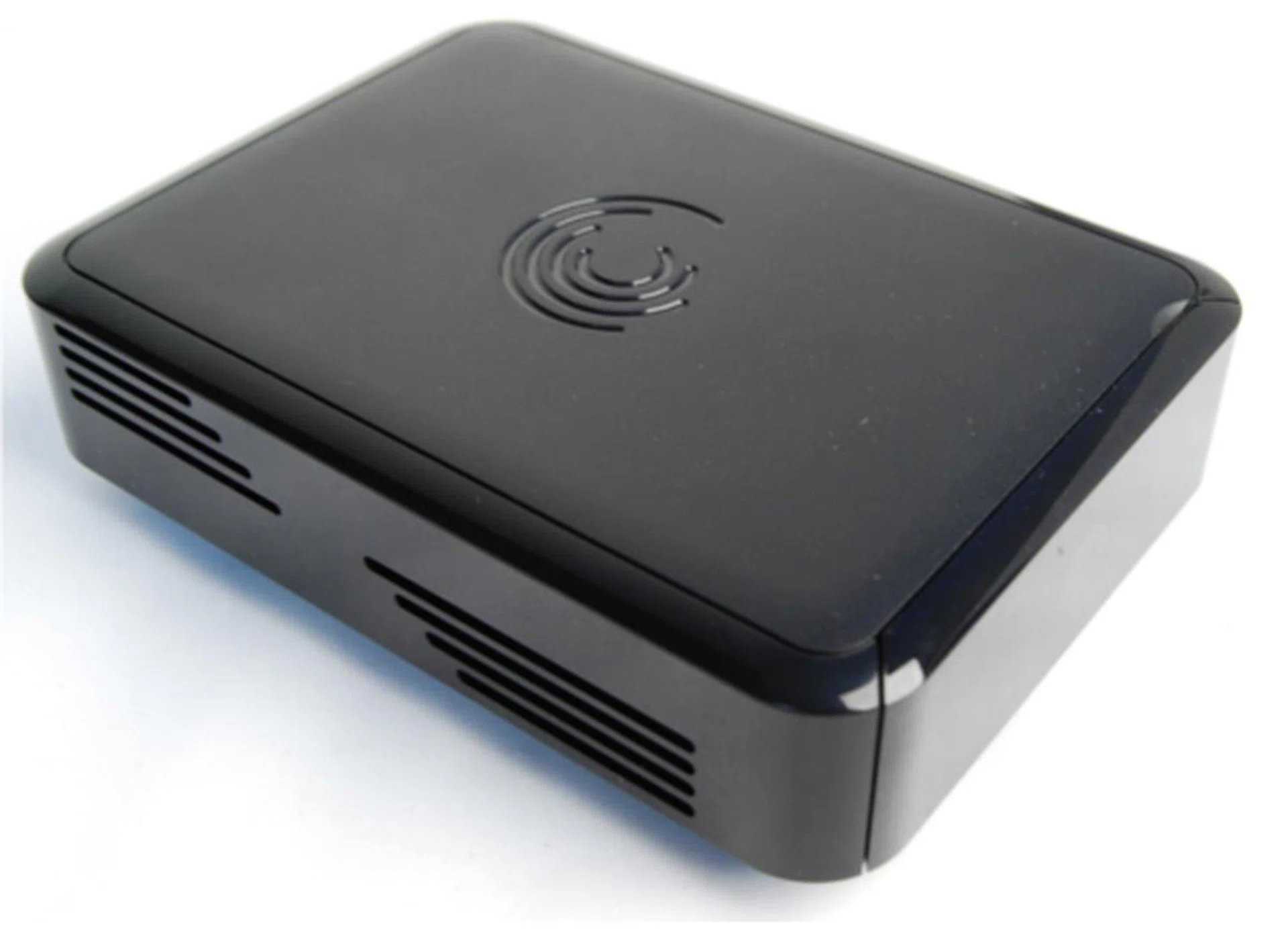
The Seagate FreeAgent GoFlex TV is a fingerprint magnet with its glossy look and feel. The front face is facing southeast in this picture, which means what you see here are the vents on the sides of the media player.
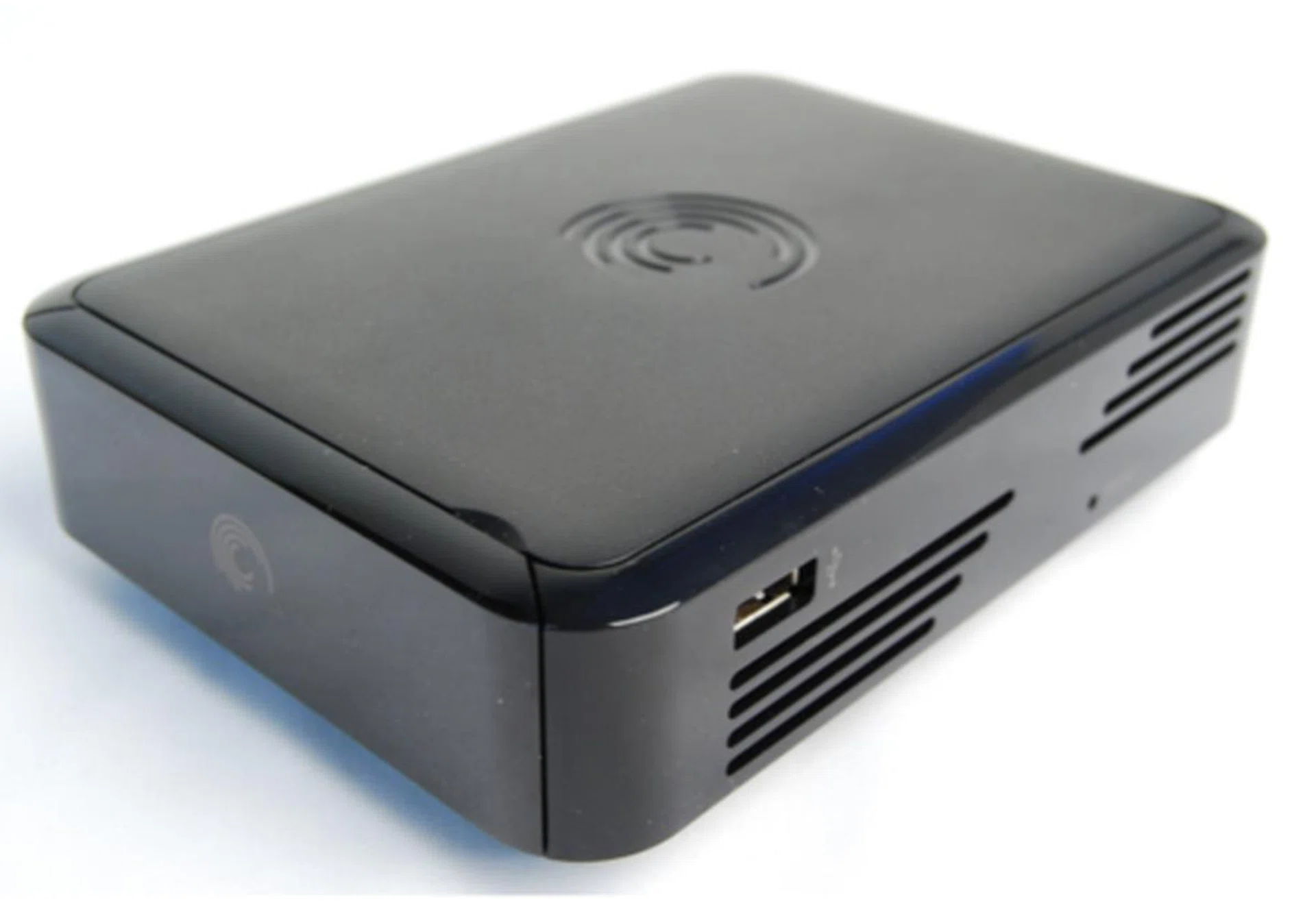
Note the lone USB port on the side. In this view, you can also note that the front face has a flap to insert a Seagate GoFlex hard drive for a more seamless integration between their products. Of course, you can still use other external hard drives to hook up with the media player, so it's compatible with all options in the market.
The jacks and ports are mostly found at the back of the player. Why do we say mostly? Because Seagate included a lone USB port at the side of the player as well. Due to the limited space available on the back of the player, the composite and component jacks are 'special'. The included composite and component cables end in a 3.5mm jack that interface with the player instead of the usual three-way connectors. Woe befalls the person who loses or spoils these unique cables! Apart from the 'break-out' connections for composite and component outputs, there is also a HDMI jack, a S/PDIF jack, a USB port and an Ethernet port sandwiched at the rear. While not exactly overwhelming, the jacks and ports do cover the minimum expected of a top of the line media players nowadays.
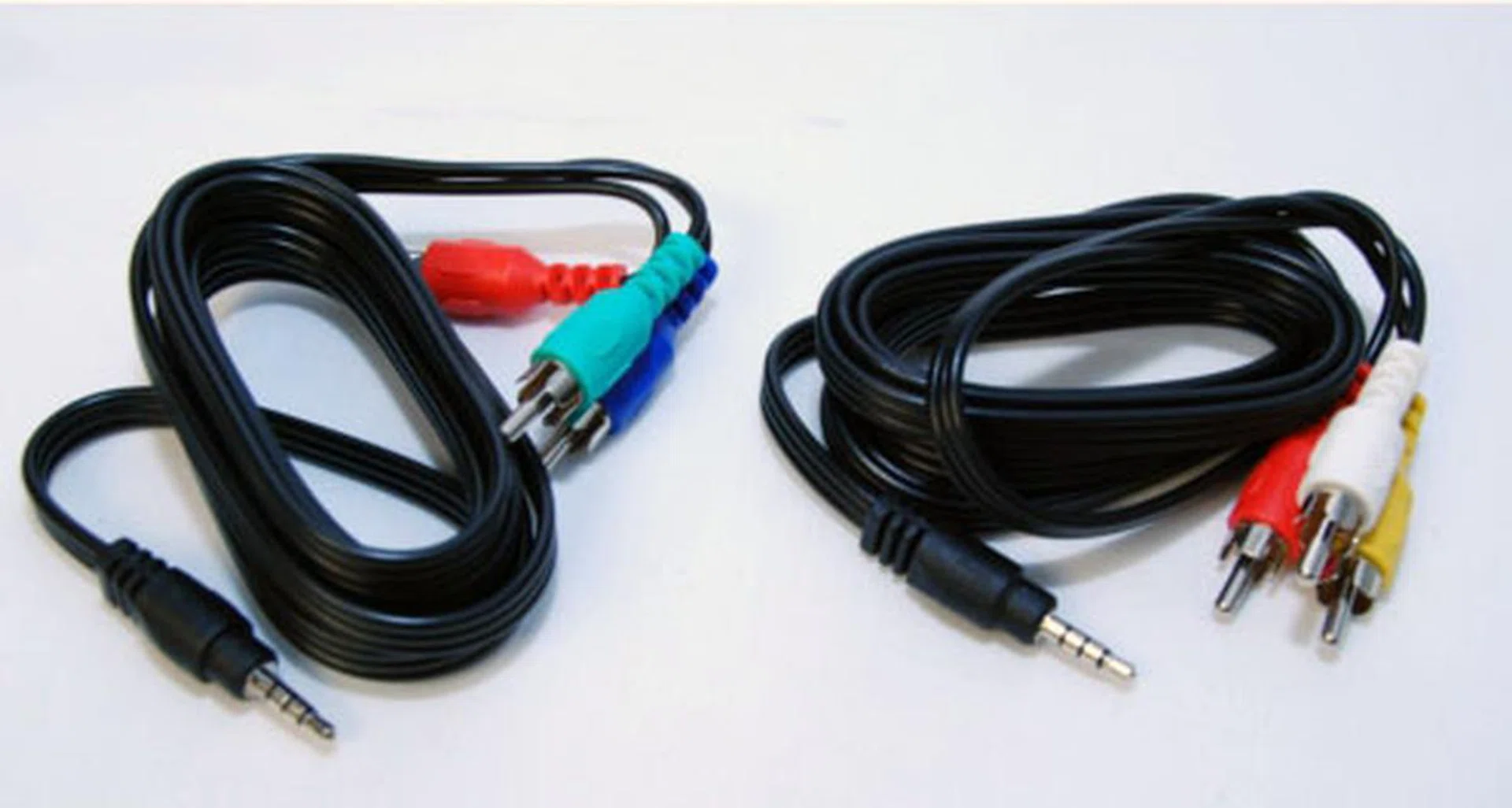
These are very 'special' break-out cables for composite and component connections. Do not lose them!
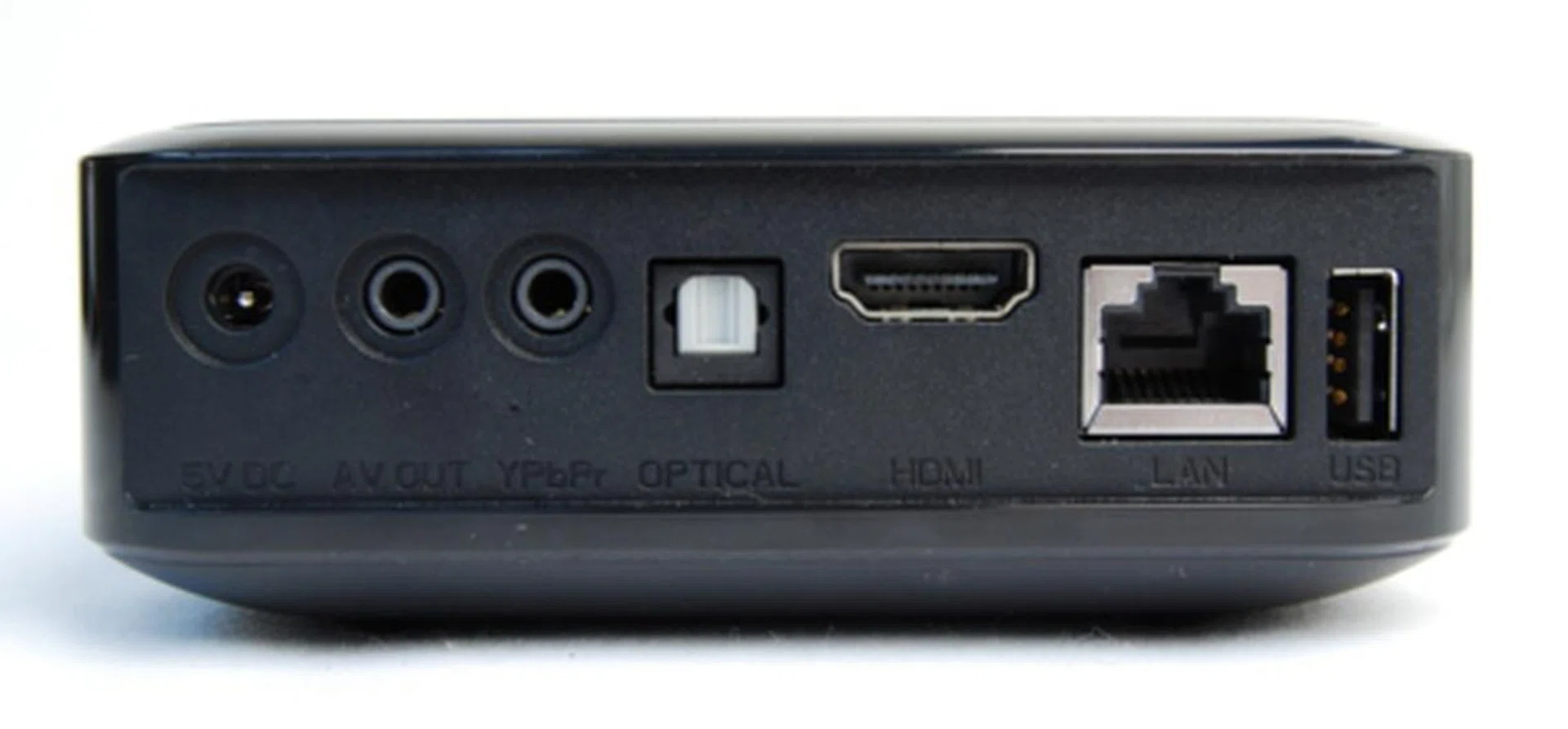
From left to right: An external power supply input, dual 3.5mm jacks for composite and component outputs, optical output, HDMI output, Ethernet port and a USB interface.
The remote follows the concept of the GoFlex TV; it is small and includes the barest minimum to navigate the menus. No fancy buttons here to confuse or confound.
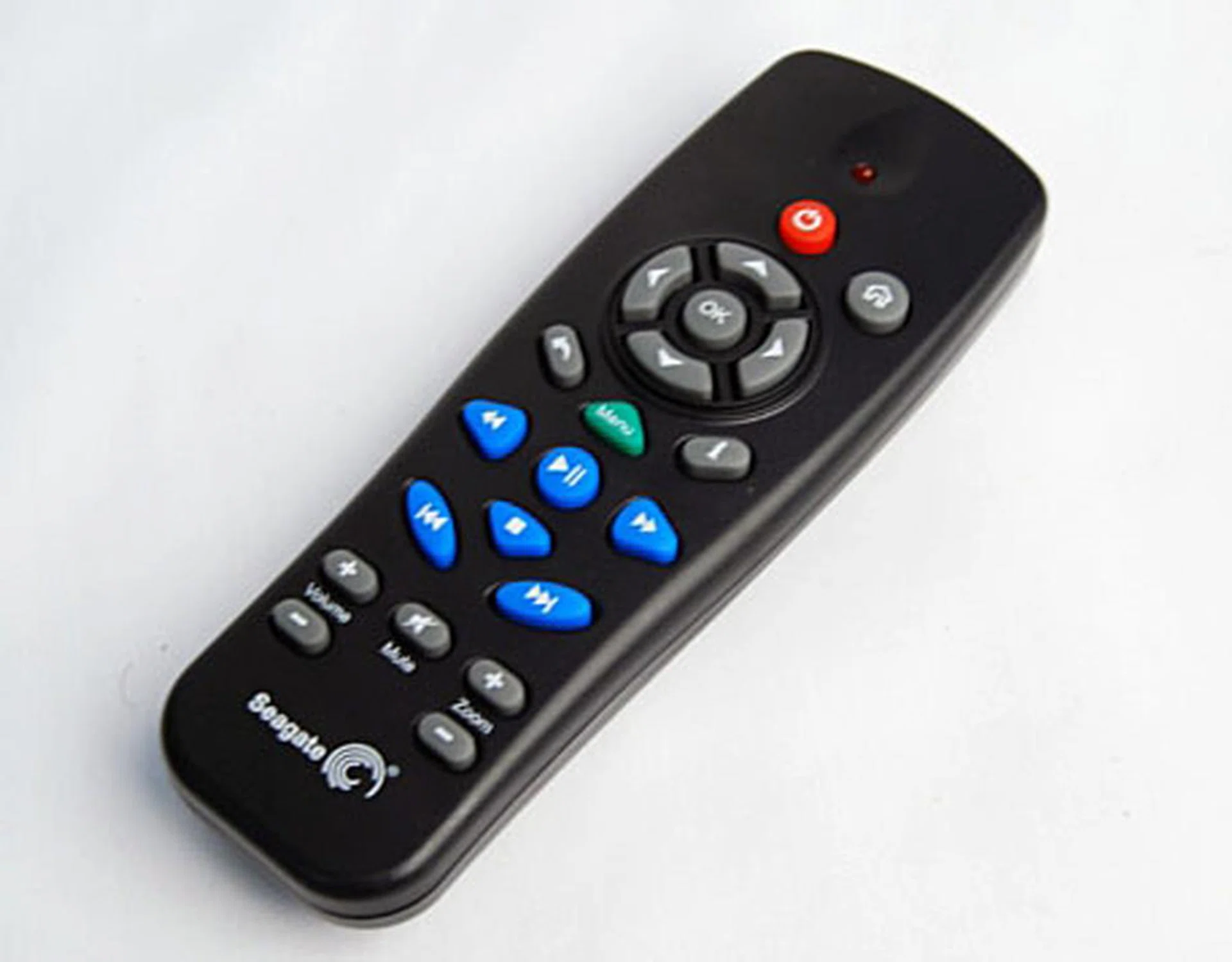
A no-fuss, simple to use and intuitive remote.
Go-to Features
First thing people notice about media players besides the physical looks, is the user interface (UI) of the player. Even though this isn't Seagate's first stab at the media player market, their UI remains surprisingly basic and simple. This makes the Seagate GoFlex TV user interface feel very 'last gen' when compared to . The UI was also a bit on the sluggish side, though it's obvious to the point that we would doze off while waiting for it to load the menus. The five icons: Movies, Pictures, Music, Internet and Browse are pretty self explanatory. The other icons right below the top row are all shortcuts to the various internet services. However, the shortcuts are a bit redundant as accessing the Internet icon will provide you with the same options.The bottom most row consists of shortcuts for devices that are connected to the player; such as USB thumb drives. The player will automatically scan any external drive that you plug in; though be warned that the player indexes files every time you switch it on.
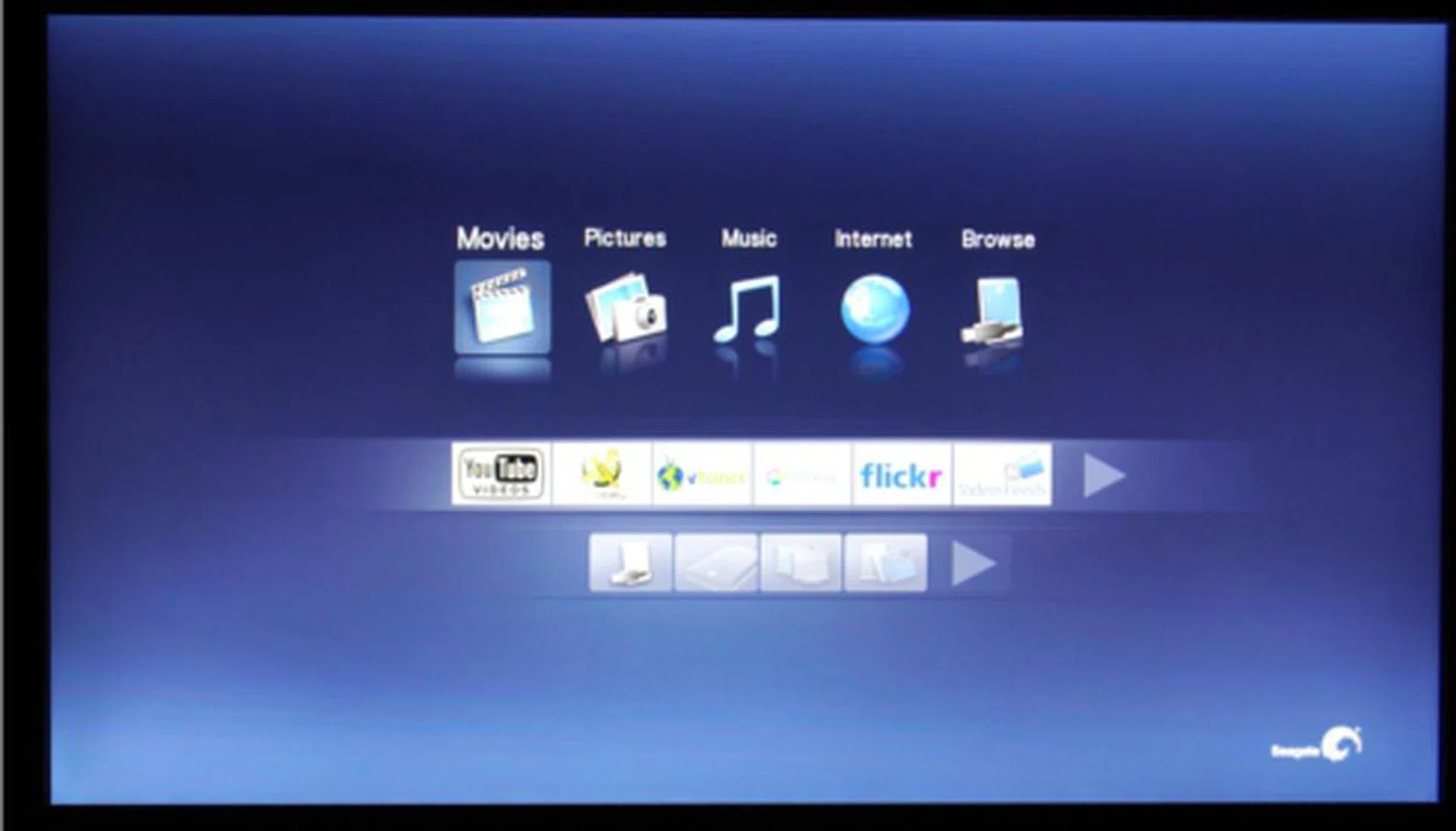
Clean and simple. Dare we say boring?
The internet aspect of the player does seem to be a tad underwhelming; you don’t exactly get a web browser to surf the net. Users are restricted to the provided internet services such as YouTube and Flickr. Even though the remote is just as underwhelming, lucky for us it supports USB keyboards to help facilitate text entries such as searching for videos or pictures in a particular channel.
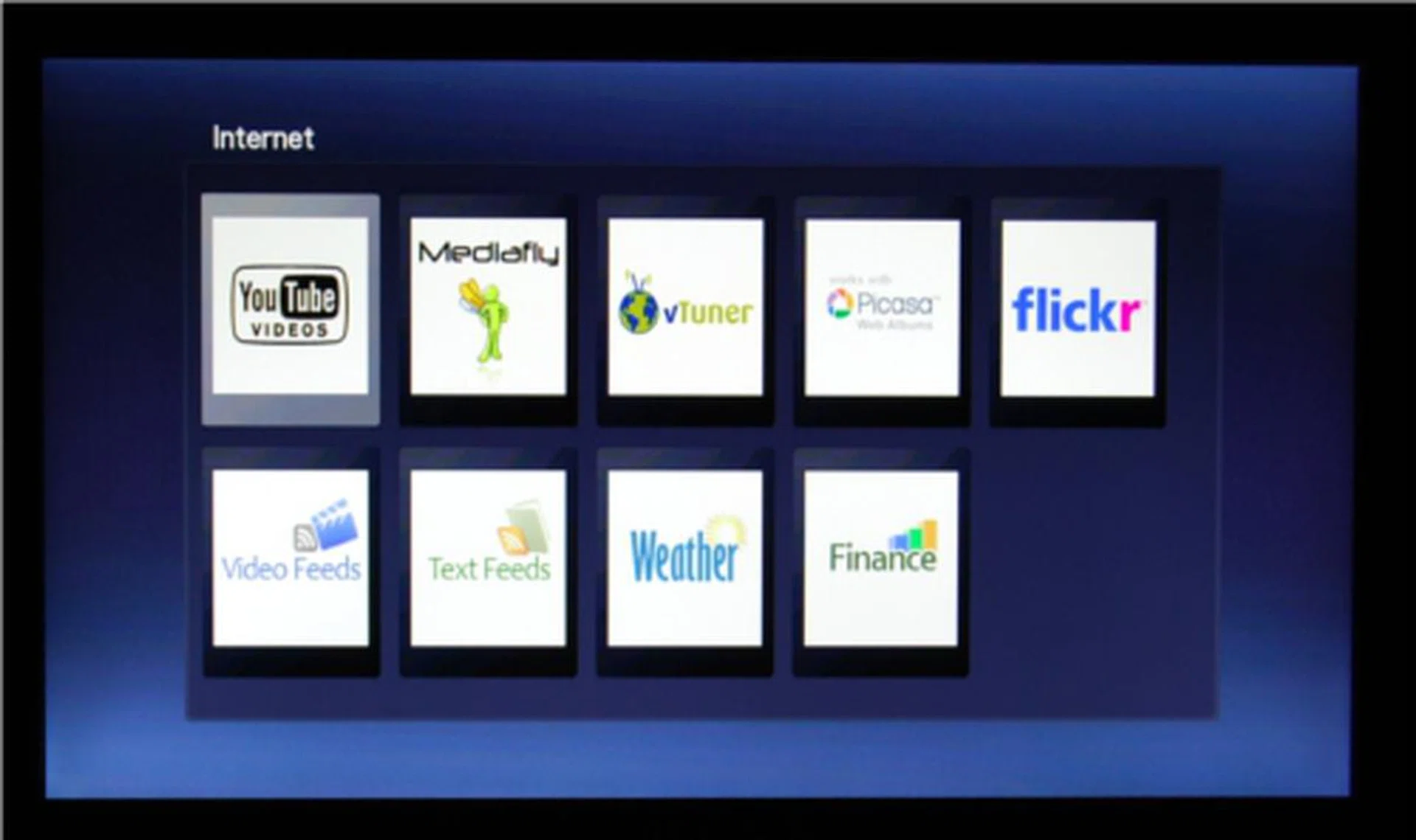
No browser but hey there's YouTube! Can't really complain huh?
The GoFlex TV does not come with any internal hard disk, but it does come with a nifty feature to pop in a FreeAgent GoFlex ultra-portable drive into the slot at the front of the player. This would mean the GoFlex drives get to interface with the media player via the SATA interface natively and hence faster indexing , transfers, etc. For those of you who own other external hard disks, you will have to make do with the usual USB ports for connectivity.
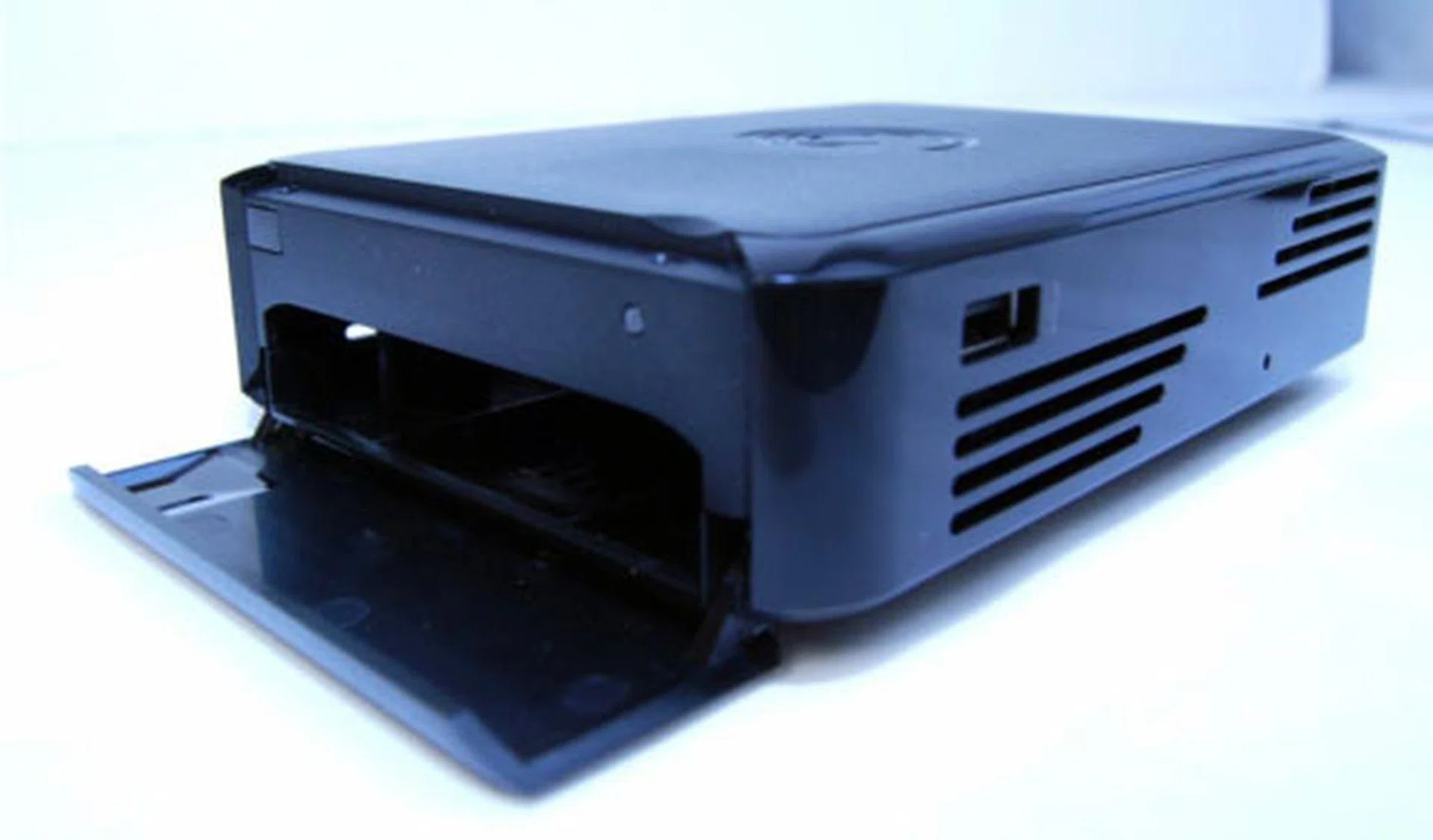
Here's where you can slot in your GoFlex drive.
Flexing that muscle - Performance Matters
Powering up the player and reaching the home screen took a less than impressive 25 seconds. Once we got the player set up, it was time to test its mettle. Playing videos on YouTube, we noticed no issues though by default the player will display the video in its original resolution. The player only offers the option to watch the video in its native resolution or in full screen mode, which was disappointing to us considering we may want to view the video in a larger scale but not full screen where it just looks like a mass of pixels.
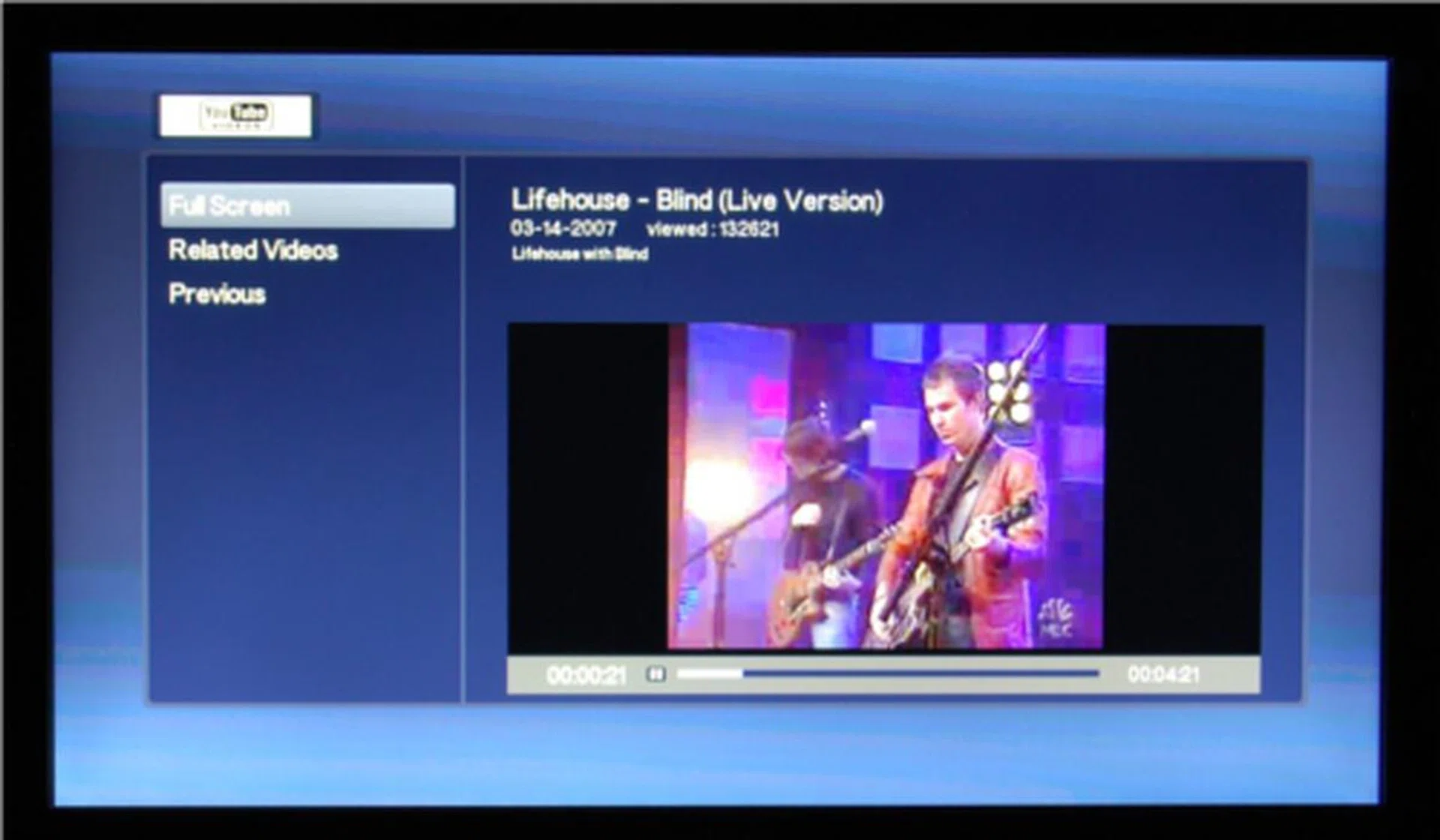
Not many options available for YouTube playback.
Next up would be the video playback testing, which is the litmus test for media players. Most video formats played back with no problems, and there were no shakes or frame freezes when playing high-definition videos. Obviously the quality of the source video plays a part in how good the video looks as well. There was no option to restart the video we were viewing; when we stopped the video and played it again, it would continue at the previous point where we had stopped. There are not much options offered for playback of video, music and pictures. The submenus are very basic; for videos you only get options to display the subtitles or turn them off, and an option to choose which audio stream you want to be playing in the video. One point to note was that every time we accessed the menu while watching video, the player will automatically pause the video playback. Music playback options are also not rocket science; you get to repeat the song, play through the entire list, or shuffle and loop the tracks. One odd issue we noticed was that we needed to point the remote directly at the infrared port of the unit; if you go pointing somewhere else or even slightly away from the port, the player does not respond. Not a deal-breaker, but a minor annoyance.

No problems with high-def stuff.
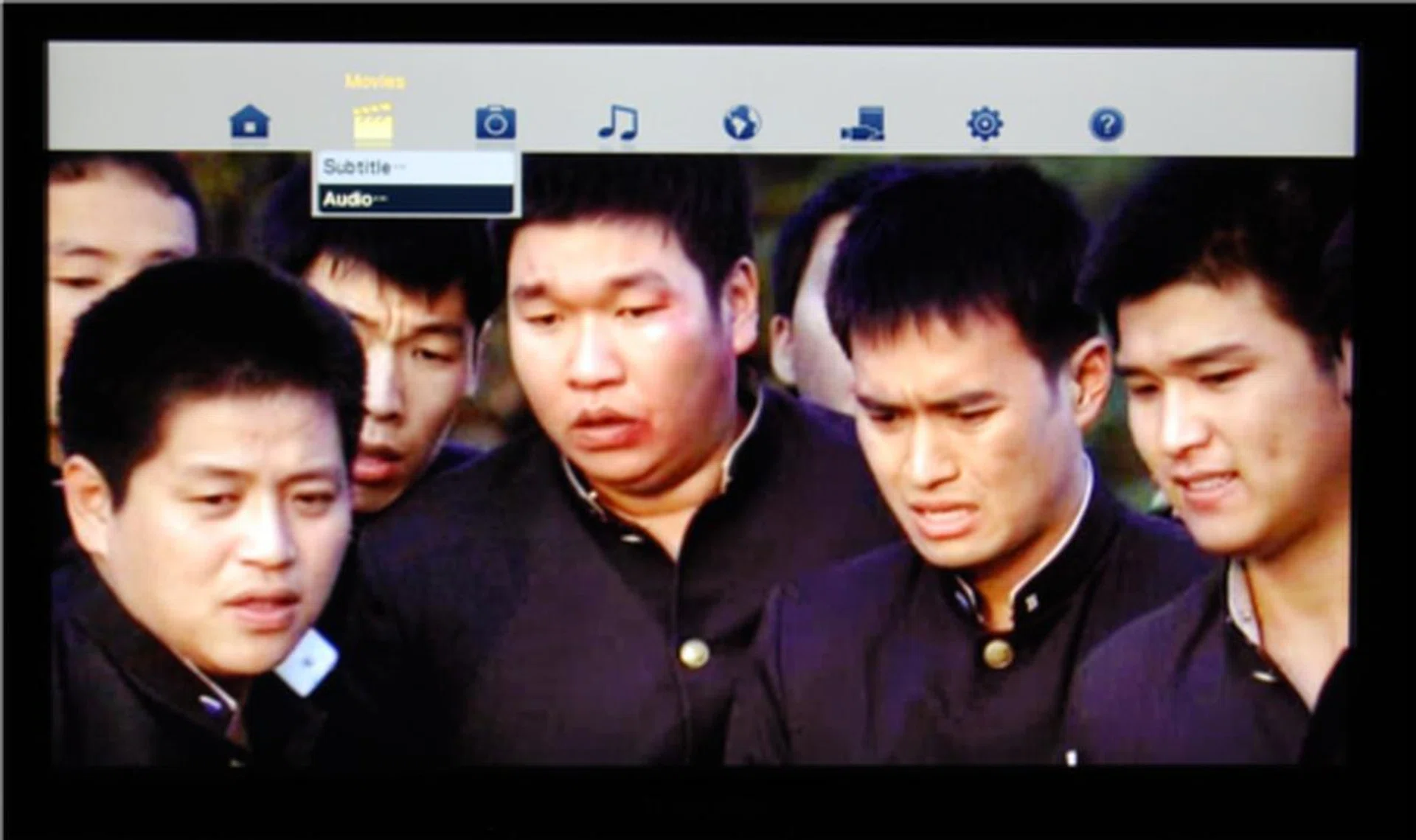
Submenu allows you to toggle the subs on and off, and switch audio streams. Simple and basic stuff.
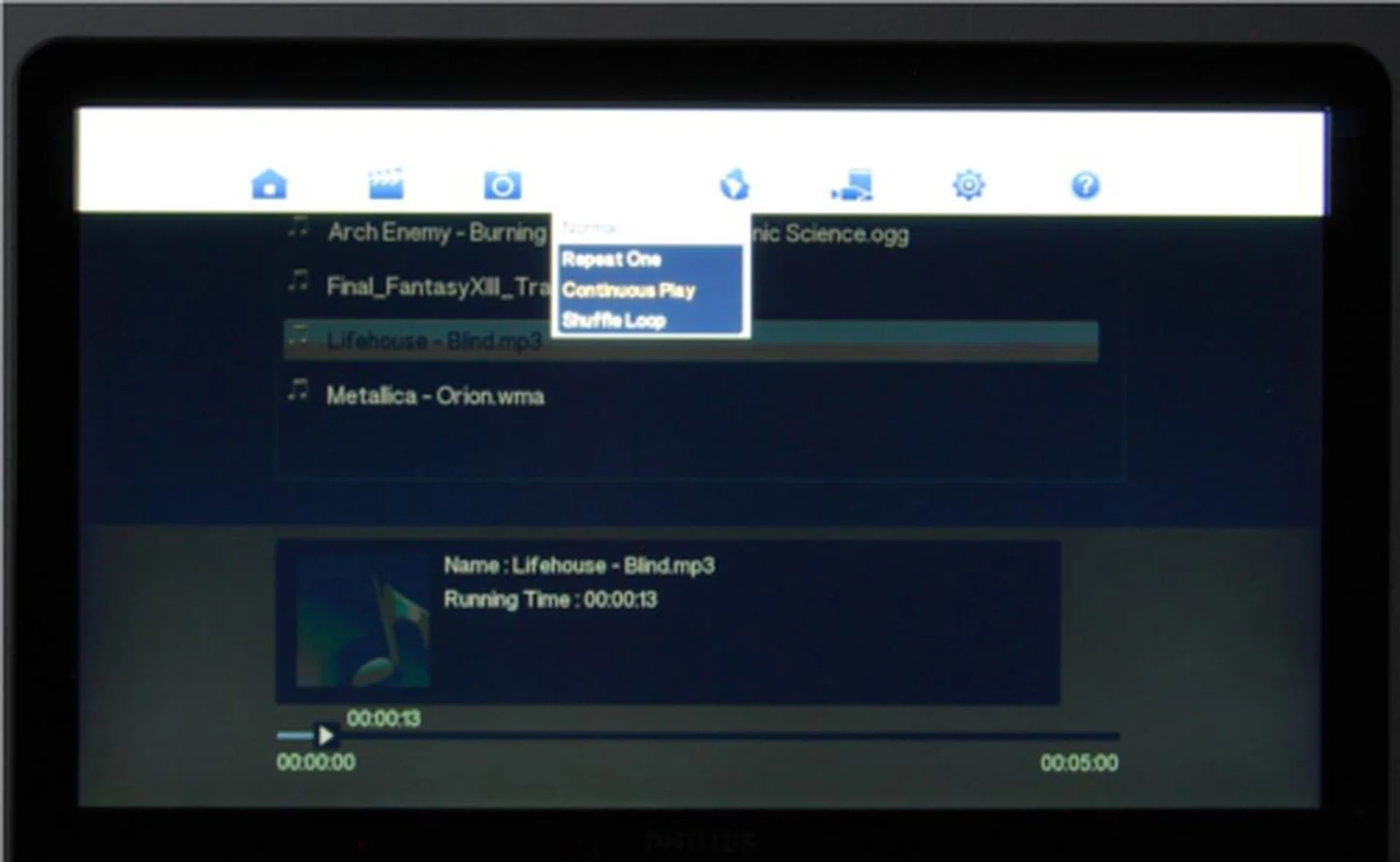
Simple options for the music submenu as well.
The Hammer Comes Down
The Seagate FreeAgent GoFlex TV is a weird creature. It supports almost all media formats, including RMVB and FLV, therefore making it seem like a state of the art player. But its boring design, uninspiring and slightly sluggish user interface seem to state otherwise. There is no internal hard drive included, so its price is relatively low at S$159.
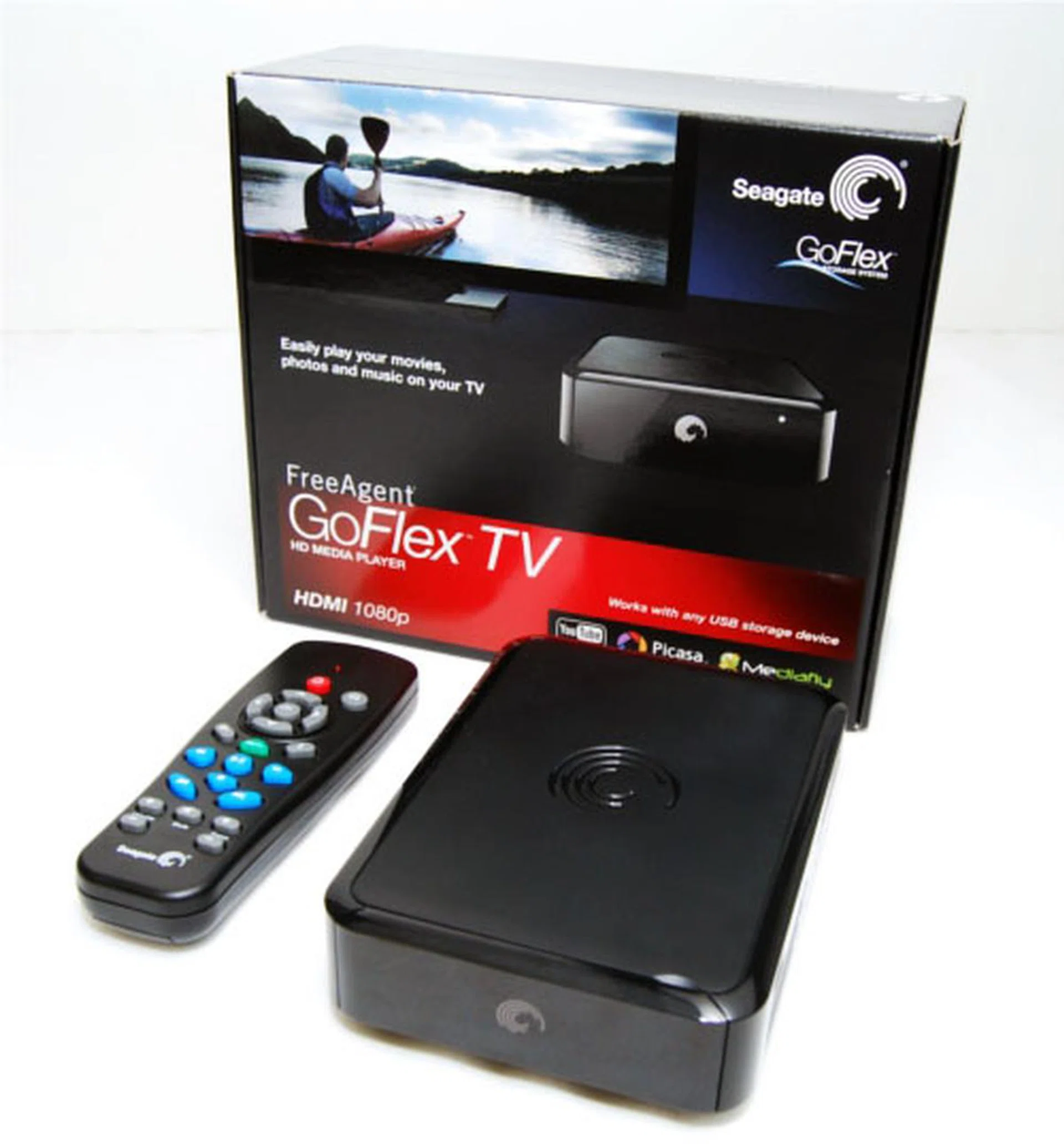
While the packaging seems attractive, the Seagate FreeAgent GoFlex TV wasn't a stunner in our usage. Instead, it fulfills its basic role reasonably with a good price to boot.
For the price and the fact that as a media player it does its job rather well, if you can live with the aesthetics of its simple user interface and physical design, the GoFlex TV can be a competent player that is limited by its functionality due to its UI design.If you are looking at more functionality and do not mind shelling out extra money, there are other media players in the market that offer attractive user interface and more functionality, such as the WD TV Live Hub. The Seagate FreeAgent GoFlex TV however, fulfills its basic role reasonably well and offers good value for non demanding users.
Our articles may contain affiliate links. If you buy through these links, we may earn a small commission.