
Panasonic LUMIX DMC-LX5 Review
It was high time that Panasonic released its successor to the popular LUMIX LX3. With the LX5 finally available, it's time to take a look under its hood to see if the reworked camera sensor improves dynamic range and noise performance. Was the LX5 worth the wait? We road-tested it to find out for you.

Introduction
Where in the World is the Panasonic LX4?
When we asked why Panasonic skipped number 4 from the to LX5, a Panasonic spokesman told us that anticipation for the new LX had built up so much over so long that they decided to skip a generation and go straight to the number 5.
Whether it's a marketing tactic or simple superstition (the number 4 sounds like the word for 'death' in Mandarin), it's true that the Panasonic LX3 has enjoyed booming success (a quick search on Flickr shows it's the most popular Panasonic in use). When it was launched in 2008, it created quite the stir by having an F2 lens in a compact body, which meant it could capture more light than ordinary compacts, so you don't need to bump the ISO as much and you get faster hand-held shots.
At the same time, it's been two long years since its release, in a competitive market that sees new camera models being rolled out once to twice a year. Since then, the LX3 has found itself in an increasing crowded space, having to compete with other prosumer cameras like the , and encroaching competitors from mirrorless system cameras like the .
So it's high time that Panasonic has finally released its successor, the LX5. What's new? Under the hood, the camera sensor has been reworked. While it's still the same 1/1.63", it's been redesigned for improved dynamic range and noise performance. While the LX3 had a 24-60mm lens (35mm equivalent), the LX5 has a longer 24-90mm lens, all while keeping the F2-3.3 aperture.
Now that you know what's new, the real question is:- was the LX5 worth the wait? We'll answer that soon after our evaluation in the following pages.
Design
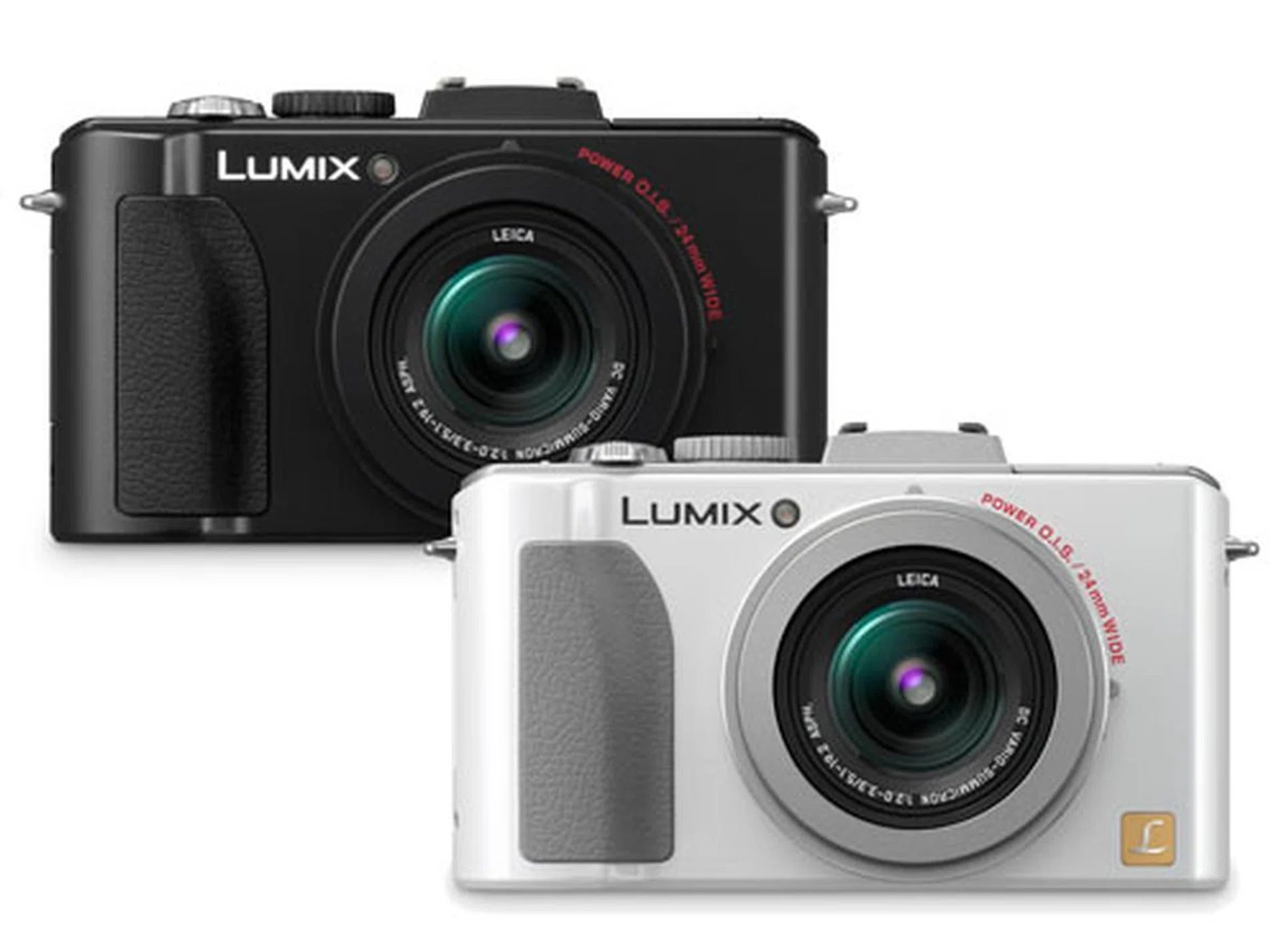
If you're familiar with Panasonic's cameras, you'll know where the LX5 gets its looks from.
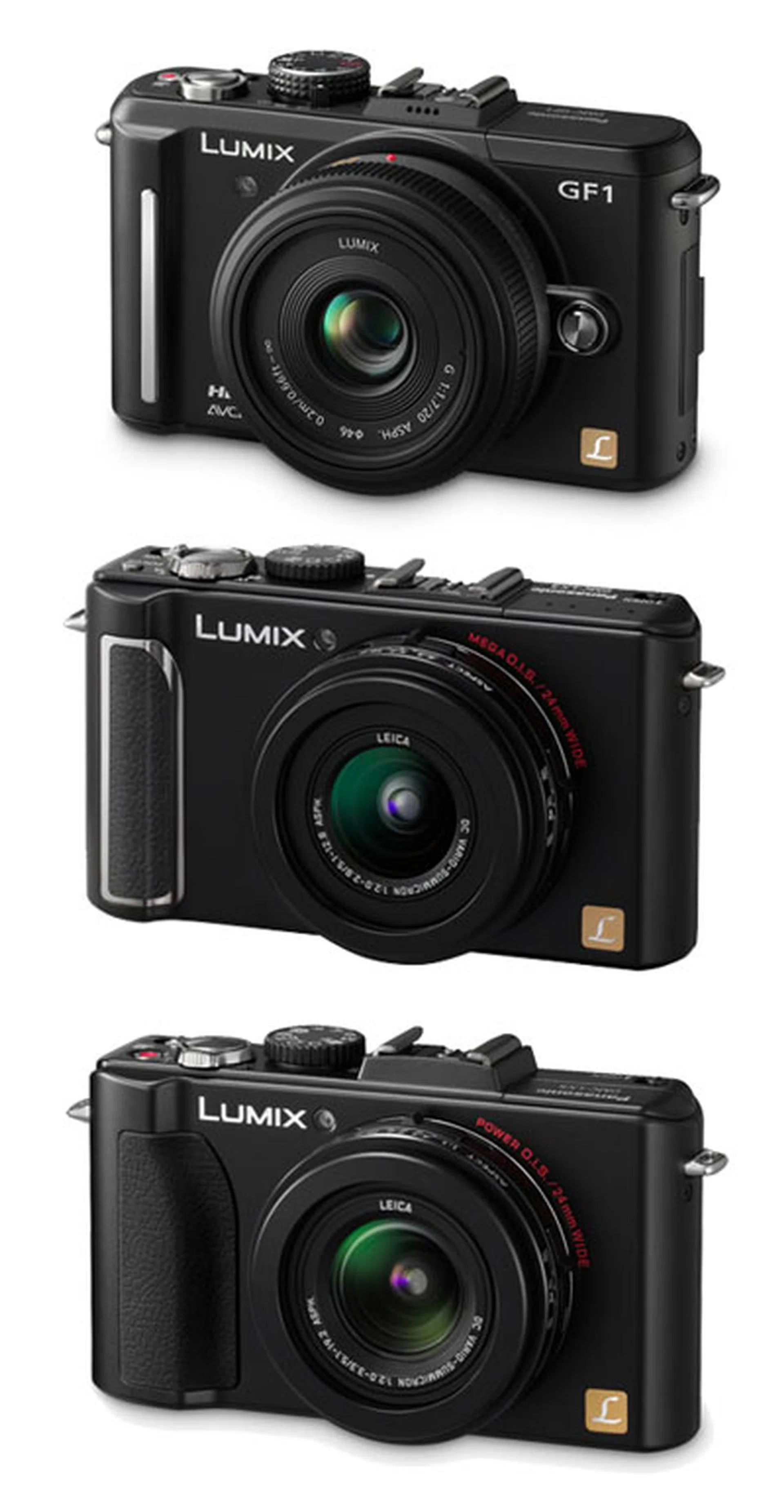
Which is which? The Panasonic GF1 (top), LX3 (middle) and LX5 (bottom). Definitely not to scale.
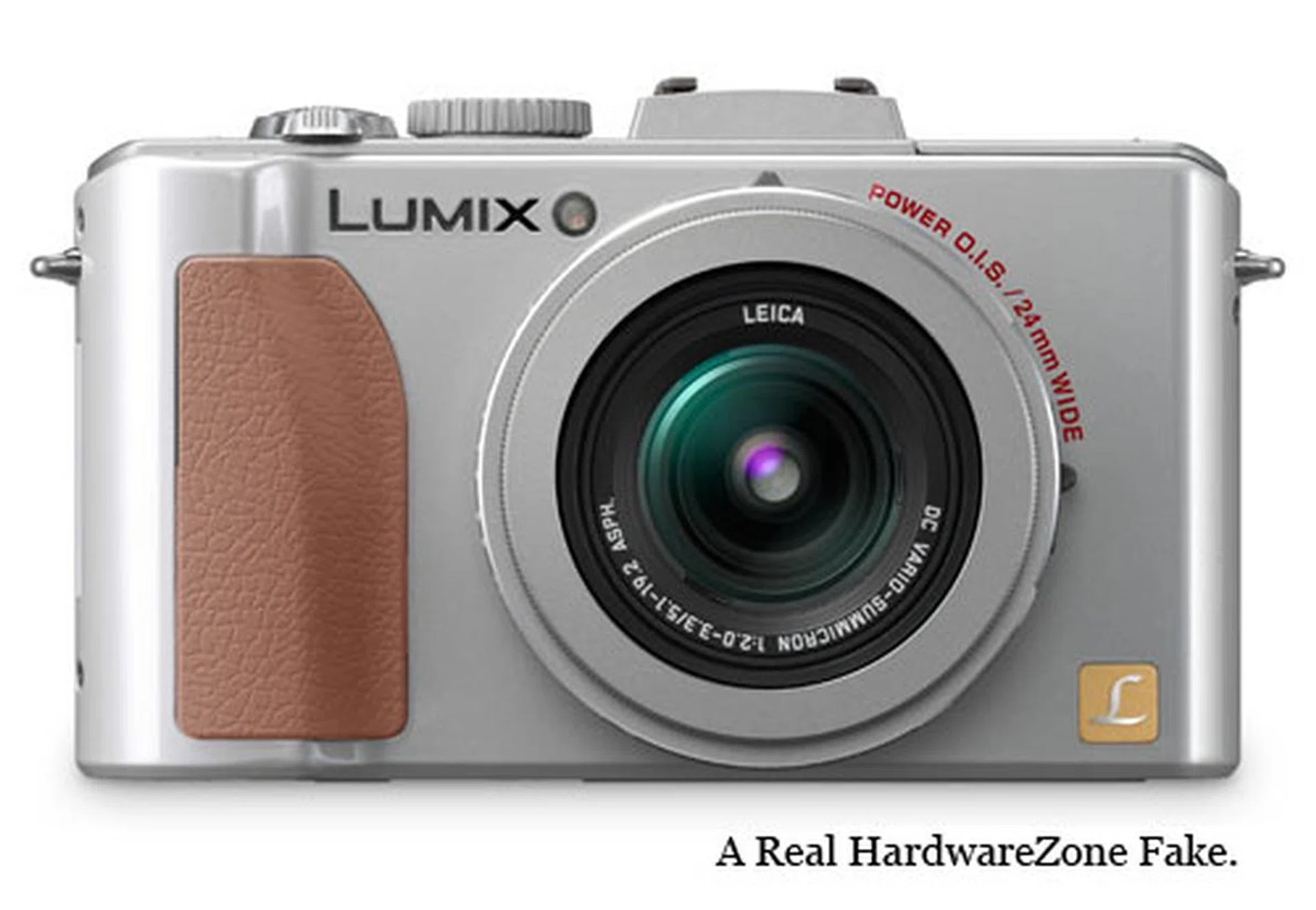
Panasonic is really being consistent, and there's nothing wrong with that as the LX5 continues a fine tradition of looking real good. The new white version adds to the slightly retrospective flavor of the LX5, but do you know what would have been sweeter? A silver body with brown accents. Pure fantasy, we know...unless someone from Panasonic is listening (you know, you guys did do a Sakura pink GF1 long after it was released...).
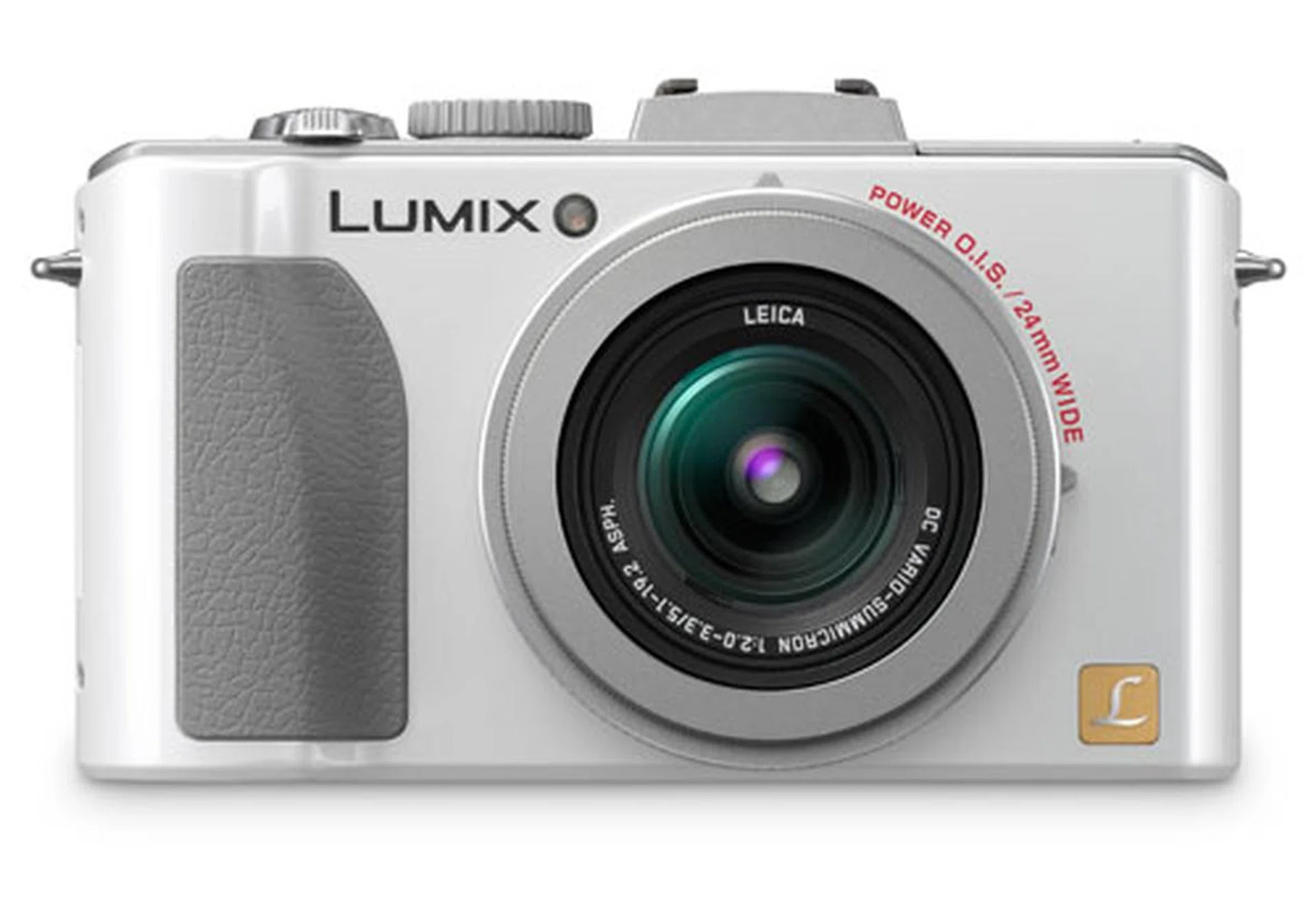
White looks great, but you know what else would look great?
Handling
The LX5's camera design is mostly unchanged from the Panasonic LX3, but a quick look reveals a few subtle but important differences, mostly inspired by the innovations in Panasonic's Micro Four Thirds cameras.
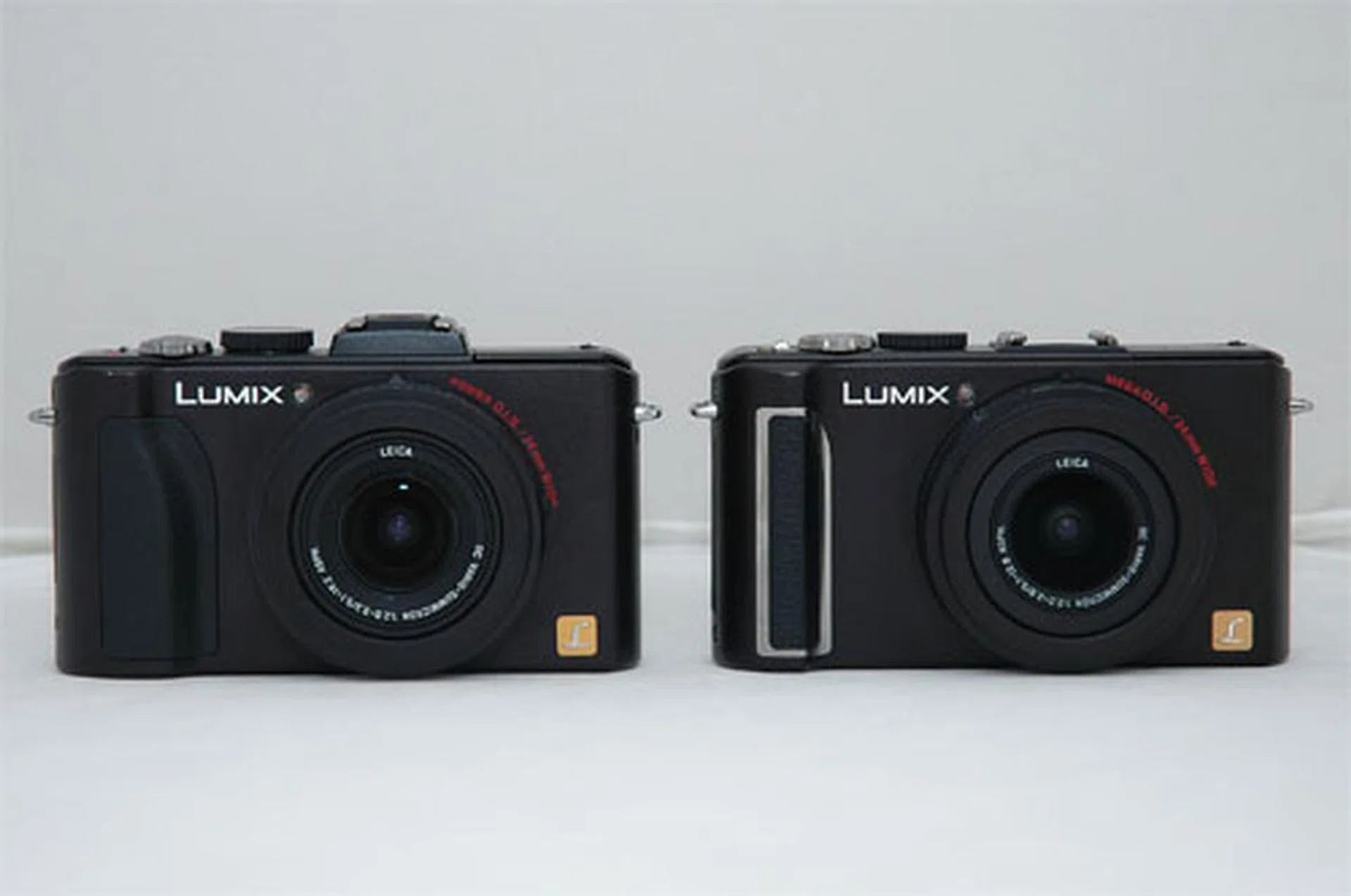
Can you tell which is which? The LX5 is on the left, while the LX3 is on the right.
The hand-grip has been restyled to more accurately follow the shape of your hand, and sits more comfortably in your grip. The not so obvious aspect of the LX5 is that it's a tad heavier than the LX3 at 271g to 265g and slightly longer, taller but thinner at 110 x 65 x 25mm to 108.7 x 59.5 x 27.1mm.
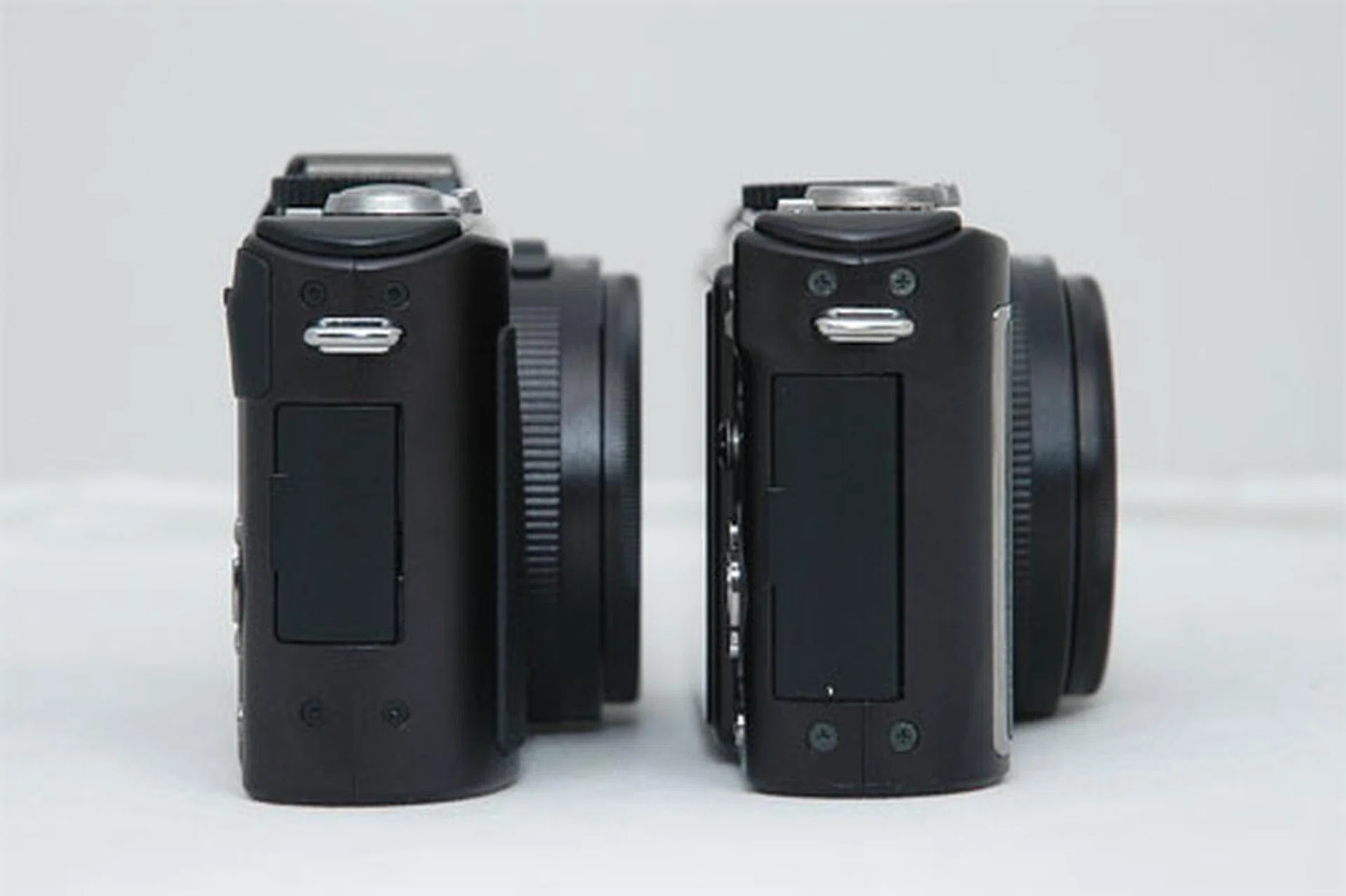
The LX5 on the left, and the LX3 on the right.
Like the LX3, the LX5 has a hot shoe for additional accessories, which now introduces support for the optional Live Viewfinder (top right). Filters and lens converters can also be attached.
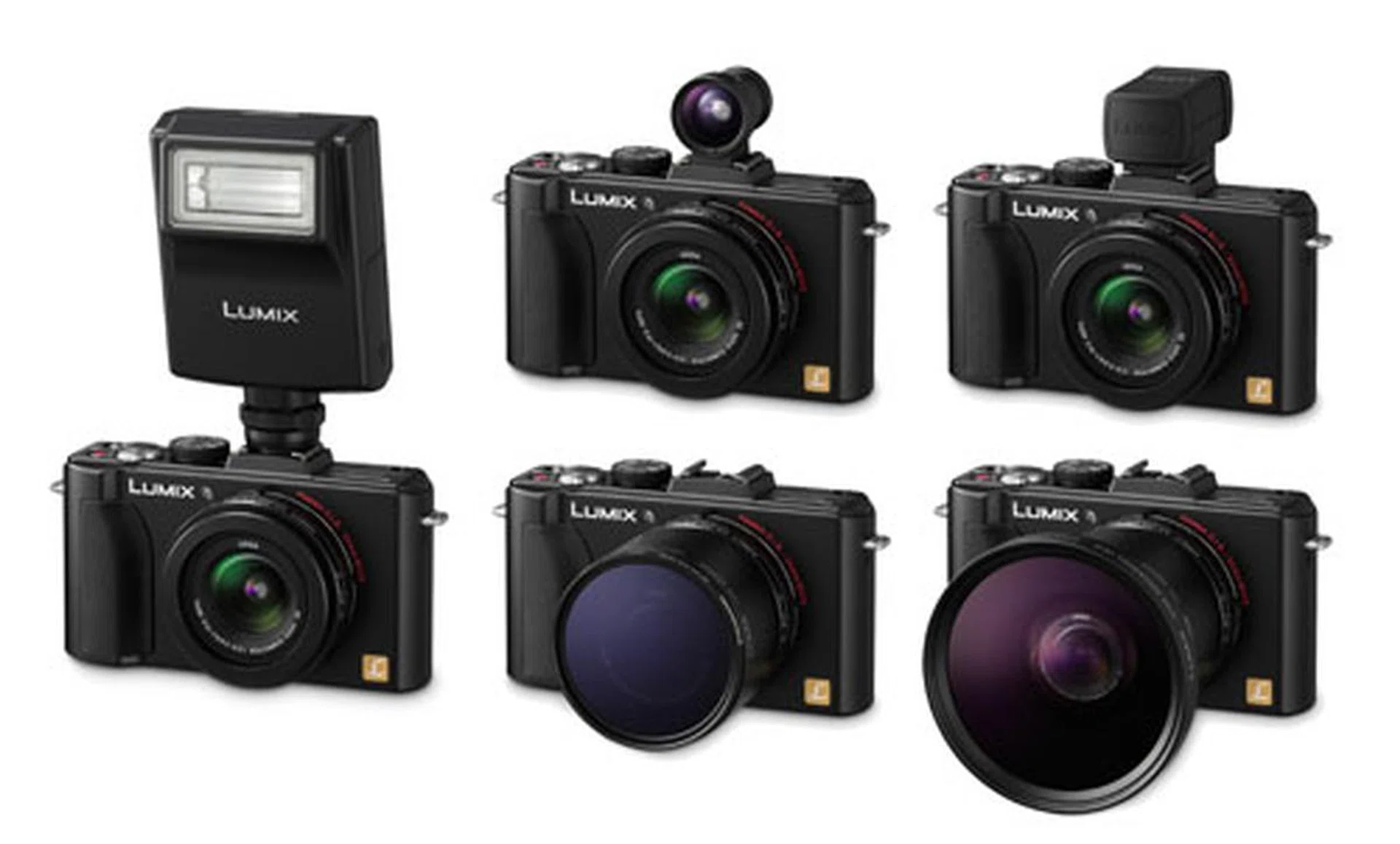
Accessorize the LX5.
A new bright red movie record button sits next to the shutter release, a control we're used to in the Panasonic Micro Four Thirds cameras. This lets you record video directly with the press of a button, no matter which mode you're in. Also new is the addition of the 1:1 aspect ratio in the aspect ratio switch on the lens. Previously in the LX3, 1:1 was a feature you had to turn on in the menu.
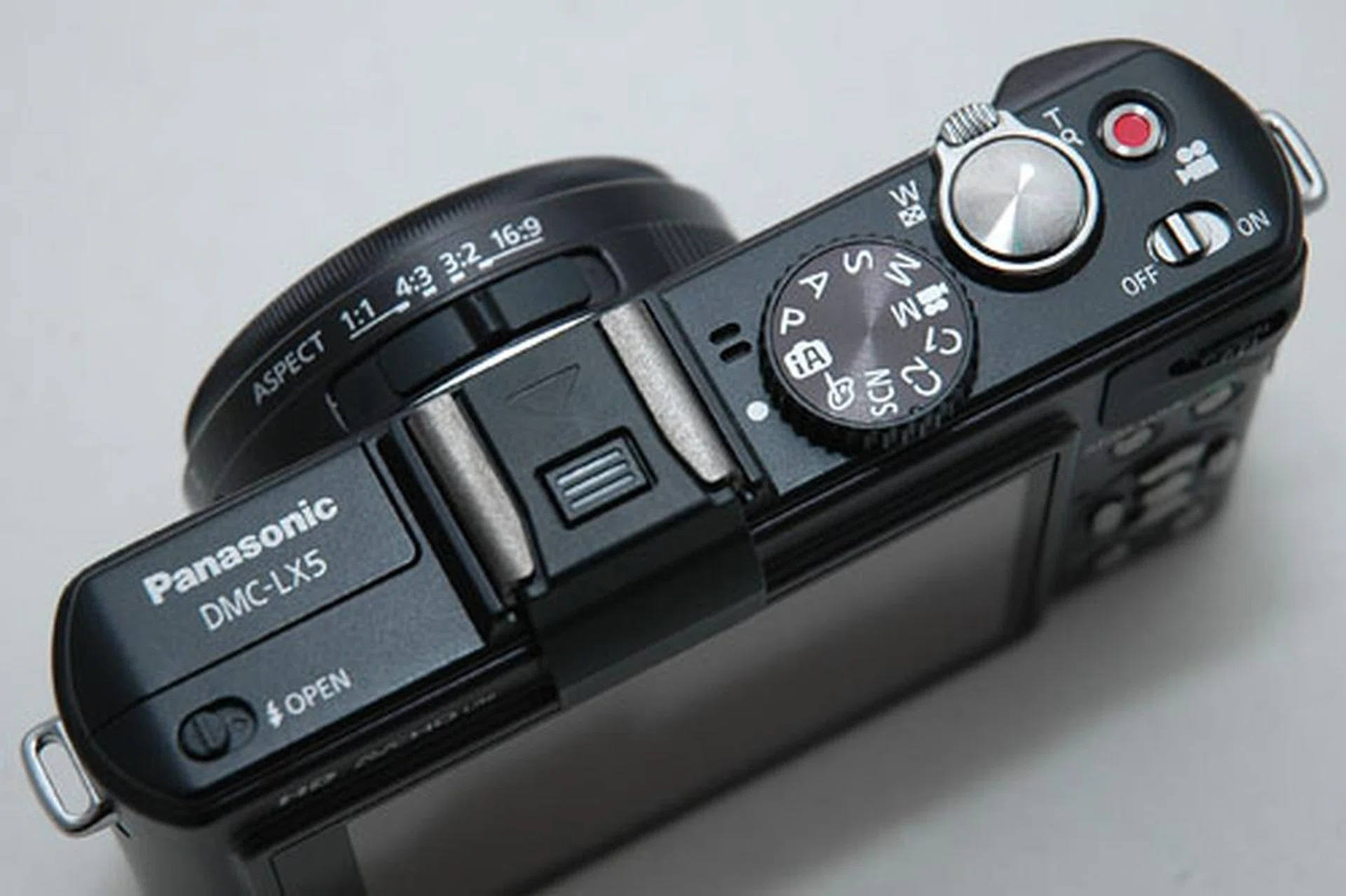
Note the new bright red movie record button next to the shutter release, as well as the 1:1 aspect ratio switch on the lens.
The biggest changes are on the back of the camera. The LX3's joystick has been replaced by a clickable control wheel. The control wheel helps you control whichever mode you're in, like aperture in Aperture mode and shutter speed in Shutter mode (in iA mode it becomes exposure compensation). Like Panasonic's Micro Four Thirds cameras, the control wheel is clickable, press down and it switches modes. For example, in Aperture mode it switches from aperture control to exposure, and in Manual mode it switches between aperture and shutter speed. It's a welcome change and makes switching settings on the fly much easier.
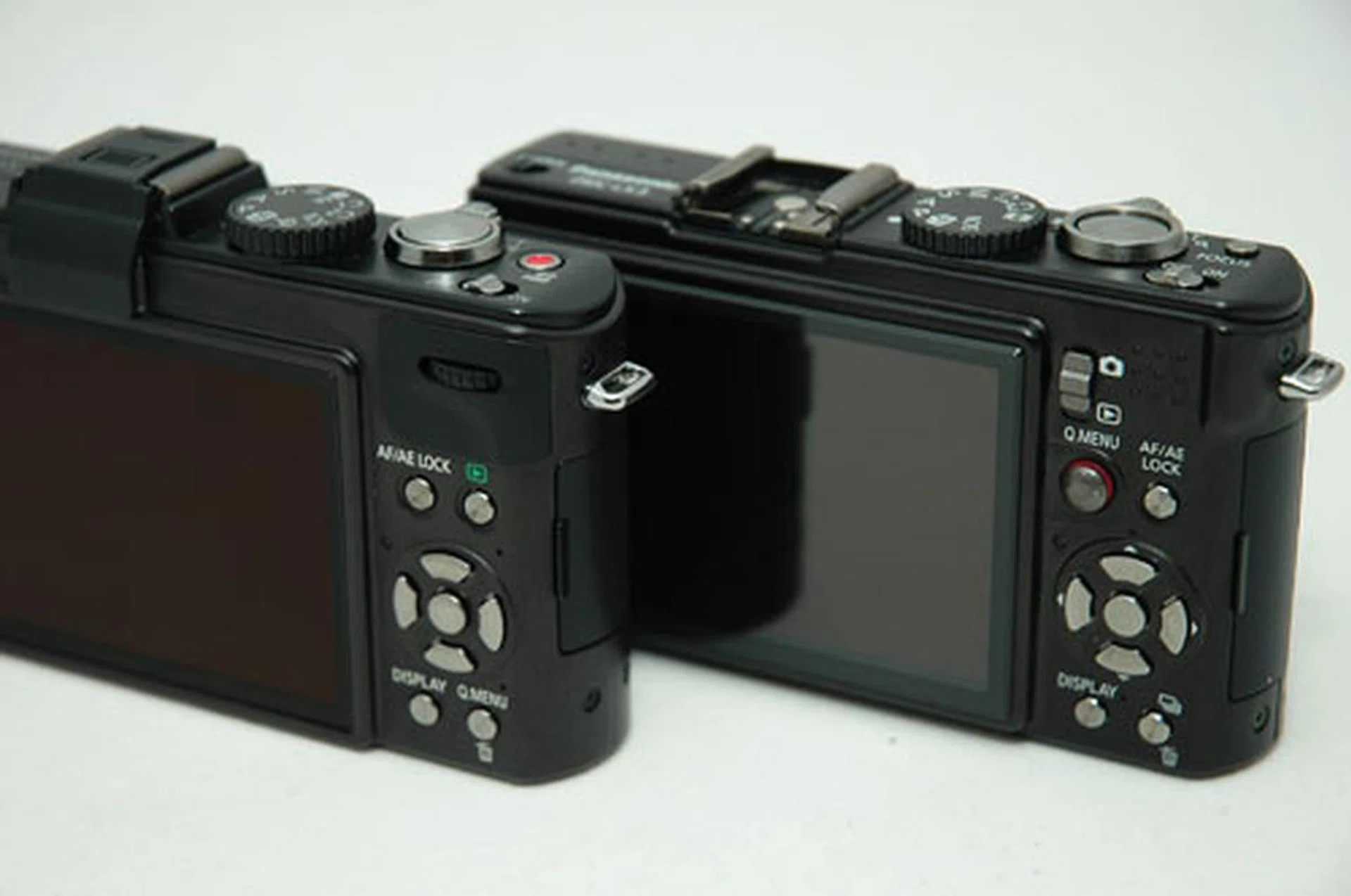
The LX5 sits on the left, while the LX3 is on the right.
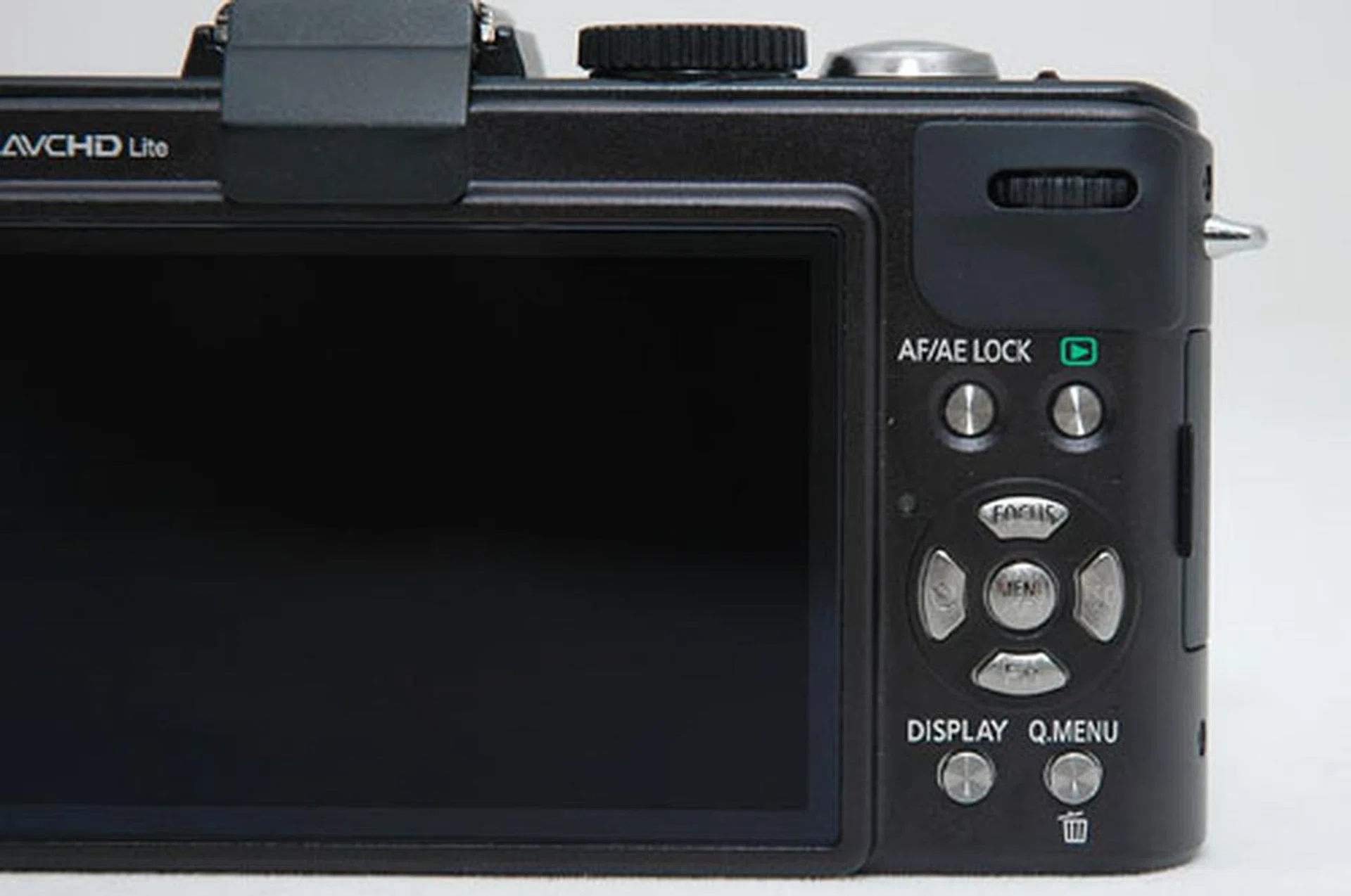
Here's a closer look.
A feature we enjoyed using was 'step zoom', which needs to be switched on in the menu. Once it's activated, you'll see a display of the different focal lengths available whenever you zoom.
Another welcome change is a dedicated ISO button (right button of the central d-pad wheel). To change ISO settings on the LX3, you had to click the joystick twice to activate the Quick Menu. Now that the joystick is gone, the ISO button does the same thing. It's another button to get into muscle memory but it feels more intuitive this way.
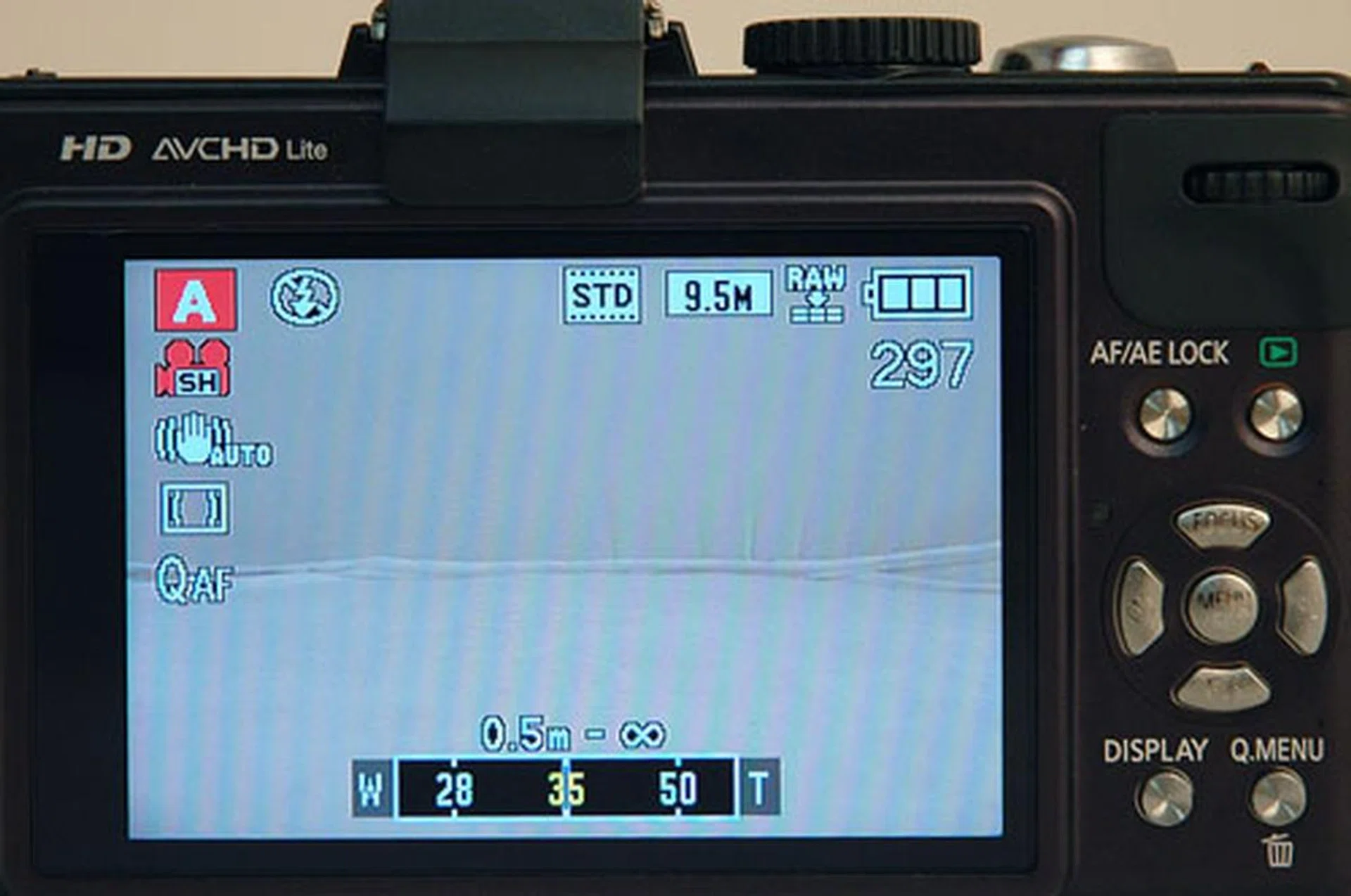
Overall, we found much to like in the LX5's design. Instead of a complete overhaul, handling has been refined from the LX3. The camera feels more intuitive, and easier to use. Two things bug us about the design though, one slight and one major.
The slight complaint is how the aspect ratio and focus controls are located on the lens. More than once we've accidentally bumped them while carrying the LX5 in the bag. This might not be a problem if you get the LX5 case or just check whenever you switch the camera on - or maybe we're just clumsy.
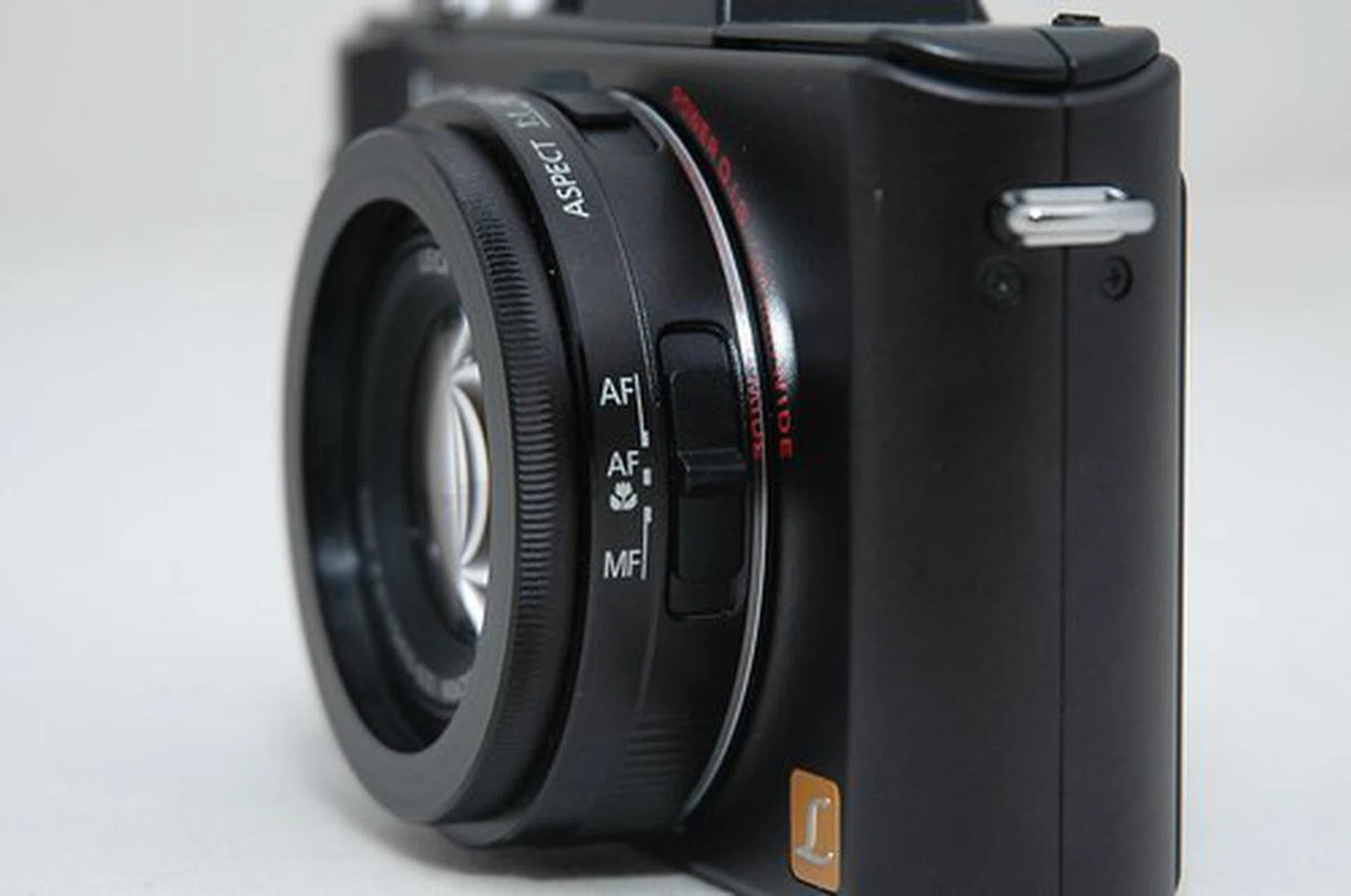
Focus settings are found on the lens.
The larger complaint, and one we've heard LX3 owners groan about the world over when the LX5 was revealed, is that the LX5 still uses a lens cap which you have to manually take off whenever you want to take a shot. Call us lazy (in addition to clumsy), but when you have cameras like the Canon S90 and the Samsung EX1 that retract their lens covers automatically, a manual lens cap feels like a chore. Especially when you see a magic moment and want to get your camera ready ASAP. And especially when it keeps dangling off your camera while you're shooting (if you choose to attach it via a string).
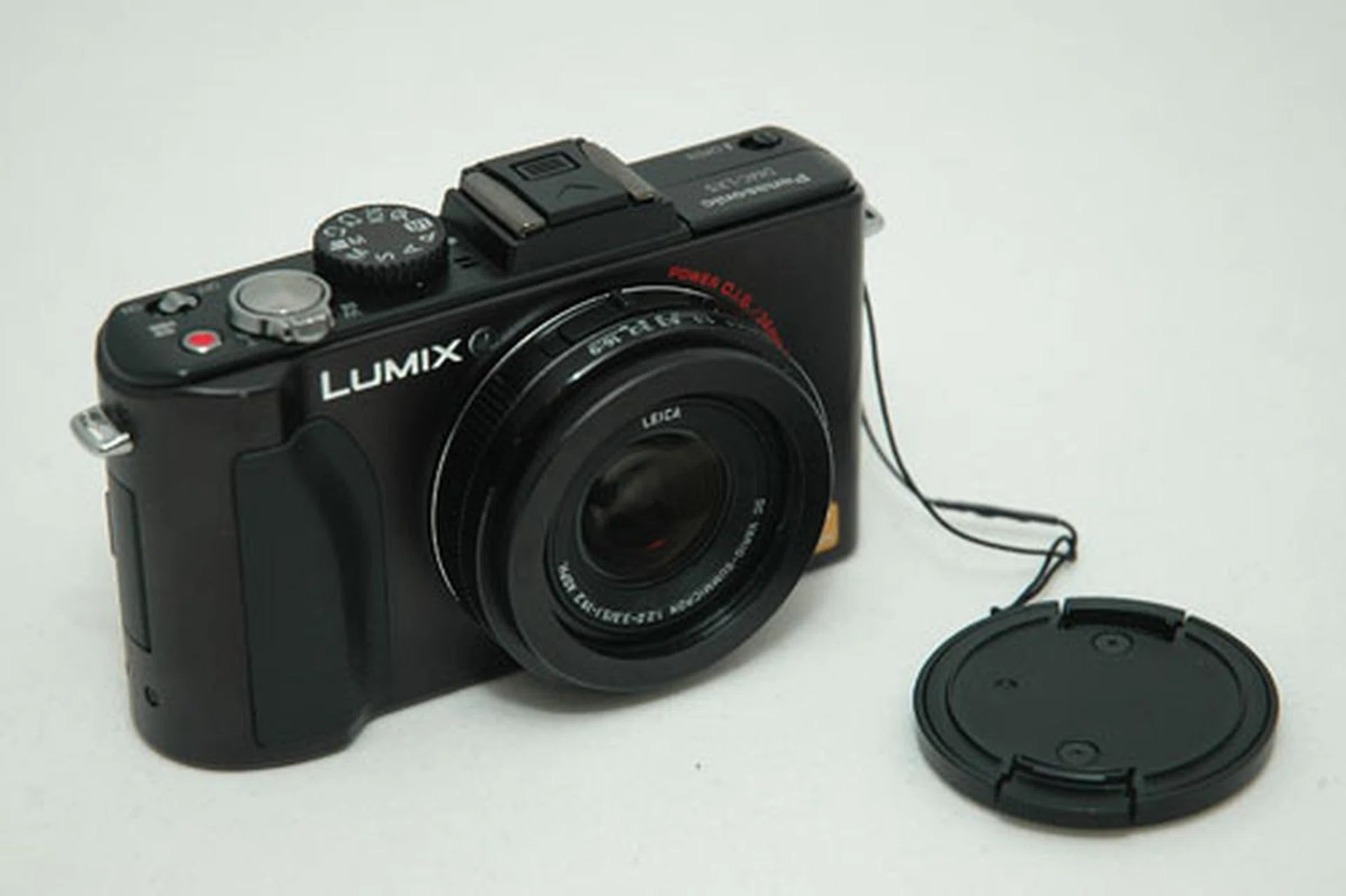
Bad news; the lens cover is still manual.
Image Performance
First, the basics: shots from the LX5 look great. The dynamic range is impressive, and the colors are vivid. The longer 24-90mm lens (35mm equivalent) gives more zoom than the LX3's 24-60mm lens, a ratio of 3.8x optical zoom to the latter's 2.5x. In comparison, a 18-55mm kit lens included with many entry-level DSLR cameras gives you approx. 27-80mm (with crop factored in).
ISO performance has indeed been improved, you can shoot comfortably up to ISO1600, with some caveats that most point and shoot users probably won't notice. Shooting 720p in AVCHD Lite will give you sharper video, but the format is more troublesome to view and edit if you don't have compatible software. Shooting in Motion JPEG will give you slightly muddier video but the file is a single MOV file which is easier to copy and watch.
Now, for the details. You can skip this long page if you don't want to get geeked out.

Colors are incredibly vivid, even shot with the Standard film setting (you can always shoot in RAW if it looks overly saturated to you).
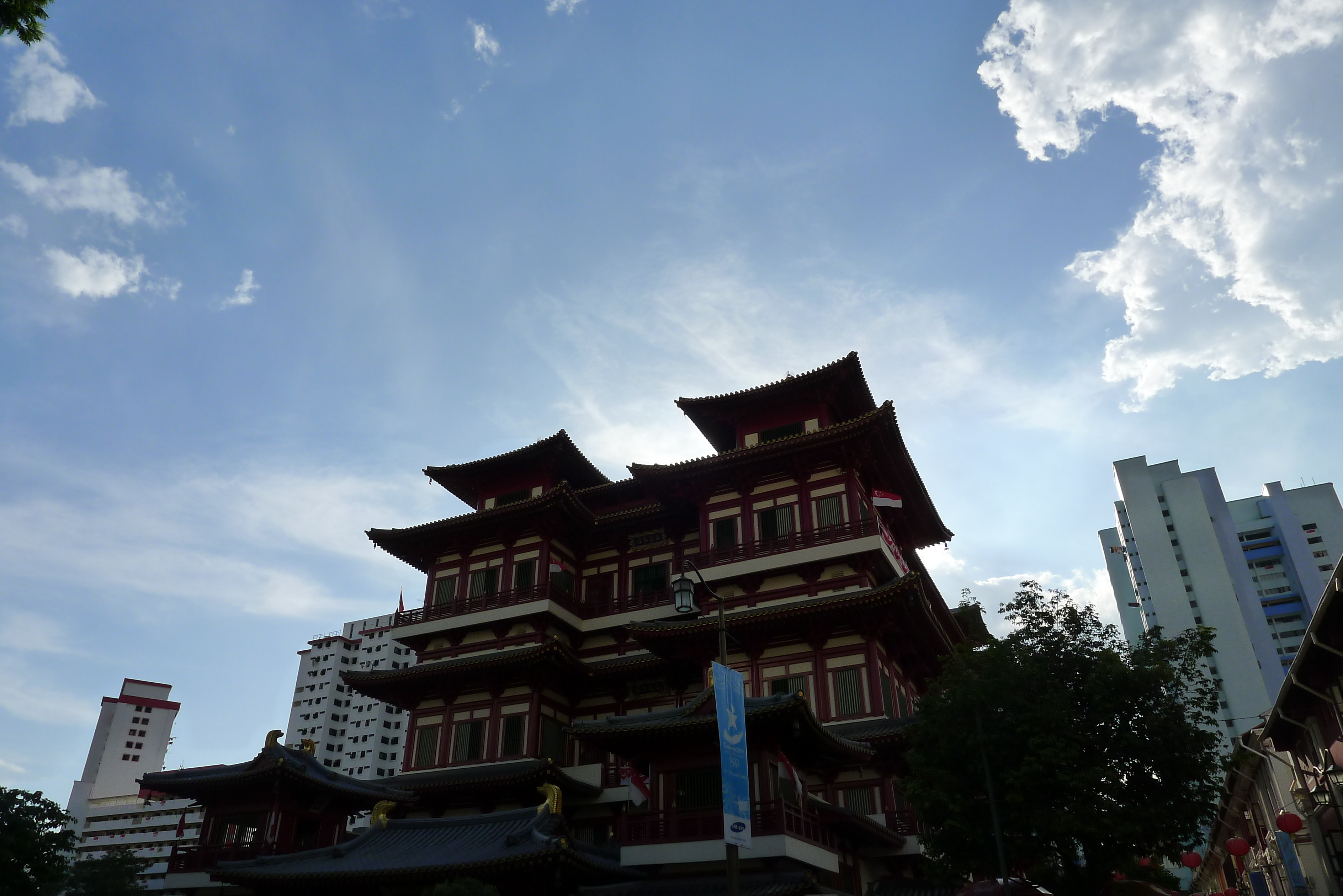
The LX5 manages to retain detail in both the bright sky above and the building in shadow below in this very backlit shot. Impressive. And the wide lens adds some drama, don't you think?

The F2 lens lets you shoot blurry backgrounds, placing more emphasis on the subject. Shot in the 1:1 aspect ratio with macro focus.
We gathered from Panasonic that they've reworked the sensor in the LX5 to produce better dynamic range (you see more in the picture), less image noise (you see less speckly dots marring your picture), while trading off in image resolution (the picture is less sharp).
It's an inevitable trade-off while retaining the same physical size of the sensor. Sharpen too aggressively and you get sharper, but overly noisy photographs. Reduce noise too aggressively and you get clearer, but less detailed photographs. It's always a trade-off, especially in compact cameras where the sensor size is so small, and the answer is not one of extremes, but in achieving an acceptable balance between the two priorities.
A quick comparison of resolution charts shot with the LX5 and LX3 seem to bear Panasonic's statements out. While the LX3 manages an impressive resolution of approx. 16 by 16LPH (higher is better) vertically and horizontally, the LX5 gets approx. 14 by 16 LPH vertically and horizontally, so we are seeing some resolution loss. By the way, we'r s hooting all JPEGs here, the latest version of Adobe Camera Raw doesn't support the RW2 RAW format of the LX5 yet (but the bundled software with the LX5 does). Watch Adobe for updates.

The LX5's ISO performance has been nicely improved from the LX3 however. Where the LX3 started to show visible noise at ISO800 with most users probably not venturing towards ISO1600, the LX5 does better. ISO1600 on the LX5, while not entirely noise free, is usable. These improvements however, come with certain trade-offs.

Let's start comparisons at ISO400, since at lower ISO settings both cameras do very well with no visible image noise.


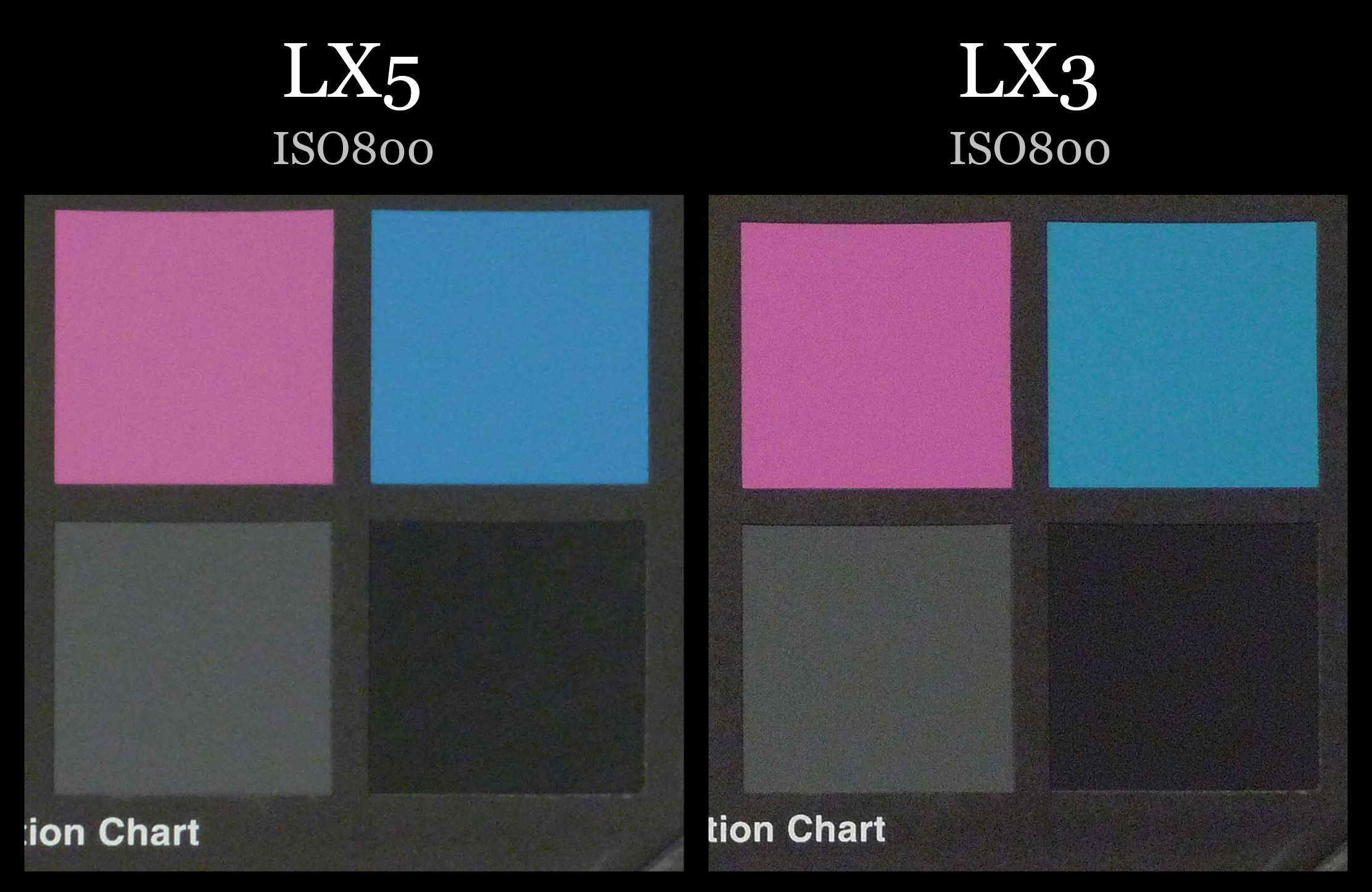
Image noise is more apparent at ISO800 on the LX3 than the LX5.
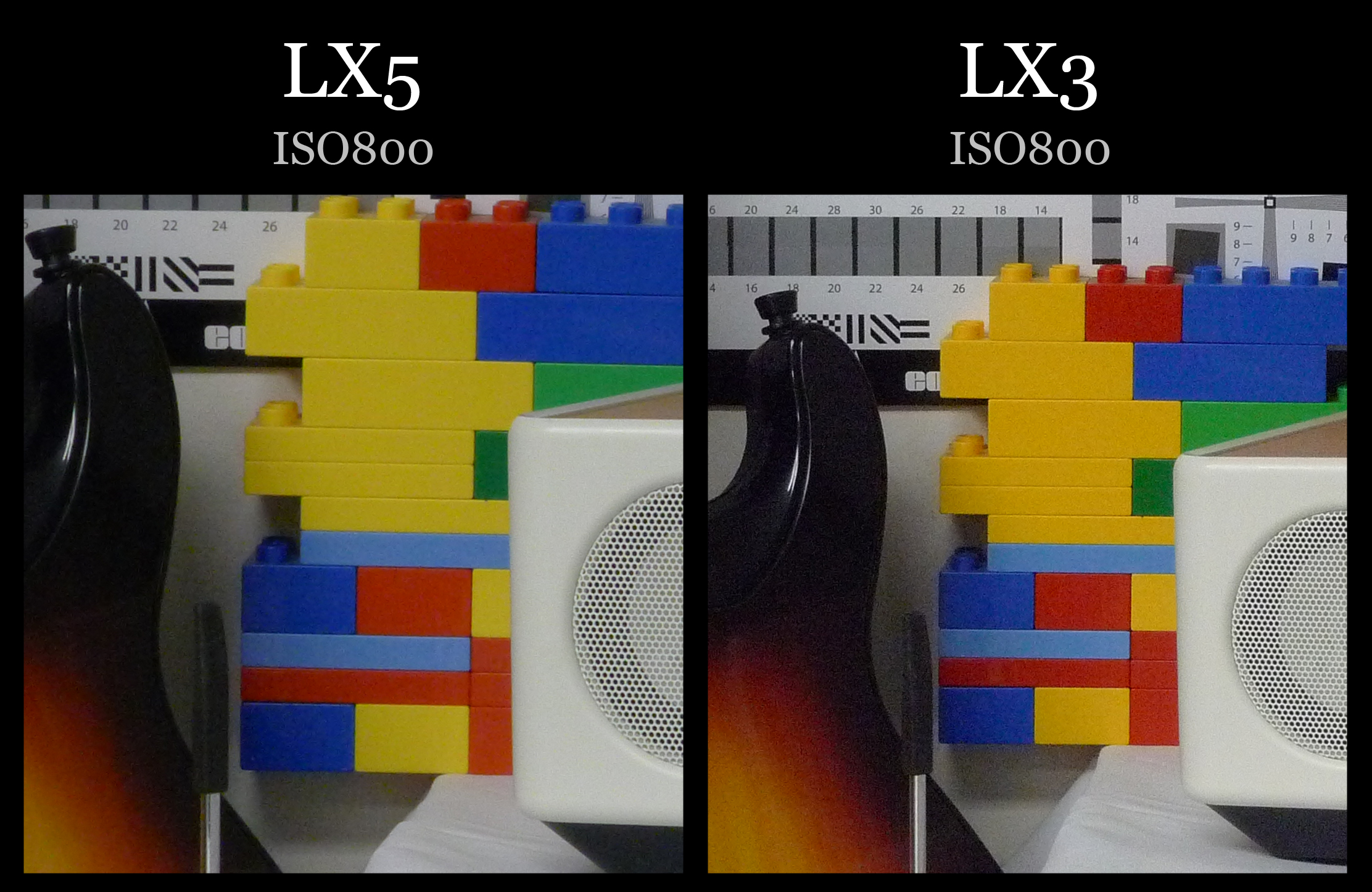

At ISO800 we start to see where the trade-off is happening. Although the LX5's pictures are less noisy, you also see a certain lack of distinctiveness as compared with the LX3. Open up the larger versions of the files and you see it easily in the handle-bar of the guitar and the Panasonic LX cameras. It becomes more apparent as we go into higher ISO settings.
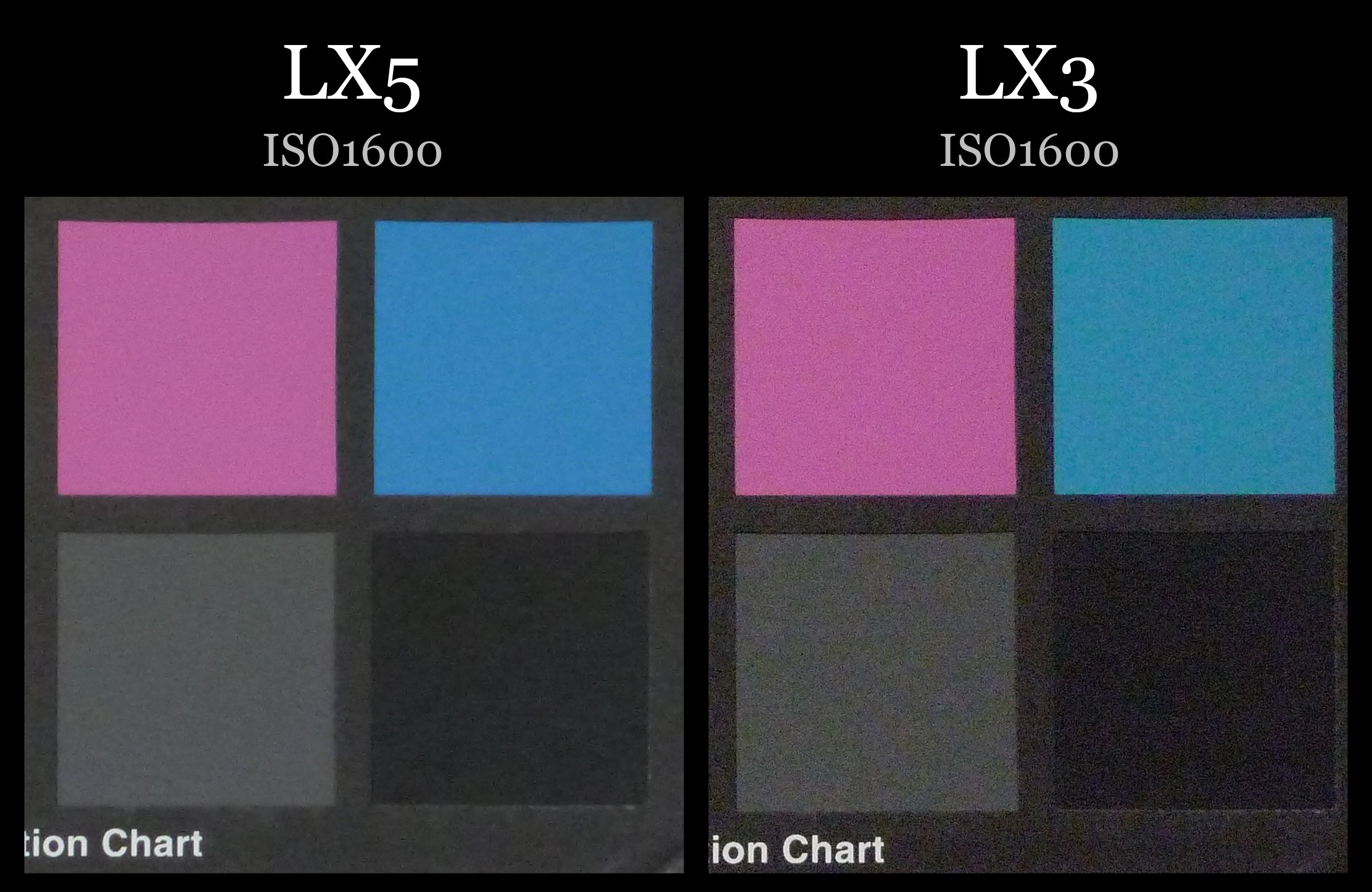


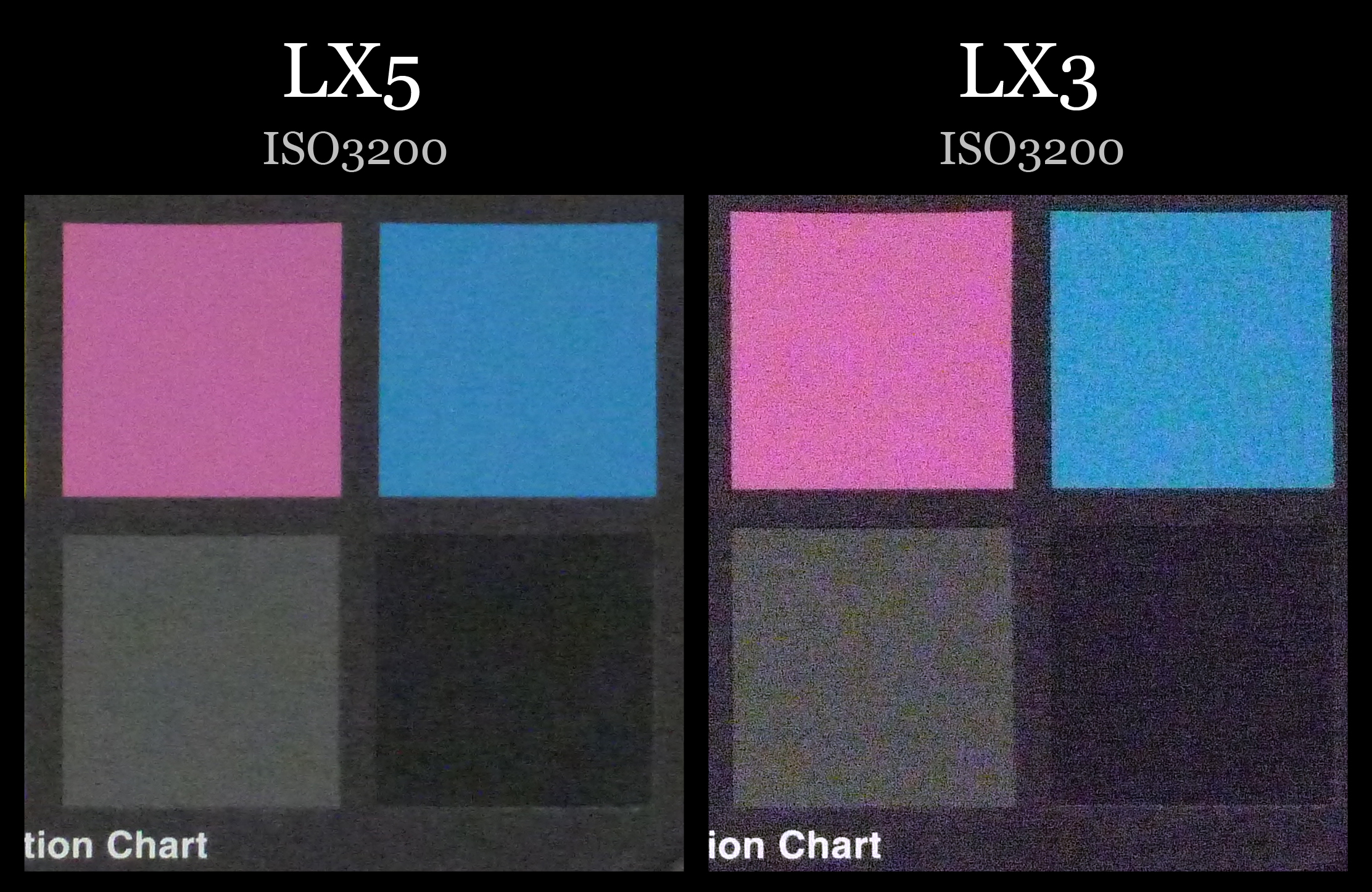


In a nutshell, the difference in image noise between the LX3 and the LX5 is that while the LX5 is clearer with less image noise, the LX3 is sharper with more image noise. It's a common problem if you've ever tried sharpening your images in Photoshop, the more you sharpen a photograph, the more image noise you introduce.
We're not camera scientists. However, if we were to speculate, what's happening here is an unavoidable trade-off when you hit the upper limit of what a camera sensor can do while keeping it the same size. Unless you increase the physical sensor size or introduce some kind of revolutionary sensor technology, you're just going to have to massage the same number of photons and diodes in some way or other.
In the case of the LX5, it seems that Panasonic has decided to increase the number of ISO levels a compact camera user can use while getting a reasonably clear image. Unless users digs deep like us pixel peeps, we think they'll welcome the change in generally clearer pictures.
And the LX5 gives the user more options too. Whereas the LX3 let you manually set ISO levels at 80 / 100 / 200 / 400 / 800 / 1600/ 3200, the LX5 gives you more from 80 / 100 / 125 / 160 / 200 / 250 / 320 / 400 / 500/ 640 / 800 / 1000/ 1250 / 1600/ 2000 / 2500 / 3200 / 4000 / 5000 / 6400 / 8000 / 10000 / 12800.
In case you're drooling over that ISO12800 upper limit, here's some friendly advice: don't bet on them. From ISO4000 upwards, the camera automatically drops resolution down to 3MP (2112 x 1408) and way before it hits ISO12800, things become a muddy mess. Which really begs the question why camera manufacturers include such high ISO settings when they're clearly unusable? The LX5 is not the first to do so, nor will it probably be the last. While we think camera manufacturers are trying to address the less techy users in letting them set high ISO levels to get a semblence of a semi-decent shot, it's not quite productive or pretty. See for yourself:

ISO4000. Click for the original image.

ISO6400. Click for the original image.

ISO12800. Click for the original image.
Sample Photographs
These are sample photographs shot with the Panasonic LX5. The photos have not been post-processed and are copyright to SPH Magazines. We kindly ask that you do not reproduce them elsewhere. Click to see the original full resolution photo.

Shot at f/2.9, 77mm, 1/100 sec, ISO125.

Shot at f/8, 90mm, 1/125 sec, ISO400.

Shot at f/8, 24mm, 1/1300 sec, ISO125.

Shot at f/2.5, 43mm, 1/80 sec, ISO80.

Shot at f/2.8, 24mm, 1/400 sec, ISO125.
Conclusion
The Panasonic Lumix LX5 is a camera with lots to love. While Panasonic seems to have opted for an evolutionary upgrade to the LX3 rather than a revolutionary overhaul, that's not a bad thing when the LX3 was a great camera to start with. In fact, we'd say that the improvements to the handling - a better grip, the clickable control wheel and dedicated video button - are already worth the price to upgrade.
The things we already liked about the LX3 have carried over; its quick F2 lens which gives you faster shutter speeds in lower light and background blurriness for more artistic shots, its good-looking design and a longer zoom lens. The one thing we wish would have changed was the lens cover that you had to remove manually. It sounds like a small thing but when you're shooting in the field you might find it enough of a hassle for it to be a deal-breaker.
Image noise, a problem that bugged the LX3, has been greatly reduced in the LX5, whereas you would probably stop at ISO800 with the LX3 to keep the noise down, you can go up to ISO1600 for manageable image noise. How Panasonic has done it, by toning down the sharpening, might not sit well with the pixel peeping crowd, but for the average user, we wager they'll like how much clearer their photos look overall.
Priced at S$799, the LX5 isn't the cheapest digital compact camera around, but it's a competitive price amongst other prosumer cameras of its class. And for that price, you get one of the most impressive compact cameras you can find today.
Our articles may contain affiliate links. If you buy through these links, we may earn a small commission.