
Canon EOS R1 review: The camera for photojournalists, sports, and wildlife photographers
The EOS R1 is Canon's flagship camera, but does that mean it's the one that you should aspire to own? Let's find out.
#canon #eosr1 #fullframe

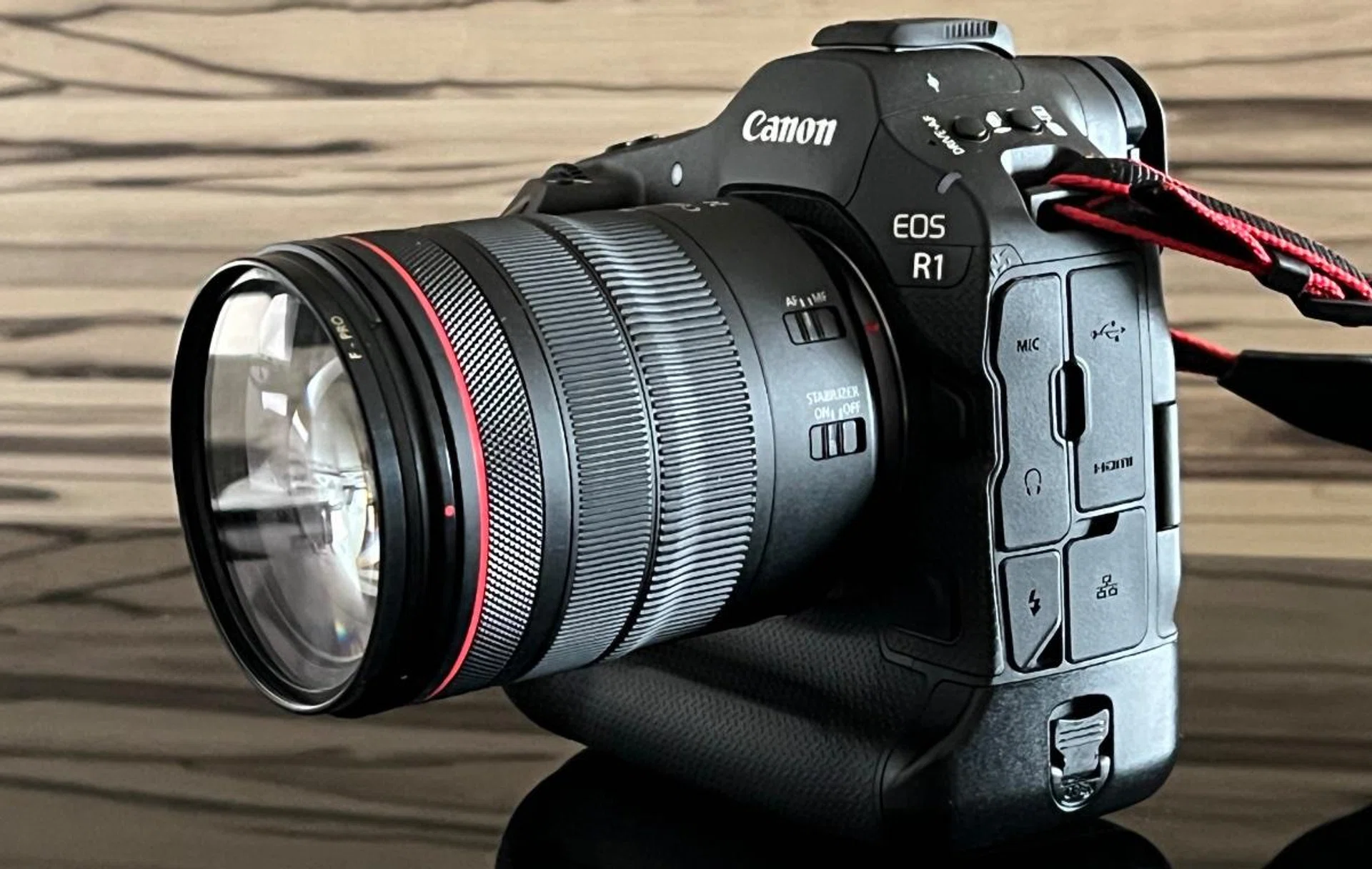
The Canon EOS R1. Photo: HWZ
Introduction and Features
The Canon EOS 1 series has always been Canon's flagship SLR and DSLR cameras. During my past life as a photojournalist, several EOS 1D models were my partners in crime. Now, its full-frame mirrorless variant, the EOS R1, has finally arrived after it was first announced in May 2024.
As the first flagship EOS R camera equipped with an RF mount, the R1 surprisingly comes with a 24.2-megapixel backside-illuminated (BSI) stacked full-frame CMOS image sensor, instead of a higher 45-megapixel sensor found in its sibling the EOS R5 Mark II. I’ll get into the reasons why later.
But like the R5 Mark II, the R1 is armed with the new DIGIC Accelerator co-processor and Canon’s venerable DIGIC X image processor and Dual Pixel Intelligent Autofocusing (AF) system.
The DIGIC Accelerator co-processor works by processing raw data from the image sensor and running complex algorithms before sending it to the main image processor. This speeds up the processing of your photos and videos.
One of the key benefits of having a lower-resolution sensor is faster shooting. As a result, the R1 can shoot at up to 40 still images or frames per second (fps) as compared to the 30fps of the R5 Mark II.
Photo: HWZ
Also, there are features found in R1 that R5 Mark II lacks. These include a maximum sensitivity of ISO 409,600 (up from R5 Mark II’s ISO 102,400), a maximum electronic shutter speed of 1/64,000 second (up from R5 Mark II’s 1/32,000 second), a flash sync port, an Ethernet port, illuminated buttons, and a larger 0.64-inch OLED electronic viewfinder (EVF) with higher resolution of 9.44 million dots (up from R5 Mark II’s 0.5-inch 5.76 million dots EVF).
But like the R5 Mark II, the R1 also features an in-built image stabiliser (IBIS) that offers up to 8.5 stops of stabilisation with compatible RF lenses, as well as Eye Control AF, and Action Priority AF.
The Eye Control AF allows you to quickly move the AF point based on your eye movements when looking through the EVF. As for Action Priority AF, turning it on lets the camera detect actions specific to three sports: football, basketball, and volleyball. These two features make the R1 especially well-suited for action and sports photography.
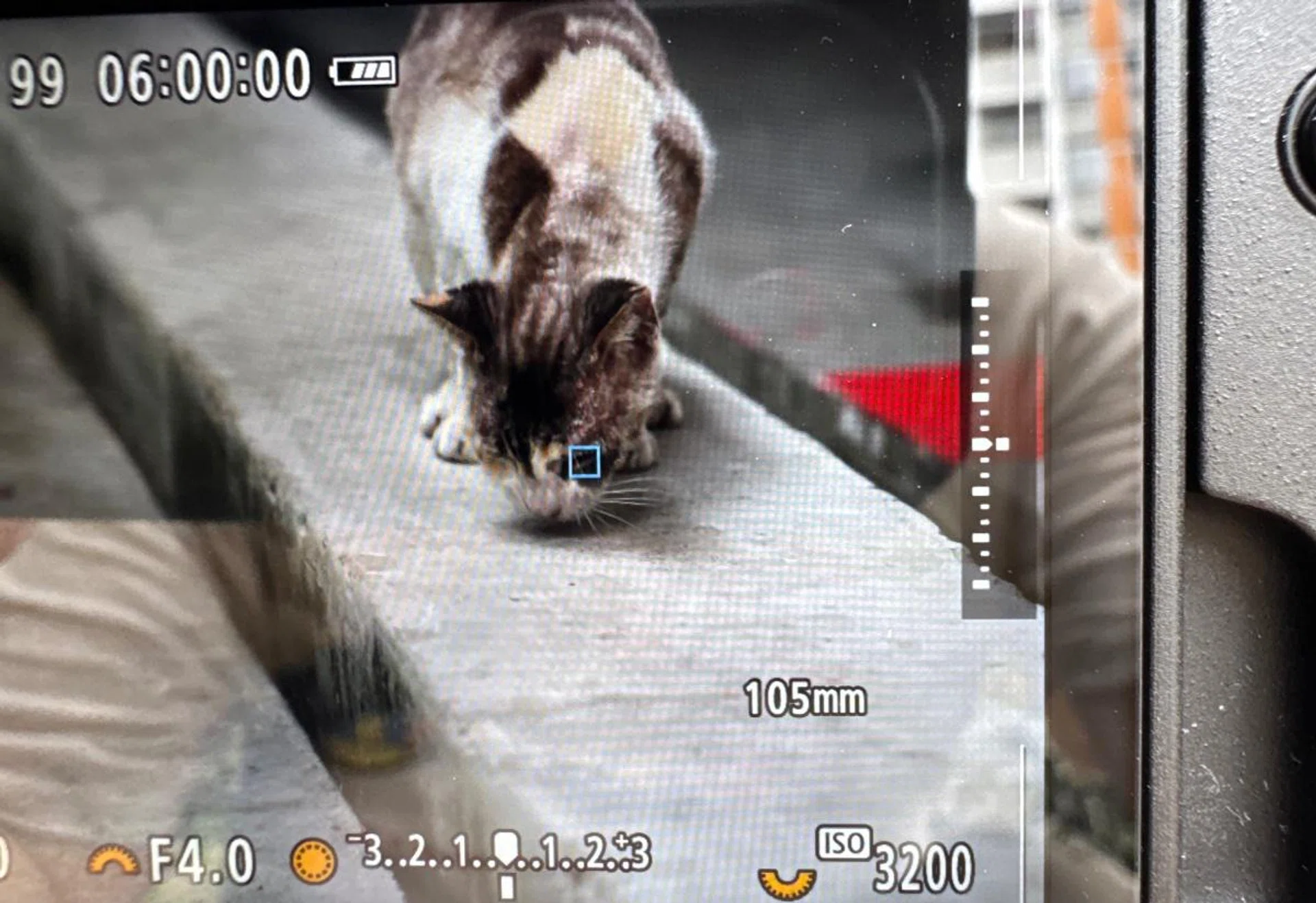
Eye detection works even on a cat's eyes. Photo: HWZ
Apart from people, the camera can detect animals and vehicles as well. For people and animals, you can also set the eye-detection AF to ensure the camera automatically focuses on their eyes.
For those in the field who need to shoot video and stills at the same time, the R1 supports Dual Shooting. This feature allows you to shoot Full HD 60p videos and capture 17.8-megapixel 16:9 still images to two different memory cards simultaneously.
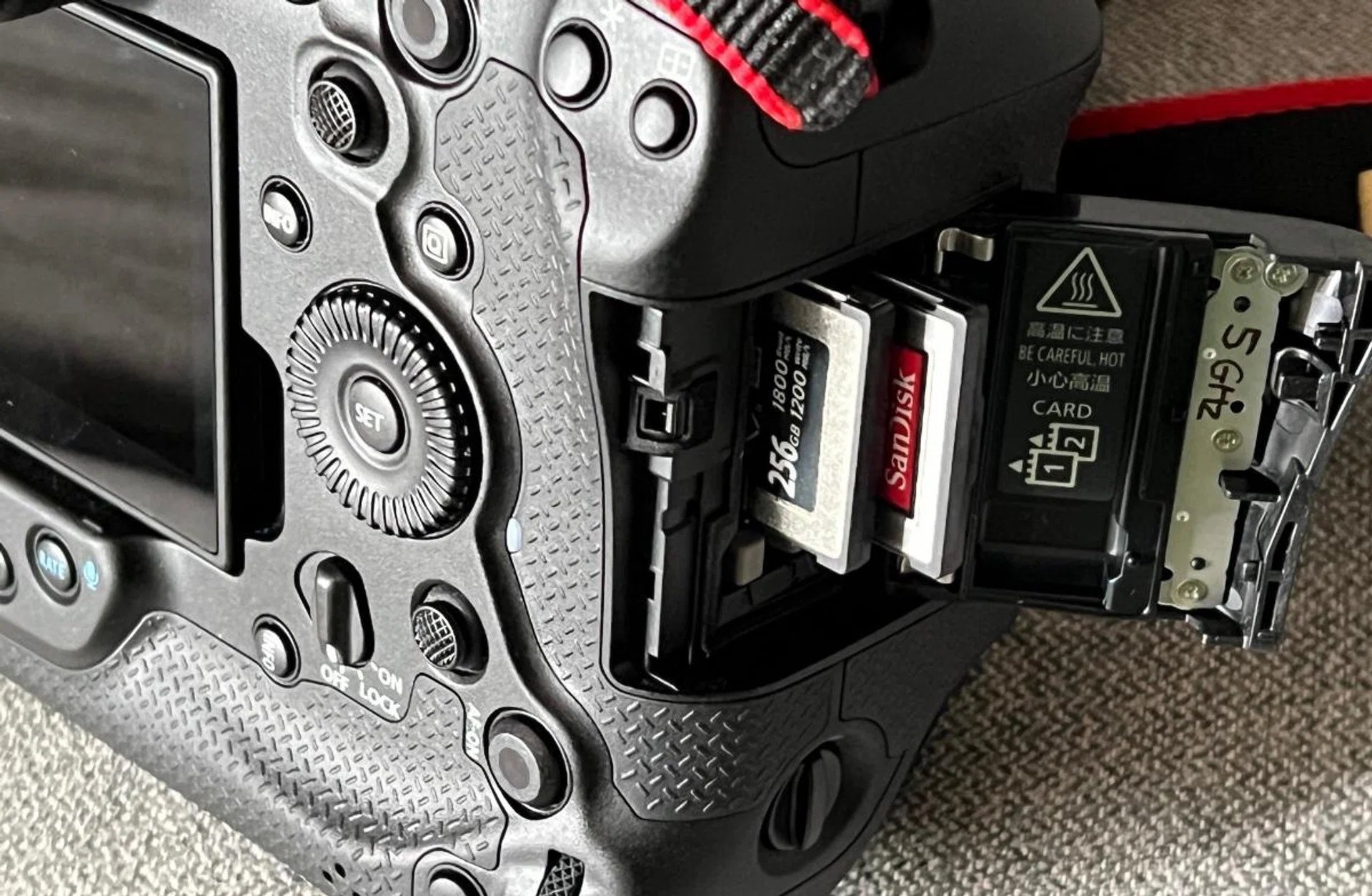
The R1 has dual CFexpress card slots. It cannot use SD cards. Photo: HWZ
Speaking of video, this is one downside of the R1. Because it only has a 24.2MP sensor, the maximum resolution video it can shoot is 6K. It can only record up to 6K 60p RAW videos, while the R5 Mark II can do 8K recording. If it’s any consolation, the R1 does support video pre-recording up to 5 seconds, 2K and 4K DCI formats, plus 10-bit C-Log 2 and C-Log 3.
Design and handling
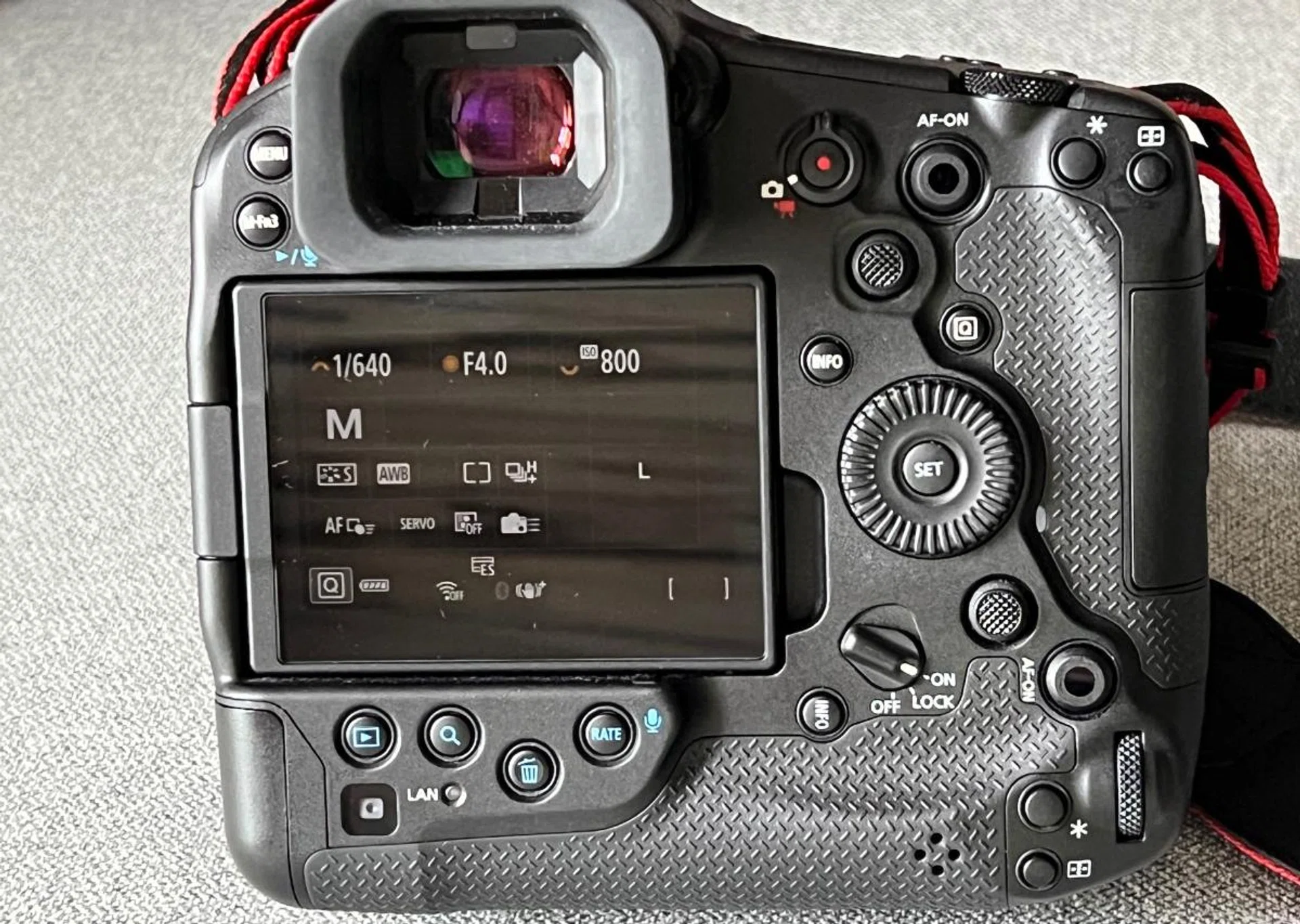
The back of the EOS R1 looks confusing, but these buttons are configurable so you can set it up the way you want to shoot. Photo: HWZ
As expected of a Canon flagship camera, the R1’s body is sturdy and rugged. It’s weather-sealed and made of magnesium alloy. To ensure a proper seal and resistance to dust and water, Canon uses silicone boots around the buttons and O-rings around the dials and other moving parts. Additionally, the sealing materials are said to be checked with 3D scans and X-rays to ensure the camera is properly protected.
All the marketing speak aside, all I can say is when you hold the R1, it feels rock solid and sturdy. You can feel confident whether you are using it in the desert or rainforest.
One of the best parts of the R1 is its built-in vertical grip, this comes in handy when you need to shoot in portrait orientation.
Both grips are ergonomically designed to nicely fit your four fingers for a firm grasp. In fact, the R1 doesn’t feel all that heavy even though it weighs 1,115g (including battery and memory cards, but excluding lens). But then again, I spent a large part of my early working life carrying heavy DSLRs so your mileage may vary.
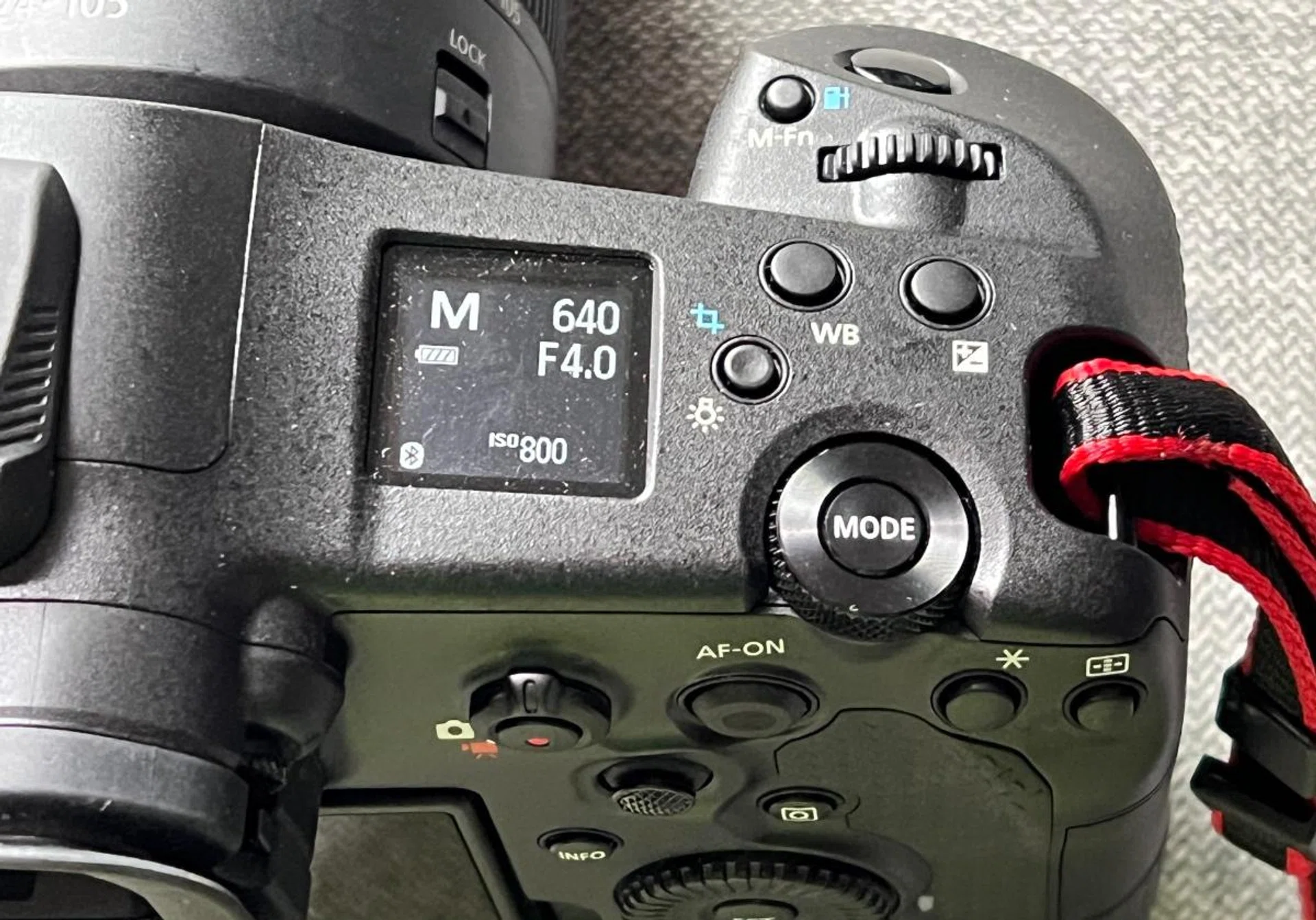
The small LCD in the top right lets you know at a glance what your key shooting settings are. Photo: HWZ
The button and control layout is also well-designed. On the top right of the camera, you will find a square monochrome screen displaying all the essential information such as shooting mode, battery level, ISO, exposure compensation level, shutter speed and aperture.
Beside the screen, there is a command dial with the Mode button in its middle. A front command dial sits on top of the grip behind the shutter release, while a rear command dial is sited near the bottom of the rear thumb rest.
By default, the front command and rear command dials let you change the shutter speed and aperture quickly in Manual mode. However, you can customise the functions of these three command dials to your liking.
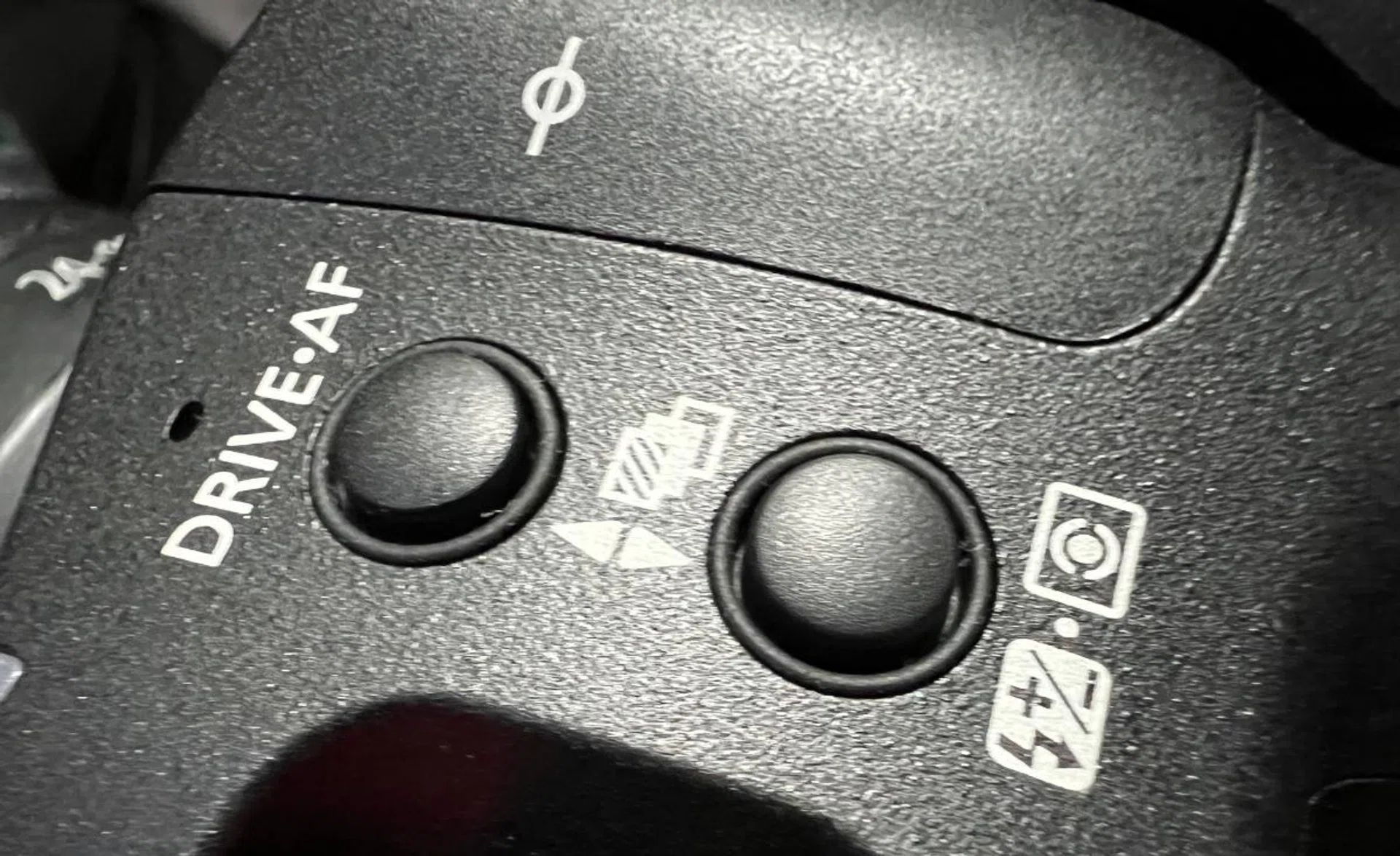
The Drive Mode and Flash exposure compensation buttons. Photo: HWZ
On the top left, there is a Drive Mode/AF operation selection button and a Flash exposure compensation/metering mode section button. You can adjust the shooting drive mode or the metering mode from here, or you can also do it using the camera’s menu via its fully articulating 3.2-inch 2.1-million-dot touchscreen display.
On the top right corner above the display is where your thumb will usually rest. It’s also where you will find a dedicated video recording button with a photo/video switch around it for quick switching between the two modes.
Besides this button, there is an AF-On button for fast activation of AF, and below the AF-On button is the mini-joystick for quick movement of the AF point to where you want it on the frame.
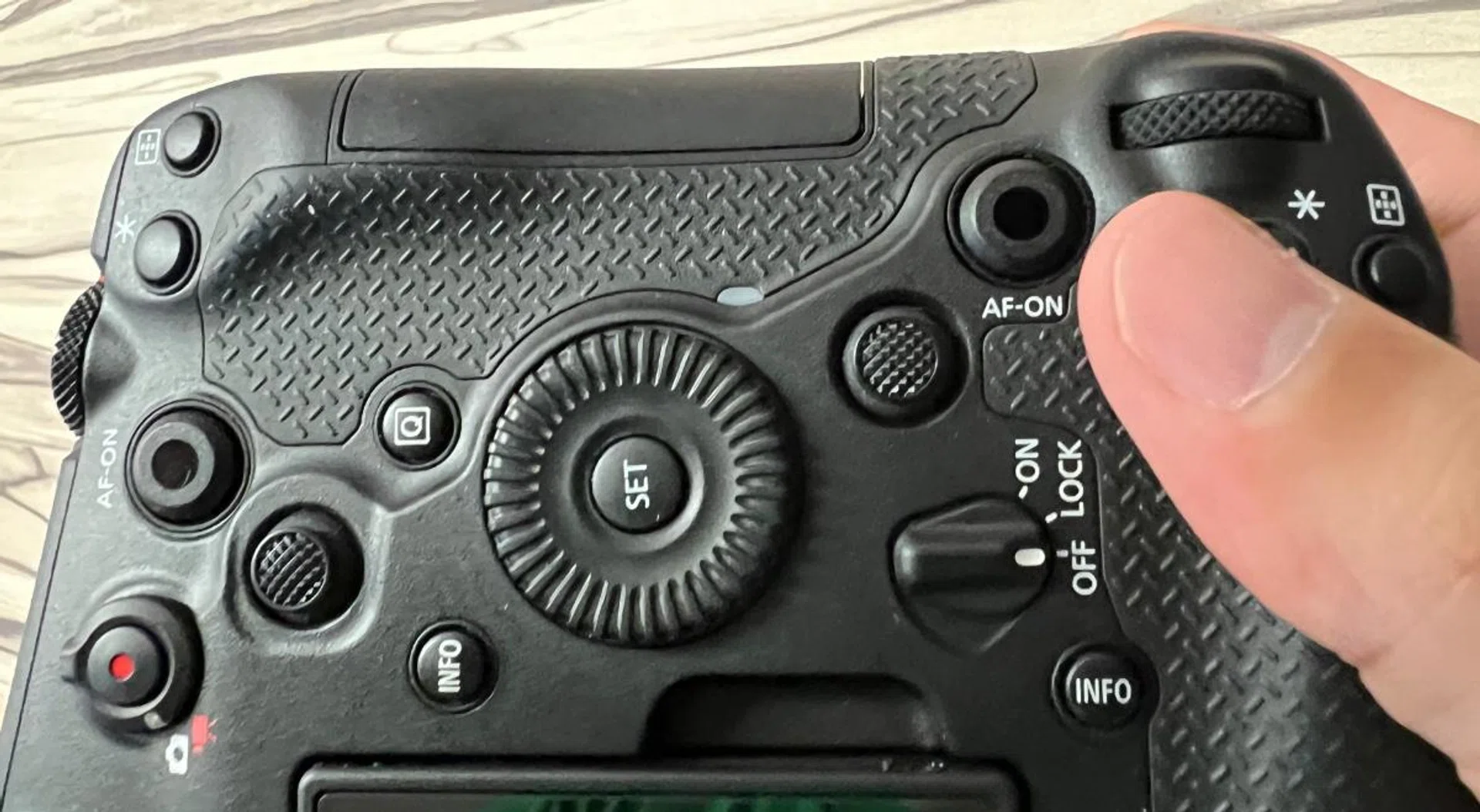
The button layout looks confusing but makes the EOS R1 comfortable to shoot whether in landscape or portrait. Photo: HWZ
While the Eye Control AF can be used for the same function, I found it to be rather erratic and lacks the precision of the mini-joystick. In addition, I love the mini-joystick sited on the top of the rear thumbrest, as it easily allows me to move the AF point quickly to where I want it on the frame.
Further proof of Canon’s thoughtfulness is that the AF-On and mini-joystick are also available if you shoot in a portrait orientation using the vertical grip.
The icing on the cake is the position of the power switch. Located below the rear command dial, you can easily reach it whether you are holding the horizontal or vertical grip.
The right side of R1 houses the two CFexpress Type B memory card slots. I would have liked to see the inclusion of an SD card slot too (CFexpress cards are expensive), but it’s reasonable that only CFexpress cards are supported given the camera’s high shooting speeds.
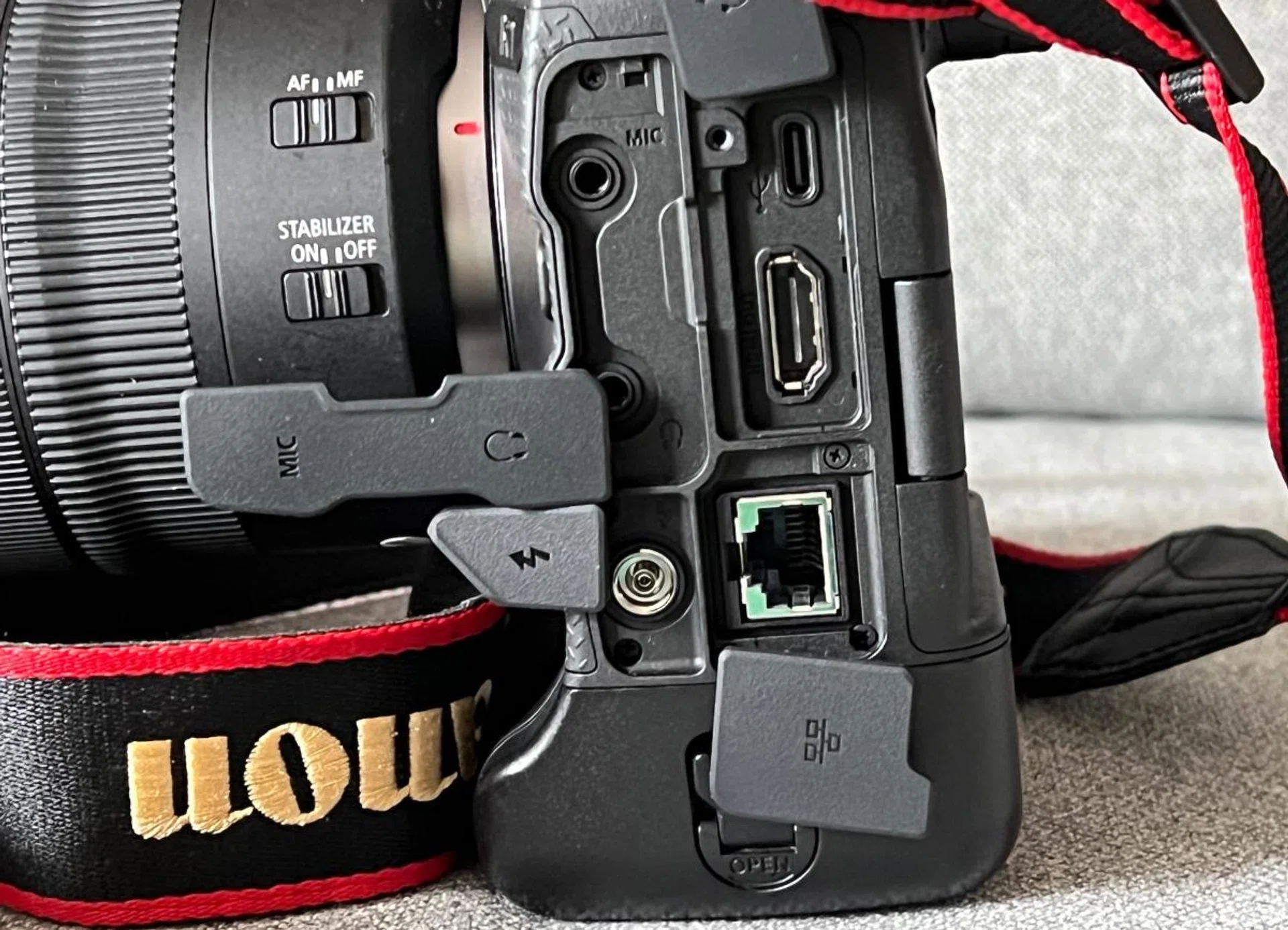
The left side of the EOS R1 houses all the ports. Photo: HWZ
The left side of the camera is where you will find all the ports: a microphone port, a headphone jack, an Ethernet port, a flash sync terminal port, a full-size HDMI-out port, and a USB-C port. These ports are all protected by silicone flaps.
Sounding like a broken record, I have to complain about the hot shoe cover again as in the case of R5 Mark II. While it provides good protection, it is tedious to pry it out. You really will not want to put it back after you remove it.
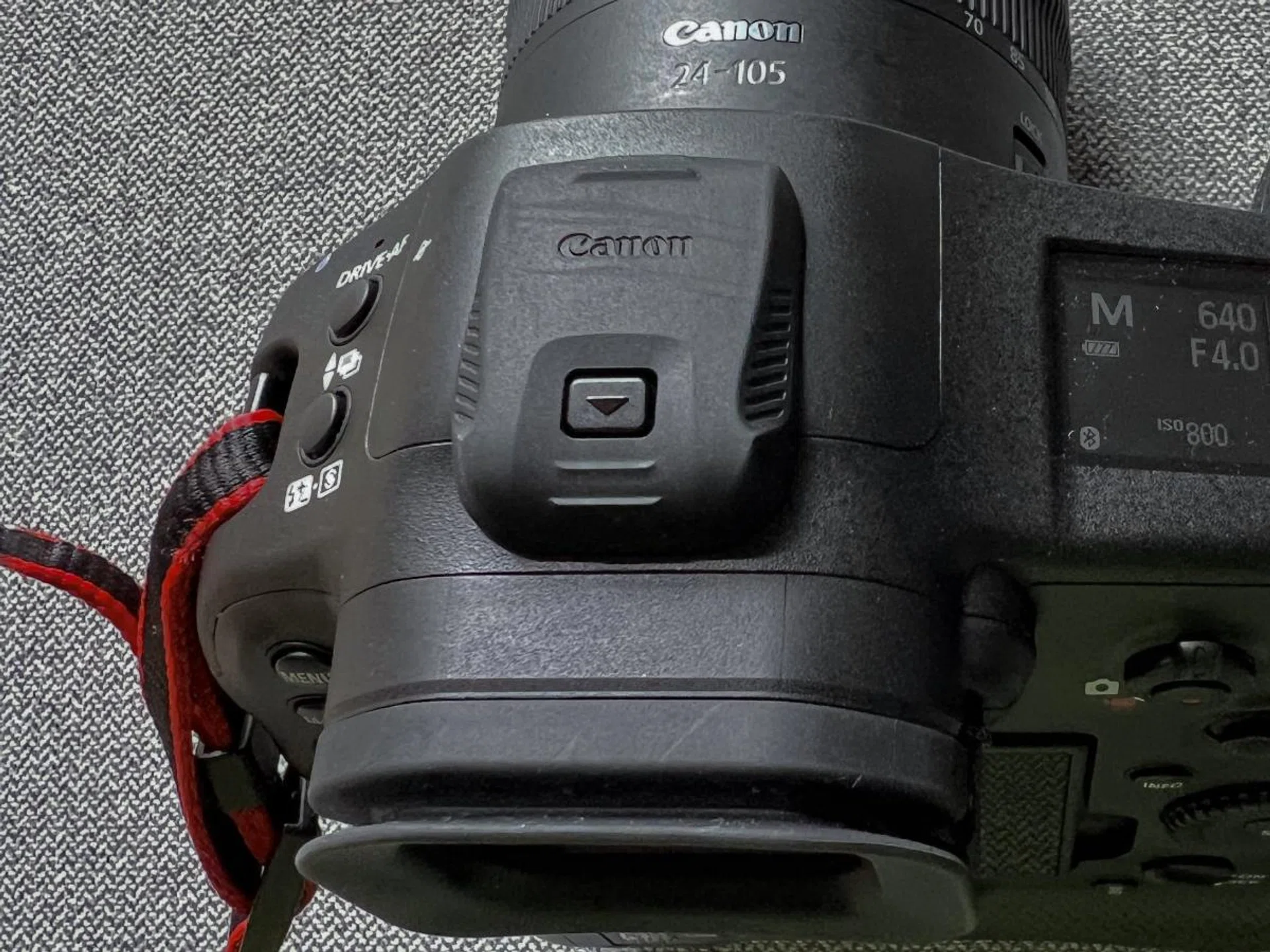
The hot shoe cover is extremely stubborn and difficult to remove. Photo: HWZ
Overall, the R1’s design and handling are absolutely superb with two ergonomic comfortable grips and all the buttons, dials and switches all considerately thought out and intuitively laid out.
Imaging performance
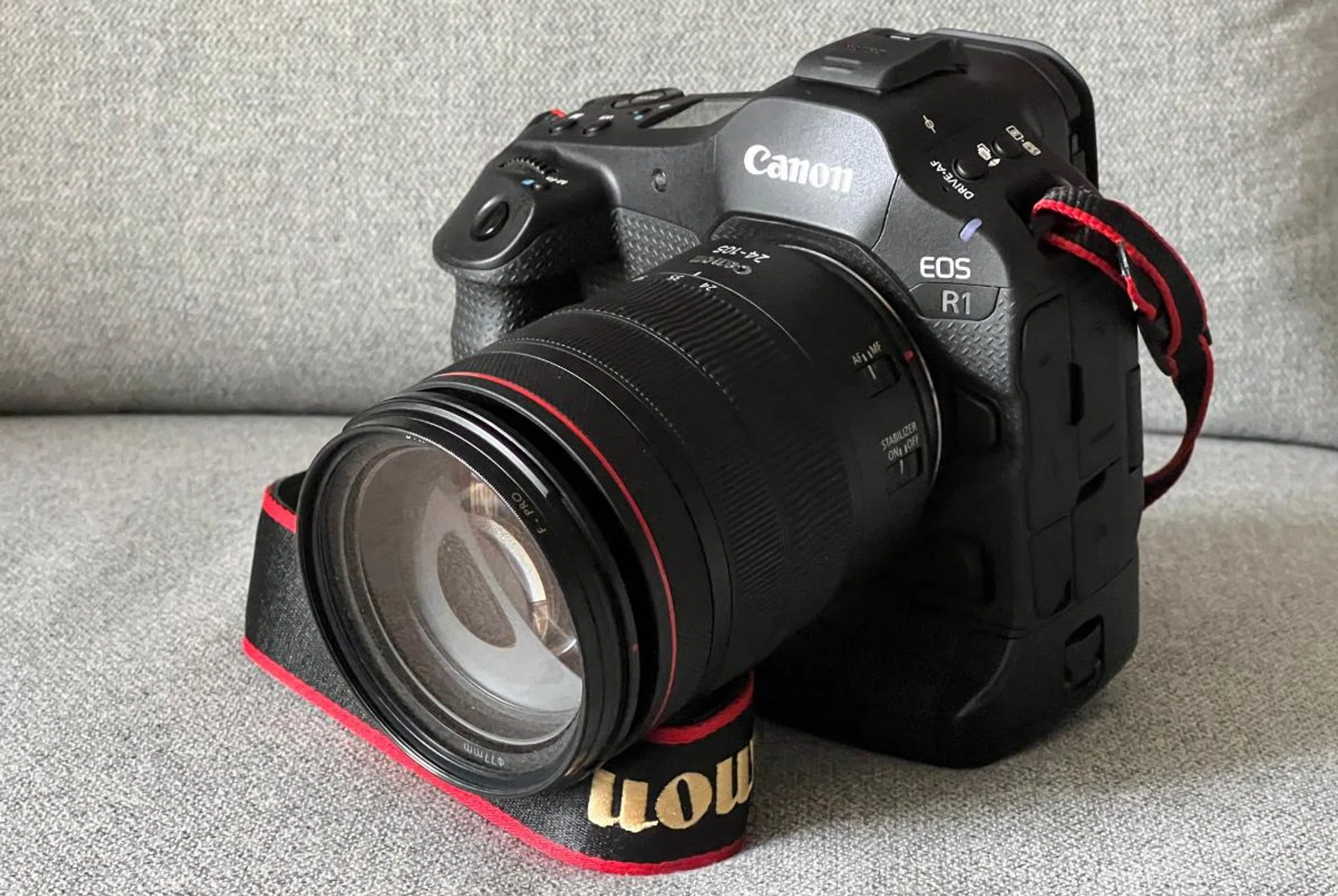
Attached to the EOS R1 is the RF 24-105mm f/4 IS USM lens. Photo: HWZ
As for the lens, Canon sent me the RF 24-105mm f/4L IS USM lens (S$2,069) to use with the R1 for this review. This lens has a versatile focal length range from wide-angle to telephoto. However, the maximum aperture is also rather large. I also used my decade-old EF 70-200mm f/2.8 IS USM lens with the EF-EOS R adapter (mainly for shooting wildlife).
The R1 is really quick. It powers up almost immediately but shutting down takes around 2 seconds because of sensor cleaning. If you disable sensor cleaning, it takes only a mere second to shut down. Crucially, it is much quicker than the average two-second start-up and shutdown times of most other mirrorless cameras.
Using a CFexpress Type B card with a writing speed rated at 1,400MB per second, the R1 took 226 RAW full-resolution images in 7.5 seconds before the shooting suddenly stopped. This translates to roughly 30.1fps. While this isn’t quite the advertised 40fps, it’s still amazing that the R1 was able to take over 200 RAW images before I exhausted the buffer. It’s safe to say that you’d probably not miss the moment you want to capture.
Furthermore, the R1’s AF is lightning-quick, almost instantaneous in securing a focus with very accurate subject tracking in good lighting conditions. Even in dim lighting conditions, it was able to lock into a focus in less than a second and track the subject faithfully.
To give you an example, butterflies are generally quite difficult to photograph as their flying movements are often erratic. Plus, there are plenty of “obstacles” that might interfere with AF and subject tracking, since they fly among the flowers to collect nectar. But as you can see from the photo below, this beautiful butterfly was captured in its full glory while it flew among the flowers with auto subject tracking turned on.

Butterflies are difficult to photograph, but the R1 was able to capture this one without any issues. Shooting info: 200mm at f/2.8, 1/4000s, ISO 1600 (50% crop). Photo: HWZ (Click to see image in full resolution)
Despite the 50% crop, you can still marvel at the amount of the butterfly’s details the camera captured.
To up the challenge, I also tried photographing smaller insects, such as dragonflies and managed to get a few good shots like this photo below.

Like butterflies, dragonflies’ flying patterns are unpredictable but the R1 did a good job of managing this shot under downcast conditions. Shooting info: 200mm at f/2.8, 1/1600s, ISO 1600. Photo: HWZ (Click to see image in full resolution)
Even when dealing with multiple subjects, the R1 was still able to capture this shot of two doves landing on a tree without any issues.

The R1 was able to capture these doves even with the “distraction” of the trees. Shooting info: 200mm at f/2.8, 1/10600s, ISO 3200 (50% crop). Photo: HWZ (Click to see image in full resolution)
Apart from speed, the R1 also delivers excellent and sharp still images with plenty of details. Auto white balance is accurate and you will hardly need to make any major adjustments in post.
I decided to go to Chinatown for some stealth street photography to see how fast and how inconspicuous this camera can be. Below is one photo that illustrates the R1’s speed as well as the amount of details this camera is able to capture. The skin tone of this shoe repair man is rendered accurately with sharp and great details of his facial hair.

A slice of life in Chinatown that might not have been recorded if not for Canon R1’s speed and quality. Shooting info: 105mm at f/4, 1/160s, ISO 320. Photo: HWZ (Click to see image in full resolution)
Photos shot are always sharp edge-to-edge and pack plenty of details, even in the shadow areas. From the photo below, you can see the details on the back of the dark Samsui woman statue.

This young girl is offering an umbrella to the hardworking “samsui woman”. Shooting info: 24mm at f/4, 1/60s, ISO 125. Photo: HWZ (Click to see image in full resolution)
In terms of noise performance, the R1 is excellent as well. The photos are clean and devoid of noise artefacts all the way to ISO 6400. It is only at ISO 12800 that you start to notice some noise artefacts.
Chromatic noise artefacts become more visible at ISO 25600. At ISO 51200, the noise artefacts are more abundant with detail loss becoming increasingly evident. It is not recommended to shoot anything above ISO 51200 unless you are comfortable with the corresponding loss in details.

You can see the loss of details due to the vast amount of chromatic noise artefacts at ISO 102400. Shooting info: 24mm at f/4, 1/800s, ISO 102400. Photo: HWZ (Click to see image in full resolution)
However, R1 can use the in-camera Neural Network Noise Reduction (NNNR) to reduce the amount of noise artefacts and increase the details. Below is an example of before and after the NNNR treatment straight

Before the application of Neural Network Noise Reduction. Shooting info: 105mm at f/4, 1/200s, ISO 102400. Photo: HWZ (Click to see image in full resolution)

After applying Neural Network Noise Reduction. Shooting info: 105mm at f/4, 1/200s, ISO 102400. Photo: HWZ (Click to see image in full resolution)
While the noise artefacts have been significantly reduced, the sharpness of the photo is also compromised. The resulting image looks considerably softer and less detailed. That said, NNNR is a nice feature to have and could be handy in tricky environments where you have no choice but to crank up the ISO.
On the other hand, the EOS R1's In-camera Upscaling feature offers a quick way for photographers to upgrade their images using deep learning technology from 24-megapixel JPEG or HIEF files to 96-megapixels.

This is the original image taken at Sentosa. Shooting info: 24mm at f/4, 1/500s, ISO 25600. Photo: HWZ (Click to see image in full resolution)

If you look closer, the decorations on the Christmas tree have more details than the original. Shooting info: 24mm at f/4, 1/500s, ISO 25600. Photo: HWZ (Click to see image in full resolution)
To my surprise, the upscaling feature actually works. I enlarged the upscaled image and made a direct comparison with the original on the large monitor. And the result is clear when you do so. The upscaled image offers more details and appears sharper. This probably helps to negate the lower megapixel count of R1 a little.
When it comes to video quality, the R1 is no slouch as well. The video quality is great with smooth frames and sharp details. Again, the subject tracking AF was able to continuously focus on the cat’s face moving towards the camera. My only complaint is a fair amount of ambient audio is being recorded as well.
INSERT VIDEO: Canon R1 - Cat Moving.MP4

\
While taking still images during video capture has become the norm for smartphones, professional cameras are only catching up. So, it is great that the R1 offers Dual Shooting. You will need to be in video mode before you can activate this function. To take a still photo while recording, you just press the shutter button.
Here are the results of the Dual Shooting:

\

As evident from the video and photo above, you can now showcase the sound and video of the howling torrential rain, while capturing a still image of the car moving through the tough conditions.
It is important to note that the stills captured during Dual Shooting are only 17.8 megapixels in size and 16:9 in aspect ratio. Nonetheless, this feature is helpful in situations in which photojournalists need to shoot both stills and videos. With Dual Shooting, they can file both formats of the same story quickly.
To further sweeten the deal for those photographers always out in the field, the battery life of this camera is fantastic. On paper, the battery life of R1 is rated at 700 still shots on a full charge. However, during this review, I found that the battery level dropped to only 50 per cent after shooting over 2,000 still images along with a few short one-to-two-minute video clips.
For most of us, the battery life is more than enough. But this is especially beneficial for photojournalists, who might be out a whole day, or wildlife photographers who need to “camp” in the jungles to wait for that elusive animal to appear.
And with its USB-C port, you can always bring along a few power banks to charge this camera on the go.
More sample images

200mm at f/2.8, 1/6400s, ISO 3200 (50% crop). Photo: HWZ (Click to see image in full resolution)

200mm at f/2.8, 1/3200s, ISO 2000 (50% crop). Photo: HWZ (Click to see full resolution)

190mm at f/2.8, 1/8000s, ISO 1600. Photo: HWZ (Click to see full resolution)

200mm at f/2.8, 1/6400s, ISO 4000 (50% crop). Photo: HWZ (Click to see image in full resolution)

24mm at f/4, 1/50s, ISO 100. Photo: HWZ (Click to see full image in full resolution)

105mm at f/4, 1/125s, ISO 500. Photo HWZ (Click to see image in full resolution)

24mm at f/4, 1/160s, ISO 25600. Photo: HWZ (Click to see image in full resolution)

105mm at f/4, 1/2000s, ISO 3200. Photo: HWZ (Click to see image in full resolution)
Conclusion
The Canon EOS R1 impresses with its accurate subject tracking AF, great build, superb handling, excellent stills and videos, and large buffer for continuous shooting. Taken as a whole, it is easily the best full-frame mirrorless camera for any kind of fast-moving photography.
However, that is also its major issue. Unlike its R5 Mark II sibling, which is so versatile and good at many things, the R1 is a decidedly niche camera that appears to be designed expressly for sports and action photography. Furthermore, its relatively low-resolution 24.2MP sensor might turn some users away, especially since its direct rivals (Nikon and Sony) have considerably higher-resolution sensors.
Lastly, with prices starting at S$9,599 (body only), it is expensive. While you get the ruggedness and unparalleled speed, there’s no question that the cheaper R5 Mark II (S$5,999, body only) is more versatile and offers more bang for your buck.
Nevertheless, if you are a photojournalist, sports or wildlife photographer, or any photography enthusiast who values speed and ruggedness above all else, there’s nothing quite like Canon’s EOS R1.