
Philips Fidelio SoundSphere DS9800W Docking Speakers - High Fidelity At A High Price
Philips' DS9800W docking speakers were designed to impress with its touted SoundSphere technology and lavish profile. Read on to find out what we think about this living room centerpiece, whose hefty price tag puts it in the same class as the Zeppelin Air.

Of Triffids & Docking Speakers
When I first laid eyes on Philips' Streamium Hi-Fi Micro System two years ago, I was instantly reminded of a literature classic I used to study in school. The book in question was "The Day of the Triffids", penned by John Wyndham in 1951. What's the relevance? For starters, Philips' elevated tweeters reminded me of the Triffids' bulbous head which extended from a stockier body via an elongated 'neck' or stem. The woofer below was reminiscent of the Triffids' body, although Philips' Streamium obviously lacked the Triffids' organic legs to walk on. More recently, Philips adapted a similar design with their high-end docking speaker system, or the Fidelio SoundSphere DS9800W Docking Speakers to be exact. By combining attributes from their Fidelio and SoundSphere range, the Dutch company has reworked their latest pair of docking speakers with a more curvaceous form factor (also known as SoundCurve) to reduce internal resonance within the speaker's chassis.
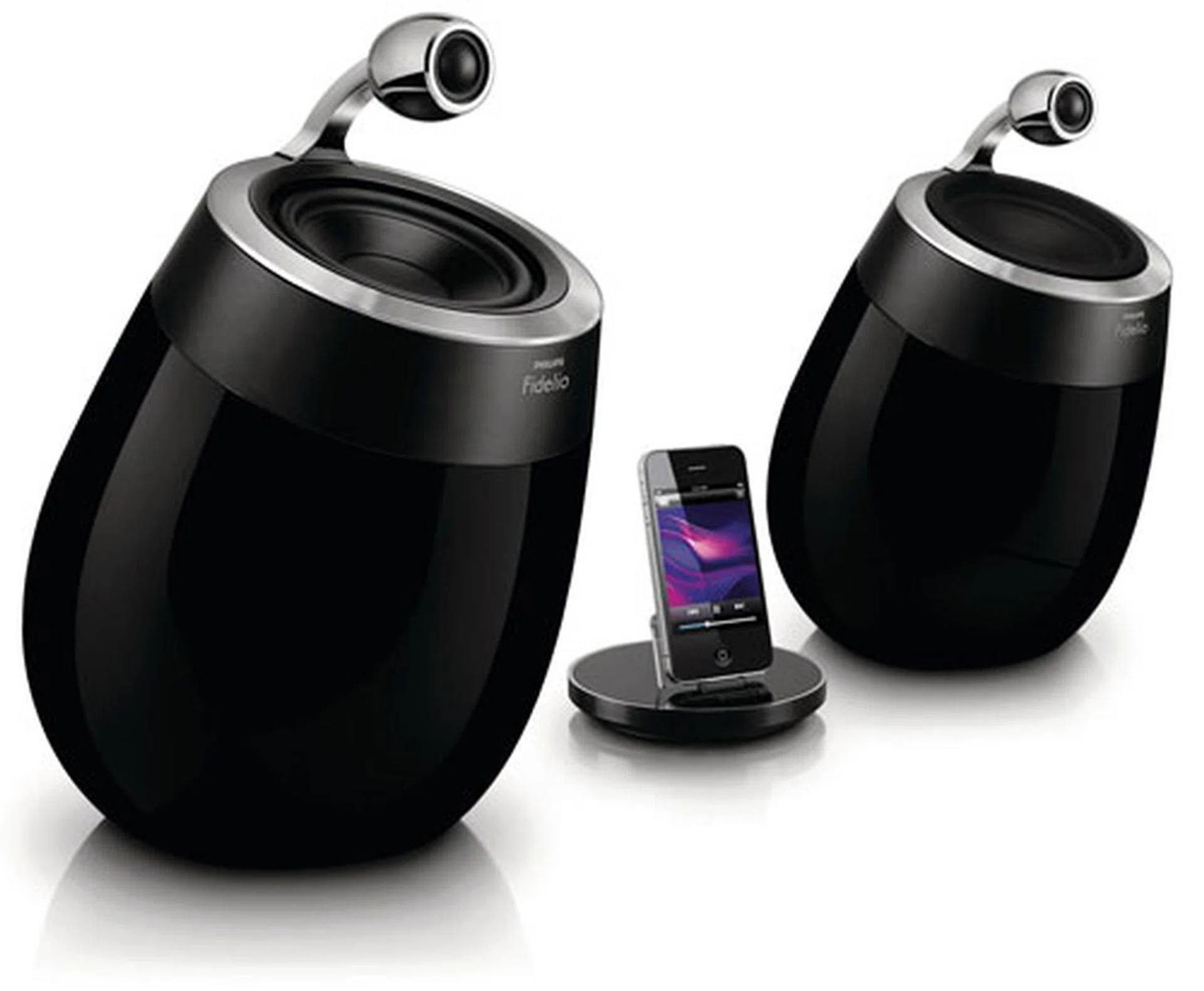
It might not fall into the same class as Lalique's exorbitant AeroSystem One iPod Tower (which costs 12,000 Euros), but Philips' DS9800W dock still comes with a rather hefty price tag for a pair of wireless speakers. Question: Is it worth its four-figure sum?
Priced at S$1,299, the DS9800W is currently Philips' most expensive pair of premium docking speakers; even more so than the Fidelio Primo DS9 we've reviewed not too long ago. You might notice there are no wires linking the central dock to the speakers. And that's because the DS9800W depends on Apple's AirPlay for audio transmissions instead of a wired solution. The dock is plainly for charging and mounting purposes, although it isn't necessary to leave your portable device there if you aren't charging it. Power, auxiliary, and binding cables to the speakers still apply though. The DS9800W also supports most permutations of Apple's mobile devices via its universal dock, and that includes the iPod Touch, the iPhone, and the iPad as well.
It all sounds sweet on paper, but to fork out more than a grand for a pair of stereo speakers is quite a tall order for most of us. Those who are interested in the inner workings of the Fidelio SoundSphere might want to know that the DS9800W carries a Cirrus Logic DSP. However, Philips was unusually coy about the speaker's specific chipset. Having said that, let's find out if these pods truly sound as good as they look.
Black & Classy Pods
As shown earlier, the Philips Fidelio SoundSphere consists of three main components: a pair of cylindrical speakers and a charging dock. The package also includes a bunch of accessories, such as a power cable, an auxiliary cable, and a remote stick. Now, this set of lavish iPod docking speakers was obviously made to be seen as a centerpiece and not to be concealed in some dingy corner of the bedroom. For starters, the two black speaker cabinets are fashioned out of handcrafted wood with chrome-like accents rimming its drivers. Understandably, copious amounts of lacquer have been applied to the speakers to give it that shiny gloss. We also reckon that the wood-bending process involved in crafting these curvaceous cabinets has to factor into the product's hefty price tag as well. As for its drivers, the Fidelio SoundSphere carries an elevated 25mm tweeter erected over a 127mm mid-bass driver on each speaker unit. According to Philips, this "frees the tweeters from vibrations or standing waves with the bass/mid range driver in the main cabinet and also limits refraction caused by sound waves reaching the edge of a box or baffle edge".

The elevated 25mm soft dome tweeters are encased in a thick aluminium enclosure, while the 127mm mid-bass drivers are angled slightly forward to ensure "reproduced sound reaches the listener at the same time".
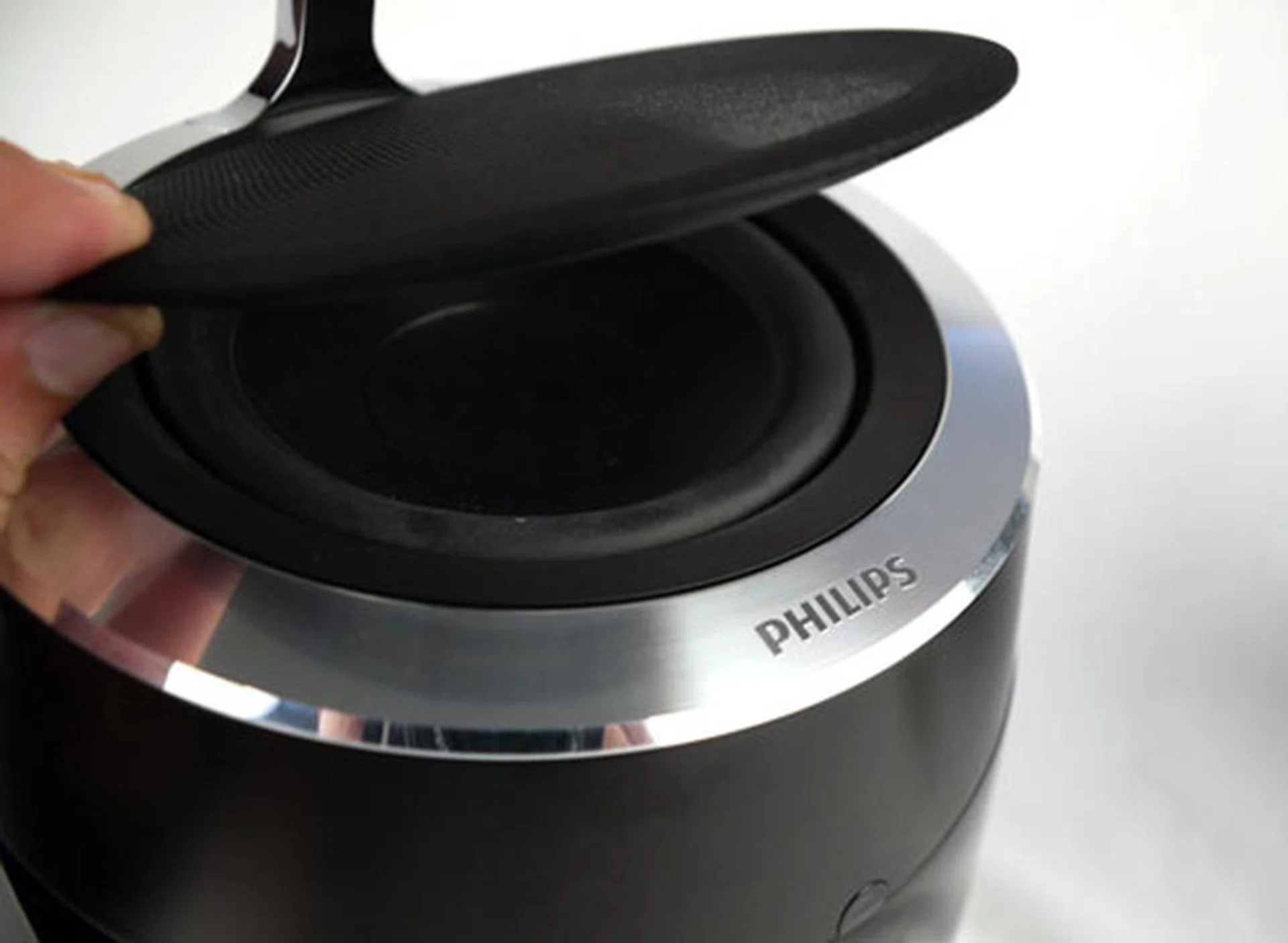
The soft speaker grilles are held in place by magnetic rims. They help protect the mid-bass drivers, and they are also easy to remove if need be.
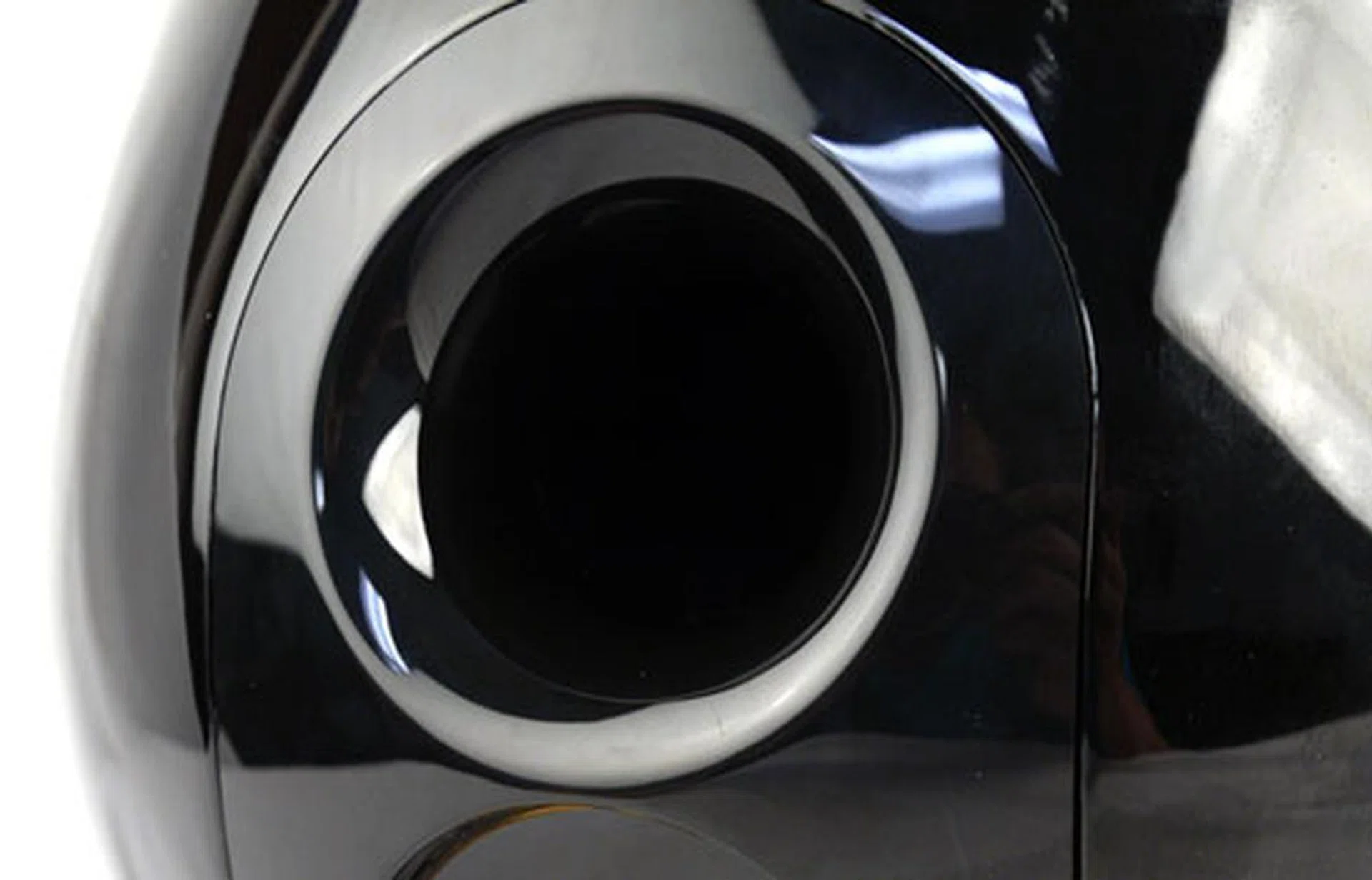
Bass response on the Fidelio SoundSphere is augmented by curvaceous reflex ports situated behind the speaker cabinets.
The active speaker (left channel) houses a 2 x 50-watt digital amplifier as well as an integrated Wi-Fi adapter within. Turn the speaker around, and you'd spy a Wi-Fi setup and power buttons, plus a 3.5mm audio inlet if you prefer to wire your portable media or audio player to the DS9800W. A set of binding posts (speaker terminals) are found on both speakers. Apart from this, the Fidelio SoundSphere was designed to work predominantly with Apple's AirPlay, one which enables you to stream music from an iPhone, an iPod Touch, or an iPad, as long as the unit is connected to your home's wireless network. In other words, the bundled charging cradle is essentially a 'dumb' dock, used mainly for mounting and charging purposes. Another key highlight of the DS9800W is Philips' incorporated FullSound technology, something we've showcased during our trip to Leuven in 2010. In a nutshell, FullSound is a post-processing algorithm designed to restore 'lost' audio details related to compressed music files. We'll see how this holds up when we run the Fidelio SoundSphere through our slew of MP3 tests in a jiffy.
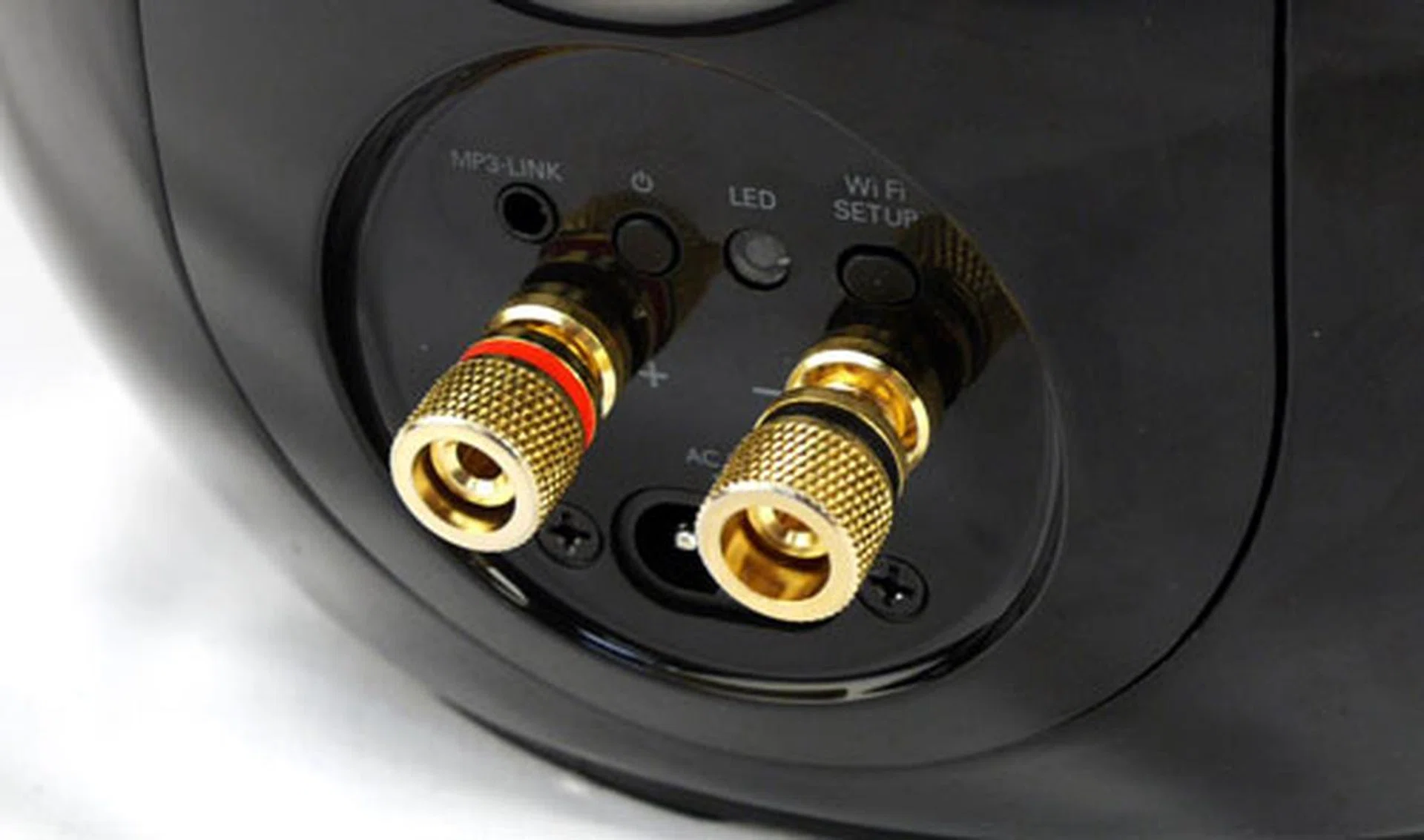
Most of the controls are located behind the left speaker. And that includes a 3.5mm jack, standby button, status LED, Wi-Fi setup button, AC inlet, and a pair of binding posts.
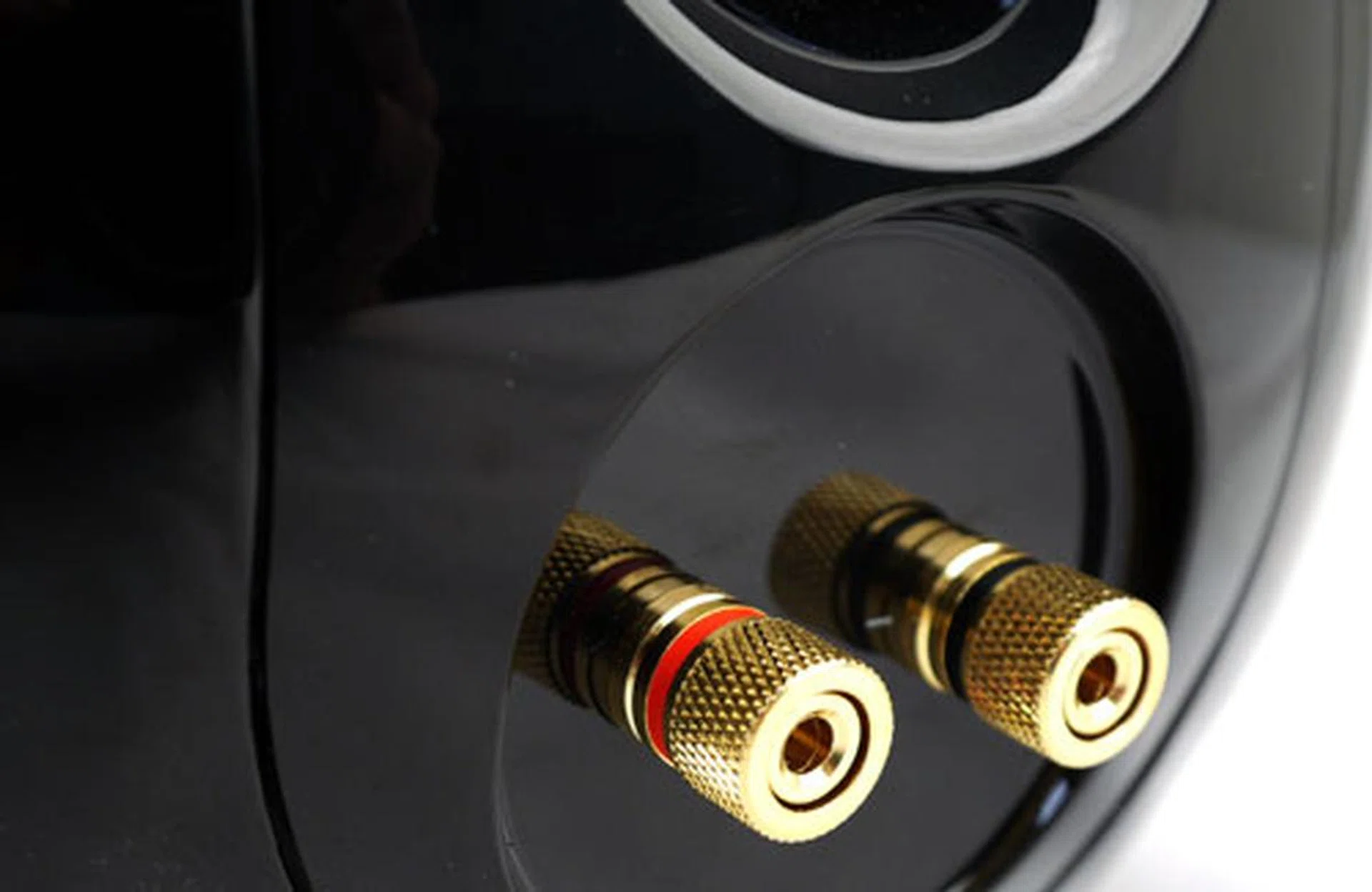
Things are quite uneventful on the right channel. Given that most of the circuitry are housed within the left speaker, it's only natural to find a pair of speaker terminals here.
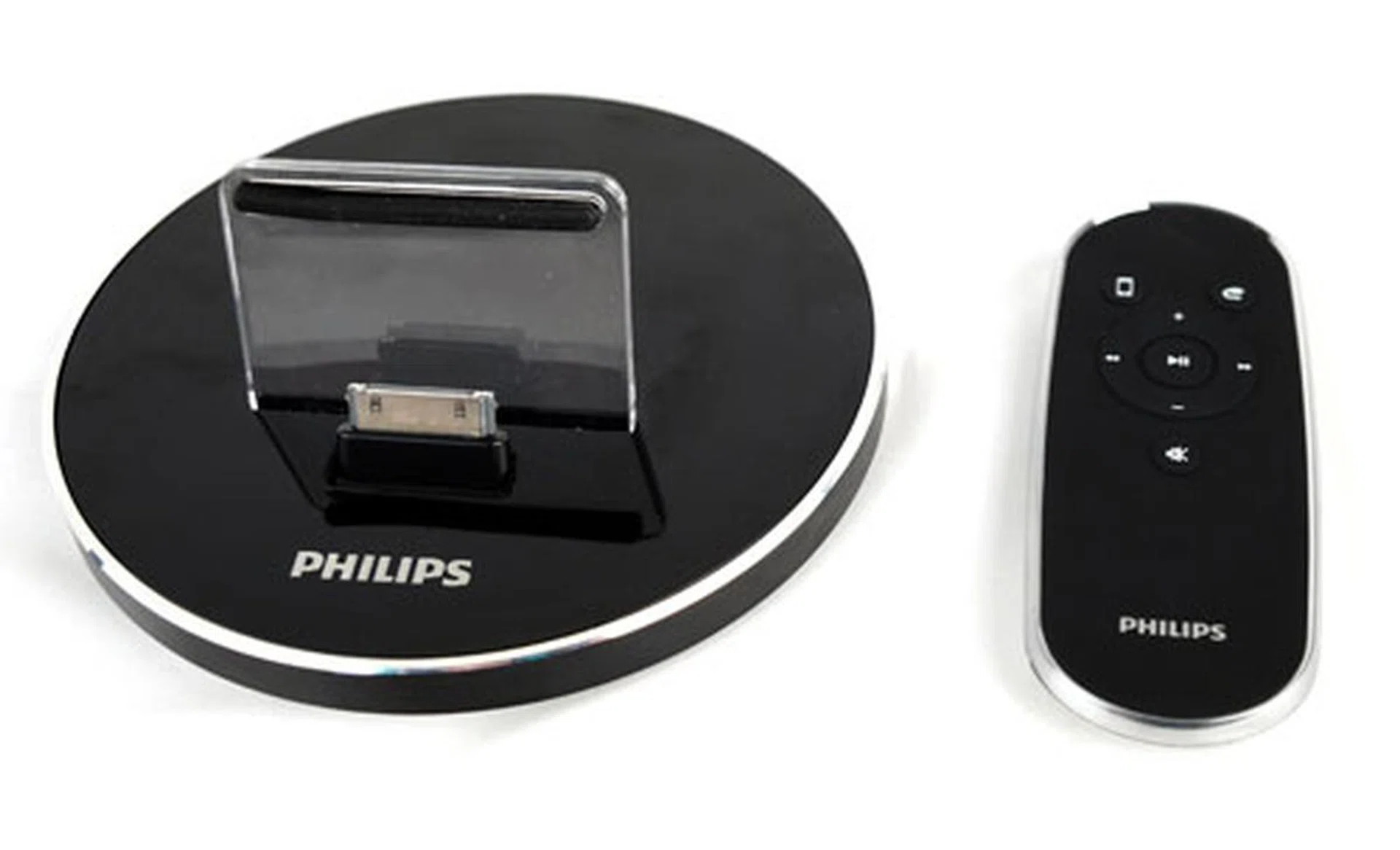
The charging cradle comes with a universal dock and a backrest to support the mobile device. Next to it is a simplistic remote with buttons for enabling playback via AirPlay or the auxiliary input.
Tricky, Tricky
Part I: Connecting The Speakers
The initial setup was easy work, although setting up the AirPlay connection is a little more tedious. Once you've removed all the items from the box, simply connect the two speakers to their binding posts via the supplied cable . Plug in the power cable and you're set; at least where cabling is concerned. Power on the system, and the green LED (found behind the left speaker) would blink rapidly whilst the unit is powering up. The LED would continue to blink after initializing, albeit at a much slower rate. Now, here comes the tricky part. Given that the Fidelio SoundSphere does not carry an LCD display, you'll have to rely on its LED status to determine what's going on with the system. There are two ways to add the speakers to your home network. One solution is to use Wi-Fi Protected Setup (WPS) if your router supports it. Alternatively, you may configure the DS9800W wireless settings manually via its configuration page. We chose the latter.
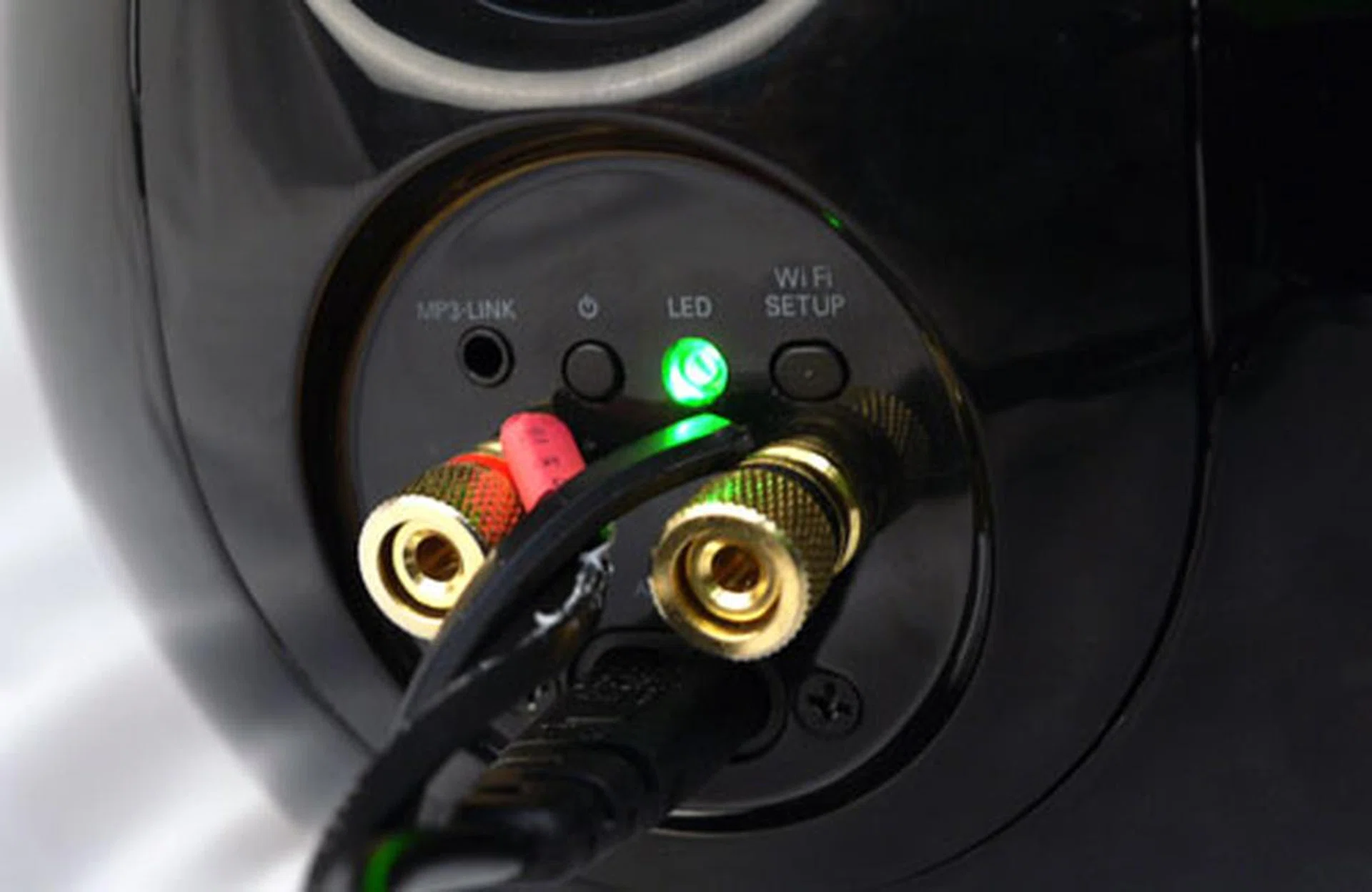
The green LED indicator would stabilize (stop blinking) once the Fidelio SoundSphere has been successfully added to your wireless network. It took us a number of attempts to get it right.
Part II: Experiencing AirPlay
To get things going, press and hold the Wi-Fi Setup button on the DS9800W for five seconds. The LED would blink green and yellow in rapid succession. We assume it's enabling a wireless broadcast at this point. Next, whip out your iPod Touch/iPhone/iPad and select the Wi-Fi settings. On that note, we'll be using the iPhone 4S for our tests. The "Philips_Fidelio_Airplay" SSID would eventually show up on the list of available networks after 20 seconds or so. Select it, and a Wi-Fi icon should appear next to the Philips' SSID once connection is established. Fire up the Safari browser, and enter the following IP address - 192.168.1.1. Word of caution: To prevent any IP conflicts, we'd advise users to check that the router isn't using the same IP before proceeding with this step. You should see the Fidelio SoundSphere's configuration page if all goes well. Select your router's SSID via the Service Set ID drop-list, and enter your security key (if any) before hitting the Apply button. The green LED would stabilize and the speaker would beep once the DS9800W is successfully paired with the router.
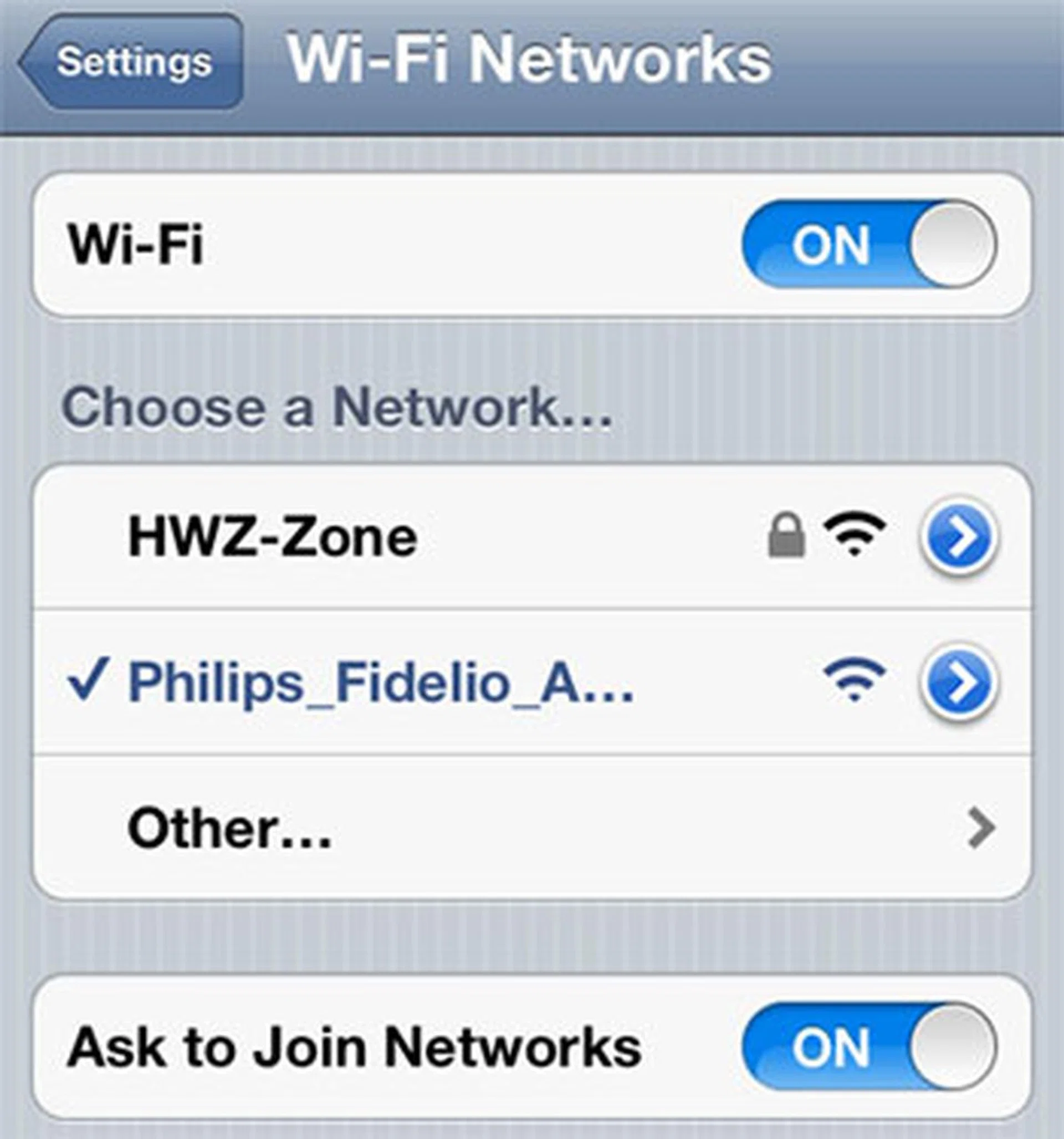
The Philips Fidelio's SSID should appear on the list of available wireless networks after you've pressed and held the DS9800W's Wi-Fi button for five seconds. This is also where the LED blinks green and yellow. The SSID might take up to 30 seconds to show up. Patience!
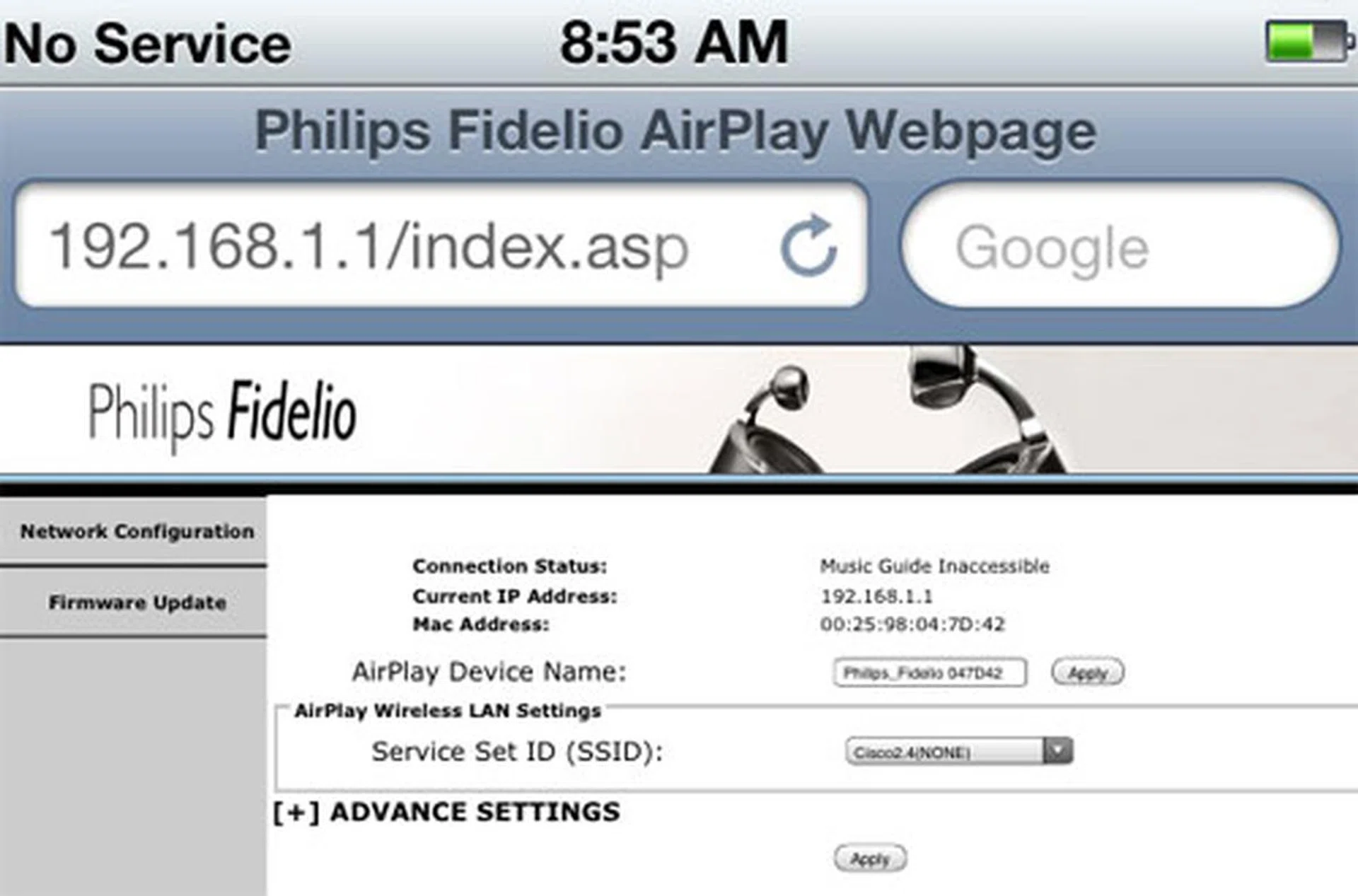
In order for the Fidelio SoundSphere to be paired with your network, you'll need to select the appropriate SSID under AirPlay's Wireless LAN settings. Click "Apply" when you're done.
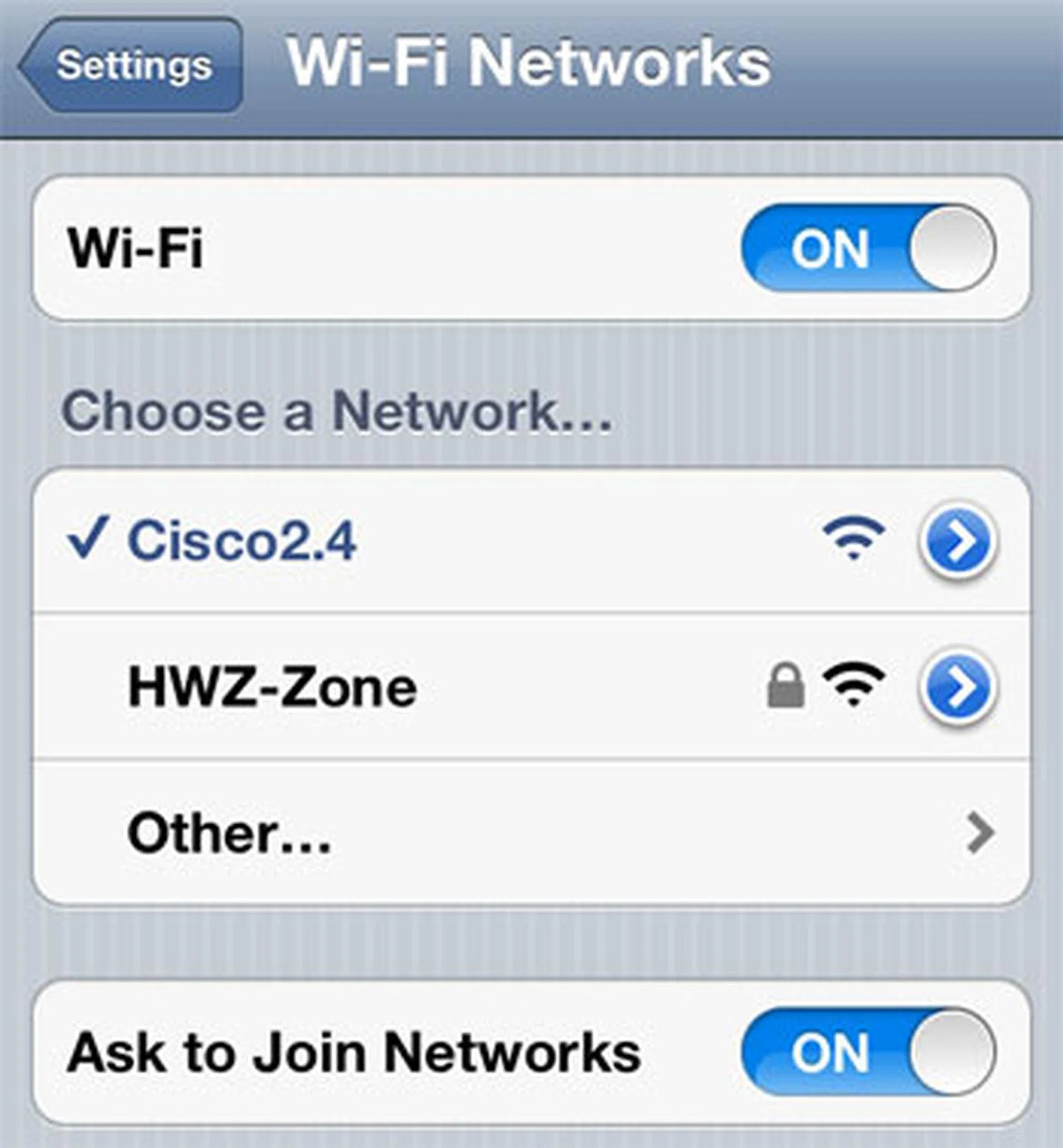
And lastly, select the router's SSID to access the Fidelio SoundSphere via your Wi-Fi network. Our SSID is "Cisco2.4" in this instance.
Performance Run
Before you get to stream songs via AirPlay, you're required to pair your mobile device with the Fidelio SoundSphere first. What we've done on the previous page was to add the Fidelio to your home network; so don't be confused between the two configuration process. Fortunately, enabling AirPlay at this stage is less fastidious. To do so, hit the Music icon on your phone and select the track you'd like to stream to the DS9800W. Tap on the AirPlay icon and enable the "Philips Fidelio" device (see image below). It'll take a couple of seconds before the two devices are synced. Now you're ready to stream. In addition, you may also download the DockStudio app from Apple's iTunes store which comes with a couple of enhancements. For example, the app provides playback controls, EQ adjustments, and an alarm clock. For our audio tests, we'll be using a mixture of highly compressed MP3 clips as well as a handful of songs with higher bit-rates. And for the record, we've setup a router situated in the same room as the Fidelio SoundSphere solely for testing purposes.
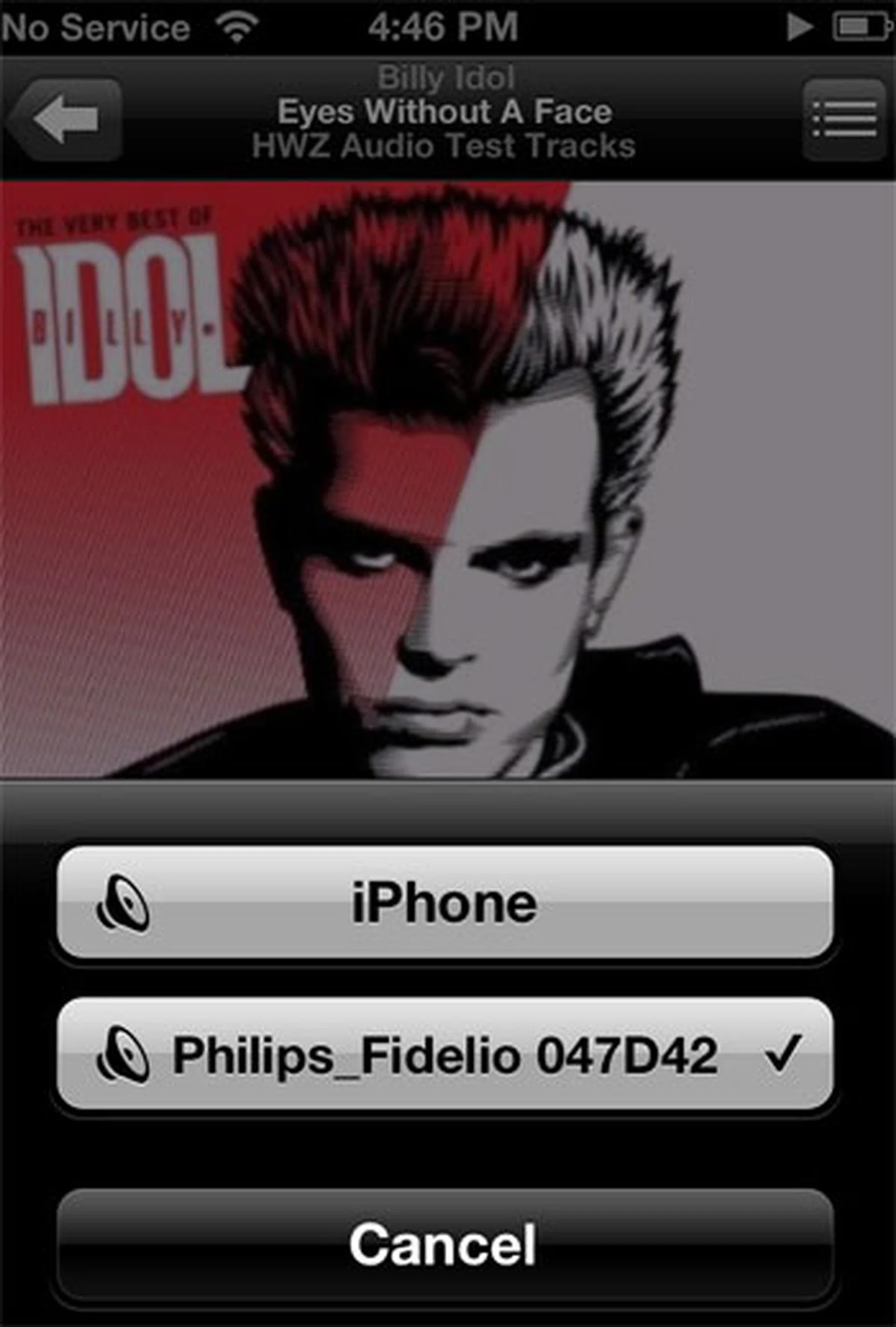
To stream songs to the DS9800W, click on the AirPlay icon and enable the Philips Fidelio selection.
Here are some observations based on our experience with the DS9800W Fidelio SoundSphere:
- There is a noticeable lag of two to three seconds whilst toggling between tracks.
- The same latency applies to volume adjustments made using the mobile device.
- The speakers require approximately 20 seconds to initialize. A beep would sound off once it has synced with the network.
- Quirk: The Fidelio isn't intuitive enough to detect a streaming source upon powering up. In other words, you'll need to press the remote's 'mobile device button' to enable streams after powering on the DS9800W.
- For optimal stereo imaging, we'd recommend placing the speakers no less than one meter apart.
MP3 Tracks Evaluation
We aren't entirely convinced if Philips' FullSound technology enhanced the fidelity of the compressed audio tracks beyond a reasonable doubt. But we do know that the DS9800W is a soundstaging maestro capable of creating expansive widths and depths during playback. This characteristic was apparent on all the tracks we've thrown at the piano black speakers. On Imelda May's Mayhem, we enjoyed the full-bodied bass and plump mid-range levels. The horns really came alive on the Fidelio SoundSphere although the higher frequency ranges sounded a little less defined than desired. Other than that, presentation was smooth with a solid amount of bass presence. Idol's Eyes Without A Face ballad was coolly rendered with Steve Stevens' power riffs carrying just enough bite.
Similarly, Adele's voice took center stage on Set Fire To The Rain as well, unadulterated by the drums and lush instrumentation. But there are exceptions, of course. Treble production could be cleaner, plus a distinct hiss was apparent throughout the track although we'll put that down as an inherent flaw from the recording itself. It's not easy to recreate a live performance on dual channels, but the DS9800W was able to pull it off by filling the room with a convincing acoustic presence. On Hotel California, for instance, the combined pluckings of classical guitars and Henley's raspy croons had just the right quality and timbre to make the Eagles' performance a visceral experience on the Fidelio SoundSphere. If anything, the DS9800W was right at home when it came to presenting classical music ("String Quartet No. 13 in A minor") in all their stringed splendor.
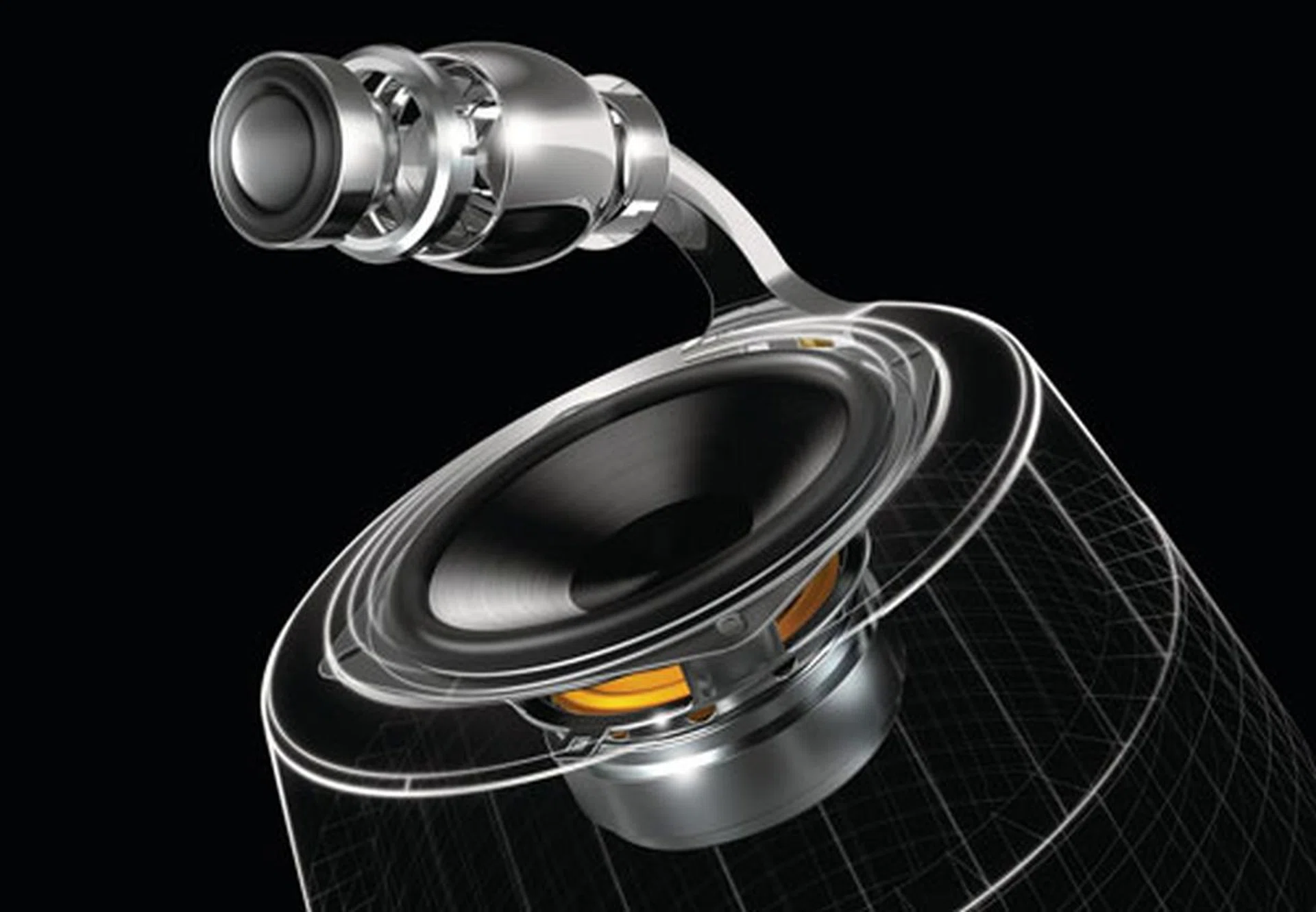
Philips has lofty ambitions to create an uncolored pair (acoustically speaking) of speakers capable of a wider sound dispersion. Judging by what we've heard so far, they've come mighty close to achieving their goals. Here's a cross-sectional view of the DS9800W for your viewing pleasure.
MP3 Tracks | Bit-rate | Format | Score |
Mayhem - Imelda May | 320kbps | M4A | 8.5 |
Hotel California - Eagles | 320kbps | M4A | 9.0 |
Set Fire To The Rain - Adele | 192kbps | M4A | 8.5 |
Leisure Suite - Feist | 128kbps | M4A | 9.0 |
Eyes Without A Face - Billy Idol | 128kbps | M4A | 9.0 |
String Quartet No. 13 in A minor (Schubert) - Kodaly Quartet | 128kbps | M4A | 9.0 |
High Bit-rate Tracks Evaluation
Philips' swanky black pods were given a chance to flaunt their acoustic muscle with these higher bit-rate soundtracks. Let's start with the Pod Racing sequence. We were impressed by the reverberating quality of the announcer's voice peppered throughout the clip, plus the Fidelio was also able to recreate a spacious soundscape as depicted in the film. More impressive were the engine hums which resonated with heart-stopping vibrations; credit to the speakers' roomy cabinets and proficient bass drivers with the volume kicked up. Panning whirs of the pod racers speeding by from left to right channels were also nicely delivered. On The Lost World, these speakers had no qualms when handling wind and string instruments on this lush symphonic track. Percussive instruments, like the timpani, were dramatically rendered with minimal distortion by its mid-bass drivers. Overall presentation was also less flawed compared to busier pop or rock pieces.
Cutthroat Island's soundtrack calls the horn section up to the fore, especially during the opening sequence. More importantly, the Fidelio SoundSphere was able to match the track's grandiosity. Every rise and fall of each movement were coherently produced. Clarity was also retained for there were little signs of muffling or attenuation as the music soared. There was discernible strain on the speakers during Apollo 13's liftoff sequence, but the drivers managed to emerge unscathed among the crackle and pops (present in the recording). So far, so good. But can the DS9800W handle a dinosaur? On the T-Rex sound effects clip, we were pleased with how realistic the crackling branches and T-Rex's roar sounded. Similarly, we also noticed that the speakers were able to sustain the same impressive soundscape with minimal distortion when the volume's kicked up.
One point to note throughout our testing was that the speakers only performed well when set at mid to high volumes. This could mean disturbing your neighbors if your room is adjacent to the next flat when residing in a high-rise apartment. At low volumes, a fair bit of clarity and delivery is lost and you might think this is an under-performing speaker set.
High Bit-rate Tracks | Bit-rate | Format | Score |
Phantom Menace - Pod Race Scene | 831kbps | M4A | 9.5 |
Cutthroat Island | 798kbps | M4A | 9.0 |
The Lost World | 710kbps | M4A | 9.0 |
T-Rex Sound Effects | 588kbps | M4A | 9.0 |
Apollo 13 SFX | 605kbps | M4A | 8.5 |
Wrapping Up The Fidelio SoundSphere
It's time for a verdict. Aesthetically, we love the Fidelio SoundSphere's radical and curvaceous profile. The combination of chrome accents and a piano black finish should complement most living spaces, and it is apparent the speakers' build quality wasn't compromised either. Kudos also goes out to Philips' attention to detail for engineering a pair of truthful drivers with a commendable soundstage and pinpoint stereo imaging. However, let's remember that this pair of docking speakers isn't as 'wireless' as they're made out to be. There is a power cable (two, if you consider the 'dumb' dock as well), and the thickest cable meant for the binding posts. Philips decision to go with Apple's AirPlay has its share of pros and cons as well. All is good if you manage to nail the setup process the first time round. Failing to do so also means that you'll have to repeat the setup procedure from scratch. In our case, it took us a moment to get it right for the IP address reflected in the user manual was incorrect. The DS9800W's lack of an LCD status display doesn't help things either.
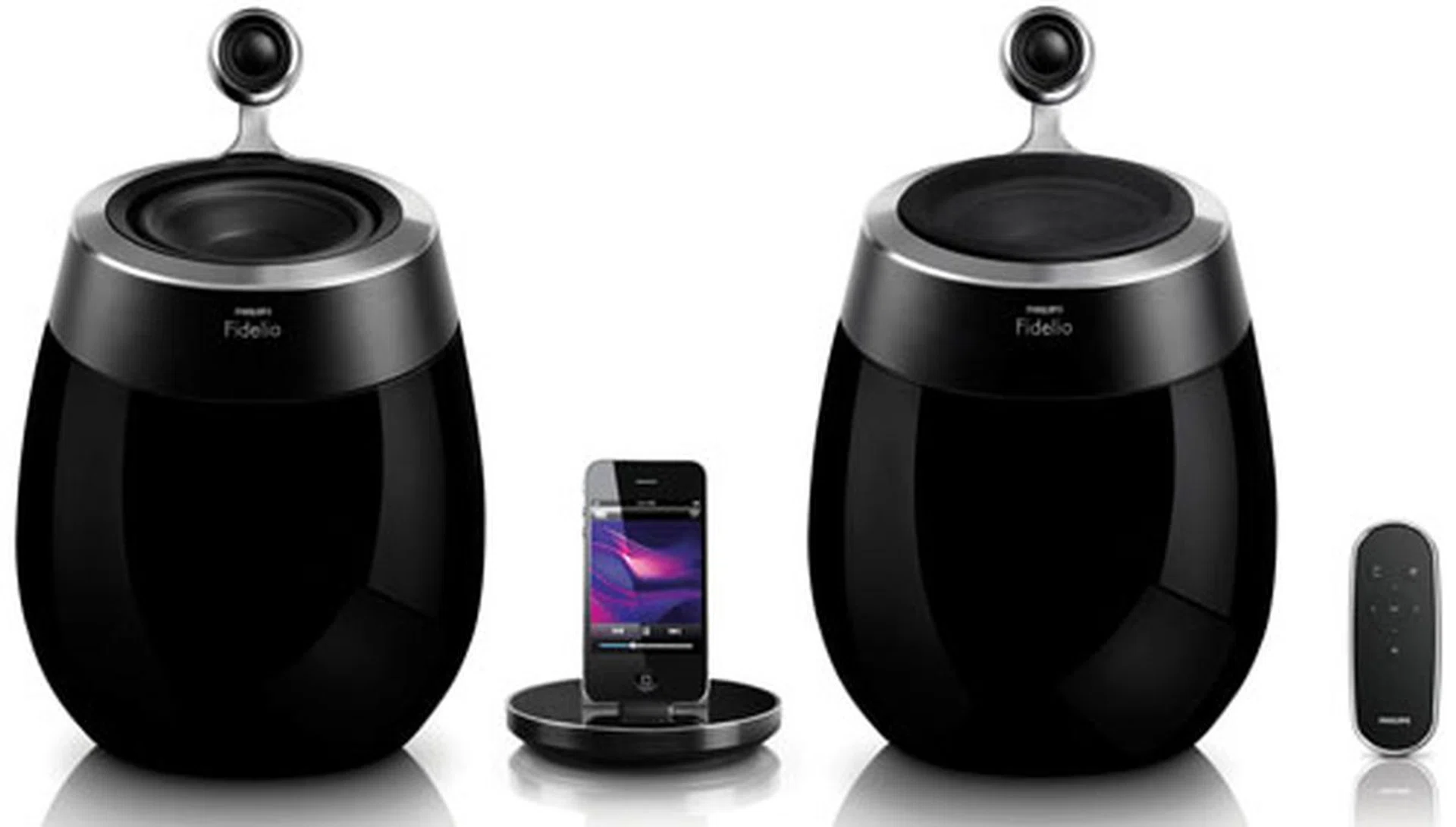
We do not doubt the Fidelio SoundSphere's sonic prowess in the least bit. But S$1,299 is a little steep for a pair of docking speakers, even if it comes with wireless perks like AirPlay.
Acoustically, the Fidelio coasted the lower bit-rate clips with reasonable bravado. There was a decent amount of clarity with a full but not overwhelming bass presence. It was an entertaining performance all round, although there were instances of minor blurring at the higher ranges. The speakers kicked into gear when we tried the higher fidelity soundtracks. The curved-back cabinets and elevated tweeters manifested every crash, tinkle, crunch, and boom with much gusto. Their rigid construction also ensured vibrations and distortions were minimized with the volume hiked up.
Compatibility-wise, Philips has obviously tailored the Fidelio SoundSphere for newer Apple devices with Wi-Fi capabilities. Older gizmos, such as the iPod classic for example, will have to rely on the more traditional 3.5mm audio jack. On that note, a functional dock would be more practical in that sense, like the one found on Bowers & Wilkins' Zeppelin Air for instance. To Philips' credit, however, the charging dock does support the bulkier iPad since it isn't constrained like other 'fixed' docking speakers. In summary, Philips has crafted a fine specimen with the DS9800W that delivers great audio and looks swanky, but if you can live without AirPlay, then perhaps you might want to consider cheaper alternatives such as Monitor Audio's i-deck 200 which offers a reasonably full and balanced delivery as well.
Our articles may contain affiliate links. If you buy through these links, we may earn a small commission.