
Your Complete Guide to Spotify in Singapore
Spotify is launching today in Singapore, but what is Spotify, where did it come from and just how do you use it? Check out our complete guide to Spotify and discover how to tap into an almost unlimited world of music (plus the top things you should do to maximize your Spotify experience).
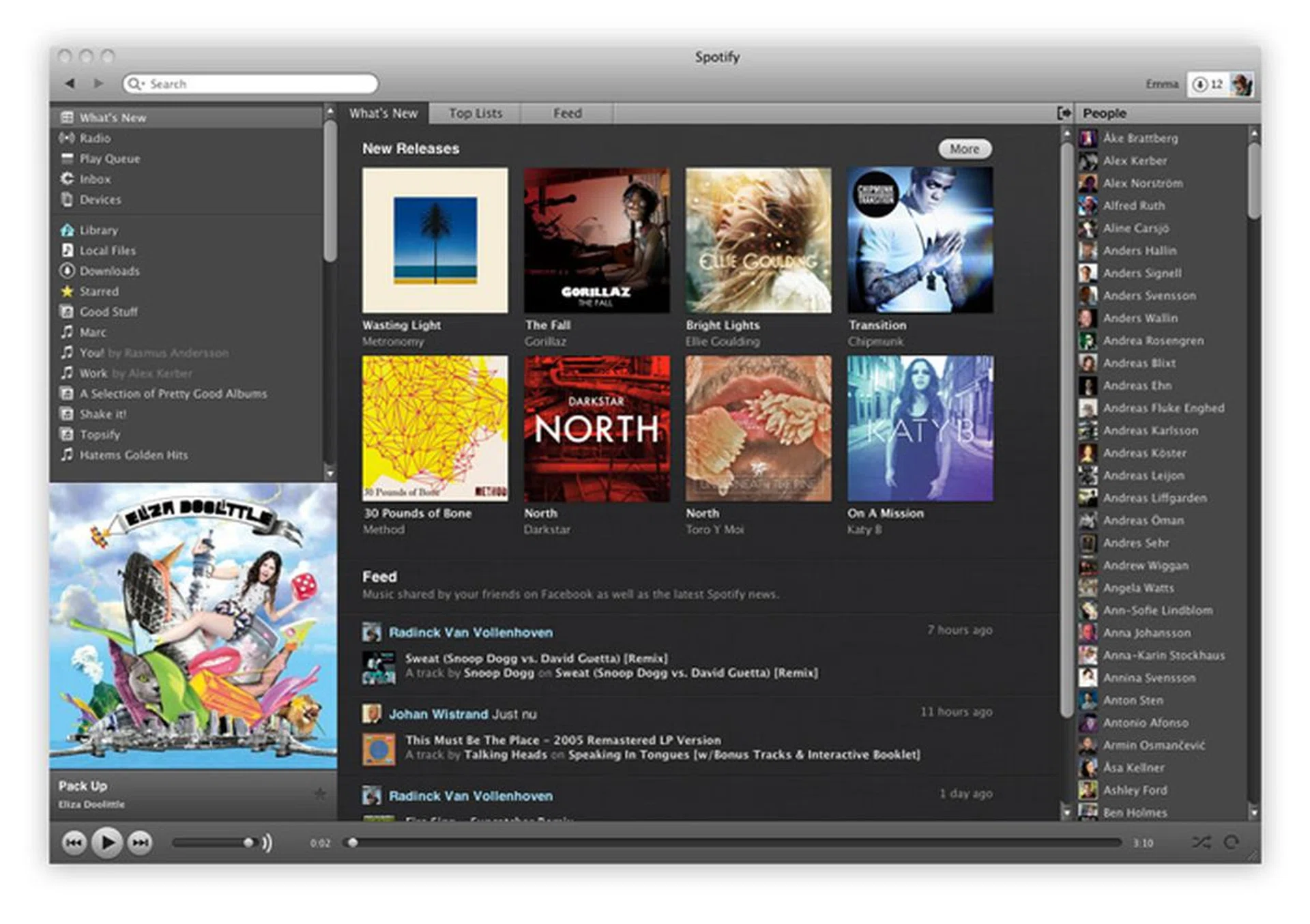
What is Spotify?
Spotify offers music as a service through the internet. It is available in more than 20 countries and is launching in Singapore today. When you subscribe to Spotify, you get access to over 20 million songs (catalogues vary by country). You can listen to these songs via a variety of ways; you can stream random songs via Spotify’s radio channels, which are divided into genres like hip-hop, pop and singer-songwriter. Unlike traditional radio, you can skip songs, and like or unlike songs, which will help Spotify play more of the kinds of songs you like.
You can also go direct to songs you like by searching for them, and even listen to entire albums if they’re available. If you pay for Premium, you can even download songs for listening offline. You can collate your own playlist, or listen to others’ playlists, including playlists from musicians like Justin Timberlake. Spotify is also social; you can connect Spotify to Facebook and Twitter, share songs with your friends, as well as listen to what they’re listening.
Spotify is offering two subscription tiers in Singapore: Free gets you music on your desktop and laptop with ads. On the Premium S$9.99 plan, you can stream music on your mobile devices using Spotify’s apps, and you gain the option to download music to play offline.
By paying S$9.90 a month to listen to what you want to when you want to and share it with other friends on Spotify, you may never have to buy another album again. The local launch of Spotify seems to come with a respectable selection of songs. Beside the Western acts you’d expect like Justin Bieber, Coldplay and Jay-Z, a quick search also finds Chinese performers like Faye Wong, Girls Generation and L'Arc-en-Ciel.
Can't wait to try Spotify? Here's how you can start off with Spotify now.
The Origins of Spotify: the Napster & BitTorrent Connections
Spotify was developed in Sweden and launched in Europe in 2008. The company was founded by Daniel Ek, who was an “early user of Napster”. According to interviews with Wired, Ek said that “before Napster, I didn’t listen to the Beatles. I didn’t listen to all the guys that are my favorite bands now.”
That drive to create a service like the defunct Napster, but legal, lead Ek to make Spotify. “The reason I started Spotify was not because of my love of music. It was because I saw an opportunity to create something that made it easier for people to do the stuff that they were already doing, but legally (source: Wired).”
Ek partnered with Ludvig Strigeus, who had created uTorrent, a leading BitTorrent client. Spotify grew rapidly after its launch, and Sean Parker, co-founder of Napster and the early president of Facebook invested an estimated US$15 million into the company. Spotify launched in the US in July of 2011, is launching today in Singapore, and today boasts over 24 million users with over 6 million paying subscribers.
Spotify - How Good is a Good Thing?
For users, especially paying subscribers, Spotify offers a bountiful buffet of seemingly unlimited music. You no longer have to pay for songs, instead you pay for access to a voluminous library of songs, a number much larger than a single device could conceivably store. However, if you ever decide to cancel your paid subscription, you return all the songs you’ve rented back to the library, leaving you with nothing after whatever you’ve paid.
It’s also unknown just how much Spotify benefits the artists, as reports are contradictory. Spotify compensates musicians based on the number of plays, and Spotify says it has already paid out US$500 million to rights holders since its launch. The International Federation of the Phonographic Industry said that in 2011 digital track and album sales grew 19 percent, crediting services like Spotify with helping the US music market in a way which, supposedly, does not cannibalise digital sales.
Recently, the Recording Industry Association of America (RIAA) said in a report that industry revenues from digital formats have continued to grow, “driven by large increases in revenues through what can broadly be referred to as ‘access models’” like Spotify.
Do the Artists You Love Get Paid Enough?
But critics have also been vocal about Spotify and music streaming services in general. In 2011, NPD Group and NARM (the Music Business Association) conducted a study which said that streaming music is damaging to record sales. That report caused STHoldings to withdraw all of its music content, over 200 labels’ worth, from streaming services like Spotify. In the same year, independent label Projekt Records’ founder Sam Rosenthal claimed that Spotify paid Projekt US$0.0013 per stream, and that Spotify was not a service in which “artists are fairly compensated for their creations.”
David McCandless, an independent journalist, released an infographic which said that in order to earn a US monthly minimum wage of US$1,160, an artist would need over four million plays per month of a song, compared to selling 12,399 of a song on iTunes. Some major acts like Coldplay, Adele and Taylor had refused to distribute their songs through Spotify and other subscription services. Bob Dylan pulled his back catalogue from Spotify in 2009. However, it’s worth noting that these artists are all now on Spotify.
According to The Verge, Spotify is trying to negotiate for substantial price breaks from the music labels. Apparently, artists have received less in royalty checks from Spotify than from other music services like iTunes. According to The New York Post, Spotify may be paying up to 35 cents per 100 song plays, more than the 12 cents per 100 songs paid by rival service Pandora.
However, the artists' pay woes not be all Spotify’s fault. Charles Caldas, CEO of Merlin, which represents over 10,000 independent labels, says that Spotify doesn’t pay artists directly, Spotify pays the labels, and it’s up to the labels to distribute the payments to its artists. According to Caldas, Spotify has been good to his labels, payouts to his 10,000-plus indie labels rose 250 percent from 2011 to 2012, and he sees “consistent, ongoing growth on revenue per user, revenue per stream, and the total revenue the service brings.”
We're All Cowboys on the New Digital Music Frontier
With the conflicting sources, we can’t say for sure how Spotify does or doesn’t benefit the music industry. One thing's for sure, digital music streaming and downloading as a legal business is still in a nascent business, and it’s a wild wild west of possibilities as everyone tries to figure out a way where artists can give and listeners can get music easily at good prices for everyone.
If the music industry does earn a pittance from Spotify compared to what it used to earn through CD sales, it’s still more than the nothing they would gain from piracy. However, one can easily see how services like Spotify drive the commoditization of music, which isn't good news for musicians. If there's one way subscription services like Spotify could help music sales, it might be in the way it helps users discover new artists, through recommendations, shares and radio, and then buy the tracks to own. One thing's for sure, the arrival of Spotify and Apple’s iTunes Music Store in Singapore makes it easier for listeners to find and legally download more music than before.
Starting Off with Spotify
So you've installed Spotify and signed up for the free trial of the premium service. Now it's time to get your ears filled. The Spotify interface should be familiar to anyone who has ever used iTunes, and new users should be able to find their feet with the service in a matter of minutes thanks to its clean design.
Whether you are a Free or Premium subscriber, most of the following tips and tricks will streamline your Spotify experience.
Be Social

Spotify will make suggestions on who you should follow based on your usage and listening habits on the music streaming service.
Gone are the days when listening to music was a solitary pursuit, typified by stacks of LPs, cassettes and CDs. With music streaming services and the internet, sharing songs and tunes with others has become a simple matter, requiring just a few well-placed clicks. Spotify comes with a host of social features which help with sharing great songs.
Follow Me
Spotify serves as a social media platform itself. Every account has its own profile unique profile and every user has the option to “Follow” whoever they choose. The follow function on Spotify works similarly as its namesake on Twitter. Following a specific individual will alert you to new music and playlists that they listen to via reminders in the right activity pane of the interface.
You don’t have to be content with just following your friends though. With a range of celebrities and musicians on-board the music streaming service, you can use Spotify to remove the degrees of separation between yourself and your favorite artists. Just follow your idols and you will be privy to their listening habits. Many musicians update selected playlists of their favorite tracks quite frequently.
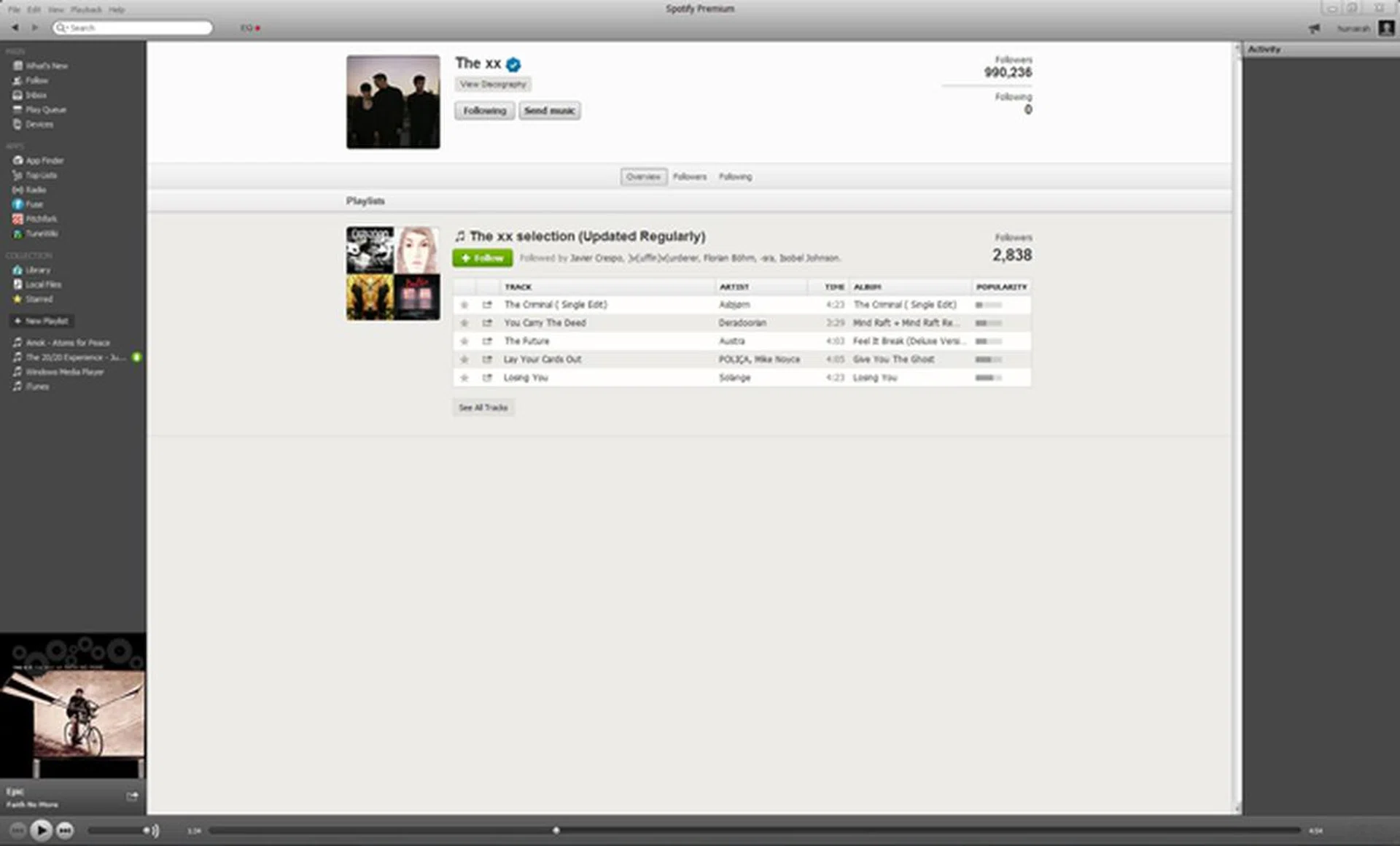
This image shows the benefits of following people on Spotify. The XX have shared a playlist of some of their favorite tracks.
Facebook Integration
When signing up for Spotify, you are given the option to create a dedicated Spotify ID or use your Facebook account to log-in. If you decided to take the former route you can still enable integration with the social media platform. Under the “File” menu on the top left hand side, you will find the option to log in to Facebook. The same results can be achieved in the “Preferences” menu which can be found in the “Edit” drop-down options. Linking your Facebook and Spotify account together allows for easy sharing of your music and it also grants access to your friends’ playlists.
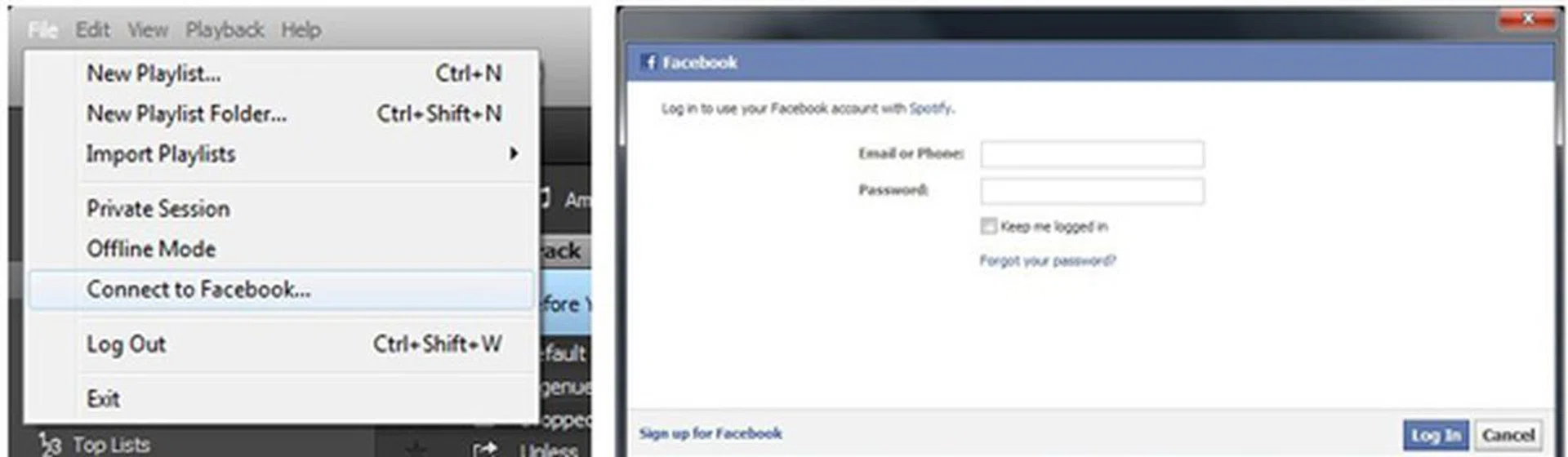
Method #1: Using the "Connect to Facebook" option from the "File" menu in the top left side of Spotify will bring up a Facebook log-in page.
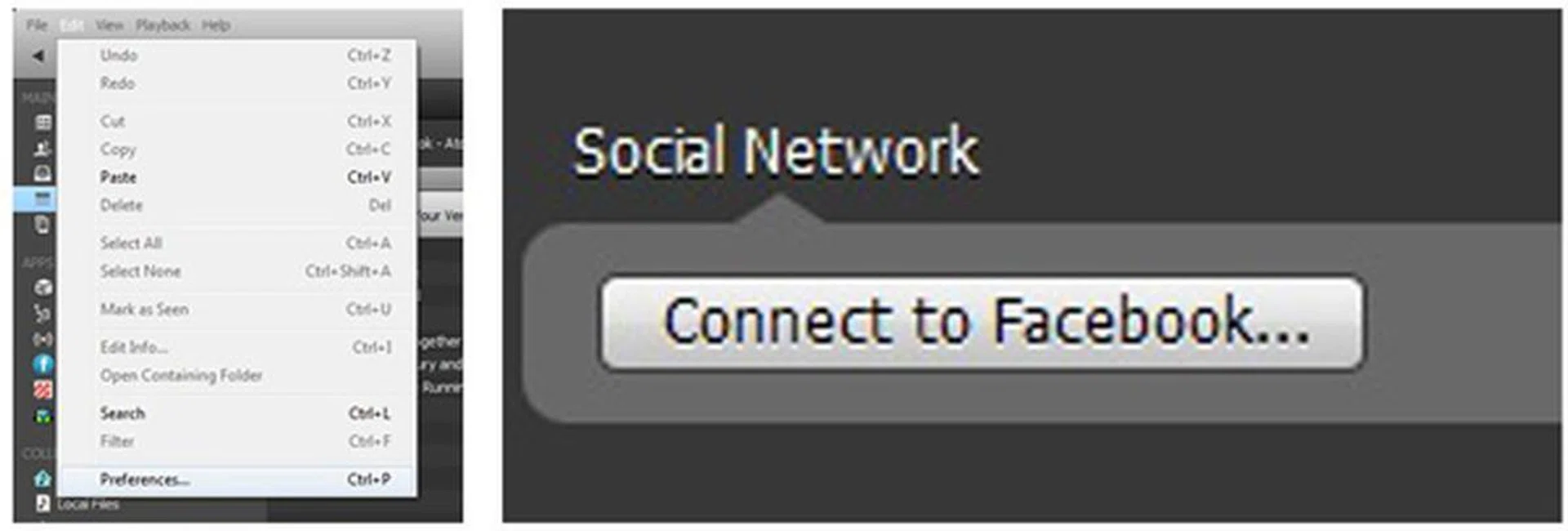
Method #2: The option to sign in to you Facebook account can also be found in the "Preferences" menu which can be initiated from the list of "Edit" drop-down options.
Controlled Sharing
Spotify by default will also push the music and playlists you listen to onto Facebook. But if you don't want to spam your friends’ Walls and Feeds with every single track you play, you can manage your activity levels from Spotify itself. Engage a “Private Session” for the times when you don't want your friends to find out you like to listen to Vanilla Ice every now and then.

To protect your privacy, a "Private Session" can be started off at any time by clicking the drop down menu under your profile on the top right side and choosing the option.
Greater control over Spotify’s Facebook integration can be exercised from the Facebook platform itself. Find the Spotify App on your list of apps and click edit. Our first suggestion is to remove the option which allows Spotify to post adverts through your profile. You can also manage who your Spotify tracks and playlists are shared with. We’ve got it set to Friends, but you can choose the setting you are comfortable with.
You can also switch sharing off entirely by going to Preferences, and unchecking the two options under the Privacy tab which share your activities.
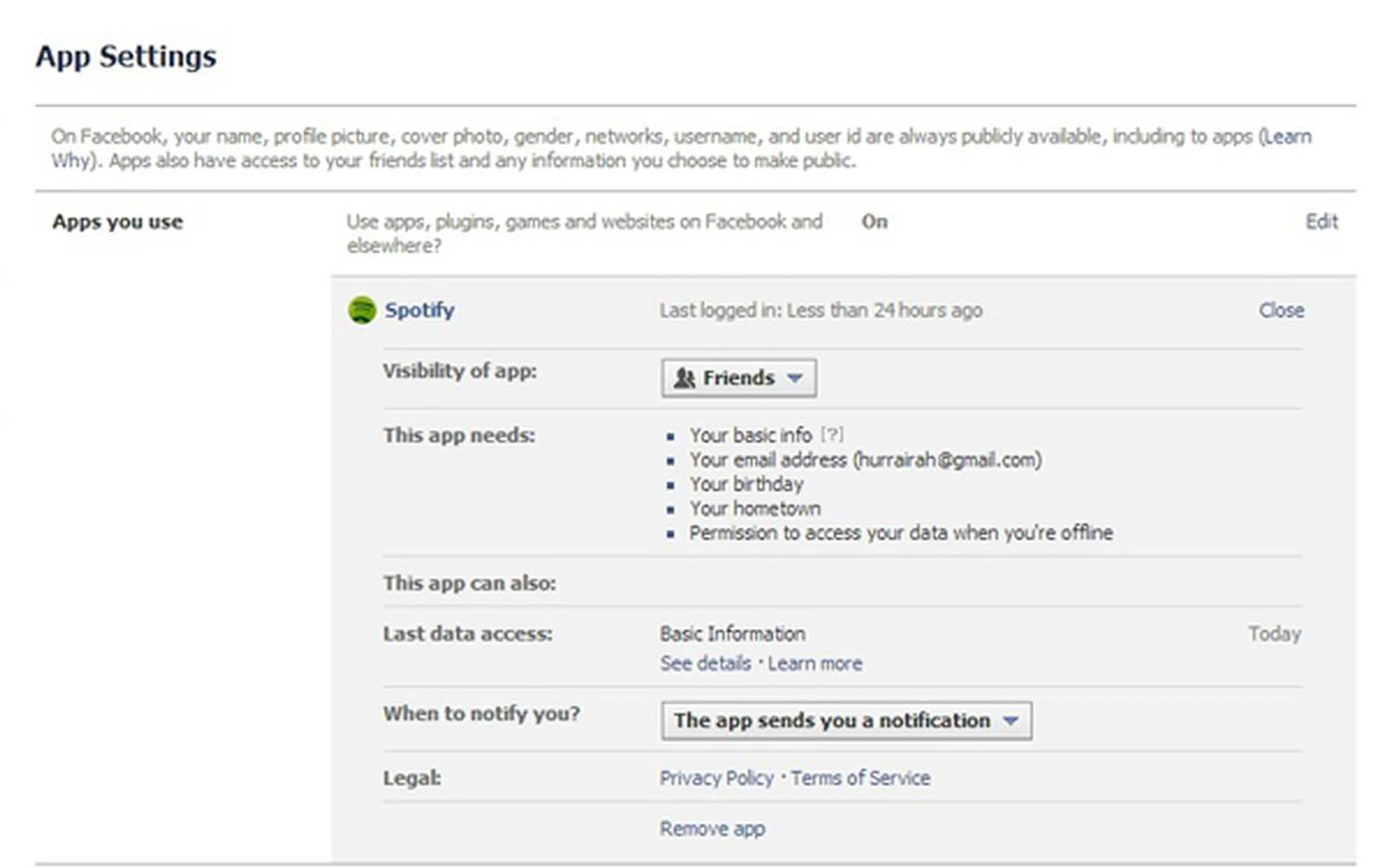
Tweak your level of sharing on Facebook.
10 Tracks to Share to Establish Your Music Credentials
Let’s face it: The whole point of sharing songs through Spotify is to establish your music taste as being superior to everyone else out there. Individual tracks can be pushed out over Facebook, Twitter and Tumblr with extreme ease via Spotify. Or you can even choose to go old school and get specific URL links to swap with your friends. Here is a handy list of 10 tracks (with smart sounding blurbs) which should set you on your way to establishing your indie, tastemaker, music aficionado credentials via social media.
If you have already downloaded Spotify you can listen to the playlist here.
Seven Sisters by The Shouting Matches Justin Vernon ditches his Bon Iver falsetto for straight up, blues jams with his pals. Hot off the press, The Shouting Matches’ album Grownass Man is sure to be a critics’ darling and favorite. | Recover by Chvrches They may not have won BBC’s Sound of 2013 award (previous years’ winners include Adele), which actually makes listening to Chvrches (yes with a 'v' instead of a 'u') that much cooler. A definite must listen to track for synth lovers. |
The Stars Are Out Tonight by David Bowie The Thin White Duke comes out of retirement to ponder heavy motifs such as old age and celebrity / stardom. But he still hasn’t lost any of his androgynous, rocker appeal. | No Destruction by Foxygen How can you pass up a band with a name like Foxygen? The band sounds like a The Rolling Stones, Bob Dylan and the Velvet Underground all rolled up into one on this track. |
Ice Age by How To Destroy Angels Trent Reznor (of NIN fame) teams up with his wife and longtime collaborator Atticus Ross, invents his own instruments and mash melody with futuristic sound to bring you his latest creations. | A Tooth For An Eye by The Knife Tribal and weird, with dark sinister undertones The Knife are finally out with their next album after a seven year break and continue from where they left off. |
Pusher Love Girl by Justin Timberlake Haters gonna hate! Justin Timberlake is pure pop goodness. Just listen to the production value and instrumentation on this track | Flaws by Bastille Foster the People might have brought post-rock into the mainstream’s attention with Pumped Up Kicks. Bastille is going to make sure that it stays there. |
Default by Atoms for Peace Thom Yorke from Radiohead forms a superband with Flea from Red Hot Chili Peppers to deliver a funcky, glitchy and almost suprisingly happy record. | Esmeralda by Ben Howard Drawing on folk inspirations, Ben Howard melds intricate melodies with smart lyrics and an exceptional, swirling finger-picked guitar style. |





Discover New Music
There's no reason to use Spotify to listen to tracks you already own; the service places an almost inexhaustible selection of music right at your fingertips. Your friends and the Follow mechanic will give you new avenues of music to explore, but Spotify on its own is actually a great platform to discover new music on your own.
1 2 3 Lists
There's a specific tab dedicated entirely to find out what music is currently topping the charts. You can find individual tracks and albums which are making the most hullabaloo on the Billboard charts. If your listening habits are restricted to a very specific genre, this particular option would be an excellent way to start expanding your horizons.
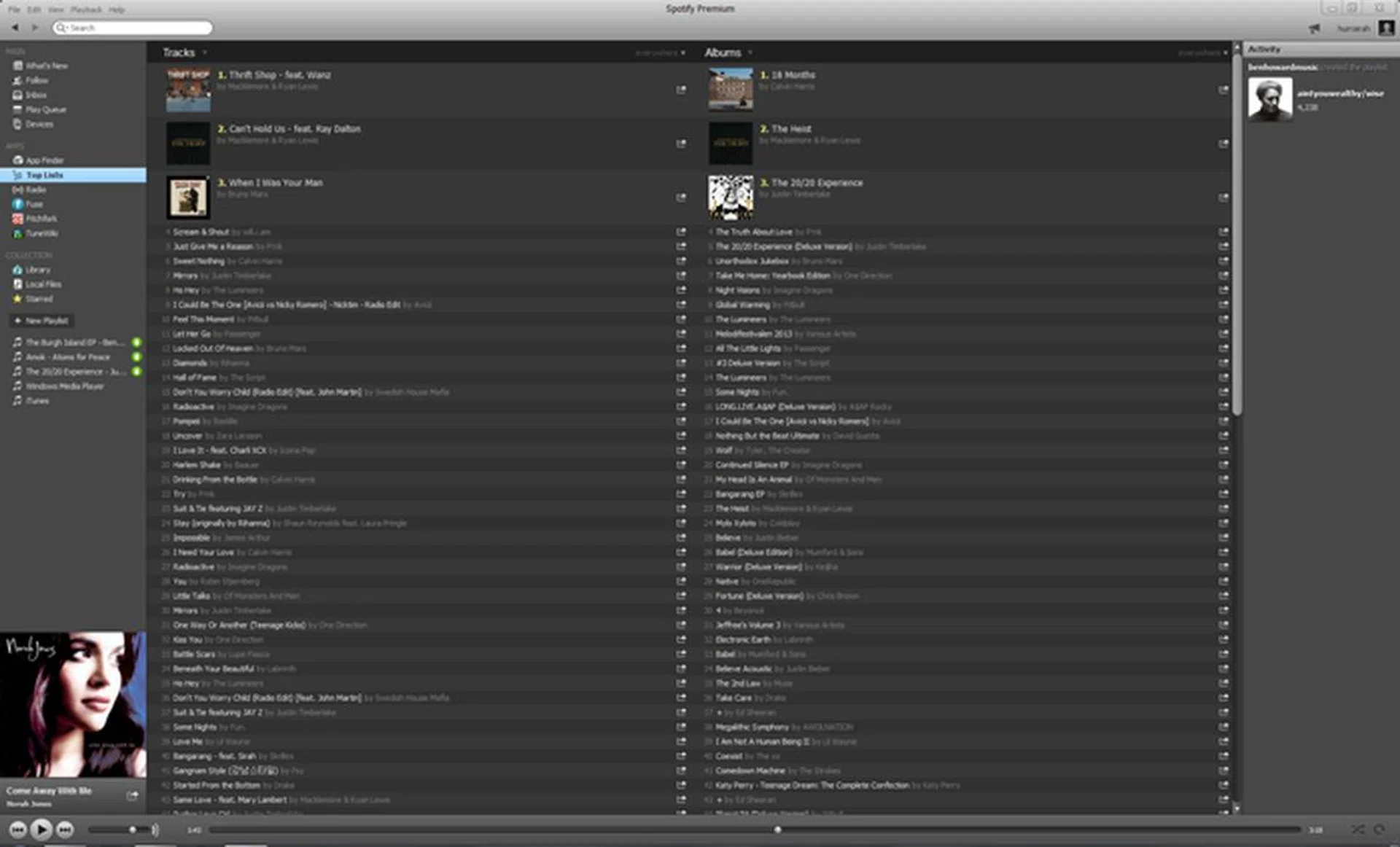
Spotify has its own lists of the top tracks and albums available.
Radio
Besides the suggestions for top tracks, Spotify is also able to curate playlists and offer suggestions you might like through the Radio feature. By default the Radio service has stations segregated by genres of music which you can launch at any time. But you can start off your own dedicated radio channel which would play tracks tailored specifically for you.
Much like an Apple Genius playlist, you need to seed your own Radio channel with a track, artist or album you like and Spotify will make use data collated from its millions of users to draw up a playlist of similar music content. You can also select a favorite track, right-click and select 'Start radio', and Spotify will spin songs for you similar to that track.
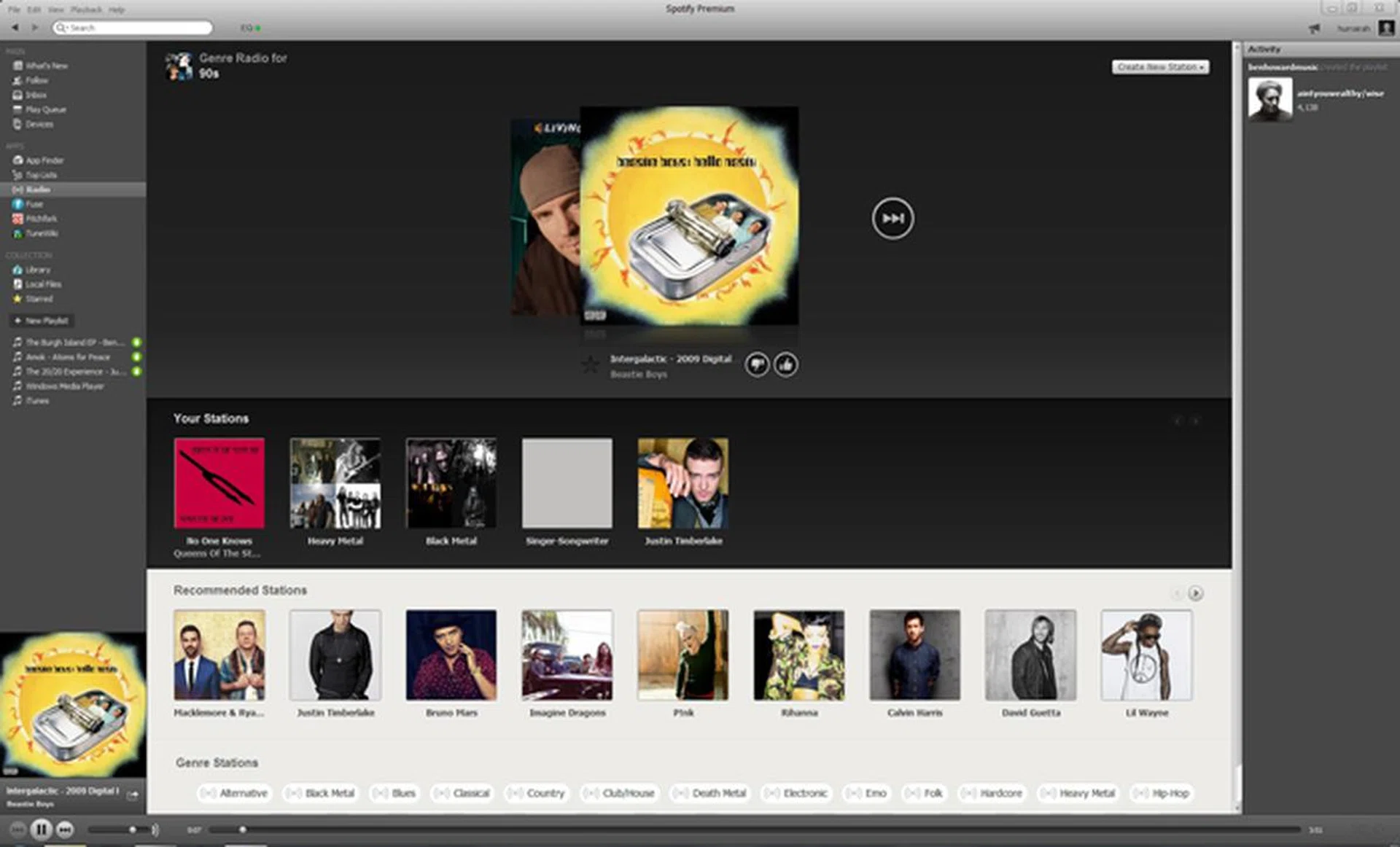
The Radio feature for Spotify comes with a wide range of default stations.
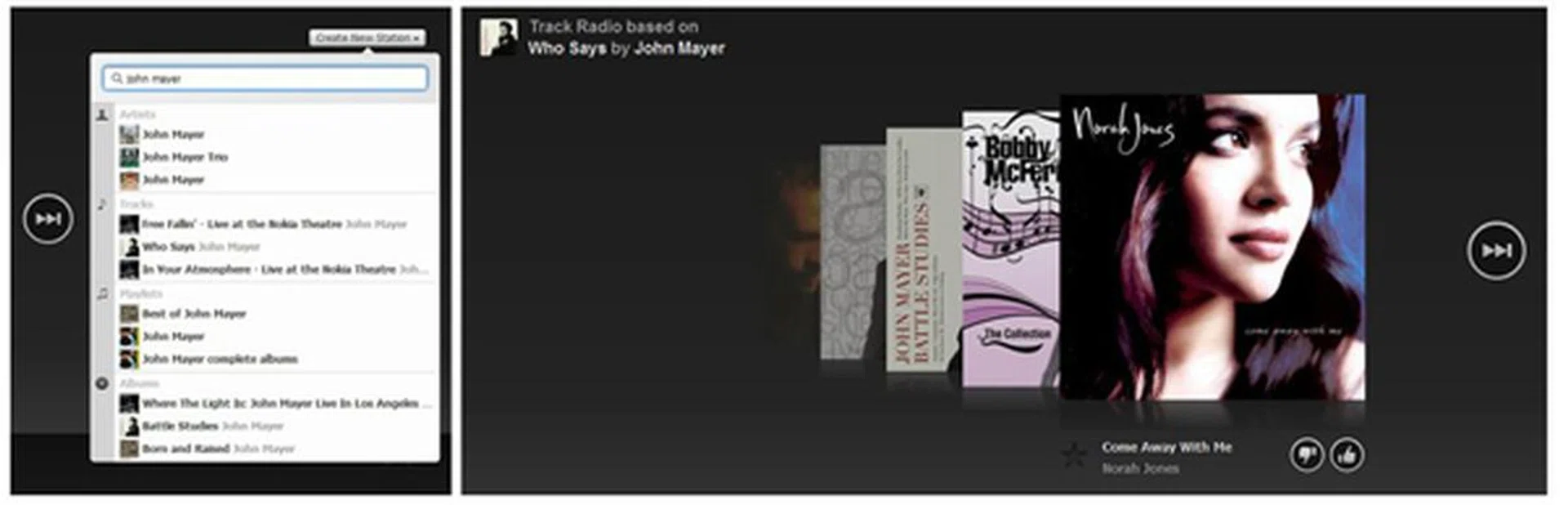
From John Mayer to Norah Jones, starting your own Radio station can have unpredictable results.
Apps within the App (and the Top 3 Apps to Start With)
Spotify might be a desktop application, but it has its own 'app store' with 'apps' to extend what you can do with it. On its own, Spotify is an extremely minimalistic and threadbare music player. But with the right downloads you can seriously increase its usability and functionality.
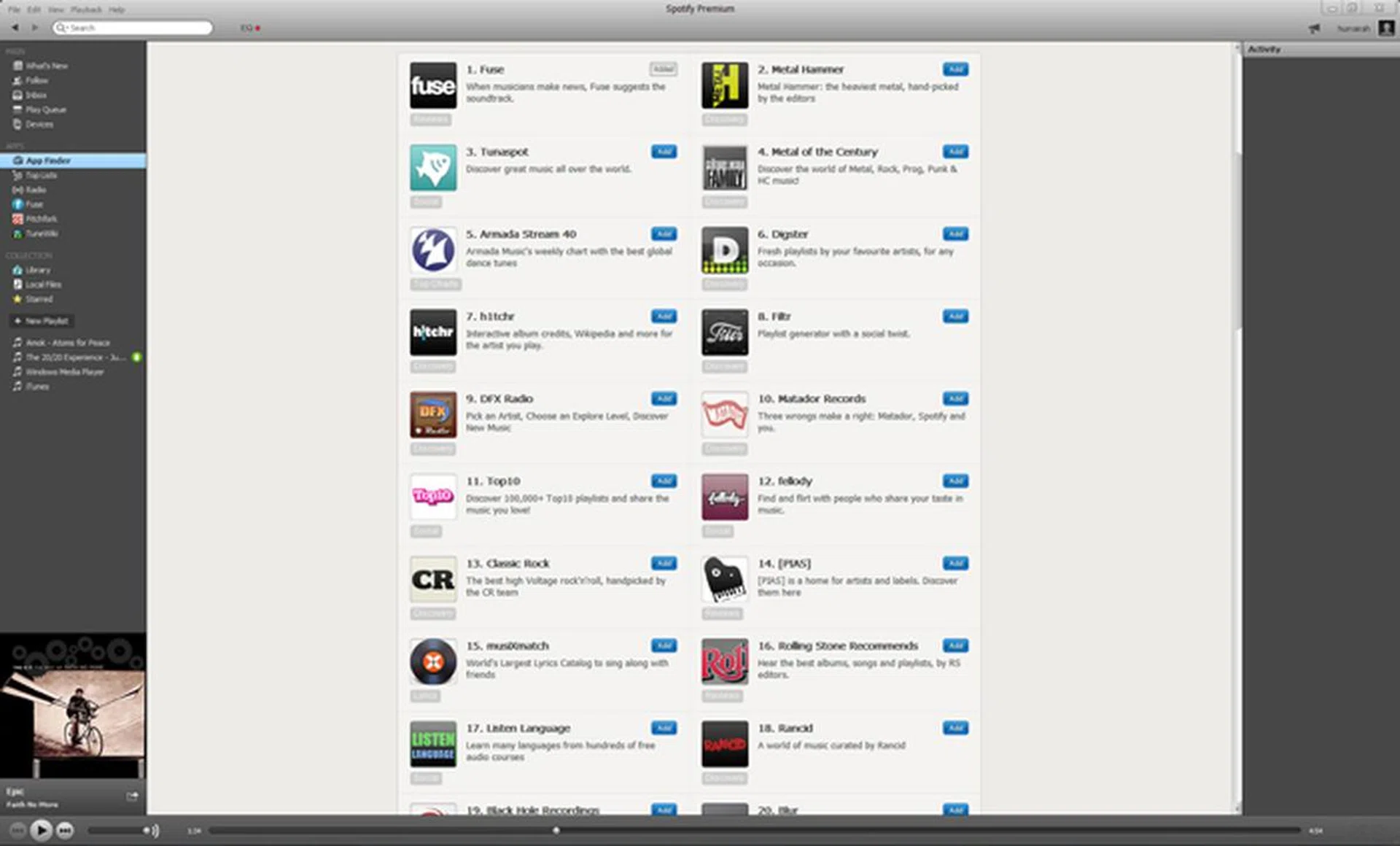
1. Fuse
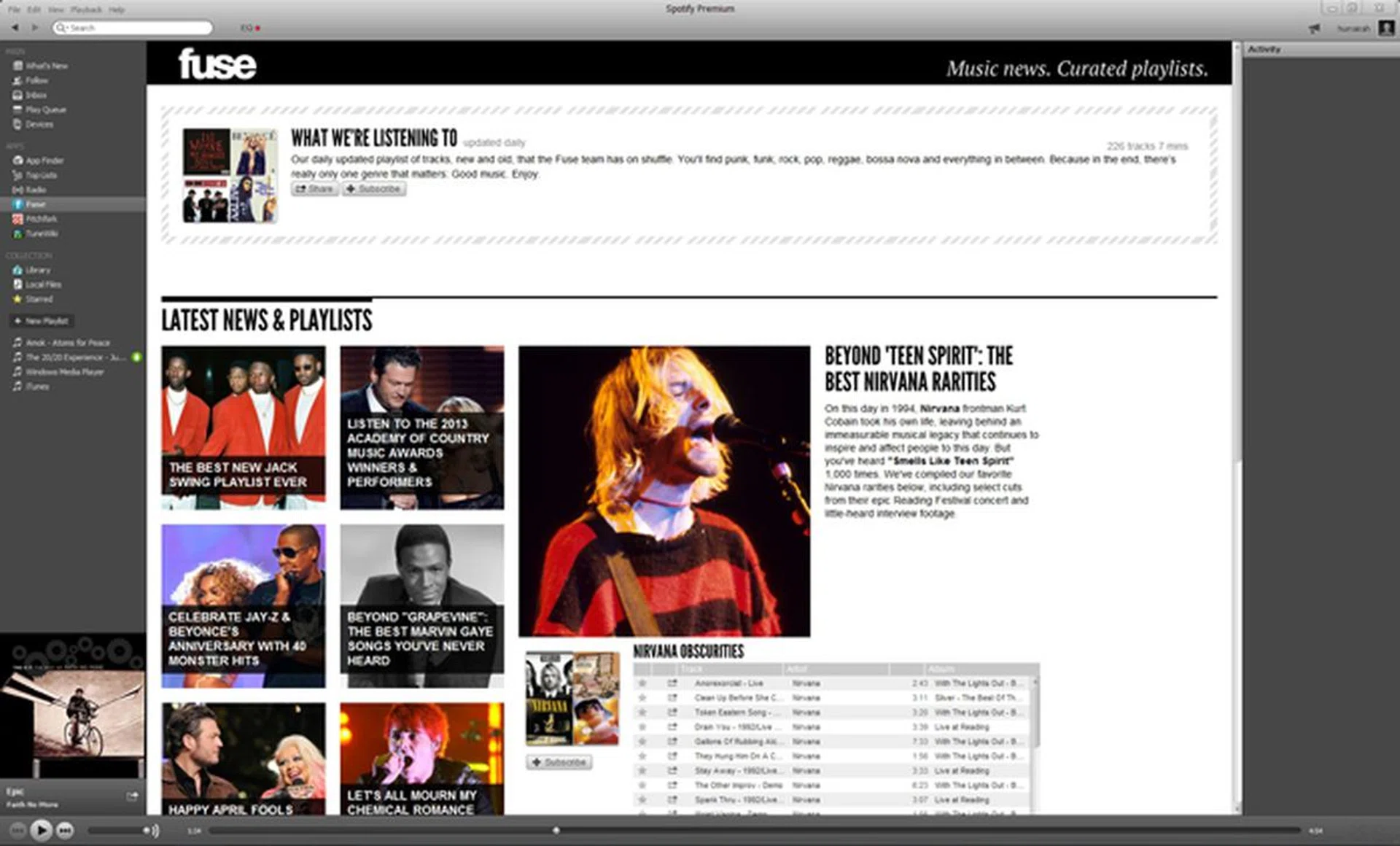
Fuse is an excellent application to have for your Spotify desktop, as it brings an amalgamation of news from all the music industry movers and shakers in easy to digest, bite sized packages. Best of all, the posts are accompanied by Spotify playlists which can be queued up with a single click.
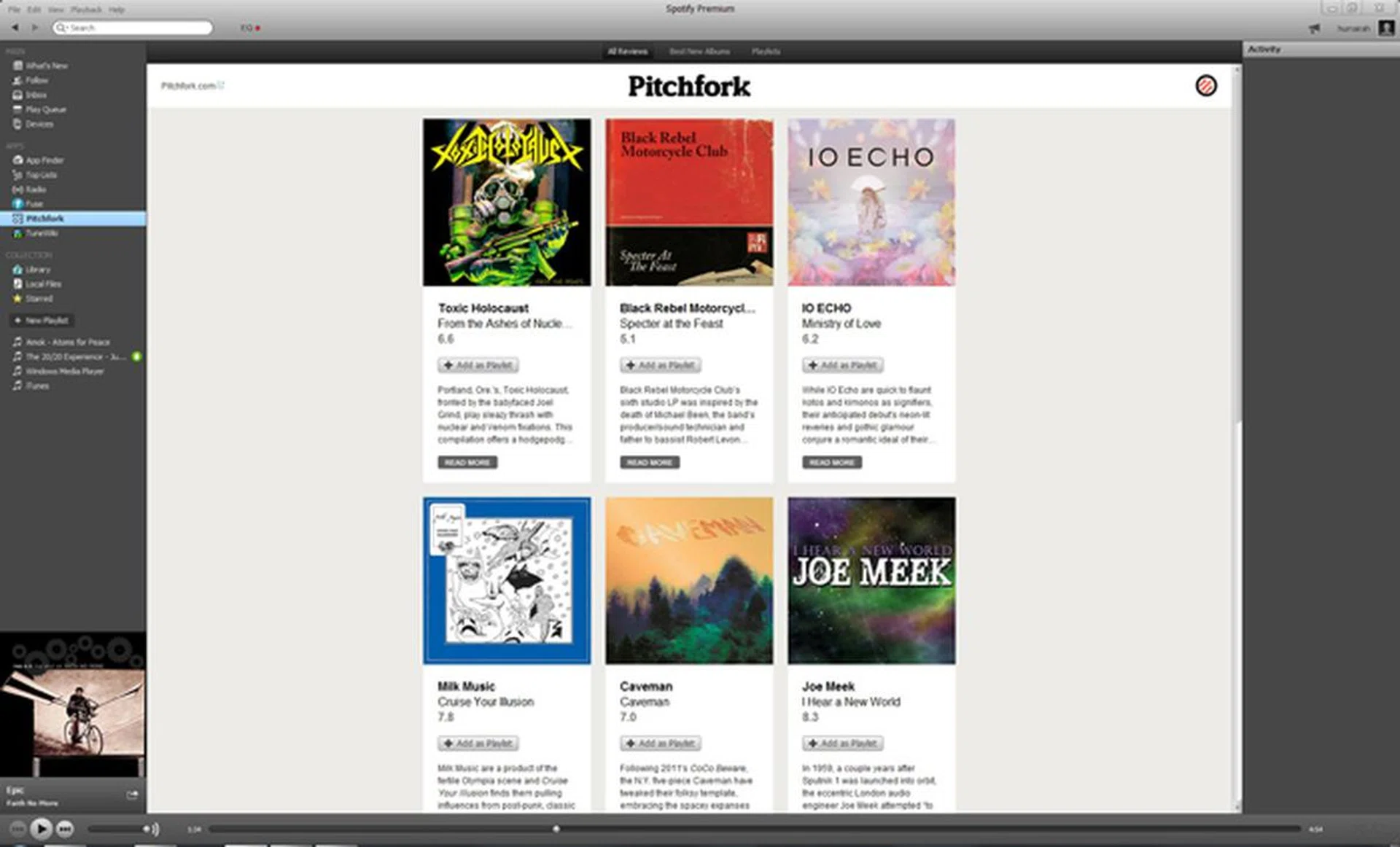
2. Pitchfork
Well known for being notoriously hard to please, Picthfork is an excellent website to find out which album is worth giving a listen. Their Spotify app provides a detailed review for a variety of albums as well as the option to add them as a playlist.
3. TuneWiki
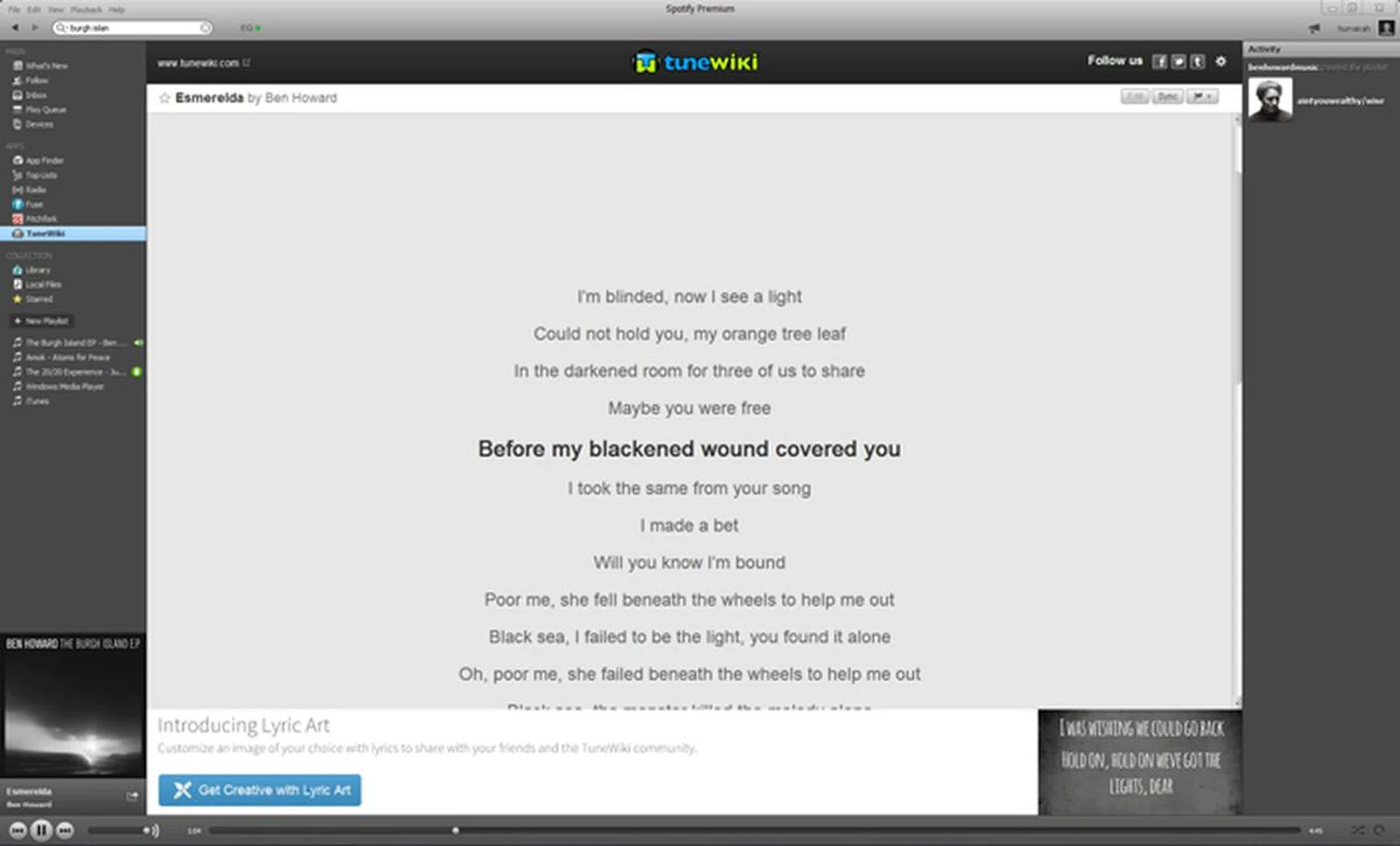
TuneWiki is an addon which will automatically bring up the lyrics from the tunes you are playing in Spotify. Perfect for times when you want to sing along to your favorite tune, it also allows you to customize the display of text and the background according to your liking.
A Case for Premium
A Spotify Premium account costs S$9.90, beside the fact that it gives access to the mobile app, there are a few other features which may tempt you to pay the cash.
Available Offline
One of the major draws of the Premium subscription account for Spotify is the availability of tracks for offline play. You no longer need an internet connection to play the tracks you love. Any and all playlists you may have on Spotify can be made available for playback with the simple toggling of a button on both the desktop and mobile application. The download process is relatively quick and convenient. Do note however that the offline music can only be played through Spotify and not other music players.
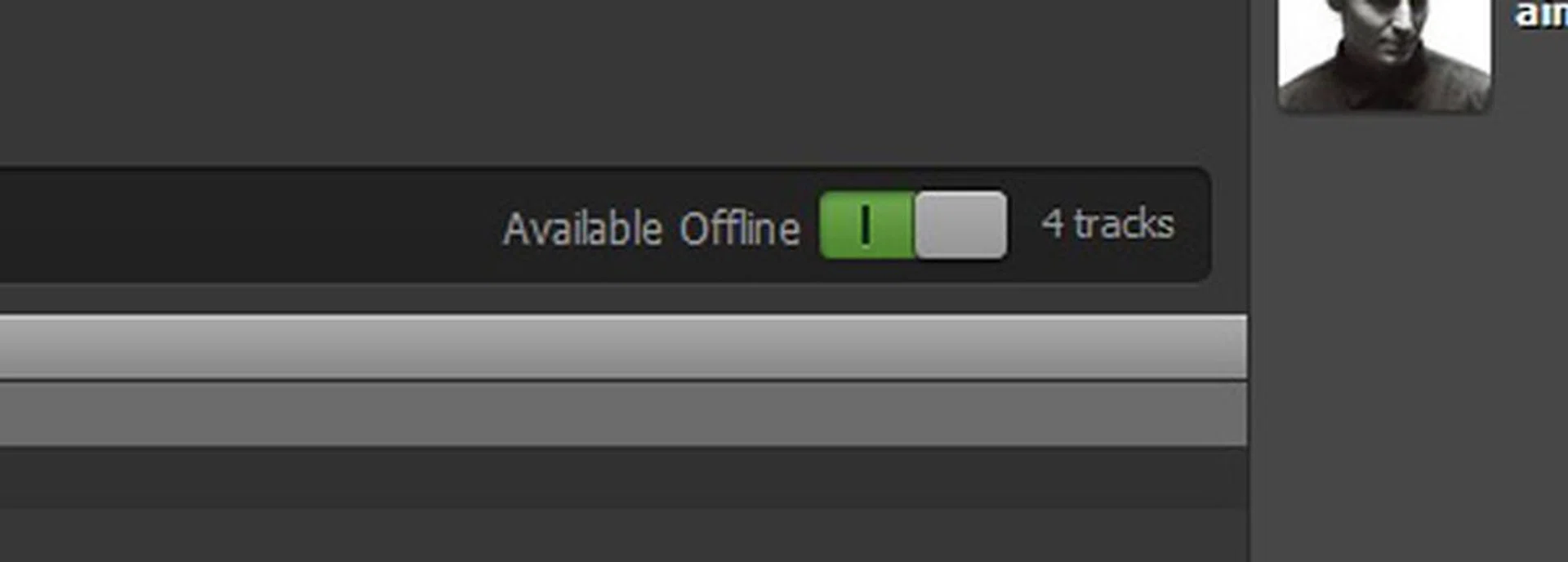
Every playlist has an "Available Offline" toggle switch which can be used to make your tracks available for playback without an internet connection.

A blue circular arrow icon (left) indicates tracks being downloaded. Playlists which are already available offline are denoted with an green circular icon featuring a downward facing arrow.
Higher Quality Sreams
Besides the availability of the tracks offline, springing for the Premium Spotify account also lets you select higher quality bitrates for streaming. Bitrate is essentially the amount of information being transferred in a second. Higher bitrates mean greater transfer of information which consequently means more dynamic sound for your audio. Spotify desktop’s standard streaming quality is 160 kbps. However with Spotify Premium you can enjoy a higher bitrate of 320 kbps on the desktop (called “High bitrate) and mobile (called “Extreme quality”). All tracks are streamed in the Ogg Vorbis format.
If you're worried about Spotify's impact on your mobile data, we've found the app to use surprisingly little data. Set on 'Normal' music quality, streaming for about 20 minutes cost approximately 3.2MB, while 6 songs used about 2.5MB (your mileage may vary).

Paying for Premium gives you access to the mobile app and lets you stream higher quality music.
Our articles may contain affiliate links. If you buy through these links, we may earn a small commission.