

Students today are extremely busy. Not only do they have to balance class schedules, but they also need to juggle assignments, exams, CCAs, and other non-academic-related social activities all at the same time.
Keeping track of everything can be hard, and the unprepared can quickly become overwhelmed. That’s why keeping a clear and organized schedule is so important. And this is where to-do and scheduling apps come in. They help you stay on top of deadlines, visualize your schedule, and manage your workload more effectively.
Today, to-do apps and scheduling apps are more than just apps for users to create lists. Many apps offer additional features like reminders, grade tracking, exam countdowns, and much more.
Whether you prefer a minimalistic task manager, a detailed academic planner, or even a collaborative app for group projects, there’s an app designed just for you.
Below are seven apps worth checking out as you head back to school, each offering a different approach to staying organized and productive.
Google Calendar
Google Calendar
While Google Calendar is not a dedicated student planner, it is an essential aid, especially if your module uses Google Classroom.
Assignments and due dates from Google Classroom can automatically populate your Calendar, create events directly in your calendar from Gmail, and share calendars to coordinate group projects.
All these features mean less manual entry and more organization with minimal effort.
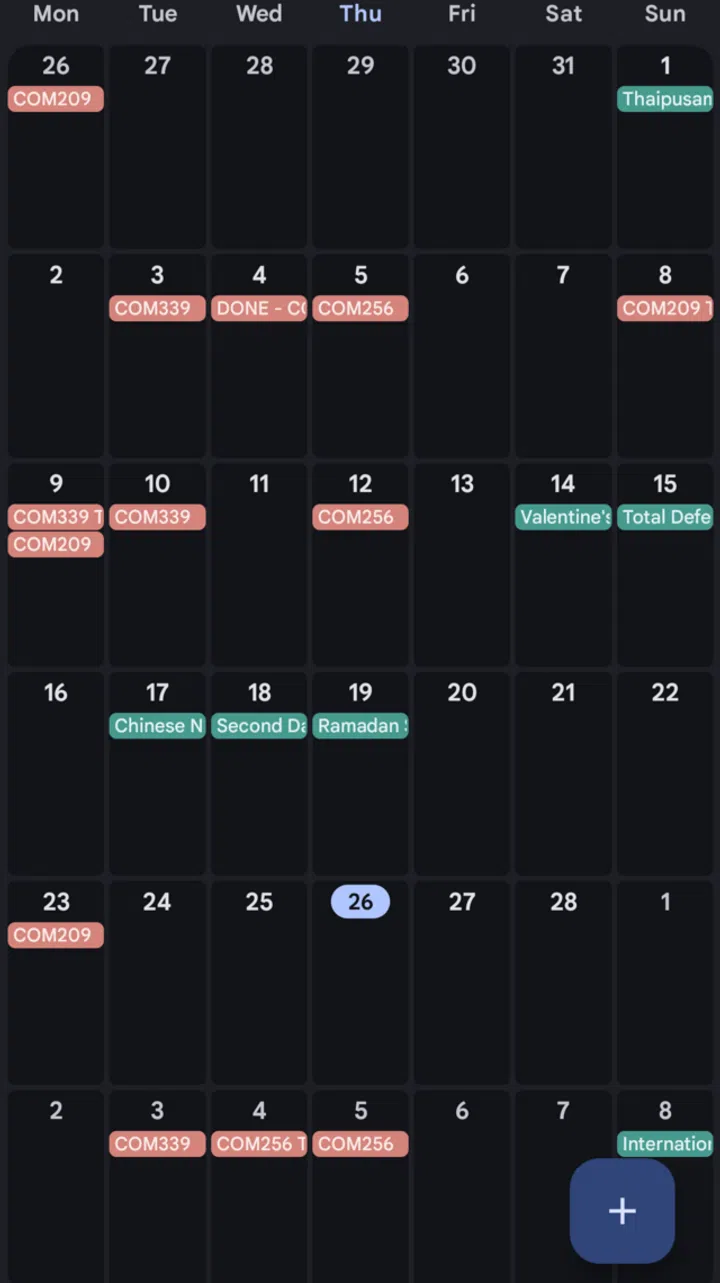
Google Calendar can be automatically populated and you can create events directly in your calendar from your Gmail account.
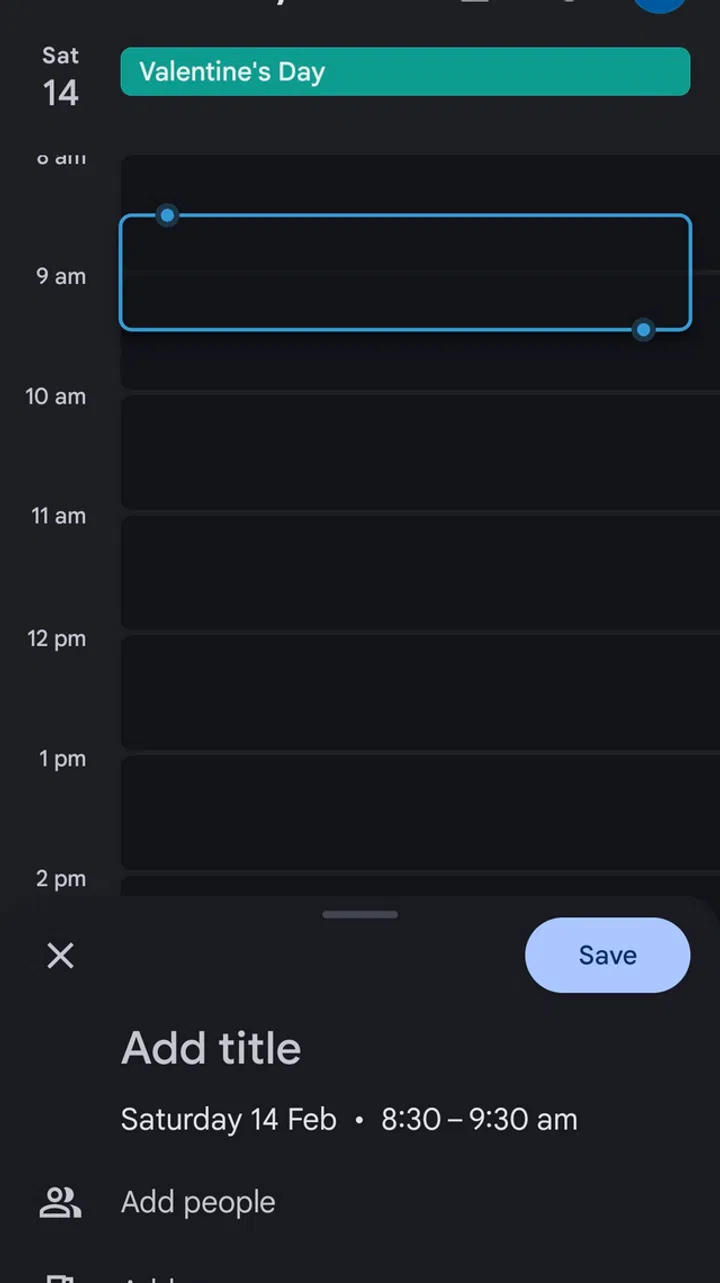
You can set recurring goals or even break down your day according to the time
What’s more, Google Calendar comes with additional features such as the ability to set recurring study time goals, suggest meeting times for study groups, and give you insight into how much time you’ve spent weekly.
The best part? It’s free as long as you have a Google account.
Price: Free
Link: https://calendar.google.com/calendar/u/0/r (Can also be found on the Google Play Store and Apple App Store)
Todoist
Todoist
If you’re looking for a clean and fast way to capture tasks, Todoist is a great choice because it can read and record natural language inputs.
For example, typing something like “Finish assignment Tuesday at 8pm” instantly creates a task that is due on Tuesday at 8pm. Making it good for writing down assignments due dates mid-class, without having to enter and look through a date picker.
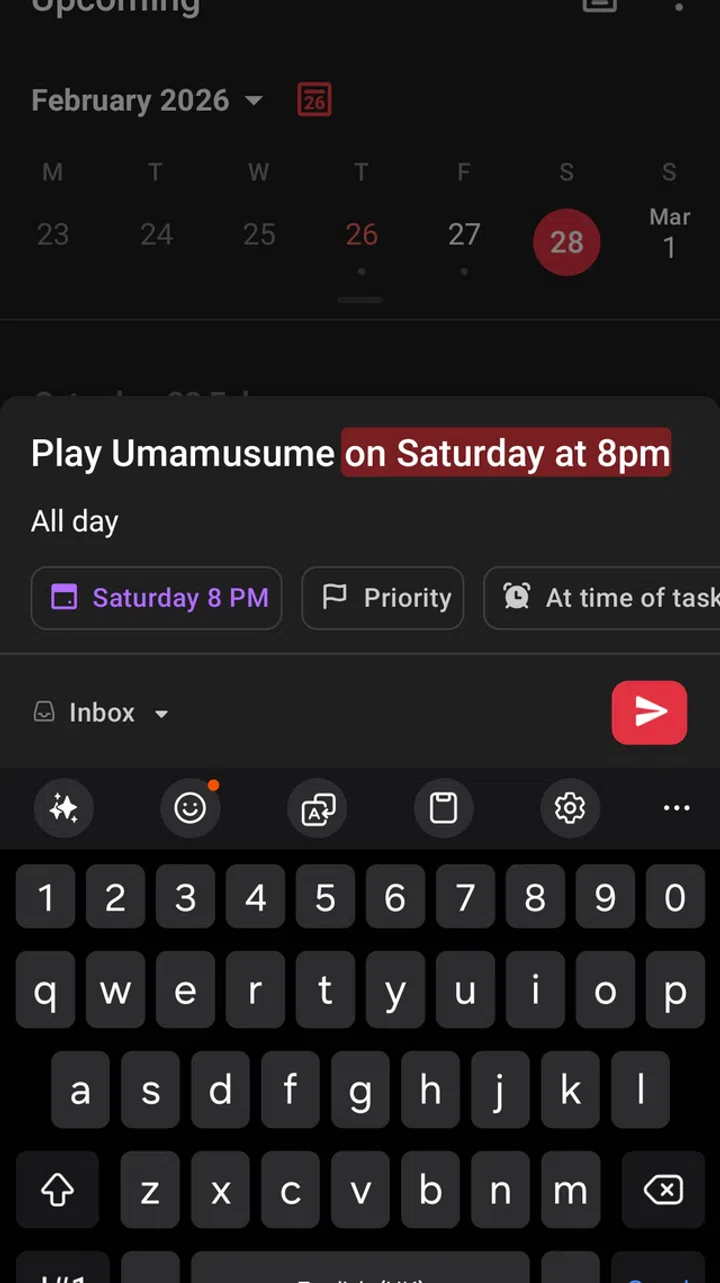
Just typing something out with the date and time will instantly create a task without having to manually enter the date picker
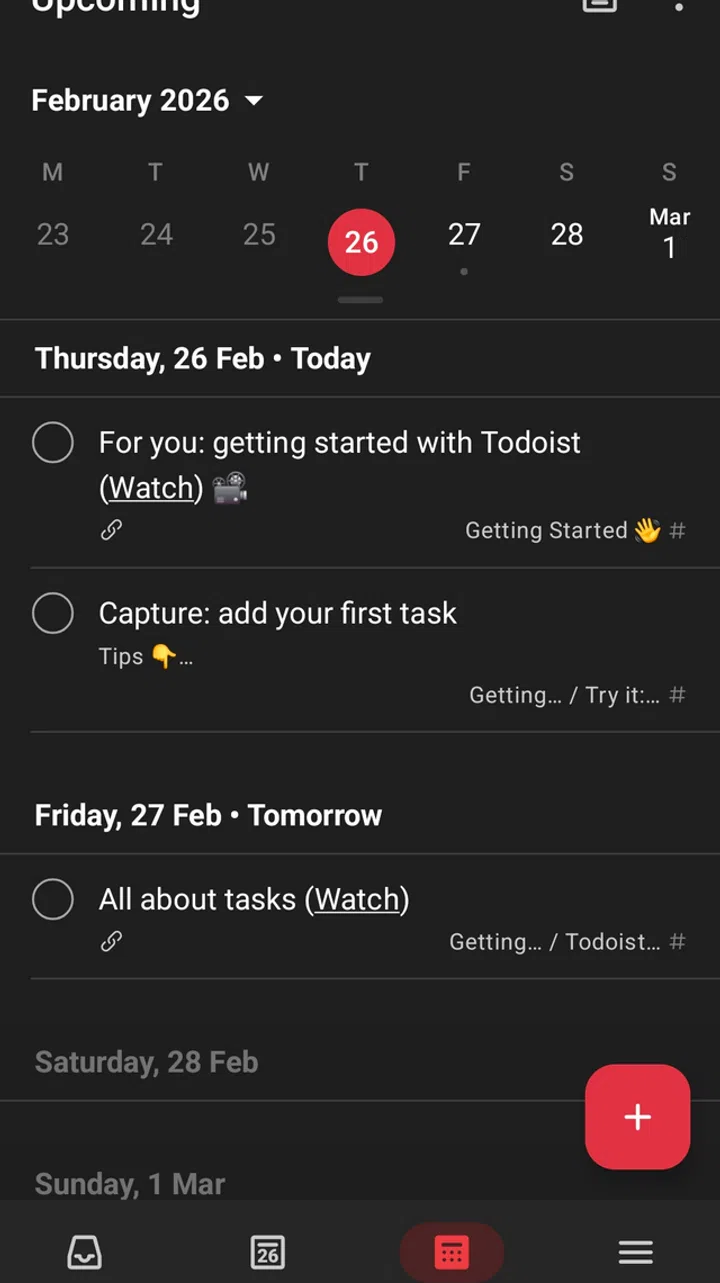
Task can be integrated alongside Google Calendar
Todoist works offline and can integrate with Google Calendar, making it a great addition to your organisational needs.
While Todoist is free and users will have access to all the mentioned features, access to its premium features – such as reminders, labels, and advanced filtering – requires a monthly subscription of US$5 (~S$6.35).
Price: Free (US$5/month for premium access)
Link: https://www.todoist.com/ (Can also be found on the Google Play Store and Apple App Store)
PowerPlanner
PowerPlanner
More than just a regular planner, PowerPlanner includes tools to help you understand how assignments and exams affect your grades. It has a built-in GPA calculator which can calculate “what if” scenarios to help you chart your path to the GPA you want. This is especially handy if you’re aiming to better your grades, and can be a powerful motivator come exam test.
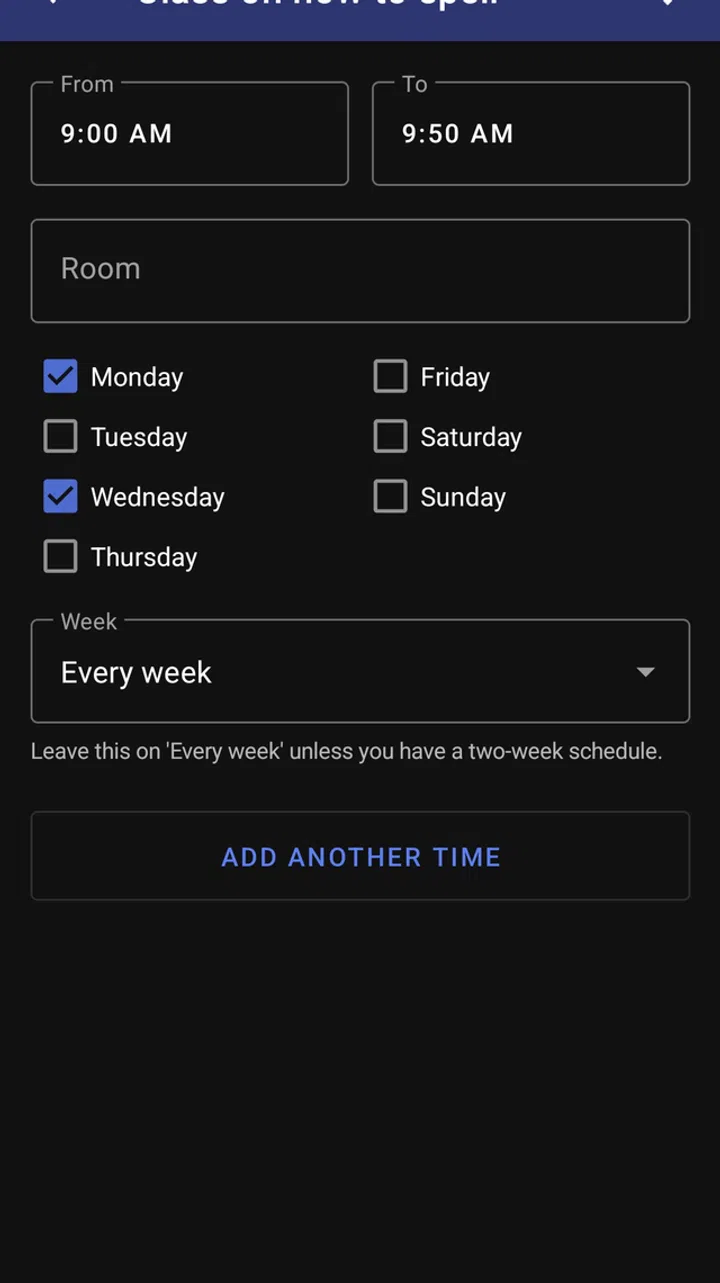
The app also lets you set recurring class timeslots
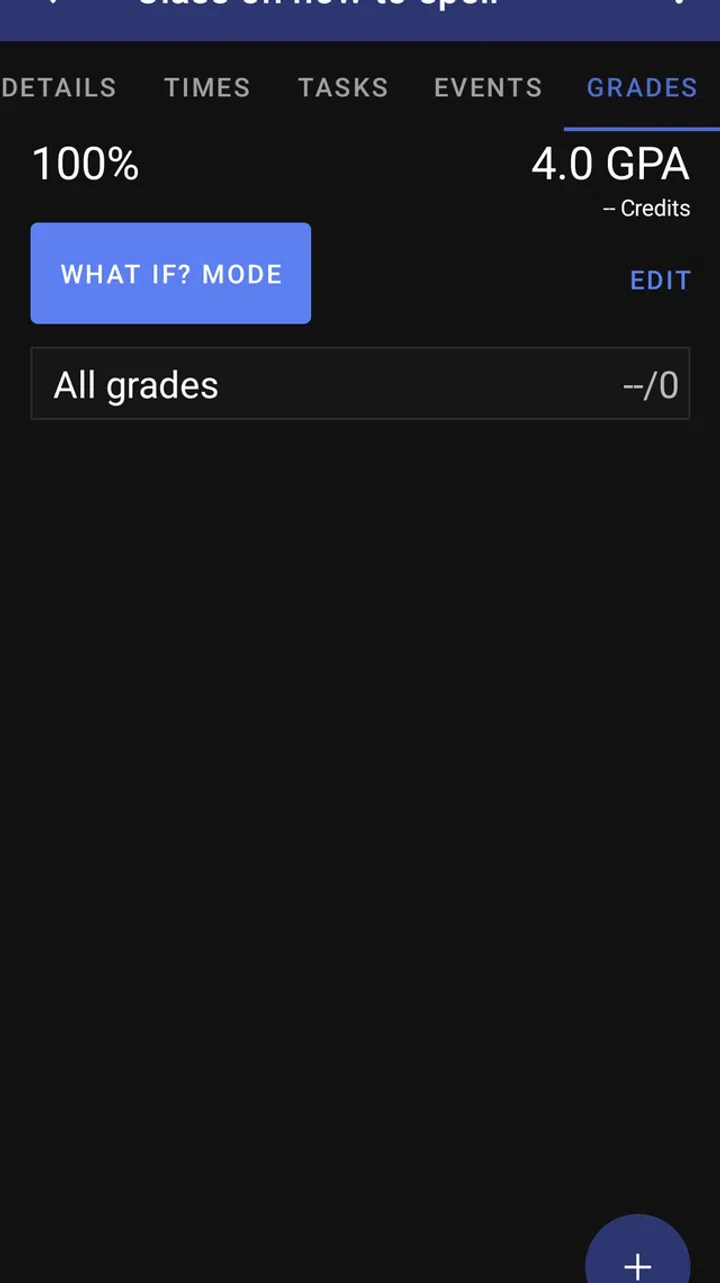
You can use PowerPlanner to calculate your GPA.
To help students stay informed and organised, PowerPlanner includes grade history charts that visualise progress throughout the semester and supports multiple grading systems, including percentages, letter grades, and GPA. Alongside its Agenda View and built-in reminder system, it will help you never miss a deadline.
Pricing is simple and affordable. It is free to use for one semester, with a one-time US$1.99 (~S$2.53) purchase that unlocks unlimited semesters and the ability to add more than five grades.
Price: Free (US$1.99 one-time purchase for unlimited use)
Link: https://app.powerplanner.net/ (Can also be found on the Google Play Store and Apple App Store)
ClickUp
ClickUp
While ClickUp isn’t explicitly designed for students, it is a powerful, all-in-one productivity platform that does more than simple task tracking. It combines assignments, projects, notes, and collaboration tools into a singular workspace, making it ideal for managing coursework, group projects, internships, and personal goals without switching between multiple apps.
One of its standout features is its fully customizable task system, where users can create lists, boards, or timelines to match their workflow. With multiple views such as List, Board (Kanban), Calendar, and Gantt, students can visualize deadlines in a way that makes the most sense to them.
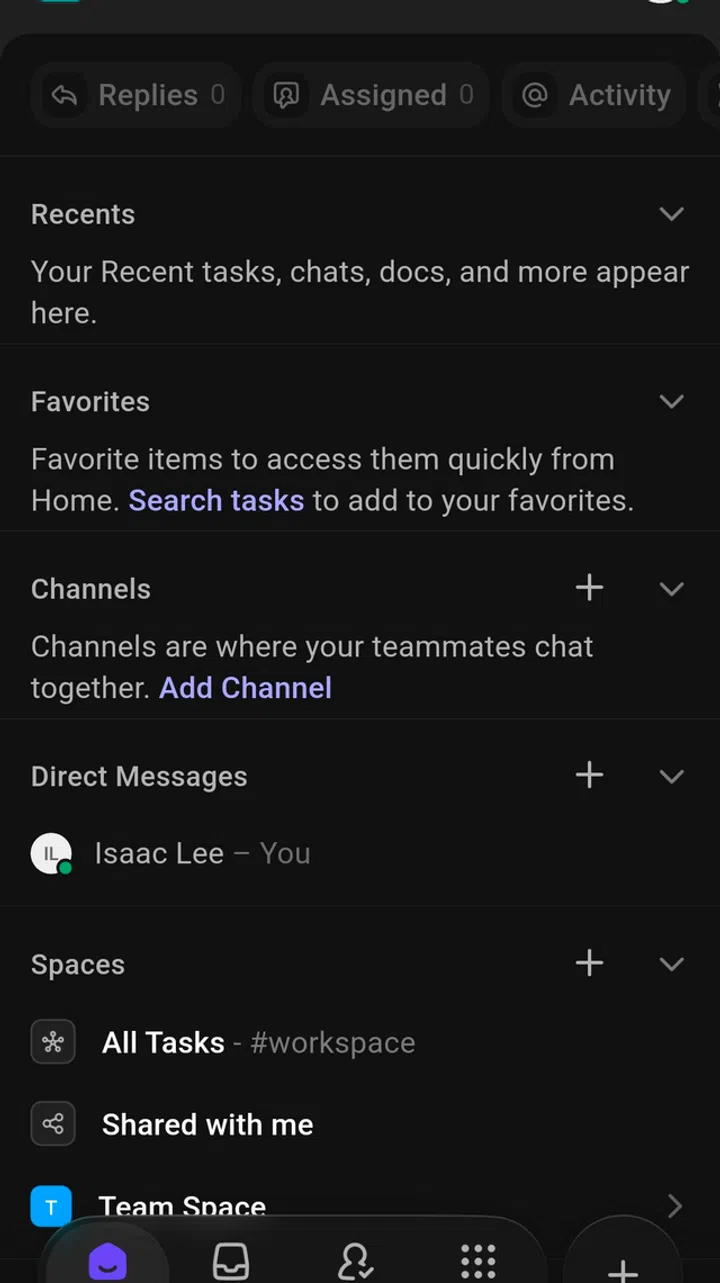
The app combines assignments, projects, notes, and collaboration tools into a singular workspace.
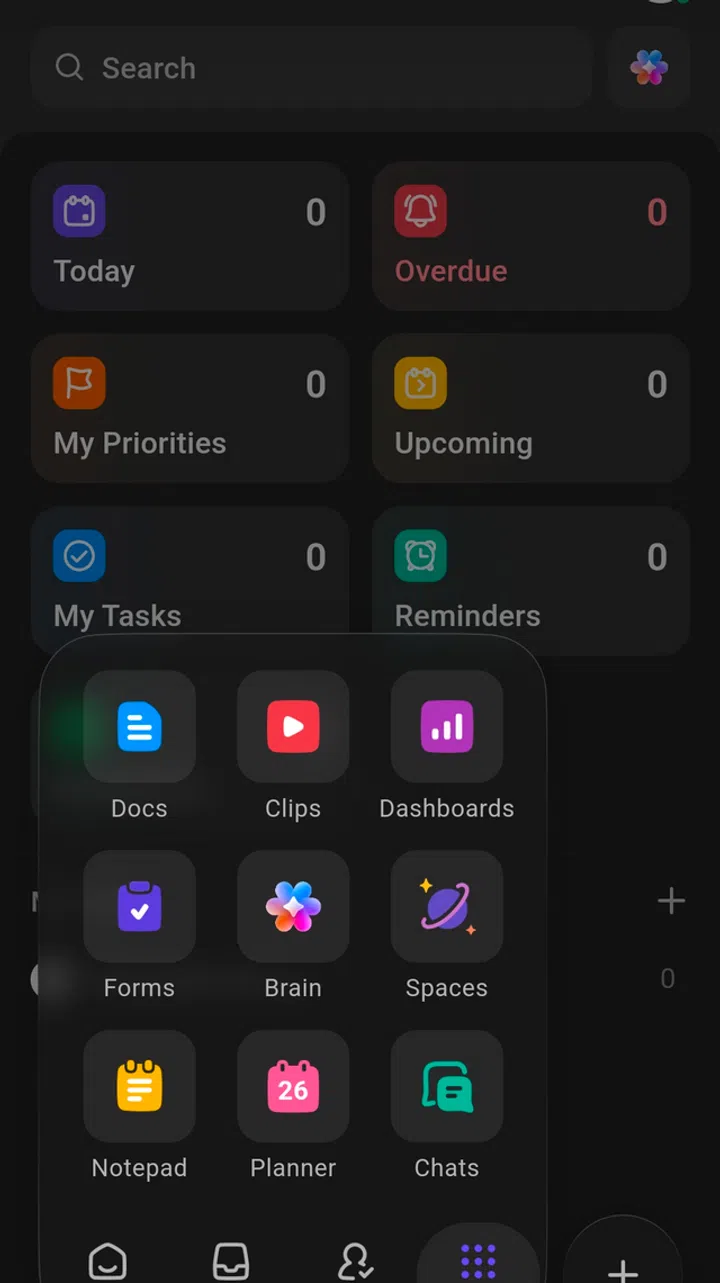
Users can create lists, boards, or timelines to match their workflow as well as more detailed organization through task hierarchies allowing students to separate subjects, semesters, or extracurricular activities neatly
The app supports detailed organization through task hierarchies (Spaces, Folders, Lists, and Tasks), allowing students to separate subjects, semesters, or extracurricular activities neatly. Built-in time tracking, reminders, recurring tasks, and goal-setting tools help maintain accountability and long-term planning.
You can use it for free, but advanced features, such as additional storage, additional automation, and enhanced reporting, will require a monthly subscription that costs US$7 (~S$8.87) a month.
Price: Free (US$7/month onwards for paid plans)
Link: https://clickup.com/ (Can also be found on the Google Play Store and Apple App Store)
MyStudyLife

MyStudyLife
MyStudyLife is a student-focused planner built to help handle modern academic schedules, especially for polytechnics and universities. It is great at rotating and blocking schedules, making it ideal for schools with alternating day timetables or complex class rotations.
It offers separate task types for homework, exams, and revision, allowing students to plan for different kinds of academic work. Class reminders notify students before each class begins, reducing the chance of missed or late arrivals.
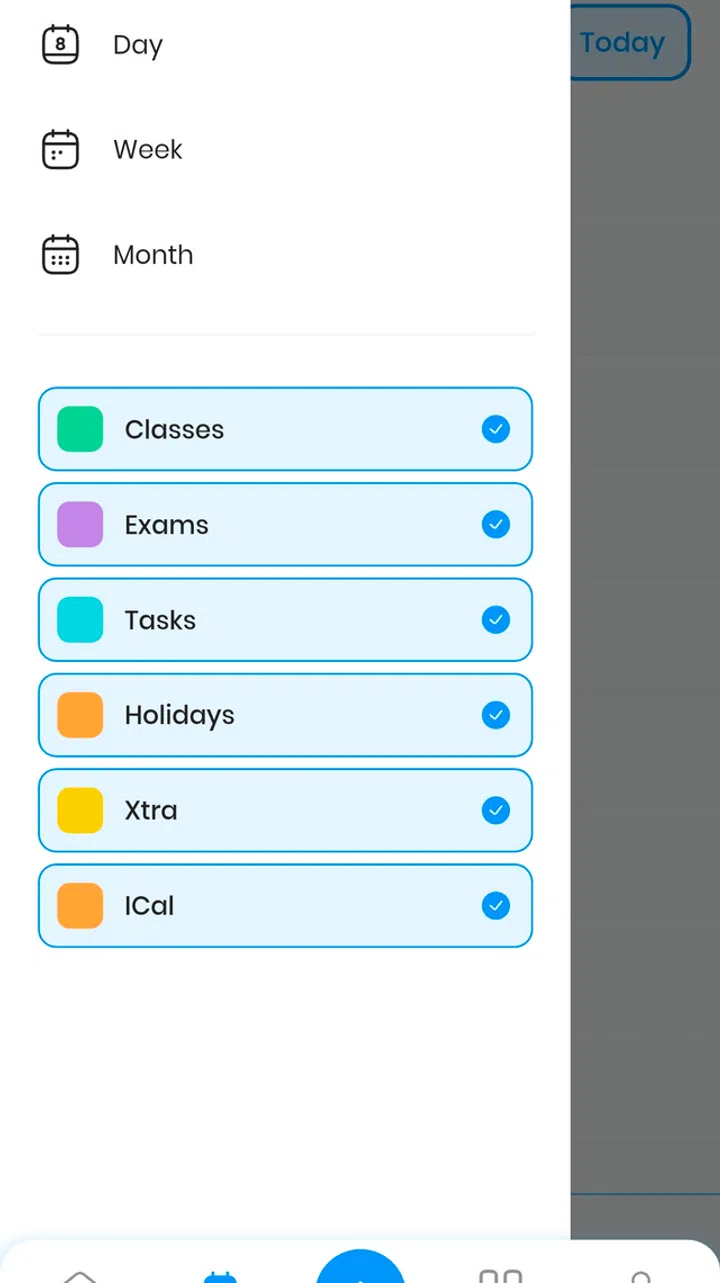
The app is great at rotating and blocking schedules, making it ideal for schools with alternating day timetables .
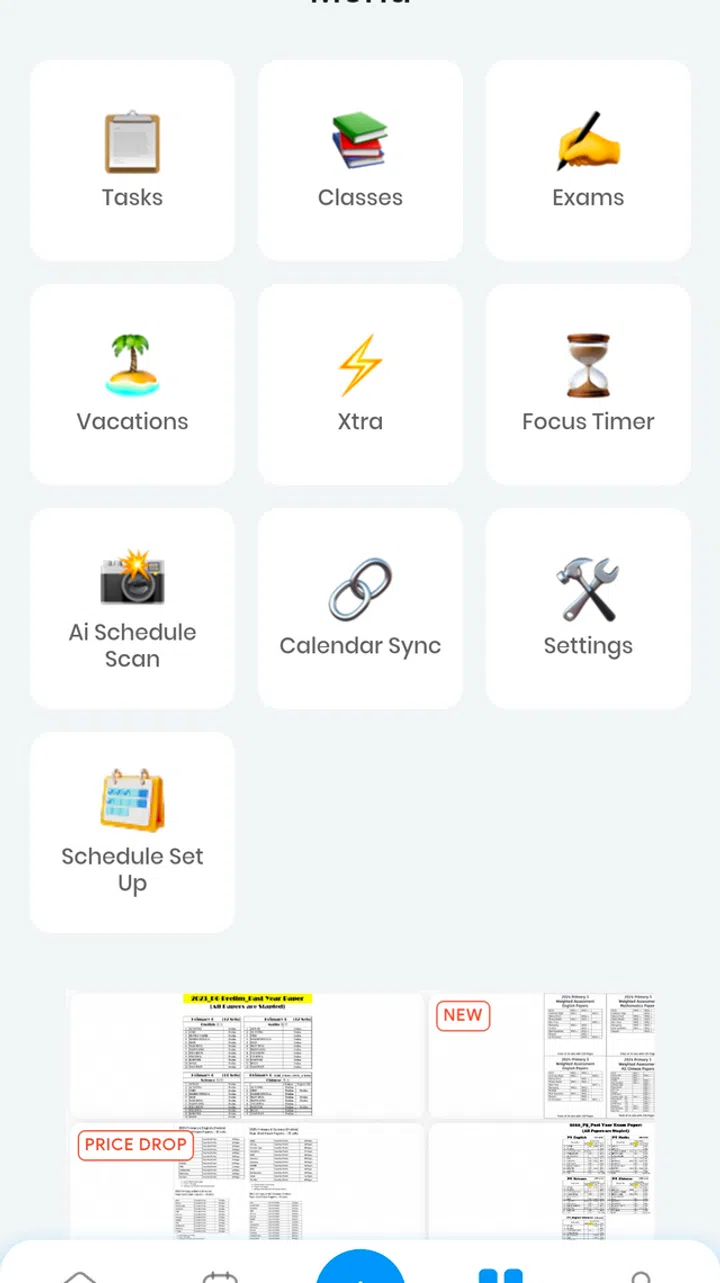
The app offers separate task types for homework, exams, and revision, allowing students to plan for different kinds of academic work.
One nice thing about MyStudyLife is its offline functionality. It remains fully functional even without an internet connection, ensuring students can always access their schedules and tasks while offline.
You can use it for free, but advanced features, such as AI Schedule Scan and subtasking (breaking tasks down into smaller actionable steps), will require the Premium version that costs US$4.99 (~S$6.62) per month.
Price: Free (US$4.99/month for premium)
Link: https://mystudylife.com/ (Can also be found on the Google Play Store and Apple App Store)
Upbase
Upbase
Upbase is a collaborative productivity and scheduling app that is great for students because it’s built around group projects and teamwork rather than just a personal to-do list.
With Upbase, students can create separate project hubs for each group task, complete with shared chats, files, tasks and deadlines that everyone can use and update in real-time. Making coordinating group work easier and keeping communication transparent rather than relying on separate apps or scattered group chats.
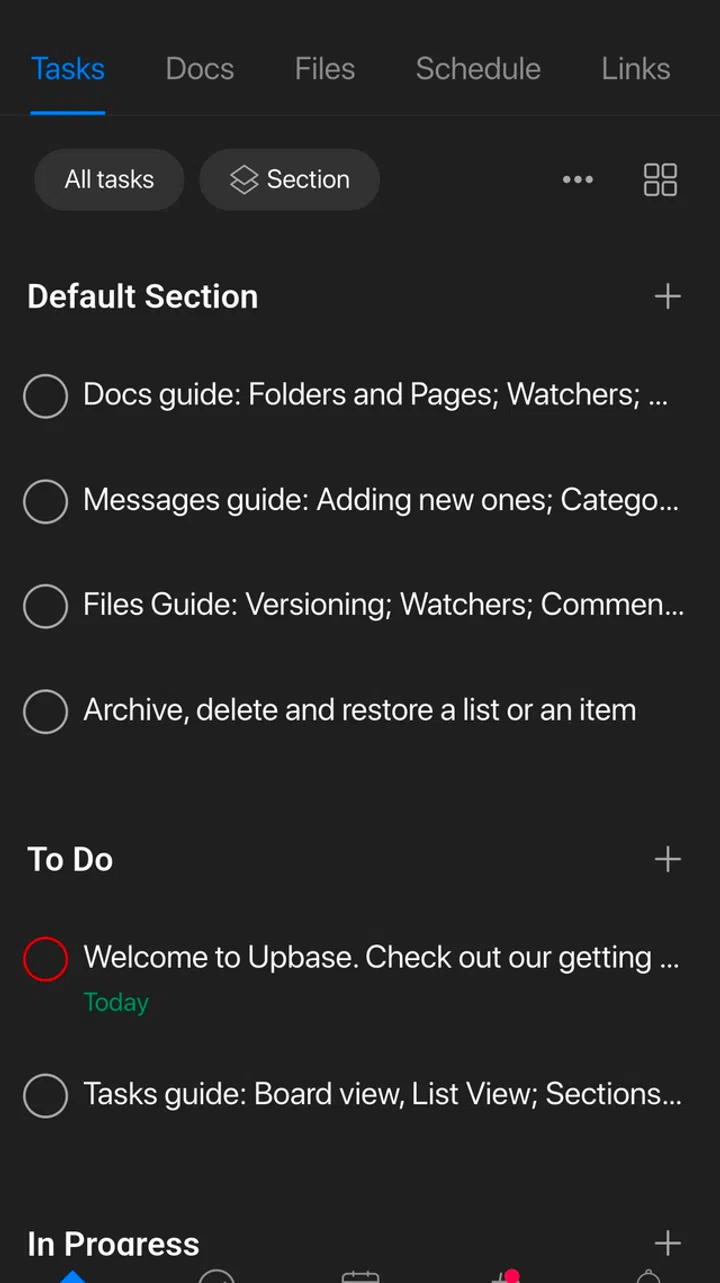
Upbase ican create separate project hubs for each group task, files, tasks and deadlines that can be shared and updated with group members.
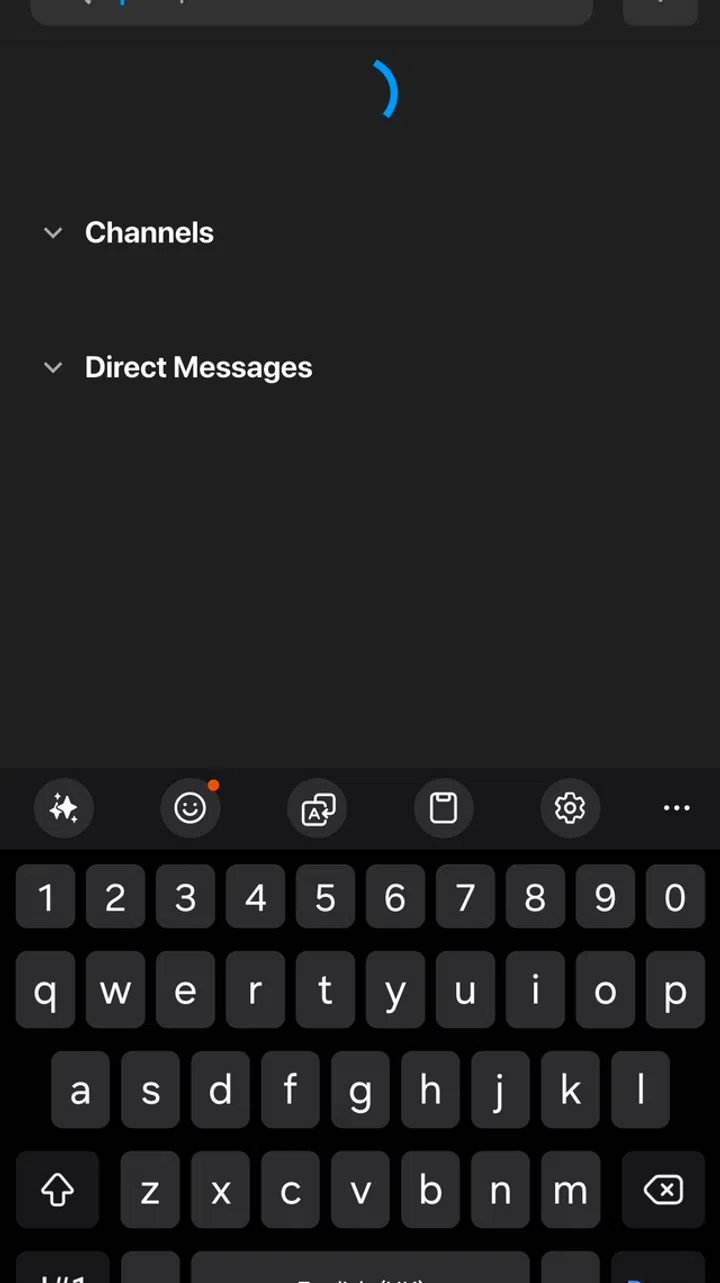
The app allows you to directly message group members allow for quick and fast communication.
Upbase also includes features like Kanban boards (a visual project management tool using columns and cards to show workflow) to help visually track project progress and assign specific tasks to team members.
And just like the Google Calendar, it’s totally free!
Price: Free
Link: https://upbase.io/ (Can also be found on the Google Play Store and Apple App Store)
Things
Things
While Things isn’t built specifically as a student planner, its powerful organisation tools make it a strong option for managing assignments and daily responsibilities. Students can organise tasks into projects for each class, use areas to separate school from personal life, and take advantage of smart lists like “Today” and “Upcoming” to plan their workload.
It has a clean UI that minimises distractions without ads, helping students concentrate on what needs to be done. Additionally, the app comes with natural language input, quick task entry, and smooth calendar integration. Things excels at helping plan the user’s days with ease.
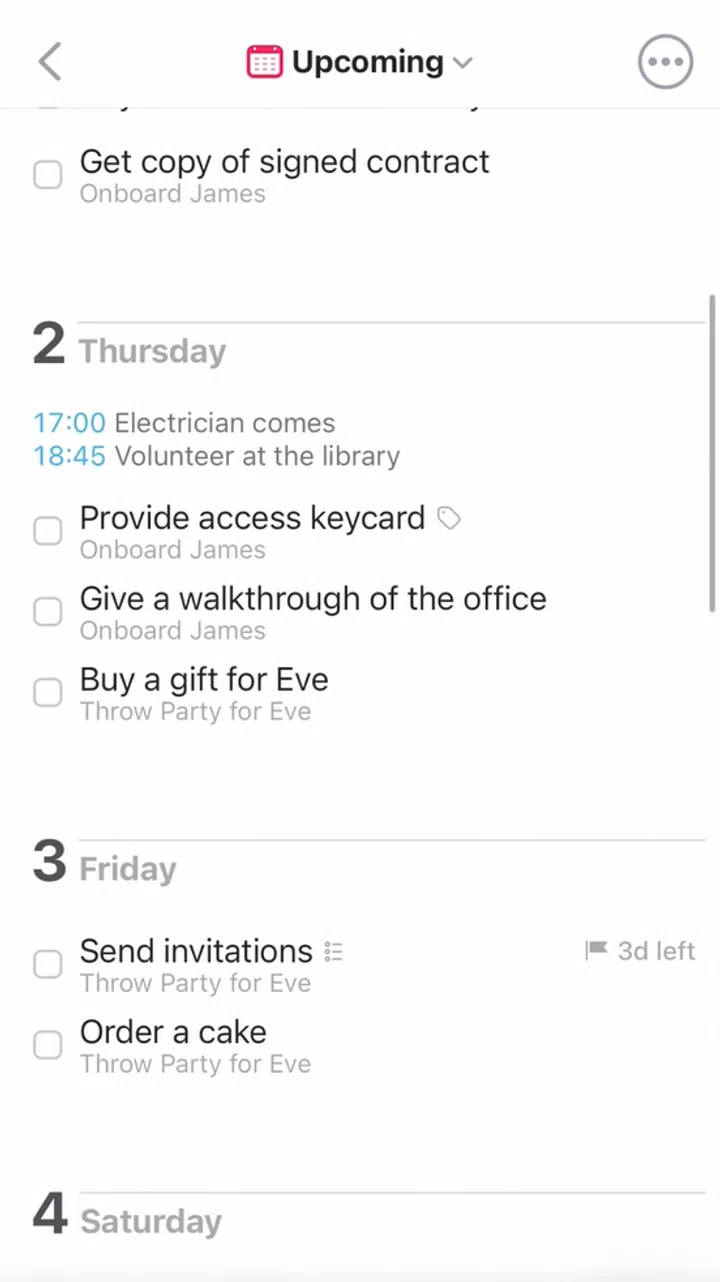
Things can be used toorganise tasks into projects for each class, separate school from personal life, and take advantage of smart lists like “Today” and “Upcoming” to plan your workload.
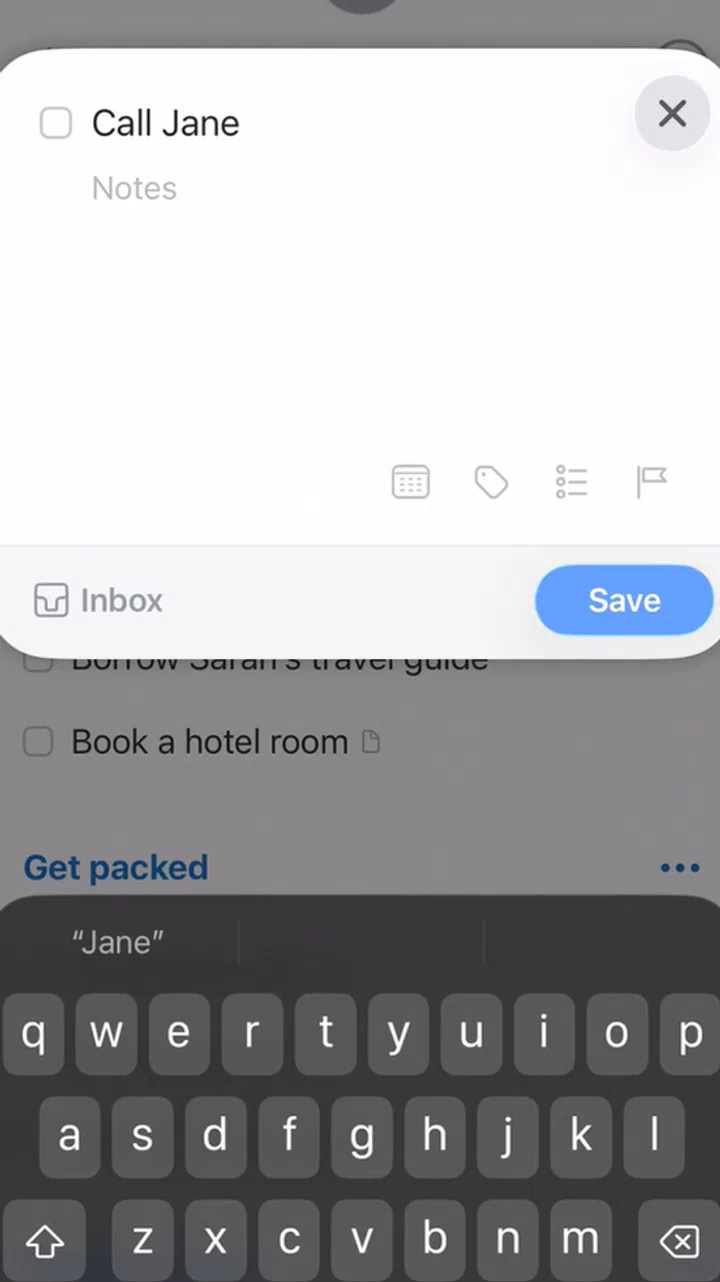
The app comes with natural language input, quick task entry, and smooth calendar integration.
However, it’s worth noting that Things is a paid app that’s exclusive to Apple devices. Furthermore, it costs significantly more than the others on the list, making it best suited for students who are already invested in Apple devices and are willing to pay for a premium. If it’s any consolation, it doesn’t require a monthly subscription, so you will only pay once if you like what Things does.
Price: S$69.98 for Mac, S$14.98 for iPhone & Apple Watch, S$29.98 for iPad, and S$39.98 for Vision Pro
Link: https://culturedcode.com/things/ (Available on the Apple App Store for the Mac, iPhone, iPad and Vision Pro)