
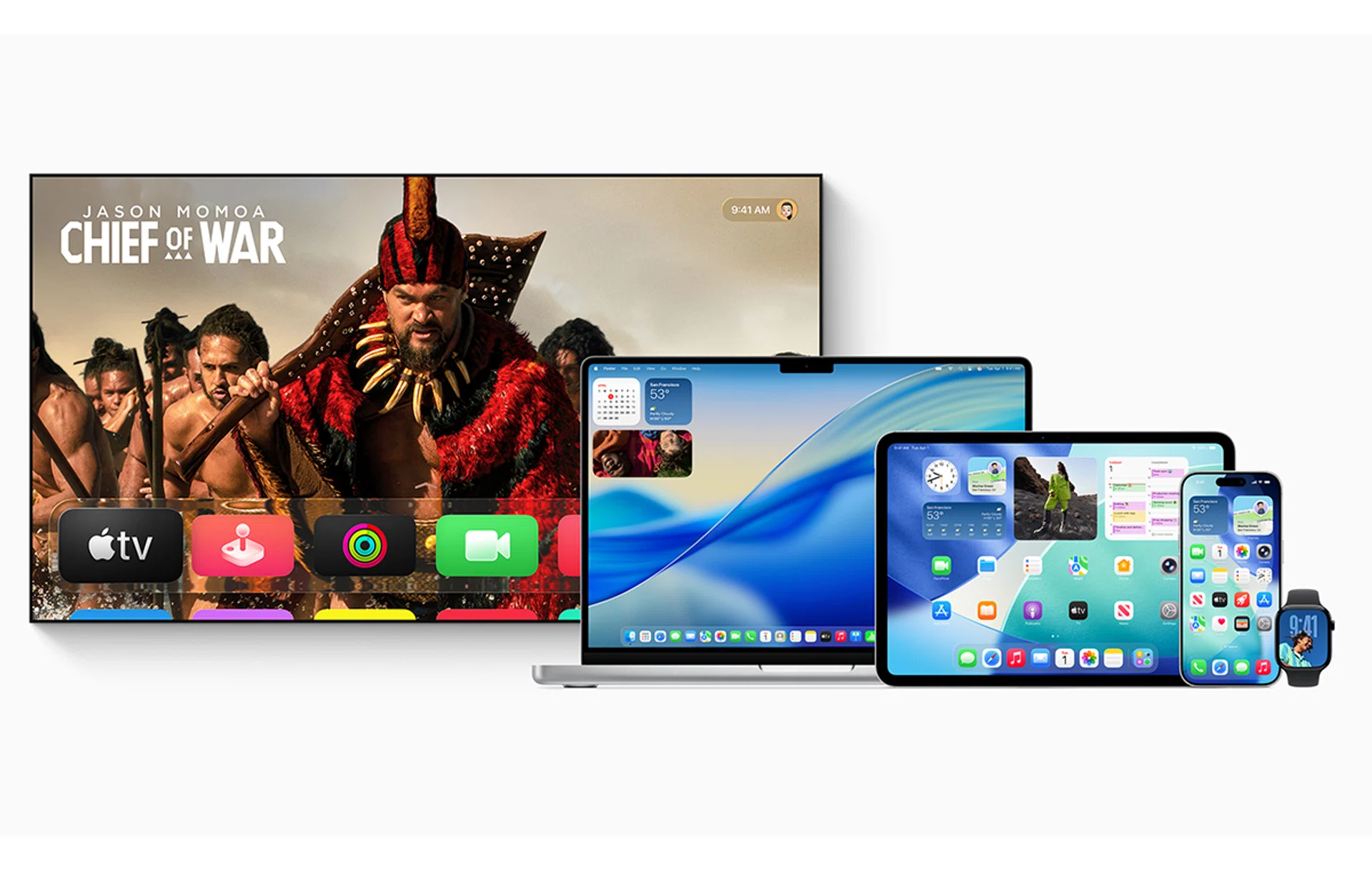
After three months of beta tests, Apple has officially rolled out iOS 26, iPadOS 26, macOS Tahoe 26, watchOS 26, tvOS 26, and visionOS 26 to all users. These updates introduce the new Liquid Glass design language, which should create a more unified look and feel across all of Apple’s devices.
While the changes will be most noticeable on iOS, iPadOS, and macOS, Apple has also refreshed the UI for watchOS, tvOS, and visionOS. Users should be able to enjoy clearer icons, a revamped Control Centre, updated app preferences, and more.
What am I getting by updating my device?
As a quick refresher, this is what you’ll expect to see once you update your device.
- iOS 26 - On the iPhone, iOS 26 introduces Apple Intelligence with Live Translation in Messages, FaceTime, and phone calls. This feature also extends to Apple Music, where users can view translated lyrics. In addition, Apple has launched a dedicated app store for games, called Apple Games, to give mobile gaming a central hub.
- iPadOS 26 - iPad users will find that this update feels more like macOS than ever before. It introduces a new multitasking system with resizable, movable windows, a top menu bar for easier navigation, and an upgraded Files app that now includes a List view for simpler file management.
- macOS Tahoe 26 – On the Mac, Spotlight in macOS Tahoe has gotten more useful, allowing users to play music, run shortcuts, and access clipboard history directly from search, making everyday tasks more efficient.
- watchOS 26 – The latest Apple Watch update introduces a new sleep score to help users understand and improve sleep quality. There is also a new Workout Buddy that uses your workout history alongside Apple Intelligence to give personalised insights during exercise. Finally, Smart Stack hints, Live Translation in Messages, and some new redesigned watch faces wrap up the updates coming in watchOS 26.
- tvOS 26 - For Apple TV owners, tvOS 26 lets users turn their iPhone into a microphone to sing along with Apple Music in karaoke fashion. Live Captions with translation support now also cover more languages, including Mandarin, Korean, Spanish, and more.
- visionOS 26 – For those who own the Vision Pro, visionOS 26 adds spatial widgets, more expressive Personas, and lifelike spatial scenes for photos. Users can browse Safari in 3D, share experiences with others in the same room, access their iPhone, and enjoy 180- and 360-degree video playback from supported action cameras.
How do I download the updates?
Ensure you have sufficient storage before updating your device.
The updates are available today as free downloads. Before updating, make sure your device is fully charged and connected to the internet (preferably Wi-Fi), as the installation may take some time.
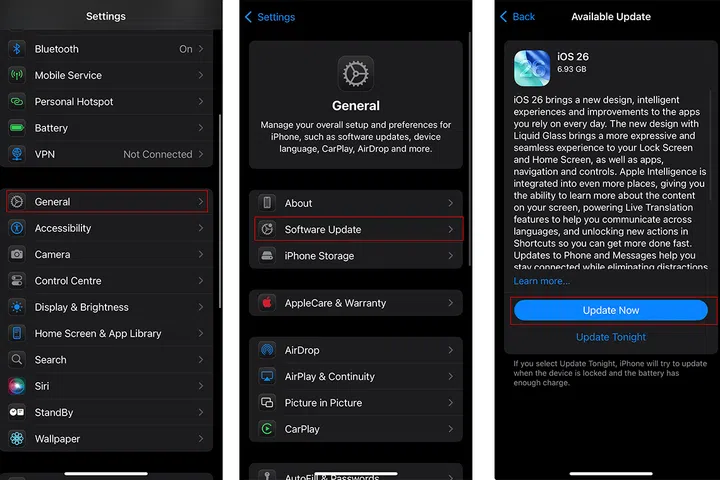
To get started, open the Settings app, select General, and then tap Software Update. Follow the on-screen prompts, and your device should be ready once the update is installed and it restarts.