
Samsung Gear VR Innovator Edition for S6 and S6 Edge review: VR for the masses
Samsung's Gear VR Innovator Edition for S6 and S6 Edge might not be the first VR headset, but it's one of the first VR headsets released locally! We give it a spin and tell you what we think of it.

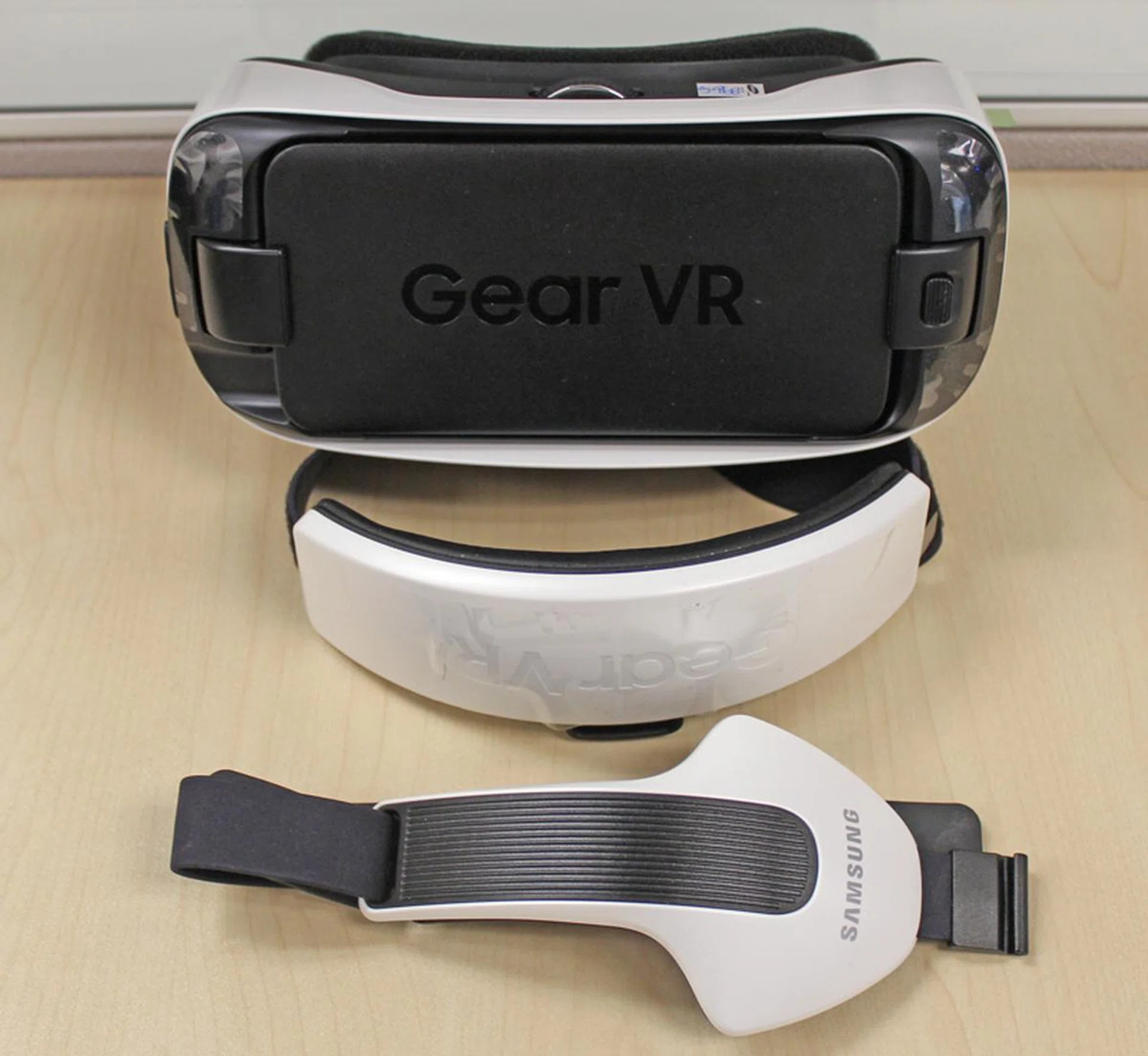
The GearVR Innovator Edition for S6 and S6 Edge in all its glory.
Experiencing Samsung's Gear VR
As one of the first mass produced commercial VR headsets, the Gear VR has a lot to live up to. Between it and Google Cardboard, these two headsets are what most people would likely first experience modern day VR with. The HTC Vive, Oculus Rift and Sony's Project Morpheus may have specs that put both Google Cardboard and the Gear VR series to shame, but Google Cardboard and the Gear VR are available NOW, which is enough of a reason for most people to dip their feet in the VR pool.
Unlike dedicated headsets like the HTC Vive or the OSVR, the Gear VR Innovator Edition for S6 or S6 Edge isn’t functional just by itself. You can’t just get the Gear VR and then hop on the VR bandwagon. First off, you’re going to need an Samsung Galaxy S6 or S6 Edge smartphone. Previous Gear VR headsets fit older models, but we’re reviewing the Gear VR Innovator Edition for S6 and S6 Edge, which only fits these two phones. The Samsung Galaxy phones (in this case the S6 and the S6 Edge) provide most of the hardware to get the VR running, which is why the whole thing won’t work without them.
Yes, this effectively eliminates a good portion of smartphone owners who don’t want (or have no intention of getting) an S6 or S6 Edge. These flagship smartphones don't come cheap, but that doesn’t bother Samsung one bit. They’re confident enough that their Galaxy phone users form a sizable population enough to entice them to obtain an add-on like the Gear VR headset and even convert other Android users into getting a Samsung smartphone just so they can experience VR in its current form.
Since the Gear VR Innovator Edition for S6 and S6 Edge (we’re just going to be calling it the Gear VR from here on out), uses the S6 or S6 Edge as its main processing hardware, here’s a look at what the phones offer.
[hwzcompare]
[products=501702,501706]
[width=275]
[caption=Samsung Galaxy S6 and S6 Edge specs]
[showprices=0]
[/hwzcompare]
With the guts of either phone powering the Gear VR, the headset doesn't really have that much hardware inside it. Apart from some sensors, lens and the sturdy, but comfortable shell to envelope your vision, everything else is handled by the Galaxy S6 devices.
As soon as you plug in the headset into the appropriate slot in the Gear VR though, the phone installed ceases to exist. It still has its basics, like connectivity and the ability to receive and make calls, but for the most part, the Gear VR is in charge. Once you done the headset, an entirely new OS awaits you. While the phones that power it may run Android, the Gear VR runs its custom OS, created by Oculus VR specifically for the Gear VR.
Dedicated headsets from competitors might boast separate screens for each eye, but the Samsung Gear VR only has a single display, which it divides into two. It shares the Samsung S6 or S6 Edge’s 1,440 x 2,560 pixels resolution display, though split into two different screens (1,280 x 1,440 pixels), one for each eye. The Gear VR that’s made for the S6 and S6 Edge is also 22% smaller than previous Gear VR headsets, which makes it lighter and portable.
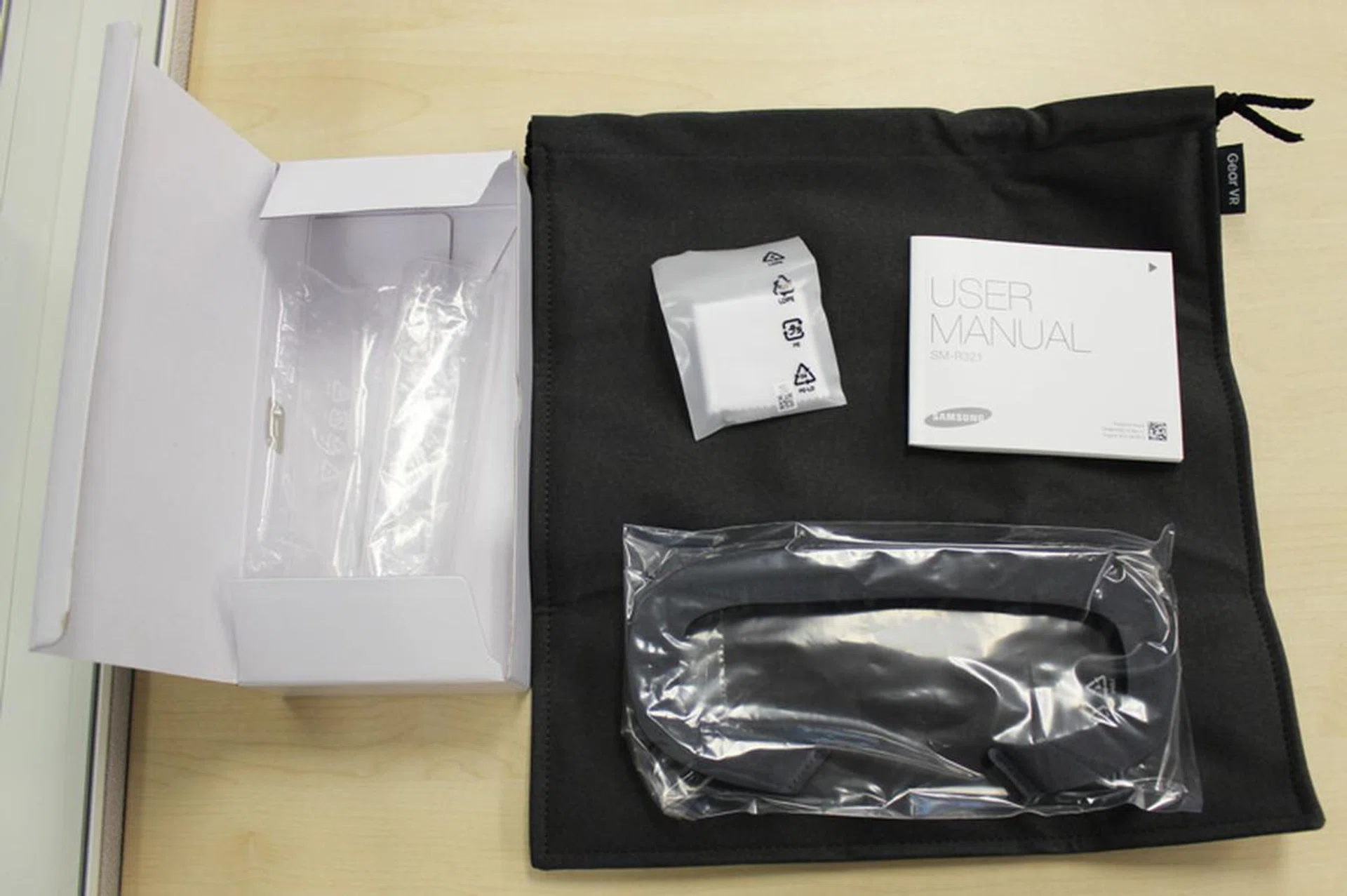
The Gear VR comes with its own accessories; a microfiber cleaning cloth, a canvas storage case and a spare face foam.
The Gear VR headset isn’t something flimsy like Google Cardboard nor does it feel like a cheap plastic toy. While it is made of plastic, the headset feels sturdy and surprisingly well made. There are two different straps (one that goes around your head, one that goes over) and attaching them to the Gear VR is easy. The straps themselves are made from quality rubber with a sizeable Velcro strap running alongside the length of them so you can easily find the optimal fit for your head.
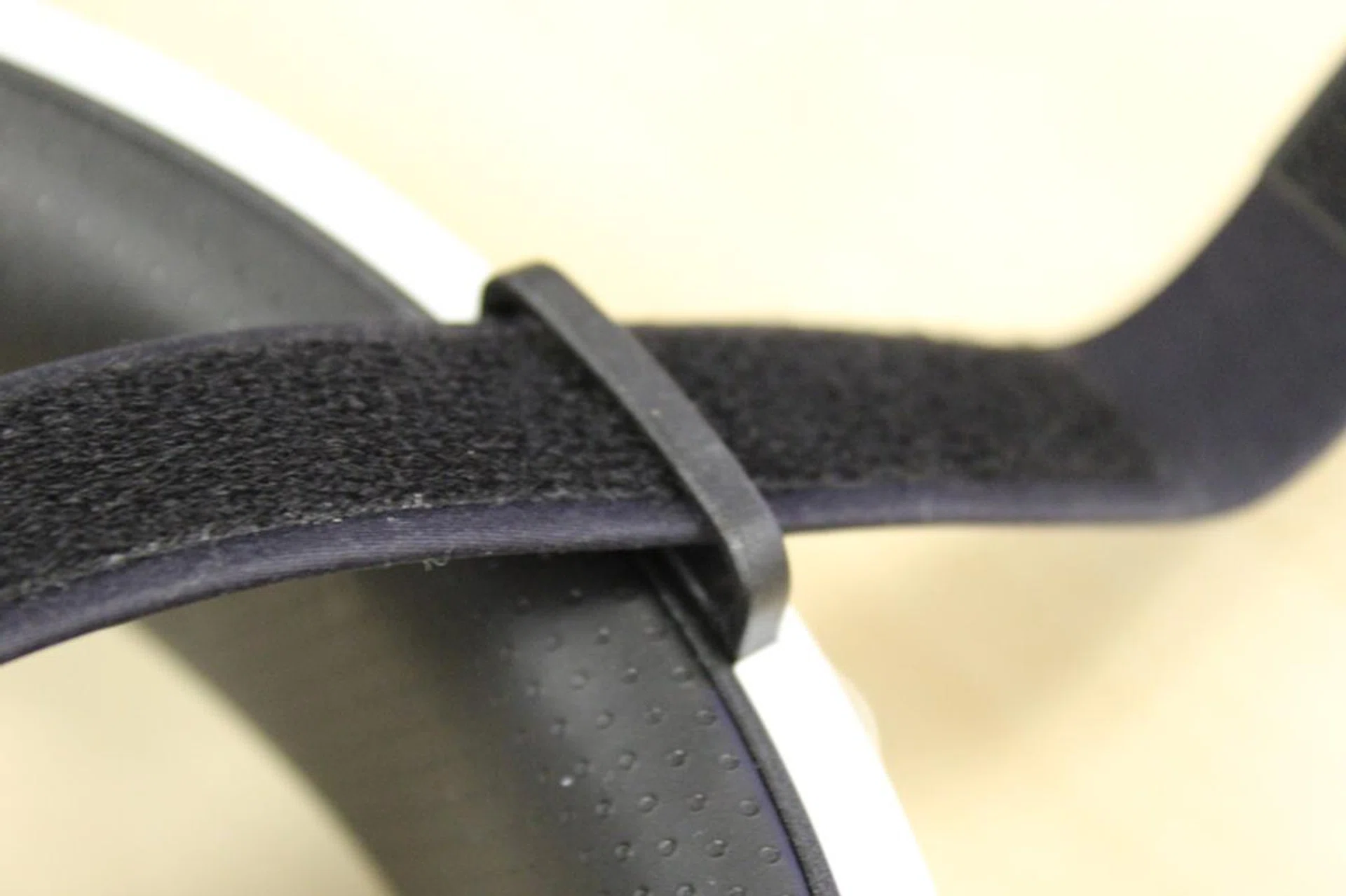
The straps are well made and won't break after a few uses.
There’s really nothing substantial to note regarding the exterior of the Gear VR. There’s a focus dial in the middle of the headset, which is used for focusing the lens in the headset for optimal quality. If you’re wondering how you’re going to fit your spectacles inside the headset, the answer is you don’t. Even the most nearsighted of us can use the Gear VR without issue because you can adjust the lenses, thus you get the same view as you would get if you’re wearing your spectacles.

The Focus dial lets you find the sharpest image, no matter how bad your eyesight is.
The only way you’ll be interacting with the apps while using the Gear VR is by tapping the right side of the headset (while you’re wearing it). It made us feel like Cyclops (which is cool) but we would’ve preferred it if the area to tap wasn’t so sensitive. New users will inadvertently hit the side of the headset while they’re adjusting it and will wonder what they did wrong. We did too the first few times as we accidentally hit it while viewing apps and it’s a bit jarring to see a ‘Tap to resume’ message in the middle of a movie.
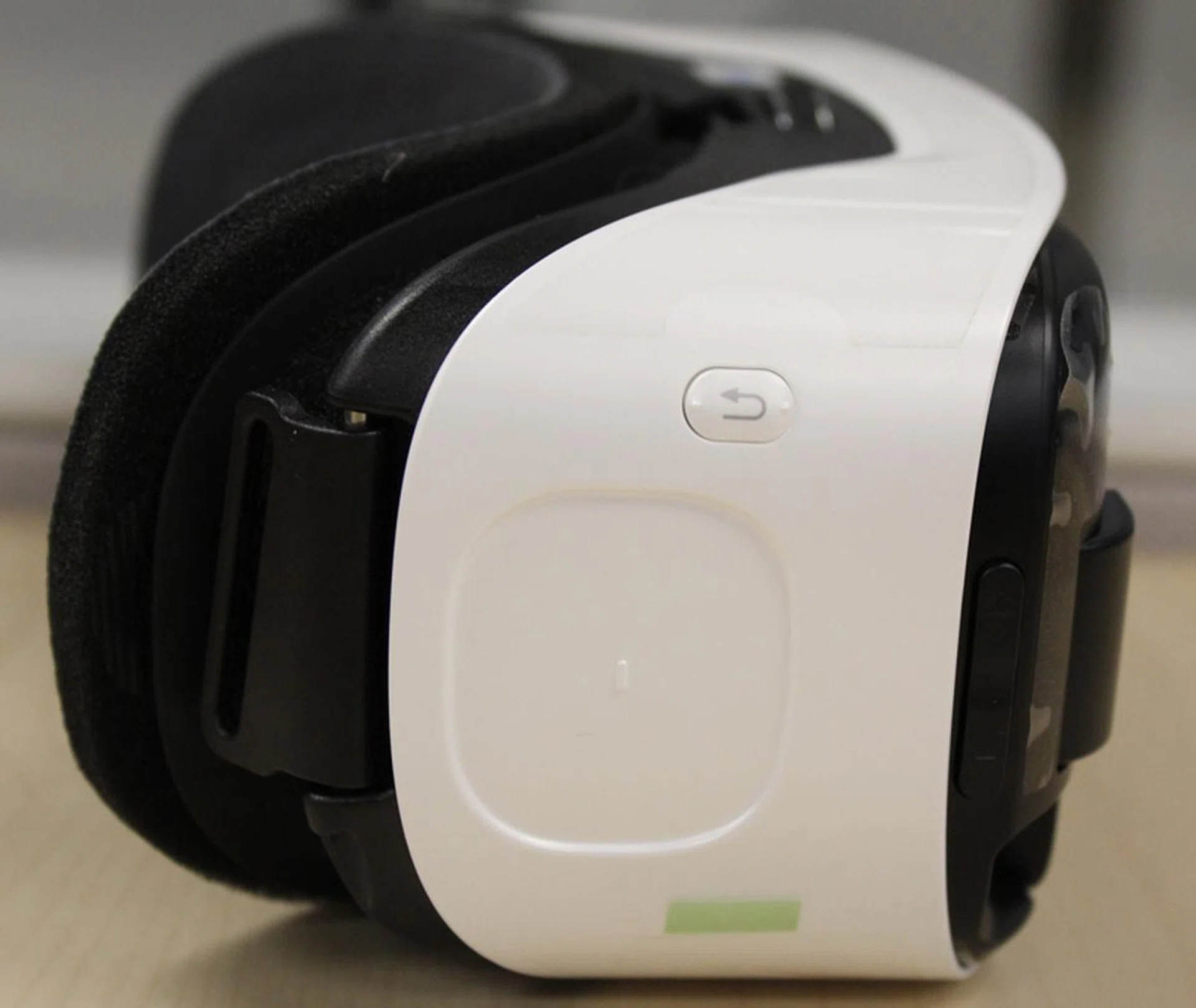
The back button (the button with the curved arrow) and the trackpad (the recessed squarish area below the back button) are both on the right side of the headset.
There’s a sizeable ‘Back’ button near the area where you can tap, but it’s great since it’s a physical button which you need to press and hold to register an input. In front of both of them are the volume controls, though they’re very thin and finding them can be tricky while you have the headset on. Lastly, there’s a micro-USB port below the headset. You can plug in a cable to power the headset and phone while you’re using it but the power input is only enough to keep both the phone and headset running and it's not adequate to charge the phone's battery simultanously when in use. When the headset isn't in use, the phone will receive enough power to charge its battery (if you've not yet taken the phone out of the headset). We would recommend using the Gear VR with a micro-USB power cable attached to ensure you don't run out of juice on the Galaxy S6 smartphone.
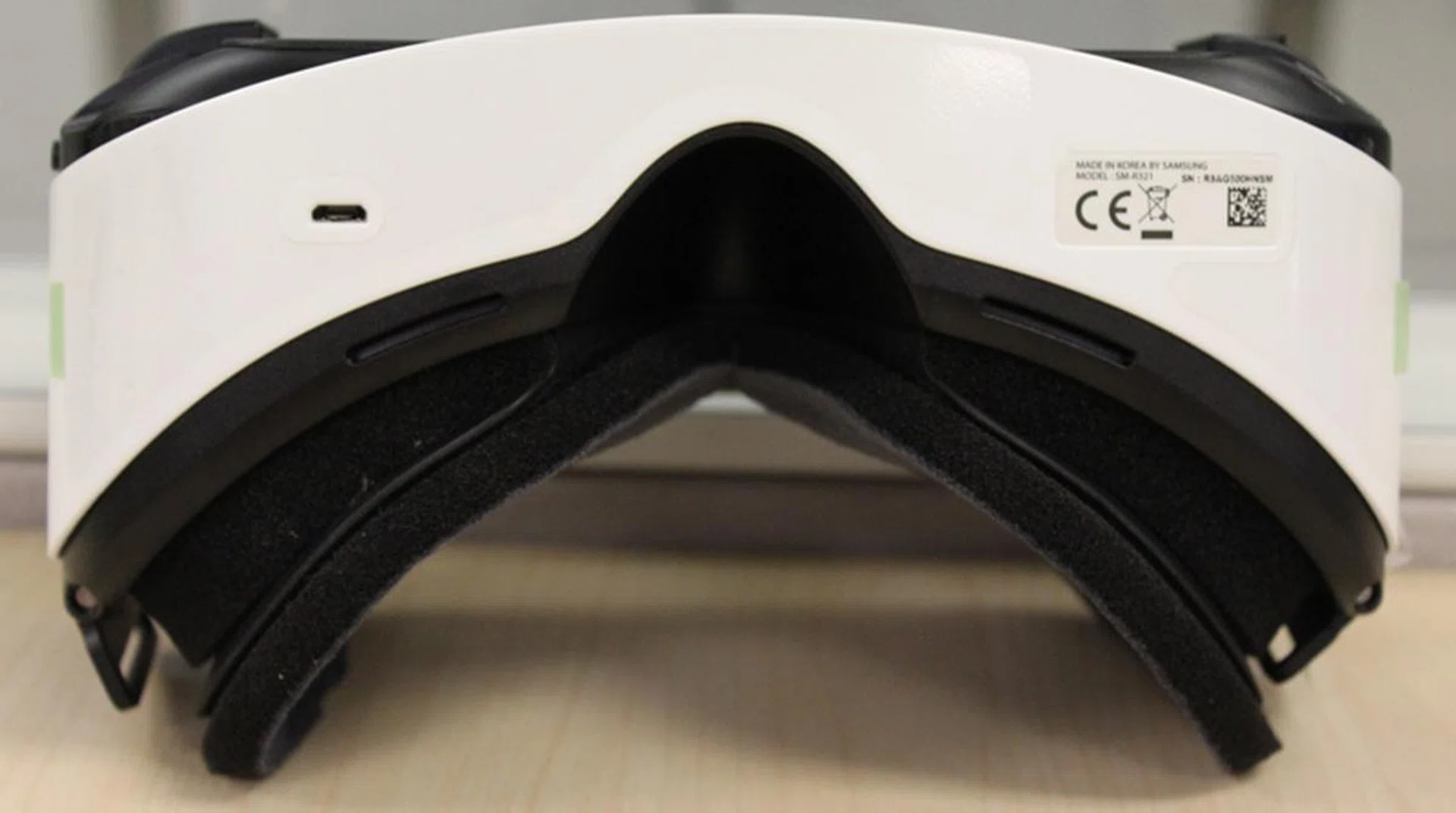
The micro-USB port beneath the headset is the only I/O port on the device.
The inner part for the Gear VR is a nice thick foam that you rest your face against as you use the device. If you wear the foam out, there’s a replaceable one included with the Gear VR. Despite outward appearances, the foam is really comfortable and you’ll barely feel it against your face after you’ve gotten used to it (which should take about 5 or so minutes at the most). Even if you decide to tighten the straps, the foam is thick enough that it will cushion your face comfortably without hitting into the plastic. Just for testing’s sake, we tightened the straps as much as we could and even then we didn’t feel any discomfort from the foam.
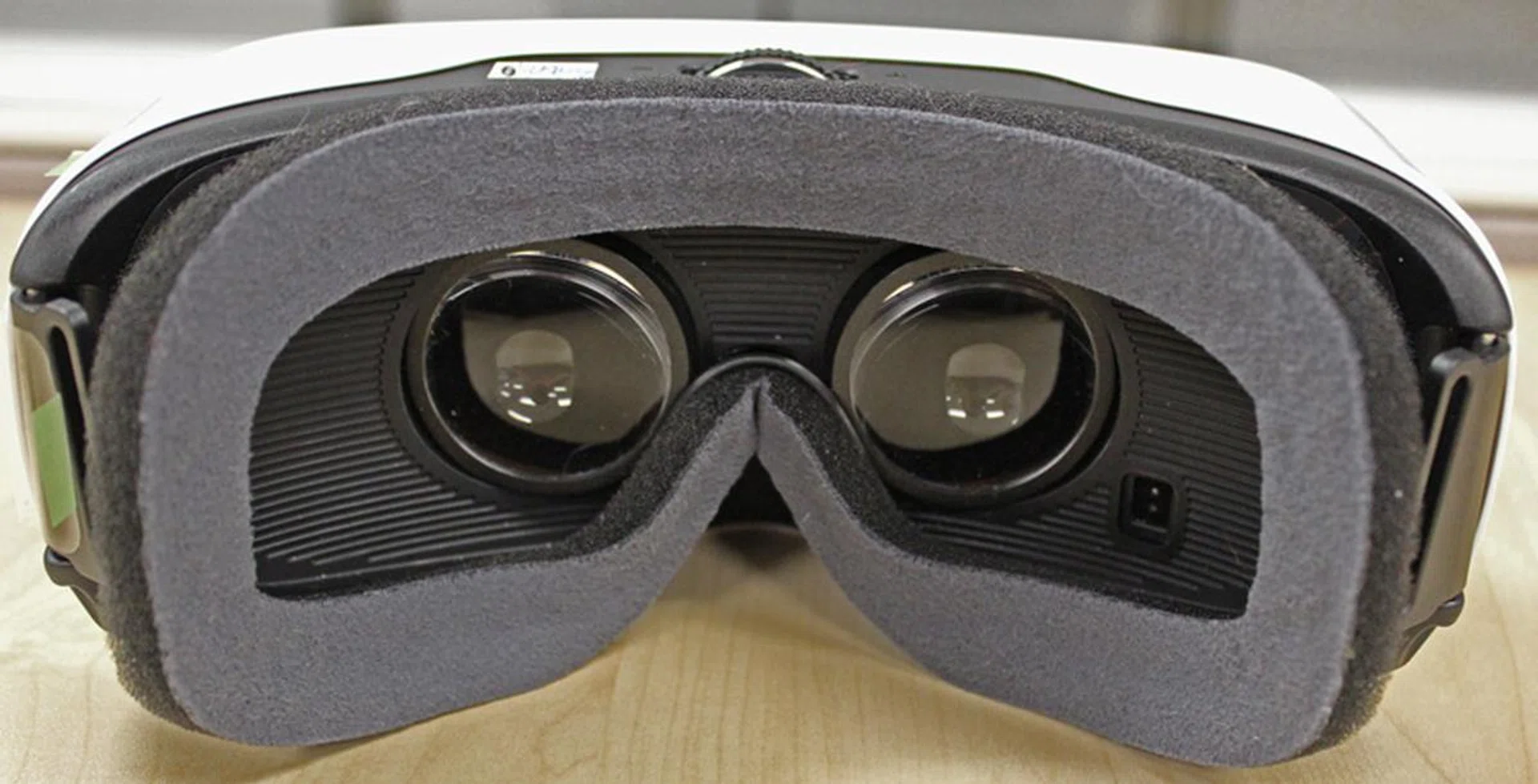
The foam is comfortable and soft, yet thick enough that you won't feel discomfort.
Using the Gear VR isn’t as hard as you’d expect. You fix the straps onto the slots on the headsets and then secure them properly so that they don't slip off. Then you simply remove the plastic cover from the headset and insert a Samsung Galaxy S6 or S6 Edge into the slot. Since there’s a tiny micro-USB jack on the right side of the headset, there’s really only one way to slot your phone into it, so don’t worry about messing things up. Once the phone is slotted into the cradle, you just need to push it in till you hear a satisfying click. That’s it, you’re all set to experience VR.
There's a tiny sensor in built into the headset that detects if a person is using the device. If a phone is installed in the headset and nobody is using it, the sensor alerts the installed phone to go to sleep mode, where it uses less battery.
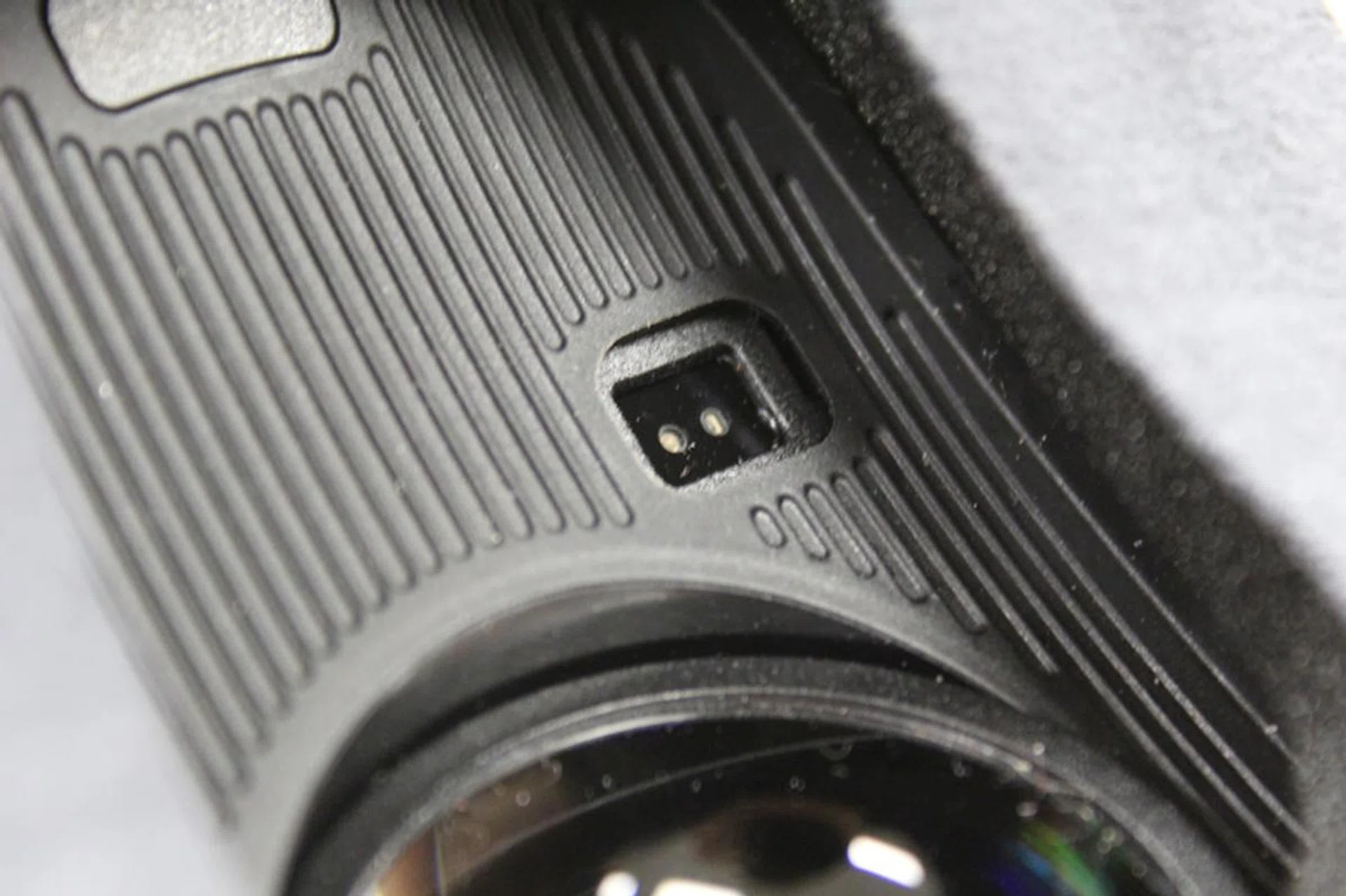
The proximity sensor in the Gear VR headet.
The software side of things
While we’re told that there is some initial setup when you connect your phone to the headset for the first time, our test Samsung Galaxy S6 was already preloaded with the Oculus Software, which meant that we were up and running as soon as the phone was secure. If it’s your first time, you’ll be prompted to download an update, as well as the Oculus app that is the gateway to the Oculus store.
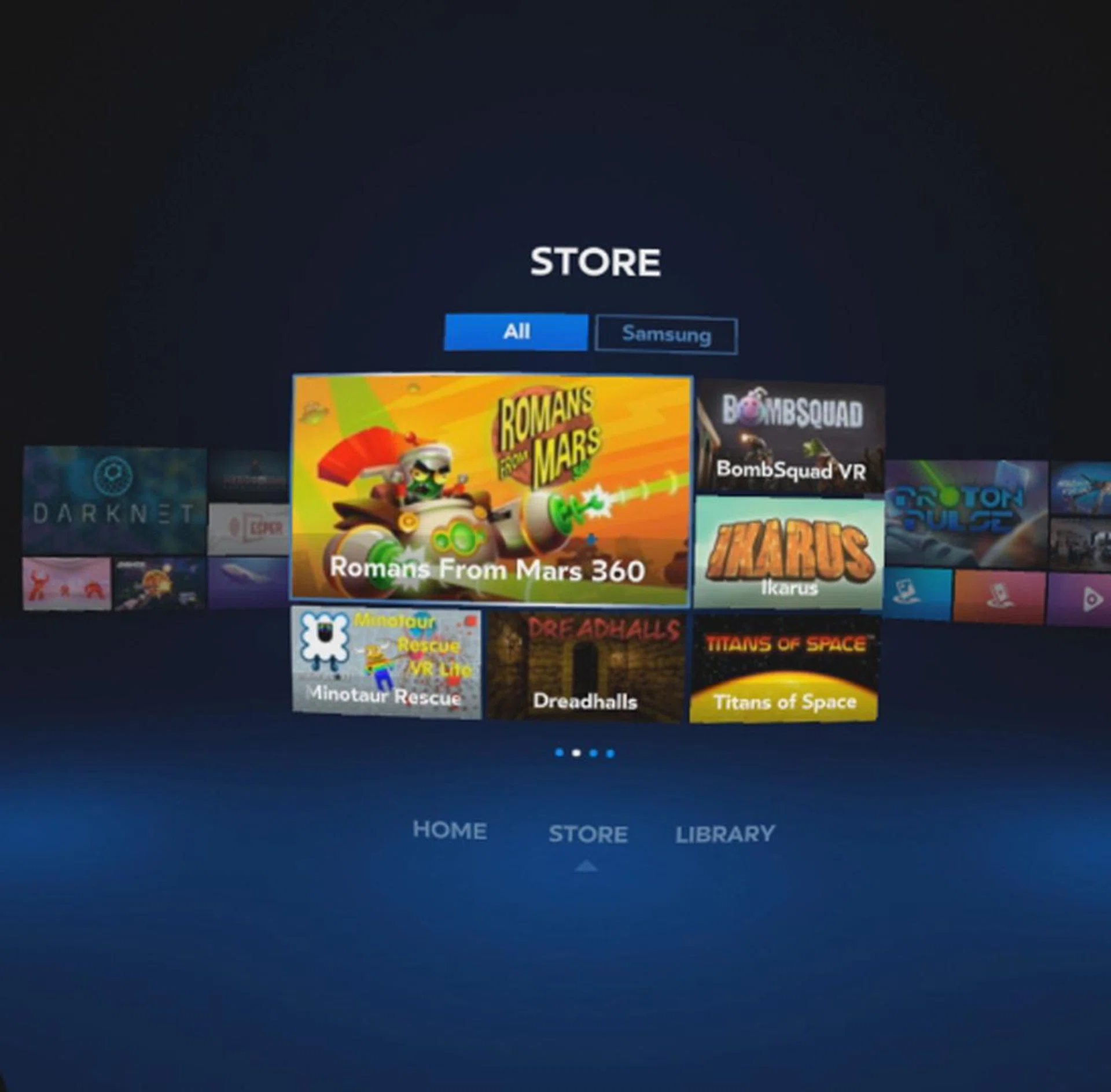
The Oculus Store is pretty spartan.
The Oculus Store is similar to the Android Store or any other virtual storefront. You can see the apps available to download (some of them are paid apps) and you simply select them via looking at them using the reticule. The store functions well though navigation can be a pain since it takes a while to load each section if you decide to revisit a previous page or go into an app’s detail page. The Oculus store also doesn’t feel that organized, with demos and videos haphazardly thrown into it. You might find a demo for a game on the front page and then a paid download for the very same game buried a few pages back in the store. When compared to other online storefronts like the Android Store, Xbox Live or even Steam, the Oculus store has a lot to learn.
Once you’re done browsing the store and have downloaded the apps you want to try out, it’s time to try them out. Everything is done from the Oculus Home, a main menu section of sorts where you can select to view the apps you’ve downloaded or visit the store.The Library section is where you can browse content you already have downloaded on the phone. Again the arrangement here is haphazard and navigation is a bit problematic since it uses touch (which you move your fingers up and down on the tap pad) navigate. Like we mentioned before, the touch controls are a bit too sensitive for our liking, which means we’d accidentally execute apps when we just want to browse the items below. If you accidentally run an app, you’re going to have to go through the whole thing, wasting time by quitting to the main Oculus Home before going back to the library.
When you do get things up and running though, you’ll find that the Gear VR offers an amazing experience. At least for the time your wonder and amusement lasts. After a while, you’ll notice that that Gear VR, while a fun device, doesn’t really offer anything substantial other than viewing videos or simplistic games. There’s really no killer app for the device that just screams ‘Must Have’, something to make the Gear VR a device you need to get right now just to experience something that you can’t get anywhere else. One app does come close though and it’s Marvel’s The Avengers: Battle for Avengers Tower. It’s basically a VR video which has you, as Iron Man, flying into the action fighting off Ultron bots with the other Avengers. As a showcase of what’s possible of on the Gear VR, there’s nothing else like it. Seeing Mjolnir fly just beside you as Thor charges past is surreal and is definitely something that has to be experienced at least once. The bad thing is, the whole app last barely a minute. It’s just a short video showcase tease, one that’ll have you salivating for more.

But here’s the thing, there isn’t any more, at least no other VR experience with that quality. Everything else on the store is a notch below the Avengers app with blurry video. In fact, if there’s a downside to all the videos you can get, it’s that they all have this distinct blurriness to them that makes it hard to focus on the finer details. Perhaps it’s the resolution the VR videos were shot in, but the finer details in the background are muddy and lack detail.
Of course, you can just ignore the online videos and use your own ones. Personal videos can be viewed on the Gear VR but it won’t be 3D or VR capable. Instead, you’ll be treated to the videos as if they’re projected into a huge screen via the Oculus Cinema app. There are a couple of different scenes you can frame your video in (moon cinema, normal cinema, a void), but the creepiest has got to be the empty cinema. We watched Alien on the Gear VR in Oculus Cinema and it was really creepy to see a cinema devoid of people. We kept turning around expecting to see the Xenomorph skulking in the seats behind us.

There's a Void Theater too, where you're in a black void and only the video is visible.
The real world experience
If you don’t want to watch videos, you can always game. But honestly, gaming isn’t that fun on the Gear VR at the moment. Shironeko VR Project (one of the games you can download from the Oculus store) is nothing more than a top down VR action game. You view the action from a top down perspective, though you can turn around and take in the whole game world in 3D but the action is simply you looking at a direction and then tapping the side of the headset to get your characters to move. Rapidly tapping the headset’s side has them slashing. It’s really shallow and doesn’t paint the technology in a positive light. In fact, it reminds us of the Wii, which was met with overzealous fervor but in the end failed to produce anything of note. Most of the games though, require the Samsung Controller, which meant that we were unable to try most of the gaming offerings without purchasing yet another accessory.
If you get a call while you’re using the Gear VR, you don’t need to worry. You can accept the call with the phone still connected, though you'd probably want to use a headset for it.
On the hardware side of things, the Gear VR has a 60Hz refresh rate. That sounds like a downside, true, but, we had a lot of time with the headset and didn’t find the 60Hz refresh rate as much as a bother as we’d thought. There wasn’t much discomfort when things performed as they were supposed to, though issues such as motion sickness and nausea did pop up when the Samsung S6 started to overheat. The the app quality would degrade, causing low frame rates and screen tearing.
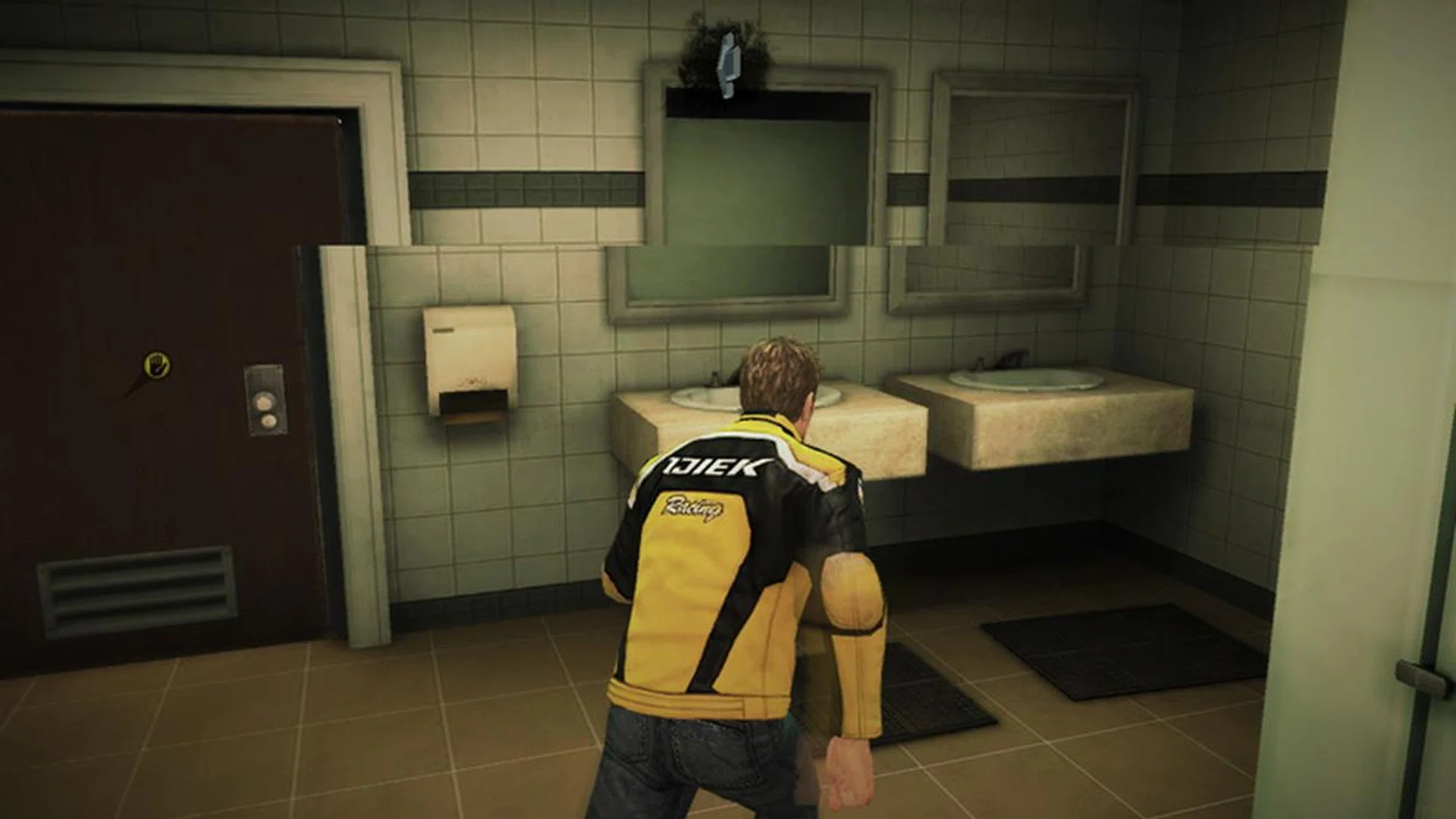
The image is from Dead Rising 3. It's not a Gear VR game, but the screen tearing visible in the screenshot is similar to what happens n the Gear VR when it starts to overheat.
Overheating is a serious issue with the Samsung Galaxy S6 when used with the Gear VR. We couldn’t get more than 40 minutes of VR activity without the device warning us that we need to shut it down because it was running too hot.
We were just running it in a normal, well-ventilated room (no air-conditioning though) and every time without fail; the device would display the overheating warning after extended use. For something that you’d want to experience a lot of, you’d think that Samsung would’ve given much thought on how to prevent overheating. There seem to be a couple of workarounds online that range from removing the battery cover of the S6 when in use and having a fan nearby (as in blowing wind directly at the headset) to cool the excess heat but those are hardly optimal options to consider.
We found that the overheating issues stem mostly from extended use of VR apps, like Avengers or the VR games. Using the Gear VR to watch videos in Oculus Cinema doesn’t seem to overheat the headset though, as we’ve sat through a whole episode of Marvel’s Daredevil TV series and the Director’s Cut edition of Alien with no issues. There were a few hiccups (such as frame tearing and latency) towards the end of watching Alien though, which might signal the beginning of overheating issues.
But wait, there are more concerns that plague the Samsung Gear VR. You'd expect the 96-degree field of view to be somewhat limiteing and it can be a tad annoying noticing black bars at the sides of your view. Over extended use though, you do get used to its limitation.
The other big issue we have about the Gear VR is how hard it is to get a clear screen without smudges, dirt or other particles. Samsung includes a microfiber cleaning cloth with the Gear VR, which is going to be your best friend. Keeping the lenses (both inner and outer pair) clean is a major pain as even the tiniest of specks can show up as a huge blob when the view is magnified by the headset. Lens aside, you'll have to worry about the phone's screen being clean. We’re not even using the Samsung Galaxy S6 for anything other than the Gear VR and we already have trouble keeping the phone’s screen spic and span, even after repeated, careful attempts at cleaning it. We can only imagine the hell that awaits those who use their Samsung Galaxy S6 or S6 Edge phone regularly and then insert it in the Gear VR.
Should you buy it?
As the first VR headset we've reviewed, the Samsung Gear VR Innovator Edition for S6 and S6 Edge is an eye-opener. It showed us not only what is possible with VR, it showed us what VR is capable if done right. It's not a flimsy amateurish effort too (like Google Cardboard) with its comfortable design, though good looks can only go so far.
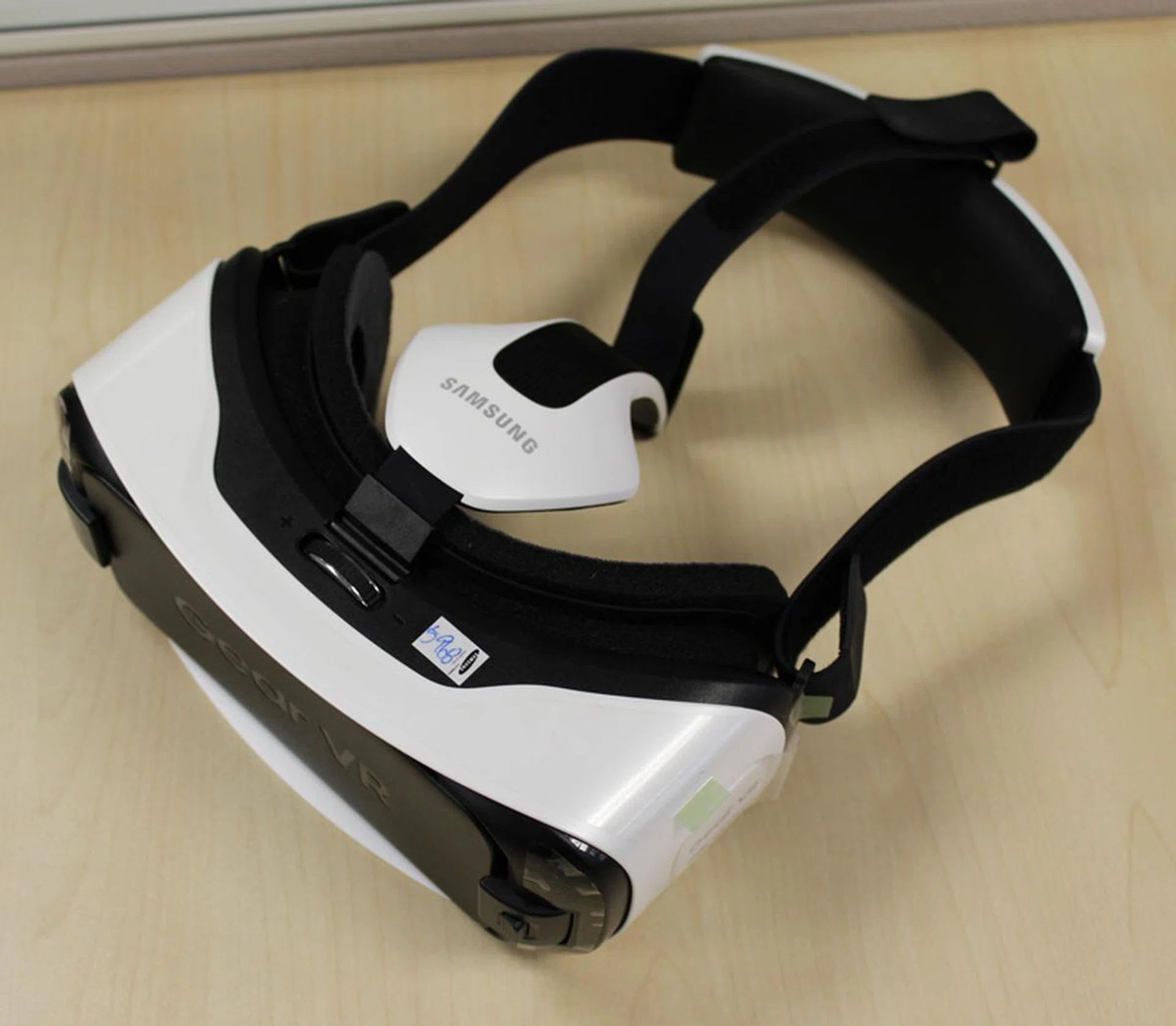
The Gear VR is a good headset but that may be only because there's a lack of competition at the moment.
One of the bigger problems Samsung has is that none of the experiences on the Gear VR are something you really need to experience first hand, right now. VR has come a long way already but the Gear VR has shown us that it still has a bit more to go. The software experiences aren't up to snuff, though perhaps that's a limitation of the hardware as well, which brings us to our next point.
The hardware for the Gear VR Innovator Edition for S6 and S6 Edge are the phones. While capable, there is obviously inadequate cooling for them to work. Overheating is a constant issue when using the headset for extended periods of time, though only when utilizing VR games and applications. Luckily, the overheating issues don't seem to affect videos, which means you can comfortably binge watch your favorite shows on a huge virtual cinema screen for hours on end.
In that regard, the Gear VR is ideal for watching videos or photos. It's a media viewing device which offers an experience like no other. After all, you can't view your videos and pictures in a VR3D cinema on just any phone. For long trips, the Gear VR could be an invaluable asset in helping to while your time away, be it if you're on the train, plane or car. Why suffer being cooped up in a cabin with strangers when you can enjoy your own private cinema, watching your own videos?
So should you spend the money to get the Gear VR? That depends. Do you have a Samsung Galaxy S6 or S6 Edge? If you do, then you should consider it. It's not cheap at S$298, but it's also not overly expensive since the phone already does most of the work. If you don't, we suggest you either make or buy a Google Cardboard and just make do while you wait for the rest of the much more advanced VR headsets to arrive sometime next year.
The Gear VR Innovator Edition for S6 and S6 Edge might not offer the VR experiences we were hoping for, but it succeeds in another unexpected way; as a media player. With a pair of decent headphones, the Oculus Cinema app can make viewing videos in its virtual cinema a unique experience. For true VR though, we suggest waiting for the big four - the HTC Vive, the Oculus Rift, Sony's Project Morpheus or Razer's OSVR.
Our articles may contain affiliate links. If you buy through these links, we may earn a small commission.