
Special Report: NEC Innovates Next Generation Office
www.hardwarezone.com travels to NEC's head quarters in Tokyo, Japan to speak with Mr. Kazuhiko Kobayashi, Executive Vice President of NEC Corporation about their new Virtual PC Center and learn more about NEC's plan for the ubiquitous office and next generation business infrastructure.
The 'Real' Office of the Future
The Paperless Office - A vision for the office of the future, where the use of paper is made redundant through information technology and office automation.
The reality however - as plain as anyone can see - is that technology has actually increased the proliferation of paper in both office and home because it is becoming increasingly easier to produce printed documents than ever before. Thus, the 'paperless office' has become more of a concept in enterprise technology advancement and modernization - to overcome traditional hurdles in business efficiency and productivity - rather than its original literal meaning.
Today's typical 'modern' office - as Dilbert (the popular comic character) so eloquently puts it - is "another day in cubicle paradise". Despite the illusion of mobility from notebooks, laptops and other mobile telecommunication devices, we are still basically chained to our personal cubicles, slaves of data portability and integrity. How many times have you needed to sync your workstation with your notebook or home desktop in order to continue working away from the office? What are the security factors involved? What happens when one introduces external elements into the enterprise network? And what backup and recovery measures have been taken?
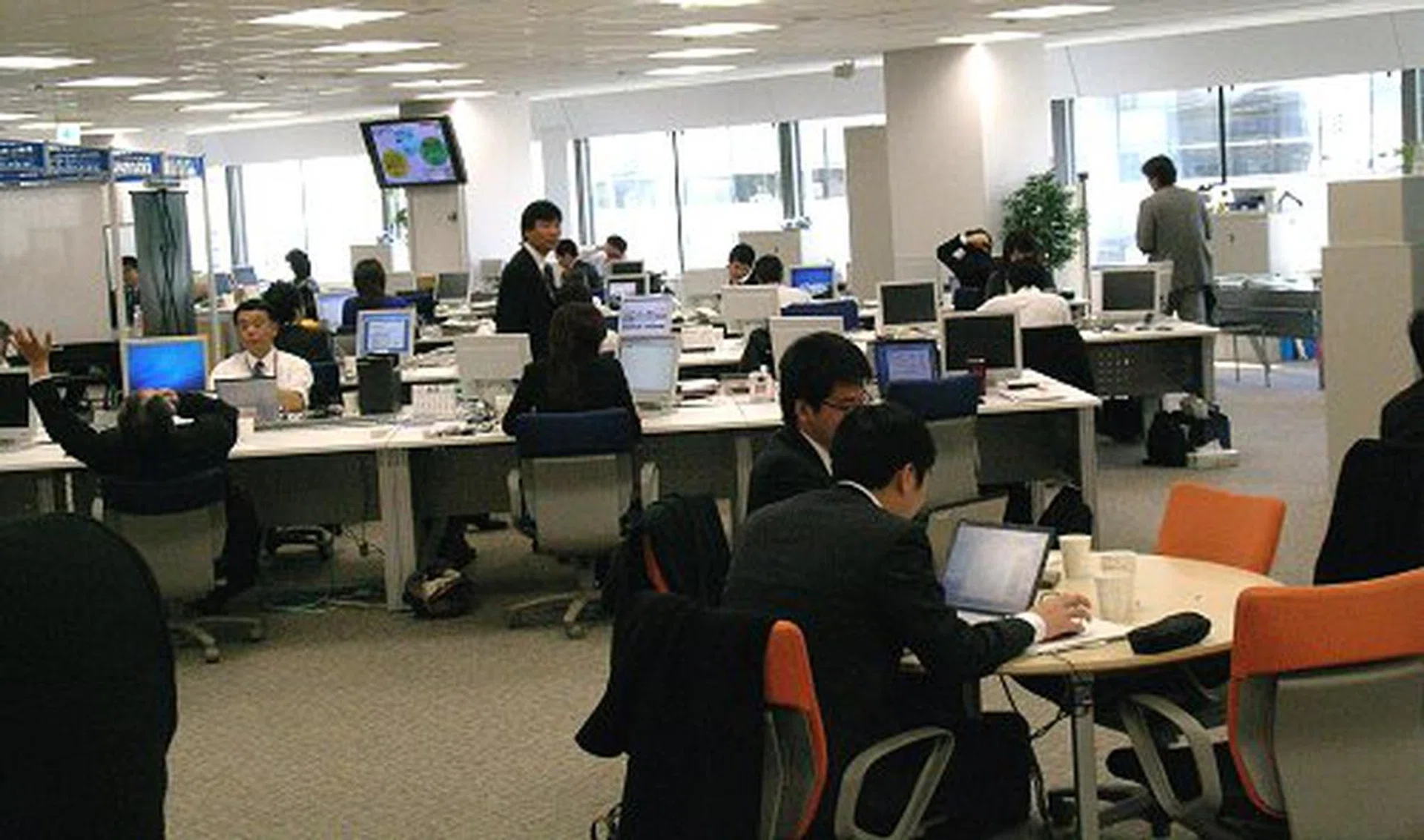
NEC hopes to refedine the way we work.
From a business perspective, the answer has been the introduction of thin client computing, a server-side computing model using limited functional networked PCs that rely on the central server for most of its processing and data storage tasks. In this way, data can be streamlined, security is vastly improved and it offers lower operational costs for the business and an easier time for the IT guys to perform maintenance, updates and patching.
This is all well and good in theory, but traditional thin client PCs are just that - 'thin'. They are usually nothing more than it requires to load a network boot image for connecting to a central server to start its virtual PC. Compared to individual office desktop PCs, thin clients rely fully on server side virtualization and software application processing. They lack the performance necessary to take on today's business environments and tools that are increasingly networked and multimedia heavy, such as IP telecommunication, audio and video streaming and decoding.
We weren't allowed to snap photos inside the building, but NEC's headquarters is called the Super Tower for a very good reason. It is quite grand, in a clinical sort of way.
This is where NEC comes into the picture. While NEC has gradually withdrawn from the consumer IT space, they have been the busy beaver in the server, network and enterprise markets. In Japan, NEC has a very strong foothold and is still one of the top global technology brands. Recently, NEC announced their Virtual PC Center (VPCC), a next generation thin client system that they hope will revolutionize the office as we know it.
Virtual PC Center
NEC prides themselves as a 'total solutions' company by being one of the few technology companies that can provide every aspect of an enterprise solution, from software to hardware, down to networking and even semiconductor manufacturing.
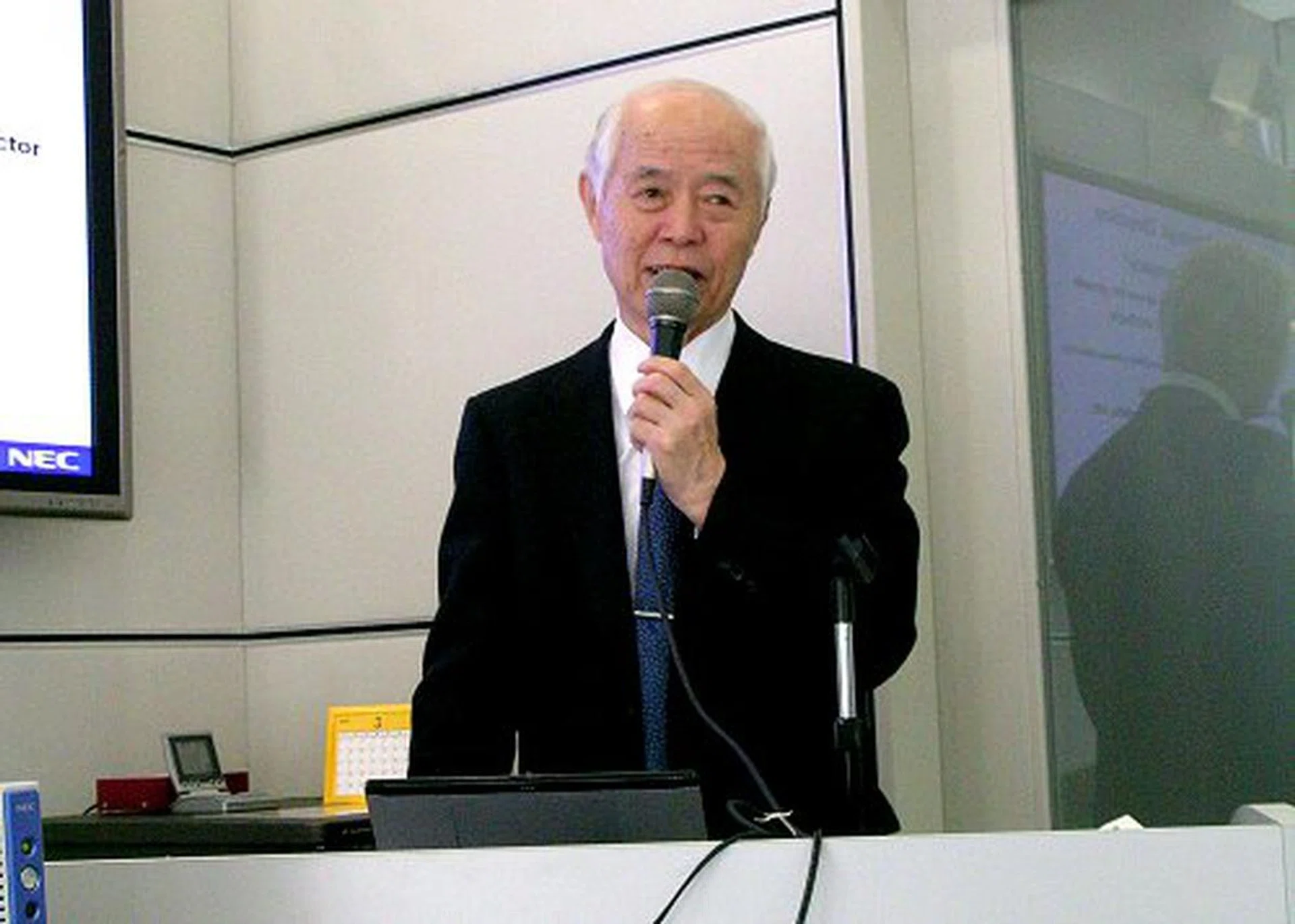
Mr. Kazuhiko Kobayashi, Executive Vice President of NEC Corporation talks VPCC.
The new NEC Virtual PC Center (VPCC) leverages on this very ability to offer a full solution. The VPCC infrastructure is made up of a series of NEC Express5800 servers, running on Intel Xeon (Woodcrest) processors. One (scalable to nth) server is designated as the Virtual PC Server, and is responsible for environment virtualization, processing and data storage for the thin clients. Each Virtual PC Server is powered by VMware and is configured to handle up to 20 Windows XP Virtual PC environments. An additional Express5800 server is used as a Management Server, running on Windows Server 2003 and Sigma System Center technology. This server handles VPCC management, scheduling, updating and security.
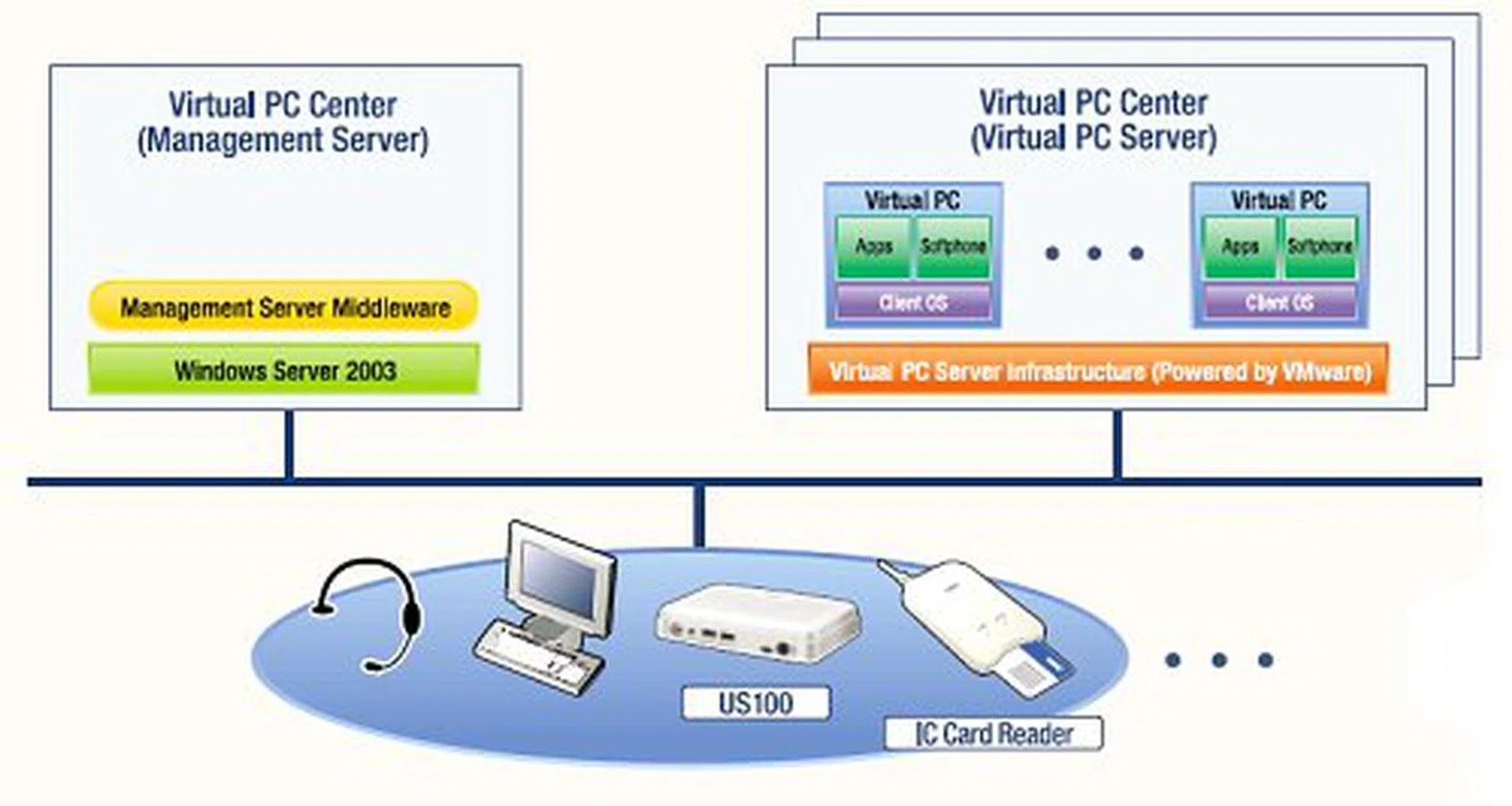
Baisc VPCC configuration.
Why Windows XP exclusively? Mr. Kobayashi explains: "The Vista program itself needs a 2GB memory size to operate, while Windows XP only takes about 500MB to run. This is four times the resource required for the same performance, a very expensive upgrade as well as a power consumption drag. Our Virtual PC Server today is configured with 10GB of memory. 10GB divided by 20 is 500MB, which is perfect base for Windows XP virtualization. If we run Vista with the same setup, each Virtual PC Server would only be able to run five copies of Vista."
"In the business environment, Vista only has an appearance (GUI) that is fantastic, but that doesn't equate to efficiency or productivity. Vista is still lacking in capabilities and compatibility compared to XP. Many applications and some Japanese language applications (!!) have problems still with Vista, so our marketing team gave the hold order. We might see a migration towards Vista next year, but on the business side, we value economics and productivity. Vista's eye candy is not required."
Mr. Kobayashi is very optimistic about the the new VPCC with a worldwide projected sales of $1.25 billion in the next three years and these figures do not include India, a country where NEC sees the highest growth rate for PC infrastructure adoption and use.
"Today's businesses are changing to the thin client solution, that is our hope", says Mr. Kobayashi. "Security and TCO is very important to any company. There is a need for more secure environments, economical usage models and lower power consumption. If a green Eco PC platform comes along without degrading productivity of their operations, there is no reason to maintain the current PC infrastructure with its high power consumption and costs. Why not switch over to thin clients?"
"The only restrictions we see is within scientific or professional sectors where high computer performance or high GPU performance is mandatory for individual PCs. Otherwise, we estimate a big jump to thin clients regardless of industry, public sector, government sector, call centers...everywhere!"
Next Generation Network
To realize the ideal environment for their VPCC solution, the entire system is designed around a full IP based network (riding on NEC's Next Generation Network infrastructure), which includes both data and voice. An additional SIP server (NEC UNIVERGE SV7000) is introduced into the ecosystem as a VoIP BPX and call control for NEC's VoIP Soft Phone application.
From what we've learned, NEC's ultimate aim for what they term as their Next Generation Network or NGN for short, is a high-speed, all fiber, full IP network infrastructure that covers everything from home, enterprise to telecommunication services (fixed, mobile and broadcast networks), fully replacing traditional data and voice lines. Japan is one of the few countries that actually have the network infrastructure and bandwidth in place to support NEC's NGN vision and Japan's Nippon Telegraph and Telephone Co.(NTT) has begun field trials using NEC NGN products and technologies since December 2006. Other major global telecoms companies such as BT (British Telecom) have also expressed interest in NEC's NGN technologies.
The Thin Client - US100
The star of the system however, isn't the server, software or network, it is the thin client itself. The US100 VPCC thin client terminal is a tiny powerhouse that is no bigger than the average adult male palm. Besides the reduced form factor of the US100, what sets it apart from regular thin clients is the inclusion of NetClient, a multimedia LSI processor co-developed with ServerEngines that enables PC-level multimedia processing capabilities.
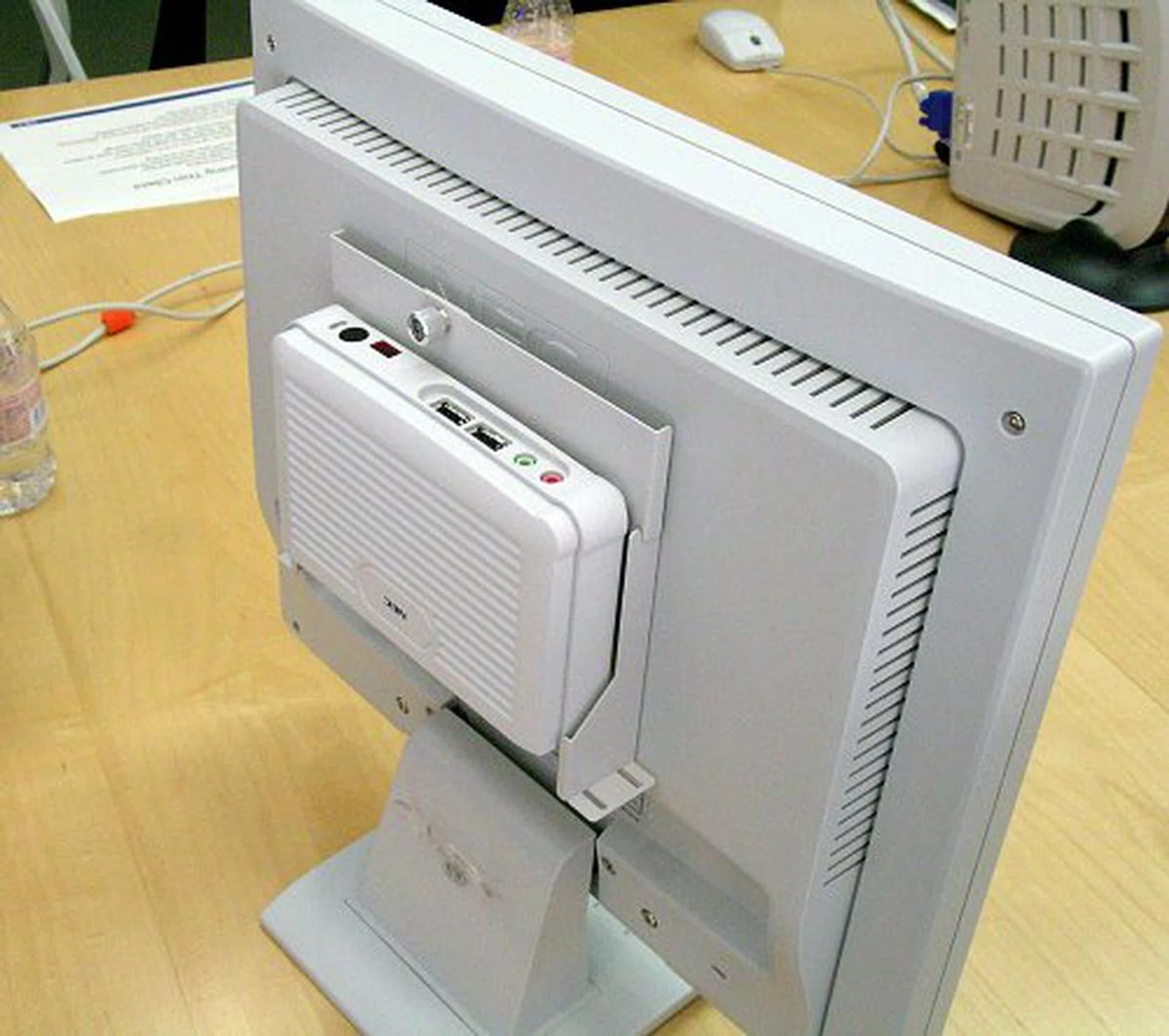
So small and compact, the US100 thin client can be mounted on the back of the monitor.
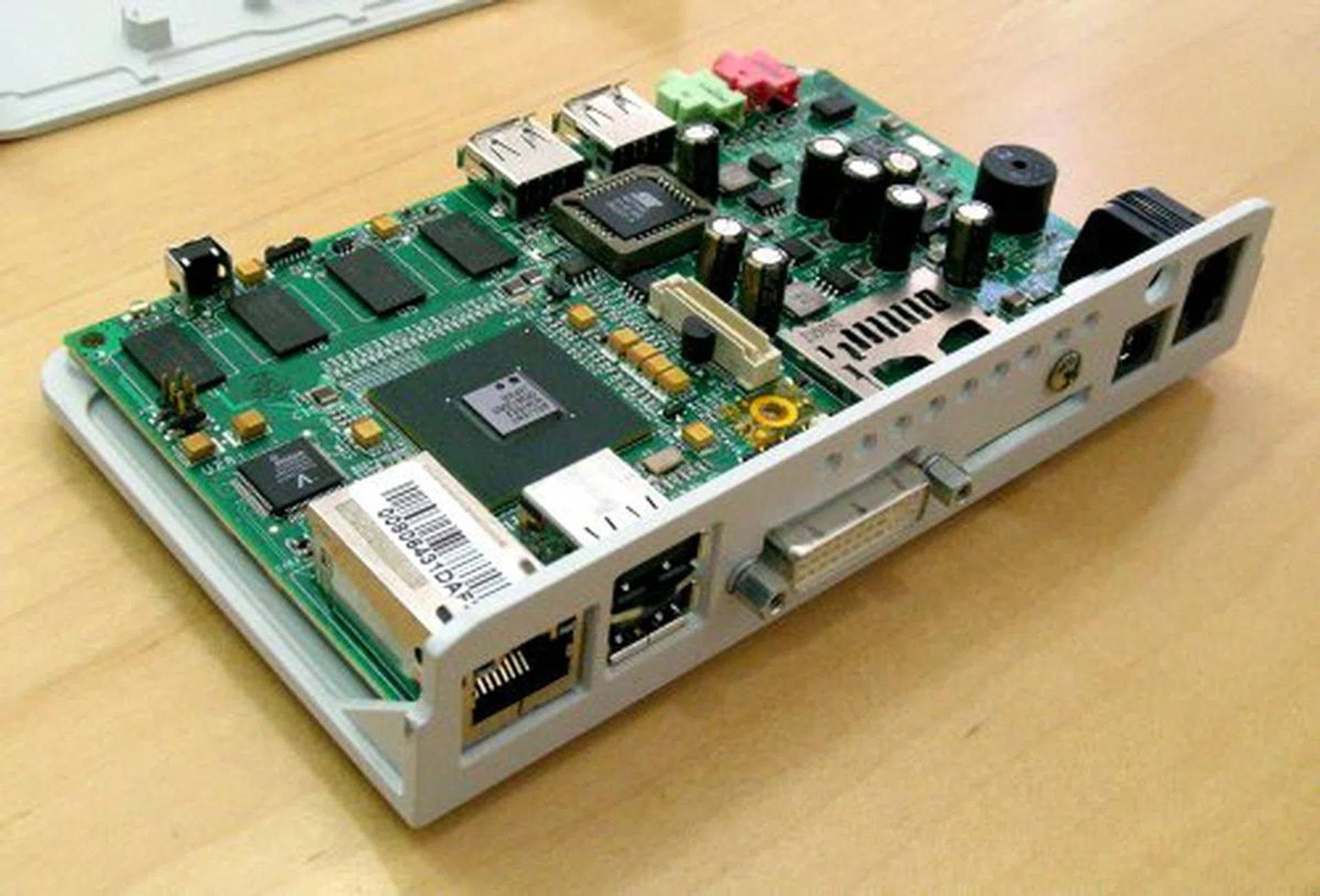
Only the necessities include RJ-45 for LAN, RJ-11 for phone line, DVI output, analog audio and mic plus USB ports for attaching connectivity peripherals like keyboards, mice and network authentication card readers. No external storage devices are supported as that would obviously compromise security of such a system.
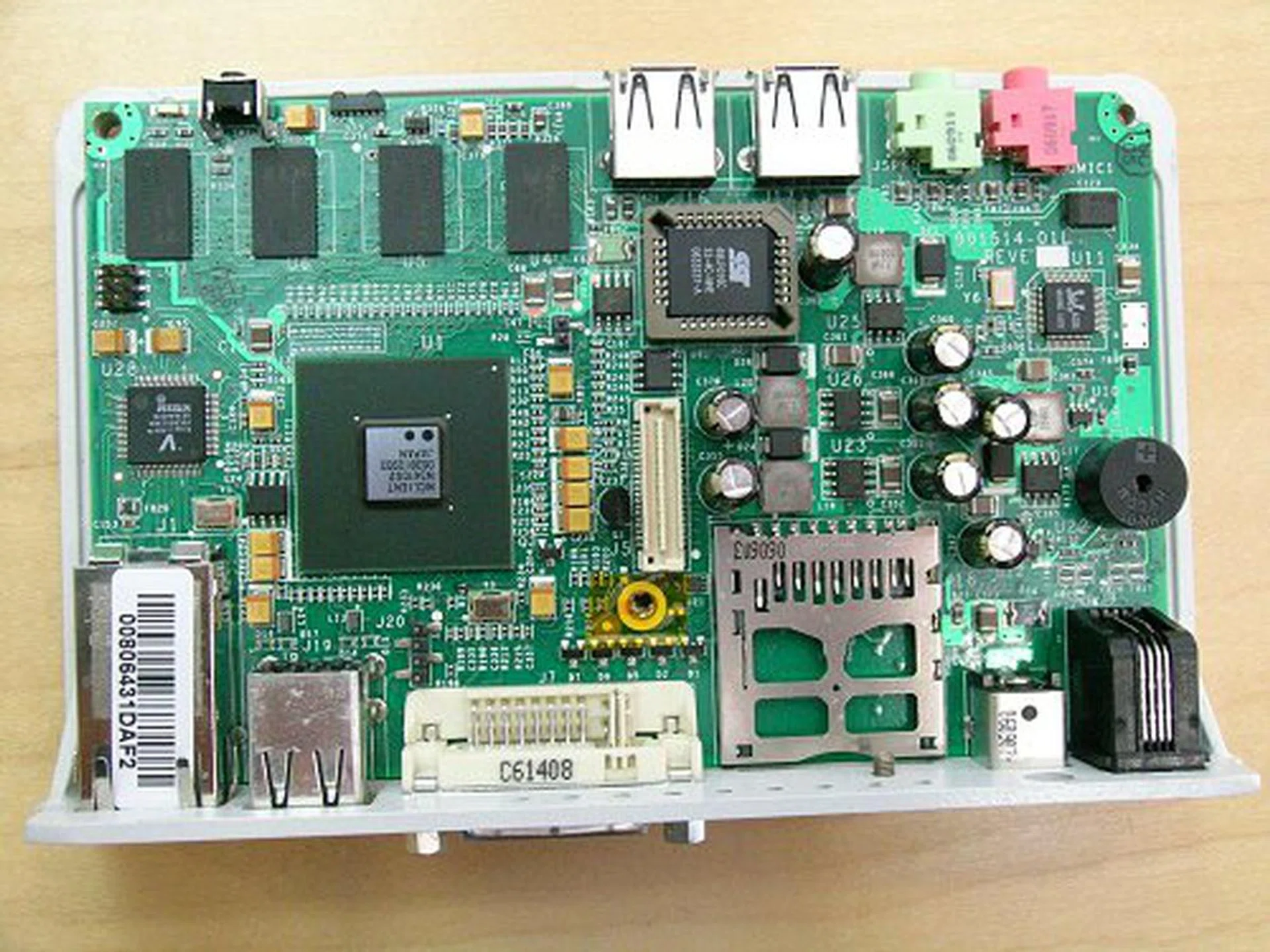
Open top view of the US100 thin client terminal.
With the NetClient chip, the US100 thin client terminal is able to perform simultaneous audio/video transmission and real-time decoding locally, full independent from the Virtual PC server. The thin client is also equipped with an RJ11 6-pin phone jack and is able to function as a VoIP terminal through Soft Phone. VoIP data processing is handled by the NetClient chip as well. But, how does two remote thin clients process VoIP or multimedia streaming independently? To take VoIP telephony as an example, when one client calls another, the call connection is established through the SIP server. Once the connection is made and both calling parties are identified, the thin client can then initiate a direct P2P connection through the same IP network to handle the voice/video streaming and processing locally. All other regular application processing will still be handled by the terminal's respective Virtual PC Server.
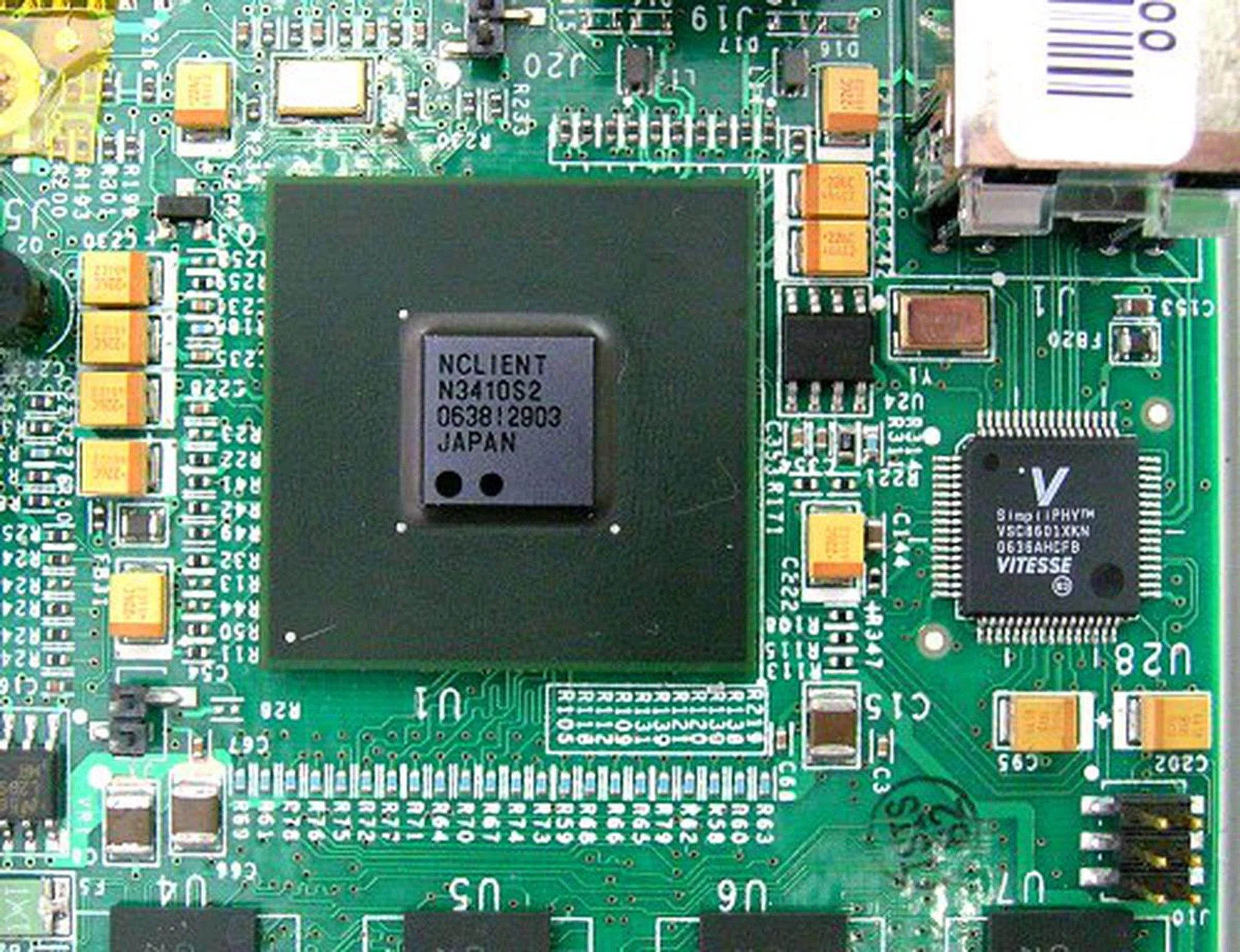
NEC and ServerEngines NetClient multimedia LSI chip enables audio/video and voice processing.
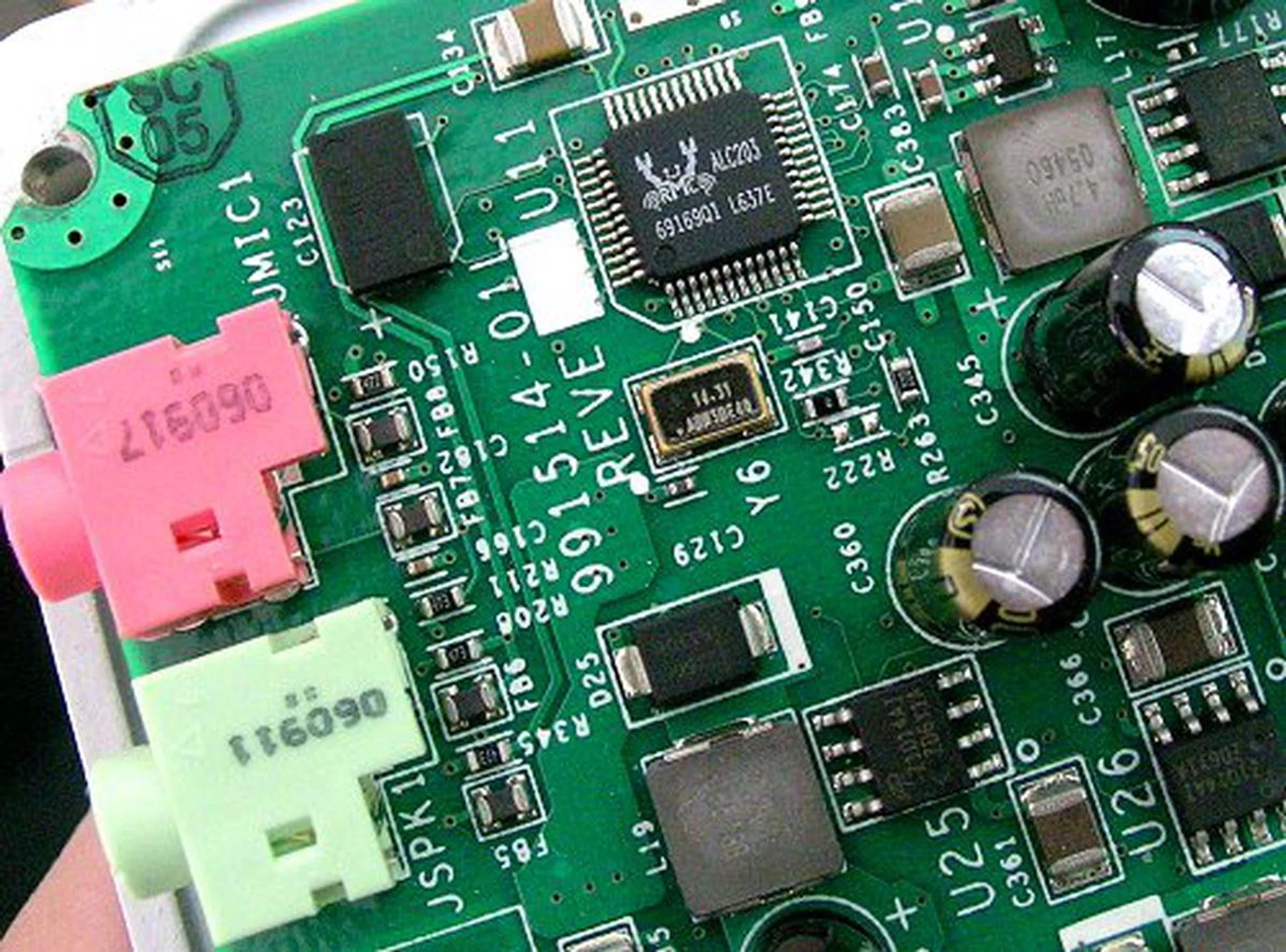
With its own audio processing, the US100 comes with a Realtek ALC203 CODEC.
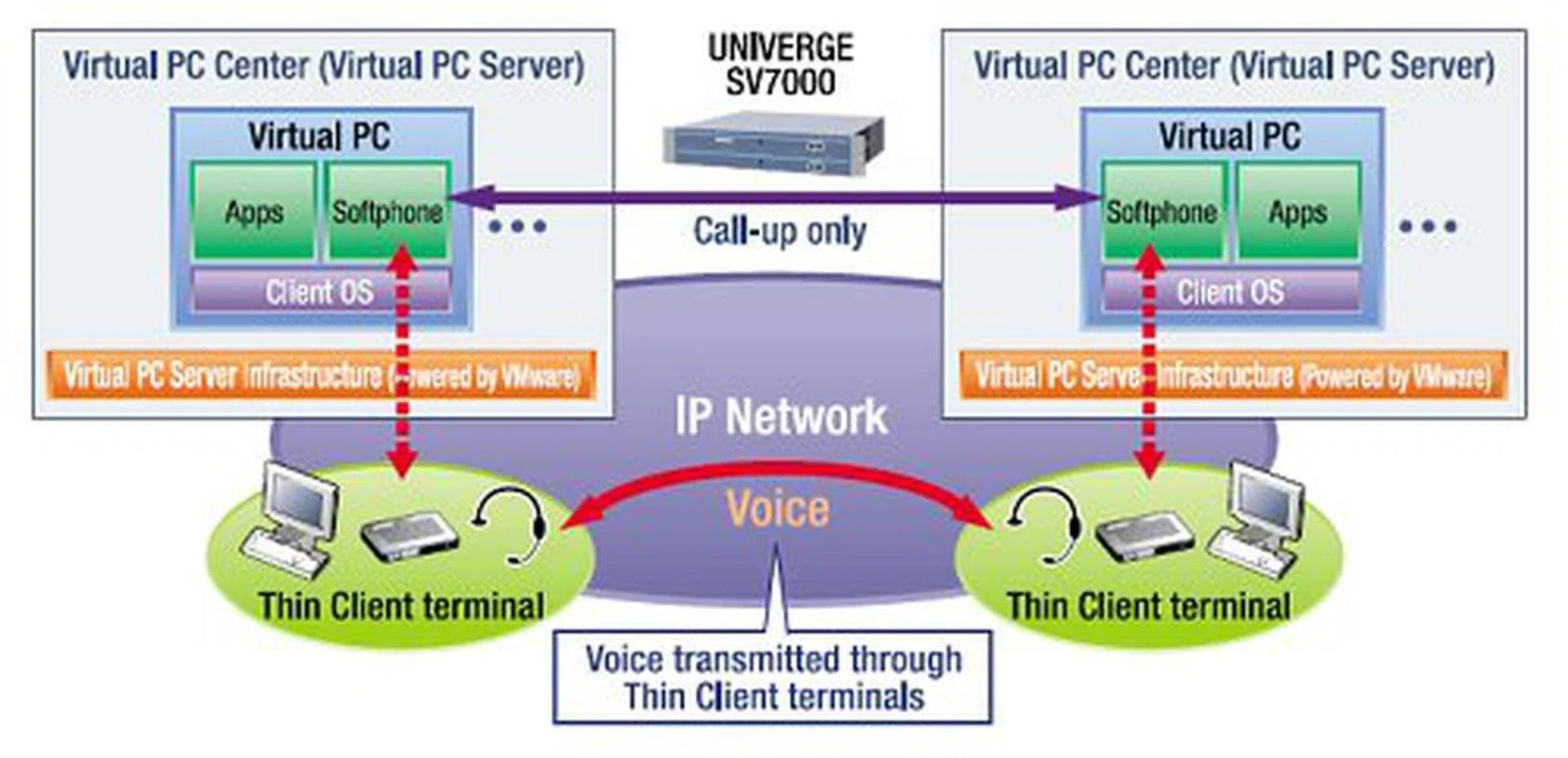
VoIP through the VPCC solution.
We tested NEC's claim by playing back MPEG-2 clips on the US100 while loading the Virtual PC with other tasks. Even at 80% CPU load, video playback rate was not affected in the very least.
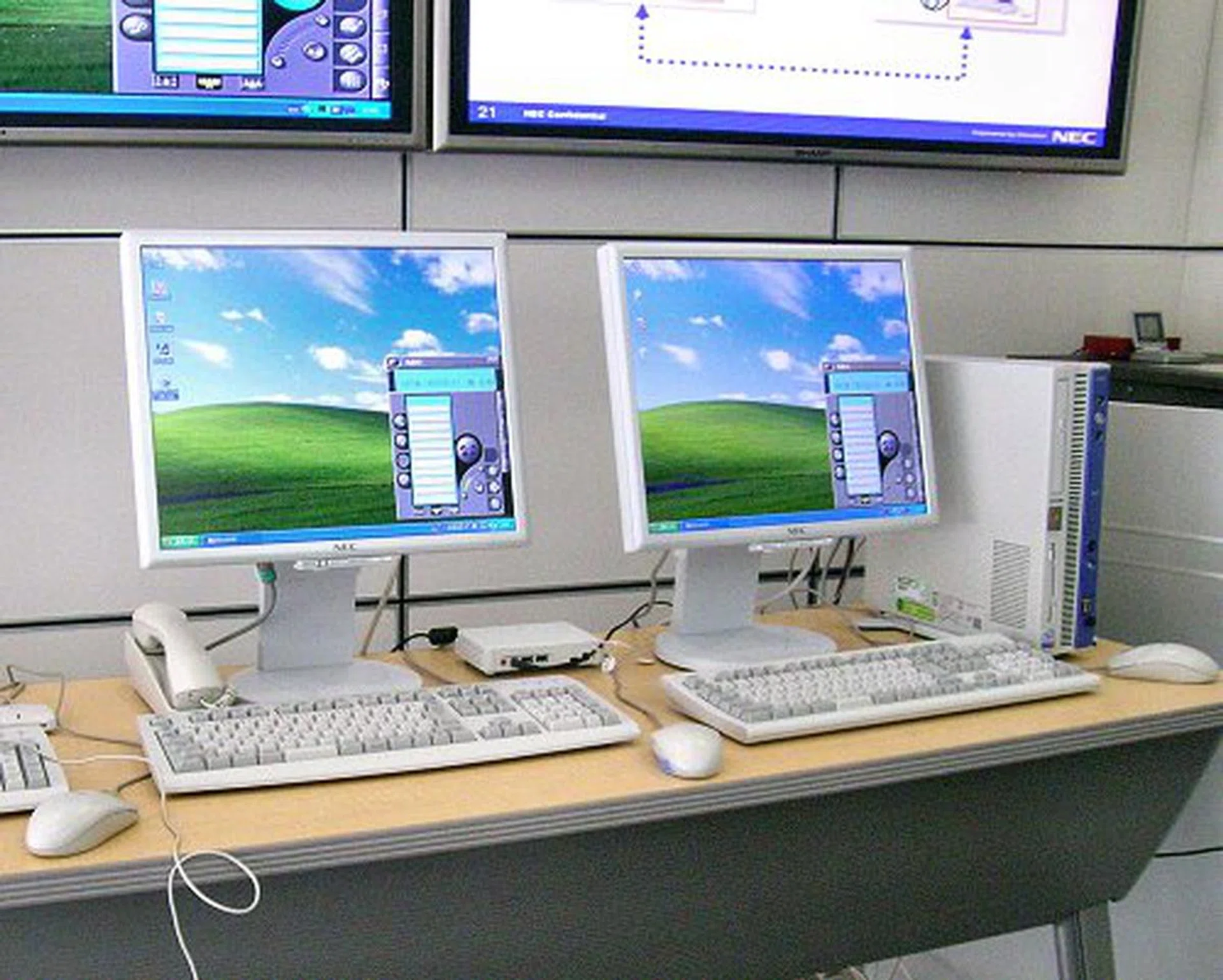
US100 thin client VoIP performance test compared with a regular standalone office desktop system.
NEC may have brought thin client computing into the future, but what we were worried about next was whether the VPCC network can handle the increased load of audio/video feeds. We asked Mr. Kobayashi if NEC faces network bottlenecks or if a company is required to implement NEC networks as well to run VPCC, "No. In reality, video handling through Windows Media Player averages 3Mbps, and voice handling is usually around 30Kbps. Even high-quality voice shouldn't exceed 300Kbps through RTP. Current enterprise network infrastructure through local LAN or VPNs should be able to handle the load just fine."
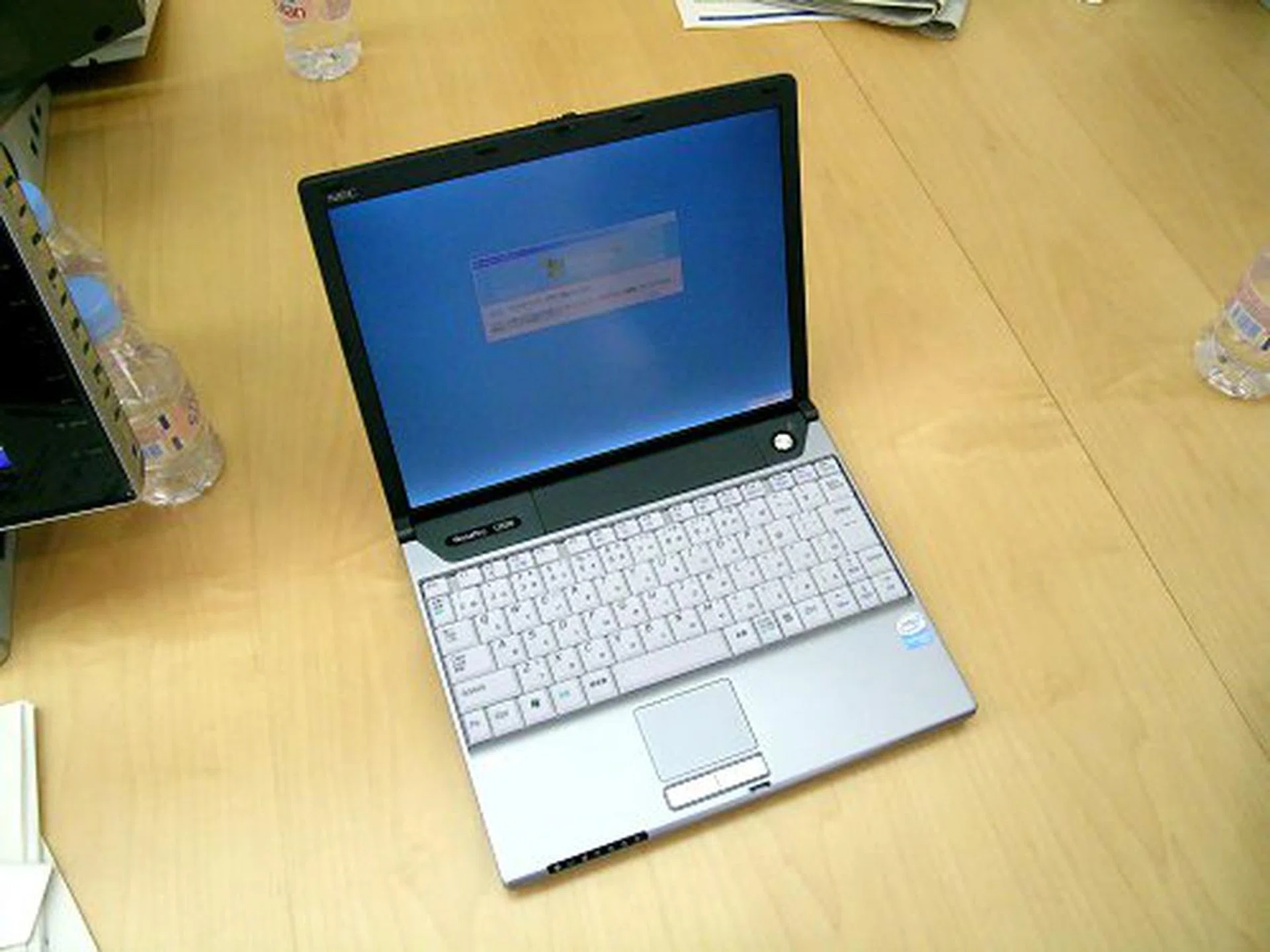
NEC has also rolled out the US50, a mobile B5-sized thin client for true workplace mobility. This model is only available in Japan though. In the global market, NEC will launch an A4-sized 15-inch thin client instead.
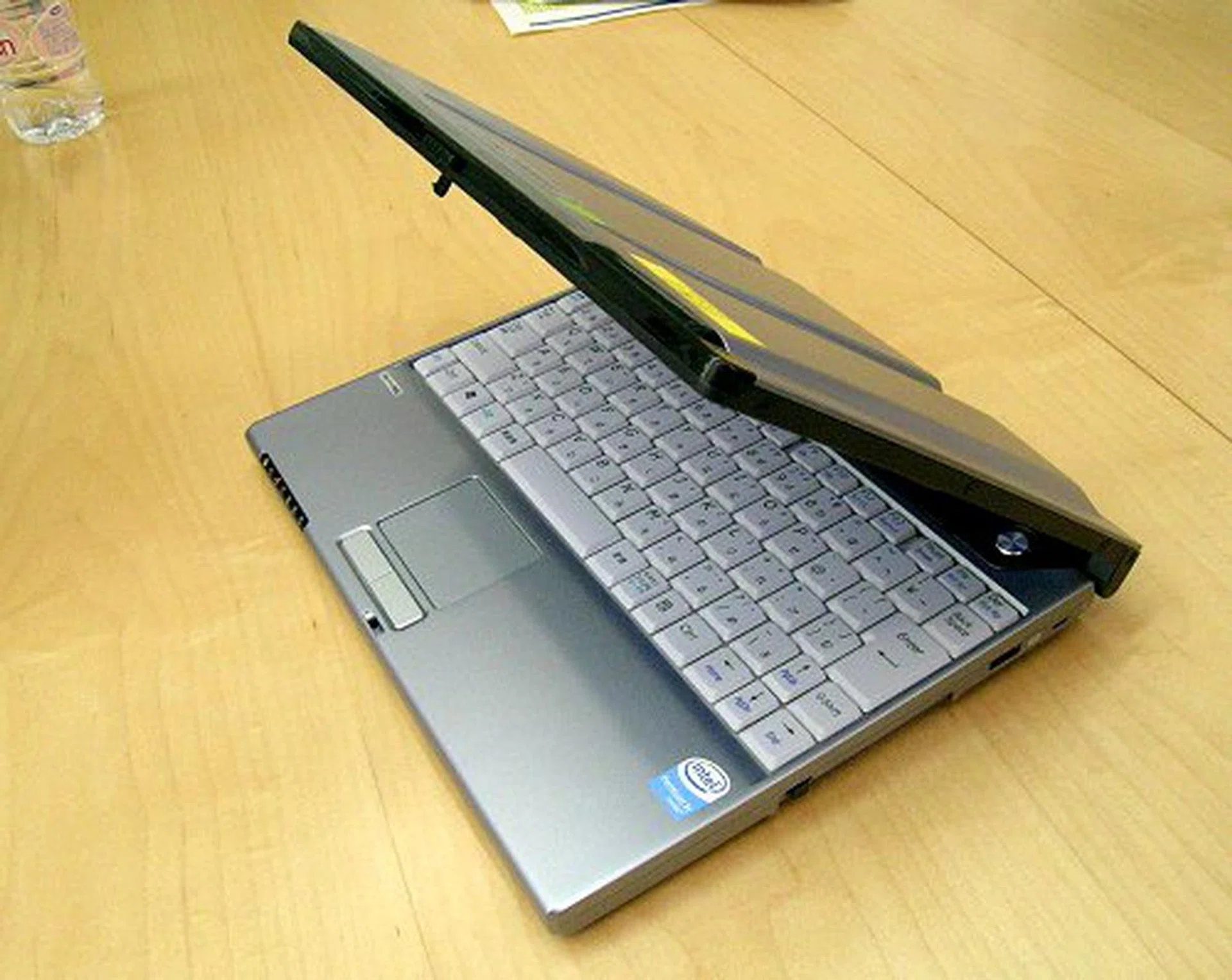
XGA 1024x768 screen, WiFi and VPN network access, weighs only 1kg and a single battery charge lasts 6-7 hours. Disregard the Pentium M logo for now as this is a working prototype only.
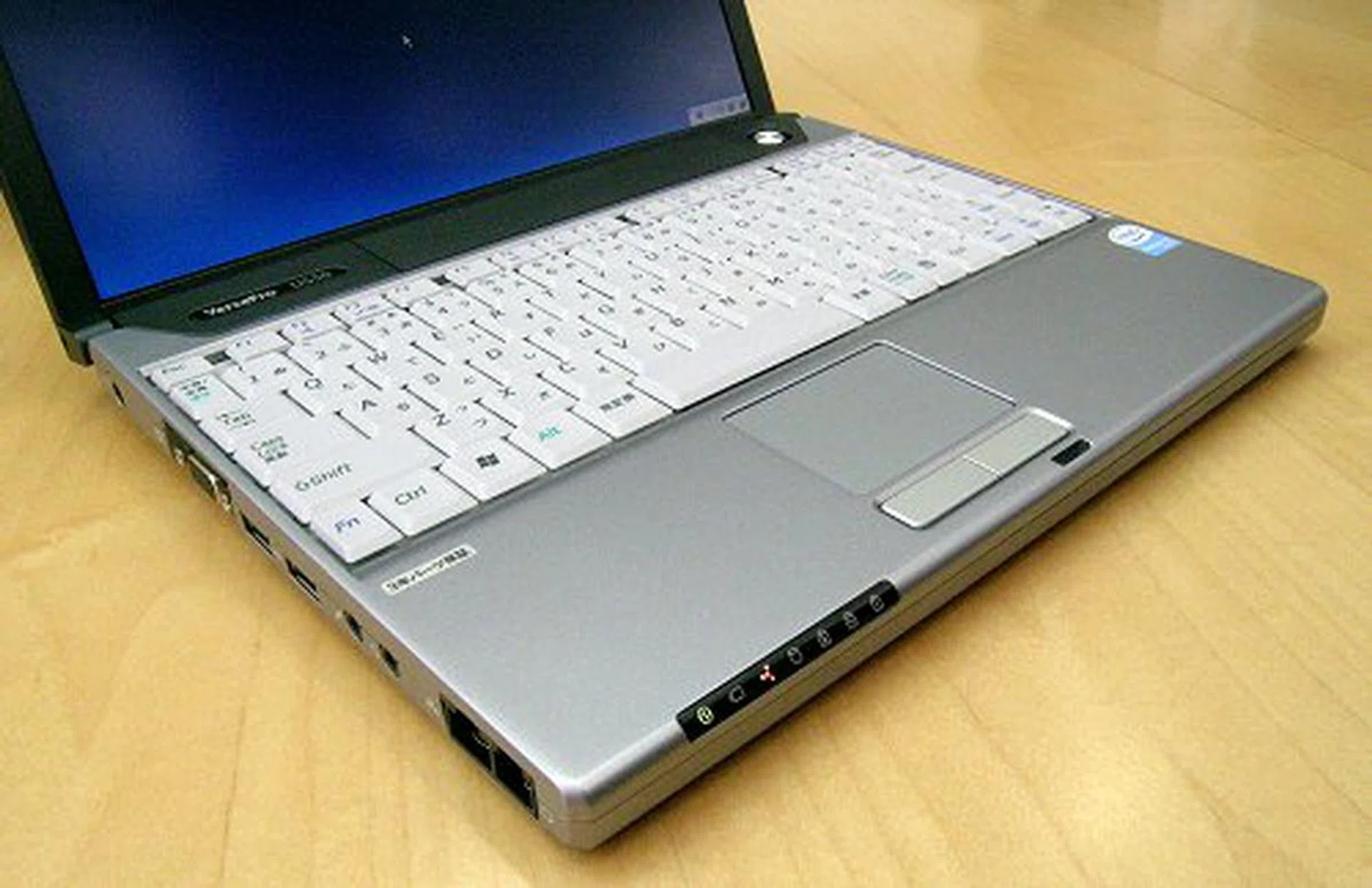
Just like the US100, the US50 mobile thin clients have the same limited connections.
NEC Broadband Solutions Center
After checking out the Virtual PC Center at the NEC Super Tower, we proceeded to the NEC Broadband Solutions Center in the Shinagawa district (a short ten minute drive away) to see the actual system in action. The Broadband Solutions Center is somewhat of a melting pot for NEC research and development. Many of their latest technologies and solutions are put to practical use in this facility, not only as a showcase for technology partners and investors, but as a live test tube environment.
NEC Broadband Solutions Center.
After being greeted with a dance number from an NEC PaPeRo personal robot at the entrance, we were ushered into what NEC refers to as the ubiquitous and location-free office environment. This is not a showcase or trial run, this is a real office, where real employees are going about their daily tasks. The difference here is the full implementation of VPCC. At first glance, it looks like a regular office, with desks and terminals, but here, there are no actual seat allocation or designated personal cubicle space, hence, location-free. Everyone and anyone can work anywhere they feel like. Logging on to the US100 thin client or US50 thin notebook, they can continue their work at any desk or seat. The use of paper is kept to a bare minimum and only digital data transfer is encouraged. In fact, we didn't really see much of actively used hard copy documents around, except for those already filed.
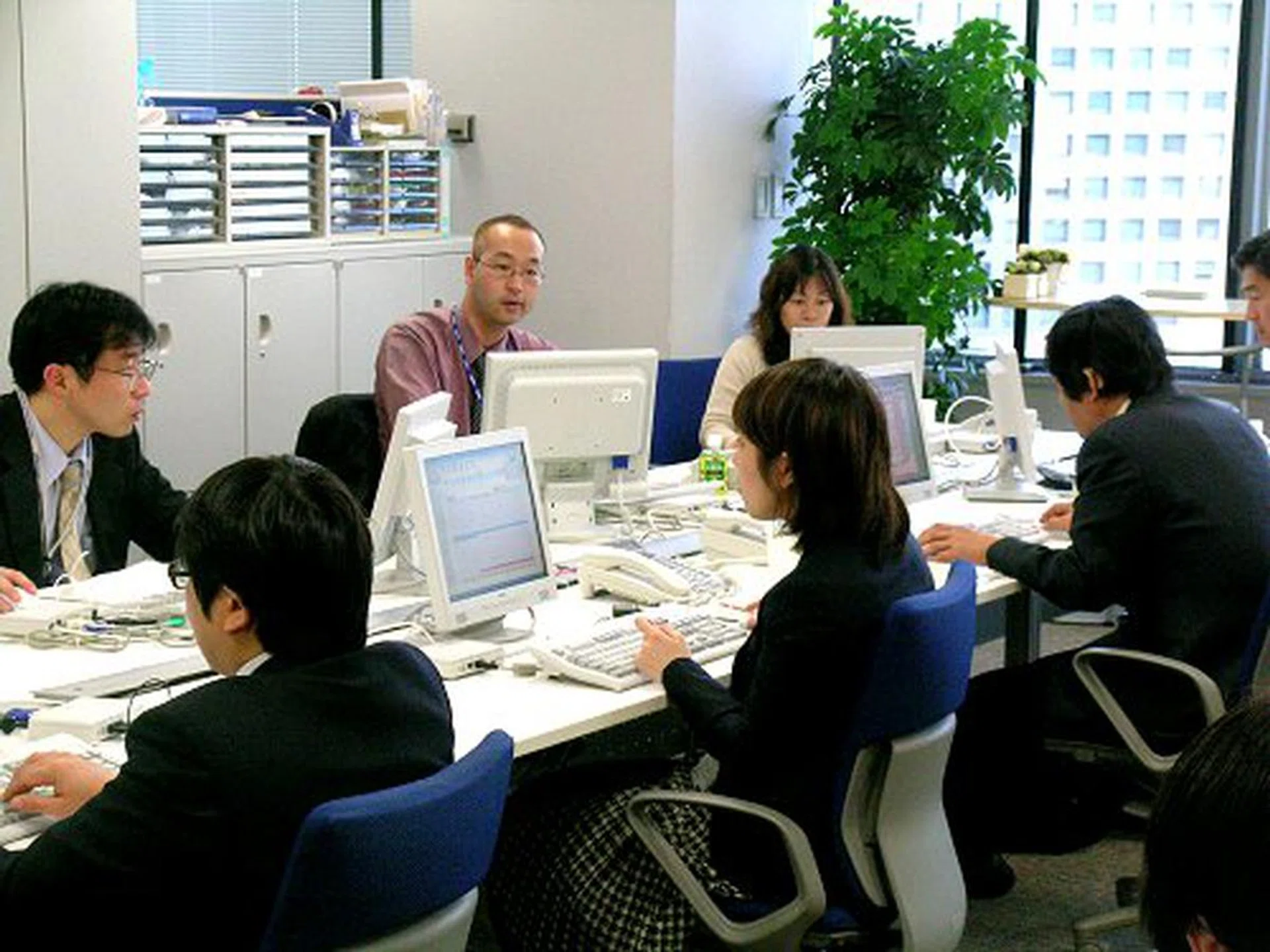
Thin client hooked up to the monitor and phone is all you need to do your job.
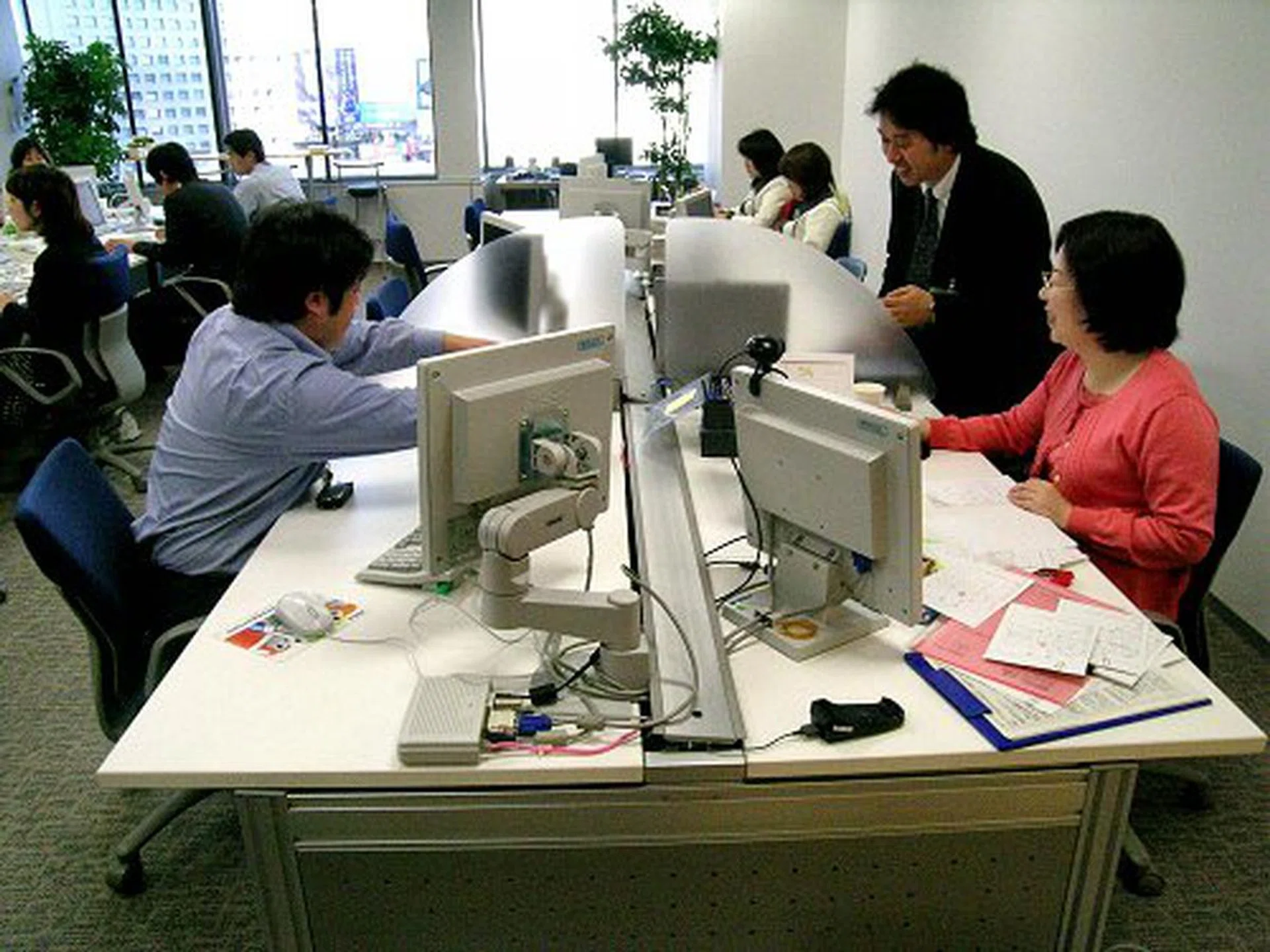
Someone apparently didn't get the memo about paper use.
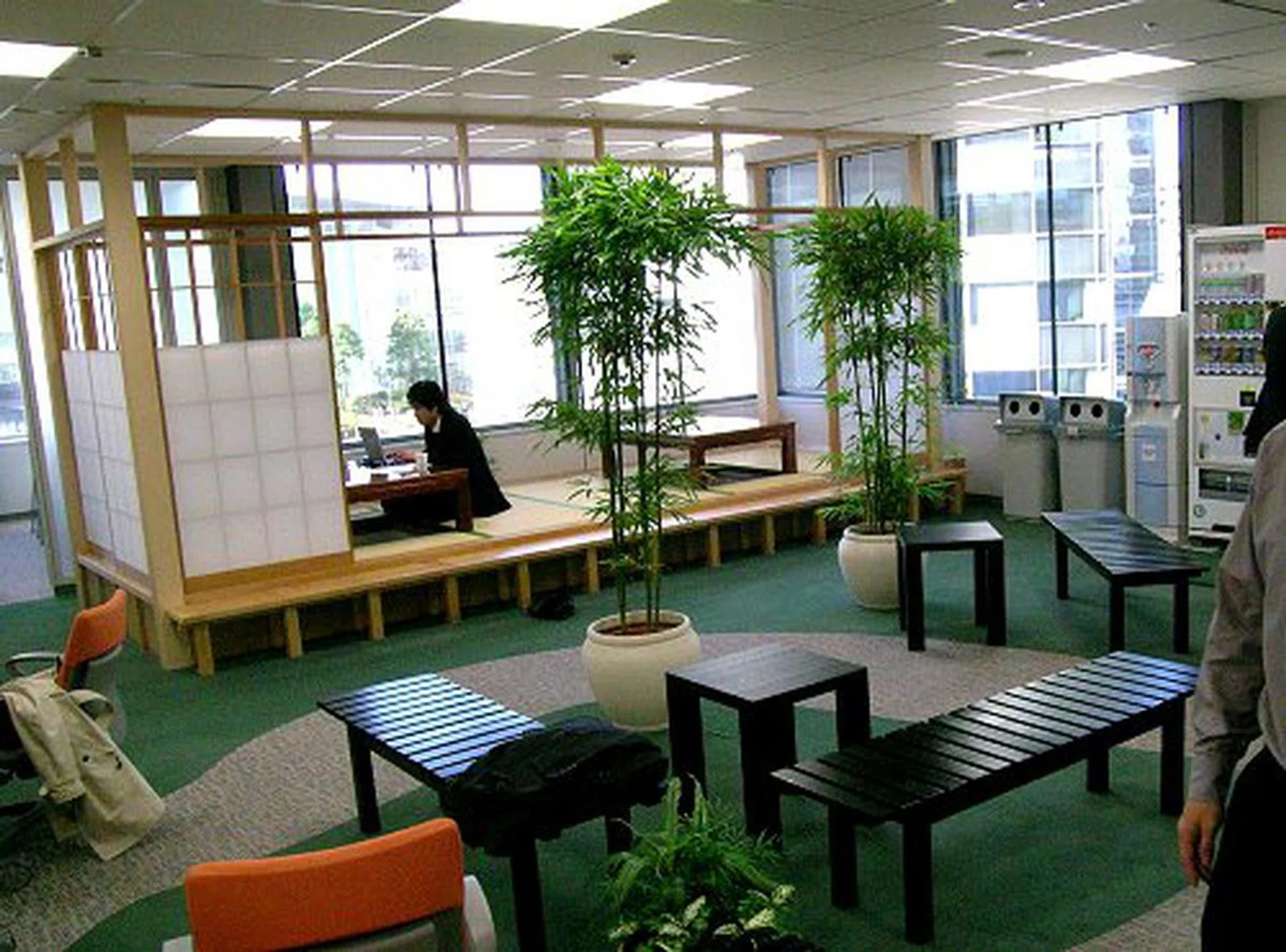
Desk space is optional. You can also move your 'office' here using the mobile US50 thin client.
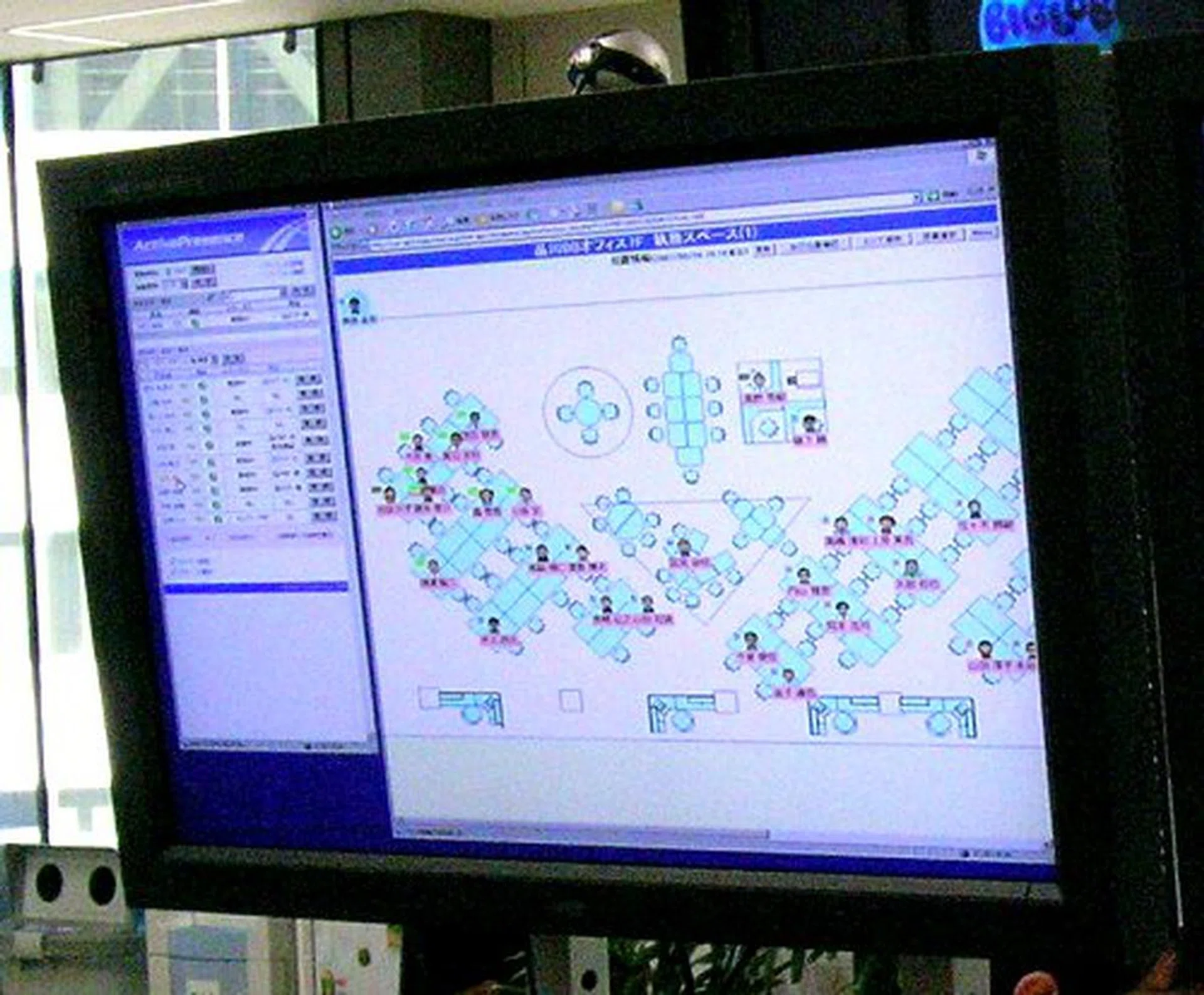
This LCD panel shows who is logged into which terminal and where they are currently located. This is one downside of the location-free system. You've got to hunt your colleague down.
In this office, the thin client is your virtual cubicle. As long as you are able to authenticate with the system, it doesn't matter where you are or which terminal you are actually using, your Virtual PC workspace, all your saved work as well as your direct IP phone line is available to you. You can literally bring your entire office with you where ever you go.
Welcome to the office of the future.
Our articles may contain affiliate links. If you buy through these links, we may earn a small commission.