
HardwareZone's 10th Anniversary Special
That's right folks, www.hardwarezone.com officially turns 10! Needless to say, the tech world and HardwareZone have improved heaps over this last decade and to cover it all, the editorial team has been busy reflecting back on past events and recollecting them here in this special 10th anniversary article series.
10 Years of www.HardwareZone.com
That's right folks, www.hardwarezone.com is now officially 10 years old and is on to its eleventh year of operation. Time certainly flies fast and a whole lot has happened in this period. Needless to say, technology has improved heaps over this last decade and to cover it all, the www.hardwarezone.com editorial has been busy reflecting back on past events and recollecting them here in this special 10th anniversary article series.
In this first article, we'll touch on a bit of history and how this once hobbyist site grew to become one of Asia Pacific's top IT portals; an overview into our articles (including some key highlights) and the review team; our forum community; and of course a quick overview of key technology segments from CPUs to notebooks that spanned this last decade.
But that's not all. Following this in quick succession, we'll have dedicated articles peering into each time segment to check out the major highlights that happened there and then. So sit tight and be prepared for a rollercoaster ride through history, as we stir up tech nostalgia and share with you our fond memories, achievements and events.
Here's wishing 10 good years of HardwareZone and more to come!
In the Beginning ...
It all began in 1997 with the zest and drive of one man, Dr.Jackie Lee, to reach out, communicate and share matters on overclocking and other aspects of PC hardware. Then an undergraduate (and now our CEO), he stepped in with his simple personal website to give it a shot. Interaction was limited at best given the restrictions on the ISP side, but that didn't stop him. Soon after his exam phase, he turned to revamp his personal site into one that helped serve the small but growing community of overclockers.
In May of 1998, the Singapore Overclockers Group (SOG) was born. No sooner then that took place, Dr.Jackie Lee teamed up with other undergraduates who shared his same interests, Eugene Low (now the Managing Director) and Ang Chi Hoe (our current CTO) to get SOG into the next stage by developing a better web interface, an overclocking submission database, hardware price guides and getting into proper technical reviews. Jereme Wong (now the Media Director) and Poh Swee Hong (current Circulations Director), both undergraduates at the same university as the rest joined in the fray and played the roles of reviews manager and web development back then. Finally, Dr.Jimmy Tang who was an ardent follower and contributor to the infant forums joined the team as Editor-in-Chief. Together, the team of 6 founders re-launched the site as the Singapore Hardware Zone under the www.hardwarezone.com domain on the 9th August of 1998 and established the foundation of what consists www.hardwarezone.com today.
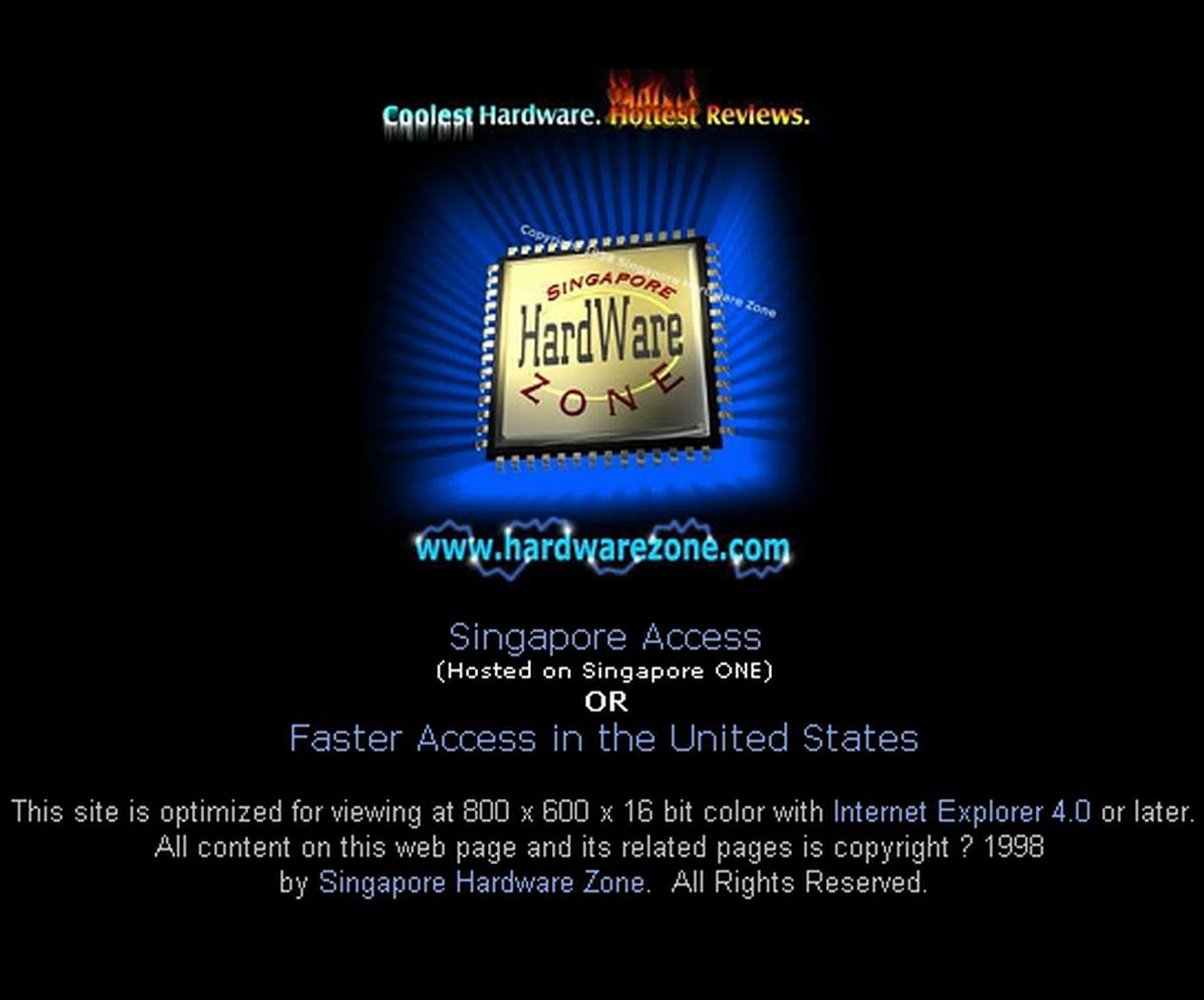
The old Singapore Hardware Zone logo and landing page when www.hardwarezone.com was first launched. This is should bring back fond memories to the old-timers.
With further pioneers such as Vijay Anand (now the Editor for www.hardwarezone.com) and Matthew Fam roped in to help shape www.hardwarezone.com in the reviews, news, forums and price list sections soon after the site's official launch, as well as Poh Leng Wee who managed the site's hardware infrastructure, the HardwareZone group was poised for strong growth as they consistently brought its readers the Coolest Hardware and Hottest Reviews - literally speaking.
In October of 1999, Hardware Zone Pte. Ltd. was incorporated to reposition the massively popular tech hobbyist site into a formal publishing business entity. From just 10,000 pageviews per month when HardwareZone first went online, today this leading regional IT publication draws more than 35 million pageviews per month and has several localized portals to cater to needs of various regions. We'll delve into more details on the services, offerings and initiatives (some of which will surely surprise you) that the team put out over the years in forthcoming articles, but we'll keep to the overview in this part.
In September 2006, SPH Magazines Pte Ltd (SPHM), a wholly-owned company of Singapore Press Holdings Limited, announced its acquisition of Hardware Zone Pte Ltd and its subsidiaries (HWZ) for S$7.1 million dollars. With an even bigger group backing the team at Hardware Zone now, there's no doubt that the best is yet to come.
And Another Joins the Celebration ...
But before we move on, we would like to share with you an interesting, lesser known fact. HardwareZone's sister publication, www.gameaxis.com is widely known to have been online since 2002. However much less known is the fact that GameAxis actually first went live in 1998 as a small project that was managed by Dr.Jackie Lee's brother, Crono Lee. While it went into an extensive overhaul phase in-between when the company was refocusing its efforts to beat the dot-com gloom, theoretically speaking GameAxis too shares the 10-year glory with www.hardwarezone.com. Here's to both publications and wishing them more years to come!
The HardwareZone.com Evolution
Ever wondered what www.hardwarezone.com was like in the old days? Using the Internet Archive Wayback Machine , we attempted to give you a glimpse of just that. We could have dug up our own archives, but since most of the website was dynamic in the latter years with parts being pulled in from various content segments, we didn't have a single snapshot like the Internet Archive Wayback Machine does. To save time on rummaging thru the deeply archived materials, we went with the modern web equivalent, so please pardon some of the broken links/images. Apart from that, it should give you a decent idea how the www.hardwarezone.com site has evolved over the years.
While there have been several improvements and service add-ons each year to the HardwareZone website, the site has only seen four major layout and design revamps in its 10 years of operation. This is a good sign because we constantly improve the layout and usability by tracking member feedback as well as mining usage patterns to reorganize and refocus what readers require most. Yet, we don't go to the extent of changing the layout often as it would be counter-productive to the regular followers of the website. Without further ado, we present you the www.hardwarezone.com website evolution in chronological order (click on them for a close-up):-
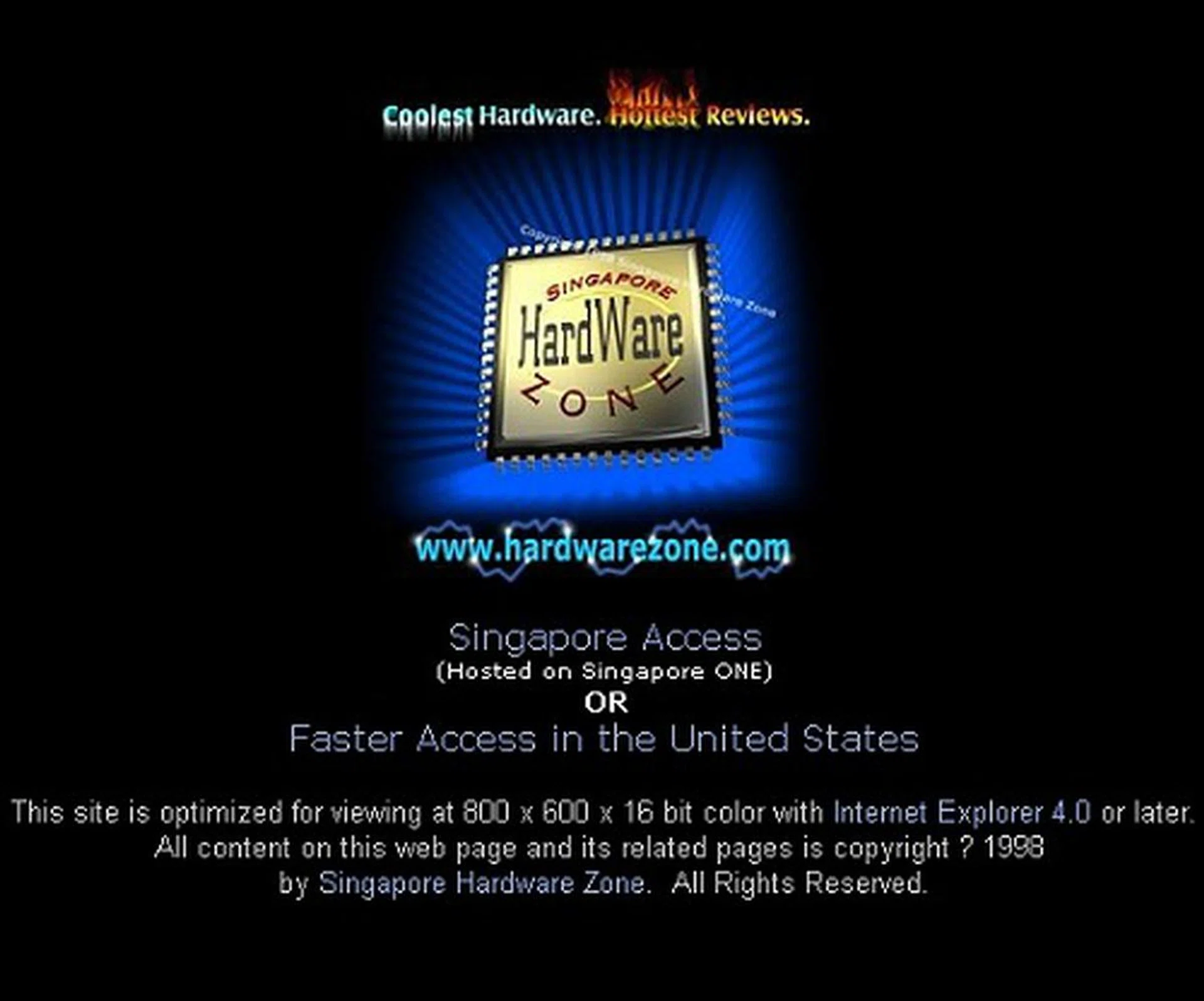
- Ah, the old black themed HTML page layout; this first generation design kept us good during the first 1.5 years of operation. Unfortunately, we couldn't get a good site layout copy for a snapshot from this era, so we've only got the landing page to show.
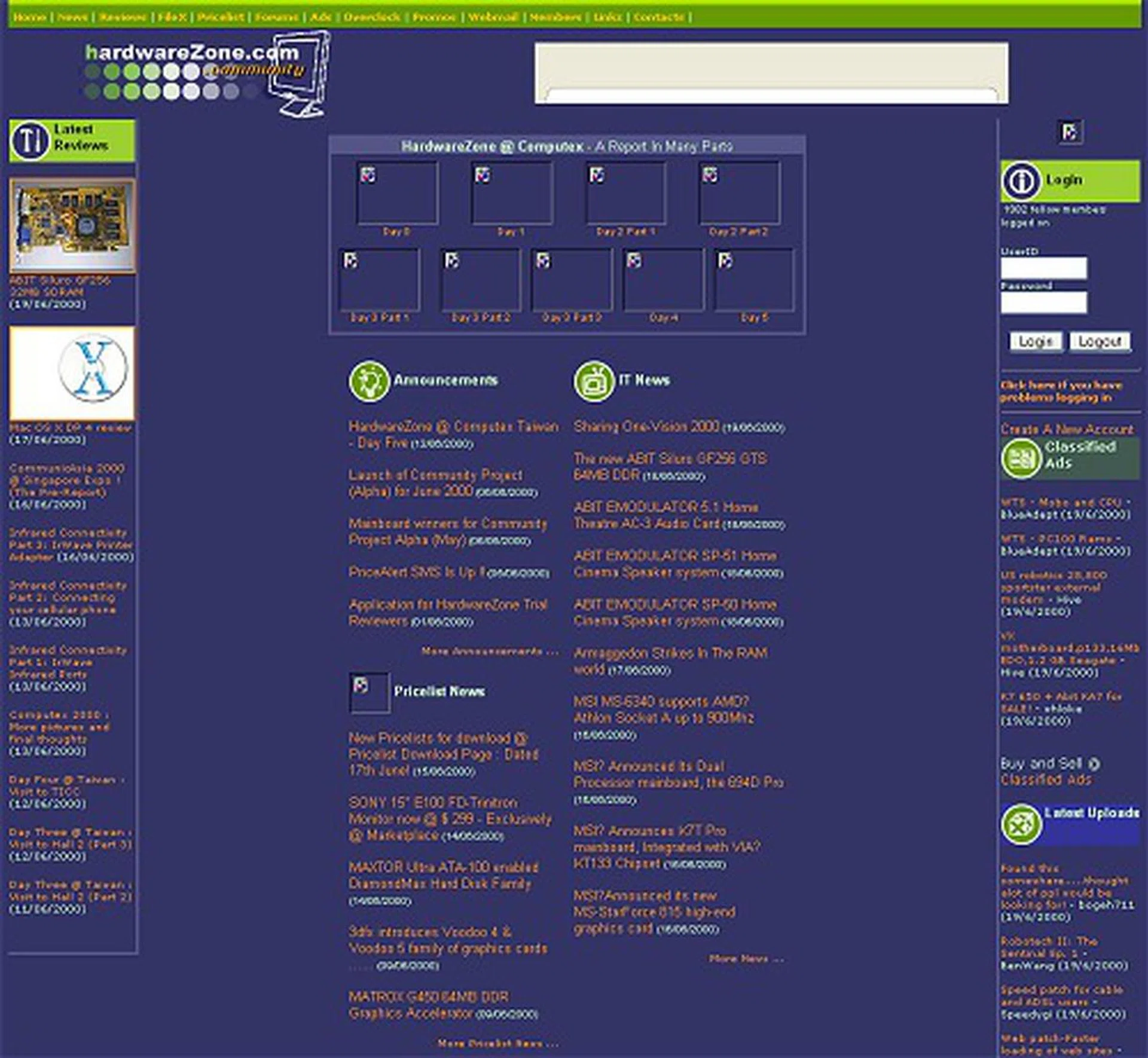
- Soon after Hardware Zone Pte Ltd was formed to transform the hobbyist site to that of a publication business, this purple-based motif took hold of the site, reflecting the corporate color. News and features took center-stage, while other often used segments line the sides. Layout has lots of unused space, but that's because the snapshot wasn't taken with the native resolution it was designed for.

- In the fifth year of operation, we had a major site overhaul which took on a blue-based motif. But more importantly, there was a reorganization of how everything was presented on the site and it became the base footprint to what www.hardwarezone.com looks like today.
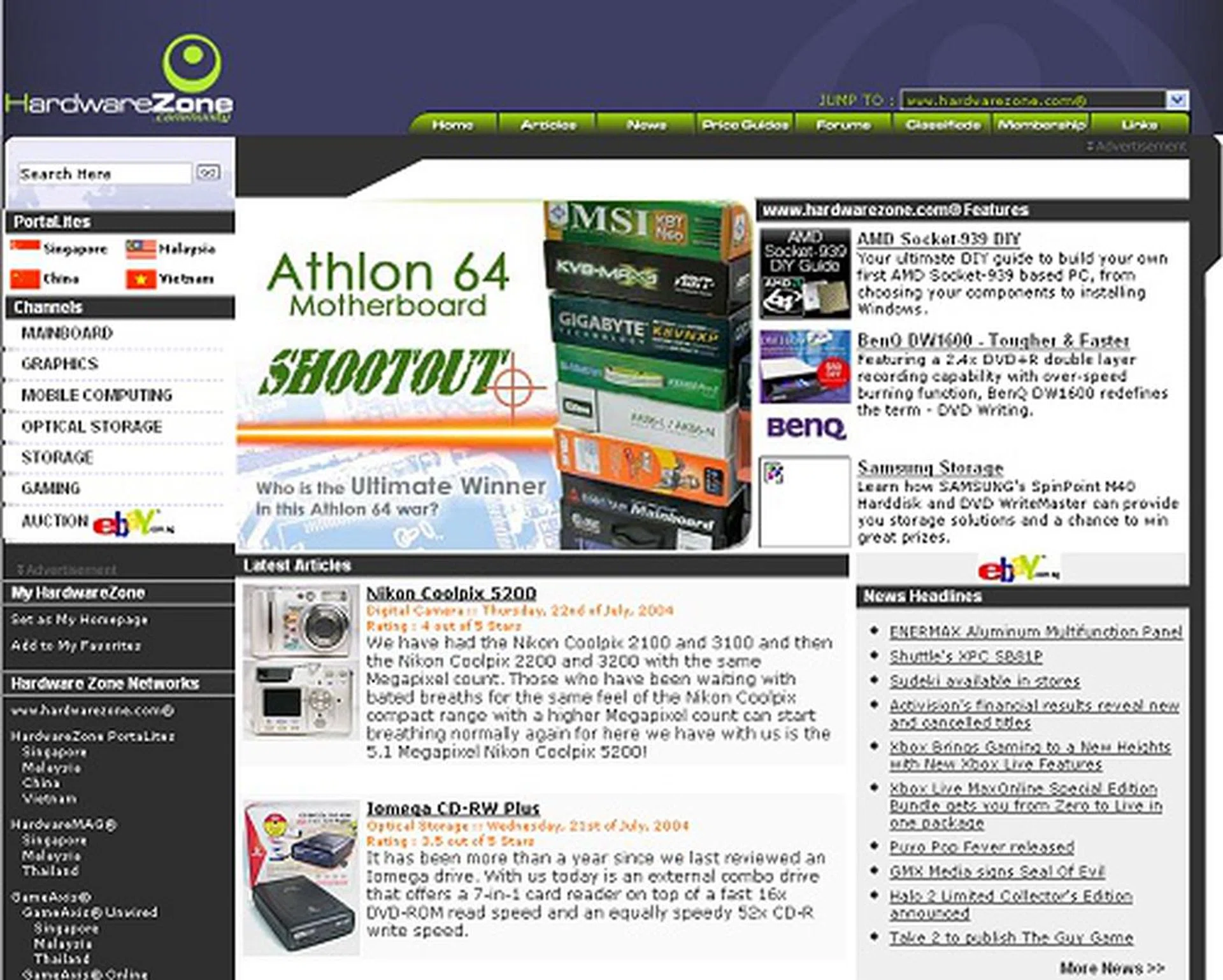
- Two more years passed and in 2004 (our seventh year of operation), www.hardwarezone.com took on yet another design revamp, which closely resembles our present day layout. Article/Reviews took center-stage then.

- A minor update to the 2004 design and some content placement changes in 2005 has pretty much remained the same till present day as this design/layout faithfully served our needs well.
That's not to say we've stopped evolving since 2005, but rather we had focused our efforts into other areas such as improving our service offerings and reaching out beyond Singapore to establish a regional foothold. With a well functioning main global website, www.hardwarezone.com, it was now the right time to lay the infrastructure and resources to expand into other neighboring territories and establish our presence. And that's what we did with Malaysia, Thailand, Philippines and Australia by offering further localized content via news, blogs, forums and price lists.
In fact for the Australia portal, our Creative department came up with a unique layout after studying that region's usage patterns and needs. We'll share on the various services that were introduced in various time frames and more later, but here's a shot of our Australian portal:-

This is our HardwareZone Australia portal that was launched late in 2005.
The HardwareZone Forum Community
Talk about being at the right place, at the right time, with the right set of services and you'll have HardwareZone as one of the examples. Online bulletin board groups (BBS), IRC and many other forums were sprouting or have already existed at the point of time when HardwareZone emerged in 1998, so what made it special that it now has its own community?
Some might say it's luck, but far more than that was the drive and ambition of the founders to establish the website as a leader in its niche by offering a fully integrated IT website for tech enthusiasts to convene in one location for their daily fix. Key services in the beginning like technology news and happenings, computer hardware reviews, computer hardware price lists, an overclocking database, classified ads and a forum to bind them altogether were important ingredients to entice readers to stay within the portal and ensure revisits due to its all-encompassing nature.
Back in those days, such integrated IT portals were not as abundant as they are now. Many usually lack one element or the other, thus limiting their potential. With a fully integrated IT portal, coolest news, hottest hardware, HardwareZone became a magnet where tech enthusiasts can converge to discuss like-minded matters. Thus began the rise of the HardwareZone forums.
The HardwareZone forums initially began with just a single forum, called Hardware Clinic in 1998. As members poured in and topics became more diverse, a Software Clinic followed suit. These were managed by moderators who went by aliases that began with "Dr." and "Nurse." salutations since the tech forums were 'clinics'. Soon, it was seen that these folks needed a more easy going forum where they could discuss all other matters outside of hardware, and thus the Eat-Drink-Man-Woman (EDMW) forum came about to support just about any topic of discussion under the sun.
Though Hardware Clinic was already a hit, EDMW was to become a bigger star as this general forum and other non-tech related services from HardwareZone such as the classified ads and price lists sections appealed to the masses with general IT knowledge and all of these were in close support of one another. And hence the forums gradually grew and by mid 2000, it had more than 13,000 members with 22 different forums as seen in this old snapshot:-

A snapshot of the HardwreZone forums back in mid 2000 period. Click for a close-up shot.
Not long after that, Hardware Zone Pte Ltd secured funding from investors. With new funding came plans from the management for growth and part of this was carried out by public advertising campaigns. This massively boosted the presence of HardwareZone and with that came a huge influx of new members. For a period, community growth was almost exponential! Here are some stats of when HardwareZone breached each 100K membership size mark:-
Number of Registered HardwareZone Forum Members | Year Achieved |
Breached the 100,000 membership figure during: | 2002 |
Breached the 200,000 membership figure during: | 2005 |
Breached the 300,000 membership figure during: | 2008 |
Today, HardwareZone has a large and vibrant community that numbers more than 327,000 members who participate in over 96 forums and it's still growing. Here are some interesting top statistics we've garnered from the administration database regarding the forum:-
Record no. of online users | 88572 users (on 10-12-2007) |
Top poster | LxIxVxE - 122021 posts |
Most replied to thread | Manchester United Forum thread (live since 2001) |
Most viewed thread | Manchester United Forum thread (live since 2001) |
Most popular forum | [Eat-Drink-Man-Woman ] forum |
Interestingly, a fan-club based Manchester United Forum thread that began in September 2001, is still alive and kicking with extremely strong support as the most viewed and replied thread of any in our entire forums. At the time of writing this article, there were 103,840 replies and more than 1.73 million views to-date. Amazing!
But the most popular and most active forum has always been EDMW for its anything-under-the-sun chit-chat nature. In fact, the forum moves faster than an IRC chat and has frequently captured or reported news from around the country or globe faster than the typical mass media can. Such is the speed, nature and prowess of this highly active forum to entertain as well as inform. In second place is the ever-popular technical forum, Hardware Clinic, despite the many other tech/electronics forums we've created for more focused discussions. Hardware Clinic is still seen as the place to share and discuss any technology related matters.
The top poster figure has an interesting history though. For the longest period of the forums' history, the top poster has been Guyver02. He has been an ardent supporter of the forums ever since its beginning and has even volunteered as a moderator for quite a while. However ever since he took his leave to serve the nation in the mandatory two-year army stint (by which then he had accumulated more than 80K of posts), another long time HardwareZone forum supporter came to vie for his position.
Known by his handle LxIxVxE, he was a much more active forum member with a post rate of nearly 43 per day. Seeing that he wasn't far off from approaching the 100k post count mark, the administrators decided to create a new rank for those crossing this barrier - Honorary Member. And he certainly did breach that figure sometime in 2007 and is still the only Honorary Member in the forums with more than 122K post counts.
Behind all the forum activities, lie the 50+ volunteer moderators who dedicate their free time to help clean-up and act on the culprits who abuse the rules. And laying the ground rules and guidance for them to follow is HardwareZone's Editor and Forum Administrator, Vijay Anand - most commonly known by his handle as "Dr.Vijay" and is synonymous for his wall-of-text replies to keep troublemakers at bay.
As you can see, while the community contributes to the growth of HardwareZone, the importance that HardwareZone places on its complete integrated services approach with News, Reviews, Price Lists and Classified Ads plays an even more vital role to the entire needs of its immediate community as well as the extended community. Next up, we'll take a look at how the core content section has evolved and some of its interesting stats over the decade.
The Core Categories - News, Event, Articles & Reviews
When SOG and SHZ first started, there were no forums yet. What brought traffic to the site were its informative news, in-house technical articles/reviews and the price list section for computer hardware. These made up the initial core of HardwareZone until late in 1998 when forums became the next integral service.
Kick started by Dr.Jackie, he manned all editorial content and site management back in the Singapore Overclockers Group days. But soon after when his comrades joined into to help launch Singapore Hardware Zone, Jereme Wong too pitched in with Jackie to help review some of the latest hardware back then and scoop for the latest news around to update the fledgling website.
Soon after www.hardwarezone.com was launched, pioneering contributors such as Dr.Jimmy Tang, Vijay Anand (and later staff of HardwareZone) helped propel the reviews, news and price lists sections to greater heights. Dr.Jimmy and Vijay played a key role in energizing the online content by establishing standards for testing, reporting, layout and style of articles. 10 years on, with both having written hundreds of articles and technology pieces, Dr.Jimmy Tang is currently the Editor-in-Chief and CCO of all Hardware Zone publications (www.hardwarezone.com, www.gameaxis.com, HWM, GaX Unwired and PVi), while Vijay is the Editor of www.hardwarezone.com and oversees all content production with the online editorial team that powers the portal and empowers his team to take www.hardwarezone.com to the next level.

The Reviews homepage back in 2001, and already in this snapshot you can see articles from both the pioneers of the editorial team. Click for an expanded view.
From short 1-page articles and limited photo taking capabilities of those early days where some of us used webcams and scanners to capture a product photo, we've come a very long way now. These days you can expect nothing less than a multi-page review using a spread of selected benchmarks that is appropriate for the task and using tools like power meters, infrared temperature gun, thermal probes and others to get accurate test results to reflect various scenarios and a dedicated photo studio with various lighting instruments and a variety of DSLR cameras to get good photography. We go to great lengths to prepare an article. And that's not yet even mentioning the amount of time that goes into research, chasing news, the various testbeds/procedures we have to maintain and constantly renew when required and the various other comparisons we rake up to ensure our readers get the best understanding of the product in review.
Having said these, a Tech Writer's job at HardwareZone doesn't sound quite as straightforward as it seems, yes? But ask our crew and they'll tell you that handling products that are hot off the manufacturing line and not found anywhere yet on the market is a really cool privilege and you get to write about it objectively when handling all the other numerous gadgets and gear we constantly get. Just some perks of the job, but you'll have to learn fast if you're new as the industry is a really fast moving one.
The following are some of the top article statistics we spent time to gather in the category of all-time reader favorites and all-time highest pageviews generating articles. You'll notice that our Athlon 64 Motherboard Shootout article tops both categories and that's because it is so highly sought after that it has amassed more than 10.8 million pageviews and it's still growing daily!
No. | Article | Year Published |
1 | 2004 | |
2 | 2002 | |
3 | 2004 | |
4 | 2005 | |
5 | 2003 | |
6 | 2007 | |
7 | 2004 | |
8 | 2004 | |
9 | 2004 | |
10 | 2000 |
No. | Article | Year Published |
1 | 2004 | |
2 | 2004 | |
3 | 2004 | |
4 | 2005 | |
5 | 2004 | |
6 | 2006 | |
7 | 2003 | |
8 | 2007 | |
9 | 2005 | |
10 | 2006 | |
11 | 2004 | |
12 | 2004 | |
13 | 2004 | |
14 | 2004 | |
15 | 2002 |
While these are our all-time statistics, there are several promising articles from 2008 that are determined to make it in to our top 50 listing. One of those that actually made it through and is rising fast through the ranks is our ; as days pass, so does its position. For an article that's barely two months old and to be in our top 50 favorites of over 3,000 articles in our database is quite a testament to the nature of the subject as well as the competency of the tech writers in the review team who managed to cast an impression.
Editorial Achievements & Milestones: 1998 - 2001
Year Achieved | Editorial Achievements/Milestones |
1999 | Achieved publishing over 100 editorial articles online by December 1999. |
2000 | HardwareZone attended Computex in Taipei for the first time and we've been covering it yearly ever since. |
2000 | HardwareZone attended Comdex in Las Vegas for the first and last time (Comdex popularity declined for CES and Computex). |
2000 | |
2001 | Hardware Zone Awards 2000 - an inaugural event for Hardware Zone as it strives to bring recognition to IT product manufacturers and promote excellence in product quality, design and performance. |
2001 | HWM's 1st issue in July 2001 |
Editorial Achievements & Milestones: 2002 - 2004
Year Achieved | Editorial Achievements/Milestones |
2002 | |
2002 | Our first stab at video reviews via a dedicated broadband channel |
2002 | Achieved publishing over 500 editorial articles online by September 2002. |
2002 | HardwareZone attended Intel Developers Forum conference in San Francisco for the first time and we've been covering it faithfully once every half a year ever since. |
2003 | Abit Overclocking Competition - Organized by Hardware Zone and Abit, it is the biggest techie competition of its kind held in Singapore. It was so successful that it set the precedent for all such future events (even till today). |
2003 | Our Shootout heritage began with the AMD Athlon 64 Chipset Shootout article (and this is also one of our all-time highest read articles). |
2004 | HardwareZone attended CES exhibition in Las Vegas for the first time. |
2004 | The largest single article ever published on HardwareZone, The Athlon 64 Motherboard Shootout is a staggering 46 pages in length and covers 15 motherboards. Dr. Jimmy and Vijay burned several nights to pull this feat, but it was worth the effort - it has been the top read article on our site, over 10 million pageviews and still growing! |
2004 | Achieved publishing over 1,000 editorial articles online by Febuary 2004. |
2004 | HardwareZone attended CeBIT exhibition in Hannover , Germany for the first time and we've been covering it yearly ever since. |
2004 | New and extremely extensive Intel LGA775 DIY Guide and AMD Socket-939 Guide prepared and launched. Amassed massive pageviews over time and a true hit with newcomers in the DIY scene. |
2004 | HardwareZone Christmas Affair - Building on the success of last year's competition, HardwareZone devised yet another landmark event with a bigger Abit Overclocking Competition and HardwareZone's Plug and Play Competition. |
Editorial Achievements & Milestones: 2005 - 2008
Year Achieved | Editorial Achievements/Milestones |
2005 | HardwareZone attended Macworld Conference in San Francisco for the first time and we've been covering it yearly ever since. |
2005 | HardwareZone attended 3GSM World Congress at Cannes, France for the first time and we've been covering it yearly ever since. |
2005 | HardwareZone embarked on the largest editorial feature ever with the Ultimate Intel 915P Motherboard Shootout that spanned several mini articles and culminating with the Grand Finale. Zachary Chan and Vijay took more than a month to put it together and in the end they completed the ultimate shootout article with a whopping 70 pages! Also a first was the Tested and Certified program that went along with this mega shootout. |
2005 | Top 100 Products of the Year series debuts and identified the best products/technologies of the year that we belive made the biggest impact. Here's the 2005 edition . |
2006 | Started our local quarterly exhibition Preview articles of IT Show, PC Show, Comex and Sitex, in addition to the usual show coverage to give our community the advantage to help them shop smartly. |
2006 | HardwareZone attended IFA exhibition in Berlin for the first time and we've been covering it yearly ever since. |
2006 | Achieved publishing over 2,000 editorial articles online by August 2006. |
2006 | Pulled out our very first CPU Performance Charts article. Here's the 2006 editionand here'e the subsequent 2007 version. |
2007 | Churned out our very first Graphics Performance Charts article . |
2008 | Achieved publishing over 3,000 editorial articles online by June 2008. |
2008 | Started our inaugural Hardware Zone PlayTest event - a special event tailored for our community to meet the editorial team for special advice, enrich themselves with our specialized showcases and attend our talk sessions. |
2008 | Initiated a brand new technical competition - HardwareZone Iron Tech - this is the ultimate battle of wits and skills that engages the best contestants from around the region on their ability to setup and optimize systems such that they deliver the best performance-to-price ratio at the lowest power draw possible. |
Technology Overview Segments
By now you would have had a good overview of www.hardwarezone.com and its evolution, but up next is an overview of the various technology segments we've focused most and how they've progressed from 1998 to the present day in 2008. More details to follow suit in our later articles, so let's begin with our overview.
10 Years of CPU Progression - Part 1: Moore's Law
In early 1998, Intel released its low-end budget processor, the Celeron, which was then based on the Pentium II. It ran at a mere 266MHz and was manufactured on a 250nm process. When Intel introduced its latest iteration of the Celeron brand ten years later in January 2008, the Celeron had two processing cores, ran at 2.0GHz and was built on a 65nm process.
As anyone involved in the field of computing will tell you, Moore's Law is probably one of, if not the definitive statement of the industry. Ever since Intel's co-founder, Gordon E. Moore noted in 1965 that the number of transistors placed on an integrated circuit doubles roughly every two years, this has remained more or less true. Implicit in this observation is that computing power grows exponentially and even as we entered the 21st century, futurists have predicted that this trend will continue for some years to come.
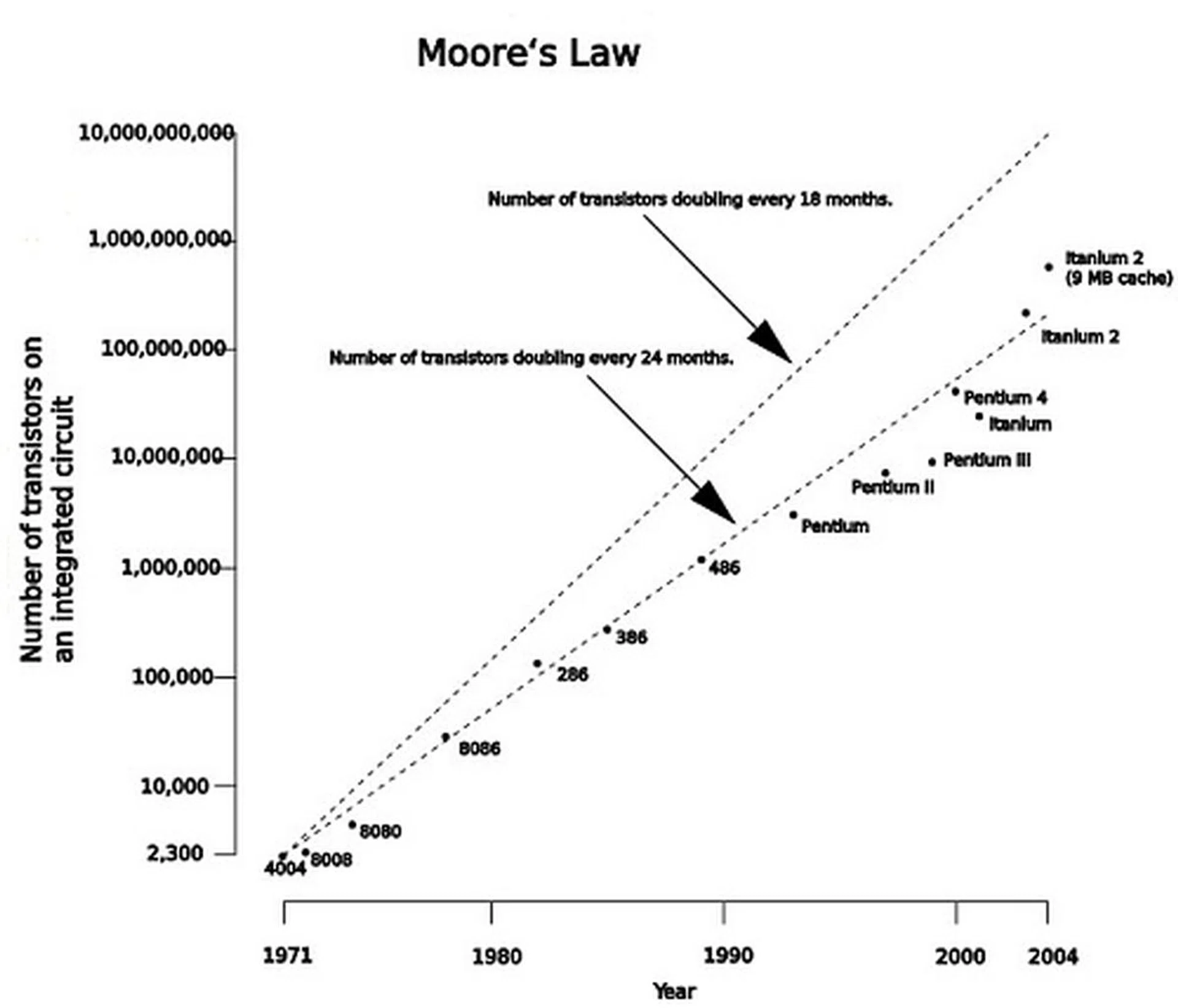
Image courtesy of Wikipedia.
While Moore's Law has since been expanded to include the exponential growth of all aspects of computing hardware, the original statement referred specifically to the semiconductor industry. Hence we felt that it was very appropriate to cite this as we look back on the CPU developments of the past decade.
So far, computer scientists and engineers have succeeded at maintaining this remarkable trend. We'll be highlighting some of the significant milestones during this period in more detail later and you can see for yourself the fruits of their labor. Since the scope for processors can be extremely broad, we are limiting our discussion to the x86 platform and its main players, with the occasional digression.
In our opinion, the last ten years of the CPU industry can be summarized in a single sentence:
"The race for clock speeds i.e. the Megahertz/Gigahertz race has evolved into one between multiprocessors."
In 1998, Intel's flagship Pentium II processor was running at a maximum clock speed of 450MHz. This would be supplanted within a year by the Pentium III, which despite the new name, did not differ that much from its predecessor. It even started at the same 450MHz clock as the Pentium II. However, the Pentium III had Intel's first implementation of SSE (Streaming SIMD Extensions) instructions, which reduced the number of instructions needed for each data set, thereby improving the efficiency of the operation. With new registers and floating point support, the SSE instruction set has been widely adopted by both AMD and Intel for their microprocessors and the current iteration is SSE5, introduced by AMD in 2007.
That same year in 1999 would also see the debut of AMD's K7, known as the Athlon, which would become the company's most successful CPU. Featuring a next generation x86 micro-architecture, the Athlon would seriously challenge Intel's dominance of the x86 market. Among other notable technological feats found in the Athlon was a new triple-issue floating point unit (FPU) that turned AMD's traditional FPU weakness into a strength, such that enthusiasts would be talking about AMD's FPU performance lead for years to come.
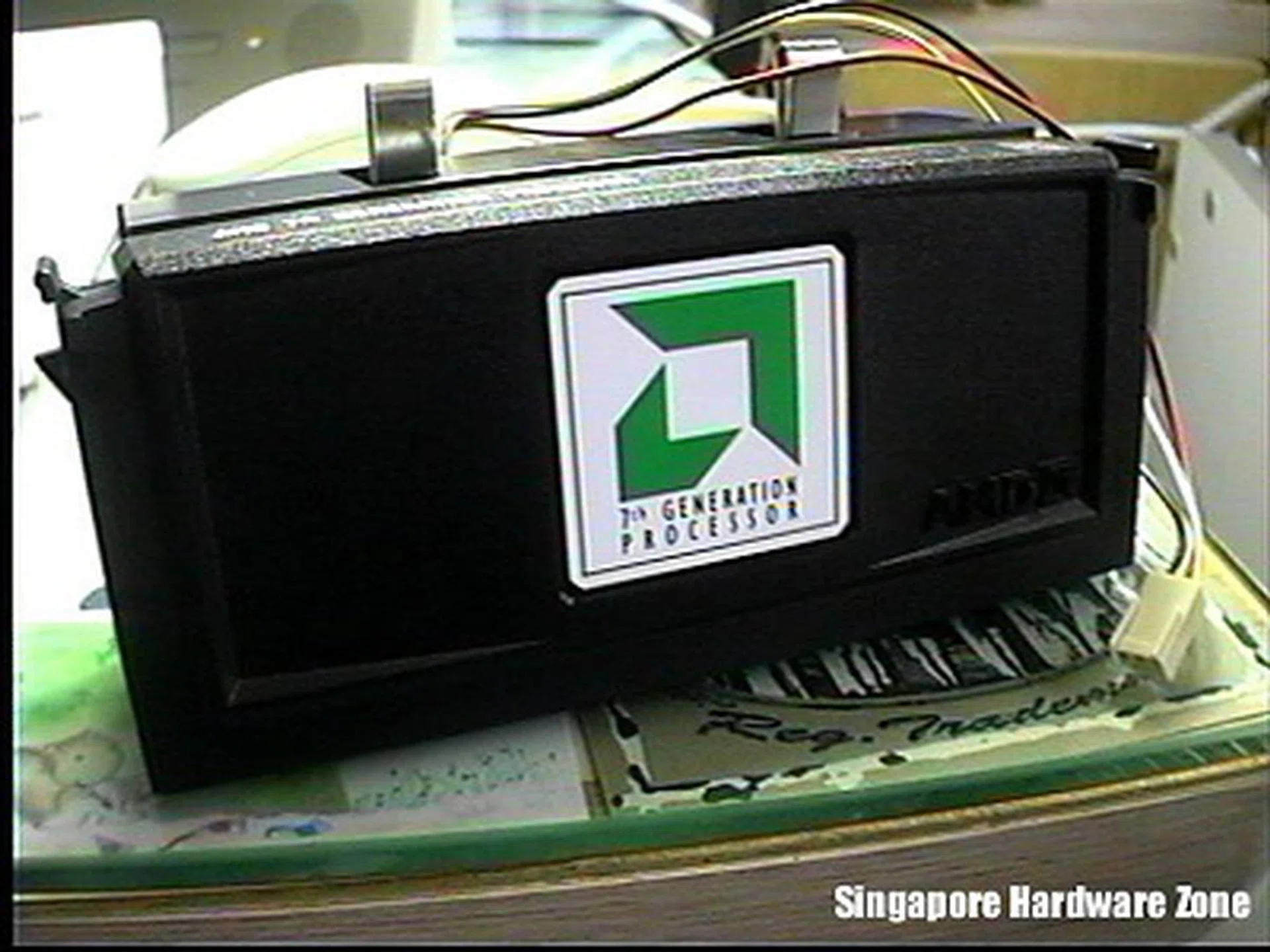
The original Athlon K7 500MHz processor as tested by HardwareZone.
While the K7 heralded the beginning of an era where the incumbent market leader Intel faced serious competition for the first time in a long while, the company continued to ramp up the megahertz with further iterations of the Pentium III, with the 180nm Coppermine Pentium III that ran up to a maximum of 733MHz. Unfortunately, production woes plagued the transition to 180nm and despite the fact that the new Coppermine processors were significantly faster than the original Pentium III thanks to its full-speed 256KB L2 cache, the Athlon proved to be very compelling, particular in terms of pricing.
10 Years of CPU Progression - Part 2: Climbing to Higher Frequencies
With such a competitive landscape, both AMD and Intel started launching newer grades of their processors, with increasing processor frequencies, all within a short time frame between 1999 and 2000. Not surprisingly, the significant 1GHz mark was soon breached and AMD's Athlon claimed that honor. It was obvious. AMD's star was in ascendancy and its next revision of the Athlon, the Thunderbird would improve on the original Athlon by having a faster and better cache design. These were heady days for the company and with the Pentium III falling behind in benchmarks, AMD was quickly gaining market share at the expense of Intel. To match its aspirations, the company started ramping its manufacturing capacity with new fabrication plants, though they remain far behind Intel.
This clock speed race between the two major microprocessor firms raged on as we entered the 21st century. Intel came back with a new micro-architecture, NetBurst that could be scaled up to extremely high clock speeds, due to a 20-stage deep instruction pipeline first used on the original Pentium 4. This meant that Intel was soon launching CPUs with clock speeds that were higher than anything from AMD, though they were not necessarily faster in benchmark performance. Less informed consumers who have always relied on processor clock speeds as a rough gauge of performance were hence inclined to favor Intel's Pentium 4 products.
This prompted AMD to introduce its PR (performance rating) system of marketing its processors, which pegged the processors relative to a baseline system. This was seen with the third Athlon revision, the Palomino, also known as the Athlon XP. AMD also sought to highlight the 'myth' of the clock speed with advertising efforts and concealed the true clock speeds of its processors (except within the BIOS) in favor of the PR system, as they were often inferior to Intel's higher clocked Pentium 4.
Of course, there came to be a time when Intel's Pentium 4 started encroaching onto the Athlon's performance lead. The introduction of the new Intel 845 chipset that used cheaper SDRAM instead of Intel's ill-conceived venture into RAMBUS in 2001 helped bring Pentium 4 to the mainstream consumer. Meanwhile, Intel continued to scale up its micro-architecture with newer cores that soon ventured into the 2GHz territory and beyond. Intel was aided by its transition to a 130nm process, allowing the company to increase transistor count and clock speeds. These newer Northwood cores introduced in 2002 also came with Intel's HyperThreading technology, which was a form of pseudo-multiprocessing that allowed multiple threads to be executed by simulating the presence of two logical processors such that the supported operating system can schedule two threads or processes.
Meanwhile, AMD's own switch to 130nm did not yield the higher clock speeds needed to overcome Intel's new Pentium 4. Other improvements to the design like a larger cache and higher FSB also failed to raise the performance sufficiently. It was time for AMD to come up with a new micro-architecture.
This new K8 micro-architecture would be found first in a server oriented processor, the Opteron. Representing AMD's hopes of making inroads into Intel's server class Xeon processors, the Opteron was launched in April 2003 and was unique in being able to run legacy 32-bit applications without any performance penalty, despite the fact that it was actually a 64-bit processor. Enabling this was AMD's x86-64 instruction set (AMD64), which would eventually be duplicated by Intel (Intel 64) a year later. However, this meant that when the Opteron debuted, Intel had no quick response to this additional feature. As a result, AMD started posting impressive growth figures for its server processors and some major vendors like Sun and HP would eventually offer Opteron powered workstations and servers.
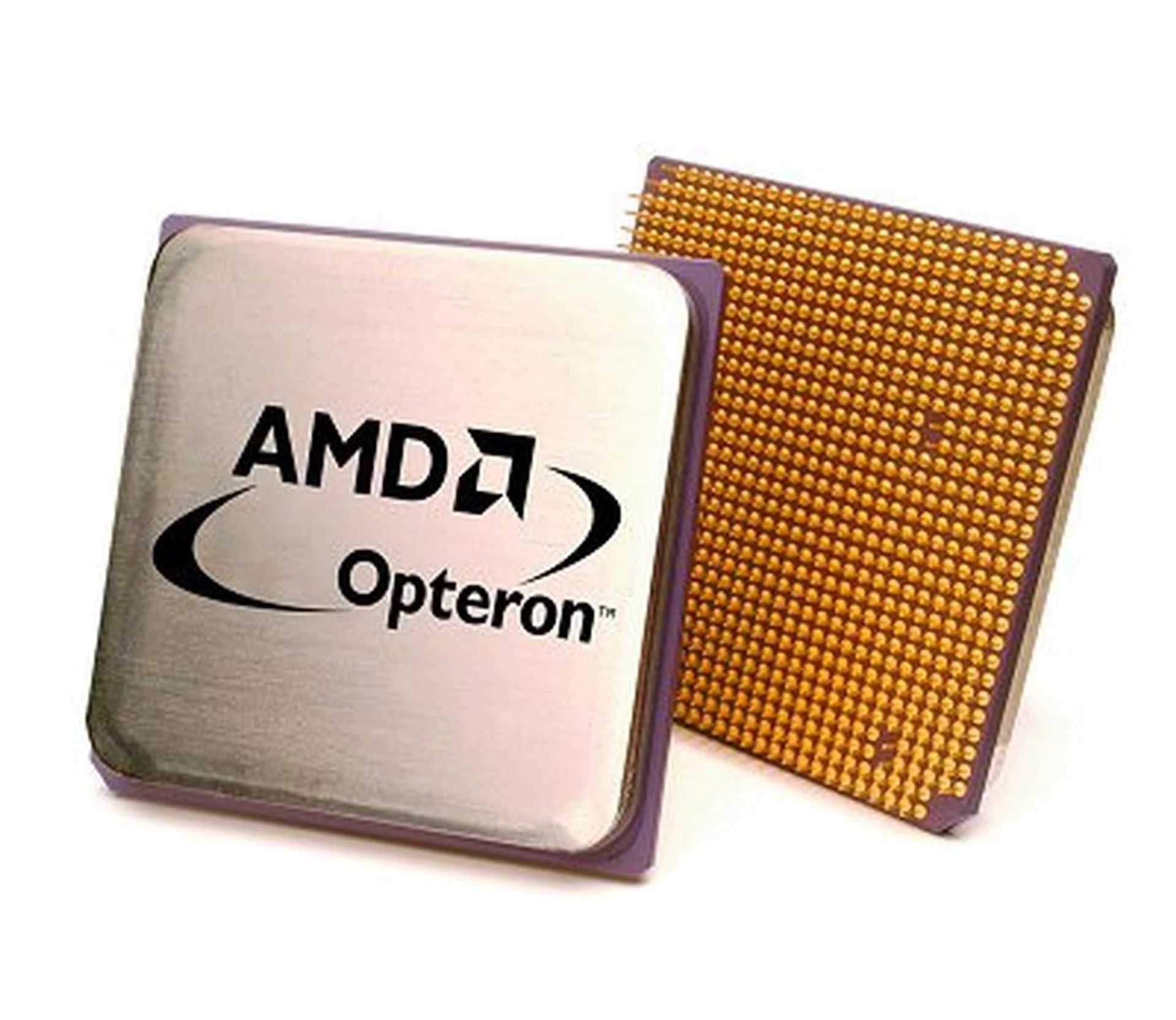
The original AMD Opteron from the 2003-era designed for the Socket-940.
AMD would follow up the server version with the desktop version, dubbed the Athlon 64, to leave consumers no doubts about its 64-bit pedigree. With performance that restored competitiveness with the faster Pentium 4 processors in the market, AMD had a moderately successful product on its hands but it could only produce very limited quantities. Core revisions in the following year led to various improvements like a faster HyperTransport bus and a dual channel memory controller but before this, Intel already had its newest 90nm Pentium 4 revision, Prescott (with an even deeper pipeline), available for a couple of months.
By then, the clock speeds of the faster Prescott Pentium 4 were already over the 3GHz mark. AMD's powerful FX-55 processor was not too shabby either in the clock department at 2.6GHz, especially when it was on a 130nm process technology. While AMD was to also migrate over to a 90nm process for its next core revision, the writing was on the wall for Intel. The Prescotts were running warmer than consumers would have liked, along with a corresponding increase in power consumption. Intel's earlier predictions of hitting 5GHz seemed like fantasy as even 4GHz Prescotts looked difficult to achieve. The era of the frenetic clock race was coming to an end.
10 Years of CPU Progression - Part 3: Counting Cores
What was to follow was that the clock speed race turned into a race to fit as many processing cores on a single die as possible. Intel went back to the drawing board and took a different route from NetBurst and the clock obessed Pentium 4. Returning to the Pentium III and in particular, the Pentium M chips that had been derived from the last Pentium III core, Tualatin and found in the company's mobile Centrino platform. Intel's Israeli outfit spearheaded the development of the new architecture, which would feature dual-cores and a return to a less complex 14-stage instruction pipeline. Most importantly, this new Core architecture would have significantly lower power consumption compared to the Pentium 4.
AMD obviously was on the same track, though they were building on its existing K8 series while working on its next generation architecture. It followed up its Athlon 64 with the Athlon 64 X2, which had two Athlon 64 cores on the same die package. This was in late 2005. Intel however had a stopgap measure available earlier that year, featuring a dual-core Pentium D (Smithfield), which was still based on the NetBurst micro-architecture and was basically two 64-bit Prescott cores side by side on the same package.
The main event however was yet to come but in July 2006, Intel finally lifted the wraps off its new Core 2 processors. Before the official product launch, there has been quite a lot of buzz about the new Core micro-architecture and its introduction at IDF Spring 2006 had enthusiasts awaiting Intel's return to form. The new processors, consisting of five Core 2 Duo CPUs - ranging from 1.86GHz to 2.67GHz, with a Core 2 Extreme at 2.93GHz - were all based on the 65nm Conroe core, with between 2MB to 4MB of L2 cache and significantly, had a maximum TDP rating of only 65W (75W for the Extreme version). Suffice to say, its performance more than lived up to its billing and with lower power consumption than any competing AMD processor, the Core 2 brand was off to a great start.
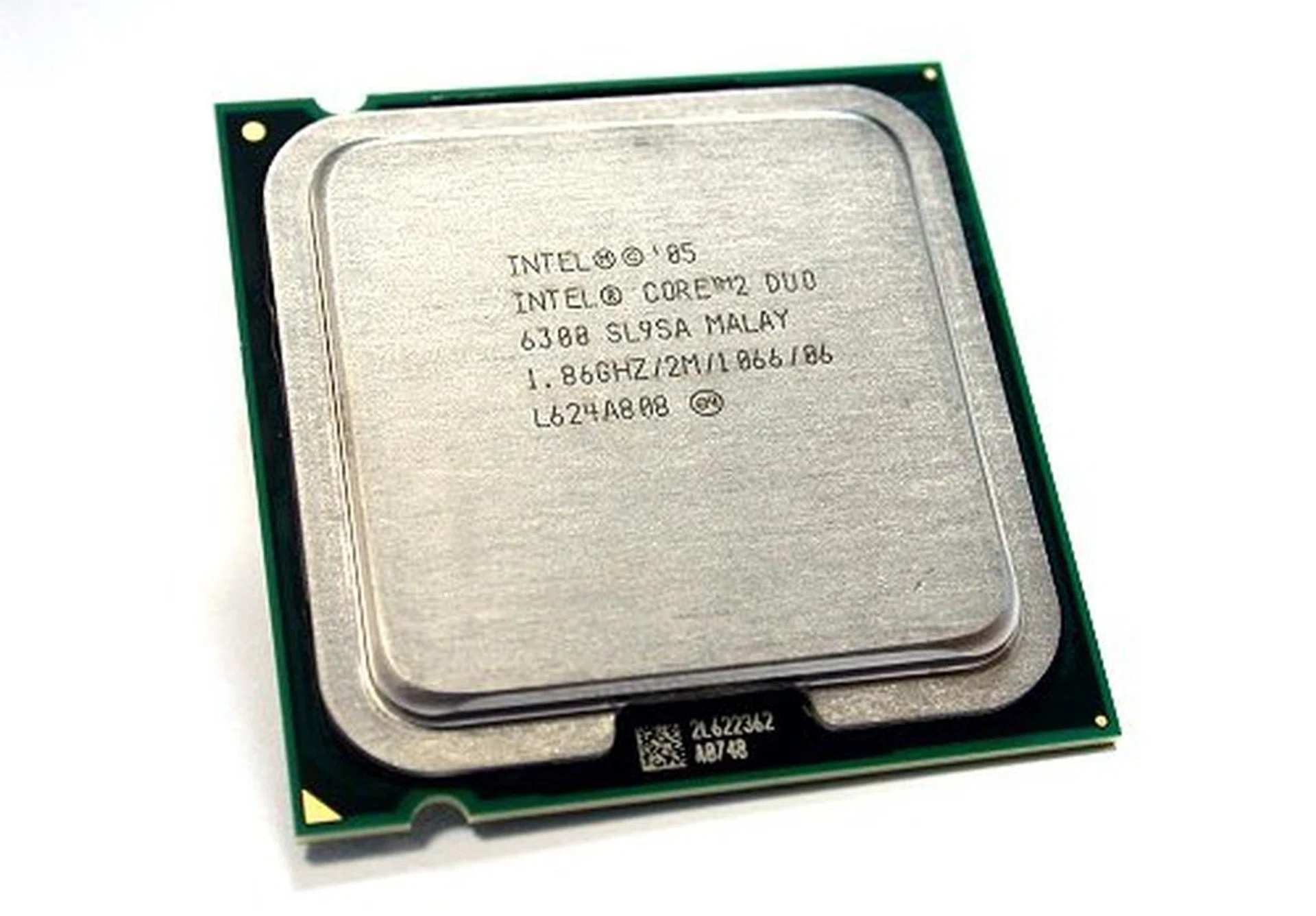
Back when it was new, the E6300 model of the Core 2 Duo series as shown here was the most famous of the lot because of its high overclocking potential. Even we've dedicated an overclocking article on it.
This lead that the Core 2 processors had over its market rival would be maintained up to its present iteration. Intel spared no time to expand its initial desktop range, with a lower-end Allendale core (lower clock speeds and lesser L2 cache), the single core Conroe-L for the Celeron brand and naturally, given its power efficiency, the Merom core was created for the Centrino platform. The server space meanwhile had Woodcrest to aid the Xeon against AMD's Opteron. Further highlighting its resurgence, Intel launched its first quad-core processor, Kentsfield at the end of the year. This quad-core was made up of two Core 2 Duo processors on a single die package, rather than four discrete cores. While performance benefits vary depending on the nature of the applications, power consumption were similar to doubling that of a Core 2 Duo. Overheads and bandwidth issues also make it less than ideal but AMD then current processors were unfortunately still on 90nm for most of 2006 and were hence unable to compete in terms of power efficiency and performance.
Those who favored AMD however were anticipating the company's next micro-architecture, the K10. These would be quad-core processors that would be available in the middle of 2007 for the Opteron server market before the consumer versions later in the year. AMD was in dire need of these reinforcements, since the Core micro-architecture based Woodcrest was making a great impression and looked capable of quickly retaking the gains made by Opteron in the past few years.
It was also in 2007 that Intel started to implement its tick-tock model of microprocessor development. Also known as Silicon Cadence, this was a rigorous schedule of following every architectural revision with a shrinking of the process technology. In this case, tick referred to the shrinking while tock was a new micro-architecture, with either one happening once in a year. Such an ambitious time frame was probably only possible with a company of Intel's resources and so far it has been executing this on time. For instance, following the 65nm Core 2 processors in mid-2006, Intel was gearing up for its transition to 45nm and was able to give previews of these new 45nm Penryn processors at IDF Spring 2007.
AMD's Barcelona Core Arrives but Core 2 still Ahead
In September 2007, AMD at last unveiled its latest Barcelona processors for the Opteron line featuring what AMD touts as a native quad-core design. Some of the benefits from the new processors include greater power efficiency (maximum TDP of 68 - 95W) from independent clock domains and power management for each core and internal core and cache enhancements like HyperTransport 3.0. However, AMD's initial Opterons were at a modest 2GHz compared with 3GHz processors from Intel. Even clock for clock, the in terms of both performance and power efficiency. It had obvious improvements from the previous micro-architecture but they looked inadequate against Intel's Core 2.
The desktop K10 variants, the Phenom were to follow the Opterons in November 2007. Dubbed the Phenom X4 for its quad-cores, these desktop processors hit a snag in the form of a TLB (translation lookaside buffer) bug shortly after its launch. This was quickly fixed via a BIOS update that unfortunately also had a performance penalty side effect. AMD had to go back to the factory and months later in March 2008, released a new B3 stepping of the Phenom that solved the issue. However, time waits for no man and certainly not for AMD. By then however, Intel's 45nm Wolfdale and Yorkfield processors were already available in the market and their process technology edge meant that in power efficiency, Intel only extended its lead while in performance benchmarks, the Phenom X4 found itself facing higher clock dual-core rivals in the same segment.
New Forays and What's to Come
2008 also saw Intel going back to its roots in a big way, with a new line of low power processors known as the Atom that takes its architectural inspiration from Intel's older Pentium micro-architecture. Emphasizing a low TDP rating of 4W and less, the Atom has helped fuel a growing interest in portable low-power computing devices and the entry of the chip giant has seen a chorus of new products utilizing the Atom processor. Possible competitors have already sprung up in the form of NVIDIA's Tegra and VIA's Isaiah and it's still too early to tell if Intel will come to dominate this segment too.
As we approach the last quarter of 2008, AMD is working towards its own 45nm process shrink for its K10 processors, with plans for dual-core versions of its Phenom processors to follow its triple-core Phenom launched in April. Intel meanwhile is going full steam on its next generation which is to succeed the Core and expected to be released later this year and in 2009. With up to 8 processing cores and a new integrated memory controller supporting DDR3, Nehalem shows that the core count will remain the next frontier for the x86 platform for the near future. Whether that is sufficient to extend Moore's Law remains to be seen.
10 Years of CPU Progression - Part 4: The World not According to AMD and Intel
While we have kept most of our discussion to the x86 platform and the two major players left in the industry now, AMD and Intel, the microprocessor world is much broadly than just these two companies. However, we are also not going to digress too much into alternate platforms, though we'll be highlighting some of the important happenings in the past ten years.
First, IBM's PowerPC micro-architecture suffered the loss of a high profile name when Apple announced that it was shifting over to Intel's Core 2 processors. Ever since 1994, Apple's computers have been using PowerPC chips and while it may not be the largest of PC vendors, Apple does have a strong brand and image. This move was however quickly completed and by 2006, most of Apple's product lineup became Intel based. This was probably inevitable, given how IBM and Motorola, the main movers behind the PowerPC micro-architecture were facing manufacturing problems while the clock speed too seemed to have stagnated. IBM too was increasingly distracted by its business of making PowerPC variants for game consoles. Although the PowerPC micro-architecture is still relevant, it is now mostly found in embedded computers and high performance computing applications.
Meanwhile, what was distracting IBM is its own initiative with Sony and Toshiba to develop a new micro-architecture for the PlayStation 3. While based on the Power architecture, this new multi-core Cell processor is less a general purpose processor like existing x86 processors and more oriented towards the specialized parallel processing approach favored by graphics chipmakers like ATI and NVIDIA. Its main processing elements are eight Synergistic Processing Units that can execute threads in parallel and heavily optimized for single precision floating point computation, much like some of your graphics cards.
Besides its implementation in Sony's PlayStation 3 in 2006, both IBM and Toshiba have plans for the Cell processor in applications ranging from high-performance computing, mainframes and home entertainment devices. Currently, it is most well-known for its role in the PlayStation 3's impressive performance in distributed computing projects like Folding@Home.
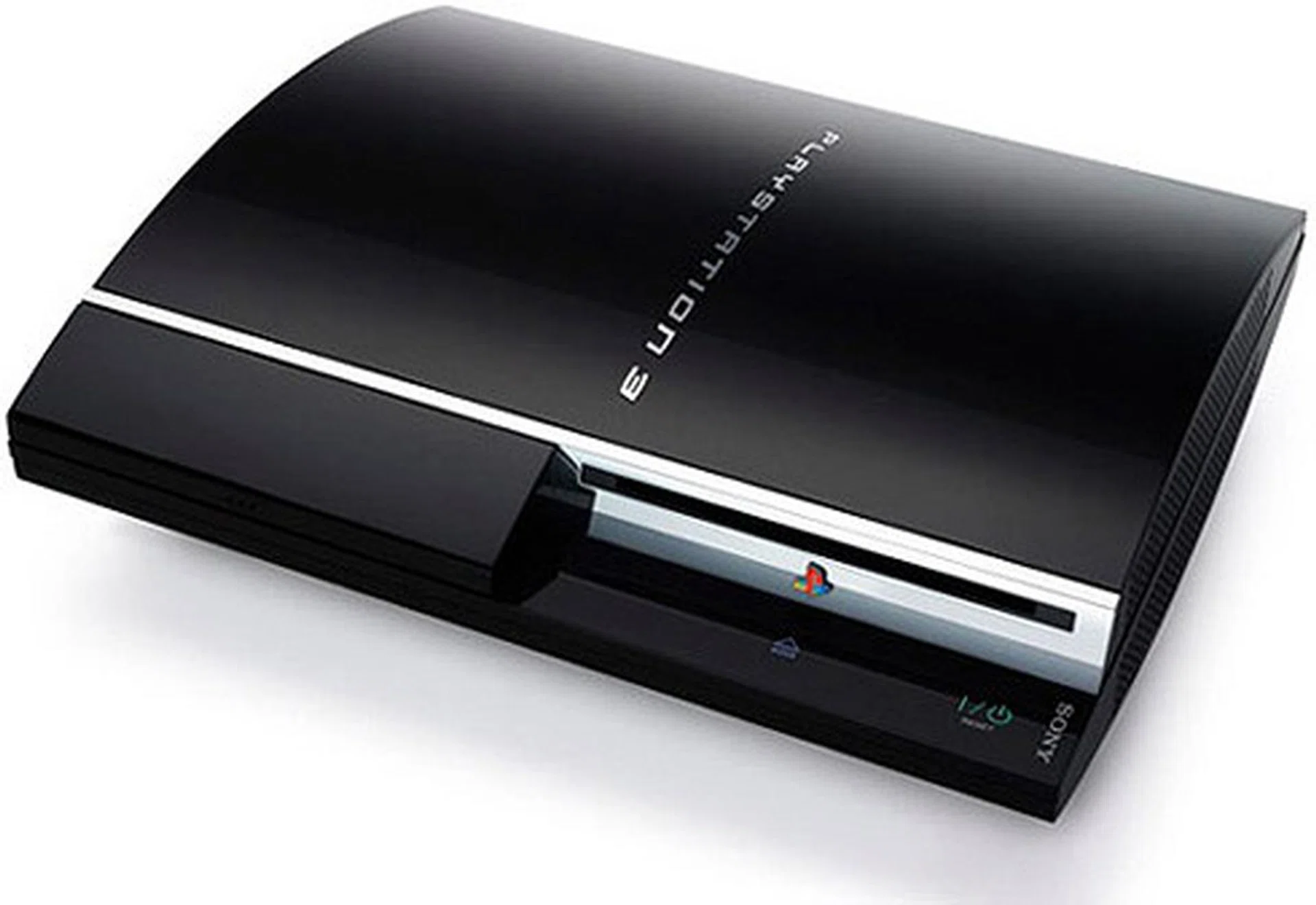
The Cell processor's most famous role is to power the PS3, currently the most powerful console in hardware capabilities.
Motherboard Evolution in a Decade
If one were to compare the personal computer to the human body, then the brain is naturally the CPU which does all the number crunching. As the common platform where all your PC components are attached to, the motherboard is analogous to the heart of the machine. It is therefore the most important component of your system and the final arbiter of whether you can plug your latest devices and other add-on cards and have them working fine.
While the concept of the motherboard may have its roots in the 1980s, the past ten years have obviously seen its fair share of developments. Most of the changes are inevitable and are determined not by motherboard manufacturers, but by industry giants like Intel that design and build the reference chipsets for its processors. Changes in the processor design, like a new socket with a different number of pins will affect the motherboards too. In that sense, this segment is subject to the changing whims of the PC industry and many of the changes we'll be seeing are related to it. However, while the core logic used by manufacturers may be the same from one vendor to another, there are still plenty of opportunities for them to innovate and distinguish themselves.
At the start of 1998, the reigning processor then was the Intel Pentium II and one of the best chipsets ever released to complement this processor was the Intel 440BX. With a front-side bus (FSB) ranging from 66 to 100MHz, motherboards built on this chipset supported four memory banks for a toal of 1GB of SDRAM memory. It used the AGP slot (Accelerated Graphics Port) for discrete graphics, supported the PCI 2.1 standard and interfaced with hard drives using ATA/66 in UDMA Mode 2.
One of the earliest jumperless motherboards from abit, this abit BX6 was one of the many boards that were using Intel's highly popular 440BX chipset. Meant for enthusiasts, this board could go up to 133MHz FSB (unofficially) and came with abit's famous SoftMenu II.
Fast forward ten years later and the latest mainstream Intel P45 chipset has a FSB that goes up to 1333MHz (or higher) and the AGP port had long given way to the version 1.0 predecessor before the current PCI Express 2.0 format. While PATA was still supported through a third party solution, Intel had done away with this interface and its successor, SATA was the de facto standard for interfacing with storage drives. The memory technology standard was also very different from the single channel, single data rate of SDRAM as one can choose between DDR2 or DDR3 implementations of the P45 chipset. As for the ISA I/O bus on the 440BX, this had been obsolete for many years and fully replaced by PCI and PCIe.
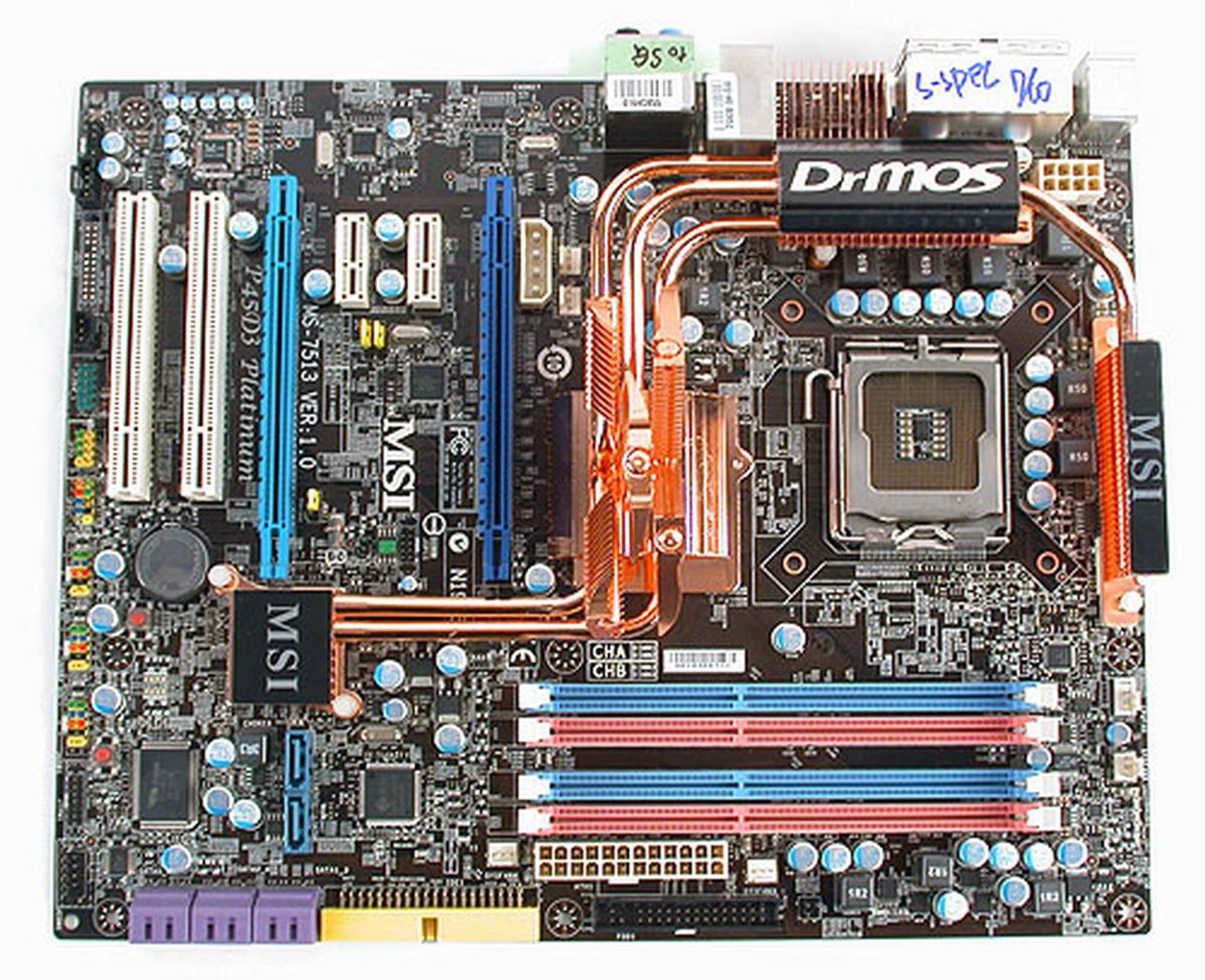
A typical motherboard using the latest Intel P45 chipset circa 2008. Despite the ten-year difference, overclocking and other tweaks are still done through the BIOS while the layout has remained relatively unchanged.
As you may have noticed from our short description, the basic format and layout have remained largely the same. It is recognizably a motherboard, whether you have a modern version or a relic from ten years ago. The ATX form factor and its variants have survived the years mostly intact and while the names have changed, the functionality of the motherboard has not. There is still a I/O bus for communications between the processor and the other devices connected to the motherboard. Dedicated channels exist for the hard drive and the graphics card and even ten years ago, they had USB ports, albeit of the 1.0 variety.
The concept of a Northbridge (typically a memory and graphics controller hub) and Southbridge (I/O hub) to handle different communication tasks has been around for a while now. And though the newer chipsets may not have them as a mandatory feature, motherboards have continued to provide support for legacy devices like the communication ports, floppy drive and PS/2 to name but a few.
Of course, that's not to say that nothing has really changed. For one, modern motherboards have extensive tweaking options available in BIOS. While there were already 'soft' BIOS prior to 1998 (QDI comes to mind with its SpeedEasy jumper-free technology), it was made famous by overclocking pioneers like abit and its SoftMenu, where users could adjust their settings for overclocking purposes inside the BIOS instead of fiddling with jumpers. This concept has by now spread to practically every aspect of the motherboard and is used by all vendors.
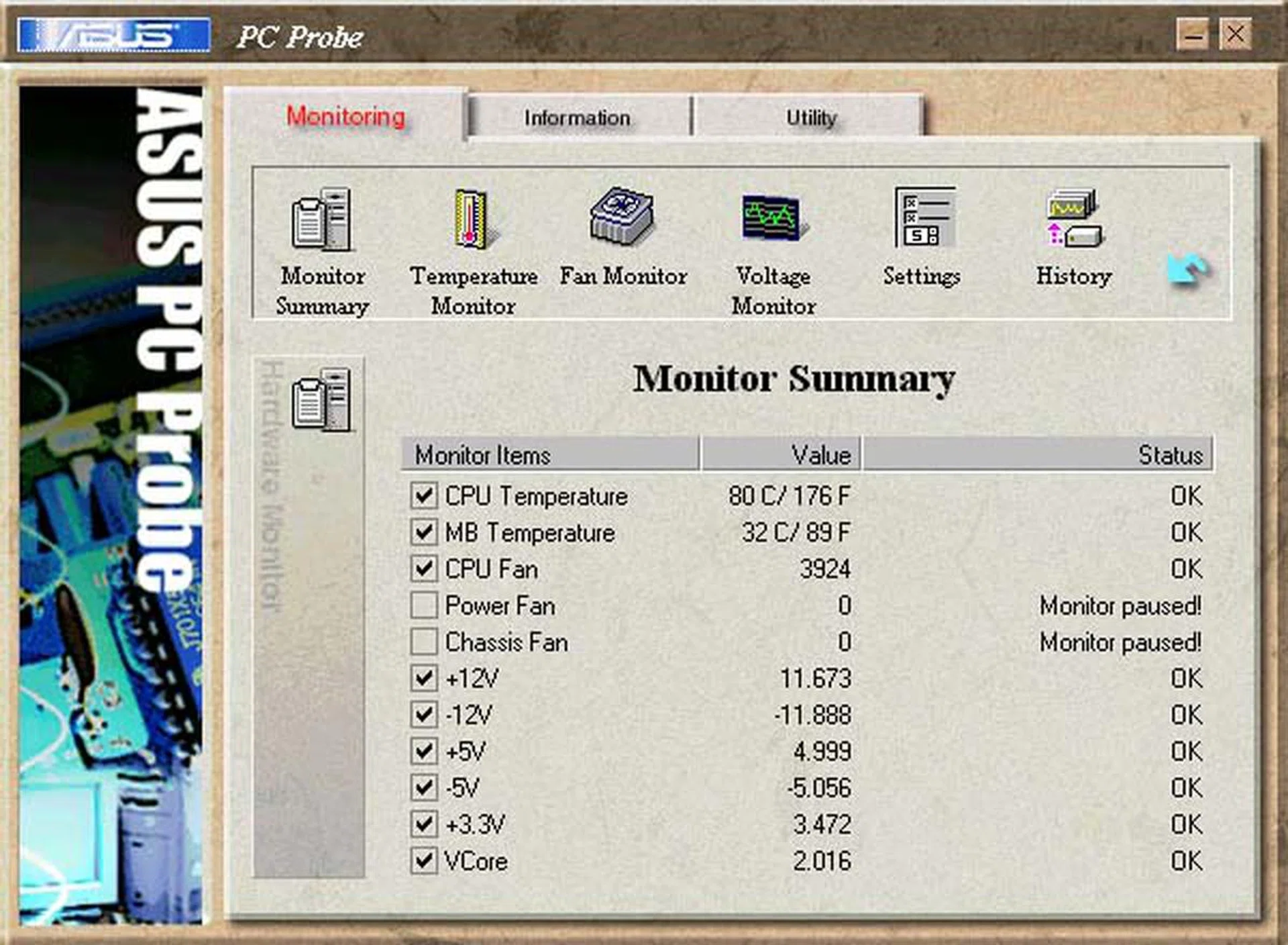
We haven't really come very far in ten years as software monitoring tools like this have existed for quite a while and they are as similar in functionality as modern versions. Perhaps the newer versions have a nicer GUI.
One could of course attribute this trend to overclocking enthusiasts and in some way, it's true that many of the extensive tweaks are meant for overclocking, like core and memory voltages. Others however are could be prompted by power users and generally useful for all, such as the ability to flash the BIOS using a utility accessed directly from the BIOS. In fact, the BIOS has become the playground for vendors eager to flex their engineering prowess, with the addition of new and proprietary features.
Over the years, we have also seen the integration of various peripherals onto the motherboard. Again, this is not new as the motherboard has usually included some integrated peripherals, from your onboard audio to Ethernet LAN. Arguably, the modern motherboard is more fully featured than boards of ten years ago, though this can really depend on what price segment one looks at. At the high-end segment, we have seen some extreme configurations where the vendor seemed to have included every conceivable possible onboard peripheral.
Besides the powerful and comprehensive modern BIOS, the modern motherboard is usually designed with a multi-phase power distribution system, in part from the greater power efficiencies compared to a single phase solution and also because the motherboard has grown in complexity and their thermal and power ratings has increased, making it essential to have multi-phase power designs. On a similar note, the printed circuit board (PCB) of the typical motherboard is also usually multi-layered as the complexity of the board necessitates these layers for the required signal traces and partly because some motherboard vendors have jumped on this issue in their marketing to distinguish their products from competitors.
Indeed, quality and reliability are key factors that consumers have demanded over the years and motherboard vendors have jumped onto this trend, leading to an industry-wide practice. For instance, Gigabyte was one of the first to introduce only solid capacitors for its motherboard, which are rated to have a longer lifespan than electrolytic ones. Shortly after that, this use of solid capacitors was observed happening on motherboards issued by other vendors, especially since Gigabyte had followed this move with a marketing campaign touting its use of solid capacitors. Now, it's almost a norm to find solid capacitors on motherboards, more so if it's from one of the bigger brand names.
These industry trends can count on a new 'green' movement that has sprung up in recent years. Aided by multi-phase power designs that are responsive to changes in workloads and are able to adjust the voltages accordingly, vendors have taken every opportunity to tout the energy and thermal advantages of their particular boards. Newer forms of cooling the warmer parts of the motherboard (the Northbridge and Southbridge) have been introduced. While early boards could rely simply on passive heatsinks to do the job, later motherboards came with heatsinks reinforced with small fans.
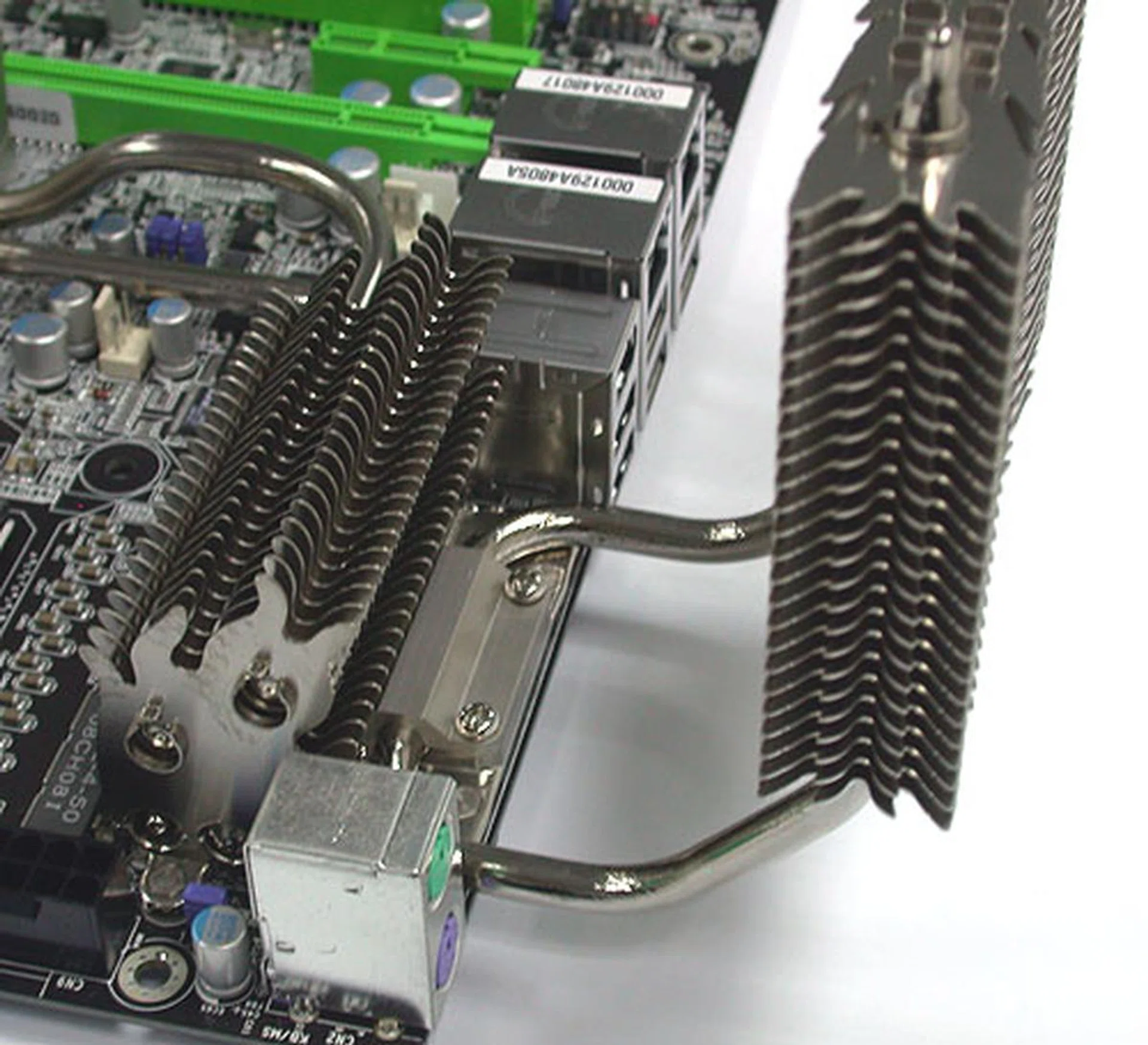
An extreme example of a large passive motherboard cooler from DFI.
Although the power draw for PCs has generally increased, depending on the chipset, passive cooling has not entirely died out, though some of the heatsinks have grown to become elaborate, heat-pipe based, full copper structures that can dissipate more heat than its simple ancestors. Obviously, for the overclocking crowd, liquid cooling has always been an option and vendors too have responded with designs that cater to this niche.
Compared to the motherboards that we witnessed in 1998, the last decade has rightly seen great innovative leaps in technology. Some of the tweaks that enthusiasts use on a daily basis now would be unimaginable to a similar crowd ten years ago. We have no doubts that with the changes in CPU technology, there will be more to come in the future.
10 Years down Memory Lane
Any primer on the basics of the hierarchy within a computer would place the CPU as the central component. It is however serviced by many other supporting units and one of the most important would be the memory. In the modern computer architecture, there are different levels of memory, from the registers on the processor die to the many levels of cache and finally the separate memory modules installed on the motherboard. After all, a CPU is nothing but a giant calculator and the role of memory is as a form of temporary data storage for the CPU to extract and store the raw data and the results from the various operations performed on the data.
The modern computer uses various forms of memory, though they are all usually of the random access type, meaning that the data stored on these memory locations can be retrieved when needed in any order. Excluding the memory embedded within the processor die, the main form of memory found in most PCs today are dynamic random access memory modules or DRAM modules for short.
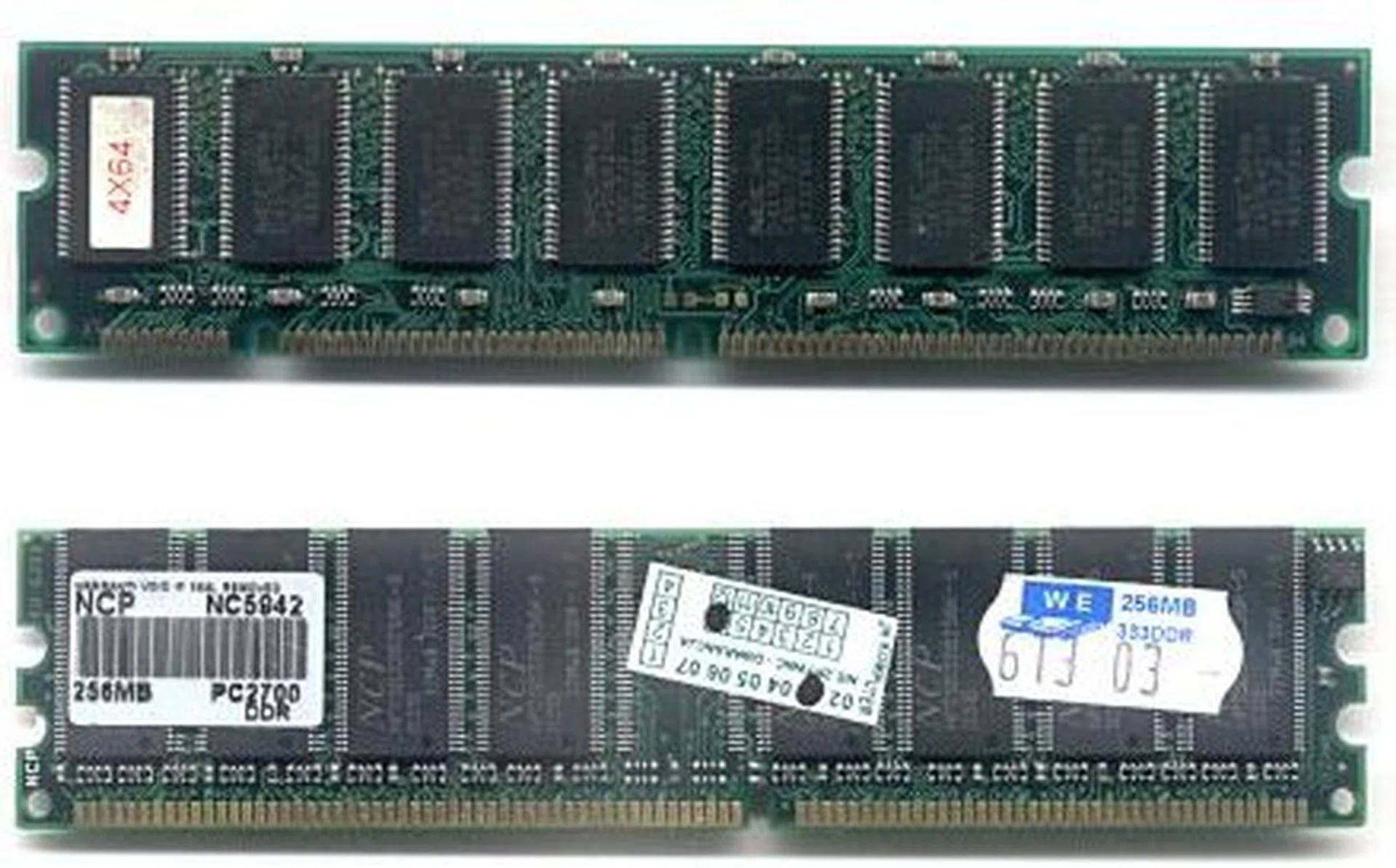
Shown here is a 168-pin SDRAM module (top) and a 184-pin DDR SDRAM module. Image from Wikipedia.
These modules have undergone quite a few changes in the past ten years but they have stayed recognizable over the years as integrated circuits on a rectangular PCBs. The number of pins have varied as the different formats came and went, from the 168-pin on the SDRAM module to the 240-pin on the current DDR2 and DDR3 SDRAM modules. While memory standards are determined by an industry standards body, JEDEC, they are co-dependent on the micro-architecture created by CPU firms like AMD and Intel.
In 1998, synchronous SDRAM which was only introduced in 1996 was beginning to dominate the industry. Yet by 1999, there was a new player, RAMBUS and the company's RDRAM had a large backer in the form of Intel, which licensed the use of RDRAM for its processors. Various issues associated with RDRAM, like its high cost and increased latency dulled its bandwidth advantage and the format was unpopular with consumers.
While RAMBUS was to fade into a bad memory (pun intended) for consumers who had bought into the technology via Intel's platform, the company was to haunt memory manufacturers for years with litigation, asserting that it owned patents on DDR technology. This would lead to an epic sequence of trials and appeals in American courts involving major players like Samsung, Micron and Infineon among others and lasting almost a decade. Anti-trust and price fixing were some of the related issues that came from the litigation, though RAMBUS has emerged as the eventual winner for most of the cases after many rounds, the most recent concluded in 2008.
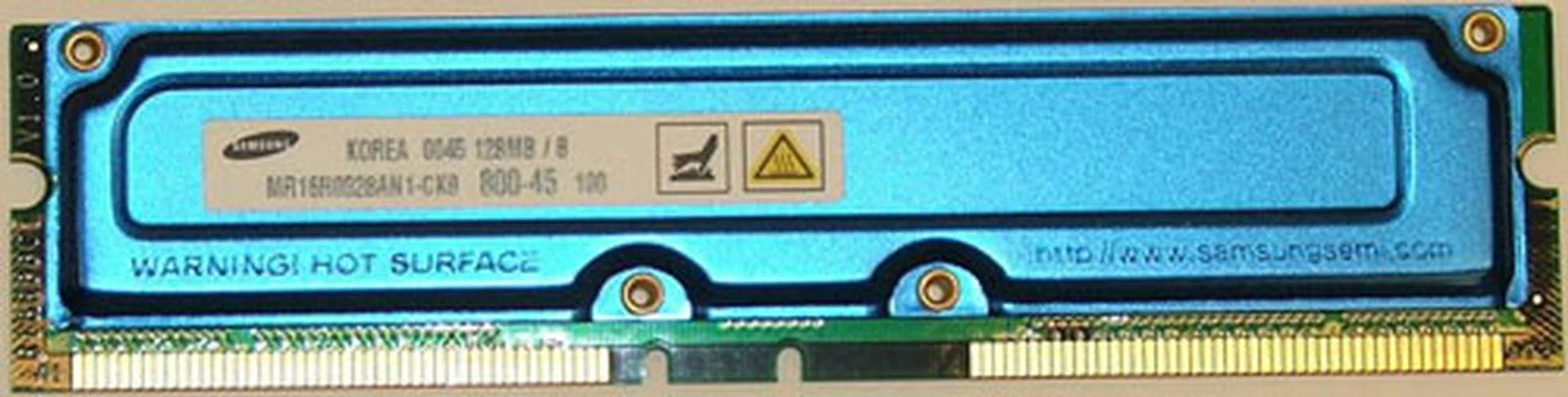
After failing to win over consumers, RAMBUS embarked on a costly litigation route that ultimately found that SDRAM manufacturers had fixed their prices in order to force out RDRAM. Shown here is a RDRAM module with heatsink, as these modules were warmer than competing SDRAM. Image from Wikipedia.
This failure of RDRAM set the stage for an uninterrupted progress for SDRAM, with the introduction of DDR SDRAM in 2000, which doubled the minimum read or write unit of the memory module to two words of data and hence increased the memory bandwidth, especially coupled with increased clock speeds ranging from 133 to 200MHz.
2003 was to see the debut of DDR2 SDRAM. As we mentioned: ." Clock speeds were from 200 to 400MHz (or DDR2-400 to DDR2-800).
DDR3 SDRAM entered the picture in 2007 and with all the major chipsets supporting the new format, should be slowly gaining traction in 2008 and more mainstream adoption in 2009. While the same concept is used to result in a higher pre-fetch of 8-bits and higher data rate, the latencies on DDR3 are also significantly higher. On the other hand, the new memory modules use less power than DDR2, 1.5V compared to 1.8V while the density of the memory chips are also increased. And that is the present state of memory on the desktop now.
Ever since Moore's Law was observed, the computing industry has largely kept to the promise of exponential growth in performance. Yet in one area, it has been looking quite bleak for the better part of almost twenty years. Computer scientists have been bemoaning the inability of memory bandwidth to match the increase in CPU speed. Termed the memory wall, this is a problem that doesn't seem to have an easy answer and even as the advent of newer memory standards is unlikely to cease, eventually it seems, the memory bandwidth will be the limiting factor in computing.
Chronicling 10 Years of GPU Development - Part 1
Unless you are an ardent gamer, you might not think much of the graphics card that is sitting right now on your computer's motherboard. You might even mistake it as an unnecessary piece of equipment and think that it is only used by gamers. However, graphics cards today are used more than just for gaming. In fact, today, they are used for other processes such as accelerating HD video playback, video transcoding, accelerating the viewing of PDF documents and many other tasks. Truly, they have come a long way from where they were 10 years ago.
Just slightly more than a decade ago, the first commercially successful 3D graphics card was released by 3dfx, the Voodoo Graphics card. It was so all-conquering that along with its successor, the Voodoo2, 3dfx was able to dominate the graphics card upgrade market for the next few years to come. In fact the best graphics card subsystem back then were an STB Lightspeed 128 + the Voodoo for the best in 2D and 3D capabilities. The more professional folks would have chosen the Matrox equivalent for better 2D quality.
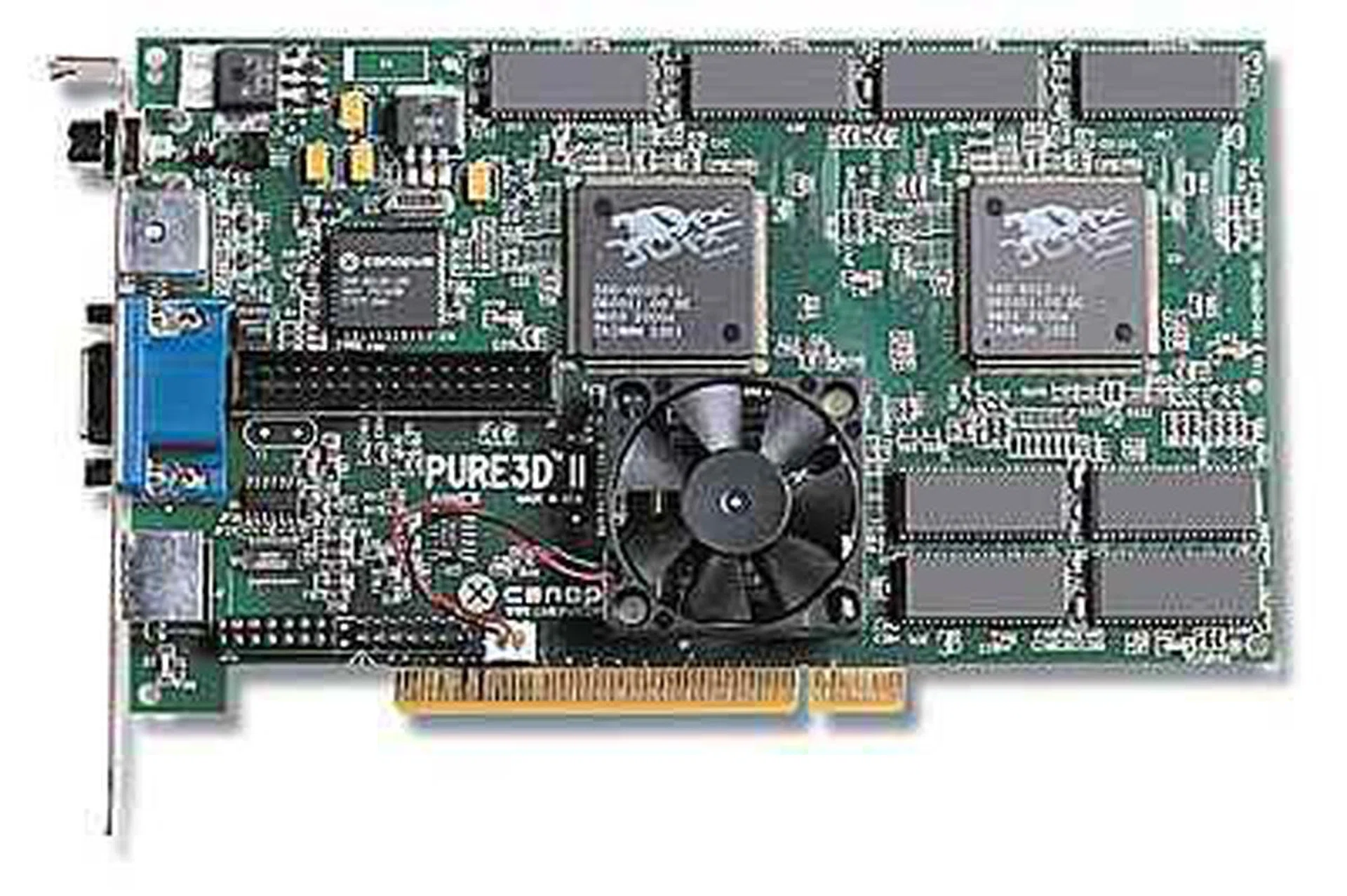
This was probably one of the earliest cards we've ever reviewed - The Canopus Pure3D II 12 MB. It was also one of the fastest Voodoo 2 cards around.
However with the 3D fever gripping strong, long-time graphics suppliers like S3, Trident, Matrox and many others found it hard to keep up with the sudden change in demands/requirements and were gradually dropping out of the heated competition. It soon became a three-way contest between 3dfx, ATI and NVIDIA. Sadly, 3dfx was also showing signs of waning, and in 2000, were eventually acquired by its arch-rival NVIDIA.
There are many reasons for the demise of 3dfx and its highly popular following. For instance, instead of choosing short development cycles like ATI and NVIDIA, 3dfx pursued lengthy, ambitious ones. This strategy eventually backfired as they were unable to keep up with the rapid advances made by their rivals. Also, their ambitious development cycles meant that they neglected certain segments of the market, namely the mid and low-end segments. NVIDIA, especially, was able to capitalize on this with their affordable yet powerful GeForce 2 MX, and ATI with their Radeon VE.
The eventual collapse of 3dfx meant that ATI and NVIDIA were the only dominant players left in the market, and the honor of the having the fastest card title swung consistently back and forth between the two even till today.
Interface Upgrades
While all this was happening, there were also other major changes. One such change was the way graphics cards communicated with motherboards. Over the last 10 years, in order to satisfy our needs for greater bandwidth, we have transitioned through three major changes in the interface used - from PCI to AGP and finally, PCI Express.
As graphics cards got speedier, a quicker, more efficient link was needed to take full advantage of it and prevent the interface from being the bottleneck. As such, it came to a point, some time in 1997, where the humble PCI slot could no longer provide the bandwidth that was needed. To address this problem, Intel came up with the AGP (Accelerated Graphics Port) slot, which at its peak, could offer a bandwidth of up to 2GB/s. This was a dramatic improvement over that of PCI, which could only manage a maximum of 133MB/s. However, considering the rate at which graphics cards were evolving, it soon became evident that AGP wasn't future proof.
As a result, PCI Express was introduced by Intel in 2004. PCI-Express was markedly different from its predecessors in that it was structured around pairs of serial (1-bit), unidirectional point-to-point connections known as "lanes". In the first iteration of PCI Express (PCIe 1.1), each lane could send data at a rate of 250MB/s in each direction. The total bandwidth of a PCI Express slot was then determined by the number of lanes it has. A PCIe x1 slot would have a total bandwidth of 250MB/s, whereas a PCIe x16 slot (the largest of its kind) would have a total bandwidth of 4GB/s. The PCIe x16 variant became the modern de facto for graphics cards.
However with the ever faster graphics subsystem, it also meant that for PCI Express to be viable in future, revisions would be needed and thankfully the PCI-SIG consortium ensured that PCIe was designed with the future in mind and was extensible. In January last year, the second generation PCI Express 2.0 (PCIe 2.0), was born. The key advantage that PCIe 2.0 had over PCIe 1.1 was that data could now be sent at double the rate, meaning 500MB/s in each direction. This meant that an x16 slot could now transmit data at an amazing 8GB/s, four times greater than that of the fastest AGP iteration.
More recently, technologies such as CrossFire and SLI are taking advantage of PCI Express to give gamers that extra boost in performance. Thanks to PCI Express, multiple graphics cards riding on the same motherboard are now possible because being a point-to-point connection, it doesn't have to wait for the connection to free up nor require complex handshaking protocols. As such, multiple graphics cards can now communicate simultaneously among themselves and with the processor, which in turn results in much higher frame rates and a more immersive gaming experience.
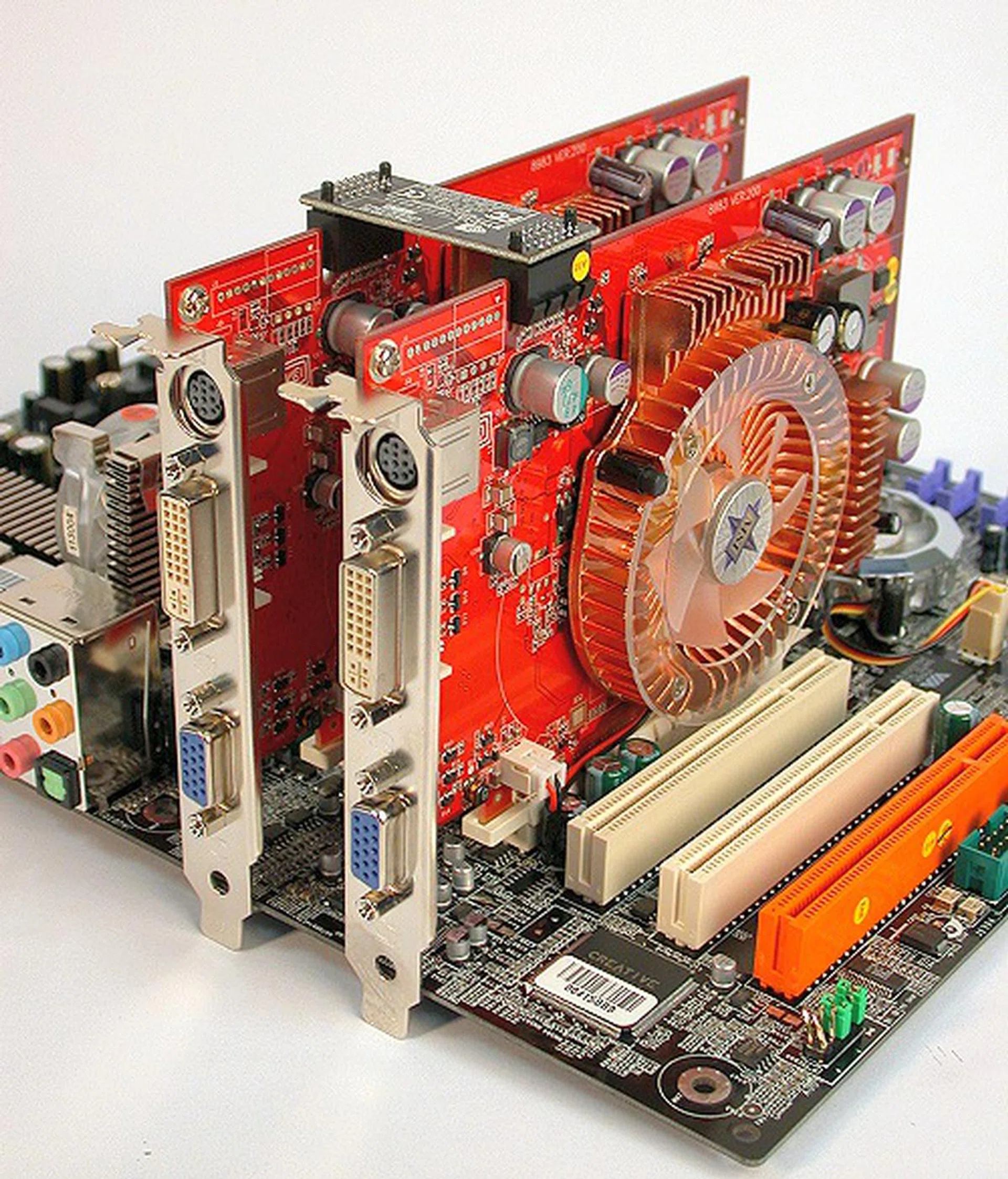
SLI Cometh! With SLI, gamers could now stack two graphics cards together for added graphics processing power.
Chronicling 10 Years of GPU Development - Part 2
The API Progression and Feature Advancements
However, the development of graphics cards is not just about sheer speed and power. All this time, there were also changes taking place beneath the surface - specifically the Application Programming Interface (API). Without delving into details, know that most games initially made use of the popular OpenGL API, until Microsoft came along with DirectX. DirectX was born because of Microsoft's intention to establish it as the 3D gaming API of choice with a fixed set of standards at any given iteration, so that game developers would be unified under a single API and design games around them easier.
It took a while, but eventually DirectX established itself as the de facto 3D gaming API and Microsoft continually worked about implementing new features that would benefit developers and gamers. DirectX 7.0 for instance, was a leap in 3D gaming, because it introduced hardware support for Transform & Lighting (T&L), which was previously handled by the CPU. DirectX 7.0, coupled with NVIDIA's now legendary GeForce 256 - the first card to support hardware T&L - helped to push the immersive level of 3D gaming to the next notch. Now that T&L functions are handled by the graphics processing unit, developers can create more realistic games with more complex scenes without worrying about overworking the CPU.
The real milestone moment in 3D gaming would be the introduction of DirectX 8.0. This revision implemented Programmable Shading, which allowed for custom transform and lighting and more effects at the pixel-level, thereby increasing the flexibility and graphics quality churned out. This was also coined as the Microsoft Shader Model 1.0 standard. DX8 was first embraced by NVIDIA in their GeForce 3 series of cards and was followed suit by ATI's Radeon 8500 series.
However it wasn't till the entry of DirectX 9 and the Shader Model 2.0 standard when the game developers happily adopted programmable shading routines more liberally as this new DirectX standard extended the capabilities of DX8 by leaps and bounds with even more flexibility and complex programming to yield the required effects. The legendary Radeon 9700 series was the first to support DX9 and was the only series for a long while to come.
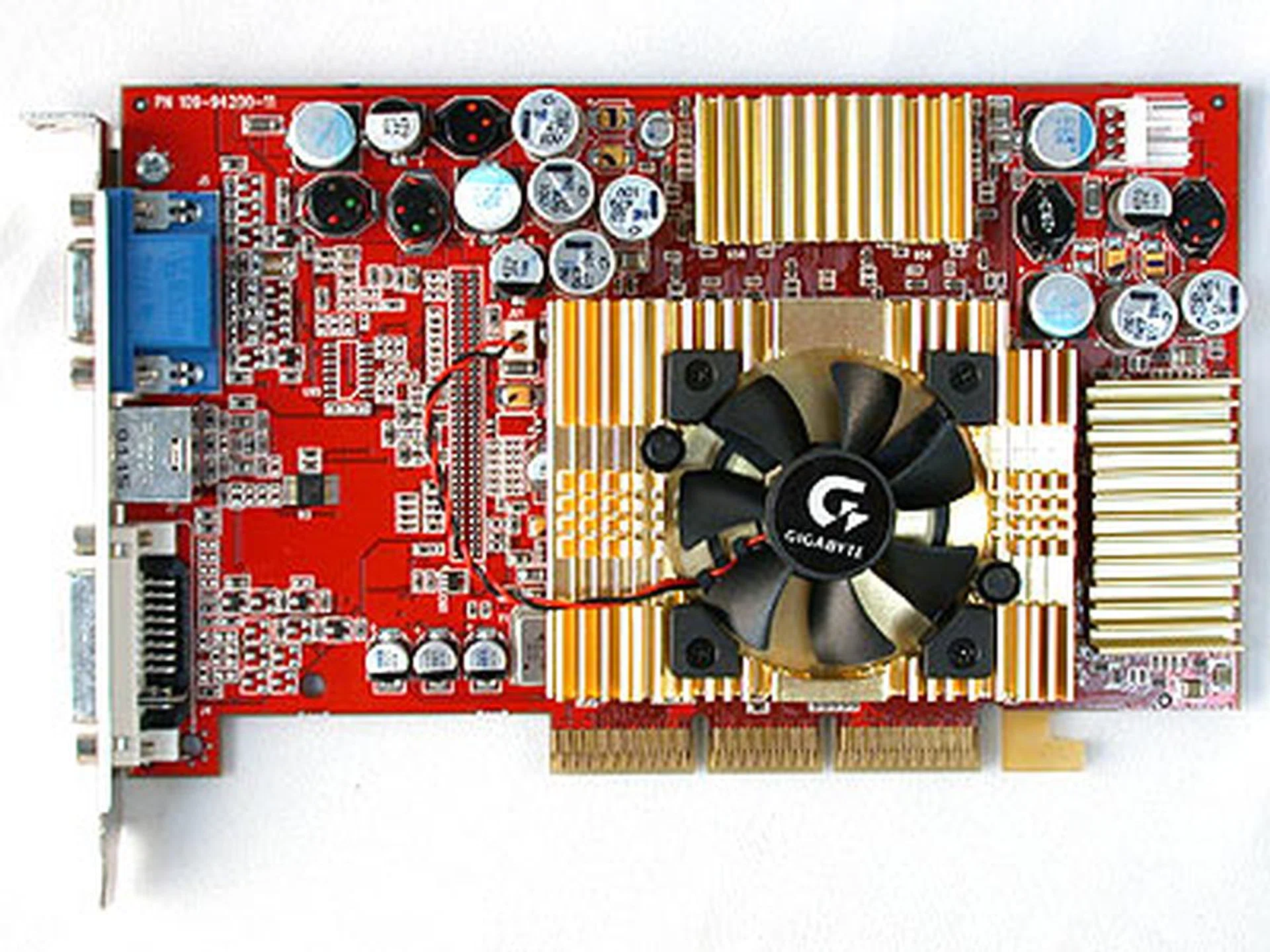
We're sure the gamers out there will remember this baby, the all-conquering Radeon 9700. It was so powerful, it could even handle games that came three years after its release.
These standards evolved yet again with the DX9.0c version that embraced Shader Model 3.0 and is now the base standard for most graphics cards and games design. Features such as High Dynamic Range Lighting, realistic shadows, instancing and more came to be supported in this revision and brings about very realistic game play. NVIDIA's GeForce 6800 series was first to support the SM3.0 model and the tables switched as ATI took a toll and wasn't able to offer an equivalent solution till the Radeon X1K series.
Yet another key moment was introduction of DirectX 10, which brought about the Unified Shader Model, which was once again first embraced by NVIDIA in their GeForce 8 series of cards and had a Unified Shading Architecture. The Unified Shader Model was revolutionary because it uses a consistent set of instructions across all shading operations. Traditionally, GPUs had dedicated units for different types of operations in the rendering pipeline, such as vertex processing and pixel shading, but in a graphics cards with a unified shading architecture, such processes can now be handled by any standard shader processing units. What this means is that in scenes where there is a heavier pixel workload than vertex workload, more resources could be dynamically allocated to run these pixel shader instructions. The end result is greater flexibility, performance and efficiency. ATI managed to catch up more than half a year later with similar support on their Radeon HD 2000 series.
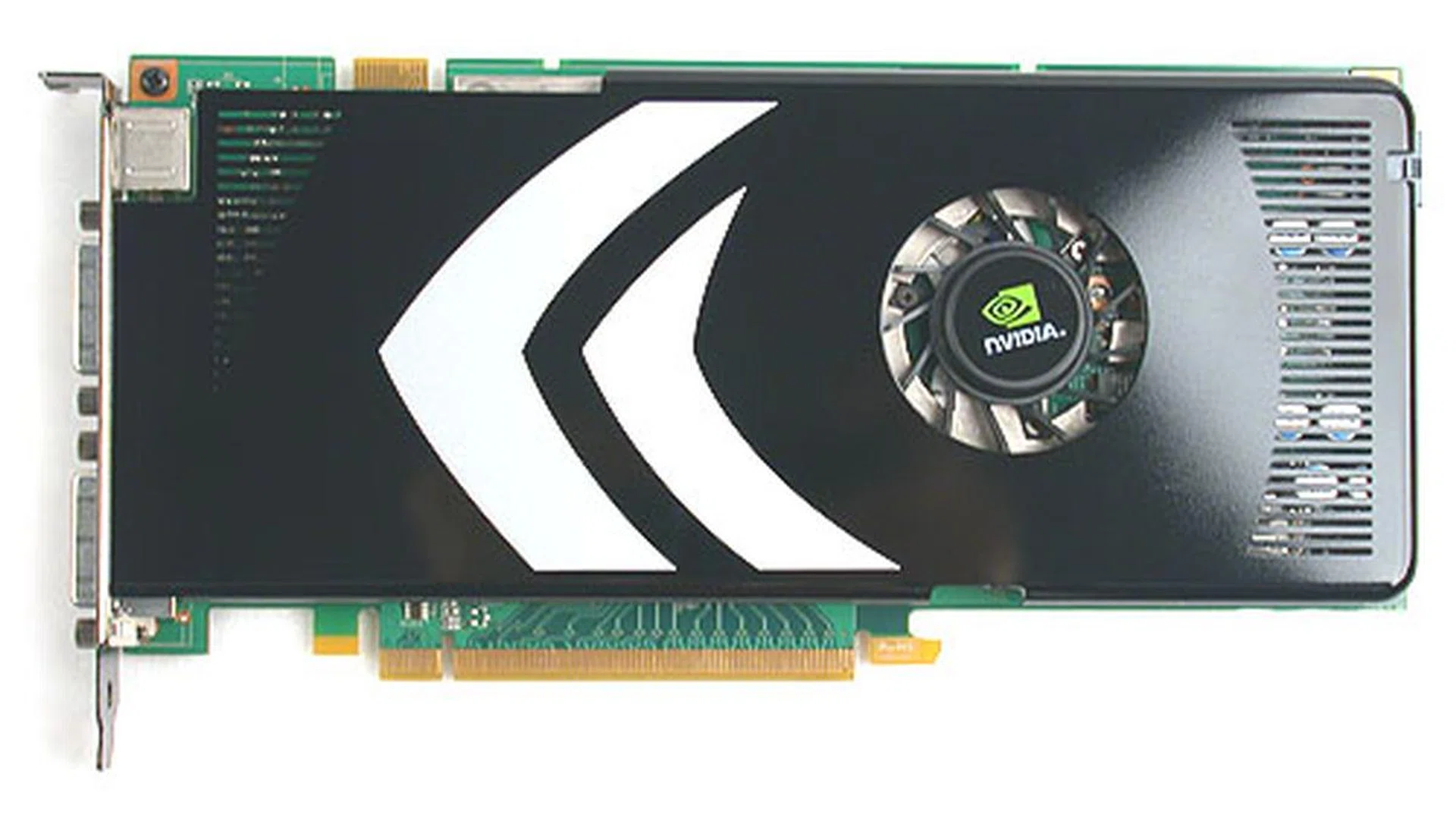
NVIDIA's 8-series of cards were the first to embrace DirectX 10.0. They also employ an Unified Shader Architecture, allowing superior performance over their rivals.
Going Beyond Gaming
Today, graphics cards continue to evolve and improve, and even more interesting developments await them. One of the most exciting things that have been discussed is general-purpose computing on graphics processing units (GPGPU), which involves appointing the GPUs to take on general computer tasks, thus increasing overall performance and efficiency of the system. This has been a challenge for engineers and programmers thus far because GPUs, as powerful as they are, excel only at certain floating point operations and lack the flexibility and precision to take on tasks that CPUs traditionally do. Because of their architectural differences, so have their APIs to address the different hardware. Thus with differing hardware and software, it is difficult to channel traditional workloads handled by the CPU to the GPU. However, if their power can be harnessed, we should be able to experience a tremendous increase in performance.
To put the raw power of a GPU into perspective: ATI's latest Radeon HD 4800 series of cards are capable of achieving in excess of 1 teraFLOPs, while the fastest of Intel processors - the quad-core QX9775 - can only manage 51 gigaFLOPs. Already, GPUs have proven that they are far more capable in helping to accelerate video decoding than CPUs and likewise in video transcoding tasks where the CPU could take many hours for what the GPU can finish off in the span of a tea break.
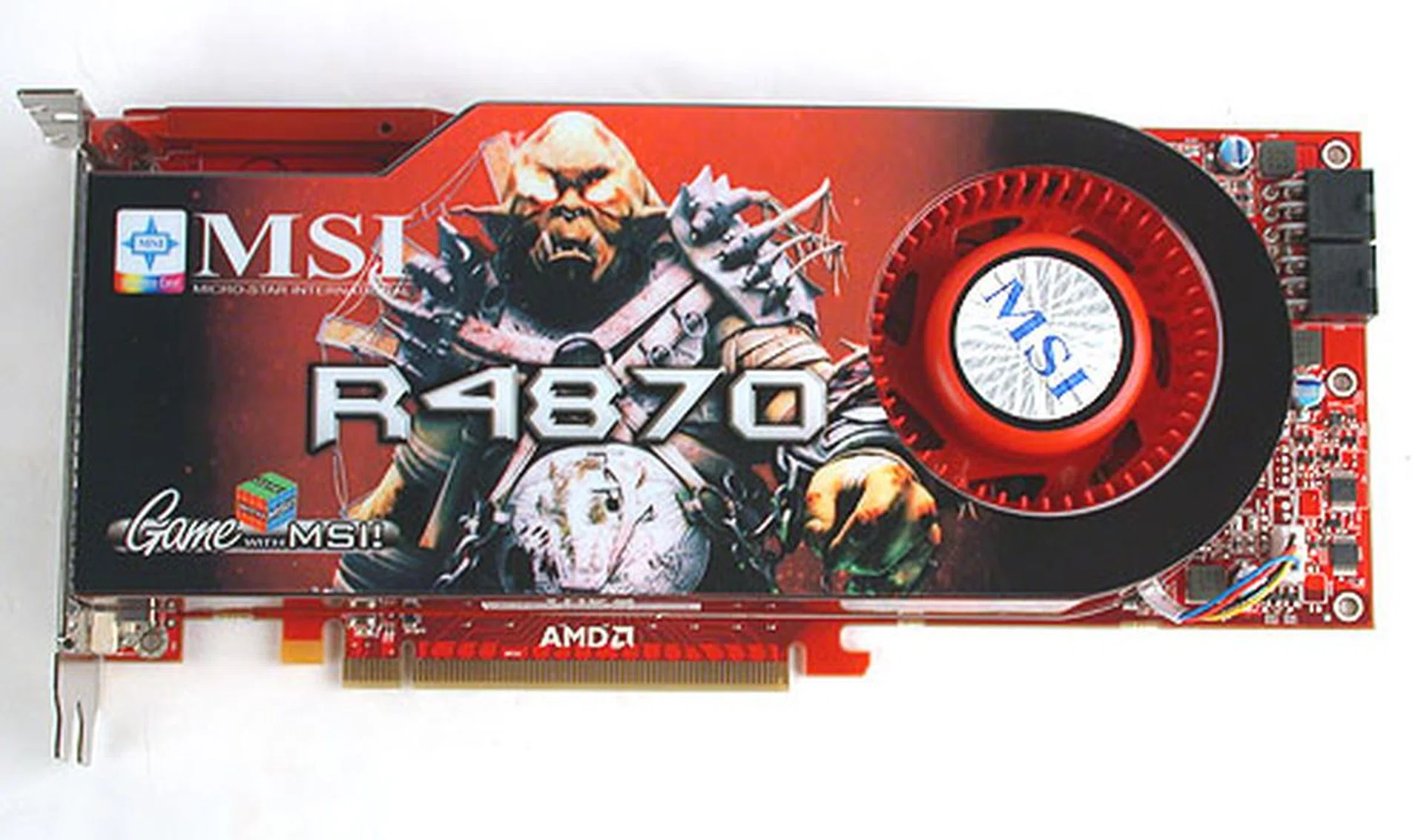
The latest cards from ATI are reportedly capable of achieving over 1 teraFLOPs, much more than what the fastest of quad-core processors can achieve.
There are also talks from ATI and NVIDIA about creating the ultimate visual experience. What does this exactly mean? Simply put, think of combining the Wii's interactivity with movie-quality digital renders. It's all about putting the player in the forefront of the action. To get a better idea, we suggest you read what David Kirk , NVIDIA's Chief Scientist and , AMD's Director for Product and Strategic Communications, had to say in our interviews with them.
Clearly, these are exciting times for graphics cards. Faster and powerful cards mean more realistic-looking games (think movie-quality), and GPGPU, if tackled correctly, could potentially unleash tremendous amounts of computing power. With so much in store, we can't wait to see where the next 10 years will take us.
From a Gigabyte to a Terabyte - 10 Years of PC Storage
Over 50 years ago, IBM developed a hard disk that was the size of several wardrobes and had a capacity of only five megabytes. This was the very first hard disk. Today, hard disks the size of standard paperbacks with capacities of one terabyte (1,000,000 megabytes) are nothing out of the ordinary.
In the last 10 years of computer storage evolution, we have seen formats come and go, but if there is anything that is consistent, it is this: capacities are increasing, and sizes are shrinking. Here is an example to prove our point. 10 years ago, 5.25" hard disk drives breached the one gigabyte mark. Now, Seagate recently announced a 3.5" hard disk with 1.5 terabytes of memory.
You might think this is all amazing, but what is even more amazing is the fact that the primary technology behind hard disks has hardly changed in the past decade. It still consists of a read-write head and a spinning platter. That is not to say that hard disk technology has been stagnant, rather the changes made often go unnoticed as they are deep under the hood.
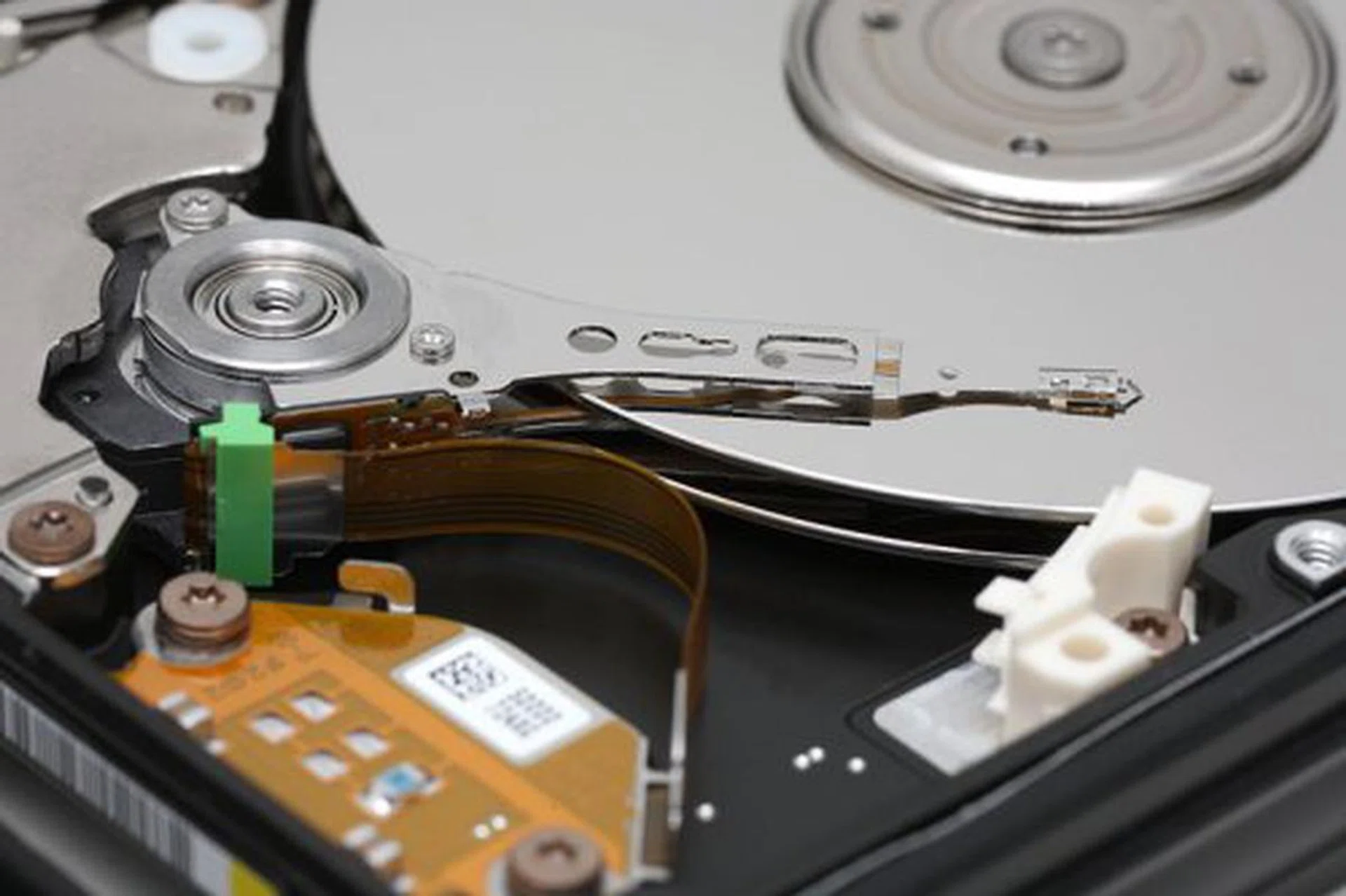
This is what a traditional hard disk looks like (image courtesy of Wikipedia). The platter, spindle, head and actuator arm are all clearly visible.
For instance, one of the most important developments of modern hard disks is the implementation of perpendicular magnetic recording (PMR) technology. Previously, most hard disks made use of the giant magnetoresistive (GMR) recording technology. Now, the basis behind which PMR and GMR works is the same (rate of change of magnetism), except that in PMR, the poles of the magnetic elements, which represent bits, are aligned perpendicular to the surface of the disk platter. The advantage of doing so is that a greater number of magnetic elements can now be stored on the same area; this in turn increases storage density, which in turn leads to larger capacity hard disks.
Apart from larger capacity hard disks, PMR is also useful in shrinking hard disks. With denser disk platters, a similar capacity hard disk can now be squeezed into a smaller form factor. The application of this can be most readily appreciated looking at portable media devices of today. How did you think Apple managed to squeeze a 160GB hard disk into its iPods?
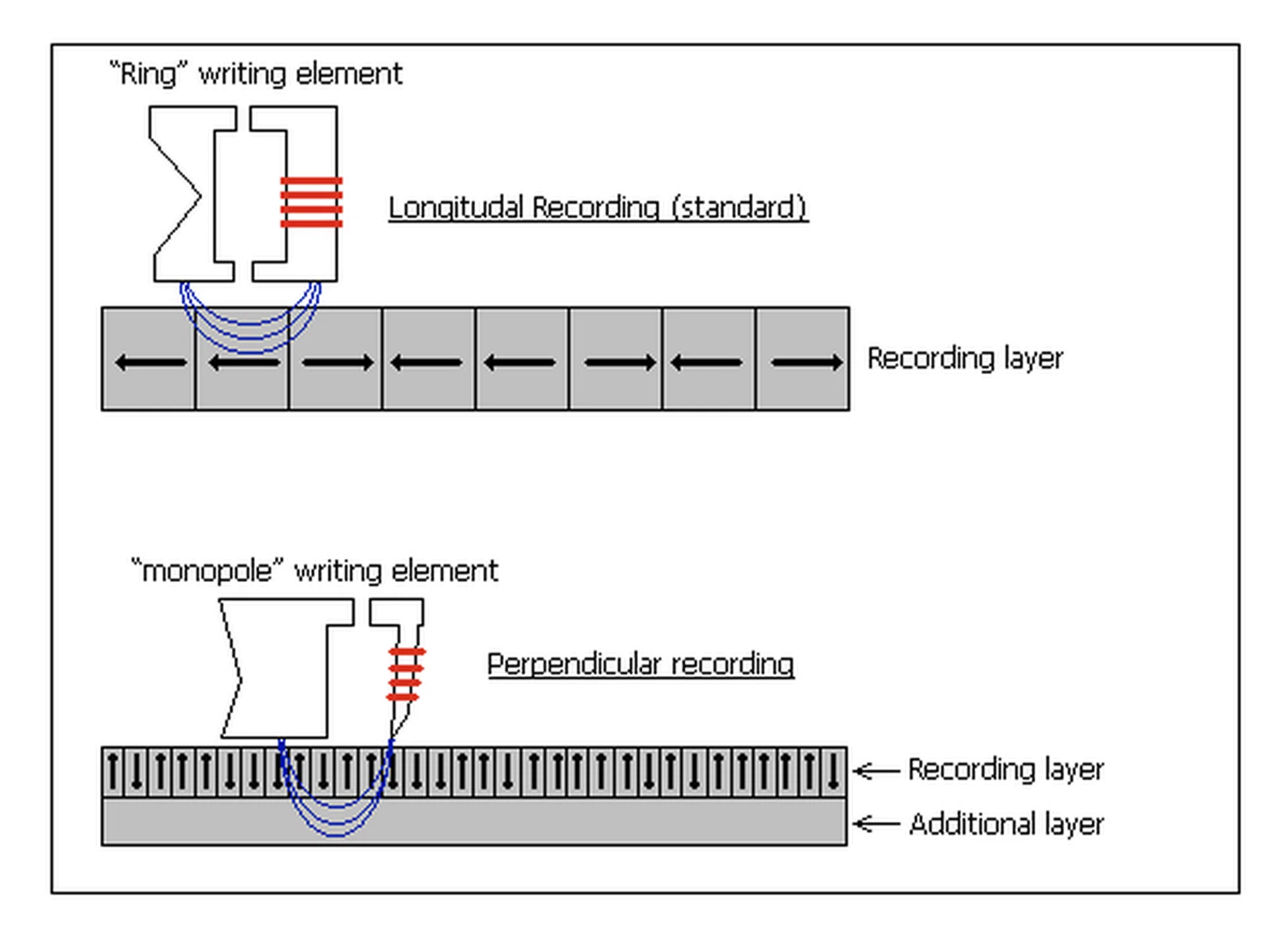
Perpendicular Magnetic Recording vs. the older Longitudinal Recording (image courtesy of Wikipedia). Notice how more bits can now be stored on the same area?
In addition to changes in form-factor and capacity, hard disks also underwent a change in interface technology from Integrated Drive Electronics (IDE) to SATA (Serial Advanced Technology Attachment). SATA was introduced in 2003 to supersede IDE, because of its many advantages. It provides faster data transfers on a high-speed serial bus, supports hot swapping, port multiplexing, is more reliable and is easier to manage (uses thinner cables). The original SATA standard has however been upgraded in recent times. SATA II provides not only a higher throughput, but also supports Native Command Queuing (NCQ) and better hot-plugging support.
Now although throughput is increased to 300MB/s with SATA II, it actually isn't very useful in practice because of the mechanical limitations of a hard disk. You see, a hard disk is only as fast as its access speed, which in turn is dependant on the rate at which the hard disk spins. And this is the conventional hard disk's Achilles' heel.
The speed at which the hard disk can spin is, like all other things in our world, limited by the omnipotent laws of physics. Without going into too much detail, faster spinning hard disks are not feasible because they will require more power, but more importantly, they would need to be sufficiently sturdy so as to withstand the tremendous amounts of g-forces that will be generated by the wildly spinning platter.
And this is where solid state drives (SSD) come in. Although they were first developed decades back (in a different form), they've only recently become widely available thanks to a surge in adoption of various flash memory technologies in the industry that has significantly lowered manufacturing costs. Even so, SSDs remain extremely expensive and analysts predict that it wouldn't be until 2010 before they become affordable enough for the masses. Even then, traditional HDDs are likely to be cheaper yet and thus we don't see the HDD being overtaken in the near timeline.
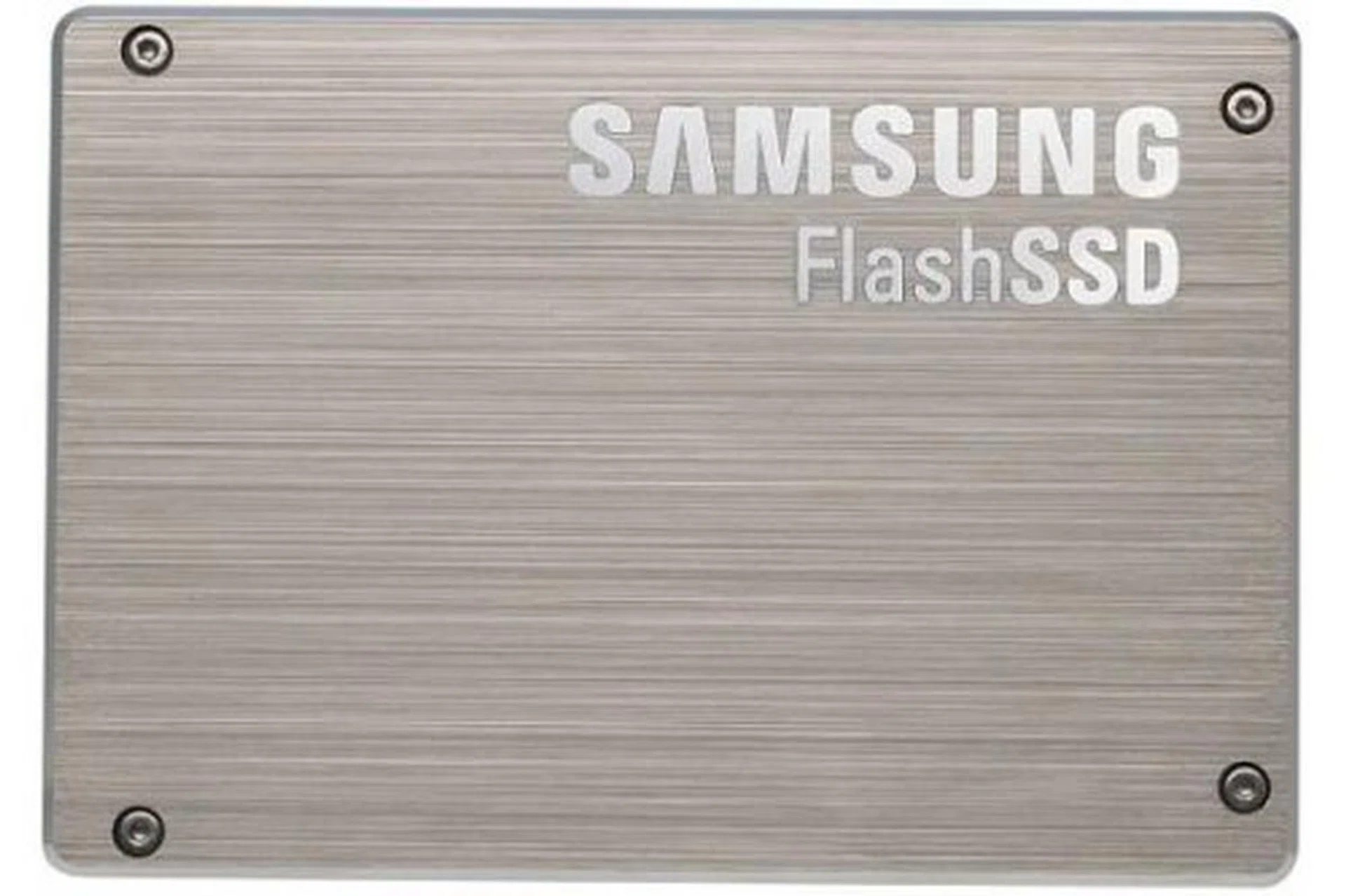
Analysts are confident that solid-state drives, like this from Samsung, will eventually phase-out traditional hard disks. The 'eventual' portion is certainly true, but we doubt that will take place any time soon. We believe both would coexist for a long time to come.
Of course, storage is not just about hard disks. There are many other forms of secondary storage such as optical discs and flash memory that have seen great development in the past decade. Blu-ray discs are slowly but surely replacing DVDs, and flash memory can now be found in a myriad of devices ranging from mobile phones to portable media devices that have totally changed consumers lifestyle (for the better). We'll take a closer look at the various blips in the 10-year radar shortly.
Clearly, man's hunger for storage cannot be satiated. And if there is anything throughout the history of computer storage that is consistent, it is this: we continue to push the boundaries of what is both technologically and mechanically possible. Here's to another ten years of great innovation.
10 Years in PC Audio
It's strange to see how our audio needs have evolved over the last ten years; while 1998 and 1999 saw a slew of sound cards in the market for discerning audiophiles and for our review labs, the next few years saw a much quieter (pardon the pun) sound card market with the much more convenient on-board sound solutions being found on the motherboard. While it was often commented upon that these on-board sound solutions lacked the sound quality found on discrete solutions, they were much cheaper and did the job decently.
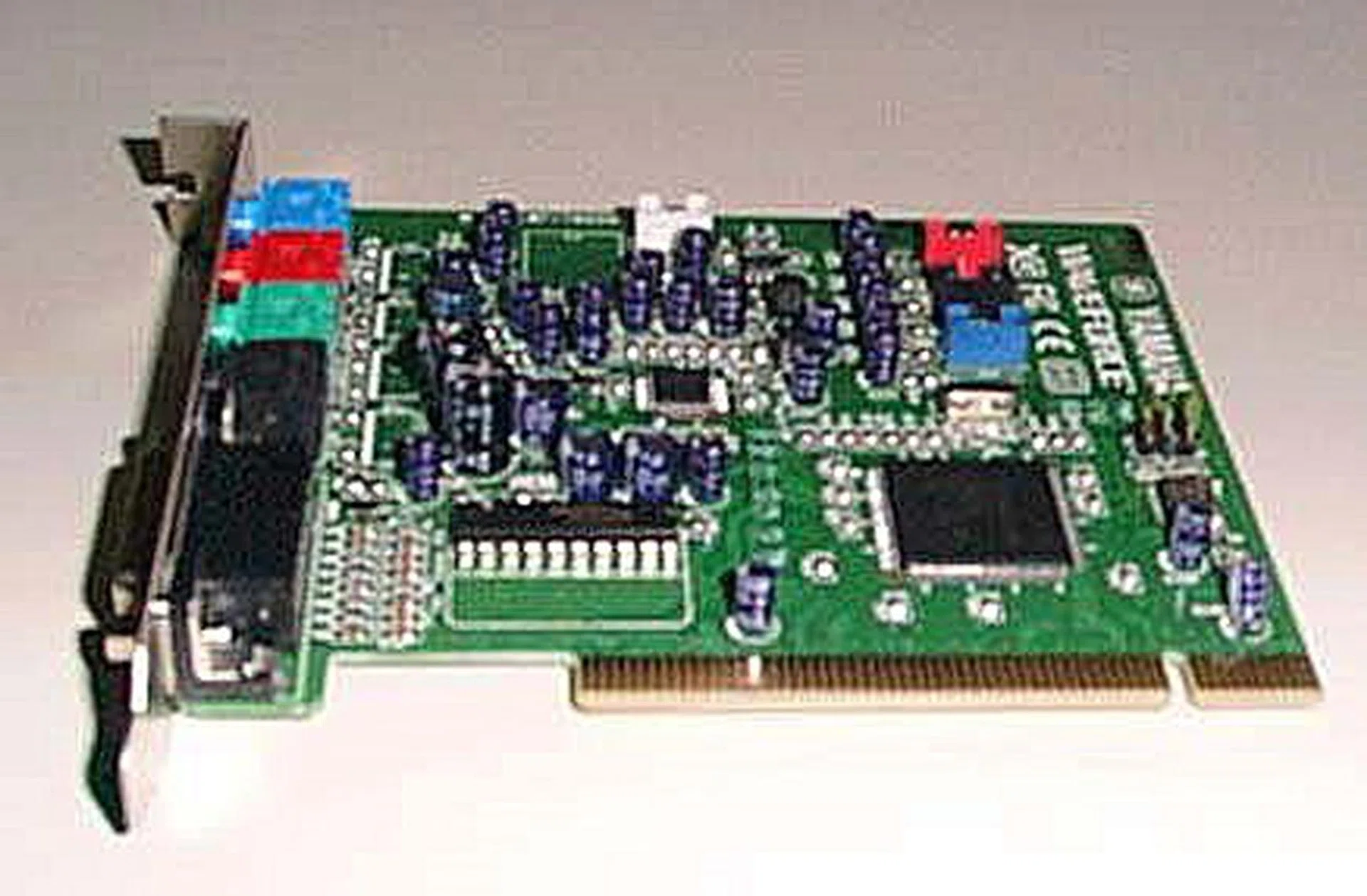
Reviewed way back in 1998, the Yamaha WaveForce 192XG PCI Sound Card brings back some fond memories of the past where we had plenty of sound cards to choose from.
It was therefore no surprise to find that the once plentiful market of sound cards has devolved into a quieter one dominated by Creative Technologies with their introduction of their Sound Blaster Audigy series in 2001 and their Sound Blaster X-Fi in 2004. Competitors were rare and hard to find, though in recent years, some attempts have been made to compete in the market from ASUS with their introduction of their Xonar range of sound cards, specialists like Auzentech and a few others. These are mostly aimed the at the professional-consumers and audiophiles who don't mind spending more on dedicated sound cards that usually offer better connectivity options that are of better quality and better signal to noise ratio (SNR) specifications among others that try to ensure better audio reproduction than onboard solutions.
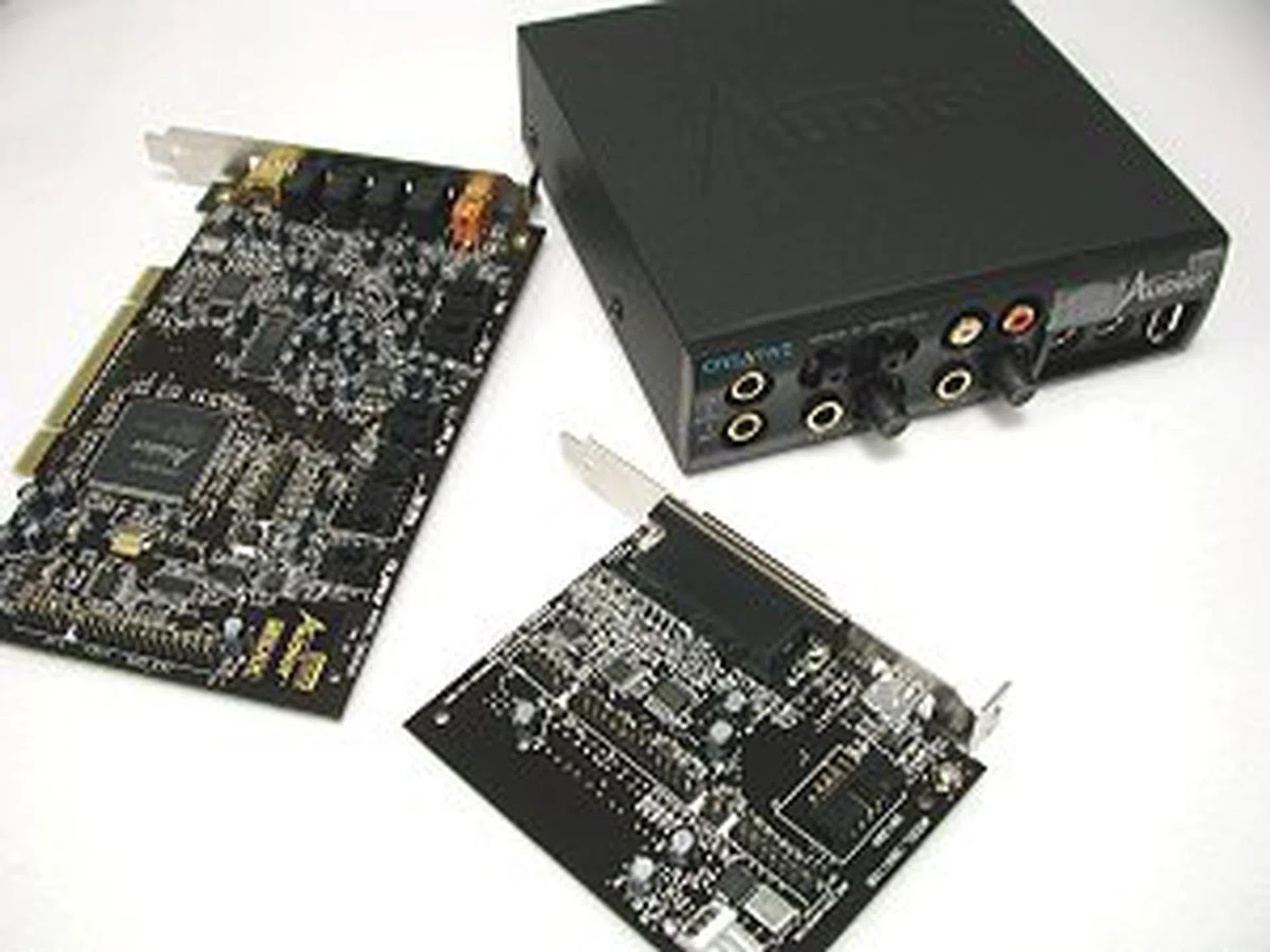
The Creative Sound Blaster AUDIGY Platinum eX scored a perfect 5 from us. Seen here clockwise from top left are the Audigy card, the External Audigy Drive and Audigy Extension Card.
However, onboard audio has been making greater inroads to the mainstream consumer group ever since the introduction of Intel's High Definition Audio standard in 2004 that featured higher quality multi-channel playback as compared to the older AC97 standard that was often shunned in the older days of onboard audio. These days it's not rare to find most standard systems relying on onboard sound for all audio needs though dedicated gamers and audiophiles will probably still spend that little bit more for a discrete sound solution.
A Decade of PC Cases
1998 was a magical year for casings. It was when people woke up from their dreary beige casings and embarked on a new adventure of beautiful casings thanks to an awakening by Apple's iMac. The Bondi Blue iMac by manufacturers, they could doll up their systems if they were willing to spend just a little bit more.
Those in the know were already busy spray painting, cutting up their cases, using acrylic panels, or even finding ways to fit their computers into different shapes and sizes. These case modders, as they came to be known, made waves on the Internet as they wowed their viewers with their amazing designs and talent. There were even contests and exhibitions for custom cases where case modders would come to show off their entries.
While case modders continued to practice their crafts, an industry sprang up around the custom casing scene, with manufacturers themselves designing cases that looked good for those interested in better looking cases while not having the time to custom mod one.
Casings were generally made from SECC (Steel, Electrogalvanized, Cold-rolled, Coil) steel that till today, remains a constant staple for even modern cases. Other materials like aluminum, soon made their way onto cases, spurred on by casing manufacturers like Cooler Master and Lian Li, who continue to use only aluminum for most of their products.
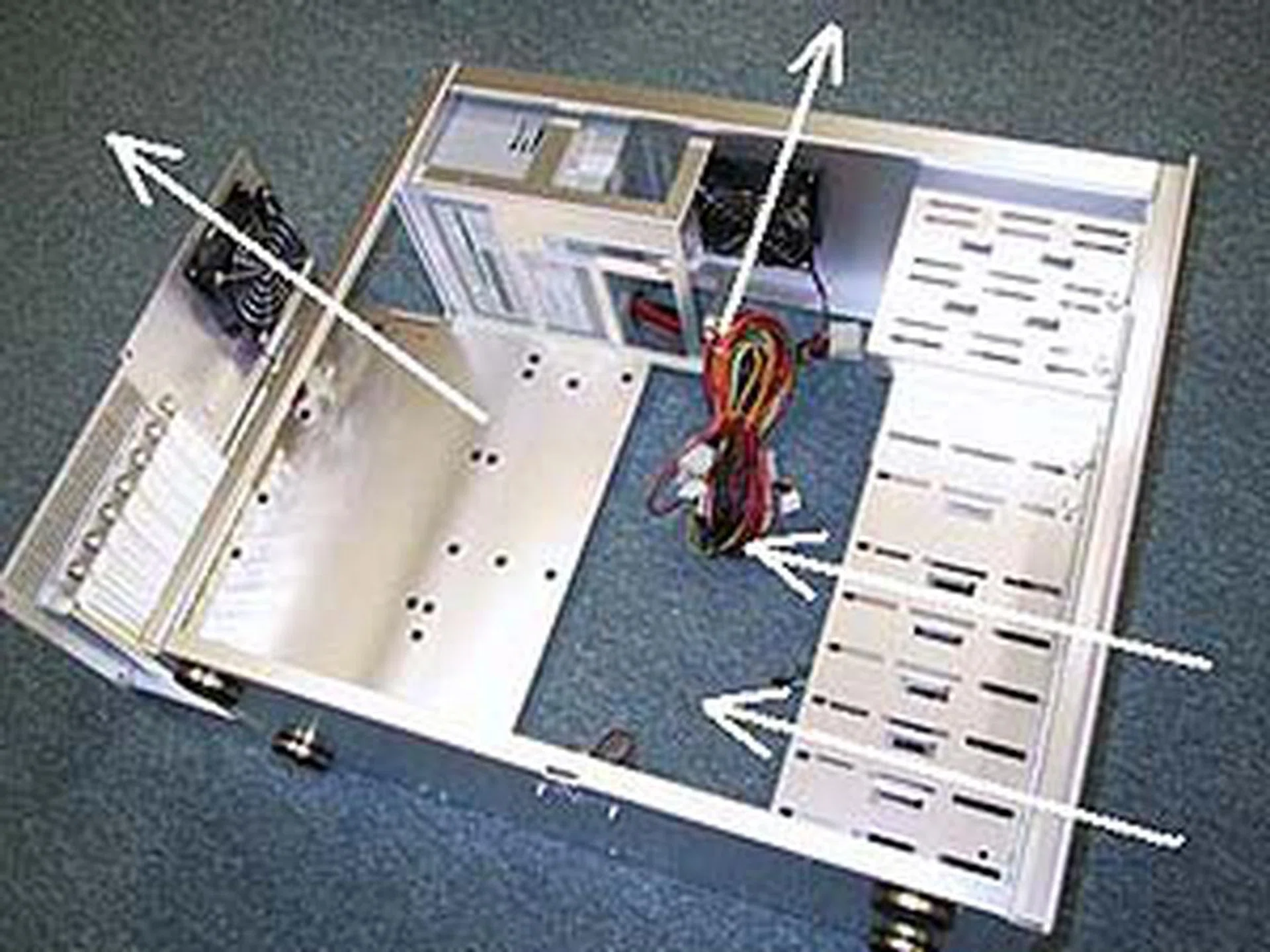
The Cooler Master ATC-200-MX, the first aluminum casing ever made way back in 2000.
Aluminum does have a drawback however, it is much more expensive compared to the cheaper SECC steel and tends to cost a premium. This has resulted in aluminum being targeted at users who don't mind splurging more for a more ideal looking rig, though hybrids featuring an aluminum exterior and a steel interior are available in the current market and offer a perfect balance of design versus cost.
Of course, consumers aren't just spending all that cash for just the metal alone; cases serve to protect the valuable innards of the computer system. With the evolution of motherboard sizes and other components of a computing system, cases too have evolved accordingly to house the smaller form-factor innards of certain configurations. From large tower casings to the smaller form factor of home theater PCs (HTPC), these cases continue to evolve to suit the needs of the computing ecosystem.
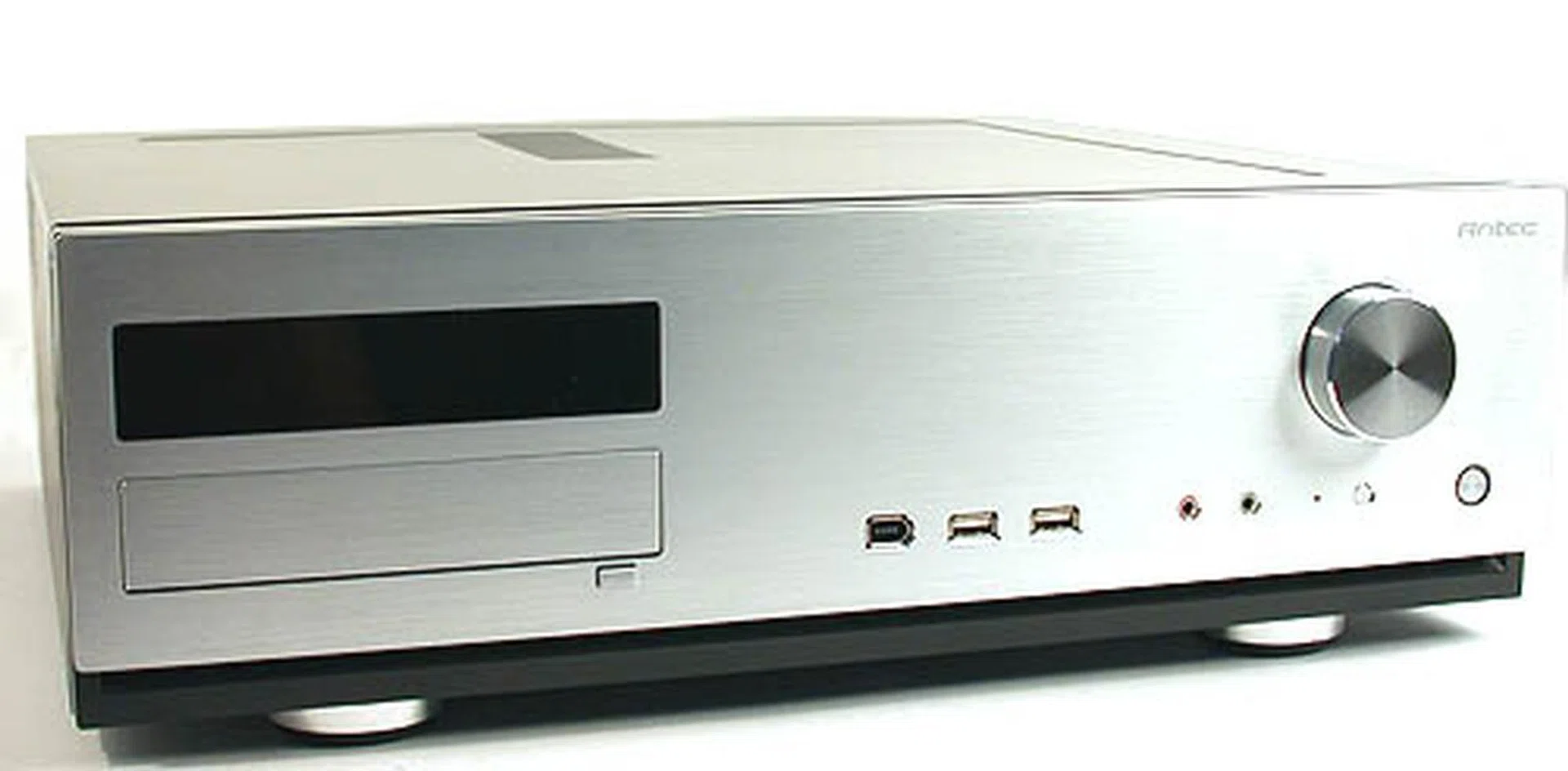
Not all casings are made equal, as this Antec Fusion Media Center Case shows. Designed for HTPC use, Antec's little baby will fit right at home next to the entertainment deck.
While the last ten years hasn't really been an extreme evolution for cases, it's good to see how most modern cases (especially the larger ones) plan for most eventualities like water cooling and are designed around the idea of providing a smooth airflow for the heat requirements of today's components such multi-GPU configurations.
Evolution of System Cooling in 10 Years
It's a well known rule that the faster a processor is, the hotter it tends to be when operating. Therefore it's really no surprise to find a whole slew of cooling products made to alleviate the problem. While this isn't really true for the newer processors, which tend to run much cooler, it was definitely a much needed requirement for overclockers working on the squeezing as much juice as they could from their chips.
These CPU coolers consisted mainly of a heatsink/fan combo, come in creative and thoughtful design and mainly relied on air cooling to keep the processor cool. More extreme solutions however, started to evolve as the clock speeds increased and overclockers went bonkers with their plans.
Water cooling started picking up in the last 10 years, and while it was mainly homemade setups made from scratch by hardcore folks, it's now pretty common to see water cooling kits for beginners and experts alike being made by various cooling vendors.
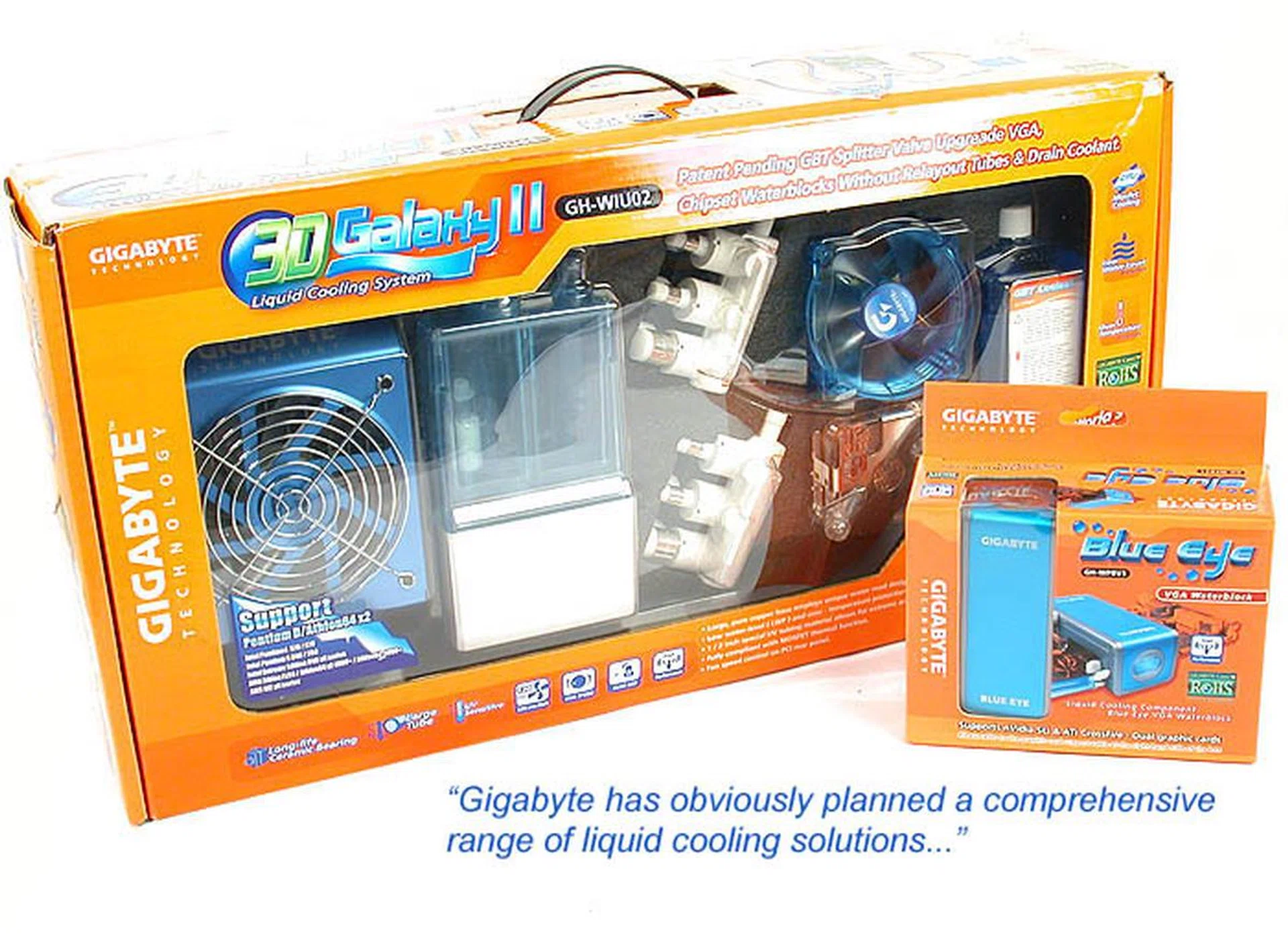
Watercooling kits all ready for your overclocking desires.
Phase change cooling also started making its rounds during the AMD Athlon years, but it was generally for those looking for even more extreme performance. Phase change cooling works on the same premise as your refrigerator, and were generally superior to water cooling techniques when set up right.
Of course, with the advent of 65nm and 45nm manufacturing techniques, chips now run much cooler compared to the older processors, and these days more often than not, it's the GPU that requires more drastic cooling measures, though this may vary depending on the situation.
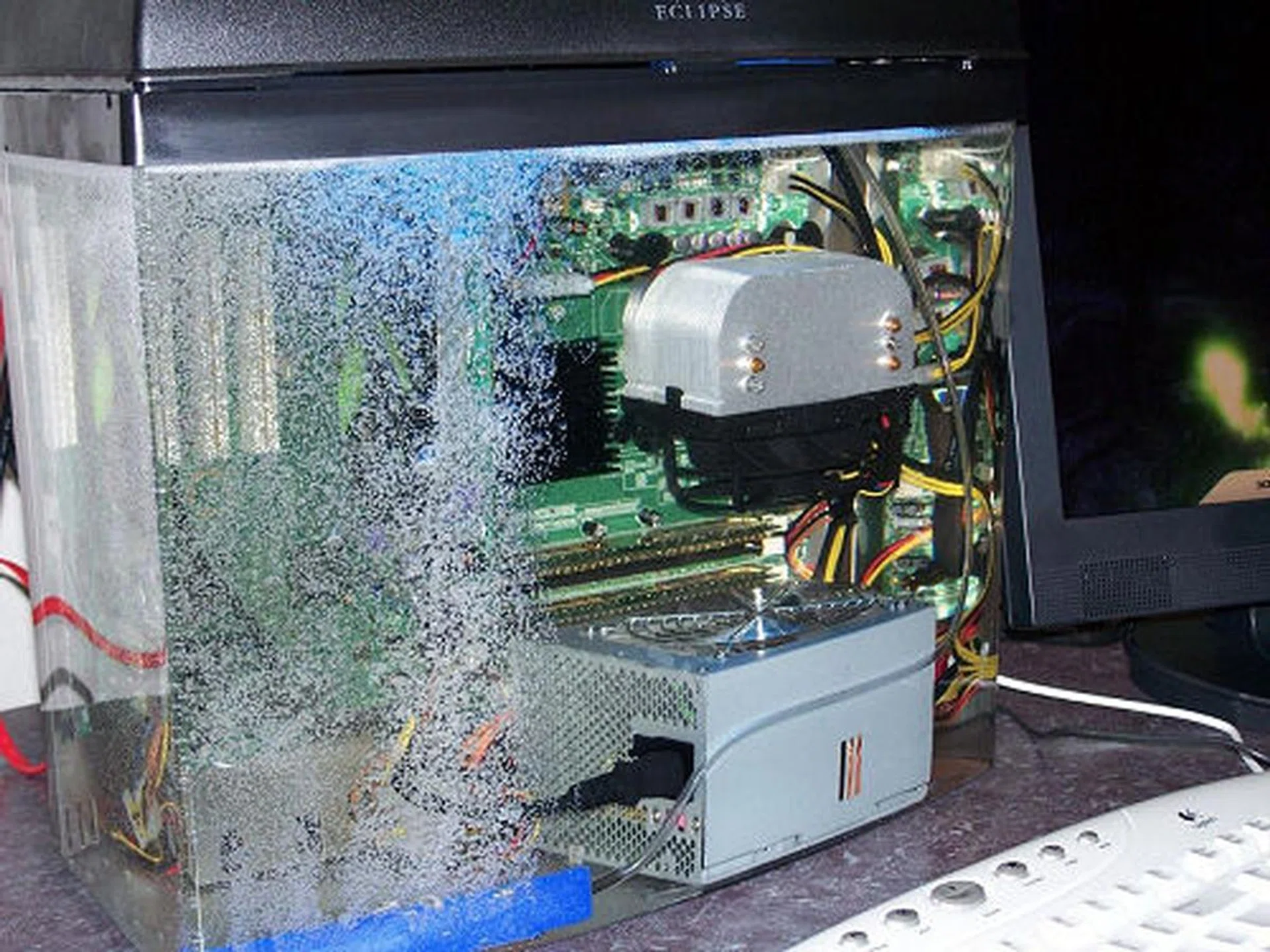
If you're really in the mood, why not try submersion cooling? No it's not water, but mineral oil, which doesn't conduct electricity. Cool eh?
User Interaction Goodness
Generally speaking, the input devices that you used ten years ago would still work today (give or take the legacy PS/2 connections), but you won't see much changes when it comes down to the basics. We're still using the same old keyboard and mouse combo that we're all accustomed and familiar with through the decades, though thanks to the rise of competitive gaming, mouse technology has evolved greatly since the days of the mechanical lint-prone ball mice.
Mice using optical technology have all but replaced the older mechanical ball system and it too has evolved from the older simple light emitting diodes to using infrared or laser optics to suit the needs of gamers requiring high precision and accuracy. Of course there have been further leaps in the niche market needs such as this device that's a true 3D mouse:-
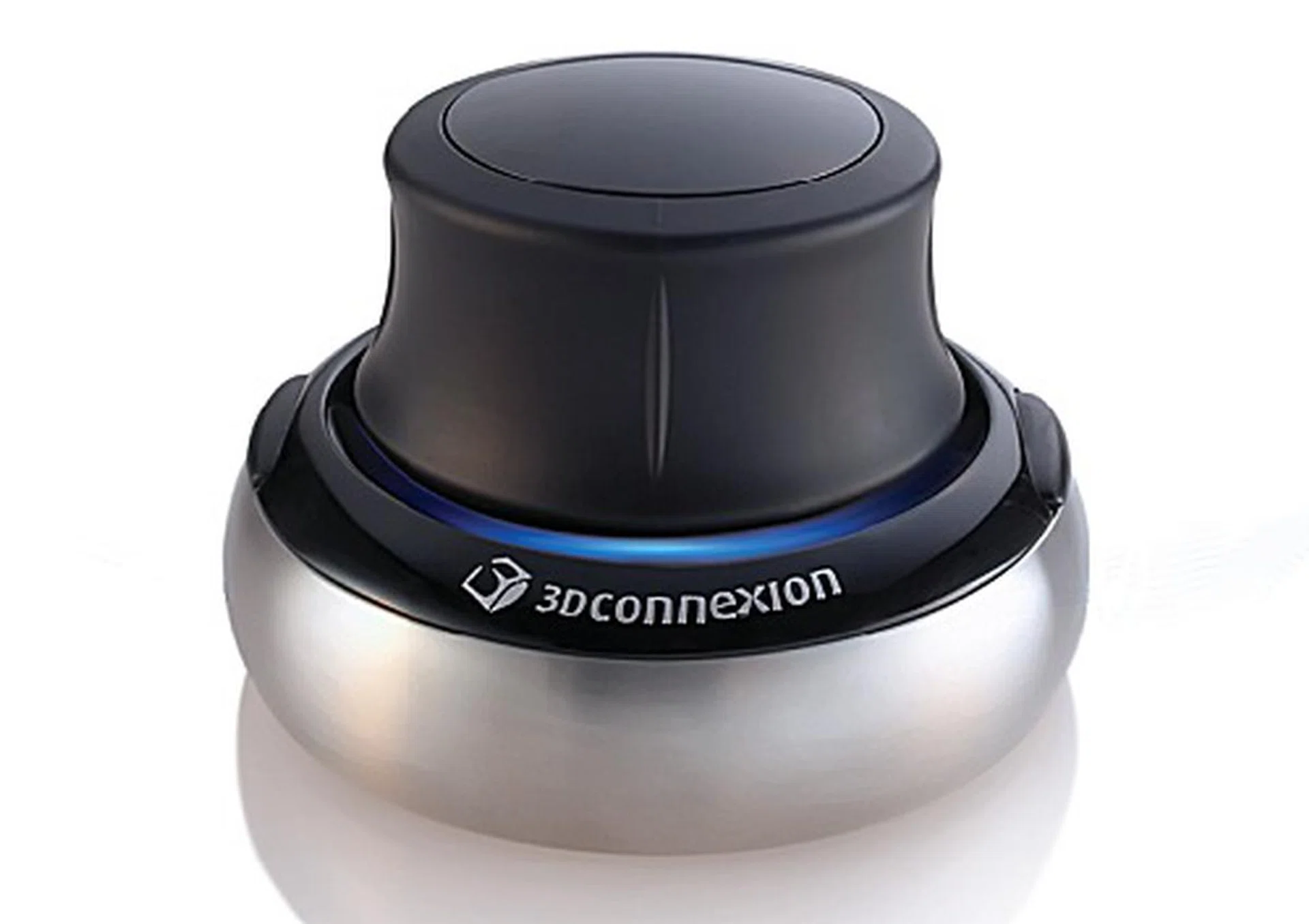
Thankfully, not all mice improvements can be attributed to a hard core gamer's needs, as the 3Dconnexion's 3D mouse, the SpaceNavigator proves. Featuring an intuitive control for 3D movement, rotation, including up and down motions, the SpaceNavigator could rock your world.
Keyboards too have adapted somewhat over the years, focusing more on multimedia hot keys functionality and ergonomic comfort while gaming keyboards offer a programmable keys for gamers to maximize the amount of control they have over their games. Designers have also recently taken this programmable concept to extremes, coming up with a keyboard, the Maximus Optimus, that allows for each individual key to be removed, colored, renamed, programmed and each key has its own LED screen that's also programmable. It's also possibly the most expensive keyboard on the planet at about US$1,600.

Yes these are the actual keys of the Optimus Maximus, and yes, each key has its own individual OLED screen. (Click on picture to view the demo)
More recently, touchscreen enabled LCD screens are making their way on to certain home systems such as the HP TouchSmart PC. These systems incorporate a whole new level of interactivity for the family and kids with specialized functions that specifically take advantage of the large touchscreen panel nature. In fact, we could have sworn that this concept might have taken a page from an old sci-fi movie. Regardless, what matter most is that this new input and interactivity capability brought about by these new age machines are available and are affordable.
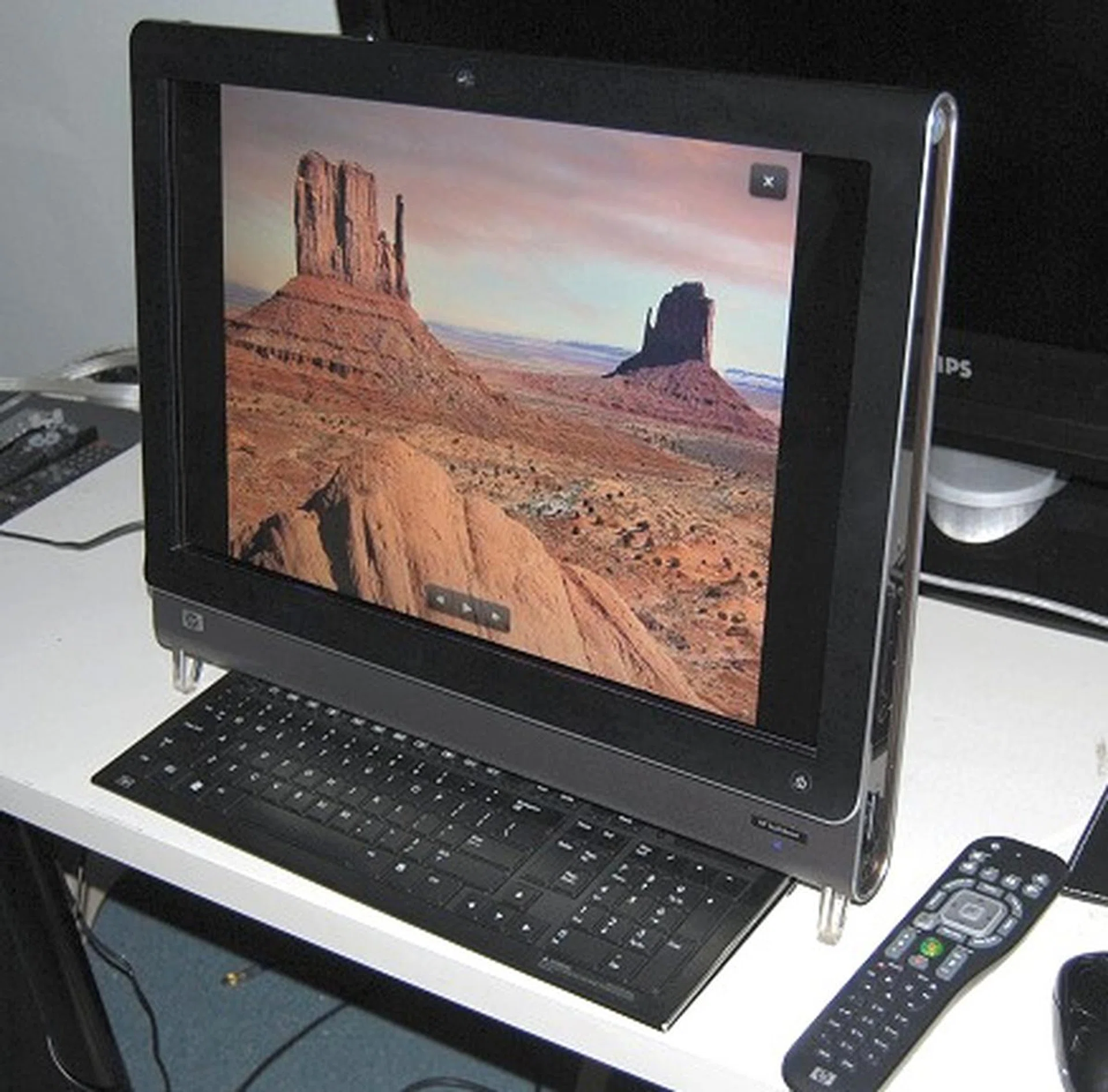
The HP TouchSmart IQ500 series brings a new level of user interactivity with a large touchscreen and suitable applications to take advantage of its touch functionality.
Looking into the Visual Paradise
Ah, the ubiquitous monitor that's found next to all computers, without which, the use of a computer may not even be possible. As visual creatures, we tend to rely on visual cues more than our other senses; how else can we justify the newest user interface with all the fancy graphics?
A monitor is as much an integral component of any computer system as the processor, RAM or hard disk, yet remains the only part that's virtually compatible backwards with older hardware. Your newer monitor will still work with your older 486 computer if it still has a D-Sub video analog output (or through the use of a DVI-to-VGA converter) but you can't say the same for your current crop of multi-core processors or SATA hard disks.
Back then in the good ol' days of 1998, monitors came in two versions: cathode ray tube (CRT) and Liquid Crystal Display (LCD), though the latter was much more expensive and the former more commonly found.
Monitor sizes then too were pretty limited by monetary constraints, 14-inch monitors were still around, but 15-inch and 17-inch had started coming down in pricing and were much more affordable. Given today's standards of monitor sizes, you'll not be surprised to find that most offices still use 15-inch and 17-inch monitors, though with technology taking its toll, these monitors are more likely to be LCDs instead of the older CRTs.
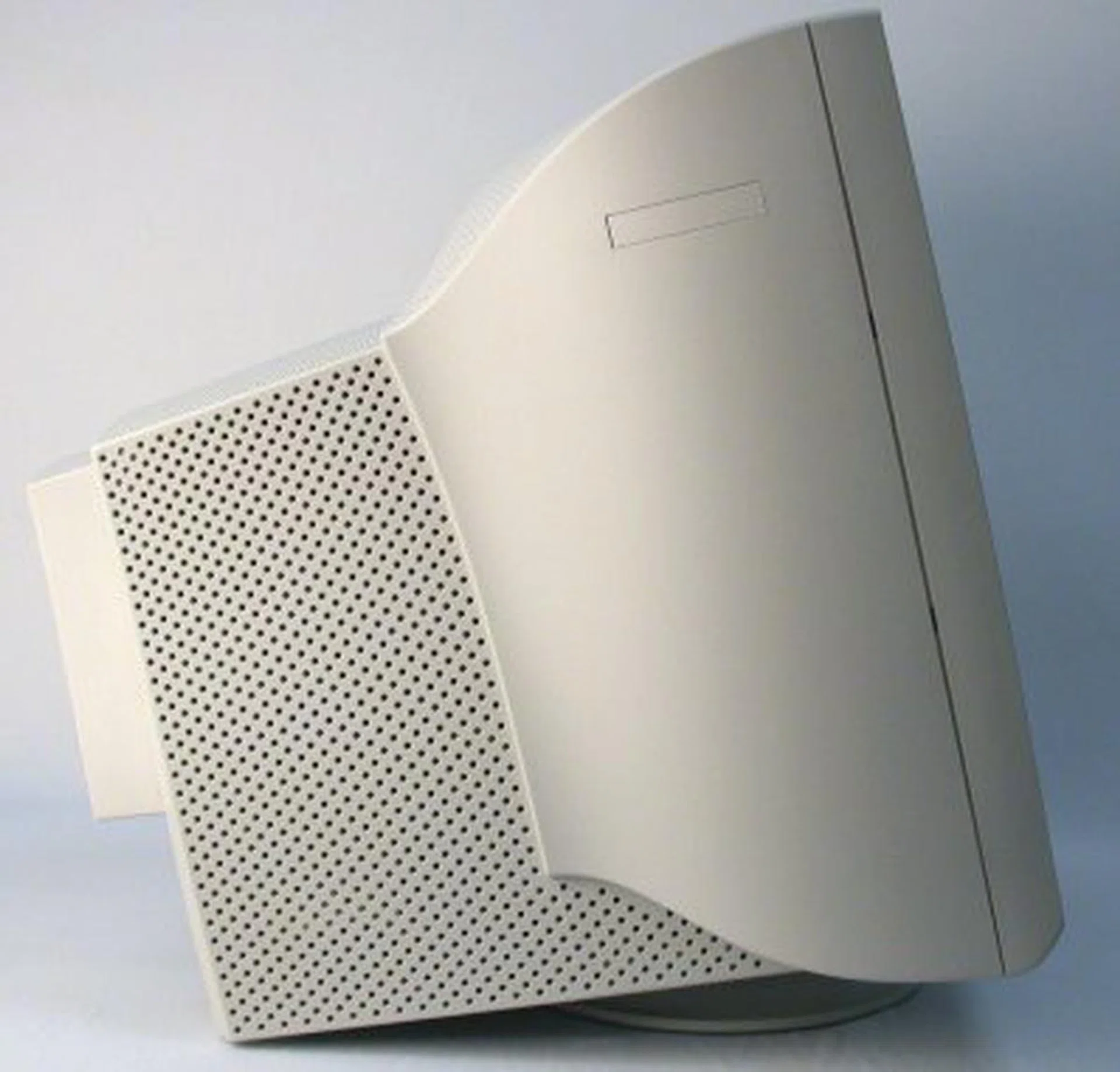
The 22-inch Philips Brilliance 202P4 CRT Monitor was a giant compared to its 15-inch LCD cousins and weighed in at a back breaking 29kg.
Slowly but steadily and despite being slightly inferior in some aspects (contrast ratio, lousy viewing angles, low response times) and being much more expensive, LCDs were gaining market share, taking over the spots where CRTs used to roost.
Screen size however, continued to be a sore point between CRTs and LCDs. CRTs at that time could promise larger screen sizes at a cheaper cost, and LCDs seemed to be in a state of limbo, being unable to catch up with consumer demand for cheap and large screens that CRTs boasted, but yet want them to be slim, light and modern like LCDs. It wasn't a tough decision for most that could afford 17-inch LCD screen as these struck a good proposition between all the needed aspects.
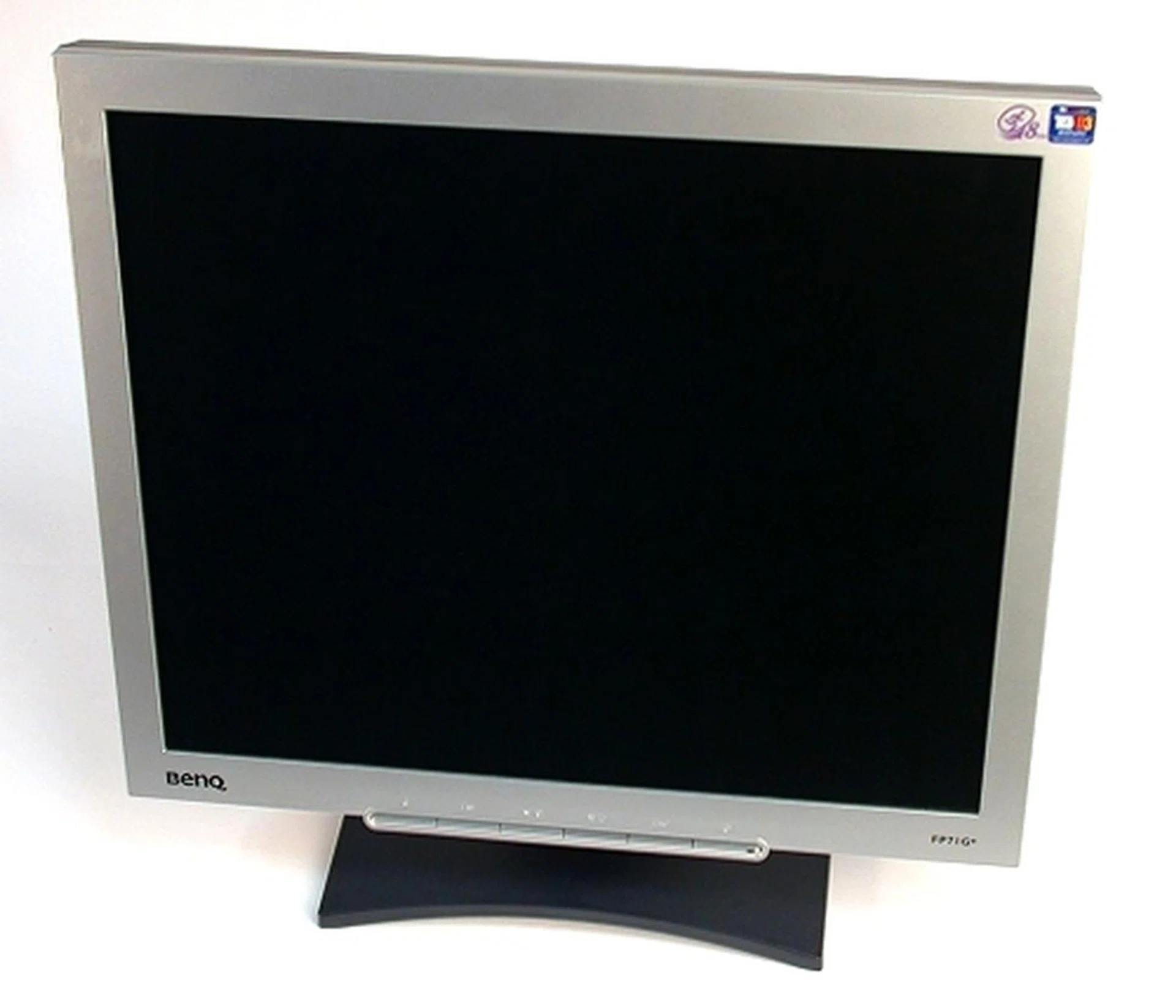
Back in 2005, the BenQ FP71G+ 17-inch TFT LCD was the first LCD monitor to have an 8ms response time.
While the death knell for CRTs may have been sounded as early as 2003, as Sony announced to the world that they would be discontinuing the smaller 17-inch and 19-inch CRT lines and instead would be focusing on their flat panel displays, it wasn't only until the fourth quarter of 2007 did worldwide sales of LCD panels finally overtake its older and bulkier predecessor (which we attributed to the developing countries who stayed on to opt for the cheaper CRTs for a little while longer).
These days, LCD monitors have somewhat become the norm for most home consumers, being much lighter and easier to transport than the older CRT monitors. Technology too has also caught up by addressing the issues that LCD monitors had such as a much faster response time (8ms and lower), much better contrast ratios and improved viewing angles for panels not using Twisted Nematic (TN) panels.
Thanks to the soaring consumer interest of watching high-definition content, the larger LCD monitors too now feature HDMI ports and the recently launched DisplayPort in addition to the older D-Sub Video Analog and DVI interfaces. While some of the newer interfaces aren't backward compatible with older hardware, the newer ports do allow the monitor to be used for other devices besides computers (console gaming, and other input devices come to mind here).
The future of visual computing looks to be a rich and colorful one, and peering into our crystal ball, it's not hard to visualize the future as one with huge touch sensitive screens (such as the HP TouchSmart PC) to allow the user to fully immerse him/herself into the digital world. The technology is already there, it's just waiting for us to grow with it.
10 Years of Notebooks - Part 1: Features and Platforms Evolution
Looking back now, it's really hard to see such a colored past with all the different evolutions in notebook design. Even in 1998, notebooks were still running on a multitude of different platforms, using different processors and still coming in different designs. By then, most notebooks had a standardized set of features: LCD panel, battery, keyboard, hard disk drives and optical drives that are found in most modern devices.
USB ports too by then had crept into the notebook world; these were familiar but not frequently used sights alongside parallel ports (which were pretty common and needed for printing). PCMCIA cards, the predecessor of today's ExpressCard technology, were also commonly found on notebooks.
So too, were the 1.4mb 3.5-inch floppy disk drives that were a required component for any computer of that time, though they soon become obsolete with the advent of other storage mediums. In time, Wi-Fi (wireless networking) would make its way to notebooks, though not till 1999 where Apple's iBook G3 came and integrated wireless networking started catching on.
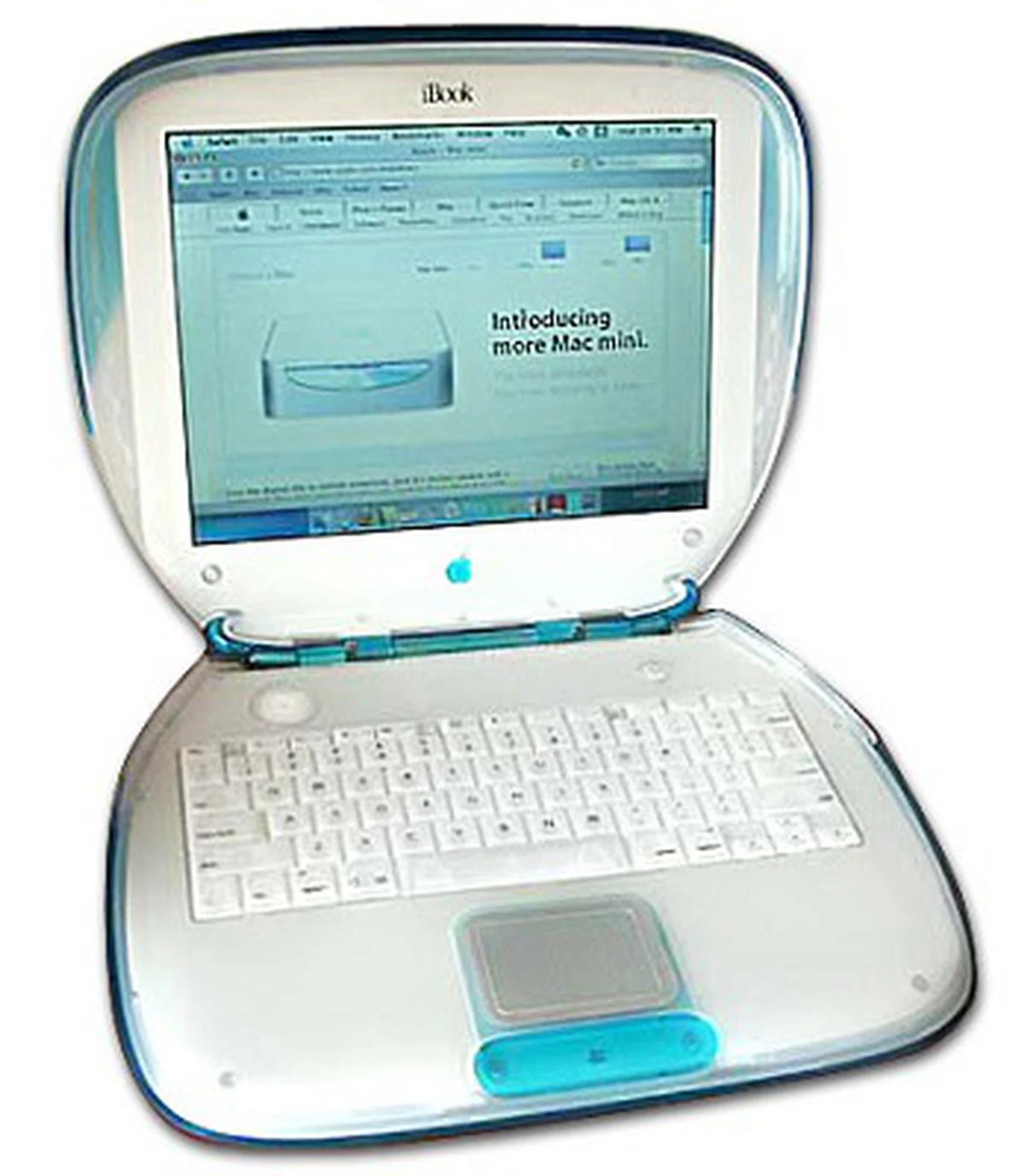
The iBook G3 was pretty clammy...
Processor technology at that period too was a mixed bag of tricks: the two main players at that time were Intel and AMD, though Cyrix and PowerPC (used by Apple) were also found on notebooks. While Cyrix soon bit the dust, Apple continued onwards with the PowerPC CPU for its notebooks till mid 2005, where they announced that their products would now use Intel chips, making the PowerPC based notebooks a relic of the past.
Intel and AMD continued to compete with each other, each coming up with mobile versions of their current processors and platforms. Competition only started heating up in 2003, when Intel introduced its Centrino platform to the masses. AMD promptly followed suit, but with minimal publicity, lack of a marketing name for their platform and most importantly its hardware couldn't keep up with its competition, these only led to Intel dominating the notebook market with its Centrino platform.
Or so it was thought.
It turned out that the success of the Intel Centrino platform was due to Intel cheating somewhat with its financial incentives as found by the Japanese Fair Trade Commission. The Commission ruled that Intel's incentives were illegal and anti-competitive as they encouraged their customers (notebook vendors) to not buy AMD's chips through the use of rebates if manufacturers went exclusively Intel.
Intel decided not to appeal the matter, and subsequently followed the Commisssion's recommendations of the matter. However, the damage was done and AMD was quick to surge in the next quarter with a series of design wins. Even with these design wins, AMD wasn't making much headway with the huge Centrino marketing spree by Intel and that they did have a better overall offering. The battle however, was far from over.
The logo of the first and second Centrino platform which is hardly recognizable when compared to the newer logos.
Following their second generation of the Centrino platform in 2005, the Sonoma, Intel launched the Napa platform in 2006 which supported the newer Core 2 Duo processors. AMD also took 2006 to launch their Kite platform which used their Sempiron single core, Turion 64 single core and Turion 64 X2 range of processors. With the battle raging on, Intel went on in 2007 to launch their fourth generation of the Centrino platform, the Santa Rosa platform, which introduced more power-saving features to their notebooks. AMD stuck gamely to their Kite platform, but launched a refreshed Kite platform instead which sported some improvements over the Intel Santa Rosa platform like faster RAM clock speeds of 800MHz and HDMI support. Despite all of these improvements and overhaul to the platforms, AMD could only garner a positive spot in the low-cost range of notebooks because of their performance standings among others - which was also similarly mirrored in the desktop side of things too.
In 2008, the competition got even hotter with Intel rebranding their fifth generation Centrino platform, Montevina and calling it Centrino 2 instead. Centrino 2 offered even more power saving features and WiMax support. AMD too launched their Puma platform which too featured power saving measures, speedier processors and offering better platform integration with their ATI Mobility Radeon graphics. The Puma launch is possibly AMD's strongest notebook platform launch yet and it seems to offer better multimedia capabilities than Intel. It is however early days still as both the Montevina and Puma based notebook are still fresh off the manufacturing line.
AMD's Puma platform doesn't have an easy to remember logo like Intel. Instead it allows manufacturers to combine from a choice of three ingredients, which may be confusing to laymen.
Notebooks - Part 2: Rise of the DTR, UMPC and Netbooks
Even while the processor wars raged on in the mobile world, manufacturers too are introducing new mobile computing products that are derived from the concepts of making your desktop computer mobile. Manufacturers have come up with ways to make notebooks smaller, while keeping to almost the same processing power. While these models are derivatives of notebooks, and they do share some similar aspects, these machines have created their own unique niche in the mobile computing world.
Introduced in 2006, Ultra Mobile Personal Computers (UMPCs) are small computers that resemble their larger tablet cousins in functionality, but are designed less for drawing and more for interaction. UMPCs in general have an 8.9-inch screen or smaller to keep to a petite form factor and utilize an Ultra Low Voltage (ULV) processor for efficient power savings. With the introduction of the Intel Atom processor in 2008, things are starting to look up for this niche market of mobile computers.
While UMPCs tend to fulfil a niche user group, netbooks have taken the consumer market by storm. Most noticeably led by the ASUS Eee PC brand, netbooks powered by Intel's Atom have entered mainstream market consciousness with its lightweight, small form factor (10.2-inches and below) and an affordable price. Where UMPCs tend to cost a lot more, netbooks are generally much cheaper though recent models have slowly started creeping up in price.
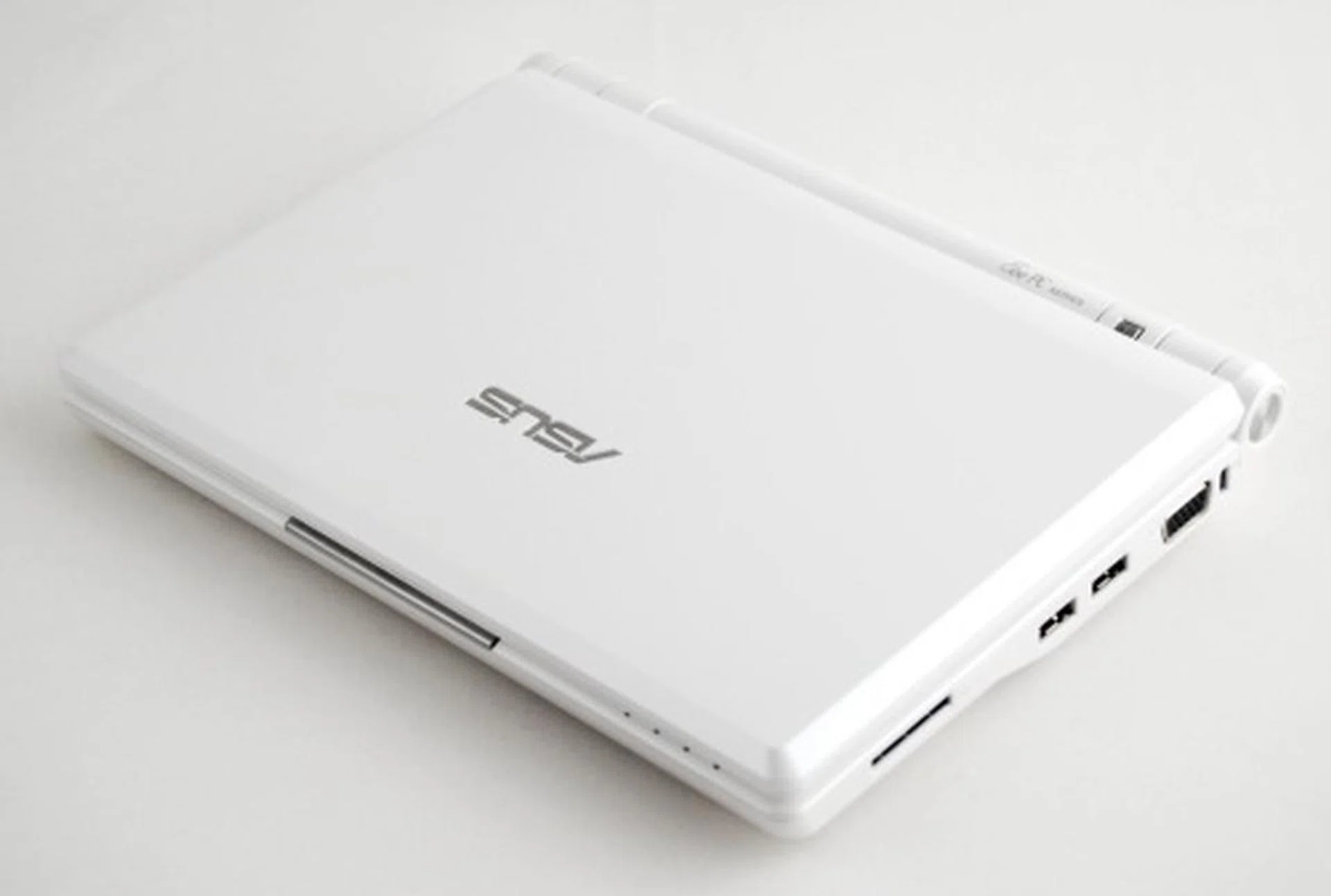
Seen here is the ASUS Eee PC 900, which was the last model to use the older Intel Celeron M ULV processor before the advent of the models which used Intel's newer Atom processor.
The notebook world isn't just restricted to getting smaller and smaller. While ultra-light laptops have been around for awhile, it's the newer crop of desktop replacements (DTR) that have gotten lots of loving attention and have started making its way into consumer homes. Featuring all-in-one entertainment features, or having enough graphical processing power for the latest crop of games, these DTRs are powerful enough to supplant desktops while remaining 'mobile' and are competitively priced; a far cry indeed from the older days of notebooks.
Given a world with limitless imagination and infinite variations, it's going to be an interesting experience to watch what happens in the next ten years. So far, our last ten years has since steady improvements and growth of the notebook market, and we're not too far from the days where notebooks will become powerful but light weight companions that are a required accessory in our lives.
10 Years of Pocket Entertainment
Treating yourself to a dose of audio entertainment on-the-go was made possible at the final year of the 1970s with the introduction of the world's first commercial portable player, the Sony Walkman series. In an age where miniaturization is king, the Japan company made a global impact on the world with the portable cassette player. Following through with that, two more physical audio formats came into play as the 1980s came by, namely the Compact Disc (CD) and Mini-Disc (MD), which was given due attention by major manufacturers of the time.
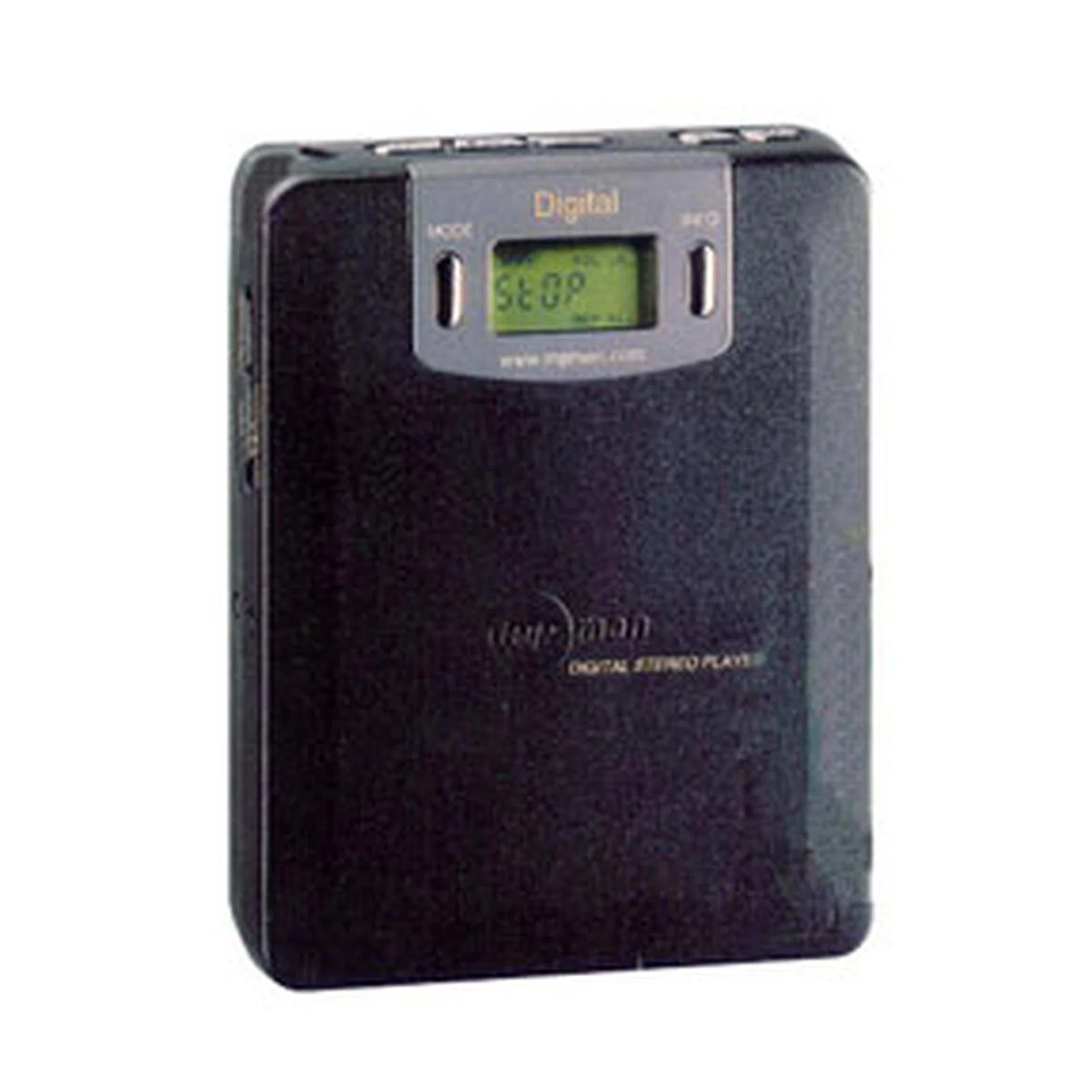
While small in capacity, the very first digital audio player, the MPMan, managed to run up to 9 hours on its rechargable NiMH battery pack.
Interestingly, the advent of the digital audio player (DAP) was not through the hands of the giants of the time, but by a Korean company, SaeHan Information Systems. 1997 was a major turning point in the portable player arena, when the Korean company SaeHan Information Systems created the very first DAP and released it under the MPMan moniker by the middle of 1998. The licence was subsequently acquired by Eiger Labs and the Eiger Labs MPMan made its debut in the North American market by the summer of 1998. Timed just perfectly at the start of the digital audio era, the MPMan was a player introduced with 32MB capacity that houses typically up to 8 music tracks on the MP3 format. With no optional memory expansion other than sending the MPMan back to Eiger Labs to upgrade its RAM to 64MB. Though the MPMan is touted as the initial ancestor to the generic audio (and video) players of today, it did not receive the acclaimed success of its successors. Ironically, for those who value battery life, the MPMan, being a player running on a solid state drive, could run for up to 9 hours on a single charge, which was impressive for its time.
In that same year, the development of a DAP utilizing high capacity hard drives was spearheaded by Compaq, licensing the design to HanGo Electronics Co., Ltd. of South Korea and in 1999, the world saw the introduction of the very first hard drive based DAP, the Personal Jukebox (PJB-100) which houses up to 4.8GB worth of songs, amounting up to almost 1,200 tracks in a single device. This would set a precedence of high capacity DAPs that provides you with a seemingly infinite amount of songs on a single device. This trend was quickly adopted by both Apple and Creative as each company churned out their own DAPs at the start of the 21st century.

| |
| 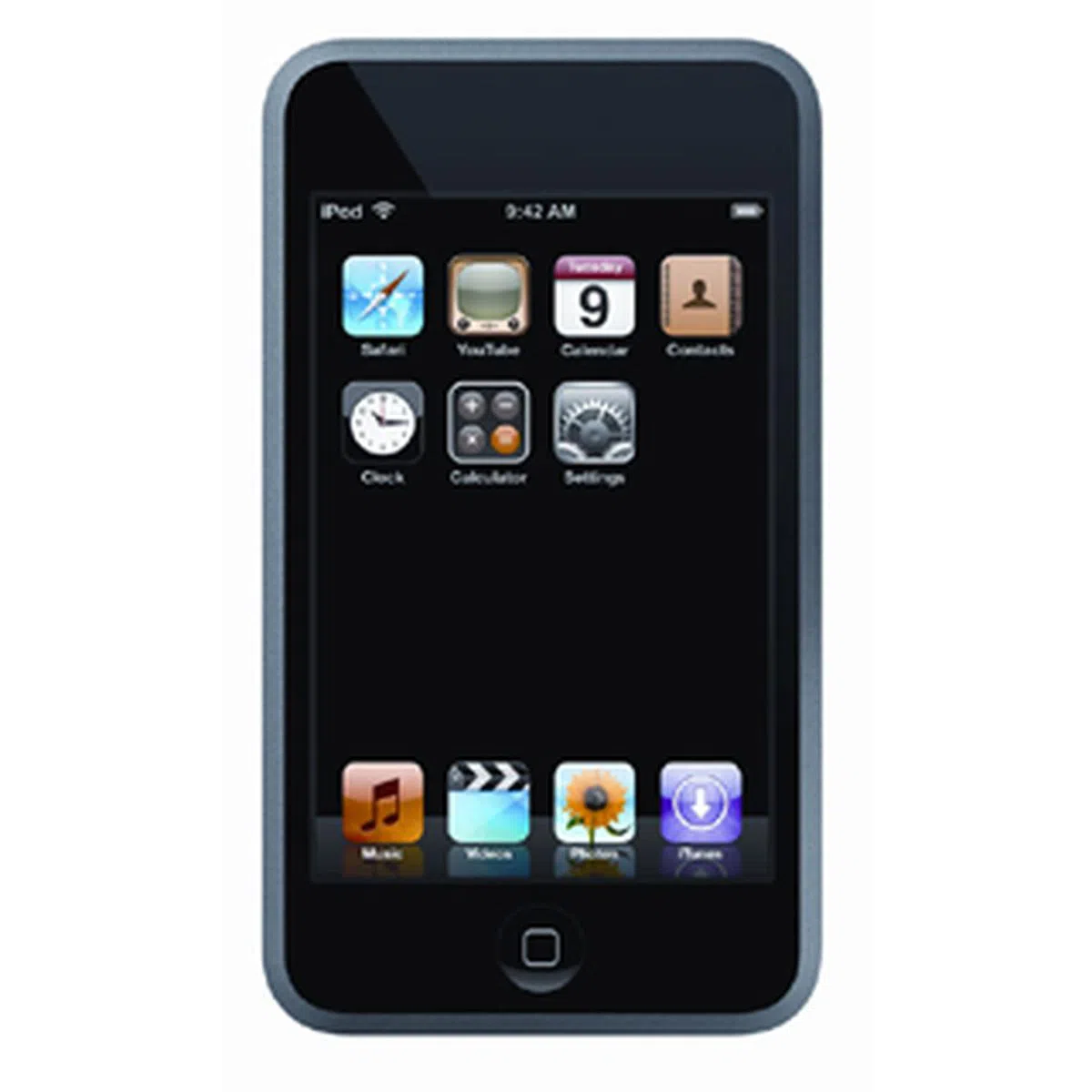
|
|
Apple's first foray into the MP3 scene was in 2001 when its first generation 5GB iPod came into the picture. What Apple set out to do is to work on and improve upon a concept that has been proven popular by the consumers at the turn of the century, when the digital audio era is on the rise. Putting much thought into the design of its iPod series, it went from its Classic lineup to newer iterations such as the Mini, Shuffle and finally, Touch series. More importantly, the introduction of its iTunes Store by 2003 made the iPod series more successful than it already is, allowing you to purchase tracks in the digital format and bidding farewell to the physical CD medium.
Creative started off the race with the introduction of two separate line of devices that utilizes either flash memory or micro drives. Initially branded as the NOMAD and branching out into the NOMAD ZEN and NOMAD MuVo series, the NOMAD name was dropped in 2004 and Creative players have now been branded exclusively into the ZEN and MuVo series respectively. Whilst Apple's iPods were initially designed for its Mac users (following which, was supported on the Windows platform), the limitations of only having music available on your iTunes player onto your iPod would form a barrier for some users. The advent of its competitors such as the Creative ZEN series gave users more options with the ability to transfer music via normal file transfer methods without the need for a secondary conversion.
Beyond the capacity to operate as a portable audio player, video playback soon joined in the functionality list with the introduction of the very first portable media player (PMP) from Archos with its Archos Jukebox Multimedia back in 2002, and has solidified itself as one of the leading portable media players in the market. As with the case of DAPs, companies picked up on this trend and soon included video playback support on their next generation of portable media players, and the very first portable video player from Apple saw the light of day in 2005 with its fifth generation iPod Classic. The Creative camp started operation just slightly earlier at 2004 when it announced the Zen Portable Media Center.
Fast-forward to the year 2008, and we are now looking at what is essentially a deciding point for the portable media player market. With convergence as the next big thing, it takes more than higher capacities and display resolutions for the portable media player manufacturers to stand out amongst the sea of devices. Add the fact that some of the top-end smartphones have enough capabilities to vie as a portable media player quite comfortably with several mobile manufacturers rolling out their own preferred media platform to complete the consumers' extended purchasing circle and traditional PMP vendors have their work cut out for them ahead.
10 Years into Mobile Phones
You might be thinking that the phone in your hands is a natural accessory in your life. But the truth is, mobile phones started off as a rich man's item, and if one were to take a trip down memory lane, the image of a big, chunky phone the size of a water bottle and its long and thick antenna comes to mind. The years have progressed onwards and gone is the concept of mobile phones being a luxurious device for the business executives, and came the mainstream market seeking a new device. As mobile phones started taking a fast approach in becoming a mainstream product, manufacturers were on the move to pick up on the following trend: the smaller you are on the outside, the bigger you are on the inside, the better you are. This philosophy was closely valued and guarded till the present day, and newer focus such as speed, connectivity and multimedia delivery came into the picture as we see the evolution of these mobile phones into a media player, a web browsing device with high-speed internet connection, and many more.
CDMA, GSM, WCDMA and HSDPA - though the technical jargon for the cellular networks are of no interest to the general consumer, one must remember that these are but just the little things that matter for a mobile phone. There's also the matter of generations, and we are speaking of how the cellular network has evolved from a phone supporting just a single GSM network to the current quad-band devices that spans itself on a global scale. Network generations have been seeing a steady evolution from its first generation all the way to its current 3.5G iteration with HSDPA (High Speed Data Packet Access).
Convergence is the key here, and camera phones came into the picture at the turn of the century. Starting off as just a phone with a camera as an added bonus, the camera phone became serious business as it started a trend of self-portraits and image blogging with just a flick of the phone. Improvements on the audio and visual front for mobile devices are aplenty. Just listening to the ringtones from your mobile phone would give you a clear indication of how far it has come along the way, from the dull monophonic ring tone, to the now defunct and short-lived polyphonic tunes, and finally the current truetone format which includes MP3 and WMA playback options. With the advent of the truetone format, the implication comes in the form of a mobile phone that doubles as a portable audio player. Displays played just an important role in the evolution of a mobile phone into the multimedia device that it is today. From the monochrome days of pixilated displays, to display resolutions that support up to 16 million colors, this has made it all possible for you to have a more colorful approach and even rely upon it as your portable media player for photos and videos.
And when we are talking about connections, there's more to look out for than just your normal cellular connectivity. Wireless connectivity took a front seat when the notion of phones being linked to PCs was realized with the aid of infrared connections. Data connection, slow as it may be, was still possible without wires. Fast forward to the present day, we have the Bluetooth standard looking out for wireless device users, and more doors have been opened up. And this is not just limited to simple data transfer from your phone to your PC and vice versa. As the Bluetooth standard evolved, so did the mobile device's connectivity options, with the added speed and capability to stream your music wireless from your device to a Bluetooth stereo headset. Just a few years back, Wi-Fi was still off the radar for mobile phones, but the recent spate of mobile devices have shown otherwise, with a slew of them being Wi-Fi capable and providing you with faster speeds on the 802.11g/b draft speeds from an otherwise slower 2G or 3G GPRS networks. And though not exactly one notch above Wi-Fi, the introduction of HSDPA, or more commonly known as 3.5G, gives you dedicated broadband internet access straight from your phone.
In truth, the above mentioned evolution of the mobile device is only the tip of the iceberg. Predictions, as far as one goes, are varied for the future of mobile devices. Phones with 3D holographic projection, phones small enough to be utilized as an in-ear device, or even devices that are self-charging and require no external power source, these are just a few wild cards that can manifest in the years to come. The technological race is a fast one, and who knows, 10 years down the road, we'll be reminiscing about how small 16GB is, or how we lived by with just a H.264 standard video clip.
Our articles may contain affiliate links. If you buy through these links, we may earn a small commission.