
Epson’s next-gen EcoTank printers let Singapore’s SOHOs and SMBs print smarter, not harder
The three new EcoTank printers can all print on a budget thanks to their ink tank system.

Epson’s new All-in-One EcoTank Series have hit our shores in the form of the L4360, L6370 and L6390. Epson says that the three printers are designed to “offer high-quality, low-cost printing solutions to meet the unique needs of small businesses”.
With a recent survey citing rising costs as a primary concern for 72.2% of SMBs, managing costs is a key concern. This makes printing costs, such as ink usage and replacement, one area where SMBs have control.
Epson says that the new L4360, L6370 and L6390 printers replace the L4260, L6270 and L6290 printers.
They all use high-yield ink bottles (8,500 black / 6,500 colour pages) to lower the cost-per-print ratio, while a simplified ink tank design allows direct access via the front cover for precise, mess-free refills.
The three printers come with a replaceable maintenance box (MTB), allowing users to swap it out independently without needing to visit a service centre. The maintenance box stores surplus ink that gets collected during printing or print head cleaning. When the maintenance box is full, you cannot print or clean the print head until it is replaced. Additionally, the upgraded outer case design simplifies the maintenance process, enabling users to detach the MTB directly without the need for screws, making upkeep easier than ever. And being EcoTank printers, they all come with Epson’s four colour inktanks.
The L6370 and L6390, which come equipped with additional auto duplex scanning and copying capabilities, support scanning of up to 30 sheets of A4-sized paper in half the time required to handle double-sided documents.
Epson EcoTank L4360
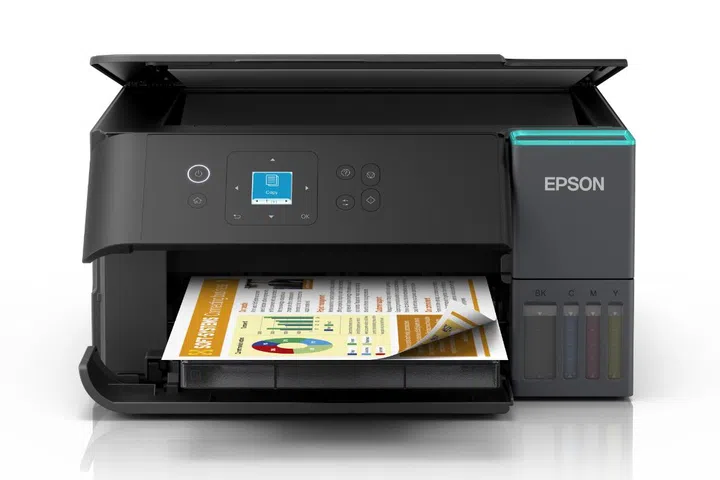
The Epson EcoTank L4360. Image: Epson
The “basic” printer of the new releases, the Epson EcoTank L4360, lacks some of the “business-friendly” functions you’d expect from a SOHO or SMB targeted printer. For example, it doesn’t have a paper tray or an ADF that is found in the other two. But, even without an ADF, Epson says that the L4360 is still capable of automatic duplex printing, which is one way to cut down on costs.
While it lacks a paper tray, it has a friction feed rear slot that holds up to 100 sheets of A4 paper. It also has a 1.44-inch colour LCD that can be lifted for better viewing.
The L4360 uses Epson’s PrecisionCore printhead compared to the MicroPiezo printhead of its L4260 predecessor. Although both are from Epson, a PrecisionCore printhead offers higher print speed, more accurate dot placement, and greater nozzle density compared to traditional MicroPiezo printheads.
According to Epson, the L4360 can print up to 15 images per minute (ipm) for monochrome documents and up to 8 ipm for colour prints, making it 43% faster than its predecessor. But its print resolution is lower than the L4260 at 4800 x 1200 dpi, compared to the L4260’s 5760 x 1440 dpi.
Epson EcoTank L6370 and EcoTank L6390
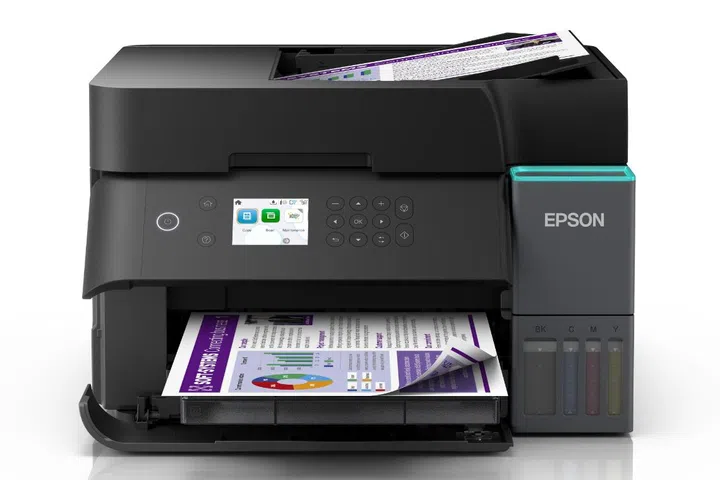
As mentioned earlier, these two models both come with a paper tray and a larger 2.4-inch LCD when compared to the L4360.
They also offer higher duty cycles of up to 100,000 prints for the L6370 and L6390. This robust performance ensures reliable and high-quality output, making them the ideal solution for businesses seeking long-term productivity.
Unlike the L4360, both the EcoTank L6370 and EcoTank L6390 use the same printing technology as their predecessors, the PrecisionCore printhead. However, here, they have the same 4800 x 1200 dpi print resolution. Despite the similarities, the L6370 and L6390 can reach 18 ipm for monochrome documents and up to 9 ipm for colour prints, 16% faster than their previous models at 15.5 ipm and 8.5 ipm. We reached out to Epson for more details on how this was achieved.
Pricing and Availability
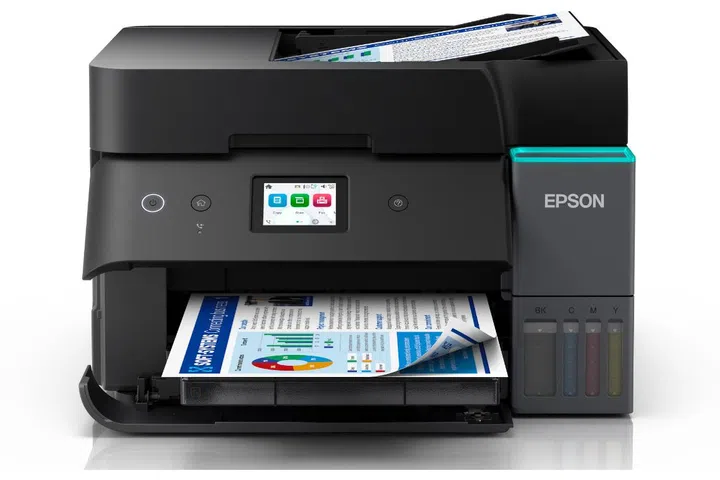
The Epson EcoTank L4360 is available now from Epson’s official stores on Lazada and Shopee for S$399 (printer alone), although there is an option for the printer with an extra ink bundle for S$414.60.
The Epson EcoTank L6370 printer alone is available for S$489 from Epson’s official stores on Lazada and Shopee while the EcoTank L6390 is priced at S$539 for the printer alone on Lazada and Shopee. Getting them with an additional ink bundle costs S$534.60 and S$584.60, respectively. Both are available now.
Epson EcoTank new model specs chart:
| Specs/Model | L4360 | L6370 | L6390 |
|---|---|---|---|
| Functions | Print, Scan, Copy | Print, Scan, Copy | Print, Scan, Copy, Fax |
| Print speed | Draft Text A4 (Black/ Colour): Up to 33 ppm / 20 ppm, ISO 24734 A4 (Black / Colour): Up to 15.0 ipm / 8.0 ipm | Draft Text A4 (Black/ Colour): Up to 35 ppm / 23 ppm, ISO 24734 A4 (Black / Colour): Up to 18.0 ipm / 9.0 ipm | Draft Text A4 (Black/ Colour): Up to 35 ppm / 23 ppm, ISO 24734 A4 (Black / Colour): Up to 18.0 ipm / 9.0 ipm |
| Print quality | 4,800 x 1,200 dpi | 4,800 x 1,200 dpi | 4,800 x 1,200 dpi |
| Paper capacity | 100 sheets of A4 Plain Paper | Up to 250 sheets of A4 Plain Paper | Up to 250 sheets of A4 Plain Paper |
| ADF paper holding | NA | 30 sheets A4 Paper | 30 sheets A4 Paper |
| Ink bottle yield (CMYK) | 6,500, 6,500, 6,500, 8,500 | 6,500, 6,500, 6,500, 8,500 | 6,500, 6,500, 6,500, 8,500 |
| Connectivity | USB 2.0, Wi-Fi 802.11b/g/n, Wi-Fi Direct, Apple AirPrint, Mopria Print Service, Chrome OS, Epson Smart Panel, Epson Email Print, Remote Print Driver | USB 2.0, Wi-Fi 802.11b/g/n, Wi-Fi Direct, Apple AirPrint, Mopria Print Service, Chrome OS, Epson Smart Panel, Epson Email Print, Remote Print Driver, Scan to Cloud | USB 2.0, Wi-Fi 802.11b/g/n, Wi-Fi Direct, Apple AirPrint, Mopria Print Service, Chrome OS, Epson Smart Panel, Epson Email Print, Remote Print Driver, Scan to Cloud |
| Display | 1.44-inch colour LCD | 2.4-inch colour LCD | 2.4-inch colour LCD |
| Price | S$399 | S$489 | S$539 |