
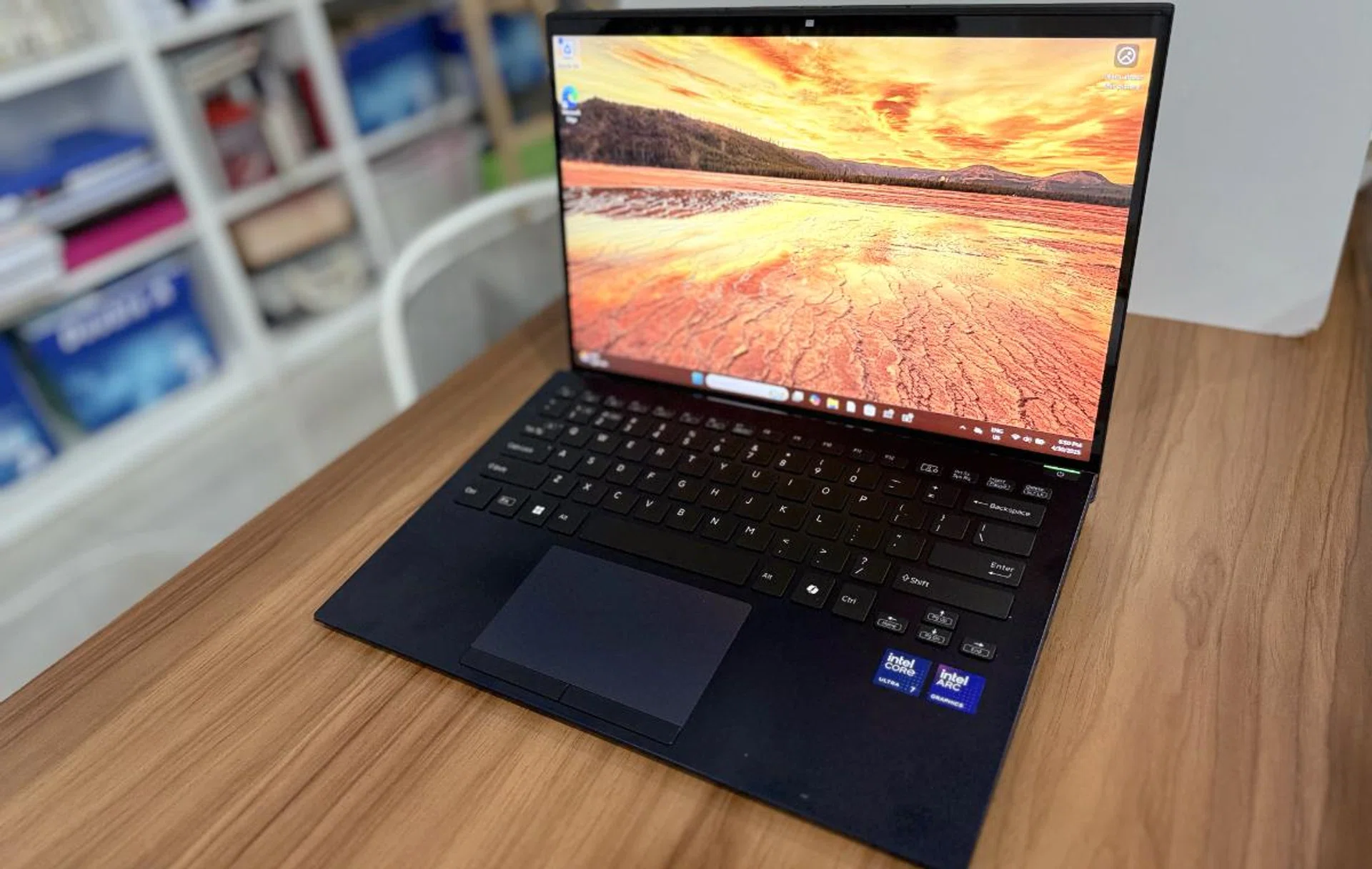
The Vaio SX14-R Kachi-iro Special Edition. Photo: HWZ.
If you need a laptop for everyday stuff, remote work, or just something light to travel with, the Vaio SX14-R Kachi-Iro has just arrived in Singapore. It’s the latest in Vaio’s lineup, built and designed in Japan, though it doesn’t come cheap. But does it do justice to the Vaio name? Let's take a quick look.
Technical Specifications
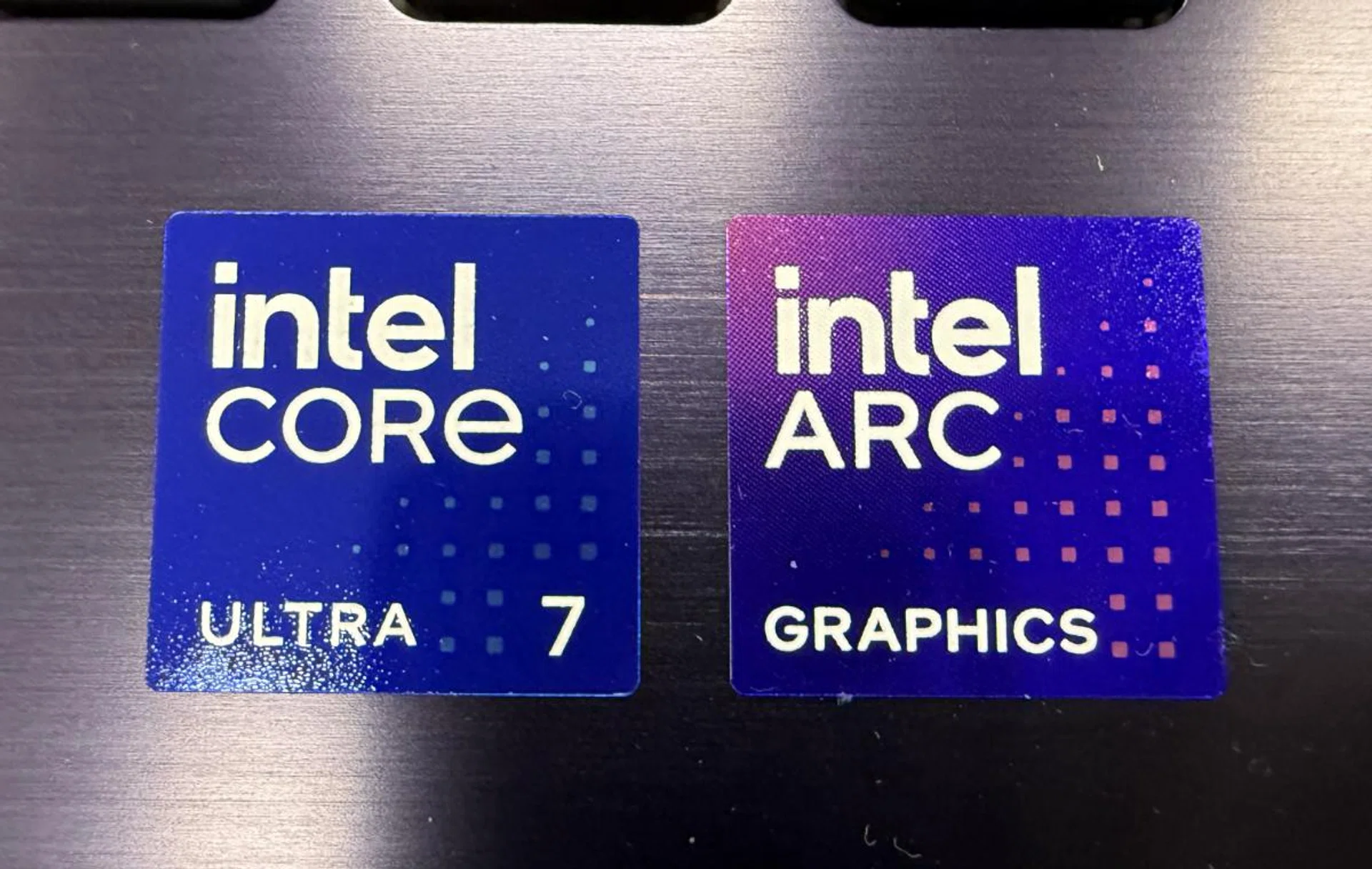
What powers the laptop. Photo: HWZ.
The Vaio SX14-R Kachi-Iro differs from its regular brethren by coming in a different colour, Kachi-Iro, which is Japanese for "victory colour" and comes in a specific shade of dark indigo blue. It also features a touchscreen display, unlike the normal display of its more normal “cousins”, which come in what Vaio calls Deep Emerald, Urban Bronze, Fine Black, and Bright Silver.
At its core, the Vaio SX14-R Kachi-Iro is powered by the Intel Core Ultra 7 155H processor, which also features integrated Intel Arc graphics. This isn’t the latest processor from Intel, but if you're simply browsing the web, working in office applications, or video conferencing, the chip handles everything smoothly and has enough power for most tasks.
In terms of memory, the Vaio SX14-R Kachi-Iro comes equipped with up to 32GB of LPDDR5X RAM, which is a good amount for multitasking and handling applications. As for storage, you get a 512GB SSD, which I feel is a little stingy given its price (more on that later).
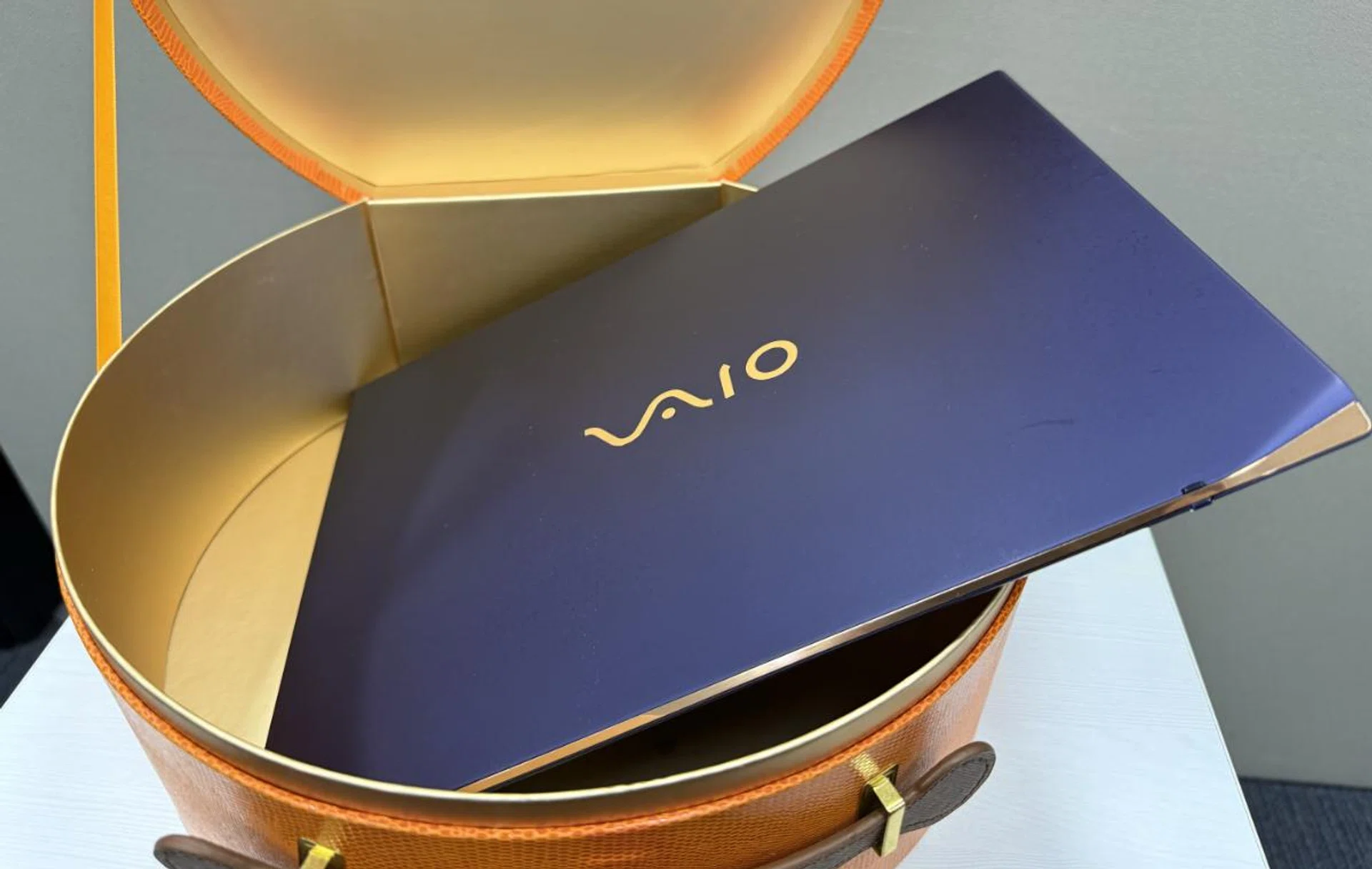
I really wanted to like the new Vaio. Photo: HWZ.
This laptop comes with a 14-inch, 2.5K (2560 x 1600 pixels) touchscreen display, providing sharp, clear visuals with vibrant colours. The 14-inch display is bright, sharp, and punchy, making it a joy for anything from casual video-watching to photo editing. The colours and brightness look consistent even when viewed from wide angles—ideal for collaborative work or streaming content with others.
Note that there is an SX14-R base model that comes in four colours and a SX14-R All Black which is called its Premium Edition. The differences for each are as follows:
Specs | SX-14R | SX-14R All Black | SX-14R Kachi-iro |
Colour | Deep Emerald, Urban Bronze, Fine Black, Bright Silver | All Black | Kachi-iroblue |
OS | Windows 11Pro | Windows11Pro | Windows 11Pro |
Processor | Intel Core Ultra 5 125H / Core Ultra 7 155H | Intel Core Ultra 7 155H | Intel Core Ultra 5 125H / Core Ultra 7 155H |
Memory | 16GB / 32GB LPDDR5X | 32GB LPDDR5X | 16GB / 32GB LPDDR5X |
Display | 14-inch | 14-inch | 14-inch |
Resolution | WUXGA 1920 x 1200 | WQXGA 2560x1600 | WQXGA 2560x1600 |
Storage | 512GB,1TB SSD | 512GB SSD | 512GB SSD |
Dimensions | 31.2x 22.6x 13.9cm | 31.2x 22.6x 13.9cm | 31.2x 22.6x 13.9cm |
Weight | 1.08kg | 1.08kg | 1.08kg |
On the audio side, the Vaio SX14-R Kachi-Iro's speakers perform well for such a slim laptop. The stereo speakers produce clear mids and highs, making them perfectly fine for casual listening or video calls. While they’re not bass-heavy, they deliver a well-rounded sound profile that gets the job done for most tasks. If you're into music or movies, you might still want to use headphones or external speakers for a richer, more immersive experience.
At just 1.08 kg and 13.9mm thick at its thinnest point, the SX14-R is portable, making it easy to carry around without feeling weighed down.
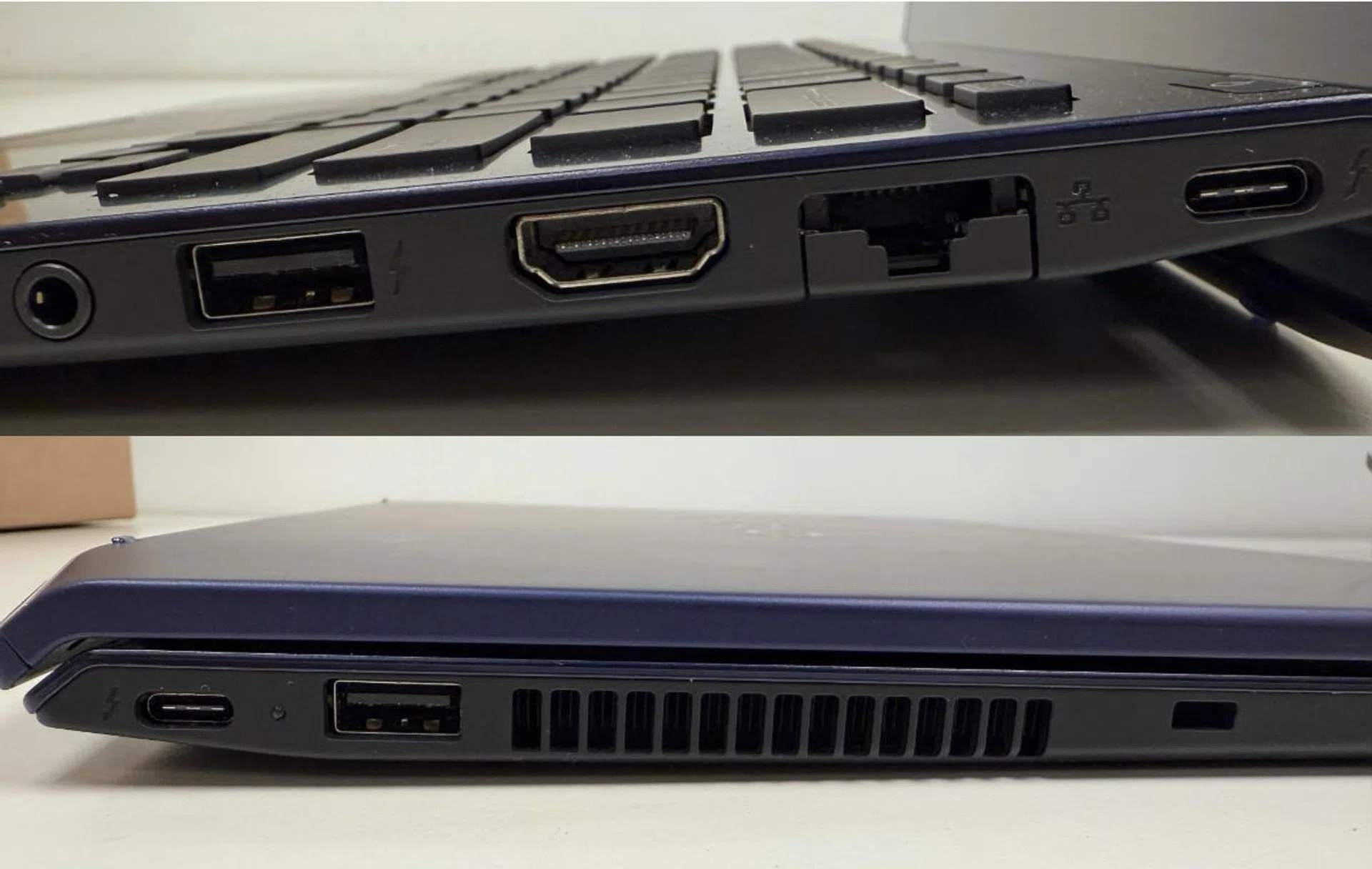
The ports on the right (top) and left (bottom) with the lid open and closed. Photo: HWZ.
For connectivity, Vaio includes the essentials: two USB Type-C ports (with Thunderbolt 4 support), two USB-A 3.0 ports, one HDMI 2.0 port, a 3.5mm audio jack, and a LAN port. Wi-Fi 7 and Bluetooth 5.4 round out the modern connectivity options. The laptop runs on Windows 11 Pro, giving access to the latest features of Microsoft's operating system except Copilot+.
How it feels
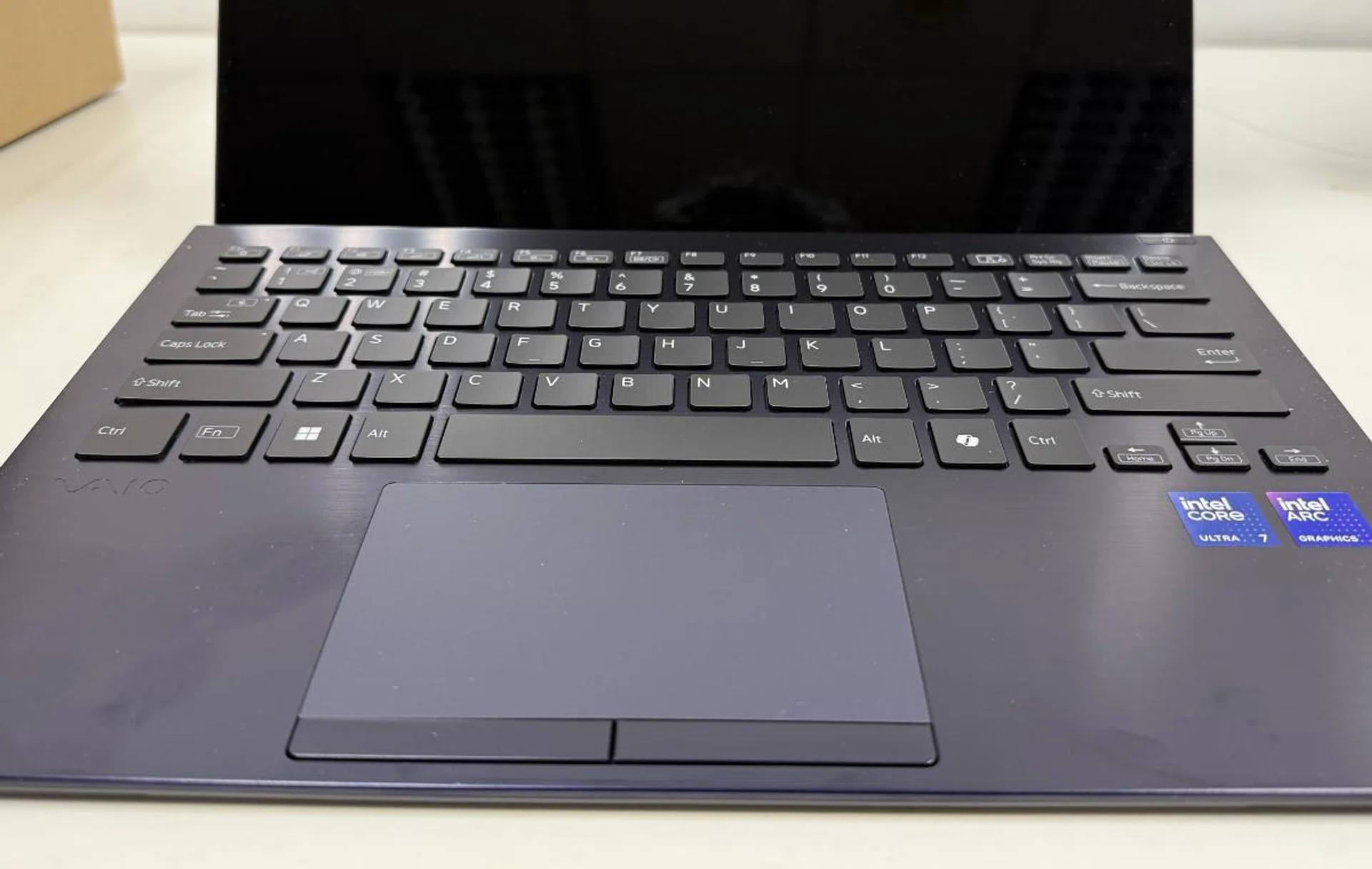
There is a large trackpad and wrist rest. Photo: HWZ.
The Vaio homepage states that the Vaio SX14-R Kachi-Iro is made with a “carbon fibre top plate and flat aluminium palm rest”. According to Vaio, the Vaio SX14-R is said to comply with the US Department of Defense MIL standard MIL-STD-810H. This is a U.S. military standard of testing that examines equipment's resistance to the environmental conditions it may face throughout its lifetime. It outlines a series of tests designed to determine if a product can withstand various conditions like temperature extremes, shock, vibration, altitude, humidity, and more.
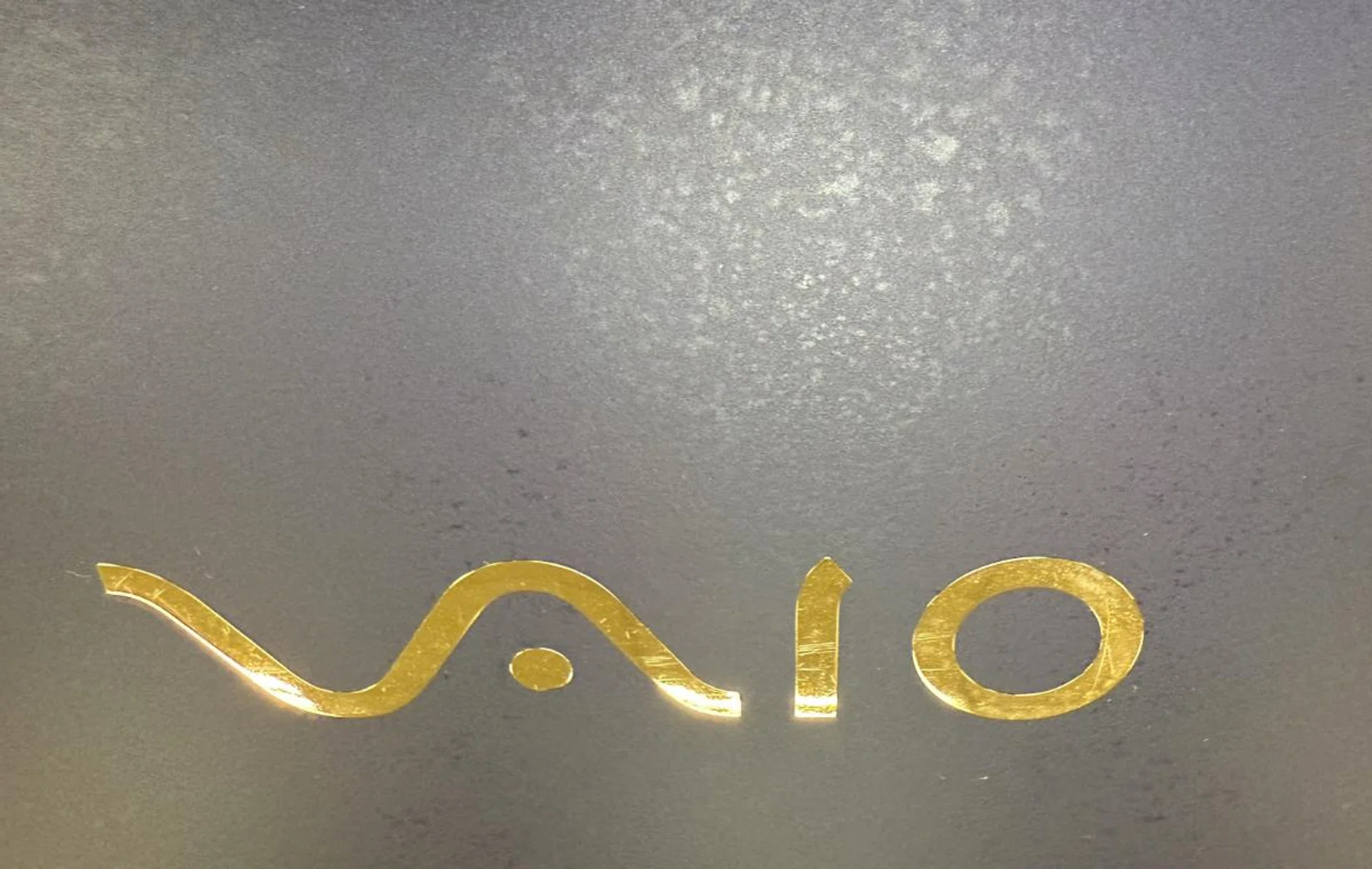
You can see the stains that the lid picks up. Photo: HWZ.
One interesting thing about Vaio laptops is that they are still made in Japan. The Vaio team said that Japan was chosen as the place to manufacture the laptop due to the “ready pool of local expertise who have vast experiences in advanced manufacturing and to ensure a smooth integration of new carbon fibre materials into our production process.”
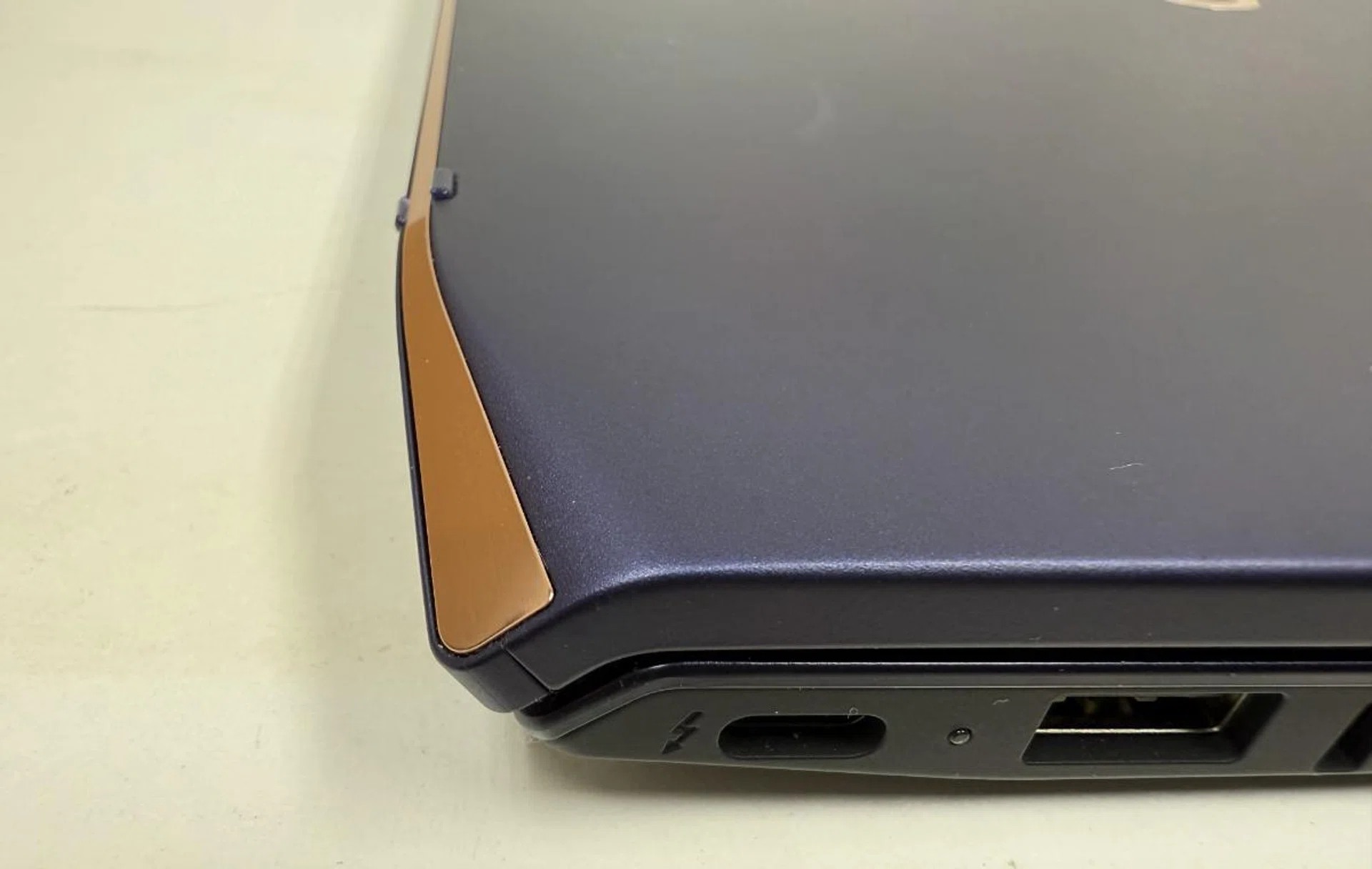
You can see the small knobs poking out close the the start of the chamfered edge of the laptop. Photo: HWZ.
While being made in Japan could be seen as a kind of badge of honour, I didn't feel that the Vaio lived up to expectations. Being made of carbon fibre, it doesn't feel as solid as, say, an all-aluminium laptop. That said, this is typical of carbon—though it's incredibly light, it tends to feel plasticky. The lid was also prone to fingerprints and other stains. The chamfered rear edges also look slightly outdated given that the current trend is for a more utilitarian aesthetic with squared-off edges.
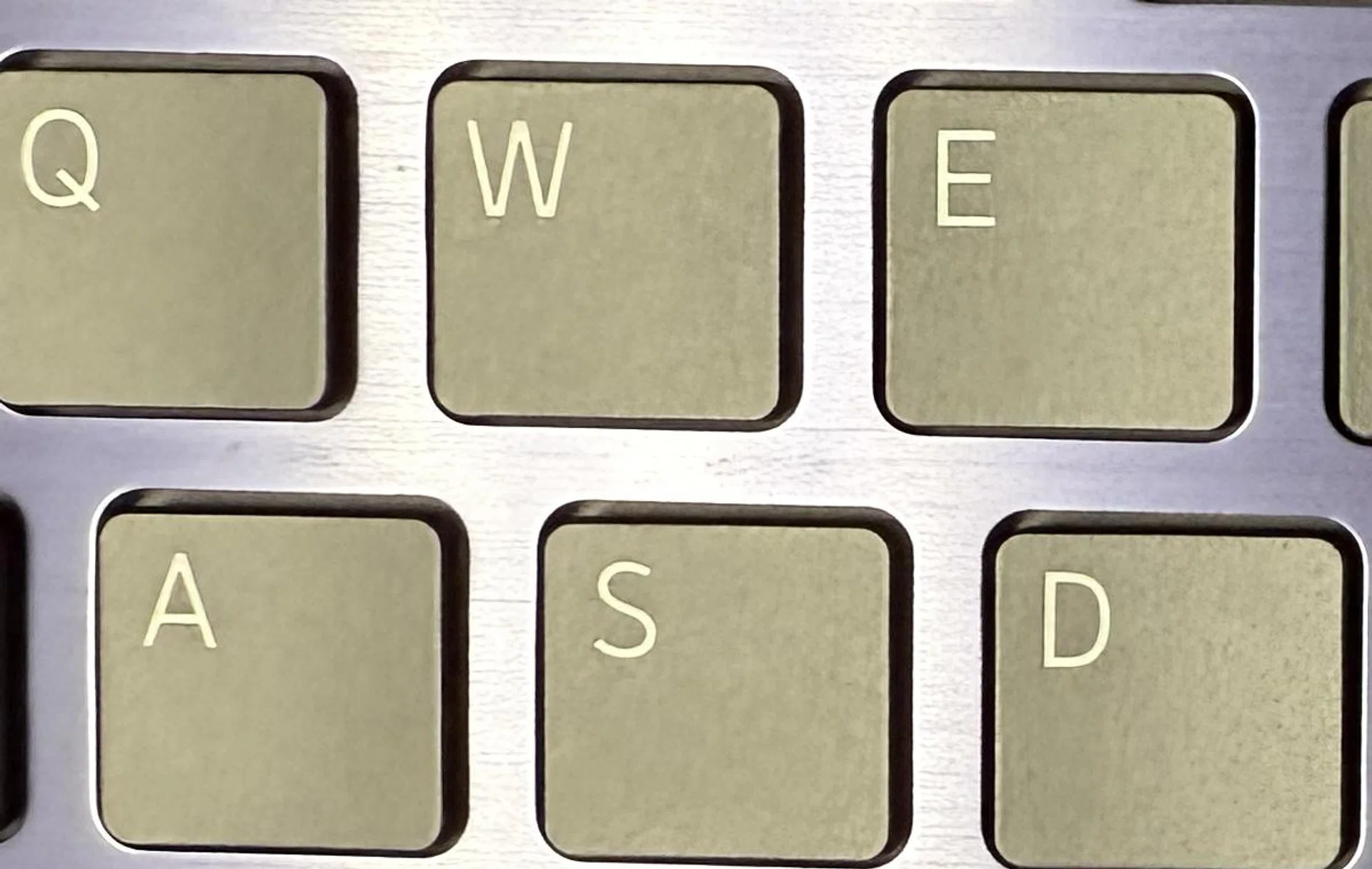
The keyboard spacing on the Sony Vaio Kachi-iro. Photo: HWZ.
The keyboard uses a chiclet design with a decent amount of travel but there's a lot of space between the keys. While I like typing on the keys, I feel like the keyboard itself is pushing the available space too much, as though it's trying to use up all the available space it has access to.

The key spacing on a Dell XPS 13. Photo: HWZ.
The main air vent is located on the side of the laptop. Be careful though, when the processor kicks off into high gear, the heat being blown out is noticeable and gets hot.
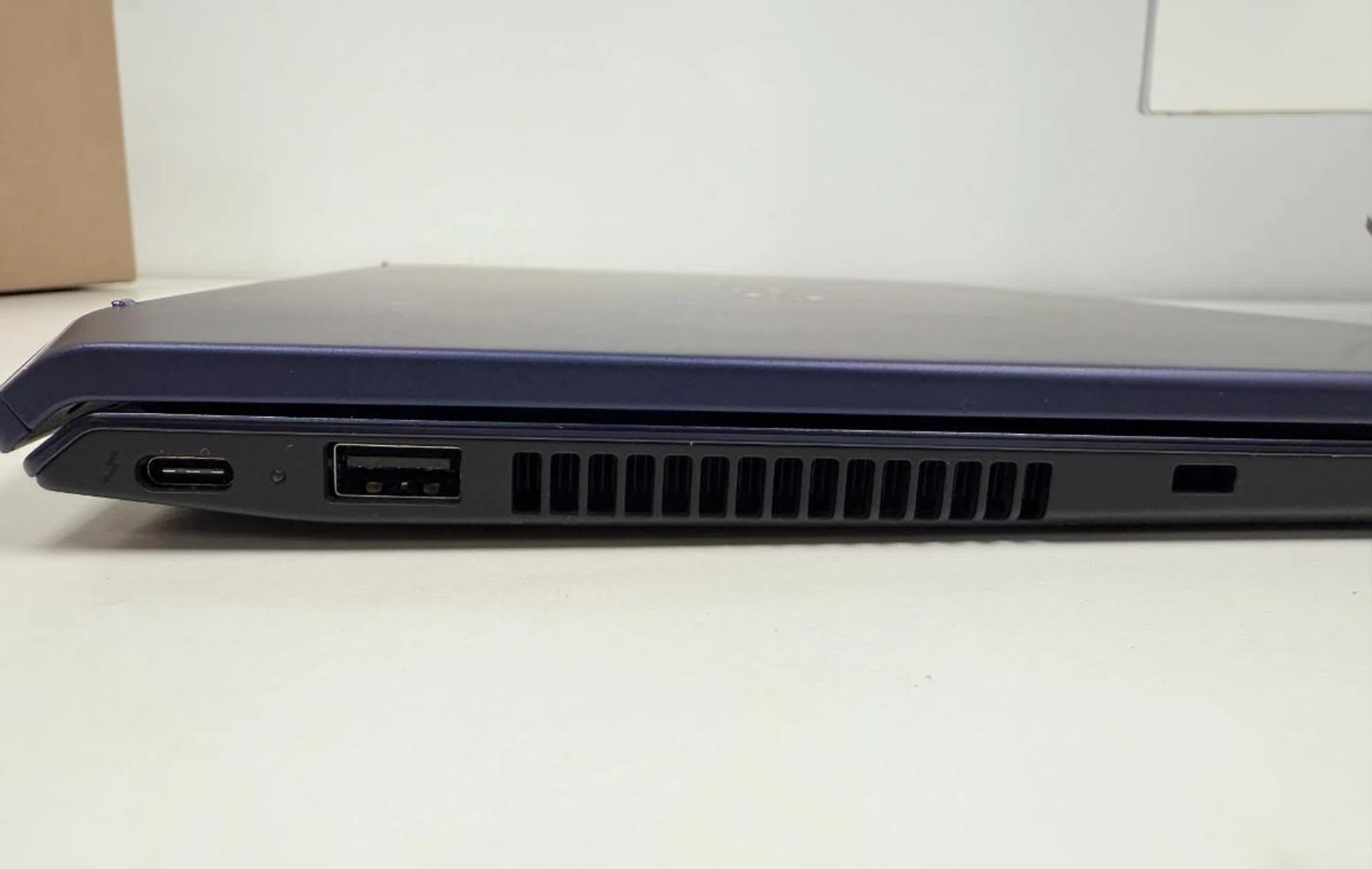
The air vented from the side vent can get warm to a point where it feels uncomfortable. Photo: HWZ.
Performance in Day-to-Day Usage
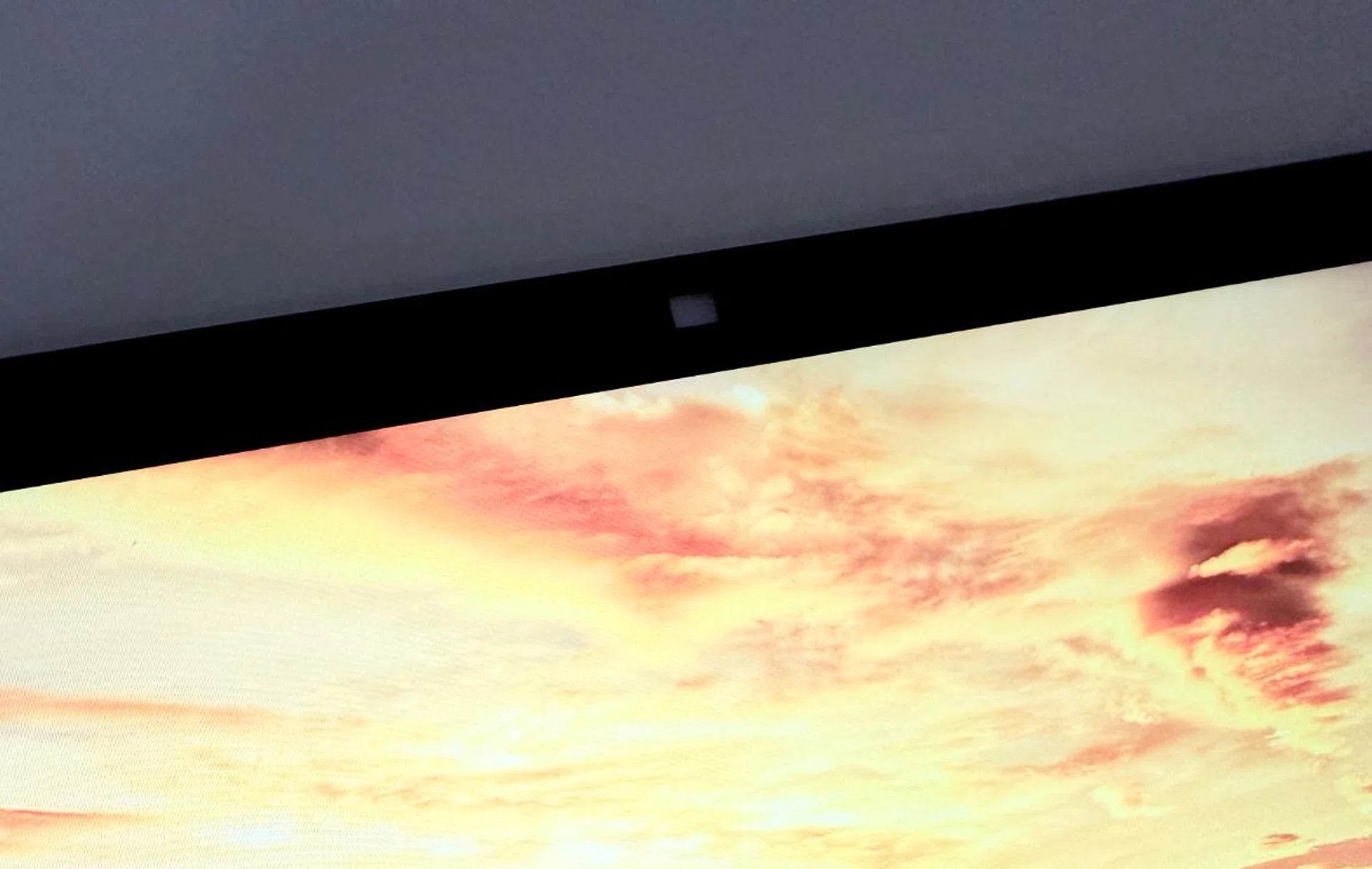
The camera sits on the top of the lid and has a physical cover. Photo: HWZ.
The Vaio SX14-R Kachi-Iro handles most work tasks easily without fuss. I worked on a document, an Excel sheet, and a presentation without noticing any significant slowdowns. From web browsing and emailing to document editing and simple multitasking like video conferencing while answering emails over a browser, this laptop offers a smooth, responsive experience. The integrated Arc graphics is decent enough for light gaming and video editing.
I found myself able to run multiple apps simultaneously without any noticeable slowdown. Whether I had a few browser tabs open, streamed Spotify over Edge, or had multiple YouTube and Netflix videos running in front of me, everything stayed snappy and quick.
While there didn’t seem to be as many AI functions as those with Copilot+ capabilities, that’s not to say there aren't any. The Vaio SX14-R Kachi-Iro has some AI functions that it uses when video conferencing. These are the AI Noise Cancelling Function and the Peep Alert Function.
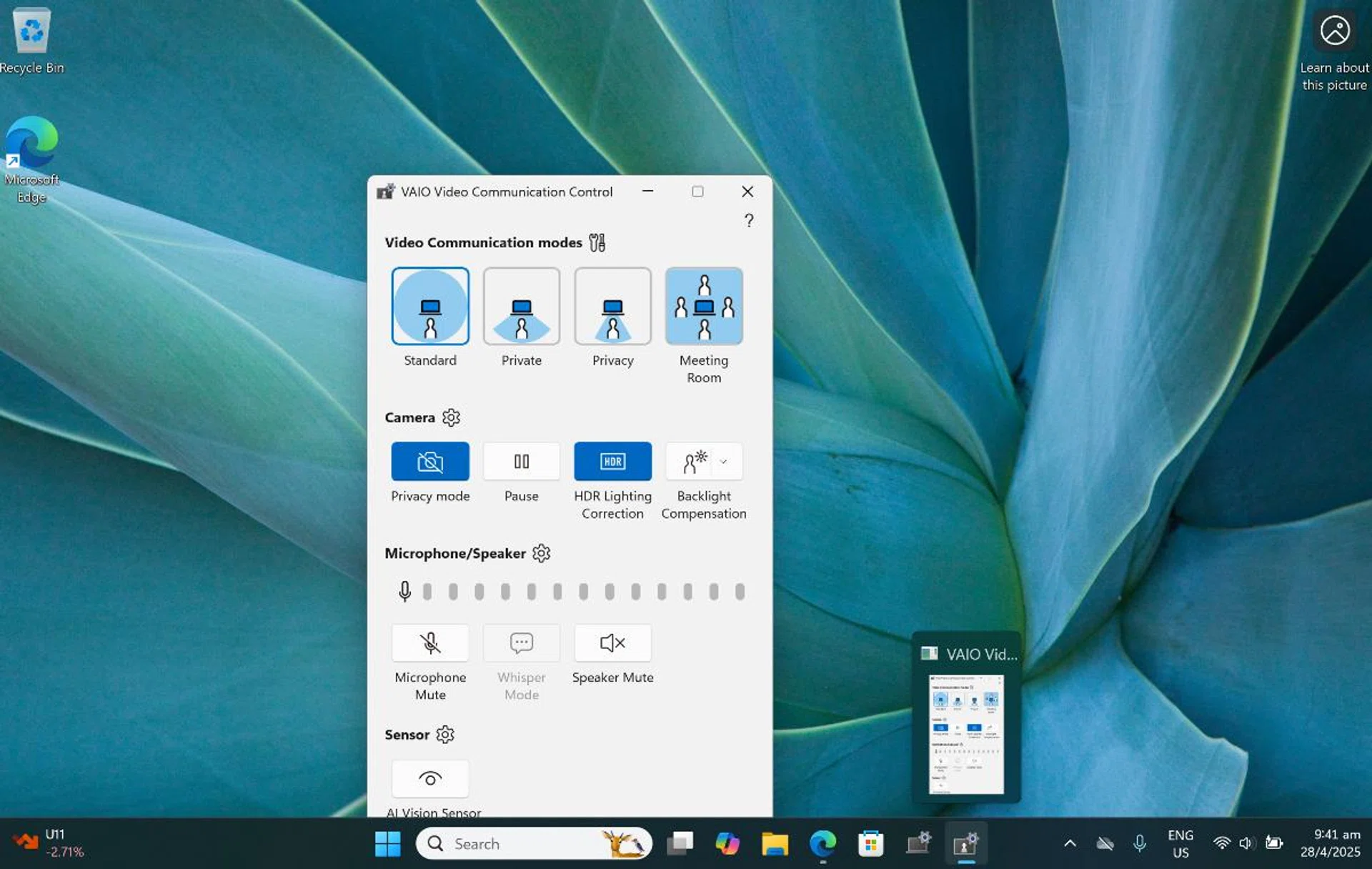
The Vaio Communication Control has its own software. Photo: HWZ.
The AI noise cancelling function works using three microphones and AI to intelligently remove background noise, allowing for clear communication during video chats and web conferencing. It comes with four adjustable modes optimised for different situations like Standard mode (reduces background noise while capturing audio from all directions (360 degrees), Private mode (focuses on sounds directly in front of the laptop), Privacy mode (restricts microphone sensitivity to approximately 40 degrees in front of the laptop), and Meeting Room mode (ideal for meetings with 6 to 8 participants, adjusts the volume of distant voices, minimises reverberation, and time delays). You can also set the speaker output noise cancelling so that you can hear the other person's voice clearly.
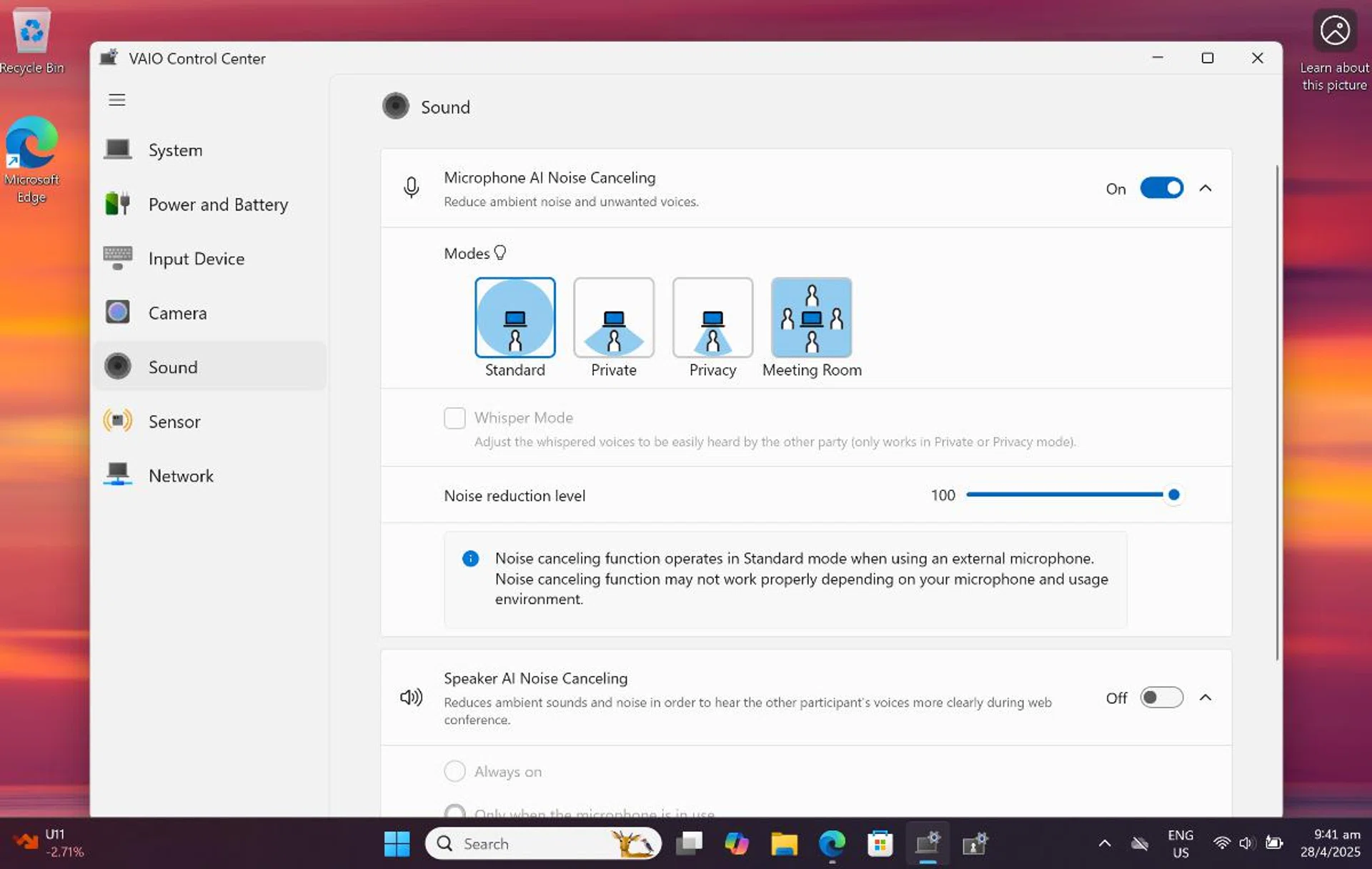
But its also included under the Vaio Control Center. photo: HWZ.
To test it out, I did a working demo with the Vaio team and found that the Vaio SX14-R Kachi-Iro delivered in all four situations. It really was impressive seeing how the audio was able to change depending on the scenario. I can see it being useful for staff on the move and those who need to make a video call in a noisy or busy location. With Private or Privacy modes engaged and despite the audio’s narrow focus, the laptop was still able to clearly pick up the presenter’s voice and transmit it to my ears. During the Meeting Room mode, while we couldn’t see the entire room or all of the speakers, the audio sounded expansive and we could differentiate between the different voices.
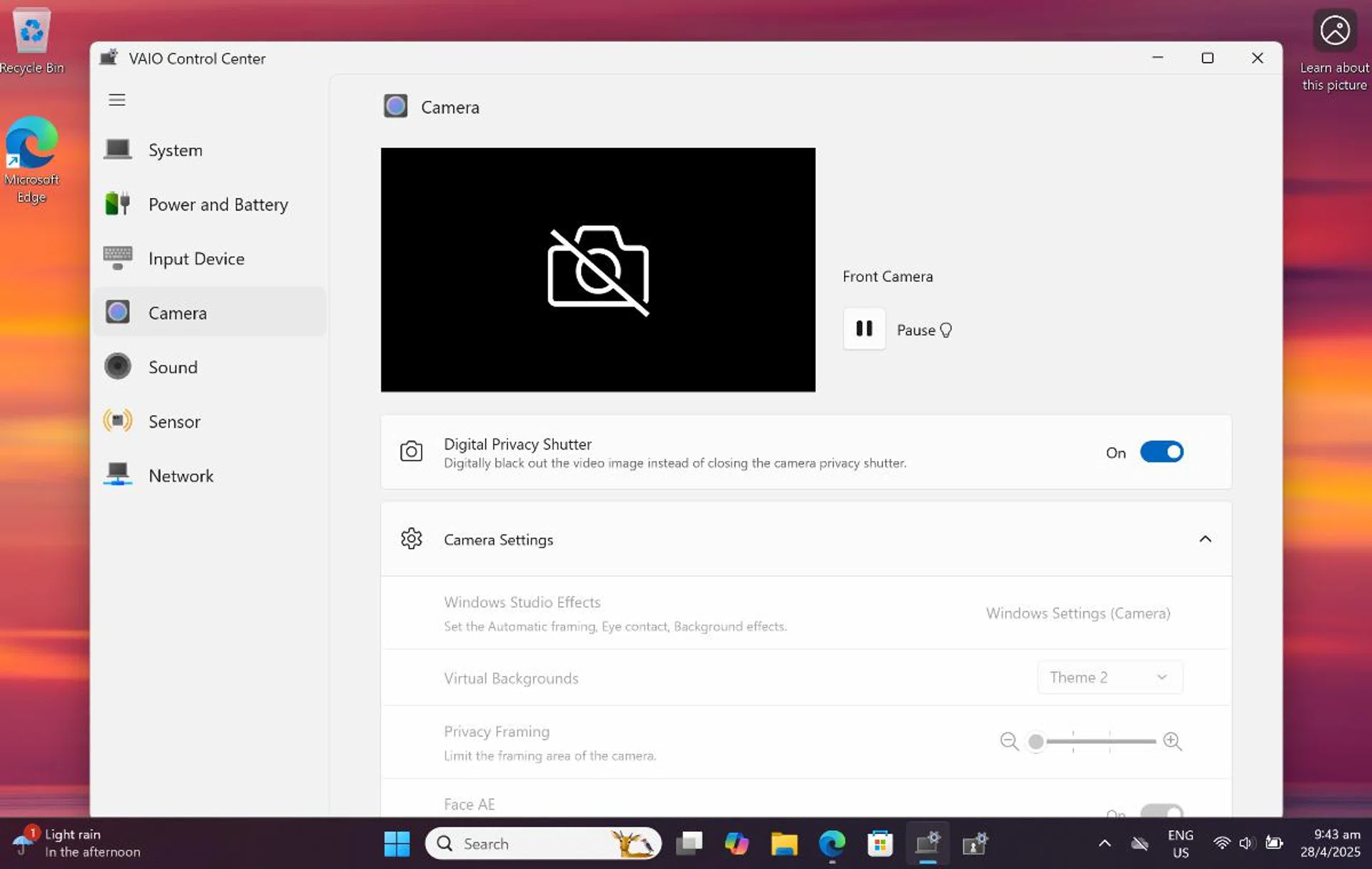
I really appreciated that the camera had both a physical and digital cover. Photo: HWZ.
What was strange about it was that it appeared on two separate menus on the laptop both as part of both Vaio Communication Control and Vaio Control Center. You can find both side by side on the taskbar at the bottom of the screen. However, the Vaio Control Center has more functionality and control over features.
Peep Alert works by sending an alert that is a displayed warning on the screen if someone is detected looking at the PC screen from behind. I tried it with my son taking a look behind me and it worked.

Basic multitasking wasn't an issue. Photo: HWZ.
Now, let's talk about battery life. The Vaio SX14-R Kachi-Iro merely delivers an adequate performance here. On a typical day with mixed-use—emailing, web browsing, and watching videos— and with the screen brightness set to 75%, I could squeeze out a respectable 10 to 12 hours of battery life. If you’re working on more intensive tasks, like video editing or gaming, you’ll see battery levels dip faster, but you can still expect 6 to 7 hours under heavy use, which is decent.
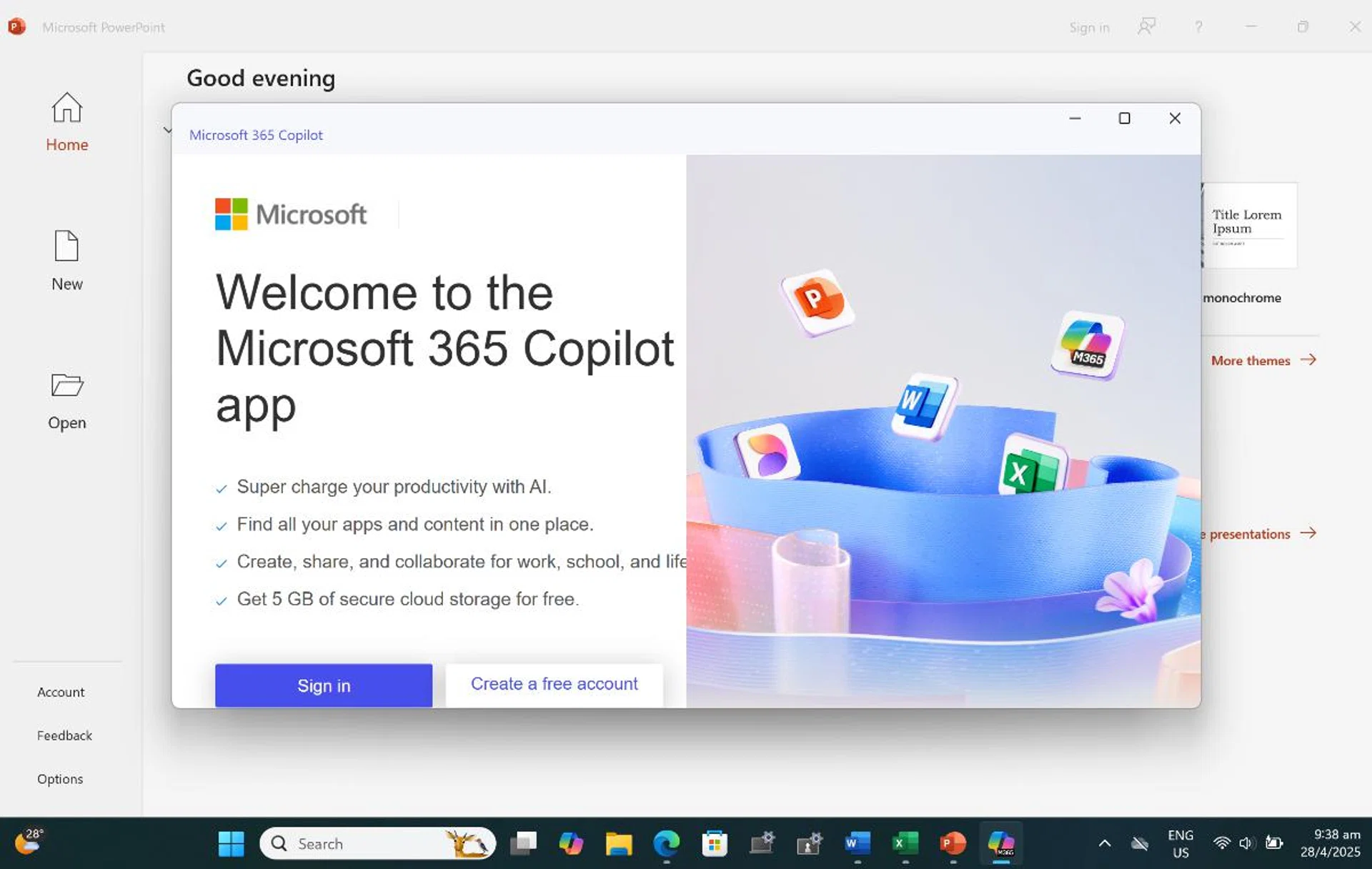
Note that there isn't Copilot+ on this device. Photo: HWZ.
Final Thoughts
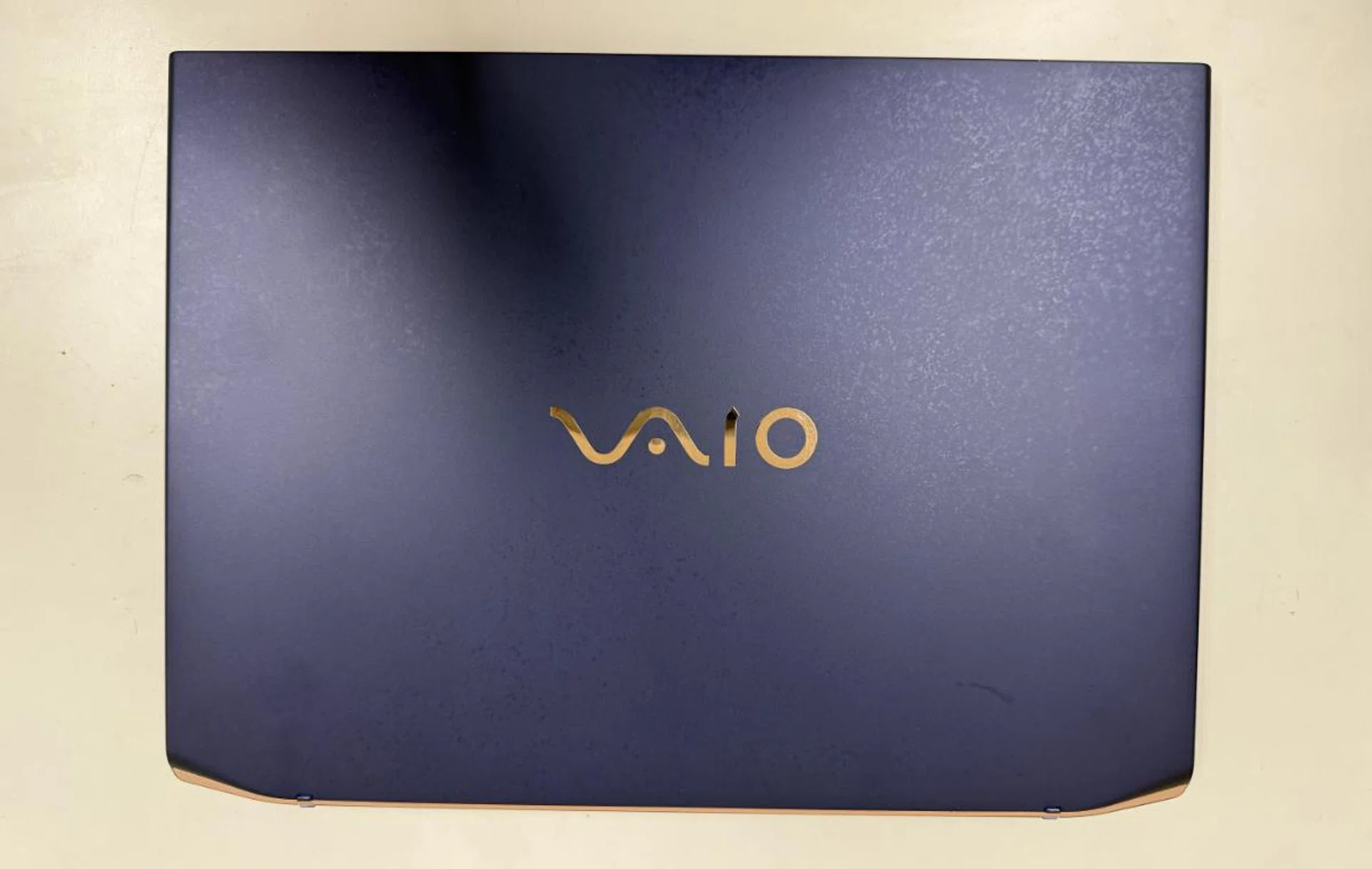
The Vaio SX14-R Kachi-Iro has some interesting features, but its high price is a potential stumbling block. Photo: HWZ.
The Vaio SX14-R Kachi-Iro offers its own blend of features, power, portability, and style, but it does come with its share of foibles. It offers enough performance needed for everyday tasks and light creative work.
But perhaps what's most glaring is that it uses an older processor. This means slightly poorer performance, efficiency, and the lack of Copilot+ features. We reached out to Vaio regarding this and this was what they said:
To uphold Vaio’s core values of quality and reliability, we have taken a deliberate and extended development approach for the SX14-R. This allows us to elevate product quality and achieve a greater level of refinement. We believe this commitment is something users will experience first-hand when using the device. At Vaio, we prioritise product reliability and refinement and therefore take time to rigorously evaluate new processors before adoption.
We also asked them about how they felt it would stack up in a market where Copilot+ devices were now the norm and they replied:
Vaio has long integrated AI technology to enhance user experience, primarily with our high-precision noise cancellation technology, even before the advent of AI PCs. In the SX14-R, we continue this approach with AI-powered camera features such as battery-saving and peep alert functions. As with new processors, we apply a rigorous evaluation process before adopting new platforms and capabilities (such as Copilot+). This ensures our products meet the high standards of reliability and refinement that Vaio is known for. As a result, our market launch timing may differ from that of other companies, but our priority remains in delivering trusted performance over rapid adoption of emerging technologies.
Now, I feel that this is a missed opportunity on their part. Instead of making a strong statement of their intent, their comeback is marred by a machine that's hobbled by outdated specifications and a high price. Prices start at S$2,499, while the Kachi-Iro version we tested is S$3,299.
At that price, the Kachi-Iro version is pricier other comparable flagship-class laptops like the ASUS Zenbook S14 (S$2,799) and Lenovo ThinkPad X1 Carbon Gen 13 Aura Edition (S$2,965.88). However, the ASUS and Lenovo alternatives have nicer OLED displays and newer Core Ultra 200 series processors.
As someone old enough to remember the Vaio from way back, I really wanted to like the Vaio SX14-R Kachi-Iro. But at this price, I find it hard to fully muster my enthusiasm given its slightly outdated specifications.
This is also true for the base Vaio SX14-R model. Though it costs considerably less than the Kachi-Iro version, it comes with a less powerful Core Ultra 155H processor, only has 16GB of memory, and comes with a low-resolution 1920 x 1200 pixels display.
Ultimately, the Vaio SX14-R suffers from the same pricing and value proposition issues faced by older Vaio laptops. Unless you are a diehard Vaio fan, there are more compelling options elsewhere.
Note: You can find the Vaio SX14-R Kachi-Iro at Best Denki.
Our articles may contain affiliate links. If you buy through these links, we may earn a small commission.