
Netbooks Galore: A Tale of Seven 10-inch Netbooks!
It's been a while since we've last covered a netbook in detail. So here we are back with a shootout that should knock your socks off. That's right, it's not just one netbook, but SEVEN of the newest 10-inch netbooks from Acer, ASUS, HP, Lenovo, MSI, Samsung and Toshiba in this roundup. Let's go already!
The State of Netbooks Today
Netbooks have been stealing the limelight from its more illustrious notebook cousins since last year, though consumers have started using these mini-notebooks more as a companion to their regular machines due to their limitations. That's not to say netbooks aren't as popular as before because they're still very much wanted for their mobility and affordable prices. As such, manufacturers continue to churn these high volume low profit machines to the public in the hopes of selling enough to turn a profit and buildup their market share.
Form Factor, Performance Concerns and Typical Usage
That said, netbooks still have quite a bit to offer for users who are comfortable with the limitations and form factor. The netbook's primary usage model is as per its name, allows a great internet usage experience on the go as compared to other devices like smartphones which are too small and full fledged notebooks that are more bulky. Fortunately, they also have just about enough processing power to handle undemanding productivity applications and even double up as a simple multimedia sidekick (think along the lines of an audio/video jukebox). Once you factor in a netbook's typical size, weight and capabilities, it's easy to see why netbooks are a useful secondary gadget for many folks. It's also why you see in our reviews that netbooks often score very high in our portability index, thus giving rise to the above mentioned usage scenarios.
The performance of most netbook systems are driven by Intel's Atom processor, though a select few utilize VIA or AMD chips. As such, you'll find that the hardware for netbooks is generally the same from model to model. Yet another reason for the similarity in configuration is due to the hardware specifications limitations as mandated by Microsoft's Windows XP Home license requirements for netbook. And most vendors try their best to meet this guideline in order to obtain a cheaper Windows XP Home license for the netbook and keep the prices of the machines low. It also works in favor of the machines themselves because they really can't comfortably handle anything better than Windows XP.
The Entrants
Since hardware specs are mostly out of the question in determining which netbook to get, it boils down to the design and ease of use of the netbook. Not all netbooks are made the same way; the aesthetics and how ergonomically friendly the netbook is play an important part these days when selecting a netbook. You'll find that while it used to be that manufacturers would prefer making the cheapest netbook possible with minimal thought on aesthetics and ergonomics, these days the designs have vastly improved that consumers should no longer be looking at just the price factor but more of comfort and usability.
For this netbook roundup, we've basically focused on the 10-inch netbooks, seeing as how the 10-inch form factor offers much more usability compared to the 8.9-inch netbooks of last year. Manufacturers are also mostly placing emphasis on this form factor with barely any new 8.9-inch netbooks being released. Indeed, the trend seems to be heading towards the 11.6-inch and 12-inch form factors that's traditionally been the domain of full fledged notebooks, but that, dear readers, is a different edge to the ballgame altogether.
So now that you've waded through our introduction to better understand the current netbook situation, it's time to take a look at our seven stars from the various manufacturers that have made their way to our lab for this roundup. Say hello to the Acer Aspire One 250, the ASUS Eee PC Seashell, the HP Mini 110, the Lenovo IdeaPad S10-2, the MSI Wind U123H, the Samsung N120 and the Toshiba NB200.
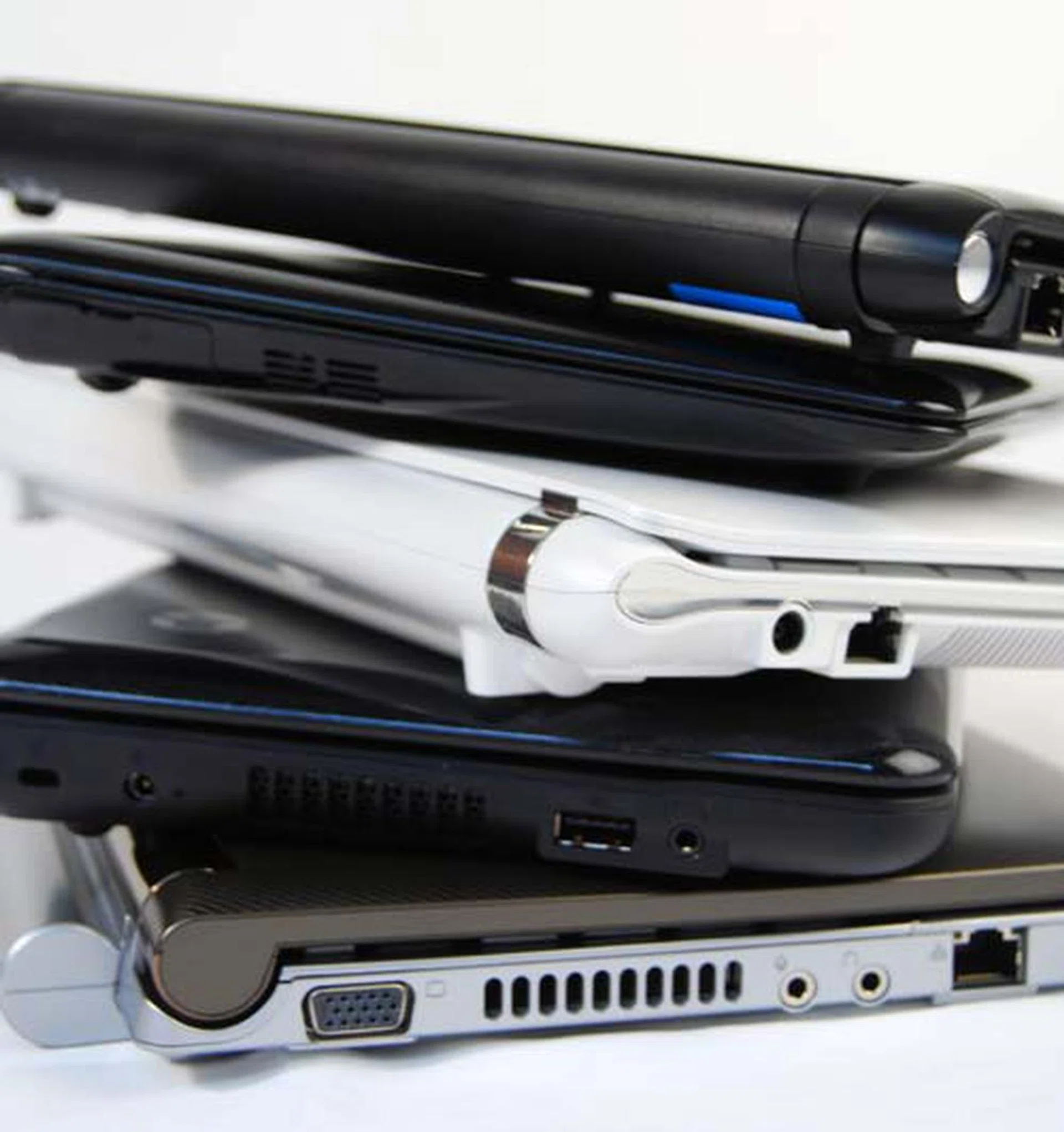
Stacking up netbooks can be a fun experience if you have enough netbooks to make a pretty tower, though missing in this picture are the Acer and MSI netbooks.
Processor |
|
Operating System |
|
System Memory |
|
Video & Display |
|
HDD |
|
Front & Side I/O Port |
|
Miscellaneous | 3-cell Battery:
|
Dimensions: | Acer Aspire One AOD250:
|
Acer Aspire One AOD250
Folks who are familiar with Acer will know that while their products tend to be priced on the lower end scale, their quality remains consistently decent. The original 8.9-inch Acer Aspire One was one such model. Priced at a really affordable price, the netbook took the market by storm, and is quite possibly one of the key factors of Acer grabbing a nice chunk in the worldwide market share for netbooks.
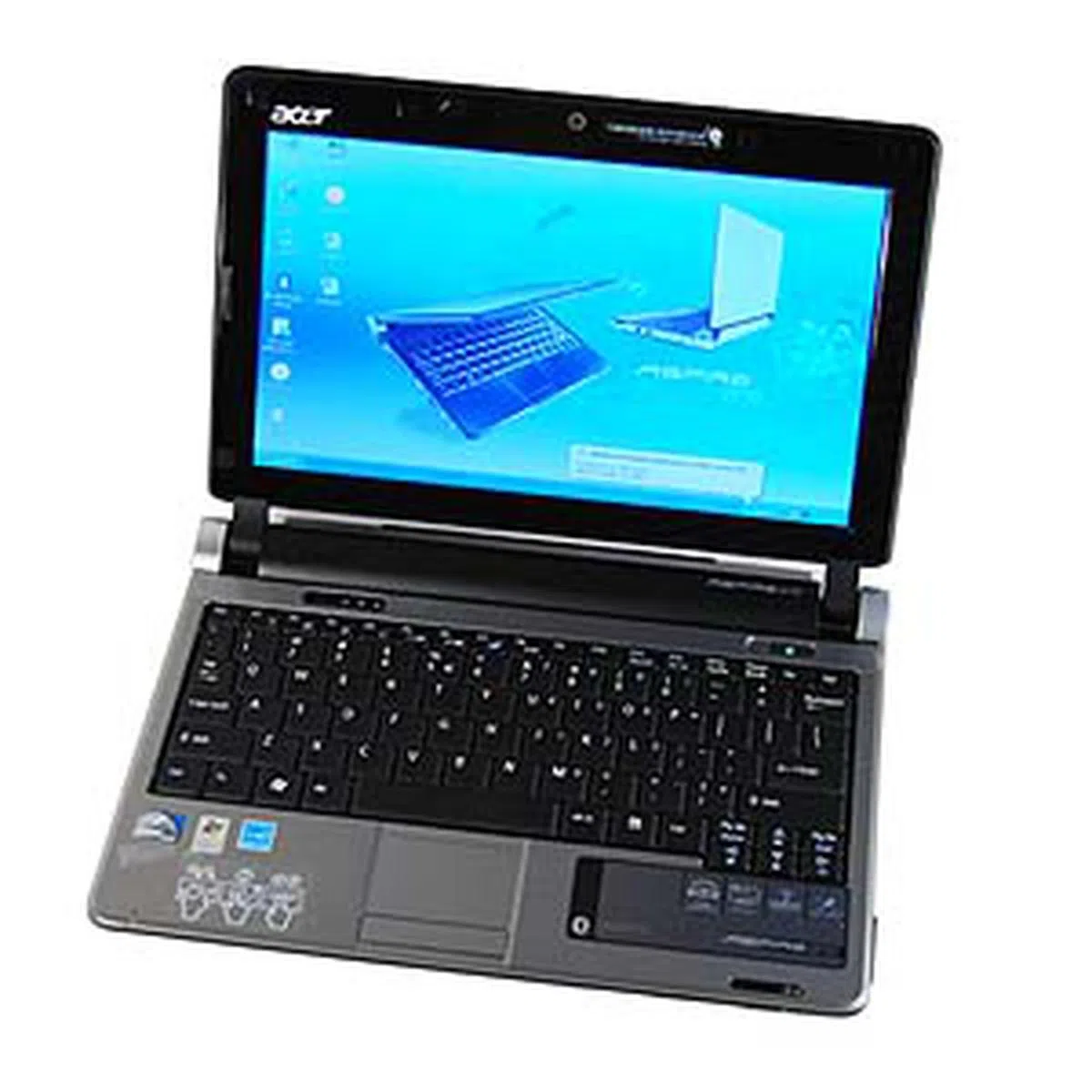
The Acer Aspire One has been around for quite awhile now, and the latest update to the Aspire One series, the AOD250 model, tags the newer Intel Atom processor N280 while basically keeping much of the same form factor. It's still pretty trim, similar to the 8.9-inch model, though it is of course wider to accommodate the larger screen size. The exterior cover comes clad in glossy black with some sparkles, but thankfully, it's just limited to the top part of the netbook.
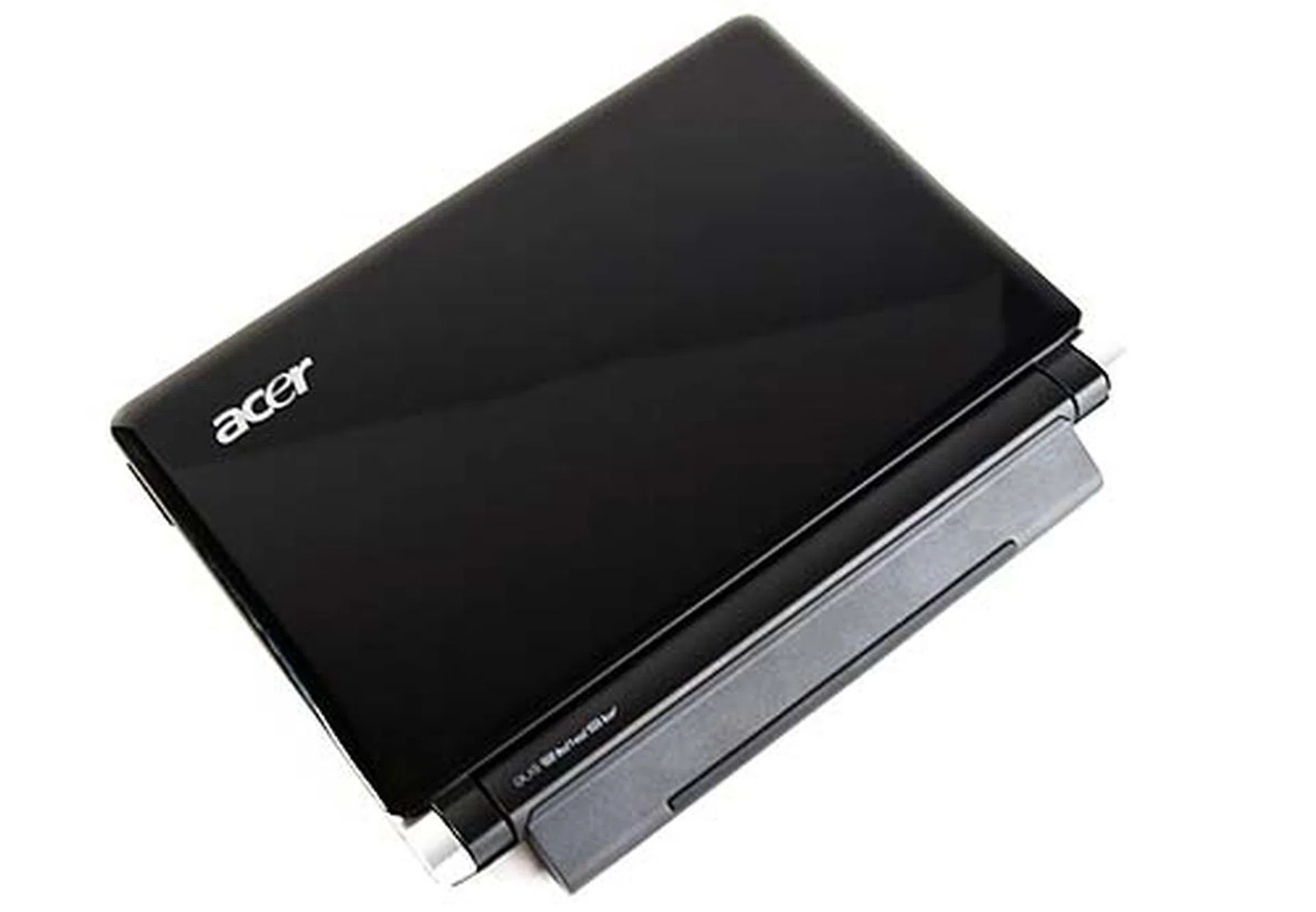
The Acer Aspire One is a sleek netbook with glossy touch for its cover.
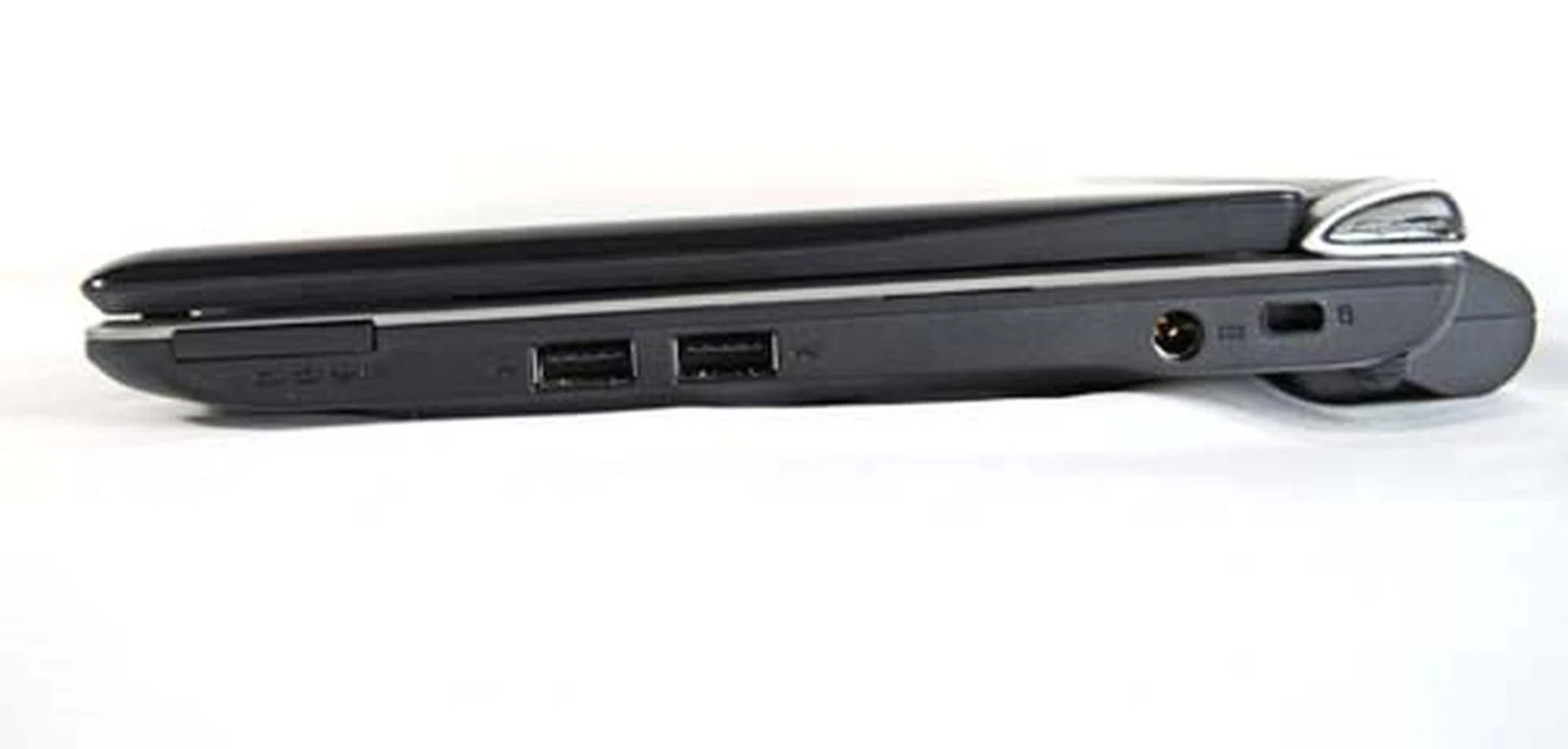
The right side of the netbook plays host to the standard range of USB 2.0 ports and a card reader.
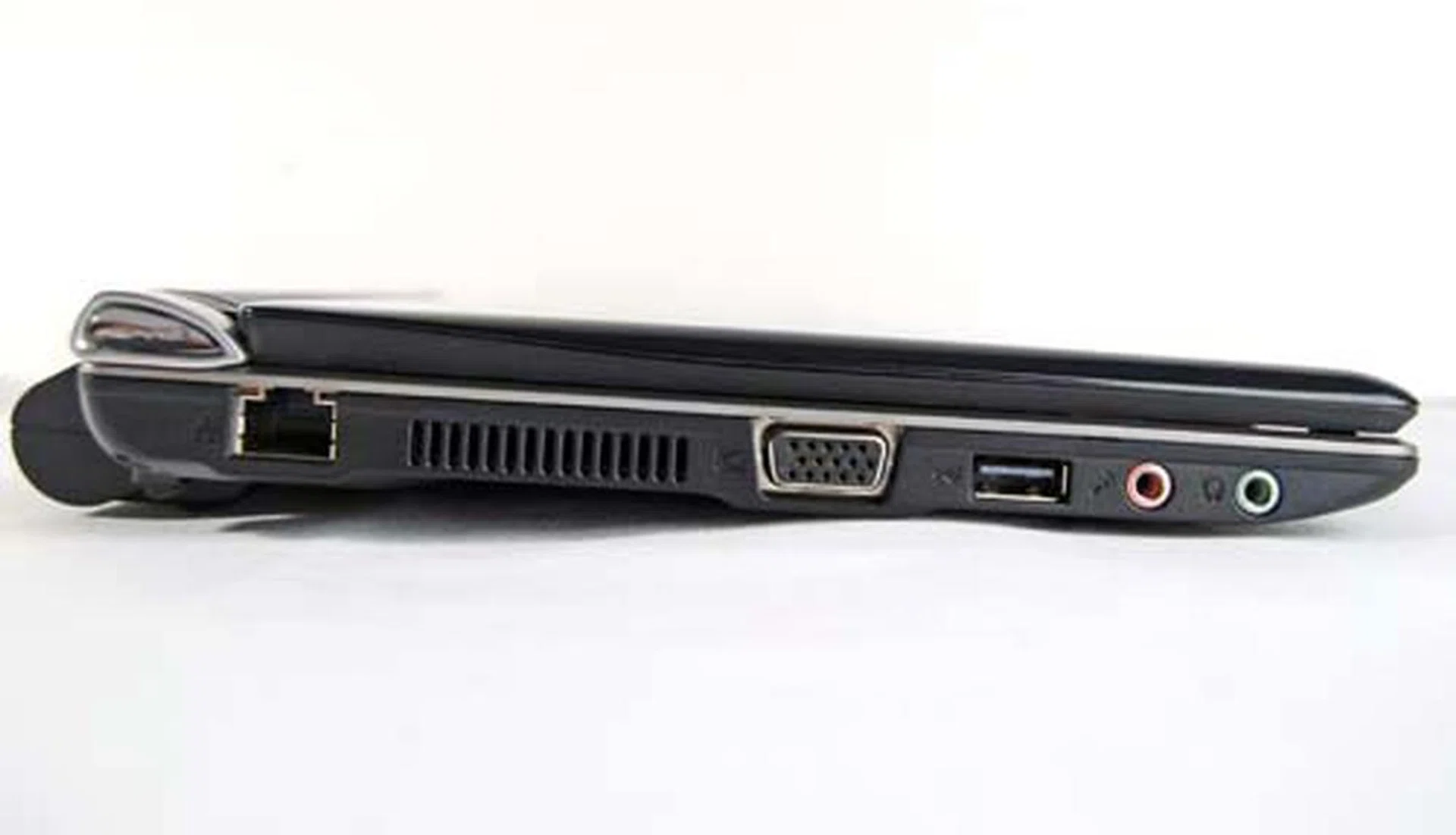
The left side is where you find the LAN port, VGA out, another USB port and the audio jacks.
Inside the One
The first thing you'll note upon opening up the netbook is the gap between where the battery resides and the screen. The gap is not noticeable when the netbook is closed, but it looks a little awkward when it's wide open. Otherwise, the interior is pretty much your standard netbook layout, with a keyboard and multi-touch trackpad. The keyboard looks slightly small and has quite a bit of flex, but the layout of the keyboard does keep everything in the right place.
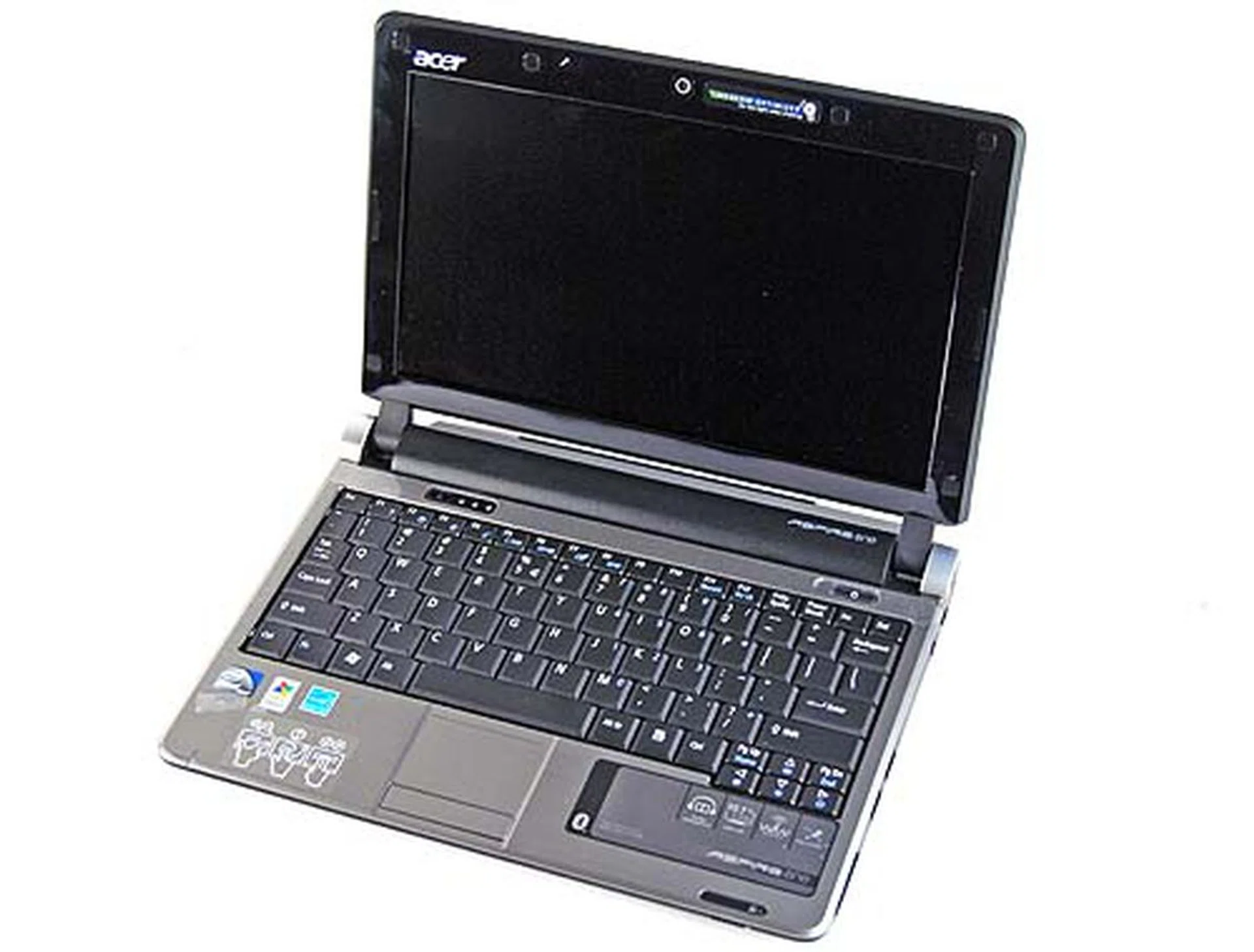
Open the cover of the Acer Aspire One and you'll find a standard layout with an odd gap in between the screen and the lower half.
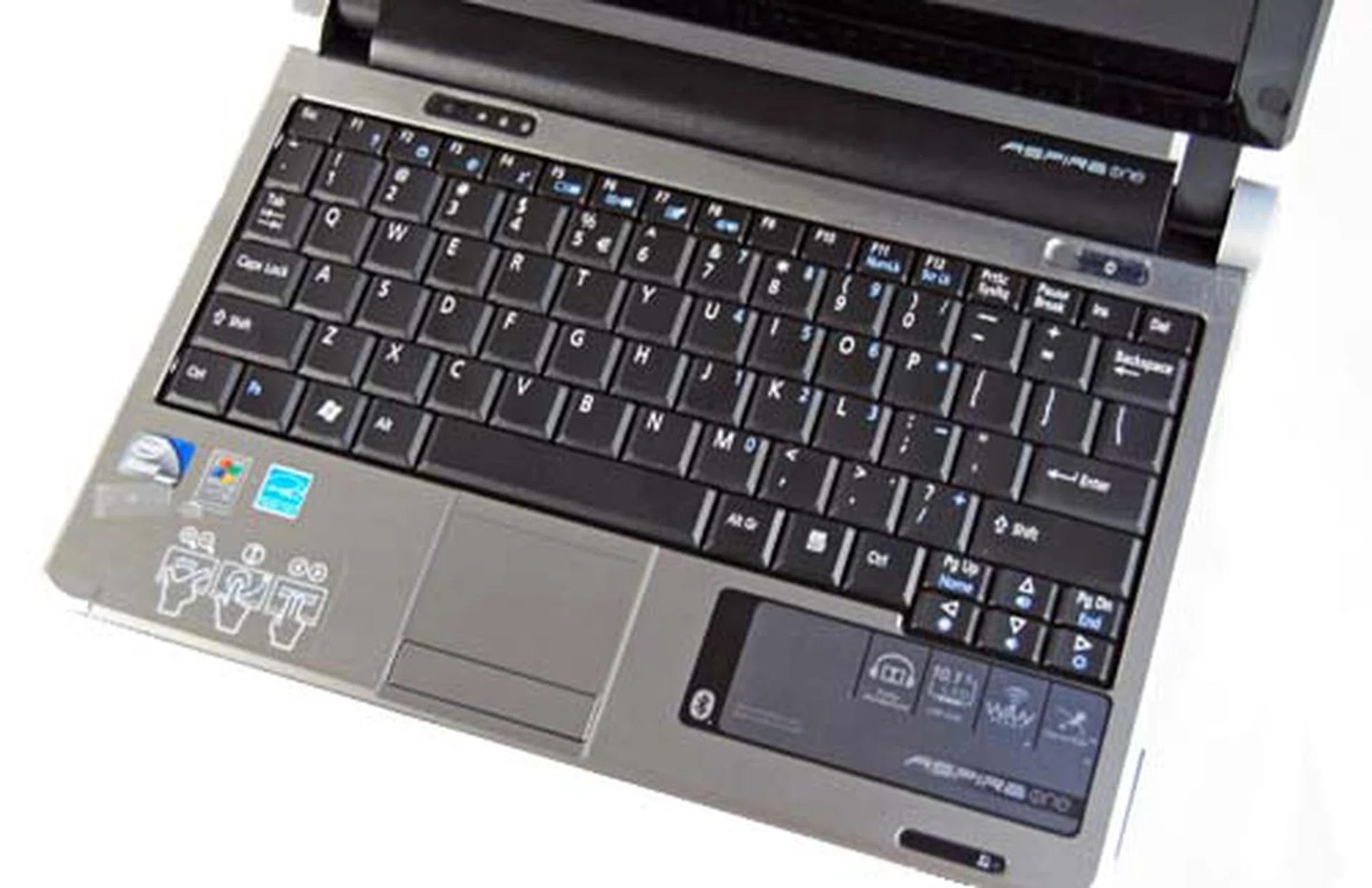
The keyboard is well laid out and the multi-touch trackpad was responsive to our fingers.
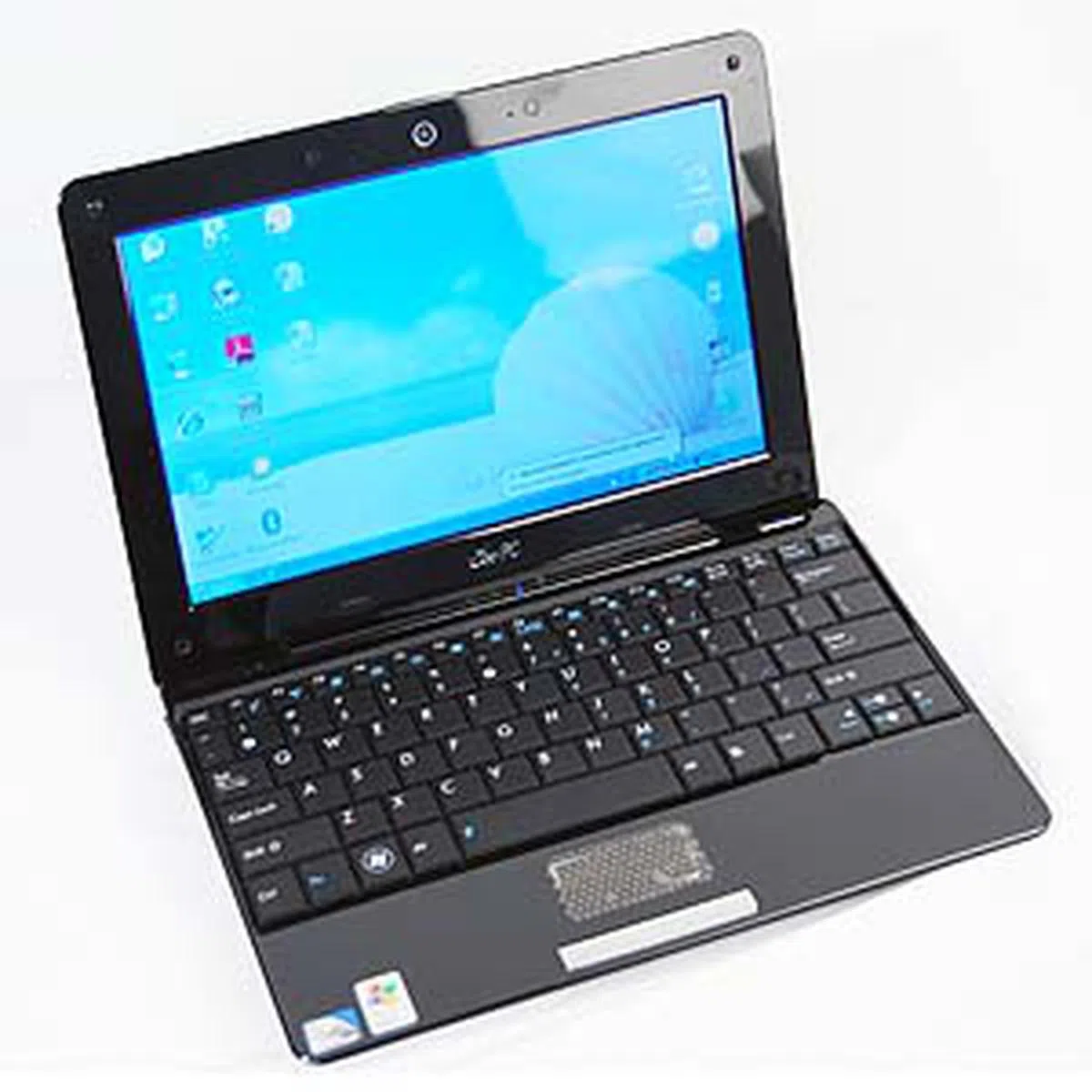
ASUS Eee PC 1008HA Seashell
ASUS, the company who is generally credited with the rise of netbook popularity, is back with a redesign of their Eee PC series with the 1008HA Seashell. This time around, they've gone for a glossy contoured design that hides away all the ports for a streamlined look. Also noticeable was the slimness of the netbook; it definitely looks and feels much slimmer compared to the other netbooks that we were reviewing for this article.
Of course, there's a price to pay for this slimness and it seems ASUS has taken a page from Apple's design book as the Seashell doesn't have a removable battery. This does mean that if your netbook dies on you, you won't be able to swap in another fully charged battery (if you happen to have extra battery packs). Dressed up in glossy black, the 1008HA is a fingerprint magnet of epic proportions that left us disappointed after a few moments with it. The 1008HA Seashell can get smudged up relatively quickly and you can't live without a cleaning cloth if you want to keep in tip-top condition (which is a very hard feat unless otherwise you don't use the netbook).
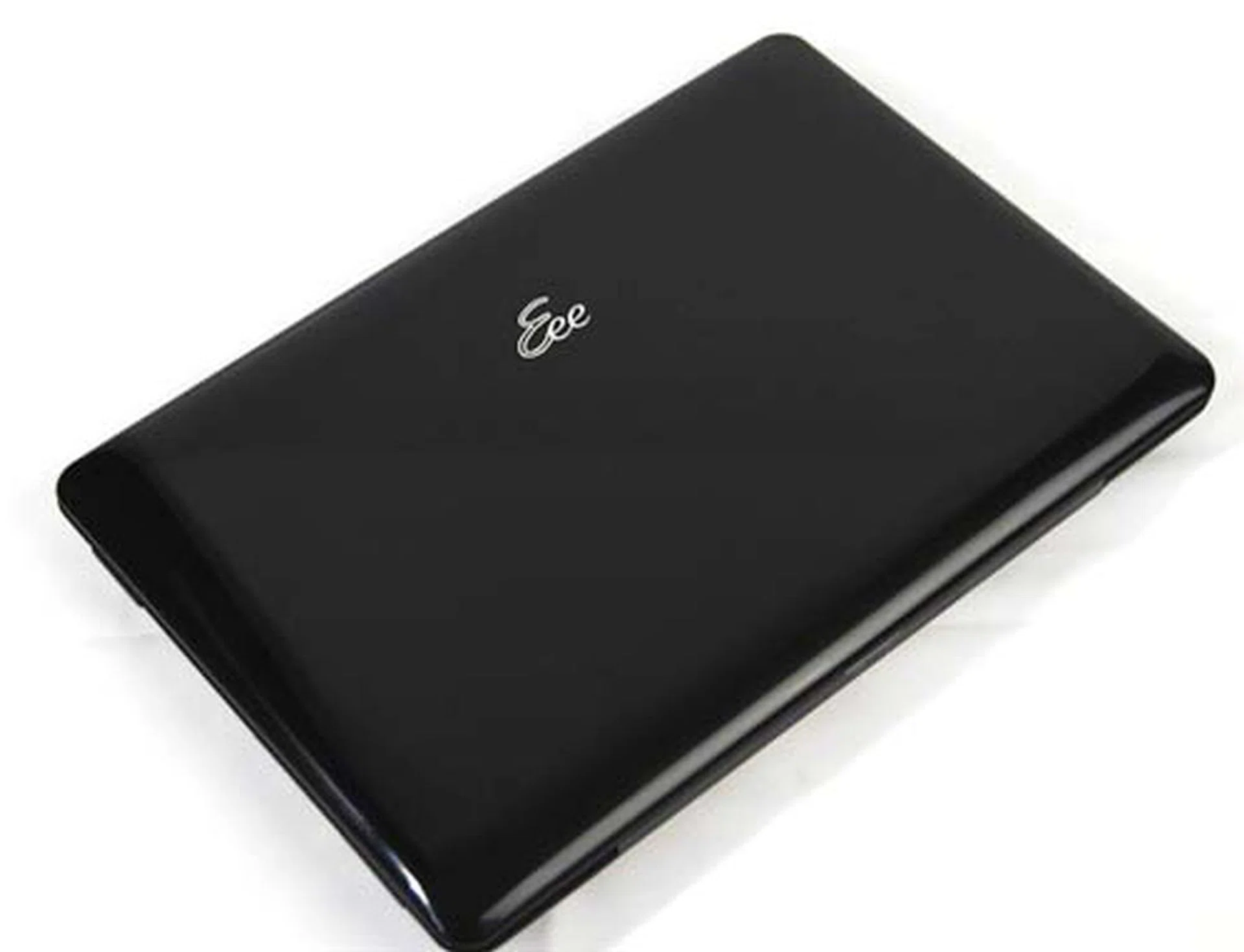
Inspired by a really glossy seashell is the ASUS Eee PC 1008HA. Be warned, this is a fingerprint magnet of epic proportions.
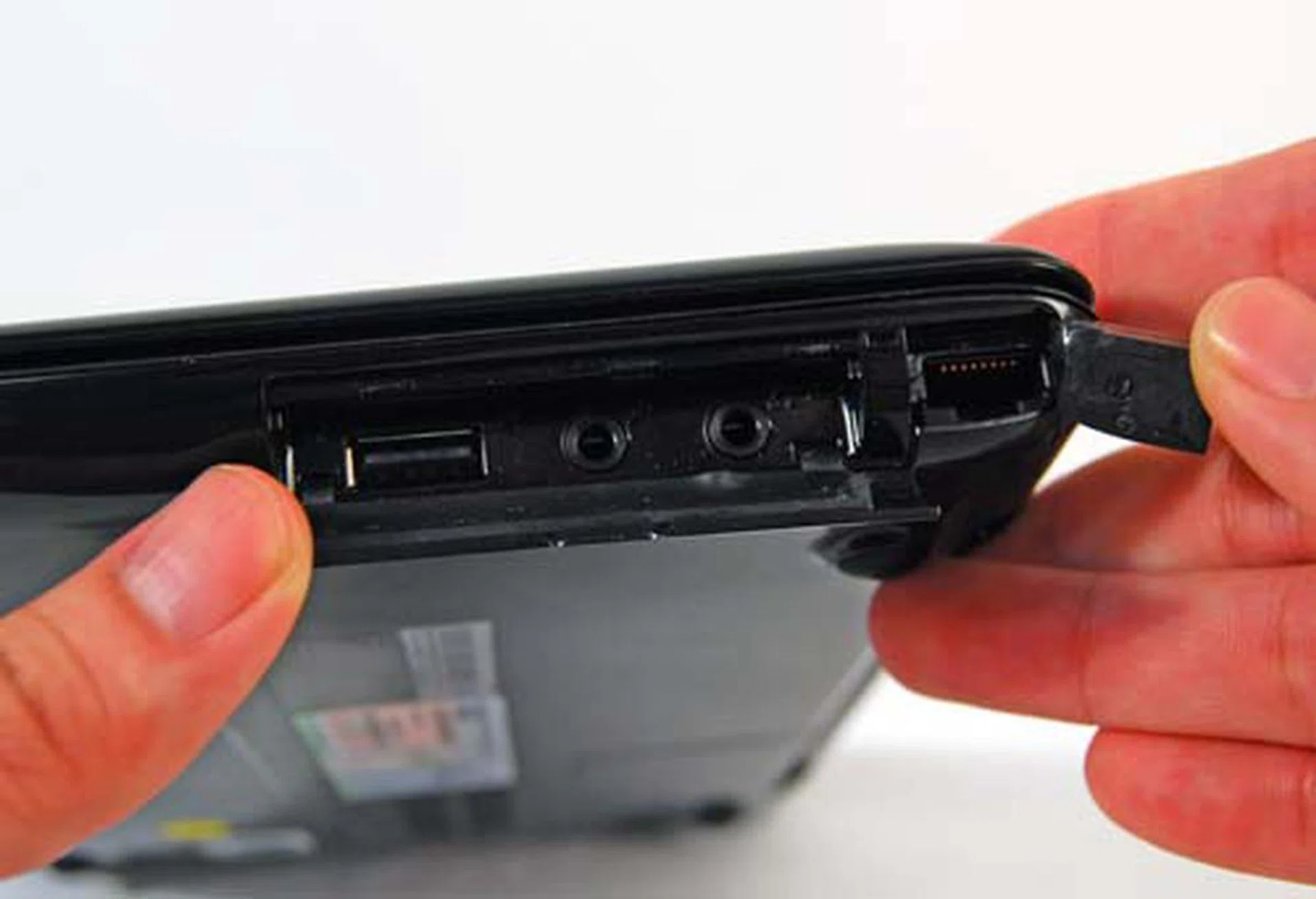
Unlike the other netbooks, ASUS has covered up the ports for a cleaner look. Located on the right side of the unit are the USB 2.0 port, audio jacks and LAN port.
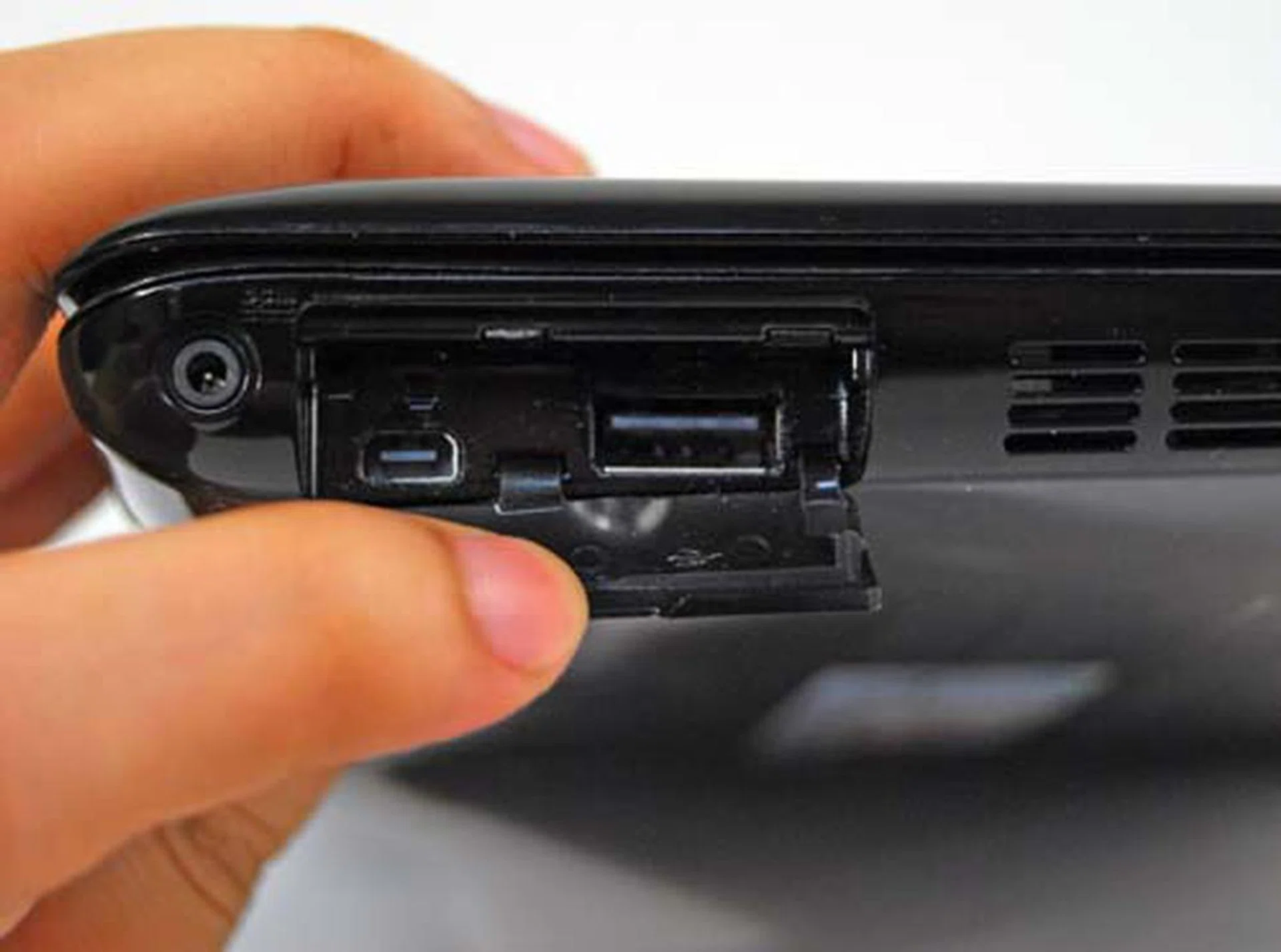
On the left side of the unit is another USB port together with a special port for a VGA out. You'll need to use the coverter cable that's hidden at the bottom of the unit.
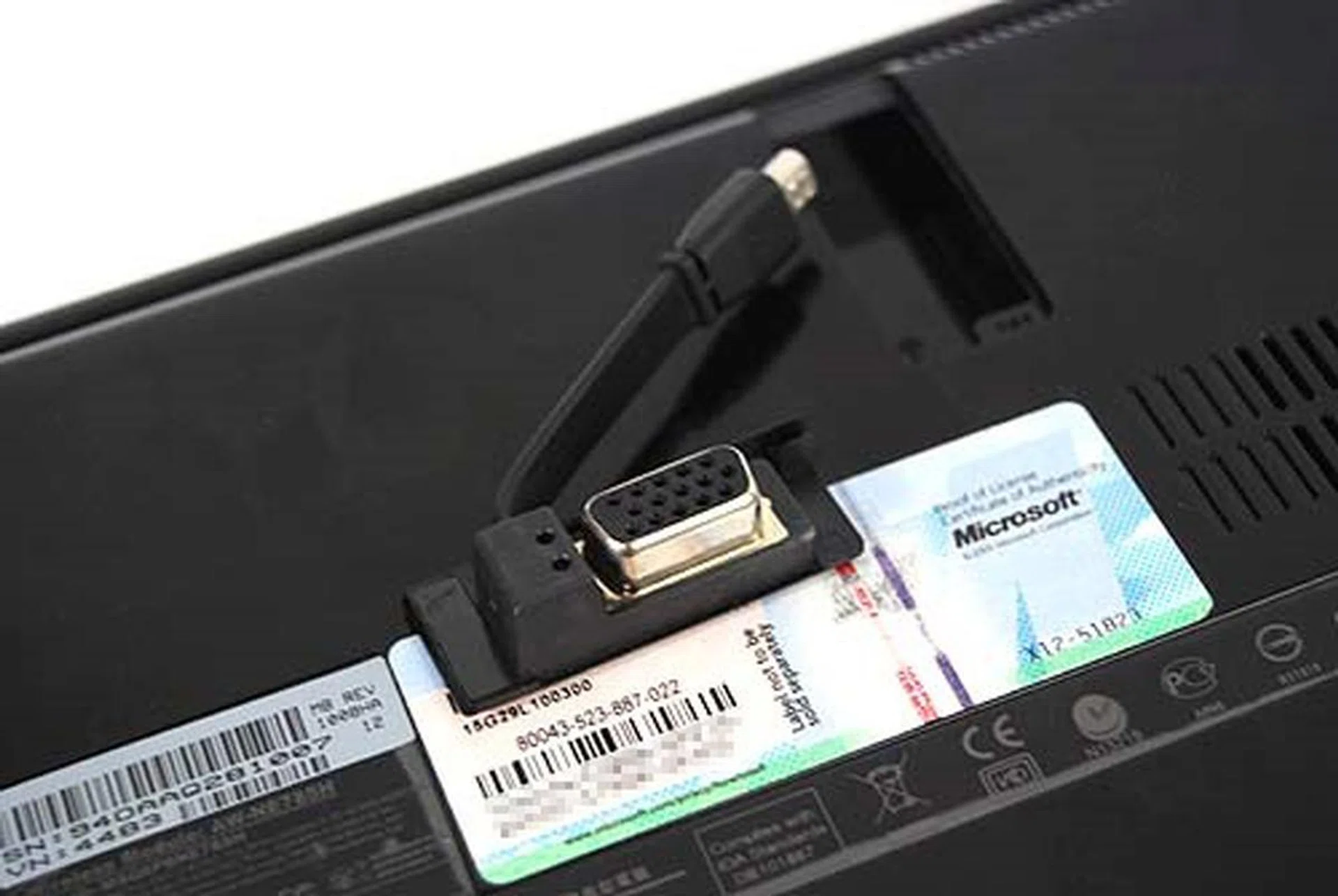
The VGA connector cable that's hidden in a nook on the bottom of the unit.
Inside the Seashell
The internals of the Seashell show a marked improvement over previous Eee PC models - there's a much better laid out keyboard for better typing experience; in fact there's hardly any flex when we used the keyboard. The trackpad has also seen tweaks in the form of a bumpy surface for a better tactile response. We like the changes so far as they do improve the usability of the netbook compared to its previous incarnations.
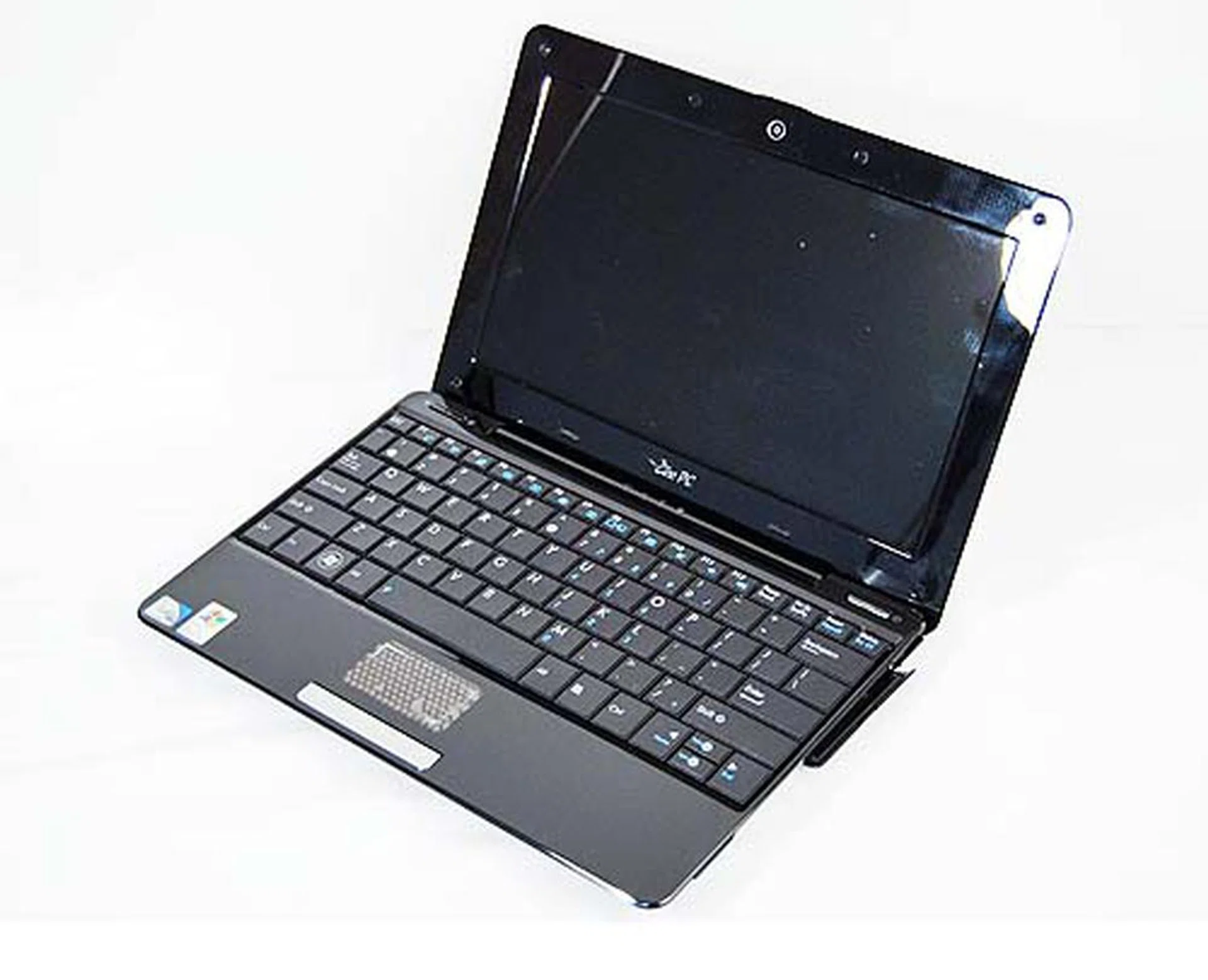
The EEE PC 1008HA opens up to a very neat interior. ASUS has finally included a proper near full-sized right shift key as you can see.
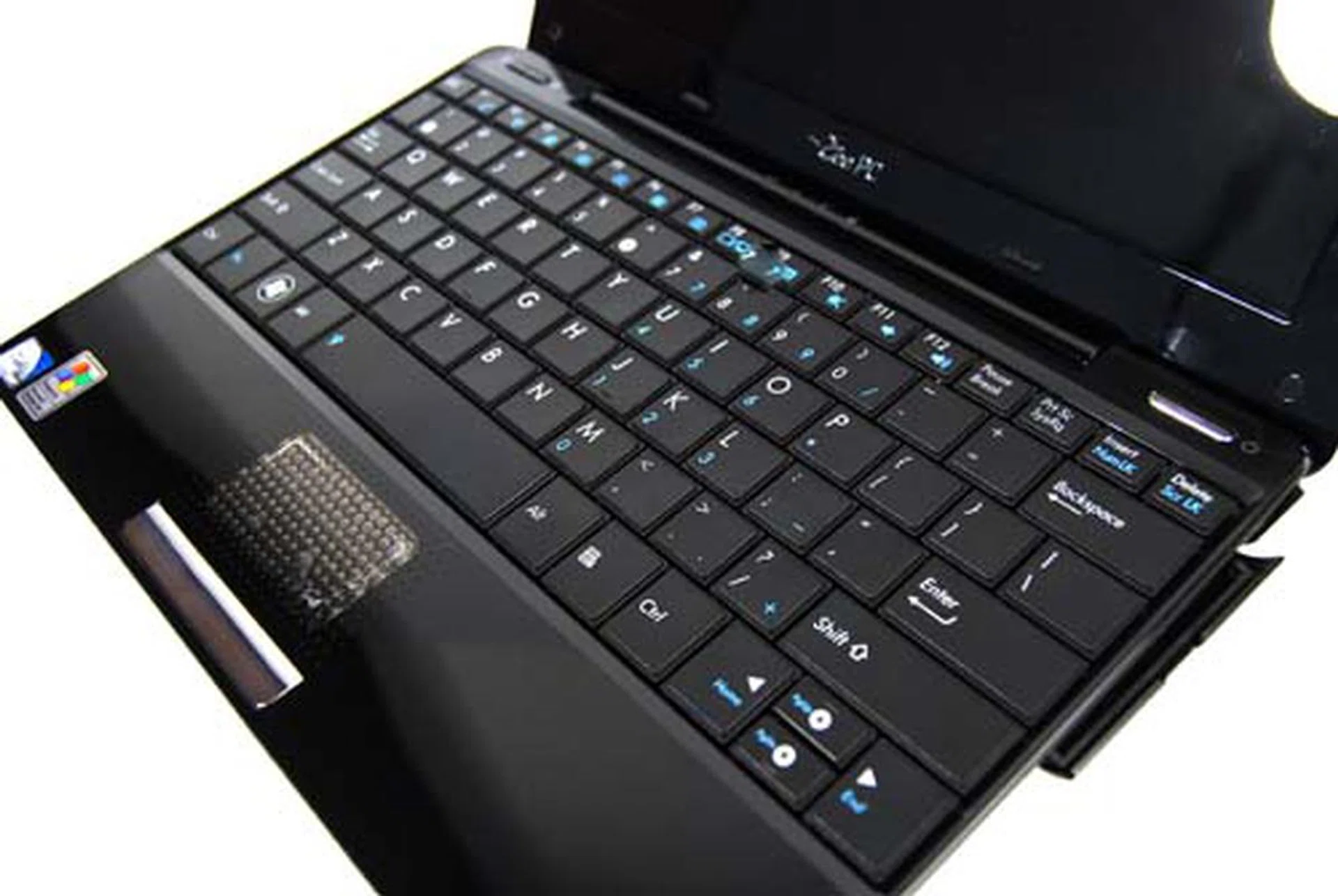
The trackpad with its tiny little nubs was certainly interesting to use and provided a tactile surface to swish your fingers on.
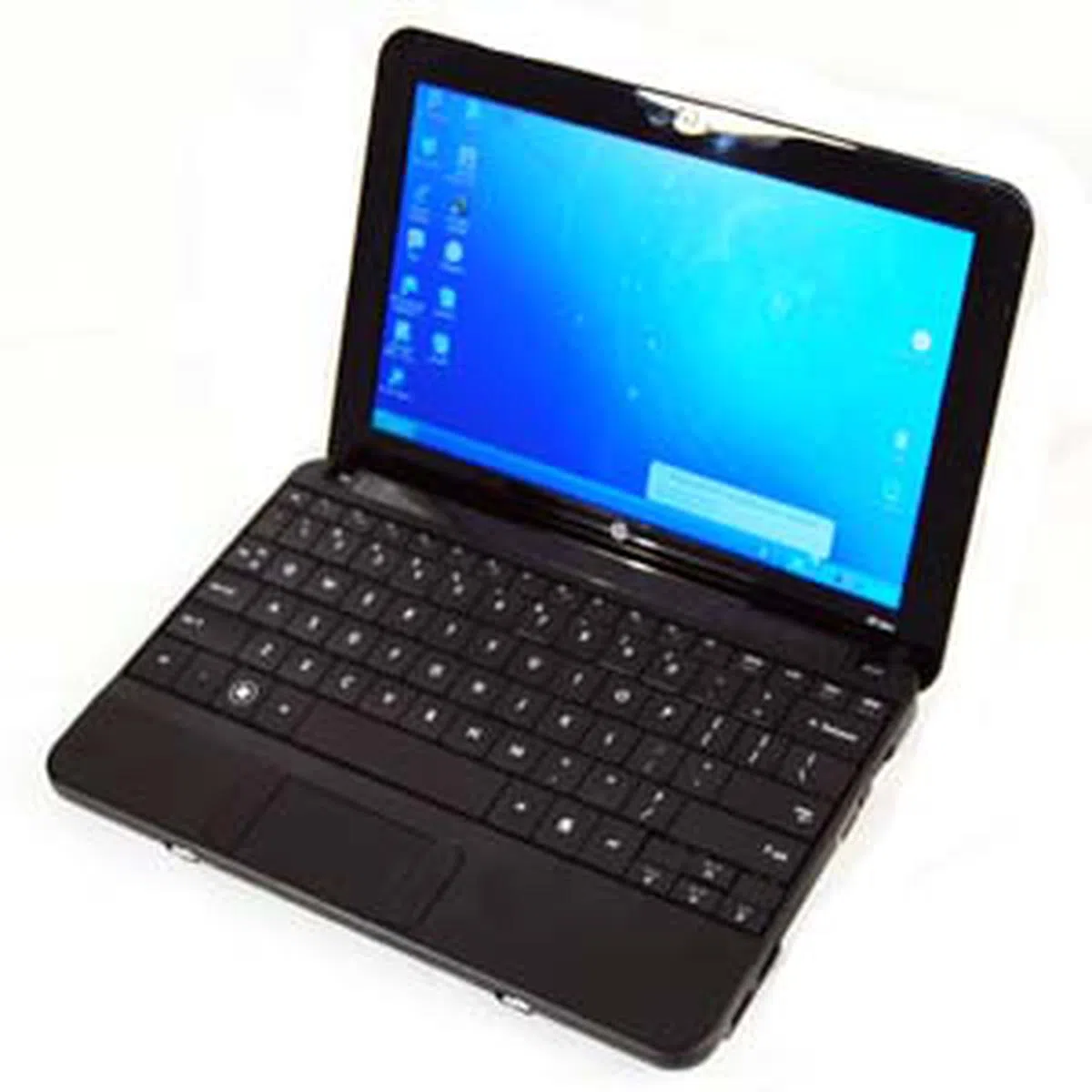
HP Mini 110
If you find HP's Mini 110 a very familiar prospect, well, that's because it mostly is. With design elements inherited from the HP Mini 1000, you'll find the form factor and design to be generally the same, except for a few changes. Most important of them is the built in 3G modem. But for those of you who wish to keep costs low, HP also has this same model offered without the 3G modem.
Apart from that though, as highlighted earlier, there's hardly any significant change to the external appearance of the netbook. The same mesh imprint design remains, together with the rounded corners from the previous model. They have however, done away with some of the connectivity options found on the Mini 1000 that may have been less desired by regular consumers (like the expansion port) and have stuck to a more commonplace option of providing more USB 2.0 ports.
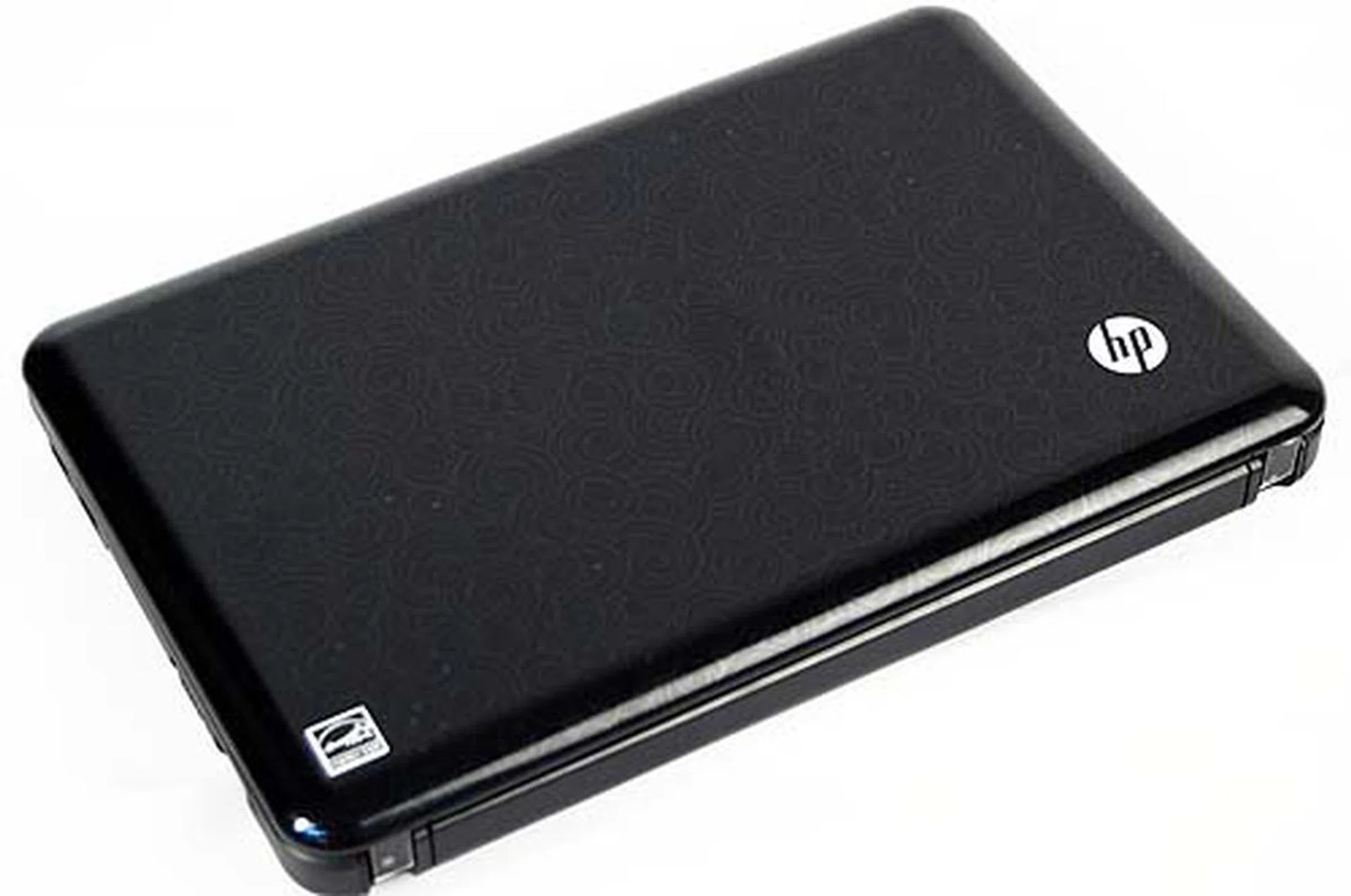
If you're having a case of deja vu, well, you're not the only one. The HP Mini 110 looks exactly like it's predecessor, the HP Mini 1000 from the outside.
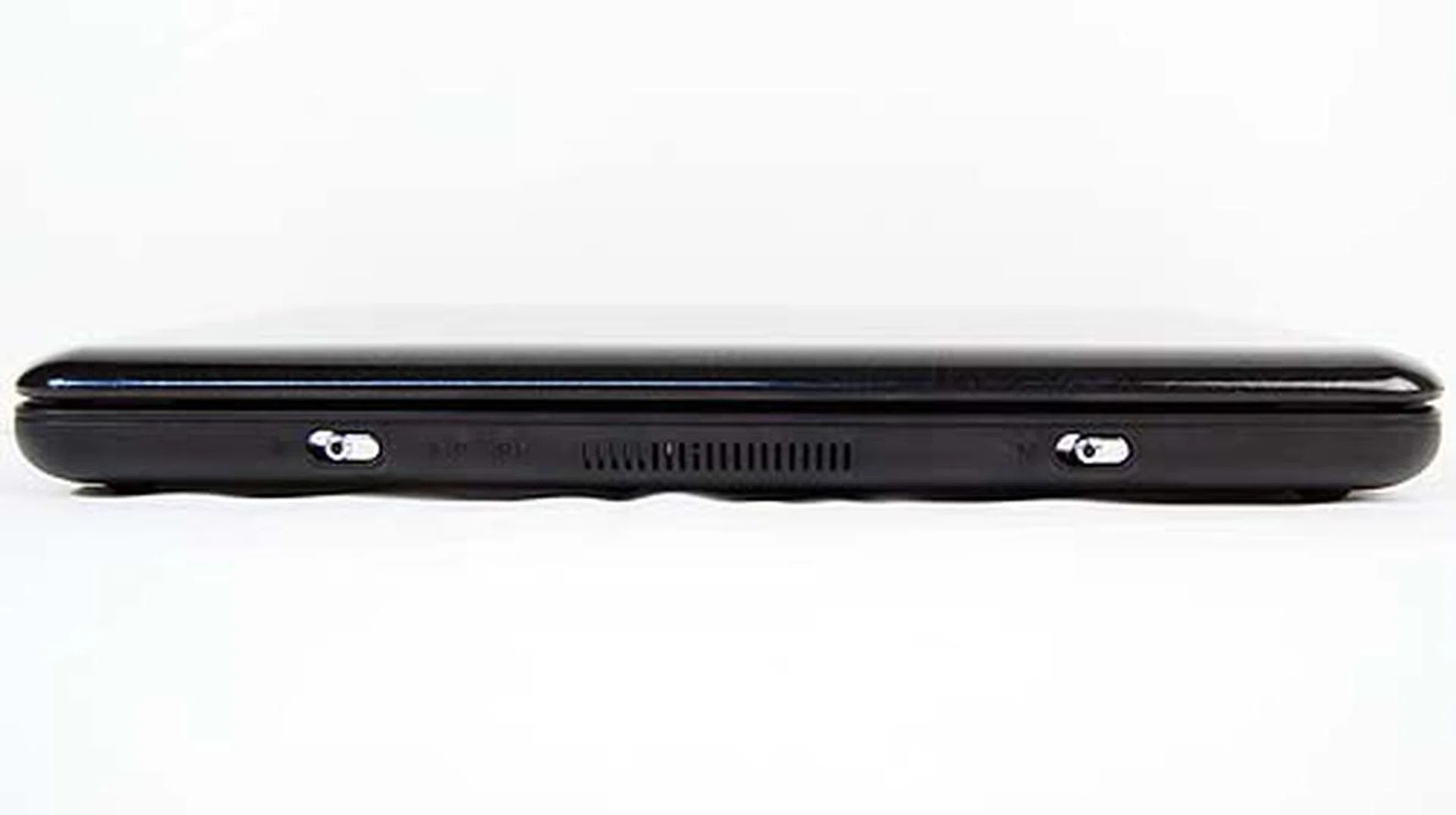
one for powering up the unit and one for turning off the Wi-Fi.
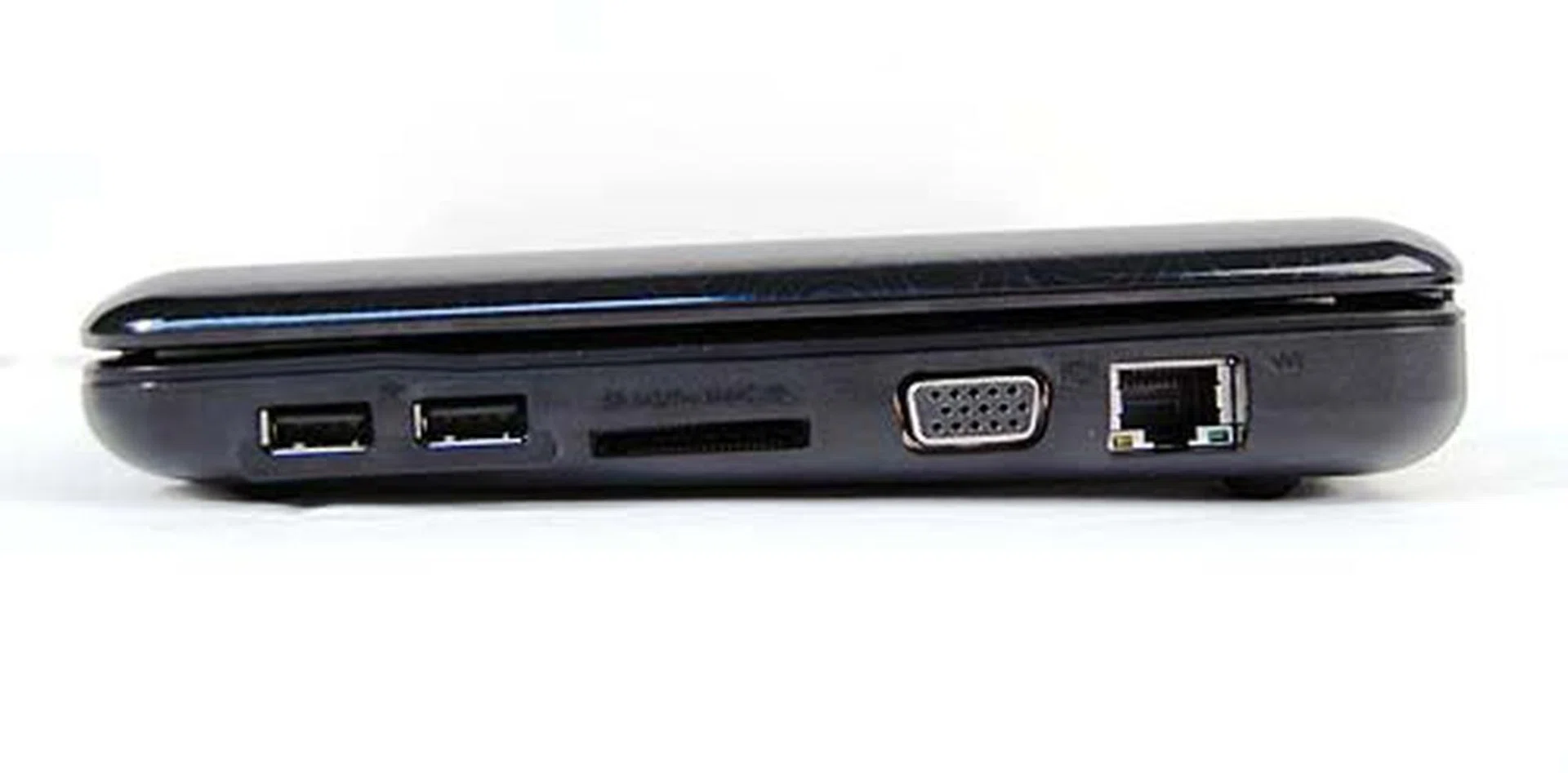
The right side seems to be a little packed with two USB ports, a card reader, VGA out and LAN port.
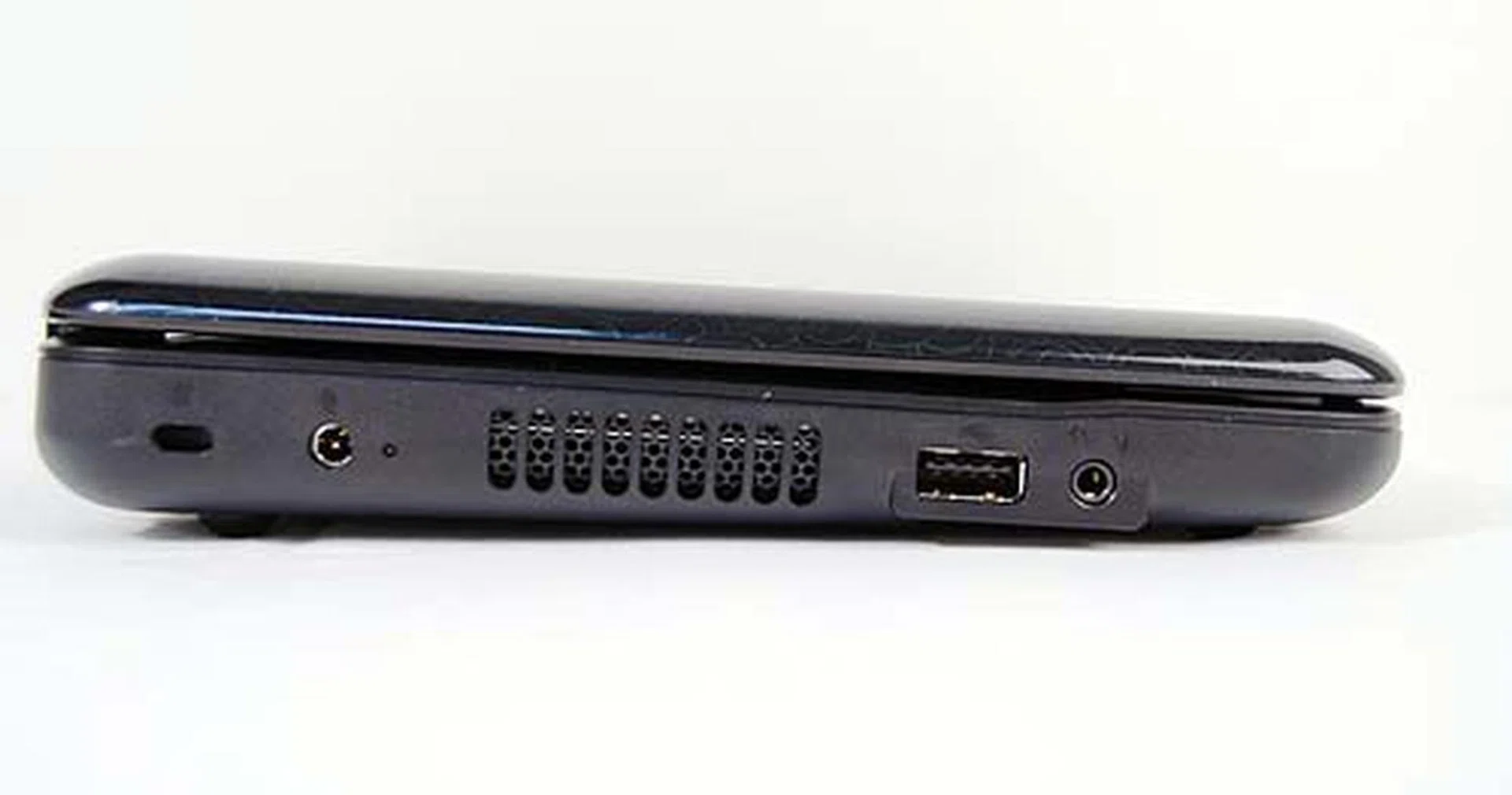
The left side has just space for a USB port and an audio jack.
Mini Outside, Maxi Inside
For the HP Mini 110, the only visible difference on the inside is the removal of the central chrome colored speaker unit found on the Mini 1000. Instead, where the speakers used to be is now part of the battery, while the speakers are now integrated just below the screen. Strange move by HP on their part, for we really did liked the previous shiny design that gave it a classy look. Otherwise, everything else is pretty much in the same place, including the trackpad buttons placed on the side of the trackpad and the large keyboard that was a peach to use.
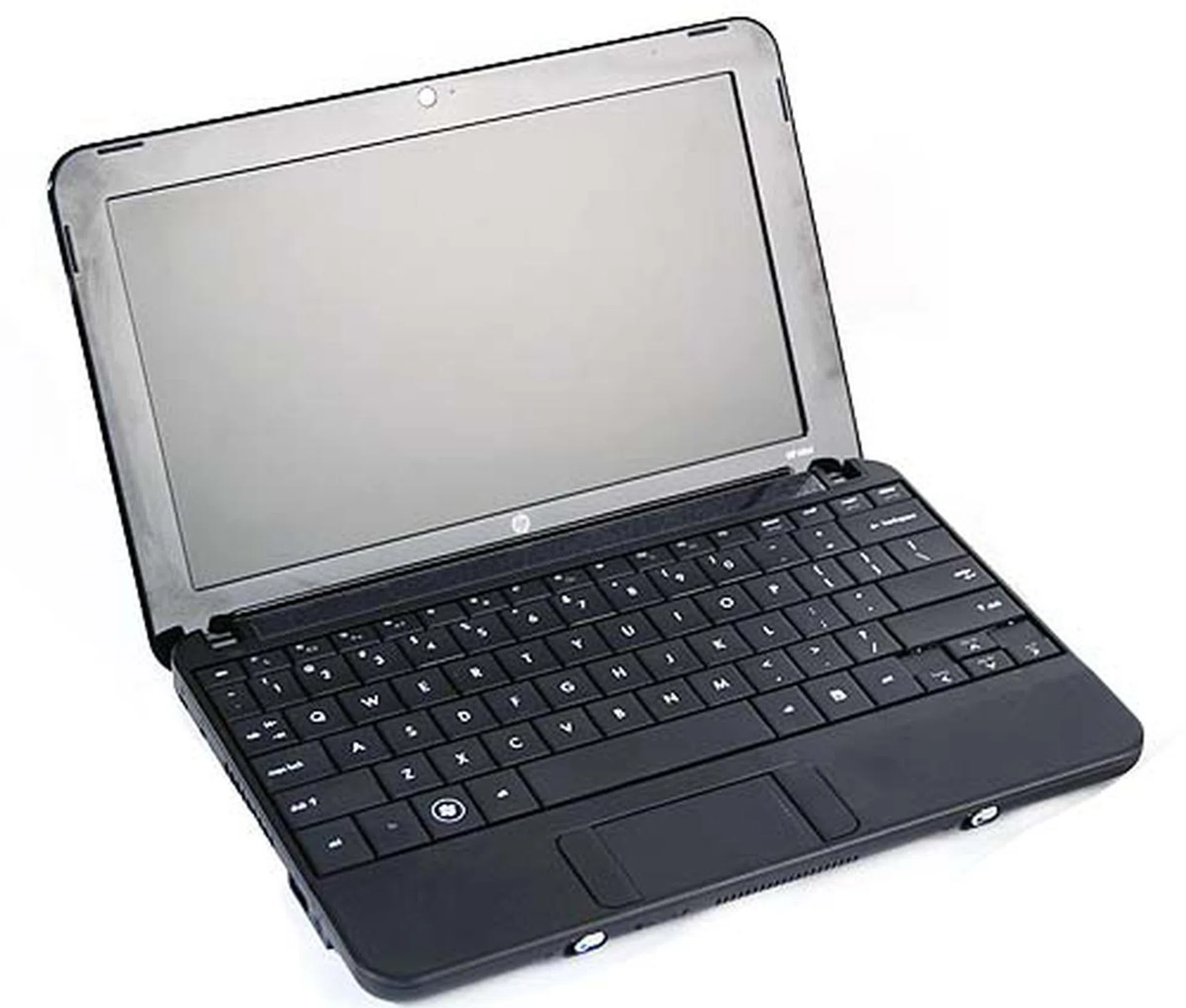
The interior reveals HP has slightly tweaked the design. Gone from the HP Mini 110 is the chrome finishing found just above the keyboard on the previous Mini 1000.
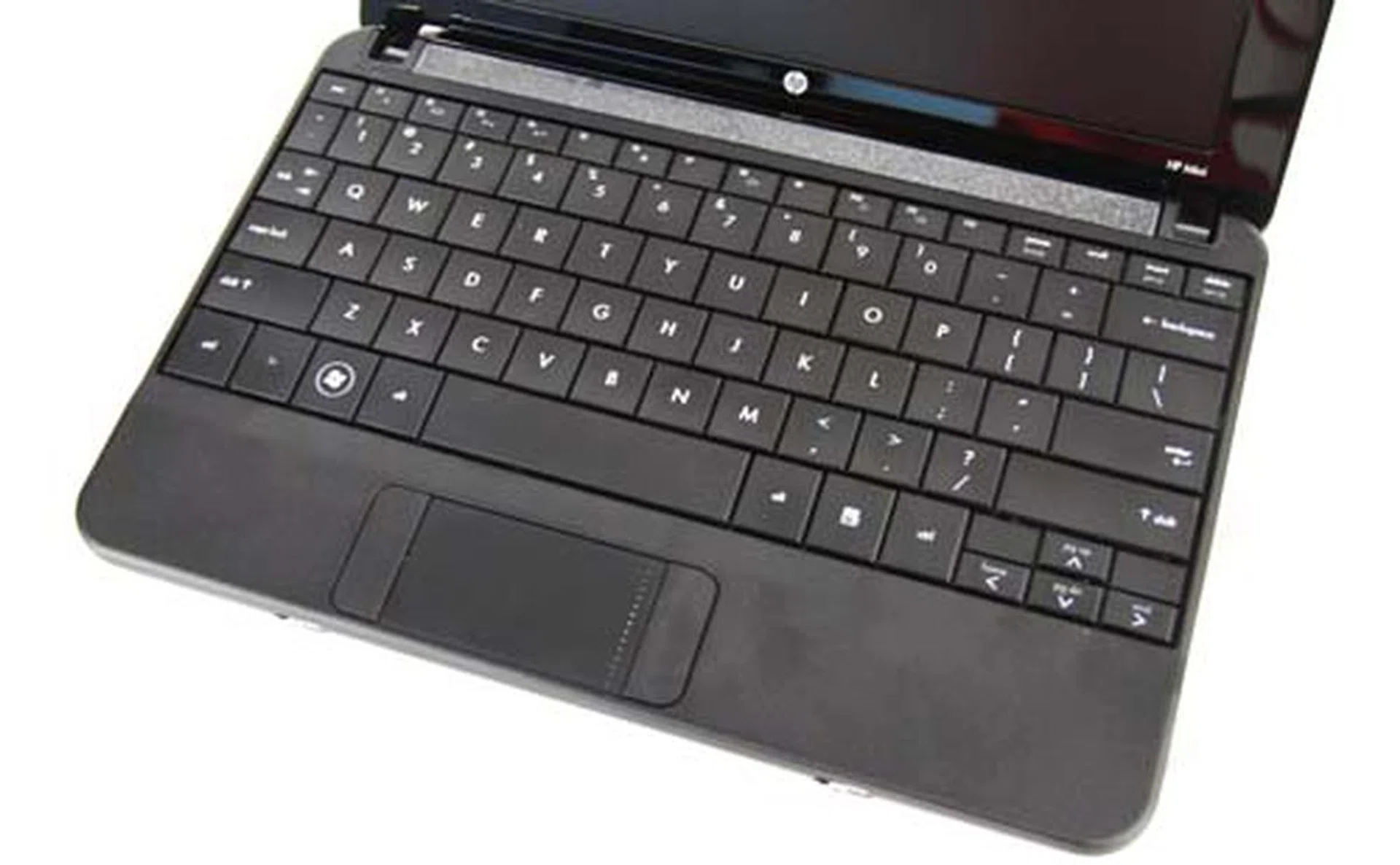
The keyboard is still as good as ever, though the side buttons of the trackpad can be a hit or miss for most. But from feedback we've heard, most can adapt to this layout fine.
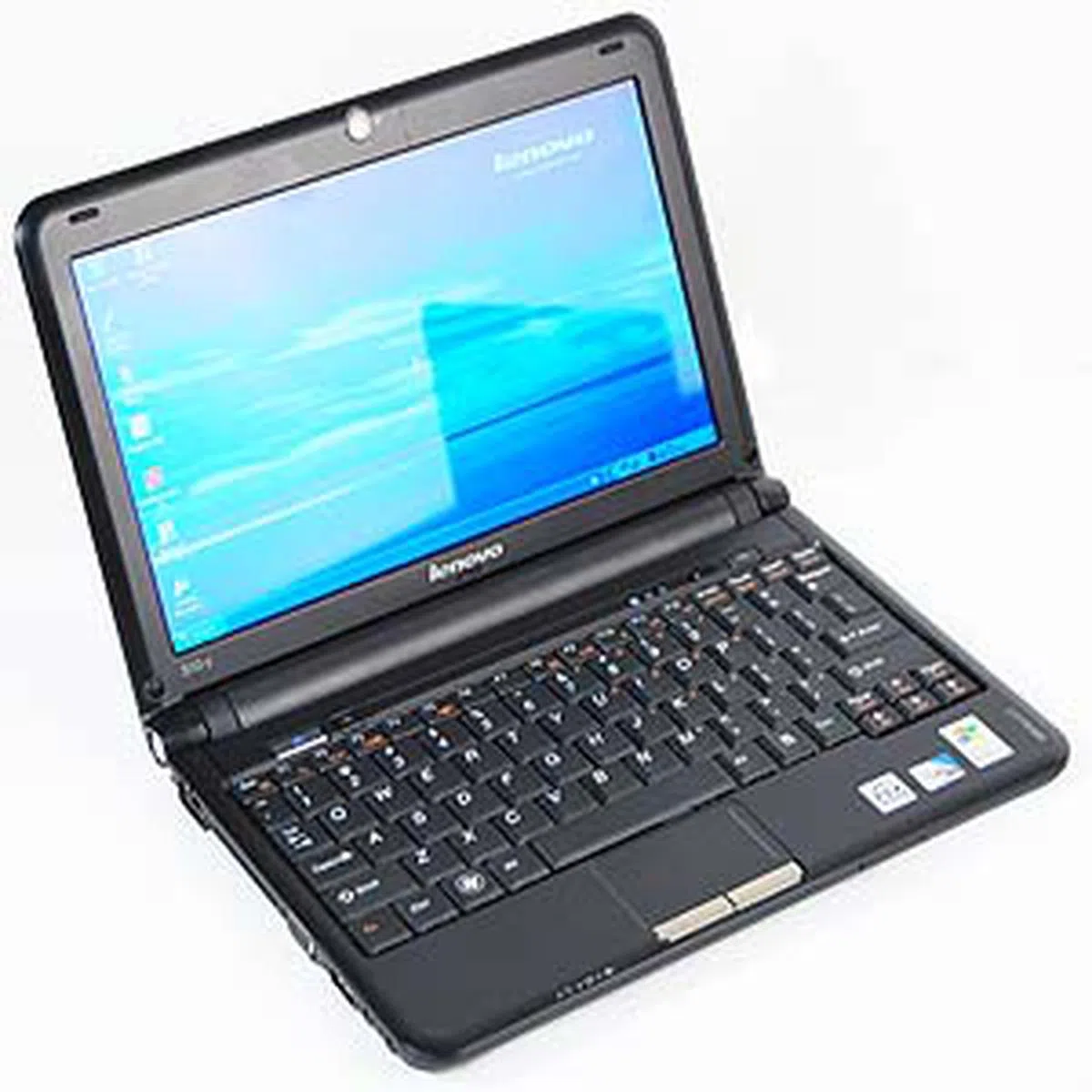
Lenovo IdeaPad S10-2
Lenovo's first netbook to the market returns in a jazzed up curvier version that's markedly different from the original. If you've seen our preview article, you'll note that we've highlighted its design similarities to the HP Mini 1000, especially on the cover design. The similarities however end at the sides and back of the unit, as the S10-2 sports a distinct hinge design that looks like a toned down version of the original S10.
The S10-2 also stands out from the other netbooks in our roundup with its inclusion of a Quick Start feature. This is actually based on DeviceVM's Splashtop Instant-On Desktop Environment - an ultra-lightweight Linux variant that will have your Lenovo S10-2 up and running in 10 seconds from when you hit the Quick Start button. This gives you quick access to a browser for surfing, Skype, music playback and a photo viewer. The only drawback on using the Quick Start program is probably the overly sensitive trackpad which amusingly, functions normally in Windows. This is one drawback we can easily live with given the convenience and easy access provided by the Quick Start feature.
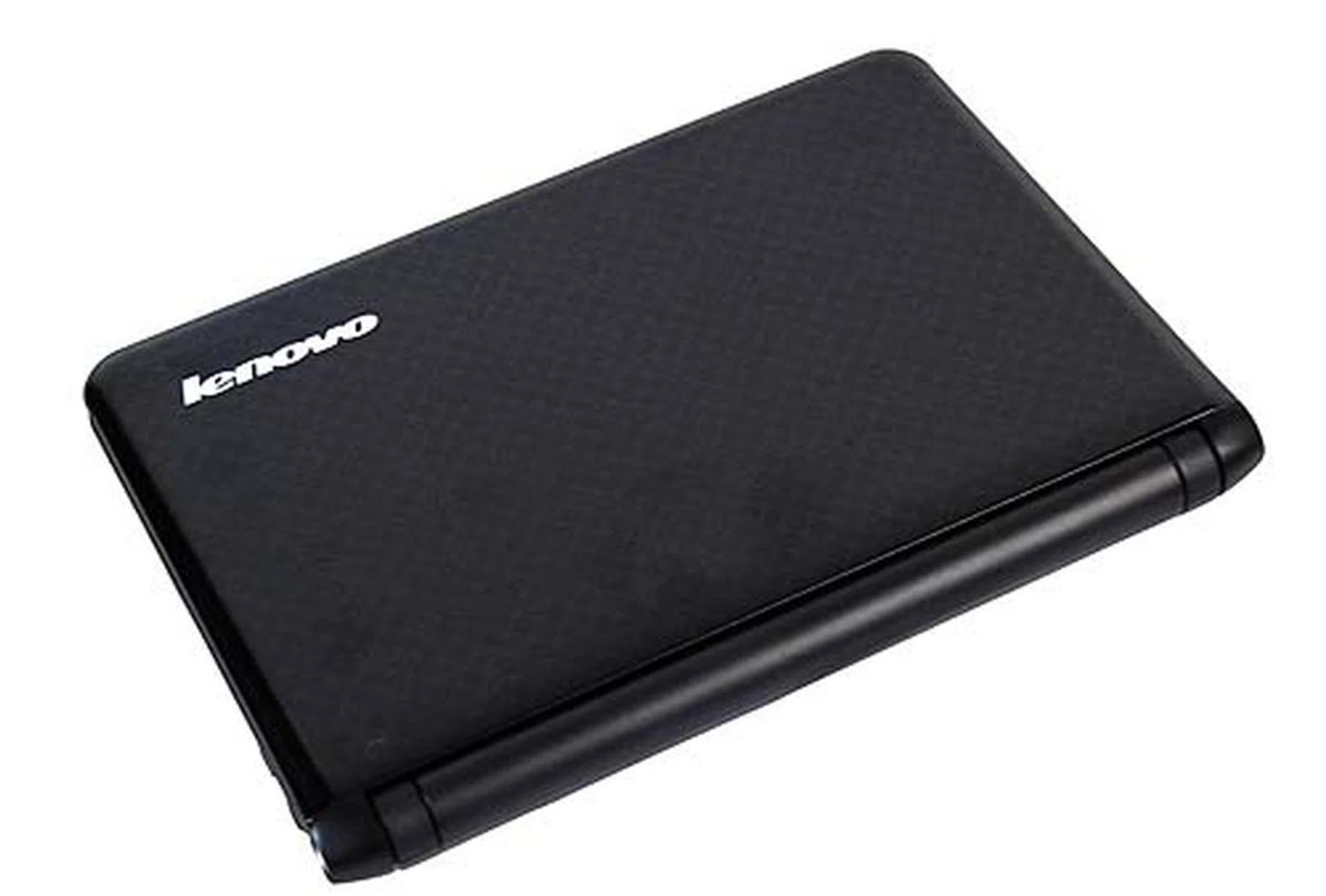
Lenovo's IdeaPad S10-2 is the revised version to its original S10.
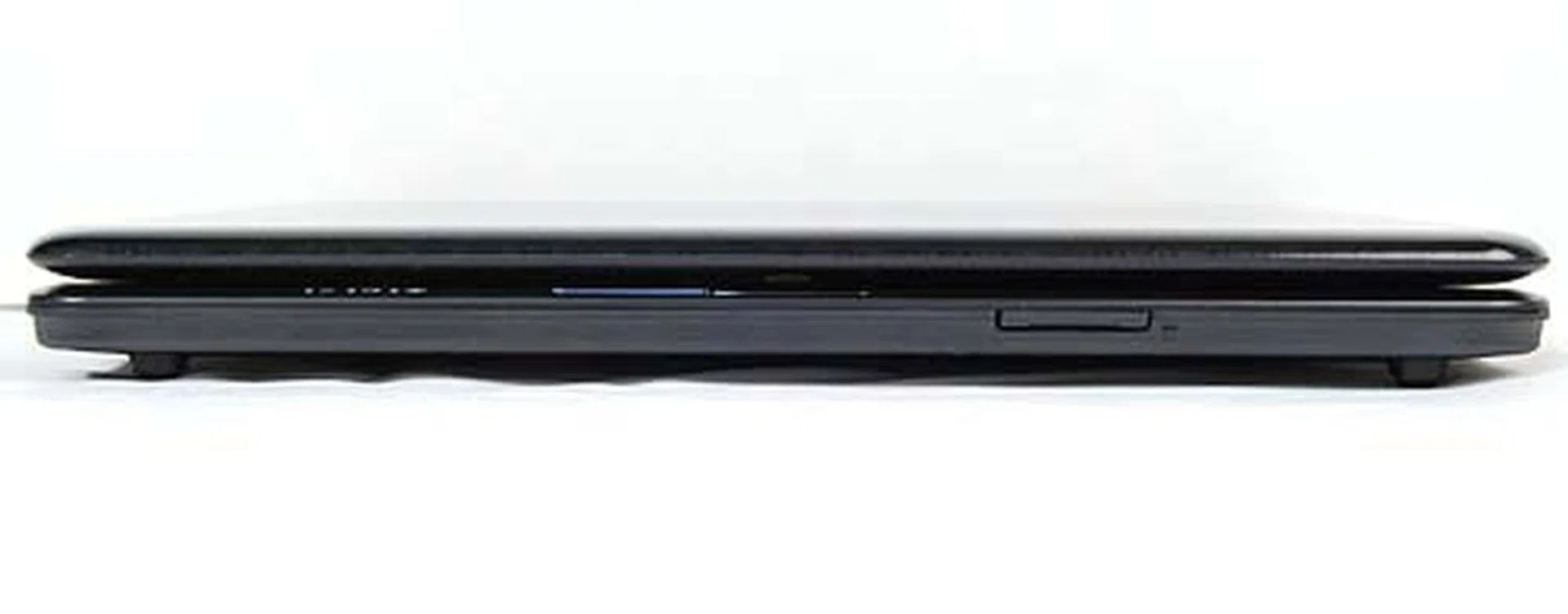
The front is bare except for the card reader.
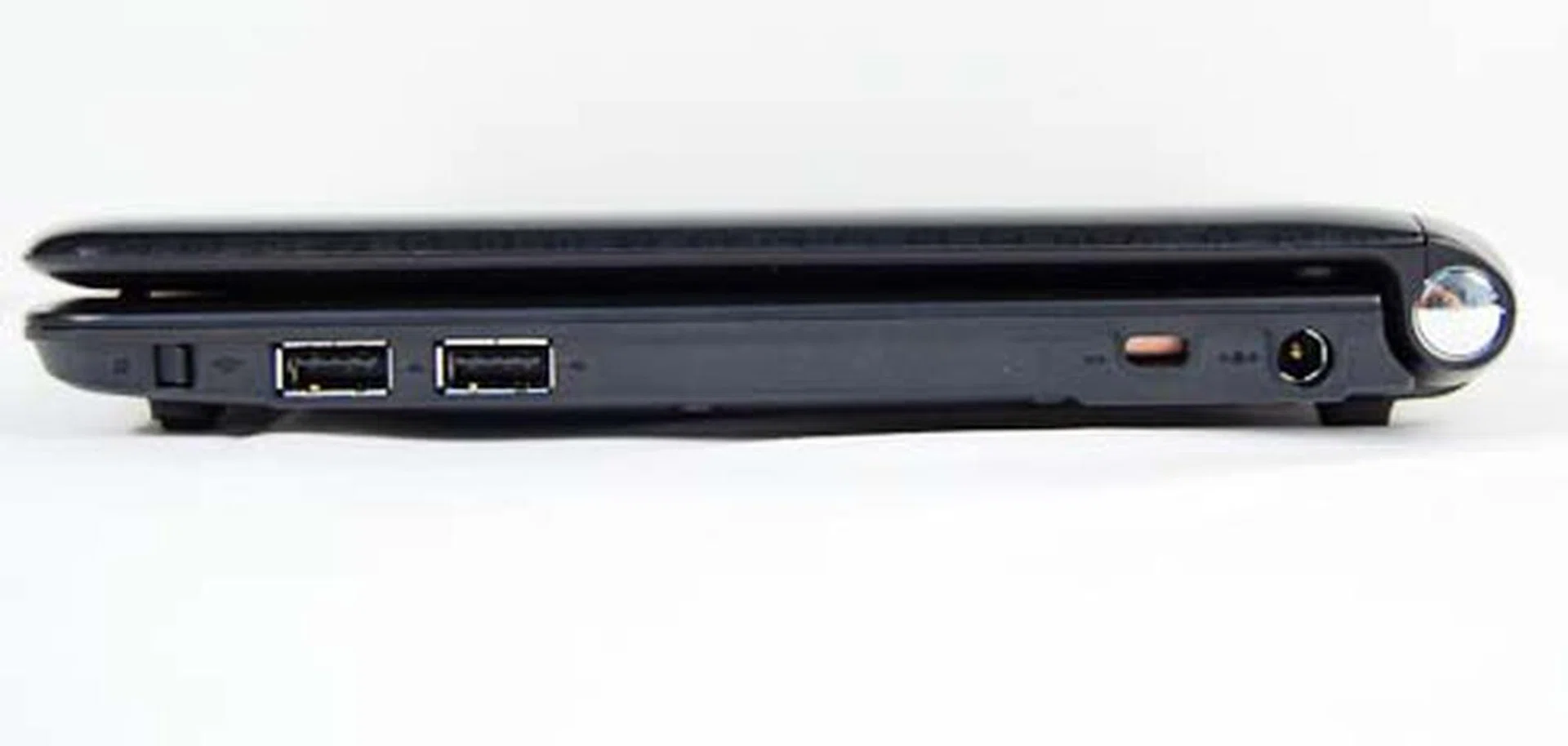
The right side holds just two USB ports.
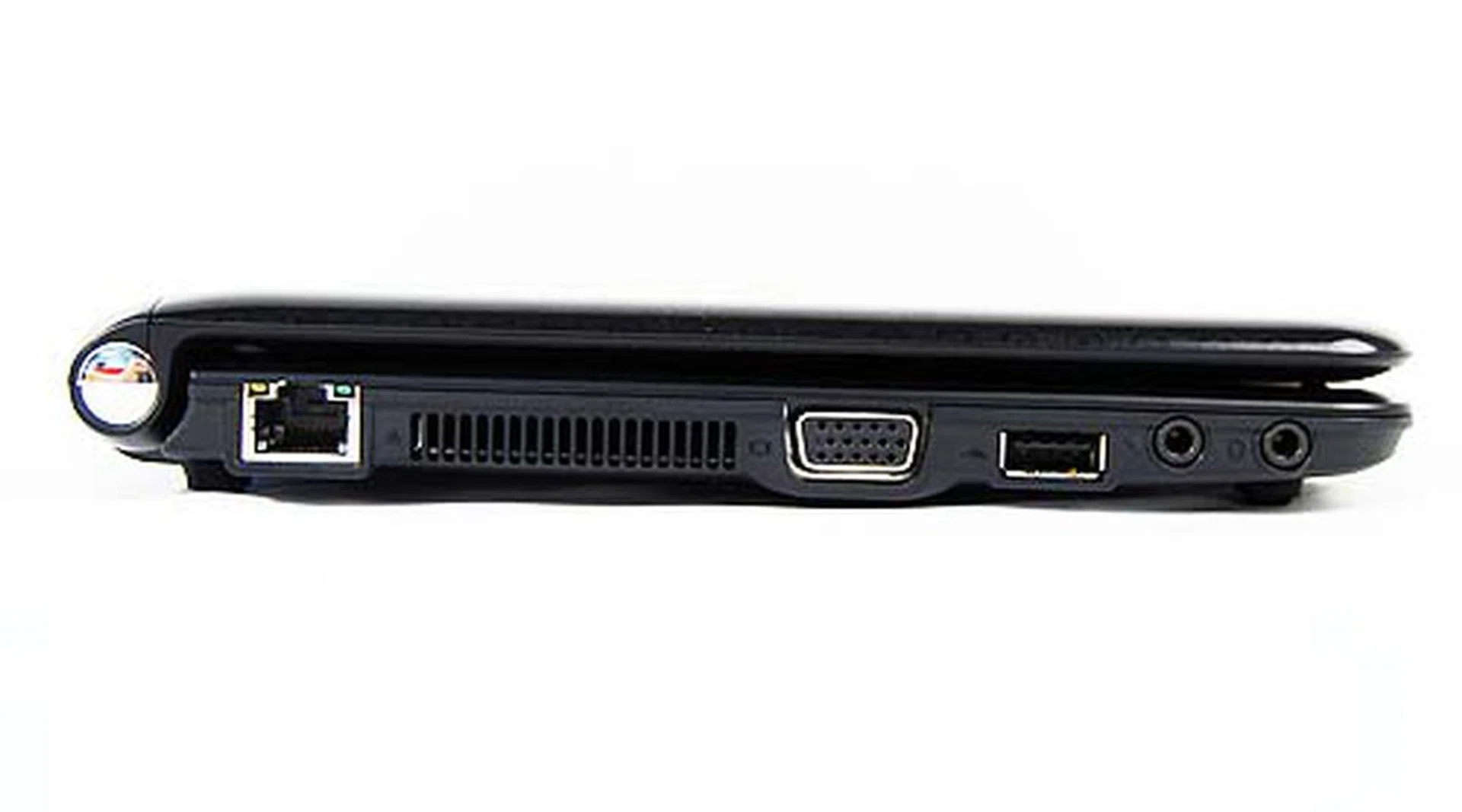
The left is packed tighter with a LAN port, VGA out, USB and audio jacks. It's pretty similar to the Acer Aspire One, if you're wondering.
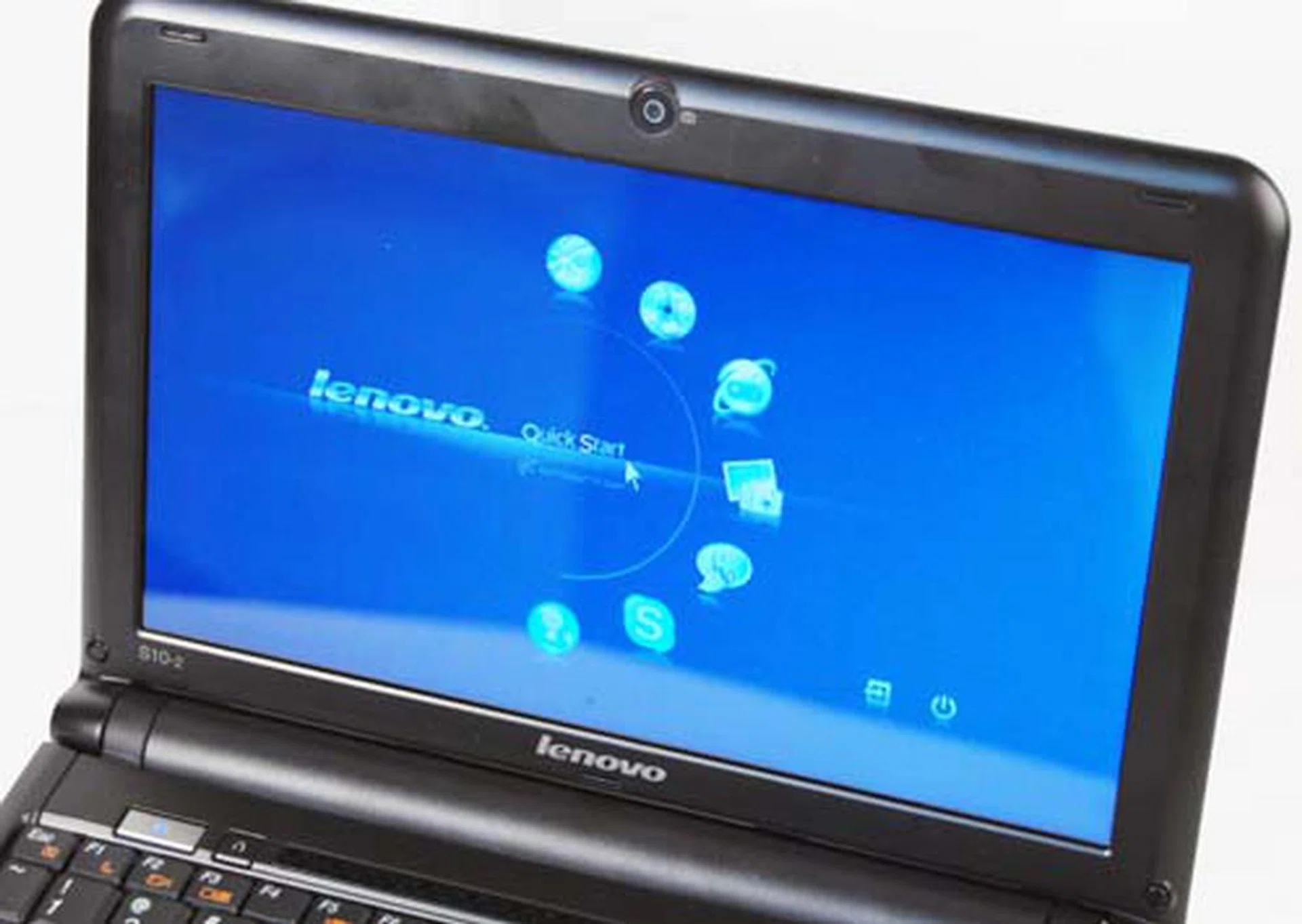
Standing out from the other netbooks is the Quick Start feature of the S10-2, which allows for easy access to the Internet in 10 seconds.
Innards of the S10-2
Opening up the Lenovo IdeaPad S10-2 reveals a world of difference compared to the original S10. Firstly, the matte screen of the original is now gone and replaced by a glossy reflective screen. We're quite disappointed with this change to be honest as the original matte screen was something that we quite liked. Improvements to the keyboard layout in the S10-2 however, makes for a much better netbook compared to the original in terms of comfort and usability.
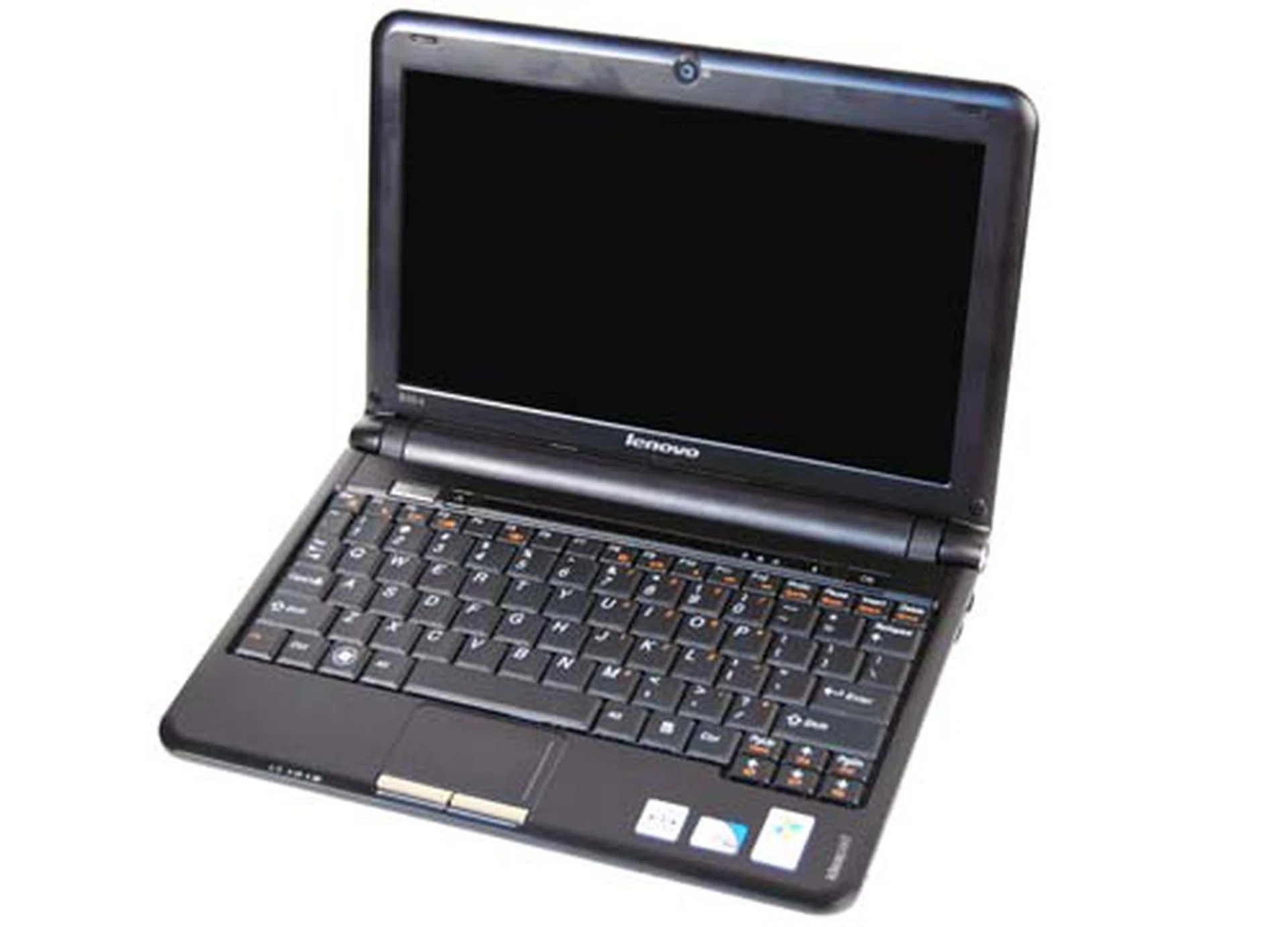
The inside of the S10 feels clean and simple, though we do miss the matte screen of the original S10.
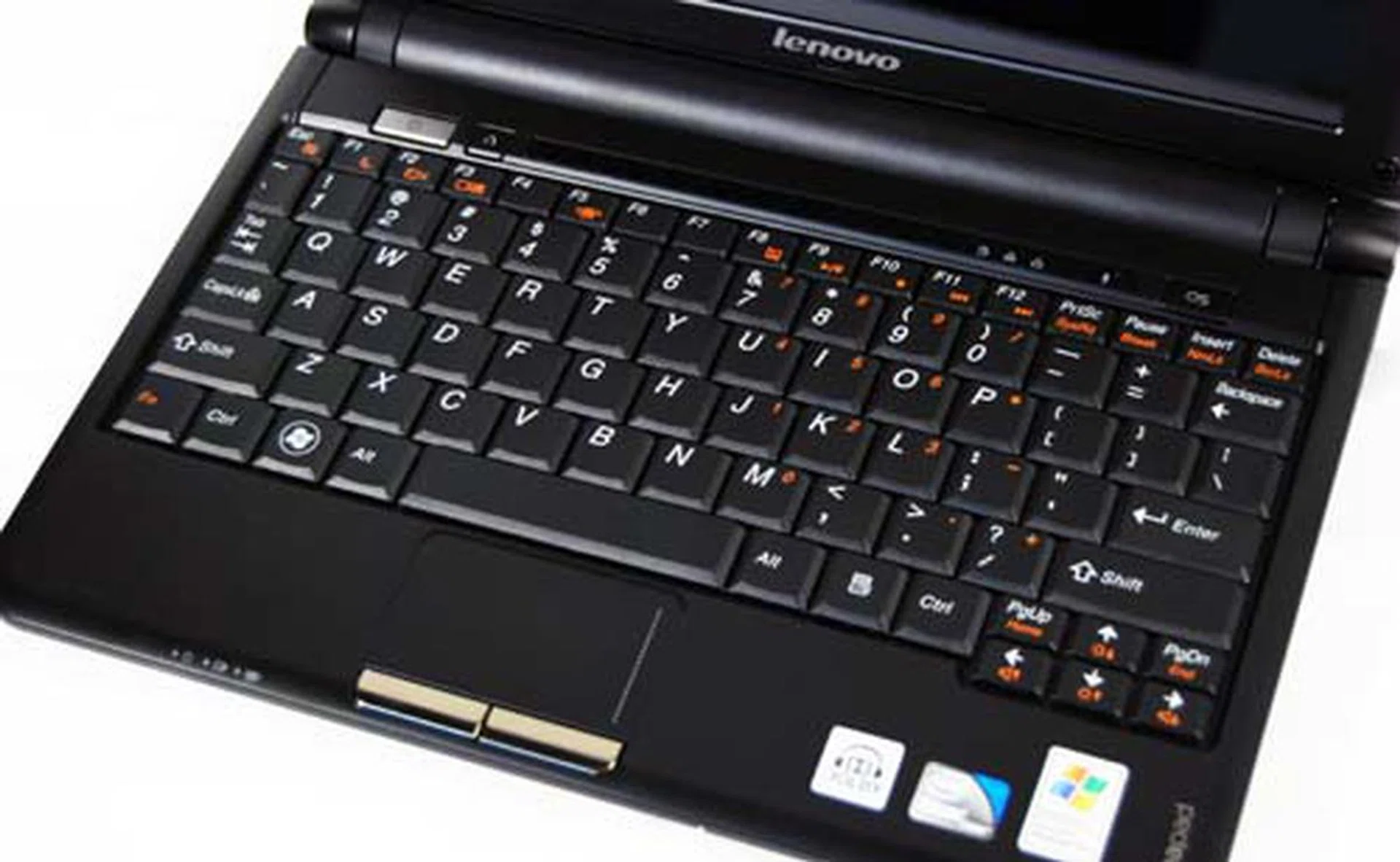
The keyboard was great to type with, and the keys are slightly bigger compared to the original S10. The trackpad was also an improvement as we preferred the buttons of this version compared to the original.
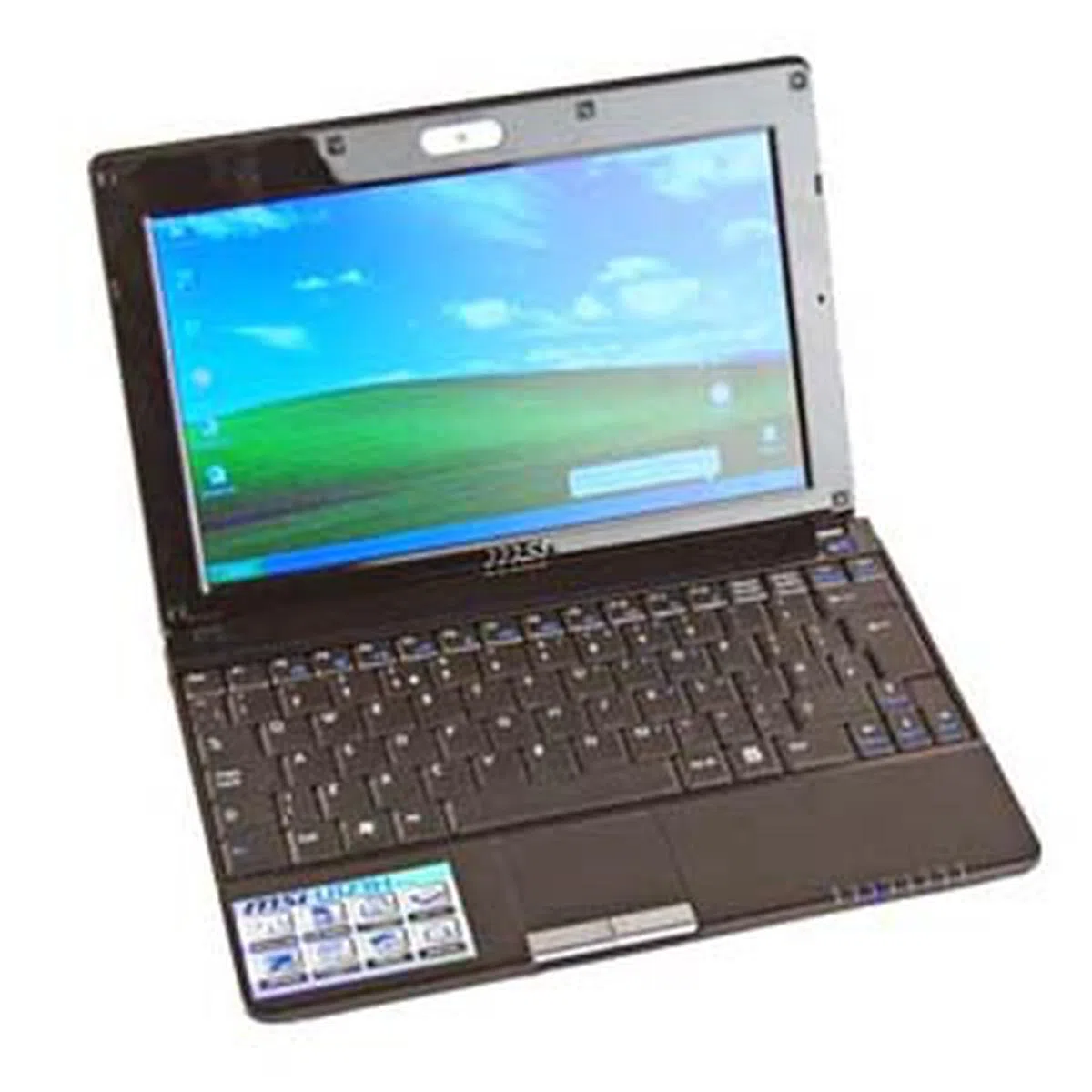
MSI Wind U123H
MSI's Wind netbooks have been the darling of the modding crowd thanks to MSI's support in releasing new BIOS firmware versions for stability and modest overclocking. It also helps that the netbook is one of the few currently able to run Hackintosh OSX builds with nary a driver problem, though this of course, is not recommended by us. That aside, the original Wind NB U100 was a great product and its successor the MSI Wind U123H is no different.
While the original Wind netbook was all curvy around the edges, the U123H goes for a more angular look that's stands out against the sea of contoured netbooks. Aided by a glossy cover, the netbook comes packing with a default 6-cell battery option and a choice for a 9-cell (which absolutely boggles the mind). Like the HP Mini 110, the U123H also comes with a built-in 3G modem for surfing on the go and also has a more affordable model without the 3G modem (known simply as the U123 without the "H").
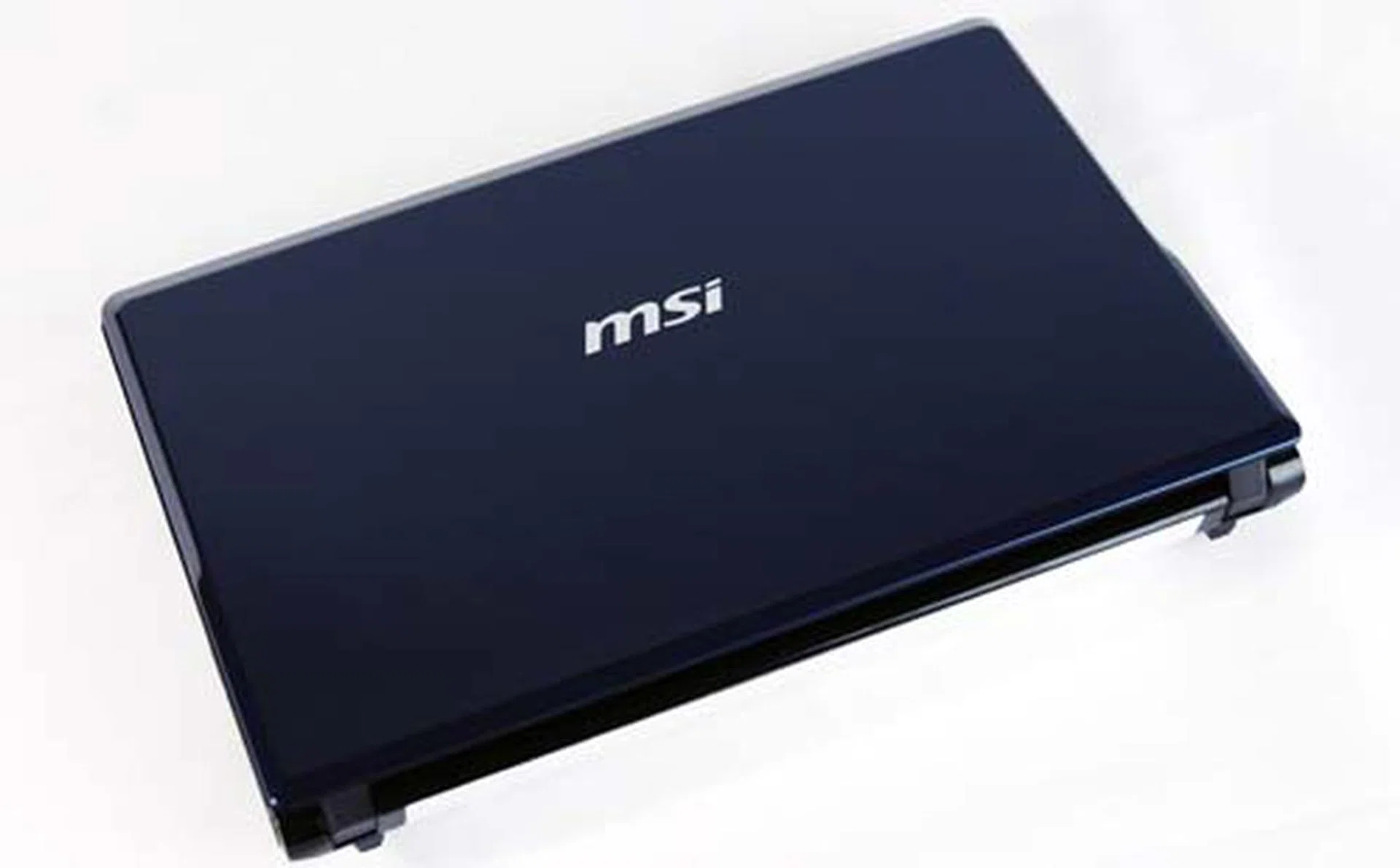
MSI's Wind U123H is a stylish affair with sleek and sharp angles that defy the curves of the other netbooks in this roundup.
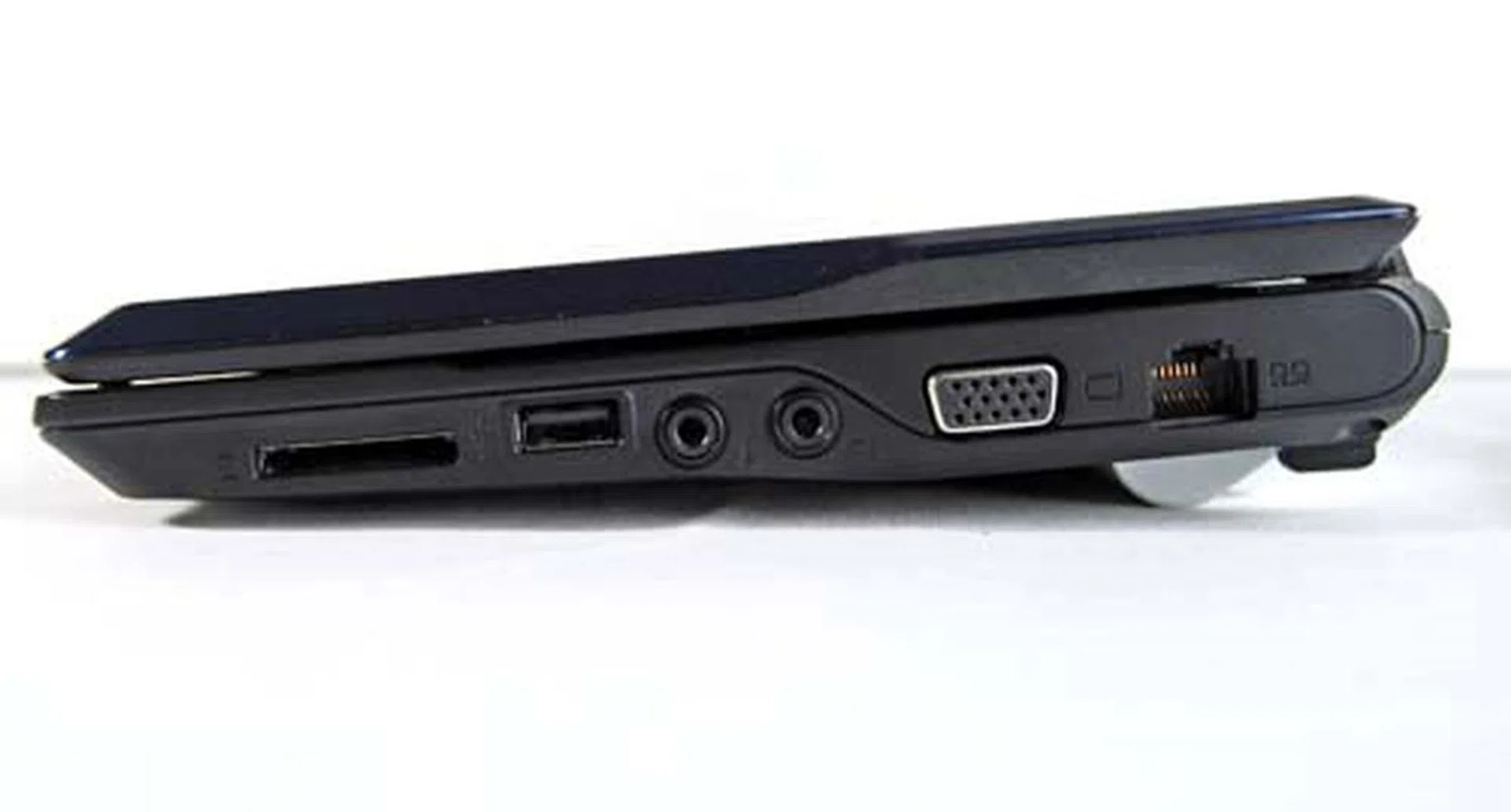
a card reader, USB port, audio jacks, VGA out and LAN cable.
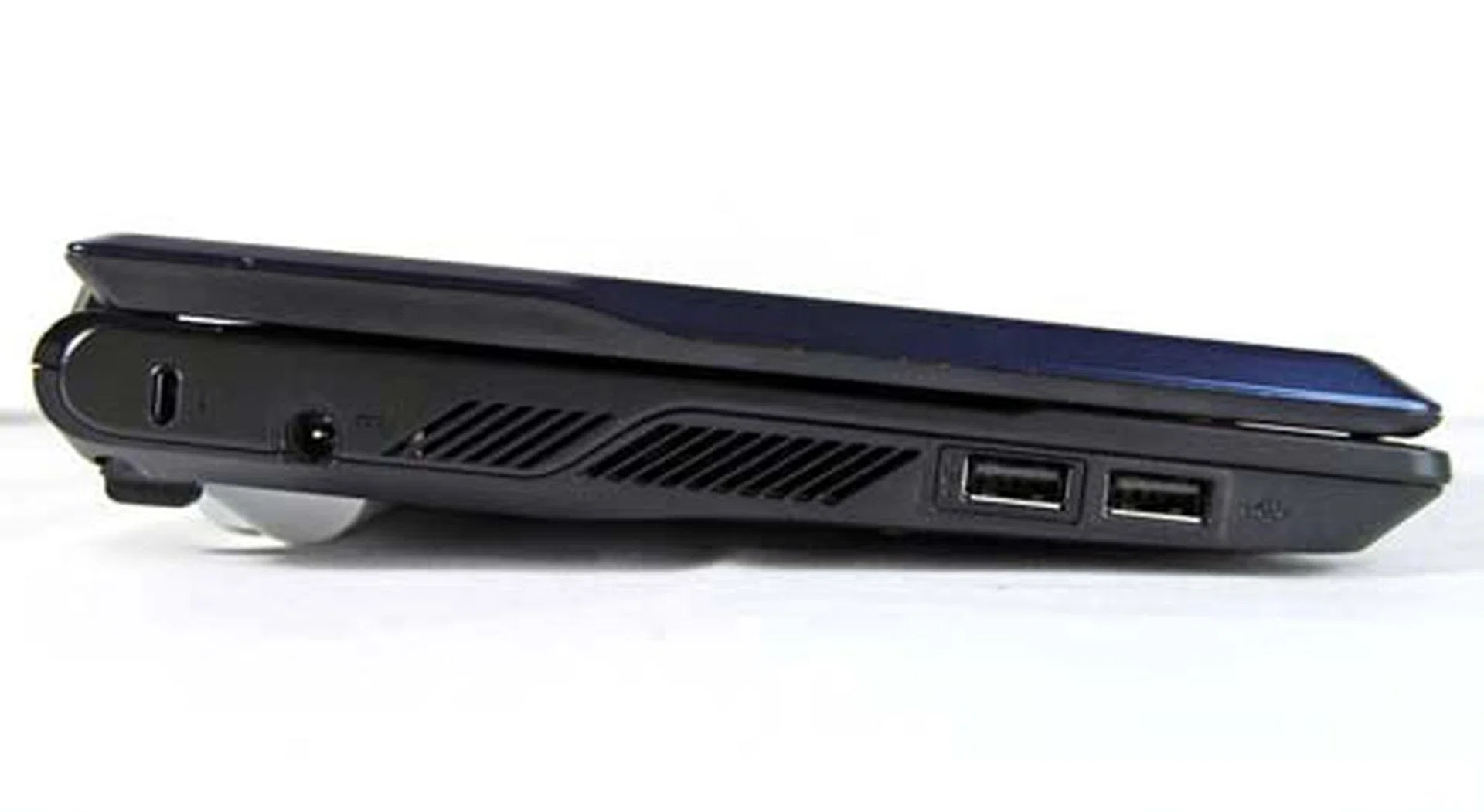
The left side only has space for two USB ports, but we're fine with this.
Windy Internals
Opening the cover of the U123H reveals a very neatly laid interior with just one power button. Like the original MSI Wind NB U100, the netbook has indicator lights located on the bottom right corner of the notebook, informing you whatever you need to know from the CAPS LOCK key status to whether your Bluetooth and Wireless are turned on. Lastly, the keyboard's feel and layout is exactly like the older NB U100, which we generally liked.
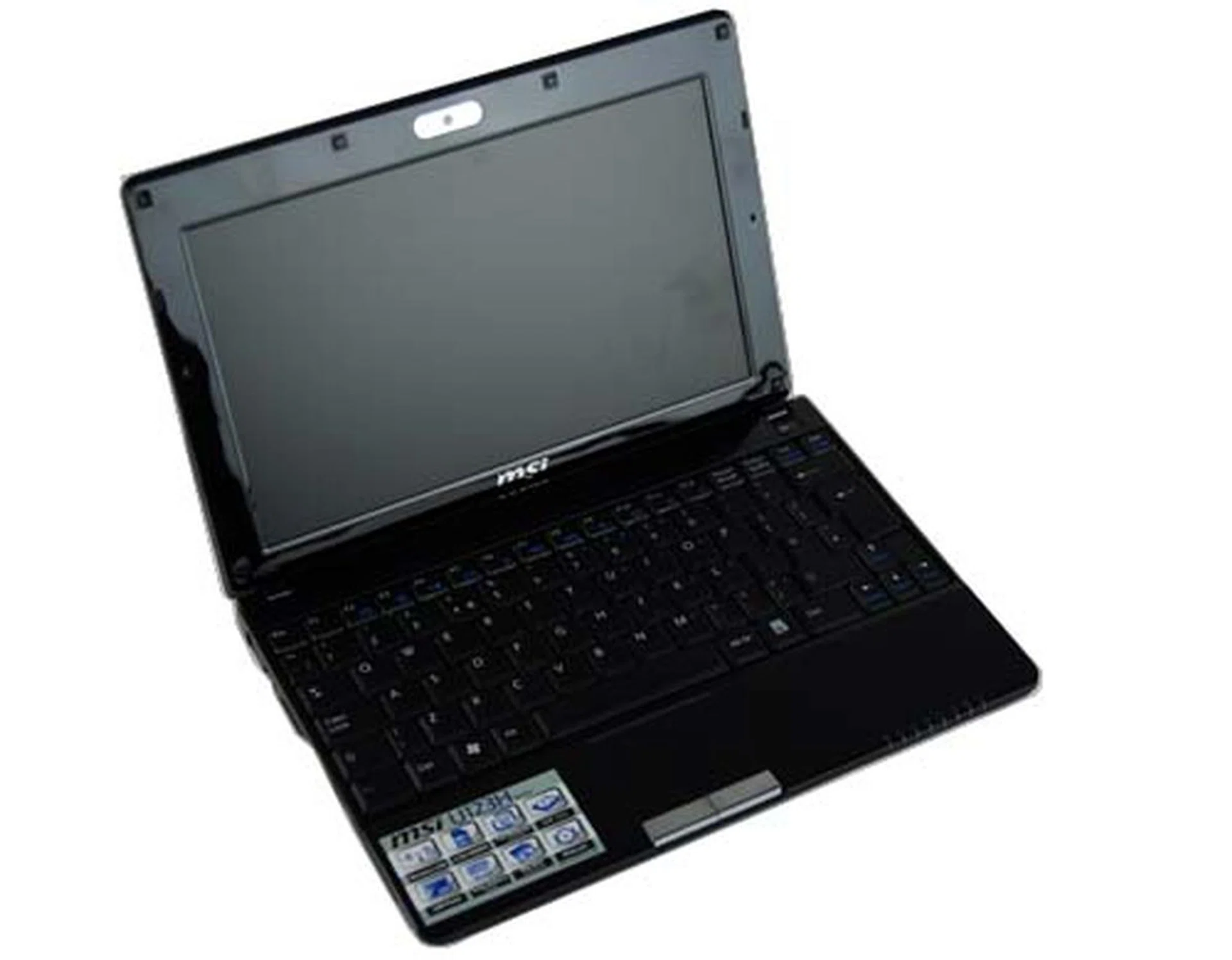
Like the other netbooks, the insides open to a very clean interior though we could use less of the glossy surfaces on the screen bezel.
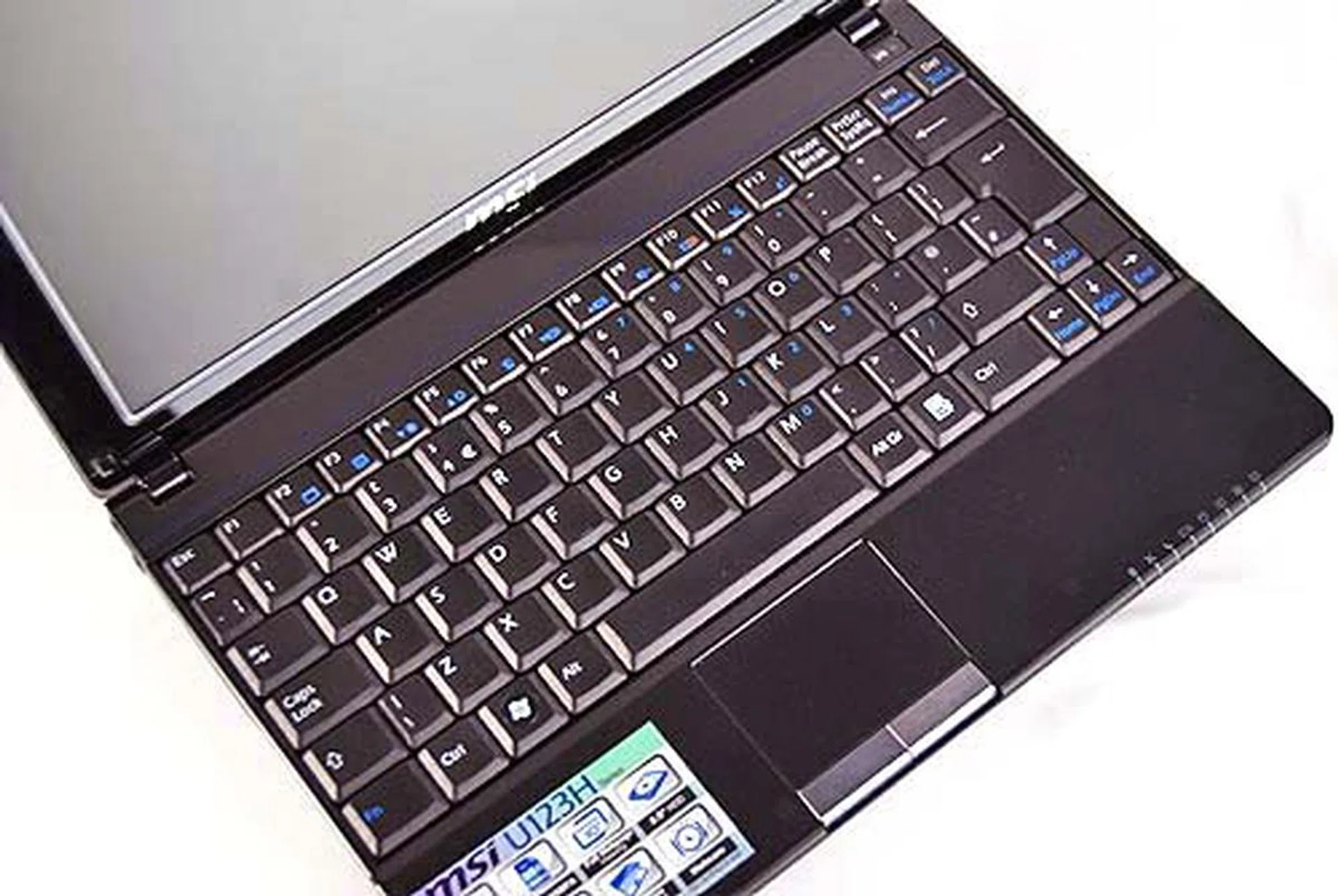
Thankfully, the keyboard area is gloss free, and the keyboard doesn't seem to be any different from the original MSI NB U100.
Samsung N120
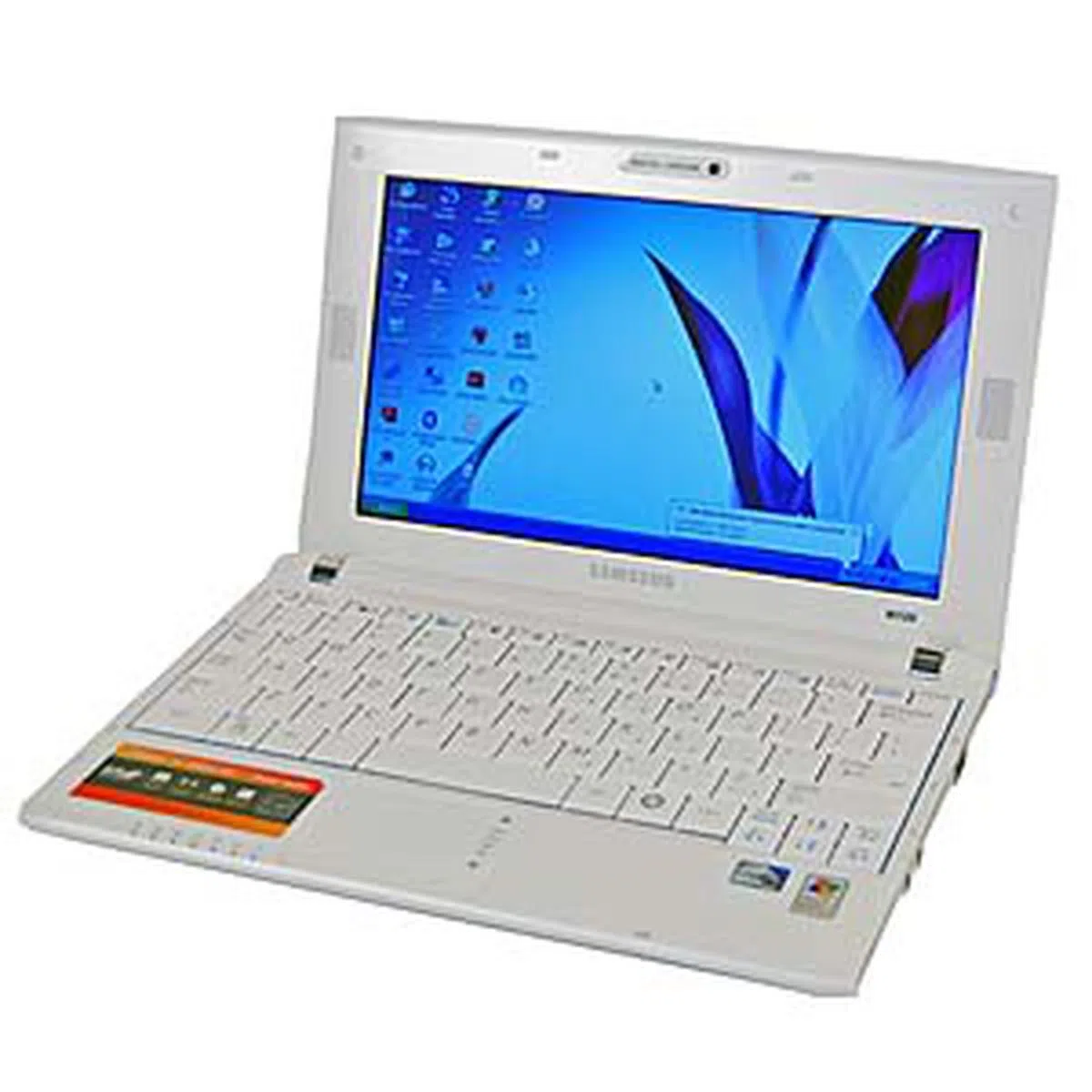
Fresh from Samsung's oven comes the Samsung N120, their latest netbook model that's the successor to their original NC10 and NC20 netbooks. The Samsung N120 comes loaded with plenty of claims, from a full sized keyboard found on 12-inch notebooks to a super long battery life, so we'll see if it holds up to its claims later in our benchmarking section. Meanwhile, for its external appearances, the Samsung N120 comes clad in white, though a piano black version is available.
You'll first note that the netbook is pretty slim thanks to its tapered design. It's also wider than your usual netbook, because of the fact that Samsung wanted to squeeze in a full sized keyboard onto the netbook. Other then these abovementioned traits, the netbook is a pretty standard affair by any means, though unlike the others, it doesn't use a glossy exterior cover, making it more smudge resistant compared to the other netbooks.
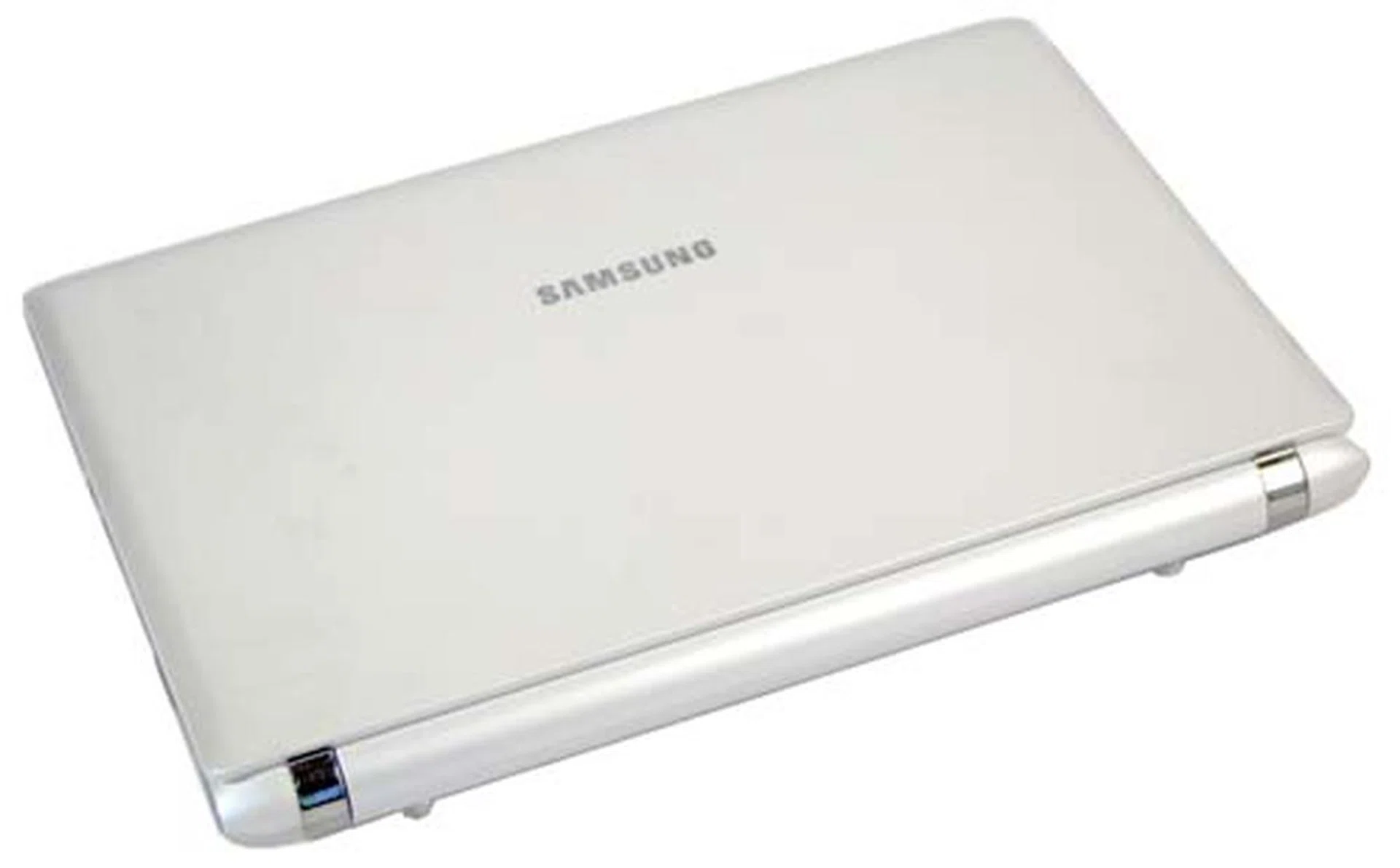
Clad in matte white is the Samsung N120 netbook.
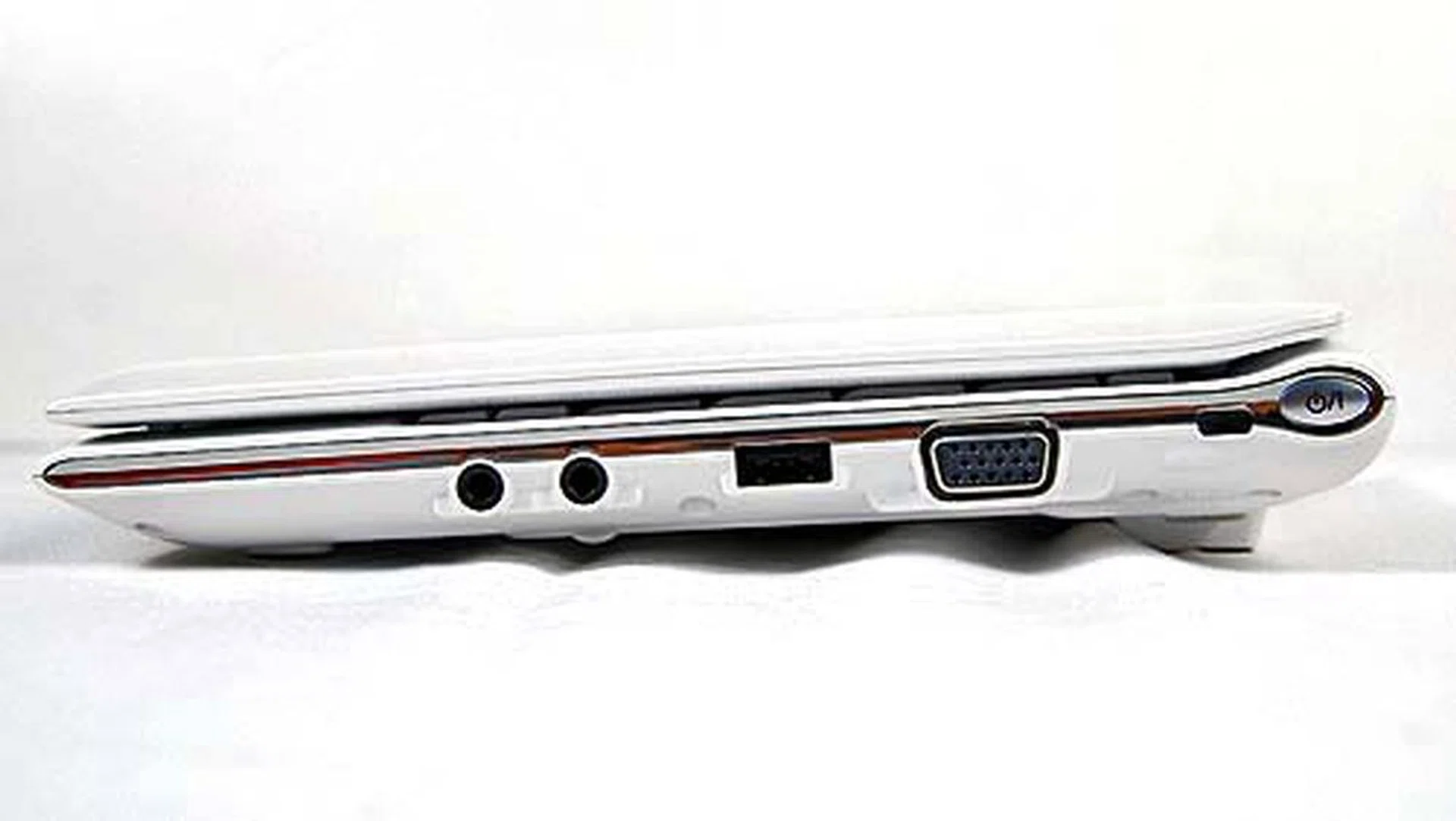
The right side of the netbook keeps things simple with just the audio jacks, one USB port and the VGA out. The power switch is also located here at the side.
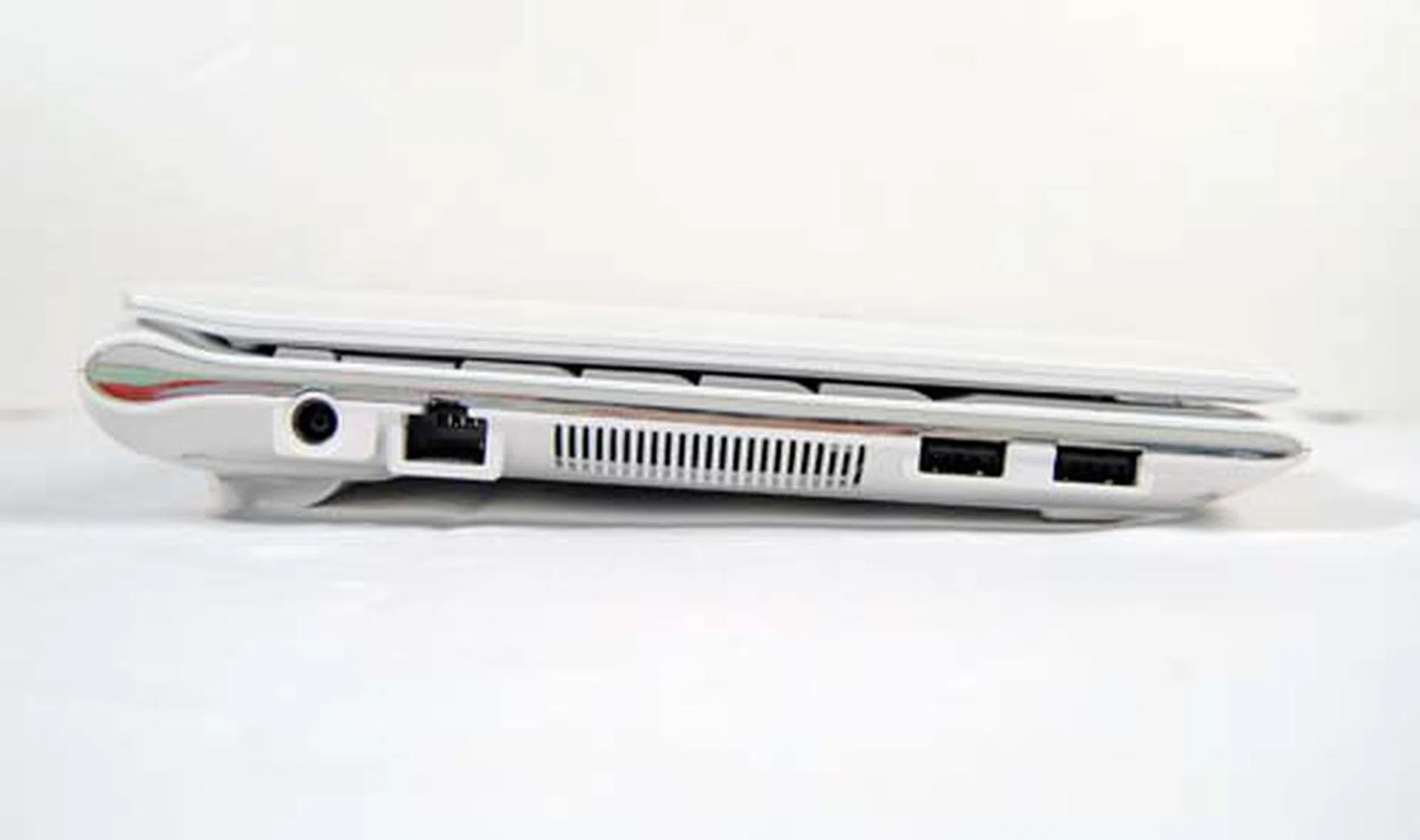
The left side is also quite clean with two more USB ports and a LAN port.
Peeking Inside
Upon opening the netbook, the first thing you'll likely notice is the wide keyboard. Looks like Samsung did manage to pack a normal sized notebook keyboard into the netbook after all - thanks to the extra width of the netbook. There's certainly plenty of space to type comfortably.
One of the features that make the Samsung netbook stand out from the pack was the inclusion of the 2.1 channel sound system. This basically means a 'subwoofer' is located at the bottom of the unit, but it's really more like a simple dedicated low-channel driver. While the volume of this netbook was loud, the 2.1 speakers didn't actually do much to differentiate the N120 from the other netbooks. If you listen hard you can discern that it has slightly better mid-range than its competitors, but most people can't tell apart such minute differences in audio quality on the compact netbook scale.
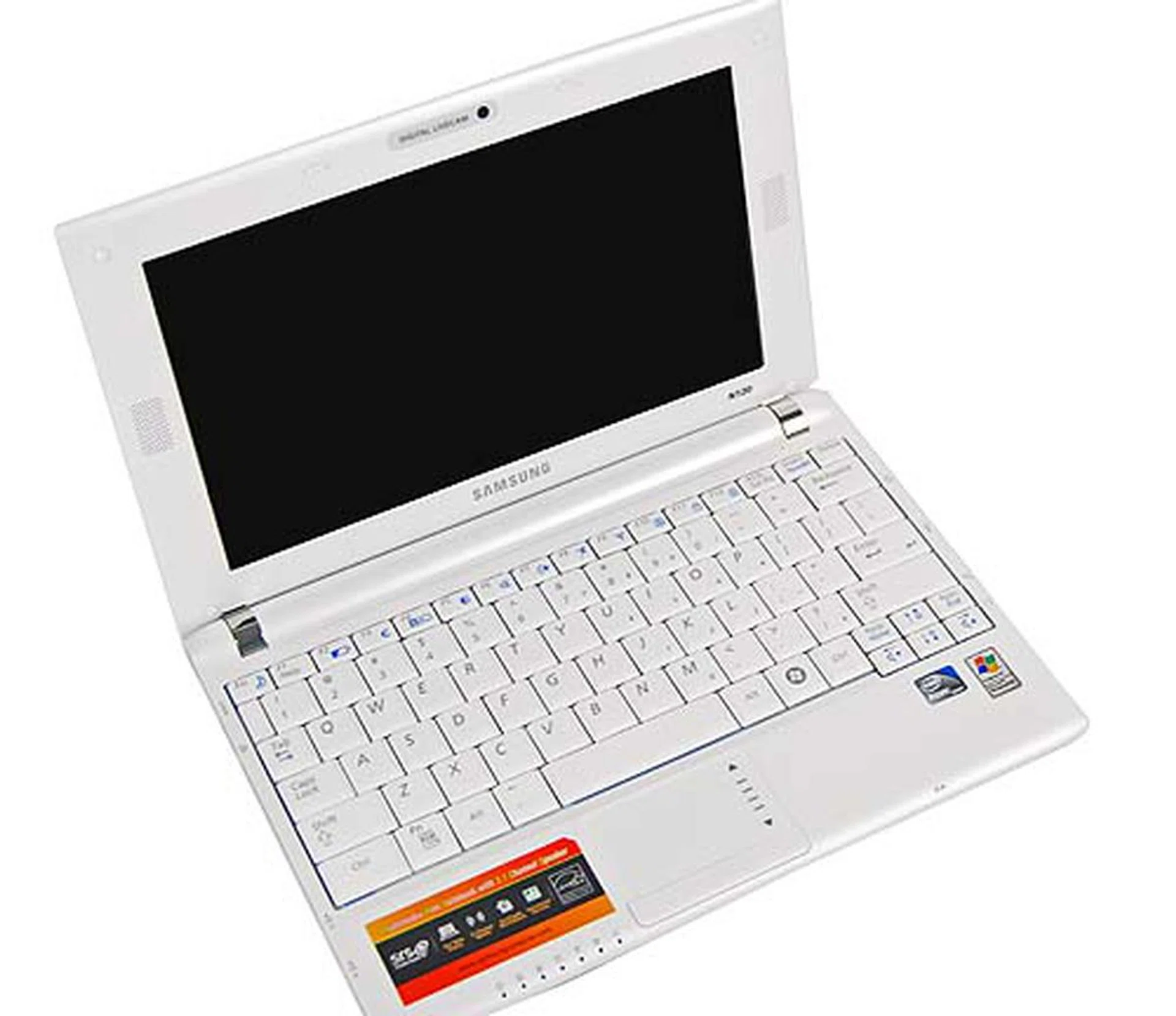
The insides open to a very pretty interior with a spacious keyboard. Note the speakers located at the side of the glossy screen.
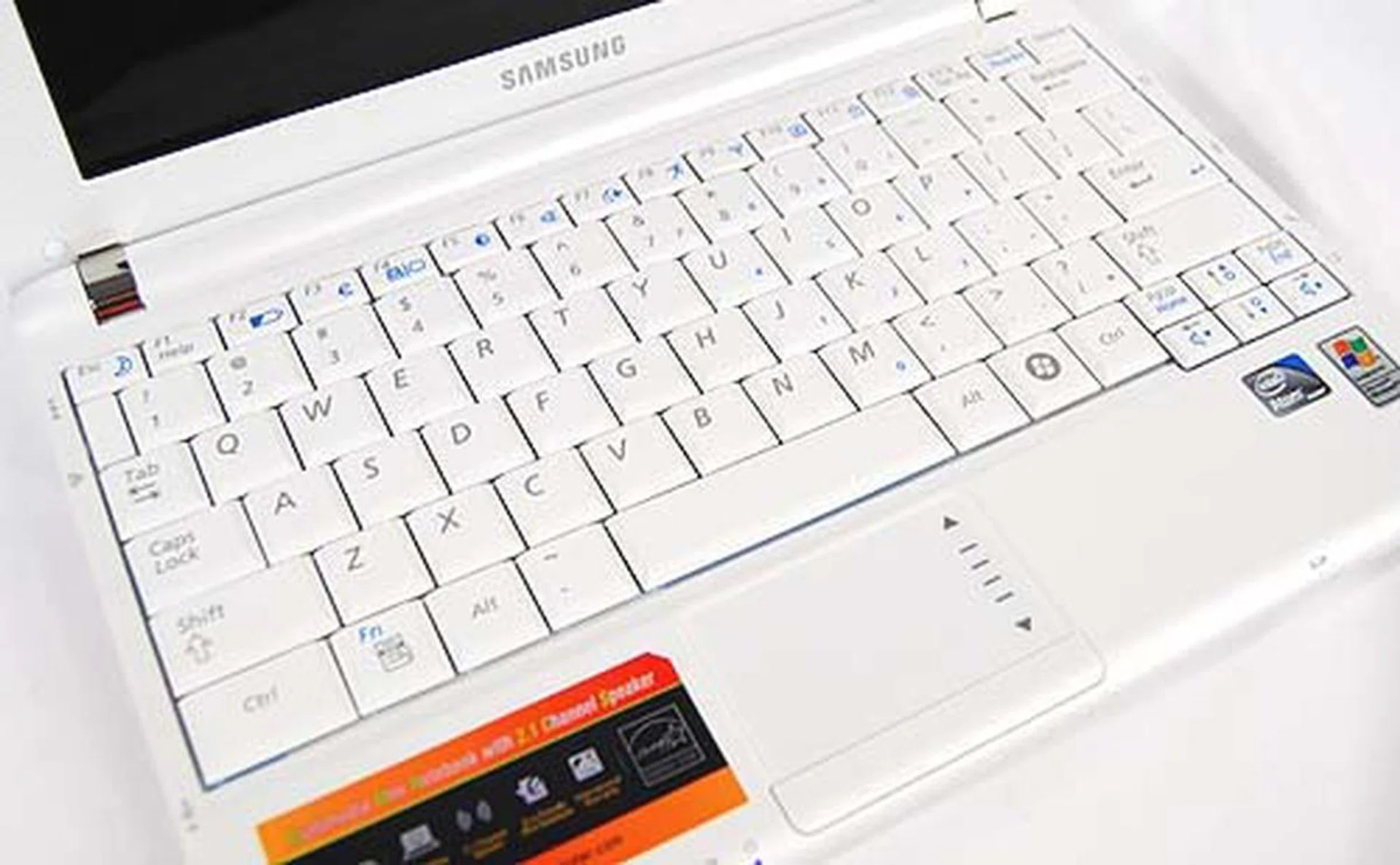
The keyboard is one of the highlights of the netbook and is rated to be a full 12-inch notebook keyboard on a 10.1-inch netbook.
Toshiba NB200
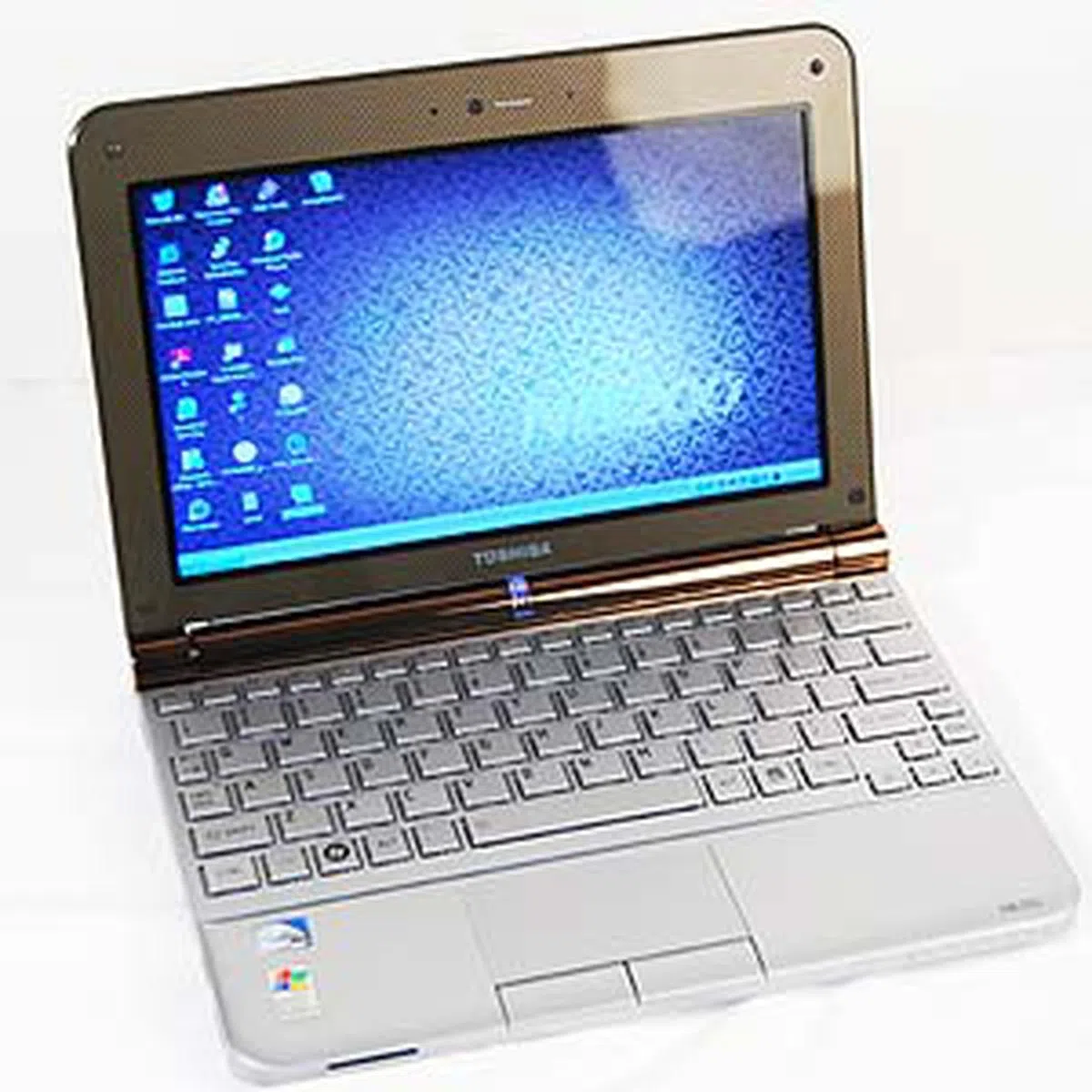
Returning with a bang of an update for its netbook line is Toshiba with its NB200. While the original 8.9-inch NB100 didn't really handle too well due to its smaller form factor and cramped keyboard, the revamped 10.1-inch NB200 seems to have fixed some of the issues with the predecessor. If bigger means better screens and keyboard, well, the NB200 has already gotten them right.
First up, you'll note a non-glossy matte design that's much easier on the fingerprint smudging issue. Also, instead of the angular look of the original NB100, Toshiba has opted for the gentle curved corners similar to those found on the other netbooks in this roundup. It's a design improvement that we quite like, and props goes to Toshiba for taking their time to properly redesign the NB200 instead of just increasing the size and using the same template of the NB100.
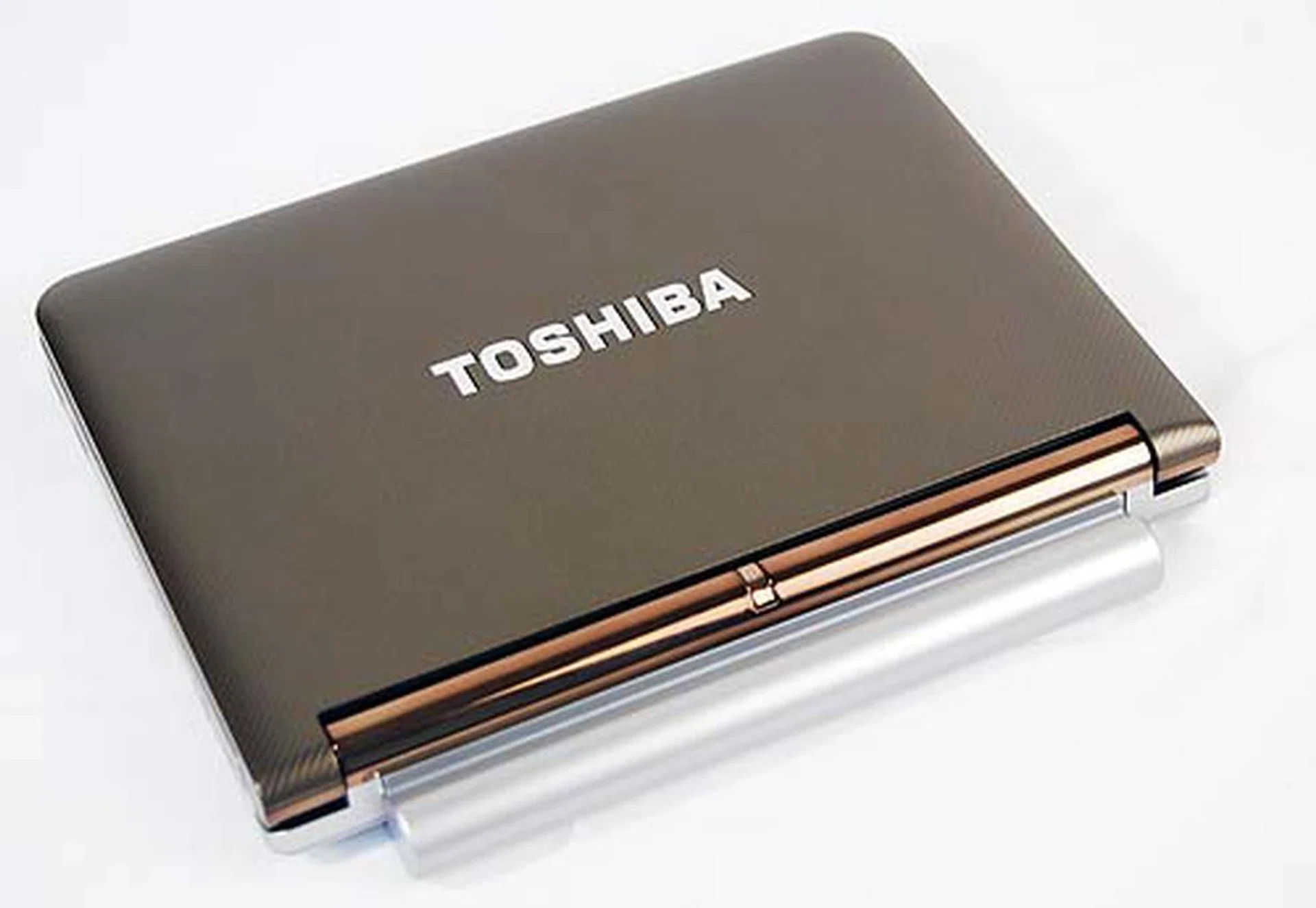
Toshiba's netbook the NB200 easily steals your heart with its pretty looks.
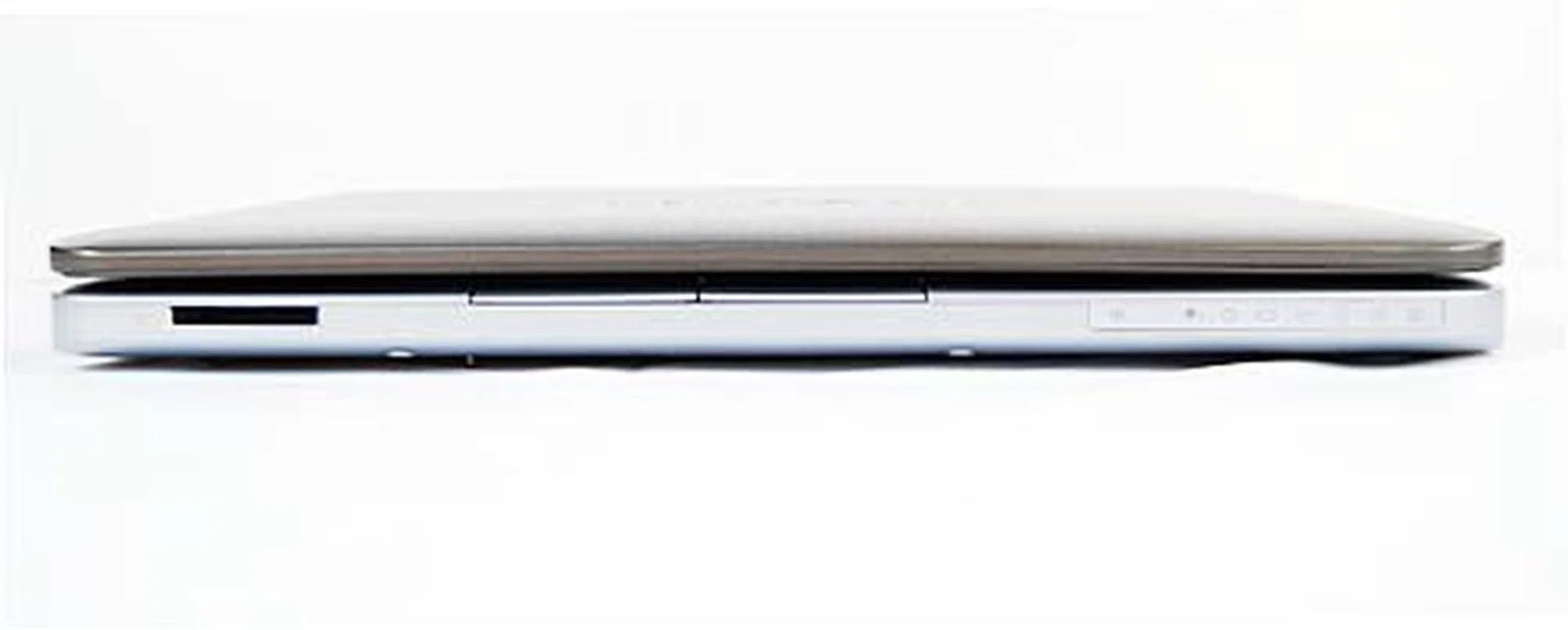
The front of the unit holds just the slot for the card reader.
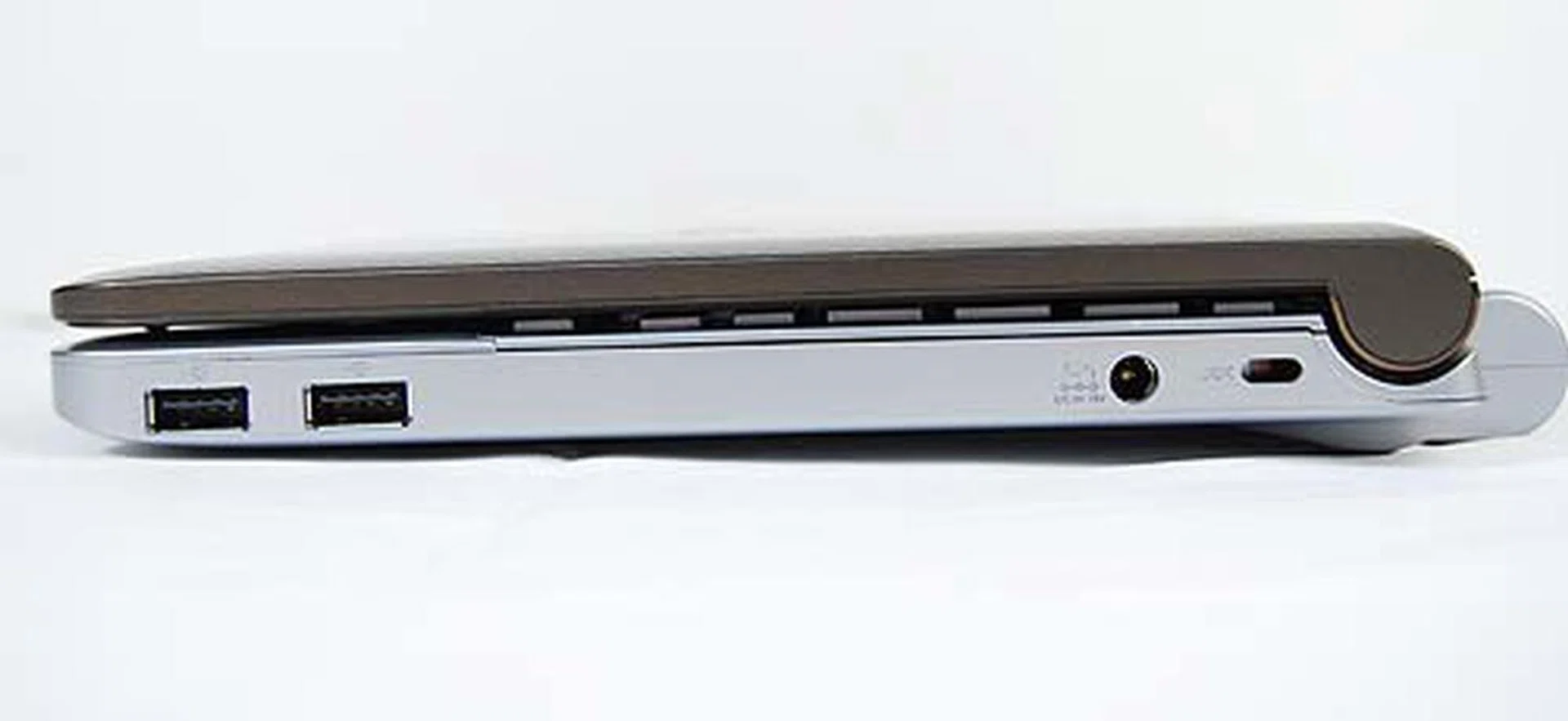
The right side also remains clean with just two USB ports.
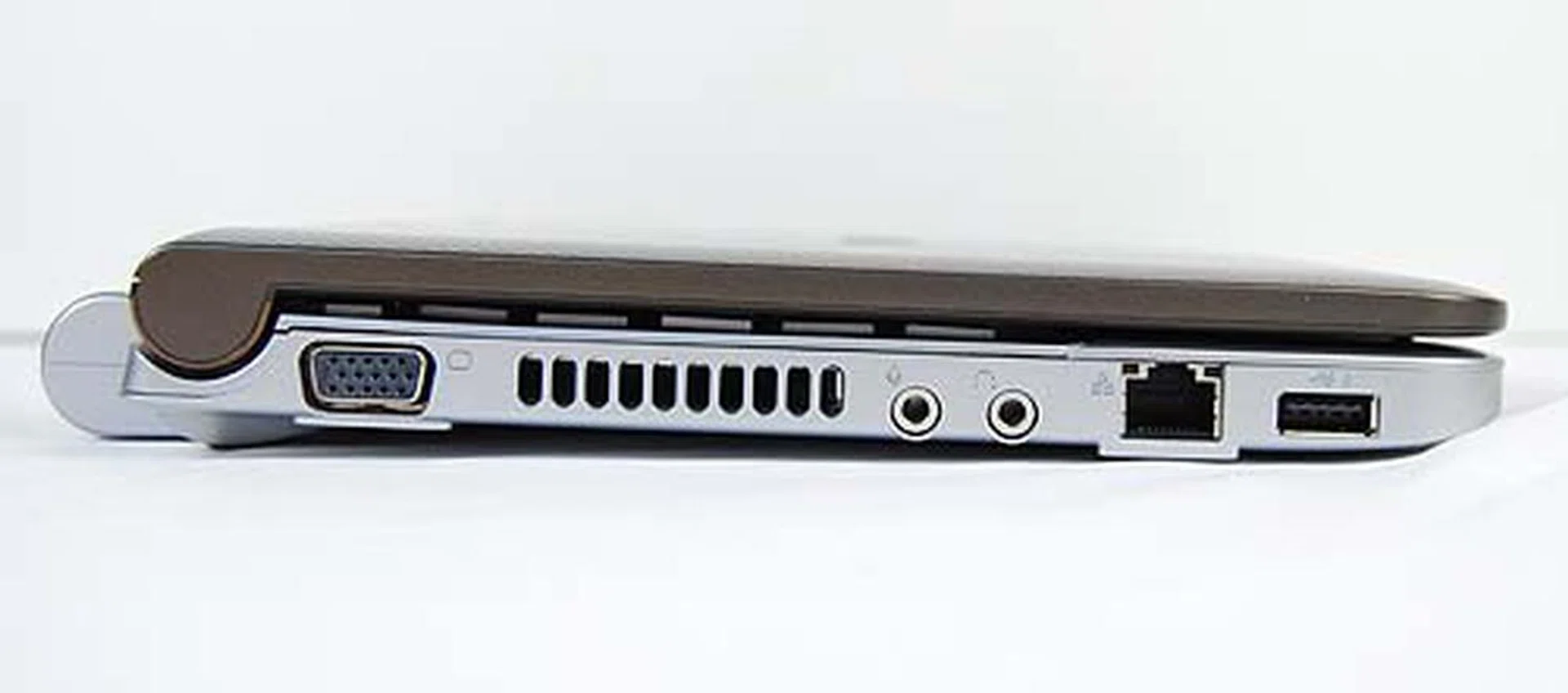
The left side holds the VGA out, audio jacks, LAN port and another USB port. Pretty standard stuff, really.
Interior Workings of the NB200
If you found the exterior appearance to be a refreshing change, it's the innards of the Toshiba NB200 that will wow you. Firstly, it's the chiclet keyboard that will catch your attention. While it's not the first time we've seen a chiclet keyboard on a netbook (the Sony VAIO P comes to mind), it's the first time we've seen one on a 10.1-inch netbook. And while having a chiclet keyboard is all find and dandy, we found the keys to be slightly stiff and less than satisfactory for heavy typing needs. Lastly, audio quality was strangely muted compared to the other netbooks in this round up; we found the volume to be quite soft even at maximum volume. So it's probably not a good outdoor multimedia companion.
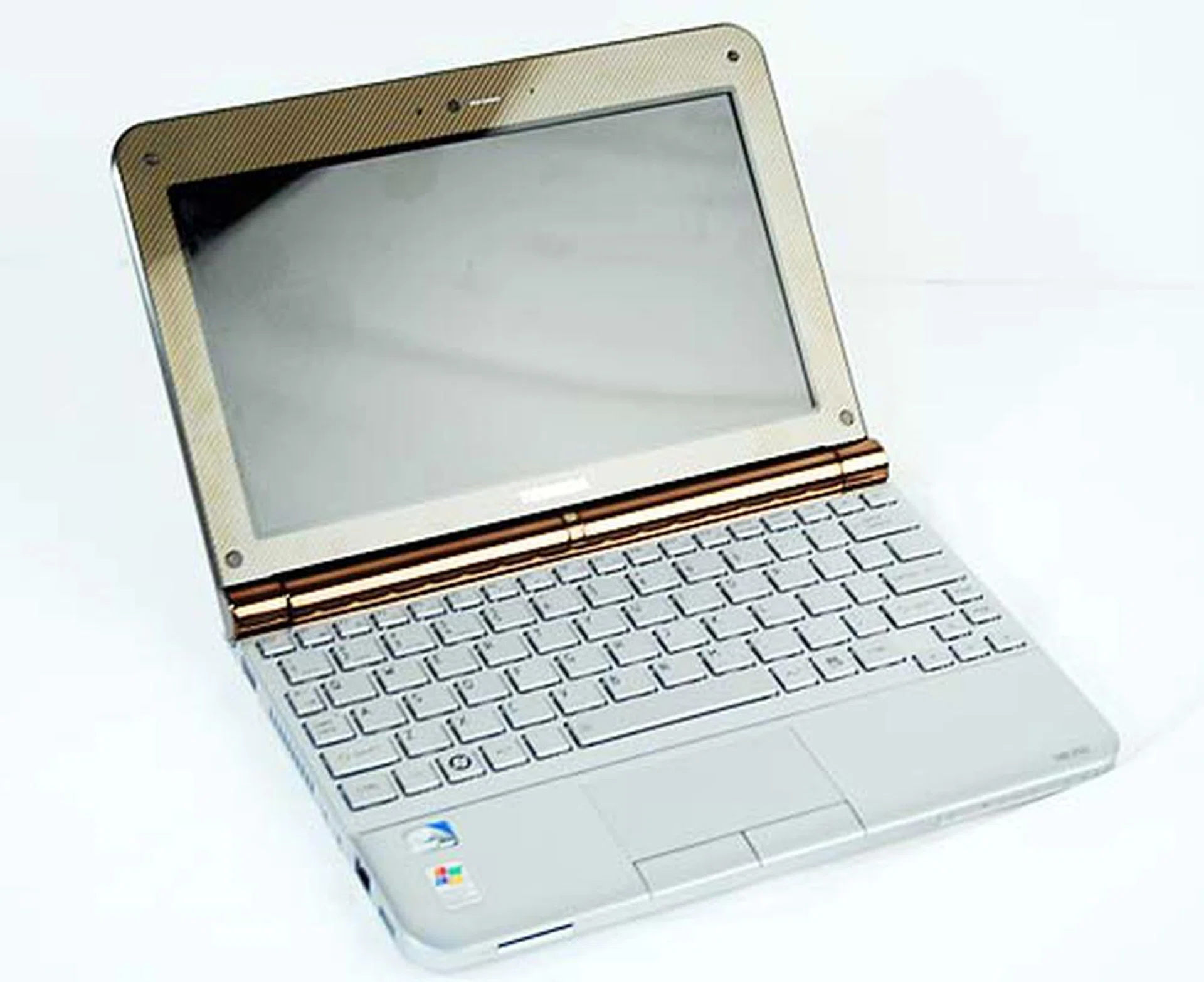
Opening up the netbook reveals a very pretty interior, though the glossy screen does inhibit our desires somewhat.
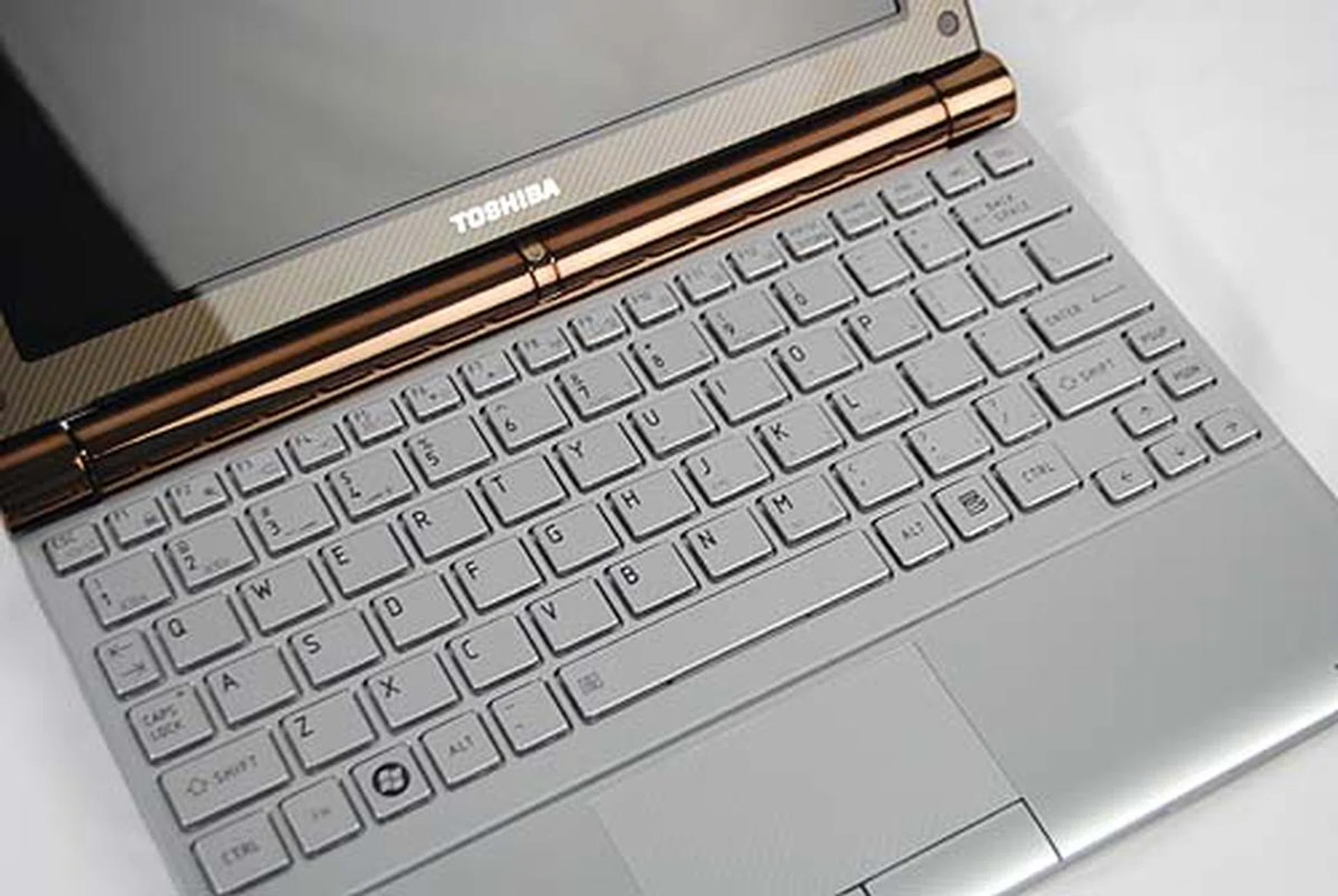
The chiclet keyboard is probably the highlight of the netbook, though we have to confess that typing on it wasn't as good as we originally expected.
Battery Life and Portability Index
Battery Specifications/ Notebook | Size | Capacity |
ASUS Eee PC 1008HA | 3-cell | 32.0Wh |
Acer Aspire One AOD250 | 6-cell | 47.5Wh |
HP Mini 110 | 3-cell | 28.0Wh |
Lenovo IdeaPad S10-2 | 3-cell | 28.0Wh |
MSI Wind U123H | 6-cell | 57.7Wh |
Samsung N120 | 6-cell | 66.7Wh |
Toshiba NB200 | 6-cell (Ext. Battery) | 63.0Wh |
If you're going to be carrying around a netbook, the last thing you'll want is for a netbook to prematurely die on you while you were surfing the internet on the go, so battery life for netbooks is probably one of the more important things to consider when getting a notebook. Again, not all notebooks come with similar sized battery so you'll definitely see differences in battery life. We've tried to ensure that these units come with the default battery configuration, and have mostly succeeded on that account. Only the Toshiba NB200 came with an optional 6-cell battery and not the 3-cell of the default, but you can roughly estimate its battery life to be about slightly half that of the 6-cell performance.
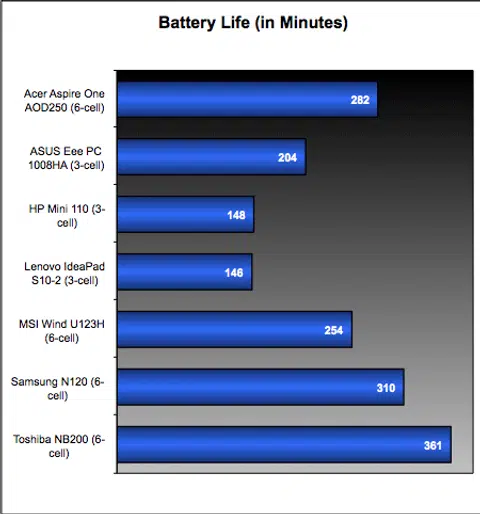
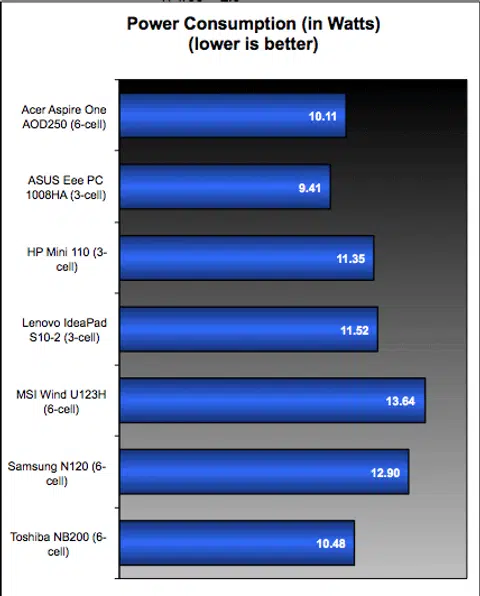
Power consumption figures are generally the same all around, with slight variances expected due to minor differences in hardware set up. The Intel Atom processor generally performs at this level based on our previous experiences, so don't expect to see game changing results until the next generation of Atom processors are finally launched by Intel.
Portability Index
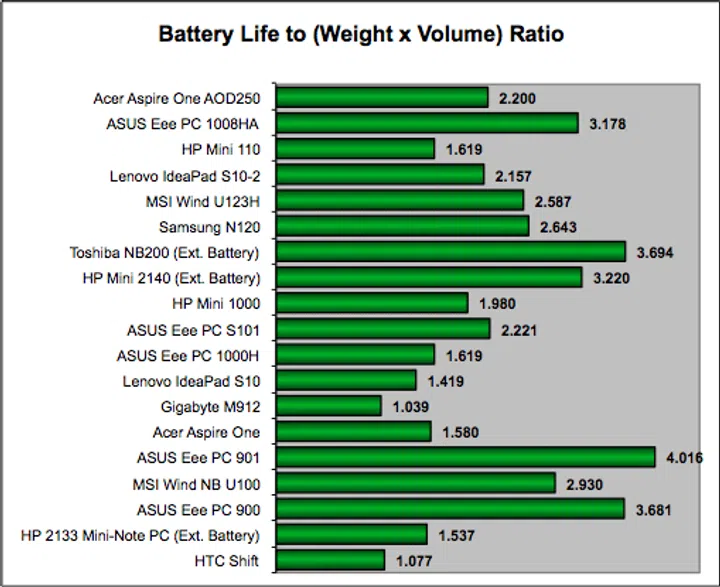
This is where it gets interesting, after all, manufacturers have had time to play around with the form factor, design and build of the netbooks, and depending on the battery life and dimensions of the netbook, our Portability Index benchmark will come up with a figure that indicates how portable a notebook can be. A higher number is eminently desirable, as it shows how much more portable the machine is compared to the others.
The result? Well, the Toshiba NB200 scores pretty well here, thanks to its long lasting battery life and form factor. Note however, that the netbook is using a non-default 6-cell battery option. The ASUS Eee PC 1008HA also does well in this benchmark with its lightweight form factor and decent battery life. Do note however that it's using a non-removable battery so if you run of out juice without a nearby power point, well you're so out of luck.
Interestingly, the ASUS Eee PC 901 still remains the king of the hill in this segment; no other netbooks have yet to come close to beating the 901's scores in this benchmark segment. Of course, this figure should only be compared with other products of it similar build and target user to ensure comparisons are fare. For example, you can't expect a DTR to equal a netbook in the portability index.
Benchmarking Performance
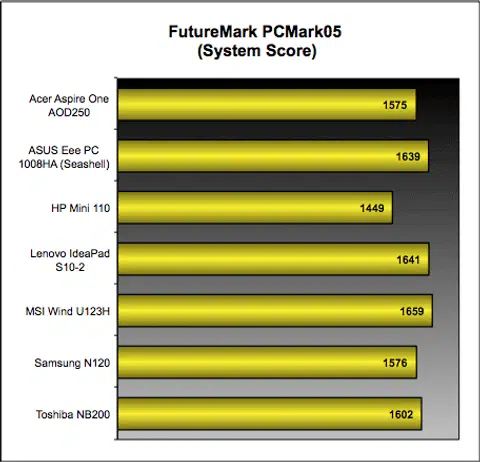
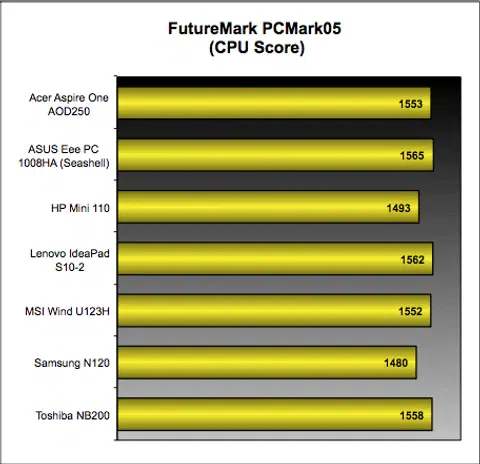
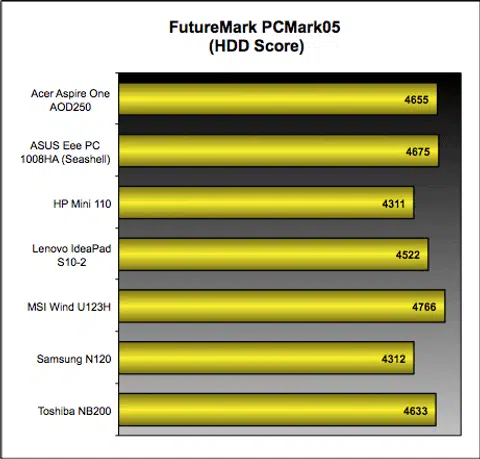
With our review netbooks basically using the same Intel Atom processor and 5400RPM HDDs (though not of the same make), we expect to see no difference in our PCMark05 benchmark, and after running all seven netbooks through the benchmark, our expectations were proven true. As can be seen from our table earlier, the results indicate only slight fluctuations in the scores which mean there's really not much of a performance difference between the netbooks.
This means that any of the netbooks reviewed here will deliver about the same performance level in real life. If we were to be picky, take note that the HP Mini 110 somehow consistently ranked last, so it's not running as optimal as the rest of the group. You might also pinpoint that Samsung does get into the slower band when peering through some of its component related tests, but it did well in the overall PCMark Suite test, which does factor in all of the unit's subsystem performance. In that regards, Samsung turned out fine overall.
Closing Thoughts
There are plenty of netbooks currently available in the market and to be honest, it's quite hard for most folks to make a choice between netbooks. There are just way too many similar options out there at the moment. If you're shopping for a netbook, we share your thoughts as it can be quite taxing. Do you go for the lowest cost or do you pay more for extra features like a 3G modem or get a netbook that's pretty on the design? Fret not, for if you've come so far into the article now, we don't want to let you down, so here are ours answers for you based on our experience with several of these new 10-inch netbooks.
To derive our final summary of each of the netbooks, we've included a scoring breakdown to help you better understand our scoring assessment for you readers to easily compare and contrast what each netbook has to offer despite their similarities and price points. It should help with your decision on which netbook to focus upon, if that's on your shopping radar.
Battery Life & Portability | Performance | Features | Physique | User Friendliness | Value | Price | |
Acer Aspire One AOD250 | 3.5 | 4 | 3.5 | 3.5 | 4 | 4.5 | $688 |
ASUS Eee PC 1008HA | 5 | 4 | 4 | 4 | 4 | 4 | $798 |
HP Mini 110 | 3.5 | 3.5 | 4 | 4.5 | 4 | 4.5 | $699 (No 3G) |
Lenovo IdeaPad S10-2 | 4 | 4 | 4.5 | 4 | 4 | 4.5 | S$699 (6-cell retail) |
MSI Wind U123H | 4 | 4 | 4.5 | 4 | 4 | 4.5 | $888 (3G) $674 (No 3G) |
Samsung N120 | 4 | 4 | 4.5 | 4.5 | 4 | 4 | $799 |
Toshiba NB200 | 5 | 4 | 4 | 4 | 4 | 3 | $749 |
And of course, to wrap things up nicely, our product summary followed by our final overall ratings for each of the netbooks in the table below. Thanks for reading!
Acer Aspire One AOD250 - Affordable but Average
Acer has never disappointed with the pricing for its products, so it should come as no surprise that the Aspire One AOD250 is the cheapest of the lot. Despite its low pricing, the Aspire One still feels and performs decently. However, they could have tweaked the netbook on several aspects considering it's a larger than the original Aspire One, such as the keyboard, the odd looking gap as part of the design, its weight and others. Overall, it's an average, frill free, affordable netbook that's a tad on the heavy side.
Price: $688, Weight: 1.33kg
ASUS Eee PC 1008HA - Lightweight and Sleek
The redesign for the ASUS Eee PC series in the form of the 1008HA Seashell is something we quite liked. The addition of flaps at the side to hide the ports is a definite nice touch, though we can't really say the same for the glossy surface that's a terrible smudge magnet.
Lastly, whether or not the non-removable integrated 3-cell battery is a good idea remains to be seen, though we think it should work our fine as its battery life is more than satisfactory given its three-hour performance in our video stress test. Sure, you can't swap it out if you need a new battery, but it does make the 1008HA the lightest of the lot at just 1.05kg and one of the sleekest.
Price: S$798, Weight: 1.05kg
HP Mini 110 - Affordable Typist Delight
The HP Mini series are no strangers to this compliment, having scored much praise from our past reviews thanks to its well laid out keyboard and size of the keys. That said, the design remains pretty much the same as their other netbooks in the same series; so HP obviously isn't going for a radical redesign.
The option to have a 3G modem does sweeten the deal somewhat, but we were unable to obtain a retail price for the 3G enabled model which is only available in selected regions. Thankfully though, HP has priced the non 3G Mini 110 at an attractive price point of just S$699.
Price: S$699 (Non 3G model), Weight: 1.15kg
Lenovo IdeaPad S10-2 - Functional and Affordable
The first Lenovo IdeaPad S10 had always been the functional netbook and the S10-2 is no different. If you're just looking for a netbook that you can use on the go with no qualms, well that's the S10-2 for you.
Thanks to the Quick Start feature, the S10-2 delivers a quick start up at 10 seconds for you to immediately access the internet, chat via Skype or view photos without having to boot into Windows.
Factor in an improved keyboard on top of what's already mentioned and you'll find that the S10-2 is an impressive netbook, though we do find the new exterior design an undesired change compared to the elegant simplicity of the older S10. Note that while we reviewed the 3-cell model, apparently, we could only get a hold of the retail price of a 6-cell equipped model.
Price: S$699 (6-cell retail), Weight: 1.1kg (3-cell model)
MSI Wind U123H - Functional and Affordable
Like the Lenovo S10-2, MSI's Wind U123H also delivers on the goods while still being quite functional like its predecessor, the NB U100. The U123H delivers a familiar yet solid experience that users can easily get accustomed to easily and with minimal adjustment.
The addition of a built-in 3G modem for the U123H means users can surf on the go without worrying too much about looking for wireless hot spots. Coupled with a default six-cell battery pack, the Wind U123H is as functional as you can get from a netbook. A non 3G version is also available (U123) at a price that makes the netbook the cheapest in our roundup.
Price S$888 (3G), S$674 (No 3G), Weight: 1.325kg
Samsung N120 - Long Lasting and a Typist Delight
We found ourselves falling in love quickly with Samsung's N120 netbook which itself packs an impressive punch with over five hours of running time. That's a pretty decent result in our books, and when you factor in the unit's other equally impressive features, you'll see why we like this netbook so much.
The keyboard's just the right size for most folks, and Samsung has done a credible job in squeezing in such a fine keyboard onto the netbook. The decent 2.1 speakers also further add on to its list of features and the matte white finish just makes this netbook all the more adorable in our collective eyes. It is all these reasons and more that we've awarded the Samsung N120 as the Winner 2009 of our 10-inch netbook roundup.
Price S$799, Weight: 1.28kg
Toshiba NB200 - Undeniable Bling Factor
The Toshiba NB200 is quite possibly the flashiest of the lot that we reviewed. From its funky cover to its silver innards with the chiclet keyboard, there's no denying it's the prettiest of the lot in our netbook roundup.
The unit also does well in our battery life tests, though this is mostly due to the extended 6-cell battery that does not come default on the retail unit. While the normal price of S$749 with the standard 3-cell battery sounds reasonable enough, the S$198 cost of the 6-cell battery knocks this netbook out of the ballpark compared to the rest. Still there's not denying it's a great netbook all the same, and a good choice for the fashionistas and folks who just want something different to stand out with.
Price: S$749 (3-cell retail), +S$198 for the 6-cell battery, Weight: 1.325kg
 | |
 |  |
 |  |
 | |
 | |
 | |
 |  |

Our articles may contain affiliate links. If you buy through these links, we may earn a small commission.