
Macworld Conference & Expo 2006
MacBook Pro, iMac with Intel Core Duo Processor, iPod Radio Remote, iWork '06, iLife '06 are some of the key announcements that were announced among a couple of other goodies at the Macworld Conference & Expo 2006 at San Francisco. Hop right in for the full coverage.
Macworld Conference and Expo 2006: San Francisco
There is no doubt that the Macworld Conference & Expo organized by IDG World Expo is the world’s most comprehensive event for Apple Computer. With the demise of the Macworld Expo Boston in the East Coast, the San Francisco equivalent has proved all the more important. In this five-day event starting from January 9, attendees received introductory, intermediate and sophisticated education about Apple's products through the many highly-charged and highly-acclaimed conference programs. Here, participants will also get to roam the exhibit hall to try on the latest products developed by other companies for the Mac platform. And this year's Macworld had a strong focus on music, video and digital photography, and the Internet.
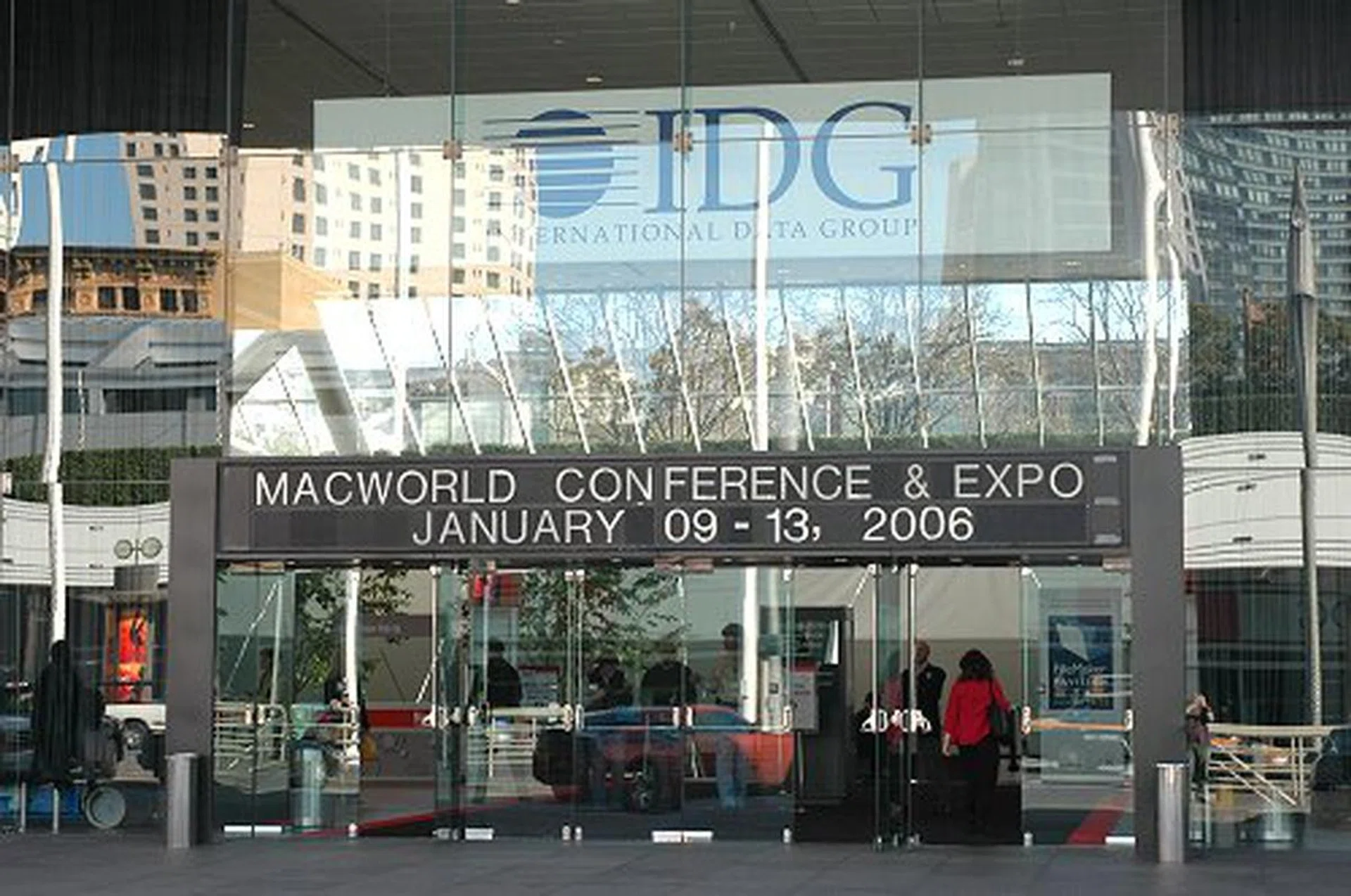

Of course, no Macworld is complete without the participation of Apple. And the highlight of the whole event was the opening keynote address on the 10th by Apple's CEO, Steve Jobs, where new directions and product announcements were made. Last year's Expo saw the announcement of software such as iLife ’05, iWork ’05, Final Cut Express HD, and hardware such as the Mac mini and the iPod shuffle. What surprises will we have, and what will Steve Job’s now-famous "One More Thing" product be this time round? The following pages will provide you with the answers.
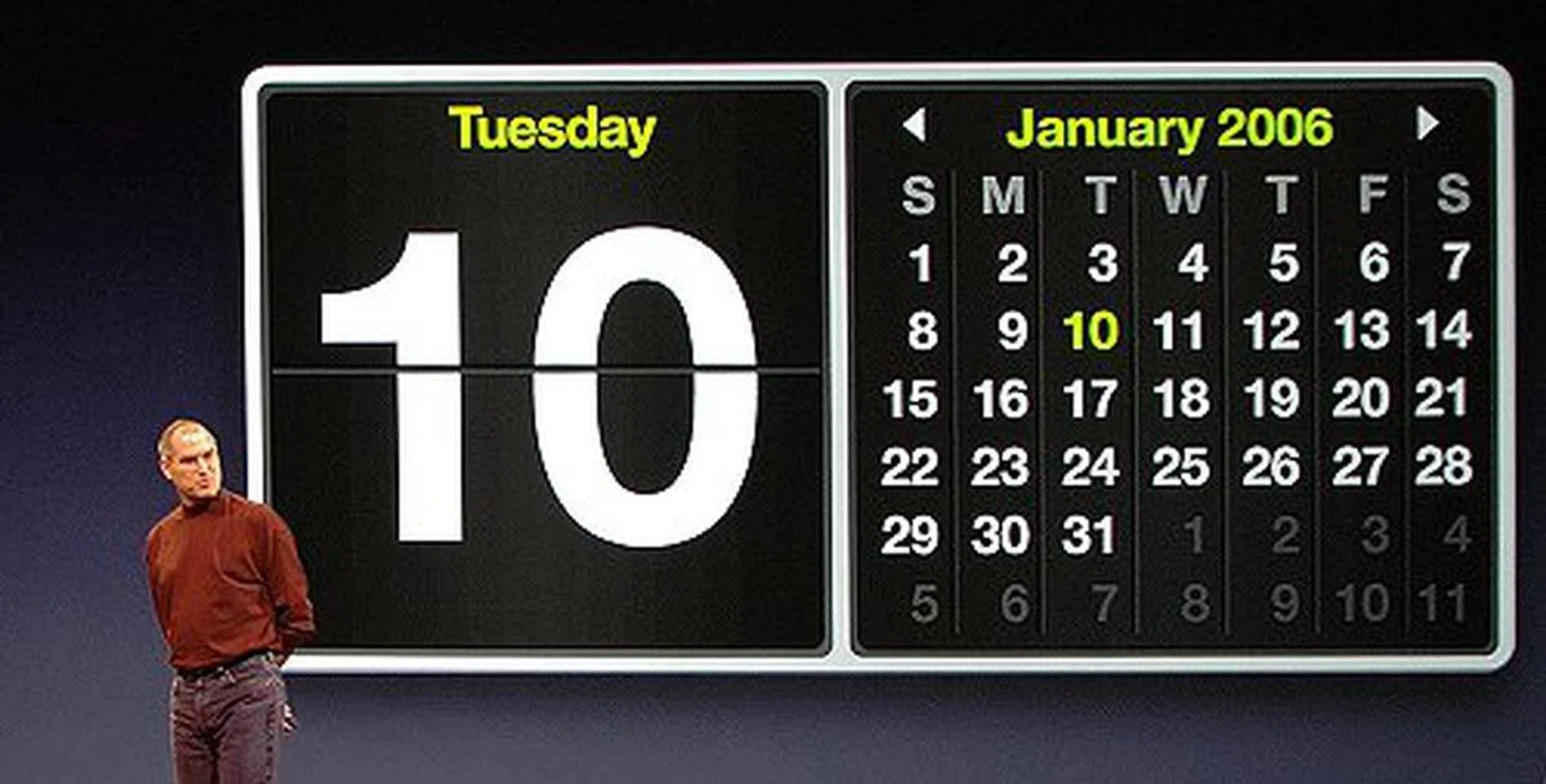
The day of reckoning? Read on and find out if your expectations of Macworld 2006 match up to the announcements made.
One More Thing Unveiled - The MacBook Pro
The decision of going Intel for its processors meant that it would become increasingly difficult for Apple to remain hush-hush about any new versions to its Macintosh line of computers. The news that Intel has shipped the new Yonah processors and the fact that many PC laptop makers like Dell, Acer, NEC and Samsung have begun releasing information on their Yonah-based notebooks before Macworld sort of managed our expectations. For the record, as far as the PC side is concerned, Yonah will receive the marketing name "Core" with the words "Duo" or "Solo" following behind to mark whether it is a dual or single core version. The Centrino name will remain, but the new platform will be called Centrino Duo if it's paired with Core Duo. Will the new Macs however use the same naming convention as their PC counterparts? And are we going to see the new Intel logo sticker on them? Is Apple really going to unveil an Intel-based Mac ahead of schedule? Before Macworld, all these were mere questions. But now, we have the answers.
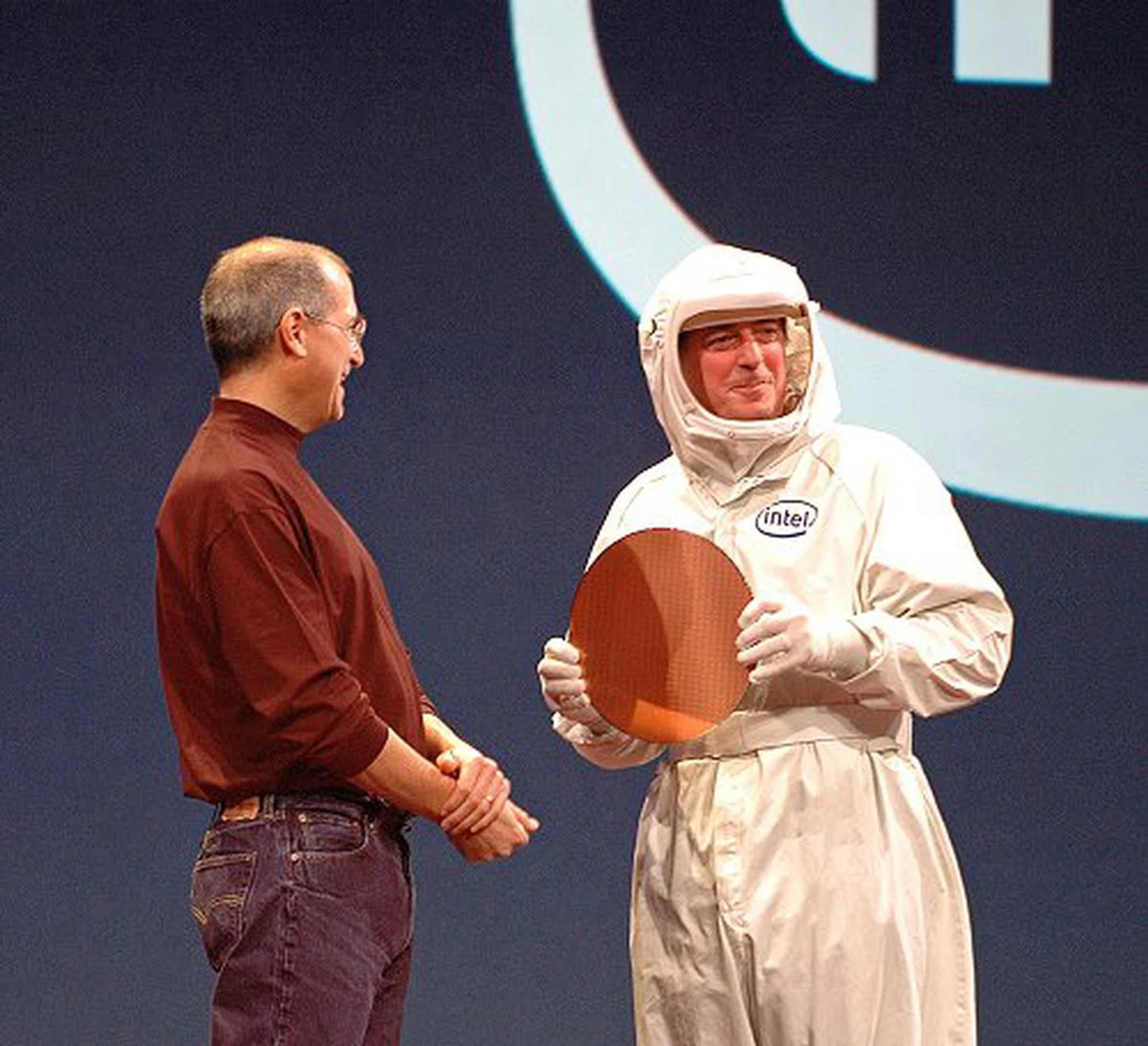
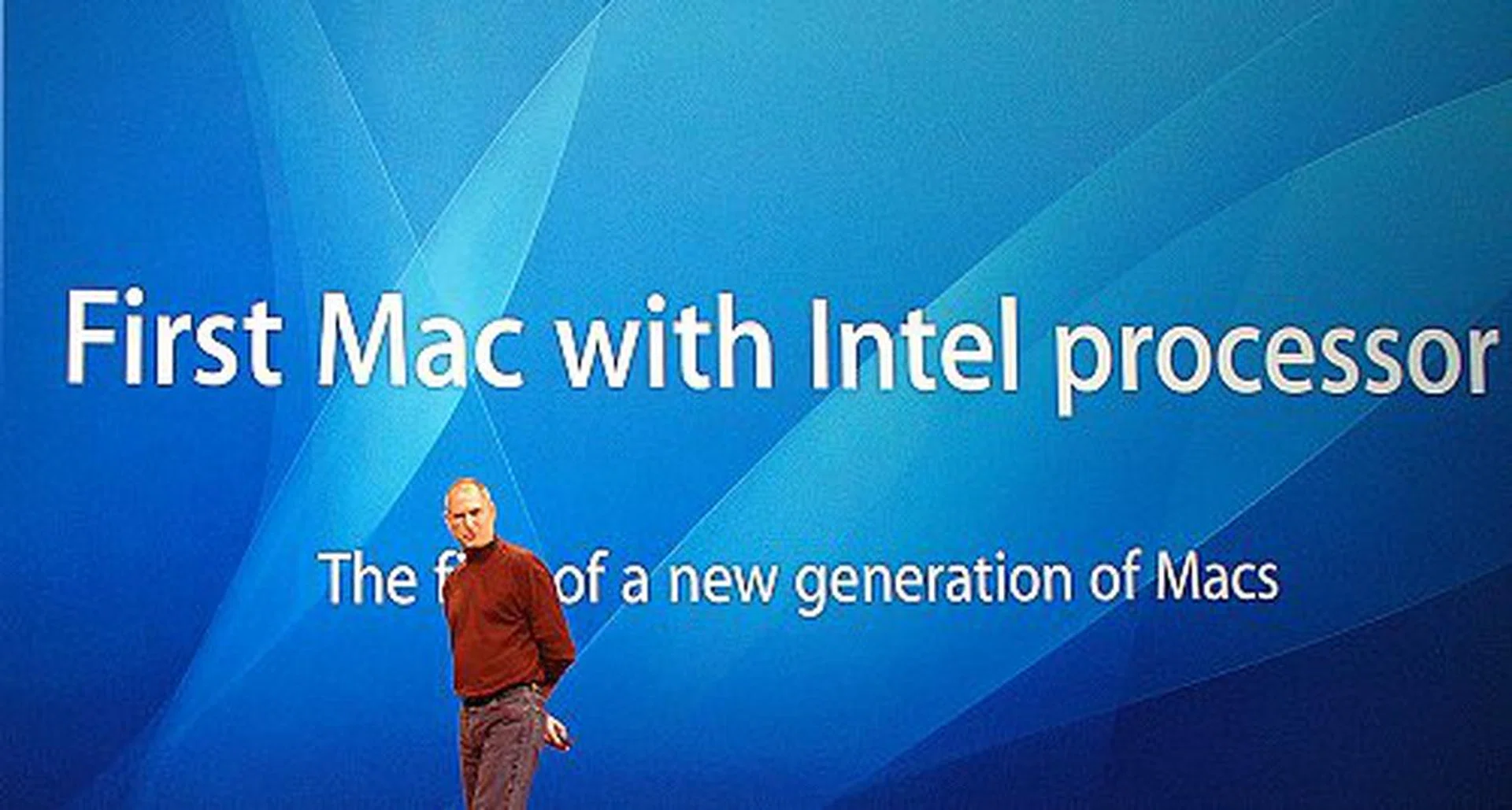
Surprise, surprise! The two industry giants, Steve Jobs (Apple's CEO) and Paul Otellini (Intel's CEO), meet up to make an unprecedented announcement:- A new generation of Macs using Intel processors.
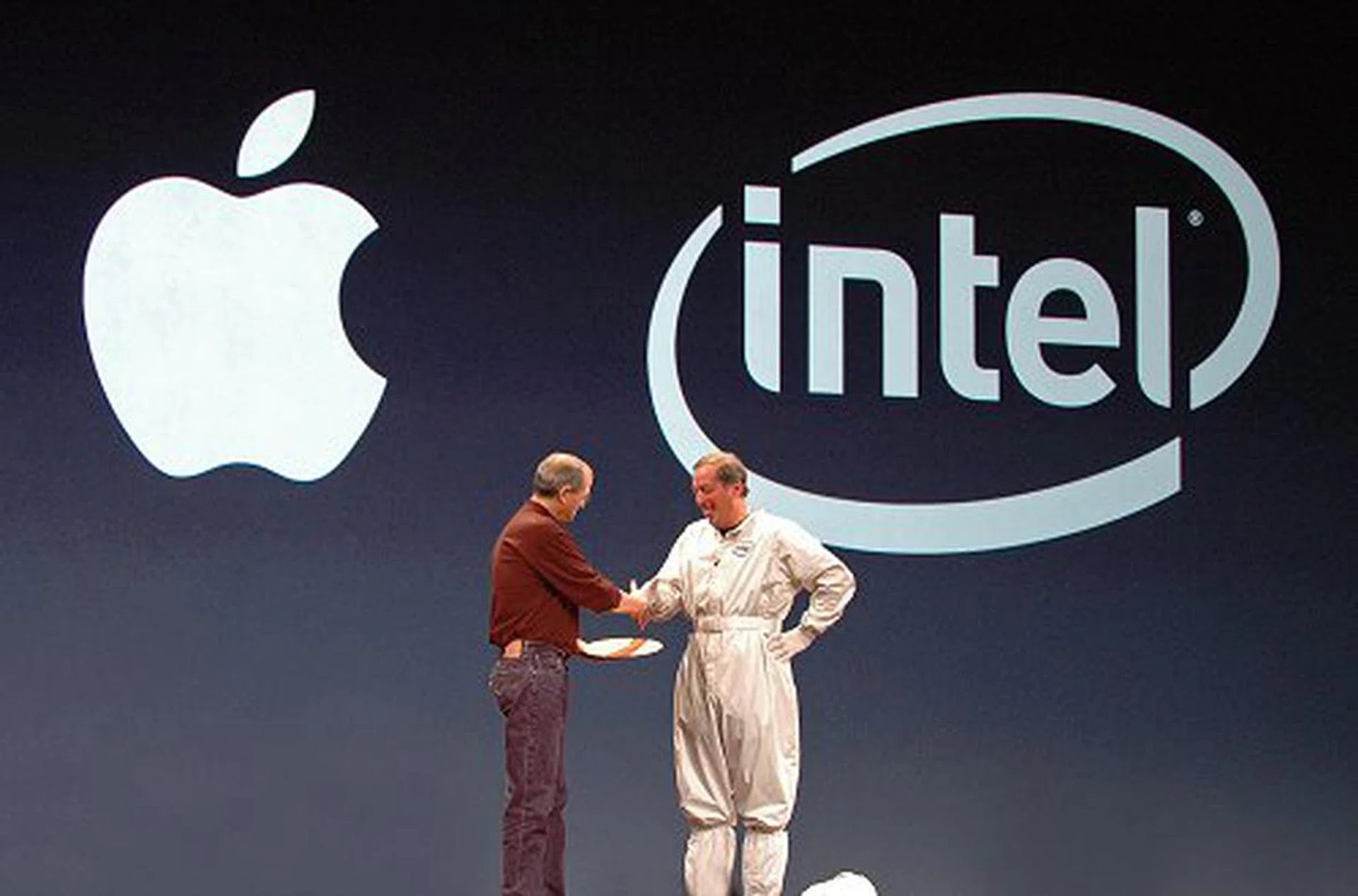
Both shake hands to commemorate a successful partnership and a new era of computing power for the Mac community.
As far as hardware predictions are concerned, the rumor sites seem to have had a 50% hit rate of success. Many have expected the Mac mini to get an upgrade and if there was going to be a new Intel-based Mac, it would be for the lower-end Macs such as the iBook. But in retrospect, a Yonah-based iBook would outperform the PowerBook G4 and it seemed illogical that Apple would release a consumer model that will outshine a professional model. So when Steve Jobs announced that there was going to be one more thing after the new Intel-based iMac, it could only mean one thing: a new Intel-based professional notebook.
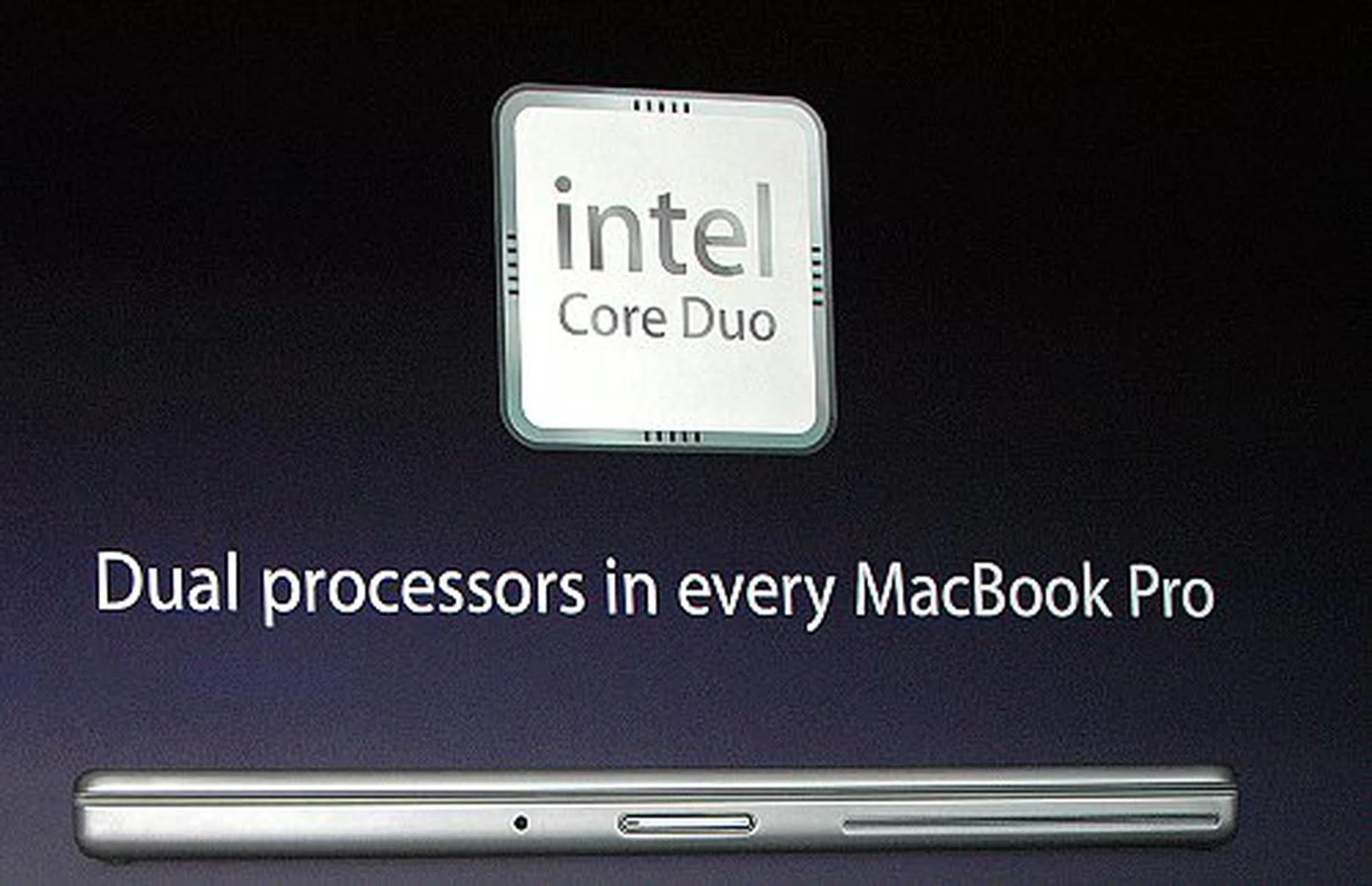
The new MacBook Pro notebooks featuring Intel Core Duo processors.
It is no secret that Apple has been trying for quite a while to incorporate the PowerPC G5 chip into the PowerBook. But during the keynote, he explained that it was very difficult to do so due to the power consumption of the PowerPC G5 processor. In terms of performance per Watt, the PowerPC G5 is even less efficient than the PowerPC G4 (0.23 vs. 0.27). But the Intel Core Duo has an incredible performance per Watt rating of 1.05. And so, Apple decided to ditch the PowerPC G4 in its professional notebook line and went instead for the new Intel Core Duo processor. However, since the 'Power' is no longer in the new laptop, a new name had to be conceived. Hence, the “MacBook Pro” was born.
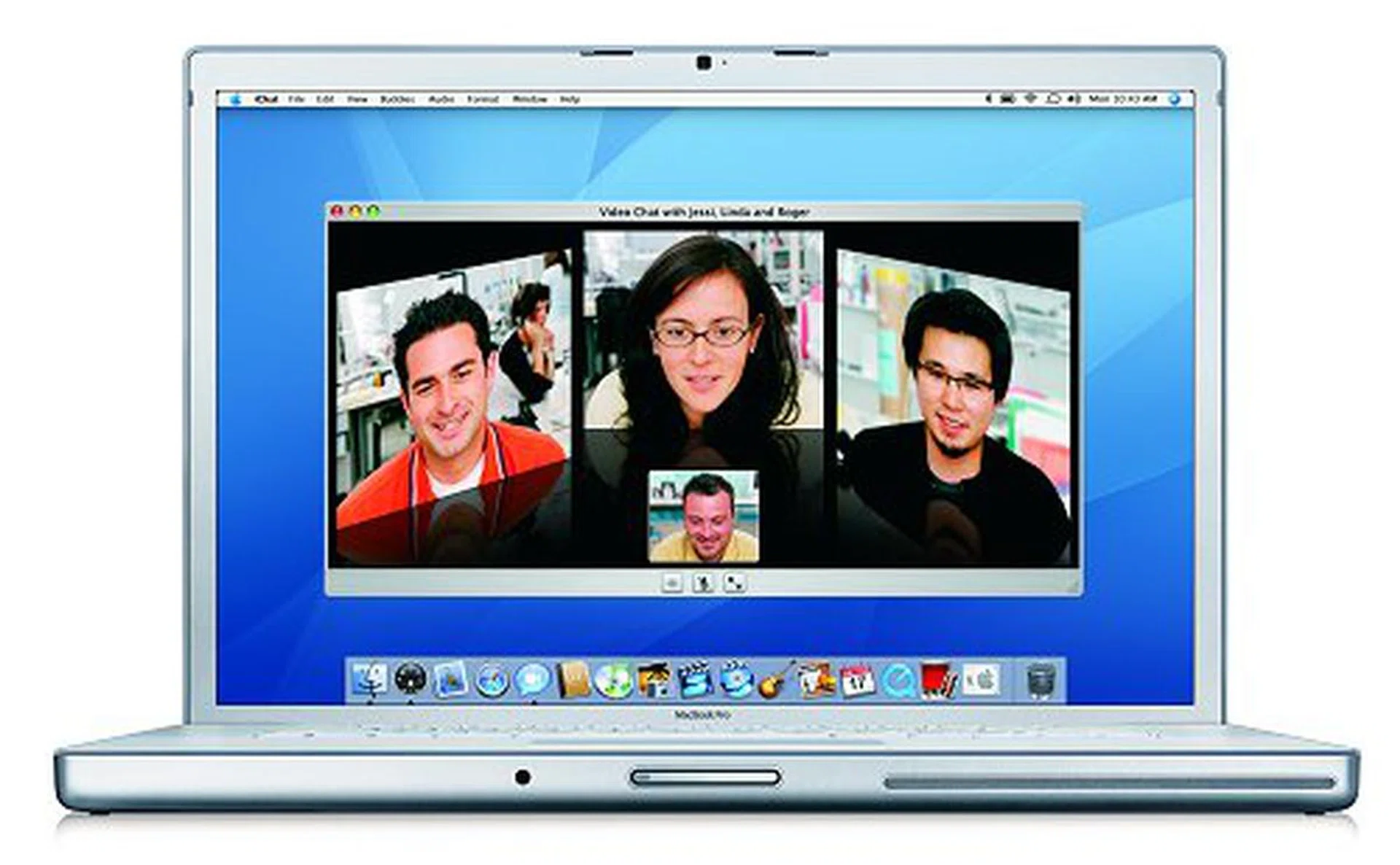
The Macbook Pro in some videoconferencing action using the iChat AV.
MacBook Pro - The Details
Two versions of the new MacBook Pro will be sold come February: the 1.67GHz, 15.4-inch model is priced at USD$1999; while the 1.83GHz, model is priced at USD$2499. Here are some standard features that can be found on the MacBook Pro:
- Integrated iSight video camera – for on-the-go videoconferencing using iChat AV, recording a video podcast or iMovie using the new iLife ’06, or simply taking quick snapshots with Photo Booth.
- Apple Remote with Front Row – for a portable media experience, up to 30 feet away.
- MagSafe Power Connector – a new magnetic power connector that snaps off when it’s being pulled suddenly (such as when someone trips over its running cable), and thus preventing the laptop from falling to the ground too.
- Backlit keyboard and light sensor
- Scrolling TrackPad
- Sudden Motion Sensor
- DVI Video-Out capability to a 30-inch Apple Cinema Display - courtesy of its new graphics processor with its Dual-Link DVI controller.
- Digital optical and analog audio in/out port
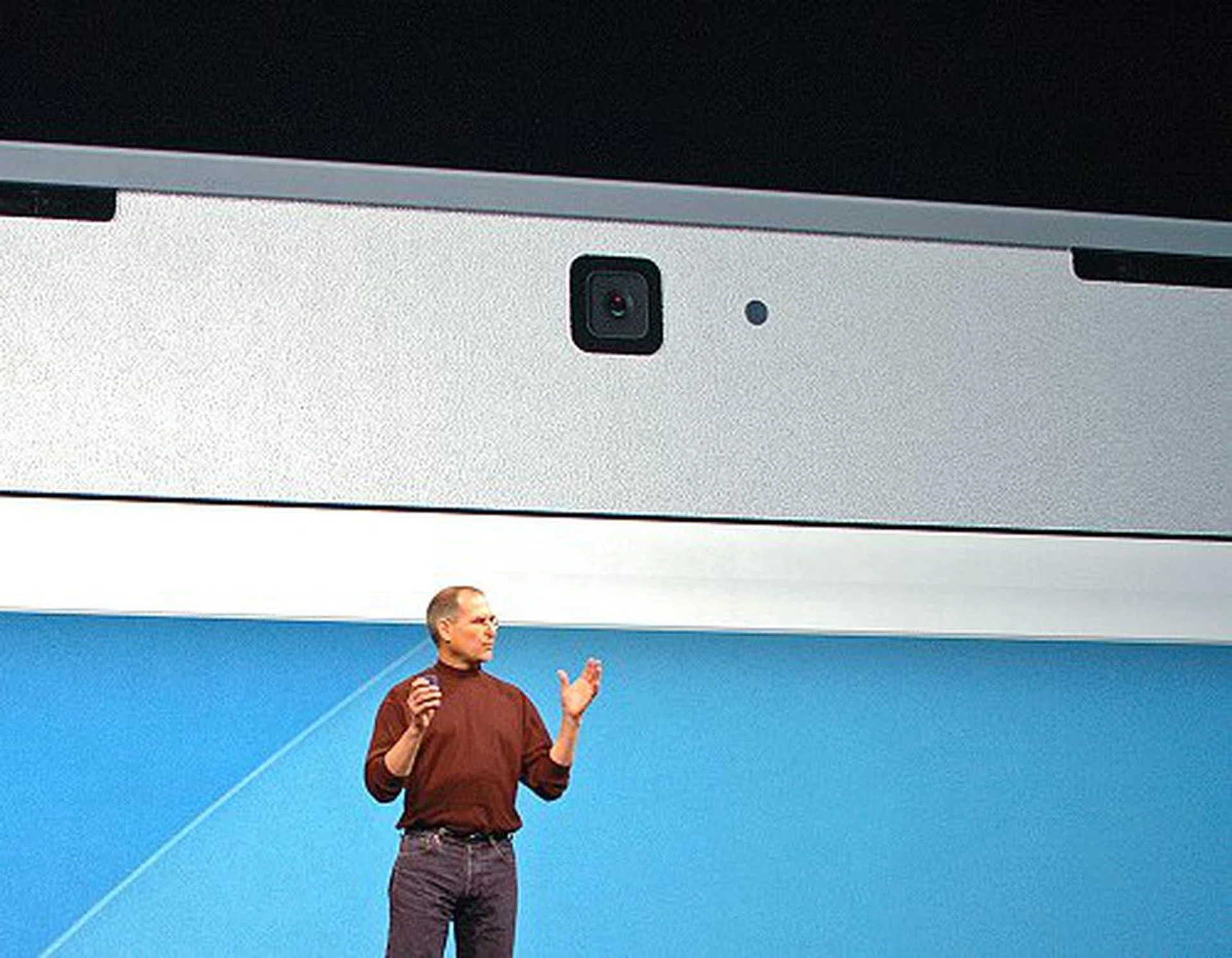
An integrated iSight video camera makes videoconferencing possible even on the move, anywhere, anytime.
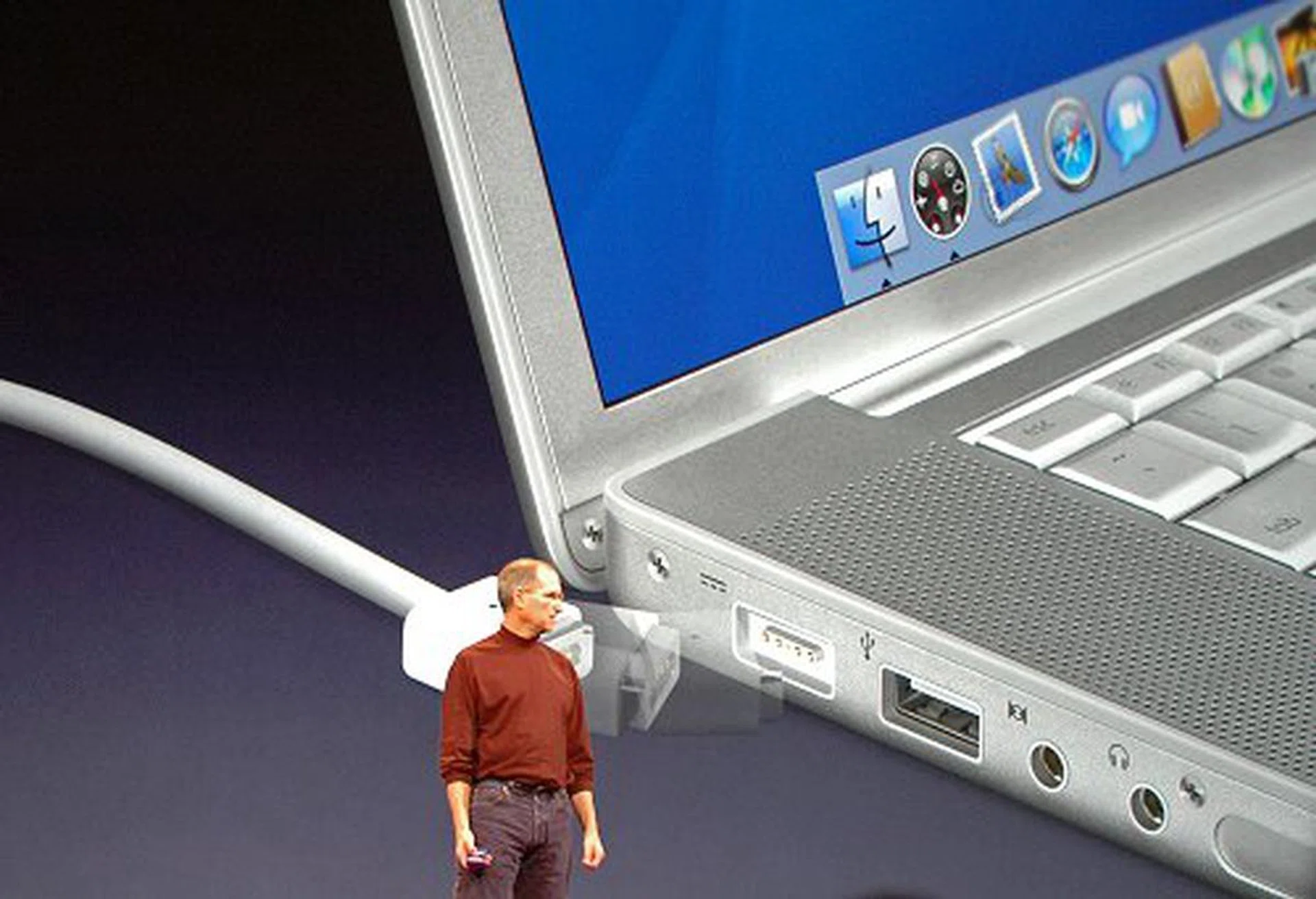
The MagSafe Power Connector being demonstrated by Steve Jobs as a solution to safeguard your notebook from careless users tripping on the power cable.
Other than the standard features listed above, both MacBook Pro models will have a 15.4-inch display (that is now as bright as the Cinema Displays and runs at a resolution of 1440 x 900), a 4x SuperDrive, Gigabit Ethernet, Airport Extreme and Bluetooth 2.0+EDR connectivity, two USB 2.0 and one FireWire-400 ports, as well as an ExpressCard/34 expansion slot.
The 1.83GHz model differs from the 1.67MHz model mainly in terms of preinstalled memory (1GB versus 512MB, 667MHz DDR2), hard disk capacity (100GB versus 80GB, SATA), and graphics card memory on the ATI Radeon X1600 (256MB versus 128 GDDR3).
Performance-wise, the MacBook Pro is expected to run four to five times faster than the PowerBook G4. In terms of integer performance, the PowerBook G4 scored 6.7 in SPECint_rate2000 but the MacBook Pro Core Duo scored 30.3 in the same benchmark. In terms of floating point performance (SPECfp_rate2000), the former achieved 4.9 while the latter pummels it at 25.6.
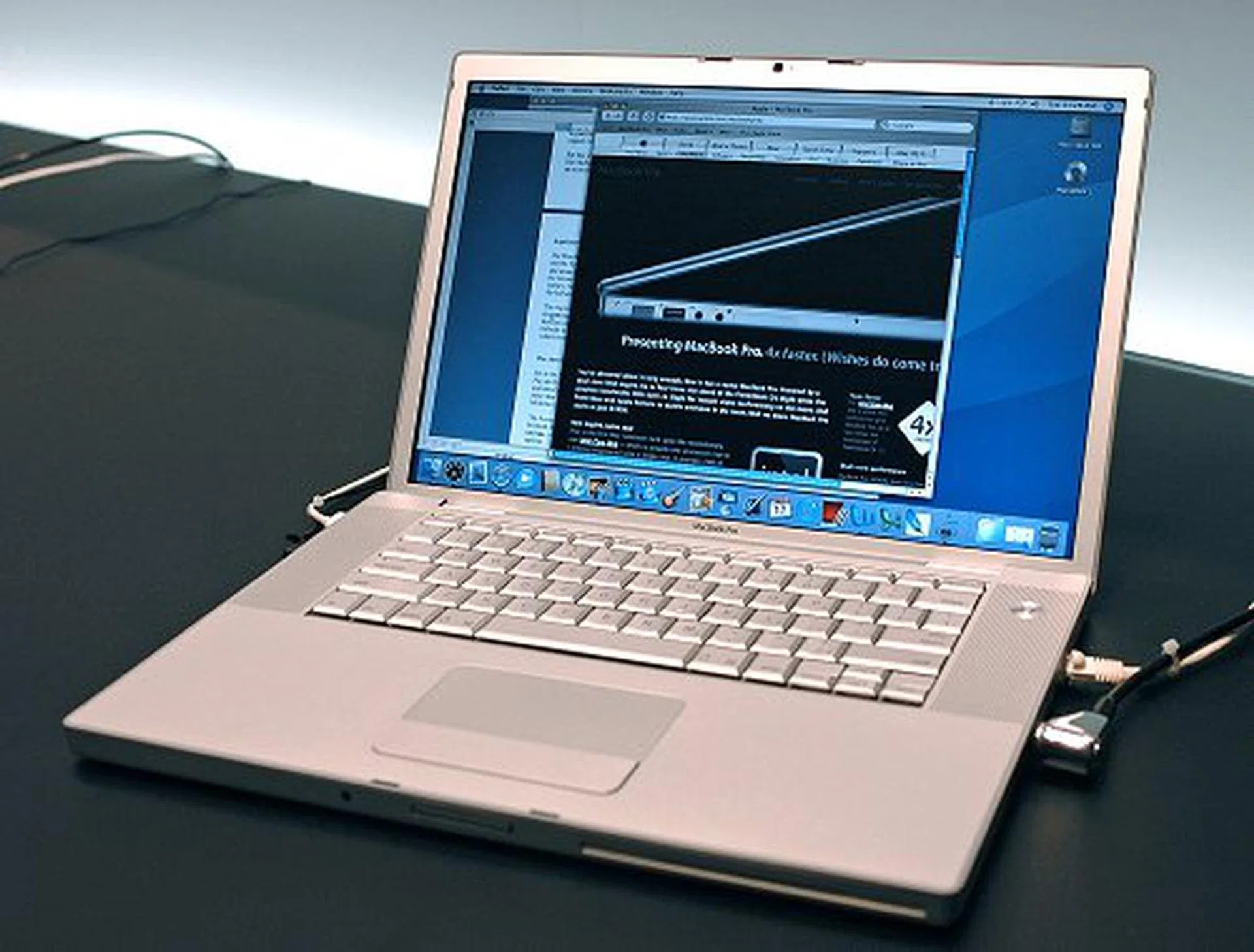
Another look at the newly lauched professional notebook, the MacBook Pro.
Recently Upgraded iMac G5 Gets the Boot
The new iMac with Intel Core Duo processor (ed:- what a mouthful!) perhaps caught us by surprise, even more so than the MacBook Pro. After all, the iMac G5s have gotten new revisions just a few months ago. But if Apple can pull the plug on the highly successful iPod mini in a moment's notice, what's an iMac G5? The gasps at the death of the iMac G5 during the keynote did not really last too long either. And with the new iMac with Intel Core Duo processor, Apple officially ushers in a new generation of Macs.
iMac with Intel Core Duo Processor - The Details
Two versions of the new iMac are available: a 17-inch screen with the 1.83GHz Intel Core Duo processor and a160GB SATA hard drive, while the other is a larger 20-inch model with a 2.0GHz Intel Core Duo processor and 250GB of storage capacity. The former is priced at US$1299 and the latter at US$1699. Besides the differences in screen size, processor speed and hard disk capacity, here are the standard features that can be found on the new iMac with Intel Core Duo Processor:
- 512MB of RAM (DDR2-677, expandable to 2GB maximum)
- 8x SuperDrive
- PCI-Express expansion slots
- ATI Radeon X1600 graphics processor with 128MB frame buffer (256MB option available only on the 20-inch model).
- Gigabit Ethernet, Airport Extreme and Bluetooth 2.0+EDR
- Integrated iSight and Apple Remote
- Five USB ports (three USB 2.0) and two FireWire 400 ports
- Mini-DVI video out (for connecting to a 23-inch Apple Cinema Display). This is a shift from the previous iMac using mini-VGA.
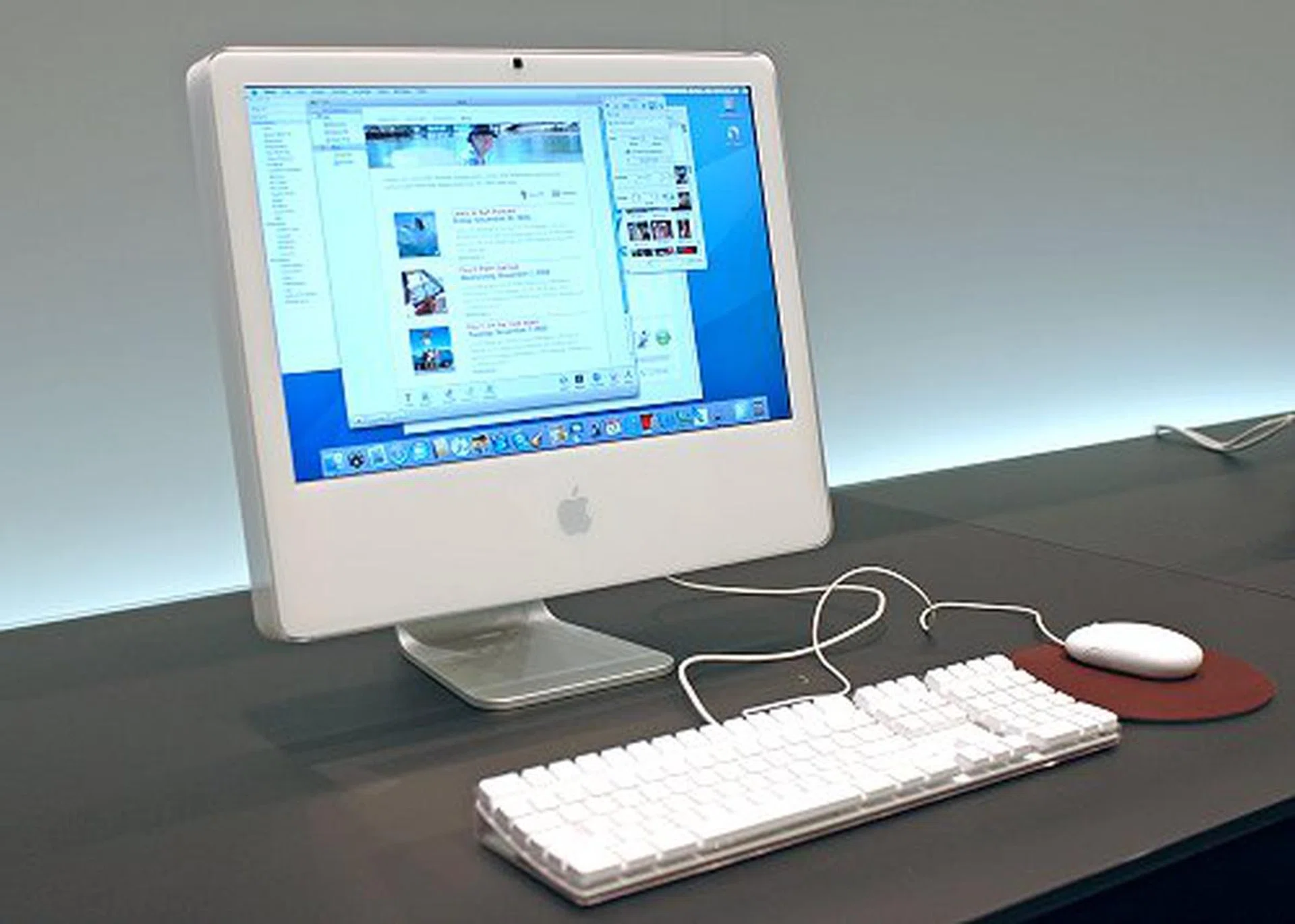
The iMac with Intel Core Duo Processor will replace the iMac G5. Though they look alike, the newcomer has a whole lot of processing muscle to offer.
On the software front, the new iMac will be shipped with the latest edition of Mac OS X version 10.4.4 "Tiger", including Safari, Mail, iCal, iChat AV, Front Row and Photo Booth. Tiger also includes a software translation technology called Rosetta that allows most PowerPC applications to be run seamlessly on the new Intel-based iMacs.
Some of you may comment that other than the new Intel processor, the new iMacs do not seem too much of an upgrade. To add on, there is virtually no change in terms of pricing. However, the performance of these new machines is what Apple is banking on. Benchmarks have shown that the new iMacs are about two to three times faster than its PowerPC G5-based brothers. In terms of integer performance, the iMac G5 2.1GHz scored 10.2 in SPECint_rate2000 but the iMac with Intel Core Duo 2.0GHz scored 32.6 in the same benchmark. As for floating point performance (SPECfp_rate2000), the former achieved 13.0 while the latter 27.1. Additionally, Apple also shared that the these new Intel based iMacs are twice as fast as its predecessor or more in Cinebench and Doom 3. Clearly, the internal upgrade is a big asset to the iMac family for those dealing with more intensive applications.
A Brand New Year, a Brand New iLife
This time last year, we saw the arrival of iLife ’05 and one year on, Apple felt that this suite of Apple digital media applications is due for an upgrade. The new iLife ’06 ushers in updated versions of iPhoto, iMovie, iDVD, GarageBand (and the latest version of iTunes which is the only application here that is available as a free download), as well as an entirely new application known as iWeb. Here is the summary of some of the major features you can find in this most significant iLife upgrade yet.
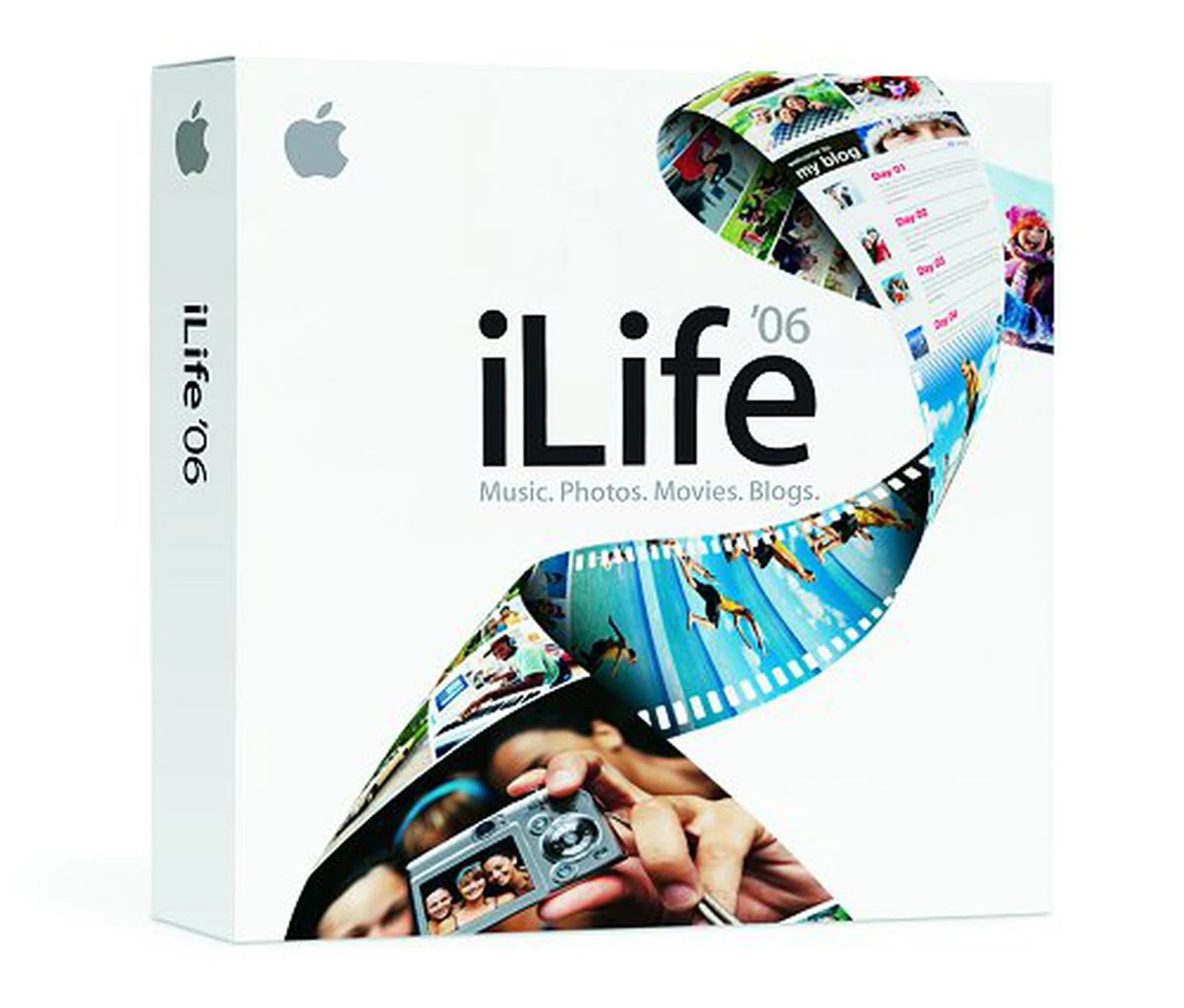
The new iLife '06 has a rejuvenated suite of media applications of iPhoto, iMovie, iDVD, GarageBand, iTunes and a newcomer known as iWeb.
iPhoto 6
Thanks to the advent of digital cameras and digital photography, it seems that almost every one of us have hundreds if not thousands of digital images to import, categorize, archive, edit, and print. Sounds like a real tedious affair, but the new iPhoto 6 aims to make all these time-consuming tasks even easier and faster. Some of its new features are as follows:-
- Blazing speed – according to Steve Jobs, scrolling in iPhoto 6 is like a "knife through butter".
- Up to 250,000 photos – a huge increase in the thumbnail limit from its predecessor.
- Full-screen editing – new full-screen edit and compare modes without the distracting menus or windows.
- One-click effects – B&W, Sepia, Antique, Fade Color, Current, Boost Color, Matte, Vignette, Edge Blur.
- New cards, calendars and books – more Apple-designed themes for users to choose from.
- Photocasting – a new way to share photos the Podcast way.
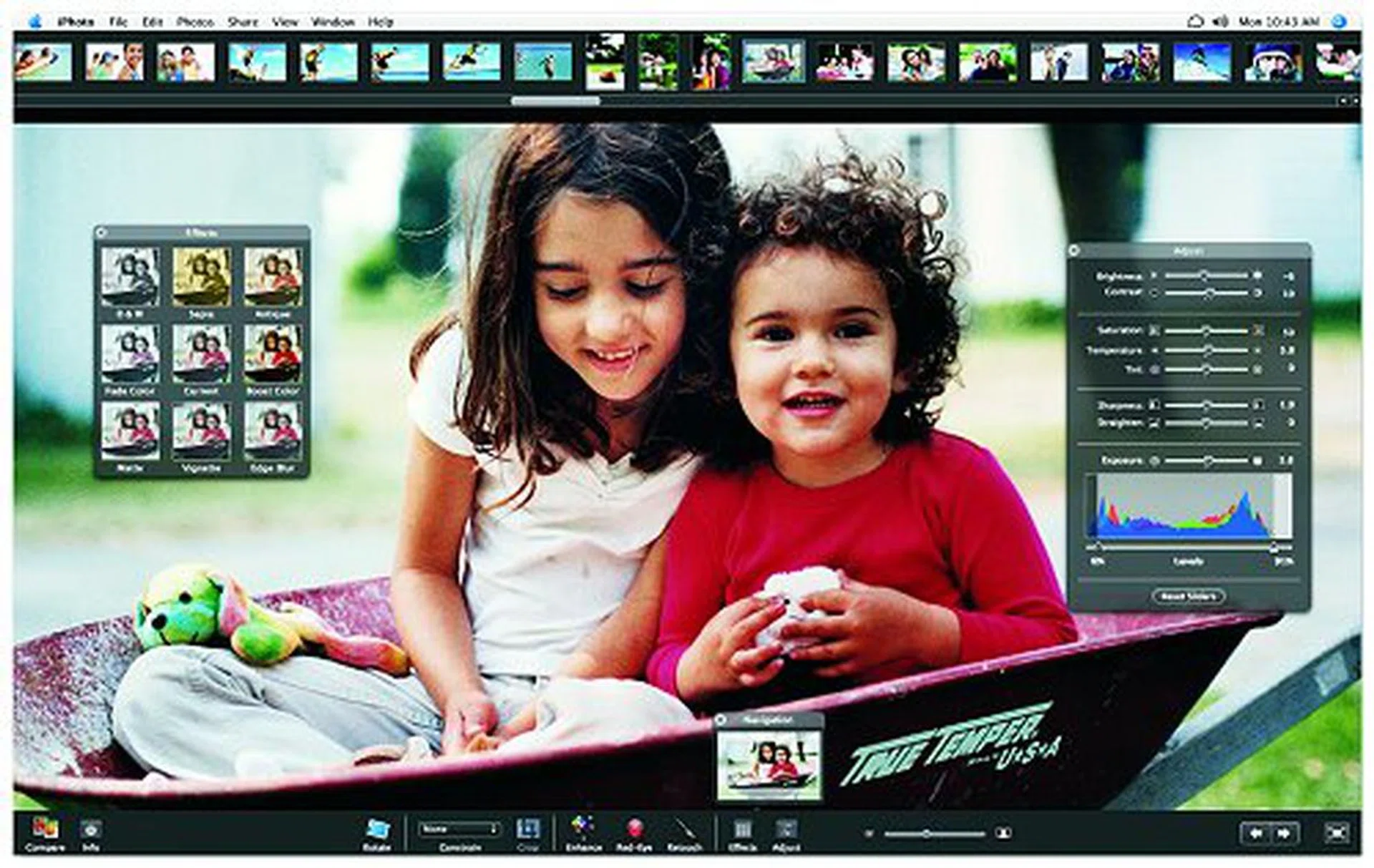
iPhoto 6 promises to ease your digital image management matters and among its updates includes an interesting style of sharing photos the Podcast way.
Of the new features added, the most significant would be what Apple termed "Photocasting". With this function, you can publish your photo album on the Web, and anyone (including PC users) can subscribe to it (via RSS too) and receive full-quality photos on either their PCs or within iPhoto 6. Like how Podcasting works, you will be able to sync and get the latest photos even when the owner adds, edits, or deletes any pictures from the published album.
iMovie HD 6
In last year's keynote, Steve Jobs proclaimed that the year 2005 would be the year of high-definition video and thus brought us iMovie HD which allowed users to natively import and edit video from the newest camcorders, including HDV cameras and flash media video cameras. At the same time, it supported the latest camcorder recording formats such as HDV (720p and 1080i), MPEG-4 and 16:9 widescreen SDV. The new iMovie HD 6 (numbering scheme has been tagged to follow the iLife '06 suite, hence the jump in version numbers) builds upon these and delivers the following new features:-
- Animated themes for movies – new Apple-designed motion themes for that extra Hollywood feel.
- Real time effects and titles – leveraging on the new real-time Core Video effects, effects can now be previewed in real time. Cinematic titling for fancy text effects is present too.
- New audio tools and sound effects – several new tools are added to make your movie sound as good as it looks.
- Open multiple projects – several projects can now be opened at once and clips can be moved among these opened projects.
- Create video Podcasts – users can now create video Podcasts and publish them for the world to see.
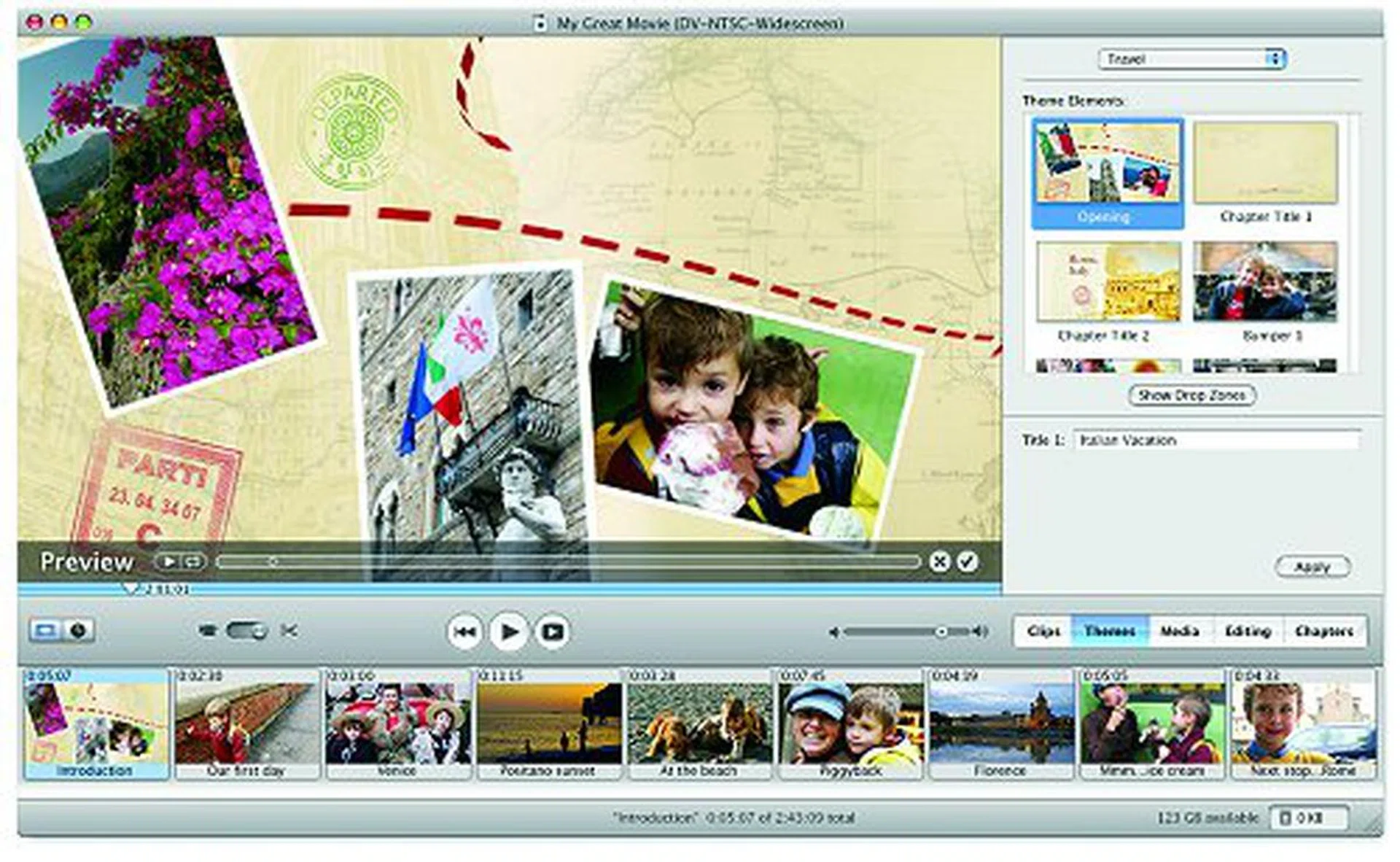
The interface of iMovie HD 6.
The new iMovie HD 6 announced in iLife '06 is an affirmation of Apple's commitment to the high-definition cause. Most importantly, Apple recognizes that video podcasting is going to be big in the near future.
iDVD 6
While iDVD isn't going to turn your homemade movies into a Hollywood blockbuster laddered with crazy special effects, it does make some pretty “Hollywood-style” DVDs. And when it comes to DVD authoring for beginners, you would be hard pressed to find another piece of software for the Mac that does it with such speed, grace and eye-candy galore. In the new iDVD 6, you would get all that and much more:
- Widescreen DVDs – author your DVDs with widescreen menus, movies and hi-definition slideshows that will fill up the real estate of your widescreen TV.
- Magic iDVD – the simplest way to create a DVD that even your grandmother would have no problems learning. With a few clicks to select the theme and the content (be it photos or movies), a complete customized DVD cab be created.
- New themes – ten new Apple-designed menu themes in both widescreen (16:9) and standard (4:3) formats, and new autofill drop zones. Map View editing has been enhanced as well.
- Third-party DVD burners compatibility – don't have a SuperDrive? Now users can burn their DVDs using compatible third-party DVD burners.
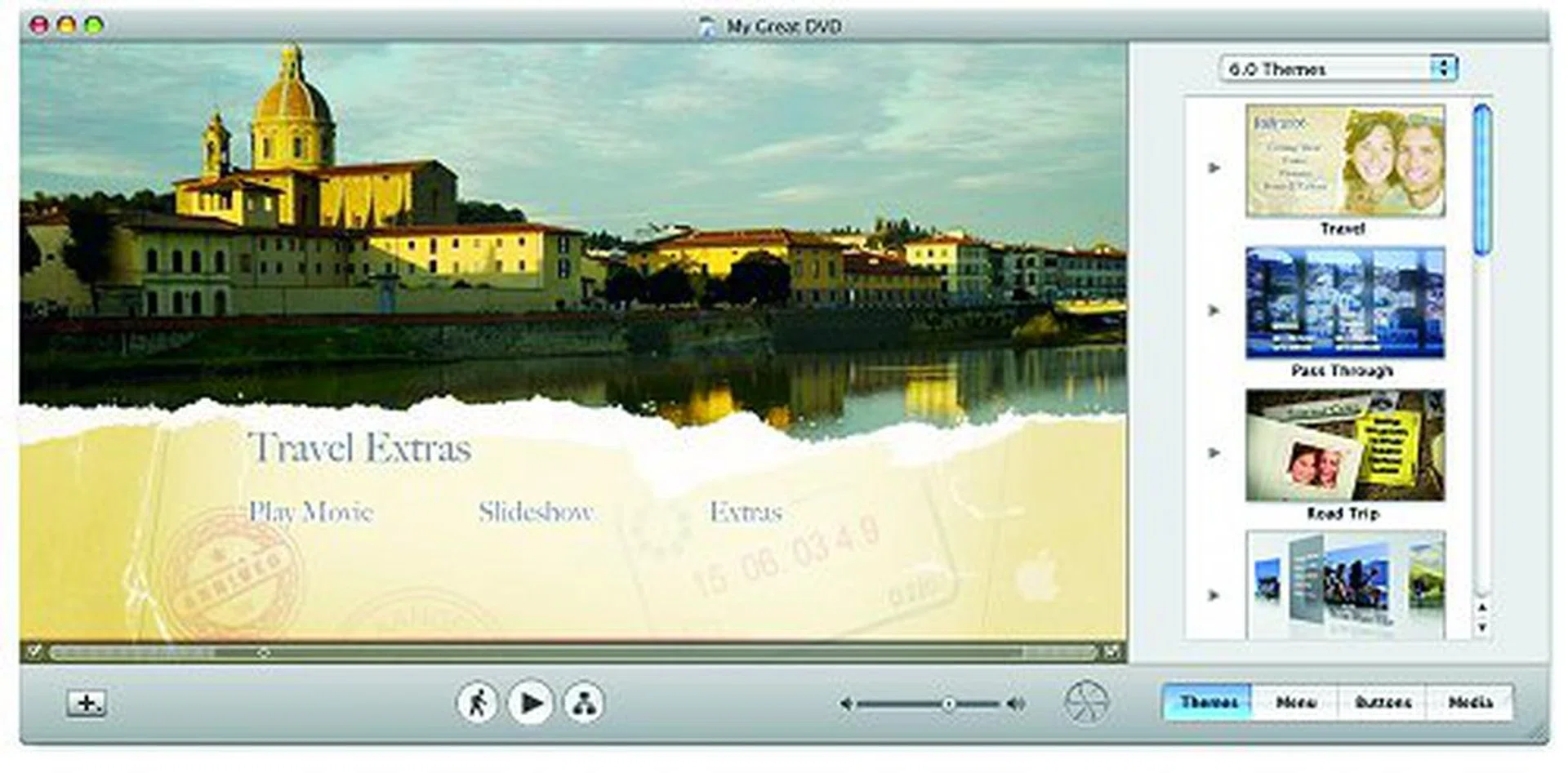
iDVD 6
The new iDVD 6 continues the legacy of the application by adding several new themes to it. Again, the emphasis is placed on high definition content where users can now use their latest HDV and widescreen DV cameras to author a DVD for view on a widescreen display such as a HDTV.
GarageBand 3
GarageBand is the youngest member of the iLife family before the arrival of iWeb (more on that later). The software seeks to simplify the process for laymen and professional musicians alike to perform, record and create their own music. In fact, many of the audio podcasts are created using GarageBand since iLife comes free with any new Mac purchase. Following last year's major upgrade in the form of GarageBand 2, the application now celebrates its second birthday with yet another major update, aptly named as GarageBand 3. New features to look forward to include:-
- Podcast Studio – from music creation to Podcast creation, GarageBand 3 does it all. Users can now have chapter artwork, podcast artwork track and URL links too in their podcasts.
- More than 200 royalty-free sound effects and 100+ royalty-free jingles – the best things in the world are those that come free. Users now have more royalty-free effects and jingles to play with.
- Automatic "ducking" effect – an effect included with the podcasters in mind. For example, let's say you have a sound track running in the background of your podcast. The volume should take a back seat when your voice comes on air and increase back again when you have stopped talking. This cool feature does that for you automatically!
- Remote interviews using iChat – conduct interviews or a podcast with several people simultaneously via iChat AV and record them into GarageBand 3.
- Speech enhancer – as the name implies, it simply makes your recorded speech sounds better.
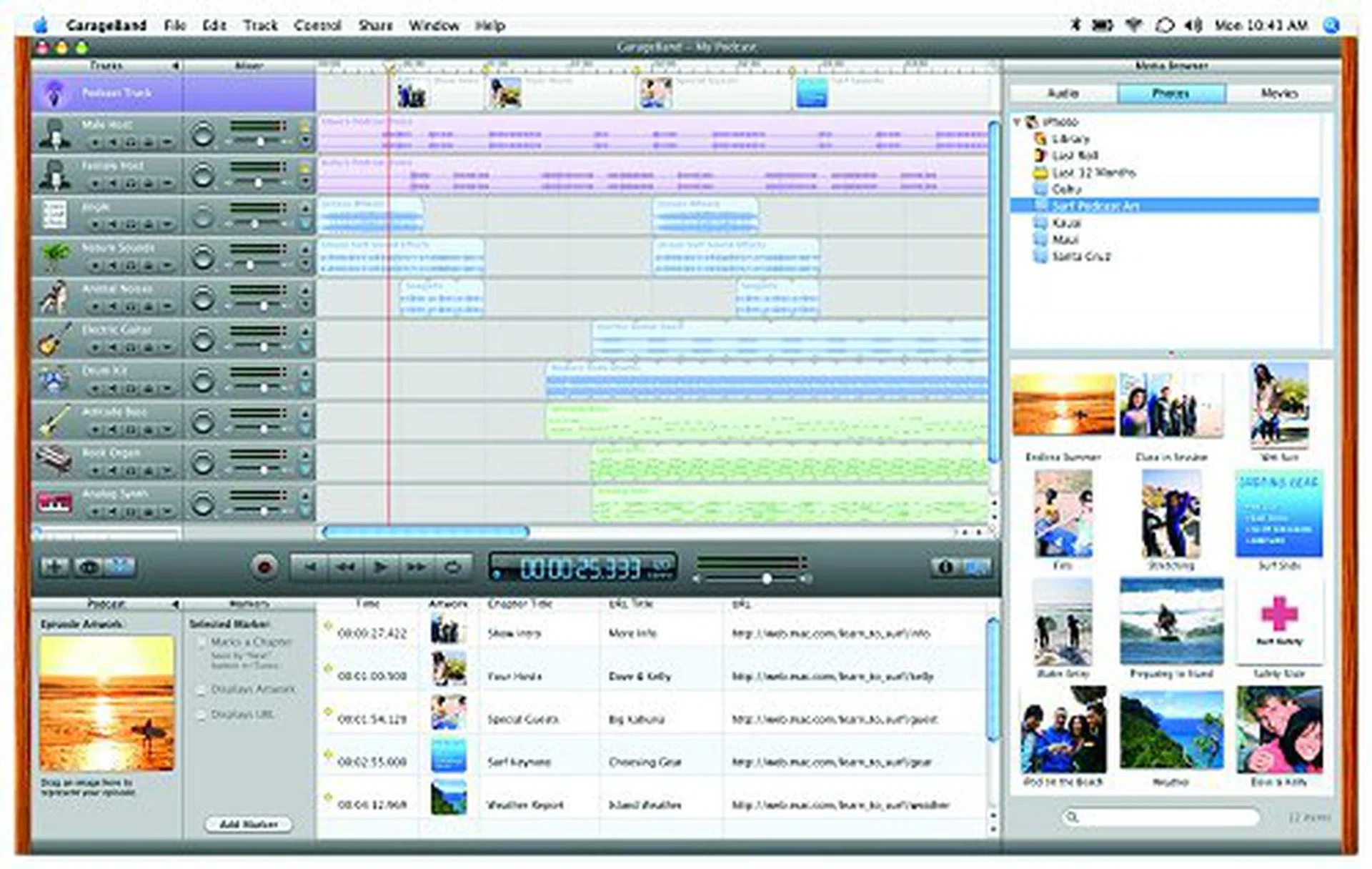
GarageBand in its version 3 now has been given a good makeover with special emphasis on facilitating Podcasting even better.
GarageBand 3 undoubtedly received the second-most significant upgrade among the existing iLife suite of applications. The focus is obviously on podcasting. Already in GarageBand 2, many podcasters (especially those who cannot afford those high-end and expensive audio editing software) are using this application to create their audio podcasts. The enhanced Garageband 3 is expected to draw even more people into the world of podcasting. Another nice touch that Garageband 3 allows is iMovie scoring, which means you can fuse music
tracks for your iMovie creations.
iTunes 6
Widely regarded as one of the, if not, the best digital audio jukebox for both the Mac and the PC, iTunes also provides the bridge to the world's number one music download store: the iTunes Music Store. And ever since the launch of the latest iPod (with video capability), you can now also buy music videos, TV episodes and of course, download video podcasts for use on the incumbent iPod. iTunes has always served as a conduit to the iPod, iPod nano, and the now defunct iPod photo for iPhoto users, as well as lending its library to iPhoto, iMovie HD and iDVD whenever the need arises. GarageBand users also traditionally export their own works to the music library where they can be burned to a disc, added to playlists, transferred to the iPod, shared over AirTunes and the likes.
This time round, there will not be a new version of iTunes (current version is 6.0.2). iTunes-related announcements were constrained to things such as the availability of new video content for download on the iTunes Music Store such as Saturday Night Life and condensed versions of all four U.S. Bowl Championship Series college football games this season.
iWeb
The new kid on the block, iWeb, is Apple's answer to webpage creation and publishing. In our opinion, it certainly is the most significant application in iLife '06. The previous versions of iLife had successfully created a suite of digital lifestyle applications and it is just a matter of time that the integration would be brought up to another new level, or should we say the Internet. And in the .Mac service, Apple has the exact platform to carry this feat out. If you have a .Mac account, you can now use iWeb to easily create webpages for your photos, blogs, and podcasts to be published on it. Major highlights of iWeb include but not limited to the following:-
- Apple-designed templates – the iLife suite of applications has always focused on making things easy for its users, and the iWeb is no different. Several beautiful Apple-designed templates are available out of the box.
- iLife media browser – drag and drop is the key phrase here, and that includes your photos, movies, music or even playlists.
- Powerful editing tools – it doesn’t matter if you do not know any HTML. You can still customize your website with the assortment of tools given.
- Integration with other iLife '06 applications – iWeb integrates with all the other iLife applications with ease so that the content can be used across applications easily.
- One-click publish – When all is done, simply click a button and your shiny new webpages will be published to the Internet using .Mac.

iWeb, your online link to showcasing your content - from creation to publishing.
iLife '06 is now available for USD$79 (individuals) and USD$99 (Family Pack), and will be included in all new Mac systems. The .Mac account is available as a subscription service for USD$99.95 per year for individuals and USD$179.95 for a Family Pack which includes one master and five sub accounts.
Work Harder with iWork '06
In last year's Macworld, Apple announced the iWork '05, which is a suite consisting of two productivity software, namely Pages and Keynote 2. Pages is a word processor and page layout application that allows you to create anything from resumes to newsletters (40 templates are given). Keynote 2 on the other hand was an updated version of the existing Keynote presentation program. Both of them had a media browser for integration with the iLife suite. A year on, and this productivity software suite now gets another upgrade in the form of iWork '06 (consisting of Pages 2 and Keynote 3).
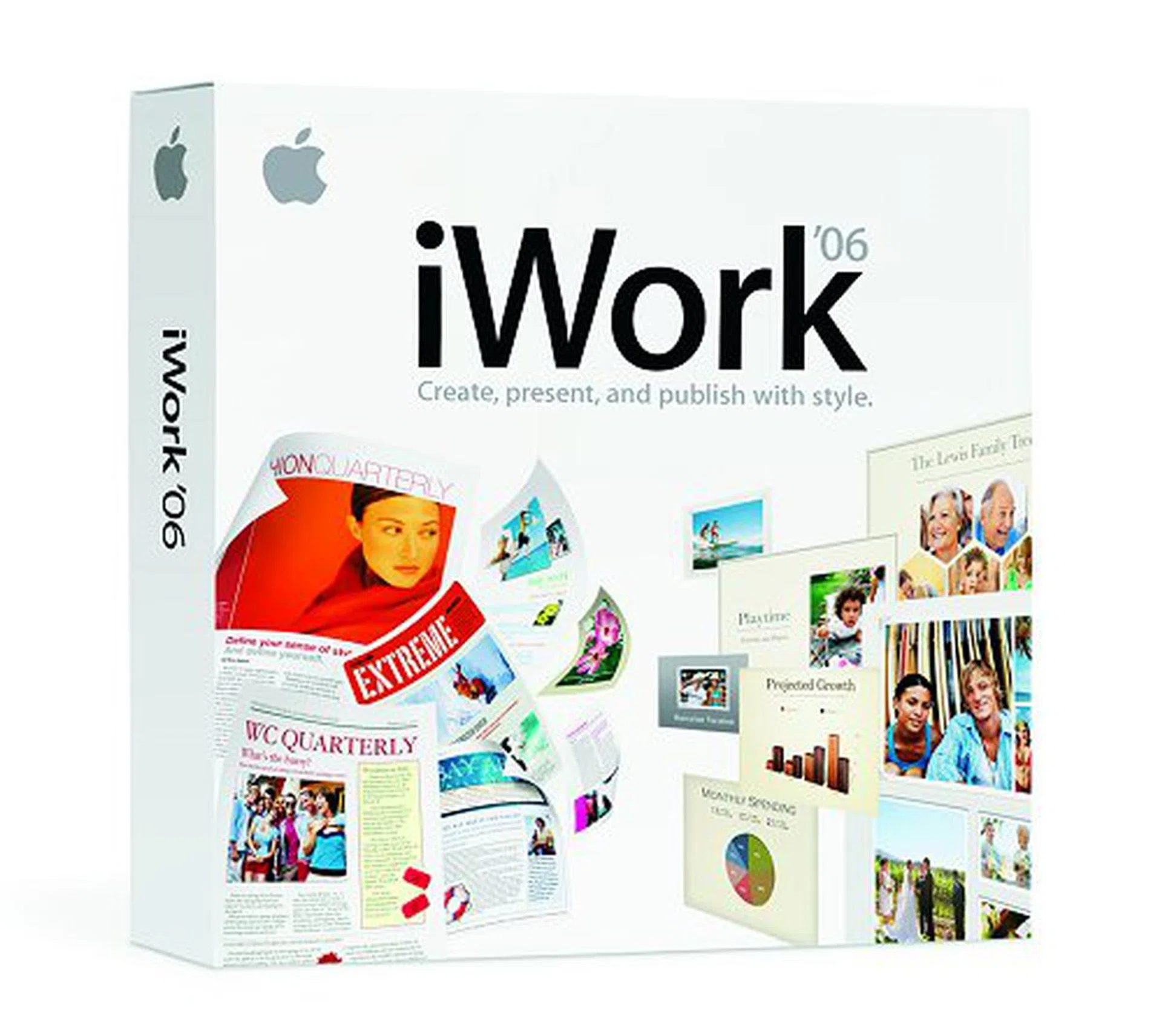
The all new iWork '06 productivity suite.
Here are several noteworthy enhancements that warrant it a retail upgrade:
- 3D charts – charts featuring realistic wood grain, metal and marble textures with full control over the viewing angle are now possible.
- Advanced image editing – iPhoto-like image editing tools can be found and adjustments can be made right directly within documents or presentations.
- Reviewer’s comments – include reviewer’s comments to slides and documents without affecting the layout.
- Freeform shapes and masks – freeform shapes and curves with smooth edges can be created and used to mask images.
- Tables with calculation – tables with spreadsheet-like calculations can now be inserted within any document or presentation so that you can add, multiply or average numbers in rows and columns.
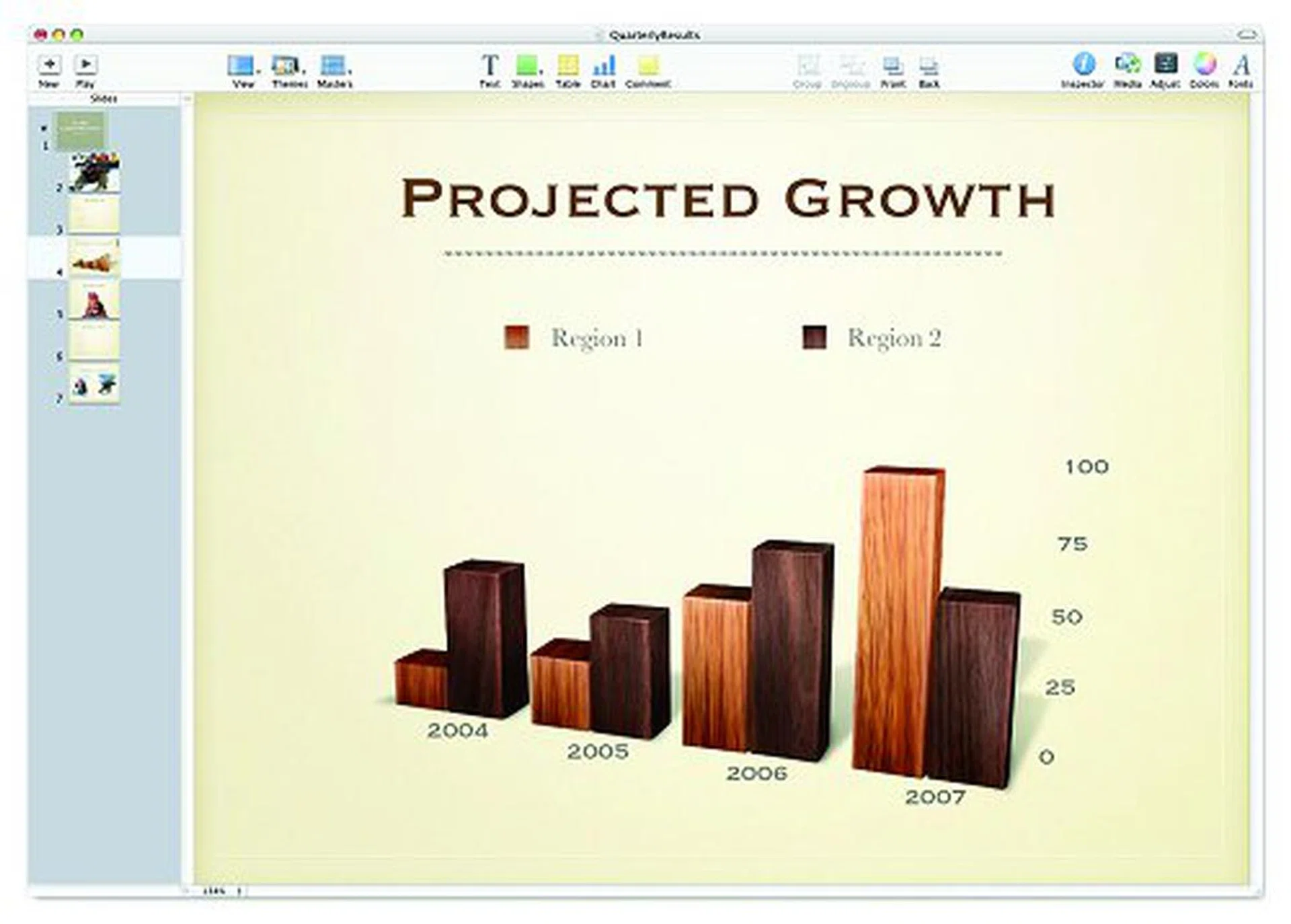
Realistic 3D graphs are a new feature and here's a screenshot illustration from Keynote 3.
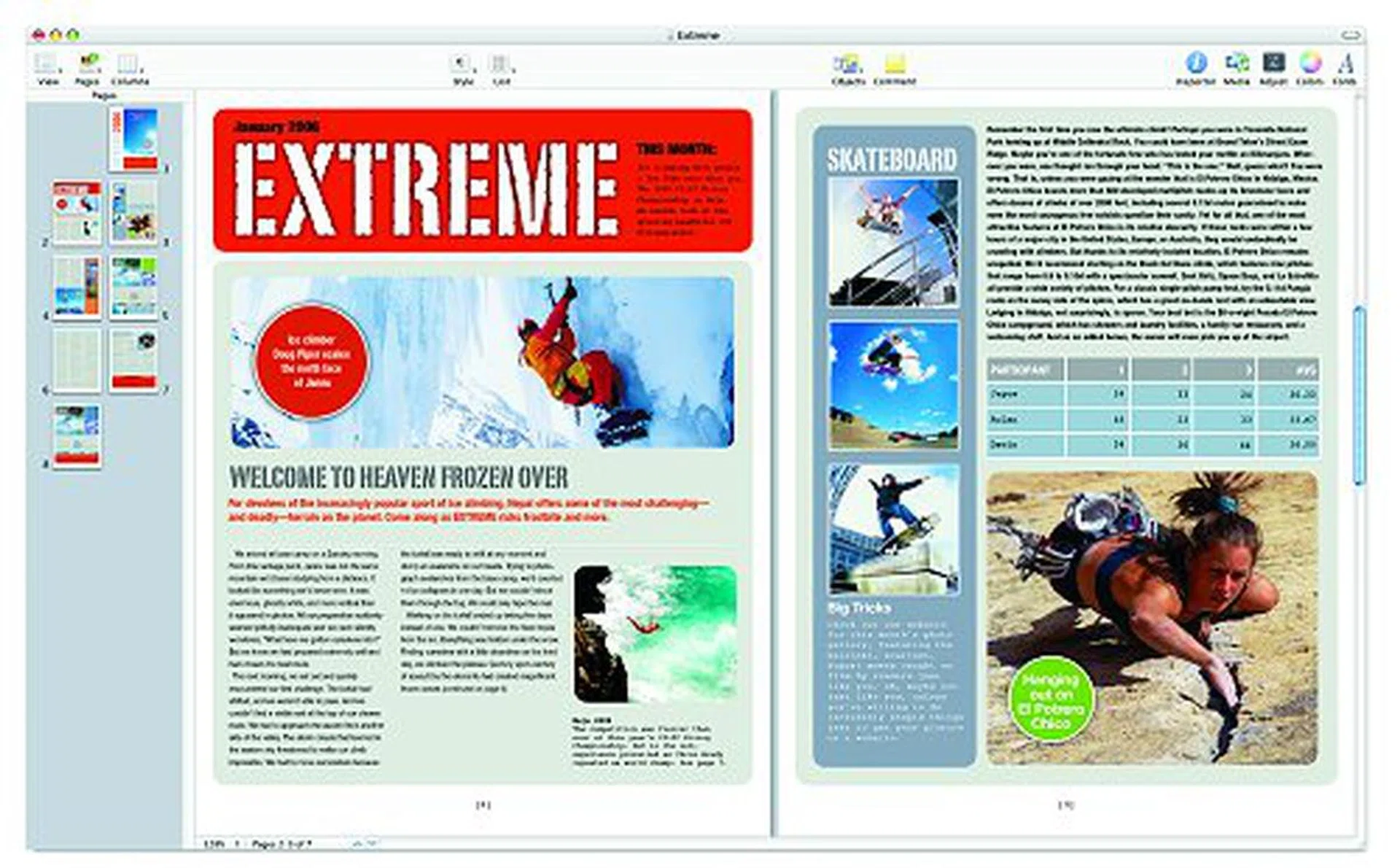
Here's a screenshot of Pages 2 and its advanced page layout possibilities.
While the above are standard features within both applications, there are also new features added within each application. For Pages 2, mail can be merged with the Mac OS X Address Book so that you can drag and drop contacts easily into documents. There are also two dozen new templates for newsletters, flyers, posters, school reports, scrapbooks, brochures, business proposals and invoices. And the new thumbnail and search views make it easy to work with large documents as you can quickly locate any word or phrase within the document itself.
For Keynote 3, there are new cinematic transitions such as vertical and horizontal blinds, revolving door, swoosh and the like. There are also more Apple-designed themes for users to choose from, four of which are specially designed for HD displays. There is also a new Light Table view mode for viewing the entire presentation at a glance.
iWork '06 is now available at a price of USD$79. A 30-day trial version will also be included on new hardware and within copies of Mac OS X and iLife '06 sold in retail. When the trial ends, it will become an iWork '06 player.
Finally, Radio for the iPod
iPod has always concentrated on delivering its core feature well, which is music playback. As famous and pervasive this little player may be, Apple has always resisted cries to add new hardware features to the digital audio player (until recently when the iPod with video was launched). The loudest among the cries has to be the inclusion of a radio tuner. This being Macworld, how can it not have any iPod-related announcements? While Apple did not really launch a new iPod with radio tuning capability, it did announce a new accessory for the player: the iPod Radio Remote.
This is by far the least complicated hardware announcement from Steve Jobs this year. The iPod Radio Remote is essentially a wired remote control with FM radio capability for the iPod nano and the fifth generation iPod. There is still no display on this new remote - the station and song information are displayed on the iPod screen (for stations that support the Radio Data System). It will ship immediately and is priced at US$49.
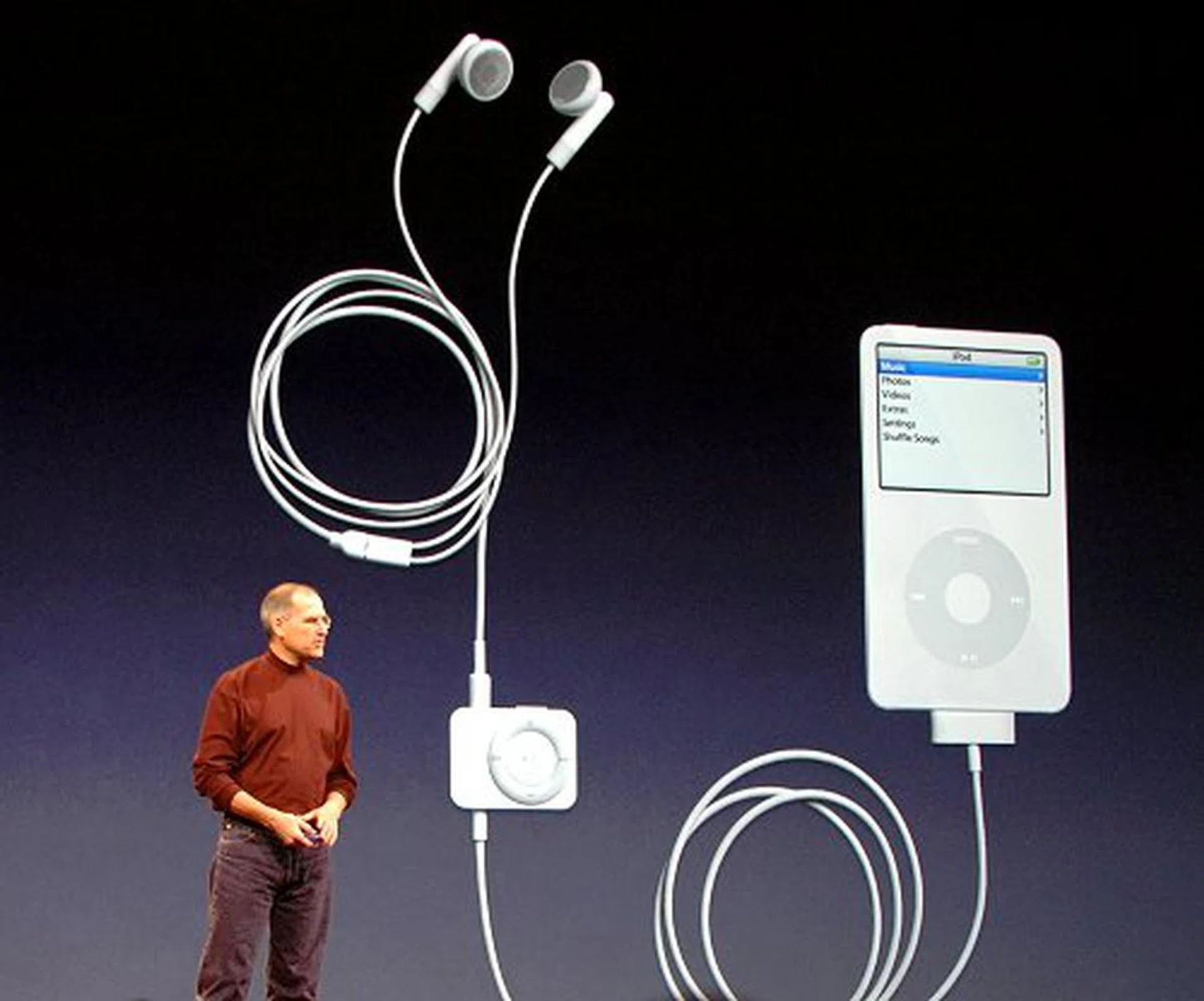
The iPod Radio Remote is a functional accessory add-on for the iPod nano and the fifth generation iPod.
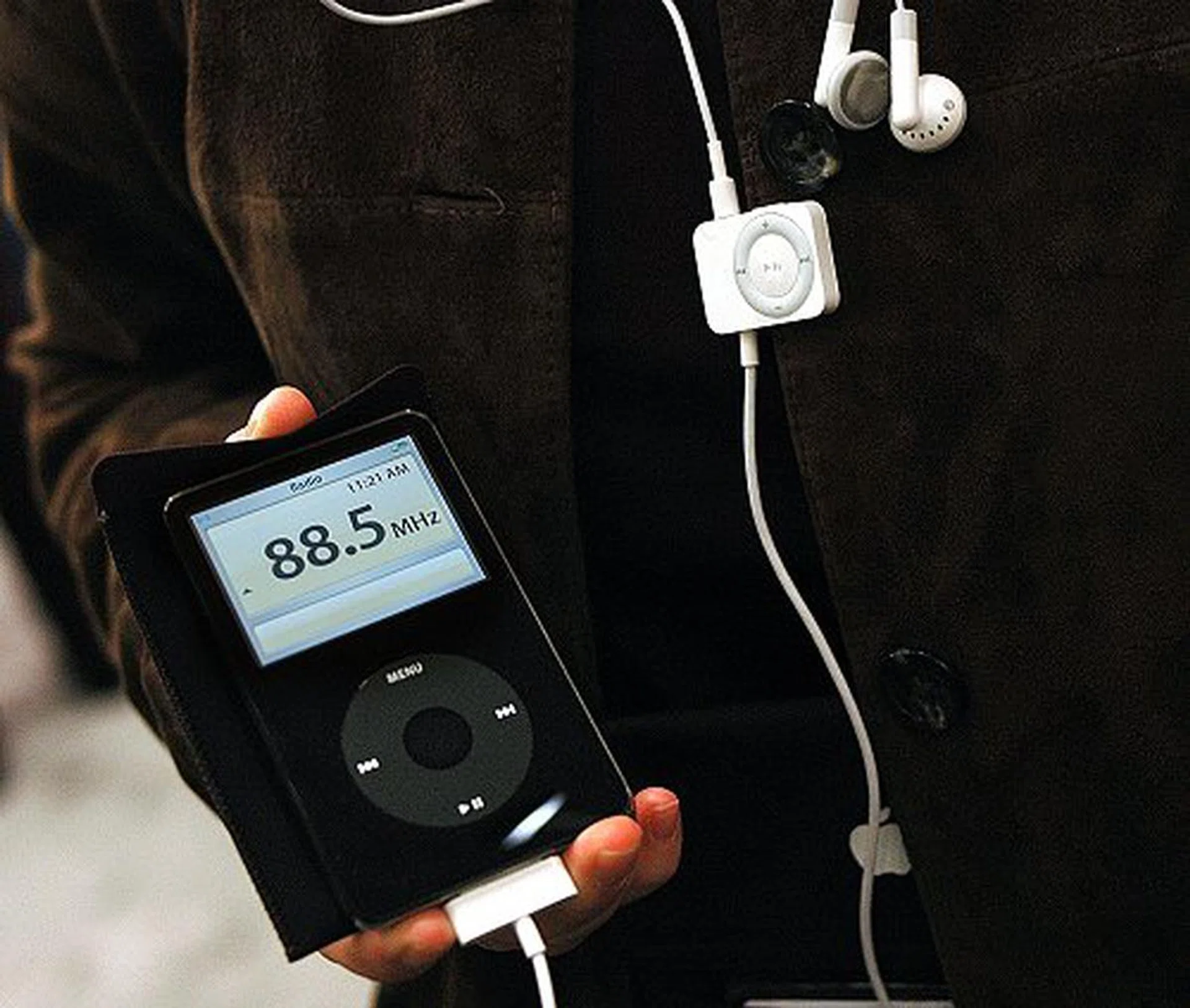
The iPod Radio Remote has no screen, but for stations that support the Radio Data System, station and song information are displayed on the iPod's screen as shown here.
Other than the iPod Radio Remote, Apple also announced the iPod AV Connection Kit and the iPod nano In-Ear Lanyand Headphones. The Connection Kit contains an iPod Universal Dock, an Apple Remote, an iPod AV cable, an iPod Dock Connector to USB 2.0 Cable and an iPod USB Power Adapter. In other words, with this connection kit, users can connect their iPods to a TV, or a stereo system, or use it to charge their iPod. On the other hand, the iPod nano In-Ear Lanyard Headphones combines the iPod nano Lanyard Headphones and the Apple In-Ear Headphones into a single solution. Three different sized caps are bundled to ensure the best fit. Both accessories will also ship immediately and cost US$99 and US$49 respectively.
Figures, Figures and More Figures!
It's pretty obvious that Steve Jobs did not jump into product announcements directly, but rather along the keynote, he talked about other stuff relating to the Apple Retail Store, revenue and sales figures, market share, and the likes. Here are some interesting figures that we noted down and they translate well to another phenomenal quarter for the Cupertino-based company:-
- 26 million visitors for the Apple Retail Stores during the holiday quarter.
- $1 billion dollars in revenue for the Apple Retail Stores in the holiday quarter of 2005.
- $5.7 billion total Apple revenue in the holiday quarter of 2005.
- 14 million iPods sold in the holiday quarter of 2005.
- Over 100 iPods sold every minute 24/7.
- 850 millions songs purchased and downloaded.
- More than 1 billion songs per year run rate.
- 83% market share for iTunes.
- 8 million videos sold since October 12.
Mac OS X version 10.4.4
The best Mac OS to date (Mac OS X 10.4 Tiger) received its fourth point release the same day of the keynote. Users will be able to download it on the Web or via Software Update on their Macs. Other than a number of fixes, the new update also includes several new widgets for Dashboard, including a Google search bar, a new Calendar, ESPN, SKI Conditions, White Pages, and many others. According to Steve Jobs, there are now about 1500 widgets available for Tiger.
The Road to Intel
June 2006 was the original timeline Apple had set down for the first Macs with Intel processors to be shipped. The announcements of the new MacBook Pro and iMacs have brought forward this estimated timeline by a fair bit. During the keynote, Apple CEO Steve Jobs also declared that all Macs would transit to Intel based processors by the end of this year, 2006.
Our articles may contain affiliate links. If you buy through these links, we may earn a small commission.