
Preview: The ASUS ROG GT51 is a hulking beast of a desktop
If DIY PCs sound like too much fuss, there's always pre-built desktops that offer their share of bleeding edge performance. The ASUS ROG GT51 is one such desktop, featuring not one, but two, NVIDIA GeForce GTX Titan Xs.
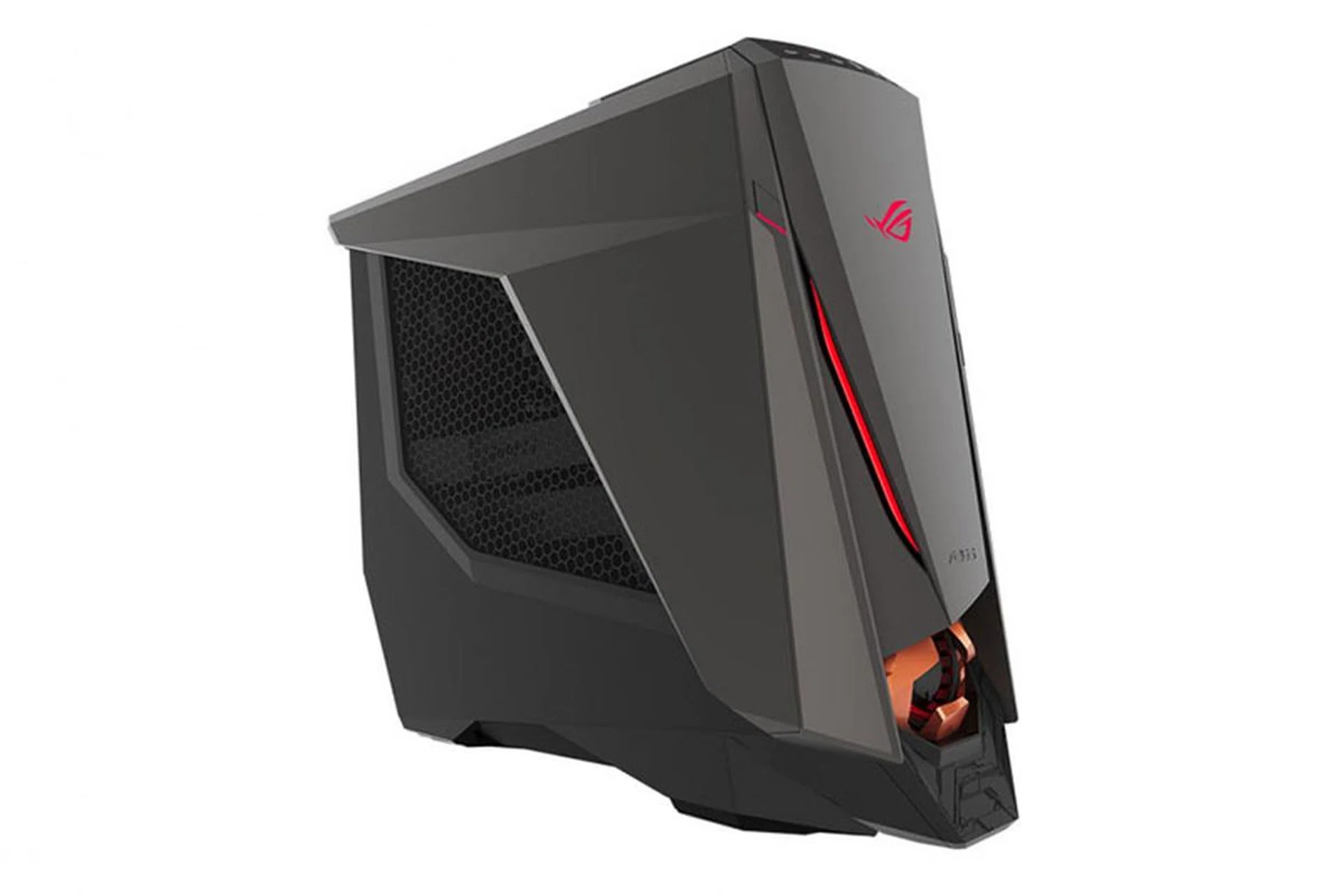
The ASUS ROG GT51 is as powerful as it is huge. (Image Source: ASUS)
Luxury comes in many forms
These days, the ASUS Republic of Gamers brand is pretty much synonymous with high-end – and pricey – gaming hardware. For the most recent example of the kind of extravagance that the ROG brand pumps out, just look at the liquid-cooled ROG GX700 notebook.
And if you have a liquid-cooled notebook already, why not make a desktop that offers the same? The new ROG GT51 effectively brings the over-the-top design ethos that characterized the GX700 to a desktop, and the result is yet another blazing fast speed demon, albeit one that is a lot larger (and a lot more powerful).
But when it comes to boutique gaming desktops like the GT51, there are a lot of other factors to take into consideration other than performance. You can’t exactly build your own gaming laptop, but you can certainly put a desktop together, and often at a considerably cheaper price. As a result, it all seems like it boils down to one question: What does this pre-built desktop offer me that a DIY system does not?
However, that seems to us the wrong question to ask. DIY and boutique systems appeal to overlapping, yet still distinct, crowds, and proponents for either side will always have ample material to back up their arguments. For instance, there’s no challenging the fact that a DIY system will usually cost you less. On the other hand, those who favor pre-built systems will argue that the sheer convenience, including the full system warranty, makes the extra cost worth it.
With that said, ASUS’s latest liquid-cooled desktop is a boutique system for the hardcore gamer that wants zero fuss. ASUS took out all the big guns when it came to the ROG GT51, and all we really need to say is that there is quite literally no game you cannot run with the top-end configuration.

Hardware
Just how powerful is the ROG GT51? Well, the top-end configuration, which also happens to be the one ASUS sent us, features an Intel Core i7-6700K (4.0GHz, 8MB cache) processor, 64GB of DDR4 RAM, and not one, but two, NVIDIA GeForce GTX Titan X cards in SLI. With that out of the way, the dual 512GB M.2 PCIe SSDs in RAID 0 and a secondary 7,200RPM 2TB HDD are just the icing on the cake.
Those specifications sound like a dream, but there’s just no sidestepping the price, which has been set at a stratospheric S$7,498.
Fortunately, the GT51 is also available in a couple of other more modest, but still not exactly affordable, configurations for those of you (let’s face it, that’s most of us) who don’t want to pony up almost S$10,000 for a desktop.
However, do note that the configurations that will be available locally differ slightly from those of our review unit. You can refer to the table below for the available configurations and their prices. The two cheaper models don’t come equipped with NVIDIA GeForce GTX Titan Xs, but the NVIDIA GeForce GTX 980 is still a plenty powerful.
GT51CA-SG001T | GT51CA-SG008T | GT51CA-SG002T | |
Processor | Intel Core i7-6700K (4.0GHz, 8MB cache) | Intel Core i7-6700K (4.0GHz, 8MB cache) | Intel Core i7-6700K (4.0GHz, 8MB cache) |
Memory | 64GB DDR4 RAM at 2,800MHz | 32GB DDR4 RAM at 2,400MHz | 32GB DDR4 RAM at 2,400MHz |
Graphics | 2x NVIDIA GeForce GTX Titan X in SLI | 2x NVIDIA GeForce GTX 980 in SLI | NVIDIA GeForce GTX 980 |
Storage | 512GB PCIe SSD + 2TB HDD | 512GB PCIe SSD + 2TB HDD | 512GB PCIe SSD + 2TB HDD |
Price | S$7,498 | S$4,298 | S$3,498 |
There’s just one problem – the release of NVIDIA’s Pascal-based GeForce GTX 1070 and 1080 cards means that the cards offered in the GT51 just became last generation’s models. They’re still beasts in their own right, but it now seems slightly odd that a new premium desktop should come with the previous generation’s cards. This also isn’t helped by the fact that the new Pascal GPUs are reportedly even more powerful, and cheaper, than the Titan X.
With that said, ASUS hasn’t given any indication as to whether it plans to update the GT51 with the new cards, but it seems reasonable to expect them to do so further down the road.
In order to sweeten the deal, ASUS is bundling a free mouse and keyboard with the desktop. On top of that, the S$7,498 model even comes with a 4K ROG G-Sync monitor that’s worth a hefty S$1,459. But if you get the S$4,298 model, you’ll get to enjoy a discount on the same 4K monitor at just S$729. The lowest end model comes with a free X-Men: Apocalypse bag worth S$70, a 1-for-1 pair of X-Men movie tickets, and a ROG hoodie worth S$119.
How does the gaming desktop beast look in detail and what are some of the core ASUS features you can expect it to sport? More photos and details await on the following page.
Design & Features
At first glance, it’s clear that the ROG GT51 shares the same design DNA as the other ROG-branded desktops from ASUS. In addition to the characteristic aggressive styling and angular edges, the top sports a familiar Mayan-inspired mesh design that’s also a feature on smaller systems like the ROG GR6.
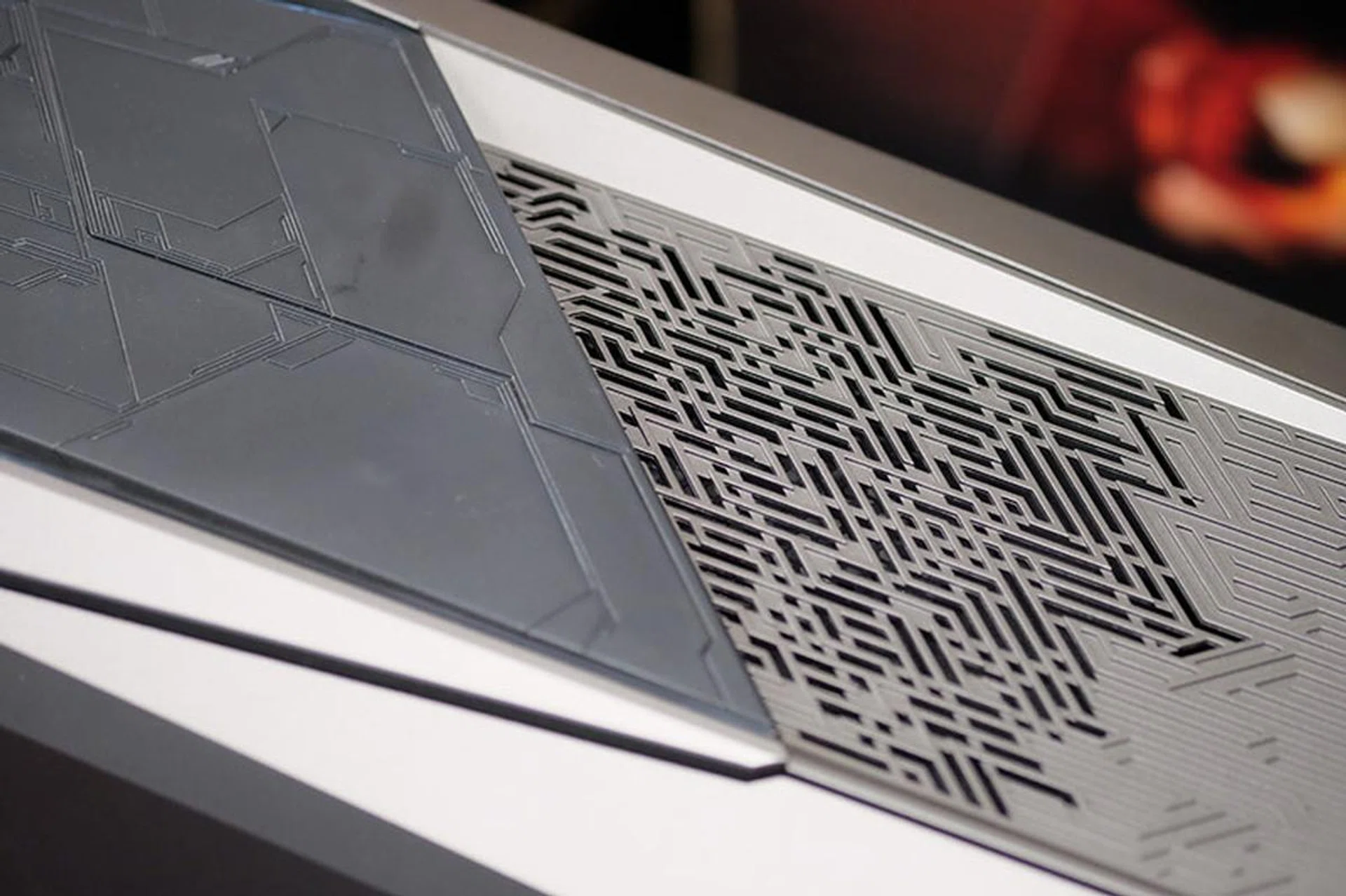
The top of the ROG GT51 sports a familiar Mayan-inspired design.
One of the more unique aspects of the chassis is the circular, turbine-like air intake vent on the bottom of the front panel. Once you get rid of the three screws holding the side panel in place, the panel itself can be removed to reveal the GT51’s innards. A PWM fan sits behind the intake to draw cool air into the case, and there’s even a built-in air tunnel of sorts on the bottom to help direct the airflow over the second graphics card and PSU.
If you’d like to add extra storage drives, there are a total of five 3.5-inch drive bays for expansion, although one of these is already occupied by the 2TB HDD.

Here's a look at the circular front intake.
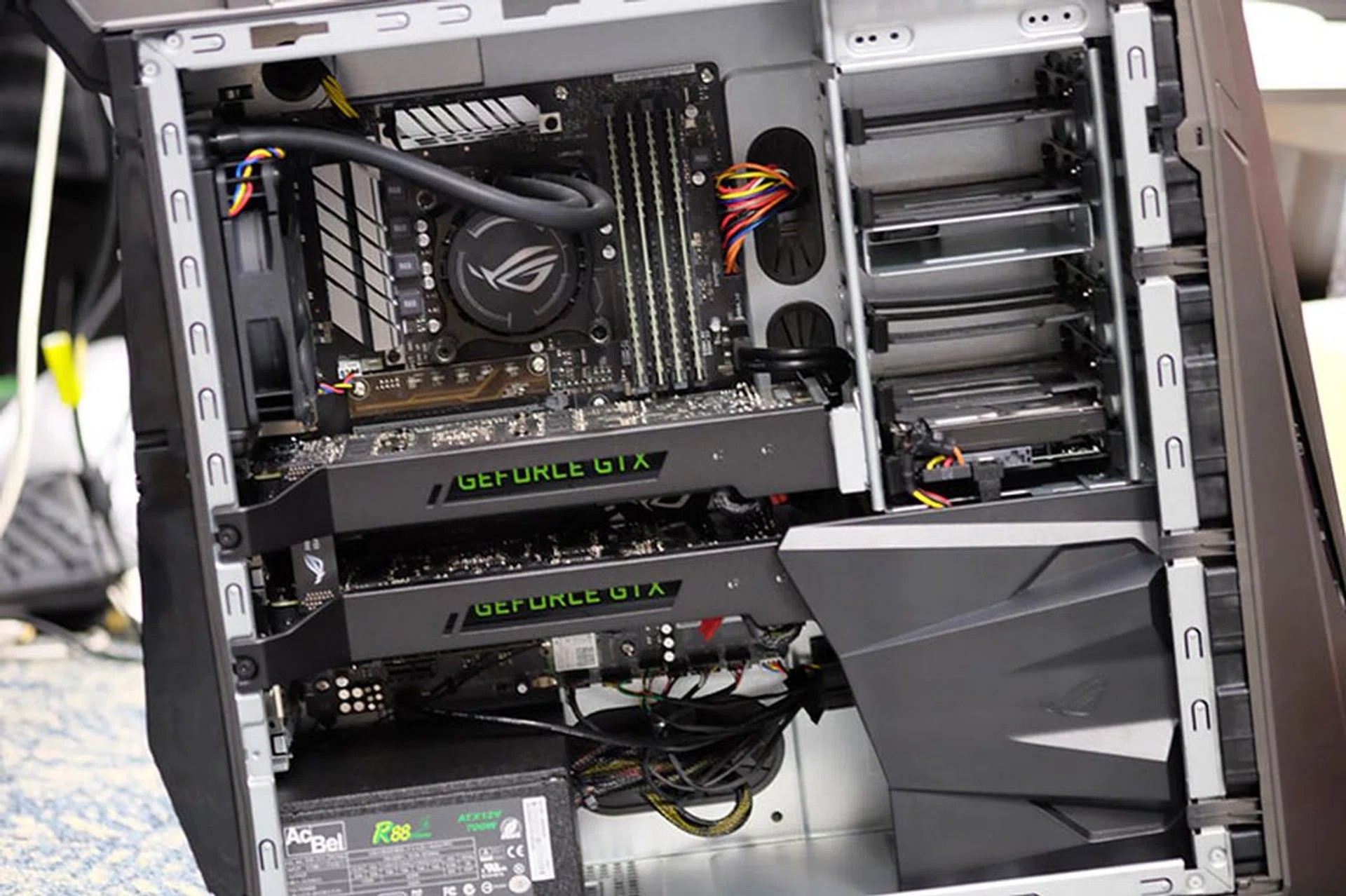
Note the plastic shroud behind the front intake that helps create an air tunnel of sorts.
Another thing to note is that even though you may have seen the GT51 being billed as a liquid-cooled desktop, it is really only the CPU that gets the liquid treatment, courtesy of a closed-loop Hydro CPU cooler. The AIO cooling system also comes with a 120mm radiator that is mounted on the rear exhaust, and it draws air from inside the case and expels it outside. This is partly possible because the two NVIDIA GeForce GTX Titan X cards used are reference designs, which means they use NVIDIA’s own blower-style coolers that exhaust heat outside the case. One benefit of this is that hot air isn’t dumped back into the case as sometimes happens with the open-air coolers on custom cards, which thus allows the radiator fan to avoid pulling hot air from the cards across the radiator fins.
The graphics cards themselves are held in place by metal brackets, probably for additional structural support. These in turn look like they can be removed by simply loosening the screws that secure them, which means you should be able to perform your own GPU upgrades if you wish.
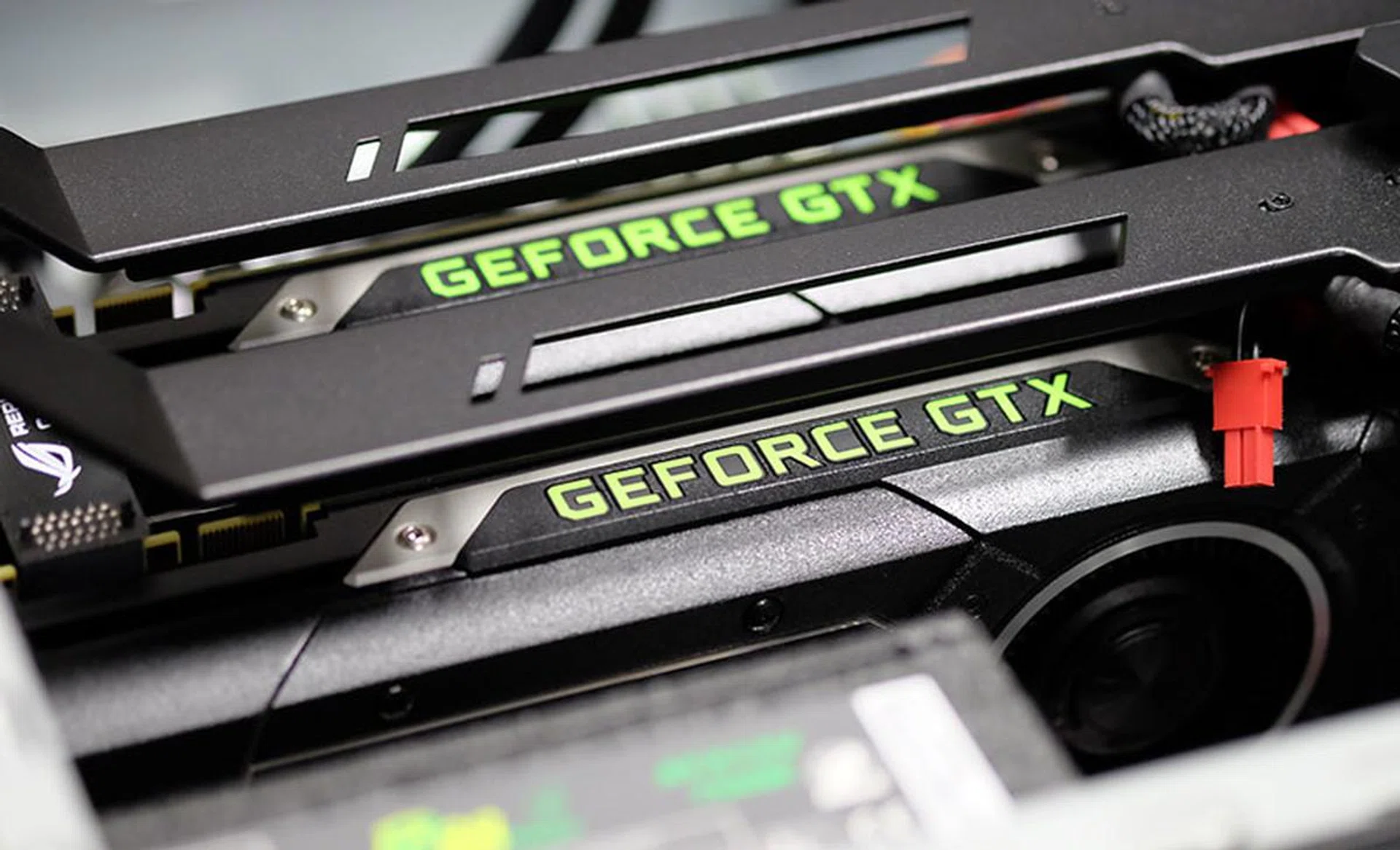
The ASUS ROG GT51 boasts two NVIDIA GeForce GTX Titan X's in SLI.
Other components like the four 16GB DDR4 memory modules and storage drives are fairly easy to access as well, which is good news for those who want to be able to upgrade their system later on. The two M.2 PCIe SSDs are mounted on a PCIe add-in card located below the second graphics card – this looks like quite a tight fit if you want to try to get it out, but it should be possible.

The M.2 SSDs are sandwiched between the bottom graphics card and the PSU.
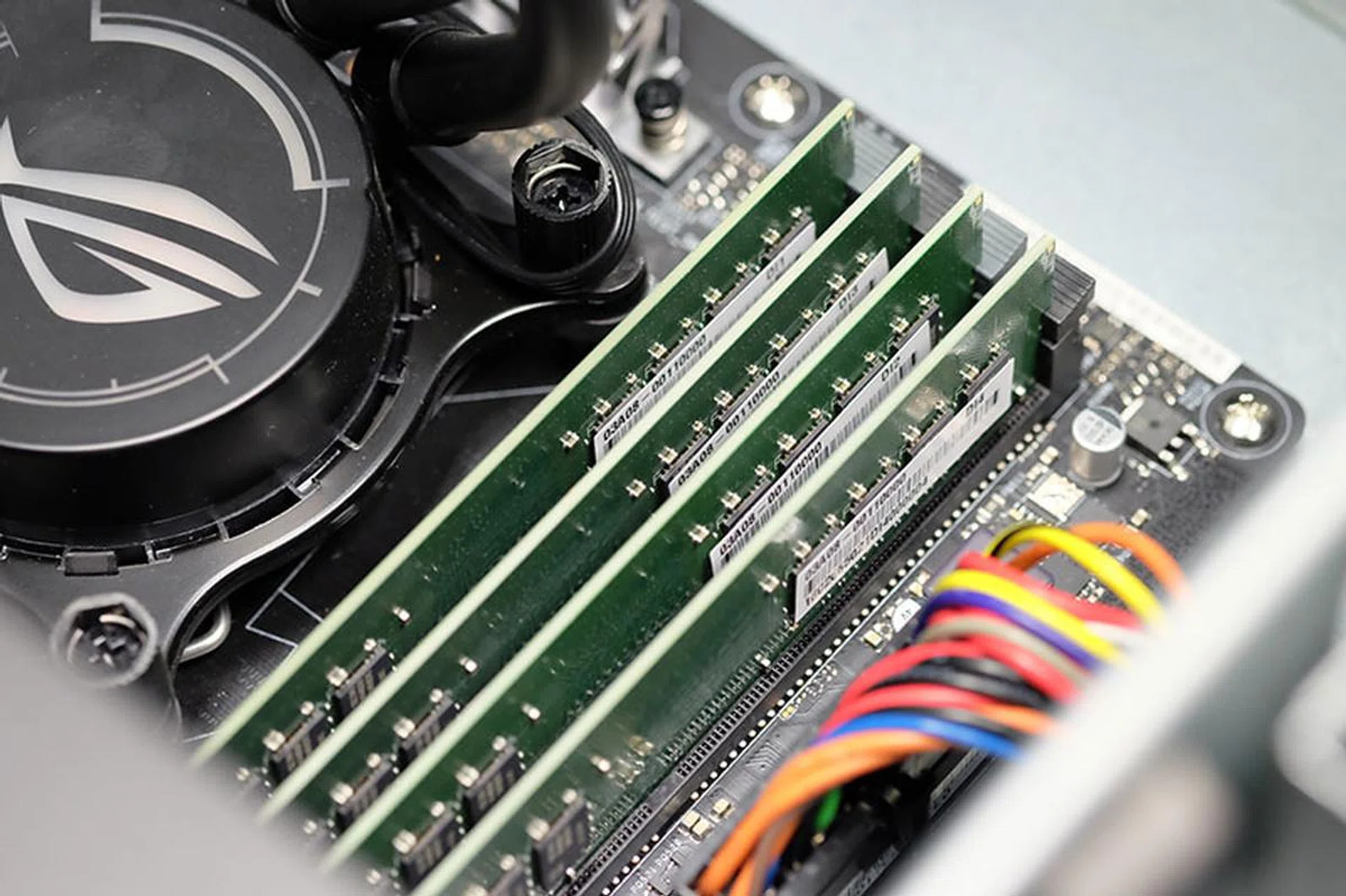
You can probably swap out the RAM modules if you want.
You can also see here the 2x2 Intel Dual Band Wireless-AC 7265 wireless module, which supports up to 867Mbps of throughput over two spatial streams. This module also provides Bluetooth 4.1 connectivity for additional connectivity options.
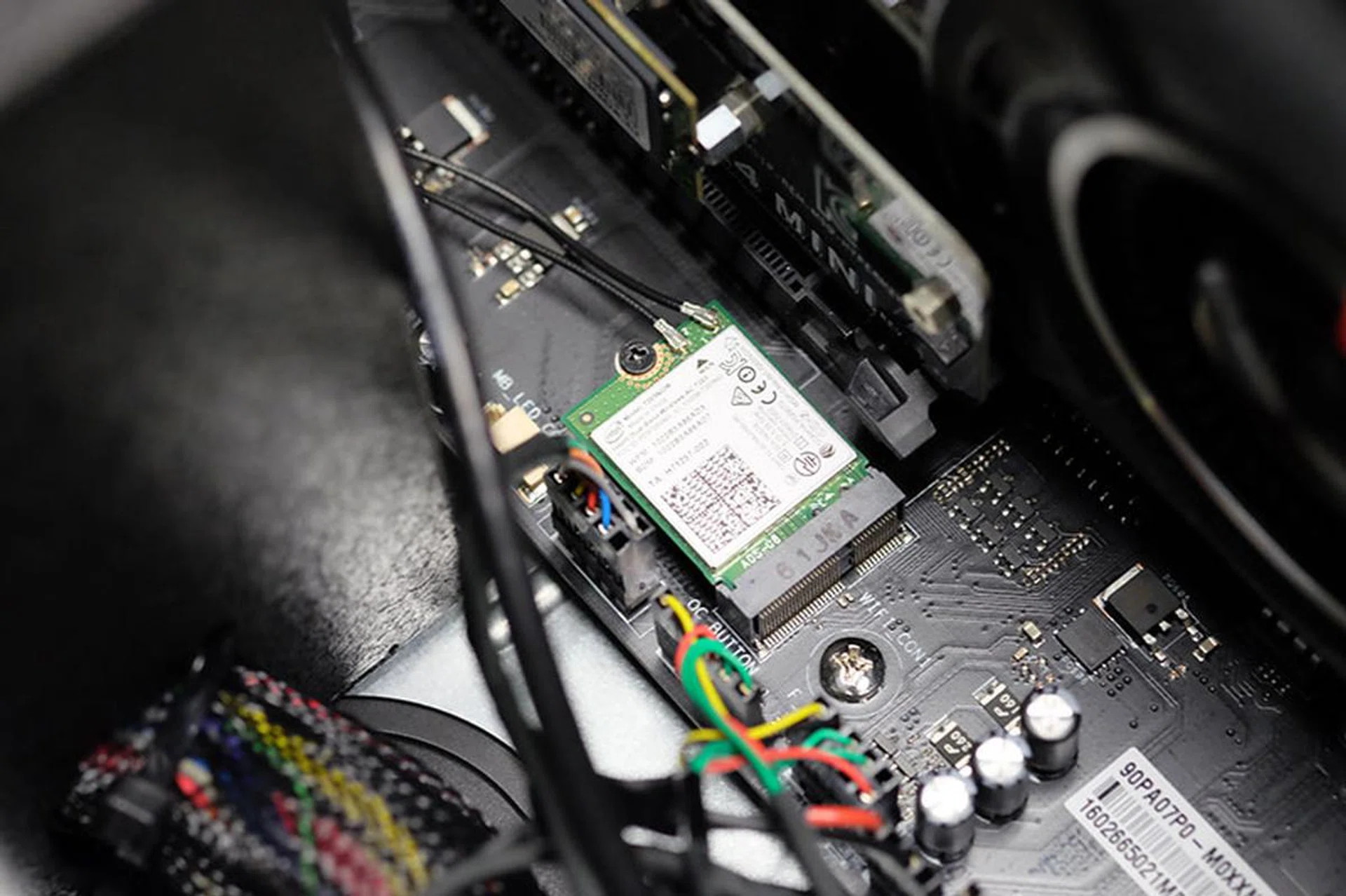
The ROG GT51 relies on an Intel Dual Band Wireless-AC 7265 module for Wi-Fi and Bluetooth connections.
One drawback of buying a pre-built system is that you lose control over the individual components that go into the system. For instance, with a system has powerful as the GT51, you definitely want to make sure that the PSU is a sufficiently high quality unit with enough wattage to power the hardware inside. In this case, ASUS has gone with an AcBel R88 700 watt unit with an 80 Plus Silver efficiency rating.
This actually seems to be a bit on the low side, especially when you consider the fact that NVIDIA officially recommends a 600 watt PSU for just a single Titan X (250 watt TDP a piece). We didn’t run into any issues while benchmarking the system, but you probably don’t want to push your luck by overclocking the GPUs. In fact, we'd say you need at least an 850 watt PSU (600 watts + 250 watts) at minimum for two Titan X’s in SLI, so we were a little disconcerted to see that ASUS has also chosen to include an overclockable CPU in the system as well.
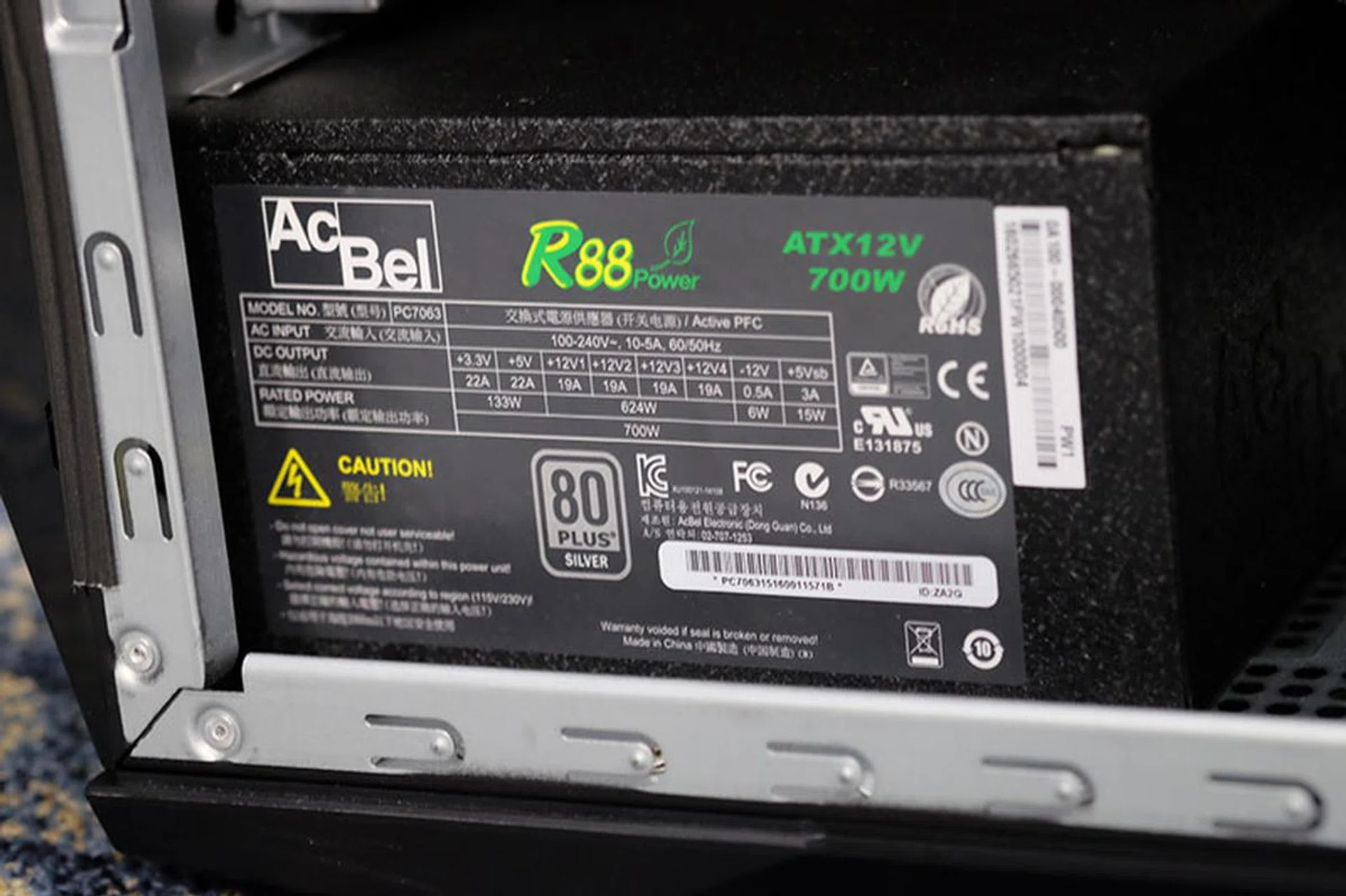
The ROG GT51 is powered by a 700 watt PSU, which seems to be cutting things a little close in terms of power requirements.
Decreased performance due to insufficient power is also the least of our worries here, and users could even experience things like system instabilities and crashes. Unfortunately, it seems like ASUS is simply cutting corners on hardware that doesn’t usually show up on specifications sheets, but which unfortunately turns out to be one of the most crucial aspects of any system.
However, ASUS tells us that its tests show that the system has a maximum power consumption of around 660 watts, which would leave a slim 40 watt headroom to add more components like additional hard drives. The problem with this is that the ability of PSUs to supply their rated power degrades over time, so you might encounter problems further down the road even if everything is peachy at the outset. PSU related issues don't typically show up in brand new qualified systems such as this machine, but rather, they tend to show up much later in the product's lifespan and can be quite cumbersome to pinpoint.
With that said, there’s still a one-click overclocking button on the front panel, which automatically bumps up the CPU up to 4.6GHz without needing to reboot the system. That’s a 400MHz increase from the 4.2GHz Turbo frequency of the Core i7-6700K, although you aren’t likely to see too significant an increase in performance in games because the majority of them are GPU-bound. And with two Titan X’s in SLI, there’s really not much more performance you’re going to be able to squeeze out by overclocking the CPU.
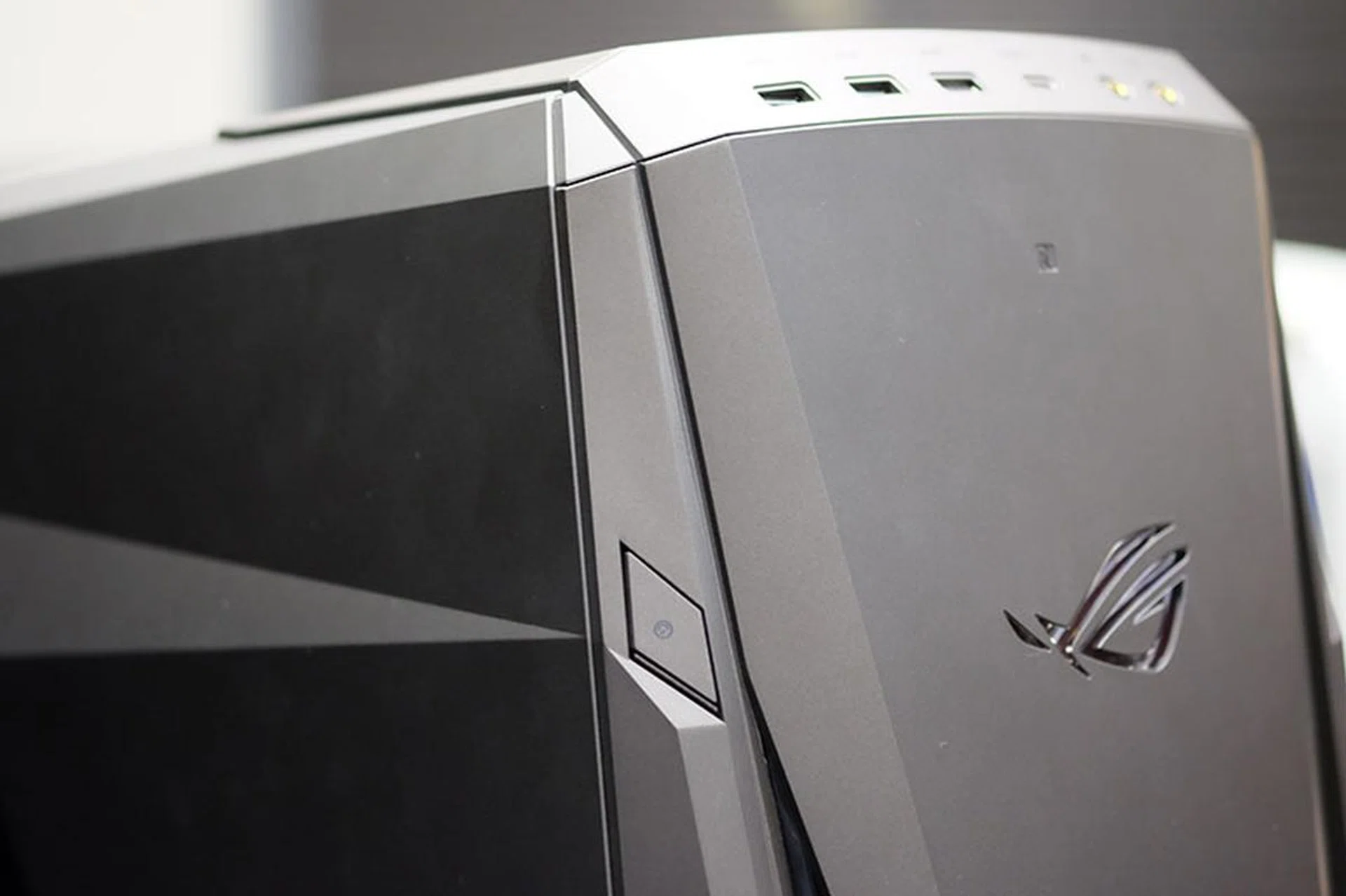
The OC button is located right on the front.
Alternatively, the included ROG wristband, which comes with an embedded NFC chip, can be used to activate overclocking mode. All you have to do is wave it in front of the system. The wristband also gives you access to a “shadow” drive, which is really a hidden drive partition that cannot be seen or accessed until activated by the band. (Now think of what you can stash away on that phantom drive!) Both of these are pretty neat features if you think about it. They may not be absolutely necessary, but it’s nice to see ASUS throwing in a couple of value-added features to help with product differentiation.

The included wristband lets you access a hidden shadow partition on the system's storage drive.
There’s also a wide range of ports available on the front panel. This is to the tune of two USB 3.0 ports, one USB 3.1 port, and one Thunderbolt 3 USB-C port, in addition to separate jacks for plugging in your headphones and microphone. An ESS 9018 DAC and ESS 9601 amp outputs audio to the front panel ports, so you can get better than run-of-the-mill sound by simply hooking up your gear to the front ports. And if you own high-impedance headphones like the Beyerdynamic DT 880, you can rest assured that the GT51 will be able to drive it.
Round the back, the rear I/O panel gives you access to two USB 2.0 ports, six USB 3.0 ports, a dedicated Ethernet jack and the usual selection of audio outputs.

Here's a closer look at the rear I/O ports.
Software
The bundled Aegis II software provides a host of system monitoring, customization, performance boosting options. The interface is divided into separate panels that control different things. For instance, the Lighting panel lets you customize the colors and lighting effects of the four different lighting zones on the chassis. You can select things like the speed of the pulse effect, the range of colors that it “pulses” through, or even opt for a single, solid color if you so wish.
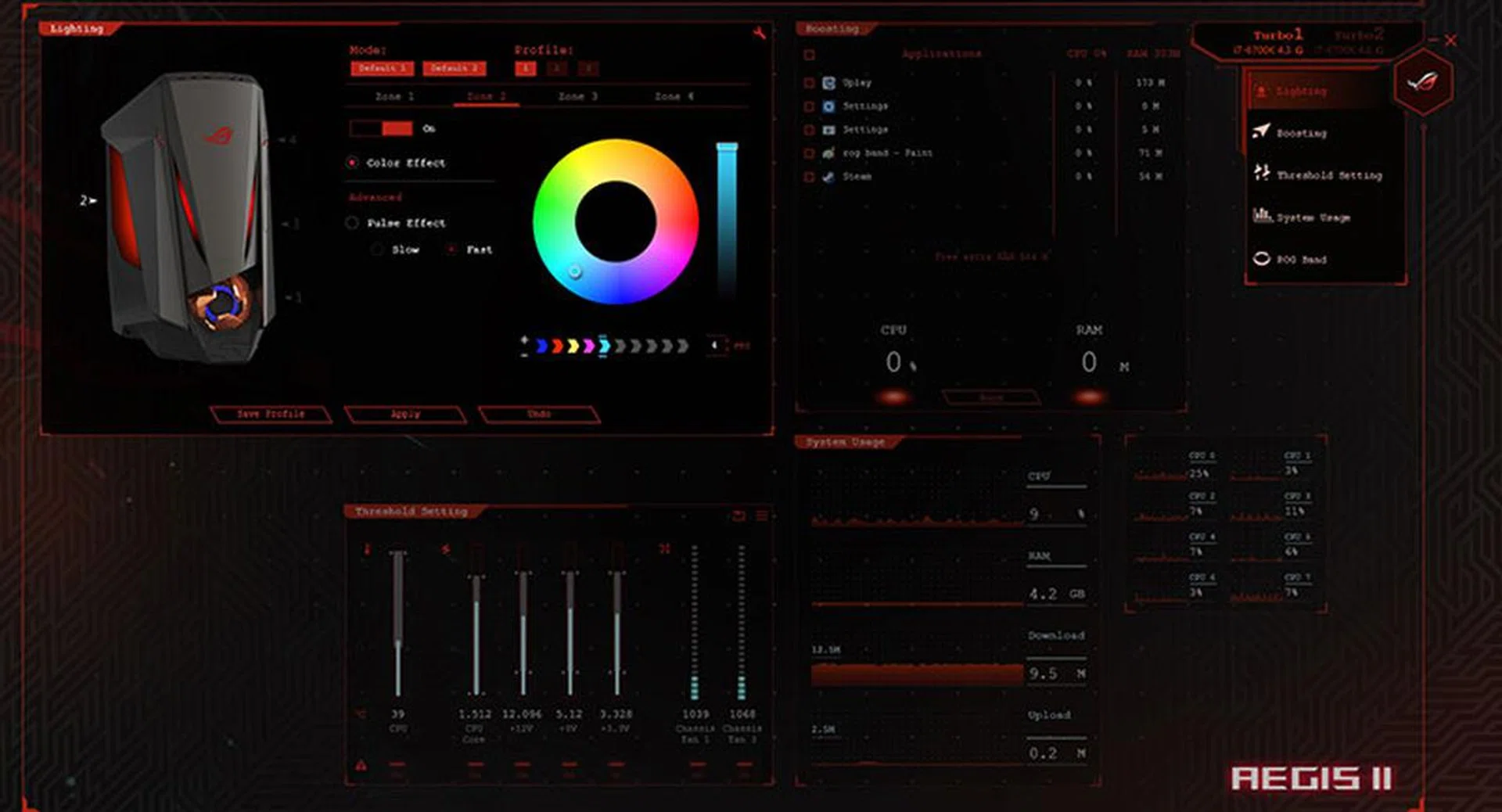
You can customize the colors and effects of the different lighting zones from within the Aegis II control panel.
Then there’s the ability to monitor key system parameters, like CPU and RAM usage and voltages. On top of that, ASUS has implemented something called Boost Launcher, which supposedly frees up CPU and memory resources before you launch a game. In theory, this looks like it might save you the trouble of having to manually hunt down individual programs to shut them down.
The system also comes with ROG GameFirst III installed, a nifty network management software that lets you control incoming and outgoing traffic. The most obvious application of this is to give your game priority in order to minimize latency, but you can also put downloads ahead in order to reduce the time to completion.
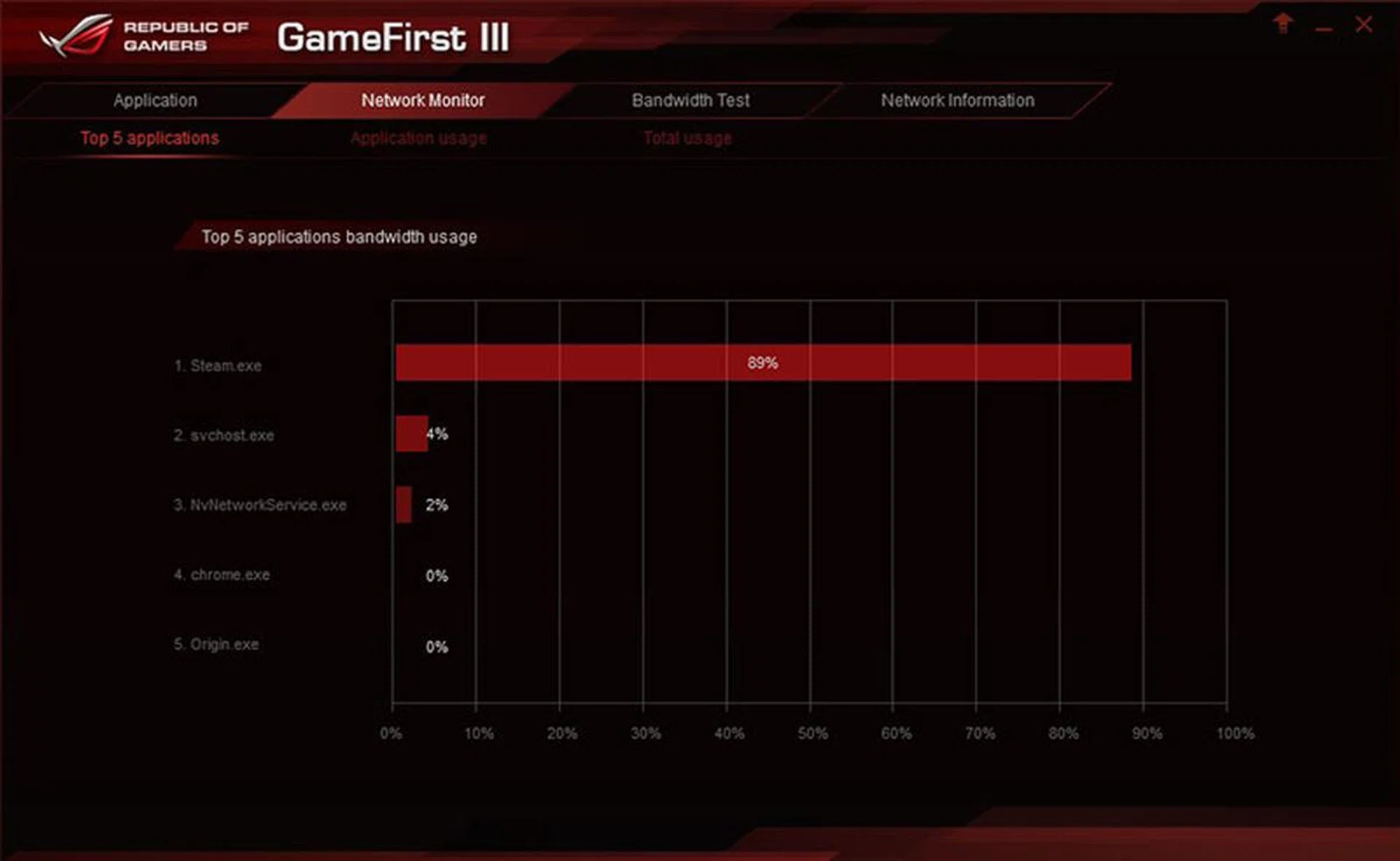
The ROG GameFirst III network management software lets you control incoming and outgoing network traffic.
Finally, the Audio Wizard software provides you with five different modes for various gaming scenarios, with things like War Room, Battlefield, Action, Multimedia, and Soundscape. The names themselves aren’t very informative, so here’s a quick rundown on what each does:
- War Room (RPGs): Enhances high frequencies; best suited to bring out in-game soundtracks
- Battlefield (shooters): Improves dialog clarity
- Action (action/adventure): Boosts the bass frequencies for things like explosions
- Multimedia (movies and videos): Enhances overall sound clarity
- Soundscape (sports and racing): Narrows the sound stage for a more intimate, realistic experience
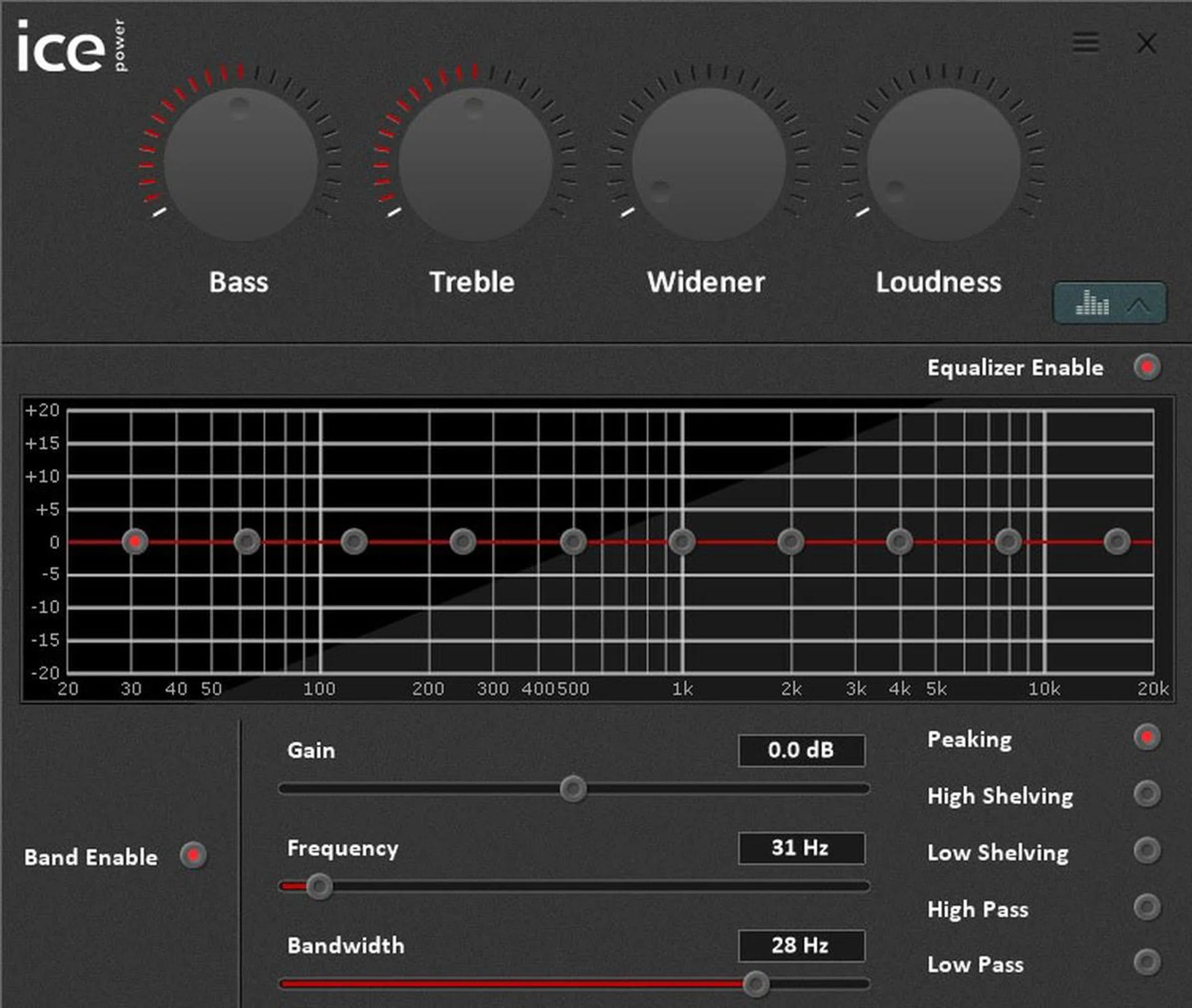
You can also call up a more advanced menu for finer grained control over your games and music.
Availability
Both SLI configurations of the ROG GT51 are available for pre-order from 18 May to 30 June. The pre-order window for the model with the single GeForce GTX 980 is shorter, ranging from 18 to 29 May.
CEE Show offer
The Consumer Electronics Exhibition (CEE) 2016 is happening next week from 26 to 29 May. Organized by Exhibits Inc. Pte Ltd (the same folks who brought you IT Show, Comex, Food and Beverage Fair, and World Food Fair), CEE 2016 will once again be taking place at Suntec Singapore, Halls 401 - 403, from 12 - 9pm on each of the four days. Admission is free, as always. You can read up more on the star buys over here, but here's what's specific to the ROG GT51 during the CEE 2016 show:-
- GT51CA-SG001T (Dual GTX Titan X in SLI) @ S$7,498 - Receive a free ROG Swift 4K Gaming Monitor (worth $1,498)!
- GT51CA-SG008T (Dual GTX 980 in SLI) @ S$4,298 - Enjoy 50% off the ROG Swift 4K Gaming Monitor (usual SRP: $1,498)!
- GT51CA-SG002T (Single GTX 980 card) @ S$3,498 - Receive a free limited edition ROG Hoodie worth S$119!
Our articles may contain affiliate links. If you buy through these links, we may earn a small commission.