
Can budget gaming notebooks deliver the experience you need?
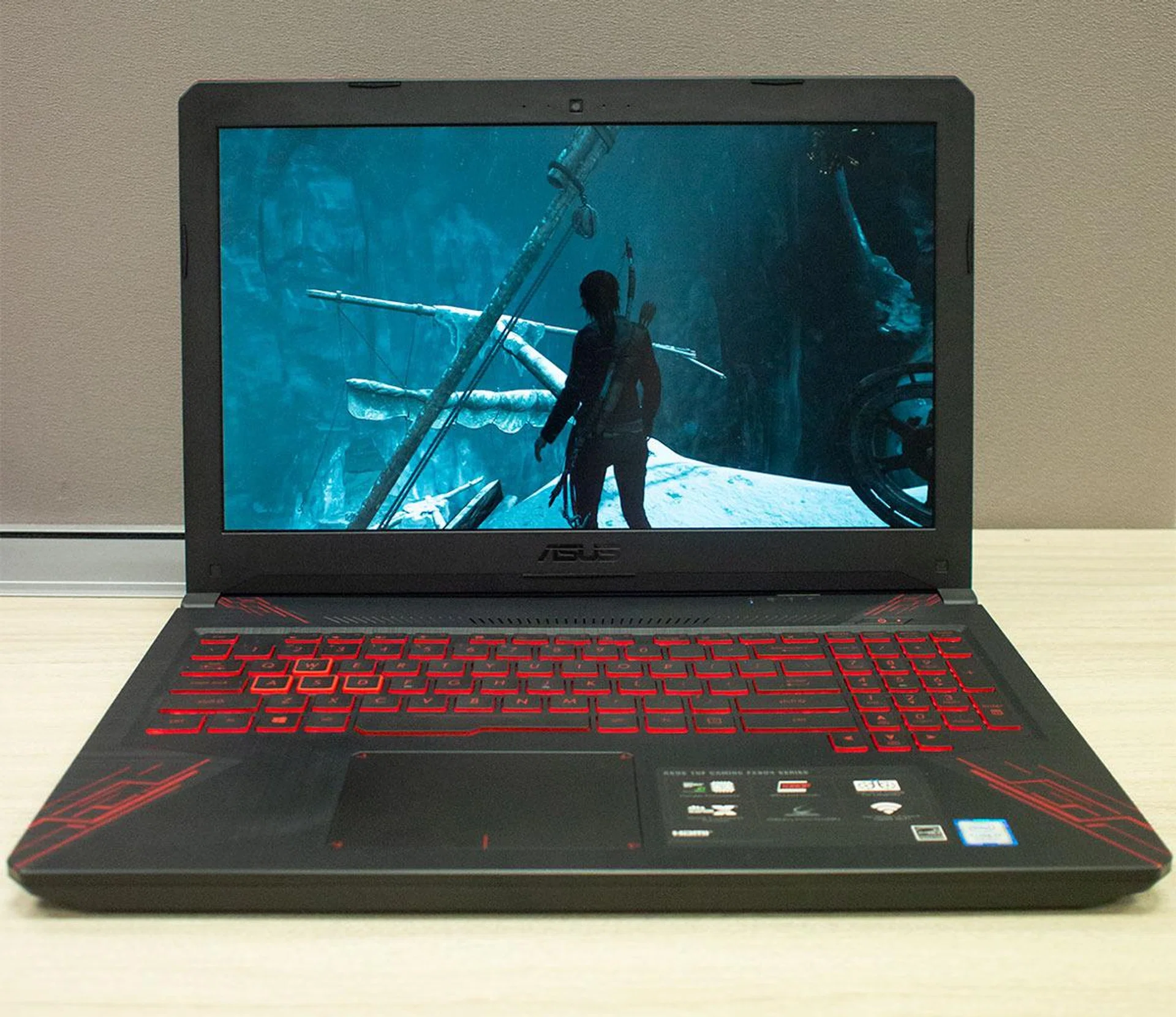
Gaming has historically been an expensive hobby. However, there are now several options in the market that shout for your attention and cost as low as S$1,600. Who are they targeting? Can it really deliver the experience you deserve? We investigate with one of the newest options that sit in this category - the ASUS TUF Gaming FX504 notebook.
Note: This article was first published on 31st May 2018.
What's the deal with affordable gaming notebooks?
Gaming has historically been an expensive hobby. Putting aside the cost of the games themselves, the hardware required can be prohibitive in cost (not that it has deterred most gamers). This is especially so for quality PC gaming, where a serviceable gaming notebook used to set one back S$3,000 or more. These days, however, more and more ‘affordable gaming’ notebooks are hitting the market.
This phenomenon can be explained, in part, by the advances in technology. NVIDIA's GeForce 10 series of graphics processors have been pushing the envelope when it comes to graphical processing prowess. These days, most mid-range GPUs can offer performance levels on par with last generation’s high-end models, with the notebook models almost matching their desktop counterparts. This is taken further with advancements such as NVIDIA's Max-Q technology, paving the road for reasonably-sized machines with respectable gaming chops.
There’s also a rising trend within gaming itself, where certain publishers are shifting from more graphically-focused games like Far Cry and Tomb Raider to multiplayer genres such as online battle arenas and battle royale-style games. In fact, two of the most popular games right now are Fortnite and PlayerUnknown’s Battlegrounds. These battle royale games lean towards optimization to please the masses than focus on outright ultra high fidelity graphics in order to get as many players as possible.
Are they any good? Are you getting shortchanged?
The question, however, still remains: Can budget gaming notebooks deliver the performance you need? To explore this further we’ve used the ASUS TUF Gaming FX504, a gaming notebook that's retailing at S$1,598 and S$1,798 respectively. It’s one of the newest and most affordable of its class, suiting our needs to answer this pertinent question.
Our test unit is the S$1,798 variant and it packed a hexa-core Intel Core i7-8750HQ (2.2GHz) processor and an NVIDIA GeForce GTX 1050 Ti graphics chip. The FX504 also comes with a 1TB 5400RPM SATA HDD and a 256GB SATA M.2 SSD.
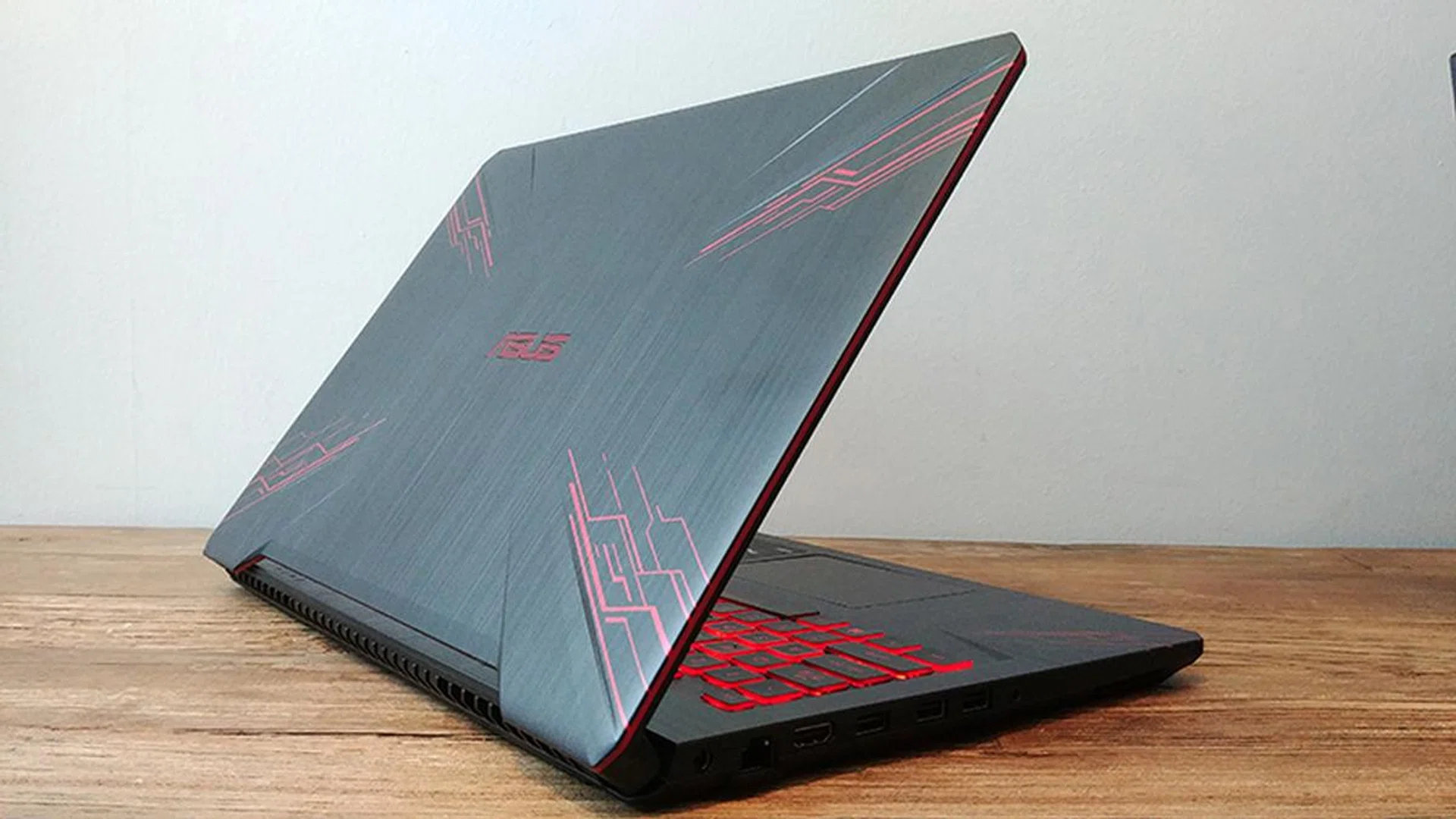
Looking bold. Can it also deliver the smooth gameplay you need to conquer virtual realms? Let's find out.
Benchmarks to determine gaming experience
It’s time to get down and dirty and see how a notebook within the ‘affordable gaming’ range holds up to the more popular online multiplayer games. To do that, we'll be testing the ASUS TUF Gaming FX504 notebook with the following games:-
- PlayerUnknown's Battlegrounds
- Fortnite
- Overwatch
- Heroes of the Storm
- Hearthstone
- Gwent
- Rise of the Tomb Raider
In this article, we'll be focusing on game experience and recommended game settings you can use to optimize games for a better gameplay on these budget gaming notebooks at their native screen resolution - which is usually Full HD (1,920 x 1,080 pixels) resolution just like on the FX504.
Head over to the next page for our rundown and findings.
PlayerUnkown’s Battlegrounds (PUBG)
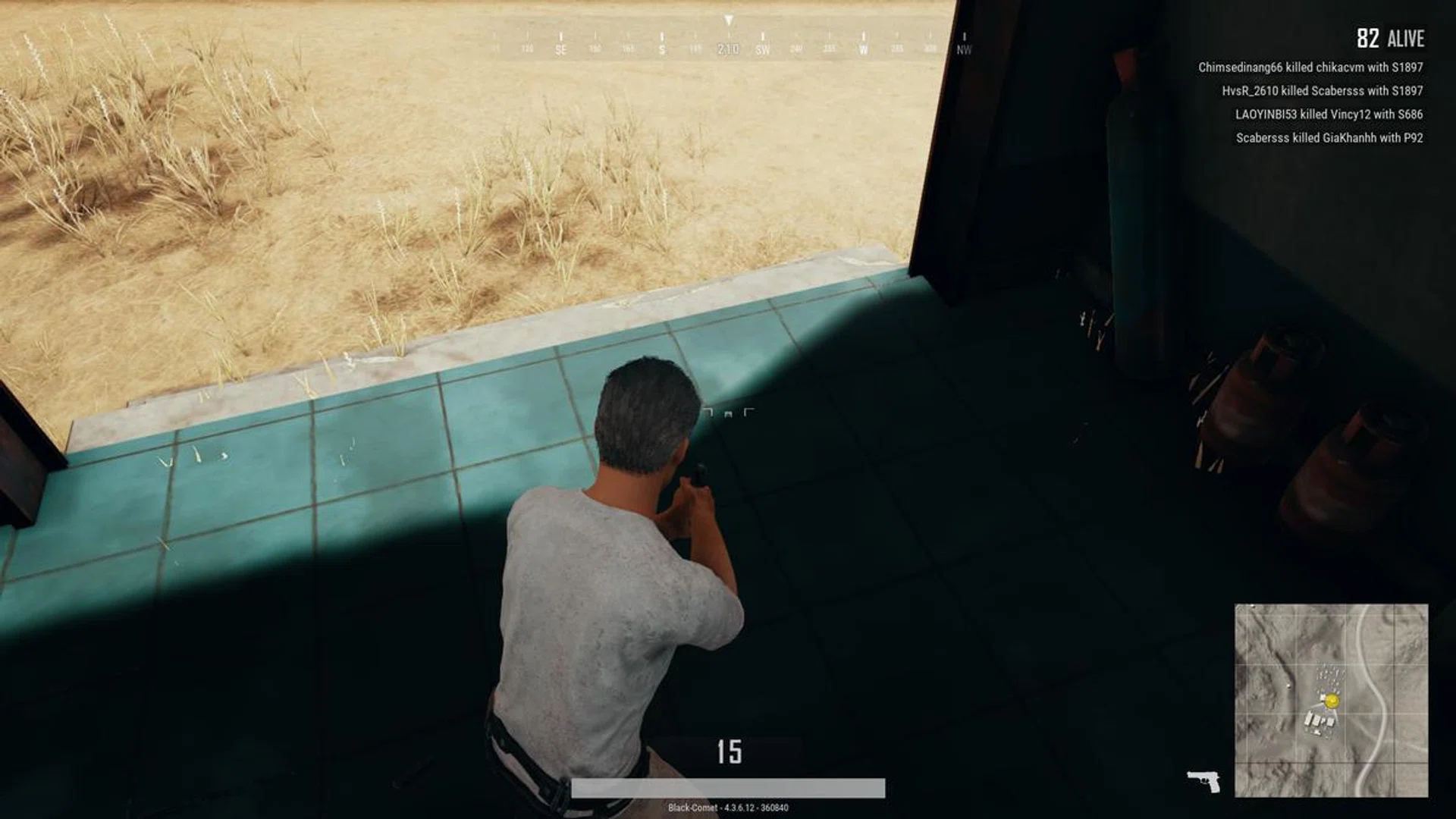
We started with PUBG and, like any serious PC gamer, the first thing we did was to turn the settings up to eleven. We were over-enthusiastic. Putting the game on Ultra caused some very noticeable framerate droops, even when simply queuing in the lobby and watching the idle animations. Turning it down to a more reasonable setting of High made the game slightly smoother, but it was still prone to frame drops when mucking around in towns.
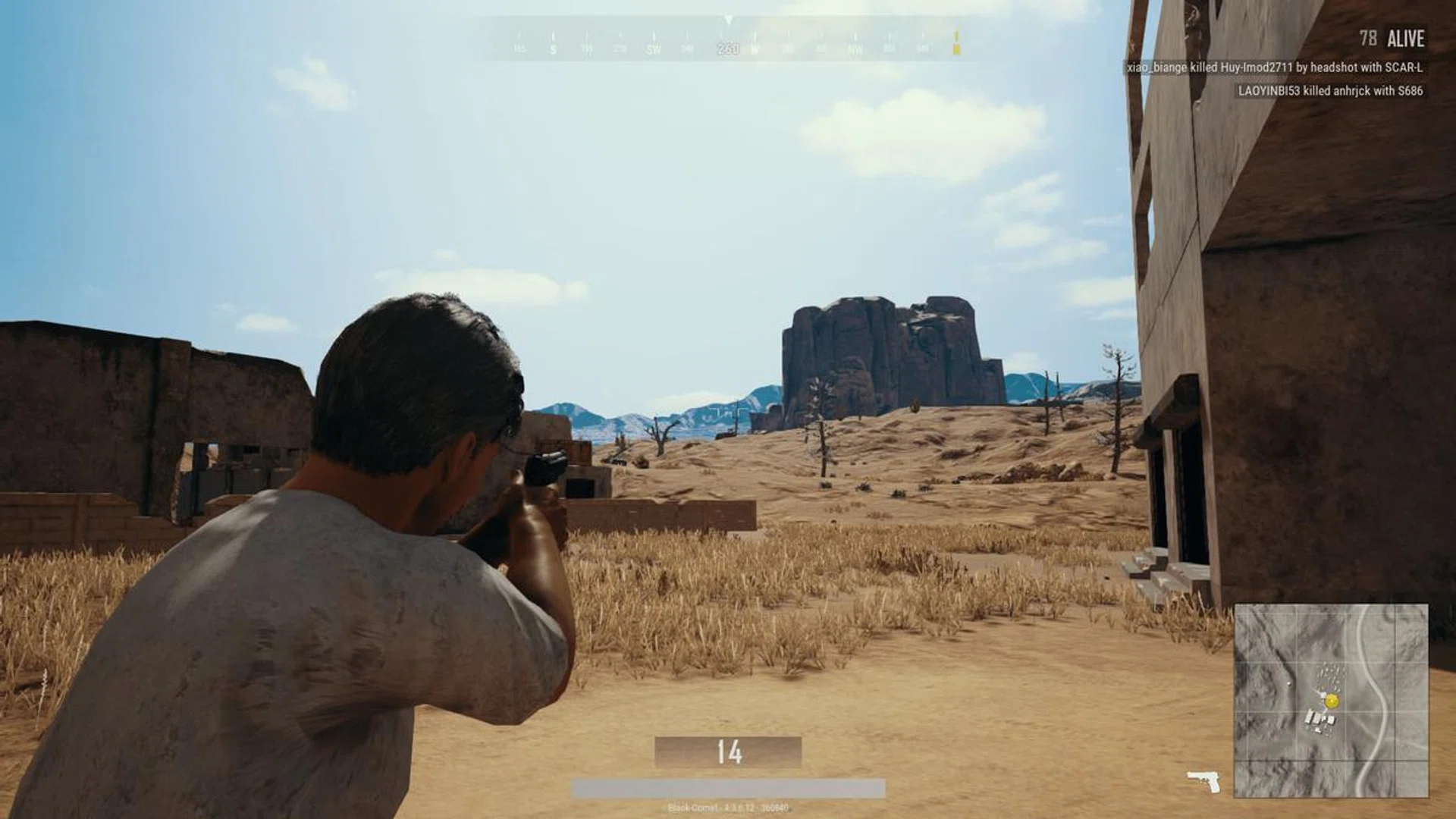
Checking out your immediate area for any other players is the key to survival.
Our in-game settings recommendation
The most optimal setting for a balance between smooth gameplay and pretty scenery will have to be Medium, though if you are in it to win it, I recommend keeping the graphics settings at Low for a slightly more stable frame rate. Don’t expect much, though. On Medium the game was pulling around 20 FPS, while Low bumped that up to 25-30 FPS. Hopefully, with a few optimization patches we can start seeing improvements but, for now, 30 FPS hits the bare minimum needed for a smooth run.
So yes, you can run PUBG at the notebook's native resolution 1,920 x 1,080 pixels and have a usable framerate. Should you need higher frame rates to eliminate any unforeseen dips, you can easily get a big boost by taking the resolution down a notch. As it stands now, for a notebook of this caliber, the in-game experience is reasonable even at Full HD resolution when using this in-game setting:-
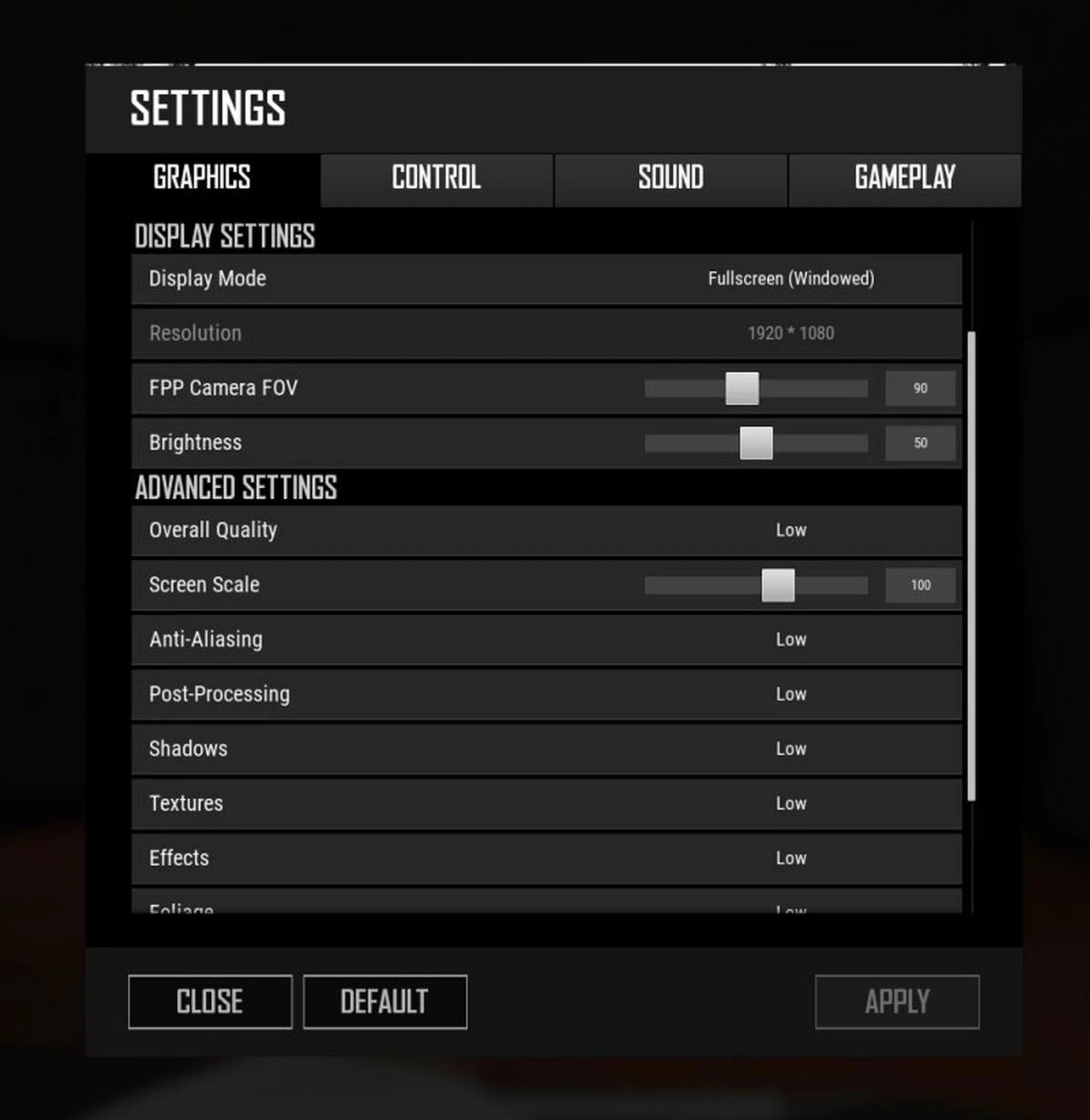
A quick look at the settings that gave us the most optimal experience.
Fortnite
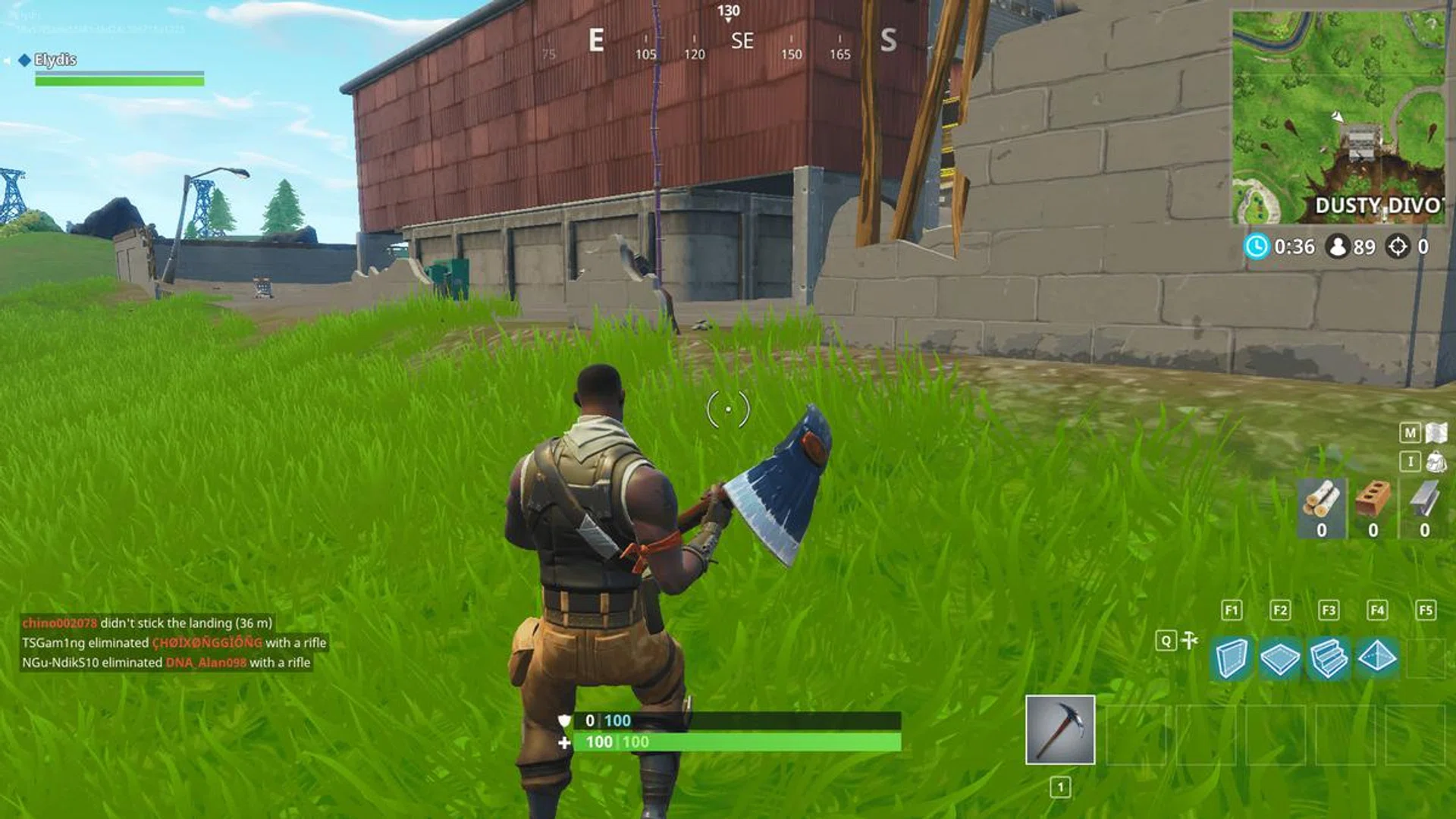
Up next we have the trending game of the year, Fortnite. This battle royale kept a steady 25 FPS on High quality settings, though Medium pushed it all the way to a respectably solid 60 FPS and higher.
Our in-game settings recommendation
For competitive play, set all the options to Low but max out the draw distance and screen resolution. This setting brings you up to a comfortable 120 FPS, which is turned to an unwavering 60 FPS when vSync was enabled. Fortnite runs amazingly well on the FX504 – everything was smooth and responsive. As such, we can comfortably say that most other notebooks configured around the GeForce GTX 1050 Ti should offer you a similar gaming experience.
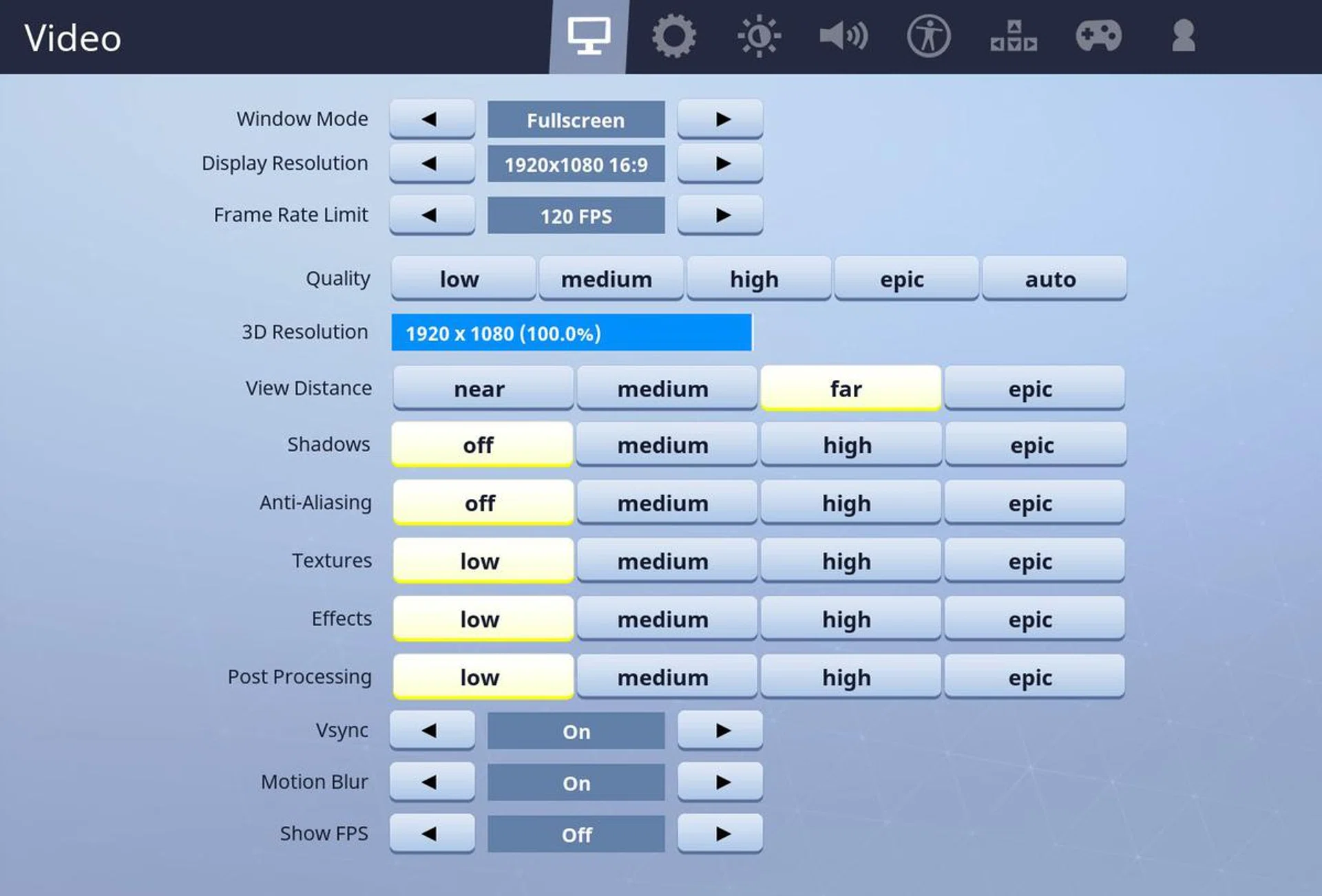
Most optimal settings for competitive play without sacrificing draw distance.
One of the highlights testing Fortnite was an exceptionally long-range pistol kill. After a few potshots from extreme range, we picked off a player who just survived a firefight. Draw distance truly is your best friend.
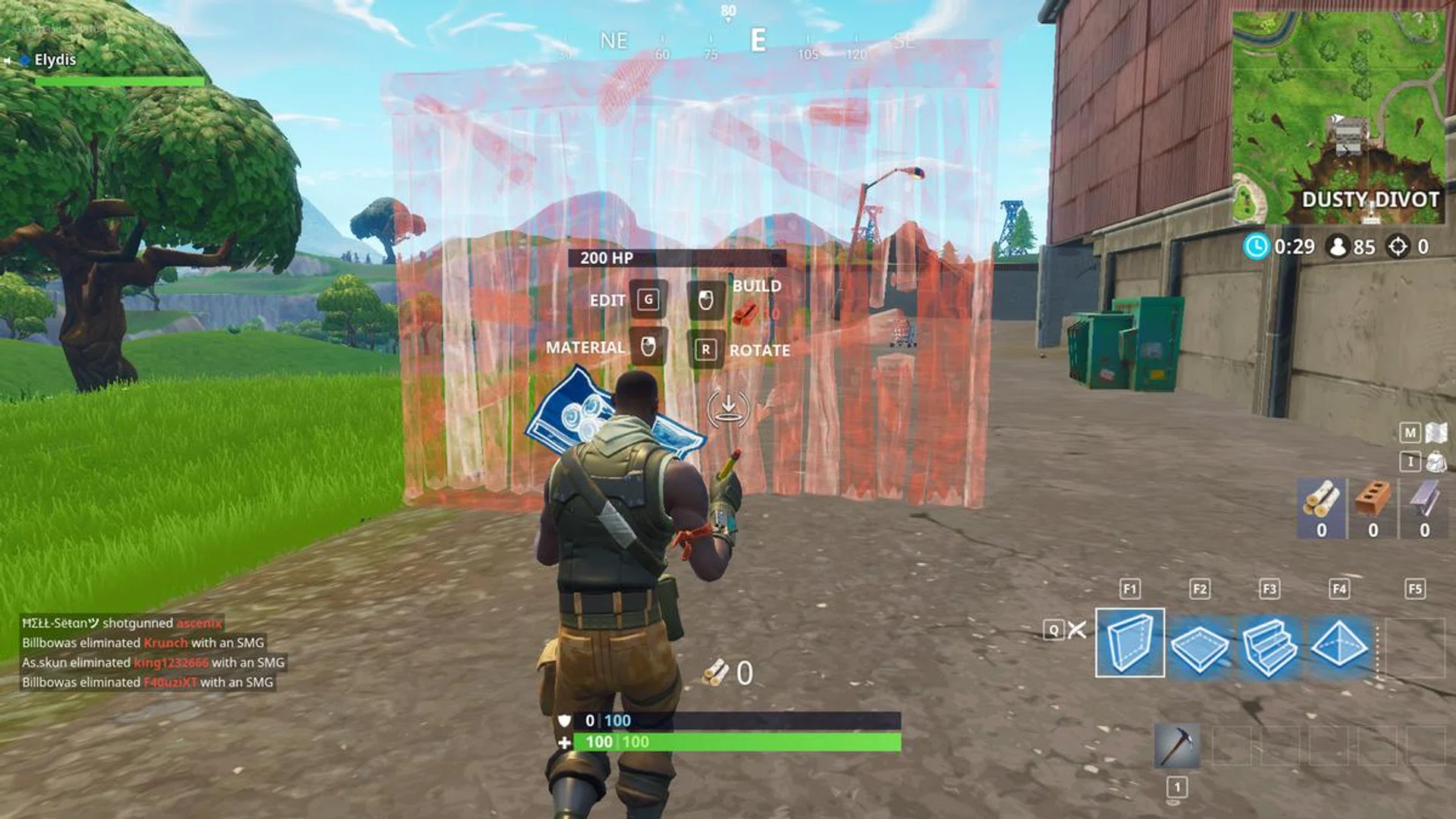
Multitasking between a shooter and a builder requires quick computers and quicker fingers.
Overwatch
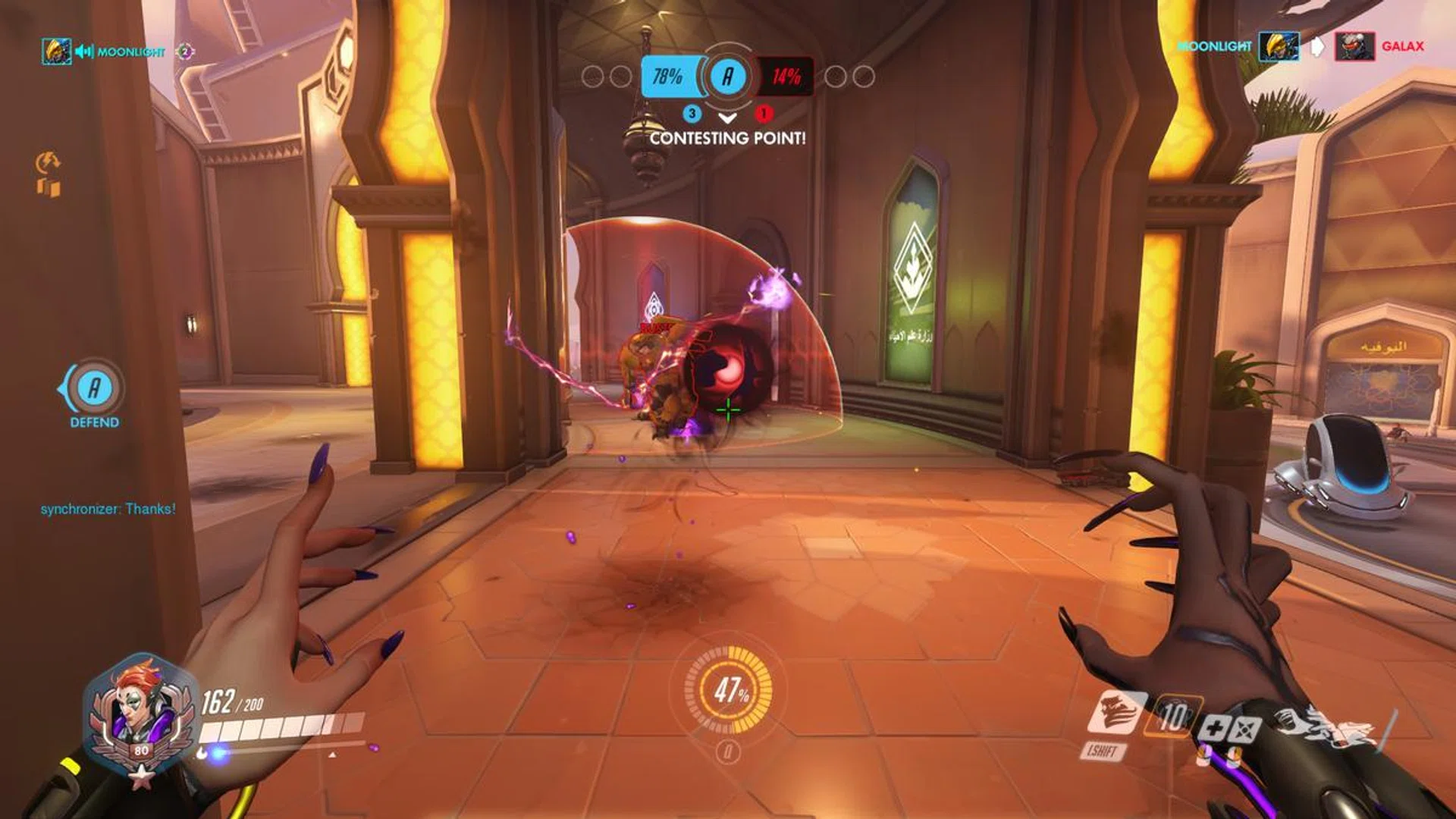
Tight corridors are a great place to put down some bouncy purple ball of doom.
It’s to Blizzard Entertainment’s credit that Overwatch is an amazingly well-optimized game. There was little need to sacrifice graphics for performance on the FX504 because, even on High, this multiplayer shooter was running at a solid 65+ FPS, even when you are in the thick of it tossing Moira’s purple balls of doom.
A particularly busy moment in the game was when the team was contesting a point on the control map, Oasis. Both sides were on the objective and despite justice raining from above and comments about the time of day by McCree, our team was able to put the opposition down thanks to some timely heals as Moira. Not once within that confusing melee were there any frustrating slowdowns.
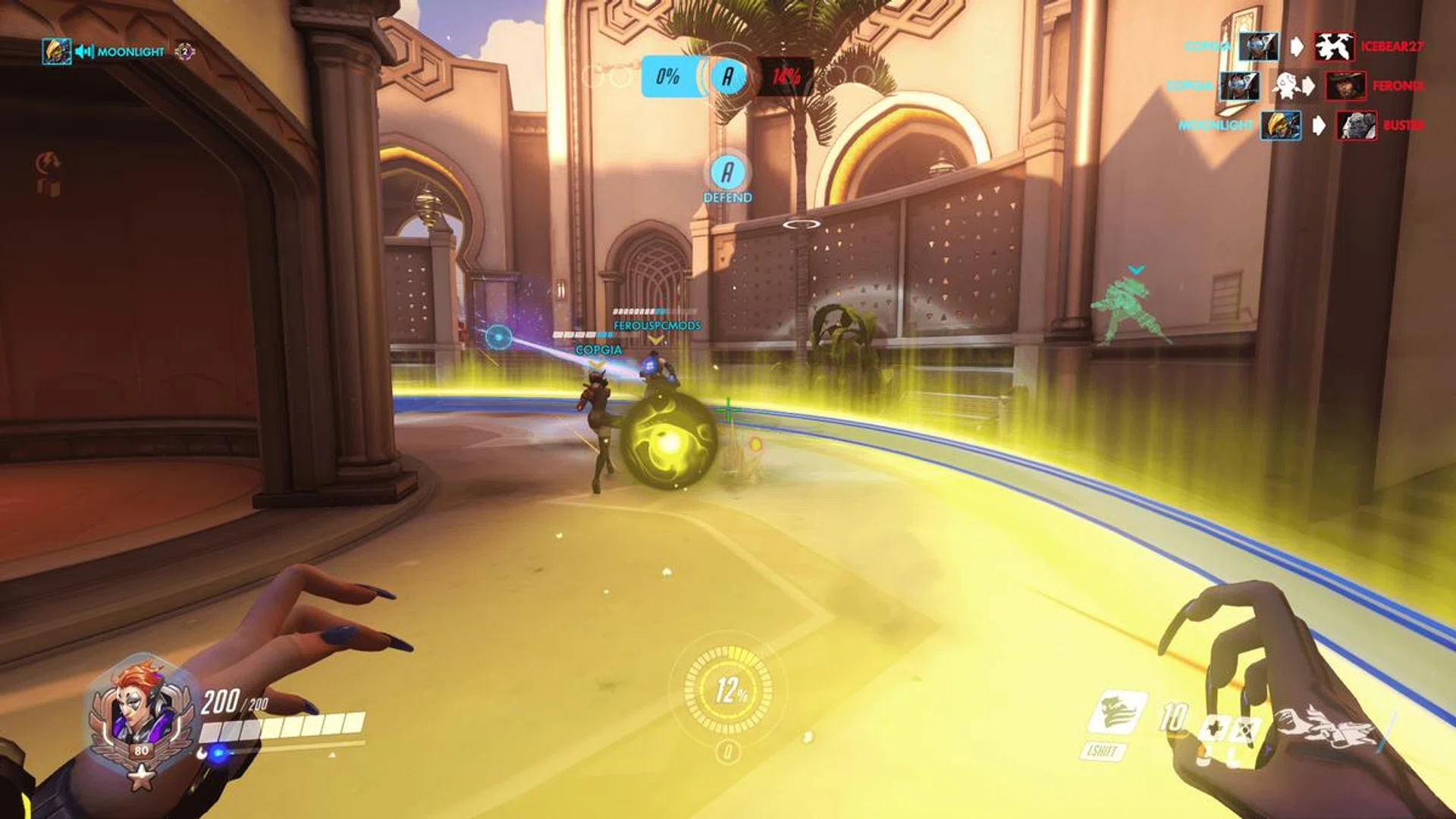
Balancing offense and support abilities requires situational awareness and quick thinking.
There isn't much else to say except that if you have a solid internet connection, you can expect the best of both worlds here – graphics and performance. Now that's what we call having your cake and eating it.
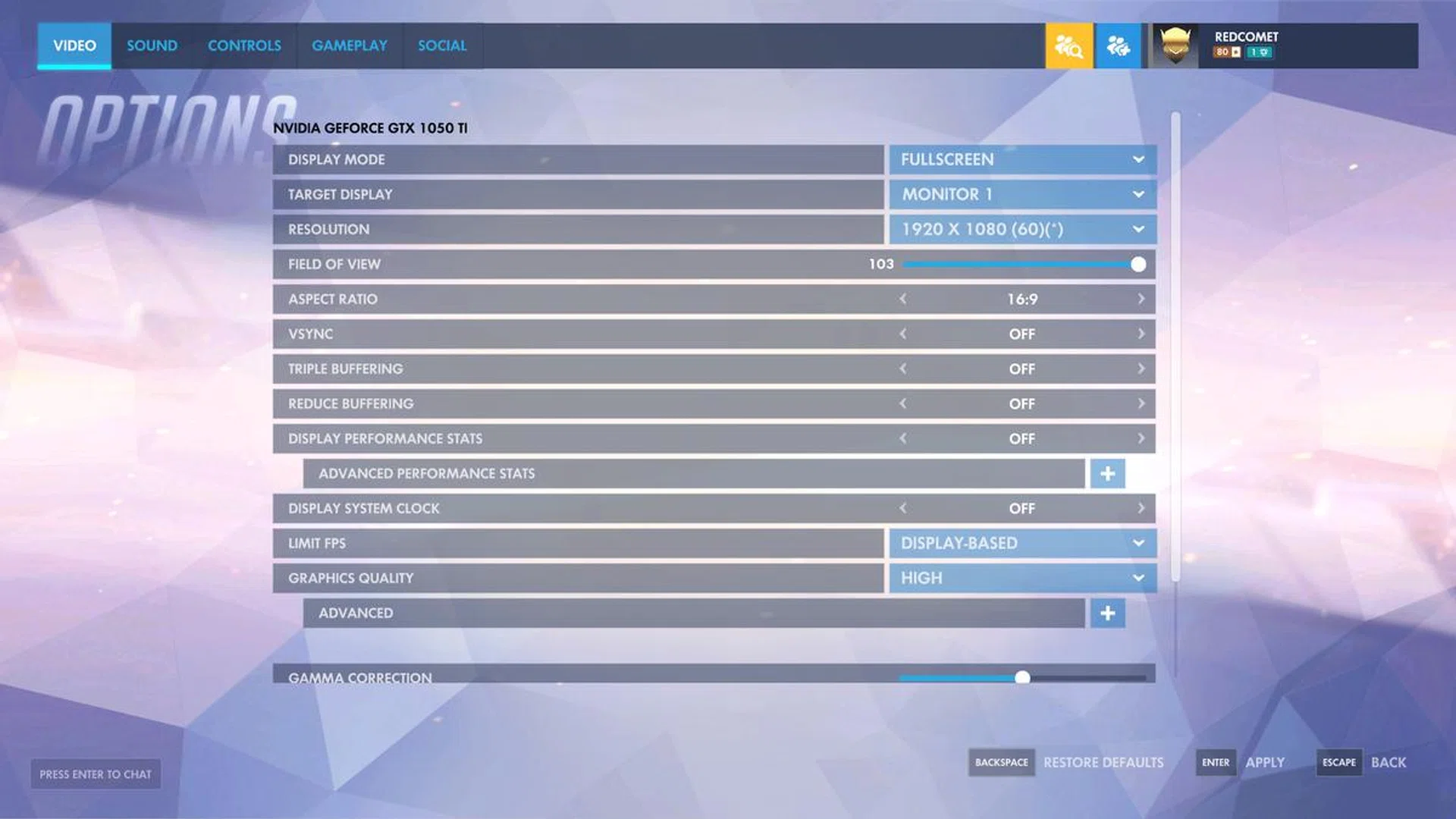
Default settings, no additional tweaking required for optimal gameplay.
Heroes of the Storm
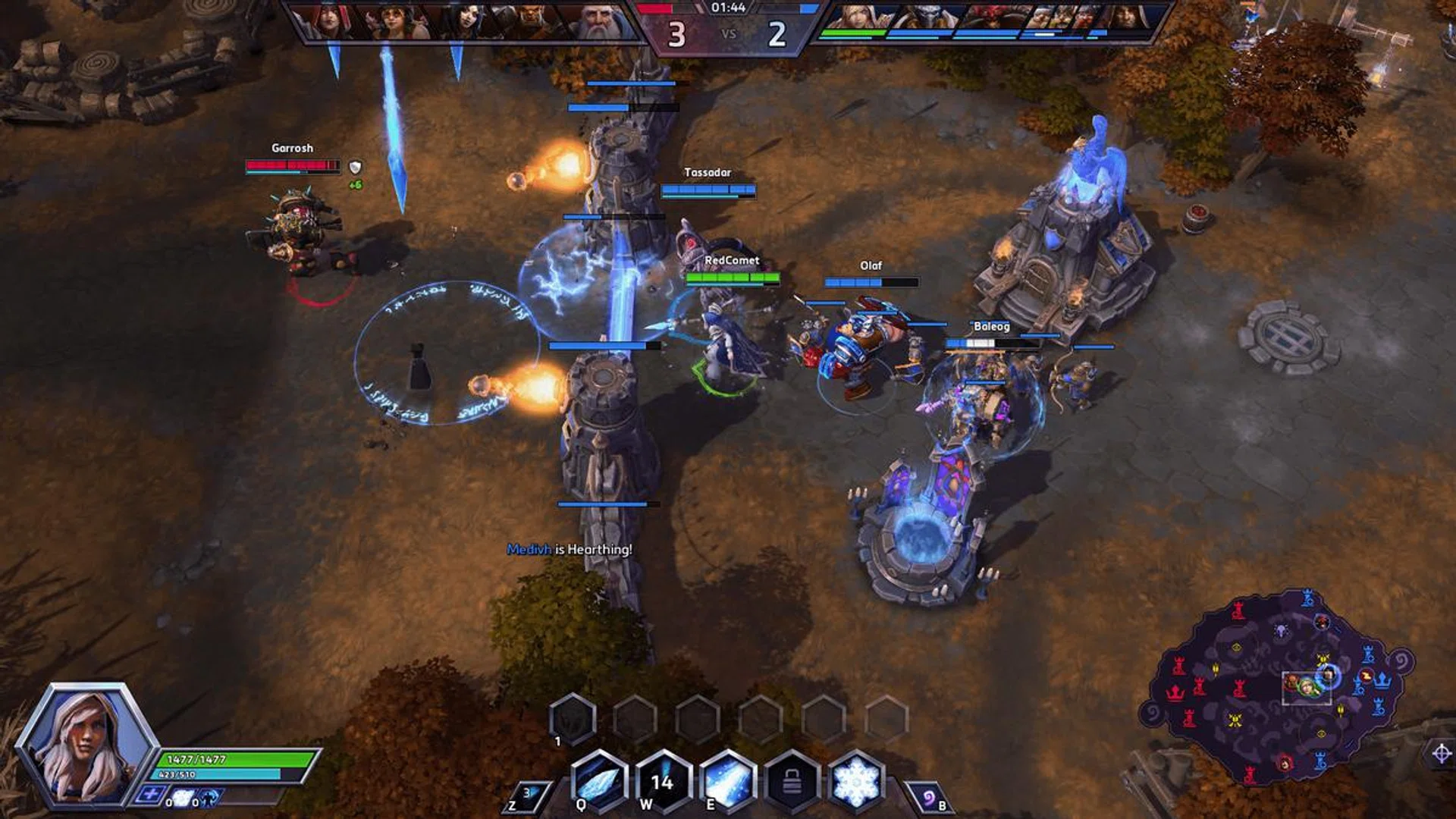
Practicing with bots is a great way to improve on your skill shots before facing off real-players.
Unfortunately, Heroes of the Storm didn’t get the same optimization treatment as Overwatch did. We don't have the same luxury of running HotS on a higher setting without losing some FPS. That is not to say that the battle arena game can't run on High, but you’ll be looking at around 40+ FPS instead of the smoother 60 FPS on Medium settings. These figures are pretty decent and certainly serviceable with respect to the affordable class of gaming notebooks we're dealing with and still holding on to the notebook's native Full HD resolution.
Our in-game settings recommendation
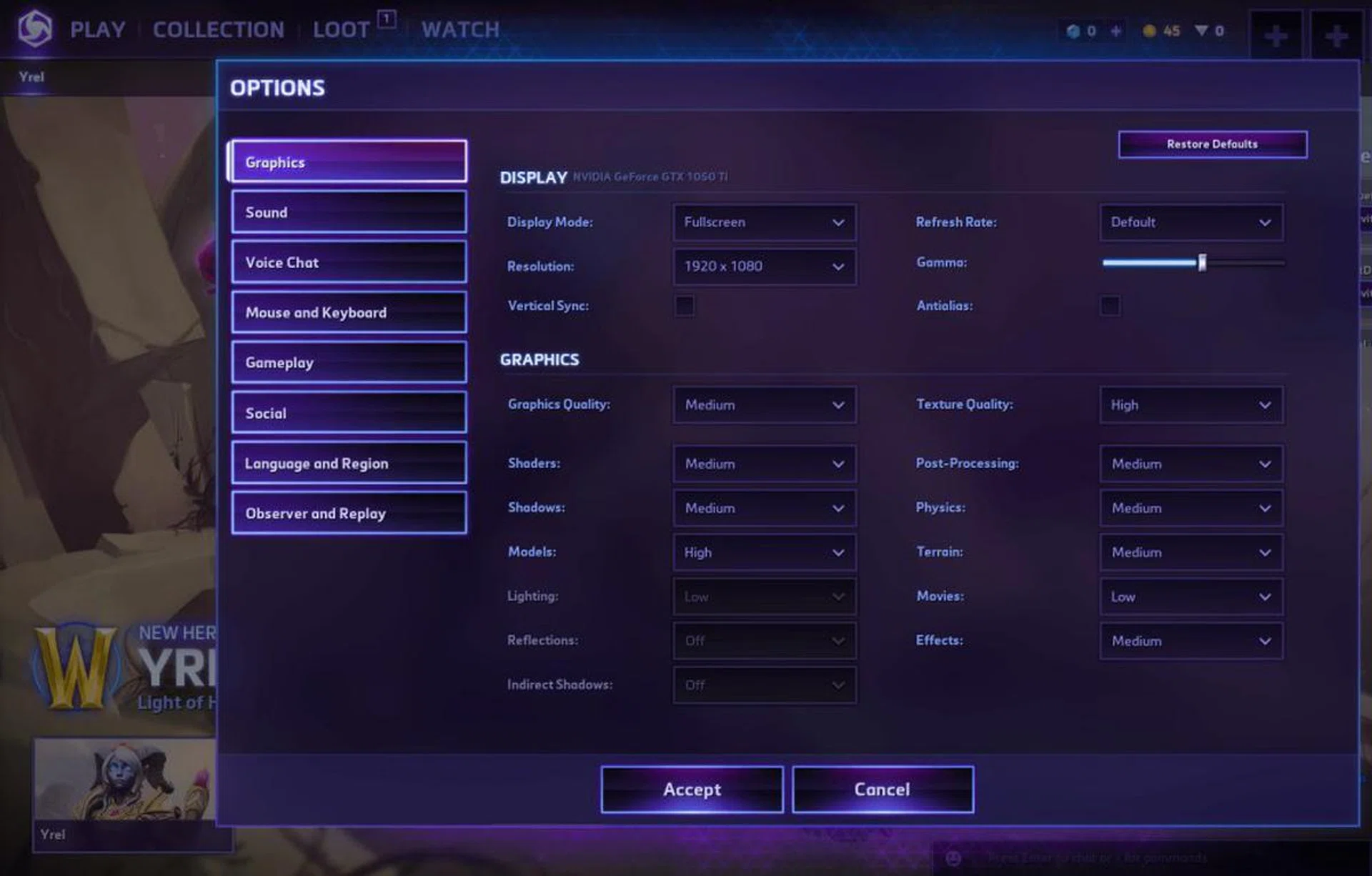
You get a good balance between graphics and performance on this setting we've tested. Model quality can be lowered for further performance boost.
With team coordination, positioning, and skill shots being such key components of this game, those extra frames make quite the difference. We found this to be especially true in a game as Jaina Proudmoore, a ranged assassin hero. It felt more responsive when tossing out those critical skill shots and area of effect abilities. Landing those nice kills allowed the team to push all the way to the Nexus, ending the game with cold efficiency.
Hearthstone & Gwent
Hearthstone and Gwent are both digital card games and, as such, do not tax your GPU quite as much. That said, being able to enjoy the animation of the premium cards and the cool particle effects definitely add to the experience. This is especially true with Hearthstone. Is your opponent taking forever to decide if they have enough for lethal? Mess around with the environment to check out some funny interactions whilst you wait.
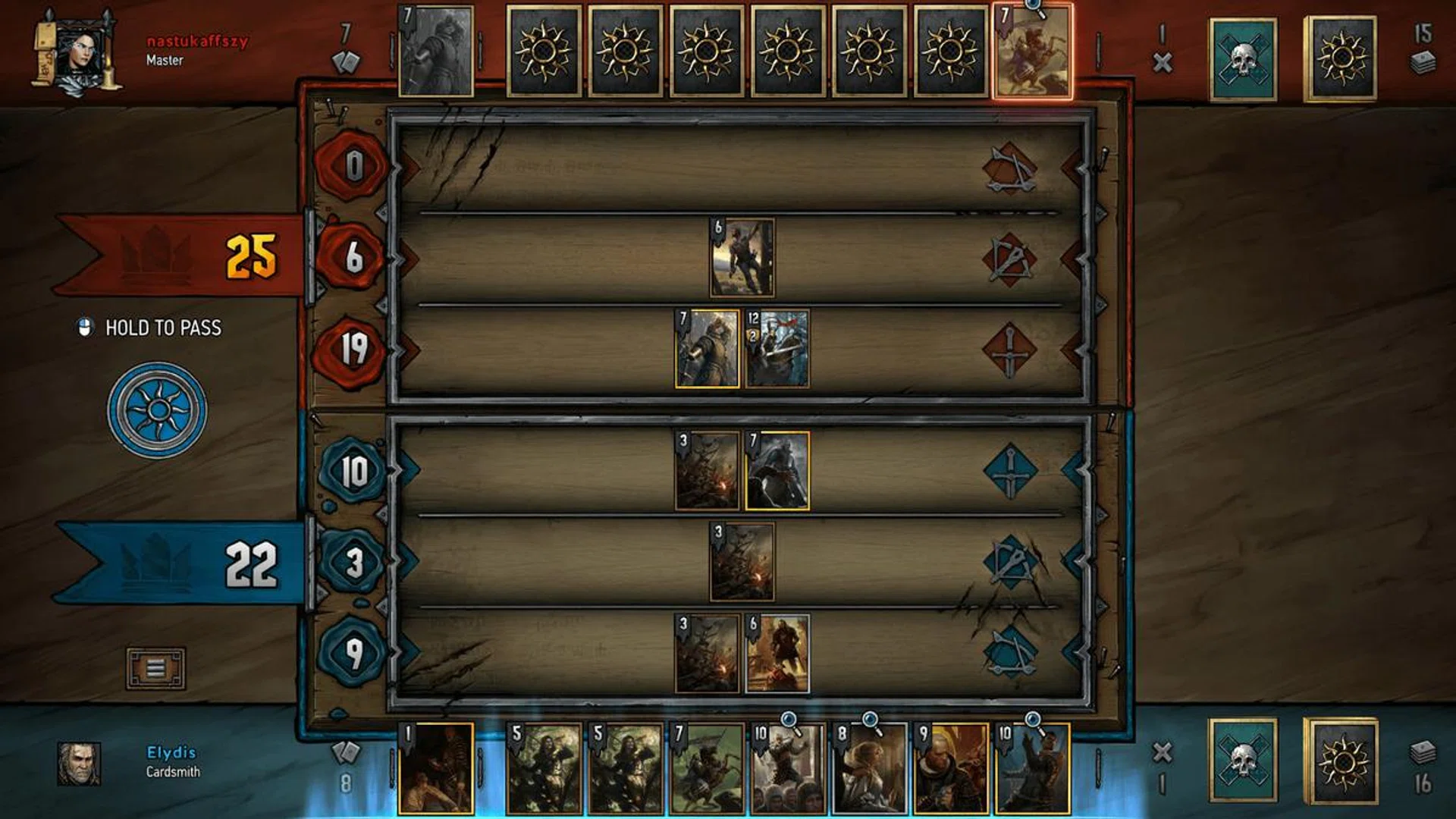
In Gwent: A quick Nilfgaard on Nilfgaard battle in this limited time Nilfgaard faction only arena mode.
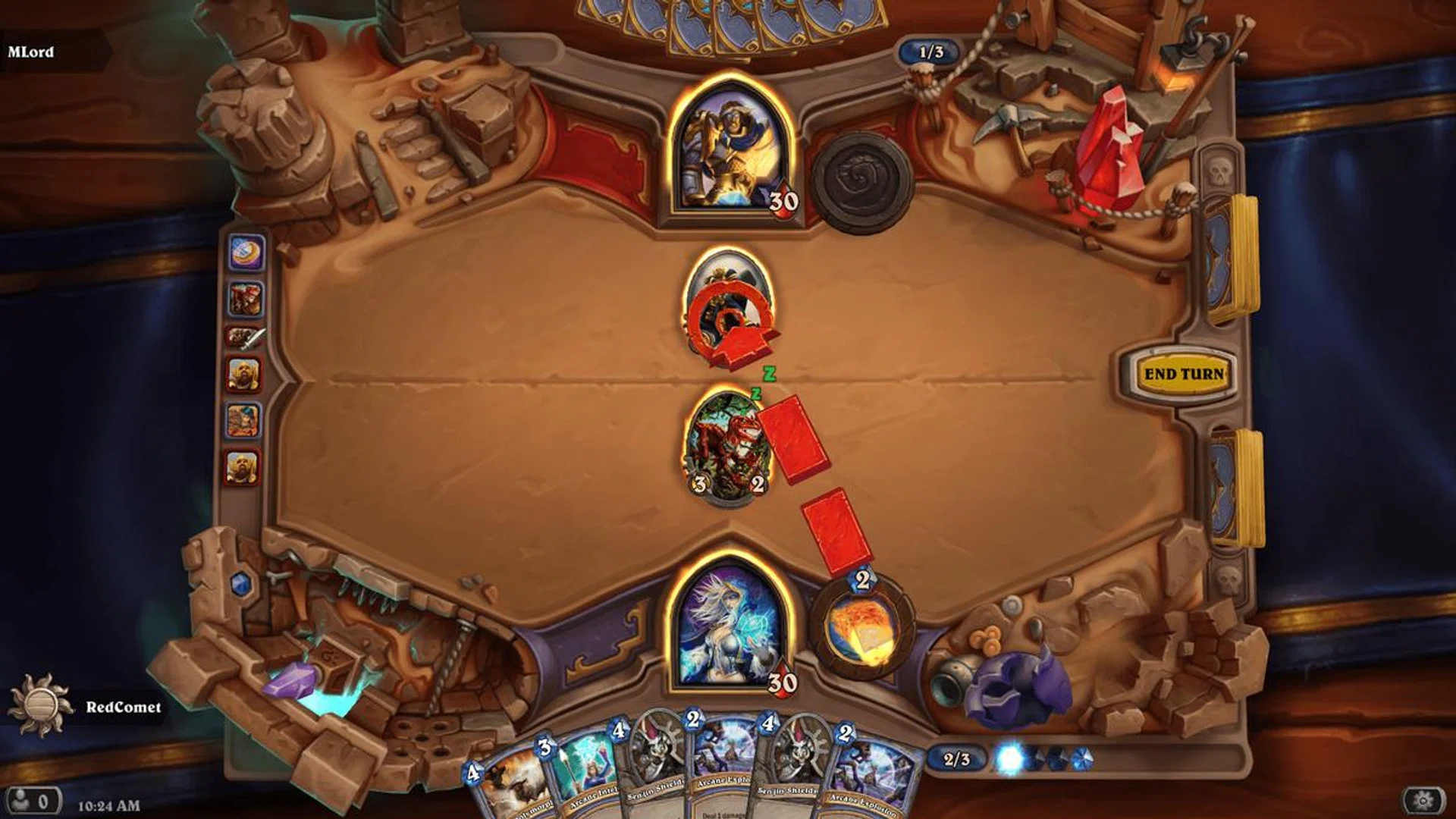
In Hearthstone: An unranked battle with broken pots on the side and firebolts to hapless minions.
Our in-game settings recommendation
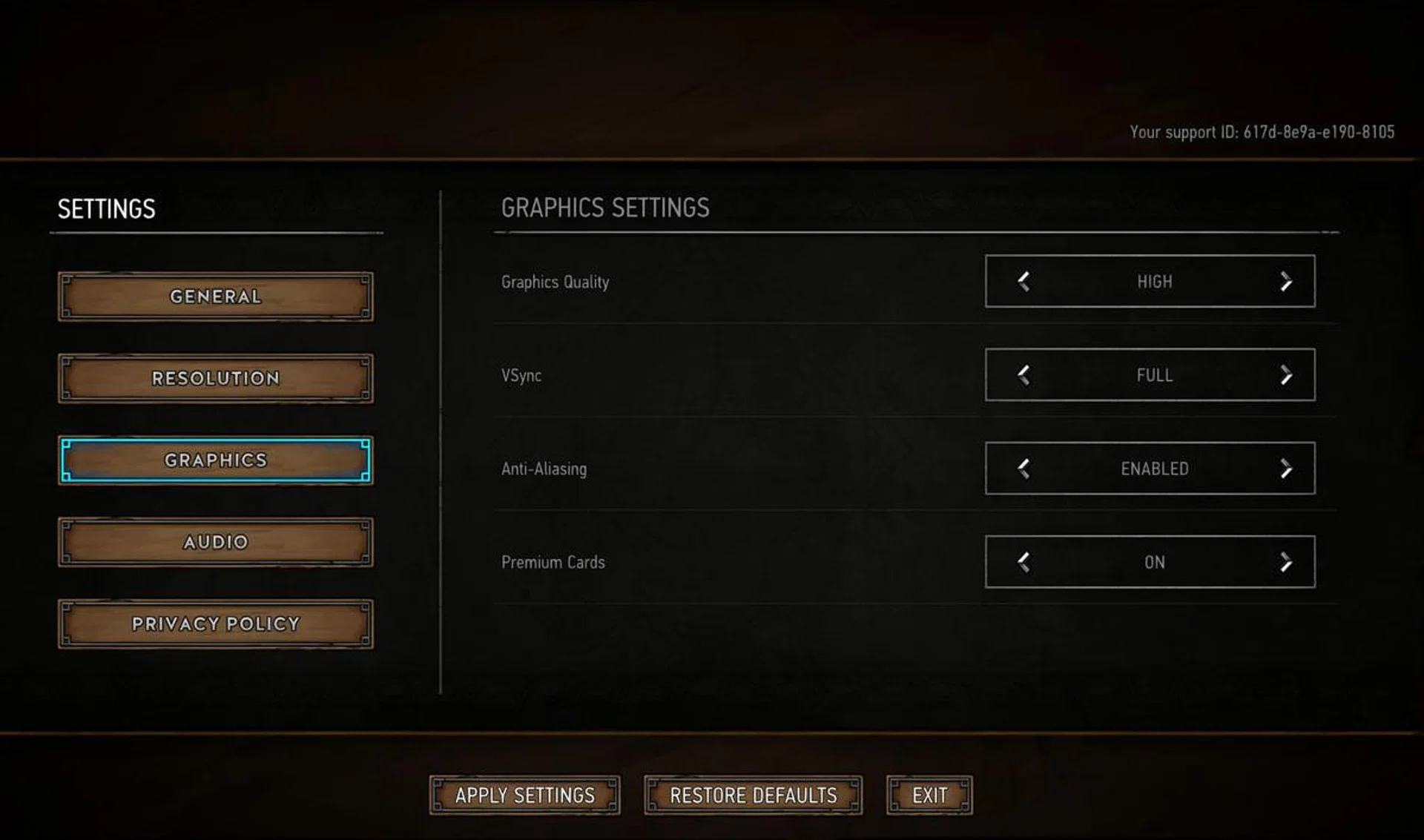
What we tested with for Gwent.
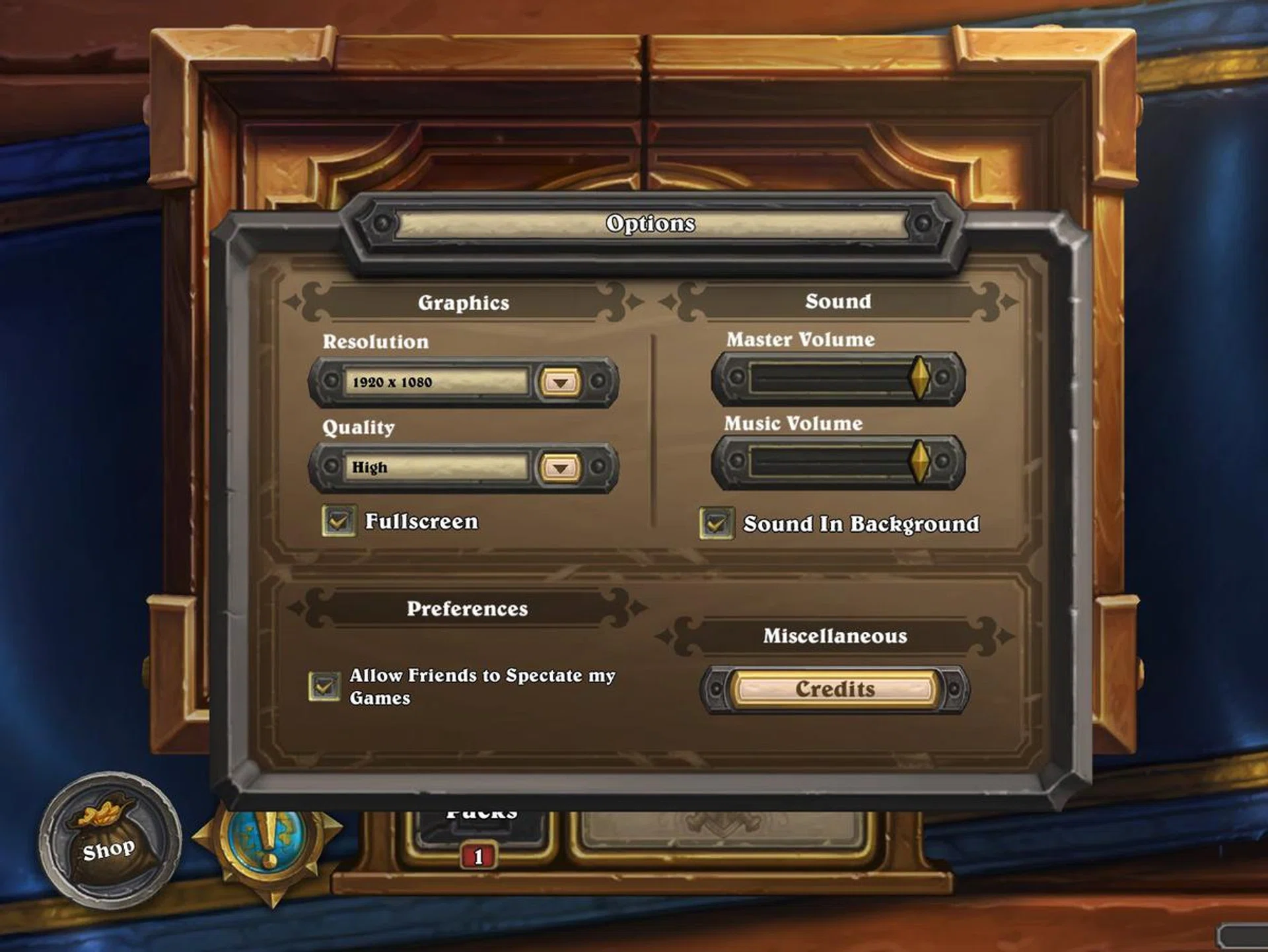
What we tested with for Hearthstone.
Rise of the Tomb Raider
Moving away from multiplayer games, the last title to put the FX504 through its paces is the gorgeous Rise of the Tomb Raider, a common benchmark title. The default setting for Tomb Raider was set at High and we left it as-is. That provided beautifully rendered cinematics with no dropped frames, however getting into the game proper, we discovered quite a bit of stuttering. Restarting the game and tunning the settings to Medium helped but we still experienced choppy gameplay with frames dropped. With all the particles and debris effects in the game, the frame droops were quite common and we had to muck around with the settings to improve gameplay.
Our in-game settings recommendation
Here's our smoothest graphical option when playing Tomb Raider (medium preset works fine too if you don't mind the occasional stutter):-
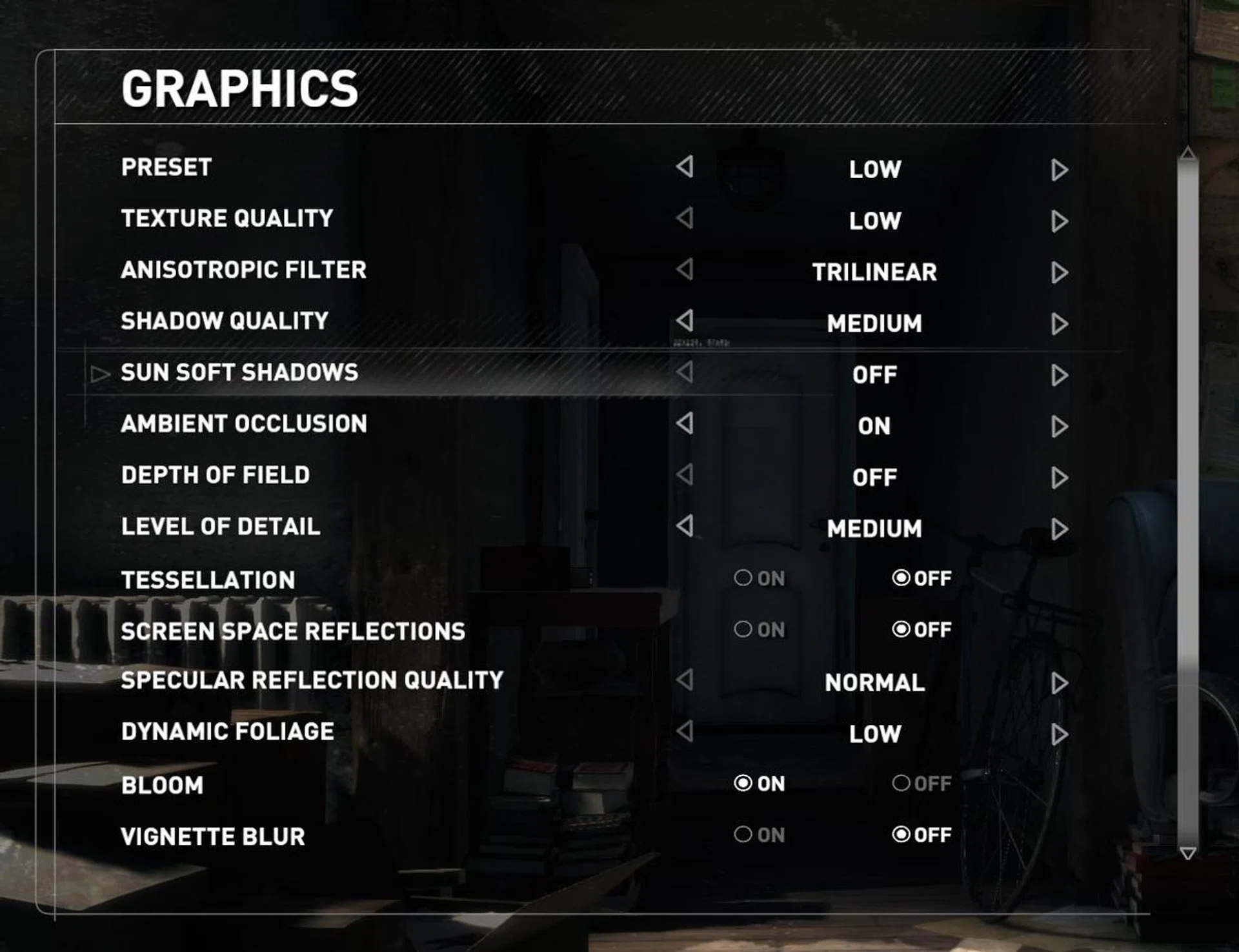
This difference is most obvious during the first 30 minutes of the game, where Lara and her buddy, Jonah, scale a snow-swept mountain in Siberia. On the bright side, switching to Low did get rid of most of these issues, at least in the two hours spent playing in this setting and we were quite satisfied:-

Lara still looking good despite being bumped down to Low quality setting. Screenshot taken from the Benchmarking test on the game menu.

Performance and graphics is always a balancing act as Lara is showing us here.
Summing it up
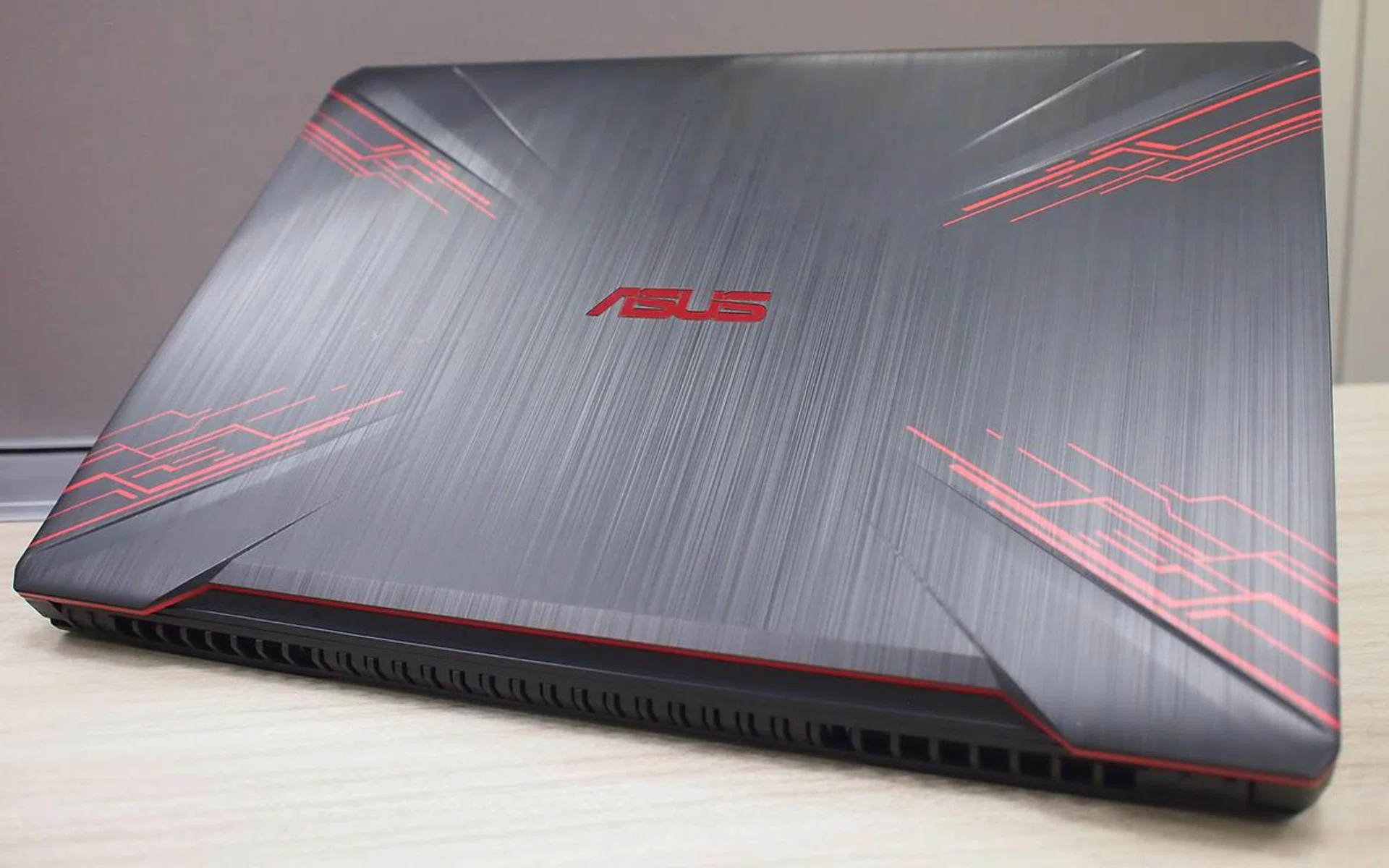
In terms of processing power and its capabilities, the ASUS TUF FX504 is a solid budget gaming machine, and an excellent platform to run most of today’s popular multiplayer games. Taking the FX504 as a reference for ‘affordable gaming’ class, we can safely answer that: Yes, budget gaming notebooks can deliver the performance you need to tackle popular games at Full HD resolution.
The caveat is that one should expect some sacrifices on graphics quality levels to achieve a smoother gameplay experience, but on the whole, when this is better managed with some of the recommendations we've fielded from game testing, your overall gaming experience is still a positive one.
Here's a summary of all of our games tested, including rough performance expectations across all game settings:-
Game / in-game setting | Low | Medium | High |
PUBG | 30+ FPS | 25+ FPS | 20+ FPS |
Fortnite | 60+ FPS | 60+ FPS | 25+ FPS |
Overwatch | 60+ FPS | 60+ FPS | 60+ FPS |
Heros of the Storm | 60+ FPS | 60+ FPS | 40+ FPS |
Hearthstone | 60+ FPS | 60+ FPS | 60+ FPS |
Gwent | 60+ FPS | 60+ FPS | 60+ FPS |
Rise of the Tomb Raider | 55+ FPS | 40+ FPS | 25+ FPS |
*These results are with vSync enabled on a 60Hz screen.
Table Legend: Red < 30 FPS || 30 FPS < Orange < 60 FPS || Green > 60 FPS
Our articles may contain affiliate links. If you buy through these links, we may earn a small commission.