
Samsung 65-inch KS9000 SUHD TV review: A premium 4K TV made for HDR
The Samsung KS9000 SUHD TV features a quantum dot-enhanced 4K display, HDR support at a peak brightness of at least 1,000 nits, and a redesigned Smart Hub that includes a clever remote. Does that mean Samsung has a winner on its hands? We find out.

Note: This article was first published on 21st July 2016.
Overview
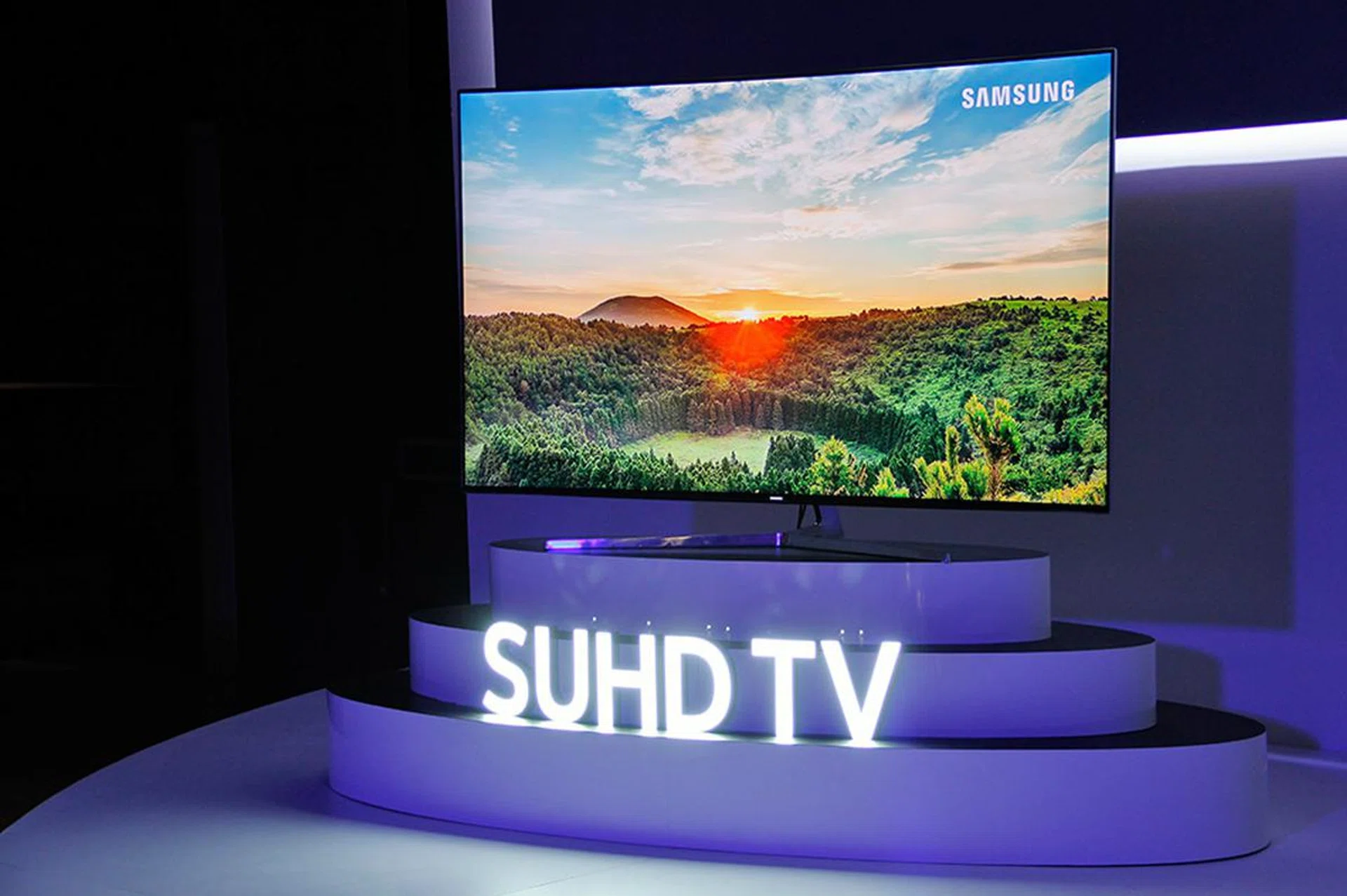
While most other TV brands are still fumbling to find a winning formula, Samsung has moved on to better what it’s created in 2015. Yes, I’m referring to Samsung’s ‘SUHD’ TVs, which in simple terms, are the company’s highest-end and quantum dot-based 4K TVs.
When I reviewed the QD-based JS9500 and JS9000 last year, I lauded them for turning picture quality for LCD TVs up to eleven. But because the UHD Alliance has yet to agree on its UHD/HDR specs and the non-existence of UHD Blu-ray players/discs at the time, despite their top-notch image quality and high brightness, I also kept debating with myself whether I should give a “hold-off” verdict. (I didn’t.)
First shown during CES in January this year, the new KS range is Samsung’s second-generation SUHD TV range and the current flagship bearer of Samsung’s TV lineup. It comes at a time when the UHD Alliance has defined what makes for a premium 4K TV, as well as at a time when 4K and HDR content are on the cusp of ending their drought.
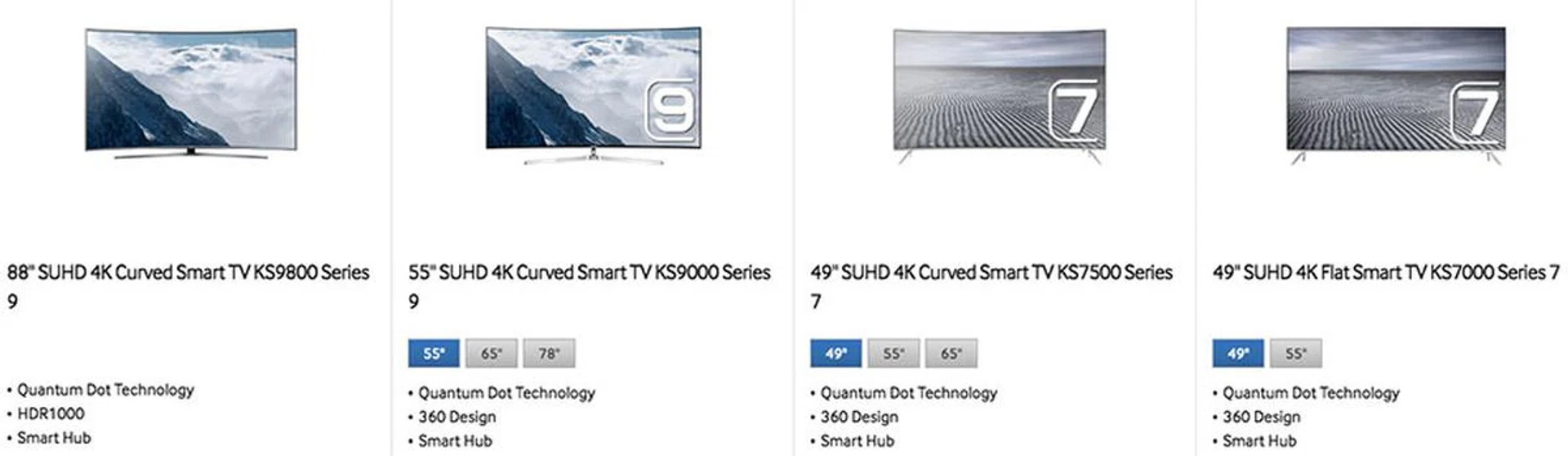
Even though these SUHD TVs represent Samsung’s best TVs, they can be further divided into different series. At the moment, the ones that you’ll find readily in stores here are the LED edge-lit KS9000, KS7500, and KS7000, and a full-array local dimming-capable KS9800 that's only available in 88 inches. The one I’m reviewing here is the 65-inch KS9000, which is the direct successor to last year’s JS9000.
2nd generation SUHD TV
I’ve already written quite a fair bit on what to expect from Samsung’s 2016 SUHD TVs, so I won’t repeat everything here. But what I do want to highlight again is that there are a few things that come standard on these SUHD TVs, regardless of series.
They are:
1.) Quantum dot display
All SUHD TVs use displays enhanced by quantum dots. (Samsung used to call them 'nano-crystals'.) Combined with a 10-bit drive, on paper, they support up to 1 billion color shades. The cadmium-free quantum dot material used in these TVs are licensed from Nanosys, a nanotech company in which Samsung is a major investor. A new protective shell to minimize impurity and increase color volume is one of the main improvements made to this generation's quantum dots.
2.) 1,000 nits brightness and HDR
All Samsung SUHD TVs this year support HDR (more specifically, the HDR 10 format). They’re also Ultra HD Premium-certified, which means they fulfill the stringent criteria set out by the UHD Alliance, such as at least 1,000 nits peak brightness and less than 0.05 nits black level.
Versus the best OLED TVs that typically hover around 500 to 600 nits peak brightness, Samsung SUHD TVs should have the upper hand when rendering spectacular highlights. Samsung is so bullish about this advantage that it’s created a marketing name for this feature: HDR 1,000.
The improved QD display and increased brightness also contributed to the TVs’ ability to now cover 96% of the DCI-P3 color space.
3.) Smart Hub and One Remote
The 2016 SUHD TVs’ Smart Hub UI has been redesigned again, with most of the attention this year going towards further reducing the friction when switching from live TV to OTT content (e.g., Netflix) and connected devices. And the new smart remote, which Samsung dubbed “One Remote”, is able to control major set-top boxes, game consoles, and Blu-ray players connected over HDMI.
Quantum dot display, HDR support, Smart Hub powered by Tizen - that’s certainly a case for saying that Samsung’s 2016 SUHD TVs are mere evolutionary upgrades to the 2015 models. But that’s not exactly a bad thing. More important is the fact that the upgrades took place in areas that matter most to users, like a more vivid and brighter screen to cope with HDR, and a single remote that in the best case scenario is able to replace all your other A/V remotes.
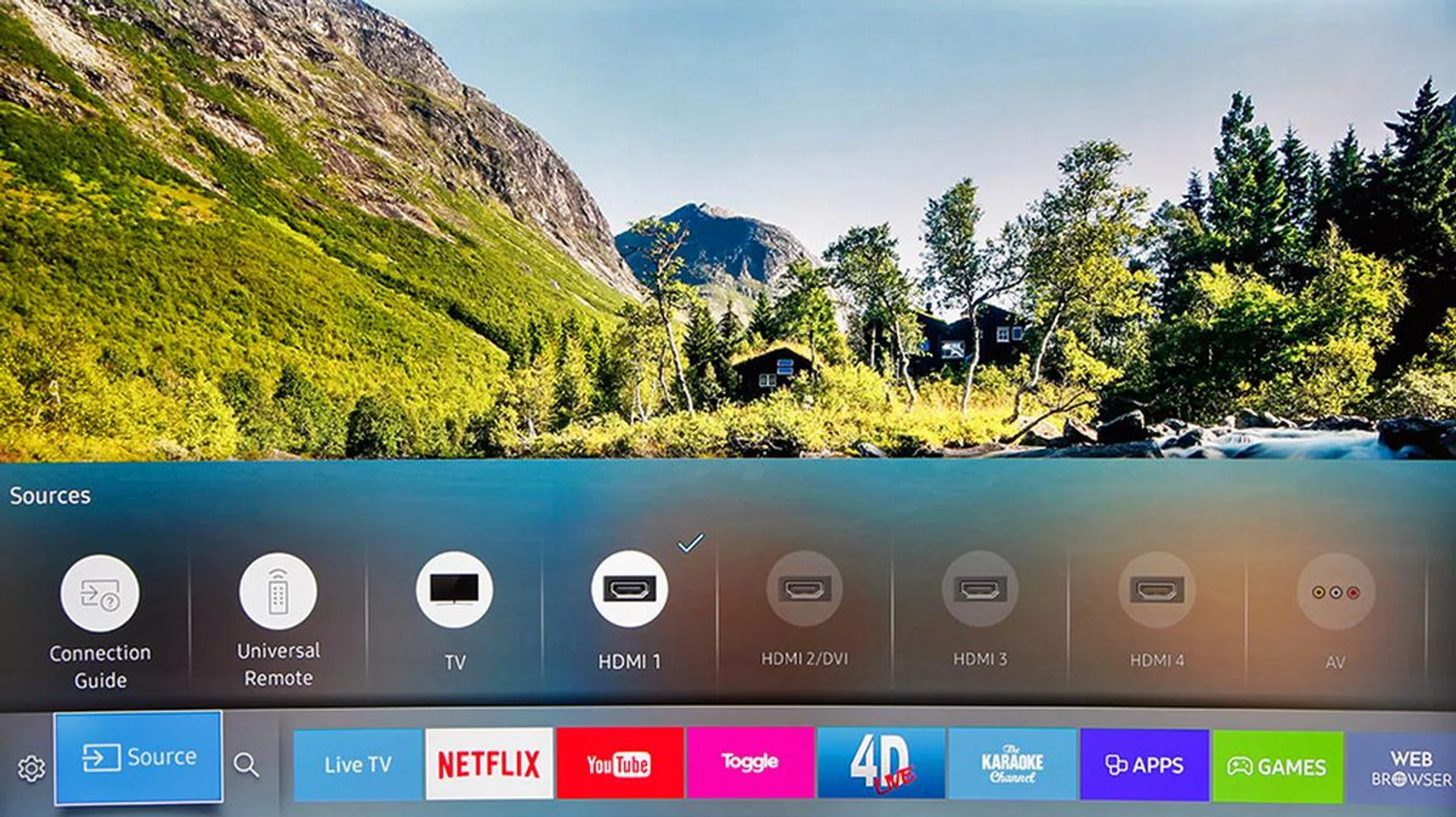
Whether it's live TV programming or OTT content, source or quick system setting selection, you can get to them all from the Smart Hub menu bar. When you exit a streaming app, say YouTube, to look at something else, it'll continue playback from where you last left it when you return.
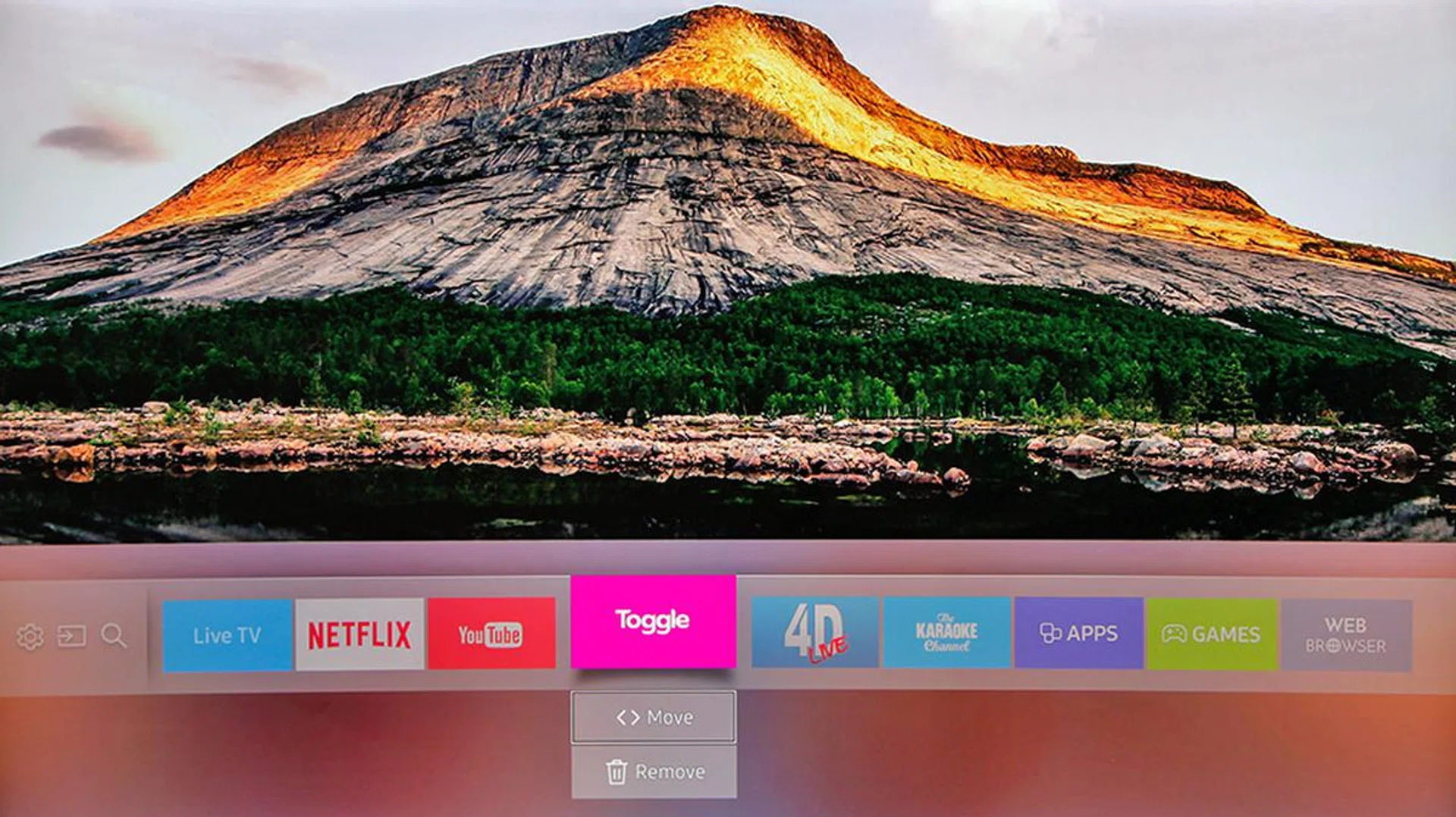
Of course, you can add/remove and reposition the icons on the menu bar.
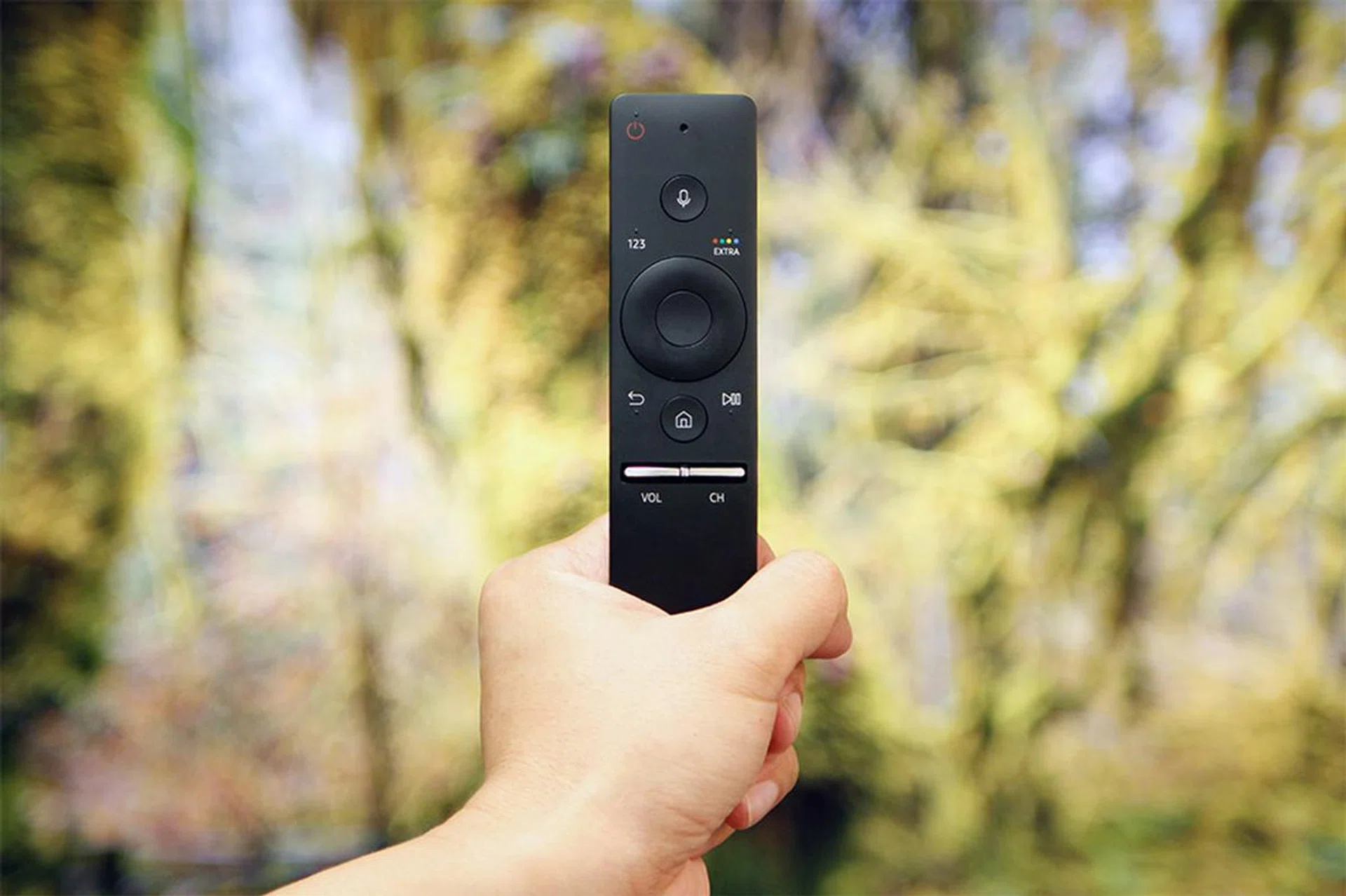
When you plug in a set-top box, game console, or Blu-ray player over HDMI, there's a good chance the TV will automatically recognize the device and 'teach' the One Remote how to control it.
The case for the KS9000 SUHD TV
With so many features shared across the board, a logical question to ask is whether there’s a need to get the high-end KS9000. For one, the KS9000, when perched on its Y-shaped metal stand, is easily the classiest-looking of the new SUHD TVs. It features a curved display with a super-thin bezel (Samsung calls this 'Borderless Design'), and the back of the TV has a brushed texture for that added premium look. Samsung has gone as far as to hide the screws so that they don’t mess up the aesthetics.
In addition, the KS9000 comes with ‘Supreme Motion Rate’ and ‘Supreme UHD Dimming’ technologies. This implies that it has better motion smoothing and backlight control (through the use of more micro dimming zones) respectively than the curved KS7500 and flat KS7000. The KS9000 also comes with a 60W, 4.1-channel speaker system, compared to the 40W/2.1 config on the KS7500 and KS7000.
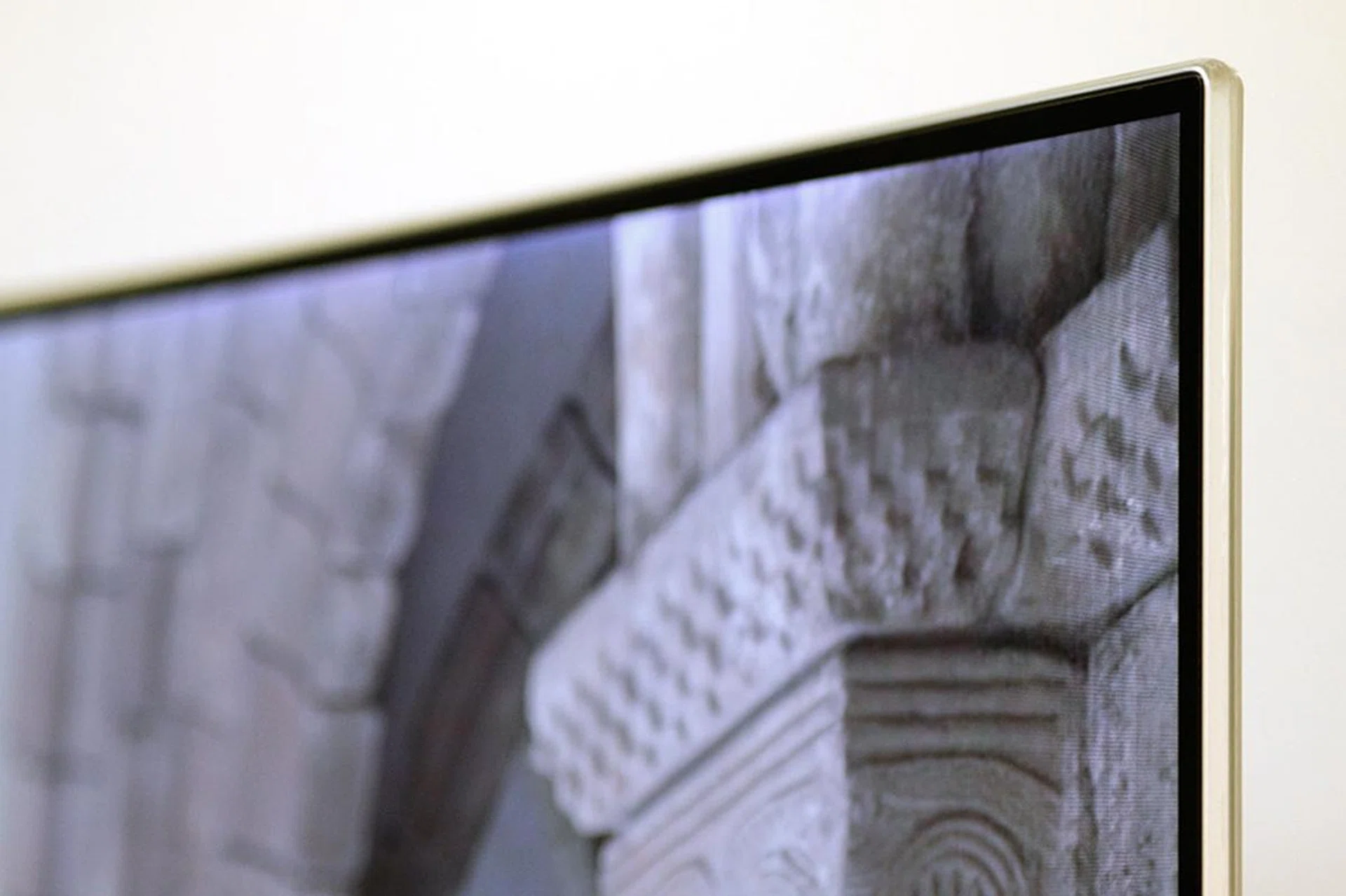
The picture doesn't go exactly edge to edge, but a 6mm black border is still very thin.
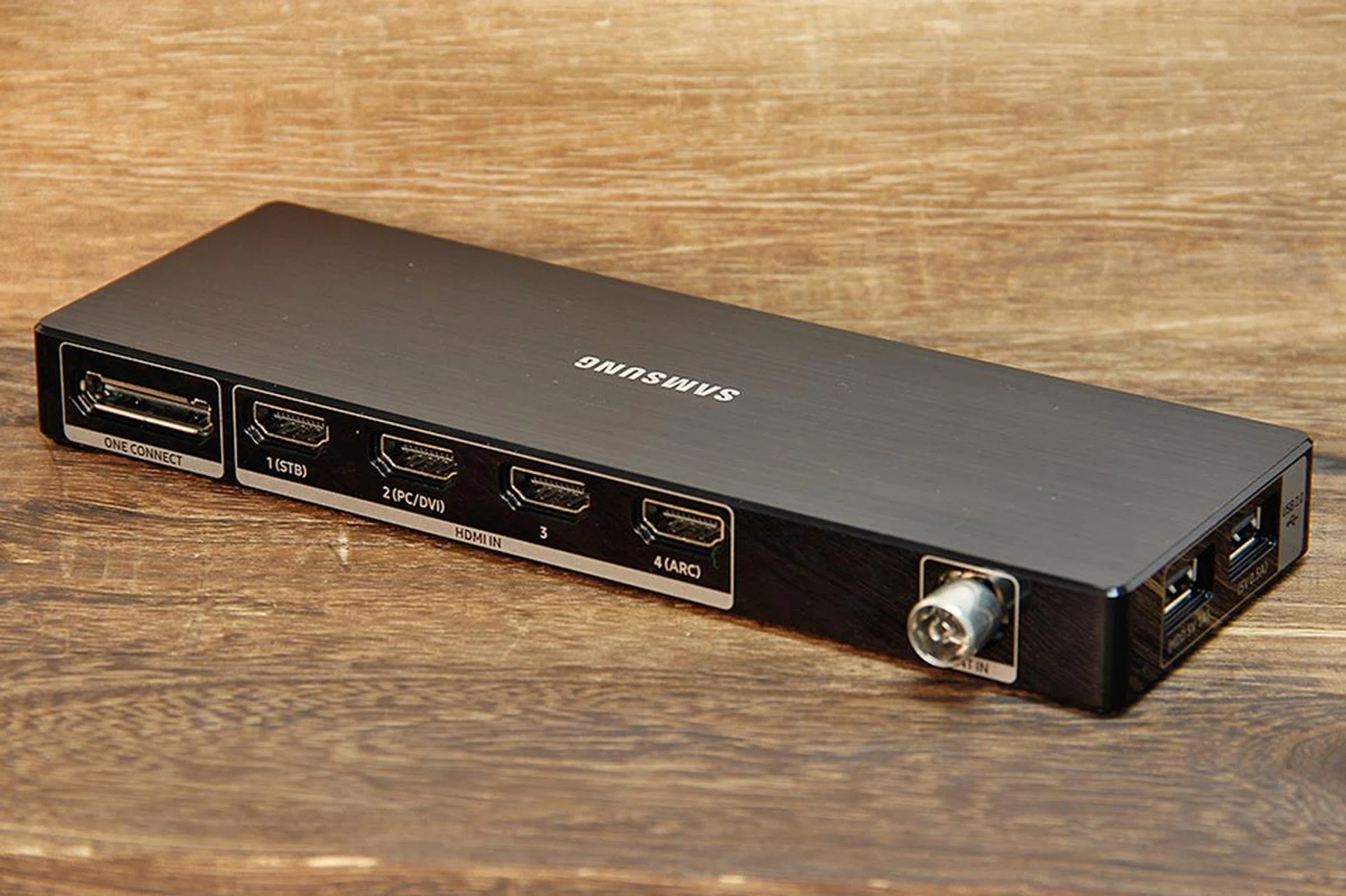
The KS9000 ships with a mini One Connect box that you hook up to the TV’s rear with a single cable, and it houses enough I/Os for most needs, including four HDMI and two USB 2.0 ports, and a digital audio out jack. The LAN jack and another USB port can be found at the back of the TV.
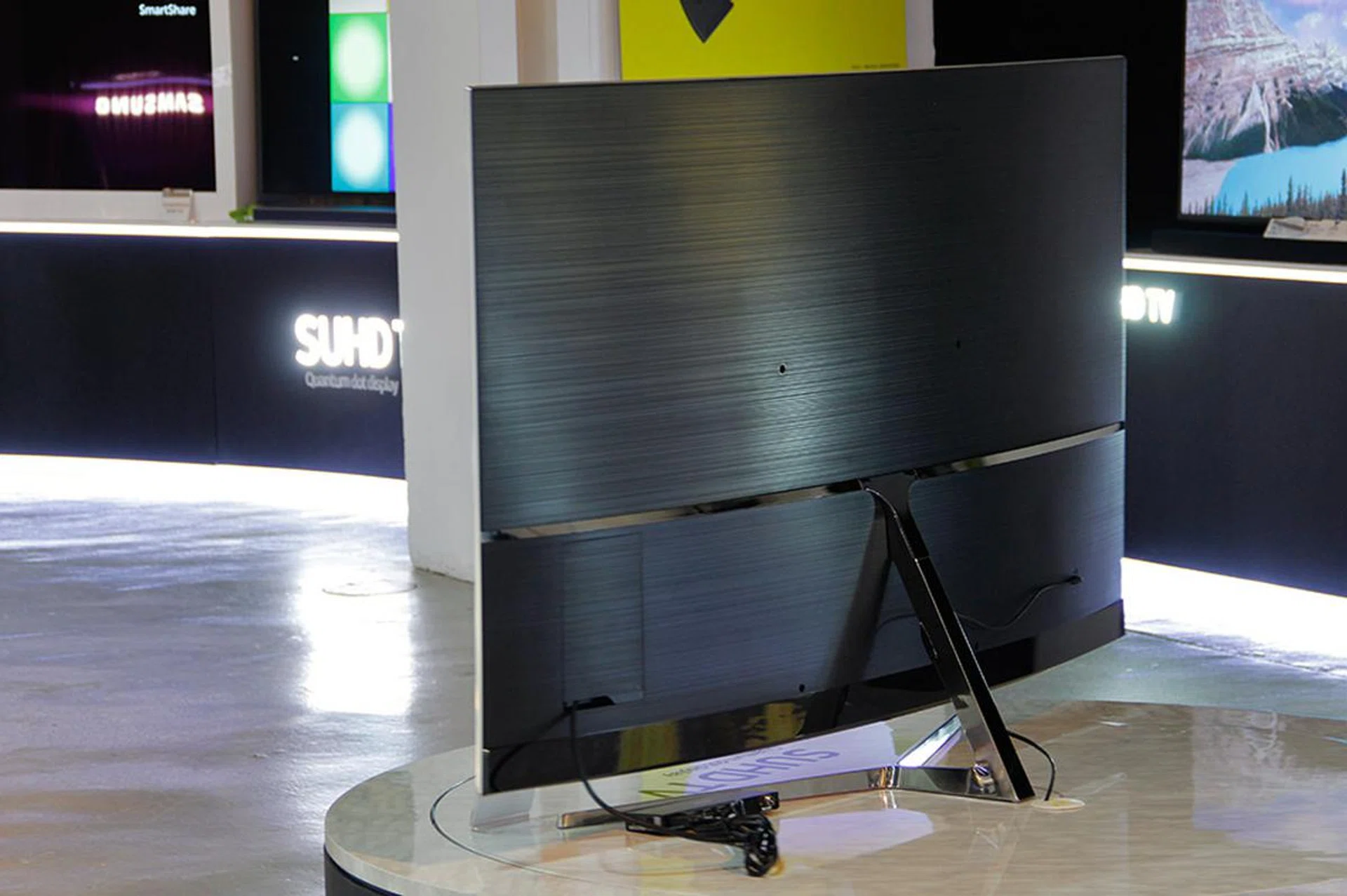
To keep the TV looking great even from behind, ports and screws are hidden from view either by panel covers or the stand attachment.
Performance
For 4K test content, I used various clips I’ve amassed through time, played through either a PC or media player. What’s new this time round was I added a few 4K Blu-ray titles to my arsenal, played over a 4K Blu-ray player. Some 1080p and 480p (yes, standard-definition) content were used, too, mainly for testing the upscaling algorithms. I also tried streaming content from services like Netflix and Amazon, and console games whenever possible, primarily to look out for app and HEVC issues and input lag.
TV settings
Once again, the Movie preset continues to be the best picture preset on the KS9000, and the one I used as the starting point for my calibration. This mode also enables a 10-point white balance control, which will come in handy when adjusting grayscale. I also kept the default Warm2 option for the Color Tone setting. If you’ve the tools, you can spend some time customizing the color space to get the colors as accurate as possible, though I reckon most people will just leave the Color Space setting to Auto and have the TV automatically adjusts the palette to suit the content.
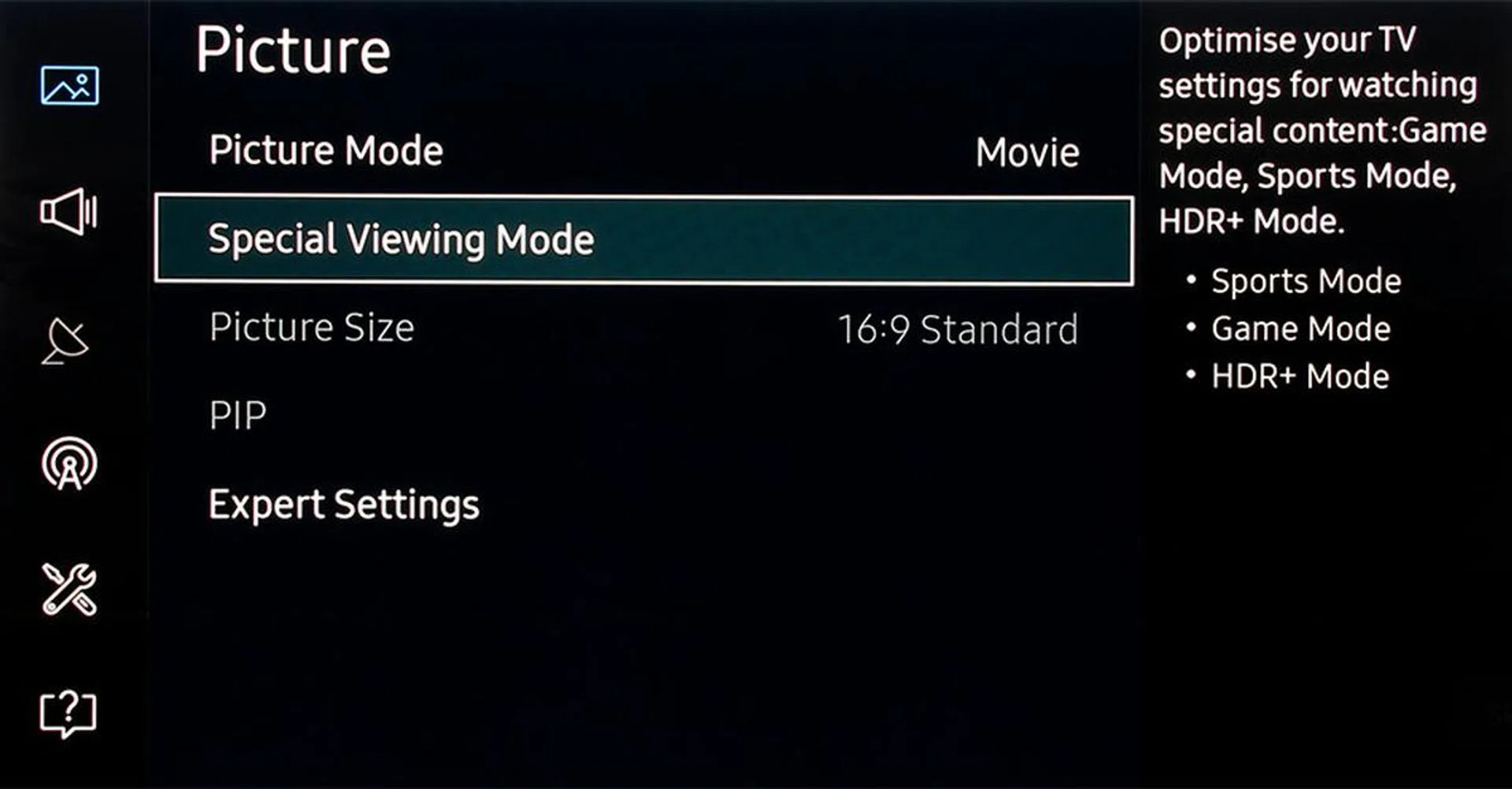
The Sports and Game modes are now under the Special Viewing mode in the Picture menu. A recent firmware update (1110) also introduces a HDR+ mode that tries to bring the HDR effect to non-HDR videos.
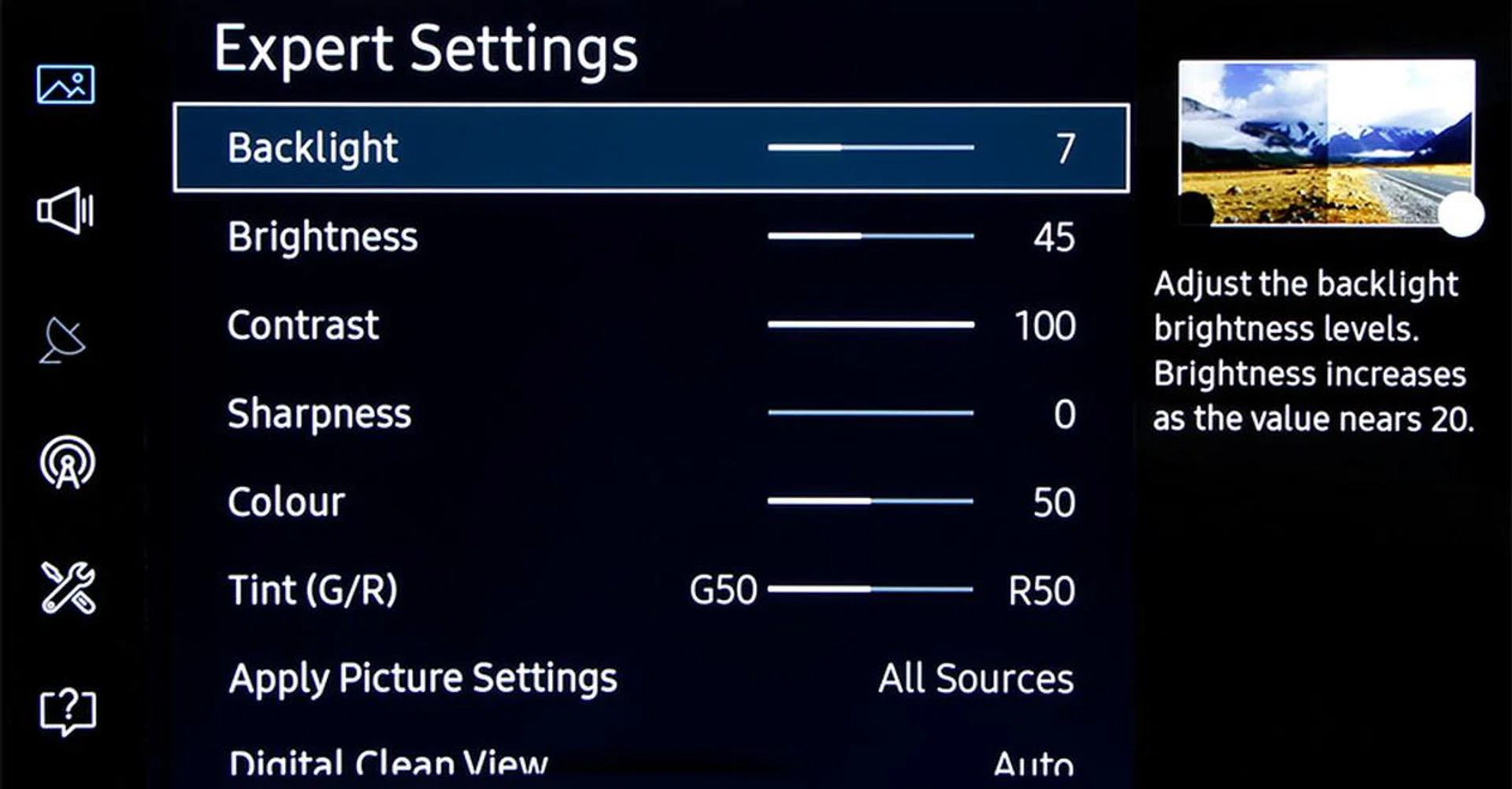
And many what used to be under Advanced Settings and Picture Options on past TVs are now grouped under Expert Settings.
Additionally, I engaged the Custom option for Auto Motion Plus to enable more settings to control the judder and soap opera effect that I saw for 24p content when Auto was used. I also turned on LED Clear Motion, which puts black periods between frames, to reduce motion blur. Since the KS9000 is already so bright, I've no qualms with the TV taking a slight brightness hit if it means a sharper picture during motion in movies. In any case, if you noticed any flicker or judder, try playing around with the Blur Reduction and Judder Reduction settings; I set mine to 1 and 1 respectively.
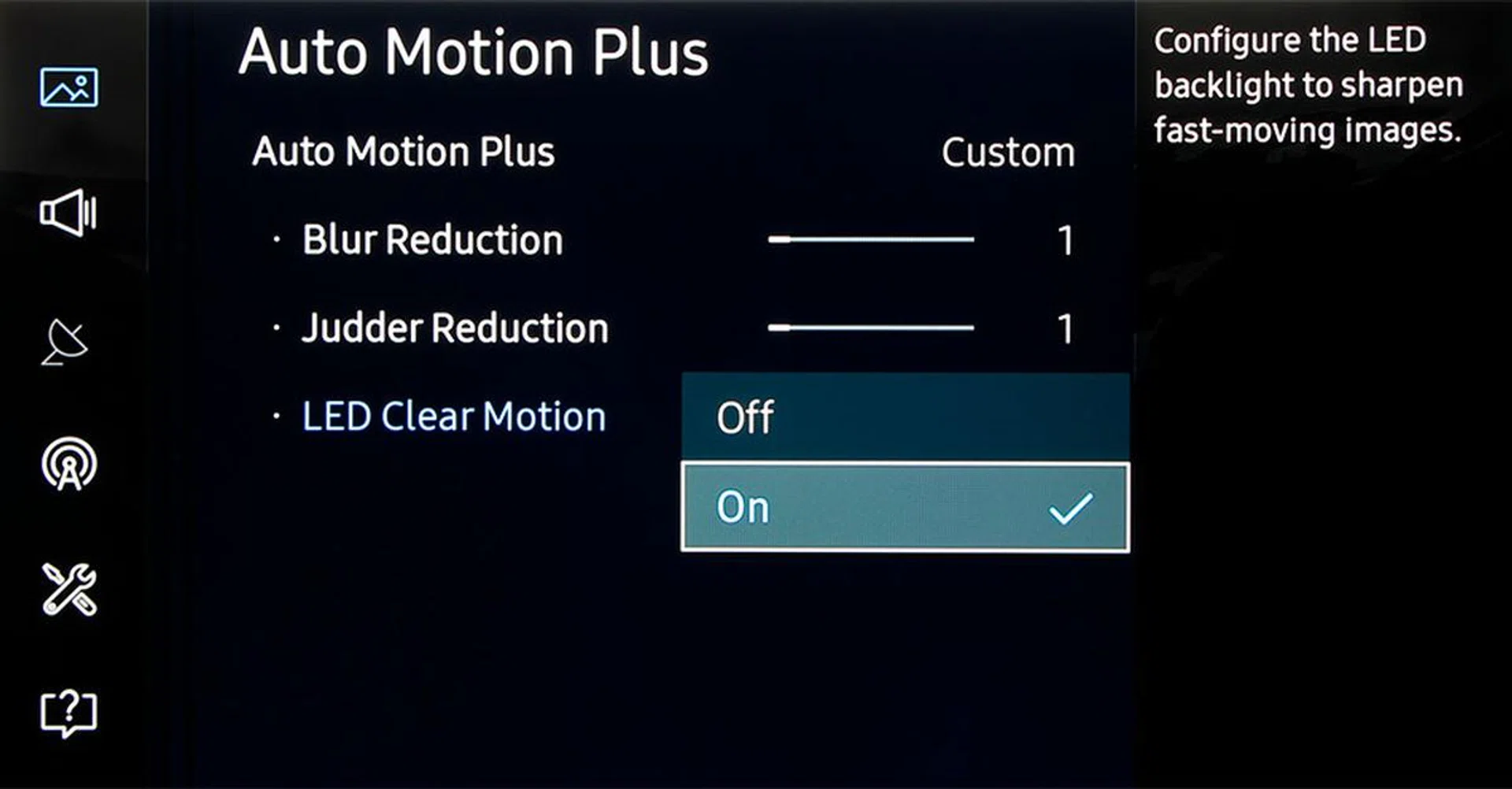
To reduce motion blur, turn on LED Clear Motion.
Picture quality
Whether you watch a lot of movies in the dark or in a sunlight-filled living room, the picture quality from the KS9000 SUHD TV is top drawer. In my tests, I found no out of the norm screen uniformity issues, and viewing angles from the SVA-type LCD panel seemed better than last year's JS9000, too. It even handled reflections from my two studio lights well, thanks to the new 'moth eye' screen filter.
The KS9000 also produced the best black level performance of any LED-LCD TVs I've tested to date, with a native black level of 0.031cd/m2. In layman's terms, this TV emits very little light when a pure black image is on screen, making it great for viewing dark scenes in a dark room. Top and bottom bars in movies didn't emit much light either, which is good; though interestingly, there's no Cinema Black setting this time round to dim these bars further because Samsung has shifted the position of the edge LEDs. Lastly, I'm not too bothered by the blooming effect, though I've to admit that it's more obvious when you're looking at the screen from the sides.

Colors really pop on the KS9000 SUHD TV. (Scene from a Samsung 4K demo clip.)
It goes without saying that the KS9000 delivers plenty of details when fed with a native UHD signal. It went plenty bright too, hitting a peak luminosity of well over 1,200cd/m2 (albeit with a smaller section of the screen), and consistently around 530cd/m2 across the whole screen.
(In case you're wondering, when a Ultra HD Premium-certified 4K LCD TV says it has a peak brightness of 1,000 nits (or cd/m2), it doesn't mean that it's outputting that luminosity all the time and for the whole screen. Obviously, the keyword here is 'peak'.)
Simply put, the KS9000 can comfortably and convincingly reproduce small and mid-size highlights with a high level of brightness, things like your glittering morning dew, metallic reflections, or white snowy mountains. Coupled with a 96% DCI-P3 coverage (on CIE 1976 u'v' for those interested) for richer colors, HDR on the KS9000 is a sight to behold. If I could nitpick, it'd be that this lifting of colors and detail would at times bring blacks into slightly non-black territory, due to the inevitable increase of backlight level for HDR.
Last but not the least, the KS9000's lowish 20ms input lap makes it a decent display for gaming, and if you were to connect it to a PC, it can do 4K 50p/60p at 4:4:4 or 4:2:2 when the HDMI UHD Color option is turned on.
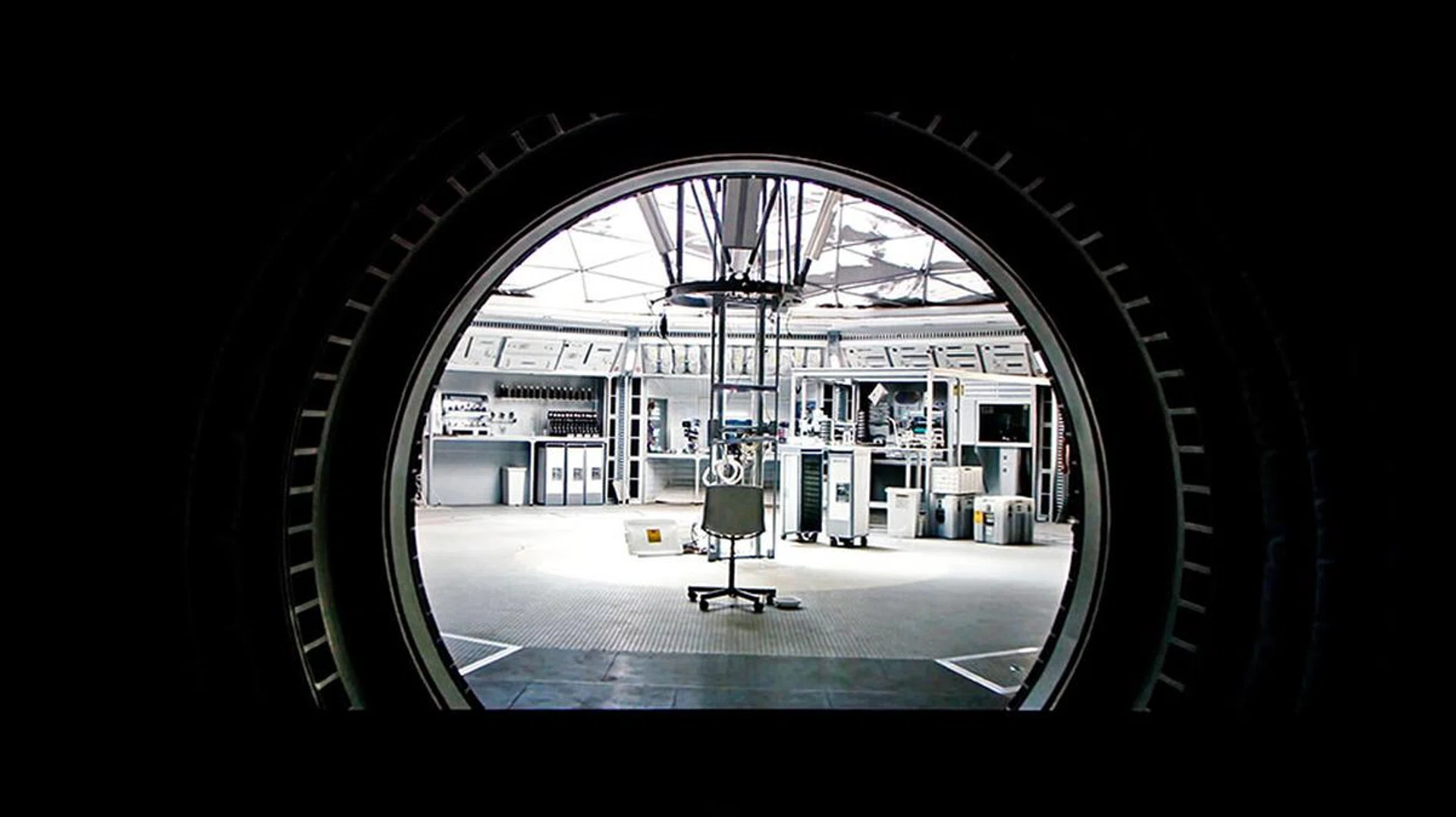
For an edge-lit TV, the KS9000's black level performance is actually pretty great. (Scene from The Martian.)

Boatloads of details, wide dynamic range, high brightness - the KS9000 has all the hallmarks of a great 4K HDR TV. (Scene from Into the Cave of Wonders.)
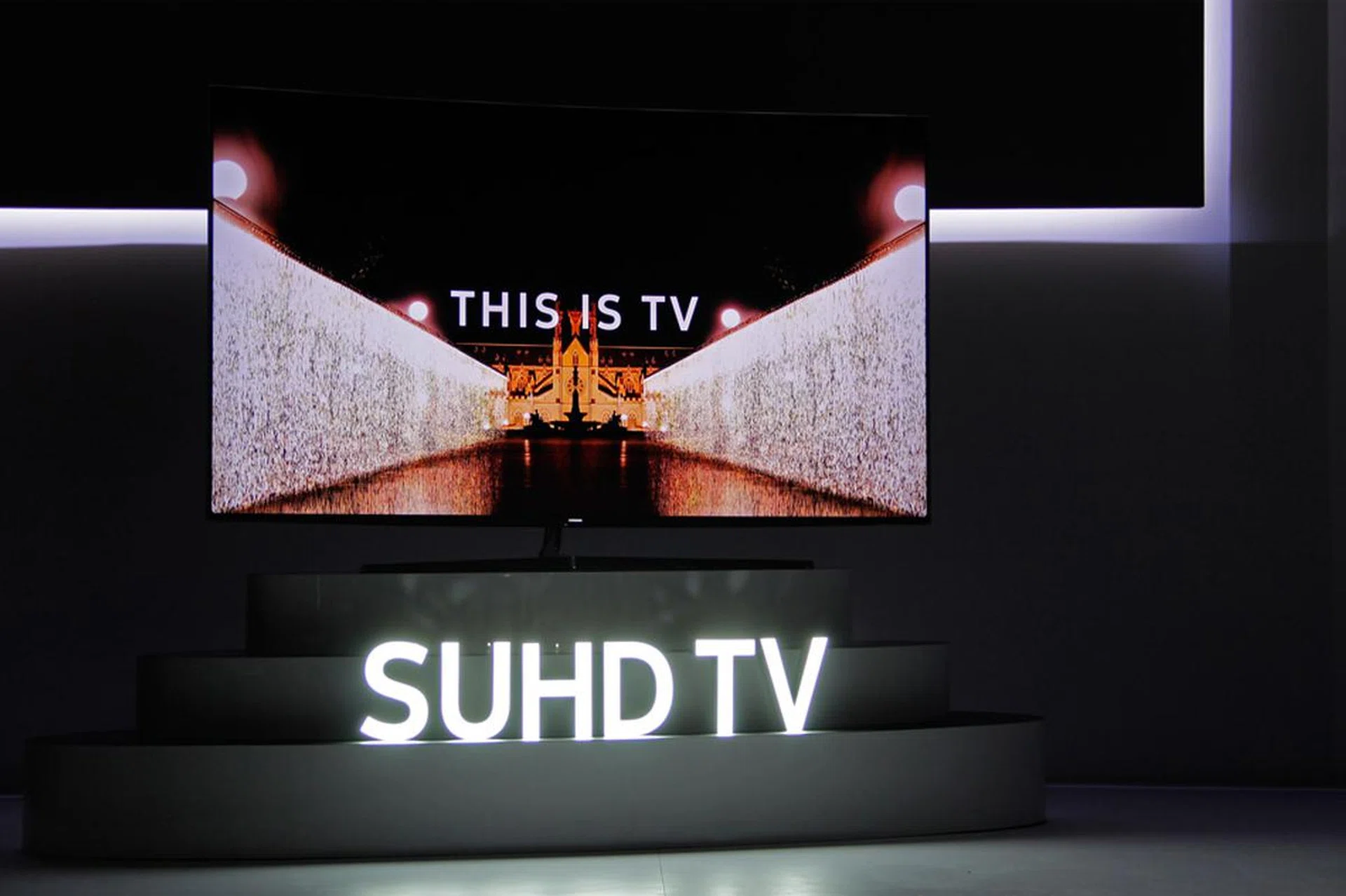
Conclusion: A 4K TV made for HDR
The Samsung KS9000 SUHD TV is a great 4K TV. Last year’s JS9000 was already very good, but somehow, the KS9000 manages to go a step further in most of the important picture quality metrics. The panel handles reflections well; color gradients are smooth thanks to the 10-bit panel; the high contrast and deep native black level make all kinds of content look good; the wide color gamut and high brightness make HDR content shine; sharp images even during fast-action scenes thanks to a capable motion handling system; good gaming performance - I can go on and on.
Is the KS9000 without faults then? Of course not. While I believe Samsung has the best backlight/local dimming system for LCD TVs in the industry, I also believe the company can’t do magic and solve a problem (characteristic?) inherent of the tech. Blooming artifacts and backlight transition effects will always be there, because well, LCD needs the illumination to produce the image. The one thing Samsung can do, and which it did for the KS9000, is to minimize any visual problems the edge LEDs bring. The 1,000 nits requirement laid out by the UHD Alliance for Ultra HD Premium certification inevitably mandates a stronger backlight too, which could so easily lead to a disaster for less capable TV makers. So the fact that Samsung can pull it off without seriously impairing black level performance and overall picture quality says a lot about Samsung's strength in this field. In theory, a full-array local dimming model will perform better in this department, and Samsung has one in the 88-inch KS9800 that costs a staggering S$26,999.
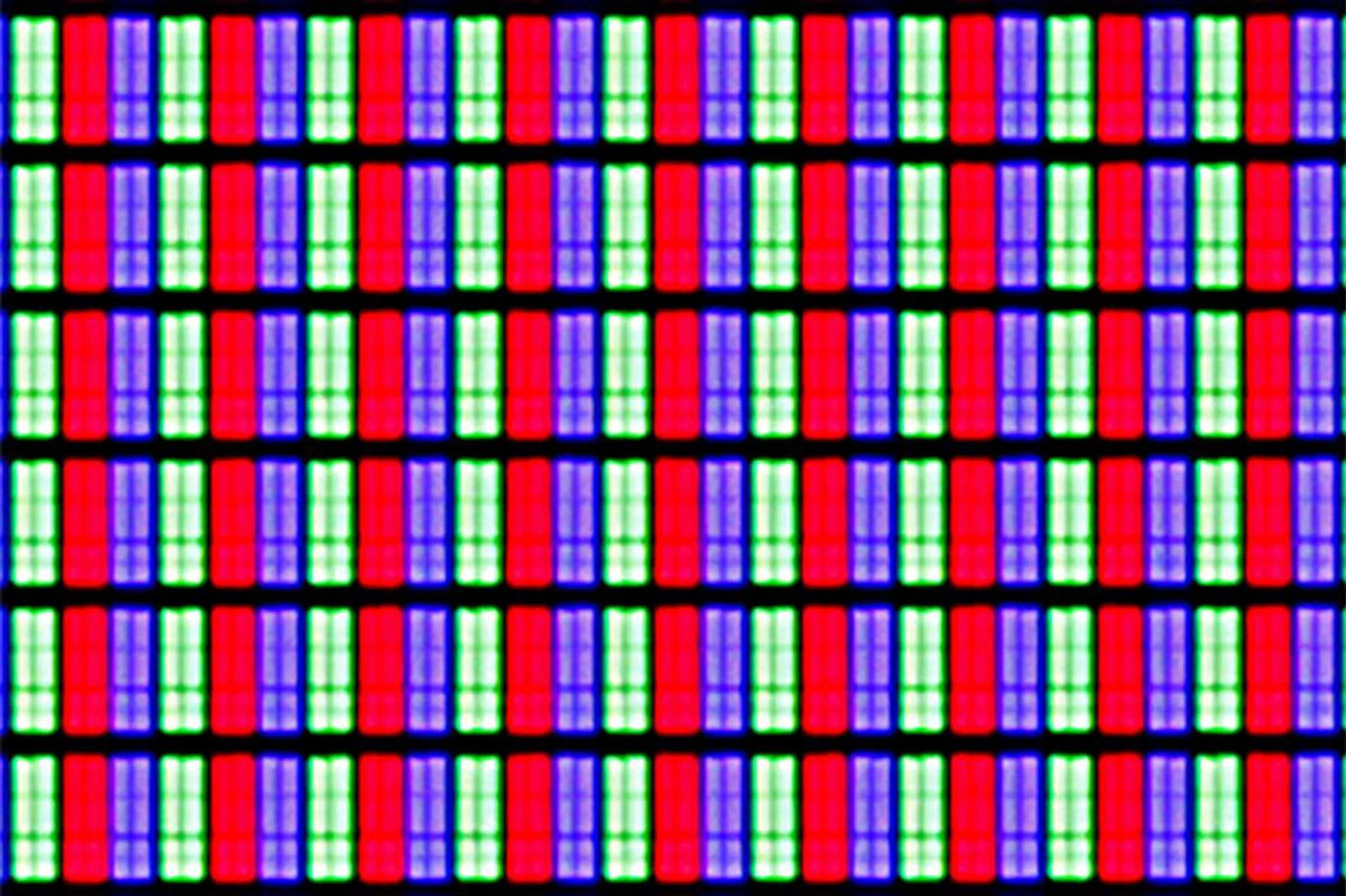
The KS9000 and the rest of its SUHD siblings' VA-type 4K panel employs an RGB pixel matrix.
Additionally, I’ll assume that anyone considering the Samsung's SUHD TVs would have also cast a few glances at LG’s latest OLED TVs. I’ll have more to share regarding the LG E6 and G6 (both of which are considerably more expensive than the KS9000, by the way) at a later date, but briefly, because an OLED TV works without a backlight, it doesn’t have to deal with all the aforementioned backlight issues that LCD TVs face. But it's not perfect either: while OLED's blacks can go deeper than LCD’s, its peak brightness is limited (remember, no backlight!), and this could hamper HDR and bright room performances. It may sound cliché, but really, it still boils down to which aspect of the TV matters to you more.
To end, the stylish Samsung KS9000 SUHD TV is an easy recommendation. With a class-leading picture quality, the most refined and useful UI/remote combo Samsung has devised to date, and a competitive price, it's easily one of the top 4K LCD TVs money can buy today.
The Samsung KS9000 SUHD TV series is out in stores; the 55-inch model goes S$5,199, while the 65-inch model goes for S$7,199.
Our articles may contain affiliate links. If you buy through these links, we may earn a small commission.