
Lenovo Moto Z review: The new standard for modular smartphones
Here, we look at how the new Moto Z modular smartphone holds up on its own, and whether the Moto Mods are worth their weight in gold. Join us in this detailed review!

Note: This article was first published on 9th November 2016 and re-published again.
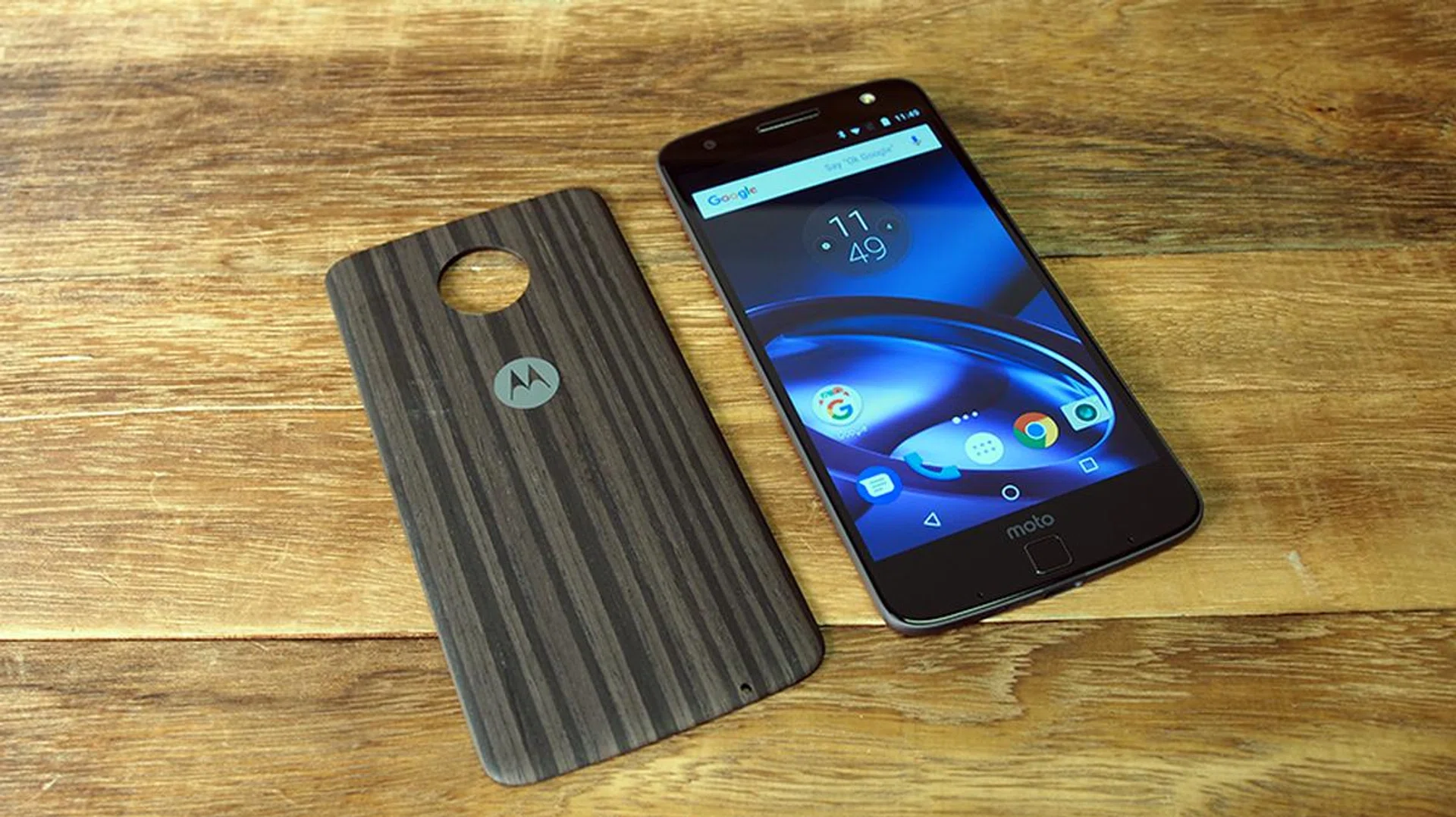
Overview
Lenovo's new Moto Z might be a little late in the flagship Android smartphone race, but it's bringing a fresh take on the modular phone concept. But didn't LG share its intentions to get off the modular bandwagon after its bout with the LG G5? Let's not forget that Google shut down its Project Ara, which was said to bring truly modular capability and phone features. So is the Moto Z heading for a wall?
Unlike its rivals and their projects of the past, Lenovo has approached the modular concept from a slightly different angle. Most importantly, the Moto Mods are hot-swappable, and our market sees four different attachments available at launch. To further emphasize on its customizable design, the Moto Z also has a series of cosmetic Style Shells. All in all, it sounds pretty exciting, since most smartphone makers are trying to bring software like advanced AI assistants, better battery management, and smarter algorithms for nicer photos or smoother user experience.
Simply said, the Moto Z doesn't just want to be another 2016 flagship phone with a Qualcomm Snapdragon 820 processor. Here, you'll find one of the thinnest phones we've seen this year, coupled with a clean user interface and a modular design. We'll assess how the Moto Z holds up on its own, and whether the modular design can change the user's experience, or at least change how our smartphones will be like in the future.
Design & Handling
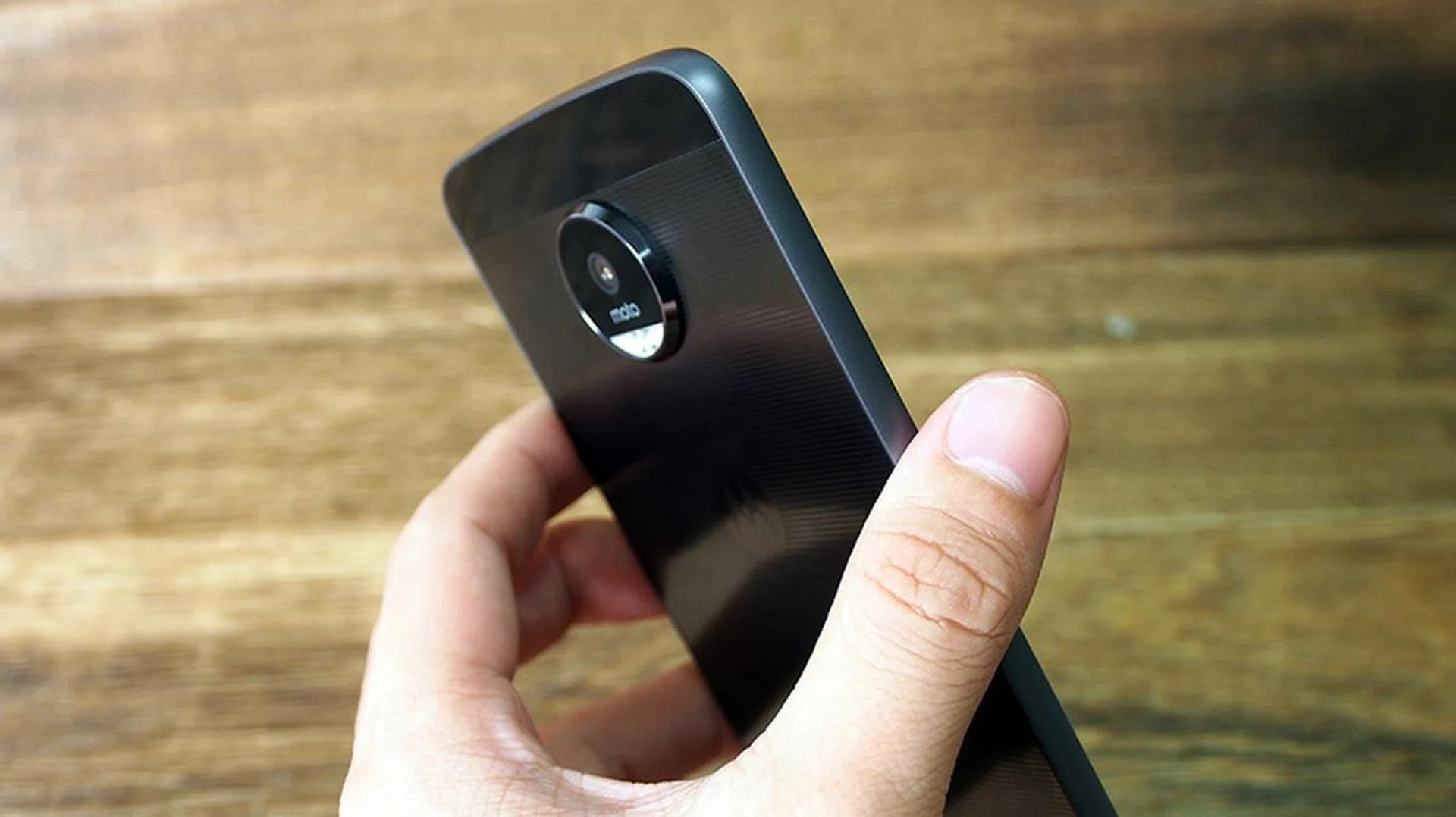
The first thing that stood out to us was the Moto Z’s thickness, which measures just 5.2mm-thin. A cursory glance at the flagships we’ve handled this year showed that the Moto Z is almost 2mm thinner than the typical 7 – 9mm Snapdragon 820 and equivalent phones around. While the depth of the phone is a cosmetic preference that’s not indicative of its hardware, using the slim Moto Z truly felt like operating a device of a new age. A quick glance at the specifications showed us how Motorola (actually Lenovo) did not make any major compromise to adopt this form factor – save for a smaller battery capacity when you compare it to the US-only Moto Z Force.
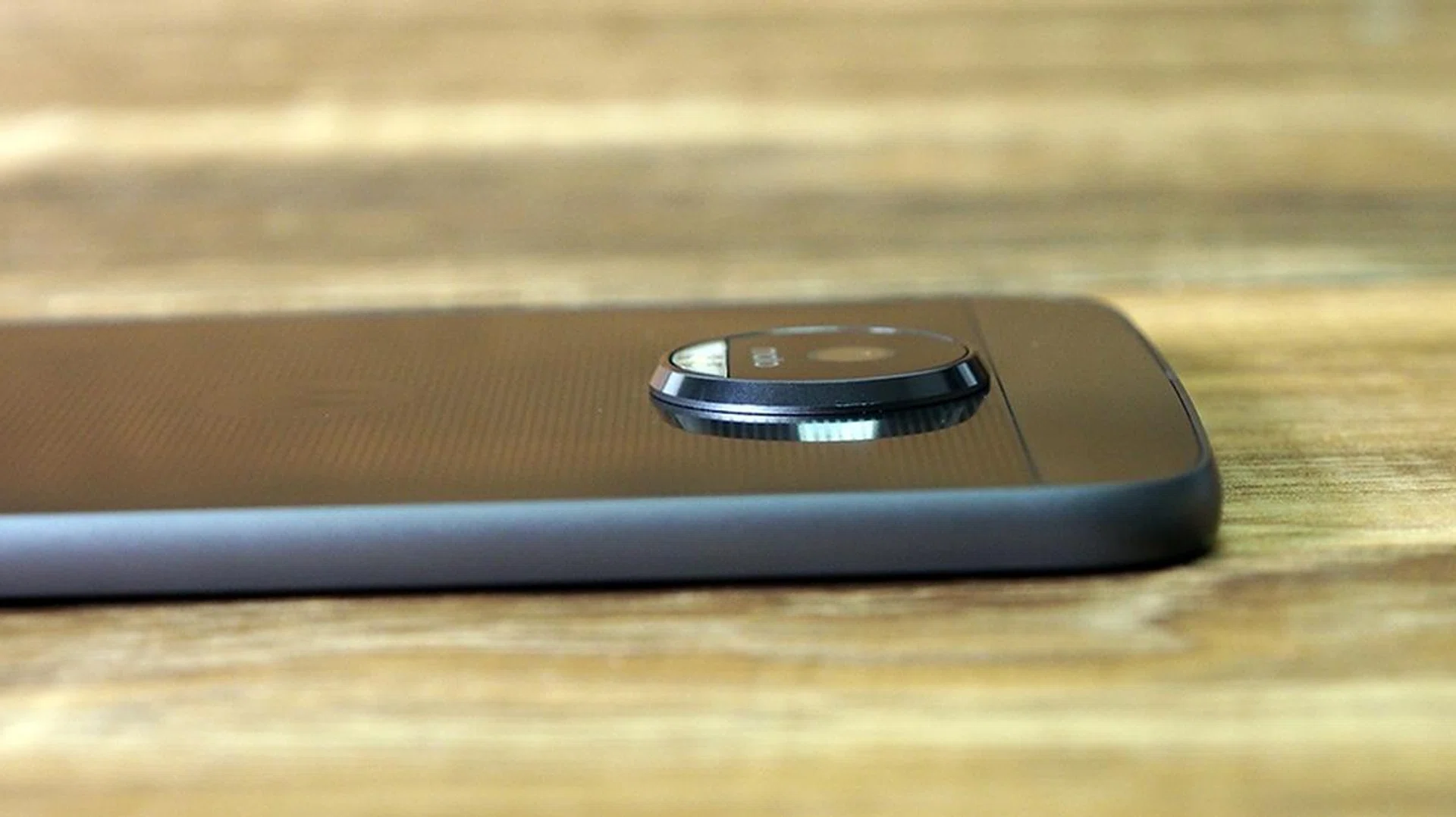
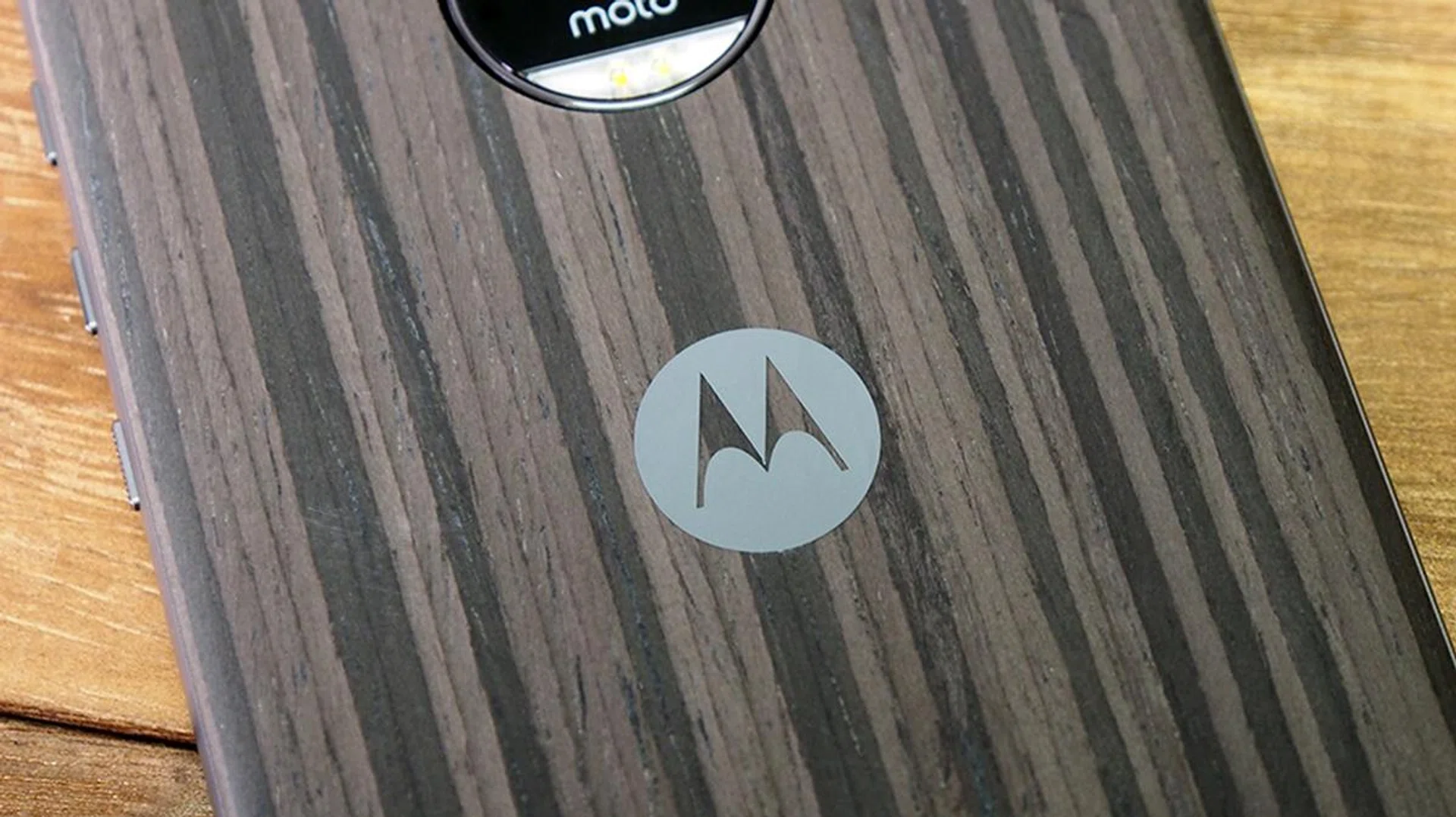
The slim design is not without its downsides – the rear camera module housing has a busty protrusion, so it’s virtually impossible to have the phone lay flat on a desk. A typical user wouldn’t want to risk damaging the lens in everyday use. That can be rectified with a pleasant looking Style Shell, which adds approximately 1.5mm to the phone’s overall thickness (yes, we measured) while making the phone’s rear lay flush on most flat surfaces. Even with a Style Shell, the Moto Z is still one of the thinnest 2016 flagship smartphones around.
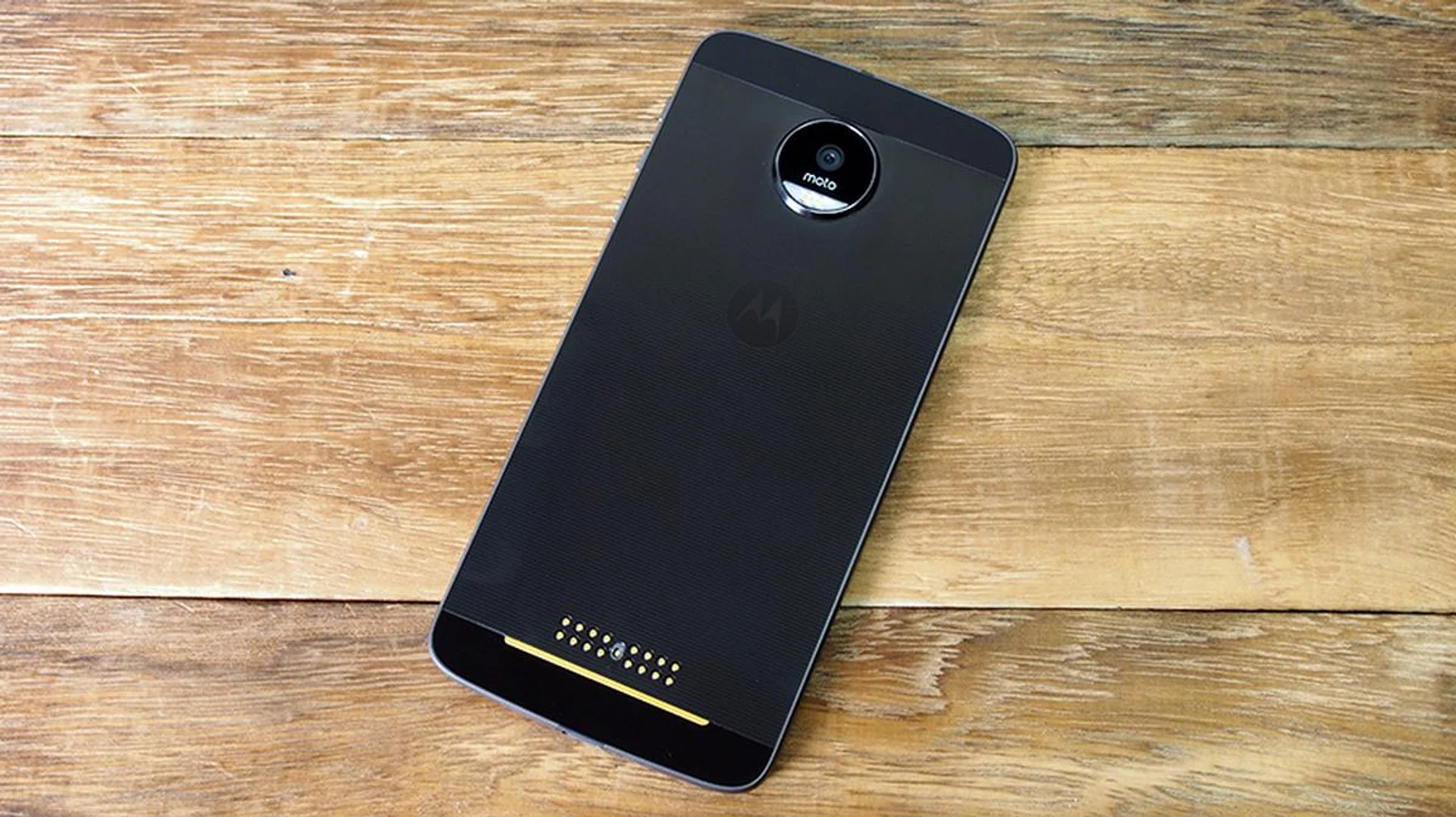
The Moto Z’s body is made from military aircraft-grade aluminum and stainless steel. The rear features a polished finish, which gives the device a premium, glossy appearance. The volume and power/lock buttons are found on the phone’s right flank. The buttons are nearly identical in design, save for the power button’s ridges. While helpful, the ridges are not deep enough for intuitive handling – you’d be fumbling for the lock button when putting the phone away just as you are about to cross a street, for instance. Otherwise, the Moto Z’s design is visually attractive, emphasized with commendable build quality.
Water-repellent coating
Lenovo said the Moto Z has "water-repellent coating". With further digging, we found that the resistance came from nano-coating technology, and it only protects against moderate water exposure such as splashes and light rain. The Moto Z cannot be submerged in water, and neither can it tolerate pressurized jets of water. While it’s not waterproof, the Moto Z would still be functional in everyday use where it matters most.
Display & Audio

The phone has a 5.5-inch Quad HD (2,650 x 1,440 pixels resolution) AMOLED display at ~535 PPI. From the test image, it’s evident that the AMOLED’s characteristics are strong in this phone – the image appears vibrant, with a warm color temperature. Two other things stood out too – the display’s maximum brightness appears slightly dimmer than the Galaxy S7 Edge we had on hand. The Moto Z display is also not as sharp - it’s not obvious until you look at the orange balloon that’s next to the larger multi-colored one. Just for reference, the Galaxy S7 Edge has a slightly larger Quad HD Super AMOLED display.
The default speaker is functional, with a moderate maximum volume that can barely fill a small room. The audio capabilities can be expanded, but it’s done via the JBL Soundboost speaker Moto Mod that’s sold separately. If you’re big on audio and displays, the Moto Z by itself isn’t the best there is, but it works well nonetheless.
UI & Features
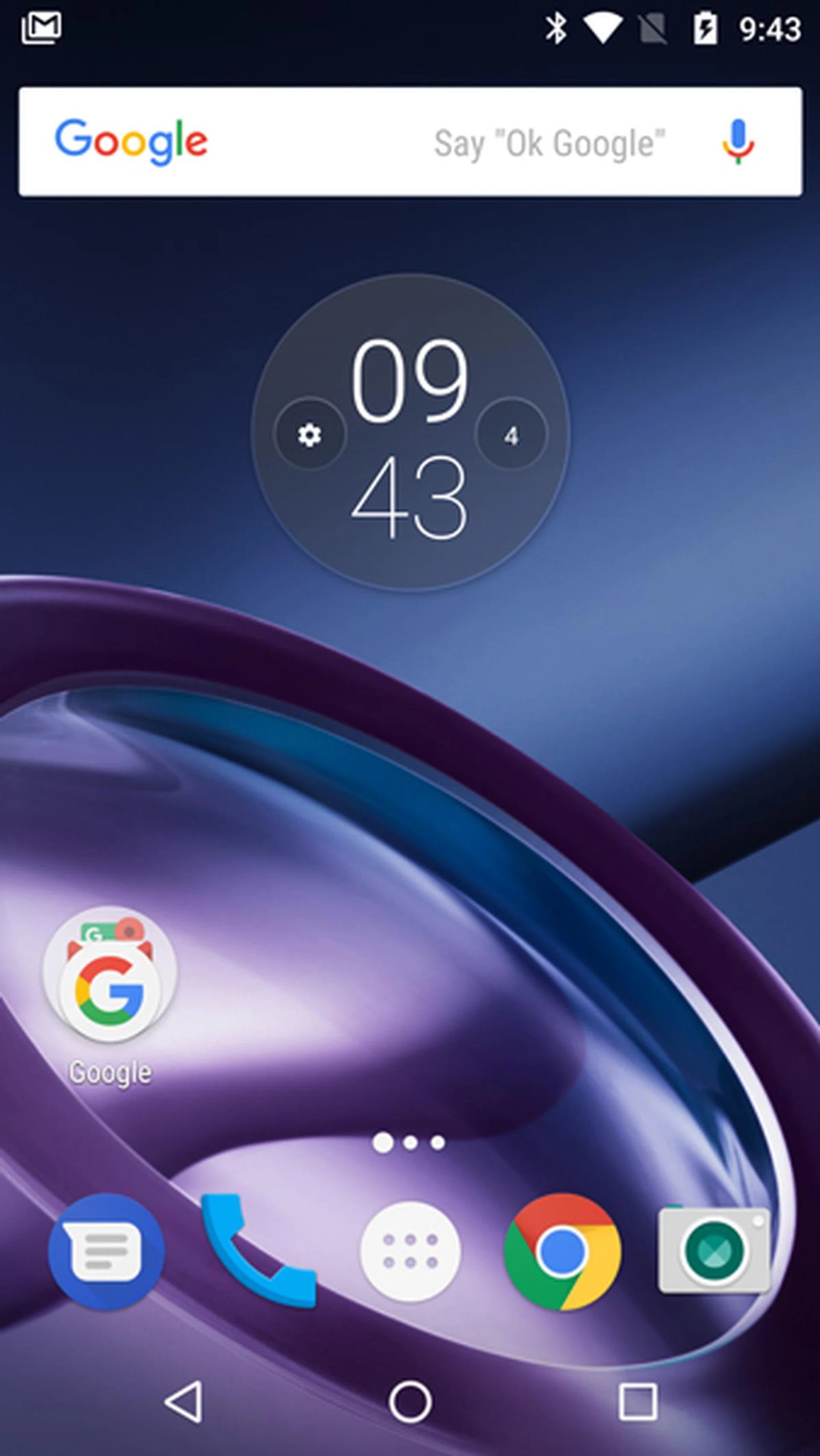
The Moto Z comes with a relatively clean Android 6.0 OS (Marshmallow) out of the box. On it, you’ll find an app drawer that houses all your apps and a search bar. The Home screen is nothing more than a holding area for key apps and the pull-down notification tab. Of course, that doesn’t mean that Moto just let the phone be – the phone has been wired to play nicely with the Moto Mods attachments, and they offer a simple pop-up to confirm a modular connection whenever you stick a Moto Mod onto the device. That bring us to our next section...
Moto Mods
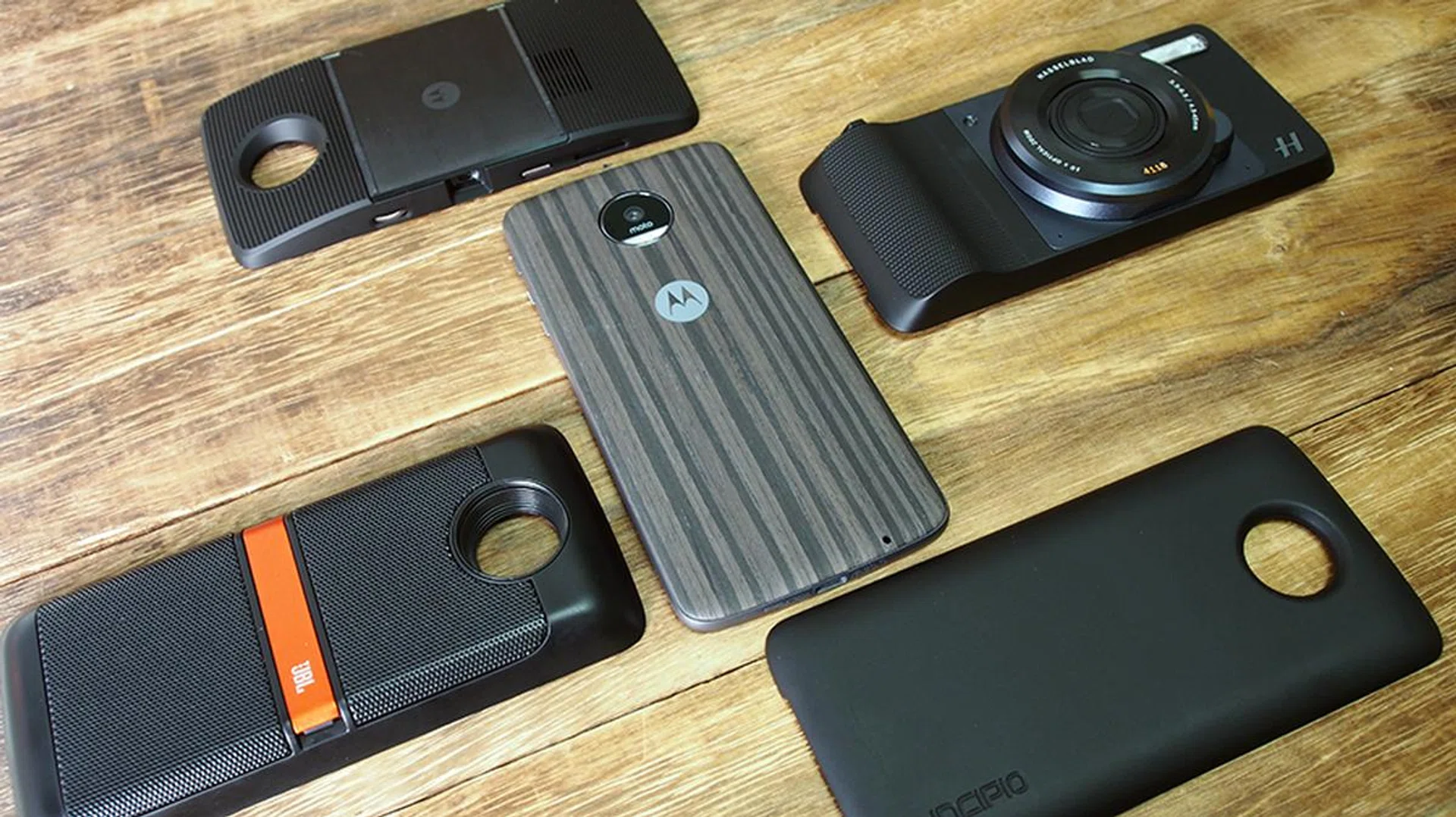
Moto Mods are Moto’s very own modular attachments that enhance the Moto Z and the Moto Z Play in different ways. Each attachment usually boosts one aspect of the smartphone, and there are a total of four functional modules available (besides the cosmetic Style Shells). The Moto Z still works without any Moto Mods attached, although that would give us a glossy rear with a protruding camera housing.
The phone connects to each attachment via a 16-pin connector located at the bottom of the phone. Bulky and complex Moto Mods also come with a gold strip below the connector, which helps to ensure network integrity even with an attachment covering the phone’s rear. The mods work once they’re attached to the phone, giving the Moto Z a true plug-and-play relationship between accessory and device.
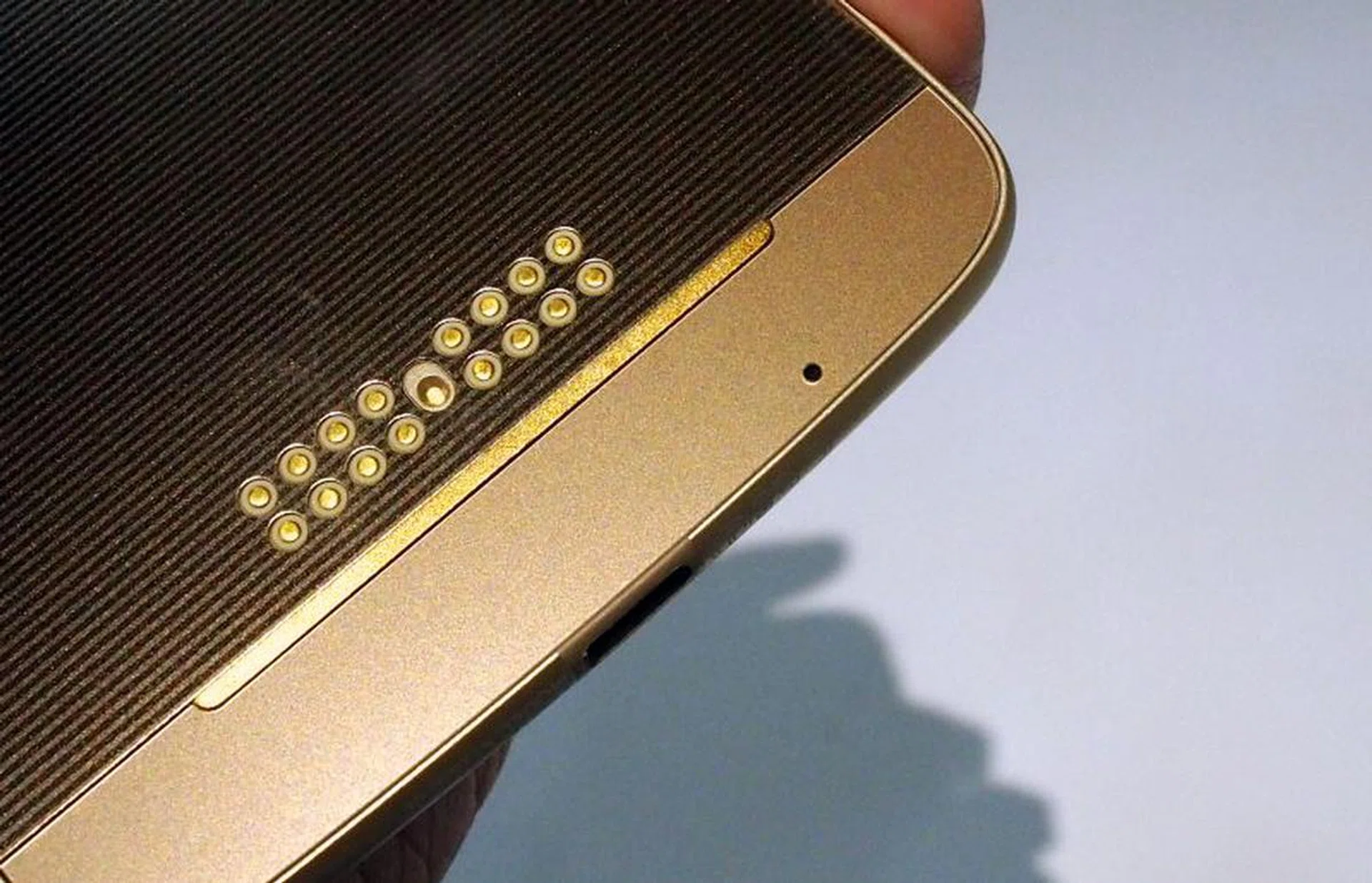
Before we explore each Moto Mod, it’s worth pointing out that the attachments are hot-swappable and magnetically attached. It’s much more convenient than the LG G5’s modules, which require powering off the LG G5 smartphone every time you replace a module. Also, the catch-and-lock system for the LG G5’s modules may be more secure, but they are certainly less intuitive than the Moto Mod’s magnetic attachment design.
You might also want to take note of the attachment’s update policies. Since each Moto Mod runs on the Moto Mod platform, both the phone and the modules will receive firmware updates over the course of its existence. By default, the updates can happen over both Wi-Fi and cellular data. To restrict it to Wi-Fi updating only, go to Settings > Moto Mods > Software Update Preference.
You can read more about each Moto Mod here. In this review, we’ll be looking at how they work with the device, their benefits, and limitations.
Insta-Share Projector mod
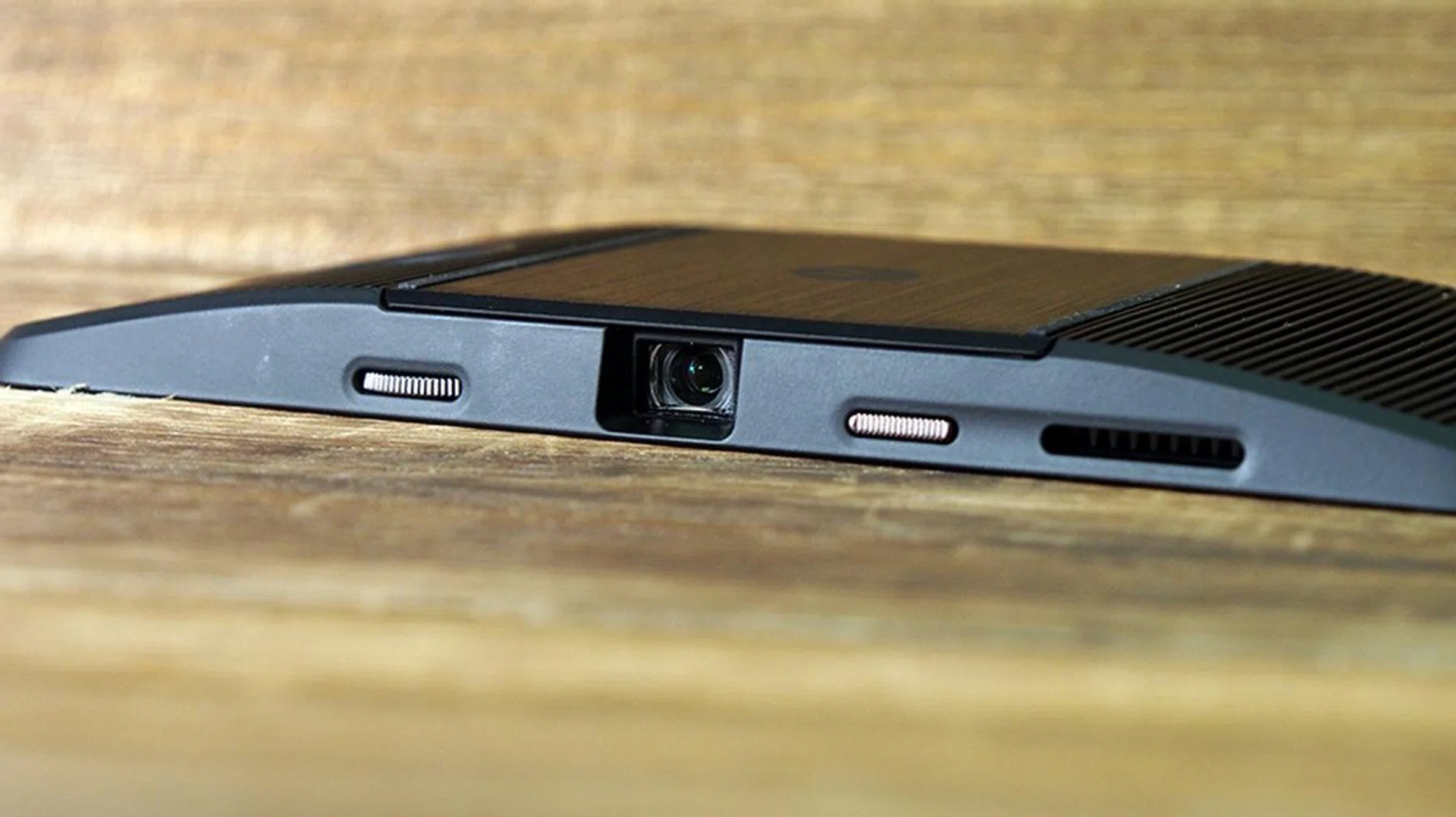
This S$399 projector attachment has its own 1,100mAh battery to provide up to 60 minutes of projection time. Despite its size and weight (just 125g), the Insta-Share Projector module can create 70-inch projections.
It also comes with several handy features. First, there’s a physical dial located next to the lens for getting your projection into focus. The power button turns the projector on after a long press, and short presses bring up the settings for the Insta-Share projector. While the module can automatically set its keystone (tilt compensation), you can use the slider in the settings to adjust the keystone to your preferred orientation. Finally, the mod has its own adjustable stand, which gives more flexibility in positioning your Moto Z for the best projection.
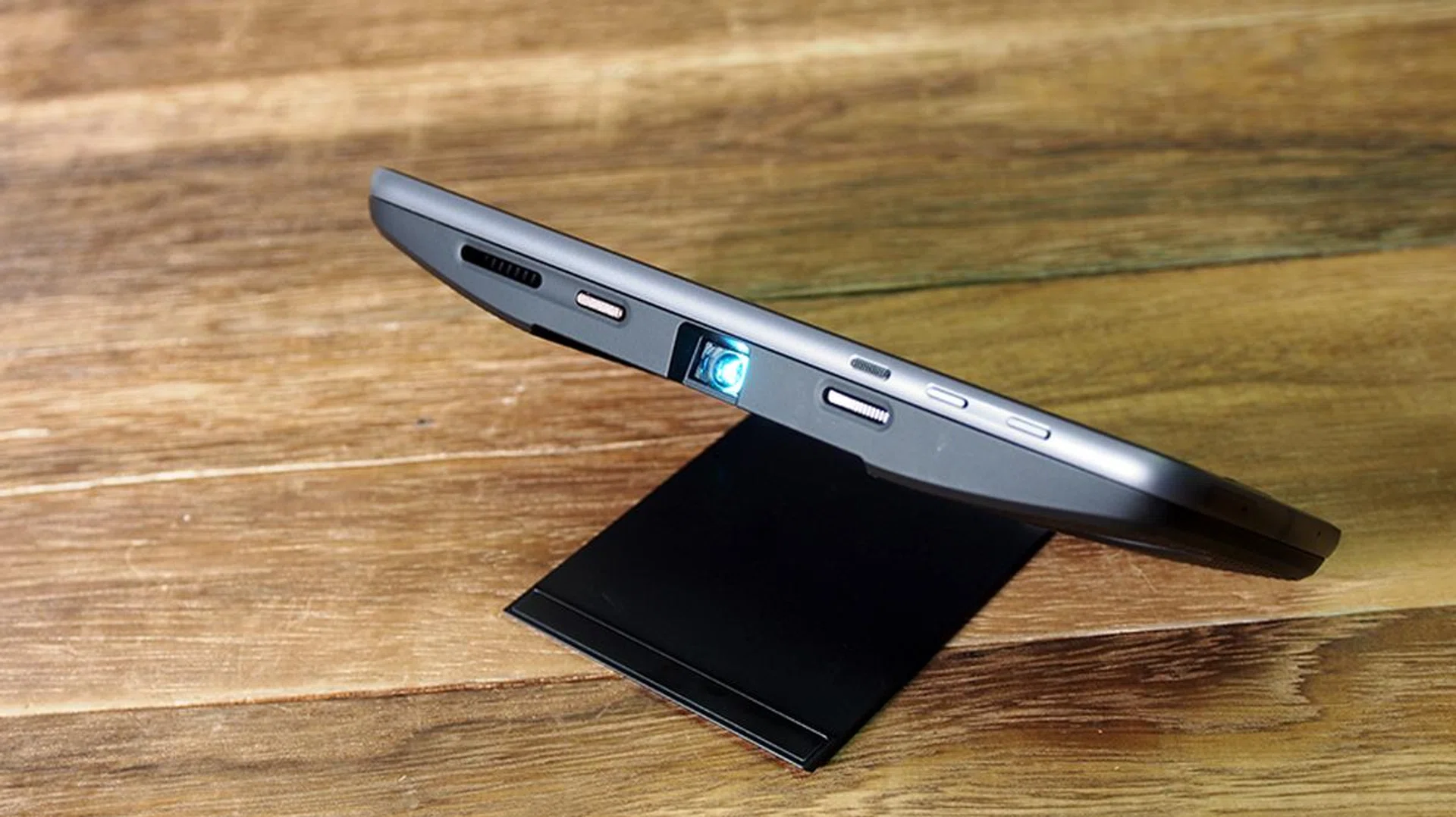
At 50 lumens, it’s really not bright but the projector works well in a completely dark room when there's no night light or stray light streaming in. Do note that it has a maximum 854 x 480 pixels resolution. Even so, Full HD videos from YouTube are watchable once you’ve configured its focus. The projection is good for personal, hands-free video watching, but you wouldn’t want to do presentations for work or school on this accessory.
Of all the Moto Mods, the Insta-Share Projector is one of the better add-ons, but it’s tough to say if S$399 is a good purchase for 480p projection on your ceiling.
Incipio offGRID Power Pack mod
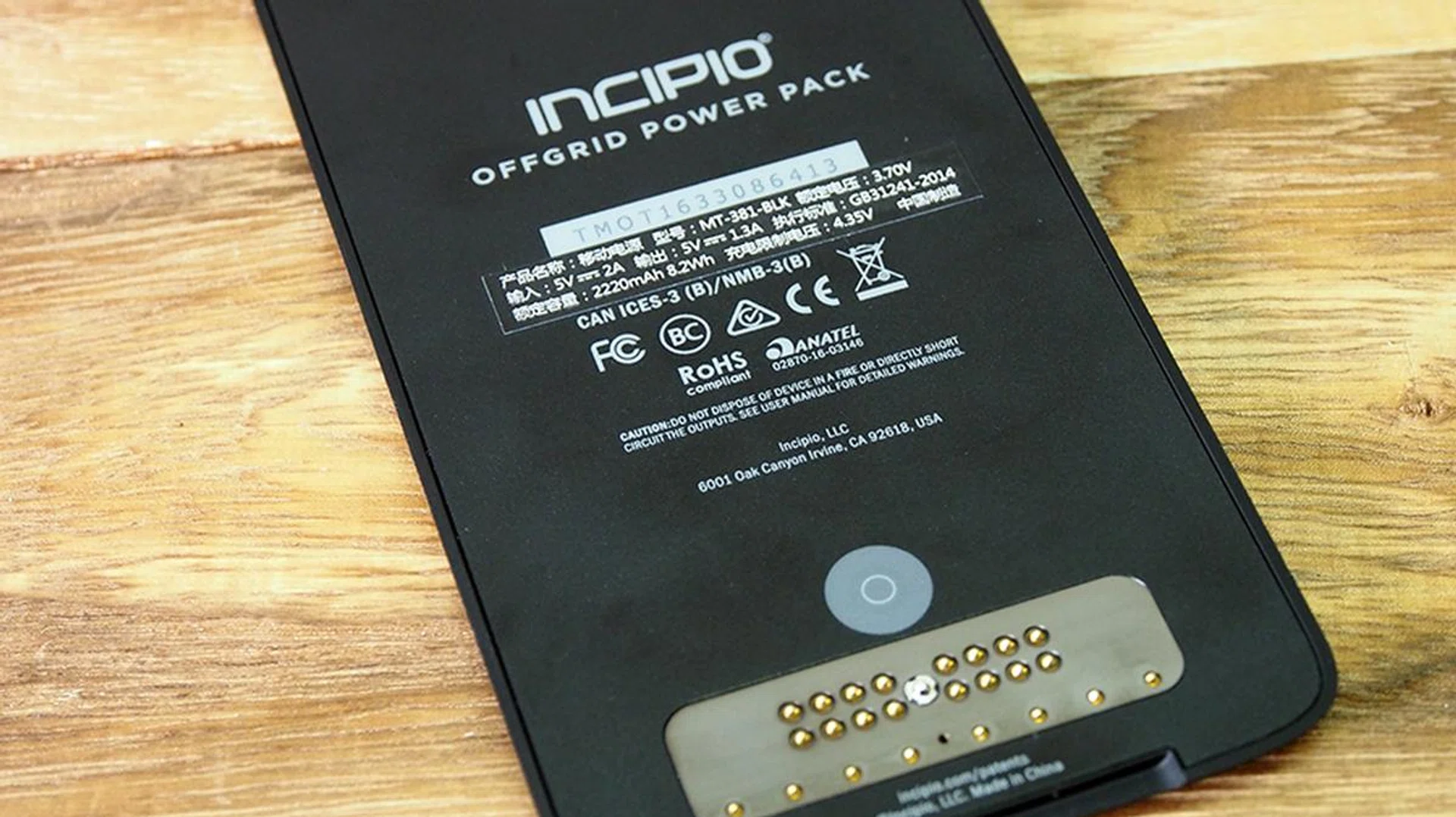
This is a 2,200mAh battery pack for the Moto Z. It’s 6.2mm-thick, so it significantly increases the side profile of the Moto Z. There isn’t much you can say about a 2,200mAh battery pack, other than the fact that Moto has both the wired (S$139) and wireless (S$159) versions available for sale here.
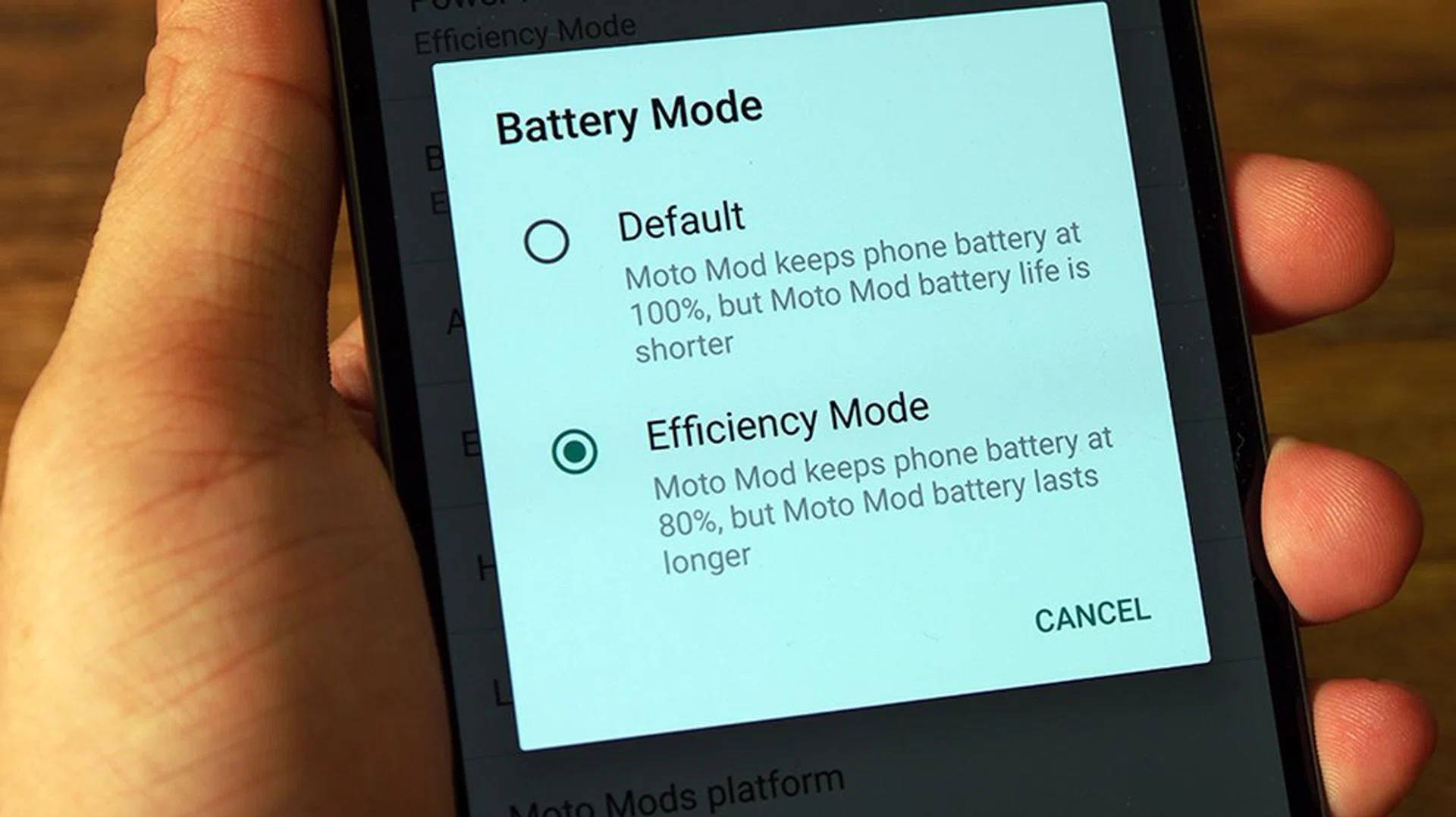
One plus point to the battery module would be its efficiency control. If you head to the Settings page under Moto Mods, you’ll see that the Power Pack offers “Default” and “Efficiency” modes. The former keeps your phone at 100% at the cost of having a shorter Moto Mod battery life, while the latter mode keeps the phone at a constant 80%, giving us a longer-lasting battery pack.
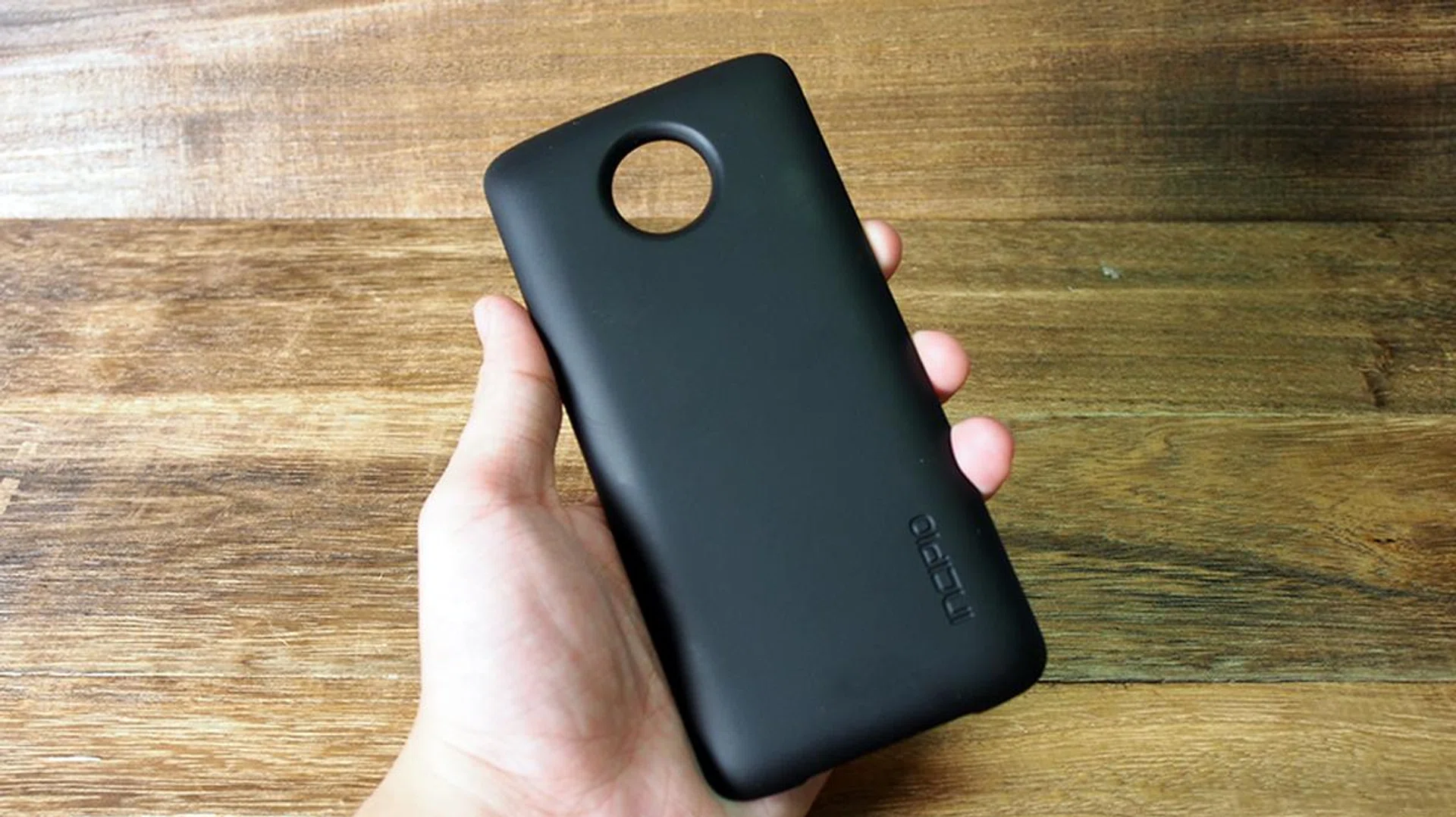
The non-wireless version of the Power Pack is a simple attachment that increases the total battery life of your Moto Z. To charge the battery pack, simply attach the module onto the phone, and plug in the charging cable into the Moto Z phone itself. The charge will then be transferred into the attachment. We actually wondered why Moto did not give the module its very own USB charging port, since it means that you can’t charge the battery pack separately (at your office desk) while you go about your business.
Moto did not provide us with the wireless version of the battery pack, so we can’t comment on its ease of use. The Incipio offGRID Power Pack is a no-brainer if battery life matters to you.
More Moto Mods
Hasselblad True Zoom mod
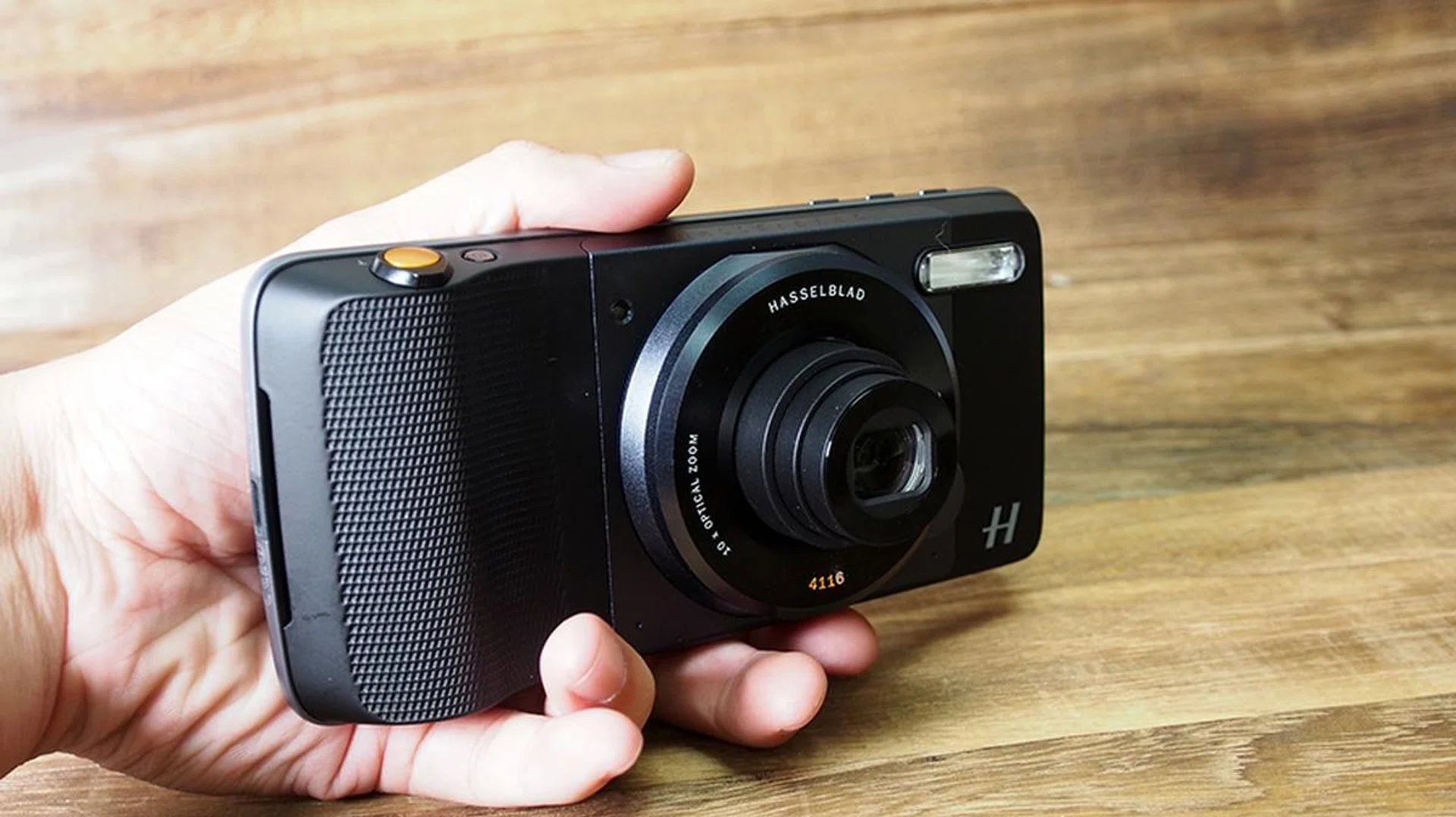
Effectively, the S$459 Hasselblad True Zoom is a branded camera attachment module that offers 10x optical zoom and user-friendly physical controls. It features a conventional compact camera appearance, with a functional Xenon flash, some grip room, a physical shutter button, a physical jog dial for the zoom, and a power button. It also has Optical Image Stabilization.
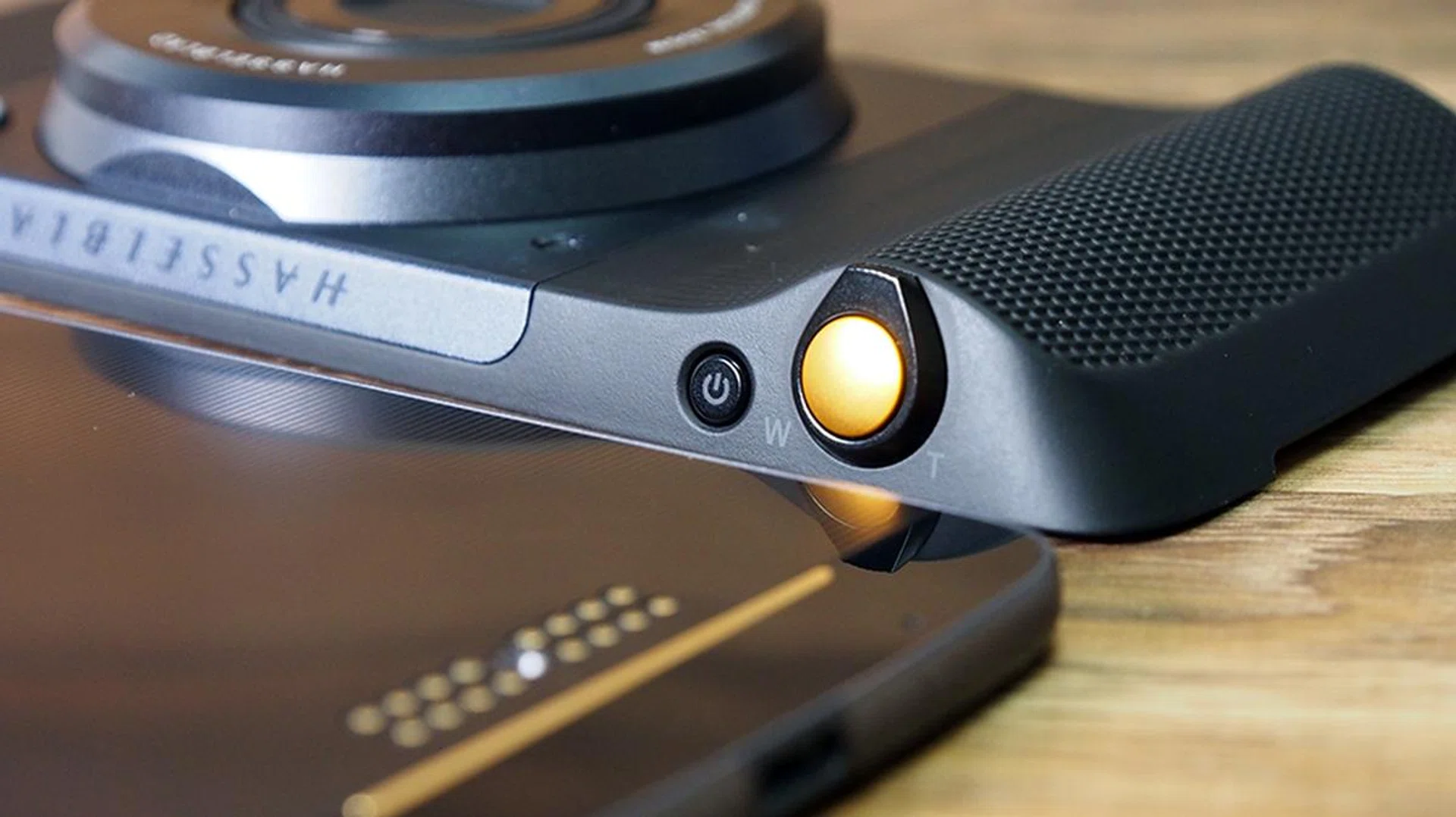
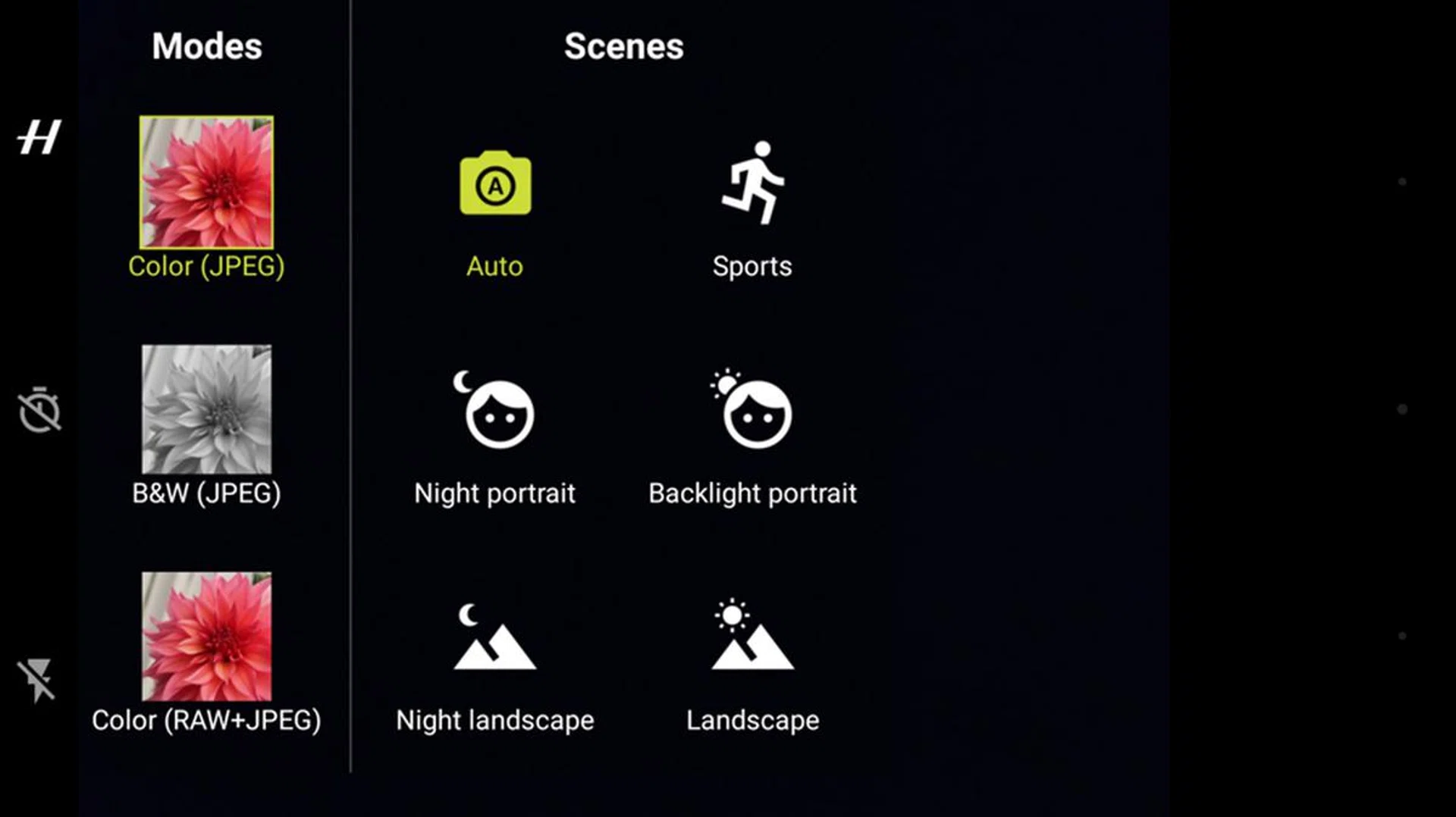
While the module automatically starts up whenever you open the default camera app, the power button offers a physical way to start the camera without going through the phone’s menus. The grip is slightly more comfortable compared to the LG G5’s camera grip module, and it feels generous for an accessory while permitting one-handed photography. The zoom can be adjusted by tilting the dial, and the attachment autofocuses on your subject when you half-press the shutter (full presses would make the attachment snap photos at its current focus). In essence, it transforms your Moto Z’s photography into a point-and-shoot experience, and it’s definitely more comfortable and intuitive to use the Hasselblad True Zoom over conventional screen-tapping.
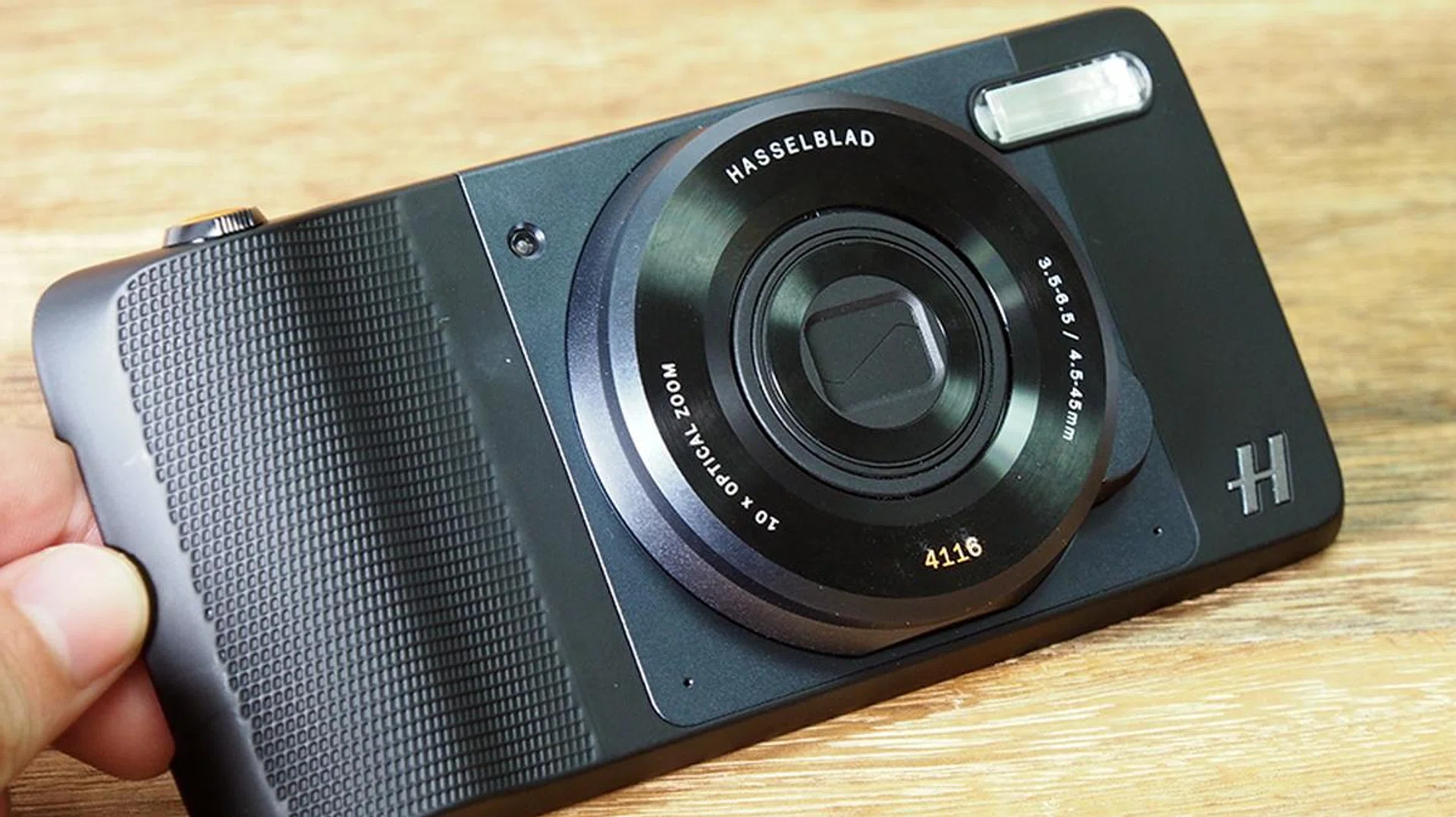
The attachment also has some downsides. The BSI CMOS sensor has 12-megapixel resolution in 1/2.3-inch size, with a pixel size of 1.55-micropixels. For reference, your typical Xperia flagship phone has a built-in 1/2.3-inch sensor with nearly double the megapixel count. When it comes to cameras, sensor sizes play the largest part at affecting image quality, more than megapixel count and sensor type does. There’s no sugarcoating the fact that Lenovo is offering a smartphone-quality camera for an additional S$459. Its saving grace is its 10x optical zoom lens at 4.5 – 45mm (25 -250mm, 35mm equivalent), with an aperture range of f/3.5 –f/6.5.
Below are some photos that are taken using the Hasselblad True Zoom at both its maximum and minimum zoom range. To check the attachment’s image quality against the Moto Z’s default rear camera, please refer to our review’s Camera Performance section.

No zoom. Click for full-resolution image.

10x optical zoom. Click for full-resolution image.

No zoom. Click for full-resolution image.

10x optical zoom. Click for full-resolution image.
JBL Soundboost Speaker mod
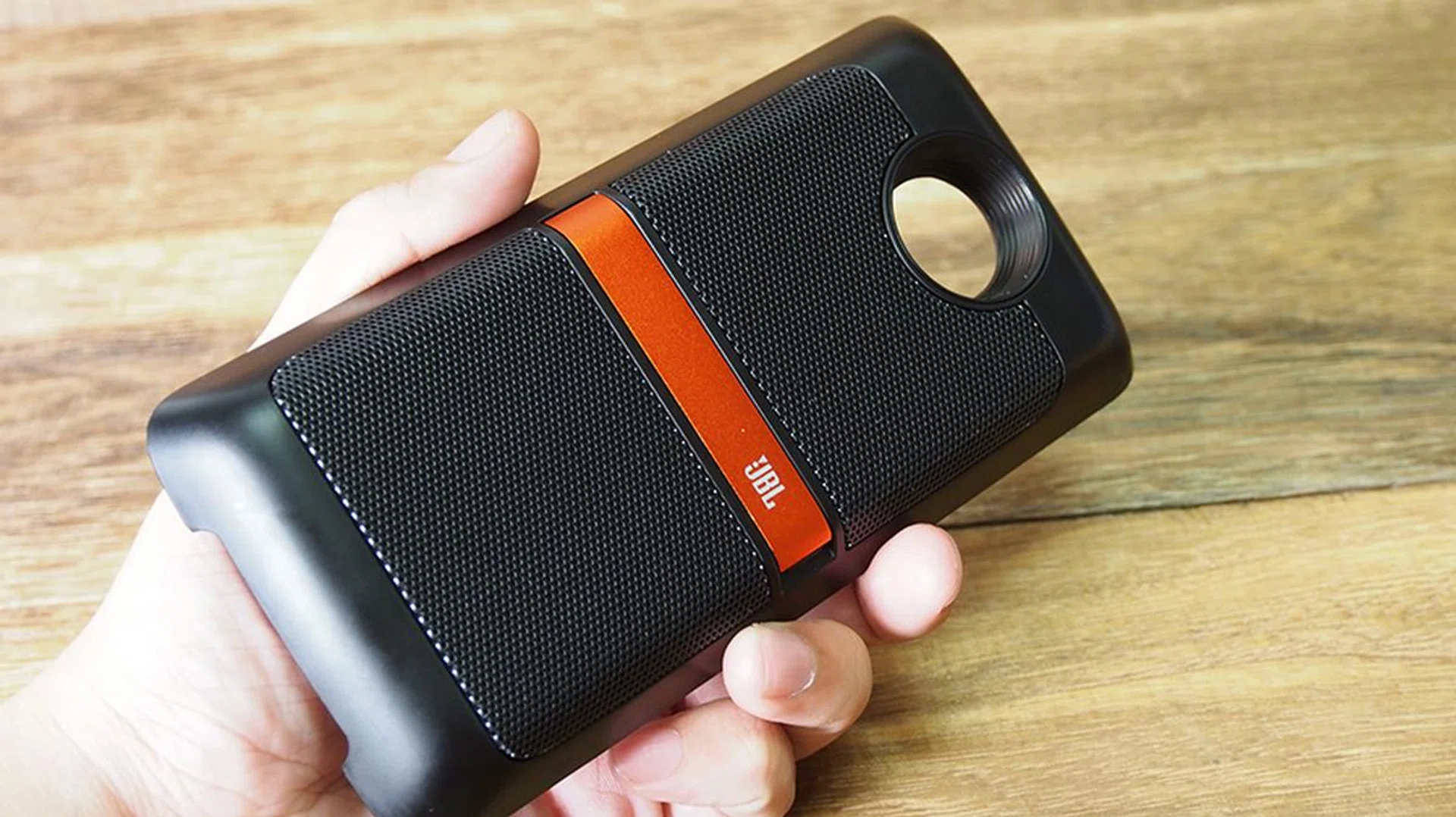
The S$139 speaker module is Moto Z’s solution to folks who like having a portable speaker wherever they go. On its own, the module is 13mm thick, and it weighs 145g. Within, you’ll find two 27mm speakers operating at 3W per speaker. To charge the 1,000mAh stored battery within, the user has to do it via the Moto Z’s USB Type-C charging port, just like how one would charge the battery pack module.
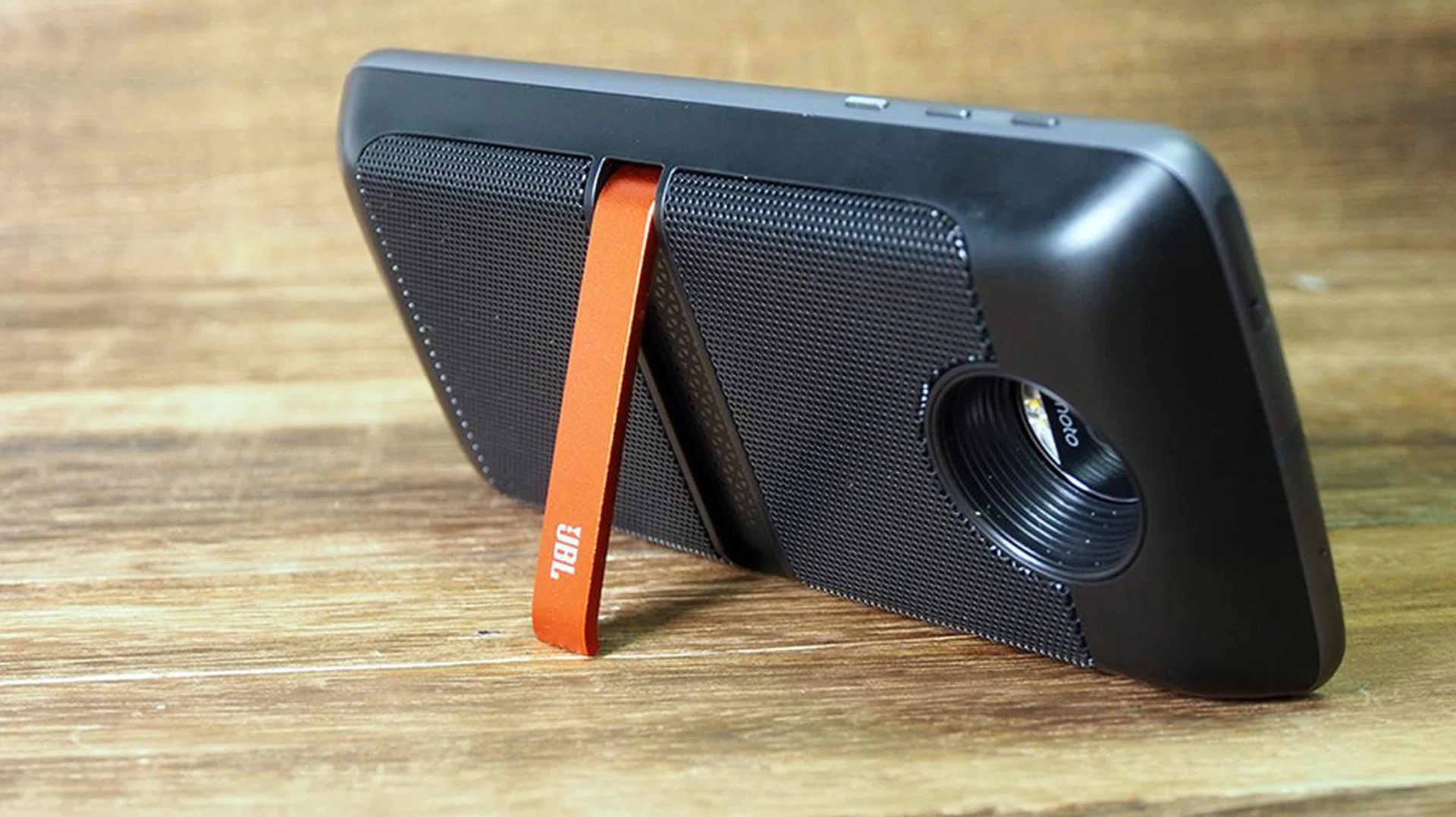
On the module is a thin but sturdy kickstand, which allows a listener to prop the Moto Z upright. If you’re using the JBL Soundboost to enhance your video-watching experience, the kickstand helps since the rear-facing speakers would require you to lay the phone display-side down. We find this to be redundant, since it’s easy to prop a smartphone with stationery or personal effects around the table, and the default speakers on most phones would be sufficient, even for a small group of friends watching the same video.
The speaker attachment offers a considerable upgrade in sound quality and volume when compared to the default Moto Z speaker. It features a decent grasp over a wide range of low-, mid-, and high- frequencies. Bass notes sound full, but bloated at times. It’s nowhere as disappointing as its handle on treble notes, which felt muddy most of the time. That said, the Soundboost has good directional projection, and it’s able to project audio across a small room unlike the phone’s default speakers.
Our testing had us playing the typical audio-testing tracks used in our headphone and portable speaker reviews, mixed in with content pulled from YouTube. Lenovo claimed that the built-in battery gives the JBL Soundboost up to 10 hours of playtime, but our first 15 minutes of testing saw an 11% battery drain. Granted, we were testing at maximum volume, but what’s the point of having external speakers if you just need it for a one-man audience?
We felt that the JBL Soundboost would be competing with the likes of the X-Mini Uno capsules. While the modular attachment can certainly beat such alternatives with its relatively compact form factor, it’s still possible (and financially wiser) to get ultra-portable speakers at half the price with better sound quality, all while getting a longer battery life. Chances are, our readers would either have that, or more expensive (and better) products like the Creative iRoar Go or UE Boom. It’s difficult to justify buying the JBL Soundboost beyond the fact that it attaches to your phone, and how it can fit into most pockets.
Benchmark Performance
The Moto Z uses a Qualcomm Snapdragon 820 SoC clocked at 1.8 GHz. It packs 4GB RAM and 64GB internal storage, expandable by another 2TB via microSD card. Naturally, we pit the Moto Z against similarly-fitted phones.
SunSpider
SunSpider JavaScript measures the browsing performance of a device when processing JavaScript. It not only takes into consideration the underlying hardware performance, but also assesses how optimized a particular platform is at delivering a high-speed web browsing experience. Web surfing was blazingly quick as we flitted from page to page without issues.
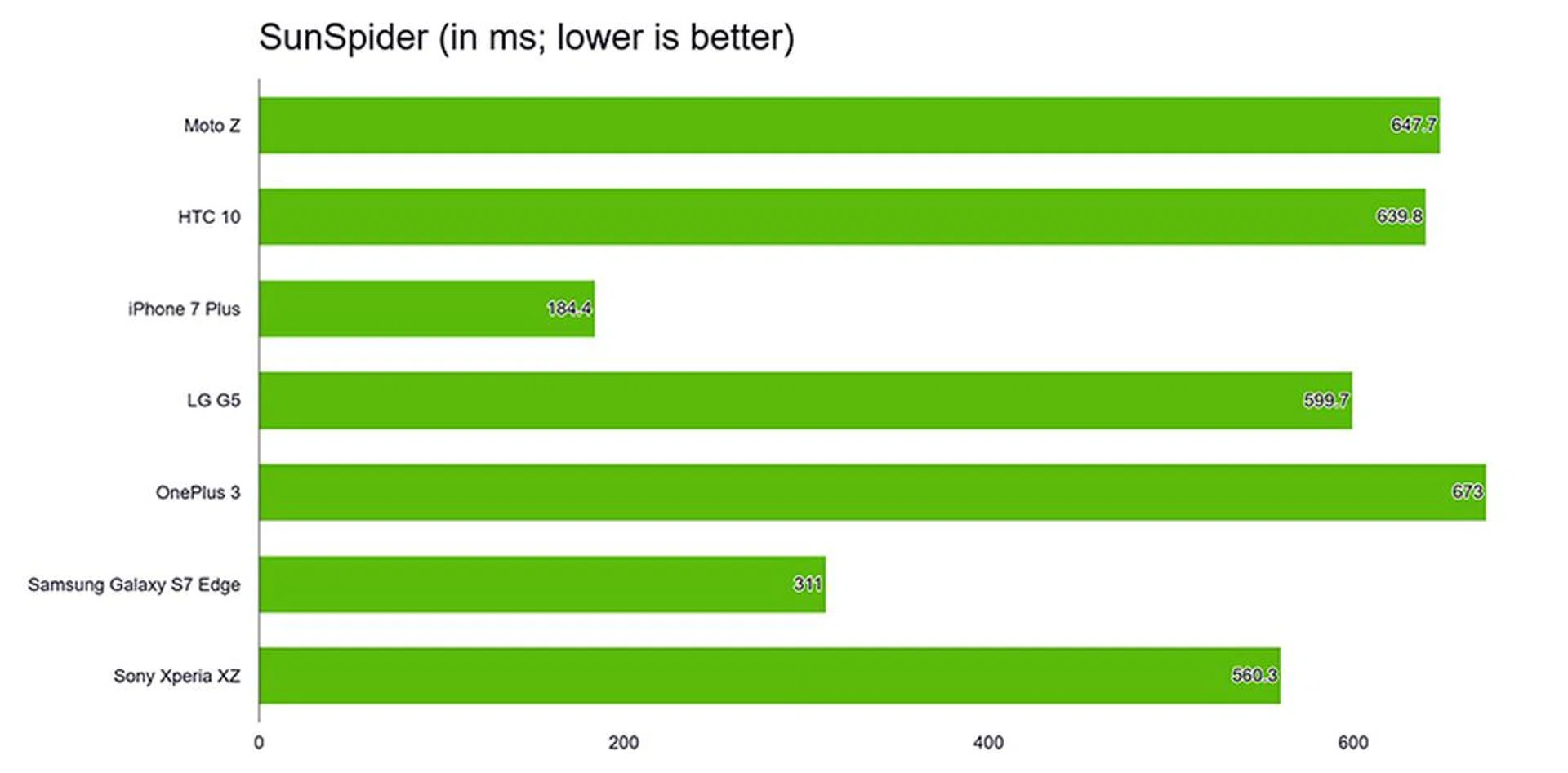
For your reference, the Moto Z scored 47.50 for the JetStream benchmark – this is a new test where we're gathering test data, so we'll be a while more before we can fully report all results based on this test.
Quadrant
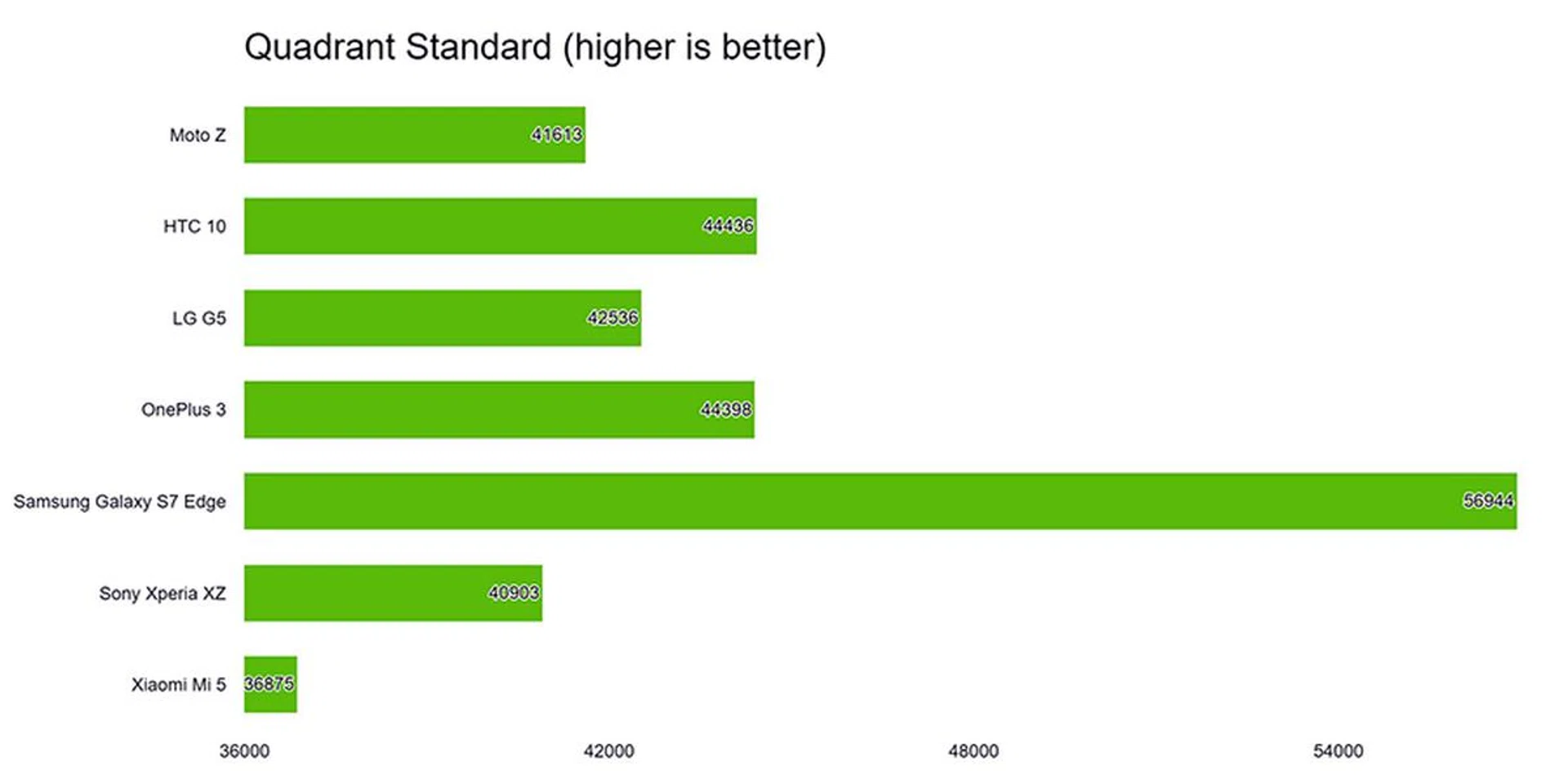
Quadrant benchmarks a device’s CPU, I/O, and GPU performance. The Moto Z did moderately well in this benchmark, though its lower clocked processor pegged it a lower score. It's generally on par with most flagships and the Moto Z's web-surfing capabilities are just as good as its peers.
3DMark’s Ice Storm Unlimited
3DMark’s Ice Storm Unlimited test uses a mix of graphics and physics tests to measure hardware performance. The first test measures the GPU’s ability to process lots of vertices, while the second does the same thing with lots of pixels and post-processing effects. Finally, the physics test switches the load to the CPU to test its ability to process physics simulations, while keeping GPU load low. With a flagship processor, gaming was smooth, but its thin body makes the SoC’s heat rather obvious. Once more, the results aren't as good as its peers and it's a combination of the lower clocked processor and perhaps even thermal throttling.
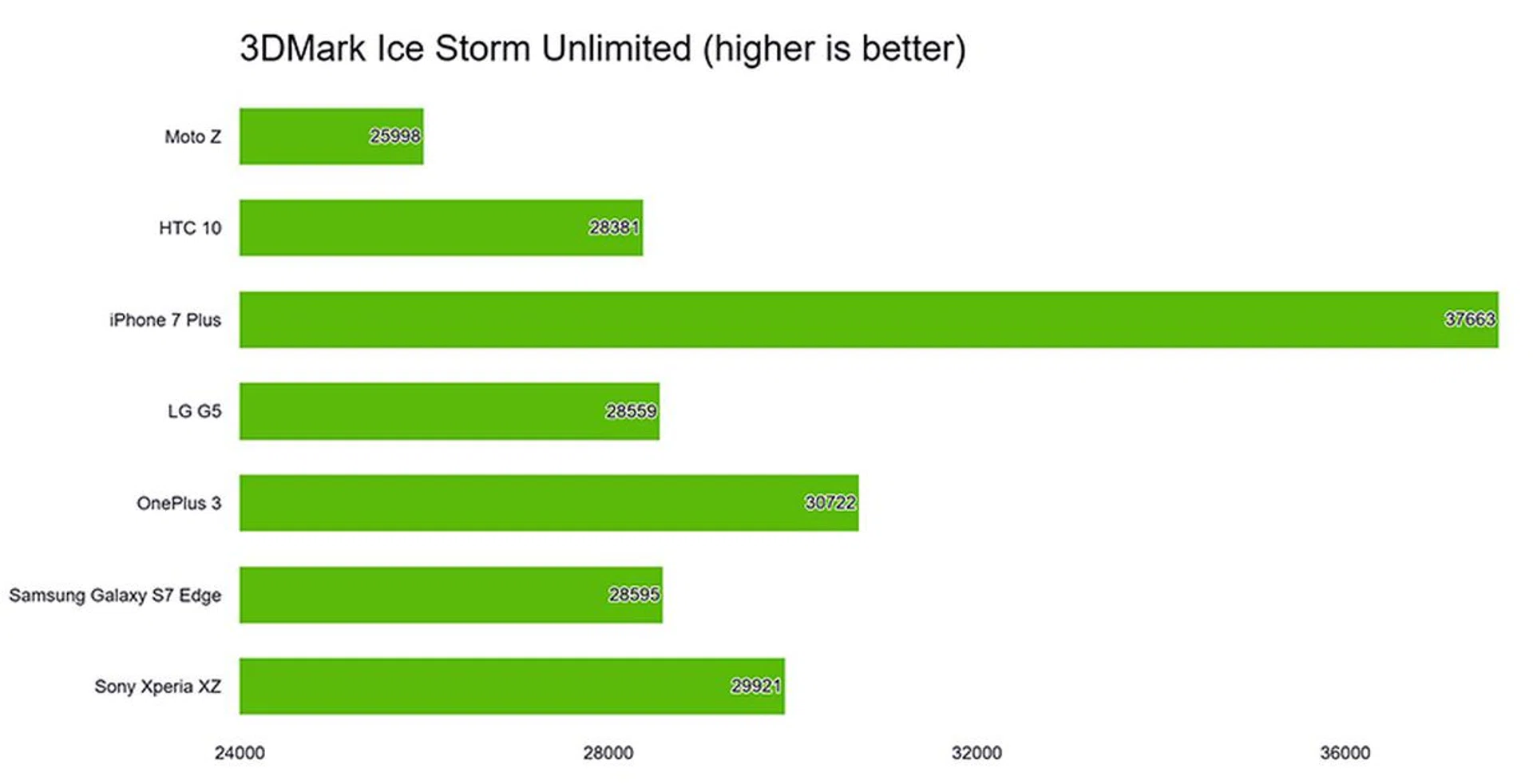
For your own reference, the Moto Z scored 2,153 for the 3DMark Sling Shot benchmark – we're still gathering companion results for this new benchmark, but as with 3DMark results, the higher the score, the better.
From our real-world experience with the Moto Z, it’s not different from using other thousand-dollar Android smartphones thanks to its smooth experience and great performance.
Camera Performance
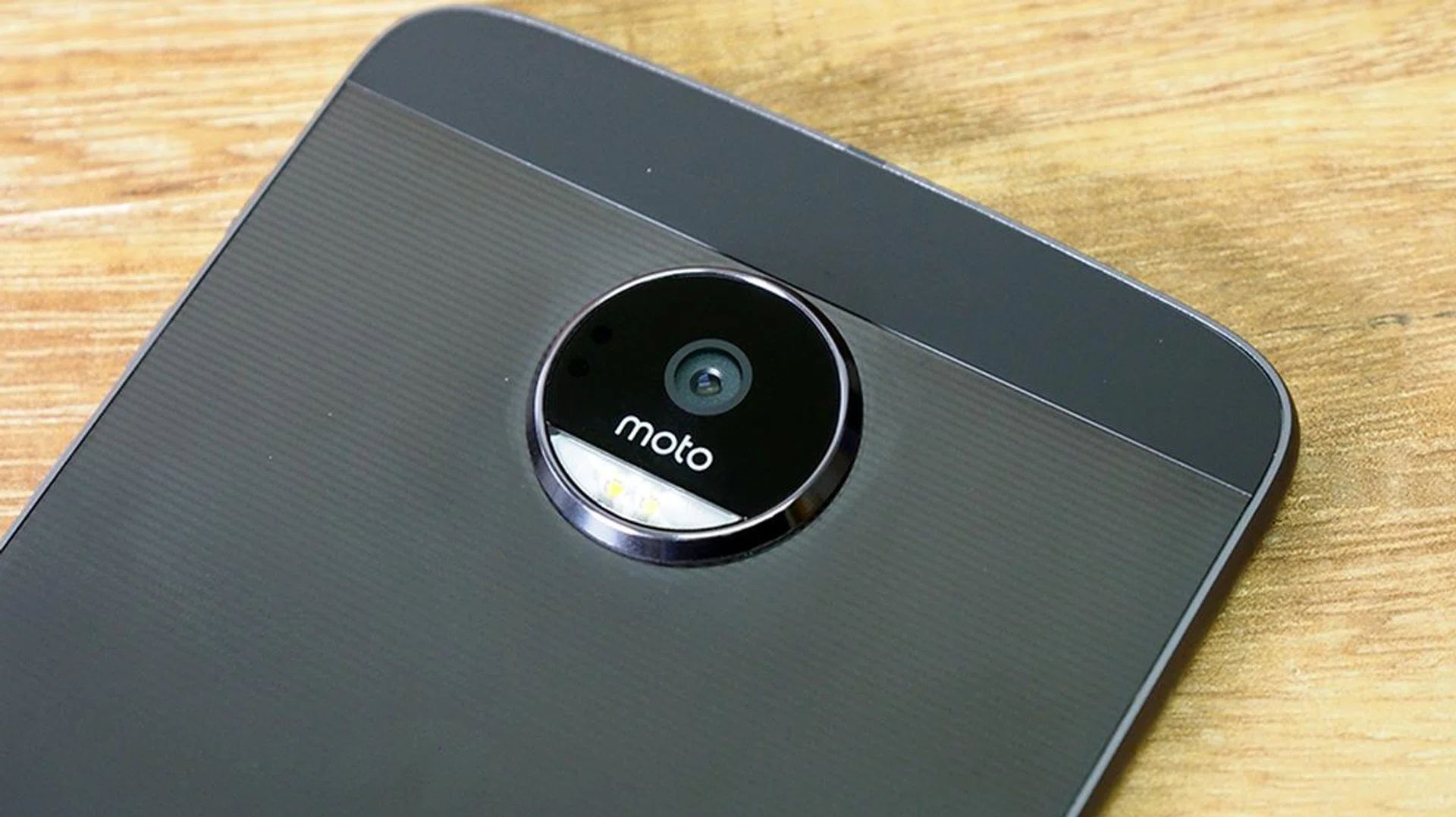
The default rear camera on the Moto Z packs 13MP resolution sensor with an f/1.8 aperture. It’s helped along with an OIS, laser autofocus, and dual LEDs for flash. Other perks include zero shutter lag, and color correlated temperature (CCT). The front camera is a 5-megapixel shooter boasting a ‘wide’ field of view (admit it, it’s just for selfies) and extra flash. It offers vibrant and sharp images, with average detail. Below, we've included a side-by-side comparison of the Moto Z's default shooter, next to an image shot using the Hasselblad module.

Default camera. Click for full resolution image.

Hasselblad True Zoom. Click for full resolution image.
Battery Life
Our standard battery test for mobile phones includes the following parameters:
- Looping a 720-pixel video with screen brightness and volume at 100%
- Wi-Fi and Bluetooth connectivity turned on
- Constant data streaming through email and Twitter
The default Moto Z battery capacity is rated at 2,600mAh. According to Lenovo, it has "24 hours of mixed usage". It supports its own brand of fast-charging (called Turbo Charging) that's able to provide 7 hours of battery life after just 15 minutes of charging from zero. So far, sounds good, but here's how it performed in our test:-
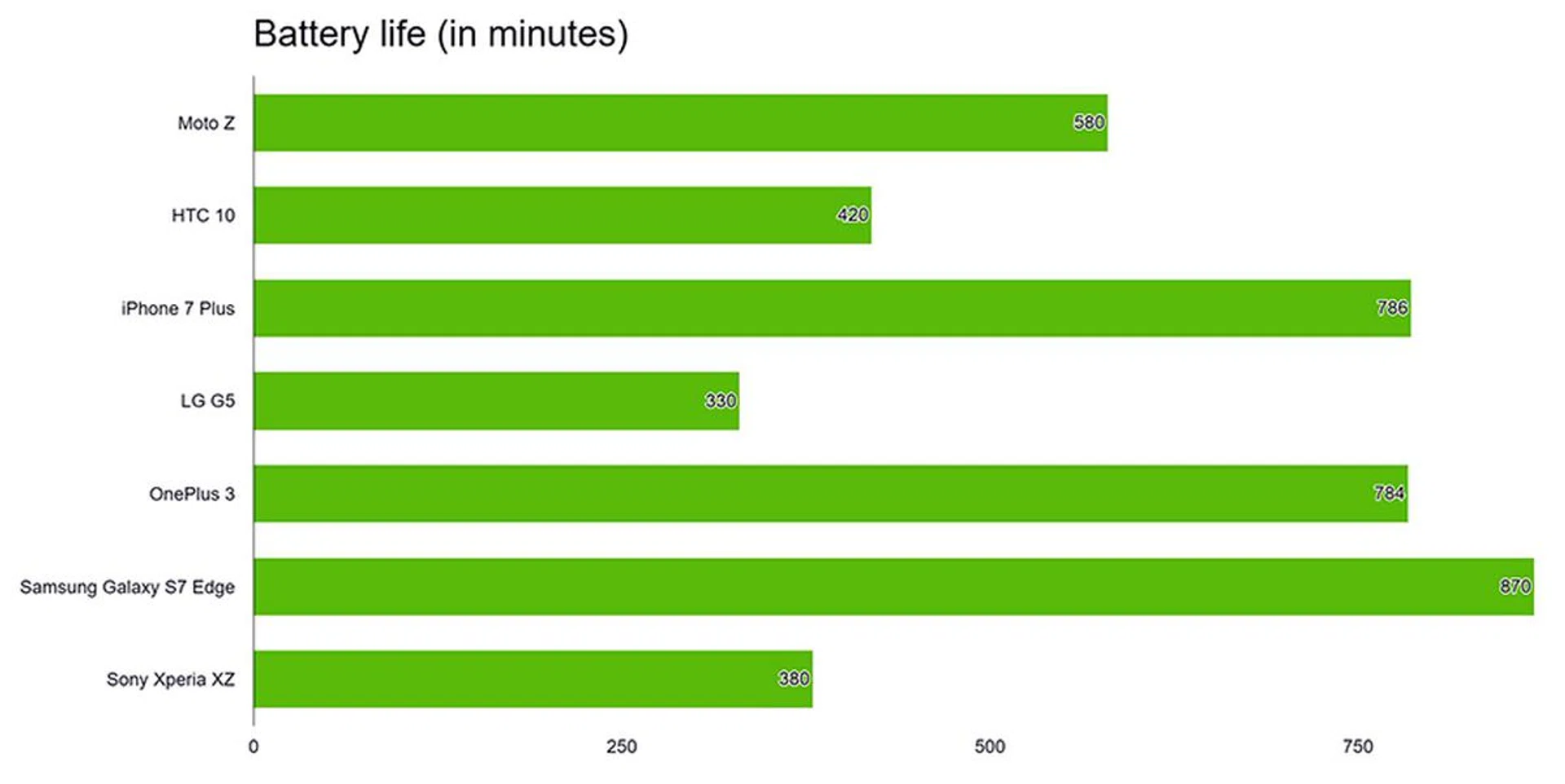
The Moto Z lasted 580 minutes in our benchmark, with no Moto Mods attached to it. It was surprising to us given its relatively small battery life in a flagship device, and it outperformed higher capacity batteries found on the Xperia XZ and HTC 10 – these two devices tout 2,900mAh and 3,000mAh respectively. Two reasons contribute to this - its AMOLED screen and the lower clocked processor.
This sets the Moto Z in the middle of the pack since the top battery performers are pulling in at 700 minutes and above. Still, for a thin phone a a measly internal battery capacity, it managed pretty good battery performance.
Conclusion
On its own, the Moto Z is a good smartphone that sits at a comfortable flagship price of S$899. It has a decent display, good real-world performance, and a good battery life. Physically, it's attractive only if you use the Style Shell, unless you love the glossy rear and thin body so much that the protruding rear camera doesn't bother you.
However, the Moto Z isn't solely defined by the smartphone. The Moto Mods attachments make up a huge chunk of its user experience, which we found easy to operate and understand. There's also a decent selection of modules and all of them play nicely with the Moto Z device. Quality-wise, they're not terrible, but we find their pricing disproportionate to what the modules offer. A S$459 camera module that gives us a sensor that's as big as other flagship smartphone's sensors and performance that's not much better than the phone's default shooter isn't going to be very convincing or necessary. The speaker module cannot replace your existing portable audio solutions, and the projector module – while good – also costs a tidy sum. Moto doesn't have any promotional bundles for the modules with the smartphone, so the combined cost of having the full hot-swappable experience could easily get you another flagship-tier smartphone. Cost aside, it's the best modular design smartphone we have seen so far and for that, we've bestowed it our Innovation Award.
If you're just going for a Style Shell and the battery pack, the Moto Z would actually make an ideal purchase. Otherwise, the entire package would be a huge blow to the bank account, and getting just one other module defeats the purpose of having a modular, hot-swappable phone.